Loading...
Warning: Channel ID is missing or invalid
Loading channel videos...

Loading channel videos...
How to Remove GREEN SCREEN Realistically in Edit Page | Davinci Reolve Tutorial
In this tutorial you learn how to remove green screen the easy way in the edit page of Davinci resolve, replace the background and use color correction and effects to make your green screen replacement look realistic. #videoediting #greenscreen #davinciresolvetutorials ______________________________________________________ 🎬 DAVINCI RESOLVE RESOURCES: ▶Best EFFECTS for Davinci Resolve: https://1.envato.market/4P6WnL ▶Best TRANSITIONS for Davinci Resolve: https://1.envato.market/B0q2o0 👤 CONTACT for commercial inquiries: salman.tv2productions@gmail.com ______________________________________________________ FOLLOW ME ➜ http://instagram.com/salman_nafees/ ➜ http://pk.linkedin.com/in/salman-nafees-92774834 ______________________________________________________ ** Important ** All video material, music and sound effects are protected by copyright. Unauthorised use and distribution of the video is not permitted. DISCLAIMER: The links provided in the description of this video are affiliate links. It does not cost you anymore, however I do receive a small kick back. ______________________________________________________ Contents of the video 0:00 - Intro 0:35 - Removing Green screen 2:15 - Adding background 3:06 - Adjusting color 5:27 - Adding effects for realism
9 Powerful NEW Features & AI Tools in DaVinci Resolve 20
Explore with me my 9 favorite new features in DaVinci Resolve 20 that are redefining post-production workflows. From powerful AI tools to major structural upgrades—like AI Music Extend, Magic Mask V2, Voice Conversion, the new Keyframe Editor, and Smart Multicam Switching—this update leaves Premiere Pro and Final Cut Pro in the dust. Whether you're into video editing, color grading, VFX, or sound design, Resolve 20 has it all.#DaVinciResolve20 #VideoEditing #AIFeatures #DavinciResolveTutorials ______________________________________________________ 🎬 DAVINCI RESOLVE RESOURCES: ▶Best EFFECTS for Davinci Resolve: https://1.envato.market/4P6WnL ▶Best TRANSITIONS for Davinci Resolve: https://1.envato.market/B0q2o0 👤 CONTACT for commercial inquiries: salman.tv2productions@gmail.com ______________________________________________________ FOLLOW ME ➜ http://instagram.com/salman_nafees/ ➜ http://pk.linkedin.com/in/salman-nafees-92774834 ______________________________________________________ ** Important ** All video material, music and sound effects are protected by copyright. Unauthorised use and distribution of the video is not permitted. DISCLAIMER: The links provided in the description of this video are affiliate links. It does not cost you anymore, however I do receive a small kick back. ______________________________________________________ Contents of the video 0:00 - Intro & Instructions 0:52 - Keyframe Editor 1:22 - Magic Mask Version 2 1:52 - AI Animated Subtitles 2:38 - AI Voice Changer 3:24 - AI Music Beat Detector 3:47 - Vertical Video Layout 4:05 - AI Music Editor/Extender 4:36 - Voiceover Palette 4:53 - AI Multicam Smart Switch
Locked on Stabilization Effect - Davinci Resolve #tutorial #davinciresolve #effects #photography
The Locked on Stabilization Effect in Davinci Resolve (as seen in the Beats By Dre, Powerbeats Pro commercial) is an amazing effect that stabilizes your footage to a specific point in your footage that you select. Watch the full tutorial on the channel.

Make Terrible Audio Sound Like Studio Recording - Use Free Adobe Podcast in Davinci Resolve Projects
Use Adobe Speech Enhancement instead of DaVinci’s Voice Isolation! In this tutorial, I’ll show you how to remove background noise and make your audio sound like a professional studio recording using Adobe Podcast’s free AI tool, Enhance Speech. It outperforms DaVinci Resolve’s voice isolation in many ways, delivering cleaner and more natural results. I’ll demonstrate the process using a project edited in DaVinci Resolve—perfect for editors, podcasters, and content creators looking to improve their audio quality easily! ______________________________________________________ 🎬 DAVINCI RESOLVE RESOURCES: ▶Best EFFECTS for Davinci Resolve: https://1.envato.market/4P6WnL ▶Best TRANSITIONS for Davinci Resolve: https://1.envato.market/B0q2o0 👤 CONTACT for commercial inquiries: salman.tv2productions@gmail.com ______________________________________________________ FOLLOW ME ➜ http://instagram.com/salman_nafees/ ➜ http://pk.linkedin.com/in/salman-nafees-92774834 ______________________________________________________ ** Important ** All video material, music and sound effects are protected by copyright. Unauthorised use and distribution of the video is not permitted. DISCLAIMER: The links provided in the description of this video are affiliate links. It does not cost you anymore, however I do receive a small kick back. ______________________________________________________ Contents of the video 0:00 - Intro 1:14 - Compiling audio for enhancement 4:51 - Uploading on Adobe podcast 5:22 - Replacing audio and solving issues
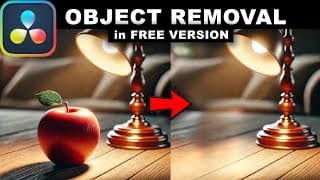
How To REMOVE OBJECTS From VIDEO In Davinci Resolve (Free Version)
Learn how to remove unwanted objects from your videos using the free version of DaVinci Resolve! This tutorial also covers troubleshooting tips to help you overcome common challenges during the process. Perfect for beginners and advanced users alike! ______________________________________________________ 🎬 DAVINCI RESOLVE RESOURCES: ▶Best EFFECTS for Davinci Resolve: https://1.envato.market/4P6WnL ▶Best TRANSITIONS for Davinci Resolve: https://1.envato.market/B0q2o0 🎬 EQUIPMENT USED IN THIS VIDEO: Camera: https://amzn.to/47UpCG8 Tripod: https://amzn.to/3NhdMfy Lens: https://amzn.to/47RYiZa Computer: https://amzn.to/47RYiZa Display: https://amzn.to/3TWE3Un Storage Solution: https://amzn.to/3zJjlk2 👤 CONTACT for commercial inquiries: salman.tv2productions@gmail.com ______________________________________________________ FOLLOW ME ➜ http://instagram.com/salman_nafees/ ➜ http://pk.linkedin.com/in/salman-nafees-92774834 ______________________________________________________ ** Important ** All video material, music and sound effects are protected by copyright. Unauthorised use and distribution of the video is not permitted. DaVinci Resolve, developed by Blackmagic Design, is a versatile video editing software compatible with Windows, Mac OS X, and Linux. It integrates powerful tools for video editing, color grading, visual effects, motion graphics, and audio mixing—all within a single platform. Known for its professional-grade features, DaVinci Resolve is perfect for both beginners and seasoned professionals. Its modern interface is user-friendly yet packed with advanced tools, allowing users to work efficiently without needing to switch between different programs. This streamlined workflow enables faster, higher-quality results in post-production. DISCLAIMER: The links provided in the description of this video are affiliate links. It does not cost you anymore, however I do receive a small kick back. ______________________________________________________ Contents of the video 0:00 - Intro 0:25 - Syncing the clips 3:25 - Converting timeline to Multicam Clip & Switching 6:39 - Color Grading the clips
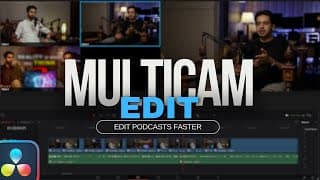
FASTER Edits Using MULTICAM | COMPLETE Workflow | Davinci Resolve Tutorial
Learn how to use multicam editing in DaVinci Resolve! In this tutorial, I’ll show you how to seamlessly edit multiple camera angles, even when dealing with multiple takes caused by camera cuts due to the FAT32 file size limit. Learn the complete workflow for editing Podcasts or any video with multiple takes. ______________________________________________________ 🎬 DAVINCI RESOLVE RESOURCES: ▶Best EFFECTS for Davinci Resolve: https://1.envato.market/4P6WnL ▶Best TRANSITIONS for Davinci Resolve: https://1.envato.market/B0q2o0 🎬 EQUIPMENT USED IN THIS VIDEO: Camera: https://amzn.to/47UpCG8 Tripod: https://amzn.to/3NhdMfy Lens: https://amzn.to/47RYiZa Computer: https://amzn.to/47RYiZa Display: https://amzn.to/3TWE3Un Storage Solution: https://amzn.to/3zJjlk2 👤 CONTACT for commercial inquiries: salman.tv2productions@gmail.com ______________________________________________________ FOLLOW ME ➜ http://instagram.com/salman_nafees/ ➜ http://pk.linkedin.com/in/salman-nafees-92774834 ______________________________________________________ ** Important ** All video material, music and sound effects are protected by copyright. Unauthorised use and distribution of the video is not permitted. DaVinci Resolve, developed by Blackmagic Design, is a versatile video editing software compatible with Windows, Mac OS X, and Linux. It integrates powerful tools for video editing, color grading, visual effects, motion graphics, and audio mixing—all within a single platform. Known for its professional-grade features, DaVinci Resolve is perfect for both beginners and seasoned professionals. Its modern interface is user-friendly yet packed with advanced tools, allowing users to work efficiently without needing to switch between different programs. This streamlined workflow enables faster, higher-quality results in post-production. DISCLAIMER: The links provided in the description of this video are affiliate links. It does not cost you anymore, however I do receive a small kick back. Some clips used in the video are taken from pexels.com ______________________________________________________ Contents of the video 0:00 - Intro 0:25 - Syncing the clips 3:25 - Converting timeline to Multicam Clip & Switching 6:39 - Color Grading the clips
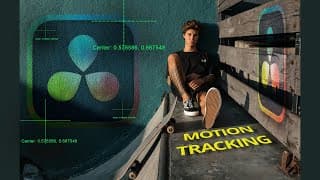
How to Use PLANAR TRACKER | Davinci Resolve Tutorial
In this super easy DaVinci Resolve tutorial, you'll learn how to use the Planar Tracker step-by-step! Whether you're adding text, images, or videos to a flat surface (walls, Floor, billboards, Mobile phone screen), this powerful feature is completely FREE and simple to use. Perfect for beginners or anyone looking to enhance their editing skills! ______________________________________________________ 🎬 DAVINCI RESOLVE RESOURCES: ▶Best EFFECTS for Davinci Resolve: https://1.envato.market/4P6WnL ▶Best TRANSITIONS for Davinci Resolve: https://1.envato.market/B0q2o0 🎬 Equipment Used in this Video: Camera: https://amzn.to/47UpCG8 Tripod: https://amzn.to/3NhdMfy Lens: https://amzn.to/47RYiZa Computer: https://amzn.to/47RYiZa Display: https://amzn.to/3TWE3Un Storage Solution: https://amzn.to/3zJjlk2 👤 CONTACT for commercial inquiries: salman.tv2productions@gmail.com ______________________________________________________ FOLLOW ME ➜ http://instagram.com/salman_nafees/ ➜ http://pk.linkedin.com/in/salman-nafees-92774834 ______________________________________________________ ** Important ** All video material, music and sound effects are protected by copyright. Unauthorised use and distribution of the video is not permitted. The links provided in the description of this video are affiliate links. Some clips used in the video are taken from pexels.com DaVinci Resolve, developed by Blackmagic Design, is a versatile video editing software compatible with Windows, Mac OS X, and Linux. It integrates powerful tools for video editing, color grading, visual effects, motion graphics, and audio mixing—all within a single platform. Known for its professional-grade features, DaVinci Resolve is perfect for both beginners and seasoned professionals. Its modern interface is user-friendly yet packed with advanced tools, allowing users to work efficiently without needing to switch between different programs. This streamlined workflow enables faster, higher-quality results in post-production. ______________________________________________________ Contents of the video 0:00 - Intro 1:02 - Setting up reference frame 2:25 - Tracking Flat surface 4:38 - Adding Text to Wall 7:18 - Adding png Images

Text HIGHLIGHTER Effect in the Edit Page - Davinci Resolve Tutorial
In this tutorial, I'll walk you through the steps to create a clean and effective text highlighter effect using DaVinci Resolve's Edit Page. This technique is perfect for adding a subtle emphasis to your text, enhancing the clarity and impact of your videos. Whether you're new to video editing or looking to refine your skills, this guide will help you master this useful feature. ____________________________________________________ 🎬 DAVINCI RESOLVE RESOURCES: ▶Best EFFECTS for Davinci Resolve: https://1.envato.market/4P6WnL ▶Best TRANSITIONS for Davinci Resolve: https://1.envato.market/B0q2o0 🎬 Equipment Used in this Video: Camera: https://amzn.to/47UpCG8 Tripod: https://amzn.to/3NhdMfy Lens: https://amzn.to/47RYiZa Computer: https://amzn.to/47RYiZa Display: https://amzn.to/3TWE3Un Storage Solution: https://amzn.to/3zJjlk2 👤 CONTACT for commercial inquiries: salman.tv2productions@gmail.com ____________________________________________________ FOLLOW ME ➜ http://instagram.com/salman_nafees/ ➜ http://pk.linkedin.com/in/salman-nafees-92774834 ____________________________________________________ ** Important ** All video material, music and sound effects are protected by copyright. Unauthorised use and distribution of the video is not permitted. The links provided in the description of this video are affiliate links. Some clips used in the video are taken from pexels.com DaVinci Resolve, developed by Blackmagic Design, is a versatile video editing software compatible with Windows, Mac OS X, and Linux. It integrates powerful tools for video editing, color grading, visual effects, motion graphics, and audio mixing—all within a single platform. Known for its professional-grade features, DaVinci Resolve is perfect for both beginners and seasoned professionals. Its modern interface is user-friendly yet packed with advanced tools, allowing users to work efficiently without needing to switch between different programs. This streamlined workflow enables faster, higher-quality results in post-production.

How to FIX Washed Out EXPORTS on Mac - Davinci Resolve Tutorial - Gamma Shift
How to fix washed out colors when exporting video in Davinci Resolve on a Mac computer. The videos look diffrent in quicktime player/youtube compared to the viewer window in resolve. In this video we explore two essential settings to get the exact similar exports as you see them in the Davinci resolve viewer. If you have an already graded project it might change the exposure on that and you will have to re adjust the exposure, we share a super easy tip to retain the exposure of the already graded clips towards the end of the video. #davinciresolve #tutorial #gammashift TLDW: ✅ Make sure mac viewer display box is ticked ✅ Set timeline colour space to rec 709 A If this saved you, give it a share! ____________________________________________________ 🎬 DAVINCI RESOLVE RESOURCES: ▶Best EFFECTS for Davinci Resolve: https://1.envato.market/4P6WnL ▶Best TRANSITIONS for Davinci Resolve: https://1.envato.market/B0q2o0 🎬 Equipment Used in this Video: Camera: https://amzn.to/47UpCG8 Tripod: https://amzn.to/3NhdMfy Lens: https://amzn.to/47RYiZa Computer: https://amzn.to/47RYiZa Display: https://amzn.to/3TWE3Un Storage Solution: https://amzn.to/3zJjlk2 👤 CONTACT for commercial inquiries: salman.tv2productions@gmail.com ____________________________________________________ FOLLOW ME ➜ http://instagram.com/salman_nafees/ ➜ http://pk.linkedin.com/in/salman-nafees-92774834 ____________________________________________________ ** Important ** All video material, music and sound effects are protected by copyright. Unauthorised use and distribution of the video is not permitted. The links provided in the description of this video are affiliate links. Some clips used in the video are taken from pexels.com DaVinci Resolve, developed by Blackmagic Design, is a versatile video editing software compatible with Windows, Mac OS X, and Linux. It integrates powerful tools for video editing, color grading, visual effects, motion graphics, and audio mixing—all within a single platform. Known for its professional-grade features, DaVinci Resolve is perfect for both beginners and seasoned professionals. Its modern interface is user-friendly yet packed with advanced tools, allowing users to work efficiently without needing to switch between different programs. This streamlined workflow enables faster, higher-quality results in post-production.
LEARN FUSION the Easiest way - Essential Tips for Beginners - Davinci Resolve Tutorial
Are you new to Fusion or transitioning from After Effects? This video is perfect for you! I break down the basics of Fusion, making it easier for beginners and those familiar with After Effects to grasp. Discover the Fusion interface, node-based workflow, and essential tools. Get tips I wish I knew when starting out! 🖥️ What You’ll Learn: Understanding Nodes: Master the node-based workflow. Understanding Masking: Learn the fundamentals of masking. Merge Nodes: Combine and manage multiple layers. Keyframe and Spline Editor: Master animation with keyframes and the spline editor. Overlays: Enhance your projects with overlays. Transparent Background: Work with transparent backgrounds for flexible compositing. Fusion offers incredible control for visual effects and motion graphics in DaVinci Resolve. Boost your skills and creativity with this step-by-step guide. ____________________________________________________ 🎬 DAVINCI RESOLVE RESOURCES: ▶Best EFFECTS for Davinci Resolve: https://1.envato.market/4P6WnL ▶Best TRANSITIONS for Davinci Resolve: https://1.envato.market/B0q2o0 🎬 EQUIPMEMT USED IN THIS VIDEO: Camera: https://amzn.to/47UpCG8 Tripod: https://amzn.to/3NhdMfy Lens: https://amzn.to/47RYiZa Computer: https://amzn.to/47RYiZa Display: https://amzn.to/3TWE3Un Storage Solution: https://amzn.to/3zJjlk2 👤 CONTACT for commercial inquiries: salman.tv2productions@gmail.com ____________________________________________________ FOLLOW ME ➜ http://instagram.com/salman_nafees/ ➜ http://pk.linkedin.com/in/salman-nafees-92774834 ____________________________________________________ ** Important ** All video material, music and sound effects are protected by copyright. Unauthorised use and distribution of the video is not permitted. The links provided in the description of this video are affiliate links. Some clips used in the video are taken from pexels.com ____________________________________________________ Contents of the video 0:00 - Intro 0:30 - Creating a composition 02:46 - Understanding Nodes 4:17 - Masking out Nodes 06:00 - Merge Node - the most important node in fusion 07:06 - Adding Text 09:40 - Adding keyframes on Transform Node 11:57 - Keyframe/Spline Editor 14:46 - Adding Motion Blur 15:49 - Adding Overlays 17:25 - Adding the animation over Transparent Background 18:40 - Questions ?
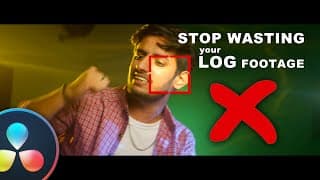
Unleash 🔥 Full potential of your LOG Clips: Mastering Color Grading in DaVinci Resolve
In this comprehensive guide, we delve into the intricacies of log footage, revealing how its 10 to 15 stops of dynamic range can be fully harnessed to elevate your projects. We demystify the transition from log to Rec.709, highlighting the loss of dynamic range and the impact on your final output. Discover the transformative power of utilising a proper timeline color space, such as DaVinci Wide Gamut. Learn how this crucial step can revolutionise your color grading workflow, enabling precise exposure management to retain the nuanced details in both shadows and highlights. ____________________________________________________ 🎬 DAVINCI RESOLVE RESOURCES: ▶Best EFFECTS for Davinci Resolve: https://1.envato.market/4P6WnL ▶Best TRANSITIONS for Davinci Resolve: https://1.envato.market/B0q2o0 🎬 EQUIPMENT USED IN THIS VIDEO: Camera: https://amzn.to/47UpCG8 Tripod: https://amzn.to/3NhdMfy Lens: https://amzn.to/47RYiZa Computer: https://amzn.to/47RYiZa Display: https://amzn.to/3TWE3Un Storage Solution: https://amzn.to/3zJjlk2 👤 CONTACT for commercial inquiries: salman.tv2productions@gmail.com ____________________________________________________ FOLLOW ME ➜ http://instagram.com/salman_nafees/ ➜ http://pk.linkedin.com/in/salman-nafees-92774834 ____________________________________________________ ** Important ** All video material, music and sound effects are protected by copyright. Unauthorised use and distribution of the video is not permitted. The links provided in the description of this video are affiliate links. Some clips used in the video are taken from pexels.com ____________________________________________________ Contents of the video 0:00 - Intro 0:30 - Camera/TImeline/Output color space basics 2:18 - Timeline Color space Settings 5:46 - Solution * Davinci Wide Gamut 9:08 - Results
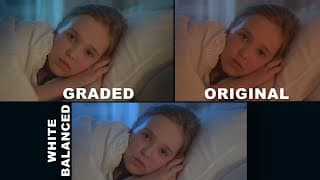
White Balance CORRECTION - Why is it SO important for Color Grading? | Davinci Resolve Tutorial
Unlock the secrets of professional color grading in this comprehensive tutorial on DaVinci Resolve! Join us as we delve into the pivotal role of white balance in achieving impeccable color correction results. Learn why getting the correct white balance is the cornerstone of a successful color grade, ensuring your footage looks vibrant, natural, and visually stunning. In this tutorial, we'll guide you through the process of utilizing the auto white balance tool in DaVinci Resolve, demystifying its features and demonstrating how it can effortlessly enhance your footage. Witness the transformation as we take you step-by-step through creating a captivating color grade that elevates the overall visual appeal of your content. #DaVinciResolve #ColorCorrection #WhiteBalance #ColorGradingTutorial ____________________________________________________ 🎬 DAVINCI RESOLVE RESOURCES: ▶Best EFFECTS for Davinci Resolve: https://1.envato.market/4P6WnL ▶Best TRANSITIONS for Davinci Resolve: https://1.envato.market/B0q2o0 🎬 EQUIPMENT USED IN THIS VIDEO: Camera: https://amzn.to/47UpCG8 Tripod: https://amzn.to/3NhdMfy Lens: https://amzn.to/47RYiZa Computer: https://amzn.to/47RYiZa Display: https://amzn.to/3TWE3Un Storage Solution: https://amzn.to/3zJjlk2 👤 CONTACT for commercial inquiries: salman.tv2productions@gmail.com ____________________________________________________ FOLLOW ME ➜ http://instagram.com/salman_nafees/ ➜ http://pk.linkedin.com/in/salman-nafees-92774834 ____________________________________________________ ** Important ** All video material, music and sound effects are protected by copyright. Unauthorised use and distribution of the video is not permitted. The links provided in the description of this video are affiliate links. Some clips used in the video are taken from pexels.com Contents of the video 0:00 - Intro 1:34 - Using Auto White Balance 2:38 - Balancing Exposure 3:07 - Color Grading
3D TEXT TRACKING made EASY | DaVinci Resolve Studio | Beginner-Friendly Tutorial
🚀 Unlock the power of 3D text tracking in DaVinci Resolve Studio with this step-by-step tutorial! 🎥 Whether you're a beginner or looking to elevate your video editing skills, this guide will make 3D text and object tracking a breeze. #3dtracking #davinciresolve #videoediting 👉 In this easy-to-follow tutorial, we break down the process of seamlessly integrating text or other 3D elements into your scenes. From tracking to lighting, we've got you covered! 💡✨ 🔥 Key Highlights: Step-by-Step Guidance: Navigate through the intricacies of 3D text tracking effortlessly with our detailed instructions. Beginner-Friendly: No prior experience needed! We've tailored this tutorial for absolute beginners, ensuring a smooth learning curve. Lighting Tips and Tricks: Enhance realism and captivate your audience with adding lights to your 3d text or objects, corresponding with the scene environment. 🚨 Don't forget to hit that like button, subscribe for more exciting tutorials, and ring the bell to stay updated on the latest tips and tricks! Share this tutorial with fellow creators and let's revolutionize your video editing game together. ______________________________________________________ If you want to say "thank you" then you can 'buy me a coffee' at https://www.buymeacoffee.com/salmantv2pT Need a one-on-one video chat lesson? Book it here: https://preply.com/en/tutor/2954512 Graphics pack used in the video for transitions and titles: https://1.envato.market/TokoDR For queries contact me: salman.tv2productions@gmail.com ______________________________________________________ FOLLOW ME ➜ http://instagram.com/salman_nafees/ ➜ http://pk.linkedin.com/in/salman-nafees-92774834 ______________________________________________________ Contents of the video 0:00 - Intro 1:40 - 3D Camera Tracking 4:00 - Cleaning up tracking data 5:04 - Exporting 3D scene data 6:30 - Adding Text 9:24 - Adding 3D lights
This FREE Blackmagic Camera App is a game changer - First look & walkthrough
Discover the power of the brand new Blackmagic Camera App for iPhone! 🔥 Unleash your inner filmmaker with all the controls and interface of professional Blackmagic cameras right on your iPhone. Experience high-quality image processing and seamless integration with cloud storage. Now, you can upload files directly to your DaVinci Resolve project for effortless editing and post-production using blackmagic design's cloud storage. Don't compromise on quality—capture cinematic moments with your iPhone like never before. Transform your iphone into a blackmagic cinema camera! 🔥Upgrade your filmmaking game today. 🎥📱 #BlackmagicCameraApp #iPhoneFilmmaking #davinciresolve Graphics pack used in the video for transitions: https://1.envato.market/TokoDR ______________________________________________________ SUPPORT AND WORK WITH ME If you want to say "thank you" then you can 'buy me a coffee' at https://www.buymeacoffee.com/salmantv2pT Need a one-on-one video chat lesson? Book it here https://preply.com/en/tutor/2954512 For queries and sponsors contact me: salman.tv2productions@gmail.com ______________________________________________________ FOLLOW ME ➜ http://instagram.com/salman_nafees/ ➜ https://www.linkedin.com/in/salman-nafees-92774834/
Why Colorists love THIS Saturation Technique | DaVinci Resolve Tutorial
🎥 Master Advanced Saturation Technique with HSV in DaVinci Resolve for Cinematic Colors 🎨 Unlock the secrets of achieving stunning cinematic visuals through advanced saturation using the HSV technique in DaVinci Resolve! Elevate your color grading skills and create captivating videos with rich, dense colors that leave a lasting impact. 🌈 Learn Advanced Color Manipulation: Discover the power of the HSV (Hue, Saturation, Value) color model and its unparalleled control over hues, saturations, and values. Dive deep into this comprehensive tutorial to master advanced saturation techniques that breathe life into your footage. 💡 Step-by-step DaVinci Resolve Tutorial: This user-friendly tutorial guides all skill levels through implementing the HSV technique in DaVinci Resolve. Follow along with ease as walk you through each adjustment, helping you achieve the perfect balance of vivid and refined colors. 👍 If you found this tutorial valuable, remember to like, comment, and subscribe for more insightful tutorials on enhancing your video production prowess! #davinciresolve #colorgrading #tutorial #cinematic If you want to say "thank you" then you can 'buy me a coffee' at https://www.buymeacoffee.com/salmantv2pT Need a one-on-one video chat lesson? Book it here https://preply.com/en/tutor/2954512 For queries contact me: salman.tv2productions@gmail.com ______________________________________________________ FOLLOW ME ➜ http://instagram.com/salman_nafees/ ➜ http://pk.linkedin.com/in/salman-nafees-92774834 ______________________________________________________ Contents of the video 0:00 - Intro 0:40 - Logic behind cinematic saturation 3:11 - Using HSV technique for saturation 5:00 - Comparison 6:05 - Results
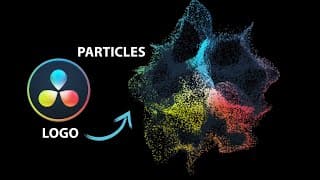
LOGO Animation - Turn your Logo into Particles - Davinci Resolve Fusion Tutorial
In this video you will learn how to dissolve a logo or any png image into particles in DaVinci Resolve 18 - Fusion. This is a bigginer level tutorial which takes you step by step to the final result using the fusion page of davinci resolve. This Particle logo dissolve effect is created using the particle system in fusion and can be created even in the free version of davinci resolve 18. #davinciresolve #logoanimation #tutorial #particles Graphics pack used in the video for transitions: https://1.envato.market/TokoDR ______________________________________________________ SUPPORT AND WORK WITH ME If you want to say "thank you" then you can 'buy me a coffee' at https://www.buymeacoffee.com/salmantv2pT Need a one-on-one video chat lesson? Book it here https://preply.com/en/tutor/2954512 For queries and sponsors contact me: salman.tv2productions@gmail.com ______________________________________________________ FOLLOW ME ➜ http://instagram.com/salman_nafees/ ➜ http://pk.linkedin.com/in/salman-nafe... ______________________________________________________ Contents of the video 0:00 - Intro 00:30 - Creating fusion composition 01:20 - Adding logo and particles system 04:44 - Adding turbulence node 08:07 - Replacing the logo with another one ______________________________________________________ Affiliate Disclaimer: Some of the links in this description are affiliate links. I'll earn a small commission if you make a purchase and it's no additional cost to you. Some of the clips used in the video are from www.pexels.com

Create STEAM coming out of a cup | Davinci Resolve 18 Fusion Tutorial | Super Easy
Learn How to create steam coming out of a cup or anything using Davinci resolve fusion using the fast noise effect. This is a beginner level tutorial so even if you are a complete beginner in fusion it would be super easy to follow along. The same technique can be used to even create realistic smoke. The effect that i have created is a little exaggerated for you to understand , but you can always tone it down a littel bit to have that realistic feel to it. #davinciresolve #effects #tutorial #steameffect ____________________________________________________ 🎬 DAVINCI RESOLVE RESOURCES: ▶Best EFFECTS for Davinci Resolve: https://1.envato.market/4P6WnL ▶Best TRANSITIONS for Davinci Resolve: https://1.envato.market/B0q2o0 🎬 EQUIPMENT USED IN THIS VIDEO: Camera: https://amzn.to/47UpCG8 Tripod: https://amzn.to/3NhdMfy Lens: https://amzn.to/47RYiZa Computer: https://amzn.to/47RYiZa Display: https://amzn.to/3TWE3Un Storage Solution: https://amzn.to/3zJjlk2 👤 CONTACT for commercial inquiries: salman.tv2productions@gmail.com ____________________________________________________ FOLLOW ME ➜ http://instagram.com/salman_nafees/ ➜ http://pk.linkedin.com/in/salman-nafees-92774834 ____________________________________________________ ** Important ** All video material, music and sound effects are protected by copyright. Unauthorised use and distribution of the video is not permitted. The links provided in the description of this video are affiliate links. Some clips used in the video are taken from pexels.com ____________________________________________________ Contents of the video 0:00 - Intro 0:35 - Creating steam on a still shot 1:53 - Masking and animating 3:50 - Creating steam on a moving shot 4:40 - Tracking 8:00 - Animating
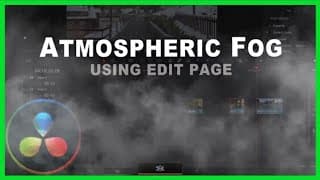
Add Fog to your Shots in just 3 Minutes -DaVinci Resolve VFX Tutorial - Fast Noise Effect
In this VFX tutorial of Davinci Resolve you will learn how to make atmospheric fog that is moving and evolving over time using Fast Noise effect, in just 3 minutes by using the Edit page alone, no fusion ! It is a versatile effect which can be used in a number of examples and can add a very different perspective to your shots. #davinciresolve #effects #tutorial #vfx Graphics pack used in the video for transitions: https://1.envato.market/TokoDR ______________________________________________________ SUPPORT AND WORK WITH ME If you want to say "thank you" then you can 'buy me a coffee' at https://www.buymeacoffee.com/salmantv2pT Need a one-on-one video chat lesson? Book it here https://preply.com/en/tutor/2954512 For queries and sponsors contact me: salman.tv2productions@gmail.com ______________________________________________________ FOLLOW ME ➜ http://instagram.com/salman_nafees/ ➜ http://pk.linkedin.com/in/salman-nafees-92774834 ______________________________________________________ Contents of the video 0:00 - Intro 00:30 - Creating Fog 1:41 - Animating the fog ______________________________________________________ Affiliate Disclaimer: Some of the links in this description are affiliate links. I'll earn a small commission if you make a purchase and it's no additional cost to you. Some of the clips used in the video are from www.pexels.com
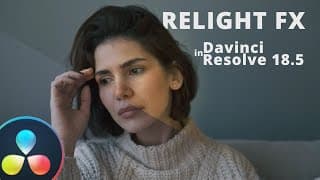
How to use RELIGHT FX in Davinci Resolve 18.5 - Simply Mind-blowing 🤯 - Tutorial
In this tutorial of Davinci Resolve, I will show you how to use the new Relight FX in resolve 18.5. This new feature is simply amazing which allows you to relight a footage using its depth data , which allows you to have realisting shadows and a much realistic effect for the new light that you have created. #davinciresolve #effects #tutorial #relight If you want to say "thank you" then you can 'buy me a coffee' at https://www.buymeacoffee.com/salmantv2pT Need a one-on-one video chat lesson? Book it here https://preply.com/en/tutor/2954512 For queries contact me: salman.tv2productions@gmail.com ______________________________________________________ FOLLOW ME ➜ http://instagram.com/salman_nafees/ ➜ http://pk.linkedin.com/in/salman-nafees-92774834 ______________________________________________________ Contents of the video 0:00 - Intro 0:38 - Setting up relight FX 1:44 - Directional light 3:50 - Spotlight 6:05 - Results ______________________________________________________ Some of the clips used in the video are from www.pexels.com
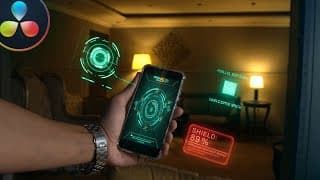
FUTURISTIC HOLOGRAM phone effect | Davinci Resolve Fusion | Tutorial
This HOLOGRAM phone effect can be done in the FREE version of Davinci Resolve and is super easy to do. We will use planer tracking to track the HUD elements to phone along with glow and bunch of other effects to gel it down with the footage. Its a beginner friendly tutorial so it'll be easy to follow along. Have Fun ! Download the HUD elements below to follow along ;-) https://drive.google.com/drive/folders/1yQFnaYM0NjG6eCoxtVpxk_GkRMFdIAmB?usp=sharing ____________________________________________________ 🎬 DAVINCI RESOLVE RESOURCES: ▶Best EFFECTS for Davinci Resolve: https://1.envato.market/4P6WnL ▶Best TRANSITIONS for Davinci Resolve: https://1.envato.market/B0q2o0 🎬 EQUIPMENT USED IN THIS VIDEO: Camera: https://amzn.to/47UpCG8 Tripod: https://amzn.to/3NhdMfy Lens: https://amzn.to/47RYiZa Computer: https://amzn.to/47RYiZa Display: https://amzn.to/3TWE3Un Storage Solution: https://amzn.to/3zJjlk2 👤 CONTACT for commercial inquiries: salman.tv2productions@gmail.com ____________________________________________________ FOLLOW ME ➜ http://instagram.com/salman_nafees/ ➜ http://pk.linkedin.com/in/salman-nafees-92774834 ____________________________________________________ ** Important ** All video material, music and sound effects are protected by copyright. Unauthorised use and distribution of the video is not permitted. The links provided in the description of this video are affiliate links. Some clips used in the video are taken from pexels.com ____________________________________________________ Contents of the video 0:00 - Intro 0:20 - Bringing elements into fusion 02:26 - Planer Tracking the phone 3:42 - Adding HUD elements 7:38 - Screen Replacement 9:38 - Adding Rays to phone screen
visualVFX All In One BUNDLE | Is it Worth it ? | Davinci Resolve
You get a $10 discount for this “All in one bundle" when you follow the link below and use the promo code during first 2 weeks after the video is released. Link to the website: https://visualvfx.com/i/salman10 Promo code for my Subscribers: SALMAN10 If you want to enhance your videos with Impressive Transitionsn, Luts, light leaks and sound effects then this all in one pack by visualVFX is something you don’t wanna miss. This pack is known for its exceptional quality and extremely affordable price, making it the number one option for those who are looking to give their videos a professional touch without spending a lot of money. It has everything they have on their store in one bundle so you're getting access to over 200 Luts over 150 sound effects more than 800 Transitions and almost 400 different light leaks. ______________________________________________________ SUPPORT AND WORK WITH ME Support my Tutorials & If you want to say "thank you" then you can 'buy me a coffee' at https://www.buymeacoffee.com/salmantv2pT Need a one-on-one video chat lesson? Book it here https://preply.com/en/tutor/2954512 For sponsors: salman.tv2productions@gmail.com ______________________________________________________ FOLLOW ME ➜ http://facebook.com/salman.nafees.1 ➜ http://instagram.com/salman_nafees/ ➜ http://pk.linkedin.com/in/salman-nafees-92774834 ______________________________________________________ Contents of the video 0:00 - Intro 02:04 - Transitions 1:20 - The Interface 03:06 - Luts 04:26 - Light Leaks and SFX 05:16 - Licensing ______________________________________________________ Some of the clips used in the video are from www.pexels.com #visualvfx #DavinciResolve
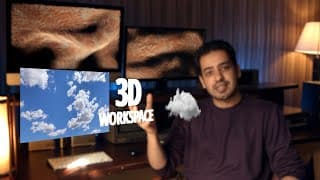
Use 2D Elements in 3D WORKSPACE | Davinci Resolve Fusion Tutorial
Working in 3D workspace in Davinci Resolve Fusion seems tricky. In This tutorial i have shared with you a step by step process of turning any 2d image or video into 3d in no time. So wether you want to animate pictures with a parallax effect or you want to turn your shots into 3d using camera and lighting, this tutorial is gonna enable you to do that and would enable you to learn the basic concepts of how to add a 3d camera in fusion, how to add 3d lighting to a scene, how to move the camera and stuff like that. This video is for you if you are new to fusion or even if you are coming from after effects and want to learn to give your scenes a 3d perspective. In this tutorial we have used an image of the sky , png clouds and 3d text and moved the camera over time to give an effect as if we are moving through the clouds and revealing the 3D text with image of the sky as our background. Download Image of Sky and png Cloud here: https://drive.google.com/drive/folders/1MOmu7WnZR2hN6SZIA9thxvJ32114uTMJ?usp=sharing #3dworkspace #fusion #davinciresolve ____________________________________________________ 🎬 DAVINCI RESOLVE RESOURCES: ▶Best EFFECTS for Davinci Resolve: https://1.envato.market/4P6WnL ▶Best TRANSITIONS for Davinci Resolve: https://1.envato.market/B0q2o0 🎬 EQUIPMENT USED IN THIS VIDEO: Camera: https://amzn.to/47UpCG8 Tripod: https://amzn.to/3NhdMfy Lens: https://amzn.to/47RYiZa Computer: https://amzn.to/47RYiZa Display: https://amzn.to/3TWE3Un Storage Solution: https://amzn.to/3zJjlk2 👤 CONTACT for commercial inquiries: salman.tv2productions@gmail.com ____________________________________________________ FOLLOW ME ➜ http://instagram.com/salman_nafees/ ➜ http://pk.linkedin.com/in/salman-nafees-92774834 ____________________________________________________ ** Important ** All video material, music and sound effects are protected by copyright. Unauthorised use and distribution of the video is not permitted. The links provided in the description of this video are affiliate links. Some clips used in the video are taken from pexels.com ____________________________________________________ Contents of the video 0:00 - Intro 1:04 - Basic Fusion Interface 3:18 - Turn 2D image to 3D 4:04 - Navigating in 3D space 7:58 - Adding png Clouds 9:20 - Adding movement to the Camera 10:45 - Adding more Clouds 11:24 - Adding 3D Lighting 14:18 - Adding Film Grain ____________________________________________________

How to use MAGIC MASK in Davinci Resolve Studio | Tutorial
In this tutorial of Davinci Resolve Studio 18, I will teach you how to use the new Magic Mask function. Before this feature it used to be so difficult rotoscoping and masking out objects and people.This is a studio only feature and makes masking out things super easy. The magic mask tool is now also available in the fusion page. #davinciresolve #effects #tutorial #magicmask ____________________________________________________ 🎬 DAVINCI RESOLVE RESOURCES: ▶Best EFFECTS for Davinci Resolve: https://1.envato.market/4P6WnL ▶Best TRANSITIONS for Davinci Resolve: https://1.envato.market/B0q2o0 🎬 EQUIPMENT USED IN THIS VIDEO: Camera: https://amzn.to/47UpCG8 Tripod: https://amzn.to/3NhdMfy Lens: https://amzn.to/47RYiZa Computer: https://amzn.to/47RYiZa Display: https://amzn.to/3TWE3Un Storage Solution: https://amzn.to/3zJjlk2 👤 CONTACT for commercial inquiries: salman.tv2productions@gmail.com ____________________________________________________ FOLLOW ME ➜ http://instagram.com/salman_nafees/ ➜ http://pk.linkedin.com/in/salman-nafees-92774834 ____________________________________________________ ** Important ** All video material, music and sound effects are protected by copyright. Unauthorised use and distribution of the video is not permitted. The links provided in the description of this video are affiliate links. Some clips used in the video are taken from pexels.com ____________________________________________________ Contents of the video 0:00 - Intro 1:25 - Masking 3:08 - Tracking 4:25 - Transparent Background 5:27 - Problems and Solution
The BEST Graphics Pack for Davinci Resolve (versions for Premiere, FCPX & AE also available)
Over 2,250 Graphic elements: Kinetic titles, call outs, transitions, interface elements, lower thirds, social media, icons, sfx, all for a one-time fee: https://1.envato.market/TokoDR Why do i love this pack for Davinci Resolve by Motioncan ? *Every graphics title and transitions can be found inside davinci resolve in the effects panel and you can use the entire pack in as many videos as you want. An all inclusive regular license! *It’s responsive! All elements adapt to all resolutions, vertical, square, landscape. It can be used for both the free and the studio versions of Davinci Resolve! *The transitions and glitch elements have SFX along with a huge bundle of additional sound effects! ______________________________________________________ GRAPHICS PACK BY MOTIONCAN Graphics Pack for Davinci Resolve $69: https://1.envato.market/TokoDR Graphics Pack for Premiere Pro $59: https://1.envato.market/tokopr Graphics Pack for After Effects $48 instead of $69 for a limited time: https://1.envato.market/tokoAE Graphics Pack for Final Cut and Apple Motion $49: https://1.envato.market/Tokofcp ______________________________________________________ SUPPORT AND WORK WITH ME Support my Tutorials & If you want to say "thank you" then you can 'buy me a coffee' at https://www.buymeacoffee.com/salmantv2pT Need a one-on-one video chat lesson? Book it here https://preply.com/en/tutor/2954512 For sponsors: salman.tv2productions@gmail.com ______________________________________________________ FOLLOW ME ➜ http://facebook.com/salman.nafees.1 ➜ http://instagram.com/salman_nafees/ ➜ http://pk.linkedin.com/in/salman-nafees-92774834 ______________________________________________________ Contents of the video 0:00 - Intro 00:30 - All the elements it has 1:20 - The Interface 03:00 - Installation Process 03:33 - Sound effects and glitch overlays 04:56 - Licensing ______________________________________________________ Affiliate Disclaimer: Some of these links in this description are affiliate links. I'll earn a small commission if you make a purchase and it's no additional cost to you. Some of the clips used in the video are from www.pexels.com #GraphicsPack #Motioncan #DavinciResolve
The SECRET TRICK to bring your grades to life | Davinci Resolve Tutorial
A trick that popular colorist use for achieving cinematic film look - Desaturating Shadows. How exactly does Desaturating Shadows create cinematic look ? Desaturating just the darkest portions of your shot makes them look completely black which they are supposed to look, this gives a great color separation to your image and what you call balanced shadows, thus allowing you to push your look to extreme grades and still retaining the authenticity in your grades. #davinciresolve #colorgrading #cinematic #tutorial ____________________________________________________ 🎬 DAVINCI RESOLVE RESOURCES: ▶Best EFFECTS for Davinci Resolve: https://1.envato.market/4P6WnL ▶Best TRANSITIONS for Davinci Resolve: https://1.envato.market/B0q2o0 🎬 EQUIPMENT USED IN THIS VIDEO: Camera: https://amzn.to/47UpCG8 Tripod: https://amzn.to/3NhdMfy Lens: https://amzn.to/47RYiZa Computer: https://amzn.to/47RYiZa Display: https://amzn.to/3TWE3Un Storage Solution: https://amzn.to/3zJjlk2 👤 CONTACT for commercial inquiries: salman.tv2productions@gmail.com ____________________________________________________ FOLLOW ME ➜ http://instagram.com/salman_nafees/ ➜ http://pk.linkedin.com/in/salman-nafees-92774834 ____________________________________________________ ** Important ** All video material, music and sound effects are protected by copyright. Unauthorised use and distribution of the video is not permitted. The links provided in the description of this video are affiliate links. Some clips used in the video are taken from pexels.com ____________________________________________________ Contents of the video 0:00 - Intro 00:42 - Creating a Look 1:25 - 1st method - quick 2:20 - 2nd method - more precise

TEXT TRACKING and SOFT GLOW EFFECT | Davinci Resolve Tutorial | SUPER EASY
This is a tutorial video about Tracking Text or Logos to a specific point in your footage along with adding the soft glow effect to your text. It can have a lot of cool applications. This effect is achieved in the fusion page of Davinici Resolve and this Super Easy tutorial takes you step by step to the final result. #resolve #effects #davinciresolve #tutorial ____________________________________________________ 🎬 DAVINCI RESOLVE RESOURCES: ▶Best EFFECTS for Davinci Resolve: https://1.envato.market/4P6WnL ▶Best TRANSITIONS for Davinci Resolve: https://1.envato.market/B0q2o0 🎬 EQUIPMENT USED IN THIS VIDEO: Camera: https://amzn.to/47UpCG8 Tripod: https://amzn.to/3NhdMfy Lens: https://amzn.to/47RYiZa Computer: https://amzn.to/47RYiZa Display: https://amzn.to/3TWE3Un Storage Solution: https://amzn.to/3zJjlk2 👤 CONTACT for commercial inquiries: salman.tv2productions@gmail.com ____________________________________________________ FOLLOW ME ➜ http://instagram.com/salman_nafees/ ➜ http://pk.linkedin.com/in/salman-nafees-92774834 ____________________________________________________ ** Important ** All video material, music and sound effects are protected by copyright. Unauthorised use and distribution of the video is not permitted. The links provided in the description of this video are affiliate links. Some clips used in the video are taken from pexels.com ____________________________________________________ Contents of the video 0:00 - Intro 00:49 - Tracking a point in your footage 2:29 - Adding Text 3:52 - Tracking a Logo with Text 5:23 - Adding Motion Blur 5:46 - Adding Soft Glow to Text 7:16 - Enable and Disabling nodes in fusion 7:36 - Animate Soft Glow 8:13 - Transparent Background Fusion Composition
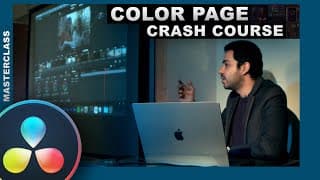
Davinci Resolve COLOR Grading Masterclass | for complete Beginners 🌟
In this comprehensive Davinci Resolve Color Grading Masterclass for Complete Beginners, recorded during a film school session, we guide you through the fundamental concepts of utilizing the Color Page in Davinci Resolve 18. Whether you're transitioning from Premiere Pro or entirely new to Davinci Resolve, this tutorial provides a detailed explanation of the Color Page's tools, shortcuts, and essential tips for precise color correction across various shots. If you want to learn how to effortlessly color grade in Davinci Resolve, this beginner-friendly tutorial is the perfect starting point. Join us as we explore the world of color grading and enhance your video editing skills with Resolve. #davinciresolve #colorgradingmasterclass #premiertoresolve #biginnerfriendly ____________________________________________________ 🎬 DAVINCI RESOLVE RESOURCES: ▶Best EFFECTS for Davinci Resolve: https://1.envato.market/4P6WnL ▶Best TRANSITIONS for Davinci Resolve: https://1.envato.market/B0q2o0 🎬 EQUIPMENT USED IN THIS VIDEO: Camera: https://amzn.to/47UpCG8 Tripod: https://amzn.to/3NhdMfy Lens: https://amzn.to/47RYiZa Computer: https://amzn.to/47RYiZa Display: https://amzn.to/3TWE3Un Storage Solution: https://amzn.to/3zJjlk2 👤 CONTACT for commercial inquiries: salman.tv2productions@gmail.com ____________________________________________________ FOLLOW ME ➜ http://instagram.com/salman_nafees/ ➜ http://pk.linkedin.com/in/salman-nafees-92774834 ____________________________________________________ ** Important ** All video material, music and sound effects are protected by copyright. Unauthorised use and distribution of the video is not permitted. The links provided in the description of this video are affiliate links. Some clips used in the video are taken from pexels.com ____________________________________________________ Contents of the video 0:00 - Intro 0:30 - Color page Interface 3:08 - Understanding Nodes 05:00 - Labeling Nodes 6:28 - Enable/Disable Nodes 7:36 - Using Qualifier to change Selective color 11:28 - Using Power Windows for selection 13:16 - Using Tracker 14:19 - Primary Color Wheels vs Log Wheels 18:38 - Understanding Curves 22:03 - RGB Mixer 22:20 - Noise Reduction 22:51 - Magic Mask to key people and objects 25:51 - Understanding Layer Nodes 27:55 - Camera Raw tab 29:06 - Sizing in color page 29:20 - Changing Opacity of Nodes 30:16 - Adding Effects to nodes 30:51 - Keyframes in color page 31:54 - Copy Pasting Grades in different shots 32:47 - Lightbox
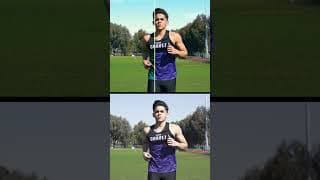
Color Grading a difficult shot
#shorts #colorgrading #davinciresolve This shot was in rec 709. color space and was pretty overexposed with a wrong tint and white balance. So i basically adjusted the exposure, changed white balance and tint, brought the exposure down on skin, adjusted skin tone, added artificial sky and added more warmth in the overall shot and changed the shirt color to something more similar in the frame.
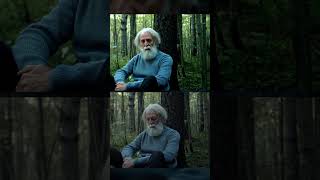
Color Grade Breakdown
#shorts #davinciresolve #colorgrading #forest
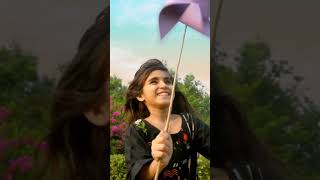
The Happy Loop
#shorts #happy #loop #colorgrading #skyreplacement The happy loop is a loop i want to be in all day long.
LOCKED-ON STABILIZATION EFFECT | Davinci Resolve Tutorial | SUPER EASY
The Locked on Stabilization Effect in Davinci Resolve (as seen in the Beats By Dre, Powerbeats Pro commercial) is an amazing effect that stabilizes your footage to a specific point in your footage that you select. Locked on Stabilization effect can have several different applications and can be used in narrative based scenes to add a very different perspective to the scene. Locked on stabilization is achieved in the fusion page of Davinici Resolve and this Super Easy tutorial takes you step by step to the final result. #resolve #effects #davinciresolve #tutorial ____________________________________________________ 🎬 DAVINCI RESOLVE RESOURCES: ▶Best EFFECTS for Davinci Resolve: https://1.envato.market/4P6WnL ▶Best TRANSITIONS for Davinci Resolve: https://1.envato.market/B0q2o0 🎬 EQUIPMENT USED IN THIS VIDEO: Camera: https://amzn.to/47UpCG8 Tripod: https://amzn.to/3NhdMfy Lens: https://amzn.to/47RYiZa Computer: https://amzn.to/47RYiZa Display: https://amzn.to/3TWE3Un Storage Solution: https://amzn.to/3zJjlk2 👤 CONTACT for commercial inquiries: salman.tv2productions@gmail.com ____________________________________________________ FOLLOW ME ➜ http://instagram.com/salman_nafees/ ➜ http://pk.linkedin.com/in/salman-nafees-92774834 ____________________________________________________ ** Important ** All video material, music and sound effects are protected by copyright. Unauthorised use and distribution of the video is not permitted. The links provided in the description of this video are affiliate links. Some clips used in the video are taken from pexels.com ____________________________________________________ Contents of the video 0:00 - Intro 1:08 - Creating fusion clip 2:33 - Fusion Interface 3:35 - Tracking a point in your footage 5:06 - Adjusting the size of the clip 6:12 - Previewing the final output 6:45 - Using it on a narrative based example
Realistic SKY Replacement Tutorial | Davinci Resolve 18.1 | SUPER EASY
The new SKY REPLACEMENT effect in DaVinci Resolve 18.1 is super easy way to create and generate your own Sky and track it with your footage with just a few clicks! In this detailed tutorial you can find step by step instructions on how to use it and how NOT to use it to replace sky in your footage. NO FUSION. There are a few bugs in this effect when it comes to tracking a shot with complex movement and i have shared my preferred method of tracking here which is super easy and accurate. #resolve18.1 #skyreplacement #davinciresolve ____________________________________________________ 🎬 DAVINCI RESOLVE RESOURCES: ▶Best EFFECTS for Davinci Resolve: https://1.envato.market/4P6WnL ▶Best TRANSITIONS for Davinci Resolve: https://1.envato.market/B0q2o0 🎬 EQUIPMENT USED IN THIS VIDEO: Camera: https://amzn.to/47UpCG8 Tripod: https://amzn.to/3NhdMfy Lens: https://amzn.to/47RYiZa Computer: https://amzn.to/47RYiZa Display: https://amzn.to/3TWE3Un Storage Solution: https://amzn.to/3zJjlk2 👤 CONTACT for commercial inquiries: salman.tv2productions@gmail.com ____________________________________________________ FOLLOW ME ➜ http://instagram.com/salman_nafees/ ➜ http://pk.linkedin.com/in/salman-nafees-92774834 ____________________________________________________ ** Important ** All video material, music and sound effects are protected by copyright. Unauthorised use and distribution of the video is not permitted. The links provided in the description of this video are affiliate links. Some clips used in the video are taken from pexels.com ____________________________________________________ Contents of the video 0:00 - Intro 0:54 - Selecting the sky 3:01 - Adding the artificial sky 5:40 - Tracking the sky 7:55 - More sky settings 9:33 - Tracking problems with complex shots 10:55 - Using OFX tracker to solve tracking issues

Salman Nafees TV2 Showreel 2022
This is a collection of my work till 2022 Under TV2 Productions , which contains work mostly as a Director, Cinematographer, VFX & Color artist, for multiple TV commercials, Digital Video Commercials and Corporate documentaries. Special Thanks to our in-house team, collaborators, my respected teachers and my lovely students for helping me produce quality content Salman Ahmad PME, Mj. Imran Raza, Somewhatsuper, Ashaar Azmat, G6 Media, Rahat Fateh Ali Khan, ImranKhanPTI, Ali Zafar, Mubashir Luqman, Namal Education Institution, Beaconhouse National University, Shaukat Khanam Memorial Trust, Punjab Energy Departement, Muhammad Hafeez, Pakistan Cricket Board, CM Punjab Office, Punjab Food Authority, London Film School, Multan Sultans, Outlandish, Rapid Cargo, Jasim Khan, Abubakar Magic Eye Films, 11 Films, CRS, Big Films, Lightingale Studios, SFCG, Hassan Hamid, Oye Harry Youtube and team, Taimoor Sheikh, Saud Zafar, Jameel sb, Mehmood Aslam, Jibran Mehmood, Risham Faiz Bhutta, Usman Shah SRB Films, Buggsxozzy, Ilyaas Hair and makeup, PBIT punjab board of investment and trade, Concordia Colleges. For any queries regarding production feel free to contact us at tv2productions@gmail.com +92-300-4122001 Customised Content Production packages available according to your needs.
Adventure Of A Lifetime - Lahore To Hunza
A memorable journey shot by 4 boys from lahore, capturing the beautiful memories, unique culture, and ever welcoming people of Hunza. The journey stretches from Lahore till Khunjerab Pass China Border and back, and this video is a glimpse of the adventure that unfolds the 7 day trip and what actually Heaven on earth looks like!