Loading...
Warning: Channel ID is missing or invalid
Loading channel videos...

Loading channel videos...
Unlock the Secret to Perfect Speed Ramps in DaVinci Resolve
Unlock the secret to crafting cinematic speed ramps in DaVinci Resolve with this step-by-step tutorial! Learn how to master dynamic speed transitions—from silky smooth slow-motion to hyper-fast sequences—using keyframes, retime curves, and advanced smoothing techniques. Discover pro tips like shooting extra footage for flexibility, adjusting speed percentages beyond 1000% for dramatic effects, and feathering transitions to eliminate jarring jumps. Whether you're editing action-packed scenes or adding flair to travel videos, this guide will transform your footage with professional-grade speed ramps, all within DaVinci Resolve's powerful CHECK OUT Audiio: https://audiio.com/partner?oid=1&affid=1780 For 70% off, Use Code: SAVE70 If you’re working on ads, YouTube content, or even short films, this guide will show you how to get the most out of DaVinci Resolve’s features, like Fusion, Fairlight, and the Cut Page. Ready to level up your editing game? Let’s get into it! If you found this helpful, give it a like, leave a comment, and subscribe for more tips! My portfolio: https://parkerl.myportfolio.com/work Follow me on Instagram for behind-the-scenes content: @parker.landgren Check out my other videos for more editing tips and tricks!
Match any song to any video with this new AI tool. DaVinci resolve
CHECK OUT Audiio: https://audiio.com/partner?oid=1&affid=1780 For 70% off, Use Code: SAVE70 If you’re working on ads, YouTube content, or even short films, this guide will show you how to get the most out of DaVinci Resolve’s features, like Fusion, Fairlight, and the Cut Page. Ready to level up your editing game? Let’s get into it! If you found this helpful, give it a like, leave a comment, and subscribe for more tips! My portfolio: https://parkerl.myportfolio.com/work Follow me on Instagram for behind-the-scenes content: @parker.landgren Check out my other videos for more editing tips and tricks!
When you get the new light from small rig #filmmakersfamily #davinciresolve #videoeditingsoftware

how to install luts inside of Davinci resolve
Learn how to install LUTs in DaVinci Resolve in just a few simple steps! In this quick tutorial, I'll show you where to place your LUT files, how to refresh your LUTs inside Resolve, and how to apply them to your footage for a cinematic look. Whether you're color grading for the first time or refining your workflow, this guide will help you get the most out of your LUTs. Don't forget to like and subscribe for more DaVinci Resolve tips! CHECK OUT Audiio: https://audiio.com/partner?oid=1&affid=1780 For 70% off, Use Code: SAVE70 If you’re working on ads, YouTube content, or even short films, this guide will show you how to get the most out of DaVinci Resolve’s features, like Fusion, Fairlight, and the Cut Page. Ready to level up your editing game? Let’s get into it! If you found this helpful, give it a like, leave a comment, and subscribe for more tips! My portfolio: https://parkerl.myportfolio.com/work Follow me on Instagram for behind-the-scenes content: @parker.landgren Check out my other videos for more editing tips and tricks!
advance color grading tools that any beginner can use
Want to take your videos to the next level? In this tutorial, I’ll walk you through advanced color grading techniques in DaVinci Resolve, perfect for beginners looking to enhance their skills. Learn how to balance colors, create cinematic looks, and make your footage pop with pro-level grading tips. Whether you're working on commercials, YouTube videos, or client projects, mastering color grading will set your work apart. Don't forget to like, subscribe, and drop a comment if you have any questions! CHECK OUT Audiio: https://audiio.com/partner?oid=1&affid=1780 For 70% off, Use Code: SAVE70 If you’re working on ads, YouTube content, or even short films, this guide will show you how to get the most out of DaVinci Resolve’s features, like Fusion, Fairlight, and the Cut Page. Ready to level up your editing game? Let’s get into it! If you found this helpful, give it a like, leave a comment, and subscribe for more tips! My portfolio: https://parkerl.myportfolio.com/work Follow me on Instagram for behind-the-scenes content: @parker.landgren Check out my other videos for more editing tips and tricks!
Simple editing tricks that make you look PRO!
Want to take your edits to the next level? In this video, I’ll show you simple yet powerful editing tricks that will instantly make your videos look more professional. Whether you're a beginner or just looking to refine your skills, these quick tips will help you create smoother transitions, better pacing, and a polished final product. Let’s level up your editing game! 🚀 #VideoEditing #davinciresolve Need amazing music for your edits CHECK OUT Audiio: https://audiio.com/partner?oid=1&affid=1780 For 70% off, Use Code: SAVE70 If you’re working on ads, YouTube content, or even short films, this guide will show you how to maximize DaVinci Resolve’s features, like Fusion, Fairlight, and the Cut Page. Ready to level up your editing game? Let’s get into it! If you found this helpful, give it a like, leave a comment, and subscribe for more tips! My portfolio: https://parkerl.myportfolio.com/work Follow me on Instagram for behind-the-scenes content: @parker.landgren Check out my other videos for more editing tips and tricks!
Cinematic Skating #cinematic #filmmakersfamily #davinciresolve #videoediting #cinematography
CHECK OUT Audiio: https://audiio.com/partner?oid=1&affid=1780 For 70% off, Use Code: SAVE70 If you’re working on ads, YouTube content, or even short films, this guide will show you how to get the most out of DaVinci Resolve’s features, like Fusion, Fairlight, and the Cut Page. Ready to level up your editing game? Let’s get into it! If you found this helpful, give it a like, leave a comment, and subscribe for more tips! My portfolio: https://parkerl.myportfolio.com/work Follow me on Instagram for behind-the-scenes content: @parker.landgren Check out my other videos for more editing tips and tricks!

Create a wiggly text effect fast and easy | Davinci Resolve!
"Learn how to create a super satisfying wiggly text effect in DaVinci Resolve! 🎥✨ This fun and eye-catching animation is perfect for titles, logos, or any project that needs a dynamic touch. I’ll walk you through the simple steps to achieve this effect using Fusion, so even if you're a beginner, you can follow along. Don’t forget to like, subscribe, and drop a comment if you found this helpful! 🚀🔥" CHECK OUT Audiio: https://audiio.com/partner?oid=1&affid=1780 For 70% off, Use Code: SAVE70 If you’re working on ads, YouTube content, or even short films, this guide will show you how to get the most out of DaVinci Resolve’s features, like Fusion, Fairlight, and the Cut Page. Ready to level up your editing game? Let’s get into it! If you found this helpful, give it a like, leave a comment, and subscribe for more tips! My portfolio: https://parkerl.myportfolio.com/work Follow me on Instagram for behind-the-scenes content: @parker.landgren Check out my other videos for more editing tips and tricks!
Cinematic editing #cinematic #davinciresolve #videoeditingsoftware #videoediting #cinematography
CHECK OUT Audiio: https://audiio.com/partner?oid=1&affid=1780 For 70% off, Use Code: SAVE70 If you’re working on ads, YouTube content, or even short films, this guide will show you how to get the most out of DaVinci Resolve’s features, like Fusion, Fairlight, and the Cut Page. Ready to level up your editing game? Let’s get into it! If you found this helpful, give it a like, leave a comment, and subscribe for more tips! My portfolio: https://parkerl.myportfolio.com/work Follow me on Instagram for behind-the-scenes content: @parker.landgren Check out my other videos for more editing tips and tricks!
My new favorite plugin for Davinci Resolve!
My new favorite plugin for new editors in Davinci Resolve. Check out Bro VFX: https://www.brovfx.com USE CODE: PARKER40 for 40% off till the end end of March 2025 If you’re working on ads, YouTube content, or even short films, this guide will show you how to get the most out of DaVinci Resolve’s features, like Fusion, Fairlight, and the Cut Page. Ready to level up your editing game? Let’s get into it! CHECK OUT Audiio: https://audiio.com/partner?oid=1&affid=1780 For 70% off, Use Code: SAVE70 If you found this helpful, give it a like, leave a comment, and subscribe for more tips! My portfolio: https://parkerl.myportfolio.com/work Follow me on Instagram for behind-the-scenes content: @parker.landgren Check out my other videos for more editing tips and tricks!
Cinematic Boxing Reel #cinematic #davinciresolve #cinematography #videoeditingsoftware #filmmaking
If you’re working on ads, YouTube content, or even short films, this guide will show you how to get the most out of DaVinci Resolve’s features, like Fusion, Fairlight, and the Cut Page. Ready to level up your editing game? Let’s get into it! If you found this helpful, give it a like, leave a comment, and subscribe for more tips! My portfolio: https://parkerl.myportfolio.com/work Follow me on Instagram for behind-the-scenes content: @parker.landgren Check out my other videos for more editing tips and tricks!
Create animations 10x faster just by learning one trick
Discover the best nodes for motion graphics in DaVinci Resolve! 🚀✨ In this video, I’ll break down the most powerful nodes that will help you create stunning animations, dynamic effects, and pro-level motion graphics with ease. Whether you're new to Fusion or looking to refine your workflow, these nodes will take your projects to the next level. Watch now and start creating eye-catching visuals! 🎬🔥 #DaVinciResolve #MotionGraphics #Fusion If you’re working on ads, YouTube content, or even short films, this guide will show you how to get the most out of DaVinci Resolve’s features, like Fusion, Fairlight, and the Cut Page. Ready to level up your editing game? Let’s get into it! CHECK OUT Audiio: https://audiio.com/partner?oid=1&affid=1780 For 70% off, Use Code: SAVE70 If you found this helpful, give it a like, leave a comment, and subscribe for more tips! My portfolio: https://parkerl.myportfolio.com/work Follow me on Instagram for behind-the-scenes content: @parker.landgren Check out my other videos for more editing tips and tricks!
This is how professional colorist look at videos.
Unlock the power of my favorite secret color grading tool in this video! 🎨✨ This tool will take your footage to the next level with rich tones, cinematic depth, and effortless adjustments. I'll walk you through how to use it, why it’s a game-changer, and how you can integrate it into your workflow for stunning results. Don’t miss out—watch now and level up your color grading! 🔥 #ColorGrading #DaVinciResolve #Filmmaking Footage shot by Nate Cahoon: https://www.natecahoon.com/about-1 If you’re working on ads, YouTube content, or even short films, this guide will show you how to get the most out of DaVinci Resolve’s features, like Fusion, Fairlight, and the Cut Page. Ready to level up your editing game? Let’s get into it! CHECK OUT Audiio: https://audiio.com/partner?oid=1&affid=1780 For 70% off, Use Code: SAVE70 If you found this helpful, give it a like, leave a comment, and subscribe for more tips! My portfolio: https://parkerl.myportfolio.com/work Follow me on Instagram for behind-the-scenes content: @parker.landgren Check out my other videos for more editing tips and tricks!

Client hated your animation? Use this technique to make it POP!
In this tutorial, I'll show you how to create a half-tone effect in DaVinci Resolve using Fusion, perfect for achieving a comic book or retro print look. You'll learn how to generate the pattern, adjust its size and intensity, and customize the effect to fit your style. Whether you're working on a creative project, music video, or cinematic edit, this technique will help your footage stand out. If you find this tutorial helpful, be sure to like, comment, and subscribe for more DaVinci Resolve editing tips. If you’re working on ads, YouTube content, or even short films, this guide will show you how to get the most out of DaVinci Resolve’s features, like Fusion, Fairlight, and the Cut Page. link to assets I used: https://drive.google.com/drive/folders/1JbY_O6bTlAakUy1JcFErHBYvNHO_9h1h?usp=drive_link Ready to level up your editing game? Let’s get into it! CHECK OUT Audiio: https://audiio.com/partner?oid=1&affid=1780 For 70% off, Use Code: SAVE70 If you found this helpful, give it a like, leave a comment, and subscribe for more tips! My portfolio: https://parkerl.myportfolio.com/work Follow me on Instagram for behind-the-scenes content: @parker.landgren Check out my other videos for more editing tips and tricks!
How to multi cam in DaVinci Resolve!
Unlock the power of multi-cam editing in DaVinci Resolve with this step-by-step guide on syncing footage, setting up a multi-cam timeline, and switching angles efficiently to streamline your workflow and create seamless edits with precision. If you’re working on ads, YouTube content, or even short films, this guide will show you how to get the most out of DaVinci Resolve’s features, like Fusion, Fairlight, and the Cut Page. Ready to level up your editing game? Let’s get into it! CHECK OUT Audiio: https://audiio.com/partner?oid=1&affid=1780 For 70% off, Use Code: SAVE70 If you found this helpful, give it a like, leave a comment, and subscribe for more tips! My portfolio: https://parkerl.myportfolio.com/work Follow me on Instagram for behind-the-scenes content: @parker.landgren Check out my other videos for more editing tips and tricks!
How to animate like Vox in DaVinci resolve!
Want to create smooth, professional animations like Vox? In this tutorial, I'll show you how to achieve Vox-style motion graphics using DaVinci Resolve! From clean typography to seamless transitions and dynamic data visualization, we’ll break down the key animation techniques that make Vox’s videos so engaging. If you’re working on ads, YouTube content, or even short films, this guide will show you how to get the most out of DaVinci Resolve’s features, like Fusion, Fairlight, and the Cut Page. Ready to level up your editing game? Let’s get into it! CHECK OUT Audiio: https://audiio.com/partner?oid=1&affid=1780 For 70% off, Use Code: SAVE70 Link to the assets I used: https://drive.google.com/drive/folders/1JbY_O6bTlAakUy1JcFErHBYvNHO_9h1h?usp=sharing If you found this helpful, give it a like, leave a comment, and subscribe for more tips! My portfolio: https://parkerl.myportfolio.com/work Follow me on Instagram for behind-the-scenes content: @parker.landgren Check out my other videos for more editing tips and tricks!

How to edit like a professional in DaVinci Resolve
Want to know how professional editors use DaVinci Resolve to create amazing videos? 🎥 In this video, I’ll walk you through the tools and techniques that the pros swear by—from color grading and editing workflows to tips that will make your projects stand out. If you’re working on ads, YouTube content, or even short films, this guide will show you how to get the most out of DaVinci Resolve’s features, like Fusion, Fairlight, and the Cut Page. Ready to level up your editing game? Let’s get into it! CHECK OUT Audiio: https://audiio.com/partner?oid=1&affid=1780 For 70% off, Use Code: SAVE70 If you found this helpful, give it a like, leave a comment, and subscribe for more tips! My portfolio: https://parkerl.myportfolio.com/work Follow me on Instagram for behind-the-scenes content: @parker.landgren Check out my other videos for more editing tips and tricks!
The 5 best Effects in davinci resolve
Discover the top 5 effects I use in every edit to elevate my videos to the next level! Whether you're working on a cinematic project, a YouTube vlog, or an ad for your business, these must-have effects will make your edits smoother, more professional, and visually stunning. In this video, I’ll break down: 1️⃣ Why these effects are essential 2️⃣ How to use them effectively 3️⃣ Tips to customize them for your style CHECK OUT Audiio: https://audiio.com/partner?oid=1&affid=1780 For 70% off, Use Code: SAVE70 If you’re editing in DaVinci Resolve, After Effects, or any other software, these techniques will apply across the board. Level up your editing game today! 💬 Have a favorite effect you can’t live without? Drop it in the comments below! 🔔 Don’t forget to like, subscribe, and hit the bell icon for more editing tips and tutorials! My portfolio: https://parkerl.myportfolio.com/work #VideoEditing #DaVinciResolve #AfterEffects #EditingTips
How to color grade with just ONE node!
You don’t need a massive node tree to create stunning color grades anymore. In this video, I’ll show you how to get amazing results using just ONE node in DaVinci Resolve. This simple approach is perfect if you’re tired of overcomplicating your workflow or just want to focus on what really matters—making your footage look incredibleStick around for a step-by-step breakdown and some practical tips to help you work faster without sacrificing quality. CHECK OUT Audiio: https://audiio.com/partner?oid=1&affid=1780 For 70% off, Use Code: SAVE70 If you found this helpful, don’t forget to like, subscribe, and hit that notification bell so you don’t miss out on more editing tips and tricks! Follow me on Instagram for more behind-the-scenes content: @parker.landgren #ColorGrading #DaVinciResolve #VideoEditing
How to speed ramp in Davinci Resolve.
Master Speed Ramping in DaVinci Resolve! Want to take your video edits to the next level? In this tutorial, I’ll show you how to create cinematic speed ramps in DaVinci Resolve that make your footage look smooth and professional. Whether you’re crafting an epic action sequence or adding flair to a simple clip, speed ramping is the perfect technique to enhance your storytelling! CHECK OUT Audiio: https://audiio.com/partner?oid=1&affid=1780 For 70% off, Use Code: SAVE70 What You'll Learn: How to apply speed changes to your clips Using keyframes for smooth transitions Timing and pacing for maximum impact Pro tips for making your edits stand out 🔥 Skill Level: Beginner to Intermediate My portfolio: https://parkerl.myportfolio.com/work Don’t forget to like, comment, and subscribe for more video editing tips and tricks! #SpeedRamping #DaVinciResolve #VideoEditingTutorial

How to color grade slog footage in DaVinci Resolve
Unlock the power of S-Log footage in this step-by-step tutorial on color grading and color correction using DaVinci Resolve! Whether you're new to S-Log or looking to refine your post-production skills, this video covers everything you need to know—from balancing your footage to achieving cinematic looks. CHECK OUT Audiio: https://audiio.com/partner?oid=1&affid=1780 For 70% off, Use Code: SAVE70 What You’ll Learn: ✅ Basics of S-Log profiles and why they’re essential for dynamic range. ✅ Primary corrections: White balance, contrast, and saturation. ✅ Fine-tuning with color wheels, curves ✅ Creating your unique cinematic look with node-based workflows. Whether you're working on client projects, YouTube videos, or short films, mastering these techniques will take your visuals to the next level. 🎥 Tools Used: DaVinci Resolve, S-Log footage 📌 Skill Level: Beginner to Intermediate My portfolio: https://parkerl.myportfolio.com/work Ready to make your footage pop? Hit play and let’s dive in! Don’t forget to like, comment, and subscribe for more editing tips and tutorials. #DaVinciResolve #ColorGrading #SLogFootage #VideoEditingTutorial

How De-squeezing anamorphic footage in Davinci resolve
Learn how to de-squeeze anamorphic footage in DaVinci Resolve in this quick and easy tutorial! Whether you're working with cinematic anamorphic lenses or shooting with adapters, I'll show you step-by-step how to properly adjust your footage to achieve the stunning widescreen look you're after. Discover how to: Identify the correct aspect ratio for your footage Use the Inspector panel for de-squeezing Set up project settings for consistent results Master this essential technique to elevate your filmmaking! Don’t forget to like, comment, and subscribe for more DaVinci Resolve and video editing tips! 📷 Follow me on Instagram for behind-the-scenes content: @parker.landgren Let me know if you'd like me to tweak it further!

How to color grade EXR in davinci resolve
Learn how to color grade your EXR files in Blender to achieve stunning, professional-quality renders! 🌟 This tutorial walks you through the essential steps of working with EXR files, using Blender’s compositing tools to enhance colors, contrast, and overall visuals. Perfect for elevating your 3D renders to the next level! What you'll learn: ✅ Importing and setting up EXR files in Blender ✅ Using nodes for precise color adjustments ✅ Tips for achieving cinematic color grading ✅ Optimizing your workflow for post-production Whether you're working on animations, still renders, or compositing projects, this guide will help you make your renders stand out. 🔥 🔗 Subscribe for more tutorials 📦 Download LUTS HERE: https://drive.google.com/drive/folders/1neoSSbnK4z9NijKJjQ8tvURr01DKH3L2?usp=sharing 💬 Have questions? Let me know in the comments! #BlenderTutorial #EXRColorGrading #3DRendering #BlenderCompositing
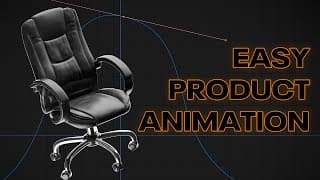
The easiest way to create fast product animations in Blender
Learn how to create stunning and fast product animations in Blender with ease! 🚀 Whether you're a beginner or an experienced 3D artist, this step-by-step tutorial will guide you through the process of animating your products quickly and efficiently. Perfect for showcasing items for ads, e-commerce, or personal projects. What you'll learn: ✅ Speed Ramping ✅ Camera Controls ✅ animating to music ✅ Tips for rendering high-quality results Get ready to boost your Blender skills and impress your audience with professional-looking animations! 🎥✨ 🔗 Subscribe for more tutorials 📦 Download project files: Coming soon 💬 Got questions? Drop them in the comments! #BlenderTutorial #ProductAnimation #3DDesign
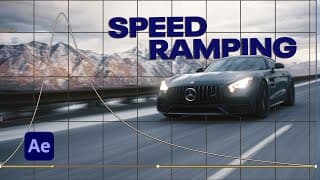
Learn smooth easy speed ramping in after effects
Hello Everyone, Today we are going to create this Crazy Speed Ramping Reel And I'll show you step by step, how you can create smooth and seamless speed-ramping transitions in your videos. I'm using After Effects to make the seamless stabilization and speed ramping. And I tried to make it as simple as possible, Hope that you'll enjoy it. CHECK OUT Audiio: https://audiio.com/partner?oid=1&affid=1780 For 70% off, Use Code: SAVE70 My portfolio: https://parkerl.myportfolio.com/work Follow me on instagram @parker.landrgen