Loading...
Warning: Channel ID is missing or invalid
Loading channel videos...

Loading channel videos...

27 MUST KNOW DaVinci Resolve Tricks from a Pro Trainer
Grab my Free Presets https://ko-fi.com/thomlyons/shop Ready to level up your video editing workflow in DaVinci Resolve? Whether you are a beginner or making the switch from Premiere Pro or Final Cut, I'm sharing 27 must-know tips and tricks to speed up your work and fix super annoying issues. We cover everything from the hidden workaround for changing a locked timeline frame rate , to managing your render cache so it doesn't fill up your hard drive , and using subframe adjustments to perfectly sync your audio. You will learn how to automatically organize media using Smart Bins and apply non-destructive adjustments to clips before they even hit your timeline. From copying color grades with a middle mouse click to understanding Fairlight's pan law and customizing Fusion toolbars, this guide covers the essential shortcuts and strategies every editor needs to know to master the software. Videos Mentioned: How to Make Cinematic Bars https://youtu.be/U9dhtwoyvSc How to Export a Still https://youtu.be/8aCDe0c5rSE How to Get Better Playback with Proxy Files https://youtu.be/uu2CNTm00Dg ⭐️ MY DISCOUNT CODES ⭐️ PixelTools Get 10% off your purchase by using the coupon code THOM10 https://pixeltoolspost.com/?ref=THOM Dehancer Film Emulation Software 10% DISCOUNT on ANY Dehancer product using code THOM10 (except the iOS app subscription.) https://www.dehancer.com Artlist Use this link and Get 2 extra months when you subscribe to any annual plan https://artlist.io/referral/b91adb60-b64d-4d7b-9b14-2ac58f5701a0 ___________________ MY EDIT SUITE GEAR (Affiliate Links) ↓↓↓ B&H https://bhpho.to/43UXjps Amazon US https://amzn.to/43EAszA ___________________ Chapters: 00:00 Intro 00:08 How to unlock the project timeline frame rate 01:18 How to override project settings 02:15 How to learn and create Keyboard Shortcuts 02:48 How to share media between projects 03:11 How to automatically organize your media 04:01 How to import media like a pro 04:57 How to import images an image sequence or individual stills 05:34 How to open multiple projects at once 05:59 How to manage your render cache 07:25 How to change media before you add it to the timeline 08:04 How to move audio less than a frame 08:30 How to use a clip as a mask 09:23 How to add cinematic bars (Letterbox or Pillarbox bars) 10:00 How to export a still 10:31 How to add a freeze frame 11:23 How to get better playback 11:46 How to quickly add effects and generators 12:17 How to search and organize the effects and generators 12:58 How to create a custom tool bar in fusion 13:27 How to simplify the spline and keyframe panels in fusion 13:42 How to tidy up your node graph 14:04 How to hide tracks on the color page 14:49 How to copy grades between shots 15:15 How to disable color or fusion effects 15:30 How to make presets for fairlight track effects 15:59 How to change mono or stereo audio 16:38 How to fix mono audio volume discrepancy Welcome to your go-to resource for learning DaVinci Resolve 20! My name is Thom Lyons. I am a Blackmagic Design Certified Master Trainer with over 20 years of editing experience, and am currently the Lead Editor at Visual Aid Productions in Portland OR. I will be using all that knowledge to create tutorials specifically designed to help you get up and running with DaVinci Resolve, or transition from other editing software. What you’ll find here: • Workflow strategies to speed up your editing process • Advanced color grading techniques that leverage DaVinci Resolve’s powerful tools • Audio mixing tips to elevate your sound design • Fusion compositing tutorials that simplify complex visual effects • Project organization methods that professionals rely on Whether you’re coming from Premiere Pro, Final Cut, or Avid, I’ll help you navigate DaVinci Resolve and harness its full potential while building on the editing knowledge you already have. #DaVinciResolve20 #Resolve20 #DavinciResolve #DavinciResolve19 #Resolve19 #Tutorial #DaVinciResolve #DaVinciResolveTips #VideoEditing #PostProduction #Workflow #HiddenTrick #ThomLyons #VisualAidProductions #EditingHacks #LearnDaVinci Resolve

12 Mins of Fusion Workflow Hacks That Save HOURS (DaVinci Resolve 20)
Grab my Free Presets https://ko-fi.com/thomlyons/shop Master your DaVinci Resolve Fusion workflow by learning how to create custom Fusion nodes, reusable presets, and Edit page templates that save hours of manual work. This tutorial covers everything from setting default node behaviors to optimizing playback performance with proxy settings and caching, plus a look at powerful third-party tools like Macro Lab to streamline your macro creation. Stop wasting minutes on repetitive tasks that add up to hours of lost productivity, and start editing like an industry veteran today. Check out Matt McCool and learn about Macro Lab @MattMcCool0 And Patrick Stirling to learn about Macro Machine @PatrickStirling Where to save nodes and macros: PC - C:\Program Files\ Blackmagic Design\DaVinci Resolve\Fusion Mac - /Users/"your-username"/Library/Application Support/Blackmagic Design/DaVinci Resolve/Fusion ⭐️ MY DISCOUNT CODES ⭐️ PixelTools Get 10% off your purchase by using the coupon code THOM10 https://pixeltoolspost.com/?ref=THOM Dehancer Film Emulation Software 10% DISCOUNT on ANY Dehancer product using code THOM10 (except the iOS app subscription.) https://www.dehancer.com Artlist Use this link and Get 2 extra months when you subscribe to any annual plan https://artlist.io/referral/b91adb60-b64d-4d7b-9b14-2ac58f5701a0 ___________________ MY EDIT SUITE GEAR (Affiliate Links) ↓↓↓ B&H https://bhpho.to/43UXjps Amazon US https://amzn.to/43EAszA ___________________ 00:00 Intro 00:25 Repeated Actions 00:55 Changing Node Default Settings 01:34 Creating Custom Nodes 02:11 Custom Groups Of Nodes 02:58 Improving Computer Performance For Fusion 05:12 Creating Templates For The Edit Page 06:18 The Macro Editor 08:45 Macro Vs Group 09:39 How To Turn A Macro Into A Group 10:18 Why I'll Never Use The Macro Editor Again Welcome to your go-to resource for learning DaVinci Resolve 20! My name is Thom Lyons. I am a Blackmagic Design Certified Master Trainer with over 20 years of editing experience, and am currently the Lead Editor at Visual Aid Productions in Portland OR. I will be using all that knowledge to create tutorials specifically designed to help you get up and running with DaVinci Resolve, or transition from other editing software. What you’ll find here: • Workflow strategies to speed up your editing process • Advanced color grading techniques that leverage DaVinci Resolve’s powerful tools • Audio mixing tips to elevate your sound design • Fusion compositing tutorials that simplify complex visual effects • Project organization methods that professionals rely on Whether you’re coming from Premiere Pro, Final Cut, or Avid, I’ll help you navigate DaVinci Resolve and harness its full potential while building on the editing knowledge you already have. #DaVinciResolve20 #Resolve20 #DavinciResolve #DavinciResolve19 #Resolve19 #Tutorial #DaVinciResolve #DaVinciResolveTips #VideoEditing #PostProduction #Workflow #HiddenTrick #ThomLyons #VisualAidProductions #EditingHacks #LearnDaVinci Resolve
DON'T Skip This Step for Pro Sounding Dialogue - DaVinci Resolve 20
Grab my Free Presets https://ko-fi.com/thomlyons/shop Don't make amateur mistakes when working with Dialogue in DaVinci Resolve 20. In this video you will learn how to properly control your dynamic range using the powerful tools on the Fairlight page. This guide walks you through a professional dialogue workflow, covering everything from the subtle cleanup of the Expander to the essential leveling of the Compressor and the "security guard" protection of the Limiter. You’ll discover how to fix inconsistent volume, avoid amateur audio mistakes, and utilize the Presets Library to speed up your editing process across every project you touch. I’m also sharing the truth about what works and what’s actually "broken" in the built-in toolset, including why I avoid the internal limiter in favor of a separate Fairlight effect to guarantee a true brick-wall ceiling for your audio. EQ For Dialogue Tutorial https://youtu.be/_bzdFlYWh44 ⭐️ MY DISCOUNT CODES ⭐️ PixelTools Get 10% off your purchase by using the coupon code THOM10 https://pixeltoolspost.com/?ref=THOM Dehancer Film Emulation Software 10% DISCOUNT on ANY Dehancer product using code THOM10 (except the iOS app subscription.) https://www.dehancer.com Artlist Use this link and Get 2 extra months when you subscribe to any annual plan https://artlist.io/referral/b91adb60-b64d-4d7b-9b14-2ac58f5701a0 ___________________ MY EDIT SUITE GEAR (Affiliate Links) ↓↓↓ B&H https://bhpho.to/43UXjps Amazon US https://amzn.to/43EAszA ___________________ 00:00 Intro 00:23 Defining the problem 00:43 Before You Start 01:01 How to enable the Dynamics Panel 01:58 Tour of the Dynamics Panel 05:33 Expander or Gate? 06:36 Using the Expander 07:23 There Is No Magic Number 07:44 What I use instead 08:27 How to use the Compressor 09:01 What is the Compression Ratio? 09:37 Other Compression Controls 10:53 What is Make Up Gain? 11:11 What is a Limiter? 11:35 Why I use a separate Limiter Effect 12:24 Creating Effect Presets 12:42 Bonus tip Welcome to your go-to resource for learning DaVinci Resolve 20! My name is Thom Lyons. I am a Blackmagic Design Certified Master Trainer with over 20 years of editing experience, and am currently the Lead Editor at Visual Aid Productions in Portland OR. I will be using all that knowledge to create tutorials specifically designed to help you get up and running with DaVinci Resolve, or transition from other editing software. What you’ll find here: • Workflow strategies to speed up your editing process • Advanced color grading techniques that leverage DaVinci Resolve’s powerful tools • Audio mixing tips to elevate your sound design • Fusion compositing tutorials that simplify complex visual effects • Project organization methods that professionals rely on Whether you’re coming from Premiere Pro, Final Cut, or Avid, I’ll help you navigate DaVinci Resolve and harness its full potential while building on the editing knowledge you already have. #DaVinciResolve20 #davinciresolvetutorials #Resolve20 #DavinciResolve #DavinciResolve19 #Resolve19 #Tutorial #DaVinciResolve #DaVinciResolveTips #VideoEditing #PostProduction #Workflow #HiddenTrick #ThomLyons #VisualAidProductions #EditingHacks #LearnDaVinci Resolve
20 Years of Editing: The Tools I Still Use (Not Sponsored)
Grab my Free Presets https://ko-fi.com/thomlyons/shop Upgrade your video editing workflow with this expert guide to the essential tools and plugins used by a 20-year industry veteran. From secure media offloading and checksum backups to advanced audio repair and flicker removal, discover the must-have utilities that every DaVinci Resolve editor needs to fix common footage issues and streamline their post-production process. Learn how to optimize your Mac for high-end performance, manage remote editing sessions with zero lag, and use automation to speed up your creative decisions. These aren't just flashy add-ons; they are reliable, high-performance tools designed to improve your efficiency in DaVinci Resolve and ensure your projects meet professional standards. Videos Mentioned: PixelTools Film/Emulsion Review https://youtu.be/WSNz8A2IQzk Dehancer Review https://youtu.be/P2pZ17asB-E Tool 1 https://www.imagineproducts.com/product/shotput-pro Tool 2 http://clipgrab.org/ Tool 3 https://theunarchiver.com/ Tool 4 https://www.videolan.org/vlc/ Tool 5 https://www.shutterencoder.com/ Tool 6 https://bombich.com/ Tool 7 https://cleanmymac.com/ Tool 8 https://www.izotope.com/en/products/rx.html Tool 9 https://digitalanarchy.com/flicker-free/ Tool 10 https://www.elgato.com/us/en/s/stream-deck-app Tool 11 https://www.textsniper.app/ Tool 12 https://code.visualstudio.com/ Tool 13 https://parsec.app/ Tool 14 https://remotedesktop.google.com/ Tool 15 https://obsproject.com/ Tool 16 https://www.mralextech.com/magiczoompro Tool 17 https://apps.apple.com/us/app/cursor-pro/id1447043133?mt=12 Tool 18 https://www.adobe.com/creativecloud/pro.html ⭐️ MY DISCOUNT CODES ⭐️ PixelTools Get 10% off your purchase by using the coupon code THOM10 https://pixeltoolspost.com/?ref=THOM Dehancer Film Emulation Software 10% DISCOUNT on ANY Dehancer product using code THOM10 (except the iOS app subscription.) https://www.dehancer.com Artlist Use this link and Get 2 extra months when you subscribe to any annual plan https://artlist.io/referral/b91adb60-b64d-4d7b-9b14-2ac58f5701a0 ___________________ MY EDIT SUITE GEAR (Affiliate Links) ↓↓↓ B&H https://bhpho.to/43UXjps Amazon US https://amzn.to/43EAszA ___________________ 00:00 Intro 00:23 Tool #1 01:26 Tool #2 02:24 Tool #3 02:58 Tool #4 03:54 Tool #5 04:53 Tool #6 05:51 Tool #7 06:52 Tool #8 07:59 Tool #9 08:48 Tool #10 09:53 Tool #11 10:32 Tool #12 11:11 Tool #13 12:03 Tool #14 12:26 Tool #15 13:16 Tool #16 14:21 Tool #17 14:57 Tool #18 Welcome to your go-to resource for learning DaVinci Resolve 20! My name is Thom Lyons. I am a Blackmagic Design Certified Master Trainer with over 20 years of editing experience, and am currently the Lead Editor at Visual Aid Productions in Portland OR. I will be using all that knowledge to create tutorials specifically designed to help you get up and running with DaVinci Resolve, or transition from other editing software. What you’ll find here: • Workflow strategies to speed up your editing process • Advanced color grading techniques that leverage DaVinci Resolve’s powerful tools • Audio mixing tips to elevate your sound design • Fusion compositing tutorials that simplify complex visual effects • Project organization methods that professionals rely on Whether you’re coming from Premiere Pro, Final Cut, or Avid, I’ll help you navigate DaVinci Resolve and harness its full potential while building on the editing knowledge you already have. #DaVinciResolve20 #Resolve20 #DavinciResolve #DavinciResolve19 #Resolve19 #Tutorial #DaVinciResolve #DaVinciResolveTips #VideoEditing #PostProduction #Workflow #HiddenTrick #ThomLyons #VisualAidProductions #EditingHacks #LearnDaVinci Resolve
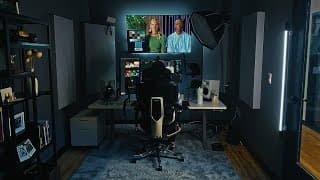
Full-Time Editor's Honest Gear Tour: What's Worth Buying
Upgrade your setup with FlexiSpot! Enter my exclusive code 'C750' and save $50 on the C7 Morpher ergonomic chair! Shop through: US: https://bit.ly/4oA7NTx CA: https://bit.ly/3Xz0qAE In this video I'll show you all the equipment I use to edit videos for clients and create my YouTube videos Gear Links (Some of these are affiliate links - No extra cost to you, but using them helps the channel) For older items I will list a current comparable option Desk: https://amzn.to/3MgpZEf Computer https://bhpho.to/4pdO3Gd Storage https://bhpho.to/4rBGwCL Network Library Computer https://amzn.to/49QhwS1 Keyboard https://amzn.to/4iAQvnH Mouse https://amzn.to/3MfFQ63 Edit Controller https://amzn.to/4iymmFT Main Monitor https://amzn.to/3Xu5uX5 (New Version https://amzn.to/44L7EW2) Monitor I'd Buy Today https://amzn.to/3Kd2D1L Monitor Arm https://amzn.to/48y5LgH Colorimeter https://amzn.to/4pg4JNx Desk Shelf https://amzn.to/48ymyQE Audio Interface https://amzn.to/3KEkC15 Speakers https://amzn.to/4pN5PAi Isolation Pads https://amzn.to/4pPLnPh Headphones https://amzn.to/3KdL01Q Headphones I'd By Today https://amzn.to/4pSgMRb Microphone https://amzn.to/3KuNCZ2 Windscreen https://amzn.to/48j45Jb Preamp https://amzn.to/48yNJuO Mic Arm https://amzn.to/49Uc8gB Video Playback Device https://amzn.to/4ryDsHt Client Monitor (Current Model) https://amzn.to/4iExJMq Bias Lighting https://www.bhphotovideo.com/c/product/1603694-REG/fsi_solutions_medialight_mk2_flex_4m_medialight_mk_2_flex.html/BI/23748/KBID/29192/DFF/d10-v21-t1-x1085469/SID/DFF Color Panel https://amzn.to/4ix12QO Panel Dust Cover https://www.digitaldeckcovers.com/blackmagic-design-davinci-resolve-micro-color-panel Phone Charger https://amzn.to/444GNEe Expensive Paint https://www.bhphotovideo.com/c/product/1344714-REG/gti_n5_g_standard_gray_neutral_5.html/BI/23748/KBID/29192/DFF/d10-v21-t1-x828927/SID/DFF Acoustic Panels https://www.gikacoustics.com/products/room-kits Rug https://www.ikea.com/us/en/p/knardrup-rug-low-pile-light-gray-40492595/ Bookcase https://www.wayfair.com/furniture/pdp/17-stories-suva-bookshelves-and-bookcases-6-shelf-etagere-bookcase-industrial-open-display-shelves-geometric-bookcase-with-sturdy-metal-frame-w005469014.html?piid=682289968 Camera https://amzn.to/48hA2BB Lens https://amzn.to/4pjXmom Monitor/Recorder https://amzn.to/3Mmz0eR Desk Mount https://amzn.to/4pEQHVw Teleprompter https://amzn.to/4poPbqY Foot Pedal https://amzn.to/4p9XTZQ Keylight https://amzn.to/447Wvyu Tubelight https://amzn.to/3Y9WkPy Floating Lightbulb https://amzn.to/3XAqwDp Grab my Free Resolve Presets https://bit.ly/4pch4RO ⭐️ MY DISCOUNT CODES ⭐️ PixelTools Get 10% off your purchase by using the coupon code THOM10 https://pixeltoolspost.com/?ref=THOM Dehancer Film Emulation Software 10% DISCOUNT on ANY Dehancer product using code THOM10 (except the iOS app subscription.) https://www.dehancer.com Artlist Use this link and Get 2 extra months when you subscribe to any annual plan https://artlist.io/referral/b91adb60-b64d-4d7b-9b14-2ac58f5701a0 ___________________ 00:00 Intro 00:44 Desk 01:11 Chair 03:01 Computer 03:44 Keyboard, Mouse and Edit Controller 04:53 Monitors 06:08 Must Buy For Color Accuracy 06:17 Audio Interface and Speakers 06:47 Headphones and Stand 07:19 Microphone 07:41 Client Monitor and Video Playback Device 08:41 Bias Lighting and Color Panel 09:22 Odds and Ends 09:36 Room 09:54 Wall Paint 10:34 Sound Treatment 11:37 YouTube Equipment 13:06 Youtube Lighting Welcome to your go-to resource for learning DaVinci Resolve 20! My name is Thom Lyons. I am a Blackmagic Design Certified Master Trainer with over 20 years of editing experience, and am currently the Lead Editor at Visual Aid Productions in Portland OR. I will be using all that knowledge to create tutorials specifically designed to help you get up and running with DaVinci Resolve, or transition from other editing software. What you’ll find here: • Workflow strategies to speed up your editing process • Advanced color grading techniques that leverage DaVinci Resolve’s powerful tools • Audio mixing tips to elevate your sound design • Fusion compositing tutorials that simplify complex visual effects • Project organization methods that professionals rely on Whether you’re coming from Premiere Pro, Final Cut, or Avid, I’ll help you navigate DaVinci Resolve and harness its full potential while building on the editing knowledge you already have. #DaVinciResolve20 #Resolve20 #DavinciResolve #DavinciResolve19 #Resolve19 #Tutorial #DaVinciResolve #DaVinciResolveTips #VideoEditing #PostProduction #Workflow #HiddenTrick #ThomLyons #VisualAidProductions #EditingHacks #LearnDaVinci Resolve FlexiSpot, FlexiSpot C7 Morpher, FlexiSpot Ergonomic Chair C7 Morpher, ergonomic chair C7 Morpher, office chair C7 Morpher, commercial ergonomic office
The Complete Guide to the DaVinci Resolve Deliver Page
Grab my Free Export Presets and MUCH MORE https://bit.ly/3LbwjfV Master the DaVinci Resolve Deliver Page and all its export settings with this comprehensive guide aimed at all editors. Whether you're a beginner or migrating from Premiere Pro or Final Cut , you will learn how to confidently set the correct codec (H.264, H.265, ProRes) , format (MOV, MP4) , resolution (HD, 4K) , and crucially, bitrate for your exports. We explain complex concepts like variable bitrate (VBR) , keyframe settings , and how to export a clean video version with audio tracks. We also cover audio settings like the 48k video standard and audio normalization to targets. Finally, learn to save your perfect settings as custom export presets for maximum workflow efficiency. Videos Mentioned How to make Proxies in DaVinci Resolve (For info about video compression) https://youtu.be/uu2CNTm00Dg?si=POjw_9683VwKhHZb Current state of Color Management for Macs (From Creative Video Tips) https://youtu.be/Fcej7hDihW8?si=vIdd2ioC__ezRX2L ⭐️ MY DISCOUNT CODES ⭐️ PixelTools Get 10% off your purchase by using the coupon code THOM10 https://pixeltoolspost.com/?ref=THOM Dehancer Film Emulation Software 10% DISCOUNT on ANY Dehancer product using code THOM10 (except the iOS app subscription.) https://www.dehancer.com Artlist Use this link and Get 2 extra months when you subscribe to any annual plan https://artlist.io/referral/b91adb60-b64d-4d7b-9b14-2ac58f5701a0 ___________________ MY EDIT SUITE GEAR (Affiliate Links) ↓↓↓ B&H https://bhpho.to/43UXjps Amazon US https://amzn.to/43EAszA ___________________ Welcome to your go-to resource for learning DaVinci Resolve 20! My name is Thom Lyons. I am a Blackmagic Design Certified Master Trainer with over 20 years of editing experience, and am currently the Lead Editor at Visual Aid Productions in Portland OR. I will be using all that knowledge to create tutorials specifically designed to help you get up and running with DaVinci Resolve, or transition from other editing software. What you’ll find here: • Workflow strategies to speed up your editing process • Advanced color grading techniques that leverage DaVinci Resolve’s powerful tools • Audio mixing tips to elevate your sound design • Fusion compositing tutorials that simplify complex visual effects • Project organization methods that professionals rely on Whether you’re coming from Premiere Pro, Final Cut, or Avid, I’ll help you navigate DaVinci Resolve and harness its full potential while building on the editing knowledge you already have. #DaVinciResolve20 #Resolve20 #DavinciResolve #DavinciResolve19 #Resolve19 #Tutorial #DaVinciResolve #DaVinciResolveTips #VideoEditing #PostProduction #Workflow #HiddenTrick #ThomLyons #VisualAidProductions #EditingHacks #LearnDaVinci Resolve
Is This The New King of Film Emulation? PixelTools Film/Emulsion
Use the Coupon Code THOM10 for 10% of your order of anything from PixelTools https://pixeltoolspost.com/products/film-emulsion?ref=THOM Looking for an honest review of the new PixelTools Film/Emulsion plugin for DaVinci Resolve 20? There are many film emulation options, from complex plugins like Dehancer and Filmbox to simple LUTs. PixelTools Film/Emulsion enters as a new, affordable option that takes a unique approach. Instead of a single interface, it's a modular toolkit built from DCTLs, LUTs, and Power Grades that live directly in your node tree. In this full walkthrough, I'll show you exactly how it works. We'll cover the crucial differences between the Basic and Pro versions , how to properly install the DCTL files and Power Grades , and the correct color management setup you need to use (it requires DaVinci Wide Gamut). I'll also demonstrate my preferred professional workflow using groups to apply the look globally and share my honest thoughts on the pros and cons. This plugin requires the paid DaVinci Resolve Studio version to work. Videos Mentioned Dehancer Review https://youtu.be/P2pZ17asB-E Color Management and working with Groups https://youtu.be/bIx6HZlNQoU Grab my Free Presets https://bit.ly/49hint7 ⭐️ MY DISCOUNT CODES ⭐️ Dehancer Film Emulation Software 10% DISCOUNT on ANY product using code THOM10 at checkout (except the iOS app subscription.) https://www.dehancer.com Artlist Use this link and Get 2 extra months when you subscribe to any annual plan https://artlist.io/referral/b91adb60-b64d-4d7b-9b14-2ac58f5701a0 ___________________ MY EDIT SUITE GEAR (Affiliate Links) ↓↓↓ B&H https://bhpho.to/43UXjps Amazon US https://amzn.to/43EAszA ___________________ 0:00 Intro: The Problem with Most Film Plugins 00:27 What Makes PixelTools Different? (A Modular Approach) 1:31 Warning 2:05 How Does It Work? 3:13 Pro vs Basic Versions 3:57 What Comes With Your Download? 4:39 Installing DCTL Files In DaVinci Resolve 20 5:21 Installing Film/Emulsion Powergrades 6:09 Color Management Considerations 6:44 Setting Up Node-Based Color Management 7:27 The 'Negative' DCTL Explained 8:18 Halation & Roll Off 8:47 Sharpening & Film Grain 9:22 Gateweave 9:32 Print DCTL 10:00 How to set it up with Groups 11:03 Film/Emulsion and RCM (Resolve Color Management) 11:39 Film/Emulsion Example Footage 11:54 Comparison With Other Film Emulation Solutions (Filmbox, Genesis, Dehancer) 12:26 My Honest Opinion of PixelTools Film/Emulsion Welcome to your go-to resource for learning DaVinci Resolve 20! My name is Thom Lyons. I am a Blackmagic Design Certified Master Trainer with over 20 years of editing experience, and am currently the Lead Editor at Visual Aid Productions in Portland OR. I will be using all that knowledge to create tutorials specifically designed to help you get up and running with DaVinci Resolve, or transition from other editing software. What you’ll find here: • Workflow strategies to speed up your editing process • Advanced color grading techniques that leverage DaVinci Resolve’s powerful tools • Audio mixing tips to elevate your sound design • Fusion compositing tutorials that simplify complex visual effects • Project organization methods that professionals rely on Whether you’re coming from Premiere Pro, Final Cut, or Avid, I’ll help you navigate DaVinci Resolve and harness its full potential while building on the editing knowledge you already have. #DaVinciResolve20 #Resolve20 #DavinciResolve #DavinciResolve19 #Resolve19 #Tutorial #DaVinciResolve #DaVinciResolveTips #VideoEditing #PostProduction #Workflow #HiddenTrick #ThomLyons #VisualAidProductions #EditingHacks #LearnDaVinci Resolve
How To Use Scopes In DaVinci Resolve (and why you need them!)
Grab my Free Presets https://bit.ly/49hTflV Stop "eyeballing" your color grades and start using DaVinci Resolve's video scopes like a professional. Your eyes and monitor will lie to you , but scopes are the reliable source of truth for perfect exposure, white balance, and saturation. In this DaVinci Resolve tutorial, you'll finally learn how to read all five scopes: the Waveform (for brightness and contrast), the Parade (for color balance), the Vectorscope (for skin tones and broadcast safe saturation), the Histogram (for tonal distribution), and the CIE scope (for color gamut). We'll cover common beginner mistakes, pro workflow hacks, and a must-know tip for using scopes in the Fusion page. This is the definitive guide for anyone learning about color scopes in DaVinci Resolve. Videos Mentioned: @CreativeVideoTips https://youtu.be/Fcej7hDihW8 @DannyGan https://youtu.be/EsHKoLvQ32k Products Mentioned: Prime/Grade by PixelTools https://pixeltoolspost.com/products/prime-grade-dctl-plug-in?ref=THOM Get 10% off by using the code coupon THOM10 ⭐️ MY DISCOUNT CODES ⭐️ Dehancer Film Emulation Software 10% DISCOUNT on ANY Dehancer product using code THOM10 at checkout (except the iOS app subscription.) https://www.dehancer.com Artlist Use this link and Get 2 extra months when you subscribe to any annual plan https://artlist.io/referral/b91adb60-b64d-4d7b-9b14-2ac58f5701a0 ___________________ MY EDIT SUITE GEAR (Affiliate Links) ↓↓↓ B&H https://bhpho.to/43UXjps Amazon US https://amzn.to/43EAszA ___________________ 00:00 - Stop "Eyeballing" Your Grades (Intro) 00:32 - Why You MUST Use Video Scopes (The Truth) 01:46 - Pro Setup: How to Undock & Arrange Scopes 04:36 - How to Read the WAVEFORM Scope (Exposure & Contrast) 08:47 - How to Read the PARADE Scope (Perfect White Balance) 10:36 - How to Read the VECTORSCOPE (Hue & Saturation) 12:11 - The Skin Tone Line & Broadcast Safe Levels (Vectorscope Deep Dive) 16:54 - How to Read the HISTOGRAM Scope (Checking Levels) 18:20 - What is a Color Gamut? (The CIE Chromaticity Scope) 20:15 - 4 Common Mistakes All Beginners Make With Scopes 21:37 - How to access scopes in Fusion Welcome to your go-to resource for learning DaVinci Resolve 20! My name is Thom Lyons. I am a Blackmagic Design Certified Master Trainer with over 20 years of editing experience, and am currently the Lead Editor at Visual Aid Productions in Portland OR. I will be using all that knowledge to create tutorials specifically designed to help you get up and running with DaVinci Resolve, or transition from other editing software. What you’ll find here: • Workflow strategies to speed up your editing process • Advanced color grading techniques that leverage DaVinci Resolve’s powerful tools • Audio mixing tips to elevate your sound design • Fusion compositing tutorials that simplify complex visual effects • Project organization methods that professionals rely on Whether you’re coming from Premiere Pro, Final Cut, or Avid, I’ll help you navigate DaVinci Resolve and harness its full potential while building on the editing knowledge you already have. #DaVinciResolve20 #Resolve20 #DavinciResolve #DavinciResolve19 #Resolve19 #Tutorial #DaVinciResolve #DaVinciResolveTips #VideoEditing #PostProduction #Workflow #HiddenTrick #ThomLyons #VisualAidProductions #EditingHacks #LearnDaVinci Resolve

Shortcuts That Save You HOURS In DaVinci Resolve 20
Grab my Free Presets https://bit.ly/4phyaxQ Ready to edit faster and save hours of time in DaVinci Resolve? This in-depth tutorial is your complete guide to mastering the keyboard shortcuts that will transform your editing workflow. For 99% of editors, relying on the mouse is the single biggest bottleneck. We'll show you how to ditch the mouse and join the 1% by using powerful, built-in DaVinci Resolve shortcuts for navigation, media management, playback, and trimming. By the end of this video, you'll be flying through your edits with newfound speed and efficiency. Learn how to navigate between pages, manage panels, organize your media pool, and execute seven different types of edits. We go beyond the basics to cover advanced timeline trimming techniques like slip and slide edits. We also dive into setting up custom assignments and explore useful features like source tape mode, helping you build a professional-level workflow in DaVinci Resolve from the ground up. ⭐️ Items mentioned in the video ⭐️ Contour Shuttle Pro V2 Amazon https://amzn.to/46LKMGh B&H https://bhpho.to/3SERsQ0 Elgato Stream Deck XL Amazon https://amzn.to/46F3O0X B&H https://bhpho.to/3KJHfkj ⭐️ MY DISCOUNT CODES ⭐️ PixelTools Get 10% off your purchase by using the coupon code THOM10 at checkout https://pixeltoolspost.com/?ref=THOM Dehancer Film Emulation Software 10% DISCOUNT on ANY Dehancer product using code THOM10 at checkout (except the iOS app subscription.) https://www.dehancer.com Artlist Use this link and Get 2 extra months when you subscribe to any annual plan https://artlist.io/referral/b91adb60-b64d-4d7b-9b14-2ac58f5701a0 0:00 Intro 0:27 Why Fusion Is Different 1:21 Navigating The Program 2:32 Creating Custom Keyboard Shortcuts 3:59 Media Pool Essentials 4:58 Creating Your First Edit 6:22 Apple MacOS Keyboard Settings You Need To Check 7:07 The Seven Types of Edit 10:57 Source Tape Mode 11:32 Timeline Shortcuts 12:53 Clip Controls 14:10 Navigating And Adjusting Your Edits 16:12 Adding Cuts To Your Clips 17:06 Using Markers 17:31 Adding Transitions 18:09 Hardware To Help You Edit 18:50 Shortcuts You Should Create ___________________ MY EDIT SUITE GEAR (Affiliate Links) ↓↓↓ B&H https://bhpho.to/43UXjps Amazon US https://amzn.to/43EAszA ___________________ Welcome to your go-to resource for learning DaVinci Resolve 20! My name is Thom Lyons. I am a Blackmagic Design Certified Master Trainer with over 20 years of editing experience, and am currently the Lead Editor at Visual Aid Productions in Portland OR. I will be using all that knowledge to create tutorials specifically designed to help you get up and running with DaVinci Resolve, or transition from other editing software. What you’ll find here: • Workflow strategies to speed up your editing process • Advanced color grading techniques that leverage DaVinci Resolve’s powerful tools • Audio mixing tips to elevate your sound design • Fusion compositing tutorials that simplify complex visual effects • Project organization methods that professionals rely on Whether you’re coming from Premiere Pro, Final Cut, or Avid, I’ll help you navigate DaVinci Resolve and harness its full potential while building on the editing knowledge you already have. #DaVinciResolve20 #Resolve20 #DavinciResolve #DavinciResolve19 #Resolve19 #Tutorial #DaVinciResolve #DaVinciResolveTips #VideoEditing #PostProduction #Workflow #HiddenTrick #ThomLyons #VisualAidProductions #EditingHacks #LearnDaVinci Resolve
Perfect DaVinci Resolve Node Tree? THERE'S NO SUCH THING!
Grab my Free Presets https://ko-fi.com/thomlyons/shop Stop blindly copying "perfect" node trees and learn the professional color grading workflow to build your own in DaVinci Resolve 20. This comprehensive tutorial breaks down the philosophy behind creating a fixed node tree for a faster, more consistent, and organized color correction process. We'll cover everything from the ground up, including setting up proper color management with Color Space Transforms (CSTs), the correct order of operations for primary adjustments like exposure, contrast, and saturation, and how to effectively use serial, parallel, and layer nodes for targeted secondary corrections. By the end, you'll understand how to create a custom Powergrade tailored to your specific needs, helping you grade more efficiently and achieve better results. Videos Mentioned: Color Management https://youtu.be/bIx6HZlNQoU How Nodes Work https://youtu.be/U3vzpYHi4R8 Dehancer Review https://youtu.be/P2pZ17asB-E Plugins/DCTLs Mentioned: • Dehancer 10% DISCOUNT on ANY Dehancer product using code THOM10 at checkout (except the iOS app subscription.) https://www.dehancer.com • PixelTools Get 10% off your purchase by using the coupon code THOM10 at checkout https://pixeltoolspost.com/?ref=THOM • PixelTools Filmic/Contrast™ https://pixeltoolspost.com/products/filmic-contrast-dctl-plug-in?ref=THOM • Mononodes Look/Lab/Print https://mononodes.com/looklabprint/ • Neat Video https://www.neatvideo.com/ • Digital Anarchy - Flicker Free https://digitalanarchy.com/flicker-free/ • PixelTools Prime/Grade™ https://pixeltoolspost.com/products/prime-grade-dctl-plug-in?ref=THOM 0:00 Intro 0:30 Why use a Fixed Node Tree? 1:17 How Resolve Processes Your Image 1:44 Macro vs Micro and Primary vs Secondary Corrections 2:46 Color Management 4:19 Creative Look 5:19 Types of Nodes 6:22 My Thought Process 7:05 Noise Reduction 9:02 DeFlicker 9:25 Why I Use Compound Nodes 10:40 Primary Corrections 12:57 My New Favorite DCTL 14:24 Secondary Adjustments 15:58 Adding Texture 16:22 Comparing Nodes Trees 17:35 What Tree Works Best? ⭐️ MY DISCOUNT CODES ⭐️ PixelTools Get 10% off your purchase by using the coupon code THOM10 at checkout https://pixeltoolspost.com/?ref=THOM Dehancer Film Emulation Software 10% DISCOUNT on ANY Dehancer product using code THOM10 at checkout (except the iOS app subscription.) https://www.dehancer.com Artlist Use this link and Get 2 extra months when you subscribe to any annual plan https://artlist.io/referral/b91adb60-b64d-4d7b-9b14-2ac58f5701a0 ___________________ MY EDIT SUITE GEAR (Affiliate Links) ↓↓↓ B&H https://bhpho.to/43UXjps Amazon US https://amzn.to/43EAszA ___________________ Welcome to your go-to resource for learning DaVinci Resolve 20! My name is Thom Lyons. I am a Blackmagic Design Certified Master Trainer with over 20 years of editing experience, and am currently the Lead Editor at Visual Aid Productions in Portland OR. I will be using all that knowledge to create tutorials specifically designed to help you get up and running with DaVinci Resolve, or transition from other editing software. What you’ll find here: • Workflow strategies to speed up your editing process • Advanced color grading techniques that leverage DaVinci Resolve’s powerful tools • Audio mixing tips to elevate your sound design • Fusion compositing tutorials that simplify complex visual effects • Project organization methods that professionals rely on Whether you’re coming from Premiere Pro, Final Cut, or Avid, I’ll help you navigate DaVinci Resolve and harness its full potential while building on the editing knowledge you already have. #DaVinciResolve20 #Resolve20 #DavinciResolve #DavinciResolve19 #Resolve19 #Tutorial #DaVinciResolve #DaVinciResolveTips #VideoEditing #PostProduction #Workflow #HiddenTrick #ThomLyons #VisualAidProductions #EditingHacks #LearnDaVinci Resolve
DaVinci Resolve 20.1 OUT NOW! My Favorite New Features
Grab my Free Presets https://ko-fi.com/thomlyons/shop Blackmagic Design has unexpectedly dropped a new update to DaVinci Resolve, and this video is your guide to all the key changes in version 20.1. We'll take a look at the features that caught my eye, from improvements on the Edit and Fusion pages to new effects on the Color page. I'll walk you through updates to keyframes, improvements to the multi-text tool , and the highly anticipated inclusion of Magic Mask V2 to the Fusion page. You'll also learn about new effects on the Color page, such as split tone and a ColorTone diffuser , and other general improvements that will streamline your workflow. Download it now from here: https://www.blackmagicdesign.com/support/family/davinci-resolve-and-fusion Read the release notes: https://forum.blackmagicdesign.com/viewtopic.php?f=21&t=225417 Great video about working with Apple Immersive Video from @team2films https://youtu.be/QpkIEncCOfw ⭐️ MY DISCOUNT CODES ⭐️ PixelTools Get 10% off your purchase by using the coupon code THOM10 at checkout https://pixeltoolspost.com/?ref=THOM Dehancer Film Emulation Software 10% DISCOUNT on ANY Dehancer product using code THOM10 at checkout (except the iOS app subscription.) https://www.dehancer.com Artlist Use this link and Get 2 extra months when you subscribe to any annual plan https://artlist.io/referral/b91adb60-b64d-4d7b-9b14-2ac58f5701a0 ___________________ MY EDIT SUITE GEAR (Affiliate Links) ↓↓↓ B&H https://bhpho.to/43UXjps Amazon US https://amzn.to/43EAszA ___________________ Chapters: 0:00 Intro 0:18 Apple Immersive Video 0:37 Edit page improvements 2:35 Fusion Improvements 3:12 Color Improvements 4:01 Audio Improvements 4:17 Other Notable Updates Welcome to your go-to resource for learning DaVinci Resolve 20! My name is Thom Lyons. I am a Blackmagic Design Certified Master Trainer with over 20 years of editing experience, and am currently the Lead Editor at Visual Aid Productions in Portland OR. I will be using all that knowledge to create tutorials specifically designed to help you get up and running with DaVinci Resolve, or transition from other editing software. What you’ll find here: • Workflow strategies to speed up your editing process • Advanced color grading techniques that leverage DaVinci Resolve’s powerful tools • Audio mixing tips to elevate your sound design • Fusion compositing tutorials that simplify complex visual effects • Project organization methods that professionals rely on Whether you’re coming from Premiere Pro, Final Cut, or Avid, I’ll help you navigate DaVinci Resolve and harness its full potential while building on the editing knowledge you already have. #DaVinciResolve20 #Resolve20 #DavinciResolve #DavinciResolve19 #Resolve19 #Tutorial #DaVinciResolve #DaVinciResolveTips #VideoEditing #PostProduction #Workflow #HiddenTrick #ThomLyons #VisualAidProductions #EditingHacks #LearnDaVinci Resolve
How To EQ Dialogue Like A Pro in DaVinci Resolve
✨ Get the FREE EQ Cheatsheet here https://ko-fi.com/s/800a04d367 If you want to make your dialogue sound clear, natural, and polished, you need to master equalization (EQ) in DaVinci Resolve. This video is the ultimate DaVinci Resolve Dialogue EQ Guide for anyone who wants to learn how to edit audio professionally, whether you're a beginner or transitioning from another program. Forget generic presets and magic numbers; this tutorial gives you a complete, repeatable audio editing workflow to solve common problems and enhance your voice recordings. We'll cover the two-phase approach to EQ—first, using corrective EQ to remove distracting issues like rumble and boxiness, then using enhancement EQ to add warmth, clarity, and polish. You'll learn how to think like a professional audio engineer and how to identify key frequency ranges of the human voice, from the fundamental frequency that gives a voice its body to the harmonics that provide clarity and intelligibility. We’ll also bust common myths like the "cut-only" philosophy and highlight the pitfall of over-processing. Learn practical techniques like the boost-sweep-cut method to find and eliminate ugly resonances. By the end of this tutorial, you’ll have the knowledge to EQ any dialogue track with confidence, ensuring your voice sits perfectly in the final mix. 🔗 Links mentioned: Video on the importance of Context: https://www.youtube.com/watch?v=NRWcjtW1KKA&list=PLNzzPoeivLYTSuiaecrUX-gg7CysauK4b&index=3 Free EQ plugin: https://getsoundly.com/tools AI Audio Enhancement: https://podcast.adobe.com/en/enhance ⭐️ MY DISCOUNT CODES ⭐️ PixelTools Get 10% off your purchase by using the coupon code THOM10 at checkout https://pixeltoolspost.com/?ref=THOM Dehancer Film Emulation Software 10% DISCOUNT on ANY Dehancer product using code THOM10 at checkout (except the iOS app subscription.) https://www.dehancer.com Artlist Use this link and Get 2 extra months when you subscribe to any annual plan https://artlist.io/referral/b91adb60-b64d-4d7b-9b14-2ac58f5701a0 ___________________ Chapters: 0:00 Intro 0:29 Two Phases of EQ 0:55 The Human Voice Explained 1:53 Frequencies of the Voice 3:15 EQ Begins on Location 4:40 Mix In Context 6:05 Applying EQ 6:33 High Pass Filter 7:20 Search and Destroy Using The Boost-Sweep-Cut Method 8:33 Enhancement EQ 10:20 A/B Testing 11:05 Typical Audio Chain 11:27 EQ Before Compression 11:47 Problems with Order of Operations 13:24 Saving Presets 13:39 EQ Myth Number 1 14:16 EQ Myth Number 2 15:01 Biggest Pitfall ___________________ MY EDIT SUITE GEAR (Affiliate Links) ↓↓↓ B&H https://bhpho.to/43UXjps Amazon US https://amzn.to/43EAszA ___________________ Welcome to your go-to resource for learning DaVinci Resolve 20! My name is Thom Lyons. I am a Blackmagic Design Certified Master Trainer with over 20 years of editing experience, and am currently the Lead Editor at Visual Aid Productions in Portland OR. I will be using all that knowledge to create tutorials specifically designed to help you get up and running with DaVinci Resolve, or transition from other editing software. What you’ll find here: • Workflow strategies to speed up your editing process • Advanced color grading techniques that leverage DaVinci Resolve’s powerful tools • Audio mixing tips to elevate your sound design • Fusion compositing tutorials that simplify complex visual effects • Project organization methods that professionals rely on Whether you’re coming from Premiere Pro, Final Cut, or Avid, I’ll help you navigate DaVinci Resolve and harness its full potential while building on the editing knowledge you already have. #DaVinciResolve20 #Resolve20 #DavinciResolve #DavinciResolve19 #Resolve19 #Tutorial #DaVinciResolve #DaVinciResolveTips #VideoEditing #PostProduction #Workflow #HiddenTrick #ThomLyons #VisualAidProductions #EditingHacks #LearnDaVinci Resolve
Create Proxies Like A Pro: DaVinci Resolve 20 MASTERCLASS
Grab my Free Presets https://ko-fi.com/thomlyons/shop Lagging video playback can halt your editing flow, but the solution isn't always new hardware—it's optimizing your workflow with proxies. In this definitive guide, I'll show you how to master the DaVinci Resolve proxy workflow to transform your editing experience from frustrating to fluid. As a DaVinci Resolve Master Trainer with over 20 years of editing experience, I'll explain not just how to create proxies, but why they work, which proxy format to choose , and how to manage them like a seasoned professional. Get ready for seamless 4K editing, 6K editing, and 8K editing in DaVinci Resolve, even on less powerful machines. This tutorial dives deep into video compression – understanding intra-frame vs inter-frame codecs is key to choosing the right proxy for your needs. Learn about All-I and Long GOP compression and how they impact performance. I'll demonstrate both manual proxy generation in Resolve and the automated Blackmagic Proxy Generator workflow with watch folders. Discover advanced tips like creating proxy-only DaVinci Resolve Archives (.dra) for remote collaboration and controlling proxy playback settings. Stop struggling with playback issues and unlock your creative potential with these essential DaVinci Resolve performance tips and media management strategies. ⭐️ MY DISCOUNT CODES ⭐️ PixelTools Get 10% off your purchase by using the coupon code THOM10 at checkout https://pixeltoolspost.com/?ref=THOM Dehancer Film Emulation Software 10% DISCOUNT on ANY Dehancer product using code THOM10 at checkout (except the iOS app subscription.) https://www.dehancer.com Artlist Use this link and Get 2 extra months when you subscribe to any annual plan https://artlist.io/referral/b91adb60-b64d-4d7b-9b14-2ac58f5701a0 ___________________ MY EDIT SUITE GEAR (Affiliate Links) ↓↓↓ B&H https://bhpho.to/43UXjps Amazon US https://amzn.to/43EAszA ___________________ 0:00 Intro 0:23 What is a Proxy file? 1:22 An important decision 1:37 Intraframe Compression 2:11 Interframe Compression 3:59 Which should you pick? 6:09 Important proxy file settings within DaVinci Resolve 8:27 Creating Proxy files in DaVinci Resolve 8:54 Create Proxy files with the Blackmagic Proxy Generator 10:12 Enable your Proxy Files 11:19 How to check your Proxy Status 12:09 Linking, Unlinking and Relinking Proxy Files 13:25 Advanced Workflows 13:34 Remote workflow using DaVinci Resolve Archive 14:46 Render using Proxy files 15:12 Timeline Resolution Playback feature Welcome to your go-to resource for learning DaVinci Resolve 20! My name is Thom Lyons. I am a Blackmagic Design Certified Master Trainer with over 20 years of editing experience, and am currently the Lead Editor at Visual Aid Productions in Portland OR. I will be using all that knowledge to create tutorials specifically designed to help you get up and running with DaVinci Resolve, or transition from other editing software. What you’ll find here: • Workflow strategies to speed up your editing process • Advanced color grading techniques that leverage DaVinci Resolve’s powerful tools • Audio mixing tips to elevate your sound design • Fusion compositing tutorials that simplify complex visual effects • Project organization methods that professionals rely on Whether you’re coming from Premiere Pro, Final Cut, or Avid, I’ll help you navigate DaVinci Resolve and harness its full potential while building on the editing knowledge you already have. #DaVinciResolve20 #Resolve20 #DavinciResolve #DavinciResolve19 #Resolve19 #Tutorial #DaVinciResolve #DaVinciResolveTips #VideoEditing #PostProduction #Workflow #HiddenTrick #ThomLyons #VisualAidProductions #EditingHacks #LearnDaVinci Resolve
How To Make Hundreds of Videos Every Year With One Simple System
Grab my Free Presets https://ko-fi.com/thomlyons/shop Ever wondered how a small team can produce hundreds of videos annually? It's all about a robust system built around the collaborative power of DaVinci Resolve! This video reveals our exact workflow, starting with a consistent pre-production setup and our media server organization system. Dive into the DaVinci Resolve side of things as we walk you through setting up network project libraries, essential for multi-user collaboration. Learn why hosting your project server on a separate, always-on machine is best practice and how to ensure proper network connections. We'll cover installing and configuring the DaVinci Resolve Project Server, connecting your workstations to the network libraries, and enabling multi-user collaboration within individual projects. Understand Resolve's intuitive locking system for bins, timelines, and clips, preventing accidental overwrites, plus, discover how Fusion and Color page clip locking allows simultaneous work on the same clip, and leverage in-project communication tools like markers and the chat window (with a crucial warning!). This comprehensive guide will help your team achieve incredible video production efficiency in DaVinci Resolve 20. ⭐️ MY DISCOUNT CODES ⭐️ PixelTools Get 10% off your purchase by using the coupon code THOM10 at checkout https://pixeltoolspost.com/?ref=THOM Dehancer Film Emulation Software 10% DISCOUNT on ANY Dehancer product using code THOM10 at checkout (except the iOS app subscription.) https://www.dehancer.com Artlist Use this link and Get 2 extra months when you subscribe to any annual plan https://artlist.io/referral/b91adb60-b64d-4d7b-9b14-2ac58f5701a0 ___________________ MY EDIT SUITE GEAR (Affiliate Links) ↓↓↓ B&H https://bhpho.to/43UXjps Amazon US https://amzn.to/43EAszA ___________________ 0:00 Intro 0:24 Pre-Production 1:16 Could You Work For Us? 1:46 Our Folder Structure 3:08 Network vs Local Libraries 3:54 Set Up Your Network 4:38 A Cautionary Tale 5:03 DaVinci Resolve Project Server 6:22 Multi-User Collaboration 7:15 Locking Up Your Assets 8:54 Updates From Your Team 9:13 Working in Fusion and Color 9:37 Communicating With Your Team Welcome to your go-to resource for learning DaVinci Resolve 20! My name is Thom Lyons. I am a Blackmagic Design Certified Master Trainer with over 20 years of editing experience, and am currently the Lead Editor at Visual Aid Productions in Portland OR. I will be using all that knowledge to create tutorials specifically designed to help you get up and running with DaVinci Resolve, or transition from other editing software. What you’ll find here: • Workflow strategies to speed up your editing process • Advanced color grading techniques that leverage DaVinci Resolve’s powerful tools • Audio mixing tips to elevate your sound design • Fusion compositing tutorials that simplify complex visual effects • Project organization methods that professionals rely on Whether you’re coming from Premiere Pro, Final Cut, or Avid, I’ll help you navigate DaVinci Resolve and harness its full potential while building on the editing knowledge you already have. #DaVinciResolve20 #Resolve20 #DavinciResolve #DavinciResolve19 #Resolve19 #Tutorial #DaVinciResolve #DaVinciResolveTips #VideoEditing #PostProduction #Workflow #HiddenTrick #ThomLyons #VisualAidProductions #EditingHacks #LearnDaVinci Resolve
The One Lesson That Changed My Editing Forever
My Free Presets https://ko-fi.com/thomlyons/shop As a full-time editor since 2004, I've learned many lessons, but one stands out as the most important: the power of context. This isn't just a philosophy; it's a practical skill that will elevate your video editing in DaVinci Resolve. In this video, I share how understanding the "bigger picture" impacts every stage of your workflow, from crafting compelling stories based on interviews to ensuring your audio mix is perfectly balanced and your color grades are visually cohesive. We'll dive into specific DaVinci Resolve techniques, like using Project Notes for creative briefs , leveraging transcriptions for efficient editing (and why watching the original footage is crucial!) , employing clip colors and timeline markers for organizational clarity , and utilizing "pancake editing" for seamless B-roll integration. Learn how to master the art of contextual editing in DaVinci Resolve, ensuring your videos are not only technically sound but also narratively powerful. Discover how to use features like the Fairlight loudness meters (LUFS) for professional audio levels as well as color page viewing options, including image wipes, split screen, multiple playheads, and the Lightbox view, to achieve perfect color consistency across your project. This video is packed with essential tips for DaVinci Resolve editors looking to refine their skills and produce high-quality, impactful videos. 0:00 Intro 0:11 What an art class taught me about editing 1:00 Examples of context 1:29 Working with interviews 2:11 Project Notes 2:29 Working with Transcriptions 3:22 Color Coding Interviews 3:50 Organizing B-roll 4:07 Pancake Editing 4:43 Working with Audio 5:01 LUFS and Loudness 5:47 Color consistency ⭐️ MY DISCOUNT CODES ⭐️ PixelTools Get 10% off your purchase by using the coupon code THOM10 at checkout https://pixeltoolspost.com/?ref=THOM Dehancer Film Emulation Software 10% DISCOUNT on ANY Dehancer product using code THOM10 at checkout (except the iOS app subscription.) https://www.dehancer.com Artlist Use this link and Get 2 extra months when you subscribe to any annual plan https://artlist.io/referral/b91adb60-b64d-4d7b-9b14-2ac58f5701a0 ___________________ MY EDIT SUITE GEAR (Affiliate Links) ↓↓↓ B&H https://bhpho.to/43UXjps Amazon US https://amzn.to/43EAszA ___________________ Welcome to your go-to resource for learning DaVinci Resolve 20! My name is Thom Lyons. I am a Blackmagic Design Certified Master Trainer with over 20 years of editing experience, and am currently the Lead Editor at Visual Aid Productions in Portland OR. I will be using all that knowledge to create tutorials specifically designed to help you get up and running with DaVinci Resolve, or transition from other editing software. What you’ll find here: • Workflow strategies to speed up your editing process • Advanced color grading techniques that leverage DaVinci Resolve’s powerful tools • Audio mixing tips to elevate your sound design • Fusion compositing tutorials that simplify complex visual effects • Project organization methods that professionals rely on Whether you’re coming from Premiere Pro, Final Cut, or Avid, I’ll help you navigate DaVinci Resolve and harness its full potential while building on the editing knowledge you already have. #DaVinciResolve20 #videoediting #videoeditingtutorial #Resolve20 #DavinciResolve #DavinciResolve19 #Resolve19 #Tutorial #DaVinciResolve #DaVinciResolveTips #VideoEditing #PostProduction #Workflow #HiddenTrick #ThomLyons #VisualAidProductions #EditingHacks #LearnDaVinci Resolve
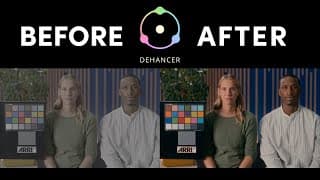
Can This Plugin Make Your Videos Look Like Real Film?
To achieve that sought-after cinematic look in your digital footage, many editors aim to emulate the aesthetic of film. In this video I dive deep into the Dehancer plugin, exploring its ability to deliver an authentic analog film look. As a DaVinci Resolve Master Trainer with over 20 years of editing experience, I’ll provide an honest review and comprehensive tutorial on using Dehancer to transform your video's color and texture. Discover how this powerful tool handles everything from film negative and print emulation to stunning film grain, halation, and bloom effects. I’ll walk you through setting up Dehancer in your node tree, adjusting key parameters, and understanding nuanced controls like film compression. While Dehancer offers incredible depth for film emulation and can provide a truly unique aesthetic, I'll also discuss its price point and help you decide if this "nice to have" plugin is the right investment for your workflow. 10% DISCOUNT on ANY Dehancer product using code THOM10 at checkout (except the iOS app subscription.) https://www.dehancer.com Arri Test Footage https://www.arri.com/en/learn-help/learn-help-camera-system/camera-sample-footage-reference-image#tab-294302 Videos on color management: https://youtu.be/bIx6HZlNQoU?si=1gxbX3RjYH8OM0Zj https://youtu.be/7bY9s4opdJg?si=Ojlsf3e_NQH9s27e 0:00 Intro 00:35 What I'm looking for 00:59 My setup 1:43 Applying Dehancer 2:24 Input settings 3:07 Film Profiles 4:18 Film Compression 4:44 Film Print Emulation 5:37 Film Grain 5:55 Halation and Bloom 6:42 Film Damage, Breath, Gate Weave and Overscan 7:13 Utilities 7:52 My honest opinion 9:05 What you get with Dehancer ___________________ MY EDIT SUITE GEAR (Affiliate Links) ↓↓↓ B&H https://bhpho.to/43UXjps Amazon US https://amzn.to/43EAszA ___________________ Welcome to your go-to resource for learning DaVinci Resolve 20! My name is Thom Lyons. I am a Blackmagic Design Certified Master Trainer with over 20 years of editing experience, and am currently the Lead Editor at Visual Aid Productions in Portland OR. I will be using all that knowledge to create tutorials specifically designed to help you get up and running with DaVinci Resolve, or transition from other editing software. What you’ll find here: • Workflow strategies to speed up your editing process • Advanced color grading techniques that leverage DaVinci Resolve’s powerful tools • Audio mixing tips to elevate your sound design • Fusion compositing tutorials that simplify complex visual effects • Project organization methods that professionals rely on Whether you’re coming from Premiere Pro, Final Cut, or Avid, I’ll help you navigate DaVinci Resolve and harness its full potential while building on the editing knowledge you already have. #DaVinciResolve20 #Resolve20 #DavinciResolve #DavinciResolve19 #Resolve19 #Tutorial #DaVinciResolve #Tutorial #DaVinciResolveTips #VideoEditing #PostProduction #Workflow #HiddenTrick #ThomLyons #VisualAidProductions #EditingHacks #LearnDaVinci Resolve
My MUST CHANGE DaVinci Resolve Settings (Pro Tips)
As a DaVinci Resolve Master Trainer with over two decades of editing experience, I've seen firsthand how crucial the right settings are for an efficient workflow. In this video, I share my top DaVinci Resolve tips and tricks to optimize your editing experience. Whether you're a new user or transitioning from another video editing software, these DaVinci Resolve workflow enhancements and UI customization tips will help you streamline your process and make DaVinci Resolve more intuitive. Learn how to adjust preferences for a smoother interface, enhance your media management, and discover hidden gems in the Color, Fusion, and Fairlight pages. Get ready to transform your DaVinci Resolve workflow and unlock its full potential! Viewing guides DCTL I mentioned https://aescripts.com/compositioneer-dctl/ 0:00 Intro 0:09 UI Settings 1:53 Project Save and Load 2:16 Cache Management 2:25 Editing 2:53 Why did they do this??? 3:56 General UI and Edit page settings 5:59 Fusion page 7:30 Color page 8:07 Fairlight page 8:25 Deliver page ⭐️ MY DISCOUNT CODES ⭐️ Dehancer Film Emulation Software 10% DISCOUNT on ANY Dehancer product using code THOM10 at checkout (except the iOS app subscription.) https://www.dehancer.com Artlist Use this link and Get 2 extra months when you subscribe to any annual plan https://artlist.io/referral/b91adb60-b64d-4d7b-9b14-2ac58f5701a0 ___________________ MY EDIT SUITE GEAR (Affiliate Links) ↓↓↓ B&H https://bhpho.to/43UXjps Amazon US https://amzn.to/43EAszA ___________________ Welcome to your go-to resource for learning DaVinci Resolve 20! My name is Thom Lyons. I am a Blackmagic Design Certified Master Trainer with over 20 years of editing experience, and am currently the Lead Editor at Visual Aid Productions in Portland OR. I will be using all that knowledge to create tutorials specifically designed to help you get up and running with DaVinci Resolve, or transition from other editing software. What you’ll find here: • Workflow strategies to speed up your editing process • Advanced color grading techniques that leverage DaVinci Resolve’s powerful tools • Audio mixing tips to elevate your sound design • Fusion compositing tutorials that simplify complex visual effects • Project organization methods that professionals rely on Whether you’re coming from Premiere Pro, Final Cut, or Avid, I’ll help you navigate DaVinci Resolve and harness its full potential while building on the editing knowledge you already have. #DaVinciResolve20 #Resolve20 #DavinciResolve #DavinciResolve19 #Resolve19 #Tutorial #DaVinciResolve #Tutorial #DaVinciResolveTips #VideoEditing #PostProduction #Workflow #HiddenTrick #ThomLyons #VisualAidProductions #EditingHacks #LearnDaVinci Resolve
STOP Being Scared of Nodes in Fusion! DaVinci Resolve 20
Are you intimidated by the node-based workflow in DaVinci Resolve Fusion? Do terms like "node tree," "inspector," and "generators" make you want to stick with layer-based programs? Nodes aren't actually that scary! This tutorial breaks down Fusion nodes into easy-to-understand concepts, perfect for beginners and those transitioning from programs like After Effects. We'll cover the 4 fundamental types of nodes, and by building a motion graphic from scratch, you'll see how simple and powerful they can be. We'll explore the Fusion interface, including the node editor, viewers, and inspector, to help you navigate like a pro. You'll learn how to connect nodes, use essential tools like the Merge, Background, and Text+ nodes, and even animate elements with Transform controls. Want to improve your motion graphics? We’ll also cover how to smooth animations using the spline panel and easing controls. Whether you're editing video, creating visual effects, or just getting started with DaVinci Resolve, mastering Fusion nodes is crucial. This video is your ultimate guide to understanding nodes in DaVinci Resolve Fusion. It's time to unlock its potential for creating awesome effects! 0:00 Intro 00:25 4 types of node 1:31 Fusion Interface Tour 2:12 Adding Nodes 2:40 Inputs and Outputs 4:12 Helpful Node Tips 5:03 Building your first motion graphic 5:40 Generators and Groups 6:12 Alternative method for adding a merge node 6:32 The power of nodes 8:16 Importing more elements 9:00 How the viewers work 10:12 the spline panel ............................ ⭐️ MY DISCOUNT CODES ⭐️ Dehancer Film Emulation Software 10% DISCOUNT on ANY Dehancer product using code THOM10 at checkout (except the iOS app subscription.) https://www.dehancer.com Artlist Use this link and Get 2 extra months when you subscribe to any annual plan https://artlist.io/referral/b91adb60-b64d-4d7b-9b14-2ac58f5701a0 ___________________ MY EDIT SUITE GEAR (Affiliate Links) ↓↓↓ B&H https://bhpho.to/43UXjps Amazon US https://www.amazon.com/hz/wishlist/ls/FDAANIP66LQZ?ref_=wl_share&tag=thomlyonsyt-20 ___________________ Welcome to your go-to resource for learning DaVinci Resolve 20! My name is Thom Lyons. I am a Blackmagic Design Certified Master Trainer with over 20 years of editing experience, and am currently the Lead Editor at Visual Aid Productions in Portland OR. I will be using all that knowledge to create tutorials specifically designed to help you get up and running with DaVinci Resolve, or transition from other editing software. What you’ll find here: • Workflow strategies to speed up your editing process • Advanced color grading techniques that leverage DaVinci Resolve’s powerful tools • Audio mixing tips to elevate your sound design • Fusion compositing tutorials that simplify complex visual effects • Project organization methods that professionals rely on Whether you’re coming from Premiere Pro, Final Cut, or Avid, I’ll help you navigate DaVinci Resolve and harness its full potential while building on the editing knowledge you already have. #DaVinciResolve20 #DaVinci ResolveFusion #Fusion #DavinciResolve #DavinciResolve19 #Resolve19 #Tutorial #Fusion19 #Tutorial #DaVinciResolveTips #VideoEditing #motiongraphics #PostProduction #Workflow #HiddenTrick #ThomLyons #VisualAidProductions #EditingHacks #LearnDaVinciResolve
DON'T grade in DaVinci Resolve Until You Watch This
Download your FREE CST presets here: https://ko-fi.com/s/2feb82a62d Unlock the secrets to achieving stunning, accurate colors in your DaVinci Resolve projects! If you're tired of inconsistent results or a frustrating color grading process, this comprehensive guide to color management is essential viewing before you make another adjustment. I'll demystify crucial concepts like color space (gamut), gamma (transfer function), and explain why understanding these is the key to transforming your footage. You'll learn how the powerful Color Space Transform (CST) tool acts as your universal translator, ensuring footage from any camera (including ARRI, Canon, Sony, or DJI) is correctly interpreted for your screen and final delivery formats like Rec.709. Stop the guesswork and start grading with confidence and precision! This in-depth DaVinci Resolve tutorial walks you through three indispensable methods for implementing robust color management using Color Space Transforms (CSTs) directly within your node tree. We'll cover a foundational single CST approach, a highly recommended two-CST workflow utilizing a 'working' color space like DaVinci Wide Gamut for maximum image fidelity and project flexibility, and an advanced group-level strategy for efficiently handling projects with mixed camera sources. You'll also learn a valuable time-saving tip with shared nodes to streamline your output transformations across multiple deliverables. Elevate your color grading, ensure consistent results, and future-proof your video editing workflow today! 0:00 Intro 0:14 What is Color Management? 0:54 Two key concepts 1:48 How we do it 2:16 Method 1 5:34 Drawbacks and a better way 8:03 Method 2 9:24 Free Presets 9:56 Method 3 12:22 Bonus tip ............................................ ⭐️ MY DISCOUNT CODES ⭐️ PixelTools Get 10% off your purchase by using the coupon code THOM10 at checkout https://pixeltoolspost.com/?ref=THOM Dehancer Film Emulation Software 10% DISCOUNT on ANY Dehancer product using code THOM10 at checkout (except the iOS app subscription.) https://www.dehancer.com Artlist Use this link and Get 2 extra months when you subscribe to any annual plan https://artlist.io/referral/b91adb60-b64d-4d7b-9b14-2ac58f5701a0 ___________________ MY EDIT SUITE GEAR (Affiliate Links)↓↓↓ B&H https://bhpho.to/43UXjps Amazon US https://www.amazon.com/hz/wishlist/ls/FDAANIP66LQZ?ref_=wl_share&tag=thomlyonsyt-20 ___________________ Welcome to your go-to resource for learning DaVinci Resolve 20! My name is Thom Lyons. I am a Blackmagic Design Certified Master Trainer with over 20 years of editing experience, and am currently the Lead Editor at Visual Aid Productions in Portland OR. I will be using all that knowledge to create tutorials specifically designed to help you get up and running with DaVinci Resolve, or transition from other editing software. What you’ll find here: • Workflow strategies to speed up your editing process • Advanced color grading techniques that leverage DaVinci Resolve’s powerful tools • Audio mixing tips to elevate your sound design • Fusion compositing tutorials that simplify complex visual effects • Project organization methods that professionals rely on Whether you’re coming from Premiere Pro, Final Cut, or Avid, I’ll help you navigate DaVinci Resolve and harness its full potential while building on the editing knowledge you already have. #DaVinciResolve20 #Resolve20 #colorgrading #DavinciResolve #DavinciResolve19 #Resolve19 #Tutorial #DaVinciResolve #Tutorial #DaVinciResolveTips #VideoEditing #PostProduction #Workflow #HiddenTrick #ThomLyons #VisualAidProductions #EditingHacks #learndavinciresolve
Color Nodes Made EASY for Beginners In DaVinci Resolve 20
Are you new to DaVinci Resolve's Color Page and find the node tree a bit confusing, especially if you're coming from layer-based NLEs like Premiere Pro, Final Cut, or Avid? This comprehensive beginner tutorial dives deep into understanding nodes in DaVinci Resolve. We'll demystify what nodes are, explaining them as simple instructions in a visual flowchart, and show you why the order of operations is crucial for achieving your desired look. You'll learn the fundamentals of the node tree, including the source input, serial nodes, and how adjustments like contrast, saturation, and color temperature are applied, making your transition to a node-based workflow smooth and clear. Unlock the incredible flexibility and control of color grading in DaVinci Resolve by mastering different types of nodes. This video provides a clear introduction to essential node types including serial nodes, parallel nodes (with the parallel mixer), layer nodes, and outside nodes, explaining how each processes your image. We cover practical applications like using windows and keys, the importance of labeling nodes for an organized workflow, and demonstrate how to manage individual adjustments for maximum control. Stick with this guide, and you'll not only understand DaVinci Resolve nodes but also appreciate their power for professional video editing and color correction. 0:00 Intro 0:17 What are nodes? 0:33 How a node tree works 1:11 Serial Nodes - Why use multiple nodes? 1:51 Label your nodes! 2:39 Importance of Node Order 3:20 Parallel Nodes 4:36 Layer Nodes 5:51 Outside Nodes ⭐️ MY DISCOUNT CODES ⭐️ PixelTools Get 10% off your purchase by using the coupon code THOM10 at checkout https://pixeltoolspost.com/?ref=THOM Dehancer Film Emulation Software 10% DISCOUNT on ANY Dehancer product using code THOM10 at checkout (except the iOS app subscription.) https://www.dehancer.com Artlist Use this link and Get 2 extra months when you subscribe to any annual plan https://artlist.io/referral/b91adb60-b64d-4d7b-9b14-2ac58f5701a0 ___________________ MY EDIT SUITE GEAR (Affiliate Links) ↓↓↓ B&H https://bhpho.to/43UXjps Amazon US https://www.amazon.com/hz/wishlist/ls/FDAANIP66LQZ?ref_=wl_share&tag=thomlyonsyt-20 ___________________ Welcome to your go-to resource for learning DaVinci Resolve 20! My name is Thom Lyons. I am a Blackmagic Design Certified Master Trainer with over 20 years of editing experience, and am currently the Lead Editor at Visual Aid Productions in Portland OR. I will be using all that knowledge to create tutorials specifically designed to help you get up and running with DaVinci Resolve, or transition from other editing software. What you’ll find here: • Workflow strategies to speed up your editing process • Advanced color grading techniques that leverage DaVinci Resolve’s powerful tools • Audio mixing tips to elevate your sound design • Fusion compositing tutorials that simplify complex visual effects • Project organization methods that professionals rely on Whether you’re coming from Premiere Pro, Final Cut, or Avid, I’ll help you navigate DaVinci Resolve and harness its full potential while building on the editing knowledge you already have. #DaVinciResolve20 #Resolve20 #DavinciResolve #DavinciResolve19 #Resolve19 #Tutorial #DaVinciResolve #Tutorial #DaVinciResolveTips #VideoEditing #PostProduction #Workflow #HiddenTrick #ThomLyons #VisualAidProductions #EditingHacks #learndavinciresolve
Move Your Edit From Premiere to DaVinci Like a PRO
Unlock a smooth workflow transition with this comprehensive guide to seamlessly import your Adobe Premiere Pro projects into DaVinci Resolve 20! If you're looking to move your edits between these softwares, this tutorial breaks down the essential prep work needed to avoid common headaches and potential pitfalls. Learn how to prepare your Premiere Pro timeline by tidying it up, simplifying tracks, and handling elements like adjustment layers, graphics (including dynamically linked After Effects compositions), and multicam sequences. We'll also cover crucial steps like checking sequence settings and exporting a reference video to ensure everything matches up perfectly in Resolve. Discover the best practices for exporting your project from Premiere Pro using Final Cut Pro XML, and why it's generally preferred over EDL or AAF. This video walks you through setting up your DaVinci Resolve project to match your Premiere Pro settings, and the right way to import your media and XML to maintain an organized project structure. You'll gain insights into troubleshooting common import issues such as missing files, incorrect graphics interpretation (text graphics, adjustment clips, generators, video/audio effects), audio problems like stereo tracks importing as dual mono and volume discrepancies, dissolve inconsistencies, graphic scaling issues, and how to handle multicam clips that don't automatically transfer. By following these expert tips, including how to use a reference video with difference compositing or ganged viewers to spot discrepancies, you can make your Premiere Pro to DaVinci Resolve 20 transition as seamless as possible. 0:00 Intro 0:21 Preparing your timeline 1:37 Render and Replace 2:27 Sequence Settings 2:49 Exporting a reference file 3:18 Exporting an XML file 4:19 Preparing DaVinci Resolve 4:55 How not to import your XML file 5:58 The better method 7:10 Replacing missing graphics 7:54 Elements that won't transfer 8:18 Converting incorrectly imported stereo audio files 9:50 Incorrect audio volume on import 11:07 Fixing audio transitions 12:00 Fixing scaling issues 13:57 Importing Multicam footage 14:24 Using a reference file to check your edit 16:08 Other interpretation issues ...................................................................... ⭐️ MY DISCOUNT CODES ⭐️ PixelTools Get 10% off your purchase by using the coupon code THOM10 at checkout https://pixeltoolspost.com/?ref=THOM Dehancer Film Emulation Software 10% DISCOUNT on ANY Dehancer product using code THOM10 at checkout (except the iOS app subscription.) https://www.dehancer.com Artlist Use this link and Get 2 extra months when you subscribe to any annual plan https://artlist.io/referral/b91adb60-b64d-4d7b-9b14-2ac58f5701a0 ___________________ MY EDIT SUITE GEAR (Affiliate Links) ↓↓↓ B&H https://bhpho.to/43UXjps Amazon US https://www.amazon.com/hz/wishlist/ls/FDAANIP66LQZ?ref_=wl_share&tag=thomlyonsyt-20 ___________________ Welcome to your go-to resource for learning DaVinci Resolve 20! My name is Thom Lyons. I am a Blackmagic Design Certified Master Trainer with over 20 years of editing experience, and am currently the Lead Editor at Visual Aid Productions in Portland OR. I will be using all that knowledge to create tutorials specifically designed to help you get up and running with DaVinci Resolve, or transition from other editing software. What you’ll find here: • Workflow strategies to speed up your editing process • Advanced color grading techniques that leverage DaVinci Resolve’s powerful tools • Audio mixing tips to elevate your sound design • Fusion compositing tutorials that simplify complex visual effects • Project organization methods that professionals rely on Whether you’re coming from Premiere Pro, Final Cut, or Avid, I’ll help you navigate DaVinci Resolve and harness its full potential while building on the editing knowledge you already have. #DaVinciResolve20 #premierepro #DavinciResolve #Resolve20 #DavinciResolve19 #Resolve19 #Tutorial #DaVinciResolve #Tutorial #DaVinciResolveTips #VideoEditing #PostProduction #Workflow #HiddenTrick #ThomLyons #VisualAidProductions #EditingHacks #learndavinciresolve
Exporting Stills in DaVinci Resolve 20: The Complete Guide
Download the FREE Color Space Transform Presets Here: https://ko-fi.com/s/2feb82a62d Learn two essential methods for exporting a jpg still frame directly from DaVinci Resolve 20 in this tutorial! DaVinci Resolve Master Trainer Thom Lyons walks you through the basic "Export Current Frame As Still" command, perfect for quick grabs from the Cut, Edit, or Color pages. He'll also cover how your timeline resolution impacts the final image size, ensuring you get the quality you need whether you're working in HD or 4K. Discover the hidden power of the "Grab Still" function on the Color Page. Thom reveals how this method not only exports your still but also saves your complete color grade as a .drx file, creating reusable presets! Learn how to use these stills with PowerGrade albums for cross-project consistency, utilize image wipes for perfect shot matching, and even apply these techniques for streamlined color management workflows. Master exporting stills in DaVinci Resolve and unlock advanced grading efficiencies! 0:00 Intro 0:28 Method 1 0:53 Create a Keyboard Shortcut 1:21 Method 2 2:00 Benefit 1 2:28 Benefit 2 2:48 Benefit 3 3:20 Benefit 4 3:57 Benefit 5 and Free Gift ⭐️ MY DISCOUNT CODES ⭐️ PixelTools Get 10% off your purchase by using the coupon code THOM10 at checkout https://pixeltoolspost.com/?ref=THOM Dehancer Film Emulation Software 10% DISCOUNT on ANY Dehancer product using code THOM10 at checkout (except the iOS app subscription.) https://www.dehancer.com Artlist Use this link and Get 2 extra months when you subscribe to any annual plan https://artlist.io/referral/b91adb60-b64d-4d7b-9b14-2ac58f5701a0 ___________________ MY EDIT SUITE GEAR (Affiliate Links) ↓↓↓ B&H https://bhpho.to/43UXjps Amazon US https://www.amazon.com/hz/wishlist/ls/FDAANIP66LQZ?ref_=wl_share&tag=thomlyonsyt-20 ___________________ Welcome to your go-to resource for learning DaVinci Resolve 20! My name is Thom Lyons. I am a Blackmagic Design Certified Master Trainer with over 20 years of editing experience, and am currently the Lead Editor at Visual Aid Productions in Portland OR. I will be using all that knowledge to create tutorials specifically designed to help you get up and running with DaVinci Resolve, or transition from other editing software. What you’ll find here: • Workflow strategies to speed up your editing process • Advanced color grading techniques that leverage DaVinci Resolve’s powerful tools • Audio mixing tips to elevate your sound design • Fusion compositing tutorials that simplify complex visual effects • Project organization methods that professionals rely on Whether you’re coming from Premiere Pro, Final Cut, or Avid, I’ll help you navigate DaVinci Resolve and harness its full potential while building on the editing knowledge you already have. #DaVinciResolve20 #Resolve20 #DavinciResolve #DavinciResolve19 #Resolve19 #Tutorial #DaVinciResolve #DaVinciResolveTips #VideoEditing #PostProduction #Workflow #HiddenTrick #ThomLyons #VisualAidProductions #EditingHacks #learndavinciresolve
DaVinci Resolve 20: Can AI Really Takeover Audio Mixing?
DaVinci Resolve 20 introduces a suite of powerful new AI audio tools within Fairlight, promising to streamline your audio mixing workflow like never before. But can features like the AI EQ Matcher, AI Level Matcher, AI Music Editor, and the AI Audio Assistant truly replace the need for skilled audio engineers? In this video, DaVinci Resolve Master Trainer Thom Lyons puts these cutting-edge DaVinci Resolve 20 AI tools to the test, exploring their capabilities in real-world scenarios – from matching microphone EQs and leveling dialogue, to automatically remixing music tracks and performing an auto-mix on entire projects for YouTube loudness standards. Discover Thom's honest verdict on whether AI can truly handle complex audio mixing tasks in Resolve 20 yet, or if the human touch remains essential for professional-quality sound. Learn the strengths and weaknesses of these new Fairlight AI tools and decide if they are right for your workflow. See Thom's first reaction to all the new tools here https://www.youtube.com/watch?v=m2khirlcaAI&list=PLNzzPoeivLYTSuiaecrUX-gg7CysauK4b 0:00 Intro 0:29 AI EQ Matcher 2:44 AI Level Matcher 4:18 AI Music Editor 10:21 AI Audio Assistant 18:42 Conclusions .................................................. ⭐️ MY DISCOUNT CODES ⭐️ PixelTools Get 10% off your purchase by using the coupon code THOM10 at checkout https://pixeltoolspost.com/?ref=THOM Dehancer Film Emulation Software 10% DISCOUNT on ANY Dehancer product using code THOM10 at checkout (except the iOS app subscription.) https://www.dehancer.com Artlist Use this link and Get 2 extra months when you subscribe to any annual plan https://artlist.io/referral/b91adb60-b64d-4d7b-9b14-2ac58f5701a0 ___________________ MY EDIT SUITE GEAR (Affiliate Links) ↓↓↓ B&H https://bhpho.to/43UXjps Amazon US https://www.amazon.com/hz/wishlist/ls/FDAANIP66LQZ?ref_=wl_share&tag=thomlyonsyt-20 ___________________ Welcome to your go-to resource for learning DaVinci Resolve 20! My name is Thom Lyons. I am a Blackmagic Design Certified Master Trainer with over 20 years of editing experience, and am currently the Lead Editor at Visual Aid Productions in Portland OR. I will be using all that knowledge to create tutorials specifically designed to help you get up and running with DaVinci Resolve, or transition from other editing software. What you’ll find here: • Workflow strategies to speed up your editing process • Advanced color grading techniques that leverage DaVinci Resolve’s powerful tools • Audio mixing tips to elevate your sound design • Fusion compositing tutorials that simplify complex visual effects • Project organization methods that professionals rely on Whether you’re coming from Premiere Pro, Final Cut, or Avid, I’ll help you navigate DaVinci Resolve and harness its full potential while building on the editing knowledge you already have. #DaVinciResolve20 #Resolve20 #DavinciResolve #DavinciResolve19 #Resolve19 #Tutorial #DaVinciResolve #Tutorial #DaVinciResolveTips #VideoEditing #PostProduction #Workflow #HiddenTrick #ThomLyons #VisualAidProductions #EditingHacks #newfeatures #DaVinciResolve20Beta #learndavinciresolve
DaVinci Resolve 20: Hype vs Reality (Expert Reacts)
Does DaVinci Resolve 20 live up to the hype? In this expert reaction video, seasoned editor and DaVinci Resolve Master Trainer Thom Lyons shares his first impressions of the brand-new DaVinci Resolve 20 public beta. Thom offers an insider's perspective, having spoken directly with Blackmagic Design developers and fellow industry professionals. Get the lowdown on whether this massive update delivers on its promises. This video dives into the exciting new features in DaVinci Resolve 20, including groundbreaking AI tools like the AI Set Extender and AI Voice Converter, along with significant workflow enhancements such as vertical video UI, improved text tools, a new keyframe panel, and source tape on the edit page. Thom also covers IntelliScript, Smart Switch, the AI Beat Detector, Music Editor, and the potentially game-changing Audio Assistant. Discover which new features are truly revolutionary and which might need further development in this candid "hype vs. reality" review. Subscribe to Thom Lyons' channel for upcoming deep-dive tutorials on these new DaVinci Resolve 20 tools and take your editing skills to the next level! 0:00 Intro 0:27 NAB 2:19 Back to the Edit Suite 2:55 AI Set Extender 3:52 Potential Payment Changes 4:55 AI Voice Converter 6:16 Controversial Effect 7:11 Quality of Life Improvements 9:53 More new AI tools 11:30 Fusion Updates 12:15 What's Missing? ....................................................... Videos Mentioned: Install Resolve 20 AND 19 Together (same Mac) https://www.youtube.com/watch?v=NdB0gw6Cjf0 How to PROTECT Yourself from AI Cloning in 2025! https://www.youtube.com/watch?v=CDMy4YMFOOg ....................................................... ⭐️ MY DISCOUNT CODES ⭐️ PixelTools Get 10% off your purchase by using the coupon code THOM10 at checkout https://pixeltoolspost.com/?ref=THOM Dehancer Film Emulation Software 10% DISCOUNT on ANY Dehancer product using code THOM10 at checkout (except the iOS app subscription.) https://www.dehancer.com Artlist Use this link and Get 2 extra months when you subscribe to any annual plan https://artlist.io/referral/b91adb60-b64d-4d7b-9b14-2ac58f5701a0 ___________________ MY EDIT SUITE GEAR (Affiliate Links) ↓↓↓ B&H https://bhpho.to/43UXjps Amazon US https://www.amazon.com/hz/wishlist/ls/FDAANIP66LQZ?ref_=wl_share&tag=thomlyonsyt-20 ___________________ Welcome to your go-to resource for learning DaVinci Resolve 20! My name is Thom Lyons. I am a Blackmagic Design Certified Master Trainer with over 20 years of editing experience, and am currently the Lead Editor at Visual Aid Productions in Portland OR. I will be using all that knowledge to create tutorials specifically designed to help you get up and running with DaVinci Resolve, or transition from other editing software. What you’ll find here: • Workflow strategies to speed up your editing process • Advanced color grading techniques that leverage DaVinci Resolve’s powerful tools • Audio mixing tips to elevate your sound design • Fusion compositing tutorials that simplify complex visual effects • Project organization methods that professionals rely on Whether you’re coming from Premiere Pro, Final Cut, or Avid, I’ll help you navigate DaVinci Resolve and harness its full potential while building on the editing knowledge you already have. #DaVinciResolve20 #Resolve20 #DavinciResolve #Davinci20 #Resolve19 #Tutorial #DaVinciResolve #Tutorial #DaVinciResolveTips #VideoEditing #PostProduction #reaction #ThomLyons #VisualAidProductions #EditingHacks #learndavinciresolve
The FASTEST Way to Add Cinematic Bars in DaVinci Resolve 20
Download the free Cinematic Bars Toolkit here: https://ko-fi.com/s/20da6d0a25 🎬 EASY Cinematic Bars in DaVinci Resolve! (Free Toolkit Included) 🎬 Want to add professional-looking cinematic black bars (letterbox or pillarbox) to your videos in DaVinci Resolve? In this video, DaVinci Resolve Master Trainer Thom Lyons shows you multiple methods to achieve this effect, along with the pros and cons of each: • Changing Timeline Aspect Ratio: Learn how to adjust your project settings for a widescreen look. • Using Output Blanking: Discover DaVinci Resolve's built-in presets for adding bars. • Adjustment Clips & Overlays: Explore techniques for adding bars to specific sections or animating them. But that's not all! Thom is giving away a FREE Cinematic Bars Toolkit to make this process even easier! Download it here: https://ko-fi.com/s/20da6d0a25 Inside the FREE Toolkit, you'll find: • Aspect Ratio Cheat Sheet (PDF): Pixel dimensions for common cinematic aspect ratios in HD, 4K UHD, and 8K. • PNG Overlay Pack (13 Files): Ready-to-use black bar overlays for various aspect ratios. • Custom Resolve Generator (.drfx): A powerful and easy-to-use generator with sliders for letterbox and pillarbox custom aspect ratio, rounded corners, feathered edges, and color control! In this video, you'll learn how to: Add cinematic bars in DaVinci Resolve Create a widescreen look in DaVinci Resolve Use DaVinci Resolve's Timeline Settings for aspect ratios Utilize DaVinci Resolve's Output Blanking feature Animate cinematic bars on and off Use image overlays for cinematic bars Install and use the FREE Cinematic Bars Generator Customize the color, roundness, and feathering of your cinematic bars Whether you're a beginner or an experienced editor, this tutorial will equip you with the knowledge and tools you need to easily add professional cinematic bars to your DaVinci Resolve projects. 👍 If you found this helpful, please hit the LIKE button! 🔔 Subscribe for more DaVinci Resolve tips and tricks from a certified Master Trainer! 0:00 Intro 0:27 Method 1 - Change your aspect ratio 1:21 Method 2 - Output Blanking 1:37 Method 3 - Overlays 1:50 Your free Cinematic Bars Toolkit ⭐️ MY DISCOUNT CODES ⭐️ PixelTools Get 10% off your purchase by using the coupon code THOM10 at checkout https://pixeltoolspost.com/?ref=THOM Dehancer Film Emulation Software 10% DISCOUNT on ANY Dehancer product using code THOM10 at checkout (except the iOS app subscription.) https://www.dehancer.com Artlist Use this link and Get 2 extra months when you subscribe to any annual plan https://artlist.io/referral/b91adb60-b64d-4d7b-9b14-2ac58f5701a0 ___________________ MY EDIT SUITE GEAR (Affiliate Links) ↓↓↓ B&H https://bhpho.to/43UXjps Amazon US https://www.amazon.com/hz/wishlist/ls/FDAANIP66LQZ?ref_=wl_share&tag=thomlyonsyt-20 ___________________ Welcome to your go-to resource for learning DaVinci Resolve 20! My name is Thom Lyons. I am a Blackmagic Design Certified Master Trainer with over 20 years of editing experience, and am currently the Lead Editor at Visual Aid Productions in Portland OR. I will be using all that knowledge to create tutorials specifically designed to help you get up and running with DaVinci Resolve, or transition from other editing software. What you’ll find here: • Workflow strategies to speed up your editing process • Advanced color grading techniques that leverage DaVinci Resolve’s powerful tools • Audio mixing tips to elevate your sound design • Fusion compositing tutorials that simplify complex visual effects • Project organization methods that professionals rely on Whether you’re coming from Premiere Pro, Final Cut, or Avid, I’ll help you navigate DaVinci Resolve and harness its full potential while building on the editing knowledge you already have. #DaVinciResolve20 #Resolve20 #DavinciResolve #DavinciResolve19 #Resolve19 #Tutorial #DaVinciResolve #Tutorial #Fusion #DaVinciResolveTips #VideoEditing #PostProduction #Workflow #HiddenTrick #ThomLyons #VisualAidProductions #EditingHacks #cinematicbars #learndavinciresolve
How to Create Infinite Video Loops in DaVinci Resolve
🔄 EASY Infinite Video Looping in DaVinci Resolve! (Hidden Trick Revealed) 🔄 Tired of manually copying and pasting video clips to create loops in DaVinci Resolve? In this video, I reveal a little-known Fusion setting that lets you loop any video clip endlessly with just one click! Stop repeating clips on your timeline! Learn this simple yet powerful DaVinci Resolve trick using a Fusion Composition to make your footage play seamlessly on repeat. Perfect for backgrounds, animated elements, and more! In this video, you'll learn: The common (and inefficient) ways to loop video in DaVinci Resolve. The easy Fusion trick to create infinite video loops. Important caveats to be aware of when using this looping technique Whether you're a DaVinci Resolve beginner or a seasoned editor looking for a faster workflow, this tip will save you time and effort! 👍 Found this DaVinci Resolve tip helpful? Hit the LIKE button! 🔔 Subscribe for more time-saving video editing tutorials and DaVinci Resolve secrets from a certified Master Trainer! 0:00 Intro 0:07 Common Methods 0:43 Easily loop using Fusion 1:51 Important caveats ⭐️ MY DISCOUNT CODES ⭐️ PixelTools Get 10% off your purchase by using the coupon code THOM10 at checkout https://pixeltoolspost.com/?ref=THOM Dehancer Film Emulation Software 10% DISCOUNT on ANY Dehancer product using code THOM10 at checkout (except the iOS app subscription.) https://www.dehancer.com Artlist Use this link and Get 2 extra months when you subscribe to any annual plan https://artlist.io/referral/b91adb60-b64d-4d7b-9b14-2ac58f5701a0 ___________________ MY EDIT SUITE GEAR (Affiliate Links) ↓↓↓ B&H https://bhpho.to/43UXjps Amazon US https://www.amazon.com/hz/wishlist/ls/FDAANIP66LQZ?ref_=wl_share&tag=thomlyonsyt-20 ___________________ Welcome to your go-to resource for learning DaVinci Resolve 20! My name is Thom Lyons. I am a Blackmagic Design Certified Master Trainer with over 20 years of editing experience, and am currently the Lead Editor at Visual Aid Productions in Portland OR. I will be using all that knowledge to create tutorials specifically designed to help you get up and running with DaVinci Resolve, or transition from other editing software. What you’ll find here: • Workflow strategies to speed up your editing process • Advanced color grading techniques that leverage DaVinci Resolve’s powerful tools • Audio mixing tips to elevate your sound design • Fusion compositing tutorials that simplify complex visual effects • Project organization methods that professionals rely on Whether you’re coming from Premiere Pro, Final Cut, or Avid, I’ll help you navigate DaVinci Resolve and harness its full potential while building on the editing knowledge you already have. #DaVinciResolve20 #Resolve20 #DavinciResolve #DavinciResolve19 #Resolve19 #Tutorial #DaVinciResolve #VideoLooping #InfiniteLoop #Tutorial #Fusion #DaVinciResolveTips #VideoEditing #PostProduction #Workflow #HiddenTrick #ThomLyons #VisualAidProductions #EditingHacks #RepeatVideo #learndavinciresolve