Loading...
Warning: Channel ID is missing or invalid
Loading channel videos...

Loading channel videos...

Every Proven Method to Save Text Presets in DaVinci Resolve
The first 500 people to use my link https://skl.sh/wampus04251 will get a 1 month free trial of Skillshare! Time Stamps 1.0 The Quickest Method (Media Pool) - 0:00 2.0 The Easiest Method (Power Bins) - 0:51 3.0 Settings Methods - 3:54 3.1 Fusion Template - 6:20 3.2 Edit Page Quick (Only Works with Simple Titles) - 7:50 3.3 Edit Page Issues - 8:54 4.0 Macros Methods - 10:28 4.1 Fusion Macro - 14:40 4.2 Edit Page Correct - 16:11 4.3 File Paths for Windows and Mac - 17:00 4.4 Saving for the Edit Page - 17:45 5.0 DRFX (Sending and Selling Presets) - 19:45 File Paths - MacOS: - All users: /Library/Application Support/Blackmagic Design/DaVinci Resolve/Fusion/Templates/ - Specific user: /Users/***UserName***/Library/Application Support/Blackmagic Design/DaVinci Resolve/Fusion/Templates/ - Windows: - All users: C:\ProgramData\Blackmagic Design\DaVinci Resolve\Fusion\Templates\ - Specific user: C:\Users\***UserName***\AppData\Roaming\Blackmagic Design\DaVinci Resolve\Support\Fusion\Templates\ - Linux: - All users: /var/BlackmagicDesign/DaVinci Resolve/Fusion/Templates/ (or for some installs, /home/resolve/Fusion/Templates/) - Specific user: $HOME/.local/share/DaVinciResolve/Fusion/Templates/ ----------------------------------------------------------------------------------- Have More Questions? Join the Discord! https://discord.gg/GXcRXdfuWj Catch Me Live https://www.twitch.tv/wampus More Advanced Tutorials https://www.youtube.com/@wamp00s ----------------------------------------------------------------------------------- Tools I Recommend: Epidemic - Music and SFX (+ DaVinci Resolve Plugin) https://share.epidemicsound.com/sn3umj Envato - Editing Assets: B-Roll, Editing Presets, and Audio https://1.envato.market/wampus ----------------------------------------------------------------------------------- My Editing Gear and Setup https://kit.co/Wampus/the-editing-workshop My DaVinci Resolve Presets and Packs https://ko-fi.com/wampus/shop Website https://www.wampus-hq.com/ ----------------------------------------------------------------------------------- If you'd like to support the channel, consider becoming a YouTube member! https://www.youtube.com/channel/UCrTufzp1J315kdnf_nzy6iQ/join This video is sponsored by Skillshare DISCLAIMER: Links in this description might be affiliate links. If you purchase a product with the links that I provide, I may receive a small commission at no additional charge to you. #davinciresolve #editing #edits
DaVinci Resolve has finally BEATEN Adobe
Update v20 is here, and I think DaVinci has finally done it. NAB Live Stream (Start around 2:14:00) https://www.youtube.com/watch?v=wLw1UU3fxU4 Time Stamps Intro - 0:00 Intelliscript - 0:42 New Captioning Tool - 1:47 Music Remixer - 2:23 Auto Audio Assistant - 3:10 Voice Models - 4:10 Voice Matching - 4:49 The Best Feature Added - 5:05 Vertical Videos - 5:50 Smooth Cuts - 6:18 Multi-Text - 6:28 PSDs - 7:00 Cloud Storage - 7:25 Quality of Life - 7:45 Auto-Podcast Editor - 10:13 Massive Fusion Updates - 11:19 Color Page - 13:18 Fairlight - 14:25 Insane Things to Come - 15:47 ----------------------------------------------------------------------------------- Have More Questions? Join the Discord! https://discord.gg/GXcRXdfuWj Catch Me Live https://www.twitch.tv/wampus More Advanced Tutorials https://www.youtube.com/@wamp00s ----------------------------------------------------------------------------------- My go to source for Music and SFX. Get a Month FREE and check out their DaVinci Resolve plugin! https://share.epidemicsound.com/sn3umj Sound Effects, Transitions, and Stock Media https://1.envato.market/wampus ----------------------------------------------------------------------------------- My Editing Gear and Setup https://kit.co/Wampus/the-editing-workshop My DaVinci Resolve Presets and Packs https://ko-fi.com/wampus/shop Website https://www.wampus-hq.com/ ----------------------------------------------------------------------------------- If you'd like to support the channel, consider becoming a YouTube member! https://www.youtube.com/channel/UCrTufzp1J315kdnf_nzy6iQ/join DISCLAIMER: Links in this description might be affiliate links. If you purchase a product with the links that I provide, I may receive a small commission at no additional charge to you. #davinciresolve #editing #edits
DaVinci Resolve just became the Most POWERFUL Editing Tool
----------------------------------------------------------------------------------- Have More Questions? Join the Discord! https://discord.gg/GXcRXdfuWj Catch Me Live https://www.twitch.tv/wampus More Advanced Tutorials https://www.youtube.com/@wamp00s ----------------------------------------------------------------------------------- My go to source for Music and SFX. Get a Month FREE and check out their DaVinci Resolve plugin! https://share.epidemicsound.com/sn3umj Sound Effects, Transitions, and Stock Media https://1.envato.market/wampus ----------------------------------------------------------------------------------- My Editing Gear and Setup https://kit.co/Wampus/the-editing-workshop My DaVinci Resolve Presets and Packs https://ko-fi.com/wampus/shop Website https://www.wampus-hq.com/ ----------------------------------------------------------------------------------- If you'd like to support the channel, consider becoming a YouTube member! https://www.youtube.com/channel/UCrTufzp1J315kdnf_nzy6iQ/join DISCLAIMER: Links in this description might be affiliate links. If you purchase a product with the links that I provide, I may receive a small commission at no additional charge to you. #davinciresolve #editing #edits

1825 Days of Editing. What I Wish I Knew Sooner.
Answering the most pressing questions I get as a video editor and showing you behind the scenes of a day in my life. ----------------------------------------------------------------------------------- Have More Questions? Join the Discord! https://discord.gg/GXcRXdfuWj Catch Me Live https://www.twitch.tv/wampus More Advanced Tutorials https://www.youtube.com/@wamp00s ----------------------------------------------------------------------------------- My go to source for Music and SFX. Get a Month FREE and check out their DaVinci Resolve plugin! https://share.epidemicsound.com/sn3umj YT Jobs Portfolio https://ytjobs.co/talent/vitrine/22382 ----------------------------------------------------------------------------------- My Editing Gear and Setup https://kit.co/Wampus/the-editing-workshop My DaVinci Resolve Presets and Packs https://ko-fi.com/wampus/shop Website https://www.wampus-hq.com/ ----------------------------------------------------------------------------------- Time Stamps 3 Reasons You Clicked - 0:00 What time do you start the day? - 0:43 What does an Editor do? - 2:09 How do you prioritize? - 4:10 Is Ad Sense a lot? - 7:09 How do you learn new skills? - 11:30 How long does a video take? - 14:20 What is your biggest flop? - 15:20 Is it OK to work for free? - 17:30 Life Happens - 19:10 How do I get work? - 21:26 Do Cold DM's work? - 22:27 How much should I charge? - 25:06 The most important question - 27:35 If you'd like to support the channel, consider becoming a YouTube member! https://www.youtube.com/channel/UCrTufzp1J315kdnf_nzy6iQ/join DISCLAIMER: Links in this description might be affiliate links. If you purchase a product with the links that I provide, I may receive a small commission at no additional charge to you. #davinciresolve #editing #edits

The 5 Levels of Animation That Every Editor Must Master (DaVinci Resolve)
Today, we make things move. We're talking all things keyframes and showing off how you can start to animate like your favorite creators. Even if you've never done any motion work before, don't fret, we'll go step by step or should I say level by level haha! sorry More Advanced Tutorials @wamp00s Videos Referenced moderndayjames - New to Animation? Start Here https://www.youtube.com/watch?v=37L-8lbyS1Y MrAlexTech - MagicAnimate https://youtu.be/xuoHLyWymz0?si=akjP1ufkHydm0X-3 Sleeveless Studios - EasyFx https://youtu.be/OR6DY136vZ8?si=oDGXm14Zg4JE8Es0 Jake Wipp - Editor Collection https://youtu.be/0m9MYMH7hBc?si=TV3Zs9AnrIgRYAjU File Path on WINDOWS for saving Macro's: C:\Users\**YOUR PC USERNAME HERE**\AppData\Roaming\Blackmagic Design\DaVinci Resolve\Support\Fusion\Macros ----------------------------------------------------------------------------------- Have More Questions? Join the Discord! https://discord.gg/GXcRXdfuWj Catch Me Live https://www.twitch.tv/wampus ----------------------------------------------------------------------------------- My go to source for Music and SFX. Get a Month FREE and check out there DaVinci Resolve plugin! https://share.epidemicsound.com/sn3umj Sound Effects, Transitions, and Stock Media https://1.envato.market/wampus ----------------------------------------------------------------------------------- My Editing Gear and Setup https://kit.co/Wampus/the-editing-workshop My DaVinci Resolve Presets and Packs https://ko-fi.com/wampus/shop Website https://www.wampus-hq.com/ ----------------------------------------------------------------------------------- If you'd like to support the channel, consider becoming a YouTube member! https://www.youtube.com/channel/UCrTufzp1J315kdnf_nzy6iQ/join DISCLAIMER: Links in this description might be affiliate links. If you purchase a product with the links that I provide, I may receive a small commission at no additional charge to you. Going from Amateur to Expert Animator in DaVinci Resolve Time Stamps Level 1 - 0:00 Level 2 - 1:58 Level 3 - 4:36 Level 4 - 5:31 Level 5 - 17:08 #davinciresolve #editing #edits

This Music Plugin is a GAME CHANGER for Editors | DaVinci Resolve Studio | Epidemic Remixer
You will need DaVinci Resolve Studio (paid version of DaVinci) and an Epidemic subscription. You can check out the plugin and start a free trial here: https://share.epidemicsound.com/sn3umj I am not sponsored by Epidemic. I am not being paid to promote this plugin; I have used Epidemic for years and genuinely enjoy using their service. If you sign up for an Epidemic subscription using the above link, I will receive a free months worth of using their subscription service. You don't have to click that link, a quick google for "Epidemic" will also get you there 👍 ----------------------------------------------------------------------------------- Have More Questions? Join the Discord! https://discord.gg/GXcRXdfuWj My Editing Gear and Setup https://kit.co/Wampus/the-editing-workshop My DaVinci Resolve Presets and Packs https://ko-fi.com/wampus/shop Website https://www.wampus-hq.com/ ----------------------------------------------------------------------------------- If you'd like to support the channel, consider becoming a YouTube member! https://www.youtube.com/channel/UCrTufzp1J315kdnf_nzy6iQ/join DISCLAIMER: Links in this description might be affiliate links. If you purchase a product with the links that I provide, I may receive a small commission at no additional charge to you. #davinciresolve #editing #edits
How do I do that Zoom Edit?
----------------------------------------------------------------------------------- Have More Questions? Join the Discord! https://discord.gg/GXcRXdfuWj My Editing Gear and Setup https://kit.co/Wampus/the-editing-workshop My DaVinci Resolve Presets and Packs https://ko-fi.com/wampus/shop Website https://www.wampus-hq.com/ ----------------------------------------------------------------------------------- Music Used (Get a Month Free): https://share.epidemicsound.com/sn3umj Get 15% Off Riverside: https://creators.riverside.fm/Wampus Sound Effects, Transitions, and Stock Media: https://1.envato.market/wampus ----------------------------------------------------------------------------------- If you'd like to support the channel, consider becoming a YouTube member! https://www.youtube.com/channel/UCrTufzp1J315kdnf_nzy6iQ/join DISCLAIMER: Links in this description might be affiliate links. If you purchase a product with the links that I provide, I may receive a small commission at no additional charge to you. #davinciresolve #editing #edits
That TikTok Zoom Effect | DaVinci Resolve | Anim Curve Ramp
This is an editing technique used in a lot of montage editing to generate a smooth, continual zoom through effect. It's easy enough to make yourself and is a great tool to add to your arsenal. ----------------------------------------------------------------------------------- Have More Questions? Join the Discord! https://discord.gg/GXcRXdfuWj My Editing Gear and Setup https://kit.co/Wampus/the-editing-workshop My DaVinci Resolve Presets and Packs https://ko-fi.com/wampus/shop Website https://www.wampus-hq.com/ ----------------------------------------------------------------------------------- Music Used (Get a Month Free): https://share.epidemicsound.com/sn3umj Get 15% Off Riverside: https://creators.riverside.fm/Wampus Sound Effects, Transitions, and Stock Media: https://1.envato.market/wampus ----------------------------------------------------------------------------------- More videos like this: YouTube Editing Deep Dive | https://youtu.be/Cs7HGFD7IeI Creating Advanced Captions | https://youtu.be/rtRJ86jIb0Q If you'd like to support the channel, consider becoming a YouTube member! https://www.youtube.com/channel/UCrTufzp1J315kdnf_nzy6iQ/join DISCLAIMER: Links in this description might be affiliate links. If you purchase a product with the links that I provide, I may receive a small commission at no additional charge to you. #davinciresolve #editing #edits
Free DaVinci Resolve Tricks Your Missing Out On
----------------------------------------------------------------------------------- Have More Questions? Join the Discord! https://discord.gg/GXcRXdfuWj My Editing Gear and Setup https://kit.co/Wampus/the-editing-workshop My DaVinci Resolve Presets and Packs https://ko-fi.com/wampus/shop Website https://www.wampus-hq.com/ ----------------------------------------------------------------------------------- Music Used (Get a Month Free): https://share.epidemicsound.com/sn3umj Get 15% Off Riverside: https://creators.riverside.fm/Wampus Sound Effects, Transitions, and Stock Media: https://1.envato.market/wampus ----------------------------------------------------------------------------------- If you'd like to support the channel, consider becoming a YouTube member! https://www.youtube.com/channel/UCrTufzp1J315kdnf_nzy6iQ/join DISCLAIMER: Links in this description might be affiliate links. If you purchase a product with the links that I provide, I may receive a small commission at no additional charge to you. #davinciresolve #editing #edits
You Can Steal This VFX Trick with One Click
----------------------------------------------------------------------------------- Have More Questions? Join the Discord! https://discord.gg/GXcRXdfuWj My Editing Gear and Setup https://kit.co/Wampus/the-editing-workshop My DaVinci Resolve Presets and Packs https://ko-fi.com/wampus/shop Website https://www.wampus-hq.com/ ----------------------------------------------------------------------------------- Music Used (Get a Month Free): https://share.epidemicsound.com/sn3umj Get 15% Off Riverside: https://creators.riverside.fm/Wampus Sound Effects, Transitions, and Stock Media: https://1.envato.market/wampus ----------------------------------------------------------------------------------- If you'd like to support the channel, consider becoming a YouTube member! https://www.youtube.com/channel/UCrTufzp1J315kdnf_nzy6iQ/join DISCLAIMER: Links in this description might be affiliate links. If you purchase a product with the links that I provide, I may receive a small commission at no additional charge to you. #davinciresolve #editing #edits

How to Extrude any Image and Make Your First 3D Animation in DaVinci Resolve
The 3D tools in DaVinci is pretty darn powerful, so today, we're gonna get you started. We'll cover how to convert your images from 2D to 3D, and how you can begin using a 3D camera and 3D animation. ----------------------------------------------------------------------------------- Have More Questions? Join the Discord! https://discord.gg/GXcRXdfuWj My Editing Gear and Setup https://kit.co/Wampus/the-editing-workshop My DaVinci Resolve Presets and Packs https://ko-fi.com/wampus/shop Website https://www.wampus-hq.com/ ----------------------------------------------------------------------------------- Music Used (Get a Month Free): https://share.epidemicsound.com/sn3umj Get 15% Off Riverside: https://creators.riverside.fm/Wampus Sound Effects, Transitions, and Stock Media: https://1.envato.market/wampus ----------------------------------------------------------------------------------- Time Stamps 0:00 - Easy Shape Extrude 4:52 - Not Easy Shape Extrude 8:13 - Setting up the 3D Animation 10:50 - 3D Camera 13:02 - 3D Object Animation 14:56 - Final Touches If you'd like to support the channel, consider becoming a YouTube member! https://www.youtube.com/channel/UCrTufzp1J315kdnf_nzy6iQ/join DISCLAIMER: Links in this description might be affiliate links. If you purchase a product with the links that I provide, I may receive a small commission at no additional charge to you. #davinciresolve #editing #edits
Fix Your YouTube Videos With These Techniques - Editing Breakdown
It's easy to talk about what makes good YouTube videos, but how do you apply those concepts on the timeline? Let's tackle the basics to making your videos better. Example Video: https://youtu.be/edd9odCaV7w?si=pednPMuB1e3O1WEE ----------------------------------------------------------------------------------- Have More Questions? Join the Discord! https://discord.gg/GXcRXdfuWj My Editing Gear and Setup https://kit.co/Wampus/the-editing-workshop My DaVinci Resolve Presets and Packs https://ko-fi.com/wampus/shop Website https://www.wampus-hq.com/ ----------------------------------------------------------------------------------- Music Used (Get a Month Free): https://share.epidemicsound.com/sn3umj Get 15% Off Riverside: https://creators.riverside.fm/Wampus Sound Effects, Transitions, and Stock Media: https://1.envato.market/wampus ----------------------------------------------------------------------------------- More videos like this: DaVinci Resolve Fusion Walkthrough | https://youtu.be/VY99eR1VCik Short Form Deep Dive | https://youtu.be/Y7M6z4WN27g If you'd like to support the channel, consider becoming a YouTube member! https://www.youtube.com/channel/UCrTufzp1J315kdnf_nzy6iQ/join Time Stamps Where do I start? - 0:00 How do I start? - 3:44 Characters, Wants, Obstacles - 4:52 Voiceover Process - 6:20 The Visual Intro - 8:11 The Rough Cut - 12:29 Sound Design - 13:47 Speeding Up Your Workflow - 19:45 Show, Don't Tell - 21:55 Pacing - 23:52 DISCLAIMER: Links in this description might be affiliate links. If you purchase a product with the links that I provide, I may receive a small commission at no additional charge to you. #davinciresolve #editing #edits

The 1 Editing Technique I Wish I Knew Starting Out
----------------------------------------------------------------------------------- Have More Questions? Join the Discord! https://discord.gg/GXcRXdfuWj My Editing Gear and Setup https://kit.co/Wampus/the-editing-workshop My DaVinci Resolve Presets and Packs https://ko-fi.com/wampus/shop Website https://www.wampus-hq.com/ ----------------------------------------------------------------------------------- Music Used (Get a Month Free): https://share.epidemicsound.com/sn3umj Get 15% Off Riverside: https://creators.riverside.fm/Wampus Sound Effects, Transitions, and Stock Media: https://1.envato.market/wampus ----------------------------------------------------------------------------------- If you'd like to support the channel, consider becoming a YouTube member! https://www.youtube.com/channel/UCrTufzp1J315kdnf_nzy6iQ/join DISCLAIMER: Links in this description might be affiliate links. If you purchase a product with the links that I provide, I may receive a small commission at no additional charge to you. #davinciresolve #editing #edits
This Editing Trick Will Save you DAYS
----------------------------------------------------------------------------------- Have More Questions? Join the Discord! https://discord.gg/GXcRXdfuWj My Editing Gear and Setup https://kit.co/Wampus/the-editing-workshop My DaVinci Resolve Presets and Packs https://ko-fi.com/wampus/shop Website https://www.wampus-hq.com/ ----------------------------------------------------------------------------------- Music Used (Get a Month Free): https://share.epidemicsound.com/sn3umj Get 15% Off Riverside: https://creators.riverside.fm/Wampus Sound Effects, Transitions, and Stock Media: https://1.envato.market/wampus ----------------------------------------------------------------------------------- If you'd like to support the channel, consider becoming a YouTube member! https://www.youtube.com/channel/UCrTufzp1J315kdnf_nzy6iQ/join DISCLAIMER: Links in this description might be affiliate links. If you purchase a product with the links that I provide, I may receive a small commission at no additional charge to you. #davinciresolve #editing #edits

The Best AUTOMATED CAPTIONS Methods in DaVinci Resolve (Free & Studio)
The most common question I always get is "how do you do your caption in DaVinci?" Well today, we're wrapping up our captioning series, and this video specifically covers converting your audio to subtitles to captions. My Captions Presets | https://ko-fi.com/wampus/shop Videos Mentioned (Free) Auto Subtitles - Tom Moroney https://www.youtube.com/watch?v=Q-Ud4ZAWH6o (Free) Adobe Express https://www.youtube.com/watch?v=trRsXx4Ipws (Studio) Tekito's Script - PeeJ https://www.youtube.com/watch?v=DKwNJm4hajo (Studio) Snap Captions https://www.youtube.com/watch?v=fOQ7VA7nwxM ----------------------------------------------------------------------------------- Have More Questions? Join the Discord! https://discord.gg/GXcRXdfuWj My Editing Gear and Setup https://kit.co/Wampus/the-editing-workshop My DaVinci Resolve Presets and Packs https://ko-fi.com/wampus/shop Socials https://www.heywampus.com/ ----------------------------------------------------------------------------------- Music Used (Get a Month Free): https://share.epidemicsound.com/sn3umj Get 15% Off Riverside: https://creators.riverside.fm/Wampus Sound Effects, Transitions, and Stock Media: https://1.envato.market/wampus ----------------------------------------------------------------------------------- DISCLAIMER: Links in this description might be affiliate links. If you purchase a product with the links that I provide, I may receive a small commission at no additional charge to you. Time Stamps Free Methods - 0:00 Studio Methods - 4:04 Captions Walkthrough - 5:19 How to Create Captions Presets the Correct Way in DaVinci Resolve (Keystretcher Modifier) #davinciresolve #editing #edits
Create Pro-Level Videos with This Easy 3D Camera Trick in DaVinci Resolve
----------------------------------------------------------------------------------- Have More Questions? Join the Discord! https://discord.gg/GXcRXdfuWj My Editing Gear and Setup https://kit.co/Wampus/the-editing-workshop My DaVinci Resolve Presets and Packs https://ko-fi.com/wampus/shop Wampus HQ https://www.heywampus.com/ ----------------------------------------------------------------------------------- Music Used (Get a Month Free): https://share.epidemicsound.com/sn3umj Get 15% Off Riverside: https://creators.riverside.fm/Wampus Sound Effects, Transitions, and Stock Media: https://1.envato.market/wampus ----------------------------------------------------------------------------------- DISCLAIMER: Links in this description might be affiliate links. If you purchase a product with the links that I provide, I may receive a small commission at no additional charge to you. #davinciresolve #editing #edits

4 Editing Techniques That Changed Everything For Me (DaVinci Resolve)
These are tips I rarely see people talking about in DaVinci, and they've saved me decades worth of time. Hope these help and let me know what techniques you used that I miss! The Music I Use and Always Recommend for Editors: https://share.epidemicsound.com/sn3umj Have More Questions? Join the Discord! https://discord.gg/GXcRXdfuWj Catch Me Live! https://www.twitch.tv/wampus ----------------------------------------------------------------------------------- My Editing Gear and Setup https://kit.co/Wampus/the-editing-workshop My DaVinci Resolve Presets and Packs https://ko-fi.com/wampus/shop Wampus HQ https://www.heywampus.com/ ----------------------------------------------------------------------------------- Music Used (Get a Month Free): https://share.epidemicsound.com/sn3umj Get 15% Off Riverside: https://creators.riverside.fm/Wampus Sound Effects, Transitions, and Stock Media: https://1.envato.market/wampus ----------------------------------------------------------------------------------- More videos like this: (Advanced) How to Create Text Captions | https://youtu.be/rtRJ86jIb0Q Full FX Breakdown | https://youtu.be/VY99eR1VCik DISCLAIMER: Links in this description might be affiliate links. If you purchase a product with the links that I provide, I may receive a small commission at no additional charge to you. Tip 1 - 0:00 Tip 2 - 4:07 Tip 3 - 7:00 Tip 4 - 12:46 #davinciresolve #editing #edits
The Correct Way to do Resettable Animations In DaVinci Resolve (Advanced Tutorial)
Today we get a bit funky in Fusion so that you can drag, drop and cut captions anywhere. My Captions Presets | https://ko-fi.com/wampus/shop Convert Audio to Subtitles https://youtu.be/H50RgsjCc7Y Massive shoutout as well to @PatrickStirling @asherroland Both of them have been amazing resources to learn and grow from ----------------------------------------------------------------------------------- Have More Questions? Join the Discord! https://discord.gg/GXcRXdfuWj My Editing Gear and Setup https://kit.co/Wampus/the-editing-workshop My DaVinci Resolve Presets and Packs https://ko-fi.com/wampus/shop Socials https://solo.to/wampus ----------------------------------------------------------------------------------- Music Used (Get a Month Free): https://share.epidemicsound.com/sn3umj Get 15% Off Riverside: https://creators.riverside.fm/Wampus Sound Effects, Transitions, and Stock Media: https://1.envato.market/wampus ----------------------------------------------------------------------------------- DISCLAIMER: Links in this description might be affiliate links. If you purchase a product with the links that I provide, I may receive a small commission at no additional charge to you. Time Stamps Here to Learn - 0:00 The Answer - 12:41 How to Create Captions Presets the Correct Way in DaVinci Resolve (Keystretcher Modifier) #davinciresolve #editing #edits
There is a FREE Paper Animator for DaVinci Resolve
Go check it out here: https://www.youtube.com/watch?v=kbSbqG14rMw ----------------------------------------------------------------------------------- Have More Questions? Join the Discord! https://discord.gg/GXcRXdfuWj My Editing Gear and Setup https://kit.co/Wampus/the-editing-workshop My DaVinci Resolve Presets and Packs https://ko-fi.com/wampus/shop Socials https://solo.to/wampus ----------------------------------------------------------------------------------- Music Used (Get a Month Free): https://share.epidemicsound.com/sn3umj Get 15% Off Riverside: https://creators.riverside.fm/Wampus Sound Effects, Transitions, and Stock Media: https://1.envato.market/wampus ----------------------------------------------------------------------------------- DISCLAIMER: Links in this description might be affiliate links. If you purchase a product with the links that I provide, I may receive a small commission at no additional charge to you. #davinciresolve #editing #edits

I Made Better Captions for DaVinci Resolve (CapCut Style)
By far, the most common question I get is "How do You do You Make Your Captions?", so I decided to make some for you. My Captions Presets | https://ko-fi.com/wampus/shop These are drag, drop and cut anywhere caption presets you can use right now in DaVinci Resolve BUT these will not create the captions for you. These are just the templates you can use for your favorite captioning tool like Snap Captions. Subtitle to Text+ Converter Snap Captions | https://youtu.be/fOQ7VA7nwxM?si=lfc58NOgYoWxjAvH Massive shoutout as well to @PatrickStirling @asherroland Both of them have been amazing resources to learn and grow from ----------------------------------------------------------------------------------- Have More Questions? Join the Discord! https://discord.gg/GXcRXdfuWj My Editing Gear and Setup https://kit.co/Wampus/the-editing-workshop My DaVinci Resolve Presets and Packs https://ko-fi.com/wampus/shop Socials https://solo.to/wampus ----------------------------------------------------------------------------------- Music Used (Get a Month Free): https://share.epidemicsound.com/sn3umj Get 15% Off Riverside: https://creators.riverside.fm/Wampus Sound Effects, Transitions, and Stock Media: https://1.envato.market/wampus ----------------------------------------------------------------------------------- DISCLAIMER: Links in this description might be affiliate links. If you purchase a product with the links that I provide, I may receive a small commission at no additional charge to you. #davinciresolve #editing #edits
How to Create "Color Groups" in DaVinci Resolve
----------------------------------------------------------------------------------- Have More Questions? Join the Discord! https://discord.gg/GXcRXdfuWj My Editing Gear and Setup https://kit.co/Wampus/the-editing-workshop My DaVinci Resolve Presets and Packs https://ko-fi.com/wampus/shop Socials https://solo.to/wampus ----------------------------------------------------------------------------------- Music Used (Get a Month Free): https://share.epidemicsound.com/sn3umj Get 15% Off Riverside: https://creators.riverside.fm/Wampus Sound Effects, Transitions, and Stock Media: https://1.envato.market/wampus ----------------------------------------------------------------------------------- DISCLAIMER: Links in this description might be affiliate links. If you purchase a product with the links that I provide, I may receive a small commission at no additional charge to you. #davinciresolve #editing #edits
DaVinci Resolve Studio Has a New Music Remix Tool
----------------------------------------------------------------------------------- Have More Questions? Join the Discord! https://discord.gg/J6WZmx9XDb My Editing Gear and Setup https://kit.co/Wampus/the-editing-workshop My DaVinci Resolve Presets and Packs https://ko-fi.com/wampus/shop Socials https://solo.to/wampus ----------------------------------------------------------------------------------- Music Used (Get a Month Free): https://share.epidemicsound.com/sn3umj Get 15% Off Riverside: https://creators.riverside.fm/Wampus Sound Effects, Transitions, and Stock Media: https://1.envato.market/wampus ----------------------------------------------------------------------------------- DISCLAIMER: Links in this description might be affiliate links. If you purchase a product with the links that I provide, I may receive a small commission at no additional charge to you. #davinciresolve #editing #edits
DaVinci Resolve Walkthrough - How to Deconstruct and Recreate Your Favorite Edit
Today I'm going to walk you through how to breakdown any video and learn to apply those principles to your own. If you have questions be sure to join the discord! Sayo's Video https://www.youtube.com/watch?v=KwKEhbwH8qU PeeJ Twitch Shake https://www.youtube.com/watch?v=piDZM-G0uuU PeeJ Shake Guide https://www.youtube.com/watch?v=RnQQehVy8j8 Anim Curves Explained https://www.youtube.com/watch?v=1ZbGpF5l8Js ----------------------------------------------------------------------------------- Have More Questions? Join the Discord! https://discord.gg/GXcRXdfuWj My Editing Gear and Setup https://kit.co/Wampus/the-editing-workshop My DaVinci Resolve Presets and Packs https://ko-fi.com/wampus/shop Socials https://solo.to/wampus ----------------------------------------------------------------------------------- Music Used (Get a Month Free): https://share.epidemicsound.com/sn3umj Get 15% Off Riverside: https://creators.riverside.fm/Wampus Sound Effects, Transitions, and Stock Media: https://1.envato.market/wampus ----------------------------------------------------------------------------------- More videos like this: Making Detailed Overalays | https://youtu.be/sjbCFsIeP2o Creating Intro's | https://youtu.be/h7sL1hRnwbM DISCLAIMER: Links in this description might be affiliate links. If you purchase a product with the links that I provide, I may receive a small commission at no additional charge to you. Time Stamps 0:00 - Unedited Edits 0:53 - How to Dissect the Edit 8:11 - 1.0 - What You Should Use 11:16 - 1.1 - Zoom In 13:43 - 1.2 - Chromatic Aberration 14:34 - 2.1- Shakes 20:44 - 2.1- Blur Fade 21:32 - 2.2 - The Film Reel 25:56 - 2.3 - Creating the Infinite Reel 32:21 - 2.4 - Wrap Effect 34:04 - 2.5 - Distortion 35:54 - 2.6 - Expanding Text 40:44 - 2.7 - Completing the Look 41:38 - 3.0 - The Jigsaw Transition 47:46 - 3.1 - Exposure Blast 49:43 - 3.2 - Updating/Fixing the Timings 50:34 - Final Grade/Look #davinciresolve #editing #edits
Free Captioning Tool in DaVinci Resolve
----------------------------------------------------------------------------------- Have More Questions? Join the Discord! https://discord.gg/J6WZmx9XDb My Editing Gear and Setup https://kit.co/Wampus/the-editing-workshop My DaVinci Resolve Presets and Packs https://ko-fi.com/wampus/shop Socials https://solo.to/wampus ----------------------------------------------------------------------------------- Music Used (Get a Month Free): https://share.epidemicsound.com/sn3umj Get 15% Off Riverside: https://creators.riverside.fm/Wampus Sound Effects, Transitions, and Stock Media: https://1.envato.market/wampus ----------------------------------------------------------------------------------- DISCLAIMER: Links in this description might be affiliate links. If you purchase a product with the links that I provide, I may receive a small commission at no additional charge to you. #davinciresolve #editing #edits
How to Remove All The Gaps On Your Timeline (DaVinci Resolve)
----------------------------------------------------------------------------------- Have More Questions? Join the Discord! https://discord.gg/J6WZmx9XDb My Editing Gear and Setup https://kit.co/Wampus/the-editing-workshop My DaVinci Resolve Presets and Packs https://ko-fi.com/wampus/shop Socials https://solo.to/wampus ----------------------------------------------------------------------------------- Music Used (Get a Month Free): https://share.epidemicsound.com/sn3umj Get 15% Off Riverside: https://creators.riverside.fm/Wampus Sound Effects, Transitions, and Stock Media: https://1.envato.market/wampus ----------------------------------------------------------------------------------- DISCLAIMER: Links in this description might be affiliate links. If you purchase a product with the links that I provide, I may receive a small commission at no additional charge to you. #davinciresolve #editing #edits
How to Align Images and Text in DaVinci Resolve
----------------------------------------------------------------------------------- Have More Questions? Join the Discord! https://discord.gg/J6WZmx9XDb My Editing Gear and Setup https://kit.co/Wampus/the-editing-workshop My DaVinci Resolve Presets and Packs https://ko-fi.com/wampus/shop Socials https://solo.to/wampus ----------------------------------------------------------------------------------- Music Used (Get a Month Free): https://share.epidemicsound.com/sn3umj Get 15% Off Riverside: https://creators.riverside.fm/Wampus Sound Effects, Transitions, and Stock Media: https://1.envato.market/wampus ----------------------------------------------------------------------------------- DISCLAIMER: Links in this description might be affiliate links. If you purchase a product with the links that I provide, I may receive a small commission at no additional charge to you. #davinciresolve #editing #edits
How to Automatically Remove Dead Space in DaVinci Resolve Studio
----------------------------------------------------------------------------------- Have More Questions? Join the Discord! https://discord.gg/J6WZmx9XDb My Editing Gear and Setup https://kit.co/Wampus/the-editing-workshop My DaVinci Resolve Presets and Packs https://ko-fi.com/wampus/shop Socials https://solo.to/wampus ----------------------------------------------------------------------------------- Music Used (Get a Month Free): https://share.epidemicsound.com/sn3umj Get 15% Off Riverside: https://creators.riverside.fm/Wampus Sound Effects, Transitions, and Stock Media: https://1.envato.market/wampus ----------------------------------------------------------------------------------- DISCLAIMER: Links in this description might be affiliate links. If you purchase a product with the links that I provide, I may receive a small commission at no additional charge to you. #davinciresolve #editing #videoediting
How to Use Text Based Editing on Your Timeline in DaVinci Resolve
----------------------------------------------------------------------------------- Have More Questions? Join the Discord! https://discord.gg/J6WZmx9XDb My Editing Gear and Setup https://kit.co/Wampus/the-editing-workshop My DaVinci Resolve Presets and Packs https://ko-fi.com/wampus/shop Socials https://solo.to/wampus ----------------------------------------------------------------------------------- Music Used (Get a Month Free): https://share.epidemicsound.com/sn3umj Get 15% Off Riverside: https://creators.riverside.fm/Wampus Sound Effects, Transitions, and Stock Media: https://1.envato.market/wampus ----------------------------------------------------------------------------------- DISCLAIMER: Links in this description might be affiliate links. If you purchase a product with the links that I provide, I may receive a small commission at no additional charge to you. #davinciresolve #editing #edits
Automatically Remove SILENCE in Your Videos (DaVinci Resolve Studio)
DaVinci Resolve's most recent update made some GAME CHANGING improvements to their transcription tool. The Silence Removal and Text-Based Editing features have been upgraded and can save you hours, maybe even decades, of screen time combing through footage. ----------------------------------------------------------------------------------- Have More Questions? Join the Discord! https://discord.gg/GXcRXdfuWj My Editing Gear and Setup https://kit.co/Wampus/the-editing-workshop My DaVinci Resolve Presets and Packs https://ko-fi.com/wampus/shop Socials https://solo.to/wampus ----------------------------------------------------------------------------------- Music Used (Get a Month Free): https://share.epidemicsound.com/sn3umj Get 15% Off Riverside: https://creators.riverside.fm/Wampus Sound Effects, Transitions, and Stock Media: https://1.envato.market/wampus ----------------------------------------------------------------------------------- More videos like this: How to Create Slow Motion | https://youtu.be/tJeYSQt7FMA Free Light Ray Effect | https://youtu.be/qYSPx4fRP9U DISCLAIMER: Links in this description might be affiliate links. If you purchase a product with the links that I provide, I may receive a small commission at no additional charge to you. #davinciresolve #removesilence #deadspace wampus,brandon,wampusb,thewampus,itsthewampus,b_randon,edits,editing,davinci,davinciresolve,davinci resolve,tutorial,how to,silence remover,dead space,deadspace,removesilence,remve quite,remove gaps,remove silence

Finding Purpose and Perspective in 2024
You ever do, some thinking? Appreciate everyone who gave the video a watch, davinci tutorials returning soon. ----------------------------------------------------------------------------------- Socials https://solo.to/wampus Have More Questions? Join the Discord! https://discord.gg/GXcRXdfuWj My Editing Gear and Setup https://kit.co/Wampus/the-editing-workshop My DaVinci Resolve Presets and Packs https://ko-fi.com/wampus/shop ----------------------------------------------------------------------------------- Music Used (Get a Month Free): https://share.epidemicsound.com/sn3umj Get 15% Off Riverside: https://creators.riverside.fm/Wampus Sound Effects, Transitions, and Stock Media: https://1.envato.market/wampus ----------------------------------------------------------------------------------- Tracks in Order: Lithe - "Fall Back" Bryson Tiller - "Persuasion" Bryson Tiller - "Random Access Memory" 6LACK - "Inwood Hill Park (Acoustic)" DISCLAIMER: Links in this description might be affiliate links. If you purchase a product with the links that I provide, I may receive a small commission at no additional charge to you. #davinciresolve #editing #edits
DaVinci Resolve is Catching Up To Premiere (With No Monthly Subscription)
----------------------------------------------------------------------------------- Socials https://solo.to/wampus Have More Questions? Join the Discord! https://discord.gg/J6WZmx9XDb My Editing Gear and Setup https://kit.co/Wampus/the-editing-workshop My DaVinci Resolve Presets and Packs https://ko-fi.com/wampus/shop ----------------------------------------------------------------------------------- Music Used (Get a Month Free): https://share.epidemicsound.com/sn3umj Get 15% Off Riverside: https://creators.riverside.fm/Wampus Sound Effects, Transitions, and Stock Media: https://1.envato.market/wampus ----------------------------------------------------------------------------------- DISCLAIMER: Links in this description might be affiliate links. If you purchase a product with the links that I provide, I may receive a small commission at no additional charge to you. #davinciresolve #editing #edits
How to (Democratically) do the "Sniper Scope" Effect in DaVinci Resolve
----------------------------------------------------------------------------------- Socials https://solo.to/wampus Have More Questions? Join the Discord! https://discord.gg/J6WZmx9XDb My Editing Gear and Setup https://kit.co/Wampus/the-editing-workshop My DaVinci Resolve Presets and Packs https://ko-fi.com/wampus/shop ----------------------------------------------------------------------------------- Music Used (Get a Month Free): https://share.epidemicsound.com/sn3umj Get 15% Off Riverside: https://creators.riverside.fm/Wampus Sound Effects, Transitions, and Stock Media: https://1.envato.market/wampus ----------------------------------------------------------------------------------- DISCLAIMER: Links in this description might be affiliate links. If you purchase a product with the links that I provide, I may receive a small commission at no additional charge to you. #davinciresolve #editing #edits
Free Paper Animator Effect in DaVinci Resolve
----------------------------------------------------------------------------------- Where to find me: https://solo.to/wampus The Workshop Discord: https://discord.gg/J6WZmx9XDb My Gear: https://kit.co/Wampus/the-editing-workshop Editing Presets and Templates I Use: https://ko-fi.com/wampus/shop ----------------------------------------------------------------------------------- Music Used (Get a Month Free): https://share.epidemicsound.com/sn3umj Get 15% Off Riverside: https://creators.riverside.fm/Wampus Sound Effects, Transitions, and Stock Media: https://1.envato.market/wampus ----------------------------------------------------------------------------------- DISCLAIMER: Links in this description might be affiliate links. If you purchase a product with the links that I provide, I may receive a small commission at no additional charge to you. #davinciresolve #editing #edits
Perfect DaVinci Resolve Plugin for creating Old School, Digital Effects
----------------------------------------------------------------------------------- Where to find me: https://solo.to/wampus The Workshop Discord: https://discord.gg/J6WZmx9XDb My Gear: https://kit.co/Wampus/the-editing-workshop Editing Presets and Templates I Use: https://ko-fi.com/wampus/shop ----------------------------------------------------------------------------------- Music Used (Get a Month Free): https://share.epidemicsound.com/sn3umj Get 15% Off Riverside: https://creators.riverside.fm/Wampus Sound Effects, Transitions, and Stock Media: https://1.envato.market/wampus ----------------------------------------------------------------------------------- DISCLAIMER: Links in this description might be affiliate links. If you purchase a product with the links that I provide, I may receive a small commission at no additional charge to you. #davinciresolve #editing #edits
How to Make an Animated, Energy Overlay in DaVinci Resolve (Fusion) - Unedited Edits (EP10)
Today we take a deep dive into creating an animated Energy Overlay within the Fusion page. The concept is fairly straight forward, but making it look and work well, can get a little tricky. Set aside a few minutes, and hop in. Referenced Videos Original Free Background - https://youtu.be/zob-2dpRtH0?si=sRHPqkkyaN4E3rM4 Proto v2 - https://www.youtube.com/watch?v=XDcKHnpGqGQ Tapered Line - https://www.youtube.com/watch?v=kNes3XnlUy0 Anim Curves - https://youtu.be/1ZbGpF5l8Js?si=RPMfo3HLcbxJ4h1H ----------------------------------------------------------------------------------- Socials https://solo.to/wampus Have More Questions? Join the Discord! https://discord.gg/GXcRXdfuWj My Editing Gear and Setup https://kit.co/Wampus/the-editing-workshop My DaVinci Resolve Presets and Packs https://ko-fi.com/wampus/shop ----------------------------------------------------------------------------------- Music Used (Get a Month Free): https://share.epidemicsound.com/sn3umj Get 15% Off Riverside: https://creators.riverside.fm/Wampus Sound Effects, Transitions, and Stock Media: https://1.envato.market/wampus ----------------------------------------------------------------------------------- More videos like this: Short Form Deep Dive | https://youtu.be/Y7M6z4WN27g Learn Some Retiming Effects | https://youtu.be/tJeYSQt7FMA DISCLAIMER: Links in this description might be affiliate links. If you purchase a product with the links that I provide, I may receive a small commission at no additional charge to you. Time Stamps WHAT YOU NEED BEFORE WE START - 0:00 Understanding the Composition - 1:40 Starting the Composition - 3:38 The Initial Border - 5:10 Proto Time - 9:27 Looping Energy Beam Pt1 - 13:54 Looping Energy Beam Pt2 - 19:10 Looping Energy Beam Pt3 - 27:10 Animation Controls - 29:50 Final Mask - 32:46 #davinciresolve #editing #edits

Is it wrong to use AI in your videos?
----------------------------------------------------------------------------------- Where to find me: https://solo.to/wampus The Workshop Discord: https://discord.gg/J6WZmx9XDb My Gear: https://kit.co/Wampus/the-editing-workshop Editing Presets and Templates I Use: https://ko-fi.com/wampus/shop ----------------------------------------------------------------------------------- Music Used (Get a Month Free): https://share.epidemicsound.com/sn3umj Get 15% Off Riverside: https://creators.riverside.fm/Wampus Sound Effects, Transitions, and Stock Media: https://1.envato.market/wampus ----------------------------------------------------------------------------------- DISCLAIMER: Links in this description might be affiliate links. If you purchase a product with the links that I provide, I may receive a small commission at no additional charge to you. #davinciresolve #editing #edits
This Free, Digital Effect is Hidden in DaVinci Resolve (Chromatic Aberration)
----------------------------------------------------------------------------------- Where to find me: https://solo.to/wampus The Workshop Discord: https://discord.gg/J6WZmx9XDb My Gear: https://kit.co/Wampus/the-editing-workshop Editing Presets and Templates I Use: https://ko-fi.com/wampus/shop ----------------------------------------------------------------------------------- Music Used (Get a Month Free): https://share.epidemicsound.com/sn3umj Get 15% Off Riverside: https://creators.riverside.fm/Wampus Sound Effects, Transitions, and Stock Media: https://1.envato.market/wampus ----------------------------------------------------------------------------------- DISCLAIMER: Links in this description might be affiliate links. If you purchase a product with the links that I provide, I may receive a small commission at no additional charge to you. #davinciresolve #editing #edits
Improving Your Audio isn't as Scary as You Think in DaVinci Resolve
----------------------------------------------------------------------------------- Where to find me: https://solo.to/wampus The Workshop Discord: https://discord.gg/J6WZmx9XDb My Gear: https://kit.co/Wampus/the-editing-workshop Editing Presets and Templates I Use: https://ko-fi.com/wampus/shop ----------------------------------------------------------------------------------- Music Used (Get a Month Free): https://share.epidemicsound.com/sn3umj Get 15% Off Riverside: https://creators.riverside.fm/Wampus Sound Effects, Transitions, and Stock Media: https://1.envato.market/wampus ----------------------------------------------------------------------------------- DISCLAIMER: Links in this description might be affiliate links. If you purchase a product with the links that I provide, I may receive a small commission at no additional charge to you. #davinciresolve #editing #edits

The Ultimate Guide to Get Smooth Slo-Mo in DaVinci Resolve
THE DISCORD IS LIVE. Go check it out if you need an editing or content creation home | The Workshop Discord: https://discord.gg/J6WZmx9XDb Today we take a look at the retiming essentials within DaVinci Resolve. It's surprisingly easy to create some amazing looking slowed down and sped up sections for your own gameplays using the built in free functions. Hope this helps and join the cord if you have questions! Peej's Time Remapping Tutorial: https://youtu.be/0Jh2a-ntllA?si=ccWkBjDqwfEtbzl4 ----------------------------------------------------------------------------------- Where to find me: https://solo.to/wampus The Workshop Discord: https://discord.gg/GXcRXdfuWj My Gear: https://kit.co/Wampus/the-editing-workshop Editing Presets and Templates I Use: https://ko-fi.com/wampus/shop ----------------------------------------------------------------------------------- Music Used (Get a Month Free): https://share.epidemicsound.com/sn3umj Get 15% Off Riverside: https://creators.riverside.fm/Wampus Sound Effects, Transitions, and Stock Media: https://1.envato.market/wampus ----------------------------------------------------------------------------------- More videos like this: Bring Life to Your Edits | https://youtu.be/QpgkT_yzY8o Unedited Edits: Montage Overview | https://youtu.be/-lqD-e0tS4k DISCLAIMER: Links in this description might be affiliate links. If you purchase a product with the links that I provide, I may receive a small commission at no additional charge to you. Time Stamps Right Click, Retime Controls - 0:00 Before You Start - 1:09 Unlocking the Controls - 3:00 SloMo Tip #1 - 5:00 Managing Speed Points - 6:00 SloMo Tip #2 - 8:26 Making it Smooth - 9:01 SloMo Tip #3 - 11:10 Speed Ramping - 12:45 Super Exciting Announcement - 14:59 #davinciresolve #editing #edits
The Most Randomly, Useful Trick I Learned in DaVinci Resolve
----------------------------------------------------------------------------------- Where to find me: https://solo.to/wampus My Gear: https://kit.co/Wampus/the-editing-workshop Editing Presets and Templates I Use: https://ko-fi.com/wampus/shop ----------------------------------------------------------------------------------- Music Used (Get a Month Free): https://share.epidemicsound.com/sn3umj Get 15% Off Riverside: https://creators.riverside.fm/Wampus Sound Effects, Transitions, and Stock Media: https://1.envato.market/wampus ----------------------------------------------------------------------------------- DISCLAIMER: Links in this description might be affiliate links. If you purchase a product with the links that I provide, I may receive a small commission at no additional charge to you. #davinciresolve #editing #edits
Level Up your VFX in DaVinci Resolve w/ This FREE Plugin
----------------------------------------------------------------------------------- Where to find me: https://solo.to/wampus My Gear: https://kit.co/Wampus/the-editing-workshop Say thanks, with a cup of coffee ☕: https://ko-fi.com/wampus ----------------------------------------------------------------------------------- Music Used (Get a Month Free): https://share.epidemicsound.com/sn3umj Get 15% Off Riverside: https://creators.riverside.fm/Wampus Sound Effects, Transitions, and Stock Media: https://1.envato.market/wampus ----------------------------------------------------------------------------------- DISCLAIMER: Links in this description might be affiliate links. If you purchase a product with the links that I provide, I may receive a small commission at no additional charge to you. #davinciresolve #editing #edits

I Made a Better Light Ray Effect in DaVinci Resolve | Free Plugin
I hope you all can find this useful, and please let me know if you have any feedback for future projects! Effect: https://ko-fi.com/s/6cad0d287b File Path on WINDOWS for saving Macro's: C:\Users\**YOUR PC USERNAME HERE**\AppData\Roaming\Blackmagic Design\DaVinci Resolve\Support\Fusion\Macros ----------------------------------------------------------------------------------- Socials https://solo.to/wampus Have More Questions? Join the Discord! https://discord.gg/GXcRXdfuWj My Editing Gear and Setup https://kit.co/Wampus/the-editing-workshop My DaVinci Resolve Presets and Packs https://ko-fi.com/wampus/shop ----------------------------------------------------------------------------------- Music Used (Get a Month Free): https://share.epidemicsound.com/sn3umj Get 15% Off Riverside: https://creators.riverside.fm/Wampus Sound Effects, Transitions, and Stock Media: https://1.envato.market/wampus ----------------------------------------------------------------------------------- DISCLAIMER: Links in this description might be affiliate links. If you purchase a product with the links that I provide, I may receive a small commission at no additional charge to you. Time Stamps Here's the Problem (Installation) - 0:00 How it Works - 3:14 Best Tricks - 4:30 Creating Motion - 6:32 Other Use Cases - 7:32 #davinciresolve #editing #edits
3 TRICKS in Fusion to Impress Your One Friend (DaVinci Resolve)
----------------------------------------------------------------------------------- Where to find me: https://solo.to/wampus My Gear: https://kit.co/Wampus/the-editing-workshop Say thanks, with a cup of coffee ☕: https://ko-fi.com/wampus ----------------------------------------------------------------------------------- Music Used (Get a Month Free): https://share.epidemicsound.com/sn3umj Get 15% Off Riverside: https://creators.riverside.fm/Wampus Sound Effects, Transitions, and Stock Media: https://1.envato.market/wampus ----------------------------------------------------------------------------------- DISCLAIMER: Links in this description might be affiliate links. If you purchase a product with the links that I provide, I may receive a small commission at no additional charge to you. #davinciresolve #editing #edits
The ONE Node You Have to Add in DaVinci Resolve (no its not malware)
----------------------------------------------------------------------------------- Where to find me: https://solo.to/wampus My Gear: https://kit.co/Wampus/the-editing-workshop Say thanks, with a cup of coffee ☕: https://ko-fi.com/wampus ----------------------------------------------------------------------------------- Music Used (Get a Month Free): https://share.epidemicsound.com/sn3umj Get 15% Off Riverside: https://creators.riverside.fm/Wampus Sound Effects, Transitions, and Stock Media: https://1.envato.market/wampus ----------------------------------------------------------------------------------- DISCLAIMER: Links in this description might be affiliate links. If you purchase a product with the links that I provide, I may receive a small commission at no additional charge to you. #davinciresolve #editing #edits

How to Make a Number Counter Effect in 8 Minutes (DaVinci Resolve)
This is a quick and easy text effect you can make in DaVinci Resolve! We cover how to add a counter variable along with some nodes you can use to make your text look and animate better. ----------------------------------------------------------------------------------- Socials https://solo.to/wampus Have More Questions? Join the Discord! https://discord.gg/GXcRXdfuWj My Editing Gear and Setup https://kit.co/Wampus/the-editing-workshop My DaVinci Resolve Presets and Packs https://ko-fi.com/wampus/shop ----------------------------------------------------------------------------------- Music Used (Get a Month Free): https://share.epidemicsound.com/sn3umj Get 15% Off Riverside: https://creators.riverside.fm/Wampus Sound Effects, Transitions, and Stock Media: https://1.envato.market/wampus ----------------------------------------------------------------------------------- Time Stamps Adding a Counter Variable - 0:00 Making it Look Gooder - 4:36 DISCLAIMER: Links in this description might be affiliate links. If you purchase a product with the links that I provide, I may receive a small commission at no additional charge to you. #davinciresolve #editing #edits

Unlock Better Energy & Glow Effects in DaVinci Resolve (FREE)
The starting "glow" nodes in DaVinci Resolve are great, but there not always completely useful when it comes to selling a look or an effect. In this video, I cover some alternatives out there as well as how to create you're own custom glow node that you can use later. Color Page Glows (Waqas Qazi) | https://www.youtube.com/watch?v=D3kN4MWezbY Installing Reactor (PeeJ) | https://www.youtube.com/watch?v=08L2C-54oYg File Path on WINDOWS for saving Macro's: C:\Users\**YOUR PC USERNAME HERE**\AppData\Roaming\Blackmagic Design\DaVinci Resolve\Support\Fusion\Macros ----------------------------------------------------------------------------------- Socials https://solo.to/wampus Have More Questions? Join the Discord! https://discord.gg/GXcRXdfuWj My Editing Gear and Setup https://kit.co/Wampus/the-editing-workshop My DaVinci Resolve Presets and Packs https://ko-fi.com/wampus/shop ----------------------------------------------------------------------------------- Music Used (Get a Month Free): https://share.epidemicsound.com/sn3umj Get 15% Off Riverside: https://creators.riverside.fm/Wampus Sound Effects, Transitions, and Stock Media: https://1.envato.market/wampus ----------------------------------------------------------------------------------- More videos like this: Bring Life to Your Edits | https://youtu.be/QpgkT_yzY8o Creating a Unique Transition | https://youtu.be/bP5rbtOSBt4 DISCLAIMER: Links in this description might be affiliate links. If you purchase a product with the links that I provide, I may receive a small commission at no additional charge to you. Time Stamps Glows - 0:00 Unlocking New Plugins - 1:24 Creating a Better Node - 5:15 Saving Your Effect - 9:53 UNLOCK Better Energy & Glow Effects in DaVinci Resolve (FREE) #davinciresolve #editing #edits
How to Get an "Outer Glow" in DaVinci Resolve
----------------------------------------------------------------------------------- Where to find me: https://solo.to/wampus My Gear: https://kit.co/Wampus/the-editing-workshop Say thanks, with a cup of coffee ☕: https://ko-fi.com/wampus ----------------------------------------------------------------------------------- Music Used (Get a Month Free): https://share.epidemicsound.com/sn3umj Get 15% Off Riverside: https://creators.riverside.fm/Wampus Sound Effects, Transitions, and Stock Media: https://1.envato.market/wampus ----------------------------------------------------------------------------------- DISCLAIMER: Links in this description might be affiliate links. If you purchase a product with the links that I provide, I may receive a small commission at no additional charge to you. #davinciresolve #editing #edits
So you wanna become a better Editor...
----------------------------------------------------------------------------------- Where to find me: https://solo.to/wampus My Gear: https://kit.co/Wampus/the-editing-workshop Say thanks, with a cup of coffee ☕: https://ko-fi.com/wampus ----------------------------------------------------------------------------------- Music Used (Get a Month Free): https://share.epidemicsound.com/sn3umj Get 15% Off Riverside: https://creators.riverside.fm/Wampus Sound Effects, Transitions, and Stock Media: https://1.envato.market/wampus ----------------------------------------------------------------------------------- DISCLAIMER: Links in this description might be affiliate links. If you purchase a product with the links that I provide, I may receive a small commission at no additional charge to you. #davinciresolve #editing #edits
EDITING SECRET to Make Storytelling Graphics Like Your Favorite Creators (DaVinci Resolve)
----------------------------------------------------------------------------------- Where to find me: https://solo.to/wampus My Gear: https://kit.co/Wampus/the-editing-workshop Say thanks, with a cup of coffee ☕: https://ko-fi.com/wampus ----------------------------------------------------------------------------------- Music Used (Get a Month Free): https://share.epidemicsound.com/sn3umj Get 15% Off Riverside: https://creators.riverside.fm/Wampus Sound Effects, Transitions, and Stock Media: https://1.envato.market/wampus ----------------------------------------------------------------------------------- DISCLAIMER: Links in this description might be affiliate links. If you purchase a product with the links that I provide, I may receive a small commission at no additional charge to you. #davinciresolve #editing #edits
Bring LIFE to Your EDITS | Custom "Wobble" Node | DaVinci Resolve
You've probably seen somebody use this effect without even realizing it. Today, I'm going to walk you through how to create a "Wobble" node within DaVinci Resolve that you can save and use anytime you'd like. It's perfect for adding just enough motion to bring your animations to life. MrAlexTech's Magic Animate: https://youtu.be/xuoHLyWymz0?si=GYk1bi-D6la9SXmV Jay: https://youtu.be/KD8RJ7YnvfQ?si=QINWTH9yeyzwqPSp Deep Dive into Fusion: https://youtu.be/zX3sj5S0aIE?si=falr1YIir4yp1qOL File Path on WINDOWS for saving Macro's: C:\Users\**YOUR PC USERNAME HERE**\AppData\Roaming\Blackmagic Design\DaVinci Resolve\Support\Fusion\Macros ----------------------------------------------------------------------------------- Where to find me: https://solo.to/wampus The Workshop Discord: https://discord.gg/GXcRXdfuWj My Gear: https://kit.co/Wampus/the-editing-workshop Editing Presets and Templates I Use: https://ko-fi.com/wampus/shop ----------------------------------------------------------------------------------- Music Used (Get a Month Free): https://share.epidemicsound.com/sn3umj Get 15% Off Riverside: https://creators.riverside.fm/Wampus Sound Effects, Transitions, and Stock Media: https://1.envato.market/wampus ----------------------------------------------------------------------------------- Time Stamps The Wobble Node - 0:00 Perturbing - 2:01 Shaking - 4:20 Saving - 6:06 Using - 9:26 DISCLAIMER: Links in this description might be affiliate links. If you purchase a product with the links that I provide, I may receive a small commission at no additional charge to you. #davinciresolve #editing #edits wampus,brandon,wampusb,thewampus,itsthewampus,b_randon,edits,editing,davinci,davinciresolve,davinci resolve,tutorial,how to,fusion,davinic resolve,wobble node,shake,perturb,wobble shake perturb,custom node,best node,davinci resolve fusion,create wobble,floating,float effect,floating effect,best floating effect,motion graphics

How to Use AI to Create Shorts, Auto-Transcribe & More | Riverside 2024
Try Riverside today! Use code "Wampus" for 15% off your individual plan: https://creators.riverside.fm/Wampus ----------------------------------------------------------------------------------- Where to find me: https://solo.to/wampus The Workshop Discord: https://discord.gg/J6WZmx9XDb My Gear: https://kit.co/Wampus/the-editing-workshop Editing Presets and Templates I Use: https://ko-fi.com/wampus/shop ----------------------------------------------------------------------------------- Music Used (Get a Month Free): https://share.epidemicsound.com/sn3umj Get 15% Off Riverside: https://creators.riverside.fm/Wampus Sound Effects, Transitions, and Stock Media: https://1.envato.market/wampus ----------------------------------------------------------------------------------- More videos like this: Best Tools to Create Content | https://youtu.be/Kcwxh_JoW-g Get Started in Fusion | https://youtu.be/zX3sj5S0aIE DISCLAIMER: Links in this description might be affiliate links. If you purchase a product with the links that I provide, I may receive a small commission at no additional charge to you. Time Stamps 00:00 - Introduction to Riverside 01:17 - Underutilized Features of Riverside 02:09 - Magic Clips for Streamers and Content Creators 03:14 - AI Transcription and Text-Based Editing 04:38 - Integration with Editing Software 05:35 - Setting Up and Using the Studio 06:17 - Quality of Life Features in the Studio 07:37 - Using Magic Clips and the Web-Based Editor 09:00 - Downloading and Editing Raw Recordings 09:48 - Show Notes and Uploading Edited Videos #davinciresolve #editing #edits
A Deep Dive into Editing Better Short Form Videos - Unedited Edits (EP9)
Today on Unedited Edits, we're breaking down a "High Retention" short form video. I do my best to cover pacing, visuals, and the overall structure. It tends to be a lot more work then a lot of people expect for a 60s video, but the results normally pay off (sometimes). Final Video: https://www.youtube.com/shorts/Dg5Yy8GDpkc ----------------------------------------------------------------------------------- Join the Discord! https://discord.gg/GXcRXdfuWj Where to find me: https://solo.to/wampus My Gear: https://kit.co/Wampus/the-editing-workshop Say thanks, with a cup of coffee ☕: https://ko-fi.com/wampus ----------------------------------------------------------------------------------- Music Used (Get a Month Free): https://share.epidemicsound.com/sn3umj Get 15% Off Riverside: https://creators.riverside.fm/Wampus Sound Effects, Transitions, and Stock Media: https://1.envato.market/wampus ----------------------------------------------------------------------------------- More videos like this: Unedited Edits EP8 | https://youtu.be/h7sL1hRnwbM What You Need to Get Started | https://youtu.be/Kcwxh_JoW-g Time Stamps Premise - 0:00 Pacing and Setup - 1:30 The Hook (Opening Shot) - 4:20 Animating a PNG - 6:30 Retaining Your Viewer - 9:39 What Visuals Should You Use? - 12:30 Breakdown #1 (Graph Animation) - 14:05 Don't Make Everything Yourself - 18:45 Breakdown #2 (Moving Pieces) - 21:15 Syncing Things Up - 29:10 Captioning and Sound Design - 31:10 DISCLAIMER: Links in this description might be affiliate links. If you purchase a product with the links that I provide, I may receive a small commission at no additional charge to you. How to Structure and Edit High Retention Short Form Videos #davinciresolve #editing #edits
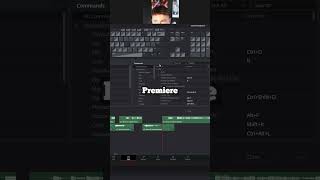
ONE TIP That'll Speed up Your Editing by 312% (backed by science)
----------------------------------------------------------------------------------- Where to find me: https://solo.to/wampus My Gear: https://kit.co/Wampus/the-editing-workshop Say thanks, with a cup of coffee ☕: https://ko-fi.com/wampus ----------------------------------------------------------------------------------- Music Used: https://share.epidemicsound.com/sn3umj Get 15% Off Riverside: https://creators.riverside.fm/Wampus Sound Effects, Transitions, and Stock Media: https://1.envato.market/wampus ----------------------------------------------------------------------------------- DISCLAIMER: Links in this description might be affiliate links. If you purchase a product with the links that I provide, I may receive a small commission at no additional charge to you. #davinciresolve #editing #videoediting

A SNEAKY YouTube Thumbnail Transition (DaVinci Resolve)
Plug in and load up DaVinci. This is the thumbnail transition, and it's one of the slickest ways to increase your click thru rate and get viewers to start watching your videos right from the home page. Shoutout Andyax for the inspo: @Andyax ----------------------------------------------------------------------------------- Socials https://solo.to/wampus Have More Questions? Join the Discord! https://discord.gg/GXcRXdfuWj My Editing Gear and Setup https://kit.co/Wampus/the-editing-workshop My DaVinci Resolve Presets and Packs https://ko-fi.com/wampus/shop ----------------------------------------------------------------------------------- Music Used (Get a Month Free): https://share.epidemicsound.com/sn3umj Get 15% Off Riverside: https://creators.riverside.fm/Wampus Sound Effects, Transitions, and Stock Media: https://1.envato.market/wampus ----------------------------------------------------------------------------------- More videos like this: The Best Tools to Create More | https://youtu.be/Kcwxh_JoW-g The Basics of Fusion | https://youtu.be/zX3sj5S0aIE DISCLAIMER: Links in this description might be affiliate links. If you purchase a product with the links that I provide, I may receive a small commission at no additional charge to you. Time Stamps 0:00 - What are We Talking About 1:01 - Thumbnail Setup 5:19 - Converting Layers to Nodes 8:55 - Welcome to 3D Land 14:55 - Let's Animate How to do the SNEAKY YouTube Thumbnail Transition (DaVinci Resolve) #davinciresolve #editing #edits
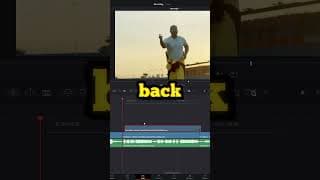
How to do the "Ghosting" Effect in 30 Seconds (Editing Tips)
----------------------------------------------------------------------------------- Where to find me: https://solo.to/wampus My Gear: https://kit.co/Wampus/the-editing-workshop Say thanks, with a cup of coffee ☕: https://ko-fi.com/wampus ----------------------------------------------------------------------------------- Music Used: https://share.epidemicsound.com/sn3umj Get 15% Off Riverside: https://creators.riverside.fm/Wampus Sound Effects, Transitions, and Stock Media: https://1.envato.market/wampus ----------------------------------------------------------------------------------- DISCLAIMER: Links in this description might be affiliate links. If you purchase a product with the links that I provide, I may receive a small commission at no additional charge to you. #davinciresolve #editing #edits
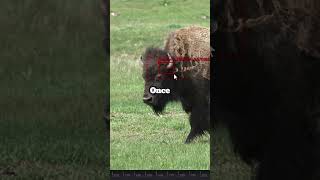
How to do the LOCK ON Stabilization Effect in #davinciresolve
Music Used: https://share.epidemicsound.com/sn3umj Get 15% Off Riverside (All-In-One Video Platform): https://creators.riverside.fm/Wampus Do you need help finding Music, Sound Effects, Transitions, VFX? Envato Elements has everything Editors need: https://1.envato.market/wampus My Davinci Resolve Shortcuts: A = Cut S = Timeline Zoom Out D = Timeline Zoom In F = Ripple Delete W = Normal Mode Shift + W = Trim Mode Where to find me: https://solo.to/wampus DISCLAIMER: Links in this description might be affiliate links. If you purchase a product with the links that I provide, I may receive a small commission at no additional charge to you. #davinciresolve #editing #edits
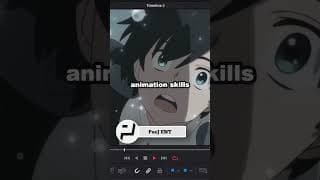
Incredible DaVinci Resolve Channels You Need to Know
Music Used: https://share.epidemicsound.com/sn3umj Get 15% Off Riverside (All-In-One Video Platform): https://creators.riverside.fm/Wampus Do you need help finding Music, Sound Effects, Transitions, VFX? Envato Elements has everything Editors need: https://1.envato.market/wampus My Davinci Resolve Shortcuts: A = Cut S = Timeline Zoom Out D = Timeline Zoom In F = Ripple Delete W = Normal Mode Shift + W = Trim Mode Where to find me: https://solo.to/wampus DISCLAIMER: Links in this description might be affiliate links. If you purchase a product with the links that I provide, I may receive a small commission at no additional charge to you. #davinciresolve #editing #edits
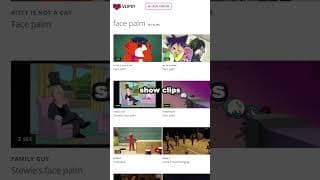
The BEST Websites to help your Editing Workflow
Music Used: https://share.epidemicsound.com/sn3umj Get 15% Off Riverside (All-In-One Video Platform): https://creators.riverside.fm/Wampus Do you need help finding Music, Sound Effects, Transitions, VFX? Envato Elements has everything Editors need: https://1.envato.market/wampus My Davinci Resolve Shortcuts: A = Cut S = Timeline Zoom Out D = Timeline Zoom In F = Ripple Delete W = Normal Mode Shift + W = Trim Mode Where to find me: https://solo.to/wampus DISCLAIMER: Links in this description might be affiliate links. If you purchase a product with the links that I provide, I may receive a small commission at no additional charge to you. #bestwebsites #editing #edits
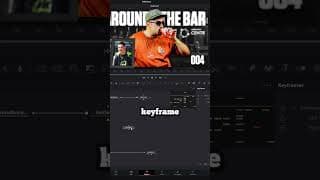
How to Get Audio into Your Fusion Compositions (DaVinci Resolve)
----------------------------------------------------------------------------------- Socials https://solo.to/wampus Have More Questions? Join the Discord! https://discord.gg/J6WZmx9XDb My Editing Gear and Setup https://kit.co/Wampus/the-editing-workshop My DaVinci Resolve Presets and Packs https://ko-fi.com/wampus/shop ----------------------------------------------------------------------------------- Music Used (Get a Month Free): https://share.epidemicsound.com/sn3umj Get 15% Off Riverside: https://creators.riverside.fm/Wampus Sound Effects, Transitions, and Stock Media: https://1.envato.market/wampus ----------------------------------------------------------------------------------- DISCLAIMER: Links in this description might be affiliate links. If you purchase a product with the links that I provide, I may receive a small commission at no additional charge to you. #davinciresolve #editing #edits
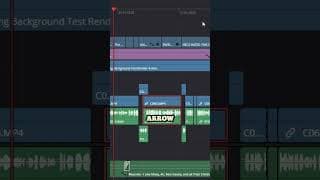
Davinci Resolve's Secret Sauce
----------------------------------------------------------------------------------- Socials https://solo.to/wampus Have More Questions? Join the Discord! https://discord.gg/J6WZmx9XDb My Editing Gear and Setup https://kit.co/Wampus/the-editing-workshop My DaVinci Resolve Presets and Packs https://ko-fi.com/wampus/shop ----------------------------------------------------------------------------------- Music Used (Get a Month Free): https://share.epidemicsound.com/sn3umj Get 15% Off Riverside: https://creators.riverside.fm/Wampus Sound Effects, Transitions, and Stock Media: https://1.envato.market/wampus ----------------------------------------------------------------------------------- DISCLAIMER: Links in this description might be affiliate links. If you purchase a product with the links that I provide, I may receive a small commission at no additional charge to you. #davinciresolve #editing #edits
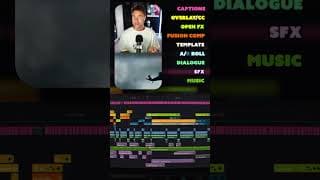
Under the Hood of a Short Form Edit
Music Used: https://share.epidemicsound.com/sn3umj Get 15% Off Riverside (All-In-One Video Platform): https://creators.riverside.fm/Wampus Do you need help finding Music, Sound Effects, Transitions, VFX? Envato Elements has everything Editors need: https://1.envato.market/wampus My Davinci Resolve Shortcuts: A = Cut S = Timeline Zoom Out D = Timeline Zoom In F = Ripple Delete W = Normal Mode Shift + W = Trim Mode Where to find me: https://solo.to/wampus DISCLAIMER: Links in this description might be affiliate links. If you purchase a product with the links that I provide, I may receive a small commission at no additional charge to you. #davinciresolve #editing #edits
Build Your Own Content Creation Studio
Try Riverside today! Use code Wampus for 15% off your individual plan: https://creators.riverside.fm/Wampus Let's starting making some things. Time Stamps: Time to Create - (0:00) Editing - (0:38) DaVinci Creators - (1:57) Graphics - (3:19) All in One Studio - (5:15) Stock Audio - (8:02) Stock Media - (10:13) Project Management - (12:25) Finances - (14:22) Helpful Websites - (15:38) -------------------- 🔗 Links 🔗 DaVinci Resolve | https://www.blackmagicdesign.com/products/davinciresolve MrAlexTech | @MrAlexTech Patrick Stirling | @PatrickStirling Daex | @daexx_ PeeJ | @PeeJ_ENT Gimp | https://www.gimp.org/ Photoshop | https://www.adobe.com/products/photoshop.html Affinity Photo | https://affinity.serif.com/en-us/photo/ Epidemic | https://share.epidemicsound.com/sn3umj Soundly | https://getsoundly.com/ Tuna | https://tuna.voicemod.net/ Pixabay | https://pixabay.com/ Storyblocks | https://www.storyblocks.com/ Envato Elements | https://1.envato.market/wampus Trello | https://trello.com/platforms Notion | https://youtu.be/sILRlCooUWY?si=Lys93FFOLHHSwztu ClickUp | https://clickup.pxf.io/wampus Wave | https://www.waveapps.com/ Quickbooks | https://quickbooks.intuit.com/ Fonts | https://www.dafont.com/ RemoveBG | https://www.remove.bg/ ThumbsUp | https://thumbsup.tv/ VocalRemover | https://vocalremover.org/ PlayPhrase | https://www.playphrase.me/#/search Yarn | https://getyarn.io/ Vlipsey | https://vlipsy.com/ Jitter | https://jitter.video/templates/ CallofDutyMaps | https://callofdutymaps.com/modern-warfare-ii/al-mazrah/ FrameSet | https://frameset.app/stills Logobook | http://www.logobook.com/ Dribbble | https://dribbble.com/shots/popular Where to find me: https://solo.to/wampus DISCLAIMER: Links in this description might be affiliate links. If you purchase a product with the links that I provide, I may receive a small commission at no additional charge to you. Build Your Own Content Creation Studio with THESE Tools #davinciresolve #editing #edits
Creating Motion Graphics and Intro Animations in DaVinci Resolve - Unedited Edits (EP8)
----------------------------------------------------------------------------------- Socials https://solo.to/wampus Have More Questions? Join the Discord! https://discord.gg/J6WZmx9XDb My Editing Gear and Setup https://kit.co/Wampus/the-editing-workshop My DaVinci Resolve Presets and Packs https://ko-fi.com/wampus/shop ----------------------------------------------------------------------------------- Music Used (Get a Month Free): https://share.epidemicsound.com/sn3umj Get 15% Off Riverside: https://creators.riverside.fm/Wampus Sound Effects, Transitions, and Stock Media: https://1.envato.market/wampus ----------------------------------------------------------------------------------- My Davinci Resolve Shortcuts: A = Cut S = Timeline Zoom Out D = Timeline Zoom In F = Ripple Delete W = Normal Mode Shift + W = Trim Mode Where to find me: https://solo.to/wampus DISCLAIMER: Links in this description might be affiliate links. If you purchase a product with the links that I provide, I may receive a small commission at no additional charge to you. Time Stamps 0:00 - I Lied 1:25 - Initial Concept and Planning 7:22 - Table Slide Animation 9:55 - Table Slide Node Breakdown 14:00 - Animating the Glass 16:54 - Shot Glass Node Breakdown 24:08 - Logo Animation 28:13 - Logo Node Breakdown 31:12 - Around the Bar Montage 34:02 - Montage Timeline and Effects #davinciresolve #editing #edits

What's Next.
I did my best to organize my thoughts, but watching it back I feel like I left out and didn't connect things as best as I could. Hopefully it still makes and appreciate ya'll. Say thanks, with a cup of coffee ☕ https://ko-fi.com/wampus Where to find me: https://solo.to/wampus DISCLAIMER: Links in this description might be affiliate links. If you purchase a product with the links that I provide, I may receive a small commission at no additional charge to you. #davinciresolve #editing #edits

How To Make Things Move in Your Videos
Say thanks, with a cup of coffee ☕ https://ko-fi.com/wampus Music Used: https://share.epidemicsound.com/sn3umj An Editor's Best Friend (Get $10 Off): https://getrecut.com/wampus Do you need help finding Music, Sound Effects, Transitions, VFX? Envato Elements has everything Editors need: https://1.envato.market/wampus My Davinci Resolve Shortcuts: A = Cut S = Timeline Zoom Out D = Timeline Zoom In F = Ripple Delete W = Normal Mode Shift + W = Trim Mode Where to find me: https://solo.to/wampus DISCLAIMER: Links in this description might be affiliate links. If you purchase a product with the links that I provide, I may receive a small commission at no additional charge to you. #davinciresolve #editing #edits
Simple, But POWERFUL Tool in DaVinci Resolve
Say thanks, with a cup of coffee ☕ https://ko-fi.com/wampus Music Used: https://share.epidemicsound.com/sn3umj An Editor's Best Friend (Get $10 Off): https://getrecut.com/wampus Do you need help finding Music, Sound Effects, Transitions, VFX? Envato Elements has everything Editors need: https://1.envato.market/wampus My Davinci Resolve Shortcuts: A = Cut S = Timeline Zoom Out D = Timeline Zoom In F = Ripple Delete W = Normal Mode Shift + W = Trim Mode Where to find me: https://solo.to/wampus DISCLAIMER: Links in this description might be affiliate links. If you purchase a product with the links that I provide, I may receive a small commission at no additional charge to you. #davinciresolve #editing #edits
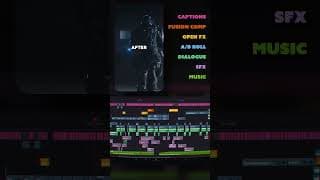
Timeline Breakdown for a High Retention YouTube Short
Say thanks, with a cup of coffee ☕ https://ko-fi.com/wampus Music Used: https://share.epidemicsound.com/sn3umj An Editor's Best Friend (Get $10 Off): https://getrecut.com/wampus Do you need help finding Music, Sound Effects, Transitions, VFX? Envato Elements has everything Editors need: https://1.envato.market/wampus My Davinci Resolve Shortcuts: A = Cut S = Timeline Zoom Out D = Timeline Zoom In F = Ripple Delete W = Normal Mode Shift + W = Trim Mode Where to find me: https://solo.to/wampus DISCLAIMER: Links in this description might be affiliate links. If you purchase a product with the links that I provide, I may receive a small commission at no additional charge to you. #davinciresolve #editing #edits
DaVinci Resolve's Fusion Page Made Simple: The Rectangle Tutorial
The best way to learn something is often to just start doing, and that's exactly what we're going, to do. This DaVinci Resolve Fusion tutorial will walk you through everything you need to know to begin your animation journey. Adjustment Clips vs. Fusion Comps https://www.youtube.com/watch?v=RLcBJL6Qvvs File Path on Windows to Save the Template on the Fusion Page: C:\Program Files\Blackmagic Design\DaVinci Resolve\Fusion\Templates ----------------------------------------------------------------------------------- Socials https://solo.to/wampus Have More Questions? Join the Discord! https://discord.gg/GXcRXdfuWj My Editing Gear and Setup https://kit.co/Wampus/the-editing-workshop My DaVinci Resolve Presets and Packs https://ko-fi.com/wampus/shop ----------------------------------------------------------------------------------- Music Used (Get a Month Free): https://share.epidemicsound.com/sn3umj Get 15% Off Riverside: https://creators.riverside.fm/Wampus Sound Effects, Transitions, and Stock Media: https://1.envato.market/wampus ----------------------------------------------------------------------------------- More videos like this: Text Animation Made Simple | https://youtu.be/eaSdRTfS-A0 The Multicam Tool | https://youtu.be/lUH3D5LhoIs My Davinci Resolve Shortcuts: A = Cut S = Timeline Zoom Out D = Timeline Zoom In F = Ripple Delete W = Normal Mode Shift + W = Trim Mode Time Stamps 1.0 Sink or Swim (Let's Talk Fusion) - (0:00) 1.1 Fusion Page Entry Fee - (1:13) 1.2 Using Adjustment Clips - (2:51) 2.0 Fusion Page Fundamentals - (4:47) 2.1 Using the Fusion Page - (8:47) 3.0 The Rectangle Animation - (10:10) 3.1 Creating The Rectangle - (10:30) 3.2 Merging The Rectangle (Layering) - (13:55) 3.3 Animating (Keyframes) - (16:07) 3.4 Adding Some Glow - (18:12) 4.0 Spline Window (Smoothing Out the Animation) (19:08) 4.1 Easy Ways to Retime and Fine Tune - (21:20) 5.0 Instancing (Highlight Effect) - (22:52) 5.1 Creating the Instance (Clone) - (25:00) 5.2 De-Instancing - (26:38) 5.3 Final Touch - (27:18) 6.0 Saving Presets in Davinci - (28:15) 6.1 Saving the Rectangle Template - (29:14) DISCLAIMER: Links in this description might be affiliate links. If you purchase a product with the links that I provide, I may receive a small commission at no additional charge to you. The Rectangle Tutorial #davinciresolve #editing #edits
Davinci Resolve Quick Tip: How to Import and Keep Your Folder Structure
Say thanks, with a cup of coffee ☕ https://ko-fi.com/wampus Music Used: https://share.epidemicsound.com/sn3umj An Editor's Best Friend (Get $10 Off): https://getrecut.com/wampus Do you need help finding Music, Sound Effects, Transitions, VFX? Envato Elements has everything Editors need: https://1.envato.market/wampus My Davinci Resolve Shortcuts: A = Cut S = Timeline Zoom Out D = Timeline Zoom In F = Ripple Delete W = Normal Mode Shift + W = Trim Mode Where to find me: https://solo.to/wampus DISCLAIMER: Links in this description might be affiliate links. If you purchase a product with the links that I provide, I may receive a small commission at no additional charge to you. #davinciresolve #editing #edits
How to Record Your Microphone in DaVinci Resolve (Voiceovers)
Say thanks, with a cup of coffee ☕ https://ko-fi.com/wampus Music Used: https://share.epidemicsound.com/sn3umj An Editor's Best Friend (Get $10 Off): https://getrecut.com/wampus Do you need help finding Music, Sound Effects, Transitions, VFX? Envato Elements has everything Editors need: https://1.envato.market/wampus My Davinci Resolve Shortcuts: A = Cut S = Timeline Zoom Out D = Timeline Zoom In F = Ripple Delete W = Normal Mode Shift + W = Trim Mode Where to find me: https://solo.to/wampus DISCLAIMER: Links in this description might be affiliate links. If you purchase a product with the links that I provide, I may receive a small commission at no additional charge to you. How to Record Your Microphone in DaVinci Resolve (Voiceovers) #davinciresolve #editing #edits
DAVINCI RESOLVE TIP: Unlocking the XY Path on the Transform Node
Say thanks, with a cup of coffee ☕ https://ko-fi.com/wampus Music Used: https://share.epidemicsound.com/sn3umj An Editor's Best Friend (Get $10 Off): https://getrecut.com/wampus Do you need help finding Music, Sound Effects, Transitions, VFX? Envato Elements has everything Editors need: https://1.envato.market/wampus My Davinci Resolve Shortcuts: A = Cut S = Timeline Zoom Out D = Timeline Zoom In F = Ripple Delete W = Normal Mode Shift + W = Trim Mode Where to find me: https://solo.to/wampus DISCLAIMER: Links in this description might be affiliate links. If you purchase a product with the links that I provide, I may receive a small commission at no additional charge to you. #davinciresolve #editing #edits
How to Create a Border Around Any Object in DaVinci Resolve (Quick Tutorial)
Say thanks, with a cup of coffee ☕ https://ko-fi.com/wampus Music Used: https://share.epidemicsound.com/sn3umj An Editor's Best Friend (Get $10 Off): https://getrecut.com/wampus Do you need help finding Music, Sound Effects, Transitions, VFX? Envato Elements has everything Editors need: https://1.envato.market/wampus My Davinci Resolve Shortcuts: A = Cut S = Timeline Zoom Out D = Timeline Zoom In F = Ripple Delete W = Normal Mode Shift + W = Trim Mode Where to find me: https://solo.to/wampus DISCLAIMER: Links in this description might be affiliate links. If you purchase a product with the links that I provide, I may receive a small commission at no additional charge to you. #davinciresolve #editing #edits
Hidden Tools in DaVinci Resolve's Fusion Page that will Change your life (probably)
Say thanks, with a cup of coffee ☕ https://ko-fi.com/wampus Music Used: https://share.epidemicsound.com/sn3umj An Editor's Best Friend (Get $10 Off): https://getrecut.com/wampus Do you need help finding Music, Sound Effects, Transitions, VFX? Envato Elements has everything Editors need: https://1.envato.market/wampus My Davinci Resolve Shortcuts: A = Cut S = Timeline Zoom Out D = Timeline Zoom In F = Ripple Delete W = Normal Mode Shift + W = Trim Mode Where to find me: https://solo.to/wampus DISCLAIMER: Links in this description might be affiliate links. If you purchase a product with the links that I provide, I may receive a small commission at no additional charge to you. #davinciresolve #editing #edits

How I Edit Clips into Stylistic Montages - Unedited Edits (EP7)
Thank you all for the 10k ♥ Spiderverse Effect (Daex) - https://www.youtube.com/watch?v=nPJByhw5SNQ&pp=ygUQZGFleCBzcGlkZXJ2ZXJzZQ%3D%3D ----------------------------------------------------------------------------------- Socials https://solo.to/wampus Have More Questions? Join the Discord! https://discord.gg/J6WZmx9XDb My Editing Gear and Setup https://kit.co/Wampus/the-editing-workshop My DaVinci Resolve Presets and Packs https://ko-fi.com/wampus/shop ----------------------------------------------------------------------------------- Music Used (Get a Month Free): https://share.epidemicsound.com/sn3umj Get 15% Off Riverside: https://creators.riverside.fm/Wampus Sound Effects, Transitions, and Stock Media: https://1.envato.market/wampus ----------------------------------------------------------------------------------- More videos like this: Unedited Edits EP6 | https://youtu.be/BbAhnp6z4-A Text Animation Made Simple | https://youtu.be/eaSdRTfS-A0 My Davinci Resolve Shortcuts: A = Cut S = Timeline Zoom Out D = Timeline Zoom In F = Ripple Delete W = Normal Mode Shift + W = Trim Mode Where to find me: https://solo.to/wampus DISCLAIMER: Links in this description might be affiliate links. If you purchase a product with the links that I provide, I may receive a small commission at no additional charge to you. #davinciresolve #editing #edits

Quick, Easy, FREE AutoTune Effect in DaVinci Resolve (wow)
If you didn't already know, you can use any VST plugin you'd like in DaVinci Resolve (I think?). Graillon 2 | https://www.auburnsounds.com/products/Graillon.html More Details | https://www.youtube.com/watch?v=zgL0uFkUqWw ----------------------------------------------------------------------------------- Where to find me: https://solo.to/wampus The Workshop Discord: https://discord.gg/GXcRXdfuWj My Gear: https://kit.co/Wampus/the-editing-workshop Editing Presets and Templates I Use: https://ko-fi.com/wampus/shop ----------------------------------------------------------------------------------- Music Used (Get a Month Free): https://share.epidemicsound.com/sn3umj Get 15% Off Riverside: https://creators.riverside.fm/Wampus Sound Effects, Transitions, and Stock Media: https://1.envato.market/wampus ----------------------------------------------------------------------------------- DISCLAIMER: Links in this description might be affiliate links. If you purchase a product with the links that I provide, I may receive a small commission at no additional charge to you. #davinciresolve #editing #edits
The Editing Technique You Can Use without Any Experience
Say thanks, with a cup of coffee ☕ https://ko-fi.com/wampus Music Used: share.epidemicsound.com/sn3umj An Editor's Best Friend (Get $10 Off): https://getrecut.com/wampus Do you need help finding Music, Sound Effects, Transitions, VFX? Envato Elements has everything Editors need: https://1.envato.market/wampus My Davinci Resolve Shortcuts: A = Cut S = Timeline Zoom Out D = Timeline Zoom In F = Ripple Delete W = Normal Mode Shift + W = Trim Mode Where to find me: https://solo.to/wampus DISCLAIMER: Links in this description might be affiliate links. If you purchase a product with the links that I provide, I may receive a small commission at no additional charge to you. #davinciresolve #editing #edits
The QUICKEST Ways to Get SMOOTH Playback Speeds in DaVinci Resolve
Let's get straight to the point with some of the fastest ways to fix playback speeds. Say thanks, with a cup of coffee ☕ https://ko-fi.com/wampus ----------------------------------------------------------------------------------- Socials https://solo.to/wampus Have More Questions? Join the Discord! https://discord.gg/J6WZmx9XDb My Editing Gear and Setup https://kit.co/Wampus/the-editing-workshop My DaVinci Resolve Presets and Packs https://ko-fi.com/wampus/shop ----------------------------------------------------------------------------------- Music Used (Get a Month Free): https://share.epidemicsound.com/sn3umj Get 15% Off Riverside: https://creators.riverside.fm/Wampus Sound Effects, Transitions, and Stock Media: https://1.envato.market/wampus ----------------------------------------------------------------------------------- My Davinci Resolve Shortcuts: A = Cut S = Timeline Zoom Out D = Timeline Zoom In F = Ripple Delete W = Normal Mode Shift + W = Trim Mode Where to find me: https://solo.to/wampus DISCLAIMER: Links in this description might be affiliate links. If you purchase a product with the links that I provide, I may receive a small commission at no additional charge to you. #davinciresolve #editing #edits
Text Animation Made Simple: Level Up Your Videos in 10 Minutes (DaVinci Resolve)
Get started and more comfortable not only animating text, but using the Fusion page in DaVinci Resolve. Learning some of these essentials is the quickest way to level up your game. ----------------------------------------------------------------------------------- Where to find me: https://solo.to/wampus The Workshop Discord: https://discord.gg/GXcRXdfuWj My Gear: https://kit.co/Wampus/the-editing-workshop Editing Presets and Templates I Use: https://ko-fi.com/wampus/shop ----------------------------------------------------------------------------------- Music Used (Get a Month Free): https://share.epidemicsound.com/sn3umj Get 15% Off Riverside: https://creators.riverside.fm/Wampus Sound Effects, Transitions, and Stock Media: https://1.envato.market/wampus ----------------------------------------------------------------------------------- Learn How to Save these Text Titles: https://youtu.be/83TBl5rzvq4 Time Stamps 0:00 - Some Quick Basics 1:06 - Pop In Animation 5:18 - Smooth Text Motion DISCLAIMER: Links in this description might be affiliate links. If you purchase a product with the links that I provide, I may receive a small commission at no additional charge to you. #davinciresolve #editing #edits
The "Wobble" Effect in DaVinci Resolve (Perturb/Shake Modifier)
Say thanks, with a cup of coffee ☕ https://ko-fi.com/wampus Music Used: share.epidemicsound.com/sn3umj An Editor's Best Friend (Get $10 Off): https://getrecut.com/wampus Do you need help finding Music, Sound Effects, Transitions, VFX? Envato Elements has everything Editors need: https://1.envato.market/wampus My Davinci Resolve Shortcuts: A = Cut S = Timeline Zoom Out D = Timeline Zoom In F = Ripple Delete W = Normal Mode Shift + W = Trim Mode Where to find me: https://solo.to/wampus DISCLAIMER: Links in this description might be affiliate links. If you purchase a product with the links that I provide, I may receive a small commission at no additional charge to you. #davinciresolve #editing #edits
Easiest Way to Speed Up Your Editing Workflow
Say thanks, with a cup of coffee ☕ https://ko-fi.com/wampus Music Used: share.epidemicsound.com/sn3umj An Editor's Best Friend (Get $10 Off): https://getrecut.com/wampus Do you need help finding Music, Sound Effects, Transitions, VFX? Envato Elements has everything Editors need: https://1.envato.market/wampus My Davinci Resolve Shortcuts: A = Cut S = Timeline Zoom Out D = Timeline Zoom In F = Ripple Delete W = Normal Mode Shift + W = Trim Mode Where to find me: https://solo.to/wampus DISCLAIMER: Links in this description might be affiliate links. If you purchase a product with the links that I provide, I may receive a small commission at no additional charge to you. #davinciresolve #editing #edits
How To Change Individual Words/Characters in One Text+ Title (DaVinci Resolve)
----------------------------------------------------------------------------------- Socials https://solo.to/wampus Have More Questions? Join the Discord! https://discord.gg/J6WZmx9XDb My Editing Gear and Setup https://kit.co/Wampus/the-editing-workshop My DaVinci Resolve Presets and Packs https://ko-fi.com/wampus/shop ----------------------------------------------------------------------------------- Music Used (Get a Month Free): https://share.epidemicsound.com/sn3umj Get 15% Off Riverside: https://creators.riverside.fm/Wampus Sound Effects, Transitions, and Stock Media: https://1.envato.market/wampus ----------------------------------------------------------------------------------- DISCLAIMER: Links in this description might be affiliate links. If you purchase a product with the links that I provide, I may receive a small commission at no additional charge to you. #davinciresolve #editing #edits
How I Edit Gameplays Into Compelling Stories - Unedited Edits (EP6)
We recently launched Zach's (Exzachtt's) Road to Iridescent series. This has been a massive undertaking for both him and I, and I decided to record myself editing the intro and opening sequence. Final Edited Video https://youtu.be/mzWimEgH0W4 Unedited Edit EP5 https://youtu.be/32_N2DWDnGw\ Peej's Channel @PeeJ_ENT ----------------------------------------------------------------------------------- Socials https://solo.to/wampus Have More Questions? Join the Discord! https://discord.gg/J6WZmx9XDb My Editing Gear and Setup https://kit.co/Wampus/the-editing-workshop My DaVinci Resolve Presets and Packs https://ko-fi.com/wampus/shop ----------------------------------------------------------------------------------- Music Used (Get a Month Free): https://share.epidemicsound.com/sn3umj Get 15% Off Riverside: https://creators.riverside.fm/Wampus Sound Effects, Transitions, and Stock Media: https://1.envato.market/wampus ----------------------------------------------------------------------------------- Time Stamps Video Overview and Thought Process- (0:00) Creating The Opening Visuals - (10:35) Using a 3D Camera in Fusion - (16:30) Touching on Sound Design - (20:00) How We Created The Intro - (21:06) Structuring the Timeline - (24:07) Using Animations To Tell Your Story - (30:00) Tools in Davinci I Used - (39:52) Creating a Narrative - (46:16) My Davinci Resolve Shortcuts: A = Cut S = Timeline Zoom Out D = Timeline Zoom In F = Ripple Delete W = Normal Mode Shift + W = Trim Mode Where to find me: https://solo.to/wampus DISCLAIMER: Links in this description might be affiliate links. If you purchase a product with the links that I provide, I may receive a small commission at no additional charge to you. #davinciresolve #editing #edits
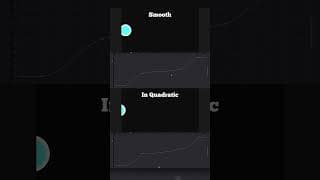
Shortcuts for Smooth, Dynamic Animations in Davinci Resolve
Say thanks, with a cup of coffee ☕ https://ko-fi.com/wampus An Editor's Best Friend (Get $10 Off): https://getrecut.com/wampus Do you need help finding Music, Sound Effects, Transitions, VFX? Envato Elements has everything Editors need: https://1.envato.market/wampus My Davinci Resolve Shortcuts: A = Cut S = Timeline Zoom Out D = Timeline Zoom In F = Ripple Delete W = Normal Mode Shift + W = Trim Mode Where to find me: https://solo.to/wampus DISCLAIMER: Links in this description might be affiliate links. If you purchase a product with the links that I provide, I may receive a small commission at no additional charge to you. #davinciresolve #editing #edits
Automatically Remove Silence and Dead Space in Davinci Resolve
----------------------------------------------------------------------------------- Socials https://solo.to/wampus Have More Questions? Join the Discord! https://discord.gg/J6WZmx9XDb My Editing Gear and Setup https://kit.co/Wampus/the-editing-workshop My DaVinci Resolve Presets and Packs https://ko-fi.com/wampus/shop ----------------------------------------------------------------------------------- Music Used (Get a Month Free): https://share.epidemicsound.com/sn3umj Get 15% Off Riverside: https://creators.riverside.fm/Wampus Sound Effects, Transitions, and Stock Media: https://1.envato.market/wampus ----------------------------------------------------------------------------------- DISCLAIMER: Links in this description might be affiliate links. If you purchase a product with the links that I provide, I may receive a small commission at no additional charge to you. #davinciresolve #editing #edits
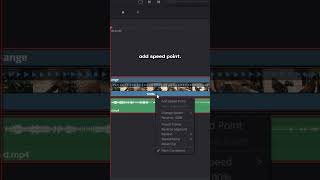
How to Do Slow Motion and Speed Ramping in Davinci Resolve (PART 1/2)
----------------------------------------------------------------------------------- Socials https://solo.to/wampus Have More Questions? Join the Discord! https://discord.gg/J6WZmx9XDb My Editing Gear and Setup https://kit.co/Wampus/the-editing-workshop My DaVinci Resolve Presets and Packs https://ko-fi.com/wampus/shop ----------------------------------------------------------------------------------- Music Used (Get a Month Free): https://share.epidemicsound.com/sn3umj Get 15% Off Riverside: https://creators.riverside.fm/Wampus Sound Effects, Transitions, and Stock Media: https://1.envato.market/wampus ----------------------------------------------------------------------------------- DISCLAIMER: Links in this description might be affiliate links. If you purchase a product with the links that I provide, I may receive a small commission at no additional charge to you. #davinciresolve #editing #edits
How to Do Slow Motion and Speed Ramping in Davinci Resolve (PART 2/2)
----------------------------------------------------------------------------------- Socials https://solo.to/wampus Have More Questions? Join the Discord! https://discord.gg/J6WZmx9XDb My Editing Gear and Setup https://kit.co/Wampus/the-editing-workshop My DaVinci Resolve Presets and Packs https://ko-fi.com/wampus/shop ----------------------------------------------------------------------------------- Music Used (Get a Month Free): https://share.epidemicsound.com/sn3umj Get 15% Off Riverside: https://creators.riverside.fm/Wampus Sound Effects, Transitions, and Stock Media: https://1.envato.market/wampus ----------------------------------------------------------------------------------- DISCLAIMER: Links in this description might be affiliate links. If you purchase a product with the links that I provide, I may receive a small commission at no additional charge to you. #davinciresolve #editing #edits

This Auto-Editor is Going to Take My Job (AutoPod)
Stumbled upon this extension the other week, and decided to record myself testing it out. As a newer, freelance editor, it's hard for me to gauge how impactful tools like these are. What do you think? The future? Or just another tool in the editing arsenal? ----------------------------------------------------------------------------------- Where to find me: https://solo.to/wampus The Workshop Discord: https://discord.gg/GXcRXdfuWj My Gear: https://kit.co/Wampus/the-editing-workshop Editing Presets and Templates I Use: https://ko-fi.com/wampus/shop ----------------------------------------------------------------------------------- Music Used (Get a Month Free): https://share.epidemicsound.com/sn3umj Get 15% Off Riverside: https://creators.riverside.fm/Wampus Sound Effects, Transitions, and Stock Media: https://1.envato.market/wampus ----------------------------------------------------------------------------------- DISCLAIMER: Links in this description might be affiliate links. If you purchase a product with the links that I provide, I may receive a small commission at no additional charge to you. #davinciresolve #editing #edits
This DaVinci Resolve Tool Will Change Your Approach to Editing
----------------------------------------------------------------------------------- Socials https://solo.to/wampus Have More Questions? Join the Discord! https://discord.gg/J6WZmx9XDb My Editing Gear and Setup https://kit.co/Wampus/the-editing-workshop My DaVinci Resolve Presets and Packs https://ko-fi.com/wampus/shop ----------------------------------------------------------------------------------- Music Used (Get a Month Free): https://share.epidemicsound.com/sn3umj Get 15% Off Riverside: https://creators.riverside.fm/Wampus Sound Effects, Transitions, and Stock Media: https://1.envato.market/wampus ----------------------------------------------------------------------------------- DISCLAIMER: Links in this description might be affiliate links. If you purchase a product with the links that I provide, I may receive a small commission at no additional charge to you. #davinciresolve #editing #edits
PODCAST VIDEO EDITING MADE SIMPLE in DaVinci Resolve (Multicam Tutorial)
The other week I stumbled upon a tool I'd never heard of before, and it has completely changed how I approach video editing. There are a lot of ways you can utilize it, but this video will help you get started, Podcast w/ Minges: https://youtu.be/jUZIJSBcNyc ----------------------------------------------------------------------------------- Socials https://solo.to/wampus Have More Questions? Join the Discord! https://discord.gg/GXcRXdfuWj My Editing Gear and Setup https://kit.co/Wampus/the-editing-workshop My DaVinci Resolve Presets and Packs https://ko-fi.com/wampus/shop ----------------------------------------------------------------------------------- Music Used (Get a Month Free): https://share.epidemicsound.com/sn3umj Get 15% Off Riverside: https://creators.riverside.fm/Wampus Sound Effects, Transitions, and Stock Media: https://1.envato.market/wampus ----------------------------------------------------------------------------------- More videos like this: Insight Into My Editing Workflow | https://youtu.be/911WHRF80mw Quick Keys to Increase Your Editing Speeds | https://youtu.be/AoaczFVbVog DISCLAIMER: Links in this description might be affiliate links. If you purchase a product with the links that I provide, I may receive a small commission at no additional charge to you. Time Stamps When Do You Need This? - (0:00) How it Works - (0:32) Setting Up and Syncing Clips - (1:00) Creating a Multicam Clip - (3:03) Quick Audio Clean Up - (3:53) Hotkey/Shortcut To Swap Angles - (4:29) Holy Cow a Cool Feature - (5:02) Change Your Editing Workflow Forever - (5:46) Revolutionize Your Video Editing with ONE Simple Trick (Davinci Resolve Multicam Tutorial) #davinciresolve #editing #edits
The Art of Editing an Engaging 12-Minute Video
What goes into making an engaging, emotional story for YouTube? A lot of times as a freelance editor, you have to use your own creative, decision making in order to tell the right story, but how do you know if you made the right choice? Finished Video https://youtu.be/aEiDNtOBDdc ----------------------------------------------------------------------------------- Socials https://solo.to/wampus Have More Questions? Join the Discord! https://discord.gg/GXcRXdfuWj My Editing Gear and Setup https://kit.co/Wampus/the-editing-workshop My DaVinci Resolve Presets and Packs https://ko-fi.com/wampus/shop ----------------------------------------------------------------------------------- Music Used (Get a Month Free): https://share.epidemicsound.com/sn3umj Get 15% Off Riverside: https://creators.riverside.fm/Wampus Sound Effects, Transitions, and Stock Media: https://1.envato.market/wampus ----------------------------------------------------------------------------------- DISCLAIMER: Links in this description might be affiliate links. If you purchase a product with the links that I provide, I may receive a small commission at no additional charge to you. #davinciresolve #editing #edits DISCLAIMER: Links in this description might be affiliate links. If you purchase a product with the links that I provide, I may receive a small commission at no additional charge to you. From Concept to Upload: Keys to Editing a Compelling Story on YouTube #davinciresolve #editing #edits
EDITING TIPS: Make Your Life Easier in Fusion
Do you need help finding Music, Sound Effects, Transitions, VFX? Envato Elements has everything Editors need: https://1.envato.market/wampus My Davinci Resolve Shortcuts: A = Cut S = Timeline Zoom Out D = Timeline Zoom In F = Ripple Delete W = Normal Mode Shift + W = Trim Mode You Can Find Me Here: 🟣 https://www.twitch.tv/wampus 🔵 https://twitter.com/itsthewampus ⚫ https://www.tiktok.com/@itsthewampus 🟡 https://www.instagram.com/itsthewampus DISCLAIMER: Links in this description might be affiliate links. If you purchase a product with the links that I provide, I may receive a small commission at no additional charge to you. #davinciresolve #editing #edits
A Key To No More Keyframing (EDITING TIPS)
Do you need help finding Music, Sound Effects, Transitions, VFX? Envato Elements has everything Editors need: https://1.envato.market/wampus My Davinci Resolve Shortcuts: A = Cut S = Timeline Zoom Out D = Timeline Zoom In F = Ripple Delete W = Normal Mode Shift + W = Trim Mode You Can Find Me Here: 🟣 https://www.twitch.tv/wampus 🔵 https://twitter.com/itsthewampus ⚫ https://www.tiktok.com/@itsthewampus 🟡 https://www.instagram.com/itsthewampus DISCLAIMER: Links in this description might be affiliate links. If you purchase a product with the links that I provide, I may receive a small commission at no additional charge to you. #davinciresolve #editing #edits
EDITING TIPS: How to Fix Audio Not Syncing to Your Frame Rate
----------------------------------------------------------------------------------- Socials https://solo.to/wampus Have More Questions? Join the Discord! https://discord.gg/J6WZmx9XDb My Editing Gear and Setup https://kit.co/Wampus/the-editing-workshop My DaVinci Resolve Presets and Packs https://ko-fi.com/wampus/shop ----------------------------------------------------------------------------------- Music Used (Get a Month Free): https://share.epidemicsound.com/sn3umj Get 15% Off Riverside: https://creators.riverside.fm/Wampus Sound Effects, Transitions, and Stock Media: https://1.envato.market/wampus ----------------------------------------------------------------------------------- DISCLAIMER: Links in this description might be affiliate links. If you purchase a product with the links that I provide, I may receive a small commission at no additional charge to you. #davinciresolve #editing #edits
You can stop paying for After Effects now...
----------------------------------------------------------------------------------- Socials https://solo.to/wampus Have More Questions? Join the Discord! https://discord.gg/J6WZmx9XDb My Editing Gear and Setup https://kit.co/Wampus/the-editing-workshop My DaVinci Resolve Presets and Packs https://ko-fi.com/wampus/shop ----------------------------------------------------------------------------------- Music Used (Get a Month Free): https://share.epidemicsound.com/sn3umj Get 15% Off Riverside: https://creators.riverside.fm/Wampus Sound Effects, Transitions, and Stock Media: https://1.envato.market/wampus ----------------------------------------------------------------------------------- DISCLAIMER: Links in this description might be affiliate links. If you purchase a product with the links that I provide, I may receive a small commission at no additional charge to you. You can stop paying for After Effects now... #davinciresolve #editing #edits
Isolate Vocals and Instrumentals for Free
My Davinci Resolve Shortcuts: A = Cut S = Timeline Zoom Out D = Timeline Zoom In F = Ripple Delete W = Normal Mode Shift + W = Trim Mode You Can Find Me Here: 🟣 https://www.twitch.tv/wampus 🔵 https://twitter.com/itsthewampus ⚫ https://www.tiktok.com/@itsthewampus 🟡 https://www.instagram.com/itsthewampus Isolate Vocals and Instrumentals for Free #davinciresolve #editing #edits
The Website that Makes Editors Life 12x Easier
My Davinci Resolve Shortcuts: A = Cut S = Timeline Zoom Out D = Timeline Zoom In F = Ripple Delete W = Normal Mode Shift + W = Trim Mode You Can Find Me Here: 🟣 https://www.twitch.tv/wampus 🔵 https://twitter.com/itsthewampus ⚫ https://www.tiktok.com/@itsthewampus 🟡 https://www.instagram.com/itsthewampus The Website that Makes Editors Life 8x Easier #davinciresolve #editing #edits
EDITING TIPS: How to Remove Objects from Your Videos
----------------------------------------------------------------------------------- Socials https://solo.to/wampus Have More Questions? Join the Discord! https://discord.gg/J6WZmx9XDb My Editing Gear and Setup https://kit.co/Wampus/the-editing-workshop My DaVinci Resolve Presets and Packs https://ko-fi.com/wampus/shop ----------------------------------------------------------------------------------- Music Used (Get a Month Free): https://share.epidemicsound.com/sn3umj Get 15% Off Riverside: https://creators.riverside.fm/Wampus Sound Effects, Transitions, and Stock Media: https://1.envato.market/wampus ----------------------------------------------------------------------------------- You Can Find Me Here: 🟣 https://www.twitch.tv/wampus 🔵 https://twitter.com/itsthewampus ⚫ https://www.tiktok.com/@itsthewampus 🟡 https://www.instagram.com/itsthewampus #davinciresolve #editing #edits
How I Add Graphics and Visuals to Increase Retention - Unedited Edits (EP5)
Animation and VFX is a challenging aspect of editing to learn. This video breakdowns how I attempt to incorporate visuals to aid in the story being told through out the video. Sometimes the role of the editor goes outside of just editing on YouTube, and this is a great example of that. Let me know if this is helpful or if you have questions! Final Edited Video (Official Survival Guide & Tips to Ashika Island) https://youtu.be/HObzCg7Nf24 Unedited Edit EP4 https://youtu.be/Dw7yU2SbV1g Time Stamps Video Overview and Thought Process- (0:00) Finishing the Opener - (7:00) Transitioning to the HUD/Text Graphic - (12:20) Making a Custom Map Graphic - (25:10) Creating an Informative Animation - (31:50) Editing Gameplay in Guide Format - (44:22) Custom Sign Animation - (54:00) ----------------------------------------------------------------------------------- Socials https://solo.to/wampus Have More Questions? Join the Discord! https://discord.gg/J6WZmx9XDb My Editing Gear and Setup https://kit.co/Wampus/the-editing-workshop My DaVinci Resolve Presets and Packs https://ko-fi.com/wampus/shop ----------------------------------------------------------------------------------- Music Used (Get a Month Free): https://share.epidemicsound.com/sn3umj Get 15% Off Riverside: https://creators.riverside.fm/Wampus Sound Effects, Transitions, and Stock Media: https://1.envato.market/wampus ----------------------------------------------------------------------------------- How I Add Graphics and Visuals to Increase Retention - Unedited Edits (EP5) #davinciresolve #editing #edits
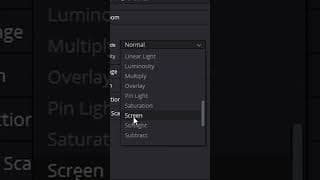
How One Setting Can Completely Revamp Your Edit
My Davinci Resolve Shortcuts: A = Cut S = Timeline Zoom Out D = Timeline Zoom In F = Ripple Delete W = Normal Mode Shift + W = Trim Mode You Can Find Me Here: 🟣 https://www.twitch.tv/wampus 🔵 https://twitter.com/itsthewampus ⚫ https://www.tiktok.com/@itsthewampus 🟡 https://www.instagram.com/itsthewampus #davinciresolve #editing #edits

Keyboard Shortcuts are.... key?
My Davinci Resolve Shortcuts: A = Cut S = Timeline Zoom Out D = Timeline Zoom In F = Ripple Delete W = Normal Mode Shift + W = Trim Mode You Can Find Me Here: 🟣 https://www.twitch.tv/wampus 🔵 https://twitter.com/itsthewampus ⚫ https://www.tiktok.com/@itsthewampus 🟡 https://www.instagram.com/itsthewampus Keyboard Shortcuts are.... key? #davinciresolve #editing #edits
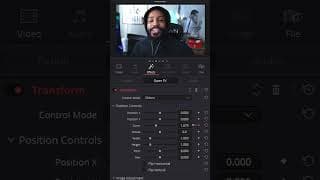
Save Time By Learning This One Transform Preset (Davinci Resolve)
----------------------------------------------------------------------------------- Socials https://solo.to/wampus Have More Questions? Join the Discord! https://discord.gg/J6WZmx9XDb My Editing Gear and Setup https://kit.co/Wampus/the-editing-workshop My DaVinci Resolve Presets and Packs https://ko-fi.com/wampus/shop ----------------------------------------------------------------------------------- Music Used (Get a Month Free): https://share.epidemicsound.com/sn3umj Get 15% Off Riverside: https://creators.riverside.fm/Wampus Sound Effects, Transitions, and Stock Media: https://1.envato.market/wampus ----------------------------------------------------------------------------------- You Can Find Me Here: 🟣 https://www.twitch.tv/wampus 🔵 https://twitter.com/itsthewampus ⚫ https://www.tiktok.com/@itsthewampus 🟡 https://www.instagram.com/itsthewampus #davinciresolve #editing #edits
CUSTOM BLUEPRINT EFFECT (Photoshop Tutorial)
You Can Find Me Here: 🟣 https://www.twitch.tv/wampus 🔵 https://twitter.com/itsthewampus ⚫ https://www.tiktok.com/@itsthewampus 🟡 https://www.instagram.com/itsthewampus #photoshop #rebirthisland #cod
Keys to Edit Faster (Edit 4x Faster with These Four Shortcuts)
These four keys will speed up your editing workflow at an alarming rate. It's what I use in my projects, and something I think you'll find useful yourself. Create Your Own Whip Transition | https://youtu.be/8b-Z2zI9cBk 3 Ways to Do the Door Transition | https://youtu.be/BYnZX3_FXcw Davinci Resolve Keyboard Shortcuts: https://mega.nz/file/URhXGBTL#Y435-_NbVqMYCIktQ61tiwc-iLhntBkK8sSIb7d9HG8 Get $10 Off the Editing Tool I Use The Most: https://getrecut.com/wampus My Davinci Resolve Shortcuts: A = Cut S = Timeline Zoom Out D = Timeline Zoom In F = Ripple Delete W = Normal Mode Shift + W = Trim Mode Time Stamps: Who Needs Friends - (0:00) What are the 4 Keys - (0:20) Importing a Keyboard Preset - (1:14) Setting Up the Shortcuts - (2:00) Remapping Enable Clip - (4:52) How to Use the Keys - (5:10) You Can Find Me Here: 🟣 https://www.twitch.tv/wampus 🔵 https://twitter.com/itsthewampus ⚫ https://www.tiktok.com/@itsthewampus 🟡 https://www.instagram.com/itsthewampus #davinciresolve #editing #edits --------------------------------------------------------------- wampus,brandon,wampusb,thewampus,itsthewampus,b_randon,edits,editing,davinci,davinciresolve,davinci resolve,tutorial,how to,shortcuts,keyboard,keyboard shortcut,resolve,final cut,premiere,premiere pro,keys,edit,faster,edit faster,best keyboard shortcuts,home,home row,home row effect,editing tutorial,how to edit,map keys,keyboard layout
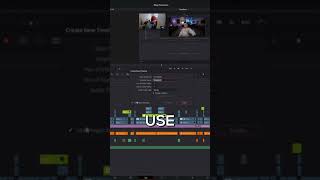
Three Unknown Timeline Tips (Davinci Resolve)
Whip Transition | https://youtu.be/8b-Z2zI9cBk Door Edits | https://youtu.be/BYnZX3_FXcw My Davinci Resolve Shortcuts: A = Cut S = Timeline Zoom Out D = Timeline Zoom In F = Ripple Delete W = Normal Mode Shift + W = Trim Mode You Can Find Me Here: 🟣 https://www.twitch.tv/wampus 🔵 https://twitter.com/itsthewampus ⚫ https://www.tiktok.com/@itsthewampus 🟡 https://www.instagram.com/itsthewampus Three Unknown Timeline Tips (Davinci Resolve) #davinciresolve #editing #edits
How I Incorporate Sound Design into Reviews and Breakdowns - Unedited Edits (EP4)
Even if you're doing a talk through or a review, it's important to illustrate your points to engage your audience. In today's video, I do a breakdown of a recent edit I did that is a gaming review. I make an effort to focus on the sound design in particular, which is something I'm continually working on, hope you guys enjoy! -Time Stamps- Video Structure - (0:00) Masking Process - (4:43) Working through the Intro - (9:21) Incorporating Brand Guidelines - (27:23) Illustrating Talking Points - (32:51) Starting the Sound Design - (44:18) ----------------------------------------------------------------------------------- Where to find me: https://solo.to/wampus My Gear: https://kit.co/Wampus/the-editing-wor... Say thanks, with a cup of coffee ☕: https://ko-fi.com/wampus ----------------------------------------------------------------------------------- Music Used (Get a Month Free): https://share.epidemicsound.com/sn3umj Get 15% Off Riverside: https://creators.riverside.fm/Wampus Sound Effects, Transitions, and Stock Media: https://1.envato.market/wampus ----------------------------------------------------------------------------------- How I Incorporate Sound Design into Reviews and Breakdowns - Unedited Edits (EP4) DISCLAIMER: Links in this description might be affiliate links. If you purchase a product with the links that I provide, I may receive a small commission at no additional charge to you. #davinciresolve #editing #edits
The Swiss Army Knife of Transitions (Davinci Resolve Whip/Pan Transition Tutorial)
Take 5 minutes to learn this transition and save time and money down the road. The whip transition is one of the most basic transitions you can learn, but it's useful for any kind of video. ----------------------------------------------------------------------------------- Where to find me: https://solo.to/wampus The Workshop Discord: https://discord.gg/GXcRXdfuWj My Gear: https://kit.co/Wampus/the-editing-workshop Editing Presets and Templates I Use: https://ko-fi.com/wampus/shop ----------------------------------------------------------------------------------- Music Used (Get a Month Free): https://share.epidemicsound.com/sn3umj Get 15% Off Riverside: https://creators.riverside.fm/Wampus Sound Effects, Transitions, and Stock Media: https://1.envato.market/wampus ----------------------------------------------------------------------------------- Time Stamps The Easiest Free Transition You Can Make - (0:00) Setting Up the Transition - (0:32) The Only Node Needed - (1:45) Keyframing the Transition - (2:10) Transition Settings - (3:14) Make it Longer or Shorter - (4:30) How to Save It for Any Project - (5:15) My Shortcuts: A = Cut S = Timeline Zoom Out D = Timeline Zoom In F = Ripple Delete W = Normal Mode Shift + W = Trim Mode Transitioning Through a Door | https://youtu.be/BYnZX3_FXcw Here's an unedited video of me editing a gameplay | https://youtu.be/tUkLBaGz0xA The Swiss Army Knife of Transitions (Davinci Resolve Whip/Pan Transition Tutorial) #davinciresolve #editing #edits ------------------------------------------ wampus,brandon,wampusb,thewampus,itsthewampus,b_randon,davinci resolve,edits,editing,how to edit,joewo,joewo editing,gaming youtube,gaming video,edit gaming,how to edit gaming,best gaming edit,start,finish,editing tutorial,tutorial,davinci resolve tutorial,full edit tutorial,joewo edit,whip,pan,transition,swiss,swiss army,easy transition,transition tutorial,learn editing,how to whip,how to
How I Edit a Gaming YouTube Video from Start to Finish - Unedited Edits (EP3)
This is exactly how I walk through a gameplay edit from start to finish. High kill gameplay videos are the most common type of edit I do through out the week. The basis of the video involves some kind of an opener, an intro (sometimes), and the gameplay. It's up to me as the editor to grab the viewers attention within the first couple seconds and then retain those viewers through out the gameplay. ----------------------------------------------------------------------------------- Socials https://solo.to/wampus Have More Questions? Join the Discord! https://discord.gg/J6WZmx9XDb My Editing Gear and Setup https://kit.co/Wampus/the-editing-workshop My DaVinci Resolve Presets and Packs https://ko-fi.com/wampus/shop ----------------------------------------------------------------------------------- Music Used (Get a Month Free): https://share.epidemicsound.com/sn3umj Get 15% Off Riverside: https://creators.riverside.fm/Wampus Sound Effects, Transitions, and Stock Media: https://1.envato.market/wampus ----------------------------------------------------------------------------------- -Time Stamps- Intro - (0:00) Color Correction - (1:24) My Philosophy to a Gameplay Edit - (7:10) Starting the Opening Sequence - (17:00) Adding 3D Text - (27:20) Finishing the Opening Sequence - (35:30) Editing the Talking Head Intro - (47:30) Editing the Warzone Gameplay - (1:01:08) How I Edit a Gaming YouTube Video from Start to Finish - Unedited Edits (EP3) #davinciresolve #editing #edits

Does Figuring Out "What's Next", Really Matter?
I spent some time in Charlotte recently, and it gave me some time to reflect. Hope everyone had a safe and happy holiday. A Day in the Life of a Gaming Editor: https://youtu.be/kBczhbFQdX0 Level Up Your Editing: https://youtu.be/BYnZX3_FXcw Joe | https://twitter.com/AverageJoeWo Josh | https://twitter.com/joshsoriano You Can Find Me Here: 🟣 https://www.twitch.tv/wampus 🔵 https://twitter.com/itsthewampus ⚫ https://www.tiktok.com/@itsthewampus 🟡 https://www.instagram.com/itsthewampus Does Figuring Out "What's Next", Really Matter? #dayinthelife #vlog
How I Start Piecing Together a Vlog - Unedited Edits (EP2)
Had a couple requests to talk over the video, so I did my best. Let me know if you are finding these videos useful. More than happy to do more voiceovers and commentaries. - Time Stamps - 0:00 - Sorting Through the Footage 12:30 - Opening Montage 26:00 - Racing Stripe Animation 44:00 - Finishing Montage My Shortcuts: A = Cut S = Timeline Zoom Out D = Timeline Zoom In F = Ripple Delete W = Normal Mode Shift + W = Trim Mode Final Video: https://youtu.be/4aZge4B6rnI Unedited Edit EP1: https://youtu.be/q-TqLqkiP_Y You Can Find Me Here: 🟣 https://www.twitch.tv/wampus 🔵 https://twitter.com/itsthewampus ⚫ https://www.tiktok.com/@itsthewampus 🟡 https://www.instagram.com/itsthewampus How to I Start Piecing Together a Vlog - Unedited Edits (EP2) #davinciresolve #editing
CUSTOMIZE YOUR DESKTOP LAYOUT (Perfect Tool for Streamers)
You Can Find Me Here: 🟣 https://www.twitch.tv/wampus 🔵 https://twitter.com/itsthewampus ⚫ https://www.tiktok.com/@itsthewampus 🟡 https://www.instagram.com/itsthewampus CUSTOMIZE YOUR DESKTOP LAYOUT (Perfect Tool for Streamers) #streamer #productivity
Better Looking Webcams in Davinci Resolve
You Can Find Me Here: 🟣 https://www.twitch.tv/wampus 🔵 https://twitter.com/itsthewampus ⚫ https://www.tiktok.com/@itsthewampus 🟡 https://www.instagram.com/itsthewampus #edit #editing101 #color #colorcorrection #webcam #camera #davinciresolve #howto

Improve Your Text Animation in 60 Seconds
You Can Find Me Here: 🟣 https://www.twitch.tv/wampus 🔵 https://twitter.com/itsthewampus ⚫ https://www.tiktok.com/@itsthewampus 🟡 https://www.instagram.com/itsthewampus Improve Your Text Animation in 60 Seconds #editing #davinciresolve #howto
How to Do the OUTLINE TRACE Effect
You Can Find Me Here: 🟣 https://www.twitch.tv/wampus 🔵 https://twitter.com/itsthewampus ⚫ https://www.tiktok.com/@itsthewampus 🟡 https://www.instagram.com/itsthewampus How to Do the OUTLINE TRACE Effect #editing #editingtutorial #tutorial
3 Ways to Do a "Door" Transition in DaVinci Resolve
One of the most common questions I get is: "How do you do the door transition?" Today, I do my best to answer it. This is one of the quickest and easiest ways to improve any gaming video your editing, and it brings in principles I've used across multiple projects. Hope you find it useful! and I'll do my best to answer any questions down below! ----------------------------------------------------------------------------------- Socials https://solo.to/wampus Have More Questions? Join the Discord! https://discord.gg/J6WZmx9XDb My Editing Gear and Setup https://kit.co/Wampus/the-editing-workshop My DaVinci Resolve Presets and Packs https://ko-fi.com/wampus/shop ----------------------------------------------------------------------------------- Music Used (Get a Month Free): https://share.epidemicsound.com/sn3umj Get 15% Off Riverside: https://creators.riverside.fm/Wampus Sound Effects, Transitions, and Stock Media: https://1.envato.market/wampus ----------------------------------------------------------------------------------- - Time Stamps - 0.0 - All You Need is a Door - (0:00) 0.1 - What is the transition? - (0:35) 0.2 - What you need to make this work - (1:02) 1.0 - Version One: The Match Cut - (1:15) 1.1 - Applying this anywhere - (2:16) 1.2 - Where Match Cutting fails - (2:25) 2.0 - Version Two: Crop Keyframing - (2:38) 2.1 - Include the Audio - (3:17) 2.2 - The Keyframe Process - (3:35) 2.3 - Where Cropping fails - (5:31) 3.0 - Version Three: Masking - (5:50) 3.1 - DON'T FORGET TO DO THIS FIRST - (6:56) 3.2 - The Masking Process - (7:59) 4.0 - Selling the Transition - (10:54) You Can Find Me Here: 🟣 https://www.twitch.tv/wampus 🔵 https://twitter.com/itsthewampus ⚫ https://www.tiktok.com/@itsthewampus 🟡 https://www.instagram.com/itsthewampus How to Do the Door Transition (Davinci Resolve Masking Tutorial) #door #davinciresolve #wampus

The 16 Hour, Everyday of a Gaming Editor
Hello there, this is my first video. I edit and help manage content for Call of Duty streamers. A lot of people are trying to find a way into this space, and this was mine. Hope you guys enjoy. ----------------------------------------------------------------------------------- Socials https://solo.to/wampus Have More Questions? Join the Discord! https://discord.gg/J6WZmx9XDb My Editing Gear and Setup https://kit.co/Wampus/the-editing-workshop My DaVinci Resolve Presets and Packs https://ko-fi.com/wampus/shop ----------------------------------------------------------------------------------- Music Used (Get a Month Free): https://share.epidemicsound.com/sn3umj Get 15% Off Riverside: https://creators.riverside.fm/Wampus Sound Effects, Transitions, and Stock Media: https://1.envato.market/wampus ----------------------------------------------------------------------------------- The 16 Hour Everyday of a Gaming Editor - Time Stamps - Morning Routine - (0:00) My Roles as a Content Manager - (3:10) Pro's and Con's of Editing - (4:30) Work - (6:30) Night Time Routine - (7:30) #dayinthelife #vlog