Loading...
Warning: Channel ID is missing or invalid
Loading channel videos...

Loading channel videos...
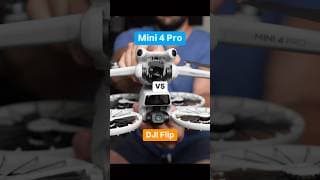
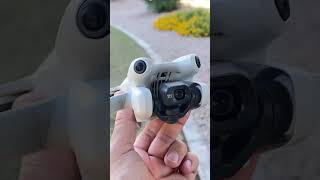
DJI Flip vs Mini 4 Pro - Flip has superb camera quality with some odd side features #DJI #mini4pro
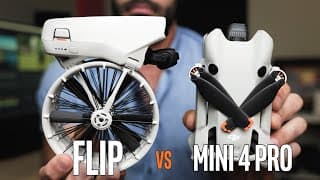
DJI Flip vs Mini 4 Pro - Best Small Drone in 2025
DJI Flip vs Mini 4 Pro vs Mini 3 Pro comparison footage and side by sides. Looking at the best features on the flip (the price) makes it the best drone PER DOLLAR, but doesn't make it better than a Mini 4 Pro for a couple of big reasons. Buy It Here: https://click.dji.com/AHqHc8Pga5t7k5P966a5iw?pm=link Super cool that the Flip can fold and has built in prop guards, but the size when folder isn't smaller than a normal Mini, which you could just buy prop guards for. The thing is, the Flip has the Mini 4 Pro's camera... these are identical pictures in nearly every aspect aside from Dlog-M on the Mini 4 Pro which seems better... well not better but all you need is the DJI LUT and its already basically finished. DJI Flip footage took more work on the Dlog-M, but the normal profile is identical. Both will get identical photos, and identical low-light destroying the Mini 3 Pro in the process *RIP Mini 3 Pro you beautiful slu+* Flip definitely wins for indoor flying and real estate stuff. Body shape makes it worse at flying and wind is super effective against it. Again, insane to have Mini 4 Pro picture quality for $400ish USD, the price of the DJI Flip. Demolishes the Mini 4K in every aspect, might as well save up an extra $100 and just get a flip. Mini 4K cannot compete on any grounds against the flip OTHER than size. 00:00 Hello 00:25 Specs 01:04 Picture Quality 02:21 Low Light 03:20 Dynamic Range 04:19 Hyperlapse 05:00 Photography 05:33 Bells & Whistles 07:29 Real Estate 08:16 Flip WHINES 08:42 Range 09:25 Flip Remoteless 10:18 DJI Mic with Drone 10:42 Final Thoughts 11:30 Flip Price 11:52 Flip vs Mini 4K Best small drone of 2025 is still the Mini 4 Pro, cheapest pro drone of 2025 is the DJI Flip
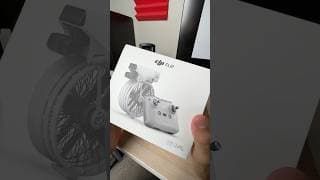
Unboxing the DJI Flip in all its glory, built in propeller guards are v cool #DJIflip #DJI #drones
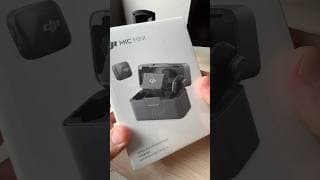
Unboxing DJI Mic Mini - the magnets are the best #DJI #MicMini #microphone
Major Network bought my Drone Footage | What to Charge & their Curveball
Another network bought my Drone Footage for a show you all know (I can't say which) and I documented it this time. I charged them $50 per second. I didn't have to do much back and forth this time so they probably wanted it fast, they also gave me a number of $300 up front which is great and saves everybody time. I know everybody kind of wonders What to charge for Drone Footage licensing or selling drone footage to networks or films in general. Footage shot on Mavic 3 Pro (though you don't need one) 30fps normal profile, I adjusted in Adobe Premiere using my color adjustments I typically do (see other videos) They found my reel of Tempe on Youtube. I've said it 100 times it works. They had their editor use my footage and they came back to let me know which parts. I'm showing you here how the pricing went for the licensing of my drone footage and how I haggled a little with them. As well as how you should approach these things if it happens to you. 00:00 hay 00:49 Email Intro 02:00 Don't be a Hoe 03:00 Don't be annoying 03:50 You are Saving Time 05:00 Saving them More Time 05:35 Negotiations 08:40 They Agree! 09:00 Oh Fkuc 09:30 Tips Obviously what I'm talking about here but all of it top to bottom: https://courses.dronelaunchacademy.com/p/aerial-video-a-to-z/?product_id=872022&coupon_code=GUNTHERDRONEPRO&affcode=58782_fajjfmbu
What Ruins Drone Footage and Gets No Views
5 Beginner Mistakes & 5 Pro Tips - of which I think are unique and I don't see other people talking about much in other videos. Pro Tips start at 6:00 Why does your drone footage get no views, what makes footage go viral and get tons of attention on Instagram Reels, Youtube Shorts, Tiktok, etc. If you have an Air 3 or Mini 4 Pro, you can't just tag something #mini4pro or #dji and expect tons of views. That will push your footage to those channels, among drone people where the standards are much higher. Try things that are relevant to people or local to you. Like #statefair or #scottsdale. These are WAY easier to get some traction and pick up speed with than posting for other snobby drone people to critique. 5 things that make Drone Footage Suck: 00:00 Hi 00:10 STOP ADJUSTING 00:39 Flying Too High 01:11 Work With The Camera 02:54 Stop with the Trees 03:20 Uploading Low Quality 03:49 No Editing At All 05:10 Wipe the Lens 06:12 Conditions 07:02 Color Adjustments 08:45 Movement 09:27 Film Relevant Things 11:19 Fly Slower Closer 11:50 Film Your City I teach a course for beginners: https://courses.dronelaunchacademy.com/p/the-ultimate-drone-course-for-total-beginners?&product_id=5723927&affcode=58782_fajjfmbu And for intermediate/pros & marketing/making money with drones https://courses.dronelaunchacademy.com/p/aerial-video-a-to-z?affcode=58782_fajjfmbu&product_id=872022
Don’t shoot drone INTO the sun, work WITH it #dji #air3 #drones #mavic3pro #mini4pro #beginnerdrone
Shots from Switzerland🇨🇭Italy🇮🇹France🇫🇷 #dji
I’m really lucky I get to do this. #dji #mavic3 #drones #dronevideo #travel #hiking
First snow of the season #switzerland #zermatt #dji #mavic3 #solotravel
First snowfall in Zermatt #switzerland #schweiz #dji #hyperlapse
iPhone won’t save vertical videos iCloud or to camera roll #iphone #editing
Premiere Pro, Davinci Resolve, Final Cut: export vertical videos as H.265 and iPhone will then allow you to save it to iPhone camera roll. Normal vertical videos in h.264 cannot.
I don’t use Thumbsticks flying my Drone
I use the balls of my thumb rather than the thumbsticks because I have way better control that way #dji #drones #mavic3pro #air3 #mavic3 #mini4pro
Do you NEED ND filters for drones? Part 2
Do you need ND filters for your drone? What do they even do? ND16 vs ND32 #DJI #drones #mavic3 #mini3pro #mini4pro
Do you NEED an ND filter for drones? Part 1
Part 1 - What do ND filters even do? ND16 vs ND32 #dji #mini4pro #mini3pro #drones
Insane detail and exposure balancing on the Mavic 3 years later. Crazy #mavic3 #mavic3pro #dji
Nashville at sunset #dji #nashville #broadway #drones
Hand Land/ Hand Launch drone #dji #drones #mavicair3 #mini4pro
This was 2018, Equipment has only gotten better, u can do it too #dji #drones #mavic2pro #swissalps
Ohio is such a beautiful state #dji #drones #mavic3pro #djiair3 #mavic3 #djimavic3
Highway 1 Coastline is drone heaven #dji #mavic3 #mavic3pro #drones
Only piece of equipment I triple check to bring #DJI #Mini3pro #Air3 #mavic3pro #drone
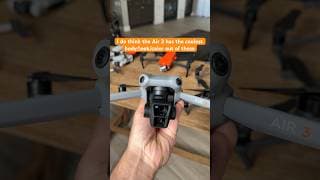
#dji #djiair3 #mavic3pro #djimini4pro #drone
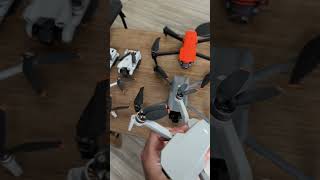
Drone size comparison mini 2 vs mini 4 pro/ mini 3 pro, Air 3, Mavic 3 #drone #air3 #mini4pro
Drone technology has gotten insane #dji #mavic3pro #air3 #djimini3pro #djimini4pro #autel #drones
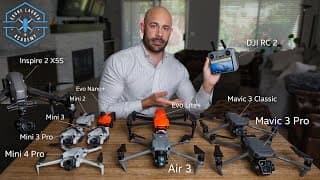
Ultimate Drone Buying Guide for Total Beginners 2024
Best Camera Drones for Beginners that still shoot pro quality video and photos compared: DJI Mini 3 vs. DJI Mini 4 Pro vs. Air 3 vs. Autel Evo Lite+ vs. Mavic 3 Pro vs. Mavic 3 Classic vs. DJI Mini 2 vs. DJI Inspire 2 with X5S Link for the Cinematography & Editing drone course, includes the drone business/marketing course now too so they are just one thing. $100 Off because I love you I guess: https://courses.dronelaunchacademy.com/p/aerial-video-a-to-z/?product_id=872022&coupon_code=GROOVYLITTLEDISCOUNT&affcode=58782_fajjfmbu If you cannot get the best thing do not stress about it, all of the drones I go over are still incredible to be able to get as "entry level." Even the Mini 2 is STILL an awesome drone. Mini 4K is the updated model and you have to get it on Amazon strangely. It has a 1/2.3" sensor and shoots 12 megapixel photos but it is PLENTY to grow with. Just find it used on Craigslist, Ebay, Facebook Marketplace, Offerup for like $250 or lower. Mini 4K (2020) - $300 (newest version of the Mini 2) 4K Video, RAW photos, no collision sensors but can live in your pocket Mini 3 (2022) - $400 4K, RAW photos, Great connection, Vertical Filming, .76 inch sensor, really impressive for the convenience and ease. No anti-bonk Mini 4 Pro (2023) - $750/$900 Get the $900 one, it is a billion times worth having a dedicated smart remote especially for so little extra. .76 inch sensor, 4K footage, vertical filming, 12 megapixel RAW photos, quietest body type, looks like a bug when its flying. I could write an essay about this thing. By far the most fun to use, incredible connection. Footage often looks like it came from a bigger drone. Activetrack to follow you around if you care about that. I've got a video on the Mini 4 Pro vs Mini 3 Pro as well, LOVE it. Air 3 (2023) - $1000 MASSIVE improvement on its predecessor, 2 camera on it which I actually use equally and didn’t expect that. Sensor has improved low-light and exposure balancing is really great in this generation, even if the sensor is same size as mini 3 pro. 4K footage, .76” sensor, 12 megapixel photos. 60fps if you care (I don't). It is cooler than the Mini 4 Pro because of camera 2 and the sick looking body, but Mini 4 Pro is just so convenient so its a tossup. Get mavic 3 classic if pro quality is priority. Autel Evo Lite Plus (2022) - $1100 6K 1 inch sensor, 20 megapixel photos. Flies pretty rigid so stick to front/back and left/right. Really nice picture, lovely reds like in all Autels. Oversharpened image but I can live with that, just adjust some in editor. Fun colors to pick from give it extra points, could use it for work and still get the job done if DJI gets hit by a car one day. Doesn't beat DJI but this isn't bad. Autel Evo Nano Plus (2022) - $700 NO Mavic 3 Pro (2022) - $2200 4/3 inch Sensor, 5.1K footage, 20mp photos. Long flight time. Get the normal version not the $4000 Cine version if you don't know what Prores format is. This is the Business Class plane ticket drone, there is no going back after having this. Unbelievable dynamic range. UNREAL stability, default color, flight control, flexible rich data for color grading. A 3x and 7x telephoto lens comes on it. Never use the 7x aside from fun, but the 3x is a great length and useful… just hard to give up the quality of the wide camera that is 5.1k. Still great for cool angles and cinematography nerds. In general most of what I film on this drone looks better in the end than what I thought I was getting while shooting. They knocked it out of the park with this drone, no limits honestly. Mavic 3 Classic - $1300 Not typing all that again, you get the point. Minus the Zoom lenses, everything else is the same. Crapping myself at the price being so cheap now. What a deal. DJI Mini 5 - No, don't even start asking. Inspire 2 + X5S camera - $5000+ Used Shoots 6K RAW Video (literally filming in RAW photos) 5.2K 422 Prores and 4K Proress 4444 incase you know what that all means. Cinema formats but such a pain to lug around, and the noise is a lot. It's more like a once in a while, Ace in the hole to blow something out the water or shoot Stock Footage and practice cinematography. Interchangeable lenses are really nice too. I have other videos on making money, go watch those if you need. If you want the fastest way to get better footage, watch the Cinematography one, trust me it is very necessary. Updating the Ultimate Drone Buying Guide for Total Beginners 2024 because its time and new drones have come out, the Mini 4 Pro and Air 3 being the biggest additions 00:00 . 00:14 Drones vs. Cocaine 00:50 Beginner Drones 01:55 Photo/Video Drones 03:00 Drone Quality comparison 04:05 DJI Drones 04:58 Drones Tech Update 06:40 Used Drones 08:25 Minis 09:00 Noise Test 09:38 Cinematography 10:12 Mavic 3 Best Drone 12:20 Sensor Chart comparison 13:28 Photography 14:10 Specs Need vs Don't 15:40 Follow Me 16:25 SMART REMOTE!!! 17:28 Make a Decision 18:12 Pro Drones 20:50 How to Improve
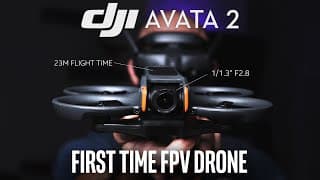
Avata 2 as a first FPV Drone
DJI Avata 2 has released April 11th, 2024 with 23m flight time, lighter than the original. First time FPV drone for me despite years of cinema drone use, and this was the experience. I don't see a bridge besides this for beginners to enter FPV world without the stress and learning curve. Its a much needed halfway point for a drone that can be treated like crap and still get great stuff (gopro realm) 2.7K 120fps 1/1.3” Sensor f2.8 DJI Goggles 3 RC Motion 3 23m Flight Time 4K H.265 60fps 23m flight time Max Speed 60mph (42 EU) 10-bit Dlog M Bottom & Rear Sensors EasyAcro Smart Features 377g 12mp JPEG photos 46gb Internal Storage 8 mile max distance O4 Transmission Much less anxiety than normal drones, bumpers all around make this kind of normal to crash. Its not indestructible but I really abused this thing and it is still going fine. Ultra Wide, Wide, Normal field of view, and turning on headtracking WITH stabilization off - then stabilizing with GyroFlow got some really crazy fun shots. Feels like VR skydiving with the headtracking turned on. $999 USD Drone + Goggles 3 + RC Motion $489 USD Drone Only https://click.dji.com/AIOfvWkDgMkI5nAWudXMaA?pm=link You will burn through these batteries though especially if you are having fun, so an extra is really suggested. Googles flying takes some getting used to, get through that learning curve as soon as possible to get the stuff you see on Instagram with tons of views. 00:00 Intro 00:30 Crash lots 01:40 Share with Friends 02:30 Fast AF 03:00 Immersive 04:40 Oops Teehee 06:42 Flips/Spins 07:20 ActiveTrack 09:02 Quality 10:00 Gyroflow 11:40 Goggles 13:50 10bit Dlog-M 15:00 Much Needed #DJI #djiavata2 #avata2
Anybody else leave and park from the roof? #dji #mavic3 #drones
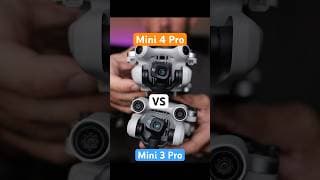
Footage comparison between mini 4 pro and mini 3 pro. Worth it? #mini4pro #mini3pro #dji #drones
DJI Mini 4 Pro is like an Air 3 Camera on a Mini 3 body. Love the image. #djimini4pro #dji #mini3pro
DJI Mini 4 Pro, like Air 3 Camera on a Mini 3 Body. Big quality boost. #djimini4pro #djimini3pro
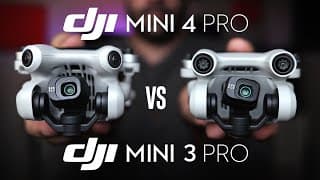
DJI Mini 4 Pro vs Mini 3 Pro
DJI Mini 4 Pro is here - bottom line its a big increase in camera quality. It's nearly identical to the Air 3's sensor now. Compared to the Mini 3 Pro, it is a clear step up. It also has omni-directional obstacle avoidance Night Mode is now added for low-light video You can see a map marker for yourself on the live view from the drone New Smart Remote (DJI RC 2) is faster to start up and brighter Almost everything else is the same. So if picture quality ISNT your concern, now is a great time to get a used Mini 3 Pro. From the dynamic range, nicer exposure balancing, richer color in highlights and vibrance in the default picture profile. I think it is worth the money. This drone easily clear pro quality, you can make money with this drone. I have a course about how I do that, cinematography and editing as well: https://courses.dronelaunchacademy.com/p/aerial-video-a-to-z/?product_id=872022&coupon_code=GROOVYLITTLEDISCOUNT&affcode=58782_fajjfmbu 1/1.3” Sensor f1.7 4K 60fps 249g Hyperlapse Omni-Directional Collision Sensors 10-bit DLOG-M Profile Active Track Vertical Filming DJI RC 2 compatible 34 minute flight time 45 minute flight time option Get a second battery, you will need it. Also ND filters from the DJI store if you are focused on video. PRICE: $760 Drone + Phone Cradle Remote $960 Drone + Smart Controller $1100 Drone + Phone Cradle Remote + Extended 45 minute battery $1160 Drone + Smart Remote + Batteries + Battery Hub + Props You can Buy the Mini 4 Pro here in multiple packages: https://click.dji.com/AF-r6UCR-hA9ROJsYOBu-g?pm=link @DJI #DJI #DJIGlobal #DJIMini3Pro #DJIMini4Pro #dronevideo #dronefootage #mini4proreview #djimini4proreview 00:02 Side-by-Side 01:55 NightMode 2:46 Features 4:00 Buy Used 5:00 Worth Upgrade
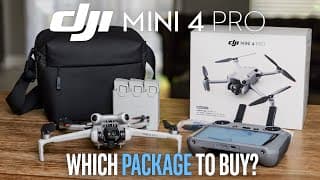
DJI Mini 4 Pro - Which Package to Buy?
DJI Mini 4 Pro buying guide for which kit and accessories you need. Is Fly More kit worth it? Is the DJI RC 2 Smart Controller worth it, and what you can save money on. Only two things I REALLY insist on are 1. Extra Battery 2. ND Filters (ND 16 being most important) ND filters you only need if you want to pursue video as a hobby and get quality stuff. You WANT 1 extra battery (don't need 5, just 1) that way one battery will charge in the car while you are flying with the other. The DJI RC 2 I have said over and over again... It makes the experience MUCH better when you don't have to deal with a phone/app/calls/phone battery. Just a nice big bright dedicated screen. Turn on drone, turn on remote, fly away. Makes me rub my nipples with delight. **If you REALLY are trying to save, just get a used Mini 3 pro. You will give up the nicer camera which is a huge deal to me, but I can understand if you want the mini 3 pro for all the other cool features and don't prioritize the camera quality. I always will though. PRICE: $760 Drone + Phone Cradle Remote $960 Drone + Smart Controller $1100 Drone + Phone Cradle Remote + Extended 45 minute battery $1160 Drone + Smart Remote + Batteries + Battery Hub + Props You have to buy ND filters separate from the store no matter what. If you are anxious and new GET DJI CARE it takes a weight off your shoulders, has great reviews, people love it. If you use my links I get precious pennies on your purchase: https://click.dji.com/AF-r6UCR-hA9ROJsYOBu-g?pm=link @DJI @DJIglobal #DJI #MINI4PRO #djimini4pro
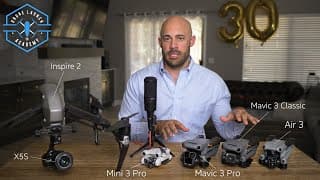
Ultimate Drone Buying Guide for Intermediates and Pros 2023
Best Camera Drones for Intermediates or Professionals aren't new to cameras compared: DJI Mini 3 Pro vs. Mavic 3 Pro vs. Air 3 vs. Mavic 3 Classic vs. DJI Inspire 2 with X5S Link for the Cinematography & Editing drone course, includes the drone business/marketing course now too so they are just one thing. $100 Off because I love you I guess: https://courses.dronelaunchacademy.com/p/aerial-video-a-to-z/?product_id=872022&coupon_code=GROOVYLITTLEDISCOUNT&affcode=58782_fajjfmbu If you cannot get the best thing do not stress about it, all of the drones I go over are still incredible to be able to get and you will have a huge ceiling before you outgrow it. Or find one on Craigslist or Facebook Marketplace. USED DRONES ARE A THING I forgot to mention - I have bought used drones before. Usually you know right away if something is up with it and the app will alert you. Mavic 3 Pro (2023) - $2300 5.1K Video, 4/3" Sensor, 20mp RAW photos, collision sensors, parking cameras black & white preview thing, 3 cameras. 46m flight time. Get the normal version not the $4000 CINE version if you don't know why you need Prores. This is the Business Class plane ticket drone, there is no going back after having this. Unbelievable dynamic range. UNREAL stability, default color profile is great, flexible rich data for color grading. A 3x and a 7x telephoto camera, Great for cool angles and cinematography nerds. In general most of what I film on this drone looks better in the end than what I thought I was getting while shooting. They knocked it out of the park with this drone, no limits honestly. Mavic 3 Classic - $1600 Not typing all that again, you get the point. Same same but different, no telephoto cameras. Main camera is only priority anyway, everything else is the same. Crapping myself at the price being so cheap now. Air 3 (2023) - $1100 4K Footage x2, 2x .76" sensors, 12mp RAW photos, 2 cameras, 46m flight Closer to Mavic 3 size than Mini 3 Pro. Feels like a big step up from Mini 3 Pro despite same sensor size of .76" Great low-light, better than Air 2S despite less hardware. Sensor is a huge improvement, clearly beats Mini 3 Pro and Air 2S in quality AND has a 3x telephoto (the only one you really need). Mini 3 Pro (2022) - $750/$900 4K, 12mp RAW photos, Great connection, Vertical Filming, .76 inch sensor, really impressive for the convenience and ease. Makes you forget you have it on you and go fly WAY more often. By far the most fun Get the $900 one, it is a billion times worth having a dedicated smart remote especially for so little extra. Autel Evo Lite Plus (2022) - $1100 6K 1" inch sensor, 20 megapixel photos. Flies pretty rigid so stick to front/back and left/right. Actually a nice picture, lovely reds like in all Autels. Oversharpened image but I can live with that. Fun colors to pick from give extra points, could use on a work day no sweat. Doesn't beat DJI but this isn't bad if you HAVE to. Inspire 2 + X5S camera - $8000+ Used Shoots 6K RAW Video (literally films in RAW format photos) 5.2K 422 Prores and 4K Proress 4444 if you know what that means. Cinema formats but such a pain to lug around, and the noise is a lot. It's more like a once in a while, Ace in the hole to blow something out the water or shoot Stock Footage and practice cinematography. Interchangeable lenses are really nice too, would still pick Mavic 3 Pro over it at this point. I edit with Adobe Premiere Pro and the color grading you see me doing is in there as well using the Lumetri Color effect it has, if you use DaVinci good for you I don't care, stop pumping your cult. I have other videos on making money, go watch those if you need. If you want the fastest way to get better footage, watch the Cinematography one for some faster advice too. 00:00 Fast comparison 00:53 Drone Standards 2023 02:30 Features 04:10 Best Drone 06:45 Prores 08:11 Mini 3 Pro 08:45 Air 3 09:40 Resolution 09:50 Photography 11:40 Low Light 12:52 SMART REMOTE!! 14:00 Small Indoor Uses 14:42 Dlog Profiles 15:23 Inspire 2 & 3 20:38 Selling Footage
DJI Air 3 vs Mini 3 Pro Drone
DJI Air 3 drone vs Mini 3 Pro which should you buy, my opinion after filming video with both drones and taking photos constantly. Def the Air 3 if QUALITY is it for you Mini 3 Pro if EXPERIENCE is what you seek Air 3 has the same sensor size as the mini 3 pro but much better low-light and image overall. Strange but it is a big step up on DJI's newer pixel binning sensors. Low light is much better on the Air 3 as well But as ive always said, that mini 3 pro is just the perfect fun drone, better for a hike, super capable, cheaper and you will have a really great time all around. Your call
DJI Air 3 vs Air 2S
DJI Air 3 drone vs Air 2S which should you buy, my opinion since i film video with both drones and use them for aerial photography constantly. Def the Air 3 just better sensor and firmware, can't really argue. 5.4k was nice on the Air 2S but just inconsistent exposure balancing (dji was still learning). I can't go back now that i've had that 3x telephoto camera
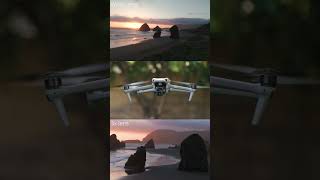
Loving my DJI Air 3, i am really happy despite small sensor #djiAir3 #Air3Drone #Air3 #drones
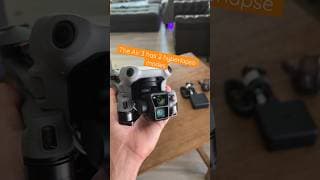
Two hyperlapse modes on DJI Air 3 #djiAir3 #Air3 #drones #dronereels #Air3footage #dji
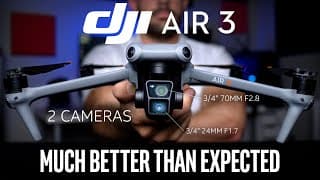
DJI Air 3 Review - MUCH Better Than I Expected
DJI Air 3 has released July 25, 2023 with TWO cameras. I spoke to soon on the Air 3 when DJI first told me the specs, so I admit I judged it before I tried it based off the hardware and their claims. Two cameras at 4K with 3/4" sensors instead of that old 1" sensor at 5.4K on the Air 2S?? I am happy to say I was full of crap and I have the proof. 2 Cameras 1/1.3" Sensor 24mm F1.7 1/1/3" Sensor 70mm F2.8 4K H.265 MAX 10-bit Dlog-M on both cameras 46m Flight Time Omni Obstacle Avoidance Better Connection 2 x 12mp photo cameras (listed as 48mp but no) New Smart Remote Image Quality/Color Profile BIG step up Active Track + Smart Features 720g Vertical Shoot (sensor crop only) 10 m/s ascent/descent speed, fastest of DJI 4K 100fps/ 1080p 200fps slo-mo NightMode Air 2S MAJOR changes: A second 3x Telephoto lens obviously 720g instead of 595g 12mp photos vs. 20mp on Air 2S Omni Obstacle Avoidance now 4k Max instead of 5.4K 3/4" sensors instead of 1" sensor Better Connection behind buildings/trees 46 minute flight time vs. 31m flight time Vertical Shooting & NightMode added Without a doubt the image quality has improved, even with a smaller sensor. Don't ask me how they did it but they did. Much improved ISO, low light even beats the Air 2S with a larger sensor and 5.4K. $1099 USD Drone + DJI RC N2 $1349 USD Drone + DJI RC N2 $1549 USD Drone + Fly more combo DJI RC 2 https://click.dji.com/AF_1kk07LvYdt0i4hsCdUA?ch=launch-air3&pm=custom Just get a second battery and ND filters and you'll be fine. REALLY suggest the DJI RC 2 smart remote too, wildly helpful to the experience. Makes it way more fun, either smart remote is great just get one. I am Alex Harris Link for the Cinematography & Editing drone course, includes the drone business/marketing course now too so they are just one thing. $100 Off because I love you I guess: https://courses.dronelaunchacademy.com/p/aerial-video-a-to-z/?product_id=872022&coupon_code=GROOVYLITTLEDISCOUNT&affcode=58782_fajjfmbu 00:00 Intro 00:42 Specs 01:22 Biggest Change 02:30 Compare Air 2S 04:42 2nd Camera 05:50 Air 2S photos 06:23 Air 3 Quality 07:20 ActiveTrack 09:02 Photography 11:14 Low Light 13:45 Vertical Filming 14:15 Which to Buy 16:30 Improving #DJI #DJIAir3 #Air3
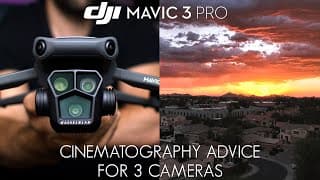
DJI Mavic 3 Pro | Cinematography Advice for three lenses
DJI Mavic 3 Pro is a drone with three cameras so you need to know how to make those telephoto lenses work for you. The solution is some simple photography tricks to make your drone footage look much better. The DJI Mavic 3 Pro (or any Mavic 3) has the best image on the market right now, so you will feel the difference. 3 cameras are obviously: 24mm 5.1K 4/3" sensor (normal) 70mm 4K 3/4" sensor (3x lens) 188mm 4K 1/2" sensor (7x lens) Those smaller sensors and lenses are harder to work with being only 4K and the 7x lens is not good with lighting extremes. Knowing how to stack things in the distance to show off the perspective will help, like shooting mountains after sunset when the haze is super visible, illustrating the distance between each ridge. I outline a couple shots for you here as well, but in general the 3x was a much needed addition. Nobody cared about the 7x lens on the first Mavic 3, picture wasn't as good and its just not super useful since you need to be so far away. The 3x was the length we all wanted really badly to begin with. They have since updated things and the 7x is improved btw. 00:15 Fill Canvas 01:09 Compression 01:30 7x Mountains 02:18 3x advantages 02:35 #2 Rising Reveal 03:30 Shooting in action 04:56 #3 Dramatic Approach 05:10 #4 Cascade 05:56 Easy Advice #DJI #DJIMavic3Pro #Mavic3 #mavic3pro
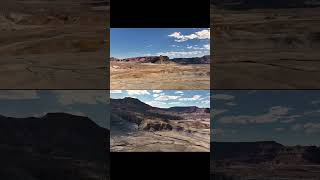
The Mavic 3 is the best drone out right now. #djimavic3 #mavic3pro #drones #dronereels
Mini 3 Pro still out here romping in 2023 📷 🎥 #dji #mini3 #mini3pro #drones #djimini3pro
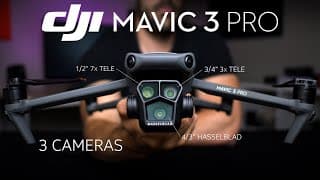
DJI Mavic 3 Pro Review - King of Drones with Even More Cameras
DJI Mavic 3 Pro has just released April 25, 2023, with even more cameras. The whole Mavic 3 line is the best drone out right now, unreal quality. So long as it has the 5.1K 4/3" Hasselblad I am happy with it. Telephoto lens has been improved and the newer medium one has a 3/4" sensor 4K 60fps. Yes it uses the same batteries Yes it is heavier (958g vs. 895g) Long Zoom lens is improved and brighter aperture No it isn't using a worse main camera Yes uses the same props, same body, same everything except the ND Filters New features: A 3x telephoto lens obviously A bit better connection behind buildings/trees 43 minute flight time (-3 minutes less) 3/4" f2.8 4K sensor on 3x telephoto lens 7x telephoto f3.4 instead of f4.4 Dlog-M has been added as halfway between DLog and Normal 1tb internal hard drive, Apple Prores, All cameras Prores, DJI RC Pro - ONLY ON CINE version 8gb internal hard drive incase you forget your crap 5.1k H.265 footage, internal hard drive (except for small 8gb) Hasselblad 4/3" sensor f2.8 4K 60fps 10-bit Dlog, HLG, Dlog-M 20mp 12-bit RAW format photos Night Mode video Omni Directional Obstacle Avoidance Hyperlapse (now with preview) Active Track 43 minute flight time Same length but girthy head (958g) Important stuff stays the same - firmware/sensor exposure balancing, beautiful m4/3 Hasselblad 5.1k Sensor, just the best you can find out there right now. Everything you like is still here, some new fun features like a telephoto lens 5.1k Camera - 24mm lens equivalent 3x telephoto - 77mm lens equivalent 7x telephoto - 166mm lens equivalent Great ISO on this drone, still usable up to ISO 800 without really noticing thanks to a larger sensor and better firmware. This is for the person who has been waiting for the Mavic 3 but procrastinates, here is your reward. A Mavic 3 Definitive Edition with all the kinks out the way and some neat bonuses. $2199 USD Drone + RC $2999 USD Drone + RC Combo $3889 USD Drone + RC Pro combo $4799 USD CINE Drone + RC Pro combo https://click.dji.com/AClchSDRvdrmk6Irqju5ug?ch=launch-mavic3pro&pm=custom Just get a second battery and ND filters and you'll be fine. REALLY suggest the DJI RC smart remote too, wildly helpful to the experience. Makes it way more fun, either smart remote is great just get one. I am Alex Harris 00:00 Intro 01:10 Not Mavic 4 03:58 Zoom compared 05:04 Buying Options 06:41 Why Expensive? 07:13 What Prores? 09:00 Specs idc about 10:25 Mavic 3 Dlog-M 12:24 Mavic 3 Best Drone #DJI #DJIMavic3Pro #Mavic3
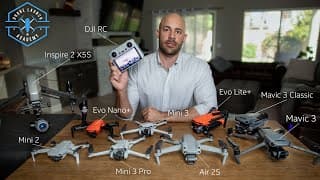
Ultimate Drone Buying Guide for Total Beginners 2023
Best Camera Drones for beginners that still shoot pro quality video and photos compared: DJI Mini 2 vs. DJI Mini 3 Pro vs. Mini 3 vs. Air 2S vs. Autel Evo Nano Plus vs. Mavic 3 vs. Mavic 3 Classic vs. Autel Evo Lite Plus vs. DJI Inspire 2 with X5S Link for the Cinematography & Editing drone course, includes the drone business/marketing course now too so they are just one thing. $100 Off because I love you I guess: https://courses.dronelaunchacademy.com/p/aerial-video-a-to-z/?product_id=872022&coupon_code=GROOVYLITTLEDISCOUNT&affcode=58782_fajjfmbu If you cannot get the best thing do not stress about it, all of the drones I go over are still incredible to be able to get as "entry level." Even the Mini 2 is STILL an awesome drone. Mini 2 SE should be shipping when I post this, so that would be your model to go for (same as Mini 2 but better signal). It is a 1/2.3" sensor and shoots 12 megapixel photos but it is PLENTY to grow with. Just find it used on Craigslist, Ebay, Facebook Marketplace, Offerup for like $300 or lower. Mini 2 SE (2020) - $350 (used to be called Mini 2) 4K Video, RAW photos photos, no collision sensors but can live in your pocket Mini 3 (2022) - $450 4K, RAW photos, Great connection, Vertical Filming, .76 inch sensor, really impressive for the convenience and ease Mini 3 Pro (2022) - $750/$900 Get the $900 one, it is a billion times worth having a dedicated smart remote especially for so little extra. .76 inch sensor, 4K footage, vertical filming, 12 megapixel RAW photos, quietest body type, looks like a bug when its flying. Could write a book about this thing. By far the most fun, incredible connection. Footage often looks like it came from a bigger drone. Activetrack to follow you around if you care about that. I've got a review on the Mini 3 Pro as well, LOVE it. Air 2S (2021) - $1000 Not as fun as Mini 3, not as quality as Mavic 3, so kind of neither benefit. Color profile is sometimes maybe gud, sometimes maybe sheit. 5.4K footage, 1 inch sensor. 20 megapixel photos which is great for pros. 60fps if you care (I don't). After the Mini 3 Pro being out for a year, that thing just overperforms and I'd say just get a Mini 3 Pro instead. Mavic 2 Pro (2018) - $700 Used King of drones up until 2021. 1 inch sensor, 20 megapixel RAW photos. Beautiful image but software/firmware is getting dated. You would do better with most newer drones. Autel Evo Lite Plus (2022) - $1100 6K 1 inch sensor, 20 megapixel photos. Flies pretty rigid so stick to front/back and left/right. Really nice picture, lovely reds like in all Autels. Oversharpened image but I can live with that. Fun colors to pick from give extra points, could use on a work day no sweat. Doesn't beat DJI but this isn't bad. Autel Evo Nano Plus (2022) - $700 4K footage, f1.7 lens (just means a bit brighter image) 12 megapixels. Features promoted at launch still haven't come, software janky crashes. Was not a good time. Great at low-light and sunsets compared to the Mini 3 Pro though, that is the one strong suit. Everywhere else it loses bad. Mavic 3 - $2150/$2850 4/3 inch Sensor, 5.1K footage, 20mp photos. Long flight time. Get the normal version not the $4000 Cine version if you don't know what Prores format is. This is the Business Class plane ticket drone, there is no going back after having this. Unbelievable dynamic range. UNREAL stability, default color, flight control, flexible rich data for color grading. A 7x zoom lens comes on Mavic 3 and Mavic 3 Cine, not perfect but SO fun to use that thing. Great for cool angles and cinematography nerds. In general most of what I film on this drone looks better in the end than what I thought I was getting while shooting. They knocked it out of the park with this drone, no limits honestly. Mavic 3 Classic Not typing all that again, you get the point. Minus the Zoom lens, everything else is the same. Crapping myself at the price being so cheap now. DJI Mini 4 - No, don't even start asking. Inspire 2 + X5S camera - $8000+ Used Shoots 6K RAW Video (literally filming in RAW photos) 5.2K 422 Prores and 4K Proress 4444 incase you know what that all means. Cinema formats but such a pain to lug around, and the noise is a lot. It's more like a once in a while, Ace in the hole to blow something out the water or shoot Stock Footage and practice cinematography. Interchangeable lenses are really nice too. I have other videos on making money, go watch those if you need. If you want the fastest way to get better footage, watch the Cinematography one, trust me it is very necessary. 00:00 . 00:40 Buying a cheap drone 01:30 Photo/Video Drones 02:08 Drones Listed 03:10 Drone Quality comparison 03:55 DJI Drones 04:38 Drones Tech Update 06:07 Used Drones 07:52 Noise Test 09:00 Mavic 3 Best Drone 09:50 Sensor chart comparison 11:08 Photography 11:44 Avoid Salesy Words 13:15 SMART REMOTE!!! 14:09 Make a Decision 14:25 Mini 3 Pro vs Mavic 3 16:40 Best Experience 17:20 Fastest Way to Improve
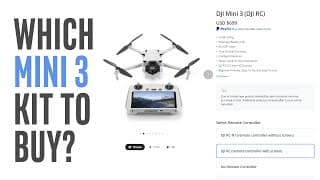
DJI Mini 3 - Which Kit and Accessories to Buy
This is a DJI Mini 3 buying guide for which kit and accessories you need. Is Fly More kit worth it, is the DJI RC smart controller worth it, and what you can save money on. Only two things I REALLY insist on are 1. Extra Battery 2. ND Filters (ND 16 being most important) ND filters you only need if you want to pursue video as a hobby and get quality stuff. You WANT 1 extra battery (not 5, just 1) so that one battery can charge in the car while you are flying with the other. The DJI RC you will here me say a million times, it makes the experience MUCH better when you don't have a phone involved. No phone battery or notifications to worry about, no app updates bugging you, just a nice big bright dedicated screen. Turn on drone, turn on remote, fly away. Makes me rub my nipples with delight. **If you're going to get maxed out kit with all accessories, just get a used Mini 3 pro lol. If you want to pursue drones as a hobby you will have a massive ceiling with that drone before you outgrow it and need something with more features. FOR PHOTOGRAPHY the Mini 3 and Mini 3 Pro are basically the same so if you are only taking still photos don't worry. Same sensor, same photos. PRICE: $469 Drone Only (incase you already have a DJI controller) $559 Drone with controller $699 Drone with RC smart controller $720 Fly More combo $860 Fly More with DJI RC smart controller https://click.dji.com/AJMO88tN3LdAAj5Kx50oJg?ch=launch-mini3-quickasstutorials&pm=custom @DJI @DJIglobal #DJI #MINI3 #djimini3
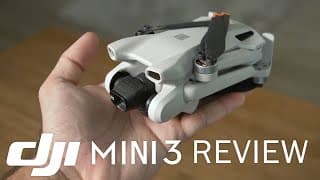
DJI Mini 3 Review - Best Entry Level Drone with Pro Quality
A NEW DJI Mini 3 is here already, I have been super happy with the quality so far. Hands down this takes the spot for the best entry level drone on the market, but since it has the Pro model's sensor/camera, you will still get footage good enough to sell. I go over this in my drone review of the DJI Mini 3 BUT almost the same specs as DJI Mini 3 Pro: .77" Sensor f1.7 4K - 3840 x 2160 12mp RAW photos Vertical Camera 38 minutes of flight time (4 min improvement) 10km Range Same batteries. ND Filters also fit both thank god 249g Smart Remote Option (DJI RC) Only Specs that were Removed: 4K 30fps instead of 4K 60fps Bottom Sensors only. Front and back removed Hyperlapse removed - sad :( Active Track 4.0 gone Mastershots removed (who cares) 4K 30fps max vs. 4K 60fps on Mini 3 Pro (who cares) 120fps 1080p Slow Motion gone 10-bit D-Cinelike profile gone. Normal color profile only on Mini 3 So far no issues, no weirdness. Really was a straightforward deal, remove the extra features that were expensive to produce and create a cheaper version of the same body you're already manufacturing that is tried and proven. PRICE: $469 Drone Only (incase you already have a DJI controller) $559 Drone with controller $699 Drone with RC smart controller $720 Fly More combo $860 Fly More with DJI RC smart controller Great time to get into drones, this is unbelievable to get so much for this price. I paid $1200 for a mavic pro 1 in 2018 that had like NONE of this and looked like it was filmed on a hello kitty camera @DJI @DJIglobal #DJI #MINI3 #djimini3 Buying Link for DJI MINI 3 where I can leech precious pennies from the sale: https://click.dji.com/AJMO88tN3LdAAj5Kx50oJg?ch=launch-mini3-quickasstutorials&pm=custom Link to the Editing & Cinematography drone course because I love you I have decided. Includes the drone business/marketing course now too so they are just one thing: https://courses.dronelaunchacademy.com/p/aerial-video-a-to-z/?product_id=872022&coupon_code=GROOVYLITTLEDISCOUNT&affcode=58782_fajjfmbu by Alex Harris 00:14 not losing much 1:03 Spec List side by side 2:46 idc about 60fps 4:03 Mini 2 cheap 5:26 Image Quality 6:20 Low Light Footage 7:08 color correcting stress test 7:53 Smart Remote DJI RC 8:21 Which to Buy
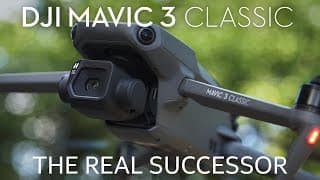
DJI Mavic 3 Classic Review - The Real M2P Successor Drone
DJI Mavic 3 Classic has just released Nov. 2 2022, I can confirm after using myself that it is the same quality, same camera and mostly everything good minus the zoom lens. Here's a drone review to save everybody time: Yes it has the zoom lens removed No it isn't using a worse camera No Aperture hasn't been removed Yes it uses the same Mavic 3 batteries, Same props, Same body, Same everything except the ND Filters Yes, there are new features: Night Mode, Hyperlapse preview, a DJI RC option when buying 5.1k H.265 footage, no internal hard drive (except for small 8gb) Hasselblad 4/3" sensor f2.8 4K 60fps 10-bit D-Log 20mp photos Omni Directional Obstacle Avoidance Hyperlapse (now with preview) Active Track 46 minute flight time Same body and weight (895g) Most important to me was that the firmware and color profile look and feel like the Mavic 3 before, and yes it is still all there. Really well working exposure balancing in the software while filming, and I can't believe I'm saying this but I really love that HDR thing whatever it is doing, it gives the Mavic 3 a rich and distinct look. Night mode was a great idea to add without having to harm the current profile for normal filming. The color profile and ISO didn't translate well to night time filming, so with this Night Mode, black point, noise containment, and sensitivity to bright spots makes it look much cleaner, very vibrant for filming at such low-light. SUPER happy with this and hope all drones get it soon. This feels like the natural successor to the Mavic 2 pro, the drone we were all anticipating in 2021. The Mavic 3 was a big leap in quality, features, and price. This should satisfy everybody who was waiting around for a $1700ish drone and still wanted a manual aperture. Rejoice mortals. $1469 USD Drone Only $1599 USD Drone Only $1749 USD Smart Remote included $649 USD Fly More Kit $129 ND Filters https://click.dji.com/AFe35KYs9ZtFWF9j65hyRw?ch=launch-mavic3classic&pm=custom Just get a second battery and ND filters and you'll be fine. REALLY suggest the DJI RC smart remote too, wildly helpful to the experience. 00:00 Intro 00:15 Spec List 00:50 Mavic 3 Classic Price 01:30 Quality 02:13 Charmander 05:05 Use Normal Profile 05:45 Night Mode 07:00 Photography 08:00 Equipment #DJI #DJIMavic3Classic #Mavic3
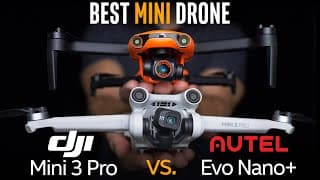
DJI Mini 3 Pro vs Autel Nano Plus - Best Mini Drone
I wanted the Autel Evo Nano Plus to give the Mini 3 Pro a challenge but results are less than desirable. I don't like to say "Beginner Drone Comparison" because these sensors and features are professional caliber while still being a maximum convenience in a tiny body under 250g. Mini drone makes more sense. I have a whole review on the Mini 3 Pro, we know it just performs. In several areas the Autel was trying but not really delivering. App crashes, funky bugs, switching filming modes on its own, flying hiccups and other things made me have to retake everything with it again and again. Even pretending I have a bugged model, its still questionable if it competes with the Mini 3 Pro in the final product. Nano Plus panoramic photos are really slow, flight settings are not as intuitive or smooth, you fly lined up with something but then end up misaligning the frame somehow, shooting a flat color profile is only in full-auto settings, hyperlapse has very limited options so you get super bouncy results. Digital sharpening and vibrance is added to the video so beginners (most buyers) may think its better only because its different but it is a blotchy look I don't want. Typically you have Pros and Cons on every comparison between two, but there weren't any areas they both share where the Autel Nano + gets back at the Mini 3 Pro other than low-light footage which was beautiful on the Evo Nano Plus even if it feels like its by accident. Things only Autel nano plus has: No-Geofencing Rad color options Things only Mini 3 Pro has: Vertical Filming 47m battery option Smart Remote included for less money than the Nano+ alone dfkdfj Active Track (yes, Nano lists tracking since January launch but it isn't ready) Sucks because I really want to see Autel do well and having a second brand to shop from would be great, but right now DJI still just knocks it out of the park and performs well at the same time that Autel sadly didn't deliver. After thinking about it more, this drone was built to tackle the Mini 2 but maybe it was pushed out hastily in January 2022 because of the concern that a Mini 3 Pro was about to come out in April and they would have lost basically the whole market. They were maybe forced to just halt the project and release the drone in January to get as much money back as they could instead of dominating the mini drone market with what was supposed to be a super version of the Mini 2. I would still like to try out the Nano Lite since it has a similar build to the Evo II Pro 6K, which was a drone that didn't fly well but had a really awesome picture (once you played with settings, out the box image was gross) 1:20 Areas Covered 1:30 Image Comparison 3:38 Afternoon 5:42 A-Log vs D-Cinelike 7:30 Sunset 8:01 Flying/Cinematography 9:20 Price 10:34 Photography 11:40 Connection 12:00 Low Light 13:30 Hyperlapse 14:42 Extra Features 15:22 Tracking 15:55 No Geofencing 16:20 Collision Sensors 17:20 Summary 19:15 Bottom Line
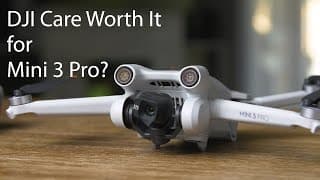
Is DJI Care Worth it for the Mini 3 Pro?
DJI Care has a good reputation with replacing a product if you crash or damage your drone. Also separates you from the pile of people who crash from their own error and then try to pin it on a warranty and mooch a new one. It's a one time payment so it's not like insurance where it slowly drains you for months. I screenshotted some examples of people’s experience so you can decide if DJI Care is worth it for the Mini 3 Pro, Air 2S, Mavic 3 or whatever drone you have. DEFINITELY worth it if you are doing this for work and putting miles on it or need a replacement FAST. Mini 3 Pro: $79/year or $125/2 years DJI Air 2S: $99/year or $169/2 years You have to activate it through the app within 48 of when you first turn your drone one. NOT when you buy it, but when first activated. If your drone has been activated for more than 48 hours then you can’t just add DJI care through the App anymore. USED DRONE or DIDN’T ACTIVATE IN 48 HOURS: You can still do a screen recording and send it in to DJI to prove your drone works and you’re not a scammer first: https://service.dji.com/djicare/customerupload So that’s an option
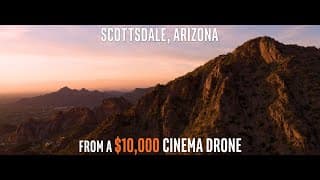
Scottsdale, Arizona from a $10,000 Cinema Drone
Scottsdale Arizona drone footage shot in 6K on my biggest drone, Phoenix Arizona included in here as well. Beautiful pink sunsets, monsoons, summer storms, camelback mountain, state fair, etc. Some locations around phoenix shown: Scottsdale Waterfront McDowell Mountain Ranch Grayhawk Camelback Mountain hikers Old Town Scottsdale Bars Scottsdale Quarter Fashion Square Tatum Road Desert Ridge (kind of) Frank Lloyd Wright blue dick thing Arizona State Fair just the Canal Talking Stick Top Golf Scottsdale Quarter McDowell Mountiains Desert Mountain Scottsdale Mountain I have tons of footage or Arizona so my next post will be just a big pile of stock footage and aerial b-roll of Scottsdale and Phoenix also shot in 6K (mostly). Music: Lux - by Ryan Taubert Business: Alexander Harris licensed part 107 operator in Scottsdale, Arizona alexharris52@gmail.com
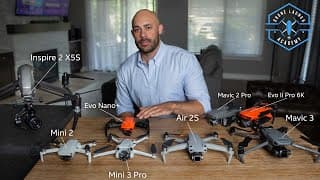
Ultimate Drone Buying Guide for Total Beginners 2022
Best Drones for beginners that still shoot pro quality video and photos compared. DJI Mini 2 vs. DJI Mini 3 Pro vs. Air 2S vs. Autel Evo Nano Plus vs. Mavic 3 vs. Mavic 2 Pro vs. Autel Evo II Pro K vs. DJI Inspire 2 with X5S Link to the Editing & Cinematography drone course, includes the drone business/marketing course now too so they are just one thing. $100 Off because I love you I guess: https://courses.dronelaunchacademy.com/p/aerial-video-a-to-z/?product_id=872022&coupon_code=GROOVYLITTLEDISCOUNT&affcode=58782_fajjfmbu If you're on a mega-budget, You can STILL get awesome footage. A mini 2 is still a really good drone and DJI told me they don't want the Mini 3 Pro and Mini 2 to compete. It isn't a replacement its just a more VIP option but the same size. Mini 2 Pro still gets RAW format photography, 4k footage stabilized, awesome connection on the newer remote, it still kicks man. It is a 1/2.3" sensor and shoots 12 megapixel photos but it is PLENTY to grow with. Just find it used on Craigslist, Ebay, Facebook Marketplace, Offerup for like $250 or lower. Mini SE - $250 New (used to be called Mavic Mini) 2.7k and JPEG photos only but can live in your pocket Mini 2 - $450 4K, RAW photos, Great connection, really impressive for the size, convenience and ease Mini 3 Pro - $750/$900 Get the $900 one, it is REALLY worth having a dedicated smart remote especially for this little extra. 1/1.3 inch sensor, 4K footage, vertical filming, 12 megapixel RAW photos, quietest drone so far, looks like a bug flying. Such a crazy fun experience, incredible data. They've made the footage look like it came from a bigger drone. Activetrack to follow you around if you care about that. I've got a review on this drone already. LOVE this thing. Air 2S - $1000 Pay more for the Fly More kit though, you want the batteries and ND filters: 5.4K footage, 1 inch sensor and REALLY bang for your buck at $1000, such a good deal. 60fps if you care (I don't) and competes with the mavic 2 pro image. Most people in the Mini 3 Pro crowd who care a little more about quality (professionals) choose this drone. Mavic 2 Pro - $1000 Used King of drones up until last year. 1 inch sensor, 20 megapixel RAW photos. The holy grail, still worth it. Autel Evo II 6K - $1100 Used 6K 1 inch sensor, 20 megapixel photos. Flies funny, default picture is weird. Have to tweak it in editing but then it is great. I'd pick a mavic 2 pro used anyday Mavic 3 - $2150/$2850 Get the normal version not the $5000 Cine version if you don't know what Prores format is. There is no going back after having this drone. Unbelievable dynamic range. UNREAL stability, color, control. When it launched it was janky, but they fixed everything with firmware updates. A 7x zoom lens as a second option. Everything I have filmed has looked much better than i was anticipating while shooting. This is for professional who want to knock anything out of the park, no limits honestly. DJI Mini 4 - No, don't even start asking. Inspire 2 + X5S camera - $8000+ Used Shoots 6K RAW Video (literally filming in RAW photos) 5.2K 422 Prores and 4K Proress 4444 incase you know what that all means. Its an insanely high quality image that is mega flexible for color grading and so enjoyable just to watch ungraded b-roll with it, but man is it a pain in the butt to get out, lug around, deal with the attention and the noise it has. It's more like a once in a while, Ace in the hole to blow something out the water or shoot Stock Footage and practice cinematography. Interchangeable lenses are really nice too. I have other videos on making money, go watch those if you need. If you want the fastest way to get better footage, watch the Cinematography one, trust me it is very necessary. :35 Buying a cheap drone 1:00 They are all easy 2:15 Drones Compared 3:25 Drone Quality comparison 4:12 DJI Drones 4:55 Smart Drones 5:35 Mini 2 cheapest 6:20 Evo Nano plus 8:00 Noise Test 9:05 Mavic 3 Best Drone 9:45 Sensor chart comparison 11:48 Avoid salesy words 12:34 Make a Decision 13:05 Mini 3 Pro vs Air 2S 14:30 Best experience 14:45 Fastest Way to Improve
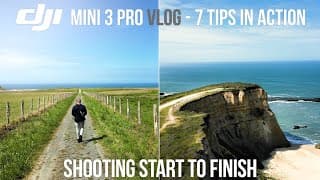
DJI Mini 3 Pro VLOG - 7 Tips while shooting Start to Finish
DJI Mini 3 Pro VLOG - Tutorial on the job using the drone from start to finish. There are 7 Tips in here I also address and you can see them in action: 2:23 Shoot Slow and Patient 3:43 Expect to do Retakes 5:12 Commit and Don't Adjust 7:08 When to Adjust Settings 7:50 Don't Work against the Sun 8:56 Get Closer 9:30 Getting Photos Too 12:54 Film until its Awkward The Mini 3 Pro is capable enough to handle lighting changes much better than the Mini 2 but you still need to know how to make use of this drone the best way possible. This is to show the drone being used the entire way through so you see you can watch me do it, then do the exact same thing to get cinematic footage.
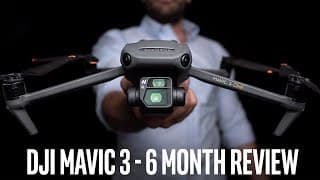
DJI Mavic 3 Review - King of Drones // 6 Months In
This Mavic 3 Cine review is after 6 months of using this drone regularly, I’m sort of obligated to do this now because I use it constantly over my other drones. The default color is really incredible, but I also have the option to color grade because of the rich data and Prores format. After firmware updates from DJI this drone now has hyperlapse, a huge battery, a 7x zoom camera with manual picture settings like shutter, iso, etc. (coming in next update) and it's heavy enough to sit still in the wind at night and do a 1 second long exposure. Cannot recommend it enough just because of how little you have to stress over what you’re filming since anything it records has turned out better after viewing than what I had pictured in my head. Again and again. The DJI RC Pro is such a VIP feature, seriously makes flying fun again not having to consider a phone. Most shots filmed between California, San Diego, Highway 1 in Northern California, Scottsdale Arizona Most shots: Prores 24fps - Normal Color Profile DJI 16ND filter 1/60 shutter ISO 100 Graded in Adobe Premiere Pro using Lumetri Color I teach a course on Cinematography and Editing + Marketing drone footage, you can check my credentials https://courses.dronelaunchacademy.com/p/aerial-video-a-to-z/?product_id=872022&affcode=58782_fajjfmbu @dji #DJI #djimavic3cine #mavic3 1:00 Original Launch 1:40 Normal Profile is really capable 3:00 Prores even worth it? 3:33 Who is this for? Why not Air 2S 4:50 Firmware Updates 5:33 Low Light/Long Exposures 7:05 Color Grading Footage 8:36 RC Pro Controller 10:20 Bottlenecks removed 10:51 7x zoom 2nd lens 11:00 Firmware Updates 12:30 Cinematography Tips 14:00 Battery Life 14:30 Price worth it?
DJI Mini 3 Pro - Which combo/package to buy // Fly more kit? Smart Controller compatibility
Which kit, combo or package to get with the Mini 3 Pro. This time is different because normally you want the fly more kit for the extra battery and ND filters. But with the Mini 3 Pro, DJI isn't including ND filters in the fly more kits. That means you could just order the drone with whichever controller you want, then buy 1 extra battery and the ND filter package separately. You really want a second battery no matter what, just trust me please. You will need ND filters if you want to get pro footage or go down that path later on. Those two are the only essentials. The Smart Controller that comes with the Mini 3 Pro is called the DJI RC. This is not the same as the big black one that comes with the Mavic 3 Cine (DJI RC PRO) but I STRONGLY recommend especially since its not much more for that package. This one is only compatible with the DJI Mini 3 Pro (RIGHT NOW) When I was testing this drone before launch for DJI and I was using the beta version of the controller, it let me connect to Air 2S or Mavic 3, no clue why that was. Maybe they were testing the feature, maybe it was just because I had the prototype software/controller and it isn't a feature that works very well. I'm hopeful (like we all are) that they add compatability for the Air 2S at least becuase that would be awesome. Right now only the DJI RC PRO smart controller can control the Mavic 3, Mavic 3 Cine, and Air 2S. https://click.dji.com/ACI02moOCwyTM32dfE4ZZQ?ch=launch-mini3pro&pm=custom
DJI Mini 3 Pro Review - HUGE upgrades!
DJI Mini 3 Pro is HERE and this drone REALLY performs. DJI sent me the Mini 3 Pro early to review in-depth. Look at this footage at sunset and in beach wind, dynamic range is much better. I’ve had some time with the Mini 3 Pro and this thing is a huge step up from the Mini 2: 1/1.3” Sensor f1.7 4K 60fps Hyperlapse Collision Sensors D-Cinelike Active Track Vertical Filming Dedicated Smart Controller 47 min battery (optional) I’ll keep posting more footage with it but holy cow I am so happy they added hyperlapse to this drone, that is something I really love to do. Tri-Directional Collision sensors are a huge deal too. Vertical filming thankfully isn’t a parlor trick, it is full 4K, no quality loss They said they don’t want the Mini 3 Pro to compete with the Mini 2. This drone is supposed to be for getting professional sellable quality while prioritizing the size and convenience of the Mini - under 250g Fastest Way I’m Making Money with my Drone: https://www.youtube.com/watch?v=fvLjHSDtXTM I teach a course on Drone Cinematography and Editing + Marketing: https://courses.dronelaunchacademy.com/p/aerial-video-a-to-z/?product_id=872022&affcode=58782_fajjfmbu There is a Drone-only package, Fly More Combo and a Mini 3 Pro combo with the DJI RC Smart Controller You can Buy the Mini 3 Pro here in multiple packages: https://click.dji.com/ACI02moOCwyTM32dfE4ZZQ?ch=launch-mini3pro&pm=custom @DJI #DJI #DJIGlobal #DJIMini3Pro #DJIMini2 #dronevideo #dronefootage #mini3proreview #djimini3proreview
Mini 3 Pro Vertical Filming Sample Footage - My Best Shots
DJI Mini 3 Pro Sample Footage of Vertical Filming to give you an idea of the quality - not sure why you can never find these from camera makers when a new one comes out I've had it for a couple months so I've tested it out thoroughly This camera has a 1/1.3" Sensor that is f1.7, so ISO is cleaner and it is naturally brighter compared to the Mini 2. Vertical filming is also actual vertical filming... the camera turns sideways, so no gimmick here thank god. It's full quality 4K and I did a comparison in here to show you Most shots are using a 16ND using the Normal Profile - H.265 Color Graded lightly using Adobe Premiere Pro and the Lumetri Color Effect Here's the Mini 3 Pro: https://click.dji.com/ACI02moOCwyTM32dfE4ZZQ?ch=launch-mini3pro&pm=custom @DJI #DJI #DJIGlobal #DJIMini3Pro #DJIMini2 #dronevideo #dronefootage #mini3proreview #djimini3proreview
DJI Mini 3 Pro Sample Footage - My Best Shots
DJI Mini 3 Pro Sample Footage to give you an idea of the quality - not sure why you can never find these from camera makers when a new one comes out I've had it for a couple months so I've tested it out thoroughly This camera has a 1/1.3" Sensor that is f1.7, so ISO is cleaner and it is naturally brighter compared to the Mini 2 Most shots are using a 16ND using the Normal Profile - H.265 Color Graded lightly using Adobe Premiere Pro and the Lumetri Color Effect Here's the Mini 3 Pro: https://click.dji.com/ACI02moOCwyTM32dfE4ZZQ?ch=launch-mini3pro&pm=custom @DJI #DJI #DJIGlobal #DJIMini3Pro #DJIMini2 #dronevideo #dronefootage #mini3proreview #djimini3proreview
How to Fix Drone Anxiety
Why does it feel like you're doing something illegal, even though its legal. Shakey fingers squeezing the controller, this is how I've fixed drone anxiety when flying my Mavic. Should fix your beginner drone nerves if you have them. People never talk about this online so I'm explaining how I've had to figure out how to get past it. I have no problem flying now, also because i've flown so much and know what to expect with flying and with people around. Perfect if you are a beginner with a DJI Mini 2 or even use a drone as big as an inspire 2 or mavic 3 1:24 - #1 Open Water 2:26 - #2 Parks and people claiming privacy 3:08 - #3 How to go about a neighborhood 4:27 - People shoot down your drone 5:48 - #3 #2 Vacant Lots/Construction 6:23 - How to plan, no excuses 7:00 - Bringing a friend 8:08 - Can't get close enough 9:47 - What if you get caught 11:45 - Boogyman FAA 13:44 - Use ALOFT app
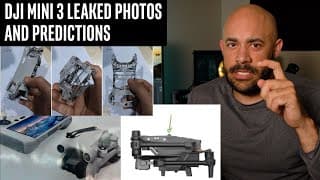
New DJI Mini 3 Leaks and my predictions
DJI Mini 3 leaks are popping up on twitter, this is DJI's thing. The Mavic 3 launch was similar just before it was announced. This is my educated guess as to what to expect with this DJI Drone if it follows the same release patters as the last few launches. April launch (fingers crossed, maybe May) 1/2 inch sensor (or more) ((biggest improvement I'm expecting)) Probably same 12mp photos A few more minutes of flight time 4K 60fps $550 ish Hyperlapse... i would LOVE that but maybe asking too much More sensors than only having the bottom ones A Mini 3 Pro model with a controller like the RC Pro for the Mavic 3/Air 2S probably for $1200ish Onbord memory would be super cool and barely costs anything for DJI. Probably for a pro model if there was one. DRONEDJ.com usually has leaks right away @JasperEllens solves the case a lot, first leaked the mavic 3 @DEALSDRONES twitter had the photos, also @OSITALV twitter
Guide to Buying Dad a Drone 2022
This is coming from a career camera operator/video editor. Drones available now are VERY capable but if its not your hobby you probably have no idea what all the numbers mean, what to pay, or what is and isn't worth it. Trying to make it easy for you Expect to pay $400 or more if you don't want him to get bullied on the playground If your budget is lower than that, just get a Holystone, its a really cool toy, but that's mostly what it is. https://www.amazon.com/s?k=holystone&ref=nb_sb_noss_2 The differences between the $400 and $3000 one are not noticeable unless he is adept at video and photography and knows how to edit. Otherwise he will be delighted with even the lowest tier option I show you. These are the drones that basically everybody in our field is flipping out over (hobbyists and professionals) so you picked a really great time to get one. There has never been this much technology for so little cost. DJI Mini 2 - $450 https://www.bestbuy.com/site/dji-mini-2-quadcopter-with-remote-controller/6435253.p?skuId=6435253 Mavic Air 2S - $1000 https://www.bestbuy.com/site/dji-air-2s-drone-with-remote-controller/6454875.p?skuId=6454875 Mavic 3 just for fun - $2300 https://www.bestbuy.com/site/dji-mavic-3-quadcopter-with-remote-controller/6482937.p?skuId=6482937 He WILL need an SD card as well to save the photos to 64gb U3 Micro SD Card is only like $10 https://www.amazon.com/Samsung-Class-Adapter-MB-MC64GA-AM/dp/B0749G5ZCB/ref=sr_1_4?keywords=64gb+u3+sd&qid=1639030678&sr=8-4
Mavic 3 Drama Summarized and My Opinion Changing
Lots of weirdness on the Mavic 3 launch, loudest voices being the angriest when in reality most people are using it even with unfinished features and app My opinion is changing pretty quickly about it, i'm getting attached heartemoji.jpg but I ALSO think that's because I just hate having to haul around the inspire 2 in all of its madness. Prores vs. H.265 don't worry about it, you won't notice a difference. For 95% of people i'm really suggesting you get a Mavic 3 regular. ALSO DJI announced in January they will have a new combo with regular Mavic 3 and RC Pro controller as well so maybe hang around for that. I didn't like spending so much on a smart controller before, but this one has made me change my mind. Makes the experience MUCH much better.
DJI Mini 2 Settings - Checklist for Pro Quality
DJI Mini 2 Camera Settings I use to guarantee quality. The Best drone for the money is the DJI Mini 2 for this reason - $450 for THIS quality. I'll show you coloring in Premiere and Final Cut. You need one of those since fixing the color is a big deal, as well as an ND filter and an SD card (u3 card is $15) These are my DJI Mini 2 best camera settings I use on every shoot. Yes you can sell Mini 2 footage IF you know what you are doing and apply these perfectly. Can't have any blue-ish high contrast, low standard drone footage on your channels. NO AUTO 16ND Filter all times except sunset No Thumbsticks Cine switch while filming Custom settings for Cine mode Stick Mode 3 SD Card 24fps fly SLOW fill up FRAME Color Correction (VERY necessary for this drone specifically) ND Filter is just ND NOT the polarized kind which are cpl nd. Most brands on amazon are fine. Mini 2 cinematography is unique because its so low key, versatile, low fuss and just fun to use. Beginners DJI Mini 2 owners might notice issues at sunset, I try to address that in the editor as well because it can cause some hiccups if you are new.
5 Killer Drone Video Ideas - Moves and Cinematography
The last one I made is still my most viewed video. 5 killer drone video ideas for cinematography so you don't just hang out in the air, spin a bunch and get frustrated. Also what's selling the best (locally ((which is way way better btw)) and on pond5 ((which pays well for a stock site and has traffic.)) The best drone shots I use most frequently: 1. Falling Backwards 2. Eagle on the Mountain 3. Flyaway POV 4. Dropoff 5. Downtown. Sunset. Rooftop. Tripod mode, softer movement settings, 16ND filter. The last one will be best for a Mini 3 Pro because the drone is so small it is easy to hug close up to buildings. Filming with this drone for photo or video is much easier because of the size and low noise. That is a 2022 drone like the Evo Nano Plus. If its a DJI Mini 2 or DJI Air 2 OR DJI Air 2S then fix the color in a video editor, the default from camera is pretty bland. I use Adobe Premiere Pro its like $20/month for students. Most of these drone moves are using the Mavic 2 pro. Also got some Air 2S in there (barely) some Evo II Pro 6k which is way better at sunsets than DJI, and the Mini 2 believe it or not. Its really good at being discreet and getting close to a rooftop or between buildings/trees. Mavic 3 is now very much improved the way DJI handles reds so I'm happy with that one at sunset. Inspire 2 with the X5S is a ton of the San Diego, California footage. You don't need a super expensive drone camera, anybody with some cinematography and framing sense can make a cheaper drone fly and look much nicer if they pay attention to what they should aim for. The best drone is the one you have on you (within reason, Mini 2 or higher lol) 0:00 Falling Backwards 0:53 Eagle on the Mountain 2:11 Flyaway Shot 3:20 Not Top Down 3:54 Dropoff 4:25 Downtown. Sunset. Rooftop 4:54 Hyperlapses sell on Stock Sites 5:10 Make it RELEVANT
Mavic 3 predictions based off the Mavic Air 2S
I hate doing these because someone will ask for my EDUCATED GUESS and the same guy will go "WeLl yOu PrOmIsEd mE a MaVIc 3 bY sEptEMbEr!!1!" when it doesn't workout that way. It's happened before. I would be happy with: 6-9 months out $2000 Micro 4/3 sensor 6K video but on an 8K sensor, with a 6K sensor crop shooting option (I don't care about filming in 8k) Zoom lens 24-48mm, or just a cropped shooting mode *Swappable lenses would be great if there is no zoom. Annoying, but better than no lens options Aperture control of course No changes in photos they are already the beezknees, will only improve with a larger sensor Range, flight time, sensors, smart stuff, don't care about and never use. Why I say this?: Mavic Air 2S was released with barely a peep about a 1 inch sensor now being only $1000. This WAS the reason for the Mavic 2 pro. They wouldn't cannibalize their own line unless they had some really juicy stuff coming DJI already has Micro 4/3 sensor testing/formatting down with the Inspire 2 X5S camera They want to keep this simple/hassle free because their sales are MUCH stronger when they make drones small/foldable/all-in-one. Interchangeable lenses seems clunky, but it MUST be the go-to professional tool and groundbreaking. I think a larger sensor zoom lens is the only clear victory they have. At the least, 8K sensor with 6k cropped shooting would allow you to be at like 150% zoom without any quality loss and that would help solve the shooting modes issue some... still that seems mild compared to a larger zoom lens. thank u for coming to my ted talk
Fastest Way I'm Making Money with my Drone
Stock footage sells too slow, this skips the line. Its consistent and residual. Every month or two I'll get an email about using it for an event, on a realtors website, in a facebook ad, stuff like that. So consistently its been $400ish every 3-5 weeks on my Scottsdale Video. Anybody can be making these in their town, nobody does though idk why, which is fine I'll just drive there and make one lol. But This is the fastest way I'm making money with my drone. Link to the Editing & Cinematography Online Drone Course, includes the drone business/marketing course now too so they are just one thing. $100 Off because I love you I guess: https://courses.dronelaunchacademy.com/p/aerial-video-a-to-z/?product_id=872022&coupon_code=GUNTHERDRONEPRO&affcode=58782_fajjfmbu Before you ask the Mavic Mini is really cutting it close for this stuff but up to you. Can you get someone to buy from you? Yeah, people will buy iPhone footage if its exactly what they want. Should you go apply for National Geographic? No. Either way if you have a drone business or you want to make money with a drone, you should be doing this. Drone stock footage sells okay, IF you have good stuff but selling drone footage locally works better. Mavic 3 - unbeatable, don't even need the Cine version. Even with the weirdness on launch, its still phenomenal Mavic 2 Pro - great Evo II Pro 6K - great Air 2S - great but needs some color adjustments in the editor. Inspire 2 - unstoppable, just noisy as hell Evo II 8K - good Mini 2 - good Mavic Air 2 - good Mavic Pro 1 - okayish... actually no its 2022 buy a new drone Phantom 4 Pro/Adv - good Phantom 3 adv/standard - okay Mini 1 - no... but very fun AUDIO: Audiojungle.net is really good for fast/cheap stuff. Trailer sound effects too Premiumbeat.com - higher quality, little more cost MusicBed - earth shattering quality, but you have to message and negotiate with music creators
Mavic Hype Reel \ My Best Drone Footage
by Alex Harris Shot on Mavic 2 Pro - Normal profile most of the time. D-Log here and there Four shots are on the Inspire 2 X5S in 5.2k Prores Two shots are the Autel Evo II Pro 6K which was a nice surprise that it made it into my reel. Edited in Adobe Premiere Pro with Lumetri Color (life saver) Shot over 2019-2020 Positano, Italy (ocean hill town) Varenna, Italy (lake village) Grindelwald, Switzerland Ramosch Switzerland Germany I don't even know where Finland San Diego, California La Jolla, California Scottsdale, Arizona Song: Cinematic Electronic by Prigida. This guy is really good, it's on AudioJungle
Summer in Carlsbad, California \ DJI Inspire 2 X5S 5.2k
Summer in Carlsbad, California my favorite place in San Diego county. So many beautiful frames and scenes here everyday Filmed on DJI Inspire 2 drone using the X5s camera in 5.2K Prores 422 Shots 1:19, 1:39 and 1:47 are on an Autel Evo II Pro 6K in 6k 10-bit I have my part 107, you can license footage: alex@dronelaunchacademy.com
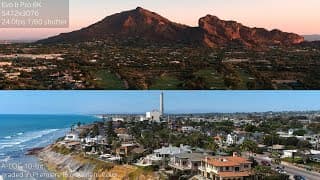
Evo II Pro 6K does qualify as a 1-inch alternative but ONLY image quality and IF you adjust
Samples in multiple situations and locations because I'm a videographer, not a youtuber so I'm putting the camera through work and playing with settings. Picture doesn't look great out of the box, had to fix a few things with the first being the digital sharpening. Looks great at sharpness -2 though. Nicer reds than the mavic 2 pro i'll say, same low-light but sunsets look nicer on the evo II Using a Skyreat 16ND on both the mavic 2 pro and Evo II Pro 6K Evo II Pro shoots in 10-bit all the time, even normal profile which is cool. Most of these shots are 10-bit A-Log which means you HAVE TO know how to grade the footage in an editor. Don't recommend if you can't diagnose wtf is going on with your footage, sticking a LUT on there doesn't fix it. Just shoot normal profile it'll come out better Mavic 2 Pro shots are 10-bit DLOG graded
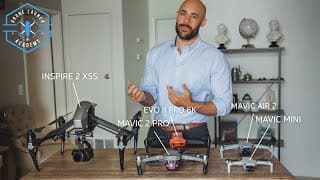
Ultimate Drone Buying Guide for Total Beginners 2020
Best Drones for beginners that still shoot pro quality video and photos compared. Mavic Mini vs. Mavic Air 2 vs. Autel Evo II Pro 6K vs. Mavic 2 Pro vs. DJI Inspire 2 with X5S Link to the Editing & Cinematography drone course, includes the drone business/marketing course now too so they are just one thing. $100 Off because I love you I guess: https://courses.dronelaunchacademy.com/p/aerial-video-a-to-z/?product_id=872022&coupon_code=GROOVYLITTLEDISCOUNT&affcode=58782_fajjfmbu If you're on a mega-budget, I should make an honorary mention to the good old Phantom 3 Standard. Shoots 2.7k on a 1/2.3" sensor but shoots 12 megapixel RAW photos just like the bigger models. Its really capable and cheap as crap now because its old, should be able to find it used on Craigslist, Ebay, Facebook Marketplace, Offerup for like $250 or lower. Mavic Mini - $400 2.7k and JPEG only but only $400 and can live in your pocket Mavic Air 2 - $800 4K 1/2 inch sensor and REALLY bang for your buck at $800, such a good deal. 60fps as well. Mavic 2 Pro - $1500 4K 1 inch sensor, 20 megapixel RAW photos. The holy grail, still worth it. Still worth just getting and not worth waiting on some Mavic 3 that's 'coming anyday' just like the last 2 years, seriously. Autel Evo II 6K - $1800 [NOT the 8K version please] 6K 1 inch sensor, 20 megapixel photos. More like 4K-equivalent really. Kind of weird, just got it so still testing but when you get over the odd stuff it has a GREAT picture, maybe on par with the Mavic 2 Pro, but not as intuitive, easy to fly, cool to show all the dads on the beach, or as feature rich. I'll do a review later but so far has helped me pick up exactly 0 step-moms. Inspire 2 + X5S camera - $8000+ Used Shoots 5.2K RAW Video (literally filming in RAW photos) 5.2K 422 Prores and 4K Proress 4444 incase you know what that all means. Its an insanely high quality image that is mega flexible and so enjoyable just to watch ungraded b-roll with it, but man is it a pain in the butt to get out, lug around, deal with the attention and the noise it has. It's more like a once in a while, Ace in the hole to blow something out the water or shoot Stock Footage and practice cinematography. Interchangeable lenses are really nice too.
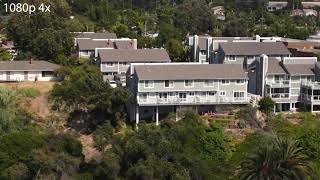
Mavic Air 2 Digital Zoom Comparisons - 4K 1.3x is great, 1080p 4x is not
Not doing a fancy voice one here, just giving you a fast sample of these side by side. Mavic Air 2 Firmware Update (with App update) allows you to do a Digital Zoom now. Is it Fake? No. The sensor takes photos at 4000x3000 so you can see that when filming at 3840x2160 its not even using all its pixels. MODES AVAILABLE: 4K - 1.3x + 2x 2.7K - 1.3x + 2x 1080p - 1.3x, 2x, 3x, 4x SUMMARY: 4K 1.3x zoom = Groovy Bananas 4K 2x zoom = Treat it like its now 2.7K :/ 1080p 4x zoom = not even going to talk about it I will basically shoot in 4K 1.3x Zoom all the time now, just like the Mavic 2 Pro. I'm really impressed they added this. This camera surprises me every time that I think I should use my Mavic 2 Pro for a situation instead. Ironically the thing that amazed me the most was that the regular 1080p in this drone is REALLY good. I've never had to try it before until now when comparing the 4x zoom with the normal 1080p. I'm glad they figured out how to get it working so well with H.265, because back in the Mavic Pro 1 days the 1080p was horrible. I understand they didn't NEED to add this, and the 1080p 4x zoom is just for fun because why not and there is utility use with it, but that 4K 1.3x zoom alone would have been an instant sell to me IF they had given that option alone. Super happy DJI added this
Mavic Air 2 RAW Photo Edit in Lightroom - Edit with Me
Here's a RAW format photo taken with the Mavic Air 2 you can download and edit. Can't find any sample photos anywhere so here you go https://drive.google.com/file/d/1Z3uD_WKuWqog3b2gFtrRM6gJ3Ix6iKDy/view?usp=sharing Software is Adobe Lightroom CLASSIC *not Lightroom CC that weird confusing cloud software* Mavic Air 2 is an upgrade to the previous sensor, this one is a 1/2 inch, so details in shadows are a bit better. Not using the 48 megapixel, I don't like it. Just using the normal 12mp
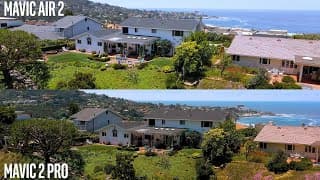
Mavic Air 2 Initial Thoughts - Better Sensor, Great Footage but 48mp is fake news
Update: ITS THE JPEG. People just open up the standard JPEG photo from the card and do a side by side. I would never use that, I'm working with RAW format. So the 12mp vs 48mp in JPEG is a little better (not 48 megapixel good, but still better) and then the RAW photos are mostly the same. Mavic Air 2 - First look with some Initial Thoughts, this is NOT a full review, just posting actual footage because of how much debate there is without results. GOOD: Small improvement to the sensor makes a nicer image 4K 60fps looks as good as 24fps, I was worried about data loss being noticable Super small and cool, built sturdy, great to pose with and send pictures to mom Great connection super far away It's an $800 so chill out and be happy it can do all this BAD: I was sadly spot on about 48mp being a hollow promise. Experimented further, turns out the 48mp JPEG is a little better, but not the RAWs. The RAWs are the only ones I would work with. Also means 8K hyperlapses are going to be "8K" the way your iphone in 2011 was shooting "4K" I don't know what this quad bayer sensor is supposed to do if it divides pixels into 4 smaller, 25% as strong pixels. Maybe I don't know enough about it Essentially, photos have changed not much in this drone, but that's okay they were already great
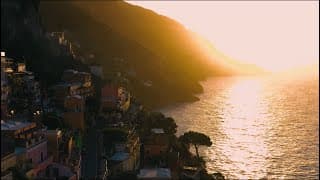
Morning in Positano Italy by Drone - Amalfi coast stock footage
B-roll footage in 4k of some morning shots in Positano, Italy Mavic 2 Pro Skyreat 16 ND Filter None/Normal Profile, +1 sharpness, -3 contrast, -2 saturation Graded in Adobe Premiere Pro using the Lumetri Color effect. No LUTs Some really nice conditions with the fog and the sunrise, kills me that I could have gotten those shots near the end that I show on my phone but I missed my chance from dead batteries. Always try to explain to people you'll get your best shots because of the CONDITIONS - weather, clarity, time of day. Not just the location. This was December by the way Afternoon shots on my second bout around the Amalfi coast are in the follow up video. Music is Heartstrings by Big Beiny https://www.premiumbeat.com/artist/ben-beiny alex@dronelaunchacademy.com
Aerial Photo Crash Course Webinar Promo - Better photography with Any Drone
You can register here: https://event.webinarjam.com/register/1/zn29lhx Drones have gone through unreal growth in quality and I was getting asked for it constantly while running a photo/video production business. Drone operators complain about saturation in the market, but there are DSLRs everywhere and photographers didn't run dry... What I'm really saying is that because operators can't use them to their fullest, they wind up with bland, lifeless tree or lake shots. Photography alone is tough to get into, but adding the flying, angles, and other variables... It entices you to just photo random Earth and then immediately fly home. So I organized a 50 minute webinar. I had the same advent with video and that one got 550 Five-Star reviews so I'm trying to keep the groove up while I'm in good spirits. - DRONES comparison - what's the best for the price, difference in sensors - EQUIPMENT that I really need and what is a waste of money (which filters/range extenders) - SETTINGS honestly not the hardest thing to understand for photography so just copy/paste mine -FRAMING yeah this one is a doozy to most people for some reason. I've tried to make it really clear. But angles/techniques I use pretty much all the time and how to get creative with even a boring city -COMPUTERS/EDITING a look into my setup, how little you need for this stuff, and the software that's $10/month and gives you easy but advanced color control, and BRUSHES AND MASKS that's like what I live by now. This process is honestly made me more money, had clients do the marketing FOR me Hope it helps
5 Killer Ideas for Drone Videos
I've tested tons of ideas of what to film, I know how frustrating it is not knowing what to do when you first get a drone. Which shots look coolest or which locations wind up giving great shots everytime. As a drone cinematographer, these 5 Filming and location ideas give me gold pretty consistently. Aerial Video Cheat Sheet PDF DOWNLOAD: https://drive.google.com/file/d/1nfTK4t70CZxZdIxVPEQDmNcv-0hvuNZM/view?usp=sharing These 5 techniques pretty much give me consistently great cinematography everytime. The drone does most of the work with the 4k camera honestly. These are easy to do, don't take multiple functions or tons of experience and work great for mavic pro, mavic zoom, mavic air, phantom 4 and 3, etc. 2:45 Low, fast, over-water 3:18 Just straight down 3:55 Right down the line 4:50 Shot kinda down 5:02 Eagle on the mountain 5:54 Fly just barely above anything busy happening beneath 6:36 Find a tall building and go sideway These are my best drone video moves I could tell you off the top of my head, but I have a new video for drone cinematography as well for 2022. Go to my channel for that one, I have new shots angles and ideas, and also how to make money with your drone.
Aerial Video A to Z - The BEST Drone Flying & Editing Course
I hate awful tutorials where some dude drones into a mic 20 feet away for an hour while his mom does dishes in the background SO I MADE MY OWN. Really that's how this started 7 years ago. https://courses.dronelaunchacademy.com/p/aerial-video-a-to-z/?product_id=872022&affcode=58782_fajjfmbu Just like in my channel, I teach you to: Not fight over cheap work for low rates on popular drone listing sites - Differentiate yourself. Learn what makes a good shot work. The Cinematic Picture Settings, the gimbal/flight settings to soften the movements. Color Grading in the editor, and where to take it to get views online, and who to promote it to that will get you actual work. This course is a Flying, Cinematography, Editing and partially business/promotional advice. From the very basics to getting great stuff. I GIVE you tons of stock footage from the Mavic 2 Pro and Mavic 1 pro I've shot all over the world as a traveling videographer so you can work right alongside me. This way you aren't just listening, you're involved. IN AERIAL VIDEO A to Z YOU'LL LEARN: What type of equipment (computers, software, drones) you do AND don’t need; How to tweak the settings on your drone to capture the best looking picture (I cover all of the most popular DJI models and give you applicable advice, even if you have a different drone); The basics of video: resolution, frame rate, the difference between .mp4 and .mov file formats and when is best to use each; Pre-flight planning and which amateur mistakes NOT to have in your reel that will lose you work. Flying, filming, and cinematography - teaching you what to aim for and how to capture those super smooth drone shots; How to CORRECTLY film slow motion footage; Step-by-step walkthroughs of the editing software, so you know EXACTLY what to do and where to go (so it’s not overwhelming); Pro tricks for speeding up the editing process and workarounds for dealing with 4k footage (note: 4k footage traditionally takes a LONG time to work with since its so big…but we have a shortcut); How to arrange your footage to be the most visually appealing and keep viewers engaged; How to fix shaky footage so it’s still usable; The right way to put in titles, logos, and other graphic items; How to go from flat and bland footage to video that pops with the perfect color balance; Salvaging footage that is too bright (overexposed) or too dark (underexposed); Adding music - where to find it, how to line it up with your video for maximum impact; and How to export your work so that its shareable but still maintains great quality. AND a 30 day money back guarantee. If you have any questions - message me: alex@dronelaunchacademy.com Check out more info: https://courses.dronelaunchacademy.com/p/aerial-video-a-to-z/?product_id=872022&affcode=58782_fajjfmbu
Make way more Money with Mavic Photography (pt 2)
Yes there is a course if you're the person who wants more: Also here's a YouTube thank you heart.exe $50 OFF my Drone Photo Course: https://courses.dronelaunchacademy.com/p/aerialphotopro/?affcode=58782_fajjfmbu&coupon_code=JORGENUMBER1 Last time we talked about the approach for handing out awesome shots to Marketing and PR Agencies (which are more consistent and always preferred) as freebies to encourage a response and a conversation, instead of emailing to nag for free contact connections. Watch that video if you need to catch up - there is a reason we are making Panoramas here folksss!!!!! We also mentioned that this is dramatically easier to gain attention and a following with vs. posting your non-relevant business/service/product onto Instagram hoping to get attention from bots or people who don’t care. Here we go over: 1. shoot raw 2. shoot panoramas 3. Shoot CONDITIONS 4. Slower shutter + sunset lighting for even tones instead of mid-day 5. Edit with adobe Lightroom - DON'T use the default jpg from DJI app with the Panorama photos. Hope it helps, comment any other advice if you've got it (the really helpful kind)
How to make way more money with Mavic Photography
Charge $200/hr for drone photography like me doing some actual marketing and promotional work beyond the lame repetitive advice people always give about emailing and calling. Even if you are selling drone photos that aren't great (like me back when I made this) you will still get work because you are RELEVANT to what your clients want. Also here's a YouTube thank you heart.exe $50 OFF my Drone Photo Course: https://courses.dronelaunchacademy.com/p/aerialphotopro/?affcode=58782_fajjfmbu&coupon_code=JORGENUMBER1 I sell drone photography and sell drone footage often just because it relates to what people jive with in my city because I live here, not because its the worlds best. You can do the same thing. I know that the color is good in some and bad in other shots, I had a monitor with off gamma/saturation while I traveled and was too lazy to fix it all. I'll follow this up with a video on what types of photos work for those freebies or handouts you want to create to promote with. These are panorama photos, edited in lightroom and shot using RAW - but I'll get into that next time.
BEST Mavic Photo Mode to Instantly Better aerial photography - JPEG vs RAW
JPEG vs RAW DJI in-app JPEGs SUCK. Don't shoot JPEGs shoot RAW - ESPECIALLY for low-light and Hyperlapses. You can edit them SO much farther. I have other videos on how to do this stuff, but I wanted to make the point for people who aren't using their drones best settings or maximizing the potential of an older drone.
Best Mavic 2 Pro Hyperlapse Settings - works on Mavic Pro 1 or Phantom 3 (yes really)
Better Sunset Hyperlapse with light trail shoot/editing tutorial with downloads: https://www.youtube.com/watch?v=jPrTEZQ0zK0 DON'T use DJI's in-app hyperlapse for your final. It creates a stack of JPGs in 1080p. WEAK. Your hyperlapse could be WAY better if you shoot them all in RAW and take them into Adobe Lightroom. RAWs edit a billion times better so Edit the first one, copy paste the settings to all of them at one time, then save those as JPGs. THEN you can stack them together in Adobe Premiere, it even has an effect called WARP STABILIZER that will remove all the jitters very easily. This hyperlapse will also be above 4K (like 5400 x 3600 or something) vs. 1920 x 1080 from the app. ALWAYS ALWAYS shoot RAW. Seriously, JPEG doesn't even compare.
Mavic 2 Pro vs Mavic Pro 1 Best still Photography Drone for Landscape, Travel, Real Estate
Jump to 2:18 for direct photo head to head with just the stills (before and after editing) Some Youtube love discount incase you want the course: https://courses.dronelaunchacademy.com/p/aerialphotopro/?affcode=58782_fajjfmbu&coupon_code=JORGENUMBER1 Mavic 2 Pro is the best drone for Photography... but that won't matter and you REALLY won't even use the upgrades if you don't already do a couple of things with your drone: RAW Format Editing in Adobe Lightroom Stacking HDRs in Lightroom Shooting Panarama for closer, more interesting angles Once you use all of these together, then it might be time to upgrade because you've outgrown your equipment. DON'T waste your money if you aren't maximizing the potential of literally the cheapest $300 option - the DJI Phantom 3 Standard. It STILL gets great photos if you shoot RAW and edit those. But the JPEGs straight from camera just don't compare. Once you can comfortably use the older ones, you'll feel MUCH better about spending the money on the newer Mavic 2 Pro or Zoom and you will feel the difference. Mavic 2 Zoom uses the same sensor as the Phantom 3 and Mavic 1 - don't be fooled.
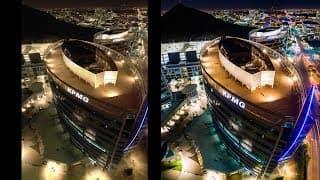
2019 Best vs Cheapest Drone for Still Photography - Mavic 2 Pro vs Phantom 3 for Aerial photos
Mavic 2 Pro is the best drone for Photography - everyone is saying everywhere, sure. BUT most people thinking they HAVE to have this drone aren't getting everything out of the drone they already have. Decide if you want to upgrade, sure, but you might not need to (most of you.) It's a good time to upgrade If you are already comfortable doing: RAW Format Editing in Adobe Lightroom Stacking HDRs in Lightroom Shooting Panarama for closer, more interesting angles Then it might be time to upgrade because you've outgrown your equipment, but make sure to try all these with an older model like the Mavic Pro 1 or Phantom 3 Standard/advanced FIRST. Both are the same since they have the same sensor. Once you are already getting awesome photos out of the older ones, you'll feel MUCH better about spending the money on the newer Mavic 2 Pro or Zoom and you will feel the difference. Mavic 2 Zoom uses the same sensor as the Phantom 3 and Mavic 1 - don't be fooled.
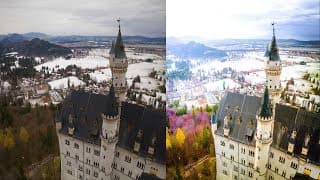
2019 Best vs Cheapest drone for Real Estate Photography - Mavic 2 Pro vs Phantom 3
There are tons of posts everywhere about how the Mavic 2 Pro is the best drone for Real Estate Aerial Photography BUT most people thinking they need to buy this aren't getting everything out of the drone they already have. Decide if you want to upgrade, sure, but I don't think you need to (most of you.) If you are already using: RAW Format Editing in Adobe Lightroom Stacking HDRs in Lightroom Shooting Panarama for closer, more interesting angles Then sure, maybe its time to upgrade because you've outgrown your equipment, but make sure to try all these with an older model like the Mavic Pro 1 or Phantom 3 Standard/advanced FIRST and you can still get awesome photos. Even in low-light thanks to DJIs awesome gimbals.
2019 5 Drone Photography tips in 5 Minutes - PLEASE use these strategies
1.) Look for CONDITIONS not THINGS - days with 20+ miles of visibility (30km) are good. 2.) Get REALLY close to the thing you want to shoot, shows depth to the photo that way 3.) USE PANORAMA - doesn't matter if you don't wind up using all of it, its way more data 4.) No ISO - aim for f2.8-f5.6 with DJI drones (Phantom 4 Pro, mavic 2 pro) 5.) USE RAW. Seriously it blows JPEGs out of the water after edits in Adobe Lightroom, its every instagram guys magic sauce It's not hard, just be willing to learn. I have tons of other photography tutorials and video tricks and whatnot and I try to give you the same files so you can work with me in all of them.
Best Mavic 2 Settings for killer Night Photography with Edits - Download & use lightroom with me
Some Youtube love discount if you want to learn from my course: https://courses.dronelaunchacademy.com/p/aerialphotopro/?affcode=58782_fajjfmbu&coupon_code=JORGENUMBER1 Best drone settings for Low-light shots at night or late sunset. Mavic 2 Pro photos here: http://droneblog.tech/mavic-2-pro-low-light-photos-tutorial-with-raw-file-download/ Edited in lightroom: 1.6 seconds, 100 ISO, RAW 3-stitch panorama
Mavic 2 Pro Castle Photo Edit (with Downloads) - Cinderella Castle Lightroom Tutorial
Download my Mavic 2 Pro RAW photo - edit alongside me if you want the practice. (Neuschwanstein Castle) http://droneblog.tech/neuschwanstein-mavic-2-pro-raw-files-download/ Shot this in December while visiting my gf in Germany, weather SUCKED but we are going to make something from it anyway. This takes a lot of toying around and normally it takes twice as long as what I do in the video but I'm honestly just playing with stuff. Mostly spotting what I do like - exaggerating it, then finding what I don't like and trying to bend it into something less distracting. In summary: - MASKS ARE YOUR FRIEND. USE THEM. - Blend the ugly colors into something else with masks. - Water is easy to get a new look with. - Add HUGE solar flare in the corner and turn down Clarity on it. - Contrast/Vignette go on at the END.
45 Second Drone Photo Color Grade Timelapse - Mavic Pro 1 in Lightroom
Shot this on a mavic pro 1 outside my house during a haboob. Almost crashed. Nearly killed a bird. Worth it, but here's a lapse of my steps. Honestly, the edit is important but these lighting conditions allowed for the most dramatic use of all the tools in lightroom. I say it all the time in the course - conditions are your friends. Clouds are your friends. You want VISIBILITY (clear air, no smog across town) and feathering clouds or unique lighting conditions like this.
40 Second Timelapse of Lightroom Edit
Company I shot for out of nebraska - just a run through of the edits
40 Second RAW Setup in DJI How to. No fluff, just info
RAW Photo setup tutorial in DJI GO app. That's it. No 3 minute story about my mom in the background. No 13 year old breathing into a mic at 4am. Jeeze why is it so hard to find these. #dronephotography, #djitutorial, #drones #rawphotosetupdji #rawphotos #dronetutorials
Better Hyperlapse with Mavic 1 than Mavic 2 Pro? Edit my files with me!
ANY DJI drone can use this. Don't let rich kids bully you. RAW photo downloads to edit with me: http://droneblog.tech/mavic-pro-1-hyperlapse-download/ Mavic Pro 1 + Lightroom gives me better hyperlapse results than what my Mavic 2 Pro does from the App. The reason is that the mavic 2 pro is using the software, jpegs, and the teeny phone processor to create the timelapse which is the best IT can do... but YOU can do better! Okay... still a cool effect, but nothing compared to manually editing and stabilizing. Instagram - alexharris52 Comment for requests or help
Mavic 2 Pro not that important for Photography? Maybe save the money
You don't need the best, newest, shiniest things if you aren't even taking advantage of what the cheaper drones can already do. That means framing, shooting RAW, editing in Lightroom, using things like Bracketed Exposure. If you are already at this point, yes you'll love the power in the Mavic 2 Pro's camera. I'll come back later and update this with some downloads so you can edit them yourselves and see how you feel. I've got a lot of side by sides on this one. What I really mean to stress is 1/2.3" sensor (p3standard-phantom 4, mavic 1, mavic air) vs. the 1" sensor in DJI drones (Mavic 2 Pro, P4Pro) I understand the debate for video and I 100% agree because my Mavic 2 Pro blows my other drones out of the water (Including the P4Pro because the mavic moves and flies MUCH better) Anyways, just watch the video man. Here's the lightroom course where I show you how to do all the things in the sample images and techniques I use in this video, along with a heck of a lot more. Try it out or your money back inside 30 days. https://courses.dronelaunchacademy.com/p/aerialphotopro
Mavic Color Profiles all useless? All profiles on Mavic Pro with download links
Downloads: https://drive.google.com/file/d/1MIxRSQs7SMW94qDb5Phoz2OJD7YUhTj8/view?usp=sharing Really simple - just a lineup of the color profiles on the mavic 2 of these I found to actually be enjoyable: Film and Cool. The rest seem amateurish, like a heavy instagram filter. Anyways, no matter what just make sure you make a custom setting on your drones color settings to TURN CONTRAST DOWN. I don't know why DJI ships all drones default with the tackiest settings in place, but anyway, contrast and saturation i always keep -2 Sharpness +1 (to negate crappy software blurring) Contrast -2 Saturation - 2 Edit the color/contrast in your editor if you can. But if you don't plan to do any coloring at all to it, leave saturation at 0. Alex from Drone Launch Academy Get licensed, edit like a pro, fly like a champ, we teach it all. Subscribe to the EMAIL LIST (on the website) to get product reviews, discounts and whatnot DroneLaunchAcademy.com
Are Drone polarizers a waste of money? ND Filters vs Polarizers with Mavic Pro Footage
ND filters are like sun glasses so you can slow the shutter to something smoother and more cinematic Polarizing filters limit glares and harsh light to allow matte colors to be fuller and more obvious (like trees) We compare the two here, IDK its up to you but I can't get consistently good results from the polarizer, and nothing ground breaking. When it works it is cool, but sun/camera/lens have to be in the right spots it seems. Download footage to see for yourself: Alex from Drone Launch Academy Get licensed, edit like a pro, fly like a champ, we teach it all DroneLaunchAcademy.com
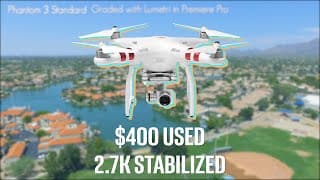
Phantom 4 Pro Not Worth the Money over Phantom 3? Mavic vs Phantom 3 Standard vs Phantom 4 Pro
Ive been doing a LOT of drone work, teaching courses on photo and video. **I know I should have more Mavic 2 pro comparison in there but my review isn't ready because I haven't flown it in every condition yet. So this is just a small patch I made in this video featuring it, but not fully reviewing it** Phantom 4 vs Phantom 3 Standard vs Mavic Pro Review of all three of these drones against one another since I get asked this question so often by students. "Which will give you the best quality?" Are you going to edit it? Are you taking it straight from the camera? The Phantom 4 Pro obviously, but will you actually wind up using it right and achieve that quality difference? MOST drone users won't. **UPDATE** Mavic 2 Pro has merged the strengths of the P4Pro with the Mavic Pro - so hands down, the best quality and ease of flight you will get in any of these drones - but $1500 new for just the body without accessories like extra battery, ND filters, etc.** I'm trying to explain here, and surprisingly, the Phantom 3 Standard is not fairing too badly. Most ACTUAL head-to-head footage I use is with these settings so that the playing field is level (and since D-LOG is SHITE on the P4Pro) Mavic Pro: 24fps - 4K - D-Cinelike Sharpness +1 Contrast -2 Saturation -2 Phantom 3 Standard: 24fps - 2.7k - D-Cinelike Sharpness -1 Contrast -3 Saturation -2 Phantom 4 Pro: 24fps - 4K - D-Cinelike Sharpness -1 Contrast -3 Saturation -2 TEST FOOTAGE FOR DOWNLOAD: Phantom 4 Pro Normal, Over, and underexposed https://drive.google.com/file/d/11aW0cpig4ApfO9Bz5vxVR5WTZIcAmZfO/view?usp=sharing Mavic Pro Normal, Over, and Underexposed https://drive.google.com/file/d/1Y7hTdvDxE1l6700sS3KTFmheOZyQQpat/view?usp=sharing Phantom 3 Standard D-Cinelike Quality Test https://drive.google.com/file/d/10xkDMCE4Z5WE9Wck8hC6ANNSZsI4BIxM/view?usp=sharing Mavic Pro D-Cinelike Quality Test https://drive.google.com/file/d/1CtFctSwdaQnbwCEAXwQOcoKoM670XY5V/view?usp=sharing Phantom 4 Pro D-Cinelike Quality Test https://drive.google.com/file/d/1HFywQrz-nW0Eg-4wegm-SYq28aiI_AFs/view?usp=sharing Phantom 4 Pro D-LOG looks like poo test: https://drive.google.com/file/d/1orlcfahqgu41N0jZ_Y_IkixxnrtsEy8_/view?usp=sharing You can check out the photo course here where I show you what I did in the Mavic vs Phantom side by side photos edited in Lightroom https://courses.dronelaunchacademy.com/p/aerialphotopro/?product_id=729901 and subscribe to our email list (at the footage download page) to get deals on our courses and be alerted when they are open for enrollment.
Upgrading from DSLR - How I made Way More Money (feat. Canon C100)
When Why and How to upgrade from a DSLR (Canon t3i for me) and which camera to pick... Or at least how to KNOW which camera to pick. Personally, for me, the Canon c100 fit very well into my work but you need to TRY ONE OUT before you buy and actually work with it, see how it fits the work you do in a day and what drawbacks it gives you. Blog post http://azcorporatevideo.com/get-way-more-work-canon-c100/# Links are down now this video is from 2016 man
Faking a 2 camera shoot with 1 camera to cover errors - from my eBook/Videos
http://qtutorials.com This is a take from my videos/ebook "How to Not Suck at Video Production" from the chapter on directing a speaker when you're shooting. This is one trick perfect for fixing bad speakers: Film 2 sentences at a time, just focus on getting a good take of each. Then zoom in close and do a run through of the whole thing again. When you're editing, cut right before they mess up their dialogue (or swear in this case) to the opposite angle/shot. This will look a lot better than cutting over the bad part from the same shot. You could also just do this with B-roll but anyway. Thanks! More kool stuff like this on my site qtwastaken.com
Canon C100 Low Light Raw Test Footage with File Downloads Sigma 24 70mm f2 8 Samples
http://qtwastaken.com Test footage from Canon C100 with download links to sample files, all footage 23.976 fps (60i for slow motion) using Wide Dynamic Range color profile and 1/48 shutter speed *This is NOT the C100 mark II Lenses: Sigma 24-70mm f/2.8 Canon 24-105mm f/4 Tripod: Manfrotto 502HDV Head w/manfrotto legs Rode NTG2 for Audio Download Link: http://QTwastaken.com/wp-content/uploads/2016/01/C100LowlightTestFiles.zip Great Camera, coming out with a review soon. Only $1800ish now? VERY clean picture, super good in low light. Regular Daylight Footage Samples with Download Links: https://www.youtube.com/watch?v=GOPc_R8bm-k http://azcorporatevideo.com Thanks!
Canon C100 Raw Test Footage with File Downloads / Canon 24-105mm f4 Samples
http://qtwastaken.com Test footage from Canon C100 with download links to sample files, all footage 23.976 fps (60i for slow motion) using Wide Dynamic Range color profile and 1/48 shutter speed *This is NOT the C100 mark II Lenses: Canon 24-105mm f/4 Sigma 24-70mm f/2.8 Konova Slider K2 40inch Tripod: Manfrotto 502HDV Head w/manfrotto legs Rode NTG2 for Audio Download Link: http://QTwastaken.com/wp-content/uploads/2016/01/C100TestFiles.zip Great Camera, coming out with a review soon. Only $2500 now? VERY clean picture, super good in low light. Lowlight Footage Samples with Download Links: https://www.youtube.com/watch?v=IGVo5RX3aeE&feature=youtu.be SITE NOT READY YET Thanks!
How to film professional Videos with an Iphone because you're broke and desperate
http://qtwastaken.com You have no money. But you want nice videos. Fine. If you're going to do it ANYWAY - at least use: Tiny little cute tripod - $6 Tiny little cut Smartphone Mic - $20 The Sun - Free and Abundant (except England) Here and Here http://www.amazon.com/FAVOLCANO-Rotatable-Adjustable-Aluminum-Cellphone/dp/B00SIS7PA4/ref=sr_1_8?ie=UTF8&qid=1452974309&sr=8-8&keywords=iphone+tripod http://www.amazon.com/Audio-Technica-ATR3350IS-Lavalier-Microphone-Smartphones/dp/B00HZA6EJO/ref=sr_1_3?ie=UTF8&qid=1452974342&sr=8-3&keywords=iphone+lapel+mic GETTING FILES: You can edit files inside your iphone now, if you want to upload those directly to YouTube then fine. BUT if you want to do something else with the file, I suggest plugging it into the computer, searching for the video and manually copying it over. Video files are typically too big to email (quickly) You also can't color correct iPhone footage without it totally melting on you right away - so just use it as its shot
How to remove Honk, bells, phone ring and other noises from audio in Audition and premiere
http://qtwastaken.com You record audio SUDDENLY A PHONE ATTACKS and you're stuck with it, this is a technique through Adobe Audition to clean that specific sound (and leave surrounding noises) intact. It involves removing the range that the noise occupies and leaving the other frequencies alone. Great for removing one single intrusion from Audio, bark, bell, door, shout, horn, anything that is isolated and unique
QT - How to Fix background noise with Adobe Audition (fans, cars, hum, buzz)
http://qtwastaken.com When you suck at filming audio, and you realize it to late, this is how to remove CONSISTENT background noise like fans, motors, wind, room noise, and a bunch of annoying atmosphere stuff Adobe Premiere and Adobe Audition are used here
QT Simple Video Lighting with no lights - Natural Lighting Tutorial
http://qtwastaken.com You want to do lighting with no lights and your broke so you need help on not letting your footage look like crap. That's okay - we're here to help. We - as in, just me, some guy on YouTube with free time 1.) Use a window 2.) No Sun 3.) No Trees Doesn't come out half bad actually

QT SEO explained like you're 5 - SEO basics and how to rank on google with video
http://qtwastaken.com If you're wondering how the darn heck SEO works and are tired of hearing from a 12 year old Ukranian boy breathing heavily into the mic, or from a bookworm who thinks SEO is as simple as Quantum Theories of Conciousness... OR if you're wondering how SEO works and what to tell your clients, this can help give you a grasp of what the heck is going on on the internet. Also good for any old body who doesn't know what's going on with link building, seo for video, spamming links, backlink profile, authority sites and other things in 2014 Like applying for a job with Google
DSLR Video Files Download - Canon t3i raw footage, unedited samples
http://qtwastaken.com Download Files here: http://azcorporatevideo.com/dslr-raw-footage-samples-for-download-canon-t3i Raw Video from a t3i in all kinds of lighting situations, great sample if you're trying to play with some footage before deciding on buying the camera Filmed 90% of this with the Sigma 24-70mm f2.8 and some with Sigma 30mm f1.4 Remember to suggest more tutorial topics! Note:* This was not filmed in RAW Format, only it's the unedited footage from the camera
QT How to stabilize shaky footage in Premiere, Warp Stabilizer (camera jiggle)
http://qtwastaken.com Project Files Here: http://azcorporatevideo.com/quicktutorials/ So you've got a bunch of camera jiggle ey, shaky ass footage in Premiere, but you really want to impress Sandy at your school's next Stabilize Footage contest. Now there is a solution she'll be pining over you for. The warp stabilizer in premiere is an easy way to put a band-aid on your screwed up shots. It's not okay to TOTALLY DEPEND on this footage, but it does a pretty fine job of cleaning the ruff from your handheld stuff. It's drag and drop and totally automatic
QT Videography website necessities, what your video production website should have
ebook site: http://qtwastaken.com Here's the actual site! - http://azcorporatevideo.com Here's the godaddy instructions! - http://www.slideshare.net/adamontherun/setting-up-wordpress-on-godaddy-for-begineers Here's my boring ass blog! - https://www.youtube.com/user/noblestudiosarizona Your videography site should have a few basics that are covered here, most important of which is SAMPLES OF YOUR WORK and secondly is to show that you ARE human. People want to work and refer other people, not just a page with some videos on that doesn't have titles or anything. Take the time to look professional and not like you just picked up a camera last week. Your video production service and the fate of the world may depend on it! Here's the new blog! - http://azcorporatevideo.com/quicktutorials/
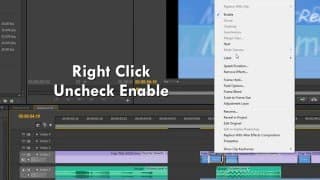
QT - Quicktips v.1 - Shortcuts and helpful tips in Premiere that save time
http://qtwastaken.com A list of all the things I use in my workflow that helps me move faster "Workflow" - see, that's one of the fancy words they use in LA to sound serious Anyways, the shortcuts are - Ctrl + C to copy Ctrl + V to paste (these are universal and you can paste from premiere into an after effects sequence Right click over footage to send it to an after effects composition Ctrl + X to cut X for rate stretch to change speed and fill in blanks Right click on footage to scale to frame size (gets rid of black space) Transcode your compressed DSLR footage to an easier codec before working with it (quicktime pro res 422 on MAC... don't even know about premiere, just don't use h.264 ((honestly, its your preferance) Hold Shift and press A to click on everything to the right of the mouse (just press A with no shift to select one track at a time) Drop Audio Effect - Denoiser on audio and pull down individual parameter to get rid of weird fuzz in background (After this I just moan about staying organized) LEEV MORE IN COMM3NTS & ILL PUT THM 1N N3Xt ViDEO!!1!1
QT - Slow Motion in Premiere, Change speed of Video
http://qtwastaken.com Slow Motion File 720p 60fps: http://ahizzo.com/wp-content/uploads/2013/07/MVI_3148.zip This Quick Tutorial is on how to do slow-motion video in premiere pro. You can right-click on any video in the time-line and go to speed/duration. Here you can alter the clips speed through percentage of original speed. You can also check a box that allows for the clip to change speed but not the pitch of the audio. Or use the rate stretch tool (X on keyboard) to manually drag the clip to change the time. Suggest my next tutorial in comments below. For more checkout my channel or www.ahizzo.com/tutorials
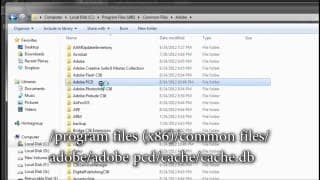
QT - Missing Presets & Sequence Settings in Premiere CS6 - Fixed
Written instructions also on my other blog: http://azcorporatevideo.com/missing-sequence-presets-in-adobe-premiere-pro-cs6-fixed/ Missing Sequence Settings & Presets in Premiere CS6 can be a pain in the ass. I previously made a video covering how to fix this but I found out after lots of comments that after some time, the trial could still expire. Happened to me and I couldn't fix it. I waited until I got a new PC before I tried this again and now it works swimmingly after: Installing CS6 master collection separately (preferably after) installing Premiere. When the installations are done separately, it's easier to deal with. Run Premiere CS6 as a trial, then run the updates under Help - Updates Once they have installed, then you can apply cracks to the program folder under programs - adobe - premiere pro cs6, and also update your hosts file to block adobe's server. Your torrent will show you how to do this Gamer4492 on page 3 comments of this torrent has good instructions too. DON'T KNOW HOW TO DO IT ON A MAC, SORRY If you have a previous installation that ran out, clean your registry with this: http://download.macromedia.com/pub/creativecloud/cleanertool/win/Adobe_Creative_Cloud_Cleaner_Tool.zip My personal site for Canon c300 in scottsdale, az http://azcorporatevideo.com
5D Mark III now shoots RAW format - What this means
http://qtwastaken.com 5D RAW footage here: http://www.eoshd.com/content/10324/big-news-hands-on-with-continuous-raw-recording-on-canon-5d-mark-iii This is a HUGE breakthrough by the Magic Lantern team. They have adjusted the 5D Mark III to film in RAW format. No more soft, compressed, contrasty dslr footage out of the camera! The footage is equivelant to an Alexa or a RED, THAT is how powerful the sensor is inside the camera when it's unlocked. The camera won't overheat, because it's actually always seeing RAW footage, it just had to be dumbed down to fit on the card. Now that there is a circumvent, we can see that flat picture straight from the camera! Magic Lantern's site (please donate, they have done a LOT for the film world): http://www.magiclantern.fm/

QT - Primes vs. Zooms - Which lenses for DSLR Videography
http://qtwastaken.com Tell me what my next tutorial should be in the comments Pixel Peeper makes picking lenses super easy, they have endless samples, ratings and other stuff. I go here, find a nice lens, and then amazon it to get an idea of price! http://www.pixel-peeper.com/ Which lenses should you use or which lens should you upgrade to for videography with a dslr? In this tutorial, i will show you my take on prime lenses vs. zoom lenses for videography with a dslr, canon t3i, 5d Mark ii, t2i, 7d, etc. Honestly... Primes are a pain in the ass, you should get a zoom and don't worry about the 3% quality you're missing out on. You won't have to buy multiple lense or carry them around everywhere. Check more out at www.ahizzo.com/tutorials Also see my channel
QT - Computer Specs for Video Editing / Which PC for DSLR footage (footage with high bitrate)
http://qtwastaken.com Which computer components are most important for editing DSLR Video?? Mo+h3rFuX1nG i7 processor! FORGOT TO TALK ABOUT CUDA CORES I KNOW - If you are trying to build a computer for video editing or animation (like I have here) these are my priority suggestions: I would say an i7 processor, followed closely by an SSD (just from the differences in read & write speed i've noticed. SSD (solid state drive) will speed everything up turbo-style (better than RAID) A good video card, like the Nvidia GTX series (which use cuda cores to spread workload across the GPU the way a multi-core processor does) can be extremely helpful for playback and for graphics (photoshop or after effects) Also visit my site, ahizzo.com and go to tutorials for more. Subscribe if you love me
QT - Necessary DSLR equipment, which lens & extras to buy w/price
http://qtwastaken.com Which equipment do you need for your dslr, and how much will it cost? If you're looking for DSLR equipment or accessories and you don't know where to start, let me give you some guidance on what you will realistically need in the field, and what is just shit people market to you. My priorities are: 1.) A new lens 2.) Shoulder Mount or stablizer 3.) Audio Recorder (specifically the Zoom H4n) 4.) Graduated Neutral Density Filters but most importantly. Spare us all and get a god damn fluid head tripod. Lens: Sigma 24-70mm f2.8 - $800 new http://www.amazon.com/Sigma-24-70mm-2-8-Standard-Canon/dp/B001NEK2Q4/ref=sr_1_1?ie=UTF8&qid=1365372087&sr=8-1&keywords=sigma+24-70 Shoulder Rig/Mount: ePhoto DSLR Rig - $55 http://www.amazon.com/Shoulder-Camcorder-DSR-PD198p-ePhotoInc-RL01/dp/B005NJCF7E/ref=sr_1_1?s=electronics&ie=UTF8&qid=1365372119&sr=1-1&keywords=dslr+shoulder+rig Audio: Zoom H4N Recorder - $270 bucks (well spent) http://www.amazon.com/Zoom-HDSLR-enable-recorder-Camera/dp/B005HJ8EA2/ref=sr_1_7?s=electronics&ie=UTF8&qid=1365372187&sr=1-7&keywords=zoom+h4n FLUID HEAD TRIPOD: Ravelli Tripod - $90 bucks http://www.amazon.com/Ravelli-AVT-Professional-67-inch-Camera/dp/B00139XOCI/ref=sr_1_1?s=electronics&ie=UTF8&qid=1365372233&sr=1-1&keywords=fluid+head+tripod www.ahizzo.com Post in the comments what my next tutorial should be on! Subscribe if you love me ;)
QT - Green Screen the Right Way - Chroma Key in After Effects
http://qtwastaken.com How to Green Screen the Right Way, also known as Chroma Key. Here are the project files! http://ahizzo.com/qt.zip Are you a green screen beginner or want to learn a faster way to use chroma key? First, start in after effects. Drop a color key on the layer (to remove most of the green) THEN use keylight to draw the remaining green fuzz from around your target. Make sure to color correct the target to match whatever background you place on there. If you like quick tutorials tell me in the comments what you think my next how to for premiere or after effects video should be on (or other) NO I will not send you nudez, stop asking.

How to make a Kick Ass Tutorial!
http://qtwastaken.com Making a YouTube tutorial is easy. Anyone can do it! And everyone DOES. How to make a kickass tutorial also Why I started making tutorials Seriously though, there are so many bad tutorials out there (that always use the same music for whatever reason) This is literally what inspired me to just make my own. If you like quick tutorials tell me in the comments what you think my next how to for premiere or after effects video should be on (or other) www.ahizzo.com/tutorials or see my channel for more
Quick Tutorials - Exporting - How to save video in After Effects
http://qtwastaken.com How to save videos in After Effects, also known as exporting in after effects, or rendering www.ahizzo.com/tutorials or see my channel for more If you like quick tutorials tell me in the comments what you think my next how to for premiere or after effects video should be on (or other)
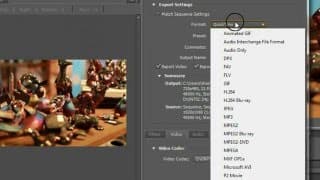
Quick Tutorials - Exporting in Premiere, How to save a video file
How to save a video file in premiere, also called how to export a video in premiere. Premiere Basics. On the timeline in your project, highlight the area you want to save/export with the "Work Area" blue bar at the top (that i show in the video) slide the ends over the places you want to keep. Go to File, export, and then enter the Video settings for your sequence that I show you in the tutorial. Press Export to somewhere on your computer and your good! If you like Quick Tutorials, Comment on what you think my next video should be. Subscribe if you love me www.ahizzo.com/tutorials or see my channel for more
Quick Tutorials - Starting a new Project in Premiere, Basics for Beginners
Do you need to know the basics for setting up a new project in premiere but don't want to go to school for it for 4 years? Fear not, and watch my video! How to set up a project in premiere for beginners, also: Premiere for beginners. These are the basic and essential components you will need to know when beginning to learn how to edit videos in premiere. It is a fun and relatively easy program to learn, and it can be a very handy skill. You should know what Premiere can and Can't do, and what you can expect from the program. If you like quick tutorials tell me in the comments what you think my next how to for premiere or after effects video should be on (or other) www.ahizzo.com/tutorials or see my channel for more
Quick Tutorials - After Effects for beginners: A guide
After Effects can be a bewy scawy program for new comers. Here's what you should know when you first open it up. After effects for beginners: a guide is a basic overview of how things work when first opening the adobe program if you are new. If you like quick tutorials tell me in the comments what you think my next how to for premiere or after effects video should be on (or other) www.ahizzo.com/tutorials or see my channel for more
Quick Tutorials - Masks and Rotobrush, Mask tool in After Effects
Using Masks and the Rotobrush in After Effects. Rotobrush = Use Ctrl + Mouse to increase/decrease size, and hold Alt to remove areas you don't want rotobrush to use.
Quick Tutorials - Camcorder vs. DSLR (should i get a dslr?)
Updated video since this is almost 7 YEARS OLD and everyone is fighting like i made it yesterday : https://www.youtube.com/watch?v=tnGxaFiOBkg The new winner is the Panasonic G7 for entry level video - it's $500 with a 14-42mm on amazon NEW and shoots 4K footage. Its super light weight, image stabilized, great for run and gun (with support) BUT I use a Panasonic GH5 and a Canon C300 these days, those two are a killer combo. Also a blog post write up for this: http://azcorporatevideo.com/camcorder-vs-dslr-sample-footage-get-dslr/ Raw Samples of my personal favorite shots can be downloaded at: http://azcorporatevideo.com/quicktutorials Should you make the switch from a standard video camera to a DSLR?? YES!! and here's why. My personal site just for SEO reasons dude - http://azcorporatevideo.com I do video production in Scottsdale, AZ
Quick Tutorials - Best Export Settings & Project Settings Premiere & After Effects
What Project Settings and Export Settings to use in Premiere and After Effects www.ahizzo.com/tutorials or see my channel
Quick Tutorials - Color Grading/Cinematic look in Premiere/After Effects
http://qtwastaken.com Quick Ass Tutorial on how to get a movie cinematic look in Premiere and After Effects. Also known as color correction. We are using the Mojo plugin here. If you like quick tutorials tell me in the comments what you think my next how to for premiere or after effects video should be on (or other)
Quick Tutorials - Use Twixtor the RIGHT way and how to get it - Super Slow motion
eBook/Videos Link! Quick Ass Tutorial on how to use Twixtor the RIGHT way in After Effects. Super Slow Motion Effects Achieved with a sequence setting of 23.976 fps, Video interpreted at 59.94 fps and twixtor set at 59.94 fps. Video Shot at 720p 60.00 fps shutter - 1/4000 Download Trial from the Twixtor Site and install your version, *For cs5.5 users: ONLY CHECK FOR OTHER APPLICATIONS then save it on your desktop. Cut and Paste that folder in your plug-ins folder for After Effects and POW! NAME: TEAM X-FORCE 2010 REGISTRATION CODE: 15bCn7mBWT8446Xm If you like quick tutorials tell me in the comments what you think my next how to for premiere or after effects video should be on (or other)
Quick Tutorials - Motion Tracking with Mocha for After Effects basics for beginners
Quick Ass Tutorial on how to motion track in After Effects using Mocha, the best program ever. Following things wherever they go, pretty much www.ahizzo.com/tutorials or see my channel
Quick Tutorials - Animate objects in Premiere & After Effects, Keyframes basics for beginners
Quick Ass Tutorial on how to move things from one place to another, change values over time, or keyframing in Premiere and After Effects. This beginner tutorial on how to use keyframe will summarize ONLY the need to knows about this technique. If you like quick tutorials tell me in the comments what you think my next how to for premiere or after effects video should be on (or other) www.ahizzo.com/tutorials or see my channel