Loading...
Warning: Channel ID is missing or invalid
Loading channel videos...

Loading channel videos...
9 Easy Tricks for Super Smooth Gimbal Shots
🔥 JOIN OUR EXCLUSIVE COMMUNITY FOR AUTOMOTIVE VIDEOGRAPHERS AND LEVEL UP YOUR CAR VIDEOS FASTER THAN EVER: https://www.skool.com/the-car-video-academy/about ZHIYUN CRANE GIMBAL + EXTRA GRIP https://store.zhiyun-tech.com/products/cinepeer-crane-4e?ref=oirwxrap (10% OFF Coupon Code: ZHIYUN10WSS Stuck with shakey gimbal footage? But you want those buttery smooth gimbal shots? I got you, because here are 9 Easy Tricks for Super Smooth Gimbal Shots, beginner friendly! In this video, I explain step by step how to get those extremely smooth shots everybody has been asking for! I reveal my 9 best tips to get those extremely smooth gimbal shots. — whether you're using a professional gimbal or even a gimbal for your mobile phone! These tips are the baseline of achieving clean gimbal moves. If you want to learn how I stabilize my videos in post-production, make sure to watch this video next: https://youtu.be/Z2D8GNKE9MU?si=7FE_IBrvN7MLVVOr You will learn: - How to hold a gimbal correctly - The best accessories for your gimbal - How to make low angle gimbal shots (perfect for car videos) - How to do the perfect ninja walk - How to get rid of up & down movement in your shots - How to get rid of the shakes in your gimbal shots - How to use slow motion to make your shots look smoother - How to stabilize in post production at the very end of the video) Gear used in this video: ZHIYUN CRANE GIMBAL + EXTRA GRIP https://store.zhiyun-tech.com/products/cinepeer-crane-4e?ref=oirwxrap (10% OFF code for both gimbal & extra grip: ZHIYUN10WSS CAMERA BODY: https://amzn.to/3yK4zck CAMERA LENS: https://amzn.to/3VdPkA7 CPL/ND FILTER: https://amzn.to/3ZShaUe
Your sign to learn editing 🥵
Speed Ramp Tutorial - Car Edits
Cleanest Benz SLS? 🥵
How I Film Cinematic Car Videos
🔥 JOIN OUR EXCLUSIVE COMMUNITY FOR AUTOMOTIVE VIDEOGRAPHERS AND LEVEL UP YOUR CAR VIDEOS FASTER THAN EVER: https://www.skool.com/the-car-video-academy/about Learn my process on how I shoot cinematic car videos & Broll car clips for Instagram Reels / TikTok & client work. I'm going to show you my full camera setup, my camera settings such as white balance, frame rate, shutter speed, ISO, aperture, autofocus settings... I will also share my DJI RS4 Gimbal settings and some of my favorite car gimbal shots. Then I will take you along to shoot some cinematic car shots with me at the GR8 International Car Show at Expo Kortrijk Belgiulm, although we were mainly at the Liberty Walk Europe hall. I'll share some tips & tricks throughout the video that will help you improve your automotive videography skills. How I Shoot Cinematic Car Videos OTHER INTERESTING VIDEOS FOR YOU: https://youtu.be/4wlmTx7XE7o?si=Wta1b-4GwsB7lPsP https://youtu.be/Dt8g9omhEWk?si=M-f-trgktZ7Qsuce https://youtu.be/Y4de5UMwlx4?si=jOdPDH25ZyRv4NWV https://youtu.be/Z2D8GNKE9MU?si=yRX8-SDZVDQucnMa Gear used in this video: CAMERA BODY: https://amzn.to/3yK4zck CAMERA LENS: https://amzn.to/3VdPkA7 CPL/ND FILTER: https://amzn.to/3GcTYtT GIMBAL: https://amzn.to/46SnVIO BRIEFCASE HANDLE : https://amzn.to/46Soa6G MONITOR COLD SHOE: https://amzn.to/3TQjtoE EXTERNAL MONITOR: https://amzn.to/4jLHbhl MONITOR BATTERY: https://amzn.to/4k777UB HDMI CABLE: https://amzn.to/3ANplIq HARD CASE + FOAM: https://amzn.to/3Qu9IdK
Cleanest Corvette C7? 👀
Craziest Corvette? 👀
How I Film Cinematic Car Videos
Join our exclusive community for automotive videographers & level up faster than ever. 👉 https://www.skool.com/the-car-video-academy/about Learn my process on how I shoot cinematic car videos & Broll car clips for Instagram Reels / TikTok & client work. I'm going to show you my full camera setup, my camera settings such as white balance, frame rate, shutter speed, ISO, aperture, autofocus settings... I will also share my DJI RS4 Gimbal settings and some of my favorite car gimbal shots. Then I will take you along to shoot some cinematic car shots with me, I'll share some tips & tricks throughout the video that will help you improve your automotive videography skills. How I Shoot Cinematic Car Videos OTHER INTERESTING VIDEOS FOR YOU: https://www.youtube.com/watch?v=kVm43aSW-3s https://youtu.be/4wlmTx7XE7o?si=Wta1b-4GwsB7lPsP https://youtu.be/Dt8g9omhEWk?si=M-f-trgktZ7Qsuce https://youtu.be/Y4de5UMwlx4?si=jOdPDH25ZyRv4NWV https://youtu.be/Z2D8GNKE9MU?si=yRX8-SDZVDQucnMa Timestamps: 00:00 - 02:52 Camera gear & settings. 02:52 Shoot with me Gear used in this video: CAMERA BODY: https://amzn.to/3yK4zck CAMERA LENS: https://amzn.to/3VdPkA7 CPL/ND FILTER: https://amzn.to/3ZShaUe GIMBAL: https://amzn.to/46SnVIO BRIEFCASE HANDLE : https://amzn.to/46Soa6G MONITOR COLD SHOE: https://amzn.to/3TQjtoE EXTERNAL MONITOR: https://amzn.to/4jLHbhl MONITOR BATTERY: https://amzn.to/4k777UB HDMI CABLE: https://amzn.to/3ANplIq HARD CASE + FOAM: https://amzn.to/3Qu9IdK
Night Rollers 🔥
Bmw m3 competition with exhaust sound
How I Film Car Roller Shots
Join our exclusive community for automotive videographers & level up faster than ever. 👉 https://www.skool.com/the-car-video-academy/about How I Film Car Roller Shots: In this video, you will learn my complete process of how I film car roller videos for Instagram reels / Tiktok, Youtube car edits & client work. I show you my full camera setup, camera settings, gimbal settings, audio equipment to capture car exhaust audio, audio settings, and microphone placement. I will also show how I actually film the cars from the back of my trunk, what equipment I use for it, how I secure myself and lastly, I'll share some of my favorite roller shots and how to make them. I'm using the Sony A7IV body with a Sony 24-70 GM II zoom lens, which is handy for shooting rollers. I use the DJI RS4 gimbal to get some smooth shots. I share some cool gimbal shots at the end of the video. I share some of the equipment that I use that helps me to make these car roller videos, such as the briefcase handle for easy shooting with the gimbal & the monitor screen to get better framing & check my exposure. I also share how I use the DJI MIC 2 microphones, my dji mic 2 audio settings and where I place the microphone. What you will learn: 00:00 - 03:24 Camera setup + camera settings 03:24 - 07:27 Capture Car Audo: Settings + microphone placement 07:27 - 11:09 How I secure myself 11:09 - 12:00 Hand Signals 12:00 - 15:08 Favorite Rollers Shots + How to make them 15:08: 15:41 Extra tip / How I create cinematic car edits / How I color grade my videos Gear used in this video: CAMERA BODY: https://amzn.to/3yK4zck CAMERA LENS: https://amzn.to/3VdPkA7 CPL FILTER: https://amzn.to/3DaYwzJ GIMBAL: https://amzn.to/46SnVIO BRIEFCASE HANDLE : https://amzn.to/46Soa6G MICROPHONE SET: https://amzn.to/4ipM3Hd EXTERNAL MONITOR: https://amzn.to/4jLHbhl MONITOR BATTERY: https://amzn.to/4k777UB HDMI CABLE: https://amzn.to/3ANplIq HARNESS: https://amzn.to/3QMyANY ROPE: https://amzn.to/41iMgFi !!!!!! important: make sure to buy a non-shock-absorbing rope. !!!!!!! I didn't find the exact harness + rope that I have so make sure to double check your purchase! Other videos you might like: https://youtu.be/JWBhSS3UtXY https://youtu.be/4wlmTx7XE7o https://youtu.be/Y4de5UMwlx4 https://youtu.be/Z2D8GNKE9MU
How I Film + Edit Cinematic Car Videos (Start to Finish)
Join our exclusive community for automotive videographers & level up faster than ever. 👉 https://www.skool.com/the-car-video-academy/about How I Shoot + Edit Cinematic Car Videos (Start to Finish) In this video I will show you my complete process on how I shoot cinematic car videos & Broll for Instagram Reels / TikTok & client work. I'm going to show you my full camera setup, how I set everything up, my camera settings such as white balance, frame rate, shutter speed, aperture, autofocus... I will show you which features I use on the monitor screen, how to connect it to your camera, how to apply a lut on the monitor screen. You will see how I shoot vertical and horizontal content at the same time, my DJI RS4 Gimbal settings and how I balance the gimbal. Then you'll see how I create some of my favorite & go-to gimbal shots with the results included right away. Next up you'll learn how I edit everything together, from timeline settings, to how I chop everything up, how I get my music and match everything together. OTHER VIDEOS THAT I MENTION IN THIS VIDEO: https://youtu.be/Y4de5UMwlx4?si=jOdPDH25ZyRv4NWV https://youtu.be/Z2D8GNKE9MU?si=yRX8-SDZVDQucnMa https://youtu.be/JWBhSS3UtXY?si=yOnKdm9pHxEmbncH https://youtu.be/77q05Zxteno?si=cqhE3px9L5XSpSOO You will learn: 00:00 - 04:04 Camera Gear + How I set it up 04:04 - 04:42 Camera Settings 04:42 - 06:02: White Balance 06:02 - 08:25 Balance Gimbal 08:25 - 09:32 Easily swap from horizontal to v 09:32 - 12:34 Monitor screen settings 12:34 - 13:33 How I shoot Horizontal + Vertical at the same time 13:33 - 21:14 Filming + Gimbal Shots: 21:14 - 22:53 Editing: Timeline settings 22:53 - 24:41 Music selection + beat markers 24:41 - 25:18 Editing Shortkeys 25:18 - 29:14 Organizing + trimming + beatmatching clips 29:14: Add simple speed ramp Gear used in this video: CAMERA BODY: https://amzn.to/3yK4zck CAMERA LENS: https://amzn.to/3VdPkA7 CPL FILTER + CASE: https://amzn.to/4hdUQfo GIMBAL: https://amzn.to/46SnVIO BRIEFCASE HANDLE : https://amzn.to/46Soa6G EXTERNAL MONITOR: https://amzn.to/4jLHbhl MONITOR BATTERY: https://amzn.to/4k777UB HDMI CABLE: https://amzn.to/44dSxoD HARD CASE + FOAM: https://amzn.to/3Qu9IdK Davinci Export settings: Format: MP4 Codec H.265 Resolution HD (some people say 4K is better, I use HD) Frame Rate: 30 FPS, as my timeline was 30 FPS. If your timeline is 24 FPS, use 24 FPS Quality: Restrict to 24000 Kb/s Uncheck optimized for speed Check Force best quality Check Force best quality debayer Topaz Settings: Video output: HD (original) Frame Rate: 30 (original) Enhancement: ON AI Model: Proteus Parameters: Manual: Revert Compresion: 90 Improve Detail: 90 Sharpen: 40 Reduce Noise: 75 Dehalo: 10 Anti-Alias: 0 Add noise: 0 Recover original detail: 20 Output settings: Encoder: H264 Profile: High Bitrate: 24MB/s Container: MP4
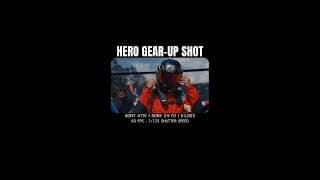
Race Track Shotlist #shorts
Here are some of my go-to shots for shooting at the race track (Save for later!) - 1st one: Hero Gear-Up Shot: Perfect for building tension. - 2nd one: Timing Tower: This shot is just a must-have because it's super race track specific. If you see this shot, you feel at the race track right away. - 3rd one: Refuel Shot: Great shot for B-roll, adding up to the story. Shot with @freewellpro CPL+VND
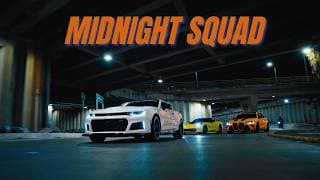
Bogotá Midnight Squad - 4K Cinematic
Special thanks to Bluhartmann Racing for bringing out the team! Featured Bluhartmann cars: BMW M3 Competition, Corvette C7, Chevrolet Camaro Thanks to the drivers and everyone who helped out. If you love cars, go follow Bluhartmann on Instagram: www.instagram.com/bluhartmannracing Tiktok: www.tiktok.com/@bluhartmannracing Gear used in this video: CAMERA BODY: https://amzn.to/3yK4zck CAMERA LENS: https://amzn.to/3VdPkA7 CPL FILTER: https://amzn.to/4hdUQfo EXTERNAL MONITOR: https://amzn.to/4jLHbhl GIMBAL: https://amzn.to/46SnVIO HANDLE GRIP: https://amzn.to/46Soa6G HDMI CABLE: https://amzn.to/3ANplIq 🔥 Want to learn how to make HIGH-QUALITY VIDEOS? Get Blueprint: https://thecarvideoguy.com/high-quality-video-blueprint 🔥 1 on 1 COACHING for videography, editing & color grading Join waitlist: https://thecarvideoguy.com/coaching
Tokyo Drift, Underglow & Speakers?
🔊 Do you like Tokyo Drift, underglow & loud speakers? Then the basement section of @motorcarmshow was definitely your vibe. More videos of this crazy section dropping soon! (Tons of footage left to edit!)
Bogotá Night Rollers
Yellow Ferrari 488
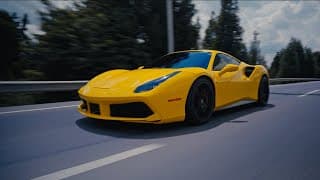
FERRARI 488 GTB RUN - CINEMATIC 4K + EXHAUST SOUND
This video showcases part of the wrapping process on this Ferrari 488 GTB by Radical Customs. Revealing the result and going for a run with the owner Gustavo. Enjoy this cinematic Ferrari 488 GTB video with actual exhaust sounds. Just beautiful. Thanks to everybody involved! Radical Customs: https://www.instagram.com/radicalcustoms.sc/ Gustavo, Carlos, Julian, Juliana, Pocho, Juan Gear used in this video: CAMERA BODY: https://amzn.to/3yK4zck CAMERA LENS: https://amzn.to/3VdPkA7 CPL/ND FILTER 3-7 STOPS: https://amzn.to/3ZShaUe CPL FILTER: https://amzn.to/4hdUQfo EXTERNAL MONITOR: https://amzn.to/4jLHbhl GIMBAL: https://amzn.to/46SnVIO HANDLE GRIP: https://amzn.to/46Soa6G HDMI CABLE: https://amzn.to/3ANplIq 🔥 Want to learn how to make HIGH-QUALITY VIDEOS? Get Blueprint: https://thecarvideoguy.com/high-quality-video-blueprint 🔥 1 on 1 COACHING for videography, editing & color grading Join waitlist: https://thecarvideoguy.com/coaching
Portkeys LH7P Monitor
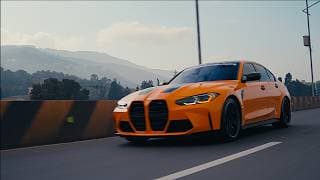
Bluehartmann Tour - Cinematic 4K (BMW M3, Corvette C7, Subaru WRX STI)
Short recap of the first part of the Bluehartmann Un kilómetro, una sonrisa ride.Featuring Bluehartmann signature cars BMW M3 Competition, Corvette C7, Subaru WRX STI, and many more. If you like cars, go follow them! Instagram: https://www.instagram.com/bluhartmannracing/ Gear used in this video: CAMERA BODY: https://amzn.to/3yK4zck CAMERA LENS: https://amzn.to/3VdPkA7 CPL/ND FILTER: https://amzn.to/3ZShaUe EXTERNAL MONITOR: https://amzn.to/4jLHbhl GIMBAL: https://amzn.to/46SnVIO HANDLE GRIP: https://amzn.to/46Soa6G HDMI CABLE: https://amzn.to/3ANplIq 🔥 Want to learn how to make HIGH-QUALITY VIDEOS? Get Blueprint: https://thecarvideoguy.com/high-quality-video-blueprint 🔥 1 on 1 COACHING for videography, editing & color grading Join waitlist: https://thecarvideoguy.com/coaching
Yellow wrapped Ferrari 488 GTB
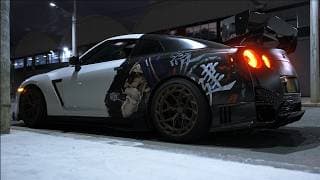
NISSAN GTR 850 HP - NIGHT TIME CINEMATIC 4K
Nissan GTR - Nighttime cinematics Car By Radical Customs Follow them Instagram: https://www.instagram.com/radicalcustoms.sc If you love cars, you won't regret it. Gear used in this video: CAMERA BODY: https://amzn.to/3yK4zck CAMERA LENS: https://amzn.to/3VdPkA7 CPL FILTER: https://amzn.to/4hdUQfo EXTERNAL MONITOR: https://amzn.to/4jLHbhl GIMBAL: https://amzn.to/46SnVIO HANDLE GRIP: https://amzn.to/46Soa6G HDMI CABLE: https://amzn.to/3ANplIq 🔥 Want to learn how to make HIGH-QUALITY VIDEOS? Get Blueprint: https://thecarvideoguy.com/high-quality-video-blueprint 🔥 1 on 1 COACHING for videography, editing & color grading Join waitlist: https://thecarvideoguy.com/coaching
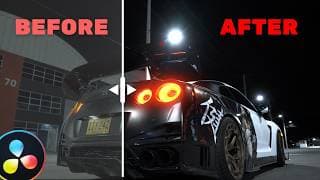
How I Color Grade Low Light Clips - Simple & Effective!
In this video you will learn my color grading process for low light clips in Davinci Resolve 19. It's simple, effective & easy to follow. I also share some tips for shooting videos in low light conditions. My Davinci Resolve Color Grading Process is great for beginners + intermediates who are getting used to Davinci Resolve and want to improve their color grading techniques. How I Color Grade Low Light Clips - Davinci Resolve 19 Shot on Sony A7IV + Sony 24-70 Lens What you will learn + Timestamps: 00:00: Free Downloads + Gear Used 00:28: Node Tree 00:43: Low Light Shooting Tips 01:36: REC709 Conversion 02:21: White Balance 04:27: Exposure & S-Curve 06:00: Back Lights Glow 07:49: Sharpening 08:11: Noise Reduction 09:27: Changes of each node 09:49: Shot Matching ➡ Download Car Clips: https://bitly.cx/NightClips You can download free slog3 car clips to practice your color grading. 🔥 Want HIGH-QUALITY VIDEOS? Get Blueprint: https://thecarvideoguy.com/high-quali... 🔥 1 on 1 COACHING for videography, editing & color grading Join waitlist: https://thecarvideoguy.com/coaching Gear used in this video: CAMERA BODY: https://amzn.to/3yK4zck CAMERA LENS: https://amzn.to/3VdPkA7 CPL/ND FILTER: https://amzn.to/4hdUQfo EXTERNAL MONITOR: https://amzn.to/4jLHbhl GIMBAL: https://amzn.to/46SnVIO HANDLE GRIP: https://amzn.to/46Soa6G HDMI CABLE: https://amzn.to/3ANplIq
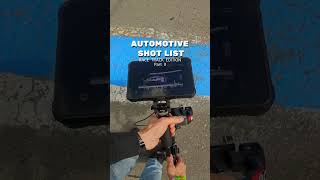
Automotive race track shot list 🏎️
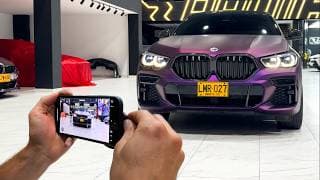
Create Cinematic & Viral Car Reels (on iPhone & Capcut)
Learn how to make viral, trendy and cinematic car videos on mobile phone. In this video, I show you how I film and edit trendy & cinematic car videos that you see on Instagram & Tiktok, filmed on iPhone. You will learn: - My iPhone camera settings and a few helpful tricks - Some of my most used car shots and how I film them - How I edit them on Capcut desktop & how I spice them up with a few simple tricks You’re a beginner or just looking to create some fresh automotive content for yourself or your clients? This start-to-finish tutorial for mobile phone videography & capcut editing will help you make car content that stands out. Items used in this video: Freewell Phone Filter Case: https://amzn.to/4at0Xto Freewell CPL Filter: https://amzn.to/3EbiR8g iPhone: https://amzn.to/4bZEZ0z Grid Lines Free Download: https://drive.google.com/file/d/1Eu4qRy77gyDNdM-aLOZQwJMjNu5ec4RR/view?usp=drive_link Watch next: https://www.youtube.com/watch?v=2ccJS47glgI&t Disclaimer: This video and description contain affiliate links, which means that if you buy one of these linked products, we’ll receive a small commission without any added costs for you. This helps support the channel and allows us to continue to make videos like this. Thank you for your support, this means a lot to us, really.
Cleanest GTR ever?!
Nissan gtr. Car edits car cinematic video
How to get ultra smooth shots?
My COLOR GRADING Process in Davinci Resolve - Simple & Effective!
Join our exclusive community for automotive videographers & level up faster than ever. 👉 https://www.skool.com/the-car-video-academy/about In this video you will learn my start to finish color grading process in Davinci Resolve 19. It's simple, easy to follow & effective! My Davinci Resolve Color Grading Process is great for beginners + intermediates who are getting used to Davinci Resolve and want to improve their color grading techniques. What you will learn + Timestamps: 00:00 - Free Downloads 00:20 - CST - LUT - SAT 01:53 - White Balance 02:25 - Exposure 03:13 - S-Curve 04:14 - Car & Grass 07:07 - Vignette 08:32 - Gradient 09:23 - Blacks 10:38 - Sharpening 11:12 - Last changes ➡ Download Car Clips: https://bitly.cx/carvideos ➡ Download Davinci Node Tree: https://bitly.cx/TheCarVideoGuyNodeTree 🔥 Want HIGH-QUALITY VIDEOS? Get Blueprint: https://thecarvideoguy.com/high-quality-video-blueprint 🔥 1 on 1 COACHING for videography, editing & color grading Join waitlist: https://thecarvideoguy.com/coaching Gear used in this video: CAMERA BODY: https://amzn.to/3yK4zck CAMERA LENS: https://amzn.to/3VdPkA7 CPL/ND FILTER: https://amzn.to/3ZShaUe EXTERNAL MONITOR: https://amzn.to/3MbSsrw GIMBAL: https://amzn.to/46SnVIO HANDLE GRIP: https://amzn.to/46Soa6G HDMI CABLE: https://amzn.to/3ANplIq
Hype Car Edit 🔥
Porsche or Beetle ?? 🧐
Automotive Shot List - Race Track Edition
My SECRETS to Buttery SMOOTH Gimbal Shots
Join our exclusive community for automotive videographers & level up faster than ever. 👉 https://www.skool.com/the-car-video-academy/about Stuck with shakey gimbal footage? But you want those buttery smooth gimbal shots? I got you, because here are my SECRETS to Buttery SMOOTH Gimbal Shots. In this video, I explain step by step how to get those incredibly smooth shots everybody has been asking for! I reveal my 3 go-to techniques for stable, cinematic footage—whether you're using a professional camera or even your phone! You will learn: - My camera + gimbal settings - 4 Tips for getting smooth shots - 3 Techniques for stabilization in post-production Gear used in this video: CAMERA BODY: https://amzn.to/3yK4zck CAMERA LENS: https://amzn.to/3VdPkA7 CPL/ND FILTER: https://amzn.to/3ZShaUe EXTERNAL MONITOR: https://amzn.to/3MbSsrw GIMBAL: https://amzn.to/46SnVIO HANDLE GRIP: https://amzn.to/46Soa6G HDMI CABLE: https://amzn.to/3ANplIq

5 Valuable Lessons I Learned As A Content Creator in 2025
5 Valuable Lessons I Learned As A Content Creator in 2025 Want to grow as a content creator or videographer? In this video, I’m sharing the 5 most valuable lessons I’ve learned this year that transformed my journey as a creator. Whether you're just starting or looking to level up, these tips will motivate you to take action, stay consistent, and achieve success. From overcoming self-doubt to earning my first dollar online, I’ll show you how I turned simple car videos into bigger opportunities, including paid sponsorships and media passes for cool automotive events. Plus, learn why setting output-based goals is key, how to stop comparing yourself to others, and why it’s never too late to start. Don’t let fear or excuses hold you back—start creating today and watch your dreams come to life! Follow me:
Client: “Can you send raw files?”
My favorite car shot!
3 Epic Car Shots
Camera setup for shooting cars
Car edit on iphone???
10 CREATIVE CAR SHOTS on IPHONE - ft Hohem iSteady M7 Gimbal
10 CREATIVE CAR SHOTS on IPHONE - ft Hohem iSteady M7 Gimbal Learn how to make my favorite car shots, filmed on iPhone / mobile phone. With these creative & cinematic car shots, you can make a sweet edit! Use them as inspiration for your own car videos. To get smooth and stable car shots, I am using the Hohem M7 gimbal. my follow speed is set to default. This gimbal makes it pretty easy to get some of those tracking shot, the Dolly Zoom shot & the Inception shot. The footage was shot on iPhone 15 on the standard video profile at 60 FPS. I edited in Davinci Resolve where I was able to boost the colors a little bit and use the tracker function for locked-on stabilization. Although I recommend using a phone CPL filter to get rid of some reflections on the car & and boost color saturation (I forgot mine https://amzn.to/3zZQaZS in Belgium, and this was shot in Colombia) Items used in this video; HOHEM M7 Gimbal (official site): https://bitly.cx/thecarvideoguym7 GET 30$ OFF: HOHEM M7 Gimbal (amazon): https://amzn.to/4gKFLlj iPhone: https://amzn.to/4bZEZ0z QUESTIONS? DROP A COMMENT! HAPPY CREATING EVERYONE! Disclaimer: This video and description contain affiliate links, which means that if you buy one of these linked products, we’ll receive a small commission without any added costs for you. This helps support the channel and allows us to continue to make videos like this. Thank you for your support, this means a lot to us, really.
How to get High Quality upload
“What is bro filming” 🤡
How I Easily Expose Sony Slog3 (Beginner Friendly)
How To Easily EXPOSE SONY SLOG3 Correctly For beginners on Sony A7IV - FX3 - A7III - A7sIII - FX30 - Settings & Exposure - CINEMATIC In this video I’m sharing my personal approach to exposing for Sony's Picture profile S-Log3. In the beginning of your videography journey, getting the right exposure film in in S-Log3 can be difficult, but with just a few simple tips you can easily get it right. This tutorial is easy to understand and is a perfect for beginners to start filming in Picture Profile S-Log3 to improve your video quality. The feedback that I've gotten from the results with this method were beyond my own imagination. And if I can do this, you can too! 🔥 HIGH QUALITY VIDEO BLUEPRINT: https://thecarvideoguy.com/high-quality-video-blueprint 🔥 GOLDEN LUT + Tutorial https://thecarvideoguy.com/golden-lut-color-grade-tutorial Gear used in this video: CPL/ND FILTER: https://amzn.to/4dXKlKT CAMERA BODY: https://amzn.to/3yK4zck CAMERA LENS: https://amzn.to/3VdPkA7 EXTERNAL MONITOR: https://amzn.to/3MbSsrw GIMBAL: https://amzn.to/46SnVIO HANDLE GRIP: https://amzn.to/46Soa6G HDMI CABLE: https://amzn.to/3ANplIq
You learn color grading…
🗣️: “color grading = waste of time”
Will this camera accessory change your life?
Steal this shot!
🎥 Steal This Shot!
Try these microphones for exhaust audio #djimic
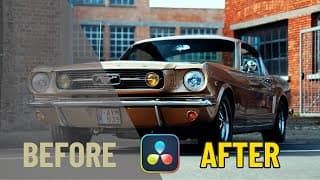
My 1 Secret for EASY Color Grading SLOG3
Is color grading REALLY worth it? YES Is S-log3 REALLY worth it? YES is S-log3 the best choice for color grading? YES Should I shoot in S-log3? YES Should I learn how to color grade? YES Link to the LUT: https://thecarvideoguy.kit.com/products/golden-lut-color-grade-tutorial Clips for practicing: https://bitly.cx/carvideos In this video I will show you the power of color grading your S-log3 videos, and you will actually see how easy it is. If you are having trouble to color grade your slog3 footage, then make sure to watch this video. In just a few clicks, your videos will stand out among 99% of all other videos. Get the exposure that you need & build an audience with high-quality videos.
Do you need this?? #carvideos
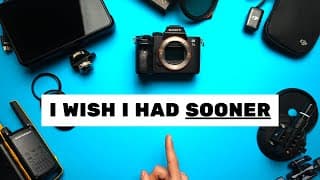
7 Must-Have Camera Accessories for Filming Cars?
7 MUST HAVE Camera Accessories for automotive videographers, I wish I had sooner! ➤ All the items I talk about in this video: VND + CPL FILTER: https://amzn.to/3BwJuTP SUCTION CUP: https://amzn.to/4aglqRg MICROPHONES: https://amzn.to/47QCdds MONITOR: https://amzn.to/3ZLYAPl MONITOR COLD SHOE: https://amzn.to/3TQjtoE MONITOR BATTERY: https://amzn.to/3zwiaEz BATTERY STATION: https://amzn.to/3BAMqOY HDMI CABLE: https://amzn.to/47Nwwgq (check the hdmi type of your own camera!) BIG TUBELIGHT: https://amzn.to/3Y3lZdJ SMALL TUBELIGHT: https://amzn.to/4gOp1K1 WALKIES: https://amzn.to/3XSZZ3N STEP UP RINGS: https://amzn.to/3N6XzK0 You will also enjoy the following 2 videos: CINEMATIC ROLLERS w/ DJI OSMO POCKET 3 - FULL GUIDE: https://youtu.be/hb3B5fb7CcA?si=4bpbVfULB3ZNzh0V FILM YOURSELF CINEMATICALLY WHILE DRIVING w/ DJI OSMO POCKET 3: https://youtu.be/WhVH1kOXoZU?si=honcwHRmSt0qv_BR My FREE automotive sound effects: https://www.dropbox.com/scl/fi/rhqexigauiwshq9bumsva/TheCarVideoGuy-Editing-Assets.zip?rlkey=987t8lrpa1qgk6ecvi4ytl2xn&e=1&dl=0 In this video, I’ll share with you 7 pieces of automotive filmmaking gear I regret not getting sooner. Whether you’re just starting out, or already have experience, there’s always that one piece of equipment you wish you had grabbed earlier. From budget filmmaking gear to high-quality essentials, these are some tools that have greatly improved my car videography workflow, quality & creativity. I’ve included plenty of cheap filmmaking gear options, with some items even falling under $50 and $100. Whether you’re looking for must-haves for automotive videographers, the best budget filmmaking gear , or just some useful filmmaking gear to up your game, this list has you covered. If you’re hunting for the best filmmaking gear 2024 or the latest cinematography gear to add to your automotive videography kit, i’m sure you’ll enjoy these items. From must-have car videography gear to nice things to have, I’ll show you why these tools are essential, and why I seriously wish I had bought them sooner. So if you're looking to make better car videos, this video is for you! QUESTIONS? DROP A COMMENT! HAPPY CREATING EVERYONE! Disclaimer: This video and description contain affiliate links, which means that if you buy one of these linked products, we’ll receive a small commission without any added costs for you. This helps support the channel and allows us to continue to make videos like this. Thank you for your support, this means a lot to us, really.
🎥 Steal this shot 🔥
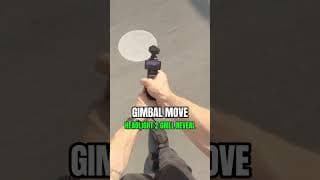
🎥 Try this shot next time 🔥
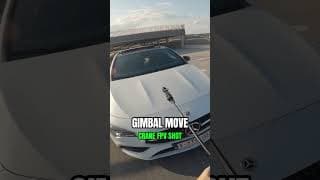
🎥 Try This Shot!
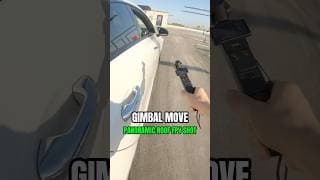
🎥 Try this shot!
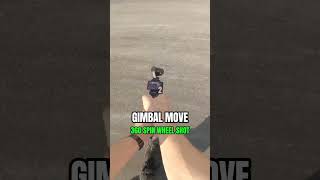
🎥 360 spin wheel shot - #osmopocket3
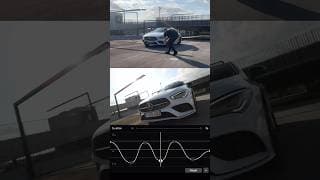
🎥 Try this shot next time time
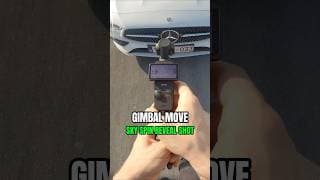
🎥 Sky Spin Reveal Shot #osmopocket3
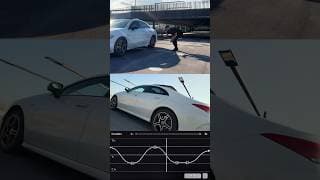
🎥 MAGIC DOOR SHOT
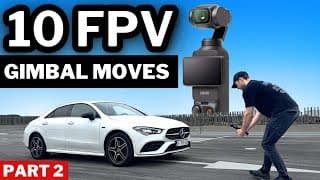
10 EPIC GIMBAL CAR SHOTS with DJI OSMO POCKET 3
Learn how to make these 10 super creative car shots using the DJI OSMO POCKET 3! These 10 FPV gimbal moves with the DJI OSMO POCKET 3 camera will level up your automotive videos. Enjoy as we will be sharing our camera movements along with some dji osmo pocket 3 tips to get the best possible car videos. WATCH NEXT: 10 CREATIVE CAR SHOTS part 1: https://youtu.be/4fbzPwPQRtE CINEMATIC CAR ROLLERS: Best Settings - DJI OSMO POCKET 3: https://youtu.be/hb3B5fb7CcA All items used in this video; DJI Osmo Pocket 3: https://amzn.to/3TYa3rt Extendable Tripod: https://amzn.to/4dQ7dfU CPL + ND Filter Pack: https://amzn.to/3TZeWR9 Micro SD Card: https://amzn.to/3V6V2Eo QUESTIONS? DROP A COMMENT! HAPPY CREATING EVERYONE! Disclaimer: This video and description contain affiliate links, which means that if you buy one of these linked products, we’ll receive a small commission without any added costs for you. This helps support the channel and allows us to continue to make videos like this. Thank you for your support, this means a lot to us, really.
🎥 Try this FPV shot!
🎥 Try these shots!
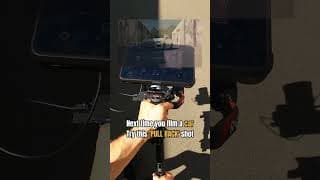
🎥 Try this car shot next time!
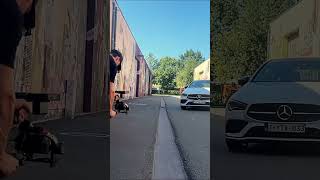
🎥Try these 🚗shots next time!
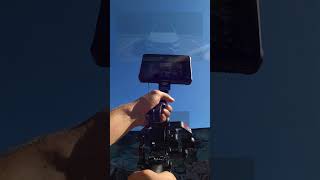
🎥 Try this car shot next time🔥
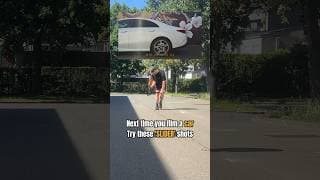
🎥 Try these SLIDER shots 🚗
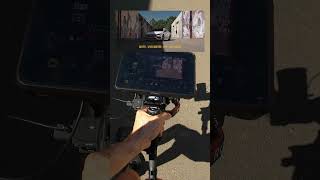
Try this car essential shot 🎥
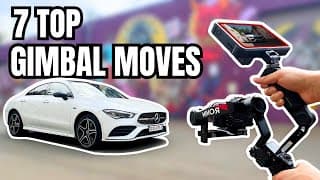
7 ESSENTIAL CINEMATIC GIMBAL MOVES - CAR VIDEOGRAPHY
Learn how to make these 7 super essential & cinematic gimbal moves to improve your car videography. We will be sharing some car videography tips, best gimbal settings & more to get the best & smoothest possible car videos! Gear used in this video: CAMERA BODY: https://amzn.to/3yK4zck CAMERA LENS: https://amzn.to/3YVtWlQ EXTERNAL MONITOR: https://amzn.to/3MbSsrw GIMBAL: https://amzn.to/46SnVIO HANDLE GRIP: https://amzn.to/46Soa6G HDMI CABLE: https://amzn.to/3ANplIq CPL/ND FILTER: https://amzn.to/4dXKlKT CAR: just kidding... :) QUESTIONS? DROP A COMMENT! HAPPY CREATING EVERYONE! Disclaimer: This video and description contain affiliate links, which means that if you buy one of these linked products, we’ll receive a small commission without any added costs for you. This helps support the channel and allows us to continue to make videos like this. Thank you for your support, this means a lot to us, really.
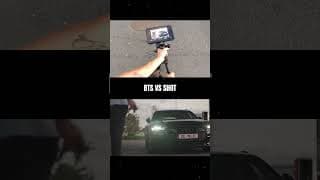
🎥 BTS vs SHOT
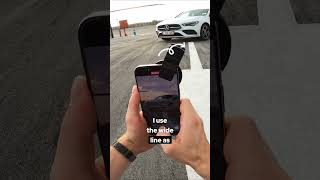
🤳 Cinematic Car Shot on Iphone pt 3
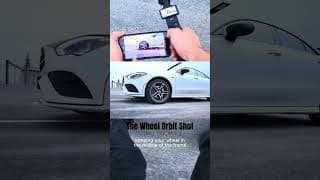
🔥 Wheel Orbit Shot #osmopocket3
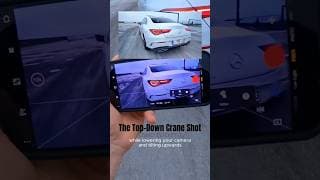
🎥 Top-Down Crane Shot
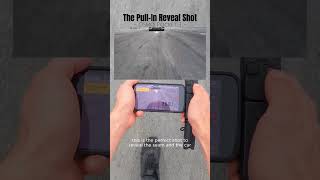
🎥 Car reveal shot on Osmo pocket 3
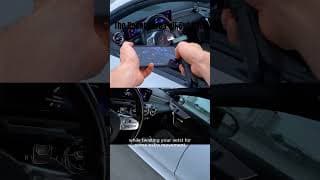
🔥 Dashboard Pull-Out
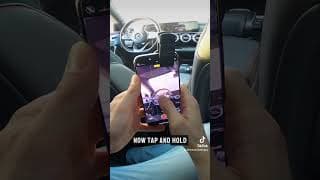
IPhone Cinematic Car Shot pt. 2
👇 How I made this shot - hop in the back seat - set to Cinematic mode - set F-stop to 2.0 - frame steering wheel in the middle with drivers seat as foreground element - tap & hold steering wheel to lock focus - pan slowly from left to right - make AT LEAST 5 shots so you can pick the best one later
10 CINEMATIC CAR SHOTS - IPHONE VIDEOGRAPHY (+ secret settings you probably didn’t know)
Learn how to make the top 10 most essential & cinematic car shots using your Iphone or smartphone / mobile phone. These 10 cinematic car shots with iphone will level up your automotive videos. Enjoy as we will also be sharing tips, tricks & best settings to get the best & smoothest possible car videos! All items used in this video; CPL Filter: https://amzn.to/3zZQaZS (NOW 10% OFF!) Filter Clip: https://amzn.to/4c3tPYu IPhone: https://amzn.to/4bZEZ0z QUESTIONS? DROP A COMMENT! HAPPY CREATING EVERYONE! Disclaimer: This video and description contain affiliate links, which means that if you buy one of these linked products, we’ll receive a small commission without any added costs for you. This helps support the channel and allows us to continue to make videos like this. Thank you for your support, this means a lot to us, really.
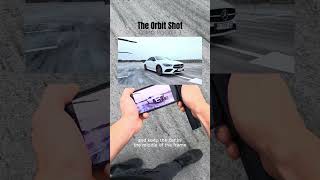
🔥 Orbit Shot - Osmo pocket 3
How to make the Orbit Shot 👇 - set your camera to lock-tilt (= pan only) - set gimbal speed to default - put your car in the middle of the frame (turning on diagonal lines can help you) - keep your camera at hip height - walk around in a circular motion keeping the same distance to the car at all times This was shot in 60 fps so i can speed ramp in post & 1/120 shutter speed #djiosmopocket #osmopocket3 #carvideography
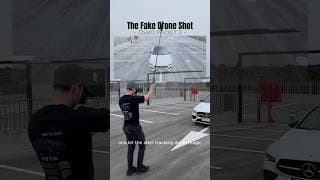
Fake Drone Shot 🎥 Dji Osmo Pocket
How to make this fake drone shot 👇 - attach your dji osmo pocket to an extendable tripod - download free dji mimo app - connect your osmo pocket via bluetooth to your phone - drag a square over the car on-screen - record from up to down - done!
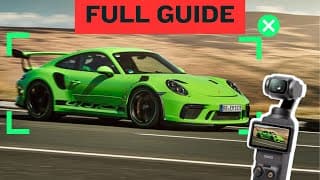
CINEMATIC CAR ROLLERS: Best Settings - DJI Osmo Pocket 3
The internet is flooded with viral car roller shots made by the DJI OSMO POCKET 3 pocket camera! In this video we are sharing the best settings to get cinematic car roller shots with this amazing camera. So is the dji osmo pocket 3 worth buying for car videos? You will learn all the best settings for cinematic results; Frames per second, Shutter speed, ISO settings, White Balance, Focus Mode... Aswell as the tools we are using & how to use them; best car mount suction cup, ND & CPL filters & much more! ------ ALL PRODUCTS USED IN THIS VIDEO ------ DJI OSMO POCKET 3 COMBO: https://amzn.to/3TYa3rt SUCTION CUP CAR MOUNT: https://amzn.to/4aglqRg (Smallrig Website; https://www.smallrig.com/global/4Suction-Cup-Camera-Mount-Kit-for-Vehicle-Shooting-4236B.html?stc=1Q0WDG (Alternative suction cup: https://amzn.to/3XIpkz2) ND + CPL FILTER PACK: https://amzn.to/3TZeWR9 BATTERY HANDLE GRIP: https://amzn.to/4cW9GEz MICRO SD CARD: https://amzn.to/3V6V2Eo CLEANING CLOTH: https://amzn.to/465kC0n MAGNETIC PHONE MOUNT: https://amzn.to/3W0oPxN Time stamps: 00:00 - 03:03 Best Settings 03:03 - 06:39: Tools & How to set them up 06:39 - 07:17 How to film & track a car Disclaimer: This video and description contain affiliate links, which means that if you buy one of these linked products, we’ll receive a small commission without any added costs for you. This helps support the channel and allows us to continue to make videos like this. Thank you for your support, this means a lot to us, really. HAPPY CREATING EVERYONE!
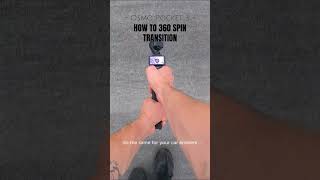
🛞 360 spin transition
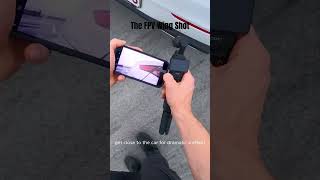
🎥 FPV Wing Shot
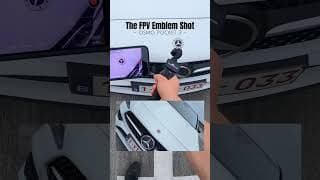
FPV emblem shot 🔥
- set your dji osmo pocket 3 to fpv mode - slow gimbal speed - 60 fps - 1/120 shutter speed - nd filter 8 (depending on the weather) - start close to the emblem - pull back slowly - twist your wrist - enjoy!
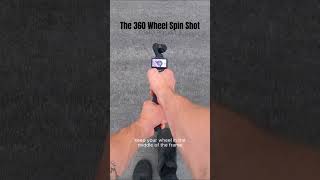
🎥 360 spin shot osmo pocket 3
How to make this 360 shot 👇 - put your dji osmo pocket 3 in spin mode - select 180 degree - hold your camera towards the centre of your rim - tab the spin-button - walk back slowly while keeping the middle of the frame in the middle of your screen - turning on the diagonals lines might help you with framing! Enjoy! #osmopocket3 #caredits #carspotters
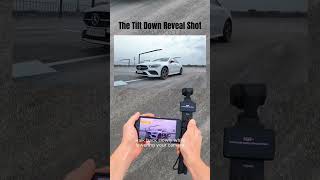
🎥 tilt down reveal shot w/ dji osmo pocket 3
10 ESSENTIAL CREATIVE CAR SHOTS w/ DJI OSMO POCKET 3
Learn how to make the top 10 most essential & creative car shots using the DJI OSMO POCKET 3! These 10 creative gimbal moves with the DJI OSMO POCKET 3 camera will level up your automotive videos. Enjoy as we will be sharing our camera movements along with the osmo pocket gimbal & camera settings to get the best & smoothest possible car videos! All items used in this video; DJI Osmo Pocket 3: https://amzn.to/3TYa3rt Extendable Tripod: https://amzn.to/4cZEljY Light-LED Tube: https://amzn.to/3RFZAzy CPL + ND Filter Pack: https://amzn.to/3TZeWR9 Micro SD Card: https://amzn.to/3V6V2Eo QUESTIONS? DROP A COMMENT! HAPPY CREATING EVERYONE! Disclaimer: This video and description contain affiliate links, which means that if you buy one of these linked products, we’ll receive a small commission without any added costs for you. This helps support the channel and allows us to continue to make videos like this. Thank you for your support, this means a lot to us, really.
Osmo pocket 3 - rollers w/ randoms
🚙 Roller shots w Randoms!
Rollers with Randoms ✨w/ Specs✨ #osmopocket3
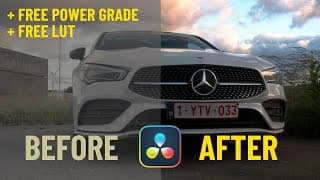
How To Color Grade // Easy & Crispy - Free Power Grade + LUT
Learn how to easily color grade Any Log footage (such as s-log3 , C-log, ...) in Davinci Resolve with an easy Power Grade. This is a good beginners tutorial if you are starting to learn Davinci Resolve. You can follow along step by step. STEPS: 0: How to Add CST (Color Space Transform) 1: How to apply a Power Grade in Davinci Resolve 2: How to adjust White Balance 3. How to Adjust Shadows, Highlights & S-curve 4. How to add Bloom Effect (Dehancer Pro) 5. How to add Sharpen FINISHED This is a super easy & beginner friendly Davinci Resolve Color Grading tutorial with free features. The lut is specificly for S-LOG3, altough you can adjust the power grade to your own camera settings & extract the LUT from there. FREE POWER GRADE + LUT +: CAR CLIP: https://www.dropbox.com/scl/fo/4m536ej3derf51whirys2/AIJuyEHkgtz1ElHneoRf6i0?rlkey=kl3qe8mty04o4oegap0y1g3d0&st=l04g1g36&dl=0 CHECK MY CAMERA GEAR: Sony A7iii: https://amzn.to/4c9NaYo Lens 50mm lens: https://amzn.to/3R6INWy DJI Ronin Gimball: https://amzn.to/3QG4NWA Hoya ND Filter: https://amzn.to/3sJBbji Hoya CPL Filter: https://amzn.to/3SSTpJM Camera cage: https://amzn.to/40PBmpH JOIN MY TELEGRAM FOR UPDATES & FREE FOOTAGE: https://t.me/thecarvideoguy FREE RAW CAR CLIPS: https://www.dropbox.com/scl/fi/do9f9a...
🎨 Color grade - Davinci Resolve
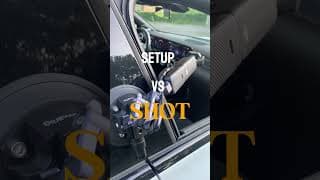
🎥 Setup vs Shot w/ osmo pocket 3
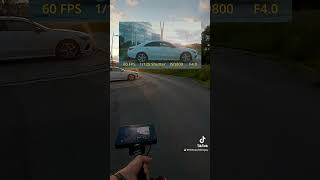
🎥 POV Reveal Shot
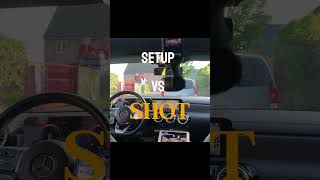
🎥 Setup vs Shot #osmopocket3
Sunroof car transition / panoramic roof / Easy Capcut Tutorial
Join me as I will be unveiling this Viral Panoramic Roof Car Transition Effect! All you need is a camera (iphone, dji osmo pocket 3 or any other camera) & Capcut to edit (both possible on mobile & desktop version) Find out the best camera settings for the most cinematic results and a few interesting accessories for the Dji Osmo Pocket 3. Let me know in the comments what you wouldl ike to see next! All items used in this video; SmallRig Car Mount Pack - https://amzn.to/4aglqRg Phone Tripod - https://amzn.to/3wLqxdX DJI Osmo Pocket 3 - https://amzn.to/3TYa3rt Freewell filter pack - https://amzn.to/3TZeWR9 Micro SD Card - https://amzn.to/3V6V2Eo Micro fiber cloth - https://amzn.to/3xbA8KM Chapters: 00:00 - 00:29 Preparations 00:29 - 01:14 Shot 1 01:14 - 01:30 Shot 2 01:30 - 03:22 Editing 03:22 - Another one! Disclaimer: This video and description contain affiliate links, which means that if you buy one of these linked products, we’ll receive a small commission without any added costs for you. This helps support the channel and allows us to continue to make videos like this. Thank you for your support, this means a lot to us, really. HAPPY CREATING EVERYONE!
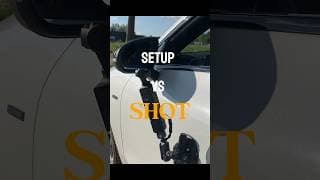
🎥 Setup vs Shot
🎥 Setup vs Shot
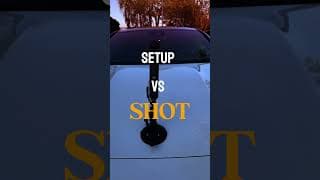
🎥 Setup vs Shot pt.2
So how did I make this shot? I used the Dji Osmo Pocket 3 and a Smallrig suction cup to mount the camera to the car. Make sure the mounting surface is flat & clean! Then I framed the shot using the Dji Mimo App on my Ipad. This way you can easily adjust your gimball & camera settings for the most cinematic results and desired frame. I clipped on a CPL/ND64 filter and set my camera settings to 30 fps, 1/60 shutter speed, 5600K white balance and 200 ISO. Lastly, i adjusted the colors & added some warmth & very subtle grain + slapped a film frame on top in post production.
🎥 Setup Vs Shot
So how did I make this shot? I used the Dji Osmo Pocket 3 and a Smallrig suction cup to mount the camera to the car. Make sure the mounting surface is flat & clean! Then I framed the shot using the Dji Mimo App on my Ipad. This way you can easily adjust your gimball & camera settings for the most cinematic results and desired frame. I clipped on a CPL/ND64 filter and set my camera settings to 30 fps, 1/60 shutter speed, 5600K white balance and 200 ISO. Lastly, i adjusted the colors & added some warmth & very subtle grain + slapped a film frame on top in post production.
6 Easy & Cinematic Car Shots w/ DJI OSMO POCKET 3
Join us as we are creating some easy & cinematic car shots filming yourself. Perfect to spice up your vlogs, edits & films! In this video we are using the DJI Osmo Pocket 3 with the Smallrig car mount / suction cup, but you can use any camera / suction car mount of your liking. We are sharing our best camera settings for the most cinematic results and a few must-have accessories for the Dji Osmo Pocket 3. If you have ANY questions, drop them in the comments below & we WILL help you out. All items used in this video; DJI Osmo Pocket 3: https://amzn.to/3TYa3rt SmallRig Car Mount (Amazon) - https://amzn.to/4aglqRg SmallRig Car Mount (Website): https://www.smallrig.com/global/4Suction-Cup-Camera-Mount-Kit-for-Vehicle-Shooting-4236B.html?stc=1Q0WDG - Alternative suction cup: https://amzn.to/3XIpkz2 Freewell filter pack: https://amzn.to/3TZeWR9 Micro SD Card: https://amzn.to/3V6V2Eo Disclaimer: This video and description contain affiliate links, which means that if you buy one of these linked products, we’ll receive a small commission without any added costs for you. This helps support the channel and allows us to continue to make videos like this. Thank you for your support, this means a lot to us, really. HAPPY CREATING EVERYONE!
Osmo Pocket 3 Timeline
Comment CLIPS to receive all the Raw clips including video transition overlays in your inbox! If you want to learn editing, but you don’t have the footage, this is a good way to start learning. Downlod the clips, chop em up and enjoy the process. You will also need tocdo some color grading, but that makes it fun Shot on #djiosmopocket3 #djiosmopocket #carvideos #carsoftiktok #carcinematics
Best car audio Dji Mic 2 + Osmo Pocket 3
how to get good & clean car exhaust audio with dji mic 2 and dji osmo pocket 3? 2 STEPS: 1️⃣ camera placement: Clip it onto your license plate or use the magnet to clip it on the rear, placing it here will already reduce the wind blowing into the microphone, Be sure to put the deadcat to reduce wind noise even more. 2️⃣ camera settings; Swipe right and the the transmitter icon, Put transmitter 1 gain between -6 & -12 depending on how loud your car. If your audio peaks red, reduce the decibels more. Last but not least, turn off noise cancelation! If you have any other questuons let me know in the comments and i will make a video reply #djiosmopocket3 #osmopocket3 #carrollers #carvideos
Dji osmo pocket shooting some NPC roller shots!
Shooting NPCs 🎥 DJI Osmo Pocket 3
Dji osmo pocket car rollers
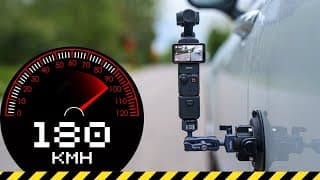
EXTREME TEST: Car Mount Suction Cup with DJI OSMO POCKET 3
Join us as we do the ULTIMATE Car Mount Suction Cup TEST with the DJI Osmo Pocket 3 camera. We will mount this SmallRig Suction cup to the car and accelerate up to 180 km/h. See if the suction cup survives the test... On top, we will also be testing the Freewell mega 14 filter pack (including ND & CPL filters) for the DJI Osmo Pocket 3 to see if the wind might blow them off. We will also be shooting some roller car shots of random cars, using this Smallrig Suction cup & ND/CPL filter pack, so stay with us to see the results of these car rollers along with the camera settings of the dji osmo pocket 3. All items used in this video; SmallRig Car Mount (Amazon) - https://amzn.to/4aglqRg SmallRig Car Mount (Website): https://www.smallrig.com/global/4Suction-Cup-Camera-Mount-Kit-for-Vehicle-Shooting-4236B.html?stc=1Q0WDG - Alternative suction cup: https://amzn.to/3XIpkz2 DJI Osmo Pocket 3 - https://amzn.to/3TYa3rt Freewell filter pack - https://amzn.to/3TZeWR9 Micro SD Card - https://amzn.to/3V6V2Eo Micro fiber cloth - https://amzn.to/3xbA8KM Chapters: 00:00 - 00:32 What & why are we testing? 00:32 - 01:37 The setup 01:37 - 02:29 EXTREME SPEED TEST 02:29 - 03:56 Random Stranger's Car Roller Shots Disclaimer: - This test was done on the German Autobahn without speed limits, the driver was a professional & followed all the rules & laws. This video and description contain affiliate links, which means that if you buy one of these linked products, we’ll receive a small commission without any added costs for you. This helps support the channel and allows us to continue to make videos like this. Thank you for your support, this means a lot to us, really.
🎥 Osmo Pocket 3 question
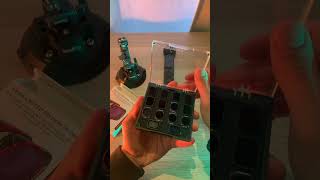
Osmo pocket setup for car roller shots
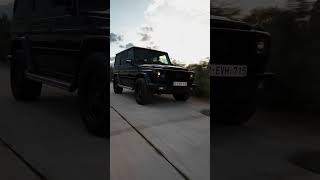
🎥 Osmo pocket 3 🚗 G-wagon Benz
This benz g-wagon was shot on the dji osmo pocket 3 🔥
🎥 DJI Osmo Pocket 3 #osmopocket3 #carvideography #djiosmopocket #carrollershots
🎥 Osmo Pocket car rollers!
🎥 Setup VS Shot #osmopocket #djiosmopocket
🚗 The perfect transition? 🎥 Osmo Pocket 3
DJI OSMO POCKET 3: Can It Recreate Internet's Most Viral Car Transition?
Join me as I test the DJI Osmo Pocket 3 with the Smallrig car mount to get one of the internet's most-viewed car transitions! Let's see if the suction cup survives the ride... Find out the best camera settings for the most cinematic results and a few interesting accessories for the Dji Osmo Pocket 3. Let me know in the comments what you wouldl ike to see next! All items used in this video; SmallRig Car Mount (Amazon) - https://amzn.to/4aglqRg SmallRig Car Mount (Website): https://www.smallrig.com/global/4Suction-Cup-Camera-Mount-Kit-for-Vehicle-Shooting-4236B.html?stc=1Q0WDG - Alternative suction cup: https://amzn.to/3XIpkz2 DJI Osmo Pocket 3 - https://amzn.to/3TYa3rt Freewell filter pack - https://amzn.to/3TZeWR9 Micro SD Card - https://amzn.to/3V6V2Eo Micro fiber cloth - https://amzn.to/3xbA8KM Chapters: 00:00 - 00:32 Attach Osmo Pocket 3 00:32 - 01:16 Attach Car Mount 01:16 - 02:12 Camera Settings 02:12 - 03:00 Exposing correctly with ND Filter 03:00 - 03:29 Shot 1 & 2 03:29 - 05:28 Editing for smooth transition Disclaimer: This video and description contain affiliate links, which means that if you buy one of these linked products, we’ll receive a small commission without any added costs for you. This helps support the channel and allows us to continue to make videos like this. Thank you for your support, this means a lot to us, really. HAPPY CREATING EVERYONE!
🎥 Shot on Osmo Pocket 3 #carvideography #contentcreator
🚘 Tokyo Drift’s original Nissan Silva S15 AKA the Mona Lisa
Shot VS setup - Drive Edition. #osmopocket3 #osmopocket
EPIC Car Transitions in Capcut Desktop PC - beginners tutorial
This video is a beginner-friendly capcut tutorial to level up your car edits in Capcut with these amazing tips for your car transitions. explained step by step. This trendy car transition will level up your car content massively! This car video was show by https://www.youtube.com/@UCk55DOnuAgOiFnBj-0XXwGQ check out this video: https://www.youtube.com/watch?v=lQieyv0OE6I CHECK MY CAMERA GEAR: Sony A7iii: https://amzn.to/3Ra5fhe Lens 50mm lens: https://amzn.to/3R6INWy DJI Ronin Gimball: https://amzn.to/3QG4NWA Hoya ND Filter: https://amzn.to/3sJBbji Hoya CPL Filter: https://amzn.to/3SSTpJM Camera cage: https://amzn.to/40PBmpH JOIN MY TELEGRAM FOR FREE CAR FOOTAGE & UPDATES https://t.me/thecarvideoguy
🎨 Color grading in capcut? Easy! First I apply a LUT, then i make some small adjustments / free LUT
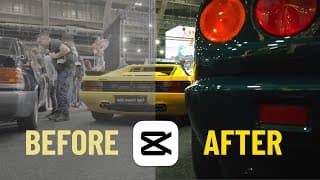
🎨 Easy color grade in Capcut desktop // Free lut // Tutorial
How to EASILY Color Grade S-LOG3 on CAPCUT PC // FREE Conversion LUT + FREE Car Clips
Learn how to easily color grade S-LOG3 footage in Capcut Desktop in just 2 easy steps: 1: How to apply conversion LUT (with free SLOG3 conversion LUT) 2: How to adjust colors This is a super easy & beginner friendly capcut desktop tutorial & the color grading features in this free editor app. You can also apply this free s-log3 conversion lut in Davinci Resolve & Premiere Pro. FREE CONVERSION LUT: https://www.dropbox.com/scl/fi/n2qtkq7eqfkbfdjd3r7wm/TheCarVideoGuy-Conversion-Green-Lut.cube?rlkey=0b50xvvqveawz1au3d9vogtz5&dl=0 FREE RAW CAR CLIPS: https://bitly.cx/carvideos CHECK MY GEAR: Sony A7iii: https://amzn.to/3Ra5fhe Lens 50mm lens: https://amzn.to/3R6INWy DJI Ronin Gimball: https://amzn.to/3QG4NWA Hoya ND Filter: https://amzn.to/3sJBbji Hoya CPL Filter: https://amzn.to/3SSTpJM Camera cage: https://amzn.to/40PBmpH JOIN MY TELEGRAM FOR UPDATES & FREE FOOTAGE: https://t.me/thecarvideoguy
🎥 S-log to Arri LUT. Comment LUT if you want it and i’ll send it to you
how to use LUTS in davinci resolve. easy to use S-Log 3 to Arri Lut. simple & easy
15 Easy Capcut Car Effects in 56 seconds
ALL CAR CLIPS COME FROM https://www.youtube.com/@UCk55DOnuAgOiFnBj-0XXwGQ Go check him out! In this capcut tutorial you will learn 15 easy-to-use effects to improve your car videos in just 55 seconds. Both possible for desktop & mobile capcut version.
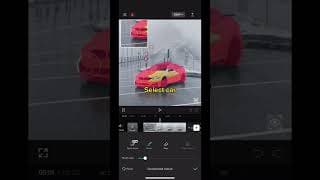
Capcut splatter effect tutorial
Capcut easy tutorial on how to make this cool splash splatter / solution effect on capcut mobile phone
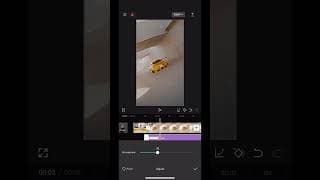
Car Neon Outline Effect Capcut
Capcut effect transition to improve your car edits. 4k quality. Easy capcut capcut effect
Viral Car Slam Transition Tutorial on Capcut Mobile
🚨 If you enjoyed this transition tutorial, then you will love this one! 👉 https://youtu.be/JQ1uV8N4L_4?si=a0NTfQLsPGSk6UAO You have seen these epic car edits go viral on Instagram reels, TikTok, or Youtube shorts? Then you have probably noticed the most popular & epic car transition effect. You can make this super easy car transition with this capcut tutorial in less than one minute! Capcut is a free editing app for mobile phone or computer. Capcut is easy to use and perfect for beginners who are learning to make car edits & car videos. These effects & transitions will elevate your car editing game! For more capcut tutorials & car related content, check out our channel.
Easy Tunnel Effect Transition in Capcut
Learn this super easy trendy tunnel effect transitions to level up your car edits / car reels ! (possible on capcut mobile phone & capcut desktop) CHECK MY CAMERA GEAR: Sony A7iii: https://amzn.to/3Ra5fhe Lens 50mm lens: https://amzn.to/3R6INWy DJI Ronin Gimball: https://amzn.to/3QG4NWA Hoya ND Filter: https://amzn.to/3sJBbji Hoya CPL Filter: https://amzn.to/3SSTpJM Camera cage: https://amzn.to/40PBmpH
VIRAL CAPCUT CAR TRANSITION - capcut mobile tutorial
This video is a tutorial for the easy & epic car pull-in effect transition in Capcut. This car effect transition will level up your car reels & car edits 100% CHECK MY CAMERA GEAR: Sony A7iii: https://amzn.to/3Ra5fhe Lens 50mm lens: https://amzn.to/3R6INWy DJI Ronin Gimball: https://amzn.to/3QG4NWA Hoya ND Filter: https://amzn.to/3sJBbji Hoya CPL Filter: https://amzn.to/3SSTpJM Camera cage: https://amzn.to/40PBmpH JOIN MY TELEGRAM FOR FREE CAR FOOTAGE & UPDATES https://t.me/thecarvideoguy DOWNLOAD CAPCUT Mobile phone Android: https://play.google.com/store/apps/de... Mobile phone Apple / IOS: https://apps.apple.com/us/app/capcut-... Desktop: https://www.capcut.com
BTS 🎥 Porsche 911 1981
3 easy car transitions in Capcut!
Capcut car effect transition easy beginner tutorial to make trendy car reels
3 EASY CAR TRANSITIONS in Capcut
in this capcut tutorial you will learn 3 easy & trendy car transitions to level up your car edits! (for both capcut mobile phone & capcut desktop) The 3 capcut car transitions 00:00 CAR SLAM TRANSITION 01:22 TUNNEL TRANSITION 02:23 CAR ZOOM TRANSITION CHECK MY CAMERA GEAR: Sony A7iii: https://amzn.to/3Ra5fhe Lens 50mm lens: https://amzn.to/3R6INWy DJI Ronin Gimball: https://amzn.to/3QG4NWA Hoya ND Filter: https://amzn.to/3sJBbji Hoya CPL Filter: https://amzn.to/3SSTpJM Camera cage: https://amzn.to/40PBmpH JOIN MY TELEGRAM FOR FREE CAR FOOTAGE & UPDATES https://t.me/thecarvideoguy DOWNLOAD CAPCUT Mobile phone Android: https://play.google.com/store/apps/details?id=com.lemon.lvoverseas&hl=en&gl=US&pli=1 Mobile phone Apple / IOS: https://apps.apple.com/us/app/capcut-video-editor/id1500855883 Desktop: https://www.capcut.com 3 EASY CAR TRANSITIONS in Capcut (YOU WISH YOU KNEW EARLIER)
Easy car transition in Capcut tutorial
Easy car effect transition capcut
2 epic car transitions capcut tutorial #capcuttutorial
easy car transitions effects in capcut

Watch my 9mm go bang green screen with shadow

[FREE DOWNLOAD] watch my 9mm go bang with shadow green screen
FREE DOWNLOAD LINK WITH 9MM GO BANG AUDIO: Telegram: https://t.me/thecarvideoguy Full capcut tutorial: https://www.youtube.com/watch?v=UeEvLp48kkM Watch my 9 mm go BANG Shigure Ui Loli Dance green screen with shadow CHECK MY CAMERA GEAR: Sony A7iii: https://amzn.to/3Ra5fhe Lens 50mm lens: https://amzn.to/3R6INWy DJI Ronin Gimball: https://amzn.to/3QG4NWA Hoya ND Filter: https://amzn.to/3sJBbji Hoya CPL Filter: https://amzn.to/3SSTpJM Camera cage: https://amzn.to/40PBmpH
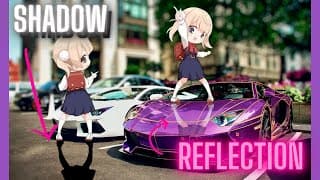
9mm go BANG Shigure ui loli capcut tutorial
9mm go bang - Shigure ui loli dance Tutorial with free green screen download via my telegram: https://t.me/thecarvideoguy Capcut tutorial for the viral car trend trend with shadow & reflection possible for mobile phone & desktop JOIN MY TELEGRAM FOR GREEN SCREENS, FREE CAR FOOTAGE. https://t.me/thecarvideoguy CHECK MY CAMERA GEAR: Sony A7iii: https://amzn.to/3Ra5fhe Lens 50mm lens: https://amzn.to/3R6INWy DJI Ronin Gimball: https://amzn.to/3QG4NWA Hoya ND Filter: https://amzn.to/3sJBbji Hoya CPL Filter: https://amzn.to/3SSTpJM Camera cage: https://amzn.to/40PBmpH Capcut website: https://www.capcut.com/ Enjoy!
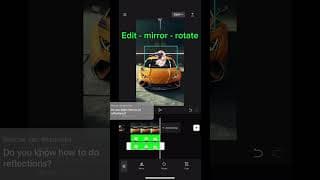
How to make reflections 9mm go bang shigure ui loli dance
REFLECTIONS tutorial for the watch my 9mm go bang trend - shigure ui loli dance
Watch my 9mm go bang
Shigure ui loli dance car edits car reels

[FREE DOWNLOAD] Watch my 9 mm go BANG Shigure Ui Loli Dance green screen
FREE DOWNLOAD LINK WITH 9MM GO BANG AUDIO: https://t.me/thecarvideoguy Watch my 9 mm go BANG Shigure Ui Loli Dance green screen You have seen this trendy car reel on Instagram and you want to make it yourself? Here is a full Capcut Tutorial; https://youtu.be/Ved90eI-RPw CHECK MY CAMERA GEAR: Sony A7iii: https://amzn.to/3Ra5fhe Lens 50mm lens: https://amzn.to/3R6INWy DJI Ronin Gimball: https://amzn.to/3QG4NWA Hoya ND Filter: https://amzn.to/3sJBbji Hoya CPL Filter: https://amzn.to/3SSTpJM Camera cage: https://amzn.to/40PBmpH
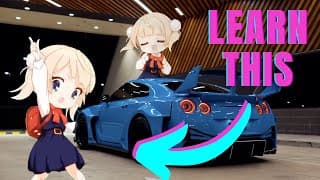
9mm go bang - Shigure ui loli dance Tutorial
UPDATED TUTORIAL WITH SHADOW & REFLECTION: https://www.youtube.com/watch?v=UeEvLp48kkM&t 9mm go bang - Shigure ui loli dance Tutorial with free green screen download link Capcut tutorial for the viral car trend trend possible for mobile phone & desktop CHECK MY CAMERA GEAR: Sony A7iii: https://amzn.to/3Ra5fhe Lens 50mm lens: https://amzn.to/3R6INWy DJI Ronin Gimball: https://amzn.to/3QG4NWA Hoya ND Filter: https://amzn.to/3sJBbji Hoya CPL Filter: https://amzn.to/3SSTpJM Camera cage: https://amzn.to/40PBmpH JOIN MY TELEGRAM FOR GREEN SCREENS, FREE CAR FOOTAGE. https://t.me/thecarvideoguy Green screen Shigure Ui: https://www.dropbox.com/scl/fi/vz461mq97o0jt2v570z6w/9mm-go-bang-shigure-ui-loli-dance-Green-screen.mp4?rlkey=80jd2fgnrjp9m4tpuzvdtjsw0&dl=0 Porsche car footage: https://www.dropbox.com/scl/fi/24ko7z79kw0rw7duomvfx/PORSCHE-RAW-FOOTAGE.mov?rlkey=u4amo4agvj8v0adacj4ae2ozg&dl=0 Capcut website: https://www.capcut.com/ Enjoy!
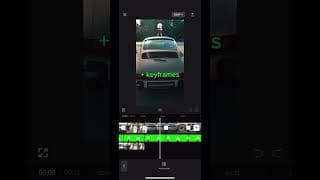
Shigure Ui tutorial - watch my 9 mm
Capcut tutorial Shigure Ui tutorial - watch my 9 mm How to do the dancing anime girl trendy car reel
Watch my 9mm go bang!
Shigure ui loli dance anime car edit
Beginners Guide to Filming Car Videos (START to FINISH)
Join me today as you learn how to film car videos / car reels as a beginner car videographer. We are taking you from start to finish! Which camera gear do we use? Which camera settings are we choosing & why? How to find music for car videos? How to actually film car videos? How to edit car videos? Enjoy! If you have any questions, drop them in the comments & I will help you out. CHECK MY CAMERA GEAR: Sony A7iii: https://amzn.to/3Ra5fhe Lens 50mm lens: https://amzn.to/3R6INWy DJI Ronin Gimball: https://amzn.to/3QG4NWA Hoya ND Filter: https://amzn.to/3sJBbji Hoya CPL Filter: https://amzn.to/3SSTpJM Camera cage: https://amzn.to/40PBmpH
Capcut breakdown timeline #caredits #carshorts #capcut #capcuttutorial
That last car effect though 😮💨 #capcut
Car edit with some effects made on capcut & alight motion
Full tutorial on channel! #caredits
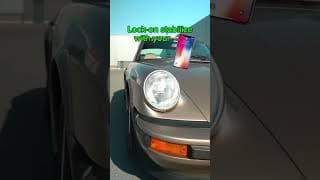
Lock-on stabilize on your mobile phone
Learn how to lock-on stabilize your car footage to make your car edits look smooth
Is this EXTREME SMOOTH FOOTAGE on MOBILE PHONE even possible?
Do you want smooth, locked-on stabilized videos only using your mobile phone? You will learn exactly this in our easy to follow ALIGHT MOTION tutorial (+Capcut for speedramps) only using your phone / iphone Level up your car edits with these trendy effects for mobile phone. Easy & Perfect for beginners CHECK MY CAMERA GEAR: Sony A7iii: https://amzn.to/3Ra5fhe Lens 50mm lens: https://amzn.to/3R6INWy DJI Ronin Gimball: https://amzn.to/3QG4NWA Hoya ND Filter: https://amzn.to/3sJBbji Hoya CPL Filter: https://amzn.to/3SSTpJM Camera cage: https://amzn.to/40PBmpH Enjoy! If you have any questions, drop them in the comments & I will help you out. Music: https://www.epidemicsound.com/
Capcut color transform
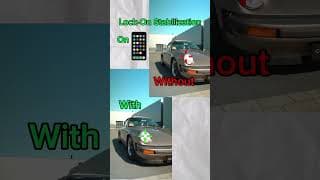
👁️ Can you spot the difference?
Lock-on stabilization only using your 📱 mobile phone with Capcut & Alight Motion video editor app
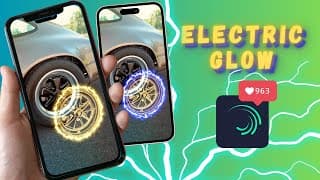
ELECTRIC WHEEL GLOW CAR EFFECT TUTORIAL
In this mobile phone tutorial you will learn how to create the Electric Wheel Glow Effect for your car edits. This trendy wheel glow car effect will boost your views & engagement on your Instagram reels, youtube shorts & tiktoks. You will even make them go viral by using this effect. Enjoy! If you have any questions, drop them below & we help you out. If you need car footage to practice, let me know in the comments & I will send you the footage. CHECK MY CAMERA GEAR: Sony A7iii: https://amzn.to/3Ra5fhe Lens 50mm lens: https://amzn.to/3R6INWy DJI Ronin Gimball: https://amzn.to/3QG4NWA Hoya ND Filter: https://amzn.to/3sJBbji Hoya CPL Filter: https://amzn.to/3SSTpJM Camera cage: https://amzn.to/40PBmpH Music: www.epidemicsound.com
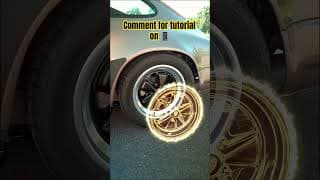
Wheel glow effect tutorial
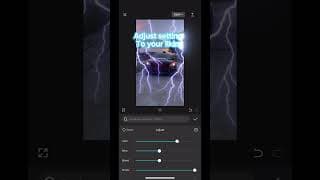
⚡️ Lightning Effect Tutorial
Beginner friendly car effect tutorial for Capcut mobile / desktop
Lightning effect in Capcut
VIRAL CAR BUBBLE EFFECT - Capcut Tutorial
Easy to follow Capcut tutorial to learn how to make this Mercury Bubble effect. It's an easy effect that will improve your car videos by 505% & even make them go viral! Edit on your capcut app on phone or desktop. Enjoy! If you have any questions, drop them in the comments & I will help you out. CHECK MY CAMERA GEAR: Sony A7iii: https://amzn.to/3Ra5fhe Lens 50mm lens: https://amzn.to/3R6INWy DJI Ronin Gimball: https://amzn.to/3QG4NWA Hoya ND Filter: https://amzn.to/3sJBbji Hoya CPL Filter: https://amzn.to/3SSTpJM Camera cage: https://amzn.to/40PBmpH
Car bubble effect tutorial for capcut mobile phone
Beginner friendly capcut car effect
Capcut Car Splash Effect Tutorial
Tutorial for the car splash effect in capcut, mobile phone car edit or desktop car edit.
Capcut car effect tutorial
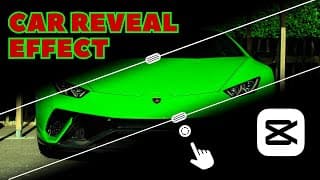
VIRAL CAR REVEAL EFFECT - CAPCUT TUTORIAL
Easy to follow Capcut tutorial to learn how to make this trendy car reveal effect in 1 minute. It's an easy effect that will improve your car videos by 405% & even make them go viral! Edit on your capcut app on phone or desktop. Enjoy! If you have any questions, drop them in the comments & I will help you out. CHECK MY CAMERA GEAR: Sony A7iii: https://amzn.to/3Ra5fhe Lens 50mm lens: https://amzn.to/3R6INWy DJI Ronin Gimball: https://amzn.to/3QG4NWA Hoya ND Filter: https://amzn.to/3sJBbji Hoya CPL Filter: https://amzn.to/3SSTpJM Camera cage: https://amzn.to/40PBmpH
Capcut mobile car edit. Used some simple overlays and sound effects
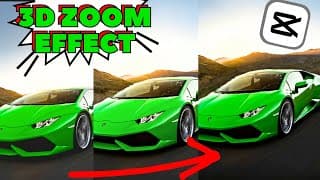
VIRAL CAR 3D EFFECT - CAPCUT TUTORIAL
Easy to follow Capcut tutorial to learn how to make this 3D CAR ZOOM effect in 1 minute. It's an easy effect that will improve your car videos by 505% & even make them go viral! Edit on your capcut app on phone or desktop. Enjoy! If you have any questions, drop them in the comments & I will help you out. CHECK MY CAMERA GEAR: Sony A7iii: https://amzn.to/3Ra5fhe Lens 50mm lens: https://amzn.to/3R6INWy DJI Ronin Gimball: https://amzn.to/3QG4NWA Hoya ND Filter: https://amzn.to/3sJBbji Hoya CPL Filter: https://amzn.to/3SSTpJM Camera cage: https://amzn.to/40PBmpH

3D ZOOM CAR EFFECT CAPCUT TUTORIAL #caredits #carvideos #capcut #capcuttutorial
Who wants a toturial for this bubble effect? #caredits #carshorts
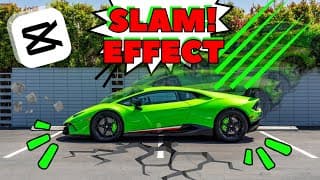
VIRAL CAR SLAM EFFECT - Capcut mobile Tutorial
Easy to follow Capcut tutorial to learn how to make this CAR SLAM effect in 2 minutes. It's an easy effect that will improve your videos by 505% & even make them go viral! Edit on your phone or on desktop. Enjoy! If you have any questions, drop them below & I will help you out. CHECK MY CAMERA GEAR: Sony A7iii: https://amzn.to/3Ra5fhe Lens 50mm lens: https://amzn.to/3R6INWy DJI Ronin Gimball: https://amzn.to/3QG4NWA Hoya ND Filter: https://amzn.to/3sJBbji Hoya CPL Filter: https://amzn.to/3SSTpJM Camera cage: https://amzn.to/40PBmpH
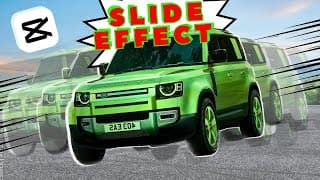
VIRAL CAR SLIDE EFFECT | Capcut mobile Tutorial
Easy to follow Capcut tutorial to learn how to make this swoosh / speed car effect in under 3 minutes. It's a beginners effect that will improve your video's by 200% & even make them go viral! Edit on your phone or on desktop. Enjoy! If you have any questions, drop them below & we help you out. CHECK MY CAMERA GEAR: Sony A7iii: https://amzn.to/3Ra5fhe Lens 50mm lens: https://amzn.to/3R6INWy DJI Ronin Gimball: https://amzn.to/3QG4NWA Hoya ND Filter: https://amzn.to/3sJBbji Hoya CPL Filter: https://amzn.to/3SSTpJM Camera cage: https://amzn.to/40PBmpH
Custom Urban Lander Rover #landroverdefender #landrover #carshorts
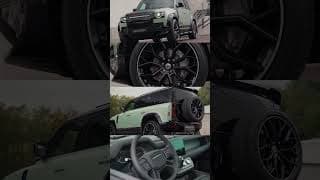
🔥Custom Urban Defender. Guess the 💰? #carshorts #carvideo #landrover
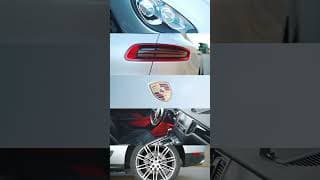
🔥 Porsche Macan