Loading...
Warning: Channel ID is missing or invalid
Loading channel videos...

Loading channel videos...
What's the REAL Cost of Selling Your Voice for a One-Time Payment
Affiliate Links Recommended Software SpeakerSplit: https://speakersplit.io/?via=silas AutoPod: https://autopod.lemonsqueezy.com?aff=8o55M Artlist 2 Free Months: https://bit.ly/ArtlistMusicLink Epidemic Sound Free Trial: https://share.epidemicsound.com/tdkbqe VidIQ: https://vidiq.com/Red11Media Adobe: https://prf.hn/l/8jmwk9Y/ Recommended Gear https://www.red11media.com/blog/best-gear-for-new-youtubers Produced by: https://www.red11media.com/ #epidemicsound #ai #aivoices #aishorts
Voice Actors Are Losing Jobs To Robots!
Epidemic Sound Free Trial: https://share.epidemicsound.com/tdkbqe Today, we're joined by Tanya Tanya Rawlinson, a voice actor whose voice was cloned by Epidemic Sound, to become part of their new AI voice library. In this episode, she opens up about the ethics. You know, it is taking some jobs. It is taking some entry-level jobs from human voiceovers. The contracts. I am always suspicious when I receive offers for text to speech simply because 99% of them are garbage. And the uncomfortable reality of knowing you don't have full control over the projects. And you don't have any control over what they're going to do with it. There's no safeguards. There's usually no contract. So that has been my experience with text to speech. In spite of all that, Tanya took a chance with Epidemic Sound. We'll talk about how she got discovered, how she recorded her AI voice, and what this all means for the future of creative work. How did it feel emotionally when you knew that your voice would be synthesized and then used in ways that you might not directly Control? Affiliate Links Recommended Software SpeakerSplit: https://speakersplit.io/?via=silas AutoPod: https://autopod.lemonsqueezy.com?aff=8o55M Artlist 2 Free Months: https://bit.ly/ArtlistMusicLink Epidemic Sound Free Trial: https://share.epidemicsound.com/tdkbqe VidIQ: https://vidiq.com/Red11Media Adobe: https://prf.hn/l/8jmwk9Y/ Recommended Gear https://www.red11media.com/blog/best-gear-for-new-youtubers Produced by: https://www.red11media.com/ #smallbusiness #growyoursmallbusiness #growyourchannel #youtubegrowth #digitalmarketing
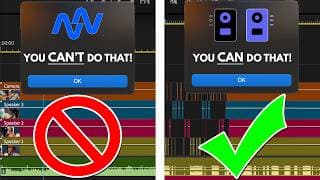
SpeakerSplit SOLVED AutoPod's Biggest Flaw
Try SpeakerSplit Today: https://speakersplit.io/?via=silas 10% Off Coupon Code: RED11MEDIA Try AutoPod Today! https://autopod.lemonsqueezy.com?aff=8o55M Editing video podcasts used to take hours and hours, until Autopod came along. Then, within minutes, you could have a multicam hour-long podcast edited in minutes. This was a lifesaver! But there was one major flaw with the software. You needed each speaker to have their own audio track, or Autopod didn’t know when to cut. So, if you were given one single audio track from the client, you were stuck editing the podcast in manual mode, until now. Enter SpeakerSplit @loneduckoutfitters Thanks for letting me share part of your podcast! Affiliate Links Recommended Software SpeakerSplit: https://speakersplit.io/?via=silas AutoPod: https://autopod.lemonsqueezy.com?aff=8o55M Artlist 2 Free Months: https://bit.ly/ArtlistMusicLink Epidemic Sound Free Trial: https://share.epidemicsound.com/tdkbqe VidIQ: https://vidiq.com/Red11Media Adobe: https://prf.hn/l/8jmwk9Y/ Recommended Gear https://www.red11media.com/blog/best-gear-for-new-youtubers Produced by: https://www.red11media.com/ #podcasting #videoediting #autopodcast @SpeakerSplit
Don't Make This MISTAKE When Recording PODCASTS - Zoom vs Riverside
Start Your Free Trial With Riverside - https://geni.us/riverside-red11media Thinking about using Riverside.fm for podcasting in 2025? In this honest review, I break down everything you need to know—from pricing and recording quality to AI editing, shorts generation, and live streaming features. I compare Riverside.fm vs Zoom, show real-world test results, and highlight the biggest pros and cons you should consider before subscribing. If you’re serious about podcasting or video content creation, this review could save you hundreds of dollars and hours of frustration. Affiliate Links Recommended Software SpeakerSplit: https://speakersplit.io/?via=silas AutoPod: https://autopod.lemonsqueezy.com?aff=8o55M Artlist 2 Free Months: https://bit.ly/ArtlistMusicLink Epidemic Sound Free Trial: https://share.epidemicsound.com/tdkbqe VidIQ: https://vidiq.com/Red11Media Adobe: https://prf.hn/l/8jmwk9Y/ Recommended Gear https://www.red11media.com/blog/best-gear-for-new-youtubers Produced by: https://www.red11media.com/ #riversidefm #riverside #podcasting #youtubegrowth #digitalmarketing
Is Riverside Worth Your Money?
Start Your Free Trial With Riverside - https://geni.us/riverside-red11media Thinking about using Riverside.fm for podcasting in 2025? In this honest review, I break down everything you need to know—from pricing and recording quality to AI editing, shorts generation, and live streaming features. I compare Riverside.fm vs Zoom, show real-world test results, and highlight the biggest pros and cons you should consider before subscribing. If you’re serious about podcasting or video content creation, this review could save you hundreds of dollars and hours of frustration. Affiliate Links Recommended Software SpeakerSplit: https://speakersplit.io/?via=silas AutoPod: https://autopod.lemonsqueezy.com?aff=8o55M Artlist 2 Free Months: https://bit.ly/ArtlistMusicLink Epidemic Sound Free Trial: https://share.epidemicsound.com/tdkbqe VidIQ: https://vidiq.com/Red11Media Adobe: https://prf.hn/l/8jmwk9Y/ Recommended Gear https://www.red11media.com/blog/best-gear-for-new-youtubers Produced by: https://www.red11media.com/ #podcast #riversidefm #youtubegrowth Produced by: https://www.red11media.com/ #smallbusiness #growyoursmallbusiness #growyourchannel #youtubegrowth #digitalmarketing
Don't Waste Your Money - Riverside HONEST Review 2025
Start Your Free Trial With Riverside - https://geni.us/riverside-red11media Thinking about using Riverside.fm for podcasting in 2025? In this honest review, I break down everything you need to know—from pricing and recording quality to AI editing, shorts generation, and live streaming features. I compare Riverside.fm vs Zoom, show real-world test results, and highlight the biggest pros and cons you should consider before subscribing. If you’re serious about podcasting or video content creation, this review could save you hundreds of dollars and hours of frustration. Affiliate Links Recommended Software SpeakerSplit: https://speakersplit.io/?via=silas AutoPod: https://autopod.lemonsqueezy.com?aff=8o55M Artlist 2 Free Months: https://bit.ly/ArtlistMusicLink Epidemic Sound Free Trial: https://share.epidemicsound.com/tdkbqe VidIQ: https://vidiq.com/Red11Media Adobe: https://prf.hn/l/8jmwk9Y/ Recommended Gear https://www.red11media.com/blog/best-gear-for-new-youtubers @loneduckoutfitters Thanks for letting me share part of your podcast as an example! Chapters 00:00 - 00:12 - Intro 00:12 - 00:39 - Riverside Price 00:39 - 02:20 - Riverside vs Zoom 02:20 - 04:23 - Riverside Editing Software 04:23 - 05:44 - Riverside AI Shorts Generator 05:44 - 07:39 - Riverside Live Streams Produced by: https://www.red11media.com/ #smallbusiness #growyoursmallbusiness #growyourchannel #youtubegrowth #digitalmarketing
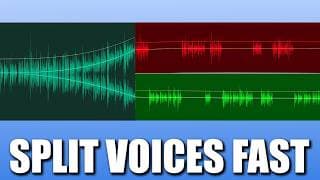
How To Split Voices In One Audio Track FAST!
Try SpeakerSplit Today: https://speakersplit.io/?via=silas 10% Off Coupon Code: RED11MEDIA Struggling to edit a podcast with both speakers on the same track? I found a free tool called SpeakerSplit.io that automatically separates two voices from a single audio file — and it’s been a game changer for my podcast workflow. In this video, I’ll show you how it works, when to use it, and how to work around its biggest limitation. Whether you're editing podcasts, interviews, or Zoom recordings, this AI-powered tool makes post-production so much easier. Affiliate Links Recommended Software SpeakerSplit: https://speakersplit.io/?via=silas AutoPod: https://autopod.lemonsqueezy.com?aff=8o55M Artlist 2 Free Months: https://bit.ly/ArtlistMusicLink Epidemic Sound Free Trial: https://share.epidemicsound.com/tdkbqe VidIQ: https://vidiq.com/Red11Media Adobe: https://prf.hn/l/8jmwk9Y/ Recommended Gear https://www.red11media.com/blog/best-gear-for-new-youtubers Produced by: https://www.red11media.com/ If you've ever edited a podcast or interview with multiple people on one audio track, you know what a headache it can be to cleanly isolate each voice. Today I’m sharing a tool that’s made my life way easier — it’s called SpeakerSplit.io, and it does exactly what it sounds like. It splits your audio by speaker, even if they’re all talking into the same mic or recorded onto a single track. Here’s how it works. Simply drag and drop your audio file onto the site: it accepts MP3s, WAVs, M4As, or FLACs. Then hit ‘Process Audio’. Within a couple of minutes, SpeakerSplit gives you two separate tracks: one for each speaker. It also provides a basic transcript of the conversation. It’s powered by AI, and it can actually hear the difference between two voices and split them up automatically — no need to manually cut sections or guess who's talking. It works in multiple languages and has several practical use cases. The website says, “Some practical use cases include podcasts, interviews, phone calls, NotebookLM audio overviews, and other similar types of audio. We will be introducing more features very soon.” I appreciate that their pricing model is very accessible to let you dip your toes in the water. If you want to check it, I do have an affiliate link below, and if you use the code Red11Media, you can get 10% off. I’ve been using SpeakerSplit on my podcast edits, and it’s a game changer. When two people are recorded on a single mic — or worse, Zoom sends you a merged audio file — SpeakerSplit lets me separate the voices so I can EQ, cut, and mix each one independently. This has been particularly useful for letting AutoPod do a first round cut of the episodes. Now, it’s not perfect. The biggest limitation is that SpeakerSplit only separates two speakers per pass. If you’ve got three people, you might be able to create three audio files by running it twice — once to split Speaker A from B+C, and then again to separate B from C. I found success with this on a file I had to split the other day, but I will say that two of the speakers had similar-sounding voices, which could have contributed to the success of this workaround. Also — fair warning — your files aren’t saved on their servers, so make sure you download your audio and transcripts right after processing. I made the mistake of clicking away from this screen to explore the FAQs after splitting a track, and the files were gone. So I had to use two more credits to split the file again. Overall, SpeakerSplit.io is one of those niche tools I’ve been looking for, for years, and now I use it all the time. If you're editing interviews, podcasts, or even remote Zoom calls, I highly recommend giving it a shot. Check out the link in the description to try it yourself. If you end up using it, let me know how it works for you, and if you want more content like this, be sure to hit subscribe.

The TRUTH about Epidemic Sound AI Voices
Epidemic Sound Free Trial: https://share.epidemicsound.com/tdkbqe What happens when a global media company clones your voice? In this eye-opening conversation, voice artist Tawnya Rollingson shares how she went from auditioning on pay-to-play sites to becoming one of the featured AI voices on Epidemic Sound. We dig into the realities of voice cloning, the ethics of AI voice synthesis, and the business model behind being fairly compensated for your digital likeness. 🎙️ Tawnya reveals: How she got discovered by Epidemic Sound The technical process of creating her AI voice Her thoughts on the ethics and future of AI in the voiceover industry What to watch out for in predatory AI voice contracts Whether you're a creative, freelancer, voice actor, or just curious about the future of content creation and artificial intelligence, this episode gives a behind-the-scenes look into one of the most disruptive changes in digital media. Chapters: 00:00 - 01:42 - The Future of Voice Artists 01:43 - 03:47 - Your AI Voice 03:47 - 05:29 - How Epidemic Sound Finds Voice Artists 05:29 - 10:03 - Talking About The Live Directing Session 10:03 - 13:19 - AI Voiceovers For Auditions 13:19 - 15:51 - The Ethics of AI Voices 15:51 - 18:59 - Getting Paid For AI Voices 18:59 - 21:19 - Epidemic Sound Supporting Artists 21:19 - 23:12 - The AI Voiceover Scam 23:12 - 26:11 - Getting Work As A Voice Over Artist 👉 Visit Tawnya’s website: https://tawnyarollingson.com/ 🎧 Learn more about AI voices on Epidemic Sound: https://www.epidemicsound.com/blog/how-epidemic-sound-works-with-voice-artists/ 🔔 Subscribe for more creator interviews and digital media insights! Affiliate Links Recommended Software Artlist 2 Free Months: https://bit.ly/ArtlistMusicLink Epidemic Sound Free Trial: https://share.epidemicsound.com/tdkbqe VidIQ: https://vidiq.com/Red11Media Recommended Gear https://www.red11media.com/blog/best-gear-for-new-youtubers Produced by: https://www.red11media.com/
Fix Terrible Audio in Premiere Pro With These Simple Tools!
Struggling with bad audio in Premiere Pro? In this tutorial, I walk you through a simple, step-by-step process to clean up terrible audio using built-in tools in Adobe Premiere Pro and some powerful tricks like Submixes and Adobe's AI-based Enhance Speech tool. You’ll learn how to: ✅ Use the Audio Track Mixer effectively ✅ Apply Denoise and Parametric Equalizer settings ✅ Set up Submix tracks with compressors and mastering effects ✅ Export audio for AI enhancement at Podcast.Adobe.com ✅ Re-import and fine-tune for pro-level sound Whether you're editing a vlog, interview, or short film, this guide will help you remove background noise, fix echo, and make your voice sound crisp and clear—even if the original recording wasn't perfect. 👍 Like the video if it helped you 🔔 Subscribe for more Premiere Pro and audio editing tips 📥 Comment below with your audio struggles or questions! Affiliate Links Recommended Software Artlist 2 Free Months: https://bit.ly/ArtlistMusicLink Epidemic Sound Free Trial: https://share.epidemicsound.com/tdkbqe VidIQ: https://vidiq.com/Red11Media Recommended Gear https://www.red11media.com/blog/best-gear-for-new-youtubers Produced by: https://www.red11media.com/
How To Make Any Song Fit Your Video Timeline PERFECTLY!
Epidemic Sound Free Trial: https://share.epidemicsound.com/tdkbqe Struggling to make your music match the exact length of your video? In this video, we test whether Premiere Pro’s Remix Tool is really the best option—or if there's a better way to remix music using stems from Epidemic Sound. You'll learn: How to use Premiere Pro's Remix Duration feature Why Adobe's auto-remix isn't always accurate How to manually remix music using stems A powerful trick to remix songs directly in your timeline How to create custom-length versions with Epidemic Sound's "Create Versions" tool Whether you're editing for a 30-second ad, a YouTube short, or a full-length video, this tutorial will show you how to get precise music edits without sacrificing quality. Chapters: 00:00 - Intro to Remixing Music for Video 00:25 - How To Use The Premiere Pro Remix Tool 00:39 - Premiere Pro Remix Tool Limitations 00:51 - Other Possible Options 01:36 - How To Remix Music For Video Using STEMS from Epidemic Sound 03:02 - How To Remix Music on Epidemic Sound 👉 Perfect for editors using Premiere Pro, Adobe Audition, or Epidemic Sound. 📌 Don’t forget to like, comment, and subscribe for more editing hacks and music tips! Affiliate Links Recommended Software Artlist 2 Free Months: https://bit.ly/ArtlistMusicLink Epidemic Sound Free Trial: https://share.epidemicsound.com/tdkbqe VidIQ: https://vidiq.com/Red11Media Recommended Gear https://www.red11media.com/blog/best-gear-for-new-youtubers Produced by: https://www.red11media.com/ #PremierePro #EpidemicSound #VideoEditingTips

Artlist vs Epidemic Sound: Which AI Voices Are BEST for Videos?
Epidemic Sound Free Trial: https://share.epidemicsound.com/tdkbqe Artlist 2 Free Months: https://bit.ly/ArtlistMusicLink Need a professional voiceover but don't want to record it yourself? AI voice generators might be the perfect solution. In this video, we compare Artlist vs Epidemic Sound AI voices—two top platforms offering AI voiceovers for creators. Affiliate Links Recommended Software Artlist 2 Free Months: https://bit.ly/ArtlistMusicLink Epidemic Sound Free Trial: https://share.epidemicsound.com/tdkbqe VidIQ: https://vidiq.com/Red11Media Recommended Gear https://www.red11media.com/blog/best-gear-for-new-youtubers Produced by: https://www.red11media.com/ You need a voiceover but don’t want to record it yourself? AI voices might be the right option for your project. But who has the best voices? Artlist or Epidemic Sound? Artlist has a ton of really awesome voices and has had this feature available for longer than Epidemic Sound. You can choose a voice, add your text, and make changes to the way the performance is delivered to help fine-tune the end product. You can change the accent, the speed, and the emotion to find the perfect performance. At the time of making this video, they have 59 different voices you can choose from. In my opinion, they all seem to have different flavors of what you might hear in a commercial. Epidemic Sound, on the other hand, only has 20 voices. They just recently launched this feature, and I imagine they will be adding more voices in the future. Unlike Artlist, you can’t change the accent, but you can change the language, which essentially accomplishes the same thing. If you provide the script in English and choose Spanish, for instance, it won’t change the script to be in Spanish but will just add a Spanish accent to the English words. The only other thing you can change is the speed of the performance, just like on Artlist. Unlike Artlist, though, you can add your own voice to Epidemic Sound. This feature is really cool and allows you to add additional details to podcasts or videos that you forgot to record in the moment, or just complete your videos faster. So, which voices are better? They both sound great, actually. Artlist and Epidemic Sound both have amazing-sounding voices. How did they get their voices to sound so good? Well, they worked with real Voiceover artists to create voices that sound real and authentic. I know there are a lot of ethical and creative conversations about whether or not we should be using AI voices in creative projects. Both company's websites talk about how they fairly compensated the artists involved in creating these voices. I don’t think these are replacements for actual Voiceover Artists dedicated to specific projects. You will get much better results if you work with a professional. But for a lot of smaller creators, these tools can help elevate your projects affordably to make your work better, faster. I’m going to continue to experiment with AI voices and possibly use them as examples for working with Voice Over Artists on future projects. The biggest differences I saw weren’t with the quality of the voices but with the interfaces. There are several more tools to refine your Voiceover with Artlist. However, the export times were much faster with Epidemic Sound. Plus, when I fed a longer script to both platforms, Epidemic Sound handled it much better. Artlist outputs something that sounds a bit like a fever dream or nightmare fuel. It will take you longer to get to the finished product, but keeping your scripts shorter will produce better results when using Artlist. So if you can get good results out of both how do you make your choice? The cost will probably be your biggest determining factor. Voices are included in the Epidemic Sound Commercial plan at $16.99 a month. You get 50,000 credits a month, which is about 1 hour of voiceover. Artlist, on the other hand, requires you to add on AI Voiceover starting at $11.99 a month for 1 hour of voiceover. If you combine this with music, you’ll be spending $22 a month before tax or VAT fees. You can pay more to get more credits, or you can pay $39.99 a month for Artlist Max to get 1 hour of credits included in your plan. If you’re a smaller creator just starting out, I suggest going with Epidemic Sound, but if you have a bigger budget and want a wider variety of voices, Artlist could be the right option for you. OK, goodbye! #youtubegrowth #youtubetips #artlist #epidemicsound

Artlist vs Epidemic Sound in 2025
In this video, I’m going to cover the things you should know before deciding between Atlist.io and Epidemic Sound. Affiliate Links Recommended Software Where I Get My Music - https://bit.ly/ArtlistMusicLink Epidemic Sound - https://share.epidemicsound.com/tdkbqe VidIQ - https://vidiq.com/Red11Media TubeBuddy - https://www.tubebuddy.com/Red11Media Recommended Gear https://www.red11media.com/blog/best-gear-for-new-youtubers Produced by: https://www.red11media.com/ 1. Thing Number 1! Base Pricing Everyone is always concerned about price, first and foremost. And I’m sure you already know that at the time of recording this video, Artlist and Epidemic Sound start at $9.99 a month. So, no difference there, right? Not exactly, let’s talk about how value differs at that price point. 2. Thing Number 2! Base Plan Value With both, you can • Monetize 1 channel per platform. So, 1 YouTube account, 1 Instagram account, ect. • Unlimited downloads (however, both come with caveats - Artlist allows 40 songs or 100 SFX per day, while Epidemic Sound allows 300 downloads a week) • Both are adding new songs every day • Stems – Epidemic Sound includes stems for every song, whereas Artlist only includes stems for some songs) (Music stems are individual audio files that break down a song into its component parts) 3. Thing Number 3! – Key Differences Let’s look at Artlist first. According to Artlist’s website - Artlist - • Over 28,000 songs • Over 72,000 SFX • Mobile Friendly Website (which is great if you want to download songs on the go). According to Epidemic Sound's website - Epidemic Sound • Over 50,000 Music Tracks • Over 200,000 Sound Effects • Mobile App (which is good if you’re a mobile-only creator) • Extensions for Adobe and DaVinci Resolve So, if you are a creator just starting out, you can’t go wrong with either of these platforms. Artlist has fewer songs and sounds but provides more flexibility as your creator career grows. 4. Thing Number 4! - Upgraded Plans The next tier for Artlist and Epidemic Sound is just under $17 a month. Both allow you to monetize 3 channels per platform and add your songs to digital ads. But Artlist also allows you to use your songs for broadcast and TV, whereas Epidemic Sound doesn’t allow that until you pay for an Enterprise plan. If you are a small creator, that may not be a huge deal, but if you are planning to do any freelance work for clients, it could be very important. I’ve been producing commercials for clients for over 10 years now, and some of those have been on TV. Using Artlist made it very easy for me to deliver those projects quickly and without issues for the client. 5. Thing Number 5! - Extra Add Ons Beyond the $17 a month plan, Artlist has several more options, and Epidemic Sound only has one – the Enterprise Plan. There is no listed price for this plan, but it includes: • TV Broadcasting • Offline Events • Commercial Streaming and VOD • Customized Deal Terms Artlist, however, has several additional Add Ons or Upgrades, including: • (AI text-to-speech) Over 30 voices in 15+ languages and accents • Over 1M footage clips • Over 5,000 Video Templates/LUTs • 50+ plugins • Extensions for Adobe, DaVinci Resolve, and Final Cut Pro With Artlist Max, you get access to all of these tools for $40 a month. Which I think is a pretty fair price for what you get. If you wanted to add on video, templates, and AI text-to-speech outside of Artlist, you could go to Storyblocks, starting at $15 a month, or Envato Elements for $16.50 a month. Bringing you to just over $30 a month. While Storyblocks and Envato Elements come with AI text-to-speech, I think there is a quality difference between them and Artlist. So, which platform is the best? Honestly, both are really great, especially for small or growing creators. If you want a bigger selection with the option to remix the song using the stems, Epidemic Sound might be a better option for you. But if you do freelance work and need a little extra flexibility, Artlist might just be the better option. #youtubegrowth #youtubetips #youtubetips #short #artlist #epidemicsound
5 Things You NEED To Know - Artlist vs Epidemic Sound
Epidemic Sound Free Trial: https://share.epidemicsound.com/tdkbqe Artlist 2 Free Months: https://bit.ly/ArtlistMusicLink In this video, I’m going to cover the five things you should know before deciding between Atlist.io and Epidemic Sound. Affiliate Links Recommended Software Where I Get My Music - https://bit.ly/ArtlistMusicLink Epidemic Sound - https://share.epidemicsound.com/tdkbqe VidIQ - https://vidiq.com/Red11Media TubeBuddy - https://www.tubebuddy.com/Red11Media Recommended Gear https://www.red11media.com/blog/best-gear-for-new-youtubers Produced by: https://www.red11media.com/ 1. Thing Number 1! Base Pricing Everyone is always concerned about price, first and foremost. And I’m sure you already know that at the time of recording this video, Artlist and Epidemic Sound start at $9.99 a month. So, no difference there, right? Not exactly, let’s talk about how value differs at that price point. 2. Thing Number 2! Base Plan Value With both, you can • Monetize 1 channel per platform. So, 1 YouTube account, 1 Instagram account, ect. • Unlimited downloads (however, both come with caveats - Artlist allows 40 songs or 100 SFX per day, while Epidemic Sound allows 300 downloads a week) • Both are adding new songs every day • Stems – Epidemic Sound includes stems for every song, whereas Artlist only includes stems for some songs) (Music stems are individual audio files that break down a song into its component parts) 3. Thing Number 3! – Key Differences Let’s look at Artlist first. According to Artlist’s website - Artlist - • Over 28,000 songs • Over 72,000 SFX • Mobile Friendly Website (which is great if you want to download songs on the go). According to Epidemic Sound's website - Epidemic Sound • Over 50,000 Music Tracks • Over 200,000 Sound Effects • Mobile App (which is good if you’re a mobile-only creator) • Extensions for Adobe and DaVinci Resolve So, if you are a creator just starting out, you can’t go wrong with either of these platforms. Artlist has fewer songs and sounds but provides more flexibility as your creator career grows. 4. Thing Number 4! - Upgraded Plans The next tier for Artlist and Epidemic Sound is just under $17 a month. Both allow you to monetize 3 channels per platform and add your songs to digital ads. But Artlist also allows you to use your songs for broadcast and TV, whereas Epidemic Sound doesn’t allow that until you pay for an Enterprise plan. If you are a small creator, that may not be a huge deal, but if you are planning to do any freelance work for clients, it could be very important. I’ve been producing commercials for clients for over 10 years now, and some of those have been on TV. Using Artlist made it very easy for me to deliver those projects quickly and without issues for the client. 5. Thing Number 5! - Extra Add Ons Beyond the $17 a month plan, Artlist has several more options, and Epidemic Sound only has one – the Enterprise Plan. There is no listed price for this plan, but it includes: • TV Broadcasting • Offline Events • Commercial Streaming and VOD • Customized Deal Terms Artlist, however, has several additional Add Ons or Upgrades, including: • (AI text-to-speech) Over 30 voices in 15+ languages and accents • Over 1M footage clips • Over 5,000 Video Templates/LUTs • 50+ plugins • Extensions for Adobe, DaVinci Resolve, and Final Cut Pro With Artlist Max, you get access to all of these tools for $40 a month. Which I think is a pretty fair price for what you get. If you wanted to add on video, templates, and AI text-to-speech outside of Artlist, you could go to Storyblocks, starting at $15 a month, or Envato Elements for $16.50 a month. Bringing you to just over $30 a month. While Storyblocks and Envato Elements come with AI text-to-speech, I think there is a quality difference between them and Artlist. So, which platform is the best? Honestly, both are really great, especially for small or growing creators. If you want a bigger selection with the option to remix the song using the stems, Epidemic Sound might be a better option for you. But if you do freelance work and need a little extra flexibility, Artlist might just be the better option. #youtubegrowth #youtubetips #youtubetips #short #artlist #epidemicsound

US Copyright Law 101 #shorts
US Copyright Law 101: In the US, when you create something (music, video, books, etc.) it is technically copyrighted as soon as it is in physical form, but you can’t easily enforce that copyright without registering it with the government. So, creators, either on their own or with help from lawyers, register their copyright with the US Copyright Office. This is where YouTube comes in. YouTube has a database of audio and visual content that they check every video against to see if it uses someone else's content. If it does, you get a copyright claim or strike. Affiliate Links Recommended Software Where I Get My Music - https://bit.ly/ArtlistMusicLink VidIQ - https://vidiq.com/Red11Media TubeBuddy - https://www.tubebuddy.com/Red11Media Recommended Gear https://www.red11media.com/blog/best-gear-for-new-youtubers Produced by: https://www.red11media.com/ #youtubegrowth #youtubetips #youtubetips #short
Fixing YouTube Copyright Claims #shorts
Fixing YouTube Copyright Claims: Now, you may have received a Copyright Claim, but DON’T have the right to use the content. If that happens, you have a few different options. You can accept that it happened, and move on with your life. You can trim out the segment where the content exists. You can replace the song in YouTube Studio (which doesn’t always work great when your video also includes someone talking). Or you can choose to mute that portion of the video. Affiliate Links Recommended Software Where I Get My Music - https://bit.ly/ArtlistMusicLink VidIQ - https://vidiq.com/Red11Media TubeBuddy - https://www.tubebuddy.com/Red11Media Recommended Gear https://www.red11media.com/blog/best-gear-for-new-youtubers Produced by: https://www.red11media.com/ #youtubegrowth #youtubetips #youtubetips #short
Disputing YouTube Copyright Claims #shorts
Disputing YouTube Copyright Claims: So, what do you do if you receive a copyright claim for content you have the rights to share? Easy, you dispute it. This happened to a client I work with just the other day. They purchased some stock audio and added it to their video. But, as soon as they uploaded it, they received a copyright claim. Luckily, the site they purchased the song from provided license information, that we were able to pass along to YouTube to get the claim removed. Affiliate Links Recommended Software Where I Get My Music - https://bit.ly/ArtlistMusicLink VidIQ - https://vidiq.com/Red11Media TubeBuddy - https://www.tubebuddy.com/Red11Media Recommended Gear https://www.red11media.com/blog/best-gear-for-new-youtubers Produced by: https://www.red11media.com/ #youtubegrowth #youtubetips #youtubetips #shorts
Avoid Copyright Claims #shorts
Avoid Copyright Claims: YouTube's Content ID system automatically scans uploaded videos against a database of files that have been submitted by content owners. If there's a match, the copyright owner is notified and can decide what action to take. If you believe a claim is made in error, YouTube provides a system for you to dispute the claim. Affiliate Links Recommended Software Where I Get My Music - https://bit.ly/ArtlistMusicLink VidIQ - https://vidiq.com/Red11Media TubeBuddy - https://www.tubebuddy.com/Red11Media Recommended Gear https://www.red11media.com/blog/best-gear-for-new-youtubers Produced by: https://www.red11media.com/ #youtubegrowth #youtubetips #youtubetips #short
FREE Music for YouTube Shorts: Top 5 Hidden Gems
I found 5 100% FREE music sites where you can get 100% FREE Copyright FREE music for your next video. Free music is hard to come by, especially music that won't get copyright claims. These 5 sites offer a ton of music for you to use in your next YouTube video, and won't get hit with copyright claims or strikes (if you follow all the rules). Creative Commons - https://creativecommons.org/about/cclicenses/ Copyright Free Music for YouTube Videos — 5 Sites YouTube - https://studio.youtube.com/ EnvatoElements - https://elements.envato.com/free-files Musopen - https://musopen.org/music SoundCloud - https://soundcloud.com Audionautix - https://audionautix.com BONUS - https://ikson.com Music in this video in order of appearance: Flying by Track Tribe Timestamp: 00:06 Link: https://youtube.com/studio Elegance by Lowtone Timestamp: 01:39 Link: https://envatoelements.com Last Summer by TELL YOUR STORY music by ikson™ Timestamp: 02:17 Link: https://ikson.com/tellyourstory Piano Sonata no. 11, K. 331 - III. Alla Turca by European Archive Timestamp: 03:11 Link: https://musopen.org Falling Sky by Jason Shaw Timestamp: 03:56 Link: https://audionautix.com Affiliate Links Recommended Software Where I Get My Music - https://bit.ly/ArtlistMusicLink VidIQ - https://vidiq.com/Red11Media TubeBuddy - https://www.tubebuddy.com/Red11Media Recommended Gear https://www.red11media.com/blog/best-gear-for-new-youtubers 00:00 - Five 100% Free Music Sites 00:06 - YouTube Audio Library 01:45 - Envatoelements 02:19 - SoundCloud 03:02 - Bonus Site 03:11 - Musopen 03:56 - Audionautix Produced by: https://www.red11media.com/ #youtubegrowth #youtubetips #youtubetips #short
Avoid Copyright Claims - Royalty-Free Music #shorts
Avoid Copyright Claims - Royalty-Free Music: If you wish to use music that you didn't create, there are many platforms like the YouTube Audio Library, Epidemic Sound, PremiumBeat, and my favorite option Artlist.io, that offer royalty-free or licensed music for creators. When using such platforms, always follow the licensing guidelines. Some tracks might be free to use but require you to credit the artist. Affiliate Links Recommended Software Where I Get My Music - https://bit.ly/ArtlistMusicLink VidIQ - https://vidiq.com/Red11Media TubeBuddy - https://www.tubebuddy.com/Red11Media Recommended Gear https://www.red11media.com/blog/best-gear-for-new-youtubers Produced by: https://www.red11media.com/ #youtubegrowth #youtubetips #youtubetips #short
Avoid Copyright Claims - Use Original Content #shorts
Avoid Copyright Claims - Use Original Content: The most straightforward method to avoid copyright claims is to only upload content that you've created from scratch. This includes video footage, music, graphics, and any other elements. If everything in the video is original and you possess the rights to all aspects of the content, the risk of copyright claims drops significantly. Affiliate Links Recommended Software Where I Get My Music - https://bit.ly/ArtlistMusicLink VidIQ - https://vidiq.com/Red11Media TubeBuddy - https://www.tubebuddy.com/Red11Media Recommended Gear https://www.red11media.com/blog/best-gear-for-new-youtubers Produced by: https://www.red11media.com/ #youtubegrowth #youtubetips #youtubetips #short
Avoid Copyright Claims - Seek Permission #shorts
Avoid Copyright Claims - Seek Permission: If you want to use copyrighted material, always seek written permission from the copyright owner. This could be for music, video clips, photographs, or any other copyrighted content. Having written permission can help if the copyright owner ever decides to file a claim or strike. Affiliate Links Recommended Software Where I Get My Music - https://bit.ly/ArtlistMusicLink VidIQ - https://vidiq.com/Red11Media TubeBuddy - https://www.tubebuddy.com/Red11Media Recommended Gear https://www.red11media.com/blog/best-gear-for-new-youtubers Produced by: https://www.red11media.com/ #youtubegrowth #youtubetips #youtubetips #short
How To Avoid Copyright Claims on YouTube Shorts
Epidemic Sound Free Trial: https://share.epidemicsound.com/tdkbqe Artlist 2 Free Months: https://bit.ly/ArtlistMusicLink 5 Ways to Avoid Copyright Claims on YouTube Shorts. Copyright claims suck. But how bad are they for your channel? And what do you need to do if you get one? I'll answer these questions and more in this video. Plus I'll give you 5 ways to avoid copyright claims and keep your channel safe. Affiliate Links Recommended Software Where I Get My Music - https://bit.ly/ArtlistMusicLink VidIQ - https://vidiq.com/Red11Media TubeBuddy - https://www.tubebuddy.com/Red11Media Recommended Gear https://www.red11media.com/blog/best-gear-for-new-youtubers 00:00 - 5 Ways To Avoid Copyright Claims On YouTube Shorts 00:24 - What are the basics of Copyright Law on YouTube? 00:58 - What is the difference between a copyright claim and a copyright strike on YouTube? 02:03 - How do you avoid copyright claims and strikes on YouTube? 02:07 - What is the easiest way to avoid copyright claims on YouTube? 02:28 - How do you use music in your video without getting a copyright claim on YouTube? 02:51 - How can you sample popular music or video in your video on YouTube? 03:10 - How can you use movie clips or songs in your video without getting a copyright claim? 03:46 - Why did I get a copyright claim on my video? 04:24 - Can I sample music if I use less than 30 seconds without a copyright claim? 05:20 - Why did I get a copyright claim on my Short? 06:08 - What should you do if you get a copyright claim? Produced by: https://www.red11media.com/ #youtubegrowth #youtubetips #youtubetips #short
Can you get copyright strikes on shorts? #shorts
Can you get copyright strikes on shorts? Yup… YouTube Shorts are subject to strikes and claims just like long-form videos. As an easy way to avoid these, only use your own content, or create your shorts inside the mobile app to have access to great sounds and tools like Remixes. Affiliate Links Recommended Software Where I Get My Music - https://bit.ly/ArtlistMusicLink VidIQ - https://vidiq.com/Red11Media TubeBuddy - https://www.tubebuddy.com/Red11Media Recommended Gear https://www.red11media.com/blog/best-gear-for-new-youtubers Produced by: https://www.red11media.com/ #youtubegrowth #youtubetips #youtubetips
Can I use YouTube sounds without copyright, even if I'm not making money? #shorts
Can I use YouTube sounds without copyright infringement, even if I'm not making money? You can use YouTube’s Audio Library for any project, or the shorts audio library inside the YouTube app only because that’s how YouTube has secured permission to use those sounds. If you try and download clips from the Shorts Audio Library, you’re going to get a copyright claim. Using copyrighted sounds without permission is like taking someone's fries without asking. It doesn't matter if you're selling the fries or just munching. You're going to get some salty looks either way. Always ask for permission or use your own potatoes... I mean, sounds! Affiliate Links Recommended Software Where I Get My Music - https://bit.ly/ArtlistMusicLink VidIQ - https://vidiq.com/Red11Media TubeBuddy - https://www.tubebuddy.com/Red11Media Recommended Gear https://www.red11media.com/blog/best-gear-for-new-youtubers Produced by: https://www.red11media.com/ #youtubegrowth #youtubetips #youtubetips
Do you get arrested for one copyright? #shorts
Do you get arrested for one copyright? - @Ambush233 While I’ve personally never heard of it happening to anyone on YouTube, yes technically you can get arrested for copyright infringement in the United States. Learn more from the link in the description. Learn About Criminal Copyright Claims - https://uscode.house.gov/view.xhtml?hl=false&edition=prelim&req=granuleid%3AUSC-prelim-title17-section506&num=0&saved=%7CZ3JhbnVsZWlkOlVTQy1wcmVsaW0tdGl0bGUxNy1zZWN0aW9uNTA0%7C%7C%7C0%7Cfalse%7Cprelim Affiliate Links Recommended Software Where I Get My Music - https://bit.ly/ArtlistMusicLink VidIQ - https://vidiq.com/Red11Media TubeBuddy - https://www.tubebuddy.com/Red11Media Recommended Gear https://www.red11media.com/blog/best-gear-for-new-youtubers Produced by: https://www.red11media.com/ #youtubegrowth #youtubetips #youtubetips
I see other people using copyrighted materials, why can't I? #shorts
I see other people using copyrighted materials. Why can't I? - @Mano62428 Just because someone else is using copyrighted material doesn’t mean it is immediately ok for you to. They may have acquired the rights to the song or video being used. They may be in a legal battle over the copyrighted material trying to defend their claim of Fair Use. Or they may just be playing with fire. The truth is you don’t know, so it’s better to focus on your content and legal responsibilities. Affiliate Links Recommended Software Where I Get My Music - https://bit.ly/ArtlistMusicLink VidIQ - https://vidiq.com/Red11Media TubeBuddy - https://www.tubebuddy.com/Red11Media Recommended Gear https://www.red11media.com/blog/best-gear-for-new-youtubers Produced by: https://www.red11media.com/ #youtubegrowth #youtubetips #youtubetips
If I alter the song will I get a copyright claim? #shorts
If I alter the song will I get a copyright claim? - @Sensei-Cresco Simply altering a song doesn’t exempt you from potential copyright claims. Even if a song is modified, if it's recognizably derived from a copyrighted work, it may still constitute copyright infringement. You should seek permission or a license from the copyright holder to avoid any legal issues. But if you’re altering it for parody, then you may be protected by Fair Use. Fair Use is determined on a case-by-case basis, so if you’re not 100% sure if you’re in the clear, I’d consult a lawyer OR choose a different song. Affiliate Links Recommended Software Where I Get My Music - https://bit.ly/ArtlistMusicLink VidIQ - https://vidiq.com/Red11Media TubeBuddy - https://www.tubebuddy.com/Red11Media Recommended Gear https://www.red11media.com/blog/best-gear-for-new-youtubers Produced by: https://www.red11media.com/ #youtubegrowth #youtubetips #youtubetips
What happens when you get a copyright claim on content you own the rights to? #shorts
What happens when you get a copyright claim on the content you have the right to use? - @Ash-The-Silver-Fox-Therian Sometimes when you post a video, it will get a copyright claim even if you’ve secured the appropriate rights to all the pieces in your video. In those cases, you can dispute the claim and provide evidence that you had the appropriate rights to use all the materials in your video. As an example, you may get a copyright id claim for the song in your video, even if you got the song from a site like Artlist. But in those rare cases, Artlist provides a license for you to present to YouTube when you dispute the claim. Affiliate Links Recommended Software Where I Get My Music - https://bit.ly/ArtlistMusicLink VidIQ - https://vidiq.com/Red11Media TubeBuddy - https://www.tubebuddy.com/Red11Media Recommended Gear https://www.red11media.com/blog/best-gear-for-new-youtubers Produced by: https://www.red11media.com/ #youtubegrowth #youtubetips #youtubetips
When do copyright claims start? #shorts
When do copyright claims start? - @IDrawAnything101 As soon as you start posting videos on YouTube, your work is checked for copyright infringement. YouTube has computers that are scanning every second of video uploaded to their platform, checking for copyright infringement. So, you know, keep that in mind when you start uploading videos. Affiliate Links Recommended Software Where I Get My Music - https://bit.ly/ArtlistMusicLink VidIQ - https://vidiq.com/Red11Media TubeBuddy - https://www.tubebuddy.com/Red11Media Recommended Gear https://www.red11media.com/blog/best-gear-for-new-youtubers Produced by: https://www.red11media.com/ #youtubegrowth #youtubetips #youtubetips

Atomos NinjaV+ Unboxing - ASMR #shorts
I'm really excited to be unboxing this Atomos NinjaV+! I'm excited to see how it helps me speed up my filming workflow as a solo creator. For those of you who don't know the Atomos Ninja V+ is an innovative monitor-recorder that represents a significant evolution in on-set video monitoring and recording technology. As an updated version of the Atomos Ninja V, the Ninja V+ is capable of recording up to 8K resolution, marking a substantial leap in image quality and detail capture. The Ninja V+ boasts a 5.2" touchscreen display with a resolution of 1920x1200. The screen is calibrated for perfect color with 1000 cd/m² brightness, enabling optimal visibility even in bright outdoor environments. This makes it an invaluable tool for any filmmaker aiming to achieve the highest possible image quality in various light conditions. One of the defining features of the Ninja V+ is its ability to record ProRes RAW directly from the camera's sensor output. This capability unlocks new levels of flexibility in post-production, allowing users to adjust the image's color and exposure in ways that are impossible with traditional video files. The device also provides HDMI 2.0 input and output, allowing you to pass through signals up to 8Kp30, which makes it compatible with a broad range of modern cameras. Moreover, it supports continuous power with the inclusion of a dual battery system that automatically swaps to the second battery when power is low. Overall, the Atomos Ninja V+ is a game-changer, ensuring that content creators have access to the best recording and monitoring technology to meet the increasing demands of the film and television industry. Affiliate Links Recommended Software Where I Get My Music - https://bit.ly/ArtlistMusicLink VidIQ - https://vidiq.com/Red11Media TubeBuddy - https://www.tubebuddy.com/Red11Media Recommended Gear Sony FX3 - https://amzn.to/43RKKKs All Recommended Gear - https://www.red11media.com/blog/best-gear-for-new-youtubers Produced by: https://www.red11media.com/ #asmr #unboxing #camera #shorts @AtomosChannel
YouTube Premieres
YouTube has a feature called Premiers, which I love. Basically, you schedule a video in advance, and then you can watch it live with your audience. There’s a separate premier-only chat box for you and your subscribers to talk during the premier. This is great for community building since your audience can interact directly with you during the launch of a video. Recommended Software Where I Get My Music - https://bit.ly/ArtlistMusicLink VidIQ - https://vidiq.com/Red11Media TubeBuddy - https://www.tubebuddy.com/Red11Media Recommended Gear https://www.red11media.com/blog/best-gear-for-new-youtubers Produced by: https://www.red11media.com/ #evergreencontent #youtubegrowth #growyourchannel #shorts
The BEST Time To Post To YouTube
The best time to post on YouTube varies greatly depending on your audience. But after you post several videos to YouTube, you can go into analytics and see when your audience is online. I like to post my videos a little before my audience shows up online, so I’m close to the top of their feeds when they hop on YouTube. Recommended Software Where I Get My Music - https://bit.ly/ArtlistMusicLink VidIQ - https://vidiq.com/Red11Media TubeBuddy - https://www.tubebuddy.com/Red11Media Recommended Gear https://www.red11media.com/blog/best-gear-for-new-youtubers Produced by: https://www.red11media.com/ #evergreencontent #youtubegrowth #growyourchannel #shorts

The BEST Type of Content
As you build out a content calendar, don’t forget to add in lots of evergreen content. Evergreen content is anything that will be relevant for a very long time. Some people get really excited about seasonal content like the 7 best fall soups or how to hang Christmas lights without a ladder, but those types of videos will not attract viewers 12 months of the year. Seasonal content is OK, but evergreen content yields the best results. Recommended Software Where I Get My Music - https://bit.ly/ArtlistMusicLink VidIQ - https://vidiq.com/Red11Media TubeBuddy - https://www.tubebuddy.com/Red11Media Recommended Gear https://www.red11media.com/blog/best-gear-for-new-youtubers Produced by: https://www.red11media.com/ #evergreencontent #youtubegrowth #growyourchannel #shorts

Why You Need A Plan
Post-consistency is the number one thing I see hurting small channels on YouTube. Creators need to plan ahead and be realistic about how much they can do each week. Social media burnout is real, and you can't be successful on YouTube unless you continue to consistently post week after week. Yes, this video is pointed at me and my 3-month hiatus. But I figured it was good advice for other creators as well. Thinking about your limits and posting consistently helps you practice the craft of storytelling, filming, and editing. It also helps you better understand how your audience reacts to your content. Taking a break can be great for your mental health. But being sporadic with your posting schedule will hurt your channel's growth potential. Consistency doesn't mean posting every day. So find the schedule that works for you, and stick to it. You've got this! Recommended Software Where I Get My Music - https://bit.ly/ArtlistMusicLink VidIQ - https://vidiq.com/Red11Media TubeBuddy - https://www.tubebuddy.com/Red11Media Recommended Gear https://www.red11media.com/blog/best-gear-for-new-youtubers Produced by: https://www.red11media.com/ #contentcreator #youtubegrowth #growyourchannel #shorts

YouTube Monetization
Monetization on YouTube comes after you've gained 1000 total subscribers and exceeded 4000 total watch hours, in the last year. Once you've reached those two milestones, you can apply for the YouTube Partners Program and start collecting monthly paychecks. It won't be a lot at first, but over time, YouTube can be a meaningful revenue stream. Recommended Software Where I Get My Music - https://bit.ly/ArtlistMusicLink VidIQ - https://vidiq.com/Red11Media TubeBuddy - https://www.tubebuddy.com/Red11Media Recommended Gear https://www.red11media.com/blog/best-gear-for-new-youtubers Produced by: https://www.red11media.com/ #contentcreator #youtubegrowth #growyourchannel #shorts
Use This Combo To Grow Your Channel
An excellent way to grow your channel fast is to combine information with entertainment. Entertainment can mean a lot of things: you can be funny or energetic, you can use a lot of pop culture references and visual aids, or you can pull some sort of ridiculous stunt. The goal is to share the information you have with your interested audience without putting them to sleep! Need help growing your channel? I've got you covered - https://www.red11media.com/coaching Recommended Software Where I Get My Music - https://bit.ly/ArtlistMusicLink VidIQ - https://vidiq.com/Red11Media TubeBuddy - https://www.tubebuddy.com/Red11Media Recommended Gear https://www.red11media.com/blog/best-gear-for-new-youtubers Produced by: https://www.red11media.com/ #contentcreator #youtubegrowth #growyourchannel #shorts
This One Thing Can Help You Grow On YouTube
For new and experienced creators, it can be really hard to make your videos shorter. But it is essential to making better content. People have short attention spans. Just because you’re making a video doesn’t mean it needs to include every bit of information you possess. Dial your video in so you’re addressing one topic. Your audience, and YouTube, will love you for it! Need help growing your channel? I've got you covered - https://www.red11media.com/coaching Recommended Software Where I Get My Music - https://bit.ly/ArtlistMusicLink VidIQ - https://vidiq.com/Red11Media TubeBuddy - https://www.tubebuddy.com/Red11Media Recommended Gear https://www.red11media.com/blog/best-gear-for-new-youtubers Produced by: https://www.red11media.com/ #contentcreator #youtubegrowth #growyourchannel #shorts
100 Video Ideas
When you're not sure what to create, haven't a game plan is the best line of defense. That's why I recommend making a list of 100 video ideas as soon as possible. Having a list this long gives you no excuses when you feel like not producing your next video. This also is a great way to help you fill out your content calendar! Need help growing your channel? I've got you covered - https://www.red11media.com/coaching Recommended Software Where I Get My Music - https://bit.ly/ArtlistMusicLink VidIQ - https://vidiq.com/Red11Media TubeBuddy - https://www.tubebuddy.com/Red11Media Recommended Gear https://www.red11media.com/blog/best-gear-for-new-youtubers Produced by: https://www.red11media.com/ #contentcreator #youtubegrowth #growyourchannel #shorts
Do This And Grow Your YouTube Channel Fast
You need to plan ahead to get ahead on YouTube. Planning ahead is the #1 hurdle I see for creators on YouTube. “I don’t have time. I’m too busy. I just can’t post consistently.” I’ve heard all of the excuses. And I’ve made them too! For the majority of creators, consistency is the key to success. So please plan ahead for your next video today. Create a content calendar for yourself and stick to it. The frequency isn't as important as staying consistent with high-quality content. Need help growing your channel? I've got you covered - https://www.red11media.com/coaching Recommended Software Where I Get My Music - https://bit.ly/ArtlistMusicLink VidIQ - https://vidiq.com/Red11Media TubeBuddy - https://www.tubebuddy.com/Red11Media Recommended Gear https://www.red11media.com/blog/best-gear-for-new-youtubers Produced by: https://www.red11media.com/ #contentcreator #youtubegrowth #growyourchannel #shorts

Grow Your Business With YouTube
YouTube is an excellent place to grow your business. Whether your business is big or small, creating content for YouTube can help you see massive results. There are many reasons why you should use YouTube to help grow your business. Mostly, it comes down to building a loyal audience. Customers want a brand they trust, and YouTube is an excellent way to build that trust with potential customers. Need help growing your channel? I've got you covered - https://www.red11media.com/coaching Recommended Software Where I Get My Music - https://bit.ly/ArtlistMusicLink VidIQ - https://vidiq.com/Red11Media TubeBuddy - https://www.tubebuddy.com/Red11Media Recommended Gear https://www.red11media.com/blog/best-gear-for-new-youtubers Produced by: https://www.red11media.com/ #business #youtubegrowth #growyourchannel #shorts

YouTube Shorts Grew Our Channel by 800%
Shorts grew our channel by 800%! And that's why we believe Shorts is worth checking out. One of our biggest clients was getting around 1 million monthly views until we started posting daily shorts for them. Then within a month, they jumped up to 8 million monthly views. This also generated a large bump in subscribers. Need help growing your channel? I've got you covered - https://www.red11media.com/coaching Recommended Software Where I Get My Music - https://bit.ly/ArtlistMusicLink VidIQ - https://vidiq.com/Red11Media TubeBuddy - https://www.tubebuddy.com/Red11Media Recommended Gear https://www.red11media.com/blog/best-gear-for-new-youtubers Produced by: https://www.red11media.com/ #1000subscriber #youtubegrowth #growyourchannel #shorts
YouTube Shorts Is The Number One Feature
YouTube Shorts is the #1 feature YouTube is pushing right now. It can be a great place to start on YouTube, especially if you are already creating short video content for other platforms like TikTok or Instagram. Dip your toes in the water by utilizing Shorts and then push yourself to try long-form content. Need help growing your channel? I've got you covered - https://www.red11media.com/coaching Recommended Software Where I Get My Music - https://bit.ly/ArtlistMusicLink VidIQ - https://vidiq.com/Red11Media TubeBuddy - https://www.tubebuddy.com/Red11Media Recommended Gear https://www.red11media.com/blog/best-gear-for-new-youtubers Produced by: https://www.red11media.com/ #1000subscriber #youtubegrowth #growyourchannel #shorts
YouTube Is NOT Social Media
YouTube is not social media, and that's why you might not be seeing the results you're looking for. Once you realize YouTube is actually a search engine, it will help you rethink how you can create content that will start to get views. Need help growing your channel? I've got you covered - https://www.red11media.com/coaching Recommended Software Where I Get My Music - https://bit.ly/ArtlistMusicLink VidIQ - https://vidiq.com/Red11Media TubeBuddy - https://www.tubebuddy.com/Red11Media Recommended Gear https://www.red11media.com/blog/best-gear-for-new-youtubers Produced by: https://www.red11media.com/ #1000subscriber #youtubegrowth #growyourchannel #shorts

Can You Make Money On Youtube?
Can You Make Money On Youtube? Yes, but do you need a lot of followers to earn a living? That is the real question. In my experience, the answer is no. You don't need a massive following. In fact, I've seen creators earn a living with just a few thousand subscribers. If you're not there yet, keep working, and you'll be there soon. Need help growing your channel? I've got you covered - https://www.red11media.com/coaching Recommended Software Where I Get My Music - https://bit.ly/ArtlistMusicLink VidIQ - https://vidiq.com/Red11Media TubeBuddy - https://www.tubebuddy.com/Red11Media Recommended Gear https://www.red11media.com/blog/best-gear-for-new-youtubers Produced by: https://www.red11media.com/ #1000subscriber #youtubegrowth #growyourchannel #shorts
How To Get Your First 1000 Subscribers
How can you get your first 1,000 subscribers? I just hit 1,000 subs in a month, and I'm going to walk you through how I got there without using bots, running ads, or asking everyone I’ve ever met to subscribe. I have 8 tips to help you gain your first 1,000 subs as well. Follow along and let me know what questions you have! Need help growing your channel? I've got you covered - https://www.red11media.com/coaching Recommended Software Where I Get My Music - https://bit.ly/ArtlistMusicLink VidIQ - https://vidiq.com/Red11Media TubeBuddy - https://www.tubebuddy.com/Red11Media Recommended Gear https://www.red11media.com/blog/best-gear-for-new-youtubers Produced by: https://www.red11media.com/ #1000subscriber #youtubegrowth #growyourchannel
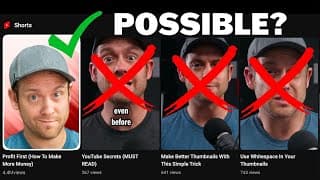
Shorts Thumbnail Problem - SOLVED?
YouTube has removed some of the features I cover in this video and instead is rolling out a new feature that I covered in this video - https://www.youtube.com/watch?v=ogk-cLL7iSA YouTube currently doesn’t share custom thumbnails for Shorts. This Shorts Thumbnail problem is frustrating, to say the least. Because the shorts thumbnail isn't showing up properly, I decided to see if there were any workarounds to make it possible to upload a thumbnail for Shorts. And if I could make it work, the real question would be, is this hack worth the effort? Let’s see if it works. Need help growing your channel? I've got you covered - https://www.red11media.com/coaching Recommended Software Where I Get My Music - https://bit.ly/ArtlistMusicLink VidIQ - https://vidiq.com/Red11Media TubeBuddy - https://www.tubebuddy.com/Red11Media Recommended Gear https://www.red11media.com/blog/best-gear-for-new-youtubers 00:00 - YouTube Shorts Custom Thumbnail (Hack?) Produced by: https://www.red11media.com/

Profit First (How To Make More Money)
When you follow Profit First, you can make more money as a business owner. And every YouTube creator is a business owner. That's why I recommend every creator read Profit First by Mike Michalowicz. When you start making money on YouTube, you're going to want to know how to manage that money so you can successfully grow your YouTube empire. I have been a business owner for over 5 years, and I wish I'd had this book when I was getting started. Profit First is a great read for anyone confused about how to manage their business finances to be profitable. Need help growing your channel? I've got you covered - https://www.red11media.com/coaching Recommended Software Where I Get My Music - https://bit.ly/ArtlistMusicLink VidIQ - https://vidiq.com/Red11Media TubeBuddy - https://www.tubebuddy.com/Red11Media Recommended Gear https://www.red11media.com/blog/best-gear-for-new-youtubers Produced by: https://www.red11media.com/ #bookreview #youtubegrowth #growyourchannel #shorts

Make Better Thumbnails With This Simple Trick
Make Better Thumbnails With This Simple Trick When people do look at your thumbnail, you can help them know where to look by using a few simple tricks. In English, we read from left to right, so we tend to scan images in either an F or Z pattern. Other cultures that read from right to left scan the pages in the opposite direction. Use this knowledge to decide where to place your most essential elements and help guide your viewer's eye. Need help growing your channel? I've got you covered - https://www.red11media.com/coaching Recommended Software Where I Get My Music - https://bit.ly/ArtlistMusicLink VidIQ - https://vidiq.com/Red11Media TubeBuddy - https://www.tubebuddy.com/Red11Media Recommended Gear https://www.red11media.com/blog/best-gear-for-new-youtubers Produced by: https://www.red11media.com/ #thumbnail #youtubegrowth #growyourchannel #shorts

Use Whitespace In Your Thumbnails
Use Whitespace In Your Thumbnails You don’t need to fill up every square inch of your thumbnail with stuff. Using negative space, or white space, allows the most important part of your thumbnail to easily stand out. Human brains don’t process clutter very well, so if there is too much going on, people will just skip over it. Also, just to clarify, white space doesn’t mean the background needs to be white, just void of distractions. Declutter your designs, and more people will click. Need help growing your channel? I've got you covered - https://www.red11media.com/coaching Recommended Software Where I Get My Music - https://bit.ly/ArtlistMusicLink VidIQ - https://vidiq.com/Red11Media TubeBuddy - https://www.tubebuddy.com/Red11Media Recommended Gear https://www.red11media.com/blog/best-gear-for-new-youtubers Produced by: https://www.red11media.com/ #bookreview #youtubegrowth #growyourchannel #shorts

Red 11 Media Live Stream
How To Stay Consistent On YouTube - Atomic Habits
How To Stay Consistent On YouTube - Atomic Habits If you find it difficult to stick to a consistent posting schedule, Atomic Habits is for you. James Clear details how making small changes can lead to big results. His personal story is motivational, and he includes several great examples that make this book an easy read. Once I understood the steps I could take to make better habits, I was able to make progress on goals I'd been putting off for years. Atomic Habits - https://amzn.to/3AFgIgk Need help growing your channel? I've got you covered - https://www.red11media.com/coaching Recommended Software Where I Get My Music - https://bit.ly/ArtlistMusicLink VidIQ - https://vidiq.com/Red11Media TubeBuddy - https://www.tubebuddy.com/Red11Media Recommended Gear https://www.red11media.com/blog/best-gear-for-new-youtubers Produced by: https://www.red11media.com/ #bookreview #youtubegrowth #growyourchannel #shorts

How to Get Your First 1,000 Subscribers In A Month
How can you get your first 1,000 subs in a month?! I just hit 1,000 subs in a month, and I'm going to walk you through how I got there without using bots, running ads, or asking everyone I’ve ever met to subscribe. Additionally, I’ll share 8 tips to help you gain your first 1,000 subs as well. Follow along and let me know what questions you have! Need help growing your channel? I've got you covered - https://www.red11media.com/coaching Recommended Software Where I Get My Music - https://bit.ly/ArtlistMusicLink VidIQ - https://vidiq.com/Red11Media TubeBuddy - https://www.tubebuddy.com/Red11Media Recommended Gear https://www.red11media.com/blog/best-gear-for-new-youtubers 00:00 - How To Get Your First 1,000 Subs In A Month 00:29 - Tip Number 1 00:45 - Tip Number 2 01:09 - Tip Number 3 01:22 - Tip Number 4 01:38 - Tip Number 5 02:25 - Tip Number 6 02:42 - Tip Number 7 04:09 - Tip Number 8 Produced by: https://www.red11media.com/ #1000subscriber #youtubegrowth #growyourchannel

Increase Your Watch Time - Smart Brevity
Increase Your Watch Time! I read Smart Brevity most recently and loved it. Written by the co-creators of Axios, it outlines their approach to conveying an idea so people pay attention. If you're struggling with watch time, this book will help you be succinct, make your videos information-dense, and keep people's attention longer. Get Smart Brevity here and help support the channel: Smart Brevity - https://amzn.to/3U0gnvx Need help growing your channel? I've got you covered - https://www.red11media.com/coaching Recommended Software Where I Get My Music - https://bit.ly/ArtlistMusicLink VidIQ - https://vidiq.com/Red11Media TubeBuddy - https://www.tubebuddy.com/Red11Media Recommended Gear https://www.red11media.com/blog/best-gear-for-new-youtubers Produced by: https://www.red11media.com/ #bookreview #youtubegrowth #growyourchannel #shorts
Size Does Matter... When Creating Thumbnails
I can’t believe I’m going to say this, but size does matter… when creating thumbnails. You can emphasize the most important part of the image simply by making it bigger. You can also make your image stand out by exaggerating size. This point is crucial when talking about text. If you choose to add text to your thumbnail, make sure it is big enough to read on the home feed. Remember, thumbnails are small. You can easily make your text bigger if you use fewer words. I can’t tell you the number of times I’ve seen people write long sentences on their thumbnails that are impossible to read. Please stop doing this. Font choice can also impact how easy your thumbnail is to read. We recommend that you use bold fonts to make your text stand out. Bonus tip! Put your thumbnail on a mock-up of the YouTube home page to see how it stacks up. I do this regularly when I want to see if the thumbnail I’ve created is clear and easy to read. Produced by: https://www.red11media.com/ #thumbnail #youtubegrowth #growyourchannel
Use Contrast To Make Your Thumbnails Stand Out
Use Contrast To Make Your Thumbnails Stand Out By using contrast, you can let the most important parts of your thumbnail stand out from the rest. Brightness levels and color are two easy ways you can do this. People's eyes are naturally drawn to the brightest or most saturated part of an image. Add contrast between the background and foreground so the viewer's eyes are drawn to your Thumbnail. Another easy way to add contrast is to outline your subject. This is also known as the sticker effect. This is especially effective when your subject and background start to blend together. Contrast allows people to quickly and easily digest what's going on. If your image has too much of one color, it can be difficult for people to know what they're looking at. Add more contrast to inspire viewers to click on your video! Produced by: https://www.red11media.com/ #thumbnail #youtubegrowth #growyourchannel

Use Faces In Thumbnails For More Clicks
Use Faces In Thumbnails For More Clicks Yup! That silly surprised face you see all over YouTube is intentional. A recent study of 740 thumbnails found 72% contained a human face. More importantly, these faces weren’t deadpan. The study also found that emotional faces get more clicks. There are several emotional cues YouTubers use to trigger a response. Consider exploring these emotions for your thumbnails. Excited, Inspired, Confident, Confused, Curious, Angry, Sad, Shocked, and Scared. Produced by: https://www.red11media.com/ #thumbnail #youtubegrowth #growyourchannel
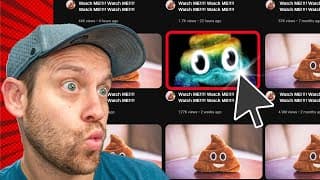
How To Make YouTube Thumbnails People Will ACTUALLY Click
If you want to make YouTube thumbnails, people will ACTUALLY click, and you've come to the right video. I'll be covering five tips that are easy to implement that will help show you how to make thumbnails for YouTube. Using basic design techniques, you can really make your thumbnail stand out and get more clicks. Thanks for the video suggestion @CartaNova ! Need help growing your channel? I've got you covered - https://www.red11media.com/coaching Recommended Gear - https://www.red11media.com/blog/best-gear-for-new-youtubers Chapters 00:00 - Intro 00:26 - Why you should focus on your YouTube Thumbnail 01:06 - How to get people to instantly notice your thumbnail 01:58 - How to make your thumbnails stand out 02:40 - This thumbnail tip is a big deal 03:36 - An easy mistake to avoid when creating thumbnails 04:06 - How to quickly capture your viewer's attention Produced by: https://www.red11media.com/ #thumbnail #youtubegrowth #growyourchannel
Why Your Video Should Be Shorter
Why Your Video Should Be Shorter If you are going to post content to both platforms, that content needs to meet the requirements of the most strict platform. In the case of timing, YouTube's max length of 60 seconds is shorter than TikTok's. So, save yourself time and guesswork and make all of your videos less than 60 seconds. But don't stop there. Videos shorter than 15 seconds have a higher chance of going viral. This is because watch time is a significant factor for both platforms in deciding which videos to share with a wider audience. If someone watches your video more than once, it's recorded as above 100% watch time. And that's why --- timing is everything. Reach out for help growing your channel: https://www.red11media.com/ #youtubshorts #shorts #tiktok
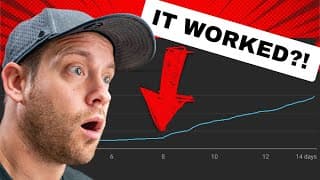
This Hack Saved My YouTube Video
This hack saved my YouTube video and could save your video too. If you're wondering why your video isn't performing as well as you'd like, you might be able to figure out why by diving into the analytics. When I looked at the analytics for one of my previous videos, I found that it had a major flaw, and I was able to fix it with a YouTube studio tool. Need help growing your channel? I've got you covered - https://www.red11media.com/coaching Recommended Gear - https://www.red11media.com/blog/best-gear-for-new-youtubers Produced by: https://www.red11media.com/ #youtubestudio #youtubegrowth #growyourchannel
Is TikTok Bigger Than YouTube
Is TikTok Bigger Than YouTube Let's look at the facts. First of all, TikTok has 1 billion monthly active users. Billion, with a B. TikTok is expected to grow by nearly 4% in 2023. That's roughly another 40 million users. However, YouTube has over 2.6 billion monthly active users. That's more people than were on earth when you're grandparents were kids. YouTube is expected to grow by 5% in 2023. That's roughly another 130 million. Reach out for help growing your channel: https://www.red11media.com/ #youtubshorts #shorts #tiktok
How To Make Money On TikTok and YouTube
How To Make Money On TikTok and YouTube Creators need compensation to continue creating content, and YouTube makes that very easy with their revenue split, BUT TikTok has some tricks up its sleeve. "TikTok users are 1.5x more likely than other platform users to immediately buy something they discovered on the platform*, 1 in 3 have bought a product because they saw it on TikTok in the past year*, and TikTok users spend 14% more when TikTok is a part of the purchase journey*." TLDR; TikTok dominates in the shopping arena. So, even if TikTok doesn't pay creators the same way YouTube does, TikTok still provides creators with a huge opportunity to make money by selling clothing, mugs, courses, or anything else. Reach out for help growing your channel: https://www.red11media.com/ #youtubshorts #shorts #tiktok (*TikTok Marketing Science Global Retail Path to Purchase Study conducted by Material, August 2021) https://getstarted.tiktok.com/eoyholiday-na?attr_source=google&attr_medium=search-br-ad&attr_adgroup_id=131664213017&attr_term=tiktok%20shopping&gclid=Cj0KCQjwk5ibBhDqARIsACzmgLS7Bewtfn9xOitrYqBdJHyVzvuyTpsRXF0TA-lLxrNmmp2JsM9fPUcaAtLHEALw_wcB

How To Avoid Copyright Claims on YouTube Shorts
Watch A Full Explanation Here: https://www.youtube.com/watch?v=Z2XiWd3ZYGg How To Avoid Copyright Claims on YouTube Shorts When you're creating content for TikTok and YouTube Shorts, you may need to export your videos twice. Music licensing on each platform is different, and we've seen content get demonetized on YouTube when using audio from TikTok. So, we recommend editing videos for YouTube with music from Artlist.io. Then export the video without music for TikTok, and use trending audio clips natively instead. And let's face it, getting more views is the reason why you should make your videos contextual to the platform. Why we choose Artlist - https://www.red11media.com/blog/best-royalty-free-music-sites Get 2 Extra Months Free for Social Creator and Creator Pro plans - https://artlist.io/artlist-70446/?artlist_aid=red11media_2059&utm_campaign=red11media_2059&utm_medium=red11media_2059&utm_source=affiliate_p Reach out for help growing your channel: https://www.red11media.com/ #youtubshorts #shorts #tiktok
Your YouTube Title Sucks
Your YouTube Title Sucks Titles are incredibly important, not only for SEO but also for the people you hope will watch your video. But contrary to popular belief, people are not robots. So, if you write titles that ONLY use strong keywords, it won’t be enough to get people to click. You also need to make them clever. One of the best ways to write catchy titles is to use psychology and create a curiosity gap. This approach is more commonly referred to as “Clickbait.” Derek Muller from the YouTube channel Veritasium talks about why clickbait is unreasonably effective and how you can use this knowledge for good. He talks about creating a curiosity gap with your titles and thumbnails. If you deliver a satisfying resolution to that gap, people will watch your content longer. If you don’t deliver on the title's promise, however, people will be unhappy and probably not come back to your channel. YouTube specifically says they don’t condone the bad version of clickbait and it can hurt the success of your channel. Let us know what questions you have about how to grow your business with YouTube. Produced by: https://www.red11media.com/ #youtubeshorts #shorts #youtubetips #growyourchannel
YouTube Retention Rates
Understanding YouTube Retention Rates Audience retention is critical to growing your YouTube channel. Retention is a simple measurement of how long someone watches your video. The longer they watch, the better your audience retention. Average audience retention rates on YouTube are between 50-60%, but the top channels are crossing that threshold and achieving upwards of 70%. YouTube has confirmed this metric is one of two crucial ranking factors. The second is Click Through Rate. Click Through Rate is calculated by dividing the total number of impressions by the number of people who clicked on your video. At Red 11 Media, we argue that it slightly beats out Retention in the order of importance because if people don’t click on your video, there’s no retention to record. The average Click Through Rate on YouTube tends to hover somewhere around 4-5%, while the top-performing videos have Click Through Rates over 10%. Let us know what questions you have about how to grow your business with YouTube. Produced by: https://www.red11media.com/ #youtubeshorts #shorts #youtubetips #growyourchannel
5 Ways To Rank Higher On YouTube
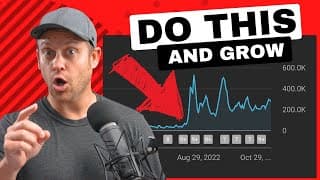
5 WAYS TO RANK HIGHER ON YOUTUBE Did you know that over 500 hours of videos are uploaded to YouTube every minute? With so much content, how do you get your videos noticed? Better yet, how do you get them ranked? Top YouTubers use SEO strategies and psychology hacks to rank higher in search results. And I’m going to share 5 of these tips with you in this video. Need help growing your channel? I've got you covered - https://www.red11media.com/coaching Recommended Gear - https://www.red11media.com/blog/best-gear-for-new-youtubers 00:00 Intro 00:21 How to use relevant keywords in your YouTube videos. 02:13 Why YouTube titles matter. 03:41 Why you need better thumbnails on YouTube. 04:18 Leverage YouTube features to grow faster. 05:25 Three tips to create high-quality YouTube videos. Thanks, @veritasium, for your video on Clickbait! - https://www.youtube.com/watch?v=S2xHZPH5Sng Produced by: https://www.red11media.com/ #youtubetips #growyourchannel