Loading...
Warning: Channel ID is missing or invalid
Loading channel videos...

Loading channel videos...
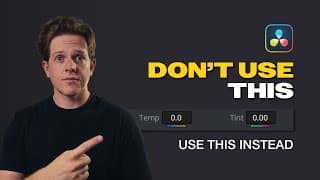
STOP Using THIS to White Balance Your Footage in DaVinci Resolve
STOP using the TEMP and TINT sliders in DaVinci Resolve to white balance your footage. In this video you are going to learn all about why this is a big mistake and what the best tool is for accurately balancing your footage! Discount Codes!: 70% off Audiio Pro 1 year License (music & sfx) - coupon code "hunt" at checkout https://audiio.com/ 10% discount off Dehancer products - coupon code "hunt10" at checkout https://www.dehancer.com/ #DaVinciResolve #ColorCorrection #VideoEditing #BeginnersGuide #ColorGrading #colortheory Want to say thank you? Buy me a coffee☕️: https://buymeacoffee.com/grahamhunt
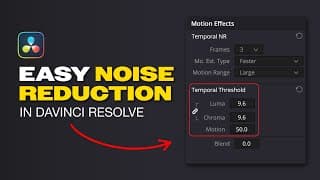
Noise Reduction made EASY in DaVinci Resolve
Not exactly sure how to do noise reduction and how it works inside Resolve? After watching this video you will understand how to get the best results while keeping your image looking sharp! Discount Codes!: 70% off Audiio Pro 1 year License (music & sfx) - coupon code "hunt" at checkout https://audiio.com/ 10% discount off Dehancer products - coupon code "hunt10" at checkout https://www.dehancer.com/ #DaVinciResolve #ColorCorrection #VideoEditing #BeginnersGuide #ColorGrading #colortheory Want to say thank you? Buy me a coffee☕️: https://buymeacoffee.com/grahamhunt
The Best Features in the NEW Resolve! DaVinci Resolve version 20
The Best Features in the NEW Resolve! DaVinci Resolve version 20 Audiio (music and sfx) discount: Use code HUNT at checkout to get 70% off of a PRO license. https://audiio.com/ The latest update has just released and it is IMPRESSIVE! With over 100 new features, this is the biggest update yet! Watch to find out about some of my favorite features and how they can save you time and level up your workflows. #DaVinciResolve #ColorCorrection #VideoEditing #BeginnersGuide #ColorGrading #colortheory Want to say thank you? Buy me a coffee☕️: https://buymeacoffee.com/grahamhunt 0:00 - Intro 0:25 - Keyframe Editor 02:25 - AI Music Editor 04:50 - AI Audio Assistant 06:20 - Chroma Warp 09:50 - New Magic Mask 12:20 - Outro
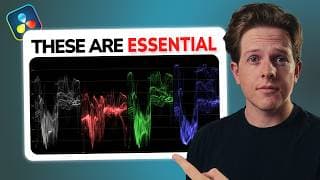
How to use Resolve Scopes! Key Tools for Grading like a PRO
GET 70% off of Audiio Pro! - https://audiio.com/grahamhunt Use coupon code “hunt” at checkout to receive your discount! TruNodes Shop for Free Assets - https://39c05d-3.myshopify.com/ Everything You NEED to Know About SCOPES In DaVinci Resolve Learn how to master DaVinci Resolve scopes and take your color grading skills to the next level! In this tutorial, we'll break down the process of working with scopes in DaVinci Resolve, making it easy for you to understand and implement in your own projects. #DaVinciResolve #ColorCorrection #VideoEditing #BeginnersGuide #ColorGrading #colortheory Want to say thank you? Buy me a coffee☕️: https://buymeacoffee.com/grahamhunt 00:36 - Intro 04:25 - Scopes Overview 04:57 - Essential Scopes & Pro Tips Everything You NEED to Know About SCOPES In DaVinci Resolve
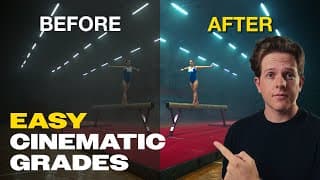
Color Grading Made EASY in DaVinci Resolve
BEST TOOL for SIMPLE Color GRADING in 2025 with DaVinci Resolve // Tutorial LINKS: 70% off of Audiio Pro! - https://audiio.com/grahamhunt Use coupon code “hunt” at checkout to receive your discount! TruNodes Shop for Free Assets - https://39c05d-3.myshopify.com/ Let's dive into the EASIEST color correction tool for beginners in DaVinci Resolve. Learn how to use just primary adjustments to color grade an entire project. You'll learn how to adjust Lift, Gamma, and Gain to achieve stunning results with minimal effort, color correcting and creating looks with the same tools. This step-by-step approach ensures that even the most novice users can follow along and apply these techniques to their own projects. 🔗 What You'll Learn: - What primary adjustments are and how they work - The basics of color correction using the Primaries tool - Look development with the Primaries tool - Tips and tricks for achieving professional-looking color corrections quickly. By the end of this video, you'll feel confident using the easiest color correction tool available in DaVinci Resolve, making your videos pop and feel professional! Don't forget to like, subscribe, and hit the notification bell so you won't miss any of our future tutorials. Let's get started on your journey to mastering color correction in DaVinci Resolve! #DaVinciResolve #ColorCorrection #VideoEditing #BeginnersGuide #ColorGrading #filmmaking 0:00 - Intro & Insight 1:10 - Primary Tools Theory 6:10 - Color Grading using Primaries 20:30 - Before and After
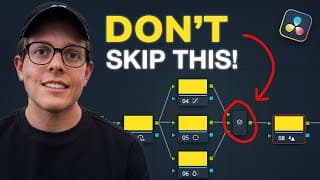
Nodes EXPLAINED – The Secret to Pro Color Grading in DaVinci Resolve
Nodes EXPLAINED – The Secret to Pro Color Grading in DaVinci Resolve LINKS: 70% off of Audiio Pro! - https://audiio.com/grahamhunt Use coupon code “hunt” at checkout to receive your discount! TruNodes Shop for Free Assets - https://39c05d-3.myshopify.com/ This is the only video you need to watch to understand how nodes work in Resolve and learn how to build the best node trees for your project. Elevate your color grading by watching this series of videos. If you need any help, just let me know! Want to say thank you? Buy me a coffee☕️: https://buymeacoffee.com/grahamhunt #dehancer #colorcorrection #filmemulation #davinciresolve #videoediting #filmmaking #film #plugin #colorgrading #davinciresolvetutorial #tutorial 00:00 - Intro 00:50 - Introduction to Nodes 02:58 - Node Editors & Image Pipeline 07:04 - Two Most Essential Nodes 13:45 - Building Node Trees
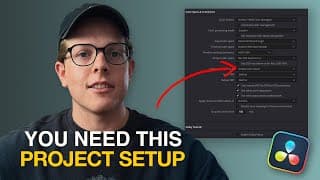
Pro Project Settings in DaVinci Resolve // Color Grading Basics
Pro Project Settings in DaVinci Resolve // Color Grading Basics Links: 70% off of Audiio Pro! - https://audiio.com/grahamhunt Use coupon code “hunt” at check out to receive your discount! TruNodes Shop for Free Assets - https://39c05d-3.myshopify.com/ This is the first video of a series, which aims to provide beginners and intermediate color graders with good foundations for pro-level color grading. In this video we go through how to set up your project like a pro and briefly walk through DaVinci Resolve's color page to help those who are unfamiliar with it. I hope this video helps you on your color grading journey, stay tuned for the other videos which are coming soon with many helpful tips and tutorials. Want to say thank you? Buy me a coffee☕️: https://buymeacoffee.com/grahamhunt #dehancer #colorcorrection #filmemulation #davinciresolve #videoediting #filmmaking #film #plugin #colorgrading #davinciresolvetutorial #tutorial 00:00 - Intro 00:38 - Video Breakdown 01:18 - Getting Started 02:24 - Most Important thing to Understand 11:38 - Color Page Walk Through 17:15 - Set Up Render Caching
Film emulation in DaVinci Resolve has never been easier! 🔥💯 #filmemulation #filmmaking #shorts

The best FILM EMULATION Plugin for DaVinci Resolve – Complete Dehancer Pro Guide | Resolve Tutorial
The best FILM EMULATION Plugin for DaVinci Resolve – Complete Dehancer Pro Guide | Resolve Tutorial Check out Dehancer and use code HUNT10 to get a 10% discount! https://www.dehancer.com/shop/video/davinci_resolve Unlock the cinematic potential of your footage with Dehancer Pro, the #1 film emulation plugin for DaVinci Resolve. In this comprehensive guide, we'll dive into the world of film emulation and explore the secrets of achieving a stunning cinematic look using Dehancer Pro. From color grading to color correction, we'll cover it all, so you can take your video editing skills to the next level. Whether you're a seasoned pro or just starting out, this tutorial will show you how to get the most out of Dehancer Pro and create breathtakingly beautiful footage that rivals the likes of Kodak Vision3 250D and Cineprint16. With Dehancer Pro, you'll be able to add a filmic texture and grain to your footage, giving it a unique and captivating aesthetic. So, sit back, relax, and get ready to learn the art of film emulation with Dehancer Pro. Check out my digital assets here: https://39c05d-3.myshopify.com/ Dylan Marriott's Profile: https://www.instagram.com/dylanmarriott_dop/ Want to say thank you? Buy me a coffee☕️: https://buymeacoffee.com/grahamhunt #dehancer #colorcorrection #filmemulation #davinciresolve #videoediting #filmmaking #film #plugin #colorgrading #davinciresolvetutorial #tutorial 00:00 Coming Up 00:16 Quick Intro 01:23 Getting Started 03:01 Amazing Film Profiles 04:39 Film Developer 05:35 Film Compression 06:29 Expand 07:26 Print Film! 09:48 Color Head 13:00 The best film grain 15:43 Halation 17:40 Bloom 18:57 Sidebar 20:25 Film damage 21:06 Film breath and gate weave 21:34 Overscan 22:38 Vignette 23:32 False color 23:42 Global Output 24:28 Conclusion The best FILM EMULATION Plugin for DaVinci Resolve – Complete Dehancer Pro Guide | Resolve Tutorial
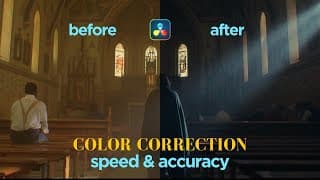
Cut Your Color Correction Time in HALF With These Shortcuts | DaVinci Resolve Tutorial
Cut Your Color Correction Time in HALF With These Shortcuts | DaVinci Resolve Tutorial Download my free keyboard shortcuts and more here: https://39c05d-3.myshopify.com/ DEHANCER DISCOUNT 10% CODE: HUNT10 https://www.dehancer.com/shop/davinci_resolve/pro Have you ever wondered how to achieve professional color grading results without spending a fortune on a color panel? In this video, I reveal the keyboard shortcuts that have transformed my workflow, allowing for speed and precision without the extra cost. Watch to learn how you can optimize your own setup and elevate your color grading game, whilst learning new colour grading techniques that apply to all colour graders, whether beginner or not. 🔥 What You'll Learn: - How to navigate DaVinci Resolve efficiently using keyboard shortcuts - Techniques for color correction and grading without a color panel - Tips for achieving professional results quickly and accurately Don't let the lack of a color panel hold you back! Join us in this tutorial and take your color grading skills to the next level. Make sure to like, subscribe, and hit the notification bell for more video editing tips and tricks. Happy grading! Dylan Marriott's Profile: https://www.instagram.com/dylanmarriott_dop/ Want to say thank you? Buy me a coffee☕️: https://buymeacoffee.com/grahamhunt #ColorGrading #DaVinciResolve #VideoEditing #ColorCorrection #EditingTips #davinciresolvewhitebalance. 00:00 Introduction 00:59 Goals 01:34 First Step - Building Node Tree 03:17 Grading Approach 04:58 First Step Cont. 06:29 Color Correction 13:51 Look Creation 15:42 Look Adjustments 16:33 Secondaries

You'll WISH you did this SOONER! 5 TIPS for FASTER Color Grading in Resolve - Tutorial
How to color grade faster in DaVinci Resolve // 5 Tips In this video, I share my top strategies to help you become more efficient and accurate in your Resolve workflows. Whether you're a beginner or a seasoned DaVinci Resolve user, these tips will revolutionize the way you work. Download my free DaVinci Resolve assets here - https://39c05d-3.myshopify.com/ Use Code HUNT10 to get 10% off your Dehancer Purchases: https://www.dehancer.com/shop/video/davinci_resolve 🛠️ What You'll Learn: 1. Pre-building transforms and node trees. 2. Optimizing project workflows using groups. 3. Using fixed node trees to better your efficiency + Bonus Tip! 4. Essential Keyboard Shortcuts – Save time with these must-know shortcuts. 5. Use Render Cached Images - Much faster rendering! Setting up these systems may take a bit of time initially, but the payoff is a significantly faster and more efficient workflow. 💡 Why It Matters: Efficiency and accuracy are crucial for any colorist. With a well-optimized workflow, you can focus more on the creative aspects of your project and less on the technical hurdles. 🔔 Don't Forget to Subscribe! If you find these tips helpful, make sure to subscribe and click the bell icon so you never miss an update. Share this video with fellow colorists who could benefit from a faster workflow. 📌 Resources & Links: Download my free DaVinci Resolve assets here - https://39c05d-3.myshopify.com/ Check out my other DaVinci Resolve tutorials - https://youtube.com/playlist?list=PLaOYl7PF96mTeZ1UPIPdP1Gc2R_7zaT0j&si=0w0BBVfXW7dPeDCs 👍 Like & Share! If you enjoyed this video, please give it a thumbs up and share it with your friends. Thanks for watching, and happy grading! Want to say thank you? Buy me a coffee☕️: https://buymeacoffee.com/grahamhunt #DaVinciResolve #EditingTips #ColorGrading #WorkflowEfficiency #VideoEditing #ResolveTutorials #BeginnerFriendly #ProTips #EditingHacks 00:00 Introduction 00:53 Pre-building your tools 01:38 Optimizing Workflows using Groups 02:32 Fixed Node Trees 04:13 Bonus Tip 06:37 Essential Keyboard Shortcuts 07:56 Much Faster Render Times
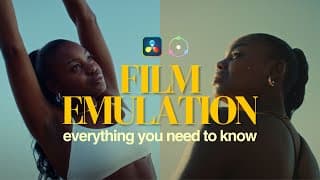
FILM EMULATION for BEGINNERS // Everything you NEED to know | Dehancer Pro Tutorial in Resolve
Everything You NEED to Know About FILM EMULATION / Film Emulation Tutorial in DaVinci Resolve with Dehancer Pro Check out Dehancer and use the code below for a discount and support the channel - https://www.dehancer.com/store/video/davinci_resolve Use code HUNT10 for a 10% DISCOUNT on any product This is something that I think every colorist, filmmaker, or content creator needs to include in their workflows! Whether you are a beginner or not! Check out Dehancer and use the code below for a discount and support the channel - https://www.dehancer.com/store/video/davinci_resolve Use code HUNT10 for a 10% DISCOUNT on any product Dehancer Articles: https://blog.dehancer.com/articles/ Films used as references: Django Unchained Hateful Eight Inglorious Bastards Moonlight Check out "Mort" by cinematographer Tu Do which is the other reference and gives a great example of how film can be used to express creativity in unique ways - https://www.twodough.com/mort Want to say thank you? Buy me a coffee☕️: https://buymeacoffee.com/grahamhunt 00:00 Intro 01:27 Do your research 02:08 The Why 02:58 The How 03:27 Filmic Tone Curves 06:05 Filmic Characteristics 08:25 Film Emulation Workflow 1 11:37 Dense Saturation Technique 12:15 Film Emulation Workflow 2 15:02 Outro Everything You NEED to Know About FILM EMULATION / Film Emulation Tutorial in DaVinci Resolve Tutorial with Dehancer Pro

Crane Flower Coffee - A Short Documentary // Shot on RED Scarlet-W 5K // DaVinci Resolve
Crane Flower Coffee - A Short Documentary // Shot on RED Scarlet-W 5K // DaVinci Resolve // Cinematic Teaming up with a close friend of mine, we decided to put our time and gear together to shoot something with a great story. We wanted something that had meat to it and was inspirational in its own right, something that we could use as a creative outlet and explore lighting techniques in a semi-run-and-gun situation. This is the product. I hope to start a series of these short documentaries in which we push ourselves creatively whilst sharing incredible stories that are so often hidden all around us. Parallel to that we will be doing breakdowns of each short, so let me know if you have any questions in the comments below. This short documentary explores the story of a 26-year-old entrepreneur from South Africa. Running his café and roastery, Dale strives to expose people to the wonders of African-produced coffee whilst establishing relationships with the farmers themselves. He is passionate about bridging the gap between farmer and consumer and hopes to bring about change to the industry one day. Credits: Produced by: Two Cents Studios & Film Base Rentals DOP: Dylan Marriott & Graham Hunt Edit, sound & color: Graham Hunt Starring: Dale Sandy of Crane Flower Coffee Crane Flower Coffee Instagram: https://www.instagram.com/craneflowercoffee/?hl=en Camera - RED Scarlet-W 5K Lighting Equipment - Nanlite products (Stay tuned for breakdown video) Edited and color graded in DaVinci Resolve
NIGERIAN STREETS - Color Graded in DaVinci Resolve
Starting the new year with some color work⚡ Stay tuned for a new color correction series. Beautiful footage shot on Arri Alexa Mini @arricamera by Michael Omonua. Graded in DaVinci Resolve using my newly developed Kodak 2383 workflow. Thanks to @artlist.io for making this kind of footage available to us. #colorgrading #davinciresolve #colorgradingfilms #colorgrade #coloristsociety #colorgradinglife #cinematography #colorgradingcentral #shorts

Colorist Reel 2022 - Graham Hunt / Graded in DaVinci Resolve
Colorist Reel 2022 - Graham Hunt / Graded in DaVinci Resolve 2022 has been a great year for the development of my coloring skills and passion. This year I have worked on multiple jobs as a colorist and have explored many different methods and techniques within DaVinci Resolve. It stands firm as my choice of post-production software. Thanks to Artlist Max, I have been able to have access to thousands of high-quality clips to grade with. In the last month of subscribing, I have been able to practice on all kinds of footage of the highest caliber! I highly recommend getting a subscription if it's possible. Stay tuned for a video explaining my latest color grading workflow with many tips for better saturation and color correction! #blackmagicdesign #colorgrading #artlistmax #artlistio #davinciresolve

DEFIANCE - BMPCC 6K CINEMATIC Spec Commercial
Cinematic Gym Promo/Fitness Motivation - DEFIANCE - BMPCC 6K Spec Commercial This short portfolio piece is in collaboration with MoritzFitness, who by the way offers great online workout courses! www.moritzfitness.com Camera Gear: We shot this on the Black Magic Pocket Cinema Camera 6K (BMPCC 6K) in BRAW at 8:1 compression. We were using the Canon 24-105mm f/4 for all of these shots. All of the shots were filmed using our handheld rig that you can see here: https://youtu.be/8KjzukpFtxY Lighting: The small gym ended up being difficult to light, especially with our tight timeframe, but thanks to the small form factors of the Nanlite lights, nanlights? We were able to able to light our subject easily in the dark gym. Most of the time we had the Forza 500 blasting into the corner to bring up the room tone, we then used a Forza 300 with a parabolic softbox to light our subject. We also used the Forza 60B with the projector mount attachment to backlight the subject and to also create some of the hard light. Finally, we were fortunate enough to have the Nanlite Pavotubes to help bring in some color. https://en.nanlite.com/ Edited and Graded in DaVinci Resolve 18 Music from Artlist.io #blackmagicdesign #bmpcc6k #colorgrading
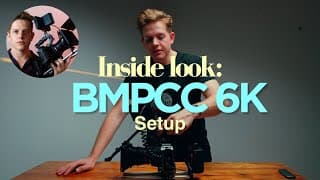
Inside Look: My Perfect BMPCC 6K Setup
How I Rig my BMPCC 6K for Most Projects! - Cinema Rig Setup for More Professional Videos https://youtube.com/channel/UCnYFCgfopbXKEhYaQRdDx7g?sub_confirmation=1 All items are linked down below. In this video, I talk about how I build out my BMPCC 6K handheld camera rig for most of my projects. I have found this rig really functional for the type of work that we do and helps us achieve stable and consistent movement because of it's weightiness. There are still some components that are missing from our arsenal but hopefully in the future, we will be able to add these to our rig for good. Get the best, dynamic unlimited copyright free music here: https://artlist.io/Graham-2243145 If you are looking to grow your YouTube channel, check out TubeBuddy for incredible tools and features that will help your channel skyrocket! https://www.tubebuddy.com/graham Gear Links: BMPCC6k - https://www.amazon.com/Blackmagic-Design-Pocket-Cinema-Camera/dp/B07WC4NNBM Tilta BMPCC 4K/6K Advanced Module - https://www.bhphotovideo.com/c/product/1490894-REG/tilta_ta_t01_a_tactical_assault_armor_camera.htm Samyang 50mm Cine Lens - https://www.bhphotovideo.com/c/product/1585080-REG/rokinon_dsx50_c_50mm_t1_5_dsx_high.html Atomos Shinobi 5" HDMI Monitor - https://www.bhphotovideo.com/c/product/1456145-REG/atomos_atomshbh01_shinobi_5_2_4k_hdmi.html Coiled HDMI Cable - https://www.bhphotovideo.com/c/product/1065085-REG/atomos_atomcab010_1_x_coiled_full.html Coiled BMPCC D-Tap Power Cable - https://www.bhphotovideo.com/c/product/1568472-REG/soonwell_db01_spring_cable_with_d_tap.html Tilta Mini Matte Box - https://www.bhphotovideo.com/c/product/1524975-REG/tilta_mb_t15_mini_follow_focus_clamp.html SmallRig V-Lock Battery Plate - https://www.bhphotovideo.com/c/product/1606957-REG/smallrig_3016_v_mount_battery_plate_with.html SWIT V-Lock Battery - https://www.amazon.com/PB-M98S-Pocket-V-Mount-Battery-Output/dp/B07MLXV47X/ref=sr_1_1?crid=20YNTS8L1PPH8&keywords=swit+pb+m98s&qid=1667299165&qu=eyJxc2MiOiIwLjE1IiwicXNhIjoiMC4wMCIsInFzcCI6IjAuMDAifQ%3D%3D&sprefix=swit+pb+m98%2Caps%2C454&sr=8-1 #bmpcc #blackmagicdesign #bmpcc6k #bmpcc4k #cinematography #camera #camerarig #video #filmmaker #filmakers 00:00 Introduction 00:44 Camera Body 01:13 BMPCC Cage 02:22 Top Handle 03:16 Baseplate & 15mm Rods 03:42 V-lock Battery Plate 04:12 SWIT V-lock Battery 05:20 Lens Choice 06:05 External Monitor 08:35 Matte Box 09:45 Coiled Power Cable! 10:49 Outro

How to get Creamy Color Grades in DaVinci Resolve FAST - DaVinci Resolve Color Grading Tutorial
How to get Creamy Color Grades in DaVinci Resolve FAST - DaVinci Resolve Color Grading Tutorial https://youtube.com/channel/UCnYFCgfopbXKEhYaQRdDx7g?sub_confirmation=1 This color grading tutorial is a walk-through of a method that I have been using on my projects to achieve quick and really easy cinematic and creamy color grades using the FREE LUT inside of DaVinci Resolve, the Kodak 2383 D60. I will walk you through how to correctly convert your log footage to a different color space, then apply the LUT, create a power grade, and then get the most out of this technique by adjusting our saturation, exposure, and black points. I hope you enjoy this video! If you have any questions please comment them down below. Get the best, dynamic unlimited copyright free music here: https://artlist.io/Graham-2243145 DaVinci Resolve Free: https://www.blackmagicdesign.com/products/davinciresolve Grow your YouTube channel with this incredible tool (affiliate link): https://www.tubebuddy.com/graham 0:00 - INTRO 01:06 - GETTING STARTED 01:54 - STEP 1 // CST 04:06 - STEP 2 // KODAK 2383 D60 LUT 05:01 - NODE STRUCTURE & POWER GRADE 07:19 - EXPOSURE & SATURATION 08:06 - STEP 3 // CONTROLLING BLACK POINTS 09:37 - GRADE BREAKDOWN 10:09 - EASILY APPLYING GRADE THROUGH YOUR VIDEO 12:19 - OUTRO
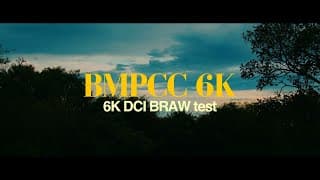
The BMPCC 6K looks even better in 6K DCI? BRAW BMPCC Cinematic Test Footage
The BMPCC 6K looks even better in 6K DCI? BRAW BMPCC Cinematic Test Footage The Blackmagic pocket cinema camera 6k is definitely my camera of choice at the moment. There is so much potential at your fingertips when holding this camera and so many options to choose from. This video is just to showcase the camera's slow-motion capabilities in 6k (50fps), as well as in 2.8k (100fps) in RAW. All of the 6k footage is shot in 6k DCI giving us that cinematic aspect ratio we all love. Let me know if you have any questions in the comments! Get the best, dynamic unlimited copyright free music here: https://artlist.io/Graham-2243145 Filmed in: Blackmagic RAW Constant Bitrate 8:1 6K DCI 50fps 2.8K 100fps Gear: BMPCC6k - https://www.bhphotovideo.com/c/product/1499529-REG/blackmagic_design_cinecampochdef6k_blackmagic_design_pocket_cinema.html Canon 24-105mm f/4 L IS - https://www.bhphotovideo.com/c/product/1274709-REG/canon_ef_24_105mm_f_4l_is.html
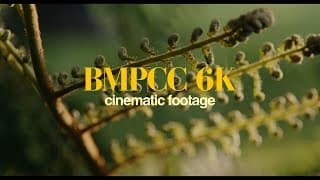
The BMPCC 6K is PERFECT for filming CINEMATIC footage! BRAW; 6K test footage
The BMPCC 6K is PERFECT for filming CINEMATIC footage! BRAW; 6K test footage. I bought the Black Magic Pocket Cinema Camera 6k for my production company to use as my main video camera. I am blown away by not only the functionality of the system but by the incredible quality and colour depth. I think this camera's capabilities are fantastic and could definitely be used to film high-end documentaries. If you enjoyed this video, let me know down in the comments, and be sure to check out the suggested video. Stay tuned for so much more on this channel. Get the best, dynamic unlimited copyright free music here: https://artlist.io/Graham-2243145 Filmed in: Blackmagic RAW Constant Bitrate 8:1 6K 50fps Gear: BMPCC6k - https://www.bhphotovideo.com/c/product/1499529-REG/blackmagic_design_cinecampochdef6k_blackmagic_design_pocket_cinema.html Canon 24-105mm f/4 L IS - https://www.bhphotovideo.com/c/product/1274709-REG/canon_ef_24_105mm_f_4l_is.html
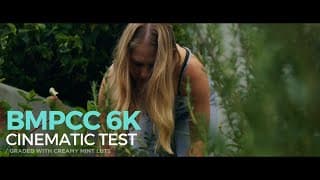
BMPCC6K Cinematic Test Footage in the Garden - BRAW, Cinematic Slow Motion Footage
BMPCC6K Cinematic Test Footage in the Garden - BRAW, Cinematic Slow Motion Footage This is just a short cinematic, handheld test video, displaying the beautiful color and quality of the Black Magic Pocket Cinema Camera 6k. If you enjoyed this video please leave a comment and hit the like button. Gear Used in this Video: Camera - BMPCC6K Lens - Canon 24-105mm F/4 L IS Graded in: Davinci Resolve 17