Loading...
Warning: Channel ID is missing or invalid
Loading channel videos...

Loading channel videos...
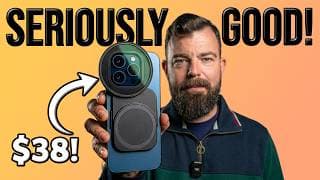
This Minimalist iPhone 17 Pro Filmmaking Rig Costs Under $40 — and It’s Almost Perfect!
This updated JJC MagSafe Filter Mount might be the most versatile and affordable way to use 67mm ND filters on your iPhone — including the new iPhone 17 Pro & Pro Max. The JJC magsafe MFS-III even works on some Android phones like the Pixel 10 Pro (Pixel Snap)! If you want proper filmic motion blur using ND filters, this ultra-simple rig might be the best sub-$40 minimalist filmmaking rig option out there… with one key issue you need to know about. In this video I cover: ✔️ What’s included in the JJC MFS-III MagSafe Filter Mount box? ✔️ Device Compatibility (what models of iPhone and Android does it work with?) ✔️ Using it with cases (Freewell, Apple FineWoven, etc.) ✔️ Best ND filters to use (budget + premium) ✔️ Using the JJC filter mount on Pixel 10 Pro + Android phones with MagSafe stickers ✔️ Cold shoe + tripod mounting ✔️ Light-leaks — are they a problem and how to fix? ✔️ How it compares to premium dedicated options like the Freewell Pro Filmmaker Case ⸻ 🔗 Gear Mentioned (Best Prices) JJC MFS-III MagSafe 67mm Filter Mount: https://geni.us/wm7fuAu ND Filters I Recommend: • K&F 67mm Fixed ND Kit (Budget) – https://geni.us/ZUlGj • Freewell M2 Magnetic ND Kit (Premium) – https://tinyurl.com/freewellM2ND Freewell Pro Filmmaker Case: https://tinyurl.com/profilmmakercaseiPhone17Pro Freewell Pro Hybrid VND Filter: https://tinyurl.com/ProHybridVNDFilterKit 💸 Save 10% off Freewell gear with the code EPIC 💸 ⸻ 📱 Compatibility (I've personally confirmed this filter mount works with the following phones): ✅ iPhone 13/14/15/16/17 Pro ✅ iPhone 13/14/15/16/17 Pro Max ✅ iPhone 17/16/15/14 Plus and iPhone Air ✅ Google Pixel 10 Pro ✅ Nubia Z50 Ultra with magnetic sticker (included) ✅ Works with all cases I've tested including Freewell Pro Filmmaker Case, Apple Fine Woven, Google Pixel Silicon case etc. ❌ Not compatible with Samsung phones featuring a vertical camera layout) Learn more about the JJC MFS-III here: https://jjcfoto.com/product/67mm-magnetic-filter-adapter-mount-fits-apple-iphone-17-promax-pro-air/ ⸻ 💡 Why Use ND Filters on iPhone? Running 67mm ND filters lets you shoot using the 180-degree shutter rule, giving you smooth, cinematic motion blur even in bright sunlight — essential for the best mobile filmmaking results. ⸻ Chapters: 00:00 Best Minimal Filmmaking Rig for iPhone 17 Pro? 00:31 What’s Included in the Box 00:52 iPhone Pro vs Pro Max Compatibility 01:07 Double MagSafe Is Epic 01:19 Best ND Filters (Budget & Premium) 01:36 Why You Need ND Filters (180° Rule) 01:49 Naked vs Case Compatibility 02:02 External Light, SSD & Tripod Support 02:13 Android Compatibility (Pixel 10 Pro + More) 02:33 The One Problem You Need to Know About 03:17 JJC MagSafe vs Moment, PolarPro & Freewell 03:52 4 Reasons the JJC Mount Is Seriously Amazing #iphone17pro #minimalist #ndfilter
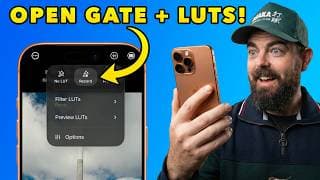
Mavis Camera v7.4: Open Gate & M-LUTs (Better than Blackmagic?)
Mavis Camera v7.4 is finally here, and it brings two essential features that make this the strongest competitor to Blackmagic Camera on iPhone. In this video, I break down why I’ve switched 80% of my pro work to Mavis, how to set up Open Gate on iPhone 17 Pro (and older models!) in Mavis Camera, and why Mavis has the most unique and powerful LUT functionality of any app on iPhone. 🔥 GET EPIC LUTs for Apple Log: https://epictutorials.com/collections/epic-luts-for-apple-log ⚡️ IN THIS VIDEO We dive deep into the new update, starting with the Open Gate resolution settings (and why Apple limits this to 1920x1440 when filming in Apple Log). Then, we explore LUTs in Mavis camera, including the brand new and innovative "M-LUT" system that delivers a massive workflow improvement over the Blackmagic Camera app. Chapters: 00:00 Mavis Camera Major Update! 00:35 Open Gate Recording in Mavis Camera 01:29 How to Use LUTs in Mavis Camera 01:43 Filter LUTs for the Film Look 02:53 Preview LUTs in Mavis Camera 03:42 How to Import LUTs in Mavis 05:21 LUT Custom Function Button 05:37 What are Mavis LUTs? #maviscamera #provideo #iphone
Moment Pro Camera II Tutorial — Best Settings for Cinematic Pro Video on iPhone
Moment Pro Camera 2 is here — and it delivers one of the cleanest, most intuitive, and most powerful pro-video experiences ever released for iPhone. In this tutorial, I’ll walk you step-by-step through the best settings for cinematic pro video, including the ideal codec, resolution, frame rate, Apple Log / Log2 workflow, LUT setup, focus tools, zebras, and how to nail filmic motion blur using the 180-degree shutter rule. Whether you’re shooting on iPhone 15 / 16 Pro or the iPhone 17 Pro with Apple Log 2, this guide shows you exactly how to get the best possible image quality inside Moment Pro Camera II by @moment 🔥 🎥 What You’ll Learn • The best Moment Pro Camera II settings for pro video on iPhone • HEVC vs ProRes 422 (which one to use and when) • 4K vs Open Gate — and Apple’s hidden Log limitation • How to shoot in Apple Log / Log 2 for maximum dynamic range • How to apply Display LUTs vs Baked-In LUTs • How to import and use custom LUTs (including EPIC LUTs & GLOAT) • Setting up waveform, histograms, peaking, and highlight zebras • How to expose Log correctly without clipping • How to get cinematic 180° shutter motion blur • Why you NEED a variable ND filter for daytime Log video • How to use the new Shutter Priority Mode (MPC II’s secret weapon) 🎨 Get My EPIC LUTs Designed for Apple Log 🔥 GLOAT LUT (Greatest LUT of All Time): https://tinyurl.com/GLOATLUT 🎞 Apple Logjammin’ LUT Pack: https://tinyurl.com/logjamminLUTs 👉 Save 20% with code: EPIC 📸 My Recommended ND Filters for iPhone (save 10% off with code EPIC) • Freewell Pro Hybrid VND: https://tinyurl.com/ProHybridVNDFilterKit • Freewell Pro Filmmaker Case: https://tinyurl.com/profilmmakercaseiPhone17Pro Chapters: 00:00 Moment Pro Camera II is here! 00:21 MPCII Video Mode Explained 00:36 Best Settings for Pro Video 01:01 Open Gate VS 4K Resolution 01:16 Why Apple Log is GOAT 01:37 Best Video Frame Rate 01:53 Quick Action Settings 02:23 How to Manual Focus 02:36 EV Exposure Adjustments 02:50 LUTs in Moment Pro Camera II 04:22 The ultimate film look 04:32 Batch Import LUTs 04:45 Filmic Motion Blur 05:44 Shutter Priority Mode #momentprocamera #mpcii #iphone
How to Use LUTs in Blackmagic Camera v3 (iPhone & Android) — Full Guide for Apple Log & Samsung Log
Learn how to master LUTs in the all new Blackmagic Camera app v3 on iPhone & Android. You'll learn how to import, manage, apply, and record with LUTs in Blackmagic Camera App v3. In this step-by-step tutorial, I’ll show you how to use Apple Log, Apple Log 2, Samsung Log, and the brand new built-in creative LUTs — plus how to import your own custom LUTs for cinematic smartphone video. Blackmagic Camera v3 introduced a complete redesign of the LUT workflow, and in this video you’ll learn the correct way to use Display LUTs, Record LUT to Clip, Colour Space Tags, and bulk LUT import so you can get the best image possible from your smartphone. Whether you’re filming in ProRes, ProRes RAW, or HEVC, this guide will show you how to unlock the full power of LUTs on iPhone 15/16/17 Pro and Samsung S25 Ultra. ⭐ What You’ll Learn • How to import LUTs in Blackmagic Camera v3 • How to apply Display LUT vs Record LUT to Clip • Best LUT settings for Apple Log / Apple Log 2 • Best LUT settings for Samsung Log • How to disable Blackmagic’s built-in LUTs • How to bulk import LUTs (.cube) • How to export LUTs for FCP, DaVinci Resolve, VN Editor & LumaFusion • Best codec + colour space choices (ProRes, ProRes RAW, HEVC Max) 🎨 Get My LUTs (Apple Log & Samsung Log): https://epictutorials.com/ 🎬 Recommended Gear: 🧿 EPIC LUTs for Apple Log: https://epictutorials.com/collections/epic-luts-for-apple-log (save 20% for a limited time with the code 'EPIC' at checkout). 🎨 EPIC GLOAT LUT for Samsung Log: https://epictutorials.com/products/gloat-lut-for-samsung-log-greatest-lut-of-all-time 📦 Best ND Filter for iPhone: https://tinyurl.com/ProHybridVNDFilterKit 📱 Best ND Filter for Samsung: https://tinyurl.com/samsungNDfilters 💾 Best SSDs for iPhone 17 Pro ProRes RAW: https://ziketech.com/products/zike-z791c-usb-c-magnetic-extended-storage-for-iphone-16-15-series?ref=klyhsnoj & https://geni.us/AJE5bs 🎨 Best White Balance Card: https://geni.us/fdpF9 A huge thank you to my channel members: @gergelymuli @samcrk @_therealq_ @gctv-medianz @seonwoochoi 🙏 Consider becoming a channel member for early access to videos, sample clips, and exclusive access to my members-only Discord where I'll answer your questions and share unique content. Thanks for your support. And yes, I go ⚽🏀 deep on the affiliate links. Chapters: 00:00 LUTs in Blackmagic Camera V3 00:16 LUT HUD Built-in Creative LUTs 00:33 Display LUTs VS Record LUT to Clip 00:51 Best Settings for LUTs in Blackmagic 01:14 Best Codec for LUTs 01:45 Apple Log and Samsung Log 02:08 Log to Rec709 LUT 02:32 Importing Custom LUTs for Film Look 03:26 LUT Color Space Tag 03:44 Applying Custom LUTs 04:07 How to Batch Import LUTs 04:42 How to Remove LUTs 04:48 How to Export LUTs

How to Live Stream in Blackmagic Camera App v3.2 — Full YouTube & Twitch Setup + 8 Key Tips
Blackmagic Camera App v3.2 just added full live streaming to YouTube, Twitch and Vimeo — and in this tutorial I’ll show you exactly how to set it up on both iPhone and Android, step-by-step. You’ll learn how to find your Stream Key, choose the right platform settings, enable local recording, use LUTs, switch lenses while live, fix the 30fps livestream limit, and avoid the most common mistakes that cause livestream failures. Whether you’re streaming from your phone for gaming, IRL, filmmaking, events, or behind-the-scenes content, this is the ultimate Blackmagic Camera live streaming guide. ✅ What You’ll Learn • How to live stream in Blackmagic Camera v3.2 on iPhone & Android • Full setup for YouTube (how to find your Youtube Stream Key) • Full setup for Twitch (how to find your Twitch Stream Key) • How to enable local recording while live • How LUTs behave during a livestream (and the current limitations) • Why your livestream is locked to 30fps • Lens switching + digital zoom while live • Orientation rules (portrait vs landscape) • Whether HDR livestreaming works (and what to avoid) Chapters 00:00 Live Streaming Update in Blackmagic Camera 3.2 00:33 How to Livestream to Youtube 01:12 Youtube Stream Key Setup 01:55 Livestream Quality 02:05 How To Go Live 02:30 How to Livestream to Twitch 02:40 How to Find Twitch Stream Key 03:05 Go Live to Twitch in Blackmagic Camera 03:15 Live streaming FAQs 03:36 Recording While Livestreaming 03:53 Using LUTs in a Livestream (Important!) 04:33 Lens Switching During Livestream 04:58 Orientation Settings for Livestreaming 05:09 What Frame Rate is the Livestream? 05:38 Livestreaming in HDR? If this helped, please like, subscribe and consider joining as a paid member — it really supports the channel. #blackmagic #livestreaming #tutorial
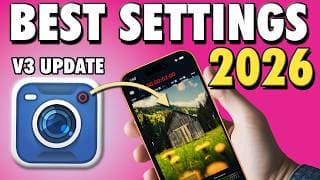
Best Settings for Cinematic Video in Blackmagic Camera App v3 (iPhone & Android Tutorial)
Learn the best settings for Blackmagic Camera App v3 on iPhone and Android to unlock true cinematic video in 2025 right into 2026. In this brand new and updated guide, I walk you through the exact setup pros use — including Log profiles, LUTs, ProRes RAW, open gate recording, shutter angle, ISO control, ND filters, and perfect white balance — so your smartphone footage looks like it came from a cinema camera. Whether you’re shooting on iPhone 17 Pro, 16 Pro, 15 Pro, or Samsung S24/S25 Ultra, Pixel, or Xiaomi, these settings will give you the maximum image quality, filmic motion blur, better skin tones, and pro-level dynamic range. No fluff. No guesswork. Just the most accurate and up-to-date Blackmagic Camera v3 setup you’ll find. 🎬 Recommended Gear 📦 Best ND Filter for iPhone: https://tinyurl.com/ProHybridVNDFilterKit 📱 Best ND Filter for Samsung: https://tinyurl.com/samsungNDfilters 💾 Best SSDs for iPhone 17 Pro ProRes RAW: https://ziketech.com/products/zike-z791c-usb-c-magnetic-extended-storage-for-iphone-16-15-series?ref=klyhsnoj & https://geni.us/AJE5bs 🎨 Best White Balance Card: https://geni.us/fdpF9 🧿 EPIC LUTs (Apple Log / Samsung Log): https://epictutorials.com/collections/epic-luts-for-apple-log and save 20% for a limited time only with the code 'EPIC' at checkout. 💡 What You’ll Learn • Best Blackmagic Camera v3 settings for iPhone & Android • How to shoot cinematic video on a phone • How to use 180° shutter for filmic motion blur • Best ISO & exposure workflow • Why you need ND filters outdoors • Correct white balance & skin tones • How to apply LUTs correctly • Full ProRes RAW + open gate setup for iPhone 17 Pro Chapters 00:00 The Cheat-Code for Cinematic Smartphone Video 00:30 Best Settings for Blackmagic Camera v3 01:11 Best Color Space Explained 01:36 Shooting Log Video in Blackmagic Camera 01:50 Essential Camera Settings for Pro Results 02:32 Media & Storage Settings (Save Space Smartly) 02:47 Best Lens Choice for Professional Video Quality 03:07 Best Frame Rate for Cinematic Motion 03:17 Best Stabilization Options for Smooth Footage 03:28 How to Use LUTs in Blackmagic Camera v3 04:17 Built-in LUTs vs External LUTs (Epic LUTs Example) 04:34 How to Import Custom LUTs (.cube Files) 05:24 Display LUT vs “Record LUT to Clip” Explained 06:00 Saving a Custom Preset (Work Faster) 06:27 Full Recap: Ultimate Blackmagic Camera Settings 06:47 How to Get Cinematic Motion Blur (180° Shutter) 08:20 Why ND Filters Are Essential for iPhone & Android 08:50 Proper Exposure Technique (Avoid Blown Highlights) 09:31 How to Get Accurate & Locked White Balance 09:59 How to Nail Perfect Focus (AF + Manual + Peaking) 10:40 Best Settings for iPhone 17 ProRes RAW + Open Gate 11:58 Recommended SSDs for ProRes RAW Recording #blackmagic #bestsettings #smartphonefilmmaking
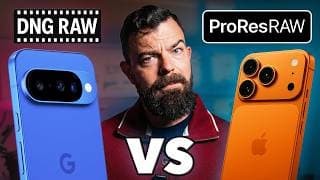
ProRes ‘Almost’ RAW vs 12-Bit DCG RAW Video Shootout! (iPhone 17 Pro vs Pixel 10 Pro)
Is the iPhone 17 Pro in ProRes RAW or the Google Pixel 10 Pro in 12-bit DCG RAW the ultimate pocket cinema camera for pro video on a smartphone? In this epic comparison, I put ProRes ‘Almost’ RAW from the iPhone 17 Pro head-to-head against 12-bit DCG RAW captured with MotionCam Pro on the Pixel 10 Pro, and the results are mind blowing and not what I initially expected. In this shootout I test image quality, dynamic range, highlight recovery, stabilization, low-light performance, lens quality, RAW workflows, thermal throttling, record limits, accessory ecosystems, repairability, durability, and more — all in real-world filmmaking conditions. I push both phones to their limits to find out: 👉 Which device delivers the most cinematic RAW image? 👉 Which offers the best highlight recovery and color depth? 👉 Which phone overheats and drops frames the most? 👉 Which records RAW internally AND externally to SSD? 👉 Which has the most reliable autofocus? 👉 And which is actually usable handheld? Whether you’re a filmmaker shooting documentaries, YouTube content, music videos, or vertical commercial work — THIS is the deep dive you’ve been waiting for. ⚡️ Devices & Apps in This Video 📱 iPhone 17 Pro — ProRes “Almost” RAW via Blackmagic Camera 📱 Google Pixel 10 Pro — 12-bit DCG RAW via @MotionCam 💻 DaVinci Resolve RAW to edit a grade footage from both. 🎥 Filmmaking Accessories Featured 🚨 SAVE 10% off Freewell with the code: EPIC 🚨 Freewell Pro Filmmaker Case for iPhone: https://tinyurl.com/profilmmakercaseiPhone17Pro Freewell VND filter system for iPhone: https://tinyurl.com/ProHybridVNDFilterKit Universal Rig for Pixel 10 Pro: https://tinyurl.com/neewersmartphonerig Magnetic ND Filters for Pixel 10 Pro: https://tinyurl.com/freewellM2ND Best Travel Tripod: https://tinyurl.com/freewelltripod Best SSD for RAW Video capture: https://ziketech.com/products/zike-z791c-usb-c-magnetic-extended-storage-for-iphone-16-15-series?ref=klyhsnoj Best Gimbal for iPhone & Pixel: https://geni.us/ZnEFll 👊 Support This Channel 🎖️ Become a member for source footage downloads and other perks. Just click ‘Join’. 🎨 Grab my LUT packs: https://epictutorials.com/ 🛒 Use my affiliate links — it seriously helps ⬆️ No sponsors. Just massive amounts of testing, coffee, and emotional damage. I appreciate your support. Chapters 00:00 iPhone 17 Pro or Pixel 10 Pro for Video? 00:28 1.The Truth about ProRes Almost RAW 01:45 Pixel 10 Pro Delivers Real RAW 02:14 ProRes RAW VS Pixel RAW in DaVinci Resolve 02:34 Pixel 10 Pro RAW Highlight Recovery 02:46 Don't Clip Highlights in ProRes RAW 02:57 iPhone 17 VS Pixel 10 Pro Sharpening 03:12 Enhanced Dynamic Range on iPhone 17! 03:47 ProRes RAW vs 12-bit RAW Color Quality 04:16 File Sizes Compared! Which is Bigger? 04:55 Best RAW Video on a Smartphone? 05:06 2. Lenses Compared 06:03 Pixel 10 Pro's Secret Weapon 06:23 Best & Worst Lens Flare! 06:46 3. Stabilization Compared 07:24 4. Who is the Low Light King? 08:25 5. Key Specs for Video Compared 08:49 iPhone SSD VS Pixel Internal RAW Recording 09:02 Record Times Compared 09:47 Supported Frame Rates 10:16 This Pixel Feature Sucks 10:42 Auto Focus Test 11:11 CPU & GPU Performance 11:36 Why Pixel 10 Pro is so special 12:33 6. Mobile Filmmaking Accessories 13:41 7. RAW Workflows Compared 14:56 8. Reliability & Repairs 15:31 Magnet Fishing for my iPhone 16:10 Why the Google Pixel Sucks BAD! 17:59 The RAW Video Winner Is? 21:00 I Asked AI Which Delivers the Best RAW Video #iphone17pro #pixel10pro #rawvideo
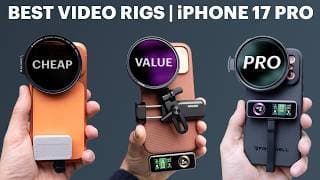
Best iPhone 17 Pro Filmmaking Rigs: Budget to Pro (ND Filters, SSDs, Lenses & More)
Looking to level up your iPhone 17 Pro or 17 Pro Max for filmmaking? In this video I show you the 3 best filmmaking rigs from budget to premium, with support for ND filters, SSDs, tripods, 17mm lenses, cold shoe mounts and more — all tested in the field and linked below. From affordable universal screw-on clamps with magnetic ND filters that work on any smartphone, to mid-range rigs with full support for ND filters and 17mm lenses, all the way up to the ultimate premium iPhone 17 Pro / 17 Pro Max setup — featuring variable NDs with drop-in filters, support for 17mm anamorphic and telephoto lenses, plus the fastest SSD for recording ProRes RAW 4K at up to 120fps — this is your definitive guide to the best smartphone filmmaking rigs for the iPhone 17 series. 📌🥉 Budget Rig – K&F Magnetic ND Filter System ✔️ 67mm metal K&F filter mount: https://geni.us/eQZn8m ✔️ Value NDs for filmic motion blur: https://geni.us/ZUlGj ✔️ Best universal tripod clamp: https://geni.us/tqtJ0 ✔️ Lexar SSD for ProRes RAW: https://geni.us/AJE5bs 📌🥈 Intermediate Rig – Neewer Universal Lens Clamp ☑️ Neewer Universal Smartphone Rig (ND +: Lens Adapter) https://tinyurl.com/neewersmartphonerig ☑️ Best Fixed ND Filters from Freewell (40% off!) + save 10% with code EPIC at checkout: https://tinyurl.com/freewellM2ND ☑️ Lexar SSD for ProRes RAW: https://geni.us/AJE5bs ☑️ 17mm Smartphone Lens: https://tinyurl.com/133xanamorphic & https://tinyurl.com/17xtelephoto 📌🥇 Premium Rig – Freewell Pro Filmmaker Case ✅ Freewell Pro Filmmaker Case for iPhone 17 Pro/Pro Max: https://tinyurl.com/profilmmakercaseiPhone17Pro (save 10% with code EPIC) ✅ Pro Hybrid VND kit with drop-in filters: https://tinyurl.com/ProHybridVNDFilterKit (save 10% with code EPIC) ✅ Best Premium SSD from Zike (supports ProRes RAW 120fps): https://tinyurl.com/zikessd ( 🚨 SAVE 20% OFF ZIKE WITH THE CODE: EPIC91C 🚨 ✅ Freewell iPhone Camera Grip: https://tinyurl.com/iphonecameragrip (save 10% with code EPIC) ✅ 17mm Smartphone Lens: https://tinyurl.com/133xanamorphic & https://tinyurl.com/17xtelephoto (save 10% with code EPIC) I go 🏀⚾️ deep on the affiliate links and appreciate you helping support my channel 🙏 CHAPTERS: 00:00 3 Best iPhone 17 Pro Filmmaking Rigs 00:18 BEST BUDGET RIG for iPhone 17 Pro 00:50 Best Budget ND Filter for iPhone 01:20 The Main Issue with this Rig 01:33 How to Fix ND Filter Light Leaks 01:43 Best Smartphone Tripod Clamp 02:00 This SSD is great for ProRes RAW 02:19 BEST MID-RANGE RIG for iPhone 17 Pro 02:50 My Favourite Fixed ND Filters for iPhone 03:20 BEST PREMIUM RIG for iPhone 17 Pro 03:52 Freewell Pro Hybrid VND Kit is the GOAT for iPhone 05:08 Best Premium SSD for ProRes RAW from Zike 05:46 Filmmaking Camera Grip for Better Ergonomics #iphone17pro #iphonefilmmaking #cinemacamera
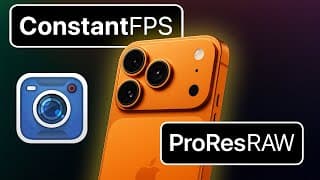
How To Get Constant Frame Rate ProRes RAW in Blackmagic Camera (iPhone 17 Pro Tutorial) 🤫
Are you struggling with variable frame rates on the iPhone 17 Pro and Pro Max? In this video, I’ll reveal the secret to constant frame rate video in Blackmagic Camera app so you can finally record true constant frame rates — even in ProRes RAW 4.2K Open Gate. Apple’s default variable frame rate recording can introduce frame rate drift, making it hard to sync footage with cinema cameras in DaVinci Resolve or other professional NLEs. But there’s a simple fix inside the Blackmagic Camera app. I’ll walk you step by step through the settings you need to change, how to test your footage in MediaInfo, and why this method works all the way up to 60fps. Whether you’re a mobile filmmaker, content creator, or professional trying to match your iPhone with other cameras, this trick will save you hours of frustration and make your iPhone 17 Pro workflow feel like a “real” cinema camera. #BlackmagicCamera #iphone17pro #FPS
How to Shoot ProRes RAW 4.2K Open Gate in Blackmagic Camera on iPhone 17 Pro
Unlock the full power of ProRes RAW on the iPhone 17 Pro and Pro Max with the Blackmagic Camera app. In this step-by-step tutorial, I’ll show you exactly how to record 4.2K Open Gate ProRes RAW to an external SSD, correctly expose your footage using False Colour and Display LUTs, and how to set up a seamless post-production workflow in DaVinci Resolve so you grade your ProRes RAW iPhone video. What You’ll Learn: ✅ How to record ProRes RAW on iPhone 17 Pro with an SSD (internal recording not supported). ✅ The difference between 4K (4224x2240) and Open Gate 4.2K (4224x3024) resolutions. ✅ Why Apple Log 2 delivers maximum dynamic range and flexibility in post. ✅ How to expose ProRes RAW correctly using False Colour (histogram is currently inaccurate). ✅ Setting up custom function buttons for fast False Colour toggling. ✅ Importing & grading ProRes RAW in DaVinci Resolve (free & Studio). ✅ Using LUTs like my GLOAT LUT or The One LUT for Apple Log for instant, cinematic results. ✅ Advanced grading with Color Space Transform (CST) inside Resolve Studio. 🔥 And make sure you watch this video on how to enable constant frame rate recording on 17 Pro using Blackmagic Camera app: https://youtu.be/CSMDqJQ5dOI Recommended Gear & Resources: ⚡ Best SSD for ProRes RAW on iPhone → https://geni.us/AJE5bs 🎨 Epic LUTs for Apple Log → https://tinyurl.com/GLOATLUT 🎥 Best lightweight tripod for stable video → https://geni.us/ruNU9h 🦾 Best Gimbal for smooth video → https://geni.us/gzOV5 Perfect for: • iPhone filmmakers wanting maximum quality and control. • Creators learning to use the Blackmagic Camera app. • Anyone grading Apple Log 2 / ProRes RAW in DaVinci Resolve. Chapters 00:00 Film ProRes RAW Open Gate in Blackmagic Camera 00:30 How to Enable ProRes RAW in Blackmagic Camera 02:05 How to Properly Expose for ProRes RAW 03:33 How to Grade ProRes RAW in Resolve ⸻ 📌 Don’t forget: Like, share, and subscribe if this tutorial helps you! Drop your questions in the comments — I read them all. Article: https://epictutorials.com/blogs/articles/how-to-shoot-prores-raw-4-2k-open-gate-on-iphone-17-pro-with-blackmagic-camera #proresraw #iphone17pro #tutorial
iPhone 17 ProRes RAW – Everything Apple Didn’t Tell You (First Tests!)
iPhone 17 Pro ProRes RAW video is finally here! But Apple left out a lot of important details… In this video I test ProRes RAW recording on the iPhone 17 Pro using the new Blackmagic Camera update with full support for Apple Log 2. You’ll learn: ✅ Can you record ProRes RAW internally? ✅ What’s the deal with Apple Log 2 in ProRes RAW? ✅ Does Enhanced Dynamic Range (EDR) still ruin highlight detail? Check out this excellent video from @WRNFilm on EDR: https://www.youtube.com/watch?v=hL-Q9LSh2wk ✅ Open Gate, frame rates & lens limitations explained ✅ Stabilization support (or lack thereof) in ProRes RAW ✅ How your existing Apple Log LUTs (like my GLOAT LUT or the The One LUT for Apple Log Arri Alexa) work with Apple Log 2. 🔥 Get GLOAT LUT for Apple Log: https://tinyurl.com/GLOATLUT 💾 Best SSD for ProRes RAW 60fps: https://geni.us/AJE5bs If you’ve been wondering whether ProRes RAW on the iPhone 17 Pro is a game-changer or just more Apple restrictions — the first round of testing is now here. A big shoutout and thanks go to @flyingoxygen (https://flyingoxygen.com/) for letting me film in their incredible studio space in Moonah TAS. Chapters 00:00 What Apple Didn’t Tell Us About ProRes RAW 00:20 Blackmagic Camera Adds ProRes RAW Support 00:36 Can You Record ProRes RAW Internally? 00:55 Does ProRes RAW Fix Apple’s EDR Problem? 01:44 4K Open Gate in ProRes & HEVC Explained 02:19 Stabilization Issues in ProRes RAW 02:40 Lens Options Available in ProRes RAW 03:00 Do Apple Log LUTs Work with ProRes RAW? 03:29 Apple Log 2 in ProRes & HEVC 03:40 Max Resolution & Frame Rates for ProRes RAW 03:57 First Look – How Does ProRes RAW Actually Look? #iphone17pro #proresraw #applelog2
Samsung S24/25 Ultra | Best Pro Video Mode Settings (Samsung Log Tutorial)
Want to get cinematic video from your Samsung Galaxy S24 Ultra or S25 Ultra? In this Samsung Pro Video Mode tutorial, I’ll show you the best camera settings and techniques to unlock cinema-grade footage in the native Samsung camera app; how to avoid the hidden Samsung bug that can ruin your video; and transform your phone into a true pocket cinema camera — complete with Arri Alexa-style skin tones! We’ll cover everything: ✅ Best resolution, frame rate & shutter speed for cinematic motion blur. ✅ How to enable Samsung Log for maximum dynamic range. ✅ Why you must shoot in 8K for the most cinematic video. ✅ ND filters & manual exposure tips for pro results. ✅ The one Samsung bug that can destroy your video & how to avoid it. ✅ How to use LUTs to grade Samsung Log video. 🎨 GLOAT LUT for Samsung Log: https://epictutorials.com/products/gloat-lut-for-samsung-log-greatest-lut-of-all-time 🤢 Free Samsung LUT https://developer.samsung.com/mobile/samsung-log-video.html 🎥 Recommended ND Filter Kit for Samsung S24/25 Ultra (save 10% with code EPIC): https://geni.us/xm1VF9J 💼 Best Case for Samsung S24/25 Ultra: https://geni.us/ubPyY 🎸 Best Camera Cage for Pro Video S25 Ultra: https://geni.us/oc572Gb 📷 Best Telephoto Lens for Samsung S24/25 Ultra: https://geni.us/btZIw ⚠️ Tell Samsung to Fix their BROKEN WHITE BALANCE: https://tinyurl.com/samsungwhitebalancebroken Whether you’re a beginner or serious mobile filmmaker, these settings will help you capture video that looks so good, no one will believe it was shot on a smartphone. 📖 Chapters 00:00 Shoot Pro Video on Samsung S25 Ultra 00:35 Best Settings in Pro Video Mode 01:56 Why 8K Is the Key to Cinematic Video 02:36 Best Frame Rate for a Film Look 02:46 How to Enable Samsung Log 03:15 Choose This for the Highest Quality Video 03:44 Grade Samsung Log with One Tap 04:04 How To Get Cinematic Motion Blur 05:07 Best ND Filters for Samsung S25 Ultra 05:45 Best LUTs for Samsung Log 06:52 The Samsung Bug That Can Ruin Your Video #SamsungS25Ultra #SamsungLog #tutorial
Blackmagic Camera v3.0 — Biggest Update Yet! Everything New Explained (iOS & Android)
Blackmagic Camera App v3.0 is finally here — and it’s the BIGGEST update yet for iPhone and Android filmmakers! In this video, I break down every single MAJOR NEW FEATURE step by step so you can hit the ground running. 🔥 What’s inside Blackmagic Camera 3.0: • Brand new Heads Up Display (HUD) with lens picker, dolly zoom, and more • Live Streaming to Blackmagic Cloud, Twitch, YouTube, and Vimeo • Powerful new LUT Manager + built-in creative LUTs • Remote Control Clip Syncing for multi-camera shoots • Custom Function Buttons for instant access to key tools • Plus: 2x anamorphic support, open gate, and more hidden gems Whether you’re on iPhone or Android, this update makes Blackmagic Camera more powerful than ever for mobile filmmaking. 🛒 Gear & Filters I Recommend: 📍 GLOAT LUT for Apple Log: https://tinyurl.com/GLOATLUT 📌 Best SSD for External Recording (iPhone & Android) → https://geni.us/AJE5bs 🎤 Mic used to record this video: https://geni.us/UFk8BM 🔎 Best ND Filters for iPhone: https://geni.us/Jba7o 💸 Save 70% off Audiio Royalty Free Music with code SAVE70 at following link: https://audiio.com/partner?oid=1&affid=2222 📖 CHAPTERS 00:00 Big Week for Mobile Filmmaking 00:16 Blackmagic Camera v3 Overview 00:29 New HUD & Interface Refresh 01:33 Live Streaming in Blackmagic Camera 02:03 LUT Manager & Creative LUTs 02:48 Remote Control & Clip Syncing 03:16 Custom Function Buttons Explained 04:11 Final Thoughts and 2 Extra Features 💬 What do you think of Blackmagic Camera v3.0? Drop your thoughts in the comments — especially if you’re planning to use the new live streaming or LUT features. If you found this helpful, don’t forget to like, subscribe, and share — it really helps support the channel 🙌 #BlackmagicCamera #iPhoneFilmmaking #AndroidFilmmaking #MobileFilmmaking #LUTs #LiveStreaming
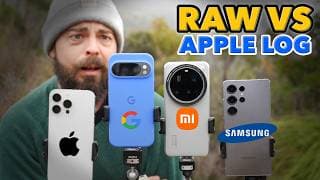
Pixel 10 Pro vs Xiaomi 15 Ultra vs S25 Ultra vs iPhone 16 Pro | Epic RAW vs Apple Log Pro Video Test
🔥 The ultimate pro video smartphone camera shootout is here! Pixel 10 Pro vs iPhone 16 Pro vs Xiaomi 15 Ultra vs Samsung S25 Ultra. In this in-depth comparison I test all four flagship smartphones side by side using the most powerful professional workflows available today: • Pixel 10 Pro RAW video (12-bit Dual Conversion Gain) in MotionCam Pro • Xiaomi 15 Ultra RAW video with its massive 1-inch sensor • Samsung S25 Ultra RAW video in MotionCam Pro app. • iPhone 16 Pro Max shooting ProRes Apple Log in Blackmagic Camera app. Every Android RAW clip was converted to Apple Log in DaVinci Resolve (via Color Space Transform) so we can do a true apples-to-apples (pardon the pun) comparison with the iPhone’s ProRes Apple Log. I’ve also applied my GLOAT LUT for Apple Log across all devices to push them to their cinematic best. 👉 Grab my GLOAT LUT for Apple Log — it also works beautifully with MotionCam Pro RAW (via CST in Resolve): https://epictutorials.com/products/gloat-lut-apple-log-greatest-lut-of-all-time 🛒 Gear & Filters I Recommend: • 67mm Magnetic ND Filter Clamp for Pixel 10 Pro → https://geni.us/i3Ak • Freewell Magnetic ND Filters (67mm) → https://tinyurl.com/epicndfilter • Best SSD for External Recording (iPhone & Android) → https://geni.us/AJE5bs 💡 Key Findings: • Best RAW quality: Xiaomi 15 Ultra’s 1-inch sensor (in good light) • Low-light RAW king: Pixel 10 Pro (thanks to Dual Conversion Gain) • Best overall low light performance: iPhone 16 Pro Max • Workflow & stabilization winner: iPhone 16 Pro Max • Most reliable AF: iPhone, with Samsung close behind No matter which device you own, you’ve already got a cinema-capable camera in your pocket. But if I had to pick two: I’d choose the iPhone 16 Pro Max for workflow and the Xiaomi 15 Ultra for sheer image quality. ⚡️ And Xiaomi — please unlock DCG already. You’d instantly dethrone Pixel in low light. Chapters 00:00 Epic Smartphone Pro Video Shootout 2025 01:19 Important Camera Disclaimer 02:27 Pixel 10 Pro vs Xiaomi 15 Ultra, Galaxy S25 Ultra & iPhone 16 Pro 04:18 Pixel 10 Pro’s Biggest Problem 05:50 Extreme Low Light Camera Test 06:55 Controlled Studio Camera Comparison 07:29 Which Smartphone Camera Is Best? 10:53 Plot Twist! And yes here are some spicy thinks that I hope will help you find this video ⬇️ Pixel 10 Pro RAW video Pixel 10 Pro vs iPhone 16 Pro Xiaomi 15 Ultra RAW video Samsung S25 Ultra video test iPhone 16 Pro Max ProRes Apple Log MotionCam Pro app for Android ProRes Apple Log vs RAW Pixel 10 Pro Dual Conversion Gain Best smartphone for filmmaking 2025 Pixel 10 Pro low light video Xiaomi 15 Ultra 1 inch sensor video Samsung S25 Ultra Pro Video Mode iPhone 16 Pro Max Pro Video Test Pro Video Shootout 2025 Pixel 10 Pro MotionCam Pro settings RAW video on Android vs iPhone ProRes Best camera phone 2025 video Mobile filmmaking tutorial 2025 Pixel 10 Pro vs Xiaomi 15 Ultra vs S25 Ultra vs iPhone 16 Pro
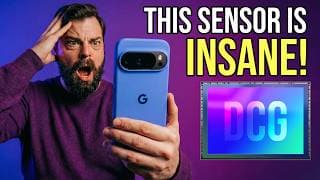
Pixel 10 Pro Unlocks a HIDDEN Sensor Feature for Pro Video 🤯 (12-bit DCG RAW)
The Google Pixel 10 Pro just unlocked a HIDDEN sensor feature for Pro Video — and it changes everything. 🤯 Thanks to 12-bit Dual Conversion Gain (DCG) for RAW video, the Pixel 10 Pro can finally deliver the kind of dynamic range, cleaner shadows, and cinematic color that until now was only possible on high-end cinema cameras. Most reviews completely missed this… but in this video I’ll show you exactly how DCG works, why it’s such a breakthrough, and side-by-side footage proving just how much better the Pixel 10 Pro looks with 12-bit RAW enabled in MotionCam Pro. 👉 Watch until the end for full before/after comparisons, waveform analysis, and tips on getting the cleanest, most cinematic footage out of your Pixel 10 Pro. TRY DCG for yourself. Download these free DNG samples and go wild: https://f005.backblazeb2.com/file/MotionCam-Public/2025/Google_Did_It/pixel10_dcg_sources.html (credit: @SebastianMerca at @MotionCam ) 🎥 What you’ll learn in this video: ✅ What Dual Conversion Gain (DCG) actually is — explained simply ✅ Why DCG is NOT HDR, and why that matters for filmmakers ✅ How 12-bit RAW transforms your shadows, dynamic range, and noise levels ✅ Why the Pixel 10 Pro is now the most exciting smartphone for video in 2025 ✅ How you can start shooting DCG RAW video today with MotionCam Pro Whether you’re a mobile filmmaker, content creator, or just curious about the future of smartphone video, this is a feature you need to know about. 📌 Useful Links: 💸 Save 70% off Audiio Royalty Free Music with code SAVE70 at following link: https://audiio.com/partner?oid=1&affid=2222 🔗 Join the MotionCam Pro community → https://discord.com/invite/Vy4gQNEdNS 🤖 Download MotionCam Pro: https://play.google.com/store/apps/details?id=com.motioncam.pro&hl=en_US 🎨 Get my Epic LUTs for Apple Log → https://epictutorials.com/collections/epic-luts-for-apple-log 🔍 ND Filter Clamp used in this video: https://geni.us/eQZn8m 🤳 ND Filters used in this video: https://geni.us/ZUlGj Special Thanks: ⭐️ @SebastianMerca 💫 @MotionCam 🎖️RaguSaucy 🧑🌾 JohnTheFarm3r CHAPTERS: 00:00 Reviews Got It Wrong! 00:26 Why Did Google Not Announce This? 00:40 Mysterious Reddit Post 01:00 What Is DCG? (Dual Conversion Gain) 01:39: How DCG Works in Plain English 01:58 DCG is not new 02:21 Pixel 10 Pro: First to Unlock DCG 02:38 DCG Demo Will Blow Your Mind 03:16 DCG Turns Pixel 10 Pro Into Lowlight Beast 03:33 Samsung & Xiaomi Are Holding Back DCG 04:03 Pixel 10 Pro - A Filmmakers First Impressions 04:16 MotionCam Pro RAW Sample Footage 05:07 What This Means for the Future of Mobile Filmmaking 05:36 More Pixel 10 Pro Video Samples 06:00 Final Thoughts #pixel10pro #camerareview #cinematicvideo #google #androidfilmmaking #android
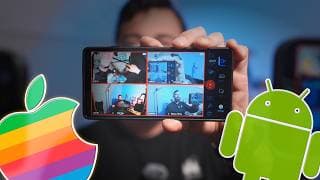
Blackmagic Camera v2.3 Android is AMAZING | Cross-Platform Remote Control for iOS & Android is here!
Blackmagic Camera app now offers full cross-platform Remote Control between iOS and Android with the release of Blackmagic Camera v2.3 on Android, allowing you to monitor and control up to 4 cameras wirelessly over Wi-Fi with incredibly low latency. In this video, I’ll break down everything new in Blackmagic Camera v2.3 for Android: ✅ Cross-platform Remote Control: Use an Android or iOS device as a controller or remote camera, mix and match seamlessly. ✅ Dual Mono Audio: Capture each mic on its own track – perfect for DJI Mic 2 dual TX setups. ✅ Improved False Color: Now more accurate for Rec.709 and HLG2020 workflows. ✅ Hidden RGB Histogram: A pro-level easter egg feature you’ll love. ✅ Plus, performance boosts and optimizations for devices like Galaxy Fold 5/7 and Redmi 14 Pro. If you’ve ever wanted to: • Run a multi-cam shoot with iPhone and Android, • Get pro monitoring and remote control on a budget, • Or simply level up your mobile videography with Blackmagic’s free app… then this update is for you. 📌 Gear Used in this Video 🔥 GLOAT LUT for Apple Log: https://epictutorials.com/products/gloat-lut-apple-log-greatest-lut-of-all-time 🎨 GLOAT LUT for Samsung Log: https://epictutorials.com/products/gloat-lut-for-samsung-log-greatest-lut-of-all-time 💸 Save 70% off Audiio Royalty Free Music with code SAVE70 at following link: https://audiio.com/partner?oid=1&affid=2222 #blackmagicdesign #android #remotecontrol #AndroidFilmmaking #MobileFilmmaking #iPhoneFilmmaking #BlackmagicApp #CrossPlatformRemote
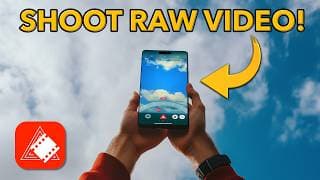
How to Shoot RAW Video on iPhone! srRAW Tutorial + DaVinci RAW Workflow
Learn how to shoot RAW video on iPhone with the srRAW app in this step-by-step tutorial! This is the only app on iOS that unlocks Cinema DNG RAW video recording, and in this guide I’ll walk you through everything from iPhone camera setup to post-production RAW workflows in DaVinci Resolve. 🔥 Whether you’re curious about mobile filmmaking, testing the limits of the iPhone camera, or exploring RAW vs Apple Log, this tutorial will give you the complete workflow you need to start experimenting with true RAW video on iPhone. ⚡ srRAW isn’t a replacement for Blackmagic Camera or MAVIS, but it does deliver something incredibly powerful and unique — and the developer deserves support. Download it, try it, and share your feedback to help shape future updates → https://apps.apple.com/us/app/srraw-cinema-camera/id6590601552 📂 Recommended Gear & Links: • ND Filters for iPhone (for 180° shutter) → https://geni.us/Jba7o • White Balance Card → https://geni.us/WwKAsr • Best External SSD for offloading RAW → https://geni.us/AJE5bs • Join the Cine.ma community → https://www.cine.ma 💸 Save 70% off Audiio Royalty Free Music with code SAVE70 at following link: https://audiio.com/partner?oid=1&affid=2222 These are probably affiliate links ⬆️. Thanks for supporting the channel. Chapters 00:00 RAW Video on iPhone 01:08 srRAW Settings 02:38 sr RAW Interface Explained 03:18 Mastering Focus 05:06 Setting Exposure 06:59 White Balance Tips 07:45 Clip Playback and SSD 09:33 RAW Workflow in Resolve If this tutorial helped, please hit Like, Subscribe, and turn on the Bell 🔔 so you don’t miss the next Epic Tutorial on mobile filmmaking. #srRAW #iPhoneRAWVideo #DaVinciResolve #MobileFilmmaking

Boya Magic Tutorial for iPhone & Android | Get Pro Audio in Blackmagic Camera App
Learn how to capture professional audio with the Boya Magic microphone on your iPhone or Android using the free Blackmagic Camera app. In this step-by-step tutorial, I’ll walk you through: ✅ Pairing & connecting the Boya Magic to your phone ✅ Using AI Noise Reduction & the BEST Boya Magic features for smartphone video ✅ Configuring the Boya Central app for the best sound quality ✅ Optimising audio settings inside Blackmagic Camera on iOS & Android ✅ Single mic, dual mic, and safety track recording setups Whether you’re shooting interviews, vlogs, live streams, or cinematic projects, this guide will help you get the most out of your Boya Magic microphone for crystal-clear, broadcast-quality audio. — Sponsored by Boya — 💡 Gear Used in This Video: Save 10% on Boya Magic Microphone – https://store.boyamic.com/discount/MG474?redirect=%2Fproducts%2Fmagic?utm_source=&utm_medium=bluesky_1108&utm_campaign=- Blackmagic Camera App (Free) – https://www.blackmagicdesign.com/au/products/blackmagiccamera 💸 Save 70% off Audiio Royalty Free Music with code SAVE70 at following link: https://audiio.com/partner?oid=1&affid=2222 🔔 Subscribe for more Epic Tutorials for Mobile Filmmaking #BoyaMagic #BlackmagicCamera #MobileFilmmaking #iPhoneFilmmaking #AndroidFilmmaking Chapters 00:00 Boya Magic for Pro Audio 00:51 7 Best Boya Magic Features 03:26 Boya Magic Hardware Explained 03:57 Pairing Boya Magic 06:02 Updating Boya Magic Firmware 07:07 Boya Central App Settings 08:52 Single TX in Blackmagic Camera 11:07 Dual TX in Blackmagic Camera 12:32 Boya Magic Safety Track #boyamagic #proaudio #blackmagiccamera #iphone #android
Blackmagic Camera Remote Control on iPhone — No WiFi Needed!
Wish you could use Blackmagic Camera’s Remote Control feature without a WiFi network on iOS? In this video, I reveal a game-changing iPhone hack that lets you control and monitor your Blackmagic Camera remotely using nothing but two iOS devices WITHOUT needing WiFi. This literally works in the MIDDLE OF NOWHERE 🏔️ ✅ What You’ll Learn: • How to enable Blackmagic Camera Remote Control on iPhone • The exact $30 wired setup I use in the field • How to connect two iPhones via ethernet with zero latency • Step-by-step setup guide for remote monitoring and control • Bonus tip: how to remove the cable from your shot after setup 🎥 Whether you’re shooting solo, filming in remote locations, or just want a reliable, lag-free way to control your iPhone camera, this setup just works — and it works anywhere. 🧰 GEAR I USE IN THIS VIDEO Ethernet Adapter for iPhone (USB-C): https://geni.us/cudr Ethernet Cable (various lengths): https://geni.us/yJJwAk EPIC LUTs for Apple Log (GLOAT): https://epictutorials.com/collections/epic-luts-for-apple-log Microphone: https://geni.us/cDtZu ND Filter: https://geni.us/ZN3b4R 💸 Save 70% off Audiio Royalty Free Music with code SAVE70 at following link: https://audiio.com/partner?oid=1&affid=2222 Affiliate links are used to help support and maintain the channel at no additional cost to yourself. Thanks for you support 🙏 👀 Found a way to get this working on Android? Let us know — we’ll pin it. 👍 If this helped you out, please give it a like, share with a fellow filmmaker, and hit subscribe and enable notifications so you don't miss future videos. #blackmagiccamera #iphone #remotecontrol
I’m Quitting Smartphones (But Not the Cameras) | Mudita Kompakt Experiment
I’m quitting smartphones. Well… sort of. Today marks the start of a 4-week experiment where I ditch my iPhone as a phone and switch to the Mudita Kompakt — an e-Ink distraction free phone with no apps, no internet, and no distractions. The goal? Reclaim my time, rebuild my focus, and start creating more than I consume. In short: I need to kick my smartphone addiction! If you’ve felt addicted, burnt out, or creatively drained by the very devices you rely on — this might resonate. I’ll still be using smartphones for what I actually care about: the cameras. And yes, this video (like all my others) was shot on the iPhone in Apple Log using OpenCam in open gate. In 4 weeks, I’ll report back with a full update on whether this worked, what changed, and if I’ve found a sustainable way to stay offline — without sacrificing filmmaking. → Mudita Kompakt: https://mudita.com/products/phones/mudita-kompakt/?utm_medium=infl&utm_campaign=epictutorials → 15% off code (not affiliate): EPICTUTORIALS15 → Shot on iPhone using OpenCam & Little Larry LUT for Apple Log 🎥 https://epictutorials.com/products/epic-luts-for-apple-log-film-looks-for-iphone-15-16-pro 💸 Save 70% off Audiio Royalty Free Music with code SAVE70 at following link: https://audiio.com/partner?oid=1&affid=2222 Subscribe if you’re curious to see how this experiment unfolds — or if you’re wondering if a life with less phone is actually possible in 2025. #smartphoneaddiction #muditakompakt #dumbphone
OpenCam is the First iPhone App to Shoot Open Gate Video in Apple Log!
Open gate video. Apple Log. Full manual control. No tracking. One-time purchase. OpenCam app for iPhone is the full sensor video app I've been waiting for! In this epic tutorial you'll learn how to shoot open gate 4:3 video on your iPhone with full manual controls in Apple Log - and why this format is a big deal for filmmakers. OpenCam is the first open gate app for iPhone that deliver full sensor recording in Apple Log: • Full sensor readout in 4:3 (open gate) ✅ • Real Apple Log capture in both HEVC and ProRes ✅ • Full manual control over ISO, shutter speed, white balance & focus ✅ • No account required, no user tracking ✅ • A refreshingly fair pricing model: $29.99 USD one-time, or $2.99/month ✅ Everything in this video was filmed using OpenCam in 1920x1440 Apple Log at 24fps with EPIC LUTs: 📌 Get EPIC LUTs for Apple Log: https://epictutorials.com/collections/epic-luts-for-apple-log 📍 Download OpenCam for iPhone on the App Store: https://apps.apple.com/us/app/opencam-shoot-wider-video/id6743316690 💸 Save 70% off Audiio Royalty Free Music with code SAVE70 at following link: https://audiio.com/partner?oid=1&affid=2222 Chapters 00:00 OpenCam App for iPhone 00:28 What is Open Gate? 01:19 Why Shoot Open Gate? 01:56 OpenCam Apple Log 02:40 One Time Purchase FTW 03:01 OpenCam Tutorial #opencam #iphone #opengate
Best $20 iPhone Accessory to Protect Your Camera Lens from Scratches 🔥
If you’re serious about iPhone filmmaking or photography, protecting your camera lenses is non-negotiable — then this lens protector from Freewell is the best iPhone lens protector available right now. In this video, I review the Freewell Magnetic Lens Protector, designed for the Freewell Pro Filmmaker Case and Genius Rig. It’s a solid metal, $20 USD solution that works with iPhone 13 Pro, 14 Pro, 15 Pro, and the new iPhone 16 Pro and Pro Max. I’ve been testing it for months, and it’s saved my lenses from keys, coins, and even more questionable pocket contents. 📦 Links to the gear featured in this video: 🚨 Save 10% off Freewell with my code EPIC 👉 Freewell Magnetic Lens Protector: https://freewellgear.com/products/iphone-lens-protector?sca_ref=8416246.v73cWm4EwL 👉 Freewell Pro Filmmaker Case: https://geni.us/YK0QIJT 👉 17mm Lenses & ND Filters: https://freewellgear.com/collections/smart-phone?sca_ref=8416246.v73cWm4EwL 💸 Save 70% off Audiio Royalty Free Music with code SAVE70 at following link: https://audiio.com/partner?oid=1&affid=2222 Unlike the PolarPro LiteChaser Defender, this protector from @FreewellGear is durable, magnetic, and replaceable. Freewell’s iPhone case also supports 17mm threaded lenses and variable ND filters, making it an ideal rig for mobile content creators. Only down side is lack of support for 67mm filters via an adapter. If you rely on those, the PolarPro Lite Chaser does. Whether you’re searching for: 🔍 iPhone lens protector 🔍 Freewell lens protector 🔍 iPhone camera lens protection 🔍 Best accessories for iPhone 16 Pro camera 🔍 Freewell Pro Filmmaker Case review …this video has you covered. 🛑 Not sponsored — I bought both Freewell cases with my own cash. Freewell sent prototype lens protector for testing. Affiliate links used. Thanks for supporting this channel. #freewell #iphone #lensprotector
Dehancer for iOS Tutorial 2025 | Get The Film Look on iPhone/iPad!
Learn how to turn your iPhone & iPad into a cinematic color grading powerhouse using Dehancer – the most advanced film emulation app for iOS! In this step-by-step tutorial you'll learn how to apply Kodak and Fujifilm film emulations, add halation and bloom, and make Apple Log footage look like it came straight from a film lab. Whether you shoot photos or log video, this guide will teach you everything from importing and grading to creating your own custom film presets. 🎥📸 Welcome to the ultimate guide to Dehancer for iOS in 2025! 📦 Save 10% on any Dehancer plan (desktop + iOS) with the code 'EPIC': https://www.dehancer.com/subscribe 📌 Get EPIC LUTs for Apple Log for the ultimate film look on iPhone: https://epictutorials.com/collections/epic-luts-for-apple-log 💸 Save 70% off Audiio Royalty Free Music with code SAVE70 at following link: https://audiio.com/partner?oid=1&affid=2222 ✅ Topics Covered: • Full Dehancer tutorial for iOS • How to grade Apple Log with film stock emulation • When and how to use halation, bloom, and grain • How to save custom film recipe presets and share with others Chapters: 00:00 Graded with Dehancer 00:27 Learn Dehancer for iOS 01:00 Save 10% on Dehancer 01:14 Dehancer First Launch 01:49 Importing Media 03:02 Dehancer Interface Explained 05:45 Creating a Film Look 07:13 Crop in Dehancer 07:40 Source in Dehancer 08:19 Dehancer Film Profiles 09:11 Expand in Dehancer 09:50 Film Developer 10:18 Film Compression 10:53 Film Print Medium 11:43 Color Head 12:01 Film Grain 12:44 Halation 13:26 Bloom in Dehancer 14:05 Vignette 15:05 Film Damage 15:22 Overscan 15:49 Film Breath 16:18 Gate Weave 16:46 Saving a Preset 17:38 Exporting Your Video 💬 Got questions about mobile grading or Apple Log? Drop them in the comments! 👇 Like + Subscribe for more mobile filmmaking tips every week. #dehancer #applelog #colorgrading
iOS 26 Camera App vs iOS 18 for Video — What Was Apple Thinking!?
Apple just announced iOS 26 at WWDC — but the redesigned iPhone Camera app is a major letdown. In this video, I compare the iOS 26 Camera app vs iOS 18.5 and show why the new UX is worse for photos and video: ❌ No new video features ❌ No LUT support ❌ Slower UX ❌ Poor landscape design ✅ But… you do get Lens Cleaning Hints. Yay. 🙄 Best 3rd Party Native Camera App Replacements for iPhone on iOS 26: Photo: (Not Boring) Camera by @notboringsoftware Video: Blackmagic Camera by & Mavis v7 @mavisbroadcast 💸 Save 70% off Audiio Royalty Free Music with code SAVE70 at following link: https://audiio.com/partner?oid=1&affid=2222 If you shoot professional iPhone video or stills, now more than ever, it’s time to embrace 3rd-party camera apps. I’ll show you why apps like (Not Boring) Camera and Blackmagic Camera are must-haves in 2025. 👉 Watch now to see the full breakdown — and let me know what YOU think of the iOS 26 Camera app in the comments. #iOS26 #Camera #CamerApp
Video Recording to SSD on iPhone & Android 2025 | Ultimate Filmmaker’s Guide
Want flawless ProRes or RAW video from your iPhone or Android recorded straight to an external SSD drive with zero dropped frames or record errors? This is the ULTIMATE guide to smartphone video capture to an external an SSD for iOS and Android in 2025. You will learn: ✅ What are the BEST SSDs for mobile video? ✅ How fast your SSD REALLY needs to be? ✅ Top cables to avoid speed bottlenecks ✅ Proper SSD formatting for iPhone + Android ✅ Mounting solutions for ANY phone ✅ Common mistakes causing frame drops ✅ Blackmagic Camera App and MotionCam Pro tutorials for external recording ✅ Full setup demo for iPhone 16 Pro, iPhone 15 Pro, Galaxy S25 Ultra & more! 🛠️ Recommended Gear: 🔥 SSDs: • Best SSD for iPhone ProRes 4K 120fps and RAW Video on Android: https://geni.us/dfbCE • Best Direct to Phone SSD with 120fps ProRes Support: https://geni.us/AJE5bs • Best All-In-One SSD Solution (Supports ProRes 60/120fps ProRes - M.2 not included): https://geni.us/R0gWk + best M.2 SSD: https://geni.us/YDZEJNG 💸 Save 70% off Audiio Royalty Free Music with code SAVE70 at following link: https://audiio.com/partner?oid=1&affid=2222 🔥 Best USB-C Cable (4K ProRes 120fps compatible): https://geni.us/ahmQ0x 🔥 Cages & Mounts: • Best Cage for iPhone and Samsung https://geni.us/3TsFiBb • Best Universal Cage for Android Phones https://geni.us/DLBqsQ • Best Cold Shoe SSD Mount: https://geni.us/X1fEis 🔥 Recommended Apps for External SSD Recording on iPhone & Android: • Blackmagic Camera app for iOS and Android • MotionCam Pro for Android by @MotionCam By using these affiliate links ⬆️ you help get the best deal on the best gear at no additional cost to yourself and help support the channel. Thanks so much. Chapters 00:00 External SSD Capture Explained 00:27 Why Use an SSD? 02:03 SSD Write Speed 03:19 Best SSDs for Mobile 03:43 How to Test SSD Write Speed 04:34 SSD Power Draw 05:38 USB-C Cable Choice 06:33 SSD Format Type 07:14 Formatting SSD in iOS Files 07:45 Format SSD on Windows 07:58 Format SSD on Mac 08:17 Best SSD Mounts for iPhone & Android 09:02 Lexar Go Portable SSD for Mobile 10:20 SSD Cold Shoe Mounting Options 11:04 Freewell Pro SSD Hub 12:34 Record to SSD in Blackmagic Camera 13:42 Record to SSD in MotionCam Pro Topics Covered in this Video: 📌 Why record video to an external SSD? • Save BIG vs internal phone storage • Record for HOURS with no space worries • Unlock 4K 60fps & 4K 120fps on iPhone • Simplify your editing workflow — no file transfers needed! 📌 What SSD write speeds do you really need? • ProRes 4K 60fps = 220MB/s minimum • ProRes 4K 120fps = 440MB/s minimum • My top SSD picks tested: Lexar SL500, Lexar Go 📌 SSD power draw — don’t get caught out! • Not all SSDs work! Avoid high power-draw drives • The most compatible low-power SSDs for iPhone + Android 📌 The RIGHT USB-C cables for video recording • Why most cables won’t work • USB 3.1 Gen 2 cables you can trust • Why short cables are best (2m max!) 📌 How to format your SSD for iPhone & Android • Correct exFAT settings for universal compatibility • Simple formatting walkthrough for iOS, Mac, Windows, Android 📌 How to physically mount an SSD to your phone • Best mounting options: cages, cold-shoes, direct-connect SSDs • My favorite rigs + accessories linked below! • Gear for iPhone 16 Pro, Samsung S25 Ultra & more 📌 How to record straight to SSD in apps • Blackmagic Camera App (iPhone & Android) • MotionCam Pro (Android, supports RAW & ProRes) • Native Camera App (iPhone 16 Pro) 🌏 Full web article on the ultimate SSD recording guide for iPhone and Android: https://epictutorials.com/blogs/articles/how-to-record-video-to-an-ssd-on-iphone-or-android-2025-epic-guide #iphone #android #ssd
(Not Boring) Camera App Tutorial | Learn To Master the BEST Camera App on iPhone
Learn how to master (Not Boring) Camera app for iPhone and take stunning photos with the best camera app on iPhone with this EPIC TUTORIAL! You will learn everything (Not Boring) Camera has to offer including full manual controls, custom LUT import, photo styles, custom colorway camera skins and much more. 📌 Get the Epic Boring Film Look Pack for (Not Boring) Camera here: https://epictutorials.com/products/epic-boring-film-look-pack-for-not-boring-camera 📍 Download (Not Boring) Camera for iPhone on the App Store: https://apps.apple.com/us/app/not-boring-camera/id6737783441 📌 Check out my epic review of Not Boring Camera here: https://youtu.be/h-CT9McJF4s Video Production Tech Specs* (I used the following gear to make this video): 🎤 Mic used for intro/outro: https://geni.us/mwwBm 👉 Interview Mic Handle for DJI Mic 2: https://geni.us/x3cOOJx 🎙️ Mic used for main voice over: https://geni.us/V0Gvo 🤳 Location shots captured with iPhone 16 Pro with GLOAT LUT: https://epictutorials.com/collections/epic-luts-for-apple-log 📷 1.33x Anamorphic Lens for iPhone used for night photos: https://geni.us/VkTKj 💻 Film grain from Dehancer - save 10% with code 'EPIC': https://www.dehancer.com/ * Some of these links are affiliate links - using them helps support the channel at no cost to yourself. Thanks for your support. Chapters 00:00 (Not Boring) Intro 00:25 !Camera First Launch 01:16 Interface & Camera Controls 03:20 Manual Mode 04:49 Not Boring Settings 05:18 Customise Camera Skin Colorway 05:48 How to Share Camera Skin 06:26 Styles & Custom LUTs 08:32 EPIC Boring Film Looks 08:53 Capture Settings (SuperRAW) 10:40 Camera Control Settings 11:35 Set !Camera as Default #notboring #cameraapp #iphone

(Not Boring) Camera App Review — Why I’m Ditching Halide & Apple’s Native Camera for THIS!
(Not Boring) Camera is unlike any camera app for iPhone I've ever tried. Not only does its SuperRaw image processing deliver gorgeous photos with full support for custom LUTs — it is SO MUCH FUN to use! In this review I share what I love about !Camera app for iPhone and why it has replaced Apple's Native Camera app as well as Halide as the only iPhone camera app for photos I use. 📌 Get the Epic Boring Film Look Pack for (Not Boring) Camera here and make every frame filmic: https://epictutorials.com/products/epic-boring-film-look-pack-for-not-boring-camera 📍 Download (Not Boring) Camera for iPhone on the App Store: https://apps.apple.com/us/app/not-boring-camera/id6737783441 📌 Learn to master !Camera with my full tutorial: https://youtu.be/BMHsP1mDURg 💸 Save 70% off Audiio Royalty Free Music with code SAVE70 at following link: https://audiio.com/partner?oid=1&affid=2222 Video Production Tech Specs* (I used the following gear to make this video): 🎤 Mic used for intro/outro: https://geni.us/mwwBm 👉 Interview Mic Handle for DJI Mic 2: https://geni.us/x3cOOJx 🎙️ Mic used for main voice over: https://geni.us/V0Gvo 🤳 Location shots captured with iPhone 16 Pro with GLOAT LUT: https://epictutorials.com/collections/epic-luts-for-apple-log 📷 1.33x Anamorphic Lens for iPhone used for night photos: https://geni.us/VkTKj 💻 Film grain from Dehancer - save 10% with code 'EPIC': https://www.dehancer.com/ * Some of these links are affiliate links - using them helps support the channel at no cost to yourself. Thanks for your support. #notboringcamera #photoLUTs #iphonephotography
Best ND Filter for Samsung S25 Ultra? Freewell ND Filter and Pro Filmmaker Case Review
Serious about capturing professional-quality video on your Samsung S25 Ultra? Then you need an ND filter. In this in-depth video, I review the Freewell Pro Filmmaker Case and Galaxy ND Filter Kit, currently the only serious ND system designed specifically for Samsung’s flagship phones. 🎨 GLOAT LUT for Samsung Log: https://epictutorials.com/products/gloat-lut-for-samsung-log-greatest-lut-of-all-time 🚨 Save 10% off Freewell with code EPIC 📌 Get the Freewell Samsung S25 Ultra Pro Filmmaker Case and Samsung Galaxy Ultra ND Filter 4 Pack on Amazon and save $20 USD: https://geni.us/tE6q 📌 Freewell Anamorphic 1.33x Lens compatible with Pro Filmmaker Case: https://geni.us/TxB48 📌 Freewell Pro SSD HUB for external recording: https://geni.us/y3diY 📌 Best 1TB M.2 SSD for Freewell Hub: https://geni.us/H28z 💸 Save 70% off Audiio Royalty Free Music with code SAVE70 at following link: https://audiio.com/partner?oid=1&affid=2222 ⬆️ affiliate links helps support the channel 🙏 Whether you’re shooting in 8K Samsung Log using the built-in Pro Video Mode or recording RAW video with MotionCam Pro, ND filters are the key to unlocking filmic motion blur by adhering to the 180° shutter rule — just like the pros do. I’ve tested this setup extensively across: • 🔬 Color accuracy • 🔍 Sharpness and detail in 8K • 🎨 Minimal color shift • ☀️ Vignetting performance, even on ultra-wide • 💥 Internal reflections and flare control And the results from these @FreewellGear Galaxy ND Filters are honestly some of the best I’ve seen from smartphone ND filters 🔥 Chapters 00:00 Best ND Filter for S25 Ultra? 00:51 Freewell Pro Filmmaker Case Review 01:55 Freewell Ultra ND Filter Review 02:31 ND Optical Quality 02:47 ND Color Shift 03:17 ND Sharpness 03:23 ND Vignetting Test 03:44 ND Filter Coating 04:15 Two Issues 05:21 Final Verdict 05:40 Motion Blur Tutorial 06:29 MotionCam Pro Tutorial Learn how to get filmic motion blur using the 180° shutter rule using Samsung Pro Video Mode as well as the incredible @MotionCam MotionCam Pro. Full article: https://epictutorials.com/blogs/articles/best-nd-filter-for-samsung-s25-ultra-freewell-nd-filter-case-review #freewell #samsungs25ultra #ndfilter
MotionCam Pro V4 Beginner Tutorial | Shoot & Grade RAW Video on Android in 2025
Learn how to shoot pro quality RAW video with MotionCam Pro v4 app on your Android smartphone and completely transform your mobile filmmaking in 2025. In this beginner tutorial, you will learn how to use MotionCam Pro V4 to get the best results, including: ✅ Best settings for MotionCam Pro RAW Video ✅ MotionCam Pro Interface Explained ✅ How to Set Focus, Exposure and White Balance ✅ How to Import MotionCam RAW Video to Mac/Windows ✅ How to Import RAW Video Into DaVinci Resolve ✅ How to Grade MotionCam RAW Video ✅ How to Get the Film Look with FilmConvert Nitrate 📌 Download MotionCam Pro Demo to check device compatibility: https://play.google.com/store/apps/details?id=com.motioncam 📌 Download MotionCam Pro Demo to shoot RAW Video on Android: https://play.google.com/store/apps/details?id=com.motioncam.pro 💸 Save 70% off Audiio Royalty Free Music with code SAVE70 at following link: https://audiio.com/partner?oid=1&affid=2222 📌 Save 10% off FilmConvert Nitrate: https://www.filmconvert.com/purchase/?promoCode=EPIC 📌 Best Case for Samsung S25 Ultra with ND Filter Support: https://geni.us/QBMz 📌 Best ND Filters for Samsung S25 Ultra: https://geni.us/4S1y 📌 Best LUTs for Apple Log: https://epictutorials.com/collections/epic-luts-for-apple-log 📌 DJI Mic 2 Bundle (used in this video!): https://geni.us/mwwBm By using these affiliate links you help support the channel at no additional cost to yourself. Appreciate your support. Chapters: 00:00 How To Shoot RAW Video on Android 00:21 MotioCam Pro Interface Explained 01:26 Configuring MotionCam Settings 05:29 How To Set Focus & Exposure 08:41 How To Set White Balance 09:16 Recording A Clip 10:12 How To Import to a Computer 10:45 How To Convert MCRAW to DNG 11:56 How To Import Into DaVinci Resolve 12:49 Color Grading MotionCam RAW Video 15:00 MotionCam RAW & FilmConvert Nitrate #motioncampro #RAW #android
Best Free iPhone LUT Apps 2025 | How To Color Grade Apple Log On Your iPhone ⚡️
Got washed-out Apple Log footage on your iPhone? In this video, I’ll show you the best FREE iPhone apps to apply LUTs and grade Apple Log video — fast ⚡️ Whether you’re filming cinematic content or just want your iPhone footage to look amazing, these 4 apps let you transform flat Apple Log footage into beautifully color graded video in seconds so its ready to share. 🔥 Get Epic LUTs for Apple Log for the ultimate film look on iPhone 15/16Pro: https://epictutorials.com/collections/epic-luts-for-apple-log You’ll learn how to: ✅ Apply .cube LUTs directly on your iPhone ✅ Fix washed-out Apple Log footage with Rec.709 quickly ✅ How to use Apple Log LUTs for a cinematic look 📱 Apps Featured 🎨 PeekLUT (free) https://apps.apple.com/us/app/photo-video-editor-peeklut/id6473661560 📌 VN Video Editor (free) https://apps.apple.com/us/app/vn-video-editor/id1343581380 🎥 VideoLUT (free with optional IAPs) https://apps.apple.com/us/app/videolut/id1082340556 🎞️ Kino (paid) https://apps.apple.com/us/app/kino-pro-video-camera/id6472380172 💸 Save 70% off Audiio Royalty Free Music with code SAVE70 at following link: https://audiio.com/partner?oid=1&affid=2222 📥 Download Apple’s Free Rec.709 LUT for Apple Log: https://developer.apple.com/download/all/?q=Apple%20log%20profile (note: free developer account required). ⏱️ Chapters: 00:00 - Why Apple Log Needs LUTs 01:01 - VN Video Editor (Free) 02:45 - PeekLUT App (Free) 04:39 - VideoLUT (Free) 05:48 - Kino Pro Video Camera (Paid) 07:42 - Epic LUTs for Apple Log 💬 Got questions or want a dedicated tutorial on one of these apps? Let me know in the comments! 🎥 Subscribe for more iPhone filmmaking tutorials. VN Video Editor app LUT tutorial. PeekLUT LUT tutorial. VideoLUT app for iPhone tutorial. Kino Pro Video Camera app tutorial. #applelog #bestapps #luts
The 5 Best DJI Mic 2 Accessories to Unlock Its Full Potential!
These are the 5 BEST DJI Mic 2 accessories that will unlock its full potential. These are the affordable, must-have tools I personally use to make my DJI Mic 2 sound better, work faster, and much more versatile — whether I’m filming on a smartphone or mirrorless camera. 👇 *GEAR COVERED IN THIS VIDEO* 👇 ✅ SmallRig & YouShares Mic Handles – For better proximity effect & pro look: https://geni.us/x3cOOJx & https://geni.us/hnhG0f ✅ Neewer Cold Shoe Mount – Rock-solid RX mounting for phones and rigs: https://geni.us/Nr2bt7o ✅ Magnetic Lanyard Mount – Foolproof mic placement, no more dropped magnets: https://geni.us/hA9V ✅ Great Lav Mic– Stay discreet with clean, broadcast-quality audio: https://geni.us/bpeoY ✅ Sony Hot Shoe Adapter – No cables. Just clean audio. Plug and go: https://geni.us/XEx1lM 💸 Save 70% off Audiio Royalty Free Music with code SAVE70 at following link: https://audiio.com/partner?oid=1&affid=2222 *Amazon Affiliate Links that help support the channel at no additional cost to your good selves* 📖 Chapters 📖 00:00 DJI Mic 2 Accessories 00:27 Interview Mic Handle 01:25 DJI Mic 2 Cold Shoe Mount 01:48 Magnetic Neck Mount 02:25 Best Lav Mic 03:01 Sony Mic Adapter #djimic2 #accessories #proaudio
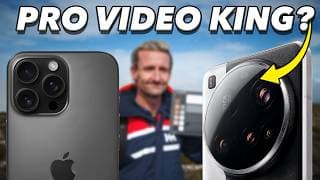
Xiaomi 15 Ultra VS iPhone 16 Pro Max Video Camera Test | New King of Pro Video?
Is Apple still the king of pro smartphone video in 2025? Or has Xiaomi finally claimed the throne with the feature-packed 15 Ultra? In this brutally honest and insanely detailed video camera review, we compare the iPhone 16 Pro Max and the Xiaomi 15 Ultra head-to-head — across sensor quality, lens performance, dynamic range, color science, and most importantly: Apple Log vs Xiaomi Log, and even RAW Video vs ProRes. We dive deep into: ✅ ProRes 422 vs MotionCam Pro RAW ✅ Apple Log vs Xiaomi Log (ACES-Ready) ✅ External SSD recording support ✅ 4K vs 8K capture (and why 8K might be a lie) ✅ Depth of field and chromatic aberration comparisons ✅ Real-world footage from both phones ✅ DaVinci Resolve grading workflows ✅ How to shoot ProRes and Apple Log on Android ✅ MotionCam Pro app for RAW Video capture And just when you think it’s over, we throw in a shocking twist: Xiaomi may actually beat Apple — but only with the help of @MotionCam Pro app unlocking full RAW video, ProRes, and Apple Log recording on Android. 😱 🎬 Whether you’re a smartphone filmmaker, a tech nerd, or just curious who wins the 2025 mobile camera crown — you do not want to miss this. Watch until the end for side-by-side comparisons and our final verdict. 📦 GEAR + LUTs + RAW Downloads 💸 Save 70% off Audiio Royalty Free Music with code SAVE70 at following link: https://audiio.com/partner?oid=1&affid=2222 🎞 EPIC GLOAT LUT for Apple Log ➜ https://epictutorials.com/collections/epic-luts-for-apple-log 🎒 Save 10% off FilmConvert Nitrate ➜ https://www.filmconvert.com/purchase/?promoCode=EPIC 🎙 Shot using: DJI Mic 2 ➜ https://geni.us/mwwBm 💾 Best External SSDs for Mobile Video ➜ https://geni.us/LmB3SW and https://geni.us/YO3eL 📌 Download MotionCam Pro for Android: https://play.google.com/store/apps/details?id=com.motioncam.pro As an Amazon Associate, I earn from qualifying purchases. By using these affiliate links you help support the channel at no additional cost to yourself. Appreciate your support. 📙 Chapters 00:00 Best Smartphone for Pro Video? 00:48 Round 1: Sensor Shootout 01:22 4K vs 8K 01:32 Why 8K is a LIE 01:58 S25 Ultra 8K vs 15 Ultra 02:36 Depth of Field Comparison 03:15 Color Consistency 03:42 Dynamic Range Comparison 04:22 Round 2: Lens Comparison 04:31 Lens Flare Comparison 05:00 Chromatic Aberration Test 06:14 15 Ultra Telephoto Lens 07:01 Round 3: Xiaomi Log VS Apple Log 07:35 This KILLS the 15 Ultra 08:09 Xiaomi 15 CODEC is Junk 08:37 Native SSD Recording 08:48 Digital Sharpening 09:01 iPhone 16 Pro Destroys 09:33 PLOT TWIST! 09:46 RAW Video on Android! 09:55 MotionCam Pro App 10:13 RAW Changes Balance of Power! 10:30 Unlock 24fps on 15 Ultra 10:41 Record to SSD 15 Ultra 10:55 RAW Bitrate is INSANE! 11:17 ProRes Recording on Android 11:38 Apple Log VS RAW Video on Xiaomi 11:50 Sample Footage 12:15 iPhone 16 Pro GLOAT LUT 12:38 Xiaomi 15 Ultra RAW Video 13:04 iPhone 16 Pro VS Xiaomi 15 Ultra 13:20 15 Ultra 99m Lens is EPIC 13:42 Grading Xiaomi RAW in DaVinci Resolve 14:02 Best RAW Workflow 14:36 Android ProRes Apple Log! 15:13 iPhone VS Android ProRes Apple Log Test 15:33 Declaring a Winner #xiaomi15ultra #iphone16promax #videocamera
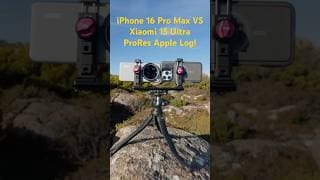
iPhone 16 Pro VS Xiaomi 15 Ultra Apple ProRes Log Video Test | Can You Guess?
Top or bottom? Can you guess which is the iPhone 16 Pro Max in ProRes Apple Log captured using Blackmagic Camera and which is the Xiaomi 15 Ultra in ProRes Apple Log captured in the incredible @MotionCam Pro app? Both have my EPIC GLOAT LUT applied (greatest LUT of all time). Let me know if you think top or bottom looks better, and which you think is the iPhone 16 Pro and which is the Xiaomi 15 Ultra! Full video review will be out soon! 📍 Get the GLOAT LUT for Apple Log: https://epictutorials.com/collections/epic-luts-for-apple-log 📌 Get the GLOAT LUT for Samsung Log: https://epictutorials.com/products/gloat-lut-for-samsung-log-greatest-lut-of-all-time
Samsung Log Gets the Pro Treatment in DaVinci Resolve 20 – Game Changer for Mobile Filmmakers!
DaVinci Resolve 20 just quietly dropped one of the most important updates for smartphone filmmakers — official Color Space Transform support for Samsung Log, introduced with the Samsung Galaxy S25 and S25 Ultra. While the NAB 2025 keynote focused on AI features like Magic Mask, Voice Isolation, Depth Map, and even an AI Music Editor, the real hidden gem was buried in just 10 seconds of that 3-hour presentation: full native support for Samsung Log in DaVinci Resolve’s color management engine. And that changes everything! In this tutorial, I’ll show you how to: 🎨 Use Color Space Transform (CST) to convert Samsung Log to Rec709, Blackmagic Film Gen 5, Arri Log C, Apple Log, Sony S-Log3 and more. 🤓 Ditch Samsung’s terrible Rec709 LUT and replace it with pro-grade color science 🤼 Match your S25 footage with high-end cinema cameras like the BMPCC 6K Pro 🎞️ Use FilmConvert Nitrate to emulate film stocks on Samsung Log (which it doesn’t natively support!) 📽️ Create cinematic, accurate, filmic images from your Galaxy S25 Ultra footage 🔐 Unlock the true potential of smartphone videography in Resolve Studio Plus: we’ll talk about the massive bug Samsung still hasn’t fixed — and why it’s sabotaging serious creators trying to use Samsung Log professionally. Please let Samsung know you want it fixed here: https://us.community.samsung.com/t5/Galaxy-S25/White-Balance-Broken-for-Samsung-Log-in-Pro-Video-Mode/td-p/3137499 🐛 🎨 GLOAT LUT for Samsung Log: https://epictutorials.com/products/gloat-lut-for-samsung-log-greatest-lut-of-all-time 💸 Save 70% off Audiio Royalty Free Music with code SAVE70 at following link: https://audiio.com/partner?oid=1&affid=2222 📌 Save 10% on Filmconvert Nitrate and Filmconvert Hazy: https://www.filmconvert.com/purchase/?promoCode=EPIC 📌 Best Case for Samsung S25 Ultra with ND Filter Support: https://geni.us/QBMz 📌 Best ND Filters for Samsung S25 Ultra: https://geni.us/4S1y 📌 Best LUTs for Apple Log: https://epictutorials.com/collections/epic-luts-for-apple-log 📌 DJI Mic 2 Bundle (used in this video!): https://geni.us/mwwBm By using these affiliate links you help support the channel at no additional cost to yourself. Appreciate your support. 📖 Chapters 00:00 DaVinci Resolve 20 Beta is Here 00:22 Samsung Log in DaVinci Resolve 20 00:32 Resolve 19 is Samsung LUT Only 00:55 Why Samsung Log Support is a Big Deal 01:29 How to Convert Samsung Log Tutoriail 02:20 Samsung LUT vs Resolve CST! 02:30 Convert Samsung Log to Blackmagic Film Gen 5 03:35 Samsung Log FilmConvert Nitrate Tutorial #DaVinciResolve20 #SamsungLog #colormanagement
Mavis Camera v7 is HERE! Epic Tutorial & Review | Best iPhone Filmmaking App of 2025?
Mavis Camera v7 app for iPhone just dropped — and it might be the BEST iPhone video app of 2025. In this full tutorial I’ll walk you through the brand new features of Mavis Camera, what’s improved, what’s still missing, and how to get the most out of this pro video app on iPhone & iPad. From Apple Log support to advanced audio tools, Frame.io Camera to Cloud, and best-in-class monitor tools, Mavis Camera v7 by @mavisbroadcast is seriously impressive. But how does it stack up against Blackmagic and other pro video apps for iPhone in 2025? 💸 Save 70% off Audiio Royalty Free Music with code SAVE70 at following link: https://audiio.com/partner?oid=1&affid=2222 In this video: ✅ Full walkthrough of the new Mavis v7 interface 🎥 How to configure settings for pro results 🔧 Using manual controls & monitor tools like focus peaking, false color, and zebras 🎧 Audio setup with ISO recording and DJI Mic 🔴 Live streaming with Mavis C2C + YouTubeLive integration 😬 What’s still missing Chapters: 00:00 Mavis v7 is Here! 00:36 Landscape & Vertical Video 00:46 Mavis Camera Interface Explained 03:00 Mavis Camera Settings 06:39 Camera Controls in Mavis Camera 08:56 Camera Control Wheel 10:09 Custom Function Button 10:49 Monitor Tools 12:48 Advanced Audio Features 14:21 Live Streaming 15:22 Media Management 15:59 Missing Features in v7 17:03 Is Mavis v7 Good? 📹 Watch next: Best iPhone Pro Video Apps 2025 → https://youtu.be/IcmDlSFVN74 #MavisCamera #tutorial #provideo
Xiaomi 15 Ultra Photography Kit Grip Tutorial – MUST KNOW Settings & Features!
🚀 Want to get the most out of your Xiaomi 15 Ultra Photography Kit Grip? In this tutorial, I’ll walk you through setup, optimization, and button customization so you can unlock pro-level controls for photography and videography! 🔹 Topics Covered: ✅ How to set up & charge the grip 🔋 ✅ Best button configurations for fast shooting 🎛️ ✅ Fix grip connection & firmware update issues ⚙️ ✅ Enable Quick Launch for instant camera access 📷 ✅ Battery optimization & emergency charging mode 🔄 💬 What’s your ideal grip button setup? Comment below! 📌 Like & Subscribe for more Xiaomi 15 Ultra tutorials! 📍 Want the best lens protection solution for the Xiaomi 15 Ultra Photography Kit 67mm filter adapter? Get this lens cap: https://geni.us/ACQbW 🍿 Learn how Xiaomi ruined the 15 Ultra for Pro Video (plus how to save it!) in this video: https://youtu.be/-1UOIfLJxLM 🎤 Check out the microphone used for this video: https://geni.us/mwwBm 💸 Save 70% off Audiio Royalty Free Music with code SAVE70 at following link: https://audiio.com/partner?oid=1&affid=2222 * Thanks for using the affiliate links above to help support the channel at no additional cost to yourself 🙏 I purchase all items featured in these videos to keep my reviews 100% from bias. Chapters 00:00 Xiaomi 15 Ultra Grip is EPIC 00:14 Charging Photography Kit Grip 00:34 Installing 15 Ultra Grip 01:02 How To Configure Camera Grip 01:15 Photography Kit Firmware Update 01:43 Grip Charging Settings 02:25 Grip Quick Launch Action 03:04 Photography Kit Grip Buttons 03:21 15 Ultra Grip Button Demo 04:07 How To Set Custom Grip Buttons 07:20 Best Custom Grip Settings #xiaomi15ultra #photographykit #tutorial
How To Use DJI Mic 2 as a Standalone Recorder & ELIMINATE Dropouts, Clipping & RF Interference!
Did you know you can use the DJI Mic 2 transmitters as standalone field recorders—no receiver needed? 🎤💡 This unlocks pristine 32-bit float audio, eliminates RF interference, and works with any camera or smartphone—even in the most congested 2.4Ghz wireless environments. In this video, I’ll show you my complete workflow to configure and use the DJI Mic 2 for perfect audio in seconds—no cables, no dropouts, and infinite recording range. Plus, I’ll show you how to auto-sync your audio in just a few clicks! 📌 Get a deal on the DJI Mic 2 on Amazon: https://geni.us/mwwBm 💸 Save 70% off Audiio Royalty Free Music with code SAVE70 at following link: https://audiio.com/partner?oid=1&affid=2222 Thanks for using the affiliate links above to help support the channel at no additional cost to yourself 🙏 I purchase all items featured in these videos to keep my reviews 100% from bias. Chapters: 00:00 Record with DJI Mic 2 FAST 00:19 Problem with Mic 2 RX 00:39 Ditch the Receiver? 00:50 Ultimate DJI Mic 2 Solution 01:28 Configuring Mic 2 for Standalone 01:48 Turn Off Low Cut 02:11 Enable 32bit Float Recording 02:27 Turn OFF Auto Record 02:42 Set TX Gain to Zero 03:08 DJI Mic 2 Radiation Levels 03:32 How to Record Audio 04:15 Why This Is Ultimate Solution 04:54 How to Auto Sync Audio #djimic2 #tutorial #32bit

Xiaomi 15 Ultra Lens Protection | Best Lens Cap & ND Filter Solution
*Looking for the best Xiaomi 14 & 15 Ultra lens protection? I found the perfect lens cap & ND filter solution to keep your Leica glass scratch-free & cinematic. Don’t miss this essential upgrade! 📌 Get the exact lens cap & ND filter kit combo here: https://geni.us/ACQbW * 📍 Standalone 67mm Magnetic Base Ring: https://geni.us/07D4H5z * 📌 Standalone 67mm Lens Cap: https://geni.us/k6qK3l * 📍 Save 15% on Best Gimbal for Xiaomi 14/15 Ultra: https://geni.us/7UYL * 📌 Wireless Mic used for this video: https://geni.us/mwwBm * 💸 Save 70% off Audiio Royalty Free Music with code SAVE70 at following link: https://audiio.com/partner?oid=1&affid=2222 If you own the Xiaomi 15 Ultra or Xiaomi 14 Ultra, chances are you bought it for its insane Leica camera system—but did you know that your lenses are completely unprotected? Without a proper lens cap, your expensive Leica glass is vulnerable to scratches, dust, and damage. 😱 In this video, I reveal the best lens protection solution for your Xiaomi 14/15 Ultra, PLUS how to easily attach ND filters for cinematic video. Whether you’re a mobile photographer or videographer, this setup is a MUST-HAVE to keep your camera in perfect condition and enhance your video quality. 📖 CHAPTERS 00:00 Don't Scratch Your Leica Glass! 00:29 Xiaomi Photography Kit Case 67mm Filter Adapter 00:49 67mm Magnetic Base Filter 01:03 Best Lens Cap for Xiaomi 15 Ultra 01:36 ND Filters for Cinematic Motion Blur 02:41 Why This is Better Than a Cage 03:11 Best Gimbal for Xiaomi 15 Ultra * Thanks for using the affiliate links above to help support the channel at no additional cost to yourself 🙏 I purchase all items featured in these videos to keep my reviews 100% from bias. #xiaomi15ultra #leicalens #scratches

PolarPro LiteChaser 16 Pro Case Review – Don’t Buy Before Watching This!
Is the PolarPro LiteChaser 16 Pro Case with Mounting Plate and 2-5 VND filter the DREAM filmmaking setup for your iPhone 16 Pro? I put it to the test, and what I found might SHOCK you! 🤯You won't find another in-depth review like this on YouTube! I reveal TWO CRITICAL FLAWS that that you MUST KNOW about before investing in the PolarPro Lite Chaser 16 filmmaking case, mounting plate, and chroma glass PolarPro 2-5 stop VND filter for iPhone 16 Pro/Pro Max 🚨 📌 LiteChaser 16 Pro Recommended Accessories*: USB-C Extender: https://geni.us/5cwHU USB-C 180° adapter that first LiteChaser Case: https://geni.us/oXAF7a Smallrig Cold Shoe Adapter: https://geni.us/0Yz0 Neewer DJI Mic 2 Cold Shoe Adapter: https://geni.us/Nr2bt7o DJI Mic 2: https://geni.us/mwwBm SmallRig SSD Mount: https://geni.us/AEzAG Neewer SSD Mount: https://geni.us/ofw7L Articulating Arm for Vertical Mounting: https://geni.us/bkkrHnK Best Smartphone Tripod Clamp Neewer: https://geni.us/ZB7XR Best Smartphone Tripod Clamp Ulanzi: https://geni.us/MZZT8 💸 Save 70% off Audiio Royalty Free Music with code SAVE70 at following link: https://audiio.com/partner?oid=1&affid=2222 ✅ Fancy the PolarPro LiteChaser 16 Pro Case? Grab it here: https://geni.us/4ekg8 ❌ PolarPro LiteChaser 16 not for you? Then check out Freewell Alternative: https://geni.us/3LAvdu Moment Alternative: https://partner.shopmoment.com/6ygJ2G * Thanks for using the affiliate links above to help support the channel at no additional cost to yourself 🙏 I purchase all items featured in these videos to keep my reviews 100% from bias.* 📖 Chapters 00:00 Something Weird about LiteChaser 16 00:51 Yes This Is Expensive 02:06 What's in the LiteChaser 16 Box? 02:31 Quality of the LiteChaser ProCase 03:03 But your SSD and Mic Won't Fit! 04:00 Stronger Magnet 04:17 Don't Loose the Cold Shoe Insert 04:57 Flip-Down Defender 05:40 Big Issue No 1 07:41 Flip-Down Defender Continued 08:32 The LiteChaser 16 Grip 09:48 Big Issue No 2 Mounting Plate 12:53 PolarPro 2-5 VND Filter 13:40 All NDs Destroy Your Audio 17:00 Should You Get It? *Affiliate links that help support the channel at no cost to you! Your support is appreciated. #polarpro #litechaser16 #iphone16promax
Everything WRONG with Xiaomi 15 Ultra for Pro Video and How to Fix It (MotionCam Pro RAW Video)
Filmmakers, watch this before you buy the Xiaomi 15 Ultra for pro video! This smartphone is being hyped as the ultimate smartphone for video but the reality? It completely FAILS at 3 key things that make it almost useless for pro video on Android. Yet somehow, no one is talking about these issues! But here’s the good news—I’ve found a game-changing workaround that transforms it into a true PRO FILMMAKING BEAST. 🎥🔥 RAW and ProRes video on Android anybody? The dream is real and transforms the filmmaking failure that is the Xiaomi 15 Ultra into the ULTIMATE MOBILE CINEMA CAMERA. Shoot RAW video and ProRes on Xiaomi 15 Ultra. 🚨 @xiaomi If You’re Watching… These problems could be fixed with a simple software update. If you want this phone to live up to the hype, share this video and tag @Xiaomi! ✅ Fix Your Xiaomi 15 Ultra Video NOW: 🔥 Download @MotionCam Pro to transform your smartphone into a RAW/ProRes filmmaking BEAST: https://play.google.com/store/apps/details?id=com.motioncam.pro ⚡ Subscribe for upcoming tutorials on MotionCam Pro & Xiaomi 15 Ultra Cinematic Camera Tests! 📌 Save 10% on FilmConvert Nitrate film emulation with code 'EPIC': https://www.filmconvert.com/purchase/?promoCode=EPIC 🚨 Get the best LUTs for Apple Log: https://epictutorials.com/collections/epic-luts-for-apple-log 💸 Save 70% off Audiio Royalty Free Music with code SAVE70 at following link: https://audiio.com/partner?oid=1&affid=2222 Chapters: 00:00 Xiaomi 15 Ultra Most Exciting Phone for Video 00:32 Xiaomi 15 Ultra for Pro Video? 00:53 3 Reasons 15 Ultra Fails at Pro Video 01:01 Fail 1 - No 24fps 01:21 Fail 2 - Low Bitrate 01:43 Fail 3 - No Log in Blackmagic 02:24 Why No 8K Log on Xiaomi 15 Ultra? 03:16 What Xiaomi Needs To Do To Fix It 04:13 Get This App Now to Unleash BEAST MODE 04:39 Film in RAW and ProRes on Xiaomi 15 Ultra! 04:50 15 Ultra Sample Footage (RAW and ProRes) 05:12 Xiaomi 15 Ultra VS iPhone 16 Pro 06:00 EPIC LUTs for Xiaomi Log 06:20 Xiaomi Log VS Samsung Log 06:28 MotionCam Pro Saves the 15 Ultra * Thanks for using the affiliate links above to help support the channel at no additional cost to yourself 🙏 I purchase all items featured in these videos to keep my reviews 100% from bias.* #xiaomi15ultra #video #cinematic #24fps #motioncampro
How to Use DJI Mic 2 with Blackmagic Camera App on iPhone & Android for Pro Audio
Get PRO AUDIO on iPhone & Android with the DJI Mic 2 wireless microphones + Blackmagic Camera App! 🎤 In this tutorial you'll learn how to get the BEST QUALITY AUDIO from the DJI Mic 2 with the@BlackmagicDesignOfficial BLACKMAGIC CAMERA APP on iPhone and Android. Whether you’re a filmmaker, content creator, or vlogger, these settings will instantly level up your audio! 🔥 I JUST SAVED $100 AUD on the DJI Mic 2 on Amazon! ➡️ https://geni.us/mwwBm 📌 Best USB-C Extension Adapter for DJI Mic 2: https://geni.us/5cwHU ⚡️ Best 180° USB-C Adapter for Thick Cases: https://geni.us/oXAF7a 🚨 Best Cold Shoe Adapter for DJI Mic 2: https://geni.us/Arb5TU 🎬 WHAT YOU’LL LEARN: ✅ Best Blackmagic Camera Audio Settings for PRO-LEVEL sound ✅ How to Connect DJI Mic 2 (Bluetooth vs. Receiver – which is best?) ✅ The #1 Setting You MUST Change to avoid bad audio ✅ 32-Bit Float Recording – Never Clip Audio Again! ✅ Best Gain Settings for crystal-clear sound ✅ Fix Common Issues (low volume, noise, sync problems) 👉 Using RØDE or another wireless mic? This still applies! 🔧 TOOLS & RECOMMENDATIONS: 💸 Save 70% off Audiio Royalty Free Music with code SAVE70 at following link: https://audiio.com/partner?oid=1&affid=2222 📌 @FilmConvert Nitrate – My go-to for softening video & film grain → Get Free Trial + 10% Off with Code “EPIC” at checkout: https://www.filmconvert.com/purchase/?promoCode=EPIC ✨ @FilmConvert Hazy Plugin – The best MIST diffusion emulation → Get Free Trial + 10% Off with Code “EPIC” at checkout: https://www.filmconvert.com/purchase/?promoCode=EPIC 📌 EPIC LUTs for Apple Log: https://epictutorials.com/collections/epic-luts-for-apple-log Chapters: 00:00 DJI MIC 2 in Blackmagic Camera 00:44 Best Audio Settings in Blackmagic Camera App 02:11 How to Connect DJI Mic 2 to Smartphone 02:34 Pairing Mic 2 via Bluetooth 03:40 Bluetooth Audio Quality Example 03:55 5 Reasons Why Bluetooth SUCKS! 04:34 Connecting DJI Receiver (RX) to Smartphone 05:05 If RX Won't Fit Your Case DO THIS 05:30 Mounting DJI Mic 2 to Smartphone Cage 05:52 Configuring DJI Receiver Record Mode 06:10 3 Record Modes Explained 06:30 Best Record Mode for 2 DJI Mics (Stereo) 06:57 Best Record Mode for 1 DJI Mic (Mono) 07:28 Safety Track Record Mode 08:15 Best Record Mode for Blackmagic Camera RECAP 08:50 Best DJI Mic 2 Transmitter Settings 09:01 Turn Low Cut OFF 09:52 Why 32 BIT FLOAT is GOAT! 11:06 How To Enable 32-bit Float Recording 11:32 Auto Record Feature Explained 12:23 Settings DJI Mic 2 Audio Levels 12:48 Don't Adjust DJI Mic 2 Receiver Gain 13:14 How to Set DJI Mic 2 Transmitter Gain * Thanks for using the affiliate links above to help support the channel at no additional cost to yourself 🙏 I purchase all items featured in these videos to keep my reviews 100% from bias.* #djimic2 #blackmagic #camera
Should Apple Kill the Standalone Video Camera? iPhone 17 Pro & The Future of Filmmaking
🚨 A bombshell report just dropped: Apple wants the iPhone 17 Pro to replace your dedicated video camera – just like they wiped out point-and-shoots for photos. But is this the future of filmmaking or just more marketing hype? According to Mark Gurman: “One of the goals for 2025’s iPhone line is to get the vlogging community and other video creators to move away from standalone cameras and use the iPhone for even more of their work.” In this video I share 4 reasons why smartphones decimating the standalone video camera market would be a BAD DEAL for filmmakers in the long run, and why you shouldn't buy into the HYPE (spoken as a true smartphone video enthusiast)! Get EPIC LUTs for Apple Log (including The Ringer LUT shown in this video) for the best film look on a smartphone - ever: https://epictutorials.com/collections/epic-luts-for-apple-log 📄 Read the full article on @9to5Mac : https://9to5mac.com/2025/02/23/iphone-17-pro-video-capabilities-upgraded/ 📼 Dynamic Tone Mapping - Apple's Sorry Saga FULL VIDEO: https://youtu.be/Fcy2ysWm5Cc 🔧 TOOLS & RECOMMENDATIONS: 💸 Save 70% off Audiio Royalty Free Music with code SAVE70 at following link: https://audiio.com/partner?oid=1&affid=2222 📌 @FilmConvert Nitrate – My go-to for softening video & film grain → Get Free Trial + 10% Off with Code “EPIC” at checkout: https://www.filmconvert.com/purchase/?promoCode=EPIC ✨ @FilmConvert Hazy Plugin – The best MIST diffusion emulation → Get Free Trial + 10% Off with Code “EPIC” at checkout: https://www.filmconvert.com/purchase/?promoCode=EPIC 📌 Best ND Filter Case for iPhone 15/16 Pro: https://geni.us/ULVuh 📌 Best iPhone ND Filter: https://geni.us/96fA Chapters 00:00 Apple's Wants to Kill the Video Camera 00:51 Sounds Great, Right? 01:27 Apple & Samsung Make Phones First - Not Cameras 02:08 Samsung S25 Ultra Frame Rate Woes 02:40 Apple & Samsung Are Mostly HYPE 02:55 iPhone Can't Even Lock Exposure 03:59 iPhone 16 Pro Stabilization Bug 04:09 Samsung Is The Worst! 04:43 Video is Broken on S25 Ultra 04:48 S25 Ultra Log White Balance Bug 05:20 Smartphones Got Crazy Expensive 06:42 Competition is a GOOD Thing * Thanks for using the affiliate links above to help support the channel at no additional cost to yourself 🙏 I purchase all items featured in these videos to keep my reviews 100% from bias.* #iphone17promax #videocamera #filmmaking
Best Video Camera App for iPhone in 2025 | EPIC Shootout (Plus 4 Apps to Avoid Like the Plague!)
Are you searching for the BEST PRO VIDEO CAMERA APP for iPhone in 2025? With so many options available, choosing the right one can be overwhelming. Some apps are game-changers… others? A total waste of time and money and will go straight on the WALL OF SHAME. In this brutally honest iPhone app showdown, I put 9 of the biggest pro video camera apps to the test—revealing the good, the bad, and the downright ugly—so you can make the RIGHT choice in 2025. 🔥 THE BEST LUTs for Apple Log → Check Out Epic LUTs: https://epictutorials.com/collections/epic-luts-for-apple-log 🔧 TOOLS & RECOMMENDATIONS: 📌 @FilmConvert Nitrate – My go-to for softening video & film grain → Get Free Trial + 10% Off with Code “EPIC” at checkout: https://www.filmconvert.com/purchase/?promoCode=EPIC ✨ @FilmConvert Hazy Plugin – The best MIST diffusion emulation → Get Free Trial + 10% Off with Code “EPIC” at checkout: https://www.filmconvert.com/purchase/?promoCode=EPIC 📌 Best ND Filter Case for iPhone 15/16 Pro: https://geni.us/ULVuh 📌 Best iPhone ND Filter: https://geni.us/96fA 🔍 In this video, I rank each app based on: ✅ Features & Pro Controls ✅ Design & Usability ✅ Reliability & Stability ✅ Support & Update Frequency ✅ Value for Money 🔔 9 pro video camera apps for iPhone are put to the test including: 📱 Blackmagic Camera app for iPhone 📱 Kino Pro Video Camera 📱 Cinema P3 📱 Moment Pro Camera App 📱 Filmic Pro 📱 Beastcam 📱 Final Cut Camera 📱 Mavis Pro Camera 📱 Protake Chapters: 00:00 Best Pro Video Apps for iPhone 2025 00:31 Ranking Methodology 00:50 Meet the 9 Contenders for Best Video App 01:08 The Wall of Shame 01:27 Avoid this 4 Video Apps! 03:18 Pro Camera by Moment 05:29 Cinema P3 08:00 Kino Pro Video Camera 10:53 Blackmagic Camera App 13:44 ProTake Mobile Cinema App 14:30 And the winner is... * Thanks for using the affiliate links above to help support the channel at no additional cost to yourself 🙏 I purchase all items featured in these videos to keep my reviews 100% from bias.* #bestof #iphone #videoapp
Best Settings for Blackmagic Camera App for PRO Video in 2025 (iPhone + Android)
🚨 New video updated for V3 is now live: https://www.youtube.com/watch?v=U-6HaeqAWxU 🚀 Want cinematic, pro-level video on your smartphone? In this video, I reveal the BEST Blackmagic Camera app settings for iPhone and Android, plus 3 must-know tips to nail exposure, white balance, and focus like a pro. 🎬 Watch now to unlock the ultimate video quality in 2025 using @BlackmagicDesignOfficial 📢 🔥 My Go-To Filmmaking Tools: 🎨 EPIC GLOAT LUT – The ULTIMATE Apple Log to Rec709 LUT (Save 20% OFF today!) 👉 https://epictutorials.com/discount/EPIC 📱 Best 67mm Variable ND Filter Cage for iPhone 👉 https://geni.us/6kCyTPI 🤖 Best 67mm Variable ND Filter Cage for Android 👉 https://geni.us/a8gdzq4 📸 Best 67mm Variable ND filter 👉 https://geni.us/4q6cq 🎯 White Balance Card for Perfect Color Accuracy 👉 https://geni.us/PueEsI 📌 Pro Settings Recap: ✅ Best Codec: HEVC at MAX bitrate (or ProRes if storage isn’t an issue) ✅ Resolution: 4K for maximum quality ✅ Color Space: Rec709 (or Apple Log for iPhone 15/16 Pro users) ✅ FPS: 24 for a cinematic look 🎬 ✅ Stabilization: Standard (OIS for Android users) ✅ Shutter Angle: 180° for perfect motion blur ✅ ISO: As low as you can go! ✅ White Balance: Auto Lock on Record + white balance card to help it out. ✅ Focus Peaking & Manual Focus – No more focus hunting! 🔴 Subscribe for More Smartphone Filmmaking Tips! 📢 Got questions? Drop a comment below! Let me know if these settings helped you and what video you want to see next! 🎥👇 🔥 LIKE & SHARE if you found this useful! It helps more filmmakers level up their smartphone video skills. 💯 * Thanks for using the affiliate links above to help support the channel at no additional cost to yourself 🙏 I purchase all items featured in these videos to keep my reviews 100% from bias.* #blackmagic #iphone #android 📘 Chapters 00:00 Intro 00:16 Blackmagic Record Settings 01:28 Blackmagic Camera Settings 02:14 Blackmagic Media Settings 02:24 Lens, FPS, Stablization Settings 03:17 LUTs in Apple Log 04:14 Greatest LUT of All Time 05:11 Save as a Preset 05:36 3 BONUS TIPS for Pro Video 05:49 Cinematic Motion Blur 07:26 ND Filter 08:59 Set Perfect White Balance 09:25 Get Perfect Focus
The ONE Android Video Setting iPhone Users Can’t Get! Blackmagic Camera App Tutorial 🤖
Did you know Android has a hidden setting that drastically improves video quality and gets you closer to the film look—and the iPhone doesn’t have it? 😳 In this video, I’ll show you how to disable digital sharpening in the @BlackmagicDesignOfficial Camera app on Android and why that’s crucial for a natural film look on a smartphone. Over-sharpening is baked into most smartphone cameras, making skin look harsh and detail unnaturally crisp. But with this one setting tweak, you’ll get a smoother, more cinematic image—instantly! And if you're on iPhone or have artificially sharpened video you want to make more film like, I'll show you how to do this using FilmConvert Nitrate and Hazy. 🔧 TOOLS & RECOMMENDATIONS: 📌 @FilmConvert Nitrate – My go-to for softening video & film grain → Get Free Trial + 10% Off with Code “EPIC” at checkout: https://www.filmconvert.com/purchase/?promoCode=EPIC ✨ @FilmConvert Hazy Plugin – The best MIST diffusion emulation → Get Free Trial + 10% Off with Code “EPIC” at checkout: https://www.filmconvert.com/purchase/?promoCode=EPIC 🔥 THE BEST LUTs for Apple Log → Check Out Epic LUTs: https://epictutorials.com/collections/epic-luts-for-apple-log 🚀 GET THE BEST FOOTAGE: ✅ Android Users: Use Blackmagic Camera App & turn off sharpening ✅ iPhone Users: Shoot in Apple Log (if available) ✅ Fix Over-sharpened Video in Post: Use FilmConvert + Hazy and save 10% with the code 'EPIC'. 💬 QUESTION FOR YOU: Which shot do you prefer? A or B? Drop a comment! 👇 👉 If this video helped, hit that LIKE button and SUBSCRIBE for more pro mobile filmmaking tips! 🎥✨ #blackmagic #android #filmconvert ⚡ TIMESTAMPS: 00:00 One Setting Exclusive to Android 00:22 Which shot looks better? 00:33 The problem with digital sharpening 01:27 How to disable sharpening in Blackmagic Camera 01:54 Remove Sharpening in Resolve 02:17 What to do on iPhone? 02:28 What about Android? 03:06 Best Solutions: Hazy and FilmConvert Nitrate * Thanks for using the affiliate links above to help support the channel at no additional cost to yourself 🙏 I purchase all items featured in these videos to keep my reviews 100% from bias.*
Best Case for Samsung S25 Ultra with Lens Protector and Magsafe: SUPCASE #review #s25ultra
If you're looking for a quality case that is well priced for the Samsung S25 Ultra that includes a lens protector as well as Magsafe then the SUPCASE Unicorn Beetle for S25 Ultra is a great option: 📌 https://geni.us/KAmkRRE I've purchased 4 cases for the S25 Ultra thus far, and this is by far the best of them.

LUTs for Video Explained | What LUTs Are & How They Work (in Under 2 Minutes)
If you’ve ever wondered how filmmakers transform flat, lifeless footage into vibrant, cinematic visuals, the secret often lies in a tool called a LUT, or Look Up Table. A LUT is a powerful colour transformation formula that remaps the colours and tones in your video to achieve a specific look. Whether you’re shooting on an iPhone 15 or 16 Pro in Apple Log, or any other camera, LUTs can elevate your footage, making it look polished, professional, and downright cinematic (or when used incorrectly it can ruin your footage!). In this video, we’ll demystify what a LUT is, how it works, and how you can use it to get the most out of your mobile filmmaking. From understanding the .cube format to applying LUTs correctly for stunning results, this is your ultimate guide to unlocking the full potential of LUTs on your iPhone. You’ll Learn: 🎥 What a LUT is and how it transforms your footage. 🎨 The science behind the .cube file format and 3D colour mapping. 📱 How to use LUTs effectively with Apple Log on the iPhone 15/16 Pro. 🚫 Why using the wrong input results in poor results. If you want a deeper dive on using LUTs for iPhone Apple Log then enrol in The Epic LUTs Course for free here: https://epictutorials.com/products/epic-luts-jumpstart-course Discover why LUTs are essential for mobile filmmakers and how to avoid common mistakes when using them. * Thanks for using the affiliate links above to help support the channel at no additional cost to yourself 🙏 I purchase all items featured in these videos to keep my reviews 100% from bias.* #LUTs #filmmaking #LUTsExplained
How to Import LUTs in DaVinci Resolve for iPad in 60 Seconds ⚡️
Learn how to import custom LUTs into DaVinci Resolve on iPad in just 60 seconds! Whether you’re working with .cube LUTs or entire LUT folders, this step-by-step guide will get your LUTs up and running in no time. Perfect for iPad filmmakers and colourists who want to elevate their workflow with custom looks. In this video, you’ll discover: ✔️ How to locate and unzip LUTs in the Files app ✔️ The easiest way to copy and paste LUTs into DaVinci Resolve on iPad ✔️ How to update LUT lists and apply them to your colour grading workflow No confusion, no fluff—just a simple tutorial to get your LUTs working seamlessly in DaVinci Resolve for iPad. 📌 Get the BEST LUTs for Apple Log: https://epictutorials.com/collections/epic-luts-for-apple-log 📌 If you want a more in-depth tutorial on working with LUTs in DaVinci Resolve for iPad, including how to correctly adjust exposure via the color-managed HDR wheels when working with Apple Log footage, enrol in The Epic LUTs Jumpstart Course for FREE: https://epictutorials.com/products/epic-luts-jumpstart-course 📌 Save 10% on FilmConvert plugins: https://www.filmconvert.com/purchase/?promoCode=EPIC 🌍 Web article version of How to Import LUTs in DaVinci Resolve for iPad: https://epictutorials.com/blogs/articles/how-to-import-luts-into-davinci-resolve-on-ipad * Thanks for using the affiliate links above to help support the channel at no additional cost to yourself 🙏 I purchase all items featured in these videos to keep my reviews 100% from bias.* #davinciresolve #ipad #luts
How to Use Kino Pro Video Camera App: 7 Tips for Amazing Results (Apple App of the Year) 🎉
Get the most out of the award-winning Kino Pro Video Camera app with these 7 essential tips and tricks! Whether you’re new to Kino or a seasoned pro, this guide will help you unlock its full potential. From quick exposure adjustments to cinematic motion blur and LUT workflows, these features will elevate your mobile filmmaking game. Watch now to discover how Kino Pro Video Camera can transform your videos into cinematic masterpieces. Don’t forget to share your favourite tip in the comments! 📌 Best LUTs for Apple Log: https://epictutorials.com/collections/epic-luts-for-apple-log 🎓 Enrol in The Epic LUTs Jumpstart Course for FREE: https://epictutorials.com/products/epic-luts-jumpstart-course 🌎 Full Article: https://epictutorials.com/blogs/articles/7-essential-tips-and-tricks-for-kino-pro-video-camera-master-the-app-of-the-year * Thanks for using the affiliate links above to help support the channel at no additional cost to yourself 🙏 I purchase all items featured in these videos to keep my reviews 100% from bias.* #kino #appoftheyear #provideo
How to Remix Music with DaVinci Resolve Studio AI on iPad: Remove Vocals, Adjust Stems & More! 🎶
Learn how to master DaVinci Resolve’s Music Remixer with this step-by-step tutorial! Whether you’re using the iPad or desktop version, this feature is a game-changer for audio editing. Powered by the DaVinci Neural Engine, the Music Remixer lets you remix songs like a pro by isolating and adjusting individual stems, including vocals, drums, bass, guitar, and more. In this video, you’ll discover how to: 🎵 Remove vocals from a song to create an instrumental version. 🎸 Lower or mute individual instruments (like guitar) to balance your mix. 🎤 Reduce bass or other elements that clash with voiceovers. 🎧 Make your tracks perfectly suit your video projects. Perfect for mobile filmmakers, content creators, and anyone using DaVinci Resolve on iPad or desktop. Whether you’re editing a dialogue track or creating an instrumental, this tool saves time and delivers professional results. 🌍 Full article: https://epictutorials.com/blogs/articles/how-to-remix-music-with-davinci-resolve-studio-ai-on-ipad 📌 Best LUTs for Apple Log: https://epictutorials.com/collections/epic-luts-for-apple-log 🎓 Enrol in The Epic LUTs Jumpstart Course for FREE: https://epictutorials.com/products/epic-luts-jumpstart-course #davinciresolve #musicremixer #tutorial

Final Cut Camera for iPhone LUT Support vs Blackmagic Camera App
Apple’s Final Cut Camera app dropped its first major feature update with v1.1 which includes LUT support for Apple Log—but is it the game-changer we’ve been waiting for? Or just another missed opportunity? In this video, we dive deep into the latest update to uncover what’s really going on with Apple’s LUT implementation in Final Cut Camera for iPhone. From its confusing menu design to the underwhelming Rec.709 LUT, we put this new feature to the test. And if you’re hoping to use your own custom LUTs, well… you might want to stick around for this one. We also compare how Final Cut Camera stacks up against apps like Blackmagic Camera, showcasing what Apple could have done. But the real question is: is Apple already giving up on its pro camera app? 🔥 What You’ll Learn: • How Final Cut Camera’s LUT functionality works (and what’s missing) • Why Apple’s official Rec.709 LUT might not be the best choice for Apple Log • How to enhance your footage with LUTs like the GLOAT LUT (Greatest LUT of All Time) 💬 What do you think? Am I being too harsh on Apple, or does this update fall flat? Let me know in the comments, and don’t forget to check out Epic LUTs for the antidote to Apple’s LUT dilemma. 📌 Links & Discounts: • GLOAT LUT (The Greatest LUT of All Time for Apple Log): https://epictutorials.com/products/gloat-lut-apple-log-greatest-lut-of-all-time • Apple Logjammin' Film Look LUT Pack for Apple Log: https://epictutorials.com/products/epic-luts-for-apple-log-film-looks-for-iphone-15-16-pro Get ready for a raw, unfiltered look at Apple’s latest pro video offering—and decide for yourself if it’s worth the hype. For the article version: https://epictutorials.com/blogs/articles/final-cut-camera-for-iphone-is-lut-support-worth-it #finalcutcamera #LUTs #applelog
10 Essential Tips for Blackmagic Camera App (iOS + Android) for Better Smartphone Video
Discover 10 essential tips to unlock the full potential of the Blackmagic Camera app on iOS and Android. From hidden features to advanced tricks, this guide will elevate your filmmaking with the best pro video camera app. So if you're ready to take your mobile video creation to the next level, watch now and uncover pro-level techniques, plus learn how to maximise the cinematic power of LUTs for Apple Log. 📌 Best EPIC LUTs for Apple Log: https://epictutorials.com/collections/epic-luts-for-apple-log 📌 Don’t forget to enrol for free access to my Epic LUTs Jumpstart Course: https://epictutorials.com/products/epic-luts-jumpstart-course 📌 Save 10% off FilmConvert Hazy for filmic diffusion: https://www.filmconvert.com/purchase/?promoCode=EPIC #BlackmagicCamera #MobileFilmmaking #tipsandtricks Chapters 0:00 Quick Lock Reticle 0:45 Swipe to Hide 1:04 Keep It Level 1:21 Auto Lock WB 1:59 Swipe to Dim 2:23 Max Quality 2:45 Timelapse 3:20 EPIC LUTs 3:50 Slow Motion 4:23 Vertical & Landscape https://epictutorials.com/blogs/articles/10-essential-tips-for-blackmagic-camera-app-on-ios-android
Blackmagic Camera App for iPhone: Best Way to Import Clips to Mac
If you’re an iPhone filmmaker using Blackmagic Camera, you know how important it is to manage your media efficiently. In this video, I’m sharing best practices for importing clips from your iPhone to a Mac running MacOS, helping you save time and keep your workflow smooth. From organizing your files in the iOS Files app to leveraging external SSDs for seamless transfers, these tips will make your importing process fast, simple, and frustration-free. Whether you’re editing in DaVinci Resolve or Final Cut Pro, this guide has you covered. 🔥 What You’ll Learn: • How to selectively import clips from Blackmagic Camera without transferring unnecessary files. • Quick tips for organizing media on a project basis directly on your iPhone. • The benefits of saving clips to an external SSD for lightning-fast transfers and easier access. 💡 Pro Tip: These techniques will save you hours and are a game-changer for anyone working with large video files captured in Blackmagic Camera on iOS needing to import video to a Mac. 📌 Links & Resources: • Unlock the full potential of your footage with the GLOAT LUT (Greatest LUT of All Time)—available now at EpicTutorials.com : https://epictutorials.com/products/gloat-lut-apple-log-greatest-lut-of-all-time 💬 Got questions about media management or filmmaking with Blackmagic Camera? Drop them in the comments, and I’ll be happy to help. If this video helped you out, don’t forget to like, share, and subscribe for more tips like these! Master your media imports and elevate your iPhone filmmaking workflow today. 🎬 https://epictutorials.com/blogs/articles/import-clips-blackmagic-camera-app-iphone-mac-guide #BlackmagicCamera #MediaManagement #iPhoneFilmmaking

How to Use LUTs in Blackmagic Camera for iPhone in 90 Seconds! ⚡️
Want to take your Apple Log footage to the next level with EPIC LUTs for Apple Log FAST? ⚡️ Learn how to use LUTs in Blackmagic Camera app for iPhone and create stunning cinematic videos with LUTs in under 90 seconds! Save 20% on the BEST LUTs for Apple Log: https://epictutorials.com/discount/EPIC If you want to truly master LUTs on iPhone, then you can enrol in The Epic LUTs Jumpstart Course for FREE (normally $49.99) for a limited time: https://epictutorials.com/products/epic-luts-jumpstart-course 📌 What You’ll Learn In This Epic Tutorial: • How to download and import EPIC LUTs for Apple Log into Blackmagic Camera • The best settings for LUTs on iPhone 15/16 Pro and Apple Log • How to configure LUT Color Space for perfect results • Whether to apply LUTs during recording or in post-production 🔗 Get started now and elevate your mobile filmmaking game! https://epictutorials.com/blogs/articles/how-to-use-luts-in-blackmagic-camera-iphone #BlackmagicCamera #tutorial #LUTs
Epic Film Looks for Apple Log | Apple Logjammin' LUT Pack
We just released our EPIC Film Look LUT Pack for Apple Log in partnership with legendary producer Jackie Treehorn: Apple Logjammin'! 7 exquisitely craft film looks for iPhone 15/16 Pro Apple Log. 20% through Black Friday only.
iPhone 16 Pro Max vs 15 Pro: Filmmakers, DON’T Make This Mistake! How to get better video on 15 Pro.
Considering the iPhone 16 Pro Max for pro video? WAIT! This video reveals why the iPhone 15 Pro is the smarter choice for serious filmmakers and how you can build an entire filmmaking rig with EVERYTHING you could ever need for less than the cost of a new iPhone 16 Pro. You will get a comprehensive filmmaking setup that delivers cinematic-quality video, including: • Game-changing accessories that transform your iPhone 15 Pro into the ultimate cinema camera rig (lights, nd filter solution, LUTs, DaVinci Resolve + more). • Essential gear for professional-grade mobile filmmaking • Why the latest isn't always the greatest for content creators • Hands-on comparison of video capabilities • Cost-effective strategies to elevate your mobile video production Whether you're a YouTuber, indie filmmaker, or content creator, this guide will show you how to build a pro-level iPhone filmmaking rig that outperforms the newest flagship—without breaking the bank. Gear recommendations, practical tips, and real-world insights inside! 🚨 Save 20% on EPIC LUTs (be quick - limited time only!): use code 'EPIC' at checkout: https://epictutorials.com/discount/EPIC 🚨 Save 10% on Hazy Diffusion from FilmConvert: use code 'EPIC' at checkout: https://www.filmconvert.com/purchase/?promoCode=EPIC 🔦 Zhiyun Portable LED Light: https://geni.us/n2cLoy 🚨 Best Case/ND Filter System for iPhone: https://geni.us/VodkiE 🚨 Get the GLOAT - greatest LUT of all time - for Apple Log: https://epictutorials.com/products/gloat-lut-apple-log-greatest-lut-of-all-time 🚨 Best Microphones for iPhone: https://geni.us/E6QMs * Thanks for using the affiliate links above to help support the channel at no additional cost to yourself 🙏 I purchase all items featured in these videos to keep my reviews 100% from bias.* https://epictutorials.com/blogs/articles/build-filmmaking-rig-better-than-iphone-16-pro-apple-log #iphonefilmmaking #applelog #iphone16promax

From Digital to Dreamy: How to Use HAZY by FilmConvert for Filmic iPhone Video | TUTORIAL
Are you tired of your iPhone video looking overly digital and harsh? In this epic tutorial, discover how to transform your smartphone footage into stunning, film-like visuals using the Hazy Mist Diffusion Plugin from FilmConvert! 🎥✨ 🚨 SAVE 10% OFF HAZY with code 'EPIC' at checkout (and all FilmConvert Plugins): https://www.filmconvert.com/purchase/?promoCode=EPIC Say goodbye to aggressive over-sharpening and hello to cinematic softness with Hazy, a revolutionary plugin designed to emulate mist diffusion filters. Whether you’re shooting with Apple Log on the latest iPhone or just looking to elevate your iPhone filmmaking, this plugin works seamlessly in DaVinci Resolve, Final Cut Pro, and Premiere Pro to create a dreamy, filmic look that rivals traditional mist filters. In this video, we’ll cover: • The problems with iPhone sharpening and why it ruins the film look • How to emulate the soft haze of mist diffusion filters digitally with Hazy • The best settings and techniques to use for achieving a cinematic aesthetic • Why Hazy is the ultimate tool for iPhone filmmakers, saving you time and money We’ll also compare Hazy to a $250 USD PolarPro Mist Filter to show just how powerful this plugin is! Plus, learn how Hazy’s intuitive features like spread sliders, filter styles, and color adjustments can bring out the best in any footage—whether shot on a smartphone or a cinema camera. If you’re serious about iPhone filmmaking or creating cinematic video on any device, Hazy is a game-changer. Don’t miss the exclusive discount codes in the description to grab Hazy and other FilmConvert tools at the best price. 🎬✨ 🚨 SAVE 10% OFF HAZY with code 'EPIC' at checkout (and all FilmConvert Plugins): https://www.filmconvert.com/purchase/?promoCode=EPIC 🚨 SAVE on EPIC GLOAT LUT (Greatest LUT of All Time) for limited time only with the code 'EPIC' at checkout: https://epictutorials.com/discount/EPIC 🚨 Physical PolarPro Mist Filters: https://amzn.to/3OnaAjh * Thanks for using the affiliate links above to help support the channel at no additional cost to yourself 🙏 I purchase all items featured in these videos to keep my reviews 100% from bias.* Chapters 0:00 Problem with iPhone Video - Too Sharp! 0:21 Physical Mist Filters to the Rescue! 0:52 The 3 Benefits of Diffusion for Video 1:12 The Problem with Physical Mist Filters! 1:37 The Solution: Hazy from Filmconvert 1:58 Hazy vs PolarPro Mist Filter 2:21 Hazy Tutorial https://epictutorials.com/blogs/articles/how-to-use-hazy-for-a-cinematic-iphone-video-look #hazy #filmconvert #tutorial

Kino Pro Video Camera App v1.2 is AMAZING | 120fps | Camera Control | LUTs
Kino just released a major update to their pro video camera app for iPhone and it us AMAZING! Kino v1.2 brings support for high speed capture on iPhone 16 Pro and 16 Pro Max; support for Camera Control; and improvements to LUTs and Grades, especially when filming in Apple Log. In this video I walk you through all the new features so you can get the most out of this incredible app for pro iPhone video. 🚨 Want to get the ultimate film look for Apple Log? Check out EPIC LUTs for iPhone 15/16 Pro: https://epictutorials.com/collections/epic-luts-for-apple-log 🔥 #kino #applelog #iphone

Is iPhone 15 Pro Apple's First Pro Video Camera? Dynamic Tone-Mapping, Sharpening, and Apple Log.
6 years ago Apple took a giant dump in the filmmaking punch bowl with the release of the iPhone 8/X due to the single feature that crippled the iPhone as a pro video camera: dynamic tone mapping. Even Steven Soderbergh begged for Apple to change this ONE THING after his Netflix film 'High Flying Bird' turned into a living nightmare in post as a result. His pleas were ignored. That is until the iPhone 15 Pro and Pro Max were announced in September 2023. Does Apple Log on the iPhone 15 Pro and iPhone 15 Pro Max finally absolve Apple of their egregious crimes against mobile filmmaking? In this video we take a deep dive and see whether Apple have finally made a TRUE video camera that can be embraced by professionals? Can you imagine Sony or Blackmagic Design shipping a video camera that doesn't let you lock exposure? Unimaginable right? Apple did this for 6 years and got away with it. 🚨 Want to get the ultimate film look for Apple Log? Check out EPIC LUTs for iPhone 15/16 Pro: https://epictutorials.com/collections/epic-luts-for-apple-log 🔥 Special 🙏 to Cassius Rayner @gomakefilms and Michael Tobin @initialfocus for letting me use their nightmarish clips, which are sure to send shivers down the spines of filmmakers all over the world. Please subscribe to their channels. #AppleLog #dynamictonemapping #iphone15promax
The One LUT for Apple Log Test #shorts
A few shots captured at sunrise in Hobart, Tasmania. Testing out The One LUT for Apple Log to get the Arri Alexa look on iPhone. Thus far loving it. Let me know in the comments what LUTs you recommend 🫡
FiLMiC Firstlight - First Look at the Pro Camera App by the Makers of FiLMiC Pro
FiLMiC Firstlight is the pro camera app with analogue vibe from the makers of FiLMiC Pro. It boasts authentic film looks and film grain, intuitive cross-swipe gestures for manual control, as well as priority modes and dozens of other innovative features. 🚨 Want to get the ultimate film look for Apple Log? Check out EPIC LUTs for iPhone 15/16 Pro: https://epictutorials.com/collections/epic-luts-for-apple-log 🔥 In this 'first look' I share my top 5 favourite features. PLEASE NOTE: FiLMiC Pro Official Jump Start Tutorial will be released on the FiLMiC Pro channel on Nov 8th 🤘 Best Arri Alexa LUT for iPhone 15 Pro Apple Log: The One LUT https://www.onelut.io/iphone-apple-log #firstlight #tutorial #FiLMiC
FiLMiC Pro LOG + iPhone XS Max = Incredible Dynamic Range 🔥
Curious to see what FiLMiC Pro's LOG and the new iPhone XS Max can achieve? In short it offers absolutely incredible range for video that blows away any other smartphone including the Samsung S9/S9+, Note 9 and Pixel 3. I wanted to put it to the test with FiLMiC Pro's LOG profile to see just how much flexibility this afforded me in post - and I was blown away. 🚨 Want to get the ultimate film look for Apple Log? Check out EPIC LUTs for iPhone 15/16 Pro: https://epictutorials.com/collections/epic-luts-for-apple-log 🔥 I shot on the iPhone XS Max in 4K 100Mbps using the LOG picture profile which is part of the cinematographer kit in-app purchase in FiLMiC Pro. In post I down-scaled to 2554x1080p for a nice 2.40:1 widescreen look, plus it let me correct some of my wonky horizons ;) I used Adobe Premiere Pro to grade the FiLMiC LOG footage. An initial correction in Lumetri and then I did the final grade using FilmConvert which I'm a huge fan of. I actually applied their 'softness' at 15% as I find the new iPhones to be a little too sharp for my liking. I used FJ SuperX 400 as my film stock, and also set the grain to 0 as Youtube just can't handle it (boo Youtube!): www.filmconvert.com I have to say after being incredible skeptical during the iPhone event about these new devices - Apple have really done something amazing with their new sensors and no doubt some computation wizardry. Let me know what you think? 💥 Checkout my smartphone filmmaking kit here for a full overview of my favourite smartphones and mobile filmmaking accessories: https://kit.co/EpicTutorials/smartphone-filmmaking-kit-iphone-android 💥 Connect with me on social media: Twitter - @ReallyEpicTuts Facebook - www.facebook.com/EpicTutorialsOfficial Website - http://epictutorials.com Google Plus - google.com/+Epictutorials *Affiliate links help support this channel. Best Arri Alexa LUT for iPhone 15 Pro Apple Log: The One LUT https://www.onelut.io/iphone-apple-log #FiLMiCPro #LOG #FilmConvert
FiLMiC Pro + Zhiyun Smooth 4 Tutorial (iOS & Android)
Learn how to use FiLMiC Pro's best in class support for the Zhiyun Smooth 4 gimbal stabilizer in this Epic Tutorial! In FiLMiC Pro you can take complete control of your recording directly from the gimbal, without the need to tap on your screen. 🚨 Want to get the ultimate film look for Apple Log? Check out EPIC LUTs for iPhone 15/16 Pro: https://epictutorials.com/collections/epic-luts-for-apple-log 🔥 FiLMiC Pro + Zhiyun Smooth 4 Feature Highlights: - Fast lens switching, including dual lens support on iOS - Use side hand wheel as a follow focus - Full manual control over focus and exposure - Lock and unlock your focus and exposure reticles - Three up quick mode selector - + much much more! I got a great deal on the Smooth 4 on Amazon*: https://amzn.to/2C2Fg6T Opening demo video graded with FilmConvert: https://www.filmconvert.com/ 💥 Checkout my smartphone filmmaking kit here for a full overview of my favourite smartphones and mobile filmmaking accessories: https://kit.co/EpicTutorials/smartphone-filmmaking-kit-iphone-android 💥 Connect with me on social media: Twitter - @ReallyEpicTuts Facebook - www.facebook.com/EpicTutorialsOfficial Website - http://epictutorials.com Google Plus - google.com/+Epictutorials Best Arri Alexa LUT for iPhone 15 Pro Apple Log: The One LUT https://www.onelut.io/iphone-apple-log Music licensed from: www.epidemicsound.com *Affiliate links help support this channel. ------------------------------ #tutorial #smooth4 #filmicpro
DJI OSMO 2 + FiLMiC Pro Tutorial - iOS & Android
In this tutorial you'll learn how to pair and use the DJI OSMO Mobile 2 with FiLMiC Pro on iOS and Android for full control over your shot and ultra smooth gimbal stabilised video. 🚨 Want to get the ultimate film look for Apple Log? Check out EPIC LUTs for iPhone 15/16 Pro: https://epictutorials.com/collections/epic-luts-for-apple-log 🔥 💥 Checkout my smartphone filmmaking kit here for a full overview of my favourite smartphones and mobile filmmaking accessories: https://kit.co/EpicTutorials/smartphone-filmmaking-kit-iphone-android 💥 Best Arri Alexa LUT for iPhone 15 Pro Apple Log: The One LUT https://www.onelut.io/iphone-apple-log Download FiLMiC Pro v6 from the App Store: http://bit.ly/FiLMiCPro-App DJI OSMO 2 FiLMiC Pro Feature Highlights: • The OSMO 2 power/mode button is used to turn on and off the gimbal as well as to switch from free to follow mode. Per DJI, the OSMO Mobile 2 mode button cannot be reassigned. For this reason the zoom slider of the OSMO Mobile 2 is used for mode selection in FiLMiC Pro. • Push the zoom slider up or down to change modes. Mode 1 is pan/tilt of the gimbal via the joystick. Mode 2 is reticle mode. Push left or right on the joystick to lock/unlock focus and exposure. Mode 3 is manual mode. Push left or right on the joystick to adjust manual focus or manual exposure. Connect with me on social media: Twitter - @ReallyEpicTuts Facebook - www.facebook.com/EpicTutorialsOfficial Website - http://epictutorials.com Google Plus - google.com/+Epictutorials Music licensed from: www.epidemicsound.com #OSMO2 #FiLMiCPro #DJI
Samsung S9+ 4k Cinematic Video Test - FiLMiC Pro (LOG) - Nelson Lakes New Zealand
Just how good is the Samsung S9+ for cinematic video production? I finally got the chance to film with the S9+ and FiLMiC Pro and am very impressed with the results. 🚨 Want to get the ultimate film look for Apple Log? Check out EPIC LUTs for iPhone 15/16 Pro: https://epictutorials.com/collections/epic-luts-for-apple-log 🔥 Video was recorded in 4k 24fps EXTREME in LOG using FiLMiC Pro v6: https://play.google.com/store/apps/details?id=com.filmic.filmicpro&hl=en Best Arri Alexa LUT for iPhone 15 Pro Apple Log: The One LUT https://www.onelut.io/iphone-apple-log 💥 Checkout my smartphone filmmaking kit here for a full overview of my favourite smartphones and mobile filmmaking accessories: https://kit.co/EpicTutorials/smartphone-filmmaking-kit-iphone-android 💥 Overall it has the best video quality I've seen from an Android device to date when filming in LOG (slightly better than the Pixel 2 XL and wayyyyy better than the S8 - obviously). Reliability and performance was excellent. I find the natural Samsung picture profile to be way too over saturated and sharp (🤢) so shooting LOG in FiLMiC Pro is essential IMHO if you want a workable image in post. Opening drone shots from the Mavic Pro in 2.7k and upscaled to 4k. Editing in FCPX and graded using FilmConvert: https://www.filmconvert.com/ Let me know what you think! #FiLMiCPro #Android #S9+

FiLMiC Pro v6: All New Auto Focus & Exposure Mode Tutorial (iOS)
FiLMiC Pro v6.4.4 for iOS features an all new auto focus and exposure mode giving you the ease of use of a point and shoot camera with the power of high bitrates, LOG & FLAT picture profiles, and all that other good stuff FiLMiC Pro is loved for. 🚨 Want to get the ultimate film look for Apple Log? Check out EPIC LUTs for iPhone 15/16 Pro: https://epictutorials.com/collections/epic-luts-for-apple-log 🔥 In this tutorial you'll learn how to use the auto mode in FiLMiC Pro v6 for iOS. FiLMiC Pro can be downloaded from the App Store: http://bit.ly/FiLMiCPro-App 💥 You can check out my Smartphone filmmaking kit list here: https://kit.co/EpicTutorials/smartphone-filmmaking-kit-iphone-android 💥 Connect with me on social media: Twitter - @ReallyEpicTuts Facebook - www.facebook.com/EpicTutorialsOfficial Website - http://epictutorials.com Google Plus - google.com/+Epictutorials Best Arri Alexa LUT for iPhone 15 Pro Apple Log: The One LUT https://www.onelut.io/iphone-apple-log #filmicpro #auto #tutorial
iPhone X FiLMiC Pro 4k 60FPS Test: Nelson Farmers Market NZ
🚨 Want to get the ultimate film look for Apple Log? Check out EPIC LUTs for iPhone 15/16 Pro: https://epictutorials.com/collections/epic-luts-for-apple-log 🔥 Ever since picking up an iPhone X I've been dying to see how FiLMiC Pro handles 60fps in 4k using the extreme bitrate. This test shoot was captured at the Nelson Farmers Market and shot completely handheld. I was really impressed with the improved dynamic range on the X too. Make sure you watch in 4k at 60fps! Download FiLMiC Pro from the App Store or Google Play Store: http://bit.ly/FiLMiCPro-App I'd never shot higher than 30fps before so was really blown away by the quality of the footage. I did a very light grade in FCPX with FilmConvert using the iPhone standard profile - but it was really just to add a touch of contrast and 35mm film grain. I find myself using the tele lens a lot more on the X compared to the 7+ too - the OIS makes a big difference. 💥 You can check out my Smartphone filmmaking kit list here: https://kit.co/EpicTutorials/smartphone-filmmaking-kit-iphone-android 💥 Connect with me on social media: Twitter - @ReallyEpicTuts Facebook - www.facebook.com/EpicTutorialsOfficial Website - http://epictutorials.com Google Plus - google.com/+Epictutorials #FiLMiCPro #4K #60fps

FiLMiC Pro v6 for Android: Centre Weighted Auto Focus and Exposure Tutorial
FiLMiC Pro v6 for Android just introduce an all new centre weighted auto focus and exposure mode in v6.1.0 and it rocks! Perfect for run and gun shooting; vlogging with the rear camera; or for use on a gimbal. Learn how to use it in this epic tutorial! 🚨 Want to get the ultimate film look for Apple Log? Check out EPIC LUTs for iPhone 15/16 Pro: https://epictutorials.com/collections/epic-luts-for-apple-log 🔥 Currently this mode is Android only but will be coming to iOS soon so stay tuned. 💥 You can check out my smartphone filmmaking kit list here: https://kit.co/EpicTutorials/smartphone-filmmaking-kit-iphone-android 💥 Connect with me on social media: Twitter - @ReallyEpicTuts Facebook - www.facebook.com/EpicTutorialsOfficial Website - http://epictutorials.com Google Plus - google.com/+Epictutorials Best Arri Alexa LUT for iPhone 15 Pro Apple Log: The One LUT https://www.onelut.io/iphone-apple-log #FiLMiCPro #Android #Tutorial

FiLMiC Remote v3 Tutorial: GETTING CONNECTED! WiFi - Peer-2-Peer - Ethernet
In this official FiLMiC Remote v3 tutorial you will learn how to use the three supported connection methods — WiFi; peer-to-peer network; wired ethernet cable - to establish a connection between FiLMiC Remote v3 and FiLMiC Pro v6. It also covers the pros and cons of each method. 🚨 Want to get the ultimate film look for Apple Log? Check out EPIC LUTs for iPhone 15/16 Pro: https://epictutorials.com/collections/epic-luts-for-apple-log 🔥 If you want to learn how to use FiLMiC Remote v3 make sure you watch our full official jump start tutorial here: https://youtu.be/WG270997sJw FiLMiC Remote v3 includes superior performance and incredible new features. Download it on the App Store: http://bit.ly/FiLMiCRemotev3 Best Arri Alexa LUT for iPhone 15 Pro Apple Log: The One LUT https://www.onelut.io/iphone-apple-log 💥 Checkout my smartphone filmmaking kit here for a full overview of my favourite smartphones and mobile filmmaking accessories: https://kit.co/EpicTutorials/smartphone-filmmaking-kit-iphone-android 💥 Connect with me on social media: Twitter - @ReallyEpicTuts Facebook - www.facebook.com/EpicTutorialsOfficial Website - http://epictutorials.com Google Plus - google.com/+Epictutorials #FiLMiC #Remote #Tutorial
Epic Guide to FiLMiC Remote v3 - Official Jump Start Tutorial
In this epic FiLMiC Remote v3 tutorial you will learn how to master the all new companion app to FiLMiC Pro v6 that allows you to wirelessly control a device running FiLMiC Pro from a second device running FiLMiC Remote v3. 🚨 Want to get the ultimate film look for Apple Log? Check out EPIC LUTs for iPhone 15/16 Pro: https://epictutorials.com/collections/epic-luts-for-apple-log 🔥 FiLMiC Remote v3 includes superior performance and incredible new features. Download it on the App Store: http://bit.ly/FiLMiCRemotev3 FiLMiC Remote v3 Tutorial Chapters: 1. Connection Your Device: 0:24 2. Pairing Remote v3 with FiLMiC Pro: 0:56 3. The 3 Modes Explained: 1:52 4. Disconnecting from Remote: 4:46 Best Arri Alexa LUT for iPhone 15 Pro Apple Log: The One LUT https://www.onelut.io/iphone-apple-log If you want to learn how to use FiLMiC Remote's three supported connection methods — peer-to-peer; WiFi Network; or wired ethernet — then watch this tutorial on getting connected: https://youtu.be/IHMgMFRzDlI Connect with me on social media: Twitter - @ReallyEpicTuts Facebook - www.facebook.com/EpicTutorialsOfficial Website - http://epictutorials.com Google Plus - google.com/+Epictutorials #FiLMiCRemote #RemoteControl #Tutorial

FiLMiC HQ - Seattle! CINEMATIC iPHONE FILM (FiLMiC PRO + FilmConvert)
I had the privilege of visiting FiLMiC HQ in Seattle WA and shot the journey on my iPhone 7+ with FiLMiC Pro v6 and Mavic Pro. A special thanks to the wonderful FiLMiC Pro team for their hospitality and making the best damn pro video app! 🚨 Want to get the ultimate film look for Apple Log? Check out EPIC LUTs for iPhone 15/16 Pro: https://epictutorials.com/collections/epic-luts-for-apple-log 🔥 Filmed in 4k anamorphic at 24fps using the Moondog labs lens and graded using FilmConvert’s FiLMiC Pro LOG profile. Arial shots captured with Mavic Pro in D-Cinelike. I left these clips sitting in my FiLMiC Library for months and finally got around to cutting them together - and was really impressed with how film like they - so wanted them to share them here. If you have any questions please ask in the comments! I really love the results I can quickly get with FilmConvert with their FiLMiC Log profile. Check it out here: https://www.filmconvert.com/ Best Arri Alexa LUT for iPhone 15 Pro Apple Log: The One LUT https://www.onelut.io/iphone-apple-log FiLMiC Pro is available for download on the App Store and Google Play Store: http://bit.ly/FiLMiCPro-App 💥 Checkout my smartphone filmmaking kit here for a full overview of my favourite smartphones and mobile filmmaking accessories: https://kit.co/EpicTutorials/smartphone-filmmaking-kit-iphone-android 💥 Connect with me on social media: Twitter - @ReallyEpicTuts Facebook - www.facebook.com/EpicTutorialsOfficial Website - http://epictutorials.com Google Plus - google.com/+Epictutorials #FiLMiCPro #Seattle #LOG

FiLMiC Pro v6 Android Jump Start Guide - FiLMiC Pro Tutorial
Learn to master FiLMiC Pro v6 for Android with this epic tutorial! That's right - FiLMiC Pro v6 is now available on Android and brings parity to its iOS counterpart and includes best in class features such as true LOG shooting; live analytics; manual arc sliders; and so much more. Best Arri Alexa LUT for iPhone 15 Pro Apple Log: The One LUT https://www.onelut.io/iphone-apple-log Download FiLMiC Pro v6 from the Google Play Store: https://play.google.com/store/apps/details?id=com.filmic.filmicpro&hl=en FiLMiC Pro v6 Tutorial Chapters: Mastering the Basics 0:21 Configuring Settings 2:23 Advanced Manual Controls 4:08 Live Analytics 7:22 Pull to Point Automation 9:14 Pro Audio 10:27 FiLMiC Log Mode Android: 11:37 Moon Dog Anamorphic Lens Support: 12:44 DJI OSMO Mobile Support: 13:23 💥 Checkout my smartphone filmmaking kit here for a full overview of my favourite smartphones and mobile filmmaking accessories: https://kit.co/EpicTutorials/smartphone-filmmaking-kit-iphone-android 💥 Connect with me on social media: Twitter - @ReallyEpicTuts Facebook - www.facebook.com/EpicTutorialsOfficial Website - http://epictutorials.com Google Plus - google.com/+Epictutorials #FiLMiCPro #Android #EpicTutorial
How To Use Stitch Mode in FiLMiC Pro v6 for In-Camera Editing
In this tutorial you'll learn how to edit in camera using 'stitch mode' in FiLMiC Pro v6. Stitch Mode allows you to shoot multiple videos and then have them automatically joined together and is ideal for creating in-camera edits without having to use a seperate editing app. Download FiLMiC Pro v6 from the App Store: http://bit.ly/FiLMiCPro-App This tutorial is from The Epic Guide to FiLMiC Pro which you can enrol in for free at http://epictutorials.com/p/epic-guide-to-filmic-pro-v6-tutorial-series for exclusive content and early access to FiLMiC Pro tutorials before they appear here on Youtube. 💥 Checkout my smartphone filmmaking kit here for a full overview of my favourite smartphones and mobile filmmaking accessories: https://kit.co/EpicTutorials/smartphone-filmmaking-kit-iphone-android 💥 Connect with me on social media: Twitter - @ReallyEpicTuts Facebook - www.facebook.com/EpicTutorialsOfficial Website - http://epictutorials.com Google Plus - google.com/+Epictutorials Music licensed from: www.epidemicsound.com
LumaFusion 1.3 Top 5 Best New Features | 360 Editing - Project Archives + More!
In this epic tutorial you'll learn 5 of the best new features in LumaFusion 1.3 - a major update to the best pro video editing app on iPhone and iPad. Learn to master this app with The Epic Guide to LumaFusion is now available for freely available on the LumaTouch YouTube Channel. LumaFusion 1.3 Best New Features: #5 New interface and Clip Toolbox & Quick Add 0:14 #4 Full screen playback 0:48 #3 Audio only export 1:04 #2 360 degree video editing 1:22 #1 Project archive and restore 2:05 Connect with me on social media: Twitter - @ReallyEpicTuts Facebook - www.facebook.com/EpicTutorialsOfficial Website - http://epictutorials.com Google Plus - google.com/+Epictutorials 💥 Checkout my smartphone filmmaking kit here for a full overview of my favourite smartphones and mobile filmmaking accessories: https://kit.co/EpicTutorials/smartphone-filmmaking-kit-iphone-android 💥 Music licensed from: www.epidemicsound.com
What's in my Mojo Kit Bag? The Best iPhone Filmmaking Gear 2017
Welcome to Ep 1 of the MoJoCon Vlog where I show you exactly what smartphone filmmaking gear I'll be packing for MojoCon in Ireland this May 4-6! Some hard choices were made, so this is what I consider to be the best iPhone filmmaking accessories. 🚨 Want to get the ultimate film look for Apple Log? Check out EPIC LUTs for iPhone 15/16 Pro: https://epictutorials.com/collections/epic-luts-for-apple-log 🔥 I'll be making the VLOG a regular part of the channel so please let me know what you think and all LIKES, SHARES and SUBSCRIBES are greatly appreciated. Remember to check out http://epictutorials.com if you want to learn to take your smartphone content to the next level. 💥 Checkout my smartphone filmmaking kit here for a full overview of my favourite smartphones and mobile filmmaking accessories: https://kit.co/EpicTutorials/smartphone-filmmaking-kit-iphone-android 💥 Connect with me on social media: Twitter - @ReallyEpicTuts Facebook - www.facebook.com/EpicTutorialsOfficial Website - http://epictutorials.com Google Plus - google.com/+Epictutorials Music licensed from: www.epidemicsound.com

FiLMiC Pro v6: Using Aspect Ratios for Cinematic Looks & Cross-Platform Social Video
In this epic tutorial you'll learn how to use the Aspect Ratio settings in FiLMiC Pro v6 to work with cinematic aspect ratios such as 2.59:1 (Cinerama), 4:3 and 1:1 for Instagram and other square video formats. 🚨 Want to get the ultimate film look for Apple Log? Check out EPIC LUTs for iPhone 15/16 Pro: https://epictutorials.com/collections/epic-luts-for-apple-log 🔥 Not only that but you'll learn how to use FiLMiC Pro's aspect ratios as a framing guide only allowing you to compose shots that work equally well in both widescreen (Youtube, Vimeo etc) and 1:1 (Instagram). Enrol in the full Epic Guide to FiLMiC Pro v6 tutorial series and get weekly new releases and exclusive content not available on Youtube: http://epictutorials.com/p/epic-guide-to-filmic-pro-v6-tutorial-series Download FiLMiC Pro v6 from the App Store: http://bit.ly/FiLMiCPro-App 💥 Checkout my smartphone filmmaking kit here for a full overview of my favourite smartphones and mobile filmmaking accessories: https://kit.co/EpicTutorials/smartphone-filmmaking-kit-iphone-android 💥 Connect with me on social media: Twitter - @ReallyEpicTuts Facebook - www.facebook.com/EpicTutorialsOfficial Website - http://epictutorials.com Google Plus - google.com/+Epictutorials Music licensed from: www.epidemicsound.com

Mastering Media Management in FiLMiC Pro V6 Using CMS
In this FiLMiC Pro v6 tutorial you'll learn how to use the new CMS feature in Settings to name your clips so they're easier to work with in post-production. Using CMS allows you to enter a production, scene and take value as well as favourite clips making FiLMiC Pro v6 even more powerful for professional filmmakers shooting on an iPhone. This tutorial is from The Epic Guide to FiLMiC Pro which you can enrol in for free at http://epictutorials.com/p/epic-guide-to-filmic-pro-v6-tutorial-series for exclusive content and early access to FiLMiC Pro tutorials before they appear here on Youtube. Download FiLMiC Pro v6 from the App Store: http://bit.ly/FiLMiCPro-App 💥 Checkout my smartphone filmmaking kit here for a full overview of my favourite smartphones and mobile filmmaking accessories: https://kit.co/EpicTutorials/smartphone-filmmaking-kit-iphone-android 💥 Connect with me on social media: Twitter - @ReallyEpicTuts Facebook - www.facebook.com/EpicTutorialsOfficial Website - http://epictutorials.com Google Plus - google.com/+Epictutorials Music licensed from: www.epidemicsound.com

5 Tips for More Reliable Shooting with FiLMiC Pro V6
In this epic FiLMiC Pro v6 tutorial you'll learn five simple techniques you can use before hitting record for increased reliability when shooting with Filmic Pro or any other video app on iPhone & iPad. This tutorial is from The Epic Guide to FiLMiC Pro which you can enrol in for free at http://epictutorials.com/p/epic-guide-to-filmic-pro-v6-tutorial-series for exclusive content and early access to FiLMiC Pro tutorials before they appear here on Youtube. Download FiLMiC Pro v6 from the App Store: http://bit.ly/FiLMiCPro-App 🚨 Want to get the ultimate film look for Apple Log? Check out EPIC LUTs for iPhone 15/16 Pro: https://epictutorials.com/collections/epic-luts-for-apple-log 🔥 Connect with me on social media: Twitter - @ReallyEpicTuts Facebook - www.facebook.com/EpicTutorialsOfficial Website - http://epictutorials.com Google Plus - google.com/+Epictutorials Music licensed from: www.epidemicsound.com

FiLMiC Pro V6 Jump Start Guide iOS - Learn to Master FiLMiC Pro Tutorial
Learn how to master FiLMiC Pro V6 with the ultimate jump start guide and take control of the new manual arc sliders, custom white balance, focus peaking and live analytics, the new LOGv2 picture profile and much more in this epic tutorial. 🚨 Want to get the ultimate film look for Apple Log? Check out EPIC LUTs for iPhone 15/16 Pro: https://epictutorials.com/collections/epic-luts-for-apple-log 🔥 Download FiLMiC Pro v6 from the App Store: http://bit.ly/FiLMiCPro-App FiLMiC Pro v6 Jump Start Chapters: 1. Mastering the Basics 0:21 2. Configuring Settings 2:34 3. Advanced Manual Controls 4:33 4. Live Analytics 7:03 5. Pull to Point Automation 8:20 6. Capturing Pro Audio 9:27 7. FiLMiC Log Mode Flat Picture Profile 10:28 (iPhone 7/7+ only) 8. Moondog Anamorphic Lens Support 11:30 9. DJI OSMO Mobile Support 12:12 10. FiLMiC Remote Control Support 13:21 11. Exporting Your Clips for Editing 14:03 Connect with me on social media: Twitter - @ReallyEpicTuts Facebook - www.facebook.com/EpicTutorialsOfficial Website - http://epictutorials.com Google Plus - google.com/+Epictutorials Music licensed from: www.epidemicsound.com

Top 5 Best New Features FiLMiC Pro V6 | Focus Peaking, Live Analytics + More!
Learn how to use the best new features in FiLMiC Pro V6 in this exclusive sneak peek: live analytics, focus peaking, new arc sliders, LOG mode and the ISO Bias Slider. FiLMiC Pro V6 marks a major update to the app and makes the best pro video app for iPhone and iPad even better. 🚨 Want to get the ultimate film look for Apple Log? Check out EPIC LUTs for iPhone 15/16 Pro: https://epictutorials.com/collections/epic-luts-for-apple-log 🔥 💥 Checkout my smartphone filmmaking kit here for a full overview of my favourite smartphones and mobile filmmaking accessories: https://kit.co/EpicTutorials/smartphone-filmmaking-kit-iphone-android 💥 Sign up for The Epic Guide to FiLMiC Pro V6 and supercharge your smartphone video skills: http://epictutorials.com/course/epic-guide-to-filmic-pro-v6-tutorial-series Download FiLMiC Pro V6 on the App Store: http://bit.ly/FiLMiCPro-App Epic FiLMiC Pro v6 Log Mode example!: https://www.youtube.com/watch?v=et8-jtZauXM FiLMiC Pro V6 best new features: New Manual Arc Sliders 0:18 Focus Peaking 0:48 Live Analytics for Exposure 1:27 LOG Mode/Flat Picture Profile 2:16 (iPhone 7/7+ only) ISO Bias Slider 2:55 If you want to learn to fully master FiLMiC Pro v6 then check out The Epic Guide to FiLMiC Pro V6 Jump Start Guide: #FiLMiCPro #BestFeatures #Tutorial
Pushing the OSMO Mobile & FiLMiC Pro to the Limit - Shot on iPhone SE
Have you ever wondered what the DJI OSMO Mobile paired an iPhone running the FiLMiC Pro app is truly capable of? To find out I lent by mobile filmmaking kit to the incredibly talented filmmaker Aytan Lachish to see what he could do with it (you really need to follow him on Instagram: https://www.instagram.com/aytanlachish). The results blew me away! 💥 Checkout my smartphone filmmaking kit here for a full overview of my favourite smartphones and mobile filmmaking accessories: https://kit.co/EpicTutorials/smartphone-filmmaking-kit-iphone-android 💥 Technical details: - Shot entirely on the iPhone SE with the DJI OSMO Mobile: http://amzn.to/2kMkag6 - Shot using the incredible FiLMiC Pro in 4k @ 24fps/100Mbps and 1080p @120fps/100Mbps for slow-mo. Seriously you need this app for pro results: http://bit.ly/FiLMiCPro-App - Graded using FilmConvert in Premiere Pro CC. If you liked this, make sure you follow the incredibly Aytan Lachish on Instagram: https://www.instagram.com/aytanlachish - his work is incredible. Music licensed from: www.epidemicsound.com
iMovie for iPhone & iPad - 15 Power Users Tips & Tricks 2017
Learn how to master iMovie for iOS with these top 15 mobile editing tips and tricks for iMovie on the iPhone & iPad in 2017, to help you get the most out of your mobile editor on iOS and perform advanced edits with ease. 🚨 Want to get the ultimate film look for Apple Log? Check out EPIC LUTs for iPhone 15/16 Pro: https://epictutorials.com/collections/epic-luts-for-apple-log 🔥 Master iMovie with The Epic Guide to iMovie for iOS available here http://epictutorials.com/p/epic-guide-to-imovie-for-ios-iphone-ipad and save 25% with this coupon: EPIC2017 It features 48 video tutorials that will teach you how to edit like a pro using iMovie on your iPhone and iPad. iMovie for iOS is a powerful video editor for both iPhone and iPad but there are many shortcuts and features that are easy to miss. How many of the following Top 10 iMovie for iPad & iPhone tips and techniques were new to you? And which iMovie for iOS features that you use regularly did I miss? Please let me know in the comments. 💥 Checkout my smartphone filmmaking kit here for a full overview of my favourite smartphones and mobile filmmaking accessories: https://kit.co/EpicTutorials/smartphone-filmmaking-kit-iphone-android 💥 You can download iMovie for iPhone and iPad from the App Store: USA: http://apple.co/1kt6bve UK: http://apple.co/1RKjZOq Canada: http://apple.co/1mTznfx Australia: http://apple.co/22YmMsy Thanks for watching this iMovie for iPad, iPhone and iOS tutorial. If you have any questions ask in the comments or connect with me on social media: Twitter - @ReallyEpicTuts Facebook - www.facebook.com/EpicTutorialsOfficial Website - http://epictutorials.com Google Plus - google.com/+Epictutorials #iMovie #iOS #Tutorial
19. DJI OSMO Mobile Support - Epic Guide to FiLMiC Pro
In this tutorial you’ll learn how to use FiLMiC Pro’s innovative tri-modal hardware support for the DJI OSMO Mobile to lock and unlock your reticles, manually control your focus and exposure, perform ultra smooth pan and tilts and start and stop recording, all directly on the OSMO Mobile, without having to touch your iPhone. If you want to see what the OSMO Mobile can do out in the field with FiLMiC Pro, check out this incredible demo clip: https://youtu.be/NEJs-nCJ24s Don't have a DJI OSMO Mobile? Find a deal on Amazon: http://amzn.to/2fvDPSv Download FiLMiC Pro from the App Store for iOS: http://bit.ly/FiLMiCPro-App Download the FiLMiC Remote companion app on the App Store: http://apple.co/2bOXAjU 💥 Checkout my smartphone filmmaking kit here for a full overview of my favourite smartphones and mobile filmmaking accessories: https://kit.co/EpicTutorials/smartphone-filmmaking-kit-iphone-android 💥 Connect with Epic Tutorials: Twitter - @ReallyEpicTuts Facebook - www.facebook.com/EpicTutorialsOfficial Website - http://epictutorials.com Google Plus - google.com/+Epictutorials Connect with Filmic Pro: Twitter - @FiLMiCPro Facebook - https://www.facebook.com/FilmicPro Website - http://www.filmicpro.com/ Music by Epidemic Sound (http://www.epidemicsound.com)

Shutter Speed for Smartphone Video Explained feat. Moondog Labs ND Filter Kit
Learn how to get the film look on your iPhone or Android by adjusting shutter speed in this epic tutorial featuring the Moondog Labs ND Filter Kit and FiLMiC Pro, which allows you to shoot in full sun and maintain the 180 degree shutter rule for filmic motion. 🚨 Want to get the ultimate film look for Apple Log? Check out EPIC LUTs for iPhone 15/16 Pro: https://epictutorials.com/collections/epic-luts-for-apple-log 🔥 For filmmakers and photographers, the shutter speed makes up one part of what’s called the exposure triangle, along with aperture and ISO - and the photographer or videographer uses an interplay of all three of these to achieve correct exposure and the desired look. The shutter speed determines how long each frame of your video is exposed for, and is measured in fractions of a second, and you can use shutter speed to control the motion blur, or lack there of in your shot. 💥 Checkout my smartphone filmmaking kit here for a full overview of my favourite smartphones and mobile filmmaking accessories: https://kit.co/EpicTutorials/smartphone-filmmaking-kit-iphone-android 💥 In this video you’ll learn about the important role shutter speed plays in not only correctly exposing your shot correctly on an iPhone, but also in achieving the much sought after ‘film look’ on a mobile device through its impact on motion blur, and how you can set this manually using FiLMiC Pro with the Moondog Labs Filter Kit for pretty incredible results. Check out Moondog Labs available filter mounts here: http://bit.ly/MoondogLabsNDFilter Get FiLMiC Pro for iOS on the App Store: http://bit.ly/FiLMiCPro-App Connect with Epic Tutorials: Twitter - @ReallyEpicTuts Facebook - www.facebook.com/EpicTutorialsOfficial Website - http://epictutorials.com Google Plus - google.com/+Epictutorials Music licensed from Epidemic Sound (http://www.epidemicsound.com) Archival Footage from the Prelinger Archive (https://archive.org/details/prelinger): "Rick Prelinger and The Internet Archive hereby offer public domain films from Prelinger Archives to all for free downloading and reuse". 180 Degree Shutter animation provided under creative commons license CC BY-SA 3.0 by Joram van Hartingsveldt: https://en.wikipedia.org/wiki/Rotary_disc_shutter#/media/File:Moviecam_schematic_animation.gif
iMovie for iPad & iPhone - Top 10 Tips & Tricks for Mobile Editing 2020
In this epic tutorial I teach you my top 10 iMovie for iPad & iPhone tips and tricks to help you get the most out of your mobile editor on iOS. ____________________ Learn to master iMovie with The Epic Guide to iMovie for iOS available on Udemy, and save 25% with this link: https://www.udemy.com/epic-guide-to-imovie-for-ios/?couponCode=EPIC2017 - it features 48 video tutorials that will teach you how to edit like a pro using iMovie on your iPhone and iPad. ____________________ iMovie for iOS is a powerful video editor for both iPhone and iPad but there are many shortcuts and features that are easy to miss. How many of the following Top 10 iMovie for iPad & iPhone tips and techniques were new to you? And which iMovie for iOS features that you use regularly did I miss? Please let me know in the comments. Check out my Smartphone filmmaking kit list here: https://kit.com/EpicTutorials/iphone-filmmaking-mojo-kit You can download iMovie for iPhone and iPad from the App Store: USA: http://apple.co/1kt6bve UK: http://apple.co/1RKjZOq Canada: http://apple.co/1mTznfx Australia: http://apple.co/22YmMsy Thanks for watching this iMovie for iPad, iPhone and iOS tutorial. If you have any questions ask in the comments or connect with me on social media: Twitter - @ReallyEpicTuts Facebook - www.facebook.com/EpicTutorialsOfficial Website - http://epictutorials.com Google Plus - google.com/+Epictutorials

How To Record Your iPhone & iPad Screen 2017 - Epic Guide To iOS Screen Capture
This video gives you a comprehensive overview of iPhone & iPad iOS screen recording options available to you in 2017 and teaches you the best methods for recording your iPhone screen and manually adding touch gestures to your recordings. Jump straight to what your looking for: 0. Introduction to iOS Screen Recording: 0:07 1. Filming your iOS device with a camera: 1:13 2. Screen capturing using a wired connection to a Mac (Quicktime, Screenflow, Camtasia, Elgato Game Capture HD): 6:02 3. Screen capturing using a wireless connection to a Mac/PC (Airserver and Reflector 2 airplay options): 14:07 4. Jailbreaking your device (why you shouldn't do it): 17:30 iPhone Screen Recording Accessories and Apps in this video: 1. Studio Proper iPhone Magnetic Case & Stand: http://bit.ly/1YsfPQF 2. Joby GorillaPod Tripod for iPhone: http://azon.ly/GB5Vhr 3. Apple Lightning to HDMI Adaptor: http://azon.ly/qpHm0h 4. Screenflow for Mac: http://bit.ly/1ZafMUQ 5. Camtasia for Mac: http://bitly.com/camtasiarocks 6. Elgato Game Capture HD 60: http://azon.ly/QNYXqg 7. Reflector 2 App for Mac/Win: http://www.airsquirrels.com/ 8. Airserver App for Mac/Win: http://www.airserver.com/ Check out my Smartphone filmmaking kit list here: https://kit.com/EpicTutorials/iphone-filmmaking-mojo-kit For even more tips and info on iOS screen capturing techniques make sure you check out our full article at epictutorials.com/how-to-record-your-iphone-screen-ios-screen-capture-guide-2016 If this helped you record your iPhone screen or screen capture any other iOS device please like, share and subscribe for more, and please let me know what you think in the comments. You can connect with me through social media: Twitter - @ReallyEpicTuts Facebook - www.facebook.com/EpicTutorialsOfficial Website - http://epictutorials.com Google Plus - google.com/+Epictutorials

How To Google Like A Pro! Top 10 Google Search Tips & Tricks 2024
Learn how to Google Like a Pro with our TOP 10 Google Search tricks and tips that will help you find what you are looking for HARDER - FASTER - STRONGER! These are the must have Google Search Techniques that every student, teacher, researcher and journalist should know. 📌 For the best LUTs for Apple Log and to enrol in The Epic LUTs Jumpstart Course for FREE https://epictutorials.com/collections/epic-luts-for-apple-log We all know how to perform a basic Google search, but did you know that this is not the best way to Google the information you need? Whilst it is a great starting point, Google supports a wide number of search techniques for the true Google power-user and in this Epic Tutorials we show you: 1. How to Google search for an exact phrase or quote. 2. How to Exclude a word/phrase from Google search results. 3. How to search for phrases/quotes with missing words. 4. How to perform a Google Reverse Image Search. 5. How to search within a single website. 6. How to search for similar websites. 7. How to search for a cached version of a website. 8. How to search for a specific file type such as PDF. 9. How to only display results that include search term in page title. 10. How to Search Google without Using Google (and protect your privacy) 💥 Checkout my smartphone filmmaking kit here for a full overview of my favourite smartphones and mobile filmmaking accessories: https://kit.co/EpicTutorials/smartphone-filmmaking-kit-iphone-android 💥 READ THE ARTICLE ON OUR WEBSITE: http://epictutorials.com/top-10-google-search-tips/ Connect with Epic Tutorials online: Twitter - @ReallyEpicTuts Facebook - www.facebook.com/EpicTutorialsOfficial Website - http://epictutorials.com Google Plus - google.com/+Epictutorials #Google #Hacks #Tutorial