Loading...
Warning: Channel ID is missing or invalid
Loading channel videos...

Loading channel videos...
How to make Looping GIFs in Davinci Resolve
In this video, I'll show you how to make looping GIFs in DaVinci Resolve. Being able to make a looping GIF is important to do these days, and it is actually really easy, but if you're a beginner or perhaps are new to content creation, then this will really help. I'll walk you through all the elements of putting together your looping GIFs in Davinci Resolve. If you need to create social media or viral content, look no further. Enjoy the video ========== FEATURED IN THIS VIDEO: Music from AUDIIO.COM - Get amazing, rights-cleared music that's ready for all your video creation needs right here: https://audiio.com/depiqd GET 70% OFF your first year of Audiio Pro when you use the link and the code 'depiqd' Animated Graphics and Titles from MotionVFX - A huge library of motion graphics, effects, and title presets for Davinci Resolve, Final Cut and Premiere Pro. Use this link https://l.depiqd.co.uk/MVFX and this coupon code (DEPIQD10) for 10% OFF your purchase. ========== TIMESTAMPS for impatient people 😊: 00:00 - Animated Looping GIFs in DaVinci Resolve 00:51 - What we'll be making 01:29 - Setting up the Timeline 03:57 - Importing and Scaling Media 05:41 - Change Clip Length 06:50 - Adding and formatting Titles 08:46 - Changing the Background Colour 10:05 - Colour Grading your Clip (Optional) 11:59 - Exporting your GIF - Render Settings 13:31 - Further Optimisations 15:05 - Rendering Out and Final Result 15:29 - Don't stop watching yet! ========== SUPPORT THE CHANNEL: Please consider supporting the channel by subscribing to help me continue producing free tutorials and videos about Davinci Resolve and video production. You can also check out my 'Buy Me a Coffee' page, where you can make a positive contribution to the content I publish. Thank you so much in advance for any additional support. SUPPORT THE CHANNEL HERE - https://www.buymeacoffee.com/alexcameron ========== 👀 WHAT TO WATCH NEXT: 👀 If you enjoyed this video, then you'll probably also enjoy watching this one - https://www.youtube.com/watch?v=Inplt1r4cLM ========== 🎓 LEARN ABOUT DAVINCI RESOLVE FOR FREE: 🎓 If you'd like to learn more about editing video in DaVinci Resolve, I've got you covered with some suggested playlists on the channel that I think you'll like. Check them out below - https://www.youtube.com/playlist?list=PLCAfSEU_BnAB9-dhz8DMS0oLePDX8zr4- ========== 🙌🏻. FOLLOW ALEX ON SOCIALS 🙌🏻 I'd be so happy if you'd like to join us on our other channels. Click the link below to see where else you can connect with me - https://sleekbio.com/alexcameron ========== 🇬🇧 UK VIEWERS 🇬🇧 Alongside my work as a video producer, content creator and certified trainer, I am also a Utility Warehouse partner. I help people save money on their household bills and show them how to earn an additional income doing the same. Take a look here if you're interested in either - https://partner.uw.co.uk/partner/alex-cameron-af2125 ========== AFFILIATION DISCLAIMER Occasionally, I feature links in the affiliated video descriptions, meaning that I earn a small commission if you choose to use these links or purchase the products I'm linking to. There's absolutely no additional cost or difference as far as you're concerned, and by using the link, you're helping me continue making the videos for the channel. I will try to make it clear which links are affiliated.
AMAZING NEW FEATURE in DaVinci Resolve 19 - Music Remixer
Music from AUDIIO.COM: GET 70% OFF your first year of Audiio Pro - https://audiio.com/depiqd & use code 'depiqd'! In this video, I'll take you through this amazing new feature in Davinci Resolve 19 - Music Remixer. It's a powerful tool that lets you easily and quickly remix a music track within Davinci Resolve. It's available in the Studio version of Davinci Resolve, using the Neural Engine, a Studio-only feature. The good news is that our friends at Audiio.com can help with their excellent Elements feature. I'll also show you how that works and how I remix my music in Davinci Resolve using Audiio Elements! Use the link above and get 70% OFF your first years Audiio.com subscription. ========== ALSO FEATURED IN THIS VIDEO: GIVEAWAY - This is the last call for final entries to the giveaway I've been running. I'll be announcing the prize winners live next week. To enter, like this video, subscribe to the channel, and comment 'GIVEAWAY'. You also have to attend the live stream next week; otherwise, I may have to redraw the prizes. Animated Graphics and Titles from MotionVFX - A huge library of motion graphics, effects, and title presets for Davinci Resolve, Final Cut and Premiere Pro. Use this link https://l.depiqd.co.uk/MVFX and this coupon code (DEPIQD10) for 10% OFF your purchase. ========== TIMESTAMPS for impatient people 😊: 00:00 - NEW Music Remixer 00:33 - Introduction 01:15 - Before we start 02:46 - Our Edit 04:46 - Using the Music Remixer - TRACK level 08:38 - Using the Music Remixer - CLIP Level 11:54 - NOT GOT STUDIO? No problem 13:26 - How to use Audiio Elements in Davinci Resolve 18:27 - Elements vs Music Remixer 20:42 - What's Better? Final Thoughts 22:53 - Please Watch this bit! ========== SUPPORT THE CHANNEL: Please consider supporting the channel by subscribing to help me continue producing free tutorials and videos about Davinci Resolve and video production. You can also check out my 'Buy Me a Coffee' page, where you can make a positive contribution to the content I publish. Thank you so much in advance for any additional support. SUPPORT THE CHANNEL HERE - https://www.buymeacoffee.com/alexcameron ========== 👀 WHAT TO WATCH NEXT: 👀 If you enjoyed this video, then you'll probably also enjoy watching this one - https://www.youtube.com/watch?v=Inplt1r4cLM ========== 🎓 LEARN ABOUT DAVINCI RESOLVE FOR FREE: 🎓 If you'd like to learn more about editing video in DaVinci Resolve, I've got you covered with some suggested playlists on the channel that I think you'll like. Check them out below - https://www.youtube.com/playlist?list=PLCAfSEU_BnAB9-dhz8DMS0oLePDX8zr4- ========== 🙌🏻. FOLLOW ALEX ON SOCIALS 🙌🏻 I'd be so happy if you'd like to join us on our other channels. Click the link below to see where else you can connect with me - https://sleekbio.com/alexcameron ========== 🇬🇧 UK VIEWERS 🇬🇧 Alongside my work as a video producer, content creator and certified trainer, I am also a Utility Warehouse partner. I help people save money on their household bills and show them how to earn an additional income doing the same. Take a look here if you're interested in either - https://partner.uw.co.uk/partner/alex-cameron-af2125 ========== AFFILIATION DISCLAIMER Occasionally, I feature links in the affiliated video descriptions, meaning that I earn a small commission if you choose to use these links or purchase the products I'm linking to. There's absolutely no additional cost or difference as far as you're concerned, and by using the link, you're helping me continue making the videos for the channel. I will try to make it clear which links are affiliated.
Creating Animated Titles in DaVinci Resolve - Perfect for Beginners
GET 10% OFF with MotionVFX - Use this link, https://l.depiqd.co.uk/MVFX, and this coupon code (DEPIQD10) to get 10% off your purchase. In this video, you'll learn about creating animated titles in Davinci Resolve 19. I'll demonstrate various options, from simple to more advanced Fusion animated titles. I'll also show you how you can quickly utilise the excellent built-in Titles, which are my go-to choice for pre-built graphics and animated titles, MotionVFX. Use the link above and get 10% OFF your first purchase with MotionVFX. ========== ALSO FEATURED IN THIS VIDEO: Music from AUDIIO.COM - Get amazing, rights-cleared music that's ready for all your video creation needs right here: https://audiio.com/partner?oid=5&affid=278 and use code (DEPIQD10) for 10% OFF!! ========== TIMESTAMPS for impatient people 😊: 00:00 - Introduction 00:38 - Basic Text Effect Lower Thirds 04:36 - Simple Fade Animation 05:23 - Animate using KeyFrames 06:55 - Animating with Transitions 08:30 - Basic Lower Third Text Title 09:37 - Text+ Fusion Title 11:24 - Customising Text+ Titles in Fusion 12:22 - Animating Text+ Titles in Fusion 15:53 - PreBuilt Fusion Titles 17:32 - MotionVFX 18:43 - Where are the MotionVFX Plugins? 20:17 - Using MotionVFX Plugins 23:18 - Customising MotionVFX Plugins 27:18 - Drawbacks of MotionVFX vs Native Effects? 28:07 - Final Thoughts ========== SUPPORT THE CHANNEL: Please consider supporting the channel by subscribing to help me continue producing free tutorials and videos about Davinci Resolve and video production. You can also check out my 'Buy Me a Coffee' page, where you can make a positive contribution to the content I publish. Thank you so much in advance for any additional support. SUPPORT THE CHANNEL HERE - https://www.buymeacoffee.com/alexcameron ========== 👀 WHAT TO WATCH NEXT: 👀 If you enjoyed this video, then you'll probably also enjoy watching this one - https://www.youtube.com/watch?v=Inplt1r4cLM ========== 🎓 LEARN ABOUT DAVINCI RESOLVE FOR FREE: 🎓 If you'd like to learn more about editing video in DaVinci Resolve, I've got you covered with some suggested playlists on the channel that I think you'll like. Check them out below - https://www.youtube.com/playlist?list=PLCAfSEU_BnAB9-dhz8DMS0oLePDX8zr4- ========== 🙌🏻. FOLLOW ALEX ON SOCIALS 🙌🏻 I'd be so happy if you'd like to join us on our other channels. Click the link below to see where else you can connect with me - https://sleekbio.com/alexcameron ========== 🇬🇧 UK VIEWERS 🇬🇧 Alongside my work as a video producer, content creator and certified trainer, I am also a Utility Warehouse partner. I help people save money on their household bills and show them how to earn an additional income doing the same. Take a look here if you're interested in either - https://partner.uw.co.uk/partner/alex-cameron-af2125 ========== AFFILIATION DISCLAIMER Occasionally, I feature links in the affiliated video descriptions, meaning that I earn a small commission if you choose to use these links or purchase the products I'm linking to. There's absolutely no additional cost or difference as far as you're concerned, and by using the link, you're helping me continue making the videos for the channel. I will try to make it clear which links are affiliated.
My Favourite 5 New Features for Video Editors | DaVinci Resolve 19
In this video, I'll list My Favourite 5 New Features for Video Editors in DaVinci Resolve 19. DaVinci Resolve 19 came out in Public Beta at NAB 2024, and there's a range of very exciting new features. It's taken a few weeks, but I've gone through the list of these new features in DaVinci Resolve 19, and I have found my favourite 5 that I think video editors will be, and should be, excited about. Let me know in the comments if you agree with my list. Do you think there are any others that I have left out? ========== FEATURED IN THIS VIDEO: Music from AUDIIO.COM - Get amazing, rights-cleared music that's ready for all your video creation needs right here: https://audiio.com/partner?oid=5&affid=278 and use code (DEPIQD10) for 10% OFF!! Animated Graphics and Titles from MotionVFX - A huge library of motion graphics, effects, and title presets for Davinci Resolve, Final Cut and Premiere Pro. Use this link https://l.depiqd.co.uk/MVFX and this coupon code (DEPIQD10) for 10% OFF your purchase. ========== TIMESTAMPS for impatient people 😊: 00:00 - My Favourite 5 New Features of DaVinci Resolve 19 for Video Editors 00:27 - DaVinci Resolve 19 Beta is Available now 01:17 - DISCLAIMER! 02:28 - 1 - Feature 1 03:32 - 2 - Feature 2 04:44 - 3 - Feature 3 06:55 - Giveaway Update 07:41 - 4 - Feature 4 08:34 - 5 - Feature 5 09:29 - Final Thoughts ========== SUPPORT THE CHANNEL: Please consider supporting the channel by subscribing to help me continue producing free tutorials and videos about Davinci Resolve and video production. You can also check out my 'Buy Me a Coffee' page, where you can make a positive contribution to the content I publish. Thank you so much in advance for any additional support. SUPPORT THE CHANNEL HERE - https://www.buymeacoffee.com/alexcameron ========== 👀 WHAT TO WATCH NEXT: 👀 If you enjoyed this video, then you'll probably also enjoy watching this one - https://www.youtube.com/watch?v=Inplt1r4cLM ========== 🎓 LEARN ABOUT DAVINCI RESOLVE FOR FREE: 🎓 If you'd like to learn more about editing video in DaVinci Resolve, I've got you covered with some suggested playlists on the channel that I think you'll like. Check them out below - https://www.youtube.com/playlist?list=PLCAfSEU_BnAB9-dhz8DMS0oLePDX8zr4- ========== 🙌🏻. FOLLOW ALEX ON SOCIALS 🙌🏻 I'd be so happy if you'd like to join us on our other channels. Click the link below to see where else you can connect with me - https://sleekbio.com/alexcameron ========== 🇬🇧 UK VIEWERS 🇬🇧 Alongside my work as a video producer, content creator and certified trainer, I am also a Utility Warehouse partner. I help people save money on their household bills and show them how to earn an additional income doing the same. Take a look here if you're interested in either - https://partner.uw.co.uk/partner/alex-cameron-af2125 ========== AFFILIATION DISCLAIMER Occasionally, I feature links in the affiliated video descriptions, meaning that I earn a small commission if you choose to use these links or purchase the products I'm linking to. There's absolutely no additional cost or difference as far as you're concerned, and by using the link, you're helping me continue making the videos for the channel. I will try to make it clear which links are affiliated.
Make your dialogue POP over background music using Davinci Resolve 18
Master DaVinci Resolve 18 with these easy audio techniques to make dialogue POP over music. In this DaVinci Resolve 18 tutorial, discover two simple methods to enhance your vocal clarity and ensure your spoken content takes centre stage, even with a busy musical soundtrack. This tutorial is perfect for podcasters, videographers, and content creators looking to improve their audio mixing skills. I'll guide you through each step, making applying these techniques in your projects easy. ========== FEATURED IN THIS VIDEO: Music from AUDIIO.COM - Get amazing, rights-cleared music that's ready for all your video creation needs right here: https://audiio.com/partner?oid=5&affid=278 and use code (DEPIQD10) for 10% OFF!! Animated Graphics and Titles from MotionVFX - A huge library of motion graphics, effects, and title presets for Davinci Resolve, Final Cut and Premiere Pro. Use this link https://l.depiqd.co.uk/MVFX and this coupon code (DEPIQD10) for 10% OFF your purchase. ========== TIMESTAMPS for impatient people 😊: 00:00 - Have you had this issue when working with your audio? 00:57 - Introduction 01:25 - Understanding Frequencies and EQ 02:38 - Adding Music to your timeline 05:37 - Set your base audio level 06:35 - This is where people go wrong 08:06 - Technique 1 - Vocal Channel Effect 10:40 - INTERVAL - Giveaway Update 11:19 - Technique 2 - EQ Adjustment 13:43 - Save time by creating a Preset 15:19 - Managing your presets 17:02 - Final Thoughts ========== SUPPORT THE CHANNEL: Please consider supporting the channel by subscribing to help me continue producing free tutorials and videos about Davinci Resolve and video production. You can also check out my 'Buy Me a Coffee' page, where you can make a positive contribution to the content I publish. Thank you so much in advance for any additional support. SUPPORT THE CHANNEL HERE - https://www.buymeacoffee.com/alexcameron ========== 👀 WHAT TO WATCH NEXT: 👀 If you enjoyed this video, then you'll probably also enjoy watching this one - https://www.youtube.com/watch?v=Inplt1r4cLM ========== 🎓 LEARN ABOUT DAVINCI RESOLVE FOR FREE: 🎓 If you'd like to learn more about editing video in DaVinci Resolve, I've got you covered with some suggested playlists on the channel that I think you'll like. Check them out below - https://www.youtube.com/playlist?list=PLCAfSEU_BnAB9-dhz8DMS0oLePDX8zr4- ========== 🙌🏻. FOLLOW ALEX ON SOCIALS 🙌🏻 I'd be so happy if you'd like to join us on our other channels. Click the link below to see where else you can connect with me - https://sleekbio.com/alexcameron ========== 🇬🇧 UK VIEWERS 🇬🇧 Alongside my work as a video producer, content creator and certified trainer, I am also a Utility Warehouse partner. I help people save money on their household bills and show them how to earn an additional income doing the same. Take a look here if you're interested in either - https://partner.uw.co.uk/partner/alex-cameron-af2125 ========== AFFILIATION DISCLAIMER Occasionally, I feature links in the affiliated video descriptions, meaning that I earn a small commission if you choose to use these links or purchase the products I'm linking to. There's absolutely no additional cost or difference as far as you're concerned, and by using the link, you're helping me continue making the videos for the channel. I will try to make it clear which links are affiliated.
NAB UPDATE 2024 - LIVE REACTION - DAVINCI RESOLVE 19?
Watch the live NAB 2024 Update announcement from Grant Petty and the team at Blackmagic Design as they bring us all the latest news from their new and exciting products and services in the world of Broadcast, Post Production and Cameras. Will we see some major updates to Davinci Resolve 18 or even, indeed, Davinci Resolve 19?? I'll be doing a full review of any new updates or reviewing Davinci Resolve 19, of course, so do stay tuned to the channel and subscribe so you can see these new videos as soon as they are released. Affiliate Links that help support the channel: Music from AUDIIO.COM - Get amazing, rights-cleared music that's ready for all your video creation needs right here: https://audiio.com/partner?oid=5&affid=278 and use code (DEPIQD10) for 10% OFF!! Animated Graphics and Titles from MotionVFX - A huge library of motion graphics, effects, and title presets for Davinci Resolve, Final Cut and Premiere Pro. Use this link https://l.depiqd.co.uk/MVFX and this coupon code (DEPIQD10) for 10% OFF your purchase. Chapters for impatient people 😉: 00:00:00 We're Live! 00:01:20 Broadcast Update 00:33:31 Davinci Resolve 19!!!!!! 00:51:45 Replay Panel 01:21:05 Blackmagic Media Player 01:25:26 Blackmagic Cloud Store Max 01:32:20 NEW CAMERAS 01:32:56 URSA Cine 12k 01:44:04 URSA Cine 12k Example Video 01:49:51 Blackmagic Media Dock 01:54:23 URSA Cine 17k 01:56:24 PYXIS 6K Full Frame - Box Camera 02:06:00 PYXIS 6K - EF and PL Models 02:06:35 NEW MICRO Color Panel for Davinci Resolve 02:10:24 New Prices for Video Assist 02:12:03 Final Thoughts from me - Updates!
Edit Vertical Social Media Clips with these AWESOME TOOLS
RIVERSIDE - Use code DEPIQD15 when checking out and save 15% off your Riverside Subscription: https://l.depiqd.co.uk/riversidefm In this video, I'll demonstrate how to create short-form content in DaVinci Resolve and introduce a time-saving tool called Riverside. We'll look at the need for short-form content on platforms like TikTok, Instagram Reels, and YouTube Shorts. I'll walk through the process of creating a new timeline in DaVinci Resolve, using audio transcription for editing, reframing and adding subtitles and exporting social media clips. Also, I'll introduce Riverside, an online tool that simplifies the process of creating social media clips and provides features like separate high-quality recordings of each participant and AI-generated show notes and magic clips. I also have a discount code to share with you, giving you 15% OFF your Riverside subscription. ========== FEATURED IN THIS VIDEO: Music from AUDIIO.COM - Get amazing, rights-cleared music that's ready for all your video creation needs right here: https://audiio.com/partner?oid=5&affid=278 and use code (DEPIQD10) for 10% OFF!! Animated Graphics and Titles from MotionVFX - A huge library of motion graphics, effects, and title presets for Davinci Resolve, Final Cut and Premiere Pro. Use this link https://l.depiqd.co.uk/MVFX and this coupon code (DEPIQD10) for 10% OFF your purchase. ========== TIMESTAMPS for impatient people 😊: 00:00 - INTRODUCTION 00:33 - ABOUT ALEX 01:25 - CREATING SHORT SOCIAL MEDIA CLIPS WITH DAVINCI RESOLVE 01:35 - TIMELINE SETTINGS 02:50 - ADDING CLIPS 03:42 - REFRAME CONTENT 04:10 - CREATE SUBTITLES 04:35 - EXPORTING YOUR CLIPS 05:11 - NEW TOOL? 05:33 - RIVERSIDE 06:00 - UNIQUE FEATURES OF RIVERSIDE 07:33 - CREATE SHORT SOCIAL MEDIA CLIPS WITH RIVERSIDE 09:48 - SPECIAL OFFER 10:13 - THANKS FOR WATCHING ========== 👀 WHAT TO WATCH NEXT: 👀 If you enjoyed this video, then you'll probably also enjoy watching this one - https://www.youtube.com/watch?v=Inplt1r4cLM ========== 🎓 LEARN ABOUT DAVINCI RESOLVE FOR FREE: 🎓 If you'd like to learn more about editing video in DaVinci Resolve, I've got you covered with some suggested playlists on the channel that I think you'll like. Check them out below - https://www.youtube.com/playlist?list=PLCAfSEU_BnAB9-dhz8DMS0oLePDX8zr4- ========== 🙌🏻. FOLLOW ALEX ON SOCIALS 🙌🏻 I'd be so happy if you'd like to join us on our other channels. Click the link below to see where else you can connect with me - https://sleekbio.com/alexcameron ========== 🇬🇧 UK VIEWERS 🇬🇧 Alongside my work as a video producer, content creator and certified trainer, I am also a Utility Warehouse partner. I help people save money on their household bills and show them how to earn an additional income doing the same. Take a look here if you're interested in either - https://partner.uw.co.uk/partner/alex-cameron-af2125 ========== AFFILIATION DISCLAIMER Occasionally, I feature links in the affiliated video descriptions, meaning that I earn a small commission if you choose to use these links or purchase the products I'm linking to. There's absolutely no additional cost or difference as far as you're concerned, and by using the link, you're helping me continue making the videos for the channel. I will try to make it clear which links are affiliated.
🚨 NEW VIDEO 🚨 Learn how to create a freeze frame in Davinci Resolve the right way! Watch now!
Looking to create a freeze frame in Davinci Resolve? Watch this tutorial to learn how to do it the right way! Don't miss out, watch now!
The right way to create a FREEZE FRAME in DaVinci Resolve 18
In this video, I'll show you the right way to create a freeze frame in Davinci Resolve 18. Now, it might sound like a fairly easy thing to do, but there are actually a couple of ways that you can create a Freeze Frame in Davinci Resolve 18, and they all give slightly different results, so it's important to know all the methods. I'll share with you my favourite way to create a dynamic freeze frame in Davinci Resolve, so sit back and enjoy the video. Don't forget to like and subscribe, and feel free to leave me your thoughts in the comments. ========== FEATURED IN THIS VIDEO: Music from AUDIIO.COM - Get amazing, rights-cleared music that's ready for all your video creation needs right here: https://audiio.com/partner?oid=5&affid=278 and use code (DEPIQD10) for 10% OFF!! Animated Graphics and Titles from MotionVFX - A huge library of motion graphics, effects, and title presets for Davinci Resolve, Final Cut and Premiere Pro. Use this link https://l.depiqd.co.uk/MVFX and this coupon code (DEPIQD10) for 10% OFF your purchase. ========== TIMESTAMPS for impatient people 😊: 00:00 - Introduction - How to create a Freeze Frame the right way in Davinci Resolve 00:57 - Why we might use a Freeze Frame 01:53 - Freeze Frame Method 1 - Freeze Frame Command 02:44 - Freeze Frame Method 2 - Change Clip Speed 03:38 - Freeze Frame Method 2 - Using the Inspector 04:55 - Freeze Frame Method 3 - Retime Controls 06:55 - Pro Tip 1: Use this mode when creating the Freeze Frame 08:25 - Pro Tip 2: Smooth Transition into the Freeze Frame 09:33 - Pro Tip 3: Use this tool for awesome freeze frame transition 10:55 - Pro Tip 4: Turn this on for smooth playback 11:48 - Pro Tip 5: Render in place 12:38 - Final thoughts ========== 👀 WHAT TO WATCH NEXT: 👀 If you enjoyed this video, then you'll probably also enjoy watching this one - https://www.youtube.com/watch?v=Inplt1r4cLM ========== 🎓 LEARN ABOUT DAVINCI RESOLVE FOR FREE: 🎓 If you'd like to learn more about editing video in DaVinci Resolve, I've got you covered with some suggested playlists on the channel that I think you'll like. Check them out below - https://www.youtube.com/playlist?list=PLCAfSEU_BnAB9-dhz8DMS0oLePDX8zr4- ========== 🙌🏻. FOLLOW ALEX ON SOCIALS 🙌🏻 I'd be so happy if you'd like to join us on our other channels. Click the link below to see where else you can connect with me - https://sleekbio.com/alexcameron ========== 🇬🇧 UK VIEWERS 🇬🇧 Alongside my work as a video producer, content creator and certified trainer, I am also a Utility Warehouse partner. I help people save money on their household bills and show them how to earn an additional income doing the same. Take a look here if you're interested in either - https://partner.uw.co.uk/partner/alex-cameron-af2125 ========== AFFILIATION DISCLAIMER Occasionally, I feature links in the affiliated video descriptions, meaning that I earn a small commission if you choose to use these links or purchase the products I'm linking to. There's absolutely no additional cost or difference as far as you're concerned, and by using the link, you're helping me continue making the videos for the channel. I will try to make it clear which links are affiliated.
Different timeline settings: Go and watch last weeks video to learn more about #davinciresolve18
Unlocking Different Timeline Settings in Davinci Resolve
We're unlocking different timeline settings in Davinci Resolve in this easy-to-follow tutorial. Whether you're looking to adjust resolution, aspect ratio, or frame rate, this video will guide you through creating multiple timelines with varied settings in a single Davinci Resolve project. With the introduction of Davinci Resolve 18, managing different timeline settings has become straightforward. This tutorial is designed for Davinci Resolve beginners and experienced users who want to enhance their projects by utilizing multiple timelines. After watching, you'll be able to customize your Davinci Resolve projects effectively with different timeline settings. Join us to discover how to maximize your editing workflow in Davinci Resolve. ========== FEATURED IN THIS VIDEO: Music from AUDIIO.COM - Get amazing, rights-cleared music that's ready for all your video creation needs right here: https://audiio.com/partner?oid=5&affid=278 and use code (DEPIQD10) for 10% OFF!! Animated Graphics and Titles from MotionVFX - A huge library of motion graphics, effects, and title presets for Davinci Resolve, Final Cut and Premiere Pro. Use this link https://l.depiqd.co.uk/MVFX and this coupon code (DEPIQD10) for 10% OFF your purchase. ========== TIMESTAMPS for impatient people 😊: 00:00 - Can you have multiple timelines with different settings in DaVinci Resolve? 00:25 - What's the problem with just changing Project Settings? 01:03 - Project Setup and Settings 01:45 - Duplicating the Timeline 02:16 - Timeline Settings Menu 03:26 - GIVEAWAY UPDATE 04:12 - Why can't I change Frame Rate in the Timeline Settings? 04:38 - Checking the Timeline Settings 05:01 - How can I tell if my project has custom settings by looking in the Media Pool? 05:20 - Exporting your new custom timeline 05:39 - Final Thoughts 06:14 - Outtakes!! ========== 👀 WHAT TO WATCH NEXT: 👀 If you enjoyed this video, then you'll probably also enjoy watching this one - https://www.youtube.com/watch?v=Inplt1r4cLM ========== 🎓 LEARN ABOUT DAVINCI RESOLVE FOR FREE: 🎓 If you'd like to learn more about editing video in DaVinci Resolve, I've got you covered with some suggested playlists on the channel that I think you'll like. Check them out below - https://www.youtube.com/playlist?list=PLCAfSEU_BnAB9-dhz8DMS0oLePDX8zr4- ========== 🙌🏻. FOLLOW ALEX ON SOCIALS 🙌🏻 I'd be so happy if you'd like to join us on our other channels. Click the link below to see where else you can connect with me - https://sleekbio.com/alexcameron ========== 🇬🇧 UK VIEWERS 🇬🇧 Alongside my work as a video producer, content creator and certified trainer, I am also a Utility Warehouse partner. I help people save money on their household bills and show them how to earn an additional income doing the same. Take a look here if you're interested in either - https://partner.uw.co.uk/partner/alex-cameron-af2125 ========== AFFILIATION DISCLAIMER Occasionally, I feature links in the affiliated video descriptions, meaning that I earn a small commission if you choose to use these links or purchase the products I'm linking to. There's absolutely no additional cost or difference as far as you're concerned, and by using the link, you're helping me continue making the videos for the channel. I will try to make it clear which links are affiliated.

Is the Editor Keyboard the best keyboard for Davinci Resolve? (Everything you need to know)
Is the DaVinci Resolve Editor Keyboard the best video editing keyboard for Davinci Resolve? I've been looking forward to reviewing the Davinci Resolve Editor Keyboard for a very long time, and I'm delighted to finally share my review of this video editing keyboard. If you've been wondering if you should get an editing keyboard to help you speed up your video editing workflow, then take a look at this video as I'll be explaining all the features of the Blackmagic Design Davinci Resolve Editor Keyboard and comparing it to the Speed Editor and a normal keyboard. Is it the best editing keyboard for Davinci Resolve? What are its best features? What could it do better? Is it worth the £570/$700 price tag? Who is it for? Watch the video, and I'll answer all those questions for you! ========== FEATURED IN THIS VIDEO: Music from AUDIIO.COM - Get amazing, rights-cleared music that's ready for all your video creation needs right here: https://audiio.com/partner?oid=5&affid=278 and use code (DEPIQD10) for 10% OFF!! Animated Graphics and Titles from MotionVFX - A huge library of motion graphics, effects, and title presets for Davinci Resolve, Final Cut and Premiere Pro. Use this link https://l.depiqd.co.uk/MVFX and this coupon code (DEPIQD10) for 10% OFF your purchase. ========== TIMESTAMPS for impatient people 😊: 00:00 - Introduction 00:44 - Setup and Connection 01:58 - Build Quality 04:10 - GIVEAWAY UPDATE 04:40 - Keyboard Layout 06:48 - Use as a normal keyboard 08:28 - Use as an Editing Keyboard 09:32 - Things I Love 11:02 - Things I Don't 12:16 - Compared to the Speed Editor 13:41 - Compared to Normal Keyboard 14:37 - Do I Still Need a Mouse? 15:20 - Who is it For? 15:50 - Final Thoughts 16:58 - Thanks and Giveaway News! ========== 👀 WHAT TO WATCH NEXT: 👀 If you enjoyed this video, then you'll probably also enjoy watching this one - https://www.youtube.com/watch?v=Inplt1r4cLM ========== 🎓 LEARN ABOUT DAVINCI RESOLVE FOR FREE: 🎓 If you'd like to learn more about editing video in DaVinci Resolve, I've got you covered with some suggested playlists on the channel that I think you'll like. Check them out below - https://www.youtube.com/playlist?list=PLCAfSEU_BnAB9-dhz8DMS0oLePDX8zr4- ========== 🙌🏻. FOLLOW ALEX ON SOCIALS 🙌🏻 I'd be so happy if you'd like to join us on our other channels. Click the link below to see where else you can connect with me - https://sleekbio.com/alexcameron ========== 🇬🇧 UK VIEWERS 🇬🇧 Alongside my work as a video producer, content creator and certified trainer, I am also a Utility Warehouse partner. I help people save money on their household bills and show them how to earn an additional income doing the same. Take a look here if you're interested in either - https://partner.uw.co.uk/partner/alex-cameron-af2125 ========== AFFILIATION DISCLAIMER Occasionally, I feature links in the affiliated video descriptions, meaning that I earn a small commission if you choose to use these links or purchase the products I'm linking to. There's absolutely no additional cost or difference as far as you're concerned, and by using the link, you're helping me continue making the videos for the channel. I will try to make it clear which links are affiliated.
Unboxing the Ultimate Davinci Resolve Video Editing Keyboard
The Davinci Resolve Editor Keyboard is an exciting product that makes your video editing workflow faster and more efficient. In this video, Alex will be unboxing the ultimate Davinci Resolve editing keyboard - The Blackmagic Design Davinci Resolve Editor Keyboard and giving his first impressions. This is the premium, flagship, ultimate video editing keyboard for Davinci Resolve. It has a premium all-metal design with full wrist support for longer editing sessions. Stay tuned to the whole video to learn about the form and function of the keyboard as well as what's in the box and how to quickly set it up so you can get started with it in Davinci Resolve 18 right away. ========== FEATURED IN THIS VIDEO: Music from AUDIIO.COM - Get amazing, rights-cleared music that's ready for all your video creation needs right here: https://audiio.com/partner?oid=5&affid=278 and use code (DEPIQD10) for 10% OFF!! Animated Graphics and Titles from MotionVFX - A huge library of motion graphics, effects, and title presets for Davinci Resolve, Final Cut and Premiere Pro. Use this link https://l.depiqd.co.uk/MVFX and this coupon code (DEPIQD10) for 10% OFF your purchase. ========== TIMESTAMPS for impatient people 😊: 00:00 - Introduction 00:50 - Welcome to the Channel 01:22 - What's in the Box? 01:48 - FREE Davinci Resolve Studio 02:57 - First impressions 03:19 - What else is included? 03:54 - Design, Looks and Feel of the Keyboard 05:11 - Full QWERTY Keyboard 05:35 - Keyboard Shortcut Caps 05:46 - Special Editing Keys 06:38 - External I/O Ports 07:09 - Summary of my first impressions 08:21 - Stay tuned for my FULL REVIEW 08:44 - Thanks and GIVEAWAY News ========== 👀 WHAT TO WATCH NEXT: 👀 If you enjoyed this video, then you'll probably also enjoy watching this one - https://www.youtube.com/watch?v=Inplt1r4cLM ========== 🎓 LEARN ABOUT DAVINCI RESOLVE FOR FREE: 🎓 If you'd like to learn more about editing video in DaVinci Resolve, I've got you covered with some suggested playlists on the channel that I think you'll like. Check them out below - https://www.youtube.com/playlist?list=PLCAfSEU_BnAB9-dhz8DMS0oLePDX8zr4- ========== 🙌🏻. FOLLOW ALEX ON SOCIALS 🙌🏻 I'd be so happy if you'd like to join us on our other channels. Click the link below to see where else you can connect with me - https://sleekbio.com/alexcameron ========== AFFILIATION DISCLAIMER Occasionally, I feature links in the affiliated video descriptions, meaning that I earn a small commission if you choose to use these links or purchase the products I'm linking to. There's absolutely no additional cost or difference as far as you're concerned, and by using the link, you're helping me continue making the videos for the channel. I will try to make it clear which links are affiliated.

Unlock Your Video Editing Potential with the Speed Editor & Cut Page
In this video, Alex will show you how to use the Speed Editor & the Cut Page in Davinci Resolve to speed up your video editing process. The Speed Editor is about to turn 3 years old and is an amazing little tool. Not only does it come with a free licence for the Studio version of Davinci Resolve, but it enables you to work faster and more accurately, even when working in Davinci Resolve on a laptop or iPad. It's perfectly portable and built to be taken with you on location - ideal for The Cut Page and those who need to edit fast turnaround content. However, is it getting too old? Does it need a refresh and redesign to stay relevant with all the recent Cut Page improvements? Alex will address these questions and more in this video. If you're new to video editing or want to improve your speed, then this video is for you. We'll show you how to use the Speed Editor & Cut Page to speed up your video editing process and how to use it to create high-quality video quickly! ========== FEATURED IN THIS VIDEO: Music from AUDIIO.COM - Get amazing, rights-cleared music that's ready for all your video creation needs right here: https://audiio.com/partner?oid=5&affid=278 and use code (DEPIQD10) for 10% OFF!! Animated Graphics and Titles from MotionVFX - A huge library of motion graphics, effects, and title presets for Davinci Resolve, Final Cut and Premiere Pro. Use this link https://l.depiqd.co.uk/MVFX and this coupon code (DEPIQD10) for 10% OFF your purchase. ========== TIMESTAMPS for impatient people 😊: 00:00 - Introduction 00:40 - Why you should watch this all the way through 01:00 - A word about the Cut Page 01:58 - The Speed Editor 02:38 - Is it Too Small? 03:03 - Using the Speed Editor in the Cut Page 03:36 - Cut Page and Speed Editor - Workflow Demo 03:45 - Source Tape 04:47 - Adding clips to the timeline 06:26 - Refining the Rough Cut in the timeline 08:28 - The Updated Smart Indicator 10:45 - Too Multicam focused? 11:26 - Sync Bin Multicam - Workflow Demo 12:27 - Add a camera angle using Source Overwrite 13:45 - Live Overwrite is a cool feature of the Cut Page 15:19 - New Cut Page Features 15:50 - My Thoughts on the Speed Editor 15:57 - Who is the Speed Editor For? 16:33 - Is it just for the Cut Page? 17:17 - Does it make you a faster Editor? 17:42 - Is the Speed Editor Value for Money? 18:18 - Is the Speed Editor Fit for Purpose? 19:06 - My final verdict on the Speed Editor 19:44 - Thanks and news about GIVEAWAY ========== 👀 WHAT TO WATCH NEXT: 👀 If you enjoyed this video, then you'll probably also enjoy watching this one - https://www.youtube.com/watch?v=P0QZZijJScs ========== 🎓 LEARN ABOUT DAVINCI RESOLVE FOR FREE: 🎓 If you'd like to learn more about editing video in DaVinci Resolve, I've got you covered with some suggested playlists on the channel that I think you'll like. Check them out below - https://www.youtube.com/playlist?list=PLCAfSEU_BnAB9-dhz8DMS0oLePDX8zr4- ========== 🙌🏻. FOLLOW ALEX ON SOCIALS 🙌🏻 I'd be so happy if you'd like to join us on our other channels. Click the link below to see where else you can connect with me - https://sleekbio.com/alexcameron ========== AFFILIATION DISCLAIMER Occasionally, I feature links in the affiliated video descriptions, meaning that I earn a small commission if you choose to use these links or purchase the products I'm linking to. There's absolutely no additional cost or difference as far as you're concerned, and by using the link, you're helping me continue making the videos for the channel. I will try to make it clear which links are affiliated.
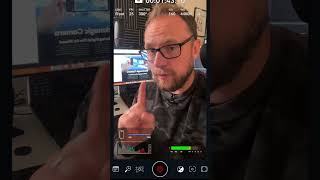
Blackmagic Camera App for iOS - Be Careful!! #blackmagiccamera
You need to be careful when using the new Blackmagic Camera App in the new Stealth Mode which allows you to shoot horizontal 16:9 video whilst holding your phone vertically. Whilst it’s very cool o found out that it’s actually cropping in on the sensor and recording a resolution of 2160x1214 so the image is degraded and also the FOV is tighter than when using the phone horizontally and more traditionally to record video clips using the Blackmagic Design Camera app. #blackmagiccamera #blackmagicdesign #cameraapp #ios
One Feature in Davinci Resolve You (Possibly) Never Knew Existed: The Clone Tool
I'm willing to bet that a fair few of you didn't know about the Clone Tool in Davinci Resolve. The clone tool is a really powerful feature of the media page in Davinci Resolve, and it's a great way to ingest your media from the native camera cards and copy them to your hard drives ready for editing. Whilst you are offloading your media from the cards, you can also back up your files to more than one destination at once. It helps ensure you have multiple copies of your video files, and it also provides various forms of checksum verification methods. Be honest, and let me know in the comments if you knew about The Clone Tool? Have you been using it, or were you one of those who never knew it existed? ========== FEATURED IN THIS VIDEO: Music from AUDIIO.COM - Get amazing, rights-cleared music that's ready for all your video creation needs right here: https://audiio.com/partner?oid=5&affid=278 and use code (DEPIQD10) for 10% OFF!! Animated Graphics and Titles from MotionVFX - A huge library of motion graphics, effects, and title presets for Davinci Resolve, Final Cut and Premiere Pro. Use this link https://l.depiqd.co.uk/MVFX and this coupon code (DEPIQD10) for 10% OFF your purchase. ========== TIMESTAMPS (for impatient people 😉): 00:00 - Introduction 00:38 - Breakdown of the Media Page 01:27 - Advantages of the Media Page 02:55 - How to use the Clone Tool 03:33 - What is Checksum? 04:38 - The Cloning Process 05:48 - Cloning to multiple destinations 06:36 - Final Thoughts ========== 👀 WHAT TO WATCH NEXT: 👀 If you enjoyed this video, then you'll probably also enjoy watching this one - https://youtu.be/18q_iQllPbw ========== 🎓 LEARN ABOUT DAVINCI RESOLVE FOR FREE: 🎓 If you'd like to learn more about editing video in DaVinci Resolve, I've got you covered with some suggested playlists on the channel that I think you'll like. Check them out below - https://www.youtube.com/playlist?list=PLCAfSEU_BnAB9-dhz8DMS0oLePDX8zr4- ========== 🙌🏻. FOLLOW ALEX ON SOCIALS 🙌🏻 I'd be so happy if you'd like to join us on our other channels. Click the link below to see where else you can connect with me - https://sleekbio.com/alexcameron ========== AFFILIATION DISCLAIMER Occasionally, I feature links in the affiliated video descriptions, meaning that I earn a small commission if you choose to use these links or purchase the products I'm linking to. There's absolutely no additional cost or difference as far as you're concerned, and by using the link, you're helping me continue making the videos for the channel. I will try to make it clear which links are affiliated.
Edit Faster with Stacked Timelines in DaVinci Resolve 18
In this DaVinci Resolve 18 tutorial, Alex will show you how to edit faster with stacked timelines. Stacked timelines in Davinci Resolve allow you to manage and edit between multiple timelines simultaneously, which can speed up your editing process. If you're a video editor who'd like to save a bunch of time with your video production, then this tutorial is for you. We'll show you how to use stacked timelines in DaVinci Resolve 18 to speed up your editing process and save time on your video projects. So join us as we learn how to edit faster with stacked timelines in DaVinci Resolve 18! ========== FEATURED IN THIS VIDEO: Music from AUDIIO.COM - Get amazing, rights-cleared music that's ready for all your video creation needs right here: https://audiio.com/partner?oid=5&affid=278 and use code (DEPIQD10) for 10% OFF!! Animated Graphics and Titles from MotionVFX - A huge library of motion graphics, effects, and title presets for Davinci Resolve, Final Cut and Premiere Pro. Use this link https://l.depiqd.co.uk/MVFX and this coupon code (DEPIQD10) for 10% OFF your purchase. ========== TIMESTAMPS (for impatient people 😉): 00:00 - Introduction 00:36 - Why use Stacked Timelines - The Problem 02:48 - Enabling Tabbed Timelines 03:51 - Thank You! 05:02 - Using Stacked Timelines - Pancake Editing 09:03 - Stacked Timelines in Dual Screen View 10:22 - Final Thoughts ========== 👀 WHAT TO WATCH NEXT: 👀 If you enjoyed this video, then you'll probably also enjoy watching this one - https://youtu.be/18q_iQllPbw ========== 🎓 LEARN ABOUT DAVINCI RESOLVE FOR FREE: 🎓 If you'd like to learn more about editing video in DaVinci Resolve, I've got you covered with some suggested playlists on the channel that I think you'll like. Check them out below - https://www.youtube.com/playlist?list=PLCAfSEU_BnAB9-dhz8DMS0oLePDX8zr4- ========== 🙌🏻. FOLLOW ALEX ON SOCIALS 🙌🏻 I'd be so happy if you'd like to join us on our other channels. Click the link below to see where else you can connect with me - https://sleekbio.com/alexcameron ========== AFFILIATION DISCLAIMER Occasionally, I feature links in the affiliated video descriptions, meaning that I earn a small commission if you choose to use these links or purchase the products I'm linking to. There's absolutely no additional cost or difference as far as you're concerned, and by using the link, you're helping me continue making the videos for the channel. I will try to make it clear which links are affiliated.
Unwrapping Davinci Resolve 18.5: Small New Features No One is Talking About
This video delves into the lesser-known gems of Davinci Resolve 18.5 that have yet to take the spotlight. 🎉 These are the game-changing updates that might've slipped under the radar but trust me, they're the secret sauce for supercharging your editing game. No more beta testing – Davinci Resolve 18.5 is officially out, packing a punch with a bunch of cool updates that are practically begging for your attention. Now, let's keep it real – there's so much coolness in 18.5 that squeezing it all into one video is like trying to fit a giraffe in a phone booth. But hey, that's what I'm here for, right? I took a spin with Davinci Resolve 18.5 for my own professional projects, even when it was still in beta. Why? Well, I wanted to get familiar with all these new features and figure out which ones are the game changers – not just for me, but hopefully for you too. So, get comfy and join me as we unwrap these small but important new features. Think of it as a treasure hunt for smarter editing advice. My favourite Davinci Resolve 18.5 unmentioned new features are here to make your creative life easier. Ready? Let's roll! 🎬 ========== FEATURED IN THIS VIDEO: Music from AUDIIO.COM - Get amazing, rights-cleared music that's ready for all your video creation needs right here: https://audiio.com/partner?oid=5&affid=278 and use code (DEPIQD10) for 10% OFF!! Animated Graphics and Titles from MotionVFX - A huge library of motion graphics, effects, and title presets for Davinci Resolve, Final Cut and Premiere Pro. Use this link https://l.depiqd.co.uk/MVFX and this coupon code (DEPIQD10) for 10% OFF your purchase. ========== TIMESTAMPS (for impatient people 😉): 00:00 - Introduction 01:50 - Flattened Multicam Grades Retained 03:38 - Clear In and Out Points for Multiple Clips 04:31 - Export Current Frame as a Still 06:36 - Reorder Timeline Tracks 08:24 - Manage Cache Files 09:59 - Per-Timeline Color Management 12:34 - Stablise Multiple Clips 13:21 - Final Thoughts ========== 👀 WHAT TO WATCH NEXT: 👀 If you enjoyed this video, then you'll probably also enjoy watching this one - https://youtu.be/18q_iQllPbw ========== 🎓 LEARN ABOUT DAVINCI RESOLVE FOR FREE: 🎓 If you'd like to learn more about editing video in DaVinci Resolve, I've got you covered with some suggested playlists on the channel that I think you'll like. Check them out below - https://www.youtube.com/playlist?list=PLCAfSEU_BnAB9-dhz8DMS0oLePDX8zr4- ========== 🙌🏻. FOLLOW ALEX ON SOCIALS 🙌🏻 I'd be so happy if you'd like to join us on our other channels. Click the link below to see where else you can connect with me - https://sleekbio.com/alexcameron ========== AFFILIATION DISCLAIMER Occasionally, I feature links in the affiliated video descriptions, meaning that I earn a small commission if you choose to use these links or purchase the products I'm linking to. There's absolutely no additional cost or difference as far as you're concerned, and by using the link, you're helping me continue making the videos for the channel. I will try to make it clear which links are affiliated.

Blackmagic Design have just announced Davinci Resolve 18.5 Public Beta and it’s awesome!!
3 Simple Ways to Transfer a Davinci Resolve Project To Another Computer
If you need to transfer a Davinci Resolve project to another computer, then in this Davinci Resolve 18 tutorial, I'll show you exactly how to do that in 3 simple but different ways. The critical question is, what is your intended purpose when you export a Davinci Resolve project file to move it to another computer? Do you need the media to be included or not? Are you looking to collaborate with someone else? Do you need to work on proxy media? Together we'll dive into answering all these questions so that the next time you need to move or transfer a Davinci Resolve project to another computer, you know exactly how to do it! Stay tuned to the end to find out my favourite method of moving projects between workstations or when I need to move the project to a laptop to edit "on the go". CHAPTERS: 00:00 - Intro 00:38 - Export and Import Projects 02:52 - BONUS TIP: Export Timelines and Bins ONLY 05:28 - Let me answer your questions! 06:14 - Using Project Archives 09:31 - Using Cloud Projects and Collaboration 12:20 - My Favourite Option? 12:33 - Final Thoughts ========== 🎓 LEARN ABOUT DAVINCI RESOLVE WITH ALEX 🎓 BEGINNERS GUIDE TO DAVINCI RESOLVE - ONLINE COURSE: https://www.depiqd.co.uk/davinciresolvecourses 💥 USE CODE: DVR40OFF at checkout for 40% off 💥 ========== 👀 WHAT TO WATCH NEXT: 👀 If you enjoyed this video, then you'll probably also enjoy watching this one - https://youtu.be/IJ9f3C_Ny2M ========== 🛒 GET DAVINCI RESOLVE FX AND TEMPLATES: 🛒 I use MotionVFX for all my DaVinci Resolve templates and effects. You can get 10% OFF any purchases by using this link https://l.depiqd.co.uk/MVFX and the code 'depiqd10' ========== 🎓 FREE DAVINCI RESOLVE LEARNING RESOURCES: 🎓 If you'd like to learn more about editing video in DaVinci Resolve, I've got you covered with this Davinci Resolve playlist that I think you'll like - https://www.youtube.com/playlist?list=PLCAfSEU_BnABNdvIcyPpIJfk4JEleGHii ========== 🙌🏻. FOLLOW ALEX ON SOCIALS 🙌🏻 I'd be so happy if you'd like to join us on our other channels. Click the link below to see where else you can connect with me - https://sleekbio.com/alexcameron ========== 👋🏻 ABOUT ALEX and DEPIQD 👋🏻 Alex is a certified DaVinci Resolve trainer and video producer with a mission to simplify and reduce the learning curve of producing fantastic video content. Alex has been in filmmaking for over 14 years and, in 2016, set up his company, Depiqd (said Dee-PikT), which initially focused on traditional video production. Now, whilst Depiqd still offers video production services to our clients today, the focus is on reaching and helping as many people as possible to get started using video and make the process of learning enjoyable, stress-free and efficient without it costing a fortune. Whether you have personal or business-driven goals, video is so powerful and can reach people in many ways that other forms of media can. However, it can be laborious, complicated, and expensive, and it takes a long time to become proficient, so often, people give up far too soon. If that sound's familiar, hopefully, the videos on this channel will help you. Please consider subscribing and turning on notifications, so you don't miss new videos as they get released. ========== AFFILIATION DISCLAIMER Occasionally, I feature links in the video descriptions that are affiliated, which mean that I earn a minimal amount if you choose to use these links or purchase the products I'm linking to. There's absolutely no additional cost or difference as far as you're concerned, and by using the link, you're helping me continue making the videos for the channel. I will try to make it clear which links are affiliated.
10 DaVinci Resolve Shortcuts to Speed Up Your Editing Process
In this video, I'll show you my 10 DaVinci Resolve Shortcuts that will speed up your video editing and make you much faster. When it comes to editing videos, time is everything. If you can reduce the time it takes you to do even the simplest of small tasks, like pressing a key on the keyboard or moving the mouse around, you need to try. Keyboard shortcuts are ideal for this, as, with one button press, you can accomplish one or even multiple commands. CHAPTERS: 00:00 - Intro 00:34 - Keyboard Shortcut #1 - JKL 01:22 - Keyboard Shortcut #2 - Razor/Split Clips 02:42 - Keyboard Shortcut #3 - Select Nearest Edit Point 03:11 - Keyboard Shortcut #4 - Toggle Edit Point Type 03:58 - Keyboard Shortcut #5 - Switch Edit Modes 04:57 - Online Course - Reduce Your Learning Curve 05:45 - Keyboard Shortcut #6 - Nudge 06:36 - Keyboard Shortcut #7 - Select Nearest Clip/Gap 07:19 - Keyboard Shortcut #8 - Select Clips Forward/Backward 08:10 - Keyboard Shortcut #9 - Trim Start or End to Playhead 09:05 - Keyboard Shortcut #10 - Play Around 10:15 - Final Thoughts ========== 🎓 LEARN ABOUT DAVINCI RESOLVE WITH ALEX 🎓 BEGINNERS GUIDE TO DAVINCI RESOLVE - ONLINE COURSE: https://www.depiqd.co.uk/davinciresolvecourses 💥 USE CODE: DVR40OFF at checkout for 40% off 💥 ========== 👀 WHAT TO WATCH NEXT: 👀 If you enjoyed this video, then you'll probably also enjoy watching this one - https://youtu.be/IJ9f3C_Ny2M ========== 🛒 GET DAVINCI RESOLVE FX AND TEMPLATES: 🛒 I use MotionVFX for all my DaVinci Resolve templates and effects. You can get 10% OFF any purchases by using this link https://l.depiqd.co.uk/MVFX and the code 'depiqd10' ========== 🎓 FREE DAVINCI RESOLVE LEARNING RESOURCES: 🎓 If you'd like to learn more about editing video in DaVinci Resolve, I've got you covered with this Davinci Resolve playlist that I think you'll like - https://www.youtube.com/playlist?list=PLCAfSEU_BnABNdvIcyPpIJfk4JEleGHii ========== 🙌🏻. FOLLOW ALEX ON SOCIALS 🙌🏻 I'd be so happy if you'd like to join us on our other channels. Click the link below to see where else you can connect with me - https://sleekbio.com/alexcameron ========== 👋🏻 ABOUT ALEX and DEPIQD 👋🏻 Alex is a certified DaVinci Resolve trainer and video producer with a mission to simplify and reduce the learning curve of producing fantastic video content. Alex has been in filmmaking for over 14 years and, in 2016, set up his company, Depiqd (said Dee-PikT), which initially focused on traditional video production. Now, whilst Depiqd still offers video production services to our clients today, the focus is on reaching and helping as many people as possible to get started using video and make the process of learning enjoyable, stress-free and efficient without it costing a fortune. Whether you have personal or business-driven goals, video is so powerful and can reach people in many ways that other forms of media can. However, it can be laborious, complicated, and expensive, and it takes a long time to become proficient, so often, people give up far too soon. If that sound's familiar, hopefully, the videos on this channel will help you. Please consider subscribing and turning on notifications, so you don't miss new videos as they get released. ========== AFFILIATION DISCLAIMER Occasionally, I feature links in the video descriptions that are affiliated, which mean that I earn a minimal amount if you choose to use these links or purchase the products I'm linking to. There's absolutely no additional cost or difference as far as you're concerned, and by using the link, you're helping me continue making the videos for the channel. I will try to make it clear which links are affiliated.

5 GREAT but SMALL Updates to Davinci Resolve 18.1 you may have missed
In this video, I'll go through my favourite 5 small but important updates to DaVinci Resolve 18.1. Whilst there were a lot of big new features announced with the arrival of Davinci Resolve 18.1, there were also some really useful smaller features and updates added that make a really big difference and should make life editing video much easier. Be sure to stay tuned to the end to see all 5 of my favourite new features that are mostly underrated but really helpful. CHAPTERS: 00:00 - Intro 00:26 - About Alex 00:46 - Davinci Resolve 18.1 Small Update #1 01:14 - Davinci Resolve 18.1 Small Update #2 01:53 - Davinci Resolve 18.1 Small Update #3 02:55 - Davinci Resolve 18.1 Small Update #4 03:26 - Davinci Resolve 18.1 Small Update #5 04:01 - Final Thoughts ========== 🎓 LEARN ABOUT DAVINCI RESOLVE WITH ALEX 🎓 BEGINNERS GUIDE TO DAVINCI RESOLVE - ONLINE COURSE: https://www.depiqd.co.uk/davinciresolvecourses 💥 USE CODE: DVR40OFF at checkout for 40% off 💥 ========== 👀 WHAT TO WATCH NEXT: 👀 If you enjoyed this video, then you'll probably also enjoy watching this one - https://youtu.be/IJ9f3C_Ny2M ========== 🛒 GET DAVINCI RESOLVE FX AND TEMPLATES: 🛒 I use MotionVFX for all my DaVinci Resolve templates and effects. You can get 10% OFF any purchases by using this link https://l.depiqd.co.uk/MVFX and the code 'depiqd10' ========== 🎓 FREE DAVINCI RESOLVE LEARNING RESOURCES: 🎓 If you'd like to learn more about editing video in DaVinci Resolve, I've got you covered with this Davinci Resolve playlist that I think you'll like - https://www.youtube.com/playlist?list=PLCAfSEU_BnABNdvIcyPpIJfk4JEleGHii ========== 🙌🏻. FOLLOW ALEX ON SOCIALS 🙌🏻 I'd be so happy if you'd like to join us on our other channels. Click the link below to see where else you can connect with me - https://sleekbio.com/alexcameron ========== 👋🏻 ABOUT ALEX and DEPIQD 👋🏻 Alex is a certified DaVinci Resolve trainer and video producer with a mission to simplify and reduce the learning curve of producing fantastic video content. Alex has been in filmmaking for over 14 years and, in 2016, set up his company, Depiqd (said Dee-PikT), which initially focused on traditional video production. Now, whilst Depiqd still offers video production services to our clients today, the focus is on reaching and helping as many people as possible to get started using video and make the process of learning enjoyable, stress-free and efficient without it costing a fortune. Whether you have personal or business-driven goals, video is so powerful and can reach people in many ways that other forms of media can. However, it can be laborious, complicated, and expensive, and it takes a long time to become proficient, so often, people give up far too soon. If that sound's familiar, hopefully, the videos on this channel will help you. Please consider subscribing and turning on notifications, so you don't miss new videos as they get released. ========== AFFILIATION DISCLAIMER Occasionally, I feature links in the video descriptions that are affiliated, which mean that I earn a minimal amount if you choose to use these links or purchase the products I'm linking to. There's absolutely no additional cost or difference as far as you're concerned, and by using the link, you're helping me continue making the videos for the channel. I will try to make it clear which links are affiliated.
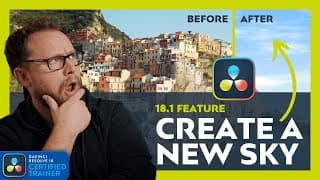
AWESOME New Sky Replacement Tool in Davinci Resolve 18
In the 18.1 update, Blackmagic Design gave us this awesome new sky replacement tool in Davinci Resolve 18. It's so EASY to use and allows you to quickly bring in a stock sky image, or you can actually GENERATE A NEW SKY from scratch without leaving the application. In this video, I'll show you how to use the new sky replacement tool in Davinci Resolve 18 and what settings give me the best, most natural results. CHAPTERS: 00:00 - Intro 00:43 - Sky Replacement Example 01:43 - Setting up the Node Graph 02:49 - Qualifying the Old Sky 03:49 - BONUS - 3D Keyer Tip 04:05 - Refining the Key 04:45 - Using Windows to Clean Up The Key 06:14 - Connecting the Sky Replacement FX Node 06:50 - Building a NEW Sky - Replacement Settings 08:31 - Adding Clouds 09:58 - Extra Sky Replacement Settings 10:28 - Fix Sky Position by Matching Clip Motion 12:12 - Sky Replacement Example 2 - Large Clip Motion 14:03 - Sky Replacement Example 2 - Tricky 15:42 - Final Thoughts ========== 🎓 LEARN ABOUT DAVINCI RESOLVE WITH ALEX 🎓 BEGINNERS GUIDE TO DAVINCI RESOLVE - ONLINE COURSE: https://www.depiqd.co.uk/davinciresolvecourses 💥 USE CODE: DVR40OFF at checkout for 40% off 💥 ========== 👀 WHAT TO WATCH NEXT: 👀 If you enjoyed this video, then you'll probably also enjoy watching this one - https://youtu.be/IJ9f3C_Ny2M ========== 🛒 GET DAVINCI RESOLVE FX AND TEMPLATES: 🛒 I use MotionVFX for all my DaVinci Resolve templates and effects. You can get 10% OFF any purchases by using this link https://l.depiqd.co.uk/MVFX and the code 'depiqd10' ========== 🎓 FREE DAVINCI RESOLVE LEARNING RESOURCES: 🎓 If you'd like to learn more about editing video in DaVinci Resolve, I've got you covered with this Davinci Resolve playlist that I think you'll like - https://www.youtube.com/playlist?list=PLCAfSEU_BnABNdvIcyPpIJfk4JEleGHii ========== 🙌🏻. FOLLOW ALEX ON SOCIALS 🙌🏻 I'd be so happy if you'd like to join us on our other channels. Click the link below to see where else you can connect with me - https://sleekbio.com/alexcameron ========== 👋🏻 ABOUT ALEX and DEPIQD 👋🏻 Alex is a certified DaVinci Resolve trainer and video producer with a mission to simplify and reduce the learning curve of producing fantastic video content. Alex has been in filmmaking for over 14 years and, in 2016, set up his company, Depiqd (said Dee-PikT), which initially focused on traditional video production. Now, whilst Depiqd still offers video production services to our clients today, the focus is on reaching and helping as many people as possible to get started using video and make the process of learning enjoyable, stress-free and efficient without it costing a fortune. Whether you have personal or business-driven goals, video is so powerful and can reach people in many ways that other forms of media can. However, it can be laborious, complicated, and expensive, and it takes a long time to become proficient, so often, people give up far too soon. If that sound's familiar, hopefully, the videos on this channel will help you. Please consider subscribing and turning on notifications, so you don't miss new videos as they get released. ========== AFFILIATION DISCLAIMER Occasionally, I feature links in the video descriptions that are affiliated, which mean that I earn a minimal amount if you choose to use these links or purchase the products I'm linking to. There's absolutely no additional cost or difference as far as you're concerned, and by using the link, you're helping me continue making the videos for the channel. I will try to make it clear which links are affiliated.
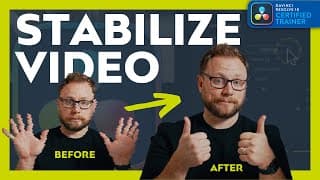
Use DaVinci Resolve to Stabilize Shaky Video Clips - Simple and Fast
If your video is shaky, use DaVinci Resolve to stabilize it. This video shows you how to use the software to fix shaky videos like a pro. It's super simple and very fast when you know how to do it. If you're suffering from shaky video clips, don't worry! DaVinci Resolve can help you restore them to their former glory. This video shows you how to use the software to fix shaky videos like a pro. You'll be able to improve the quality of your videos in no time! CHAPTERS: 00:00 - Intro 00:37 - Stabilize Video in Davinci Resolve 00:42 - Shaky Video Footage Example 01:10 - Where are the stabilization tools in Davinci Resolve? 01:32 - Basic stabilization 02:00 - Why it might look bad and how to fix it? 02:47 - Perspective Mode 03:07 - Similarity Mode 03:26 - Translation Mode 04:06 - Remember to Hit Stabilise Again 04:33 - Zoom 04:59 - Camera Lock 05:42 - Fine Tuning Your Stabilization 05:59 - What is Cropping Ratio? 07:03 - What does Smoothing do? 07:45 - What does Strength do? 08:54 - Outro ========== 🎓 LEARN ABOUT DAVINCI RESOLVE WITH ALEX 🎓 BEGINNERS GUIDE TO DAVINCI RESOLVE - ONLINE COURSE: https://www.depiqd.co.uk/davinciresolvecourses 💥 USE CODE: DVR40OFF at checkout for 40% off 💥 ========== 👀 WHAT TO WATCH NEXT: 👀 If you enjoyed this video, then you'll probably also enjoy watching this one - https://youtu.be/IJ9f3C_Ny2M ========== 🛒 GET DAVINCI RESOLVE FX AND TEMPLATES: 🛒 I use MotionVFX for all my DaVinci Resolve templates and effects. You can get 10% OFF any purchases by using this link https://l.depiqd.co.uk/MVFX and the code 'depiqd10' ========== 🎓 FREE DAVINCI RESOLVE LEARNING RESOURCES: 🎓 If you'd like to learn more about editing video in DaVinci Resolve, I've got you covered with this Davinci Resolve playlist that I think you'll like - https://www.youtube.com/playlist?list=PLCAfSEU_BnABNdvIcyPpIJfk4JEleGHii ========== 🙌🏻. FOLLOW ALEX ON SOCIALS 🙌🏻 I'd be so happy if you'd like to join us on our other channels. Click the link below to see where else you can connect with me - https://sleekbio.com/alexcameron ========== 👋🏻 ABOUT ALEX and DEPIQD 👋🏻 Alex is a certified DaVinci Resolve trainer and video producer with a mission to simplify and reduce the learning curve of producing fantastic video content. Alex has been in filmmaking for over 14 years and, in 2016, set up his company, Depiqd (said Dee-PikT), which initially focused on traditional video production. Now, whilst Depiqd still offers video production services to our clients today, the focus is on reaching and helping as many people as possible to get started using video and make the process of learning enjoyable, stress-free and efficient without it costing a fortune. Whether you have personal or business-driven goals, video is so powerful and can reach people in many ways that other forms of media can. However, it can be laborious, complicated, and expensive, and it takes a long time to become proficient, so often, people give up far too soon. If that sound's familiar, hopefully, the videos on this channel will help you. Please consider subscribing and turning on notifications, so you don't miss new videos as they get released. ========== AFFILIATION DISCLAIMER Occasionally, I feature links in the video descriptions that are affiliated, which mean that I earn a minimal amount if you choose to use these links or purchase the products I'm linking to. There's absolutely no additional cost or difference as far as you're concerned, and by using the link, you're helping me continue making the videos for the channel. I will try to make it clear which links are affiliated.
REMOVE Background Noise From Video in DaVinci Resolve 18.1: VOICE ISOLATION
Ever notice how some videos have really loud background noise? In this tutorial, we'll show you how to remove background noise using voice isolation in Davinci Resolve 18.1. DaVinci Resolve is one of the best video editing software options on the market, and it's great for removing background noise from footage. In this tutorial, we'll show you how to use voice isolation to remove background noise from your video footage in Davinci Resolve 18.1. After watching this video, you'll be able to clean up your video footage with ease! TIMESTAMPS: 00:00 - Intro 00:32 - Noisy Audio Example 01:14 - How to apply the Voice Isolation Tool 01:33 - Example of FIXED Audio - WOW! 02:14 - Mix Ambient Noise for a more natural result 02:44 - Final Thoughts 02:59 - Thanks for watching and supporting the channel ========== 🎓 LEARN ABOUT DAVINCI RESOLVE WITH ALEX 🎓 BEGINNERS GUIDE TO DAVINCI RESOLVE - ONLINE COURSE: https://www.depiqd.co.uk/davinciresolvecourses 💥 USE CODE: DVR40OFF at checkout for 40% off 💥 ========== 👀 WHAT TO WATCH NEXT: 👀 If you enjoyed this video, then you'll probably also enjoy watching this one - https://youtu.be/IJ9f3C_Ny2M ========== 🛒 GET DAVINCI RESOLVE FX AND TEMPLATES: 🛒 I use MotionVFX for all my DaVinci Resolve templates and effects. You can get 10% OFF any purchases by using this link https://l.depiqd.co.uk/MVFX and the code 'depiqd10' ========== 🎓 FREE DAVINCI RESOLVE LEARNING RESOURCES: 🎓 If you'd like to learn more about editing video in DaVinci Resolve, I've got you covered with this Davinci Resolve playlist that I think you'll like - https://www.youtube.com/playlist?list=PLCAfSEU_BnABNdvIcyPpIJfk4JEleGHii ========== 🙌🏻. FOLLOW ALEX ON SOCIALS 🙌🏻 I'd be so happy if you'd like to join us on our other channels. Click the link below to see where else you can connect with me - https://sleekbio.com/alexcameron ========== 👋🏻 ABOUT ALEX and DEPIQD 👋🏻 Alex is a certified DaVinci Resolve trainer and video producer with a mission to simplify and reduce the learning curve of producing fantastic video content. Alex has been in filmmaking for over 14 years and, in 2016, set up his company, Depiqd (said Dee-PikT), which initially focused on traditional video production. Now, whilst Depiqd still offers video production services to our clients today, the focus is on reaching and helping as many people as possible to get started using video and make the process of learning enjoyable, stress-free and efficient without it costing a fortune. Whether you have personal or business-driven goals, video is so powerful and can reach people in many ways that other forms of media can. However, it can be laborious, complicated, and expensive, and it takes a long time to become proficient, so often, people give up far too soon. If that sound's familiar, hopefully, the videos on this channel will help you. Please consider subscribing and turning on notifications, so you don't miss new videos as they get released. ========== AFFILIATION DISCLAIMER Occasionally, I feature links in the video descriptions that are affiliated, which mean that I earn a minimal amount if you choose to use these links or purchase the products I'm linking to. There's absolutely no additional cost or difference as far as you're concerned, and by using the link, you're helping me continue making the videos for the channel. I will try to make it clear which links are affiliated.
Easily Edit VERTICAL VIDEO in DaVinci Resolve 18.1 | NEW FEATURE
One of the new features in Davinci Resolve 18.1 is the ability to quickly adjust your video resolution to accommodate vertical video projects that are perfect to output to social media platforms like TikTok, Instagram Reels and Instagram Stories and YouTube Shorts. In this video, I'll show you how to quickly adjust your vertical video settings in Davinci Resolve 18.1 from both the Project Settings and Timeline Settings menus. We'll also look at how you can save your perfect vertical video or square video settings as a default preset to use quickly in your next project. If you'd like to check out my initial thoughts on the Davinci Resolve 18.1 update, then you can find this here 👇🏻 MAJOR Davinci Resolve 18.1 Update: MY FIRST REACTIONS https://youtu.be/IJ9f3C_Ny2M TIMESTAMPS: 00:00 - Intro 00:39 - Why might we want Vertical Video? 01:08 - Change Timeline Resolution in Project Settings 01:51 - Changing Timeline Resolution to Vertical Aspect 02:15 - Adjusting our video clip to vertical resolution 03:27 - Switch to vertical resolution from Timeline Settings 05:16 - Smart Reframe Tool for Studio users 05:29 - Save settings as default preset 05:59 - Final Thoughts 06:22 - Thanks for watching and supporting channel ========== 🎓 LEARN ABOUT DAVINCI RESOLVE WITH ALEX 🎓 BEGINNERS GUIDE TO DAVINCI RESOLVE - ONLINE COURSE: https://www.depiqd.co.uk/davinciresolvecourses 💥 USE CODE: DVR40OFF at checkout for 40% off 💥 ========== 👀 WHAT TO WATCH NEXT: 👀 If you enjoyed this video, then you'll probably also enjoy watching this one - https://youtu.be/IJ9f3C_Ny2M ========== 🛒 GET DAVINCI RESOLVE FX AND TEMPLATES: 🛒 I use MotionVFX for all my DaVinci Resolve templates and effects. You can get 10% OFF any purchases by using this link https://l.depiqd.co.uk/MVFX and the code 'depiqd10' ========== 🎓 FREE DAVINCI RESOLVE LEARNING RESOURCES: 🎓 If you'd like to learn more about editing video in DaVinci Resolve, I've got you covered with this Davinci Resolve playlist that I think you'll like - https://www.youtube.com/playlist?list=PLCAfSEU_BnABNdvIcyPpIJfk4JEleGHii ========== 🙌🏻. FOLLOW ALEX ON SOCIALS 🙌🏻 I'd be so happy if you'd like to join us on our other channels. Click the link below to see where else you can connect with me - https://sleekbio.com/alexcameron ========== 👋🏻 ABOUT ALEX and DEPIQD 👋🏻 Alex is a certified DaVinci Resolve trainer and video producer with a mission to simplify and reduce the learning curve of producing fantastic video content. Alex has been in filmmaking for over 14 years and, in 2016, set up his company, Depiqd (said Dee-PikT), which initially focused on traditional video production. Now, whilst Depiqd still offers video production services to our clients today, the focus is on reaching and helping as many people as possible to get started using video and make the process of learning enjoyable, stress-free and efficient without it costing a fortune. Whether you have personal or business-driven goals, video is so powerful and can reach people in many ways that other forms of media can. However, it can be laborious, complicated, and expensive, and it takes a long time to become proficient, so often, people give up far too soon. If that sound's familiar, hopefully, the videos on this channel will help you. Please consider subscribing and turning on notifications, so you don't miss new videos as they get released. ========== AFFILIATION DISCLAIMER Occasionally, I feature links in the video descriptions that are affiliated, which mean that I earn a minimal amount if you choose to use these links or purchase the products I'm linking to. There's absolutely no additional cost or difference as far as you're concerned, and by using the link, you're helping me continue making the videos for the channel. I will try to make it clear which links are affiliated.
MAJOR Davinci Resolve 18.1 Update: MY FIRST REACTIONS
DaVinci Resolve 18.1 is available to download now from the Blackmagic Design Website. Davinci Resolve 18.1 is a fantastic new update with loads of awesome tools and features to make editing videos a great experience. Tools like Voice Isolation and the Dialogue Leveller, as well as the Magic Mask in Fusion, Sky Replacement FX, and Social Media Delivery updates, are all part of the huge 18.1 updates for Davinci Resolve 18.1 TIMESTAMPS: 00:00 - Intro 00:41 - Who I Am 00:54 - Davinci Resolve 18.1 is HERE! 01:36 - Voice Isolation 02:06 - Speed Editor Update 02:32 - Vector Keyframing for Automations 03:29 - Grid Mode in Fairlight Page 04:04 - Magic Mask in Fusion 04:37 - Social Media Delivery Updates 06:42 - Unsung Hero Updates 06:50 - Updated View Menu 07:25 - Updated Project Manager 07:48 - Edit and Trim Gaps 08:27 - Let Me Know Your Thoughts Watch the BMD Official Davinci Resolve 18.1 New Features video here: https://youtu.be/CB_c2ugLWa0 Watch Patrick Stirling's take on the New Features in Fusion: https://youtu.be/o20m3xO9a5w ========== 🎓 LEARN ABOUT DAVINCI RESOLVE WITH ALEX 🎓 BEGINNERS GUIDE TO DAVINCI RESOLVE - ONLINE COURSE: https://www.depiqd.co.uk/davinciresolvecourses 💥 USE CODE: DVR40OFF at checkout for 40% off 💥 ========== 👀 WHAT TO WATCH NEXT: 👀 If you enjoyed this video, then you'll probably also enjoy watching this one - https://www.youtube.com/watch?v=P0QZZijJScs&t=588s ========== 🎓 FREE DAVINCI RESOLVE LEARNING RESOURCES: 🎓 If you'd like to learn more about editing video in DaVinci Resolve, I've got you covered with this Davinci Resolve playlist that I think you'll like - https://www.youtube.com/playlist?list=PLCAfSEU_BnABNdvIcyPpIJfk4JEleGHii ========== 🙌🏻. FOLLOW ALEX ON SOCIALS 🙌🏻 I'd be so happy if you'd like to join us on our other channels. Click the link below to see where else you can connect with me - https://sleekbio.com/alexcameron ========== 👋🏻 ABOUT ALEX and DEPIQD 👋🏻 Alex is a certified DaVinci Resolve trainer and video producer with a mission to simplify and reduce the learning curve of producing fantastic video content. Alex has been in filmmaking for over 14 years and, in 2016, set up his company, Depiqd (said Dee-PikT), which initially focused on traditional video production. Now, whilst Depiqd still offers video production services to our clients today, the focus is on reaching and helping as many people as possible to get started using video and make the process of learning enjoyable, stress-free and efficient without it costing a fortune. Whether you have personal or business-driven goals, video is so powerful and can reach people in many ways that other forms of media can. However, it can be laborious, complicated, and expensive, and it takes a long time to become proficient, so often, people give up far too soon. If that sound's familiar, hopefully, the videos on this channel will help you. Please consider subscribing and turning on notifications so you don't miss new videos as they get released. ========== AFFILIATION DISCLAIMER Occasionally, I feature links in the video descriptions that are affiliated, which mean that I earn a minimal amount if you chose to use these links or purchase the products I'm linking to. There's absolutely no additional cost or difference as far as you're concerned, and by using the link, you're helping me continue making the videos for the channel. I will try to make it clear which links are affiliated.
Adding Text to Video in DaVinci Resolve
In this guide to adding text to video in Davinci Resolve, Alex will walk you through how to easily create fantastic and gorgeous titles with minimum effort. We'll look at how to use the Text Tool to quickly add a basic level of text to your videos and some simple text customisations and animations. TIMESTAMPS: 00:00 - INTRO 00:24 - ADDING TEXT IN DAVINCI RESOLVE 00:45 - THE TEXT TOOL 01:07 - EDITING TEXT IN THE INSPECTOR 01:58 - EDITING RICH TEXT IN TEXT TOOL 02:28 - ADJUSTING TEXT IN TIMELINE 03:47 - 40% OFF MY BEGINNERS GUIDE TO DAVINCI RESOLVE COURSE 04:43 - ADD AND EDIT LOWER THIRD TEXT 05:46 - ADDING STROKES AND SHADOWS 06:41 - ADDING TEXT BACKGROUNDS 07:43 - ANIMATING YOUR LOWER THIRD TITLE WITHOUT KEYFRAMES 09:25 - FINAL THOUGHTS ========== 🎓 LEARN ABOUT DAVINCI RESOLVE WITH ALEX 🎓 BEGINNERS GUIDE TO DAVINCI RESOLVE - ONLINE COURSE: https://www.depiqd.co.uk/davinciresolvecourses 💥 USE CODE: DVR40OFF at checkout for 40% off 💥 ========== 👀 WHAT TO WATCH NEXT: 👀 If you enjoyed this video, then you'll probably also enjoy watching this one - https://www.youtube.com/watch?v=P0QZZijJScs&t=588s ========== 🎓 FREE DAVINCI RESOLVE LEARNING RESOURCES: 🎓 If you'd like to learn more about editing video in DaVinci Resolve, I've got you covered with this Davinci Resolve playlist that I think you'll like - https://www.youtube.com/playlist?list=PLCAfSEU_BnABNdvIcyPpIJfk4JEleGHii ========== 🙌🏻. FOLLOW ALEX ON SOCIALS 🙌🏻 I'd be so happy if you'd like to join us on our other channels. Click the link below to see where else you can connect with me - https://sleekbio.com/alexcameron ========== 👋🏻 ABOUT ALEX and DEPIQD 👋🏻 Alex is a certified DaVinci Resolve trainer and video producer with a mission to simplify and reduce the learning curve of producing fantastic video content. Alex has been in filmmaking for over 14 years and, in 2016, set up his company, Depiqd (said Dee-PikT), which initially focused on traditional video production. Now, whilst Depiqd still offers video production services to our clients today, the focus is on reaching and helping as many people as possible to get started using video and make the process of learning enjoyable, stress-free and efficient without it costing a fortune. Whether you have personal or business-driven goals, video is so powerful and can reach people in many ways that other forms of media can. However, it can be laborious, complicated, and expensive, and it takes a long time to become proficient, so often, people give up far too soon. If that sound's familiar, hopefully, the videos on this channel will help you. Please consider subscribing and turning on notifications so you don't miss new videos as they get released. ========== AFFILIATION DISCLAIMER Occasionally, I feature links in the video descriptions that are affiliated, which mean that I earn a minimal amount if you chose to use these links or purchase the products I'm linking to. There's absolutely no additional cost or difference as far as you're concerned, and by using the link, you're helping me continue making the videos for the channel. I will try to make it clear which links are affiliated.

Remove your DaVinci Resolve SNAPPING FRUSTRATION with this PRO TIP
This video will help remove your Davinci Resolve snapping frustration with this Pro Tip that is not so commonly known. I often get asked about the Davinci Resolve Snapping tool and told how it frustrates many people because sometimes highly-sensitive and makes precisely trimming or positioning your clips in Davinci Resolve 18 very tricky. I'll show you a few workarounds to make snapping in Davinci Resolve better, and ONE KILLER PRO TIP that I guarantee will solve almost all your snapping frustrations. CHAPTERS: 00:00 - Snapping in DaVinci Resolve 00:25 - Intro 00:56 - Snapping in the Edit Page 01:13 - What is Snapping? 01:26 - Turning Snapping on and off in Davinci Resolve 18 02:02 - Snapping in the Cut Page 02:37 - How is Snapping useful? 03:29 - Why Snapping Frustrates People 04:32 - Workaround #1? 04:50 - Workaround #2? 05:25 - PRO TIP for using Snapping in Davinci Resolve 06:49 - Final Thoughts ========== 🎓 LEARN ABOUT DAVINCI RESOLVE WITH ALEX 🎓 BEGINNERS GUIDE TO DAVINCI RESOLVE - ONLINE COURSE: https://www.depiqd.co.uk/davinciresolvecourses 💥 USE CODE: DVR40OFF at checkout for 40% off 💥 ========== 👀 WHAT TO WATCH NEXT: 👀 If you enjoyed this video, then you'll probably also enjoy watching this one - https://www.youtube.com/watch?v=P0QZZijJScs&t=588s ========== 🎓 FREE DAVINCI RESOLVE LEARNING RESOURCES: 🎓 If you'd like to learn more about editing video in DaVinci Resolve, I've got you covered with this Davinci Resolve playlist that I think you'll like - https://www.youtube.com/playlist?list=PLCAfSEU_BnABNdvIcyPpIJfk4JEleGHii ========== 🙌🏻. FOLLOW ALEX ON SOCIALS 🙌🏻 I'd be so happy if you'd like to join us on our other channels. Click the link below to see where else you can connect with me - https://sleekbio.com/alexcameron ========== 👋🏻 ABOUT ALEX and DEPIQD 👋🏻 Alex is a certified DaVinci Resolve trainer and video producer with a mission to simplify and reduce the learning curve of producing fantastic video content. Alex has been in filmmaking for over 14 years and, in 2016, set up his company, Depiqd (said Dee-PikT), which initially focused on traditional video production. Now, whilst Depiqd still offers video production services to our clients today, the focus is on reaching and helping as many people as possible to get started using video and make the process of learning enjoyable, stress-free and efficient without it costing a fortune. Whether you have personal or business-driven goals, video is so powerful and can reach people in many ways that other forms of media can. However, it can be laborious, complicated, and expensive, and it takes a long time to become proficient, so often, people give up far too soon. If that sound's familiar, hopefully, the videos on this channel will help you. Please consider subscribing and turning on notifications so you don't miss new videos as they get released. ========== AFFILIATION DISCLAIMER Occasionally, I feature links in the video descriptions that are affiliated, which mean that I earn a minimal amount if you chose to use these links or purchase the products I'm linking to. There's absolutely no additional cost or difference as far as you're concerned, and by using the link, you're helping me continue making the videos for the channel. I will try to make it clear which links are affiliated.
Why I haven't upgraded to DaVinci Resolve 18...until now! | How to upgrade without losing work
I'm BACK!! It's been exactly a year since my last YouTube upload, and I explain why in the video. It's been so busy I haven't even been able to upgrade to Davinci Resolve 18 yet!! That changes in this video though where I walk you through my workflow for upgrading Davinci Resolve from 17 to 18, without the worry or stress of possibly losing presets, projects or Fusion templates. I've been busy creating my online Davinci Resolve courses whilst I've been away, and I'm happy to say that the Beginners Guide to Davinci Resolve is now fully available. There are over 15 hours of training in bite-size video lessons that you can follow using the downloadable media provided. It's also a certified course meaning you can take the end-user exam at the end and receive certification from Blackmagic Design. Learn more about the course here: https://www.depiqd.co.uk/davinciresolvecourses 💥 USE CODE: DVR40OFF at checkout for 40% off 💥 If you'd like to check out MotionVFX and their great range of Fusion Templates for Davinci Resolve 18, then use this link: https://motionvfx.sjv.io/depiqd 💥 USE CODE: depiqd10 for 10% OFF 💥 This is the Elgato Stream Deck Davinci Resolve 18 Keyboard Shortcut set that I mention in the video: https://aescripts.com/davinci-resolve-pro-profiles/ ========== 👀 WHAT TO WATCH NEXT: 👀 If you enjoyed this video, then you'll probably also enjoy watching this one - https://www.youtube.com/watch?v=P0QZZijJScs&t=588s ========== 🎓 LEARN ABOUT DAVINCI RESOLVE FOR FREE: 🎓 If you'd like to learn more about how to edit video in DaVinci Resolve, then I've got you covered with some suggested playlists on the channel that I think you'll really like. Check them out below - https://www.youtube.com/playlist?list=PLCAfSEU_BnABNdvIcyPpIJfk4JEleGHii ========== 🙌🏻. FOLLOW ALEX ON SOCIALS 🙌🏻 I'd be so happy if you'd like to join us on our other channels. Click the link below to see where else you can connect with me - https://sleekbio.com/alexcameron ========== 👋🏻 ABOUT ALEX and DEPIQD 👋🏻 Alex is a certified DaVinci Resolve trainer and video producer with a mission to simplify and reduce the learning curve to producing fantastic video content. Alex has been in filmmaking for over 14 years now and, in 2016, set up his company, Depiqd (said Dee-PikT), which initially focused on traditional video production. Now, whilst Depiqd still offers video production services to our clients today, the focus is on reaching and helping as many people as possible to get started using video and make the process of learning enjoyable, stress-free and efficient without it costing a fortune. Whether you have personal or business-driven goals, video is so powerful and can reach people in many ways that other forms of media can. However, it can be laborious, complicated, and expensive and it takes a long time to become proficient, so often, people give up far too soon. If that sound's familiar, hopefully, the videos on this channel will help you. Please consider subscribing and turning on notifications so you don't miss new videos as they get released. ========== AFFILIATION DISCLAIMER Occasionally, I feature links in the video descriptions that are affiliated which mean that I earn a minimal amount if you chose to use these links or purchase the products I'm linking to. There's absolutely no additional cost or difference as far as you're concerned, and by using the link, you're helping me continue making the videos for the channel. I will try to make it clear which links are affiliated.

I’m back, alright! #shorts #short #davinciresolve #davinciresolvetutorial #davinciresolve18
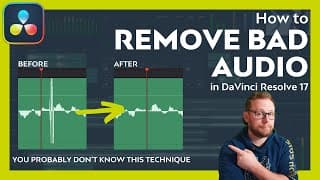
How to REMOVE bad audio in Davinci Resolve 17 | Sample Level Audio Editing
In this video, Alex will show you just what to do if you need to remove bad audio from your video clips. Fortunately, it's really easy to do in Davinci Resolve 17 as you'll see. This technique can only be done on the Fairlight page of Davinci Resolve 17 and before long you'll know exactly what to do to remove bad audio directly from those troublesome clips in your timeline. If you'd like to learn how to fix glitches and pops in your audio then make sure you check out this video. If you'd like to learn how to use DaVinci Resolve in more detail and get answers to your questions then consider purchasing one of our Davinci Resolve 17 courses. They are currently 50% off while we put the finishing touches together - https://www.depiqd.co.uk/davinciresolvecourses ========== ENJOYED THE VIDEO? 👍🏻 Please be sure to like the video if it was helpful and you can support the channel to continue putting out new, free tutorials by heading over to https://www.buymeacoffee.com/alexcameron and becoming a supporter or member there. All your kind support goes towards the production of more content for the channel. ========== TIMESTAMPS: 00:00 - Fix Audio Issues at Sample Level 00:29 - Intro Ident 00:36 - What is Audio Sample Level? 01:34 - How to access Audio Sample Level Editing 02:06 - Reviewing the BAD audio 02:27 - Difference between Frames and Samples 02:55 - PRO Tip: Isolate Sample Clip 05:22 - How to Edit Audio at Sample Level 06:17 - Making Amendments to Edited Sample Levels 06:55 - Resetting the Edited Sample Levels 07:28 - Final Thoughts - Please Subscribe ========== 👀 WHAT TO WATCH NEXT: 👀 If you enjoyed this video, then you'll probably also enjoy watching this one - https://youtu.be/AeBRojOTTyo ========== 🎓 LEARN ABOUT DAVINCI RESOLVE FOR FREE: 🎓 If you'd like to learn more about how to edit video in DaVinci Resolve, then I've got you covered with some suggested playlists on the channel that I think you'll really like. Check them out below - https://youtube.com/playlist?list=PLCAfSEU_BnABNdvIcyPpIJfk4JEleGHii ========== 🙌🏻. FOLLOW ALEX ON SOCIALS 🙌🏻 I'd be so happy if you'd like to join us on our other channels. Click the link below to see where else you can connect with me - https://sleekbio.com/alexcameron ========== 👋🏻 ABOUT ALEX and DEPIQD 👋🏻 Alex is a certified DaVinci Resolve trainer and video producer with a mission to simplify and reduce the learning curve to producing fantastic video content. Alex has been in filmmaking for over 14 years now and, in 2016, set up his company, Depiqd (said Dee-PikT), which initially focused on traditional video production. Now, whilst Depiqd still offers video production services to our clients today, the focus is on reaching and helping as many people as possible to get started using video and make the process of learning enjoyable, stress-free and efficient without it costing a fortune. Whether you have personal or business-driven goals, video is so powerful and can reach people in many ways that other forms of media can. However, it can be laborious, complicated, expensive and takes a long time to become proficient, so often, people give up far too soon. If that sound's familiar, then hopefully, the videos on this channel will really help you. Please consider subscribing and turning on notifications, so you don't miss new videos as they get released. ========== AFFILIATION DISCLAIMER Occasionally, I feature links in the video descriptions that are affiliated and mean that I earn a minimal amount if you chose to use these links or purchase the products I'm linking to. There's absolutely no additional cost or difference as far as you're concerned, and by using the link, you're helping me continue making the videos for the channel. I will try to make it clear which links are affiliated.
How to Remove a Green Screen in DaVinci Resolve | 3 Different Ways
** Download the FREE 'How to Film a Green Screen' guide *** https://www.depiqd.co.uk/green-screen-guide Green Screens can be tricky to handle but in this video, I'm going to show you how to remove a green screen in Davinci Resolve 17 really easily. We'll look at 3 different ways that you can easily remove a green screen in the Edit, Colour and Fusion pages. Let me know in the comments below which method is your favourite and which one gets you the best results? If you're looking for 50% OFF our DaVinci Resolve 17 courses - https://www.depiqd.co.uk/davinciresolvecourses TIMESTAMPS: 00:00 Introduction 00:59 Removing a Green Screen in DaVinci Resolve 17 02:08 Technique 1 - Edit Page 10:29 Technique 2 - Colour Page 16:22 Technique 3 - Fusion Page 23:48 BONUS TIP: Pass Fusion Matte to Colour Page 27:25 Poorly Lit Green Screen 27:50 Edit Page Technique Recap 29:47 Colour Page Technique Recap 31:37 Fusion Page Technique Recap 36:25 Final Thoughts ========== 👀 WHAT TO WATCH NEXT: 👀 If you enjoyed this video, then you'll probably also enjoy watching this one - https://youtu.be/P0QZZijJScs ========== 🎓 LEARN ABOUT DAVINCI RESOLVE FOR FREE: 🎓 If you'd like to learn more about how to edit video in DaVinci Resolve, then I've got you covered with some suggested playlists on the channel that I think you'll really like. Check them out below - https://youtube.com/playlist?list=PLCAfSEU_BnABNdvIcyPpIJfk4JEleGHii ========== 🙌🏻. FOLLOW ALEX ON SOCIALS 🙌🏻 I'd be so happy if you'd like to join us on our other channels. Click the link below to see where else you can connect with me - https://sleekbio.com/alexcameron ========== 👋🏻 ABOUT ALEX and DEPIQD 👋🏻 Alex is a certified DaVinci Resolve trainer and video producer with a mission to simplify and reduce the learning curve to producing fantastic video content. Alex has been in filmmaking for over 14 years now and, in 2016, set up his company, Depiqd (said Dee-PikT), which initially focused on traditional video production. Now, whilst Depiqd still offers video production services to our clients today, the focus is on reaching and helping as many people as possible to get started using video and make the process of learning enjoyable, stress-free and efficient without it costing a fortune. Whether you have personal or business-driven goals, video is so powerful and can reach people in many ways that other forms of media can. However, it can be laborious, complicated, expensive and takes a long time to become proficient, so often, people give up far too soon. If that sound's familiar, then hopefully, the videos on this channel will really help you. Please consider subscribing and turning on notifications, so you don't miss new videos as they get released. ========== AFFILIATION DISCLAIMER Occasionally, I feature links in the video descriptions that are affiliated and mean that I earn a minimal amount if you chose to use these links or purchase the products I'm linking to. There's absolutely no additional cost or difference as far as you're concerned, and by using the link, you're helping me continue making the videos for the channel. I will try to make it clear which links are affiliated.
NEW VIDEO - Remove a Green Screen in DaVinci Resolve 17 dropping at 3pm BST #shorts
So excited to be able to finally let you all know that my next video will be out later today at 3pm BST. In the video, I'll be showing you how to remove a Green Screen in Davinci Resolve 17 really easily and in three different rooms too. We'll be removing a green screen in the Edit page, the Colour page and the Fusion page. I'd be so grateful if you're able to check out the video and let me know you liked it by hitting the like button for me. Thanks a lot. Great to be back. #shorts

Sorry I’ve been quiet…more Davinci Resolve 17 tutorials soon!
I know it’s been a while since my last video and very sorry indeed. Thought I’d give these YouTube Shorts a try. Bare with me, I’ve got some plans for how to use this so hope you’ll stick around for that. Lots of DaVinci Resolve 17 tutorials and new videos planned. Plus I’ll be using this new bad boy…#blackmagicdesign #minipanel #davinciresolve17 #davinciresolvetutorials
The DaVinci Resolve Sound Library is AWESOME (Plus Royalty Free Sound Effects)
DON'T SKIP THE FIRST 2 MINS! REALLY USEFUL TIP FOR STAYING ORGANISED. The DaVinci Resolve Sound Library is an awesome and underrated feature of DaVinci Resolve 17. In this video, I'll show you how to use the Davinci Resolve Sound Library properly and where to get some awesome royalty free sound effects for your productions and then how to use both the sound library and the effects in the Fairlight page of Davinci Resolve 17. Additionally, I'll introduce you to my favourite resource for royalty free sound effects that you can use in your YouTube videos and beyond. AUDIIO.COM LINK: https://l.depiqd.co.uk/audiio (Affiliate Link) 10% OFF ALL Subscriptions of Audiio - DEPIQ10 TIMESTAMPS: 00:00 The DaVinci Resolve Sound Library 00:45 What is the DaVinci Resolve Sound Library 01:05 Pro Tip for staying organised 01:54 Set Up a Sound Effect Database 03:02 FREE Blackmagic Fairlight Sound Library 04:06 Audiio.com - Royalty Free Sound Effects 06:32 Using the DaVinci Resolve Sound Library 07:14 ProTip - How to Show All Sound Effects at once 08:01 Previewing Sound Effects 09:01 Adding Music 10:57 Adding SFX from Sound Library 13:32 Adding More Sound Effects to the Sound Library 14:45 Working quickly in the Sound Library 16:21 Final Thoughts and Thanks ========== 👀 WHAT TO WATCH NEXT: 👀 If you enjoyed this video, then you'll probably also enjoy watching this one - https://youtu.be/MiYalE5xtwc ========== 🎓 LEARN ABOUT DAVINCI RESOLVE FOR FREE: 🎓 If you'd like to learn more about how to edit video in DaVinci Resolve, then I've got you covered with some suggested playlists on the channel that I think you'll really like. Check them out below - https://youtube.com/playlist?list=PLCAfSEU_BnACSWEEcN5ui4qK_7w4nfgoX ========== 🙌🏻. FOLLOW ALEX ON SOCIALS 🙌🏻 I'd be so happy if you'd like to join us on our other channels. Click the link below to see where else you can connect with me - https://sleekbio.com/alexcameron ========== 👋🏻 ABOUT ALEX and DEPIQD 👋🏻 Alex is a certified DaVinci Resolve trainer and video producer with a mission to simplify and reduce the learning curve to producing fantastic video content. Alex has been in filmmaking for over 14 years now and, in 2016, set up his company, Depiqd (said Dee-PikT), which initially focused on traditional video production. Now, whilst Depiqd still offers video production services to our clients today, the focus is on reaching and helping as many people as possible to get started using video and make the process of learning enjoyable, stress-free and efficient without it costing a fortune. Whether you have personal or business-driven goals, video is so powerful and can reach people in many ways that other forms of media can. However, it can be laborious, complicated, expensive and takes a long time to become proficient, so often, people give up far too soon. If that sound's familiar, then hopefully, the videos on this channel will really help you. Please consider subscribing and turning on notifications, so you don't miss new videos as they get released. ========== AFFILIATION DISCLAIMER Occasionally, I feature links in the video descriptions that are affiliated and mean that I earn a minimal amount if you chose to use these links or purchase the products I'm linking to. There's absolutely no additional cost or difference as far as you're concerned, and by using the link, you're helping me continue making the videos for the channel. I will try to make it clear which links are affiliated.
How to Speed Ramp in DaVinci Resolve 17 | Retime Controls
In this video, we'll be discussing how to speed ramp in DaVinci Resolve 17. In the last video, we looked at how to change a clip's speed but this was more of a constant speed change where the entire clip speed is altered. A Speed Ramp is a little different as it's only affecting a section of your video clip with a change of speed in order to achieve a desired creative effect such as drawing attention to a moment, movement or part of the video clip. DaVinci Resolve 17 makes speed ramping very easy to do with its powerful Retime Controls. If you're looking to slow your clip down for slow motion or speed it up for a timelapse effect then watch this video to learn how to speed ramp in Davinci Resolve 17! We'll even cover how to create a Freeze Frame section and how to get smooth, Slow Motion even if you're not using high frame rate video footage. ========== 📼 WATCH THE LAST VIDEO: 📼 How to change the speed of a clip in Davinci Resolve 17 https://youtu.be/frETj1FC7Ko ========== TIMESTAMPS: 00:00 - Speed Ramp in Davinci Resolve 00:16 - Intro 00:41 - What is Speed Ramping 01:40 - Reviewing Your Clip 02:04 - Simple But Wrong 04:19 - Using the Retime Controls 05:04 - Adding Speed Points 06:09 - Applying a Speed Change 07:14 - Editing Speed Points 08:59 - DaVinci Courses Pre-Launched - 50% Off 10:04 - Drag Speed Point to change speed 13:21 - What is the Retime Curve? 14:52 - Smoothing out the Speed Ramp 16:28 - BONUS TIP - Changing Speed using Retime Curve 18:38 - How to create a Freeze Frame 19:55 - Using Optical Flow for Smooth Slo Motion 21:23 - Change Motion Estimation for better results 23:00 - Final Thoughts ========== 👀 WHAT TO WATCH NEXT: 👀 If you enjoyed this video, then you'll probably also enjoy watching this one - https://youtu.be/P0QZZijJScs ========== 🎓 LEARN DAVINCI RESOLVE: 🎓 If you'd like to learn more about how to edit video in DaVinci Resolve, then we're just about to publish some new online courses all about Davinci Resolve 17 and they are currently on pre-sale for 50% OFF https://www.depiqd.co.uk/davinciresolvecourses ========== 🙌🏻. FOLLOW ALEX ON SOCIALS 🙌🏻 I'd be so happy if you'd like to join us on our other channels. Click the link below to see where else you can connect with me - https://sleekbio.com/alexcameron ========== 👋🏻 ABOUT ALEX and DEPIQD 👋🏻 Alex is a certified DaVinci Resolve trainer and video producer with a mission to simplify and reduce the learning curve to producing fantastic video content. Alex has been in filmmaking for over 14 years now and, in 2016, set up his company, Depiqd (said Dee-PikT), which initially focused on traditional video production. Now, whilst Depiqd still offers video production services to our clients today, the focus is on reaching and helping as many people as possible to get started using video and make the process of learning enjoyable, stress-free and efficient without it costing a fortune. Whether you have personal or business-driven goals, video is so powerful and can reach people in many ways that other forms of media can. However, it can be laborious, complicated, expensive and takes a long time to become proficient, so often, people give up far too soon. If that sound's familiar, then hopefully, the videos on this channel will really help you. Please consider subscribing and turning on notifications, so you don't miss new videos as they get released. ========== AFFILIATION DISCLAIMER Occasionally, I feature links in the video descriptions that are affiliated and mean that I earn a minimal amount if you chose to use these links or purchase the products I'm linking to. There's absolutely no additional cost or difference as far as you're concerned, and by using the link, you're helping me continue making the videos for the channel. I will try to make it clear which links are affiliated.
How to Change Clip Speed in DaVinci Resolve 17 - Constant Speed Change
Sometimes it's necessary to be able to change the speed of a clip in Davinci Resolve 17 so that you can fit the clip better to your edit or music. It may also be that you need to change clip speed for dramatic effect and impact like slow motion or timelapse. In this video, I'll show you how you can change the speed of a video clip in DaVinci Resolve 17 very easily and create a constant or linear change in speed. Additionally, we'll look at reversing a clip and how to ripple other clips in the sequence or timeline so you don't accidentally overwrite them. There's another video coming soon on VARIABLE Speed changes and Speed Ramping in Davinci Resolve 17 very soon so check back for that or subscribe and get notified when I publish new content. 🎓 ONLINE COURSES - https://l.depiqd.co.uk/dvrcourses 🎓 TIMESTAMPS: 00:00 Why Change Speed of a Clip? 00:34 Quick Welcome 01:08 What is a Constant Speed Change? 02:39 Access Speed Change via Menu 04:09 Access Speed Change by Right-Clicking 05:22 Get Answers to your Questions 05:49 Access Speed Change from The Inspector 06:35 Change Clip Direction 07:16 How to Ripple the Sequence 08:47 Fix Stuttery Motion in Project Settings 10:13 Fix Stuttery Motion Clip by Clip 11:00 Change Motion Estimation - SPEED WARP 12:49 Change Clip Speed with ReTime Controls 15:12 Important Point on the ReTime Controls 17:47 Resolve Courses Early Bird Offer 18:25 Real Example of Changing Clip Speed in a Project 21:44 Final Thoughts If you have any questions or feedback then please do drop me a comment. Remember if you liked the video and found it helpful then please consider leaving the video a 'like' as it really helps YouTube share this video with more people looking to learn about Davinci Resolve. If you'd like more videos and want to support the channel then I'd be so grateful if you'd head over to our 'buy me coffee' page to show your support or even become a member! As a member or a supporter, your comments and questions will be prioritised plus there's some other cool stuff available and more to come. SUPPORT THIS CHANNEL ☕️ If you enjoyed this video and would like to show your thanks then you can always Buy Me a Coffee: https://www.buymeacoffee.com/alexcameron Any support would be much appreciated. ==================== FREE DOWNLOADS and GUIDES: 👇🏻 FREE YOUTUBE CHANNEL SETUP GUIDE: https://l.depiqd.co.uk/i3m ==================== EQUIPMENT AND GEAR 🎥 If you want to know more about the gear we used in this video then the link below will give you all that information: Camera: https://amzn.to/3oDd2nz Wireless Lav Mic: https://amzn.to/3oAqk4p Desk USB Mic: https://amzn.to/37SH00T Lighting: https://amzn.to/3jO4t60 Cheap but amazing LED Lights: https://amzn.to/37QU9Yt Cool, small, colourful LED Light: https://amzn.to/3mBoYoe ===================== PLEASE SUBSCRIBE ♥️ If you enjoyed this video then please consider subscribing for more videos just like this one. Also, if you turn on the notifications option then you'll be sure not to miss new videos from us as they are released. ==================== CONNECT ON SOCIAL MEDIA - Facebook: http://bit.ly/2iC1X8b - Twitter: https://goo.gl/3XWb98 - Instagram: https://goo.gl/ojm41A Remember to subscribe to the channel for new and exciting content! https://goo.gl/k8XRIT DISCLAIMER: Some of the links above are affiliate links which means that we will receive a very small amount of commission should you purchase a product after visiting that link. It doesn't affect your experience or the price that you'll pay, it just helps us to continue making this type of content. Thank you in advance for your support.
How to Sync Audio in DaVinci Resolve 17
In this video, I'll show you how to sync audio in Davinci Resolve 17. If you have a tonne of video clips to sync with separately recorded audio - dual-system sound, then you'll want to watch this Davinci Resolve tutorial. It will save you a bunch of time and it's super easy to do. Once you have been able to sync audio in Davinci Resolve 17 you'll be amazed how you ever managed without! Also, check out our early bird offer on our online courses 👇🏻 🎓 ONLINE DAVINCI RESOLVE 17 COURSES: 🎓 https://www.depiqd.co.uk/davinciresolvecourses EARLY BIRD OFFER - 50% OFF. (Pre-launch special) TIMESTAMPS: 00:00 - Sync audio in DaVinci Resolve 17 Intro 01:14 - Why do you need to sync audio and video 02:00 - Syncing in the Media Page 02:48 - Auto Sync Audio and Video Clips by waveform 04:13 - Using Clip Attributes to view audio channels 04:50 - ONLINE COURSES OFFER 05:45 - Appending audio channel during sync 07:15 - Adding synced tracks to the timeline 08:20 - Sync audio in the Edit Page 09:30 - Syncing audio manually 11:25 - BONUS TIP - syncing audio in the timeline 13:58 - Please support the channel #davinciresolve #syncaudio #onlinecourses Check out Ryan George's Pitch Meetings here: https://www.youtube.com/watch?v=LGGWC5-q1Ts&list=PL--PgETgAz5FGoatB9KQzbnpv0bgZqU2l ==================== FREE DOWNLOADS and GUIDES: 👇🏻 FREE YOUTUBE CHANNEL SETUP GUIDE: https://l.depiqd.co.uk/i3m ==================== SUPPORT THIS CHANNEL ☕️ If you enjoyed this video and would like to show your thanks then you can always Buy Me a Coffee: https://www.buymeacoffee.com/alexcameron Any support would be much appreciated!! ==================== EQUIPMENT AND GEAR 🎥 If you want to know more about the gear we used in this video then the link below will give you all that information: Camera: https://amzn.to/3oDd2nz Wireless Lav Mic: https://amzn.to/3oAqk4p Desk USB Mic: https://amzn.to/37SH00T Lighting: https://amzn.to/3jO4t60 Cheap but amazing LED Lights: https://amzn.to/37QU9Yt Cool, small, colourful LED Light: https://amzn.to/3mBoYoe ===================== PLEASE SUBSCRIBE ♥️ If you enjoyed this video then please consider subscribing for more videos just like this one. Also, if you turn on the notifications option then you'll be sure not to miss new videos from us as they are released. ==================== CONNECT ON SOCIAL MEDIA - Facebook: http://bit.ly/2iC1X8b - Twitter: https://goo.gl/3XWb98 - Instagram: https://goo.gl/ojm41A Remember to subscribe to the channel for new and exciting content! https://goo.gl/k8XRIT DISCLAIMER: Some of the links above are affiliate links which means that we will receive a very small amount of commission should you purchase a product after visiting that link. It doesn't affect your experience or the price that you'll pay, it just helps us to continue making this type of content. Thank you in advance for your support.
DaVinci Resolve Source Tape | Amazing Cut Page Feature
In this video, we'll be looking at an amazing feature of the Cut Page in DaVinci Resolve 17 - the Source Tape. You'll learn how it is meant to work and how you can quickly use the Source Tape to go through all your media and get your selects or rough edit down onto the timeline. It's really amazing and I've been loving using it when cutting projects with tonnes of media. Timestamps: 00:00 - Video Intro 00:33 - Titles 00:39 - Thanks for subscribing 01:15 - Speed Editor Not Required 01:45 - Name our SE 02:02 - Cut Page Interface 02:58 - Different Viewers 03:15 - Source Tape Viewer 03:22 - Old SLOW way of viewing clips 03:41 - The New FAST way of viewing clips with Source Tape 04:41 - Using the Source Tape practically 05:35 - Swapping the clip order with sorting options 06:56 - Using bins to filter clips in Source Tape 08:18 - Example of adding clips to the timeline quickly 09:30 - Still Watching? 10:07 - Changing clip order and trimming clips in the Cut Page 11:56 - Switching bins in Source Tape view 12:15 - Conclusion and Final Thoughts Hope you enjoy the video! Please remember to like the video and subscribe if you haven't already! #sourcetape #davinciresolve17 #cutpage ========== 🎓 LEARN DAVINCI RESOLVE: 🎓 If you'd like to learn more about how to edit video in DaVinci Resolve, then we're just about to publish some new online courses all about Davinci Resolve 17 and they are currently on pre-sale for 50% OFF https://www.depiqd.co.uk/davinciresolvecourses ========== 🙌🏻. FOLLOW ALEX ON SOCIALS 🙌🏻 I'd be so happy if you'd like to join us on our other channels. Click the link below to see where else you can connect with me - https://sleekbio.com/alexcameron ========== 👋🏻 ABOUT ALEX and DEPIQD 👋🏻 Alex is a certified DaVinci Resolve trainer and video producer with a mission to simplify and reduce the learning curve to producing fantastic video content. Alex has been in filmmaking for over 14 years now and, in 2016, set up his company, Depiqd (said Dee-PikT), which initially focused on traditional video production. Now, whilst Depiqd still offers video production services to our clients today, the focus is on reaching and helping as many people as possible to get started using video and make the process of learning enjoyable, stress-free and efficient without it costing a fortune. Whether you have personal or business-driven goals, video is so powerful and can reach people in many ways that other forms of media can. However, it can be laborious, complicated, expensive and takes a long time to become proficient, so often, people give up far too soon. If that sound's familiar, then hopefully, the videos on this channel will really help you. Please consider subscribing and turning on notifications, so you don't miss new videos as they get released. ========== AFFILIATION DISCLAIMER Occasionally, I feature links in the video descriptions that are affiliated and mean that I earn a minimal amount if you chose to use these links or purchase the products I'm linking to. There's absolutely no additional cost or difference as far as you're concerned, and by using the link, you're helping me continue making the videos for the channel. I will try to make it clear which links are affiliated.
DaVinci Resolve Fusion for Beginners | Introduction to Visual Effects
In this Introduction for Beginners to DaVinci Resolve Fusion, I'll be walking you around the interface of the Fusion page inside Davinci Resolve 17 and helping all you beginners out there, new to compositing and what not, to feel a little more comfortable. Hopefully, by the end, you'll feel confident about getting started with Fusion in Davinci Resolve 17 and able to perform some simple text compositing. ========== TIMESTAMPS: 00:00 - Quick Introduction 00:37 - Fusion Interface 01:41 - Bringing clips into Fusion 03:04 - Moving between Edit and Fusion Page 03:15 - Render Range 03:28 - The Fusion Toolbar 04:02 - Adding tools and effects to the node flow 06:00 - Changing tool parameters 08:45 - Adding text to your composition 09:30 - Using the Dual Viewers 10:53 - The MERGE NODE - Super Important 13:09 - Using masks 14:23 - Animating with keyframes 15:01 - Rendering and caching for playback 15:40 - More animation of parameters 16:01 - Wrap up and final thoughts If you enjoyed the video please take a moment to hit the like button and say hi 👋🏻 in the comments below. Also, there will be more videos about this topic, so if you haven't yet subscribed and you'd like to be notified each time I post a new video, then please consider subscribing and turning on the notifications. #davinciresolvefusion #beginner #fusiontutorial ========== ❗️ FREE DAVINCI RESOLVE TRAINING:❗️ Intro to DaVinci Resolve for Beginners https://youtu.be/u2YmRPgAfV4 ========== 👀 WHAT TO WATCH NEXT: 👀 If you enjoyed this video, then you'll probably also enjoy watching this one - Cut Page Amazing Feature - Source Tape https://youtu.be/P0QZZijJScs ========== 🎓 LEARN DAVINCI RESOLVE: 🎓 If you'd like to learn more about how to edit video in DaVinci Resolve, then we're just about to publish some new online courses all about Davinci Resolve 17 and they are currently on pre-sale for 50% OFF https://www.depiqd.co.uk/davinciresolvecourses ========== 🙌🏻. FOLLOW ALEX ON SOCIALS 🙌🏻 I'd be so happy if you'd like to join us on our other channels. Click the link below to see where else you can connect with me - https://sleekbio.com/alexcameron ========== 👋🏻 ABOUT ALEX and DEPIQD 👋🏻 Alex is a certified DaVinci Resolve trainer and video producer with a mission to simplify and reduce the learning curve to producing fantastic video content. Alex has been in filmmaking for over 14 years now and, in 2016, set up his company, Depiqd (said Dee-PikT), which initially focused on traditional video production. Now, whilst Depiqd still offers video production services to our clients today, the focus is on reaching and helping as many people as possible to get started using video and make the process of learning enjoyable, stress-free and efficient without it costing a fortune. Whether you have personal or business-driven goals, video is so powerful and can reach people in many ways that other forms of media can. However, it can be laborious, complicated, expensive and takes a long time to become proficient, so often, people give up far too soon. If that sound's familiar, then hopefully, the videos on this channel will really help you. Please consider subscribing and turning on notifications, so you don't miss new videos as they get released. ========== AFFILIATION DISCLAIMER Occasionally, I feature links in the video descriptions that are affiliated and mean that I earn a minimal amount if you chose to use these links or purchase the products I'm linking to. There's absolutely no additional cost or difference as far as you're concerned, and by using the link, you're helping me continue making the videos for the channel. I will try to make it clear which links are affiliated.
Render in Place in DaVinci Resolve 17 | Amazing New Feature!
One of the new features we have to enjoy in DaVinci Resolve 17 is Render in Place. In this video, we'll look into why Render in Place in Davinci Resolve 17 is so helpful to your workflow. Render in place saves you tonnes of time thanks to how easy and convenient it is to use but also that it can help you get real-time playback of effect heavy clips. Also, we'll look at a real professional example that I had recently when working on a project using Resolve Colour Managed colour science but also wanting to create graphics and animated titles in Fusion. There is a current issue (at the time of posting this video) that means when working in Resolve Colour Managed colour science and the Davinci Wide Gamut colour space the colours of Fusion generated compositions (particularly texts and backgrounds) will not look correct in the Edit page. I therefore really needed to use Render in place in Davinci Resolve 17 to help me get around this issue and deliver the work on time. Timestamps: 00:00:00 - Render In Place Intro 00:00:37 - Who is Alex? 00:01:51 - What is Render in Place? 00:03:03 - Professional Use Case for Render in place 00:14:30 - Final Thoughts Enjoy and don't forget to like the video if you found it helpful. What do you think about Render in place in DaVinci Resolve 17? Let me know in the comments. #renderinplace #davinciresolve17 #workflowfeature ==================== FREE DOWNLOADS and GUIDES: 👇🏻 FREE YOUTUBE CHANNEL SETUP GUIDE: https://l.depiqd.co.uk/i3m ==================== SUPPORT THIS CHANNEL ☕️ If you enjoyed this video and would like to show your thanks then you can always Buy Me a Coffee: https://www.buymeacoffee.com/alexcameron Any support would be much appreciated. ==================== EQUIPMENT AND GEAR 🎥 If you want to know more about the gear we used in this video then the link below will give you all that information: Sony Camera: https://amzn.to/3oDd2nz RED Komodo Camera: https://cvp.com/product/red-komodo-6k-black Wireless Lav Mic: https://amzn.to/3oAqk4p Desk USB Mic: https://amzn.to/37SH00T Lighting: https://amzn.to/3jO4t60 Cheap but amazing LED Lights: https://amzn.to/37QU9Yt Cool, small, colourful LED Light: https://amzn.to/3mBoYoe ===================== PLEASE SUBSCRIBE ♥️ If you enjoyed this video then please consider subscribing for more videos just like this one. Also, if you turn on the notifications option then you'll be sure not to miss new videos from us as they are released. ==================== CONNECT ON SOCIAL MEDIA - Facebook: http://bit.ly/2iC1X8b - Instagram: https://goo.gl/ojm41A Remember to subscribe to the channel for new and exciting content! https://goo.gl/k8XRIT DISCLAIMER: Some of the links above are affiliate links which means that we will receive a very small amount of commission should you purchase a product after visiting that link. It doesn't affect your experience or the price that you'll pay, it just helps us to continue making this type of content. Thank you in advance for your support.
How to Color Grade Multiple Clips in DaVinci Resolve 17
Being able to color grade multiple clips in DaVinci Resolve 17 is a really important concept as often you have hundreds of clips in your program and it would simply be far too time-consuming to try and color grade multiple clips manually. In this video, I'll show you 6 techniques for how to color grade multiple clips in DaVinci Resolve 17 easily and quickly. Watch and learn how you can use these simple techniques to speed up your grading workflow. Sorry guys, this one is a long one but it's packed with information for you and I've included some timestamps below to help you navigate the video and rewatch it as needed. Timestamps: 00:00:00 Color Grading Multiple Clips in DaVinci Resolve 17 00:00:22 Bumper 00:00:27 Who is this guy? 00:01:10 Why is it important to speed up our grading 00:01:43 Technique 1 - Adjustment Clips 00:01:55 How to add an adjustment clip 00:02:04 How an adjustment clip works 00:02:41 How adjustment clips help us grade multiple clips 00:03:25 Making adjustments to individual clips 00:05:01 Stacking adjustment clips 00:06:07 Technique 2 - Copying Grades 00:06:51 Copy using your mouse 00:07:51 Useful Keyboard Shortcuts 00:08:43 No middle mouse button - watch this! 00:09:20 Technique 3 - Using Stills 00:10:14 How to create a still 00:10:31 The stills gallery 00:11:05 Applying a still to multiple clips 00:11:39 Stills Albums and Powergrades 00:13:09 Technique 4 - Remote Versions 00:13:58 Turning on Remote Grades 00:14:57 Grading Remote Versions 00:15:56 Switching to local versions for individual clips 00:16:47 Technique 5 - Shared Nodes 00:17:40 Creating a Shared Node 00:18:12 Adding a Shared Node 00:19:00 Application of shared nodes in power grade 00:20:06 Technique 6 - Clip Groups 00:20:24 Clip Filtering 00:21:05 Creating a new group 00:21:32 The Pre and Post Clip Node Editor 00:22:28 Practical example of Pre and Post Clip Group Grading 00:24:07 The Timeline Node Editor 00:25:01 Smart Filter Clips 00:25:41 Creating multiple groups 00:26:38 Final Thoughts Thanks so much for watching guys. Remember to comment if you have any questions and I'd love to know which technique you use most in your editing and colour grading workflow. #grademultipleclips #colourgrading #davinciresolve17 ==================== FREE DOWNLOADS and GUIDES: 👇🏻 FREE YOUTUBE CHANNEL SETUP GUIDE: https://l.depiqd.co.uk/i3m ==================== SUPPORT THIS CHANNEL ☕️ If you enjoyed this video and would like to show your thanks then you can always Buy Me a Coffee: https://www.buymeacoffee.com/alexcameron Any support would be much appreciated. ==================== EQUIPMENT AND GEAR 🎥 If you want to know more about the gear we used in this video then the link below will give you all that information: Camera: https://amzn.to/3oDd2nz Wireless Lav Mic: https://amzn.to/3oAqk4p Desk USB Mic: https://amzn.to/37SH00T Lighting: https://amzn.to/3jO4t60 Cheap but amazing LED Lights: https://amzn.to/37QU9Yt Cool, small, colourful LED Light: https://amzn.to/3mBoYoe ===================== PLEASE SUBSCRIBE ♥️ If you enjoyed this video then please consider subscribing for more videos just like this one. Also, if you turn on the notifications option then you'll be sure not to miss new videos from us as they are released. ==================== CONNECT ON SOCIAL MEDIA - Facebook: http://bit.ly/2iC1X8b - Twitter: https://goo.gl/3XWb98 - Instagram: https://goo.gl/ojm41A Remember to subscribe to the channel for new and exciting content! https://goo.gl/k8XRIT DISCLAIMER: Some of the links above are affiliate links which means that we will receive a very small amount of commission should you purchase a product after visiting that link. It doesn't affect your experience or the price that you'll pay, it just helps us to continue making this type of content. Thank you in advance for your support.
How to use Scene Cut Detection in DaVinci Resolve 17
Scene Cut Detection in DaVinci Resolve 17 is really a fantastic tool to have at your disposal and can really help you out in a pinch when you need to make a quick alteration to a finished project or even fix troublesome issues without the hassle of roundtripping from another software. Scene Cut Detection works in two ways in DaVinci Resolve 17 and in this video, Alex walks you through the old method of scene cut detection, which is handy if you're still using Davinci Resolve 16 but also the awesome new scene cut detection method that you can use if you've upgraded to Davinci Resolve 17 already. Did you know both those methods for scene cut detection in Davinci Resolve 17 and which of them did you like best? Let us know in the comments below. #scenecutdetection #davinciresolve17 ==================== FREE DOWNLOADS and GUIDES: 👇🏻 FREE YOUTUBE CHANNEL SETUP GUIDE: https://l.depiqd.co.uk/i3m ==================== SUPPORT THIS CHANNEL ☕️ If you enjoyed this video and would like to show your thanks then you can always Buy Me a Coffee: https://www.buymeacoffee.com/alexcameron Any support would be much appreciated. ==================== EQUIPMENT AND GEAR 🎥 If you want to know more about the gear we used in this video then the link below will give you all that information: Camera: https://amzn.to/3oDd2nz Wireless Lav Mic: https://amzn.to/3oAqk4p Desk USB Mic: https://amzn.to/37SH00T Lighting: https://amzn.to/3jO4t60 Cheap but amazing LED Lights: https://amzn.to/37QU9Yt Cool, small, colourful LED Light: https://amzn.to/3mBoYoe ===================== PLEASE SUBSCRIBE ♥️ If you enjoyed this video then please consider subscribing for more videos just like this one. Also, if you turn on the notifications option then you'll be sure not to miss new videos from us as they are released. ==================== CONNECT ON SOCIAL MEDIA - Facebook: http://bit.ly/2iC1X8b - Twitter: https://goo.gl/3XWb98 - Instagram: https://goo.gl/ojm41A Remember to subscribe to the channel for new and exciting content! https://goo.gl/k8XRIT DISCLAIMER: Some of the links above are affiliate links which means that we will receive a very small amount of commission should you purchase a product after visiting that link. It doesn't affect your experience or the price that you'll pay, it just helps us to continue making this type of content. Thank you in advance for your support.

Speed Editor for DaVinci Resolve 17 - not me, the New Keyboard!
The Speed Editor for Davinci Resolve 17 is a really fantastic addition to Blackmagic Design's panels and keyboard line up. The Speed Editor is light, yet robust, well made yet affordable and when paired with the Cut Page inside Davinci Resolve 17 it just works. That said, the Speed Editor for DaVinci Resolve 17is not without its little flaws and quirks which we'll go over in this video. If you haven't yet got your hands on the Speed Editor for DaVinci Resolve 17 then this video might help you sustain yourself until your Speed Editor finally arrives. I believe that currently, you can still order the Speed Editor for Davinci Resolve 17 and still get a copy of the Studio Version of Davinci Resolve shipped as well for FREE! If you haven't yet entered the competition to win a copy of Davinci Resolve Studio then you can do so by heading over to the link below and registering. Entries need to be in by Thursday 4th February at 11:59 GMT otherwise you won't be in the live draw. VIDEO TIMESTAMPS: 00:00 - Introduction 00:32 - Titles 00:38 - Learn with Alex 01:06 - Speed Editor Overview 01:56 - What's the Speed Editor like to use? 02:23 - Speed Editor Button Layout 06:24 - How to check battery charge 06:56 - Browsing media in the Source Tape 08:50 - Zooming into a bin 09:13 - Adding clips to the timeline 10:23 - Zoomed Waveform with Jog 11:16 - Timeline Mode and Scrolling 11:47 - Trimming clips with the Speed Editor 12:21 - Other simple controls 13:49 - Playhead snapping 14:21 - Full Screen and Review 14:49 - Adding and editing transitions 15:53 - Audio Level adjustments 16:09 - Adding Markers using the Speed Editor 16:50 - Missing features? 17:39 - Multicam editing with the Sync Bin 21:54 - Live Overwrite (GAME CHANGER) 22:58 - Use in other pages use 23:25 - Final thoughts UPDATE 10/03/2021 - SPEED EDITOR USER GUIDE There is a user guide for the Speed Editor and it comes as part of the New Features Guide pdf that ships as part of the Davinci Resolve download. I've taken the liberty of pulling the Speed Editor pages out of the New Features guide that comes with DaVinci Resolve 17 for you to download. Download the Speed Editor User Guide 👇🏻 https://www.depiqd.co.uk/speed-editor-user-guide DAVINCI RESOLVE STUDIO GIVEAWAY - THE GIVEAWAY IS NOW CLOSED! SORRY! #davinciresolve17 #speededitor #davinciresolvetraining ==================== LEARN WITH ALEX 🎓 Davinci Resolve 17 and 1:1 Video Production Training - https://www.depiqd.co.uk/training ==================== FREE DOWNLOADS and GUIDES: 👇🏻 FREE YOUTUBE CHANNEL SETUP GUIDE: https://l.depiqd.co.uk/i3m FREE 2 Hour DaVinci Resolve Introduction for Beginners: https://youtu.be/u2YmRPgAfV4 ==================== SUPPORT THIS CHANNEL ☕️ If you enjoyed this video and would like to show your thanks then you can always Buy Me a Coffee: https://www.buymeacoffee.com/alexcameron Any support would be much appreciated. ===================== ROYALTY-FREE MUSIC AND SFX 🎵 Find great music for your videos at AUDIIO! (I've used them for my professional work for years!) They have a diverse and growing library of royalty-free music and SFX, so you'll never have to use the same song twice (unless you want to). Check out this link: https://l.depiqd.co.uk/audiio, and if they haven't already got a great deal going, then use DEPIQ10 for 10% off your order! ===================== PLEASE SUBSCRIBE ♥️ If you enjoyed this video then please consider subscribing for more videos just like this one. Also, if you turn on the notifications option then you'll be sure not to miss new videos from us as they are released. ==================== CONNECT ON SOCIAL MEDIA - Facebook: http://bit.ly/2iC1X8b - Twitter: https://goo.gl/3XWb98 - Instagram: https://goo.gl/ojm41A Remember to subscribe to the channel for new and exciting content! https://goo.gl/k8XRIT DISCLAIMER: Some of the links above are affiliate links which means that we will receive a very small amount of commission should you purchase a product after visiting that link. It doesn't affect your experience or the price that you'll pay, it just helps us to continue making this type of content. Thank you in advance for your support.

Davinci resolve free vs studio? My 3 favourite features (WIN A COPY OF DAVINCI RESOLVE STUDIO)
GIVEAWAY ENTRY LINK: https://l.depiqd.co.uk/dvrstudiogiveaway Davinci resolve free vs studio? It's a fair question. Why upgrade to Davinci Resolve studio at the cost of £235/$295 when the FREE version of Davinci Resolve is just so darn good. Well, in this video I'll be running through some of the reasons that you might consider upgrading from Davinci Resolve free to Davinci Resolve Studio. In particular, my favourite three reasons that made me upgrade from Davinci Resolve free to the Davinci Resolve paid version. Stay tuned to the end as I'll be telling you how you can enter the FREE GIVEAWAY of Davinci Resolve Studio that we'll be doing in a couple of weeks time here on the channel. TIMESTAMPS: 00:00 - Intro 00:34 - Title 00:42 - Who am I 01:10 - What do you get for FREE 01:59 - How to get Davinci Resolve Studio 02:39 - What do you get in the paid version of Davinci Resolve 03:48 - Reason to upgrade 1 05:33 - Reason to upgrade 2 06:53 - Reason to upgrade 3 07:56 - Final thoughts 08:32 - GIVEAWAY - win a copy of Davinci Resolve Studio ==================== FREE DOWNLOADS and GUIDES: 👇🏻 FREE YOUTUBE CHANNEL SETUP GUIDE: https://l.depiqd.co.uk/i3m ==================== SUPPORT THIS CHANNEL ☕️ If you enjoyed this video and would like to show your thanks then you can always Buy Me a Coffee: https://www.buymeacoffee.com/alexcameron Any support would be much appreciated. ==================== EQUIPMENT AND GEAR 🎥 If you want to know more about the gear we used in this video then the link below will give you all that information: Camera: https://amzn.to/3oDd2nz Wireless Lav Mic: https://amzn.to/3oAqk4p Desk USB Mic: https://amzn.to/37SH00T Lighting: https://amzn.to/3jO4t60 Cheap but amazing LED Lights: https://amzn.to/37QU9Yt Cool, small, colourful LED Light: https://amzn.to/3mBoYoe ===================== PLEASE SUBSCRIBE ♥️ If you enjoyed this video then please consider subscribing for more videos just like this one. Also, if you turn on the notifications option then you'll be sure not to miss new videos from us as they are released. ==================== CONNECT ON SOCIAL MEDIA - Facebook: http://bit.ly/2iC1X8b - Twitter: https://goo.gl/3XWb98 - Instagram: https://goo.gl/ojm41A Remember to subscribe to the channel for new and exciting content! https://goo.gl/k8XRIT DISCLAIMER: Some of the links above are affiliate links which means that we will receive a very small amount of commission should you purchase a product after visiting that link. It doesn't affect your experience or the price that you'll pay, it just helps us to continue making this type of content. Thank you in advance for your support.
How to import video clips into DaVinci Resolve 16 | a Beginners Guide to Video Editing
In this video, we'll walk you through how to import video clips into Davinci Resolve 16. Now it may seem like a really simple thing to do but there are actually a few different ways that you can import video clips into DaVinci Resolve 16. Making sure that you import video clips correctly is essential to ensure that you are set up for your editing session and will dramatically increase the speed at which you can edit your video. Let us know in the comments below, what is your favourite way to import video clips into DaVinci Resolve 16? Are you a dragger and dropper or a right-clicker? Do you use the Media Storage Window or do you prefer to organise the video clips in your browser and import all the folders in one go? Let us know! If you are a beginner video editor or looking to get to grips with DaVinci Resolve 16 then do take a look at our website for more options on training courses and 1:1 coaching. All designed to dramatically cut the learning curve and get you editing your videos faster and with a much higher production level! https://www.depiqd.co.uk/training ==================== FREE DOWNLOADS and GUIDES: 👇🏻 FREE YOUTUBE CHANNEL SETUP GUIDE: https://l.depiqd.co.uk/i3m ==================== SUPPORT THIS CHANNEL ☕️ If you enjoyed this video and would like to show your thanks then you can always Buy Me a Coffee: https://www.buymeacoffee.com/alexcameron Any support would be much appreciated. ==================== EQUIPMENT AND GEAR 🎥 If you want to know more about the gear we used in this video then the link below will give you all that information: Camera: https://amzn.to/3oDd2nz Wireless Lav Mic: https://amzn.to/3oAqk4p Desk USB Mic: https://amzn.to/37SH00T Lighting: https://amzn.to/3jO4t60 Cheap but amazing LED Lights: https://amzn.to/37QU9Yt Cool, small, colourful LED Light: https://amzn.to/3mBoYoe ===================== PLEASE SUBSCRIBE ♥️ If you enjoyed this video then please consider subscribing for more videos just like this one. Also, if you turn on the notifications option then you'll be sure not to miss new videos from us as they are released. ==================== CONNECT ON SOCIAL MEDIA - Facebook: http://bit.ly/2iC1X8b - Twitter: https://goo.gl/3XWb98 - Instagram: https://goo.gl/ojm41A Remember to subscribe to the channel for new and exciting content! https://goo.gl/k8XRIT DISCLAIMER: Some of the links above are affiliate links which means that we will receive a very small amount of commission should you purchase a product after visiting that link. It doesn't affect your experience or the price that you'll pay, it just helps us to continue making this type of content. Thank you in advance for your support.
My favourite FIVE NEW FEATURES in DaVinci Resolve 17 | DaVinci Resolve 17
So DaVinci Resolve 17 is out and in this video, I'll walk you through my favourite five new features in DaVinci Resolve 17 that really matter to your workflow. I've picked these FIVE new features as I feel that they aren't necessarily the ones being highlighted by Blackmagic Design or other creators, that I've seen anyway. These five new features in DaVinci Resolve 17 are just so exciting as they'll save you a ton of time and therefore money by making your life better and more efficient when it comes to creating content for your business or for your clients. Slightly longer video than normal so I hope you don't mind! Feel free to use the timestamps below to jump around and find the new features in DaVinci Resolve 17 that are most interesting to you. Timestamps: Introduction and Explanation: 00:00 No.1 - Proxy Workflow: 02:09 No.2 - Render in Place: 07:49 No.3 - Automation Follows Edit: 10:58 No.4 - Audio Trim View in Cut Page: 14:58 Quick Thank You: 16:55 No.5 - Sync Clips in Timeline: 17:24 BONUS FEATURE - Scene Cut Detection: 21:16 Final Thoughts: 27:32 Let me know what are your favourite new features in DaVinci Resolve 17 below in the comments. Get DaVinci Resolve 17 for FREE - https://l.depiqd.co.uk/y2e ==================== FREE DOWNLOADS and GUIDES: 👇🏻 FREE YOUTUBE CHANNEL SETUP GUIDE: https://l.depiqd.co.uk/i3m ==================== SUPPORT THIS CHANNEL ☕️ If you enjoyed this video and would like to show your thanks then you can always Buy Me a Coffee: https://www.buymeacoffee.com/alexcameron Any support would be much appreciated. ==================== EQUIPMENT AND GEAR 🎥 If you want to know more about the gear we used in this video then the link below will give you all that information: Camera: https://amzn.to/3oDd2nz Wireless Lav Mic: https://amzn.to/3oAqk4p Desk USB Mic: https://amzn.to/37SH00T Lighting: https://amzn.to/3jO4t60 Cheap but amazing LED Lights: https://amzn.to/37QU9Yt Cool, small, colourful LED Light: https://amzn.to/3mBoYoe ===================== PLEASE SUBSCRIBE ♥️ If you enjoyed this video then please consider subscribing for more videos just like this one. Also, if you turn on the notifications option then you'll be sure not to miss new videos from us as they are released. ==================== CONNECT ON SOCIAL MEDIA - Facebook: http://bit.ly/2iC1X8b - Twitter: https://goo.gl/3XWb98 - Instagram: https://goo.gl/ojm41A Remember to subscribe to the channel for new and exciting content! https://goo.gl/k8XRIT DISCLAIMER: Some of the links above are affiliate links which means that we will receive a very small amount of commission should you purchase a product after visiting that link. It doesn't affect your experience or the price that you'll pay, it just helps us to continue making this type of content. Thank you in advance for your support.
5 Methods to Fix Slow Playback in DaVinci Resolve 16 - On ANY Computer
In this DaVinci Resolve 16 Tutorial, we'll be looking at how you can fix slow playback issues in DaVinci Resolve 16 and poor playback performance too on ANY computer. These 5 steps to getting smoother playback are built into DaVinci Resolve 16 and require a minimal amount of effort. Which of the 5 steps did you like most? Leave a comment below about which tip fixed your playback issues in DaVinci Resolve 16. TIMESTAMPS/NOTES: 00:00 - The issue of slow, laggy playback in DaVinci Resolve 16 00:28 - Intro 01:50 - Method 1 to fix slow playback: Proxy Mode 02:44 - Method 2 to fix slow playback: Render Caching 05:31 - Method 3 to fix slow playback: Optimised Media 11:14 - Method 4 to fix slow playback: Timeline Resolution 13:36 - Method 5 to fix slow playback: Combine All Methods 14:00 - Leave us your comments about how you get smoother playback in Davinci Resolve 16 ==================== FREE DOWNLOADS and GUIDES: 👇🏻 FREE YOUTUBE CHANNEL SETUP GUIDE: https://l.depiqd.co.uk/i3m ==================== SUPPORT THIS CHANNEL ☕️ If you enjoyed this video and would like to show your thanks then you can always Buy Me a Coffee: https://www.buymeacoffee.com/alexcameron Any support would be much appreciated. ===================== ROYALTY-FREE MUSIC AND SFX 🎵 Find great music for your videos at AUDIIO! (I've used them for my professional work for years!) They have a diverse and growing library of royalty-free music and SFX, so you'll never have to use the same song twice (unless you want to). Check out this link: https://l.depiqd.co.uk/audiio, and if they haven't already got a great deal going, then use DEPIQ10 for 10% off your order! ===================== PLEASE SUBSCRIBE ♥️ If you enjoyed this video, then please consider subscribing for more videos just like this one. Also, if you turn on the notifications option, you'll be sure not to miss new videos from us as they are released. ==================== CONNECT ON SOCIAL MEDIA - Facebook: http://bit.ly/2iC1X8b - Twitter: https://goo.gl/3XWb98 - Instagram: https://goo.gl/ojm41A Remember to subscribe to the channel for new and exciting content! https://goo.gl/k8XRIT DISCLAIMER: Some of the links above are affiliate links which means that we will receive a very small amount of commission should you purchase a product after visiting that link. It doesn't affect your experience or the price that you'll pay, it just helps us to continue making this type of content. Thank you in advance for your support.

Video Marketing for your business in 2021
Are you looking to use video marketing for your business in 2021? In this video, we'll take a look at the What, the Why and the HOW of video marketing to hopefully convince you that it's a vital part of your marketing plan. The great thing is that Video Marketing is more affordable than ever with most of us having access to smartphones which is all you really need to get started. Stick around to the end of the video to learn our NUMBER ONE tip for doing video marketing successfully!!! Let us know in the comments if you've been using video marketing as part of your strategy and what's been working for you. If you'd like to join our BUSINESS OF VIDEO CLUB then all you need to do is head over to our homepage https://www.depiqd.co.uk, wait a couple of seconds and when the Business Of Video sign up form pops up, drop us your details. ==================== FREE DOWNLOADS and GUIDES: 👇🏻 FREE YOUTUBE CHANNEL SETUP GUIDE: https://l.depiqd.co.uk/i3m ==================== SUPPORT THIS CHANNEL ☕️ If you enjoyed this video and would like to show your thanks then you can always Buy Me a Coffee: https://www.buymeacoffee.com/alexcameron Any support would be much appreciated. ==================== EQUIPMENT AND GEAR 🎥 If you want to know more about the gear we used in this video then the link below will give you all that information: Camera: https://amzn.to/3oDd2nz Wireless Lav Mic: https://amzn.to/3oAqk4p Desk USB Mic: https://amzn.to/37SH00T Lighting: https://amzn.to/3jO4t60 Cheap but amazing LED Lights: https://amzn.to/37QU9Yt Cool, small, colourful LED Light: https://amzn.to/3mBoYoe ===================== PLEASE SUBSCRIBE ♥️ If you enjoyed this video then please consider subscribing for more videos just like this one. Also, if you turn on the notifications option then you'll be sure not to miss new videos from us as they are released. ==================== CONNECT ON SOCIAL MEDIA - Facebook: http://bit.ly/2iC1X8b - Twitter: https://goo.gl/3XWb98 - Instagram: https://goo.gl/ojm41A Remember to subscribe to the channel for new and exciting content! https://goo.gl/k8XRIT DISCLAIMER: Some of the links above are affiliate links which means that we will receive a very small amount of commission should you purchase a product after visiting that link. It doesn't affect your experience or the price that you'll pay, it just helps us to continue making this type of content. Thank you in advance for your support.
How to ADD and REMOVE Black Bars in DaVinci Resolve 16 (Output Blanking)
How to ADD and REMOVE Black Bars in DaVinci Resolve 16: The process of obtaining that nice wide aspect ratio when you've filmed in 1920x1080 is an often requested tutorial so in this video our certified DaVinci Resolve 16 trainer, Alex, will show you just how easy this can be achieved in DaVinci Resolve 16 in just a few simple steps. DaVinci Resolve 16 has a really neat feature called Output Blanking which allows you a way to easily add cinematic black bars to your footage without the need to import .png files or do any tricky maths. Also, you can easily adjust your footage underneath the blanking and then remove the black bars just as easily. Also, Alex will show you a way to export the wide aspect ration without the black bars in a wide aspect ratio and how you can achieve this WITHOUT having to set your entire project up into this new wide-format which makes it much easier when you have to export multiple aspect ratios within a single project. Comment below if you know about Output Blanking and Output Scaling before and how you use them in your work. ==================== FREE DOWNLOADS and GUIDES: 👇🏻 FREE YOUTUBE CHANNEL SETUP GUIDE: https://l.depiqd.co.uk/i3m ==================== SUPPORT THIS CHANNEL ☕️ If you enjoyed this video and would like to show your thanks then you can always Buy Me a Coffee: https://www.buymeacoffee.com/alexcameron Any support would be much appreciated. ===================== ROYALTY-FREE MUSIC AND SFX 🎵 Find great music for your videos at AUDIIO! (I've used them for my professional work for years!) They have a diverse and growing library of royalty-free music and SFX, so you'll never have to use the same song twice (unless you want to). Check out this link: https://l.depiqd.co.uk/audiio, and if they haven't already got a great deal going, then use DEPIQ10 for 10% off your order! ===================== PLEASE SUBSCRIBE ♥️ If you enjoyed this video then please consider subscribing for more videos just like this one. Also, if you turn on the notifications option then you'll be sure not to miss new videos from us as they are released. ==================== CONNECT ON SOCIAL MEDIA - Facebook: http://bit.ly/2iC1X8b - Twitter: https://goo.gl/3XWb98 - Instagram: https://goo.gl/ojm41A Remember to subscribe to the channel for new and exciting content! https://goo.gl/k8XRIT DISCLAIMER: Some of the links above are affiliate links which means that we will receive a very small amount of commission should you purchase a product after visiting that link. It doesn't affect your experience or the price that you'll pay, it just helps us to continue making this type of content. Thank you in advance for your support!
How to use the People Management Window in DaVinci Resolve 16 Studio
PLEASE NOTE: This feature is not available in the FREE version of DaVinci Resolve as it requires the Neural Engine which is only available as part of the Studio version of DaVinci Resolve. In this video, Alex will show you how to use the People Management Window of DaVinci Resolve 16 to analyse clips in your project for people. It's really quite straightforward but has some really useful benefits when it comes to the organisation of your media and whilst working on your edit. If you enjoyed this video then please consider subscribing for more videos just like this one. Also, if you turn on the notifications option then you'll be sure not to miss new videos from us as they are released. PLEASE COME SAY HI ON SOCIAL - Facebook: http://bit.ly/2iC1X8b - Twitter: https://goo.gl/3XWb98 - Instagram: https://goo.gl/ojm41A Remember to subscribe to the channel for new and exciting content! https://goo.gl/k8XRIT ======================================== Looking to get started on YouTube? We've put together a handy guide to help you get started. FREE YOUTUBE CHANNEL SETUP GUIDE: https://www.depiqd.co.uk/freeyoutubesetupguide ======================================== If you want to know more about the gear we used in this video then the link below will give you all that information: Camera: https://amzn.to/3oDd2nz Wireless Lav Mic: https://amzn.to/3oAqk4p Desk USB Mic: https://amzn.to/37SH00T Lighting: https://amzn.to/3jO4t60 Cheap but amazing LED Lights: https://amzn.to/37QU9Yt Cool, small, colourful LED Light: https://amzn.to/3mBoYoe DISCLAIMER: Some of the links above are affiliate links which means that we will receive a very small amount of commission should you purchase a product after visiting that link. It doesn't affect your experience or the price that you'll pay, it just helps us to continue making this type of content. Thank you in advance for your support.
How to HIRE a camera FOR a day for FREE!
Are you looking to hire a camera for a day for free? Sounds good right? Well, we've got better news for you you can actually hire a camera for free for two days! That's right! Canon has introduced a new service called Test Drive where you can rent some of the latest Canon cameras for 48 hours for FREE! That's right it's totally free of charge to you the camera and lenses couriered to and collected from your door. https://www.canon.co.uk/testdrive/ The only small caveat is that you do have to pay for the security deposit but this is completely refundable as soon as the equipment is returned safely. We did it and shipped the Canon EOS R along with the Canon RF 24-105mm f/4 lens and EF to R adapter so we thought we'd share the experience with you. The system is powered and provided by hireacamera.com who is the best rental house in the UK. Top service, an excellent range of equipment and a friendly, knowledgeable bunch too! DISCLAIMER: There is no disclaimer. This is not an advert or sponsored in any way. All views here are totally our own and made without prompting. We just thought you'd all really like to know about this amazing free hire camera service! #canontestdrive #hireacameraforfree #depiqdvideo 👇🏻👇🏻👇🏻👇🏻👇🏻👇🏻👇🏻👇🏻👇🏻👇🏻👇🏻👇🏻👇🏻👇🏻👇🏻 FREE YOUTUBE CHANNEL SETUP GUIDE: https://www.depiqd.co.uk/freeyoutubesetupguide If you want to know more about the gear we used in this video then the link below will give you all that information: OUR CURRENT YOUTUBE KIT: 🎥 http://bit.ly/2VKRfyo MORE GEAR RECOMMENDATIONS: 📸 https://kit.co/Depiqd If you enjoyed this video then please consider subscribing for more videos just like this one. Also, if you turn on the notifications option then you'll be sure not to miss new videos from us as they are released. PLEASE COME SAY HI ON SOCIAL 👋🏻 - Facebook: http://bit.ly/2iC1X8b - Twitter: https://goo.gl/3XWb98 - Instagram: https://goo.gl/ojm41A Remember to subscribe to the channel for new and exciting content! https://goo.gl/k8XRIT LINK DISCLAIMER: Some of the links above are affiliate links which means that we will receive a very small amount of commission should you purchase a product after visiting that link. It doesn't affect your experience or the price that you'll pay, it just helps us to continue making this type of content. Thank you in advance for your support. Remember to subscribe to the channel for new and exciting content! https://goo.gl/k8XRIT
3 Reasons To Use Subtitles In Your Video
In this video, Alex is going to go through 3 Reasons to use subtitles in your video for your business or brand. Subtitles help you maximise your engagement with your target audience for a lot of different reasons and we want to share with you our favourite 3 reasons why subtitles are so important for your video content. NOTE UPFRONT - We're using Subtitles and Captions fairly interchangeably here. They serve much the same purpose although there are some differences. Captions assume the viewer cannot hear your audio. Subtitles assume the viewer doesn't understand the language of your video. Captions come in two forms: Closed and Open. Closed Captions (CC) can be turned off by the viewer whereas Open Captions are baked into the video and cannot be turned off. Subtitles are usually in a foreign language therefore but you'll often find them all available in the same menu on the video player. For that reason, we've just called them subtitles here. FREE YOUTUBE CHANNEL SETUP GUIDE: https://www.depiqd.co.uk/freeyoutubesetupguide If you want to know more about the gear we used in this video then the link below will give you all that information: OUR CURRENT YOUTUBE KIT: http://bit.ly/2VKRfyo MORE GEAR RECOMMENDATIONS: https://kit.co/Depiqd If you enjoyed this video then please consider subscribing for more videos just like this one. Also, if you turn on the notifications option then you'll be sure not to miss new videos from us as they are released. PLEASE COME SAY HI ON SOCIAL - Facebook: http://bit.ly/2iC1X8b - Twitter: https://goo.gl/3XWb98 - Instagram: https://goo.gl/ojm41A Remember to subscribe to the channel for new and exciting content! https://goo.gl/k8XRIT DISCLAIMER: Some of the links above are affiliate links which means that we will receive a very small amount of commission should you purchase a product after visiting that link. It doesn't affect your experience or the price that you'll pay, it just helps us to continue making this type of content. Thank you in advance for your support.
DaVinci Resolve 16 Multicam Workflow
Davinci Resolve Multicam is not something to be afraid of. In this video, I'll show you a workflow for syncing footage via a third party application (https://syncaila.com/) and then creating a multicam workflow in Davinci Resolve. Introduction - 00:00 STEP 1 - SYNC FOOTAGE Preparing to export XML to syncing app - 01:31 Syncing in Syncaila - 04:04 Moving back to Davinci Resolve and sorting XML Issues - 06:15 Cleaning Up and Organising Synced Timeline - 08:32 STEP 2 -MULTICAM CREATION AND WORKFLOW Creating Multicam Clip and adding to Timeline - 10:06 Start cutting the Multicam - 13:56 Flattening Multicam - 16:25 We don't use the native sync features inside DaVinci Resolve for complex projects as we've always found this to be less accurate if you're not using timecode. So, we use Syncaila to get the sync done because it's a superb syncing application. Works in minutes and very accurate results. There seems to be an issue bringing in the XML that means a little additional work but on the most part once the XML is back in Davinci Resolve you're good to go. I know a lot of people switching to DaVinci Resolve from premiere pro are worried about how this feature works (or doesn't) so I hope this video shows that it is totally a valid option. SOCIAL MEDIA CONNECTIONS - Facebook: http://bit.ly/2iC1X8b - Twitter: https://goo.gl/3XWb98 - Instagram: https://goo.gl/ojm41A Remember to subscribe to the channel for new and exciting content! https://goo.gl/k8XRIT Subscribe to our regular tips and training email here: https://depiqd.co.uk/linkinbio/ If you'd like to see our recommendations for kit and software then please check out this list for all the details: https://kit.co/Depiqd The link above takes you to Kit.co and will contain affiliate links that benefit us very slightly. It doesn't cost you any more to use it but a small, really small, commission is paid to us which helps us keep the lights on and keep making these videos. Thanks so much for your support.
How to: Apply Encoding and Ingest Presets in Premiere Pro to make use of Proxy Workflow
In this video we'll show you how to take those brand new encoding and ingest presets and add them to Premiere Pro so that your media can produce Proxy clips which will help you make the most of Premiere Pro's new 'Toggle Proxies' feature, allowing you to work faster and more efficiently with high resolution media like 4K. SOCIAL MEDIA CONNECTIONS - Facebook: http://bit.ly/2iC1X8b - Twitter: https://goo.gl/3XWb98 - Instagram: https://goo.gl/ojm41A Remember to subscribe to the channel for new and exciting content! https://goo.gl/k8XRIT
How to: Create Encode and Ingest Presets in Adobe Media Encoder for Proxy Workflow
In this video, we will look into how to create Encoding and Ingest Presets within Adobe Media Encoder. These will later be used in Premiere Pro to enable the new Proxy Workflow to assist with working on UHD footage and non-edit-friendly native codecs. Speed up your editing by transcoding your footage using the lovely Proxy workflow. Stay tuned for the next video in this series, where we'll show you how to use these Presets in Premiere Pro! We'd love to hear your comments and be grateful if you'd share the video if you found it helpful. ===================== ROYALTY-FREE MUSIC AND SFX 🎵 Find great music for your videos at AUDIIO! (I've used them for my professional work for years!) They have a diverse and growing library of royalty-free music and SFX, so you'll never have to use the same song twice (unless you want to). Check out this link: https://l.depiqd.co.uk/audiio, and if they haven't already got a great deal going, use DEPIQ10 for 10% off your order! ===================== SOCIAL MEDIA CONNECTIONS - Facebook: http://bit.ly/2iC1X8b - Twitter: https://goo.gl/3XWb98 - Instagram: https://goo.gl/ojm41A Remember to subscribe to the channel for new and exciting content! https://goo.gl/k8XRIT
How to: DaVinci Resolve 12.5 - Roundtrip Workflow
In this video we look at my workflow for handling clips through DaVinci Resolve if the ultimate aim is not to edit in DaVinci Resolve but to go out to another platform or send off to another editor. We'll take a look at the overall process of setting up the project, bringing media into the media pool, optimising the media, editing into a timeline, trimming, colour grading and then delivery of the clips ready to go to the next editor. It's not traditional Round tripping but it's a modern take on how to work with clips, especially RAW clips or ones that need to be graded first, prior to bringing them into your main editing application. Hope it helps! SOCIAL MEDIA CONNECTIONS - Facebook: http://bit.ly/2iC1X8b - Twitter: https://goo.gl/3XWb98 - Instagram: https://goo.gl/ojm41A Remember to subscribe to the channel for new and exciting content! https://goo.gl/k8XRIT
How To: Using Qualifiers and Power Windows in DaVinci Resolve
Make the most of Qualifiers and Power Windows in DaVinci Resolve when attempting secondary adjustments of your video footage. Check out the video before this one: https://youtu.be/Xd1IVlIm0jw SOCIAL MEDIA CONNECTIONS - Facebook: http://bit.ly/2iC1X8b - Twitter: https://goo.gl/3XWb98 - Instagram: https://goo.gl/ojm41A Remember to subscribe to the channel for new and exciting content! https://goo.gl/k8XRIT
How To: Grading RAW Video in DaVinci Resolve
We take a quick look specifically at how to grade RAW CinemaDNG video clips in DaVinci Resolve 12.5. Tutorial Difficulty: Easy SOCIAL MEDIA CONNECTIONS - Facebook: http://bit.ly/2iC1X8b - Twitter: https://goo.gl/3XWb98 - Instagram: https://goo.gl/ojm41A Remember to subscribe to the channel for new and exciting content! https://goo.gl/k8XRIT
DJI X5R RAW DaVinci Resolve Workflow // PART 3 - The Edit Tab
The DJI X5R is an incredibly capable camera designed for aerial photography and video. It is armed with 4K RAW video capture at 12 bit with an incredible data bitrate of 1.7Gbps! The problem is that whilst the images are truly gorgeous, the workflow is not that straightforward. In this series of videos, we'll cover everything you need to know from extracting the RAW media from the SSD and then how to process, edit, colour and deliver the media in the most efficient way possible. Forget Adobe After Effects and Premiere. Let's make use of one of the most powerful, FREE applications available - DaVinci Resolve. If you like this video and would like to see more like it please subscribe to the channel and give this video a 'like'. ► SUBSCRIBE for FREE! - https://goo.gl/A81Jaz Also, we'll be looking to run drone pilot aerial imaging course soon and we'd love people to let us know they'd be interested. We'll be taking capturing, composition, formats, profiles, workflows, editing and delivery. ► Please email us at info@echoalfa.co.uk to register your interest.
DJI X5R RAW DaVinci Resolve Workflow // PART 4 - Colour Tab Intro
The DJI X5R is an incredibly capable camera designed for aerial photography and video. It is armed with 4K RAW video capture at 12 bit with an incredible data bitrate of 1.7Gbps! The problem is that whilst the images are truly gorgeous, the workflow is not that straightforward. In this series of videos, we'll cover everything you need to know from extracting the RAW media from the SSD and then how to process, edit, colour and deliver the media in the most efficient way possible. Forget Adobe After Effects and Premiere. Let's make use of one of the most powerful, FREE applications available - DaVinci Resolve. If you like this video and would like to see more like it please subscribe to the channel and give this video a 'like'. ► SUBSCRIBE for FREE! - https://goo.gl/A81Jaz Also, we'll be looking to run drone pilot aerial imaging course soon and we'd love people to let us know they'd be interested. We'll be taking capturing, composition, formats, profiles, workflows, editing and delivery. ► Please email us at info@echoalfa.co.uk to register your interest.
DJI X5R RAW DaVinci Resolve Workflow // PART 6 - Deliver Tab
The DJI X5R is an incredibly capable camera designed for aerial photography and video. It is armed with 4K RAW video capture at 12 bit with an incredible data bitrate of 1.7Gbps! The problem is that whilst the images are truly gorgeous, the workflow is not that straightforward. In this series of videos, we'll cover everything you need to know from extracting the RAW media from the SSD and then how to process, edit, colour and deliver the media in the most efficient way possible. Forget Adobe After Effects and Premiere. Let's make use of one of the most powerful, FREE applications available - DaVinci Resolve. If you like this video and would like to see more like it please subscribe to the channel and give this video a 'like'. ► SUBSCRIBE for FREE! - https://goo.gl/A81Jaz Also, we'll be looking to run drone pilot aerial imaging course soon and we'd love people to let us know they'd be interested. We'll be taking capturing, composition, formats, profiles, workflows, editing and delivery. ► Please email us at info@echoalfa.co.uk to register your interest.
DJI X5R RAW DaVinci Resolve Workflow // PART 1 - Introduction
The DJI X5R is an incredibly capable camera designed for aerial photography and video. It is armed with 4K RAW video capture at 12 bit with an incredible data bitrate of 1.7Gbps! The problem is that whilst the images are truly gorgeous, the workflow is not that straightforward. In this series of videos, we'll cover everything you need to know from extracting the RAW media from the SSD and then how to process, edit, colour and deliver the media in the most efficient way possible. Forget Adobe After Effects and Premiere. Let's make use of one of the most powerful, FREE applications available - DaVinci Resolve. If you like this video and would like to see more like it please subscribe to the channel and give this video a 'like'. ► SUBSCRIBE for FREE! - https://goo.gl/A81Jaz Also, we'll be looking to run drone pilot aerial imaging course soon and we'd love people to let us know they'd be interested. We'll be taking capturing, composition, formats, profiles, workflows, editing and delivery. ► Please email us at info@echoalfa.co.uk to register your interest.
DJI X5R RAW DaVinci Resolve Workflow // PART 5 - Grading Footage in DVR
The DJI X5R is an incredibly capable camera designed for aerial photography and video. It is armed with 4K RAW video capture at 12 bit with an incredible data bitrate of 1.7Gbps! The problem is that whilst the images are truly gorgeous, the workflow is not that straightforward. In this series of videos, we'll cover everything you need to know from extracting the RAW media from the SSD and then how to process, edit, colour and deliver the media in the most efficient way possible. Forget Adobe After Effects and Premiere. Let's make use of one of the most powerful, FREE applications available - DaVinci Resolve. If you like this video and would like to see more like it please subscribe to the channel and give this video a 'like'. ► SUBSCRIBE for FREE! - https://goo.gl/A81Jaz Also, we'll be looking to run drone pilot aerial imaging course soon and we'd love people to let us know they'd be interested. We'll be taking capturing, composition, formats, profiles, workflows, editing and delivery. ► Please email us at info@echoalfa.co.uk to register your interest.
DJI X5R RAW DaVinci Resolve Workflow // PART 2 - Workflows and Opening DVR
The DJI X5R is an incredibly capable camera designed for aerial photography and video. It is armed with 4K RAW video capture at 12 bit with an incredible data bitrate of 1.7Gbps! The problem is that whilst the images are truly gorgeous, the workflow is not that straightforward. In this series of videos, we'll cover everything you need to know from extracting the RAW media from the SSD and then how to process, edit, colour and deliver the media in the most efficient way possible. Forget Adobe After Effects and Premiere. Let's make use of one of the most powerful, FREE applications available - DaVinci Resolve. If you like this video and would like to see more like it please subscribe to the channel and give this video a 'like'. ► SUBSCRIBE for FREE! - https://goo.gl/A81Jaz Also, we'll be looking to run drone pilot aerial imaging course soon and we'd love people to let us know they'd be interested. We'll be taking capturing, composition, formats, profiles, workflows, editing and delivery. ► Please email us at info@echoalfa.co.uk to register your interest.