Loading...
Warning: Channel ID is missing or invalid
Loading channel videos...

Loading channel videos...
How I am Lighting My YouTube Studio
This video is about lighting and a haze machine. If youre looking up how to light your YouTube videos, this is how I do mine. I use a key light pretty far off to one side for a Rembrandt look, a rim light directly behind me shot through haze, and a bunch of smart bulbs in the background for practicals. The 100D: https://amzn.to/3EADlYl The 60d: https://amzn.to/43QLDWq My haze machine: https://amzn.to/3RnNv1w My Smart Bulbs: https://amzn.to/3GaHoet My Light Strip: https://amzn.to/3Y5QuPU My main camera: https://amzn.to/3RlRdZq My b-camera: https://amzn.to/3XYWFoU My camera slider: https://amzn.to/42gf42T This Power Strip with switches: https://amzn.to/42hath2

M4 MacBook Air - a Main Editing Rig?
Can you use an Apple MacBook Air M4 as your main editing rig for YouTube channels? I will say the answer to that, for my channel, is a surprising yes! Because of the crazy media engines in this thing, the actual footage no longer requires any hit to the CPU/GPU. So the only thing the MacBook Air has to work on doing are titles, effects, transitions and key outs. Stuff I used to make this video My clack keyboard: https://amzn.to/4hlteEc That USB-C hub I showed : https://amzn.to/3Fsvc8y The Lens: https://amzn.to/3XMLMWY The camera: https://amzn.to/4kOvRBm The slider that moves the camera back and fourth: https://amzn.to/3FrtwMx The other camera: https://amzn.to/4kR5Lxy My main light: https://amzn.to/3FtSP0p My haze machine: https://amzn.to/3FpKX07 0:00 Intro 0:10 Video Editing Doesnt Require a Lot of Computer Anymore 2:00 Time lapse of metrics during an edit. 2:35 All M4 Mac CPU cores are the same speed. 3:15 M4 Thermal management 4:45 Time Laps of editing with heat, processor utilization 5:56 Time Lapse of export with metrics 6:46 Live demo with cpu usage editing magnetic mask scene removal and titles

The 4 Types of Microphones for YouTube.
What is the best microphone to use for YouTube? In this video I will try to help answer that, wether you've got a talking head channel, a cooking channel, a workout channel or you take apart computers on your desk; knowing which TYPE of microphone and how to use it will be more important than how much money you spend on it. Links to mics and things: Podmic Dynamic Mic: https://amzn.to/3EEPA5X Shure SM7B Dynamic Mic: https://amzn.to/415jHLi Behringer XM1800s: https://amzn.to/3CTIav7 Blue Yeti: https://amzn.to/3CXAcBd Rode Videomic NTG (shotgun): https://amzn.to/3QpEEfb XLR to 3.5mm Adapter: https://amzn.to/42YlSmw GODOX Magic XT1: https://amzn.to/41kvbMy GODOX WEC-S Kit2: https://amzn.to/4hIdSuk Rode Wireless Go II: https://amzn.to/3EKxkYX RodeCaster Pro II XLR Interface: https://amzn.to/431oy2O My Cheapest Mic Neewer CM14: https://amzn.to/431oZds
M4 Mac mini Base Model as a Main Editing Rig
I pile on effects and layers until the Mac mini gives up to price that the Base Model Apple M4 Mac mini, for 95% of all YouTube videos, is powerful enough to be your main editing rig. Link to buy: https://amzn.to/4gtwXQw Link to my keyboard: https://amzn.to/41KJwCs In this video, I go through multiple tests, a 3 camera podcast setup, my own YouTube videos which are Multicam with b-roll and titles, and finally I keep piling on layers until the timeline quits. 0:00 Intro 1:11 example #1: My Youtube Videos 2:45 Stress Test - adding layers until it quits 8:24 Three Camera Podcast
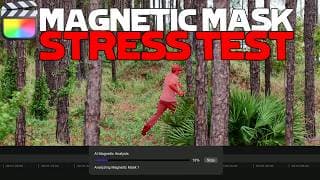
Final Cut Pro 11: Magnetic Mask. M1 vs M4 vs M1 Max vs M4 Max
Final Cut Pro 11 is out, and with it some incredible new machine learning features. In this video, Im going to talk about the Magnetic Mask and how it works when using an M1 Mac mini vs M1 Max vs M4 Mac mini vs M4 Max computer. And how much of a speed boost you can expect out of the newer apple silicon. I stress tested the Magnetic mask tool with a very busy background and it works MAGICALLY well. This tool is useful for putting titles behind your subject, adding effect layers to specific portions of a screen, or for isolating one thing to color correct or fix exposure on a person, or for cutting someone out completely, almost like doing green screen without a green screen! Rotoscoping USED to take hours to do by hand and now it happens almost in real time on Mac computers using Final Cut Pro 11. 0:00 Intro 0:07 Magneti Mask Stress Test 1:02 M4 Macs Dropped 1:36 Magnetic Mask Tutorial 2:48 Put Titles Behind Moving Subjects 3:23 Works with moving backgrounds 3:45 Magnetic Mask as a green screen 4:25 Fix Exposure on a Subject 5:40 M1 vs M4 Speed for Magnetic Mask 6:29 Ram, CPU, GPU usage 8:09 My Takeaway #fcp11 #finalcutpro #magneticmask
M4 Mac mini vs M1 Max for Video Editing
Im testing out whether the base model M4 Mac mini is fast enough for video editing. In this video, I put the new Mac mini up against my M1 MAX MacBook Pro to see if you can get away with only buying the base model Mac mini to do video editing. I tested them using Final Cut Pro with a four camera Multicam clip, all shot in 4k, all rendering in real time with no proxies or pre-render, and this little thing did not disappoint! Maybe even more surprising is how well the almost 4 year old M1 Max can hang - beating the M4 in export speed, file transfer speed and GPU tests using different benchmarks. But even though the M1 Max has triple the GPU cores, and double the performance CPU cores, the experience on these two computers FEELS almost identical. The RGB SSD Im using https://amzn.to/3YKUzbH The NVME drive for that enclosure: https://amzn.to/3OaW5it M4 Mac mini: https://amzn.to/3ANI6fe M1 MAX MacBook Pro: https://amzn.to/4147Y1t The Keyboard Im using (some have asked): https://amzn.to/3O9p7is #m4macmini #m1max #editing 0:00 intro 0:10 specs of the two computers 0:53 Mac mini size 1:29 Editing Hardware Needs Aren't Changing for a While 3:25 Editing with M1 Max vs M4 6:56 Large File Transfer Speed 7:57 Benchmarking 9:29 Exporting in Final Cut Pro 10:52 Insta360 Footage Beats Both Computers 11:47 Here's What I think... 12:44 Blooper - Crashing Mac mini and Drone

DJI Air 3s Review - File Transfer Speed, Long Lens Tricks, Batteries
I watched a ton of reviews about this drone and I didn't see anyone talk about transfer speed. Or the fact that you can charge a battery thats IN the drone, through USBC. Or that the fly more combo battery charger works in both directions like a battery bank.. Then I also made it follow me into the woods for active tracking. Buy this drone, it's worth the upgrade.
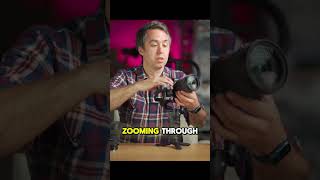
RS3 Mini with 24-70mm f2.8. Little Gimbal Big Lens #rs3mini #2470

ZV-E10 II and Birding! #zve10ii #birding #zve10

ZV-E10 II has no mechanical shutter and that’s no problem. #zve10ii #photography #mechanicalshutter
Is the ZV-E10 II any good for Photography? Yes, yes it is. Although it does not have a mechanical shutter, it does not suffer seriously from rolling shutter. Especially with things like studio photography or head shots and portraits, this camera can take professional quality photos.

ZV-E10 vs ZV-E10 ii #zve10 #zve10ii
Is the ZVE10 II better than the ZVE10 for making social media and YouTube videos? This is a video test of footage shot through the Sony ZV-E10 vs the Sony ZV-E10 2.
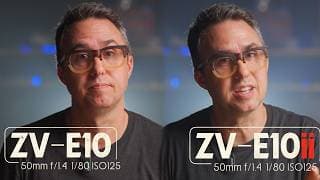
ZVE10 vs ZVE10ii - is it Better Enough to Spend Hundreds More?
This is a direct comparison between the Sony ZVE10 and the Sony ZVE10ii. I do think the mkii of this camera is an improvement, definitely, but in this video Im trying to determine if it's enough of an improvement to spend several hundred extra dollars on the new one. The answer to this will of course be different for different people. Here are my findings. To buy the NEW ZVE10ii: https://amzn.to/3YEnQ97 To buy the ZVE10: https://amzn.to/3YrGD62 The ZVE10 II is better for birding. It transfers files faster through USBC. It recognizes when you turn the camera vertical and changes the menu placement. It Shoots in 4k 60fps. It can take advantage of the HAVC-HS H.265 Video format to save card space. Though there is no mechanical shutter, it doesnt suffer from crippling rolling shutter in photo mode. 0:00 intro 0:30 Physical Changes Comparison 1:18 Bigger Battery 1:56 Picture Quality Comparison 2:23 ZVE10 Shot Quality 2:54 ZVE10 ii Shot Quality 3:25 Processor Performance 3:49 Recording Through HDMI 4:49 4k at 60fps 5:24 ZV-E10 ii Photography Demo 6:27 HAVC-HS H.265 HAVCS 6:53 File Transfer Speed via USB-C 7:36 Bird Photography Birding with ZVE10 ii 8:13 Other Small Software Changes 9:24 Main Takeaway 10:00 Eyeball Tracking Improvement? #zve10 #zve10ii #youtubecameras
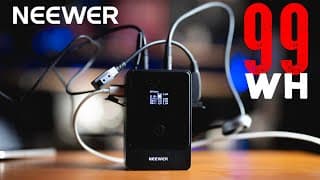
Neewer Mini V-Mount 99wh Battery Review
This Neewer battery bank can charge EVERYTHING! Link to buy this thing: https://amzn.to/4fcQ682 I have a ton of battery banks in my studio, but this one is my new go to - it has a D-tap, it has USB C and USB A, there are even 12v and 8v barrel plugs that come directly out of the thing for video lights. It can charge at 65 watts PD power, so it can even charge your laptop a full charge with its capacity. But also, it will charge your phone and iPad as fast as they will accept power, just as fast as a full sized wall outlet.

Viltrox 56mm 1.7 Lens for ZV-E10 and ZV-E10ii APSC Sony cameras. #56mm #viltrox #portraitphotography
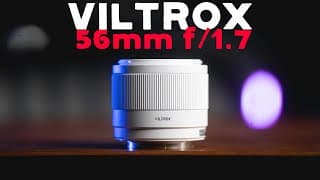
Viltrox 56mm f1.7 Lens for Sony E-Mount Reviewed with ZV-E10
The Viltrox 56mm 1.7 is a budget, cheap, portrait lens for Sony APSC Cameras like the zve10, holy crap this one is it. It's fast, it's got great subject separation, it works for making YouTube videos just as well as taking pictures. I can't believe how little this thing costs for how well it works. These photos literally stack up against my $1000+ lenses! Link to buy: https://amzn.to/4eGtgpM 0:00 Intro 0:14 Description of the Lens 0:30 Demonstration of Subject Isolation 1:10 Speed of Focus 1:38 How to Update Lens Firmware 2:20 More testing at Disney World 4:05 Testing Autofocus 5:17 Viltrox 56mm 1.7 as a Portrait Lens 5:56 Does it Work for Video? Yes

Lens Aperture #16mm #lenses #aperture
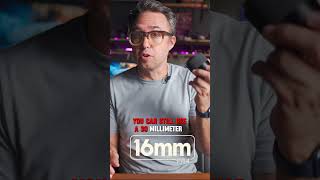
16mm f/1.4 vs 30mm f/1.4 when recording video in a small space #lenses #16mm #30mm #videoproduction
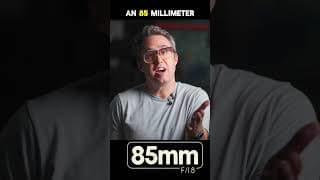
Using an 85mm lens on an apsc camera zooms in the background of your shot #85mm #zve10ii #zve10
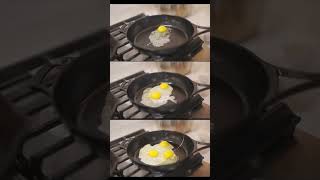
shot at 50mm and 14mm. It is REALLY difficult to film making breakfast while also making breakfast.
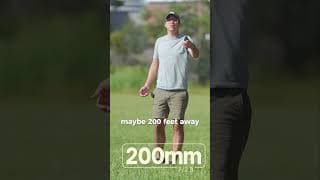
How to shoot Full body shot with shallow depth of field. 200mm f/2.8. #200mm #sony #zve10ii
How to Choose a Lens, Sony ZV-E10 II
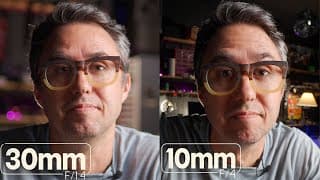
This video was shot on the Sony ZV-E10 II. What lens should you be using for your APSC camera? If you have a Canon M50 or ZV E10 II, and youre trying to pick which lens to shoot videos with, this video will take you through that choice and what the differences are. LINKS: 16mm f/1.4 Sigma https://amzn.to/3Zx2LhO 30mm f/1.4 Sigma https://amzn.to/4gADbhO 50mm f/1.4 Sigma https://amzn.to/3XBFoko 85mm f/1.4 Sony https://amzn.to/3XGhk02 (maybe the best lens I own) 70-200mm f/2.8 Sony https://amzn.to/3MTWogX Choosing a lens is just as much about shaping the background of your shot as it is how far you can zoom in to something. 0:00 Intro 1:10 Larger vs Smaller Aperture (F stop) 1:41 10mm APSC lens on ZV-E10 II 2:57 16mm vs 30mm APSC lens in a small room 4:57 50mm APSC lens in a small room 6:02 16mm Lens full body shot 6:31 16mm vs 50mm outside talking head 6:49 Lens Choice in a Larger Room 7:00 16mm APSC lens in a large room 7:14 50mm APSC lens in a large room 7:48 85mm APSC lens in a large room 8:48 200mm APSC lens in a large room 10:05 200mm APSC lens outside whole body shot
ZhiYun Cinepeer CM15 Review. Small, Powerful RGB Light.
The CM-15 is an RGB battery powered light by ZhiYun in their new inexpensive Cinepeer line of videography stuff. Links to buy one: from Amazon: https://amzn.to/4dQjgd5 from ZhiYun: https://store.zhiyun-tech.com/products/cinepeer-cm15?_pos=1&_sid=67053bcbb&_ss=r&ref=njj The Pinchy Arm Thing: https://amzn.to/4eem3wj This light is much brighter than other small video lights of its size from other companies. It can also do a bunch of effects like TV, bad bulb, strobe, welding, explosions and a bunch of other ones. It's got a 1/4 20 mounting hole on the bottom and comes with a clip and a cold shoe mount. There is also a diffuser in the box. This light charges with USBC and its internal battery can run for about 35 minutes on full power - much much longer if it's less bright.

Sony ZVE10 II and its crispy sharp 4k picture. #zve10 #zve10ii
This is the picture you get through the new ZV-E10 II Sony camera using the 30mm f/1.4 Sigma and 50mm 1.4 Sigma lenses. It's surprisingly sharp and very nice looking.
ZV-E10 II Has an Upgraded Larger Z Battery #zve10ii #zve10 #zve102

ZV-E10 II focus area box upgrade. It was a small gripe about the original zve10 but a welcome change
Sony ZV-E10 II - Better Than I Expected.
I just got my hands on the new Sony ZVE10 2 (mk ii) camera and Ive been using it about a week. The better processor does have more reliable autofocus, there's a bigger battery, more comfortable grip - the camera shoots 4k60, and they moved the SD card to a better spot. Here is just the camera: https://amzn.to/46Sfjll Here is the camera with a kit lens: https://amzn.to/3M6gLqD Here is that 50mm lens I am using: https://amzn.to/3yv72Y5 Here's that 30mm lens I was using: https://amzn.to/3SQ6TFA It is inarguably a better camera than the original ZVE10, I am able to get a 4k picture that is on par with my a7iv. 0:00 intro 0:04 Footage From ZV-E10 II 0:27 30mm f/1.4 on ZV-E10 II 1:06 How ZV-E10 II Feels in your hands 1:29 New Battery in ZV-E10 II 2:02 Micro HDMI, USBC Ports and SD card placement ZV-E10 II 2:46 Focus Area Adjustment Improved on ZV-E10 II 3:50 FN function button for quick menus ZV-E10 II 5:16 New Shutter Speeds on ZV-E10 II 5:49 New BionZX processor 6:04 Autofocus Testing and Demo ZV-E10 II 7:12 4k 60fps demo ZV-E10 II 7:32 New Video Formats HAVC-HS h.265 7:50 New Image Sensor 26 MP BSI CMOS 9:29 Vlogging Demo ZV-E10 II
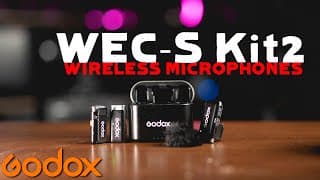
Godox WEC-S Kit2 Review. Sony Multi Interface Hot Shoe Compatible Wireless Mics!
The Godox WEC-S Kit 2 Wireless Mics work with the Sony MI (Multi Interface) Hot Shoe so you can have a pair of always charged, clip on Microphones that communicate directly with your Sony camera without using any cords. SO handy. They also come with a charging case. Buy the Mics here: https://amzn.to/46kYlvW Buy that big battery here: https://amzn.to/3WkfHEk -------- If you like the way my videos look, here's a list of stuff I use to make them. 100d Lighting: https://amzn.to/4eUAO8T 120d Lighting: https://amzn.to/3S1tWfW more affordable video light: https://amzn.to/45ZOlYE RGB lights: https://amzn.to/3W1kafa smart bulbs for background: https://amzn.to/4cA4giL light strip for shelves: https://amzn.to/3LgVIl1 light dome soft box: https://amzn.to/3XRFQwO small rig soft box: https://amzn.to/4cPPvZz 50mm 1.4 sony lens: https://amzn.to/3zDk8Tf 30mm 1.4 sony lens: https://amzn.to/3zyMfCN Rodecaster Pro II: https://amzn.to/4cv0nvw Rode Videomic NTG Microphone: https://amzn.to/3Wgluff Smoke Machine Fog Machine: https://amzn.to/45ZMy5S My camera slider: https://amzn.to/45Wifgp Sony a7siii: https://amzn.to/4cQJaMO

My YouTube Talking Head Set-Up. Garage Studio.
This video is about how to set up an interview or talking head shot; the settings, lighting, lenses, microphones and cameras I use to maximize production quality of my YouTube setup. I have just finished building my new custom YouTube studio into the garage of my new house. And while I agree that picture quality isn't everything, it SHOULD be the starting point. I dont know how to help you tell a good story, but I do know how to make you look pleasant while telling it. 100d Lighting: https://amzn.to/4eUAO8T 120d Lighting: https://amzn.to/3S1tWfW more affordable video light: https://amzn.to/45ZOlYE RGB lights: https://amzn.to/3W1kafa smart bulbs for background: https://amzn.to/4cA4giL light strip for shelves: https://amzn.to/3LgVIl1 light dome soft box: https://amzn.to/3XRFQwO small rig soft box: https://amzn.to/4cPPvZz 50mm 1.4 sony lens: https://amzn.to/3zDk8Tf 30mm 1.4 sony lens: https://amzn.to/3zyMfCN Rodecaster Pro II: https://amzn.to/4cv0nvw Rode Videomic NTG Microphone: https://amzn.to/3Wgluff Smoke Machine Fog Machine: https://amzn.to/45ZMy5S My camera slider: https://amzn.to/45Wifgp Sony a7siii: https://amzn.to/4cQJaMO

ZhiYun Cinepeer Weebill 3E Gimbal Review; 6.6 Pound Carry Capacity!!
ZhiYun has a new compact gimbal out in their Cinepeer Line - a more affordable version of their pro equipment but still wildly powerful with a 6.6 pound carrying capacity, the Weebill 3E. 10% off at the official store with my code, ZYWB3E10LXL: https://store.zhiyun-tech.com/products/cinepeer-weebill-3e?ref=njj (use code ZYWB3E10LXL for 10% off!) Amazon: https://amzn.to/4cM0NO0 This video was shot through a 50mm f/1.4 at 1.4 - https://amzn.to/4brRFgf Camera Compatibility list: https://drive.google.com/file/d/1br7vVff4uy6fexPJMQ6K6eaq4Gw9agWY/view
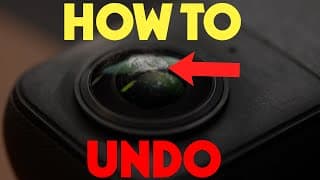
Insta360 - How to Remove a Scratch From Your Lens
It's REALLY easy to scratch the coating on an Insta360 Camera lens. But if you get yourself a buffing wheel and some buffing compound, you can actually remove the coating and the scratch pretty easily. In this video I show how to buff out a scratch and restore an Insta 360 Camera Lens! LINKS TO BUY SUPPLIES: The Dremel 3000 Tool: https://amzn.to/3L0Bc7O Buffing Compound: https://amzn.to/3MuqBD2 The Bits Kit for the Rotary Tool: https://amzn.to/4colkb8 Microfiber Cleaning Kit: https://amzn.to/3VSCPuB
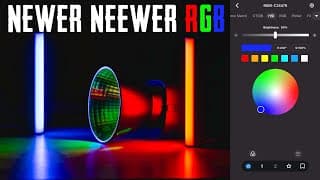
Neewer CB100C Video Light and RGB Video Stick Light Review
I got my hands on some of Neewers newest RGB Lights and Im testing them out. Links to Buy: CB100C 100w Video Light: https://amzn.to/3xLGKjv RGB LED Video Light Stick: https://amzn.to/3W0B8fg These lights work on the Neewer App and you can link them together to make scenes, do effects together, and save settings for future sets. The CB100C works like a regular key light, between 3000 and 6000k color temperature but then also full RGB colors also! The stick lights are magnetic and have a Touch Bar on the side to choose the colors - they also work on the same app - and both types of lights work together. They ALSO work on a 2.5ghz connection without the app where whatever you do to one light happens on all of them.
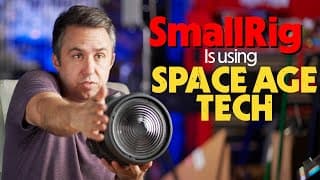
SmallRig RA-F150 Fresnel Lens Cooling Fan is a Thermal Generator!
How is the fan on the Smallrig fresnel lens powered!? In this video I explain the Seebeck effect and how smallrig is using a thermal generator to power a fan that helps cool your LED light running this lens modifier on it. Link to buy this lens: https://amzn.to/4d8aAPo They are using literal space age technology to cool this light and they dont mention it anywhere on the website or in the manual and Im flabbergasted I say! Also go buy one, they're great and useful.
Is M1 Max MacBook Pro Still Good Enough for Video Editing in 2024?
Is the M1 Max MacBook Pro still a good computer for video editing, or do you need an M2 or an M3 to work with 4k video files? In this video I go over my experience as a video editor after 3 years of using the M1 Max MacBook Pro and how I still dont feel like I need to upgrade! Link to Buy: https://amzn.to/4aiwdKO Somehow, the M1 MacBook Pro is still powerful enough to handle anything I ever throw at it. I practically never wait for anything. I dont even know what would be improved by having an even faster computer since this one already does everything practically instantly and it's three years old.
ZhiYun Cinepeer CX100 and CM25 Review - Battery Powered 100 watt Video Lights
ZhiYun has released two new battery powered video studio lights that are compact, small and extremely powerful. They're part of the Cinepeer line of products, ZhiYun's budget friendly versions of their very high quality video production stuff. LINKS to buy: Cinepeer CX100: https://store.zhiyun-tech.com/products/cinepeer-cx100?ref=njj Cinepeer CM25: https://store.zhiyun-tech.com/products/cinepeer-cm25?ref=njj Molus X100: https://store.zhiyun-tech.com/products/molus-x100?ref=njj&variant=42185886007476 Bowens Mount Adapter: https://store.zhiyun-tech.com/products/zhiyun-bowens-mount-adapter-for-x100?_pos=5&_sid=588d92e4e&_ss=r&ref=njj My big battery bank: https://amzn.to/4au0arh My other little RGB Lights: https://amzn.to/4cfA2SA The CX100 Studio Light is the budget version of the ZhiYun Molus X100. Same shape, same size, same bi-colored 100 watt LED light, and the same large, quiet fan built in to the front - just less bells and whistles, but importantly the same quality of actual LIGHT and battery life, you just cant use it with an app, and there’s no little screen, and the knobs are plastic instead of metal and the battery is not detachable - where with the Molus X100 you can take the battery off and use it to power other things if you want to. It’s also like a hundred dollars cheaper depending on where you get it! So those differences aside - this light is JUST as bright, the CRI (Color Rendering Index) is just as high, which means the things you light up with this thing will have accurate color representation (probably not important for YouTube) and it can run at full power on its built in battery for 30 minutes.
DJI RS3 Mini With Big Lenses and Full Frame Cameras
Can a DJI Ronin RS3 Mini handle a 24-70 f2.8? How about a 70-200 G-master!? In this video, Im trying out DJIs smallest gimbal with some of my biggest lenses. The Sigma 14-24mm f/2.8, the 24-70 and the 70-200mm F/2.8 Gmaster. Much to my surprise, this thing handles these lenses with almost no problems at all! LINKS TO BUY: Ronin RS3 Mini Gimbal https://amzn.to/3ToEC9D 14-24mm Sigma Lens: https://amzn.to/49F9VT7 24-70mm Sigma Lens: https://amzn.to/3wDbulY 70-200mm f/2.8 Gmaster https://amzn.to/3wJgW6X
Neewer ZV-E10 Camera Cage Review
Sony ZV-E10 Camera Cage review by Neewer. It's only $28 on Amazon! LINK TO BUY: Camer Cage https://amzn.to/3HZOCji HDMI Attachment: https://amzn.to/3UE7oE4 Top Handle: https://amzn.to/48fmVgX Side Handle: https://amzn.to/42BXlBq NATO Rail: https://amzn.to/3wq6Ask Battery Holder: https://amzn.to/3SFoPSd The Battery I use: https://amzn.to/4bCzkyj Cage Tool for tightening: https://amzn.to/4bvsRoZ Sony ZV-E10: https://amzn.to/3uDXlEs Neewer Light: https://amzn.to/49vDxSE This Neewer Camera cage is just as sturdy, just a tight fitting and has just as many mounting options as my SmallRig camera cages that I have on my other cameras. The bottom works as a tripod mount, it's got an extra cold shoe slot and accepts 1/4" threaded attachments from any other brand. It connects to the camera in two places to make sure it's extra secure. Also, this camera cage has a rubber grip on the right side where your hand wraps around the camera, the ZV-E10 is notoriously thin and small and kind of weird to grip, but this cage makes it far more ergonomic.
ZV-E10 Bitrate 60M vs 100M - If you’re making YouTube videos, you gain nothing by shooting 100mbps
If you’re making Videos with a Sony ZV-E10 for YouTube or any social media, you gain nothing by shooting 100mbps instead of 60mbps. Save your SD card space and shoot at the lower bitrate.
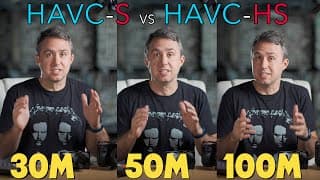
Use These Settings When Shooting YouTube Videos to Save SD Card Space - HAVC-S vs HAVC-HS
Sony ZV-E10 - If you don't know whether you should be shooting in HAVC-S or HAVC-HS on your Sony Alpha or ZV-E10 Mirrorless camera, I have attempted to clear that up in this video. HAVCS is the H.264 Codec. It's pretty old now, but very compatible with most computers. HAVCHS is the newer H.265 Codec. Totally compatible with newer M1, M2 or M3 Mac Computers, but may very well give any other computer a tough time during video editing, unless you're using proxy files. ALSO, in the recording settings, for YouTube videos, you will see VERY LITTLE difference in the final product quality when choosing between 30M 50M (60M on ZV-E10) and 100M as far as the bitrate to shoot in. But the difference in card space is MASSIVE, so you should be shooting int he lowest one, if the videos you're making are only going to be put up on YouTube. Because YouTube will be compressing your videos down to that lowest bitrate before showing it to people anyway, so shooting in lossless video formats will not serve to create a higher resolution final product. 0:00 Intro 0:36 File Format HAVC-HS Sony a7siii a7iv 0:53 File Format ZV-E10 0:58 M1 Mac Computer can edit HAVC-HS Files Easily 1:57 Record Settings Sony Cameras 30M 50M 60M 100M 2:46 4:2:2 vs 4:2:0 and 10bit vs 8bit 3:52 Footage of ZV-E10 at 60M vs 100M 4:51 Footage of a7IV a7SIII at 30M 50M 100M 5:23 Card Space Used at Different Settings Sony Cameras
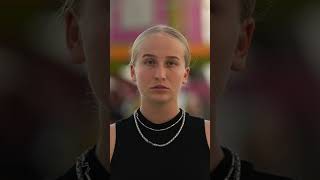
How Camera Lenses Completely Change a Human Face #photography #lenses #portrait
Different camera lenses do more than zoom, they will literally change the shape of your subjects face. A wide angle lens will cause the center of your subjects face to bulge out; it will tuck back their ears and pull back their hair. While a telephoto lens will flatten a face, it will show you more of their ears and it will add volume to their hair. It will also pull the background seemingly closer to your subject even though they haven't moved at all! Cameras and photography are all about telling little lies about the environment you were in when you caught the moment.
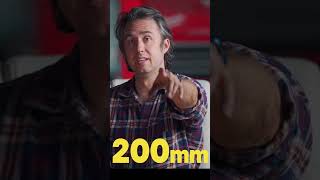
The Effects of Different Camera Lenses
Showing the difference of the background of a shot depending on the lens you use to shoot it.
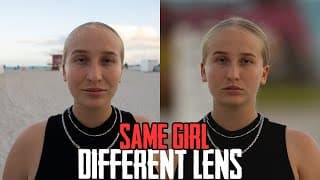
When Choosing Lenses for YouTube or Photography
Which lens should you be using when shooting YouTube videos. Why would you choose one lens over another? This video talks about what changes when you change lenses and how to use those effects to build a background in your photos and videos more intentionally. Wide angle lenses will make your subjects face more round, which can actually make some people look better and some people look a lot worse. While telephoto lenses will not only flatten out their face, but also pull the background towards you, in effect.
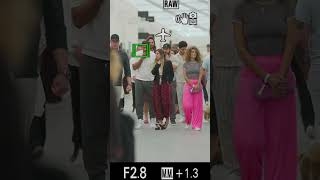
I Found Will Smith at Untitled Art Fair during Art Basil Week. It’s my first paparazzi experience.
Im doing production at an art fair in South Beach for Art Basil Week, were at a show called Untitled Art Fair. We got word that Will Smith would be coming by and luckily I had a 150-600mm sigma lens in my bag, so I put the Ninja V on top of my camera to record what the camera sees, and employed a spotter so I could stay really far away and zoom way in. It was a fun little assignment. #willsmith #artbasil #untitledartfair
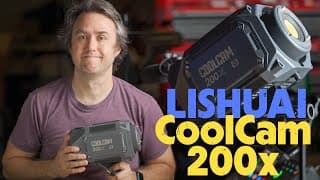
LS Coolcam 200x COB light Review from Lishuai.
This video is a review of the LS Coolcam 200x COB light from Lishuai. This is a bi-colored LED key light for video production and its cheaper than the Amaran and Godox and Smallrig equivalent lights. LINK TO BUY: https://www.amazon.com/dp/B0CCDJZSQP/ The case is made out of aluminum, its got a Bowens mount on the front, it has an active cooling fan that is quiet - its super bright and Im happy to say this light is just as good as the name brand ones!
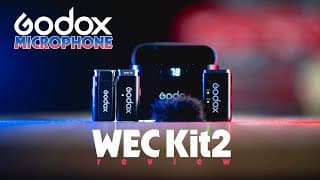
Godox WEC Kit2 Review Wireless Clip On Microphone With Charging Case
This video is about the Wireless lav lapel mic from Godox called the WEC Kit2. Link to Buy: https://amzn.to/3J12zO9 These very compact microphones are super light, have a 200 meter range and come with a charging case that you can just drop the receivers and transceivers right into so they're always charged and always ready to work. LINK for more information: https://godox.com/product-a/WEC.html They have an 8 hour battery life and they sound pretty much equal to the rode wireless go II microphones that I have been using for years. They work quite well in windy situations. One of the downsides Ive found with this thing is that you can not connect a wires lav mic to them to hide things away, they only work as a clip on mic. But for that, they work exceptionally well.
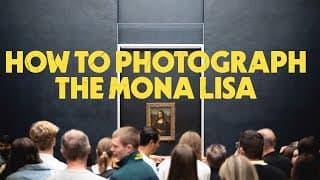
How to take a Photograph of the Mona Lisa.
How to take a good picture of the Mona Lisa by Leonardo da Vinci. It can be challenging to take photographs in dark places, and museums are usually pretty dark. Use this step by step guide to find yourself in front of one of the most recognizable paintings in the world and go home with a very sharp and beautiful depiction of that place!
What Lenses to Use for YouTube with your Sony ZV-E10 #zve10 #youtube #filmmaking
Hi @MarkBennettCameraCrisis !!! You don't appear in this video, but you do briefly pop in the long version.. I heard about the new 10-18 f/2.8 Sigma Lens from your recent video, so thanks.
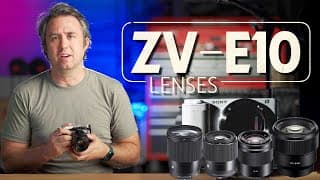
Sony ZV E10 What Lenses to Use For YouTube Videos
So you've got a new Sony ZVE10 and you're starting a youtube video, in this video I go over which lenses you'll want to use and why. I use ZhiYun Lighting, here's my affiliate link to their store - saves you a bit and helps the channel a lot: https://store.zhiyun-tech.com/?ref=njj LINKS TO LENSES The 85mm f/1.8: https://amzn.to/3U6ZH8P The 16mm: https://amzn.to/3F7T8um The 30mm 1.4: https://amzn.to/3LPnw0z The 10-18 F4: https://amzn.to/3tiEdLj The Sony E 50mm f/1.8: https://amzn.to/3RIZkk9 The ZVE10: https://amzn.to/3tk0ska The Lights Im using: https://amzn.to/46jw0VQ The Lens Cup!: https://amzn.to/3tetHVh For a small room, you need a wide lens. For a large room, you have the option of going to a more telephoto lens - but if you want to show more of the area, you'll find something in between. Lens choice will be one of the things that makes the most difference in how your shot ends up looking overall. @markbennettcameracrisis was not consulted, but was appreciated during the making of this video.
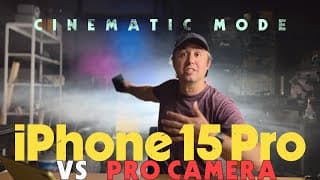
iPhone 15 Pro vs Pro Mirrorless Camera.. Cinematic Mode Ready for Prime Time?
iPhone 15 Pro Cinema Mode is a LITTLE better than before, but is it good enough to go up against a mirrorless camera? This video compares iPhone 15 Pro to a Pro Camera, the Sony a7siii. I go through several examples comparing the shadow depth of field of a mirrorless camera to the new iPhone 15 in cinema mode. Of course the iPhone is just faking it, but it does a pretty convincing job now! It does well enough that I would argue talking head youtube channels could get away with just using this phone, as long as you've got good enough lighting conditions. Unfortunately, iPhone 15 Pro doesnt let you use the 3x lens in cinema mode, and thats kind of a bummer. Even using the 2x from the main lens causes the effect to start to fall apart, especially when compared directly to a sony camera. But in general - I think it's ready!
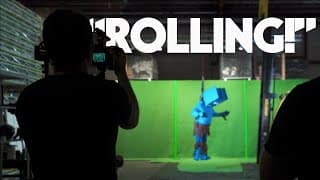
My First Time on an Indy Movie Shoot - What I Learned
I got to help out on a short film shoot for the first time, and I learned a lot of new things. I am a race car photographer, so I know my way around a camera, but I didnt have any experience on a set. I didnt know the language, I didnt know the processes, and I didnt realize how basically the whole job is just problem solving. I LOVE PROBLEM SOLVING! This video is about my experience as a camera man and producer for an independent film project.

Simple Green Screen Basics for Beginners - 4 Main Tips
This video is about green screens. How to light it, what camera settings to use, getting you to think a little more closely about planning your lighting to match whats going to be behind you, and how to set that all up in Final Cut Pro. Im shooting with a Sony a7siii, but all of these steps will be the same with any digital camera - even a cheap one! Links to the gear I use to make videos: https://kit.co/_SpaceWarehouse/youtube-studio-equipment
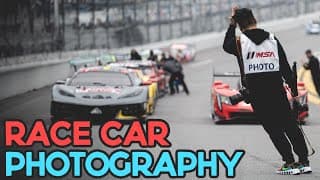
How to Shoot Pictures of Race Cars
I shoot professionally for IMSA and Champcar. What camera settings, what locations, what lenses are best for taking pictures of race cars at the track? In this video, I share my methods for getting sweet pics of fast cars and tuktuks at Sebring, Daytona, COTA, Road America, VIR, Miami F1, Road Atlanta and Indy! Links to the gear I use to make videos: https://kit.co/_SpaceWarehouse/youtube-studio-equipment I shoot with a Sony A7iv with the g-master 70-200 and a sigma 150-600mm That 150-600mm lens: https://amzn.to/3NJK8ks email me for inquiries at iamnicholasjamesjohnson@gmail.com
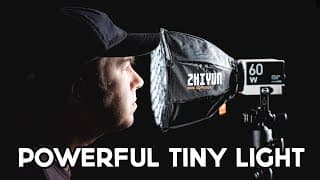
ZhiYun New Lights; No Other Brands Do This... Molus X100 & G60
Looking for the Best Lighting for YouTube Videos? ZhiYun have some new LED key lights that compete with Amaran 100d and 60d.. Theyre super small, theyre super bright, and you can power them with USB-C.. Here is my Molus G60 - 60 watt light and X100 - 100 watt light Review. LINK TO BUY: Molus X100 - https://store.zhiyun-tech.com/products/molus-x100?ref=njj&variant=42185886007476 Molus G60 - https://store.zhiyun-tech.com/products/molus-g60?ref=njj&variant=42185882304692 Links to everything I use to make videos: https://kit.co/_SpaceWarehouse/youtube-studio-equipment My Camera Bag: https://amzn.to/43znm3I My camera Rig: a7siii: https://amzn.to/41PBzJv SmallRig A7iv Camera Cage: https://amzn.to/3neLwRt Rode VideoMicro: https://amzn.to/3Hr02g6 Rode VideoMic NTG: https://amzn.to/40VQalc Half Cage option: https://amzn.to/3LeL4e2 SmallRig Top Handle: https://amzn.to/427YwXW Smallrig Aluminum Side Handle: https://amzn.to/3LmaYwm Nato Rail (for top handle): https://amzn.to/3LJY64U Sacrificial HDMI bolt on port: https://amzn.to/41TMstG Smallrig Multitool: https://amzn.to/40L0soc Smallrig Battery Holder: https://amzn.to/40QcexE Anker USB-C battery: https://amzn.to/40SGGHx
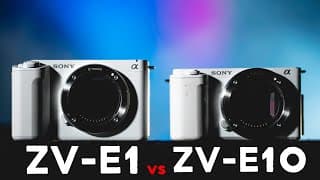
Sony ZV E1 vs ZV E10 Vlogging YouTube Camera Comparison
Sony recently came out with a new vlogging camera, the ZV-E1. Previously, one of the best youtube cameras for the money was the ZV-E10. Is this new camera better enough to make up for the fact that it's $1500 more expensive? Or are the enhancements just not worth it? Links to things.. Buy the ZV-E1: https://amzn.to/44QbQSP Buy the ZV-E10: https://amzn.to/3MCuxCG I use ZhiYun Lighting, here's my affiliate link to their store - saves you a bit and helps the channel a lot: https://store.zhiyun-tech.com/?ref=njj Links to everything I use to make videos: https://kit.co/_SpaceWarehouse/youtube-studio-equipment My camera Rig a7siii: https://amzn.to/41PBzJv SmallRig A7iv Camera Cage: https://amzn.to/3neLwRt Rode VideoMicro: https://amzn.to/3Hr02g6 Rode VideoMic NTG: https://amzn.to/40VQalc Half Cage option: https://amzn.to/3LeL4e2 SmallRig Top Handle: https://amzn.to/427YwXW Smallrig Aluminum Side Handle: https://amzn.to/3LmaYwm Nato Rail (for top handle): https://amzn.to/3LJY64U Sacrificial HDMI bolt on port: https://amzn.to/41TMstG Smallrig Multitool: https://amzn.to/40L0soc Smallrig Battery Holder: https://amzn.to/40QcexE Anker USB-C battery: https://amzn.to/40SGGHx
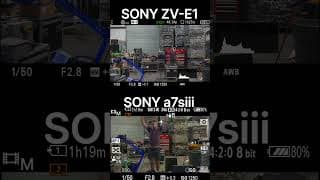
Sony ZV-E1 vs a7siii focus tracking
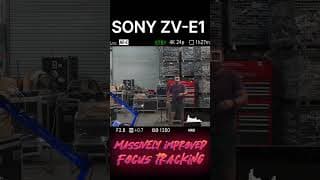
Sony ZV-E1 AI Tracking Autofocus is unbelievably sticky. #sony #zve1 #camera
Sonys newest Vlogging Camera, the ZV-E1 has a new AI chip that helps make auto tracking for focus just incredible! When it loses your eyes, it uses your face. If it cant find a face, it looks for a human body. It doesnt matter if youre turned around or running around, it will keep focus.
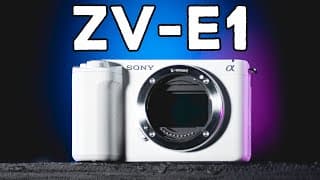
Sony ZV-E1 - More Than a Vlogging Camera...
This is Sony's newest vlogging camera, the ZV-E1, and it may unseat the a7siii as the best YouTube camera you can get, once the June firmware update comes along and unlocks 4k120p. With auto tracking, auto framing, new Dynamic Active Steadyshot, a smart microphone and a new Creators App, this camera moves Sony's offerings to the next level of cameras. This camera has a new AI chip that allows it to track not just faces and eyes, but bodies facing in any direction; trains, planes, insects, birds and animals, and the lock it gets on tracking is as sticky as anything Ive ever seen. It does have a but of an overheating issue if you shoot for a long time at once, in a warm room, without a fan. This is due to the body being made out of Sorplas, Sony's own plastic. But move a little air onto the body of the camera and that solves the issue. LINKS to THINGS: Buy the ZV-E1: https://amzn.to/44QbQSP My Studio Equipment: https://kit.co/_SpaceWarehouse/youtube-studio-equipment My camera Rig a7siii: https://amzn.to/41PBzJv SmallRig A7iv Camera Cage: https://amzn.to/3neLwRt Rode VideoMicro: https://amzn.to/3Hr02g6 Rode VideoMic NTG: https://amzn.to/40VQalc Half Cage option: https://amzn.to/3LeL4e2 SmallRig Top Handle: https://amzn.to/427YwXW Smallrig Aluminum Side Handle: https://amzn.to/3LmaYwm Nato Rail (for top handle): https://amzn.to/3LJY64U Sacrificial HDMI bolt on port: https://amzn.to/41TMstG Smallrig Multitool: https://amzn.to/40L0soc Smallrig Battery Holder: https://amzn.to/40QcexE Anker USB-C battery: https://amzn.to/40SGGHx #zve1 #vloggingcamera #youtubecamera 0:00 intro 0:10 packaging 0:30 buttons and dials 1:09 Size and Weight 2:12 Ports! 2:30 ZV-E1 Internals 3:27 AutoFraming Feature 4:45 ZV-E1 Focus Tracking 6:18 4k120p? 6:49 ZV-E1 Dynamic Active Steadyshot Stabilization 9:02 The Overheating Issue
SmallRig Cage + Budget Camera Rig
affordable camera rig, its components, and why I would add practically double the weight of a traditional camera body and lens combo on purpose. This video is about building a camera rig on the cheap, for my Sony a7iv to shoot at events. Should you get a Smallrig Camera Cage? How about a top handle, a side handle. Battery holder? Front facing microphone, rear facing microphone!? Why do photographers 'rig out' our cameras. LINKS TO THINGS: The Camera: https://amzn.to/41PBzJv SmallRig A7iv Camera Cage: https://amzn.to/3neLwRt Rode VideoMicro: https://amzn.to/3Hr02g6 Rode VideoMic NTG: https://amzn.to/40VQalc Half Cage option: https://amzn.to/3LeL4e2 SmallRig Top Handle: https://amzn.to/427YwXW Smallrig Aluminum Side Handle: https://amzn.to/3LmaYwm Nato Rail (for top handle): https://amzn.to/3LJY64U Sacrificial HDMI bolt on port: https://amzn.to/41TMstG Smallrig Multitool: https://amzn.to/40L0soc Smallrig Battery Holder: https://amzn.to/40QcexE Anker USB-C battery: https://amzn.to/40SGGHx
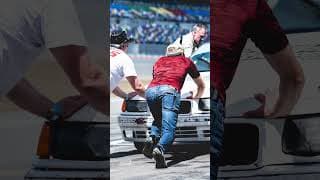
Pit Photography at Daytona International Speedway - Headshots. Sony a7iv 70-200mm
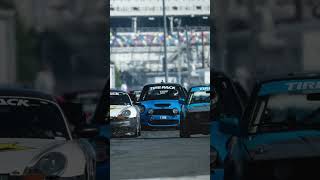
Motorsports Photography at Daytona International Speedway through my a7iv at 600mm
This video is about race car photography. I was at Daytona International Motor Speedway taking pictures with my Sony a7iv, outfitted with a Sigma 150-600mm down the straightaway after the international horseshoe. This was recorded using an Atmos Ninja V and then edited in Lightroom.
Stabilized Lens Vs Stabilized Body
Will a stabilized lens on a Sony ZV-E10 be as good as a Stabilized body from the a7iv? This Video is about photography and camera lenses. Both stabilized Lenses and Stabilized Camera bodies. In this video I compare using IBIS with an unstabilized lens to a camera body with no IBIS but with stabilization built into the lens. The 50mm as well as a 70-200mm and even a 150-600mm! Surprisingly the difference between IBIS and lens stabilization isnt as much as I would have thought. You can save a lot of money if you only need a few lenses by just paying for the stabilized version of them. WHERE TO BUY THESE LENSES: 50mm f/1.8 OSS https://amzn.to/3KuHbCB 50mm f/1.8 standard https://amzn.to/40JftYr 70-200mm G Master f/2.8 OSS https://amzn.to/3zs68bk 150-600mm Sigma Sony Lens https://amzn.to/431IeRK All the gear I use to make videos https://kit.co/_SpaceWarehouse/youtube-studio-equipment
Sony ZV-E1 Five Minute Review! Best YouTube Camera of 2023?
Sony has a new Full Frame camera out, called the ZV-E1. This is a Review of the Sony ZV-E1. I talk about the new stabilization, autofocus, and subject detection functions, and compare it to the a7siii and FX3. I took everything I learned from watching all of the reviews that came out and tried to condense all of the necessary information about this camera into a short five minute video. This new camera is BASICALLY a Sony A7siii with no viewfinder in a smaller body. This sony camera has AI features - product showcase, auto tracking with tracking cropping. It has 4k 120 FPS, an improved microphone, it can be plugged in with USB to be used as a webcam. LINKS to all the equipment I use to make this video: https://kit.co/_SpaceWarehouse/youtube-studio-equipment
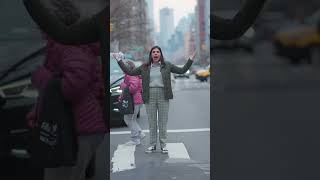
Monkey Seagull New York City #a7iv #a7siii #nyc
Street performance caught
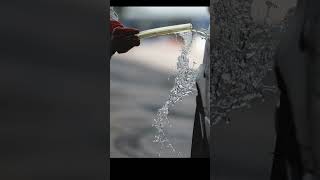
Motorsports Photography Camera Vision / Street Photography of Race Cars at Sebring Raceway
These were taken during a ChampCar Endurance event at Sebring International. I was with a BMW Team named Gorilla Sticker. Shooting with an a7IV here, through a 70-200mm G Master 2.8 Sony lens - captured with the Ninja V which really makes holding and using the camera awkward!
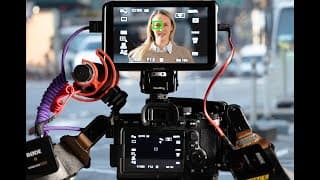
How to Record Your Cameras EVF.
This video is about how to record your cameras screen in high resolution. How to set up the Atmos Ninja V to record through your lens and capture what your camera sees. So you can show all of the settings, the shutter speed, ISO, Aperture - when youre taking street photography but want to show the process. In this video I go over how to record what your Sony Camera sees WITH AUDIO while in Photo Mode. You'll need a powered external microphone like the videomic NTG or the Wireless Go II, and a few settings that are not obvious. LINKS TO BUY THESE THINGS: The recorder Ninja V: https://amzn.to/3kYZdms Rode Videomic NTG: https://amzn.to/3kZ2dPV Rode Wireless Go II: https://amzn.to/423PADY TRS cable: https://amzn.to/3T7jyCW Sigma 150-600mm Lens: https://amzn.to/4235gav All of the gear I use to make these videos with links: https://kit.co/_SpaceWarehouse/youtube-studio-equipment Find me on instagram @nicholas_james_johnson #recording #sonya7iv #cameraview 0:00 Intro 0:40 Cant use the viewfinder 2:05 Troubleshooting Ninja V Audio 2:40 Record Audio In Photo Mode Atmos Ninja V 4:01 Shotgun Mic - record in front of camera only 4:57 Rode Wireless Go record in front and behind camera
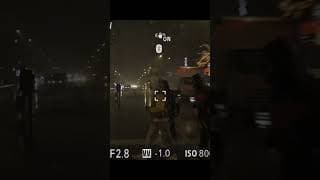
Street Photography New York City February 27th 2023 snowing in midtown.
Sony a7iv, 6th Ave and 28th Street in Manhattan, I was walking home and it was snowing and everything was wet. II went up to my hotel room and got my camera and monitor and went back out just to grab a couple of shots of the mood to save them. Here are those shots. #streetphotography #nyc #snowing
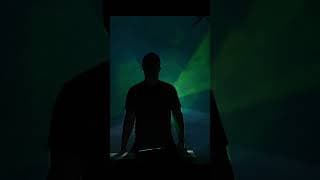
How to Get This Shot - Unique Back Lighting #haze #smokemachine #lighting #shotdesign #effects
How to get a DJ Backlit Lighting Effect for cheap. You really only need a projector and a $25 smoke machine/haze machine. Shoot it from behind your head with you directly between the camera and the projector. I used a loop on youtube that had light show effects and thats it. Shot at 85mm Sony a7siii from about 25 feet away.
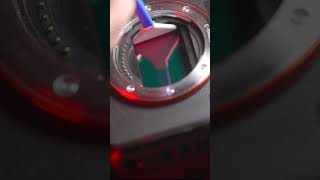
Do YOU have a dirty camera sensor? You probably do. Here’s how to clean it.
How to clean a mirrorless camera sensor. You could also puff some air (not from your mouth) into the camera body before this step with the cleaner soaked wand thing. But then in a single swoop in each direction, your sensor will be good as new and you can go back to being careless with your very expensive gear like I am. Here's where to buy the cleaner: THE FULL FRAME KIT: https://amzn.to/3KnoD7K CROP SENSOR APSC KIT: https://amzn.to/3Kn7xXv MICRO 4/3rds KIT: https://amzn.to/3IDMfnd AIR POOFER AND BRUSH: https://amzn.to/3IAPMCP
How to Clean Your Camera Sensor Yourself. Sony A7siii and a7iv Mirrorless Camera.
How to clean your mirrorless camera sensor. This is also how to clean your DSLR sensor, that just takes one extra step I didnt show here but I mentioned it. THE FULL FRAME KIT: https://amzn.to/3KnoD7K CROP SENSOR APSC KIT: https://amzn.to/3Kn7xXv MICRO 4/3rds KIT: https://amzn.to/3IDMfnd AIR POOFER AND BRUSH: https://amzn.to/3IAPMCP I attempted a @tombuck pun in the middle here - you are a sound hardware inspiration to us all! You dont need to take your camera to a professional to have the dust cleaned off of its sensor. It's actually surprisingly quick and easy to do at home. You simply need an air poofer blaster and a sensor cleaning kit - first, go to your settings menu and choose sensor cleaning, that will perform a dust shake off and then lock the IBIS on your Sony Camera, then you flip your camera upside down, poof some air into the sensor body - flip it back, set it on a table, wet the cleaning end of your sensor cleaner with the special liquid that is included, and in one motion pull it from one side of the sensor to the other. Keeping your camera sensor clean will keep your photos sharper! instagram: @nicholas_james_johnson

Why Are So Many People Wrong About Bokeh??? Crop Sensor (APSC) vs Full Frame Cameras
APSC Sensor Cameras DO NOT produce less bokeh than Full Frame Cameras. They just crop out part of the picture, which causes you to back up and THAT causes less bokeh. The picture from a ZVE10 and an A7IV will produce the same background blur when using the same lens. ZV-E10: https://amzn.to/3YTrkTn A7IV: https://amzn.to/3jHvAoU All the equipment I use to shoot this video: https://kit.co/_SpaceWarehouse/youtube-studio-equipment Find me on Instagram: @nicholas_james_johnson

What Lens Should You Be Using for Talking Head?
What lens does Casey Neistat use? What is the best lens for youtube? What lighting do famous YouTubers use? In this video, I take a look at @casey Neistat @LizziePeirce @PeterLindgren1 and @PeterMcKinnon to break down their youtube shots. - what lights, how far away is their camera from where they sit, what lens and cameras are they using? I use ZhiYun Lighting, here's my affiliate link to their store - saves you a bit and helps the channel a lot: https://store.zhiyun-tech.com/?ref=njj ZV-E10: https://amzn.to/3YTrkTn A7IV: https://amzn.to/3jHvAoU All the equipment I use to shoot this video: https://kit.co/_SpaceWarehouse/youtube-studio-equipment Find me on Instagram: @nicholas_james_johnson
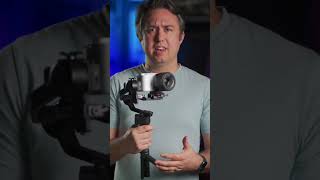
Sony ZV E10 + DJI RS3 Mini = Low Light Photography!
The ZVE10 is not normally not a good low light photography camera for shooting stills simply because it has no stabilization at all, but paired with this DJI RS3 Mini gimbal, which is super light - now you can use a 2 second timer and use REALLY LOW shutter speeds in the dark and still get extremely crisp photos! This is shot at 1/10th shutter speed!! NO TRIPOD
Stop Final Cut Pro From Taking Up Space
If your final cut pro library is taking up hard drive space, filling up your hard drive, AND if you're using an M1 or M2 mac, I can fix it! Video Editing Tips. First go up to file, then Delete Generated clip files, check all the boxes, this WILL NOT affect your project at all. That gets rid of bloated temp files, THEN go up to Final Cut Pro menu, go to settings, choose playback and deselect background render. Your M1 or better processor can actually handle rendering everything in real time - when that box is checked, the computer is basically rendering a finished version of your project every time you change any little thing so that it will playback smoother on older macs. But for some reason it keeps those files and fills up your hard drive!
Sony ZV-E10 vs A7Siii, which is the best camera for YouTube?
Sony ZVE10 vs a7Siii what is the better camera for youtube? Well, ultimately that depends on your budget, with an unlimited budget, definitely get the very best camera you can! For shots like this - you really dont need a top of the line full frame monster. In fact - a majority of people watching your content wont be able to tell the difference between the two. ZVE10 vs a7siii - there are A TON of circumstances where the a7siii is way way better. this just isnt one of them.
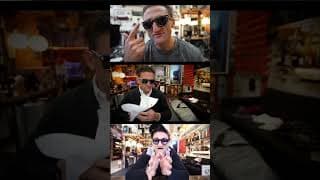
What Lens is Casey Neistat Using? How to shoot like your favorite creators part 1. #lens
What camera and lens does Casey Neistat use to make videos? What settings does he use to shoot outside? Im starting a series of videos explaining how your favorite creators achieve the shots they use on youtube. Casey Neistat shoots using between a 10mm - 24mm lens on a full frame camera. He switches up his camera angle and focal length constantly so that a single shot never goes stale, but he stays really wide. When hes outside, hes using auto ISO - and you can tell because when he moves from the dark to the light, the camera automatically adjusts, but his motion blur stays the same, and the plane of focus doesnt change either. Those would be controlled by shutter speed and aperture.
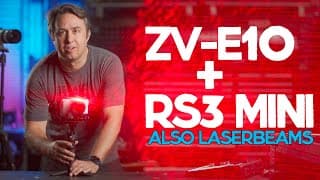
Sony ZV-E10 with DJI RS3 Mini = Affordable Low Light Contender...
The DJI RS3 Mini Gimbal turns the Sony ZV-E10 Camera into a LowLight shooting contender. If youre shooting night photography with a camera that has no stabilization, this will fix your problems! If you've ever tried to shoot anything at night with your Sony ZVE10 you have probably found frustration. But if you put it on top of the new DJI RS3 Mini Gimbal, suddenly the ZVE10 is a low light monster! #RS3 #mini #zve10 LINKS TO BUY: RS3 Mini $369 https://amzn.to/3Xdi3nS RS3 $549 https://amzn.to/3IR14DC ZV-E10: https://amzn.to/3YTrkTn A7IV: https://amzn.to/3jHvAoU All the equipment I use to shoot this video: https://kit.co/_SpaceWarehouse/youtube-studio-equipment Find me on Instagram: @nicholas_james_johnson 0:00 Intro 0:15 fast shutter stabilization is easier 1:29 bike test 2:44 low light ZVE10 night test 3:57 laser beam test 4:21 70-200 G Master Test 4:49 stills test in low light with gimbal
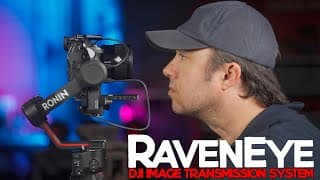
How to Set Up RavenEye Ronin Image Transmitter with DJI RS3 and Sony Cameras.
You may wonder make RavenEye work with a Sony A7IV or A7Siii camera. In this video I show which cords go where, and how to make use of the RavenEye DJI Ronin Image Transmitter. It's also useful as a remote wireless monitor. Im using a Sony a74 and a7s3. LINK TO BUY RAVENEYE: https://amzn.to/3H8tF5W RS3 $549 https://amzn.to/3IR14DC A7siii: https://amzn.to/3GKoLun A7IV: https://amzn.to/3jHvAoU All the equipment I use to shoot this video: https://kit.co/_SpaceWarehouse/youtube-studio-equipment Find me on Instagram: @nicholas_james_johnson #raveneye #dji #rs3
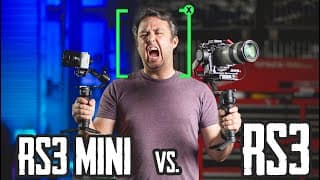
RS3 Mini vs RS3 Which DJI Gimbal will you buy?
New DJI Ronin Gimbals are out. RavenEye does not work with RS3 Mini but it does with RS3. MOST LIKELY if youre going to get one You'll be choosing between the RS3 Mini and the RS3. The main differences for my uses are that the RS3 Mini can not use the RavenEye transmitter and I love that thing. Also, if you have heavy lenses, the mini will work, but when you tilt really far, or if you try to extend the lens on the fly, you'll need to rebalance for it to be reliable. Otherwise, and especially if you have a small camera, this Mini gimbal is SUPER good at stabilization. It's really light, it's really small, and it's perfect for traveling. You can easily shove it in a bag so if you do bring it somewhere like a theme park, you dont have to hold it out the whole time youre there. LINKS TO BUY: RS3 Mini $369 https://amzn.to/3Xdi3nS RS3 $549 https://amzn.to/3IR14DC ZV-E10: https://amzn.to/3YTrkTn A7IV: https://amzn.to/3jHvAoU All the equipment I use to shoot this video: https://kit.co/_SpaceWarehouse/youtube-studio-equipment Find me on Instagram: @nicholas_james_johnson #rs3mini #djirs3 #gimbalstabilizer 0:00 Intro 0:10 Size and Weight Comparison 0:51 RavenEye and Active Track 2:30 Battery Life 3:01 Vertical Mode 3:39 Footage Comparisons 4:42 A7IV on the RS3 Mini vs RS3 7:12 BlueTooth 7:50 TLDW
How to Shoot at Trade Shows, Camera Equipment I used at CES2023
This video is about how I record live events, what I use to shoot video at the CES conference in Las Vegas this last week. Im going over the cameras I used, the gimbal, the sound recording devices to do interviews and how to get smooth, impressive b roll when youre on the move in a busy place full of people. Equipment talked about in this video: Sony a7siii https://amzn.to/3XcnBhO Sony a7iv https://amzn.to/3GruYez My favorite travel tripod: https://amzn.to/3IxuoyL Wireless Mics for interviews: https://amzn.to/3Gu8QQJ DJI RSC2 Gimbal: https://amzn.to/3VTWMhr 24-70mm 2.8 Sigma Lens: https://amzn.to/3iomaya 70-200mm G Master II Sony Lens: https://amzn.to/3CAwYjP Nifty 50mm Sony Lens: https://amzn.to/3vQ1EcQ #CES2023 #howto #videography
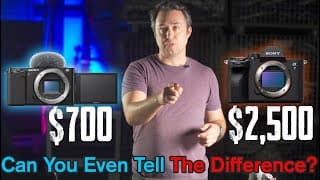
Sony ZV-E10 The Best YouTube Camera for the Money?!
What is the perfect budget camera for YouTube? The Sony ZVE10 might be the best camera for the price. In this video I am comparing the Sony ZVE10 to the Sony A74 to show that in most tripod shooting environments, it's really hard to even see a difference between these two cameras. The ZV-E10 is a really good camera for youtube. Wether youre in a studio, a shop or using it for Green Screen. Links to the cameras: ZV-E10: https://amzn.to/3YTrkTn A7IV: https://amzn.to/3jHvAoU All the equipment I use to shoot this video: https://kit.co/_SpaceWarehouse/youtube-studio-equipment Find me on Instagram: @nicholas_james_johnson
How To Use Green Screen in Final Cut Pro
How to cut the background out of videos using green screen in final cut pro. In this video I will show you how to use this trick to make your small room look like a giant space, or a far away place, or an impossible environment all together. Links to things: Cheap Amazon Green Screen Kit: https://amzn.to/3uFSUFu Cheap Lights that work: https://amzn.to/3P9T1mo Links to all the gear I use to make youtube videos: https://kit.co/_SpaceWarehouse/youtube-studio-equipment One of my favorite channels to watch on youtube is coffeezilla. He does all of his new videos from within what he calls the 10 million dollar studio, which is a 3d rendered environment and hes, in reality, sitting in front of a green screen.
Editing YouTube Videos For Beginners in Final Cut Pro on a Mac. Add Text, Add Graphics, Make Cuts.
Basic editing tutorial and tricks for Final Cut Pro. How to import video and Edit in Final Cut Pro. In this video I go over how to make cuts, how to add graphics and text, and sound effects, and a basic color correction tutorial for YouTube Videos. Here are links to all the equipment I use to make videos: https://kit.co/_SpaceWarehouse/youtube-studio-equipment
How to Capture Clean Audio. Best Microphone Choice for YouTube Videos..
In this video I go over how to set up camera settings and record clean audio for your youtube videos. If youre looking for how to record youtube videos, I think I can help! This is part 2 of a two part series of how to shoot a youtube video - you can find part one here https://youtu.be/NPJS3qay8Hg #howto #shoot #youtube
How to Shoot a YouTube Video - Camera Placement & Lighting
How to record a youtube video. In this video I go over filming a youtube video; where to set up a camera, what lens to choose, and how to set up and where to put your lights! My name is Nicholas Johnson, I am a professional race car photographer and a YouTuber on another channel @spacedesignwarehouse On this channel I will be making videos about how to use the equipment you need to make videos!