Loading...
Warning: Channel ID is missing or invalid
Loading channel videos...

Loading channel videos...
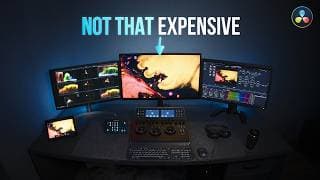
My Dream Color Grading Studio (Full Breakdown with Prices!)
What color grading monitor do I use? What are the specs of my system? I cover the most common questions I get asked about my setup and so much more. TIMECODE CHAPTERS: 00:00 - Intro 00:13 - The control surface 01:19 - My reference monitor 02:37 - Bias lighting 03:35 - Shortcut keys 05:00 - The keyboard 05:40 - What color should you paint your walls? 06:23 - My PC specs 06:39 - Playback and capture card 06:51 - How to fix HDMI dropouts? 07:19 - What specs would you recommend? FULL LIST OF HARDWARE: 01 Control Surface: DaVinci Resolve Mini Panel 02 Reference Monitor: LG 32EP950 03 Bias Lighting: MediaLight Mk2 V2 04 GUI Monitor: BenQ PV270 05 GUI Monitor: LG 27UL-550-W 06 Stream Deck XL & Profiles from SideShowFX 07 iPad Pro 10.5 inch 08 Keyboard: Logitech MX Keys Full Size 09 UPS: APC Smart 1500VA 10 PC: Windows 10 OS, NVIDIA RTX 3080 GPU, AMD Ryzen 9 /32T 5950X CPU, 4TB NVMe, 20TB HDD 11 Playback and Capture Card: Decklink Mini Monitor 4K 🤑 DISCOUNT CODE: 15% off any Filmverse product with the code MARIETA https://www.coloristfoundry.com/filmverse-film-emulation ✨ ABOUT ME: I’m Marieta Farfarova, a colourist and editor with 8 years of experience in post production. I’ve worked with NBA, Adobe, Porsche, Tiffany & Co., Amazon, etc. My objective is to share the best techniques I’ve learned in my colour grading journey so far. 👇 MY WORK: https://www.fastcutstudio.com 🎨 BOOK ME: https://fastcutstudio.com/book-me 🔗 SOCIALS: Instagram: https://www.instagram.com/marietafarfarova/ Facebook: https://www.facebook.com/fastcutstudio LinkedIn: https://www.linkedin.com/in/mfarfarova/ #davinciresolve #colorgrading #studiotour
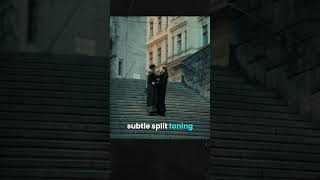
Filmic Look with Only 6 Nodes #shorts #davinciresolve
Look development doesn't have to be complex and elaborate. In fact, I always aim to work as efficiently as possible, and that’s why having a good starting point is key. It all starts with your DRT (Display Render Transform). Simply put, this is the mathematical process that converts an image from logarithmic to a display color space (for example, Rec.709 Gamma 2.4). There are multiple ways to do this: ✔️Resolve’s DRT: You can set this up with node-based colour management using Color Space Transform OFX or via your project settings. ✔️ACES’ DRT: This is the industry standard for managing color for film and episodic productions. ✔️JP2499 DRT: This increasingly popular free DCTL by Juan Pablo is excellent! ✔️Filmverse Lite DRT: Recently, I have really enjoyed working with the brand new 1.2 release of this DRT. It applies a light film emulation look (optional) and the built-in texture tools look beautiful. If you'd like to give it a try, comment 'DRT' and I'll send you a 15% discount code for Filmverse Lite. #davinciresolve #colorgrading #filmlook
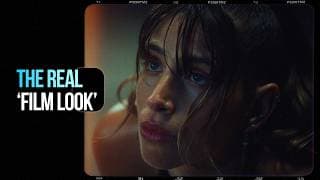
The Most Realistic Film Look - Is This the Best Plugin? | DaVinci Resolve
Everybody wants to get the 'film look'. Do you? If so, stick around. This plugin achieves beautiful and authentic film emulations with incredible speed. TIMECODE CHAPTERS: 00:00 - Intro 00:20 - Walkthrough of Filmverse 03:46 - Building the Look 06:21 - Adding Texture 08:25 - The Final Look 08:38 - Pros and Cons of Filmverse 🤑 DISCOUNT CODE: 15% off any Filmverse product with the code MARIETA https://www.coloristfoundry.com/filmverse-film-emulation ✨ ABOUT ME: I’m Marieta Farfarova, a colourist and editor with 8 years of experience in post production. I’ve worked with NBA, Adobe, Porsche, Tiffany & Co., Amazon, etc. My objective is to share the best techniques I’ve learned in my colour grading journey so far. 👇 MY WORK: https://www.fastcutstudio.com 🎨 BOOK ME: https://fastcutstudio.com/book-me 🔗 SOCIALS: Instagram: https://www.instagram.com/marietafarfarova/ Facebook: https://www.facebook.com/fastcutstudio LinkedIn: https://www.linkedin.com/in/mfarfarova/ #davinciresolve #filmemulation #filmlook
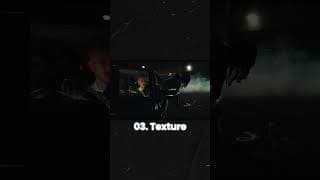
Graded vs Original. Please don't tell me you prefer the Rec.709! 😂 #shorts
The three key components that allowed me to craft this look in no more than 40 minutes are: 1) NeatVideo - this third party plugin for noise reduction is as old as time but it has salvaged clips I thought would be unusable. It worked like a charm for this footage captured in a low-light environment. 2) Filmverse Lite - I used this brand new DRT to convert the footage from Log to Rec.709. When I compared the conversion to my regular colour management that uses the technical conversion LUT for Arri LogC3, I felt that the former provided a better rendering of hues and contrast. 3) Kaur Hendrickson's Hue S-Curve Split Tone DCTL - this tool challenges the traditional way of introducing split toning by manually mixing the red, green and blue channels. Instead, it allows you to dial the exact hue you'd like to introduce in the shadows and highlights; and the DCTL calculates the mixing of the channels automatically. This results in a much faster manipulation. Are there any external tools you've loved using? #colorist #colorgrading #remotecolorist #filmlook #davinciresolve
How to Get the Kodak Look Fast #shorts #davinciresolve
⚡️ Speed is everything in colour grading. Production timelines are shrinking, but expectations for high-quality work remain. That’s why I don’t shy away from utilising external tools that help me achieve the desired look more efficiently. There’s a common belief among some peers that using anything beyond built-in tools is "cheating" or makes your work less unique. I disagree. I believe there is no need to reinvent the wheel. At the end the client does not care how you got to ‘x’. They care about whether you’re able to create beautiful work delivered on time and within budget. Here’s how I’d approach a Kodak film emulation using the exceptional tool ‘Filmverse’ by Colorist Foundry. #colourist #colorgrading #filmemulation #filmlook #davinciresolve #cinematic
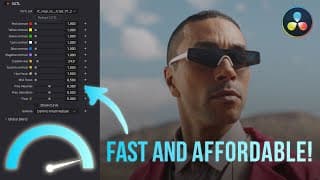
Top 3 Budget Tools to Speed Up Color Grading in DaVinci Resolve
Speed up your color grading with these tree affordable tools for DaVinci Resolve Studio. TIMECODE CHAPTERS: 00:00 - Intro 00:59 - Iridescent Color Hue vs Contrast DCTL 03:42 - How to increase contrast of hues using built-in Resolve tools (Not recommended) 04:35 - Iridescent Color Filmic Tone Curve DCTL 06:41 - How to create your own contrast curve with native tools 07:43 - Iridescent Color Tetra+ DCTL 09:25 - How to get similar hue, saturation and density adjustments for free 10:38 - The final look 10:54 - Conclusion 🛒 LINKS TO USED DCTLs*: 1. Hue vs Contrast DCTL - £25 - https://iridescentcolor.com/product/hue-vs-contrast/ 2. Filmic Tone Curve - £25 - https://iridescentcolor.com/product/filmic-tone-curve-dctl/ 3. Tetra+ - £20 - https://iridescentcolor.com/product/tetra-plus/ 🤩 LINKS TO FREE DCTLs*: 1. Iridescent Color Free DCTLs: https://iridescentcolor.com/free-tools/ 2. Cullen Kelly's Free Exposure Chart DCTL (use this to generate a middle grey point of your colour space): https://procolor.ist/exposure-dctl/ 3. Tetra V2 by Juanjo Salazar: https://www.juanjosalazar.com/color-science 4. Tetra by npeason: https://github.com/npeason/Tetra-DCTLOFX *Please note that DCTLs are only available in the paid version of DaVinci Resolve. 🤑 MY DISCOUNT CODES: 15% off any Filmverse product with the code MARIETA https://www.coloristfoundry.com/filmverse-film-emulation 10% off from any Dehancer product with the code MARIETA10 https://www.dehancer.com/ ✨ ABOUT ME: I’m Marieta Farfarova, a colourist and editor with 8 years of experience in post production. I’ve worked with NBA, Adobe, Porsche, Tiffany & Co., Amazon, etc. My objective is to share the best techniques I’ve learned in my colour grading journey so far. 👇 MY WORK: https://www.fastcutstudio.com 🎨 BOOK ME: https://fastcutstudio.com/book-me 🔗 SOCIALS: Instagram: https://www.instagram.com/marietafarfarova/ Facebook: https://www.facebook.com/fastcutstudio LinkedIn: https://www.linkedin.com/in/mfarfarova/ #davinciresolve #dctl #colorgrading
Who Won Dehancer Pro? Find Out! #shorts
Huge congratulations to the winner! Please reach out to me on Instagram to claim your prize. Wishing everyone a lovely Christmas and a successful New Year ahead! 🎄 #giveaway #dehancer #davinciresolve
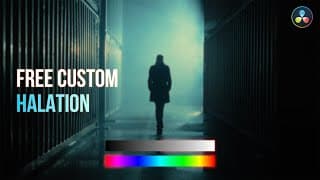
How to Create Free Halation in DaVinci Resolve (No Plugins)
Halation is a key characteristic of an authentic film emulation. In this video, I’ll demonstrate how you can create your own halation in Linear gamma that works in the free version of DaVinci Resolve. TIMECODE CHAPTERS: 00:00 - Intro 00:08 - What are the key characteristics of halation in film? 00:45 - How to create a custom halation in Linear gamma 05:13 - How Linear halation translates to real footage 06:20 - Outro 🤑 MY DISCOUNT CODES: 15% off any Filmverse product with the code MARIETA https://www.coloristfoundry.com/filmverse-film-emulation 10% off from any Dehancer product with the code MARIETA10 https://www.dehancer.com/ ✨ ABOUT ME: I’m Marieta Farfarova, a colourist and editor with 8 years of experience in post production. I’ve worked with NBA, Adobe, Porsche, Tiffany & Co., Amazon, etc. My objective is to share the best techniques I’ve learned in my colour grading journey so far. 👇 MY WORK: https://www.fastcutstudio.com 🎨 BOOK ME: https://fastcutstudio.com/book-me 🔗 SOCIALS: Instagram: https://www.instagram.com/marietafarfarova/ Facebook: https://www.facebook.com/fastcutstudio LinkedIn: https://www.linkedin.com/in/mfarfarova/ #davinciresolve #halation #filmlook
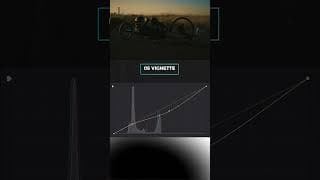
Teal and Orange Look Breakdown in DaVinci Resolve #shorts
How to spice up a dull sky? Add a subtle gradient! 🎨 My objective with this look was to enhance what was already there and add an accent to the sky. The technique I choose to use isn't anything revolutionary - just two gradient power windows with a luma qualification and some custom curves to dial in the desired hue. The result looks more visually pleasing and reinforces the complementary colour scheme. The external tools I used include Iridescent Color DCTLs & Dehancer Pro (Bloom & Film Damage). #davinciresolve #colorgrade #breakdown

Look Breakdown: Adding Color That Wasn’t There in DaVinci Resolve
Adding a strong color cast in a believable way is difficult but certainly not impossible. In this look breakdown, we'll cover the steps and tools used to achieve a stylised teal look. TIMECODE CHAPTERS: 00:00 - Intro 00:18 - Look Breakdown 07:14 - The Final Look EXTERNAL TOOLS USED: Filmic Tone Curve V2: https://iridescentcolor.com/product/filmic-tone-curve-dctl/ QT Charts: https://www.qazistoolkit.com/qt-charts RGBCMY Crosstalk V2: https://iridescentcolor.com/product/rgbcmy-crosstalk/ Iris Pro: https://iridescentcolor.com/product/iris-pro-dctl-bundle/ QT Color Compressor: https://www.qazistoolkit.com/qt-color-compressor Tetra+: https://iridescentcolor.com/product/tetra-plus/ Dehancer Pro: https://www.dehancer.com/features 🤑 MY DISCOUNT CODES: 15% off any Filmverse product with the code MARIETA https://www.coloristfoundry.com/filmverse-film-emulation 10% off from any Dehancer product with the code MARIETA10 https://www.dehancer.com/ ✨ ABOUT ME: I’m Marieta Farfarova, a colourist and editor with 8 years of experience in post production. I’ve worked with NBA, Adobe, Porsche, Tiffany & Co. and Amazon to name a few.. My objective is to share the best techniques I’ve learned in my colour grading journey so far. 🎨 BOOK ME: https://fastcutstudio.com/book-me 🔗 SOCIALS: Instagram: https://www.instagram.com/marietafarfarova/ Facebook: https://www.facebook.com/fastcutstudio LinkedIn: https://www.linkedin.com/in/mfarfarova/ #davinciresolve #colorgrade #lookbreakdown
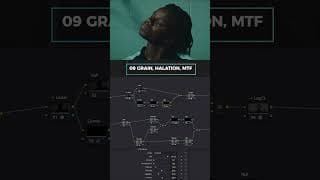
Teal Filmic Look Breakdown in DaVinci Resolve #shorts #youtubeshorts
How to add colour that was not there in the first place? It's not impossible! 🎨 To try out my new reference monitor and a brand new collection of DCTLs, I created this pushed look with a filmic contrast and an accentuated teal palette. If you compare the Rec.709 to the final look, you'll notice the two couldn't be further from each other! Would you be interested in an in-depth breakdown on YouTube? The external tools I used include Iridescent Color DCTLs, QT Color Compressor DCTL & Dehancer Pro (Film Grain, Film Damage). #davinciresolve #colorist #lookbreakdown
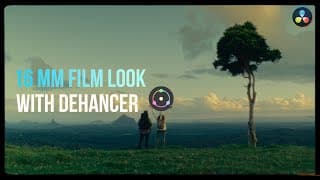
Get the 16mm Film Look with Dehancer Pro in DaVinci Resolve
Dehancer is one of the most popular film emulation plugins for DaVinci Resolve. Today I’m going to put it to the test by trying to recreate a 16mm film emulation inspired by the look of ‘Number One Candidate’ by AntsLive. 🎁 THE GIVEAWAY HAS ENDED. The winner is announced in this YouTube short: https://www.youtube.com/shorts/CUNc9er0DAM TIMECODE CHAPTERS: 00:00 - Intro 00:59 - 16mm film reference 01:42 - Emulating 16mm film with Dehancer 10:14 - The final look 10:31 - My thoughts about Dehancer 11:03 - How the enter the giveaway 💰 PROMO CODE: Get 10% off from any Dehancer product with the code MARIETA10. ABOUT ME: I’m Marieta Farfarova, a colourist and editor with 8 years of experience in post production. I’ve worked with NBA, Adobe, Porsche, Tiffany & Co. and Amazon to name a few.. My objective is to share the best techniques I’ve learned in my colour grading journey so far. 🎨 BOOK ME: https://fastcutstudio.com/book-me 🔗 SOCIALS: Instagram: https://www.instagram.com/marietafarfarova/ Facebook: https://www.facebook.com/fastcutstudio LinkedIn: https://www.linkedin.com/in/mfarfarova/ Portfolio: www.fastcutstudio.com #davinciresolve #dehancer #filmemulation
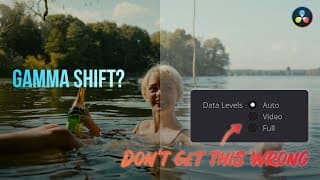
Fix Gamma Shift in DaVinci Resolve (Check Your Data Levels Settings!)
Learn how data levels affect your videos and find out how to set them up correctly to avoid a gamma shift in DaVinci Resolve. TIMECODE CHAPTERS: 00:00 - Introduction 00:49 - What are Data Levels? 01:35 - Video or Full Data Levels? 03:01 - How to check the data levels of your reference monitor? 06:11 - How to change the data levels of a file? 07:35 - Conclusion Download the calibration image used from https://lightillusion.com/general_downloads.html 📚 ADDITIONAL RESOURCES: ‘Data vs Legal TV Levels’ by Light Illusion: https://lightillusion.com/data_legal_levels.html ‘Colour Management for Video Editors’ by Jonny Elwyn: https://jonnyelwyn.co.uk/film-and-video-editing/colour-management-for-video-editors/ ‘How to Deal with Levels: Full vs. Video’ by Dan Swierenga: https://www.thepostprocess.com/2019/09/24/how-to-deal-with-levels-full-vs-video/ ‘Data Levels or Video Levels — How To Choose Wisely’ by Mixing Light. (Requires subscription to view.) https://mixinglight.com/color-grading-tutorials/data-levels-or-video-levels-how-to-choose-wisely/ ‘Is Your Reference Display Input Set To Data Levels Or Video Levels?’ by Mixing Light. (Requires subscription to view.) https://mixinglight.com/color-grading-tutorials/is-your-reference-display-input-set-to-data-or-video-levels/ ‘Full Range & Broadcast Delivery’ by Mixing Light. (Requires subscription to view.) https://mixinglight.com/color-grading-tutorials/full-range-broadcast-delivery/ 🤑 MY DISCOUNT CODES: 15% off any Filmverse product with the code MARIETA https://www.coloristfoundry.com/filmverse-film-emulation 10% off from any Dehancer product with the code MARIETA10 https://www.dehancer.com/ ✨ ABOUT ME: I’m Marieta Farfarova, a colourist and editor with 8 years of experience in post production. I’ve worked with NBA, Adobe, Porsche, Tiffany & Co., Amazon, etc. My objective is to share the best techniques I’ve learned in my colour grading journey so far. 👇 MY WORK: https://www.fastcutstudio.com 🎨 BOOK ME: https://fastcutstudio.com/book-me 🔗 SOCIALS: Instagram: https://www.instagram.com/marietafarfarova/ Facebook: https://www.facebook.com/fastcutstudio LinkedIn: https://www.linkedin.com/in/mfarfarova/ #davinciresolve #gammashift #colorgrading

The Ultimate Guide on How to (And Not To) Use HSL Qualifier in DaVinci Resolve
Learn how to use the HSL Qualifier as a professional in clean non-destructive ways and find out which techniques you should avoid and why. TIMECODE CHAPTERS: 00:00 - Overview of Topic: HSL Qualifier 00:34 - What is HSL Qualifier and how it works? 02:07 - Why is the HSL Qualifier considered 'bad'? 03:07 - Bad Practice 01: Skin Qualifier and Outside Node 04:44 - Bad Practice 02: Incorrect Order of Operations 05:45 - Bad Practice 03: Using Qualifiers for 8-bit Footage 06:49 - Good Practice 01: Broad Single Domain Qualifier 08:45 - Good Practice 02: Combining Power Windows and HSL Adjustments (HSL Curves, Color Warper, Color Slice) 10:12 - Outro 🤑 MY DISCOUNT CODES: 15% off any Filmverse product with the code MARIETA https://www.coloristfoundry.com/filmverse-film-emulation 10% off from any Dehancer product with the code MARIETA10 https://www.dehancer.com/ ✨ ABOUT ME: I’m Marieta Farfarova, a colourist and editor with 8 years of experience in post production. I’ve worked with NBA, Adobe, Porsche, Tiffany & Co., Amazon, etc. My objective is to share the best techniques I’ve learned in my colour grading journey so far. 👇 MY WORK: https://www.fastcutstudio.com 🎨 BOOK ME: https://fastcutstudio.com/book-me 🔗 SOCIALS: Instagram: https://www.instagram.com/marietafarfarova/ Facebook: https://www.facebook.com/fastcutstudio LinkedIn: https://www.linkedin.com/in/mfarfarova/ #davinciresolve #hslqualifier #colorgrading

An Honest Review of Qazi's Toolkit for DaVinci Resolve Studio
If you're considering purchasing Qazi's Toolkit, you may be interested in watching this video. Please note DCTLs only work in DaVinci Resolve Studio version. You can download the demo or license the full version of Qazi's Toolkit here: https://www.qazistoolkit.com/ TIMECODE CHAPTERS: 00:00 - Intro 00:46 - Setup and Colour Management 01:17 - QT Look DNA DCTL Review 06:17 - QT Charts DCTL Review 07:05 - QT Skin Juice Mixer DCTL Review 09:38 - QT Sat Control DCTL Review 13:43 - QT Color Compressor DCTL Review 14:52 - QT Skin Compressor DCTL Review 18:22 - QT Film Density DCTL Review 19:59 - QT Halation DCTL Review 21:09 - QT 'Output Monitoring' Charts 22:51 - The Final Look & Conclusion ✨ ABOUT ME: I’m Marieta Farfarova, a colourist and editor with 8 years of experience in post production. I’ve worked with NBA, Adobe, Porsche, Tiffany & Co., Amazon, etc. My objective is to share the best techniques I’ve learned in my colour grading journey so far. 👇 MY WORK: https://www.fastcutstudio.com 🎨 BOOK ME: https://fastcutstudio.com/book-me 🔗 SOCIALS: Instagram: https://www.instagram.com/marietafarfarova/ Facebook: https://www.facebook.com/fastcutstudio LinkedIn: https://www.linkedin.com/in/mfarfarova/ #davinciresolve #filmemulation #qazistoolkit
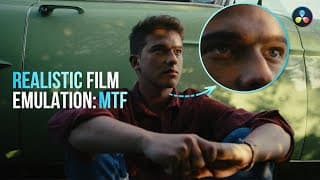
Realistic Film Emulation Texture with MTF in DaVinci Resolve
Learn how to accurately emulate the texture of film in DaVinci Resolve. And no, this is not about film grain, halation, flicker or dust. We’ll dive deep to understand what gives film its soft characteristics and how to recreate the effect of an MTF curve in post-production. TIMECODE CHAPTERS: 00:00 - Intro 00:16 - What is MTF - Modulation Transfer Function? 02:31 - Setup and Colour Management 03:26 - Method 1: Edge Detect OFX 05:23 - Method 2: Custom Frequency Separation Tool in a Compound Node 08:52 - How is MTF different compared to blur? 🤑 MY DISCOUNT CODES: 15% off any Filmverse product with the code MARIETA https://www.coloristfoundry.com/filmverse-film-emulation 10% off from any Dehancer product with the code MARIETA10 https://www.dehancer.com/ ✨ ABOUT ME: I’m Marieta Farfarova, a colourist and editor with 8 years of experience in post production. I’ve worked with NBA, Adobe, Porsche, Tiffany & Co., Amazon, etc. My objective is to share the best techniques I’ve learned in my colour grading journey so far. 👇 MY WORK: https://www.fastcutstudio.com 🎨 BOOK ME: https://fastcutstudio.com/book-me 🔗 SOCIALS: Instagram: https://www.instagram.com/marietafarfarova/ Facebook: https://www.facebook.com/fastcutstudio LinkedIn: https://www.linkedin.com/in/mfarfarova/ #davinciresolve #filmemulation #filmtexture
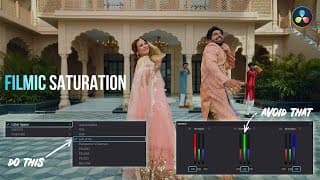
Top 7 Techniques for Filmic Saturation in DaVinci Resolve
Learn the top 7 ways to control saturation in DaVinci Resolve. We'll cover both basic and advanced techniques. By the end of the video, you'll gain an understanding of how different techniques produce different results and why. TIMECODE CHAPTERS: 00:00 - Intro 00:38 - Setup and Colour Managament 01:17 - Method 1: Saturation Slider in Primaries 03:22 - Method 2: RGB Mixer 04:45 - Method 3: Color Boost 05:42 - Method 4: HDR Palette Saturation 07:15 - Method 5: HSV Saturation 09:20 - Method 6: LAB Saturation 11:10 - Method 7: CST Saturation 12:58 - The Final Results 🤑 MY DISCOUNT CODES: 15% off any Filmverse product with the code MARIETA https://www.coloristfoundry.com/filmverse-film-emulation 10% off from any Dehancer product with the code MARIETA10 https://www.dehancer.com/ ✨ ABOUT ME: I’m Marieta Farfarova, a colourist and editor with 8 years of experience in post production. I’ve worked with NBA, Adobe, Porsche, Tiffany & Co., Amazon, etc. My objective is to share the best techniques I’ve learned in my colour grading journey so far. 👇 MY WORK: https://www.fastcutstudio.com 🎨 BOOK ME: https://fastcutstudio.com/book-me 🔗 SOCIALS: Instagram: https://www.instagram.com/marietafarfarova/ Facebook: https://www.facebook.com/fastcutstudio LinkedIn: https://www.linkedin.com/in/mfarfarova/ #davinciresolve #saturation #filmsaturation
Mastering Split Toning in DaVinci Resolve: Top 3 Techniques
How do you create a beautiful teal and orange look with split toning? These are my top 3 methods. TIMECODE CHAPTERS: 00:00 - Intro 00:24 - What is split toning? 01:02 - Method 1: How to create split toning with RGB Custom curves? 03:37 - Method 2: How to do split toning in subtractive color? 06:24 - Method 3: Split toning with DCTL 08:29 - Final look 🤑 MY DISCOUNT CODES: 15% off any Filmverse product with the code MARIETA https://www.coloristfoundry.com/filmverse-film-emulation 10% off from any Dehancer product with the code MARIETA10 https://www.dehancer.com/ ✨ ABOUT ME: I’m Marieta Farfarova, a colourist and editor with 8 years of experience in post production. I’ve worked with NBA, Adobe, Porsche, Tiffany & Co., Amazon, etc. My objective is to share the best techniques I’ve learned in my colour grading journey so far. 👇 MY WORK: https://www.fastcutstudio.com 🎨 BOOK ME: https://fastcutstudio.com/book-me 🔗 SOCIALS: Instagram: https://www.instagram.com/marietafarfarova/ Facebook: https://www.facebook.com/fastcutstudio LinkedIn: https://www.linkedin.com/in/mfarfarova/ #davinciresolve #splittoning #tealandorange
Colour Grading Before/After #shorts
Breakdown of a recent grade from Log to Rec.709 to Graded. #shorts