Loading...
Warning: Channel ID is missing or invalid
Loading channel videos...

Loading channel videos...
This FREE Motion Blur Plugin Just Got Better
⬇️ FREE Motion Blur Plugin 👉🏼 https://bit.ly/FreeMotionBlurPlugin ~~~~~ 🔴 FREE STUFF 🔴 ~~~~~ ▶️ FREE Plugins & Transitions for FCP 👉🏼 https://bradwestmedia.com/free-fcp-plugins 🔊 FREE Music for Creators 👉🏼 https://bit.ly/UppbeatBD 💥 My FREE ‘Whip Pan & Zoom Transitions’ Pack 👉🏼https://bit.ly/FREEWhipPanZoom ~~~~~ 🎬 DIGITAL TOOLS THAT I USE 🎬 ~~~~~ 💥 Plugins & Effects for FCP 👉🏼 https://bradwestmedia.com/fcp-plugins (Check the link for discounts) 💥 My ‘Whip Pan & Zoom Transitions’ Pack 👉🏼 https://bit.ly/WhipPanZoom ~~~~~ 📸 THE GEAR I USE 📸 ~~~~~ 🎛 Monogram Creative Console 👉🏼 https://bit.ly/MonogramCC_BD ($40 off with this link) 📹 My Travel & Studio Gear 👉🏼 https://bradwestmedia.com/my-gear ~~~~~ 🎵 MUSIC FOR CREATORS 🎵 ~~~~~ 🔊 The Music I Use 👉🏼 https://bradwestmedia.com/music ~~~~~📚 LEARN 📚 ~~~~~ 🖥 Courses 👉🏼 https://bradwestmedia.com/courses 💡 Color Grading Masterclass 👉🏼 https://bit.ly/BW-ColorGradingMasterclass ~~~~~ 🤝 LET’S CONNECT 🤝 ~~~~~ 🌐 Website 👉🏼https://bradwestmedia.com ✉️ Monthly Newsletter 👉🏼 https://bradwestmedia.com/newsletter-signup 📸 Instagram 👉🏼 https://bit.ly/BradWestIG The free Motion Blur plugin for Final Cut Pro just got a powerful update—and it's still 100% free. Whether you're working on high-energy edits, cinematic sequences, or smooth animations, this upgraded tool is designed to make your footage look more professional with minimal effort. In this video, I’ll show you what’s new in the latest version, how to get it set up in Final Cut Pro, and how to use it creatively to enhance your edits. From subtle polish to bold visual effects, this plugin opens up a ton of possibilities for motion-based transitions and stylized movement. We’ll also talk about a few unique ways to apply motion blur that go beyond the obvious, helping you get more out of every edit. If you're ready to give your videos a dynamic edge and streamline your workflow, this one's for you. ~~~~~ 🔴 CHAPTERS 🔴 ~~~~~ 00:00 - This FREE Motion Blur Plugin Just Got Better 00:19 - What’s New? 01:18 - Tip #1 - Keyframed Animations 02:12 - Tip #2 - Speed Ramps 02:56 - Tip #3 - Timelapses 03:50 - Tip #4 - Creative Effects #FCPX #FinalCutPro #FCPXTutorial
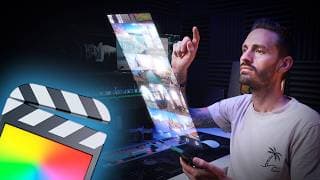
How to Create a Realistic Hologram Effect in FCP + FREE Plugin
FREE Glint Effect 👉🏼 https://bit.ly/GlintFree Color Grade Like a Pro 👉🏼 https://bit.ly/BW-ColorGradingMasterclass FREE Motion Blur Effect 👉🏼 https://bit.ly/FreeMotionBlurPlugin ▶️ Watch: 10 Best FREE Plugins 👉🏼 https://youtu.be/AT6WLW2GROg ~~~~~ 🔴 FREE STUFF 🔴 ~~~~~ ▶️ FREE Plugins & Transitions for FCP 👉🏼 https://bradwestmedia.com/free-fcp-plugins 🔊 FREE Music for Creators 👉🏼 https://bit.ly/UppbeatBD 💥 My FREE ‘Whip Pan & Zoom Transitions’ Pack 👉🏼https://bit.ly/FREEWhipPanZoom ~~~~~ 🎬 DIGITAL TOOLS THAT I USE 🎬 ~~~~~ 💥 Plugins & Effects for FCP 👉🏼 https://bradwestmedia.com/fcp-plugins (Check the link for discounts) 💥 My ‘Whip Pan & Zoom Transitions’ Pack 👉🏼 https://bit.ly/WhipPanZoom ~~~~~ 📸 THE GEAR I USE 📸 ~~~~~ 🎛 Monogram Creative Console 👉🏼 https://bit.ly/MonogramCC_BD ($40 off with this link) 📹 My Travel & Studio Gear 👉🏼 https://bradwestmedia.com/my-gear ~~~~~ 🎵 MUSIC FOR CREATORS 🎵 ~~~~~ 🔊 The Music I Use 👉🏼 https://bradwestmedia.com/music ~~~~~📚 LEARN 📚 ~~~~~ 🖥 Courses 👉🏼 https://bradwestmedia.com/courses 💡 Color Grading Masterclass 👉🏼 https://bit.ly/BW-ColorGradingMasterclass ~~~~~ 🤝 LET’S CONNECT 🤝 ~~~~~ 🌐 Website 👉🏼https://bradwestmedia.com ✉️ Monthly Newsletter 👉🏼 https://bradwestmedia.com/newsletter-signup 📸 Instagram 👉🏼 https://bit.ly/BradWestIG In this tutorial, I’ll show you how to create a cinematic, realistic hologram effect in Final Cut Pro using nothing more than a screen recording and some smart editing tricks. Whether you’re going for a sci-fi vibe or just want to level up your transitions and motion graphics, this effect adds a seriously cool touch to your video. We’ll walk through the entire process step-by-step, from syncing a screen recording with finger taps to building the illusion of a hologram floating in 3D space. You’ll see how to use speed ramps, compound clips, and Final Cut Pro’s built-in 3D orientation tools to sell the effect. Then, to take it even further, I’ll show you how to apply object tracking, adjust anchor points for dynamic scaling, and enhance everything with a custom glint effect and motion blur. ~~~~~ 🔴 CHAPTERS 🔴 ~~~~~ 00:00 - How to Create a Realistic Hologram Effect in FCP 00:39 - Step 1: Sync Main Shot & Screen Recording 03:10 - Step 2: Matching 3D Perspective (Free Plugin) 04:45 - Step 3: Change Blend Mode & Bad TV 05:06 - Step 4: Track Hologram to Phone 06:00 - Step 5: Animate Hologram In 07:02 - Step 6: Enhancing the Effect 07:33 - Step 7: Add Glint (Free Plugin) 08:04 - Optional: Fixing a Bright Background #FCPX #FinalCutPro #hologram
10 Best FREE Plugins for Final Cut Pro in 2025
The BEST music, SFX & motion graphics for creators 👉🏼 https://share.uppbeat.io/brad-west (Get started for FREE) 🔥 FREE FCP PLUGINS 🔥 12 RGB Revealers 👉🏼 https://bit.ly/12RGBRevealer Super Custom 👉🏼 https://bit.ly/SuperCustom 3D Orientation Effect 👉🏼 https://bit.ly/3DOrientationEffect Adjustment+ 👉🏼 https://bit.ly/AdjustmentPlus Damaged Filament Transition 👉🏼 https://bit.ly/DamagedFilamentTransition Snap Zoom 👉🏼 https://bit.ly/SnapZoomBFX Color Fill 👉🏼 https://bit.ly/ColorFillEffect Quick In-Out Bouncer 👉🏼 https://bit.ly/Tap5aYT 7 Picture in Picture Free 👉🏼 https://bit.ly/7PiPFree mCamRig 👉🏼 https://bit.ly/mCamRigmVFX 🎨 Color Grade Like a Pro 👉🏼 https://bit.ly/BW-ColorGradingMasterclass ~~~~~ 🔴 FREE STUFF 🔴 ~~~~~ ▶️ FREE Plugins & Transitions for FCP 👉🏼 https://bradwestmedia.com/free-fcp-plugins 💥 My FREE ‘Whip Pan & Zoom Transitions’ Pack 👉🏼https://bit.ly/FREEWhipPanZoom ~~~~~ 🎬 DIGITAL TOOLS THAT I USE 🎬 ~~~~~ 💥 Plugins & Effects for FCP 👉🏼 https://bradwestmedia.com/fcp-plugins (Check the link for discounts) 💥 My ‘Whip Pan & Zoom Transitions’ Pack 👉🏼 https://bit.ly/WhipPanZoom ~~~~~ 📸 THE GEAR I USE 📸 ~~~~~ 🎛 Monogram Creative Console 👉🏼 https://bit.ly/MonogramCC_BD ($40 off with this link) 📹 My Travel & Studio Gear 👉🏼 https://bradwestmedia.com/my-gear ~~~~~📚 LEARN 📚 ~~~~~ 🖥 Courses 👉🏼 https://bradwestmedia.com/courses 💡 Color Grading Masterclass 👉🏼 https://bit.ly/BW-ColorGradingMasterclass ~~~~~ 🤝 LET’S CONNECT 🤝 ~~~~~ 🌐 Website 👉🏼https://bradwestmedia.com ✉️ Monthly Newsletter 👉🏼 https://bradwestmedia.com/newsletter-signup 📸 Instagram 👉🏼 https://bit.ly/BradWestIG Looking for the best free plugins for Final Cut Pro in 2025? You're in the right place! Whether you're editing YouTube videos, client work, or personal projects, these free FCP plugins will instantly level up your workflow—without costing a cent. In this video, I’m breaking down my top 10 free Final Cut Pro plugins that are beginner-friendly, easy to install, and incredibly powerful. ✨ Here’s what you’ll discover: ✅ LenoFX – 12 RGB Revealers: Add dynamic, colorful transitions to your footage with customizable RGB animation styles. Drag-and-drop ease and adjustable color order make this a must-have for motion graphics. ✅ FxFactory – Super Custom Title: Forget the boring basic title—this plugin gives you a full suite of animated, customizable text templates with built-in motion effects and transitions. Perfect for intros, lower thirds, and callouts. ✅ Ryan Nangle – 3D Orientation Effect: Animate clips, photos, or text in full 3D space. Create cinematic shots like holograms, floating screens, or parallax-style transitions—all inside Final Cut Pro. ✅ Dylan Bates (The Final Cut Bro) – Adjustment+: Final Cut Pro 11.1 now supports adjustment clips, but Adjustment+ adds more flexibility with additional features for color grading, effects stacking, and batch editing. ✅ Corentin Aboulin – Damaged Filament Transition: Emulate vintage film with gritty, analog-style transitions. Customize blend modes, timing, and stylization for a retro aesthetic—plus, Corentin has tons of other free plugins too. ✅ BretFX – Snap Zoom: Create instant crash zooms with built-in animation controls. Adjust zoom direction, scale, speed, and duration without needing keyframes. Great for fast-paced edits and dramatic emphasis. ✅ Brad West – Color Fill: My own free plugin! Quickly color-match logos, fill backgrounds, or apply gradient overlays using on-screen controls and masking. Great for screen recordings and branding consistency. ✅ Tap5a – Quick In-Out Bouncer: Animate logos, titles, or graphics in and out of your scene with bouncy, smooth motion—no keyframes needed! Choose from 18 animation presets for fast results. ✅ LenoFX – 7 Picture in Picture Free: Add picture-in-picture overlays with clean, modern templates. Drop zones make it easy to embed talking heads, tutorials, or reaction footage with adjustable placement and scale. ✅ MotionVFX – mCamRig: Simulate camera movement like pans, tilts, and zooms without touching a keyframe. I use this all the time for screen recordings—it adds life to static shots and works perfectly for UI showcases. 🔥 These free Final Cut Pro plugins will save you time, enhance your edits, and give you creative tools you didn’t know you needed. Download links are in the description. ~~~~~ 🔴 CHAPTERS 🔴 ~~~~~ 00:00 - 10 Best FREE Plugins for Final Cut Pro in 2025 00:17 - 12 RGB Revealers 01:02 - Super Custom 02:10 - 3D Orientation Effect 03:17 - Adjustment+ 04:16 - Damaged Filament Transition 06:23 - Snap Zoom 06:50 - Color Fill 07:56 - Quick In-Out Bouncer 08:54 - 7 Picture in Picture Free 09:35 - mCamRig #FCPX #FinalCutPro #Freeplugi
Final Cut Pro 11.1 | Everything You Need to Know
Don’t update FCP without watching this first 👉🏼 https://youtu.be/ekP-TAV0IUs Final Cut Pro 11.1 Official Release Notes 👉🏼 https://support.apple.com/en-us/102825 ~~~~~ 🔴 FREE STUFF 🔴 ~~~~~ ▶️ FREE Plugins & Transitions for FCP 👉🏼 https://bradwestmedia.com/free-fcp-plugins 🔊 FREE Music for Creators 👉🏼 https://bit.ly/UppbeatBD 💥 My FREE ‘Whip Pan & Zoom Transitions’ Pack 👉🏼https://bit.ly/FREEWhipPanZoom ~~~~~ 🎬 DIGITAL TOOLS THAT I USE 🎬 ~~~~~ 💥 Plugins & Effects for FCP 👉🏼 https://bradwestmedia.com/fcp-plugins (Check the link for discounts) 💥 My ‘Whip Pan & Zoom Transitions’ Pack 👉🏼 https://bit.ly/WhipPanZoom ~~~~~ 📸 THE GEAR I USE 📸 ~~~~~ 🎛 Monogram Creative Console 👉🏼 https://bit.ly/MonogramCC_BD ($40 off with this link) 📹 My Travel & Studio Gear 👉🏼 https://bradwestmedia.com/my-gear ~~~~~ 🎵 MUSIC FOR CREATORS 🎵 ~~~~~ 🔊 The Music I Use 👉🏼 https://bradwestmedia.com/music ~~~~~📚 LEARN 📚 ~~~~~ 🖥 Courses 👉🏼 https://bradwestmedia.com/courses 💡 Color Grading Masterclass 👉🏼 https://bit.ly/BW-ColorGradingMasterclass ~~~~~ 🤝 LET’S CONNECT 🤝 ~~~~~ 🌐 Website 👉🏼https://bradwestmedia.com ✉️ Monthly Newsletter 👉🏼 https://bradwestmedia.com/newsletter-signup 📸 Instagram 👉🏼 https://bit.ly/BradWestIG Final Cut Pro 11.1 is here! In this video, I walk you through everything new in the latest FCP update—from long-awaited native Adjustment Clips, to Magnetic Mask improvements, Image Playground AI features, and a powerful new audio effect: the Quantec Room Simulator. While this isn’t the huge update many of us are hoping for, there are definitely some handy improvements and bug fixes that Final Cut Pro users will appreciate. Whether you're a beginner or a seasoned editor, these changes will help you work faster and stay organized inside FCP. 📌 What’s New in Final Cut Pro 11.1: Native Adjustment Layers (called Adjustment Clips) Image Playground: AI-generated image tool (macOS 15.2 required) Magnetic Mask UI and tracking improvements New shortcut to show/hide the Magnetic Mask Editor Quantec Room Simulator: Realistic reverb audio plugin Rename audio effects directly in the Inspector New shortcut to reveal Multicam clip sources in browser (Shift + F) You can finally move markers in the timeline! Multiple bug fixes that improve stability and performance 🎬 Subscribe for more Final Cut Pro tutorials, plugin reviews, editing tips, and update breakdowns. Got questions about the new update? Drop them in the comments! ~~~~~ 🔴 CHAPTERS 🔴 ~~~~~ 00:00 - Final Cut Pro 11.1 00:11 - Adjustment Clips 00:57 - Image Playground 01:36 - Magnetic Mask Updates 02:37 - Quantec Room Simulator 03:15 - Small But Useful Tweaks 04:10 - Final Thoughts #FinalCutPro #FCP11 #FinalCutProUpdate
Inside Brad West's DesignStudio Collection
Try DesignStudio for FREE 👉🏼 https://bit.ly/BW_DesignStudio My DesignStudio Collection 👉🏼 https://mvfx.co/Collections/BradWest ~~~~~ 🔴 FREE STUFF 🔴 ~~~~~ ▶️ FREE Plugins & Transitions for FCP 👉🏼 https://bradwestmedia.com/free-fcp-plugins 🔊 FREE Music for Creators 👉🏼 https://bit.ly/UppbeatBD 💥 My FREE ‘Whip Pan & Zoom Transitions’ Pack 👉🏼https://bit.ly/FREEWhipPanZoom ~~~~~ 🎬 DIGITAL TOOLS THAT I USE 🎬 ~~~~~ 💥 Plugins & Effects for FCP 👉🏼 https://bradwestmedia.com/fcp-plugins (Check the link for discounts) 💥 My ‘Whip Pan & Zoom Transitions’ Pack 👉🏼 https://bit.ly/WhipPanZoom ~~~~~ 📸 THE GEAR I USE 📸 ~~~~~ 🎛 Monogram Creative Console 👉🏼 https://bit.ly/MonogramCC_BD ($40 off with this link) 📹 My Travel & Studio Gear 👉🏼 https://bradwestmedia.com/my-gear ~~~~~ 🎵 MUSIC FOR CREATORS 🎵 ~~~~~ 🔊 The Music I Use 👉🏼 https://bradwestmedia.com/music ~~~~~📚 LEARN 📚 ~~~~~ 🖥 Courses 👉🏼 https://bradwestmedia.com/courses 💡 Color Grading Masterclass 👉🏼 https://bit.ly/BW-ColorGradingMasterclass ~~~~~ 🤝 LET’S CONNECT 🤝 ~~~~~ 🌐 Website 👉🏼https://bradwestmedia.com ✉️ Monthly Newsletter 👉🏼 https://bradwestmedia.com/newsletter-signup 📸 Instagram 👉🏼 https://bit.ly/BradWestIG Today, I’m excited to share my exclusive MotionVFX Design Studio collection—Brad West’s Favorites! If you’re looking to elevate your Final Cut Pro edits with high-quality motion design elements, Design Studio is the ultimate tool. 🛠 What is Design Studio? ✔️ Over 4,000 top-quality motion graphics ✔️ Drag-and-drop workflow directly inside Final Cut Pro ✔️ Includes titles, transitions, overlays, camera moves, and more 📢 Why I Love It: ✅ Saves time – No need to leave Final Cut Pro for assets ✅ Boosts production value – Professional, cinematic effects in seconds ✅ Easy customization – Adjust colors, animations, and text effortlessly 🔥 What’s in My Curated Collection? 🔥 🎥 Subscribe Animations – Perfect for engaging YouTube content 🎯 On-Screen Pointers – Great for tutorials and explainer videos 🎬 Cinematic Intros & Titles – Enhance storytelling with sleek chapter markers 📸 Dynamic Transitions – Seamless cuts and high-energy motion effects ✨ Overlay Effects – Light leaks, grain & glow, anamorphic blur 🎥 Smooth Camera Movements – MKBHD-style zooms & punch-ins 💡 BONUS: M Captions AI Included! Generate accurate subtitles in 90+ languages instantly! Better customization than Final Cut Pro’s built-in captions. #FCPX #FinalCutPro #FCPXTutorial
5 PRACTICAL Ways to Use This Underrated FCP Feature
The BEST music, SFX & motion graphics for creators 👉🏼 https://share.uppbeat.io/brad-west (Get started for FREE) ~~~~~ 🔴 FREE STUFF 🔴 ~~~~~ ▶️ FREE Plugins & Transitions for FCP 👉🏼 https://bradwestmedia.com/free-fcp-plugins 💥 My FREE ‘Whip Pan & Zoom Transitions’ Pack 👉🏼https://bit.ly/FREEWhipPanZoom ~~~~~ 🎬 DIGITAL TOOLS THAT I USE 🎬 ~~~~~ 💥 Plugins & Effects for FCP 👉🏼 https://bradwestmedia.com/fcp-plugins (Check the link for discounts) 💥 My ‘Whip Pan & Zoom Transitions’ Pack 👉🏼 https://bit.ly/WhipPanZoom ~~~~~ 📸 THE GEAR I USE 📸 ~~~~~ 🎛 Monogram Creative Console 👉🏼 https://bit.ly/MonogramCC_BD ($40 off with this link) 📹 My Travel & Studio Gear 👉🏼 https://bradwestmedia.com/my-gear ~~~~~📚 LEARN 📚 ~~~~~ 🖥 Courses 👉🏼 https://bradwestmedia.com/courses 💡 Color Grading Masterclass 👉🏼 https://bit.ly/BW-ColorGradingMasterclass ~~~~~ 🤝 LET’S CONNECT 🤝 ~~~~~ 🌐 Website 👉🏼https://bradwestmedia.com ✉️ Monthly Newsletter 👉🏼 https://bradwestmedia.com/newsletter-signup 📸 Instagram 👉🏼 https://bit.ly/BradWestIG The Index Window in Final Cut Pro is one of the most underrated features—but it’s a massive time-saver if you know how to use it right! In this video, I'll show you 5 practical ways to use the Index Window that will speed up your video editing workflow and save you hours of time in FCP. In this video, I’ll show you how to master the Index Window in Final Cut Pro to dramatically speed up your editing workflow. You’ll learn how to find clips instantly using file names, roles, and even text within titles—no more scrubbing endlessly through your timeline. I’ll also show you how to batch edit clips, making quick adjustments to audio levels and applying effects in just a few clicks. Ever needed to find and reuse effects without manually copying settings? I’ve got you covered! Plus, I’ll walk you through a faster way to color grade using smart filtering and presets, so you can get a polished look in seconds. Finally, we’ll dive into tag and marker management, making it easier than ever to stay organized, jump between key points, and even create YouTube chapter markers automatically. ~~~~~ 🔴 CHAPTERS 🔴 ~~~~~ 00:00 - FCP’s Index Window is so Underrated 00:22 - Tip #1 01:43 - Tip #2 04:07 - Tip #3 05:06 - Tip #4 06:54 - Tip #5 #FinalCutPro #FCPX #VideoEditing #IndexWindow #FinalCutProTips #EditingWorkflow

Brad’s Power Pack for FCP | 4 Essential Plugins
Save 42% on the bundle 👉🏼 https://bit.ly/BradsPowerPack 🎬 AddMotion 👉🏼 https://bit.ly/GetAddMotion 🎬 Motype 2 👉🏼 https://bit.ly/GetMotype2 🎬 Markup 👉🏼 https://bit.ly/MarkUp-BD 🎬 EasyEase 👉🏼 https://bit.ly/EasyEase Looking to take your Final Cut Pro edits to the next level? I've partnered with FxFactory to bring you Brad's Power Pack for FCP, a bundle of 4 essential plugins that will save you time and give your edits a professional polish. 🎯 Here's what you'll get: ✅ AddMotion - Simplify your animation process by moving from an A position to a B position over a customizable period without manual keyframing. This plugin is especially useful for creating smooth pans, zooms, and rotations, making it ideal for screen recordings, footage, logos, and text. Applying AddMotion to an adjustment layer allows the effect to influence all underlying clips, streamlining your workflow. Additionally, incorporating motion blur adds a polished, professional touch to your animations. ✅ Motype 2 - Transform your titles with Motype 2, a plugin that introduces trails and particles to your text animations. It offers a vast array of presets and customizable parameters, enabling you to craft unique title sequences, lower thirds, or animated logos. Motype 2 integrates seamlessly with Final Cut Pro, Motion, Premiere Pro, and After Effects, providing high-performance text animation capabilities across platforms. ✅ Markup - Enhance tutorials, screen recordings, or corporate videos with Markup, a plugin that allows you to add arrows, highlights, and annotations directly within Final Cut Pro. This tool is invaluable for directing viewer attention to specific areas, making your content more engaging and informative. ✅ EasyEase - Gain precise control over keyframe animations with EasyEase. This plugin enables you to apply custom easing functions to position, scale, and rotation parameters, resulting in smoother, more natural motion graphics. By adjusting the movement type and adding motion blur, you can achieve a professional look without the complexity of manual keyframe manipulation. 💡 Whether you're an editor looking to speed up your workflow or want to add extra flair to your videos, this plugin bundle has you covered. ~~~~~ 🔴 FREE STUFF 🔴 ~~~~~ ▶️ FREE Plugins & Transitions for FCP 👉🏼 https://bradwestmedia.com/free-fcp-plugins 🔊 FREE Music for Creators 👉🏼 https://bit.ly/UppbeatBD 💥 My FREE ‘Whip Pan & Zoom Transitions’ Pack 👉🏼https://bit.ly/FREEWhipPanZoom ~~~~~ 🎬 DIGITAL TOOLS THAT I USE 🎬 ~~~~~ 💥 Plugins & Effects for FCP 👉🏼 https://bradwestmedia.com/fcp-plugins (Check the link for discounts) 💥 My ‘Whip Pan & Zoom Transitions’ Pack 👉🏼 https://bit.ly/WhipPanZoom ~~~~~ 📸 THE GEAR I USE 📸 ~~~~~ 🎛 Monogram Creative Console 👉🏼 https://bit.ly/MonogramCC_BD ($40 off with this link) 📹 My Travel & Studio Gear 👉🏼 https://bradwestmedia.com/my-gear ~~~~~ 🎵 MUSIC FOR CREATORS 🎵 ~~~~~ 🔊 The Music I Use 👉🏼 https://bradwestmedia.com/music ~~~~~📚 LEARN 📚 ~~~~~ 🖥 Courses 👉🏼 https://bradwestmedia.com/courses 💡 Color Grading Masterclass 👉🏼 https://bit.ly/BW-ColorGradingMasterclass ~~~~~ 🤝 LET’S CONNECT 🤝 ~~~~~ 🌐 Website 👉🏼https://bradwestmedia.com ✉️ Monthly Newsletter 👉🏼 https://bradwestmedia.com/newsletter-signup 📸 Instagram 👉🏼 https://bit.ly/BradWestIG ~~~~~ 🔴 CHAPTERS 🔴 ~~~~~ 00:00 - Brad's Power Pack 00:20 - Plugin #1 02:47 - Plugin #2 04:05 - Plugin #3 06:06 - Plugin #4 #FinalCutPro #FCPXPlugins #FinalCutProTips
Don’t Buy an 85mm Lens Before Watching This! (SIRUI 85mm F1.4 Review)
Get your Sirui 85mm Lens here 👉🏼 https://bit.ly/Sirui85mm Try Audiio 👉🏼 https://bit.ly/AudiioBD (Use code WEST70 for 70% off your first year) ~~~~~ 🔴 FREE STUFF 🔴 ~~~~~ ▶️ FREE Plugins & Transitions for FCP 👉🏼 https://bradwestmedia.com/free-fcp-plugins 🔊 FREE Music for Creators 👉🏼 https://bit.ly/UppbeatBD 💥 My FREE ‘Whip Pan & Zoom Transitions’ Pack 👉🏼https://bit.ly/FREEWhipPanZoom ~~~~~ 🎬 DIGITAL TOOLS THAT I USE 🎬 ~~~~~ 💥 Plugins & Effects for FCP 👉🏼 https://bradwestmedia.com/fcp-plugins (Check the link for discounts) 💥 My ‘Whip Pan & Zoom Transitions’ Pack 👉🏼 https://bit.ly/WhipPanZoom ~~~~~ 📸 THE GEAR I USE 📸 ~~~~~ 🎛 Monogram Creative Console 👉🏼 https://bit.ly/MonogramCC_BD ($40 off with this link) 📹 My Travel & Studio Gear 👉🏼 https://bradwestmedia.com/my-gear ~~~~~ 🎵 MUSIC FOR CREATORS 🎵 ~~~~~ 🔊 The Music I Use 👉🏼 https://bradwestmedia.com/music ~~~~~📚 LEARN 📚 ~~~~~ 🖥 Courses 👉🏼 https://bradwestmedia.com/courses 💡 Color Grading Masterclass 👉🏼 https://bit.ly/BW-ColorGradingMasterclass ~~~~~ 🤝 LET’S CONNECT 🤝 ~~~~~ 🌐 Website 👉🏼https://bradwestmedia.com ✉️ Monthly Newsletter 👉🏼 https://bradwestmedia.com/newsletter-signup 📸 Instagram 👉🏼 https://bit.ly/BradWestIG The SIRUI AURORA 85mm F1.4 Full-Frame Autofocus Lens is here—but is it the perfect portrait and video lens? In this review, I put it to the test in portraits, low-light, and video to see how it performs! 📷🎥 🛠 Key Features: ✅ Lightweight & Durable – Only 540g with aluminum alloy construction ✅ Fast & Quiet Autofocus – Smooth Eye AF and silent step motor ✅ F1.4 Aperture for Stunning Bokeh – Beautiful background separation ✅ Aperture & Focus Lock Controls – Customizable for precision shooting ✅ No Built-in Stabilization – Best when paired with IBIS or a gimbal I compared this SIRUI 85mm F1.4 against the Sony 85mm F1.8 and even the Sony G Master 85mm F1.4, and I was impressed with the results. At a much lower price, this lens delivers sharp, beautiful images with creamy bokeh and excellent low-light performance. ⚠️ One downside? No built-in stabilization. But if your camera has IBIS or you're using a gimbal, this won’t be an issue. 🎵 Love the music in this video? Check out Audiio – get lifetime access for just $199! 🎶 👉 [Insert Audiio Affiliate Link] 📢 What do you think of the SIRUI AURORA 85mm F1.4? Would you choose it over the Sony 85mm F1.8? Drop your thoughts in the comments! ~~~~~ 🔴 CHAPTERS 🔴 ~~~~~ 00:00 - Sirui Aurora 85mm F1.4 Lens Review 00:17 - Sirui Aurora 85mm F1.4 Sample Footage 00:38 - Sirui Aurora 85mm F1.4 Overview 03:13 - Sirui vs Sony #Sirui #85mm #gearreview
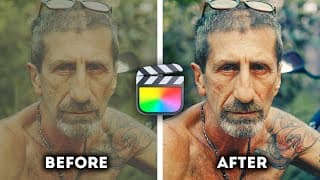
Teal & Orange Color Grading in Under 2 Minutes
💡 Color Grading Masterclass 👉🏼 https://bit.ly/BW-ColorGradingMasterclass ~~~~~ 🔴 FREE STUFF 🔴 ~~~~~ ▶️ FREE Plugins & Transitions for FCP 👉🏼 https://bradwestmedia.com/free-fcp-plugins 🔊 FREE Music for Creators 👉🏼 https://bit.ly/UppbeatBD 💥 My FREE ‘Whip Pan & Zoom Transitions’ Pack 👉🏼https://bit.ly/FREEWhipPanZoom ~~~~~ 🎬 DIGITAL TOOLS THAT I USE 🎬 ~~~~~ 💥 Plugins & Effects for FCP 👉🏼 https://bradwestmedia.com/fcp-plugins (Check the link for discounts) 💥 My ‘Whip Pan & Zoom Transitions’ Pack 👉🏼 https://bit.ly/WhipPanZoom ~~~~~ 📸 THE GEAR I USE 📸 ~~~~~ 🎛 Monogram Creative Console 👉🏼 https://bit.ly/MonogramCC_BD ($40 off with this link) 📹 My Travel & Studio Gear 👉🏼 https://bradwestmedia.com/my-gear ~~~~~ 🎵 MUSIC FOR CREATORS 🎵 ~~~~~ 🔊 The Music I Use 👉🏼 https://bradwestmedia.com/music ~~~~~📚 LEARN 📚 ~~~~~ 🖥 Courses 👉🏼 https://bradwestmedia.com/courses 💡 Color Grading Masterclass 👉🏼 https://bit.ly/BW-ColorGradingMasterclass ~~~~~ 🤝 LET’S CONNECT 🤝 ~~~~~ 🌐 Website 👉🏼https://bradwestmedia.com ✉️ Monthly Newsletter 👉🏼 https://bradwestmedia.com/newsletter-signup 📸 Instagram 👉🏼 https://bit.ly/BradWestIG Want that Hollywood-style teal & orange color grade in Final Cut Pro? 🎬 In this tutorial, I’ll show you how to achieve this cinematic look in under 2 minutes using color curves and hue vs saturation adjustments. No LUTs needed—just quick, effective color grading techniques that make your videos pop! 🔥 Why Teal & Orange? This color grade is a favorite in blockbuster films because: ✔️ It creates natural contrast—teal in shadows, orange in highlights ✔️ Skin tones naturally fall in the orange spectrum, making subjects stand out ✔️ It instantly gives your footage a cinematic look with minimal effort Steps to Create the Teal & Orange Look in Final Cut Pro: 1️⃣ Base Correction – Convert LOG to Rec.709 & adjust brightness/contrast 2️⃣ Color Curves – Add teal in shadows & orange in midtones/highlights 3️⃣ Hue vs Saturation – Ensure blacks stay true for a cleaner image 🚀 Want to master color grading in Final Cut Pro? 📌 Check out my Color Grading Masterclass – Learn everything from basic corrections to advanced grading techniques in just 90 minutes! 👉🏼 https://bit.ly/BW-ColorGradingMasterclass ~~~~~ 🔴 CHAPTERS 🔴 ~~~~~ 00:00 Why is 'Teal & Orange' so Popular? 00:40 Teal & Orange Color Grading in FCP #FinalCutPro #ColorGrading #TealAndOrange
How YOU Can Become Faster than 90% of Video Editors
Color Grade like a Pro in Less than 2 Hours 👉🏼 https://bit.ly/BW-ColorGradingMasterclass 💡 Helpful Links: Blackmagic Disk Speed Test App 👉🏼 https://bit.ly/DiskSpeedTestApp CommandPost 👉🏼 https://youtu.be/KWN1mk-138s FCP Workflow Video 👉🏼 https://youtu.be/BrwKv4mtt6E Timebolt 👉🏼 https://youtu.be/RBhGI0hHURI (10% off with Code: BRAD10) ~~~~~ 🔴 FREE STUFF 🔴 ~~~~~ ▶️ FREE Plugins & Transitions for FCP 👉🏼 https://bradwestmedia.com/free-fcp-plugins 🔊 FREE Music for Creators 👉🏼 https://bit.ly/UppbeatBD 💥 My FREE ‘Whip Pan & Zoom Transitions’ Pack 👉🏼https://bit.ly/FREEWhipPanZoom ~~~~~ 🎬 DIGITAL TOOLS THAT I USE 🎬 ~~~~~ 💥 Plugins & Effects for FCP 👉🏼 https://bradwestmedia.com/fcp-plugins (Check the link for discounts) 💥 My ‘Whip Pan & Zoom Transitions’ Pack 👉🏼 https://bit.ly/WhipPanZoom ~~~~~ 📸 THE GEAR I USE 📸 ~~~~~ 🎛 Monogram Creative Console 👉🏼 https://bit.ly/MonogramCC_BD ($40 off with this link) 📹 My Travel & Studio Gear 👉🏼 https://bradwestmedia.com/my-gear ~~~~~ 🎵 MUSIC FOR CREATORS 🎵 ~~~~~ 🔊 The Music I Use 👉🏼 https://bradwestmedia.com/music ~~~~~📚 LEARN 📚 ~~~~~ 🖥 Courses 👉🏼 https://bradwestmedia.com/courses 💡 Color Grading Masterclass 👉🏼 https://bit.ly/BW-ColorGradingMasterclass ~~~~~ 🤝 LET’S CONNECT 🤝 ~~~~~ 🌐 Website 👉🏼https://bradwestmedia.com ✉️ Monthly Newsletter 👉🏼 https://bradwestmedia.com/newsletter-signup 📸 Instagram 👉🏼 https://bit.ly/BradWestIG Want to edit videos faster than ever? 🚀 These 10 expert tips will transform your editing workflow and save you hours on every project. Whether you're a beginner or a pro in Final Cut Pro, these tricks will help you work smarter and edit like a pro. From using keyboard shortcuts and presets to AI tools and advanced hardware, this video covers everything you need to know to take your editing speed to the next level. Here’s what you’ll learn in this video: 👉 How to cut your editing time by 65% 👉 Why using passes is like building a house for your videos 👉 The power of custom presets for video and audio consistency 👉 Game-changing keyboard shortcuts for seamless editing 👉 Why an SSD hard drive is your editing best friend 👉 How tools like CommandPost and control surfaces can turbocharge your workflow 👉 Optimizing playback and managing background rendering for better performance 👉 The importance of organized assets and templates 👉 How AI tools can automate boring tasks and save you hours If you’ve been struggling with slow edits or want to join the fastest editors out there, this video is your ultimate guide. Stick around till the end for my bonus tip on how AI can revolutionize your editing process! ~~~~~ 🔴 CHAPTERS 🔴 ~~~~~ 00:00 - How YOU Can Become Faster than 90% of Video Editors 00:56 - Tip #1 01:39 - Tip #2 02:47 - Tip #3 04:03 - Tip #4 05:29 - Tip #5 06:01 - Tip #6 07:38 - Tip #7 08:56 - Tip #8 09:28 - Tip #9 10:11 - Tip #10 #FCPX #FinalCutPro #videoediting
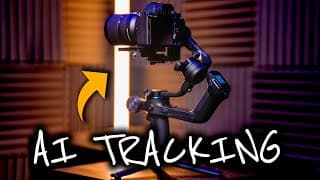
The PERFECT Gimbal for Solo Creators?
Feiyu Scorp 2 👉🏼 https://bit.ly/FeiyuScorp2 (15% off with code: YT15) ~~~~~ 🔴 FREE STUFF 🔴 ~~~~~ ▶️ FREE Plugins & Transitions for FCP 👉🏼 https://bradwestmedia.com/free-fcp-plugins 🔊 FREE Music for Creators 👉🏼 https://bit.ly/UppbeatBD 💥 My FREE ‘Whip Pan & Zoom Transitions’ Pack 👉🏼https://bit.ly/FREEWhipPanZoom ~~~~~ 🎬 DIGITAL TOOLS THAT I USE 🎬 ~~~~~ 💥 Plugins & Effects for FCP 👉🏼 https://bradwestmedia.com/fcp-plugins (Check the link for discounts) 💥 My ‘Whip Pan & Zoom Transitions’ Pack 👉🏼 https://bit.ly/WhipPanZoom ~~~~~ 📸 THE GEAR I USE 📸 ~~~~~ 🎛 Monogram Creative Console 👉🏼 https://bit.ly/MonogramCC_BD ($40 off with this link) 📹 My Travel & Studio Gear 👉🏼 https://bradwestmedia.com/my-gear ~~~~~ 🎵 MUSIC FOR CREATORS 🎵 ~~~~~ 🔊 The Music I Use 👉🏼 https://bradwestmedia.com/music ~~~~~📚 LEARN 📚 ~~~~~ 🖥 Courses 👉🏼 https://bradwestmedia.com/courses 💡 Color Grading Masterclass 👉🏼 https://bit.ly/BW-ColorGradingMasterclass ~~~~~ 🤝 LET’S CONNECT 🤝 ~~~~~ 🌐 Website 👉🏼https://bradwestmedia.com ✉️ Monthly Newsletter 👉🏼 https://bradwestmedia.com/newsletter-signup 📸 Instagram 👉🏼 https://bit.ly/BradWestIG Discover the Feiyu SCORP 2, the ultimate gimbal for solo creators! In this review, I showcase the incredible AI tracking technology that turns this gimbal into your personal camera operator with just a simple hand gesture. Whether you're a vlogger, filmmaker, or content creator, the SCORP 2 is packed with features to help you capture stunning, professional-quality shots effortlessly. From the dual-grip design for added stability to the Electric Magic Wheel for precise control, this gimbal offers everything you need to elevate your video production. I'll dive into its versatile gimbal modes, including Pan Follow, Pan-Tilt Follow, FPV, and Lock Mode, and show how to create cinematic movements like timelapses, barrel rolls, and A/B waypoints for dynamic solo shots. With a payload of 2.5kg, a battery life of 13 hours, and quick charging, the SCORP 2 is lightweight, durable, and perfect for both indoor and outdoor shoots. Whether you're walking, running, or performing dynamic moves, this gimbal's stabilization algorithm ensures buttery-smooth footage every time. Key Features Highlighted in This Video: AI Tracking with gestures for seamless solo shooting. A/B Waypoints to replicate professional camera movements. Electric Magic Wheel for smooth pan, tilt, and roll control. Multiple shooting modes: timelapse, panoramic shots, and vertical content. Intuitive OLED screen and quick setup for fast, efficient shooting. Who is this gimbal for? If you're a solo content creator looking to achieve professional results without breaking the bank, the Feiyu SCORP 2 is a game-changer. ~~~~~ 🔴 CHAPTERS 🔴 ~~~~~ 00:00 - The PERFECT Gimbal for Solo Creators 00:55 - Gimbal Overview 02:26 - AI Tracking 03:11 - A/B Waypoints 03:48 - Electric Magic Wheel 04:11 - Gimbal Modes 04:49 - Shooting Modes (Scenarios) 06:06 - Performance & Stabilization 06:22 - Who is this for? #Gimbal #feiyutech #feiyu
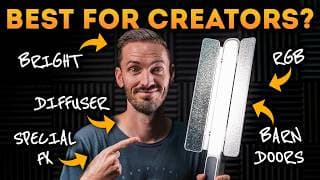
Zhiyun Cinepeer CF100 Review | A Powerful Light for Creators
CF100 on ZHIYUN Store 👉🏼 https://bit.ly/ZhiyunCF100 Enjoy 10% off with the code 👉🏼 ZY10TOZXQ510 CF100 on Amazon 👉🏼 https://amzn.to/3D9sOSV ~~~~~ 🔴 FREE STUFF 🔴 ~~~~~ ▶️ FREE Plugins & Transitions for FCP 👉🏼 https://bradwestmedia.com/free-fcp-plugins 🔊 FREE Music for Creators 👉🏼 https://bit.ly/UppbeatBD 💥 My FREE ‘Whip Pan & Zoom Transitions’ Pack 👉🏼https://bit.ly/FREEWhipPanZoom ~~~~~ 🎬 DIGITAL TOOLS THAT I USE 🎬 ~~~~~ 💥 Plugins & Effects for FCP 👉🏼 https://bradwestmedia.com/fcp-plugins (Check the link for discounts) 💥 My ‘Whip Pan & Zoom Transitions’ Pack 👉🏼 https://bit.ly/WhipPanZoom ~~~~~ 📸 THE GEAR I USE 📸 ~~~~~ 🎛 Monogram Creative Console 👉🏼 https://bit.ly/MonogramCC_BD ($40 off with this link) 📹 My Travel & Studio Gear 👉🏼 https://bradwestmedia.com/my-gear ~~~~~ 🎵 MUSIC FOR CREATORS 🎵 ~~~~~ 🔊 The Music I Use 👉🏼 https://bradwestmedia.com/music ~~~~~📚 LEARN 📚 ~~~~~ 🖥 Courses 👉🏼 https://bradwestmedia.com/courses 💡 Color Grading Masterclass 👉🏼 https://bit.ly/BW-ColorGradingMasterclass ~~~~~ 🤝 LET’S CONNECT 🤝 ~~~~~ 🌐 Website 👉🏼https://bradwestmedia.com ✉️ Monthly Newsletter 👉🏼 https://bradwestmedia.com/newsletter-signup 📸 Instagram 👉🏼 https://bit.ly/BradWestIG Are you searching for the perfect portable LED light to level up your content creation game? In this video, I dive into the Zhiyun Cinepeer CF100, a versatile and budget-friendly lighting solution for YouTubers, filmmakers, and photographers. With its impressive 100 watts of power and adjustable color temperature, this light is designed to enhance your lighting setup without breaking the bank. The CF100 stands out with its lightweight, compact design, making it an ideal companion for shoots on the go. Its built-in barn doors and diffuser allow for precise light shaping and softening, whether you’re filming product shots, interviews, or creative setups. With features like HSI mode for fine-tuning hue, saturation, and intensity, this light adapts to any scene you’re working on. One of the highlights of the CF100 is its versatility. You can create unique effects like simulated fire, TV flicker, or lightning for added cinematic flair. Battery life is solid, offering up to 2.5 hours at 50% brightness and an hour at full power, and it’s easy to extend with DC or USB-C charging. Despite minor drawbacks, like the wide grip and a non-flat base, this light delivers exceptional value at its price point of $179. Whether you’re a beginner or a seasoned creator, the Zhiyun Cinepeer CF100 is a powerful addition to your toolkit. Use it as a keylight for YouTube videos, a secondary light for professional shoots, or even for creative lighting effects. I’ve been using it to complement my studio setup, and the results speak for themselves. Ready to upgrade your lighting? Check out my exclusive discount link below for 10% off the CF100. Don’t forget to like, comment, and subscribe for more reviews, tips, and studio tours. See you in the next video! ~~~~~ 🔴 CHAPTERS 🔴 ~~~~~ 00:00 - Zhiyun Cinepeer CF100 Review 00:20 - First Impressions 00:42 - Brightness & Color Temperature 01:34 - Features and Controls 02:35 - Battery Life 03:06 - Cons 03:39 - Who is this light for? #creator #youtuber #lighting
FCP 11 Is Missing One BIG Feature, But This Plugin Fixes It
Get EasyEase 👉🏼 https://bit.ly/EasyEase (10% off with code: BRAD10) Free Motion Blur Plugin 👉🏼 https://bit.ly/FreeMotionBlurPlugin ~~~~~ 🔴 FREE STUFF 🔴 ~~~~~ ▶️ FREE Plugins & Transitions for FCP 👉🏼 https://bradwestmedia.com/free-fcp-plugins 🔊 FREE Music for Creators 👉🏼 https://bit.ly/UppbeatBD 💥 My FREE ‘Whip Pan & Zoom Transitions’ Pack 👉🏼https://bit.ly/FREEWhipPanZoom ~~~~~ 🎬 DIGITAL TOOLS THAT I USE 🎬 ~~~~~ 💥 Plugins & Effects for FCP 👉🏼 https://bradwestmedia.com/fcp-plugins (Check the link for discounts) 💥 My ‘Whip Pan & Zoom Transitions’ Pack 👉🏼 https://bit.ly/WhipPanZoom ~~~~~ 📸 THE GEAR I USE 📸 ~~~~~ 🎛 Monogram Creative Console 👉🏼 https://bit.ly/MonogramCC_BD ($40 off with this link) 📹 My Travel & Studio Gear 👉🏼 https://bradwestmedia.com/my-gear ~~~~~ 🎵 MUSIC FOR CREATORS 🎵 ~~~~~ 🔊 The Music I Use 👉🏼 https://bradwestmedia.com/music ~~~~~📚 LEARN 📚 ~~~~~ 🖥 Courses 👉🏼 https://bradwestmedia.com/courses 💡 Color Grading Masterclass 👉🏼 https://bit.ly/BW-ColorGradingMasterclass ~~~~~ 🤝 LET’S CONNECT 🤝 ~~~~~ 🌐 Website 👉🏼https://bradwestmedia.com ✉️ Monthly Newsletter 👉🏼 https://bradwestmedia.com/newsletter-signup 📸 Instagram 👉🏼 https://bit.ly/BradWestIG Final Cut Pro 11 is finally here, but it’s still missing a key feature that editors have been waiting for: better keyframe control. Without the ability to easily ease in and out of keyframes, animations often look abrupt or unnatural. This is where the EasyEase plugin from AxyMotion saves the day! In this video, I’ll show you how EasyEase solves FCP’s biggest keyframing limitation and transforms the way you animate. Whether you’re animating a logo, zooming into an object in your footage, or creating smooth movements in your videos, this plugin delivers incredible results. I’ll also walk you through essential tips like avoiding aspect ratio cropping with compound clips and adding motion blur for extra polish. You’ll see firsthand how EasyEase enables you to switch between animation styles like Elastic Ease, Cubic Ease, and Bounce Ease, giving your projects a more professional and dynamic look. I even share a pro tip for using my free Motion Blur plugin to enhance the smoothness of keyframed movements. If you’re tired of the limitations in Final Cut Pro’s built-in keyframing system, this plugin is a game changer. Plus, I’ve got an exclusive discount code for you—use BRAD10 to get 10% off when you download EasyEase! ~~~~~ 🔴 CHAPTERS 🔴 ~~~~~ 00:00 - FCP 11 Is Missing One BIG Feature 01:29 - This Plugin Fixes It 04:17 - Another Example 04:45 - Pro Tip 05:37 - Discount Code #FCP #FinalCutPro #keyframes
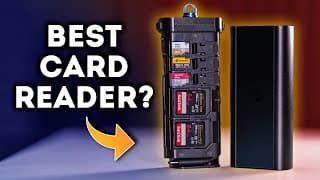
The Card Reader EVERY Creator Needs! Freewell Pro Card Reader Review
Freewell Pro Card Reader 👉🏼 https://bit.ly/FreeWellProCardReader ➡️ Watch Next 👉🏼 https://youtu.be/QUycRDpAPFc ~~~~~ 🔴 FREE STUFF 🔴 ~~~~~ ▶️ FREE Plugins & Transitions for FCP 👉🏼 https://bradwestmedia.com/free-fcp-plugins 🔊 FREE Music for Creators 👉🏼 https://bit.ly/UppbeatBD 💥 My FREE ‘Whip Pan & Zoom Transitions’ Pack 👉🏼https://bit.ly/FREEWhipPanZoom ~~~~~ 🎬 DIGITAL TOOLS THAT I USE 🎬 ~~~~~ 💥 Plugins & Effects for FCP 👉🏼 https://bradwestmedia.com/fcp-plugins (Check the link for discounts) 💥 My ‘Whip Pan & Zoom Transitions’ Pack 👉🏼 https://bit.ly/WhipPanZoom ~~~~~ 📸 THE GEAR I USE 📸 ~~~~~ 🎛 Monogram Creative Console 👉🏼 https://bit.ly/MonogramCC_BD ($40 off with this link) 📹 My Travel & Studio Gear 👉🏼 https://bradwestmedia.com/my-gear ~~~~~ 🎵 MUSIC FOR CREATORS 🎵 ~~~~~ 🔊 The Music I Use 👉🏼 https://bradwestmedia.com/music ~~~~~📚 LEARN 📚 ~~~~~ 🖥 Courses 👉🏼 https://bradwestmedia.com/courses 💡 Color Grading Masterclass 👉🏼 https://bit.ly/BW-ColorGradingMasterclass ~~~~~ 🤝 LET’S CONNECT 🤝 ~~~~~ 🌐 Website 👉🏼https://bradwestmedia.com ✉️ Monthly Newsletter 👉🏼 https://bradwestmedia.com/newsletter-signup 📸 Instagram 👉🏼 https://bit.ly/BradWestIG If you're tired of juggling multiple card readers or dealing with flimsy, unreliable storage options, the Freewell Pro Card Reader might just be the solution you've been waiting for! As a videographer, photographer, or creator who handles tons of memory cards, you'll appreciate the sleek design, durability, and multi-functional features this card reader offers. In this video, I dive into the key features, pros and cons, and overall performance of the Freewell Pro Card Reader. With storage for up to 6x microSD cards, 3x SD cards, 1x CFexpress Type A card, and 1x CFexpress Type B card, it's a compact powerhouse for both card management and data transfer. Key Features: Storage & Slots: Organize and transfer files from multiple cards at once (SD, microSD, CFexpress Type A & B). Fast Speeds: Transfer rates of up to 10Gbps for efficient workflows. Mobile Compatibility: Plug-and-play support for computers and some mobile devices via USB-C. Durable Build: Sleek and sturdy design with easy access via button-release storage. Pros: ✅ Compact, portable, and doubles as a card storage solution. ✅ Wide compatibility with multiple card types. ✅ No driver installation needed—just plug and play! ✅ Works with certain mobile devices for on-the-go editing. Cons: ❌ Slightly larger than basic readers for those seeking ultra-portability. ❌ Price point ($100-$140) may deter budget-conscious buyers but is justified by its functionality. This review is completely honest—while Freewell sent this card reader for free, I wasn’t paid to create this video, and they don’t get a sneak peek before it goes live. Whether you're managing files for drones, GoPro, or DSLR cameras, the Freewell Pro Card Reader is an excellent all-in-one option for creators. Let me know in the comments below: Which memory cards do you use most often? ~~~~~ 🔴 CHAPTERS 🔴 ~~~~~ 00:00 - Freewell Pro Card Reader 00:39 - Design & Features 01:41 - Pros and Cons 02:23 - Overall Impression #videography #photographygear #cardreader
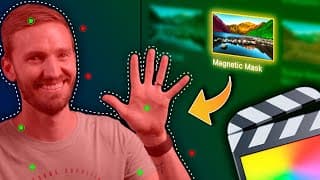
5 PRACTICAL Ways to Use the Magnetic Mask
💡 Color Grade Like a PRO in 90 minutes 👉🏼 https://bit.ly/BW-ColorGradingMasterclass ➡️ Everything you need to know about FCP11 👉🏼 https://youtu.be/Dsc0U3n04WE ~~~~~ 🔴 FREE STUFF 🔴 ~~~~~ ▶️ FREE Plugins & Transitions for FCP 👉🏼 https://bradwestmedia.com/free-fcp-plugins 🔊 FREE Music for Creators 👉🏼 https://bit.ly/UppbeatBD 💥 My FREE ‘Whip Pan & Zoom Transitions’ Pack 👉🏼https://bit.ly/FREEWhipPanZoom ~~~~~ 🎬 DIGITAL TOOLS THAT I USE 🎬 ~~~~~ 💥 Plugins & Effects for FCP 👉🏼 https://bradwestmedia.com/fcp-plugins (Check the link for discounts) 💥 My ‘Whip Pan & Zoom Transitions’ Pack 👉🏼 https://bit.ly/WhipPanZoom ~~~~~ 📸 THE GEAR I USE 📸 ~~~~~ 🎛 Monogram Creative Console 👉🏼 https://bit.ly/MonogramCC_BD ($40 off with this link) 📹 My Travel & Studio Gear 👉🏼 https://bradwestmedia.com/my-gear ~~~~~ 🎵 MUSIC FOR CREATORS 🎵 ~~~~~ 🔊 The Music I Use 👉🏼 https://bradwestmedia.com/music ~~~~~📚 LEARN 📚 ~~~~~ 🖥 Courses 👉🏼 https://bradwestmedia.com/courses 💡 Color Grading Masterclass 👉🏼 https://bit.ly/BW-ColorGradingMasterclass ~~~~~ 🤝 LET’S CONNECT 🤝 ~~~~~ 🌐 Website 👉🏼https://bradwestmedia.com ✉️ Monthly Newsletter 👉🏼 https://bradwestmedia.com/newsletter-signup 📸 Instagram 👉🏼 https://bit.ly/BradWestIG 🚀 5 PRACTICAL Ways to Use the Magnetic Mask in Final Cut Pro 11 🎥 Final Cut Pro 11 is here, and the new Magnetic Mask is a game-changer! Whether you’re a beginner or a pro, this feature will elevate your videos to the next level. In this tutorial, I’ll demonstrate 5 practical ways to use the magnetic mask to enhance your editing workflow. From text effects to color correction, here’s what we’ll cover: 📝 What You'll Learn: 1️⃣ Text Behind Subjects – Easily place text behind people or objects for a professional look. 2️⃣ Color Correction – Refine your footage with precise subject masking. 3️⃣ Special Effects – Highlight or blur specific areas with ease. 4️⃣ Fake Depth – Add cinematic depth of field in post-production. 5️⃣ Creative Transitions – Craft seamless transitions with isolated subjects. 🎯 The Magnetic Mask works brilliantly, even with challenging details like wispy hair or objects passing in front of your subject. With AI-driven tracking, you can refine and perfect your masks for stunning results. ~~~~~ 🔴 CHAPTERS 🔴 ~~~~~ 00:00 - Final Cut Pro 11’s NEW Magnetic Mask 00:32 - #1: Text Behind Subjects 02:22 - #2: Color Correction 03:29 - #3: Special Effects 04:50 - #4: Fake Depth 05:30 - #5: Creative Transitions #FCPX #FinalCutPro #fcp11
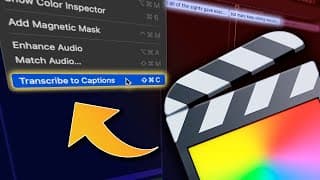
FCP 11 Has Built-in Auto-Captions (CONVERT Captions to Titles)
Get Better at Color Grading in 90 mins 👉🏼 https://bit.ly/BW-ColorGradingMasterclass motionVFX Black Weeks Sale 👉🏼 https://bit.ly/mVFX-BF-2024 Convert Captions to Subtitles 👉🏼 https://en.editingtools.io/subtitles/ Full mCaptions Tutorial 👉🏼 https://youtu.be/kCPOZtMZHqs ~~~~~ 🔴 FREE STUFF 🔴 ~~~~~ ▶️ FREE Plugins & Transitions for FCP 👉🏼 https://bradwestmedia.com/free-fcp-plugins 🔊 FREE Music for Creators 👉🏼 https://bit.ly/UppbeatBD 💥 My FREE ‘Whip Pan & Zoom Transitions’ Pack 👉🏼https://bit.ly/FREEWhipPanZoom ~~~~~ 🎬 DIGITAL TOOLS THAT I USE 🎬 ~~~~~ 💥 Plugins & Effects for FCP 👉🏼 https://bradwestmedia.com/fcp-plugins (Check the link for discounts) 💥 My ‘Whip Pan & Zoom Transitions’ Pack 👉🏼 https://bit.ly/WhipPanZoom ~~~~~ 📸 THE GEAR I USE 📸 ~~~~~ 🎛 Monogram Creative Console 👉🏼 https://bit.ly/MonogramCC_BD ($40 off with this link) 📹 My Travel & Studio Gear 👉🏼 https://bradwestmedia.com/my-gear ~~~~~ 🎵 MUSIC FOR CREATORS 🎵 ~~~~~ 🔊 The Music I Use 👉🏼 https://bradwestmedia.com/music ~~~~~📚 LEARN 📚 ~~~~~ 🖥 Courses 👉🏼 https://bradwestmedia.com/courses 💡 Color Grading Masterclass 👉🏼 https://bit.ly/BW-ColorGradingMasterclass ~~~~~ 🤝 LET’S CONNECT 🤝 ~~~~~ 🌐 Website 👉🏼https://bradwestmedia.com ✉️ Monthly Newsletter 👉🏼 https://bradwestmedia.com/newsletter-signup 📸 Instagram 👉🏼 https://bit.ly/BradWestIG FCP 11 Now Has Built-in Auto-Captions! Finally! Apple has introduced auto-captions in Final Cut Pro 11, a feature many creators have been eagerly waiting for. In this video, I’ll walk you through how to create auto-captions in FCP, including shortcuts, transcription accuracy, and key limitations. 🎬 Topics Covered: 1️⃣ How to easily create auto-captions in FCP 2️⃣ The difference between captions and titles 3️⃣ How to convert captions into fully customizable titles using EditingTools.io 4️⃣ A step-by-step guide to creating title templates for fast, consistent styling 5️⃣ An alternative for captions in other languages with mCaptions by motionVFX While the built-in auto-captions are currently only available in English, I'll share workarounds for other languages and advanced customization options. Learn how to use shortcuts like Command + Shift + C for faster workflows. Discover EditingTools.io for converting SRT files to editable FCP XML titles. Explore mCaptions for multilingual support and creative animations—perfect for going beyond English captions! ~~~~~ 🔴 CHAPTERS 🔴 ~~~~~ 00:00 - FCP 11 Has Built-in Auto-Captions 00:17 - How to Create Auto-Captions 01:21 - Captions vs Titles 04:17 - Another Option #FCP #FinalCutPro #autocaptions
Final Cut Pro 11 is FINALLY Here! Everything You Need to Know!
Get Better at Color Grading in 90 mins 👉🏼 https://bit.ly/BW-ColorGradingMasterclass ~~~~~ 🔴 FREE STUFF 🔴 ~~~~~ ▶️ FREE Plugins & Transitions for FCP 👉🏼 https://bradwestmedia.com/free-fcp-plugins 🔊 FREE Music for Creators 👉🏼 https://bit.ly/UppbeatBD 💥 My FREE ‘Whip Pan & Zoom Transitions’ Pack 👉🏼https://bit.ly/FREEWhipPanZoom ~~~~~ 🎬 DIGITAL TOOLS THAT I USE 🎬 ~~~~~ 💥 Plugins & Effects for FCP 👉🏼 https://bradwestmedia.com/fcp-plugins (Check the link for discounts) 💥 My ‘Whip Pan & Zoom Transitions’ Pack 👉🏼 https://bit.ly/WhipPanZoom ~~~~~ 📸 THE GEAR I USE 📸 ~~~~~ 🎛 Monogram Creative Console 👉🏼 https://bit.ly/MonogramCC_BD ($40 off with this link) 📹 My Travel & Studio Gear 👉🏼 https://bradwestmedia.com/my-gear ~~~~~ 🎵 MUSIC FOR CREATORS 🎵 ~~~~~ 🔊 The Music I Use 👉🏼 https://bradwestmedia.com/music ~~~~~📚 LEARN 📚 ~~~~~ 🖥 Courses 👉🏼 https://bradwestmedia.com/courses 💡 Color Grading Masterclass 👉🏼 https://bit.ly/BW-ColorGradingMasterclass ~~~~~ 🤝 LET’S CONNECT 🤝 ~~~~~ 🌐 Website 👉🏼https://bradwestmedia.com ✉️ Monthly Newsletter 👉🏼 https://bradwestmedia.com/newsletter-signup The wait is over – Final Cut Pro 11 is here with some amazing new updates! 🚀 In this video, I’ll walk you through the two HUGE new features in Final Cut Pro 11 that everyone’s been asking for: Magnetic Mask and Built-in Auto Captions. These game-changing tools make video editing easier, faster, and more intuitive than ever! Plus, Final Cut Pro 11 remains a one-time purchase – no subscriptions required! 🎉 First, we’ll dive into Magnetic Mask, a powerful native rotoscoping tool that allows you to isolate people or objects with AI-powered precision. With simple adjustments, you can add or remove parts of your mask and make selective edits like color correction and blur effects – all without third-party plugins! I’ll show you exactly how to use it, from selecting your subject to making precise adjustments with tools like color wheels. Next up is Auto Captions, which lets you transcribe dialogue directly in Final Cut Pro with just a few clicks! The new shortcut (Command + Shift + C) makes adding captions easier than ever, enhancing accessibility and saving time in post-production. If you want to convert captions to more customizable titles, I’ll share a trick with a free third-party tool that you won’t want to miss! Final Cut Pro 11 also includes quality-of-life updates like new shortcuts, clip stacking, and a reframe category for enhanced effects. With the Reframe Callout and Picture-in-Picture effects, you can easily spotlight parts of your video for engaging, professional-looking results. And for those working with Apple Vision Pro, Final Cut Pro 11 now includes spatial video editing! Create 3D content that syncs with Apple Vision Pro, letting you preview and share in immersive stereo 3D. Whether you’re a long-time Final Cut Pro user or a new editor looking to level up your skills, this video will guide you through all the must-know details in Final Cut Pro 11. ~~~~~ 🔴 CHAPTERS 🔴 ~~~~~ 00:00 - Final Cut Pro 11 is FINALLY Here! 00:30 - Magnetic Mask 02:06 - Built-in Auto-Captions 03:10 - New Shortcuts 04:15 - Hide Clips in the Browser Window 05:03 - New Reframing Effects 06:35 - Spatial Video Editing 08:03 - The Future of Final Cut Pro #FCPX #FinalCutPro #FCP11
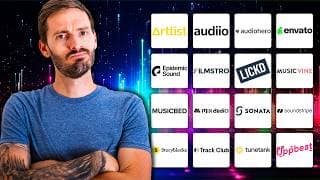
I Tried EVERY Music Site for Creators | Here Are My Results
Artlist 👉🏼 http://bit.ly/Brad_Artlist (Get 2 months free) Audiio 👉🏼 https://bit.ly/AudiioBD (Use code WEST70 for 70% off your first year) AudioHero 👉🏼 https://bit.ly/AudioHeroBW (Annual Plan - 50% off first year with code BWM50 and Monthly Plan - 30% off the Prodigy plan for six months with code BWM30) Envato Elements 👉🏼 https://bit.ly/EnvatoElements-BD Epidemic Sound 👉🏼 https://bit.ly/EpidemicSoundBW (30-Day Free Trial) Filmstro 👉🏼 https://bit.ly/filmstroBW (20% off Annual or Lifetime plans with code: BRAD20) Lickd 👉🏼 https://go.lickd.co/BradWest Music Vine 👉🏼 https://bit.ly/MusicVineBW Music Bed 👉🏼 https://bit.ly/MusicBedBW Mix Audio 👉🏼 https://bit.ly/MixAudioBW (30% off your first month with code: MIXAUDIOAF24FP) Sonata 👉🏼 https://bit.ly/SonataBW (30-Day Free Trial) Soundstripe 👉🏼 https://bit.ly/SoundstripeBD (10% off with code: BRADLEY10) Storyblocks 👉🏼 https://bit.ly/StoryblocksBD Track Club 👉🏼 https://bit.ly/TrackClub-BW (Get 2 months free) TuneTank 👉🏼 https://bit.ly/TuneTank Uppbeat 👉🏼 https://bit.ly/UppbeatAIPG ~~~~~ 🔴 FREE STUFF 🔴 ~~~~~ ▶️ FREE Plugins & Transitions for FCP 👉🏼 https://bradwestmedia.com/free-fcp-plugins 🔊 FREE Music for Creators 👉🏼 https://bit.ly/UppbeatBD 💥 My FREE ‘Whip Pan & Zoom Transitions’ Pack 👉🏼https://bit.ly/FREEWhipPanZoom ~~~~~ 🎬 DIGITAL TOOLS THAT I USE 🎬 ~~~~~ 💥 Plugins & Effects for FCP 👉🏼 https://bradwestmedia.com/fcp-plugins (Check the link for discounts) 💥 My ‘Whip Pan & Zoom Transitions’ Pack 👉🏼 https://bit.ly/WhipPanZoom ~~~~~ 📸 THE GEAR I USE 📸 ~~~~~ 🎛 Monogram Creative Console 👉🏼 https://bit.ly/MonogramCC_BD ($40 off with this link) 📹 My Travel & Studio Gear 👉🏼 https://bradwestmedia.com/my-gear ~~~~~ 🎵 MUSIC FOR CREATORS 🎵 ~~~~~ 🔊 The Music I Use 👉🏼 https://bradwestmedia.com/music ~~~~~📚 LEARN 📚 ~~~~~ 🖥 Courses 👉🏼 https://bradwestmedia.com/courses 💡 Color Grading Masterclass 👉🏼 https://bit.ly/BW-ColorGradingMasterclass ~~~~~ 🤝 LET’S CONNECT 🤝 ~~~~~ 🌐 Website 👉🏼https://bradwestmedia.com ✉️ Monthly Newsletter 👉🏼 https://bradwestmedia.com/newsletter-signup 📸 Instagram 👉🏼 https://bit.ly/BradWestIG Are you a YouTuber, filmmaker, or content creator on the hunt for the best music subscription service? 🎶 I’ve spent hours researching and testing EVERY major music service for creators to bring you a detailed breakdown, comparing everything from pricing to ease of use, library size, unique features, and more. With so many options—Artlist, Audiio, Envato Elements, Epidemic Sound, Soundstripe, Uppbeat, and others—it can be overwhelming to choose the right service. That’s why I created a point system to evaluate each service fairly. Each platform was rated across categories like: Pricing 💸 Licensing 📝 Finding niche music 🔎 Customization options 🎛️ In this video, you’ll find the overall winner along with standout choices for “Most Affordable” and “Best Value for Money,” plus a special mention for the Best AI Music Generator. Each platform has its strengths, and I’m here to help you figure out which one suits your needs best. For those just looking for music on YouTube or commercial use, we’ll dive deep into what each service provides, including the best for beginners and pros alike. Whether you're creating for personal use or monetized client projects, there’s something here for everyone! ⚠️ Disclaimer: This review is based on my honest opinion. While I have worked with some brands as a sponsor or affiliate, this video is an unbiased comparison. Be sure to check current pricing via the links as they may have changed since filming. Did this help you choose a service? Comment your pick below! Don't forget to Like 👍🏼 and Subscribe 🔔 if you found this valuable! ~~~~~ 🔴 CHAPTERS 🔴 ~~~~~ 00:00 - I Tried EVERY Music Site for Creators 00:49 - #1: Pricing 02:42 - #2: Number of Tracks 03:23 - #3: Ease of Finding Music 04:27 - #4: Unique Searches 04:58 - #5: Licensing 05:58 - #6: Extra Bonuses 06:23 - #7: How Likely I am to Recommend 06:47 - Winner & Runner-Up Awards #MusicForCreators #ContentCreationTips #ContentCreatorTools
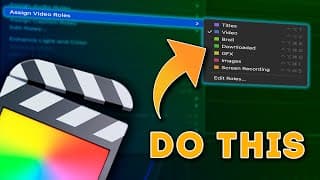
Game-Changing Shortcut Trick for Assigning Roles in FCP!
Get Better at Color Grading in 90 minutes 👉🏼 https://bit.ly/BW-ColorGradingMasterclass ▶️ The Power of Roles 👉🏼 https://youtu.be/fCrUffxS7wY ~~~~~ 🔴 FREE STUFF 🔴 ~~~~~ ▶️ FREE Plugins & Transitions for FCP 👉🏼 https://bradwestmedia.com/free-fcp-plugins 🔊 FREE Music for Creators 👉🏼 https://bit.ly/UppbeatBD 💥 My FREE ‘Whip Pan & Zoom Transitions’ Pack 👉🏼https://bit.ly/FREEWhipPanZoom ~~~~~ 🎬 DIGITAL TOOLS THAT I USE 🎬 ~~~~~ 💥 Plugins & Effects for FCP 👉🏼 https://bradwestmedia.com/fcp-plugins (Check the link for discounts) 💥 My ‘Whip Pan & Zoom Transitions’ Pack 👉🏼 https://bit.ly/WhipPanZoom ~~~~~ 📸 THE GEAR I USE 📸 ~~~~~ 🎛 Monogram Creative Console 👉🏼 https://bit.ly/MonogramCC_BD ($40 off with this link) 📹 My Travel & Studio Gear 👉🏼 https://bradwestmedia.com/my-gear ~~~~~ 🎵 MUSIC FOR CREATORS 🎵 ~~~~~ 🔊 The Music I Use 👉🏼 https://bradwestmedia.com/music ~~~~~📚 LEARN 📚 ~~~~~ 🖥 Courses 👉🏼 https://bradwestmedia.com/courses 💡 Color Grading Masterclass 👉🏼 https://bit.ly/BW-ColorGradingMasterclass ~~~~~ 🤝 LET’S CONNECT 🤝 ~~~~~ 🌐 Website 👉🏼https://bradwestmedia.com ✉️ Monthly Newsletter 👉🏼 https://bradwestmedia.com/newsletter-signup Learn More 👉🏼 https://bit.ly/m/BradWest Discover an incredible new way to create shortcuts for assigning custom roles in Final Cut Pro! This isn’t your usual tip on setting up custom keyboard shortcuts through Final Cut Pro - Command Sets - Customize. Instead, I'm showing you a unique hack that opens up endless possibilities for creating shortcuts for just about any function in FCP - including assigning roles to clips. You can set shortcuts for any custom roles you’ve added, like Broll, Downloaded, GFX, Images, and Screen Recordings. By using any commands of your choice, you can quickly assign roles to streamline your editing workflow. Don’t forget, creating a Roles Template for FCP not only saves time but enhances your editing organization significantly! To get more editing tips and learn the full potential of using roles in Final Cut Pro, check out my next video on maximizing roles. ~~~~~ 🔴 CHAPTERS 🔴 ~~~~~ 00:00 - Not Your Typical Shortcut Tip 00:42 - The Shortcut TRICK Explained 01:48 - Assigning Shortcuts to Custom Roles 03:14 - Probably The Most Important Part of this Tutorial #FCPX #FinalCutPro #FCPXTutorial
Finally... AUTOMATIC CAPTIONS in Final Cut Pro
Try DesignStudio & mCaptions for FREE for 14 Days 👉🏼 https://bit.ly/BW_DesignStudio Get Better at Color Grading in 90 minutes 👉🏼 https://bit.ly/BW-ColorGradingMasterclass ~~~~~ 🔴 FREE STUFF 🔴 ~~~~~ ▶️ FREE Plugins & Transitions for FCP 👉🏼 https://bradwestmedia.com/free-fcp-plugins 🔊 FREE Music for Creators 👉🏼 https://bit.ly/UppbeatBD 💥 My FREE ‘Whip Pan & Zoom Transitions’ Pack 👉🏼https://bit.ly/FREEWhipPanZoom ~~~~~ 🎬 DIGITAL TOOLS THAT I USE 🎬 ~~~~~ 💥 Plugins & Effects for FCP 👉🏼 https://bradwestmedia.com/fcp-plugins (Check the link for discounts) 💥 My ‘Whip Pan & Zoom Transitions’ Pack 👉🏼 https://bit.ly/WhipPanZoom ~~~~~ 📸 THE GEAR I USE 📸 ~~~~~ 🎛 Monogram Creative Console 👉🏼 https://bit.ly/MonogramCC_BD ($40 off with this link) 📹 My Travel & Studio Gear 👉🏼 https://bradwestmedia.com/my-gear ~~~~~ 🎵 MUSIC FOR CREATORS 🎵 ~~~~~ 🔊 The Music I Use 👉🏼 https://bradwestmedia.com/music ~~~~~📚 LEARN 📚 ~~~~~ 🖥 Courses 👉🏼 https://bradwestmedia.com/courses 💡 Color Grading Masterclass 👉🏼 https://bit.ly/BW-ColorGradingMasterclass ~~~~~ 🤝 LET’S CONNECT 🤝 ~~~~~ 🌐 Website 👉🏼https://bradwestmedia.com ✉️ Monthly Newsletter 👉🏼 https://bradwestmedia.com/newsletter-signup 📸 Instagram 👉🏼 https://bit.ly/BradWestIG If you've been waiting for automated animated captions in Final Cut Pro, we finally have them thanks to MotionVFX's mCaptions. Although it's not a built-in feature from Apple, mCaptions works seamlessly with Final Cut Pro, providing the high-quality performance you'd expect from MotionVFX products. In this video, I'll show you exactly how mCaptions works – from installation to customization. You’ll learn how to import captions, choose different languages, and tweak caption templates to suit your project. It's a complete walkthrough, so you can easily create professional animated captions in no time. But mCaptions is just one part of the incredible DesignStudio library from MotionVFX. When you subscribe, you get access to thousands of drag-and-drop elements that can elevate your Final Cut Pro projects. You can use mExtension to access full collections, filter by themes, and even search for specific assets like "subscribe" buttons. If you're hesitant about subscriptions, I understand! However, MotionVFX offers a 14-day free trial for DesignStudio, so you can explore all of its features before deciding to subscribe. DesignStudio’s asset library grows monthly, offering even more value with new templates, trackable elements, and continued updates. Not a fan of subscriptions? No worries – you can also purchase MotionVFX plugins individually. But if you’re a daily Final Cut Pro editor, the value of this subscription is hard to beat. Plus, the support and regular updates make it worth considering. Ready to try it out? Click the link below to start your free 14-day trial of DesignStudio and mCaptions and see for yourself how automated, animated captions can transform your workflow. ~~~~~ 🔴 CHAPTERS 🔴 ~~~~~ 00:00 Finally... AUTOMATIC CAPTIONS in Final Cut Pro 00:26 mCaptions 04:04 DesignStudio #FCPX #FinalCutPro #FCPXTutorial
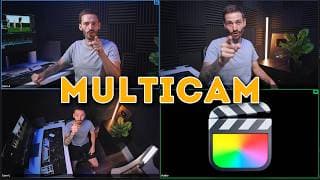
How to Edit Multicam Footage in FCP | The ULTIMATE Guide
Get Better at Color Grading in 90 minutes 👉🏼 https://bit.ly/BW-ColorGradingMasterclass Audio Drifting out of Sync? Watch This Now 👉🏼 https://youtu.be/C6XtwBJyPFI ~~~~~ 🔴 FREE STUFF 🔴 ~~~~~ ▶️ FREE Plugins & Transitions for FCP 👉🏼 https://bradwestmedia.com/free-fcp-plugins 🔊 FREE Music for Creators 👉🏼 https://bit.ly/UppbeatBD 💥 My FREE ‘Whip Pan & Zoom Transitions’ Pack 👉🏼https://bit.ly/FREEWhipPanZoom ~~~~~ 🎬 DIGITAL TOOLS THAT I USE 🎬 ~~~~~ 💥 Plugins & Effects for FCP 👉🏼 https://bradwestmedia.com/fcp-plugins (Check the link for discounts) 💥 My ‘Whip Pan & Zoom Transitions’ Pack 👉🏼 https://bit.ly/WhipPanZoom ~~~~~ 📸 THE GEAR I USE 📸 ~~~~~ 🎛 Monogram Creative Console 👉🏼 https://bit.ly/MonogramCC_BD ($40 off with this link) 📹 My Travel & Studio Gear 👉🏼 https://bradwestmedia.com/my-gear ~~~~~ 🎵 MUSIC FOR CREATORS 🎵 ~~~~~ 🔊 The Music I Use 👉🏼 https://bradwestmedia.com/music ~~~~~📚 LEARN 📚 ~~~~~ 🖥 Courses 👉🏼 https://bradwestmedia.com/courses 💡 Color Grading Masterclass 👉🏼 https://bit.ly/BW-ColorGradingMasterclass ~~~~~ 🤝 LET’S CONNECT 🤝 ~~~~~ 🌐 Website 👉🏼https://bradwestmedia.com ✉️ Monthly Newsletter 👉🏼 https://bradwestmedia.com/newsletter-signup 📸 Instagram 👉🏼 https://bit.ly/BradWestIG Are you struggling with multicam editing in Final Cut Pro (FCP)? In this comprehensive tutorial, I’ll show you everything you need to know about editing multicam footage, from setting up your cameras to creating and managing multicam clips like a pro. Whether you're a beginner or a seasoned editor, this guide will help you streamline your workflow and solve common problems. In this video, you’ll learn: Shooting Tips for Multicam Editing: Discover the 4 essential steps for shooting multicam footage, including recording audio on all cameras, matching frame rates, setting audio sample rates, and using a clap to sync footage. Creating Multicam Clips the Right Way: Learn the proper way to create multicam clips in FCP to avoid common mistakes and keep your project organized. Editing Multicam Clips on the Timeline: Use tools like the Angle Viewer, numeric shortcuts, and timeline settings to seamlessly switch between multiple camera angles without disrupting your audio. Solving Common Problems: Overcome issues like out-of-sync audio, playback lag, and managing audio from multiple speakers. I’ll also show you how to fine-tune sync and use proxy media for smoother playback. Optimizing Your Workflow: Use grading techniques and multicam clips, even with single-camera footage, to save time and maintain a consistent look throughout your project. By the end of this tutorial, you’ll be confident in handling any multicam project in Final Cut Pro, and you’ll understand how to use multicam clips to enhance your editing, even with a single camera. ~~~~~ 🔴 CHAPTERS 🔴 ~~~~~ 00:00 - How to Edit Multicam Footage in FCP 00:36 - Essential Shooting Tips for Multicam Edits 01:18 - The Critical Setup Step You Can’t Skip 02:45 - Editing Multicam Clips 06:04 - Common Problems and Workflows 08:59 - Multicams For One Camera Angle. Why? #FCPX #FinalCutPro #multicam
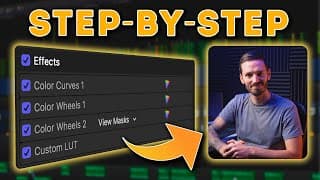
MASTER Color Grading for Talking Head YouTube Videos
First 30 people get 30% off my Color Grading Masterclass with code: COLOR30 👉🏼 https://bit.ly/BW-ColorGradingMasterclass My TINY YouTube Home Studio Tour 👉🏼 https://youtu.be/QUycRDpAPFc ~~~~~ 🔴 FREE STUFF 🔴 ~~~~~ ▶️ FREE Plugins & Transitions for FCP 👉🏼 https://bradwestmedia.com/free-fcp-plugins 🔊 FREE Music for Creators 👉🏼 https://bit.ly/UppbeatBD 💥 My FREE ‘Whip Pan & Zoom Transitions’ Pack 👉🏼https://bit.ly/FREEWhipPanZoom ~~~~~ 🎬 DIGITAL TOOLS THAT I USE 🎬 ~~~~~ 💥 Plugins & Effects for FCP 👉🏼 https://bradwestmedia.com/fcp-plugins (Check the link for discounts) 💥 My ‘Whip Pan & Zoom Transitions’ Pack 👉🏼 https://bit.ly/WhipPanZoom ~~~~~ 📸 THE GEAR I USE 📸 ~~~~~ 🎛 Monogram Creative Console 👉🏼 https://bit.ly/MonogramCC_BD ($40 off with this link) 📹 My Travel & Studio Gear 👉🏼 https://bradwestmedia.com/my-gear ~~~~~ 🎵 MUSIC FOR CREATORS 🎵 ~~~~~ 🔊 The Music I Use 👉🏼 https://bradwestmedia.com/music ~~~~~📚 LEARN 📚 ~~~~~ 🖥 Courses 👉🏼 https://bradwestmedia.com/courses 💡 Color Grading Masterclass 👉🏼 https://bit.ly/BW-ColorGradingMasterclass ~~~~~ 🤝 LET’S CONNECT 🤝 ~~~~~ 🌐 Website 👉🏼https://bradwestmedia.com ✉️ Monthly Newsletter 👉🏼 https://bradwestmedia.com/newsletter-signup 📸 Instagram 👉🏼 https://bit.ly/BradWestIG In this video, I break down my step-by-step process for color grading talking head footage in Final Cut Pro. Starting with a custom Cine4 profile, I guide you through using color wheels, masks, and a LUT to enhance footage without overdoing it. You’ll learn how to add contrast using an S-curve, adjust global saturation to improve skin tones, and use masks for a subtle vignette effect. I also share tips on fine-tuning colors, creating focus with selective adjustments, and applying a custom LUT from my Fire and Ice LUT pack for a creative touch. Towards the end, I demonstrate how to save your color grading settings as a preset in Final Cut Pro, making it easy to apply the same look to future projects with just a few clicks. Whether you're a beginner or experienced with color grading, this tutorial will give you actionable steps to improve your video quality. ~~~~~ 🔴 CHAPTERS 🔴 ~~~~~ 00:00 - My YouTube Talking Head Color Grading Breakdown 00:15 - Step 1 00:44 - Step 2 01:36 - Step 3 02:42 - Step 4 03:26 - Final Touches 03:46 - The Most Important Part #FCPX #FinalCutPro #colorgrading
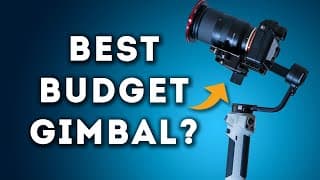
Zhiyun Cinepeer Weebill 3E Gimbal | Good AND Cheap?!
Zhiyun Cinepeer Weebill 3E 👉🏼 https://bit.ly/CinepeerWeebill3E 10% OFF with code: BRADWEST Or Buy on Amazon: https://amzn.eu/d/0hDcgxAK ~~~~~ 🔴 FREE STUFF 🔴 ~~~~~ ▶️ FREE Plugins & Transitions for FCP 👉🏼 https://bradwestmedia.com/free-fcp-plugins 🔊 FREE Music for Creators 👉🏼 https://bit.ly/UppbeatBD 💥 My FREE ‘Whip Pan & Zoom Transitions’ Pack 👉🏼https://bit.ly/FREEWhipPanZoom ~~~~~ 🎬 DIGITAL TOOLS THAT I USE 🎬 ~~~~~ 💥 Plugins & Effects for FCP 👉🏼 https://bradwestmedia.com/fcp-plugins (Check the link for discounts) 💥 My ‘Whip Pan & Zoom Transitions’ Pack 👉🏼 https://bit.ly/WhipPanZoom ~~~~~ 📸 THE GEAR I USE 📸 ~~~~~ 🎛 Monogram Creative Console 👉🏼 https://bit.ly/MonogramCC_BD ($40 off with this link) 📹 My Travel & Studio Gear 👉🏼 https://bradwestmedia.com/my-gear ~~~~~ 🎵 MUSIC FOR CREATORS 🎵 ~~~~~ 🔊 The Music I Use 👉🏼 https://bradwestmedia.com/music ~~~~~📚 LEARN 📚 ~~~~~ 🖥 Courses 👉🏼 https://bradwestmedia.com/courses 💡 Color Grading Masterclass 👉🏼 https://bit.ly/BW-ColorGradingMasterclass ~~~~~ 🤝 LET’S CONNECT 🤝 ~~~~~ 🌐 Website 👉🏼https://bradwestmedia.com ✉️ Monthly Newsletter 👉🏼 https://bradwestmedia.com/newsletter-signup 📸 Instagram 👉🏼 https://bit.ly/BradWestIG Welcome to my in-depth review of the Zhiyun Cinepeer Weebill 3E gimbal! In this video, I'll explore why this incredibly small and lightweight gimbal might just be the best budget option for your filming needs. The Zhiyun Cinepeer Weebill 3E has an impressive array of features, including a Bluetooth shutter, easy vertical video shooting, and up to 16 hours of runtime from a less-than-3-hour charge. Join me as I dive into its features, functionality, and performance. Product Highlights: Weighs only 990g with sturdy, high-quality finishes Includes power button, OLED screen, joystick, record button, mode button, and a menu button with a settings dial Features a scroll wheel and trigger button for enhanced control Three-axis locks for easy balancing and packing Bluetooth camera control port and easy-to-navigate menu Various shooting modes: Pan Follow, Lock, Follow, Selfie, POV, Vortex, and Portrait I'll show you close-up shots of the gimbal's buttons, locks, and other physical features. Learn how to balance the gimbal with tips for balancing each axis and using the autotune feature. The menu layout is simple and responsive, ensuring ease of use. Connect to your camera via Bluetooth for seamless recording control Different shooting modes tailored for versatile filming needs Effortless switching between horizontal and vertical shooting modes The gimbal's compact form factor makes it easy to balance at home, pack, and quickly set up on-site. Plus, I discuss the optional MasterMove accessory, which includes a wrist support and handle for comfortable shooting, even for one-handed moves. Pros: Lightweight and compact design Easy-to-use menu and controls Smooth footage with various shooting modes Cons: Lacks image transmission and focus control Despite this minor drawback, the Zhiyun Cinepeer Weebill 3E stands out for its build quality, ease of use, and the smoothness of the footage it produces. If you're looking for a high-quality gimbal on a budget, this could be the perfect choice. Support This Channel: Zhiyun provided this gimbal for review, but they had no control over the content. If you find this review helpful, use the link below and the code BRADWEST to get 10% off your purchase, which also supports this channel. ~~~~~ 🔴 CHAPTERS 🔴 ~~~~~ 00:00 - Zhiyun Cinepeer Weebill 3E | Good AND Cheap?! 00:32 - Feature Highlights 00:45 - Disclaimer & Discount Code 01:05 - Physical Overview 01:44 - Quick Gimbal Balancing Tip 02:18 - Menu System 03:09 - Bluetooth Shutter 03:33 - Wheel Function 04:11 - Joystick & Trigger 04:33 - Gimbal Modes 05:51 - Mounting for Vertical Content 06:25 - Vlog with a Gimbal 06:36 - What I Love About the Gimbal 06:55 - Master Move Accessory 08:04 - Cons 08:24 - Would I Recommend It? #zhiyungimbal #gimbalreview #gimbal
CRUSH Client Changes like a Pro with this FCP Extension
🎶 Music from Artlist, get 2 months free 👉🏼 http://bit.ly/Brad_Artlist ▶️ Frame 👉🏼 https://frame.io/ 🔥 Fire & Ice Vol I LUTs 👉🏼 https://bit.ly/FireIceLUTs 💡 Get the LUTs for free when you buy my Color Grading Masterclass 👉🏼 https://bit.ly/BW-ColorGradingMasterclass ~~~~~ 🔴 FREE STUFF 🔴 ~~~~~ ▶️ FREE Plugins & Transitions for FCP 👉🏼 https://bradwestmedia.com/free-fcp-plugins 🔊 FREE Music for Creators 👉🏼 https://bit.ly/UppbeatBD 💥 My FREE ‘Whip Pan & Zoom Transitions’ Pack 👉🏼https://bit.ly/FREEWhipPanZoom ~~~~~ 🎬 DIGITAL TOOLS THAT I USE 🎬 ~~~~~ 💥 Plugins & Effects for FCP 👉🏼 https://bradwestmedia.com/fcp-plugins (Check the link for discounts) 💥 My ‘Whip Pan & Zoom Transitions’ Pack 👉🏼 https://bit.ly/WhipPanZoom ~~~~~ 📸 THE GEAR I USE 📸 ~~~~~ 🎛 Monogram Creative Console 👉🏼 https://bit.ly/MonogramCC_BD ($40 off with this link) 📹 My Travel & Studio Gear 👉🏼 https://bradwestmedia.com/my-gear ~~~~~ 🎵 MUSIC FOR CREATORS 🎵 ~~~~~ 🔊 The Music I Use 👉🏼 https://bradwestmedia.com/music ~~~~~📚 LEARN 📚 ~~~~~ 🖥 Courses 👉🏼 https://bradwestmedia.com/courses 💡 Color Grading Masterclass 👉🏼 https://bit.ly/BW-ColorGradingMasterclass ~~~~~ 🤝 LET’S CONNECT 🤝 ~~~~~ 🌐 Website 👉🏼https://bradwestmedia.com ✉️ Monthly Newsletter 👉🏼 https://bradwestmedia.com/newsletter-signup 📸 Instagram 👉🏼 https://bit.ly/BradWestIG Crush Client Changes like a Pro with this Final Cut Pro Extension | Frame.io Tutorial Are client change requests driving you crazy? We've all been there. In this tutorial, I’ll show you how to use the Frame.io extension within Final Cut Pro to handle client feedback efficiently. This video is perfect for anyone working with clients who frequently request changes. Why Frame.io? Frame.io offers both free and paid plans, making it accessible for everyone. It’s an essential tool I use daily for client projects. And no, this video isn’t sponsored by Frame.io—it's just genuinely useful! However, this video is sponsored by Artlist, another fantastic tool for video creators. Using Frame.io and Artlist has transformed my workflow. These tools help me meet client expectations efficiently while maintaining high-quality edits. Try Frame.io for free and see the difference it makes in handling client feedback. ~~~~~ 🔴 CHAPTERS 🔴 ~~~~~ 00:00 - Crush Client Changes like a Pro with this FCP Extension 00:50 - Sending your Edit to a Client using the Frame.io Extension 01:48 - Client Feedback Using Frame.io 02:08 - Duplicate Your Timeline to Create Versions 02:48 - Importing Client Changes as Markers 03:45 - Making Changes and Giving FCP Tips 08:17 - Frame.io Extension and Plans 08:53 - Is the Client Happy? #FCPX #FinalCutPro #Frameio

15 Years of Video Editing Advice in 14 Minutes
🎶 Music from Artlist, get 2 months free 👉🏼 http://bit.ly/Brad_Artlist ▶️ 100 FCP Shortcuts 👉🏼 https://youtu.be/VjiVYTR5Hp4 Get Better at Color Grading in 90 minutes 👉🏼 https://bit.ly/BW-ColorGradingMasterclass ~~~~~ 🔴 FREE STUFF 🔴 ~~~~~ ▶️ FREE Plugins & Transitions for FCP 👉🏼 https://bradwestmedia.com/free-fcp-plugins 🔊 FREE Music for Creators 👉🏼 https://bit.ly/UppbeatBD 💥 My FREE ‘Whip Pan & Zoom Transitions’ Pack 👉🏼https://bit.ly/FREEWhipPanZoom ~~~~~ 🎬 DIGITAL TOOLS THAT I USE 🎬 ~~~~~ 💥 Plugins & Effects for FCP 👉🏼 https://bradwestmedia.com/fcp-plugins (Check the link for discounts) 💥 My ‘Whip Pan & Zoom Transitions’ Pack 👉🏼 https://bit.ly/WhipPanZoom ~~~~~ 📸 THE GEAR I USE 📸 ~~~~~ 🎛 Monogram Creative Console 👉🏼 https://bit.ly/MonogramCC_BD ($40 off with this link) 📹 My Travel & Studio Gear 👉🏼 https://bradwestmedia.com/my-gear ~~~~~ 🎵 MUSIC FOR CREATORS 🎵 ~~~~~ 🔊 The Music I Use 👉🏼 https://bradwestmedia.com/music ~~~~~📚 LEARN 📚 ~~~~~ 🖥 Courses 👉🏼 https://bradwestmedia.com/courses 💡 Color Grading Masterclass 👉🏼 https://bit.ly/BW-ColorGradingMasterclass ~~~~~ 🤝 LET’S CONNECT 🤝 ~~~~~ 🌐 Website 👉🏼https://bradwestmedia.com ✉️ Monthly Newsletter 👉🏼 https://bradwestmedia.com/newsletter-signup 📸 Instagram 👉🏼 https://bit.ly/BradWestIG I’ve spent the last 15 years editing videos professionally and when I had my job at a production company, we would often do 800 - 1,000 commercials per year. That experience, as well as being a freelancer for the last 8 years has taught me many things about being a video editor and I want to share that with you in the hopes that some of these lessons help you. Edit in Passes: Focus on one element at a time for a more efficient editing process. Know Your Software: Master your editing software to push creative boundaries. Use Different Devices: Check your edits on various devices to ensure consistency in audio and color grading. Learn J and L Cuts: Smooth out your edits for better flow and engagement. Invest in High-Quality Assets: Use premium stock footage, music, and sound effects for professional results. Use Shortcuts: Speed up your workflow with keyboard shortcuts. Create Presets and Templates: Save time with reusable presets and templates for consistent results. Pay Attention to Audio: Prioritize good audio to keep your audience engaged. Hourly vs. Fixed Price Jobs: Understand the pros and cons of different payment structures. Do Free Work Strategically: Build your portfolio with selective free projects. Don't Be Precious About Edits: Be flexible with client feedback to reduce stress. Constantly Improve by 1%: Continuously refine your skills and techniques for long-term growth. ~~~~~ 🔴 CHAPTERS 🔴 ~~~~~ 00:00 - 15 Years of Video Editing Advice in 14 Minutes 00:24 - Lesson #1 01:07 - Lesson #2 02:02 - Lesson #3 02:57 - Lesson #4 03:45 - Lesson #5 06:08 - Lesson #6 07:02 - Lesson #7 08:44 - Lesson #8 09:16 - Lesson #9 10:24 - Lesson #10 11:24 - Lesson #11 12:57 - Lesson #12 #FCPX #FinalCutPro #FCPXTutorial
Final Cut Pro 10.8 NEW Features... and How to Use Them
🚨 Request FCP Features 👉🏼 https://www.apple.com/feedback/finalcutpro/ 💡 Get Better at Color Grading in 90 minutes 👉🏼 https://bit.ly/BW-ColorGradingMasterclass ~~~~~ 🔴 FREE STUFF 🔴 ~~~~~ ▶️ FREE Plugins & Transitions for FCP 👉🏼 https://bradwestmedia.com/free-fcp-plugins 🔊 FREE Music for Creators 👉🏼 https://bit.ly/UppbeatBD 💥 My FREE ‘Whip Pan & Zoom Transitions’ Pack 👉🏼https://bit.ly/FREEWhipPanZoom ~~~~~ 🎬 DIGITAL TOOLS THAT I USE 🎬 ~~~~~ 💥 Plugins & Effects for FCP 👉🏼 https://bradwestmedia.com/fcp-plugins (Check the link for discounts) 💥 My ‘Whip Pan & Zoom Transitions’ Pack 👉🏼 https://bit.ly/WhipPanZoom ~~~~~ 📸 THE GEAR I USE 📸 ~~~~~ 🎛 Monogram Creative Console 👉🏼 https://bit.ly/MonogramCC_BD ($40 off with this link) 📹 My Travel & Studio Gear 👉🏼 https://bradwestmedia.com/my-gear ~~~~~ 🎵 MUSIC FOR CREATORS 🎵 ~~~~~ 🔊 The Music I Use 👉🏼 https://bradwestmedia.com/music ~~~~~📚 LEARN 📚 ~~~~~ 🖥 Courses 👉🏼 https://bradwestmedia.com/courses 💡 Color Grading Masterclass 👉🏼 https://bit.ly/BW-ColorGradingMasterclass ~~~~~ 🤝 LET’S CONNECT 🤝 ~~~~~ 🌐 Website 👉🏼https://bradwestmedia.com ✉️ Monthly Newsletter 👉🏼 https://bradwestmedia.com/newsletter-signup 📸 Instagram 👉🏼 https://bit.ly/BradWestIG Final Cut Pro 10.8 is here, and it's packed with some long-awaited features, brand-new AI capabilities, and several small yet impactful updates that will enhance your daily workflow. In this video, I'll walk you through the highlights of this update and share an essential tip you MUST follow before updating to FCP 10.8! 🔍 What's New in Final Cut Pro 10.8? 🔍 Enhance Light and Color Effect: Powered by machine learning, this new feature helps you achieve better lighting and color adjustments effortlessly. Drag and Drop Effects: Now, you can easily drag and drop effects from the inspector window directly onto clips in the timeline or viewer, making your editing process faster and more intuitive. Rename Effects: A minor yet super helpful feature that allows you to rename effects, including third-party ones, for better organization when you have multiple effects stacked together. Smooth Slow Mo: The standout feature of this update! This AI-enhanced slow-motion tool offers better optical flow, making your slow-motion footage smoother than ever. Before updating to Final Cut Pro 10.8, it's crucial to create a backup of your current version. This will ensure you can roll back if needed. Simply right-click on Final Cut Pro, select compress, and save the zip file. Additionally, back up your important library files before opening them in the new version, as they will be updated and won't be compatible with older versions. I know this update might not include all the features you've been waiting for, such as auto captions or text-based editing, but the introduction of AI-based features leaves me optimistic about the future of Final Cut Pro. If you have any features you'd love to see in FCP, head over to Apple’s feature request form and let them know! The more feedback they receive, the more likely we are to see these features implemented. ~~~~~ 🔴 CHAPTERS 🔴 ~~~~~ 00:00 - Final Cut Pro 10 8 NEW Features 00:18 - Feature #1 02:27 - Feature #2 03:14 - Feature #3 03:54 - Feature #4 05:25 - Feature #5 06:39 - Feature #6 07:17 - Final Thoughts 07:55 - Do This Before Updating #FCPX #FinalCutPro #FCPXTutorial

10 YouTubers' Favorite MotionVFX Plugins
⬇️ PLUGINS MENTIONED IN THIS VIDEO ⬇️ *10% off most plugins with Code ➡️ BRAD10 mFilm Matte 👉🏼 https://bit.ly/mFilmMatte mTutorial 👉🏼 https://bit.ly/mTutorial mDocumentary 👉🏼 https://bit.ly/mDocumentary mReview 👉🏼 https://bit.ly/mReview mTracker 3D 👉🏼 https://bit.ly/mTracker3D_BW mRoto AI 👉🏼 https://bit.ly/mRotoAI_BW mMovie Lights 👉🏼 https://bit.ly/mMovieLights_BW mTransition Noise 👉🏼 https://bit.ly/mTransitionNoise mCam Rig 👉🏼 https://bit.ly/mCamRigBD (FREE) mKinetic 2 👉🏼 https://bit.ly/mKinetic2 mTuber 2 👉🏼 https://bit.ly/mTuber2_BW mFilmLook 👉🏼 https://bit.ly/mFilmLookBD mKeynote 👉🏼 https://bit.ly/mKeynote mKBHD 👉🏼 https://bit.ly/mKBHD-BD mChannel Cyber 👉🏼 https://bit.ly/mChannelCyber Thanks to @motionvfx for getting us all together! @matthewTobrien @dylanjohnthefcpdon @iamericlenz @PhillipSkraba @dylanjohnthefcpdon @BrandonTalbot @Serge1913 @TeppoHaapoja @PeterLindgren1 ~~~~~ 🔴 FREE STUFF 🔴 ~~~~~ ▶️ FREE Plugins & Transitions for FCP 👉🏼 https://bradwestmedia.com/free-fcp-plugins 🔊 FREE Music for Creators 👉🏼 https://bit.ly/UppbeatBD 💥 My FREE ‘Whip Pan & Zoom Transitions’ Pack 👉🏼https://bit.ly/FREEWhipPanZoom ~~~~~ 🎬 DIGITAL TOOLS THAT I USE 🎬 ~~~~~ 💥 Plugins & Effects for FCP 👉🏼 https://bradwestmedia.com/fcp-plugins (Check the link for discounts) 💥 My ‘Whip Pan & Zoom Transitions’ Pack 👉🏼 https://bit.ly/WhipPanZoom ~~~~~ 📸 THE GEAR I USE 📸 ~~~~~ 🎛 Monogram Creative Console 👉🏼 https://bit.ly/MonogramCC_BD ($40 off with this link) 📹 My Travel & Studio Gear 👉🏼 https://bradwestmedia.com/my-gear ~~~~~ 🎵 MUSIC FOR CREATORS 🎵 ~~~~~ 🔊 The Music I Use 👉🏼 https://bradwestmedia.com/music ~~~~~📚 LEARN 📚 ~~~~~ 🖥 Courses 👉🏼 https://bradwestmedia.com/courses 💡 Color Grading Masterclass 👉🏼 https://bit.ly/BW-ColorGradingMasterclass ~~~~~ 🤝 LET’S CONNECT 🤝 ~~~~~ 🌐 Website 👉🏼https://bradwestmedia.com ✉️ Monthly Newsletter 👉🏼 https://bradwestmedia.com/newsletter-signup 📸 Instagram 👉🏼 https://bit.ly/BradWestIG I recently met up with some amazing content creators in Poland, and if you watched my video about that trip you might already know that we did a bunch of cool stuff like mountain biking, flying in a helicopter, making friends with sheep, BUT, we were also fortunate enough to spend time at the MotionVFX headquarters and we got to meet the team and the people behind the plugins. I personally use motionVFX plugins in every single one of my videos and I was curious to hear which MotionVFX plugins all of these other creators use most often. ~~~~~ 🔴 CHAPTERS 🔴 ~~~~~ 00:00 - 10 YouTubers' Favorite MotionVFX Plugins 00:33 - Matthew O’Brien 01:29 - Dylan John 02:46 - Eric Lenz 03:15 - Phillip Skraba 03:55 - Dylan Bates 04:08 - Brandon Talbot 04:28 - Serge Morgotch 04:40 - Teppo Haapoja 04:51 - Brad West 05:16 - Peter Lindgren #FCPX #FinalCutPro #motionvfx
10 Most Useful Built In FCP Plugins
Try MotionElements https://bit.ly/MotionElementsBrad (70% off with code "BRADWEST70" to unlock 7M+ Unlimited Downloads in your first month) *Only valid for new customers in eligible countries ▶️ 10 Best Free Plugins for FCP 👉🏼 https://youtu.be/X9G0QUu2K0M Get Better at Color Grading in 90 minutes 👉🏼 https://bit.ly/BW-ColorGradingMasterclass ~~~~~ 🔴 FREE STUFF 🔴 ~~~~~ ▶️ FREE Plugins & Transitions for FCP 👉🏼 https://bradwestmedia.com/free-fcp-plugins 🔊 FREE Music for Creators 👉🏼 https://bit.ly/UppbeatBD 💥 My FREE ‘Whip Pan & Zoom Transitions’ Pack 👉🏼https://bit.ly/FREEWhipPanZoom ~~~~~ 🎬 DIGITAL TOOLS THAT I USE 🎬 ~~~~~ 💥 Plugins & Effects for FCP 👉🏼 https://bradwestmedia.com/fcp-plugins (Check the link for discounts) 💥 My ‘Whip Pan & Zoom Transitions’ Pack 👉🏼 https://bit.ly/WhipPanZoom ~~~~~ 📸 THE GEAR I USE 📸 ~~~~~ 🎛 Monogram Creative Console 👉🏼 https://bit.ly/MonogramCC_BD ($40 off with this link) 📹 My Travel & Studio Gear 👉🏼 https://bradwestmedia.com/my-gear ~~~~~ 🎵 MUSIC FOR CREATORS 🎵 ~~~~~ 🔊 The Music I Use 👉🏼 https://bradwestmedia.com/music ~~~~~📚 LEARN 📚 ~~~~~ 🖥 Courses 👉🏼 https://bradwestmedia.com/courses 💡 Color Grading Masterclass 👉🏼 https://bit.ly/BW-ColorGradingMasterclass ~~~~~ 🤝 LET’S CONNECT 🤝 ~~~~~ 🌐 Website 👉🏼https://bradwestmedia.com ✉️ Monthly Newsletter 👉🏼 https://bradwestmedia.com/newsletter-signup 📸 Instagram 👉🏼 https://bit.ly/BradWestIG There are a ton of extremely useful built-in plugins that come with Final Cut Pro, and in this video I’m going to show you how powerful 10 of them are with a cool trick on how to use each one. I'm covering a wide range of audio and video plugins or effects and how to use them. The effects include Color Curves, Draw Mask, Gaussian Blur, Channel EQ, HSL Curves, Cathedral, Glow, Compressor, Custom LUT and Balance Color. ~~~~~ 🔴 CHAPTERS 🔴 ~~~~~ 00:00 - 10 Most Useful Built-In FCP Plugins 00:27 - Effect #1 01:39 - Effect #2 02:25 - Effect #3 03:17 - Effect #4 04:32 - Effect #5 06:25 - Effect #6 07:37 - Effect #7 08:00 - Effect #8 09:07 - Effect #9 09:43 - Effect #10 #FCPX #FinalCutPro #FCPXTutorial
5 Sound Design Tips to INSTANTLY Improve Your Videos
🎶 Music from Artlist, get 2 months free 👉🏼 http://bit.ly/Brad_Artlist ▶️ Cinematic Tattoo Broll | Shoot & Edit Breakdown 👉🏼 https://youtu.be/XPWQBvLmQNg Get Better at Color Grading in 90 minutes 👉🏼 https://bit.ly/BW-ColorGradingMasterclass ~~~~~ 🔴 FREE STUFF 🔴 ~~~~~ ▶️ FREE Plugins & Transitions for FCP 👉🏼 https://bradwestmedia.com/free-fcp-plugins 🔊 FREE Music for Creators 👉🏼 https://bit.ly/UppbeatBD 💥 My FREE ‘Whip Pan & Zoom Transitions’ Pack 👉🏼https://bit.ly/FREEWhipPanZoom ~~~~~ 🎬 DIGITAL TOOLS THAT I USE 🎬 ~~~~~ 💥 Plugins & Effects for FCP 👉🏼 https://bradwestmedia.com/fcp-plugins (Check the link for discounts) 💥 My ‘Whip Pan & Zoom Transitions’ Pack 👉🏼 https://bit.ly/WhipPanZoom ~~~~~ 📸 THE GEAR I USE 📸 ~~~~~ 🎛 Monogram Creative Console 👉🏼 https://bit.ly/MonogramCC_BD ($40 off with this link) 📹 My Travel & Studio Gear 👉🏼 https://bradwestmedia.com/my-gear ~~~~~ 🎵 MUSIC FOR CREATORS 🎵 ~~~~~ 🔊 The Music I Use 👉🏼 https://bradwestmedia.com/music ~~~~~📚 LEARN 📚 ~~~~~ 🖥 Courses 👉🏼 https://bradwestmedia.com/courses 💡 Color Grading Masterclass 👉🏼 https://bit.ly/BW-ColorGradingMasterclass ~~~~~ 🤝 LET’S CONNECT 🤝 ~~~~~ 🌐 Website 👉🏼https://bradwestmedia.com ✉️ Monthly Newsletter 👉🏼 https://bradwestmedia.com/newsletter-signup 📸 Instagram 👉🏼 https://bit.ly/BradWestIG What are you more likely to watch? A video that looks really nice but the sound isn’t great, or a video that sounds great but the visuals are not so good. Ideally, you want both to be great, and most viewers will forgive you for average visuals but NOT for average sound. In this video, I’m going to focus on sound design. Here are 5 Sound Design Tips that you can implement right now to instantly improve your videos. One lesser-known tool is the surround panner and it can really help bring your sound design to life. Pitch-shifting the same (or similar) sounds makes them different enough that they don't sound weird if they play directly after each other. A trick I use very often to bring focus to my sound effects and sound design is to EQ the music. By removing certain frequencies you can "make space" for your sound effects to stand out. Layering multiple sounds together to create one sound is a great way to add depth to your audio mix. By using compound clips, you can add effects or make changes to your entire sound effects track globally, which is really helpful. ~~~~~ 🔴 CHAPTERS 🔴 ~~~~~ 00:00 - 5 Sound Design Tips to INSTANTLY Improve Your Videos 00:31 - Tip #1 01:53 - Tip #2 05:03 - Tip #3 06:41 - Tip #4 07:51 - Tip #5 08:43 - Bonus Tip #FCPX #FinalCutPro #FCPXTutorial
1 Thing They DON'T Tell You About Being a YouTuber
MotionVFX Plugins for FCP 👉🏼 https://motionvfx.sjv.io/oqYVDO (10% off with Code ➡️ BRAD10) Get Better at Color Grading in 90 minutes 👉🏼 https://bit.ly/BW-ColorGradingMasterclass Teppo's video 👉🏼 https://youtu.be/Y4h6p6hVrdM Serge's video 👉🏼 https://youtu.be/LzMcdWUv5U8 Thank you @motionvfx for inviting me to join in on this incredible trip to Poland! Being a YouTuber can be a lonely journey without connecting with like-minded people face to face, but being part of this awesome community of creators is inspiring and it keeps me going! What an honor and a privilege to meet and hang with these legendary creators: @dylanjohnthefcpdon @TheFinalCutBro @TeppoHaapoja @PhillipSkraba @PeterLindgren1 @matthewTobrien @BrandonTalbot @Serge1913 @iamericlenz ~~~~~ 🔴 FREE STUFF 🔴 ~~~~~ ▶️ FREE Plugins & Transitions for FCP 👉🏼 https://bradwestmedia.com/free-fcp-plugins 🔊 FREE Music for Creators 👉🏼 https://bit.ly/UppbeatBD 💥 My FREE ‘Whip Pan & Zoom Transitions’ Pack 👉🏼https://bit.ly/FREEWhipPanZoom ~~~~~ 🎬 DIGITAL TOOLS THAT I USE 🎬 ~~~~~ 💥 Plugins & Effects for FCP 👉🏼 https://bradwestmedia.com/fcp-plugins (Check the link for discounts) 💥 My ‘Whip Pan & Zoom Transitions’ Pack 👉🏼 https://bit.ly/WhipPanZoom ~~~~~ 📸 THE GEAR I USE 📸 ~~~~~ 🎛 Monogram Creative Console 👉🏼 https://bit.ly/MonogramCC_BD ($40 off with this link) 📹 My Travel & Studio Gear 👉🏼 https://bradwestmedia.com/my-gear ~~~~~ 🎵 MUSIC FOR CREATORS 🎵 ~~~~~ 🔊 The Music I Use 👉🏼 https://bradwestmedia.com/music ~~~~~📚 LEARN 📚 ~~~~~ 🖥 Courses 👉🏼 https://bradwestmedia.com/courses 💡 Color Grading Masterclass 👉🏼 https://bit.ly/BW-ColorGradingMasterclass ~~~~~ 🤝 LET’S CONNECT 🤝 ~~~~~ 🌐 Website 👉🏼https://bradwestmedia.com ✉️ Monthly Newsletter 👉🏼 https://bradwestmedia.com/newsletter-signup 📸 Instagram 👉🏼 https://bit.ly/BradWestIG #motionvfx #contentcreators #travelvlog
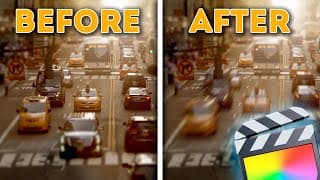
FREE Motion Blur Plugin for Final Cut Pro
⬇️ FREE Motion Blur Plugin 👉🏼 https://www.bradwestmedia.com/free-motion-blur-effect 🎶 Music from Artlist, get 2 months free 👉🏼 http://bit.ly/Brad_Artlist ▶️ Cinematic Tattoo Broll | Shoot & Edit Breakdown 👉🏼 https://youtu.be/XPWQBvLmQNg Get Better at Color Grading in 90 minutes 👉🏼 https://bit.ly/BW-ColorGradingMasterclass ~~~~~ 🔴 FREE STUFF 🔴 ~~~~~ ▶️ FREE Plugins & Transitions for FCP 👉🏼 https://bradwestmedia.com/free-fcp-plugins 🔊 FREE Music for Creators 👉🏼 https://bit.ly/UppbeatBD 💥 My FREE ‘Whip Pan & Zoom Transitions’ Pack 👉🏼https://bit.ly/FREEWhipPanZoom ~~~~~ 🎬 DIGITAL TOOLS THAT I USE 🎬 ~~~~~ 💥 Plugins & Effects for FCP 👉🏼 https://bradwestmedia.com/fcp-plugins (Check the link for discounts) 💥 My ‘Whip Pan & Zoom Transitions’ Pack 👉🏼 https://bit.ly/WhipPanZoom ~~~~~ 📸 THE GEAR I USE 📸 ~~~~~ 🎛 Monogram Creative Console 👉🏼 https://bit.ly/MonogramCC_BD ($40 off with this link) 📹 My Travel & Studio Gear 👉🏼 https://bradwestmedia.com/my-gear ~~~~~ 🎵 MUSIC FOR CREATORS 🎵 ~~~~~ 🔊 The Music I Use 👉🏼 https://bradwestmedia.com/music ~~~~~📚 LEARN 📚 ~~~~~ 🖥 Courses 👉🏼 https://bradwestmedia.com/courses 💡 Color Grading Masterclass 👉🏼 https://bit.ly/BW-ColorGradingMasterclass ~~~~~ 🤝 LET’S CONNECT 🤝 ~~~~~ 🌐 Website 👉🏼https://bradwestmedia.com ✉️ Monthly Newsletter 👉🏼 https://bradwestmedia.com/newsletter-signup 📸 Instagram 👉🏼 https://bit.ly/BradWestIG Are you looking to add stunning motion blur to your footage in Final Cut Pro? This tutorial will show you exactly how to achieve that with and without Apple Motion. Whether you're an advanced user or just getting started, this video covers everything you need to know. With Apple Motion: 1. Create Custom Motion Blur Presets: Learn how to design and import your own motion blur presets into Final Cut Pro for ultimate control over your effects. 2. Adjust Parameters: Understand how to tweak samples for quality and shutter angle for the desired blur effect. Higher samples mean better quality but longer render times, while shutter angle adjusts the blur intensity. 3. Save and Use Presets: Save your presets in the titles folder for easy access and repeated use. Without Apple Motion: 1. Download Free Motion Blur Plugin Pack: Get my custom motion blur presets for free (link below). These presets are designed to make adding motion blur as simple as possible. 2. Title Presets: Drop these on top of your footage like an adjustment layer for a quick and easy motion blur effect. 3. Effects Presets: Apply motion blur to entire clips or specific layers, ideal for timelapses or isolated elements like logos. Why You’ll Love These Presets: 1. Ease of Use: Simple to apply and adjust, perfect for all skill levels. 2. Versatility: From subtle to extreme motion blur, there's a preset for every need. ~~~~~ 🔴 CHAPTERS 🔴 ~~~~~ 00:00 - FREE Motion Blur Plugin for Final Cut Pro 00:11 - Create Your Own Motion Bur Presets 01:11 - Download FREE Motion Blur Presets 01:48 - See the Motion Blur Effects in Action #FCPX #FinalCutPro #motionblur
CINEMATIC TATTOO B ROLL | Shoot & Edit Breakdown
🎶 Music from Artlist, get 2 months free 👉🏼 http://bit.ly/Brad_Artlist Get Better at Color Grading in 90 minutes 👉🏼 https://bit.ly/BW-ColorGradingMasterclass 🔗 LINKS MENTIONED IN THIS VIDEO 🔗 @danielschiffer 's video 👉🏼 https://youtu.be/3mZuJAWH1Ow Whip Pan & Zoom Transitions 👉🏼 https://bit.ly/WhipPanZoom Free Whip Pan & Zoom Transitions 👉🏼 https://bit.ly/FREEWhipPanZoom mKBHD Plugin 👉🏼 https://bit.ly/mKBHD-BD (10% off with Code ➡️ BRAD10) AddMotion Plugin 👉🏼 https://bit.ly/AddMotion-BD (10% off with Code ➡️ BRADANDDONNA) Free Motion Blur Plugin 👉🏼 https://bit.ly/MotionBlurFCP Free Adjustment Layer 👉🏼 https://www.bradwestmedia.com/free-adjustment-layer Fire & Ice LUTs 👉🏼 https://bit.ly/FireIceLUTs Music Editing Tricks 👉🏼 https://youtu.be/GbbdhjMObzk ~~~~~ 🔴 FREE STUFF 🔴 ~~~~~ ▶️ FREE Plugins & Transitions for FCP 👉🏼 https://bradwestmedia.com/free-fcp-plugins 🔊 FREE Music for Creators 👉🏼 https://bit.ly/UppbeatBD ~~~~~ 🎬 DIGITAL TOOLS THAT I USE 🎬 ~~~~~ 💥 Plugins & Effects for FCP 👉🏼 https://bradwestmedia.com/fcp-plugins (Check the link for discounts) ~~~~~ 📸 THE GEAR I USE 📸 ~~~~~ 🎛 Monogram Creative Console 👉🏼 https://bit.ly/MonogramCC_BD ($40 off with this link) 📹 My Travel & Studio Gear 👉🏼 https://bradwestmedia.com/my-gear ~~~~~ 🎵 MUSIC FOR CREATORS 🎵 ~~~~~ 🔊 The Music I Use 👉🏼 https://bradwestmedia.com/music ~~~~~📚 LEARN 📚 ~~~~~ 🖥 Courses 👉🏼 https://bradwestmedia.com/courses 💡 Color Grading Masterclass 👉🏼 https://bit.ly/BW-ColorGradingMasterclass ~~~~~ 🤝 LET’S CONNECT 🤝 ~~~~~ 🌐 Website 👉🏼https://bradwestmedia.com ✉️ Monthly Newsletter 👉🏼 https://bradwestmedia.com/newsletter-signup 📸 Instagram 👉🏼 https://bit.ly/BradWestIG ~~~~~ 🔴 CHAPTERS 🔴 ~~~~~ 00:00 - Cinematic Tattoo Broll Video BREAKDOWN 01:07 - Planning 02:27 - Shooting 08:06 - Editing 13:26 - Sound Design 15:47 - Color Grading Welcome to my step-by-step guide on how to create a cinematic tattoo B-roll video! In this comprehensive tutorial, I'll walk you through the entire process of planning, shooting, editing, color grading, and sound design. Whether you're a beginner or a seasoned videographer, you'll find valuable tips and tricks to enhance your video production skills. This video was inspired by the epic broll videos @danielschiffer, @PeterLindgren1 and @Jamesmatthews have made in the past. Planning: The key to a successful shoot is meticulous planning. I'll share my approach to creating an effective shot list, inspired by Daniel Schiffer's method: Objects + Actions = Shots. Learn how to organize your ideas using the Apple Notes app for easy access on set. Shooting: Discover the techniques I used to capture stunning 1080p footage at 120fps. From manual focus to creative transitions, I'll explain how I achieved dynamic shots like whip pans and seamless in-camera transitions. Watch as I demonstrate the importance of repetition to get the perfect shot and how to handle continuity challenges. Editing: My editing process involves a unique method to speed up workflow and ensure precision. I'll show you how to use speed ramps, slow-motion effects, and optical flow in Final Cut Pro for smooth, cinematic visuals. Learn my techniques for building sequences, syncing to music, and utilizing transitions. Sound Design: Sound design can make or break your video. I'll break down my process into diegetic and non-diegetic sounds, adding depth and realism to your footage. Get tips on balancing sound effects with music using channel EQ and creating an immersive audio experience. Color Grading: Achieve a cool, dark mood with efficient color grading techniques. I'll guide you through using fixed white balance, color curves, and custom LUTs to enhance your video’s aesthetic. Learn how to make subtle adjustments to create a polished final product. If you found this video helpful, please like, comment, and subscribe! Let me know your favorite tip or if you have any questions. Thanks for watching! #FCPX #FinalCutPro #FCPXTutorial
My TINY YouTube Home Studio Tour
Graded with my Fire & Ice LUT Pack 👉🏼 https://bit.ly/FireIceLUTs Get Better at Color Grading in 90 minutes 👉🏼 https://bit.ly/BW-ColorGradingMasterclass MENTIONED IN THIS VIDEO Foam Panels 👉🏼 https://amzn.to/44nT3yF Double-sided wall stickers 👉🏼 https://amzn.to/3y3JF78 Godox SL-60W 👉🏼 https://amzn.to/3w6JGS5 Softbox 👉🏼 https://amzn.to/3QpT7s0 Portable RGB Light 👉🏼 https://amzn.to/3Qpbwov Govee LED strip lights 👉🏼 https://govee.sjv.io/Y9ebxB (10% off with code: BRAD10) Govee RGB tube light 👉🏼 https://govee.sjv.io/KjbOAy (10% off with code: BRAD10) 32" HP 4K monitor 👉🏼 https://amzn.to/3SggPHd Monogram Creative Console 👉🏼 https://bit.ly/MonogramCC_BD ($40 off with this link) Editors Keys keyboard cover 👉🏼 https://bit.ly/KeyboardCoverFCP 16" MacBook Pro 👉🏼 https://amzn.to/3C9m5pF MacBook stand 👉🏼 https://amzn.to/4b13oTE Update to my Bose headphones 👉🏼 https://amzn.to/4bnsNqg Headphone stand 👉🏼 https://amzn.to/3wnjCr9 SanDisk Extreme SSD 👉🏼 https://amzn.to/4dmcyeZ Sony A7iii 👉🏼 https://amzn.to/2CfNppN Tamron 28-75mm lens 👉🏼 https://amzn.to/32zni7M Coman Tripod 👉🏼 https://amzn.to/4a73APM BestView teleprompter 👉🏼 https://amzn.to/36I6DjH Rode VideoMic NTG 👉🏼 https://amzn.to/3dDRK8w Zoom H4n Pro 👉🏼 https://amzn.to/3pyKOeK SmallRig clamp 👉🏼 https://amzn.to/36I6DjH Insta360 invisible selfie stick 👉🏼 https://amzn.to/4dsv0Tp Autopole 👉🏼 https://amzn.to/4dqNyU4 Learn More 👉🏼 https://bit.ly/m/BradWest ~~~~~ 🔴 FREE STUFF 🔴 ~~~~~ ▶️ FREE Plugins & Transitions for FCP 👉🏼 https://bradwestmedia.com/free-fcp-plugins 🔊 FREE Music for Creators 👉🏼 https://bit.ly/UppbeatBD 💥 My FREE ‘Whip Pan & Zoom Transitions’ Pack 👉🏼https://bit.ly/FREEWhipPanZoom ~~~~~ 🎬 DIGITAL TOOLS THAT I USE 🎬 ~~~~~ 💥 Plugins & Effects for FCP 👉🏼 https://bradwestmedia.com/fcp-plugins (Check the link for discounts) 💥 My ‘Whip Pan & Zoom Transitions’ Pack 👉🏼 https://bit.ly/WhipPanZoom ~~~~~ 📸 THE GEAR I USE 📸 ~~~~~ 🎛 Monogram Creative Console 👉🏼 https://bit.ly/MonogramCC_BD ($40 off with this link) 📹 My Travel & Studio Gear 👉🏼 https://bradwestmedia.com/my-gear ~~~~~ 🎵 MUSIC FOR CREATORS 🎵 ~~~~~ 🔊 The Music I Use 👉🏼 https://bradwestmedia.com/music ~~~~~📚 LEARN 📚 ~~~~~ 🖥 Courses 👉🏼 https://bradwestmedia.com/courses 💡 Color Grading Masterclass 👉🏼 https://bit.ly/BW-ColorGradingMasterclass ~~~~~ 🤝 LET’S CONNECT 🤝 ~~~~~ 🌐 Website 👉🏼https://bradwestmedia.com ✉️ Monthly Newsletter 👉🏼 https://bradwestmedia.com/newsletter-signup 📸 Instagram 👉🏼 https://bit.ly/BradWestIG Welcome to my tiny YouTube Home Studio! In this video, I'll take you on a journey through the transformation of this compact space into a fully functional studio for shooting and editing my YouTube videos. With a focus on aesthetics, acoustics, lighting, desk organization, and filming equipment, I'll share the decisions I've made to optimize my workflow and create an inspiring environment. For this studio, I had three main goals in mind. Firstly, I wanted the studio to look cool and reflect my personal style. Secondly, I aimed to ensure optimal sound quality for recording. And lastly, I prioritized minimizing setup time to maximize productivity. To address the challenge of controlling light and improving acoustics in the space, I opted for foam panels from Amazon. These panels not only darken the room but also enhance audio quality, creating an ideal environment for shooting and editing. Additionally, I used double-sided wall stickers for easy installation. For lighting, I incorporated a combination of Godox SL-60W keylight with a softbox, Govee LED strip lights, and an RGB tube light. These lights are not only easy to install but also offer customizable options to create the perfect ambiance for filming and editing sessions. In terms of desk setup and accessories, I invested in a 4K monitor from HP, a Monogram Creative Console for efficient editing, and a keyboard cover from Editors Keys with useful Final Cut Pro shortcuts. These additions have significantly improved my workflow and productivity. To streamline the filming process, I utilize a Coman tripod with a Sony A7iii camera and a Tamron 28-75mm lens. For audio recording, I rely on a Rode VideoMic NTG and a Zoom H4n Pro audio recorder, ensuring high-quality sound capture. While I've made a ton of progress in optimizing my tiny YouTube studio, there are still future ideas in the pipeline. From exploring options like an Autopole for mounting equipment to organizing storage cabinets and building a custom charging station. If you have any questions about the setup or products mentioned in this video, feel free to leave a comment below. Don't forget to give this video a thumbs up if you found it helpful, and subscribe for more content like this. Thank you for watching! ~~~~~ 🔴 CHAPTERS 🔴 ~~~~~ 00:00 - My TINY YouTube Home Studio Tour 01:22 - Room Aesthetics and Acoustics 02:25 - Lighting 04:43 - Desk Setup and Accessories 06:59 - Filming 07:38 - Function 08:08 - Future Ideas #tinystudio #FinalCutPro #studiotour
5 PRACTICAL Ways to Use Masks in FCP
💡 Get Better at Color Grading in 90 minutes 👉🏼 https://bit.ly/BW-ColorGradingMasterclass 💥 Learn More 👉🏼 https://bit.ly/m/BradWest ▶️ 5 Practical Ways to Use FCP’s Built-in Object Tracker 👉🏼 https://youtu.be/OBANKbLvKjs ~~~~~ 🔴 FREE STUFF 🔴 ~~~~~ ▶️ FREE Plugins & Transitions for FCP 👉🏼 https://bradwestmedia.com/free-fcp-plugins 🔊 FREE Music for Creators 👉🏼 https://bit.ly/UppbeatBD 💥 My FREE ‘Whip Pan & Zoom Transitions’ Pack 👉🏼https://bit.ly/FREEWhipPanZoom ~~~~~ 🎬 DIGITAL TOOLS THAT I USE 🎬 ~~~~~ 💥 Plugins & Effects for FCP 👉🏼 https://bradwestmedia.com/fcp-plugins (Check the link for discounts) 💥 My ‘Whip Pan & Zoom Transitions’ Pack 👉🏼 https://bit.ly/WhipPanZoom ~~~~~ 📸 THE GEAR I USE 📸 ~~~~~ 🎛 Monogram Creative Console 👉🏼 https://bit.ly/MonogramCC_BD ($40 off with this link) 📹 My Travel & Studio Gear 👉🏼 https://bradwestmedia.com/my-gear ~~~~~ 🎵 MUSIC FOR CREATORS 🎵 ~~~~~ 🔊 The Music I Use 👉🏼 https://bradwestmedia.com/music ~~~~~📚 LEARN 📚 ~~~~~ 🖥 Courses 👉🏼 https://bradwestmedia.com/courses 💡 Color Grading Masterclass 👉🏼 https://bit.ly/BW-ColorGradingMasterclass ~~~~~ 🤝 LET’S CONNECT 🤝 ~~~~~ 🌐 Website 👉🏼https://bradwestmedia.com ✉️ Monthly Newsletter 👉🏼 https://bradwestmedia.com/newsletter-signup 📸 Instagram 👉🏼 https://bit.ly/BradWestIG ~~~~~ 🔴 CHAPTERS 🔴 ~~~~~ 00:00 - 5 Practical Ways to Use Masks in Final Cut Pro 00:39 - Object Mask Transition 02:13 - Mask Text Behind a Subject 03:29 - Scene Split Transition 04:34 - Mask Wipe Transition 06:00 - Direct Your Viewers Focus Unlock the power of masking in Final Cut Pro with these 5 practical techniques! Masks might seem complex at first glance, but they're incredibly versatile tools that can elevate your video editing skills to new heights. In this comprehensive tutorial, I cover each of these techniques to help you master the art of masking: Object Mask Transition: Transform your transitions by isolating and masking moving objects. Learn how to seamlessly integrate objects into your scene with smooth transitions, enhancing the flow and continuity of your videos. Mask Text Behind a Subject: Add depth and creativity to your text overlays by making them appear behind moving subjects. I'll guide you through the process of masking your text around dynamic subjects, ensuring your text pops and integrates flawlessly into your footage. Scene Split Transition: Elevate your scene transitions with creative masking techniques. Discover how to split your scenes by masking foreground and background elements, allowing you to craft visually stunning transitions that captivate your audience. Mask Wipe Transition: Craft seamless transitions that captivate your viewers. Learn how to use subjects that fill the frame edge to edge to create captivating wipe transitions, ensuring smooth and engaging scene changes in your videos. Direct Viewer's Focus: Enhance the viewer's focus on specific elements within your footage. Explore how to use shape masks for precise color adjustments and blurs, directing your audience's attention to key details and enhancing the overall impact of your videos. #FCPX #FinalCutPro #FCPXTutorial
FREE Plugins + Prizes | mShowTime Challenge
mShowtime Challenge 👉🏼 https://mvfx.co/BradShowtime mCamRig 👉🏼 https://bit.ly/mCamRigBD mLight Diffuse 👉🏼 https://bit.ly/FREEmLightDiffuse mVertigo 👉🏼 https://bit.ly/mVertigoBD mLUT 👉🏼 https://bit.ly/mLut_BW ~~~~~ 🔴 FREE STUFF 🔴 ~~~~~ ▶️ FREE Plugins & Transitions for FCP 👉🏼 https://bradwestmedia.com/free-fcp-plugins 🔊 FREE Music for Creators 👉🏼 https://bit.ly/UppbeatBD 💥 My FREE ‘Whip Pan & Zoom Transitions’ Pack 👉🏼https://bit.ly/FREEWhipPanZoom ~~~~~ 🎬 DIGITAL TOOLS THAT I USE 🎬 ~~~~~ 💥 Plugins & Effects for FCP 👉🏼 https://bradwestmedia.com/fcp-plugins (Check the link for discounts) 💥 My ‘Whip Pan & Zoom Transitions’ Pack 👉🏼 https://bit.ly/WhipPanZoom ~~~~~ 📸 THE GEAR I USE 📸 ~~~~~ 🎛 Monogram Creative Console 👉🏼 https://bit.ly/MonogramCC_BD ($40 off with this link) 📹 My Travel & Studio Gear 👉🏼 https://bradwestmedia.com/my-gear ~~~~~ 🎵 MUSIC FOR CREATORS 🎵 ~~~~~ 🔊 The Music I Use 👉🏼 https://bradwestmedia.com/music ~~~~~📚 LEARN 📚 ~~~~~ 🖥 Courses 👉🏼 https://bradwestmedia.com/courses 💡 Color Grading Masterclass 👉🏼 https://bit.ly/BW-ColorGradingMasterclass ~~~~~ 🤝 LET’S CONNECT 🤝 ~~~~~ 🌐 Website 👉🏼https://bradwestmedia.com ✉️ Monthly Newsletter 👉🏼 https://bradwestmedia.com/newsletter-signup 📸 Instagram 👉🏼 https://bit.ly/BradWestIG Welcome to the mShowTime Challenge! MotionVFX is calling all creatives to showcase their skills and creativity by crafting the ultimate showreel using the amazing plugin freebie, mShowTime. To enter, simply create a 60-second showreel featuring your best footage. Whether it's 16x9 or vertical, share it on social media with the hashtag #mshowtimechallenge and don't forget to tag @motionvfx . Entries will be judged on concept, effects, editing skills, visual and audio artistry, and overall storytelling. Exciting prizes await the winners, including a Panasonic LUMIX S5 II kit, MacBook 14 M3, DJI RS Pro Combo, and more! Plus, the first 300 participants receive $50 in mCredits for MotionVFX plugins. For full details and to submit your entry, visit MotionVFX's website linked at the top of the description. Deadline for submissions is May 7th, with winners announced on May 14th. But wait, there's more! If you're not interested in the contest but still want the free plugin, download it now from the link below. Dive into a world of fun transitions and title templates, and while you're there, check out other free plugins like mCamRig, mLightDiffuse, mVertigo, mVertical, and mLUT. I'm excited to see your submissions! Feel free to tag me @bradwestmedia. And if you're a fan of free plugins, don't miss my video on the best 10 free plugins for Final Cut Pro. ~~~~~ 🔴 CHAPTERS 🔴 ~~~~~ 00:00 - mShowtime Challenge 00:34 - Prizes!! 01:16 - More Free Plugins #FCPX #FinalCutPro #FCPXTutorial
My FREE Red Halation Plugin Got Better
FREE Red Halation Effect 👉🏼 https://www.bradwestmedia.com/free-red-halation-effect Get Better at Color Grading in 90 minutes 👉🏼 https://bit.ly/BW-ColorGradingMasterclass ~~~~~ 🔴 FREE STUFF 🔴 ~~~~~ ▶️ FREE Plugins & Transitions for FCP 👉🏼 https://bradwestmedia.com/free-fcp-plugins 🔊 FREE Music for Creators 👉🏼 https://bit.ly/UppbeatBD 💥 My FREE ‘Whip Pan & Zoom Transitions’ Pack 👉🏼https://bit.ly/FREEWhipPanZoom ~~~~~ 🎬 DIGITAL TOOLS THAT I USE 🎬 ~~~~~ 💥 Plugins & Effects for FCP 👉🏼 https://bradwestmedia.com/fcp-plugins (Check the link for discounts) 💥 My ‘Whip Pan & Zoom Transitions’ Pack 👉🏼 https://bit.ly/WhipPanZoom ~~~~~ 📸 THE GEAR I USE 📸 ~~~~~ 🎛 Monogram Creative Console 👉🏼 https://bit.ly/MonogramCC_BD ($40 off with this link) 📹 My Travel & Studio Gear 👉🏼 https://bradwestmedia.com/my-gear ~~~~~ 🎵 MUSIC FOR CREATORS 🎵 ~~~~~ 🔊 The Music I Use 👉🏼 https://bradwestmedia.com/music ~~~~~📚 LEARN 📚 ~~~~~ 🖥 Courses 👉🏼 https://bradwestmedia.com/courses 💡 Color Grading Masterclass 👉🏼 https://bit.ly/BW-ColorGradingMasterclass ~~~~~ 🤝 LET’S CONNECT 🤝 ~~~~~ 🌐 Website 👉🏼https://bradwestmedia.com ✉️ Monthly Newsletter 👉🏼 https://bradwestmedia.com/newsletter-signup 📸 Instagram 👉🏼 https://bit.ly/BradWestIG ~~~~~ 🔴 CHAPTERS 🔴 ~~~~~ 00:00 - My FREE Red Halation Plugin Got Better 00:18 - What is the Red Halation Effect? 00:44 - What’s New? 01:22 - FREE Red Halation Plugin for FCP Halation is a visually pleasing characteristic of film, and I’m talking about actual film. You often see the halation effect in movies shot on film and it’s a sought after look that many filmmakers want to achieve. Unlock the filmic charm of halation in your Final Cut Pro projects with my free Red Halation plugin! The free update now allows you to create blue and green halation as well. Recreating halation accurately is difficult to do digitally, since the interaction between light and film is very complex. But, we can get relatively close to creating the red halation effect in Final Cut Pro with this Free Red Halation plugin. #FCPX #FinalCutPro #FCPXTutorial
FREE Color Fill Plugin for Final Cut Pro
FREE Color Fill Plugin 👉🏼 https://www.bradwestmedia.com/free-color-fill-effect ~~~~~ 🔴 FREE STUFF 🔴 ~~~~~ ▶️ FREE Plugins & Transitions for FCP 👉🏼 https://bradwestmedia.com/free-fcp-plugins 🔊 FREE Music for Creators 👉🏼 https://bit.ly/UppbeatBD 💥 My FREE ‘Whip Pan & Zoom Transitions’ Pack 👉🏼https://bit.ly/FREEWhipPanZoom ~~~~~ 🎬 DIGITAL TOOLS THAT I USE 🎬 ~~~~~ 💥 Plugins & Effects for FCP 👉🏼 https://bradwestmedia.com/fcp-plugins (Check the link for discounts) 💥 My ‘Whip Pan & Zoom Transitions’ Pack 👉🏼 https://bit.ly/WhipPanZoom ~~~~~ 📸 THE GEAR I USE 📸 ~~~~~ 🎛 Monogram Creative Console 👉🏼 https://bit.ly/MonogramCC_BD ($40 off with this link) 📹 My Travel & Studio Gear 👉🏼 https://bradwestmedia.com/my-gear ~~~~~ 🎵 MUSIC FOR CREATORS 🎵 ~~~~~ 🔊 The Music I Use 👉🏼 https://bradwestmedia.com/music ~~~~~📚 LEARN 📚 ~~~~~ 🖥 Courses 👉🏼 https://bradwestmedia.com/courses 💡 Color Grading Masterclass 👉🏼 https://bit.ly/BW-ColorGradingMasterclass ~~~~~ 🤝 LET’S CONNECT 🤝 ~~~~~ 🌐 Website 👉🏼https://bradwestmedia.com ✉️ Monthly Newsletter 👉🏼 https://bradwestmedia.com/newsletter-signup 📸 Instagram 👉🏼 https://bit.ly/BradWestIG Are you tired of cumbersome methods to change logo or icon colors in Final Cut Pro? Say goodbye to time-consuming workarounds! In this tutorial, I introduce my free Color Fill effect plugin for Final Cut Pro, designed to simplify color adjustments effortlessly. Unlike the lack of a native Fill effect in Final Cut Pro, my plugin offers seamless color customization directly within your editing environment. Whether it's changing a logo to stand out against your footage or experimenting with gradient fills, this plugin streamlines your workflow. Download the plugin for free from the link below and explore a range of other curated free plugins and transitions on my website. Enhance your editing experience and unlock new creative possibilities today! ~~~~~ 🔴 CHAPTERS 🔴 ~~~~~ 00:00 - FREE Color Fill Plugin for Final Cut Pro 00:10 - The PROBLEM 00:35 - The SOLUTION 01:05 - More Functionality 01:37 - Get the Plugin for Free for FCP #FCPX #FinalCutPro #FCPXTutorial
This UNORTHODOX Vertical Video Workflow is GENIUS
Get Pro Vertical 👉🏼 https://bit.ly/FCB_ProVertical Pro Zooms Tutorial 👉🏼 https://youtu.be/67xbojbqpsk ~~~~~ 🔴 FREE STUFF 🔴 ~~~~~ ▶️ FREE Plugins & Transitions for FCP 👉🏼 https://bradwestmedia.com/free-fcp-plugins 🔊 FREE Music for Creators 👉🏼 https://bit.ly/UppbeatBD 💥 My FREE ‘Whip Pan & Zoom Transitions’ Pack 👉🏼https://bit.ly/FREEWhipPanZoom Learn More 👉🏼 https://bit.ly/m/BradWest ~~~~~ 🎬 DIGITAL TOOLS THAT I USE 🎬 ~~~~~ 💥 Plugins & Effects for FCP 👉🏼 https://bradwestmedia.com/fcp-plugins (Check the link for discounts) 💥 My ‘Whip Pan & Zoom Transitions’ Pack 👉🏼 https://bit.ly/WhipPanZoom ~~~~~ 📸 THE GEAR I USE 📸 ~~~~~ 🎛 Monogram Creative Console 👉🏼 https://bit.ly/MonogramCC_BD ($40 off with this link) 📹 My Travel & Studio Gear 👉🏼 https://bradwestmedia.com/my-gear ~~~~~ 🎵 MUSIC FOR CREATORS 🎵 ~~~~~ 🔊 The Music I Use 👉🏼 https://bradwestmedia.com/music ~~~~~📚 LEARN 📚 ~~~~~ 🖥 Courses 👉🏼 https://bradwestmedia.com/courses 💡 Color Grading Masterclass 👉🏼 https://bit.ly/BW-ColorGradingMasterclass ~~~~~ 🤝 LET’S CONNECT 🤝 ~~~~~ 🌐 Website 👉🏼https://bradwestmedia.com ✉️ Monthly Newsletter 👉🏼 https://bradwestmedia.com/newsletter-signup 📸 Instagram 👉🏼 https://bit.ly/BradWestIG Welcome to an UNORTHODOX Vertical Video Workflow that's truly GENIUS! In this comprehensive tutorial, I delve into a groundbreaking approach to editing vertical videos using Final Cut Pro. Join me as we explore the innovative Pro Vertical plugin and unveil a workflow designed to streamline your editing process and elevate your content creation game. 🔍 In this video: Discover the challenges of editing vertical videos and learn how to overcome them with ease. Dive into the features of the Pro Vertical plugin and understand how it revolutionizes vertical video editing. Explore a step-by-step workflow for editing vertical videos on a 16x9 timeline without sacrificing quality or efficiency. Learn how to utilize the Social Guides title to preview your video across different platforms and optimize its visual impact. Master the art of exporting high-quality vertical videos with Pro Vertical's intuitive tools and features. Get an exclusive look at additional tools and effects included in the Pro Vertical plugin, designed to enhance your editing experience. Whether you're a seasoned content creator or a novice editor, this tutorial offers valuable insights and techniques to help you create stunning vertical videos with ease. Say goodbye to common editing frustrations and unlock the full potential of your vertical video projects with Pro Vertical. 🚀 Ready to take your vertical video editing skills to the next level? Don't miss out on this game-changing tutorial! ~~~~~ 🔴 CHAPTERS 🔴 ~~~~~ 00:00 - This UNORTHODOX Vertical Video Workflow is GENIUS 00:27 - ISSUE #1 00:58 - ISSUE #2 01:39 - GENIUS Vertical Video Workflow 03:25 - BONUS Tools #FCPX #FinalCutPro #FCPXTutorial
Create Black and White Color Grades the RIGHT Way
💡 Get Better at Color Grading in 90 minutes 👉🏼 https://bit.ly/BW-ColorGradingMasterclass ▶️ FREE Plugins & Transitions for FCP 👉🏼 https://bradwestmedia.com/free-fcp-plugins ~~~~~ 🔴 MORE FREE STUFF 🔴 ~~~~~ ▶️ FREE Plugins & Transitions for FCP 👉🏼 https://bradwestmedia.com/free-fcp-plugins 🔊 FREE Music for Creators 👉🏼 https://bit.ly/UppbeatBD 💥 My FREE ‘Whip Pan & Zoom Transitions’ Pack 👉🏼https://bit.ly/FREEWhipPanZoom ~~~~~ 🎬 DIGITAL TOOLS THAT I USE 🎬 ~~~~~ 💥 Plugins & Effects for FCP 👉🏼 https://bradwestmedia.com/fcp-plugins (Check the link for discounts) 💥 My ‘Whip Pan & Zoom Transitions’ Pack 👉🏼 https://bit.ly/WhipPanZoom ~~~~~ 📸 THE GEAR I USE 📸 ~~~~~ 🎛 Monogram Creative Console 👉🏼 https://bit.ly/MonogramCC_BD ($40 off with this link) 📹 My Travel & Studio Gear 👉🏼 https://bradwestmedia.com/my-gear ~~~~~ 🎵 MUSIC FOR CREATORS 🎵 ~~~~~ 🔊 The Music I Use 👉🏼 https://bradwestmedia.com/music ~~~~~📚 LEARN 📚 ~~~~~ 🖥 Courses 👉🏼 https://bradwestmedia.com/courses 💡 Color Grading Masterclass 👉🏼 https://bit.ly/BW-ColorGradingMasterclass ~~~~~ 🤝 LET’S CONNECT 🤝 ~~~~~ 🌐 Website 👉🏼https://bradwestmedia.com ✉️ Monthly Newsletter 👉🏼 https://bradwestmedia.com/newsletter-signup 📸 Instagram 👉🏼 https://bit.ly/BradWestIG Welcome to the world's quickest tutorial on grading black and white footage! 😉 While hitting Cmd 6 and dragging global saturation down gets you there, let's delve deeper for better control over brightness values. Let's dive in: Start with Cmd 6 to open color wheels, desaturate using the global slider. Set default color correction method to color wheels if needed. Add an HSL curves adjustment before color wheels for precise luma changes before converting to black and white. Identify colors in the scene: red and dark brown tones, light blue, orange in skin tone. Use color picking to select specific colors for adjustment, tweak all curves accordingly. Lastly, add a color curves adjustment for overall contrast enhancement with a subtle S-curve. Before/after comparison reveals enhanced separation and contrast between brightness values. Bonus tip: Add filmic grain for a cinematic touch using built-in or free plugins like mLUT from MotionVFX. Details and links in the video! Discover more color grading tips and techniques in the comprehensive Color Grading Masterclass! ~~~~~ 🔴 CHAPTERS 🔴 ~~~~~ 00:00 - Create Black and White Color Grades the Right Way 00:20 - Convert to Black and White 00:37 - Take Control of the Different Tones 02:50 - Fix Contrast 03:03 - Get Better at Color Grading 03:26 - Before & After 03:43 - BONUS TIP + Free Plugin #FCPX #FinalCutPro #FCPXTutorial
How to Fix Audio Sync Drift in Final Cut Pro
💡 Get Better at Color Grading in 90 minutes 👉🏼 https://bit.ly/BW-ColorGradingMasterclass Learn More 👉🏼 https://bit.ly/m/BradWest ~~~~~ 🔴 FREE STUFF 🔴 ~~~~~ ▶️ FREE Plugins & Transitions for FCP 👉🏼 https://bradwestmedia.com/free-fcp-plugins 🔊 FREE Music for Creators 👉🏼 https://bit.ly/UppbeatBD 💥 My FREE ‘Whip Pan & Zoom Transitions’ Pack 👉🏼https://bit.ly/FREEWhipPanZoom ~~~~~ 🎬 DIGITAL TOOLS THAT I USE 🎬 ~~~~~ 💥 Plugins & Effects for FCP 👉🏼 https://bradwestmedia.com/fcp-plugins (Check the link for discounts) 💥 My ‘Whip Pan & Zoom Transitions’ Pack 👉🏼 https://bit.ly/WhipPanZoom ~~~~~ 📸 THE GEAR I USE 📸 ~~~~~ 🎛 Monogram Creative Console 👉🏼 https://bit.ly/MonogramCC_BD ($40 off with this link) 📹 My Travel & Studio Gear 👉🏼 https://bradwestmedia.com/my-gear ~~~~~ 🎵 MUSIC FOR CREATORS 🎵 ~~~~~ 🔊 The Music I Use 👉🏼 https://bradwestmedia.com/music ~~~~~📚 LEARN 📚 ~~~~~ 🖥 Courses 👉🏼 https://bradwestmedia.com/courses 💡 Color Grading Masterclass 👉🏼 https://bit.ly/BW-ColorGradingMasterclass ~~~~~ 🤝 LET’S CONNECT 🤝 ~~~~~ 🌐 Website 👉🏼https://bradwestmedia.com ✉️ Monthly Newsletter 👉🏼 https://bradwestmedia.com/newsletter-signup 📸 Instagram 👉🏼 https://bit.ly/BradWestIG Have you ever faced the frustrating issue of audio sync drift in your videos? 🤔 You start with perfectly synced audio, but as your video progresses, the sound gradually falls out of sync, making your content less polished and professional. But fear not! In this comprehensive tutorial, I'll walk you through not only how to fix audio sync drift but also why it happens in the first place, so you can prevent it from occurring again in the future! Audio sync drift commonly plagues multicam edits, whether it's interviews, music videos, or concert footage. And there are two primary culprits behind this annoyance: Different Audio Sample Rates: Audio is typically recorded at either 44.1kHz (music standard) or 48kHz (video standard). Ensuring that your audio sample rates match is crucial. If you're recording audio separately or syncing a music track to your footage, make sure it's set to 48kHz. Otherwise, you'll encounter sync drift issues. Divergent Frame Rates: Mismatched frame rates between your camera angles can also lead to audio sync drift over time. For instance, if your main camera is shooting at 24fps while a secondary camera is at 30fps, you're likely to experience sync issues, especially in longer videos. Now, onto the solution! I'll guide you through the step-by-step process of fixing audio sync drift using Final Cut Pro, though the same principles apply to any non-linear editing (NLE) software: Activate Audio on Both Angles: Ensure that audio is enabled for all angles in your multicam setup. Identify Sync Drift: Listen to the audio at the beginning and end of your footage to pinpoint where the drift occurs. Mark Sync Points: Place markers at corresponding points at the beginning and end where the audio should sync. Retime and Align: Use retiming tools to align the audio tracks, correcting any drift that has occurred. Repeat if Necessary: If your project includes multiple clips, repeat the process for each one to ensure consistent sync throughout. With your audio sync drift issues resolved, you can now dive back into your editing process with confidence! And while you're refining your video, why not take your skills to the next level with these 10 Quick Final Cut Pro Tips You'll Wish You Knew Sooner? Don't let audio sync drift hold back your content—master the fix today and elevate your videos to the next level! ~~~~~ 🔴 CHAPTERS 🔴 ~~~~~ 00:00 - My Audio Drifts out of Sync 00:35 - Reason #1 01:12 - Reason #2 01:40 - How to Fix Audio Sync Drift #FCPX #FinalCutPro #FCPTutorial

FREE Music for YouTubers! No Copyright Issues!
Try TuneTank 👉🏼 https://bit.ly/TuneTank Get Better at Color Grading in 90 minutes 👉🏼 https://bit.ly/BW-ColorGradingMasterclass ~~~~~ 🔴 FREE STUFF 🔴 ~~~~~ ▶️ FREE Plugins & Transitions for FCP 👉🏼 https://bradwestmedia.com/free-fcp-plugins 🔊 FREE Music for Creators 👉🏼 https://bit.ly/UppbeatBD 💥 My FREE ‘Whip Pan & Zoom Transitions’ Pack 👉🏼https://bit.ly/FREEWhipPanZoom ~~~~~ 🎬 DIGITAL TOOLS THAT I USE 🎬 ~~~~~ 💥 Plugins & Effects for FCP 👉🏼 https://bradwestmedia.com/fcp-plugins (Check the link for discounts) 💥 My ‘Whip Pan & Zoom Transitions’ Pack 👉🏼 https://bit.ly/WhipPanZoom ~~~~~ 📸 THE GEAR I USE 📸 ~~~~~ 🎛 Monogram Creative Console 👉🏼 https://bit.ly/MonogramCC_BD ($40 off with this link) 📹 My Travel & Studio Gear 👉🏼 https://bradwestmedia.com/my-gear ~~~~~ 🎵 MUSIC FOR CREATORS 🎵 ~~~~~ 🔊 The Music I Use 👉🏼 https://bradwestmedia.com/music ~~~~~📚 LEARN 📚 ~~~~~ 🖥 Courses 👉🏼 https://bradwestmedia.com/courses 💡 Color Grading Masterclass 👉🏼 https://bit.ly/BW-ColorGradingMasterclass ~~~~~ 🤝 LET’S CONNECT 🤝 ~~~~~ 🌐 Website 👉🏼https://bradwestmedia.com ✉️ Monthly Newsletter 👉🏼 https://bradwestmedia.com/newsletter-signup 📸 Instagram 👉🏼 https://bit.ly/BradWestIG With TuneTank, downloading free music for your YouTube videos is a breeze! Simply head over to TuneTank (link below), describe your video - for example, 'epic hiking vlog' - and let TuneTank's AI search engine find the perfect music options for you. Preview tracks without even signing in and seamlessly integrate them into your edits. Plus, TuneTank's Copyright Claim Manager ensures hassle-free copyright compliance, allowing you to remove any claims with ease. Discover a multitude of ways to search for music on TuneTank! Browse playlists such as Popular Tracks and Latest Tracks, or filter by theme, mood, or genre. With a library of over 25,000 sound effects, finding the perfect audio accompaniment for your videos has never been easier. Explore the Charts page to discover the top music in various categories for that week. Say goodbye to YouTube copyright claims! TuneTank offers exclusive music for content creators, ensuring a smooth and stress-free experience. Whether you're a free user or opt for a paid plan, dealing with copyright claims is a thing of the past. Whitelist your channel with a paid plan and enjoy additional features such as downloading stems for further customization. Unlock the power of stems with TuneTank! Edit tracks to your heart's content by adjusting individual elements such as drums, pads, vocals, and more. Customize your music to perfectly complement your video edits and create a truly immersive experience for your audience. Start using TuneTank today for free, or upgrade to a paid plan for access to additional features such as stems and automated copyright claim removal. With affordable monthly pricing and the option to save 50% by paying annually, TuneTank offers unbeatable value for content creators and professionals alike. Whether you're a YouTuber looking for free music or a professional working with clients, TuneTank has a plan tailored to your needs. Unlock unlimited downloads, access to stems, and more with TuneTank's personal and commercial plans. Don't miss out on the opportunity to elevate your content creation game with TuneTank! ~~~~~ 🔴 CHAPTERS 🔴 ~~~~~ 00:00 - FREE Music for YouTubers! No Copyright Issues! 00:36 - Download Free Music 01:34 - TuneTank Overview 02:27 - Music Licensing 03:09 - Music Stems 03:59 - Editing Stems in Final Cut Pro 05:03 - TuneTank Pricing 05:44 - Is TuneTank Right for Me? #royaltyfreemusic #musicforyoutubevideos #musiclicensing
10 Best FREE Plugins for Final Cut Pro in 2024
Get Better at Color Grading in 90 minutes 👉🏼 https://bit.ly/BW-ColorGradingMasterclass 🔥 FREE FCP PLUGINS 🔥 #1 mLightDiffuse 👉🏼 https://bit.ly/FREEmLightDiffuse #2 Saber 👉🏼 https://bit.ly/saber-fcb #3 Super Starter Kit 👉🏼 https://bit.ly/SuperStarterKit #4 Red Halation 👉🏼 https://bit.ly/RedHalation #5 Logo Revealer 👉🏼 https://bit.ly/LogoRevealer #6 mLut 👉🏼 https://bit.ly/mLut_BW #7 Automatitles 👉🏼 https://bit.ly/Automatitles #8 Truly Handheld 2.0 👉🏼 https://bit.ly/TrulyHandheld_FCB #9 PowerTools Lite 👉🏼 https://bit.ly/BretFXPowerTools #10 RT Type on Cursor 👉🏼 https://bit.ly/RTType-OnCursor 🔥 MORE FREE FCP PLUGINS 👉🏼 https://bit.ly/FreeFCPPlugins Learn More 👉🏼 https://bit.ly/m/BradWest ~~~~~ 🔴 FREE STUFF 🔴 ~~~~~ ▶️ FREE Plugins & Transitions for FCP 👉🏼 https://bradwestmedia.com/free-fcp-plugins 🔊 FREE Music for Creators 👉🏼 https://bit.ly/UppbeatBD 💥 My FREE ‘Whip Pan & Zoom Transitions’ Pack 👉🏼https://bit.ly/FREEWhipPanZoom ~~~~~ 🎬 DIGITAL TOOLS THAT I USE 🎬 ~~~~~ 💥 Plugins & Effects for FCP 👉🏼 https://bradwestmedia.com/fcp-plugins (Check the link for discounts) 💥 My ‘Whip Pan & Zoom Transitions’ Pack 👉🏼 https://bit.ly/WhipPanZoom ~~~~~ 📸 THE GEAR I USE 📸 ~~~~~ 🎛 Monogram Creative Console 👉🏼 https://bit.ly/MonogramCC_BD ($40 off with this link) 📹 My Travel & Studio Gear 👉🏼 https://bradwestmedia.com/my-gear ~~~~~ 🎵 MUSIC FOR CREATORS 🎵 ~~~~~ 🔊 The Music I Use 👉🏼 https://bradwestmedia.com/music ~~~~~📚 LEARN 📚 ~~~~~ 🖥 Courses 👉🏼 https://bradwestmedia.com/courses 💡 Color Grading Masterclass 👉🏼 https://bit.ly/BW-ColorGradingMasterclass ~~~~~ 🤝 LET’S CONNECT 🤝 ~~~~~ 🌐 Website 👉🏼https://bradwestmedia.com ✉️ Monthly Newsletter 👉🏼 https://bradwestmedia.com/newsletter-signup 📸 Instagram 👉🏼 https://bit.ly/BradWestIG Discover the Top 10 FREE Plugins for Final Cut Pro! 🎬✨ Looking to enhance your editing game without breaking the bank? We've got you covered with this rundown of must-have plugins that'll take your Final Cut Pro projects to the next level! 1️⃣ mLight Diffuse by MotionVFX Transform your footage with a set of 6 free presets that add a stunning diffused glow to highlights. Easily adjust intensity and color for a natural blend. 2️⃣ Saber by the Final Cut Bro Create dynamic text titles and custom shapes with this versatile plugin. Add animated flair to your projects with just a few adjustments. 3️⃣ Super Starter Kit by LenoFX Upgrade your titles with 8 customizable presets and 2 bonus transitions. Perfect for adding professional polish to your videos. 4️⃣ Red Halation Effect by Brad West Achieve a film-quality look with this plugin, adding a subtle halo and distortion around highlights. Fine-tune settings for the perfect cinematic touch. 5️⃣ Logo Revealer by IF Motion Instantly add professional logo animations to your videos with this pack of 10 customizable revealers. Choose from a variety of styles to suit your project. 6️⃣ mLut by MotionVFX Take control of your color grading with this powerful LUT plugin. Easily adjust highlights, shadows, contrast, and more for a stunning visual impact. 7️⃣ Automatitles by FxFactory Effortlessly resize and reposition lower thirds and titles that adapt to your text. Simple yet effective, these titles are a must-have for any project. 8️⃣ Truly Handheld 2.0 by the Final Cut Bro Add dynamic movement to static shots with this plugin's presets. Choose from 6 options for realistic handheld motion. 9️⃣ PowerTools Lite by BretFX Access a range of useful tools, including punch-in zoom effects and moveable guides, to enhance your editing workflow. 🔟 RT Type on Cursor by Ripple Training Add engaging typing effects to your videos with customizable parameters for a retro or modern look. Pair with sound effects for added impact! Ready to elevate your Final Cut Pro edits? Download these free plugins and unlock endless creative possibilities! ~~~~~ 🔴 CHAPTERS 🔴 ~~~~~ 00:00 - Plugin #1 00:34 - Plugin #2 01:39 - Plugin #3 02:36 - Plugin #4 03:27 - Plugin #5 04:06 - Plugin #6 05:03 - Plugin #7 05:26 - Plugin #8 06:05 - Plugin #9 06:33 - Plugin #10 07:05 - BONUS #FCPX #FinalCutPro #freeplugins

4 IDEAS To Make Average Footage Look AWESOME!
mStyle Cinematic 👉🏼 https://bit.ly/mStyleCinematic (10% off with coupon code BRAD10) FREE PLUGINS MENTIONED IN THIS VIDEO mCamRig (Free) 👉🏼 https://bit.ly/mCamRigBD FCB’s Truly Handheld 👉🏼 https://bit.ly/TrulyHandheld_FCB Get Better at Color Grading in 90 minutes 👉🏼 https://bit.ly/BW-ColorGradingMasterclass Learn More 👉🏼 https://bit.ly/m/BradWest ~~~~~ 🔴 FREE STUFF 🔴 ~~~~~ ▶️ FREE Plugins & Transitions for FCP 👉🏼 https://bradwestmedia.com/free-fcp-plugins 🔊 FREE Music for Creators 👉🏼 https://bit.ly/UppbeatBD 💥 My FREE ‘Whip Pan & Zoom Transitions’ Pack 👉🏼https://bit.ly/FREEWhipPanZoom ~~~~~ 🎬 DIGITAL TOOLS THAT I USE 🎬 ~~~~~ 💥 Plugins & Effects for FCP 👉🏼 https://bradwestmedia.com/fcp-plugins (Check the link for discounts) 💥 My ‘Whip Pan & Zoom Transitions’ Pack 👉🏼 https://bit.ly/WhipPanZoom ~~~~~ 📸 THE GEAR I USE 📸 ~~~~~ 🎛 Monogram Creative Console 👉🏼 https://bit.ly/MonogramCC_BD ($40 off with this link) 📹 My Travel & Studio Gear 👉🏼 https://bradwestmedia.com/my-gear ~~~~~ 🎵 MUSIC FOR CREATORS 🎵 ~~~~~ 🔊 The Music I Use 👉🏼 https://bradwestmedia.com/music ~~~~~📚 LEARN 📚 ~~~~~ 🖥 Courses 👉🏼 https://bradwestmedia.com/courses 💡 Color Grading Masterclass 👉🏼 https://bit.ly/BW-ColorGradingMasterclass ~~~~~ 🤝 LET’S CONNECT 🤝 ~~~~~ 🌐 Website 👉🏼https://bradwestmedia.com ✉️ Monthly Newsletter 👉🏼 https://bradwestmedia.com/newsletter-signup 📸 Instagram 👉🏼 https://bit.ly/BradWestIG 📸 Transform Your Footage: Ever faced the disappointment of having average footage? You're not alone. Join me in this video as I share 4 powerful ideas to elevate your footage from bland to cinematic. No more settling for mediocrity – let's make your shots pop! 🌐 Idea #1: Tackling Busy Footage: Discover how to focus your viewer's attention on the subject when faced with busy or distracting backgrounds. I'll guide you through using a Gaussian blur effect in Final Cut Pro, ensuring your subject takes center stage while the background fades away. 🚀 Idea #2: Reviving Static Shots: Static footage doesn't have to be dull! Explore three quick methods to add movement and dynamism to your shots. From a slow zoom to the Truly Handheld plugin and mCamRig from MotionVFX, these techniques will breathe life into otherwise stagnant scenes. 🎨 Idea #3: Adding Visual Interest: Watch as I tackle the challenge of a shot lacking visual appeal. Learn to enhance your footage using light leaks, overlays, and effects. I'll unveil some gems from MotionVFX's mStyle Cinematic plugin pack, providing a sneak peek into elevating your video production quality. 🌈 Idea #4: Elevate Dull Shots with Color Grading: Turn a dull shot into a visual masterpiece through strategic color grading. Follow along as I demonstrate the step-by-step process, using tools like color curves, color wheels correction, and hue/saturation curves. Witness how a thoughtful color grade can transform your footage and captivate your audience. ~~~~~ 🔴 CHAPTERS 🔴 ~~~~~ 00:00 - 4 IDEAS To Make Average Footage Look AWESOME 00:24 - Problem #1 01:52 - Problem #2 02:08 - Method #1 02:59 - Method #2 03:22 - Method #3 03:59 - Problem #3 04:49 - Cool, Cinematic Effects for Final Cut Pro 06:35 - Problem #4 #FCPX #FinalCutPro #FCPXTutorial
Is it SAFE to update Final Cut Pro Yet?
🚨 FREE Plugins & Transitions 👉🏼 https://bradwestmedia.com/free-fcp-plugins ▶️ WATCH NEXT 👉🏼 https://youtu.be/P20_5zPU1PI Learn More 👉🏼 https://bit.ly/m/BradWest ~~~~~ 🔴 FREE STUFF 🔴 ~~~~~ 🔊 FREE Music for Creators 👉🏼 https://bit.ly/UppbeatBD 💥 My FREE ‘Whip Pan & Zoom Transitions’ Pack 👉🏼https://bit.ly/FREEWhipPanZoom ~~~~~ 🎬 DIGITAL TOOLS THAT I USE 🎬 ~~~~~ 💥 Plugins & Effects for FCP 👉🏼 https://bradwestmedia.com/fcp-plugins (Check the link for discounts) 💥 My ‘Whip Pan & Zoom Transitions’ Pack 👉🏼 https://bit.ly/WhipPanZoom ~~~~~ 📸 THE GEAR I USE 📸 ~~~~~ 🎛 Monogram Creative Console 👉🏼 https://bit.ly/MonogramCC_BD ($40 off with this link) 📹 My Travel & Studio Gear 👉🏼 https://bradwestmedia.com/my-gear ~~~~~ 🎵 MUSIC FOR CREATORS 🎵 ~~~~~ 🔊 The Music I Use 👉🏼 https://bradwestmedia.com/music ~~~~~📚 LEARN 📚 ~~~~~ 🖥 Courses 👉🏼 https://bradwestmedia.com/courses 💡 Color Grading Masterclass 👉🏼 https://bit.ly/BW-ColorGradingMasterclass ~~~~~ 🤝 LET’S CONNECT 🤝 ~~~~~ 🌐 Website 👉🏼https://bradwestmedia.com ✉️ Monthly Newsletter 👉🏼 https://bradwestmedia.com/newsletter-signup 📸 Instagram 👉🏼 https://bit.ly/BradWestIG In this video, I'm tackling one of the most frequently asked questions in the Final Cut Pro community: Is it safe to update Final Cut Pro yet? I'll provide you with my best tips to ensure a smooth transition to the latest version. 🎥 Why Have Multiple Versions of FCP Installed? Explore the benefits of maintaining multiple Final Cut Pro versions simultaneously. Learn how this strategy can save you from potential project disruptions, bugs, and plugin compatibility issues, allowing you to stay focused on your creative process. ⚙️ Critical Steps Before Updating: Make a Time Machine Backup: Safeguard your system by creating a Time Machine Backup before any major updates. This ensures you can revert to a stable state if issues arise. Backup Your Plugins and Effects: Losing your plugins can be a hassle. Discover the importance of backing up your Motion Templates folder, safeguarding your collection and streamlining the reinstallation process. 🔄 Installing Multiple Versions: Watch as we demonstrate a step-by-step process to have multiple versions installed simultaneously. This technique provides flexibility, allowing you to choose when to make the switch without affecting ongoing projects. 🔍 Testing Projects in New Versions: Ensure a seamless transition by duplicating your library before opening it in a new version. Learn how to identify and resolve common issues, including plugin compatibility and potential errors when opening projects in older versions. 🛠️ Dealing with Plugin Issues: Discover tips for handling plugin issues, whether it's repairing, reinstalling, or updating. I'll guide you through the process for popular plugins like MotionVFX and Pixel Film Studios, as well as general advice for third-party plugins. 📂 Opening Projects in Previous Versions: Explore how to export an XML file in the latest version of Final Cut Pro and import it into an older version. This handy technique ensures you can access projects in previous versions even after updating your library. ~~~~~ 🔴 CHAPTERS 🔴 ~~~~~ 00:00 - Is it SAFE to update Final Cut Pro Yet? 00:35 - Why Have Multiple Versions of FCP Installed? 01:27 - Before updating Final Cut Pro 02:30 - How To Have Multiple Versions of FCP Installed 03:06 - Updating Library Files 03:42 - Common Issues After Updating #FCPX #FinalCutPro #FCPXTutorial

10 Quick FCP Tips You'll Wish You Knew Sooner
🔥 Free Plugins & More 👉🏼 https://bit.ly/m/BradWest ▶️ WATCH NEXT 👉🏼 https://youtu.be/tVoQpweLZy8 Get Better at Color Grading in 90 minutes 👉🏼 https://bit.ly/BW-ColorGradingMasterclass ~~~~~ 🔴 FREE STUFF 🔴 ~~~~~ ▶️ FREE Plugins & Transitions for FCP 👉🏼 https://bradwestmedia.com/free-fcp-plugins 🔊 FREE Music for Creators 👉🏼 https://bit.ly/UppbeatBD 💥 My FREE ‘Whip Pan & Zoom Transitions’ Pack 👉🏼https://bit.ly/FREEWhipPanZoom ~~~~~ 🎬 DIGITAL TOOLS THAT I USE 🎬 ~~~~~ 💥 Plugins & Effects for FCP 👉🏼 https://bradwestmedia.com/fcp-plugins (Check the link for discounts) 💥 My ‘Whip Pan & Zoom Transitions’ Pack 👉🏼 https://bit.ly/WhipPanZoom ~~~~~ 📸 THE GEAR I USE 📸 ~~~~~ 🎛 Monogram Creative Console 👉🏼 https://bit.ly/MonogramCC_BD ($40 off with this link) 📹 My Travel & Studio Gear 👉🏼 https://bradwestmedia.com/my-gear ~~~~~ 🎵 MUSIC FOR CREATORS 🎵 ~~~~~ 🔊 The Music I Use 👉🏼 https://bradwestmedia.com/music ~~~~~📚 LEARN 📚 ~~~~~ 🖥 Courses 👉🏼 https://bradwestmedia.com/courses 💡 Color Grading Masterclass 👉🏼 https://bit.ly/BW-ColorGradingMasterclass ~~~~~ 🤝 LET’S CONNECT 🤝 ~~~~~ 🌐 Website 👉🏼https://bradwestmedia.com ✉️ Monthly Newsletter 👉🏼 https://bradwestmedia.com/newsletter-signup 📸 Instagram 👉🏼 https://bit.ly/BradWestIG In this video, I'll be diving into 10 Quick FCP Tips that you will wish you knew sooner, and that will change your editing workflow for the better. If you're a content creator or video editor, these tips will become your secret weapons, saving you time and elevating the quality of your projects. Learn how to efficiently extend the duration of multiple clips simultaneously. Say goodbye to tedious dragging, and discover the shortcut to streamline the process. We'll also explore a time-saving trick for trimming the extended clips precisely. Uncover the power of the Range tool for adjusting music tracks effortlessly. I'll demonstrate how to copy and paste keyframes, ensuring consistent volume changes throughout your timeline. Master this 2-in-1 tip for a smoother editing experience. Color grading made easy! Discover how to match colors seamlessly between clips, perfect for projects with diverse footage. Follow my step-by-step guide to achieve professional-looking color consistency with just a few clicks. Speed up your workflow by learning the fastest way to remove effects. I'll share a shortcut that allows you to deselect all attributes except effects, making the process more efficient than ever. Effortlessly copy colors between swatches when editing title templates. Say goodbye to manual color picking and coding – this quick tip will save you valuable editing time. Customize your titles with ease by creating and applying text presets. Save time by setting up your preferred text attributes, saving them as a preset, and applying them with just a few clicks in future projects. Unlock the potential of reusing compound clips with different text. Learn how to reference a new parent clip, enabling you to maintain consistency in sound effects while customizing text for different instances. Efficiency at its best! Save time by creating and applying custom effects presets. I'll guide you through the process, ensuring your favorite test presets are just a click away in future edits. Discover a faster way to adjust clip transformations and cropping. Right-click directly in the viewer window to access quick transform and cropping tools, streamlining your editing process. Avoid overlooking black bars or mismatched aspect ratios with this essential setting, making it easier to spot and adjust clips that need attention. ~~~~~ 🔴 CHAPTERS 🔴 ~~~~~ 00:00 - Tip #1 00:53 - Tip #2 01:37 - Tip #3 02:30 - Tip #4 03:11 - Tip #5 03:33 - Tip #6 04:54 - Tip #7 05:57 - Tip #8 06:44 - Tip #9 07:09 - Tip #10 #FCPX #FinalCutPro #FCPXTutorial
FCP 10.7 New Features | Everything You Need to Know
🚨 Watch this BEFORE updating 👉🏼 https://youtu.be/pk8RUkcIjqM 🆘 Terminal command 👇🏼 defaults write com.apple.FinalCut FFGenerateThumbnailsDuringPlayback -bool true 🌍 More about the 'Waveform Hack" 👉🏼 https://fcp.cafe/#2nd-december-2023 ▶️ Watch The Power of Roles 👉🏼 https://youtu.be/fCrUffxS7wY ~~~~~ 🔴 FREE STUFF 🔴 ~~~~~ ▶️ FREE Plugins & Transitions for FCP 👉🏼 https://bradwestmedia.com/free-fcp-plugins 🔊 FREE Music for Creators 👉🏼 https://bit.ly/UppbeatBD 💥 My FREE ‘Whip Pan & Zoom Transitions’ Pack 👉🏼https://bit.ly/FREEWhipPanZoom ~~~~~ 🎬 DIGITAL TOOLS THAT I USE 🎬 ~~~~~ 💥 Plugins & Effects for FCP 👉🏼 https://bradwestmedia.com/fcp-plugins (Check the link for discounts) 💥 My ‘Whip Pan & Zoom Transitions’ Pack 👉🏼 https://bit.ly/WhipPanZoom ~~~~~ 📸 THE GEAR I USE 📸 ~~~~~ 🎛 Monogram Creative Console 👉🏼 https://bit.ly/MonogramCC_BD ($40 off with this link) 📹 My Travel & Studio Gear 👉🏼 https://bradwestmedia.com/my-gear ~~~~~ 🎵 MUSIC FOR CREATORS 🎵 ~~~~~ 🔊 The Music I Use 👉🏼 https://bradwestmedia.com/music ~~~~~📚 LEARN 📚 ~~~~~ 🖥 Courses 👉🏼 https://bradwestmedia.com/courses 💡 Color Grading Masterclass 👉🏼 https://bit.ly/BW-ColorGradingMasterclass ~~~~~ 🤝 LET’S CONNECT 🤝 ~~~~~ 🌐 Website 👉🏼https://bradwestmedia.com ✉️ Monthly Newsletter 👉🏼 https://bradwestmedia.com/newsletter-signup 📸 Instagram 👉🏼 https://bit.ly/BradWestIG 🚀 Explore the Latest Final Cut Pro 10.7 Update! 🎥✨ Whether you've already made the leap to Final Cut Pro 10.7 or are contemplating the upgrade, this video is your comprehensive guide to all the new enhancements and a hidden hack that could change the way you edit! 👉 Key Features Covered: Scrolling Timeline Magic: Uncover the power of the scrolling timeline, a highly-anticipated feature now native to Final Cut Pro 10.7. Learn how to activate it in the settings and discover a nifty hack to keep your waveforms generating even without the scrolling timeline. Collapse to Connected Storyline: Simplify your timeline organization with the Collapse to Connected Storyline feature. Perfect for decluttering your magnetic timeline, this tool trims clips and places them in a secondary storyline, enhancing your editing workflow. Video Role Colors: Dive into the world of enhanced role management. Now, your video clip colors can be customized independently of audio roles, allowing for better organization, especially in complex, multi-camera projects. Machine Learning Object Tracker: Witness the improvements in the object tracker with machine learning. Follow along as the tracker intelligently follows objects, even when obscured, bringing a new level of precision to your video editing. Faster H.264 and HEVC Exports: Optimize your export process with the "Allow export segmentation" option. Learn how to leverage this feature for faster exports on projects longer than 3 minutes, especially with M1 Max, M1 Ultra, M2 Max, M2 Ultra, or M3 Max chips. Third Party Plugins Compatibility: Concerned about third-party plugins? Get the lowdown on plugin compatibility with Final Cut Pro 10.7. I share my plugin tests to help you have a smooth transition without breaking your existing projects. 🤔 Why Final Cut Pro 10.7? While other editing software is making strides, Final Cut Pro remains a reliable choice for efficiency and speed. 🛑 Important Note: Before taking the plunge into Final Cut Pro 10.7, make sure to watch my video guide on backing up your app and libraries. This precautionary step ensures a smooth update without risking your ongoing projects. Your feedback on export segmentation tests is also valuable—share your results in the comments below! 🎬 Creators Mentioned: @matthewTobrien @TheFinalCutBro @JennJagerPro Chris Hocking (https://twitter.com/chrisatlatenite) ~~~~~ 🔴 CHAPTERS 🔴 ~~~~~ 00:00 - FCP 10.7 New Features | Everything You Need to Know 00:19 - Scrolling Timeline 01:50 - Collapse to Connected Storyline 03:03 - Video Role Colors 03:37 - Machine Learning Object Tracker 04:18 - Faster H.264 and HEVC Exports 05:18 - Third Party Plugins 05:42 - Final Thoughts on the FCP 10.7 Update #FCPX #FinalCutPro #FCPXTutorial
How I Met The Final Cut Bro
The Final Cut Bro's 'Pro Zooms' Plugin 👉🏼 https://youtu.be/67xbojbqpsk Learn More 👉🏼 https://bit.ly/m/BradWest ~~~~~ 🔴 FREE STUFF 🔴 ~~~~~ ▶️ FREE Plugins & Transitions for FCP 👉🏼 https://bradwestmedia.com/free-fcp-plugins 🔊 FREE Music for Creators 👉🏼 https://bit.ly/UppbeatBD 💥 My FREE ‘Whip Pan & Zoom Transitions’ Pack 👉🏼https://bit.ly/FREEWhipPanZoom ~~~~~ 🎬 DIGITAL TOOLS THAT I USE 🎬 ~~~~~ 💥 Plugins & Effects for FCP 👉🏼 https://bradwestmedia.com/fcp-plugins (Check the link for discounts) 💥 My ‘Whip Pan & Zoom Transitions’ Pack 👉🏼 https://bit.ly/WhipPanZoom ~~~~~ 📸 THE GEAR I USE 📸 ~~~~~ 🎛 Monogram Creative Console 👉🏼 https://bit.ly/MonogramCC_BD ($40 off with this link) 📹 My Travel & Studio Gear 👉🏼 https://bradwestmedia.com/my-gear ~~~~~ 🎵 MUSIC FOR CREATORS 🎵 ~~~~~ 🔊 The Music I Use 👉🏼 https://bradwestmedia.com/music ~~~~~📚 LEARN 📚 ~~~~~ 🖥 Courses 👉🏼 https://bradwestmedia.com/courses 💡 Color Grading Masterclass 👉🏼 https://bit.ly/BW-ColorGradingMasterclass ~~~~~ 🤝 LET’S CONNECT 🤝 ~~~~~ 🌐 Website 👉🏼https://bradwestmedia.com ✉️ Monthly Newsletter 👉🏼 https://bradwestmedia.com/newsletter-signup 📸 Instagram 👉🏼 https://bit.ly/BradWestIG #FCP #FinalCutPro #FinalCutBro

The BEST Black Friday Deals for FCP Editors
Get 40% off my products using code: BRADFRIDAY Whip Pan & Zoom Transitions 👉🏼 https://bit.ly/WhipPanZoom Get Better at Color Grading in 90 minutes 👉🏼 https://bit.ly/BW-ColorGradingMasterclass LUTs 👉🏼 https://bit.ly/FireIceLUTs BLACK FRIDAY DEALS IN THIS VIDEO: MotionVFX 👉🏼 https://bit.ly/MotionVFX_BD FxFactory 👉🏼 https://bit.ly/FxFactory-BW LenoFX 👉🏼 https://bit.ly/LenoFX-BW Pixel Film Studios 👉🏼 https://bit.ly/PixelFilmStudios-BD BorisFX 👉🏼 https://bit.ly/FCPUnits BretFX 👉🏼 https://bit.ly/BretFX-BW The Final Cut Bro 👉🏼 https://bit.ly/ProZooms Color Finale 👉🏼 https://bit.ly/BradColorFinale Film Convert Nitrate 👉🏼 https://bit.ly/FilmConvertNitrate CineMatch 👉🏼 https://bit.ly/CineMatch Audio Design Desk 👉🏼 https://bit.ly/AudioDesignDeskBD Learn more 👉🏼 https://bit.ly/m/BradWest ~~~~~ 🔴 FREE STUFF 🔴 ~~~~~ ▶️ FREE Plugins & Transitions for FCP 👉🏼 https://bradwestmedia.com/free-fcp-plugins 🔊 FREE Music for Creators 👉🏼 https://bit.ly/UppbeatBD 💥 My FREE ‘Whip Pan & Zoom Transitions’ Pack 👉🏼https://bit.ly/FREEWhipPanZoom ~~~~~ 🎬 DIGITAL TOOLS THAT I USE 🎬 ~~~~~ 💥 Plugins & Effects for FCP 👉🏼 https://bradwestmedia.com/fcp-plugins (Check the link for discounts) 💥 My ‘Whip Pan & Zoom Transitions’ Pack 👉🏼 https://bit.ly/WhipPanZoom ~~~~~ 📸 THE GEAR I USE 📸 ~~~~~ 🎛 Monogram Creative Console 👉🏼 https://bit.ly/MonogramCC_BD ($40 off with this link) 📹 My Travel & Studio Gear 👉🏼 https://bradwestmedia.com/my-gear ~~~~~ 🎵 MUSIC FOR CREATORS 🎵 ~~~~~ 🔊 The Music I Use 👉🏼 https://bradwestmedia.com/music ~~~~~📚 LEARN 📚 ~~~~~ 🖥 Courses 👉🏼 https://bradwestmedia.com/courses 💡 Color Grading Masterclass 👉🏼 https://bit.ly/BW-ColorGradingMasterclass ~~~~~ 🤝 LET’S CONNECT 🤝 ~~~~~ 🌐 Website 👉🏼https://bradwestmedia.com ✉️ Monthly Newsletter 👉🏼 https://bradwestmedia.com/newsletter-signup 📸 Instagram 👉🏼 https://bit.ly/BradWestIG ~~~~~ 🔴 CHAPTERS 🔴 ~~~~~ 00:00 - Black Friday Deals for FCP Users 00:19 - 40% off My Transitions, LUT and Grading Course 01:09 - MotionVFX 01:29 - FxFactory 01:53 - LenoFX 02:13 - Pixel Film Studios 02:37 - BorisFX 02:50 - BretFX 03:05 - The Final Cut Bro 03:21 - Color Finale 03:36 - Film Convert 03:52 - Audio Design Desk #FCPX #FinalCutPro #FCPXTutorial
Ken Burns KILLER? Exploring ‘Pro Zooms’ for FCP
Pro Zooms 👉🏼 https://bit.ly/ProZooms (10% off with code: BRADWEST10) Learn More 👉🏼 https://bit.ly/m/BradWest ~~~~~ 🔴 FREE STUFF 🔴 ~~~~~ ▶️ FREE Plugins & Transitions for FCP 👉🏼 https://bradwestmedia.com/free-fcp-plugins 🔊 FREE Music for Creators 👉🏼 https://bit.ly/UppbeatBD 💥 My FREE ‘Whip Pan & Zoom Transitions’ Pack 👉🏼https://bit.ly/FREEWhipPanZoom ~~~~~ 🎬 DIGITAL TOOLS THAT I USE 🎬 ~~~~~ 💥 Plugins & Effects for FCP 👉🏼 https://bradwestmedia.com/fcp-plugins (Check the link for discounts) 💥 My ‘Whip Pan & Zoom Transitions’ Pack 👉🏼 https://bit.ly/WhipPanZoom ~~~~~ 📸 THE GEAR I USE 📸 ~~~~~ 🎛 Monogram Creative Console 👉🏼 https://bit.ly/MonogramCC_BD ($40 off with this link) 📹 My Travel & Studio Gear 👉🏼 https://bradwestmedia.com/my-gear ~~~~~ 🎵 MUSIC FOR CREATORS 🎵 ~~~~~ 🔊 The Music I Use 👉🏼 https://bradwestmedia.com/music ~~~~~📚 LEARN 📚 ~~~~~ 🖥 Courses 👉🏼 https://bradwestmedia.com/courses 💡 Color Grading Masterclass 👉🏼 https://bit.ly/BW-ColorGradingMasterclass ~~~~~ 🤝 LET’S CONNECT 🤝 ~~~~~ 🌐 Website 👉🏼https://bradwestmedia.com ✉️ Monthly Newsletter 👉🏼 https://bradwestmedia.com/newsletter-signup 📸 Instagram 👉🏼 https://bit.ly/BradWestIG There is a plugin that exists, that could very well be, the Ken. Burns. KILLER! If you’re familiar with the Ken Burns effect, you’ll know that you can activate it using the crop tool and using the start and end boxes you can create subtle zooming and panning movements. What you might not know, is that the Ken Burns effect became really popular in the 1980s when filmmaker, Ken Burns used this subtle panning and zooming technique for still photos in his documentaries. Since then, the Ken Burns effect has found it’s way into many different editing applications and it’s still a widely used feature to this day. But, it has it’s limitations and The Final Cut Bro has a Pro Zooms plugin that is so good, that I don’t think I will ever use the Ken Burns effect again. ~~~~~ 🔴 CHAPTERS 🔴 ~~~~~ 00:00 - The Ken Burns Killer… 02:43 - Pro Pan 03:46 - Pro Burns 04:57 - Pro Burns Pan 05:18 - Adjustment Layer Effects VS Effects 05:46 - Does Pro Zooms Replace Ken Burns Effect? #FCP #FinalCutPro #FCPX
Quick Morph Transition in Final Cut Pro | Shoot & Edit Tutorial
Free Adjustment Layer 👉🏼 https://bit.ly/FreeAdjustmentLayer Truly Handheld Plugin 👉🏼 https://bit.ly/TrulyHandheld_FCB Learn More 👉🏼 https://bit.ly/m/BradWest ~~~~~ 🔴 FREE STUFF 🔴 ~~~~~ ▶️ FREE Plugins & Transitions for FCP 👉🏼 https://bradwestmedia.com/free-fcp-plugins 🔊 FREE Music for Creators 👉🏼 https://bit.ly/UppbeatBD 💥 My FREE ‘Whip Pan & Zoom Transitions’ Pack 👉🏼https://bit.ly/FREEWhipPanZoom ~~~~~ 🎬 DIGITAL TOOLS THAT I USE 🎬 ~~~~~ 💥 Plugins & Effects for FCP 👉🏼 https://bradwestmedia.com/fcp-plugins (Check the link for discounts) 💥 My ‘Whip Pan & Zoom Transitions’ Pack 👉🏼 https://bit.ly/WhipPanZoom ~~~~~ 📸 THE GEAR I USE 📸 ~~~~~ 🎛 Monogram Creative Console 👉🏼 https://bit.ly/MonogramCC_BD ($40 off with this link) 📹 My Travel & Studio Gear 👉🏼 https://bradwestmedia.com/my-gear ~~~~~ 🎵 MUSIC FOR CREATORS 🎵 ~~~~~ 🔊 The Music I Use 👉🏼 https://bradwestmedia.com/music ~~~~~📚 LEARN 📚 ~~~~~ 🖥 Courses 👉🏼 https://bradwestmedia.com/courses 💡 Color Grading Masterclass 👉🏼 https://bit.ly/BW-ColorGradingMasterclass ~~~~~ 🤝 LET’S CONNECT 🤝 ~~~~~ 🌐 Website 👉🏼https://bradwestmedia.com ✉️ Monthly Newsletter 👉🏼 https://bradwestmedia.com/newsletter-signup 📸 Instagram 👉🏼 https://bit.ly/BradWestIG I was recently asked how this morphing effect was created, and the truth is, it’s super easy! You just have to (1) keep a few key things in mind when shooting, (2) apply one of Final Cut Pro’s built-in transitions, and… (3) add a special trick to drive this effect home, which I’ll show you at the end. In this Final Cut Pro shoot and edit tutorial, I show you how to create the Quick Morph Transition. ~~~~~ 🔴 CHAPTERS 🔴 ~~~~~ 00:00 - Quick Morph Transition in FCP 00:18 - Shooting Tips 00:46 - Editing the Quick Morph Transition 02:39 - SECRET SAUCE 03:23 - Final Result #FCPX #FinalCutPro #FCPXTutorial
Stunning Apple Style Animations for FCP | mKeynote Review
Get mKeynote 👉🏼 https://bit.ly/mKeynote (10% off with Code ➡️ BRAD10) My Top 5 MotionVFX Plugins 👉🏼 https://youtu.be/gSjDrItj7oc ~~~~~ 🔴 FREE STUFF 🔴 ~~~~~ ▶️ FREE Plugins & Transitions for FCP 👉🏼 https://bradwestmedia.com/free-fcp-plugins 🔊 FREE Music for Creators 👉🏼 https://bit.ly/UppbeatBD 💥 My FREE ‘Whip Pan & Zoom Transitions’ Pack 👉🏼https://bit.ly/FREEWhipPanZoom ~~~~~ 🎬 DIGITAL TOOLS THAT I USE 🎬 ~~~~~ 💥 Plugins & Effects for FCP 👉🏼 https://bradwestmedia.com/fcp-plugins (Check the link for discounts) 💥 My ‘Whip Pan & Zoom Transitions’ Pack 👉🏼 https://bit.ly/WhipPanZoom ~~~~~ 📸 THE GEAR I USE 📸 ~~~~~ 🎛 Monogram Creative Console 👉🏼 https://bit.ly/MonogramCC_BD ($40 off with this link) 📹 My Travel & Studio Gear 👉🏼 https://bradwestmedia.com/my-gear ~~~~~ 🎵 MUSIC FOR CREATORS 🎵 ~~~~~ 🔊 The Music I Use 👉🏼 https://bradwestmedia.com/music ~~~~~📚 LEARN 📚 ~~~~~ 🖥 Courses 👉🏼 https://bradwestmedia.com/courses 💡 Color Grading Masterclass 👉🏼 https://bit.ly/BW-ColorGradingMasterclass ~~~~~ 🤝 LET’S CONNECT 🤝 ~~~~~ 🌐 Website 👉🏼https://bradwestmedia.com ✉️ Monthly Newsletter 👉🏼 https://bradwestmedia.com/newsletter-signup 📸 Instagram 👉🏼 https://bit.ly/BradWestIG Whether you create talking head videos, product videos, explainer videos or presentation videos for corporate clients, you’re likely going to need some professional animations to level up your videos. These 100+ stunning Apple-style animations from MotionVFX’s mKeynote pack are available for FCP, Davinci Resolve and Premiere. If you want to add mKeynote to your arsenal of effects in Final Cut Pro, then make sure you click on the link below to check it out and be sure to use the coupon code to get 10% off as well. If you enjoyed this video, then you will want to check out my Top 5 MotionVFX plugins, which also includes some free plugins. ~~~~~ 🔴 CHAPTERS 🔴 ~~~~~ 00:00 - Stunning Apple-Style Animations for FCP | mKeynote Review 00:45 - The Promo 02:33 - The Breakdown 08:38 - Discount Code #FCPX #FinalCutPro #FCPXTutorial
Edit a Promo in LESS than 60 Seconds by Creating Your Own Template
Get Better at Color Grading in 90 minutes 👉🏼 https://bit.ly/BW-ColorGradingMasterclass Watch this Next to get a FREE Editing Template 👉🏼 https://youtu.be/ApF4ynDi9pU Check out my website for FCP-related stuff 👉🏼 https://bradwestmedia.com ~~~~~ 🔴 FREE STUFF 🔴 ~~~~~ ▶️ FREE Plugins & Transitions for FCP 👉🏼 https://bradwestmedia.com/free-fcp-plugins 🔊 FREE Music for Creators 👉🏼 https://bit.ly/UppbeatBD 💥 My FREE ‘Whip Pan & Zoom Transitions’ Pack 👉🏼https://bit.ly/FREEWhipPanZoom ~~~~~ 🎬 DIGITAL TOOLS THAT I USE 🎬 ~~~~~ 💥 Plugins & Effects for FCP 👉🏼 https://bradwestmedia.com/fcp-plugins (Check the link for discounts) 💥 My ‘Whip Pan & Zoom Transitions’ Pack 👉🏼 https://bit.ly/WhipPanZoom ~~~~~ 📸 THE GEAR I USE 📸 ~~~~~ 🎛 Monogram Creative Console 👉🏼 https://bit.ly/MonogramCC_BD ($40 off with this link) 📹 My Travel & Studio Gear 👉🏼 https://bradwestmedia.com/my-gear ~~~~~ 🎵 MUSIC FOR CREATORS 🎵 ~~~~~ 🔊 The Music I Use 👉🏼 https://bradwestmedia.com/music ~~~~~📚 LEARN 📚 ~~~~~ 🖥 Courses 👉🏼 https://bradwestmedia.com/courses 💡 Color Grading Masterclass 👉🏼 https://bit.ly/BW-ColorGradingMasterclass ~~~~~ 🤝 LET’S CONNECT 🤝 ~~~~~ 🌐 Website 👉🏼https://bradwestmedia.com ✉️ Monthly Newsletter 👉🏼 https://bradwestmedia.com/newsletter-signup 📸 Instagram 👉🏼 https://bit.ly/BradWestIG ~~~~~ 🔴 CHAPTERS 🔴 ~~~~~ 00:00 - Create your Own Editing Templates 00:50 - Reverse-Engineering an Edit Into a Template 01:06 - Simple Cuts 01:33 - Clips with Transitions 02:40 - Speed Ramped Clips 04:12 - Graphics and Music 04:50 - Making the Template User-Friendly 06:44 - Using the Template 07:13 - Editing a Promo in Less than 60 Seconds 08:55 - Overlays and Effects #FCPX #FinalCutPro #FCPXTutorial
How to Corner Pin ANY Video in Less than 3 Minutes | BorisFX
BorisFX Continuum 👉🏼 https://bit.ly/ContinuumFCP BorisFX FCP Units 👉🏼 https://bit.ly/FCPUnits Free BCC Looks Plugin 👉🏼 https://youtu.be/NExf6Mv3AIU ~~~~~ 🔴 FREE STUFF 🔴 ~~~~~ ▶️ FREE Plugins & Transitions for FCP 👉🏼 https://bradwestmedia.com/free-fcp-plugins 🔊 FREE Music for Creators 👉🏼 https://bit.ly/UppbeatBD 💥 My FREE ‘Whip Pan & Zoom Transitions’ Pack 👉🏼https://bit.ly/FREEWhipPanZoom ~~~~~ 🎬 DIGITAL TOOLS THAT I USE 🎬 ~~~~~ 💥 Plugins & Effects for FCP 👉🏼 https://bradwestmedia.com/fcp-plugins (Check the link for discounts) 💥 My ‘Whip Pan & Zoom Transitions’ Pack 👉🏼 https://bit.ly/WhipPanZoom ~~~~~ 📸 THE GEAR I USE 📸 ~~~~~ 🎛 Monogram Creative Console 👉🏼 https://bit.ly/MonogramCC_BD ($40 off with this link) 📹 My Travel & Studio Gear 👉🏼 https://bradwestmedia.com/my-gear ~~~~~ 🎵 MUSIC FOR CREATORS 🎵 ~~~~~ 🔊 The Music I Use 👉🏼 https://bradwestmedia.com/music ~~~~~📚 LEARN 📚 ~~~~~ 🖥 Courses 👉🏼 https://bradwestmedia.com/courses 💡 Color Grading Masterclass 👉🏼 https://bit.ly/BW-ColorGradingMasterclass ~~~~~ 🤝 LET’S CONNECT 🤝 ~~~~~ 🌐 Website 👉🏼https://bradwestmedia.com ✉️ Monthly Newsletter 👉🏼 https://bradwestmedia.com/newsletter-signup 📸 Instagram 👉🏼 https://bit.ly/BradWestIG If you have ever tried to replace the screen in a moving shot, whether that be on a phone, a TV, or a computer, or even a billboard, then you’ll know what a pain it is to make it look believable. It’s easier, and more accurate, than ever before to create convincing looking composites in Final Cut Pro with the BCC Transform Effect from BorisFX, because of it's Mocha Tracking capabilities. Sure, you can do it without the need for plugins, but it takes a really long time and the results are not as good. To do corner pinning without a plugin, you could use the distort tool and drag each of the four corners until the video lines up properly and then create keyframes for each point in the inspector. If there is fair amount of movement, you might need to do this frame by frame to get the corners right, and even then, the corners won’t be identical on each frame, so you would land up with a jittery composite that just looks bad. But, if you use the BCC Transform plugin from BorisFX, which is part of the BorisFX’s Continuum subscription, you can easily track all 4 points independently. ~~~~~ 🔴 CHAPTERS 🔴 ~~~~~ 00:00 - Corner Pinning with Mocha Tracking in FCP 00:20 - Corner Pinning in FCP with No Plugins 01:03 - A Better Way to Corner Pin with Boris FX 01:26 - Mocha Tracking In Final Cut Pro 02:33 - Refining the Mocha Mask 03:41 - Applying the Corner Pin Mocha Mask to your Footage 04:24 - BorisFX’s Continuum and FCP Units #FCPX #FinalCutPro #FCPXTutorial
Super Easy Freeze Frame Transition
💡 Color Grading Masterclass 👉🏼 https://bit.ly/BW-ColorGradingMasterclass ▶️ Watch Next: Create Trending Masking Effects Like This 👉🏼 https://youtu.be/l-WTKsAAUUo ~~~~~ 🔴 FREE STUFF 🔴 ~~~~~ ▶️ FREE Plugins & Transitions for FCP 👉🏼 https://bradwestmedia.com/free-fcp-plugins 🔊 FREE Music for Creators 👉🏼 https://bit.ly/UppbeatBD 💥 My FREE ‘Whip Pan & Zoom Transitions’ Pack 👉🏼https://bit.ly/FREEWhipPanZoom ~~~~~ 🎬 DIGITAL TOOLS THAT I USE 🎬 ~~~~~ 💥 Plugins & Effects for FCP 👉🏼 https://bradwestmedia.com/fcp-plugins (Check the link for discounts) 💥 My ‘Whip Pan & Zoom Transitions’ Pack 👉🏼 https://bit.ly/WhipPanZoom ~~~~~ 📸 THE GEAR I USE 📸 ~~~~~ 🎛 Monogram Creative Console 👉🏼 https://bit.ly/MonogramCC_BD ($40 off with this link) 📹 My Travel & Studio Gear 👉🏼 https://bradwestmedia.com/my-gear ~~~~~ 🎵 MUSIC FOR CREATORS 🎵 ~~~~~ 🔊 The Music I Use 👉🏼 https://bradwestmedia.com/music ~~~~~📚 LEARN 📚 ~~~~~ 🖥 Courses 👉🏼 https://bradwestmedia.com/courses 💡 Color Grading Masterclass 👉🏼 https://bit.ly/BW-ColorGradingMasterclass ~~~~~ 🤝 LET’S CONNECT 🤝 ~~~~~ 🌐 Website 👉🏼https://bradwestmedia.com ✉️ Monthly Newsletter 👉🏼 https://bradwestmedia.com/newsletter-signup 📸 Instagram 👉🏼 https://bit.ly/BradWestIG The Freeze Frame Transition is a super easy and really fun transition that can really spice up your edits. The first thing you will want to do before creating the transition is to time your edit to the music. If you don’t, when you add music and you need to retime the edit, you might have to redo the effect from scratch since you’re creating the effect using a specific frame. I find that the Freeze Frame Transition works really well when you have fast moving subjects in your scene, but it will work on just about anything. One thing I’ve noticed however, is that you don’t get the best results when your subject is really small. ~~~~~ 🔴 CHAPTERS 🔴 ~~~~~ 00:00 - Freeze Frame Transition 00:15 - Important Tip Before Creating the Transition 00:39 - How to Create a Freeze Frame Transition 02:42 - Final Thoughts on the Freeze Frame Transition #FCPX #FinalCutPro #FCPXTutorial
Get Better at Color Grading RIGHT NOW
Try CinemaGrade 👉🏼 https://bit.ly/bradwest (20% off with CODE: BRADWEST20) Get Better at Color Grading in 90 minutes 👉🏼 https://bit.ly/BW-ColorGradingMasterclass ~~~~~ 🚨 MENTIONED IN THIS VIDEO 🚨 ~~~~~ 💡 Color Grading Masterclass 👉🏼 https://bit.ly/BW-ColorGradingMasterclass 🔥 Fire & Ice Vol I LUTs 👉🏼 https://bit.ly/FireIceLUTs WATCH NEXT ▶️ Color Grading Your Footage: https://youtu.be/xrt4lcK9m4k ~~~~~ 🔴 FREE STUFF 🔴 ~~~~~ ▶️ FREE Plugins & Transitions for FCP 👉🏼 https://bradwestmedia.com/free-fcp-plugins 🔊 FREE Music for Creators 👉🏼 https://bit.ly/UppbeatBD 💥 My FREE ‘Whip Pan & Zoom Transitions’ Pack 👉🏼https://bit.ly/FREEWhipPanZoom ~~~~~ 🎬 DIGITAL TOOLS THAT I USE 🎬 ~~~~~ 💥 Plugins & Effects for FCP 👉🏼 https://bradwestmedia.com/fcp-plugins (Check the link for discounts) 💥 My ‘Whip Pan & Zoom Transitions’ Pack 👉🏼 https://bit.ly/WhipPanZoom ~~~~~ 📸 THE GEAR I USE 📸 ~~~~~ 🎛 Monogram Creative Console 👉🏼 https://bit.ly/MonogramCC_BD ($40 off with this link) 📹 My Travel & Studio Gear 👉🏼 https://bradwestmedia.com/my-gear ~~~~~ 🎵 MUSIC FOR CREATORS 🎵 ~~~~~ 🔊 The Music I Use 👉🏼 https://bradwestmedia.com/music ~~~~~📚 LEARN 📚 ~~~~~ 🖥 Courses 👉🏼 https://bradwestmedia.com/courses 💡 Color Grading Masterclass 👉🏼 https://bit.ly/BW-ColorGradingMasterclass ~~~~~ 🤝 LET’S CONNECT 🤝 ~~~~~ 🌐 Website 👉🏼https://bradwestmedia.com ✉️ Monthly Newsletter 👉🏼 https://bradwestmedia.com/newsletter-signup 📸 Instagram 👉🏼 https://bit.ly/BradWestIG ~~~~~ 🔴 CHAPTERS 🔴 ~~~~~ 00:00 - Color Grading Your Footage Again 00:15 - Shot #1 01:13 - Shot #2 05:12 - Shot #3 08:09 - Shot #4 09:43 - Shot #5 After color grading your footage the first time, I got a lot of comments where you guys wanted me to do it again, so here we are with round 2 of me grading your footage. I cover a bunch of different color grading techniques and tips for grading in Final Cut Pro in this video. These tips (as well as a whole lot more) can also be found in my Final Cut Pro Color Grading Masterclass. In the course I cover a whole lot of different color correction techniques as well as step-by-step tutorials on how to achieve certain looks. I also go over different scopes and tools that lay the foundation you need in order to color grade any footage. If you want to learn more about the techniques being shown in this video and whole lot more, then this course is for you. If you enrol in the course you also get priority access to me, so you can ask questions and I can help you with your color grading. If you buy the course you will also get my Fire & Ice Vol I LUT pack for free as an added bonus. #FCPX #FinalCutPro #FCPXTutorial
FCP’s New Scene Removal Feature | 5 Practical Uses
Get FREE Plugins & Transitions for FCP 👉🏼 https://bradwestmedia.com/free-fcp-plugins Get Better at Color Grading in 90 minutes 👉🏼 https://bit.ly/BW-ColorGradingMasterclass ~~~~~ 🚨 MENTIONED IN THIS VIDEO 🚨 ~~~~~ Tap5a In/Out Animator 👉🏼 https://bit.ly/3m4qPSv AddMotion 👉🏼 https://bit.ly/AddMotion-BD Color Distortion Glitch Transition 👉🏼 https://bit.ly/ColorDistortionGlitch 5 Practical Ways to Use FCP’s Built in Object Tracker 👉🏼 https://youtu.be/OBANKbLvKjs ~~~~~ 🔴 FREE STUFF 🔴 ~~~~~ ▶️ FREE Plugins & Transitions for FCP 👉🏼 https://bradwestmedia.com/free-fcp-plugins 🔊 FREE Music for Creators 👉🏼 https://bit.ly/UppbeatBD 💥 My FREE ‘Whip Pan & Zoom Transitions’ Pack 👉🏼https://bit.ly/FREEWhipPanZoom ~~~~~ 🎬 DIGITAL TOOLS THAT I USE 🎬 ~~~~~ 💥 Plugins & Effects for FCP 👉🏼 https://bradwestmedia.com/fcp-plugins (Check the link for discounts) 💥 My ‘Whip Pan & Zoom Transitions’ Pack 👉🏼 https://bit.ly/WhipPanZoom ~~~~~ 📸 THE GEAR I USE 📸 ~~~~~ 🎛 Monogram Creative Console 👉🏼 https://bit.ly/MonogramCC_BD ($40 off with this link) 📹 My Travel & Studio Gear 👉🏼 https://bradwestmedia.com/my-gear ~~~~~ 🎵 MUSIC FOR CREATORS 🎵 ~~~~~ 🔊 The Music I Use 👉🏼 https://bradwestmedia.com/music ~~~~~📚 LEARN 📚 ~~~~~ 🖥 Courses 👉🏼 https://bradwestmedia.com/courses 💡 Color Grading Masterclass 👉🏼 https://bit.ly/BW-ColorGradingMasterclass ~~~~~ 🤝 LET’S CONNECT 🤝 ~~~~~ 🌐 Website 👉🏼https://bradwestmedia.com ✉️ Monthly Newsletter 👉🏼 https://bradwestmedia.com/newsletter-signup 📸 Instagram 👉🏼 https://bit.ly/BradWestIG ~~~~~ 🔴 CHAPTERS 🔴 ~~~~~ 00:00 - 5 Practical Ways to Use FCP’s Scene Removal Mask 00:23 - Important Tips 01:13 - #1 - Replace the Background 02:03 - #2 - Text Behind Your Subject 03:10 - #3 - Grade the Background and Subject Separately 03:54 - #4 - Add Effects to Your Subject Only 05:36 - #5 - Clone Your Subject I’ve been playing around with Final Cut Pro’s new Scene Removal feature, you know, the one that allows you to remove the background without a greenscreen, and I’ve got 5 practical uses for you. If done correctly, it’s a handy tool to have in your arsenal of effects, and you can use it in some creative ways. Not only that, but I’ve also discovered two techniques you can implement in your workflow to get the best results. Bear in mind that you need Final Cut Pro 10.6.6 in order to have the Scene Removal Mask in your effects browser. #FCPX #FinalCutPro #SceneRemovalMask
FREE Red Halation Effect for Final Cut Pro
FREE Red Halation Effect 👉🏼 https://bit.ly/RedHalation More Freebies 👉🏼 https://bradwestmedia.com/free-stuff Get Better at Color Grading in 90 minutes 👉🏼 https://bit.ly/BW-ColorGradingMasterclass ~~~~~ 🔴 FREE STUFF 🔴 ~~~~~ ▶️ FREE Plugins & Transitions for FCP 👉🏼 https://bradwestmedia.com/free-fcp-plugins 🔊 FREE Music for Creators 👉🏼 https://bit.ly/UppbeatBD 💥 My FREE ‘Whip Pan & Zoom Transitions’ Pack 👉🏼https://bit.ly/FREEWhipPanZoom ~~~~~ 🎬 DIGITAL TOOLS THAT I USE 🎬 ~~~~~ 💥 Plugins & Effects for FCP 👉🏼 https://bradwestmedia.com/fcp-plugins (Check the link for discounts) 💥 My ‘Whip Pan & Zoom Transitions’ Pack 👉🏼 https://bit.ly/WhipPanZoom ~~~~~ 📸 THE GEAR I USE 📸 ~~~~~ 🎛 Monogram Creative Console 👉🏼 https://bit.ly/MonogramCC_BD ($40 off with this link) 📹 My Travel & Studio Gear 👉🏼 https://bradwestmedia.com/my-gear ~~~~~ 🎵 MUSIC FOR CREATORS 🎵 ~~~~~ 🔊 The Music I Use 👉🏼 https://bradwestmedia.com/music ~~~~~📚 LEARN 📚 ~~~~~ 🖥 Courses 👉🏼 https://bradwestmedia.com/courses 💡 Color Grading Masterclass 👉🏼 https://bit.ly/BW-ColorGradingMasterclass ~~~~~ 🤝 LET’S CONNECT 🤝 ~~~~~ 🌐 Website 👉🏼https://bradwestmedia.com ✉️ Monthly Newsletter 👉🏼 https://bradwestmedia.com/newsletter-signup 📸 Instagram 👉🏼 https://bit.ly/BradWestIG Halation is a visually pleasing characteristic of film, and I’m talking about actual film. You often see the halation effect in movies shot on film and it’s a sought after look that many filmmakers want to achieve. Let’s get technical for a second to explain in simplified terms how halation occurs when shooting on film. When light hits film stock it travels through the blue, green and red layers and the light is absorbed. When these 3 layers are combined, they create a color negative. When you print them to a positive you get the footage we are used to seeing. The last layer is the anti-halation backing and it’s purpose is to absorb any light that penetrates the red layer. When the light is really bright, the anti-halation backing can’t absorb it all, and some of the light is reflected back onto the red layer. The result of that reflected light can be seen in very bright parts of the shot with a reddish glow, usually around light sources, like lamps, car headlights, backlit windows or the sun. Recreating halation accurately is difficult to do digitally, since the interaction between light and film is very complex. But, we can get relatively close to creating the red halation effect in Final Cut Pro with this Free Red Halation plugin. ~~~~~ 🔴 CHAPTERS 🔴 ~~~~~ 00:00 - What is the Red Halation Effect 00:41 - How Does Halation Work? 01:40 - FREE Red Halation Effect in FCP #FCPX #FinalCutPro #FCPXTutorial

This AI Tool Solves Video Editors BIGGEST Problem
Try Uppbeat's AI Playlist Generator 👉🏼 https://bit.ly/UppbeatAIPG Get Better at Color Grading in 90 minutes 👉🏼 https://bit.ly/BW-ColorGradingMasterclass ~~~~~ 🔴 FREE STUFF 🔴 ~~~~~ ▶️ FREE Plugins & Transitions for FCP 👉🏼 https://bradwestmedia.com/free-fcp-plugins 🔊 FREE Music for Creators 👉🏼 https://bit.ly/UppbeatBD 💥 My FREE ‘Whip Pan & Zoom Transitions’ Pack 👉🏼https://bit.ly/FREEWhipPanZoom ~~~~~ 🎬 DIGITAL TOOLS THAT I USE 🎬 ~~~~~ 💥 Plugins & Effects for FCP 👉🏼 https://bradwestmedia.com/fcp-plugins (Check the link for discounts) 💥 My ‘Whip Pan & Zoom Transitions’ Pack 👉🏼 https://bit.ly/WhipPanZoom ~~~~~ 📸 THE GEAR I USE 📸 ~~~~~ 🎛 Monogram Creative Console 👉🏼 https://bit.ly/MonogramCC_BD ($40 off with this link) 📹 My Travel & Studio Gear 👉🏼 https://bradwestmedia.com/my-gear ~~~~~ 🎵 MUSIC FOR CREATORS 🎵 ~~~~~ 🔊 The Music I Use 👉🏼 https://bradwestmedia.com/music ~~~~~📚 LEARN 📚 ~~~~~ 🖥 Courses 👉🏼 https://bradwestmedia.com/courses 💡 Color Grading Masterclass 👉🏼 https://bit.ly/BW-ColorGradingMasterclass ~~~~~ 🤝 LET’S CONNECT 🤝 ~~~~~ 🌐 Website 👉🏼https://bradwestmedia.com ✉️ Monthly Newsletter 👉🏼 https://bradwestmedia.com/newsletter-signup 📸 Instagram 👉🏼 https://bit.ly/BradWestIG One thing that I know all video editors struggle with or at least, HAVE struggled with before is finding the right music for a video. The AI tool that I’m about to share with you solves the problem of finding music unlike anything I have ever used before, because you just use text prompts to describe your video and the AI finds and creates a playlist of the perfect music that will suit your video. And the best part is, you can use it for FREE. It’s called the AI Playlist Generator from Uppbeat. If you haven’t heard about Uppbeat yet, then you are missing out. Uppbeat has a ton of great, high quality music that you can use on your videos and you don’t have to worry about copyright issues. Let me show you how it works. ~~~~~ 🔴 CHAPTERS 🔴 ~~~~~ 00:00 - This AI Tool Solves Video Editors BIGGEST Problem 00:22 - The Struggle Every Video Editor has Experienced 01:17 - How It Works 02:16 - Suitability Score 02:45 - Other Ways to Search For Music 04:50 - Strengths & Limitations 06:20 - Try it for Free #FCPX #FinalCutPro #FCPXTutorial
THIS Will Totally Change the Way You Use LUTs
🔥 Fire & Ice Vol I LUTs 👉🏼 https://bit.ly/FireIceLUTs 💡 Get the LUTs for free when you buy my Color Grading Masterclass 👉🏼 https://bit.ly/BW-ColorGradingMasterclass ▶️ How to Manage Your LUTs 👉🏼 https://youtu.be/Nec5M7s5U2g ~~~~~ 🔴 FREE STUFF 🔴 ~~~~~ ▶️ FREE Plugins & Transitions for FCP 👉🏼 https://bradwestmedia.com/free-fcp-plugins 🔊 FREE Music for Creators 👉🏼 https://bit.ly/UppbeatBD 💥 My FREE ‘Whip Pan & Zoom Transitions’ Pack 👉🏼https://bit.ly/FREEWhipPanZoom ~~~~~ 🎬 DIGITAL TOOLS THAT I USE 🎬 ~~~~~ 💥 Plugins & Effects for FCP 👉🏼 https://bradwestmedia.com/fcp-plugins (Check the link for discounts) 💥 My ‘Whip Pan & Zoom Transitions’ Pack 👉🏼 https://bit.ly/WhipPanZoom ~~~~~ 📸 THE GEAR I USE 📸 ~~~~~ 🎛 Monogram Creative Console 👉🏼 https://bit.ly/MonogramCC_BD ($40 off with this link) 📹 My Travel & Studio Gear 👉🏼 https://bradwestmedia.com/my-gear ~~~~~ 🎵 MUSIC FOR CREATORS 🎵 ~~~~~ 🔊 The Music I Use 👉🏼 https://bradwestmedia.com/music ~~~~~📚 LEARN 📚 ~~~~~ 🖥 Courses 👉🏼 https://bradwestmedia.com/courses 💡 Color Grading Masterclass 👉🏼 https://bit.ly/BW-ColorGradingMasterclass ~~~~~ 🤝 LET’S CONNECT 🤝 ~~~~~ 🌐 Website 👉🏼https://bradwestmedia.com ✉️ Monthly Newsletter 👉🏼 https://bradwestmedia.com/newsletter-signup 📸 Instagram 👉🏼 https://bit.ly/BradWestIG Some people love using LUTs to grade their footage, others don’t like using them at all and prefer to color grade using Final Cut Pro’s built-in tools. If you’re among those that enjoy using LUTs, then these 3 Tips are going to help you to get the most out of LUTs on your footage. Tip #1 - Get the Exposure Right, Before the LUT If you apply a LUT to your footage and it just doesn’t look great then it might be because your exposure is off before you even add a LUT. Let’s say you apply your favourite LUT and your footage looks dark and dull. You might be tempted to add a color wheels adjustment to increase the global brightness. While that might look better than the clip with just the LUT applied to it, it could be so much better. You want to make sure that the brightness adjustment is placed before the LUT. Tip #2 - Use the Mix Slider When you apply a LUT to your footage, it might look too dark, too bright, too saturated or too-something-else. But, this is when I’d encourage you to play around with the mix slider. Tip #3 - Turn LUTs into Presets If you have LUT’s that you use often, turn them into presets. With the LUT already applied to your clip, head over to the Save Effects Preset button and give it a name, and then add a new category called LUTs. ~~~~~ 🔴 CHAPTERS 🔴 ~~~~~ 00:00 - 3 Tips That Will FOREVER Change The Way You Use LUTs 00:14 - Tip #1 01:47 - Tip #2 02:27 - Tip #3 #FCPX #FinalCutPro #LUTs
Color Grading YOUR Footage | Step-by-Step
💡 Get Better at Color Grading in 90 minutes 👉🏼 https://bit.ly/BW-ColorGradingMasterclass 🔥 Fire & Ice Vol I LUTs 👉🏼 https://bit.ly/FireIceLUTs ⬇️ FREE Log to Rec.709 LUT 👉🏼 https://bit.ly/LogRec709LUT ▶️ FCP 10.6.6 New Features 👉🏼 https://youtu.be/zj8ByPUg40E ~~~~~ 🔴 FREE STUFF 🔴 ~~~~~ ▶️ FREE Plugins & Transitions for FCP 👉🏼 https://bradwestmedia.com/free-fcp-plugins 🔊 FREE Music for Creators 👉🏼 https://bit.ly/UppbeatBD 💥 My FREE ‘Whip Pan & Zoom Transitions’ Pack 👉🏼https://bit.ly/FREEWhipPanZoom ~~~~~ 🎬 DIGITAL TOOLS THAT I USE 🎬 ~~~~~ 💥 Plugins & Effects for FCP 👉🏼 https://bradwestmedia.com/fcp-plugins (Check the link for discounts) 💥 My ‘Whip Pan & Zoom Transitions’ Pack 👉🏼 https://bit.ly/WhipPanZoom ~~~~~ 📸 THE GEAR I USE 📸 ~~~~~ 🎛 Monogram Creative Console 👉🏼 https://bit.ly/MonogramCC_BD ($40 off with this link) 📹 My Travel & Studio Gear 👉🏼 https://bradwestmedia.com/my-gear ~~~~~ 🎵 MUSIC FOR CREATORS 🎵 ~~~~~ 🔊 The Music I Use 👉🏼 https://bradwestmedia.com/music ~~~~~📚 LEARN 📚 ~~~~~ 🖥 Courses 👉🏼 https://bradwestmedia.com/courses 💡 Color Grading Masterclass 👉🏼 https://bit.ly/BW-ColorGradingMasterclass ~~~~~ 🤝 LET’S CONNECT 🤝 ~~~~~ 🌐 Website 👉🏼https://bradwestmedia.com ✉️ Monthly Newsletter 👉🏼 https://bradwestmedia.com/newsletter-signup 📸 Instagram 👉🏼 https://bit.ly/BradWestIG A while back I asked you guys to submit footage for me to color grade and you guys did not disappoint! I had so many submissions! I picked a couple of my favorite shots and ones that I thought would allow me to give you as many tips as possible, and I’ll show you my step-by-step approach to grading each one. I recently launched my Final Cut Pro Color Grading Masterclass. In the course I cover a whole lot of different color correction techniques as well as step-by-step tutorials on how to achieve certain looks. I also go over different scopes and tools that lay the foundation you need in order to color grade any footage. If you want to learn more about the techniques being shown in this video and whole lot more, then this course is for you. If you enrol in the course you also get priority access to me, so you can ask questions and I can help you with your color grading. If you buy the course you will also get my Fire & Ice Vol I LUT pack for free as an added bonus. ~~~~~ 🔴 CHAPTERS 🔴 ~~~~~ 00:00 - Color Grading YOUR Footage in FCP 00:22 - Shot #1 02:13 - Shot #2 04:14 - Color Grading Masterclass 04:55 - Shot #3 07:07 - Shot #4 08:44 - Shot #5 #FCPX #FinalCutPro #ColorGrading
How to Manage LUTs in Final Cut Pro
🔥 Fire & Ice Vol I LUT Pack 👉🏼 https://bit.ly/FireIceLUTs ▶️ Watch Next - How to Install FCP Plugins, Titles and Transitions (the RIGHT Way) 👉🏼 https://youtu.be/akcVftvMzck Get Better at Color Grading in 90 minutes 👉🏼 https://bit.ly/BW-ColorGradingMasterclass ~~~~~ 🔴 FREE STUFF 🔴 ~~~~~ ▶️ FREE Plugins & Transitions for FCP 👉🏼 https://bradwestmedia.com/free-fcp-plugins 🔊 FREE Music for Creators 👉🏼 https://bit.ly/UppbeatBD 💥 My FREE ‘Whip Pan & Zoom Transitions’ Pack 👉🏼https://bit.ly/FREEWhipPanZoom ~~~~~ 🎬 DIGITAL TOOLS THAT I USE 🎬 ~~~~~ 💥 Plugins & Effects for FCP 👉🏼 https://bradwestmedia.com/fcp-plugins (Check the link for discounts) 💥 My ‘Whip Pan & Zoom Transitions’ Pack 👉🏼 https://bit.ly/WhipPanZoom ~~~~~ 📸 THE GEAR I USE 📸 ~~~~~ 🎛 Monogram Creative Console 👉🏼 https://bit.ly/MonogramCC_BD ($40 off with this link) 📹 My Travel & Studio Gear 👉🏼 https://bradwestmedia.com/my-gear ~~~~~ 🎵 MUSIC FOR CREATORS 🎵 ~~~~~ 🔊 The Music I Use 👉🏼 https://bradwestmedia.com/music ~~~~~📚 LEARN 📚 ~~~~~ 🖥 Courses 👉🏼 https://bradwestmedia.com/courses 💡 Color Grading Masterclass 👉🏼 https://bit.ly/BW-ColorGradingMasterclass ~~~~~ 🤝 LET’S CONNECT 🤝 ~~~~~ 🌐 Website 👉🏼https://bradwestmedia.com ✉️ Monthly Newsletter 👉🏼 https://bradwestmedia.com/newsletter-signup 📸 Instagram 👉🏼 https://bit.ly/BradWestIG ~~~~~ 🔴 CHAPTERS 🔴 ~~~~~ 00:00 - How to Manage LUTs in Final Cut Pro 00:54 - Fire & Ice Vol I LUTs 01:19 - ‘Missing Custom LUT’ Error If you ever try to add a LUT to your footage and it looks like a total mess like this, or you open up an old project and you have this annoying red, missing custom LUT error, then this super short video is going to help you. Let’s start by adding a Custom LUT effect to this clip, which you can find in the color category of your effects browser. In the LUT dropdown menu, head over to the “Reveal in Finder” option. This is the folder where imported LUTs will be stored. Once the folder has been organised to my liking, all I need to do is quit and Restart FCP. Now when you open up the dropdown menu on the custom LUT effect, all the LUTs are nicely organised. If you had the red missing custom LUT error before, you can reapply the LUT now that it has been organised properly and won’t be moving from this folder. #FCPX #FinalCutPro #LUTs
Final Cut Pro 10.6.6 New Features | Worth It?
▶️ Tips for Updating FCP 👉🏼 https://youtu.be/pk8RUkcIjqM 💥 My FREE ‘Whip Pan & Zoom Transitions’ Pack 👉🏼https://bit.ly/FREEWhipPanZoom 💥 Keyper 👉🏼 https://bit.ly/KeyperFX Don't forget to subscribe to @matthewTobrien and @TheFinalCutBro for FCP on iPad content. ~~~~~ 🔴 FREE STUFF 🔴 ~~~~~ ▶️ FREE Plugins & Transitions for FCP 👉🏼 https://bradwestmedia.com/free-fcp-plugins 🔊 FREE Music for Creators 👉🏼 https://bit.ly/UppbeatBD 💥 My FREE ‘Whip Pan & Zoom Transitions’ Pack 👉🏼https://bit.ly/FREEWhipPanZoom ~~~~~ 🎬 DIGITAL TOOLS THAT I USE 🎬 ~~~~~ 💥 Plugins & Effects for FCP 👉🏼 https://bradwestmedia.com/fcp-plugins (Check the link for discounts) 💥 My ‘Whip Pan & Zoom Transitions’ Pack 👉🏼 https://bit.ly/WhipPanZoom ~~~~~ 📸 THE GEAR I USE 📸 ~~~~~ 🎛 Monogram Creative Console 👉🏼 https://bit.ly/MonogramCC_BD ($40 off with this link) 📹 My Travel & Studio Gear 👉🏼 https://bradwestmedia.com/my-gear ~~~~~ 🎵 MUSIC FOR CREATORS 🎵 ~~~~~ 🔊 The Music I Use 👉🏼 https://bradwestmedia.com/music ~~~~~📚 LEARN 📚 ~~~~~ 🖥 Courses 👉🏼 https://bradwestmedia.com/courses 💡 Color Grading Masterclass 👉🏼 https://bit.ly/BW-ColorGradingMasterclass ~~~~~ 🤝 LET’S CONNECT 🤝 ~~~~~ 🌐 Website 👉🏼https://bradwestmedia.com ✉️ Monthly Newsletter 👉🏼 https://bradwestmedia.com/newsletter-signup 📸 Instagram 👉🏼 https://bit.ly/BradWestIG Apple has released version 10.6.6 of Final Cut Pro on MacOS and it comes with a bunch of new features, new tools and templates. It's not quite the update that the Final Cut Pro community was waiting for in my opinion but this video will break down exactly what is new and how it works. ~~~~~ 🔴 CHAPTERS 🔴 ~~~~~ 00:00 - FCP 10.6.6 New Features 00:21 - Scene Removal Mask 02:21 - Backgrounds, Titles and Transitions 03:06 - HDR-SDR Conform 03:58 - Color Presets 05:00 - Audio Effects 05:43 - New Export Option 06:04 - Bug Fixes 06:36 - Final Thoughts #FCPX #FinalCutPro #FCPUpdate
FCP on iPad! Here's Why You Should Care...
🚨 Apple has announced that FCP is coming to the iPad 🚨 https://www.apple.com/final-cut-pro-for-ipad/ Get Better at Color Grading in 90 minutes 👉🏼 https://bit.ly/BW-ColorGradingMasterclass 💥 My FREE ‘Whip Pan & Zoom Transitions’ Pack 👉🏼https://bit.ly/FREEWhipPanZoom 🔊 Voice Isolation Tutorial 👉🏼 https://youtu.be/xIQHbTLuHf8 ~~~~~ 🔴 FREE STUFF 🔴 ~~~~~ ▶️ FREE Plugins & Transitions for FCP 👉🏼 https://bradwestmedia.com/free-fcp-plugins 🔊 FREE Music for Creators 👉🏼 https://bit.ly/UppbeatBD 💥 My FREE ‘Whip Pan & Zoom Transitions’ Pack 👉🏼https://bit.ly/FREEWhipPanZoom ~~~~~ 🎬 DIGITAL TOOLS THAT I USE 🎬 ~~~~~ 💥 Plugins & Effects for FCP 👉🏼 https://bradwestmedia.com/fcp-plugins (Check the link for discounts) 💥 My ‘Whip Pan & Zoom Transitions’ Pack 👉🏼 https://bit.ly/WhipPanZoom ~~~~~ 📸 THE GEAR I USE 📸 ~~~~~ 🎛 Monogram Creative Console 👉🏼 https://bit.ly/MonogramCC_BD ($40 off with this link) 📹 My Travel & Studio Gear 👉🏼 https://bradwestmedia.com/my-gear ~~~~~ 🎵 MUSIC FOR CREATORS 🎵 ~~~~~ 🔊 The Music I Use 👉🏼 https://bradwestmedia.com/music ~~~~~📚 LEARN 📚 ~~~~~ 🖥 Courses 👉🏼 https://bradwestmedia.com/courses 💡 Color Grading Masterclass 👉🏼 https://bit.ly/BW-ColorGradingMasterclass ~~~~~ 🤝 LET’S CONNECT 🤝 ~~~~~ 🌐 Website 👉🏼https://bradwestmedia.com ✉️ Monthly Newsletter 👉🏼 https://bradwestmedia.com/newsletter-signup 📸 Instagram 👉🏼 https://bit.ly/BradWestIG Apple recently announced that FCP is coming to the iPad on May 23rd 2023. Even if you don't own an iPad or don't plan on buying an iPad, this news is important to all Final Cut Pro editors. In this video I cover some of the new features of the iPad version of Final Cut Pro and what that might mean for the MacOS version of Final Cut Pro. ~~~~~ 🔴 CHAPTERS 🔴 ~~~~~ 00:00 - Apple Announces Final Cut Pro on the iPad 00:32 - FCP iPad Interface 01:35 - Once-off Payment or Subscription? 02:08 - Features on the iPad App 03:03 - Multicam Workflow on the iPad 03:32 - Why You Should Be Excited Even if You Don’t Have an iPad… 05:30 - Titles and Effects in FCP on the iPad 05:52 - Intelligent Music Tools? 06:25 - Backgrounds and Third Party Plugins 06:55 - Shooting With the iPad Directly in Final Cut Pro 07:39 - Advanced Final Cut Pro Features on the iPad 08:32 - Which iPads are compatible with FCP? 08:43 - Conclusion and Final Thoughts #iPad #FinalCutPro #FCP
Remove Silences in Final Cut Pro | 10x your Workflow with TimeBolt
Timebolt Giveaway 👉🏼 https://bit.ly/TimeboltGiveaway Get Timebolt 👉🏼 https://bit.ly/Timebolt_BW (10% OFF with Code: BRAD10) 🚨 Color Grading Masterclass 👉🏼 https://bit.ly/BW-ColorGradingMasterclass ~~~~~ 🔴 FREE STUFF 🔴 ~~~~~ ▶️ FREE Plugins & Transitions for FCP 👉🏼 https://bradwestmedia.com/free-fcp-plugins 🔊 FREE Music for Creators 👉🏼 https://bit.ly/UppbeatBD 💥 My FREE ‘Whip Pan & Zoom Transitions’ Pack 👉🏼https://bit.ly/FREEWhipPanZoom ~~~~~ 🎬 DIGITAL TOOLS THAT I USE 🎬 ~~~~~ 💥 Plugins & Effects for FCP 👉🏼 https://bradwestmedia.com/fcp-plugins (Check the link for discounts) 💥 My ‘Whip Pan & Zoom Transitions’ Pack 👉🏼 https://bit.ly/WhipPanZoom ~~~~~ 📸 THE GEAR I USE 📸 ~~~~~ 🎛 Monogram Creative Console 👉🏼 https://bit.ly/MonogramCC_BD ($40 off with this link) 📹 My Travel & Studio Gear 👉🏼 https://bradwestmedia.com/my-gear ~~~~~ 🎵 MUSIC FOR CREATORS 🎵 ~~~~~ 🔊 The Music I Use 👉🏼 https://bradwestmedia.com/music ~~~~~📚 LEARN 📚 ~~~~~ 🖥 Courses 👉🏼 https://bradwestmedia.com/courses 💡 Color Grading Masterclass 👉🏼 https://bit.ly/BW-ColorGradingMasterclass ~~~~~ 🤝 LET’S CONNECT 🤝 ~~~~~ 🌐 Website 👉🏼https://bradwestmedia.com ✉️ Monthly Newsletter 👉🏼 https://bradwestmedia.com/newsletter-signup 📸 Instagram 👉🏼 https://bit.ly/BradWestIG Timebolt is an incredible app and it’s one I will use as my editing assistant on every one of my videos from now on. Timebolt automatically detects silences between takes and cuts them out. It’s also way faster to go through your takes and raw footage in Timebolt than it is in Final Cut Pro, and the best part is you can then export this cutdown into FCP using an XML, so that you can continue editing. Timebolt also supports Premiere Pro and Davinci Resolve XML exports. In this video I cover 3 different scenarios: a single-file workflow, a workflow with separate video and audio files, and a multicam workflow, which is a game changer, even if you don’t edit multicam footage. ~~~~~ 🔴 CHAPTERS 🔴 ~~~~~ 00:00 - Intro 00:22 - This TIMEBOLT Workflow 10X’s My Editing Speed 01:16 - Scenario 1 - Single-file Workflow 03:29 - Scenario 2 - Separate-file Workflow 09:35 - Scenario 3 - Multi-cam Workflow #FCPX #FinalCutPro #Timebolt
Create Promo Videos FAST with this FREE Editing Template
Get your FREE Timeline Template 👉🏼 https://mvfx.co/BradWest/Timelines Get Better at Color Grading in 90 minutes 👉🏼 https://bit.ly/BW-ColorGradingMasterclass 🚨 MENTIONED IN THIS VIDEO 🚨 Music Editing Tricks 👉🏼 https://youtu.be/GbbdhjMObzk Music from Artlist 👉🏼 http://bit.ly/Brad_Artlist (Get 2 months FREE) ~~~~~ 🔴 FREE STUFF 🔴 ~~~~~ ▶️ FREE Plugins & Transitions for FCP 👉🏼 https://bradwestmedia.com/free-fcp-plugins 🔊 FREE Music for Creators 👉🏼 https://bit.ly/UppbeatBD 💥 My FREE ‘Whip Pan & Zoom Transitions’ Pack 👉🏼https://bit.ly/FREEWhipPanZoom ~~~~~ 🎬 DIGITAL TOOLS THAT I USE 🎬 ~~~~~ 💥 Plugins & Effects for FCP 👉🏼 https://bradwestmedia.com/fcp-plugins (Check the link for discounts) 💥 My ‘Whip Pan & Zoom Transitions’ Pack 👉🏼 https://bit.ly/WhipPanZoom ~~~~~ 📸 THE GEAR I USE 📸 ~~~~~ 🎛 Monogram Creative Console 👉🏼 https://bit.ly/MonogramCC_BD ($40 off with this link) 📹 My Travel & Studio Gear 👉🏼 https://bradwestmedia.com/my-gear ~~~~~ 🎵 MUSIC FOR CREATORS 🎵 ~~~~~ 🔊 The Music I Use 👉🏼 https://bradwestmedia.com/music ~~~~~📚 LEARN 📚 ~~~~~ 🖥 Courses 👉🏼 https://bradwestmedia.com/courses 💡 Color Grading Masterclass 👉🏼 https://bit.ly/BW-ColorGradingMasterclass ~~~~~ 🤝 LET’S CONNECT 🤝 ~~~~~ 🌐 Website 👉🏼https://bradwestmedia.com ✉️ Monthly Newsletter 👉🏼 https://bradwestmedia.com/newsletter-signup 📸 Instagram 👉🏼 https://bit.ly/BradWestIG Timelines are ready-made edits, with all the cuts, titles, and add-ons present curated to fit a specific theme. All you have to do is drag & drop your footage into designated gaps, choose music, and customize it to your liking! If you want to be able to edit a great looking promo, really fast, then this free editing template for Final Cut Pro from MotionVFX is exactly what you need. MotionVFX has a bunch of different editing templates for wedding videos, documentary videos, music videos. ~~~~~ 🔴 CHAPTERS 🔴 ~~~~~ 00:00 - Create Promo Videos FAST with this FREE Editing Template 00:25 - FREE Timeline Template 01:03 - Choosing Music with the Right Tempo 02:06 - Adding Footage to the Template 03:01 - Changing the Typography 03:22 - Really Important Thing to Watch Out For 03:40 - Customizing Effects #FCPX #FinalCutPro #FCPXTutorial
AI Tools Every Content Creator MUST HAVE
🚨 AI TOOLS MENTIONED IN THIS VIDEO 🚨 #1 - Runway ML 👉🏼 https://bit.ly/RunwayML_BW #2 - Timebolt 👉🏼 https://bit.ly/Timebolt_BW (10% OFF with Code: BRAD10) #3 - Topaz Video AI 👉🏼 https://bit.ly/TopazVideoAI #4 - Midjourney 👉🏼 https://bit.ly/Midjourney_BW #5 - Descript 👉🏼 https://bit.ly/Descript_BW #6 - Vidyo.ai 👉🏼 https://bit.ly/VidyoAI #7 - Adobe Podcast 👉🏼 https://bit.ly/AdobePodcast_BW #8 - Eleven Labs 👉🏼 https://bit.ly/ElevenLabs_BW #9 - Luminar Neo 👉🏼 https://bit.ly/LuminarNeo_BW #10 - Dall-E 👉🏼 https://bit.ly/AI-Dall-E ~~~~~ 🔴 FREE STUFF 🔴 ~~~~~ ▶️ FREE Plugins & Transitions for FCP 👉🏼 https://bradwestmedia.com/free-fcp-plugins 🔊 FREE Music for Creators 👉🏼 https://bit.ly/UppbeatBD 💥 My FREE ‘Whip Pan & Zoom Transitions’ Pack 👉🏼https://bit.ly/FREEWhipPanZoom ~~~~~ 🎬 DIGITAL TOOLS THAT I USE 🎬 ~~~~~ 💥 Plugins & Effects for FCP 👉🏼 https://bradwestmedia.com/fcp-plugins (Check the link for discounts) 💥 My ‘Whip Pan & Zoom Transitions’ Pack 👉🏼 https://bit.ly/WhipPanZoom ~~~~~ 📸 THE GEAR I USE 📸 ~~~~~ 🎛 Monogram Creative Console 👉🏼 https://bit.ly/MonogramCC_BD ($40 off with this link) 📹 My Travel & Studio Gear 👉🏼 https://bradwestmedia.com/my-gear ~~~~~ 🎵 MUSIC FOR CREATORS 🎵 ~~~~~ 🔊 The Music I Use 👉🏼 https://bradwestmedia.com/music ~~~~~📚 LEARN 📚 ~~~~~ 🖥 Courses 👉🏼 https://bradwestmedia.com/courses 💡 Color Grading Masterclass 👉🏼 https://bit.ly/BW-ColorGradingMasterclass ~~~~~ 🤝 LET’S CONNECT 🤝 ~~~~~ 🌐 Website 👉🏼https://bradwestmedia.com ✉️ Monthly Newsletter 👉🏼 https://bradwestmedia.com/newsletter-signup 📸 Instagram 👉🏼 https://bit.ly/BradWestIG AI is all EVERYBODY is talking about right now and AI is changing the way content creators, create content. Some people are worried that AI will take their jobs. I don’t see AI taking our jobs, yet, but I do see AI being incorporated into useful tools that can help us speed up the boring or repetitive tasks in our video editing workflows. I believe that as content creators, we need to embrace these AI tools and allow them to do the time consuming work, while we focus on the creative side of making videos and the things only humans can do, or at least to focus on the things that humans can do way better. ~~~~~ 🔴 CHAPTERS 🔴 ~~~~~ 00:00 - AI Tools Every Content Creator MUST HAVE 01:00 - #1 Runway ML 01:33 - #2 Timebolt 03:07 - #3 Topaz Video AI 04:05 - #4 Midjourney 05:23 - #5 Descript 06:19 - #6 Vidyo.ai 07:17 - #7 Adobe Podcast 08:37 - #8 Eleven Labs 09:18 - #9 Luminar Neo 09:59 - #10 Dall-E #ai #aivideoediting #aivideo
How to Create the AI Graffiti Effect
🚨 MENTIONED IN THIS VIDEO 🚨 Dall-E 👉🏼 https://bit.ly/AI-Dall-E BCC Looks (Free Plugin) 👉🏼 https://youtu.be/NExf6Mv3AIU Keyper (Paid Plugin) 👉🏼 https://bit.ly/Keyper-FCP Truly Handheld from @TheFinalCutBro (Pay-what-you-want) 👉🏼 https://bit.ly/TrulyHandheld Get Better at Color Grading in 90 minutes 👉🏼 https://bit.ly/BW-ColorGradingMasterclass ~~~~~ 🔴 FREE STUFF 🔴 ~~~~~ ▶️ FREE Plugins & Transitions for FCP 👉🏼 https://bradwestmedia.com/free-fcp-plugins 🔊 FREE Music for Creators 👉🏼 https://bit.ly/UppbeatBD 💥 My FREE ‘Whip Pan & Zoom Transitions’ Pack 👉🏼https://bit.ly/FREEWhipPanZoom ~~~~~ 🎬 DIGITAL TOOLS THAT I USE 🎬 ~~~~~ 💥 Plugins & Effects for FCP 👉🏼 https://bradwestmedia.com/fcp-plugins (Check the link for discounts) 💥 My ‘Whip Pan & Zoom Transitions’ Pack 👉🏼 https://bit.ly/WhipPanZoom ~~~~~ 📸 THE GEAR I USE 📸 ~~~~~ 🎛 Monogram Creative Console 👉🏼 https://bit.ly/MonogramCC_BD ($40 off with this link) 📹 My Travel & Studio Gear 👉🏼 https://bradwestmedia.com/my-gear ~~~~~ 🎵 MUSIC FOR CREATORS 🎵 ~~~~~ 🔊 The Music I Use 👉🏼 https://bradwestmedia.com/music ~~~~~📚 LEARN 📚 ~~~~~ 🖥 Courses 👉🏼 https://bradwestmedia.com/courses 💡 Color Grading Masterclass 👉🏼 https://bit.ly/BW-ColorGradingMasterclass ~~~~~ 🤝 LET’S CONNECT 🤝 ~~~~~ 🌐 Website 👉🏼https://bradwestmedia.com ✉️ Monthly Newsletter 👉🏼 https://bradwestmedia.com/newsletter-signup 📸 Instagram 👉🏼 https://bit.ly/BradWestIG AI is taking the internet by storm and you too can harness the power of AI to create really cool video effects using Final Cut Pro like this AI Graffiti effect. I’ll tell you how I shot it, how I edited it all together and one bonus tip that really sells this effect, but also, the bonus tip is one you can apply to a variety of other effects. When it comes to shooting for the AI Graffiti Effect, the settings are super important, but first, I shot one single shot of me walking past the graffiti and then I walked off to the side and back behind the camera. I let the camera run for another 3-4 minutes because I knew I wanted to create a Timelapse to show the clouds moving really fast. You’ll want to use a fixed white balance and manual exposure settings so that your color temperature and exposure doesn’t change mid shot. Manual focus is also a good idea to stop your camera from accidentally focusing on something else. We’re going to use an AI tool called Dall-E to remove parts of the frame and generate new graffiti but first we need to prep the timeline and clips. You need to have each of the different elements that make up this shot, in other words, me walking through the frame, the Timelapse sky and the graffiti on separate layers. ~~~~~ 🔴 CHAPTERS 🔴 ~~~~~ 00:00 - How to Create the AI Graffiti Effect 00:33 - Shooting for the AI Graffiti Effect 01:06 - Editing the AI Graffiti Effect 05:59 - Bonus Tip #ai #FinalCutPro #FCPXTutorial
SPEED UP Your Workflow with these FCP Organization HACKS
FREE File Renamer 👉🏼 https://bit.ly/FreeFileRenamer Get Better at Color Grading in 90 minutes 👉🏼 https://bit.ly/BW-ColorGradingMasterclass ▶️ The Power of Roles in FCP 👉🏼 https://youtu.be/fCrUffxS7wY ▶️ 4 Supports Apps for FCP 👉🏼 https://youtu.be/vTwVYi35r1o ~~~~~ 🔴 FREE STUFF 🔴 ~~~~~ ▶️ FREE Plugins & Transitions for FCP 👉🏼 https://bradwestmedia.com/free-fcp-plugins 🔊 FREE Music for Creators 👉🏼 https://bit.ly/UppbeatBD 💥 My FREE ‘Whip Pan & Zoom Transitions’ Pack 👉🏼https://bit.ly/FREEWhipPanZoom ~~~~~ 🎬 DIGITAL TOOLS THAT I USE 🎬 ~~~~~ 💥 Plugins & Effects for FCP 👉🏼 https://bradwestmedia.com/fcp-plugins (Check the link for discounts) 💥 My ‘Whip Pan & Zoom Transitions’ Pack 👉🏼 https://bit.ly/WhipPanZoom ~~~~~ 📸 THE GEAR I USE 📸 ~~~~~ 🎛 Monogram Creative Console 👉🏼 https://bit.ly/MonogramCC_BD ($40 off with this link) 📹 My Travel & Studio Gear 👉🏼 https://bradwestmedia.com/my-gear ~~~~~ 🎵 MUSIC FOR CREATORS 🎵 ~~~~~ 🔊 The Music I Use 👉🏼 https://bradwestmedia.com/music ~~~~~📚 LEARN 📚 ~~~~~ 🖥 Courses 👉🏼 https://bradwestmedia.com/courses 💡 Color Grading Masterclass 👉🏼 https://bit.ly/BW-ColorGradingMasterclass ~~~~~ 🤝 LET’S CONNECT 🤝 ~~~~~ 🌐 Website 👉🏼https://bradwestmedia.com ✉️ Monthly Newsletter 👉🏼 https://bradwestmedia.com/newsletter-signup 📸 Instagram 👉🏼 https://bit.ly/BradWestIG Let’s talk about what is probably the least sexy Final Cut Pro topic, media management. If you are spending time looking for footage, images or other assets that are all over your hard drive, if you’re creating folders from scratch for every project to organise your files or you’re not using roles or smart collections to your advantage then you are wasting time! I’m here to help you get your time back and these 9 organization or workflow hacks, from copying your footage off your SD card to backing up the final project, are guaranteed to save you loads of time and speed up your workflow. On top of these hacks, I am going to try sprinkle in as many tips, real world examples and shortcuts that I can because I want this video will be jam-packed full of useful info. There are many ways to speed up your final cut pro workflow and some of those things start in Finder before you even open up FCP. Renaming your files in a certain way unlocks these little hacks in Final Cut Pro. Things like roles, events, smart collection and keywords to mention a few, are super powerful media management tools within FCP that you should be taking advantage of. ~~~~~ 🔴 CHAPTERS 🔴 ~~~~~ 00:00 - SPEED UP Your Workflow with these FCP Organization HACKS 00:38 - #1 - Folder Structure 02:42 - #2 - File Renaming 05:33 - #3 - FCP Settings 06:25 - #4 - Roles 07:42 - #5 - Events 09:10 - #6 - Smart Collections 12:05 - #7 - Keywording 13:43 - #8 - FCP Organization 15:42 - #9 - Backing Up #FCPX #FinalCutPro #FCPXTutorial
Easily Create Slide Overlays Using These Amazing Templates
BretFX's Slide Overlays 👉🏼 https://bit.ly/SlideOverlays Enter the Giveaway 👉🏼 https://bit.ly/SlideOverlaysGiveaway Get Better at Color Grading in 90 minutes 👉🏼 https://bit.ly/BW-ColorGradingMasterclass ~~~~~ 🔴 FREE STUFF 🔴 ~~~~~ ▶️ FREE Plugins & Transitions for FCP 👉🏼 https://bradwestmedia.com/free-fcp-plugins 🔊 FREE Music for Creators 👉🏼 https://bit.ly/UppbeatBD 💥 My FREE ‘Whip Pan & Zoom Transitions’ Pack 👉🏼https://bit.ly/FREEWhipPanZoom ~~~~~ 🎬 DIGITAL TOOLS THAT I USE 🎬 ~~~~~ 💥 Plugins & Effects for FCP 👉🏼 https://bradwestmedia.com/fcp-plugins (Check the link for discounts) 💥 My ‘Whip Pan & Zoom Transitions’ Pack 👉🏼 https://bit.ly/WhipPanZoom ~~~~~ 📸 THE GEAR I USE 📸 ~~~~~ 🎛 Monogram Creative Console 👉🏼 https://bit.ly/MonogramCC_BD ($40 off with this link) 📹 My Travel & Studio Gear 👉🏼 https://bradwestmedia.com/my-gear ~~~~~ 🎵 MUSIC FOR CREATORS 🎵 ~~~~~ 🔊 The Music I Use 👉🏼 https://bradwestmedia.com/music ~~~~~📚 LEARN 📚 ~~~~~ 🖥 Courses 👉🏼 https://bradwestmedia.com/courses 💡 Color Grading Masterclass 👉🏼 https://bit.ly/BW-ColorGradingMasterclass ~~~~~ 🤝 LET’S CONNECT 🤝 ~~~~~ 🌐 Website 👉🏼https://bradwestmedia.com ✉️ Monthly Newsletter 👉🏼 https://bradwestmedia.com/newsletter-signup 📸 Instagram 👉🏼 https://bit.ly/BradWestIG If you ever find yourself needing to add additional information on screen for your YouTube videos or even client videos, then these amazing slide overlay templates from BretFX are exactly what you need. I’m going to show you how they work and how you can possibly win them for yourself. Don’t forget to enter the giveaway to stand a chance to win one of the 3 copies of BretFX’s Slide Overlays. ~~~~~ 🔴 CHAPTERS 🔴 ~~~~~ 00:00 Easily Create Slide Overlays Using These Amazing Templates #FCPX #FinalCutPro #FCPXTutorial
The BEST Title Animation Plugin You’ve NEVER Tried
Motype 2 👉🏼 https://bit.ly/GetMotype2 (10% off with Code ➡️ BRADANDDONNA) Get Better at Color Grading in 90 minutes 👉🏼 https://bit.ly/BW-ColorGradingMasterclass ~~~~~ 🔴 FREE STUFF 🔴 ~~~~~ ▶️ FREE Plugins & Transitions for FCP 👉🏼 https://bradwestmedia.com/free-fcp-plugins 🔊 FREE Music for Creators 👉🏼 https://bit.ly/UppbeatBD 💥 My FREE ‘Whip Pan & Zoom Transitions’ Pack 👉🏼https://bit.ly/FREEWhipPanZoom ~~~~~ 🎬 DIGITAL TOOLS THAT I USE 🎬 ~~~~~ 💥 Plugins & Effects for FCP 👉🏼 https://bradwestmedia.com/fcp-plugins (Check the link for discounts) 💥 My ‘Whip Pan & Zoom Transitions’ Pack 👉🏼 https://bit.ly/WhipPanZoom ~~~~~ 📸 THE GEAR I USE 📸 ~~~~~ 🎛 Monogram Creative Console 👉🏼 https://bit.ly/MonogramCC_BD ($40 off with this link) 📹 My Travel & Studio Gear 👉🏼 https://bradwestmedia.com/my-gear ~~~~~ 🎵 MUSIC FOR CREATORS 🎵 ~~~~~ 🔊 The Music I Use 👉🏼 https://bradwestmedia.com/music ~~~~~📚 LEARN 📚 ~~~~~ 🖥 Courses 👉🏼 https://bradwestmedia.com/courses 💡 Color Grading Masterclass 👉🏼 https://bit.ly/BW-ColorGradingMasterclass ~~~~~ 🤝 LET’S CONNECT 🤝 ~~~~~ 🌐 Website 👉🏼https://bradwestmedia.com ✉️ Monthly Newsletter 👉🏼 https://bradwestmedia.com/newsletter-signup 📸 Instagram 👉🏼 https://bit.ly/BradWestIG I’ve been testing out the most unique title animation plugin I’ve ever tried. It’s a particle-based title generator with a fluid workflow. It’s also GPU accelerated, making it super responsive. It’s compatible with Final Cut Pro, Motion, Premiere and After Effects. I’ve never used anything like it before. It’s hands down the most intuitive title animation plugin with the most customisation controls I’ve ever seen. This is now my new default text animation tool. This is Motype 2 by Yanobox. ~~~~~ 🔴 CHAPTERS 🔴 ~~~~~ 00:00 - The BEST Title Animation Plugin You’ve NEVER Tried 00:50 - Motype 2 01:10 - Motype 2 Title Presets 02:01 - Text Editor 02:48 - Text Parameters 03:42 - Layout Parameters 03:58 - Motion Timing Parameters 05:15 - Motion Mixer Parameters 05:46 - Trails Parameters 06:28 - Particle Parameters 07:11 - Transformation Parameters #FCPX #FinalCutPro #FCPXTutorial
Spice Up BORING Videos with these TWO TIPS | mReveal Review
Get mReveal 👉🏼 https://bit.ly/mReveal (10% off with Code ➡️ BRAD10) Check Out other MotionVFX Plugins 👉🏼 https://bit.ly/MotionVFX-FCP Get Better at Color Grading in 90 minutes 👉🏼 https://bit.ly/BW-ColorGradingMasterclass ~~~~~ 🔴 FREE STUFF 🔴 ~~~~~ ▶️ FREE Plugins & Transitions for FCP 👉🏼 https://bradwestmedia.com/free-fcp-plugins 🔊 FREE Music for Creators 👉🏼 https://bit.ly/UppbeatBD 💥 My FREE ‘Whip Pan & Zoom Transitions’ Pack 👉🏼https://bit.ly/FREEWhipPanZoom ~~~~~ 🎬 DIGITAL TOOLS THAT I USE 🎬 ~~~~~ 💥 Plugins & Effects for FCP 👉🏼 https://bradwestmedia.com/fcp-plugins (Check the link for discounts) 💥 My ‘Whip Pan & Zoom Transitions’ Pack 👉🏼 https://bit.ly/WhipPanZoom ~~~~~ 📸 THE GEAR I USE 📸 ~~~~~ 🎛 Monogram Creative Console 👉🏼 https://bit.ly/MonogramCC_BD ($40 off with this link) 📹 My Travel & Studio Gear 👉🏼 https://bradwestmedia.com/my-gear ~~~~~ 🎵 MUSIC FOR CREATORS 🎵 ~~~~~ 🔊 The Music I Use 👉🏼 https://bradwestmedia.com/music ~~~~~📚 LEARN 📚 ~~~~~ 🖥 Courses 👉🏼 https://bradwestmedia.com/courses 💡 Color Grading Masterclass 👉🏼 https://bit.ly/BW-ColorGradingMasterclass ~~~~~ 🤝 LET’S CONNECT 🤝 ~~~~~ 🌐 Website 👉🏼https://bradwestmedia.com ✉️ Monthly Newsletter 👉🏼 https://bradwestmedia.com/newsletter-signup 📸 Instagram 👉🏼 https://bit.ly/BradWestIG Ok so you have cut all your footage together, added a banging track, graded it to your liking and you’re excited about what you have just created…. But then, you play it back… and it’s just boring… Like really boring… We’ve all had this problem right? But how do we fix it? There are many ways to improve your videos from shooting better clips to start with, adding titles, adding motion graphics, using effects, using sound design, choosing the right music and the list goes on and on. But in this video I’m going to cover 2 tips that will help you to dramatically spice up your boring videos. One of the ways to improve your videos is to use effects, like the effects in the mReveal Plugin pack for Final Cut Pro. These reveal effects from MotionVFX allow you to create diverse, unique effects in Final Cut Pro. But don't worry, I also show you how to create your own effects for free using Final Cut Pro's built in plugins. ~~~~~ 🔴 CHAPTERS 🔴 ~~~~~ 00:00 - Spice Up BORING Videos with these TWO TIPS 00:34 - Let’s Fix a Boring Edit Like This… 01:15 - Tip 1 - Use Effects 05:08 - Create Your Own Effects Using Final Cut Pro’s Built-in Plugins 08:12 - Tip 2 - Use Sound Effects #FCPX #FinalCutPro #FCPXTutorial
Create Trending Masking Effects Like This...
Watch "Infinite Loop Effect" Next 👉🏼 https://youtu.be/sEc1CeoAcW0 My FREE ‘Whip Pan & Zoom Transitions’ Pack 👉🏼https://bit.ly/FREEWhipPanZoom Get Better at Color Grading in 90 minutes 👉🏼 https://bit.ly/BW-ColorGradingMasterclass ~~~~~ 🔴 FREE STUFF 🔴 ~~~~~ ▶️ FREE Plugins & Transitions for FCP 👉🏼 https://bradwestmedia.com/free-fcp-plugins 🔊 FREE Music for Creators 👉🏼 https://bit.ly/UppbeatBD 💥 My FREE ‘Whip Pan & Zoom Transitions’ Pack 👉🏼https://bit.ly/FREEWhipPanZoom ~~~~~ 🎬 DIGITAL TOOLS THAT I USE 🎬 ~~~~~ 💥 Plugins & Effects for FCP 👉🏼 https://bradwestmedia.com/fcp-plugins (Check the link for discounts) 💥 My ‘Whip Pan & Zoom Transitions’ Pack 👉🏼 https://bit.ly/WhipPanZoom ~~~~~ 📸 THE GEAR I USE 📸 ~~~~~ 🎛 Monogram Creative Console 👉🏼 https://bit.ly/MonogramCC_BD ($40 off with this link) 📹 My Travel & Studio Gear 👉🏼 https://bradwestmedia.com/my-gear ~~~~~ 🎵 MUSIC FOR CREATORS 🎵 ~~~~~ 🔊 The Music I Use 👉🏼 https://bradwestmedia.com/music ~~~~~📚 LEARN 📚 ~~~~~ 🖥 Courses 👉🏼 https://bradwestmedia.com/courses 💡 Color Grading Masterclass 👉🏼 https://bit.ly/BW-ColorGradingMasterclass ~~~~~ 🤝 LET’S CONNECT 🤝 ~~~~~ 🌐 Website 👉🏼https://bradwestmedia.com ✉️ Monthly Newsletter 👉🏼 https://bradwestmedia.com/newsletter-signup 📸 Instagram 👉🏼 https://bit.ly/BradWestIG Creative masking effects like that changing clothes behind a pole or tree is super popular on TikTok and they’re fun effects to use in vlogs as well. I’m going to show you how to create that creative masking effect in Final Cut Pro, but I’m also going to give you 4 tips on how to shoot it properly to get the best results. There are 4 important steps to follow when shooting for a masking effect like this to make it as seamless as possible. To make the masking process easy in Final Cut Pro, make sure you use a tripod so that both clips line up perfectly. You don’t want the color temperature of the shot to change between clips so you don’t want to have your white balance set to auto. Rather set a custom white balance, or use a custom preset like daylight so that your white balance remains consistent. For the same reasons, you want to lock your focus and then set your camera to manual focus so the depth of field is exactly the same on both shots. Lastly, it’s super important not to have too much time pass between shooting the two clips. If you do, the sun could move which changes your lighting, clouds might develop or other things can change that would make the effect look less believable. Now that you know how to create this trending masking effect, you can take that knowledge to the next level and learn how to create this infinite loop effect in Final Cut Pro. ~~~~~ 🔴 CHAPTERS 🔴 ~~~~~ 00:00 - Create Trending Mask Effects Like This… 00:33 - You Need to Shoot 2 Clips 00:51 - Step #1 01:28 - Step #2 01:59 - Alternative Step #2 02:15 - Step #3 02:56 - Step #4 03:26 - Step #5 03:42 - Step #6 04:22 - Step #7 04:44 - Shooting Tips 05:27 - The MOST IMPORTANT Shooting Tip #maskingtutorial #FinalCutPro #FCPXTutorial
How to Install FCP Plugins, Titles and Transitions (the RIGHT Way)
My FREE ‘Whip Pan & Zoom Transitions’ Pack 👉🏼 https://bit.ly/FREEWhipPanZoom .Localized Thread 👉🏼 https://discussions.apple.com/thread/8166697 Compatibility Chart 👉🏼 https://fcpxtemplates.com/fcpx-motion-compatibility/ Get Better at Color Grading in 90 minutes 👉🏼 https://bit.ly/BW-ColorGradingMasterclass ~~~~~ 🔴 FREE STUFF 🔴 ~~~~~ ▶️ FREE Plugins & Transitions for FCP 👉🏼 https://bradwestmedia.com/free-fcp-plugins 🔊 FREE Music for Creators 👉🏼 https://bit.ly/UppbeatBD 💥 My FREE ‘Whip Pan & Zoom Transitions’ Pack 👉🏼https://bit.ly/FREEWhipPanZoom ~~~~~ 🎬 DIGITAL TOOLS THAT I USE 🎬 ~~~~~ 💥 Plugins & Effects for FCP 👉🏼 https://bradwestmedia.com/fcp-plugins (Check the link for discounts) 💥 My ‘Whip Pan & Zoom Transitions’ Pack 👉🏼 https://bit.ly/WhipPanZoom ~~~~~ 📸 THE GEAR I USE 📸 ~~~~~ 🎛 Monogram Creative Console 👉🏼 https://bit.ly/MonogramCC_BD ($40 off with this link) 📹 My Travel & Studio Gear 👉🏼 https://bradwestmedia.com/my-gear ~~~~~ 🎵 MUSIC FOR CREATORS 🎵 ~~~~~ 🔊 The Music I Use 👉🏼 https://bradwestmedia.com/music ~~~~~📚 LEARN 📚 ~~~~~ 🖥 Courses 👉🏼 https://bradwestmedia.com/courses 💡 Color Grading Masterclass 👉🏼 https://bit.ly/BW-ColorGradingMasterclass ~~~~~ 🤝 LET’S CONNECT 🤝 ~~~~~ 🌐 Website 👉🏼https://bradwestmedia.com ✉️ Monthly Newsletter 👉🏼 https://bradwestmedia.com/newsletter-signup 📸 Instagram 👉🏼 https://bit.ly/BradWestIG You’re here because you’re trying to install a plugin, title or maybe some transitions into Final Cut Pro and you’re having issues. No problem, you've come to the right place. First, make sure you quit Final Cut Pro, then locate the plugins, effects, titles and/or transitions you want to install in FCP. You’ll need to copy them into the Motion Templates folder which you can find in the Movies folder. If you don't see the Movies folder, just head over to your Finder Preferences and under the Sidebar settings, make sure Movies is checked. Depending on what you are trying to install, you will need to open the relevant folder for effects, generators, titles or transitions. Then drag and drop the transition into the transitions folder. Open up Final Cut Pro, navigate to your transitions, and boom, they have been successfully installed. But wait, what if you don’t see them here, or even worse, you do, but you have a red error screen. Let’s fix both of those issues... ~~~~~ 🔴 CHAPTERS 🔴 ~~~~~ 00:00 How to Install FCP Plugins #FCPX #FinalCutPro #FCPXTutorial
10 Common Beginner Video Editing Mistakes to Avoid
The first 1,000 people to use the link will get a 1 month free trial of Skillshare: https://skl.sh/bradanddonna12221 Get Better at Color Grading in 90 minutes 👉🏼 https://bit.ly/BW-ColorGradingMasterclass ~~~~~ 🚨 MENTIONED IN THIS VIDEO 🚨 ~~~~~ My FREE ‘Whip Pan & Zoom Transitions’ Pack 👉🏼https://bit.ly/FREEWhipPanZoom 100 FCP Shortcuts 👉🏼 https://youtu.be/VjiVYTR5Hp4 FCP YouTubers to check out: @dylanjohnthefcpdon @TheFinalCutBro @matthewTobrien @RafaelLudwig @Serge1913 @BryanFrancisco @RyanNangle @JennJagerPro FCP User Guide 👉🏼 https://help.apple.com/pdf/final-cut-pro/en_US/final-cut-pro-user-guide.pdf Creative Cow 👉🏼 https://creativecow.net/ ~~~~~ 🔴 FREE STUFF 🔴 ~~~~~ ▶️ FREE Plugins & Transitions for FCP 👉🏼 https://bradwestmedia.com/free-fcp-plugins 🔊 FREE Music for Creators 👉🏼 https://bit.ly/UppbeatBD 💥 My FREE ‘Whip Pan & Zoom Transitions’ Pack 👉🏼https://bit.ly/FREEWhipPanZoom ~~~~~ 🎬 DIGITAL TOOLS THAT I USE 🎬 ~~~~~ 💥 Plugins & Effects for FCP 👉🏼 https://bradwestmedia.com/fcp-plugins (Check the link for discounts) 💥 My ‘Whip Pan & Zoom Transitions’ Pack 👉🏼 https://bit.ly/WhipPanZoom ~~~~~ 📸 THE GEAR I USE 📸 ~~~~~ 🎛 Monogram Creative Console 👉🏼 https://bit.ly/MonogramCC_BD ($40 off with this link) 📹 My Travel & Studio Gear 👉🏼 https://bradwestmedia.com/my-gear ~~~~~ 🎵 MUSIC FOR CREATORS 🎵 ~~~~~ 🔊 The Music I Use 👉🏼 https://bradwestmedia.com/music ~~~~~📚 LEARN 📚 ~~~~~ 🖥 Courses 👉🏼 https://bradwestmedia.com/courses 💡 Color Grading Masterclass 👉🏼 https://bit.ly/BW-ColorGradingMasterclass ~~~~~ 🤝 LET’S CONNECT 🤝 ~~~~~ 🌐 Website 👉🏼https://bradwestmedia.com ✉️ Monthly Newsletter 👉🏼 https://bradwestmedia.com/newsletter-signup 📸 Instagram 👉🏼 https://bit.ly/BradWestIG ~~~~~ 🔴 CHAPTERS 🔴 ~~~~~ 00:00 - 10 Common Beginner Editing Mistakes to Avoid 00:13 - Mistake #1 00:44 - Mistake #2 01:13 - Mistake #3 01:41 - Mistake #4 02:18 - Mistake #5 04:58 - Mistake #6 05:28 - Mistake #7 06:04 - Mistake #8 06:32 - Mistake #9 07:02 - Mistake #10 #FCPX #FinalCutPro #videoediting
5 Creative Ways to Use Adjustment Layers | FREE Download
FREE Adjustment Layer 👉🏼 https://bradwestmedia.com/free-adjustment-layer Get Better at Color Grading in 90 minutes 👉🏼 https://bit.ly/BW-ColorGradingMasterclass ~~~~~ 🔴 FREE STUFF 🔴 ~~~~~ ▶️ FREE Plugins & Transitions for FCP 👉🏼 https://bradwestmedia.com/free-fcp-plugins 🔊 FREE Music for Creators 👉🏼 https://bit.ly/UppbeatBD 💥 My FREE ‘Whip Pan & Zoom Transitions’ Pack 👉🏼https://bit.ly/FREEWhipPanZoom ~~~~~ 🎬 DIGITAL TOOLS THAT I USE 🎬 ~~~~~ 💥 Plugins & Effects for FCP 👉🏼 https://bradwestmedia.com/fcp-plugins (Check the link for discounts) 💥 My ‘Whip Pan & Zoom Transitions’ Pack 👉🏼 https://bit.ly/WhipPanZoom ~~~~~ 📸 THE GEAR WE USE 📸 ~~~~~ 🎛 Monogram Creative Console 👉🏼 https://bit.ly/MonogramCC_BD ($40 off with this link) 📹 My Travel & Studio Gear 👉🏼 https://bradwestmedia.com/my-gear ~~~~~ 🎵 MUSIC FOR CREATORS 🎵 ~~~~~ 🔊 The Music I Use 👉🏼 https://bradwestmedia.com/music ~~~~~📚 LEARN 📚 ~~~~~ 🖥 Courses 👉🏼 https://bradwestmedia.com/courses 💡 Color Grading Masterclass 👉🏼 https://bit.ly/BW-ColorGradingMasterclass ~~~~~ 🤝 LET’S CONNECT 🤝 ~~~~~ 🌐 Website 👉🏼https://bradwestmedia.com ✉️ Monthly Newsletter 👉🏼 https://bradwestmedia.com/newsletter-signup 📸 Instagram 👉🏼 https://bit.ly/BradWestIG ~~~~~ 🔴 CHAPTERS 🔴 ~~~~~ 00:00 - #1 - Create Custom Transitions 01:34 - #2 - Scale Multiple Shots Over Time 02:42 - #3 - Create Cool Effects 04:08 - #4 - Make Gradual Changes Over Time 04:34 - #5 - Crop For Letterbox Here are 5 creative ways to use Adjustment Layers in Final Cut Pro. Adjustment layers are a powerful tool that allow you to make changes to multiple clips at once without affecting the original footage. This can be especially useful when you need to apply the same effect or color correction to multiple clips in your project. One of the most common uses of adjustment layers is color correction. You can use the color board to adjust the brightness, contrast, saturation, and other color settings of your footage. By applying these changes to an adjustment layer, you can easily make adjustments to multiple clips at once. Another use for adjustment layers is the ability to apply effects to multiple clips at once. For example, if you want to add a blur effect to multiple shots of a conversation, you can apply the effect to an adjustment layer and then place it over all the clips you want to affect. This will save you from having to apply the effect to each individual clip. Adjustment layers are non-destructive, meaning that they do not affect the original footage. This allows you to experiment with different effects and adjustments without worrying about applying effects to your original footage. #FCPX #FinalCutPro #FCPXTutorial
My 6 Step Color Grading Process with Color Finale 2 Pro
Get Color Finale 👉🏼 https://bit.ly/BradColorFinale Get Better at Color Grading in 90 minutes 👉🏼 https://bit.ly/BW-ColorGradingMasterclass ~~~~~ 🔴 FREE STUFF 🔴 ~~~~~ ▶️ FREE Plugins & Transitions for FCP 👉🏼 https://bradwestmedia.com/free-fcp-plugins 🔊 FREE Music for Creators 👉🏼 https://bit.ly/UppbeatBD 💥 My FREE ‘Whip Pan & Zoom Transitions’ Pack 👉🏼https://bit.ly/FREEWhipPanZoom ~~~~~ 🎬 DIGITAL TOOLS THAT I USE 🎬 ~~~~~ 💥 Plugins & Effects for FCP 👉🏼 https://bradwestmedia.com/fcp-plugins (Check the link for discounts) 💥 My ‘Whip Pan & Zoom Transitions’ Pack 👉🏼 https://bit.ly/WhipPanZoom ~~~~~ 📸 THE GEAR I USE 📸 ~~~~~ 🎛 Monogram Creative Console 👉🏼 https://bit.ly/MonogramCC_BD ($40 off with this link) 📹 My Travel & Studio Gear 👉🏼 https://bradwestmedia.com/my-gear ~~~~~ 🎵 MUSIC FOR CREATORS 🎵 ~~~~~ 🔊 The Music I Use 👉🏼 https://bradwestmedia.com/music ~~~~~📚 LEARN 📚 ~~~~~ 🖥 Courses 👉🏼 https://bradwestmedia.com/courses 💡 Color Grading Masterclass 👉🏼 https://bit.ly/BW-ColorGradingMasterclass ~~~~~ 🤝 LET’S CONNECT 🤝 ~~~~~ 🌐 Website 👉🏼https://bradwestmedia.com ✉️ Monthly Newsletter 👉🏼 https://bradwestmedia.com/newsletter-signup 📸 Instagram 👉🏼 https://bit.ly/BradWestIG In this Final Cut Pro tutorial, I’m going to show you my 6 step color grading process when using Color Finale 2 Pro. But I don’t have Color Finale you say? Don’t worry, the wonderful people over at Color Finale are giving away 2 copies of Color Finale 2 Pro as well as their Mega LUT bundle to 2 of you guys. Some of the things I cover in this video, is how to set the correct black and white values, adjusting contrast, correcting the white balance, creating a look and making creative tweaks. I also cover some additional features that make Color Finale more powerful than Final Cut Pro's built in color grading and color correction tools. ~~~~~ 🔴 CHAPTERS 🔴 ~~~~~ 00:00 - My 6 Step Color Grading Process with Color Finale 2 Pro 00:49 - Step 1 01:53 - Step 2 02:15 - Step 3 02:42 - Step 4 04:56 - Step 5 06:26 - Step 6 08:12 - Additional Features - Camera Matrix 09:49 - Additional Features - Sync Groups 10:43 - Additional Features - Shuffle 11:18 - Additional Features - Filters 11:52 - Additional Features - Log Wheels 12:08 - Additional Features - Folders #FCPX #FinalCutPro #colorgrading
10 Reasons Why FCP Editors Need Audio Design Desk
Get Audio Design Desk 👉🏼 https://bit.ly/AudioDesignDeskBD See another ADD Tutorial 👉🏼 https://youtu.be/8-X785EuHSk Get Better at Color Grading in 90 minutes 👉🏼 https://bit.ly/BW-ColorGradingMasterclass ~~~~~ 🔴 FREE STUFF 🔴 ~~~~~ ▶️ FREE Plugins & Transitions for FCP 👉🏼 https://bradwestmedia.com/free-fcp-plugins 🔊 FREE Music for Creators 👉🏼 https://bit.ly/UppbeatBD 💥 My FREE ‘Whip Pan & Zoom Transitions’ Pack 👉🏼https://bit.ly/FREEWhipPanZoom ~~~~~ 🎬 DIGITAL TOOLS THAT I USE 🎬 ~~~~~ 💥 Plugins & Effects for FCP 👉🏼 https://bradwestmedia.com/fcp-plugins (Check the link for discounts) 💥 My ‘Whip Pan & Zoom Transitions’ Pack 👉🏼 https://bit.ly/WhipPanZoom ~~~~~ 📸 THE GEAR I USE 📸 ~~~~~ 🎛 Monogram Creative Console 👉🏼 https://bit.ly/MonogramCC_BD ($40 off with this link) 📹 My Travel & Studio Gear 👉🏼 https://bradwestmedia.com/my-gear ~~~~~ 🎵 MUSIC FOR CREATORS 🎵 ~~~~~ 🔊 The Music I Use 👉🏼 https://bradwestmedia.com/music ~~~~~📚 LEARN 📚 ~~~~~ 🖥 Courses 👉🏼 https://bradwestmedia.com/courses 💡 Color Grading Masterclass 👉🏼 https://bit.ly/BW-ColorGradingMasterclass ~~~~~ 🤝 LET’S CONNECT 🤝 ~~~~~ 🌐 Website 👉🏼https://bradwestmedia.com ✉️ Monthly Newsletter 👉🏼 https://bradwestmedia.com/newsletter-signup 📸 Instagram 👉🏼 https://bit.ly/BradWestIG There are loads of reasons why every Final Cut Pro editor should be using Audio design desk, and the whopping 50 or 80% Black Friday discount is just one of them. In this video I go over how to quickly add sound design at the touch of a button, how to intelligently replace sounds, how to add sound effects in real time, how to automatically create sound design using Final Cut Pro markers and the magic marker in Audio Design Desk as well as adding sound effects in real time. Audio Design Desk not only give users access to a massive library of high quality sound effects, but also the ability to import and tag your own sounds. With Audio Design Desk you can stay in the creative flow and you’re guaranteed to speed up your audio and sound design workflow. ADD also gives Final Cut Pro users the ability to export AAF files (which are similar to OMF files but better) if you need to pass your audio on for final mix. As you can tell, Audio Design Desk is packed with loads of great features and is super powerful. If you want to speed up your audio workflow, up your sound design game and make your videos sound better, then capitalise get the Black Friday discount. If you want to see another in depth tutorial on Audio Design Desk, then check this video out next. ~~~~~ 🔴 CHAPTERS 🔴 ~~~~~ 00:00 - Sound Design Preview 00:40 - 10 Reasons Why FCP Editors Need Audio Design Desk 00:56 - Reason #1 02:27 - Reason #2 04:43 - Reason #3 06:41 - Reason #4 09:00 - Reason #5 10:50 - Reason #6 11:38 - Reason #7 13:13 - Reason #8 14:21 - Reason #9 14:58 - Reason #10 #AudioDesignDesk #FinalCutPro #FCPXTutorial
The One Man Fake Whip Pan Transition #shorts
Watch the full tutorial here 👉🏼 https://youtu.be/M4YplVMSoOg ~~~~~ 🔴 FREE STUFF 🔴 ~~~~~ ▶️ FREE Plugins & Transitions for FCP 👉🏼 https://bradwestmedia.com/free-fcp-plugins 🔊 FREE Music for Creators 👉🏼 https://bit.ly/UppbeatBD 💥 My FREE ‘Whip Pan & Zoom Transitions’ Pack 👉🏼https://bit.ly/FREEWhipPanZoom ~~~~~ 🎬 DIGITAL TOOLS THAT I USE 🎬 ~~~~~ 💥 Plugins & Effects for FCP 👉🏼 https://bradwestmedia.com/fcp-plugins (Check the link for discounts) 💥 My ‘Whip Pan & Zoom Transitions’ Pack 👉🏼 https://bit.ly/WhipPanZoom ~~~~~ 📸 THE GEAR I USE 📸 ~~~~~ 🎛 Monogram Creative Console 👉🏼 https://bit.ly/MonogramCC_BD ($40 off with this link) 📹 My Travel & Studio Gear 👉🏼 https://bradwestmedia.com/my-gear ~~~~~ 🎵 MUSIC FOR CREATORS 🎵 ~~~~~ 🔊 The Music I Use 👉🏼 https://bradwestmedia.com/music ~~~~~📚 LEARN 📚 ~~~~~ 🖥 Courses 👉🏼 https://bradwestmedia.com/courses 💡 Color Grading Masterclass 👉🏼 https://bit.ly/BW-ColorGradingMasterclass ~~~~~ 🤝 LET’S CONNECT 🤝 ~~~~~ 🌐 Website 👉🏼https://bradwestmedia.com ✉️ Monthly Newsletter 👉🏼 https://bradwestmedia.com/newsletter-signup 📸 Instagram 👉🏼 https://bit.ly/BradWestIG ~~~~~ 🔴 CHAPTERS 🔴 ~~~~~ #FCPX #FinalCutPro #FCPXTutorial

This 'One Man Fake Whip Pan Effect' is AWESOME (and easy)!
The first 1,000 people to use the link will get a 1 month free trial of Skillshare 👉🏼 https://skl.sh/bradanddonna11221 My FCP Basics Course 👉🏼 https://skl.sh/3djPAqk Get Better at Color Grading in 90 minutes 👉🏼 https://bit.ly/BW-ColorGradingMasterclass ~~~~~ 🔴 FREE STUFF 🔴 ~~~~~ ▶️ FREE Plugins & Transitions for FCP 👉🏼 https://bradwestmedia.com/free-fcp-plugins 🔊 FREE Music for Creators 👉🏼 https://bit.ly/UppbeatBD 💥 My FREE ‘Whip Pan & Zoom Transitions’ Pack 👉🏼https://bit.ly/FREEWhipPanZoom ~~~~~ 🎬 DIGITAL TOOLS THAT I USE 🎬 ~~~~~ 💥 Plugins & Effects for FCP 👉🏼 https://bradwestmedia.com/fcp-plugins (Check the link for discounts) 💥 My ‘Whip Pan & Zoom Transitions’ Pack 👉🏼 https://bit.ly/WhipPanZoom ~~~~~ 📸 THE GEAR I USE 📸 ~~~~~ 🎛 Monogram Creative Console 👉🏼 https://bit.ly/MonogramCC_BD ($40 off with this link) 📹 My Travel & Studio Gear 👉🏼 https://bradwestmedia.com/my-gear ~~~~~ 🎵 MUSIC FOR CREATORS 🎵 ~~~~~ 🔊 The Music I Use 👉🏼 https://bradwestmedia.com/music ~~~~~📚 LEARN 📚 ~~~~~ 🖥 Courses 👉🏼 https://bradwestmedia.com/courses 💡 Color Grading Masterclass 👉🏼 https://bit.ly/BW-ColorGradingMasterclass ~~~~~ 🤝 LET’S CONNECT 🤝 ~~~~~ 🌐 Website 👉🏼https://bradwestmedia.com ✉️ Monthly Newsletter 👉🏼 https://bradwestmedia.com/newsletter-signup 📸 Instagram 👉🏼 https://bit.ly/BradWestIG You… are probably already very familiar with a whip pan and how to use it to transition between different clips. I mean, @casey does it, @PeterMcKinnon does it, @thechrishau does it, everybody does it! But what if it’s just you filming yourself and you want to whip pan to a static tripod shot, but you don’t have someone to film you? That’s where the ‘One-Man Fake Whip Pan’ effect comes in handy. For this effect, you need a tripod and what you’re going to do is film yourself speaking to camera like you normally would, then don’t touch your camera, exit the frame and whip the camera to the side. There are two tricks to make this as seamless as possible. 1. Make sure you have loosened the pan axis so you can just walk over to your camera and swing it to the side. 2. If you move out of the frame and your autofocus shifts, you’ll want to put something in the frame at the same position you were in the frame to match the focus. So focus on that, switch to manual focus and then remove the object from the frame. Now go ahead and whip the camera to the side. The rest of the magic happens in editing, and I use Final Cut Pro, but you can apply this technique in any editing software. ~~~~~ 🔴 CHAPTERS 🔴 ~~~~~ 00:00 - The One-Man Fake Whip Pan Effect 00:36 - How to Shoot The One-Man Fake Whip Pan Effect 01:18 - How to Edit The One-Man Fake Whip Pan Effect 02:55 - Learn New Skills 04:31 - Putting the Finishing Touches On #FCPX #FinalCutPro #FCPXTutorial

How to Edit like MKBHD | 5 Tips you MUST Try
mKBHD Plugin Pack 👉🏼 https://bit.ly/mKBHD-BD MotionVFX Black Friday Deals 👉🏼 https://bit.ly/mVFX_BF2022 Code ‘BLACK30’ only applies to selected plugins that are not part of a bundle, which are already discounted. Get Better at Color Grading in 90 minutes 👉🏼 https://bit.ly/BW-ColorGradingMasterclass ~~~~~🎥 MENTIONED IN THIS VIDEO 🎥~~~~~ FREE mCamRig Plugin 👉🏼 https://bit.ly/mCamRigBD Watch '100 Shortcuts Every FCP Editor MUST KNOW' 👉🏼 https://youtu.be/VjiVYTR5Hp4 Get 1 Month Free Trial of Skillshare to watch 'YouTube Success: Script, Shoot & Edit with MKBHD' 👉🏼 https://skl.sh/bradanddonna10221 ~~~~~ 🔴 FREE STUFF 🔴 ~~~~~ ▶️ FREE Plugins & Transitions for FCP 👉🏼 https://bradwestmedia.com/free-fcp-plugins 🔊 FREE Music for Creators 👉🏼 https://bit.ly/UppbeatBD 💥 My FREE ‘Whip Pan & Zoom Transitions’ Pack 👉🏼https://bit.ly/FREEWhipPanZoom ~~~~~ 🎬 DIGITAL TOOLS THAT I USE 🎬 ~~~~~ 💥 Plugins & Effects for FCP 👉🏼 https://bradwestmedia.com/fcp-plugins (Check the link for discounts) 💥 My ‘Whip Pan & Zoom Transitions’ Pack 👉🏼 https://bit.ly/WhipPanZoom ~~~~~ 📸 THE GEAR I USE 📸 ~~~~~ 🎛 Monogram Creative Console 👉🏼 https://bit.ly/MonogramCC_BD ($40 off with this link) 📹 My Travel & Studio Gear 👉🏼 https://bradwestmedia.com/my-gear ~~~~~ 🎵 MUSIC FOR CREATORS 🎵 ~~~~~ 🔊 The Music I Use 👉🏼 https://bradwestmedia.com/music ~~~~~📚 LEARN 📚 ~~~~~ 🖥 Courses 👉🏼 https://bradwestmedia.com/courses 💡 Color Grading Masterclass 👉🏼 https://bit.ly/BW-ColorGradingMasterclass ~~~~~ 🤝 LET’S CONNECT 🤝 ~~~~~ 🌐 Website 👉🏼https://bradwestmedia.com ✉️ Monthly Newsletter 👉🏼 https://bradwestmedia.com/newsletter-signup 📸 Instagram 👉🏼 https://bit.ly/BradWestIG In this Final Cut Pro tutorial, I'm going to show you how to edit like MKBHD. Chances are, you have seen some of Marques Brownlee (A.K.A MKBHD)'s videos on YouTube He is one of the greatest, if not thee greatest tech YouTuber in my opinion. I love his videos and I love his style of editing. I recently watched his editing course and I thought I would share some of his editing tips as well as things I’ve noticed from watching his videos that could help you to make better, more engaging videos of your own. To summarise, if you want to edit more like MKBHD, you’ll want to make use of jump cuts, J Cuts, Graphics and Transitions, zoom ins and use text to highlight important points in your video. Although MKBHD uses a great amount of broll cutaways to keep a viewers attention, he also jump cuts quite a lot when he is just showing himself talking on screen. I’ll show you the traditional way first. ~~~~~ 🔴 CHAPTERS 🔴 ~~~~~ 00:00 - How to Edit Like MKBHD 00:26 - Tip #1 02:26 - Tip #2 03:26 - Tip #3 05:23 - Tip #4 06:21 - Tip #5 #FCPX #FinalCutPro #FCPXTutorial
FREE Whip Pan & Zoom Transitions for Final Cut Pro
FREE ‘Whip Pan & Zoom Transitions’ Pack 👉🏼https://bit.ly/FREEWhipPanZoom FULL 'Whip Pan & Zoom Transitions’ Pack 👉🏼 https://bit.ly/WhipPanZoom Get Better at Color Grading in 90 minutes 👉🏼 https://bit.ly/BW-ColorGradingMasterclass ~~~~~🎥 MENTIONED IN THIS VIDEO 🎥~~~~~ FREE Plugins & Transitions for FCP 👉🏼 https://bradwestmedia.com/free-fcp-plugins FREE 100 Shortcuts PDF 👉🏼 https://bradwestmedia.com/free-100-fcp-shortcuts-pdf Watch '100 Shortcuts Every FCP Editor MUST KNOW' 👉🏼 https://youtu.be/VjiVYTR5Hp4 ~~~~~ 🔴 FREE STUFF 🔴 ~~~~~ ▶️ FREE Plugins & Transitions for FCP 👉🏼 https://bradwestmedia.com/free-fcp-plugins 🔊 FREE Music for Creators 👉🏼 https://bit.ly/UppbeatBD 💥 My FREE ‘Whip Pan & Zoom Transitions’ Pack 👉🏼https://bit.ly/FREEWhipPanZoom ~~~~~ 🎬 DIGITAL TOOLS THAT I USE 🎬 ~~~~~ 💥 Plugins & Effects for FCP 👉🏼 https://bradwestmedia.com/fcp-plugins (Check the link for discounts) 💥 My ‘Whip Pan & Zoom Transitions’ Pack 👉🏼 https://bit.ly/WhipPanZoom ~~~~~ 📸 THE GEAR I USE 📸 ~~~~~ 🎛 Monogram Creative Console 👉🏼 https://bit.ly/MonogramCC_BD ($40 off with this link) 📹 My Travel & Studio Gear 👉🏼 https://bradwestmedia.com/my-gear ~~~~~ 🎵 MUSIC FOR CREATORS 🎵 ~~~~~ 🔊 The Music I Use 👉🏼 https://bradwestmedia.com/music ~~~~~📚 LEARN 📚 ~~~~~ 🖥 Courses 👉🏼 https://bradwestmedia.com/courses 💡 Color Grading Masterclass 👉🏼 https://bit.ly/BW-ColorGradingMasterclass ~~~~~ 🤝 LET’S CONNECT 🤝 ~~~~~ 🌐 Website 👉🏼https://bradwestmedia.com ✉️ Monthly Newsletter 👉🏼 https://bradwestmedia.com/newsletter-signup 📸 Instagram 👉🏼 https://bit.ly/BradWestIG In this FREE pack of smooth Whip Pan & Zoom transitions you will find 4 whip pan transitions and 2 zoom transitions. In total you get 6 transitions that are easy, drag-and-drop transitions, suitable for any project. All of the transitions have been optimised for 16:9, vertical and square projects, and they automatically adjust to the aspect ratio of your timeline, making them great for any video and any format. ~~~~~ 🔴 CHAPTERS 🔴 ~~~~~ 00:00 - FREE Whip Pan & Zoom Transitions for Final Cut Pro 00:55 - 24 Whip Pan & Zoom Transitions 01:40 - How to get the Free Transitions 02:06 - More Free Stuff for Final Cut Pro 02:34 - Get the Full Transition Pack at a Discount #FCPX #FinalCutPro #freetransitions
How to Create the Growing Old Effect | FCP Tutorial
Get Better at Color Grading in 90 minutes 👉🏼 https://bit.ly/BW-ColorGradingMasterclass Share your version in the comments if you try this effect out. EbSynth 👉🏼 https://ebsynth.com/ FaceApp 👉🏼 https://www.faceapp.com/ ~~~~~ 🔴 FREE STUFF 🔴 ~~~~~ ▶️ FREE Plugins & Transitions for FCP 👉🏼 https://bradwestmedia.com/free-fcp-plugins 🔊 FREE Music for Creators 👉🏼 https://bit.ly/UppbeatBD 💥 My FREE ‘Whip Pan & Zoom Transitions’ Pack 👉🏼https://bit.ly/FREEWhipPanZoom ~~~~~ 🎬 DIGITAL TOOLS THAT I USE 🎬 ~~~~~ 💥 Plugins & Effects for FCP 👉🏼 https://bradwestmedia.com/fcp-plugins (Check the link for discounts) 💥 My ‘Whip Pan & Zoom Transitions’ Pack 👉🏼 https://bit.ly/WhipPanZoom ~~~~~ 📸 THE GEAR I USE 📸 ~~~~~ 🎛 Monogram Creative Console 👉🏼 https://bit.ly/MonogramCC_BD ($40 off with this link) 📹 My Travel & Studio Gear 👉🏼 https://bradwestmedia.com/my-gear ~~~~~ 🎵 MUSIC FOR CREATORS 🎵 ~~~~~ 🔊 The Music I Use 👉🏼 https://bradwestmedia.com/music ~~~~~📚 LEARN 📚 ~~~~~ 🖥 Courses 👉🏼 https://bradwestmedia.com/courses 💡 Color Grading Masterclass 👉🏼 https://bit.ly/BW-ColorGradingMasterclass ~~~~~ 🤝 LET’S CONNECT 🤝 ~~~~~ 🌐 Website 👉🏼https://bradwestmedia.com ✉️ Monthly Newsletter 👉🏼 https://bradwestmedia.com/newsletter-signup 📸 Instagram 👉🏼 https://bit.ly/BradWestIG We’re going to use Final Cut Pro and two other free apps, FaceApp and EbSynth, to create this growing old effect. I'll cover the 5 steps you need to follow in order to create this effect yourself, but in a nutshell, you will be exporting jpeg frames of your clip, ageing them using FaceApp and Ebsynth and then taking that sequence of images back into Final Cut Pro to create an "old" video. Once you have that, you can transition from young to old and that is how you create the growing old effect in Final Cut Pro. ~~~~~ 🔴 CHAPTERS 🔴 ~~~~~ 00:00 - How to Create the Growing Old Effect 00:19 - Step 1 - Export a JPG Sequence 00:56 - Step 2 - Create a Single ‘Old’ Frame 02:16 - Step 3 - Create ‘Old’ Frames for Every Frame 03:08 - Learn Some New Skills 04:00 - Step 4 - Create the ‘Old’ Video Clip 04:51 - Step 5 - Transition from Young to Old #FCPX #FinalCutPro #FCPXTutorial
9 Stylized Effects and How to Use Them | EDIT BREAKDOWN
Continuum FCP Units 👉🏼 https://bit.ly/FCPUnits FREE BCC Looks Plugin 👉🏼 https://bit.ly/BCCFree Watch 'Mocha Tracking in FCP with this POWERFUL FREE PLUGIN' 👉🏼 https://youtu.be/NExf6Mv3AIU ~~~~~ 🔴 FREE STUFF 🔴 ~~~~~ ▶️ FREE Plugins & Transitions for FCP 👉🏼 https://bradwestmedia.com/free-fcp-plugins 🔊 FREE Music for Creators 👉🏼 https://bit.ly/UppbeatBD 💥 My FREE ‘Whip Pan & Zoom Transitions’ Pack 👉🏼https://bit.ly/FREEWhipPanZoom ~~~~~ 🎬 DIGITAL TOOLS THAT I USE 🎬 ~~~~~ 💥 Plugins & Effects for FCP 👉🏼 https://bradwestmedia.com/fcp-plugins (Check the link for discounts) 💥 My ‘Whip Pan & Zoom Transitions’ Pack 👉🏼 https://bit.ly/WhipPanZoom ~~~~~ 📸 THE GEAR I USE 📸 ~~~~~ 🎛 Monogram Creative Console 👉🏼 https://bit.ly/MonogramCC_BD ($40 off with this link) 📹 My Travel & Studio Gear 👉🏼 https://bradwestmedia.com/my-gear ~~~~~ 🎵 MUSIC FOR CREATORS 🎵 ~~~~~ 🔊 The Music I Use 👉🏼 https://bradwestmedia.com/music ~~~~~📚 LEARN 📚 ~~~~~ 🖥 Courses 👉🏼 https://bradwestmedia.com/courses 💡 Color Grading Masterclass 👉🏼 https://bit.ly/BW-ColorGradingMasterclass ~~~~~ 🤝 LET’S CONNECT 🤝 ~~~~~ 🌐 Website 👉🏼https://bradwestmedia.com ✉️ Monthly Newsletter 👉🏼 https://bradwestmedia.com/newsletter-signup 📸 Instagram 👉🏼 https://bit.ly/BradWestIG In this tutorial I’m going to show you how to create these incredible effects from BorisFX’s new Stylize unit of effects, which includes Smear Blur, Film Glow, Film Grunge, Camera Shake, Light, Light Leaks, Rays, Prism, Video Glitch effects for Final Cut Pro. I created an edit for a fake music festival in order to create an edit breakdown style tutorial for all of these 9 stylized effects for Final Cut Pro. Each of these effects comes with loads of built-in presets and best of all, Mocha tracking! If you want to try out one of BorisFX’s free plugins then try out BCC Looks for FCP which has tons of color presets and built-in Mocha tracking too, for FREE. ~~~~~ 🔴 CHAPTERS 🔴 ~~~~~ 00:00 - 9 Stylized Effects and How to Use Them 00:37 - Film Grunge Effect 02:10 - Prism Effect 02:51 - BorisFX Continuum Units 03:23 - Film Glow Effect 04:41 - Camera Shake Effect 06:11 - Rays Effect 06:45 - Light Effect 07:28 - Light Leaks Effect 08:43 - Video Glitch Effect 09:44 - Smear Blur Effect 10:30 - Title Shake Effect 10:58 - Other BorisFX Units #FCPX #FinalCutPro #FCPXTutorial
100 Shortcuts every FCP Editor MUST KNOW
FREE '100 Shortcuts every FCP Editor MUST KNOW' PDF 👉🏼 https://www.bradwestmedia.com/free-100-final-cut-pro-shortcuts-pdf Tilde Key video 👉🏼 https://youtu.be/JonW5Zem3ZA The Power of Roles video 👉🏼 https://youtu.be/fCrUffxS7wY Get Better at Color Grading in 90 minutes 👉🏼 https://bit.ly/BW-ColorGradingMasterclass ~~~~~ 🔴 FREE STUFF 🔴 ~~~~~ ▶️ FREE Plugins & Transitions for FCP 👉🏼 https://bradwestmedia.com/free-fcp-plugins 🔊 FREE Music for Creators 👉🏼 https://bit.ly/UppbeatBD 💥 My FREE ‘Whip Pan & Zoom Transitions’ Pack 👉🏼https://bit.ly/FREEWhipPanZoom ~~~~~ 🎬 DIGITAL TOOLS THAT I USE 🎬 ~~~~~ 💥 Plugins & Effects for FCP 👉🏼 https://bradwestmedia.com/fcp-plugins (Check the link for discounts) 💥 My ‘Whip Pan & Zoom Transitions’ Pack 👉🏼 https://bit.ly/WhipPanZoom ~~~~~ 📸 THE GEAR I USE 📸 ~~~~~ 🎛 Monogram Creative Console 👉🏼 https://bit.ly/MonogramCC_BD ($40 off with this link) 📹 My Travel & Studio Gear 👉🏼 https://bradwestmedia.com/my-gear ~~~~~ 🎵 MUSIC FOR CREATORS 🎵 ~~~~~ 🔊 The Music I Use 👉🏼 https://bradwestmedia.com/music ~~~~~📚 LEARN 📚 ~~~~~ 🖥 Courses 👉🏼 https://bradwestmedia.com/courses 💡 Color Grading Masterclass 👉🏼 https://bit.ly/BW-ColorGradingMasterclass ~~~~~ 🤝 LET’S CONNECT 🤝 ~~~~~ 🌐 Website 👉🏼https://bradwestmedia.com ✉️ Monthly Newsletter 👉🏼 https://bradwestmedia.com/newsletter-signup 📸 Instagram 👉🏼 https://bit.ly/BradWestIG This video is jam-packed with 100 Final Cut Pro Shortcuts and how to use them as well as a ton of bonus editing tips along the way, and the goal is for this to be the only Final Cut Pro shortcuts video you ever have to watch. It’s going to be fast because I don’t want you to grow old watching a super long video. Over and above the 100 shortcuts, I also throw in tons of bonus tips in this video to help you edit faster in Final Cut Pro. The number one way to become a better editor and a faster editor in my opinion, is to learn and memorise shortcuts. Hopefully, this Final Cut Pro tutorial and free PDF will help you improve your Final Cut Pro workflow. One quick note before we start, when I say Alt, it might be Option on your keyboard. ~~~~~ 🔴 CHAPTERS 🔴 ~~~~~ 00:00 - 100 Shortcuts every FCP Editor Must Know 00:17 - FREE 100 FCP Shortcuts PDF Download 00:30 - FCP Shortcuts 1 - 10 02:06 - FCP Shortcuts 11 - 20 03:21 - FCP Shortcuts 21 - 30 04:51 - FCP Shortcuts 31 - 40 05:44 - FCP Shortcuts 41 - 50 08:25 - FCP Shortcuts 51 - 60 09:31 - FCP Shortcuts 61 - 70 10:40 - FCP Shortcuts 71 - 80 13:14 - FCP Shortcuts 91 - 100 14:09 - BONUS Shortcuts #FCPX #FinalCutPro #FCPShortcuts

How to Create the "Mind Blown Explosion" Effect
7 Quick FCP Tricks that will BLOW YOUR MIND 👉🏼 https://youtu.be/EM7EsRk7DTM Envato Elements 7 Day Free Trial 👉🏼 https://bit.ly/Envato7DayFreeTrial Explosion Clip 👉🏼 https://1.envato.market/oerEvo AddMotion Plugin 👉🏼 https://bit.ly/AddMotion-BD (10% off with Code ➡️ BRADANDDONNA) AddMotion Tutorial 👉🏼 https://youtu.be/38tiEnt7bzE Get Better at Color Grading in 90 minutes 👉🏼 https://bit.ly/BW-ColorGradingMasterclass ~~~~~ 🔴 FREE STUFF 🔴 ~~~~~ ▶️ FREE Plugins & Transitions for FCP 👉🏼 https://bradwestmedia.com/free-fcp-plugins 🔊 FREE Music for Creators 👉🏼 https://bit.ly/UppbeatBD 💥 My FREE ‘Whip Pan & Zoom Transitions’ Pack 👉🏼https://bit.ly/FREEWhipPanZoom ~~~~~ 🎬 DIGITAL TOOLS THAT I USE 🎬 ~~~~~ 💥 Plugins & Effects for FCP 👉🏼 https://bradwestmedia.com/fcp-plugins (Check the link for discounts) 💥 My ‘Whip Pan & Zoom Transitions’ Pack 👉🏼 https://bit.ly/WhipPanZoom ~~~~~ 📸 THE GEAR I USE 📸 ~~~~~ 🎛 Monogram Creative Console 👉🏼 https://bit.ly/MonogramCC_BD ($40 off with this link) 📹 My Travel & Studio Gear 👉🏼 https://bradwestmedia.com/my-gear ~~~~~ 🎵 MUSIC FOR CREATORS 🎵 ~~~~~ 🔊 The Music I Use 👉🏼 https://bradwestmedia.com/music ~~~~~📚 LEARN 📚 ~~~~~ 🖥 Courses 👉🏼 https://bradwestmedia.com/courses 💡 Color Grading Masterclass 👉🏼 https://bit.ly/BW-ColorGradingMasterclass ~~~~~ 🤝 LET’S CONNECT 🤝 ~~~~~ 🌐 Website 👉🏼https://bradwestmedia.com ✉️ Monthly Newsletter 👉🏼 https://bradwestmedia.com/newsletter-signup 📸 Instagram 👉🏼 https://bit.ly/BradWestIG In this tutorial, I’m going to show you how to create the “Mind Blown Explosion” effect that I used in my recent video, 7 Quick Final Cut Pro Tricks that will blow your mind. It's a fun effect and it's easy to do. ~~~~~ 🔴 CHAPTERS 🔴 ~~~~~ 00:00 - How to Create the Mind Blown Explosion Effect 00:16 - Shooting a Clean Plate for the Effect 00:57 - Masking the Head 01:46 - Adding an Explosion 03:00 - Animate the Top of my Head #FCPX #FinalCutPro #FCPXTutorial
Mocha Tracking in FCP with this POWERFUL FREE PLUGIN
Get BCC +Looks 👉🏼 https://bit.ly/BCCFree Get Continuum 👉🏼 https://bit.ly/ContinuumFCP (15% off with Code ➡️ B&D15) Get Better at Color Grading in 90 minutes 👉🏼 https://bit.ly/BW-ColorGradingMasterclass ~~~~~ 🔴 FREE STUFF 🔴 ~~~~~ ▶️ FREE Plugins & Transitions for FCP 👉🏼 https://bradwestmedia.com/free-fcp-plugins 🔊 FREE Music for Creators 👉🏼 https://bit.ly/UppbeatBD 💥 My FREE ‘Whip Pan & Zoom Transitions’ Pack 👉🏼https://bit.ly/FREEWhipPanZoom ~~~~~ 🎬 DIGITAL TOOLS THAT I USE 🎬 ~~~~~ 💥 Plugins & Effects for FCP 👉🏼 https://bradwestmedia.com/fcp-plugins (Check the link for discounts) 💥 My ‘Whip Pan & Zoom Transitions’ Pack 👉🏼 https://bit.ly/WhipPanZoom ~~~~~ 📸 THE GEAR I USE 📸 ~~~~~ 🎛 Monogram Creative Console 👉🏼 https://bit.ly/MonogramCC_BD ($40 off with this link) 📹 My Travel & Studio Gear 👉🏼 https://bradwestmedia.com/my-gear ~~~~~ 🎵 MUSIC FOR CREATORS 🎵 ~~~~~ 🔊 The Music I Use 👉🏼 https://bradwestmedia.com/music ~~~~~📚 LEARN 📚 ~~~~~ 🖥 Courses 👉🏼 https://bradwestmedia.com/courses 💡 Color Grading Masterclass 👉🏼 https://bit.ly/BW-ColorGradingMasterclass ~~~~~ 🤝 LET’S CONNECT 🤝 ~~~~~ 🌐 Website 👉🏼https://bradwestmedia.com ✉️ Monthly Newsletter 👉🏼 https://bradwestmedia.com/newsletter-signup 📸 Instagram 👉🏼 https://bit.ly/BradWestIG One of my most popular videos on this channel is the 10 BEST FREE Plugins for Final Cut Pro, but the free plugin that I’m going to show you in this video blows all of those other free plugins out of the water. This incredible free plugin is called BCC +Looks from BorisFX. There are a ton of different looks presets that you can choose from that can instantly be applied to your footage, making color grading super easy. You can also customise each of the different looks by adjusting the colours, exposure, diffusion and even with color gradients, gels and film grain. If this is all that this plugin could do, it would still be an incredible plugin, especially considering that it is totally free. But, BCC +Looks also gives us Mocha Tracking in Final Cut Pro, for free. Mocha tracking is the world’s leading tracking software and this is where the real incredible power of this plugin comes in. ~~~~~ 🔴 CHAPTERS 🔴 ~~~~~ 00:00 - Free Plugins for Final Cut Pro 00:24 - BCC Looks from BorisFX 01:16 - Mocha Tracking in Final Cut Pro for FREE 04:06 - Track and Change the Color of an Object 06:53 - Rotoscoping in Final Cut Pro with Mocha Tracking 07:42 - Get BCC Looks for FREE #FCPX #FinalCutPro #FCPXTutorial

INSANE Sound Design Extension That Will CHANGE Your Life
ADD Giveaway 👉🏼 https://bit.ly/ADD-Giveaway Get ADD 👉🏼 https://bit.ly/AudioDesignDesk Get Better at Color Grading in 90 minutes 👉🏼 https://bit.ly/BW-ColorGradingMasterclass ~~~~~ 🔴 FREE STUFF 🔴 ~~~~~ ▶️ FREE Plugins & Transitions for FCP 👉🏼 https://bradwestmedia.com/free-fcp-plugins 🔊 FREE Music for Creators 👉🏼 https://bit.ly/UppbeatBD 💥 My FREE ‘Whip Pan & Zoom Transitions’ Pack 👉🏼https://bit.ly/FREEWhipPanZoom ~~~~~ 🎬 DIGITAL TOOLS THAT I USE 🎬 ~~~~~ 💥 Plugins & Effects for FCP 👉🏼 https://bradwestmedia.com/fcp-plugins (Check the link for discounts) 💥 My ‘Whip Pan & Zoom Transitions’ Pack 👉🏼 https://bit.ly/WhipPanZoom ~~~~~ 📸 THE GEAR I USE 📸 ~~~~~ 🎛 Monogram Creative Console 👉🏼 https://bit.ly/MonogramCC_BD ($40 off with this link) 📹 My Travel & Studio Gear 👉🏼 https://bradwestmedia.com/my-gear ~~~~~ 🎵 MUSIC FOR CREATORS 🎵 ~~~~~ 🔊 The Music I Use 👉🏼 https://bradwestmedia.com/music ~~~~~📚 LEARN 📚 ~~~~~ 🖥 Courses 👉🏼 https://bradwestmedia.com/courses 💡 Color Grading Masterclass 👉🏼 https://bit.ly/BW-ColorGradingMasterclass ~~~~~ 🤝 LET’S CONNECT 🤝 ~~~~~ 🌐 Website 👉🏼https://bradwestmedia.com ✉️ Monthly Newsletter 👉🏼 https://bradwestmedia.com/newsletter-signup 📸 Instagram 👉🏼 https://bit.ly/BradWestIG ~~~~~ 🔴 CHAPTERS 🔴 ~~~~~ 00:00 - INSANE Sound Design Extension That Will CHANGE Your Life 01:05 - What is Audio Design Desk? 01:48 - Audio Design Desk Extension for Final Cut Pro 02:12 - Audio Design Desk Keeps You in the Creative Flow 02:51 - Replacing Sounds but Keeping Sync in ADD 03:43 - Royalty Free Music with ADD 04:38 - Round-tripping From ADD to Final Cut Pro 05:23 - The POWERFUL Sync Points with Sounds in ADD 05:51 - Quickly Create Alternate Versions of your Sound Design 06:45 - ADD Shortcuts to Speed up your Sound Design Workflow 08:07 - Adding Sound Effects Using Triggers 08:34 - ADD’s Sound Effect Library 08:55 - Is Audio Design Desk for You? 09:25 - Giveaway Audio Design Desk works as a standalone app, so you can import your video file, do sound design, add sound effects and foley, mix the different tracks, add effects and all that good stuff, but it also integrates with Final Cut Pro by means of the Audio Design Desk Audio Bridge Extension. Audio Design Desk’s whole philosophy is that they want to keep you in the creative flow, and what breaks that flow? Every time you switch from Final Cut Pro and head over to the internet to browse for sound effects or to find music you have to search for something, download it, locate it on your hard drive, move it the the folder of the project you’re working in, drag it into Final Cut Pro, only to realise that the sound effect or music track didn’t work and you have to search all over again. With Audio Design Desk, you stay in the creative flow and you can be creative with your sound design and preview sounds while watching your edit. #FCPX #FinalCutPro #AudioDesignDesk

A New Way to Track in FCP | mTracker 3D Area Review
mTracker 3D Area 👉🏼 https://bit.ly/mTracker3DArea-BD mTracker 3D Tutorial 👉🏼 https://youtu.be/dFEZwEDHTxc Stock footage from Envato 👉🏼 https://bit.ly/Envato7DayFreeTrial (7 DAY FREE TRIAL) Get Better at Color Grading in 90 minutes 👉🏼 https://bit.ly/BW-ColorGradingMasterclass ~~~~~ 🔴 FREE STUFF 🔴 ~~~~~ ▶️ FREE Plugins & Transitions for FCP 👉🏼 https://bradwestmedia.com/free-fcp-plugins 🔊 FREE Music for Creators 👉🏼 https://bit.ly/UppbeatBD 💥 My FREE ‘Whip Pan & Zoom Transitions’ Pack 👉🏼https://bit.ly/FREEWhipPanZoom ~~~~~ 🎬 DIGITAL TOOLS THAT I USE 🎬 ~~~~~ 💥 Plugins & Effects for FCP 👉🏼 https://bradwestmedia.com/fcp-plugins (Check the link for discounts) 💥 My ‘Whip Pan & Zoom Transitions’ Pack 👉🏼 https://bit.ly/WhipPanZoom ~~~~~ 📸 THE GEAR I USE 📸 ~~~~~ 🎛 Monogram Creative Console 👉🏼 https://bit.ly/MonogramCC_BD ($40 off with this link) 📹 My Travel & Studio Gear 👉🏼 https://bradwestmedia.com/my-gear ~~~~~ 🎵 MUSIC FOR CREATORS 🎵 ~~~~~ 🔊 The Music I Use 👉🏼 https://bradwestmedia.com/music ~~~~~📚 LEARN 📚 ~~~~~ 🖥 Courses 👉🏼 https://bradwestmedia.com/courses 💡 Color Grading Masterclass 👉🏼 https://bit.ly/BW-ColorGradingMasterclass ~~~~~ 🤝 LET’S CONNECT 🤝 ~~~~~ 🌐 Website 👉🏼https://bradwestmedia.com ✉️ Monthly Newsletter 👉🏼 https://bradwestmedia.com/newsletter-signup 📸 Instagram 👉🏼 https://bit.ly/BradWestIG A brand new functionality for your FCP workflow: from now on, you can automatically track and intuitively mark outlines of areas of interest thanks to @motionvfx 's professional 3D outline marking tool. Fully automated tracking, no tedious keyframing — simply put an outline around what needs to be highlighted and save tons of time! The mTracker 3D plugin is required to use mTracker 3D Area. ~~~~~ 🔴 CHAPTERS 🔴 ~~~~~ 00:00 - 3D Outline Tracking in FCP 00:31 - mTracker 3D Area Review 01:33 - mTracker 3D Area Parameters 02:52 - Additional Customizations 05:28 - Discount Code #FCPX #FinalCutPro #FCPXTutorial

Storyblocks vs Envato Elements | Review
Envato Elements 7 Day Free Trial 👉🏼 https://bit.ly/Envato7DayFreeTrial Storyblocks 👉🏼 https://bit.ly/StoryblocksBD Get Better at Color Grading in 90 minutes 👉🏼 https://bit.ly/BW-ColorGradingMasterclass ~~~~~ 🔴 FREE STUFF 🔴 ~~~~~ ▶️ FREE Plugins & Transitions for FCP 👉🏼 https://bradwestmedia.com/free-fcp-plugins 🔊 FREE Music for Creators 👉🏼 https://bit.ly/UppbeatBD 💥 My FREE ‘Whip Pan & Zoom Transitions’ Pack 👉🏼https://bit.ly/FREEWhipPanZoom ~~~~~ 🎬 DIGITAL TOOLS THAT I USE 🎬 ~~~~~ 💥 Plugins & Effects for FCP 👉🏼 https://bradwestmedia.com/fcp-plugins (Check the link for discounts) 💥 My ‘Whip Pan & Zoom Transitions’ Pack 👉🏼 https://bit.ly/WhipPanZoom ~~~~~ 📸 THE GEAR I USE 📸 ~~~~~ 🎛 Monogram Creative Console 👉🏼 https://bit.ly/MonogramCC_BD ($40 off with this link) 📹 My Travel & Studio Gear 👉🏼 https://bradwestmedia.com/my-gear ~~~~~ 🎵 MUSIC FOR CREATORS 🎵 ~~~~~ 🔊 The Music I Use 👉🏼 https://bradwestmedia.com/music ~~~~~📚 LEARN 📚 ~~~~~ 🖥 Courses 👉🏼 https://bradwestmedia.com/courses 💡 Color Grading Masterclass 👉🏼 https://bit.ly/BW-ColorGradingMasterclass ~~~~~ 🤝 LET’S CONNECT 🤝 ~~~~~ 🌐 Website 👉🏼https://bradwestmedia.com ✉️ Monthly Newsletter 👉🏼 https://bradwestmedia.com/newsletter-signup 📸 Instagram 👉🏼 https://bit.ly/BradWestIG I often get asked what the best option is for stock footage and graphics templates and usually my answer is, “it depends.” Because everyone’s needs are different right? Most of the time though, my recommendation is either Envato Elements or Storyblocks and if you’re here you’re probably also trying to decide which one is best for you. Envato Elements is now offering a 7 day free trial, and the 7 day free trial is what prompted me to make this review, comparing these two services, in the first place. I am subscribed to both and I use both for my own videos and for my clients videos, but by the end of this video you will know whether Storyblocks or Envato Elements is best for you. Firstly, both Storyblocks and Envato offer stock footage, graphics templates, music, sound effects, photos and vectors so they are very similar in that regard and they both offer unlimited downloads, commercial licensing for client work which is also probably why you’re watching this video because it’s tough to choose. Let’s talk about some of the differences to help you make your decision. ~~~~~ 🔴 CHAPTERS 🔴 ~~~~~ 00:00 - Storyblocks vs Envato Elements | Review 00:39 - What do they have in common? 01:00 - Differences between Storyblocks and Envato Elements 01:29 - Stock Footage Comparison 01:58 - Video Template Comparison 02:47 - Price Comparison 03:13 - Envato Free 7 Day Trial 03:37 - Licensing 03:52 - My Storyblocks vs Envato Recommendation #FCPX #FinalCutPro #FCPXTutorial
Edit Photos using AI! | Luminar Neo Review
Luminar Neo 👉🏼 https://bit.ly/LuminarNeo_BW Get Better at Color Grading in 90 minutes 👉🏼 https://bit.ly/BW-ColorGradingMasterclass ~~~~~ 🔴 FREE STUFF 🔴 ~~~~~ ▶️ FREE Plugins & Transitions for FCP 👉🏼 https://bradwestmedia.com/free-fcp-plugins 🔊 FREE Music for Creators 👉🏼 https://bit.ly/UppbeatBD 💥 My FREE ‘Whip Pan & Zoom Transitions’ Pack 👉🏼https://bit.ly/FREEWhipPanZoom ~~~~~ 🎬 DIGITAL TOOLS THAT I USE 🎬 ~~~~~ 💥 Plugins & Effects for FCP 👉🏼 https://bradwestmedia.com/fcp-plugins (Check the link for discounts) 💥 My ‘Whip Pan & Zoom Transitions’ Pack 👉🏼 https://bit.ly/WhipPanZoom ~~~~~ 📸 THE GEAR I USE 📸 ~~~~~ 🎛 Monogram Creative Console 👉🏼 https://bit.ly/MonogramCC_BD ($40 off with this link) 📹 My Travel & Studio Gear 👉🏼 https://bradwestmedia.com/my-gear ~~~~~ 🎵 MUSIC FOR CREATORS 🎵 ~~~~~ 🔊 The Music I Use 👉🏼 https://bradwestmedia.com/music ~~~~~📚 LEARN 📚 ~~~~~ 🖥 Courses 👉🏼 https://bradwestmedia.com/courses 💡 Color Grading Masterclass 👉🏼 https://bit.ly/BW-ColorGradingMasterclass ~~~~~ 🤝 LET’S CONNECT 🤝 ~~~~~ 🌐 Website 👉🏼https://bradwestmedia.com ✉️ Monthly Newsletter 👉🏼 https://bradwestmedia.com/newsletter-signup 📸 Instagram 👉🏼 https://bit.ly/BradWestIG If you’re not a fan of subscription models for your software, think Photoshop, Lightroom, Premiere, etc and you like the once off purchase kind of model, like Final Cut Pro, then Luminar Neo is a great option for you, for editing your photos. By the end of this video you’ll see how powerful Luminar Neo’s AI features are as well as whether or not it’s better than Lightroom, but also, you stand a chance to win a lifetime license of Luminar Neo for yourself. ~~~~~ 🔴 CHAPTERS 🔴 ~~~~~ 00:00 - Edit Photos Using AI | Luminar Neo 00:39 - Getting Started with Luminar Neo 01:46 - Erase Dust Spots Using AI 02:30 - Intelligent Masking with AI 03:19 - AI Sky Replacement 03:37 - Luminar Neo vs Lightroom 04:22 - Creative, but POWERFUL AI Features 06:02 - Additional Creative Tools 08:58 - Cropping using AI 09:21 - Copy and Paste Edits 10:30 - Luminar Neo Lightroom Plugin 10:42 - Portrait AI Tools 11:04 - Conclusion & Pricing #FCPX #FinalCutPro #FCPXTutorial

The Magic Key to the Magnetic Timeline | Don't use FCP WRONG!
Sign up for our Monthly Newsletter 👉🏼 https://www.bradwestmedia.com/newsletter-signup 41 FCP Shortcuts 👉🏼 https://youtu.be/IKxjO6DRkrQ Get Better at Color Grading in 90 minutes 👉🏼 https://bit.ly/BW-ColorGradingMasterclass ~~~~~ 🔴 FREE STUFF 🔴 ~~~~~ ▶️ FREE Plugins & Transitions for FCP 👉🏼 https://bradwestmedia.com/free-fcp-plugins 🔊 FREE Music for Creators 👉🏼 https://bit.ly/UppbeatBD 💥 My FREE ‘Whip Pan & Zoom Transitions’ Pack 👉🏼https://bit.ly/FREEWhipPanZoom ~~~~~ 🎬 DIGITAL TOOLS THAT I USE 🎬 ~~~~~ 💥 Plugins & Effects for FCP 👉🏼 https://bradwestmedia.com/fcp-plugins (Check the link for discounts) 💥 My ‘Whip Pan & Zoom Transitions’ Pack 👉🏼 https://bit.ly/WhipPanZoom ~~~~~ 📸 THE GEAR I USE 📸 ~~~~~ 🎛 Monogram Creative Console 👉🏼 https://bit.ly/MonogramCC_BD ($40 off with this link) 📹 My Travel & Studio Gear 👉🏼 https://bradwestmedia.com/my-gear ~~~~~ 🎵 MUSIC FOR CREATORS 🎵 ~~~~~ 🔊 The Music I Use 👉🏼 https://bradwestmedia.com/music ~~~~~📚 LEARN 📚 ~~~~~ 🖥 Courses 👉🏼 https://bradwestmedia.com/courses 💡 Color Grading Masterclass 👉🏼 https://bit.ly/BW-ColorGradingMasterclass ~~~~~ 🤝 LET’S CONNECT 🤝 ~~~~~ 🌐 Website 👉🏼https://bradwestmedia.com ✉️ Monthly Newsletter 👉🏼 https://bradwestmedia.com/newsletter-signup 📸 Instagram 👉🏼 https://bit.ly/BradWestIG A while back I mentioned the Tilde Key in another video and I briefly mentioned what it can do. Since then a lot of people have been asking for a dedicated Tilde Key video, so here it is. First, what does the Tilde Key do? Well, it override connections. When you can clips above the primary storyline and music and sound effects below the storyline you might have noticed how they are connected by tiny connection points to a clip on the primary storyline. This is what makes the magnetic timeline so powerful and so useful, but sometimes you need to override what the magnetic timeline wants to do to edit faster, and that is where the Tilde Key comes in. ~~~~~ 🔴 CHAPTERS 🔴 ~~~~~ 00:00 - The Magic Key to the Magnetic Timeline 00:27 - Using the Tilde Key in FCP 01:49 - MORE ways to use the Tilde Key 03:27 - Why Can’t I see the Tilde Key? #FCPX #FinalCutPro #FCPXTutorial
How to Create a Dark Moody Color Grade | FCP Tutorial
The first 1,000 people to use the link will get a 1 month free trial of Skillshare: https://skl.sh/bradanddonna07221 Get Better at Color Grading in 90 minutes 👉🏼 https://bit.ly/BW-ColorGradingMasterclass ~~~~~ 🔴 FREE STUFF 🔴 ~~~~~ ▶️ FREE Plugins & Transitions for FCP 👉🏼 https://bradwestmedia.com/free-fcp-plugins 🔊 FREE Music for Creators 👉🏼 https://bit.ly/UppbeatBD 💥 My FREE ‘Whip Pan & Zoom Transitions’ Pack 👉🏼https://bit.ly/FREEWhipPanZoom ~~~~~ 🎬 DIGITAL TOOLS THAT I USE 🎬 ~~~~~ 💥 Plugins & Effects for FCP 👉🏼 https://bradwestmedia.com/fcp-plugins (Check the link for discounts) 💥 My ‘Whip Pan & Zoom Transitions’ Pack 👉🏼 https://bit.ly/WhipPanZoom ~~~~~ 📸 THE GEAR I USE 📸 ~~~~~ 🎛 Monogram Creative Console 👉🏼 https://bit.ly/MonogramCC_BD ($40 off with this link) 📹 My Travel & Studio Gear 👉🏼 https://bradwestmedia.com/my-gear ~~~~~ 🎵 MUSIC FOR CREATORS 🎵 ~~~~~ 🔊 The Music I Use 👉🏼 https://bradwestmedia.com/music ~~~~~📚 LEARN 📚 ~~~~~ 🖥 Courses 👉🏼 https://bradwestmedia.com/courses 💡 Color Grading Masterclass 👉🏼 https://bit.ly/BW-ColorGradingMasterclass ~~~~~ 🤝 LET’S CONNECT 🤝 ~~~~~ 🌐 Website 👉🏼https://bradwestmedia.com ✉️ Monthly Newsletter 👉🏼 https://bradwestmedia.com/newsletter-signup 📸 Instagram 👉🏼 https://bit.ly/BradWestIG The dark and moody color grade is a super popular color grading choice these days and I thought I would break down how easy it is to achieve this kind of look with your own footage, so stick around to the end because I’m going to include a bunch of bonus tips in this Final Cut Pro tutorial. ~~~~~ 🔴 CHAPTERS 🔴 ~~~~~ 00:00 - How to Create a Dark Moody Color Grade 00:14 - Step 1 - Correct the White Balance 01:05 - Step 2 - Fix the Exposure 01:27 - Step 3 - Increase the Contrast 01:43 - Step 4 - Adjust Luma, Saturation and Hue 02:47 - Get 1 Month of Skillshare FREE 04:12 - Bonus Tip #1 04:53 - Bonus Tip #2 05:28 - Bonus Tip #3 05:54 - Step-by-Step Before and After Comparison #FCPX #FinalCutPro #FCPXTutorial
Final Cut Pro’s NEW Voice Isolation Feature
The first 1,000 people to use this link will get a 1 month free trial of Skillshare 👉🏼 https://skl.sh/bradanddonna06221 Get Better at Color Grading in 90 minutes 👉🏼 https://bit.ly/BW-ColorGradingMasterclass ~~~~~ ➡️ MENTIONED IN THIS VIDEO ⬅️ ~~~~~ My “Learn the Basics of FCPX” course 👉🏼 https://skl.sh/3djPAqk Need to Upgrade FCP? Watch this first 👉🏼 https://youtu.be/pk8RUkcIjqM ~~~~~ 🔴 FREE STUFF 🔴 ~~~~~ ▶️ FREE Plugins & Transitions for FCP 👉🏼 https://bradwestmedia.com/free-fcp-plugins 🔊 FREE Music for Creators 👉🏼 https://bit.ly/UppbeatBD 💥 My FREE ‘Whip Pan & Zoom Transitions’ Pack 👉🏼https://bit.ly/FREEWhipPanZoom ~~~~~ 🎬 DIGITAL TOOLS THAT I USE 🎬 ~~~~~ 💥 Plugins & Effects for FCP 👉🏼 https://bradwestmedia.com/fcp-plugins (Check the link for discounts) 💥 My ‘Whip Pan & Zoom Transitions’ Pack 👉🏼 https://bit.ly/WhipPanZoom ~~~~~ 📸 THE GEAR I USE 📸 ~~~~~ 🎛 Monogram Creative Console 👉🏼 https://bit.ly/MonogramCC_BD ($40 off with this link) 📹 My Travel & Studio Gear 👉🏼 https://bradwestmedia.com/my-gear ~~~~~ 🎵 MUSIC FOR CREATORS 🎵 ~~~~~ 🔊 The Music I Use 👉🏼 https://bradwestmedia.com/music ~~~~~📚 LEARN 📚 ~~~~~ 🖥 Courses 👉🏼 https://bradwestmedia.com/courses 💡 Color Grading Masterclass 👉🏼 https://bit.ly/BW-ColorGradingMasterclass ~~~~~ 🤝 LET’S CONNECT 🤝 ~~~~~ 🌐 Website 👉🏼https://bradwestmedia.com ✉️ Monthly Newsletter 👉🏼 https://bradwestmedia.com/newsletter-signup 📸 Instagram 👉🏼 https://bit.ly/BradWestIG Apple recently added an amazing voice isolation feature in Final Cut Pro 10.6.2 and to be honest, I’m now using it on absolutely every piece of audio that needs noise reduction of some kind. It’s THAT good! There are a few things I wanted to test with with the voice isolation feature to see if the noise reduction would hold up in different scenarios. I wanted to test it with moderate background noise, with loud background noise, in a crowded environment, in a space with lots of reverb and in a windy environment. In this video I go through each example one by one and at the end I play through all the examples back to back. ~~~~~ 🔴 CHAPTERS 🔴 ~~~~~ 00:00 - Voice Isolation in Final Cut Pro 01:05 - Moderate Background Noise 01:44 - Loud Background Noise 03:24 - Crowded Environment 05:51 - Space with Reverb 06:47 - Windy Environment 08:34 - Voice Isolation Examples #FCPX #FinalCutPro #FCPXTutorial
Locked On Stabilization HACK in Final Cut Pro | NO PLUGINS
Music from Uppbeat 👉🏼 https://bit.ly/UppbeatBD (get 10 FREE tracks per month) Get Better at Color Grading in 90 minutes 👉🏼 https://bit.ly/BW-ColorGradingMasterclass ~~~~~ ➡️ MENTIONED IN THIS VIDEO ⬅️ ~~~~~ Daniel Schiffer's video 👉🏼 https://youtu.be/iPlpAuY7nO4 Beats by Dre ad 👉🏼 https://youtu.be/Dd1VIeTMGQs Everything you Need to Know About Stabilization 👉🏼 https://youtu.be/5eS3GUXa9OQ 5 Practical Ways to Use FCP's Built-In Object Tracker 👉🏼 https://youtu.be/OBANKbLvKjs ~~~~~ 🔴 FREE STUFF 🔴 ~~~~~ ▶️ FREE Plugins & Transitions for FCP 👉🏼 https://bradwestmedia.com/free-fcp-plugins 🔊 FREE Music for Creators 👉🏼 https://bit.ly/UppbeatBD 💥 My FREE ‘Whip Pan & Zoom Transitions’ Pack 👉🏼https://bit.ly/FREEWhipPanZoom ~~~~~ 🎬 DIGITAL TOOLS THAT I USE 🎬 ~~~~~ 💥 Plugins & Effects for FCP 👉🏼 https://bradwestmedia.com/fcp-plugins (Check the link for discounts) 💥 My ‘Whip Pan & Zoom Transitions’ Pack 👉🏼 https://bit.ly/WhipPanZoom ~~~~~ 📸 THE GEAR I USE 📸 ~~~~~ 🎛 Monogram Creative Console 👉🏼 https://bit.ly/MonogramCC_BD ($40 off with this link) 📹 My Travel & Studio Gear 👉🏼 https://bradwestmedia.com/my-gear ~~~~~ 🎵 MUSIC FOR CREATORS 🎵 ~~~~~ 🔊 The Music I Use 👉🏼 https://bradwestmedia.com/music ~~~~~📚 LEARN 📚 ~~~~~ 🖥 Courses 👉🏼 https://bradwestmedia.com/courses 💡 Color Grading Masterclass 👉🏼 https://bit.ly/BW-ColorGradingMasterclass ~~~~~ 🤝 LET’S CONNECT 🤝 ~~~~~ 🌐 Website 👉🏼https://bradwestmedia.com ✉️ Monthly Newsletter 👉🏼 https://bradwestmedia.com/newsletter-signup 📸 Instagram 👉🏼 https://bit.ly/BradWestIG The locked-on stabilisation effect keeps a particular subject or part of the shot in one position on the screen and it creates the illusion that the camera is locked-on to that subject. You might have seen @Daniel Schiffer talk about the locked-on stabilisation effect when he recreated the effect he saw in a Beats by Dre ad, and until recently you needed to buy a third party plugin, the FCPX Stabilizer 2.0 from Pixel Film Studios to pull this effect off without tedious keyframing. But, with Final Cut Pro’s built-in tracking feature, you can create this locked-on stabilisation effect in Final Cut Pro without any plugins. I’m not the one who discovered this little hack or trick, it was @Cody Wanner who discovered it first, well at least that’s where I first heard about it, so all credit goes to him for figuring it out. ~~~~~ 🔴 CHAPTERS 🔴 ~~~~~ 00:00 - Locked-On Stabilization in FCP 00:23 - What is the Locked-On Stabilization Effect 01:17 - Locked-On Stabilization HACK 02:02 - Things to Keep in Mind 02:13 - Tracking for Locked-On Stabilization #FCPX #FinalCutPro #FCPXTutorial
Q&A and 20,000 Subscribers Giveaway | mFilmLook
mFilmLook 👉🏼 https://bit.ly/mFilmLookBD Get Better at Color Grading in 90 minutes 👉🏼 https://bit.ly/BW-ColorGradingMasterclass ~~~~~ ➡️ MENTIONED IN THIS VIDEO ⬅️ ~~~~~ Infinite Loop Effect 👉🏼 https://youtu.be/sEc1CeoAcW0 Learn about YouTube Success Strategies 👉🏼 @FilmBooth & @Think Media The two Dylans 👉🏼 @Dylan Bates & @Dylan John Artgrid 👉🏼 http://bit.ly/Brad_Artgrid Envato 👉🏼 https://bit.ly/Envato7DayFreeTrial Storyblocks 👉🏼https://storyblocks.com/ Make Dialog Stand out over Music 👉🏼 https://youtu.be/X9dFrOo2jbE FREE Motion Blur layer 👉🏼 https://bit.ly/FreeMotionBlurPlugin Monogram 👉🏼 https://bit.ly/MonogramCC_BD ($40 off with this link) mTuber from MotionVFX 👉🏼 https://bit.ly/mTuber3-BD Interview with Knut Hake 👉🏼 https://bit.ly/KnutHakeInterview PostLab 👉🏼 https://hedge.video/postlab Frame 👉🏼 https://frame.io ~~~~~ 🔴 FREE STUFF 🔴 ~~~~~ ▶️ FREE Plugins & Transitions for FCP 👉🏼 https://bradwestmedia.com/free-fcp-plugins 🔊 FREE Music for Creators 👉🏼 https://bit.ly/UppbeatBD 💥 My FREE ‘Whip Pan & Zoom Transitions’ Pack 👉🏼https://bit.ly/FREEWhipPanZoom ~~~~~ 🎬 DIGITAL TOOLS THAT I USE 🎬 ~~~~~ 💥 Plugins & Effects for FCP 👉🏼 https://bradwestmedia.com/fcp-plugins (Check the link for discounts) 💥 My ‘Whip Pan & Zoom Transitions’ Pack 👉🏼 https://bit.ly/WhipPanZoom ~~~~~ 📸 THE GEAR I USE 📸 ~~~~~ 🎛 Monogram Creative Console 👉🏼 https://bit.ly/MonogramCC_BD ($40 off with this link) 📹 My Travel & Studio Gear 👉🏼 https://bradwestmedia.com/my-gear ~~~~~ 🎵 MUSIC FOR CREATORS 🎵 ~~~~~ 🔊 The Music I Use 👉🏼 https://bradwestmedia.com/music ~~~~~📚 LEARN 📚 ~~~~~ 🖥 Courses 👉🏼 https://bradwestmedia.com/courses 💡 Color Grading Masterclass 👉🏼 https://bit.ly/BW-ColorGradingMasterclass ~~~~~ 🤝 LET’S CONNECT 🤝 ~~~~~ 🌐 Website 👉🏼https://bradwestmedia.com ✉️ Monthly Newsletter 👉🏼 https://bradwestmedia.com/newsletter-signup 📸 Instagram 👉🏼 https://bit.ly/BradWestIG I can't believe that this channel just hit 20,000 subscribers. It wouldn’t have been possible without all of you watching, liking and commenting on the videos, and of course subscribing! So thank you so much for all of your support! I am truly grateful to each and every one of you. This is the first Q&A on the channel and I thought I would answer as many questions as I could and my friends over at MotionVFX have decided to help me celebrate this milestone by doing a giveaway of mFilmLook, an incredible color grading plugin. ~~~~~ 🔴 CHAPTERS 🔴 ~~~~~ 00:00 - Celebrating 20,000 Subscribers 02:02 - My favorite tutorial (and my favorite Dylan) 02:47 - How to Succeed on YouTube 03:31 - Which Stock Footage Provider is Best? 04:19 - Audio Level Guidelines 05:48 - Some Personal Questions (and FCP Q’s) 07:50 - mFilmLook Giveaway 09:02 - Final Cut Pro Editing Consoles 09:33 - Magnetic Timeline 10:52 - Editing Travel Videos 12:40 - 4K Camera Settings on iPhone 13:08 - Remote Editing Workflows 14:24 - The Future of the Channel #FCPX #FinalCutPro #FCPXTutorial
How to Create an Underwater Audio Effect | FCP Tutorial
Get 10 FREE music tracks per month 👉🏼 https://bit.ly/UppbeatBD Check out more FCP Audio Tutorials 👉🏼 https://youtube.com/playlist?list=PLnEcXXT--U0B1KEjf9yjEcs0dLD9SLvAh Get Better at Color Grading in 90 minutes 👉🏼 https://bit.ly/BW-ColorGradingMasterclass ~~~~~ 🔴 FREE STUFF 🔴 ~~~~~ ▶️ FREE Plugins & Transitions for FCP 👉🏼 https://bradwestmedia.com/free-fcp-plugins 🔊 FREE Music for Creators 👉🏼 https://bit.ly/UppbeatBD 💥 My FREE ‘Whip Pan & Zoom Transitions’ Pack 👉🏼https://bit.ly/FREEWhipPanZoom ~~~~~ 🎬 DIGITAL TOOLS THAT I USE 🎬 ~~~~~ 💥 Plugins & Effects for FCP 👉🏼 https://bradwestmedia.com/fcp-plugins (Check the link for discounts) 💥 My ‘Whip Pan & Zoom Transitions’ Pack 👉🏼 https://bit.ly/WhipPanZoom ~~~~~ 📸 THE GEAR I USE 📸 ~~~~~ 🎛 Monogram Creative Console 👉🏼 https://bit.ly/MonogramCC_BD ($40 off with this link) 📹 My Travel & Studio Gear 👉🏼 https://bradwestmedia.com/my-gear ~~~~~ 🎵 MUSIC FOR CREATORS 🎵 ~~~~~ 🔊 The Music I Use 👉🏼 https://bradwestmedia.com/music ~~~~~📚 LEARN 📚 ~~~~~ 🖥 Courses 👉🏼 https://bradwestmedia.com/courses 💡 Color Grading Masterclass 👉🏼 https://bit.ly/BW-ColorGradingMasterclass ~~~~~ 🤝 LET’S CONNECT 🤝 ~~~~~ 🌐 Website 👉🏼https://bradwestmedia.com ✉️ Monthly Newsletter 👉🏼 https://bradwestmedia.com/newsletter-signup 📸 Instagram 👉🏼 https://bit.ly/BradWestIG In this quick Final Cut Pro tutorial, I’m going to show you how to easily create an underwater audio effect. To achieve this underwater effect, we are going to do two things, EQ the music track and adding some sound effects to emphasise the feeling of being underwater. ~~~~~ 🔴 CHAPTERS 🔴 ~~~~~ 00:00 - How to Create the Underwater Audio Effect 00:37 - Step 1 - EQ the Music 02:09 - Step 2 - Add Sound Effects 02:46 - A few more examples #FCPX #FinalCutPro #FCPXTutorial
7 Quick Final Cut Pro Tricks that will BLOW YOUR MIND
The first 1,000 people to use the link or my code BRADANDDONNA will get a 1 month free trial of Skillshare 👉🏼 https://skl.sh/3OSBxdC Get Better at Color Grading in 90 minutes 👉🏼 https://bit.ly/BW-ColorGradingMasterclass Once you've signed up, check out my “Learn the Basics of FCPX” course 👉🏼 https://skl.sh/3djPAqk ~~~~~ 🔴 FREE STUFF 🔴 ~~~~~ ▶️ FREE Plugins & Transitions for FCP 👉🏼 https://bradwestmedia.com/free-fcp-plugins 🔊 FREE Music for Creators 👉🏼 https://bit.ly/UppbeatBD 💥 My FREE ‘Whip Pan & Zoom Transitions’ Pack 👉🏼https://bit.ly/FREEWhipPanZoom ~~~~~ 🎬 DIGITAL TOOLS THAT I USE 🎬 ~~~~~ 💥 Plugins & Effects for FCP 👉🏼 https://bradwestmedia.com/fcp-plugins (Check the link for discounts) 💥 My ‘Whip Pan & Zoom Transitions’ Pack 👉🏼 https://bit.ly/WhipPanZoom ~~~~~ 📸 THE GEAR I USE 📸 ~~~~~ 🎛 Monogram Creative Console 👉🏼 https://bit.ly/MonogramCC_BD ($40 off with this link) 📹 My Travel & Studio Gear 👉🏼 https://bradwestmedia.com/my-gear ~~~~~ 🎵 MUSIC FOR CREATORS 🎵 ~~~~~ 🔊 The Music I Use 👉🏼 https://bradwestmedia.com/music ~~~~~📚 LEARN 📚 ~~~~~ 🖥 Courses 👉🏼 https://bradwestmedia.com/courses 💡 Color Grading Masterclass 👉🏼 https://bit.ly/BW-ColorGradingMasterclass ~~~~~ 🤝 LET’S CONNECT 🤝 ~~~~~ 🌐 Website 👉🏼https://bradwestmedia.com ✉️ Monthly Newsletter 👉🏼 https://bradwestmedia.com/newsletter-signup 📸 Instagram 👉🏼 https://bit.ly/BradWestIG Final Cut Pro has a ton of little hidden features and tricks that even some of the most experienced video editors don’t know about, so keep track of how many of these 7 Quick Final Cut Pro Tricks or Hacks you didn’t know about, and let me know in the comments. I’m sure at least one of them, will blow your mind! ~~~~~ 🔴 CHAPTERS 🔴 ~~~~~ 00:00 - 7 Quick Final Cut Pro Tips that will Blow your Mind 00:21 - Draw Mask Trick 00:59 - Fine Audio Adjustment Trick 01:27 - Tilde Key 02:11 - Color Wheels Trick 03:05 - Learn More about Final Cut Pro for FREE 04:40 - Inspector Window Trick 05:03 - Audio Cross Fade Trick 05:52 - Clip Connection Point Trick 06:34 - Bonus Trick #FCPX #FinalCutPro #FCPXTutorial
8 Ways to Use COMPOUND CLIPS in Final Cut Pro
Get Zyro's deal for a limited-time-only! Up to 71% discount + 3 months free with any yearly plan 👉🏼 https://bit.ly/ZyroBradAndDonna (Use Code ➡️ BRADANDDONNA) Get Better at Color Grading in 90 minutes 👉🏼 https://bit.ly/BW-ColorGradingMasterclass Fix FCPX's Keyframe Problem | AddMotion In-Depth Review 👉🏼 https://youtu.be/38tiEnt7bzE ~~~~~ 🔴 FREE STUFF 🔴 ~~~~~ ▶️ FREE Plugins & Transitions for FCP 👉🏼 https://bradwestmedia.com/free-fcp-plugins 🔊 FREE Music for Creators 👉🏼 https://bit.ly/UppbeatBD 💥 My FREE ‘Whip Pan & Zoom Transitions’ Pack 👉🏼https://bit.ly/FREEWhipPanZoom ~~~~~ 🎬 DIGITAL TOOLS THAT I USE 🎬 ~~~~~ 💥 Plugins & Effects for FCP 👉🏼 https://bradwestmedia.com/fcp-plugins (Check the link for discounts) 💥 My ‘Whip Pan & Zoom Transitions’ Pack 👉🏼 https://bit.ly/WhipPanZoom ~~~~~ 📸 THE GEAR I USE 📸 ~~~~~ 🎛 Monogram Creative Console 👉🏼 https://bit.ly/MonogramCC_BD ($40 off with this link) 📹 My Travel & Studio Gear 👉🏼 https://bradwestmedia.com/my-gear ~~~~~ 🎵 MUSIC FOR CREATORS 🎵 ~~~~~ 🔊 The Music I Use 👉🏼 https://bradwestmedia.com/music ~~~~~📚 LEARN 📚 ~~~~~ 🖥 Courses 👉🏼 https://bradwestmedia.com/courses 💡 Color Grading Masterclass 👉🏼 https://bit.ly/BW-ColorGradingMasterclass ~~~~~ 🤝 LET’S CONNECT 🤝 ~~~~~ 🌐 Website 👉🏼https://bradwestmedia.com ✉️ Monthly Newsletter 👉🏼 https://bradwestmedia.com/newsletter-signup 📸 Instagram 👉🏼 https://bit.ly/BradWestIG Compound clips are easily one of the handiest little features in Final Cut Pro and in this video I explain everything you need to know about creating and working with compound clips. In this video you can expect 8 practical ways to use compound clips that you can use in your next edit and that includes condensing multiple layers into one compound clip, speed ramping compound clips, organizing your Final Cut Pro timeline and just generally helping you edit faster. I also drop in some other handy tips and shortcuts along the way. ~~~~~ 🔴 CHAPTERS 🔴 ~~~~~ 00:00 - 8 Ways to Use Compound Clips in FCP 00:24 - How to Create Compound Clips 01:16 - #1 - Condense Multiple Layers 01:36 - #2 - Replace Elements 02:24 - #3 - Apply Effects or Transitions to Multiple Layers 03:32 - #4 - Save Time with Interview Footage 05:17 - #5 - Organise your Timeline 05:56 - #6 - Speed Ramping Graphics 06:38 - #7 - Group Elements for Reuse 07:38 - #8 - Adding an Effect to Multiple Layers #FCPX #FinalCutPro #FCPXTutorial
Pixel P80 RGB LED Light | Best Light for $200?
Pixel P80 RGB LED video light 👉🏼 https://bit.ly/PixelP80Light Get Better at Color Grading in 90 minutes 👉🏼 https://bit.ly/BW-ColorGradingMasterclass ~~~~~ 🔴 FREE STUFF 🔴 ~~~~~ ▶️ FREE Plugins & Transitions for FCP 👉🏼 https://bradwestmedia.com/free-fcp-plugins 🔊 FREE Music for Creators 👉🏼 https://bit.ly/UppbeatBD 💥 My FREE ‘Whip Pan & Zoom Transitions’ Pack 👉🏼https://bit.ly/FREEWhipPanZoom ~~~~~ 🎬 DIGITAL TOOLS THAT I USE 🎬 ~~~~~ 💥 Plugins & Effects for FCP 👉🏼 https://bradwestmedia.com/fcp-plugins (Check the link for discounts) 💥 My ‘Whip Pan & Zoom Transitions’ Pack 👉🏼 https://bit.ly/WhipPanZoom ~~~~~ 📸 THE GEAR I USE 📸 ~~~~~ 🎛 Monogram Creative Console 👉🏼 https://bit.ly/MonogramCC_BD ($40 off with this link) 📹 My Travel & Studio Gear 👉🏼 https://bradwestmedia.com/my-gear ~~~~~ 🎵 MUSIC FOR CREATORS 🎵 ~~~~~ 🔊 The Music I Use 👉🏼 https://bradwestmedia.com/music ~~~~~📚 LEARN 📚 ~~~~~ 🖥 Courses 👉🏼 https://bradwestmedia.com/courses 💡 Color Grading Masterclass 👉🏼 https://bit.ly/BW-ColorGradingMasterclass ~~~~~ 🤝 LET’S CONNECT 🤝 ~~~~~ 🌐 Website 👉🏼https://bradwestmedia.com ✉️ Monthly Newsletter 👉🏼 https://bradwestmedia.com/newsletter-signup 📸 Instagram 👉🏼 https://bit.ly/BradWestIG In this gear review video, I look at the Pixel P80 RGB LED video light and I go over everything you need to know about the light to determine if it’s for you or not. I cover the design and build quality, the technical specs and how you can control this RGB video light from the back, the remote or even the app. This light has a ton of different modes and effects to choose from, making it a very versatile and capable RGB LED video light. I also compare it with the Godox SL-60W light so you can see the different between a typical strobe video light and an RGB panel LED light like the Pixel P80. Lastly, I go through the cons and give you my thoughts on whether the Pixel P80 is the best RGB LED video light for $200 right now. ~~~~~ 🔴 CHAPTERS 🔴 ~~~~~ 00:00 - Pixel P80 RGB LED Video Light Review 00:36 - Design & Build Quality 01:55 - Physical Controls 02:29 - Modes 04:59 - Comparison with Another Light 06:26 - Price 07:05 - Conclusion & Cons #FCPX #FinalCutPro #FCPXTutorial

BretFX Slide Revealers Review + Giveaway
BretFX's Slide Revealers Giveaway 👉🏼 https://bit.ly/SlideRevealersGiveaway BretFX's Slide Revealers 👉🏼 https://bit.ly/BretFXSlideRevealers Splitz 2 (Split Screen Plugin) Review 👉🏼 https://youtu.be/C22woqmw0Uc ~~~~~ 🔴 FREE STUFF 🔴 ~~~~~ ▶️ FREE Plugins & Transitions for FCP 👉🏼 https://bradwestmedia.com/free-fcp-plugins 🔊 FREE Music for Creators 👉🏼 https://bit.ly/UppbeatBD 💥 My FREE ‘Whip Pan & Zoom Transitions’ Pack 👉🏼https://bit.ly/FREEWhipPanZoom ~~~~~ 🎬 DIGITAL TOOLS THAT I USE 🎬 ~~~~~ 💥 Plugins & Effects for FCP 👉🏼 https://bradwestmedia.com/fcp-plugins (Check the link for discounts) 💥 My ‘Whip Pan & Zoom Transitions’ Pack 👉🏼 https://bit.ly/WhipPanZoom ~~~~~ 📸 THE GEAR I USE 📸 ~~~~~ 🎛 Monogram Creative Console 👉🏼 https://bit.ly/MonogramCC_BD ($40 off with this link) 📹 My Travel & Studio Gear 👉🏼 https://bradwestmedia.com/my-gear ~~~~~ 🎵 MUSIC FOR CREATORS 🎵 ~~~~~ 🔊 The Music I Use 👉🏼 https://bradwestmedia.com/music ~~~~~📚 LEARN 📚 ~~~~~ 🖥 Courses 👉🏼 https://bradwestmedia.com/courses 💡 Color Grading Masterclass 👉🏼 https://bit.ly/BW-ColorGradingMasterclass ~~~~~ 🤝 LET’S CONNECT 🤝 ~~~~~ 🌐 Website 👉🏼https://bradwestmedia.com ✉️ Monthly Newsletter 👉🏼 https://bradwestmedia.com/newsletter-signup 📸 Instagram 👉🏼 https://bit.ly/BradWestIG If you have ever needed to add animated text or information on screen to compliment an edit, then the Slide Revealers from BretFX might be exactly what you need. In this video I review the Slide Revealers plugin from BretFX and I show you some of the templates, how you can customise them and how to create your own custom slide revealers. Plus, I also show you how to save some money on this amazing set of animated templates. So there are 25 customisable templates to choose from as well as two custom templates that you can use to create your own slide revealers. The custom templates essentially give you a blank slide revealer to work with that you can customise to suit your needs. A great option if you want start from scratch, but I personally like starting with one of the templates and customising it from there. Maybe you shoot and edit real estate videos and you need to put information on screen of the details of the home, or maybe you shoot travel videos and you want a cool looking animated title, or you want to create a call to action by encouraging people to listen to your podcast, to buy your new book, to add a quote to your video, or maybe you just need to show your client’s business details on screen. Either way, these Slide Revealers allow you to easily and quickly add professional looking animations to your videos. ~~~~~ 🔴 CHAPTERS 🔴 ~~~~~ 00:00 - BretFX Slide Revealers Review 00:29 - Overview 01:20 - Customising the Slide Revealers 05:32 - Final Result 05:44 - Discount & Giveaway #FCPX #FinalCutPro #FCPXTutorial
Teal & Orange Color Grading for a Cinematic Look | FCP Tutorial
Get 50% off Envato Elements 👉🏼 https://bit.ly/EnvatoElements-BD Step-by-Step Color Grading in FCP 👉🏼 https://youtu.be/0_3nBQasM9k Get Better at Color Grading in 90 minutes 👉🏼 https://bit.ly/BW-ColorGradingMasterclass ~~~~~ 🔴 FREE STUFF 🔴 ~~~~~ ▶️ FREE Plugins & Transitions for FCP 👉🏼 https://bradwestmedia.com/free-fcp-plugins 🔊 FREE Music for Creators 👉🏼 https://bit.ly/UppbeatBD 💥 My FREE ‘Whip Pan & Zoom Transitions’ Pack 👉🏼https://bit.ly/FREEWhipPanZoom ~~~~~ 🎬 DIGITAL TOOLS THAT I USE 🎬 ~~~~~ 💥 Plugins & Effects for FCP 👉🏼 https://bradwestmedia.com/fcp-plugins (Check the link for discounts) 💥 My ‘Whip Pan & Zoom Transitions’ Pack 👉🏼 https://bit.ly/WhipPanZoom ~~~~~ 📸 THE GEAR I USE 📸 ~~~~~ 🎛 Monogram Creative Console 👉🏼 https://bit.ly/MonogramCC_BD ($40 off with this link) 📹 My Travel & Studio Gear 👉🏼 https://bradwestmedia.com/my-gear ~~~~~ 🎵 MUSIC FOR CREATORS 🎵 ~~~~~ 🔊 The Music I Use 👉🏼 https://bradwestmedia.com/music ~~~~~📚 LEARN 📚 ~~~~~ 🖥 Courses 👉🏼 https://bradwestmedia.com/courses 💡 Color Grading Masterclass 👉🏼 https://bit.ly/BW-ColorGradingMasterclass ~~~~~ 🤝 LET’S CONNECT 🤝 ~~~~~ 🌐 Website 👉🏼https://bradwestmedia.com ✉️ Monthly Newsletter 👉🏼 https://bradwestmedia.com/newsletter-signup 📸 Instagram 👉🏼 https://bit.ly/BradWestIG Teal and Orange. It’s easily one of the most popular cinematic color grading looks and it’s also incredibly simple to do. My goal for this video is to make it the fastest and easiest Teal & Orange color grading tutorial for Final Cut Pro on Youtube. Why is Teal & Orange so popular? Well, teal and orange are complimentary colors, meaning they are opposites on the color wheel. One reason why the teal & orange look works so well is because our skin tones lie in the orange part of the spectrum, so you can achieve great color contrast by introducing teal into your footage and enhancing the orange colors (which are often skin tones) when color grading. This is a popular color grade used in a lot of films and is why it’s often referred to as a cinematic color grade or a cinematic look. ~~~~~ 🔴 CHAPTERS 🔴 ~~~~~ 00:00 - Teal & Orange Color Grading 00:19 - Cinematic Film Look 00:49 - How to Create a Teal & Orange Color Grade 03:34 - Bonus Tip #1 04:14 - Bonus Tip #2 #FCPX #FinalCutPro #FCPXTutorial
Make Your Dialogue Stand out Over Music WITH THIS ONE SIMPLE TRICK
Get $100 off Audiio 👉🏼 https://bit.ly/AudiioBD (Use Code ➡️ SAVE100) How to Cut to the Beat in FCPX 👉🏼https://youtu.be/uzGyS0a9Byc Get Better at Color Grading in 90 minutes 👉🏼 https://bit.ly/BW-ColorGradingMasterclass ~~~~~ 🔴 FREE STUFF 🔴 ~~~~~ ▶️ FREE Plugins & Transitions for FCP 👉🏼 https://bradwestmedia.com/free-fcp-plugins 🔊 FREE Music for Creators 👉🏼 https://bit.ly/UppbeatBD 💥 My FREE ‘Whip Pan & Zoom Transitions’ Pack 👉🏼https://bit.ly/FREEWhipPanZoom ~~~~~ 🎬 DIGITAL TOOLS THAT I USE 🎬 ~~~~~ 💥 Plugins & Effects for FCP 👉🏼 https://bradwestmedia.com/fcp-plugins (Check the link for discounts) 💥 My ‘Whip Pan & Zoom Transitions’ Pack 👉🏼 https://bit.ly/WhipPanZoom ~~~~~ 📸 THE GEAR I USE 📸 ~~~~~ 🎛 Monogram Creative Console 👉🏼 https://bit.ly/MonogramCC_BD ($40 off with this link) 📹 My Travel & Studio Gear 👉🏼 https://bradwestmedia.com/my-gear ~~~~~ 🎵 MUSIC FOR CREATORS 🎵 ~~~~~ 🔊 The Music I Use 👉🏼 https://bradwestmedia.com/music ~~~~~📚 LEARN 📚 ~~~~~ 🖥 Courses 👉🏼 https://bradwestmedia.com/courses 💡 Color Grading Masterclass 👉🏼 https://bit.ly/BW-ColorGradingMasterclass ~~~~~ 🤝 LET’S CONNECT 🤝 ~~~~~ 🌐 Website 👉🏼https://bradwestmedia.com ✉️ Monthly Newsletter 👉🏼 https://bradwestmedia.com/newsletter-signup 📸 Instagram 👉🏼 https://bit.ly/BradWestIG You want to add music underneath your voice and you want to make that dialogue stand out over the background music. The problem is, the music fights with the dialogue. But that’s an easy fix right, just turn down the volume?. That’s obviously an important step but sometimes you need to turn the music down so much to hear the dialog clearly that you kinda lose the music in the mix. Luckily, there is one little trick you can use to really make your dialogue stand out over your background music. We’re going to add a Channel EQ effect to the music track. If you are not familiar with an EQ, you can basically boost or lower the level of certain frequencies in your audio. The majority of the clarity of a voice or intelligibility of someone’s speaking is in the 1kHz to 1.5kHz range and when you add a music track, which is often full spectrum audio that covers almost the entire frequency spectrum, you wind up with dialog frequencies and music frequencies that clash. So by using the channel EQ plugin, we can take the frequencies in the 1.2kHz or so range and bring them down. It obviously affects the music drastically but we still have the bass to help drive the track and the higher frequencies (or treble) to still get clarity from the music. ~~~~~ 🔴 CHAPTERS 🔴 ~~~~~ 00:00 - Make Your Dialogue Stand Out Over Music 00:56 - Using the Channel EQ 02:28 - Saving this Effect as a Preset 02:46 - Finding Music 04:31 - Transitioning In and Out of the Effect #Audiio, #MusicForVideo, #SFX
The Best Tracking Plugin Just Got Better | mTracker 3D
mTracker 3D Essential Bundle: https://bit.ly/mTracker3D_BD mTracker 3D Plugin Only: https://bit.ly/mTracker3DPlugin Check out MotionVFX’s other plugins: https://bit.ly/MotionVFX-FCP Get Better at Color Grading in 90 minutes 👉🏼 https://bit.ly/BW-ColorGradingMasterclass ~~~~~ 🔴 FREE STUFF 🔴 ~~~~~ ▶️ FREE Plugins & Transitions for FCP 👉🏼 https://bradwestmedia.com/free-fcp-plugins 🔊 FREE Music for Creators 👉🏼 https://bit.ly/UppbeatBD 💥 My FREE ‘Whip Pan & Zoom Transitions’ Pack 👉🏼https://bit.ly/FREEWhipPanZoom ~~~~~ 🎬 DIGITAL TOOLS THAT I USE 🎬 ~~~~~ 💥 Plugins & Effects for FCP 👉🏼 https://bradwestmedia.com/fcp-plugins (Check the link for discounts) 💥 My ‘Whip Pan & Zoom Transitions’ Pack 👉🏼 https://bit.ly/WhipPanZoom ~~~~~ 📸 THE GEAR I USE 📸 ~~~~~ 🎛 Monogram Creative Console 👉🏼 https://bit.ly/MonogramCC_BD ($40 off with this link) 📹 My Travel & Studio Gear 👉🏼 https://bradwestmedia.com/my-gear ~~~~~ 🎵 MUSIC FOR CREATORS 🎵 ~~~~~ 🔊 The Music I Use 👉🏼 https://bradwestmedia.com/music ~~~~~📚 LEARN 📚 ~~~~~ 🖥 Courses 👉🏼 https://bradwestmedia.com/courses 💡 Color Grading Masterclass 👉🏼 https://bit.ly/BW-ColorGradingMasterclass ~~~~~ 🤝 LET’S CONNECT 🤝 ~~~~~ 🌐 Website 👉🏼https://bradwestmedia.com ✉️ Monthly Newsletter 👉🏼 https://bradwestmedia.com/newsletter-signup 📸 Instagram 👉🏼 https://bit.ly/BradWestIG I often get asked about tracking in Final Cut Pro now that we have built in tracking and a lot of people want to know, is mTracker 3D worth it? You might have seen mTracker 3D in action in my recent video about the Monogram Creative Console. The built in tracker in Final Cut Pro and mTracker 3D from MotionVFX are totally different trackers and in this video, I’m going to explain how they differ, and whether or not mTracker 3D is for you. What is the main difference between Final Cut Pro’s built in tracker and mTracker 3D? Final Cut Pro’s tracker works in 2D space, meaning you can track the movement of an object on screen and make text, or an image, or a graphic or another video, follow that object as it moves across the screen. mTracker 3D however, tracks the camera movement of a shot and allows you to add text, graphics or other 3D objects into the scene as if they are part of the scene and were visible when you shot the footage. Now that you understand the fundamental difference between Final Cut Pro’s tracker and mTracker 3D, you might be excited to know that mTracker 3D has undergone some massive improvements which gives us significantly improved tracking accuracy and up to faster tracking. ~~~~~ 🔴 CHAPTERS 🔴 ~~~~~ 00:00 - The Best Tracking Plugin Just Got Better 00:21 - The Difference Between Built-In FCP Tracking and mTracker 3D 01:56 - Tracking with mTracker 3D’s HUD Pack 04:28 - Tracking with mTracker 3D’s Neon Pack 06:36 - Do you need mTracker 3D? #FCPX #FinalCutPro #FCPXTutorial
Edit 5x Faster with Macros Using Monogram CC
Get $40 off your own Monogram Creative Console 👉🏼 https://bit.ly/MonogramCC_BD Get Better at Color Grading in 90 minutes 👉🏼 https://bit.ly/BW-ColorGradingMasterclass If you would like to buy the exact Monogram console configuration I use in the video - you can get $100 off. Just order the Studio Console and 2 Essential Keys Modules and enter the discount code BRADFREEKEYS at checkout. Color Grading with Monogram CC 👉🏼 https://youtu.be/lj6tZaf7lCY Download the profiles here: https://bit.ly/MonogramEditingProfile https://bit.ly/MonogramAudioProfile https://bit.ly/MonogramMulticamProfile https://bit.ly/MonogramSpeedRamping ~~~~~ 🔴 FREE STUFF 🔴 ~~~~~ ▶️ FREE Plugins & Transitions for FCP 👉🏼 https://bradwestmedia.com/free-fcp-plugins 🔊 FREE Music for Creators 👉🏼 https://bit.ly/UppbeatBD 💥 My FREE ‘Whip Pan & Zoom Transitions’ Pack 👉🏼https://bit.ly/FREEWhipPanZoom ~~~~~ 🎬 DIGITAL TOOLS THAT I USE 🎬 ~~~~~ 💥 Plugins & Effects for FCP 👉🏼 https://bradwestmedia.com/fcp-plugins (Check the link for discounts) 💥 My ‘Whip Pan & Zoom Transitions’ Pack 👉🏼 https://bit.ly/WhipPanZoom ~~~~~ 📸 THE GEAR I USE 📸 ~~~~~ 🎛 Monogram Creative Console 👉🏼 https://bit.ly/MonogramCC_BD ($40 off with this link) 📹 My Travel & Studio Gear 👉🏼 https://bradwestmedia.com/my-gear ~~~~~ 🎵 MUSIC FOR CREATORS 🎵 ~~~~~ 🔊 The Music I Use 👉🏼 https://bradwestmedia.com/music ~~~~~📚 LEARN 📚 ~~~~~ 🖥 Courses 👉🏼 https://bradwestmedia.com/courses 💡 Color Grading Masterclass 👉🏼 https://bit.ly/BW-ColorGradingMasterclass ~~~~~ 🤝 LET’S CONNECT 🤝 ~~~~~ 🌐 Website 👉🏼https://bradwestmedia.com ✉️ Monthly Newsletter 👉🏼 https://bradwestmedia.com/newsletter-signup 📸 Instagram 👉🏼 https://bit.ly/BradWestIG If you’re not familiar with macros, it’s basically a sequence of shortcuts that you use one after the other and you can trigger that sequence of shortcuts using only 1 key. The thing with Macros and keyboard shortcuts in general is that they help you to edit faster and save you time, but by using the Monogram Creative Console I am able to group my macros and shortcuts into specific editing tasks like editing talking head or interview footage, audio editing, multicam editing, speed ramping, etc. The result of grouping macros and keyboard shortcuts by the editing function, is that I move my hand around the keyboard a lot less often. Saving time on hand movements and hitting shortcuts, even if only a fraction of a second, all adds up, especially when you repeat that action hundreds of times per day. Ever since incorporating the Monogram Creative Console into my workflow, I have honestly been editing 3 to 5 times faster than before. ~~~~~ 🔴 CHAPTERS 🔴 ~~~~~ 00:00 - Edit 5x Faster with Macros 00:46 - Why Macros Help you Edit Faster 02:31 - General Editing Layout 06:11 - Audio Layout 08:12 - Multicam Layout 09:16 - Speed Ramping Layout 10:41 - Edit 5x Faster with the Monogram Console #FCPX #FinalCutPro #FCPXTutorial
Match Colors from Different Cameras | CineMatch Review
CineMatch Giveaway 👉🏼 https://bit.ly/CineMatchGiveaway CineMatch for FCP 👉🏼 https://bit.ly/CineMatch (10% off with Code ➡️ BRADANDDONNA) Get Better at Color Grading in 90 minutes 👉🏼 https://bit.ly/BW-ColorGradingMasterclass ~~~~~ 🔴 FREE STUFF 🔴 ~~~~~ ▶️ FREE Plugins & Transitions for FCP 👉🏼 https://bradwestmedia.com/free-fcp-plugins 🔊 FREE Music for Creators 👉🏼 https://bit.ly/UppbeatBD 💥 My FREE ‘Whip Pan & Zoom Transitions’ Pack 👉🏼https://bit.ly/FREEWhipPanZoom ~~~~~ 🎬 DIGITAL TOOLS THAT I USE 🎬 ~~~~~ 💥 Plugins & Effects for FCP 👉🏼 https://bradwestmedia.com/fcp-plugins (Check the link for discounts) 💥 My ‘Whip Pan & Zoom Transitions’ Pack 👉🏼 https://bit.ly/WhipPanZoom ~~~~~ 📸 THE GEAR I USE 📸 ~~~~~ 🎛 Monogram Creative Console 👉🏼 https://bit.ly/MonogramCC_BD ($40 off with this link) 📹 My Travel & Studio Gear 👉🏼 https://bradwestmedia.com/my-gear ~~~~~ 🎵 MUSIC FOR CREATORS 🎵 ~~~~~ 🔊 The Music I Use 👉🏼 https://bradwestmedia.com/music ~~~~~📚 LEARN 📚 ~~~~~ 🖥 Courses 👉🏼 https://bradwestmedia.com/courses 💡 Color Grading Masterclass 👉🏼 https://bit.ly/BW-ColorGradingMasterclass ~~~~~ 🤝 LET’S CONNECT 🤝 ~~~~~ 🌐 Website 👉🏼https://bradwestmedia.com ✉️ Monthly Newsletter 👉🏼 https://bradwestmedia.com/newsletter-signup 📸 Instagram 👉🏼 https://bit.ly/BradWestIG ~~~~~ 🔴 CHAPTERS 🔴 ~~~~~ 00:00 - How to Match Colors From Different Cameras 00:41 - Log to Rec.709 Conversion 02:02 - Camera Adjustments for Color Matching 03:00 - Secondary Corrections 03:35 - Matching the Second Camera to the First 05:01 - Match Refinements 06:17 - Converting from One LOG profile to Another 07:37 - Create your own LUT 08:01 - Get 10% Off CineMatch Matching the colors between cameras when you’re color grading can be a real challenge, especially when the color science between cameras is totally different. Using CineMatch from FilmConvert, you can convert your footage from one log picture style to another, you can take advantage of false color guides to color correct your footage, and the best part is CineMatch’s sensor match feature allows you to accurately match different cameras while color grading. CineMatch has profiled the camera sensors of a bunch of different camera brands in order to determine how the color science for each camera works and how each camera captures footage. That is how they are able to accurate help you match footage from different cameras at the sensor-level. So with that in mind, let’s have a look at how the CineMatch plugin works in Final Cut Pro. #FCPX #FinalCutPro #FCPXTutorial
How to Record Voiceovers in Final Cut Pro
Get 10 FREE music tracks per month for your videos 👉🏼 https://bit.ly/UppbeatBD LensGo Wireless Microphone and Receiver 👉🏼 https://amzn.to/3pQiohC Get Better at Color Grading in 90 minutes 👉🏼 https://bit.ly/BW-ColorGradingMasterclass ~~~~~ 🔴 FREE STUFF 🔴 ~~~~~ ▶️ FREE Plugins & Transitions for FCP 👉🏼 https://bradwestmedia.com/free-fcp-plugins 🔊 FREE Music for Creators 👉🏼 https://bit.ly/UppbeatBD 💥 My FREE ‘Whip Pan & Zoom Transitions’ Pack 👉🏼https://bit.ly/FREEWhipPanZoom ~~~~~ 🎬 DIGITAL TOOLS THAT I USE 🎬 ~~~~~ 💥 Plugins & Effects for FCP 👉🏼 https://bradwestmedia.com/fcp-plugins (Check the link for discounts) 💥 My ‘Whip Pan & Zoom Transitions’ Pack 👉🏼 https://bit.ly/WhipPanZoom ~~~~~ 📸 THE GEAR I USE 📸 ~~~~~ 🎛 Monogram Creative Console 👉🏼 https://bit.ly/MonogramCC_BD ($40 off with this link) 📹 My Travel & Studio Gear 👉🏼 https://bradwestmedia.com/my-gear ~~~~~ 🎵 MUSIC FOR CREATORS 🎵 ~~~~~ 🔊 The Music I Use 👉🏼 https://bradwestmedia.com/music ~~~~~📚 LEARN 📚 ~~~~~ 🖥 Courses 👉🏼 https://bradwestmedia.com/courses 💡 Color Grading Masterclass 👉🏼 https://bit.ly/BW-ColorGradingMasterclass ~~~~~ 🤝 LET’S CONNECT 🤝 ~~~~~ 🌐 Website 👉🏼https://bradwestmedia.com ✉️ Monthly Newsletter 👉🏼 https://bradwestmedia.com/newsletter-signup 📸 Instagram 👉🏼 https://bit.ly/BradWestIG ~~~~~ 🔴 CHAPTERS 🔴 ~~~~~ 00:00 - How to Record Voiceovers in Final Cut Pro 00:37 - Where to Find the ‘Record Voiceover’ Window 01:04 - Using the Built-in Microphone vs an External Microphone 01:39 - Must Know Settings for Recording VO in FCP 02:42 - Auditioning Multiple Voiceover Takes 03:28 - Cool Voiceover Recording Trick Recording voiceovers is often something that some people think needs to be done in a pro audio studio, using other software like Pro Tools or Logic or whatever, but what if I told you that you could record high quality voiceovers directly in Final Cut Pro? Final Cut Pro has a built-in voiceover recording window and you can use the built-in microphone or an external microphone (which I'd recommend) for best results. You can monitor your recording level, adjust the input gain, mute the project audio and even create an audition clip from multiple voiceover recording takes when you record. #FCPX #FinalCutPro #FCPXTutorial
How to Create a Day to Night Transition | FCP Tutorial
Get 50% off Envato Elements 👉🏼 https://bit.ly/EnvatoElements-BD Free Adjustment Layer 👉🏼 https://bit.ly/FreeAdjustmentLayer Get Better at Color Grading in 90 minutes 👉🏼 https://bit.ly/BW-ColorGradingMasterclass ~~~~~ 🔴 FREE STUFF 🔴 ~~~~~ ▶️ FREE Plugins & Transitions for FCP 👉🏼 https://bradwestmedia.com/free-fcp-plugins 🔊 FREE Music for Creators 👉🏼 https://bit.ly/UppbeatBD 💥 My FREE ‘Whip Pan & Zoom Transitions’ Pack 👉🏼https://bit.ly/FREEWhipPanZoom ~~~~~ 🎬 DIGITAL TOOLS THAT I USE 🎬 ~~~~~ 💥 Plugins & Effects for FCP 👉🏼 https://bradwestmedia.com/fcp-plugins (Check the link for discounts) 💥 My ‘Whip Pan & Zoom Transitions’ Pack 👉🏼 https://bit.ly/WhipPanZoom ~~~~~ 📸 THE GEAR I USE 📸 ~~~~~ 🎛 Monogram Creative Console 👉🏼 https://bit.ly/MonogramCC_BD ($40 off with this link) 📹 My Travel & Studio Gear 👉🏼 https://bradwestmedia.com/my-gear ~~~~~ 🎵 MUSIC FOR CREATORS 🎵 ~~~~~ 🔊 The Music I Use 👉🏼 https://bradwestmedia.com/music ~~~~~📚 LEARN 📚 ~~~~~ 🖥 Courses 👉🏼 https://bradwestmedia.com/courses 💡 Color Grading Masterclass 👉🏼 https://bit.ly/BW-ColorGradingMasterclass ~~~~~ 🤝 LET’S CONNECT 🤝 ~~~~~ 🌐 Website 👉🏼https://bradwestmedia.com ✉️ Monthly Newsletter 👉🏼 https://bradwestmedia.com/newsletter-signup 📸 Instagram 👉🏼 https://bit.ly/BradWestIG ~~~~~ 🔴 CHAPTERS 🔴 ~~~~~ 00:00 - How to Create a Day to Night Transition 00:26 - Creating the “Day” Clip 01:06 - Creating the “Night” Clip 02:05 - Adding Stars to the “Night” Clip 03:06 - Masking the Stars 05:02 - Final Tweaks 06:16 - Transition from Day to Night In this tutorial, I show you how to create a Day to Night Transition in Final Cut Pro. You don't need any third party plugins and you can create this transition for free using Final Cut Pro's built in plugins and effects. The day to night transition is a cool effect to use if you are trying to show time passing or you need a shot to help you transition from day shots to night shots in a vlog or travel edit for example. If you found this day to night transition tutorial helpful and you want to see more FCP tutorials like this, let me know what you want to learn next in the comments. #FCPX #FinalCutPro #FCPXTutorial
My Remote Editing Setup | Gear & Workflow
Lickd have all of your chart and stock music requirements covered so you can improve your video quality - get 50% off your first chart track and 60 days free stock music using this link 👉🏼 https://go.lickd.co/BradWest Get Better at Color Grading in 90 minutes 👉🏼 https://bit.ly/BW-ColorGradingMasterclass ~~~~~ 🔴 FREE STUFF 🔴 ~~~~~ ▶️ FREE Plugins & Transitions for FCP 👉🏼 https://bradwestmedia.com/free-fcp-plugins 🔊 FREE Music for Creators 👉🏼 https://bit.ly/UppbeatBD 💥 My FREE ‘Whip Pan & Zoom Transitions’ Pack 👉🏼https://bit.ly/FREEWhipPanZoom ~~~~~ 🎬 DIGITAL TOOLS THAT I USE 🎬 ~~~~~ 💥 Plugins & Effects for FCP 👉🏼 https://bradwestmedia.com/fcp-plugins (Check the link for discounts) 💥 My ‘Whip Pan & Zoom Transitions’ Pack 👉🏼 https://bit.ly/WhipPanZoom ~~~~~ 📸 THE GEAR I USE 📸 ~~~~~ 🎛 Monogram Creative Console 👉🏼 https://bit.ly/MonogramCC_BD ($40 off with this link) 📹 My Travel & Studio Gear 👉🏼 https://bradwestmedia.com/my-gear ~~~~~ 🎵 MUSIC FOR CREATORS 🎵 ~~~~~ 🔊 The Music I Use 👉🏼 https://bradwestmedia.com/music ~~~~~📚 LEARN 📚 ~~~~~ 🖥 Courses 👉🏼 https://bradwestmedia.com/courses 💡 Color Grading Masterclass 👉🏼 https://bit.ly/BW-ColorGradingMasterclass ~~~~~ 🤝 LET’S CONNECT 🤝 ~~~~~ 🌐 Website 👉🏼https://bradwestmedia.com ✉️ Monthly Newsletter 👉🏼 https://bradwestmedia.com/newsletter-signup 📸 Instagram 👉🏼 https://bit.ly/BradWestIG ~~~~~ 🔴 CHAPTERS 🔴 ~~~~~ 00:00 - My Remote Editing Setup 01:16 - The Gear I Travel With 02:42 - Using Commercial Music in YouTube Videos 04:38 - Previous Trips to Cape Town 05:36 - My Typical Editing Workflow We’re in Cape Town visiting family and what was supposed to be a full on 2-week holiday is now a little bit of a working holiday, so I’m working remotely and I thought I would show you what I travel with and my editing setup when I travel as well as talk a little bit about my workflow. Also, you might’ve noticed that I used a commercial music track at the beginning of this video, in other words, not a stock music track but a well known track from an artist and this video is still monetized and I don’t have any copyright issues from using it in this video. That is all thanks to the sponsor of today’s video, @Lickd, a chart music library that makes commercial music available for YouTubers to use in their videos. #FCPX #FinalCutPro #FCPXTutorial
1900+ Effects and Presets for FCP | FCPeffects.com Review
Get the Mega Bundle 👉🏼 https://bit.ly/FCPeffectsBD Get Better at Color Grading in 90 minutes 👉🏼 https://bit.ly/BW-ColorGradingMasterclass ~~~~~ 🔴 FREE STUFF 🔴 ~~~~~ ▶️ FREE Plugins & Transitions for FCP 👉🏼 https://bradwestmedia.com/free-fcp-plugins 🔊 FREE Music for Creators 👉🏼 https://bit.ly/UppbeatBD 💥 My FREE ‘Whip Pan & Zoom Transitions’ Pack 👉🏼https://bit.ly/FREEWhipPanZoom ~~~~~ 🎬 DIGITAL TOOLS THAT I USE 🎬 ~~~~~ 💥 Plugins & Effects for FCP 👉🏼 https://bradwestmedia.com/fcp-plugins (Check the link for discounts) 💥 My ‘Whip Pan & Zoom Transitions’ Pack 👉🏼 https://bit.ly/WhipPanZoom ~~~~~ 📸 THE GEAR I USE 📸 ~~~~~ 🎛 Monogram Creative Console 👉🏼 https://bit.ly/MonogramCC_BD ($40 off with this link) 📹 My Travel & Studio Gear 👉🏼 https://bradwestmedia.com/my-gear ~~~~~ 🎵 MUSIC FOR CREATORS 🎵 ~~~~~ 🔊 The Music I Use 👉🏼 https://bradwestmedia.com/music ~~~~~📚 LEARN 📚 ~~~~~ 🖥 Courses 👉🏼 https://bradwestmedia.com/courses 💡 Color Grading Masterclass 👉🏼 https://bit.ly/BW-ColorGradingMasterclass ~~~~~ 🤝 LET’S CONNECT 🤝 ~~~~~ 🌐 Website 👉🏼https://bradwestmedia.com ✉️ Monthly Newsletter 👉🏼 https://bradwestmedia.com/newsletter-signup 📸 Instagram 👉🏼 https://bit.ly/BradWestIG ~~~~~ 🔴 CHAPTERS 🔴 ~~~~~ 00:00 - 1900+ Effects and Presets for FCP 00:28 - Favorite Effect #1 02:06 - Favorite Effect #2 03:25 - Favorite Effect #3 04:32 - What’s in the Bundle? @FCPeffects sent me their mega bundle to review which is jam-packed with over 1900 effects, presets and transitions. It’s essentially their entire plugin store, bundled into one awesome pack. I go over my 3 favorite effects from the bundle and how to use the in your edits. There is obviously no way I can go through each and every effect in this bundle, but I wanted to highlight a few of the other plugins that make this pack really exciting. In the effects browser, you will find a graduated lens filter, a light rays plugin, a white balance plugin that lets you color pick a white area in your shot to get an accurate white balance but it also allows you to quickly do basic color corrections. You have a variety of advanced masking tools, realistic looking bokeh overlays, creative effects like bad film, chromatic aberration, kaleidoscope, cartoon effects, a bunch of different color presets, and then animated presets that let you animate clips in and out of the frame. There are loads of different animation presets you could even use these to create motion graphics directly in Final Cut Pro. There are print stackers which allow you to create photo or video slideshows. There are also a ton of title effects which include animated titles automatic animation plugins which are great for simply dropping an effect onto your timeline to add some dynamic movements and animations to your footage. There are crawling titles, animated titles, tons of lower third titles and animated openers. #FCPX #FinalCutPro #FCPXTutorial
Create KILLER Logo Animations in FCP, FAST! | Using mLogo Cinematic
mLogo Cinematic 👉🏼 https://bit.ly/mLogoCinematic-BD Get $15 to spend at @motionvfx when you create a FREE account 👆🏼 Get Better at Color Grading in 90 minutes 👉🏼 https://bit.ly/BW-ColorGradingMasterclass ~~~~~ 🔴 FREE STUFF 🔴 ~~~~~ ▶️ FREE Plugins & Transitions for FCP 👉🏼 https://bradwestmedia.com/free-fcp-plugins 🔊 FREE Music for Creators 👉🏼 https://bit.ly/UppbeatBD 💥 My FREE ‘Whip Pan & Zoom Transitions’ Pack 👉🏼https://bit.ly/FREEWhipPanZoom ~~~~~ 🎬 DIGITAL TOOLS THAT I USE 🎬 ~~~~~ 💥 Plugins & Effects for FCP 👉🏼 https://bradwestmedia.com/fcp-plugins (Check the link for discounts) 💥 My ‘Whip Pan & Zoom Transitions’ Pack 👉🏼 https://bit.ly/WhipPanZoom ~~~~~ 📸 THE GEAR I USE 📸 ~~~~~ 🎛 Monogram Creative Console 👉🏼 https://bit.ly/MonogramCC_BD ($40 off with this link) 📹 My Travel & Studio Gear 👉🏼 https://bradwestmedia.com/my-gear ~~~~~ 🎵 MUSIC FOR CREATORS 🎵 ~~~~~ 🔊 The Music I Use 👉🏼 https://bradwestmedia.com/music ~~~~~📚 LEARN 📚 ~~~~~ 🖥 Courses 👉🏼 https://bradwestmedia.com/courses 💡 Color Grading Masterclass 👉🏼 https://bit.ly/BW-ColorGradingMasterclass ~~~~~ 🤝 LET’S CONNECT 🤝 ~~~~~ 🌐 Website 👉🏼https://bradwestmedia.com ✉️ Monthly Newsletter 👉🏼 https://bradwestmedia.com/newsletter-signup 📸 Instagram 👉🏼 https://bit.ly/BradWestIG ~~~~~ 🔴 CHAPTERS 🔴 ~~~~~ 00:00 - Create KILLER Logo Animations in FCP 00:45 - Amazing mLogo Cinematic Templates 01:31 - How to Create an Animated Logo in FCP 04:06 - Animated Titles in FCP using mLogo Cinematic 05:00 - Create Visual Effects using mLogo Cinematic You need an incredible animated logo to end off this video you’re working on. And you’re bored of just dropping a logo onto the timeline, and key framing the scale so that it looks like you tried really hard to make it more interesting. I get it. We’ve all been there. What if I told you that you could create killer animated logos in Final Cut Pro in seconds? You can do exactly that with mLogo Cinematic from MotionVFX! You get 26 incredible logo animations and 7 typography templates that you can combine to create stunning logo animations and taglines for your clients videos, or even your own videos. The best part is that they are super easy to use. Not only will you learn how to create logo animations in FCP, but you will also learn how to use the mLogo cinematic pack to create awesome animated titles and other cool effects in Final Cut Pro. #FCPX #FinalCutPro #FCPXTutorial
5 Practical Ways to Use FCP’s Built in Object Tracker
Get 10 FREE music tracks per month for your videos 👉🏼 https://bit.ly/UppbeatBD Sign up for the Monthly Newsletter 👉🏼 https://www.bradwestmedia.com/newsletter-signup Get Better at Color Grading in 90 minutes 👉🏼 https://bit.ly/BW-ColorGradingMasterclass ~~~~~ 🔴 FREE STUFF 🔴 ~~~~~ ▶️ FREE Plugins & Transitions for FCP 👉🏼 https://bradwestmedia.com/free-fcp-plugins 🔊 FREE Music for Creators 👉🏼 https://bit.ly/UppbeatBD 💥 My FREE ‘Whip Pan & Zoom Transitions’ Pack 👉🏼https://bit.ly/FREEWhipPanZoom ~~~~~ 🎬 DIGITAL TOOLS THAT I USE 🎬 ~~~~~ 💥 Plugins & Effects for FCP 👉🏼 https://bradwestmedia.com/fcp-plugins (Check the link for discounts) 💥 My ‘Whip Pan & Zoom Transitions’ Pack 👉🏼 https://bit.ly/WhipPanZoom ~~~~~ 📸 THE GEAR I USE 📸 ~~~~~ 🎛 Monogram Creative Console 👉🏼 https://bit.ly/MonogramCC_BD ($40 off with this link) 📹 My Travel & Studio Gear 👉🏼 https://bradwestmedia.com/my-gear ~~~~~ 🎵 MUSIC FOR CREATORS 🎵 ~~~~~ 🔊 The Music I Use 👉🏼 https://bradwestmedia.com/music ~~~~~📚 LEARN 📚 ~~~~~ 🖥 Courses 👉🏼 https://bradwestmedia.com/courses 💡 Color Grading Masterclass 👉🏼 https://bit.ly/BW-ColorGradingMasterclass ~~~~~ 🤝 LET’S CONNECT 🤝 ~~~~~ 🌐 Website 👉🏼https://bradwestmedia.com ✉️ Monthly Newsletter 👉🏼 https://bradwestmedia.com/newsletter-signup 📸 Instagram 👉🏼 https://bit.ly/BradWestIG ~~~~~ 🔴 CHAPTERS 🔴 ~~~~~ 00:00 - 5 Practical Ways to Use FCP’s Built-in Object Tracker 00:24 - Color Grading 02:46 - Track Text 05:37 - Censor or Blur Objects 06:30 - Add a Logo 09:04 - Isolate an Object You probably already know by now that Final Cut Pro now has built in tracking but what you might not know is these 5 different practical ways to use the built-in tracking feature. In this video I'll show you the basics of how to use the built-in object tracker but also how the Final Cut Pro tracker can be used in various ways. Having the ability to track natively inside Final Cut Pro without the need for third party plugins is a game changer. I’m also going to show you the difference between the machine learning and point cloud tracking methods later. Remember, you need to make sure you are running Final Cut Pro 10.6 and MacOS Big Sur or later in order to see the tracking feature. #FCPX #FinalCutPro #FCPXTutorial
How to Create the Infinite Loop Effect | Shoot & Edit Tutorial
Get 10 FREE music tracks per month for your videos 👉🏼 https://bit.ly/UppbeatBD Sign up for the Monthly Newsletter 👉🏼 https://www.bradwestmedia.com/newsletter-signup Get Better at Color Grading in 90 minutes 👉🏼 https://bit.ly/BW-ColorGradingMasterclass ~~~~~ 🔴 FREE STUFF 🔴 ~~~~~ ▶️ FREE Plugins & Transitions for FCP 👉🏼 https://bradwestmedia.com/free-fcp-plugins 🔊 FREE Music for Creators 👉🏼 https://bit.ly/UppbeatBD 💥 My FREE ‘Whip Pan & Zoom Transitions’ Pack 👉🏼https://bit.ly/FREEWhipPanZoom ~~~~~ 🎬 DIGITAL TOOLS THAT I USE 🎬 ~~~~~ 💥 Plugins & Effects for FCP 👉🏼 https://bradwestmedia.com/fcp-plugins (Check the link for discounts) 💥 My ‘Whip Pan & Zoom Transitions’ Pack 👉🏼 https://bit.ly/WhipPanZoom ~~~~~ 📸 THE GEAR I USE 📸 ~~~~~ 🎛 Monogram Creative Console 👉🏼 https://bit.ly/MonogramCC_BD ($40 off with this link) 📹 My Travel & Studio Gear 👉🏼 https://bradwestmedia.com/my-gear ~~~~~ 🎵 MUSIC FOR CREATORS 🎵 ~~~~~ 🔊 The Music I Use 👉🏼 https://bradwestmedia.com/music ~~~~~📚 LEARN 📚 ~~~~~ 🖥 Courses 👉🏼 https://bradwestmedia.com/courses 💡 Color Grading Masterclass 👉🏼 https://bit.ly/BW-ColorGradingMasterclass ~~~~~ 🤝 LET’S CONNECT 🤝 ~~~~~ 🌐 Website 👉🏼https://bradwestmedia.com ✉️ Monthly Newsletter 👉🏼 https://bradwestmedia.com/newsletter-signup 📸 Instagram 👉🏼 https://bit.ly/BradWestIG ~~~~~ 🔴 CHAPTERS 🔴 ~~~~~ 00:00 - How to Create the Infinite Loop Effect 00:39 - Shooting the Infinite Loop Effect 01:55 - Editing the Infinite Loop Effect 02:49 - Aligning Different Takes 04:00 - Masking the Different Takes 05:30 - How to use the Clean Plate 06:26 - Creating an Infinite Loop from the Sequence of Clips In this video I’m going to show you how to create the Infinite Loop Effect in Final Cut Pro. I’ll also give you 3 tips on how to shoot for this effect to make your life easier in editing. When it comes to shooting this effect, you need to shoot your shots using a tripod so that the camera doesn’t move, and you’ll want to make sure your camera settings like your white balance, exposure and focus are manually set so that nothing changes in-between takes or in the middle of a shot. Now that your camera is ready, go ahead and shoot a couple of different takes of your subject walking in and out of frame. You can either loop your favourite take to create an infinite loop of just that one action, or you can mix up a few different takes to create a more interesting and varied infinite loop. #FCPX #FinalCutPro #FCPXTutorial
Object Freeze and Glow Effect | FCP Tutorial
Get unlimited assets with MotionArray 👉🏼 https://bit.ly/MotionArray-BD Motion Array is currently offering $50 off their annual plan for the holidays 🎄🎁 Get Better at Color Grading in 90 minutes 👉🏼 https://bit.ly/BW-ColorGradingMasterclass Free Adjustment Layer 👉🏼 https://bit.ly/FreeAdjustmentLayer Free Motion Blur Plugin 👉🏼 https://bit.ly/FreeMotionBlurPlugin ~~~~~ 🔴 FREE STUFF 🔴 ~~~~~ ▶️ FREE Plugins & Transitions for FCP 👉🏼 https://bradwestmedia.com/free-fcp-plugins 🔊 FREE Music for Creators 👉🏼 https://bit.ly/UppbeatBD 💥 My FREE ‘Whip Pan & Zoom Transitions’ Pack 👉🏼https://bit.ly/FREEWhipPanZoom ~~~~~ 🎬 DIGITAL TOOLS THAT I USE 🎬 ~~~~~ 💥 Plugins & Effects for FCP 👉🏼 https://bradwestmedia.com/fcp-plugins (Check the link for discounts) 💥 My ‘Whip Pan & Zoom Transitions’ Pack 👉🏼 https://bit.ly/WhipPanZoom ~~~~~ 📸 THE GEAR I USE 📸 ~~~~~ 🎛 Monogram Creative Console 👉🏼 https://bit.ly/MonogramCC_BD ($40 off with this link) 📹 My Travel & Studio Gear 👉🏼 https://bradwestmedia.com/my-gear ~~~~~ 🎵 MUSIC FOR CREATORS 🎵 ~~~~~ 🔊 The Music I Use 👉🏼 https://bradwestmedia.com/music ~~~~~📚 LEARN 📚 ~~~~~ 🖥 Courses 👉🏼 https://bradwestmedia.com/courses 💡 Color Grading Masterclass 👉🏼 https://bit.ly/BW-ColorGradingMasterclass ~~~~~ 🤝 LET’S CONNECT 🤝 ~~~~~ 🌐 Website 👉🏼https://bradwestmedia.com ✉️ Monthly Newsletter 👉🏼 https://bradwestmedia.com/newsletter-signup 📸 Instagram 👉🏼 https://bit.ly/BradWestIG ~~~~~ 🔴 CHAPTERS 🔴 ~~~~~ 00:00 Object Freeze and Glow Effect 00:25 Step 1 - Prepare your Footage 01:24 Step 2 - Find the Freeze Frame Point 01:54 Step 3 - Separate the Object from the Background 02:27 Step 4 - Create a Glow Effect 03:55 Step 5 - Add Movement 06:17 Step 6 - Add Elements to the Background 08:30 Adding and Installing Titles The Object Freeze and Glow Effect is great for highlighting products if you’re making a video for a client or even just to draw attention to something specific in one of your videos. The effect is not that difficult to pull off, but there are a couple of steps, so I’m going to break it down step-by-step for you. #FCPX #FinalCutPro #FCPXTutorial
How to Create the Dolly Zoom Effect | Shoot & Edit Tutorial
Graded using FilmConvert Nitrate 👉🏼 https://bit.ly/FilmConvertNitrate Music from Artlist 👉🏼 http://bit.ly/Brad_Artlist (get 2 extra months FREE) Get Better at Color Grading in 90 minutes 👉🏼 https://bit.ly/BW-ColorGradingMasterclass ~~~~~ 🔴 FREE STUFF 🔴 ~~~~~ ▶️ FREE Plugins & Transitions for FCP 👉🏼 https://bradwestmedia.com/free-fcp-plugins 🔊 FREE Music for Creators 👉🏼 https://bit.ly/UppbeatBD 💥 My FREE ‘Whip Pan & Zoom Transitions’ Pack 👉🏼https://bit.ly/FREEWhipPanZoom ~~~~~ 🎬 DIGITAL TOOLS THAT I USE 🎬 ~~~~~ 💥 Plugins & Effects for FCP 👉🏼 https://bradwestmedia.com/fcp-plugins (Check the link for discounts) 💥 My ‘Whip Pan & Zoom Transitions’ Pack 👉🏼 https://bit.ly/WhipPanZoom ~~~~~ 📸 THE GEAR I USE 📸 ~~~~~ 🎛 Monogram Creative Console 👉🏼 https://bit.ly/MonogramCC_BD ($40 off with this link) 📹 My Travel & Studio Gear 👉🏼 https://bradwestmedia.com/my-gear ~~~~~ 🎵 MUSIC FOR CREATORS 🎵 ~~~~~ 🔊 The Music I Use 👉🏼 https://bradwestmedia.com/music ~~~~~📚 LEARN 📚 ~~~~~ 🖥 Courses 👉🏼 https://bradwestmedia.com/courses 💡 Color Grading Masterclass 👉🏼 https://bit.ly/BW-ColorGradingMasterclass ~~~~~ 🤝 LET’S CONNECT 🤝 ~~~~~ 🌐 Website 👉🏼https://bradwestmedia.com ✉️ Monthly Newsletter 👉🏼 https://bradwestmedia.com/newsletter-signup 📸 Instagram 👉🏼 https://bit.ly/BradWestIG ~~~~~ 🔴 CHAPTERS 🔴 ~~~~~ 00:00 The Dolly Zoom Effect 00:27 What is the Dolly Zoom Effect? 00:49 Shooting Tip #1 01:01 Shooting Tip #2 01:30 How to Create the Dolly Zoom Effect 01:55 Refining the Dolly Zoom Effect If you’re not familiar with a dolly zoom effect, you might be wondering What is the Dolly Zoom Effect? The basic idea is that as you move the camera forward or backwards, you zoom out or in at the same time. So if the camera moves forward, you zoom out and if the camera moves backwards, you zoom in, which creates a really cool illusion of distortion happening in the shot. #FCPX #FinalCutPro #FCPXTutorial
5 Color Correction Tips | FCP Tutorial
Get Better at Color Grading in 90 minutes 👉🏼 https://bit.ly/BW-ColorGradingMasterclass ⏫ BONUS TIPS AND FCP INFO ⏫ ~~~~~ 🎬 OTHER COLOR GRADNG VIDEOS 🎬 ~~~~~ Step-by-step Color Grading in FCPX 👉🏼 https://youtu.be/0_3nBQasM9k Advanced Color Grading with Color Finale 2 👉🏼 https://youtu.be/UKDkPUqOiRQ How to Create a Soft Dreamy Look 👉🏼 https://youtu.be/2RUVZootaW4 How to Create a Muted Green Color Grade 👉🏼 https://youtu.be/AGEyiXPAlfg ~~~~~ 🔴 FREE STUFF 🔴 ~~~~~ ▶️ FREE Plugins & Transitions for FCP 👉🏼 https://bradwestmedia.com/free-fcp-plugins 🔊 FREE Music for Creators 👉🏼 https://bit.ly/UppbeatBD 💥 My FREE ‘Whip Pan & Zoom Transitions’ Pack 👉🏼https://bit.ly/FREEWhipPanZoom ~~~~~ 🎬 DIGITAL TOOLS THAT I USE 🎬 ~~~~~ 💥 Plugins & Effects for FCP 👉🏼 https://bradwestmedia.com/fcp-plugins (Check the link for discounts) 💥 My ‘Whip Pan & Zoom Transitions’ Pack 👉🏼 https://bit.ly/WhipPanZoom ~~~~~ 📸 THE GEAR I USE 📸 ~~~~~ 🎛 Monogram Creative Console 👉🏼 https://bit.ly/MonogramCC_BD ($40 off with this link) 📹 My Travel & Studio Gear 👉🏼 https://bradwestmedia.com/my-gear ~~~~~ 🎵 MUSIC FOR CREATORS 🎵 ~~~~~ 🔊 The Music I Use 👉🏼 https://bradwestmedia.com/music ~~~~~📚 LEARN 📚 ~~~~~ 🖥 Courses 👉🏼 https://bradwestmedia.com/courses 💡 Color Grading Masterclass 👉🏼 https://bit.ly/BW-ColorGradingMasterclass ~~~~~ 🤝 LET’S CONNECT 🤝 ~~~~~ 🌐 Website 👉🏼https://bradwestmedia.com ✉️ Monthly Newsletter 👉🏼 https://bradwestmedia.com/newsletter-signup 📸 Instagram 👉🏼 https://bit.ly/BradWestIG ~~~~~ 🔴 CHAPTERS 🔴 ~~~~~ 00:00 Color Correction vs Color Grading 00:35 Color Correction Tip #1 02:19 Color Correction Tip #2 02:53 Color Correction Tip #3 03:32 Color Correction Tip #4 04:35 Color Correction Tip #5 05:01 Color Grading 05:34 Step-by-Step Before and After Color Correction is a little bit different to color grading. Color correction is all about “correcting” the footage to get it closer to the way things looked with the naked eye. Color grading is more about creating a look or a mood with the colors and creating a feeling. In this video I’m going to go over 5 color correction tips in Final Cut Pro. #FCPX #FinalCutPro #FCPXTutorial

Top 5 MotionVFX Plugins | Black Friday Discount + FREE Plugins
MotionVFX Black Friday Discounts 👉🏼 https://bit.ly/MotionVFX_BD mTracker 3D video 👉🏼 https://youtu.be/dFEZwEDHTxc mCallouts video 👉🏼 https://youtu.be/tIlcoQ6PVhs mFilmLook video 👉🏼 https://youtu.be/9_gFwlD9SIg ~~~~~ ⚡ PLUGINS MENTIONED IN THIS VIDEO ⚡ ~~~~~ mTracker 3D 👉🏼 https://bit.ly/mTracker3D_BD mLight Diffuse 👉🏼 https://bit.ly/FREEmLightDiffuse mFilmLook 👉🏼 https://bit.ly/mFilmLookBD mCallouts 👉🏼 https://bit.ly/mCalloutsBD mVertical 👉🏼 https://bit.ly/FREEmVertical ~~~~~ 🔴 FREE STUFF 🔴 ~~~~~ ▶️ FREE Plugins & Transitions for FCP 👉🏼 https://bradwestmedia.com/free-fcp-plugins 🔊 FREE Music for Creators 👉🏼 https://bit.ly/UppbeatBD 💥 My FREE ‘Whip Pan & Zoom Transitions’ Pack 👉🏼https://bit.ly/FREEWhipPanZoom ~~~~~ 🎬 DIGITAL TOOLS THAT I USE 🎬 ~~~~~ 💥 Plugins & Effects for FCP 👉🏼 https://bradwestmedia.com/fcp-plugins (Check the link for discounts) 💥 My ‘Whip Pan & Zoom Transitions’ Pack 👉🏼 https://bit.ly/WhipPanZoom ~~~~~ 📸 THE GEAR I USE 📸 ~~~~~ 🎛 Monogram Creative Console 👉🏼 https://bit.ly/MonogramCC_BD ($40 off with this link) 📹 My Travel & Studio Gear 👉🏼 https://bradwestmedia.com/my-gear ~~~~~ 🎵 MUSIC FOR CREATORS 🎵 ~~~~~ 🔊 The Music I Use 👉🏼 https://bradwestmedia.com/music ~~~~~📚 LEARN 📚 ~~~~~ 🖥 Courses 👉🏼 https://bradwestmedia.com/courses 💡 Color Grading Masterclass 👉🏼 https://bit.ly/BW-ColorGradingMasterclass ~~~~~ 🤝 LET’S CONNECT 🤝 ~~~~~ 🌐 Website 👉🏼https://bradwestmedia.com ✉️ Monthly Newsletter 👉🏼 https://bradwestmedia.com/newsletter-signup 📸 Instagram 👉🏼 https://bit.ly/BradWestIG ~~~~~ 🔴 CHAPTERS 🔴 ~~~~~ 00:00 Top 5 Motion VFX Plugins 00:39 Best Plugin #1 01:23 Best Plugin #2 01:51 Best Plugin #3 02:20 Best Plugin #4 02:59 Best Plugin #5 03:36 Black Friday Discount It’s Black Friday time, well, technically Black Friday is over, BUT there are still some incredible Black Friday deals like 30-50% off, that you don’t want to miss out on. And don’t worry, if you’re not wanting to spend any money right now, keep watching because 2 of these 5 plugins are totally FREE. This video is sponsored by MotionVFX and if you don’t already know who they are, they make incredible plugins and templates for Final Cut Pro. I’ve been using their plugins for a long time and in this video I’m going to show you my Top 5 MotionVFX Plugins. #FCPX #FinalCutPro #FCPXTutorial
How to Create the Screen Pump Effect | FCP Tutorial
Get Better at Color Grading in 90 minutes 👉🏼 https://bit.ly/BW-ColorGradingMasterclass Music from Artlist 👉🏼 http://bit.ly/Brad_Artlist (get 2 extra months FREE) ~~~~~ 🔴 FREE STUFF 🔴 ~~~~~ ▶️ FREE Plugins & Transitions for FCP 👉🏼 https://bradwestmedia.com/free-fcp-plugins 🔊 FREE Music for Creators 👉🏼 https://bit.ly/UppbeatBD 💥 My FREE ‘Whip Pan & Zoom Transitions’ Pack 👉🏼https://bit.ly/FREEWhipPanZoom ~~~~~ 🎬 DIGITAL TOOLS THAT I USE 🎬 ~~~~~ 💥 Plugins & Effects for FCP 👉🏼 https://bradwestmedia.com/fcp-plugins (Check the link for discounts) 💥 My ‘Whip Pan & Zoom Transitions’ Pack 👉🏼 https://bit.ly/WhipPanZoom ~~~~~ 📸 THE GEAR I USE 📸 ~~~~~ 🎛 Monogram Creative Console 👉🏼 https://bit.ly/MonogramCC_BD ($40 off with this link) 📹 My Travel & Studio Gear 👉🏼 https://bradwestmedia.com/my-gear ~~~~~ 🎵 MUSIC FOR CREATORS 🎵 ~~~~~ 🔊 The Music I Use 👉🏼 https://bradwestmedia.com/music ~~~~~📚 LEARN 📚 ~~~~~ 🖥 Courses 👉🏼 https://bradwestmedia.com/courses 💡 Color Grading Masterclass 👉🏼 https://bit.ly/BW-ColorGradingMasterclass ~~~~~ 🤝 LET’S CONNECT 🤝 ~~~~~ 🌐 Website 👉🏼https://bradwestmedia.com ✉️ Monthly Newsletter 👉🏼 https://bradwestmedia.com/newsletter-signup 📸 Instagram 👉🏼 https://bit.ly/BradWestIG ~~~~~ 🔴 CHAPTERS 🔴 ~~~~~ 00:00 How to Create the Screen Pump Effect 01:27 Enhance the Screen Pump Effect 02:00 Copy the Screen Pump Effect If you want to add some excitement and dynamic movement to spice up your shots, the screen pump effect is a great way to do it. The best part is it’s super easy to do and you only need to use built-in plugins in Final Cut Pro. #FCPX #FinalCutPro #FCPXTutorial
Incredible FILM GRAIN Emulation in FCP | FilmConvert Nitrate Review
FilmConvert Nitrate 👉🏼 https://bit.ly/FilmConvertNitrate-BD (Get 10% off) Get Better at Color Grading in 90 minutes 👉🏼 https://bit.ly/BW-ColorGradingMasterclass ~~~~~ 🔴 FREE STUFF 🔴 ~~~~~ ▶️ FREE Plugins & Transitions for FCP 👉🏼 https://bradwestmedia.com/free-fcp-plugins 🔊 FREE Music for Creators 👉🏼 https://bit.ly/UppbeatBD 💥 My FREE ‘Whip Pan & Zoom Transitions’ Pack 👉🏼https://bit.ly/FREEWhipPanZoom ~~~~~ 🎬 DIGITAL TOOLS THAT I USE 🎬 ~~~~~ 💥 Plugins & Effects for FCP 👉🏼 https://bradwestmedia.com/fcp-plugins (Check the link for discounts) 💥 My ‘Whip Pan & Zoom Transitions’ Pack 👉🏼 https://bit.ly/WhipPanZoom ~~~~~ 📸 THE GEAR I USE 📸 ~~~~~ 🎛 Monogram Creative Console 👉🏼 https://bit.ly/MonogramCC_BD ($40 off with this link) 📹 My Travel & Studio Gear 👉🏼 https://bradwestmedia.com/my-gear ~~~~~ 🎵 MUSIC FOR CREATORS 🎵 ~~~~~ 🔊 The Music I Use 👉🏼 https://bradwestmedia.com/music ~~~~~📚 LEARN 📚 ~~~~~ 🖥 Courses 👉🏼 https://bradwestmedia.com/courses 💡 Color Grading Masterclass 👉🏼 https://bit.ly/BW-ColorGradingMasterclass ~~~~~ 🤝 LET’S CONNECT 🤝 ~~~~~ 🌐 Website 👉🏼https://bradwestmedia.com ✉️ Monthly Newsletter 👉🏼 https://bradwestmedia.com/newsletter-signup 📸 Instagram 👉🏼 https://bit.ly/BradWestIG ~~~~~ 🔴 CHAPTERS 🔴 ~~~~~ 00:00 Incredible FILM GRAIN Emulation in FCP 01:33 How to Use FilmConvert nitrate in Final Cut Pro 02:37 Selecting Film Stocks 03:46 Taking Control of the Film Grain 06:04 Color Grading with FilmConvert Nitrate 07:18 Camera Profiles 08:24 Creating Custom Film Grain LUTs 09:12 Save on FilmConvert Nitrate Adding film grain to your footage to create filmic looking videos is not just a case of slapping a grain effect onto your clips. To get the best possible results, you’ll want to use a film emulation plugin like FilmConvert Nitrate that actually emulates popular film stocks like those from Kodak and Fujifilm. In this video, I’ll explain how to add film grain and how to grade your footage using FilmConvert Nitrate but first I need to quickly explain how it works. Without getting too technical, every camera reproduces colors a little bit differently, and most cameras have different picture styles you can shoot in whether it be a log profile, a neutral rec709 profile or something different like a Cine4 profile like you would get on a Sony. The people over at FilmConvert have mapped each of these different picture styles from different cameras to each of the different film stocks built into the plugin which allows you to accurately match the colors and to emulate these film stocks. #FCPX #FinalCutPro #FCPXTutorial
Convert 16:9 Videos to Vertical Videos | Giveaway
Enter the Giveaway and choose the pack you want to win 👉🏼 https://bit.ly/HyperGraphicsPackGiveaway Make sure you comment down below with the name of the pack you want. Get the Hyper Graphics Pack 👉🏼 https://bit.ly/HyperGFX-BD Choose any pack of video templates you want to win - Hyper, Insta Stories or any other! Follow the instructions in the giveaway link to select the pack you want. Winners will be announced on 1 Dec on our Instagram Stories. Good luck! Download the VIEWER + ASSETS for free 👉🏼 https://j.mp/3lpybki EasyEdit on YouTube 👉🏼 https://www.youtube.com/easyeditpro EasyEdit on Instagram 👉🏼 https://www.instagram.com/easyeditpro/ EasyEdit’s Educational Blog 👉🏼 https://j.mp/3nx1QL1 ~~~~~ 🔴 FREE STUFF 🔴 ~~~~~ ▶️ FREE Plugins & Transitions for FCP 👉🏼 https://bradwestmedia.com/free-fcp-plugins 🔊 FREE Music for Creators 👉🏼 https://bit.ly/UppbeatBD 💥 My FREE ‘Whip Pan & Zoom Transitions’ Pack 👉🏼https://bit.ly/FREEWhipPanZoom ~~~~~ 🎬 DIGITAL TOOLS THAT I USE 🎬 ~~~~~ 💥 Plugins & Effects for FCP 👉🏼 https://bradwestmedia.com/fcp-plugins (Check the link for discounts) 💥 My ‘Whip Pan & Zoom Transitions’ Pack 👉🏼 https://bit.ly/WhipPanZoom ~~~~~ 📸 THE GEAR I USE 📸 ~~~~~ 🎛 Monogram Creative Console 👉🏼 https://bit.ly/MonogramCC_BD ($40 off with this link) 📹 My Travel & Studio Gear 👉🏼 https://bradwestmedia.com/my-gear ~~~~~ 🎵 MUSIC FOR CREATORS 🎵 ~~~~~ 🔊 The Music I Use 👉🏼 https://bradwestmedia.com/music ~~~~~📚 LEARN 📚 ~~~~~ 🖥 Courses 👉🏼 https://bradwestmedia.com/courses 💡 Color Grading Masterclass 👉🏼 https://bit.ly/BW-ColorGradingMasterclass ~~~~~ 🤝 LET’S CONNECT 🤝 ~~~~~ 🌐 Website 👉🏼https://bradwestmedia.com ✉️ Monthly Newsletter 👉🏼 https://bradwestmedia.com/newsletter-signup 📸 Instagram 👉🏼 https://bit.ly/BradWestIG ~~~~~ 🔴 CHAPTERS 🔴 ~~~~~ 00:00 Convert 16:9 Videos to Vertical Videos 00:30 Setting up a Vertical Video Timeline 01:09 Conforming Widescreen Video to Vertical 01:37 Keyframing Position to Keep Subject in the Center 02:13 Level up your Vertical Videos Using Templates Do you have a 16:9 (or widescreen) edit that you need to convert to a vertical video format? In this video I’m going to show you the technical steps on how to do it, but I’m also going to give you some creative ideas to make your vertical videos look better. #FCPX #FinalCutPro #FCPXTutorial
Create Cinematic Footage in SECONDS | mFilmLook In-Depth Review
mFilmLook 👉🏼 https://bit.ly/mFilmLookBD Get BLACK FRIDAY Discounts 👉🏼 https://bit.ly/MotionVFX_BD Get Better at Color Grading in 90 minutes 👉🏼 https://bit.ly/BW-ColorGradingMasterclass ~~~~~ 🔴 FREE STUFF 🔴 ~~~~~ ▶️ FREE Plugins & Transitions for FCP 👉🏼 https://bradwestmedia.com/free-fcp-plugins 🔊 FREE Music for Creators 👉🏼 https://bit.ly/UppbeatBD 💥 My FREE ‘Whip Pan & Zoom Transitions’ Pack 👉🏼https://bit.ly/FREEWhipPanZoom ~~~~~ 🎬 DIGITAL TOOLS THAT I USE 🎬 ~~~~~ 💥 Plugins & Effects for FCP 👉🏼 https://bradwestmedia.com/fcp-plugins (Check the link for discounts) 💥 My ‘Whip Pan & Zoom Transitions’ Pack 👉🏼 https://bit.ly/WhipPanZoom ~~~~~ 📸 THE GEAR I USE 📸 ~~~~~ 🎛 Monogram Creative Console 👉🏼 https://bit.ly/MonogramCC_BD ($40 off with this link) 📹 My Travel & Studio Gear 👉🏼 https://bradwestmedia.com/my-gear ~~~~~ 🎵 MUSIC FOR CREATORS 🎵 ~~~~~ 🔊 The Music I Use 👉🏼 https://bradwestmedia.com/music ~~~~~📚 LEARN 📚 ~~~~~ 🖥 Courses 👉🏼 https://bradwestmedia.com/courses 💡 Color Grading Masterclass 👉🏼 https://bit.ly/BW-ColorGradingMasterclass ~~~~~ 🤝 LET’S CONNECT 🤝 ~~~~~ 🌐 Website 👉🏼https://bradwestmedia.com ✉️ Monthly Newsletter 👉🏼 https://bradwestmedia.com/newsletter-signup 📸 Instagram 👉🏼 https://bit.ly/BradWestIG ~~~~~ 🔴 CHAPTERS 🔴 ~~~~~ 00:00 Create Cinematic Footage in SECONDS 00:48 Applying mFilmLook 01:15 White Balance 01:25 Levels 01:35 Basic Adjustments 01:45 Lens Flare 02:23 Adding LUTs 02:47 Aberration 03:16 Distortion 03:26 Lens Blur 03:46 Film Grain 04:00 Vignette 04:11 Letterbox 04:41 Cinematic Presets 05:39 mFilmLook In-Depth Review 07:53 Keyframing a Lens Flare 09:10 More on Letterboxing 09:29 Applying Cinematic Looks to an Adjustment Layer 09:57 Additional Presets 10:25 Black Friday Discounts 10:53 Get mFilmLook Cinematic footage is probably an overused term but when I use the word cinematic in this context, I’m talking about footage that reminds you of a film or a movie. I’m talking about flares, wide aspect ratios, film grain, or anything that makes you feel like this shot could have been from a movie. mFilmLook from Motion VFX is an incredible tool that will help you achieve a cinematic look in seconds. There are loads of different features and parts that make up the mFilmLook plugin and in this Final Cut Pro tutorial I'll dive deeper into the features and how to use the plugin. #FCPX #FinalCutPro #FCPXTutorial
How to Create the Fast Zoom Effect from The Big Bang Theory | FCP Tutorial
Graded using Color Finale 2 👉🏼 http://bit.ly/BradColorFinale (20% off with Code ➡️ BRAD20) Music from Artlist 👉🏼 http://bit.ly/Brad_Artlist (get 2 extra months FREE) Get Better at Color Grading in 90 minutes 👉🏼 https://bit.ly/BW-ColorGradingMasterclass ~~~~~ 🔴 FREE STUFF 🔴 ~~~~~ ▶️ FREE Plugins & Transitions for FCP 👉🏼 https://bradwestmedia.com/free-fcp-plugins 🔊 FREE Music for Creators 👉🏼 https://bit.ly/UppbeatBD 💥 My FREE ‘Whip Pan & Zoom Transitions’ Pack 👉🏼https://bit.ly/FREEWhipPanZoom ~~~~~ 🎬 DIGITAL TOOLS THAT I USE 🎬 ~~~~~ 💥 Plugins & Effects for FCP 👉🏼 https://bradwestmedia.com/fcp-plugins (Check the link for discounts) 💥 My ‘Whip Pan & Zoom Transitions’ Pack 👉🏼 https://bit.ly/WhipPanZoom ~~~~~ 📸 THE GEAR I USE 📸 ~~~~~ 🎛 Monogram Creative Console 👉🏼 https://bit.ly/MonogramCC_BD ($40 off with this link) 📹 My Travel & Studio Gear 👉🏼 https://bradwestmedia.com/my-gear ~~~~~ 🎵 MUSIC FOR CREATORS 🎵 ~~~~~ 🔊 The Music I Use 👉🏼 https://bradwestmedia.com/music ~~~~~📚 LEARN 📚 ~~~~~ 🖥 Courses 👉🏼 https://bradwestmedia.com/courses 💡 Color Grading Masterclass 👉🏼 https://bit.ly/BW-ColorGradingMasterclass ~~~~~ 🤝 LET’S CONNECT 🤝 ~~~~~ 🌐 Website 👉🏼https://bradwestmedia.com ✉️ Monthly Newsletter 👉🏼 https://bradwestmedia.com/newsletter-signup 📸 Instagram 👉🏼 https://bit.ly/BradWestIG ~~~~~ 🔴 CHAPTERS 🔴 ~~~~~ 00:00 What is the Fast Zoom Effect? 00:38 How to Create the Fast Zoom Effect 01:52 2 Ways to Enhance the Fast Zoom Effect If you’ve ever watched The Big Bang Theory then you’ll be familiar with the Fast Zoom Effect from the intro. In this tutorial, I’ll show you how to easily create this effect in Final Cut Pro. The “Fast Zoom Effect” is not the official name of this effect, I don’t know what it’s called but it’s fast and it zooms, but, it’s a really easy effect to pull off and you can use images or footage, it doesn’t really matter. If your project is 24fps, you’ll need about 8 clips to make up a second of video so if you want the effect to last for 6 seconds, you need 48 clips. #FCPX #FinalCutPro #FCPXTutorial
The Best Split-Screen Plugin for FCP | Splitz 2 Review + GIVEAWAY
Splitz 2 👉🏼 https://bit.ly/Splitz2-BD Get Better at Color Grading in 90 minutes 👉🏼 https://bit.ly/BW-ColorGradingMasterclass ~~~~~ 🔴 FREE STUFF 🔴 ~~~~~ ▶️ FREE Plugins & Transitions for FCP 👉🏼 https://bradwestmedia.com/free-fcp-plugins 🔊 FREE Music for Creators 👉🏼 https://bit.ly/UppbeatBD 💥 My FREE ‘Whip Pan & Zoom Transitions’ Pack 👉🏼https://bit.ly/FREEWhipPanZoom ~~~~~ 🎬 DIGITAL TOOLS THAT I USE 🎬 ~~~~~ 💥 Plugins & Effects for FCP 👉🏼 https://bradwestmedia.com/fcp-plugins (Check the link for discounts) 💥 My ‘Whip Pan & Zoom Transitions’ Pack 👉🏼 https://bit.ly/WhipPanZoom ~~~~~ 📸 THE GEAR I USE 📸 ~~~~~ 🎛 Monogram Creative Console 👉🏼 https://bit.ly/MonogramCC_BD ($40 off with this link) 📹 My Travel & Studio Gear 👉🏼 https://bradwestmedia.com/my-gear ~~~~~ 🎵 MUSIC FOR CREATORS 🎵 ~~~~~ 🔊 The Music I Use 👉🏼 https://bradwestmedia.com/music ~~~~~📚 LEARN 📚 ~~~~~ 🖥 Courses 👉🏼 https://bradwestmedia.com/courses 💡 Color Grading Masterclass 👉🏼 https://bit.ly/BW-ColorGradingMasterclass ~~~~~ 🤝 LET’S CONNECT 🤝 ~~~~~ 🌐 Website 👉🏼https://bradwestmedia.com ✉️ Monthly Newsletter 👉🏼 https://bradwestmedia.com/newsletter-signup 📸 Instagram 👉🏼 https://bit.ly/BradWestIG ~~~~~ 🔴 CHAPTERS 🔴 ~~~~~ 00:00 The Best Split-Screen Plugin for FCP 01:16 Splitz 2 Controls 01:47 Layout 02:16 Animation 3:10 Shape 03:38 Border 04:03 Source 04:39 Pan & Zoon FX 05:13 Text 05:57 Background 06:30 Creating a Split-Screen from Scratch 12:08 Splitz Grid Customizer 12:54 Splitz Vertical Video Effects 13:09 Where to get Splitz 2 If you have ever tried to create a split screen video in Final Cut Pro, you’ll know that it can be pretty difficult to do, especially if you need to customise it, add borders or even animate the separate videos in and out of frame. But not anymore… In this video I’m going to show you how Splitz 2 from BretFX works and how you can use it in Final Cut Pro to create incredible split screen videos. This is honestly the best split screen plugin out there, mainly because of how many features it has and how customisable it is. You might want to create split screen videos for music videos where there are multiple performers, creating or recreating video calls or even just to create dynamic content in your videos or for your clients. Splitz 2 can do all of this and so much more. #FCPX #FinalCutPro #FCPXTutorial
End your Music with the Reverb Echo Effect | FCPX Tutorial
Sign up for the FCP Global Summit for FREE 👉🏼 https://bit.ly/FCPGlobalSummitFREE Get your FCP Global Summit VIP Pass 👉🏼 https://bit.ly/FCPGlobalSummitVIP Get FREE Music for your Videos on Uppbeat 👉🏼 https://bit.ly/UppbeatBD ~~~~~ 🔴 FREE STUFF 🔴 ~~~~~ ▶️ FREE Plugins & Transitions for FCP 👉🏼 https://bradwestmedia.com/free-fcp-plugins 🔊 FREE Music for Creators 👉🏼 https://bit.ly/UppbeatBD 💥 My FREE ‘Whip Pan & Zoom Transitions’ Pack 👉🏼https://bit.ly/FREEWhipPanZoom ~~~~~ 🎬 DIGITAL TOOLS THAT I USE 🎬 ~~~~~ 💥 Plugins & Effects for FCP 👉🏼 https://bradwestmedia.com/fcp-plugins (Check the link for discounts) 💥 My ‘Whip Pan & Zoom Transitions’ Pack 👉🏼 https://bit.ly/WhipPanZoom ~~~~~ 📸 THE GEAR I USE 📸 ~~~~~ 🎛 Monogram Creative Console 👉🏼 https://bit.ly/MonogramCC_BD ($40 off with this link) 📹 My Travel & Studio Gear 👉🏼 https://bradwestmedia.com/my-gear ~~~~~ 🎵 MUSIC FOR CREATORS 🎵 ~~~~~ 🔊 The Music I Use 👉🏼 https://bradwestmedia.com/music ~~~~~📚 LEARN 📚 ~~~~~ 🖥 Courses 👉🏼 https://bradwestmedia.com/courses 💡 Color Grading Masterclass 👉🏼 https://bit.ly/BW-ColorGradingMasterclass ~~~~~ 🤝 LET’S CONNECT 🤝 ~~~~~ 🌐 Website 👉🏼https://bradwestmedia.com ✉️ Monthly Newsletter 👉🏼 https://bradwestmedia.com/newsletter-signup 📸 Instagram 👉🏼 https://bit.ly/BradWestIG ~~~~~ 🔴 CHAPTERS 🔴 ~~~~~ 00:00 End your Music with the Reverb Echo Effect 01:40 How to Create the Reverb Echo Effect 04:23 Bonus Tip 05:04 FCP Global Summit In this Final Cut Pro tutorial I’m going to show you how to End your Music Track with the Reverb Echo Effect to create a smooth, yet impactful ending to your music, even if that is not how the song actually ends. #FCPX #FinalCutPro #FCPXTutorial

Best Export Settings for Instagram Videos & Stories | FCPX Tutorial + Giveaway
'Editors Mega Bundle' Giveaway 👉🏼 https://bit.ly/EditorsMegaBundleGiveaway Purchase the 'Editors Mega Bundle' 👉🏼 https://bit.ly/EditorsMegaBundle (80% off for the first 20 people) Get Better at Color Grading in 90 minutes 👉🏼 https://bit.ly/BW-ColorGradingMasterclass ~~~~~ 🔴 FREE STUFF 🔴 ~~~~~ ▶️ FREE Plugins & Transitions for FCP 👉🏼 https://bradwestmedia.com/free-fcp-plugins 🔊 FREE Music for Creators 👉🏼 https://bit.ly/UppbeatBD 💥 My FREE ‘Whip Pan & Zoom Transitions’ Pack 👉🏼https://bit.ly/FREEWhipPanZoom ~~~~~ 🎬 DIGITAL TOOLS THAT I USE 🎬 ~~~~~ 💥 Plugins & Effects for FCP 👉🏼 https://bradwestmedia.com/fcp-plugins (Check the link for discounts) 💥 My ‘Whip Pan & Zoom Transitions’ Pack 👉🏼 https://bit.ly/WhipPanZoom ~~~~~ 📸 THE GEAR I USE 📸 ~~~~~ 🎛 Monogram Creative Console 👉🏼 https://bit.ly/MonogramCC_BD ($40 off with this link) 📹 My Travel & Studio Gear 👉🏼 https://bradwestmedia.com/my-gear ~~~~~ 🎵 MUSIC FOR CREATORS 🎵 ~~~~~ 🔊 The Music I Use 👉🏼 https://bradwestmedia.com/music ~~~~~📚 LEARN 📚 ~~~~~ 🖥 Courses 👉🏼 https://bradwestmedia.com/courses 💡 Color Grading Masterclass 👉🏼 https://bit.ly/BW-ColorGradingMasterclass ~~~~~ 🤝 LET’S CONNECT 🤝 ~~~~~ 🌐 Website 👉🏼https://bradwestmedia.com ✉️ Monthly Newsletter 👉🏼 https://bradwestmedia.com/newsletter-signup 📸 Instagram 👉🏼 https://bit.ly/BradWestIG ~~~~~ 🔴 CHAPTERS 🔴 ~~~~~ 00:00 Best Export Settings for Instagram Videos & Stories 00:56 Setting up your Project 01:53 Create your Video or Story 05:27 Export Settings 06:34 Uploading In this FCPX tutorial I’m going to show you the Best Export Settings for Instagram Videos and Stories. I’ll also show you how to create an export preset so you don’t have to remember these settings every time, AND we have a really awesome giveaway in this video! Instagram is going to compress your videos no matter what you do, so you want to make sure you upload the most optimized video file to Instagram to reduce the amount of compression. If you export your videos for Instagram using this method, you will have the best chance at having good quality Instagram stories and posts without too much compression. #FCPX #FinalCutPro #FCPXTutorial
The Power of Roles in Final Cut Pro
Get FREE Music for your Videos 👉🏼 https://bit.ly/UppbeatBD Watch '10 New FCPX Features (That We All Want)' 👉🏼 https://youtu.be/kR9NTCgo0UE Download my Roles Template 👉🏼 https://bit.ly/FCPX-Roles Get Better at Color Grading in 90 minutes 👉🏼 https://bit.ly/BW-ColorGradingMasterclass ~~~~~ 🔴 FREE STUFF 🔴 ~~~~~ ▶️ FREE Plugins & Transitions for FCP 👉🏼 https://bradwestmedia.com/free-fcp-plugins 🔊 FREE Music for Creators 👉🏼 https://bit.ly/UppbeatBD 💥 My FREE ‘Whip Pan & Zoom Transitions’ Pack 👉🏼https://bit.ly/FREEWhipPanZoom ~~~~~ 🎬 DIGITAL TOOLS THAT I USE 🎬 ~~~~~ 💥 Plugins & Effects for FCP 👉🏼 https://bradwestmedia.com/fcp-plugins (Check the link for discounts) 💥 My ‘Whip Pan & Zoom Transitions’ Pack 👉🏼 https://bit.ly/WhipPanZoom ~~~~~ 📸 THE GEAR I USE 📸 ~~~~~ 🎛 Monogram Creative Console 👉🏼 https://bit.ly/MonogramCC_BD ($40 off with this link) 📹 My Travel & Studio Gear 👉🏼 https://bradwestmedia.com/my-gear ~~~~~ 🎵 MUSIC FOR CREATORS 🎵 ~~~~~ 🔊 The Music I Use 👉🏼 https://bradwestmedia.com/music ~~~~~📚 LEARN 📚 ~~~~~ 🖥 Courses 👉🏼 https://bradwestmedia.com/courses 💡 Color Grading Masterclass 👉🏼 https://bit.ly/BW-ColorGradingMasterclass ~~~~~ 🤝 LET’S CONNECT 🤝 ~~~~~ 🌐 Website 👉🏼https://bradwestmedia.com ✉️ Monthly Newsletter 👉🏼 https://bradwestmedia.com/newsletter-signup 📸 Instagram 👉🏼 https://bit.ly/BradWestIG ~~~~~ 🔴 CHAPTERS 🔴 ~~~~~ 00:00 The Power of Roles in Final Cut Pro 00:46 How Roles Work 01:44 How to Create and Assign Roles 03:07 Subroles 04:00 5 More Uses for Roles 05:45 Creating Fake Audio Busses 07:03 Creating a Roles Template You definitely already use roles in Final Cut Pro whether you are aware of it or not, but you might not be properly harnessing the power of roles. In this video, I’m going to explain how roles work, how you can customise them and different ways to use them that will you a better editor. I’ll also share a really cool little trick on how to create your own roles template so that you don’t have to set this up every time you start a new project. By default you have roles for Titles, Video, Dialogue, Effects and Music. Each one is color-coded and Final Cut Pro assigns the audio role for any video files you drop onto the timeline to dialogue. Having different kinds of titles, footage and audio color-coded like this makes it really easy to navigate around the timeline especially when it comes to fine tuning an edit and color grading it. #FCPX #FinalCutPro #FCPXTutorial
Tracking Callouts in Final Cut Pro | mCallouts Review
Tracking Callouts for FCP 👉🏼 https://bit.ly/mCalloutsBD Get Demo Tracking Callouts for FCP 👉🏼 https://bit.ly/mCalloutsDemoBD ~~~~~ 🔴 FREE STUFF 🔴 ~~~~~ ▶️ FREE Plugins & Transitions for FCP 👉🏼 https://bradwestmedia.com/free-fcp-plugins 🔊 FREE Music for Creators 👉🏼 https://bit.ly/UppbeatBD 💥 My FREE ‘Whip Pan & Zoom Transitions’ Pack 👉🏼https://bit.ly/FREEWhipPanZoom ~~~~~ 🎬 DIGITAL TOOLS THAT I USE 🎬 ~~~~~ 💥 Plugins & Effects for FCP 👉🏼 https://bradwestmedia.com/fcp-plugins (Check the link for discounts) 💥 My ‘Whip Pan & Zoom Transitions’ Pack 👉🏼 https://bit.ly/WhipPanZoom ~~~~~ 📸 THE GEAR I USE 📸 ~~~~~ 🎛 Monogram Creative Console 👉🏼 https://bit.ly/MonogramCC_BD ($40 off with this link) 📹 My Travel & Studio Gear 👉🏼 https://bradwestmedia.com/my-gear ~~~~~ 🎵 MUSIC FOR CREATORS 🎵 ~~~~~ 🔊 The Music I Use 👉🏼 https://bradwestmedia.com/music ~~~~~📚 LEARN 📚 ~~~~~ 🖥 Courses 👉🏼 https://bradwestmedia.com/courses 💡 Color Grading Masterclass 👉🏼 https://bit.ly/BW-ColorGradingMasterclass ~~~~~ 🤝 LET’S CONNECT 🤝 ~~~~~ 🌐 Website 👉🏼https://bradwestmedia.com ✉️ Monthly Newsletter 👉🏼 https://bradwestmedia.com/newsletter-signup 📸 Instagram 👉🏼 https://bit.ly/BradWestIG ~~~~~ 🔴 CHAPTERS 🔴 ~~~~~ 00:00 Tracking Callouts in Final Cut Pro 00:54 How to Use Tracking Callouts 03:04 Different Categories of Tracking Callouts 04:02 Free Tracking Callouts from MotionVFX Using callouts is a great way to draw attention to something specific in your footage and they can really increase the production value of your edits. If you are looking for high-quality tracking callouts for Final Cut Pro, then look no further because in this video I’m going to show you over 200 different tracking callouts from @motionvfx and how easy they are to use. I’ll also show you how you can get some of these amazing tracking callouts for free. The callouts are powered by the powerful Mocha tracker which allows you to easily and quickly track objects in Final Cut Pro. #FCPX #FinalCutPro #FCPXTutorial
10 Shortcuts Every FCP Editor Should Know (ft. @Dylan John)
Subscribe to Dylan John's channel to learn more about FCP 👉🏼 http://bit.ly/DylanJohn_YT Watch the video we did on Dylan's channel 'Every Possible Way to Make a Cut in Final Cut Pro' 👉🏼 https://youtu.be/889whKPZ7C8 Get Better at Color Grading in 90 minutes 👉🏼 https://bit.ly/BW-ColorGradingMasterclass ~~~~~ 🔴 FREE STUFF 🔴 ~~~~~ ▶️ FREE Plugins & Transitions for FCP 👉🏼 https://bradwestmedia.com/free-fcp-plugins 🔊 FREE Music for Creators 👉🏼 https://bit.ly/UppbeatBD 💥 My FREE ‘Whip Pan & Zoom Transitions’ Pack 👉🏼https://bit.ly/FREEWhipPanZoom ~~~~~ 🎬 DIGITAL TOOLS THAT I USE 🎬 ~~~~~ 💥 Plugins & Effects for FCP 👉🏼 https://bradwestmedia.com/fcp-plugins (Check the link for discounts) 💥 My ‘Whip Pan & Zoom Transitions’ Pack 👉🏼 https://bit.ly/WhipPanZoom ~~~~~ 📸 THE GEAR I USE 📸 ~~~~~ 🎛 Monogram Creative Console 👉🏼 https://bit.ly/MonogramCC_BD ($40 off with this link) 📹 My Travel & Studio Gear 👉🏼 https://bradwestmedia.com/my-gear ~~~~~ 🎵 MUSIC FOR CREATORS 🎵 ~~~~~ 🔊 The Music I Use 👉🏼 https://bradwestmedia.com/music ~~~~~📚 LEARN 📚 ~~~~~ 🖥 Courses 👉🏼 https://bradwestmedia.com/courses 💡 Color Grading Masterclass 👉🏼 https://bit.ly/BW-ColorGradingMasterclass ~~~~~ 🤝 LET’S CONNECT 🤝 ~~~~~ 🌐 Website 👉🏼https://bradwestmedia.com ✉️ Monthly Newsletter 👉🏼 https://bradwestmedia.com/newsletter-signup 📸 Instagram 👉🏼 https://bit.ly/BradWestIG ~~~~~ 🔴 CHAPTERS 🔴 ~~~~~ 00:00 10 Shortcuts Every FCP Editor Should Know 00:47 Shortcut #1 01:37 Shortcut #2 02:47 Shortcut #3 03:23 Shortcut #4 03:59 Shortcut #5 04:35 Shortcut #6 04:56 Shortcut #7 05:13 Shortcut #8 06:07 Shortcut #9 06:38 Shortcut #10 7:17 Learn More I teamed up with the one and only @Dylan John on this Final Cut Pro tutorial so that we could bring you 10 shortcuts that every FCP editor should know. If you're not already using shortcuts when you edit, then implementing shortcuts into your workflow is a sure-fire way to speed up your editing. If you already use shortcuts, you may know some of these, but I'm pretty sure there will be at least one shortcut (hopefully more) that you didn't know. If you would like to learn more shortcuts, go ahead and watch my '41 FCPX Shortcuts to Speed Up your Workflow' video 👉🏼 https://youtu.be/IKxjO6DRkrQ #FCPX #FinalCutPro #FCPXTutorial
How to Censor Cuss Words | FCPX Tutorial
My “Learn the Basics of FCPX” course 👉🏼 https://skl.sh/3djPAqk Monthly Newsletter 👉🏼 https://www.bradwestmedia.com/newsletter-signup Adjustment Layer Plugin 👉🏼 https://sellfy.com/10154417130356796/p/Nxcc/ Get Better at Color Grading in 90 minutes 👉🏼 https://bit.ly/BW-ColorGradingMasterclass ~~~~~ 🔴 FREE STUFF 🔴 ~~~~~ ▶️ FREE Plugins & Transitions for FCP 👉🏼 https://bradwestmedia.com/free-fcp-plugins 🔊 FREE Music for Creators 👉🏼 https://bit.ly/UppbeatBD 💥 My FREE ‘Whip Pan & Zoom Transitions’ Pack 👉🏼https://bit.ly/FREEWhipPanZoom ~~~~~ 🎬 DIGITAL TOOLS THAT I USE 🎬 ~~~~~ 💥 Plugins & Effects for FCP 👉🏼 https://bradwestmedia.com/fcp-plugins (Check the link for discounts) 💥 My ‘Whip Pan & Zoom Transitions’ Pack 👉🏼 https://bit.ly/WhipPanZoom ~~~~~ 📸 THE GEAR I USE 📸 ~~~~~ 🎛 Monogram Creative Console 👉🏼 https://bit.ly/MonogramCC_BD ($40 off with this link) 📹 My Travel & Studio Gear 👉🏼 https://bradwestmedia.com/my-gear ~~~~~ 🎵 MUSIC FOR CREATORS 🎵 ~~~~~ 🔊 The Music I Use 👉🏼 https://bradwestmedia.com/music ~~~~~📚 LEARN 📚 ~~~~~ 🖥 Courses 👉🏼 https://bradwestmedia.com/courses 💡 Color Grading Masterclass 👉🏼 https://bit.ly/BW-ColorGradingMasterclass ~~~~~ 🤝 LET’S CONNECT 🤝 ~~~~~ 🌐 Website 👉🏼https://bradwestmedia.com ✉️ Monthly Newsletter 👉🏼 https://bradwestmedia.com/newsletter-signup 📸 Instagram 👉🏼 https://bit.ly/BradWestIG ~~~~~ 🔴 CHAPTERS 🔴 ~~~~~ 00:00 How to Censor Cuss Words 00:37 How to Beep Out Audio 02:17 How to Censor the Video In this Final Cut Pro tutorial, I show you how to censor cuss words or swear words and I not only show you how to censor the video, but I also show you how to beep out and censor the audio. #FCPX #FinalCutPro #FCPXTutorial
Using Markers and To Do Lists in Final Cut Pro | FCPX Tutorial
My “Learn the Basics of FCPX” course 👉🏼 https://skl.sh/3djPAqk Get the Best FREE Music for YouTubers 👉🏼 https://bit.ly/UppbeatBD Get Better at Color Grading in 90 minutes 👉🏼 https://bit.ly/BW-ColorGradingMasterclass ~~~~~ 🔴 FREE STUFF 🔴 ~~~~~ ▶️ FREE Plugins & Transitions for FCP 👉🏼 https://bradwestmedia.com/free-fcp-plugins 🔊 FREE Music for Creators 👉🏼 https://bit.ly/UppbeatBD 💥 My FREE ‘Whip Pan & Zoom Transitions’ Pack 👉🏼https://bit.ly/FREEWhipPanZoom ~~~~~ 🎬 DIGITAL TOOLS THAT I USE 🎬 ~~~~~ 💥 Plugins & Effects for FCP 👉🏼 https://bradwestmedia.com/fcp-plugins (Check the link for discounts) 💥 My ‘Whip Pan & Zoom Transitions’ Pack 👉🏼 https://bit.ly/WhipPanZoom ~~~~~ 📸 THE GEAR I USE 📸 ~~~~~ 🎛 Monogram Creative Console 👉🏼 https://bit.ly/MonogramCC_BD ($40 off with this link) 📹 My Travel & Studio Gear 👉🏼 https://bradwestmedia.com/my-gear ~~~~~ 🎵 MUSIC FOR CREATORS 🎵 ~~~~~ 🔊 The Music I Use 👉🏼 https://bradwestmedia.com/music ~~~~~📚 LEARN 📚 ~~~~~ 🖥 Courses 👉🏼 https://bradwestmedia.com/courses 💡 Color Grading Masterclass 👉🏼 https://bit.ly/BW-ColorGradingMasterclass ~~~~~ 🤝 LET’S CONNECT 🤝 ~~~~~ 🌐 Website 👉🏼https://bradwestmedia.com ✉️ Monthly Newsletter 👉🏼 https://bradwestmedia.com/newsletter-signup 📸 Instagram 👉🏼 https://bit.ly/BradWestIG ~~~~~ 🔴 CHAPTERS 🔴 ~~~~~ 00:00 Using Markers and To Do Lists in Final Cut Pro 00:24 Basics of Markers 01:14 Creating To Do Markers 02:53 Navigating between Markers in the Index Window Markers are a really simple feature to use in Final Cut Pro but there are a few simple tips I’m going to give you in this video that will not only allow you to harness the power of markers, but will also make your life so much easier when it comes to making revisions on an edit. If you’re not familiar with markers, don't worry, I cover the basics of creating and adding markers to your edits, deleting markers and editing marker properties. #FCPX #FinalCutPro #FCPXTutorial
Through The Door Mask Transition | FCPX Tutorial
Watch the Mask Wipe Transition Tutorial 👉🏼 https://youtu.be/_CobwN-GX5c Color Finale 2 👉🏼 http://bit.ly/BradColorFinale (20% off with Code ➡️ BRAD20) Alex 4D Wide Angle Fix 👉🏼 https://alex4d.com/final_cut_plugins/alex4d-free-2/item/7-alex4d-wide-angle-fix-effect @RyanNangle 's Motion Blur Plugin 👉🏼 https://sellfy.com/10154417130356796/p/VWAD/ Get FREEMusic for your Videos 👉🏼 https://bit.ly/UppbeatBD (get 10 FREE tracks per month) ~~~~~ 🔴 FREE STUFF 🔴 ~~~~~ ▶️ FREE Plugins & Transitions for FCP 👉🏼 https://bradwestmedia.com/free-fcp-plugins 🔊 FREE Music for Creators 👉🏼 https://bit.ly/UppbeatBD 💥 My FREE ‘Whip Pan & Zoom Transitions’ Pack 👉🏼https://bit.ly/FREEWhipPanZoom ~~~~~ 🎬 DIGITAL TOOLS THAT I USE 🎬 ~~~~~ 💥 Plugins & Effects for FCP 👉🏼 https://bradwestmedia.com/fcp-plugins (Check the link for discounts) 💥 My ‘Whip Pan & Zoom Transitions’ Pack 👉🏼 https://bit.ly/WhipPanZoom ~~~~~ 📸 THE GEAR I USE 📸 ~~~~~ 🎛 Monogram Creative Console 👉🏼 https://bit.ly/MonogramCC_BD ($40 off with this link) 📹 My Travel & Studio Gear 👉🏼 https://bradwestmedia.com/my-gear ~~~~~ 🎵 MUSIC FOR CREATORS 🎵 ~~~~~ 🔊 The Music I Use 👉🏼 https://bradwestmedia.com/music ~~~~~📚 LEARN 📚 ~~~~~ 🖥 Courses 👉🏼 https://bradwestmedia.com/courses 💡 Color Grading Masterclass 👉🏼 https://bit.ly/BW-ColorGradingMasterclass ~~~~~ 🤝 LET’S CONNECT 🤝 ~~~~~ 🌐 Website 👉🏼https://bradwestmedia.com ✉️ Monthly Newsletter 👉🏼 https://bradwestmedia.com/newsletter-signup 📸 Instagram 👉🏼 https://bit.ly/BradWestIG ~~~~~ 🔴 CHAPTERS 🔴 ~~~~~ 00:00 Through The Door Mask Transition 00:46 Shooting Tips 01:36 Before Creating the Transition 02:37 Create Separate Layers with Masks 04:59 Keyframe The Doors 06:26 Finishing Touches In this Final Cut Pro tutorial I’m going to show you how to create a Through the Door Mask Transition. This is a slightly more in-depth and advanced tutorial, so if you’re not familiar with masking in Final Cut Pro, then I’d highly recommend watching my Mask Wipe Transition tutorial first, because that will lay a good foundation for this technique. There are quite a few steps to nailing this Through the Door Mask Transition, so I’m going to break them down in this video. #FCPX #FinalCutPro #FCPXTutorial
Stabilization in FCPX | Everything You Need to Know
FCPX Stabilizer 2.0 👉🏼 https://bit.ly/FCPXStabilizerPFS Get FREE Music for your YouTube Videos 👉🏼 https://bit.ly/UppbeatBD Beats by Dre Commercial 👉🏼 https://youtu.be/Dd1VIeTMGQs @danielschiffer's Locked-on Stabilization Tutorial 👉🏼 https://youtu.be/iPlpAuY7nO4 ~~~~~ 🔴 FREE STUFF 🔴 ~~~~~ ▶️ FREE Plugins & Transitions for FCP 👉🏼 https://bradwestmedia.com/free-fcp-plugins 🔊 FREE Music for Creators 👉🏼 https://bit.ly/UppbeatBD 💥 My FREE ‘Whip Pan & Zoom Transitions’ Pack 👉🏼https://bit.ly/FREEWhipPanZoom ~~~~~ 🎬 DIGITAL TOOLS THAT I USE 🎬 ~~~~~ 💥 Plugins & Effects for FCP 👉🏼 https://bradwestmedia.com/fcp-plugins (Check the link for discounts) 💥 My ‘Whip Pan & Zoom Transitions’ Pack 👉🏼 https://bit.ly/WhipPanZoom ~~~~~ 📸 THE GEAR I USE 📸 ~~~~~ 🎛 Monogram Creative Console 👉🏼 https://bit.ly/MonogramCC_BD ($40 off with this link) 📹 My Travel & Studio Gear 👉🏼 https://bradwestmedia.com/my-gear ~~~~~ 🎵 MUSIC FOR CREATORS 🎵 ~~~~~ 🔊 The Music I Use 👉🏼 https://bradwestmedia.com/music ~~~~~📚 LEARN 📚 ~~~~~ 🖥 Courses 👉🏼 https://bradwestmedia.com/courses 💡 Color Grading Masterclass 👉🏼 https://bit.ly/BW-ColorGradingMasterclass ~~~~~ 🤝 LET’S CONNECT 🤝 ~~~~~ 🌐 Website 👉🏼https://bradwestmedia.com ✉️ Monthly Newsletter 👉🏼 https://bradwestmedia.com/newsletter-signup 📸 Instagram 👉🏼 https://bit.ly/BradWestIG ~~~~~ 🔴 CHAPTERS 🔴 ~~~~~ 00:00 Stabilization in FCPX 00:53 Stabilization Modes 01:34 InertiaCam Stabilization 02:51 SmoothCam Stabilization 04:24 Creative Stabilization In this video I explain how the built-in stabilization works in Final Cut Pro and how you can adjust the various settings to get the best results. I’m also going to show you how you can use a third party plugin to get creative with stabilization to get unique, stabilized shots. It’s important to understand that not every clip can be stabilized. Sometimes there is just too much shake in a clip and when you try to stabilize it, you get weird warping edges and it just looks bad. Having said that, the FCPX stabilizer is pretty powerful and I’ve found that it works for most of my stabilization needs. When you apply stabilization to a clip, Final Cut Pro will analyze the clip’s motion and then apply the stabilization algorithm that it thinks is best. #FCPX #FinalCutPro #FCPXTutorial
Get Better Audio with this Invisible Microphone Trick | FCPX Tutorial
Get FREE Music for your YouTube Videos 👉🏼 https://bit.ly/UppbeatBD Clean up your Audio with these Audio Plugins 👉🏼 https://bit.ly/ERA5Standard Get Better at Color Grading in 90 minutes 👉🏼 https://bit.ly/BW-ColorGradingMasterclass ~~~~~ 🔴 FREE STUFF 🔴 ~~~~~ ▶️ FREE Plugins & Transitions for FCP 👉🏼 https://bradwestmedia.com/free-fcp-plugins 🔊 FREE Music for Creators 👉🏼 https://bit.ly/UppbeatBD 💥 My FREE ‘Whip Pan & Zoom Transitions’ Pack 👉🏼https://bit.ly/FREEWhipPanZoom ~~~~~ 🎬 DIGITAL TOOLS THAT I USE 🎬 ~~~~~ 💥 Plugins & Effects for FCP 👉🏼 https://bradwestmedia.com/fcp-plugins (Check the link for discounts) 💥 My ‘Whip Pan & Zoom Transitions’ Pack 👉🏼 https://bit.ly/WhipPanZoom ~~~~~ 📸 THE GEAR I USE 📸 ~~~~~ 🎛 Monogram Creative Console 👉🏼 https://bit.ly/MonogramCC_BD ($40 off with this link) 📹 My Travel & Studio Gear 👉🏼 https://bradwestmedia.com/my-gear ~~~~~ 🎵 MUSIC FOR CREATORS 🎵 ~~~~~ 🔊 The Music I Use 👉🏼 https://bradwestmedia.com/music ~~~~~📚 LEARN 📚 ~~~~~ 🖥 Courses 👉🏼 https://bradwestmedia.com/courses 💡 Color Grading Masterclass 👉🏼 https://bit.ly/BW-ColorGradingMasterclass ~~~~~ 🤝 LET’S CONNECT 🤝 ~~~~~ 🌐 Website 👉🏼https://bradwestmedia.com ✉️ Monthly Newsletter 👉🏼 https://bradwestmedia.com/newsletter-signup 📸 Instagram 👉🏼 https://bit.ly/BradWestIG ~~~~~ 🔴 CHAPTERS 🔴 ~~~~~ 00:00 Get Better Audio with this Invisible Microphone Trick 00:50 How to Shoot your Footage to Get Better Audio 01:32 How to Edit your Footage to Make the Microphone Invisible 03:31 Important Things to Remember to Pull This Effect Off If you are shooting any kind of talking head video or interview with an external microphone, then this simple trick will really help you to get better audio on location and then you can quickly and easily hide the microphone in post. This is a great trick to use if you want to get better audio for your YouTube videos. You could use a lavalier microphone but sometimes the sounds is pretty bass-y but if you have a decent shotgun microphone, then you will want to get it as close to the source as possible to make it sound really good. #FCPX #FinalCutPro #FCPXTutorial
Lightroom Controls for Color Grading in Final Cut Pro | FCPX Tutorial
Lightroom Controls Giveaway 👉🏼 https://bit.ly/LightroomControlsGiveaway Get the Lightroom Controls for FCPX 👉🏼 https://bit.ly/LightroomControls (10% off with code ➡️ BRADDONNA) ~~~~~ 🔴 FREE STUFF 🔴 ~~~~~ ▶️ FREE Plugins & Transitions for FCP 👉🏼 https://bradwestmedia.com/free-fcp-plugins 🔊 FREE Music for Creators 👉🏼 https://bit.ly/UppbeatBD 💥 My FREE ‘Whip Pan & Zoom Transitions’ Pack 👉🏼https://bit.ly/FREEWhipPanZoom ~~~~~ 🎬 DIGITAL TOOLS THAT I USE 🎬 ~~~~~ 💥 Plugins & Effects for FCP 👉🏼 https://bradwestmedia.com/fcp-plugins (Check the link for discounts) 💥 My ‘Whip Pan & Zoom Transitions’ Pack 👉🏼 https://bit.ly/WhipPanZoom ~~~~~ 📸 THE GEAR I USE 📸 ~~~~~ 🎛 Monogram Creative Console 👉🏼 https://bit.ly/MonogramCC_BD ($40 off with this link) 📹 My Travel & Studio Gear 👉🏼 https://bradwestmedia.com/my-gear ~~~~~ 🎵 MUSIC FOR CREATORS 🎵 ~~~~~ 🔊 The Music I Use 👉🏼 https://bradwestmedia.com/music ~~~~~📚 LEARN 📚 ~~~~~ 🖥 Courses 👉🏼 https://bradwestmedia.com/courses 💡 Color Grading Masterclass 👉🏼 https://bit.ly/BW-ColorGradingMasterclass ~~~~~ 🤝 LET’S CONNECT 🤝 ~~~~~ 🌐 Website 👉🏼https://bradwestmedia.com ✉️ Monthly Newsletter 👉🏼 https://bradwestmedia.com/newsletter-signup 📸 Instagram 👉🏼 https://bit.ly/BradWestIG ~~~~~ 🔴 CHAPTERS 🔴 ~~~~~ 00:00 Lightroom Controls for Color Grading in FCPX 01:01 Basic Controls 02:20 HSL Controls 03:59 How Camera Calibration Works 05:00 Camera Calibration 05:29 Color Grading Example 07:30 Lightroom Controls Giveaway If you’ve ever worked in Lightroom, you are probably familiar with the slider interface where you can change the white balance, exposure, contrast, highlights, shadows and even the hue, saturation and luminance values for a range of different colors. If you are familiar with this as a photographer or you’re not super comfortable with color grading, then having these sliders in Final Cut Pro will be really useful to you. In the Lightroom Controls bundle, you get 3 effects, the Basic Controls, HSL Sliders and Camera Calibration and in this video I’m going to show you how they work. #FCPX #FinalCutPro #FCPXTutorial
Screen Recording Workflow + Tips for FCPX | MarkUp Review
Get MarkUp for FCPX 👉🏼 https://bit.ly/MarkUp-BD (10% off with Code ➡️ BRADANDDONNA) P.S. The coupon code works with anything in the FxFactory Store 👉🏼 https://bit.ly/FxFactory-BD Watch 'How to do Multicam Editing in FCPX' 👉🏼 https://youtu.be/W4F0Ef1u7wU ~~~~~ 🔴 FREE STUFF 🔴 ~~~~~ ▶️ FREE Plugins & Transitions for FCP 👉🏼 https://bradwestmedia.com/free-fcp-plugins 🔊 FREE Music for Creators 👉🏼 https://bit.ly/UppbeatBD 💥 My FREE ‘Whip Pan & Zoom Transitions’ Pack 👉🏼https://bit.ly/FREEWhipPanZoom ~~~~~ 🎬 DIGITAL TOOLS THAT I USE 🎬 ~~~~~ 💥 Plugins & Effects for FCP 👉🏼 https://bradwestmedia.com/fcp-plugins (Check the link for discounts) 💥 My ‘Whip Pan & Zoom Transitions’ Pack 👉🏼 https://bit.ly/WhipPanZoom ~~~~~ 📸 THE GEAR I USE 📸 ~~~~~ 🎛 Monogram Creative Console 👉🏼 https://bit.ly/MonogramCC_BD ($40 off with this link) 📹 My Travel & Studio Gear 👉🏼 https://bradwestmedia.com/my-gear ~~~~~ 🎵 MUSIC FOR CREATORS 🎵 ~~~~~ 🔊 The Music I Use 👉🏼 https://bradwestmedia.com/music ~~~~~📚 LEARN 📚 ~~~~~ 🖥 Courses 👉🏼 https://bradwestmedia.com/courses 💡 Color Grading Masterclass 👉🏼 https://bit.ly/BW-ColorGradingMasterclass ~~~~~ 🤝 LET’S CONNECT 🤝 ~~~~~ 🌐 Website 👉🏼https://bradwestmedia.com ✉️ Monthly Newsletter 👉🏼 https://bradwestmedia.com/newsletter-signup 📸 Instagram 👉🏼 https://bit.ly/BradWestIG ~~~~~ 🔴 CHAPTERS 🔴 ~~~~~ 00:00 Screen Recording Workflow + Tips for FCPX 00:27 How to Record your Screen Using Quicktime 01:50 How to Sync your Screen Recording and Audio in FCPX 02:30 Editing Screen Recordings in FCPX 04:10 Adding Overlays to Make Screen Recording Videos More Interesting 06:44 Get 10% off MarkUp (or anything in the FxFactory Store) Because of all of the tutorials on this channel, I am always recording my screen and using different ways to highlight parts of the screen to explain something. I thought it would be cool to show you guys my screen recording workflow and to give you a few FCPX editing tips to make your screen recording footage more interesting to watch. You can use any screen recording app you like, they all pretty much do the same thing, bar a few differences. I like to use QuickTime. There are a few ways to synchronise the screen recording and the audio, but my favourite way is to use multicam clips. When it comes to editing screen recordings, most of the time, it’s just a case of cutting out gaps and mistakes to make it snappy. There are a few techniques and tips that I share in this video. Lastly, it's important to add some overlays to help explain certain concepts better, or to help highlight areas of the screen. On this channel you’ll find Final Cut Pro tutorials, filmmaking and photography tips and other things like travel vlogs when we Donna and I get the chance to travel, so if you enjoy that sort of thing then please subscribe to the channel. #FCPX #FinalCutPro #FCPXTutorial
Get FCPX Export Notifications on your Phone
Get FREE Music for your Videos 👉🏼 https://bit.ly/UppbeatBD Watch '8 Reasons Why FCPX Editors Need CommandPost' 👉🏼 https://youtu.be/KWN1mk-138s Get CommandPost 👉🏼 https://commandpost.io/ ~~~~~ 🔴 FREE STUFF 🔴 ~~~~~ ▶️ FREE Plugins & Transitions for FCP 👉🏼 https://bradwestmedia.com/free-fcp-plugins 🔊 FREE Music for Creators 👉🏼 https://bit.ly/UppbeatBD 💥 My FREE ‘Whip Pan & Zoom Transitions’ Pack 👉🏼https://bit.ly/FREEWhipPanZoom ~~~~~ 🎬 DIGITAL TOOLS THAT I USE 🎬 ~~~~~ 💥 Plugins & Effects for FCP 👉🏼 https://bradwestmedia.com/fcp-plugins (Check the link for discounts) 💥 My ‘Whip Pan & Zoom Transitions’ Pack 👉🏼 https://bit.ly/WhipPanZoom ~~~~~ 📸 THE GEAR I USE 📸 ~~~~~ 🎛 Monogram Creative Console 👉🏼 https://bit.ly/MonogramCC_BD ($40 off with this link) 📹 My Travel & Studio Gear 👉🏼 https://bradwestmedia.com/my-gear ~~~~~ 🎵 MUSIC FOR CREATORS 🎵 ~~~~~ 🔊 The Music I Use 👉🏼 https://bradwestmedia.com/music ~~~~~📚 LEARN 📚 ~~~~~ 🖥 Courses 👉🏼 https://bradwestmedia.com/courses 💡 Color Grading Masterclass 👉🏼 https://bit.ly/BW-ColorGradingMasterclass ~~~~~ 🤝 LET’S CONNECT 🤝 ~~~~~ 🌐 Website 👉🏼https://bradwestmedia.com ✉️ Monthly Newsletter 👉🏼 https://bradwestmedia.com/newsletter-signup 📸 Instagram 👉🏼 https://bit.ly/BradWestIG ~~~~~ 🔴 CHAPTERS 🔴 ~~~~~ 00:00 Get FCPX Export Notifications on your Phone 00:36 Install CommandPost 01:05 Set up IFTTT Notifications 01:44 Set up Webhook 02:06 Create an Applet 03:01 Testing FCPX Notifications If you have ever needed to export an edit out of Final Cut Pro that takes a really long time, maybe because it has a ton of effects or it’s just a really long video, then your days of waiting around at your computer for it to finish exporting before you start on the next edit, are over. I’m going to show you how you can send notifications directly to your phone whenever Final Cut Pro has completed an export, allowing you to go make some coffee, run some errands or do whatever it is you would rather be doing instead of sitting at your computer watching the progress bar. #FCPX #FinalCutPro #FCPXTutorial
How to Create a Cinemagraph | FCPX Tutorial
Color Finale 2 👉🏼 http://bit.ly/BradColorFinale (20% off with Code ➡️ BRAD20) Get the Best FREE Music for YouTubers 👉🏼 https://bit.ly/UppbeatBD Alex 4D's Free Wide Angle Fix Plugin 👉🏼 https://alex4d.com/final_cut_plugins/alex4d-free-2/item/7-alex4d-wide-angle-fix-effect ~~~~~ 🔴 FREE STUFF 🔴 ~~~~~ ▶️ FREE Plugins & Transitions for FCP 👉🏼 https://bradwestmedia.com/free-fcp-plugins 🔊 FREE Music for Creators 👉🏼 https://bit.ly/UppbeatBD 💥 My FREE ‘Whip Pan & Zoom Transitions’ Pack 👉🏼https://bit.ly/FREEWhipPanZoom ~~~~~ 🎬 DIGITAL TOOLS THAT I USE 🎬 ~~~~~ 💥 Plugins & Effects for FCP 👉🏼 https://bradwestmedia.com/fcp-plugins (Check the link for discounts) 💥 My ‘Whip Pan & Zoom Transitions’ Pack 👉🏼 https://bit.ly/WhipPanZoom ~~~~~ 📸 THE GEAR I USE 📸 ~~~~~ 🎛 Monogram Creative Console 👉🏼 https://bit.ly/MonogramCC_BD ($40 off with this link) 📹 My Travel & Studio Gear 👉🏼 https://bradwestmedia.com/my-gear ~~~~~ 🎵 MUSIC FOR CREATORS 🎵 ~~~~~ 🔊 The Music I Use 👉🏼 https://bradwestmedia.com/music ~~~~~📚 LEARN 📚 ~~~~~ 🖥 Courses 👉🏼 https://bradwestmedia.com/courses 💡 Color Grading Masterclass 👉🏼 https://bit.ly/BW-ColorGradingMasterclass ~~~~~ 🤝 LET’S CONNECT 🤝 ~~~~~ 🌐 Website 👉🏼https://bradwestmedia.com ✉️ Monthly Newsletter 👉🏼 https://bradwestmedia.com/newsletter-signup 📸 Instagram 👉🏼 https://bit.ly/BradWestIG ~~~~~ 🔴 CHAPTERS 🔴 ~~~~~ 00:00 How to Create a Cinemagraph in Final Cut Pro 01:02 Tip #1 - Shoot Using a Tripod 01:15 Tip #2 - You Need to Have 2 Sources of Movement in the Frame 01:52 Creating a Cinemagraph in FCPX 03:34 Tip #3 - Stabilize and Create Compound Clips for Shaky Footage 05:51 Tip #4 - Choose a Subject that will Loop Seamlessly If you’re not familiar with cinemagraphs, they are essentially a hybrid between a still image and a video. With a cinemagraph, you have parts of the frame that are frozen and totally motionless, like a photograph and then parts of the frame that still have movement, like a video. Creating a cinemagraph is a really easy thing to do in Final Cut Pro and in this video I’ll walk you through a few examples and I’ll give you 4 tips to help you make better cinemagraphs, including how to make your cinemagraphs loopable. Tip #1 is to Shoot Using a Tripod. You need to have a static shot where you aren’t moving the camera for this effect to work. Tip #2 is that You Need to Have 2 Sources of Movement in the Frame. Your brain expects both subjects to be moving, and when one of them is frozen, you get this feeling that something magical is happening, and that is the cinemagraph effect. If your footage has some minor shakes, you might still be able to create a cinemagraph from that clip, but there are a few extra steps. Tip #3 is to Stabilise and Create Compound Clips for Shaky Footage. Tip #4 is to Choose a Subject that will Loop Seamlessly. You can loop pretty much any cinemagraph but if you want to make it seamless, look for something that is easy to loop. If you have a time-lapse, the clouds in the sky will often work well for looping. #FCPX #FinalCutPro #Cinemagraph
How to Correct Light and Dark Skin Tones | FCPX Tutorial
Get Better at Color Grading in 90 minutes 👉🏼 https://bit.ly/BW-ColorGradingMasterclass Best Music for YouTubers 👉🏼 http://bit.ly/Brad_Artlist (get 2 extra months FREE) High Quality Stock Footage on Artgrid 👉🏼 http://bit.ly/Brad_Artgrid Check out my course - 'Learn the Basics of FCPX' 👉🏼 https://skl.sh/3djPAqk Watch 'Step-by-step Color Grading in FCPX' 👉🏼 https://youtu.be/0_3nBQasM9k ~~~~~ 🔴 FREE STUFF 🔴 ~~~~~ ▶️ FREE Plugins & Transitions for FCP 👉🏼 https://bradwestmedia.com/free-fcp-plugins 🔊 FREE Music for Creators 👉🏼 https://bit.ly/UppbeatBD 💥 My FREE ‘Whip Pan & Zoom Transitions’ Pack 👉🏼https://bit.ly/FREEWhipPanZoom ~~~~~ 🎬 DIGITAL TOOLS THAT I USE 🎬 ~~~~~ 💥 Plugins & Effects for FCP 👉🏼 https://bradwestmedia.com/fcp-plugins (Check the link for discounts) 💥 My ‘Whip Pan & Zoom Transitions’ Pack 👉🏼 https://bit.ly/WhipPanZoom ~~~~~ 📸 THE GEAR I USE 📸 ~~~~~ 🎛 Monogram Creative Console 👉🏼 https://bit.ly/MonogramCC_BD ($40 off with this link) 📹 My Travel & Studio Gear 👉🏼 https://bradwestmedia.com/my-gear ~~~~~ 🎵 MUSIC FOR CREATORS 🎵 ~~~~~ 🔊 The Music I Use 👉🏼 https://bradwestmedia.com/music ~~~~~📚 LEARN 📚 ~~~~~ 🖥 Courses 👉🏼 https://bradwestmedia.com/courses 💡 Color Grading Masterclass 👉🏼 https://bit.ly/BW-ColorGradingMasterclass ~~~~~ 🤝 LET’S CONNECT 🤝 ~~~~~ 🌐 Website 👉🏼https://bradwestmedia.com ✉️ Monthly Newsletter 👉🏼 https://bradwestmedia.com/newsletter-signup 📸 Instagram 👉🏼 https://bit.ly/BradWestIG ~~~~~ 🔴 CHAPTERS 🔴 ~~~~~ 00:00 How to Correct Light and Dark Skin Tones 00:27 Tip #1 - Color Grade the Entire Shot First and then Fix the Skin Tones 01:52 Tip #2 - Isolate the Skin Tones and Use the Scopes 04:25 Tip #3 - Use a Color Mask to Make Isolated Corrections 06:33 Tip #4 - Use HSL Curves to Make Isolated Corrections 07:48 Tip #5 - Rely on your Eye When color grading or color correcting your footage, it's important to make sure that your skin tones look good. Correcting skin tones and getting them to look natural can be tricky to do especially if you have a variety of sin tones in your footage. In this video, I’m going to show you how to correct skin tones in Final Cut Pro, but I specifically want to do two examples. One where we correct a light skin tone and one where we correct a dark skin tone. Along the way, I’m also going to give you 5 tips that will help you to correct any kind of skin tone. On this channel you’ll find Final Cut Pro tutorials, filmmaking and photography tips and other things like travel vlogs when we Donna and I get the chance to travel, so if you enjoy that sort of thing then please subscribe to the channel. #FCPX #FinalCutPro #FCPXTutorial

The Best Free Music for Youtubers | Uppbeat Review
Get the Best FREE Music for YouTubers 👉🏼 https://bit.ly/UppbeatBD Watch '10 Best FREE Transitions for FCPX' 👉🏼 https://youtu.be/CpD_lZkN0Os Get Better at Color Grading in 90 minutes 👉🏼 https://bit.ly/BW-ColorGradingMasterclass ~~~~~ 🔴 FREE STUFF 🔴 ~~~~~ ▶️ FREE Plugins & Transitions for FCP 👉🏼 https://bradwestmedia.com/free-fcp-plugins 🔊 FREE Music for Creators 👉🏼 https://bit.ly/UppbeatBD 💥 My FREE ‘Whip Pan & Zoom Transitions’ Pack 👉🏼https://bit.ly/FREEWhipPanZoom ~~~~~ 🎬 DIGITAL TOOLS THAT I USE 🎬 ~~~~~ 💥 Plugins & Effects for FCP 👉🏼 https://bradwestmedia.com/fcp-plugins (Check the link for discounts) 💥 My ‘Whip Pan & Zoom Transitions’ Pack 👉🏼 https://bit.ly/WhipPanZoom ~~~~~ 📸 THE GEAR I USE 📸 ~~~~~ 🎛 Monogram Creative Console 👉🏼 https://bit.ly/MonogramCC_BD ($40 off with this link) 📹 My Travel & Studio Gear 👉🏼 https://bradwestmedia.com/my-gear ~~~~~ 🎵 MUSIC FOR CREATORS 🎵 ~~~~~ 🔊 The Music I Use 👉🏼 https://bradwestmedia.com/music ~~~~~📚 LEARN 📚 ~~~~~ 🖥 Courses 👉🏼 https://bradwestmedia.com/courses 💡 Color Grading Masterclass 👉🏼 https://bit.ly/BW-ColorGradingMasterclass ~~~~~ 🤝 LET’S CONNECT 🤝 ~~~~~ 🌐 Website 👉🏼https://bradwestmedia.com ✉️ Monthly Newsletter 👉🏼 https://bradwestmedia.com/newsletter-signup 📸 Instagram 👉🏼 https://bit.ly/BradWestIG ~~~~~ 🔴 CHAPTERS 🔴 ~~~~~ 00:00 The Best Free Music for Youtubers | Uppbeat Review 01:09 Tour of Uppbeat’s Website 03:32 How to Get Free Music 03:54 Examples of the Music on Uppbeat 06:18 What about Music Licensing? 06:50 Search Music by Theme 08:48 Uppbeat’s Free Account vs Premium Account With Uppbeat, you can get free music for your YouTube videos or videos for social media. You can download 10 free tracks per month from their high quality library of music without having to worry about copyright issues on YouTube. Uppbeat is the latest music platform to hit the internet and it’s making big waves, and in this video I’m going to show you how great the music is and how easy it is to find any kind of music you’re looking for. I’m also going to explain how the music licensing works so that you don’t get flagged on YouTube for copyright claims. On this channel you’ll find Final Cut Pro tutorials, filmmaking and photography tips and other things like travel vlogs when we Donna and I get the chance to travel, so if you enjoy that sort of thing then please subscribe to the channel. #FreeMusic #FreeMusicForYoutubeVideos #RoyaltyFreeMusic
Match Colors with this Hidden Color Grading Tool | FCPX Tutorial
Get Alex 4D’s Wide Angle Fix Plugin and Ryan Nangle’s Motion Blur Plugin here 👉🏼 https://youtu.be/AB8sy14cLLY Watch 'Step-by-step Color Grading in FCPX' 👉🏼 https://youtu.be/0_3nBQasM9k Get Color Finale 2 (M1 ready) 👉🏼 http://bit.ly/BradColorFinale Coupon Code: BRAD20 (Use at checkout for 20% discount) Best Music for YouTubers 👉🏼 http://bit.ly/Brad_Artlist (get 2 extra months FREE) ~~~~~ 🔴 FREE STUFF 🔴 ~~~~~ ▶️ FREE Plugins & Transitions for FCP 👉🏼 https://bradwestmedia.com/free-fcp-plugins 🔊 FREE Music for Creators 👉🏼 https://bit.ly/UppbeatBD 💥 My FREE ‘Whip Pan & Zoom Transitions’ Pack 👉🏼https://bit.ly/FREEWhipPanZoom ~~~~~ 🎬 DIGITAL TOOLS THAT I USE 🎬 ~~~~~ 💥 Plugins & Effects for FCP 👉🏼 https://bradwestmedia.com/fcp-plugins (Check the link for discounts) 💥 My ‘Whip Pan & Zoom Transitions’ Pack 👉🏼 https://bit.ly/WhipPanZoom ~~~~~ 📸 THE GEAR I USE 📸 ~~~~~ 🎛 Monogram Creative Console 👉🏼 https://bit.ly/MonogramCC_BD ($40 off with this link) 📹 My Travel & Studio Gear 👉🏼 https://bradwestmedia.com/my-gear ~~~~~ 🎵 MUSIC FOR CREATORS 🎵 ~~~~~ 🔊 The Music I Use 👉🏼 https://bradwestmedia.com/music ~~~~~📚 LEARN 📚 ~~~~~ 🖥 Courses 👉🏼 https://bradwestmedia.com/courses 💡 Color Grading Masterclass 👉🏼 https://bit.ly/BW-ColorGradingMasterclass ~~~~~ 🤝 LET’S CONNECT 🤝 ~~~~~ 🌐 Website 👉🏼https://bradwestmedia.com ✉️ Monthly Newsletter 👉🏼 https://bradwestmedia.com/newsletter-signup 📸 Instagram 👉🏼 https://bit.ly/BradWestIG ~~~~~ 🔴 CHAPTERS 🔴 ~~~~~ 00:00 Match Colors with this Hidden Color Grading Tool 00:46 Comparison Viewer 02:29 Setting up the Final Cut Pro Interface for the Comparison Viewer 03:20 Matching Color Grade Example 1 05:57 Matching Color Grade Example 2 Making color grades consistent between clips can be tricky to do, especially if you’re trying to match totally different cameras or you’re trying to get a consistent grade between clips that were shot in totally different lighting conditions. In this video I’m going to show you a hidden Color Grading tool that I think a lot of people don’t know about, that will help you to match your color grade between shots. The comparison viewer is such a useful feature in FCPX and it will make matching your color grade between clips much easier to do. On this channel you’ll find Final Cut Pro tutorials, filmmaking and photography tips and other things like travel vlogs when we Donna and I get the chance to travel, so if you enjoy that sort of thing then please subscribe to the channel. #FCPX #FinalCutPro #FCPXTutorial
10 Best FREE Transitions for FCPX + 10k Subs GIVEAWAY
Enter the Giveaway 👉🏼 https://bit.ly/BD10kSubsGiveaway For one time purchase of Transitions, Sound Effects (+ Bonuses) pack 👉🏼 https://bit.ly/TransitionsSFX-BD For one time purchase of Light Leak Transitions pack 👉🏼 https://bit.ly/LightLeakTransitions-BD Get access to unlimited stock videos, music, sound effects, other video templates and resources 👉🏼 https://bit.ly/TransitionsSoundFX-BD 👇🏼 Download the 10 Best FREE Transitions here 👇🏼 1. Fast Pan Transitions from @RyanNangle: https://bit.ly/FastPanRyanNangle 2. mTransition Luma from @motionvfx: https://bit.ly/mTransitionLuma-BD 3. Zoom & Warp from @ErikLifted: https://bit.ly/ZoomWarpLiftedErik 4. Color Distortion Glitch from Hushahir at Mixkit: https://bit.ly/ColorDistortionGlitch 5. Premonition Transition from Alex4D: https://bit.ly/PremonitionAlex4D 6. Smooth Camera Transition from @PixelSamy: https://bit.ly/SmoothCameraTransition 7. Pixel Stretch Transition from @RyanNangle: https://bit.ly/PixelStretchRyanNangle 8. Bubble Transition from @DeathByVlog: https://bit.ly/BubbleTransition 9. Fading Frame Transition from Hushahir at Mixkit: https://bit.ly/FadingFrameTransition 10. 10 Clean Transitions from @LenoFX: https://bit.ly/CleanTransitionsLenoFX 4 Supporting Apps for Final Cut Pro from 4 FCPX Editors 👉🏼 https://youtu.be/vTwVYi35r1o Best Music for YouTubers 👉🏼 http://bit.ly/Brad_Artlist (get 2 extra months FREE) High Quality Stock Footage on Artgrid 👉🏼 http://bit.ly/Brad_Artgrid ~~~~~ 🔴 FREE STUFF 🔴 ~~~~~ ▶️ FREE Plugins & Transitions for FCP 👉🏼 https://bradwestmedia.com/free-fcp-plugins 🔊 FREE Music for Creators 👉🏼 https://bit.ly/UppbeatBD 💥 My FREE ‘Whip Pan & Zoom Transitions’ Pack 👉🏼https://bit.ly/FREEWhipPanZoom ~~~~~ 🎬 DIGITAL TOOLS THAT I USE 🎬 ~~~~~ 💥 Plugins & Effects for FCP 👉🏼 https://bradwestmedia.com/fcp-plugins (Check the link for discounts) 💥 My ‘Whip Pan & Zoom Transitions’ Pack 👉🏼 https://bit.ly/WhipPanZoom ~~~~~ 📸 THE GEAR I USE 📸 ~~~~~ 🎛 Monogram Creative Console 👉🏼 https://bit.ly/MonogramCC_BD ($40 off with this link) 📹 My Travel & Studio Gear 👉🏼 https://bradwestmedia.com/my-gear ~~~~~ 🎵 MUSIC FOR CREATORS 🎵 ~~~~~ 🔊 The Music I Use 👉🏼 https://bradwestmedia.com/music ~~~~~📚 LEARN 📚 ~~~~~ 🖥 Courses 👉🏼 https://bradwestmedia.com/courses 💡 Color Grading Masterclass 👉🏼 https://bit.ly/BW-ColorGradingMasterclass ~~~~~ 🤝 LET’S CONNECT 🤝 ~~~~~ 🌐 Website 👉🏼https://bradwestmedia.com ✉️ Monthly Newsletter 👉🏼 https://bradwestmedia.com/newsletter-signup 📸 Instagram 👉🏼 https://bit.ly/BradWestIG ~~~~~ 🔴 CHAPTERS 🔴 ~~~~~ 00:00 10 Best FREE Transitions for FCPX 01:14 Fast Pan Transitions 01:59 mTransition Luma 02:48 Zoom & Warp Transition 04:00 Color Distortion Glitch Transition 04:37 Premonition Transition 05:24 Smooth Camera Transition 06:00 Pixel Stretch Transition 06:48 Bubble Transition 07:23 Fading Frame Transition 07:41 10 Clean Transitions 08:12 How to Enter the Giveaway #FCPX #FCPXTransitions #FinalCutPro
How to Add Lightning to Your Footage | FCPX Tutorial
Best Music for YouTubers 👉🏼 http://bit.ly/Brad_Artlist (get 2 extra months FREE) High Quality Stock Footage on Artgrid 👉🏼 http://bit.ly/Brad_Artgrid Color Finale 2 Giveaway 👉🏼 https://bit.ly/ColorFinale2Giveaway Purchase Color Finale 2 (M1 ready) 👉🏼 http://bit.ly/BradColorFinale Coupon Code: BRAD20 (Use at checkout for 20% discount) Lightning from Pexels.com ~~~~~ 🔴 FREE STUFF 🔴 ~~~~~ ▶️ FREE Plugins & Transitions for FCP 👉🏼 https://bradwestmedia.com/free-fcp-plugins 🔊 FREE Music for Creators 👉🏼 https://bit.ly/UppbeatBD 💥 My FREE ‘Whip Pan & Zoom Transitions’ Pack 👉🏼https://bit.ly/FREEWhipPanZoom ~~~~~ 🎬 DIGITAL TOOLS THAT I USE 🎬 ~~~~~ 💥 Plugins & Effects for FCP 👉🏼 https://bradwestmedia.com/fcp-plugins (Check the link for discounts) 💥 My ‘Whip Pan & Zoom Transitions’ Pack 👉🏼 https://bit.ly/WhipPanZoom ~~~~~ 📸 THE GEAR I USE 📸 ~~~~~ 🎛 Monogram Creative Console 👉🏼 https://bit.ly/MonogramCC_BD ($40 off with this link) 📹 My Travel & Studio Gear 👉🏼 https://bradwestmedia.com/my-gear ~~~~~ 🎵 MUSIC FOR CREATORS 🎵 ~~~~~ 🔊 The Music I Use 👉🏼 https://bradwestmedia.com/music ~~~~~📚 LEARN 📚 ~~~~~ 🖥 Courses 👉🏼 https://bradwestmedia.com/courses 💡 Color Grading Masterclass 👉🏼 https://bit.ly/BW-ColorGradingMasterclass ~~~~~ 🤝 LET’S CONNECT 🤝 ~~~~~ 🌐 Website 👉🏼https://bradwestmedia.com ✉️ Monthly Newsletter 👉🏼 https://bradwestmedia.com/newsletter-signup 📸 Instagram 👉🏼 https://bit.ly/BradWestIG ~~~~~ 🔴 CHAPTERS 🔴 ~~~~~ 00:00 How to Add Lightning to Your Footage 00:26 Step 1 - Choose a Suitable Shot 01:28 Step 2 - Add Lightning Bolt 03:33 Step 3 - Add Light 08:36 Step 4 - Sound Design Adding lightning and lightning flashes to your footage is a pretty easy thing to do in Final Cut Pro and in this video I’ll show you how to do it in 4 easy steps. First, you will need to find a suitable shot to add lightning to, preferably a shot with a gloomy sky. Then you need to add a lightning bolt and you can grab an image from a site like pexels.com. You’ll also need to add some light flashes around the lightning bolt and lastly, you need to add some sound effects to make the lightning feel more realistic. On this channel you’ll find Final Cut Pro tutorials, filmmaking and photography tips and other things like travel vlogs when we Donna and I get the chance to travel, so if you enjoy that sort of thing then please subscribe to the channel. #FCPX #FinalCutPro #FCPXTutorial
The Best Color Grading Plugin for FCPX Just Got Better | New Color Finale Features + Giveaway
Color Finale 2 Giveaway 👉🏼 https://bit.ly/ColorFinale2Giveaway Purchase Color Finale 2 (M1 ready) 👉🏼 http://bit.ly/BradColorFinale Coupon Code: BRAD20 (Use at checkout for 20% discount) Advanced Color Grading with Color Finale 2 👉🏼 https://youtu.be/UKDkPUqOiRQ ~~~~~ 🔴 FREE STUFF 🔴 ~~~~~ ▶️ FREE Plugins & Transitions for FCP 👉🏼 https://bradwestmedia.com/free-fcp-plugins 🔊 FREE Music for Creators 👉🏼 https://bit.ly/UppbeatBD 💥 My FREE ‘Whip Pan & Zoom Transitions’ Pack 👉🏼https://bit.ly/FREEWhipPanZoom ~~~~~ 🎬 DIGITAL TOOLS THAT I USE 🎬 ~~~~~ 💥 Plugins & Effects for FCP 👉🏼 https://bradwestmedia.com/fcp-plugins (Check the link for discounts) 💥 My ‘Whip Pan & Zoom Transitions’ Pack 👉🏼 https://bit.ly/WhipPanZoom ~~~~~ 📸 THE GEAR I USE 📸 ~~~~~ 🎛 Monogram Creative Console 👉🏼 https://bit.ly/MonogramCC_BD ($40 off with this link) 📹 My Travel & Studio Gear 👉🏼 https://bradwestmedia.com/my-gear ~~~~~ 🎵 MUSIC FOR CREATORS 🎵 ~~~~~ 🔊 The Music I Use 👉🏼 https://bradwestmedia.com/music ~~~~~📚 LEARN 📚 ~~~~~ 🖥 Courses 👉🏼 https://bradwestmedia.com/courses 💡 Color Grading Masterclass 👉🏼 https://bit.ly/BW-ColorGradingMasterclass ~~~~~ 🤝 LET’S CONNECT 🤝 ~~~~~ 🌐 Website 👉🏼https://bradwestmedia.com ✉️ Monthly Newsletter 👉🏼 https://bradwestmedia.com/newsletter-signup 📸 Instagram 👉🏼 https://bit.ly/BradWestIG ~~~~~ 🔴 CHAPTERS 🔴 ~~~~~ 00:00 The Best Color Grading Plugin for FCPX Just Got Better 01:14 New Feature 1 - Selective Masking with HSL 04:52 New Feature 2 - Filer Layer for Blur and Sharpness 08:05 Get a discount on Color Finale 2 Pro 08:31 New Feature 3 - Shuffle Layer 12:33 New Feature 4 - Group Shape Masks Together 14:31 Color Finale 2 Pro Giveaway #FCPX #FinalCutPro #FCPXTutorial
Fix FCPX's Keyframe Problem | AddMotion In-Depth Review
Get the AddMotion Plugin here 👉🏼 https://bit.ly/AddMotion-BD and use the coupon code ‘BRAD10’ for 10% off. Visit FxFactory 👉🏼 https://bit.ly/FxFactory-BD Best Music for YouTubers 👉🏼 http://bit.ly/Brad_Artlist (get 2 extra months FREE) ~~~~~ 🔴 FREE STUFF 🔴 ~~~~~ ▶️ FREE Plugins & Transitions for FCP 👉🏼 https://bradwestmedia.com/free-fcp-plugins 🔊 FREE Music for Creators 👉🏼 https://bit.ly/UppbeatBD 💥 My FREE ‘Whip Pan & Zoom Transitions’ Pack 👉🏼https://bit.ly/FREEWhipPanZoom ~~~~~ 🎬 DIGITAL TOOLS THAT I USE 🎬 ~~~~~ 💥 Plugins & Effects for FCP 👉🏼 https://bradwestmedia.com/fcp-plugins (Check the link for discounts) 💥 My ‘Whip Pan & Zoom Transitions’ Pack 👉🏼 https://bit.ly/WhipPanZoom ~~~~~ 📸 THE GEAR I USE 📸 ~~~~~ 🎛 Monogram Creative Console 👉🏼 https://bit.ly/MonogramCC_BD ($40 off with this link) 📹 My Travel & Studio Gear 👉🏼 https://bradwestmedia.com/my-gear ~~~~~ 🎵 MUSIC FOR CREATORS 🎵 ~~~~~ 🔊 The Music I Use 👉🏼 https://bradwestmedia.com/music ~~~~~📚 LEARN 📚 ~~~~~ 🖥 Courses 👉🏼 https://bradwestmedia.com/courses 💡 Color Grading Masterclass 👉🏼 https://bit.ly/BW-ColorGradingMasterclass ~~~~~ 🤝 LET’S CONNECT 🤝 ~~~~~ 🌐 Website 👉🏼https://bradwestmedia.com ✉️ Monthly Newsletter 👉🏼 https://bradwestmedia.com/newsletter-signup 📸 Instagram 👉🏼 https://bit.ly/BradWestIG ~~~~~ 🔴 CHAPTERS 🔴 ~~~~~ 00:00 Fix FCPX's Keyframe Problem 00:40 Real World Example of the Add Motion Plugin 02:33 Add Motion Effect 06:49 Pop Effect 07:28 Swing Effect 08:25 Color Trails & Motion Blur 09:10 Text Effects 09:36 Crash Zooms 11:04 Multiple Movements 12:26 Slow Easing 13:14 Get a Discount on AddMotion for FCPX If you have ever tried to keyframe anything in Final Cut Pro, you will know that it sucks. A lot. Luckily, there is a way to fix the terrible keyframing in Final Cut Pro with a Plugin called AddMotion. With AddMotion you can keyframe movements on your footage, on graphics or even on text. You have the option to ease in and out as well as a variety of other animation styles. Until now, certain movements were impossible to create in Final Cut Pro (or at least next to impossible), but with AddMotion you can create dynamic movements and you can even create motion graphics videos directly in FCPX. #FCPX #AddMotion #FinalCutPro
The Ultimate Graphics Pack for FCPX | Review & Giveaway
Enter the Giveaway 👉🏼 https://bit.ly/UltimateGFXPackGiveaway For one time purchase of pack 👉🏼 https://bit.ly/UltimateGFXPack-BD Get access to unlimited stock videos, music sound effects, other video templates and resources 👉🏼 https://bit.ly/UltimateGFX-BD High Quality Stock Footage on Artgrid 👉🏼 http://bit.ly/Brad_Artgrid Best Music for YouTubers 👉🏼 http://bit.ly/Brad_Artlist (get 2 extra months FREE) ~~~~~ 🔴 FREE STUFF 🔴 ~~~~~ ▶️ FREE Plugins & Transitions for FCP 👉🏼 https://bradwestmedia.com/free-fcp-plugins 🔊 FREE Music for Creators 👉🏼 https://bit.ly/UppbeatBD 💥 My FREE ‘Whip Pan & Zoom Transitions’ Pack 👉🏼https://bit.ly/FREEWhipPanZoom ~~~~~ 🎬 DIGITAL TOOLS THAT I USE 🎬 ~~~~~ 💥 Plugins & Effects for FCP 👉🏼 https://bradwestmedia.com/fcp-plugins (Check the link for discounts) 💥 My ‘Whip Pan & Zoom Transitions’ Pack 👉🏼 https://bit.ly/WhipPanZoom ~~~~~ 📸 THE GEAR I USE 📸 ~~~~~ 🎛 Monogram Creative Console 👉🏼 https://bit.ly/MonogramCC_BD ($40 off with this link) 📹 My Travel & Studio Gear 👉🏼 https://bradwestmedia.com/my-gear ~~~~~ 🎵 MUSIC FOR CREATORS 🎵 ~~~~~ 🔊 The Music I Use 👉🏼 https://bradwestmedia.com/music ~~~~~📚 LEARN 📚 ~~~~~ 🖥 Courses 👉🏼 https://bradwestmedia.com/courses 💡 Color Grading Masterclass 👉🏼 https://bit.ly/BW-ColorGradingMasterclass ~~~~~ 🤝 LET’S CONNECT 🤝 ~~~~~ 🌐 Website 👉🏼https://bradwestmedia.com ✉️ Monthly Newsletter 👉🏼 https://bradwestmedia.com/newsletter-signup 📸 Instagram 👉🏼 https://bit.ly/BradWestIG ~~~~~ 🔴 CHAPTERS 🔴 ~~~~~ 00:00 The Ultimate Graphics Pack for FCPX 00:56 How to Install the Graphics 01:39 Promotional Items 01:59 Logo Reveals 02:50 Slideshows 03:25 Audio Spectrum 03:46 Infographics 04:05 Info Bars 04:32 3D Devices 04:50 Typography 05:07 Backgrounds 05:26 Titles 05:48 Motion Shapes 06:21 Additional Graphics 06:59 Transitions Supercharge your Final Cut Pro edits with The Ultimate Graphics Pack. Over 555+ super-easy to use graphics elements, neatly organized across 22 categories, including Promotional Items, Logo Reveals, Slideshows, Audio Spectrum, Infographics, Info Bars, 3D Devices, Typography, Backgrounds, Titles and Motion Shapes. This pack of motion graphics for FCPX is great for YouTube videos, corporate videos and just about anything that needs professional and high quality graphics. On this channel you’ll find Final Cut Pro tutorials, filmmaking and photography tips and other things like travel vlogs when we Donna and I get the chance to travel, so if you enjoy that sort of thing then please subscribe to the channel. #FCPX #FinalCutPro #FCPXTutorial
How to Create a Muted Green Color Grade | FCPX Tutorial
High Quality Stock Footage on Artgrid 👉🏼 http://bit.ly/Brad_Artgrid Best Music for YouTubers 👉🏼 http://bit.ly/Brad_Artlist (get 2 extra months FREE) Get Better at Color Grading in 90 minutes 👉🏼 https://bit.ly/BW-ColorGradingMasterclass ~~~~~ 🔴 FREE STUFF 🔴 ~~~~~ ▶️ FREE Plugins & Transitions for FCP 👉🏼 https://bradwestmedia.com/free-fcp-plugins 🔊 FREE Music for Creators 👉🏼 https://bit.ly/UppbeatBD 💥 My FREE ‘Whip Pan & Zoom Transitions’ Pack 👉🏼https://bit.ly/FREEWhipPanZoom ~~~~~ 🎬 DIGITAL TOOLS THAT I USE 🎬 ~~~~~ 💥 Plugins & Effects for FCP 👉🏼 https://bradwestmedia.com/fcp-plugins (Check the link for discounts) 💥 My ‘Whip Pan & Zoom Transitions’ Pack 👉🏼 https://bit.ly/WhipPanZoom ~~~~~ 📸 THE GEAR I USE 📸 ~~~~~ 🎛 Monogram Creative Console 👉🏼 https://bit.ly/MonogramCC_BD ($40 off with this link) 📹 My Travel & Studio Gear 👉🏼 https://bradwestmedia.com/my-gear ~~~~~ 🎵 MUSIC FOR CREATORS 🎵 ~~~~~ 🔊 The Music I Use 👉🏼 https://bradwestmedia.com/music ~~~~~📚 LEARN 📚 ~~~~~ 🖥 Courses 👉🏼 https://bradwestmedia.com/courses 💡 Color Grading Masterclass 👉🏼 https://bit.ly/BW-ColorGradingMasterclass ~~~~~ 🤝 LET’S CONNECT 🤝 ~~~~~ 🌐 Website 👉🏼https://bradwestmedia.com ✉️ Monthly Newsletter 👉🏼 https://bradwestmedia.com/newsletter-signup 📸 Instagram 👉🏼 https://bit.ly/BradWestIG ~~~~~ 🔴 CHAPTERS 🔴 ~~~~~ 00:00 How to Create a Muted Green Color Grade in FCPX 00:47 Scopes 01:08 Step 1 - Create a "Look" or Mood 02:18 Step 2 - Set the Correct Black and White Values 02:55 Step 3 - Adjust the Contrast 03:33 Step 4 - Fix the Skin Tone 05:38 Before and After In this quick color grading tutorial I’m going to show you how to create a muted green color grade in Final Cut Pro. This muted green look is a popular look on Instagram for photos but it also makes for a really cool moody grade for footage. To create this kind of muted/desaturated dark green color grade you’ll want to have a shot that has a lot of green in your shot, obviously. Using a combination of the hue/saturation curves, color wheels and color curves adjustments, you can manipulate the green in your footage to get a really cinematic looking grade. On this channel you’ll find Final Cut Pro tutorials, filmmaking and photography tips and other things like travel vlogs when we Donna and I get the chance to travel, so if you enjoy that sort of thing then please subscribe to the channel. #FCPX #FinalCutPro #FCPXTutorial
How to do Screen Replacement with mTracker 3D | FCPX Tutorial
mTracker 3D First Impressions In-depth Review’ video 👉🏼 https://youtu.be/dFEZwEDHTxc mTracker 3D Essential Bundle 👉🏼 https://bit.ly/mTracker3D_BD mTracker 3D Plugin Only 👉🏼 https://bit.ly/mTracker3DPlugin High Quality Stock Footage on Artgrid 👉🏼 http://bit.ly/Brad_Artgrid Best Music for YouTubers 👉🏼 http://bit.ly/Brad_Artlist (get 2 extra months FREE) ~~~~~ 🔴 FREE STUFF 🔴 ~~~~~ ▶️ FREE Plugins & Transitions for FCP 👉🏼 https://bradwestmedia.com/free-fcp-plugins 🔊 FREE Music for Creators 👉🏼 https://bit.ly/UppbeatBD 💥 My FREE ‘Whip Pan & Zoom Transitions’ Pack 👉🏼https://bit.ly/FREEWhipPanZoom ~~~~~ 🎬 DIGITAL TOOLS THAT I USE 🎬 ~~~~~ 💥 Plugins & Effects for FCP 👉🏼 https://bradwestmedia.com/fcp-plugins (Check the link for discounts) 💥 My ‘Whip Pan & Zoom Transitions’ Pack 👉🏼 https://bit.ly/WhipPanZoom ~~~~~ 📸 THE GEAR I USE 📸 ~~~~~ 🎛 Monogram Creative Console 👉🏼 https://bit.ly/MonogramCC_BD ($40 off with this link) 📹 My Travel & Studio Gear 👉🏼 https://bradwestmedia.com/my-gear ~~~~~ 🎵 MUSIC FOR CREATORS 🎵 ~~~~~ 🔊 The Music I Use 👉🏼 https://bradwestmedia.com/music ~~~~~📚 LEARN 📚 ~~~~~ 🖥 Courses 👉🏼 https://bradwestmedia.com/courses 💡 Color Grading Masterclass 👉🏼 https://bit.ly/BW-ColorGradingMasterclass ~~~~~ 🤝 LET’S CONNECT 🤝 ~~~~~ 🌐 Website 👉🏼https://bradwestmedia.com ✉️ Monthly Newsletter 👉🏼 https://bradwestmedia.com/newsletter-signup 📸 Instagram 👉🏼 https://bit.ly/BradWestIG ~~~~~ 🔴 CHAPTERS 🔴 ~~~~~ 00:00 How to do Screen Replacement with mTracker 3D 01:16 mTracker 3D Review 01:45 Chroma Key (Green Screen) Replacement in FCPX In this Final Cut Pro tutorial I’m going to show you how to do a chroma key (or green screen) screen replacement with mTracker 3D from Motion VFX. If you have ever wanted to replace a screen on a moving shot, then mTracker 3D makes things so much easier and faster. You can of course, use keyframes to replace a green and while it's possible to do it without a tracker, it takes so much longer and the results aren’t as good. If you’re not familiar with mTracker 3D, I did a review on it a while back where I go over what it is capable of. I've included a link at the top of the description and I’ve left a link to mTracker 3D as well if you’re interested in purchasing the plugin. On this channel you’ll find Final Cut Pro tutorials, filmmaking and photography tips and other things like travel vlogs when we Donna and I get the chance to travel, so if you enjoy that sort of thing then please subscribe to the channel. #FCPX #FinalCutPro #FCPXTutorial
Clean Up Your Audio with Accusonus ERA 5 | FCPX Plugin Review
Accusonus ERA 5 Bundle Giveaway 👉🏼 https://bit.ly/AccusonusERA5Giveaway Get Accusonus ERA 5 Standard here 👉🏼 https://bit.ly/ERA5Standard Get Accusonus ERA 5 Pro here 👉🏼 https://bit.ly/ERA5Pro ~~~~~ 🔴 FREE STUFF 🔴 ~~~~~ ▶️ FREE Plugins & Transitions for FCP 👉🏼 https://bradwestmedia.com/free-fcp-plugins 🔊 FREE Music for Creators 👉🏼 https://bit.ly/UppbeatBD 💥 My FREE ‘Whip Pan & Zoom Transitions’ Pack 👉🏼https://bit.ly/FREEWhipPanZoom ~~~~~ 🎬 DIGITAL TOOLS THAT I USE 🎬 ~~~~~ 💥 Plugins & Effects for FCP 👉🏼 https://bradwestmedia.com/fcp-plugins (Check the link for discounts) 💥 My ‘Whip Pan & Zoom Transitions’ Pack 👉🏼 https://bit.ly/WhipPanZoom ~~~~~ 📸 THE GEAR I USE 📸 ~~~~~ 🎛 Monogram Creative Console 👉🏼 https://bit.ly/MonogramCC_BD ($40 off with this link) 📹 My Travel & Studio Gear 👉🏼 https://bradwestmedia.com/my-gear ~~~~~ 🎵 MUSIC FOR CREATORS 🎵 ~~~~~ 🔊 The Music I Use 👉🏼 https://bradwestmedia.com/music ~~~~~📚 LEARN 📚 ~~~~~ 🖥 Courses 👉🏼 https://bradwestmedia.com/courses 💡 Color Grading Masterclass 👉🏼 https://bit.ly/BW-ColorGradingMasterclass ~~~~~ 🤝 LET’S CONNECT 🤝 ~~~~~ 🌐 Website 👉🏼https://bradwestmedia.com ✉️ Monthly Newsletter 👉🏼 https://bradwestmedia.com/newsletter-signup 📸 Instagram 👉🏼 https://bit.ly/BradWestIG ~~~~~ 🔴 CHAPTERS 🔴 ~~~~~ 00:00 Clean Up Your Audio with Accusonus ERA 5 01:07 De-noiser 02:15 De-reverb 03:04 Mouth de-clicker 03:35 De-esser 03:47 Plosive Remover 04:10 De-clipper 04:45 Voice AutoEQ 05:07 Voice Deepener 05:22 Voice Lever 05:45 Clean-up Assistant 06:08 Conclusion & Giveaway In this review video I go over the Accusonus ERA 5 bundle of audio clean up and repair plugins for Final Cut Pro. I go over what you get in the bundle, how they work and I also show a few before and after examples of what these plugins can do. In this bundle you will find an audio denoiser, de-reverb, de-clicker, de-esser, plosive remover, de-clipper, auto EQ, voice lever and more. These audio plugins were designed to be easy to use and the results are phenomenal. For the most part, you drop these audio plugins onto the clips in your timeline and you adjust the strength of the effect. It’s that easy. It’s important to mention that it’s best to always get the best audio quality while you’re shooting as opposed to fixing things in post. But, sometimes, that is obviously impossible, and it’s times like that, where these plugins come in handy! On this channel you’ll find Final Cut Pro tutorials, filmmaking and photography tips and other things like travel vlogs when we Donna and I get the chance to travel, so if you enjoy that sort of thing then please subscribe to the channel. #FCPX #FCPXTutorial #Accusonus
How to Create an Impact Shake Effect | FCPX Tutorial
10 Best Free Plugins for FCPX 👉🏼 https://youtu.be/AB8sy14cLLY @RyanNangle's Motion Blur Plugin 👉🏼 https://10154417130356796.sellfy.store/p/vwad/ Monogram Creative Console Review 👉🏼 https://youtu.be/lj6tZaf7lCY Best Music for YouTubers 👉🏼 http://bit.ly/Brad_Artlist (get 2 extra months FREE) High Quality Stock Footage on Artgrid 👉🏼 http://bit.ly/Brad_Artgrid ~~~~~ 🔴 FREE STUFF 🔴 ~~~~~ ▶️ FREE Plugins & Transitions for FCP 👉🏼 https://bradwestmedia.com/free-fcp-plugins 🔊 FREE Music for Creators 👉🏼 https://bit.ly/UppbeatBD 💥 My FREE ‘Whip Pan & Zoom Transitions’ Pack 👉🏼https://bit.ly/FREEWhipPanZoom ~~~~~ 🎬 DIGITAL TOOLS THAT I USE 🎬 ~~~~~ 💥 Plugins & Effects for FCP 👉🏼 https://bradwestmedia.com/fcp-plugins (Check the link for discounts) 💥 My ‘Whip Pan & Zoom Transitions’ Pack 👉🏼 https://bit.ly/WhipPanZoom ~~~~~ 📸 THE GEAR I USE 📸 ~~~~~ 🎛 Monogram Creative Console 👉🏼 https://bit.ly/MonogramCC_BD ($40 off with this link) 📹 My Travel & Studio Gear 👉🏼 https://bradwestmedia.com/my-gear ~~~~~ 🎵 MUSIC FOR CREATORS 🎵 ~~~~~ 🔊 The Music I Use 👉🏼 https://bradwestmedia.com/music ~~~~~📚 LEARN 📚 ~~~~~ 🖥 Courses 👉🏼 https://bradwestmedia.com/courses 💡 Color Grading Masterclass 👉🏼 https://bit.ly/BW-ColorGradingMasterclass ~~~~~ 🤝 LET’S CONNECT 🤝 ~~~~~ 🌐 Website 👉🏼https://bradwestmedia.com ✉️ Monthly Newsletter 👉🏼 https://bradwestmedia.com/newsletter-signup 📸 Instagram 👉🏼 https://bit.ly/BradWestIG ~~~~~ 🔴 CHAPTERS 🔴 ~~~~~ 00:00 How to Create an Impact Shake Effect in FCPX 00:49 Shake Effect Example #1 01:35 Shake Effect Tip #1 02:03 Shake Effect Tip #2 02:43 Shake Effect Tip #3 03:25 Shake Effect Tip #4 03:58 Shake Effect Example #2 In this video I show you how to create an impact shake effect in Final Cut Pro. It’s a really easy effect to pull off and using this technique will help you to emphasise impacts in your edits by adding camera shake to your footage. I also give you 4 tips to help you achieve the best results when creating the impact shake effect in your own videos. On this channel you’ll find Final Cut Pro tutorials, filmmaking and photography tips and other things like travel vlogs when we Donna and I get the chance to travel, so if you enjoy that sort of thing then please subscribe to the channel. #FCPX #FinalCutPro #FCPXTutorial
How To Create Stop Motion Videos in Final Cut Pro | Shoot & Edit Breakdown
Senso Pods Plus 👉🏼 https://amzn.to/3isR3PD FCPX Titles, Graphics & Transitions 👉🏼 https://1.envato.market/5XdO2 5 Tips for Choosing the Right Music for your Videos 👉🏼 https://youtu.be/CA7MhDyhmEs Best Music For YouTubers 👉🏼 http://bit.ly/Brad_Artlist (get 2 extra months FREE) ~~~~~ 🔴 FREE STUFF 🔴 ~~~~~ ▶️ FREE Plugins & Transitions for FCP 👉🏼 https://bradwestmedia.com/free-fcp-plugins 🔊 FREE Music for Creators 👉🏼 https://bit.ly/UppbeatBD 💥 My FREE ‘Whip Pan & Zoom Transitions’ Pack 👉🏼https://bit.ly/FREEWhipPanZoom ~~~~~ 🎬 DIGITAL TOOLS THAT I USE 🎬 ~~~~~ 💥 Plugins & Effects for FCP 👉🏼 https://bradwestmedia.com/fcp-plugins (Check the link for discounts) 💥 My ‘Whip Pan & Zoom Transitions’ Pack 👉🏼 https://bit.ly/WhipPanZoom ~~~~~ 📸 THE GEAR I USE 📸 ~~~~~ 🎛 Monogram Creative Console 👉🏼 https://bit.ly/MonogramCC_BD ($40 off with this link) 📹 My Travel & Studio Gear 👉🏼 https://bradwestmedia.com/my-gear ~~~~~ 🎵 MUSIC FOR CREATORS 🎵 ~~~~~ 🔊 The Music I Use 👉🏼 https://bradwestmedia.com/music ~~~~~📚 LEARN 📚 ~~~~~ 🖥 Courses 👉🏼 https://bradwestmedia.com/courses 💡 Color Grading Masterclass 👉🏼 https://bit.ly/BW-ColorGradingMasterclass ~~~~~ 🤝 LET’S CONNECT 🤝 ~~~~~ 🌐 Website 👉🏼https://bradwestmedia.com ✉️ Monthly Newsletter 👉🏼 https://bradwestmedia.com/newsletter-signup 📸 Instagram 👉🏼 https://bit.ly/BradWestIG ~~~~~ 🔴 CHAPTERS 🔴 ~~~~~ 00:00 How to Create Stop Motion Videos 01:01 Gear & Setup 03:38 Editing the Images in Lightroom 04:57 Creating the Stop Motion in Final Cut Pro In this video, I break down how I shot this simple stop motion video and I also walk you through the gear that was used, the lighting setup, my camera settings and how I put it all together in Final Cut Pro. Creating stop motion videos is not difficult but there are a few key things you need to do when shooting to make the editing process faster and easier. I'll show you what to look out for and how to shoot and edit stop motion videos yourself. Small products actually make pretty good subjects for stop motion videos because they are easy to move around and you don’t need a lot of space to shoot them. On this channel you’ll find Final Cut Pro tutorials, filmmaking and photography tips and other things like travel vlogs when we Donna and I get the chance to travel, so if you enjoy that sort of thing then please subscribe to the channel. #FCPX #FinalCutPro #FCPXTutorial
Supercharge your FCPX Workflow | Monogram Creative Console Review
Monogram 👉🏼 www.monogramcc.com (Use MCCFCP10 at checkout for 10% off) OR Get $40 off with this link 👉🏼 https://bit.ly/MonogramCC_BD Command Post Video 👉🏼 https://youtu.be/KWN1mk-138s ~~~~~ 🔴 FREE STUFF 🔴 ~~~~~ ▶️ FREE Plugins & Transitions for FCP 👉🏼 https://bradwestmedia.com/free-fcp-plugins 🔊 FREE Music for Creators 👉🏼 https://bit.ly/UppbeatBD 💥 My FREE ‘Whip Pan & Zoom Transitions’ Pack 👉🏼https://bit.ly/FREEWhipPanZoom ~~~~~ 🎬 DIGITAL TOOLS THAT I USE 🎬 ~~~~~ 💥 Plugins & Effects for FCP 👉🏼 https://bradwestmedia.com/fcp-plugins (Check the link for discounts) 💥 My ‘Whip Pan & Zoom Transitions’ Pack 👉🏼 https://bit.ly/WhipPanZoom ~~~~~ 📸 THE GEAR I USE 📸 ~~~~~ 🎛 Monogram Creative Console 👉🏼 https://bit.ly/MonogramCC_BD ($40 off with this link) 📹 My Travel & Studio Gear 👉🏼 https://bradwestmedia.com/my-gear ~~~~~ 🎵 MUSIC FOR CREATORS 🎵 ~~~~~ 🔊 The Music I Use 👉🏼 https://bradwestmedia.com/music ~~~~~📚 LEARN 📚 ~~~~~ 🖥 Courses 👉🏼 https://bradwestmedia.com/courses 💡 Color Grading Masterclass 👉🏼 https://bit.ly/BW-ColorGradingMasterclass ~~~~~ 🤝 LET’S CONNECT 🤝 ~~~~~ 🌐 Website 👉🏼https://bradwestmedia.com ✉️ Monthly Newsletter 👉🏼 https://bradwestmedia.com/newsletter-signup 📸 Instagram 👉🏼 https://bit.ly/BradWestIG ~~~~~ 🔴 CHAPTERS 🔴 ~~~~~ 00:00 Supercharge your FCPX Workflow with Monogram Creative Console 01:45 Design & Build Quality 02:34 How it Works 03:42 Editing with Monogram Creative Console 05:51 Color Grading with Monogram Creative Console 09:58 Who is it for? 10:54 Bonus! Monogram’s Creative Console is a modular control surface that is designed to make editing and controlling creative software easier and faster. Monogram recently added support for Final Cut Pro and the Studio Console is the perfect addition to your editing setup. You can use the Monogram Creative Console to supercharge your workflow. By having dedicated buttons and dials for specific functions, you can shave a second or two off every move you would normally make with your mouse. That doesn’t sound like a lot, but when you add those seconds up for hundreds or even thousands of video editing actions you might make in a day in FCPX, you suddenly save a ton of time. The @Monogram Creative Console is super easy to setup, use and customize and you can adapt it to suit your own workflow in a way that makes editing faster for you. On this channel you’ll find Final Cut Pro tutorials, filmmaking and photography tips and other things like travel vlogs when we Donna and I get the chance to travel, so if you enjoy that sort of thing then please subscribe to the channel. #FCPX #FinalCutPro #Monogram
10 New FCPX Features (That We All Want)
Request FCPX Features: https://www.apple.com/feedback/finalcutpro.html Link to Command Post Video 👉🏼 https://youtu.be/KWN1mk-138s Link to Color Grading Video 👉🏼 https://youtu.be/0_3nBQasM9k Get Better at Color Grading in 90 minutes 👉🏼 https://bit.ly/BW-ColorGradingMasterclass ~~~~~ 🔴 FREE STUFF 🔴 ~~~~~ ▶️ FREE Plugins & Transitions for FCP 👉🏼 https://bradwestmedia.com/free-fcp-plugins 🔊 FREE Music for Creators 👉🏼 https://bit.ly/UppbeatBD 💥 My FREE ‘Whip Pan & Zoom Transitions’ Pack 👉🏼https://bit.ly/FREEWhipPanZoom ~~~~~ 🎬 DIGITAL TOOLS THAT I USE 🎬 ~~~~~ 💥 Plugins & Effects for FCP 👉🏼 https://bradwestmedia.com/fcp-plugins (Check the link for discounts) 💥 My ‘Whip Pan & Zoom Transitions’ Pack 👉🏼 https://bit.ly/WhipPanZoom ~~~~~ 📸 THE GEAR I USE 📸 ~~~~~ 🎛 Monogram Creative Console 👉🏼 https://bit.ly/MonogramCC_BD ($40 off with this link) 📹 My Travel & Studio Gear 👉🏼 https://bradwestmedia.com/my-gear ~~~~~ 🎵 MUSIC FOR CREATORS 🎵 ~~~~~ 🔊 The Music I Use 👉🏼 https://bradwestmedia.com/music ~~~~~📚 LEARN 📚 ~~~~~ 🖥 Courses 👉🏼 https://bradwestmedia.com/courses 💡 Color Grading Masterclass 👉🏼 https://bit.ly/BW-ColorGradingMasterclass ~~~~~ 🤝 LET’S CONNECT 🤝 ~~~~~ 🌐 Website 👉🏼https://bradwestmedia.com ✉️ Monthly Newsletter 👉🏼 https://bradwestmedia.com/newsletter-signup 📸 Instagram 👉🏼 https://bit.ly/BradWestIG ~~~~~ 🔴 CHAPTERS 🔴 ~~~~~ 00:00 10 New FCPX Features 00:52 #1 - Bezier Curve for Keyframes 01:36 #2 - See Multiple Timelines at the Same Time 02:15 #3 - Audio Mixer 02:57 #4 - Add Customized Shortcuts to Timeline 03:39 #5 - OMF/AAF Export 04:03 #6 - Speech to Text 04:33 #7 - Better Motion Integration 05:01 #8 - Force relink 05:27 #9 - Rename Color Adjustments 05:45 #10 - Show Duplicate Clips in the Timeline In this video I talk about 10 New Final Cut Pro features that I would love to see Apple introduce in future FCPX updates. These are all features that would be absolute game changers for me. Apple has an Enhancement Request feedback form where you can go to request features and maybe, just maybe, if enough of us request these features, Apple might make some of them happen. Be sure to click on the link above to request these features yourself. Some of the features I would like to see in Final Cut Pro include bezier curves for keyframes, OMF or AAF export, an audio mixer, being able to see multiple timelines at the same time, being able to add customised shortcuts to my timeline, a speech to text title effect, a force relink feature, being able to show duplicate clips in the timeline, the ability to rename color adjustments and better integration with Motion. On this channel you’ll find Final Cut Pro tutorials, filmmaking and photography tips and other things like travel vlogs when we Donna and I get the chance to travel, so if you enjoy that sort of thing then please subscribe to the channel. #FCPX #FinalCutPro #FCPXFeatures
8 Reasons Why FCPX Editors Need CommandPost | FCPX Tutorial
CommandPost 👉🏼 https://commandpost.io/ Collab - 4 Supporting Apps for Final Cut Pro from 4 FCPX Editors 👉🏼 https://youtu.be/vTwVYi35r1o Cinepunch Bundle 👉🏼 https://1.envato.market/qeKrY Color Finale Pro for Color Grading 👉🏼 http://bit.ly/BradColorFinale Coupon Code: BRAD20 (Use at checkout for 20% discount) Best Music for YouTubers 👉🏼 http://bit.ly/Brad_Artlist (get 2 extra months FREE) Stock Footage on Artgrid 👉🏼 http://bit.ly/Brad_Artgrid ~~~~~ 🔴 FREE STUFF 🔴 ~~~~~ ▶️ FREE Plugins & Transitions for FCP 👉🏼 https://bradwestmedia.com/free-fcp-plugins 🔊 FREE Music for Creators 👉🏼 https://bit.ly/UppbeatBD 💥 My FREE ‘Whip Pan & Zoom Transitions’ Pack 👉🏼https://bit.ly/FREEWhipPanZoom ~~~~~ 🎬 DIGITAL TOOLS THAT I USE 🎬 ~~~~~ 💥 Plugins & Effects for FCP 👉🏼 https://bradwestmedia.com/fcp-plugins (Check the link for discounts) 💥 My ‘Whip Pan & Zoom Transitions’ Pack 👉🏼 https://bit.ly/WhipPanZoom ~~~~~ 📸 THE GEAR I USE 📸 ~~~~~ 🎛 Monogram Creative Console 👉🏼 https://bit.ly/MonogramCC_BD ($40 off with this link) 📹 My Travel & Studio Gear 👉🏼 https://bradwestmedia.com/my-gear ~~~~~ 🎵 MUSIC FOR CREATORS 🎵 ~~~~~ 🔊 The Music I Use 👉🏼 https://bradwestmedia.com/music ~~~~~📚 LEARN 📚 ~~~~~ 🖥 Courses 👉🏼 https://bradwestmedia.com/courses 💡 Color Grading Masterclass 👉🏼 https://bit.ly/BW-ColorGradingMasterclass ~~~~~ 🤝 LET’S CONNECT 🤝 ~~~~~ 🌐 Website 👉🏼https://bradwestmedia.com ✉️ Monthly Newsletter 👉🏼 https://bradwestmedia.com/newsletter-signup 📸 Instagram 👉🏼 https://bit.ly/BradWestIG ~~~~~ 🔴 CHAPTERS 🔴 ~~~~~ 00:00 8 Reasons Why FCPX Editors Need CommandPost 00:49 #8 - Scrolling Timeline 01:06 #7 - Grids and guides 01:48 #6 - Movable markers 02:34 #5 - Additional preferences 03:17 #4 - Control Surfaces 03:44 #3 - Batch Export 05:02 #2 - HUD 06:12 #1 - Virtual Touch Bar CommandPost is an incredible tool/plugin that I think every Final Cut Pro editor needs because it helps to speed up your workflow and it adds additional features and functions to Final Cut Pro. CommandPost is an open source app that is free to download and use. From customisable buttons and moveable movable markers, to batch exporting and a scrolling timeline, CommandPost has a ton of features that will speed up your Final Cut Pro workflow. On this channel you’ll find Final Cut Pro tutorials, filmmaking and photography tips and other things like travel vlogs when we Donna and I get the chance to travel, so if you enjoy that sort of thing then please subscribe to the channel. #FCPX #FinalCutPro #CommandPost
5 Tips for Choosing the Right Music for your Videos
BEST MUSIC FOR YOUTUBERS 👉🏼 https://bit.ly/Brad_Artlist (get 2 extra months FREE) Stock Footage on Artgrid 👉🏼 https://bit.ly/Brad_Artgrid ‘Music Editing Tricks’ video 👉🏼 https://youtu.be/GbbdhjMObzk ~~~~~ 🔴 FREE STUFF 🔴 ~~~~~ ▶️ FREE Plugins & Transitions for FCP 👉🏼 https://bradwestmedia.com/free-fcp-plugins 🔊 FREE Music for Creators 👉🏼 https://bit.ly/UppbeatBD 💥 My FREE ‘Whip Pan & Zoom Transitions’ Pack 👉🏼https://bit.ly/FREEWhipPanZoom ~~~~~ 🎬 DIGITAL TOOLS THAT I USE 🎬 ~~~~~ 💥 Plugins & Effects for FCP 👉🏼 https://bradwestmedia.com/fcp-plugins (Check the link for discounts) 💥 My ‘Whip Pan & Zoom Transitions’ Pack 👉🏼 https://bit.ly/WhipPanZoom ~~~~~ 📸 THE GEAR I USE 📸 ~~~~~ 🎛 Monogram Creative Console 👉🏼 https://bit.ly/MonogramCC_BD ($40 off with this link) 📹 My Travel & Studio Gear 👉🏼 https://bradwestmedia.com/my-gear ~~~~~ 🎵 MUSIC FOR CREATORS 🎵 ~~~~~ 🔊 The Music I Use 👉🏼 https://bradwestmedia.com/music ~~~~~📚 LEARN 📚 ~~~~~ 🖥 Courses 👉🏼 https://bradwestmedia.com/courses 💡 Color Grading Masterclass 👉🏼 https://bit.ly/BW-ColorGradingMasterclass ~~~~~ 🤝 LET’S CONNECT 🤝 ~~~~~ 🌐 Website 👉🏼https://bradwestmedia.com ✉️ Monthly Newsletter 👉🏼 https://bradwestmedia.com/newsletter-signup 📸 Instagram 👉🏼 https://bit.ly/BradWestIG ~~~~~ 🔴 CHAPTERS 🔴 ~~~~~ 00:00 Tips for Choosing Music for your Videos 01:07 Tip #1: Watch your Footage and Visualise your Edit 01:48 Why Artlist is best for YouTubers 02:45 Tip #2: Choose a Suitable Genre 03:51 Tip #3: Playback Music while Looking at your Footage 04:35 Tip #4: Pay Attention to Tempo and Structure 06:16 Tip #5: Choose your Music Before you Shoot 07:06 Conclusion One of the most challenging aspects of video editing and filmmaking is choosing the right music for your videos. Music sets the mood and pace of your videos so it’s important to find the best music for your type of video, whether that’s for YouTube or for your clients. In this video I go over 5 tips that will help you find and choose music for your edits. Finding music can be difficult to do, but Artlist makes it really easy to search for music by mood, genre, video theme and instrument. On this channel you’ll find Final Cut Pro tutorials, filmmaking and photography tips and other things like travel vlogs when we Donna and I get the chance to travel, so if you enjoy that sort of thing then please subscribe to the channel. #FCPX #FinalCutPro #FCPXTutorial
Unique Transitions & Effects for FCPX | Review & Giveaway
Enter the Giveaway 👉🏼 http://bit.ly/Transitions-FX-Giveaway Purchase the bundle 👉🏼 https://bit.ly/UniqueTransitionsFX-BD ~~~~~ 🔴 FREE STUFF 🔴 ~~~~~ ▶️ FREE Plugins & Transitions for FCP 👉🏼 https://bradwestmedia.com/free-fcp-plugins 🔊 FREE Music for Creators 👉🏼 https://bit.ly/UppbeatBD 💥 My FREE ‘Whip Pan & Zoom Transitions’ Pack 👉🏼https://bit.ly/FREEWhipPanZoom ~~~~~ 🎬 DIGITAL TOOLS THAT I USE 🎬 ~~~~~ 💥 Plugins & Effects for FCP 👉🏼 https://bradwestmedia.com/fcp-plugins (Check the link for discounts) 💥 My ‘Whip Pan & Zoom Transitions’ Pack 👉🏼 https://bit.ly/WhipPanZoom ~~~~~ 📸 THE GEAR I USE 📸 ~~~~~ 🎛 Monogram Creative Console 👉🏼 https://bit.ly/MonogramCC_BD ($40 off with this link) 📹 My Travel & Studio Gear 👉🏼 https://bradwestmedia.com/my-gear ~~~~~ 🎵 MUSIC FOR CREATORS 🎵 ~~~~~ 🔊 The Music I Use 👉🏼 https://bradwestmedia.com/music ~~~~~📚 LEARN 📚 ~~~~~ 🖥 Courses 👉🏼 https://bradwestmedia.com/courses 💡 Color Grading Masterclass 👉🏼 https://bit.ly/BW-ColorGradingMasterclass ~~~~~ 🤝 LET’S CONNECT 🤝 ~~~~~ 🌐 Website 👉🏼https://bradwestmedia.com ✉️ Monthly Newsletter 👉🏼 https://bradwestmedia.com/newsletter-signup 📸 Instagram 👉🏼 https://bit.ly/BradWestIG ~~~~~ 🔴 CHAPTERS 🔴 ~~~~~ 00:00 Unique Transitions & Effects for Final Cut Pro 00:44 Transitions 02:29 Effects 03:54 Titles 04:07 Backgrounds 04:19 Sound Effects 04:39 Unique Transitions & Effects Giveaway If you’re looking for a pack of unique transitions and effects for Final Cut Pro then you’ve found the right video. In this review of the Unique Transitions and Effects bundle for Final Cut Pro you’ll find a huge selection of useful transitions, effects, titles, backgrounds and sound effects that will improve the quality of your videos. These transitions and effects are so easy to use. You simply drag and drop them onto your timeline and you’re done, but if you want to be able to customise them to make them even more unique, each of the transitions and effects have built in parameters that you can adjust to get them looking exactly the way you want. On top of the 800+ transitions and 250+ effects for Final Cut Pro, this pack also includes unique titles, backgrounds and sound effects. Make sure you enter the giveaway before time runs out! #FCPX #FinalCutPro #Giveaway
4 Supporting Apps for Final Cut Pro from 4 FCPX Editors
FOLLOW THESE GUYS Dylan John 👉🏼 http://bit.ly/DylanJohn_YT Erik Lifted 👉🏼http://bit.ly/LiftedErik_YT The Final Cut Bro 👉🏼 http://bit.ly/FCB_YT It was really cool to collab with these amazing creators from all over the world! In this video the 4 of us talk about our favourite supporting apps for Final Cut Pro. A lot of people talk about the best plugins for FCPX and what plugins you should buy but not many people talk about the really cool standalone apps that are available out there. These are all apps that compliment your Final Cut Pro workflow and they are really useful tools to use alongside Final Cut Pro. We all show a real quick tutorial of how these different apps work and why you should consider incorporating them into your workflow. Here are the apps: Arctic Whiteness 👉🏼 http://bit.ly/ArcticWhitenessLibraryManager Motion 👉🏼 apps.apple.com/app/motion/id434290957?mt=12 Post Haste 👉🏼 www.digitalrebellion.com/posthaste Command Post 👉🏼 www.commandpost.io Since this was a collab video, I also made an appearance on Dylan John, Erik Lifted and The Final Cut Bro’s channels. You can check those videos out here: ‘Best Speed Editing Tricks’ with The Final Cut Bro 👉🏼 https://www.youtube.com/watch?v=MozL-vzaqxk ‘Mistakes Beginner Editors Make’ with Dylan John 👉🏼 https://www.youtube.com/watch?v=E6tCKqiguqI ‘Favorite Editing Technique’ with Lifted Erik 👉🏼 https://www.youtube.com/watch?v=tMCnmjAfKok ~~~~~ 🔴 FREE STUFF 🔴 ~~~~~ ▶️ FREE Plugins & Transitions for FCP 👉🏼 https://bradwestmedia.com/free-fcp-plugins 🔊 FREE Music for Creators 👉🏼 https://bit.ly/UppbeatBD 💥 My FREE ‘Whip Pan & Zoom Transitions’ Pack 👉🏼https://bit.ly/FREEWhipPanZoom ~~~~~ 🎬 DIGITAL TOOLS THAT I USE 🎬 ~~~~~ 💥 Plugins & Effects for FCP 👉🏼 https://bradwestmedia.com/fcp-plugins (Check the link for discounts) 💥 My ‘Whip Pan & Zoom Transitions’ Pack 👉🏼 https://bit.ly/WhipPanZoom ~~~~~ 📸 THE GEAR I USE 📸 ~~~~~ 🎛 Monogram Creative Console 👉🏼 https://bit.ly/MonogramCC_BD ($40 off with this link) 📹 My Travel & Studio Gear 👉🏼 https://bradwestmedia.com/my-gear ~~~~~ 🎵 MUSIC FOR CREATORS 🎵 ~~~~~ 🔊 The Music I Use 👉🏼 https://bradwestmedia.com/music ~~~~~📚 LEARN 📚 ~~~~~ 🖥 Courses 👉🏼 https://bradwestmedia.com/courses 💡 Color Grading Masterclass 👉🏼 https://bit.ly/BW-ColorGradingMasterclass ~~~~~ 🤝 LET’S CONNECT 🤝 ~~~~~ 🌐 Website 👉🏼https://bradwestmedia.com ✉️ Monthly Newsletter 👉🏼 https://bradwestmedia.com/newsletter-signup 📸 Instagram 👉🏼 https://bit.ly/BradWestIG ~~~~~ 🔴 CHAPTERS 🔴 ~~~~~ 00:00 4 Supporting Apps for Final Cut Pro from 4 FCPX Editors 00:54 Dylan John - Arctic Whiteness 02:55 Lifted Erik - Motion 04:18 Final Cut Bro - Post Haste 07:07 Brad - Command Post #FCPX #FinalCutPro #FCPXTutorial
How to Use Alpha Mattes in Final Cut Pro | FCPX Tutorial
10 Best FREE Effects for FCPX 👉🏼 https://youtu.be/AB8sy14cLLY Dylan Bate’s (A.K.A. The Final Cut Bro) 👉🏼 https://www.youtube.com/channel/UCYlZLHOzom9-MryCEodaoXg ~~~~~ 🔴 FREE STUFF 🔴 ~~~~~ ▶️ FREE Plugins & Transitions for FCP 👉🏼 https://bradwestmedia.com/free-fcp-plugins 🔊 FREE Music for Creators 👉🏼 https://bit.ly/UppbeatBD 💥 My FREE ‘Whip Pan & Zoom Transitions’ Pack 👉🏼https://bit.ly/FREEWhipPanZoom ~~~~~ 🎬 DIGITAL TOOLS THAT I USE 🎬 ~~~~~ 💥 Plugins & Effects for FCP 👉🏼 https://bradwestmedia.com/fcp-plugins (Check the link for discounts) 💥 My ‘Whip Pan & Zoom Transitions’ Pack 👉🏼 https://bit.ly/WhipPanZoom ~~~~~ 📸 THE GEAR I USE 📸 ~~~~~ 🎛 Monogram Creative Console 👉🏼 https://bit.ly/MonogramCC_BD ($40 off with this link) 📹 My Travel & Studio Gear 👉🏼 https://bradwestmedia.com/my-gear ~~~~~ 🎵 MUSIC FOR CREATORS 🎵 ~~~~~ 🔊 The Music I Use 👉🏼 https://bradwestmedia.com/music ~~~~~📚 LEARN 📚 ~~~~~ 🖥 Courses 👉🏼 https://bradwestmedia.com/courses 💡 Color Grading Masterclass 👉🏼 https://bit.ly/BW-ColorGradingMasterclass ~~~~~ 🤝 LET’S CONNECT 🤝 ~~~~~ 🌐 Website 👉🏼https://bradwestmedia.com ✉️ Monthly Newsletter 👉🏼 https://bradwestmedia.com/newsletter-signup 📸 Instagram 👉🏼 https://bit.ly/BradWestIG ~~~~~ 🔴 CHAPTERS 🔴 ~~~~~ 00:00 How to Use Alpha Mattes in FCPX 00:45 Alpha Matte Example 1 02:18 Alpha Matte Example 2 03:42 Avoid the Frame Rate Issue In this video I show you how to use Alpha Mattes in Final Cut Pro. If you’ve ever downloaded a stock clip that includes an alpha matte at the end (that black and white only version of the shot) then you can use the alpha matte to make the background transparent. With a transparent background, you’re able to overlay the shot over any other background. Alpha Mattes are probably not something you are going to use very often but it’s a handy thing to know how to do in Final Cut Pro. On this channel you’ll find Final Cut Pro tutorials, filmmaking and photography tips and other things like travel vlogs when we Donna and I get the chance to travel, so if you enjoy that sort of thing then please subscribe to the channel. #FCPX #FinalCutPro #FCPXTutorial
Music Editing Tricks in Final Cut Pro | FCPX Tutorial
Get music from Artlist 👉🏼 http://bit.ly/Brad_Artlist (Use my link and get 2 months FREE) ‘Cut to the Beat’ video 👉🏼 https://youtu.be/uzGyS0a9Byc Get Better at Color Grading in 90 minutes 👉🏼 https://bit.ly/BW-ColorGradingMasterclass ~~~~~ 🔴 FREE STUFF 🔴 ~~~~~ ▶️ FREE Plugins & Transitions for FCP 👉🏼 https://bradwestmedia.com/free-fcp-plugins 🔊 FREE Music for Creators 👉🏼 https://bit.ly/UppbeatBD 💥 My FREE ‘Whip Pan & Zoom Transitions’ Pack 👉🏼https://bit.ly/FREEWhipPanZoom ~~~~~ 🎬 DIGITAL TOOLS THAT I USE 🎬 ~~~~~ 💥 Plugins & Effects for FCP 👉🏼 https://bradwestmedia.com/fcp-plugins (Check the link for discounts) 💥 My ‘Whip Pan & Zoom Transitions’ Pack 👉🏼 https://bit.ly/WhipPanZoom ~~~~~ 📸 THE GEAR I USE 📸 ~~~~~ 🎛 Monogram Creative Console 👉🏼 https://bit.ly/MonogramCC_BD ($40 off with this link) 📹 My Travel & Studio Gear 👉🏼 https://bradwestmedia.com/my-gear ~~~~~ 🎵 MUSIC FOR CREATORS 🎵 ~~~~~ 🔊 The Music I Use 👉🏼 https://bradwestmedia.com/music ~~~~~📚 LEARN 📚 ~~~~~ 🖥 Courses 👉🏼 https://bradwestmedia.com/courses 💡 Color Grading Masterclass 👉🏼 https://bit.ly/BW-ColorGradingMasterclass ~~~~~ 🤝 LET’S CONNECT 🤝 ~~~~~ 🌐 Website 👉🏼https://bradwestmedia.com ✉️ Monthly Newsletter 👉🏼 https://bradwestmedia.com/newsletter-signup 📸 Instagram 👉🏼 https://bit.ly/BradWestIG ~~~~~ 🔴 CHAPTERS 🔴 ~~~~~ 00:00 Music Editing Tricks in FCPX 00:36 How to Create a Cutdown of your Music Track 05:22 How to Loop your Music Track 06:29 Audio Shortcuts in FCPX 07:24 Music from Artlist 07:52 Using EQ’s on your Music Track 10:10 Conclusion In this Final Cut Pro tutorial I show you a bunch of different audio editing tricks I’ve learned over the years for editing music in Final Cut Pro. I talk about creating cutdown versions of your music track, looping music easily, using EQ’s on your music to make your voice stand out, as well as a bunch of handy audio shortcuts that I use every day. On this channel you’ll find Final Cut Pro tutorials, filmmaking and photography tips and other things like travel vlogs when Donna and I get the chance to travel, so if you enjoy that sort of thing then please subscribe to the channel. #FCPX #FinalCutPro #FCPXTutorial
How to Put Video Inside Text + Cool Title Ideas | FCPX Tutorial
‘Ultimate FCPX Titles & Graphics Pack’ video 👉🏼 https://youtu.be/BIWvO7v3gbE Purchase the pack here 👉🏼 https://1.envato.market/5XdO2 ~~~~~ 🔴 FREE STUFF 🔴 ~~~~~ ▶️ FREE Plugins & Transitions for FCP 👉🏼 https://bradwestmedia.com/free-fcp-plugins 🔊 FREE Music for Creators 👉🏼 https://bit.ly/UppbeatBD 💥 My FREE ‘Whip Pan & Zoom Transitions’ Pack 👉🏼https://bit.ly/FREEWhipPanZoom ~~~~~ 🎬 DIGITAL TOOLS THAT I USE 🎬 ~~~~~ 💥 Plugins & Effects for FCP 👉🏼 https://bradwestmedia.com/fcp-plugins (Check the link for discounts) 💥 My ‘Whip Pan & Zoom Transitions’ Pack 👉🏼 https://bit.ly/WhipPanZoom ~~~~~ 📸 THE GEAR I USE 📸 ~~~~~ 🎛 Monogram Creative Console 👉🏼 https://bit.ly/MonogramCC_BD ($40 off with this link) 📹 My Travel & Studio Gear 👉🏼 https://bradwestmedia.com/my-gear ~~~~~ 🎵 MUSIC FOR CREATORS 🎵 ~~~~~ 🔊 The Music I Use 👉🏼 https://bradwestmedia.com/music ~~~~~📚 LEARN 📚 ~~~~~ 🖥 Courses 👉🏼 https://bradwestmedia.com/courses 💡 Color Grading Masterclass 👉🏼 https://bit.ly/BW-ColorGradingMasterclass ~~~~~ 🤝 LET’S CONNECT 🤝 ~~~~~ 🌐 Website 👉🏼https://bradwestmedia.com ✉️ Monthly Newsletter 👉🏼 https://bradwestmedia.com/newsletter-signup 📸 Instagram 👉🏼 https://bit.ly/BradWestIG ~~~~~ 🔴 CHAPTERS 🔴 ~~~~~ 00:00 Intro 00:24 How to Put Video In Text 01:15 Video in Text Example 2 02:05 Video in Text Example 3 02:34 Video in Text Example 1 (One step further) 03:11 Video in Text Example 2 (One step further) 04:13 Video in Text Example 3 (One step further) 05:15 Video in Text Example 4 06:12 Video in Text Example 5 07:00 Video in Text Example 6 08:06 Examples using Titles from Title Pack In this Final Cut Pro tutorial I’m going to show you how to put video inside your text to create some unique looking titles, but, I’m also also going to show you a few cool title ideas that you can try out using this ‘video in text’ technique. There are tons of ways to make these kinds of titles more interesting, instead of just having a static title. On this channel you’ll find Final Cut Pro tutorials, filmmaking and photography tips and other things like travel vlogs when Donna and I get the chance to travel, so if you enjoy that sort of thing then please subscribe to the channel. #FCPX #FinalCutPro #FCPXTitles
Organise your LUTs in FCPX | Color Finale LUTs Review + Giveaway
Color Finale LUTs Giveaway 👉🏼 http://bit.ly/CF-LUTs-Giveaway Purchase Color Finale LUTs 👉🏼 http://bit.ly/CF-LUTs Color Grading with Color Finale 2 👉🏼 https://youtu.be/UKDkPUqOiRQ Get Better at Color Grading in 90 minutes 👉🏼 https://bit.ly/BW-ColorGradingMasterclass ~~~~~ 🔴 FREE STUFF 🔴 ~~~~~ ▶️ FREE Plugins & Transitions for FCP 👉🏼 https://bradwestmedia.com/free-fcp-plugins 🔊 FREE Music for Creators 👉🏼 https://bit.ly/UppbeatBD 💥 My FREE ‘Whip Pan & Zoom Transitions’ Pack 👉🏼https://bit.ly/FREEWhipPanZoom ~~~~~ 🎬 DIGITAL TOOLS THAT I USE 🎬 ~~~~~ 💥 Plugins & Effects for FCP 👉🏼 https://bradwestmedia.com/fcp-plugins (Check the link for discounts) 💥 My ‘Whip Pan & Zoom Transitions’ Pack 👉🏼 https://bit.ly/WhipPanZoom ~~~~~ 📸 THE GEAR I USE 📸 ~~~~~ 🎛 Monogram Creative Console 👉🏼 https://bit.ly/MonogramCC_BD ($40 off with this link) 📹 My Travel & Studio Gear 👉🏼 https://bradwestmedia.com/my-gear ~~~~~ 🎵 MUSIC FOR CREATORS 🎵 ~~~~~ 🔊 The Music I Use 👉🏼 https://bradwestmedia.com/music ~~~~~📚 LEARN 📚 ~~~~~ 🖥 Courses 👉🏼 https://bradwestmedia.com/courses 💡 Color Grading Masterclass 👉🏼 https://bit.ly/BW-ColorGradingMasterclass ~~~~~ 🤝 LET’S CONNECT 🤝 ~~~~~ 🌐 Website 👉🏼https://bradwestmedia.com ✉️ Monthly Newsletter 👉🏼 https://bradwestmedia.com/newsletter-signup 📸 Instagram 👉🏼 https://bit.ly/BradWestIG ~~~~~ 🔴 CHAPTERS 🔴 ~~~~~ 00:00 Organise your LUTs in FCPX Color Finale LUTs is an app that is designed for filmmakers, video editors, colorists, photographers, Youtubers and Vloggers to provide an easy and visual way to organise, browse and preview LUT libraries. If you’re like me, and you have a massive library of LUTs on your computer, and you end up not really using the LUTs because going through them is too much of a mission, then the Color Finale LUTs app will help you to organise and manage your LUTs. We’re also giving away the Color Finale LUTs app and two LUT collections to 3 people! On this channel you’ll find Final Cut Pro tutorials, filmmaking and photography tips and other things like travel vlogs when we Donna and I get the chance to travel, so if you enjoy that sort of thing then please subscribe to the channel. #FCPX #ColorGrading #FCPXTutorial
How to Create a Soft Dreamy Look | FCPX Color Grading Tutorial
Get Better at Color Grading in 90 minutes 👉🏼 https://bit.ly/BW-ColorGradingMasterclass Sign up for the Monthly Newsletter 👉🏼 https://www.bradwestmedia.com/newsletter-signup ~~~~~ 🔴 FREE STUFF 🔴 ~~~~~ ▶️ FREE Plugins & Transitions for FCP 👉🏼 https://bradwestmedia.com/free-fcp-plugins 🔊 FREE Music for Creators 👉🏼 https://bit.ly/UppbeatBD 💥 My FREE ‘Whip Pan & Zoom Transitions’ Pack 👉🏼https://bit.ly/FREEWhipPanZoom ~~~~~ 🎬 DIGITAL TOOLS THAT I USE 🎬 ~~~~~ 💥 Plugins & Effects for FCP 👉🏼 https://bradwestmedia.com/fcp-plugins (Check the link for discounts) 💥 My ‘Whip Pan & Zoom Transitions’ Pack 👉🏼 https://bit.ly/WhipPanZoom ~~~~~ 📸 THE GEAR I USE 📸 ~~~~~ 🎛 Monogram Creative Console 👉🏼 https://bit.ly/MonogramCC_BD ($40 off with this link) 📹 My Travel & Studio Gear 👉🏼 https://bradwestmedia.com/my-gear ~~~~~ 🎵 MUSIC FOR CREATORS 🎵 ~~~~~ 🔊 The Music I Use 👉🏼 https://bradwestmedia.com/music ~~~~~📚 LEARN 📚 ~~~~~ 🖥 Courses 👉🏼 https://bradwestmedia.com/courses 💡 Color Grading Masterclass 👉🏼 https://bit.ly/BW-ColorGradingMasterclass ~~~~~ 🤝 LET’S CONNECT 🤝 ~~~~~ 🌐 Website 👉🏼https://bradwestmedia.com ✉️ Monthly Newsletter 👉🏼 https://bradwestmedia.com/newsletter-signup 📸 Instagram 👉🏼 https://bit.ly/BradWestIG ~~~~~ 🔴 CHAPTERS 🔴 ~~~~~ 00:00 How to Create a Soft Dreamy Look In this quick Final Cut Pro tutorial, I’m going to show you how to create a soft dreamy look. It’s a useful effect to use if you are trying to make your footage look like it’s part of a dream, or if you want to make a shot look more cinematic or beautiful. It’s also handy for shots of models, wedding videos or just about anything really where you want to create a soft dream-like color grade. This is an easy effect to pull off in Final Cut Pro and it’s a useful technique to have in your arsenal of tricks. If you enjoyed this tutorial and would like to see more videos like this then please hit that subscribe button. If you have any questions or suggestions on other tutorials you would like to see, then comment below. On this channel you’ll find Final Cut Pro tutorials, filmmaking and photography tips and other things like travel vlogs when we Donna and I get the chance to travel, so if you enjoy that sort of thing then please subscribe to the channel. #FCPX #FinalCutPro #FCPXTutorial
How to Correct White Balance Using Scopes in FCPX
Color Grading with Color Finale 2 👉🏼 https://youtu.be/UKDkPUqOiRQ Get Better at Color Grading in 90 minutes 👉🏼 https://bit.ly/BW-ColorGradingMasterclass Check out my “Learn the Basics of FCPX” Course 👉🏼 https://skl.sh/3djPAqk ~~~~~ 🔴 FREE STUFF 🔴 ~~~~~ ▶️ FREE Plugins & Transitions for FCP 👉🏼 https://bradwestmedia.com/free-fcp-plugins 🔊 FREE Music for Creators 👉🏼 https://bit.ly/UppbeatBD 💥 My FREE ‘Whip Pan & Zoom Transitions’ Pack 👉🏼https://bit.ly/FREEWhipPanZoom ~~~~~ 🎬 DIGITAL TOOLS THAT I USE 🎬 ~~~~~ 💥 Plugins & Effects for FCP 👉🏼 https://bradwestmedia.com/fcp-plugins (Check the link for discounts) 💥 My ‘Whip Pan & Zoom Transitions’ Pack 👉🏼 https://bit.ly/WhipPanZoom ~~~~~ 📸 THE GEAR I USE 📸 ~~~~~ 🎛 Monogram Creative Console 👉🏼 https://bit.ly/MonogramCC_BD ($40 off with this link) 📹 My Travel & Studio Gear 👉🏼 https://bradwestmedia.com/my-gear ~~~~~ 🎵 MUSIC FOR CREATORS 🎵 ~~~~~ 🔊 The Music I Use 👉🏼 https://bradwestmedia.com/music ~~~~~📚 LEARN 📚 ~~~~~ 🖥 Courses 👉🏼 https://bradwestmedia.com/courses 💡 Color Grading Masterclass 👉🏼 https://bit.ly/BW-ColorGradingMasterclass ~~~~~ 🤝 LET’S CONNECT 🤝 ~~~~~ 🌐 Website 👉🏼https://bradwestmedia.com ✉️ Monthly Newsletter 👉🏼 https://bradwestmedia.com/newsletter-signup 📸 Instagram 👉🏼 https://bit.ly/BradWestIG ~~~~~ 🔴 CHAPTERS 🔴 ~~~~~ 00:00 How to Correct White Balance Using Scopes in FCPX If you have ever struggled to get an accurate white balance on footage that was shot in a tricky lighting situation or that has a color cast, then this video is for you. I’ll show you how to correct the white balance of your footage using the built-in scopes in Final Cut Pro. It’s a pretty simple way of getting an accurate white balance, as long as you have a small section of you shot that is totally white. On this channel you’ll find Final Cut Pro tutorials, filmmaking and photography tips and other things like travel vlogs when we Donna and I get the chance to travel, so if you enjoy that sort of thing then please subscribe to the channel. #FCPX #ColorGrading #FCPXTutorial
How to Create the Write On Text Effect
Handwriting Title Plugin Giveaway 👉🏼 http://bit.ly/HandwritingGiveaway Purchase the plugin (and get 5% discount with coupon code: BRAD5) 👉🏼 http://bit.ly/LFX-Handwriting ~~~~~ 🔴 FREE STUFF 🔴 ~~~~~ ▶️ FREE Plugins & Transitions for FCP 👉🏼 https://bradwestmedia.com/free-fcp-plugins 🔊 FREE Music for Creators 👉🏼 https://bit.ly/UppbeatBD 💥 My FREE ‘Whip Pan & Zoom Transitions’ Pack 👉🏼https://bit.ly/FREEWhipPanZoom ~~~~~ 🎬 DIGITAL TOOLS THAT I USE 🎬 ~~~~~ 💥 Plugins & Effects for FCP 👉🏼 https://bradwestmedia.com/fcp-plugins (Check the link for discounts) 💥 My ‘Whip Pan & Zoom Transitions’ Pack 👉🏼 https://bit.ly/WhipPanZoom ~~~~~ 📸 THE GEAR I USE 📸 ~~~~~ 🎛 Monogram Creative Console 👉🏼 https://bit.ly/MonogramCC_BD ($40 off with this link) 📹 My Travel & Studio Gear 👉🏼 https://bradwestmedia.com/my-gear ~~~~~ 🎵 MUSIC FOR CREATORS 🎵 ~~~~~ 🔊 The Music I Use 👉🏼 https://bradwestmedia.com/music ~~~~~📚 LEARN 📚 ~~~~~ 🖥 Courses 👉🏼 https://bradwestmedia.com/courses 💡 Color Grading Masterclass 👉🏼 https://bit.ly/BW-ColorGradingMasterclass ~~~~~ 🤝 LET’S CONNECT 🤝 ~~~~~ 🌐 Website 👉🏼https://bradwestmedia.com ✉️ Monthly Newsletter 👉🏼 https://bradwestmedia.com/newsletter-signup 📸 Instagram 👉🏼 https://bit.ly/BradWestIG ~~~~~ 🔴 CHAPTERS 🔴 ~~~~~ 00:00 How to Create the Write On Text Effect In this video you will learn how to create the write-on text effect in Final Cut Pro. The process involves creating and animating a mask which can be quite a time-consuming task. Luckily, LenoFX created the Handwriting Title plugin which makes this writing effect so much easier and faster. The best part? You could be one of 3 lucky people to win the Handwriting Title plugin so you can create the write-on effect with ease. On this channel you’ll find Final Cut Pro tutorials, filmmaking and photography tips and other things like travel vlogs when we Donna and I get the chance to travel, so if you enjoy that sort of thing then please subscribe to the channel. #FCPX #FinalCutPro #FCPXTitles
Advanced Color Grading with Color Finale Pro 2 | GIVEAWAY
Color Finale 2 Giveaway 👉🏼 http://bit.ly/ColorFinaleGiveaway Purchase Color Finale 2 (M1 ready) 👉🏼 http://bit.ly/BradColorFinale Coupon Code: BRAD20 (Use at checkout for 20% discount) 6 Step Color Grading video 👉🏼 https://youtu.be/0_3nBQasM9k Get Better at Color Grading in 90 minutes 👉🏼 https://bit.ly/BW-ColorGradingMasterclass ~~~~~ 🔴 FREE STUFF 🔴 ~~~~~ ▶️ FREE Plugins & Transitions for FCP 👉🏼 https://bradwestmedia.com/free-fcp-plugins 🔊 FREE Music for Creators 👉🏼 https://bit.ly/UppbeatBD 💥 My FREE ‘Whip Pan & Zoom Transitions’ Pack 👉🏼https://bit.ly/FREEWhipPanZoom ~~~~~ 🎬 DIGITAL TOOLS THAT I USE 🎬 ~~~~~ 💥 Plugins & Effects for FCP 👉🏼 https://bradwestmedia.com/fcp-plugins (Check the link for discounts) 💥 My ‘Whip Pan & Zoom Transitions’ Pack 👉🏼 https://bit.ly/WhipPanZoom ~~~~~ 📸 THE GEAR I USE 📸 ~~~~~ 🎛 Monogram Creative Console 👉🏼 https://bit.ly/MonogramCC_BD ($40 off with this link) 📹 My Travel & Studio Gear 👉🏼 https://bradwestmedia.com/my-gear ~~~~~ 🎵 MUSIC FOR CREATORS 🎵 ~~~~~ 🔊 The Music I Use 👉🏼 https://bradwestmedia.com/music ~~~~~📚 LEARN 📚 ~~~~~ 🖥 Courses 👉🏼 https://bradwestmedia.com/courses 💡 Color Grading Masterclass 👉🏼 https://bit.ly/BW-ColorGradingMasterclass ~~~~~ 🤝 LET’S CONNECT 🤝 ~~~~~ 🌐 Website 👉🏼https://bradwestmedia.com ✉️ Monthly Newsletter 👉🏼 https://bradwestmedia.com/newsletter-signup 📸 Instagram 👉🏼 https://bit.ly/BradWestIG ~~~~~ 🔴 CHAPTERS 🔴 ~~~~~ 00:00 Advanced Color Grading with Color Finale 2 00:47 Color Finale Overview 01:53 Feature 1 - White Balance Picker 02:33 Feature 2 - Layers 03:58 Feature 3 - Renaming Layers and Folders 04:49 Feature 4 - Mask Tracking 05:52 Feature 5 - Sync Group 06:41 Feature 6 - LUTs 07:11 Feature 7 - Color Chart 07:57 Color Finale 2 Giveaway While Final Cut Pro has some great built-in color grading features, I’ve always felt that there are a few features missing. Color Finale 2 fills those gaps but also improves on the existing Color Grading tools that FCPX has to make it the best color grading plugin for Final Cut Pro in my opinion! In this video I’ll show you what the Color Finale 2 interface looks like as well as my 7 favourite features of Color Finale 2. Color Finale is a game changer when it comes to the speed at which you can grade, the accuracy at which you can make adjustments and it speeds up your color grading workflow. ColorChecker Passport Video: https://amzn.to/3bYwlCl On this channel you’ll find Final Cut Pro tutorials, filmmaking and photography tips and other things like travel vlogs when we Donna and I get the chance to travel, so if you enjoy that sort of thing then please subscribe to the channel. #FCPX #ColorGrading #FCPXTutorial
How to Create a Double Exposure | FCPX Tutorial
Get Better at Color Grading in 90 minutes 👉🏼 https://bit.ly/BW-ColorGradingMasterclass The Double Exposure effect is a really cool effect and it’s super easy to do in Final Cut Pro. In this tutorial, I’ll show you how to create a double exposure in Final Cut Pro using no third party plugins. There are 2 methods I use to create double exposure and the method I use depends on how I want my double exposure to look. I go over both methods in this video. ~~~~~ 🔴 FREE STUFF 🔴 ~~~~~ ▶️ FREE Plugins & Transitions for FCP 👉🏼 https://bradwestmedia.com/free-fcp-plugins 🔊 FREE Music for Creators 👉🏼 https://bit.ly/UppbeatBD 💥 My FREE ‘Whip Pan & Zoom Transitions’ Pack 👉🏼https://bit.ly/FREEWhipPanZoom ~~~~~ 🎬 DIGITAL TOOLS THAT I USE 🎬 ~~~~~ 💥 Plugins & Effects for FCP 👉🏼 https://bradwestmedia.com/fcp-plugins (Check the link for discounts) 💥 My ‘Whip Pan & Zoom Transitions’ Pack 👉🏼 https://bit.ly/WhipPanZoom ~~~~~ 📸 THE GEAR I USE 📸 ~~~~~ 🎛 Monogram Creative Console 👉🏼 https://bit.ly/MonogramCC_BD ($40 off with this link) 📹 My Travel & Studio Gear 👉🏼 https://bradwestmedia.com/my-gear ~~~~~ 🎵 MUSIC FOR CREATORS 🎵 ~~~~~ 🔊 The Music I Use 👉🏼 https://bradwestmedia.com/music ~~~~~📚 LEARN 📚 ~~~~~ 🖥 Courses 👉🏼 https://bradwestmedia.com/courses 💡 Color Grading Masterclass 👉🏼 https://bit.ly/BW-ColorGradingMasterclass ~~~~~ 🤝 LET’S CONNECT 🤝 ~~~~~ 🌐 Website 👉🏼https://bradwestmedia.com ✉️ Monthly Newsletter 👉🏼 https://bradwestmedia.com/newsletter-signup 📸 Instagram 👉🏼 https://bit.ly/BradWestIG ~~~~~ 🔴 CHAPTERS 🔴 ~~~~~ 00:00 How to create a double exposure in FCPX 00:55 Double exposures - Method 1 02:43 Double exposures - Method 2 04:08 Customising your double exposure 05:39 Inverted double exposure On this channel you’ll find Final Cut Pro tutorials, filmmaking and photography tips and other things like travel vlogs when we Donna and I get the chance to travel, so if you enjoy that sort of thing then please subscribe to the channel. #FCPX #FinalCutPro #FCPXTutorial
FCPX Titles, Graphics and Transitions Collection | Review + GIVEAWAY
FCPX Titles, Graphics & Transitions Giveaway 👉🏼 http://bit.ly/FCPX-Collection Purchase the pack here 👉🏼 https://bit.ly/FCPTitlesGFXTransitions-BD ~~~~~ 🔴 FREE STUFF 🔴 ~~~~~ ▶️ FREE Plugins & Transitions for FCP 👉🏼 https://bradwestmedia.com/free-fcp-plugins 🔊 FREE Music for Creators 👉🏼 https://bit.ly/UppbeatBD 💥 My FREE ‘Whip Pan & Zoom Transitions’ Pack 👉🏼https://bit.ly/FREEWhipPanZoom ~~~~~ 🎬 DIGITAL TOOLS THAT I USE 🎬 ~~~~~ 💥 Plugins & Effects for FCP 👉🏼 https://bradwestmedia.com/fcp-plugins (Check the link for discounts) 💥 My ‘Whip Pan & Zoom Transitions’ Pack 👉🏼 https://bit.ly/WhipPanZoom ~~~~~ 📸 THE GEAR I USE 📸 ~~~~~ 🎛 Monogram Creative Console 👉🏼 https://bit.ly/MonogramCC_BD ($40 off with this link) 📹 My Travel & Studio Gear 👉🏼 https://bradwestmedia.com/my-gear ~~~~~ 🎵 MUSIC FOR CREATORS 🎵 ~~~~~ 🔊 The Music I Use 👉🏼 https://bradwestmedia.com/music ~~~~~📚 LEARN 📚 ~~~~~ 🖥 Courses 👉🏼 https://bradwestmedia.com/courses 💡 Color Grading Masterclass 👉🏼 https://bit.ly/BW-ColorGradingMasterclass ~~~~~ 🤝 LET’S CONNECT 🤝 ~~~~~ 🌐 Website 👉🏼https://bradwestmedia.com ✉️ Monthly Newsletter 👉🏼 https://bradwestmedia.com/newsletter-signup 📸 Instagram 👉🏼 https://bit.ly/BradWestIG ~~~~~ 🔴 CHAPTERS 🔴 ~~~~~ 00:00 FCPX Titles, Graphics & Transitions Collection 00:58 Minimal Titles 01:22 Kinetic Titles 01:37 Corporate Titles 01:58 Rectangle Titles 02:08 Logo Titles 02:23 Quote Titles 02:39 Niche Titles 02:50 Longer Titles 03:06 Lower Thirds 03:27 Callout Titles 03:48 Stomp Titles 04:20 Graphics Collection 04:33 Intro Stings 04:43 Typography Titles 05:05 Backgrounds 05:29 Social Media Titles 05:41 Infographics 06:09 Devices 06:26 Shape Accents 06:48 Icons Collection 07:10 Transitions 07:48 Summary + Giveaway If you are looking for professional-looking titles in FCPX that are easy to customise and render quickly, then this plugin pack is for you. If you’re just looking for typography graphics, infographics, intro stings, icon animations or beautiful transitions, then this video is also for you. If you’re interested in all of the above then this Titles, Graphics and Transitions pack for Final Cut Pro might be exactly what you are looking for. If you’re like me, you probably aren’t the biggest fan of the stock-standard titles that come built into Final Cut Pro and you probably also feel like there is something missing, and this pack fills that hole. In this video I’ll show you what you get in this pack of 2,050 elements and how you can put them to good use in your projects. Creating these kinds of animations on your own to spice up your edits is time consuming, but with these templates, you can simply drag and drop them onto your timeline, customise them and carry on editing. From $16.50/month for unlimited downloads, check out many other templates and creative assets here 👉🏼 https://1.envato.market/9Wgj5W #FCPX #FinalCutPro #FCPXTitles
mTracker 3D First Impressions In-depth Review + Tutorial
mTracker 3D Essential Bundle 👉🏼 https://bit.ly/mTracker3D_BD mTracker 3D Plugin Only 👉🏼 https://bit.ly/mTracker3DPlugin Check out MotionVFX’s other plugins 👉🏼 bit.ly/MotionVFX-FCP ~~~~~ 🔴 FREE STUFF 🔴 ~~~~~ ▶️ FREE Plugins & Transitions for FCP 👉🏼 https://bradwestmedia.com/free-fcp-plugins 🔊 FREE Music for Creators 👉🏼 https://bit.ly/UppbeatBD 💥 My FREE ‘Whip Pan & Zoom Transitions’ Pack 👉🏼https://bit.ly/FREEWhipPanZoom ~~~~~ 🎬 DIGITAL TOOLS THAT I USE 🎬 ~~~~~ 💥 Plugins & Effects for FCP 👉🏼 https://bradwestmedia.com/fcp-plugins (Check the link for discounts) 💥 My ‘Whip Pan & Zoom Transitions’ Pack 👉🏼 https://bit.ly/WhipPanZoom ~~~~~ 📸 THE GEAR I USE 📸 ~~~~~ 🎛 Monogram Creative Console 👉🏼 https://bit.ly/MonogramCC_BD ($40 off with this link) 📹 My Travel & Studio Gear 👉🏼 https://bradwestmedia.com/my-gear ~~~~~ 🎵 MUSIC FOR CREATORS 🎵 ~~~~~ 🔊 The Music I Use 👉🏼 https://bradwestmedia.com/music ~~~~~📚 LEARN 📚 ~~~~~ 🖥 Courses 👉🏼 https://bradwestmedia.com/courses 💡 Color Grading Masterclass 👉🏼 https://bit.ly/BW-ColorGradingMasterclass ~~~~~ 🤝 LET’S CONNECT 🤝 ~~~~~ 🌐 Website 👉🏼https://bradwestmedia.com ✉️ Monthly Newsletter 👉🏼 https://bradwestmedia.com/newsletter-signup 📸 Instagram 👉🏼 https://bit.ly/BradWestIG ~~~~~ 🔴 CHAPTERS 🔴 ~~~~~ 00:00 mTracker 3D First Impressions In-depth Review + Tutorial MotionVFX’s mTracker 3D plugin is an incredible tracking tool for Final Cut Pro users. With simple one-click tracking and a range of presets and templates to track to your footage, mTracker 3D is definitely one of the most exciting plugins around. In this in-depth first impressions review, I take you through 2D text tracking, 3D text tracking, tracking location pins, tracking images and tracking 3D objects in FCPX. This review/tutorial video is longer than most of my other tutorial videos but I really wanted to dive into mTracker 3D in as much detail as I could, to try and cover a few different examples of the plugin in action. Enjoy! On this channel you’ll find Final Cut Pro tutorials, filmmaking and photography tips and other things like travel vlogs when we Donna and I get the chance to travel, so if you enjoy that sort of thing then please subscribe to the channel. #FCPX #FinalCutPro #FCPXTutorial
Desview/Bestview T1 Teleprompter Review | Best Budget Teleprompter?
BestView T1 Teleprompter 👉🏼 https://amzn.to/36I6DjH BestView T2 Teleprompter 👉🏼 https://amzn.to/2MxYE1N ~~~~~ 🔴 FREE STUFF 🔴 ~~~~~ ▶️ FREE Plugins & Transitions for FCP 👉🏼 https://bradwestmedia.com/free-fcp-plugins 🔊 FREE Music for Creators 👉🏼 https://bit.ly/UppbeatBD 💥 My FREE ‘Whip Pan & Zoom Transitions’ Pack 👉🏼https://bit.ly/FREEWhipPanZoom ~~~~~ 🎬 DIGITAL TOOLS THAT I USE 🎬 ~~~~~ 💥 Plugins & Effects for FCP 👉🏼 https://bradwestmedia.com/fcp-plugins (Check the link for discounts) 💥 My ‘Whip Pan & Zoom Transitions’ Pack 👉🏼 https://bit.ly/WhipPanZoom ~~~~~ 📸 THE GEAR I USE 📸 ~~~~~ 🎛 Monogram Creative Console 👉🏼 https://bit.ly/MonogramCC_BD ($40 off with this link) 📹 My Travel & Studio Gear 👉🏼 https://bradwestmedia.com/my-gear ~~~~~ 🎵 MUSIC FOR CREATORS 🎵 ~~~~~ 🔊 The Music I Use 👉🏼 https://bradwestmedia.com/music ~~~~~📚 LEARN 📚 ~~~~~ 🖥 Courses 👉🏼 https://bradwestmedia.com/courses 💡 Color Grading Masterclass 👉🏼 https://bit.ly/BW-ColorGradingMasterclass ~~~~~ 🤝 LET’S CONNECT 🤝 ~~~~~ 🌐 Website 👉🏼https://bradwestmedia.com ✉️ Monthly Newsletter 👉🏼 https://bradwestmedia.com/newsletter-signup 📸 Instagram 👉🏼 https://bit.ly/BradWestIG ~~~~~ 🔴 CHAPTERS 🔴 ~~~~~ 00:00 Desview/Bestview T1 Teleprompter Review 01:38 What’s in the Box? 02:14 Build Quality 02:37 How Does it Attach to the Camera? 03:33 What I Don’t Like 04:22 App and Remote 05:38 Would I Recommend it? The Desview T1 Teleprompter (or BestView T1 Teleprompter) is a really great addition to your gear if you often do talking head videos for YouTube. If you’re not familiar with teleprompters, what they allow you to do is to read a script or have notes in front of the lens while you shoot so that you are looking directly into the camera. I have been using the Desview / BestView T1 Teleprompter for a few months and I wanted to review it because of how useful it has been to me. In this video I review the Desview / BestView T1 teleprompter and go over what you get in the box, its pros and cons and my overall experience using it. I’ll also give you my thoughts on whether or not I think it’s the best budget-friendly teleprompter that you can buy. #Teleprompter #Bestview #Desview
How to Create Neon Titles in Final Cut Pro (No Plugins Needed) | FCPX Tutorial
Neon Font on DaFont 👉🏼 https://www.dafont.com/neon-glow.font?text=NEON+SIGN The “10 Best FREE Plugins for FCPX” 👉🏼 https://youtu.be/AB8sy14cLLY Check out my “Learn the Basics of FCPX” course here 👉🏼 https://skl.sh/3djPAqk Get Better at Color Grading in 90 minutes 👉🏼 https://bit.ly/BW-ColorGradingMasterclass ~~~~~ 🔴 FREE STUFF 🔴 ~~~~~ ▶️ FREE Plugins & Transitions for FCP 👉🏼 https://bradwestmedia.com/free-fcp-plugins 🔊 FREE Music for Creators 👉🏼 https://bit.ly/UppbeatBD 💥 My FREE ‘Whip Pan & Zoom Transitions’ Pack 👉🏼https://bit.ly/FREEWhipPanZoom ~~~~~ 🎬 DIGITAL TOOLS THAT I USE 🎬 ~~~~~ 💥 Plugins & Effects for FCP 👉🏼 https://bradwestmedia.com/fcp-plugins (Check the link for discounts) 💥 My ‘Whip Pan & Zoom Transitions’ Pack 👉🏼 https://bit.ly/WhipPanZoom ~~~~~ 📸 THE GEAR I USE 📸 ~~~~~ 🎛 Monogram Creative Console 👉🏼 https://bit.ly/MonogramCC_BD ($40 off with this link) 📹 My Travel & Studio Gear 👉🏼 https://bradwestmedia.com/my-gear ~~~~~ 🎵 MUSIC FOR CREATORS 🎵 ~~~~~ 🔊 The Music I Use 👉🏼 https://bradwestmedia.com/music ~~~~~📚 LEARN 📚 ~~~~~ 🖥 Courses 👉🏼 https://bradwestmedia.com/courses 💡 Color Grading Masterclass 👉🏼 https://bit.ly/BW-ColorGradingMasterclass ~~~~~ 🤝 LET’S CONNECT 🤝 ~~~~~ 🌐 Website 👉🏼https://bradwestmedia.com ✉️ Monthly Newsletter 👉🏼 https://bradwestmedia.com/newsletter-signup 📸 Instagram 👉🏼 https://bit.ly/BradWestIG ~~~~~ 🔴 CHAPTERS 🔴 ~~~~~ 00:00 How to Create Neon Titles in FCPX 00:45 Step 1: Add Your Text 02:13 Step 2: Add a Glow 02:43 Step 3: Brighten the Glow 03:40 Step 4: Add Ambient Glow 04:53 Step 5: Add A Shadow 06:16 Step 6: Create “Off” Version 07:51 Step 7: Make it Flicker 09:01 Finishing Touches In this video you will learn how to create realistic neon titles in Final Cut Pro without using any third party plugins. After watching this tutorial you will be able to create glowing neon titles that look really bright, and it’s a great editing technique for titles to add to your arsenal of editing skills. Creating neon titles that flicker is a pretty easy effect to pull off and in this step-by-step tutorial I’ll show you how to do it. On this channel you’ll find Final Cut Pro tutorials, filmmaking and photography tips and other things like travel vlogs when we Donna and I get the chance to travel, so if you enjoy that sort of thing then please subscribe to the channel. #FCPX #FinalCutPro #FCPXTitles
How to Reduce Video File Size With Minimal Quality Loss + FREE Preset
Download Handbrake here 👉🏼 http://www.handbrake.fr Download my FREE Handbrake preset here 👉🏼 http://bit.ly/HB_Preset ~~~~~ 🔴 FREE STUFF 🔴 ~~~~~ ▶️ FREE Plugins & Transitions for FCP 👉🏼 https://bradwestmedia.com/free-fcp-plugins 🔊 FREE Music for Creators 👉🏼 https://bit.ly/UppbeatBD 💥 My FREE ‘Whip Pan & Zoom Transitions’ Pack 👉🏼https://bit.ly/FREEWhipPanZoom ~~~~~ 🎬 DIGITAL TOOLS THAT I USE 🎬 ~~~~~ 💥 Plugins & Effects for FCP 👉🏼 https://bradwestmedia.com/fcp-plugins (Check the link for discounts) 💥 My ‘Whip Pan & Zoom Transitions’ Pack 👉🏼 https://bit.ly/WhipPanZoom ~~~~~ 📸 THE GEAR I USE 📸 ~~~~~ 🎛 Monogram Creative Console 👉🏼 https://bit.ly/MonogramCC_BD ($40 off with this link) 📹 My Travel & Studio Gear 👉🏼 https://bradwestmedia.com/my-gear ~~~~~ 🎵 MUSIC FOR CREATORS 🎵 ~~~~~ 🔊 The Music I Use 👉🏼 https://bradwestmedia.com/music ~~~~~📚 LEARN 📚 ~~~~~ 🖥 Courses 👉🏼 https://bradwestmedia.com/courses 💡 Color Grading Masterclass 👉🏼 https://bit.ly/BW-ColorGradingMasterclass ~~~~~ 🤝 LET’S CONNECT 🤝 ~~~~~ 🌐 Website 👉🏼https://bradwestmedia.com ✉️ Monthly Newsletter 👉🏼 https://bradwestmedia.com/newsletter-signup 📸 Instagram 👉🏼 https://bit.ly/BradWestIG If you want to know how to reduce the size of a video file, with minimal quality loss on a Mac or Windows computer, then you have come to the right place. It’s important to know that whenever you compress a video file in order to reduce the size of it, there is going to be some kind of quality loss. A lot of people want to compress a video without losing quality, but in reality, it doesn’t work that way. The goal is to minimise the amount of quality loss and in this video you’ll learn how to do it and how to get the best results. On this channel you’ll find Final Cut Pro tutorials, filmmaking and photography tips and other things like travel vlogs when we Donna and I get the chance to travel, so if you enjoy that sort of thing then please subscribe to the channel. #VideoEditing #Handbrake #CompressVideo
How to Cut to the Beat | Tips for Editing to Music in FCPX
Get Better at Color Grading in 90 minutes 👉🏼 https://bit.ly/BW-ColorGradingMasterclass ~~~~~ 🔴 FREE STUFF 🔴 ~~~~~ ▶️ FREE Plugins & Transitions for FCP 👉🏼 https://bradwestmedia.com/free-fcp-plugins 🔊 FREE Music for Creators 👉🏼 https://bit.ly/UppbeatBD 💥 My FREE ‘Whip Pan & Zoom Transitions’ Pack 👉🏼https://bit.ly/FREEWhipPanZoom ~~~~~ 🎬 DIGITAL TOOLS THAT I USE 🎬 ~~~~~ 💥 Plugins & Effects for FCP 👉🏼 https://bradwestmedia.com/fcp-plugins (Check the link for discounts) 💥 My ‘Whip Pan & Zoom Transitions’ Pack 👉🏼 https://bit.ly/WhipPanZoom ~~~~~ 📸 THE GEAR I USE 📸 ~~~~~ 🎛 Monogram Creative Console 👉🏼 https://bit.ly/MonogramCC_BD ($40 off with this link) 📹 My Travel & Studio Gear 👉🏼 https://bradwestmedia.com/my-gear ~~~~~ 🎵 MUSIC FOR CREATORS 🎵 ~~~~~ 🔊 The Music I Use 👉🏼 https://bradwestmedia.com/music ~~~~~📚 LEARN 📚 ~~~~~ 🖥 Courses 👉🏼 https://bradwestmedia.com/courses 💡 Color Grading Masterclass 👉🏼 https://bit.ly/BW-ColorGradingMasterclass ~~~~~ 🤝 LET’S CONNECT 🤝 ~~~~~ 🌐 Website 👉🏼https://bradwestmedia.com ✉️ Monthly Newsletter 👉🏼 https://bradwestmedia.com/newsletter-signup 📸 Instagram 👉🏼 https://bit.ly/BradWestIG In this video I go over two different ways to cut to the beat in Final Cut Pro. Being able to edit to music is essential as an editor and being able to cut to the beat of the music in an efficient way is really easy. I also have a few additional tips in this video to help you improve your edits. Check out my “Learn the Basics of FCPX” course here 👉🏼 https://skl.sh/3djPAqk On this channel you’ll find Final Cut Pro tutorials, filmmaking and photography tips and other things like travel vlogs when we Donna and I get the chance to travel, so if you enjoy that sort of thing then please subscribe to the channel. #FCPX #FinalCutPro #FCPXTutorial
FCPX Mega Bundle GIVEAWAY | Final Cut Pro Plugin Review
FCP Mega Bundle 👉🏼 https://bit.ly/FCBCinematicBundle-BD Get Better at Color Grading in 90 minutes 👉🏼 https://bit.ly/BW-ColorGradingMasterclass It’s giveaway time! In this video, I review the FCPX Mega Bundle which is a huge bundle of LUTs, transitions, light leak overlays, title templates, sound effects and more that you can use to increase the production value of your video edits in Final Cut Pro. If you like cool free plugins then check out my list of “10 Best Free Plugins for FCPX” 👉🏼 https://youtu.be/AB8sy14cLLY On this channel you’ll find Final Cut Pro tutorials, filmmaking and photography tips and other things like travel vlogs when we Donna and I get the chance to travel, so if you enjoy that sort of thing then please subscribe to the channel. Purchase the FCPX Mega Bundle: For one time purchase 👉🏼 https://bit.ly/FCBCinematicBundle-BD From $16.50/month for unlimited downloads, check out many other templates and creative assets here 👉🏼 https://bit.ly/Envato7DayFreeTrial ~~~~~ 🔴 FREE STUFF 🔴 ~~~~~ ▶️ FREE Plugins & Transitions for FCP 👉🏼 https://bradwestmedia.com/free-fcp-plugins 🔊 FREE Music for Creators 👉🏼 https://bit.ly/UppbeatBD 💥 My FREE ‘Whip Pan & Zoom Transitions’ Pack 👉🏼https://bit.ly/FREEWhipPanZoom ~~~~~ 🎬 DIGITAL TOOLS THAT I USE 🎬 ~~~~~ 💥 Plugins & Effects for FCP 👉🏼 https://bradwestmedia.com/fcp-plugins (Check the link for discounts) 💥 My ‘Whip Pan & Zoom Transitions’ Pack 👉🏼 https://bit.ly/WhipPanZoom ~~~~~ 📸 THE GEAR I USE 📸 ~~~~~ 🎛 Monogram Creative Console 👉🏼 https://bit.ly/MonogramCC_BD ($40 off with this link) 📹 My Travel & Studio Gear 👉🏼 https://bradwestmedia.com/my-gear ~~~~~ 🎵 MUSIC FOR CREATORS 🎵 ~~~~~ 🔊 The Music I Use 👉🏼 https://bradwestmedia.com/music ~~~~~📚 LEARN 📚 ~~~~~ 🖥 Courses 👉🏼 https://bradwestmedia.com/courses 💡 Color Grading Masterclass 👉🏼 https://bit.ly/BW-ColorGradingMasterclass ~~~~~ 🤝 LET’S CONNECT 🤝 ~~~~~ 🌐 Website 👉🏼https://bradwestmedia.com ✉️ Monthly Newsletter 👉🏼 https://bradwestmedia.com/newsletter-signup 📸 Instagram 👉🏼 https://bit.ly/BradWestIG #FCPX #FinalCutPro #FCPXTutorial
How to Create Mask Wipe Transitions in Final Cut Pro | FCPX Tutorial
Check out my “Learn the Basics of FCPX” course here 👉🏼 https://skl.sh/3djPAqk 10 Best Free Plugins for FCPX 👉🏼 https://youtu.be/AB8sy14cLLY Get Better at Color Grading in 90 minutes 👉🏼 https://bit.ly/BW-ColorGradingMasterclass ~~~~~ 🔴 FREE STUFF 🔴 ~~~~~ ▶️ FREE Plugins & Transitions for FCP 👉🏼 https://bradwestmedia.com/free-fcp-plugins 🔊 FREE Music for Creators 👉🏼 https://bit.ly/UppbeatBD 💥 My FREE ‘Whip Pan & Zoom Transitions’ Pack 👉🏼https://bit.ly/FREEWhipPanZoom ~~~~~ 🎬 DIGITAL TOOLS THAT I USE 🎬 ~~~~~ 💥 Plugins & Effects for FCP 👉🏼 https://bradwestmedia.com/fcp-plugins (Check the link for discounts) 💥 My ‘Whip Pan & Zoom Transitions’ Pack 👉🏼 https://bit.ly/WhipPanZoom ~~~~~ 📸 THE GEAR I USE 📸 ~~~~~ 🎛 Monogram Creative Console 👉🏼 https://bit.ly/MonogramCC_BD ($40 off with this link) 📹 My Travel & Studio Gear 👉🏼 https://bradwestmedia.com/my-gear ~~~~~ 🎵 MUSIC FOR CREATORS 🎵 ~~~~~ 🔊 The Music I Use 👉🏼 https://bradwestmedia.com/music ~~~~~📚 LEARN 📚 ~~~~~ 🖥 Courses 👉🏼 https://bradwestmedia.com/courses 💡 Color Grading Masterclass 👉🏼 https://bit.ly/BW-ColorGradingMasterclass ~~~~~ 🤝 LET’S CONNECT 🤝 ~~~~~ 🌐 Website 👉🏼https://bradwestmedia.com ✉️ Monthly Newsletter 👉🏼 https://bradwestmedia.com/newsletter-signup 📸 Instagram 👉🏼 https://bit.ly/BradWestIG In this video I show you how to create a mask wipe transition in Final Cut Pro. To create this kind of transition, you simply need to draw a mask around the shape or object that is the subject of the transition and keyframe that mask over time to wipe seamlessly into the next shot. Mask wipe transitions are relatively easy to pull off and in this video I go over how to do it step by step. I also talk about how to pick the right shots to use for this type of transition, as well as a few workflow tips to make the masking process a bit easier. The best part is that this mask wipe transition can be created for free in Final Cut Pro with no need for any third party plugins. On this channel you’ll find Final Cut Pro tutorials, filmmaking and photography tips and other things like travel vlogs when we Donna and I get the chance to travel, so if you enjoy that sort of thing then please subscribe to the channel. #FCPX #FinalCutPro #FCPXTutorial
Step-by-step Color Grading in Final Cut Pro | FCPX Tutorial
Get Better at Color Grading in 90 minutes 👉🏼 https://bit.ly/BW-ColorGradingMasterclass Check out my “Learn the Basics of FCPX” course here 👉🏼 https://skl.sh/3djPAqk ~~~~~ 🔴 FREE STUFF 🔴 ~~~~~ ▶️ FREE Plugins & Transitions for FCP 👉🏼 https://bradwestmedia.com/free-fcp-plugins 🔊 FREE Music for Creators 👉🏼 https://bit.ly/UppbeatBD 💥 My FREE ‘Whip Pan & Zoom Transitions’ Pack 👉🏼https://bit.ly/FREEWhipPanZoom ~~~~~ 🎬 DIGITAL TOOLS THAT I USE 🎬 ~~~~~ 💥 Plugins & Effects for FCP 👉🏼 https://bradwestmedia.com/fcp-plugins (Check the link for discounts) 💥 My ‘Whip Pan & Zoom Transitions’ Pack 👉🏼 https://bit.ly/WhipPanZoom ~~~~~ 📸 THE GEAR I USE 📸 ~~~~~ 🎛 Monogram Creative Console 👉🏼 https://bit.ly/MonogramCC_BD ($40 off with this link) 📹 My Travel & Studio Gear 👉🏼 https://bradwestmedia.com/my-gear ~~~~~ 🎵 MUSIC FOR CREATORS 🎵 ~~~~~ 🔊 The Music I Use 👉🏼 https://bradwestmedia.com/music ~~~~~📚 LEARN 📚 ~~~~~ 🖥 Courses 👉🏼 https://bradwestmedia.com/courses 💡 Color Grading Masterclass 👉🏼 https://bit.ly/BW-ColorGradingMasterclass ~~~~~ 🤝 LET’S CONNECT 🤝 ~~~~~ 🌐 Website 👉🏼https://bradwestmedia.com ✉️ Monthly Newsletter 👉🏼 https://bradwestmedia.com/newsletter-signup 📸 Instagram 👉🏼 https://bit.ly/BradWestIG ~~~~~ 🔴 CHAPTERS 🔴 ~~~~~ 00:00 Step-by-step Color Grading in Final Cut Pro 00:45 Workspace and Video Scopes 02:44 Step 1: Set the Correct Black and White Values 03:36 Step 2: Adjust Contrast 04:08 Step 3: Correct White Balance 05:01 Step 4: Create a “Look” or Mood 06:16 Step 5: Make a Few Creative Tweaks 07:07 Step 6: Final Adjustments 07:36 Before and After 08:02 Color Grading Second Shot 09:49 Color Grading Third Shot In this video, I’ll be taking you through my step-by-step approach to color grading in Final Cut Pro. Color grading is a topic that can’t really be covered in just one video but I’m going to attempt to give you as much information as possible and hopefully by the end of this video you will know how to color grade in Final Cut Pro. My color grading workflow is usually a 6-step process including adjusting contrast, correcting the white balance and creating a look for your color grade. On this channel you’ll find Final Cut Pro tutorials, filmmaking and photography tips and other things like travel vlogs when we Donna and I get the chance to travel, so if you enjoy that sort of thing then please subscribe to the channel. #FCPX #ColorGrading #FCPXTutorial
Edit Faster in Final Cut Pro with 10 Time Saving Tips | FCPX Tutorial
100 FCP Shortcuts 👉🏼 https://youtu.be/VjiVYTR5Hp4 10 Best FREE Plugins for FCPX 👉🏼 https://youtu.be/AB8sy14cLLY Check out my “Learn the Basics of FCPX” course here 👉🏼 https://skl.sh/3djPAqk Get Better at Color Grading in 90 minutes 👉🏼 https://bit.ly/BW-ColorGradingMasterclass ~~~~~ 🔴 FREE STUFF 🔴 ~~~~~ ▶️ FREE Plugins & Transitions for FCP 👉🏼 https://bradwestmedia.com/free-fcp-plugins 🔊 FREE Music for Creators 👉🏼 https://bit.ly/UppbeatBD 💥 My FREE ‘Whip Pan & Zoom Transitions’ Pack 👉🏼https://bit.ly/FREEWhipPanZoom ~~~~~ 🎬 DIGITAL TOOLS THAT I USE 🎬 ~~~~~ 💥 Plugins & Effects for FCP 👉🏼 https://bradwestmedia.com/fcp-plugins (Check the link for discounts) 💥 My ‘Whip Pan & Zoom Transitions’ Pack 👉🏼 https://bit.ly/WhipPanZoom ~~~~~ 📸 THE GEAR I USE 📸 ~~~~~ 🎛 Monogram Creative Console 👉🏼 https://bit.ly/MonogramCC_BD ($40 off with this link) 📹 My Travel & Studio Gear 👉🏼 https://bradwestmedia.com/my-gear ~~~~~ 🎵 MUSIC FOR CREATORS 🎵 ~~~~~ 🔊 The Music I Use 👉🏼 https://bradwestmedia.com/music ~~~~~📚 LEARN 📚 ~~~~~ 🖥 Courses 👉🏼 https://bradwestmedia.com/courses 💡 Color Grading Masterclass 👉🏼 https://bit.ly/BW-ColorGradingMasterclass ~~~~~ 🤝 LET’S CONNECT 🤝 ~~~~~ 🌐 Website 👉🏼https://bradwestmedia.com ✉️ Monthly Newsletter 👉🏼 https://bradwestmedia.com/newsletter-signup 📸 Instagram 👉🏼 https://bit.ly/BradWestIG #FCPX #FinalCutPro #FCPXTutorial ~~~~~ 🔴 CHAPTERS 🔴 ~~~~~ 0:00 Introduction 0:22 TIPS AND TUTORIALS 1:52 ASSIGNING ROLES TO YOUR CLIPS 2:53 CREATE PRESETS 3:44 COPY AND PASTE ATTRIBUTES 4:14 USE THE RANGE SELECTOR TOOL TO ADD AND MANIPULATE KEYFRAMES 5:04 LEARN THE BASICS OF FINAL CUT PRO 5:22 USE ADJUSTMENT LAYERS 6:40 PLAYBACK IN DOUBLE SPEED 7:30 USE THE SEARCH FEATURE 9:52 EXPORT FREQUENTLY USED ELEMENTS VIA XML
Why You Shouldn’t Upgrade Final Cut Pro (Yet) + Tips for When You Do | FCPX Tips
How to Fix the RED “Plugin Not Working” Error 👉🏼 https://youtu.be/HHXw2h_Fiq4 10 Best FREE Plugins for FCPX 👉🏼 https://youtu.be/AB8sy14cLLY Check out my “Learn the Basics of FCPX” course here 👉🏼 https://skl.sh/3djPAqk Get Better at Color Grading in 90 minutes 👉🏼 https://bit.ly/BW-ColorGradingMasterclass ~~~~~ 🔴 FREE STUFF 🔴 ~~~~~ ▶️ FREE Plugins & Transitions for FCP 👉🏼 https://bradwestmedia.com/free-fcp-plugins 🔊 FREE Music for Creators 👉🏼 https://bit.ly/UppbeatBD 💥 My FREE ‘Whip Pan & Zoom Transitions’ Pack 👉🏼https://bit.ly/FREEWhipPanZoom ~~~~~ 🎬 DIGITAL TOOLS THAT I USE 🎬 ~~~~~ 💥 Plugins & Effects for FCP 👉🏼 https://bradwestmedia.com/fcp-plugins (Check the link for discounts) 💥 My ‘Whip Pan & Zoom Transitions’ Pack 👉🏼 https://bit.ly/WhipPanZoom ~~~~~ 📸 THE GEAR I USE 📸 ~~~~~ 🎛 Monogram Creative Console 👉🏼 https://bit.ly/MonogramCC_BD ($40 off with this link) 📹 My Travel & Studio Gear 👉🏼 https://bradwestmedia.com/my-gear ~~~~~ 🎵 MUSIC FOR CREATORS 🎵 ~~~~~ 🔊 The Music I Use 👉🏼 https://bradwestmedia.com/music ~~~~~📚 LEARN 📚 ~~~~~ 🖥 Courses 👉🏼 https://bradwestmedia.com/courses 💡 Color Grading Masterclass 👉🏼 https://bit.ly/BW-ColorGradingMasterclass ~~~~~ 🤝 LET’S CONNECT 🤝 ~~~~~ 🌐 Website 👉🏼https://bradwestmedia.com ✉️ Monthly Newsletter 👉🏼 https://bradwestmedia.com/newsletter-signup 📸 Instagram 👉🏼 https://bit.ly/BradWestIG Recently, I’ve seen so many people online having major issues after updating Final Cut Pro to 10.5. In this video I talk about why you shouldn’t upgrade Final Cut Pro (yet), but I also go over a few tips for when you do decide to update FCPX. There are multiple reasons why you might want to hold off on upgrading, but upgrading also often gives us access to new features, improved performance and better compatibility with some codecs. Sure, upgrading is a good thing, but there are a few things you can do to make the upgrading process a little smoother that will hopefully help you avoid running into issues or problems with Final Cut Pro. The tips in this video apply to all updates to FCPX, regardless of the version. On this channel you’ll find Final Cut Pro tutorials, filmmaking and photography tips and other things like travel vlogs when we Donna and I get the chance to travel, so if you enjoy that sort of thing then please subscribe to the channel. #FCPX #FinalCutPro #FCPXUpdate 0:00 Introduction 0:36 TIPS AND TUTORIALS 0:54 INCOMPATIBLE PLUGINS 1:26 INSTALLED PLUGINS CAN DISAPPEAR 2:13 UPDATED LIBRARIES CAN'T BE OPENED WITH PREVIOUS VERSIONS OF FCPX 2:37 NEVER UPDATE FINAL CUT PRO IN THE MIDDLE OF A PROJECT 3:13 MARE A TIME MACHINE BACKUP 3:24 MANUALLY BACKUP THE FINAL CUT PRO APP 3:52 MANUALLY BACKUP YOUR PLUGINS AND EFFECTS 4:26 OPEN A DUPLICATE OF YOUR LIBRARY 4:52 DO YOUR RESEARCH BEFORE UPGRADING
How to Change a Specific Color in Final Cut Pro | FCPX Tutorial
Get Better at Color Grading in 90 minutes 👉🏼 https://bit.ly/BW-ColorGradingMasterclass Check out my “Learn the Basics of FCPX” course here 👉🏼 https://skl.sh/3djPAqk ~~~~~ 🔴 FREE STUFF 🔴 ~~~~~ ▶️ FREE Plugins & Transitions for FCP 👉🏼 https://bradwestmedia.com/free-fcp-plugins 🔊 FREE Music for Creators 👉🏼 https://bit.ly/UppbeatBD 💥 My FREE ‘Whip Pan & Zoom Transitions’ Pack 👉🏼https://bit.ly/FREEWhipPanZoom ~~~~~ 🎬 DIGITAL TOOLS THAT I USE 🎬 ~~~~~ 💥 Plugins & Effects for FCP 👉🏼 https://bradwestmedia.com/fcp-plugins (Check the link for discounts) 💥 My ‘Whip Pan & Zoom Transitions’ Pack 👉🏼 https://bit.ly/WhipPanZoom ~~~~~ 📸 THE GEAR I USE 📸 ~~~~~ 🎛 Monogram Creative Console 👉🏼 https://bit.ly/MonogramCC_BD ($40 off with this link) 📹 My Travel & Studio Gear 👉🏼 https://bradwestmedia.com/my-gear ~~~~~ 🎵 MUSIC FOR CREATORS 🎵 ~~~~~ 🔊 The Music I Use 👉🏼 https://bradwestmedia.com/music ~~~~~📚 LEARN 📚 ~~~~~ 🖥 Courses 👉🏼 https://bradwestmedia.com/courses 💡 Color Grading Masterclass 👉🏼 https://bit.ly/BW-ColorGradingMasterclass ~~~~~ 🤝 LET’S CONNECT 🤝 ~~~~~ 🌐 Website 👉🏼https://bradwestmedia.com ✉️ Monthly Newsletter 👉🏼 https://bradwestmedia.com/newsletter-signup 📸 Instagram 👉🏼 https://bit.ly/BradWestIG Changing a specific color in Final Cut Pro can be done without needing to buy any third party plugins, and it’s a really easy effect to pull off and a great trick to have up your sleeve. It can be useful to change the color of a specific object but also to change the mood of a shot when you are color grading in FCPX. On this channel you’ll find Final Cut Pro tutorials, filmmaking and photography tips and other things like travel vlogs when we Donna and I get the chance to travel, so if you enjoy that sort of thing then please subscribe to the channel. #FCPX #FinalCutPro #FCPXTutorial
5 Things I Learned from Nearly Losing my Mavic Mini Drone
Get Better at Color Grading in 90 minutes 👉🏼 https://bit.ly/BW-ColorGradingMasterclass ~~~~~ 🔴 FREE STUFF 🔴 ~~~~~ ▶️ FREE Plugins & Transitions for FCP 👉🏼 https://bradwestmedia.com/free-fcp-plugins 🔊 FREE Music for Creators 👉🏼 https://bit.ly/UppbeatBD 💥 My FREE ‘Whip Pan & Zoom Transitions’ Pack 👉🏼https://bit.ly/FREEWhipPanZoom ~~~~~ 🎬 DIGITAL TOOLS THAT I USE 🎬 ~~~~~ 💥 Plugins & Effects for FCP 👉🏼 https://bradwestmedia.com/fcp-plugins (Check the link for discounts) 💥 My ‘Whip Pan & Zoom Transitions’ Pack 👉🏼 https://bit.ly/WhipPanZoom ~~~~~ 📸 THE GEAR I USE 📸 ~~~~~ 🎛 Monogram Creative Console 👉🏼 https://bit.ly/MonogramCC_BD ($40 off with this link) 📹 My Travel & Studio Gear 👉🏼 https://bradwestmedia.com/my-gear ~~~~~ 🎵 MUSIC FOR CREATORS 🎵 ~~~~~ 🔊 The Music I Use 👉🏼 https://bradwestmedia.com/music ~~~~~📚 LEARN 📚 ~~~~~ 🖥 Courses 👉🏼 https://bradwestmedia.com/courses 💡 Color Grading Masterclass 👉🏼 https://bit.ly/BW-ColorGradingMasterclass ~~~~~ 🤝 LET’S CONNECT 🤝 ~~~~~ 🌐 Website 👉🏼https://bradwestmedia.com ✉️ Monthly Newsletter 👉🏼 https://bradwestmedia.com/newsletter-signup 📸 Instagram 👉🏼 https://bit.ly/BradWestIG I nearly lost my DJI Mavic Mini drone for good when I was flying in the Drakensberg mountains and the wind swept it away. Luckily, I was able to find my crashed Mavic Mini with no damage after it crashed on the mountain. I learned 5 things while trying to find it that I wanted to share with you in this video. On this channel you’ll find Final Cut Pro tutorials, filmmaking and photography tips and other things like travel vlogs when we Donna and I get the chance to travel, so if you enjoy that sort of thing then please subscribe to the channel.
How to Fix the RED “Plugin Not Working” Error in Final Cut Pro | FCPX Tutorial
FCPX-Motion compatibility chart 👉🏼 https://fcpxtemplates.com/fcpx-motion-compatibility/ Get Better at Color Grading in 90 minutes 👉🏼 https://bit.ly/BW-ColorGradingMasterclass Check out my “Learn the Basics of FCPX” course here 👉🏼 https://skl.sh/3djPAqk ~~~~~ 🔴 FREE STUFF 🔴 ~~~~~ ▶️ FREE Plugins & Transitions for FCP 👉🏼 https://bradwestmedia.com/free-fcp-plugins 🔊 FREE Music for Creators 👉🏼 https://bit.ly/UppbeatBD 💥 My FREE ‘Whip Pan & Zoom Transitions’ Pack 👉🏼https://bit.ly/FREEWhipPanZoom ~~~~~ 🎬 DIGITAL TOOLS THAT I USE 🎬 ~~~~~ 💥 Plugins & Effects for FCP 👉🏼 https://bradwestmedia.com/fcp-plugins (Check the link for discounts) 💥 My ‘Whip Pan & Zoom Transitions’ Pack 👉🏼 https://bit.ly/WhipPanZoom ~~~~~ 📸 THE GEAR I USE 📸 ~~~~~ 🎛 Monogram Creative Console 👉🏼 https://bit.ly/MonogramCC_BD ($40 off with this link) 📹 My Travel & Studio Gear 👉🏼 https://bradwestmedia.com/my-gear ~~~~~ 🎵 MUSIC FOR CREATORS 🎵 ~~~~~ 🔊 The Music I Use 👉🏼 https://bradwestmedia.com/music ~~~~~📚 LEARN 📚 ~~~~~ 🖥 Courses 👉🏼 https://bradwestmedia.com/courses 💡 Color Grading Masterclass 👉🏼 https://bit.ly/BW-ColorGradingMasterclass ~~~~~ 🤝 LET’S CONNECT 🤝 ~~~~~ 🌐 Website 👉🏼https://bradwestmedia.com ✉️ Monthly Newsletter 👉🏼 https://bradwestmedia.com/newsletter-signup 📸 Instagram 👉🏼 https://bit.ly/BradWestIG If you are experiencing the dreaded red error message when trying to use plugins, titles, transitions or effects in Final Cut Pro, then it’s probably just a compatibility error between FCPX and Motion, but luckily it’s an easy one to fix. In this video you’ll learn how to quickly fix these kinds of error messages and get the plugins and effects working again in Final Cut Pro. On this channel you’ll find Final Cut Pro tutorials, filmmaking and photography tips and other things like travel vlogs when we Donna and I get the chance to travel, so if you enjoy that sort of thing then please subscribe to the channel. #FCPX #FinalCutPro #FCPXTutorial
How to do Multicam Editing in Final Cut Pro | FCPX Tutorial
Updated Multicam Tutorial 👉🏼 https://www.youtube.com/watch?v=DOdxFU_AM08 Get Better at Color Grading in 90 minutes 👉🏼 https://bit.ly/BW-ColorGradingMasterclass Check out my “Learn the Basics of FCPX” course here 👉🏼 https://skl.sh/3djPAqk ~~~~~ 🔴 FREE STUFF 🔴 ~~~~~ ▶️ FREE Plugins & Transitions for FCP 👉🏼 https://bradwestmedia.com/free-fcp-plugins 🔊 FREE Music for Creators 👉🏼 https://bit.ly/UppbeatBD 💥 My FREE ‘Whip Pan & Zoom Transitions’ Pack 👉🏼https://bit.ly/FREEWhipPanZoom ~~~~~ 🎬 DIGITAL TOOLS THAT I USE 🎬 ~~~~~ 💥 Plugins & Effects for FCP 👉🏼 https://bradwestmedia.com/fcp-plugins (Check the link for discounts) 💥 My ‘Whip Pan & Zoom Transitions’ Pack 👉🏼 https://bit.ly/WhipPanZoom ~~~~~ 📸 THE GEAR I USE 📸 ~~~~~ 🎛 Monogram Creative Console 👉🏼 https://bit.ly/MonogramCC_BD ($40 off with this link) 📹 My Travel & Studio Gear 👉🏼 https://bradwestmedia.com/my-gear ~~~~~ 🎵 MUSIC FOR CREATORS 🎵 ~~~~~ 🔊 The Music I Use 👉🏼 https://bradwestmedia.com/music ~~~~~📚 LEARN 📚 ~~~~~ 🖥 Courses 👉🏼 https://bradwestmedia.com/courses 💡 Color Grading Masterclass 👉🏼 https://bit.ly/BW-ColorGradingMasterclass ~~~~~ 🤝 LET’S CONNECT 🤝 ~~~~~ 🌐 Website 👉🏼https://bradwestmedia.com ✉️ Monthly Newsletter 👉🏼 https://bradwestmedia.com/newsletter-signup 📸 Instagram 👉🏼 https://bit.ly/BradWestIG In this video you’ll learn how to do multicam editing in Final Cut Pro, including some of the basics, like tips on how to shoot and sync multicam sequences. But I also go over how to fine tune the sync as well as multicam editing shortcuts to speed up your workflow in FCPX and more. On this channel you’ll find Final Cut Pro tutorials, filmmaking and photography tips and other things like travel vlogs when we Donna and I get the chance to travel, so if you enjoy that sort of thing then please subscribe to the channel. #FCPX #FinalCutPro #FCPXTutorial
The Basics of Final Cut Pro in less than 15 minutes | FCPX Tutorial
Check out my “Learn the Basics of FCPX” course here 👉🏼 https://skl.sh/3djPAqk 🌐 Website 👉🏼https://www.bradwestmedia.com ~~~~~ 🔴 FREE STUFF 🔴 ~~~~~ ▶️ FREE Plugins & Transitions for FCP 👉🏼 https://bradwestmedia.com/free-fcp-plugins 🔊 FREE Music for Creators 👉🏼 https://bit.ly/UppbeatBD 💥 My FREE ‘Whip Pan & Zoom Transitions’ Pack 👉🏼https://bit.ly/FREEWhipPanZoom ~~~~~ 🎬 DIGITAL TOOLS THAT I USE 🎬 ~~~~~ 💥 Plugins & Effects for FCP 👉🏼 https://bradwestmedia.com/fcp-plugins (Check the link for discounts) 💥 My ‘Whip Pan & Zoom Transitions’ Pack 👉🏼 https://bit.ly/WhipPanZoom ~~~~~ 📸 THE GEAR I USE 📸 ~~~~~ 🎛 Monogram Creative Console 👉🏼 https://bit.ly/MonogramCC_BD ($40 off with this link) 📹 My Travel & Studio Gear 👉🏼 https://bradwestmedia.com/my-gear ~~~~~ 🎵 MUSIC FOR CREATORS 🎵 ~~~~~ 🔊 The Music I Use 👉🏼 https://bradwestmedia.com/music ~~~~~📚 LEARN 📚 ~~~~~ 🖥 Courses 👉🏼 https://bradwestmedia.com/courses 💡 Color Grading Masterclass 👉🏼 https://bit.ly/BW-ColorGradingMasterclass ~~~~~ 🤝 LET’S CONNECT 🤝 ~~~~~ 🌐 Website 👉🏼https://bradwestmedia.com ✉️ Monthly Newsletter 👉🏼 https://bradwestmedia.com/newsletter-signup 📸 Instagram 👉🏼 https://bit.ly/BradWestIG In this video you’ll learn about the Final Cut Pro interface, different tools and editing techniques, adding titles and transitions to your edits, adding video and audio effects, exporting and backing up your projects and more. Whether you have never edited before, are new to Final Cut Pro, or have some editing experience but want to gain a solid foundation of the basics and improve your skills, this video is for you. On this channel you’ll find Final Cut Pro tutorials, filmmaking and photography tips and other things like travel vlogs when we Donna and I get the chance to travel, so if you enjoy that sort of thing then please subscribe to the channel. #FCPX #FinalCutPro #FCPXTutorial
Super Slow Motion in Final Cut Pro Using Optical Flow | FCPX Tutorial
Get Better at Color Grading in 90 minutes 👉🏼 https://bit.ly/BW-ColorGradingMasterclass Check out my “Learn the Basics of FCPX” course here 👉🏼 https://skl.sh/3djPAqk Watch “7 Hidden Features in FCPX” here 👉🏼 https://youtu.be/9YEsq_2dJ2Q ~~~~~ 🔴 FREE STUFF 🔴 ~~~~~ ▶️ FREE Plugins & Transitions for FCP 👉🏼 https://bradwestmedia.com/free-fcp-plugins 🔊 FREE Music for Creators 👉🏼 https://bit.ly/UppbeatBD 💥 My FREE ‘Whip Pan & Zoom Transitions’ Pack 👉🏼https://bit.ly/FREEWhipPanZoom ~~~~~ 🎬 DIGITAL TOOLS THAT I USE 🎬 ~~~~~ 💥 Plugins & Effects for FCP 👉🏼 https://bradwestmedia.com/fcp-plugins (Check the link for discounts) 💥 My ‘Whip Pan & Zoom Transitions’ Pack 👉🏼 https://bit.ly/WhipPanZoom ~~~~~ 📸 THE GEAR I USE 📸 ~~~~~ 🎛 Monogram Creative Console 👉🏼 https://bit.ly/MonogramCC_BD ($40 off with this link) 📹 My Travel & Studio Gear 👉🏼 https://bradwestmedia.com/my-gear ~~~~~ 🎵 MUSIC FOR CREATORS 🎵 ~~~~~ 🔊 The Music I Use 👉🏼 https://bradwestmedia.com/music ~~~~~📚 LEARN 📚 ~~~~~ 🖥 Courses 👉🏼 https://bradwestmedia.com/courses 💡 Color Grading Masterclass 👉🏼 https://bit.ly/BW-ColorGradingMasterclass ~~~~~ 🤝 LET’S CONNECT 🤝 ~~~~~ 🌐 Website 👉🏼https://bradwestmedia.com ✉️ Monthly Newsletter 👉🏼 https://bradwestmedia.com/newsletter-signup 📸 Instagram 👉🏼 https://bit.ly/BradWestIG In this Final Cut Pro tutorial video, I talk about how you can get super slow motion in FCPX using an amazing built-in feature called Optical Flow. Optical Flow can help you slow down footage that was shot at a high frame rate but also to slow down footage that was shot at a normal frame rate. On this channel you’ll find Final Cut Pro tutorials, filmmaking and photography tips and other things like travel vlogs when we Donna and I get the chance to travel, so if you enjoy that sort of thing then please subscribe to the channel. #FCPX #FinalCutPro #FCPXTutorial
7 Hidden Features in FCPX | Final Cut Pro Tutorial
Get Better at Color Grading in 90 minutes 👉🏼 https://bit.ly/BW-ColorGradingMasterclass Check out my “Learn the Basics of FCPX” course here 👉🏼 https://skl.sh/3djPAqk Watch “Super Slow Motion in FCPX Using Optical Flow" here 👉🏼 https://youtu.be/Ji9Pmlyel6M ~~~~~ 🔴 FREE STUFF 🔴 ~~~~~ ▶️ FREE Plugins & Transitions for FCP 👉🏼 https://bradwestmedia.com/free-fcp-plugins 🔊 FREE Music for Creators 👉🏼 https://bit.ly/UppbeatBD 💥 My FREE ‘Whip Pan & Zoom Transitions’ Pack 👉🏼https://bit.ly/FREEWhipPanZoom ~~~~~ 🎬 DIGITAL TOOLS THAT I USE 🎬 ~~~~~ 💥 Plugins & Effects for FCP 👉🏼 https://bradwestmedia.com/fcp-plugins (Check the link for discounts) 💥 My ‘Whip Pan & Zoom Transitions’ Pack 👉🏼 https://bit.ly/WhipPanZoom ~~~~~ 📸 THE GEAR I USE 📸 ~~~~~ 🎛 Monogram Creative Console 👉🏼 https://bit.ly/MonogramCC_BD ($40 off with this link) 📹 My Travel & Studio Gear 👉🏼 https://bradwestmedia.com/my-gear ~~~~~ 🎵 MUSIC FOR CREATORS 🎵 ~~~~~ 🔊 The Music I Use 👉🏼 https://bradwestmedia.com/music ~~~~~📚 LEARN 📚 ~~~~~ 🖥 Courses 👉🏼 https://bradwestmedia.com/courses 💡 Color Grading Masterclass 👉🏼 https://bit.ly/BW-ColorGradingMasterclass ~~~~~ 🤝 LET’S CONNECT 🤝 ~~~~~ 🌐 Website 👉🏼https://bradwestmedia.com ✉️ Monthly Newsletter 👉🏼 https://bradwestmedia.com/newsletter-signup 📸 Instagram 👉🏼 https://bit.ly/BradWestIG ~~~~~ 🔴 CHAPTERS 🔴 ~~~~~ 00:00 7 Hidden Features in FCPX 01:07 1. Optical Flow 02:31 2. Ken Burns 03:25 3. Precision Editor 04:55 4. Automatic Speed 06:39 5. Skimming Tool 07:25 6. Batch Sharing 07:59 7. Save Effects as Presets In this Final Cut Pro tutorial video, I talk about 7 Hidden Features in Final Cut Pro that you should know. I call these features “hidden” because unless you know about them already, they aren’t blatantly obvious or necessarily the easiest to find in the FCPX interface. #FCPX #FinalCutPro #FCPXTutorial
10 Best FREE Plugins for FCP
To purchase the Cinepunch Bundle 👉🏼 https://bit.ly/Cinepunch-BD Enter the giveaway here 👉🏼 http://bit.ly/Cinepunch Watch ‘The 10 Best FREE Transitions for FCPX’ 👉🏼 https://youtu.be/CpD_lZkN0Os Check out my “Learn the Basics of FCPX” course here 👉🏼 https://skl.sh/3djPAqk In this video, I go over the 10 Best Free Plugins for Final Cut Pro. You are probably going to get the best quality plugins if you actually buy high quality plugins and effects, but there is still a place for free plugins because some of them are actually really good. I put together a list of the top 10 best plugins for FCPX that I actually now use myself. You can find all the plugins mentioned in this video here: https://bradwestmedia.com/free-fcp-plugins 1. mVertigo - https://bit.ly/mVertigoBD 2. @RyanNangle's Motion Blur Plugin - https://sellfy.com/10154417130356796/p/VWAD/ 3. XEffects Video Conference - https://idustrialrevolution.com/collections/xeffects-free/products/xeffects-video-conference 4. Alex 4D Wide Angle Fix - https://alex4d.com/final_cut_plugins/alex4d-free-2/item/7-alex4d-wide-angle-fix-effect 5. mCamRig - https://bit.ly/mCamRigBD 6. Better Border - https://bit.ly/BetterBorder 7. Ryan Nangle’s Adjustment Layer Plugin - https://sellfy.com/10154417130356796/p/Nxcc/ 8. mVertical - https://bit.ly/FREEmVertical 9. Magnifier - https://fcpxfree.com/products/magnifier 10. Fast Titles - http://bit.ly/LenoFX-Fast-Titles ~~~~~ 🔴 FREE STUFF 🔴 ~~~~~ ▶️ FREE Plugins & Transitions for FCP 👉🏼 https://bradwestmedia.com/free-fcp-plugins 🔊 FREE Music for Creators 👉🏼 https://bit.ly/UppbeatBD 💥 My FREE ‘Whip Pan & Zoom Transitions’ Pack 👉🏼https://bit.ly/FREEWhipPanZoom ~~~~~ 🎬 DIGITAL TOOLS THAT I USE 🎬 ~~~~~ 💥 Plugins & Effects for FCP 👉🏼 https://bradwestmedia.com/fcp-plugins (Check the link for discounts) 💥 My ‘Whip Pan & Zoom Transitions’ Pack 👉🏼 https://bit.ly/WhipPanZoom ~~~~~ 📸 THE GEAR I USE 📸 ~~~~~ 🎛 Monogram Creative Console 👉🏼 https://bit.ly/MonogramCC_BD ($40 off with this link) 📹 My Travel & Studio Gear 👉🏼 https://bradwestmedia.com/my-gear ~~~~~ 🎵 MUSIC FOR CREATORS 🎵 ~~~~~ 🔊 The Music I Use 👉🏼 https://bradwestmedia.com/music ~~~~~📚 LEARN 📚 ~~~~~ 🖥 Courses 👉🏼 https://bradwestmedia.com/courses 💡 Color Grading Masterclass 👉🏼 https://bit.ly/BW-ColorGradingMasterclass ~~~~~ 🤝 LET’S CONNECT 🤝 ~~~~~ 🌐 Website 👉🏼https://bradwestmedia.com ✉️ Monthly Newsletter 👉🏼 https://bradwestmedia.com/newsletter-signup 📸 Instagram 👉🏼 https://bit.ly/BradWestIG If you missed out on the giveaway, and you’re interested in the Cinepunch bundle you can get it at either one of these links below: To purchase the pack 👉🏼 https://1.envato.market/qeKrY From $16.50/month for unlimited downloads, check out many other templates and creative assets here 👉🏼 https://1.envato.market/9Wgj5W ~~~~~ 🔴 CHAPTERS 🔴 ~~~~~ 00:00 10 Best FREE Plugins for FCPX 00:57 1. mVertigo 02:03 2. Ryan Nangle’s Motion Blur Plugin 03:05 3. XEffects Video Conference 03:49 4. Alex 4D Wide Angle Fix 04:31 5. mCamRig 05:26 6. Better Border 05:50 7. Ryan Nangle’s Adjustment Layer Plugin 06:49 8. mVertical 07:33 9. Magnifier 08:37 10. Fast Titles 09:33 GIVEAWAY #FCPX #FinalCutPro #FreePlugins
Europe Travel Vlog | 28 Days | 10 Countries | Sony A7iii
We travelled to Europe on an epic 28 day adventure to see 13 cities in 10 countries! We came back and everyone wanted to know how it was, but it was so hard to sum everything up. So we decided to put some of our highlights together into one travel film. 😄 We shot this travel video on the Sony A7iii, which is the perfect vlogging camera for a travel vlogger. Although there is the odd GoPro shot obviously, but we were super impressed with the performance of the A7iii, the tamron 28-75mm and tamron 17-28mm lenses. We visited London, Bruges, Amsterdam, Berlin, Prague, Krakow, Budapest, Lake Bled, Venice, Rome, Florence, Nice and Paris and we have a travel vlog planned for each city. So please subscribe to the channel and follow along! A huge thank you to www.interrailingpackages.com for sending us out to Europe. #notsponsored. If you want to explore Europe, we would highly recommend doing it by rail and if you decide to do so, check out Interrailing Packages. If you enjoyed this video, please subscribe to the channel so you don’t miss out on the other vlogs in our travel vlog series of Europe. ~~~~~ 🔴 FREE STUFF 🔴 ~~~~~ ▶️ FREE Plugins & Transitions for FCP 👉🏼 https://bradwestmedia.com/free-fcp-plugins 🔊 FREE Music for Creators 👉🏼 https://bit.ly/UppbeatBD 💥 My FREE ‘Whip Pan & Zoom Transitions’ Pack 👉🏼https://bit.ly/FREEWhipPanZoom ~~~~~ 🎬 DIGITAL TOOLS THAT I USE 🎬 ~~~~~ 💥 Plugins & Effects for FCP 👉🏼 https://bradwestmedia.com/fcp-plugins (Check the link for discounts) 💥 My ‘Whip Pan & Zoom Transitions’ Pack 👉🏼 https://bit.ly/WhipPanZoom ~~~~~ 📸 THE GEAR I USE 📸 ~~~~~ 🎛 Monogram Creative Console 👉🏼 https://bit.ly/MonogramCC_BD ($40 off with this link) 📹 My Travel & Studio Gear 👉🏼 https://bradwestmedia.com/my-gear ~~~~~ 🎵 MUSIC FOR CREATORS 🎵 ~~~~~ 🔊 The Music I Use 👉🏼 https://bradwestmedia.com/music ~~~~~📚 LEARN 📚 ~~~~~ 🖥 Courses 👉🏼 https://bradwestmedia.com/courses 💡 Color Grading Masterclass 👉🏼 https://bit.ly/BW-ColorGradingMasterclass ~~~~~ 🤝 LET’S CONNECT 🤝 ~~~~~ 🌐 Website 👉🏼https://bradwestmedia.com ✉️ Monthly Newsletter 👉🏼 https://bradwestmedia.com/newsletter-signup 📸 Instagram 👉🏼 https://bit.ly/BradWestIG ~~~~~ DISCLAIMER ~~~~~ Most of the product links are affiliate links, which means that if you click on one of the product links and make a purchase, I may receive a small commission. This helps me to keep making videos like this. Thank you for your support!
What's in our camera bags in 2020?
We have made some changes to our camera gear for the new year and we thought it would be fun to talk about what's in our camera bags in 2020, especially because we were packing to go on a 4-week trip to Europe! 😄 Sigma MC-11 Adapter video: https://youtu.be/goBHCx2kzhs Does a Gimbal Make a GoPro Hyperlapse Better video: https://youtu.be/xSyh7ZRUFWA ~~~~~ 🔴 FREE STUFF 🔴 ~~~~~ ▶️ FREE Plugins & Transitions for FCP 👉🏼 https://bradwestmedia.com/free-fcp-plugins 🔊 FREE Music for Creators 👉🏼 https://bit.ly/UppbeatBD 💥 My FREE ‘Whip Pan & Zoom Transitions’ Pack 👉🏼https://bit.ly/FREEWhipPanZoom ~~~~~ 🎬 DIGITAL TOOLS THAT I USE 🎬 ~~~~~ 💥 Plugins & Effects for FCP 👉🏼 https://bradwestmedia.com/fcp-plugins (Check the link for discounts) 💥 My ‘Whip Pan & Zoom Transitions’ Pack 👉🏼 https://bit.ly/WhipPanZoom ~~~~~ 📸 THE GEAR I USE 📸 ~~~~~ 🎛 Monogram Creative Console 👉🏼 https://bit.ly/MonogramCC_BD ($40 off with this link) 📹 My Travel & Studio Gear 👉🏼 https://bradwestmedia.com/my-gear ~~~~~ 🎵 MUSIC FOR CREATORS 🎵 ~~~~~ 🔊 The Music I Use 👉🏼 https://bradwestmedia.com/music ~~~~~📚 LEARN 📚 ~~~~~ 🖥 Courses 👉🏼 https://bradwestmedia.com/courses 💡 Color Grading Masterclass 👉🏼 https://bit.ly/BW-ColorGradingMasterclass ~~~~~ 🤝 LET’S CONNECT 🤝 ~~~~~ 🌐 Website 👉🏼https://bradwestmedia.com ✉️ Monthly Newsletter 👉🏼 https://bradwestmedia.com/newsletter-signup 📸 Instagram 👉🏼 https://bit.ly/BradWestIG ~~~~~ DISCLAIMER ~~~~~ Most of the product links are affiliate links, which means that if you click on one of the product links and make a purchase, I may receive a small commission. This helps me to keep making videos like this. Thank you for your support!

Why You Should Register Your Rode Mic
~~~~~ 🔴 FREE STUFF 🔴 ~~~~~ ▶️ FREE Plugins & Transitions for FCP 👉🏼 https://bradwestmedia.com/free-fcp-plugins 🔊 FREE Music for Creators 👉🏼 https://bit.ly/UppbeatBD 💥 My FREE ‘Whip Pan & Zoom Transitions’ Pack 👉🏼https://bit.ly/FREEWhipPanZoom ~~~~~ 🎬 DIGITAL TOOLS THAT I USE 🎬 ~~~~~ 💥 Plugins & Effects for FCP 👉🏼 https://bradwestmedia.com/fcp-plugins (Check the link for discounts) 💥 My ‘Whip Pan & Zoom Transitions’ Pack 👉🏼 https://bit.ly/WhipPanZoom ~~~~~ 📸 THE GEAR I USE 📸 ~~~~~ 🎛 Monogram Creative Console 👉🏼 https://bit.ly/MonogramCC_BD ($40 off with this link) 📹 My Travel & Studio Gear 👉🏼 https://bradwestmedia.com/my-gear ~~~~~ 🎵 MUSIC FOR CREATORS 🎵 ~~~~~ 🔊 The Music I Use 👉🏼 https://bradwestmedia.com/music ~~~~~📚 LEARN 📚 ~~~~~ 🖥 Courses 👉🏼 https://bradwestmedia.com/courses 💡 Color Grading Masterclass 👉🏼 https://bit.ly/BW-ColorGradingMasterclass ~~~~~ 🤝 LET’S CONNECT 🤝 ~~~~~ 🌐 Website 👉🏼https://bradwestmedia.com ✉️ Monthly Newsletter 👉🏼 https://bradwestmedia.com/newsletter-signup 📸 Instagram 👉🏼 https://bit.ly/BradWestIG ~~~~~ DISCLAIMER ~~~~~ Most of the product links are affiliate links, which means that if you click on one of the product links and make a purchase, I may receive a small commission. This helps me to keep making videos like this. Thank you for your support!
Does a Gimbal Make GoPro Hyperlapses Better? | Timewarp Comparison
After shooting handheld hyperlapses on the GoPro Hero 7 Black with the TimeWarp feature, I wondered if using a gimbal would make a massive difference in the quality of the hyperlapses. 😄 ~~~~~ 🔴 FREE STUFF 🔴 ~~~~~ ▶️ FREE Plugins & Transitions for FCP 👉🏼 https://bradwestmedia.com/free-fcp-plugins 🔊 FREE Music for Creators 👉🏼 https://bit.ly/UppbeatBD 💥 My FREE ‘Whip Pan & Zoom Transitions’ Pack 👉🏼https://bit.ly/FREEWhipPanZoom ~~~~~ 🎬 DIGITAL TOOLS THAT I USE 🎬 ~~~~~ 💥 Plugins & Effects for FCP 👉🏼 https://bradwestmedia.com/fcp-plugins (Check the link for discounts) 💥 My ‘Whip Pan & Zoom Transitions’ Pack 👉🏼 https://bit.ly/WhipPanZoom ~~~~~ 📸 THE GEAR I USE 📸 ~~~~~ 🎛 Monogram Creative Console 👉🏼 https://bit.ly/MonogramCC_BD ($40 off with this link) 📹 My Travel & Studio Gear 👉🏼 https://bradwestmedia.com/my-gear ~~~~~ 🎵 MUSIC FOR CREATORS 🎵 ~~~~~ 🔊 The Music I Use 👉🏼 https://bradwestmedia.com/music ~~~~~📚 LEARN 📚 ~~~~~ 🖥 Courses 👉🏼 https://bradwestmedia.com/courses 💡 Color Grading Masterclass 👉🏼 https://bit.ly/BW-ColorGradingMasterclass ~~~~~ 🤝 LET’S CONNECT 🤝 ~~~~~ 🌐 Website 👉🏼https://bradwestmedia.com ✉️ Monthly Newsletter 👉🏼 https://bradwestmedia.com/newsletter-signup 📸 Instagram 👉🏼 https://bit.ly/BradWestIG ~~~~~ DISCLAIMER ~~~~~ Most of the product links are affiliate links, which means that if you click on one of the product links and make a purchase, I may receive a small commission. This helps me to keep making videos like this. Thank you for your support!
Sigma MC-11 Adapter | Sony A7iii | Canon Lenses
Sigma MC-11 Adapter: https://amzn.to/30nmWyz We recently switched from Canon to Sony! While we couldn't replace all our Canon lenses at the same time, we did also purchase the Sigma MC-11 adapter so that we could use all of our Canon lenses on the Sony A7iii. ~~~~~ 🔴 FREE STUFF 🔴 ~~~~~ ▶️ FREE Plugins & Transitions for FCP 👉🏼 https://bradwestmedia.com/free-fcp-plugins 🔊 FREE Music for Creators 👉🏼 https://bit.ly/UppbeatBD 💥 My FREE ‘Whip Pan & Zoom Transitions’ Pack 👉🏼https://bit.ly/FREEWhipPanZoom ~~~~~ 🎬 DIGITAL TOOLS THAT I USE 🎬 ~~~~~ 💥 Plugins & Effects for FCP 👉🏼 https://bradwestmedia.com/fcp-plugins (Check the link for discounts) 💥 My ‘Whip Pan & Zoom Transitions’ Pack 👉🏼 https://bit.ly/WhipPanZoom ~~~~~ 📸 THE GEAR I USE 📸 ~~~~~ 🎛 Monogram Creative Console 👉🏼 https://bit.ly/MonogramCC_BD ($40 off with this link) 📹 My Travel & Studio Gear 👉🏼 https://bradwestmedia.com/my-gear ~~~~~ 🎵 MUSIC FOR CREATORS 🎵 ~~~~~ 🔊 The Music I Use 👉🏼 https://bradwestmedia.com/music ~~~~~📚 LEARN 📚 ~~~~~ 🖥 Courses 👉🏼 https://bradwestmedia.com/courses 💡 Color Grading Masterclass 👉🏼 https://bit.ly/BW-ColorGradingMasterclass ~~~~~ 🤝 LET’S CONNECT 🤝 ~~~~~ 🌐 Website 👉🏼https://bradwestmedia.com ✉️ Monthly Newsletter 👉🏼 https://bradwestmedia.com/newsletter-signup 📸 Instagram 👉🏼 https://bit.ly/BradWestIG
5 Tips to Create Realistic Composites in Photoshop
In this tutorial I share 5 Tips to Create Realistic Composites in Photoshop. These 5 simple tips can be applied to basically any composite as they are general guidelines that you can follow to create basic composites. ~~~~~ 🔴 FREE STUFF 🔴 ~~~~~ ▶️ FREE Plugins & Transitions for FCP 👉🏼 https://bradwestmedia.com/free-fcp-plugins 🔊 FREE Music for Creators 👉🏼 https://bit.ly/UppbeatBD 💥 My FREE ‘Whip Pan & Zoom Transitions’ Pack 👉🏼https://bit.ly/FREEWhipPanZoom ~~~~~ 🎬 DIGITAL TOOLS THAT I USE 🎬 ~~~~~ 💥 Plugins & Effects for FCP 👉🏼 https://bradwestmedia.com/fcp-plugins (Check the link for discounts) 💥 My ‘Whip Pan & Zoom Transitions’ Pack 👉🏼 https://bit.ly/WhipPanZoom ~~~~~ 📸 THE GEAR I USE 📸 ~~~~~ 🎛 Monogram Creative Console 👉🏼 https://bit.ly/MonogramCC_BD ($40 off with this link) 📹 My Travel & Studio Gear 👉🏼 https://bradwestmedia.com/my-gear ~~~~~ 🎵 MUSIC FOR CREATORS 🎵 ~~~~~ 🔊 The Music I Use 👉🏼 https://bradwestmedia.com/music ~~~~~📚 LEARN 📚 ~~~~~ 🖥 Courses 👉🏼 https://bradwestmedia.com/courses 💡 Color Grading Masterclass 👉🏼 https://bit.ly/BW-ColorGradingMasterclass ~~~~~ 🤝 LET’S CONNECT 🤝 ~~~~~ 🌐 Website 👉🏼https://bradwestmedia.com ✉️ Monthly Newsletter 👉🏼 https://bradwestmedia.com/newsletter-signup 📸 Instagram 👉🏼 https://bit.ly/BradWestIG ~~~~~ DISCLAIMER ~~~~~ Most of the product links are affiliate links, which means that if you click on one of the product links and make a purchase, I may receive a small commission. This helps me to keep making videos like this. Thank you for your support!
Create a Dark Moody Look in Lightroom
Learn how to create a dark moody look in Lightroom in this quick Lightroom tutorial. We sometimes like to edit photos in a dark moody style and if you shoot in RAW, using Lightroom is a great way to achieve this dark and moody look in your images. Perfect for beginners and advanced photographers. ~~~~~ 🔴 FREE STUFF 🔴 ~~~~~ ▶️ FREE Plugins & Transitions for FCP 👉🏼 https://bradwestmedia.com/free-fcp-plugins 🔊 FREE Music for Creators 👉🏼 https://bit.ly/UppbeatBD 💥 My FREE ‘Whip Pan & Zoom Transitions’ Pack 👉🏼https://bit.ly/FREEWhipPanZoom ~~~~~ 🎬 DIGITAL TOOLS THAT I USE 🎬 ~~~~~ 💥 Plugins & Effects for FCP 👉🏼 https://bradwestmedia.com/fcp-plugins (Check the link for discounts) 💥 My ‘Whip Pan & Zoom Transitions’ Pack 👉🏼 https://bit.ly/WhipPanZoom ~~~~~ 📸 THE GEAR I USE 📸 ~~~~~ 🎛 Monogram Creative Console 👉🏼 https://bit.ly/MonogramCC_BD ($40 off with this link) 📹 My Travel & Studio Gear 👉🏼 https://bradwestmedia.com/my-gear ~~~~~ 🎵 MUSIC FOR CREATORS 🎵 ~~~~~ 🔊 The Music I Use 👉🏼 https://bradwestmedia.com/music ~~~~~📚 LEARN 📚 ~~~~~ 🖥 Courses 👉🏼 https://bradwestmedia.com/courses 💡 Color Grading Masterclass 👉🏼 https://bit.ly/BW-ColorGradingMasterclass ~~~~~ 🤝 LET’S CONNECT 🤝 ~~~~~ 🌐 Website 👉🏼https://bradwestmedia.com ✉️ Monthly Newsletter 👉🏼 https://bradwestmedia.com/newsletter-signup 📸 Instagram 👉🏼 https://bit.ly/BradWestIG ~~~~~ DISCLAIMER ~~~~~ Most of the product links are affiliate links, which means that if you click on one of the product links and make a purchase, I may receive a small commission. This helps me to keep making videos like this. Thank you for your support!
Underwater Audio Effect in FCPX
Check out my “Learn the Basics of FCPX” course here 👉🏼 https://skl.sh/3djPAqk Creating an underwater audio effect in FCPX is super easy to do and it's a neat little trick you can use to spice up your videos. You can immerse your audience in your video and make them feel like they are underwater by using this simple audio effect. FCPX allows you to create the underwater audio effect so quickly. ~~~~~ 🔴 FREE STUFF 🔴 ~~~~~ ▶️ FREE Plugins & Transitions for FCP 👉🏼 https://bradwestmedia.com/free-fcp-plugins 🔊 FREE Music for Creators 👉🏼 https://bit.ly/UppbeatBD 💥 My FREE ‘Whip Pan & Zoom Transitions’ Pack 👉🏼https://bit.ly/FREEWhipPanZoom ~~~~~ 🎬 DIGITAL TOOLS THAT I USE 🎬 ~~~~~ 💥 Plugins & Effects for FCP 👉🏼 https://bradwestmedia.com/fcp-plugins (Check the link for discounts) 💥 My ‘Whip Pan & Zoom Transitions’ Pack 👉🏼 https://bit.ly/WhipPanZoom ~~~~~ 📸 THE GEAR I USE 📸 ~~~~~ 🎛 Monogram Creative Console 👉🏼 https://bit.ly/MonogramCC_BD ($40 off with this link) 📹 My Travel & Studio Gear 👉🏼 https://bradwestmedia.com/my-gear ~~~~~ 🎵 MUSIC FOR CREATORS 🎵 ~~~~~ 🔊 The Music I Use 👉🏼 https://bradwestmedia.com/music ~~~~~📚 LEARN 📚 ~~~~~ 🖥 Courses 👉🏼 https://bradwestmedia.com/courses 💡 Color Grading Masterclass 👉🏼 https://bit.ly/BW-ColorGradingMasterclass ~~~~~ 🤝 LET’S CONNECT 🤝 ~~~~~ 🌐 Website 👉🏼https://bradwestmedia.com ✉️ Monthly Newsletter 👉🏼 https://bradwestmedia.com/newsletter-signup 📸 Instagram 👉🏼 https://bit.ly/BradWestIG ~~~~~ DISCLAIMER ~~~~~ Most of the product links are affiliate links, which means that if you click on one of the product links and make a purchase, I may receive a small commission. This helps me to keep making videos like this. Thank you for your support! #FCPX #FCPXTutorial #FinalCutPro
Speed Ramping in FCPX
~~~~~ 🔴 FREE STUFF 🔴 ~~~~~ ▶️ FREE Plugins & Transitions for FCP 👉🏼 https://bradwestmedia.com/free-fcp-plugins 🔊 FREE Music for Creators 👉🏼 https://bit.ly/UppbeatBD 💥 My FREE ‘Whip Pan & Zoom Transitions’ Pack 👉🏼https://bit.ly/FREEWhipPanZoom ~~~~~ 🎬 DIGITAL TOOLS THAT I USE 🎬 ~~~~~ 💥 Plugins & Effects for FCP 👉🏼 https://bradwestmedia.com/fcp-plugins (Check the link for discounts) 💥 My ‘Whip Pan & Zoom Transitions’ Pack 👉🏼 https://bit.ly/WhipPanZoom ~~~~~ 📸 THE GEAR I USE 📸 ~~~~~ 🎛 Monogram Creative Console 👉🏼 https://bit.ly/MonogramCC_BD ($40 off with this link) 📹 My Travel & Studio Gear 👉🏼 https://bradwestmedia.com/my-gear ~~~~~ 🎵 MUSIC FOR CREATORS 🎵 ~~~~~ 🔊 The Music I Use 👉🏼 https://bradwestmedia.com/music ~~~~~📚 LEARN 📚 ~~~~~ 🖥 Courses 👉🏼 https://bradwestmedia.com/courses 💡 Color Grading Masterclass 👉🏼 https://bit.ly/BW-ColorGradingMasterclass ~~~~~ 🤝 LET’S CONNECT 🤝 ~~~~~ 🌐 Website 👉🏼https://bradwestmedia.com ✉️ Monthly Newsletter 👉🏼 https://bradwestmedia.com/newsletter-signup 📸 Instagram 👉🏼 https://bit.ly/BradWestIG ~~~~~ DISCLAIMER ~~~~~ Most of the product links are affiliate links, which means that if you click on one of the product links and make a purchase, I may receive a small commission. This helps me to keep making videos like this. Thank you for your support! #FCPX #FinalCutPro #FCPXTutorial
How to Remove People From Photos Using Photoshop
In this tutorial I'm going to show you how to remove people from your photos using Photoshop. When we travel, we don't always have time to wait for people to move out of the shot, so sometimes you just have to take the shot and get rid of them later. Photoshop makes removing people from your photos super easy. In this Photoshop tutorial I make use of the content aware fill feature and the clone stamp tool. ~~~~~ 🔴 FREE STUFF 🔴 ~~~~~ ▶️ FREE Plugins & Transitions for FCP 👉🏼 https://bradwestmedia.com/free-fcp-plugins 🔊 FREE Music for Creators 👉🏼 https://bit.ly/UppbeatBD 💥 My FREE ‘Whip Pan & Zoom Transitions’ Pack 👉🏼https://bit.ly/FREEWhipPanZoom ~~~~~ 🎬 DIGITAL TOOLS THAT I USE 🎬 ~~~~~ 💥 Plugins & Effects for FCP 👉🏼 https://bradwestmedia.com/fcp-plugins (Check the link for discounts) 💥 My ‘Whip Pan & Zoom Transitions’ Pack 👉🏼 https://bit.ly/WhipPanZoom ~~~~~ 📸 THE GEAR I USE 📸 ~~~~~ 🎛 Monogram Creative Console 👉🏼 https://bit.ly/MonogramCC_BD ($40 off with this link) 📹 My Travel & Studio Gear 👉🏼 https://bradwestmedia.com/my-gear ~~~~~ 🎵 MUSIC FOR CREATORS 🎵 ~~~~~ 🔊 The Music I Use 👉🏼 https://bradwestmedia.com/music ~~~~~📚 LEARN 📚 ~~~~~ 🖥 Courses 👉🏼 https://bradwestmedia.com/courses 💡 Color Grading Masterclass 👉🏼 https://bit.ly/BW-ColorGradingMasterclass ~~~~~ 🤝 LET’S CONNECT 🤝 ~~~~~ 🌐 Website 👉🏼https://bradwestmedia.com ✉️ Monthly Newsletter 👉🏼 https://bradwestmedia.com/newsletter-signup 📸 Instagram 👉🏼 https://bit.ly/BradWestIG ~~~~~ DISCLAIMER ~~~~~ Most of the product links are affiliate links, which means that if you click on one of the product links and make a purchase, I may receive a small commission. This helps me to keep making videos like this. Thank you for your support!
Make Your Images POP in Lightroom
We edit all of our RAW images in Lightroom. Here is a quick tutorial on how to make your images POP in Lightroom. When you shoot in RAW, you give yourself a lot of freedom to edit the image as opposed to shooting in JPEG. In this video, you'll learn how to make your colors pop. ~~~~~ 🔴 FREE STUFF 🔴 ~~~~~ ▶️ FREE Plugins & Transitions for FCP 👉🏼 https://bradwestmedia.com/free-fcp-plugins 🔊 FREE Music for Creators 👉🏼 https://bit.ly/UppbeatBD 💥 My FREE ‘Whip Pan & Zoom Transitions’ Pack 👉🏼https://bit.ly/FREEWhipPanZoom ~~~~~ 🎬 DIGITAL TOOLS THAT I USE 🎬 ~~~~~ 💥 Plugins & Effects for FCP 👉🏼 https://bradwestmedia.com/fcp-plugins (Check the link for discounts) 💥 My ‘Whip Pan & Zoom Transitions’ Pack 👉🏼 https://bit.ly/WhipPanZoom ~~~~~ 📸 THE GEAR I USE 📸 ~~~~~ 🎛 Monogram Creative Console 👉🏼 https://bit.ly/MonogramCC_BD ($40 off with this link) 📹 My Travel & Studio Gear 👉🏼 https://bradwestmedia.com/my-gear ~~~~~ 🎵 MUSIC FOR CREATORS 🎵 ~~~~~ 🔊 The Music I Use 👉🏼 https://bradwestmedia.com/music ~~~~~📚 LEARN 📚 ~~~~~ 🖥 Courses 👉🏼 https://bradwestmedia.com/courses 💡 Color Grading Masterclass 👉🏼 https://bit.ly/BW-ColorGradingMasterclass ~~~~~ 🤝 LET’S CONNECT 🤝 ~~~~~ 🌐 Website 👉🏼https://bradwestmedia.com ✉️ Monthly Newsletter 👉🏼 https://bradwestmedia.com/newsletter-signup 📸 Instagram 👉🏼 https://bit.ly/BradWestIG ~~~~~ DISCLAIMER ~~~~~ Most of the product links are affiliate links, which means that if you click on one of the product links and make a purchase, I may receive a small commission. This helps me to keep making videos like this. Thank you for your support!
41 FCPX Shortcuts to Speed up Your Workflow
Check out my “Learn the Basics of FCPX” course here 👉🏼 https://skl.sh/3djPAqk Free PDF Shortcut Guide: https://bit.ly/2VELWyD We edit all of our vlogs and videos on Final Cut Pro X and over the years we have been able to improve the speed at which we can edit, ultimately speeding up our entire workflow, by using shortcuts. In this tutorial, I'll show you 41 FCPX shortcuts that will help you to speed up your workflow! ~~~~~ 🔴 FREE STUFF 🔴 ~~~~~ ▶️ FREE Plugins & Transitions for FCP 👉🏼 https://bradwestmedia.com/free-fcp-plugins 🔊 FREE Music for Creators 👉🏼 https://bit.ly/UppbeatBD 💥 My FREE ‘Whip Pan & Zoom Transitions’ Pack 👉🏼https://bit.ly/FREEWhipPanZoom ~~~~~ 🎬 DIGITAL TOOLS THAT I USE 🎬 ~~~~~ 💥 Plugins & Effects for FCP 👉🏼 https://bradwestmedia.com/fcp-plugins (Check the link for discounts) 💥 My ‘Whip Pan & Zoom Transitions’ Pack 👉🏼 https://bit.ly/WhipPanZoom ~~~~~ 📸 THE GEAR I USE 📸 ~~~~~ 🎛 Monogram Creative Console 👉🏼 https://bit.ly/MonogramCC_BD ($40 off with this link) 📹 My Travel & Studio Gear 👉🏼 https://bradwestmedia.com/my-gear ~~~~~ 🎵 MUSIC FOR CREATORS 🎵 ~~~~~ 🔊 The Music I Use 👉🏼 https://bradwestmedia.com/music ~~~~~📚 LEARN 📚 ~~~~~ 🖥 Courses 👉🏼 https://bradwestmedia.com/courses 💡 Color Grading Masterclass 👉🏼 https://bit.ly/BW-ColorGradingMasterclass ~~~~~ 🤝 LET’S CONNECT 🤝 ~~~~~ 🌐 Website 👉🏼https://bradwestmedia.com ✉️ Monthly Newsletter 👉🏼 https://bradwestmedia.com/newsletter-signup 📸 Instagram 👉🏼 https://bit.ly/BradWestIG ~~~~~ DISCLAIMER ~~~~~ Most of the product links are affiliate links, which means that if you click on one of the product links and make a purchase, I may receive a small commission. This helps me to keep making videos like this. Thank you for your support! #FCPX #FinalCutPro #FCPXTutorial