Loading...
Warning: Channel ID is missing or invalid
Loading channel videos...

Loading channel videos...
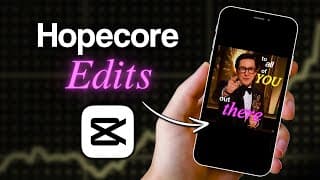
How to Edit Hopecore Videos on CapCut | Mac & PC
Learn how to edit Hopecore videos like Hound on CapCut on your Mac and PC to go viral on TikTok, Instagram Reels and YouTube Shorts. You will learn where to find the videos to use, the fonts used, how to add the rounded corner effect, how to add glowing text, how to add curved text, how to add text behind an object or a person, how to add animation to your text and how to add pop-ups. Download the videos used in this tutorial for FREE here: https://juniusong.gumroad.com/l/hopecore Music (download via a YouTube to MP3 converter or screen record) - Flawed Mangoes - Swimming https://www.youtube.com/watch?v=5k7ccAEaY0Q&ab_channel=FlawedMangoes - Flawed Mangoes - The Beginning https://www.youtube.com/watch?v=Yjbepc8pECI&ab_channel=FlawedMangoes-Topic - Flawed Mangoes - Birdsong https://www.youtube.com/watch?v=lxLgrPl9i9U&ab_channel=FlawedMangoes-Topic - Flawed Mangoes - Dramamine https://www.youtube.com/watch?v=UeSDvg5xsWI&ab_channel=FlawedMangoes - BAANDIT! - ruminiation https://www.youtube.com/watch?v=AXTWi6ADfxw&ab_channel=BAANDIT%21-Topic - Arcade Fire with Owen Pallett - Dimensions https://www.youtube.com/watch?v=pn-yzvKxiW0&ab_channel=ArcadeFireVEVO Speaker Clip (download via YouTube to MP4 converter or screen record) - Look for the clip by looking at the: - Caption of the Hopecore video - Description of the HopeCore video - Searching up what is said in the HopeCore video on YouTube B-Roll - Stock Footage: https://www.pexels.com/ - Movie Clips: https://getyarn.io/ - Athletes: YouTube videos Fonts Used - Coolvetica - Europa Grotesk Nr 2 SB Bo - Times New Roman PS Pro It Hex Code for various colours: - Pink (#ff5eff) - Maroon (#4d0000) - Teal (#00ffff) Instagram: https://www.instagram.com/juniusong RESOURCES: CapCut Pro (get 7 days of free Pro): https://capcutaffiliateprogram.pxf.io/aO1ZKR Screen Studio — how I record my screen and myself at the same time: https://screen.studio/?aff=JXwzD Audiio — what I use for music licensing (Use code SAVE70 to get 70% off your first year): https://audiio.com/partner?oid=1&affid=1563 Epidemic Sound — I will occasionally use this for music licensing: https://share.epidemicsound.com/v39nz6 My guide to time management & studying (as a medical student): https://theongway.com/b/sfZJC Timestamps: 0:00 Intro 0:51 Resources for your edit 2:28 The foundations of the edit 5:12 Add rounded corners 7:29 Add b-roll 9:57 Add captions 12:39 Add the glow effect to captions 13:41 Add text behind an object/person 14:30 Add curved text effect 15:38 Add pop-ups 17:06 Add text animations 17:48 Final edit PS — Some of the links in this description are affiliate links from which I get a small commission. This helps support the channel and allows me to continue to make videos like this. Appreciate the support!
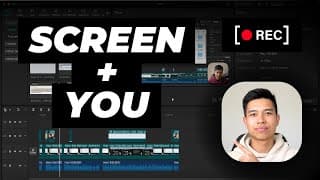
How I Record Myself and My Screen at the Same Time on Mac
How I use the Screen Studio software and CapCut (Mac & PC) to record myself and my screen at the same time on my Macbook. Get Screen Studio here: https://screen.studio/?aff=JXwzD You will learn how I use the Screen Studio software to film, how I use my camera (A7C ii) as my webcam and how I use CapCut to sync the video and audio. Instagram: https://www.instagram.com/juniusong RESOURCES: CapCut Pro (get 7 days of free Pro): https://capcutaffiliateprogram.pxf.io/aO1ZKR Screen Studio — how I record my screen and myself at the same time: https://screen.studio/?aff=JXwzD Audiio — what I use for music licensing (Use code SAVE70 to get 70% off your first year): https://audiio.com/partner?oid=1&affid=1563 Epidemic Sound — I will occasionally use this for music licensing: https://share.epidemicsound.com/v39nz6 My guide to time management & studying (as a medical student): https://theongway.com/b/sfZJC Timestamps: 0:00 Intro 0:28 Screen recording software 1:31 How I use my camera as a webcam 4:48 How I edit the screen recording PS — Some of the links in this description are affiliate links from which I get a small commission. This helps support the channel and allows me to continue to make videos like this. Appreciate the support!
How I Organise My SSD When I Edit on CapCut | Mac & PC
Learn how I "edit off" an external SSD and my organisation system when editing on CapCut on my Mac (this will work on PC too). Using an SSD helps reduce the amount of files that you need to have on your computer and allows you to use the storage space on your SSD to edit your videos. Instagram: https://www.instagram.com/juniusong RESOURCES: CapCut Pro (get 7 days of free Pro): https://capcutaffiliateprogram.pxf.io/aO1ZKR Screen Studio — how I record my screen and myself at the same time: https://screen.studio/?aff=JXwzD Audiio — what I use for music licensing (Use code SAVE70 to get 70% off your first year): https://audiio.com/partner?oid=1&affid=1563 Epidemic Sound — I will occasionally use this for music licensing: https://share.epidemicsound.com/v39nz6 My guide to time management & studying (as a medical student): https://theongway.com/b/sfZJC PS — Some of the links in this description are affiliate links from which I get a small commission. This helps support the channel and allows me to continue to make videos like this. Appreciate the support!
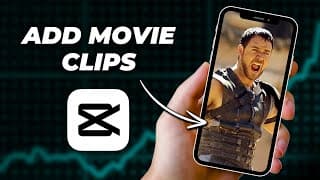
How to Add Movie Clips to Your Edit on CapCut | Mac & PC
Learn where to find and how to add movie clips (or TV show clips) to your video on CapCut PC & Mac. Whether you are making TikToks, Instagram Reels, YouTube Shorts, YouTube videos or Facebook Reels, this video will teach you how you can add movie clips to your video. The website where you can get movie clips: https://getyarn.io/ Resources to read up on copyright & fair use: https://youtu.be/VF2awnbXxro?si=9Ng8qrbdjzA2uF2g https://youtu.be/1PvjRIkwIl8?si=Owd_0ZmvWhhOdQwF https://youtu.be/6_WWRJ71Hqo?si=Op2M5ubR8llRkVBS Disclaimer: This video is for educational purposes only. Adding movie clips to your videos may infringe on copyright laws, and it is your responsibility to ensure that you have the necessary rights or permissions to use copyrighted material. Use this information at your own risk, and consider consulting a legal professional for advice if you're unsure. Instagram: https://www.instagram.com/juniusong RESOURCES: CapCut Pro (get 7 days of free Pro): https://capcutaffiliateprogram.pxf.io/aO1ZKR Screen Studio — how I record my screen and myself at the same time: https://screen.studio/?aff=JXwzD Audiio — what I use for music licensing (Use code SAVE70 to get 70% off your first year): https://audiio.com/partner?oid=1&affid=1563 Epidemic Sound — I will occasionally use this for music licensing: https://share.epidemicsound.com/v39nz6 My guide to time management & studying (as a medical student): https://theongway.com/b/sfZJC PS — Some of the links in this description are affiliate links from which I get a small commission. This helps support the channel and allows me to continue to make videos like this. Appreciate the support! Timestamps: 0:00 Intro 0:10 Are you allowed to add movie clips? 0:49 Where to find movie clips 2:18 Adding the movie clip to CapCut
How to Add a Voiceover from Voice Memos to CapCut | Mac & PC
Learn how to add a voiceover from the Voice Memos app on your iPhone to CapCut on your Mac & PC. After recording your voice recording on the Voice Memos app, the next step is to transfer that to your Mac or PC by either using AirDrop or Google Drive. Then, it's as simple as importing that clip to CapCut. Instagram: https://www.instagram.com/juniusong RESOURCES: CapCut Pro (get 7 days of free Pro): https://capcutaffiliateprogram.pxf.io/aO1ZKR Screen Studio — how I record my screen and myself at the same time: https://screen.studio/?aff=JXwzD Audiio — what I use for music licensing (Use code SAVE70 to get 70% off your first year): https://audiio.com/partner?oid=1&affid=1563 Epidemic Sound — I will occasionally use this for music licensing: https://share.epidemicsound.com/v39nz6 My guide to time management & studying (as a medical student): https://theongway.com/b/sfZJC PS — Some of the links in this description are affiliate links from which I get a small commission. This helps support the channel and allows me to continue to make videos like this. Appreciate the support!
Video Breakdown: How I Made a Video that Got Over 800K Views
Learn the psychology, techniques and content strategy that I used in this educational short-form piece of content that helped it get over 800,00 views across the different short-form platforms (TikTok, YouTube Shorts, Instagram Reels, Facebook Reels). I analyse and break down what a brand is (using Alex Hormozi's examples), how to imply competence, the three ways to grab attention (competence, curiosity & connection) and how I script short-form content. This video was edited on CapCut. Learn how I edit captions here: https://youtu.be/oZNgT9nhuwI Link to original video: https://www.tiktok.com/@raphael.sau/video/7310426701358566664?is_from_webapp=1&sender_device=pc&web_id=7371987476385089031 Instagram: https://www.instagram.com/juniusong
How to Copy and Paste Attributes on CapCut | Mac & PC
Learn how to apply the same effects to multiple clips by copying and pasting attributes on CapCut Mac & PC. In this video, I will show you how you can do this using this keyboard shortcut and how you can do this without the keyboard shortcut. Instagram: https://www.instagram.com/juniusong RESOURCES: CapCut Pro (get 7 days of free Pro): https://capcutaffiliateprogram.pxf.io/aO1ZKR Screen Studio — how I record my screen and myself at the same time: https://screen.studio/?aff=JXwzD Audiio — what I use for music licensing (Use code SAVE70 to get 70% off your first year): https://audiio.com/partner?oid=1&affid=1563 Epidemic Sound — I will occasionally use this for music licensing: https://share.epidemicsound.com/v39nz6 My guide to time management & studying (as a medical student): https://theongway.com/b/sfZJC PS — Some of the links in this description are affiliate links from which I get a small commission. This helps support the channel and allows me to continue to make videos like this. Appreciate the support!
How I Auto-Generate Captions on CapCut (my style) | Mac & PC
Learn how I auto-generate my captions on CapCut (Mac & PC) in my style. Font I used: Montserrat Black Settings I used: Stroke (40), Shadow (opacity 90%, blurriness 15%, distance 5, angle -45) Instagram: https://www.instagram.com/juniusong RESOURCES: CapCut Pro (get 7 days of free Pro): https://capcutaffiliateprogram.pxf.io/aO1ZKR Screen Studio — how I record my screen and myself at the same time: https://screen.studio/?aff=JXwzD Audiio — what I use for music licensing (Use code SAVE70 to get 70% off your first year): https://audiio.com/partner?oid=1&affid=1563 Epidemic Sound — I will occasionally use this for music licensing: https://share.epidemicsound.com/v39nz6 My guide to time management & studying (as a medical student): https://theongway.com/b/sfZJC PS — Some of the links in this description are affiliate links from which I get a small commission. This helps support the channel and allows me to continue to make videos like this. Appreciate the support!
How I Make Edits with Two Videos on One Screen | CapCut Mac & PC
Learn how to put two videos on one screen side by side on CapCut Mac & PC — to get the split screen effect. In this video, I will use a talking head-shot and a screen recording as my two clips (I essentially explain how I do something on my computer) to demonstrate how to do this. You will see how I import clips, change the aspect ratio so it's portrait (so I can use it for short-form), resize & adjust the clips, auto-generate captions and even reveal my caption settings. Instagram: https://www.instagram.com/juniusong RESOURCES: CapCut Pro (get 7 days of free Pro): https://capcutaffiliateprogram.pxf.io/aO1ZKR Screen Studio — how I record my screen and myself at the same time: https://screen.studio/?aff=JXwzD Audiio — what I use for music licensing (Use code SAVE70 to get 70% off your first year): https://audiio.com/partner?oid=1&affid=1563 Epidemic Sound — I will occasionally use this for music licensing: https://share.epidemicsound.com/v39nz6 My guide to time management & studying (as a medical student): https://theongway.com/b/sfZJC PS — Some of the links in this description are affiliate links from which I get a small commission. This helps support the channel and allows me to continue to make videos like this. Appreciate the support!
How to Change Aspect Ratio on CapCut | Mac & PC
If you want to change aspect ratio and resize your video on CapCut PC & Mac, it's very simple and you will learn how to do it in this video. Instagram: https://www.instagram.com/juniusong RESOURCES: CapCut Pro (get 7 days of free Pro): https://capcutaffiliateprogram.pxf.io/aO1ZKR Screen Studio — how I record my screen and myself at the same time: https://screen.studio/?aff=JXwzD Audiio — what I use for music licensing (Use code SAVE70 to get 70% off your first year): https://audiio.com/partner?oid=1&affid=1563 Epidemic Sound — I will occasionally use this for music licensing: https://share.epidemicsound.com/v39nz6 My guide to time management & studying (as a medical student): https://theongway.com/b/sfZJC PS — Some of the links in this description are affiliate links from which I get a small commission. This helps support the channel and allows me to continue to make videos like this. Appreciate the support!
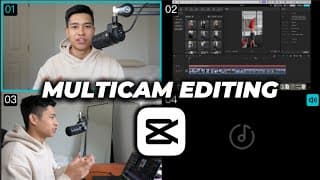
How to Edit Multi Cam Sequences Easily on CapCut | Mac & PC
Learn to sync multiple clips, switch between camera angles and edit multi-cam sequences easily using CapCut's multicam feature on Mac & PC. Learn how to edit your YouTube videos and podcasts FAST with this new feature which is currently free (unsure how long it'll be free for). Instagram: https://www.instagram.com/juniusong RESOURCES: CapCut Pro (get 7 days of free Pro): https://capcutaffiliateprogram.pxf.io/aO1ZKR Screen Studio — how I record my screen and myself at the same time: https://screen.studio/?aff=JXwzD Audiio — what I use for music licensing (Use code SAVE70 to get 70% off your first year): https://audiio.com/partner?oid=1&affid=1563 Epidemic Sound — I will occasionally use this for music licensing: https://share.epidemicsound.com/v39nz6 My guide to time management & studying (as a medical student): https://theongway.com/b/sfZJC PS — Some of the links in this description are affiliate links from which I get a small commission. This helps support the channel and allows me to continue to make videos like this. Appreciate the support!
How to Add Emojis on CapCut | Mac & PC
Here's how you can add emojis to your videos on CapCut on Mac & PC. You can use the emoji keyboard if you have a Mac and copy and paste the emoji you want to use from Google if you have a PC. You can find emojis on this website: https://emojipedia.org/ Instagram: https://www.instagram.com/juniusong RESOURCES: CapCut Pro (get 7 days of free Pro): https://capcutaffiliateprogram.pxf.io/aO1ZKR Screen Studio — how I record my screen and myself at the same time: https://screen.studio/?aff=JXwzD Audiio — what I use for music licensing (Use code SAVE70 to get 70% off your first year): https://audiio.com/partner?oid=1&affid=1563 Epidemic Sound — I will occasionally use this for music licensing: https://share.epidemicsound.com/v39nz6 My guide to time management & studying (as a medical student): https://theongway.com/b/sfZJC PS — Some of the links in this description are affiliate links from which I get a small commission. This helps support the channel and allows me to continue to make videos like this. Appreciate the support!
How to Use CapCut Templates on Mac & PC — Make Edits FAST
Learn how to use CapCut templates on your Mac & PC to make edits quickly. Whether you are making a gym edit, a motivational video or a Muay Thai edit (like I demonstrate in this video), this video is for you. Instagram: https://www.instagram.com/juniusong RESOURCES: CapCut Pro (get 7 days of free Pro): https://capcutaffiliateprogram.pxf.io/aO1ZKR Screen Studio — how I record my screen and myself at the same time: https://screen.studio/?aff=JXwzD Audiio — what I use for music licensing (Use code SAVE70 to get 70% off your first year): https://audiio.com/partner?oid=1&affid=1563 Epidemic Sound — I will occasionally use this for music licensing: https://share.epidemicsound.com/v39nz6 My guide to time management & studying (as a medical student): https://theongway.com/b/sfZJC PS — Some of the links in this description are affiliate links from which I get a small commission. This helps support the channel and allows me to continue to make videos like this. Appreciate the support! Timestamps: 0:00 How to use CapCut templates 3:12 Breaking down my edit 5:25 Final Result!
How to Auto Remove Silence on CapCut Pro | Mac & PC
Learn how to automatically remove silence, filler words and repeats in your video when editing on CapCut Pro — Mac & PC. Using the "remove filler word" function on CapCut Pro can save you a lot of time. However, I like to think of this feature as only useful as a 'first draft' as it is not perfect. Instagram: https://www.instagram.com/juniusong RESOURCES: CapCut Pro (get 7 days of free Pro): https://capcutaffiliateprogram.pxf.io/aO1ZKR Screen Studio — how I record my screen and myself at the same time: https://screen.studio/?aff=JXwzD Audiio — what I use for music licensing (Use code SAVE70 to get 70% off your first year): https://audiio.com/partner?oid=1&affid=1563 Epidemic Sound — I will occasionally use this for music licensing: https://share.epidemicsound.com/v39nz6 My guide to time management & studying (as a medical student): https://theongway.com/b/sfZJC PS — Some of the links in this description are affiliate links from which I get a small commission. This helps support the channel and allows me to continue to make videos like this. Appreciate the support!
How to Add a Timer on CapCut | Mac & PC
Add a timer or a stopwatch on CapCut Mac & PC. Whether you want a timer that counts up or counts down, this tutorial will teach you how to edit it into your YouTube, TikTok or Instagram video. FREE 10-minute timer: https://juniusong.gumroad.com/l/timer 1-minute timer on Pixabay: https://pixabay.com/videos/timer-clock-alarm-ticking-43613/ In this tutorial, you will learn how to remove the background from the timer, how to round the timer's corners and how to reverse a clip. Instagram: https://www.instagram.com/juniusong RESOURCES: CapCut Pro (get 7 days of free Pro): https://capcutaffiliateprogram.pxf.io/aO1ZKR Screen Studio — how I record my screen and myself at the same time: https://screen.studio/?aff=JXwzD Audiio — what I use for music licensing (Use code SAVE70 to get 70% off your first year): https://audiio.com/partner?oid=1&affid=1563 Epidemic Sound — I will occasionally use this for music licensing: https://share.epidemicsound.com/v39nz6 My guide to time management & studying (as a medical student): https://theongway.com/b/sfZJC PS — Some of the links in this description are affiliate links from which I get a small commission. This helps support the channel and allows me to continue to make videos like this. Appreciate the support!
The Only 3 Reasons Why People Consume Educational Content
If you want people to watch an educational piece of content, you need proof as a reason for them to watch. Proof comes in the form of results, effort or knowledge. I got the idea of proof of result & effort from Alex Hormozi, however, I added on proof of knowledge to complete this list. Follow me on Instagram: https://www.instagram.com/juniusong/
How I Quicky Make Flashcards in Medical School Using ChatGPT
As a medical student, I want to make flashcards (Anki or Notion toggle) as quickly as possible and ChatGPT has allowed me to make the process as quickly as possible. In this video, I will share how I make the process of memorising information for medical school efficient using AI.
Save Thousands of Dollars By Learning This Skill
Watch if you're in New Zealand as I've saved thousands of dollars over the years by learning how to cut hair.
Camera Gear & Tools I Use to Grow TikTok Accounts
What camera gear do you need? What free websites and resources can I use to grow on TikTok? What video editing software should I use for short-form content? Does gear matter? In this video, we'll cover these common questions. Organise your scripts with Notion (FREE TEMPLATE) https://juniusong.gumroad.com/l/organisescripts Use Google Sheets to analyse your TikTOks (FREE TEMPLATE) https://juniusong.gumroad.com/l/analysetiktoks FREE websites mentioned: Snaptik https://snaptik.app/en1 LinkTree https://linktr.ee/ Pexels https://www.pexels.com/ Script.tokaudit https://script.tokaudit.io/ ElevenLabs https://elevenlabs.io/ Webapp.tokbackup https://webapp.tokbackup.com/ Paid tools mentioned: Canva https://www.canva.com/ Envato Elements https://elements.envato.com/ Timestamps: 0:00 Intro 0:27 Be resourceful 1:13 My TikTok camera setups 3:38 My video editing setups 4:30 Does gear matter? 5:16 Free online tools 5:58 Paid content creation tools 9:28 Summary
5 Faceless Video Ideas to Grow on TikTok in 2024
Do you want to grow on TikTok without showing your face? Let me give you five faceless content ideas to grow your account in 2024. MoneyHub's TikTok (the latest videos are reposts): https://www.tiktok.com/@moneyhubnz Websites Referenced: https://www.pexels.com/ https://elevenlabs.io/ Timestamps: 0:00 Intro 0:22 5 Faceless TikTok ideas 2:55 The downsides of faceless content 3:43 The alternative to faceless content 4:31 Summary
How to Find Instrumental Background Music on TikTok
Here's how I find trending instrumental sounds on TikTok that I use as instrumental background music in my edits & videos. Instrumental sounds can enhance the video and improve the video's performance. You can use this method for Instagram Reels and YouTube Shorts as well. I try to locate the song in-app. However, if that can not be done, I play it on my computer and Shazam the song using my phone. 10 Free Sounds to Use: Paris (sinister & intense) https://vt.tiktok.com/ZS293gaUS/ Young Free and Single (chill & groovy) https://vt.tiktok.com/ZS29TNELh/ Swimming (reflective & slightly sad) https://vt.tiktok.com/ZS293g5pR/ Still Not a Player - Remix Instrumental (happy & chill) https://vt.tiktok.com/ZS29337JG/ The Fallen - Slowed (intense & epic) https://vt.tiktok.com/ZS293WB3m/ Goth (inspirational) https://vt.tiktok.com/ZS293svuu/ Feeling Blue (curious) https://vt.tiktok.com/ZS293nAEK/ I Can Do Anything/Finale (epic & discomfort) https://vt.tiktok.com/ZS293vBPp/ Sprinter - Instrumental (excited & chill) https://vt.tiktok.com/ZS2937PpF/ Experimemusic (triumph) https://vt.tiktok.com/ZS29TRKQB/
Why Celebrating Milestones on TikTok Strengthens Your Brand
Celebrating milestones on social media platforms like TikTok can strengthen and grow your brand. Summary: In this video, I’ll share why celebrating your TikTok milestones can strengthen your brand. Initially, I thought celebrating follower milestones was unnecessary—until I saw my dad’s video celebrating 7,000 followers, which got 7,000 views and an 18% engagement rate! This made me reconsider my beliefs. I’ll dive into two things: 1. Why celebrating milestones can help your brand grow. 2. What I’m doing now after learning from my dad’s success. Celebrating milestones makes your audience feel like they're part of your journey, just as fans feel connected to their favourite athletes. Your wins become their wins, inspiring them to reach their own goals.
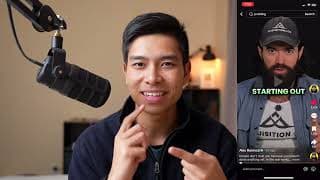
Alex Hormozi's Hook Retain Reward Model in Action
In this video, we analyse Alex Hormozi's use of his Hook Retain Reward model in his short-form content. We will react to and break down Alex Hormozi's use of his own framework on one of his TikToks on ways to make proofs more convincing. Hook - Stop the scroll and get attention. I like to use competence, curiosity or connection. Retain - Retain attention and use steps, lists or stories. Reward - Give the viewer a reward for watching all the way to the end. Link to where @AlexHormozi thoroughly explains this framework: https://www.acquisition.com/training/leads5 Learn how I script TikToks using this framework: https://youtu.be/Ghj1e82K8Gs

5 Minutes of Content Strategy with Examples (shorts compilation)
I break down the content strategy that Alex Hormozi, Donald Trump, Olympians and many others use to get more views in this compilation of short-form content. In this compilation of shorts/TikToks, I used some of my favourite movies, TV shows, entrepreneurs and current events as examples. The video covers the following topics: The power of trending topics, particularly using the Olympics as an example to gain more views. The concept of leverage in content creation, focusing on how entrepreneurs use money and attention. The rise of authentic content, as illustrated by Olympians posting on TikTok. The increasing standard and competition in content creation. The use of "proof or effort" rather than "proof of result" A breakdown of Alex Hormozi's content strategy, specifically his use of the proof, promise, and plan structure. The appeal of authenticity and fun in content, using Will Smith in "The Fresh Prince of Bel-Air" as an example. The educational value of entertaining content, referencing "The Fresh Prince of Bel-Air." Politicians using podcasts and streams, like Donald Trump on Adin Ross's stream, to gain attention and influence. The hook-retain-reward structure in short-form content. The effectiveness of showing, not telling, in content, especially for Olympic athletes demonstrating their achievements. The underdog story in "Rocky" and its impact on relatability in content. The allure of greatness, using Steph Curry's performance as an example of inspiring viewers. Steve Jobs' speech structure, emphasising the use of stories to maintain attention. People I used in this video as examples include: Noah Lyles Iman Gadzhi Alex Hormozi Luke Belmar Various Olympians Andrew Kirby Will Smith & The Fresh Prince of Bel Air Donald Trump Adin Ross A clip from ESPN Rocky Steph Curry Steve Jobs
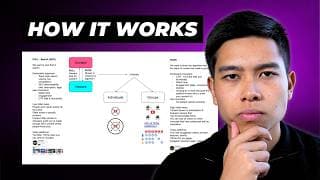
How the Algorithm Works on Social Media Platforms
Wondering how the algorithm works on social media platforms like YouTube, TikTok and Instagram? We'll simplify it so you can use this understanding to get as many views as possible. The Model We have our content, and we have people who watch our content. Our viewers can find our content through two main ways: The Pull Model: Viewers actively search for the content. The Push Model: The platform promotes the content to viewers. The Pull Model When viewers search for content, they are pulling it from the platform into their view. This method is all about optimizing for search (SEO). Here’s how you can optimize your videos for this model: - Topic Selection: Choose topics with high search volume and low competition. - Keywords: Use relevant keywords in your titles, descriptions, and tags. - SEO: Ensure your video content is well-optimized for search engines like YouTube and Google. Optimizing for the pull model typically means you'll solve specific problems for viewers, often through tutorial-style videos. These videos are usually direct and to the point, helping viewers quickly find solutions to their issues. The Push Model In this model, the platform pushes your content to viewers. This is common on platforms like TikTok and YouTube’s homepage recommendations. Here's how to optimize for the push model: - Click-Through Rate (CTR): Create compelling titles and thumbnails to increase CTR. - Watch Time: Encourage viewers to watch your video for as long as possible. - Engagement: Aim for high engagement through likes, comments, and shares. - Stick to a niche: Ensure the platform knows who to show your content to. - Upload Schedule: Maintain a consistent upload schedule. Content in this model is usually shown to your subscribers and frequent viewers first. If they engage well with the content, it gets pushed to a broader audience. Comparing the Models The Pull Model - Low Initial Views: It takes time for the platform to recognize and promote your content. - Specific Problem Solving: Often involves direct, tutorial-style videos. - Stranger Discovery: Content is often found by new viewers searching for specific solutions. The Push Model - High Initial Views: Content is shown to subscribers and frequent viewers first. - Personality Shines: Allows for more personality and creativity. - Algorithm-Driven: Content is pushed based on engagement metrics like CTR, watch time, and shares. Timestamps: 0:00 Intro 0:30 Overview of model 2:02 PULL - Search (SEO) 5:52 PUSH 12:41 Summary

Olympians Posting on TikTok: The Future of Content
Olympic athletes are posting about the 2024 Olympic Games in Paris on TikTok, which gives us insight into the future of content creation. The way that content is being produced is going to change and understanding where it's headed will help us position our brand in a way that will help us win. In this video, I make four predictions regarding content creation in the future. 1. Authenticity Firstly, the value of authentic content is going to increase. People connect with people and with the increase in AI and faceless channels, I predict that authentic content will be what people long for. We have been lied to many times and we are currently in a trust recession. Authentic content is what will combat this. 2. Content Creation has been normalised I remember only a few years ago when anyone making content was made fun of. As we see more and more role models start to post content, content creation has been normalised and is now part of our culture. 3. The Standard of Content is Going to Keep Increasing As more and more people post content, the bar required to maintain attention is going to keep increasing with it. If you plan to start content creation, NOW IS THE TIME. It's just going to get harder and harder the longer you wait. START NOW. 4. More People will be able to pursue their craft Timestamps: 0:00 Intro 0:27 Authenticity 1:40 Content has been normalised 2:12 The standard is going to go up 3:38 Content will allow more people to pursue their craft 5:02 Summary Instagram 📸 https://www.instagram.com/juniusong/
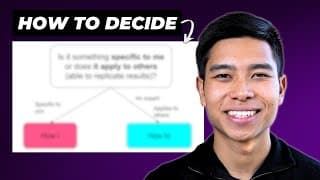
When to Use "How I" vs "How to" in Your YouTube Title
If you want to use How I or How to in your YouTube video title, this video will go over a couple of rules regarding using each one for educational content. Choosing the right title for your video can affect whether or not people actually click on your video and watch it. This in turn will affect overall performance. In summary, use "How I" when the result or process is specific to you and use "How to" when the dream result applies to the viewer which often means it can be replicated. Instagram 📸 https://www.instagram.com/juniusong/
6 TikTok Strategies that I Now Use on YouTube
Do you want to learn cheeky TikTok content strategies to help you grow your YouTube channel? In this video, I share six lessons I've learned from growing TikTok accounts for personal brands, startups & businesses that get 100,000s of views. Get the flow chart for FREE here: https://juniusong.gumroad.com/l/tiktoktoyoutube The six strategies are: 1. Using familiarity When I post on TikTok, I often utilise the image of something familiar in the hook or through the video as examples. This is like introducing a mutual friend that we both know. This helps build the connection between us and the viewer. 2. Using the word "you" in the hook I noticed that hooks with "you" or some variation of the word you (e.g. "you're") often increase the video's performance. I believe that this has something to do with building a relationship with the viewer and makes the information about the viewer as opposed to the creator. 3. "Showing proof" (as opposed to "telling proof") I try to show proof when I can. This can be subcommunicating competence, showing a screenshot or wearing a singlet to show off the gains. Showing proof makes the proof harder to refute and adds to the brand. 4. Consistency We saw the most growth on @MoneyHubNZ's TikTok when we were posting once a day. You can't expect to go to the gym for one week then take a week off AND expect to put on muscle. It's the same for content. 5. Focusing on the right topics over production quality With educational content, the right topics matter. I found that when the market is hungry for content about a certain topic like boxing or personal finance, it does well. 6. The call to action (CTA) has to be in alignment with the viewer's self-interest When I was trying to optimise for followers on TikTok, I always tried to make the CTA in alignment with the viewer's self-interest. This has been what I have been doing on YouTube. Timestamps: 0:00 Intro 0:23 Using familiarity 2:15 The word "you" 3:32 Show proof (don't just tell) 6:05 Consistency 6:38 Topic over production quality 9:22 Make the CTA in alignment with the viewer's self-interest Instagram 📸 https://www.instagram.com/juniusong/
How to Title YouTube Videos like Ali Abdaal - 26 Ways
I studied how Ali Abdaal titles his most popular YouTube videos and have identified 26 ways that Ali does it. Whether you're an Ali fanboy, an entrepreneur, a content creator or have a business, this list will give you content ideas and help you title your YouTube videos. I sat at my desk, analysed Ali Abdaal's YouTube videos, and categorised them into 26 ways. We break up the 26 ideas into six broad categories. We also cover how long Ali's titles are. To @aliabdaal if he ever sees this - you're a huge inspiration. Thank you x Get the flow chart for FREE: https://juniusong.gumroad.com/l/titlelikeali Timestamps: 0:00 Intro 0:16 How long are his titles 0:28 "How to" & "How I" videos 3:19 Lists 4:12 Explaining an idea 5:18 Other educational videos 6:35 Videos documenting himself & others 9:02 Other video titles Instagram 📸 https://www.instagram.com/juniusong/
I Posted 34 YouTube Videos in 20 Days (Strategy & Results)
Here's how I posted 34 YouTube videos in 20 days and the results I got. I didn't quite get to one video a day as I took a couple days off. This strategy got my channel promising growth from around 800 views a day to 1,100 views a day on average. Watch to learn how my strategies allowed me to stay consistent and how much money I made in this period. In terms of coming up with video ideas, I used the YouTube search bar (to optimise for SEO and give me free ideas). I also did sprints for each topic which allowed me to see a nearer end date. I focused on value over production quality and I used Google Drawings, Screen Studio and Final Cut Pro X to make these tutorials. A false assumption I made was that people interested in editing tutorials would also be interested in high level strategy AND YouTube strategy AND TikTok strategy, however, I don't believe that the overlay is too great which is why I am going to double down on the content that I enjoy making the most - content strategy. Thanks for supporting me on the journey so far! Timestamps: 0:00 Intro 0:12 Strategy 2:43 Results 3:49 Lessons Instagram 📸 https://www.instagram.com/juniusong/
How to Title Your Video like an Entrepreneur - 25 Ways
Learn about the 25 ways that entrepreneurs title their YouTube videos. Whether you're an entrepreneur, content creator or have a business, this list will give you content ideas and help you title your YouTube videos. I sat at my desk and analysed how Alex Hormozi, Ali Abdaal, Gary Vee, Iman Gadzhi and many more entrepreneurs titled their videos and put them into 25 ideas. We break up the 25 ideas into six broad categories. We also cover the ideal length for a title in the entrepreneurship niche. Download the flow chart for FREE: https://juniusong.gumroad.com/l/titleyourvideos Timestamps 0:00 Intro 0:49 What's a good length 1:19 "How to" videos 3:51 Lists 5:05 Explaining an idea 7:01 Other educational titles 8:10 Documenting 10:44 Motivation Instagram 📸 https://www.instagram.com/juniusong/

The Alternative to Sticking to a Niche for Content Creation
Can't or don't want to pick a niche for content creation? Do this instead. Using a target avatar allows you to make content on a variety of topics that still allows you to grow your brand. Whether you're trying to grow a YouTube channel, a TikTok account or an Instagram page, utilising the target avatar is a great alternative to sticking strictly to a niche. In this video, we use content creators/entrepreneurs Alex Hormozi and Ali Abdaal as examples of creators that utilse the target avatar technique. Get the flow chart for FREE: https://juniusong.gumroad.com/l/targetavatar Timestamps: 0:00 Intro 0:22 Niche vs target avatar 1:56 Using creators as examples 3:33 How Ali & Alex started off 4:32 Insights and takeaways Instagram 📸 https://www.instagram.com/juniusong/
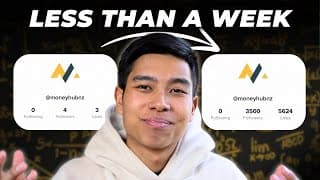
How I got a Startup 3.5k TikTok Followers in Under a Week
The social media content strategy for entrepreneurs. Grow your personal brand or business. I used short form content and I managed to grow a startup's TikTok from 0 to 3.5k followers in less than a week. By implementing these techniques, you'll grow your following on whatever platform you choose in no time. Note to viewer: When I checked out some of the followers that followed the TikTok, I was unsure if they were real humans. It is not something we can control and we definitely did not pay for followers. We eventually grew it to 34k followers and I am sure that an overwhelming majority of the followers were real humans as some of my real-life friends found the TikTok and referred to me as "the MoneyHub guy". However, using these strategies, I have managed to replicate similar results such as growing @gatekeeperboxing to 9.8k followers with 12 videos and @raphael.sau to 4k followers with 15 videos. Get this flow chart for FREE: https://juniusong.gumroad.com/l/tiktokcontentstrategy Timestamps: 0:00 Intro 0:17 High level strategy 6:26 Unfair advantage 7:26 TikTok strategy Instagram 📸 https://www.instagram.com/juniusong/
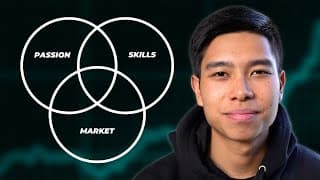
How to Choose a Niche for Content Creation: 10 Questions to Ask Yourself
If you want to start content creation and pick a niche for your YouTube channel, TikTok account or Instagram page, here are ten questions to ask yourself. Choosing a niche is important as content creation requires us to be consistent. Making content in a niche that is at the intersection between our passion, what we're good at and what the market needs is what will bring you success long term. The 10 questions: Passion 1. What do people know you for always talking about? 2. What do you feel drawn to express to this world? 3. What are you obsessed about? 4. Who do you want to serve? 5. What do you personally want to develop in? 6. What content has most benefited your life? Competence 7. What type of content do you already consume? 8. What major problem have you solved in your life? 9. What do people ask you to help with? 10. What is something you have an unfair advantage in? Get the flow chart from this video for FREE: https://juniusong.gumroad.com/l/pickaniche Timestamps: 0:00 Intro 0:32 Passion 5:59 Competence 9:07 How to stand out from your competition Instagram 📸 https://www.instagram.com/juniusong/
How to STAND OUT on YouTube: First, Best or Different
If you want your content to STAND OUT from your competitors on YouTube, here is the framework that I use as a smaller creator. Be the first, the best or at least different. In this video, I will walk you through my framework for deciding whether you should choose to pursue a pre-existing market and if so how you can position yourself to be the best or different. If you choose to pursue a new market, I will show you how you can position yourself to be the first. The goal is to stand out and position ourselves in a way that is different to the competition. So if you're a creator trying to grow on YouTube, consider using this flow chart to aid your growth. The flow chart used in this video for FREE: https://juniusong.gumroad.com/l/standoutonyoutube 0:00 Intro 0:24 Best 1:16 Different 7:14 First 4:58 On the micro level (each video) Instagram 📸 https://www.instagram.com/juniusong/
3 Stages of a Value Content Creator
The value creator model (popularised by Dan Koe) is often described as a one-person business model that allows you to earn with your mind and not your mind. In this video, I break down the three stages of value content creation and how we can make educational content at each stage without being a fake guru or an imposter. The three stages are: 1. Reporter 2. Teacher 3. Mentor We break down how @AlexHormozi & @aliabdaal have both utilised this to grow their brand. Get the flow chart used in this video for FREE: https://juniusong.gumroad.com/l/valuecontentcreation Timestamps: 0:00 Intro 0:20 The three stages 2:51 Content to make at each stage 3:44 Real-life examples 6:00 Actionable takeaways Instagram 📸 https://www.instagram.com/juniusong/
3 Ways Content Compounds Over Time as We Post More Videos
How posting more videos to your YouTube channel, Instagram or TikTok will result in compounding growth over time. In this video, we explore how posting more content increases views over time in three ways: Increased exposure, more material and increased credibility. Hopefully, this video inspires you to keep going. We will also dive deeper into the idea of the plateau of latent potential in the book Atomic Habits by James Clear. The plateau of latent potential reflects a discrepancy between our expectations and the actual outcomes we observe. We often expect the growth of our channel to be linear, however, in actuality, the results compound over time so we can be putting in a lot of work without seeing much signs of success. Timestamps: 0:00 Intro 0:26 1. Exposure 1:17 2. Material 1:59 3. Credibility 2:49 Using actual numbers to illustrate 4:35 Key takeaway Instagram 📸 https://www.instagram.com/juniusong/
How to Add Yellow Vintage Subtitles on CapCut | Mac & PC
If you want to add autogenerated yellow vintage subtitles to your videos for free using CapCut on your Mac or PC, here is how you can do it easily with a few clicks. The font used is Arial (we make it italicised) and we add an outline and a drop shadow. For those who don't know, CapCut is a free video editing software that allows you to automatically add captions with a few clicks. Hex code used: #f3f378 Instagram: https://www.instagram.com/juniusong RESOURCES: CapCut Pro (get 7 days of free Pro): https://capcutaffiliateprogram.pxf.io/aO1ZKR Screen Studio — how I record my screen and myself at the same time: https://screen.studio/?aff=JXwzD Audiio — what I use for music licensing (Use code SAVE70 to get 70% off your first year): https://audiio.com/partner?oid=1&affid=1563 Epidemic Sound — I will occasionally use this for music licensing: https://share.epidemicsound.com/v39nz6 My guide to time management & studying (as a medical student): https://theongway.com/b/sfZJC PS — Some of the links in this description are affiliate links from which I get a small commission. This helps support the channel and allows me to continue to make videos like this. Appreciate the support!
22 Things I Wish I Knew Before Growing TikTok Accounts
In this video, we'll cover everything I wish I knew before I started to grow my TikTok account and TikTok accounts of brands & businesses. So whether you're a beginner trying to utilise the power of TikTok or a seasoned content creator wanting a different perspective, I'm sure you get some insights from watching this video. We'll categorise these 22 lessons into three main groups: 1. The TikTok Platform 2. TikTok Strategy 3. Technical Things FREE PDF from this video: https://juniusong.gumroad.com/l/tiktokgrowth Websites mentioned in this video: https://snaptik.app/en1 https://webapp.tokbackup.com/ Timestamps: 0:00 Intro 0:55 1. The TikTok platform 5:36 2. TikTok strategy 18:04 3. The Technical aspect Instagram 📸 https://www.instagram.com/juniusong/
How to Add Pop Ups to Your Video in CapCut | Mac & PC (Instagram & YouTube Logo)
You will learn how to add pop-ups to your video in CapCut on your Mac and PC. We will add the Instagram and YouTube logos and an animated social button (subscribe). We all also add the appropriate sound effects so that it pops just a little bit more. First, we will find the right logo. Often this is as easy as a quick Google search. Then we will remove the background using the website remove.bg. Lastly, we will be adding these social media icons to CapCut and matching it with the appropriate sound effect (based on what transition we use). Remove.bg https://www.remove.bg/ Instagram: https://www.instagram.com/juniusong RESOURCES: CapCut Pro (get 7 days of free Pro): https://capcutaffiliateprogram.pxf.io/aO1ZKR Screen Studio — how I record my screen and myself at the same time: https://screen.studio/?aff=JXwzD Audiio — what I use for music licensing (Use code SAVE70 to get 70% off your first year): https://audiio.com/partner?oid=1&affid=1563 Epidemic Sound — I will occasionally use this for music licensing: https://share.epidemicsound.com/v39nz6 My guide to time management & studying (as a medical student): https://theongway.com/b/sfZJC PS — Some of the links in this description are affiliate links from which I get a small commission. This helps support the channel and allows me to continue to make videos like this. Appreciate the support!
How to Change Video Background in CapCut | Mac & PC (Remove or Add Backgrounds)
If you want to add or remove the background of your video in CapCut on your Mac & PC, here is how to do it. Simply duplicate the video on your timeline, go under 'Video', then 'Remove BG' before selecting 'Auto removal'. I often add a transition to go along with the background change. You can add any background you like but I chose to add one from stock materials which can be found in CapCut. Instagram: https://www.instagram.com/juniusong RESOURCES: CapCut Pro (get 7 days of free Pro): https://capcutaffiliateprogram.pxf.io/aO1ZKR Screen Studio — how I record my screen and myself at the same time: https://screen.studio/?aff=JXwzD Audiio — what I use for music licensing (Use code SAVE70 to get 70% off your first year): https://audiio.com/partner?oid=1&affid=1563 Epidemic Sound — I will occasionally use this for music licensing: https://share.epidemicsound.com/v39nz6 My guide to time management & studying (as a medical student): https://theongway.com/b/sfZJC PS — Some of the links in this description are affiliate links from which I get a small commission. This helps support the channel and allows me to continue to make videos like this. Appreciate the support!
How to Add New Fonts to CapCut | Mac
If you want to add new custom fonts to CapCut on your Mac so you can customise your text and make things more on-brand, here is how you can download, install and add new fonts to CapCut very quickly. Just be aware of is usage rights and copyright :) Websites where you can get fonts: Google Fonts https://fonts.google.com/ DaFont.com https://www.dafont.com/ Font used in the video: Crimson Text https://fonts.google.com/specimen/Crimson+Text Instagram: https://www.instagram.com/juniusong RESOURCES: CapCut Pro (get 7 days of free Pro): https://capcutaffiliateprogram.pxf.io/aO1ZKR Screen Studio — how I record my screen and myself at the same time: https://screen.studio/?aff=JXwzD Audiio — what I use for music licensing (Use code SAVE70 to get 70% off your first year): https://audiio.com/partner?oid=1&affid=1563 Epidemic Sound — I will occasionally use this for music licensing: https://share.epidemicsound.com/v39nz6 My guide to time management & studying (as a medical student): https://theongway.com/b/sfZJC PS — Some of the links in this description are affiliate links from which I get a small commission. This helps support the channel and allows me to continue to make videos like this. Appreciate the support!
My Final Cut Pro Export Settings for YouTube
If you want the best export settings for your video in Final Cut Pro X if you intend to upload it to YouTube, here are the settings that YouTube recommends. The website: https://support.google.com/youtube/answer/1722171?hl=en#zippy= Note: technically it was on a Google support website but Google is the parent company of YouTube. Link to Think Media's video: https://youtu.be/Qufkxmwn31M?si=JYTj85-ui2BjKJ7W Instagram 📸 https://www.instagram.com/juniusong/

The Best Export Settings for CapCut on Your Mac & PC for Uploading to YouTube
If you want to export your video in CapCut on your Mac & PC and upload it to YouTube, here are the settings that YouTube recommends. The website: https://support.google.com/youtube/answer/1722171?hl=en#zippy= Note: technically it was on a Google support website but Google is the parent company of YouTube. Instagram: https://www.instagram.com/juniusong RESOURCES: CapCut Pro (get 7 days of free Pro): https://capcutaffiliateprogram.pxf.io/aO1ZKR Screen Studio — how I record my screen and myself at the same time: https://screen.studio/?aff=JXwzD Audiio — what I use for music licensing (Use code SAVE70 to get 70% off your first year): https://audiio.com/partner?oid=1&affid=1563 Epidemic Sound — I will occasionally use this for music licensing: https://share.epidemicsound.com/v39nz6 My guide to time management & studying (as a medical student): https://theongway.com/b/sfZJC PS — Some of the links in this description are affiliate links from which I get a small commission. This helps support the channel and allows me to continue to make videos like this. Appreciate the support!

How to Add a Light Leak Transition with Sound Effect (no overlay) | CapCut Mac & PC
In this video, you will learn how to add a light leak transition with a fire sound effect (literally) on CapCut on your Mac & PC without even requiring an overlay! Simply head over to transitions and choose a Glare transition (I like Glare II). To add a sound effect, choose fire and I add a fade in, a fade out, a voice changer (mic hog to 75% strength) and decrease its volume. Instagram: https://www.instagram.com/juniusong RESOURCES: CapCut Pro (get 7 days of free Pro): https://capcutaffiliateprogram.pxf.io/aO1ZKR Screen Studio — how I record my screen and myself at the same time: https://screen.studio/?aff=JXwzD Audiio — what I use for music licensing (Use code SAVE70 to get 70% off your first year): https://audiio.com/partner?oid=1&affid=1563 Epidemic Sound — I will occasionally use this for music licensing: https://share.epidemicsound.com/v39nz6 My guide to time management & studying (as a medical student): https://theongway.com/b/sfZJC PS — Some of the links in this description are affiliate links from which I get a small commission. This helps support the channel and allows me to continue to make videos like this. Appreciate the support!

4 Different Overlay Transitions to Add to Your Video on CapCut | Mac & PC
4 commonly used overlay transitions (light leak, film, slow shutter & glitch) that you can use in your video in CapCut on your Mac & PC.
4 Overlay Transitions to Add to Your Video for Free | CapCut Mac & PC
In this video, we'll go over four commonly used overlay transitions (light leak, film, slow shutter & glitch) that you can use in your video in CapCut on your Mac & PC. We'll go over the four overlay transitions, where to find them for FREE and how to add them to your video. The four different types of overlay transitions covered in this video (and where to find them) 1. Light Leak Transition https://cinepacks.store/products/free-lens-fx-sample-pack 2. Film Transition https://mixkit.co/free-stock-video/vintage-film-roll-effect-with-countdown-4421/ https://theresolve.store/store/BurnX-2-Free-Film-Burn-p433097717 3. Slow Shutter Transition https://www.instagram.com/reel/C8XzlTOuH36/?hl=en 4. Glitch Transition https://pixabay.com/videos/glitch-transition-effect-overlay-169178/ Instagram: https://www.instagram.com/juniusong RESOURCES: CapCut Pro (get 7 days of free Pro): https://capcutaffiliateprogram.pxf.io/aO1ZKR Screen Studio — how I record my screen and myself at the same time: https://screen.studio/?aff=JXwzD Audiio — what I use for music licensing (Use code SAVE70 to get 70% off your first year): https://audiio.com/partner?oid=1&affid=1563 Epidemic Sound — I will occasionally use this for music licensing: https://share.epidemicsound.com/v39nz6 My guide to time management & studying (as a medical student): https://theongway.com/b/sfZJC PS — Some of the links in this description are affiliate links from which I get a small commission. This helps support the channel and allows me to continue to make videos like this. Appreciate the support!
4 Different Overlay Transitions to Add to Your Video on Final Cut Pro
4 commonly used overlay transitions (light leak, film, slow shutter & glitch) that you can use in your video in Final Cut Pro X.
4 Overlay Transitions to Add to Your Video for Free | Final Cut Pro
In this video, we'll go over four commonly used overlay transitions (light leak, film, slow shutter & glitch) that you can use in your video in Final Cut Pro X. We'll go over the four overlay transitions, where to find them for FREE and how to add them to your video. The four different types of overlay transitions covered in this video (and where to find them) 1. Light Leak Transition https://cinepacks.store/products/free-lens-fx-sample-pack 2. Film Transition https://mixkit.co/free-stock-video/vintage-film-roll-effect-with-countdown-4421/ https://theresolve.store/store/BurnX-2-Free-Film-Burn-p433097717 3. Slow Shutter Transition https://www.instagram.com/reel/C8XzlTOuH36/?hl=en 4. Glitch Transition https://pixabay.com/videos/glitch-transition-effect-overlay-169178/ Instagram 📸 https://www.instagram.com/juniusong/

How to Make Viral Round Corners in CapCut | Mac & PC
Whether you call this effect the round corner effect, the side curve, rounded edge or curved border, in this video we will learn how to edit videos like this in CapCut on your Mac & PC. Currently, it's quite popular and trending on short-form content platforms such as TikTok and Instagram Reels. It is frequently used in the hopecore niche. Check out my video on how to edit hopecore videos here: https://youtu.be/8m6Gdt3INhw Learn how to do this effect on CapCut for FREE! Instagram: https://www.instagram.com/juniusong RESOURCES: CapCut Pro (get 7 days of free Pro): https://capcutaffiliateprogram.pxf.io/aO1ZKR Screen Studio — how I record my screen and myself at the same time: https://screen.studio/?aff=JXwzD Audiio — what I use for music licensing (Use code SAVE70 to get 70% off your first year): https://audiio.com/partner?oid=1&affid=1563 Epidemic Sound — I will occasionally use this for music licensing: https://share.epidemicsound.com/v39nz6 My guide to time management & studying (as a medical student): https://theongway.com/b/sfZJC PS — Some of the links in this description are affiliate links from which I get a small commission. This helps support the channel and allows me to continue to make videos like this. Appreciate the support!
How to Make Your Cuts Smooth When Editing Talking Head Videos | CapCut Mac & PC
When editing out the silence of a talking-head shot in CapCut on your Mac & PC, this video will help you make your cuts smooth and seamless when editing out the silence and pauses. The tip: When editing out the pauses in talking head-shots, it's often good to make the clip you're cutting to start talking as soon as the cut happens. Hopefully, this helps you make your cuts seamless. Instagram: https://www.instagram.com/juniusong RESOURCES: CapCut Pro (get 7 days of free Pro): https://capcutaffiliateprogram.pxf.io/aO1ZKR Screen Studio — how I record my screen and myself at the same time: https://screen.studio/?aff=JXwzD Audiio — what I use for music licensing (Use code SAVE70 to get 70% off your first year): https://audiio.com/partner?oid=1&affid=1563 Epidemic Sound — I will occasionally use this for music licensing: https://share.epidemicsound.com/v39nz6 My guide to time management & studying (as a medical student): https://theongway.com/b/sfZJC PS — Some of the links in this description are affiliate links from which I get a small commission. This helps support the channel and allows me to continue to make videos like this. Appreciate the support!
How to Change the Frame Rate of Your Project in CapCut | Mac & PC
If you filmed your content at a different frame rate than what is set to default on CapCut on your Mac & PC, you may want to change the frame rate of your project. This process is very simple and only takes a few clicks to sort out. Instagram: https://www.instagram.com/juniusong RESOURCES: CapCut Pro (get 7 days of free Pro): https://capcutaffiliateprogram.pxf.io/aO1ZKR Screen Studio — how I record my screen and myself at the same time: https://screen.studio/?aff=JXwzD Audiio — what I use for music licensing (Use code SAVE70 to get 70% off your first year): https://audiio.com/partner?oid=1&affid=1563 Epidemic Sound — I will occasionally use this for music licensing: https://share.epidemicsound.com/v39nz6 My guide to time management & studying (as a medical student): https://theongway.com/b/sfZJC PS — Some of the links in this description are affiliate links from which I get a small commission. This helps support the channel and allows me to continue to make videos like this. Appreciate the support!
How to Automatically Sync Video & Audio on CapCut | Mac & PC
Now CapCut has a new feature that allows you to automatically sync video and audio together. Simply highlight the audio and the video together and then select "Sync video and audio". It just takes a few clicks and you'll have your audio and video synced together in no time. In this video, I’ll show you how to automatically sync video and audio in CapCut on both Mac and PC. Learn to create a new project, import your video and audio files, and drag them onto the timeline for seamless editing. Discover how to sync your clips effortlessly and adjust audio levels for the perfect sound. I'll also demonstrate creating a compound clip and adding three different styles of popups to elevate your video content. My name is Junius, and I’m here to help you make and strategize engaging educational content. Don’t forget to check out my playlists for more tips on video editing! Instagram: https://www.instagram.com/juniusong RESOURCES: CapCut Pro (get 7 days of free Pro): https://capcutaffiliateprogram.pxf.io/aO1ZKR Screen Studio — how I record my screen and myself at the same time: https://screen.studio/?aff=JXwzD Audiio — what I use for music licensing (Use code SAVE70 to get 70% off your first year): https://audiio.com/partner?oid=1&affid=1563 Epidemic Sound — I will occasionally use this for music licensing: https://share.epidemicsound.com/v39nz6 My guide to time management & studying (as a medical student): https://theongway.com/b/sfZJC PS — Some of the links in this description are affiliate links from which I get a small commission. This helps support the channel and allows me to continue to make videos like this. Appreciate the support!
How to Edit Your First YouTube Video on Final Cut Pro (for beginners)
If you're a video editing beginner but want to learn how to make your first YouTube video using Final Cut Pro X, this is the tutorial for you. We'll be going through a lot of the basics when it comes to editing on Final Cut Pro so whether you're a seasoned editor wanting a refresher or if this is your first time editing a video, we got you covered. Timestamps: 0:00 Intro (what we'll be making) 0:37 Organise your files 2:14 Setting up Final Cut Pro 5:17 Getting clips onto the timeline 6:11 Syncing video and audio 7:24 Removing mistakes 10:07 Adding b-roll 11:20 Adding pop-ups 13:15 Adding a basic title 15:45 Adding music 17:15 Adding a fade out to black 18:15 Adjusting audio levels 19:05 Export settings 20:04 Final product Instagram 📸 https://www.instagram.com/juniusong/
How I Organise My SSD, Libraries, Events & Projects when Editing Videos in Final Cut Pro
You will learn how I organise the filing system inside my SSD and how I organise libraries, events and projects when I edit videos within Final Cut Pro X. What the template folder in my SSD looks like - Final Output - Videos - A-roll - B-roll - Music & Sound Effects There is a lot of information out there about how to organise your Final Cut Pro workflow and this was the video I would have benefitted greatly from watching a while back. Timestamps: 0:00 What's covered in this video 1:04 Why an SSD & my filing system 2:59 How I use the template folder 4:01 Creating a new library 5:05 FCPX organisation system 10:28 Transferring to HDD Instagram 📸 https://www.instagram.com/juniusong/
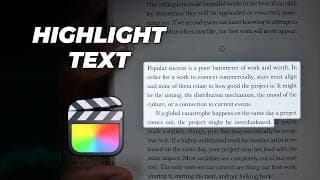
How to Highlight Text Using the Spotlight Effect in Final Cut Pro (no plugins)
If you want to create emphasis or highlight a paragraph of text in Final Cut Pro X, here is how you can use the spotlight effect with no plugins. Simply use the draw mask effect on the custom generator and draw a mask, adjust the points, add feathering and reduce the opacity! "Tune Out the Noise" https://youtu.be/BXUPOqGs2dE Instagram 📸 https://www.instagram.com/juniusong/

3 Popular Free Fonts to Use For Captions in Your Video
If you're looking for the best cinematic fonts to use for captions/subtitles in your edits (TikTok, YouTube, Instagram), consider using one of these three free (for commercial use even) fonts. If you scan the fonts that creators use, many of them will often use one of these. Consider adding a glow, a drop shadow or an outline to separate your captions from other creators. So whether you're creating content for TikTok, Instagram or YouTube, consider checking out these three fonts. The three fonts are: 1. Montserrat (I use Montserrat black italicised) 2. Arial (make it yellow and you get the classic subtitle look) 3. The bold font (classic Alex Hormozi font) Learn how to add captions to your video using CapCut: https://youtu.be/fQZFBqsa9aY Learn how to caption like Alex Hormozi: CapCut - https://youtu.be/V7RpLCNRGFE Final Cut Pro - https://youtu.be/qLKD3Jt5bT8 Instagram 📸 https://www.instagram.com/juniusong/
How to Add New Fonts to Final Cut Pro
If you want to add new fonts to Final Cut Pro so you can customise your text and make things more on-brand, here is how you can download, install and add new fonts to Final Cut Pro very quickly. Just be aware of is usage rights and copyright :) Websites where you can get fonts: Google Fonts https://fonts.google.com/ DaFont.com https://www.dafont.com/ Font used in the video: Bona Nova SC https://fonts.google.com/specimen/Bona+Nova+SC Instagram 📸 https://www.instagram.com/juniusong/
How to Add Pop Ups to Your Video in Final Cut Pro with Sound Effects (no plugins)
Here's how you can add pop-ups to your edit in Final Cut Pro. We will learn how to do different pop-up styles: 1. the basic pop-up, 2. the pop-up with a slide transition, and 3. a pop-up with a Gaussian blur. We will also learn about two built-in sound effects within FCPX that enhance your pop-ups. Sound effects used: Swish 2 Cartoon accent 17 Transition used: Slide Inspirations for this video: Ali Abdaal's SkillShare course on editing on Final Cut Pro Dylan John's YouTube tutorial https://youtu.be/2QDRcw3ODtE?si=eDnnmUnOi_PREc8m Timestamps: 0:00 Intro 0:021 1. Basic pop up 2:52 2. Pop up with slide 5:25 3. Pop up with blurred background Instagram 📸 https://www.instagram.com/juniusong/
How to Extend or Shorten ANY Song to Fit Your Video Perfectly Using Adobe Audition
Here's how I extend or shorten music to perfectly fit my video. I use Adobe Audition and it is a very quick and easy process. It sounds so satisfying when the last note plays at the same time as when I say the last word. In this tutorial, we'll be shortening the song used in the intro (from Epidemic Sound) using the Remix feature in Adobe Audition. We'll be adding the new song to our project in Final Cut Pro X and we will make the necessary adjustments so it fits perfectly. Instagram 📸 https://www.instagram.com/juniusong/

How to Make Viral Round Corners in Final Cut Pro X
Whether you call this effect the round corner effect, the side curve, rounded edge or curved border, in this video we will learn how to edit videos like this in Final Cut Pro X. Currently it's quite popular and trending on short-form content platforms such as TikTok and Instagram Reels. It is frequently used in the hopecore niche. Learn how to do this effect on Final Cut Pro! Inspired by: Dylan Bates • The Final Cut Bro https://www.youtube.com/@TheFinalCutBro Instagram 📸 https://www.instagram.com/juniusong/
How to Make Your Cuts Smooth When Editing Talking Head Videos | Final Cut Pro
When editing out the silence of a talking-head shot in Final Cut Pro X, this video will help you make your cuts smooth and seamless when editing out the silence and pauses. The tip: When editing out the pauses in talking-head shots, it's often good to make the clip you're cutting to start talking as soon as the cut happens. Hopefully, this helps you make your cuts seamless. Instagram 📸 https://www.instagram.com/juniusong/
How to Make Thumbnails with Text Behind an Object Using Canva for Free
In this tutorial, you will learn how to make YouTube Thumbnails with text behind an object or a subject (like yourself) using the free version of Canva. Instagram 📸 https://www.instagram.com/juniusong/
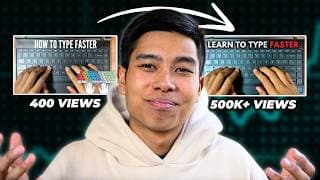
I Changed My Old Thumbnail and it got 100,000% More Views
I decided to change the thumbnail of one of my old underperforming YouTube videos a few weeks after posting it and it eventually exploded and gained significantly more views. In this video, I share the story of how changing the thumbnail of an underperforming video led to a staggering increase in views—from 300-400 to over 500,000. This 100,000% boost highlights the power of effective thumbnails. I will walk you through the journey, explaining why I almost deleted the video, the specific changes I made to the thumbnail, and why these changes worked. Additionally, I will dive into the importance of video retention metrics, with my video's average view duration exceeding 50% and 68% of viewers still engaged at the 30-second mark. You'll also see the comparison between the old and new thumbnails, showcasing the impactful differences in colour, font, and layout. Finally, I share three key takeaways from this experience: the significance of small enhancements, the value of repackaging old content, and the critical role of topic relevance over production quality. This video offers practical insights and tips for boosting your own YouTube content’s performance. The Maths: % increase = (change/original) x 100 % increase = (500,000/400) x 100 % increase = 125,000% Note: if I remember correctly, I changed the thumbnail when it had around 300-400 views and currently it has 519,000+ views. Figures used in calculations have been rounded for simplicity Quick note: The thumbnail you see in this video is different to the one you'll see now. I have changed it a few more times because I wanted my thumbnails to be more congruent. The one you see in this video has been reconstructed based on my memory. However, I am confident that it is at least 90% the same as the one I changed it to. Timestamps: 0:00 Intro 0:30 The story 2:48 Spot the difference 4:10 Key takeaways Instagram 📸 https://www.instagram.com/juniusong/
How I Make YouTube Thumbnails Using Canva for Free
If you want to learn how to make YouTube thumbnails using the free version of Canva, it's simple. In this video, you will learn how I make three different types of thumbnails. 1. Face + context 2. The Evidence 3. Cinematic (in this case with the text partially behind my face) By the end of this video, you'll have the skills to design stunning YouTube thumbnails that grab attention and drive more views to your channel. Whether you're a beginner making thumbnails for the first time or looking to refine your thumbnail design skills, this tutorial will provide you with the skills to up your CTR game. If you want to learn more about thumbnails, check out this video where I analysed thumbnails in depth: https://youtu.be/Gy6s1XaaOR4 Timestamps: 0:00 Intro 0:20 1. Face + Context 11:13 2. The Evidence 15:17 3. Cinematic 18:41 Free template? Instagram 📸 https://www.instagram.com/juniusong/
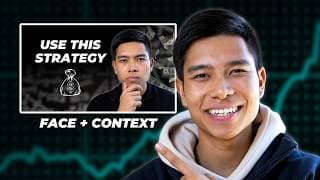
3 Main Types of Youtube Thumbnails that Perform Well
Want to make better YouTube thumbnails to improve your click-through rate (CTR) and grow your YouTube channel? In this video, I share my analysis of the three main styles of YouTube thumbnails that have performed well for me and are popular amongst other YouTubers. In this video, we uncover the three primary styles of YouTube thumbnails: 1. Face + context 2. The evidence 3. Cinematic After analyzing numerous thumbnails, I've identified these three styles to help optimise your YouTube thumbnails for maximum impact. In this video, we walk through each style learning about the right time to use each one and what elements to include. We start with the face plus context style, which is the bread and butter of most YouTube thumbnails. We learn about showing emotion, positioning elements to avoid obstruction and keeping text minimal. Next, we explore the evidence style, which showcases proof of accomplishment or a trailer of what to expect in the video, often used in educational and tutorial content. Finally, we delve into the cinematic style, typically used for high-quality, film-like content, and how it can be combined with other styles for a compelling thumbnail. Towards the end of the video, we will analyse random thumbnails on my YouTube homepage to reinforce the concepts discussed. We also provide a tutorial on creating these thumbnails using Canva, demonstrating the practical application of these techniques. The football thumbnail is from Numerical. Timestamps: 0:00 Intro 0:36 1. Face + context 3:15 2. The evidence 6:37 3. Cinematic 9:20 Analysing thumbnails on my homepage 11:04 How I make my thumbnails using Canva Instagram 📸 https://www.instagram.com/juniusong/

The Heart to Keep Going When You Don’t Have Results
When we don't see the results we want to see, do we keep going, double down, pivot or give up? If you're a content creator, you know the feeling of putting your heart and soul into a project, only to see it get minimal views or engagement. It's frustrating and can make you question your skills and direction. In this video, we explore the concept of the "plateau of latent potential" as described by James Clear in his book 'Atomic Habits.' Clear explains that during the early and middle stages of any pursuit, we often experience a "valley of disappointment" where our progress seems slow and discouraging. We expect linear progress, but true growth compounds over time, leading to exponential results. The gap between our expectations and actual results can make us feel like our hard work is wasted. However, Clear reminds us that this work is being stored and will show its true value later. This concept helped us understand that persistence is key, and we decided to complete our series of 10 videos, trusting that the effort we put in will pay off in the future. "People give up right before the get what what they've always wanted to get. People quit and they give up." - Michael B. Jordan "You can't connect the dots looking forward; you can only connect them looking backwards. So you have to trust that the dots will somehow connect in your future. You have to trust in something — your gut, destiny, life, karma, whatever. Because, believing that the dots will connect down the road will give you the confidence to follow your heart; even when it leads you off the well-worn path.” - Steve Jobs Instagram 📸 https://www.instagram.com/juniusong/
Tune Out the Noise: Let the Work Be Authentic to You
As artists, we have to learn to tune out the noise and let our craft be authentic to us. When we start sharing our work with friends, family or an online audience, people will tell us their opinions and it can be hard to decipher whether the voice in our head is really ours. In this video, draw ideas from Rick Rubin, a co-founder of Def Jam Recordings. In his book The Creative Act: A Way of Being, he explores the idea of tuning out undermining voices. Whether you're a YouTuber, a musician, an athlete or a painter, learning to tune out the noise may benefit your art and allow it to be more of a true expression of yourself. “If You Have an Idea that You Genuinely Think is Good, Don't Let Some Idiot Talk You Out of It.” - Stan Lee Instagram 📸 https://www.instagram.com/juniusong/

Change Your Identity, Change Your Life | Reinvent Yourself
If you want to reinvent yourself and change your life, the first step may be changing your identity. In the book Atomic Habits by James Clear, he describes how most people go about making change in the wrong way. The way to make long-lasting change is to first change our identity. This results in us doing the actions that align with that identity and the results naturally follow. In this video, we’ll break down Clear’s model for behaviour change. There are three levels at which we can implement change: outcomes, processes, and, most importantly, identity. We learn how adopting an identity-based approach can naturally lead to our desired results. We'll also discuss how athletes, entrepreneurs, and practitioners of the law of attraction use similar techniques to achieve their goals. Whether you're trying to grow your YouTube channel, develop yourself personally, or any other goal, understanding the power of identity change can help you stay motivated and on track. Instagram 📸 https://www.instagram.com/juniusong/

Feeling Lost? Remember Why You Started
If you're feeling lost on your journey, it can be useful to remember why you started in the first place. When we pursue a goal it's very easy for metrics such as views, likes or money to steer us off course and divert our focus from our originally pure intent for starting. It can be useful to go back to the reason why we started our pursuit in the first place in order to recalibrate our compass. For me, I chased views and validation. Over time, this led me off my original path and I made the content that I thought would get me views as opposed to the content I deeply wanted to make. Although it got me views, it did not lead me to acquire what I deeply wanted and I just got a lot of followers that followed me because I talked about a popular topic. Since we don't really know the effects of our actions, we might as well be true to ourselves as that is something no one can take away from us. As Steve Jobs said: "Your time is limited, so don’t waste it living someone else’s life. Don’t be trapped by dogma – which is living with the results of other people’s thinking. Don’t let the noise of others’ opinions drown out your own inner voice. And most important, have the courage to follow your heart and intuition." Instagram 📸 https://www.instagram.com/juniusong

It's Time to Go ALL IN
Now is the time to go all in. This may just be your sign. "Les Brown, a motivational speaker, made an analogy about this. Imagine you’re on your deathbed—and standing around your bed are the ghosts representing your unfilled potential. The ghosts of the ideas you never acted on. The ghosts of the talents you didn’t use and they’re standing around your bed. Angry. Disappointed. Upset. “We came to you because you could have brought us to life,” they say. “And now we go to the grave together.” So I ask you today: How many ghosts are going to be around your bed when your time comes?" - Denzel Washington at the University of Pennsylvania in 2011 Instagram 📸 https://www.instagram.com/juniusong/

The Art of Being Prepared Before the Opportunity Arrives
Success or "luck" is when opportunity meets preparation. A lot of time, we wait for a sign before we give ourselves permission to fully pursue what we want to pursue. If we haven't got the results we want, perhaps its a reflection that we are not ready to receive the thing we desire and perhaps a sign that we require more preparation. “There's nothing worse than not being ready oh my God so you know what I'm gonna do? I’ma do the work and make sure I'm ready let me go take these acting classes before I even got an acting role. I’m sitting a damn acting class I'm spending a little bit of money I got doing one-on-one sessions because I wasn't comfortable being in the class I had to get the space of comfort I don't have any roles I didn't have any auditions yet I'm doing the work so that when I get there I don't have to go backwards." - Kevin Hart on an interview with Jay Shetty Instagram 📸 https://www.instagram.com/juniusong/
How Zuko Found His Destiny | Avatar: The Last Airbender
In Avatar: The Last Airbender, we saw Zuko, prince of the Fire Nation, finding his destiny. He went from thinking he had to capture the Avatar to restore his honour to realising his pursuit for the Avatar was nothing more than an attempt to “earn” the love and acceptance of his father. After understanding that nothing external can give him honour, he ends up helping the avatar take down his father to restore balance to the four nations. This video will break down four strategies we saw Zuko implement that eventually allowed him to find his destiny. 1. Chasing Father's Love - The reason why Zuko was so obsessed with chasing the avatar was because he craved his father’s love and approval. This pursuit was fuelled by the belief that external achievements could erase his feelings of guilt, shame and anger. However, once he finally got his father’s admiration, he realised that nothing external can restore his honour and is something you earn for yourself. This led him to help the avatar take down his father instead which allowed Aang to restore balance to the four nations. A lot of the time, the real reason behind our motives is the want to feel loved by one of our caregivers. However, perhaps the approval we long for is best given by ourselves. 2. Mentorship - Throughout his journey, Zuko had access to Uncle Iroh. Uncle Iron encouraged Zuko to question his own destiny and do good. Although Zuko resented Iroh at times, Zuko learned to deeply appreciate him. Often, anger towards a piece of advice is a sign that we can not accept a certain truth in the piece of advice given and investigating that anger may lead to a deeper understanding of ourselves. When we are lost, it is often useful to seek advice and guidance from mentors who have gone through something similar. This mentorship helped Zuko to gradually let go of his need for external validation and to start embracing his true self. 3. Ancestral Legacy: - Zuko discovered that his internal conflict was deeply rooted in his ancestry, with one great-grandfather being the ambitious Fire Lord Sozin who started the war and the other was the peace-seeking Avatar Roku who tried to stop him. This revelation was a turning point for Zuko, as it helped him understand the source of his lifelong inner turmoil. Zuko realised that this duality had always been a part of him, contributing to his confusion and the turmoil he felt about his identity and destiny. Understanding this ancestral conflict helped Zuko see why he had always felt torn between two paths. It wasn't just about the external pressures of his father's demands and Uncle Iroh’s advice; it was also about reconciling these two opposing legacies within himself regarding events that had occurred generations before he was born. Understanding this ancestral struggle allowed Zuko to see his own actions and choices in a new light, providing him with the clarity to forge his own path and reconcile these conflicting parts of his identity. 4. A Different Source - When Zuko joined Team Avatar, his Firebending abilities became significantly less powerful. He learned that it was because his Firebending had always been ruled by shame, guilt and anger. When he made the switch to Team Avatar, he needed to find a new source of Firebending. He travelled with Aang to the ancient Sun Warrior civilisation. With the help of the Sun Warriors and the dragons, he learned that Firebending's true essence was about energy and life. This profound lesson allowed Zuko to tap into a more sustainable source of power, transforming his Firebending abilities and aligning him with his true destiny. This new understanding symbolised his growth and the shift from seeking external validation to embracing inner peace and self-acceptance. Timestamps: 0:00 Background 1:20 Part One: Chasing Father's Love 9:24 Part Two: Mentorship 14:39 Part Three: Ancestral Legacy 17:48 Part Four: A Different Source 21:52 Summary Instagram 📸 https://www.instagram.com/juniusong/
The Courage to Start
Finding the courage to start something new is not always easy. There's often a voice inside of us pointing out every reason to avoid it. However, avoiding the thing can just lead to us lingering in the realm of potential but never materialising what we could be. The footage you see is of me training Muay Thai in Thailand early this year where I was pretty much a beginner (something else I had to find the courage to start). "You're always afraid to take that first step because all you see is every negative thing ten miles down the road... You can do anything you want. You are bound by nothing. What are you passionate about? What do you want?" - Robin Williams playing Sean in Good Will Hunting Instagram 📸 https://www.instagram.com/juniusong/

Everything is Beautiful Because Nothing Lasts Forever
Recently, a lot of us have been going through something. It may be a breakup, losing a loved one or getting fired. At the time, it may feel like the dispair will last forever. Navigating change may be difficult but perhaps the reason why the human experience is so beautiful is because nothing lasts forever. "The gods envy us. They envy us because we're mortal, because any moment may be our last. Everything is more beautiful because we're doomed." - Brad Pitt playing Achilles in the movie Troy Instagram 📸 https://www.instagram.com/juniusong/

Unbecoming Everything That Isn't Me
The journey of unbecoming. Perhaps instead of pursuing things that society has told us to pursue, maybe the first step is to let go of the ideas and programs that others have put into our heads. This includes society's conditioning, the conditioning of our parents and the human conditioning. Perhaps that's the first step to living a life that's truly authentic to us. "Maybe the journey isn’t so much about becoming anything. Maybe it’s unbecoming everything that isn’t you so you can be who you were meant to be in the first place." - Paul Coelho Instagram 📸 https://www.instagram.com/juniusong/

Trying to Figure it All Out
In our 20s there is immense pressure to figure it all out. What makes it harder is the constant pressure of marketing telling us we need to buy their product to feel fulfilled and happy. It isn’t easy to discern between our true desires and somebody else’s desires pawned off as our own. "Is it your own destiny, or is it a destiny someone else has tried to force on you?" - Uncle Iroh Instagram 📸 https://www.instagram.com/juniusong/
How I Helped My Dad Grow His Maths YouTube Channel
My dad is a high school teacher and he has now grown his maths YouTube channel @mrongmathslessons to the point where he has more subscribers than me. In this video, we will be breaking down six strategies that we have implemented that have allowed his channel to grow. My dad's YouTube channel and TikTok https://www.youtube.com/@mrongmathslessons https://www.tiktok.com/@mrongmathslessons Timestamps: 0:00 Intro 0:25 1. Made videos about a niche topic 2:14 2. Made the process easy 3:05 3. Organised it into playlists 3:32 4. Promoted my dad's channel on TikTok 4:00 5. Makes TikToks to promote his YouTube 4:34 6. Asks his students to watch his videos 5:02 Summary Instagram 📸 https://www.instagram.com/juniusong/
How I Got My Dad 400+ YouTube Subscribers with JUST ONE TikTok
In this video, I explain how I got my dad over 400 YouTube subscribers by posting just one TikTok video. I believe the main reason why this video concerted so well was because (1) it filled a gap in the market and (2) the script. In this video, I break down the psychology of the script. Some of the techniques I used include using the word "you" (or some variation of it), using a good visual and verbal hook, using background music, frequently changing up the shot, using captions, leveraging social proof, giving people a reason to click, walking through the call to action and giving the audience a reward for sticking to the end. My dad has a YouTube channel called Mr Ong Maths Lessons (@mrongmathslessons) where he teaches maths. Here is the link to his YouTube channel: https://www.youtube.com/@mrongmathslessons/featured Learn how I script my TikTok videos https://youtu.be/Ghj1e82K8Gs 0:00 Results 0:32 Why I think the TikTok converted 1:03 Breakdown of the hook 4:14 Breakdown of the body 5:09 Breakdown of the call to action 6:11 If you want a deeper guide on scripting Instagram 📸 https://www.instagram.com/juniusong/
How YouTube Changed My Life (with only a few thousand subscribers)
In this video, I explore how YouTube has changed my life - even though I only have a few thousand subscribers on my channel. Many of you are on the fence about starting a YouTube channel and in this video, I share some of the benefits I have received as someone who is slightly more introverted. Timestamps: 0:00 Intro 0:27 1. Not caring so much about others' opinions 1:33 2. Skills I have learned along the way 1:50 3. Opportunities these skills have given me 3:24 4. Being able to help others 4:04 5. Getting to know other creators 4:31 Summary Instagram 📸 https://www.instagram.com/juniusong/
How to Talk to a Camera: Awkward to Confident
In this video, you will learn how to talk to a camera and go from awkward to confident on YouTube. I share four tips/principles that I have utilised that have helped me improve my on-camera voice significantly. The four tips I share in this video are: 1. The vibe I try to have on camera. I try to imagine myself in a boardroom with friends. This allows me to feel comfortable yet prevents me from speaking too informally. 2. The voice I try to have. I try to speak with what Christopher Voss describes as the Late Night FM DJ voice which is soothing, calm and downwards inflecting. 3. I try to improve how clearly I speak. I did this by (1) Recording myself and then trying to correct myself, (2) Repeating phrases from speakers that I wanted to sound like and (3) hiring someone to critique my accent and suggest improvements. 4. Being authentic. People can sniff when you're disingenuous so being as authentic as possible also helps when you're on camera. The person I hired on Fiverr: https://go.fiverr.com/visit/?bta=986111&brand=fp&landingPage=https%253A%252F%252Fwww.fiverr.com%252Faccentfirst%252Fevaluate-your-accent-and-pronunciation-in-english-and-give-you-helpful-feedback%253Fcontext_referrer%253Dtag_page%2526source%253DTagPage%2526ref_ctx_id%253Db55dcbfe9adf4b9eb5a21cb4c5859e11%2526pckg_id%253D1%2526pos%253D2%2526imp_id%253D00f5b448-74de-4a73-af9d-0cb3ea1da7c8 This description contains affiliate links. If you use these links to buy something I may earn a commission. Thanks! Timestamps: 0:00 Intro 1:11 1. The vibe 2:06 2. The voice 2:40 3. How I speak more clearly 3:58 4. Authencity 4:38 Summary Instagram 📸 https://www.instagram.com/juniusong/

How I Improved How I Speak - Speak Clearly
If you want to improve your voice and speak more clearly, I will share with you three techniques that I used that helped me. First impressions are often based on how you look and how you sound so ensuring that your voice is clear will assist you with your first impressions. I went from someone who mumbled to someone who occasionally gets compliments regarding my voice. In summary, the three things that helped me was: 1. Recording myself and then trying to correct myself. I did this for content creation and preparing for my MMI medical school interviews. This was a long process of many iterations over several years. 2. Repeating phrases from speakers that I wanted to sound like. Tim Ferriss and Jason Capital were two speakers that I tried to emulate. 3. I hired someone to critique my accent and suggest improvements. The person I hired on Fiverr: https://go.fiverr.com/visit/?bta=986111&brand=fp&landingPage=https%253A%252F%252Fwww.fiverr.com%252Faccentfirst%252Fevaluate-your-accent-and-pronunciation-in-english-and-give-you-helpful-feedback%253Fcontext_referrer%253Dtag_page%2526source%253DTagPage%2526ref_ctx_id%253Db55dcbfe9adf4b9eb5a21cb4c5859e11%2526pckg_id%253D1%2526pos%253D2%2526imp_id%253D00f5b448-74de-4a73-af9d-0cb3ea1da7c8 This description contains affiliate links. If you use these links to buy something I may earn a commission. Thanks! Timestamps: 0:00 Intro 1:09 1. Record yourself 2:55 2. Copy your favourite speakers 3:39 3. Hire someone to analyse your accent 5:08 Summary Instagram 📸 https://www.instagram.com/juniusong/

I Stayed at a Monastery in Rural Thailand
I stayed a few nights at Luang Poh Sudhiro's monastery (Wat Makut Vimuttigiri) located in rural Thailand (Khon Kaen province in Isaan). Luang Poh Sudhiro was previously in the Thai military and decided to let go of that life when he was 22 and became a monk instead. He had many stories including living in a cave for eight years and fighting Muay Thai. It was a great experience and talking to Luang Poh Sudhiro brought me a lot of clarity. He welcomes anyone to live in the dhamma at his monastery and I have linked his contact details down below if you would like to experience rural Thailand. Luang Poh Sudhiro's contact details & website: https://www.facebook.com/Rightview http://www.rightview.org/ Timestamps: 0:00 Intro 0:45 How I ended up here 1:58 Day in the life 5:08 What I wish I knew beforehand 7:07 Message from Luang Poh Sudhiro Instagram 📸 https://www.instagram.com/juniusong/
I Went on an 8 Day Meditation Retreat - Here’s What I Learned
I went to Bodhinyanarama Buddhist Monastery's 8 day silent mindfulness retreat and in this video, I share what the experience was like and what I learned. This is an Ajahn Chah Thai forest tradition monastery located in Lower Hutt, Wellington, New Zealand. Overall, it was a very fruitful experience with many lessons learned and greater clarity obtained. The clips that you see in this video were either filmed after the retreat or during my previous visit to the monastery a couple years ago. The monastery's website: https://bodhinyanarama.net.nz/ Timestamps: 0:00 Intro 0:20 Expectations & structure 2:20 Things I have noticed in myself 4:55 Lessons from the monks 10:01 Personal insights Instagram 📸 https://www.instagram.com/juniusong/
The ONLY Five Apps I Use For Medical School
Medical school is content-heavy, and I use these five apps to help me memorise all the content. This list contains four apps that help me with memorisation and productivity while the last one on the list (Essential Anatomy 5) is specific to medical school and helps me learn anatomy. Timestamps: 0:00 Introduction 0:23 Forest 1:29 Anki 2:27 Notion 3:47 Notability 4:38 Essential Anatomy 5 Instagram 📸 https://www.instagram.com/juniusong/

How I Made Enough Money to Take a Year Out of Medicine and Travel
I have decided to take a year out of medical school and in this video, I share exactly how I have saved up enough money to travel a little bit. Medical school is no joke and I've always tried my best to find ways to earn money on the side. In this video, I share the service-based business model that allowed me to save a few thousand dollars, travel to Thailand and train Muay Thai. I have to acknowledge that I have certain unfair advantages such as my first year being free in New Zealand, interest-free student loans and being fortunate to receive ang pao from my relatives. I am also grateful to my younger self for working hard in high school to receive a scholarship. Timestamps: 0:00 Introduction 0:31 My unfair advantages 1:00 The service-based business 1:40 Tip #1: Start out for free 2:26 Tip #2: Work for rich people 3:21 Tip #3: When the service is good, you’ll get referrals 3:34 Tip #4: Make content about your work 4:22 My free tutorials on content creation 4:56 The apps I use for content creation 5:19 The problems with this business model 6:08 Why I prefer making content for myself 6:47 How to make money with content creation 7:12 Reinvest it into what made me money 7:55 Apps that I use for business 8:08 How I save money and time Instagram 📸 https://www.instagram.com/juniusong/
What I Wish I Knew Before Training Muay Thai in Thailand
If you want to train Muay Thai in Thailand but are unsure what to expect, I share exactly what I wish I knew before coming here to train here as a beginner. Overall, Muay Thai training is brutal but I wouldn't have it any other way. Timestamps: 0:00 Intro 1:18 Training is brutal 1:53 Train consistently for the trainers to take an interest 2:47 Each gym has its own vibe 3:34 I prefer smaller gyms 4:03 Group vs private classes 4:36 What a group class looks like 5:50 Staying at the gym vs nearby 6:55 What to pack & sort out beforehand Instagram 📸 https://www.instagram.com/juniusong/
The Basics of Boxing - Watch Before Joining a Gym
Here's what you need to know before stepping into a boxing gym. In this video, you will learn the basics of boxing with Raphael Sa'u, a professional boxer and boxing trainer at Snapback Boxing based in Palmerston North, New Zealand. We will learn the basic guard, correct footwork and basic punches. Follow Raphael Sa'u on YouTube & Instagram @HSFHighPerformance https://www.instagram.com/hsf_high_performance/?hl=en https://www.tiktok.com/@raphael.sau?lang=en https://www.facebook.com/hardcorestrngthandfitness https://www.youtube.com/@HSFHighPerformance Timestamps 0:00 Intro 0:45 Footwork + guard 1:17 The different punches 1:43 1. Jab 2:11 2. Cross 2:46 3. Lead hook 3:33 4. Rear hook 4:05 5. Lead uppercut 4:44 6. Rear uppercut 5:18 Summary of each punch with combos 6:38 How to move in boxing Instagram 📸 https://www.instagram.com/juniusong/

How Much It Costs to Have a Muay Thai Holiday in Thailand
If you're thinking about going to Thailand to train Muay Thai for a period of time but are unsure about the costs, I will reveal to you how much it will cost you in this video. The price will depend largely on how much you want to spend as your lifestyle will significantly affect the final price. I have made this video easy for you to know the price by categorising the prices into three different budgets each with three different lengths of stay (two weeks, one month and two months). I have also included the prices in both baht and USD. Instagram 📸 https://www.instagram.com/juniusong/ Timestamps: 0:00 How I've organised the budgets 0:28 Summary of the costs 0:46 Cost of flights 1:12 Training costs 2:12 Accommodation costs 3:15 Food costs 3:26 Phone bill 4:07 Massage/ice baths/sauna 4:18 Transport costs 4:31 Other costs 5:05 Travel insurance 5:16 Tight budget 6:23 My budget 6:57 Comfortable budget 7:32 Concluding remarks

POV You're Watching a Muay Thai Fight Night in Thailand
Here's a snippet of what it's like watching a Muay Thai fight night in Thailand. This fight night was hosted by Sinbi Muay Thai in Phuket. In this video, you'll see the highlights of three different fights. The average price of a Muay Thai fight for foreigners in Thailand is 1,500 baht. If you train at a gym and buy tickets there, you can often go as a group if someone from the gym is fighting. Instagram 📸 https://www.instagram.com/juniusong/
Living at a Muay Thai Gym vs Living Nearby - A Beginner's Perspective
If you're considering training Muay Thai in Thailand, you may be wondering if you should stay at the onsite accommodation. This video gives you my perspective as a Muay Thai beginner. Please note that this was my experience living for 6 days at Lamai Muay Thai at Koh Samui. It may be the case that other gyms are far away enough that you don't hear the sounds of kicks 😅 Timestamps: 0:00 Intro 0:23 My opinion 1:04 You'll hear Muay Thai sounds 2:20 People that may benefit 3:12 The benefits of living at the gym 3:44 Summary Instagram 📸 https://www.instagram.com/juniusong/

POV you’re exploring Thailand on the back of a Grab scooter
What It's Like Training on Fitness Street | Phuket, Thailand
If you want to train Muay Thai, CrossFit or just hit the gym to get in the best shape of your life, consider heading to Phuket Thailand to try out Fitness Street (Soi Ta-iad, Chalong). It's sometimes referred to as the best street in the world! It's such a great environment to get in shape with places to eat that make eating healthy easy. In this video, I cover what my experience has been like over the past couple of weeks, how much it costs and what to expect. The gym I train at: https://muaythairattachai.com/ The place I stay: http://www.sixpackcottage.com/ Timestamps: 0:00 Intro 0:27 The conducive environment 1:02 Travelling solo 1:27 Demographic of people 1:41 Cost of accommodation 2:46 Cost of transport 4:00 Should you bring gear? 4:33 Cost of food + food poisoning? 5:31 Visa 6:06 Muay Thai gyms I've tried 7:14 Is it safe? 7:33 Spend with cash or card? 8:07 How hot is it? 8:57 Cross-body bags 9:15 The language barrier 9:57 Summary Instagram 📸 https://www.instagram.com/juniusong/

POV you’re training Muay Thai on Fitness Street at Rattachai
POV you’re a beginner training Muay Thai in Thailand
A little snapshot into what it’s like training at Rattachai Muay Thai Gym in Phuket, Thailand as a beginner!

The Reality of Training Muay Thai in Thailand as a Beginner
If you want to learn Muay Thai in Thailand and you're only a beginner, here is my experience training at Rattachai Gym in Phuket on Fitness Street. A lot of the trainers are very experienced and private sessions allowed me to really improve my technique and I have made significant progress only after a week of training. Rattachai Muay Thai Gym https://muaythairattachai.com/ Instagram 📸 https://www.instagram.com/juniusong/ Timestamps: 0:00 Intro and technique 2:31 Interview with trainer 3:33 More technique work 4:02 Padwork

I Chased Scholarships in High School - Was It Worth It?
Short answer: it was but not in the way you'd think. “Do The Impossible And You'll Never Doubt Yourself Ever Again” - Andrew Tate Instagram 📸 https://www.instagram.com/juniusong/
How to Get Your First 1,000 Followers on TikTok
In this video, I will share the TAR (test, analyse, replicate) framework that I use to grow TikTok accounts. I have now grown nine different TikTok accounts to over 1,000 followers and I am sure that if you follow these techniques, you can get similar if not better results. Get the PDF that I used in this video HERE - Currently FREE! https://juniusong.gumroad.com/l/1k How I Script TikTok videos YouTube video & PDF https://youtu.be/Ghj1e82K8Gs https://juniusong.gumroad.com/l/script Analyse your content with tokbackup https://webapp.tokbackup.com/ Instagram 📸 https://www.instagram.com/juniusong/ Timestamps: 0:00 Intro and case studies 0:33 1. Test 2:03 2. Analyse 3:19 3. Replicate 4:22 HOOK Retain Reward 5:20 Summary
What is the Blue Ocean Strategy and How to Use it for Content Creation
The Blue Ocean Strategy does not exclusively apply to business. In this interview with Rishi Sund, I explained how we can take an aspect of another niche, apply it to our own content and create our own niche. Full interview https://youtu.be/N7IqR9VZxcg?si=JZP2lHBIHw0HXPYg Instagram 📸 https://www.instagram.com/juniusong/

How I Overcome the Fear of Posting
If you want to make content but have the fear of what people might think, I totally get that. Here are three mindset shifts that I use that help me overcome that fear. Instagram 📸 https://www.instagram.com/juniusong/ Timestamps: 0:00 Intro 0:42 Remembering our mortality 4:00 People don't care 5:30 If this is the price I have to pay... 6:37 Genuine concerns 7:53 The process of letting go 11:00 Summary
Why I Stopped Making Content for Other People
I've stopped making content for other people (for now at least). Book I referenced: The Creative Act: A Way of Being by Rick Rubin Instagram 📸 https://www.instagram.com/juniusong/ Timestamps: 0:00 Intro and case studies 1:15 Means to an end 2:48 No Reciprocity 5:24 Never really my work 6:18 Diluting my attention 7:22 Actionable takeaways
How I Balance Med School, Gym & Content Creation
Balancing everything can be difficult. I get it. Here are just some of the techniques and mindsets I have adopted that have allowed me to get through 5 years of medical school while balancing work, gym and content creation on the side. Instagram 📸 https://www.instagram.com/juniusong/ Timestamps: 0:00 Intro and what I balance 1:44 Sprints and rest 5:05 Connections and resources 6:57 Consuming the right content 9:03 Save time and money 12:27 "Sacrifices"
How to Get More Clients Using Short Form Content
Use this short-form content strategy to get more clients. Using educational short-form content, we have managed to help Raphael Sa'u (@HSFHighPerformance) who is a boxing coach, personal trainer, professional boxer and lecturer at UCOL gain 5 new clients. We spent one hour filming content and we made 14 videos from it. At the time of recording this video, we posted 10 of those videos on TikTok, Instagram Reels, YouTube shorts and Facebook. In this video, we will learn two different frameworks. Test. Analyse. Replicate. How to Get Your First 1,000 Followers using short form content Test - I use a mix of iterating on what has worked well for other people in the same niche and testing our own ideas Analyse - After I have posted enough content, I analyse why certain pieces of content have performed well. Replicate - Following the analysis, I replicate content that has worked well for us. Hook. Retain. Reward. Alex Horomozi's framework that every piece of content that has performed well uses Hook - Garner attention. Make a promise. Use the word "you". Retain - Use lists steps or stories to maintain attention. Reward - Give your audience a bone for sticking to the end. Full video on how I script content found here: https://youtu.be/Ghj1e82K8Gs How to see your best performing TikToks https://webapp.tokbackup.com/ Raph's Socials https://www.instagram.com/hsf_high_performance/?hl=en https://www.tiktok.com/@raphael.sau?lang=en https://www.facebook.com/hardcorestrngthandfitness https://www.youtube.com/@HSFHighPerformance Thank you to @mrongmathslessons for helping me film a few shots! Let's work together! Send me a DM on Instagram 📸 https://www.instagram.com/juniusong/ Timestamps: 0:00 Introduction 0:21 Raph talks about his results 1:11 1. Test - How I find content ideas 2:22 1. Test - How I structure the content 4:37 2. Analyse 5:45 3. Replicate 6:07 Summary 6:44 Raph's experience making content
How I Write Scripts for TikTok Videos
In this video, you will learn how to write scripts for TikTok videos and short-form content in general. I will share ALL my secrets when it comes to scripting and making TikTok videos for myself and the businesses I have worked with. I follow Alex Hormozi's Hook, Retain, Reward framework that he uses for making content but I have extrapolated this framework to short-form content and TikTok in particular. Get the PDF HERE: https://juniusong.gumroad.com/l/script Want to get more done in less time? Check this out my guide: https://payhip.com/b/sfZJC 👉 You will learn how I balance content creation on top of medical school. Timestamps: 0:00 Intro 0:45 Hook 8:03 Retain 9:28 Reward 10:09 Call to action 11:20 Framework in action: 1 11:52 Framework in action: 2 14:06 Alex Hormozi using his framework 15:56 Summary + how to script long form content Link to Alex Hormozi's video where I got the inspiration: https://www.acquisition.com/training/leads/post-content Link to the referenced TikTok pages: https://www.tiktok.com/@moneyhubnz https://www.tiktok.com/@juniusong https://www.tiktok.com/@gatekeeperboxing Follow me on Instagram https://www.instagram.com/juniusong
The Content Strategy that Made Me More Money as a Freelancer
Here are three content creation marketing principles that have helped me make more money in 2022 and 2023. I reveal the content strategy that applies to any market I am in. I first learned about the power of content creation when I was cutting my friends' hair in high school. This led me down the path of content creation and has allowed me to grow several social media accounts. The three principles include: 1. Positioning - I try to post content on a platform where my ideal target avatar would be and then I try to make content that they would be looking for. This is why I have been posting content about video editing and his how I have managed to land several clients. 2. Showing My Results - People don't care as much about your potential as they do your results. Showcasing your results (without faking it), gives the viewer a reason to continue watching your video. I try to position myself as the "Yoda character" who has been there and done that and is now helping people on their journey. 3. Adding Value - I try to give as much information as I can for free because it builds trust and people assume that your paid content must be even better. Filmed on the Sony a6400 with the Sigma 16mm f1.4 lens. Timestamps: 0:00 Intro 0:53 1. Positioning 1:56 2. Evidence 2:59 3. Add Value Let's work together - send me a DM on Instagram! https://www.instagram.com/juniusong/
How to Remove and Add Background to Your Videos on CapCut | Mac & PC
If you want to remove the background of your videos on CapCut on Mac & PC, here is how you do it.
How to Grow a TikTok Account - The Lazy Way
If you want to grow on TikTok while doing as little work as possible, here is exactly how to do it. 1. Leverage ideas that have already performed well for others. 2. Batch film content and add auto-generated captions. 3. Post just before traffic comes to our page. 4. Repost content that has performed well.
How to Edit Captions like Alex Hormozi for FREE
If you want to edit your videos in the Alex Hormozi short form style for TikTok, Instagram Reels and YouTube Shorts using a software called CapCut which is completely FREE on your Mac and PC and you don't even have to manually type it out. You will then be able to use your social media strategy more effectively with better visuals to garner attention and improve retention which leads to an increased likelihood of the video going viral 📈.
How to Add a Light Leak Transition on CapCut | Mac & PC
In this video, we will learn how to edit a light leak transition (also referred to as a lens flare effect) in your videos on CapCut on your Mac & PC as an overlay. All you need to do is download an overlay (and there are many overlays found on YouTube). Then import it onto your timeline and make sure the blend mode is set to screen.
How to Add Alex Hormozi Style Captions on CapCut (Pop-ups, Emojis) | Mac & PC
If you want to edit your videos in the Alex Hormozi short form style for TikTok, Instagram Reels and YouTube Shorts using a software called CapCut which is completely FREE on your Mac and PC, here's how to do it. You will then be able to use your social media strategy more effectively with better visuals to garner attention and improve retention which leads to an increased likelihood of the video going viral 📈. CapCut for Mac & PC download link: https://www.capcut.com/ The steps in in this video include: 1. Syncing audio and video (if you recorded them separately - which I did) 2. Making the video the vertical 9 by 16 format 3. Adjusting the audio so that the levels are good and that noise is removed 4. Installing the fonts to your computer (you may have to close and open CapCut again for it to show in the application) Montserrat Black: https://fontsfree.net/montserrat-black-2-font-download.html The Bold Font: https://www.dafont.com/the-bold-font.font 5. Adding captions (simply go to Text, then Auto-captions, then Create) Hex codes: Green: 00FF00 Yellow: FFFD03 6. Make sure the captions are not too long and are synced with the audio 7. Adjust the angles to your liking 8. Add emojis, animations and pop-ups Timestamps: 0:00 Intro 0:20 Import clips onto the timeline & syncing audio 1:05 Make the video the vertical 9:16 format 1:42 Adjust the audio 2:10 Download the right fonts 3:10 Add captions 5:47 Rotating captions 6:10 Change the colour of certain words 6:42 Add emojis 8:15 Add animations 9:00 Add pop-ups Instagram: https://www.instagram.com/juniusong RESOURCES: CapCut Pro (get 7 days of free Pro): https://capcutaffiliateprogram.pxf.io/aO1ZKR Screen Studio — how I record my screen and myself at the same time: https://screen.studio/?aff=JXwzD Audiio — what I use for music licensing (Use code SAVE70 to get 70% off your first year): https://audiio.com/partner?oid=1&affid=1563 Epidemic Sound — I will occasionally use this for music licensing: https://share.epidemicsound.com/v39nz6 My guide to time management & studying (as a medical student): https://theongway.com/b/sfZJC PS — Some of the links in this description are affiliate links from which I get a small commission. This helps support the channel and allows me to continue to make videos like this. Appreciate the support!
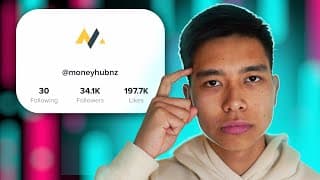
How I Grew a Startup's TikTok to 34k Followers with Educational Content
In this video, you will learn how to use TikTok to grow your business, startup or personal brand by posting educational content. We managed to grow @MoneyHubNZ (a startup in New Zealand that provides information on Personal Finance) on TikTok to 34k followers using this three-step framework: 1. Get lots of volume in the beginning. Try many things out. This is the time to experiment with all the different possible styles within your broad overall niche. Also, using features like a green screen, auto-generated captions and the reply-to-comment feature can also help make the content look more native and help with the algorithm. What worked for us was using the words "New Zealand" in the hook and showing that text on-screen, talking about how much you ACTUALLY bring home after taxes and having the Skytower in the background of the shot in the first frame. In terms of what we used to film, an iPhone is completely great for TikTok! I used my iPhone 11's front-facing camera and it was all good. The script is far more important than the camera. 2. Iterate until it works then replicate until it doesn't. Whatever you have found to be working is what you should be making more of. You can use an Excel spreadsheet or Google Sheet to analyse the data (like what I did). 3. Interact with your community. Read the comments, reply to them and answer the direct messages. This is what builds loyalty to the brand and encourages people to interact with your content even more. Two bonus CHEEKY HACKS that can be used to garner just a bit more views without much added work are to: 1. Post at the right time. This involves looking at your analytics and posting around an hour before peak traffic arrives. What worked for us was posting around 5pm as a lot of our traffic came in at around 7-10pm. 2. Repost content that has performed well. When a piece of content performed well (for us well meant over 10k views), we'd just repost it a few weeks later. There's no harm and it's free views! MoneyHub's Website https://www.moneyhub.co.nz/ MoneyHub's TikTok (currently just reposting old content) https://www.tiktok.com/@moneyhubnz?lang=en Timestamps: 0:00 Intro 1:00 In the beginning, get volume in 4:13 Iterate until it works. Replicate until it doesn't. 5:27 Interact with the community 6:44 Post at the right time 7:39 Repost old content Let's work together! Send me a DM on Instagram! https://www.instagram.com/juniusong/
What is Leverage? How does it Relate to Content Creation?
Here's why content has high leverage and how we as a society can leverage educational content creation to advance society at a rate faster than ever before. In the book the Almanak of Naval Ravikant, he wrote about the different forms of leverage. In this video, we will extrapolate that concept to media as a form of leverage.
How to Make Better Thumbnails using Photoshop

How to Make Your Captions ALL UPPERCASE on CapCut | Mac & PC
This NEW CapCut Feature allows you to capitalise your captions on your Mac & PC so you can now use fonts like Montserrat with ALL CAPS easily. This is a great way to stand out and garner more attention while still appearing professional. Plus, it's easy to change the caption font and size on CapCut while adding things like drop shadows and outlines. It is now as simple as a click of a button to turn your captions into all uppercase, capital case or lowercase. I'm personally very glad that CapCut created this feature as it saves me so much time. Instagram: https://www.instagram.com/juniusong RESOURCES: CapCut Pro (get 7 days of free Pro): https://capcutaffiliateprogram.pxf.io/aO1ZKR Screen Studio — how I record my screen and myself at the same time: https://screen.studio/?aff=JXwzD Audiio — what I use for music licensing (Use code SAVE70 to get 70% off your first year): https://audiio.com/partner?oid=1&affid=1563 Epidemic Sound — I will occasionally use this for music licensing: https://share.epidemicsound.com/v39nz6 My guide to time management & studying (as a medical student): https://theongway.com/b/sfZJC PS — Some of the links in this description are affiliate links from which I get a small commission. This helps support the channel and allows me to continue to make videos like this. Appreciate the support!

Why Content Makes Sense for Businesses
If you're in New Zealand, consider making content for your small business.
Make Your Content Both Entertaining and Educational to Go Viral
Honestly Express Yourself Through Your Content
Answer this Question in Your Videos
Selling the Vacation Not the Plane Ride
How Iman Gadzhi, Luke Belmar & Brendon Carter sell the lifestyle to make more profit.

Why teaching online allows you to help more people 📈
@mrongmathslessons

How to Create One-word Captions on CapCut | Mac & PC
The updated version of CapCut now allows you to create one-word captions - also referred to as pop-up captions on your Mac & PC. CapCut is a powerful, free video editor that lets you add captions, subtitles, and other effects to your videos. In this video, I'll show you how to use CapCut to create one-word captions for your videos. After watching this video, you'll be able to create captions quickly and easily! Simply highlight all your text, go to "Text", then "Animations", then "Captions" and then "Bounce Out". It's now so easy! Go out there and make better videos more efficiently!! Instagram: https://www.instagram.com/juniusong RESOURCES: CapCut Pro (get 7 days of free Pro): https://capcutaffiliateprogram.pxf.io/aO1ZKR Screen Studio — how I record my screen and myself at the same time: https://screen.studio/?aff=JXwzD Audiio — what I use for music licensing (Use code SAVE70 to get 70% off your first year): https://audiio.com/partner?oid=1&affid=1563 Epidemic Sound — I will occasionally use this for music licensing: https://share.epidemicsound.com/v39nz6 My guide to time management & studying (as a medical student): https://theongway.com/b/sfZJC PS — Some of the links in this description are affiliate links from which I get a small commission. This helps support the channel and allows me to continue to make videos like this. Appreciate the support!
Use this strategy 📈 | Blue Ocean Strategy for Content
Use the Blue Ocean Strategy in your videos when making content to grow your brand! #blueoceanstrategy #blueoceanstrategythinking #contenrstrategy #contentstrategytips #howtogrowyourbrand

Trying to solve a problem for one person often helps many people as a result 👌
How motivational content can add value to the brand
How I got my Dad 400 new subscribers with one TikTok
Don’t compete with larger creators

Make Consistency Easy in Order to Grow Your YouTube Channel
How I Make Educational TikTok Videos that Get 100,000s of Views
In this video, I will react to some of my best-performing viral videos on TikTok to break down the thinking frameworks and psychology techniques I use to garner more views when I produce educational short form content on TikTok. Educational short-form content is exploding in popularity and for good reason. It's a great way to quickly and easily share information with a wide audience. In this video, we're going to discuss the psychology of educational short-form content, and teach you how to create engaging and successful short form content that will help your account succeed! Posting on TikTok in particular is almost day-trading attention. You can garner a lot of attention very quickly. I have now helped seven accounts on TikTok grow to over 1k followers. Going viral on TikTok is an art and your chances of going viral can be significantly increased by using these tips. For example, I helped my dad's YouTube channel - Mr Ong Maths Lessons gain 400 subscribers with one TikTok video! Takeaways from this video: - Show who your target audience is in the first frame - try showing off a local landmark - Use in-app features - Change the shot up frequently to maintain attention - Sharable content often performs well - Consider using trending audios - Use other people's content as inspiration for your own - Content that addresses misconceptions often performs well - Try to sub-communicate competence - Content that is both entertaining and educational often performs well - Hold the viewer's hand through the CTA to increase the likihood of them doing it Let's work together! Send me a DM on Instagram! https://www.instagram.com/juniusong/
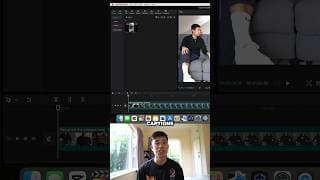
How to Add One-Word Captions on CapCut | Mac & PC
Easily add one-word captions to your videos using this new CapCut feature on Mac & PC
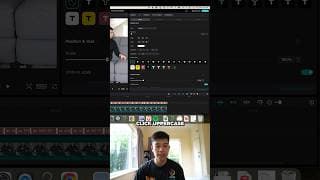
How to Make Your Captions ALL UPPERCASE on Capcut | Mac & PC
This new CapCut Feature allows you to capitalise your captions so you can now use fonts like Montserrat with ALL CAPS easily. Instagram 📸 https://www.instagram.com/juniusong/ Email 📧 junius@theongway.com

7 Tips when Filming Batch Filming TikTok Videos
Batch filming short-form content can save a lot of time. Here are seven tips to ensure you make the process as streamlined as possible! Once you have finished filming, you can post the piece of content on all the platforms including TikTok, YouTube Shorts, Instagram Reels and Facebook Reels. In this video, we'll be covering seven tips that you can use if you batch film short-form content. 1. Plan your videos - Before your filming day, make sure you have scripted or written down bullet points so that your content is linear and logical. You don't want to waste time during your filming day fumbling around with thinking about content ideas. You want your filming session to be as smooth as possible. 2. Imply your credentials - The background of your videos is a perfect way to showcase a little bit of your personality and your values. For example, @HarryTheAdventurer in this video showcased his Kobe Bryant poster that sub-communicated that he is hard-working which is on brand for him. Also, we got shots of him topless with a pump which further sub communicates discipline and hustle. This was also done by wearing the University of Auckland medical school hoodies to show that he is in medical school. 3. Changing clothes throughout the shoot - Changing clothes throughout the shoot can be a quick and easy way to pretend that we are filming on different days. 4. Taking breaks throughout the shoot - Filming with high energy on camera may take quite a bit of energy if it has to be sustained over a long enough time period. Therefore, taking breaks of 10-20 minutes every half an hour helps to keep the energy up! 5. Test one video before filming the rest - Save yourself the possibility of messing up your entire shoot by testing whether the framing and the audio are right before filming an entire month's worth of content and then realising the microphone wasn't on! Do yourself a favour and make sure the first video you film is all good! 6. Snap your fingers whenever you make a mistake - If you snap your fingers whenever you make a mistake, you make editing out your mistakes a little bit easier! Test out these tips for yourself and I wish you all the best on your content creation journey! Timestamps: 0:00 Planning & scripting 1:14 Imply credentials 2:03 Change clothes throughout the shoot 2:18 Taking breaks 2:27 Drinking caffeine 2:49 Test one video before filming the rest 3:09 Snap your fingers whenever you make a mistake Harry's YouTube Channel: https://www.youtube.com/@HarryTheAdventurer Want to work together? Send me a DM on Instagram! https://www.instagram.com/juniusong/
Use the Blue Ocean Strategy for Content Creation
Be different. Don't compete.
Maths Teacher Makes YouTube Videos to Help Students | Junius x Mr Ong Math Lessons
In this video with @mrongmathslessons , we learn about Mr Ong's processes with content. Mr Ong is a high school teacher who makes YouTube videos to assist his students with learning math. Mr Ong shares how he can improve his students' ability with his YouTube videos. Mr Ong's YouTube Channel https://www.youtube.com/@mrongmathslessons/featured Timestamps: 0:00 Introduction 1:00 Why content and the benefits for students 2:26 People you don't know personally watching your content 4:50 The amount of content Mr Ong produces 5:45 Organising content into playlists and using end screens 6:36 How Mr Ong films & edits 8:02 The limitations of online learning 9:09 Mr Ong's advice 10:09 Mr Ong's channel is doing well and how you can get in touch Want to work together? Send me a DM on Instagram! https://www.instagram.com/juniusong/

Overhead Shot Setup for your Phone using Household Items - Start Educating Online
In this video, you will learn how to educate online using your phone and household objects (such as a laptop stand or a table) to get the overhead shot - also known as the top down shot. You don't need to have a fancy camera rig set up to start educating online. Literally, it's as easy as using a laptop stand and putting your phone on the edge of it. This makes educating your audience very easy. This is how @mrongmathslessons (my Dad) makes his videos and allows him to make A LOT of content without requiring much editing. This top down camera setup is perfect for filming things like tutorials, product demonstrations, or even things that you need to document! After watching this video, you'll be able to start filming your online content with an overhead shot! If you're looking for a way to start filming videos for your YouTube channel or blog, then this tutorial is for you! By following these simple steps, you'll be able to set up and shoot an overhead shot in no time at all! So be sure to check it out! Want to work together? Send me a DM on Instagram! https://www.instagram.com/juniusong/
Junius x Rishi | Inner Work Manifests Physically EP. 1
Rishi is a bodybuilder and is now a medical student as well. In this interview, we discuss philosophical ideas on discipline, self-belief, mindfulness and how internal work manifests physically. We also look at his bodybuilding and content creation process. Rishi's Instagram & TikTok https://www.instagram.com/rishi.sund/ https://www.tiktok.com/@rishidevsund Timestamps: 0:00 - 0:34 Introduction 0:34 - 3:10 Honestly expressing yourself 3:10 - 9:51 Rishi's journey 9:51 - 17:06 Self-belief 17:06 - 21:23 Discipline and balance 21:23 - 26:43 Mindfulness & enlightenment 26:43 - 30:36 Rishi's content creation process 30:36 - 33:14 Navigating adversity 33:14 - 37:20 Books & the problem with self-help 37:20 - 39:32 Blue Ocean Strategy with content 39:32 - 46:30 Internal work - Why Rishi does what he does 46:30 - 59:47 Rishi's bodybuilding process 59:47 - 1:06:11 Where to from here? 1:06:11 - 1:12:26 Listen to your hypothetical older self Let's work together! Send me a DM on Instagram! https://www.instagram.com/juniusong/
How to Edit Motivational Gym TikToks using CapCut | Mac & PC
Want to make motivational Gym short form videos that you can post on TikTok, Instagram Reels or YouTube Shorts? In this video, I will show you how you can use CapCut templates (the quick and dirty way) and how you can make your own edits in your own style using the CapCut app on Mac and PC. Whether you're trying to be the next Sam Sulek or you're an upcoming video editor, learning how you can make gym edits can help improve your brand. If you want to make it as quickly and as easily as possible, you can do it by using CapCut templates. However, if you want to make it a bit more personalised, we walk you through how to do exactly that in this tutorial. GOOD LUCK! === Notes === === Quick and Dirty Way === * Use Capcut Templates * Find them when scrolling on the app * Find them using the Capcut App * Search key terms like gym motivation * Look for specific creators that make templates * Selfgrowthvlogs * Kai === Proper Way === * Find the sound you want to download * Send the link to the video to yourself on Messenger or use the Notes app * Use QLoad to download it * https://qload.info/tiktok-audio * Edit on CapCut * Get sound onto the timeline * Get videos onto the timeline (remove original audio from videos) * TIPS * Edit to the beat but don’t make it predictable * Start off with an establishing shot, a shot of you getting ready or something interesting (HOOK) * Adjust clips by: * Lowering brightness (-5) * Increasing contrast (+5) * Decreasing shadow (-5) * Decreasing illumination (-5) * Use a filter if you want * Jazz * BW 3 * Add captions * Fonts * The bold font italicised * Bebas Neue * Montserrat black (you have to capitalise everything) * Cochin * Remove gaps between captions * Experiment with shadow and stroke so you can get it where you want it (try to make it consistent with the style so spend a little extra time in the beginning to find out what you like) Rishi’s TikTok & Instagram https://www.tiktok.com/@rishidevsund https://www.instagram.com/rishi.sund/ Timestamps 0:00 - 0:19 Final result 0:19 - 1:53 Using CapCut templates 1:53 - 2:58 Download the audio 2:28 - 6:53 Making cuts and adding zoom-ins 6:53 - 9:00 Adding captions 9:00 - 10:06 Changing the aesthetic 10:06 - 10:55 Work with me Instagram: https://www.instagram.com/juniusong RESOURCES: CapCut Pro (get 7 days of free Pro): https://capcutaffiliateprogram.pxf.io/aO1ZKR Screen Studio — how I record my screen and myself at the same time: https://screen.studio/?aff=JXwzD Audiio — what I use for music licensing (Use code SAVE70 to get 70% off your first year): https://audiio.com/partner?oid=1&affid=1563 Epidemic Sound — I will occasionally use this for music licensing: https://share.epidemicsound.com/v39nz6 My guide to time management & studying (as a medical student): https://theongway.com/b/sfZJC PS — Some of the links in this description are affiliate links from which I get a small commission. This helps support the channel and allows me to continue to make videos like this. Appreciate the support!
How to Organise your Video Scripts with Notion + FREE TEMPLATE!
How I use Notion to script my videos and to make my scripting workflow faster. This template allows me to see how many videos I have in the pipeline and allows me to easily drag and drop videos from one category to the next. Make your video production process much more efficient using this template! Template: https://tall-mouse-482.notion.site/f563731a269f494ca018e3fa7fcf90b4?v=01f2bcafe5b64e8385e8b06fc7155a58&pvs=4 NOT SPONSORED Timestamps: 0:00 - 2:06 My Scripting Workflow 2:06 - 3:38 How to use the Notion Template Let's work together! Send me a DM on Instagram! https://www.instagram.com/juniusong/
How to Auto Remove Pauses from your Video on Final Cut Pro | Gling AI
Use Gling AI to remove the silences from your video. Save time editing using Gling. Whether you use Final Cut Pro, Adobe Premier Pro or any other video editing software, you can now automatically remove pauses and silences from your videos much quicker using artificial intelligence - saving you so much time. Gling https://www.gling.ai/ Let's work together! Send me a DM on Instagram! https://www.instagram.com/juniusong/ Timestamps: 0:00 - 0:59 Intro and signing up using temp mail 0:59 - 2:10 Using Gling 2:10 - 3:52 Evaluating Gling
Three Mindsets to Overcome the Fear of Posting Content
Read Caption 👇 The idea of creating content for your friends and family to see is a daunting idea. What will they think of me? What if I fail and it gets no views? 1. You’re going to die one day and over a long enough time frame, you will be forgotten Everything is impermanent. Humans have existed for at least 200,000 years yet most of us know nothing personal about anyone that existed 10,000 years ago. However, I wonder if the internet will change this. 2. You'll stop worrying what others think about you when you realise how seldom they do This was a quote by David Foster Wallace who was an American Novelist. I have learned that most people are too busy worrying about themselves to judge you. Even if they do, their opinions are not worth listening to. A YouTuber with one million subscribers will not talk down on an aspiring YouTuber posting his first video. 3. If this is the price I face for the impact I want to have, I’d pay it If getting roasted by strangers on the internet and colleagues in the workplace is the price I have to pay in order to have the impact on the world that I want, then that is the price I have to pay. Once I viewed it as a price, the rare comment here and there becomes easier to accept. Instagram 📸 https://www.instagram.com/juniusong/ Email 📧 junius@theongway.com
How to Create VIRAL AI Generated Videos
Read caption 👇 Search "Junius Ong" on YouTube for the full tutorial. Generate an avatar using Lexica by providing a prompt like "handsome businessman in a suit, 35 millimeters facing directly at the camera." Then use ElevenLabs to get AI voice. The one I used in this video was called Adam. Afterwards, use D-ID to create the video. Use the audio (upload your own voice) feature on D-ID to use Adam's voice without paying. Then use CapCut to add music, b-roll from websites like pexels.com and autogenerated captions. An easy to use font is The Bold Font which is completely free to use. You might have to download it first. Please use these techniques to create informative and engaging videos, not pointless content that wastes the viewer's time. Instagram 📸 https://www.instagram.com/juniusong/ Email 📧 junius@theongway.com
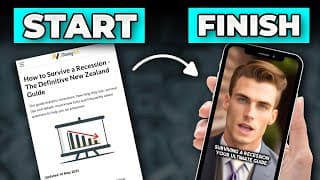
How to Turn Blog Posts or Articles into Videos using AI
UPDATE: You can only use the voice of Adam on D-ID if you pay for it. The way to go around this is to use ElevenLabs to get the voice, then use the audio (upload your own voice) feature on D-ID instead of the script feature Learn how to use AI tools such as Lexica, D-ID and CapCut to turn blog posts or articles into viral videos using AI! Document: https://docs.google.com/document/d/17KOcIgPOOlTGdrFqki3eScCCTW_8C9GAjalJxefF47o/edit?usp=sharing Getting the script (Chat-GPT) Prompt I will give you an example of a video script and I want you to generate a similar script (just the voiceover) from this blog post Tone: professional and fun Parameters: Script is to be less than 100 words, write numbers as words, remove emojis, remove hashtags TikTok script: “___” Blog post: “___” Additional prompts Remove hashtags and write numbers as words Write this as three different scripts, just voiceover. No scenes required Turn this into 3 different scripts Parameter: each less than 100 words Write 3 more voiceovers from the blog post Write the numbers on the list as words Less formal Edit the hook and the call to action Getting the avatar Lexica https://lexica.art/ Search for an image “businessman” Or make one “Handsome businessman in a suit 35mm facing directly at the camera” Making the video Use D-ID https://www.d-id.com/ Use Temp Mail for a temporary email Editing the video CapCut for captions https://www.capcut.com/ Font: The Bold Font I FORGOT TO MENTION IN VIDEO: change ratio to 9:16 and adjust accordingly B-roll using Pexels Appendix: TikTok script “Here are three tips when you graduate year 13 One. Write a CV - it's important for employment and if you do it before you leave school, your careers advisor can review it and suggest improvements. Two. Hunt for scholarships (they're not just for smart students; every year millions of dollars are awarded to thousands of students Three. Take the time to understand how student loans and allowances work (and apply with StudyLink if you need one) For more information, check out our article on our website - link in bio” Viral Background Music Without Lyrics Download using this https://ytmp3.cc/fc2c/ Sounds Never let go of me https://youtu.be/pIhP6oq05MI Close eyes https://youtu.be/F38T_hLp_Y8 hier encore x wack jumper https://youtu.be/oBW_E5F5lZ0 way down we go https://youtu.be/4uzk52CH7Lc Timestamps: 0:00 - 0:24 Intro 0:24 - 1:39 Use Chat-GPT to write a script 1:39 - 3:02 Use Lexica and Temp Mail to create an avatar 3:02 - 4:25 Use D-ID to make your avatar talk 4:25 - 6:35 Add captions + Outro Let's work together! Send me a DM on Instagram! https://www.instagram.com/juniusong/
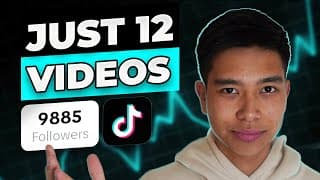
How I Grew a Boxing Coach's TikTok to 9.8k Followers with 12 videos
In this video, I will break down exactly how I grew a boxing coach's TikTok to 9.8k followers with just 12 educational videos. If you're trying to grow on social media, TikTok provides an amazing avenue for content creators and entrepreneurs to thrive. So whether you are a personal trainer, life coach or video editor like me, there are plenty of ways to utilise TikTok to garner more leads for your business. One viral video is all it takes to completely change your business. How to edit videos in a similar style https://youtu.be/yNJ_9PhJ9NE Gatekeeper Boxing's TikTok: https://www.tiktok.com/@gatekeeperboxing/ Timestamps 0:00-0:20 Intro 0:20-1:05 Using an iPhone and camera settings 1:05-3:17 Style of content and the script 3:17-5:20 Video that got 1.2 mil views 5:20-6:20 Editing and Posting 6:20-8:01 Final tips Let's work together! Send me a DM on Instagram! https://www.instagram.com/juniusong/
How I Edit Short Form Content on CapCut | Mac & PC
In this video, I share how to edit short-form content on CapCut for Instagram Reels, TikTok, Facebook and YouTube shorts from start to finish on your Mac and PC. If you have limited time yet you want to grow your brand using short-form content, this is the video for you. In this video, I also share how I make my videos STAND OUT by using editing techniques such as adding b-roll, emojis, cuts, animations, captions and music on CapCut. CapCut is a completely free software that you can use on your computer or your phone and it is very easy to use. If you're looking to create polished, professional content for your website or blog, then CapCut is a great tool to use. In this video, I'll show you how to edit short-form content using CapCut, so you can produce high-quality content that looks great and suits your needs! Capcut: https://www.capcut.com/ Get 70% off Audiio Pro (music): https://audiio.com/partner?oid=1&affid=1563 Free stock footage: https://www.pexels.com/ Video source: Doctors for Nutrition Timestamps: 0:00 - 0:26 Introduction 0:26 - 0:50 Importing clips onto the timeline 0:50 - 1:32 Adjusting the audio 1:32 - 1:58 Removing the gaps 1:58 - 3:16 Adding credentials 3:16 - 4:11 Adding music 4:11 - 7:53 Adding b-roll 7:53 - 10:02 Adding captions 10:02 - 11:11 Adding effects to the hook 11:11 - 12:33 Emojis 12:33 - 12:14 Concluding remarks Instagram: https://www.instagram.com/juniusong RESOURCES: CapCut Pro (get 7 days of free Pro): https://capcutaffiliateprogram.pxf.io/aO1ZKR Screen Studio — how I record my screen and myself at the same time: https://screen.studio/?aff=JXwzD Audiio — what I use for music licensing (Use code SAVE70 to get 70% off your first year): https://audiio.com/partner?oid=1&affid=1563 Epidemic Sound — I will occasionally use this for music licensing: https://share.epidemicsound.com/v39nz6 My guide to time management & studying (as a medical student): https://theongway.com/b/sfZJC PS — Some of the links in this description are affiliate links from which I get a small commission. This helps support the channel and allows me to continue to make videos like this. Appreciate the support!
How to Animate Your Captions & Add Emojis with CapCut | Mac & PC
Learn to animate your captions and add emojis using CapCut on Mac and PC for FREE! With CapCut - FREE software, you can now easily add emojis to your captions and animate them easily. If you're looking to add that extra flare to your videos, then this video is for you! We'll show you how you can add animations and emojis to your captions on Mac and PC. After watching this video, you'll be able to add animation and emojis to your videos in no time! Animating your captions and animating your captions may increase the average video retention length which would then improve the overall view count of your video. Instagram: https://www.instagram.com/juniusong RESOURCES: CapCut Pro (get 7 days of free Pro): https://capcutaffiliateprogram.pxf.io/aO1ZKR Screen Studio — how I record my screen and myself at the same time: https://screen.studio/?aff=JXwzD Audiio — what I use for music licensing (Use code SAVE70 to get 70% off your first year): https://audiio.com/partner?oid=1&affid=1563 Epidemic Sound — I will occasionally use this for music licensing: https://share.epidemicsound.com/v39nz6 My guide to time management & studying (as a medical student): https://theongway.com/b/sfZJC PS — Some of the links in this description are affiliate links from which I get a small commission. This helps support the channel and allows me to continue to make videos like this. Appreciate the support!
How to Motion Track a Moving Subject using Keyframes on CapCut | Mac & PC
Learn how to add keyframes to motion-track a moving speaker or subject on CapCut - Mac and PC. This technique will allow you to track a moving subject in a horizontal video. This allows you to repurpose your long-form videos on YouTube and use them as short clips that can be posted on Instagram Reels, TikTok and YouTube shorts. We will be using CapCut which is completely free on Mac & PC. The video shown was edited for Doctors for Nutrition https://www.doctorsfornutrition.org/ Instagram: https://www.instagram.com/juniusong RESOURCES: CapCut Pro (get 7 days of free Pro): https://capcutaffiliateprogram.pxf.io/aO1ZKR Screen Studio — how I record my screen and myself at the same time: https://screen.studio/?aff=JXwzD Audiio — what I use for music licensing (Use code SAVE70 to get 70% off your first year): https://audiio.com/partner?oid=1&affid=1563 Epidemic Sound — I will occasionally use this for music licensing: https://share.epidemicsound.com/v39nz6 My guide to time management & studying (as a medical student): https://theongway.com/b/sfZJC PS — Some of the links in this description are affiliate links from which I get a small commission. This helps support the channel and allows me to continue to make videos like this. Appreciate the support!
How to Enhance your Audio - From Trash to PRO (free) | Adobe Podcast
With a few clicks, you can enhance the audio on your recordings using Adobe Podcast. Ideal when dealing with poor-quality audio files (e.g. Zoom recordings) and editing on CapCut or Final Cut Pro. This can really save you when your phone's audio is suboptimal. 🎙️ Elevate your audio quality effortlessly! In today's video, I'll show you how to transform your phone-recorded audio into professional-grade sound with just a few clicks, thanks to the magic of AI and Adobe Podcast. 🌐 Begin by searching for "Adobe Podcast" and selecting the official link. Sign in and, if you haven't got access yet, don't worry – you can request it later. For now, hit "Try it out." ⬆️ Now, let's take that audio to the next level. If you're using CapCut, export your audio-only file by going to File then Export. Choose your destination, click export, and voila! For Final Cut Pro users, it's a similar process – export as audio only, and you're good to go. 📥 Once you have your audio file, drag and drop it onto Adobe Podcast. Wait a few seconds, and boom – enhanced audio is ready for download. Bring that file back into your editing software – in this case, CapCut. Drag and drop, align it with your existing video, highlight all, and turn the original audio to mute. Now, compare the difference – from standard to superb! Adobe Podcast: https://podcast.adobe.com/ Let's work together! Send me a DM on Instagram! https://www.instagram.com/juniusong/
How I Add Captions to Videos in Seconds for FREE on CapCut | Mac and PC
Learn how to grow your personal brand's or startup's TikTok account by adding captions like Alex Hormozi on CapCut on your Mac and PC. 🔍 First things first, do a Google search for "CapCut," spelled just like that. Click on the official link and install the app on your Mac or PC. It's so versatile; you can even use it online. Download the app (I trust you're savvy enough for that), and let's get started. 💻 Open CapCut, and you'll see a clean interface (minus all my client videos). Create a new project, import your source file (the video you want to caption), and drag it onto the timeline. 📝 Now comes the magic – go to Text, order captions, and hit Create. Sit back, relax for a moment; it's super fast. Once done, drag your captions to the desired spot. And guess what? It automatically applies to every other caption! 🎨 Now, add your personal touch. Change the font to suit your style and the client's preference. Enhance visibility with a bold black glow (intensity 100, pure black), making those captions pop! 🔄 Want to play with the layout? Easily switch lines by selecting a caption, clicking enter, and voila – a dynamic, staggered effect. 📤 Export your masterpiece! Click File, Export, choose your preferred location (Downloads works for this demo), and hit Export. It's a swift process, and you're done! Instagram: https://www.instagram.com/juniusong RESOURCES: CapCut Pro (get 7 days of free Pro): https://capcutaffiliateprogram.pxf.io/aO1ZKR Screen Studio — how I record my screen and myself at the same time: https://screen.studio/?aff=JXwzD Audiio — what I use for music licensing (Use code SAVE70 to get 70% off your first year): https://audiio.com/partner?oid=1&affid=1563 Epidemic Sound — I will occasionally use this for music licensing: https://share.epidemicsound.com/v39nz6 My guide to time management & studying (as a medical student): https://theongway.com/b/sfZJC PS — Some of the links in this description are affiliate links from which I get a small commission. This helps support the channel and allows me to continue to make videos like this. Appreciate the support!

How I Edit Short Form Content Using Zoom Recordings | CapCut Mac & PC
Here's my method to convert Zoom recordings and webinars into short-form videos that may do well! If you have a recording of a prominent speaker, you can use this technique to post shorts on YouTube Shorts, TikTok and Instagram Reels! We'll be using a free video editing software called CapCut on Mac & PC which is very easy to use. 🔗 First, create a new project and import your Zoom meeting video. Drag it onto your timeline, then pinpoint the specific segment you want to highlight. 🎞️ Convert the video to a TikTok-friendly 9x16 ratio. Crop and rearrange elements to your preference, placing the speaker at the top and slides at the bottom. Customise as you see fit – it's all about personal style! 🖌️ Now, let's add captions. Use the auto-caption feature and refine it manually for accuracy. To enhance visual appeal, I'll show you how to embellish your video with captivating b-roll footage. 🌐 Head to pixels.com, a treasure trove of free stock photos and videos. Download relevant visuals to emphasise your message. Import the b-roll into CapCut, layer it over your main clip, and experiment with creative transitions. 🎬 But why stop there? I'll guide you through the process of embellishing your video further. Learn how to create impactful close-ups and dynamic transitions using simple editing techniques. 📈 As a bonus, discover the art of adding attention-grabbing captions. Learn my recipe for eye-catching text – bold font, size nine, black glow intensity full. Elevate your captions with a zoom-in animation to make your message pop. 👁️🗨️ Watch the video to the end to witness the final result – a transformed Zoom meeting snippet with engaging visuals, dynamic transitions, and captivating captions. It's time to level up your content creation game! Pexels: https://www.pexels.com/ The video shown was edited for Doctors for Nutrition - Check out their website and socials for all things whole food plant-based! https://www.doctorsfornutrition.org/ People featured in this video: Dr Michael Gregor, Dr Luke Wilson, Dr Gemma Newman (thumbnail) Instagram: https://www.instagram.com/juniusong RESOURCES: CapCut Pro (get 7 days of free Pro): https://capcutaffiliateprogram.pxf.io/aO1ZKR Screen Studio — how I record my screen and myself at the same time: https://screen.studio/?aff=JXwzD Audiio — what I use for music licensing (Use code SAVE70 to get 70% off your first year): https://audiio.com/partner?oid=1&affid=1563 Epidemic Sound — I will occasionally use this for music licensing: https://share.epidemicsound.com/v39nz6 My guide to time management & studying (as a medical student): https://theongway.com/b/sfZJC PS — Some of the links in this description are affiliate links from which I get a small commission. This helps support the channel and allows me to continue to make videos like this. Appreciate the support!
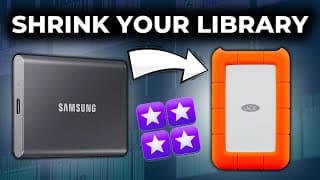
How to Shrink your Final Cut Pro Library when Transferring from an SSD to a Hard Drive
I'll show you how to save space when transferring Final Cut Pro files from your SSD to your hard drive. If you're like me, you probably have a lot of projects on your SSD, and they take up a lot of space. But don't worry, I'll show you a simple trick that can drastically reduce the size of your Final Cut Pro file. All you have to do is delete the generated library files. I'll walk you through the steps, and you'll see how easy it is. By the end of this video, you'll be able to transfer your Final Cut Pro files to your hard drive without each library taking up so much space! Let's work together! Send me a DM on Instagram! https://www.instagram.com/juniusong/

How I Film & Edit EPIC Product B-roll at Home
This video will teach you how to create epic, dark, b-roll sequences using a smartphone, a black background (you can use a t-shirt), a tripod and a flashlight. We'll be making product b-roll to showcase a stethoscope. This video can be broken down into two steps: 1. Filming - We need to film before we can edit the project. We do so by setting our camera on a tripod, turning the exposure down and hovering our flashlight backwards and forwards over the subject. 2. Editing - We'll learn how to edit the clips we filmed and turn our footage into a work of art. Although this course demonstrates how to do so using Final Cut Pro, the same principles apply to whatever software you use. Timestamps: 0:00 - 0:35 Intro and Demonstration 0:35 - 2:04 Filming 2:04 - 11:56 Editing Let's work together! Send me a DM on Instagram! https://www.instagram.com/juniusong/
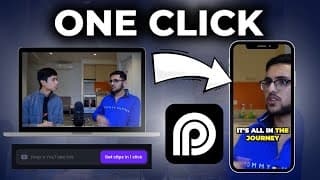
How to Use AI to Repurpose your Long Form Content | Opes Clip
Let Opes Clip edit and repurpose your long form content and transform them into clips for TikTok, Instagram, YouTube Shorts etc. In this video, I'll show you a game-changing tool to effortlessly convert your long-form podcasts or YouTube videos into short, captivating clips with ready-made captions – all with just one click! I stumbled upon Opus Clip, a fantastic platform that offers a free trial to help creators like you transform content seamlessly. Join me as I take an old podcast, paste the link into Opus Clip, and witness the magic unfold. With a generous two-hour free trial, you can easily create engaging clips even from an 18-minute video like mine. Opus Clip not only generates the clip but also provides a virality score (my friend scored a whopping 99). The tool doesn't just focus on perfection but emphasises progress, allowing you to refine and customise your clips. Opus Clip allows flexibility with features like uploading images, changing fonts, and automating intros and captions. It's a powerful tool for solo podcasters, content creators, or anyone seeking a quick, efficient solution for creating engaging, shareable content. Overall, Opus Clip proves to be a valuable resource for creators looking to optimise their content creation process. While it may not be perfect, its one-click functionality, free trial offering, and customisation options make it an excellent addition to your content creation toolkit. NOT SPONSORED Opes Clip Link: https://www.opus.pro/ Let's work together! Send me a DM on Instagram! https://www.instagram.com/juniusong/
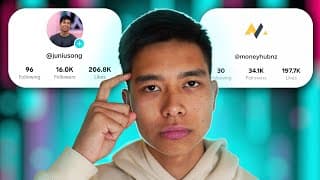
How I Grow TikTok Accounts: The Ultimate Guide
If you want to grow a TikTok account for your personal brand or your business by posting educational content, here is the guide for you. TikTok is an amazing platform to increase your brand awareness and is possibly the most efficient way to get as much attention in the shortest time possible. Welcome to this comprehensive guide on how to skyrocket your growth on TikTok! Before we dive into the strategies, let me share my credentials with you. I successfully grew a startup's TikTok account from 3.5K to 34K followers in a matter of months, all while juggling the demands of medical school. Additionally, I've assisted a boxing coach in gaining 9.8K followers with just 12 iPhone-shot videos. Originally intended as a paid course, I've decided to share these insights on YouTube to help a broader audience. In this course, you'll gain invaluable knowledge on TikTok growth. Feel free to navigate through the timestamps based on your specific needs. Now, let's delve into the key strategies. 🎣 Creating Content Hooks: Garner Attention and Establish Credibility 🎣 In the first moments of your video, it's crucial to capture attention with a compelling hook. This can be achieved through trigger words, promises, borrowing status, or using in-app text and movement. After grabbing attention, quickly establish credibility. Why should viewers trust you? Showcase your credentials, results, or expertise in a way that resonates with your audience. 🌐 Understanding the Algorithm: Push and Pull Models 🌐 Uncover the dynamics of the TikTok algorithm with two models – the push model and the pull model. The push model involves creating content that meets TikTok's metrics, gradually reaching a wider audience. The pull model connects your content with users who already enjoy similar content. Align your strategy with both models by creating engaging content while staying native to the platform. 🎯 The Power of Niching 🎯 Consider niching down in the beginning to target a specific market effectively. It's challenging to appeal to the entire market, so find a sub-niche that allows you to establish authority. Once dominant in a sub-niche, expanding to a broader audience becomes more feasible. Stick to your niche initially to maintain consistency and credibility. 🚀 Posting Frequency and Experimentation 🚀 Post as frequently as possible without compromising too much on quality. Aim for consistency, and consider committing to a posting goal, like one video a day for 30 days. Experiment with different content styles and learn from what works. Volume early on is crucial, and as you gain insights, refine your content strategy. 🔍 Content Ideas and Replication 🔍 Tap into successful content by learning from top creators and small influencers. Analyse what resonates well with your audience and replicate aspects of those videos. Native content is key, so avoid being overly creative and strive to understand what works well on the platform. 🎬 Filming and Editing Techniques 🎬 While a phone is sufficient, optimise your visuals by filming in 4K with your chosen frame rate. Experiment with different camera angles, lighting setups, and audio quality. Maintain variety in your shots, and explore camera movements to enhance engagement. Incorporate b-roll and use editing software like CapCut, Premiere, or Final Cut Pro for a professional touch. 🕰️ Optimal Posting Times 🕰️ Identify peak times for your audience engagement using analytics. Post one or two hours before peak times to allow the algorithm to direct your content effectively. 🛠️ Valuable Resources 🛠️ Explore resources like audio libraries, editing software, and stock footage sites. Leverage tools such as Audiioo, CapCut, Premiere, Final Cut Pro, Pexels, and more to enhance your content creation journey. In conclusion, short-form content is a potent tool for audience growth on TikTok. Choose a topic you're passionate about, master the art of attention-grabbing hooks, and consistently add value to your audience. With experimentation, strategic posting, and understanding the algorithm, you'll pave the way for TikTok success. Resources: Get 70% off Audiio pro (music) https://ref.audiio.com/w8azmt7s Stock footage https://www.pexels.com/ Let's work together! Send me a DM on Instagram! https://www.instagram.com/juniusong/ Timestamps: 0:00 - 0:47 Welcome 0:47 - 2:45 Mindset when creating content 2:45 - 5:02 How the algorithm works 5:02 - 8:41 Niching 8:41 - 9:47 How frequently should you post 9:47 - 11:24 The strategy 11:24 - 12:41 Find content ideas 12:41 - 16:17 The format of content 16:17 - 19:21 Filming and editing 19:21 - 20:09 When to post 20:09 - 20:41 Resources 20:41 - 21:48 Summary
Starting a Business Day 11 - An Insight from Expert Secrets
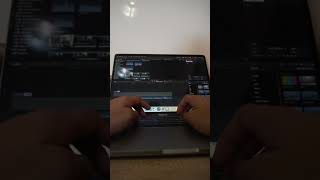
Starting a Business Day 10 - How I Edit and Add Captions
Starting a Business Day 9 - 1.4K followers on TikTok in a week!
How to Make Talking Head Videos More ENGAGING (Final Cut Pro Tutorial)
Utilise the J cut, zoom-ins, cuts and pop-ups to make your talking head videos more interesting and engaging to captivate the viewer. Whether you use Final Cut Pro, CapCut, Premier Pro or Davinci Resolve to edit your video, this video will teach you how to make your talking head videos more engaging. From finding the right music to adjusting the camera settings, we'll show you the tips and techniques necessary to make your talking head videos stand out from the crowd. By the end of this tutorial, you'll be able to make engaging talking head videos that will get your viewers excited about what you have to say! Making talking head videos is a great way to market yourself or your brand. By learning how to edit talking head videos, you'll be able to create videos that are both engaging and effective. Watch this tutorial and learn how to make your talking head videos more engaging and effective than ever before! Want to work together? Send me a DM on Instagram https://www.instagram.com/juniusong
Starting a Business Day 8 - Some Success for a Client
Starting a Business Day 7 - When to Pivot | Let us help you grow your socials
Starting a Business Day 6 - More Case Studies
Starting a Business Day 5 - Chopping up long form content to use as short form
Starting a Business Day 4 - Getting Case Studies & Testimonials

Starting a Business Day 3 - How I Write Scripts ✍️

6 Hooks for TikTok Videos to go VIRAL Every Time
Here are 6 VIRAL hooks that will help you to go viral on TikTok, YouTube Shorts and Instagram Reels. The hook is such a vital aspect for a video to perform well and in this video, I'll share what has worked for me and the businesses I have worked for. Hooks can be divided into visual and verbal and utilising both can be very helpful. Whether you're a content creator, business owner or just passionate about making an impact online, these hooks are essential to have in your toolkit! Hooks are the driving force behind engagement, views, and shares. They captivate your audience and leave them wanting more. Don't miss out on the chance to revolutionise your content strategy and skyrocket your online presence! Timestamps 0:00 Using a keyword specific to your niche 0:49 Paper cutouts 1:11 Green screen feature on the TikTok app 1:46 Using a local landmark 2:04 Call out your audience directly 2:36 Reply to a comment Let's work together! Send me a DM on Instagram. https://www.instagram.com/juniusong/
How to Caption Videos on TikTok & Reels like Alex Hormozi (Final Cut Pro Tutorial)
FASTER NEW UPDATED METHOD USING CAPCUT: https://youtu.be/V7RpLCNRGFE Produce content like Alex Hormozi, Ryan Pineda, Ryan Magin & Grant Cardone using Final Cut Pro. Watch your TikToks, Instagram Reels and YouTube Shorts go viral! If you want to edit your videos in the Alex Hormozi short form style for TikTok, Instagram Reels and YouTube Shorts using a software called CapCut which is completely FREE on your Mac and PC, here's how to do it. You will then be able to use your social media strategy more effectively with better visuals to garner attention and improve retention which leads to an increased likelihood of the video going viral 📈. CapCut for Mac & PC download link: https://www.capcut.com/ The Bold Font https://www.dafont.com/the-bold-font.font Timestamps: 0:00 - 0:04 Intro 0:04 - 0:39 Installing The Bold Font 0:39 - 1:51 Adding a basic title 1:51 - 2:17 Changing the colour and size 2:17 - 4:40 Changing the size/colour as you speak 4:40 - 5:27 Adding an emoji 5:27 - 6:15 Adding a pop-up 6:15 - 6:36 Let's work together!

Covid 19 Announcement Parody - Med Revue
I made this edit for Med Revue! Director - Tom Webb Videographer and Editor - Junius Ong Dr. Ashley Bloomfield - Ashley Pereira COVID Crew - Yash Shahri, Keira Bright, Sethmi Ranasinghe Student extras - Avinash Sathiyaseelan, Sonia Wang, Hannah Crawford, Geraldine Atchico, Savannah Schulz DISCLAIMER - all filming was done under Alert Level 1 conditions at Grafton Campus. TikTok 💃 https://www.tiktok.com/@juniusong/ Instagram 📸 https://www.instagram.com/juniusong/ Facebook 📕 https://www.facebook.com/doittheongway/

2-Hour Study With Me [Quiet Study Music 🎵] 50/10 Pomodoro
Let's get studying and make all kinds of gains 💪📚 👨⚕️Who am I? Hello, my name is Junius and I'm a 3rd-year medical student in New Zealand Timestamps: 0:00 Round 1 50:03 Break 1:00:04 Round 2 TikTok 💃 https://www.tiktok.com/@juniusong/ Instagram 📸 https://www.instagram.com/juniusong/ Facebook 📕 https://www.facebook.com/doittheongway/ #studywithme #studymusic

Stethoscope Unboxing and B Roll | Littmann Classic III - Champagne & Black
Doesn't it look clean?? As a 3rd year medical student at the University of Auckland, we need a stethoscope. Here is the unboxing of the Littmann Classic III in Champagne & Black. Hope you enjoy the crispy b roll. Where I bought it from https://www.medisave.co.nz/littmann-classic-iii-stethoscope-champagne-black-5861.htm @3M Littmann Stethoscopes Sponsorship? Instagram 📸 https://www.instagram.com/juniusong/ #notsponsored
Anki IOS App Review - Worth the Money?
You're probably already using Anki on your laptop. Is it worth it to spend so much for the IOS app? Long story short: There are no additional features that make it better than Anki on your laptop. If you have wifi everywhere you go, consider using AnkiWeb - it's free! The App https://apps.apple.com/us/app/ankimobile-flashcards/id373493387 AnkiWeb https://ankiweb.net/ Instagram 📸 https://www.instagram.com/juniusong/ #notsponsored
Libby - FREE eBooks & Audiobooks From Your Library 📚
Borrowing books from your library taking too much effort? Is an audible subscription too expensive? With Libby, you'll be able to listen to audiobooks and read eBooks for FREE. https://libbyapp.com/ Instagram 📸 https://www.instagram.com/juniusong/ #notsponsored

Māori is My First Language, English is My Second with Hikawai Te Nahu
Hikawai Te Nahu is a 2nd Year conjoint student at the University of Auckland. In this interview, we discuss what it was like growing up in New Zealand speaking Māori as his first language. 0:00 Intro 0:40 Were you allowed to speak English? 1:33 Challenges at university 3:42 Should Māori learn to speak Māori first? 7:11 A piece of advice 8:24 An important message 12:47 Bonus - Tattoos Check out Hiks' artwork! https://www.instagram.com/maehe_arts/ Instagram 📸 https://www.instagram.com/juniusong/ https://www.instagram.com/optimlnz/ Facebook 📕 https://www.facebook.com/doittheongway/

Life as a 2nd-year Medical Student at the University of Auckland
👋🏻 Hello everyone, we're 2nd-year medical students at UoA and in this video, Patrick and I share our experiences as 2nd-years. 0:00 Intro 1:45 The structure of med school 4:56 Lecture recordings 6:04 Free time 8:25 Is there time to work? 9:40 Is there downtime? 10:46 Making use of the library Instagram 📸 https://www.instagram.com/juniusong/ Intro by N!lly Audio - Check him out. Absolute heat 🔥 https://www.instagram.com/nilly.audio/ Another song used made by Prod. Riddiman https://www.youtube.com/watch?v=3u43yUcB8uY&ab_channel=Prod.Riddiman

How My Friend Studies in Medical School - University of Auckland
👋🏻 Hello everyone, we're 2nd-year medical students at UoA and in this video, Sophie shares her entire study process from start to finish. Timestamps 0:00 Introduction 1:38 Taking notes 2:16 Reviewing lectures 4:46 What to do after you've written notes 6:15 Exam preparation 7:37 Other techniques 8:34 Anki tips Instagram 📸 https://www.instagram.com/juniusong/ Intro by N!lly Audio - Check him out. Absolute heat 🔥 https://www.instagram.com/nilly.audio/ Another song used made by Prod. Riddiman https://www.youtube.com/watch?v=3u43yUcB8uY&ab_channel=Prod.Riddiman

How My Friend Types Really FAST - 100 WPM
In this video, my friend Jahin will show you how he learned to type really fast using the touch typing technique. It was only a year ago when he was typing at only 30-40 WPM. Now his top speed is 100 WPM. With practice, you too can make that sort of improvement. My Typing Trainer https://my.typingtrainer.com/login 10 Fast Fingers https://10fastfingers.com/typing-test/english Let's work together! Send me a DM on Instagram! https://www.instagram.com/juniusong/
How to Pronounce Māori Words with Hikawai
Want to learn to pronounce basic Māori words? Perhaps incorporate them into your everyday vocabulary? In this video, Hikawai Te Nahu will teach you how to pronounce words that a fit student would use, basic Māori terminology as well as New Zealand place names! Hikawai is currently a 2nd-year UoA conjoint student. Give him a follow on Instagram! https://www.instagram.com/maehe_arts/ https://www.instagram.com/hikawai_13/ Instagram 📸 https://www.instagram.com/juniusong/ https://www.instagram.com/optimlnz/ Facebook 📕 https://www.facebook.com/doittheongway/ Intro by N!lly Audio - Check him out. Absolute heat 🔥 https://www.instagram.com/nilly.audio/Want to learn to pronounce basic Māori words? Perhaps incorporate them into your everyday vocabulary? In this video, Hikawai Te Nahu will teach you how to pronounce words that a fit student would use, basic Māori terminology as well as New Zealand place names! Hikawai is currently a 2nd-year UoA conjoint student. Give him a follow on Instagram! https://www.instagram.com/maehe_arts/ https://www.instagram.com/hikawai_13/ Instagram 📸 https://www.instagram.com/juniusong/ https://www.instagram.com/optimlnz/ Facebook 📕 https://www.facebook.com/doittheongway/ Intro by N!lly Audio - Check him out. Absolute heat 🔥 https://www.instagram.com/nilly.audio/ Another song used made by Prod.Riddiman https://www.youtube.com/watch?v=3u43yUcB8uY&ab_channel=Prod.Riddiman
For Those Sitting the MMI at the University of Auckland
The Multiple Mini Interview is coming up and I'm sure many of you have been preparing for it! In this video, Patrick and I discuss several key concepts. Find them in the timestamps below. If you're doing Biomed or Health Science at the University of Auckland, this video is for you. We wish you good luck! 0:00 Intro 0:46 What should you do during reading time? 1:39 What mindset should you have? 3:48 How we prepared 5:00 Recording yourself 5:15 Current events 6:20 What to wear? How did we prepare on the day? Instagram 📸 https://www.instagram.com/juniusong/
How to SPEED UP Any Video - Chrome Extension
Lectures too slow? Want to speed up your YouTube Videos? This Chrome extension will allow you to speed up your videos to your desired speed. You'll be able to speed up or slow down HTML5 audio/video with shortcuts! Link: https://chrome.google.com/webstore/detail/video-speed-controller/nffaoalbilbmmfgbnbgppjihopabppdk?hl=en Send me a DM on Instagram! https://www.instagram.com/juniusong/

Life as a Biomed Student at the University of Auckland with Finn | Spicy Ones
Thinking about studying Biomed at the University of Auckland? Trying to get into medicine? In this episode, we discuss the realities of how much free time you actually have during Biomed first year. For those that don't know, Biomed is one of the pathways to get into a professional program such as medicine and the route Finn chose to pursue. Finn is currently a 2nd-year medical student and was Dux of Palmerston North Boys High School. In this video, he shares his tips and ideas on how to make the most of Biomed. Give him a follow on IG https://www.instagram.com/finnm_3/ 0:00 Introduction 0:34 How hectic is Biomed? 1:12 Time spent studying outside class 1:43 Is there time to do things outside of Biomed? 2:28 What did you do apart from study? 3:18 Did you have time to socialise? 4:28 Can you work? 5:27 Living in halls 6:51 Time to play sports? 8:26 Final take-home messages Intro/outro by N!lly Audio - Check him out. Absolute heat 🔥 https://www.instagram.com/nilly.audio/ Instagram 📸 https://www.instagram.com/juniusong/
Success, Motivation in Med School and Self-Worth with Uchit Gangoli | Spicy Ones
In this week’s episode, we discuss topics regarding motivation in medical school, deriving a sense of self-worth (do you even have to?) and defining success (is there even a definition?). Big thank you to Uchit Gangoli for sharing his ideas! Feel free to check out his Instagram https://www.instagram.com/uchit_gangoli/ Intro/outro by N!lly Audio - Check him out. Absolute heat 🔥 https://www.instagram.com/nilly.audio/ Timestamps: 0:00 - 1:04 Intro 1:04 - 2:43 Extracurriculars in Med School 2:43 - 6:56 Self-Worth 6:56 - 10:33 Content in Med School and Burnout 10:33 - 16:35 Defining Success 16:35 - 17:27 Outro Instagram 📸 https://www.instagram.com/juniusong/
The FREE Alternative to Forest - Flora App Review | Focus App for IOS
Staying focused can be tricky - especially during times like this. Having an app that increases the friction for you to stop working is beneficial. When I was using Android, Forest was my app of choice. However, Flora is a free alternative for ios devices. Like Forest, you can grow virtual trees that die when you use your phone. I've been using this app for a while now and can recommend it! Blue light glasses. Use the code BlueLight to get 10% off! https://ipop.co.nz/ Instagram 📸 https://www.instagram.com/juniusong/

Uni Accommodation Tour - Carlaw Park Student Village | University of Auckland
So Carlaw Park is a hall (university accommodation) for students that are not school leavers. The location is a bit far from Grafton campus. However, walks with friends through the domain in the morning can be quite energising. Here are some quick facts: - Apartments usually consist of 3-4 students. There are family options available. - If you know which train and bus to take, travelling to the airport can be cheap (less than $4 on student concession). - Sometimes RAs organise events that provide you with food. - There is an air conditioner in every apartment. - There is a heater in every room. - There is a selection of cutlery, pots, pans and cooking utensils that come with the apartment. - The wifi is super speedy. Let me know if you have any questions! Beats Supplied by N!lly Audio - Check him out. Absolute heat 🔥 https://www.instagram.com/nilly.audio/ Follow me on Instagram https://www.instagram.com/juniusong

The Basics of Studying in University - Medical Students' Opinion with Jahin | Spicy Ones
Welcome to Spicy Ones, the show with spicy noodles and even spicier studying techniques. At university/college, knowing how to study efficiently is a very useful skill. We are currently 2nd-year medical students and in this episode of Spicy Ones, we will share with you how we study and walk you through the basics of studying in university. Feel free to hit us up with any questions! @FirstWeFeast 😉 Well done to Jahin made it all the way to the end and is a true champion! Beats Supplied by N!lly Audio - Check him out. Absolute heat 🔥 https://www.instagram.com/nilly.audio/ 0:00 - 1:55 Yarns 1:55 - 4:57 What is pre-reading? 4:57 - 6:17 Taking notes in lectures 6:17 - 11:21 Reviewing lectures 11:31 - 13:11 Preparing for exams Instagram 📸 https://www.instagram.com/juniusong/

Overcome Fear Using Mel Robbins' 5 Second Rule
We all have our fears - whatever they may be. Whether it's the fear of failure, flying or feeling behind in life, we can try to implement techniques to minimise its effects. Mel Robbins is an American television host, author, and motivational speaker. She teaches something she calls the 5 Second Rule. Whenever you fear something, count down from five. Then think of what she calls an anchor thought. Ali Abdaal is a doctor and a YouTuber. He recommends that we reframe stress as fear then fear as excitement. As both fear and excitement have similar physiological effects, changing the story we tell ourselves may assist us whenever we fear something. @aliabdaal @melrobbins Instagram 📸 https://www.instagram.com/juniusong/
REAL TIME Study With Me (no music): 2 Hour Pomodoro with Timed Breaks and Trees
Watch the tree grow as we complete a TWO HOUR pomodoro session with timed breaks. Hey team, I'm back with a real time study with me video! Come join me for a productive late night study sesh using the pomodoro technique 🍅 We will break our study into 4 x 25-minute blocks with 5-minute breaks in between. I'm currently studying the respiratory system and clinical pharmacology. Grab some water/snacks, listen to your favourite beats, and let’s study together! Remember, DON'T LET THE TREE DIE 🌲 0:00 Preamble 0:26 Study & DON'T LET THE TREE DIE Instagram 📸 https://www.instagram.com/juniusong/ https://www.instagram.com/optimlnz/ Facebook 📕 https://www.facebook.com/doittheongway/
How I Learned to Cut Hair 💈 Save $2,500 a Year
How I Learned to Cut Hair by Watching YouTube Videos. Although I haven't worked in a barbershop, I've managed to turn haircutting into a money-saving machine! You will learn how I taught myself to cut hair and how you can too. Initially when you start, getting people that will you let you cut their hair will be difficult. Perhaps practising cutting your own hair or your Dad's hair would be a good start to save money. However, if you persist and expand, it can turn into a lucrative side hustle that allows you to meet new people and learn social skills too. Click here to watch my self-cut tutorial ✂️ https://www.youtube.com/watch?v=OT3ZAX9eAnM Feel free to check out my work 💈 https://www.facebook.com/J.Ongfreshcuts/ Instagram 📸 https://www.instagram.com/juniusong/

Adapting to Change - Who Moved My Cheese by Dr Spencer
Summary of Who Moved My Cheese? - Dr Spencer Johnson How should we adapt to change in a world that is changing so rapidly? In Dr Spencer's book Who Moved My Cheese, 4 characters are used to show how different people adapt to change. Cheese is used in this book as a metaphor for whatever we want in life. It may mean a meaningful relationship, money, or health. Sniff and scurry are mice while Hem and Haw are two little people. All four characters search for cheese in a maze (representing our environment) before finding what they want at Cheese Station C. Once their cheese at Cheese Station C disappeared, observe how each of the characters react. Which one are you? Which one would you like to be? Check out my first short film Coming Back 'Home' https://youtu.be/H2iiqJmMZJU Big thanks to Mr. Ong Math Lessons for helping me film https://www.youtube.com/channel/UChNYEXyyV0INMBkN2XcyqDQ Who Moved My Cheese animation: https://youtu.be/jOUeHPS8A8g Music: Bread (Prod. by Lukrembo) https://youtu.be/6eWIffP2M3Y #shotoniphone #whomovedmycheese Note: Although most shots were shot on the iPhone 11, several shots were filmed using the 2018 iPad Pro (similar camera to the iPhone XR) Instagram 📸 https://www.instagram.com/juniusong/
How My Friend Scored in the 97th Percentile on the UCAT
How to study for the UCAT. How my friend aced the UCAT. Everything you need to know. In this video, I interview Jahin (a 2nd-year medical student at the University of Auckland) regarding how he scored in the 97th percentile on the UCAT. Study Tips with Jahin: https://youtu.be/PAHf95Kg3-Y Summary: Jahin watched Kharma Medic on YouTube (https://www.youtube.com/watch?v=pUHqTH1rwuY&list=PLmWo-cY6xKJb7_teraPr90CgylWZN86L0) Jahin didn’t do much until after exams (so he ‘crammed’ for three weeks) Jahin used Medify to practice (https://www.medify.co.uk/). Medify is a question bank for UCAT. I found it really helpful too. Worth the investment (high ROI) Start practicing SLOWLY. Make sure you get the right technique first. Especially relevant for QR Use shortcuts! Memorise them! It’ll save you vital seconds Jahin bought a keyboard to practice using the Numpad If you’re stuck on a question, flag and skip (I’ll also recommend choosing a random answer too just in case you forget to come back to it - oops) Who am I? Hey fam! My name is Junius and I am currently a medical student at the University of Auckland in New Zealand. I asked him these questions: 0:46 How did you start? 1:35 Which YouTuber did you follow? 1:52 What online resource did you use? 2:37 Medify test vs actual test 3:23 Practice by going through questions slowly 4:36 When should you practice? Cram?? 5:33 What to do when you're stuck on a question 6:26 Keyboard shortcuts? Should you buy a keyboard? 7:23 Speed reading? 9:41 Bonus: A mistake I made If you would like to be featured in a video, flick me a DM! Instagram 📸 https://www.instagram.com/juniusong/
How to VIEW Notability Notes on your Windows PC
You can view your Notability files on your Windows PC! In this tutorial, I will demonstrate how you can view your notability notes on your Windows PC! This was a question I wished was answered before I bought an iPad. In this tutorial, I will show my workflow to get annotations that I made during lectures to ANKI where I can image occlude using Google Drive and backup. #notability #googledrive #windows Instagram 📸 https://www.instagram.com/juniusong/

What's In My Backpack?? Medical School
What's in My Bag (Medical School Edition) And no I don’t bring textbooks to lectures XD Hey fam! My name is Junius and I am currently a medical student at the University of Auckland in New Zealand. In this video, I take you through what I carry in my bag to campus as a medical student. If you enjoyed the video, please give it a like and a comment so I know to make more (to boost the algorithm too)! Also please show support by sharing it with a friend who's also interested in Medicine :) Thank you so much! Here are the items to save you time: 1. Yale Padlock 2. HP Spectre 13 Laptop 3. iPad Pro 2018 11" 4. Sony WH-1000MX3 5. Logitech M331 Mouse 6. Pencil Case (sometimes) 7. Hand Sanitiser 8. Umbrella 9. Camelbak Drink Bottle (I forgot to include it in the video!) 10. Lab Coat... sometimes - I forgot to include it too :/ If you like the video, please like and subscribe! #medicalschool #whatsinmybag #medstudentlife Instagram 📸 https://www.instagram.com/juniusong/
Study Tips with Jahin - a 2nd Year Medical Student
How to study in Medical School with Jahin | Study Tips Jahin is a 2nd-year medical student at the University of Auckland. He is such a great student that it'd be a crime to the universe if he didn't share some of his knowledge. In this video, he will share his study tips with you. Studying tips include: 00:21 Do past exams 00:55 Study in groups 1:21 Take breaks 2:05 Use YouTube to pre-read 2:52 Use flashcards like ANKI 3:35 Make sense of things 4:03 Focus on high-yield information first Hope you enjoy. Instagram 📸 https://www.instagram.com/juniusong/

How I Managed My Time as a Biomed Student at The University of Auckland
How I Manage My Time as a Biomed Student | Eisenhower Matrix & Pomodoro Technique Biomedical science (Biomed) at the University of Auckland is not easy. Having systems in place replaces the need for motivation. Using the Eisenhower Matrix and the Pomodoro Technique, I have created a productivity system for myself that helped me through my first year of university. To help me avoid getting distracted, I use an app called Forest which is free on the Google Play store. Big thanks to big man Jahin for filming some of the scenes 💪 Instagram 📸 https://www.instagram.com/juniusong/

How to Dance Freely | theONGdance
Learn to dance freely by doing the Ong Dance. Out of the two of us, Mr Ong is by far the better dancer. Learn to dance from the master himself. Music: Xtasy by Lahar https://soundcloud.com/musicbylahar Instagram 📸 https://www.instagram.com/juniusong/ https://www.instagram.com/optimlnz/ Facebook 📕 https://www.facebook.com/doittheongway/
How to Cut Your Own Hair (Men)
How to Cut Your Own Hair at Home for Men | Home Clipper Cut Challenge Want to learn the basics of cutting your own hair? Learn how to by watching this short video. Asian men often struggle to control their stubborn hair but it can be overcome by getting the right style. To participate in the Clipper Cut Challenge, I demonstrate how to do so using a $30 clipper from Shavershop. Wahl Colour Pro Home: https://www.shavershop.net.nz/wahl/colour-pro-home-010290.html?bvstate=pg:2/ct:r Instagram 📸 https://www.instagram.com/juniusong/
How I Learned to Type Faster (Touch Typing)
I'm no typing expert but I will attempt to demonstrate how I learned to type faster. This video will show you how to increase your typing speed. The average person types about 40wpm but with practice, you can learn to double it. Resources to increase your speed: https://www.keybr.com/ https://10fastfingers.com/typing-test/english Alternatively, you can employ someone on Fiverr to do your typing job for you: https://track.fiverr.com/visit/?bta=124186&brand=fiverrcpa&landingPage=https%3A%2F%2Fwww.fiverr.com%2Fomanbux%2Ftype-pdf-or-scanned-pages-in-to-ms-word-or-text-formats Some of the links in this description are affiliate links that I get a commission from 😜 Instagram https://www.instagram.com/juniusong/
iPad Pro - 1 Semester Later | A Student's Review
IPad Pro Review. In this video, I will explain why the iPad Pro (2018) is ideal for students - especially if you're completing a content-heavy course like medicine. The iPad with iPad OS / iPad OS 13 is optimised for students and will increase efficiency and decrease the friction to study. Apps such as Notability and Essential Anatomy 5 further increase the iPad's value. Apart from when you can see the iPad, this video was filmed by the iPad Pro. Who am I? I am a current student at UoA. After semester one, I decided to pull the trigger on the iPad Pro, hoping to increase my studying efficiency. I love it and haven't regretted my decision since. Instagram 📸 https://www.instagram.com/juniusong/

An Afternoon with Mr Ong | Welcome to The Ong Way
For a laugh because we were bored. Instagram 📸 https://www.instagram.com/risingunderdogs/ Facebook 📕 https://www.facebook.com/doittheongway/