Loading...
Warning: Channel ID is missing or invalid
Loading channel videos...

Loading channel videos...
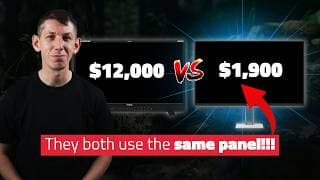
ProArt PA32UCDM Review - QD-OLED 1000nit Reference Grading - The Perfect GRADING Monitor?
🔥🔥🔥 https://audiio.com/team2films Yearly Pro Subscription DISCOUNT CODE: Team2Films70 (normally $199, with our code only $60, includes SFX and Stems) 🔥💻 Join our awesome course - $164 OFF! https://training.team2films.com/davinci-resolve-for-editors?coupon=NAB2025 Limited Discount Code: NAB2025 Team 2 Films HDR APL Tool: https://training.team2films.com/hdr-apl-tool PixelTools HDR Tools: https://pixeltoolspost.com/pages/pq-tool Other videos about the PA32UCDM: Vincent Leoh: @hdtvtest https://www.youtube.com/watch?v=FfFLYct8_DM Antonio JBazalo: @AntonioJBazalo https://youtu.be/j6TIjPpxsKw?si=XXYNrn0VgmCl3yfb Is the Asus ProArt PA32UCDM the perfect color grading reference monitor? It's got a lot of people excited because it uses the same panel found in Flanders Scientific's XMP310 and the SmallHD Quantum32 but costs a fifth of the price. THere's no question about its SDR credentials. What about HDR? Like most OLED panels it features Automatic Brightness Limiting. Is this a deal breaker when it comes to grading HDR? Watch to learn more. 00:00 Intro 00:43 Tech Primer 03:21 Why Does It Matter? 04:48 Specs 06:01 ABL Primer 07:14 Grading with ABL? 09:14 ABL Tools 12:37 Audiio 13:33 Typical APL Levels 15:55 Recommended Config 17:02 Calibration 18:38 Hardware 19:46 Resolve 21:49 Critique 23:07 Should You Buy One? 📧 Signup to our Mailing List: https://training.team2films.com/signup Where we buy our equipment: EUROPE (ProAV) 🇬🇧🇪🇺: https://tinyurl.com/T2FPYXIS USA (Film Tools) 🇺🇸: https://tinyurl.com/FTPYXIS Learn More About DaVinci Resolve: Fusion Motion Graphics Templates: https://youtu.be/_FidFIYAhUs Fusion Compositing (with Files): https://youtu.be/DXeuH3UsFnk Fusion Motion Tracked Graphics (with Files): https://youtu.be/w6GT14QGXvo Color Management Masterclass: https://youtu.be/w0ubDSzEEYg Learn More About Resolve 20: Resolve 20 Audio: https://youtu.be/JTCTVUrG8-8 Resolve 20 Fusion: https://youtu.be/1iW24V7dlOM Resolve 20 Colour: https://youtu.be/hO3OTzs6yp4 Resolve 20 Edit: https://youtu.be/GUuoumxYq7w Benchmark your computer: https://training.team2films.com/dvr-benchmark The monitor you've been waiting for!
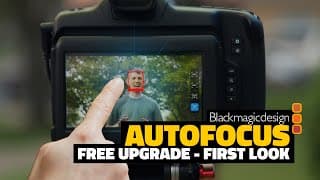
Blackmagic's FIRST PDAF Autofocus Camera - FREE Firmware Update - Blackmagic Cinema Camera 6K
🔥💻🔥Join our awesome course - $164 OFF! https://training.team2films.com/davinci-resolve-for-editors?coupon=NAB2025 Limited Discount Code: NAB2025 🖥️ Download the CC6K Beta firmware here: https://www.blackmagicdesign.com/support/family/professional-cameras DaVinci Resolve 20 is here. Here's our roundup of all the amazing new Edit and Cut features.
AI for Colorists DaVinci Resolve 20 - Blackmagic Design NAB 2025 - Magic Mask Depth Map
🔥🔥🔥 https://audiio.com/team2films Yearly Pro Subscription DISCOUNT CODE: Team2Films70 (normally $199, with our code only $60, includes SFX and Stems) 🔥💻 Join our awesome course - $164 OFF! https://training.team2films.com/davinci-resolve-for-editors?coupon=NAB2025 Limited Discount Code: NAB2025 🖥️ Download DaVinci Resolve 20 Public Beta here: https://www.blackmagicdesign.com/support/ Learn more about Resolve 20: Audio: https://youtu.be/JTCTVUrG8-8 Edit: https://youtu.be/GUuoumxYq7w Fusion: https://youtu.be/1iW24V7dlOM DaVinci Resolve 20 is here. Here's our roundup of all the amazing new Color features. 00:00 Intro 00:13 Magic Mask V2 04:09 Depth Map 05:05 Audiio 06:01 Chroma Warper 08:53 Remote Monitoring 09:29 ACES v2.0 09:38 Multi-User CS LUT 09:56 OCIO 10:06 Vertical UI 10:19 HDR Report 10:27 Panels 10:45 Outro Watch @DarrenMostyn @MrAlexTech @PatrickStirling @CaseyFaris here: MrAlexTech: https://youtu.be/UlHFDCQss7w?si=fjZhbf-PXUtqAH68 Casey Farris: https://youtu.be/Smly5bfbRXk?si=mwaMsTL75vEb0ZCM Patrick Stirling: https://youtu.be/V_qswK51Y54?si=GCOpfjQzxEYsApb2 Darren Mostyn: https://youtu.be/QB_hkaixGTQ?si=dGfXNKcyUCRmokwB 📧 Signup to our Mailing List: https://training.team2films.com/signup Where we buy our equipment: EUROPE (ProAV) 🇬🇧🇪🇺: https://tinyurl.com/T2FPYXIS USA (Film Tools) 🇺🇸: https://tinyurl.com/FTPYXIS Learn More About DaVinci Resolve: Fusion Motion Graphics Templates: https://youtu.be/_FidFIYAhUs Fusion Compositing (with Files): https://youtu.be/DXeuH3UsFnk Fusion Motion Tracked Graphics (with Files): https://youtu.be/w6GT14QGXvo Color Management Masterclass: https://youtu.be/w0ubDSzEEYg 19 Fusion Features: https://youtu.be/N5_PV2jq9RI 19 Edit Features: https://youtu.be/1z4tEPABffU 19 Color Features: https://youtu.be/iLpj9hwbvJc 19 Audio Features: https://youtu.be/6OQHNez-dIg Benchmark your computer: https://training.team2films.com/dvr-benchmark
DaVinci Resolve 20 is Incredible - Latest EDIT Features - Blackmagic Design NAB 2025
🔥🔥🔥 https://audiio.com/team2films Yearly Pro Subscription DISCOUNT CODE: Team2Films70 (normally $199, with our code only $60, includes SFX and Stems) 🔥💻 Join our awesome course - $164 OFF! https://training.team2films.com/davinci-resolve-for-editors?coupon=NAB2025 Limited Discount Code: NAB2025 🖥️ Download DaVinci Resolve 20 Public Beta here: https://www.blackmagicdesign.com/support/ Learn More About Resolve 20: Audio: https://youtu.be/JTCTVUrG8-8 Fusion: https://youtu.be/1iW24V7dlOM Colour: https://youtu.be/hO3OTzs6yp4 DaVinci Resolve 20 is here. Here's our roundup of all the amazing new Edit and Cut features. 00:00 Intro 00:15 Intelliscript 01:26 Source Tape 01:48 Auto Resync 02:11 Cloud Selective Sync 02:40 Import From Cloud Storage 03:16 VO Recorder 04:01 Timeline in Source 06:00 Compound Playhead Match 06:54 Audiio 07:49 Keyframe Editor 10:18 Wrapping 11:06 Multitext 11:46 Stylised Subs 12:55 Sing-Along 13:33 PSD Layers 14:30 Custom Grid Sort 14:56 SpeedWarp AI 15:32 Red Alert 15:57 Auto Cache Delete 16:24 Transcription 16:30 Music and Audio 16:56 Multicam Smart Switch 18:42 Learn More 19:12 Safe Trimming 19:41 Cut Page Context Menus 19:50 Cut Page Attributes 19:56 Cut Page Mixer 20:35 Cut Page VO 21:44 Outro Watch @DarrenMostyn @CaseyFaris @MrAlexTech @PatrickStirling here: MrAlexTech: https://youtu.be/UlHFDCQss7w?si=fjZhbf-PXUtqAH68 Casey Farris: https://youtu.be/Smly5bfbRXk?si=mwaMsTL75vEb0ZCM Patrick Stirling: https://youtu.be/V_qswK51Y54?si=GCOpfjQzxEYsApb2 Darren Mostyn: https://youtu.be/QB_hkaixGTQ?si=dGfXNKcyUCRmokwB 📧 Signup to our Mailing List: https://training.team2films.com/signup Where we buy our equipment: EUROPE (ProAV) 🇬🇧🇪🇺: https://tinyurl.com/T2FPYXIS USA (Film Tools) 🇺🇸: https://tinyurl.com/FTPYXIS Learn More About DaVinci Resolve: Fusion Motion Graphics Templates: https://youtu.be/_FidFIYAhUs Fusion Compositing (with Files): https://youtu.be/DXeuH3UsFnk Fusion Motion Tracked Graphics (with Files): https://youtu.be/w6GT14QGXvo Color Management Masterclass: https://youtu.be/w0ubDSzEEYg 19 Fusion Features: https://youtu.be/N5_PV2jq9RI 19 Edit Features: https://youtu.be/1z4tEPABffU 19 Color Features: https://youtu.be/iLpj9hwbvJc 19 Audio Features: https://youtu.be/6OQHNez-dIg Benchmark your computer: https://training.team2films.com/dvr-benchmark
Doing AI the RIGHT Way - Version 20 Audio Features - DaVinci Resolve 20 - Blackmagic Design NAB 2025
🔥🔥🔥 https://audiio.com/team2films Yearly Pro Subscription DISCOUNT CODE: Team2Films70 (normally $199, with our code only $60, includes SFX and Stems) 🔥💻 Join our awesome course - $164 OFF! https://training.team2films.com/davinci-resolve-for-editors?coupon=NAB2025 Limited Discount Code: NAB2025 🖥️ Download DaVinci Resolve 20 Public Beta here: https://www.blackmagicdesign.com/support/ Learn More About Resolve 20: Edit: https://youtu.be/GUuoumxYq7w Fusion: https://youtu.be/1iW24V7dlOM Colour: https://youtu.be/hO3OTzs6yp4 DaVinci Resolve 20 is here. Here's our roundup of all the amazing new Edit and Cut features. 00:00 Intro 00:18 Music Retimer 02:48 Beat Detection 04:09 EQ Match 08:32 Audiio 09:28 Level Match 10:12 Dialogue Match 11:59 6 Band EQ 12:19 EQ Effect 12:57 Gain Effect 13:25 Remove Silence 14:28 Checkerboard 15:14 Voice Cloning 19:05 Audio Assistant 20:55 Hairline 21:07 Chain FX 21:38 ADR Cues 22:34 Outro Watch @MrAlexTech @PatrickStirling @CaseyFaris @PatrickStirling here: MrAlexTech: https://youtu.be/UlHFDCQss7w?si=fjZhbf-PXUtqAH68 Casey Farris: https://youtu.be/Smly5bfbRXk?si=mwaMsTL75vEb0ZCM Patrick Stirling: https://youtu.be/V_qswK51Y54?si=GCOpfjQzxEYsApb2 Darren Mostyn: https://youtu.be/QB_hkaixGTQ?si=dGfXNKcyUCRmokwB 📧 Signup to our Mailing List: https://training.team2films.com/signup Where we buy our equipment: EUROPE (ProAV) 🇬🇧🇪🇺: https://tinyurl.com/T2FPYXIS USA (Film Tools) 🇺🇸: https://tinyurl.com/FTPYXIS Learn More About DaVinci Resolve: Fusion Motion Graphics Templates: https://youtu.be/_FidFIYAhUs Fusion Compositing (with Files): https://youtu.be/DXeuH3UsFnk Fusion Motion Tracked Graphics (with Files): https://youtu.be/w6GT14QGXvo Color Management Masterclass: https://youtu.be/w0ubDSzEEYg 19 Fusion Features: https://youtu.be/N5_PV2jq9RI 19 Edit Features: https://youtu.be/1z4tEPABffU 19 Color Features: https://youtu.be/iLpj9hwbvJc 19 Audio Features: https://youtu.be/6OQHNez-dIg Benchmark your computer: https://training.team2films.com/dvr-benchmark
NEW Fusion Features in DaVinci Resolve 20 - Blackmagic Design NAB 2025 - Comprehensive Roundup
🔥🔥🔥 https://audiio.com/team2films Yearly Pro Subscription DISCOUNT CODE: Team2Films70 (normally $199, with our code only $60, includes SFX and Stems) 🔥💻 Join our awesome course - $164 OFF! https://training.team2films.com/davinci-resolve-for-editors?coupon=NAB2025 Limited Discount Code: NAB2025 🖥️ Download DaVinci Resolve 20 Public Beta here: https://www.blackmagicdesign.com/support/ Learn More About Resolve 20: Audio: https://youtu.be/JTCTVUrG8-8 Edit: https://youtu.be/GUuoumxYq7w Colour: https://youtu.be/hO3OTzs6yp4 DaVinci Resolve 20 is here. Here's our roundup of all the amazing new Fusion features. 00:00 Intro 00:14 Frame Numbering 01:07 Font Filter 01:58 VR180 03:11 Warper Spline 04:10 Audiio 05:07 Grade Preview 05:54 Multi-Layer 09:47 Deep Compositing 13:42 Cryptomatte 14:34 Various 14:57 Outro Watch @DarrenMostyn @MrAlexTech @CaseyFaris @PatrickStirling here: MrAlexTech: https://youtu.be/UlHFDCQss7w?si=fjZhbf-PXUtqAH68 Casey Farris: https://youtu.be/Smly5bfbRXk?si=mwaMsTL75vEb0ZCM Patrick Stirling: https://youtu.be/V_qswK51Y54?si=GCOpfjQzxEYsApb2 Darren Mostyn: https://youtu.be/QB_hkaixGTQ?si=dGfXNKcyUCRmokwB 📧 Signup to our Mailing List: https://training.team2films.com/signup Where we buy our equipment: EUROPE (ProAV) 🇬🇧🇪🇺: https://tinyurl.com/T2FPYXIS USA (Film Tools) 🇺🇸: https://tinyurl.com/FTPYXIS Learn More About DaVinci Resolve: Fusion Motion Graphics Templates: https://youtu.be/_FidFIYAhUs Fusion Compositing (with Files): https://youtu.be/DXeuH3UsFnk Fusion Motion Tracked Graphics (with Files): https://youtu.be/w6GT14QGXvo Color Management Masterclass: https://youtu.be/w0ubDSzEEYg 19 Fusion Features: https://youtu.be/N5_PV2jq9RI 19 Edit Features: https://youtu.be/1z4tEPABffU 19 Color Features: https://youtu.be/iLpj9hwbvJc 19 Audio Features: https://youtu.be/6OQHNez-dIg Benchmark your computer: https://training.team2films.com/dvr-benchmark

AVOID these 5 MISTAKES when Using Blackmagic CLOUD - DaVinci Resolve Collaboration Tutorial
🔥💻 Join our awesome course! https://training.team2films.com/davinci-resolve-for-editors?coupon=SWITCH Limited Discount Code: SWITCH 🔥🔥🔥 https://audiio.com/t2f Yearly Pro Subscription 70% DISCOUNT CODE: Team2Films70 📧 Signup to our Mailing List: https://training.team2films.com/signup Where we buy our equipment: EUROPE (ProAV) 🇬🇧🇪🇺: https://tinyurl.com/T2FPYXIS USA (Film Tools) 🇺🇸: https://tinyurl.com/FTPYXIS Learn More About DaVinci Resolve: Fusion Motion Graphics Templates: https://youtu.be/_FidFIYAhUs Fusion Compositing (with Files): https://youtu.be/DXeuH3UsFnk Fusion Motion Tracked Graphics (with Files): https://youtu.be/w6GT14QGXvo Color Management Masterclass: https://youtu.be/w0ubDSzEEYg 19 Fusion Features: https://youtu.be/N5_PV2jq9RI 19 Edit Features: https://youtu.be/1z4tEPABffU 19 Color Features: https://youtu.be/iLpj9hwbvJc 19 Audio Features: https://youtu.be/6OQHNez-dIg Benchmark your computer: https://training.team2films.com/dvr-benchmark Avoid making these common mistakes when working in Blackmagic Cloud! 00:00 Intro 00:19 Relinking 02:39 Locking 05:33 Space 08:05 Access 08:58 Outro #filmmaking #davinciresolve #videoediting
Getting Started - Blackmagic Cloud, DaVinci Resolve - How to COLLABORATE with yourself (and others)
🔥🔥🔥 https://audiio.com/team2films Yearly Pro Subscription 70% DISCOUNT CODE: Team2Films70 🔥💻 Join our awesome course! https://training.team2films.com/davinci-resolve-for-editors?coupon=SWITCH Limited Discount Code: SWITCH 📧 Signup to our Mailing List: https://training.team2films.com/signup Where we buy our equipment: EUROPE (ProAV) 🇬🇧🇪🇺: https://tinyurl.com/T2FPYXIS USA (Film Tools) 🇺🇸: https://tinyurl.com/FTPYXIS Learn More About DaVinci Resolve: Fusion Motion Graphics Templates: https://youtu.be/_FidFIYAhUs Fusion Compositing (with Files): https://youtu.be/DXeuH3UsFnk Fusion Motion Tracked Graphics (with Files): https://youtu.be/w6GT14QGXvo Color Management Masterclass: https://youtu.be/w0ubDSzEEYg 19 Fusion Features: https://youtu.be/N5_PV2jq9RI 19 Edit Features: https://youtu.be/1z4tEPABffU 19 Color Features: https://youtu.be/iLpj9hwbvJc 19 Audio Features: https://youtu.be/6OQHNez-dIg Benchmark your computer: https://training.team2films.com/dvr-benchmark Blackmagic Cloud is easy when you know how to use it! Learning how to use it isn't really that hard... but just incase, here is everything you need to know in 10 minutes. 00:00 - Intro 01:01 - Overview 01:14 - Creating BM ID 01:33 - Purchase a Plan 03:11 - Project Library 03:56 - Audiio 04:58 - Resolve Time! 05:32 - Local Storage 07:56 - BM Cloud Storage 09:16 - Multi-User 10:34 - Conclusion #film #davinciresolve #kodak #shootfilm #videoeditor #macbook #apple #colorgrading #cinematic

How to Get the Film Look in 2025!
We shot on 35mm film and toured Kodak's London Lab. Watch the full video to learn more. It's 2025. Is shooting film still practical? What equipment do you need, and what's film like to work with in production and post-production? Let us show you. This video is shot on a mixture of 8mm, 16mm, 35mm and digital. We're going to take you through the entire process of shooting on film, we're even going to take you for a tour of Kodak's London Lab as well as Digital Orchard's scanning department. Hope you enjoy. #filmmaking #videoediting #davinciresolve
Kodak Lab Tour on 35mm FILM! - See Our FILM Cameras and Workflow - Inc DaVinci Resolve Tutorial
🔥🔥🔥 https://audiio.com/team2films Yearly Pro Subscription DISCOUNT CODE: Team2Films70 (normally $199, with our code only $60, includes SFX and Stems) Lifetime Music Access DISCOUNT CODE: Team2Films199 (normally $499, for a limited time $199, does not include SFX and Stems) 🔥💻 Join our awesome course! https://training.team2films.com/davinci-resolve-for-editors?coupon=SWITCH Limited Discount Code: SWITCH Read more: https://www.cined.com/film-vs-digital-in-2025-exploring-the-enduring-appeal-process-and-cost-of-shooting-on-kodak-vision-3/ 📧 Signup to our Mailing List: https://training.team2films.com/signup Where we buy our equipment: EUROPE (ProAV) 🇬🇧🇪🇺: https://tinyurl.com/T2FPYXIS USA (Film Tools) 🇺🇸: https://tinyurl.com/FTPYXIS Learn More About DaVinci Resolve: Fusion Motion Graphics Templates: https://youtu.be/_FidFIYAhUs Fusion Compositing (with Files): https://youtu.be/DXeuH3UsFnk Fusion Motion Tracked Graphics (with Files): https://youtu.be/w6GT14QGXvo Color Management Masterclass: https://youtu.be/w0ubDSzEEYg 19 Fusion Features: https://youtu.be/N5_PV2jq9RI 19 Edit Features: https://youtu.be/1z4tEPABffU 19 Color Features: https://youtu.be/iLpj9hwbvJc 19 Audio Features: https://youtu.be/6OQHNez-dIg Benchmark your computer: https://training.team2films.com/dvr-benchmark It's 2025. Is shooting film still practical? What equipment do you need, and what's film like to work with in production and post-production? Let us show you. This video is shot on a mixture of 8mm, 16mm, 35mm and digital. We're going to take you through the entire process of shooting on film, we're even going to take you for a tour of Kodak's London Lab as well as @digital_orchard's scanning department, 'Orchard Film'. Hope you enjoy. 00:00 Intro 00:39 Overview 01:01 Relevant? 02:36 Film Sizes 04:25 Choosing Stock 05:06 Audiio 06:18 Cameras 07:38 Equipment 08:48 Lab Tour 19:08 Scanning 20:00 Resolve Workflow 23:09 Easier? 23:45 Digital Vs Film 25:46 The Experience 27:20 Cost 28:27 Conclusion #film #davinciresolve #kodak #shootfilm #videoeditor #macbook #apple #colorgrading #cinematic Shooting Film in 2025 - AFFORDABLE or Practical? - Equipment, Workflow Cost, andDaVinci Resolve Shoot Your NEXT Project on FILM? Affordable or Practical? Kodak, Cameras, Lab Tour, DaVinci Resolve 35mm FILM for your NEXT Project? What You Need to Shoot - Kodak, Cameras, Lab Tour, DaVinci Resolve
Value + Performance, CF Express B (Angelbird ProAV SE 4th Generation) #cinematography #filmmaking
We use Angelbird's PRO AV SE 4th generation CF Express Type B cards in our cameras. They offer value and performance. Check out the price and performance of competing cards to see for yourself.
URSA CINE 12k LF Review - The BIGGEST thing since BAYER - Blackmagic's EXTRAORDINARY new RGBW Sensor
🔥🔥🔥 https://audiio.com/team2films $199 Lifetime Music Access Discount Code (regularly $499): Team2Films199 🔥💻 Join our awesome course! https://training.team2films.com/davinci-resolve-for-editors?coupon=SWITCH Limited Discount Code: SWITCH 📧 Signup to our Mailing List: https://training.team2films.com/signup Where we buy our equipment: EUROPE (ProAV) 🇬🇧🇪🇺: https://tinyurl.com/T2FPYXIS USA (Film Tools) 🇺🇸: https://tinyurl.com/FTPYXIS More Cine 12k Videos: @DarrenMostyn https://youtu.be/dXa4ZrcGVnI?si=TLeLkyT7DktjjWqW @ProAVTV https://youtu.be/vLiuSo4qvC0?si=Lsjcb3_2m-SN1f41 @ProAVTV https://youtu.be/XMbL4fuGaqI?si=_VLJjiTJQPpz4uhH @CVPTV https://youtu.be/xJgtQlv5Iqk?si=LMWf6fPps33ZwQsv Learn More About DaVinci Resolve: Fusion Motion Graphics Templates: https://youtu.be/_FidFIYAhUs Fusion Compositing (with Files): https://youtu.be/DXeuH3UsFnk Fusion Motion Tracked Graphics (with Files): https://youtu.be/w6GT14QGXvo Color Management Masterclass: https://youtu.be/w0ubDSzEEYg 19 Fusion Features: https://youtu.be/N5_PV2jq9RI 19 Edit Features: https://youtu.be/1z4tEPABffU 19 Color Features: https://youtu.be/iLpj9hwbvJc 19 Audio Features: https://youtu.be/6OQHNez-dIg Benchmark your computer: https://training.team2films.com/dvr-benchmark The URSA Cine 12k is a ground breaking camera. The key to its versatility is the incredible groundbreaking sensor design. This camera doesn't use a Bayer Sensor, it uses Blackmagic's proprietary RGBW CFA. In this video we'll explain how this technology works, analyse test footage, and get the thoughts of a professional colourist Tashi Trieu. Blackmagic's RGBW Patent: https://patents.google.com/patent/US12047693B2/en?oq=12047693 Read More in our Accompanying Article Here: https://www.cined.com/ursa-cine-12k-blackmagics-rgbw-sensor-technology-explained/ 00:00 Intro 01:07 12k? 02:34 RGBW CFA 04:34 But Why!? 10:02 Audiio 11:05 Camera Tests 12:24 Modes Compared 14:01 Spec Shoot 15:15 Interview 17:13 Image Quality 21:43 Tradeoffs 23:47 Hardware 26:00 Should You Buy One? 27:12 Alexa, Venice? 28:39 Cost 29:56 So What? 31:34 Learn More #davinciresolve #videoeditor #macbook #apple #colorgrading #cinematic #tutorialcapcut The BIGGEST thing since BAYER - Blackmagic's EXTRAORDINARY new RGBW Sensor - URSA CINE 12k LF Review
Motion Graphics with Expressions and Macros - DaVinci Resolve Fusion, BETTER than After Effects?
🔥🔥🔥 https://audiio.com/team2films $199 Lifetime Music Access Discount Code (regularly $499): Team2Films199 🔥💻 Join our awesome course! FINAL CHANCE to get January Sale Special Price https://training.team2films.com/davinci-resolve-for-editors?coupon=JANSALE DISCOUNT CODE: JANSALE Download the finished Graph Bar Tool Here: https://training.team2films.com/bar-graph-tool 📧 Signup to our Mailing List: https://training.team2films.com/signup 🎥🇬🇧🇪🇺: Where we buy our equipment: https://tinyurl.com/P2RPROAV LEARN MORE: Fusion Masterclass (with Files): https://youtu.be/DXeuH3UsFnk Color Management Masterclass: https://youtu.be/w0ubDSzEEYg 19 Fusion Features: https://youtu.be/N5_PV2jq9RI 19 Edit Features: https://youtu.be/1z4tEPABffU 19 Color Features: https://youtu.be/iLpj9hwbvJc 19 Audio Features: https://youtu.be/6OQHNez-dIg Benchmark your computer: https://training.team2films.com/dvr-benchmark This is a long one! Learn how to create dynamic motion graphics, using expressions and macros. Fusion is an unbelievably powerful tool for creating motion graphics. Let us show you how. Note: Sorry, we didn't show the values we entered for Maximum, Minimum and Value. They should be integer sliders. Please enter ranges that suit the data you will be displaying. 00:00 Start 00:18 Setup 01:31 Custom Controls 06:13 First Expressions 10:57 More Controls! 11:24 Audiio 12:27 Learning Continues 15:50 Aesthetic Changes 16:44 Labels 23:08 Titles 24:57 Even More Controls 28:12 Masking 29:56 Creating Macros 33:28 Editing Macros 34:13 Linking Controls 36:17 Animations 39:40 Saving Your Graph 40:07 LEARN MORE 40:45 Conclusion #davinciresolve #videoeditor #macbook #apple #colorgrading #cinematic #tutorial

DZOFilm Arles Vs Tokina Vista Primes - In-Depth Review, Tests, Davinci Resolve Grading and more
🔥🔥🔥 http://audiio.com/team2films 70% off COUPON CODE: Team2Films70 🔥💻 Join our awesome course - $140 off January Sales! https://training.team2films.com/davinci-resolve-for-editors?coupon=JANSALE DISCOUNT CODE: JANSALE 📧 Signup to our Mailing List: https://training.team2films.com/signup 🎥🇬🇧🇪🇺: Check Prices for the Arles in Europe and the UK at ProAV: https://tinyurl.com/T2FARLESPROAV Watch our masterclass about Subtractive Saturation: https://youtu.be/r5MZN0MdlY8 ❤️🔥❤️🔥❤️🔥 The camera we shoot with: EUROPE (ProAV) 🇬🇧🇪🇺: https://tinyurl.com/T2FPYXIS USA (Film Tools) 🇺🇸: https://tinyurl.com/FTPYXIS 00:00 Intro 00:52 Sample Footage 02:45 Grading Process 07:54 Design Philosophy 09:30 Audiio 10:18 Observations 15:34 Impressions 16:07 Vs Vista Primes 18:03 Build 19:50 Should You Buy Them? 20:21 Outro #davinciresolve #videoeditor #macbook #apple #colorgrading #cinematic #tutorial DZOFilm Arles lenses have been compared to Tokina Vista Primes, Zeiss Supremes and other incredibly expensive lens. That's because they have very similar design philosophy's, to produce the cleanest possible image. You can buy an entire set of Arles for almost the price of a single Tokina Vista Prime. How do they compare? We've shot comparisons with both the Arles and and Vista Primes so you can decide for yourself.

WHICH Mac to buy for Resolve - Real-world Tests on the M4, M4 Pro and M4 Max
🔥🔥🔥 http://audiio.com/team2films 70% off COUPON CODE: Team2Films70 🔥💻 Join our awesome course! https://training.team2films.com/davinci-resolve-for-editors?coupon=SWITCH DISCOUNT CODE: SWITCH 🤖 Download our FREE Benchmark https://training.team2films.com/dvr-benchmark Select Benchmark Results (Render time in seconds, LOWER is better): A 148 - AMD Ryzen 9 9950X3D 5090 / 64GB - 19.1.3 Studio (@Mattceeee) A 180 - M3 Ultra (32CPU 80 GPU 96GB) - 19.1.4 Studio (SethH) A 190 - Intel i913900KS 5090 / 64GB -19.1.3 Studio (@Mattceeee) A 210 - M3 Ultra (28CPU 60GPU 96GB) - 19.1.1 Studio (@dustinschmidtphoto) A 222 - M2 Ultra (24CPU 60GPU) - 19.1 Studio (@Miguel_García_Iraburu) A 231 - i7-14700K RTX 4090 - 19.1 Studio (@tyupalov) A 232 - M2 Ultra (24CPU 76GPU 128GB) - 19.1 Studio (@DarrenMostyn ) A 233 - Ryzen 7950x3D RTX 4090 - 19.03 Studio (@Nick_Lavigne) A 238 - MBP 16" M4 Max (16CPU 40GPU) - 19.1 Studio (@Team2Films) A 250 - 13900KS RTX 3090 - 19.1 Studio (@IvStam-zi7gq) A 258 - i7 13700K 32GB DDR5 6000mhz AMD 7900 XTX - 19.1 Studio (@TheCarGuyOnline) A 263 - 5950X 7900XTX 32GB DDR4 3600(CL14) - 19.1.2 Studio (@compaholic83) A 276 - M3 MAX (16CPU 40GPU, 128GB RAM) - 19.1 Studio (@espio1968ify) A 286 - Ryzen 7950X 3D RTX 4090 - 19.1 Studio (@cptnwrngbob) A 296 - Ryzen 9 5900X 64GB RAM Radeon RX 7900 XTX - 19.1 Studio (@vwgtidude) A 299 - M1 Ultra (20 CPU 48 GPU) - 19.1 Studio (@cpaq) A 300 - Ryzen 9 7900X, 96GB RAM, RTX 4070 Ti Super 16gb - 19.1 Studio (@HRCreativos) A 325 - Ryzen 9 5900X 128GB DDR4 RAM RTX 3090 - 19.1 Studio (@KaurH) A 338 - M4 Max 14" MBP (14 CPU 32 GPU 36GB) - 19.1 Studio (@DarrenMostyn ) A 353 - i9-14900K 64 GB Ram RX 6900-XT SE 16GB - Studio 19.1 (@driedekker) A 362 - M2 Max 16" MBPro (12 core CPU 38 GPU 96GB) - 19.1 Studio (@DarrenMostyn ) A 369 - M3 MAX (14CPU 30GPU, 36GB RAM,1TB SSD) - 19.1.3 STUDIO (@olehdudar_dop) A 385 - Threadripper Pro 12C 128gbRAM / 2 x RTX A4000 16GB - 19.1 Studio (@RalfSwy) A 396 - M1 Max (10 CPU 32 GPU 64 GB RAM) - 19.1 Studio (@TomMehlum) A 396 - i7 13700k AMD 6900XT - 19.1 Studio (@jasonsedmak3077) A 398 - M4 Pro (MPB 14 CPU 20 GPU 48GB) - 19.1.1 Studio (@Drone-Vids) A 398 - M2 Max (Studio 12CPU 30GPU 32 GB) - 19.1 Studio (@telmoibarburu1038) A 430 - M1 Max (10 CPU 32 GPU 32GB RAM) - 19.1 Studio (@Team2Films) A 490 - i7 13700K RTX 64GB 4070 Ti - 19.1 STUDIO (@juricavidakovic2762) A 617 - M2 Pro Mini (12CPU 16 GPU 32GB RAM) - 19.1 Studio (@TechRealityGlasgow) A 657 - Ryzen 5800x RTX 4070 32gb ram - 19.1 Studio (@AlexDiazVideo) A 709 - i9-11980HK (Laptop) RTX 3080 - 19.1 Studio (@TechTrainTracks) A 880 - M4 Mini (10CPU 10GPU) - 19.1 Studio (@MrAlexTech) A 1072 - M1 Pro (10 CPU 16GPU 16GB) - 19.1 Studio (@vaidotassegenis) A 1642 - i7-12700 32GB RTX4060 8GB - 19.1 Studio (@benekex) A 1687 - M1 Air (4CPU 4GPU) - 19.1 Studio (@Ftothedance) Go Watch @MrAlexTech https://www.youtube.com/watch?v=HKoLxOkcfQ4 https://www.youtube.com/watch?v=_-gq0q_QdFg See @MaxTechOfficial run our test on the M4 Pro: https://youtu.be/0aLg_a9yrZk?si=RPXXnPMtt3DJ1qZf @DarrenMostyn has a helpful video here: https://youtu.be/H4ePGagmve4?si=JgKgdIC09-NF5u0i 📧 Signup to our Mailing List: https://training.team2films.com/signup 🎥🇬🇧🇪🇺: Where we buy our equipment: https://tinyurl.com/P2RPROAV 📽️ The camera we shoot with: https://tinyurl.com/P2RMAVOLF LEARN MORE: Fusion Masterclass (with Files): https://youtu.be/DXeuH3UsFnk Color Management Masterclass: https://youtu.be/w0ubDSzEEYg 00:00 Start 01:09 Love What You Have 01:59 Evaluating Performance 02:33 Benchmark 03:10 How To 04:38 Audiio 05:38 M1 Vs M4 07:32 M4 Compared 09:42 Free Download 10:04 Windows Vs Mac 11:51 Conclusion #davinciresolve #videoeditor #macbook #apple #colorgrading #cinematic #tutorial How good is the new M4? We’re testing real world performance. There’s also a free download so you can test your own computer.
DaVinci Resolve 19.1 - Small Changes, BIG Improvements (Our favourite new features)
🔥🔥🔥 http://audiio.com/team2films 70% off COUPON CODE: Team2Films70 🔥💻 Join our awesome course! https://training.team2films.com/davinci-resolve-for-editors?coupon=SWITCH DISCOUNT CODE: SWITCH Where we buy our equipment EUROPE (ProAV) 🇬🇧🇪🇺: https://tinyurl.com/T2FPROAV USA (Film Tools) 🇺🇸: https://tinyurl.com/T2FFILMTOOLS LEARN MORE: Fusion Masterclass (with Files): https://youtu.be/DXeuH3UsFnk Color Management Masterclass: https://youtu.be/w0ubDSzEEYg 19 Fusion Features: https://youtu.be/N5_PV2jq9RI 19 Edit Features: https://youtu.be/1z4tEPABffU 19 Color Features: https://youtu.be/iLpj9hwbvJc 19 Audio Features: https://youtu.be/6OQHNez-dIg Other 19.1 Videos: @PatrickStirling https://www.youtube.com/watch?v=HXUAPswZgf0 @MrAlexTech https://youtu.be/7ysZMKBOLXs?si=DB6v3_O_zkD6Y9Rs @CreativeVideoTips https://www.youtube.com/watch?v=YYxsjYccTzo 📧 Signup to our Mailing List: https://training.team2films.com/signup Resolve 19.1 is out! Here's our favourite features. 00:00 Intro 00:22 Media Page 04:04 Edit Page 08:32 Audio 09:36 Edit Page Pt 2 14:27 Color Page 16:56 Fairlight Page 18:03 Deliver Page 19:42 UI 20:01 Conclusion 20:19 Learn More #davinciresolve #videoeditor #premierepro #colorgrading #cinematic #tutorial
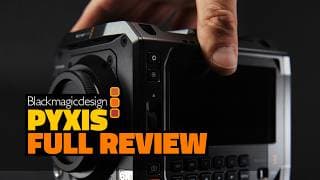
Blackmagic PYXIS 6K Review - Professional Perspective, Problems, Solutions and Rigging
🔥🔥🔥 http://audiio.com/team2films 70% off COUPON CODE: Team2Films70 ❤️🔥❤️🔥❤️🔥 Order the PYXIS Or Arles HERE (using our links helps to support our channel): EUROPE (ProAV) 🇬🇧🇪🇺: https://tinyurl.com/T2FPYXIS USA (Film Tools) 🇺🇸: https://tinyurl.com/FTPYXIS Watch Our Other Videos: PYXIS First-Impressions: https://youtu.be/skslvZeJYMA Kinefinity Mavo LF: https://youtu.be/4cykvjRrPNs Red Komodo X: https://youtu.be/frBbHljyipo Sony Burano: https://youtu.be/fILCIdT8csM 🔥💻 Continue your education with DaVinci Resolve for Editors: https://training.team2films.com/davinci-resolve-for-editors LIMITED DISCOUNT CODE: SWITCH 📸 DZOFilm's AMAZING Arles Prime Lenses https://tinyurl.com/T2FARLES DJI Lidar Focus Bracket: Instagram @formative_3d 📧 Signup to our Mailing List: https://training.team2films.com/signup 🎥🇬🇧🇪🇺: Where we buy our equipment: https://tinyurl.com/P2RPROAV 📽️ The camera we shoot with: https://tinyurl.com/P2RMAVOLF2 The PYXIS is finally shipping. We've used it for the past month, here's our thoughts. We're digging into the camera's weaknesses and potential solutions. 00:00 Start 00:05 Clear Air 01:12 Image Quality 01:45 DR 03:29 DR Tests 06:04 Audiio 07:05 Rolling Shutter 08:32 Gyroflow 09:44 Low-Light 11:34 Observations 12:27 Rigging 13:43 Camera Build 17:16 Internal ND 18:09 Lens Choice 19:50 Cinema Camera? 21:02 Is It For You? 21:53 Conclusion #blackmagicdesign #filmmaking #davinciresolve #camera
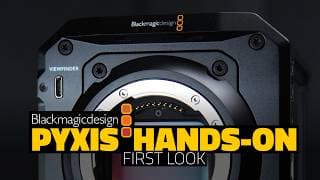
Is the HYPE Justified? - PYXIS Hands-On First Impressions REVIEW
🔥🔥🔥 http://audiio.com/team2films 70% off COUPON CODE: Team2Films70 ❤️🔥❤️🔥❤️🔥 Order the PYXIS HERE (using our links helps to support our channel): EUROPE (ProAV) 🇬🇧🇪🇺: https://tinyurl.com/T2FPYXIS USA (Film Tools) 🇺🇸: https://tinyurl.com/FTPYXIS Watch Our Other Videos: Aspect Ratio: https://youtu.be/idCaAO8sMm4 Kinefinity Mavo LF: https://youtu.be/4cykvjRrPNs Red Komodo X: https://youtu.be/frBbHljyipo Sony Burano: https://youtu.be/fILCIdT8csM 🔥💻 Continue your education with DaVinci Resolve for Editors: https://training.team2films.com/davinci-resolve-for-editors LIMITED DISCOUNT CODE: SWITCH 📸 DZOFilm's AMAZING Arles Prime Lenses https://tinyurl.com/T2FARLES 📧 Signup to our Mailing List: https://training.team2films.com/signup 🎥🇬🇧🇪🇺: Where we buy our equipment: https://tinyurl.com/P2RPROAV 📽️ The camera we shoot with: https://tinyurl.com/P2RMAVOLF2 The PYXIS is finally shipping. What's all the hype about, should you pay attention to this camera? 00:00 Intro 00:17 Form Factor 01:15 User Feedback 01:57 Necessary? 03:30 What's Important? 05:48 Vs BMCC6K 06:47 Build Quality 07:33 Audiio 08:38 Vs Others 10:37 Elephants 12:20 Accessories 13:30 Outro #blackmagicdesign #filmmaking #davinciresolve #camera
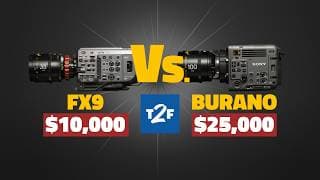
Sony Burano Review - Can You See the DIFFERENCE? Burano Vs FX9 - X-OCN and XAVC Compared
🔥🔥🔥 http://audiio.com/team2films 70% off COUPON CODE: Team2Films70 🎞️ See for yourself. Free sample files from the Burano and FX9: https://training.team2films.com/fx9-vs-burano-files 🎥 Learn more about the Burano and FX9: https://tinyurl.com/T2FBURANO https://tinyurl.com/T2FFX9 📸 DZOFilm's AMAZING Arles Prime Lenses https://tinyurl.com/T2FARLES 🔥💻 Continue your education with DaVinci Resolve for Editors: https://training.team2films.com/davinci-resolve-for-editors LIMITED DISCOUNT CODE: SWITCH 📧 Signup to our Mailing List: https://training.team2films.com/signup 🎥🇬🇧🇪🇺: Where we buy our equipment: https://tinyurl.com/P2RPROAV 📽️ The camera we shoot with: https://tinyurl.com/P2RMAVOLF2 Resolve 19 is out! Here's our top 10 favourite features. 00:00 Intro 00:26 Objectives 01:15 The Test 01:51 Camera Setup 02:37 Round 1 03:31 Codecs 08:06 Detail 10:44 Audiio 11:50 Chromakey 12:19 Fusion Demo 16:32 Low Light 20:32 Round 2 21:15 Rolling Shutter 23:33 Color 25:31 Camera Talk 27:54 Should You Buy One? 29:47 Outro #sony #burano #davinciresolve #cinematic #tutorial
Top 10 New Features - DaVinci Resolve 19 !!! (Studio) It's Finally Released
🔥🔥🔥 http://audiio.com/team2films 70% off COUPON CODE: Team2Films70 LEARN MORE: @MrAlexTech Go watch his awesome video here: https://youtu.be/Y3AFCvZ-epA?si=WCv1qA4e9DTWOiNN Fusion Masterclass (with Files): https://youtu.be/DXeuH3UsFnk Color Management Masterclass: https://youtu.be/w0ubDSzEEYg 19 Fusion Features: https://youtu.be/N5_PV2jq9RI 19 Edit Features: https://youtu.be/1z4tEPABffU 19 Color Features: https://youtu.be/iLpj9hwbvJc 19 Audio Features: https://youtu.be/6OQHNez-dIg 🔥💻 Continue your education with DaVinci Resolve for Editors: https://training.team2films.com/davinci-resolve-for-editors LIMITED DISCOUNT CODE: SWITCH 📧 Signup to our Mailing List: https://training.team2films.com/signup 🎥🇬🇧🇪🇺: Where we buy our equipment: https://tinyurl.com/P2RPROAV 📽️ The camera we shoot with: https://tinyurl.com/P2RMAVOLF2 Resolve 19 is out! Here's our top 10 favourite features. 00:00 Intro 00:14 Audio Properties 00:42 Defocus Background 01:26 Voice Isolation 02:09 Text-Based Editing 02:37 Colorslice 03:22 Audiio 04:28 Intellitrack 05:15 Fusion Refs 06:01 Film Look Creator 06:54 Optimise Audio 07:49 Runner Ups 09:01 Music Remixer 09:51 More Resources #davinciresolve #videoeditor #premierepro #colorgrading #cinematic #tutorial
Live Sync - Edit While You Are Recording!!! Blackmagic Camera App v2.0 DaVinci Resolve Tutorial
🔥💻 DaVinci Resolve for Editors (LIMITED DISCOUNT CODE: SWITCH): https://training.team2films.com/davinci-resolve-for-editors 🔥🔥 RESOLVE CON!!! http://www.resolvecon.com 📽️🇬🇧iFootage SpiderCrab https://tinyurl.com/T2FCONTROLSPIDER Moment MagSafe Accessories https://www.shopmoment.com/products/moment-mobile-filmmaker-cage-for-magsafe https://www.shopmoment.com/products/multi-thread-mount-for-magsafe-1 70% off Audiio with the coupon code: Team2Films70 🎵🎸 http://audiio.com/t2f LEARN MORE with our 35 MINUTE Beginners Guide to Resolve: https://training.team2films.com/resolve-masterclass 🎥🇬🇧🇪🇺: Where we buy our equipment: https://tinyurl.com/P2RPROAV 📽️ The camera we shoot with: https://tinyurl.com/P2RMAVOLF 📧 Signup to our Mailing List: https://training.team2films.com/signup Blackmagic Camera 2.0 is out and there’s an awesome new feature, Live Sync. Now you can start editing before you've even finished recording! We'll show you what you need, how it works and how you might use it. 00:00 Intro 00:06 Overview 00:38 What Do You Need? 01:26 Demonstration 05:22 Use Cases 06:18 Resolve Con 07:07 Outro #iphone #blackmagiccameraapp #davinciresolve #videoeditor #tutorial
Fusion Motion Graphics Masterclass - DaVinci Resolve 19 (Intellitrack Tracker Tutorial)
70% off Audiio with the coupon code: Team2Films70 🎵🎸 http://audiio.com/team2films 📂🎥 Download the FREE lesson files: https://training.team2films.com/tracked-motion-graphics-masterclass 🔥💻 DaVinci Resolve for Editors (LIMITED DISCOUNT CODE: SWITCH): https://training.team2films.com/davinci-resolve-for-editors LEARN MORE with our 35 MINUTE Beginners Guide to Resolve: https://training.team2films.com/resolve-masterclass 🎥🇬🇧🇪🇺: Where we buy our equipment: https://tinyurl.com/P2RPROAV 📽️ The camera we shoot with: https://tinyurl.com/P2RMAVOLF Fusion Compositing Masterclass: https://youtu.be/DXeuH3UsFnk Color Management Masterclass: https://youtu.be/w0ubDSzEEYg 📧 Signup to our Mailing List: https://training.team2films.com/signup So you think Fusion is no good for Motion Graphics? In this video we'll show you how to create motion graphics that are tracked to elements in your footage. You'll learn about Polygons, Publishing Points, Intellitrack, the Tracker Node, Reduce Points and some basic expressions. There's downloadable files if you want to follow along! 00:00 Intro 00:24 Tracker Setup 03:47 Audiio 04:49 Tracking 06:28 Sweetening! 10:02 Advanced Tracker Setup 14:57 Adding Details 17:13 Reduce Points 18:43 Finesse 23:35 Homework 24:12 Learn More! 25:24 Outro #davinciresolve #videoeditor #premierepro #colorgrading #cinematic #tutorial
It's TIME. Make the Move From Premiere to Resolve #cinematography #videoeditor #colorgrading
It's TIME. Make the Move From Premiere to Resolve. It's easier than you think, we're here to help. With watch the full masterclass! 🔥💻 Continue your education with DaVinci Resolve for Editors: https://training.team2films.com/davinci-resolve-for-editors
Ultimate Beginners Tutorial DaVinci Resolve 19 - Media, Edit, Color, Fusion and Cloud Introduction
🔥💻 Special Offer $150 off https://training.team2films.com/davinci-resolve-for-editors?coupon=LEARN Discount Code: LEARN 📧 Signup to our Mailing List: https://training.team2films.com/signup 🔥🎵🎸 http://audiio.com/t2f 70% off COUPON CODE: Team2Films70 🎥🇬🇧🇪🇺: Where we buy our equipment: https://tinyurl.com/P2RPROAV 📽️ The camera we shoot with: https://tinyurl.com/P2RMAVOLF LEARN MORE: Fusion Masterclass (with Files): https://youtu.be/DXeuH3UsFnk Color Management Masterclass: https://youtu.be/w0ubDSzEEYg So you're thinking of switching from Premiere or Final Cut Pro to DaVinci Resolve? Awesome. Perhaps you have concerns about how long it might take you to learn a new program, whether your old projects will be compatible or if it can do everything you need it to? In this video we're going to show you can harness your existing skills from Premiere and Final Cut Pro and successfully move to DaVinci Resolve... and perhaps save money and improve your videos in the process! 00:00 Intro 00:21 Is Switching Hard? 01:47 Creating A Project 02:26 Importing Media 03:51 Color Management 05:50 Settings 07:55 Performance and Codecs 09:06 Metadata 11:06 Creating A Timeline 11:51 Multicam 13:02 Text-Based Editing 14:41 Editing Tools Compared 16:41 Three-Point Editing 18:32 Mismatched Res 19:14 Pancakes? 20:03 Importing From Premiere 20:54 All-In-One 21:12 Audio Tools 23:47 Video Effects 24:51 Render Caching 25:25 Fusion 26:57 Planar Tracker 29:07 Color Grading 30:43 Magic Mask 31:47 Film Look Creator 32:23 Workflow 32:50 Project Management 34:02 Collaboration 35:57 What's Next? 37:37 Conclusion #davinciresolve #videoeditor #premierepro #colorgrading #cinematic #tutorial It's TIME! Ditch Premiere Pro and Switch to DaVinci Resolve - Beginners Tutorial
How to Use REFERENCED Compositions - And other NEW Resolve 19 Fusion Features (Reference Comps)
🔥🎵🎸 http://audiio.com/team2films 70% off COUPON CODE: Team2Films70 🔥💻 Join our course, DaVinci Resolve for Editors: https://training.team2films.com/davinci-resolve-for-editors @CaseyFaris https://youtu.be/DB0rSOeNs0s?si=f2nRI8879VWfmuy- @VFXstudy https://youtu.be/m3D4BvPQkao?si=YF6y1xzxH-i9VRJo Watch our other videos about DaVinci Resolve 19: Colour: https://youtu.be/iLpj9hwbvJc The New Micro Panel: https://youtu.be/B62OMXbzrgU Edit: https://youtu.be/1z4tEPABffU Audio: https://youtu.be/98edljEGBfo 00:00 Intro 00:10 Referenced Comps 05:44 Audiio 06:50 Color Managed Viewers 08:05 Multi-Poly 08:52 Magic Mask 09:15 Intellitrack 10:19 Other Features 11:11 Conclusion DaVinci Resolve 19 beta has just been released, there's some amazing new features. This video covers improvements to Fusion, in particular how to use Reference Compositions. Enjoy, questions below, and don't forget to check out our other videos covering the other pages. #davinciresolve #nab2024 #videoeditor #videoeditingsoftware
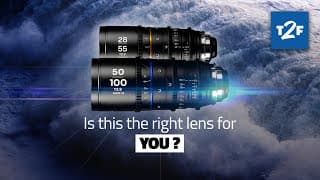
Affordable Anamorphic Zoom - Laowa Nanomorph 28-55mm 50-100mm Silver Review
🔥 Join our course, DaVinci Resolve for Editors: https://training.team2films.com/davinci-resolve-for-editors 📸 Browse Laowa's impressive range of lenses at ProAV: https://tinyurl.com/LAOWAPROAV If you like the artist featured in the sample footage, you can check out her work here: mariarose.co.uk In this video, we're checking out Laowa's new Nanomorph Anamorphic Zooms! They are really unique, affordable anamorphic zooms. They have a really clean look that we think would be particularly well suited for documentary or corporate work. Hope you enjoy the video, please leave questions below. 00:00 Intro 00:11 Sample Footage 04:09 Mechanics 05:23 Optics 06:23 What We Don't Like 08:46 Who Are They For? 10:09 Clean Look 10:49 Not For You? 11:17 Conclusion #anamorphic #cinematography #filmmaker
BETTER than you think!! Color Grade on iPad PRO - DaVinci Resolve - Scopes and Monitoring Tips
🔥 Join our course, DaVinci Resolve for Editors: https://training.team2films.com/davinci-resolve-for-editors 🖥️ ASUS ProArt PA32UCXR https://asus.click/proart-promo-team2films 🎵 🎺🎸 An entire year of music for just $60: http://audiio.com/t2f 70% off COUPON CODE: Team2Films70 FULL MICRO PANEL REVIEW https://youtu.be/B62OMXbzrgU Is it possible to do serious color grading on an iPad? In this video we're going to explore using an iPad for scopes, as a Reference Monitor and as your main computer for colour grading. 00:00 Intro 00:24 Scopes 01:33 Reference Display 02:45 Remote Monitoring 05:40 iPad for Grading? 06:48 External Monitors 08:43 Balance 10:19 Outro #davinciresolve #videoeditor #videoediting #iPad
NEW Micro Color Panel - DaVinci Resolve #cinematography #davinciresolve #shorts #nab2024
https://youtu.be/B62OMXbzrgU Watch the full review now. Join our course, DaVinci Resolve for Editors with a limited launch discount, $80 off: https://training.team2films.com/davinci-resolve-for-editors?coupon=LAUNCH COUPON CODE: LAUNCH
TEXT BASED Editing - DaVinci v19 Edit Page Improvements - Blackmagic NAB 2024
🔥 Join our course, DaVinci Resolve for Editors: https://training.team2films.com/davinci-resolve-for-editors 🎵 🎺🎸 An entire year of music for just $60: http://audiio.com/t2f 70% off COUPON CODE: Team2Films70 00:00 Intro 00:14 Transcription 02:29 Trim Editor 03:23 Audio Properties 04:38 Announcement 05:49 Track Renders 06:33 Other Features 08:03 Conclusion Watch our other videos about DaVinci Resolve 19: Audio: https://youtu.be/98edljEGBfo The New Micro Panel: https://youtu.be/B62OMXbzrgU Color: https://youtu.be/iLpj9hwbvJc Fusion: COMING SOON DaVinci Resolve 19 has just been released, there's some amazing new features. This video covers improvements to edit and delivery. Enjoy, questions below, and don't forget to check out our videos covering the other pages. #davinciresolve #nab2024 #videoeditor #videoediting
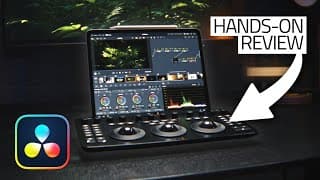
MICRO COLOR PANEL Hands On Review - Blackmagic DaVinci Resolve 19 iPad Pro NAB Show 2024
🔥 Join our course, DaVinci Resolve for Editors: https://training.team2films.com/davinci-resolve-for-editors 🇬🇧 Order the panel from ProAV: https://proav.co.uk/blackmagic-design-davinci-resolve-micro-color-panel?aw_affiliate=eyJjYW1wYWlnbl9pZCI6IjUiLCJ0cmFmZmljX3NvdXJjZSI6Ik1JQ1JPUEFORUwiLCJhY2NvdW50X2lkIjoxMTB9 🎵 🎺🎸 An entire year of music for just $60: http://audiio.com/team2films 70% off COUPON CODE: Team2Films70 00:00 Intro 00:43 Similar 01:27 New 07:44 Announcement 08:53 What's It Like? 10:27 Favourites 11:13 Compared 13:40 FAQ 14:17 Critique 15:02 Reccomendation 15:42 Conclusion Watch our other videos about DaVinci Resolve 19: Audio: https://youtu.be/98edljEGBfo Colour: https://youtu.be/iLpj9hwbvJc Edit: https://youtu.be/1z4tEPABffU Fusion: COMING SOON Blackmagic have released a new Micro Color Panel. Here's our in-depth review. You are going to LOVE it. #davinciresolve #nab2024 #videoeditor #videoediting
Color Slice, Film Look Creator, Ultra NR and more - DaVinci Resolve 19 Color Page BEST New Features
🔥 Join our course, DaVinci Resolve for Editors: https://training.team2films.com/davinci-resolve-for-editors 🎵 🎺🎸 An entire year of music for just $60: http://audiio.com/t2f 70% off COUPON CODE: Team2Films70 00:00 Intro 00:16 ColorSlice 04:11 Film Look Creator 09:48 Announcement 10:58 UltraNR 12:05 Node Stacks 13:46 DeFocus 15:01 Other Features 15:45 Conclusion PixelTools has an NAB Sale!!! https://bit.ly/3PvUBiR 25% off all individual products with coupon code NAB2024 35% additional off bundles (DCTL & Master Colorist Toolkit) - which already come with 15% off built-in Watch our other videos about DaVinci Resolve 19: Audio: https://youtu.be/98edljEGBfo The New Micro Panel: https://youtu.be/B62OMXbzrgU Edit: https://youtu.be/1z4tEPABffU Fusion: COMING SOON DaVinci Resolve 19 has just been released, there's some amazing new features. This video covers improvements to color. Enjoy, questions below, and don't forget to check out our other videos covering the other pages. #davinciresolve #nab2024 #videoeditor #videoediting
DaVinci Resolve 19 INCREDIBLE AI Tools - NEW AUDIO Features NAB 2024
🔥🔥🔥 http://audiio.com/t2f 70% off COUPON CODE: Team2Films70 00:00 Intro 00:32 Music Remixer 03:53 Dialogue Separator 05:51 Ducker 07:20 Sidechains 08:46 Announcement 09:56 Intellitrack 12:08 Optimize 13:07 Other Features 14:50 Conclusion 🔥 Join our course, DaVinci Resolve for Editors: https://training.team2films.com/davinci-resolve-for-editors Watch our other videos about DaVinci Resolve 19: Colour: https://youtu.be/iLpj9hwbvJc The New Micro Panel: https://youtu.be/B62OMXbzrgU Edit: https://youtu.be/1z4tEPABffU Fusion: COMING SOON DaVinci Resolve 19 has just been released, there's some amazing new features. This video covers improvements to audio. Enjoy, questions below, and don't forget to check out our other videos covering the other pages. #davinciresolve #nab2024 #videoeditor #videoediting
Ultimate MUSIC Editing Guide - Beat Match and Ring Outs - DaVinci Resolve Tutorial
🔥🔥🔥 http://audiio.com/t2f 70% off COUPON CODE: Team2Films70 🔥 Join our course, DaVinci Resolve for Editors: https://training.team2films.com/davinci-resolve-for-editors We are cutting music in this video, creating ring outs and utilising SFX to finish your video with a bang! It's very rare for a piece of music to perfectly fit your video, so here are a few techniques to make your music cuts invisible. 00:00 Intro 00:45 No Rhythm 02:04 With Rhythm 05:38 Ring Outs 09:32 Sound Effects 10:25 Audiio Offer Created by Team 2 Films. #davinciresolve #filmmaking #videoediting #audiiio #music
Better than After Effects? Incredible FUSION VFX Compositing Masterclass - DaVinci Resolve
Practice Media Available Here: https://training.team2films.com/fusion-compositing-masterclass-lesson-files 🔥 Join our course - DaVinci Resolve for Editors: https://training.team2films.com/davinci-resolve-for-editors 🎵 🎺🎸 An entire year of music for just $60: http://audiio.com/t2f 70% off COUPON CODE: Team2Films70 Is Fusion better than After Effects? You decide! Watch as we work with challenging footage to create a VFX composition for our upcoming video on the BMCC6K. We'll cover topics like Color Management, Magic Mask, Planar Trackers, Point Trackers, Light Wraps, Compositing in the Color Page with Media Out Nodes, Resizing Images, Caching and much more. Check out @caseyfaris for awesome Fusion tutorials: Beginners Fusion Guide: https://www.youtube.com/watch?v=PoinMs_YceQ Advanced Stabilisation: https://www.youtube.com/watch?v=rZEaOnkBc2I 00:00 Intro 01:15 Footage Setup 03:10 Magic Mask 06:42 Camera Plate 08:58 Background Plate 12:47 Planar Tracker 15:11 Screen and EVF 20:02 Planar Tracker Pt2 23:56 Stabilisation 29:21 Manual Alignment 33:07 Lightwrap 34:24 Compositing 37:06 Performance 37:52 Conclusion Created by Team 2 Films. #colorgrading #davinciresolve #filmmaking #fusion #videoediting #filmmaking

Want to EDIT FASTER? - DaVinci Resolve Editors Keyboard In-Depth Review BUYER'S GUIDE
ProAV 🇬🇧🇪🇺 http://tinyurl.com/t2fproavkeyboard Overpriced keyboard? Will it make you a better editor? Can you work without it? Is it worth buying? Should I get the Speed Editor? If you've got questions about the DaVinci Resolve Editors Keyboard, then this video is for you. Hope you enjoy. 00:00 Intro 00:10 What Is It 01:02 Special Features 03:22 Vs Speed Editor 04:34 FAQ 05:06 Should You Buy One? 05:56 Negatives 06:51 Outro Created by Team 2 Films. #colorgrading #davinciresolve #filmmaking
Kinefinity Mavo LF Mk II In-Depth Review (with DZO Catta Ace) - 6k Full Frame Cinema Camera
🔥 More info on the Kinefinity Mavo LF II and DZO FIlm Catta Ace: ProAV (🇪🇺🇬🇧) http://tinyurl.com/t2fproavmavoii BHPhoto (🇺🇸) http://tinyurl.com/4za7hznb GafpaGear LUTs https://gafpagear.com/product/kinefinity-mavo-lf-mk2-arri-lutpack/?swcfpc=1 How much do you need to spend on a camera? The Kinefinity Mavo LF II is one of the most cost-effective cameras we know. Sure it has some weaknesses, but what camera doesn't? Join us as we put it to the test in New York City and talk about how to make a good business decision when purchasing a camera. Go check out @ProAVTV @CineDailies @geraldundone 00:00 Intro 00:49 Footage Walkthrough 08:19 Equipment 09:01 Features 16:39 Negatives 17:36 Should You Buy 18:03 Alternatives 20:19 Can You Have It All 22:04 Right For You? 22:59 Reliability 23:39 Conclusion Created by Team 2 Films. #colorgrading #davinciresolve #filmmaking #cinematography #camera Other Equipment: iFootage Cobra Monopod (🇬🇧🇪🇺) http://tinyurl.com/3v8nptf6 Audio Technica BP4025 (🇪🇺🇬🇧) https://www.thomann.de/gb/audio_technica_bp4025.htm?offid=1&affid=2672
The FUTURE is Here! URSA G2 Blackmagic Cloud Workflow - DaVinci Resolve Remote Camera Tutorial
ProAV 🇬🇧🇪🇺 http://tinyurl.com/t2fproavusrag2 Thomann 🇩🇪🇪🇺https://www.thomann.de/gb/blackmagic_design_ursa_broadcast_g2.htm?offid=1&affid=2672 This is the future of Electronic New Gathering. The new v8.5 firmware for the Blackmagic URSA G2 has added support for the camera to upload clips directly to DaVinci Resolve over a mobile phone connection. Now editors can start work before the crews has even left location. You're going to live this! 00:00 Start 00:34 Setup 02:25 Time to Shoot 02:55 Editing Begins 03:28 Camera Settings 05:07 Synced Multicam 06:44 Feedback 07:12 Conclusion 08:31 Outro Created by Team 2 Films. #colorgrading #davinciresolve #filmmaking

PRO Tools and Workflows for your iPhone 15 Pro - Blackmagic Camera App Filmmaking Follow Focus
Phones are now serious filmmaking tools. These Pro Tools allow you to integrate the Blackmagic Camera app with professional cinema workflows. Some of them were even used by Apple to shoot the MacBook Pro 2013 Launch Event. 00:00 Intro 00:06 Follow Focus 00:45 Video Monitoring 01:15 Timecode 01:35 Wired Mics 02:18 Wireless Mics 03:06 View LUTs 04:12 Storage 04:31 Conclusion
Group Grades - Pre-Clip or Post-Clip? - Davinci Resolve Color Grading
Groups are a powerful tool for grading long sequences quicker. How do they work, when should you use them and how do choose whether to put your group grades in Pre-clip or Post-clip? 00:00 Intro 00:09 How To 01:10 Pre or Post? 03:07 Example 1 05:39 Example 2 07:14 Conclusion 07:36 Announcement Created by Team 2 Films. #colorgrading #davinciresolve #filmmaking
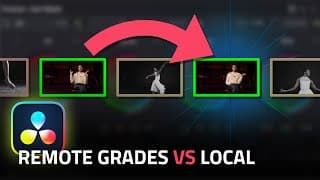
Remote Vs Local Grades - DaVinci Resolve 18.6 Color Grading Tutorial
Remote Grades can help you to colour grade faster when you've reused the same clip multiple times in your edit. This videos shows how to switch between local and remote grades. We cover the theory and show a practical example. Enjoy! 00:00 Intro 00:13 Primer 00:45 How To 03:02 Practical 05:33 Between Timelines 06:00 Conclusion 06:20 Big News Created by Team 2 Films. #colorgrading #davinciresolve #filmmaking
NORMALISATION - Audio Deliveries on Davinci Resolve 18.6 Masterclass - Peaks LUFS Loudness Sample
🔥 Join our course, DaVinci Resolve for Editors: https://training.team2films.com/davinci-resolve-for-editors You'll want to turn this new feature on for every edit you create. Audio Normalisation can help you deliver more consistent renders. We're going to explain what Audio Normalisation is, how to turn it on and demonstrate how it affects your deliveries. We'll show you the best settings for exporting your videos. 00:00 Start 00:13 How To 00:31 What Is It? 01:15 Volume Meters 02:52 Why Use It? 03:23 Which Settings 05:12 Practical 07:34 What It Is NOT! 08:29 When to Use? 08:57 Conclusion Created by Team 2 Films. #colorgrading #davinciresolve #filmmaking
LEARN DaVinci Resolve - 10 GREAT Trainers
There's some amazing Davinci Resolve trainers out there, people who we've learnt LOTS from. Here's 10 of our favourites. Links: @VFXstudy https://youtube.com/watch?v=Rx5MgsFH6Ds @CaseyFaris https://youtube.com/watch?v=MDpR2xluwvI @MrAlexTech https://youtube.com/watch?v=-kVbMTG9gGk @CullenKelly https://youtube.com/watch?v=_EJ7lA0bSzo @DarrenMostyn https://www.youtube.com/watch?v=dxL7tclBlnY @DaVinciMasterKey https://youtube.com/watch?v=Y6GLDi-UADk @PatrickStirling https://youtube.com/watch?v=tchvFGb_BWA @KaurH https://youtube.com/watch?v=1BtydnVhk14 http://www.dvresolve.com @BlackmagicDesignOfficial 00:00 Intro 00:16 The List 02:41 Other Resources 03:18 Conclusion Created by Team 2 Films. #colorgrading #davinciresolve #filmmaking
What is SUBTRACTIVE Saturation!?! - Pro Colorist Masterclass - Film Emulation in Davinci Resolve
🔥 Join our course - DaVinci Resolve for Editors: https://training.team2films.com/davinci-resolve-for-editors Try HueShift DCTL here: https://bit.ly/3PvUBiR (this affiliate links helps to support the free videos we create) What is subtractive saturation. How does it differ from additive saturation. Why does film look so good? How can you use saturation like a professional colourist in your work. Welcome to our latest masterclass. Links: Jason Bowdach: https://www.jasonbowdach.com @KaurH Kaur Hendrikson's YouTube channel: https://www.youtube.com/@KaurH @CullenKelly Cullen Kelly's YouTube channel: https://www.youtube.com/@CullenKelly @CullenKelly Cullen Kelly's mixing light article on subtractive saturation: https://mixinglight.com/color-grading-tutorials/visual-math-building-a-subtractive-saturation-node-tree-in-davinci-resolve/ @DaVinciMasterKey Daria Fissoun's YouTube channel: https://www.youtube.com/@DaVinciMasterKey @DarrenMostyn video on subtractive saturation: https://www.youtube.com/watch?v=yZ9OGyhE4F8 00:00 Intro 00:29 Additive Colour 01:22 Subtractive Colour 03:53 Film vs Digital 04:37 The Fake Way 05:35 The Hard Way 11:04 The Easy Way 12:18 Jason Interview 17:16 Kaur Interview 19:59 Results and Thank-you's 20:39 Conclusion Created by Team 2 Films. #colorgrading #davinciresolve #filmmaking
Blackmagic Camera App and DaVinci Cloud Projects - Resolve 18.6 HANDS ON
18.6 IS HERE! Blackmagic Cloud Projects and an iPhone Camera App. Blackmagic is too good to us! 00:00 Intro 00:10 Primer 01:07 Cloud Projects 04:01 Camera App 07:07 Use Cases 08:10 Conclusion Created by Team 2 Films. #colorgrading #davinciresolve #filmmaking
RECORD Audio DIRECTLY into your TIMELINE - DaVinci Resolve 18.5 Fairlight Tutorial How To
Want to know how to record audio, VoiceOver, dubbing and foley directly into your timeline in DaVinci Resolve? It's easy to do on the Fairlight page. This video will show you how. 00:00 Introduction 00:06 The Good Stuff! 03:49 Additional Settings 05:08 Conclusion Created by Team 2 Films. #colorgrading #davinciresolve #filmmaking #videoediting #videoeditor #davinciresolve #tutorial #howto #certifiedtrainer #fusion #fairlight #audio #microphone #daw

KOMODO X Review - A Professional's Opinion.
This video is about something a little different! We're not just editors, we also shoot. We got our hands on the brand new RED Komodo X and put it through its paces during an epic hike in Switzerland. Even if you're not interested in buying one, we think you'll enjoy watching this video. 00:00 Introduction 00:50 Ethics 01:08 Sample Footage 03:00 Choosing a Camera 04:48 The Experience 10:45 The Image 11:56 Critique 15:05 Pricing 16:00 Conclusion Created by Team 2 Films. #cinematography #filmmaking #cinematic #colorgrading #davinciresolve #videoediting #videoeditor #davinciresolve #tutorial #howto #certifiedtrainer #fusion #travel #switzerland #redcamera

Automatically TRANSLATE Subtitles in DaVinci Resolve - ChatGPT How to Translation AI 18.5
You're going to love this! This video will show you how to combine the power of DaVinci Resolve's neural engine with ChatGPT to automatically translate subtitles. 00:00 Introduction 00:12 How To 03:21 Conclusion Created by Team 2 Films. #colorgrading #davinciresolve #filmmaking #videoediting #videoeditor #davinciresolve #tutorial #howto #certifiedtrainer #fusion #chatgpt #ai
MATCH Cameras with COLOR CHARTS (X-Rite DataColor ColorChecker) - DaVinci Resolve TUTORIAL 18.5
🔥 Join our course, DaVinci Resolve for Editors: https://training.team2films.com/davinci-resolve-for-editors Every single camera and lens combo renders a scene differently. Making different cameras look the same is a big part of a colourists job. In this video you'll learn how to use colour charts by companies like datacolor and x-rite to more systematically and easily match your footage. 00:00 Introduction 00:42 Managed Timelines 03:40 Unmanaged Timelines 06:19 Extra Settings 07:07 Conclusion Created by Team 2 Films. #colorgrading #davinciresolve #filmmaking #videoediting #videoeditor #davinciresolve #tutorial #howto #certifiedtrainer #fusion

REMOVE any Object or Person from DRONE footage - Davinci Resolve FUSION Tutorial 18.5
Want to know how to remove objects and people from footage with camera movement. In this video we'll show you how to do that with the powerful Planar Track in the Fusion Page on Davinci Resolve. 00:00 Introduction 00:46 Stationary Objects 05:05 Moving Objects 11:50 Results 12:02 Conclusion Created by Team 2 Films. #colorgrading #davinciresolve #filmmaking #videoediting #videoeditor #davinciresolve #tutorial #howto #certifiedtrainer #fusion
TOP 10 New Features - DaVinci Resolve 18.5
DaVinci Resolve 18.5 is finally out of beta. Here's a roundup of our 10 favourite new features. Do you agree with our list? 00:00 Introduction 00:16 The Little Things 01:10 Multimerge 01:32 Remote Monitoring 02:07 Fairlight Groups 02:37 Timeline Backups 03:11 Relight 03:49 Automatic Subtitles 04:15 Timeline Colour Management 04:41 Export Still Frame 05:02 Our Favourite Feature 06:13 Conclusion Created by Team 2 Films. #colorgrading #davinciresolve #filmmaking #videoediting #videoeditor #davinciresolve #tutorial #howto #certifiedtrainer
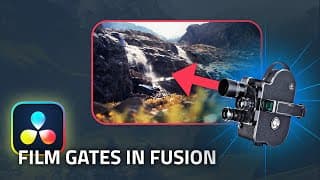
RETRO Film Look for FREE, Film Scan Gate with FUSION - DaVinci Resolve Tutorial (16mm 35mm 8mm)
00:00 Introduction 00:23 Reference 00:41 Creating the Gate 05:00 Edge Halation 05:56 Results 06:05 Conclusion People love emulating the film aesthetic with digital footage. Learn how to make an authentic film gate (including curved corners, imperfect edges and edge halation) using free tools in Fusion, part of DaVinci Resolve. Created by Team 2 Films. #colorgrading #davinciresolve #filmmaking #videoediting #videoeditor #davinciresolve #tutorial #howto #certifiedtrainer

IMPROVE Playback Performance + RENDER Faster - DaVinci Resolve EXPLAINER How To Tutorial
00:00 Introduction 00:23 Diagnosing Performance 01:23 Smart 03:33 User 04:13 Options 04:35 Delivery 05:28 Management 06:10 Conclusion Experiencing slow playback in Resolve because your computer is old? Or perhaps you have the latest computer hardware, but you're building complex colour grades or processor intensive fusion compositions? This is where the Render Cache can help. This video will show you how to use the Render cache in DaVinci Resolve. Created by Team 2 Films. #colorgrading #davinciresolve #filmmaking #videoediting #videoeditor #davinciresolve #tutorial #howto #certifiedtrainer
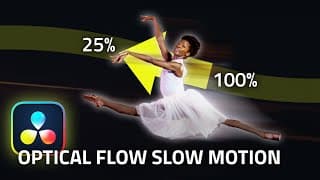
FAKING Slow Motion with OPTICAL FLOW - DaVinci Resolve TUTORIAL
00:00 Introduction 00:30 Optical Flow 02:39 Additional Examples 03:58 Conclusion You want slow motion... but you didn't shoot slow motion! Don't worry, optical flow can help. This video shows you how to use frame interpolation one shots that you have slowed down so that they playback smoothly. Created by Team 2 Films. #colorgrading #davinciresolve #filmmaking #videoediting #videoeditor #davinciresolve #tutorial #howto #certifiedtrainer
EDIT BETTER with Keywords and Smart Bins - DaVinci Resolve TUTORIAL (Metadata Organisation)
00:00 Introduction 01:03 Creating Keywords 03:46 Navigating Keywords 06:01 Conclusion Good organisation allow you to edit effectively and enjoyably. In this video we're looking at how to create and navigate keywords in DaVinci Resolve. Don't move your clips into different bins. Organise them into smart bins using Keywords. You're going to love it! Created by Team 2 Films. #colorgrading #davinciresolve #filmmaking #videoediting #videoeditor #davinciresolve #tutorial #howto #certifiedtrainer
DaVinci Resolve Color Management MASTERCLASS - LUTs, CSTs, ACES or RCM - What you need to know
🔥 Join our course - DaVinci Resolve for Editors: https://training.team2films.com/davinci-resolve-for-editors 00:00 Introduction 00:18 Primer 01:29 What is a Colour Space? 02:21 Rec709 05:14 Types of Colour Space? 06:32 What is Colour Management? 07:08 Types of Colour Management 10:15 Display/Camera/Scene Referred? 14:15 Node-Based or Project-Based? 15:08 Practical Demo 19:28 Misconceptions 20:36 FAQ 22:48 Conclusion In this video we are discussing all things Colour Management, Colour Spaces and Workflow. It’s going to be a pretty deep look at the topic. We move fast, there might be sections you need to pause, or re-watch. The goal is to give you a proper understanding of why different Colour Spaces exist and the most effective way you can colour manage your footage. If you have any questions, please leave them in the comments. Props to @CullenKelly for all his fantastic work explaining colour management. Created by Team 2 Films. #colorgrading #davinciresolve #filmmaking #videoediting #videoeditor #davinciresolve #tutorial #howto #certifiedtrainer #masterclass
Get rid of BLACK BARS - How to Handle Mismatched Resolutions - Davinci Resolve TUTORIAL
00:00 Introduction 00:20 Mismatched Resolution 03:30 Final Results 03:50 Conclusion Want to get rid of those annoying black bars when using footage that's the wrong resolution? This tutorial will teach you how to manage mismatched resolution clips. Resolve's project settings can be used to configure this behaviour across your entire project. Created by Team 2 Films. #colorgrading #davinciresolve #filmmaking #videoediting #videoeditor #davinciresolve #tutorial #howto #certifiedtrainer
DYNAMIC Zoom Camera Movement - DaVinci Resolve TUTORIAL HOW TO Ken Burns Effect
00:00 Introduction 00:13 Dynamic Zoom 01:50 Pans and Tilts 02:19 Conclusion Come learn about Dynamic Zoom in DaVinci Resolve. It's a great way of adding camera movement to shots without having to manually create keyframes. Created by Team 2 Films. #colorgrading #davinciresolve #filmmaking #videoediting #videoeditor #davinciresolve #tutorial #howto #certifiedtrainer
ENHANCE your footage with SPEED RAMPS Retime Curve - Davinci Resolve TUTORIAL (Drone, Commercial)
00:00 Introduction 00:30 Getting Started 01:57 Custom Speeds 02:52 Retime Curve 03:56 Conclusion Come learn about Speed Ramps in Davinci Resolve. They are great for pack shots, drone shots, action and much more. We'll look at the Retime Controls and Retime Curve. Created by Team 2 Films. #colorgrading #davinciresolve #filmmaking #videoediting #videoeditor #davinciresolve #tutorial #howto #certifiedtrainer
Importing FILM SCANS Workflow SCENE CUT DETECT - DaVinci Resolve TUTORIAL (DPX, ProRes, Subclip)
00:00 Introduction 00:53 Method 1 01:55 Method 2 04:41 Method 3 06:42 Colour and Attributes 08:21 Proxies 09:19 Conclusion Work with Film Scans? Here's some tips for importing and cutting your films scans up. These techniques are applicable whether you work with 8, 16 or 35mm. We're covering Scene Cut Detect in the media page and in the Edit page, as well as subclips, colour management and proxies. Created by Team 2 Films. #colorgrading #davinciresolve #filmmaking #videoediting #videoeditor #davinciresolve #tutorial #howto #certifiedtrainer
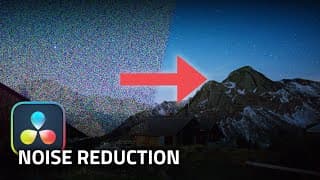
IN-DEPTH Noise Reduction (Temporal and Spatial) - DaVinci Resolve Studio COLOR GRADING TUTORIAL
🔥 Join our course - DaVinci Resolve for Editors: https://training.team2films.com/davinci-resolve-for-editors 00:00 Introduction 00:10 Primer 00:34 Types of NR 02:34 Applying NR 04:22 Final Result and Conclusion Resolve Studio has inbuilt noise reduction! But what's the difference between temporal and spatial and what's best practice for using these powerful tools? You've found the right video! Sit back and enjoy. Created by Team 2 Films. #colorgrading #davinciresolve #filmmaking #videoediting #videoeditor #davinciresolve #tutorial #howto #certifiedtrainer
Cloud Store NAS Setup - DaVinci Resolve Network Attached Storage HOW TO DEMONSTRATION
00:00 Introduction 00:35 Via USB 00:48 Via Ethernet 01:15 Configuration and Cloud Sync 02:28 Conclusion How to setup the Cloud Store Mini. You'll also enjoy this video if you're considering purchasing one, but want to see what it's like to use first. Created by Team 2 Films. #colorgrading #davinciresolve #filmmaking #videoediting #videoeditor #davinciresolve #tutorial #howto #certifiedtrainer
Screen Replacement with FUSION Planar Tracker - Davinci Resolve 18.5 TUTORIAL
00:00 Introduction 00:27 Planar Tracker 03:28 Building the Screen 05:11 Compositing 06:46 Final Result 07:12 Conclusion Need to replace the contents of a screen in your footage? Or perhaps composite artwork onto a wall? This tutorial is for you! We're covering how to use the Planar Tracker in Fusion. These techniques will work with any recent version of Davinci Resolve. Created by Team 2 Films. #colorgrading #davinciresolve #filmmaking #videoediting #videoeditor #davinciresolve #tutorial #howto #certifiedtrainer
Bleach Bypass Film Look PRO Masterclass - Resolve 18.5 Color Grade TUTORIAL (Grade like SPIELBERG)
🔥 Join our course - DaVinci Resolve for Editors: https://training.team2films.com/davinci-resolve-for-editors Correction: @Iblamepoetry made a great point in the comments that the vertical 'flares' in SPR were created by changing the timings of the shutter and film pull-down - not by removing lens coatings. Thanks for the spot! 00:00 Intro 00:10 Chemistry 01:27 References 01:46 Bleach Bypass 04:49 Halation 06:25 Glow 07:45 Grain 09:27 Flare 11:33 Dirt 12:35 Film Print 15:53 Result 16:22 Conclusion Pro Colourist and Certified DaVinci Resolve Trainer shows you how to re-create the bleach bypass photochemical process in DaVinci Resolve. This tutorial uses features in the latest 18.5 Studio release but can also be done in older versions. Created by Team 2 Films. #colorgrading #davinciresolve #filmmaking #videoediting #videoeditor #davinciresolve #tutorial #howto #certifiedtrainer
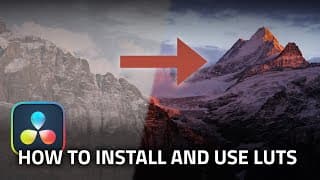
How To Install and Use LUTs (Lookup Tables) - DaVinci Resolve TUTORIAL
00:00 Intro 00:44 Installing LUTs 01:57 Adding Folders 02:27 Using LUTs 03:00 Conclusion Wondering how to install and use LUTs that you have created or downloaded from the internet! You're in the right place. This works with all versions of Davinci Resolve. Created by Team 2 Films. #filmmaking #videoediting #videoeditor #davinciresolve #tutorial #howto #certifiedtrainer
Blackmagic Proxy Generator, How, Why, When? - Davinci Resolve TUTORIAL
00:00 Intro 00:58 Generating Proxies 02:30 Using Proxies 02:58 Colour Grading 03:29 File Management 04:01 Conclusion Why do you need to use proxies, how do you make them and when should you used them. Learn how to use Blackmagic's Proxy Generator and how to use those proxies in Davinci Resolve. Created by Team 2 Films. #filmmaking #videoediting #videoeditor #davinciresolve #tutorial #howto #certifiedtrainer
How To Sync Audio and Video with LTC Timecode - Tentacle Sync, Deity TC-1, Davinci Resolve TUTORIAL
00:00 Intro 00:29 LTC (Audio Timecode) 01:58 Manual Timecode 02:49 Syncing 03:42 Multicam Clips 04:07 Conclusion Learn how to synchronise audio and video in Davinci Resolve using LTC Timecode generated by a Tentacle Sync or a Deity TC-1. Created by Team 2 Films. #filmmaking #videoediting #videoeditor #davinciresolve #tutorial #howto #certifiedtrainer
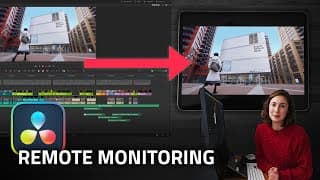
Remote Monitoring - DaVinci Resolve 18.5 STUDIO TUTORIAL
🔥 Join our course, DaVinci Resolve for Editors: https://training.team2films.com/davinci-resolve-for-editors 00:00 Intro 00:26 Setup 01:12 The App 01:38 Connecting 02:34 Conclusion Learn how to use Remote Monitoring in DaVinci Resolve to live-stream your work as an editor or colourist with clients and colleagues. Created by Team 2 Films. #filmmaking #videoediting #videoeditor #davinciresolve #tutorial #howto #certifiedtrainer
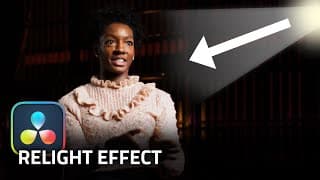
Using Relight Effect to fix your Footage! - Davinci Resolve 19 Tutorial
00:00 Intro 01:03 Relight Effect 03:26 Adding a Depth Map 04:59 Conclusion Learn how to use the brand new Relight effect to add realistic virtual lights to your color grade. Created by Team 2 Films. #filmmaking #videoediting #videoeditor #davinciresolve #tutorial #howto #certifiedtrainer #colorgrading
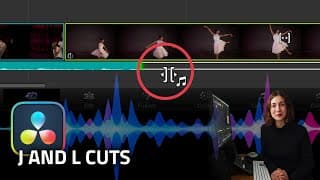
How to Make J and L Cuts - DaVinci Resolve 18.5 Tutorial
00:00 Intro 00:30 Cut Page 01:02 Edit Page 03:06 Conclusion Learn how to make J and L cuts in DaVinci Resolve. This video covers how to make them in both the Cut and Edit Page. Created by Team 2 Films. #filmmaking #videoediting #videoeditor #davinciresolve #tutorial #howto #certifiedtrainer
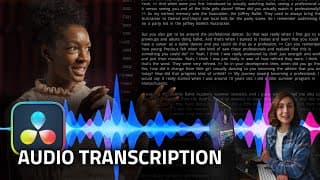
Audio Transcription - DaVinci Resolve 18.5 BETA TUTORIAL
00:00 Key Points 00:19 Audio Transcription 01:47 Multicam Clips 02:33 Subtitles 03:37 Conclusion How to use Audio Transcription and Automatic Subtitle Creation features in Davinci Resolve 18.5. These features are a part of DaVinci Resolve's Neural Engine. Created by Team 2 Films. #filmmaking #videoediting #videoeditor #davinciresolve #tutorial #howto #certifiedtrainer
Precious Adams - English National Ballet
A short documentary about Precious Adams, a Soloist with the English National Ballet. Filmed by Team 2 Films. https://www.instagram.com/preciousagram/ Equipment: Red V-Raptor 8K Arriflex III 4-Perf (Kodak Vision 3 250D, 50D) Kinefinity Mavo LF Blackmagic Pocket Cinema Camera 6K Kinefinity Terra 4k Canon Sumiere 35mm, 50mm, 85mm Atlas Mercury 1.5x Anamorphic A-Set Zeiss Milvus SuperSpeeds Kessler CineShooter with CineSlider DJI Ronin RS 2 Sachtler Tripods Aputure Lighting #ballet #filmmaker #videoediting #videoeditor #shootfilm #35mm
How to Build Your Own Anamorphic Lens DIY
How to build your own cinemascope 2x anamorphic lens! With sample footage. Check out this video all about the history of aspect ratio: https://www.youtube.com/watch?v=idCaAO8sMm4 Camera: Kinefinity Terra 4k Tripod: Sachtler Flowtech 75 with FSB 6 Filtration: Polar Pro Basecamp Pro Mattebox Batteries: SWIT Pocket 98 Support: Wooden Camera, Movcam, Smallrig Editing and grading: Davinci Resolve 17 Anamorphic lens components: See video, part 2 Custom Components by RafCamera: http://rafcamera.com Anamorphic single focus solution by Rapid Technology: http://rapidotechnology.com Created by Team 2 Films
Watch this BEFORE shooting WIDESCREEN (History of Aspect Ratio)
The seemingly random dimensions of 35mm motion picture film not only determined the shape of the first motion picture aspect ratio, but its legacy still influences cinema today. Learn how the changing shape of cinema has shaped the way films are made, considering topics such as composition, blocking, staging storytelling and editing. Video Essay - Written, Recorded and Animated by Leon Barnard Team 2 Films Ltd © 2020