Loading...
Warning: Channel ID is missing or invalid
Loading channel videos...

Loading channel videos...

I studied Colour Grading for over 10,000 Hours - Here is What I learned.
👉 Create Visuals that Connect with People: https://ericlenz.net/colour-for-creators/ 0:00 Intro 0:23 ONE way, not THE way - But some are better than others 2:30 Magic and Mystery 5:01 Online Courses 7:57 I kinda like how the image looks

The WORST Colour Grading Mistake on YouTube
👉 Tired of spending ages colour grading for unsatisfactory results? Let's change that: https://ericlenz.net/colour-for-creators/ 0:00 Intro 0:21 Gamma & Gamut 3:34 Why Saturation & S-Curve aren't enough 6:17 Understanding Gamut Compression 10:52 Increasing saturation can destroy footage 13:09 LUTs aren't evil
3 EASY Strategies for PERFECT Skin Tones
👉 Learn more: https://ericlenz.net/colour-for-creators/ 🎨 False Colour LUTs: https://ericlenz.net/false-colours/ 🎓 Order of Operations Masterclass: https://youtu.be/22mmIgWIcvE Timestamps 0:00 Intro 0:18 Some common ground 0:50 The Vector Scope 4:46 Examples in False Colour 6:16 Concluding on the Vector Scope 6:39 Strategy 1 - Contextual Correction 16:11 Strategy 2 - Targeted Adjustments 22:41 Strategy 3 - Don't fix it! 23:14 BONUS TIP

Why 8-Bit Footage Breaks and How to Fix it!
👉 Learn More: https://ericlenz.net/colour-for-creators/ 🎨 Free Cam2Rec LUTs: https://ericlenz.net/cam2rec/ 0:00 Understand This 0:35 Understanding 8-Bit Footage 5:31 Log and 8-Bit Footage 8:29 Practical Advice

The MOST IMPORTANT Concept in Colour Grading
👉 Learn More: https://ericlenz.net/colour-for-creators/ 00:00 - Intro 00:22 - The Basics 06:13 - Final Cut Pro - Signal Flow 08:20 - DaVinci Resolve - Signal Flow 10:09 - Premiere Pro - Signal Flow 12:06 - GET THIS RIGHT! - Going from Log or Raw to Rec.709 16:34 - Final Cut Pro - Order of Operations for LUTs and Colour Space Transformation 18:34 - Premiere Pro - Order of Operations for LUTs and Colour Space Transformation 20:32 - DaVinci Resolve - Order of Operations for LUTs and Colour Space Transformation 23:25 - Order of Operations ≠ Workflow 24:20 - An Easy Shortcut 24:57 - Order of Operations Blue Print

You don't NEED to learn DaVinci Resolve
👉 Book your Session: https://ericlenz.net/colour-for-creators/ 0:00 Intro 1:02 Choosing the Right Software 2:28 What Colourists ACTUALLY Do 3:20 What People Get Wrong 5:03 Proper Guidance is Key 5:39 What you ACTUALLY need to know
Ditch the “Beginner Look”
👉 How to achieve the colour grades you REALLY want: https://ericlenz.net/colour-for-creators/
The Best Colour Grading Skill EVER.
👉 Learn Colour Grading: https://ericlenz.net/colour-for-creators/ 0:00 Understanding the core 0:53 How to not do it 1:59 How to do it better 2:09 Light motivates our decisions 2:45 Reduction beats Addition 4:48 Less is more 5:19 If it's not easy, don't do it 6:20 Two birds, one Stone 8:38 A quick recap

This HUGE Mistake RUINS Your Colour Grade in Premiere
🎨 Stop struggling with your colour grades: https://ericlenz.net/colour-for-creators/ 0:00 Intro 0:26 The issue 2:02 The Order Matters 3:25 Option 1 4:15 Option 2 4:49 Option 3

10x your Colour Grading for FREE! - Major Announcement!
👉 Join now: https://ericlenz.net/community/

Stop Color Correcting (You're wasting your time)
👉 If you want to UNDERSTAND Colour Grading, click here: https://ericlenz.net/colour-for-creators/ 00:00 - Intro 00:35 - What Beginners Usually Do 04:14 - What’s Wrong? 06:55 - What To Do Instead

What Nobody Told You About Colour Grading
👉 Click here to improve your colour grading: https://ericlenz.net/colour-for-creators/ 🚀 FREE Cam2Rec LUTs: https://ericlenz.net/cam2rec/ Video "Not LUTs" is BS: https://youtu.be/XxhUUMmBn64 00:00 - Intro 00:52 - What beginners do 03:35 - The things you don’t know 08:36 - A better way to do it 17:59 - Recap
How Bright Should Things Be?
🎯 Level Up Your Colour Grading: https://ericlenz.net/colour-for-creators/ 🎬 All Plugins: https://ericlenz.net/final-cut-pro-plugins/ 🎨 LUTs: https://ericlenz.net/cam2rec/ Chapters 00:00 - Intro 00:15 - The Knowledge You’re Missing 01:39 - The Things You Need To Know 03:37 - The Things You Need To Forget 06:28 - The Essence Of Visual Storytelling 10:39 - The Framework 23:29 - Recap Resources for Resolve Cullen Kelly: https://www.youtube.com/@UCHZD22Eei2KX8wpJUzk0Bxg Darren Mostyn: https://www.youtube.com/@UC6LqojU1x4LWWhL7QqLB8Mw
The BEST Settings for HLG, Log & Raw in Final Cut Pro
🚀 Free LUTs: https://ericlenz.net/cam2rec/ 🎓 Learn Colour Grading: https://ericlenz.net/colour-for-creators/ Why you should avoid the Camera LUT: https://youtu.be/B-jOBvJBp3A Thanks to Ardalan for letting me use his Apple Log footage! https://www.instagram.com/ardalan.g_/ Chapters 00:00 - Intro 00:53 - Everything you need to know (Correct Settings) 02:10 - Library Setting 18:06 - Colour Space Override 23:51 - LUT Settings 27:57 - Recap

Grading Log-Footage is easy, actually.
🎯 Learn Colour Grading: https://ericlenz.net/colour-for-creators/ 👉 Cam2Rec LUTs: https://ericlenz.net/cam2rec/ Chapters 00:00 - You must unlearn this 00:46 - Who and What 01:45 - Converting log to Rec.709 is NOT colour grading! 11:38 - Mistake 1 12:34 - Mistake 2 20:34 - Recap

Canon Colours on Sony Cameras with EOS Alpha - Canon Colour Emulation that just WORKS
🎯 Get EOS Alpha here: https://ericlenz.net/eos-alpha/ ——————————————————————————— 00:00 - Intro 00:12 - Main Goals of this Emulation 00:32 - Example Shots - EOS Alpha Demonstration 02:03 - Is this tool right for you? 03:02 - What you will get 04:06 - Show B-Roll Comparison Dynamic vs Harmonic 04:49 - Exposure- How to shoot for EOS Alpha 06:57 - Colour Grading & Post Production 09:44 - Example - Grading with EOS Alpha 13:35 - Recap
You should start using these LUTs - Here is why
🎯 Free Download: https://ericlenz.net/cam2rec/ 👉 Why you shouldn't use the Camera LUT: https://youtu.be/B-jOBvJBp3A Many thanks for your footage @TechnikFreund , @artmannlukas & @matthewTobrien ——————————————————————————— 00:00 - What too many people are getting wrong 01:46 - The Solution 02:27 - Examples - Cam2Rec LUTs - no colour grading 04:55 - Download & Installation 06:38 - How to work with the LUTs 10:31 - Recap
STOP using the Camera LUT - Here is why
🎯 FREE Cam2Rec LUTs: https://ericlenz.net/cam2rec/ ——————————————————————————— 00:00 - The Problem with the Camera LUT 00:55 - The Reason Why - Part 1 03:13 - The Reason Why - Part 2 07:47 - Recap
LUTs Explained.
🎯 Learn Colour Grading: https://ericlenz.net/colour-for-creators/ ——————————————————————————— 00:00 - My System 00:56 - Point 1 05:29 - Point 2 09:38 - Recap & Point 3 ———————————————————————————
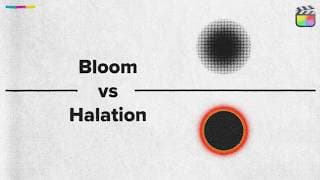
Halation ≠ Bloom - What's the difference?
🎯 Get the Plugin: https://ericlenz.net/final-cut-pro-plugins/ 🎓 Learn Colour Grading: https://ericlenz.net/colour-for-creators/ ——————————————————————————— 00:00 - The Issue 00:59 - Comparison Bloom vs Halation 01:57 - Same cause, different place 02:31 - Halation explained 04:29 - Bloom explained 06:18 - Recap
Something is going on - More thoughts on Final Cut Pro 10.8
🎯 Get my Plugins: https://ericlenz.net/final-cut-pro-plugins/ ——————————————————————————— 00:00 - What everybody missed about WWDC 2024 01:04 - Parallels to FCP 10.8 01:40 - Apple doesn’t care about being first 02:34 - FCP 11 will be here soon(ish) 02:58 - The caveat with the development of new features for FCP
Create and Compare Multiple Versions of a Colour Grade
🎯 Learn Colour Grading: https://ericlenz.net/colour-for-creators/ ——————————————————————————— 00:00 - Intro 00:14 - Create Versions 00:48 - View different versions 01:38 - This is HUGE 01:56 - Finalise Audition (delete other versions) 02:17 - Another Example 03:21 - Rename Versions 04:12 - Search and Find all Versions

Export LUTs from Final Cut Pro
🎯 IWLTBAP LUT Generator: https://iwltbap.sellfy.store/p/aq1y/ (NOT sponsored or affiliated!) ——————————————————————————— 00:00 - Intro 00:17 - LUT Generator 00:33 - Installation 01:10 - Step 1 - Generate HALD file 01:26 - Explaination - LUT & HALD File 05:18 - Understanding the HALD File (Skip here) 05:35 - Step 2 - Import HALD into Final Cut Pro 06:01 - Step 3 - ATTENTION! AVOID COMMON MISTAKES 08:57 - Step 4 - Export from Final Cut Pro 09:27 - Step 5 - Turn HALD into LUT (.cube) 09:39 - Test the LUT 10:29 - Understanding the Limitations of the LUT 11:07 - When to use this tool 11:38 - Further LUT Mistakes to Avoid
The Future of this Channel - Channel Update
🎯 Plugins, LUTs and Trainings: https://ericlenz.net/ 📷 My other Channel: https://www.youtube.com/@StudioEricLenz ——————————————————————————— 00:00 - What is this channel? 01:01 - My Reasoning 01:43 - The Decision 02:51 - Shameless Plug 03:04 - My Personal Perspective 04:16 - New Thumbnail Aesthetic 04:28 - Back to My Thoughts 05:05 - Goodbye (Vlogs) and plans for the future

You never know what happens tomorrow.
Many thanks to MotionVFX for inviting me to that trip! MotionVFX Plugins & Templates: https://mvfx.co/EricLenz Thank you for that amazing time!
WHERE does the LUT go?
🎯 Learning Colour Grading: https://ericlenz.net/colour-for-creators/ 🎯 Download the LUTs here: https://ericlenz.net/cam2rec/ ——————————————————————————— 00:00 - Intro & Disclaimer 00:31 - Destructive and Non-Destructive Adjustments 03:16 - Scene-Referred vs Display-Referred Grading 04:46 - LUT Placement 05:37 - Breaking the Rules (Exceptions) 06:13 - Summary & Recap
This AI tool is insane! - My Editing Workflow for Tutorials
✨ Try Gling here: https://www.gling.ai 💡 Since there is a bit of confusion about the Multicam Clip in the comments, please check out this tutorial from @RafaelLudwig https://www.youtube.com/watch?v=Gwi6iEJNkPw ——————————————————————————— 00:00 - Intro 00:12 - Disclaimer - Not Sponsored! 00:22 - What is it all about? 00:45 - My workflow using Gling 06:49 - Opinion and Conclusion
Deep Dive into all things Colour - FCP 10.8 Update
🎯 Learn Colour Grading: https://ericlenz.net/colour-for-creators/ ——————————————————————————— 00:00 - Intro 00:24 - Disclaimer 00:40 - BEFORE you update! 01:11 - Rename Effects 02:08 - Drag & drop effects to clips 02:41 - Find offline effects 02:54 - Find missing LUTs? 03:16 - Enhance Light and Colour 04:47 - Enhance Light and Colour vs. Colour Balance 05:22 - Testing Enhance Light and Colour with log-encoding & RAW 08:25 - If you’re not sure what I’m stressing out about 08:49 - Conclusion & Opinion on Enhance Light and Colour
Colourists' Secret Weapon to Natural and Rich Colours
🎯 Get the Plugin: https://ericlenz.net/final-cut-pro-plugins/ ——————————————————————————— 00:00 - Intro & Examples 00:57 - Saturation vs Density 02:28 - Additive vs Subtractive Saturation Explained 04:40 - Plugin Demo 06:49 - What is the best method? 07:10 - My Opinion 07:31 - Get the plugin
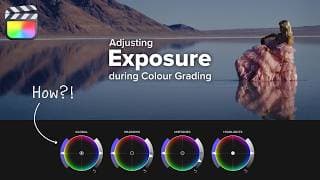
You don't understand Exposure – Adjusting Exposure in Final Cut Pro
🎯 Learn Colour Grading: https://ericlenz.net/colour-for-creators/ ——————————————————————————— 00:00 - Intro & Requirements 00:39 - About log-encoding 01:05 - What is Exposure? 02:37 - Understanding the Colour Wheels 05:05 - Signal Chain & Order of Operations 05:44 - Example 1 (How to do it) 09:29 - Example 2 (Exposure and Film Emulation) 10:48 - Recap & Resources
This FREE Plugin is amazing.
🎯 Get the Plugin here: https://motionvfx.sjv.io/q4YP9O ——————————————————————————— 00:00 - Intro & Disclosure 00:19 - Example 1 - Dynamic Zoom Effect 02:01 - Example 2 - Fly Over (Pan & Tilt) 03:32 - Don’t make this mistake 04:20 - Back to Example 2 - The proper way to animate 05:34 - Example 3 - Screen Effect 06:59 - In- and Out Animation 07:10 - Masking 07:41 - Wriggle (Camera Shake) 08:22 - Outro

New Studio - New Chapter!
FINALLY! Moving took way longer than anticipated. Have fun with this little studio tour. Honestly, I already swapped some items around on my desk. It won't be the last studio tour this year. :)
Get Perfect Skin Tones EVERY TIME! - Final Cut Pro
🎯 Get the Plugin: https://ericlenz.net/final-cut-pro-plugins/ 🎨 Get the LUTs: https://ericlenz.net/false-colours/ Stefan's YouTube Channel: @StefanRingelschwandtner MONONODES: https://mononodes.com ——————————————————————————— 00:00 - What, when, where and why? 00:23 - The standard way of doing things 01:46 - The Tool for Perfect Skin Tones 05:44 - A Word of Caution 06:18 - Consistency 06:39 - White Balance 07:16 - False Colour Exposure Mode 07:30 - MONONODES
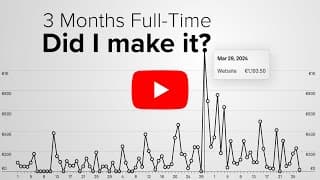
It's May 1st - Did I make it?
Hey everyone! Thank you so much for your support! ——————————————————————————— 00:00 - What’s at stake 00:34 - YouTube Revenue 00:54 - Struggles 01:29 - Website Revenue 01:52 - New Challenges 03:37 - The reason why this is possible

BIG NEWS and I'm exhausted ... but free! 🎉
🎯 Learn Colour Grading: https://ericlenz.net/colour-for-creators/ ——————————————————————————— 00:00 - Colour for Creators Launched 00:44 - Join the Community 01:21 - PDF Guide Update - IMPORTANT! 01:45 - Currently Behind the Scenes
Clone Stamp Plugin for Final Cut Pro
🎯 Get the Plugin: https://ericlenz.net/final-cut-pro-plugins/ ——————————————————————————— 00:00 - Clone Stamp vs Spot Healing Brush 00:13 - Object Removal - Getting started 01:00 - Sample Area 01:42 - Fixing Issues with Advanced Tools 01:57 - Blend Modes
Things you (probably) don't know about Contrast in Final Cut Pro
🎯 Get the Plugin: https://ericlenz.net/final-cut-pro-plugins/ ——————————————————————————— 00:00 - Definition 00:15 - Colour Adjustments - Contrast Slider 01:29 - Contrast Plugin 01:45 - Pivot 02:36 - Smooth Contrast 02:53 - Real World Example 03:54 - Luminance Only 04:16 - Smooth Contrast in the real world 04:56 - bUt CuRvEs1!!1!! 05:38 - Colour Checker 05:36 - Instant Classic
Midtone Detail for Final Cut Pro
🎯 Get the Plugin: https://ericlenz.net/final-cut-pro-plugins/ ——————————————————————————— 00:00 - Midtone Detail 00:06 - Soften Skin 00:30 - Control Midtone Range 01:09 - Emphasise Detail
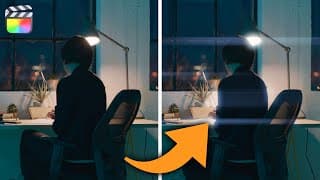
Anamorphic Lens Flare Plugin for Final Cut Pro
🎯 Get the Plugin: https://ericlenz.net/final-cut-pro-plugins/ ——————————————————————————— 00:00 - Example 00:20 - Getting things going 01:33 - Relative Channel Projection 02:23 - Highlight Recovery 03:29 - Make it believable

Take control over your Grain! - Grain Plugin with Luma Response
🎯 Get the Plugin: https://ericlenz.net/final-cut-pro-plugins/ ——————————————————————————— 00:00 - Intro + Disclaimer 00:12 - Luma Response 01:36 - Real Example

Halation Plugin for Final Cut Pro
🎯 Get the Plugin: https://ericlenz.net/final-cut-pro-plugins/ ——————————————————————————— 00:00 - Intro 00:10 - What is Halation? 00:38 - The Halation Plugin 02:15 - Real World Example
Bloom and Mist Plugin for Final Cut Pro
🎯 Get the Plugin: https://ericlenz.net/final-cut-pro-plugins/ ——————————————————————————— 00:00 - Intro 00:11 - What are we doing? 00:33 - Example 1 02:45 - Example 2 (going bananas)
REALISTIC Light Rays with Volumetric Lighting - Final Cut Pro
🎯 Get the Plugin: https://ericlenz.net/final-cut-pro-plugins/ ——————————————————————————— 00:00 - Examples 00:33 - Light Selection 01:00 - Light Position 01:15 - Light Quality & Source Diffusion 01:51 - Add Colour (if you want) 02:10 - Projection 02:30 - Moving Camera
This FREE Plugin will change how you Colour Grade!
🎯 Get the Plugin: https://ericlenz.net/final-cut-pro-plugins/ ——————————————————————————— 00:00 - No more draw masks for grading! 00:56 - Luma Only 02:29 - Chroma Only 04:30 - Image Flip 04:46 - Assistance Features 05:17 - Reveal the colour scheme at play
Colour Distortion Plugin for Final Cut Pro
🎯 Get the Plugin: https://ericlenz.net/final-cut-pro-plugins/——————————————————————————— 00:00 - Why this plugin exists 00:35 - Plugin Tutorial

FREE Animated Letterbox Plugin for Final Cut Pro
🎯 Get the Plugin: https://ericlenz.net/final-cut-pro-plugins/
I'm having a *slight* issue with my plan. – Update
Hi. It's not May yet, but I wanted to update you on what's happening. 😅 📺 I'm going Full-Time: https://youtu.be/4lUEcxyb7Qo 📺 My new plugins: https://youtu.be/5oaYvT-ywmw ——————————————————————————— 00:00 - The Issue 01:12 - It gets worse. 02:03 - What I’m going to do 02:54 - TLDR
Everything is new! – Free Updates for my Final Cut Pro Plugins!
🎯 Get the Plugin: https://ericlenz.net/final-cut-pro-plugins/ 🎨 False Colour LUTs: https://ericlenz.net/false-colours/ ——————————————————————————— 00:00 - Lightroom Controls and Professionals Suite get new names 00:53 - Unified User Interface 01:16 - New Bundles 02:21 - System Requirements 02:36 - New Installer 02:59 - Inside FCP 03:13 - How to update 03:24 - Preview - New Plugins! 03:56 - One more thing.
I’m going full-time on YouTube. My journey starts here.
In this video, I'm sharing my story about going full-time on YouTube. How I got here, the hurdles I have to overcome and the plan I made to succeed. I have to make it work - there is much at stake. Thank you for your support! Let's see if I get there. :)
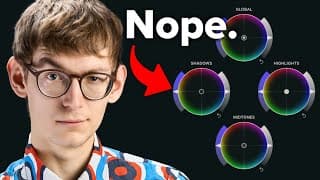
STOP using these!
🎯 Learn Colour Grading: https://ericlenz.net/colour-for-creators/ In today's video, we will closely examine the saturation handles on the colour wheels. I will show you why you shouldn't use them, how they work and what you should do instead. At the end of this video, you will have a conceptual understanding of adjusting saturation based on luminance. You will be able to pick the right tool for each job: targeted or broad adjustments. ——————————————————————————— Timestamps 00:00 - Overview 00:31 - The Situation 02:36 - Understanding the Problem 02:46 - The section you will watch three times 05:40 - The problems with colour wheels 06:42 - Choosing the right tool for the job 07:00 - The better way to do it 10:35 - Recap 11:12 - A word of caution

Chill Final Cut Pro Setup for Colour Grading | February 2024
🎯 Learn Colour Grading: https://ericlenz.net/colour-for-creators/ In this video, I'll walk you through my journey of optimising my workspace for content creation using a dual monitor setup with a 14” MacBook Pro and an LG Ultrafine 5k. While saving up for a pro display XDR, I needed to make the most of what I had. Discover how I reconfigured my workspace to enhance screen real estate. ——————————————————————————— 00:00 - Current Monitor Situation 01:08 - Screen Real Estate Problem 01:34 - Final Cut Pro Workspace Layout 03:57 - Future Plans ———————————————————————————
Make PRECISE Colour Grading Adjustments
🎯 Learn Colour Grading: https://ericlenz.net/colour-for-creators/ Another quick one for you guys! You should use these whenever you're grading! ——————————————————————————— 0:00 The Issue 0:16 Precision Mode 1:03 Lock Movement 1:55 Combining Precision Mode and Movement Lock 2:59 The Colour Wheels issue 3:27 The Solution 4:14 One Step Further 4:32 Bonus Tip: Precision for Volume
Stop Struggling with Colour – Colour Grading in Final Cut Pro
🎯 Learn Colour Grading: https://ericlenz.net/colour-for-creators/ Get subscribed for future tutorials: https://www.youtube.com/@iamericlenz 0:00 You’re not alone 0:51 The Problem 1:32 Step 1 1:59 Step 2 2:16 Step 3 2:24 Step 4 2:47 Step 5 2:25 Step 6 3:47 Welcome home.

Siri will change Final Cut Pro
Watch last week's documentary: https://www.youtube.com/watch?v=XqHhpgHalzo Watch @matthewTobrien's video: https://www.youtube.com/watch?v=683m1tI0J4Y ——————————————————————————— 0:00 What you said 2:54 What we know 3:28 What I think 5:49 What Matthew thinks

CUTTING EDGE, MOVING SLOW – The Final Cut Pro Conundrum | Documentary
❗️ All interviews were filmed in spring of 2023 (pre - Final Cut Pro Creative Summit 2023) ❗️ Everybody is switching to DaVinci Resolve, and a strange feeling is going through the Final Cut Pro Community. The lack of feature updates is the apparent cause – or is it? In this documentary, we will see that the underlying issue is something else entirely. 👏🏻 ALL THE PEOPLE INVOLVED Dylan Bates - @TheFinalCutBro Jake Felzien - @jakefelzien Dylan John - @dylanjohndickerson Rafael Ludwig - @RafaelLudwig Matthew O'Brien - @matthewTobrien Richard Taylor - @RichardTaylorTV Brad West - @BradWest ——————————————————————————— 🎬 More about Final Cut Pro’s History “Off the Tracks - Final Cut Pro X Documentary (Abridged)” https://www.youtube.com/watch?v=bfII0EcbCsg ——————————————————————————— ℹ️ All Sources (from beginning to end) https://www.youtube.com/watch?v=QNA7iG7RhTs - @Itfactor81 - FCPX AUDIO METERS & FADERS - CONCEPT https://www.dpreview.com/news/7491173483/apple-responds-to-open-letter-calling-for-final-cut-pro-improvements https://ymcinema.com/2023/03/29/opinion-apple-final-cut-pro-is-not-pro-anymore/ https://www.youtube.com/watch?v=HAlfApCFQwI - @SergiomotaENG - How to use Magic Mask in Davinci Resolve Studio 18 | Tutorial https://youtu.be/0mqWw5UH1qg?si=KINLGX7eHhBJk7Ro - Apple - Final Cut Pro & Logic Pro now on iPad | Apple https://youtu.be/qOGWxd8c4Ng?si=0Jeb7xvF9qPx5CvM - FCWGreece - Final Cut Pro X announcement (full video) 2011 https://www.dpreview.com/news/7491173483/apple-responds-to-open-letter-calling-for-final-cut-pro-improvements https://ymcinema.com/2023/11/14/apple-is-not-going-to-kill-final-cut-pro/ https://www.youtube.com/live/GEZhD3J89ZE?si=EGS9wT7dmch4JFDZ - Apple - WWDC 2020 Special Event Keynote — Apple https://youtu.be/0BHPtoTctDY?si=85nFn8XxXqnwTlet - JoshuaG - The First iMac Introduction https://youtu.be/OIV6peKMj9M?si=Se2EMTUFtefyAiSy - JoshuaG - Macworld San Francisco 2008-The MacBook Air Intro (Pt. 1) https://youtu.be/qOGWxd8c4Ng?si=0Jeb7xvF9qPx5CvM - FCWGreece - Final Cut Pro X announcement (full video) 2011 ——————————————————————————— 🎓Rafael Ludwig’s Final Cut Pro Masterclass “Enhance the Edit” https://www.enhancededit.com/courses/EnhancedEditingFCP?ref=1114ef ——————————————————————————— 🎯 Learn Colour Grading: https://ericlenz.net/colour-for-creators/

Dehancer for Final Cut Pro - Is it worth it?
🎯 Get the Plugin: https://ericlenz.net/final-cut-pro-plugins/ ——————————————————————————— 0:00 What is Dehancer? 0:20 Disclaimer 0:36 Why everybody makes Videos about Dehancer 2:16 Is it worth it? (Compared to FilmConvert and FilmBox) 6:18 Why I chose Dehancer 6:47 Setting up the Signal Chain in Final Cut (Order of Operations) 10:37 Final Thoughts ——————————————————————————— Dehancer: https://www.dehancer.com/ The Alternatives I discussed in this Video: FilmBox: https://videovillage.com/filmbox/ FilmConvert: https://www.filmconvert.com/

Spot Healing Brush Plugin for Final Cut Pro
🎯 Get the Plugin: https://ericlenz.net/final-cut-pro-plugins/ Check out @TheFinalCutBro 's Video here: https://www.youtube.com/watch?v=JD033YBHmwo 0:00 Spot Healing Brush vs. Clone Stamp 0:39 Example 1 3:23 Example 2 4:34 Where to get the Plugin

Presence Plugin for Final Cut Pro! - Texture, Clarity and Dehaze
🎯 Get the Plugin: https://ericlenz.net/final-cut-pro-plugins/ 0:00 The Sliders 0:35 Example 1 1:24 Example 2 3:22 Example 3
Basic Tone Sliders for Final Cut Pro
🎯 Get the Plugin: https://ericlenz.net/final-cut-pro-plugins/
This Check Layer will level up your Colour Grading in Final Cut Pro!
🎯 Get the Plugin: https://ericlenz.net/final-cut-pro-plugins/ 0:00 What is a Check Layer? 0:40 Why is it so powerful? 1:30 Example 4:25 TLDR 4:50 Where to get it (it's free)
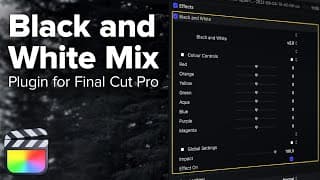
Dramatic Black and White Videos in Final Cut Pro - Black and White Mix Plugin
🎯 Get the Plugin: https://ericlenz.net/final-cut-pro-plugins/ 0:00 Photographers’ Secret 0:58 The Workflow in Final Cut Pro 2:39 Black and White Mix Plugin 4:22 Disclaimer
Selective Colour Plugin for Final Cut Pro
🎯 Get the Plugin: https://ericlenz.net/final-cut-pro-plugins/ 0:00 Basics 0:26 User Interface & How to use the Plugin 1:16 Example - Creating a Golden Hour Look 3:26 What is Selective Colour for & When should you use it? 4:07 DISCLAIMER 4:25 Where to get the Plugin
Colour Balance Plugin for Final Cut Pro
🎯 Get the Plugin: https://ericlenz.net/final-cut-pro-plugins/ 0:00 Basics 0:53 Colour Balance using Colour Wheels 1:37 The Problem 2:12 Colour Curves 3:05 Colour Balance Plugin 3:47 Where to get the Plugin
Vibrance/Saturation Plugin - Get Vibrant Colours in Final Cut Pro
🎯 Get the Plugin: https://ericlenz.net/final-cut-pro-plugins/ Vibrance is a great way to give your videos some pop. But what is vibrance, and how do you achieve a vibrant look in Final Cut Pro? 0:00 The Problem 0:12 What is Vibrance 2:03 Final Cut’s Built-In Vibrancy Effect 2:55 Manual Approach 5:29 Vibrance/Saturation Plugin
Lens Correction for Final Cut Pro
🎯 Get the Plugin: https://ericlenz.net/final-cut-pro-plugins/ ——————————————————————————— 0:00 Problem & Lens Correction Plugin 0:23 Workaround (?) Fisheye Effect 1:18 The Lens Correction Plugin 1:59 Example 1 3:10 Example 2 5:08 Where to get the Plugin
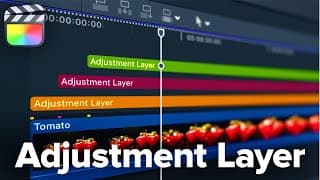
FREE Adjustment Layers for Final Cut Pro - 2023
🎯 Get the Plugin: https://ericlenz.net/final-cut-pro-plugins/ ——————————————————————————— 0:00 What are Adjustment Layers and How to use them? 1:17 Colour Coding Adjustment Layers 2:13 Renaming Adjustment Layers
HSL Sliders for Final Cut Pro
🎯 Get the Plugin: https://ericlenz.net/final-cut-pro-plugins/ HSL Sliders for Final Cut Pro - but should you want them? 0:00 HSL Sliders for Final Cut Pro 0:16 Why are there no HSL Sliders in Video Editing Apps? 2:31 HSL Curves vs HSL Sliders 2:48 HSL Slider Plugin 4:26 Why the HSL Slider Plugin exists
Midtone Detail for Final Cut Pro
🎯 Get the Plugin: https://ericlenz.net/final-cut-pro-plugins/ Midtone Detail is a great way to treat texture. It looks more natural than sharpening. In this video, we’ll have a look at my Midtone Detail Plugin for Final Cut Pro. 0:00 Midtone Detail Plugin for Final Cut Pro 0:16 What is Midtone Detail? 1:48 Create the Midtone Detail Effect Manually 2:48 The Midtone Detail Plugin 3:06 Plugin vs. Manual Approach
Start NAILING composition - FREE Custom Viewer Overlays for Final Cut Pro
🎯 Get the Overlays: https://ericlenz.net/final-cut-pro-plugins/ In this video, we will look at how to get composition guidelines in Final Cut Pro so you can start nailing your composition! This video includes a FREE Download! ——————————————————————————— 0:00 - 0:27 The Problem 0:28 - 1:30 The Solution 1:31 - 2:21 Create a Custom Overlay 2:22 - 3:05 Add Custom Overlays to Final Cut Pro 3:06 - 3:39 FREE Download - 146 Viewer Overlays for Final Cut Pro
Camera Calibration in Final Cut Pro?!
🎯 Get the Plugin: https://ericlenz.net/final-cut-pro-plugins/ Camera Calibration is a powerful tool to kickstart colour grading in Lightroom or Photoshop. In this video, We’ll look at my Camera Calibration Plugin for Final Cut Pro, what camera calibration is and how it works. 0:00 - 0:10 Intro 0:11 - 0:48 Example 1 0:49 - 1:50 Example 2 1:51 - 3:19 Example 3 3:20 - 3:38 About the Plugin 3:39 - 7:23 What is Camera Calibration? 7:24 - 7:55 What about raw video in Final Cut Pro? 7:56 - 8:34 What does this Plugin ACTUALLY do?
Perspective Correction in Final Cut Pro - Upright/Keystone for Final Cut Pro
🎯 Get the Plugin: https://ericlenz.net/final-cut-pro-plugins/ 0:00 - 0:17 The Upright Tool 0:18 - 0:39 Examples 0:40 - 2:42 Workflow
3D Object Rotation in Final Cut Pro
🎯 Get the Plugin: https://ericlenz.net/final-cut-pro-plugins/ ——————————————————————————— Alternative “mCamRig” from MotionVFX: https://www.motionvfx.com/store,mcamrig,p2219.html ——————————————————————————— 0:00 - 0:12 Intro 0:13 - 0:32 User Interface 0:33 - 1:43 Understanding 3D Space and the Plugin 1:44 - 2:35 Depth of Field Effect 2:36 - 3:21 Where to get the Plugin
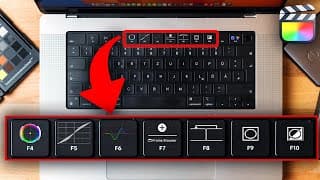
My Colour Grading Shortcuts for Final Cut!
🎯 Learn Colour Grading: https://ericlenz.net/colour-for-creators/ In this video, I'll share my custom shortcuts for colour grading in Final Cut Pro that will help you save time and get the look you want in your videos. We will have a look at the shortcuts I use and how to set up custom Shortcuts in Final Cut Pro. ——————————————————————————— 0:00 Shortcuts I use 2:37 Function Keys vs. Special Keys 3:28 Setting up Shortcuts in Final Cut

6 Custom Shortcuts that will SAVE HOURS!
🎯 Learn Colour Grading: https://ericlenz.net/colour-for-creators/ In this video, we'll show you six custom keyboard shortcuts in Final Cut Pro that will speed up your editing workflow and make it more intuitive. These shortcuts are easy to set up and will help you get the most out of Final Cut Pro.

LEARNING TO CREATE
🎯 Learn Colour Grading: https://ericlenz.net/colour-for-creators/ The more I worked on this video, the more I wrestled with myself about whether or not I should share this. Ultimately, I remembered all the insights I gained from other creators talking about their stories, so I decided to share this vlog. In this video, I will discuss why I'm starting out on YouTube and the difficulties I face.
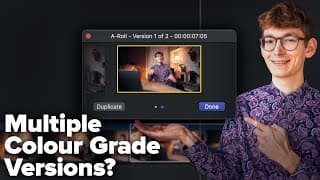
This FINAL CUT PRO Feature is FANTASTIC for COLOUR GRADING!
🎯 Learn Colour Grading: https://ericlenz.net/colour-for-creators/

The feature that doesn't exist but does. Dynamic Linking in Final Cut Pro
🎯 Learn Colour Grading: https://ericlenz.net/colour-for-creators/ 0:00 Intro 0:18 What is Dynamic Linking? 0:48 Preparation 2:00 Video Files 2:45 Photographs 3:02 Tipps, Settings & Organisation 3:20 Recap
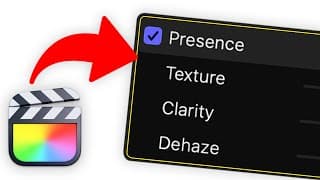
Dehaze, Texture and Clarity Slider for Final Cut!
🎯 Get the Plugin: https://ericlenz.net/final-cut-pro-plugins/ 00:00 - 0:07 Intro 0:08 - 0:24 Demo 0:25 - 1:14 Plugin in Action 1:15 - 3:20 Harv Video/Audio Stuff 3:21 - 4:18 Download & Further Information

Letterbox Effect - Should you use it? It might ruin your video!
🎯 Plugins for Final Cut Pro: https://ericlenz.net/final-cut-pro-plugins/
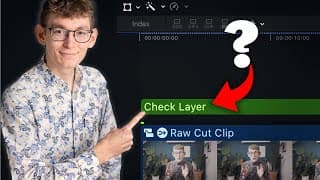
The SECRET WEAPON to master Colour Grading!
🎯 Get the Plugin: https://ericlenz.net/final-cut-pro-plugins/

3 Colour Grading Tips: From FLAT to FAB!
🎯 Learn Colour Grading: https://ericlenz.net/colour-for-creators/
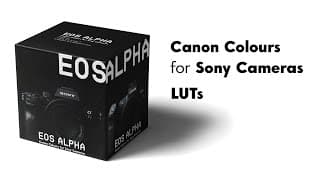
EOS ALPHA LUTs - Canon Colours for Sony Alpha [EOS ALPHA Product Video]
🎯 Download the LUTs here: https://ericlenz.net/eos-alpha/ EOS ALPHA is a suit of LUTs for Sony Alpha Cameras that emulate the look of Canon’s “colour science”. You will get 18 LUTs for Neutral, S-Log 2 and S-Log 3. EOS ALPHA brings, as known from Canon, beautiful skin tones and an outstanding colour rendering for your footage. I tested the LUTs on a variety of footage and cameras. The workflow with 8-Bit Sony footage has never been easier. Feel free to check the videos down below. Some clips at the end were provided by Daniel Merz (www.ge-filmt.de). Many thanks!