Loading...
Warning: Channel ID is missing or invalid
Loading channel videos...

Loading channel videos...
5 Tips To Speed Up Your Workflow (After Effects Tutorial)
Thanks to Motion Array for sponsoring this video. Get $50 off the annual subscription with this link: https://bit.ly/3XeFO07 Stay in touch! Get my project files: https://www.patreon.com/Mapal Twitter: https://twitter.com/mapalberenson Instagram: https://www.instagram.com/mapalberenson/ Portfolio: https://mapal.studio Inquiries: hello@mapalstudios.com My Notion Template: https://notion.so/templates/the-map-cave My most used sounds: https://artlist.io/artboard/796743f6-09b3-45de-8035-e991ef00e250/2888934 Music Used: Without You DG Pacino - Roll The Dice Tobias Bergson - How To Fly Tom Meira Armony - Everything Reminds Me of You Benny Bronco - Trippin Roie Shpigler - Into The Light All music + SFX is from Artlist (Affiliate link with 2 free months with the annual subscription): https://bit.ly/4iIp4Z9 Back with another video and this time I want to share some tips as to how you can speed up your workflow in After Effects. Being Faster and more efficient has never hurt anyone and these are all some pretty simple things you can do to save yourself some time! As always, thank you for watching! Void: https://battleaxe.co/void FX Console: https://www.videocopilot.net/blog/2018/05/fx-console-updated-to-v1-0-3/ Jake In Motion: https://youtube.com/playlist?list=PLjNI3J96cKVKmujglFYJEkHzZwpwJ45LV&si=ohUXVolLKh5Mwz7m Learn Expressions: @ECAbrams Feel free to skip around: 00:00 Intro 00:14 Tip 1 00:26 Best free plugin 00:36 Community Discord 01:03 Tip 2 01:27 How to animate textures 02:46 Tip 3 03:23 Tip 4 03:52 Tip 5 04:21 My After Effects Layout 10:37 Change Colour of Ae The equipment: Sony FX3 Sony 24-70 + Sony 20mm Deity V-MIC D3 Tascam DR-10L Peak Design Travel Tripod - Aluminium Neewer C-Stand Amaran 300C & Spotlight SE + 100D & Neewer Softbox Mac Studio Max M1 64gb Ram Asus ProArt 32” Monitor
The Best Transition (After Effects Tutorial)
Thanks to Artlist for sponsoring this video. Get 2 free months with the annual subscription with this link: https://bit.ly/4iIp4Z9 Stay in touch! Get my project files: https://www.patreon.com/Mapal Twitter: https://twitter.com/mapalberenson Instagram: https://www.instagram.com/mapalberenson/ Portfolio: https://mapal.studio Inquiries: hello@mapalstudios.com My Notion Template: https://notion.so/templates/the-map-cave My most used sounds: https://artlist.io/artboard/796743f6-09b3-45de-8035-e991ef00e250/2888934 Music Used: Company Gun - Show Yourself - Instrumental Ziggy - Nitty Gritty Le Marigold - The Fjord Jimit - One For Herbie All music + SFX is from Artlist (Affiliate link with 2 free months with the annual subscription): https://bit.ly/4iIp4Z9 We're back with another video and this time it's all about transitions. It can be hard to know what type of transitions to use, when to use them, and how to use them properly. Hopefully, after watching this video you'll have a better sense of all that! As always, thank you for watching! Void: https://battleaxe.co/void Article: https://www.toptal.com/designers/ux/motion-design-principles Feel free to skip around: 00:00 Intro 00:12 The Fundamentals 03:11 Types of Transitions 04:04 The Ultimate Transition 04:27 Hard Match Cut 06:26 adding contrast 07:24 Movement Match Cut - Position 09:31 Movement Match Cut - Scale 11:36 Movement Match Cut - Rotation 14:28 Bonus Sauce Transition The equipment: Sony FX3 Sony 24-70 + Sony 20mm Deity V-MIC D3 Tascam DR-10L Peak Design Travel Tripod - Aluminium Neewer C-Stand Amaran 300C & Spotlight SE + 100D & Neewer Softbox Mac Studio Max M1 64gb Ram Asus ProArt 32” Monitor

I Paid 3 Animators To Do The Same Animation!
Thanks to Fiverr for sponsoring this video. First 300 people will get 10% off with code 'MAPAL10' https://bit.ly/4gOfa5I If you want to work with any of the animators from todays video: 1. Animator: https://bit.ly/4gNjHWn 2. Animator: https://bit.ly/3EFY2BX 3. Animator: https://bit.ly/3EVztRq Stay in touch! Get my project files: https://www.patreon.com/Mapal Twitter: https://twitter.com/mapalberenson Instagram: https://www.instagram.com/mapalberenson/ Portfolio: https://mapal.studio Inquiries: hello@mapalstudios.com My Notion Template: https://notion.so/templates/the-map-cave My most used sounds: https://artlist.io/artboard/796743f6-09b3-45de-8035-e991ef00e250/2888934 Music Used: Ziggy - Busy Bee Bop Mats Raynard - Ferris Wheel Ofer Ronen - Rumba de Shapira All music + SFX is from Artlist (Affiliate link with 2 free months with the annual subscription): https://bit.ly/4iIp4Z9 In this video I paid 3 different animators to help me create a teaser animation for an upcoming newsletter. It was super fun to see how 3 different people tackled the same brief. Just goes to show how different our creativity works. As always, thank you for watching! Feel free to skip around: 00:00 Intro 00:08 1 - The Brief 01:08 2 - Finding The Animators 01:47 3 - The First Animator 03:14 4 - The Second Animator 05:36 5 - The Third Animator 07:30 6 - The Reveal The equipment: Sony FX3 Sony 24-70 + Sony 20mm Deity V-MIC D3 Tascam DR-10L Peak Design Travel Tripod - Aluminium Neewer C-Stand Amaran 300C & Spotlight SE + 100D & Neewer Softbox Mac Studio Max M1 64gb Ram Asus ProArt 32” Monitor
Retro Glass Texture + Animation (After Effects Tutorial)
Thanks to Motion Array for sponsoring this video. Get $50 off the annual subscription with this link: https://bit.ly/3XeFO07 Stay in touch! Get my project files: https://www.patreon.com/Mapal Twitter: https://twitter.com/mapalberenson Instagram: https://www.instagram.com/mapalberenson/ Portfolio: https://mapal.studio Inquiries: hello@mapalstudios.com My Notion Template: https://notion.so/templates/the-map-cave My most used sounds: https://artlist.io/artboard/796743f6-09b3-45de-8035-e991ef00e250/2888934 Music Used: Mats Raynard - Ferris Wheel Randy Sharp - Venice Beach All music + SFX is from Artlist (Affiliate link with 2 free months with the annual subscription): https://bit.ly/4iIp4Z9 Back with another tutorial, this time we're working on creating some super sick and sexy smudge retro glass looking texture. Super fire. Obviously also doing a sweet little animation to follow along with it. As always, thank you for watching! Cub Studio Piece: https://x.com/FrazDav/status/1877725545556807723 Motion Array LUTs: https://motionarray.com/browse/collection/1100db20-5251-4527-8f82-23557a6118ff/522820/ Motion Array Textures: https://motionarray.com/browse/collection/138f2a94-5f1c-4c0a-ae8e-9537961f75bb/522820/ FX Console: https://www.videocopilot.net/blog/2018/05/fx-console-updated-to-v1-0-3/ Feel free to skip around: 00:00 Intro 00:06 Example 00:15 Step 1 - Base Animation 07:13 Step 2 - Speed Ramp 10:12 Step 3 - Saucy Assets 11:27 Step 4 - The Sauce 26:52 Final 27:17 Project files The equipment: Sony FX3 Sony 24-70 + Sony 20mm Deity V-MIC D3 Tascam DR-10L Peak Design Travel Tripod - Aluminium Neewer C-Stand Amaran 300C & Spotlight SE + 100D & Neewer Softbox Mac Studio Max M1 64gb Ram Asus ProArt 32” Monitor
The EASIEST Text Animations (After Effects Tutorial)
Thanks to Artlist for sponsoring this video. Get 2 free months with the annual subscription with this link: https://bit.ly/4iIp4Z9 Stay in touch! Get my project files: https://www.patreon.com/Mapal Twitter: https://twitter.com/mapalberenson Instagram: https://www.instagram.com/mapalberenson/ Portfolio: https://mapal.studio Inquiries: hello@mapalstudios.com My Notion Template: https://notion.so/templates/the-map-cave My most used sounds: https://artlist.io/artboard/796743f6-09b3-45de-8035-e991ef00e250/2888934 Music Used: Kobi Salomon - Swan Lake Jazzed Up Tomer Lavie - Silky Secrets All music + SFX is from Artlist (Affiliate link with 2 free months with the annual subscription): https://bit.ly/4iIp4Z9 I am finally back from vacation and to start the year off I figured it would make sense to start easy and saucy. I use this animation ALL THE TIME. It's so clean and you can remix it in so many different ways. Also, thank you for the 100k. Means the world to me. As always, thank you for watching! Motion Tools: https://motiondesign.school/products/motion-tools/ FX Console: https://www.videocopilot.net/blog/2018/05/fx-console-updated-to-v1-0-3/ DecomposeText: https://aescripts.com/decomposetext/ Feel free to skip around: 00:00 Intro 00:11 Examples 00:27 Composition Setup 01:21 First Animation 09:31 Second Animation 15:45 Final result The equipment: Sony FX3 Sony 24-70 + Sony 20mm Deity V-MIC D3 Tascam DR-10L Peak Design Travel Tripod - Aluminium Neewer C-Stand Amaran 300C & Spotlight SE + 100D & Neewer Softbox Mac Studio Max M1 64gb Ram Asus ProArt 32” Monitor
Focus on this in 2025 #daily #creative #goals #design
Embrace expectations #daily #creative #challenge #motivation
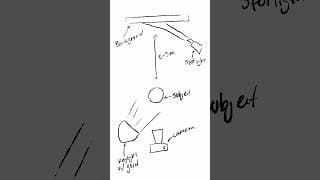
Light setup breakdown #daily #filmmaker #filmmaking #creative #light #cinematic
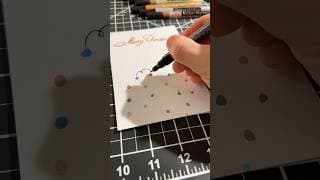
I’m sick but arts & crafts is sicker #daily #creative #art #vlog
We built a PC. It’s hard 😅 #daily #pc #build #setup #gaming
One question… #daily #filmmaking #motivation #newyear #goals
Be kind, it’s contagious! #daily #creative #challenge #motivation #christmas
Doing nothing is harder than doing something #daily #cinematic #filmmaking #motivation
Thumbnail breakdown #daily #creative #thumbnail #design #tutorial
A few favourites from the recent sound design video #daily #cinematic #filmmaking #editing #sound
What is your why? #daily #creative #filmmaking #editing
We did it. We hit 100k!!! #daily #vlog #100k #goals
Little timeline cleanse to refresh your mind and mood #daily #cinematic #nature #meditation
Every time we go out I just look forward to the food #daily #vlog #filmmaking #fashion #food
Passion. #daily #cinematic #filmmaking #editing #motivation
How much control do we have over our lives? #daily #creative #fashion #motivation
Lil vlogski :) #daily #creative #filmmaking #vlog #fashion
Remove excuses. #daily #creative #motivation
How To Sound Design
Thanks to Artlist for sponsoring this video. Get 2 free months with the annual subscription with this link: https://bit.ly/4iIp4Z9 - Don't miss their holiday sale going on right now to save extra! Stay in touch! Get my project files: https://www.patreon.com/Mapal Twitter: https://twitter.com/mapalberenson Instagram: https://www.instagram.com/mapalberenson/ Portfolio: https://mapal.studio Inquiries: hello@mapalstudios.com My Notion Template: https://notion.so/templates/the-map-cave My most used sounds: https://artlist.io/artboard/796743f6-09b3-45de-8035-e991ef00e250/2888934 Music Used: Adam Dib - Every Little Thing Sparrow Tree - Shimmering Light Ardie Son - Vivace - Eureka Amos Ever Hadani - Dreaming of a Song DaniHaDani - Secret No 2 ARYEH - I Love You Rynn - This Must Be Love Bishara Haroni - Gymnopedie No 2 All music + SFX is from Artlist (Affiliate link with 2 free months with the annual subscription): https://bit.ly/49I8bb4 In this much requested video I unveil my ENTIRE process of sound designing. From my philosophy behind the choices I make to the actual act of finding the right sounds for the piece. Sound designing can be a tedious process but it is without a doubt one of the most important ones. It can take an animation or a video from a 5 to a 10. We often neglect the sense of hearing when working with a primarily visual medium. After watching this video, that should no longer be the case! Hopefully, this covers any questions you might have regarding the topic. As always, thank you for watching! Feel free to skip around: 00:00:00 Intro 00:00:12 Purpose of this video 00:00:43 Project File 00:01:01 Where To Get SFX 00:02:09 Best Program To Sound Design In 00:02:39 The 3 Categories of SFX 00:02:49 1. Atmospheric Sounds 00:03:09 2. Detail Sounds 00:03:24 3. Movement Sounds 00:03:54 Order of Operations 00:04:57 QUICK PSA 00:05:52 Full Sound Design Process 00:06:59 Davinci Pro Tip 00:07:43 Back to SOUND DESIGNING 00:09:54 My Most Used SFX 01:01:45 Final 01:02:13 Project File The equipment: Sony FX3 Sony 24-70 + Sony 20mm Deity V-MIC D3 Tascam DR-10L Peak Design Travel Tripod - Aluminium Neewer C-Stand Amaran 300C & Spotlight SE + 100D & Neewer Softbox Mac Studio Max M1 64gb Ram Asus ProArt 32” Monitor
5 free fonts to use in your projects! #daily #creative #design #fonts #typography
Nourish your soul by doing things you enjoy. #daily #creative #motivation
Does the weather affect your productivity? #daily #creative #bts #vlog #filmmaking
Distracting or nah? #daily #editing #filmmaking #creative

Be thankful. #daily #vlog #food
Long day that felt like I did “nothing” but that’s how it goes #daily #vlog #creative
How to cultivate self belief #daily #creative #motivation
Monday Bloopers. I was 🤏🏻 close to returning my cat lol #daily #vlog #creative #bloopers
What are your thoughts on AI in creative work? #daily #creative #design #editing #animation
Best fonts in the game #daily #creative #typography #fonts #design #animation
Finding time vs Making time #daily #creative #filmmaking #motivation
Dream big. #daily #creative #filmmaking #motivation
Meant to be… #daily #creative
Learning to receive criticism #daily #creative
Embrace responsibility. #daily #creative #motivation
Easy Article Animation (After Effects Tutorial)
Stay in touch! Get my project files: https://www.patreon.com/Mapal Twitter: https://twitter.com/mapalberenson Instagram: https://www.instagram.com/mapalberenson/ Portfolio: https://mapal.studio Inquiries: hello@mapalstudios.com My Notion Template: https://notion.so/templates/the-map-cave In this video I do a quick breakdown of a (super sick) paragraph animation I did in a short video recently. It has all you can ask for. Great sync and texture. Doesn't get much more perfect than that. You can do the same technique with just regular text layers too. It doesn't have to be a quote from a book or article either. Principles still apply. As always, thank you for watching! Music Used: Roie Shpigler - Peace (Piano + Brass and Woodwinds) All music + SFX is from Artlist (Affiliate link with 2 free months with the annual subscription): https://bit.ly/49I8bb4 My most used sounds: https://artlist.io/artboard/796743f6-09b3-45de-8035-e991ef00e250/2888934 Flow: https://aescripts.com/flow/ FX Console: https://www.videocopilot.net/blog/2018/05/fx-console-updated-to-v1-0-3/ Feel free to skip around: 00:00 Intro 00:03 Example 00:27 After Effects Begins 00:51 Project file 01:18 Animation Prep 02:20 Sync Animation 03:08 Where to get presets 05:06 Textured background 06:26 Importance of high quality assets 06:56 Animating the scene 09:17 Adding some pre sauce 10:56 Back to animating the sequence 12:06 Finessing the animation 12:41 The Final Sauce 14:51 Texture 17:00 Final Result The equipment: Sony FX3 Sony 24-70 Black Satin 1/4 Tascam DR-10L Peak Design Travel Tripod - Aluminium Neewer C-Stand Amaran 100D + Neewer Softbox Mac Studio Max M1 64gb Ram Asus ProArt 32” Monitor
Go for a walk. #daily #photography #creative #filmmaking #motivation #fuji
First few tests with the new cam. #daily #creative #photography #fuji
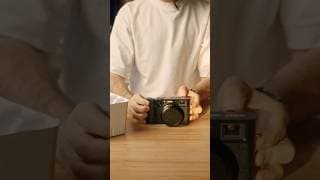
New camera alert! #daily #creative #photography #unboxing #fuji
Can you have more than ONE priority? #daily #creative #motivation

Empty the tank. #daily #creative #motivation
What gear do I use? #daily #creative #productivity #setup
Casual & Productive Sunday #daily #productivity #vlog
Vox Title Animation (After Effects Tutorial)
Stay in touch! Get my project files: https://www.patreon.com/Mapal Twitter: https://twitter.com/mapalberenson Instagram: https://www.instagram.com/mapalberenson/ Portfolio: https://mapal.studio Inquiries: hello@mapalstudios.com My Notion Template: https://notion.so/templates/the-map-cave This video is a short and easy one. Super sexy map animation I saw in a Vox video recently. It has so much sauce and character I just had to do it. It truly doesn't get much easier than this and the final result is SWEEEET! As always, thank you for watching! Original Vox video: https://youtu.be/gK6MD_8S01o?si=m_PS0j825l2ipmsX Music Used: Mattia Vlad Morleo - Homely All music + SFX is from Artlist (Affiliate link with 2 free months with the annual subscription): https://bit.ly/49I8bb4 My most used sounds: https://artlist.io/artboard/796743f6-09b3-45de-8035-e991ef00e250/2888934 Motion Tools: https://motiondesign.school/products/motion-tools/ Void: https://battleaxe.co/void MOGRTs video: https://youtu.be/IGzWXIwAjgg Feel free to skip around: 00:00 Intro 00:02 Example 00:16 After Effects Begins 00:49 Setting up the text 02:33 Animating the text 03:15 PROJECT FILE AND PRESETS 03:47 Animated Focus State 07:06 The Sauce 09:56 Highlighter effect 12:24 Overlay Textures 13:39 MOGRT Setup 14:40 Final Result The equipment: Sony FX3 Sony 24-70 Black Satin 1/4 Tascam DR-10L Peak Design Travel Tripod - Aluminium Neewer C-Stand Amaran 100D + Neewer Softbox Mac Studio Max M1 64gb Ram Asus ProArt 32” Monitor
Power of paying attention #daily #cinematic #creative
Our perception often skews reality. #daily #cinematic #motivation
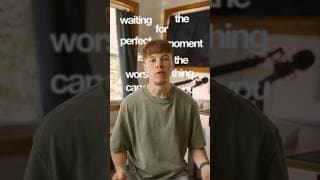
Waiting for the perfect moment is waiting forever… #daily #motivation #creative
Do you struggle with decision making and trusting your gut? #daily #creative #motivation #books
Keep your ideas to yourself. Surround yourself with people who push you. #daily #motivation
Perfectionism is your worst enemy. #daily #motivation #cinematic #productivity #vlog
5 books everyone should read #books #daily #creative #productivity #challenge
Easy Vox Style Map Animation (After Effects Tutorial)
Stay in touch! Get my project files: https://www.patreon.com/Mapal Twitter: https://twitter.com/mapalberenson Instagram: https://www.instagram.com/mapalberenson/ Portfolio: https://mapal.studio Inquiries: hello@mapalstudios.com My Notion Template: https://notion.so/templates/the-map-cave This video is a short and easy one. Super sexy map animation I saw in a Vox video recently. It has so much sauce and character I just had to do it. It truly doesn't get much easier than this and the final result is SWEEEET! As always, thank you for watching! Original Vox video: https://youtu.be/alNHhdWDfsY?si=7-PNgh67XD_fWCp0 Music Used: Ada Ragimov - Gymnopedie No 1 All music + SFX is from Artlist (Affiliate link with 2 free months with the annual subscription): https://bit.ly/49I8bb4 My most used sounds: https://artlist.io/artboard/796743f6-09b3-45de-8035-e991ef00e250/2888934 Feel free to skip around: 00:00 Intro + Example 00:12 After Effects Setup 00:37 Prepping the map 02:11 PROJECT FILE 02:43 One layer or separate layers 04:44 Animating The Map 06:35 Adding details 08:25 Animating Cars 12:12 Map Markers 13:36 THE SAUCE 16:03 Final result The equipment: Sony FX3 Sony 24-70 Black Satin 1/4 Tascam DR-10L Peak Design Travel Tripod - Aluminium Neewer C-Stand Amaran 100D + Neewer Softbox Mac Studio Max M1 64gb Ram Asus ProArt 32” Monitor
Stop overthinking. Just do the stuff you want. #daily #creative #vlog #running
Adaptation is the ultimate key to success. Without it you won’t get far. #daily #vlog #workout
No way around it. I’m a workaholic. #creative #cinematic #daily #motivation
Start your day by doing something hard. #creative #daily #cinematic #running
Some behind the scenes of how I record the YouTube videos! #creative #daily #vlog #bts
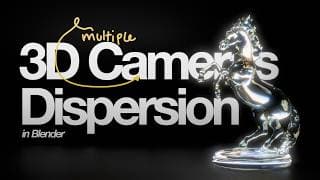
How To Animate Cameras like Imperial in Blender + Glass Dispersion Tutorial
Thanks to Motion Array for sponsoring this video. Get $50 off the annual subscription https://bit.ly/3XeFO07 (Pro and Everything plans only) Stay in touch! Get my project files: https://www.patreon.com/Mapal Twitter: https://twitter.com/mapalberenson Instagram: https://www.instagram.com/mapalberenson/ Portfolio: https://mapal.studio Inquiries: hello@mapalstudios.com My Notion Template: https://notion.so/templates/the-map-cave Music Used: Johnny G - Moonlight Waltz Alon Peretz - Turning Point DaniHaDani - Deja Reve All music + SFX is from Artlist (Affiliate link with 2 free months with the annual subscription): https://bit.ly/49I8bb4 My most used sounds: https://artlist.io/artboard/796743f6-09b3-45de-8035-e991ef00e250/2888934 ShadersPlus (Glass Dispersion): https://shadersplus.crd.co/ Today we take a look at how to set up multiple cameras in Blender and how we can easily control them. It's truly a lot simpler than you'd think (especially compared to After Effects). Not only that but I also show how you can create some beautiful glass dispersion in Blender. As always, thank you for watching! Feel free to skip around: 00:00 intro 00:28 Step 1 - A scene to work with 00:35 PROJECT FILE 01:08 Preview 01:50 Full reveal 02:28 Step 2 - Blender Setup + Camera 03:05 Adding a camera 07:56 Adding multiple camera angles 10:33 Easing in Blender 11:38 Camera orbit around an object 13:41 Extra: Glass Dispersion The equipment: Sony FX3 Sony 24-70 + Sony 20mm Deity V-MIC D3 Tascam DR-10L Peak Design Travel Tripod - Aluminium Neewer C-Stand Amaran 100D + Neewer Softbox Amaran 300C + Spotlight SE Mac Studio Max M1 64gb Ram Asus ProArt 32” Monitor
60 days of shorts? Let’s do it! #cinematic #daily #challenge #creative
3 EASY Cinematic Title Animations (After Effects Tutorial)
The first 500 people to use my link will get a 1 month free trial of Skillshare https://skl.sh/mapal10241 Stay in touch! Get my project files: https://www.patreon.com/Mapal Twitter: https://twitter.com/mapalberenson Instagram: https://www.instagram.com/mapalberenson/ Portfolio: https://mapal.studio Inquiries: hello@mapalstudios.com My Notion Template: https://notion.so/templates/the-map-cave Music Used: Ada Ragimov - Ave Maria - String Instruments All music + SFX is from Artlist (Affiliate link with 2 free months with the annual subscription): https://bit.ly/49I8bb4 My most used sound effects: https://artlist.io/artboard/796743f6-09b3-45de-8035-e991ef00e250/2888934 Artlist resources used: https://artlist.io/artboard/71219586-e8f4-48d8-a3f8-e98fb241daee/2888934 MotionArray resources used: https://motionarray.com/browse/collection/f9dcf3a4-d77b-4915-bd43-00801611ea0d/522820/ The Bear: https://www.behance.net/gallery/148323537/The-Bear-S1-Motion-Package 1883: https://www.behance.net/gallery/135082461/1883-Title-Sequence?tracking_source=search_projects%7Cshow+intro+title+sequence&l=36 Tragedy of Macbeth: https://www.behance.net/gallery/143965755/The-Tragedy-of-Macbeth-A24-x-AppleTV-Campaign/modules/813305951 In this video I create some stunning cinematic titles inspired by ACTUAL projects. This is a great way to learn what makes certain title animations good and how you can take those concepts and apply them to your projects. As always, thank you for watching! Feel free to skip around: 00:00 Intro 00:02 Examples 00:17 Cinematic Title - 1 17:58 Result 1 18:03 Cinematic Title 2 31:35 Result 2 31:40 Cinematic Title 3 41:35 Result 3 42:27 Project files The equipment: Sony FX3 Sony 24-70 Deity V-MIC D3 Tascam DR-10L Peak Design Travel Tripod - Aluminium Neewer C-Stand Amaran 100D + Neewer Softbox Mac Studio Max M1 64gb Ram Asus ProArt 32” Monitor
Collage Vinyl And CD Animation (After Effects Tutorial)
Thanks to Artlist for sponsoring this video! Details for the Artlist 100K Fund: http://bit.ly/3BBv84r Get 2 free months with the annual subscription with this link: https://bit.ly/49I8bb4 Stay in touch! Get my project files: https://www.patreon.com/Mapal Twitter: https://twitter.com/mapalberenson Instagram: https://www.instagram.com/mapalberenson/ Portfolio: https://mapal.studio Inquiries: hello@mapalstudios.com My Notion Template: https://notion.so/templates/the-map-cave Music Used: Ardie Son - Flame SEA - The Kid and the Bird All music + SFX is from Artlist (Affiliate link with 2 free months with the annual subscription): https://bit.ly/49I8bb4 My most used sound effects: https://artlist.io/artboard/796743f6-09b3-45de-8035-e991ef00e250/2888934 Original video: https://youtu.be/P1xYjAnYr8c?si=OoLUbksFZp0DIH4N In this video I cover how to recreate this stunning vinyl to CD animation. It's a lot simpler than you think especially when you deploy the power of fractal noise and colorama. As per usual, this animation features some fantastic texture, which really helps sell the look and the feel of the piece. As always, thank you for watching! Feel free to skip around: 00:00 Intro 00:02 Example 00:11 Project file 00:20 Win 100K 01:32 After Effects 01:57 1 - Creating our objects 08:02 2 - CD Colour Shine 15:51 3 - Animating the objects 21:55 4 - THE SAUCE 29:52 Final result 30:21 SFX The equipment: Sony FX3 Sony 24-70 + Sony 20mm Deity V-MIC D3 Tascam DR-10L Peak Design Travel Tripod - Aluminium Neewer C-Stand Amaran 100D + Neewer Softbox Mac Studio Max M1 64gb Ram Asus ProArt 32” Monitor

How To Make Money As An Animator
Thanks to Skillshare for sponsoring this video! The first 500 people to use my link will get a 1 month free trial of Skillshare https://skl.sh/mapal09241 Stay in touch! Get my project files: https://www.patreon.com/Mapal Twitter: https://twitter.com/mapalberenson Instagram: https://www.instagram.com/mapalberenson/ Portfolio: https://mapal.studio Inquiries: hello@mapalstudios.com My Notion Template: https://notion.so/templates/the-map-cave Music Used: Diamonds And Ice - Trust Alexander Levin - Higher Than Myself Nigun Quartet - Contemplation in Fm Ardie Son - Wayfarer SPEARFISHER - Vivace - Only Piano All music + SFX is from Artlist (Affiliate link with 2 free months with the annual subscription): https://bit.ly/49I8bb4 In this video I go through some of the most important (in my opinion) things you can work on to earn more money as a creative. Since I am mainly an animator that will be my starting point BUT I want to emphasise that these things will be applicable to any type of creative looking to make a living. These are not shortcuts to making bank. They are LONG TERM and SUSTAINABLE methods that you can repeat and improve on for the rest of your life. Teach a man to fish and he will never starve in his life. Feel free to skip around: 00:00 Intro 00:35 MY STORY 02:50 THE FRAMEWORK 03:26 PART 1 - DEVELOP THE SKILLS 05:15 TASTE + EYE 06:15 PROBLEM SOLVING 06:49 COMMUNICATION 07:35 PART 2 - DO WORK (VISIBLY) 07:47 PROCESS 08:18 PORTFOLIO 09:15 SOCIAL MEDIA 09:59 PART 3 - GET WORK 10:09 FINDING CLIENTS 12:40 CLIENT FIT 15:14 MONEY + PAYMENT The equipment: Sony Sony FX3 Sony 24-70 + Sony 20mm Cinebloom 10% Deity V-MIC D3 Tascam DR-10L Peak Design Travel Tripod - Aluminium Neewer C-Stand Amaran 100D + Neewer Softbox Mac Studio Max M1 64gb Ram Asus ProArt 32” Monitor
Collage Animation in After Effects (Tutorial)
Thanks to Motion Array for sponsoring the video. Get $50 off on Motion Array when signing up for the annual subscription http://bit.ly/3XeFO07 Stay in touch! Get my project files: https://www.patreon.com/Mapal Twitter: https://twitter.com/mapalberenson Instagram: https://www.instagram.com/mapalberenson/ Portfolio: https://mapal.studio Inquiries: hello@mapalstudios.com My Notion Template: https://notion.so/templates/the-map-cave Music Used: Ya Soos - I Like It Ada Ragimov - Ave Maria - String Insturments Ada Ragimov - Finest Selection Sicillienne All music + SFX is from Artlist (Affiliate link with 2 free months with the annual subscription): https://bit.ly/49I8bb4 Assets used: https://motionarray.com/browse/collection/b4ee7865-aaa6-4dfb-8b60-3fcf73722df5/522820/ Inertial bounce expression: https://www.graymachine.com/top-5-effects-expressions Today I go through how to use textures in a more interesting way in your animations. It's a great way to add more depth and visual interest. It's also a cheat code for really nailing the collage style. The inspiration for this tutorial comes from this project by Tom McCarten: https://www.tommccarten.com/Sex-in-Space As always, thank you for watching! Feel free to skip around: 00:00 Intro 00:13 Examples 00:25 Scene prep 00:30 Project file 00:57 After Effects Starts 01:10 Importing PSDs 03:10 Scene 1 16:17 Scene 2 25:38 Scene 3 29:19 Adding Sauce 31:24 Final result The equipment: Sony FX3 Sony 24-70 + Sony 20mm Deity V-MIC D3 Tascam DR-10L Peak Design Travel Tripod - Aluminium Neewer C-Stand Amaran 100D + Neewer Softbox Mac Studio Max M1 64gb Ram Asus ProArt 32” Monitor
5 Super Simple Animations (After Effects Tutorial)
Thanks to Artlist for sponsoring this video. Get 2 free months with the annual subscription with this link: https://bit.ly/49I8bb4 Stay in touch! Get my project files: https://www.patreon.com/Mapal Twitter: https://twitter.com/mapalberenson Instagram: https://www.instagram.com/mapalberenson/ Portfolio: https://mapal.studio Inquiries: hello@mapalstudios.com My Notion Template: https://notion.so/templates/the-map-cave Music Used: Ada Ragimov - Ave Maria - Cello Version Yehezkel Raz - Ballerino Eldar Kedem - On My Way - Instrumental All music + SFX is from Artlist (Affiliate link with 2 free months with the annual subscription): https://bit.ly/49I8bb4 My most used sounds: https://artlist.io/artboard/796743f6-09b3-45de-8035-e991ef00e250/2888934 LookAt Expression: https://blob.pureandapplied.com.au/lookat-me/ In this video I cover 5 different animations that are super simple but ridiculously effective! Great thing about them is that they're versatile and easy to do, which means you can spice up your videos in no time. As always, thank you for watching! Feel free to skip around: 00:00 Intro + Examples 00:10 01 - Card Flourish 14:06 02 - Gradient Text 18:54 03 - Grid Room 25:32 04 - Dodfords TV 32:44 05 - Look At Me 35:34 Goodies for you The equipment: Sony FX3 Sony 24-70 + Sony 20mm Deity V-MIC D3 Tascam DR-10L Peak Design Travel Tripod - Aluminium Neewer C-Stand Amaran 100D + Neewer Softbox Mac Studio Max M1 64gb Ram Asus ProArt 32” Monitor
My 2024 Home Office Tour | Dual Desk Setup for Creatives
Exciting FlexiSpot Anniversary Celebration! Store-wide Discounts, Great Deals for You! 🌟 Use my exclusive code '24AUG30' for extra $30 off on E7, E7 Pro, E7L. For the C7 chair, use my code 'C782150' to get $50 off! Trust me, it's a rare treat! Don't miss out on designing your dream set up with FlexiSpot. FlexiSpot E7 Pro Standing Desk: US: https://bit.ly/4dAqd1n CA:https://bit.ly/3T5ubaD FlexiSpot C7 Ergonomic Chair: US: https://bit.ly/4fAqqDB CA: https://bit.ly/4clovQz Stay in touch! Get my project files: https://www.patreon.com/Mapal Twitter: https://twitter.com/mapalberenson Instagram: https://www.instagram.com/mapalberenson/ Portfolio: https://mapal.studio Inquiries: hello@mapalstudios.com My Notion Template: https://notion.so/templates/the-map-cave Music Used: Kyle Cox - On Time - Instrumental Version Kyle Cox - Te Espero - Waiting for You feat Franc Castillejos Carmel Quartet - Allegro moderato - tres doux Aija Alsina - Mindfulness All music + SFX is from Artlist (Affiliate link with 2 free months with the annual subscription): https://bit.ly/49I8bb4 In this video I go through BOTH of my home office setups. Each serve their own purpose. One is for all my computer work such as animating, recording tutorials, etc. The other one is all about creativity, drawing, sketching, scanning, and printing. As always, thank you for watching! Feel free to skip around: 00:00 Intro 00:13 Main Setup 05:24 The chair 07:02 The importance of picking a good desk 07:56 The Creative Corner 12:07 The purpose of having two setups The equipment: Sony FX3 Sony 24-70 + Sony 20mm Sennheiser 400 MK Tascam DR-10L Peak Design Travel Tripod - Aluminium Neewer C-Stand Amaran 100D + Neewer Softbox Mac Studio Max M1 64gb Ram Asus ProArt 32” Monitor

How to make VIRAL reels (After Effects Tutorial)
Sign up to Milanote for free with no time-limit: https://milanote.com/mapal0824 Stay in touch! Get my project files: https://www.patreon.com/Mapal Twitter: https://twitter.com/mapalberenson Instagram: https://www.instagram.com/mapalberenson/ Portfolio: https://mapal.studio Inquiries: hello@mapalstudios.com My Notion Template: https://notion.so/templates/the-map-cave Music Used: Eldar Kedem - On My Way - Instrumental Carmel Quartet - Air On The G String All music + SFX is from Artlist (Affiliate link with 2 free months with the annual subscription): https://bit.ly/49I8bb4 In today's video I go through some of my favourite tools and plugins. All of these assist me in my creative endeavours whether that be animation, editing, or filmmaking. As always, thank you for watching! Feel free to skip around: 00:00 Intro and example 00:15 Project file 00:26 Prep & Planning 02:38 Tutorial Starts 02:47 3D Picture Carousel 10:06 Scene 2 19:56 Super zoom transition 22:48 Final result and notes The equipment: Sony FX3 Sony 24-70 + Sony 20mm Sennheiser 400 MK Tascam DR-10L Peak Design Travel Tripod - Aluminium Neewer C-Stand Amaran 100D + Neewer Softbox Mac Studio Max M1 64gb Ram Asus ProArt 32” Monitor
Top Plugins & Tools For Editors!
Thanks to Motion Array for sponsoring this video. Get $50 off on Motion Array when you sign up for their annual subscription https://bit.ly/4c1NesT Stay in touch! Get my project files: https://www.patreon.com/Mapal Twitter: https://twitter.com/mapalberenson Instagram: https://www.instagram.com/mapalberenson/ Portfolio: https://mapal.studio Inquiries: hello@mapalstudios.com My Notion Template: https://notion.so/templates/the-map-cave Music Used: Marek Jakubowicz - Another Rainy Day Ada Ragimov - Ave Maria - Cello Version Ya Soos - Party - Instrumental Version Ya Soos - I Like It - Intrumental Version Carmel Quartet - Assez vif - tres rythme All music + SFX is from Artlist (Affiliate link with 2 free months with the annual subscription): https://bit.ly/49I8bb4 In today's video I go through some of my favourite tools and plugins. All of these assist me in my creative endeavours whether that be animation, editing, or filmmaking. As always, thank you for watching! Feel free to skip around: 00:00 Intro 00:32 1 Anubis 01:41 2 Motion Array 03:12 3 Void 04:11 4 DecomposeText 05:27 5 Filmvision 06:28 6 Flex The plugins/tools: 1. https://battleaxe.co/anubis 2. https://bit.ly/4c1NesT 3. https://battleaxe.co/void?ref=lore.battleaxe.co 4. https://aescripts.com/decomposetext/ 5. https://www.shopmoment.com/products/filmvision-v2-powergrade-davinci-resolve-2 6. https://aescripts.com/flex/ The equipment: Sony a7iii + Sony FX3 Sony 24-70 + Sony 20mm Cinebloom 10% Deity V-MIC D3 Tascam DR-10L Peak Design Travel Tripod - Aluminium Neewer C-Stand Amaran 100D + Neewer Softbox Mac Studio Max M1 64gb Ram Asus ProArt 32” Monitor
5 Clean Text Animations (After Effects Tutorial)
Thanks to Artlist for sponsoring this video. Get 2 free months with the annual subscription with this link: https://bit.ly/49I8bb4 Stay in touch! Get my project files: https://www.patreon.com/Mapal Twitter: https://twitter.com/mapalberenson Instagram: https://www.instagram.com/mapalberenson/ Portfolio: https://mapal.studio Inquiries: hello@mapalstudios.com My Notion Template: https://notion.so/templates/the-map-cave Music Used: Donner & Tie - Lazy Days and Lemonades BASHAM - Every Part of Me - Alternative - Instrumental Version All music + SFX is from Artlist (Affiliate link with 2 free months with the annual subscription): https://bit.ly/49I8bb4 Today I go through 5 different and sexy text animations BUT these techniques aren’t exclusive to that. They can all either be used for shapes, icons, or even real world footage as well. The last one in particular holds a special place in my heart. As always, thank you for watching! Feel free to skip around: 00:00 Intro + Examples 00:24 Tutorial Begins 00:31 01 - Morph 06:25 02 - Perspective Distortion 14:07 03 - Bouncy 3D 18:19 04 - Glass 22:41 05 - Chromatic Distortion 28:20 Project file The equipment: Sony a7iii + Sony FX3 Sony 24-70 + Sony 20mm Deity V-MIC D3 Tascam DR-10L Peak Design Travel Tripod - Aluminium Neewer C-Stand Amaran 100D + Neewer Softbox Mac Studio Max M1 64gb Ram Asus ProArt 32” Monitor
How To Animate Like Imperial (Blender & After Effects Tutorial)
Thanks to Skillshare for sponsoring this video! The first 500 people to use my link will get a 1 month free trial of Skillshare https://skl.sh/mapal07241 Stay in touch! Get my project files: https://www.patreon.com/Mapal Twitter: https://twitter.com/mapalberenson Instagram: https://www.instagram.com/mapalberenson/ Portfolio: https://mapal.studio Inquiries: hello@mapalstudios.com My Notion Template: https://notion.so/templates/the-map-cave Music Used: idokay - Fall Down idokay - Climb Back Up Reed Pittman - Deck the Halls All music + SFX is from Artlist (Affiliate link with 2 free months with the annual subscription): https://bit.ly/49I8bb4 We recently took a look at how to animate like Lemmino where we covered the 2D aspect of it. This time we will be tackling the 3D aspect of it. The style is super similar to Imperial, Neo, and Fern to name a few. It's all heavily reliant on good narratio/story but also really well composed 3D scenes. The most important parts of it are lighting, models, environment, and camera movement. Sites for 3D models Polyhaven: https://polyhaven.com/ CGTrader: https://www.cgtrader.com/ Turbosquid: https://www.turbosquid.com/ Sketchfab: https://sketchfab.com/ Free3D: https://free3d.com/ BlenderKit: https://www.blenderkit.com/ Feel free to skip around: 00:00 Intro 00:11 Examples 00:21 Style Breakdown 00:42 Best places to get 3D models 01:14 GET THIS PROJECT FILE 01:39 Tutorial Starts 03:31 Scene setup 05:22 Adding our models 09:17 Materials & Lighting 17:00 After Effects Text Animation in Blender 20:46 Adding the animation in Blender 23:04 Animating the camera movement 28:09 Render Settings 29:18 Final Result The equipment: Sony a7iii + Sony FX3 Tamron 28-75 + Sony 20mm Cinebloom 10% Deity V-MIC D3 Tascam DR-10L Peak Design Travel Tripod - Aluminium Neewer C-Stand Amaran 100D + Neewer Softbox Mac Studio Max M1 64gb Ram Asus ProArt 32” Monitor
How To Animate Like Lemmino (After Effects Tutorial)
Thanks to Artlist for sponsoring this video. Get 2 free months with the annual subscription with this link: https://bit.ly/49I8bb4 Stay in touch! Get my project files: https://www.patreon.com/Mapal Twitter: https://twitter.com/mapalberenson Instagram: https://www.instagram.com/mapalberenson/ Portfolio: https://mapal.studio Inquiries: hello@mapalstudios.com My Notion Template: https://notion.so/templates/the-map-cave Music Used: Yehezkel Raz - As Long as in The Heart Maya Isacowitz - Dont Wanna - Instrumental All music + SFX is from Artlist (Affiliate link with 2 free months with the annual subscription): https://bit.ly/49I8bb4 Today we're gonna take a look at the beautiful videos by Lemmino. I think their videos are sick and I love that they almost feel branded. There are a lot of elements that go again in all of their videos. Not only that but we will also be taking a look at Artlist's new AI voiceover feature, which is so sick! As always, thank you for watching! Feel free to skip around: 00:00 Intro 00:13 Get the project file 00:20 What is the Lemmino style 00:45 Chromawarp 01:21 Scripting + Voice over 03:16 Finding the AI voiceover voice 07:05 The Pacing 08:14 Map Zoom Animation 22:20 Animated Article Showcase 28:38 Document Preview 31:26 Grainy glow border 34:29 The secret sauce 35:02 Final Result The equipment: Sony a7iii + Sony FX3 Tamron 28-75 + Sony 20mm Cinebloom 10% Deity V-MIC D3 Tascam DR-10L Peak Design Travel Tripod - Aluminium Neewer C-Stand Amaran 100D + Neewer Softbox Mac Studio Max M1 64gb Ram Asus ProArt 32” Monitor
Better Textures For Animations (After Effects Tutorial)
The first 500 people to use my link will get a 1 month free trial of Skillshare https://skl.sh/mapal06241 - Thanks to Skillshare for sponsoring this video! Stay in touch! Get my project files: https://www.patreon.com/Mapal Twitter: https://twitter.com/mapalberenson Instagram: https://www.instagram.com/mapalberenson/ Portfolio: https://mapal.studio Inquiries: hello@mapalstudios.com My Notion Template: https://notion.so/templates/the-map-cave Music Used: The Original Orchestra - The Swindler Elad Perez - Feast of Starlight All music + SFX is from Artlist (Affiliate link with 2 free months with the annual subscription): https://bit.ly/49I8bb4 DecomposeText (Type in 0 in the price box): https://aescripts.com/decomposetext/ Feel free to skip around: 00:00 Intro 00:02 Examples 00:06 Previous Texture video 00:15 After Effects Begins 00:26 Method 1 13:33 Method 2 15:29 Printing and scanning 16:31 Adding it back into After Effects 19:39 The cheating way 24:45 Final thoughts The equipment: Sony a7iii + Sony FX3 Tamron 28-75 + Sony 20mm Cinebloom 10% Deity V-MIC D3 Tascam DR-10L Peak Design Travel Tripod - Aluminium Neewer C-Stand Amaran 100D + Neewer Softbox Mac Studio Max M1 64gb Ram Asus ProArt 32” Monitor
Easy Text Animations in After Effects (Tutorial)
Thanks to Artlist for sponsoring this video. Get 2 free months with the annual subscription with this link: https://bit.ly/49I8bb4 Stay in touch! Get my project files: https://www.patreon.com/Mapal Twitter: https://twitter.com/mapalberenson Instagram: https://www.instagram.com/mapalberenson/ Portfolio: https://mapal.studio Inquiries: hello@mapalstudios.com My Notion Template: https://notion.so/templates/the-map-cave Music Used: idokay - Fall Down idokay - Climb Back Up Reed Pittman - Deck the Halls All music + SFX is from Artlist (Affiliate link with 2 free months with the annual subscription): https://bit.ly/49I8bb4 Today I cover a few different sexy text animations that are all super simple yet bring the freaking SAUCE. From sexy subtitle animations to Apple inspired text animations we learn a little bit of everything. The best part about it is that the fundamentals for these animations are super useful in pretty much any animation you’ll ever work on. Dig in and get to practising.As always, thank you for watching! Jake In Motion Tutorial: https://www.youtube.com/watch?v=ibfYiy--9Hs DecomposeText: https://aescripts.com/decomposetext/ MotionTools: https://motiondesign.school/products/motion-tools/ Feel free to skip around: 00:00 Intro 00:02 examples 00:14 After Effects Begins 00:23 1 - Subtitle Animation 00:29 Project File 00:39 Back to the first animation 05:24 The Saucy Variation 09:24 2 - Cartoon Title Text 18:46 3 - Apple Text Animation 24:36 4 - Apple Text Slide 26:24 Outro The equipment: Sony FX3 Tamron 28-75 Cinebloom 10% Sennheiser MKE400 Tascam DR-10L Peak Design Travel Tripod - Aluminium Neewer C-Stand Amaran 100D + Neewer Softbox Mac Studio Max M1 64gb Ram Asus ProArt 32” Monitor
Animate Like VOX & Davinci Resolve to After Effects Workflow (After Effects Tutorial)
Thanks to ASUS ProArt for sponsoring this video! If you’re looking to get some new gear make sure to click this link https://asus.click/mapal-US Note: the movement of the colorimeter is to highlight the external auto-calibrator, and I (and ASUS) do not suggest you do so. Stay in touch! Get my project files: https://www.patreon.com/Mapal Twitter: https://twitter.com/mapalberenson Instagram: https://www.instagram.com/mapalberenson/ Portfolio: https://mapal.studio Inquiries: hello@mapalstudios.com My Notion Template: https://notion.so/templates/the-map-cave Music Used: Ardie Son - A Winter Migration Reed Pittman - Deck the Halls All music + SFX is from Artlist (Affiliate link with 2 free months with the annual subscription): https://bit.ly/49I8bb4 In this video I go through 5 different Vox style animations from lower thirds to graphs and text animations. However, that’s not all of it. I also talk about the ACES workflow, which is extremely useful for compositing work where you want your animations to fit seamlessly in your edits. It is a bit more tedious but in the right instances it is super worth it. Doing this means I also show my workflow between Davinci Resolve and After Effects. I’ve had a fair few questions regarding this so I’m happy to finally show it.As always, thank you for watching! Feel free to skip around: 00:00:00 Intro 00:00:03 Examples 00:00:27 Part 1 - Davinci Resolve Setup + Exporting 00:00:50 where to get all the assets 00:01:02 back to davinci 00:02:10 Colour grading 00:07:57 Adding markers and segments 00:09:13 Exporting the segments 00:09:43 Picking the right workflow 00:09:58 Exporting without a grade 00:10:16 Export settings 00:11:12 Part 2 - Ae setup and Animations 00:13:22 Setting up the clips 00:15:06 First Animation - Bar Graph 00:15:38 Extended background in Ae 00:16:27 Content aware fill to extend the background 00:17:27 Creating and animating a graph 00:27:00 Second Animation - Lower third 00:41:41 Third animation - Saucy screen recording 00:48:43 Fourth Animation - 3D space text 00:57:59 Fifth Animation - Sign replacement 01:04:09 Part 3 - How to render it for Davinci 01:04:46 Output settings 01:05:46 Settings for transparency 01:06:32 Creating render settings template 01:07:43 Grading the animations in davinci 01:09:30 Final remarks The equipment: Sony a7iii + Sony FX3 Tamron 28-75 + Sony 20mm Cinebloom 10% Deity V-MIC D3 Tascam DR-10L Peak Design Travel Tripod - Aluminium Neewer C-Stand Amaran 100D + Neewer Softbox Mac Studio Max M1 64gb Ram Asus ProArt 32” Monitor
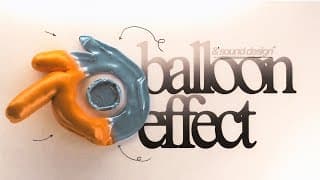
Inflated 3D Text Animation (Blender Tutorial)
Thanks to Artlist for sponsoring this video. Get 2 free months with the annual subscription with this link: https://bit.ly/49I8bb4 Stay in touch! Get my project files: https://www.patreon.com/Mapal Twitter: https://twitter.com/mapalberenson Instagram: https://www.instagram.com/mapalberenson/ Portfolio: https://mapal.studio Inquiries: hello@mapalstudios.com My Notion Template: https://notion.so/templates/the-map-cave Music Used: CTRL S - A Female Deer - No Backing Vocal DaniHaDani - Secret No 1 Today I cover a super requested effect and that is how to create an inflated animation. It's a lot more simple than you might think. It is obviously done in Blender BUT that is not the only part of the video. I also give a quick insight into how I added some sauce in After Effects and most importantly how I go about sound designing these types of animations! Feel free to skip around: 00:00 Intro 00:05 Example 00:09 Project file 00:13 Inspiration 00:25 Focus on the WHY not as much on the HOW 00:51 Blender Scene Setup 01:31 Creating our text 03:23 Friendly PSA 03:34 Creating the floor 04:07 Deflating the text 05:17 Baking the deflation 06:10 Inflating the text 08:34 Gradual inflation 10:50 Friendly PSA 10:51 Tasting the cake 11:03 Adding the toppings 11:11 Smoothing 11:41 Lighting 12:44 Adding a camera 13:30 Materials and texture 16:16 Final touches before rendering 16:38 Render settings 18:07 After Effects breakdown 19:40 The secret ingredient: Sound design 22:12 Planning what sounds I need 23:00 Sound designing in Davinci and finding SFX 33:59 Thank you The equipment: Sony a7iii + Sony FX3 Tamron 28-75 + Sony 20mm Cinebloom 10% Deity V-MIC D3 Tascam DR-10L Peak Design Travel Tripod - Aluminium Neewer C-Stand Amaran 100D + Neewer Softbox Mac Studio Max M1 64gb Ram Asus ProArt 32” Monitor
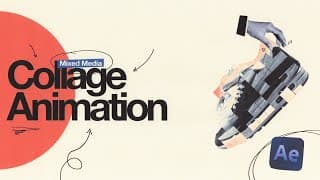
How To Make A Mixed Media Collage Animation (After Effects Tutorial)
Sign up to Milanote for free with no time-limit: https://milanote.com/mapal Stay in touch! Get my project files: https://www.patreon.com/Mapal Twitter: https://twitter.com/mapalberenson Instagram: https://www.instagram.com/mapalberenson/ Portfolio: https://mapal.studio Inquiries: hello@mapalstudios.com My Notion Template: https://notion.so/templates/the-map-cave Music Used: Kevin Conlon - South Side Slide Eden Barel - Club Supreme Alon Peretz - Greensleeves All music + SFX is from Artlist (Affiliate link with 2 free months): https://bit.ly/49I8bb4 Today we go through the process of creating a fun little mixed media collage animation. I love these types of animations because I get to play around with real life materials, which just brings me a certain type of joy. They're also a great way to develop your creativity as well as setting your work apart from everything else. As always, thank you for watching! Feel free to skip around: 00:00 Intro 00:21 Example 00:36 Milanote Logo Anim 00:37 Act i - Ideation 00:55 Pre-production for animations 01:02 Why Milanote works for me 01:31 Idea Breakdown 02:23 Creating a moodboard 03:48 Where to find inspiration for the moodboard 03:54 1. Pinterest 04:06 2. Behance 04:20 3. Social media 04:35 4. Books 04:39 Easy way to add photos to Milanote 05:31 Milanote Mobile App 06:10 Saucy things you can add 06:45 Act ii - Storyboarding 09:30 How storyboarding will make you a better animator 10:03 Act iii - Assets 12:18 Creating + Prepping assets 13:51 Act iv - After Effects 14:29 Animating scene 1 22:34 Animating Scene 2 27:40 Animating Scene 3 36:22 Animating scene 4 42:31 Fine tuning the animation 44:39 Adding the sauce 51:09 Act v - The Reveal The equipment: Sony a7iii + Sony FX3 Tamron 28-75 + Sony 20mm Cinebloom 10% Deity V-MIC D3 Tascam DR-10L Peak Design Travel Tripod - Aluminium Neewer C-Stand Amaran 100D + Neewer Softbox Mac Studio Max M1 64gb Ram Asus ProArt 32” Monitor
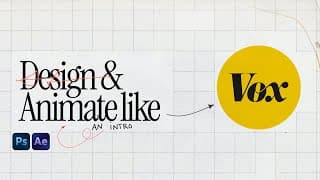
How to design and animate an intro like Vox (After Effects + Photoshop Tutorial)
The first 500 people to use my link will get a 1 month free trial of Skillshare https://skl.sh/mapal04241 Stay in touch! Get my project files: https://www.patreon.com/Mapal Twitter: https://twitter.com/mapalberenson Instagram: https://www.instagram.com/mapalberenson/ Portfolio: https://mapal.studio Inquiries: hello@mapalstudios.com My Notion Template: https://notion.so/templates/the-map-cave In this video we take a look at some super simple title animations to spice up your projects. Best thing about most of them are that you can turn them into mogrts, which makes it super easy to reuse the animations on various projects. As always, thank you for watching! Feel free to skip around: 00:00 Intro 00:02 Example 00:09 Project File 00:13 Overview of the steps 00:57 Step 1 - Ideation & Concept 01:02 Why this process is important 01:11 Questions to ask yourself 01:38 My goal for the animation 02:04 Step 2 - Asset Prep & Collection 02:21 The secret to better assets 02:51 Custom textures 03:00 Goated websites for free textures 03:14 Best websites to get free fonts 03:36 Best place to get photos and illustrations 04:26 Designing the scenes 05:19 How to get good at designing 06:53 start designing 20:45 Getting started in After Effects 21:13 Main characteristics of the Vox style 21:30 Animating Scene 1 30:47 Animating scene 2 41:22 Animating scene 3 45:05 Adding the sauce 52:05 Final adjustments 52:54 Result 53:05 Project file on patreon The equipment: Sony FX3 Tamron 28-75 Cinebloom 10% Tascam DR-10L Peak Design Travel Tripod - Aluminium Neewer C-Stand Amaran 100D + Neewer Softbox Mac Studio Max M1 64gb Ram Asus ProArt 27” Monitor Music Used: Ziv Moran - Easy-Peasy Kyle Cox - Worth the Squeeze - Instrumental Anthony Lazaro - Cold - Instrumental Yoav Ilan - Lilac Sourced from Artlist https://artlist.io/Mapal-2888934 (Referral link)
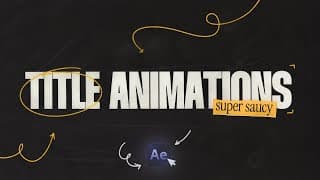
5 Title Text Animations (After Effects Tutorial)
Stay in touch! Get my project files: https://www.patreon.com/Mapal Twitter: https://twitter.com/mapalberenson Instagram: https://www.instagram.com/mapalberenson/ Portfolio: https://mapal.studio Inquiries: hello@mapalstudios.com My Notion Template: https://notion.so/templates/the-map-cave In this video we take a look at some super simple title animations to spice up your projects. Best thing about most of them are that you can turn them into mogrts, which makes it super easy to reuse the animations on various projects. As always, thank you for watching! Feel free to skip around: 00:00 Intro 00:03 Examples 00:20 After Effects 00:27 Liquid Title Animation 00:35 Setting up the text 04:00 Creating The Displacement Map 05:28 Time Displacement FTW 06:07 Customising and Making It A Mogrt 07:23 Broken Glass Title 10:13 Snake Title Animation 10:29 Creating sexy paths 11:03 Text on path 12:19 Centering the text 12:43 Hidden Title Animation 12:58 Creating the secret layer 13:53 The sauce 14:55 Light source 15:08 Controlling the light and shadow direction 16:21 Cinematic Title Text 19:31 Turning it into a Mogrt 19:59 Project files and outro 20:10 PROJECT FILE The equipment: Sony a7iii + Sony FX3 Tamron 28-75 + Sony 20mm Cinebloom 10% Deity V-MIC D3 Tascam DR-10L Peak Design Travel Tripod - Aluminium Neewer C-Stand Amaran 100D + Neewer Softbox Mac Studio Max M1 64gb Ram Asus ProArt 27” Monitor Music Used: Ardie Son - Sleeper Valley Sourced from Artlist https://artlist.io/Mapal-2888934 (Referral link)
Animated Overgrown 3D Text (Blender Tutorial)
The first 500 people to use my link will get a 1 month free trial of Skillshare: https://skl.sh/mapal03241 Stay in touch! Get my project files: https://www.patreon.com/Mapal Twitter: https://twitter.com/mapalberenson Instagram: https://www.instagram.com/mapalberenson/ Portfolio: https://mapal.studio Inquiries: hello@mapalstudios.com My Notion Template: https://notion.so/templates/the-map-cave As many of you have requested I am doing a breakdown of a recent 3D animation I did for a video of mine. More specifically, we will be taking a look at how to create an overgrown look in Blender. This an be done to text or any object for that matter. It’s a lot simpler than it looks, especially when using amazing assets. As always, thank you for watching! Models + Textures: https://polyhaven.com/ Derek Elliott tutorial: https://youtu.be/HIGkJvyAF8U?si=kkDMUxYYKP2fipLr ACES in Blender: https://youtu.be/axc2NnVSvmo?si=xJNtr6Nj63WH_HXP Feel free to skip around: 00:00 Intro 00:09 Example 00:17 Credit where its due 00:24 Concept Breakdown 00:31 List of ingredients (ps all free) 00:56 Blender Setup 01:41 ACES Workflow 01:55 How I learned Blender 03:25 Back to Blender 03:41 Setting up our text 05:16 Moving objects in blender 06:25 Adding a background 07:27 Finding The Models 07:38 How to get the project file 07:48 back to picking models 09:14 Plant Collection IMPORTANT 09:38 Setting up the particle system 12:55 Animating the growth 13:33 Adding the particle system to the background 14:47 Lighting setup 16:43 Better light control 17:54 Adding Texture 19:30 Camera setup 20:58 My render settings The equipment: Sony a7iii + Sony FX3 Tamron 28-75 + Sony 20mm Cinebloom 10% Deity V-MIC D3 Tascam DR-10L Peak Design Travel Tripod - Aluminium Neewer C-Stand Amaran 100D + Neewer Softbox Mac Studio Max M1 64gb Ram Asus ProArt 27” Monitor Music Used: Bishara Haroni - Gymnopédie No 3 Sourced from Artlist https://artlist.io/Mapal-2888934 (Referral link)
Easy Vox Infographic Animation (After Effects Tutorial)
Stay in touch! Get my project files: https://www.patreon.com/Mapal Twitter: https://twitter.com/mapalberenson Instagram: https://www.instagram.com/mapalberenson/ Portfolio: https://mapal.studio Inquiries: hello@mapalstudios.com My Notion Template: https://notion.so/templates/the-map-cave Today I go through a few different ways to visualise data and information. All of these techniques are super useful and versatile, not to mention EASY! Perfect for YouTube videos, documentary edits, as well as short form content.As always, thank you for watching! Feel free to skip around: 00:00 Intro 00:04 Examples 00:09 After Effects 00:20 1 - Network Infographic 00:36 PROJECT FILE 00:45 back to the animation 07:52 2 - Social Media UI 14:14 3 - Spinning Globe 19:32 4 - Podium Ranking The equipment: Sony a7iii Tamron 28-75 Cinebloom 10% Deity V-MIC D3 Tascam DR-10L Peak Design Travel Tripod - Aluminium Amaran 100D + Neewer Softbox Mac Studio Max M1 64gb Ram Asus ProArt 27” Monitor Music Used: Ardie Son - First Sunrise Sourced from Artlist https://artlist.io/Mapal-2888934 (Referral link)
10 Best Animations in After Effects (Tutorial)
Stay in touch! Get my project files: https://www.patreon.com/Mapal Twitter: https://twitter.com/mapalberenson Instagram: https://www.instagram.com/mapalberenson/ Portfolio: https://mapal.studio Inquiries: hello@mapalstudios.com My Notion Template: https://notion.so/templates/the-map-cave In today’s video I cover 10, A WHOLE 10, different effects/animations that I use on a regular basis. They’re all easy ways to add some spice, some sauce, some FLAVA to your projects. It’s the little things that can make your work stand out. As always, thank you for watching! Feel free to skip around: 00:00 Intro and Examples 00:12 After Effects 00:21 Effect 1 Glassmorphism 04:24 Effect 2 Grain Shadow 06:15 Effect 3 Focus Breathing 09:04 Effect 4 Glowing Highlight 10:31 Effect 5 Grungy Shape Repeater 14:17 Effect 6 Connected Dots 17:00 Effect 7 Magic Placeholder 18:22 Effect 8 Brush Stroke 20:39 Effect 9 Orient along path on steroids 22:42 Effect 10 Distorted Text Animation 26:08 Final Remarks 26:17 Where to get project file The equipment: Sony a7iii Tamron 28-75 Cinebloom 10% Deity V-MIC D3 Tascam DR-10L Peak Design Travel Tripod - Aluminium Amaran 100D + Neewer Softbox Mac Studio Max M1 64gb Ram Asus ProArt 27” Monitor Music Used: Louis Adrien - Waltzing in a Dream Sourced from Artlist https://artlist.io/Mapal-2888934 (Referral link)
How to animate maps like VOX (After Effects Tutorial)
Stay in touch! Get my project files: https://www.patreon.com/Mapal Twitter: https://twitter.com/mapalberenson Instagram: https://www.instagram.com/mapalberenson/ Portfolio: https://mapal.studio Inquiries: hello@mapalstudios.com My Notion Template: https://notion.so/templates/the-map-cave Today we tackle one of the most annoying things in After Effects, the 3D camera. In particular, we will be doing a super sick map animation that greatly benefits from sexy camera movement, which is why we will also be doing a bit more of an advanced camera setup. The camera setup is way easier to use than the normal camera controls and can be used any time you are working with it.As always, thank you for watching! Feel free to skip around: 00:00 Intro 00:01 Example 00:15 After Effects 00:28 GET THE PROJECT FILE 00:38 Back to the setup 06:46 Animating the assets 08:57 3D Camera Setup 09:54 Why the 3D cam sucks 10:17 Better way to use the 3D camera 12:24 Key to saucy camera movement 13:57 Saucy Depth of Field 15:39 The extra yet simple sauce 16:26 Final remarks The equipment: Sony a7iii Tamron 28-75 Cinebloom 10% Deity V-MIC D3 Tascam DR-10L Peak Design Travel Tripod - Aluminium Amaran 100D + Neewer Softbox Mac Studio Max M1 64gb Ram Asus ProArt 27” Monitor Music Used: Roie Shpigler - Sleepwalker Sourced from Artlist https://artlist.io/Mapal-2888934 (Referral link)
5 Transitions You NEED To Know (After Effects Tutorial)
Thanks to Storyblocks for sponsoring this video! Download unlimited stock media at one set price with Storyblocks: https://storyblocks.com/mapal Stay in touch! Get my project files: https://www.patreon.com/Mapal Twitter: https://twitter.com/mapalberenson Instagram: https://www.instagram.com/mapalberenson/ Portfolio: https://mapal.studio Inquiries: hello@mapalstudios.com My Notion Template: https://notion.so/templates/the-map-cave In today’s video we cover 4 (arguably 5) different types of transitions. Whether you work as an editor or animator these techniques/styles will be applicable. The most important part however is to know when and why certain types of transitions work and why they don’t in other scenarios. That is some of what we cover in this video. As always, thank you for watching! All assets used for the tutorial can be found here: https://www.storyblocks.com/folders/feedback/2otdDeYThHPSshxjuNEVxg7KR Cole Bennett Music Video: https://www.youtube.com/watch?v=s9PzYuVwCSE Ghost of Tsushima Example: https://www.youtube.com/watch?v=smcXzfYC3hY&t Feel free to skip around: 00:00 Intro 00:02 Examples 00:23 After Effects 00:32 MagnatesMedia Transition 00:56 The setup 01:27 How the transition works 03:30 Ink Mattes and Brush Transitions 04:17 The Setup 05:43 Revealing Individual Elements 05:59 How To Pick The RIGHT Ink Mattes 09:38 Brush Stroke Transition 11:52 Different method of animating brush strokes 14:19 Match Cut Transition 14:32 The setup 15:31 The more the merrier 15:53 lil bit of spice 17:20 Film burns and overlays 17:35 The Setup 17:42 How to pick the best fim overlays 18:05 Working with film overlays 21:40 Final Thoughts The equipment: Sony a7iii Tamron 28-75 Cinebloom 10% Deity V-MIC D3 Tascam DR-10L Peak Design Travel Tripod - Aluminium Amaran 100D + Neewer Softbox Mac Studio Max M1 64gb Ram Asus ProArt 27” Monitor Music Used: Ziv Moran - Long Strokes Sourced from Artlist https://artlist.io/Mapal-2888934 (Referral link)
5 Ways To ACTUALLY Improve Your Work
The first 500 people to use my link will get a 1 month free trial of Skillshare https://skl.sh/mapal02241 Stay in touch! Get my project files: https://www.patreon.com/Mapal Twitter: https://twitter.com/mapalberenson Instagram: https://www.instagram.com/mapalberenson/ Portfolio: https://mapal.studio Inquiries: hello@mapalstudios.com My Notion Template: https://notion.so/templates/the-map-cave This video is different than the usual tutorial. I wanted to talk a little bit about how you can improve your craft since it can be a little more complicated than just watching a bunch of tutorials. Even if we spend every waking hour working it takes more than just that to get better. You need the right mindset and approach, which can sometimes be difficult if you aren’t aware of what to focus on. Hopefully this video helps you with that. As always, thank you for watching! Feel free to skip around: 00:00 Intro 00:23 Learning The Fundamentals 00:42 Everyone knows how to use a knife... 00:56 Principles of Animation 01:03 Old vs new work 01:13 Why you should learn the basics 01:45 Dont Be A Dinosaur 02:06 Always Be A Student 02:15 How I Am Trying To Evolve 02:38 Learning Through Skillshare 03:10 My Learning Path 03:44 Free 1 month trial 04:05 The Most Important Skill To Practice 04:29 You have the responsibility 04:50 Solving problems makes money 04:53 How To Develop Problem Solving 05:17 Why its important to know the fundamentals 05:40 Being Comfortable Being Uncomfortable 06:13 Make Friends 06:47 The Importance of Feedback 07:37 Take Breaks 08:55 Final Remarks The equipment: Sony a7iii Tamron 28-75 Cinebloom 10% Deity V-MIC D3 Tascam DR-10L Peak Design Travel Tripod - Aluminium Amaran 100D + Neewer Softbox Mac Studio Max M1 64gb Ram Asus ProArt 27” Monitor Music Used: Kyle Cox - That should be me - Instrumental Sourced from Artlist https://artlist.io/Mapal-2888934 (Referral link)
How To Make 3D Text Animations in After Effects - Revopoint RANGE 2 3D Scanner
Thanks to Revopoint for sending their Range 2 3D scanner. Save 12% witch code Mapal12off https://revopoint3d.com/RANGE2-Mapal Range 2 Facebook Group: https://revo.ink/3NPQKgJ Stay in touch! Get The Project Files: https://www.patreon.com/Mapal Twitter: https://twitter.com/mapalberenson Instagram: https://www.instagram.com/mapalberenson/ Portfolio: https://mapal.studio Inquiries: hello@mapalstudios.com My Notion Template: https://notion.so/templates/the-map-cave In today's video we create a beautiful animated sequence in After Effects. The main focus is on how you can use Ae's 3D capabilities to create some stunning animations. We will also be using After Effects newly introduced "Advanced 3D renderer" to add some scanned 3D objects. Combine that with some sauce and you've got yourself some money! Hopefully, by the end of this video you feel more confident in exploring 3D within After Effects. Video on time displacement effect: https://youtu.be/70Mw5NNtSAI Feel free to skip around: 00:00 Intro 00:05 Example 00:56 After Effects Starts 01:04 First Text Animation 03:47 Where to get the project file 03:59 Clutch keyframe trick 04:56 Turning text into 3D 06:40 The Power of Expressions 09:01 3D Paper Balls 13:38 Second Text Animation 18:43 Center Anchor Points of 3D Objects 19:11 The Power of Good Workflows 22:39 How to Make it Twist 24:30 Adding the SAUCE 24:34 Background Shape 25:15 Blurry Glass Effect 27:07 Posterize Time 27:13 Best Grain Effect 27:46 Sexy Halftones 28:21 I lied. One last thing 28:40 Final Result The equipment: Sony a7iii Tamron 28-75 Cinebloom 10% Deity V-MIC D3 Tascam DR-10L Peak Design Travel Tripod - Aluminium Amaran 100D + Neewer Softbox Mac Studio Max M1 64gb Ram Asus ProArt 27” Monitor Music Used: Yael Kareth - The Swan Saint-Saens Semø - Goodnight Everybody
How To Animate Like Dan Koe - Minimalistic Animations (After Effects Tutorial)
Stay in touch! Patreon: https://www.patreon.com/Mapal Twitter: https://twitter.com/mapalberenson Instagram: https://www.instagram.com/mapalberenson/ Portfolio: https://mapal.studio Inquiries: hello@mapalstudios.com In today’s video we will be breaking down and recreating some Dan Koe style animations. It’s a super simple yet very effective style of animations. It heavily relies on writing/story telling and the use of simple and abstract shapes to tell that story. Super fun to work with and it allows for a bunch of creativity.As always, thank you for watching! Dan Koe Instagram: https://www.instagram.com/thedankoe/ Inertial Bounce: https://www.graymachine.com/top-5-effects-expressions Motion Tools Plugin: https://motiondesign.school/products/motion-tools/ Feel free to skip around: 00:00 Intro 00:04 Example 00:10 The Characteristics 00:27 Importance of planning 00:53 After Effects Composition 01:05 Assets 01:20 Animating the first scene 04:35 Animating the second scene 13:02 Animating the third scene 20:13 Animating the fourth scene 30:34 Adding some sauce 31:34 Motion blur vs Echo 33:18 Final Result 33:39 GET THE PROJECT FILE The equipment: Sony a7iii Tamron 28-75 Cinebloom 10% Deity V-MIC D3 Tascam DR-10L Peak Design Travel Tripod - Aluminium Amaran 100D + Neewer Softbox Mac Studio Max M1 64gb Ram Asus ProArt 27” Monitor Music Used: Chad Tuthill - Still Barkin Diamonds And Ice - Silent Waves Sourced from Artlist https://artlist.io/Mapal-2888934 (Referral link)
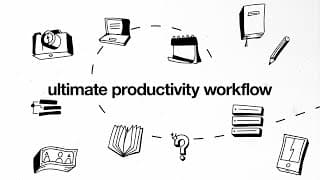
Notion Tour: Ultimate Productivity and Organisation Workflow (Free Template)
Thanks to Notion for sponsoring this video! If you're already a Notion AI user, you can get started today with Q&A already in your Notion workspace. If you’re interested in trying it out, join the waitlist to get early access: https://ntn.so/Mapal Stay in touch! Patreon: https://www.patreon.com/Mapal Twitter: https://twitter.com/mapalberenson Instagram: https://www.instagram.com/mapalberenson/ Portfolio: https://mapal.studio Inquiries: hello@mapalstudios.com In this video I go through my Notion setup, which helps keep me organised and productive. It helps me plan and prepare for all the tasks I have to complete. This is especially important as a freelancer where I have to make sure I can get my work done on time. Not only is it perfect to keep my business on track but I also use it to plan out all my YouTube stuff and personal life. As always, thank you for watching! Free Notion template: https://lapam.notion.site/The-Map-Cave-Template-852053910ced4b95a5b075066a4d3ebd?pvs=4 Feel free to skip around: 00:00 Intro 00:31 My Notion Template 00:39 Notion Walkthrough + Setup 00:53 Yearly Goals 02:39 After Effects Expressions 03:22 Idea Dump 04:32 Music Collection 05:34 Weekly Planner 06:29 Calendars and Planning 10:38 Page Template 11:02 Notion Q&A 14:35 Final Remarks The equipment: Sony a7iii Tamron 28-75 Cinebloom 10% Deity V-MIC D3 Tascam DR-10L Peak Design Travel Tripod - Aluminium Amaran 100D + Neewer Softbox Mac Studio Max M1 64gb Ram Asus ProArt 27” Monitor Music Used: Ziv Grinberg - She’s in Love Sourced from Artlist https://artlist.io/Mapal-2888934 (Referral link)
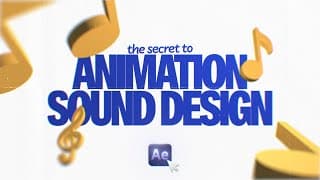
How to Sound Design Animations (After Effects + Davinci Resolve Tutorial)
Stay in touch! Patreon: https://www.patreon.com/Mapal Twitter: https://twitter.com/mapalberenson Instagram: https://www.instagram.com/mapalberenson/ Portfolio: https://mapal.studio Inquiries: hello@mapalstudios.com Today we will be taking a look at how to sound design animations but before we can actually sound design we need something to sound design. We will be creating a super stylish animation using some cool techniques. Then we will take that into Davinci Resolve and add some sexy sounds to it to bring it to life.As always, thank you for watching! Feel free to skip around: 00:00 Intro 00:06 Project File 00:26 After Effects 00:31 3D Cube 07:00 Colouring the cube 08:48 Sparkling Star 11:15 Ball Bounce 19:23 Sauce the animation 23:39 Sound Design 23:58 How to pick better sounds 24:08 Full and Deep... pause... 24:25 Layering 25:14 Process in Davinci 30:06 Final Result The equipment: Sony a7iii Tamron 28-75 Cinebloom 10% Deity V-MIC D3 Tascam DR-10L Peak Design Travel Tripod - Aluminium Amaran 100D + Neewer Softbox Mac Studio Max M1 64gb Ram Asus ProArt 27” Monitor Music Used: Yuval Vilner - Nocturne in E Flat Major Op 9 No 2 Sourced from Artlist https://artlist.io/Mapal-2888934 (Referral link)
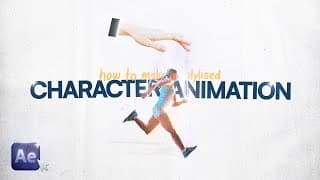
Stylized Character Animation (After Effects Tutorial)
Thanks to Storyblocks for sponsoring this video! Download unlimited stock media at one set price with Storyblocks: https://storyblocks.com/mapal Stay in touch! Support the channel + free perks: patreon.com/mapal Twitter: https://twitter.com/mapalberenson Instagram: https://www.instagram.com/mapalberenson/ Portfolio: https://mapal.studio Inquiries: hello@mapalstudios.com Today we are taking a look at some character animation. This is not something I do super often but I have found a way to get some pretty sick results. Using references for character animations is so clutch. Combined with this style it’s hard NOT to get a result that looks stellar.As always, thank you for watching! The assets used in this video can be found here: https://www.storyblocks.com/folders/feedback/cBof6cb5oOC1KXFmXdnI4rM3d Feel free to skip around: 00:00 Intro 00:08 Example 00:14 Three Steps 00:19 THE ASSETS 00:37 THE REFERENCE 00:52 Examples of references 01:00 THE SAUCE 02:33 Where to get the assets 02:54 PHOTOSHOP 05:27 VERY IMPORTANT 13:41 AFTER EFFECTS 19:30 ADDING SAUCE 24:38 RESULT The equipment: Sony a7iii Tamron 28-75 Cinebloom 10% Deity V-MIC D3 Tascam DR-10L Peak Design Travel Tripod - Aluminium Amaran 100D + Neewer Softbox Mac Studio Max M1 64gb Ram Asus ProArt 27” Monitor Music Used: Maya Belsitzman & Matan Ephrat - Want to Dance - Scene 3 Sourced from Artlist https://artlist.io/Mapal-2888934 (Referral link)
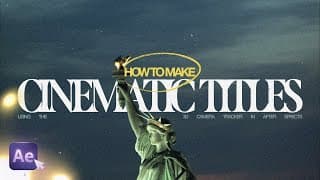
Cinematic Title in After Effects (3D Camera Tracking Tutorial)
Stay in touch! Twitter: https://twitter.com/mapalberenson Instagram: https://www.instagram.com/mapalberenson/ Portfolio: https://mapal.studio Inquiries: hello@mapalstudios.com In this video we will be taking a look at a technique I should use more. It is way too sick to not use more often. It is 3D camera tracking in After Effects. Probably one of the best ways of mixing animation with real world footage, which both happen to be some of my favourite things in this world. Throw in some Black/White and heavy Grain and you have something that looks straight out of a New York high fashion magazine. As always, thank you for watching! Reference for this tutorial: https://dribbble.com/shots/4170144-NY-NY The assets used in this video can be found here: https://www.storyblocks.com/folders/feedback/dl64NWvcCDM6QyXYV8y72bZmw Feel free to skip around: 00:00 - Intro 00:02 - Example 00:13 - After Effects Setup 00:41 - Scene 1 07:42 - Scene 2 10:58 - Scene 3 12:58 - The Sauce 20:11 - Result The equipment: Sony a7iii Tamron 28-75 Cinebloom 10% Deity V-MIC D3 Tascam DR-10L Peak Design Travel Tripod - Aluminium Amaran 100D + Neewer Softbox Mac Studio Max M1 64gb Ram Asus ProArt 27” Monitor Music Used: Brooklyn Classical - I prelude Sourced from Artlist https://artlist.io/Mapal-2888934 (Referral link)
How To Animate Like Dodford (After Effects Tutorial)
Stay in touch! Twitter: https://twitter.com/mapalberenson Instagram: https://www.instagram.com/mapalberenson/ Portfolio: https://mapal.studio Inquiries: hello@mapalstudios.com I am finally getting around to doing my first “how to animate like” on Dodford. Great channel that utilises a lot of really subtle but super effective effects. In this particular video we cover the fundamentals of the animation style and why it works so well. We will be looking at blur maps/depth field, photo animations, article animations, and much more sauce. As always, thank you for watching! Video reference showed from Dodford: https://youtu.be/ZAGgARP6GAA?si=CrFJw8mwau2bt1Xv Sapphire plugin, which includes warp chroma (Affiliate link): https://borisfx.com/store/affiliate/?collection=sapphire&product=sapphire&host=adobe-and-ofx&purchase-options=annual-subscription&a_aid=6548fef488bff&a_bid=ae67367d Feel free to skip around: 00:00 - Intro 00:03 - What is it and why does it work 00:13 - Examples 00:31 - Main techniques 00:51 - After Effects 01:08 - Article Animation 07:28 - Photo Showcase 12:36 - The SAUCE 24:21 - Result The equipment: Sony a7iii Tamron 28-75 Cinebloom 10% Deity V-MIC D3 Tascam DR-10L Peak Design Travel Tripod - Aluminium Amaran 100D + Neewer Softbox Mac Studio Max M1 64gb Ram Asus ProArt 27” Monitor Music Used: Ardie Son - Raindrops Sourced from Artlist https://artlist.io/Mapal-2888934 (Referral link)
How To Make A Collage Animation (After Effects Tutorial)
Thanks to Huion for gifting me the Kamvas Pro 13 2.5k https://store.huion.com/products/kamvas-pro-13-2k Stay in touch! Twitter: https://twitter.com/mapalberenson Instagram: https://www.instagram.com/mapalberenson/ Portfolio: https://mapal.studio Inquiries: hello@mapalstudios.com In this video I go through the process of creating a collage animation. A lot of cool details and textures in there but my favourite has to be the “hand drawn” elements. These types of animations are always fun to make and a great way to play around with colour palettes, textures, pacing, and fonts. Halftone plugin: https://borisfx.com/store/affiliate/?collection=sapphire&product=sapphire&host=adobe-and-ofx&purchase-options=annual-subscription&a_aid=6548fef488bff&a_bid=ae67367d As always, thank you for watching! Feel free to skip around: 00:00 - Intro 00:03 - The Idea 00:31 - The Storyboard 01:20 - The Assets 01:48 - After Effects 01:53 - Scene 1 13:31 - Scene 2 31:59 - Scene 3 41:47 - The Sauce 44:28 - Result The equipment: Sony a7iii Tamron 28-75 Cinebloom 10% Deity V-MIC D3 Tascam DR-10L Peak Design Travel Tripod - Aluminium Amaran 100D + Neewer Softbox Mac Studio Max M1 64gb Ram Asus ProArt 27” Monitor Music Used: Kyle Cox - Some Good - Instrumental Sourced from Artlist https://artlist.io/Mapal-2888934 (Referral link) Huion did not pay me nor did they have any influence on the video. They were simply kind enough to send it for me to play around with for free!
Beginners Photoshop Tutorial for Animation
Thanks to Storyblocks for sponsoring this video! Download unlimited stock media at one set price with Storyblocks: https://storyblocks.com/mapal Stay in touch! Twitter: https://twitter.com/mapalberenson Instagram: https://www.instagram.com/mapalberenson/ Portfolio: https://mapal.studio Inquiries: hello@mapalstudios.com In most cases you’ll need assets in your animations. This video covers exactly how you can find and prepare your assets for animation. This is particularly important in animations like Vox, Johnny Harris, and MagnatesMedia. Knowing where and how to pick amazing assets can make or break your final work. As always, thank you for watching! Assets used: https://www.storyblocks.com/folders/feedback/5lBMSqrGVR1SzOQpBkzodZsdO Feel free to skip around: 00:00 - Intro 00:12 - Step 1 02:22 - Step 2 03:06 - Step 3 05:13 - Step 4 07:15 - Working non-destructively 07:58 - Checkpoint 08:02 - Back to photoshop 08:28 - Essential Tools 08:40 - Tool 1 08:56 - Tool 2 09:10 - Tool 3 and 4 09:49 - Tool 5 10:12 - Tool 6 10:47 - Tool 7 11:17 - Preparing the assets 19:43 - Step 5 20:30 - The next step The equipment: Sony a7iii Tamron 28-75 Cinebloom 10% Deity V-MIC D3 Tascam DR-10L Peak Design Travel Tripod - Aluminium Amaran 100D + Neewer Softbox Mac Studio Max M1 64gb Ram Asus ProArt 27” Monitor Music Used: Raviv Leibzirer - Piano Sonata No 14 in C Minor Op 27 Moonlight Sourced from Artlist https://artlist.io/Mapal-2888934 (Referral link)
Top Animated Backgrounds (After Effects Tutorial)
Stay in touch! Twitter: https://twitter.com/mapalberenson Instagram: https://www.instagram.com/mapalberenson/ Portfolio: https://mapal.studio Inquiries: hello@mapalstudios.com No matter what type of videos or animations you work with you’re bound to use backgrounds at some point in time. In this video I cover 4 different animated backgrounds. The techniques are fairly straightforward, it’s how you apply them that makes it stand out. As always, thank you for watching! Sapphire Plugin 15% discount (Affiliate link): https://borisfx.com/store/affiliate/?collection=sapphire&product=sapphire&host=adobe-and-ofx&purchase-options=annual-subscription&a_aid=6548fef488bff&a_bid=ae67367d Motion Tools (free): https://motiondesign.school/products/motion-tools/ Feel free to skip around: 00:00 - Intro and Examples 00:04 - After Effects 00:14 - First Background 05:53 - Second Background 10:15 - Third Background 12:19 - Fourth Background 17:28 - Final Results The equipment: Sony a7iii Tamron 28-75 Cinebloom 10% Deity V-MIC D3 Tascam DR-10L Peak Design Travel Tripod - Aluminium Amaran 100D + Neewer Softbox Mac Studio Max M1 64gb Ram Asus ProArt 27” Monitor Music Used: See - Frozen Lake - Slowed and Reverbed Sourced from Artlist https://artlist.io/Mapal-2888934 (Referral link)

Best Text Animation (After Effects Tutorial)
Stay in touch! Twitter: https://twitter.com/mapalberenson Instagram: https://www.instagram.com/mapalberenson/ Portfolio: https://mapal.studio Inquiries: hello@mapalstudios.com I covered this effect briefly in the Top 10 Text Animations video but this time I’m digging deep and going through the whole process. It’s not super easy but it is super sick. If theres one thing that made me a better animator it was practicing the fundamentals in these types of animations. You learn to get a great sense for pacing, timing, rhythm, and keyframes/easing in general As always, thank you for watching! Inertial Bounce Expression: https://www.graymachine.com/top-5-effects-expressions Sapphire Plugin 15% discount (Affiliate link): https://borisfx.com/store/affiliate/?collection=sapphire&product=sapphire&host=adobe-and-ofx&purchase-options=annual-subscription&a_aid=6548fef488bff&a_bid=ae67367d Feel free to skip around: 00:00 - Intro 00:08 - Examples 00:12 - After Effects 00:24 - Prepping the text 01:13 - Animating the text 15:47 - Easing and timing 23:22 - Adding sauce 24:19 - Animated gradient background 26:44 - Texture sauce 27:14 - Final result The equipment: Sony a7iii Tamron 28-75 Cinebloom 10% Deity V-MIC D3 Tascam DR-10L Peak Design Travel Tripod - Aluminium Amaran 100D + Neewer Softbox Mac Studio Max M1 64gb Ram Asus ProArt 27” Monitor Music Used: DaniHaDani - Its Cold Sourced from Artlist https://artlist.io/Mapal-2888934 (Referral link)
How to Animate Like MagnatesMedia (After Effects Tutorial)
Stay in touch! Project files: https://www.patreon.com/Mapal Twitter: https://twitter.com/mapalberenson Instagram: https://www.instagram.com/mapalberenson/ Portfolio: https://mapal.studio Inquiries: mapalberenson@gmail.com Live Feedback on stream: mapalslivestream@gmail.com It’s time for the second MagnatesMedia animation breakdown and tutorial. Last time we played with the basics of setting up our scene and animating it in 3D space using the 3D camera in After Effects. This time we’re taking it to the next level. We’re doing a full sequence. 4 scenes, all animated, and most importantly: transition between the scenes. As always, thank you for watching! MagnatesMedia example shown: https://www.youtube.com/watch?v=fNh_GyRbJDA Sapphire Plugin 15% discount (Affiliate link): https://borisfx.com/store/affiliate/?collection=sapphire&product=sapphire&host=adobe-and-ofx&purchase-options=annual-subscription&a_aid=6548fef488bff&a_bid=ae67367d Feel free to skip around: 00:00 - Intro 00:03 - Example 00:09 - Set up 00:21 - Scene overview 00:30 - After Effects 00:32 - Laying out the scenes 01:48 - Animating Scene 1 08:56 - Animating Scene 2 16:34 - Animating scene 3 23:20 - Animating Scene 4 28:18 - Transitioning between scenes 34:32 - SAUCE 38:48 - End Result The equipment: Sony a7iii Tamron 28-75 Cinebloom 10% Deity V-MIC D3 Tascam DR-10L Peak Design Travel Tripod - Aluminium Amaran 100D + Neewer Softbox Mac Studio Max M1 64gb Ram Asus ProArt 27” Monitor Music Used: Yoed Nir - Cello Suite No1 in G Major BWV 1007 - V Minuet Sourced from Artlist https://artlist.io/Mapal-2888934 (Referral link)
10 Secret Tips & Tricks in After Effects
Stay in touch! Twitter: https://twitter.com/mapalberenson Instagram: https://www.instagram.com/mapalberenson/ Portfolio: https://mapal.studio Inquiries: mapalberenson@gmail.com Live Feedback on stream: mapalslivestream@gmail.com We’ve covered a lot of cool stuff on the channel, which is why this video is taking it a step back to the fundamentals. This one is all about workflow and being as efficient as you can. A good mix of cool little effects, tips, and shortcuts that are guaranteed to speed up or make your work a little cooler. As always, thank you for watching! Sapphire Plugin 15% discount (Affiliate link): https://borisfx.com/store/affiliate/?collection=sapphire&product=sapphire&host=adobe-and-ofx&purchase-options=annual-subscription&a_aid=6548fef488bff&a_bid=ae67367d Feel free to skip around: 00:00 - Intro 00:08 - Tip 1 01:06 - Tip 2 02:00 - Tip 3 04:10 - Bonus tip 04:46 - Tip 4 05:23 - Tip 5 06:28 - Tip 6 07:51 - Bonus tip 08:08 - Tip 7 09:04 - Tip 8 11:54 - Tip 9 13:02 - Tip 10 16:25 - Closing Thoughts The equipment: Sony a7iii Tamron 28-75 Cinebloom 10% Deity V-MIC D3 Tascam DR-10L Peak Design Travel Tripod - Aluminium Amaran 100D + Neewer Softbox Mac Studio Max M1 64gb Ram Asus ProArt 27” Monitor Music Used: Yoed Nir - Cello Suite No1 in G Major BWV 1007 - II Allemande Sourced from Artlist https://artlist.io/Mapal-2888934 (Referral link)
How To Animate Like Johnny Harris (After Effects Tutorial)
Stay in touch! Twitter: https://twitter.com/mapalberenson Instagram: https://www.instagram.com/mapalberenson/ Portfolio: https://mapal.studio Inquiries: mapalberenson@gmail.com Live Feedback on stream: mapalslivestream@gmail.com A video that has been requested time and time again has been How To Animate Like Johnny Harris. This week I’ve decided to listen to the people and give them what they want. Johnny Harris and his team put out a lot of great content but this specific sequence caught my eye, which is why we are breaking it down and recreating it. It uses one of my favourite techniques: THE MATCH CUT. As always, thank you for watching! Sapphire Plugin 15% discount (Affiliate link): https://borisfx.com/store/affiliate/?collection=sapphire&product=sapphire&host=adobe-and-ofx&purchase-options=annual-subscription&a_aid=6548fef488bff&a_bid=ae67367d Vector Map: https://freevectormaps.com/ TextureLabs: https://texturelabs.org/ Example from Johnny Harris: https://youtu.be/LP3T_VAkY9o?si=zJwIh_Uj_SsV1mUy Feel free to skip around: 00:00 - Intro 00:04 - Example 00:13 - Points of Focus 00:24 - After Effects 00:30 - Creating The Background 01:21 - Building The Sequences 01:35 - First Sequence 05:03 - Second Sequence 09:41 - Third Sequence 11:54 - Sequence Transitions 16:10 - THE SAUCE 16:12 - Posterize Time 16:29 - Camera Shake 17:00 - RGB Split 18:19 - Focus Hunting 19:40 - Film Dust and Grain 22:06 - Result The equipment: Sony a7iii Tamron 28-75 Cinebloom 10% Deity V-MIC D3 Tascam DR-10L Peak Design Travel Tripod - Aluminium Amaran 100D + Neewer Softbox Mac Studio Max M1 64gb Ram Asus ProArt 27” Monitor Music Used: Diamonds And Ice - Leaving Sourced from Artlist https://artlist.io/Mapal-2888934 (Referral link)
How To Animate Infographics Like VOX (After Effects Tutorial)
Stay in touch! Twitter: https://twitter.com/mapalberenson Instagram: https://www.instagram.com/mapalberenson/ Portfolio: https://mapal.studio Inquiries: mapalberenson@gmail.com Live Feedback on stream: mapalslivestream@gmail.com In this lengthy video I cover 5 different ways of bringing data to life aka infographics. These types of animations are staples in most videos and are commonly used in videos from Vox, Johnny Harris, Cleo Abrams and many more. This video specifically covers some of my favourite types of infographics: The Phase Animation, The Box Chart, The Pie Chart, The Pyramid, and The Map Animation. As always, thank you for watching! Inertial Bounce: https://www.graymachine.com/top-5-effects-expressions Motion Tools (free plugin): https://motiondesign.school/products/motion-tools/ DecomposeText (free plugin): https://aescripts.com/decomposetext/ Example from Vox: https://youtu.be/R63DdEe_8aM?si=NbRoTigRzrAl3VqE Feel free to skip around: 00:00 - Intro 00:09 - Examples 00:20 - Tutorial Begins 00:26 - Phase Animation 00:35 - Designing the infographic 00:44 - pro tip 05:33 - Animating the phases 09:07 - ANIMATED ARROW WOO 11:45 - SAUCE 14:18 - Box Chart Animation 14:21 - Designing in Illustrator 16:35 - Animating the box chart 20:24 - Pie Chart Animation 24:13 - Pyramid Animation 24:23 - Preparing Pyramid in Photoshop 27:20 - Animating the pyramid 31:12 - Map Animation 31:32 - Preparing the map 37:14 - 3D Map Animation 40:33 - End Results The equipment: Sony a7iii Tamron 28-75 Cinebloom 10% Deity V-MIC D3 Tascam DR-10L Peak Design Travel Tripod - Aluminium Amaran 100D + Neewer Softbox Mac Studio Max M1 64gb Ram Asus ProArt 27” Monitor Music Used: Aija Alina - Invisible World Sourced from Artlist https://artlist.io/Mapal-2888934 (Referral link)
How to model a 3D iPhone in After Effects (After Effects Tutorial)
Stay in touch! Twitter: https://twitter.com/mapalberenson Instagram: https://www.instagram.com/mapalberenson/ Portfolio: https://mapal.studio Inquiries: mapalberenson@gmail.com Live Feedback on stream: mapalslivestream@gmail.com Ever been in need of a 3D phone model that you can animate in After Effects without any plugins? Well, you are in luck my friend. This video is all about how to model AND animate a 3D iPhone model. You could use this technique for anything really but an iPhone just seemed handy to have. Never know when you have to show phone screen recordings etc. In that case it’s the perfect tool. As always, thank you for watching! Feel free to skip around: 00:00 - Intro 00:02 - Example 00:08 - Tutorial Starts 00:18 - Reference 00:35 - Modeling the iPhone 03:09 - NAME YOUR LAYERS 04:05 - Extruding the layers 05:23 - no party without the speakers 09:37 - Saucy Screen Setup 10:11 - Change the colour 10:59 - Back logo 11:19 - How to animate it 12:34 - THE SAUCE 13:51 - Final Result The equipment: Sony a7iii Tamron 28-75 Cinebloom 10% Deity V-MIC D3 Tascam DR-10L Peak Design Travel Tripod - Aluminium Amaran 100D + Neewer Softbox Mac Studio Max M1 64gb Ram Asus ProArt 27” Monitor Music Used: Amos Ever Hadani - Travelling Light Sourced from Artlist https://artlist.io/Mapal-2888934 (Referral link)
How to make MOGRTs (After Effects Tutorial)
Stay in touch! Twitter: https://twitter.com/mapalberenson Instagram: https://www.instagram.com/mapalberenson/ Portfolio: https://mapal.studio Inquiries: mapalberenson@gmail.com Live Feedback on stream: mapalslivestream@gmail.com I’ve gotten a fair few requests on Premiere tutorials and questions asking if the effects are possible to achieve in Premiere. I don’t use it so I can’t tell you BUT I can show you how you can create easy to use templates in After Effects that you export to Premiere. This allows you to get the best of both worlds. Today’s video is all about MOGRTs or Motion Graphics Templates. As always, thank you for watching! Feel free to skip around: 00:00 - Intro 00:02 - Example 00:08 - After Effects Begins 01:36 - Base Animations 04:20 - Colour Control 04:35 - Turning it into a MOGRT 06:43 - IMPORTANT 07:50 - MOGRT Thumbnail 08:01 - Exporting the MOGRT 08:33 - Importing it to Premiere 09:04 - Using the MOGRT 10:21 - Make Money The equipment: Sony a7iii Tamron 28-75 Cinebloom 10% Deity V-MIC D3 Tascam DR-10L Peak Design Travel Tripod - Aluminium Amaran 100D + Neewer Softbox Mac Studio Max M1 64gb Ram Asus ProArt 27” Monitor Music Used: Damon Power - Arietta Sourced from Artlist https://artlist.io/Mapal-2888934 (Referral link)
How to use AI in Animations (After Effects Tutorial)
Stay in touch! Twitter: https://twitter.com/mapalberenson Instagram: https://www.instagram.com/mapalberenson/ Portfolio: https://mapal.studio Inquiries: mapalberenson@gmail.com Live Feedback on stream: mapalslivestream@gmail.com We can’t get around AI. It’s come to stay and all we can do is use it to make our workflow better. So in today’s video I show an easy way to generate assets for your videos and how you can animate them. The concept is fairly simple and the techniques have been covered before. This time we are just using AI to show how you can generate specific assets, which will make your workflow way more efficient. As always, thank you for watching! Feel free to skip around: 00:00 - Intro 00:02 - Effect Example 00:12 - Creating Assets 00:20 - MUST HAVE 01:35 - Preparing Assets in Photoshop 03:18 - Animating in After Effects 06:04 - Animating the 3D camera 07:50 - Camera Shake Sauce 09:40 - Dont neglect your layers like I did 10:01 - The secret sauce 12:45 - Final Result The equipment: Sony a7iii Tamron 28-75 Cinebloom 10% Deity V-MIC D3 Tascam DR-10L Peak Design Travel Tripod - Aluminium Amaran 100D + Neewer Softbox Mac Studio Max M1 64gb Ram Asus ProArt 27” Monitor Music Used: Letra - Circle of Life Sourced from Artlist https://artlist.io/Mapal-2888934 (Referral link)
3D Article Animation (After Effects Tutorial)
Stay in touch! Twitter: https://twitter.com/mapalberenson Instagram: https://www.instagram.com/mapalberenson/ Portfolio: https://mapal.studio Inquiries: mapalberenson@gmail.com Live Feedback on stream: mapalslivestream@gmail.com I am finally doing a video on how to animate articles (or any other screenshot) in 3D space. It’s a great way to show a screenshot without it being extremely boring. Not only is it very easy but you can easily change it to since the animations are applied to a pre-comp. As always, thank you for watching! Feel free to skip around: 00:00 - Intro 00:04 - Example 00:12 - More Examples 00:26 - After Effects Composition 00:33 - Setup 02:43 - From 2D to 3D 07:51 - Adding The Camera 09:16 - Extra Sauce 10:45 - End Result The equipment: Sony a7iii Tamron 28-75 Cinebloom 10% Deity V-MIC D3 Tascam DR-10L Peak Design Travel Tripod - Aluminium Amaran 100D + Neewer Softbox Mac Studio Max M1 64gb Ram Asus ProArt 27” Monitor Music Used: Bishara Haroni - Gnossienne No 1 Sourced from Artlist https://artlist.io/Mapal-2888934 (Referral link)
10 Text Animations You Need To Know (After Effects Tutorial)
Stay in touch! Twitter: https://twitter.com/mapalberenson Instagram: https://www.instagram.com/mapalberenson/ Portfolio: https://mapal.studio Inquiries: mapalberenson@gmail.com Live Feedback on stream: mapalslivestream@gmail.com In today’s lengthy video I have compiled 10 stunning and insanely useful text animations. I use these animations very often especially because a lot of them can be turned into presets, which make them perfect to use in a pinch. The animations range from super easy to fairly intermediate. Take it at your own pace and play around with all of them. As always, thank you for watching! Inertial Bounce: https://www.graymachine.com/top-5-effects-expressions Feel free to skip around: 00:00 - Intro and Examples 00:11 - Tutorial Starts 00:16 - 1 Sync Animation 02:49 - 2 Wiggle 04:08 - 3 Cinematic Title 05:36 - 4 Bounce 07:06 - 5 Handwriting 10:07 - 6 Blurry Reveal 11:42 - 7 3D Spin 14:34 - 8 Text Flicker 15:44 - 9 Number Counter 16:50 - 10 The Ultimate Sauce The equipment: Sony a7iii Tamron 28-75 Cinebloom 10% Deity V-MIC D3 Tascam DR-10L Peak Design Travel Tripod - Aluminium Amaran 100D + Neewer Softbox Mac Studio Max M1 64gb Ram Asus ProArt 27” Monitor Music Used: Marcelo Name - Estudio en Mi Menor Sourced from Artlist https://artlist.io/Mapal-2888934 (Referral link)
Animate Better Titles for YouTube Videos (After Effects Tutorial)
Stay in touch! Twitter: https://twitter.com/mapalberenson Instagram: https://www.instagram.com/mapalberenson/ Portfolio: https://mapal.studio Inquiries: mapalberenson@gmail.com Live Feedback on stream: mapalslivestream@gmail.com I’ve gotten a fair few requests regarding how I make the title cards I frequently use. They’re super simple and use a lot of the techniques I’ve taught in the other videos. There are a few considerations to keep in mind when designing and animation them, which is why I felt it was an interesting video to make. The goal is to set the tone, keep it simple, and most importantly ADD not distract from the video. As always, thank you for watching! Feel free to skip around: 00:00 - intro 00:02 - Examples 00:11 - The Foundation 00:19 - 1st Decision 00:28 - 2nd Decision 00:47 - 3rd Decision 01:42 - Tutorial Starts 01:58 - Layout 04:47 - Adding Animation 06:14 - Texture 12:05 - Adding Sauce 12:12 - Posterize time 12:29 - Camera Shake 12:59 - Wiggly Text 14:17 - Text Smear 14:43 - Light Flicker 15:09 - Grain Texture 16:08 - Final Result The equipment: Sony a7iii Tamron 28-75 Cinebloom 10% Deity V-MIC D3 Tascam DR-10L Peak Design Travel Tripod - Aluminium Amaran 100D + Neewer Softbox Mac Studio Max M1 64gb Ram Asus ProArt 27” Monitor Music Used: Laurel Violet - Redwood Sourced from Artlist https://artlist.io/Mapal-2888934 (Referral link)
Colourful Liquid Animation (After Effects Tutorial)
Stay in touch! Twitter: https://twitter.com/mapalberenson Instagram: https://www.instagram.com/mapalberenson/ Portfolio: https://mapal.studio Inquiries: mapalberenson@gmail.com Live Feedback on stream: mapalslivestream@gmail.com Today we are having some fun stacking different effects to create a super colourful and fun animation. This piece inspired and intrigued me so I decided to try and recreate it. As you probably know by now I PREACH about reverse engineering. It’s the best way to train your problem solving skills and a fantastic way of learning to dissect and put things back together. That skill is so valuable in motion design. As always, thank you for watching! Original animation: https://x.com/MelanieGohin/status/1610566286047645698?s=20 Hot Gradient Preset: https://www.youtube.com/watch?v=l_8RLgC1pFo Feel free to skip around: 00:00 - Intro 00:01 - Effect Preview 00:19 - Tutorial begins 01:37 - Creating Blob Map 03:50 - Bringing Blob to life 05:31 - Extra Lighting Detail 06:44 - Time Remapping 07:50 - Motion Blur 07:57 - Impact Shake 09:22 - Turbulent Displace 10:11 - Fine Tune Animation 11:20 - Result The equipment: Sony a7iii Tamron 28-75 Cinebloom 10% Deity V-MIC D3 Tascam DR-10L Peak Design Travel Tripod - Aluminium Amaran 100D + Neewer Softbox Mac Studio Max M1 64gb Ram Asus ProArt 27” Monitor Music Used: Noam Zaguri - Deep Breath Sourced from Artlist https://artlist.io/Mapal-2888934 (Referral link)
Make Transitions Like Vox (After Effects Tutorial)
Stay in touch! Twitter: https://twitter.com/mapalberenson Instagram: https://www.instagram.com/mapalberenson/ Portfolio: https://mapal.studio Inquiries: mapalberenson@gmail.com Live Feedback on stream: mapalslivestream@gmail.com In todays video I show you how to take a regular schmegular photo (or video) and transition it into a stylised animation. This is a technique you’ll often see in Vox, Johnny Harris, or collage styled animations. It’s a brilliant way of blending the digital and real world whilst adding some information to it. Original Inspiration: https://www.behance.net/gallery/85866697/Cuba?tracking_source=search_projects%7Ccollage+animation&l=15 As always, thank you for watching! Feel free to skip around: 00:00 - Intro 00:07 - Effect Preview 00:12 - Concept Breakdown 00:30 - Tutorial Starts 02:22 - Animating The Towers 02:44 - Finessing is a blessing 03:54 - Animating The Tilt 04:33 - Expressions WOOO 05:03 - Tower Bounce 06:01 - Creating Depth 08:10 - Tweaking Church Animation 08:22 - Smooth Keyframe Hack 08:55 - Animated Camera Shake 11:47 - Creating The Style aka sauce 12:24 - Blend mode hack 14:35 - Progress Status 15:19 - Ink Matte Transition 18:02 - Adding Text 20:08 - Text in 3D Space 20:58 - Result The equipment: Sony a7iii Tamron 28-75 Cinebloom 10% Deity V-MIC D3 Tascam DR-10L Peak Design Travel Tripod - Aluminium Amaran 100D + Neewer Softbox Mac Studio Max Asus ProArt 27” Monitor Music Used: Laurel Violet - Looking Back From Here Sourced from Artlist https://artlist.io/Mapal-2888934 (Referral link)
How To Make a VHS CRT Look in After Effects - Tutorial
Stay in touch! Twitter: https://twitter.com/mapalberenson Instagram: https://www.instagram.com/mapalberenson/ Portfolio: https://mapal.studio Inquiries: mapalberenson@gmail.com Live Feedback on stream: mapalslivestream@gmail.com In this video I go through how to get a VHS/CRT look in After Effects. The look is colourful, bright, and textured, which is a recipe for success! The final look uses a handful of effects, which makes it a perfect exercise in using numerous effects in a specific order to get the look you want. Knowing when and how to stagger effects is essential to increasing your skill and understanding of Ae. Hopefully you walk away with some new knowledge or at least having enjoyed the video! As always, thank you for watching! Texture used: https://texturelabs.org/?ct=24 (Glass 157) Feel free to skip around: 00:00 - Intro 00:04 - Example 00:24 - Tutorial Starts 02:38 - Quick Philosophy 02:54 - Building The Look 11:43 - Result The equipment: Sony a7iii Tamron 28-75 Cinebloom 10% Deity V-MIC D3 Tascam DR-10L Peak Design Travel Tripod - Aluminium Amaran 100D + Neewer Softbox Mac Studio Max Asus ProArt 27” Monitor Music Used: Nsee - Frozen Lake Sourced from Artlist https://artlist.io/Mapal-2888934 (Referral link)
5 Ways of Adding Texture (After Effects Tutorial)
Stay in touch! Twitter: https://twitter.com/mapalberenson Instagram: https://www.instagram.com/mapalberenson/ Portfolio: https://mapal.studio Inquiries: mapalberenson@gmail.com Live Feedback on stream: mapalslivestream@gmail.com TEXTURE BABY! This video is all about ways of adding some ric flair drip to your animations. We have to be strategic in our use of (or lack thereof) texture. We can change the feel of an entire piece with as little as one effect. In the video I cover 5 different ways of adding some texture sauce. I use at least one of these techniques in every single project I touch. I simply cannot help myself Feel free to skip around: 00:00 - Intro 00:14 - Project Setup 00:38 - 1st Method 02:03 - 2nd Method 03:05 - 3rd Method 05:56 - 4th Method 07:22 - 5th Method 09:17 - Extra Sauce 10:37 - Results The equipment: Sony a7iii Tamron 28-75 Cinebloom 10% Deity V-MIC D3 Tascam DR-10L Peak Design Travel Tripod - Aluminium Amaran 100D + Neewer Softbox Mac Studio Max Asus ProArt 27” Monitor Music Used: Ohad Ben Ari - Gnossienne 3 Satie Sourced from Artlist https://artlist.io/Mapal-2888934 (Referral link)
How To Animate Maps (After Effects Tutorial)
Stay in touch! Twitter: https://twitter.com/mapalberenson Instagram: https://www.instagram.com/mapalberenson/ Portfolio: https://mapal.studio Inquiries: mapalberenson@gmail.com Live Feedback on stream: mapalslivestream@gmail.com As many (and I mean MANY) of you have requested we are finally doing a MAP ANIMATION! I’ll probably end up doing a few more but this is a super solid start. I cover some basic movement, adding details, and of course a lot of SAUCE. I felt it was important to cover the basics of map animations before diving into full on map sequences. Take your time, have fun with it, look at some cool maps, and animate away! If you need any maps or other resources check out this video: https://youtu.be/4--FJi5ybzQ Feel free to skip around: 00:00 - Intro 00:02 - Preview 00:10 - Tutorial Begins 00:48 - Preparing The Comp 03:35 - 3D Camera and Map Animation 08:39 - Extra Sauce 09:54 - End Result The equipment: Sony a7iii Tamron 28-75 Cinebloom 10% Deity V-MIC D3 Tascam DR-10L Peak Design Travel Tripod - Aluminium Amaran 100D + Neewer Softbox Mac Studio Max Asus ProArt 27” Monitor Music Used: Ran Raiten - Lullaby No 3 in E Minor Sourced from Artlist https://artlist.io/Mapal-2888934 (Referral link)

How To Animate Posters (After Effects Tutorial)
Stay in touch! Twitter: https://twitter.com/mapalberenson Instagram: https://www.instagram.com/mapalberenson/ Portfolio: https://mapal.studio Inquiries: mapalberenson@gmail.com Live Feedback on stream: mapalslivestream@gmail.com In todays video I am remaking a poster I came across recently. This is a great exercise in learning how to reverse engineer animations and getting a better understanding of how to combine effects to get the look you want. To get better you need to know and understand more and this is by far my favourite and most recommended way of achieving just that. Anyways, I hope you learned something new from this video or at least just enjoyed following along! As always, thank you for watching. Original poster: https://themovingposter.com/designer/seungtea-kim/ Void plugin: https://www.battleaxe.co/void FX Console plugin: https://www.videocopilot.net/blog/2018/05/fx-console-updated-to-v1-0-3/ Feel free to skip around: 00:00 - Intro 00:13 - Tutorial Starts 00:34 - Making The Balloon 03:11 - Animating The Balloon 08:46 - Result The equipment: Sony a7iii Tamron 28-75 Cinebloom 10% Deity V-MIC D3 Tascam DR-10L Peak Design Travel Tripod - Aluminium Amaran 100D + Neewer Softbox Mac Studio Max Asus ProArt 27” Monitor Music Used: DaniHaDani - Bait Sourced from Artlist https://artlist.io/Mapal-2888934 (Referral link)
How To Animate Shorts Like Ali Abdaal (After Effects Tutorial)
Stay in touch! Twitter: https://twitter.com/mapalberenson Instagram: https://www.instagram.com/mapalberenson/ Portfolio: https://mapal.studio Inquiries: mapalberenson@gmail.com Live Feedback on stream: mapalslivestream@gmail.com As requested by a handful of you I have decided to make this video covering the Ali Abdaal style. I’ve come across it before and loved the use of folding paper animations. It’s a fun technique, even more so when you take the time to print your assets rather than making it digitally. The result is super clean and if you’re smart about it you can quickly build up a library of animated assets. Anyways, I hope you learned something new from this video or at least just enjoyed following along! As always, thank you for watching. Ali Abdaal shorts featured in the video: The IKEA effect https://www.instagram.com/reel/CvFVYinoIbp/ First computer programmer https://www.instagram.com/reel/CuzfhdzI1aD/ 4 Things I learned in my 20s https://www.instagram.com/reel/CutvlzTIJYK/ Feel free to skip around: 00:00 - Intro 00:06 - Examples 00:20 - Focus areas 01:09 - Gameplan 01:17 - MOST IMPORTANT STEP 02:30 - Working in After Effects 02:40 - Animating The Cutouts 06:33 - Extra Tip 07:27 - Adding Sauce 08:35 - RESULTS The equipment: Sony a7iii Tamron 28-75 Cinebloom 10% Deity V-MIC D3 Tascam DR-10L Peak Design Travel Tripod - Aluminium Amaran 100D + Neewer Softbox Mac Studio Max Asus ProArt 27” Monitor Music Used: Yehezkel Raz - Ballerina Sourced from Artlist https://artlist.io/Mapal-2888934 (Referral link)

Best Websites For Designers
Stay in touch! Twitter: https://twitter.com/mapalberenson Instagram: https://www.instagram.com/mapalberenson/ Portfolio: https://mapal.studio Inquiries: mapalberenson@gmail.com Live Feedback on stream: mapalslivestream@gmail.com There are few things that can make or break a project like assets. That is exactly why I’m sharing my favourite places to look for assets, which in this case is anything from textures, illustrations, photos, and mockups. I use these sites constantly and if you’ve ever wondered where I get the assets for the videos from, well then here is your answer. Anyways, I hope you learned something new from this video or at least just enjoyed following along! As always, thank you for watching. Main list: 1. Library of Congress - https://www.loc.gov/ 2. Internet Archive - https://www.flickr.com/photos/internetarchivebookimages/ 3. Osher Map Library - https://oshermaps.org/ 4. Lovely & Spotless Graphics - https://www.ls.graphics/ 5. Google Images - https://images.google.com/ Honorable mentions: https://texturelabs.org/ https://texturefabrik.com/ https://www.pinterest.com/ https://www.behance.net/ Feel free to skip around: 00:00 - Intro 00:15 - Criteria for assets 00:20 - Criteria 1 00:40 - Criteria 2 01:10 - First Site 02:02 - Second Site 02:30 - Third Site 03:05 - Fourth Site 03:42 - Honorable Mentions 04:24 - Fifth Site The equipment: Sony a7iii Tamron 28-75 Cinebloom 10% Deity V-MIC D3 Tascam DR-10L Peak Design Travel Tripod - Aluminium Amaran 100D + Neewer Softbox Mac Studio Max Asus ProArt 27” Monitor Music Used: Simon Berggren - Periwig Sourced from Artlist https://artlist.io/Mapal-2888934 (Referral link)
Getting lost in Adobe apps & drinking coffee // Come chat
Stay in touch! Twitter: https://twitter.com/mapalberenson Instagram: https://www.instagram.com/mapalberenson/ Portfolio: https://mapal.studio Inquiries: mapalberenson@gmail.com Live Feedback on stream: mapalslivestream@gmail.com

How To Animate Logos (After Effects Tutorial)
Stay in touch! Twitter: https://twitter.com/mapalberenson Instagram: https://www.instagram.com/mapalberenson/ Portfolio: https://mapal.studio Inquiries: mapalberenson@gmail.com Live Feedback on stream: mapalslivestream@gmail.com Since I’ve been on vacation for about 4 weeks I decided to start off easy. I hadn’t touched Ae or Illustrator in all that time so I wanted to start out by animating a logo. I felt a little rusty but it was like riding a bike lowkey. Anyways, I hope you learned something new from this video or at least just enjoyed following along! As always, thank you for watching. Logo by Fabian Arbor! Give him a follow: https://twitter.com/fabianarbor Feel free to skip around: 00:00 - Intro 00:19 - Recreating in Illustrator 02:31 - Logo to After Effects 02:40 - PSA on colour spaces 03:07 - Animation the logo 08:52 - Final Results The equipment: Sony a7iii Tamron 28-75 Cinebloom 10% Deity V-MIC D3 Tascam DR-10L Peak Design Travel Tripod - Aluminium Amaran 100D + Neewer Softbox Mac Studio Max Asus ProArt 27” Monitor Music Used: Birraj - Waltz in A Minor B150 Op Posth Sourced from Artlist https://artlist.io/Mapal-2888934 (Referral link)
2023 Summer Vacation
My family came to visit us here in the US and I filmed some of the stuff we ended up doing. This is a video recapping just that. Stay in touch! Twitter: https://twitter.com/mapalberenson Instagram: https://www.instagram.com/mapalberenson/ Portfolio: https://mapal.studio Inquiries: mapalberenson@gmail.com Live Feedback on stream: mapalslivestream@gmail.com The equipment: Sony a7iii Tamron 28-75 Cinebloom 10% Deity V-MIC D3 Moment VND Music Used: Brooklyn Classical - III Courante Sourced from Artlist https://artlist.io/Mapal-2888934 (Referral link)
Collage Animation in After Effects (Tutorial)
Stay in touch! Twitter: https://twitter.com/mapalberenson Instagram: https://www.instagram.com/mapalberenson/ Portfolio: https://mapal.studio Inquiries: mapalberenson@gmail.com Live Feedback on stream: mapalslivestream@gmail.com Collage animations have a special place in my heart. I haven’t done them much but I love watching them! So today I decided to try recreating one that caught my eye recently. It took a lot longer than expected but I had a lot of fun playing around with it. Anyways, I hope you learned something new from this video or at least just enjoyed following along! As always, thank you for watching. Original Animation by Podenco: https://vimeo.com/275724534 Resources used: Google Images (sort by quality) Articles https://chroniclingamerica.loc.gov/ Old images/illustrations https://www.flickr.com/photos/internetarchivebookimages/ Feel free to skip around: 00:00 - Intro 00:16 - Key behind collage animations 00:32 - First Pillar 00:44 - Second Pillar 00:57 - Third Pillar 01:08 - Fourth Pillar 01:30 - Tutorial Begins 02:07 - Animating Scene 1 06:45 - Animating Scene 2 16:40 - Transition Between Scenes 19:34 - Animating Scene 3 22:42 - Animating Scene Switch Again 23:29 - Animating Scene 4 31:48 - Adding The Sauce 35:53 - Final Result The equipment: Sony a7iii Tamron 28-75 Cinebloom 10% Deity V-MIC D3 Tascam DR-10L Peak Design Travel Tripod - Aluminium Amaran 100D + Neewer Softbox Mac Studio Max Asus ProArt 27” Monitor Music Used: Kyle Cox - Who Cares Sourced from Artlist https://artlist.io/Mapal-2888934 (Referral link)
Kinetic Typography - After Effects Tutorial
Stay in touch! Twitter: https://twitter.com/mapalberenson Instagram: https://www.instagram.com/mapalberenson/ Portfolio: https://mapal.studio Inquiries: mapalberenson@gmail.com Live Feedback on stream: mapalslivestream@gmail.com I’ve loved the Monday Night Football motion kit since I first saw it on TV. I decided to do a tutorial on that style because it uses a lot of really fun techniques. It is very type and texture focused, which I enjoy. Anyways, I hope you learned something new from this video or at least just enjoyed following along! As always, thank you for watching. Feel free to skip around: 00:00 - Intro 00:12 - Tutorial Begins 00:33 - Animating The Photo 01:29 - Animating The Text 11:03 - Adding the sauce 16:13 - Result The equipment: Sony a7iii Tamron 28-75 Cinebloom 10% Deity V-MIC D3 Tascam DR-10L Peak Design Travel Tripod - Aluminium Amaran 100D + Neewer Softbox Mac Studio Max Asus ProArt 27” Monitor Music Used: Maya Belsitzman & Matan Ephrat - Once Upon a Time Sourced from Artlist https://artlist.io/Mapal-2888934 (Referral link)
How To Animate Like Iman Gadzhi - After Effects Tutorial
Stay in touch! Twitter: https://twitter.com/mapalberenson Instagram: https://www.instagram.com/mapalberenson/ Portfolio: https://mapal.studio Inquiries: mapalberenson@gmail.com Live Feedback on stream: mapalslivestream@gmail.com Many of you have requested a breakdown/tutorial of Iman Gadzhi’s videos so that’s exactly what I did. I watched a bunch of his videos to get a good sense of his style and picked out three types of animations he commonly uses. Anyways, I hope you learned something new from this video or at least just enjoyed following along! As always, thank you for watching. Video references used: https://youtu.be/KMWx15H0SFs https://youtu.be/1-izXBhkiHw Feel free to skip around: 00:00 - Intro 00:18 - Preview of Animations 00:42 - First Animation 08:06 - Second Animation 14:02 - Third Animation 17:43 - Results The equipment: Sony a7iii Tamron 28-75 Cinebloom 10% Deity V-MIC D3 Tascam DR-10L Peak Design Travel Tripod - Aluminium Amaran 100D + Neewer Softbox Mac Studio Max Asus ProArt 27” Monitor Music Used: Kyle Cox - Lets Be Lovers Sourced from Artlist https://artlist.io/Mapal-2888934 (Referral link)

Animating App Icons - After Effects Tutorial
Stay in touch! Twitter: https://twitter.com/mapalberenson Instagram: https://www.instagram.com/mapalberenson/ Portfolio: https://mapal.studio Inquiries: mapalberenson@gmail.com Live Feedback on stream: mapalslivestream@gmail.com I was looking for new videos to make and I randomly thought it would be fun to animate app icons. In this first “episode” I animate the Apple calculator icon. I end up turning it into a 3D model and having some fun with it. Anyways, I hope you learned something new from this video or at least just enjoyed following along! As always, thank you for watching. Feel free to skip around: 00:00 - Intro 00:11 - Tutorial Begins 03:02 - 3D Extrustion in Ae 04:32 - Button Flips 06:17 - Secret 3D Precomp Trick 07:01 - Animating The Calculator 11:24 - Secret Sauce 11:39 - Finished Animation The equipment: Sony a7iii Tamron 28-75 Cinebloom 10% Deity V-MIC D3 Tascam DR-10L Peak Design Travel Tripod - Aluminium Amaran 100D + Neewer Softbox Mac Studio Max Asus ProArt 27” Monitor Music Used: Kyle Cox - Black Blue in Love with You Sourced from Artlist https://artlist.io/Mapal-2888934 (Referral link)
Best Free Fonts for Designers
Stay in touch! Twitter: https://twitter.com/mapalberenson Instagram: https://www.instagram.com/mapalberenson/ Portfolio: https://mapal.studio Inquiries: mapalberenson@gmail.com Live Feedback on stream: mapalslivestream@gmail.com I’m a sucker for good typefaces and there’s nothing that can change the level of a design more than a font. Typography is the backbone of most design, which is why it’s important to have a good feel and understanding of it. In this video I cover some of my favourite fonts and they’re all free to use. For personal as well as commercial projects. Anyways, I hope you learned something new from this video or at least just enjoyed following along! As always, thank you for watching. Resources mentioned! Dharma Gothic: https://fonts.adobe.com/fonts/dharma-gothic Space Grotesk: https://fonts.google.com/specimen/Space+Grotesk?query=space+grotesk Inter: https://fonts.google.com/specimen/Inter?query=inter Helvetica Neue: https://www.linotype.com/1266/neue-helvetica-family.html Aktiv Grotesk: https://fonts.adobe.com/fonts/aktiv-grotesk Pragmatica: https://fonts.adobe.com/fonts/pragmatica Examples used in the video! Ravie.co Mark Busch: https://twitter.com/Markbuschn Bradley Holman: https://twitter.com/bradsdesignss Feel free to skip around: 00:00 - Intro 00:08 - First Font 01:10 - Second Font 01:50 - Third Font 02:39 - Fourth Font The equipment: Sony a7iii Tamron 28-75 Cinebloom 10% Deity V-MIC D3 Tascam DR-10L Peak Design Travel Tripod - Aluminium Amaran 100D + Neewer Softbox Mac Studio Max Asus ProArt 27” Monitor Music Used: Elliott Green - Velvet Sourced from Artlist https://artlist.io/Mapal-2888934 (Referral link)
Animating a Loop & Feedback (LIVE)
Stay in touch! Twitter: https://twitter.com/mapalberenson Instagram: https://www.instagram.com/mapalberenson/ Portfolio: https://mapal.studio Inquiries: mapalberenson@gmail.com Live Feedback on stream: mapalslivestream@gmail.com The equipment: Sony a7iii Tamron 28-75 Cinebloom 10% Deity V-MIC D3 Tascam DR-10L Peak Design Travel Tripod - Aluminium Amaran 100D + Neewer Softbox Mac Studio Max Asus ProArt 27” Monitor
Animate Any Illustration in After Effects (Tutorial)
Stay in touch! Twitter: https://twitter.com/mapalberenson Instagram: https://www.instagram.com/mapalberenson/ Portfolio: https://mapal.studio Inquiries: mapalberenson@gmail.com Since Illustrator is a big part of my workflow, I wanted to make a video where I showcase the whole process. In this video I start out by making a simple nature illustration in Illustrator and then animate it in After Effects. Anyways, I hope you learned something new from this video or at least just enjoyed following along! As always, thank you for watching. Resources mentioned! Inertial Bounce expression: https://www.graymachine.com/top-5-effects-expressions Overlord Plugin: https://www.battleaxe.co/overlord Feel free to skip around: 00:00 - Intro 00:11 - Making The Illustration 07:16 - Preparing our comp 07:44 - Animating the illustration 10:22 - USE EXPRESSIONS 11:32 - MORE EXPRESSIONS 16:28 - Never forget sauce 17:27 - So many expressions its starting to feel like an artistic movement 18:13 - Expression Wiz 18:37 - THE BOY DONT STOP 19:04 - SOMEBODY STOP HIM 19:31 - Final result The equipment: Sony a7iii Tamron 28-75 Cinebloom 10% Deity V-MIC D3 Tascam DR-10L Peak Design Travel Tripod - Aluminium Amaran 100D + Neewer Softbox Mac Studio Max Asus ProArt 27” Monitor Music Used: Yoav Ilan - Sky Blue Sourced from Artlist https://artlist.io/Mapal-2888934 (Referral link)
Logo Animation Breakdown EP 2 - After Effects + Illustrator Tutorial
Stay in touch! Twitter: https://twitter.com/mapalberenson Instagram: https://www.instagram.com/mapalberenson/ Portfolio: https://mapal.studio Inquiries: mapalberenson@gmail.com A few weeks ago I animated the @rallycapspodcast logo and in todays video I go over the whole process from start to finish. More specifically, I go through the process of recreating the logo in Illustrator, animating the logo, adding details and texture, and how I presented it. I must’ve done a pretty decent job cause they now use it at the beginning of their podcast, which is surreal. Anyways, I hope you learned something new from this video or at least just enjoyed following along! As always, thank you for watching. Resources mentioned! Rally Caps Podcast: @rallycapspodcast Sky’s video on animated textures: https://youtu.be/Y_sgKsGOB1I Inertial Bounce expression: https://www.graymachine.com/top-5-effects-expressions Textures used: https://texturelabs.org/ Feel free to skip around: 00:00 - Animation Preview 00:12 - Shoot your shot 00:25 - Recreating the logo 00:28 - QUICK PSA 00:36 - Tracing the logo manually 00:46 - Pen tool hack 01:16 - Designing for animation 01:42 - Dividing the logo 02:19 - Importance of organising 02:37 - Importing the logo into Ae 02:45 - Animation Breakdown Begins 04:31 - The key to 'write-on' animation 04:54 - Saucing it up 06:22 - Secret After Effects Tip 07:05 - Animated textures 07:33 - Extra extra sauce 08:42 - How to present your animations 10:22 - Thank you The equipment: Sony a7iii Tamron 28-75 Cinebloom 10% Deity V-MIC D3 Tascam DR-10L Peak Design Travel Tripod - Aluminium Amaran 100D + Neewer Softbox Mac Studio Max Asus ProArt 27” Monitor Music Used: Jamie Rutherford - Mabels Waltz Sourced from Artlist https://artlist.io/Mapal-2888934 (Referral link)
How To Animate Graphs - After Effects Tutorial
Stay in touch! Twitter: https://twitter.com/mapalberenson Instagram: https://www.instagram.com/mapalberenson/ Portfolio: https://mapal.studio Inquiries: mapalberenson@gmail.com I was asked if I could make a video on how to animate graphs. As the kind ruler of this kingdom I decided to obey. I cover two different types of graphs just for the sake of the video. Both fairly simple but good to know. Overall, this is a pretty good thing to know how to do cause you’re more than likely gonna have to do it at some point. Anyways, I hope you learned something new from this video or at least just enjoyed following along! As always, thank you for watching. Feel free to skip around: 00:00 - Effect Example 00:04 - The Setup 00:27 - BEST PLUGIN EVER 00:35 - Going into After Effects 00:59 - Think before doing 01:12 - Trimp Paths Is Your Friend 02:10 - Ric Flair Drip Go Woo 02:46 - Ease your keyframes innit mate 03:59 - Texture Hack 05:26 - Colours AND Glow 06:28 - Animating The Second Graph 06:54 - Secret Shape Layer Trick 08:00 - Fine Tuning The Animation 09:51 - Result The equipment: Sony a7iii Tamron 28-75 Cinebloom 10% Deity V-MIC D3 Tascam DR-10L Peak Design Travel Tripod - Aluminium Amaran 100D + Neewer Softbox Mac Studio Max Asus ProArt 27” Monitor Music Used: Kyle Cox - No More Words - Instrumental Version Sourced from Artlist https://artlist.io/Mapal-2888934 (Referral link)
Hyper Speed Warp Animation - After Effects Tutorial
Stay in touch! Twitter: https://twitter.com/mapalberenson Instagram: https://www.instagram.com/mapalberenson/ Portfolio: https://mapal.studio Inquiries: mapalberenson@gmail.com I recently came across this really cool hyper speed/space travel effect and I wanted to recreate it myself. I hopped into After Effects and well did just that. Came out to be a super easy effect to achieve. I could definitely see this effect being useful in a variety of different scenarios. Anyways, I hope you learned something new from this video or at least just enjoyed following along! As always, thank you for watching. Motion By Nick: https://twitter.com/motionbynick Feel free to skip around: 00:00 - Intro + Effect Preview 00:11 - Tutorial Starts 00:17 - Setting up the stars 00:57 - Animating The Speed 02:33 - Making It Even Faster 03:44 - Adding Context To The Animation 04:21 - EASE YOUR KEYFRAMES 04:44 - Final Preview The equipment: Sony a7iii Tamron 28-75 Cinebloom 10% Deity V-MIC D3 Tascam DR-10L Peak Design Travel Tripod - Aluminium Amaran 100D + Neewer Softbox Mac Studio Max Asus ProArt 27” Monitor Music Used: Kyle Cox - Late Night - Instrumental Version Sourced from Artlist https://artlist.io/Mapal-2888934 (Referral link)
Top Plugins for After Effects (2023)
Stay in touch! Twitter: https://twitter.com/mapalberenson Instagram: https://www.instagram.com/mapalberenson/ Portfolio: https://mapal.studio Inquiries: mapalberenson@gmail.com In todays video I go over my absolute favourite plugins for After Effects. I use all of these in every single project without failure. The plugins range from aesthetics to more function based purposes. Some are free, some are paid but all 100% worth it. Anyways, I hope you learned something new from this video or at least just enjoyed following along! As always, thank you for watching. 1. Flow: https://aescripts.com/flow/ 2. FX Console: https://www.videocopilot.net/blog/2018/05/fx-console-updated-to-v1-0-3/ 3. Deep Glow: https://aescripts.com/deep-glow/ 4. Overlord: https://www.battleaxe.co/overlord 5. Motion Tools: https://motiondesign.school/products/motion-tools/ 6. Void: https://www.battleaxe.co/void Feel free to skip around: 00:00 - Intro 00:15 - First Plugin 00:53 - BE AWARE 01:10 - Second plugin 02:34 - Third plugin 03:45 - Fourth plugin 04:13 - Fifth plugin 05:24 - Sixth plugin The equipment: Sony a7iii Tamron 28-75 Cinebloom 10% Deity V-MIC D3 Tascam DR-10L Peak Design Travel Tripod - Aluminium Amaran 100D + Neewer Softbox Mac Studio Max Asus ProArt 27” Monitor Music Used: Elliot Green - Sun Dream - Instrumental Version Sourced from Artlist https://artlist.io/Mapal-2888934 (Referral link)
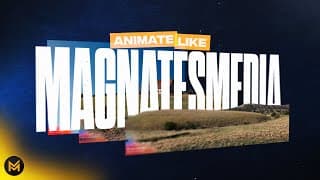
How To Animate Like MagnatesMedia - After Effects Tutorial
Stay in touch! Twitter: https://twitter.com/mapalberenson Instagram: https://www.instagram.com/mapalberenson/ Portfolio: https://mapal.studio Inquiries: mapalberenson@gmail.com Today I go over an animation trick that MagnatesMedia use in their videos all the time. They often use the 2D 3D parallax effect to bring regular boring images to life. It’s a super useful technique to have in your arsenal and I figured since so many of you have asked that I would provide. Anyways, I hope you learned something new from this video or at least just enjoyed following along! As always, thank you for watching. MagnatesMedia: https://www.youtube.com/@UCE4Gn00XZbpWvGUfIslT-tA Feel free to skip around: 00:00 - Intro 00:03 - The effect of the day 00:10 - Photo Parallax 00:17 - Understanding the effect 00:26 - The assets I will use 00:35 - Preparing the assets 00:53 - Tutorial Begins 03:38 - Emulating real cameras 04:32 - 1 extra keyframe for extra sauce 05:26 - Adding text to the scene 07:06 - 3D Motion blur 07:15 - Posterize time 07:30 - Better depth of field 07:39 - Results The equipment: Sony a7iii Tamron 28-75 Cinebloom 10% Deity V-MIC D3 Tascam DR-10L Peak Design Travel Tripod - Aluminium Amaran 100D + Neewer Softbox Mac Studio Max Asus ProArt 27” Monitor Music Used: Birraj - Nocturne in Eb Op 9 No 2 Sourced from Artlist https://artlist.io/Mapal-2888934 (Referral link)
ESSENTIAL LIFE SKILL - THE ART OF NO
MUST READ BOOKS FOR DESIGNERS (PART 3)
MUST READ BOOKS FOR DESIGNERS (PART 2)
MUST READ BOOKS FOR DESIGNERS (PART 1)
BEST DEPTH OF FIELD IN AFTER EFFECTS (NO PLUGIN)
Animation HACK - Selling Movement
Logo Animation Breakdown - After Effects + Illustrator Tutorial
Stay in touch! Twitter: https://twitter.com/mapalberenson Instagram: https://www.instagram.com/mapalberenson/ Portfolio: https://mapal.studio Inquiries: mapalberenson@gmail.com In this video I break down the process of how I made the Oliur logo animation. I go through all the steps, thoughts, and processes that went into the piece. A lot of useful information and tid bits that can be applied to a variety of cases. Anyways, I hope you learned something new from this video or at least just enjoyed following along! As always, thank you for watching. Expressions: https://helpx.adobe.com/after-effects/using/expression-examples.html Feel free to skip around: 00:00 - Intro 00:05 - Preview 00:09 - Breakdown Begins 00:15 - Starting in Illustrator 00:37 - Planning with animation in mind 01:07 - Diving into After Effects 01:28 - Animating movement first 02:44 - The key to nailing momentum 03:05 - Adding rotation and wobble 03:43 - The importance of references 04:36 - Animating the letters 05:09 - Using expressions 05:27 - Using Anticipation 06:13 - Extra details 06:45 - Creating the background 08:11 - Better grain 08:35 - Tying it all together 09:07 - THE FINAL SECRET The equipment: Sony a7iii Tamron 28-75 Cinebloom 10% Deity V-MIC D3 Tascam DR-10L Peak Design Travel Tripod - Aluminium Amaran 100D + Neewer Softbox Mac Studio Max Asus ProArt 27” Monitor Music Used: Mattia Vlad Morleo - Light Waltz Sourced from Artlist https://artlist.io/Mapal-2888934 (Referral link)
Animate Like VOX - After Effects Tutorial
Stay in touch! Twitter: https://twitter.com/mapalberenson Instagram: https://www.instagram.com/mapalberenson/ Portfolio: https://mapal.studio Inquiries: mapalberenson@gmail.com In this lengthy video I go over how to make Vox style videos by highlighting some of the techniques they use. More specifically, we will be working with the 3D camera in After Effects and use it to animate articles, timelines, and a lower third. The point of this video is to teach how you can utilise some of the simplest features in After Effects to tell a story. I want to emphasise that I don’t think you should straight up copy what Vox or anyone else does BUUT there is a lot you can learn through replicating and testing out new techniques. Anyways, I hope you learned something new from this video or at least just enjoyed following along! As always, thank you for watching. The VOX video used as inspiration: https://youtu.be/iY05U7GaU5I Feel free to skip around: 00:00 - Intro 00:11 - Result Preview 00:21 - Purpose of The Tutorial 00:38 - Hopping Into After Effects 00:45 - 1st Effect Article in 3D Space 04:44 - 2nd Effect Animated Timeline 05:06 - Designing The Timeline 06:28 - Animating The Timeline 15:10 - 3rd Effect Animated Lower Third 20:18 - End Result The equipment: Sony a7iii Tamron 28-75 Cinebloom 10% Deity V-MIC D3 Tascam DR-10L Peak Design Travel Tripod - Aluminium Amaran 100D + Neewer Softbox Mac Studio Max Asus ProArt 27” Monitor Music Used: Yuval Vilner -Nocturne in E Flat Major Op 9 No 2 Sourced from Artlist https://artlist.io/Mapal-2888934 (Referral link)
The Importance of Sound Design - A Beginners Guide
There is one creative discipline I have recently started to explore. Sound design. I’ve been having fun experimenting with it in my projects and I have noticed how much value and quality it has added. Thats why I wanted to make a video about my process and hopefully inspire you to do the same. I’ve found the process to be super fun and it has changed the way I view my work. Honestly don’t think I can go back to not doing it lolol Anyways, I hope you learned something new from this video or at least just enjoyed following along! As always, thank you for watching. Follow me! Twitter: https://twitter.com/mapalberenson Instagram: https://www.instagram.com/mapalberenson/ Portfolio: https://mapal.studio Inquiries: mapalberenson@gmail.com Feel free to skip around: The equipment: Sony a7iii Tamron 28-75 Cinebloom 10% Deity V-MIC D3 Tascam DR-10L Peak Design Travel Tripod - Aluminium Amaran 100D + Neewer Softbox Mac Studio Max Asus ProArt 27” Monitor Music Used: Diamonds And Ice - Footsteps Sourced from Artlist https://artlist.io/Mapal-2888934 (Referral link) 00:00 - Intro 00:05 - Spot the difference 00:15 - Correct answers 00:21 - Addressing the issue 00:41 - Shifting your focus 00:55 - What to keep in mind 01:37 - Tip number ONE 01:50 - Process to sound design 01:55 - Step 1 02:08 - Step 2 02:25 - Step 3 02:50 - Step 4 03:10 - Breakdown of sound design on a project 07:12 - Why you should practice sound design
books every designer should read
This video is slightly different than the others I’ve uploaded. I wanted to share my three favourite books that have helped me, not only as a creative but in life. Books have become a great source of inspiration for me in my work and it’s been nice to have an “excuse” to not be staring at a screen all day long. Anyways, I hope you learned something new from this video or at least just enjoyed following along! As always, thank you for watching. Follow me! Twitter: https://twitter.com/mapalberenson Instagram: https://www.instagram.com/mapalberenson/ Portfolio: https://mapal.studio Inquiries: mapalberenson@gmail.com The books mentioned: Batman: https://a.co/d/9Pl6gDQ Type for Type: https://a.co/d/6FGJkLJ Essentialism: https://a.co/d/2FEowEq Feel free to skip around: 00:00 - The Importance of Physical Media 00:48 - First Book 01:56 - Second Book 03:07 - Third Book 03:37 - Focus Your Energy 03:54 - Prioritise Correctly 04:36 - The Art of Saying No 05:16 - Take Back Control of Your Life The equipment: Sony a7iii Tamron 28-75 Cinebloom 10% Deity V-MIC D3 Tascam DR-10L Peak Design Travel Tripod - Aluminium Amaran 100D + Neewer Softbox Mac Studio Max Asus ProArt 27” Monitor Music Used: Kyle Cox - Seeing You Again Sourced from Artlist https://artlist.io/Mapal-2888934 (Referral link)
Text Bounce Animation - After Effects Tutorial
In this video I go through how to make a bouncy text animation. We cover overshooting, sliding, and carrying momentum. All of this is super useful information that can be used over and over. Overall, it’s a pretty simple animation but with some tender, love, and care you can create something that looks super cool in almost no time. It’s also a great way to practice your understanding of keyframes and easing. Anyways, I hope you learned something new from this video or at least just enjoyed following along! As always, thank you for watching. Follow me! Twitter: https://twitter.com/mapalberenson Instagram: https://www.instagram.com/mapalberenson/ Portfolio: https://mapal.studio Feel free to skip around: 00:00 - Intro 00:02 - Effect Example 00:06 - Tutorial Start 00:14 - Creating the text 00:29 - Turn text to shapes 00:50 - Animating the first letter 01:27 - Easing the keyframes 02:52 - Adding rotation 03:17 - Adjusting the timing 04:08 - Slide and overshoot 04:21 - Working with nulls 06:37 - B animation preview 06:43 - Animating other letters 08:11 - Counter movement 09:00 - Staggering animations 09:37 - Full word animation preview 09:40 - Secret animation sauce 10:52 - Selling the animation 11:01 - Final preview The equipment: Sony a7iii Tamron 28-75 Cinebloom 10% Deity V-MIC D3 Tascam DR-10L Peak Design Travel Tripod - Aluminium Amaran 100D + Neewer Softbox Mac Studio Max Asus ProArt 27” Monitor Music Used: Yuval Vilner - Minuet in G Major BWV 114 Sourced from Artlist https://artlist.io/Mapal-2888934 (Referral link) Inquiries: mapalberenson@gmail.com
Animation Breakdown - After Effects AND Adobe Illustrator
In this video I go through the process of a loop I recently made. The inspiration hit me outta nowhere and I felt it was a perfect opportunity to practice some different techniques. I really liked how it turned out and figured I’d share the process and break down how it all came together. I personally love watching other peoples processes, hopefully you enjoy mine. Anyways, I hope you learned something new from this video or at least just enjoyed following along! As always, thank you for watching. Links mentioned in the video: Keyframe Tutorial: https://www.youtube.com/watch?v=9Y4aKNdokjE Be Comfortable Being Uncomfortable: https://www.youtube.com/watch?v=W4SVcKSnL-Y Chunky Grain Tutorial: https://www.youtube.com/watch?v=RuVTrOSsD-o Follow me! Twitter: https://twitter.com/mapalberenson Instagram: https://www.instagram.com/mapalberenson/ Portfolio: https://mapal.studio Feel free to skip around: 00:00 - Intro 00:02 - Example 00:10 - Breakdown Begins 00:18 - Inspiration 00:27 - Experimentation 00:33 - Illustrator Artboards 01:02 - Get Out Of Your Comfort Zone 01:14 - Creating The Football 01:41 - Switching To After Effects 01:44 - Composition Overview 02:06 - Using Markers in After Effects 02:16 - Using Overlord 02:26 - Extracting Ai Files with Motion Tools 02:40 - Breakdown Scene 1 02:47 - Animating The Ball 03:15 - THE THREE MAIN PROPERTIES 03:58 - Keyframes Are Nothing Without Easing 04:22 - Faking 3D With 2D Illustrations 04:49 - Smarter Not Harder 04:59 - Creating Motion With Echo 05:23 - Grain Text Effect 06:11 - Using Momentum 06:29 - Breakdown Scene 2 06:34 - Easy Gradient Background 06:55 - Text Animation 07:11 - TURN OFF UNUSED EFFECTS 07:15 - Pace and Transitions 08:03 - Breakdown Scene 3 08:25 - Creating Impact 09:05 - Breakdown Scene 4 09:15 - POSITION SCALE ROTATION BABYYYY 09:35 - Building Momentum For The Loop 09:48 - Thoughts Behind The Animation 10:03 - Its in The Details 10:12 - Completing The Loop 10:27 - Key To Success 10:49 - Always Ask For Extra Sauce 11:11 - dont we all 11:34 - ALWAYS SOUND DESIGN 12:34 - Thank you The equipment: Sony a7iii Tamron 28-75 Cinebloom 10% Deity V-MIC D3 Tascam DR-10L Peak Design Travel Tripod - Aluminium Amaran 100D + Neewer Softbox Mac Studio Max Asus ProArt 27” Monitor Music Used: Yuval Vilner - Canco del Lladre Sourced from Artlist https://artlist.io/Mapal-2888934 (Referral link) Inquiries: mapalberenson@gmail.com
How To Make Vox Style Videos - After Effects Tutorial
In todays lengthy video I go over how to make Vox style videos by highlighting some of the techniques they use. The point of this video is to teach how you can utilise some of the simplest features in After Effects to tell a story. I want to emphasise that I don’t think you should straight up copy what Vox or anyone else does BUUT there is a lot you can learn through replicating and testing out new techniques. Anyways, I hope you learned something new from this video or at least just enjoyed following along! As always, thank you for watching. Follow me! Twitter: https://twitter.com/mapalberenson Instagram: https://www.instagram.com/mapalberenson/ Portfolio: https://mapal.studio Assets + project file: https://patreon.com/mapal Here are some good links for assets! News Articles: https://chroniclingamerica.loc.gov/ Internet Archive of Book Images: https://www.flickr.com/photos/internetarchivebookimages/ Scanned Maps : https://curiosity.lib.harvard.edu/scanned-maps/catalog?search_field=all_fields Feel free to skip around: 00:00 Intro 00:12 Animation Examples 00:22 Tutorial Start 00:33 Map Animation 00:52 Plan of Action 00:59 Map Outline 01:21 Adding Text 01:42 Location Marker 02:05 Animating Outline 02:36 Text Reveal Animation 03:27 Animating Location Marker 04:16 Adding Extra Details 06:10 Creating Atmosphere 06:20 Blur 06:24 Posterize Time 06:28 Transform 06:33 Imitating Camera Shake 06:47 Animating on 2s 06:53 Focus Hunting 07:28 TIP Spreading Keyframes 07:48 Animating Photos 07:58 Creating Parallax Effect 08:02 Separating Subjects in Photoshop 08:40 thank lord we are back in good ole ae 09:28 Adding Extra Depth 10:08 2nd Photo Animation 10:25 Where To Find Assets 10:31 Creating Outline 10:56 More Ways of Animating Text Reveal 12:14 Work Smarter Not Harder 12:34 MORE WAYS OF ANIMATING OUTLINES 13:28 Progress Update 13:42 Underrated Flair aka Ric Flair Drip Go Woop 14:18 REVERSE KEYFRAMES WHAAAT 14:25 spoiler alert 14:33 Animating Articles 14:57 Text Highlighter 16:41 Adding The Article To Our Main Comp 18:06 Assembling Our Scenes 18:28 Creating A Background 18:44 Underrated Grid Effect 19:14 Precomping Our Scenes 19:42 Subtle Texture 19:58 The Finale TRANSITIONS 20:24 Use Nulls Be Fancy 21:25 Voila 21:35 Final Notes The equipment: Sony a7iii Tamron 28-75 Cinebloom 10% Deity V-MIC D3 Tascam DR-10L Peak Design Travel Tripod - Aluminium Mac Studio Max Asus ProArt 27” Monitor Music Used: Ardie Son - Particles Sourced from Artlist https://artlist.io/Mapal-2888934 (Referral link) Inquiries: mapalberenson@gmail.com
The ONE Tip That’ll Make You More Productive
Intertwined Text Animation - After Effects Tutorial
Today I will be going over how to animate intertwined text. It’s a fairly straight forward tutorial with a couple of techniques that are super useful in a myriad of situations. It’s also a fun excuse to play around with different fonts and combining them to make something cool lolololol Anyways, I hope you learned something new from this video or at least just enjoyed following along! As always, thank you for watching. Link to halftone texture: https://texturelabs.org/?ct=25&st=355 Follow me! Twitter: https://twitter.com/mapalberenson Instagram: https://www.instagram.com/mapalberenson/ Portfolio: https://mapal.studio Feel free to skip around: 00:00 - Intro 00:05 - Animation Example 00:09 - Tutorial Start 00:14 - Setting text up in Photoshop 00:35 - Choose the right font 01:30 - Convert to smart object 01:46 - Creating a layer mask 02:08 - Creating the intertwined text 02:57 - Why you should always use non-destructive methods 03:34 - After Effects fun times begin 03:46 - FYI photoshop files in Ae are dynamic 04:03 - Animating the text 04:28 - Adjusting the paths 05:07 - Animating the paths 05:35 - Stroke taper 06:09 - EASE DEM KEYFRAMES 06:30 - Easily copy animation to other paths 07:12 - Using paths as mask 07:26 - Offsetting the animation 07:41 - Halftone spice 08:40 - Live and die by the wiggle 09:14 - Secret sauce unlocked aka posterize time 09:35 - Final reveal 09:46 - Teaser for next weeks tutorial The equipment: Sony a7iii Tamron 28-75 Cinebloom 10% Deity V-MIC D3 Tascam DR-10L Peak Design Travel Tripod - Aluminium Mac Studio Max Asus ProArt 27” Monitor Music Used: Anthony Lazaro - Like a Song - Instrumental Version Sourced from Artlist https://artlist.io/Mapal-2888934 (Referral link) Inquiries: mapalberenson@gmail.com
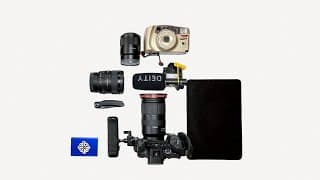
what's in my camera bag
I’ve always enjoyed “What’s in My Bag” videos so I finally decided to make my own. I wanted to put my own spin on it and show how different situations affect my choices. When it comes to what gear I bring and my setups I want to make sure it is as efficient as it can be. I go over how you can do that yourself and how it might help you get the shot you want. Anyways, I hope you learned something new from this video or at least just enjoyed following along! As always, thank you for watching. Follow me! Twitter: https://twitter.com/mapalberenson Instagram: https://www.instagram.com/mapalberenson/ Portfolio: https://mapal.studio Feel free to skip around: 00:00 - Intro 00:16 - Setup 1 - The Backpacker 00:25 - The Bag I Use 00:42 - The Gear I Carry 00:59 - Downfall of The Setup 01:13 - Setup 2 - The Sling 01:18 - The Bag 01:31 - Why I Love This Setup 01:42 - almost got hit by a bird 01:44 - Back To Why I Love It 02:13 - *intense build up* 02:22 - Setup 3 - The Casual 02:43 - Why This Setup Is So Good 03:15 - What Does The Setup Look Like 03:25 - The Lens of Choice 04:23 - The Philosophy Behind Good Setups 05:32 - you don't want to miss this super cool montage ALL the gear: Sony a7iii Tamron 28-75 Sony 20 1.8 Sony Zeiss 55 1.8 Meike Macro Tube Extensions SmallRig Cage + Handle Cinebloom 10% Cinebloom 20% Moment VND 2-5 Moment VND 6-9 Deity V-MIC D3 Tascam DR-10L Peak Design Travel Tripod - Aluminium WNDRD PRVK 21L Peak Design Everyday Sling 3L V2 Peak Design Slide Camera Strap DJI Mini 2 Fly More Combo Cube Light small LED Panels Sony Battery SSD iPad Pro 11” Moleskine Notebook Pelican SD Case AirPods Mac Studio Max Asus ProArt 27” Monitor Music Used: 1st Song: Esteban Maxera Cuarteto - Carmen 2nd Song: FewDoors - Whassup 3rd Song: Risian - Twilight Sourced from Artlist https://artlist.io/Mapal-2888934 (Referral link) Inquiries: hello@mapalstudios.com
Four Easy Animations Using Fractal Noise - After Effects Tutorial
In this tutorial I’ll be going over FOUR different ways you can use Fractal Noise to create some super cool effects. We’re going to be using Fractal Noise to create a transition, a topo map, a glitch effect, and a super sick and trendy multi coloured gradient! Anyways, I hope you learned something new from this video or at least just enjoyed following along! As always, thank you for watching. Follow me! Twitter: https://twitter.com/mapalberenson Instagram: https://www.instagram.com/mapalberenson/ Portfolio: https://mapal.studio Feel free to skip around: 00:00 - Intro 00:04 - Effect Example 00:11 - Transition - Effect #1 03:01 - Topographical Map - Effect #2 04:18 - Saving Animation Presets 05:03 - Text Glitch Effect - Effect #3 07:10 - Multi Coloured Gradient - Effect #4 09:20 - Summary 09:45 - Thank you The equipment: Sony a7iii Tamron 28-75 Cinebloom 10% Deity V-MIC D3 Tascam DR-10L Peak Design Travel Tripod - Aluminium Mac Studio Max Asus ProArt 27” Monitor Music Used: Song: The David Roy Collective - Slow Evening (feat. Spade Brooks & Mac Rogers) Sourced from Artlist https://artlist.io/Mapal-2888934 (Referral link) Inquiries: hello@mapalstudios.com
Hand Drawn Title Text Animation - After Effects Tutorial
In this tutorial I’ll be going over how to animate handwritten text. We’re using the puppet pin tool to bring our text to life. A fairly easy way of adding a lot of character and texture to a project as well as creating something unique. We’re also going to be looking at how to animate texture. Anyways, I hope you learned something new from this video or at least just enjoyed following along! As always, thank you for watching. Texture in the video is from texturelabs.org Follow me! Twitter: https://twitter.com/mapalberenson Instagram: https://www.instagram.com/mapalberenson/ Portfolio: https://mapal.studio Feel free to skip around: 00:00 - Into 00:02 - Effect Example 00:18 - How to make your text 00:38 - Setting it up in Photoshop 00:52 - Switching to After Effects 00:57 - Masking our text 01:26 - Animating the text with Puppet Pin 02:34 - Always ease your keyframes 02:44 - Animating the position 03:08 - Repeat for the rest of the text 04:02 - Wiggle with Turbulent Displace 04:35 - Adding animated textures 05:29 - Top 5 expression 05:44 - Blending mode + hidden shortcut 06:56 - Camera shake 07:24 - Our beloved Posterize Time 07:32 - End results The equipment: Sony a7iii Tamron 28-75 Cinebloom 10% Deity V-MIC D3 Tascam DR-10L Peak Design Travel Tripod - Aluminium Mac Studio Max Asus ProArt 27” Monitor Music Used: Song: Kyle Preston - Cafe de Philosophie Sourced from Artlist https://artlist.io/Mapal-2888934 (Referral link) Inquiries: hello@mapalstudios.com

How To Make Custom Instagram Story Filters - After Effects + Spark AR Tutorial
In this tutorial I’ll be going over how to create your own filters for Instagram. I’ll be going over how to make your own animations and turn them to a filter as well as adding a LUT to the filter! It’s super easy and perfect for sharing your brand on social media. You can also use this to make yourself some money by providing it as a service to businesses or for weddings, parties etc. Anyways, I hope you learned something new from this video or at least just enjoyed following along! As always, thank you for watching. Create your own LUT: https://streamshark.io/obs-guide/converting-cube-3dl-lut-to-image Download Spark: https://sparkar.facebook.com/ar-studio/download/ Follow me! Twitter: https://twitter.com/mapalberenson Instagram: https://www.instagram.com/mapalberenson/ Portfolio: https://mapal.studio Feel free to skip around: 00:00 - Intro 00:14 - Tutorial begins 00:16 - Work in After Effects 00:29 - Important Before Starting 00:43 - Creating The Animation 01:44 - Animating Text on Path 03:42 - Finished Animation 03:53 - Other Animations That Work Well 04:14 - Render Settings 04:47 - Moving to Spark AR 05:01 - Quick Overview of Spark AR 05:11 - Creating Blank Project 05:19 - Adding The Animation 05:51 - Applying Animation To Filter 06:24 - Adjusting The Material 06:44 - Adding Colour Filter or LUT 07:01 - Adding The LUT 07:39 - Publishing The Instagram Filter 08:23 - How To Test Yout Filter 09:05 - Outro 09:16 - Thank you 09:24 - Endcard The equipment: Sony a7iii Tamron 28-75 Cinebloom 10% Deity V-MIC D3 Tascam DR-10L Peak Design Travel Tripod - Aluminium Mac Studio Max Asus ProArt 27” Monitor Music Used: Song: Yestalgia - Good Morning Sunshine (feat. Mantrick) Sourced from Artlist https://artlist.io/Mapal-2888934 (Referral link) Inquiries: hello@mapalstudios.com
Scrolling Banner Animation - After Effects Tutorial
In this tutorial I’ll be going over how to create a some banner/crime scene tape looking effect. A super useful animation utilising a few different effects that come together to create something really cool. This specific effect is perfect for social media content or to add some depth + detail to your projects. Anyways, I hope you learned something new from this video or at least just enjoyed following along! As always, thank you for watching. Follow me! Twitter: https://twitter.com/mapalberenson Instagram: https://www.instagram.com/mapalberenson/ Portfolio: https://mapal.studio Feel free to skip around: 00:00 - Intro 00:03 - Effect Example 00:11 - Tutorial Starts 00:18 - Adding Text 00:38 - Shape Layer 01:09 - Crucial Pre Comp 01:15 - Resizing the Pre Comp 01:39 - Text Scroll Animation 03:26 - Keep It Simple 03:35 - Scrolling Banner 03:55 - CC Repetile 04:14 - Animating The Scroll 04:25 - Adding Guides 05:05 - Adding More Depth 05:21 - Making The 2nd Banner 06:36 - Final Spice 06:55 - Final Animation 07:00 - Outro 07:16 - Thank you 07:27 - Endcard The equipment: Sony a7iii Tamron 28-75 Cinebloom 10% Deity V-MIC D3 Tascam DR-10L Peak Design Travel Tripod - Aluminium Mac Studio Max Asus ProArt 27” Monitor Music Used: Song: Flint - Hymn of the Bed Sourced from Artlist https://artlist.io/Mapal-2888934 (Referral link) Inquiries: hello@mapalstudios.com
Text Explosion Animation - After Effects Tutorial
In this tutorial I’ll be going over how to create a text explosion effect using text animators inside of After Effects. The text animators are super underrated and can create some pretty interesting effects especially because they can be stacked and overlapped. To top it off we will also be adding the Echo effect to create some nice looking schmeer. Anyways, I hope you learned something new from this video or at least just enjoyed following along! As always, thank you for watching. Follow me! Twitter: https://twitter.com/mapalberenson Instagram: https://www.instagram.com/mapalberenson/ Portfolio: https://mapal.studio Feel free to skip around: 00:00 - Intro 00:24 - Effect Example 00:30 - Tutorial Begins 00:50 - Text Position Animator 01:03 - Quick breakdown of the parameters 02:18 - The fun begins pt 1 02:33 - Wiggly selector 03:43 - Text Rotation Animator 04:35 - More Wiggly Selector 05:12 - Fun pt 2 06:11 - Fine Tuning 06:28 - Always Ease Your Keyframes 06:52 - Ask Thyself How to Spice 06:59 - Creating a Schmeer 07:37 - Pretty Much Done 07:56 - Insanely Customisable 09:44 - Outro 10:07 - Thank you 10:12 - Endcard The equipment: Sony a7iii Tamron 28-75 Cinebloom 10% Deity V-MIC D3 Tascam DR-10L Peak Design Travel Tripod - Aluminium Mac Studio Max Asus ProArt 27” Monitor Music Used: Song: Yestalgia - Memos Sourced from Artlist https://artlist.io/Mapal-2888934 (Referral link)
Distorted Text Animation - After Effects Tutorial
In this tutorial I’ll be going over how to use time displacement to create some super unique text animations. Furthermore, I also add a few more effects to really tie it all together. And nothing, and I mean nothing, is as beautiful as distorted text animations. Anyways, I hope you learned something new from this video or at least just enjoyed following along! As always, thank you for watching. Follow me! Twitter: https://twitter.com/mapalberenson Instagram: https://www.instagram.com/mapalberenson/ Portfolio: https://mapal.studio Feel free to skip around: 00:00 - Intro 00:20 - Effect Example 00:34 - Tutorial Begins 01:18 - Prepping our text 02:05 - Scale animation 03:14 - Precomp settings 03:35 - TIME DISPLACEMENTTTTT 04:02 - Creating gradient 04:53 - Customising the gradient 05:29 - Other gradient options 06:28 - Always add seasoning 07:05 - Ease your keyframes man 07:28 - CC Repetile 08:30 - Morping text hmmm 11:10 - Selling the morp 11:47 - Dont sleep on Sexy Speed 12:09 - Optics Compensation 12:31 - Easy wiggle effect 13:04 - Finished product 13:11 - Outro 13:27 - Love you 13:33 - Endcard The equipment: Sony a7iii Tamron 28-75 Cinebloom 10% Deity V-MIC D3 Tascam DR-10L Peak Design Travel Tripod - Aluminium Mac Studio Max Asus ProArt 27” Monitor Music Used: Song: Benno - Hash Sourced from Artlist https://artlist.io/Mapal-2888934 (Referral link)
Easy Title Animation - After Effects Tutorial
In this tutorial I’ll be going over how to create a super easy text animation using different fonts! Hopefully this inspires you to mix and match fonts to create interesting and unique animations! No one can resist a good font yanno Thank you for watching. Plug-ins used: Overlord https://www.battleaxe.co/overlord Motion Tools https://motiondesign.school/products/motion-tools/ FX Console https://www.videocopilot.net/tutorials/fx_console_plugin/ Follow me! Twitter: https://twitter.com/mapalberenson Instagram: https://www.instagram.com/mapalberenson/ Portfolio: https://mapal.studio Feel free to skip around: 00:00 - Intro 00:23 - Animation Preview 00:26 - What you need 00:50 - Tutorial begins 00:53 - Illustrator 01:38 - Picking fonts 02:39 - Turning text into shapes 03:21 - Why Illustrator makes this easier 03:38 - Ungrouping paths 04:16 - Illustrator to After Effects workflow 04:23 - Working in After Effects 04:49 - Spoil yourself. Buy plugins that make life easier 05:21 - Precomps by font 06:01 - Creating the animation 07:30 - Putting it all together 07:44 - Effect complete-ish 07:56 - Adjustment layer juice 08:10 - Wiggle or jiggle? 08:28 - Expression 09:15 - More font animations 09:24 - Source text animation 10:59 - Thank you 11:22 - Endcard The equipment: Sony a7iii Tamron 28-75 Cinebloom 10% Deity V-MIC D3 Tascam DR-10L Peak Design Travel Tripod - Aluminium Mac Studio Max Asus ProArt 27” Monitor Music Used: Song: Tomer Baruch - The Girl with the Cat Sourced from Artlist https://artlist.io/Mapal-2888934 (Referral link)
Easy Text Stretch Effect + Particle Animation - After Effects Tutorial
In this tutorial I’ll be going over how to create a super easy text stretch animation and coupling that with a particle animation! Hopefully this gives you some ideas as to how you can layer effects and create unique results. If you’re watching this I hope you learned something or at least found it entertaining in some way. Thank you for watching. Follow me! Twitter: https://twitter.com/mapalberenson Instagram: https://www.instagram.com/mapalberenson/ Portfolio: https://mapal.studio Feel free to skip around: 00:00 - Intro 00:03 - Effect Example 00:18 - Beginning of Tutorial 00:47 - Shapes From Text Layer 01:00 - Text Stretch 02:03 - Wave Warp 03:30 - Particle Effect 03:48 - CC Composite 03:50 - Particle Systems II 03:53 - Roughen Edges 04:02 - Using Particle Systems II 06:41 - Applying Roughen Edges 07:03 - Linear Wipe 07:32 - Turbulent Displacement 08:32 - Transform 09:22 - Additional Spice 09:27 - Posterize time 09:39 - Glow 10:09 - Final Adjustments 10:21 - Outro The equipment: Sony a7iii Tamron 28-75 Cinebloom 10% Deity V-MIC D3 Tascam DR-10L Peak Design Travel Tripod - Aluminium Mac Studio Max Asus ProArt 27” Monitor Music Used: Song: Simon Berggren - Bolerian Mood Sourced from Artlist https://artlist.io/Mapal-2888934 (Referral link)
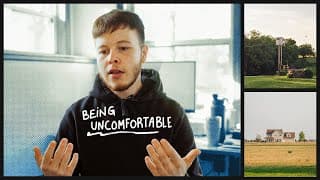
How To Improve Your Photography
I caught myself in a creative rut for the first time in a long long time. It took me a while to figure out how to get out of it and back into loving what I make. For me, it was the overwhelming feeling of being uncomfortable that held me back. It hasn’t been easy but it has taught me a lot and it has even helped me improve my work. If you’re watching this I hope you learned something or at least found it entertaining in some way. Thank you for watching. Follow me! Twitter: https://twitter.com/mapalberenson Instagram: https://www.instagram.com/mapalberenson/ Portfolio: https://mapal.studio Feel free to skip around: 00:00 - Intro 00:22 - Creative rut 00:50 - Identifying the cause 01:32 - Uncomfortability 01:48 - Realisitation 02:35 - Tackling the problems 03:29 - How 03:47 - Composition + Gear 05:29 - Putting it together 05:42 - Why 06:17 - #1 Photography Skill 06:42 - Why you're not getting better 07:10 - Relation between comfort & confidence 07:34 - DO IT! 08:25 - Thank you The equipment: Sony a7iii Tamron 28-75 Filters: Cinebloom 10% + Moment VND 2-5 stops Shotgun Mic: Deity V-MIC D3 Lav Mic: Tascam DR-10L Tripod: Peak Design Travel Tripod - Aluminium Music Used: Song: Ardie Son - O Come, All Ye Faithful Sourced from Artlist https://artlist.io/Mapal-2888934 (Referral link)
Chasing Light on December 20th
Follow me! Twitter: https://twitter.com/mapalberenson Instagram: https://www.instagram.com/mapalberenson/ Most Used Equipment: Main Camera: Sony a7iii Main Lens: Tamron 28-75 Filters: Cinebloom 10% Music Used: Song: Falconer - Working the Fields Sourced from Artlist https://artlist.io/Mapal-2888934 (Referral link)
San Diego Tapes
San Diego 2022 Recap #MFAMcon
Follow me! Twitter: https://twitter.com/mapalberenson Instagram: https://www.instagram.com/mapalberenson/ Filmed with: Main Camera: Sony a7iii Main Lens: Tamron 28-75 Filters: Cinebloom 10% + Moment VND 2-5 stops Shotgun Mic: Deity V-MIC D3 Music Used: Song: Esteban Maxera Cuarteto - Oscuro Sourced from Artlist https://artlist.io/Mapal-2888934 (Referral link)
Moniteau County Fair 2022
Follow me! Twitter: https://twitter.com/mapalberenson Instagram: https://www.instagram.com/mapalberenson/ Most Used Equipment: Main Camera: Sony a7iii Main Lens: Tamron 28-75 Filters: Cinebloom 20% + Moment VND 2-5 stops Shotgun Mic: Deity V-MIC D3 Lav Mic: Tascam DR-10L Tripod: Peak Design Travel Tripod - Aluminium 35mm Film Camera: Samsung 105G Zoom AF Camera Backpack: Wandrd PRVKE 21L Camera Sling: Peak Design Everyday Sling 3L V2 Music Used: Song: Different Kind Of Love Instrumental Version - Anthony Lazaro Song: All In Your Stride Instrumental Version - Abe Sourced from Artlist https://artlist.io/Mapal-2888934 (Referral link)
Moving Stills vol. 1 pt. 1 // California, MO
In this video I walk around the neighbourhood recording some clips. This video is heavily inspired by @DannyGevirtz so big shout out to him! Follow me! Twitter: https://twitter.com/mapalberenson Instagram: https://www.instagram.com/mapalberenson/ Chapters: Intro: 0:00 - 0:38 Moving Stills: 0:39 - 1:25 Thanks: 1:26 - 1:27 Endcard: 1:28 - 1:37 Most Used Equipment: Main Camera: Sony a7iii Lenses: Tamron 28-75 + Sony 20mm 1.8 Filters: Cinebloom 20%/10% + Moment VND 2-5 stops Shotgun Mic: Deity V-MIC D3 Lav Mic: Tascam DR-10L Tripod: Peak Design Travel Tripod - Aluminium 35mm Film Camera: Samsung 105G Zoom AF Camera Backpack: Wandrd PRVKE 21L Camera Sling: Peak Design Everyday Sling 3L V2 Music Used: Song: Pasture Blues - Bennett Sullivan Sourced from Artlist https://artlist.io/Mapal-2888934 (Referral link) THANK YOU!!
Missouri Summer // May 28th
Follow me! Twitter: https://twitter.com/mapalberenson Instagram: https://www.instagram.com/mapalberenson/ Most Used Equipment: Main Camera: Sony a7iii Main Lens: Tamron 28-75 Filters: Cinebloom 20% + Moment VND 2-5 stops Shotgun Mic: Deity V-MIC D3 Lav Mic: Tascam DR-10L Tripod: Peak Design Travel Tripod - Aluminium 35mm Film Camera: Samsung 105G Zoom AF Camera Backpack: Wandrd PRVKE 21L Camera Sling: Peak Design Everyday Sling 3L V2 Music Used: Song: I Don't Get The Lesson - Ziv Grinberg Sourced from Artlist https://artlist.io/Mapal-2888934 (Referral link)
2 hours worth of driving in less than 15 seconds // April 15th
My twitter: @mapalberenson Music: An Issue by Lalinea A list of the gear I use: Camera: https://amzn.to/3qF201a Go to lens: https://amzn.to/3epJFCt Prime lens: https://amzn.to/3l23Szw LED panels: https://bit.ly/3t6Czah Camerabag: https://bit.ly/2PSEa5d
Walk About w/ Disposable Camera // Final Cut Pro Grading Test
My twitter: @mapalberenson Music: Kisses and Heartbeats by Anthony Lazaro (Artlist.io) A list of the gear I use: Camera: https://amzn.to/3qF201a Go to lens: https://amzn.to/3epJFCt Prime lens: https://amzn.to/3l23Szw LED panels: https://bit.ly/3t6Czah Camerabag: https://bit.ly/2PSEa5d
How to make custom Twitch stream overlays! // Daric stream package
I recently made some assets for Daric's stream where my process differed a bit from my usual workflow. I decided to make a lot of my own assets for the package and therefore I wanted to make a little video explaining how I went about making it from start to finish. Chapters: 0:00 - 0:09 // Intro 0:10 - 0:43 // Preview of stream package 0:44 - 2:04 // Planning + Idea generation 2:05 - 4:01 // Gathering assets 4:02 - 4:49 // The fundamentals 4:50 - 6:09 // Effect breakdown: Paper tear 6:10 - 6:42 // Outro My portfolio: https://mapalberenson.com/ My twitter: @mapalberenson All music used in this video is from Epidemic Sound: https://www.epidemicsound.com/referral/5czmdk/ A list of the gear I use: Camera: https://amzn.to/3qF201a Go to lens: https://amzn.to/3epJFCt Prime lens: https://amzn.to/3l23Szw LED panels: https://bit.ly/3t6Czah Camerabag: https://bit.ly/2PSEa5d
Taking pictures in Copenhagen w/ Sony Zeiss 55mm f/1.8
My portfolio: https://mapalberenson.com/ My twitter: @mapalberenson All music used in this video is from Epidemic Sound: https://www.epidemicsound.com/referral/5czmdk/ A list of the gear I use: Camera: https://amzn.to/3qF201a Go to lens: https://amzn.to/3epJFCt Prime lens: https://amzn.to/3l23Szw LED panels: https://bit.ly/3t6Czah Camerabag: https://bit.ly/2PSEa5d
Trip to the forest // Testing picture profile
My portfolio: https://mapalberenson.com/ My twitter: @mapalberenson All music used in this video is from Epidemic Sound: https://www.epidemicsound.com/referral/5czmdk/ A list of the gear I use: Camera: https://amzn.to/3qF201a Go to lens: https://amzn.to/3epJFCt Prime lens: https://amzn.to/3l23Szw LED panels: https://bit.ly/3t6Czah Camerabag: https://bit.ly/2PSEa5d

US Roadtrip 2021
A small recap of my very first American Roadtrip. Enjoy! Also make sure to check out my Twitter: https://twitter.com/mapalberenson Music from EpidemicSound Equipment used: Sony a7iii Tamron 28-75 f/2.8 Deity v-3 microphone Cinebloom 10% Moment VND 6-9 stops Smallrig cage, side handle, and top handle Peak Design tripod WANDRD 21L PRVKE camera bag
TestingLUT.mp4
My portfolio: https://mapalberenson.com/ My twitter: @mapalberenson All music used in this video is from Epidemic Sound: https://www.epidemicsound.com/referral/5czmdk/ A list of the gear I use: Camera: https://amzn.to/3qF201a Go to lens: https://amzn.to/3epJFCt Prime lens: https://amzn.to/3l23Szw LED panels: https://bit.ly/3t6Czah Camerabag: https://bit.ly/2PSEa5d
Easy way to improve your stream for FREE
My portfolio: https://mapalberenson.com/ My twitter: @mapalberenson All music used in this video is from Epidemic Sound: https://www.epidemicsound.com/referral/5czmdk/ A list of the gear I use: Camera: https://amzn.to/3qF201a Go to lens: https://amzn.to/3epJFCt Prime lens: https://amzn.to/3l23Szw LED panels: https://bit.ly/3t6Czah Camerabag: https://bit.ly/2PSEa5d
Sunrise photography gone slightly wrong // Mapal Berenson
In today's video I talk about how my planned shoot didn't go as planned but how I managed to save the day by taking some decent pictures Website: https://mapalberenson.com/ Gear used: Sony a7iii Tamron 28-75mm f/2.8
How I come up with ideas for stream graphics
In today's video I am rambling and showcasing the way my brain works. Website: https://mapalberenson.com/ Gear used: Sony a7iii Tamron 28-75mm f/2.8 Coffee cup from Ikea
I took a picture every day for a whole month...
I started 2021 by doing a photography challenge throughout January. In this video I just go over some things I learned/experienced and show you some of the pictures I took. Hopefully you enjoyed the video! Website: https://mapalberenson.com/ Twitter: https://twitter.com/mapalberenson Gear used: Sony a7iii Tamron 28-75mm f/2.8

EASY STREAMLABS SETUP TUTORIAL!!
Hey guys! In this video I show you lot how to change the format of your webcam, how to add dope cam overlays, streamlabels, and how to add the overlay to multiple scenes! I hope you lot enjoyed the tutorial and that it was helpful! If you have any requests for future tutorials comment down below! Enjoy! Website: https://mapalberenson.com/ Twitter: https://twitter.com/mapalberenson
Missouri Trip - March
Desc Twitter: @mapalberenson IG: @mapal__ Hit me up on my socials for business inquiries or refer to my business email which can be found in the 'about' section :))
Missouri
A short highlight video of my trip to the greatest state of all time, Missouri Twitter: @mapalberenson IG: @mapal__ Hit me up on my socials for business inquiries or refer to my business email which can be found in the 'about' section :)) Song: Tech n9ne - Red Kingdom
San Diego 2019 - TwitchCon
A small video compilation from when I went to San Diego for TwitchCon Husk at smid et like, kommenter og subscribe for flere videoer i fremtiden InstaGram: @mapal__ Twitter: @mapalberenson