Loading...
Warning: Channel ID is missing or invalid
Loading channel videos...

Loading channel videos...
PRI vs LOG vs HDR, What’s the difference???🧑💻🤝😮💨
#davinciresolve #colorgrading
How to get a MOODY LOOK in Davinci Resolve!🤝😮💨🧑💻
#davinciresolve #colorgrading
Create MORE DEPTH in Davinci Resolve🧑💻😮💨
#davinciresolve #colorgrading
Fix CHEAP LOOKING GRADE in Davinci Resolve, Part 2!🧑💻🤝😮💨
#davinciresolve #colorgrading
Qualify SKINTONES that blend with background in Davinci Resolve!🧑💻
#davinciresolve #colorgrading
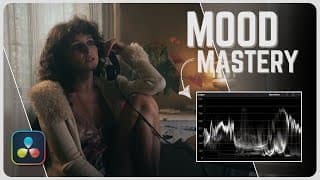
How to Create MOODY CINEMATIC Look in Davinci Resolve | EASY Tutorial
In this video I go over how to achieve the a moody look in Davinci resolve. In the process I go over very important things to keep in mind while creating this look. With one of the most important being a "less saturated" look. This look is great to convey a certain feeling to the audience, hence the "moody" name. TIMESTAMPS: 0:00 Intro 0:18 Shot Overview 0:45 LOW HIGHLIGHTS/EXPOSURE 2:42 LESS SATURATION 4:02 BLUE/TEAL 4:35 Adjustment 5:50 Final Look Follow me on Instagram! https://www.instagram.com/aparicio.co/ Thank you for watching and I hope you found this video helpful. Comment your thoughts, questions, or skepticism! Of course if you are new here, please subscribe for more! See you in the next one. #colorgrading #davinciresolve #colorist #cinematic #cinematography #film
Fix CHEAP LOOKING GRADE in Davinci Resolve! 🧑💻🤝😮💨
#davinciresolve #colorgrading #colorist #cinematography
Color Separation in Davinci Resolve!🧑💻
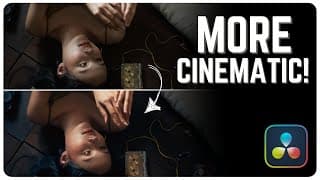
How to get COLOR SEPARATION in Davinci Resolve! | Filmic Look
In this video I go over how to get color separation in Davinci Resolve but I also talk about why you want color separation and when you wouldn't want it. Now of course there are other types of looks where color separation is not always the goal. But when trying to emulate film or get a more filmic look, you are going to want to pay close attention to color separation. At the end of the day you will only be helping your image by trying to get a good amount of color separation in camera and while grading. TIMESTAMPS: 0:00 Intro 0:17 Shot Overview 0:35 Color Correction 2:30 Color Separation Method 1 3:34 Color Separation Method 2 4:02 Film LUT Overview 4:38 Outro Instagram: https://www.instagram.com/aparicio.co/ Thank you for watching, I hope you found this video helpful! Like subscribe and comment for more! #davinciresolve #colorgrading #cinematography #filmmaking
How to make Davinci Resolve RUN FASTER🏃♀️🤝🧑💻
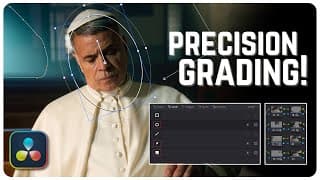
Use POWER WINDOWS Like a Pro in Davinci Resolve | Simple Tutorial
In this video I go over the use of power windows while grading and the effect they can have. Whether you are trying to guide the eye, make targeted color/exposure adjustments, or just create texture, this is the video for you. The key to using power windows is to be very subtle and to make these adjustments seem in camera to guide a viewers eye. I could have went even more subtle in this video, but ultimately went a bit harder to make my adjustments visible on youtube! TIMESTAMPS: 0:00 Intro 0:17 Shot/Grade Overview 0:40 Adding Nodes 1:50 Power Window 1 2::33 Power Window 2 3:27 Power Window 3 4:07 Power Window 4 4:41 Power Window 5 5:55 Outro Follow my Instagram more tips! https://www.instagram.com/aparicio.co/ Thank you for watching and I hope you found this video helpful, subscribe for more, and ill see you in the next one! #davinciresolve #colorgrading #cinematography #videoediting
Simple and Effective Node Structure in Davinci Resolve!

How to get more POP USING GLOW in Davinci Resolve!🧑💻🤝😮💨
When using this technique in the video you can also adjust many other sliders that will be pretty familiar to you. Just play around with it!
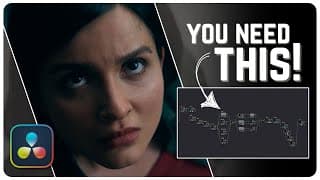
Davinci Resolve WORKFLOW Walkthrough | EFFECTIVE Node Structure!
In this video I go over my Primary Davinci Resolve Workflow. This is a very universal workflow to use in Davinci Resolve since it can be used to create many different kinds of look. I would suggest using it and slightly editing it for your taste! TIMESTAMPS: 0:00 Intro 0:20 Shot Overview 0:28 CST/ Color Management 0:50 Noise Reduction 1:05 Primary Corrections 2:33 Secondary Corrections 4:16 Power Windows/Texture 5:19 Look 5:33 Final Touches 6:19 Outro Instagram https://www.instagram.com/aparicio.co/ Patreon https://patreon.com/AparicioCo?utm_medium=unknown&utm_source=join_link&utm_campaign=creatorshare_creator&utm_content=copyLink Thank you for watching. Please subscribe and comment! See you in the next one! #davinciresolve #colorgrading #editing #cinematography #filmmaking
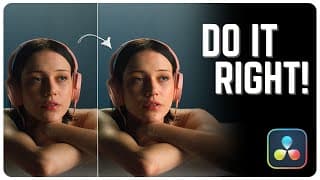
Reduce NOISE like a PRO in Davinci Resolve! | Simple Tutorial
In this video I go over how to reduce noise in davinci resolve without overdoing it, so you can maintain a nice clean image that does not come across as plastic like, or caky. This method can only be used in the studio version of davinci resolve. it is important not to overdo this technique so we can still have natural texture left in the image. TIMESTAMPS: 0:00 Intro 0:15 Shot Overview 1:14 Temporal NR 3:30 Spatial NR 5:34 Sharpening 5:49 Smooth Playback 6:11 Outro Join my Patreon for deep dives and BTS content! https://patreon.com/AparicioCo?utm_medium=unknown&utm_source=join_link&utm_campaign=creatorshare_creator&utm_content=copyLink Follow me on Instagram for faster and additional tips! https://www.instagram.com/aparicio.co/?next=%2F Thank you for watching, see you in the next one! #davinciresolve #colorgrading #editing #tutorial
How to remove EYE BAGS in Davinci Resolve!🧑💻😮💨🤝
#davinchiresolve #colorgrading #filmmaking
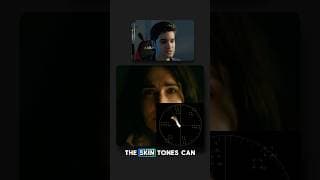
The SKIN TONES don’t always have to be perfect while creative grading!🤝
Sometimes all of the skin will be off the line and sometimes there will be parts of the skin on the line, and other times all of the skin will be perfectly on the line, it just depends what look you’re after (what hue your highlights and shadows fall in) Leave your thoughts and comments!👏 #davinciresolve #colorgrading #editing #tutorial #videography #cinematography #filmmaking #cinema #filmmaking #film
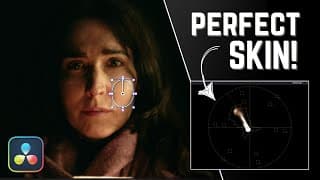
Get PERFECT Skin Tones in Davinci Resolve 19! | EASY Tutorial
In this video I go over how to get perfect skin tones in Davinci Resolve and also why you probably won't always want perfect skin tones. I feel like perfect skin tones are often forced in the color grading world and it takes away from the emotion the shot was intended to convey. So in this video I try to show why you might want to reconsider finishing your project with "perfect" skin tones. TIMESTAMPS: 0:00 Intro 0:18 Shot Overview 1:58 Method 1 2:26 Method 2 4:42 Film/Movie Examples 6:17 Outro Instagram: https://www.instagram.com/aparicio.co/ Thank you for watching, comment your thoughts, disagreements, or questions below! Subscribe and I'll see you in the next one! #davinciresolve #colorgrading #cinematography #filmmaking #editing
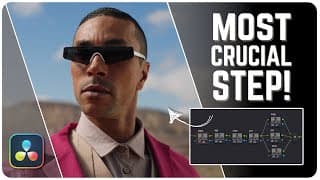
COLOR CORRECTION Made Easy in Davinci Resolve! | Simple Tutorial
This video is all about Color Correction! I go over how to get you footage looking natural and neutral so you can get to your creative grade with ease! I also go through secondary corrections as you may find yourself having to make these adjustments as well. Overall this step can be very simple and quick, but it is far from unimportant. This step in the color grading process is crucial. Of course I did not go over every single thing about color correction because that would be a very long video, but I hope I have provided you with at least a great starting point! TIMESTAMPS: 0:00 Intro 0:20 Primaries 1:46 White Balance 3:20 Contrast 4:54 Saturation 5:40 Secondary Corrections 8:19 Outro Instagram: https://www.instagram.com/aparicio.co/ Thank you for watching and I hope you found this video helpful, see you in the next one! #davinchiresolve #colorgrading #editing #tutorial #filmmaking
How to WHITE BALANCE in Davinci Resolve pt.2🧑💻 #davinchiresolve
#davinchiresolve #colorgrading #cinematography
How to WHITE BALANCE in Davinci Resolve! 🧑💻🤝😮💨
Here is one of many ways to white balance in Davinci Resolve!
Easily WHITE BALANCE in Davinci Resolve 19! Simple Tutorial
In this video I go over 3 methods you can use to properly white balance your footage in Davinci Resolve 19! These are definitely not the only ways to do it or even the only ways of carrying out each method, but a good place to start and practice! TIMESTAMPS: 0:00 Intro 0:11 Analyzing Shot 0:42 Method 1 1:42 Method 2 3:52 Method 3 5:04 No White Reference 6:34 Outro Instagram: https://www.instagram.com/aparicio.co/ Thank you for watching and I hope You found this video helpful, leave a comment for any further questions! See you in the next one! #davinciresolve #colorgrading #tutorial #editing #videoediting
Easily WHITE BALANCE your footage in Davinci Reaolve!🤝😮💨🧑💻 #davinchiresolve
#davinchiresolve #colorgrading
How to SPLIT TONE in Davinci Resolve! 😮💨🧑💻🤝 #davinciresolve
Shot and Grade Breakdown in Davinci Resolve! #davinchiresolve
In this video I go over a shot I got filming a promo for The Orlando Jazz Collective! I hope you find this helpful! #davinciresolve #cinematography #colorgrading #filmmaking
Cinematic SHOT & GRADE Breakdown! | Cinematography & Davinci Resolve Tutorial!
In this video I break down a cinematic shot and grade. I go over why I used what I used for the shot and why I graded the way I graded. The shot was shot with very simple gear and setups, the grade is straight forward and easy to follow! 0:00 Intro 0:26 Shot Breakdown! 2:15 Grade Breakdown/Corrections 3:47 Look 4:59 Power Windows 6:15 Final Adjustments 7:38 Outro Instagram! https://www.instagram.com/aparicio.co/ Thanks for watching, I hope you found this helpful! Subscribe and comment for weekly davinci resolve/cinematography videos! See you in the next one! #davinciresolve #cinematography #colorgrading #cinematic #tutorial
BEST Export Settings for YouTube, IG Reels, TikTok’s, & CLIENTS in Davinci Resolve 19!
In this video I go over the best export settings for Instagram reels, Tik Toks, YouTube, and clients. There are many different variations you can work with in Davinci but I share the ones that work best for me! Follow my Instagram! https://www.instagram.com/aparicio.co/ TIMESTAMPS: 0:00 Intro 0:22 Project Settings 0:53 YouTube 2:38 Reels, TikTok, Shorts 5:22 Clients! 7:21 Outro Thank you for watching and I hope you found this video helpful! Subscribe for weekly Davinci Resolve videos, see you in the next one! #davinciresolve #editing #davinciediting #filmmaking #videography
Put VIDEO IN TEXT in Davinci Resolve!🧑💻 #davinciresolve
#davinciresolve #editing
How to use FILM LOOK CREATOR in Davinci Resolve 19! | EASY Tutorial
In this video I go over DaVinci Resolve 19's new film look creator and see if it is any good at, well, creating a film look. I was definitely going after 35mm film with warm highlights and cool shadows. This new tool is a great addition to Davinci Resolve's already huge library of tools in the color page! TIMESTAMPS! 0:00 Intro 0:15 Shot Overview 0:31 Color Space Transform 0:50 Color Correction 1:17 Film Look Creator! 3:04 Creating Look! 4:37 Split Toning 5:25 Halation 6:13 Grain 7:45 Outro Follow me on Instagram! https://www.instagram.com/aparicio.co/ Thanks for watching, subscribe for weekly Davinci Resolve content. See you in the next one! #davinciresolve #colorgrading #editing #filmmaking #cinematography
How to get CINEMATIC SATURATION in Davinci Resolve 19! #davinciresolve
Full in-depth video on channel! #davinciresolve #colorgrading
Trying out Davinci Resolve 19’s Defocus Tool! #davinciresolve
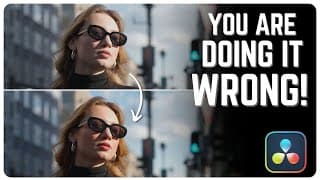
How to get CINEMATIC SATURATION in Davinci Resolve 19! | FREE & STUDIO
In this video I go over 3 methods to get cinematic saturation in Davinci Resolve. Most of you are probably use to the basic method, but it leaves the image feeling very digital, cheap, and off. With these methods you can be sure that your colors will gain the density and richness that they once lacked! TIMESTAMPS: 0:00 Intro 0:27 Shot Overview 0:50 Method 1! 1:12 Method 2! 2:24 Method 3! 3:53 Outro Instagram! https://www.instagram.com/aparicio.co/ Thank you for watching! I hope you found this helpful. Subscribe for weekly davinci resolve tutorials and I'll see you in the next one! #davinciresolve #colorgrading #cinematography #editing #filmmaking
How to use COLORSLICE Tool! #davinciresolve
Full in depth video on channel! #davinciresolve #editing #colorgrading
How to use the COLORSLICE Tool in Davinci Resolve 19! | EASY Tutorial
In this video I primarily go over how to use the color slice tool in Davinci Resolve 19. It has a lot of new amazing features that can really speed up the grading process when trying to create rich cinematic looks. There are definitely a few ways to implement it but in this video I show one way. With this method you can really practice using this tool in an actual grade. TIMESTAMPS: 0:00 Intro 0:18 Global Controls 2:32 Color Adjustments 3:48 How to use it in Grade 6:13 Outro Instagram: https://www.instagram.com/aparicio.co/ Thank you for watching! Subscribe for weekly Davinci Resolve content! See you in the next one! #davinciresolve #colorgrading #editing #videography #filmmaking
TRIPPY WARPED Effect in Davinci Resolve Fusion! | EASY Tutorial
In this video I show you how to get a trippy distorted effect emanating from a subject. I really enjoy using this effect and it can definitely be expanded in many different ways if you want. You can really get creative using key frames as well. In the beginning I did made a mistake saying "Motion trail effect", this is a trippy warp effect. I will be going over Davinci Resolve 19 next week! TIMESTAMPS: 0:00 Intro 0:19 PATTERNS! 0:53 MAGIC MASK! 3:12 THE SECRET SAUCE! 3:59 ADJUSTMENTS! 4:36 Outro Instagram! https://www.instagram.com/aparicio.co/ Thank you for watching and I hope you found this helpful! I am still getting over a cold, so that is why I sound stuffy:D Subscribe for weekly Davinci Resolve Video and I'll see you in the next one! #davinciresolve #davincifusion #vfx #sfx #editing #tutorial
How to get CINEMATIC CONTRAST in Davinci Resolve! #davinciresolve
Full in-depth video on channel! #davinciresolve
How to get CINEMATIC CONTRAST in Davinci Resolve! | FREE & STUDIO
In this video I go over how to achieve cinematic contrast in your grades. This can be mostly seen in digitally shot films today. The look can sometimes feel flat to some people who prefer movies shot on film, but this look still provides a natural look with high dynamic range. TIMESTAMPS: 0:00 Intro 0:29 Going over shot 1:40 Custom Curves 4:00 Previewing Full Grade 4:16 Extra Pop 4:50 Outro Instagram! https://www.instagram.com/aparicio.co/ Thanks for watching, I hope you found this video helpful. Subscribe for weekly Davinci Resolve content and I will see you in the next one! #davinciresolve #colorgrading #colorist #filmmaking #cinematography
How to TRACK TEXT to Cloth/Fur in Davinci Resolve!🧑💻#davinciresolve
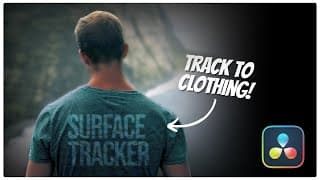
TRACK Text to CLOTHING/FUR in Davinci Resolve | SIMPLE
In this video I go over how to track text or PNG's to surfaces like shirts and fur. It actually works very well on a basic level so I am excited for everyone to use it! This will not be available in the free version of Davinci Resolve. For the animal fur it is exactly the same process:) TIMESTAMPS! 0:00 Intro 0:12 Color Corrector 0:28 Tracking 1:13 Adding Text 1:53 Secret Formula 2:50 Final Touches 3:41 Animal Fur 4:08 Outro Add me on Instagram for faster tutorials! https://www.instagram.com/aparicio.co/ Thanks for watching! Leave you thoughts and questions for a quick in depth answer! See you in the next one! #davinciresolve #davincifusion #fusion #vfs #sfx #effects #editing
What are the LOG WHEELS in Davinci Resolve?!🧑💻 #davinciresolve
#davinciresolve #colorgrading
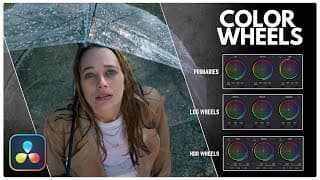
UNDERSTAND Your COLOR WHEELS in Davinci Resolve | How are they all different?
In this video I go over the different types of color wheels in Davinci Resolve! I go over the primary wheels, the Log Wheels and the HDR Wheels. They are all similar but should be used to achieve different things. Magic starts to happen when they are all used together to create a nice looking organic image. TIMESTAMPS: 0:00 Intro 0:17 Primary Wheels 2:58 LOG Wheels 5:27 HDR Wheels 8:27 Cinematic Grade 9:27 Outro Instagram: https://www.instagram.com/aparicio.co/ Thanks for watching, I hope you found this helpful. Comment your questions and I will answer with an in detail response! Subscribe for weekly Davinci Resolve content like this. See you in the next one! #davinciresolve #colorgrading #editing #cinematography #filmmaking #videography #editing #tutorial

How to SHOT MATCH in Davinci Resolve!🤝 #davinciresolve
This is one of many ways to shot match! #davinciresolve #colorgrading
BEGINNERS Guide to Davinci FUSION! | Simple Tutorial
In this video I give you guys and overview of the Fusion Page, then walk you through creating a node structure to edit. I will make a video about the keyframes tab as well because I think it is a great tool. Fusion is one of the most powerful compositors out there. It is often compared to Adobe After Effects. They are very similar, the main difference is Fusion using Node based workflows while After Effects uses a Layer Based workflow! TIMESTAMPS! 0:00 Intro 0:13 Fusion Interface 2:42 Adding Effect 4:11 Magic Mask! 7:48 Adding Text! 9:28 Secret Sauce! 11:09 Spline Editor! 12:38 Final Touch! 14:37 Outro! Instagram! https://www.instagram.com/aparicio.co/ Thanks for watching I hope you found this video helpful! Subscribe for weekly Davinci Resolve Tutorials in the Fusion Page and the Edit Page! Comment your thoughts and questions and I'll see you in the next one! #davinciresolve #davincifusion #fusion #vfx #sfx #effects #editing #edit #tutorial
How to SHOT MATCH in Davinci Resolve!🧑💻🤝 #davinciresolve
#davinciresolve #colorgrading #tutorial #editing
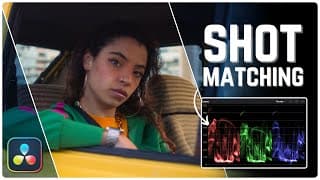
Shot Matching made EASY in Davinci Resolve! | Tutorial (FREE & STUDIO)
In this video I go over how to shot match in Davinci Resolve. I first go over a fairly easy approach and another approach which is more hands on and technical. Now remember there are many ways to shot match in Davinci Resolve. TIMESTAMPS: 0:00 Intro 0:10 Technique 1 2:24 Technique 2 5:42 Outro Instagram: https://www.instagram.com/aparicio.co/ Thanks for watching. Leave your thoughts and questions down below! I will see you in the next one! #davinciresolve #colorgrading #cinematography #editing #tutorial
How to CORRECTLY Apply LUTS in Davinci Resolve! #davinciresolve
Note that this is specifically for the KODAK 2383 Film emulation Luts that Davinci Provides. #davinciresolve #colorgrading #editing #cinematography #filmmaking
MOTION TRAIL EFFECT in Davinci Resolve Fusion | EASY Tutorial
In this video I create a kind of out of body motion trail effect in Davinci Resolve! It is super easy and looks really cool and high end. Keep in mind that the method I show in this video works best on a stationary cam. TIMESTAMPS: 0:00 Intro 0:16 Creating Node structure 2:26 Adjustments 2:37 Outro Instagram: https://www.instagram.com/aparicio.co/ Thank you for watching, and I hope you found this helpful. Leave your thoughts and questions down below and I will see you in the next one! #davinciresolve #davincifusion

What are SERIAL NODES in Davinci Resolve?🧑💻 #davinciresolve
#davinciresolve #colorgrading #tutorial #editing #filmmaking
How to Apply LUTS CORRECTLY in Davinci Resolve | EASY Tutorial!
In this video I go over how to correctly apply LUTS in Davinci Resolve! Some people just add the LUT over their grade blindly and some people add the LUT correctly but incorrectly dial it back. So this is how you correctly do both! TIMESTAMPS! 0:00 Intro 0:14 CST 1:30 Applying LUT 2:24 LUT File Location 2:44 Dial it back properly 3:46 Look Deeper! 4:28 Outro Instagram! https://www.instagram.com/aparicio.co/ Thank you for watching and I hope you found this video helpful! Subscribe and comment your thoughts and questions! See you in the next one! #davinciresolve #colorgrading #editing #filmmaking #cinematography #tutorial

What are LAYER NODES in Davinci Resolve?🤝🧑💻 #davinciresolve
#davinciresolve #colorgrading
REMOVE ANYTHING in Davinci Resolve Fusion | Tutorial (FREE & STUDIO)
This is a short video where I break down how to remove an object/person from a stationary shot. It will be the first part of my object removal videos, with each one getting more challenging. This is essential to know how to do for more complex object removal. So go in Fusion and get removing! TIMESTAMPS: 0:00 Intro 0:18 Setting up Nodes 0:49 Drawing Shape 1:09 Remove Subject 2:08 Outro Instagram: https://www.instagram.com/aparicio.co/ Thank you for watching. Subscribe to the channel and comment your questions! See you in the next one! #davinciresolve #davincifusion #fusion #sfx #fx #editin #tutorial

What are PARALLEL NODES in Davinci Resolve?🧑💻🤝 #davinciresolve
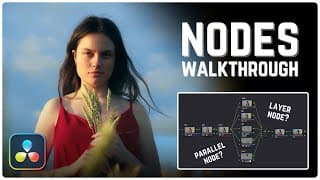
How NODES Work in Davinci Resolve | COLOR PAGE Tutorial! (FREE & STUDIO)
In this video I show you the meaning of your 3 main nodes in Davinci Resolve. This includes the Parallel, Serial, and Layer nodes. I go over each of the nodes main functions and how you can apply them. Make sure you go and mess with these nodes for hours yourself to discover every little thing they can do! TIMESTAMPS: 0:00 Intro 0:16 Serial Nodes 2:00 Parallel Nodes 4:50 Layer Nodes 6:53 Applying Parallel Nodes 8:27 Outro Instagram: https://www.instagram.com/aparicio.co/ Thanks for watching, ,I hope you found this video helpful. Leave a like and comment your questions! See you in the next one! #davinciresolve #colorgrading #editng #filmmaking #tutorial #colorist
LOCKED-ON Stabilization effect in Davinci Resolve! 🤝🧑💻 #davinciresolve
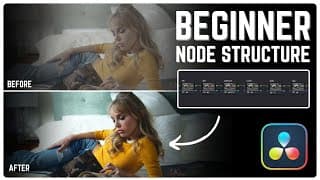
BEGINNER Node Structure in Davinci Resolve | Tutorial (FREE & STUDIO)
In this video I go over a very simple node structure that you can implement as a beginner that is simple and easy to follow. The goal in each node is to create an interesting image, but also get familiar with all the tools. So while I have provided an outline here, feel free to add your own flare and eventually start creating more complex node structures. TIMESTAMPS: 0:00 Intro 0:21 Primaries 1:03 White Balance 1:32 Contrast/SAT 3:18 LOOK 4:25 SKIN 5:15 Adjustments 5:55 Outro Instagram: https://www.instagram.com/aparicio.co/ Thanks for watching, I hope you found this video helpful! Subscribe to the channel and comment your thoughts! See you in the next one! #davinciresolve #colorgrading #editing #filmmaking #cinematography #tutorial
How to read the VECTORSCOPE!🧑💻🤝 #davinciresolve
Full in-depth video on the channel! #davinciresolve #colorgrading

How to read your PARADE in Davinci Resolve!🤝🧑💻 #davinciresolve
See full in-depth video on channel!! #davinciresolve #colorgrading
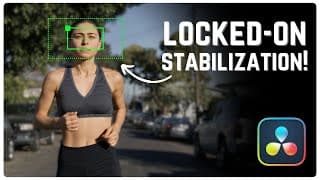
LOCKED-ON STABILIZATION EFFECT | Davinci Fusion EASY Tutorial
In this short video I go over how to achieve a locked-on stabilization effect in Davinci Resolve Fusion. You will see how simple this is. You mainly see this effect in commercials and ads when there is an emphasis on the subjects head or face. So go ahead and try this out! TIMESTAMPS: 0:00 Intro 0:20 Adding Tracker 1:52 Adding Transform 2:36 Outro Instagram! https://www.instagram.com/aparicio.co/ Thank you for watching and I hope you found this video helpful. Subscribe for weekly fusion and color page tutorial in Davinci Resolve! See you in the next one! #davinciresolve #davincifusion #fusion #editing #edit #filmmaking #videography

How to read your WAVEFORM in Davinci! #davinciresolve
#davinciresolve #colorgrading #editing #filmmaking #tutorial
How to Read SCOPES in Davinci Resolve | MUST KNOW! (FREE & STUDIO)
In this video I show you how to read all the scopes in Davinci Resolve and end up covering most of their primary features. When starting out with color grading it is very important that you are able to read the scopes since you probably will not have the most high end monitor. So you cannot rely on your eyes too much. All these scopes are very important,, so it's a good idea to get familiar with all of them! TIMESTAMPS: 0:00 Intro 0:17 Waveform 2:39 Parade 4:10 Vectorscope 6:40 Histogram 7:07 CIE Chromaticity 7:55 Outro Instagram: https://www.instagram.com/aparicio.co/ Thank you for watching, I hope the video was helpful. Subscribe for weekly Davinci Resolve videos and I will see you in the next one! #davinciresolve #colorgrading #videoediting #tutorial #filmmaking #cinematography
How to use QUALIFIER TOOL in Davinci Resolve!🤝😮💨🧑💻 #davinciresolve #colorgrading
How to use your QUALIFIER tool BETTER in Davinci Resolve | Tutorial (FREE & STUDIO)
In this video I show you how to use your qualifier tool as well as why you would use it. I also show you a way to use it in combination with two other tools in Davinci to be more efficient! TIMESTAMPS: 0:00 Intro 0:16 Overview 1:36 Using the Qualifier! 4:45 2nd Shot 7:12 Outro Thank you for watching and I hope you found this video helpful. Go ahead and subscribe for weekly Davinci Resolve videos covering the Fusion page and Color page. See you in the next one! #davinciresolve #colorgrading #editing #filmmaking #tutorial
How to get FILM look in Davinci Resolve! #davinciresolve
How to get FILM look in Davinci Resolve! | EASY Tutorial (FREE & STUDIO)
In this video I show you how to get a film look in Davinci Resolve. Characteristics of film include but are not limited to grain, halation, softness, warm highlights, and cool shadows. I show you how to emulate all of these characteristics in a simple node structure that can be easily inputted onto most shots. Here is a color space transform tutorial since I did not go over it in the video: https://youtu.be/rC1Qr44ZBtc TIMESTAMPS: 0:00 Intro 0:29 Correcting Shot 2:16 Creating FILM look 5:08 Adding FILM Characteristics 8:48 Outro Instagram: https://www.instagram.com/aparicio.co/ Thank you for watching, I hope you found this helpful, and see you in the next one! #davinciresolve #colorgrading #editing #edit #film #filmmaking #tutorial

How to use MAGIC MASK in Davinci Resolve! 🫢#davinciresolve
Check out the full in-depth video on my channel!! #davinciresolve #colorgrading
Use MAGIC MASK like a PRO in Davinci Resolve! | EASY Tutorial!
In this video I show how to use the Magic Mask feature in Davinci Resolve! It will help you separate your subject or an object in Davinci Resolve with ease. I would only recommend it if there is NOT a lot of movement in your shot. Things could start to look a bit unnatural. TIMESTAMPS: Intro 0:00 Overview 0:25 Shot 1 0:57 Shot 2 3:56 Outro 6:22 Instragram: https://www.instagram.com/aparicio.co/ Thank you for watching and I hope you found this video helpful. I would appreciate it greatly if you subscribed for weekly Davinci Resolve videos! See you in the next one! #davinciresolve #colorgrading #editing #videography #filmmaking #tutorial
How to Easily BLUR FACE in Davinci Resolve! 🧑💻🤙😮💨 #davinciresolve

You NEED to use your LOG WHEELS! #davinciresolve
I think the LOG Wheels are very versatile and effective. The Primaries in general are. Full in depth video on channel! #davinciresolve #colorgrading #editing #filmmaking #videography #tutorial
Use LOG Wheels like a PRO in Davinci Resolve | Tutorial (FREE & STUDIO)
In this video I go over what the Log Wheels are and a good way to use them. I did not go too in depth in this video so comment any questions you have and I will answer. The LOG Wheels are a great tool that is sometimes not touched. I think you should be using them in almost every grade! TIMESTAMPS: 0:00 Intro 0:28 Color Correction 0:55 What are LOG Wheels? 1:25 Using LOG Wheels! 2:28 Creating a Look 3:01 Outro Here is a video I made on Color Management and CST since I did not go over it in the video! https://youtu.be/rC1Qr44ZBtc Thank you for watching and I hope you found this video helpful. Subscribe and comment your thoughts! See you in the next one! #davinciresolve #colorgrading #editing #filmmaking #videography

Create COMMERCIAL LOOK in Davinci Resolve!🧑💻 #davinciresolve
See a full in depth video on my channel! #davinciresolve #colorgrading
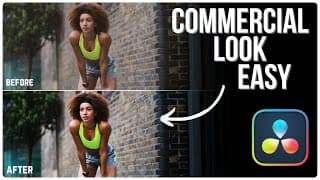
How to create COMMERCIAL LOOK in Davinci Resolve (FREE & STUDIO)
In this video I show you how to create a simple commercial look with a simple node tree. You want to focus primarily on popping colors with good color separation, strong contrast, and keeping your subject at the forefront ! TIMESTAMPS: 0:00 Intro 0:16 Analyzing Shot 0:59 Correcting Shot 2:05 Making Colors POP! 5:53 Bringing our subject OUT! 8:02 Final Touches Instagram: https://www.instagram.com/aparicio.co/ Thank you for watching and I hope you found this video helpful! Go ahead and Subscribe and comment any questions or videos you would like to see! See you in the next one! #davinciresolve #colorgrading #editing #filmmaking #videography #tutorial
How to use GLOW FX in Davinci Resolve 🌟| Full in-depth video on channel!🧑💻 #davinciresolve
Video may be a but misleading with the glowing text so let me know if you want a video on how to do that! #davinciresolve #colorgrading #editing #filmmaking #videography
How to use HUE VS LUM and What is it? #davinciresolve
#davinciresolve #colorgrading #editing #cinematography

How to use GLOW FX in Davinci Resolve | EASY Tutorial!
In this video, I go over how to use the glow effect and what each section does in this specific tool. It can be very useful when creating a dream like feel or used in most cases when trying to emulate film while shooting on digital! TIMESTAMPS: Intro 0:00 Going over shot 0:20 Applying Glow 0:46 How to use glow 0:53 Enhance Glow 3:25 Outro 4:14 Instagram: https://www.instagram.com/aparicio.co/ Thank you for watching and I hope you found this video helpful. Leave a comment and subscribe to this young channel. I will see you in the next one!!! #davinciresolve #colorgrading #editing #videoediting #filmmaking #cinematography #videography
How to use HUE VS SAT | What is it? #davinciresolve #colorgrading
This is how you read and use Hue vs Sat! Full in-depth video on channel! #davinciresolve #colorgrading #videography #videoediting
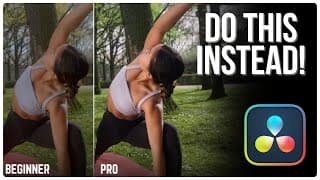
Common BEGINNER MISTAKES in Davinci Resolve | What to do instead!
In this video I go over the 4 most common beginner mistakes in Davinci Resolve and what to do instead! There are obviously more but in the video I keep it brief. I will definitely be making a part 2 to this video going over more common mistakes that often occur when beginners get their hands on Davinci Resolve! TIMESTAMPS: 0:00 Intro 0:22 Mistake 1 1:02 Mistake 2 1:11 Mistake 3 1:39 Mistake 4 3:05 Pro Grade 7:15 Outro Instagram: https://www.instagram.com/aparicio.co/ Thank you for watching and I hope you found this helpful to your color grading journey! Subscribe for weekly Davinci Resolve videos and I will see you in the next one! #davinciresolve #colorgrading #editing #filmmaking
How to use HUE VS HUE | What is it? #davinciresolve
Full in depth video on channel! #davinciresolve #colorgrading #editing #filmmaking
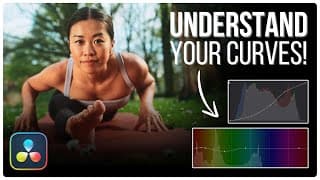
How to use CUSTOM CURVES in Davinci Resolve! | EASY Tutorial (FREE & STUDIO)
In this Video I go over how to use your CUSTOM CURVES in Davinci Resolve! This is definitely and area of the color page you want to understand. This area is praised for it's flexibility of all ranges of color. NOTE: I did not go over the last 3 sections of the Custom curves in this video because I will be making a separate video for those 3 in the future. but feel free to as questions about it in the comment section. TIMESTAMPS: Intro 0:00 Curves Overview 0:16 Control Luminance 1:48 Controlling RGB Channels 2:31 Color Wheel 3:33 HUE vs HUE 5:03 HUE vs SAT 5:49 HUE vs LUM 6:18 SAT vs SAT 6:50 Outro 7:26 Here is the grey scale image! https://drive.google.com/file/d/1H1CTy2bBidEd7ujgzbnQ467Nv5Zm0iU_/view?usp=sharing Thank you for watching and I hope you found this helpful. Go ahead and leave any questions you have in the comments and I will answer them ASAP. See you in the next one! #davinciresolve #editing #colorgrading #filmmaking #edit #videography
HOW TO use FACE REFINEMENT tool in Davinci Resolve! Full in-depth video on channel! #davinciresolve
My full in depth video is on my channel. Check it out if you want to learn how to use face refinement!!
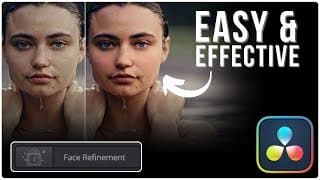
How to use FACE REFINEMENT tool in Davinci Resolve | Quick and EASY Tutorial!
In this video I show you how to use the Face Refinement tool in Davinci Resolve. Is a very effective tool if your subjects face seems out of place or you want to make your subject appear more flawless. In some cases this is a better alternative than a power window over your subjects face! TIMESTAMPS: Intro: 0:00 Shot analyst: 0:16 Applying Face Refinement: 0:56 Adjusting Face Features: 1:34 Outro: 5:36 Instrgram: https://www.instagram.com/aparicio.co/ Thank you for watching and I hope you found this helpful. Subscribe for more content like this and I will see you in the next one!! #davinciresolve #videoediting #filmmaking #filmeditor #cinematic
HOW TO use RELIGHT FX in Davinci Resolve! | In depth video on my channel! #davinciresolve
Go way more in depth with the full video on my channel! #davinciresolve #editing #filmmaking
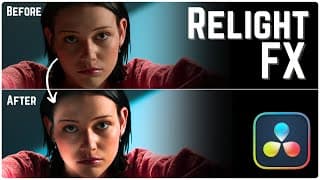
How to use RELIGHT FX in Davinci Resolve! | EASY Tutorial!
In this video I will show you how to use the RELIGHT FX tool in Davinci Resolve while also showing you some tips and tricks while using it. It can be convenient but I see a lot of people over use this effect. With that being said I believe it is a great tool to use in moderation and subtlety! NOTE: When Brightening up RELIGHT FX too much it can start to add noise to the image. So it is very important not to overdo it!!! TIMESTAMPS: 0:00 Intro 008 Adding Relight FX 1:36 Point Source Light 2:46 Directional Light 3:21 Spotlight 4:01 Relighting Our Image 4:51 Helpful Little Trick! 5:32 Be Careful Of.... 5:50 Evening Out Shot 6:38 Outro! Thank you for watching and I hope you found this helpful. Go ahead and subscribe to support this young channel and I will see you in the next one! #davinciresolve #editing #colorgrading #filmmaking
How to get KODAK film look in Davinci Resolve! | Full in-depth video on channel! #colorgrading
These are the main steps in the process of getting a Kodak film look. The full process is on my channel! #davinciresolve #colorgrading #filmmaking
Get KODAK 2383 Film look in Under 10 minutes | Davinci Resolve EASY Tutorial!
In this video I show you how to get a Kodak 2383 film look in Davinci Resolve. This look can be very easy to achieve with the KODAK 2383 LUTS and an adjustment that focuses on deep shadows, pushed highlights, and great color separation! Color Space Transform Tutorial here!: https://youtu.be/rC1Qr44ZBtc TIMESTAMPS:⌚ 0:00 Intro 0:46 Analyzing Shot 1:04 Applying LUT 1:47 Correcting Shot 3:10 Enhancing Look 6:10 Final Touches 7:10 Outro Follow my Instagram! https://www.instagram.com/aparicio.co/ Thank you for watching and I hope you found this helpful. Subscribe and let me know what you thought down below! I'll see you in the next one!
REVERB Effect in Davinci Reaolve | End a Song anywhere! #davinciresolve
This is how you can end a song anywhere! Let me know what you thought and if you have any requests! #davinciresolve #editing #fairlight
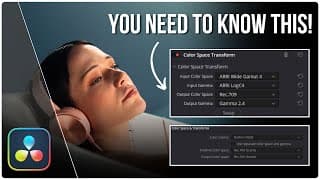
Color Management & CST Explained | Davinci Resolve EASY Tutorial (FREE & STUDIO)
In this video I give a basic overview of color management and color space transform in Davinci Resolve. both routes can be useful with color space transform offering more accessible flexibility with your color science while color grading. Don’t mind the disk disruption due to export issues😅 Additional Notes: This is usually necessary with LOG footage so if you have RAW footage in your timeline, Davinci will (in most cases) take care of it and you can leave them be. TIMESTAMPS: Intro 0:00 Color Management 1:13 Color Space Transform 3:05 Outro 9:07 Follow my Instagram! https://www.instagram.com/aparicio.co/ Thank for watching and I hope you found this helpful. Subscribe for more Davinci resolve content every week and I'll see you in the next one! #davinciresolve #colorgrading #editing #filmmaking #videography #tutorial
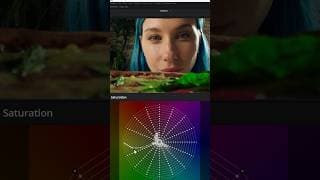
This Davinci Resolve tool is so underrated! #davinciresolve #colorgrading
Full in depth video on channel! I think you should be using the color warper more! #davinciresolve #colorgrading
You NEED to start using this Davinci Resolve Tool | Tutorial (FREE & STUDIO)
In this video I go over what is in my opinion the most underutilized tool in Davinci resolve. If people do use it they don't talk about it as much. It is very simple once you start utilizing it. It will save you time and give you more Hue and Saturation combinations that will further enhance your grade! TIMESTAMPS:⌚ 0:00 Intro 0:47 Color Warper Overview 2:24 Using Color Warper 3:46 Creating Look 4:42 Useful Tools 6:28 Outro Follow my Instagram! https://www.instagram.com/aparicio.co/ Thanks for watching! Make sure to subscribe and comment your thoughts! I will be releasing two Davinci Resolve videos a week so stay tuned! Next week is a video about Color Space Transform/Color Management. See you in the next one! #davinciresolve #colorgrading #editing #filmmaking #videography #tutorial
How to white balance footage CORRECTLY!
My full in depth video is on my channel! #davinciresolve #colorgrading #editing #videography #filmmaking
White Balance like a PRO in Davinci Resolve | EASY Tutorial (FREE & STUDIO)
In this video I will show you the techniques that you should be using to properly white balance your footage in Davinci Resolve. I use a shot from John Wick. Of course this footage was balanced before the grade, I am just using it as an example to show how to get back to those natural skin tones again. 🧑💻 Make sure your intentions are clear when working the color bars. -Lift(Shadows) -Gamma(Midtones) -Gain(Highlights) TIMESTAMPS:⌛ 0:00 Intro 0:25 Analyzing Shot 1:05 White Balance (Offset) 1:39 White Balance (Color Bars) 3:53 What not to do! 4:10 Outro Follow me on instagram! https://www.instagram.com/aparicio.co/ Thank you for watching and I hope you found this helpful. Subscribe to the channel and leave your thoughts and questions in the comments! I will see you in the next one!😀 #davinciresolve #colorgrading #editing #filmmaking #videography
Split Toning made EASY | Full in depth video on channel!
This footage was shot on the Arri Amira and is from Artlist.io.
Split Toning Color Grade | Tutorial on Channel! #davinciresolve #colorgrading
Split Toning like a PRO in Davinci Resolve | EASY Tutorial (FREE & STUDIO)
In this video I go over how to split tone in Davinci Resolve. After you complete this technique you can add any adjustments that you would like for your look and feel. Feel free to push the split toning as well! I was In between pushing the look and being subtle. NOTE: Sorry for clipped audio! TIMESTAMPS: 0:00 Intro 0:33 Analyzing Shot 1:12 Creating Split Tone Look 4:25 Correcting Shadows 5:16 Outro Follow me on Instagram! https://www.instagram.com/aparicio.co/ Thank you for watching and I hope you found this helpful. Like and subscribe to support this young channel. See you in the next one! #davinciresolve #colorgrading #editing #videography
Bleach Bypass look easy! Full in-depth video on channel! #davinciresolve #colorgrading
This is a simple way to get the BLEACH BYPASS look. There are a few ways but this is the simplest to me! Feel free to push the look even more.

Bleach Bypass look in Davinci Resolve🧑💻| Tutorial on channel! #davinciresolve #colorgrading
How to get the BLEACH BYPASS look EASY | Davinci Resolve (FREE & STUDIO)
In this video I show to how to easily get a bleach bypass look in Davinci Resolve. I use a simple node tree to get to my desired result as cleanly as possible. You can choose to be more dramatic or less dramatic with your bleach bypass look! This footage is from Artlist.io.👍 TIMESTAMPS: ⌚ 0:00 Intro 0:25 Project Settings 0:44 Analyzing Shot 1:08 Correction 1:38 Bleach Bypass 2:29 Enhancing Shot 8:52 Final Adjustments 9:55 Outro Follow Instagram: https://www.instagram.com/aparicio.co/ Thank you for watching and I hope you found this helpful. Comment if you have any questions about the color grade! Go ahead and subscribe for weekly Davinci Resolve tutorials and I will see you in the next one! #davinciresolve #editing #colorgrading #filmmaking #videography #tutorial
Particle Text Effect in Davinci Resolve | Full in-depth video on channel! #davinciresolve #editing
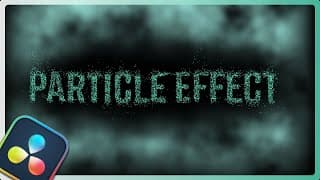
Text Particle Effect | Davinci Resolve Tutorial
In this video I show you how to get a particle text effect in Davinci Resolve fairly easily. You can then insert this over a clip or a background in the edit page. TIMESTAMPS: 0:00 Intro 0:18 Particle Setup 2:06 Text Insert 2:38 Particle Setup 4:16 Final Touch 5:32 Outro Follow me on Instagram! https://www.instagram.com/aparicio.co/ Thank you for watching and I hope you found this useful. Be creative and play with the settings to make some adjustments that satisfy your taste! Like and Subscribe to support the channel and I will see you in the next one. #davinciresolve #editing #edit #davincifusion #filmmaking #tutorial
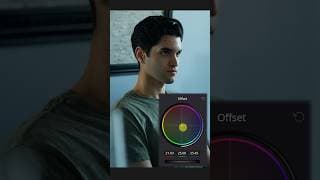
Get classic TEAL & ORANGE look in Davinci Resolve in 2 steps! #davinciresolve #editing #edit
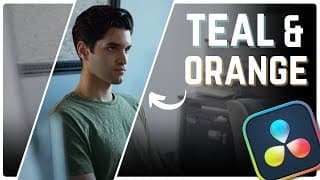
Get the TEAL & ORANGE Look without LUTS in Davinci Resolve | Simple Tutorial
In this video I go over how to get the classic TEAL and ORANGE look without the use of LUTS. I try to get to this look mainly in my primaries to keep it simple. ***NOTE*** I could not fit this in the video due to pacing, but to make the image more appealing you can qualify the green in my shirt and pull a tiny bit of the teal out of it if you want a more clean look. I have provided practice footage that is already in REC. 709 so you can get right into color correcting and grading. https://drive.google.com/file/d/1JdrfYSrBVwyd3JsnPO0U8Tez7N9NMxct/view?usp=sharing TIMESTAMPS:⌚ 0:00 Intro 1:03 Shot inspection 1:50 Color Correcting 3:45 Orange and Teal 6:18 Advancing the Shot 10:45 Outro Thank you for watching and I hope you enjoyed the video. Like and Subscribe to up your game in Davinci Resolve! Leave a comment of any other look you would like me to go over in a future video. See you in the next one! #davinciresolve #editing #edit #filmmaking #colorgrading #tutorial
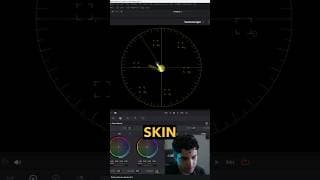
Get PERFECT SKIN TONES in Davinci Resolve! #Davinciresolve #editing #colorgrading #filmmaking
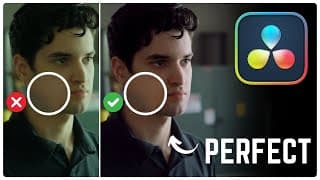
How to get PERFECT Skin Tones in Davinci Resolve | EASY Tutorial
In this video I will show you how to get PERFECT skin tones in Davinci Resolve. This can also be a tutorial on color correction and White balance which are both very important when trying to achieve the correct skin tones. Remember that this is good to do during your color correction and before you create your look. When creating your look it is fine if the skin tones are NOT aligned with the skin tone indicator in your vectorscope, as long as it is good for you and the client as well as enhances whatever you are trying to convey. Here is the footage: https://drive.google.com/drive/folders/10_1tB2Ba7FXSR6iscw-oZLQs-CMdFOjo?usp=sharing About this shot: -4K 24fps (Resolution) -Natural light as key light, LED as rim light(Lighting) -Medium Close-Up(Shot Composition) TIMESTAMPS: 0:00 Intro 0:13 Color Correction 1:49 Correcting Skin Tones 3:17 Making the Skin Pop 6:18 Final Touches 7:14 Outro Instagram: https://www.instagram.com/aparicio.co?igsh=MXE2anF5ZGFmNG9qbw%3D%3D&utm_source=qr (Aparicio.co ) Thank you for watching and I hope you enjoyed the video. If you have any questions or would like for me to elaborate on anything I spoke about go ahead and leave it in the comments. Subscribe to the channel for weekly Davinci Resolve videos, and I will see you in the next one. #davinciresolve #editing #colorgrading #edit #tutorial
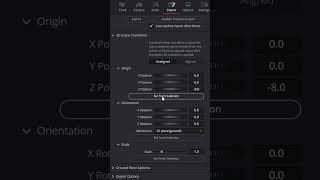
Track 3D Text in Davinci Resolve! Full in depth video on Channel
In this video I describe the first half of the process of tracking 3D text. You can find the full video on my channel that will take you into the 3D space to light your text correctly. I could not fit that in this short. Support the channel and thank for watching! #davinciresolve #editing #edit #filmmaking

TRACK 3D Text in Davinci Resolve 18 | Davinci Fusion Tutorial!
In this video I show you how to track 3D text in Davinci Resolve 18. It is very simple and a very stylish form of VFX when editing a video. Here is the clip I used in the video: https://drive.google.com/file/d/1QXnb2i6_vzGd6YV-U7Um_BrQwrqRpqsU/view?usp=sharing TIMESTAMPS: 0:00 Intro 0:16 Bringing Clip into Fusion 0:43 Tracking Clip 4:00 Adding Text 5:43 Adding Text2 7:08 Lighting 3D Space 11:04 Final Touches 12:56 Outro Instagram: https://www.instagram.com/aparicio.co?igsh=MXE2anF5ZGFmNG9qbw%3D%3D&utm_source=qr (Aparicio.co ) Thank you for watching and I hope you found this tutorial helpful. Support the channel for weekly Davinci Resolve tutorials like this and i will....see you in the next one! #Davinciresolve #Davincifusion #davinciediting #editing #videography #vfx
Color Grading made EASY for beginner’s | Full on channel #davinciresolve #colorgrading
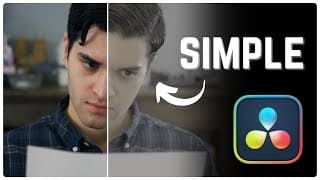
Color grading made EASY for BEGINNER'S | Davinci Resolve (FREE & STUDIO)
In this video I will take beginners through my simplest color grading workflow. I explain what I am doing in detail so you can keep up and follow along. In addition to mirroring me try to understand why I am doing what I am doing:) NOTE: I did not mention this but the reason I use Curves is to have more control over the exposure. Here is the Rec.709 footage from the video, just start your correction and look creation After downloading: https://drive.google.com/file/d/1FPoeszTkMXQK_vjHu9be-Z4rC_usulkU/view?usp=sharing REC.709: Rec709 is a color space that produces images that are very normal and realistic, with a good amount of contrast and saturation. Unlike Log footage that's somehow colorless, Rec709 is close to the linear color space. TIMSESTAMPS: 0:00 Intro 0:19 Inspecting our Shot 2:10 Color Correction 6:39 Creating Our Look 11:04 Adding Magic Touch 13:10 Outro Thank you guys for watching the video. I hope you found this helpful, and if you have any questions, go ahead and leave them in the comments and I will probably answer them very quick since this is a young channel. See you in the next one. #davinciresolve #editing #colorgrading #tutorial #filmmaking
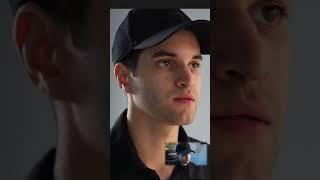
Get CINEMATIC look EASY in Davinci Resolve! | Full video on channel! #davinciresolve
In this video I go over the first step in creating a cinematic look in Davinci Resolve. In the full video on my channel I go delve deeper into the grade. About Shot: -1080p -No lighting Equipment -Shot in V-Log and converted to Rec. 709 with Color Space Transform
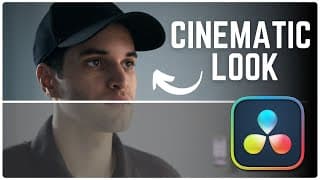
Get CINEMATIC Look EASY in under 10 minutes | Davinci Resolve 18
In this video I go through a very quick and simple way to achieve the classic teal and orange cinematic look in Davinci Resolve 18. There are multiple different ways with different steps and techniques, but this is the way I like to do it. This is done without the use of any LUTS because I believe LUTS are over used and many shots I see online have a very "LUTY" look to them. So I hope this can enhance your shots with no LUTS. I am not a full-time professional colorist. TIMESTAMPS: 0:00 Intro 0:11 Inspecting Our Shot 0:36 Going Into Our Color Page 1:00 Exposure 2:11 Creating The Look 3:58 Enhancing The Shot 7:40 Film Grain 8:17 Final Touch 9:48 Outro Thank you for watching, I hope this helped. Leave a like, comment your thoughts, and support the channel. I'll see you in the next one. #davinciresolve #editing #filmmaking
EASILY insert text BEHIND OBJECT in Davinci Resolve 18 #davinciresolve #editing #edit
This video shows you how to easily put text behind objects. My full video is on my channel where I break it down further!! #davinciresolve #editing

ADD text BEHIND OBJECT in Davinci Resolve 18 EASILY #davinciresolve #editing #edit
In this video I show you how to EASILY add text BEHIND and OBJECT in Davinci Resolve 18. There are of course more ways to do this, but I found this to be the easiest. Download Clip here: https://drive.google.com/file/d/1AsGz4yvLSRuqogRgA_uOrm1RU6x5BP1O/view?usp=sharing TIMESTAMPS: 0:00 Intro 0:20 Adding Text 0:59 Duplicating Clip 1:13 Masking in Fusion 2:24 Animating Text 3:16 Extra Touch 4:24 Outro Thank you for watching, SUBSCRIBE for daily Davinci tutorials and comment if you have any questions! #davinciresolve #filmmaking #editing #edit
EASILY track an object to the wall in Davinci Resolve #davinciresolve #editing #videography

DaVinci Resolve Fusion Tutorial | Track an Image to Wall in Under 10 Minutes! #davinciresolve #edit
Let's up your editing game. In this quick and easy DaVinci Resolve Fusion tutorial, we'll show you how to track an image to a wall in under 10 minutes! Perfect for beginners, this step-by-step guide will walk you through the process of adding dynamic elements to your videos with Fusion's powerful tracking capabilities. Whether you're a content creator, filmmaker, or aspiring editor, mastering this technique will take your projects to the next level. Watch now and transform your footage with seamless image tracking in DaVinci Resolve! TIMESTAMPS: 0:00 Intro 0:26 Dragging in Media 0:56 Enter The Fusion Page 1:37 Add Tracking Node 2:44 Tracking 4:13 Bringing in Image 4:55 Adding Shadow 6:18 Final Touch 7:02 Outro I HOPE you found this tutorial helpful! like and subscribe to support the channel, and see you in the next one. #filmmaking #davinciresolve #editing #videoediting
Davinci Resolve Editing Basics 2024 | Start EDITING in under 20 minutes! #davinciresolve #editing
Davinci Resolve Editing Basics, I hope you will be able to start editing in under 20 minutes! What You'll Learn: - Getting started with DaVinci Resolve interface - Importing your media files - Basic editing techniques: cutting, trimming, and arranging clips - Adding transitions, titles, and effects to enhance your video - Exporting your project for sharing with the world If you have no prior editing experience than this video is tailor-made for you! TIMESTAMPS⌚ 0:00 Intro 0:28 Downloading Davinci 1:00 Opening Davinci 1:21 Davinci Tour 2:15 Edit Page 3:17 Importing Media 4:08 Project Settings 5:11 Previewing Clips/Trimming 6:37 Speed Ramping 9:07 Transition 9:42 Inspector Window 11:32 Viewer Window 12:07 Audio Clip 13:32 Adding Text 16:52 Exporting 18:06 Outro #davinci #davinciresolve #editing #filmmaking #videoediting