Loading...
Warning: Channel ID is missing or invalid
Loading channel videos...

Loading channel videos...
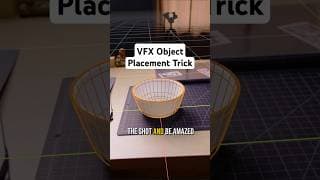
Stop objects from sliding in your VFX shots with this simple placement trick✨
Ever struggle to get your 3D elements in the right position so they stick properly in your VFX shots? Check out this trick that uses the camera's position as a pivot point for easy and accurate object placement. It works like magic! 🪄 Also, my Blender VFX course will be 40% OFF on May 9th for the first 100 orders! Click the link in my bio to subscribe to email updates so you don’t miss out! #vfxartist #blender3d #cameratracking #3dtutorial
Blender VFX Course Q+A
The Kickstarter: https://www.kickstarter.com/projects/inlightvfx/course I'm making a Blender VFX Course! Join me for this live stream and ask any questions you might have before the Kickstarter goes live October 1st. Thanks to my friend Eric for helping produce the live stream today! https://www.aptumedia.com/
A Peek Inside My Blender VFX Course
UPDATE: The course is now out! https://www.inlightvfx.com I'm creating a course that will teach the complete 3D VFX workflow for adding photoreal CGI to live-action footage with Blender! This video gives an overview of the structure of the course. On October 1st, I'm launching a Kickstarter to help raise funds to finish the course. The first 100 backers can pre-order the course at 60% off. Click the link above to make sure you don't miss out! More InLightVFX ► Instagram: https://www.instagram.com/inlightvfx Twitter: https://www.twitter.com/inlightvfx
It's Time to Master 3D VFX in Blender!
UPDATE: The course is now out! https://www.inlightvfx.com I'm creating a course that will teach the complete 3D VFX workflow for adding photoreal CGI to live-action footage with Blender! I’m launching a Kickstarter on October 1st to help raise funds to finish the course. The first 100 backers can pre-order the course at 60% off. Click the link above to sign up to my newsletter. That's how I'll be sharing updates and further information about the course and Kickstarter.

How Ian Hubert Hacked VFX (and you can too!)
Get the free tutorial files: https://inlightvfx.gumroad.com/l/delight Get VFX Course updates: https://inlightvfx.gumroad.com/subscribe My Blender VFX Course (out now!): https://www.inlightvfx.com When Ian Hubert shared the “de-lighting” technique in Blender, I was awestruck. De-lighting allows VFX artists to visualize 3D VFX elements integrated with live-action footage right in the 3D viewport, without the need to render and composite. It’s an incredibly fun and powerful technique to add to your VFX toolbag. In this video, I explain what de-lighting is, how it works, and how to use Ian’s “Compify” plugin to automate the de-lighting setup - all inside of Blender. Enjoy! Special thanks to Nathan Vegdahl for being the brains behind de-lighting and Compify, and for providing feedback on this video. Links mentioned in the video ► Compify Plugin: https://github.com/EatTheFuture/compify Batch UV Tools Plugin: https://madllama.gumroad.com/l/Batch_UV_Operations_Blender More InLightVFX ► Instagram: https://www.instagram.com/inlightvfx Twitter: https://www.twitter.com/inlightvfx
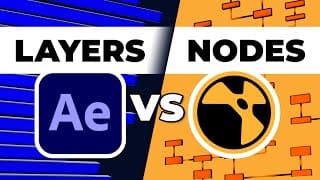
Should you use LAYERS or NODES for VFX? (Complete Analysis)
Your support is appreciated! https://www.patreon.com/inlightvfx In the world of Visual Effects, there are two types of software that artists use to composite VFX shots: layer-based software, and node-based software. To compare the two, we'll use After Effects (layers) and Nuke (nodes). We'll create the same VFX shot in each program and compare both workflows. So when your next VFX project comes along, you'll be able to choose between layers or nodes with confidence! Intro Sequence Credits ► Visuals: Rejin Chamandy @potatocop2122 + Sunay Rai Vocals & Mix: Mario/Kairie Cazares @marioCazares @actually_peppers InLightVFX ► Instagram: https://www.instagram.com/inlightvfx Twitter: https://www.twitter.com/inlightvfx #vfx #aftereffects #nuke CC Credits: https://shorturl.at/drtxD

How to Use ACES in After Effects - Full Overview
Grab the tutorial files (now FREE!): https://inlightvfx.gumroad.com/l/AcesAE Mechanical Creature Kit by @Polyfjord: https://blendermarket.com/products/mechanical-creature-kit?ref=927 My Patreon Page: https://www.patreon.com/inlightvfx Guess what?! After Effects finally supports ACES as a proper workflow option. So in this tutorial, I'll walk you through this new ACES workflow in After Effects. We'll go through all the menus, settings, and key concepts you should know to successfully adopt this workflow for your own projects. Enjoy! OTHER LINKS FROM THE VIDEO: To better understand why we sometimes set the input transform to 'Output - sRGB', read through this post on the ACES central forum. It's not the most concise, but it's the best I have for now (unless someone would like to explain it in the comments) https://community.acescentral.com/t/srgb-jpeg-use-in-acescg/1162 InLightVFX ► Instagram: https://www.instagram.com/inlightvfx Twitter: https://www.twitter.com/inlightvfx #aftereffects #ACES #workflow #vfx
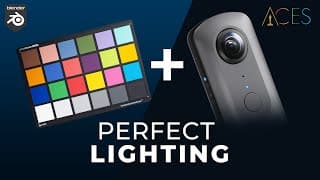
Finally! A VFX Workflow With Less Guesswork
Free tutorial assets: https://inlightvfx.gumroad.com/l/zeyufi My Patreon Page: https://www.patreon.com/inlightvfx In this tutorial, I share my VFX workflow to accurately recreate the lighting of a real world scene in a 3D program like Blender. As VFX artists, we want to do as little compositing work as necessary to get VFX elements integrated seamlessly with live action footage. This workflow will help you do exactly that! I explain the best way film your footage, capture and create an HDRI, and use a color reference chart for precise results and easy compositing. I hope this video helps you take some of the guesswork out of your own workflow! LINKS FROM THE VIDEO: Setup ACES in Blender: https://youtu.be/B7FWNNDXBl0 ACES RGB Color Converter: https://acescolorspace.com/rgb Color Checker Graphic: https://tinyurl.com/y83bsurv InLightVFX ► Instagram: https://www.instagram.com/inlightvfx Twitter: https://www.twitter.com/inlightvfx Thanks to user "ziwerliz" on Blendswap for the amazing Dodge Challenger model: https://blendswap.com/blend/4046 And yes, I realize that somehow in my mind I decided it was a Dodge Charger and not a Dodge Challenger and made the mistake the entire video. My deepest apologies to the car community! #blender #vfx #ACES

The Crisis at Christmas HQ - Short Film
When Santa’s operation gets hacked, he must face an all too familiar foe. In just one month, an incredible team of artists helped me bring this film to life. I'm super proud of their work! Subscribe and stay tuned for behind the scenes tutorials and content. Character Modeling, Rigging, and Animation: @Dikko Character LookDev and Sculpt: https://www.instagram.com/hutdieb VFX Artists: @marioCazares @potatocop2122 Technical Artist: @AlexHeskett Shader Artist: @Just3DThings Support more work like this: https://www.patreon.com/inlightvfx
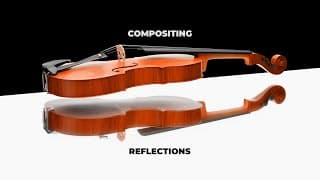
How to Composite Reflections for VFX
My Patreon Page: https://www.patreon.com/inlightvfx The Research Reflection Kit (now FREE!): https://inlightvfx.gumroad.com/l/refkit It has been a while but I'm excited to be back! In this video, we explore four different methods to composite CGI into footage with reflective surfaces. After a brief overview of all the methods, I go into more detail about how I created the CG elements in Blender along with a detailed look at the compositing process (also in Blender). Hopefully you can learn something and take your VFX to the next level! LINKS FROM THE VIDEO: Direct + Indirect Light Explanation: https://youtu.be/fnAGtXMkRMY?t=332 @marioCazares ACES Setup Video: https://www.youtube.com/watch?v=B7FWNNDXBl0 SPECIAL THANKS: Kris (name changed since recording) - https://twitter.com/BettiniKrisp @CurtisHolt Julius Ilhe - https://julius-ihle.de/?p=2788 MORE InLightVFX ► Instagram: https://www.instagram.com/inlightvfx Twitter: https://www.twitter.com/inlightvfx CC-Credits: 3D Violin Model by Giannisimic: https://blendswap.com/blend/23811 Clay Pots Model by BigBadCat: https://blendswap.com/blend/23234
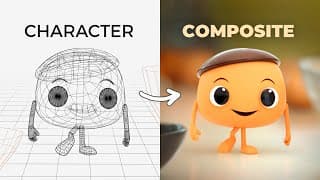
How to Add Animated Characters Into Your Video | Blender + AE VFX
To support more tutorials like this: https://patreon.com/inlightvfx Final ChouChou video: https://www.youtube.com/watch?v=IYzbWvcWiwQ See how I added a cute animated character, ChouChou, into real footage using Blender, After Effects, and Davinci Resolve. Also featured is special guest, Kyle Balda, who directed and animated the final ChouChou piece. Kyle has a long, successful career in animation at Pixar, ILM, and Illumination. He was kind enough to share some tips on character design and animation. Enjoy! “Linked Below” Videos: Level Pixel Level rigging tutorials: https://www.youtube.com/levelpixellevel My character animation basics: https://youtu.be/xTMaqtitVHE My render pass tutorial: https://youtu.be/qdqV4oortP0 More InLightVFX ► Instagram: https://www.instagram.com/inlightvfx Twitter: https://www.twitter.com/inlightvfx CC/Fair Use Credits: 2nd song: Rythme Gitan by Latché Swing https://freemusicarchive.org/music/Latch_Swing Model of Wooden Mannequin by SebastL: https://www.blendswap.com/blend/5549 Pixar Photo: https://en.wikipedia.org/wiki/File:Pixaranimationstudios.jpg Toy Story 2 (1999) Pixar Proverbs 16:24

Sorry Blender, this is my new compositor
Patreon: https://patreon.com/inlightvfx Commercial bts from @threefoldtv: https://youtu.be/4QRxF-ugKxQ While Blender's compositor is certainly highly capable, Fusion has a lot more features and functionality for the same low price - sorry Blender! So in this video, I'll break down a recent vfx shot I created and show you how to get started compositing your own VFX in Fusion. As we go, I'll compare Blender's compositor with Fusion's to show how the two differ. Other tutorials referenced: Water ripples w/CG Matter: https://youtu.be/KOjdawIazlk Set up vfx renders in Blender: https://youtu.be/fnAGtXMkRMY Understanding linear gamma: https://youtu.be/aJF2sAjRsy0 More InLightVFX: https://www.instagram.com/inlightvfx https://www.twitter.com/inlightvfx James 1:19 CC Credits: Story Song: "Rito Oculto" by Sawsquarenoise from FMA Shoe: https://blendswap.com/blend/17149 Metal Shelf: https://blendswap.com/blend/20436 Glass Jar: https://blendswap.com/blend/25012
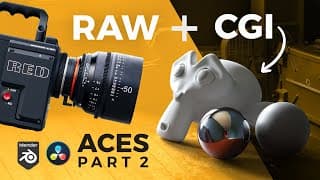
Add VFX to Cinematic RAW and LOG Footage (the right way) | ACES Part 2
ACES Kickstart Kit (now FREE): https://gum.co/HQdcC To support more tutorials like this: https://patreon.com/inlightvfx In this video, we dive into Davinci Resolve and Blender to see how to utilize ACES to easily add VFX to RAW and LOG footage. We’ll be building on the concepts of color gamut and gamma that were covered in Part 1. So if you haven't watched the first part yet, go check it out! Mario Cazares’ tutorials: ACES Setup in Blender: https://www.youtube.com/watch?v=B7FWNNDXBl0 Image Configuration: https://www.youtube.com/watch?v=PkWT7HSEfJY Daniel Brylka's awesome Blender+ACES resources - https://www.toodee.de/ Filming help: Tim Moder - https://www.instagram.com/timothymoder/ Chloe Collins Modeling help: Spacecraft Model - https://www.blendswap.com/profile/152246 Robot Model - https://www.twitter.com/artfromrachel More InLightVFX: https://www.instagram.com/inlightvfx https://www.twitter.com/inlightvfx Thank you to my awesome Patrons! Frank Goertzen | Gracey | Alex G Lex | sherlock1217 | Gehrig Gosselin | Trelligan | XLR8Designers | Tomer Feiner | JuanVFX | shandan thakur Proverbs 16:18

Add VFX into Cinematic RAW+LOG Footage (the right way) | ACES Part 1
Get the free super cool poster: https://gumroad.com/l/XUOQrK Part 2: https://www.youtube.com/watch?v=LssHxDCM7H4 To support more tutorials like this: https://patreon.com/inlightvfx RAW and LOG footage is known for creating that cinematic look we all strive for, but it often looks very flat right out of the camera. So how do we add VFX to flat-looking footage? Join me as we utilize ACES, a color workflow within Blender and Davinci Resolve, to do just this. With all the necessary software being 100% FREE, you have all the more reason to learn ACES and up your VFX game. In this tutorial we’ll tackle the concepts of Color Gamut and Gamma. Any VFX artist will benefit from a general understanding of these concepts, but they are especially relevant for ACES. Though Color Gamut and Gamma can be tricky concepts, ACES is the perfect way to apply them and learn. So make sure you watch both this video and part 2 (linked above) for the full picture. As always, I invite any questions you might have! Huge thanks to Mario and Daniel for all the research help! Mario Cazares - https://www.youtube.com/mariocazares Daniel Brylka - https://www.toodee.de/ Filming & Equipment help: Tim Moder - https://www.instagram.com/timothymoder/ Chloe Collins Modeling help: Spacecraft Model - https://www.blendswap.com/profile/152246 Robot Model - https://www.twitter.com/artfromrachel More InLightVFX: https://www.instagram.com/inlightvfx https://www.twitter.com/inlightvfx Hebrews 12:11

Robot VFX in Blender
Take your VFX to the next level by adding a moving character! Here's an overview of some important rigging/animation concepts you'll need to know to get you started. Robot model by Rachel Frick: twitter.com/artfromrachel Videos Mentioned: Intro to rigging: https://www.youtube.com/watch?v=O1vhlTGP1-o IK Leg Rigging: https://www.youtube.com/watch?v=6gmKakLsiec& IK Pole Rigging (you'll understand what the pole is after you watch the above video): https://www.youtube.com/watch?v=suP14lYWpN8 FK/IK Switch & Snapping (long-winded but his techniques worked well for me): https://youtu.be/BflKSvmd59U Thank you patrons! (patreon.com/inlightvfx) Alex G, Gracey, Lex XLR8Designers, Tomer Feiner, Juan VFX, Shandan Thakur More InLightVFX: https://www.instagram.com/inlightvfx https://www.twitter.com/inlightvfx 1 Corinthians 13:4-8

Hole In Wall - Blender VFX Tutorial (FULL)
Support these tutorials and get the project file: https://www.patreon.com/posts/37679981 Free Blender Infographic: https://inlightvfx.gumroad.com/l/blendercheatsheet In this tutorial, I’ll not only show you how to model and texture the main elements for this effect, but we’ll explore the power of render passes and how they can optimize your compositing workflow. In no time at all, you’ll be able to put holes in anything you darn well please! Featured Work: “Just Another Car Ad” by Daniel Vesterbaek https://www.youtube.com/watch?v=1zBS-5AkMSg Bts on his channel: https://www.youtube.com/danielvesterbaek Outside tutorials mentioned: Camera tracking (Ian Hubert) https://www.youtube.com/watch?v=lY8Ol2n4o4A Marker removal (CG Geek)l https://youtu.be/hymtATx1QXw?t=1739 More InLightVFX: https://www.instagram.com/inlightvfx https://www.twitter.com/inlightvfx I'm a commercial director using Blender 3D to add CGI to the real world! Galatians 2.20

Hole In Wall - Blender VFX Tutorial (FAST)
Full tutorial: https://youtu.be/1B-obCeZsBE To support these tutorials: https://patreon.com/inlightvfx

Composite CGI Around Real Object - Blender VFX Tutorial (FULL)
Free infographic: https://inlightvfx.gumroad.com/l/blendercheatsheet Project file: https://www.patreon.com/posts/36595898 To support these tutorials: https://patreon.com/inlightvfx In this Blender tutorial we'll look at how we can composite a CG object around a real object in our live-action footage. After tackling some fundamental render & compositing principles, we'll explore the world of z-depth compositing. With these tools in hand, you'll be knocking down creative barriers left and right! Chapters: 00:30 - Initial Scene Setup 01:47 - Into to object, collection, view layer visibility 02:22 - Scene setup to render necessary elements 08:43 - Compositing time! 12:18 - Luma mattes and 2D masking leaves 14:37 - Z-depth compositing leaves More InLightVFX ► Instagram: https://www.instagram.com/inlightvfx Twitter: https://www.twitter.com/inlightvfx I'm a commercial director using Blender 3D to add CGI to the real world! Psalm 23 †

Composite CGI Around Real Object - Blender VFX Tutorial (FAST)
Did you catch that? Full tutorial right here: https://youtu.be/fnAGtXMkRMY To support these tutorials: https://patreon.com/inlightvfx More InLightVFX: https://www.instagram.com/inlightvfx https://www.twitter.com/inlightvfx
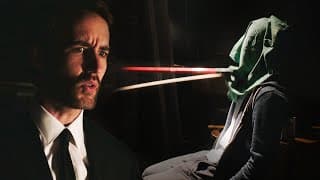
Crisis In Quarantine - Short Film
One roommate takes too long to return home during quarantine and the others suspect foul play. Created entirely at home with my two roommates in under one week, here's my entry for Film Riot's "Stay At Home Short Film Challenge" - enjoy! Making of notes: I've always found creative constraints to be beneficial in making creative work and it was the same for this project. The constraints of location (had to be filmed at home), time (60 seconds and finished in under a week), cast/crew (my two roommates and I), gear (almost all sound recorded using a cell phone), music (from pre-selected list) - all these helped shape the story and creative choices so that I had less decisions to make. So, for example, I wasn't worried about camera movement because it all had to be filmed on a tripod. I wasn't worried about perfecting the lighting - I had limited lights, created the best look, and then moved on. Overall, this project was a fun challenge and certainly reaffirmed the necessity for creative constraints in the filmmaking process. MORE InLightVFX ► Instagram: https://www.instagram.com/inlightvfx Twitter: https://www.twitter.com/inlightvfx Portfolio: https://www.jacobjholiday.com Musicbed song: https://www.musicbed.com/songs/storm/16967 #FilmRiot #OneMinuteChallenge #StayAtHome

The Museum Takes Flight | Blender 3D Animated Concept Ad
There's a famous museum in Milwaukee that has been begging me to make it fly. As a quarantined commercial director with cancelled productions, now seemed like a good time to bring the idea to life with Blender. More InLightVFX ► Instagram: https://www.instagram.com/inlightvfx Twitter: https://www.twitter.com/inlightvfx Portfolio: https://www.jacobjholiday.com Thanks to Seycara Orchestra for letting me use this beautiful piece: "Shelter" https://seycara.bandcamp.com/

Composite CGI Element Behind Real Glass - Blender VFX Tutorial (Full)
Free infographic: https://inlightvfx.gumroad.com/l/blendercheatsheet Project file: https://www.patreon.com/posts/cg-behind-real-35012849 In this Blender tutorial we'll look at how we can composite a CG object behind some real glass in our live-action footage. We'll also dive into some fundamental render & compositing principles that will hopefully prepare you to tackle other challenging VFX shots! More InLightVFX ► Instagram: https://www.instagram.com/inlightvfx Twitter: https://www.twitter.com/inlightvfx *Computer* model used in video: https://www.blendswap.com/blend/14371 I'm a commercial director using Blender 3D to add CGI to the real world!

Composite CGI Behind Real Glass - Blender VFX Tutorial (FAST)
Full tutorial for this coming out Friday 3/20. Subscribe to be notified! Free infographic that goes along with the tutorial: https://www.patreon.com/posts/cheat-sheet-for-34986302 Get the tutorial project file out now: https://www.patreon.com/posts/cg-behind-real-35012849 I'm a commercial director using Blender 3D to add CGI to the real world! Follow more of my work on these platforms: instagram.com/jacobjholiday twitter.com/jacobjholiday jacobjholiday.com