Loading...
Warning: Channel ID is missing or invalid
Loading channel videos...

Loading channel videos...

King of Cameras for Content Creators 2025?! (Canon R50V) 👑📸
Is the Canon R50V the best budget Content Creator Camera? 📸 Check out the Canon R50V here 👉 https://amzn.to/3ENNFwm Want to take your Editing or Channel to the next level? Join me in Creator Launch Accelerator. 👉 https://www.skool.com/creatorlaunchaccelerator/about?ref=9f6c8b70d7a9476db70cc56d92f29e42 MY CREATOR ESSENTIALS For Creators: ⚡Artlist Music For Creators https://bit.ly/Get2ExtraMonthsFREE ⚡Motion Array For Creators https://bit.ly/MotionArrayGet_2_ExtraMonthsFree For Business: ⚡Artlist Music for Business https://bit.ly/ArtlistForBusinessGet_2_Extra_Months_FREE ⚡Motion Array for Business. https://bit.ly/MotionArrayForBusiness_Get_2_Extra_Months_FREE Compliments of RVisual 🔥 Reel Buddy Plugin https://www.rvisual.store/reel-buddy 🚀FREE Transition Pack https://www.rvisual.store/free-transitions The mouse I use (For Mac) https://amzn.to/3LcBOaL (Black for Mac) (For PC) https://amzn.to/3V1Azzw (Black for PC) My Gear: Laptop 16" https://amzn.to/3xXbDSr Microphone https://amzn.to/3UQHcEI Audio Interface https://amzn.to/3VgvJQf Pro Headphones https://amzn.to/45ZHXAu Camera https://amzn.to/4bXqdYz Main Light https://amzn.to/3VhEPwo RGB Lights https://amzn.to/3R05SJO Storage: Case for SSD https://amzn.to/4dYApBS Fast SSD 2T https://amzn.to/3Kg6irQ Monitors 40" Monitor https://amzn.to/3QYgol1 27" Monitor. https://amzn.to/4aC5h8c If you would like to support the channel, you can buy me a coffee here https://www.buymeacoffee.com/ChadMullins Supporting each other is good Karma! Everything, even comments and likes are greatly appreciated! 00:00 Intro 00:46 Content Overview 01:29 5 Key Points 04:16 Pros 05:42 Cons 06:57 Final Thoughts Some of the above links do support the channel financially.
Give Me 30 Minutes To Guide You In DaVinci Resolve 20
🚀 DaVinci Resolve 20 (Beta) Tutorial: Master the Basics in 30 Minutes! Unlock the power of DaVinci Resolve 20’s latest beta features and start editing like a pro—even if you’re a beginner! 👉 WHAT YOU’LL LEARN: ✅ Set Up Projects Like a Pro: Create and organize project libraries FAST. ✅ Edit Page Essentials: Cut, trim, and arrange clips with confidence. ✅ Simple Fusion Compositions: Add basic visual effects (no experience needed!). ✅ YouTube Export Settings: Render HD videos that look perfect on YouTube. Download DaVinci Resolve 20: https://www.blackmagicdesign.com/products/davinciresolve Download Project Media: https://drive.google.com/drive/folders/1H4iHP-pt4UygOrTzrkeTlU46uD9b8j7k?usp=sharing MY CREATOR ESSENTIALS For Creators: ⚡Artlist Music For Creators https://bit.ly/Get2ExtraMonthsFREE ⚡Motion Array For Creators https://bit.ly/MotionArrayGet_2_ExtraMonthsFree For Business: ⚡Artlist Music for Business https://bit.ly/ArtlistForBusinessGet_2_Extra_Months_FREE ⚡Motion Array for Business. https://bit.ly/MotionArrayForBusiness_Get_2_Extra_Months_FREE Compliments of RVisual 🔥 Reel Buddy Plugin https://www.rvisual.store/reel-buddy 🚀FREE Transition Pack https://www.rvisual.store/free-transitions The mouse I use (For Mac) https://amzn.to/3LcBOaL (Black for Mac) (For PC) https://amzn.to/3V1Azzw (Black for PC) My Gear: Laptop 16" https://amzn.to/3xXbDSr Microphone https://amzn.to/3UQHcEI Audio Interface https://amzn.to/3VgvJQf Pro Headphones https://amzn.to/45ZHXAu Camera https://amzn.to/4bXqdYz Main Light https://amzn.to/3VhEPwo RGB Lights https://amzn.to/3R05SJO Storage: Case for SSD https://amzn.to/4dYApBS Fast SSD 2T https://amzn.to/3Kg6irQ Monitors 40" Monitor https://amzn.to/3QYgol1 27" Monitor. https://amzn.to/4aC5h8c If you would like to support the channel, you can buy me a coffee here https://www.buymeacoffee.com/ChadMullins Supporting each other is good Karma! Everything, even comments and likes are greatly appreciated! 00:00 Intro 00:30 Creating Project Library 01:45 Creating New Projects 02:35 Working Tabs 03:08 Project Settings (Important) 05:50 Importing Media 07:10 Previewing Media and Timeline 08:30 Synchronizing Audio/Video 09:20 Cutting clips 12:00 Moving Clips on Timeline 12:52 Adding SFX/Music 13:55 Resizing items in UI 14:09 Labeling and Color coding Tracks 14:42 Adjusting Audio levels 16:16 Normalizing Audio levels(Important) 16:50 AI Audio Adjustments(Studio Feature) 17:35 Adding Audio SFX 18:57 Adding Text/Titles 19:28 Adding Video Transitions 20:45 Color Page Overview 21:22 Auto Color + Basic Color Adjustments 22:20 Fusion tab 22:40 Adding Fusion Comp/ADJ Clip 24:08 Smooth Zoom(Fusion) 27:53 Fairlight tab 28:20 Creating Subtitles(Studio Feature) 28:45 Delivery Tab(Important) Some of the above links do support the channel financially. Thumbnail Text link www.textstudio.com #DaVinciResolve #DaVinciResolve 19 #davinciResolveTutorial

How to Download & Install DaVinci Resolve 20 FOR FREE
DaVinci Resolve 20(beta) is LIVE! Learn how to download on a Mac OS and Windows in this video! Be sure to subscribe to stay up to date on DaVinci Resolve 19 updates! ***Downloading the Free version is free. Downloading the Studio version has a "Free" upgrade if you have already purchased the studio version.*** MY CREATOR ESSENTIALS For Creators: ⚡Artlist Music For Creators https://bit.ly/Get2ExtraMonthsFREE ⚡Motion Array For Creators https://bit.ly/MotionArrayGet_2_ExtraMonthsFree For Business: ⚡Artlist Music for Business https://bit.ly/ArtlistForBusinessGet_2_Extra_Months_FREE ⚡Motion Array for Business. https://bit.ly/MotionArrayForBusiness_Get_2_Extra_Months_FREE Compliments of RVisual 🔥 Reel Buddy Plugin https://www.rvisual.store/reel-buddy 🚀FREE Transition Pack https://www.rvisual.store/free-transitions The mouse I use (For Mac) https://amzn.to/3LcBOaL (Black for Mac) (For PC) https://amzn.to/3V1Azzw (Black for PC) My Gear: Laptop 16" https://amzn.to/3xXbDSr Microphone https://amzn.to/3UQHcEI Audio Interface https://amzn.to/3VgvJQf Pro Headphones https://amzn.to/45ZHXAu Camera https://amzn.to/4bXqdYz Main Light https://amzn.to/3VhEPwo RGB Lights https://amzn.to/3R05SJO Storage: Case for SSD https://amzn.to/4dYApBS Fast SSD 2T https://amzn.to/3Kg6irQ Monitors 40" Monitor https://amzn.to/3QYgol1 27" Monitor. https://amzn.to/4aC5h8c If you would like to support the channel, you can buy me a coffee here https://www.buymeacoffee.com/ChadMullins Supporting each other is good Karma! Everything, even comments and likes are greatly appreciated! 00:00 Intro 00:44 Black Magic Design Website 03:44 Download on Windows 07:20 Black Magic Design Website on Mac 08:34 Download on Mac Some of the above links do support the channel financially. Thumbnail Text link www.textstudio.com #DaVinciResolve #DaVinciResolve 19 #davinciResolveTutorial

The Complete Guide to Editing like Magnates Media in 2025! (DaVinci)
🚀 Master the Editing Style of Magnates Media in DaVinci Resolve! 🎬 If you want to create high-level animations like Magnates Media, this tutorial will break it all down for you. From reverse-engineering editing styles to creating 3D animations and building your own assets, you'll gain the skills to edit for clients like a pro. 🔹 Want to skip ahead? Download the project assets here: https://drive.google.com/drive/folders/17yi4SvlzWhGQyhtZVLA7PKrqdLvS7gj1?usp=share_link 🔹 Chapters included for easy navigation! 🎁 BONUS: This video is sponsored by PromeAI – more details later! Affiliate Link to PromeAI: https://www.promeai.pro/?vsource=youtube_share-ChadMullins202501 Coupon code: CHAD25 🛠 What You'll Learn: ✅ How to analyze & replicate professional editing techniques ✅ The secrets behind Magnates Media’s engaging animations ✅ How to create assets and animate in 3D space inside DaVinci Resolve ✅ Tips to level up your edits and attract high-paying clients 👀 MY CREATOR ESSENTIALS Need amazing music and SFX? Best bang for you buck from Audiio. Enjoy 70% off of a pro plan with this link: https://audiio.com/partner?oid=1&affid=1764 and use Promo Code: SAVE70 🚀 The Best AI Tool for Creators! 🤖 https://www.promeai.pro/?vsource=youtube_share-ChadMullins202501 Coupon code: CHAD25 for 25 free coins!! For Creators: ⚡Artlist Music For Creators https://bit.ly/Get2ExtraMonthsFREE ⚡Motion Array For Creators https://bit.ly/MotionArrayGet_2_ExtraMonthsFree For Business: ⚡Artlist Music for Business https://bit.ly/ArtlistForBusinessGet_2_Extra_Months_FREE ⚡Motion Array for Business. https://bit.ly/MotionArrayForBusiness_Get_2_Extra_Months_FREE Compliments of RVisual 🔥 Reel Buddy Plugin https://www.rvisual.store/reel-buddy 🚀FREE Transition Pack https://www.rvisual.store/free-transi... The mouse I use (For Mac) https://amzn.to/3LcBOaL (Black for Mac) (For PC) https://amzn.to/3V1Azzw (Black for PC) My Gear: Laptop 16" https://amzn.to/3xXbDSr Microphone https://amzn.to/3UQHcEI Audio Interface https://amzn.to/3VgvJQf Pro Headphones https://amzn.to/45ZHXAu Camera https://amzn.to/4bXqdYz Main Light https://amzn.to/3VhEPwo RGB Lights https://amzn.to/3R05SJO Storage: Case for SSD https://amzn.to/4dYApBS Fast SSD 2T https://amzn.to/3Kg6irQ Monitors 40" Monitor https://amzn.to/3QYgol1 27" Monitor. https://amzn.to/4aC5h8c 00:00 Intro 00:49 Video Overview 01:54 Youtube Overview 02:29 Content Overview 07:50 How to create assets with AI 11:07 Editing assets in Photoshop 14:18 Organizing folders in DaVinci Resolve 18:19 Building out a 3D environment 39:17 Adding Text 48:55 Adding lens flare to the text 57:31 Scene 2 Adding People 01:20:37 Adding lens flare to scene 2 01:27:28 Scene 3 creating photos 01:52:01 Fixing issues 01:57:32 Correcting Clouds 01:59:49 Final touches If you would like to support the channel, you can buy me a coffee here https://www.buymeacoffee.com/ChadMullins Supporting each other is good Karma! Everything, even comments and likes are greatly appreciated! Some of the above links do support the channel financially. Lens flare is from Vecteasy at this link: https://www.vecteezy.com/video/4702991-blue-center-optical-lens-flares-on-background Original link for Magnates Media video: https://www.youtube.com/watch?v=NtxX5-pbimA&t=26s ⸻ Fair Use Disclaimer: This video contains a brief segment of Magnates Media’s content, used under fair use for educational and tutorial purposes. All rights to the original content are owned by their respective creators. ⸻ #DaVinciResolve #MagnatesMedia #VideoEditing #EditingTips #YouTubeGrowth

Unlock CRAZY Zoom Power in DaVinci Resolve: Edit Like a Pro!
Keep your audience watching with the smoothest zooms you can make in DaVinci Resolve 19. Download the media here: https://drive.google.com/drive/folders/1_0rwvaTgFCidMaNbPCZZQYHGf4NjE9tE?usp=sharing Hire me or contact for business: ChadMullins@ReelCutStudio.com 00:00 Intro 00:18 Beginner Zoom Level 1 06:53 Beginner Zoom Level 2 11:00 Intermediate Zoom (Fusion) 18:28 Render Cache Settings 20:07 Creating Standard Zooms 24:16 Advanced Zoom with Text 36:43 Adding Zooms to Powerbins MY CREATOR ESSENTIALS Need amazing music and SFX? Best bang for you buck from Audiio. Enjoy 70% off of a pro plan with this link: https://audiio.com/partner?oid=1&affid=1764 and use Promo Code: SAVE70 🚀 The Best AI Tool for Creators! 🤖 https://www.promeai.pro/?vsource=youtube_share-ChadMullins202501 Coupon code: CHAD25 for 25 free coins!! For Creators: ⚡Artlist Music For Creators https://bit.ly/Get2ExtraMonthsFREE ⚡Motion Array For Creators https://bit.ly/MotionArrayGet_2_ExtraMonthsFree For Business: ⚡Artlist Music for Business https://bit.ly/ArtlistForBusinessGet_2_Extra_Months_FREE ⚡Motion Array for Business. https://bit.ly/MotionArrayForBusiness_Get_2_Extra_Months_FREE Compliments of RVisual 🔥 Reel Buddy Plugin https://www.rvisual.store/reel-buddy 🚀FREE Transition Pack https://www.rvisual.store/free-transi... The mouse I use (For Mac) https://amzn.to/3LcBOaL (Black for Mac) (For PC) https://amzn.to/3V1Azzw (Black for PC) My Gear: Laptop 16" https://amzn.to/3xXbDSr Microphone https://amzn.to/3UQHcEI Audio Interface https://amzn.to/3VgvJQf Pro Headphones https://amzn.to/45ZHXAu Camera https://amzn.to/4bXqdYz Main Light https://amzn.to/3VhEPwo RGB Lights https://amzn.to/3R05SJO Storage: Case for SSD https://amzn.to/4dYApBS Fast SSD 2T https://amzn.to/3Kg6irQ Monitors 40" Monitor https://amzn.to/3QYgol1 27" Monitor. https://amzn.to/4aC5h8c If you would like to support the channel, you can buy me a coffee here https://www.buymeacoffee.com/ChadMullins Supporting each other is good Karma! Everything, even comments and likes are greatly appreciated! Some of the above links do support the channel financially. #DaVinciResolve #DaVinciResolve 19 #davinciResolveTutorial #DaVinciResolve2024

Cinematic Looks Made Easy: 🎥 Dehancer for 2025 Filmmakers🔥
Dehancer plugin for DaVinci Resolve can help you easily recreate the look of blockbuster Hollywood Films. www.Dehancer.com Use Promocode: SaveWithChad for a 10% discount Hire me or contact for business: ChadMullins@ReelCutStudio.com MY CREATOR ESSENTIALS Need amazing music and SFX? Best bang for you buck from Audiio. Enjoy 70% off of a pro plan with this link: https://audiio.com/partner?oid=1&affid=1764 and use Promo Code: SAVE70 🚀 The Best AI Tool for Creators! 🤖 https://www.promeai.pro/?vsource=youtube_share-ChadMullins202501 Coupon code: CHAD25 for 25 free coins!! For Creators: ⚡Artlist Music For Creators https://bit.ly/Get2ExtraMonthsFREE ⚡Motion Array For Creators https://bit.ly/MotionArrayGet_2_ExtraMonthsFree For Business: ⚡Artlist Music for Business https://bit.ly/ArtlistForBusinessGet_2_Extra_Months_FREE ⚡Motion Array for Business. https://bit.ly/MotionArrayForBusiness_Get_2_Extra_Months_FREE The mouse I use (For Mac) https://amzn.to/3LcBOaL (Black for Mac) (For PC) https://amzn.to/3V1Azzw (Black for PC) My Gear: Laptop 16" https://amzn.to/3xXbDSr Microphone https://amzn.to/3UQHcEI Audio Interface https://amzn.to/3VgvJQf Pro Headphones https://amzn.to/45ZHXAu Camera https://amzn.to/4bXqdYz Main Light https://amzn.to/3VhEPwo RGB Lights https://amzn.to/3R05SJO Storage: Case for SSD https://amzn.to/4dYApBS Fast SSD 2T https://amzn.to/3Kg6irQ Monitors 40" Monitor https://amzn.to/3QYgol1 27" Monitor. https://amzn.to/4aC5h8c If you would like to support the channel, you can buy me a coffee here https://www.buymeacoffee.com/ChadMullins Supporting each other is good Karma! Everything, even comments and likes are greatly appreciated! Some of the above links do support the channel financially. #DaVinciResolve #DaVinciResolve 19 #davinciResolveTutorial #DaVinciResolve2024

Say Goodbye to Plain Backgrounds: 6 Creative Solutions in DaVinci Resolve!
Discover 6 creative ways to add and customize backgrounds in DaVinci Resolve directly from the Edit Page! Whether you’re editing YouTube videos, cinematic projects, or corporate content, these techniques will transform your visuals and take your editing to the next level. Learn how to adjust colors, patterns, and designs with built-in Generators to create eye-catching, professional results. Perfect for beginners and experienced editors alike, this tutorial makes background editing easy and fun. Don’t settle for plain—upgrade your videos today! Hire me or contact for business: ChadMullins@ReelCutStudio.com MY CREATOR ESSENTIALS Need amazing music and SFX? Best bang for you buck from Audiio. Enjoy 70% off of a pro plan with this link: https://audiio.com/partner?oid=1&affid=1764 and use Promo Code: SAVE70 🚀 The Best AI Tool for Creators! 🤖 https://www.promeai.pro/?vsource=youtube_share-ChadMullins202501 Coupon code: CHAD25 for 25 free coins!! For Creators: ⚡Artlist Music For Creators https://bit.ly/Get2ExtraMonthsFREE ⚡Motion Array For Creators https://bit.ly/MotionArrayGet_2_ExtraMonthsFree For Business: ⚡Artlist Music for Business https://bit.ly/ArtlistForBusinessGet_2_Extra_Months_FREE ⚡Motion Array for Business. https://bit.ly/MotionArrayForBusiness_Get_2_Extra_Months_FREE The mouse I use (For Mac) https://amzn.to/3LcBOaL (Black for Mac) (For PC) https://amzn.to/3V1Azzw (Black for PC) My Gear: Laptop 16" https://amzn.to/3xXbDSr Microphone https://amzn.to/3UQHcEI Audio Interface https://amzn.to/3VgvJQf Pro Headphones https://amzn.to/45ZHXAu Camera https://amzn.to/4bXqdYz Main Light https://amzn.to/3VhEPwo RGB Lights https://amzn.to/3R05SJO Storage: Case for SSD https://amzn.to/4dYApBS Fast SSD 2T https://amzn.to/3Kg6irQ Monitors 40" Monitor https://amzn.to/3QYgol1 27" Monitor. https://amzn.to/4aC5h8c If you would like to support the channel, you can buy me a coffee here https://www.buymeacoffee.com/ChadMullins Supporting each other is good Karma! Everything, even comments and likes are greatly appreciated! Some of the above links do support the channel financially. 00:00 Intro 00:24 Background 1 Contours 03:46 Background 2 Gradient Lines 06:06 Background 3 Hexagon Glow 08:30 Background 4 Noise Gradient 10:32 Background 5 Starfield 12:50 Background 6 Vintage Texture 13:31 Coolors Thumbnail Text link www.textstudio.com #DaVinci19 #DaVinciResolve19 #davinciresolvetutorial #DaVinciResolve2024
Content Creators: Grab These Black Friday Deals 🔥 to be Ready for 2025!
Black Friday deals are here! In this video we will highlight some of the Black Friday deals as well as other deals that can really help Content Creators prepare for 2025! Take a look below at some of the links that will help you save and be ready for the new year! Hire me or contact for business: ChadMullins@ReelCutStudio.com Check out the links here for what is discussed in the video: DaVinci Resolve - Blackmagicdesign.com Envato Elements - elements.envato.com Upscale your videos Topazlabs.com Artlist Music for creators - https://bit.ly/Get2ExtraMonthsFREE Spark FX - http://sparkfxstudio.com Ps/Ae/Pr - Adobe.com Affinity Photo - https://affinity.serif.com Film Emulation - Dehancer.com use SAVEWITHCHAD for 10% off Learn Filmmaking - https://tomorrowsfilmmakers.com The mouse I use (For Mac) https://amzn.to/3LcBOaL (Black for Mac) (For PC) https://amzn.to/3V1Azzw (Black for PC) Monitors 40" Monitor https://amzn.to/3QYgol1 27" Monitor. https://amzn.to/4aC5h8c MY CREATOR ESSENTIALS For Creators: ⚡Artlist Music For Creators https://bit.ly/Get2ExtraMonthsFREE ⚡Motion Array For Creators https://bit.ly/MotionArrayGet_2_ExtraMonthsFree For Business: ⚡Artlist Music for Business https://bit.ly/ArtlistForBusinessGet_2_Extra_Months_FREE ⚡Motion Array for Business. https://bit.ly/MotionArrayForBusiness_Get_2_Extra_Months_FREE Compliments of RVisual 🔥 Reel Buddy Plugin https://www.rvisual.store/reel-buddy 🚀FREE Transition Pack https://www.rvisual.store/free-transitions The mouse I use (For Mac) https://amzn.to/3LcBOaL (Black for Mac) (For PC) https://amzn.to/3V1Azzw (Black for PC) Keyboard https://nuphy.com/products/air96-v2?sca_ref=6467823.ZwEVsTTz5v My Gear: Laptop 16" https://amzn.to/3xXbDSr Microphone https://amzn.to/3UQHcEI Audio Interface https://amzn.to/3VgvJQf Pro Headphones https://amzn.to/45ZHXAu Camera https://amzn.to/4bXqdYz Main Light https://amzn.to/3VhEPwo RGB Lights https://amzn.to/3R05SJO Storage: Case for SSD https://amzn.to/4dYApBS Fast SSD 2T https://amzn.to/3Kg6irQ Monitors 40" Monitor https://amzn.to/3QYgol1 27" Monitor. https://amzn.to/4aC5h8c If you would like to support the channel, you can buy me a coffee here https://www.buymeacoffee.com/ChadMullins Supporting each other is good Karma! Everything, even comments and likes are greatly appreciated! Some of the above links do support the channel financially. Thumbnail Text link www.textstudio.com
Which M4 Mac Is Best for Content Creators? 🚀 A Brutally Honest Breakdown!
Dive into the exciting world of Apple’s latest M4 chip family! This video breaks down the differences between the iMac, Mac Mini, and MacBook Pro, helping you decide which is best for your content creation or daily needs. Whether you’re a general consumer, prosumer, or professional, find the perfect balance of performance, power, and budget in this comprehensive comparison. Let’s simplify the choices and make your next upgrade clear! Hire me or contact for business: ChadMullins@ReelCutStudio.com MY CREATOR ESSENTIALS Need amazing music and SFX? Best bang for you buck from Audiio. Enjoy 70% off of a pro plan with this link: https://audiio.com/partner?oid=1&affid=1764 and use Promo Code: SAVE70 🚀 The Best AI Tool for Creators! 🤖 https://www.promeai.pro/?vsource=youtube_share-ChadMullins202501 Coupon code: CHAD25 for 25 free coins!! For Creators: ⚡Artlist Music For Creators https://bit.ly/Get2ExtraMonthsFREE ⚡Motion Array For Creators https://bit.ly/MotionArrayGet_2_ExtraMonthsFree For Business: ⚡Artlist Music for Business https://bit.ly/ArtlistForBusinessGet_2_Extra_Months_FREE ⚡Motion Array for Business. https://bit.ly/MotionArrayForBusiness_Get_2_Extra_Months_FREE The mouse I use (For Mac) https://amzn.to/3LcBOaL (Black for Mac) (For PC) https://amzn.to/3V1Azzw (Black for PC) Keyboard https://nuphy.com/products/air96-v2?sca_ref=6467823.ZwEVsTTz5v My Gear: Laptop 16" https://amzn.to/3xXbDSr Microphone https://amzn.to/3UQHcEI Audio Interface https://amzn.to/3VgvJQf Pro Headphones https://amzn.to/45ZHXAu Camera https://amzn.to/4bXqdYz Main Light https://amzn.to/3VhEPwo RGB Lights https://amzn.to/3R05SJO Storage: Case for SSD https://amzn.to/4dYApBS Fast SSD 2T https://amzn.to/3Kg6irQ Monitors 40" Monitor https://amzn.to/3QYgol1 27" Monitor. https://amzn.to/4aC5h8c If you would like to support the channel, you can buy me a coffee here https://www.buymeacoffee.com/ChadMullins Supporting each other is good Karma! Everything, even comments and likes are greatly appreciated! 00:00 Intro 00:51 iMac And Base M4 Chip 01:38 Import Video Structure Info 02:03 iMac Configuration + Cost 02:31 Mac Mini + M4 Pro Chip 04:12 MacMini Configuration + Cost 05:00 MacBook Pro Overview 05:37 M4 Max Overview 06:24 MacBook Pro Configurations + Cost 07:42 iMac VS Mac Mini 09:30 iMac, Mac Mini and MacBook Pro Comparison 11:17 M4 Pro VS M4 Max 11:56 M4 Future Releases Mac Studio iMac Pro 12:59 Should You Upgrade? 13:47 Recommendation’s for Consumers 14:14 Recommendations for "Prosumer" 14:43 Recommendation for Professionals Some of the above links do support the channel financially. Thumbnail Text link www.textstudio.com
The Battle of the Masks: Final Cut Pro vs. DaVinci Resolve! 🔥
DaVinci Resolve 19.1 Magic Mask vs FinalCut Pro 11 Magnetic mask. Both FinalCut Pro and DaVinci Resolve released awesome updates this past week. FinalCut pro finally has a magnetic mask, so I take a look at it vs the Magic Mask in DaVinci Resolve 19.1 in this video! Hire me or contact for business: ChadMullins@ReelCutStudio.com MY CREATOR ESSENTIALS Need amazing music and SFX? Best bang for you buck from Audiio. Enjoy 70% off of a pro plan with this link: https://audiio.com/partner?oid=1&affid=1764 and use Promo Code: SAVE70 🚀 The Best AI Tool for Creators! 🤖 https://www.promeai.pro/?vsource=youtube_share-ChadMullins202501 Coupon code: CHAD25 for 25 free coins!! For Creators: ⚡Artlist Music For Creators https://bit.ly/Get2ExtraMonthsFREE ⚡Motion Array For Creators https://bit.ly/MotionArrayGet_2_ExtraMonthsFree For Business: ⚡Artlist Music for Business https://bit.ly/ArtlistForBusinessGet_2_Extra_Months_FREE ⚡Motion Array for Business. https://bit.ly/MotionArrayForBusiness_Get_2_Extra_Months_FREE The mouse I use (For Mac) https://amzn.to/3LcBOaL (Black for Mac) (For PC) https://amzn.to/3V1Azzw (Black for PC) My Gear: Laptop 16" https://amzn.to/3xXbDSr Microphone https://amzn.to/3UQHcEI Audio Interface https://amzn.to/3VgvJQf Pro Headphones https://amzn.to/45ZHXAu Camera https://amzn.to/4bXqdYz Main Light https://amzn.to/3VhEPwo RGB Lights https://amzn.to/3R05SJO Storage: Case for SSD https://amzn.to/4dYApBS Fast SSD 2T https://amzn.to/3Kg6irQ Monitors 40" Monitor https://amzn.to/3QYgol1 27" Monitor. https://amzn.to/4aC5h8c If you would like to support the channel, you can buy me a coffee here https://www.buymeacoffee.com/ChadMullins Supporting each other is good Karma! Everything, even comments and likes are greatly appreciated! Some of the above links do support the channel financially. Thumbnail Text link www.textstudio.com
DaVinci Resolve 19.1: How to Update BUT SHOULD YOU? 🤔
Davinci Resolve 19.1 is here with some awesome new updates! However, they have updated the api which means free users are going to be limited... Should you update to DaVinci Resolve 19.1 or should you wait? Hire me or contact for business: ChadMullins@ReelCutStudio.com MY CREATOR ESSENTIALS Need amazing music and SFX? Best bang for you buck from Audiio. Enjoy 70% off of a pro plan with this link: https://audiio.com/partner?oid=1&affid=1764 and use Promo Code: SAVE70 🚀 The Best AI Tool for Creators! 🤖 https://www.promeai.pro/?vsource=youtube_share-ChadMullins202501 Coupon code: CHAD25 for 25 free coins!! For Creators: ⚡Artlist Music For Creators https://bit.ly/Get2ExtraMonthsFREE ⚡Motion Array For Creators https://bit.ly/MotionArrayGet_2_ExtraMonthsFree For Business: ⚡Artlist Music for Business https://bit.ly/ArtlistForBusinessGet_2_Extra_Months_FREE ⚡Motion Array for Business. https://bit.ly/MotionArrayForBusiness_Get_2_Extra_Months_FREE The mouse I use (For Mac) https://amzn.to/3LcBOaL (Black for Mac) (For PC) https://amzn.to/3V1Azzw (Black for PC) My Gear: Laptop 16" https://amzn.to/3xXbDSr Microphone https://amzn.to/3UQHcEI Audio Interface https://amzn.to/3VgvJQf Pro Headphones https://amzn.to/45ZHXAu Camera https://amzn.to/4bXqdYz Main Light https://amzn.to/3VhEPwo RGB Lights https://amzn.to/3R05SJO Storage: Case for SSD https://amzn.to/4dYApBS Fast SSD 2T https://amzn.to/3Kg6irQ Monitors 40" Monitor https://amzn.to/3QYgol1 27" Monitor. https://amzn.to/4aC5h8c If you would like to support the channel, you can buy me a coffee here https://www.buymeacoffee.com/ChadMullins Supporting each other is good Karma! Everything, even comments and likes are greatly appreciated! 0:00 Intro 1:20 Update from Edit Page 2:01 Update from Website 3:08 Guides for Updates 3:36 Forums for DaVinci Resolve 4:14 Update Overview 4:31 MacOS System Requirements 5:14 Windows System Requirements 6:33 Linux System Requirements Some of the above links do support the channel financially. Thumbnail Text link www.textstudio.com #DaVinciResolve #DaVinciResolve 19 #davinciResolveTutorial

🎬DaVinci Resolve 19.1🔥THE UPDATE You’ve Been Waiting For!🚀
Davinci Resolve 19.1 is here with some awesome new updates! BMD has updated its user interface plus give us more assets to work with like new generators and titles on the Edit page. We will go over some of them in this video! Hire me or contact for business: ChadMullins@ReelCutStudio.com MY CREATOR ESSENTIALS Need amazing music and SFX? Best bang for you buck from Audiio. Enjoy 70% off of a pro plan with this link: https://audiio.com/partner?oid=1&affid=1764 and use Promo Code: SAVE70 🚀 The Best AI Tool for Creators! 🤖 https://www.promeai.pro/?vsource=youtube_share-ChadMullins202501 Coupon code: CHAD25 for 25 free coins!! For Creators: ⚡Artlist Music For Creators https://bit.ly/Get2ExtraMonthsFREE ⚡Motion Array For Creators https://bit.ly/MotionArrayGet_2_ExtraMonthsFree For Business: ⚡Artlist Music for Business https://bit.ly/ArtlistForBusinessGet_2_Extra_Months_FREE ⚡Motion Array for Business. https://bit.ly/MotionArrayForBusiness_Get_2_Extra_Months_FREE Compliments of RVisual 🔥 Reel Buddy Plugin https://www.rvisual.store/reel-buddy 🚀FREE Transition Pack https://www.rvisual.store/free-transitions The mouse I use (For Mac) https://amzn.to/3LcBOaL (Black for Mac) (For PC) https://amzn.to/3V1Azzw (Black for PC) My Gear: Laptop 16" https://amzn.to/3xXbDSr Microphone https://amzn.to/3UQHcEI Audio Interface https://amzn.to/3VgvJQf Pro Headphones https://amzn.to/45ZHXAu Camera https://amzn.to/4bXqdYz Main Light https://amzn.to/3VhEPwo RGB Lights https://amzn.to/3R05SJO Storage: Case for SSD https://amzn.to/4dYApBS Fast SSD 2T https://amzn.to/3Kg6irQ Monitors 40" Monitor https://amzn.to/3QYgol1 27" Monitor. https://amzn.to/4aC5h8c If you would like to support the channel, you can buy me a coffee here https://www.buymeacoffee.com/ChadMullins Supporting each other is good Karma! Everything, even comments and likes are greatly appreciated! 0:00 Intro 0:35 Edit Page Generators/Hexagon 04:04 Gradient Lines 06:05 Starfield 08:24 Cartoon Cloud Sky 09:14 Edit Page Titles 11:24 Auto-Sync Media 15:25 System Requirements Some of the above links do support the channel financially. Thumbnail Text link www.textstudio.com #DaVinciResolve #DaVinciResolve 19 #davinciResolveTutorial
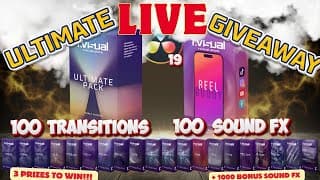
🔥 Epic LIVE Giveaway! 3 Must-Have Prizes for DaVinci Resolve Pros!
Livestream giveaway for the Ultimate Package by www.rvisual.store 3 Amazing prizes! 3rd Place Winner gets 1 transition pack of your choice. Each transition pack includes 5 Transitions and 5 Matching sound FX. $5.00 Value 2nd Place Winner gets 2 transition packs(Ten Transitions with Ten matching sound FX) $10 Value of your choice or can exchange for the ReelBuddy 19.99 Value 1st Place Winner gets the Ultimate Pack which includes 100 Transitions with 100 Matching sound FX and the Reel Buddy $119.00 Value (Can be purchased for only $59.99) + a bonus 1000 Sound FX Rules: Must be a publicly subscribed channel (Verifiable) and Comment RVisual on the following video: https://youtu.be/IzMQUQtU9ZE If you want to see some of the transitions and sound effects are on video footage, check this video out: https://youtu.be/by3tjpYLdpk If you want to see all 100 Transitions and Sound FX check this video out: https://youtu.be/uivFzykE9xA Visit www.rivsual.store to purchase your package today. Links are non affiliated, they are only to help Radek who is generous enough to give away this amazing package. Of all the plugins, transitions and sound fx companies I have worked with, Rvisual has been at the top in quality and improvements. Everyone who watches this video is also eligible for a Demo Pack following this link: https://www.rvisual.store/free-transitions If you would like the amazing Reel Buddy follow this link: https://www.rvisual.store/reel-buddy Good luck to everyone! See you in the live!

Win the Ultimate Rvisual Transition Pack – Final Look Before the Giveaway!
RVisual Ultimate Transition Pack Giveaway! Thats right, you can win one of 3 possible giveaway packages from this video. Watch all of the way until the end to get all of the details for this amazing Transition Giveaway! RVisual is giving 3 level prizes away. 3rd Place gets 1 of any transition pack 2nd Place gets 2 of any transition pack Or the Reel Buddy 1st place gets the Ultimate Pack! All transitions packs as well as the Reel Buddy. Visit www.rvisual.store to check out the packs! Everyone who watches this video is also eligible for a Demo Pack following this link: https://www.rvisual.store/free-transitions If you would like the amazing Reel Buddy follow this link: https://www.rvisual.store/reel-buddy The above links are not affiliate links and do not support the channel. All of the packs were given to give honest feedback and review of the product. After lengthy review, I do strongly support and recommend rvisual products! Hire me or contact for business: ChadMullins@ReelCutStudio.com MY CREATOR ESSENTIALS Need amazing music and SFX? Best bang for you buck from Audiio. Enjoy 70% off of a pro plan with this link: https://audiio.com/partner?oid=1&affid=1764 and use Promo Code: SAVE70 🚀 The Best AI Tool for Creators! 🤖 https://www.promeai.pro/?vsource=youtube_share-ChadMullins202501 Coupon code: CHAD25 for 25 free coins!! For Creators: ⚡Artlist Music For Creators https://bit.ly/Get2ExtraMonthsFREE ⚡Motion Array For Creators https://bit.ly/MotionArrayGet_2_ExtraMonthsFree For Business: ⚡Artlist Music for Business https://bit.ly/ArtlistForBusinessGet_2_Extra_Months_FREE ⚡Motion Array for Business. https://bit.ly/MotionArrayForBusiness_Get_2_Extra_Months_FREE The mouse I use (For Mac) https://amzn.to/3LcBOaL (Black for Mac) (For PC) https://amzn.to/3V1Azzw (Black for PC) My Gear: Laptop 16" https://amzn.to/3xXbDSr Microphone https://amzn.to/3UQHcEI Audio Interface https://amzn.to/3VgvJQf Pro Headphones https://amzn.to/45ZHXAu Camera https://amzn.to/4bXqdYz Main Light https://amzn.to/3VhEPwo RGB Lights https://amzn.to/3R05SJO Storage: Case for SSD https://amzn.to/4dYApBS Fast SSD 2T https://amzn.to/3Kg6irQ Monitors 40" Monitor https://amzn.to/3QYgol1 27" Monitor. https://amzn.to/4aC5h8c If you would like to support the channel, you can buy me a coffee here https://www.buymeacoffee.com/ChadMullins Supporting each other is good Karma! Everything, even comments and likes are greatly appreciated! 0:00 Intro 0:45 rvisual effects reel 1:37 Important information about the Packs 2:38 rvisual store overview 3:54 The Give Away Prizes 4:32 Looking at transitions in DaVinci Resolve 7:34 Reel Buddy overview Some of the above links do support the channel financially. Thumbnail Text link www.textstudio.com #DaVinciResolve #DaVinciResolve 19 #davinciResolveTutorial #DaVinciResolve2024 #rvisual
Fix Media Offline FAST: 8 Must-Know Solutions! Davinci Resolve 19
Media offline in DaVinci Resolve? This has been the most common issue, especially in DaVinci Resolve 19. In this video I will show you 8 solutions that might help you fix the Media Offline issue. Hire me or contact for business: ChadMullins@ReelCutStudio.com MY CREATOR ESSENTIALS Need amazing music and SFX? Best bang for you buck from Audiio. Enjoy 70% off of a pro plan with this link: https://audiio.com/partner?oid=1&affid=1764 and use Promo Code: SAVE70 🚀 The Best AI Tool for Creators! 🤖 https://www.promeai.pro/?vsource=youtube_share-ChadMullins202501 Coupon code: CHAD25 for 25 free coins!! For Creators: ⚡Artlist Music For Creators https://bit.ly/Get2ExtraMonthsFREE ⚡Motion Array For Creators https://bit.ly/MotionArrayGet_2_ExtraMonthsFree For Business: ⚡Artlist Music for Business https://bit.ly/ArtlistForBusinessGet_2_Extra_Months_FREE ⚡Motion Array for Business. https://bit.ly/MotionArrayForBusiness_Get_2_Extra_Months_FREE Compliments of RVisual 🔥 Reel Buddy Plugin https://www.rvisual.store/reel-buddy 🚀FREE Transition Pack https://www.rvisual.store/free-transitions The mouse I use (For Mac) https://amzn.to/3LcBOaL (Black for Mac) (For PC) https://amzn.to/3V1Azzw (Black for PC) My Gear: Laptop 16" https://amzn.to/3xXbDSr Microphone https://amzn.to/3UQHcEI Audio Interface https://amzn.to/3VgvJQf Pro Headphones https://amzn.to/45ZHXAu Camera https://amzn.to/4bXqdYz Main Light https://amzn.to/3VhEPwo RGB Lights https://amzn.to/3R05SJO Storage: Case for SSD https://amzn.to/4dYApBS Fast SSD 2T https://amzn.to/3Kg6irQ Monitors 40" Monitor https://amzn.to/3QYgol1 27" Monitor. https://amzn.to/4aC5h8c If you would like to support the channel, you can buy me a coffee here https://www.buymeacoffee.com/ChadMullins Supporting each other is good Karma! Everything, even comments and likes are greatly appreciated! Some of the above links do support the channel financially. Thumbnail Text link www.textstudio.com #DaVinciResolve #DaVinciResolve 19 #davinciResolveTutorial #RelinkmediaDavinciResolve

The Secret to FLAWLESS Audio for YouTube in DaVinci Resolve
Stop YouTube from compressing your audio In this video, you will learn how to normalize audio perfectly in DaVinci Resolve for Youtube and other social media platforms. Youtube has a strict audio requirement, but it is easy to achieve perfect levels if you follow this tutorial. This is an updated version of a previous workflow. Since DaVinci Resolve is always updating, there are always updates to the workflow. Hire me or contact for business: ChadMullins@ReelCutStudio.com MY CREATOR ESSENTIALS Need amazing music and SFX? Best bang for you buck from Audiio. Enjoy 70% off of a pro plan with this link: https://audiio.com/partner?oid=1&affid=1764 and use Promo Code: SAVE70 🚀 The Best AI Tool for Creators! 🤖 https://www.promeai.pro/?vsource=youtube_share-ChadMullins202501 Coupon code: CHAD25 for 25 free coins!! For Creators: ⚡Artlist Music For Creators https://bit.ly/Get2ExtraMonthsFREE ⚡Motion Array For Creators https://bit.ly/MotionArrayGet_2_ExtraMonthsFree For Business: ⚡Artlist Music for Business https://bit.ly/ArtlistForBusinessGet_2_Extra_Months_FREE ⚡Motion Array for Business. https://bit.ly/MotionArrayForBusiness_Get_2_Extra_Months_FREE Compliments of RVisual 🔥 Reel Buddy Plugin https://www.rvisual.store/reel-buddy 🚀FREE Transition Pack https://www.rvisual.store/free-transitions The mouse I use (For Mac) https://amzn.to/3LcBOaL (Black for Mac) (For PC) https://amzn.to/3V1Azzw (Black for PC) My Gear: Laptop 16" https://amzn.to/3xXbDSr Microphone https://amzn.to/3UQHcEI Audio Interface https://amzn.to/3VgvJQf Pro Headphones https://amzn.to/45ZHXAu Camera https://amzn.to/4bXqdYz Main Light https://amzn.to/3VhEPwo RGB Lights https://amzn.to/3R05SJO Storage: Case for SSD https://amzn.to/4dYApBS Fast SSD 2T https://amzn.to/3Kg6irQ Monitors 40" Monitor https://amzn.to/3QYgol1 27" Monitor. https://amzn.to/4aC5h8c 0:00 Overview 0:55 Mixing Audio 3:42 Stats For Nerds Overview 5:10 Normalizing Audio Levels (Edit Page) 7:10 Project Settings for Fairlight 8:20 Dialogue Leveler 10:11 Fairlight Overview 11:03 Adding Limiter to Bus 1 11:48 Bouncing Audio to new track 12:40 Analyzing Audio Levels 15:41 Very Important info to remember 15:59 Delivery Page If you would like to support the channel, you can buy me a coffee here https://www.buymeacoffee.com/ChadMullins Supporting each other is good Karma! Everything, even comments and likes are greatly appreciated! Some of the above links do support the channel financially. Thumbnail Text link www.textstudio.com #YouTubeaudionormalization #davinciresolve19 #davinciresolveforbeginners
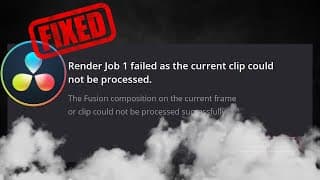
EASY FIX!!! DaVinci Resolve Crashes When Clip Cannot Process
Having issues with Render job 1 failed as the current clip could not be processed? Fortunately for us, DaVinci Resolve is very intuitive and have created simple solutions to these problems. In this video I will guide you through the process of fixing the situation Hire me or contact for business: ChadMullins@ReelCutStudio.com MY CREATOR ESSENTIALS Need amazing music and SFX? Best bang for you buck from Audiio. Enjoy 70% off of a pro plan with this link: https://audiio.com/partner?oid=1&affid=1764 and use Promo Code: SAVE70 🚀 The Best AI Tool for Creators! 🤖 https://www.promeai.pro/?vsource=youtube_share-ChadMullins202501 Coupon code: CHAD25 for 25 free coins!! For Creators: ⚡Artlist Music For Creators https://bit.ly/Get2ExtraMonthsFREE ⚡Motion Array For Creators https://bit.ly/MotionArrayGet_2_ExtraMonthsFree For Business: ⚡Artlist Music for Business https://bit.ly/ArtlistForBusinessGet_2_Extra_Months_FREE ⚡Motion Array for Business. https://bit.ly/MotionArrayForBusiness_Get_2_Extra_Months_FREE Compliments of RVisual 🔥 Reel Buddy Plugin https://www.rvisual.store/reel-buddy 🚀FREE Transition Pack https://www.rvisual.store/free-transitions The mouse I use (For Mac) https://amzn.to/3LcBOaL (Black for Mac) (For PC) https://amzn.to/3V1Azzw (Black for PC) My Gear: Laptop 16" https://amzn.to/3xXbDSr Microphone https://amzn.to/3UQHcEI Audio Interface https://amzn.to/3VgvJQf Pro Headphones https://amzn.to/45ZHXAu Camera https://amzn.to/4bXqdYz Main Light https://amzn.to/3VhEPwo RGB Lights https://amzn.to/3R05SJO Storage: Case for SSD https://amzn.to/4dYApBS Fast SSD 2T https://amzn.to/3Kg6irQ Monitors 40" Monitor https://amzn.to/3QYgol1 27" Monitor. https://amzn.to/4aC5h8c If you would like to support the channel, you can buy me a coffee here https://www.buymeacoffee.com/ChadMullins Supporting each other is good Karma! Everything, even comments and likes are greatly appreciated! Some of the above links do support the channel financially. Thumbnail Text link www.textstudio.com #DaVinciResolve #DaVinciResolve 19 #davinciResolveTutorial #RelinkmediaDavinciResolve

How to Make a Cinematic Trailer with Stock Footage
Want to make a Cinematic Trailer, but do not have any footage? Let's see how to make one with Stock Footage. All footage, sound effects and music was provided by Artlist. Check the links below to receive 2 months extra on top of a yearly subscription. Hire me or contact for business: ChadMullins@ReelCutStudio.com MY CREATOR ESSENTIALS For Creators: ⚡Artlist For Creators https://bit.ly/Get2ExtraMonthsFREE ⚡Motion Array For Creators https://bit.ly/MotionArrayGet_2_Extra... For Business: ⚡Artlist for Business https://bit.ly/ArtlistForBusinessGet_... ⚡Motion Array for Business. https://bit.ly/MotionArrayForBusiness... Compliments of RVisual 🔥 Reel Buddy Plugin https://www.rvisual.store/reel-buddy 🚀FREE Transition Pack https://www.rvisual.store/free-transi... The mouse I use (For Mac) https://amzn.to/3LcBOaL (Black for Mac) (For PC) https://amzn.to/3V1Azzw (Black for PC) My Gear: Laptop 16" https://amzn.to/3xXbDSr Microphone https://amzn.to/3UQHcEI Audio Interface https://amzn.to/3VgvJQf Pro Headphones https://amzn.to/45ZHXAu Camera https://amzn.to/4bXqdYz Main Light https://amzn.to/3VhEPwo RGB Lights https://amzn.to/3R05SJO Storage: Case for SSD https://amzn.to/4dYApBS Fast SSD 2T https://amzn.to/3Kg6irQ Monitors 40" Monitor https://amzn.to/3QYgol1 27" Monitor. https://amzn.to/4aC5h8c If you would like to support the channel, you can buy me a coffee here https://www.buymeacoffee.com/ChadMullins Supporting each other is good Karma! Everything, even comments and likes are greatly appreciated! Some of the above links do support the channel financially. #DaVinciResolve #DaVinciResolve 19 #davinciResolveTutorial #DaVinciResolve2024
INVASION a Cinematic Trailer Made with Stock Footage
This is a cinematic trailer I made with stock footage from Artlist.io. The music, sound effects, stock footage and AI voice over were from Artlist. Tutorials on how to create trailers and Show Reels is coming soon! Hire me or contact for business: ChadMullins@ReelCutStudio.com MY CREATOR ESSENTIALS For Creators: ⚡Artlist For Creators https://bit.ly/Get2ExtraMonthsFREE ⚡Motion Array For Creators https://bit.ly/MotionArrayGet_2_ExtraMonthsFree For Business: ⚡Artlist for Business https://bit.ly/ArtlistForBusinessGet_2_Extra_Months_FREE ⚡Motion Array for Business. https://bit.ly/MotionArrayForBusiness_Get_2_Extra_Months_FREE Compliments of RVisual 🔥 Reel Buddy Plugin https://www.rvisual.store/reel-buddy 🚀FREE Transition Pack https://www.rvisual.store/free-transitions The mouse I use (For Mac) https://amzn.to/3LcBOaL (Black for Mac) (For PC) https://amzn.to/3V1Azzw (Black for PC) My Gear: Laptop 16" https://amzn.to/3xXbDSr Microphone https://amzn.to/3UQHcEI Audio Interface https://amzn.to/3VgvJQf Pro Headphones https://amzn.to/45ZHXAu Camera https://amzn.to/4bXqdYz Main Light https://amzn.to/3VhEPwo RGB Lights https://amzn.to/3R05SJO Storage: Case for SSD https://amzn.to/4dYApBS Fast SSD 2T https://amzn.to/3Kg6irQ Monitors 40" Monitor https://amzn.to/3QYgol1 27" Monitor. https://amzn.to/4aC5h8c If you would like to support the channel, you can buy me a coffee here https://www.buymeacoffee.com/ChadMullins Supporting each other is good Karma! Everything, even comments and likes are greatly appreciated! Some of the above links do support the channel financially. #DaVinciResolve #DaVinciResolve 19 #davinciResolveTutorial #DaVinciResolve2024
Ultimate GIVEAWAY - Rvisual Transitions for DaVinci Resolve 19
RVisual Ultimate Transition Pack Giveaway! Thats right, you can win one of 3 possible giveaway packages from this video. Watch all of the way until the end to get all of the details for this amazing Transition Giveaway! RVisual is giving 3 level prizes away. 3rd Place gets 1 of any transition pack 2nd Place gets 2 of any transition pack 1st place gets the Ultimate Pack! All transitions packs as well as the Reel Buddy. Visit www.rvisual.store to check out the packs! Everyone who watches this video is also eligible for a Demo Pack following this link: https://www.rvisual.store/free-transitions If you would like the amazing Reel Buddy follow this link: https://www.rvisual.store/reel-buddy You must leave the comment Rvisual on this video. You must also be a subscriber and be able to be publicly verified. There will be a 48 hour timeframe of notification to claim prize or a new drawing will be made. The above links are not affiliate links and do not support the channel. All of the packs were given to give honest feedback and review of the product. After lengthy review, I do strongly support and recommend rvisual products! MY CREATOR ESSENTIALS For Creators: ⚡Artlist Music For Creators https://bit.ly/Get2ExtraMonthsFREE ⚡Motion Array For Creators https://bit.ly/MotionArrayGet_2_ExtraMonthsFree For Business: ⚡Artlist Music for Business https://bit.ly/ArtlistForBusinessGet_2_Extra_Months_FREE ⚡Motion Array for Business. https://bit.ly/MotionArrayForBusiness_Get_2_Extra_Months_FREE Compliments of RVisual 🔥 Reel Buddy Plugin https://www.rvisual.store/reel-buddy 🚀FREE Transition Pack https://www.rvisual.store/free-transitions The mouse I use (For Mac) https://amzn.to/3LcBOaL (Black for Mac) (For PC) https://amzn.to/3V1Azzw (Black for PC) My Gear: Laptop 16" https://amzn.to/3xXbDSr Microphone https://amzn.to/3UQHcEI Audio Interface https://amzn.to/3VgvJQf Pro Headphones https://amzn.to/45ZHXAu Camera https://amzn.to/4bXqdYz Main Light https://amzn.to/3VhEPwo RGB Lights https://amzn.to/3R05SJO Storage: Case for SSD https://amzn.to/4dYApBS Fast SSD 2T https://amzn.to/3Kg6irQ Monitors 40" Monitor https://amzn.to/3QYgol1 27" Monitor. https://amzn.to/4aC5h8c If you would like to support the channel, you can buy me a coffee here https://www.buymeacoffee.com/ChadMullins Supporting each other is good Karma! Everything, even comments and likes are greatly appreciated! 0:00 Intro 0:45 rvisual effects reel 1:37 Important information about the Packs 2:38 rvisual store overview 3:54 The Give Away Prizes 4:32 Looking at transitions in DaVinci Resolve 7:34 Reel Buddy overview Some of the above links do support the channel financially. Thumbnail Text link www.textstudio.com #DaVinciResolve #DaVinciResolve 19 #davinciResolveTutorial #DaVinciResolve2024 #rvisual

How To Transfer Davinci Resolve Projects Easily
Here are 2 ways you can transfer your DaVinci Resolve projects to another computer . Hire me or contact for business: ChadMullins@ReelCutStudio.com MY CREATOR ESSENTIALS Need amazing music and SFX? Best bang for you buck from Audiio. Enjoy 70% off of a pro plan with this link: https://audiio.com/partner?oid=1&affid=1764 and use Promo Code: SAVE70 🚀 The Best AI Tool for Creators! 🤖 https://www.promeai.pro/?vsource=youtube_share-ChadMullins202501 Coupon code: CHAD25 for 25 free coins!! For Creators: ⚡Artlist Music For Creators https://bit.ly/Get2ExtraMonthsFREE ⚡Motion Array For Creators https://bit.ly/MotionArrayGet_2_ExtraMonthsFree For Business: ⚡Artlist Music for Business https://bit.ly/ArtlistForBusinessGet_2_Extra_Months_FREE ⚡Motion Array for Business. https://bit.ly/MotionArrayForBusiness_Get_2_Extra_Months_FREE Compliments of RVisual 🔥 Reel Buddy Plugin https://www.rvisual.store/reel-buddy 🚀FREE Transition Pack https://www.rvisual.store/free-transitions The mouse I use (For Mac) https://amzn.to/3LcBOaL (Black for Mac) (For PC) https://amzn.to/3V1Azzw (Black for PC) My Gear: Laptop 16" https://amzn.to/3xXbDSr Microphone https://amzn.to/3UQHcEI Audio Interface https://amzn.to/3VgvJQf Pro Headphones https://amzn.to/45ZHXAu Camera https://amzn.to/4bXqdYz Main Light https://amzn.to/3VhEPwo RGB Lights https://amzn.to/3R05SJO Storage: Case for SSD https://amzn.to/4dYApBS Fast SSD 2T https://amzn.to/3Kg6irQ Monitors 40" Monitor https://amzn.to/3QYgol1 27" Monitor. https://amzn.to/4aC5h8c If you would like to support the channel, you can buy me a coffee here https://www.buymeacoffee.com/ChadMullins Supporting each other is good Karma! Everything, even comments and likes are greatly appreciated! Some of the above links do support the channel financially. Thumbnail Text link www.textstudio.com #DaVinciResolve #DaVinciResolve 19 #davinciResolveTutorial #DaVinciResolve2024

Unleash Gambit's Power: Epic Card Charge Effect in DaVinci Resolve!
Learn how to create the Card Charge Effect by Marvels Gambit in Davinci Resolve Fusion. This tutorial will take you step by step to create the effect. Full Tutorial here: https://youtu.be/9NYu_C84SKw MY CREATOR ESSENTIALS For Creators: ⚡Artlist Music For Creators https://bit.ly/Get2ExtraMonthsFREE ⚡Motion Array For Creators https://bit.ly/MotionArrayGet_2_ExtraMonthsFree For Business: ⚡Artlist Music for Business https://bit.ly/ArtlistForBusinessGet_2_Extra_Months_FREE ⚡Motion Array for Business. https://bit.ly/MotionArrayForBusiness_Get_2_Extra_Months_FREE The mouse I use (For Mac) https://amzn.to/3LcBOaL (Black for Mac) (For PC) https://amzn.to/3V1Azzw (Black for PC) My Gear: Laptop 16" https://amzn.to/3xXbDSr Microphone https://amzn.to/3UQHcEI Audio Interface https://amzn.to/3VgvJQf Pro Headphones https://amzn.to/45ZHXAu Camera https://amzn.to/4bXqdYz Main Light https://amzn.to/3VhEPwo RGB Lights https://amzn.to/3R05SJO Storage: Case for SSD https://amzn.to/4dYApBS Fast SSD 2T https://amzn.to/3Kg6irQ Monitors 40" Monitor https://amzn.to/3QYgol1 27" Monitor. https://amzn.to/4aC5h8c If you would like to support the channel, you can buy me a coffee here https://www.buymeacoffee.com/ChadMullins Supporting each other is good Karma! Everything, even comments and likes are greatly appreciated! Some of the above links do support the channel financially. Thumbnail Text link www.textstudio.com #DaVinciResolve #gambit #marvel #marvelstudios #superhero #xmen #mcu
Unleash Gambit's Power: Epic Card Charge Effect in DaVinci Resolve!
Learn how to create the Card Charge Effect by Marvels Gambit in Davinci Resolve Fusion. This tutorial will take you step by step to create the effect. You can download the footage here to follow along with. 4k: https://drive.google.com/file/d/1dAChUUD_oy27sXebcTBbRBVkqeUARAlR/view?usp=share_link 1080: https://drive.google.com/file/d/18ZiCvFrq4y3uPr5J4wWH8D61NDdQgpir/view?usp=share_link Hire me or contact for business: ChadMullins@ReelCutStudio.com MY CREATOR ESSENTIALS Need amazing music and SFX? Best bang for you buck from Audiio. Enjoy 70% off of a pro plan with this link: https://audiio.com/partner?oid=1&affid=1764 and use Promo Code: SAVE70 🚀 The Best AI Tool for Creators! 🤖 https://www.promeai.pro/?vsource=youtube_share-ChadMullins202501 Coupon code: CHAD25 for 25 free coins!! For Creators: ⚡Artlist Music For Creators https://bit.ly/Get2ExtraMonthsFREE ⚡Motion Array For Creators https://bit.ly/MotionArrayGet_2_ExtraMonthsFree For Business: ⚡Artlist Music for Business https://bit.ly/ArtlistForBusinessGet_2_Extra_Months_FREE ⚡Motion Array for Business. https://bit.ly/MotionArrayForBusiness_Get_2_Extra_Months_FREE Compliments of RVisual 🔥 Reel Buddy Plugin https://www.rvisual.store/reel-buddy 🚀FREE Transition Pack https://www.rvisual.store/free-transitions The mouse I use (For Mac) https://amzn.to/3LcBOaL (Black for Mac) (For PC) https://amzn.to/3V1Azzw (Black for PC) My Gear: Laptop 16" https://amzn.to/3xXbDSr Microphone https://amzn.to/3UQHcEI Audio Interface https://amzn.to/3VgvJQf Pro Headphones https://amzn.to/45ZHXAu Camera https://amzn.to/4bXqdYz Main Light https://amzn.to/3VhEPwo RGB Lights https://amzn.to/3R05SJO Storage: Case for SSD https://amzn.to/4dYApBS Fast SSD 2T https://amzn.to/3Kg6irQ Monitors 40" Monitor https://amzn.to/3QYgol1 27" Monitor. https://amzn.to/4aC5h8c If you would like to support the channel, you can buy me a coffee here https://www.buymeacoffee.com/ChadMullins Supporting each other is good Karma! Everything, even comments and likes are greatly appreciated! Some of the above links do support the channel financially. Thumbnail Text link www.textstudio.com #DaVinciResolve #gambit #marvel #marvelstudios #superhero #xmen #mcu

EASY FIX!!! How to Relink Media Offline DaVinci Resolve 19
Having issues with media offline in DaVinci Resolve? Fortunately for us, DaVinci Resolve is very intuitive and have created simple solutions to these problems. In this video, I guide you with a simple step by step process to relink your offline media within minutes. Hire me or contact for business: ChadMullins@ReelCutStudio.com MY CREATOR ESSENTIALS For Creators: ⚡Artlist Music For Creators https://bit.ly/Get2ExtraMonthsFREE ⚡Motion Array For Creators https://bit.ly/MotionArrayGet_2_ExtraMonthsFree For Business: ⚡Artlist Music for Business https://bit.ly/ArtlistForBusinessGet_2_Extra_Months_FREE ⚡Motion Array for Business. https://bit.ly/MotionArrayForBusiness_Get_2_Extra_Months_FREE Compliments of RVisual 🔥 Reel Buddy Plugin https://www.rvisual.store/reel-buddy 🚀FREE Transition Pack https://www.rvisual.store/free-transitions The mouse I use (For Mac) https://amzn.to/3LcBOaL (Black for Mac) (For PC) https://amzn.to/3V1Azzw (Black for PC) My Gear: Laptop 16" https://amzn.to/3xXbDSr Microphone https://amzn.to/3UQHcEI Audio Interface https://amzn.to/3VgvJQf Pro Headphones https://amzn.to/45ZHXAu Camera https://amzn.to/4bXqdYz Main Light https://amzn.to/3VhEPwo RGB Lights https://amzn.to/3R05SJO Storage: Case for SSD https://amzn.to/4dYApBS Fast SSD 2T https://amzn.to/3Kg6irQ Monitors 40" Monitor https://amzn.to/3QYgol1 27" Monitor. https://amzn.to/4aC5h8c If you would like to support the channel, you can buy me a coffee here https://www.buymeacoffee.com/ChadMullins Supporting each other is good Karma! Everything, even comments and likes are greatly appreciated! Some of the above links do support the channel financially. Thumbnail Text link www.textstudio.com #DaVinciResolve #DaVinciResolve 19 #davinciResolveTutorial #RelinkmediaDavinciResolve

Davinci Resolve 19: The Editing Revolution Has Arrived
Davinci Resolve 19 is finally here! The full version was just released. In this video I go over 19 features which are new or updated. Hire me or contact for business: ChadMullins@ReelCutStudio.com MY CREATOR ESSENTIALS Need amazing music and SFX? Best bang for you buck from Audiio. Enjoy 70% off of a pro plan with this link: https://audiio.com/partner?oid=1&affid=1764 and use Promo Code: SAVE70 🚀 The Best AI Tool for Creators! 🤖 https://www.promeai.pro/?vsource=youtube_share-ChadMullins202501 Coupon code: CHAD25 for 25 free coins!! For Creators: ⚡Artlist Music For Creators https://bit.ly/Get2ExtraMonthsFREE ⚡Motion Array For Creators https://bit.ly/MotionArrayGet_2_ExtraMonthsFree For Business: ⚡Artlist Music for Business https://bit.ly/ArtlistForBusinessGet_2_Extra_Months_FREE ⚡Motion Array for Business. https://bit.ly/MotionArrayForBusiness_Get_2_Extra_Months_FREE Compliments of RVisual 🔥 Reel Buddy Plugin https://www.rvisual.store/reel-buddy 🚀FREE Transition Pack https://www.rvisual.store/free-transitions The mouse I use (For Mac) https://amzn.to/3LcBOaL (Black for Mac) (For PC) https://amzn.to/3V1Azzw (Black for PC) My Gear: Laptop 16" https://amzn.to/3xXbDSr Microphone https://amzn.to/3UQHcEI Audio Interface https://amzn.to/3VgvJQf Pro Headphones https://amzn.to/45ZHXAu Camera https://amzn.to/4bXqdYz Main Light https://amzn.to/3VhEPwo RGB Lights https://amzn.to/3R05SJO Storage: Case for SSD https://amzn.to/4dYApBS Fast SSD 2T https://amzn.to/3Kg6irQ Monitors 40" Monitor https://amzn.to/3QYgol1 27" Monitor. https://amzn.to/4aC5h8c If you would like to support the channel, you can buy me a coffee here https://www.buymeacoffee.com/ChadMullins Supporting each other is good Karma! Everything, even comments and likes are greatly appreciated! Some of the above links do support the channel financially. Thumbnail Text link www.textstudio.com #DaVinciResolve #DaVinciResolve 19 #davinciResolveTutorial

How to Download & Install Davinci Resolve 19 FOR FREE in 2 Minutes! Windows
DaVinci Resolve 19 Full Version is LIVE! Learn how to download on a Mac OS in 2 minutes here in this video. Be sure to subscribe to stay up to date on DaVinci Resolve 19 updates! MY CREATOR ESSENTIALS For Creators: ⚡Artlist Music For Creators https://bit.ly/Get2ExtraMonthsFREE ⚡Motion Array For Creators https://bit.ly/MotionArrayGet_2_ExtraMonthsFree For Business: ⚡Artlist Music for Business https://bit.ly/ArtlistForBusinessGet_2_Extra_Months_FREE ⚡Motion Array for Business. https://bit.ly/MotionArrayForBusiness_Get_2_Extra_Months_FREE Compliments of RVisual 🔥 Reel Buddy Plugin https://www.rvisual.store/reel-buddy 🚀FREE Transition Pack https://www.rvisual.store/free-transitions The mouse I use (For Mac) https://amzn.to/3LcBOaL (Black for Mac) (For PC) https://amzn.to/3V1Azzw (Black for PC) My Gear: Laptop 16" https://amzn.to/3xXbDSr Microphone https://amzn.to/3UQHcEI Audio Interface https://amzn.to/3VgvJQf Pro Headphones https://amzn.to/45ZHXAu Camera https://amzn.to/4bXqdYz Main Light https://amzn.to/3VhEPwo RGB Lights https://amzn.to/3R05SJO Storage: Case for SSD https://amzn.to/4dYApBS Fast SSD 2T https://amzn.to/3Kg6irQ Monitors 40" Monitor https://amzn.to/3QYgol1 27" Monitor. https://amzn.to/4aC5h8c If you would like to support the channel, you can buy me a coffee here https://www.buymeacoffee.com/ChadMullins Supporting each other is good Karma! Everything, even comments and likes are greatly appreciated! Some of the above links do support the channel financially. Thumbnail Text link www.textstudio.com #DaVinciResolve #DaVinciResolve 19 #davinciResolveTutorial

How to Download & Install Davinci Resolve 19 FOR FREE in 2 Minutes! (MAC)
DaVinci Resolve 19 Full Version is LIVE! Learn how to download on a Mac OS in 2 minutes here in this video. Be sure to subscribe to stay up to date on DaVinci Resolve 19 updates! MY CREATOR ESSENTIALS For Creators: ⚡Artlist Music For Creators https://bit.ly/Get2ExtraMonthsFREE ⚡Motion Array For Creators https://bit.ly/MotionArrayGet_2_ExtraMonthsFree For Business: ⚡Artlist Music for Business https://bit.ly/ArtlistForBusinessGet_2_Extra_Months_FREE ⚡Motion Array for Business. https://bit.ly/MotionArrayForBusiness_Get_2_Extra_Months_FREE Compliments of RVisual 🔥 Reel Buddy Plugin https://www.rvisual.store/reel-buddy 🚀FREE Transition Pack https://www.rvisual.store/free-transitions The mouse I use (For Mac) https://amzn.to/3LcBOaL (Black for Mac) (For PC) https://amzn.to/3V1Azzw (Black for PC) My Gear: Laptop 16" https://amzn.to/3xXbDSr Microphone https://amzn.to/3UQHcEI Audio Interface https://amzn.to/3VgvJQf Pro Headphones https://amzn.to/45ZHXAu Camera https://amzn.to/4bXqdYz Main Light https://amzn.to/3VhEPwo RGB Lights https://amzn.to/3R05SJO Storage: Case for SSD https://amzn.to/4dYApBS Fast SSD 2T https://amzn.to/3Kg6irQ Monitors 40" Monitor https://amzn.to/3QYgol1 27" Monitor. https://amzn.to/4aC5h8c If you would like to support the channel, you can buy me a coffee here https://www.buymeacoffee.com/ChadMullins Supporting each other is good Karma! Everything, even comments and likes are greatly appreciated! Some of the above links do support the channel financially. Thumbnail Text link www.textstudio.com #DaVinciResolve #DaVinciResolve 19 #davinciResolveTutorial

Cinematic Titles for DaVinci Resolve, Premiere Pro and After Effects GIVEAWAY LIVE!
To enter you must be a subscriber and comment "Happy Birthday" on this video https://youtu.be/fIW-rmHAnZU The giveaway is a Cinematic Titles Pack with 350+ assets from easyedit.pro In this video I show you how to install the assets, feature some and show creative ways to use them. About Cinematic Titles - Once purchased there will be free updates with new templates and categories in future. - Cinematic Titles perfectly suits everybody - bloggers, designers or even beginners in video editing. - The pack is also available for Premiere Pro, and After Effects - 18 categories and 350+ elements - DaVinci Resolve 18.6.4 and above Find CINEMATIC TITLES here👁 https://bit.ly/49FbsZC (NON AFFILIATE) MY CREATOR ESSENTIALS For Creators: ⚡Artlist Music For Creators https://bit.ly/Get2ExtraMonthsFREE ⚡Motion Array For Creators https://bit.ly/MotionArrayGet_2_ExtraMonthsFree For Business: ⚡Artlist Music for Business https://bit.ly/ArtlistForBusinessGet_2_Extra_Months_FREE ⚡Motion Array for Business. https://bit.ly/MotionArrayForBusiness_Get_2_Extra_Months_FREE The mouse I use (For Mac) https://amzn.to/3LcBOaL (Black for Mac) (For PC) https://amzn.to/3V1Azzw (Black for PC) My Gear: Laptop 16" https://amzn.to/3xXbDSr Microphone https://amzn.to/3UQHcEI Audio Interface https://amzn.to/3VgvJQf Pro Headphones https://amzn.to/45ZHXAu Camera https://amzn.to/4bXqdYz Main Light https://amzn.to/3VhEPwo RGB Lights https://amzn.to/3R05SJO Storage: Case for SSD https://amzn.to/4dYApBS Fast SSD 2T https://amzn.to/3Kg6irQ Monitors 40" Monitor https://amzn.to/3QYgol1 27" Monitor. https://amzn.to/4aC5h8c If you would like to support the channel, you can buy me a coffee here https://www.buymeacoffee.com/ChadMullins Supporting each other is good Karma! Everything, even comments and likes are greatly appreciated! Some of the above links do support the channel financially. Thumbnail Text link www.textstudio.com Some content in this video was made by other creators: VidIQ, Easyeditpro #DaVinci19 #DaVinciResolve19 #easyeditpro#DaVinciResolvebeta6 #Premeirepro
GIVEAWAY UPDATE!! Cinematic Titles for DaVinci Resolve or Premiere Pro LAST CHANCE!!
Update to the Giveaway that was announced in this video: https://youtu.be/fIW-rmHAnZU Please remember to like, subscribe and comment on the video in the link! Give away will be happening during a livestream this coming weekend! The giveaway is a Cinematic Titles Pack with 350+ assets from easyedit.pro In this video I show you how to install the assets, feature some and show creative ways to use them. About Cinematic Titles - Once purchased there will be free updates with new templates and categories in future. - Cinematic Titles perfectly suits everybody - bloggers, designers or even beginners in video editing. - The pack is also available for Premiere Pro, and After Effects - 18 categories and 350+ elements - DaVinci Resolve 18.6.4 and above Find CINEMATIC TITLES here👁 https://bit.ly/49FbsZC (NON AFFILIATE) MY CREATOR ESSENTIALS For Creators: ⚡Artlist Music For Creators https://bit.ly/Get2ExtraMonthsFREE ⚡Motion Array For Creators https://bit.ly/MotionArrayGet_2_ExtraMonthsFree For Business: ⚡Artlist Music for Business https://bit.ly/ArtlistForBusinessGet_2_Extra_Months_FREE ⚡Motion Array for Business. https://bit.ly/MotionArrayForBusiness_Get_2_Extra_Months_FREE Compliments of RVisual 🔥 Reel Buddy Plugin https://www.rvisual.store/reel-buddy 🚀FREE Transition Pack https://www.rvisual.store/free-transitions The mouse I use (For Mac) https://amzn.to/3LcBOaL (Black for Mac) (For PC) https://amzn.to/3V1Azzw (Black for PC) My Gear: Laptop 16" https://amzn.to/3xXbDSr Microphone https://amzn.to/3UQHcEI Audio Interface https://amzn.to/3VgvJQf Pro Headphones https://amzn.to/45ZHXAu Camera https://amzn.to/4bXqdYz Main Light https://amzn.to/3VhEPwo RGB Lights https://amzn.to/3R05SJO Storage: Case for SSD https://amzn.to/4dYApBS Fast SSD 2T https://amzn.to/3Kg6irQ Monitors 40" Monitor https://amzn.to/3QYgol1 27" Monitor. https://amzn.to/4aC5h8c If you would like to support the channel, you can buy me a coffee here https://www.buymeacoffee.com/ChadMullins Supporting each other is good Karma! Everything, even comments and likes are greatly appreciated! Some of the above links do support the channel financially. Thumbnail Text link www.textstudio.com Some content in this video was made by other creators: VidIQ, Easyeditpro #DaVinci19 #DaVinciResolve19 #easyeditpro#DaVinciResolvebeta6 #Premeirepro
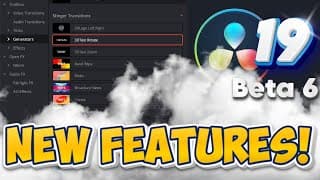
Stinger Transtions DaVinci Resolve 19 NEW FEATURE!!! (Beta 6)
DaVinci Resolve 19 Beta 6 came with the release of the new Stinger Generator Transitions, which I showcase in this video. Learn how to drag, drop and customize them in tis video! Resolve Forum: https://forum.blackmagicdesign.com/viewtopic.php?f=21&t=206077 MY CREATOR ESSENTIALS For Creators: ⚡Artlist Music For Creators https://bit.ly/Get2ExtraMonthsFREE ⚡Motion Array For Creators https://bit.ly/MotionArrayGet_2_ExtraMonthsFree For Business: ⚡Artlist Music for Business https://bit.ly/ArtlistForBusinessGet_2_Extra_Months_FREE ⚡Motion Array for Business. https://bit.ly/MotionArrayForBusiness_Get_2_Extra_Months_FREE The mouse I use (For Mac) https://amzn.to/3LcBOaL (Black for Mac) (For PC) https://amzn.to/3V1Azzw (Black for PC) My Gear: Laptop 16" https://amzn.to/3xXbDSr Microphone https://amzn.to/3UQHcEI Audio Interface https://amzn.to/3VgvJQf Pro Headphones https://amzn.to/45ZHXAu Camera https://amzn.to/4bXqdYz Main Light https://amzn.to/3VhEPwo RGB Lights https://amzn.to/3R05SJO Storage: Case for SSD https://amzn.to/4dYApBS Fast SSD 2T https://amzn.to/3Kg6irQ Monitors 40" Monitor https://amzn.to/3QYgol1 27" Monitor. https://amzn.to/4aC5h8c If you would like to support the channel, you can buy me a coffee here https://www.buymeacoffee.com/ChadMullins Supporting each other is good Karma! Everything, even comments and likes are greatly appreciated! Some of the above links do support the channel financially. Thumbnail Text link www.textstudio.com #DaVinciResolve #DaVinciResolve19 #davinciResolve19Beta6 #REsolve19beta6
How I Get the BEST Video Quality w/SMOOTH Playback | Davinci Resolve Settings
My best settings in Davinci Resolve for smoothest playback and some extra tips to improve video quality when uploading to YouTube. Hire me or contact for business: ChadMullins@ReelCutStudio.com MY CREATOR ESSENTIALS Need amazing music and SFX? Best bang for you buck from Audiio. Enjoy 70% off of a pro plan with this link: https://audiio.com/partner?oid=1&affid=1764 and use Promo Code: SAVE70 🚀 The Best AI Tool for Creators! 🤖 https://www.promeai.pro/?vsource=youtube_share-ChadMullins202501 Coupon code: CHAD25 for 25 free coins!! For Creators: ⚡Artlist Music For Creators https://bit.ly/Get2ExtraMonthsFREE ⚡Motion Array For Creators https://bit.ly/MotionArrayGet_2_ExtraMonthsFree For Business: ⚡Artlist Music for Business https://bit.ly/ArtlistForBusinessGet_2_Extra_Months_FREE ⚡Motion Array for Business. https://bit.ly/MotionArrayForBusiness_Get_2_Extra_Months_FREE Compliments of RVisual 🔥 Reel Buddy Plugin https://www.rvisual.store/reel-buddy 🚀FREE Transition Pack https://www.rvisual.store/free-transitions The mouse I use (For Mac) https://amzn.to/3LcBOaL (Black for Mac) (For PC) https://amzn.to/3V1Azzw (Black for PC) My Gear: Laptop 16" https://amzn.to/3xXbDSr Microphone https://amzn.to/3UQHcEI Audio Interface https://amzn.to/3VgvJQf Pro Headphones https://amzn.to/45ZHXAu Camera https://amzn.to/4bXqdYz Main Light https://amzn.to/3VhEPwo RGB Lights https://amzn.to/3R05SJO Storage: Case for SSD https://amzn.to/4dYApBS Fast SSD 2T https://amzn.to/3Kg6irQ Monitors 40" Monitor https://amzn.to/3QYgol1 27" Monitor. https://amzn.to/4aC5h8c If you would like to support the channel, you can buy me a coffee here https://www.buymeacoffee.com/ChadMullins Supporting each other is good Karma! Everything, even comments and likes are greatly appreciated! Some of the above links do support the channel financially. Thumbnail Text link www.textstudio.com #DaVinciResolve #DaVinciResolve 19 #davinciResolveTutorial #DaVinciResolve2024
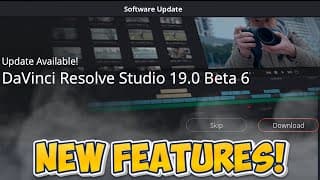
The Best Video Editing Software Just Got Better | DaVinci Resolve 19 Beta 6
Blackmagic Design just released Resolve 19 Beta 6. There are a lot of updates with this beta version. I go over a few of the ones I am excited for in this video. Resolve Forum: https://forum.blackmagicdesign.com/viewtopic.php?f=21&t=206077 MY CREATOR ESSENTIALS For Creators: ⚡Artlist Music For Creators https://bit.ly/Get2ExtraMonthsFREE ⚡Motion Array For Creators https://bit.ly/MotionArrayGet_2_ExtraMonthsFree For Business: ⚡Artlist Music for Business https://bit.ly/ArtlistForBusinessGet_2_Extra_Months_FREE ⚡Motion Array for Business. https://bit.ly/MotionArrayForBusiness_Get_2_Extra_Months_FREE Compliments of RVisual 🔥 Reel Buddy Plugin https://www.rvisual.store/reel-buddy 🚀FREE Transition Pack https://www.rvisual.store/free-transitions The mouse I use (For Mac) https://amzn.to/3LcBOaL (Black for Mac) (For PC) https://amzn.to/3V1Azzw (Black for PC) My Gear: Laptop 16" https://amzn.to/3xXbDSr Microphone https://amzn.to/3UQHcEI Audio Interface https://amzn.to/3VgvJQf Pro Headphones https://amzn.to/45ZHXAu Camera https://amzn.to/4bXqdYz Main Light https://amzn.to/3VhEPwo RGB Lights https://amzn.to/3R05SJO Storage: Case for SSD https://amzn.to/4dYApBS Fast SSD 2T https://amzn.to/3Kg6irQ Monitors 40" Monitor https://amzn.to/3QYgol1 27" Monitor. https://amzn.to/4aC5h8c If you would like to support the channel, you can buy me a coffee here https://www.buymeacoffee.com/ChadMullins Supporting each other is good Karma! Everything, even comments and likes are greatly appreciated! Some of the above links do support the channel financially. Thumbnail Text link www.textstudio.com #DaVinciResolve #DaVinciResolve 19 #davinciResolveTutorial #DaVinciResolve2024 #davinciresolve19beta6
I Gained 1000 Subscribers in Just 30 days! How I Did It + GIVEAWAY
The YouTube algorithm is helping new creators grow faster than ever. In this video, I discuss some of the tactics I used to gain 1000 subscribers in 30 days. As YouTube is changing, I am documenting the new processes for new creators. Plus a giveaway of Cinematic Titles by Easyeditpro.com This video is NOT sponsored, but easyeditpro did give me the Cinematic Titles pack for free to use and give review on. Contest Rules: Like video, Subscribe to the channel and comment on this video "Happy Birthday" About Cinematic Titles - Once purchased there will be free updates with new templates and categories in future. - Cinematic Titles perfectly suits everybody - bloggers, designers or even beginners in video editing. - The pack is also available for Premiere Pro, and After Effects - 18 categories and 350+ elements - DaVinci Resolve 18.6.4 and above Find CINEMATIC TITLES here👁 https://bit.ly/49FbsZC (NON AFFILIATE) MY CREATOR ESSENTIALS For Creators: ⚡Artlist Music For Creators https://bit.ly/Get2ExtraMonthsFREE ⚡Motion Array For Creators https://bit.ly/MotionArrayGet_2_ExtraMonthsFree For Business: ⚡Artlist Music for Business https://bit.ly/ArtlistForBusinessGet_2_Extra_Months_FREE ⚡Motion Array for Business. https://bit.ly/MotionArrayForBusiness_Get_2_Extra_Months_FREE Compliments of RVisual 🔥 Reel Buddy Plugin https://www.rvisual.store/reel-buddy 🚀FREE Transition Pack https://www.rvisual.store/free-transitions The mouse I use (For Mac) https://amzn.to/3LcBOaL (Black for Mac) (For PC) https://amzn.to/3V1Azzw (Black for PC) My Gear: Laptop 16" https://amzn.to/3xXbDSr Microphone https://amzn.to/3UQHcEI Audio Interface https://amzn.to/3VgvJQf Pro Headphones https://amzn.to/45ZHXAu Camera https://amzn.to/4bXqdYz Main Light https://amzn.to/3VhEPwo RGB Lights https://amzn.to/3R05SJO Storage: Case for SSD https://amzn.to/4dYApBS Fast SSD 2T https://amzn.to/3Kg6irQ Monitors 40" Monitor https://amzn.to/3QYgol1 27" Monitor. https://amzn.to/4aC5h8c If you would like to support the channel, you can buy me a coffee here https://www.buymeacoffee.com/ChadMullins Supporting each other is good Karma! Everything, even comments and likes are greatly appreciated! Some of the above links do support the channel financially. 00:00 Intro 07:12 Giveaway 09:52 Giveaway instructions Thumbnail Text link www.textstudio.com Some content in this video was made by other creators: VidIQ, Easyeditpro #DaVinci19 #DaVinciResolve19 #davinciresolvetutorial #DaVinciResolve2024
Save HOURS With These Editing Tips in Davinci Resolve 19
6 tips to save you time with your workflow in Davinci Resolve! In this tutorial, you will learn about Power Bins, Power Grades, shortcuts and so much more! Please remember to like and subscribe! MY CREATOR ESSENTIALS For Creators: ⚡Artlist Music For Creators https://bit.ly/Get2ExtraMonthsFREE ⚡Motion Array For Creators https://bit.ly/MotionArrayGet_2_ExtraMonthsFree For Business: ⚡Artlist Music for Business https://bit.ly/ArtlistForBusinessGet_2_Extra_Months_FREE ⚡Motion Array for Business. https://bit.ly/MotionArrayForBusiness_Get_2_Extra_Months_FREE Compliments of RVisual 🔥 Reel Buddy Plugin https://www.rvisual.store/reel-buddy 🚀FREE Transition Pack https://www.rvisual.store/free-transitions The mouse I use (For Mac) https://amzn.to/3LcBOaL (Black for Mac) (For PC) https://amzn.to/3V1Azzw (Black for PC) My Gear: Laptop 16" https://amzn.to/3xXbDSr Microphone https://amzn.to/3UQHcEI Audio Interface https://amzn.to/3VgvJQf Pro Headphones https://amzn.to/45ZHXAu Camera https://amzn.to/4bXqdYz Main Light https://amzn.to/3VhEPwo RGB Lights https://amzn.to/3R05SJO Storage: Case for SSD https://amzn.to/4dYApBS Fast SSD 2T https://amzn.to/3Kg6irQ Monitors 40" Monitor https://amzn.to/3QYgol1 27" Monitor. https://amzn.to/4aC5h8c If you would like to support the channel, you can buy me a coffee here https://www.buymeacoffee.com/ChadMullins Supporting each other is good Karma! Everything, even comments and likes are greatly appreciated! Some of the above links do support the channel financially. 00:00 Intro 00:27 #1 Timelines 03:27 #2 Project Switching 05:18 #3 Power Bins 06:44 #4 Power Grades 08:27 #5 LUTS 10:01 #6 Keyboard Shortcuts Thumbnail Text link www.textstudio.com #DaVinci19 #DaVinciResolve19 #davinciresolvetutorial #DaVinciResolve2024
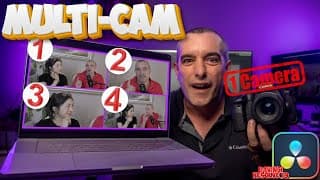
MULTI-CAM Effect With ONE Camera in Davinci Resolve 19
Learn how to create a Multi-Cam Effect with 1 Camera in Davinci Resolve 19. Download the Media Here: 4k MultiCamhttps://drive.google.com/file/d/17_WvVn27_wNPailJ5IglkHMu7hh4w2Vl/view?usp=share_link 1080P MultiCam https://drive.google.com/file/d/1Yct5NpAu9c1e_ZJT7G0yqi25TUzQ6Nth/view?usp=share_link In this video you will learn how to use Adjustment clips to create the Multi-Cam Effect. You will also learn important information regarding zooms and how to make the smooth. I also cover how to save your drag and drop camera angles in power bins. If you need to learn more about power bins, you can learn from this video here: https://youtu.be/TjIyc3q2e40 MY CREATOR ESSENTIALS For Creators: ⚡Artlist Music For Creators https://bit.ly/Get2ExtraMonthsFREE ⚡Motion Array For Creators https://bit.ly/MotionArrayGet_2_ExtraMonthsFree For Business: ⚡Artlist Music for Business https://bit.ly/ArtlistForBusinessGet_2_Extra_Months_FREE ⚡Motion Array for Business. https://bit.ly/MotionArrayForBusiness_Get_2_Extra_Months_FREE Compliments of RVisual 🔥 Reel Buddy Plugin https://www.rvisual.store/reel-buddy 🚀FREE Transition Pack https://www.rvisual.store/free-transitions The mouse I use (For Mac) https://amzn.to/3LcBOaL (Black for Mac) (For PC) https://amzn.to/3V1Azzw (Black for PC) My Gear: Laptop 16" https://amzn.to/3xXbDSr Microphone https://amzn.to/3UQHcEI Audio Interface https://amzn.to/3VgvJQf Pro Headphones https://amzn.to/45ZHXAu Camera https://amzn.to/4bXqdYz Main Light https://amzn.to/3VhEPwo RGB Lights https://amzn.to/3R05SJO Storage: Case for SSD https://amzn.to/4dYApBS Fast SSD 2T https://amzn.to/3Kg6irQ Monitors 40" Monitor https://amzn.to/3QYgol1 27" Monitor. https://amzn.to/4aC5h8c If you would like to support the channel, you can buy me a coffee here https://www.buymeacoffee.com/ChadMullins Supporting each other is good Karma! Everything, even comments and likes are greatly appreciated! Some of the above links do support the channel financially. 0:00 Intro 0:33 Download the media 0:54 Overview of the project 1:11 Adjustment Clip Demonstration 2:02 import Media 2:36 Color Coding Video Layers 3:05 Adding Adjustment Clip 4:17 Cutting clips 4:47 *Important Zoom Information 7:20 *Important Smoothing Zooms 8:46 Creating Second Angle 9:57 Creating Third Angle 10:37 Saving Adjustment Clips 11:57 Drag and Drop clips 12:40 Adjusting second Zoom 13:30 Adding Multi-Cam to Power Bins 14:17 Outro Thumbnail Text link www.textstudio.com #Multicam #DaVinciResolve19 #davinciresolvetutorial #DaVinciResolve2024
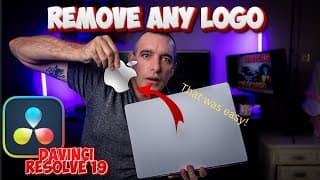
Remove Logos from ANYTHING in DaVinci Resolve
Download the media here: Object_Removal_4k https://drive.google.com/file/d/1IbL5tdvOpv_Jsyg5nmowi5Av65xjqfx8/view?usp=share_link Object_Removal_1080P https://drive.google.com/file/d/1JvUzSR_wZBN0TFYylzXhewm74AjGrefk/view?usp=share_link Removing any logo or objects can be extremely simple in DaVinci Resolve 19 Studio. Unfortunately it is a Studio only feature, but a very good one. In this tutorial you will learn how to create a mask around an object in the color page, track it and then apply the correct settings for the object removal on an Apple MacBook Pro. Please remember to like and subscribe for more useful tips on Youtube and DaVinci Resolve! MY CREATOR ESSENTIALS For Creators: ⚡Artlist Music For Creators https://bit.ly/Get2ExtraMonthsFREE ⚡Motion Array For Creators https://bit.ly/MotionArrayGet_2_ExtraMonthsFree For Business: ⚡Artlist Music for Business https://bit.ly/ArtlistForBusinessGet_2_Extra_Months_FREE ⚡Motion Array for Business. https://bit.ly/MotionArrayForBusiness_Get_2_Extra_Months_FREE Compliments of RVisual 🔥 Reel Buddy Plugin https://www.rvisual.store/reel-buddy 🚀FREE Transition Pack https://www.rvisual.store/free-transitions The mouse I use (For Mac) https://amzn.to/3LcBOaL (Black for Mac) (For PC) https://amzn.to/3V1Azzw (Black for PC) My Gear: Laptop 16" https://amzn.to/3xXbDSr Microphone https://amzn.to/3UQHcEI Audio Interface https://amzn.to/3VgvJQf Pro Headphones https://amzn.to/45ZHXAu Camera https://amzn.to/4bXqdYz Main Light https://amzn.to/3VhEPwo RGB Lights https://amzn.to/3R05SJO Storage: Case for SSD https://amzn.to/4dYApBS Fast SSD 2T https://amzn.to/3Kg6irQ Monitors 40" Monitor https://amzn.to/3QYgol1 27" Monitor. https://amzn.to/4aC5h8c If you would like to support the channel, you can buy me a coffee here https://www.buymeacoffee.com/ChadMullins Supporting each other is good Karma! Everything, even comments and likes are greatly appreciated! Some of the above links do support the channel financially. 0:00 Intro 0:35 About Channel 0:54 Importing Media 1:26 Creating Nodes in Color Page 2:33 Mask Window 3:03 Zooming In to footage 3:15 Creating Mask 3:39 Tracker Window 4:18 Connecting Alpha output/input 4:43 Adding Object Removal Effect to Node 5:08 Scene Analysis 5:25 Adjusting Clean Plate 6:20 Very Important Adjusting Mask 6:47 Outro Thumbnail Text link www.textstudio.com #Objectremoval #LogoRemoval #DaVinciResolve19 #davinciresolvetutorial#DaVinciResolve2024
SPEED UP Your Workflow With Power Bins: DaVinci Resolve 19
Speed up your workflow using Power Bins. These amazing bins can contain media such as music, b-roll footage, Sound FX, Fusion Compositions and Adjustment clips. These bins can be used across all projects within any library you choose! Please remember to like and subscribe for more useful tips on Youtube and DaVinci Resolve! MY CREATOR ESSENTIALS For Creators: ⚡Artlist Music For Creators https://bit.ly/Get2ExtraMonthsFREE ⚡Motion Array For Creators https://bit.ly/MotionArrayGet_2_ExtraMonthsFree For Business: ⚡Artlist Music for Business https://bit.ly/ArtlistForBusinessGet_2_Extra_Months_FREE ⚡Motion Array for Business. https://bit.ly/MotionArrayForBusiness_Get_2_Extra_Months_FREE The mouse I use (For Mac) https://amzn.to/3LcBOaL (Black for Mac) (For PC) https://amzn.to/3V1Azzw (Black for PC) My Gear: Laptop 16" https://amzn.to/3xXbDSr Microphone https://amzn.to/3UQHcEI Audio Interface https://amzn.to/3VgvJQf Pro Headphones https://amzn.to/45ZHXAu Camera https://amzn.to/4bXqdYz Main Light https://amzn.to/3VhEPwo RGB Lights https://amzn.to/3R05SJO Storage: Case for SSD https://amzn.to/4dYApBS Fast SSD 2T https://amzn.to/3Kg6irQ Monitors 40" Monitor https://amzn.to/3QYgol1 27" Monitor. https://amzn.to/4aC5h8c If you would like to support the channel, you can buy me a coffee here https://www.buymeacoffee.com/ChadMullins Supporting each other is good Karma! Everything, even comments and likes are greatly appreciated! Some of the above links do support the channel financially. 0:00 Intro 0:40 Getting Started with Power Bins 1:47 Organization tips 2:52 Adding Media to Power Bins 4:54 Adjustment Clips for Power Bins 6:41 Creating New Bins 8:21 Exporting Bin 9:00 Project Manager 10:00 Project Libraries 11:45 Importing Bins to new library 12:40 Outro Thumbnail Text link www.textstudio.com #PowerBins #davinciresolve #Resolve-tutorial

A Simple Audio Workflow For DaVinci Resolve
If you are looking to learn how to use the mixer and other common tools for Audio this is the video for you! Here you will learn some basic settings for audio levels, how to create new tracks and even how to set the EQ for your voice. In this I show the basic overview of my workflow for YouTube. This will make your audio workflow very simple! If you have a questions, feel free to drop a comment below and ask anything you want! Please do remember to like and subscribe to the channel for more awesome content! Thank you, Chad Mullins MY CREATOR ESSENTIALS For Creators: ⚡Artlist Music For Creators https://bit.ly/Get2ExtraMonthsFREE ⚡Motion Array For Creators https://bit.ly/MotionArrayGet_2_ExtraMonthsFree For Business: ⚡Artlist Music for Business https://bit.ly/ArtlistForBusinessGet_2_Extra_Months_FREE ⚡Motion Array for Business. https://bit.ly/MotionArrayForBusiness_Get_2_Extra_Months_FREE Compliments of RVisual 🔥 Reel Buddy Plugin https://www.rvisual.store/reel-buddy 🚀FREE Transition Pack https://www.rvisual.store/free-transitions The mouse I use (For Mac) https://amzn.to/3LcBOaL (Black for Mac) (For PC) https://amzn.to/3V1Azzw (Black for PC) My Gear: Laptop 16" https://amzn.to/3xXbDSr Microphone https://amzn.to/3UQHcEI Audio Interface https://amzn.to/3VgvJQf Pro Headphones https://amzn.to/45ZHXAu Camera https://amzn.to/4bXqdYz Main Light https://amzn.to/3VhEPwo RGB Lights https://amzn.to/3R05SJO Storage: Case for SSD https://amzn.to/4dYApBS Fast SSD 2T https://amzn.to/3Kg6irQ Monitors 40" Monitor https://amzn.to/3QYgol1 27" Monitor. https://amzn.to/4aC5h8c If you would like to support the channel, you can buy me a coffee here https://www.buymeacoffee.com/ChadMullins Supporting each other is good Karma! Everything, even comments and likes are greatly appreciated! Some of the above links do support the channel financially. 0:00 Intro 0:28 Overview 0:54 Adding Tracks on Edit Page 2:23 Mixer Overview 3:45 Setting Voice Isolation and Ducker 5:00 Previous Video Mixer Overview 6:22 Adding Audio Fades 9:17 Fairlight Overview 10:22 EQ 13:17 Outro Thumbnail Text link www.textstudio.com #YouTubeaudionormalization #davinciresolve19 #davinciresolveforbeginners

How to Normalize Audio PERFECTLY for YouTube in DaVinci Resolve
Stop YouTube from muffling your audio! This video equips you with the perfect Davinci Resolve settings for YouTube audio normalization. Discover how to avoid YouTube's compression and achieve crystal clear sound. We'll explore built-in tools to target the optimal level of -14 LUFS, ensuring your audio sounds professional on YouTube. Follow these settings and say goodbye to audio quality worries! Bonus tip: Share your results and experiences in the comments below! Please do remember to like and subscribe to the channel for more awesome content! Thank you, Chad Mullins MY CREATOR ESSENTIALS For Creators: ⚡Artlist Music For Creators https://bit.ly/Get2ExtraMonthsFREE ⚡Motion Array For Creators https://bit.ly/MotionArrayGet_2_ExtraMonthsFree For Business: ⚡Artlist Music for Business https://bit.ly/ArtlistForBusinessGet_2_Extra_Months_FREE ⚡Motion Array for Business. https://bit.ly/MotionArrayForBusiness_Get_2_Extra_Months_FREE Compliments of RVisual 🔥 Reel Buddy Plugin https://www.rvisual.store/reel-buddy 🚀FREE Transition Pack https://www.rvisual.store/free-transitions The mouse I use (For Mac) https://amzn.to/3LcBOaL (Black for Mac) (For PC) https://amzn.to/3V1Azzw (Black for PC) My Gear: Laptop 16" https://amzn.to/3xXbDSr Microphone https://amzn.to/3UQHcEI Audio Interface https://amzn.to/3VgvJQf Pro Headphones https://amzn.to/45ZHXAu Camera https://amzn.to/4bXqdYz Main Light https://amzn.to/3VhEPwo RGB Lights https://amzn.to/3R05SJO Storage: Case for SSD https://amzn.to/4dYApBS Fast SSD 2T https://amzn.to/3Kg6irQ Monitors 40" Monitor https://amzn.to/3QYgol1 27" Monitor. https://amzn.to/4aC5h8c 0:00 Intro 0:16 How to check Youtube Audio Levels 1:07 Project Settings 1:50 How to Normalize Audio (Edit Page) 3:31 Bounce Mix To Track 4:45 Analyze Bounced Mix Levels 5:18 Using the Limiter 6:08 Learning the process of adjusting Limiter 8:00 Possibilities of adjustments 8:57 Outro If you would like to support the channel, you can buy me a coffee here https://www.buymeacoffee.com/ChadMullins Supporting each other is good Karma! Everything, even comments and likes are greatly appreciated! Some of the above links do support the channel financially. Thumbnail Text link www.textstudio.com #YouTubeaudionormalization #davinciresolve19 #davinciresolveforbeginners

EASILY Create YouTube Node Trees - DaVinci Resolve 19
Building a node tree in DaVinci Resolve is very simple. Being able to apply it to every project can save hours of time! Learn how to build the perfect Node Tree for YouTube in this video. We will go from grading Log footage to DaVinci Wide Gamut and output into the Rec 709 colorspace. Please do remember to like and subscribe to the channel for more awesome content! Thank you, Chad Mullins MY CREATOR ESSENTIALS For Creators: ⚡Artlist Music For Creators https://bit.ly/Get2ExtraMonthsFREE ⚡Motion Array For Creators https://bit.ly/MotionArrayGet_2_ExtraMonthsFree For Business: ⚡Artlist Music for Business https://bit.ly/ArtlistForBusinessGet_2_Extra_Months_FREE ⚡Motion Array for Business. https://bit.ly/MotionArrayForBusiness_Get_2_Extra_Months_FREE Compliments of RVisual 🔥 Reel Buddy Plugin https://www.rvisual.store/reel-buddy 🚀FREE Transition Pack https://www.rvisual.store/free-transitions The mouse I use (For Mac) https://amzn.to/3LcBOaL (Black for Mac) (For PC) https://amzn.to/3V1Azzw (Black for PC) My Gear: Laptop 16" https://amzn.to/3xXbDSr Microphone https://amzn.to/3UQHcEI Audio Interface https://amzn.to/3VgvJQf Pro Headphones https://amzn.to/45ZHXAu Camera https://amzn.to/4bXqdYz Main Light https://amzn.to/3VhEPwo RGB Lights https://amzn.to/3R05SJO Storage: Case for SSD https://amzn.to/4dYApBS Fast SSD 2T https://amzn.to/3Kg6irQ Monitors 40" Monitor https://amzn.to/3QYgol1 27" Monitor. https://amzn.to/4aC5h8c 0:00 Intro 0:22 Color Page interface 1:10 Building The Node Tree 2:18 Creating Node Partition 2:52 Label Nodes 3:45 Color Space Transforms 8:24 Scopes 9:50 Balance/Exposure 11:09 Contrast 11:56 Saturation 12:49 Temperature 13:18 Sharpening 13:39 Curves 14:33 Look/Color Slice 16:07 Mask/Power Windows 19:10 How to save Stills 20:56 How to save Node Trees 22:17 How to import Node Trees 23:04 Power Grades for all projects 24:19 Outro If you would like to support the channel, you can buy me a coffee here https://www.buymeacoffee.com/ChadMullins Supporting each other is good Karma! Everything, even comments and likes are greatly appreciated! Some of the above links do support the channel financially. Thumbnail Text link www.textstudio.com #Colorspace transform #Logfootage #DaVinciresolve19 #DaVinciresolve tutorial #Nodetree
The ULTIMATE DaVinci Resolve Edit Tools Tutorial (2024)
Editing in DaVinci resolve can be very streamlined, if you understand what tools they have created for you. From organizing Bins(folders) to cutting up footage, they have an amazing system and great tools to work with. In this video, I will go over some of those tools to help your workflow run smooth! This video will begin a playlist of Edit Page functions as there is so much to learn about in DaVinci Resolves edit page. Many more videos to come! Please do remember to like and subscribe to the channel for more awesome content! Thank you, Chad Mullins MY CREATOR ESSENTIALS For Creators: ⚡Artlist Music For Creators https://bit.ly/Get2ExtraMonthsFREE ⚡Motion Array For Creators https://bit.ly/MotionArrayGet_2_ExtraMonthsFree For Business: ⚡Artlist Music for Business https://bit.ly/ArtlistForBusinessGet_2_Extra_Months_FREE ⚡Motion Array for Business. https://bit.ly/MotionArrayForBusiness_Get_2_Extra_Months_FREE Compliments of RVisual 🔥 Reel Buddy Plugin https://www.rvisual.store/reel-buddy 🚀FREE Transition Pack https://www.rvisual.store/free-transitions The mouse I use (For Mac) https://amzn.to/3LcBOaL (Black for Mac) (For PC) https://amzn.to/3V1Azzw (Black for PC) My Gear: Laptop 16" https://amzn.to/3xXbDSr Microphone https://amzn.to/3UQHcEI Audio Interface https://amzn.to/3VgvJQf Pro Headphones https://amzn.to/45ZHXAu Camera https://amzn.to/4bXqdYz Main Light https://amzn.to/3VhEPwo RGB Lights https://amzn.to/3R05SJO Storage: Case for SSD https://amzn.to/4dYApBS Fast SSD 2T https://amzn.to/3Kg6irQ Monitors 40" Monitor https://amzn.to/3QYgol1 27" Monitor. https://amzn.to/4aC5h8c If you would like to support the channel, you can buy me a coffee here https://www.buymeacoffee.com/ChadMullins Supporting each other is good Karma! Everything, even comments and likes are greatly appreciated! Some of the above links do support the channel financially. 0:00 Intro 0:54 Overview 1:35 Bins Overview 2:27 Adding Power Bins 2:53 Adding Media to the bins 3:50 Adding media to the viewer 4:21 Showing Audio Waveform 5:02 Adding In and Out points 5:46 Using Overwrite function 7:10 Append at end 7:25 About the channel 7:45 Silencing audio for scrubbing 8:05 Insert Clips Function 8:55 Add Video layer 9:34 Overwrite Clip Function 9:55 Replace Clip Function 10:50 Selecting Video or Audio only from Viewer 12:25 Place On Top Function 13:05 Fit To Fill Function 14:50 Audio Transcription 15:30 Adding video from transcription 16:45 Outro #DaVinciResolve19 #DaVinciResolveTutorial #davinciresolveforbeginners Thumbnail Text link www.textstudio.com
Secrets to FASTER EDITING in DaVinci Resolve 19 with MX Master 3s
The MX Master 3s might be the best tool for creators. Learn how to edit in DaVinci Resolve, program the mouse and some special techniques with Keyboard shortcuts in this video! If you want to learn how to edit faster in DaVinci Resolve 19, the MX Master 3s might be the tool for you! This DaVinci resolve tutorial is beginner friendly! MY CREATOR ESSENTIALS For Creators: ⚡Artlist Music For Creators https://bit.ly/Get2ExtraMonthsFREE ⚡Motion Array For Creators https://bit.ly/MotionArrayGet_2_ExtraMonthsFree For Business: ⚡Artlist Music for Business https://bit.ly/ArtlistForBusinessGet_2_Extra_Months_FREE ⚡Motion Array for Business. https://bit.ly/MotionArrayForBusiness_Get_2_Extra_Months_FREE Compliments of RVisual 🔥 Reel Buddy Plugin https://www.rvisual.store/reel-buddy 🚀FREE Transition Pack https://www.rvisual.store/free-transitions The mouse I use (For Mac) https://amzn.to/3LcBOaL (Black for Mac) (For PC) https://amzn.to/3V1Azzw (Black for PC) My Gear: Laptop 16" https://amzn.to/3xXbDSr Microphone https://amzn.to/3UQHcEI Audio Interface https://amzn.to/3VgvJQf Pro Headphones https://amzn.to/45ZHXAu Camera https://amzn.to/4bXqdYz Main Light https://amzn.to/3VhEPwo RGB Lights https://amzn.to/3R05SJO Storage: Case for SSD https://amzn.to/4dYApBS Fast SSD 2T https://amzn.to/3Kg6irQ Monitors 40" Monitor https://amzn.to/3QYgol1 27" Monitor. https://amzn.to/4aC5h8c If you would like to support the channel, you can buy me a coffee here https://www.buymeacoffee.com/ChadMullins Supporting each other is good Karma! Everything, even comments and likes are greatly appreciated! Some of the above links do support the channel financially. Thumbnail Text link www.textstudio.com 0:00 Intro 0:41 Video Overview 1:28 MX Master 3s Demonstration 2:20 Cutting things in the timeline 4:41 Selecting clips with the mouse 6:35 About The Channel 7:05 Using the MX Master in other apps 9:45 Programming the MX master 12:21 Using middle mouse button in DaVinci Resolve 13:44 Keyboard Shortcuts 18:52 Outro
Balancing Audio the EASY Way in DaVinci Resolve 19
Audio only coming out of one speaker? Being sure audio comes out of speakers on both sides equally is very important. Learn how to balance the audio in DaVinci Resolve by changing the embedded channels on both the Edit page and Fairlight page with ease! If you have any questions regarding things in DaVinci Resolve, please comment below and I will get back to you as soon as possible. Do remember to Like and Subscribe to the channel for more DaVinci Resolve Tutorials! MY CREATOR ESSENTIALS For Creators: ⚡Artlist Music For Creators https://bit.ly/Get2ExtraMonthsFREE ⚡Motion Array For Creators https://bit.ly/MotionArrayGet_2_ExtraMonthsFree For Business: ⚡Artlist Music for Business https://bit.ly/ArtlistForBusinessGet_2_Extra_Months_FREE ⚡Motion Array for Business. https://bit.ly/MotionArrayForBusiness_Get_2_Extra_Months_FREE Compliments of RVisual 🔥 Reel Buddy Plugin https://www.rvisual.store/reel-buddy 🚀FREE Transition Pack https://www.rvisual.store/free-transitions The mouse I use (For Mac) https://amzn.to/3LcBOaL (Black for Mac) (For PC) https://amzn.to/3V1Azzw (Black for PC) My Gear: Laptop 16" https://amzn.to/3xXbDSr Microphone https://amzn.to/3UQHcEI Audio Interface https://amzn.to/3VgvJQf Pro Headphones https://amzn.to/45ZHXAu Camera https://amzn.to/4bXqdYz Main Light https://amzn.to/3VhEPwo RGB Lights https://amzn.to/3R05SJO Storage: Case for SSD https://amzn.to/4dYApBS Fast SSD 2T https://amzn.to/3Kg6irQ Monitors 40" Monitor https://amzn.to/3QYgol1 27" Monitor. https://amzn.to/4aC5h8c If you would like to support the channel, you can buy me a coffee here https://www.buymeacoffee.com/ChadMullins Supporting each other is good Karma! Everything, even comments and likes are greatly appreciated! 0:00 Intro 0:11 What causes it? 1:14 Analysis 1:37 Changing Track Type(Not recommended) 2:10 Edit Page Audio Channels 2:59 Fairlight Page Audio Channels(Recommended) 4:15 Outro Some of the links above do support the channel financially.
The SMOOTHEST Jump Cuts EVER In DaVinci Resolve 2024
Jump Cuts so smooth you can not even tell they are there. Very easy to create in DaVinci Resolve with a few simple steps. Follow this tutorial to learn how to create the smoothest cuts possible in DaVinci resolve with the built in (free) plugin. To learn more about DaVinci Resolve, video editing and business, please subscribe to the channel! MY CREATOR ESSENTIALS For Creators: ⚡Artlist Music For Creators https://bit.ly/Get2ExtraMonthsFREE ⚡Motion Array For Creators https://bit.ly/MotionArrayGet_2_ExtraMonthsFree For Business: ⚡Artlist Music for Business https://bit.ly/ArtlistForBusinessGet_2_Extra_Months_FREE ⚡Motion Array for Business. https://bit.ly/MotionArrayForBusiness_Get_2_Extra_Months_FREE Compliments of RVisual 🔥 Reel Buddy Plugin https://www.rvisual.store/reel-buddy 🚀FREE Transition Pack https://www.rvisual.store/free-transitions The mouse I use (For Mac) https://amzn.to/3LcBOaL (Black for Mac) (For PC) https://amzn.to/3V1Azzw (Black for PC) My Gear: Laptop 16" https://amzn.to/3xXbDSr Microphone https://amzn.to/3UQHcEI Audio Interface https://amzn.to/3VgvJQf Pro Headphones https://amzn.to/45ZHXAu Camera https://amzn.to/4bXqdYz Main Light https://amzn.to/3VhEPwo RGB Lights https://amzn.to/3R05SJO Storage: Case for SSD https://amzn.to/4dYApBS Fast SSD 2T https://amzn.to/3Kg6irQ Monitors 40" Monitor https://amzn.to/3QYgol1 27" Monitor. https://amzn.to/4aC5h8c If you would like to support the channel, you can buy me a coffee here https://www.buymeacoffee.com/ChadMullins Supporting each other is good Karma! Everything, even comments and likes are greatly appreciated! 0:00 Intro 0:10 Cutting the footage 1:58 Adding a smooth cut to timeline 3:17 Creating The Smoothest Cut Preset 4:21 Applying preset to all clips 5:10 About the channel 5:40 How to record for jumpsuits 6:13 What not to do 7:13 Outro Some of the links above do support the channel financially.
Disk full? INSTANT FIX How Clear Cache in DaVinci Resolve 19
Is Davinci Resolve eating up your memory? Follow these simple instructions and learn how to prevent your storage from being overtaken. And do remember to like the video and subscribe to the channel! MY CREATOR ESSENTIALS For Creators: ⚡Artlist Music For Creators https://bit.ly/Get2ExtraMonthsFREE ⚡Motion Array For Creators https://bit.ly/MotionArrayGet_2_ExtraMonthsFree For Business: ⚡Artlist Music for Business https://bit.ly/ArtlistForBusinessGet_2_Extra_Months_FREE ⚡Motion Array for Business. https://bit.ly/MotionArrayForBusiness_Get_2_Extra_Months_FREE Compliments of RVisual 🔥 Reel Buddy Plugin https://www.rvisual.store/reel-buddy 🚀FREE Transition Pack https://www.rvisual.store/free-transitions The mouse I use (For Mac) https://amzn.to/3LcBOaL (Black for Mac) (For PC) https://amzn.to/3V1Azzw (Black for PC) My Gear: Laptop 16" https://amzn.to/3xXbDSr Microphone https://amzn.to/3UQHcEI Audio Interface https://amzn.to/3VgvJQf Pro Headphones https://amzn.to/45ZHXAu Camera https://amzn.to/4bXqdYz Main Light https://amzn.to/3VhEPwo RGB Lights https://amzn.to/3R05SJO Storage: Case for SSD https://amzn.to/4dYApBS Fast SSD 2T https://amzn.to/3Kg6irQ Monitors 40" Monitor https://amzn.to/3QYgol1 27" Monitor. https://amzn.to/4aC5h8c If you would like to support the channel, you can buy me a coffee here https://www.buymeacoffee.com/ChadMullins Supporting each other is good Karma! Everything, even comments and likes are greatly appreciated! 0:00 Intro 0:13 Deleting Render Cache 2:27 About the channel 3:13 Managing Render Cache Settings 6:13 Outro Some of the above links do support the channel financially.
Best Export Settings For Youtube: DaVinci Resolve
Learn the ins and outs of exporting for YouTube using DaVinci Resolve in this comprehensive tutorial. From logging in to YouTube and understanding upload settings to adding subtitles and chapter markers, we've got you covered. Say goodbye to guesswork and hello to seamless uploads with our step-by-step guide. Watch now and elevate your YouTube game! MY CREATOR ESSENTIALS For Creators: ⚡Artlist Music For Creators https://bit.ly/Get2ExtraMonthsFREE ⚡Motion Array For Creators https://bit.ly/MotionArrayGet_2_ExtraMonthsFree For Business: ⚡Artlist Music for Business https://bit.ly/ArtlistForBusinessGet_2_Extra_Months_FREE ⚡Motion Array for Business. https://bit.ly/MotionArrayForBusiness_Get_2_Extra_Months_FREE Compliments of RVisual 🔥 Reel Buddy Plugin https://www.rvisual.store/reel-buddy 🚀FREE Transition Pack https://www.rvisual.store/free-transitions The mouse I use (For Mac) https://amzn.to/3LcBOaL (Black for Mac) (For PC) https://amzn.to/3V1Azzw (Black for PC) My Gear: Laptop 16" https://amzn.to/3xXbDSr Microphone https://amzn.to/3UQHcEI Audio Interface https://amzn.to/3VgvJQf Pro Headphones https://amzn.to/45ZHXAu Camera https://amzn.to/4bXqdYz Main Light https://amzn.to/3VhEPwo RGB Lights https://amzn.to/3R05SJO Storage: Case for SSD https://amzn.to/4dYApBS Fast SSD 2T https://amzn.to/3Kg6irQ Monitors 40" Monitor https://amzn.to/3QYgol1 27" Monitor. https://amzn.to/4aC5h8c If you would like to support the channel, you can buy me a coffee here https://www.buymeacoffee.com/ChadMullins Supporting each other is good Karma! Everything, even comments and likes are greatly appreciated! 00:00 - Intro 00:46 - YouTube Preset Overview 03:13 - Custom Preset Overview 04:01 - Logging Into YouTube 04:48 - About The Channel 05:10 - Custom Export Settings 05:49 - Adding Chapter Markers 06:14 - Delivery Page Review 07:23 - Rendering and Uploading to Youtube 07:52 - Checking Details on YouTube 08:06 - Uploading Subtitles 09:19 - Outro Some of the links above do support the channel financially.
How to Make YouTube Templates in DaVinci Resolve (2024)
Creating YouTube Templates in DaVinci Resolve made easy. There is a lot of information in this video, so feel free to use the chapter markers to find the most important content for you. Thanks for watching and remember to like and subscribe to learn more systems and processes within DaVinci Resolve and video editing business. Color Space Transform Made Easy https://www.youtube.com/watch?v=YNPTgZAho74 MY CREATOR ESSENTIALS For Creators: ⚡Artlist Music For Creators https://bit.ly/Get2ExtraMonthsFREE ⚡Motion Array For Creators https://bit.ly/MotionArrayGet_2_ExtraMonthsFree For Business: ⚡Artlist Music for Business https://bit.ly/ArtlistForBusinessGet_2_Extra_Months_FREE ⚡Motion Array for Business. https://bit.ly/MotionArrayForBusiness_Get_2_Extra_Months_FREE Compliments of RVisual 🔥 Reel Buddy Plugin https://www.rvisual.store/reel-buddy 🚀FREE Transition Pack https://www.rvisual.store/free-transitions The mouse I use (For Mac) https://amzn.to/3LcBOaL (Black for Mac) (For PC) https://amzn.to/3V1Azzw (Black for PC) My Gear: Laptop 16" https://amzn.to/3xXbDSr Microphone https://amzn.to/3UQHcEI Audio Interface https://amzn.to/3VgvJQf Pro Headphones https://amzn.to/45ZHXAu Camera https://amzn.to/4bXqdYz Main Light https://amzn.to/3VhEPwo RGB Lights https://amzn.to/3R05SJO Storage: Case for SSD https://amzn.to/4dYApBS Fast SSD 2T https://amzn.to/3Kg6irQ Monitors 40" Monitor https://amzn.to/3QYgol1 27" Monitor. https://amzn.to/4aC5h8c If you would like to support the channel, you can buy me a coffee here https://www.buymeacoffee.com/ChadMullins Supporting each other is good Karma! Everything, even comments and likes are greatly appreciated! 0:00 Intro 0:41 Template Settings 1:35 Timline Overview 2:45 Bins Overview 3:24 Timelines Bin 4:44 Cut Timeline 8:10 Transferring to Template Timeline 11:33 About the channel 11:56 Create a Template Timeline 13:00 Organizing Bins 14:18 Saving the Template 15:09 Outro Some of the above links do support the channel financially.

Saving Macros In DaVinci Resolve Made Easy
🎬 Master DaVinci Resolve: Creating & Saving Title Macros Unlock the full potential of DaVinci Resolve's Edit Page with our latest tutorial! Dive deep into the world of Macros to streamline your video editing workflow. This video is your ultimate guide to creating dynamic, reusable titles using the powerful Macro feature in DaVinci Resolve. 🔍 In This Video, You’ll Learn: How to select the right nodes for your titles. The step-by-step process of creating a Macro in DaVinci Resolve. Tips on selecting the essential features for your Macro to ensure it's versatile and useful across multiple projects. Practical advice on organizing your Macros to enhance your editing efficiency on the Edit Page. Whether you’re a budding editor or looking to refine your skills, this tutorial will empower you to add a professional touch to your projects with custom titles, saving you time and enhancing your creative workflow. 🛠️ Why Macros? Macros are not just time savers; they are the building blocks for consistency in your editing projects. By understanding how to create and save them efficiently, you'll ensure your titles are not only eye-catching but also cohesive across your work. MY CREATOR ESSENTIALS For Creators: ⚡Artlist Music For Creators https://bit.ly/Get2ExtraMonthsFREE ⚡Motion Array For Creators https://bit.ly/MotionArrayGet_2_ExtraMonthsFree For Business: ⚡Artlist Music for Business https://bit.ly/ArtlistForBusinessGet_2_Extra_Months_FREE ⚡Motion Array for Business. https://bit.ly/MotionArrayForBusiness_Get_2_Extra_Months_FREE Compliments of RVisual 🔥 Reel Buddy Plugin https://www.rvisual.store/reel-buddy 🚀FREE Transition Pack https://www.rvisual.store/free-transitions The mouse I use (For Mac) https://amzn.to/3LcBOaL (Black for Mac) (For PC) https://amzn.to/3V1Azzw (Black for PC) My Gear: Laptop 16" https://amzn.to/3xXbDSr Microphone https://amzn.to/3UQHcEI Audio Interface https://amzn.to/3VgvJQf Pro Headphones https://amzn.to/45ZHXAu Camera https://amzn.to/4bXqdYz Main Light https://amzn.to/3VhEPwo RGB Lights https://amzn.to/3R05SJO Storage: Case for SSD https://amzn.to/4dYApBS Fast SSD 2T https://amzn.to/3Kg6irQ Monitors 40" Monitor https://amzn.to/3QYgol1 27" Monitor. https://amzn.to/4aC5h8c If you would like to support the channel, you can buy me a coffee here https://www.buymeacoffee.com/ChadMullins Supporting each other is good Karma! Everything, even comments and likes are greatly appreciated! 0:00 Intro 0:30 The Fusion Composition 1:56 Organizing Node Order 3:05 Creating a Macro 8:15 Saving Macro As Group 10:14 Group Macro vs. Macro Operator 11:01 Creating a Path for Titles 12:55 Saving Titles 14:09 About The Channel 14:41 Edit Page Functions 16:33 Creating Thumbnail 17:46 Outro Some of the above links do support the channel financially. Thumbnail Text link www.textstudio.com
DaVinci Resolve Color Space Transform Made Simple
🎬 Welcome to ReelCut Studio! 🎥 In this tutorial series, I, Chad Mullins, your guide through the world of video editing, am here to simplify the complex and streamline your workflow in DaVinci Resolve. Whether you're just starting out or looking to refine your skills, you're in the right place. 🔍 About This Video: Today, we dive into the intricacies of DaVinci Resolve, focusing on simplifying processes to boost efficiency without compromising quality. From the Media page to the Export page, we'll cover everything you need to know to navigate DaVinci Resolve seamlessly. MY CREATOR ESSENTIALS For Creators: ⚡Artlist Music For Creators https://bit.ly/Get2ExtraMonthsFREE ⚡Motion Array For Creators https://bit.ly/MotionArrayGet_2_ExtraMonthsFree For Business: ⚡Artlist Music for Business https://bit.ly/ArtlistForBusinessGet_2_Extra_Months_FREE ⚡Motion Array for Business. https://bit.ly/MotionArrayForBusiness_Get_2_Extra_Months_FREE Compliments of RVisual 🔥 Reel Buddy Plugin https://www.rvisual.store/reel-buddy 🚀FREE Transition Pack https://www.rvisual.store/free-transitions The mouse I use (For Mac) https://amzn.to/3LcBOaL (Black for Mac) (For PC) https://amzn.to/3V1Azzw (Black for PC) My Gear: Laptop 16" https://amzn.to/3xXbDSr Microphone https://amzn.to/3UQHcEI Audio Interface https://amzn.to/3VgvJQf Pro Headphones https://amzn.to/45ZHXAu Camera https://amzn.to/4bXqdYz Main Light https://amzn.to/3VhEPwo RGB Lights https://amzn.to/3R05SJO Storage: Case for SSD https://amzn.to/4dYApBS Fast SSD 2T https://amzn.to/3Kg6irQ Monitors 40" Monitor https://amzn.to/3QYgol1 27" Monitor. https://amzn.to/4aC5h8c If you would like to support the channel, you can buy me a coffee here https://www.buymeacoffee.com/ChadMullins Supporting each other is good Karma! Everything, even comments and likes are greatly appreciated! 0:00 Intro 0:33 CST In Project Settings 4:01 Bypassing Color Management 5:57 About Channel 6:17 (CST) Color Space Transform W/Nodes 11:16 Outro Some of the above links do support the channel financially.