Loading...
Warning: Channel ID is missing or invalid
Loading channel videos...

Loading channel videos...
COLOR GRADING TUTORIAL COMING! DaVinci Resolve AMA
Check out ERO and use my creator code CAMTIM for a stream alert and 10% off!!! And also to try some good clean energy while you're at it. https://www.eronutrition.com/CAMTIM
ProRes Encoding NATIVELY IN DAVINCI RESOLVE
DaVinci Resolve 19.1.4 has officially added ProRes encoding and proxy generation on Windows and Linux! This update is huge and marks a really solid step forward for Blackmagic Design!! ▬ - Links - Fusion Survival Guide: https://www.groundcontrol.film/a/2147809736/iBMBmxPN 9 Nodes to Make Almost Anything in Fusion: https://www.groundcontrol.film/a/2147809737/iBMBmxPN Fusion: Zero to Hero Course (use the code: CAMTIM for 10% off!): https://www.groundcontrol.film/a/2147794467/iBMBmxPN CutScene: https://cutscenesleep.com/ ▬ - The Socials! - TWITCH - https://www.twitch.tv/cameratim INSTAGRAM - https://www.instagram.com/seneker_thatsme TWITTER - https://twitter.com/camera_tim Business inquiries: Email: thecameratim@gmail.com ▬ 00:00 - EXCITING INTRO 00:28 - ProRes on the Deliver Page 00:49 - ProRes in the Proxy Media Project Settings 01:14 - Blackmagic Proxy Generator with ProRes 01:38 - My SUPER EXCITING Outro Speech
New Video Out Today! Your OBS Source Colors Are About to Change!! DaVinci Resolve AMA
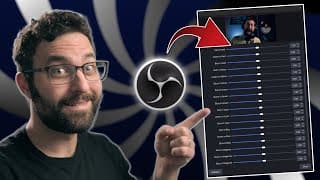
How to Color Grade Accurately in OBS - Tetra Shader Plugin (Tetrahedral Interpolation)
Have you wanted to change or modify your colors but the OBS tools were just way too finicky? That is all fixed with this new shader I developed based on some Tetra concepts I use in DaVinci Resolve. This shader allows you to fine-tune your colors and shift hues with accuracy without breaking your image. You can even single out a specific color by setting all channels in every other color vector to 0.5. So let's say all your colors except Blue had red green and blue set to 0.5, then Blue would be the only color in your image and everything else would be between black and white. Have fun with this! ▬ - Links - Fusion Survival Guide: https://www.groundcontrol.film/a/2147809736/iBMBmxPN 9 Nodes to Make Almost Anything in Fusion: https://www.groundcontrol.film/a/2147809737/iBMBmxPN Fusion: Zero to Hero Course (use the code: CAMTIM for 10% off!): https://www.groundcontrol.film/a/2147794467/iBMBmxPN CutScene: https://cutscenesleep.com/ ▬ - The Socials! - TWITCH - https://www.twitch.tv/cameratim INSTAGRAM - https://www.instagram.com/seneker_thatsme TWITTER - https://twitter.com/camera_tim Business inquiries: Email: thecameratim@gmail.com ▬ 00:00 - The Ever-So-Colorful Intro 00:22 - What is Tetrahedral Interpolation? 01:05 - How to Download and Install Shaderfilter 01:13 - How to Open the Tetra Shader 01:43 - Color Monitor Plugin - Use this for Reference 02:06 - Viewing the Vectorscope for Reference 02:38 - How Does the Tetra Shader Work? 05:32 - Using Tetra on a Webcam 08:41 - Viewing a 3D LUT Cube for Extra Visualization 10:06 - THIS IS THE OUTRO
I finally have a new video up, LET'S MAKE MORE! DaVinci Resolve AMA!

How to Transfer Large Files Anywhere for FREE with NO ACCOUNT - Croc Tutorial
Need to send a large amount of files but don't want to have to pay for a service or upload to multiple places with multiple accounts? Croc is your solution. In this video, we see how to install Croc for both Windows and Mac, and how to use it to send an unlimited amount of files anywhere in the world for free! NOTE: The camera looks very contrast heavy because YouTube applied the wrong gamma tag. Nothing I can do to change it now, but it shouldn't happen in the future! ▬ - Links - Fusion Survival Guide: https://www.groundcontrol.film/a/2147809736/iBMBmxPN 9 Nodes to Make Almost Anything in Fusion: https://www.groundcontrol.film/a/2147809737/iBMBmxPN Fusion: Zero to Hero Course (use the code: CAMTIM for 10% off!): https://www.groundcontrol.film/a/2147794467/iBMBmxPN CutScene: https://cutscenesleep.com/ ▬ - The Socials! - TWITCH - https://www.twitch.tv/cameratim INSTAGRAM - https://www.instagram.com/seneker_thatsme TWITTER - https://twitter.com/camera_tim Business inquiries: Email: thecameratim@gmail.com ▬ 00:00 - What is Croc? 01:01 - iOS Mobile Alternatives 01:18 - Install Croc on Windows 02:02 - Install Croc on Mac (Includes Homebrew) 02:58 - How to Use Croc 03:52 - Different Receive Codes for Mac/Linux and PC 04:12 - How to Receive Files - Windows 04:42 - Open Command Prompt on Specific Folder (Windows) 05:32 - How to Receive Files - Mac 05:59 - Open Terminal in Specific Folder (Mac) 06:27 - Troubleshooting - Transfer Interrupted 07:01 - Troubleshooting - File Path Not Found/Folder Issues 07:27 - How to ZIP Files/Folders on Windows 08:17 - How to ZIP Files/Folders on Mac 08:26 - DON'T WATCH THE BAD JOKE AT THE END
New YouTube Videos... FINALLY! DaVinci Resolve AMA

New YouTube Videos... FINALLY! (Part 2) DaVinci Resolve AMA
DaVinci Resolve YouTube Edits! Then Plugin Dev for YOU!!
Building DaVinci Resolve Tools! AMA!
DaVinci Resolve AMA While We Edit!!
DaVinci Resolve AMA While We Edit!!

DaVinci Resolve AMA While We Edit!!
Turn your videos into live streams with https://restream.io
DaVinci Resolve AMA While We Edit!!
Turn your videos into live streams with https://restream.io

DaVinci Resolve AMA While We Edit!!
What's Your Biggest Obstacle in Learning DaVinci Resolve?
Want to Learn DaVinci Resolve? Ask Things! Part 1

Want to Learn DaVinci Resolve? Ask Things! Part 2
How to Edit YouTube Videos Faster (USE RESOLVE)
Turn your videos into live streams with https://restream.io DaVinci painted this stream
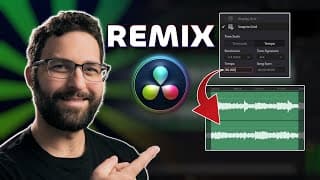
How to Extend, Shorten, and Retime Music PERFECTLY in DaVinci Resolve Using Fairlight
This tutorial shows how to retime your music perfectly without having to zoom in to microseconds of sample rates and matching waveforms together. Using BPM techniques, cutting and splicing is significantly easier to adjust your music to get the length that you want if your track doesn't fit naturally. ▬ - Links - Fusion Survival Guide: https://www.groundcontrol.film/a/2147809736/iBMBmxPN 9 Nodes to Make Almost Anything in Fusion: https://www.groundcontrol.film/a/2147809737/iBMBmxPN Fusion: Zero to Hero Course (use the code: CAMTIM for 10% off!): https://www.groundcontrol.film/a/2147794467/iBMBmxPN CutScene: https://cutscenesleep.com/ ▬ - The Socials! - TWITCH - https://www.twitch.tv/cameratim INSTAGRAM - https://www.instagram.com/seneker_thatsme TWITTER - https://twitter.com/camera_tim Business inquiries: Email: thecameratim@gmail.com ▬ 00:00 - The Intro is NOT Retimed 01:10 - Example 1 - How to Find BPM 02:55 - Snapping to BPM Grid for Cutting 03:10 - How to Extend Music - Cut and Alt Drag 04:23 - Cutting a Section Out 04:54 - Adding Transitions for Clean Fades 05:50 - Example 2 - Use the Easy Part of the Song for BPM 08:58 - Half Beat Note (If BPM ends up with a .5 decimal) 09:32 - Example 3 - Songs With Hard to Discern Beats 11:54 - Check BPM by Overlaying Tracks 13:20 - The Outro - Once Again Not Retimed (Allegedly)
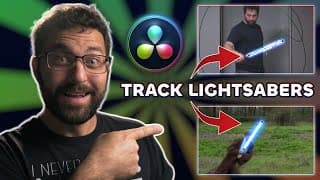
How to Track Lightsabers in DaVinci Resolve: Tips and Tricks to Save Time!
This tutorial will give you practical and advanced tips for both the free and studio versions! Animating lightsabers frame by frame can be extremely tedious, but save a ton of time with these tracking and animation tips and shortcuts! ▬ - Links - Fusion Survival Guide: https://www.groundcontrol.film/a/2147809736/iBMBmxPN 9 Nodes to Make Almost Anything in Fusion: https://www.groundcontrol.film/a/2147809737/iBMBmxPN Fusion: Zero to Hero Course (use the code: CAMTIM for 10% off!): https://www.groundcontrol.film/a/2147794467/iBMBmxPN CutScene: https://cutscenesleep.com/ ▬ - The Socials! - TWITCH - https://www.twitch.tv/cameratim INSTAGRAM - https://www.instagram.com/seneker_thatsme TWITTER - https://twitter.com/camera_tim Business inquiries: Email: thecameratim@gmail.com ▬ 00:00:00 - Intro 00:00:21 - Examples Overview 00:00:39 - Linear Conversion 00:01:37 - Adding Trackers 00:02:49 - Fixing Tracking Points 00:04:23 - Manual Tracking Points 00:05:59 - Publish Polygon Points to Track 00:06:54 - Adding Color/Glow to Lightsaber 00:08:26 - Point Tracker with Footage Tracking Points 00:10:31 - Adaptive Mode and Path Center 00:12:12 - Tracking and Publishing with 2nd Method 00:13:05 - Refine Length and Rotation 00:15:44 - Adding Motion Blur to Footage 00:16:20 - Using a Saver/Loader to Render Heavy Effects 00:18:23 - Fixing Points on Motion Blur and Out of Frame Points 00:19:27 - Manual Tracking for Lightsaber Opening 00:19:52 - Track Your Way Out (HIDDEN DISCOUNT CODE?)
FINISHING THE LIGHTSABER TUTORIAL! Camera, Lighting, and DaVinci Resolve questions? Ask Away!
Powered by Restream https://restream.io DaVinci painted this stream
How to Spell Check in DaVinci Resolve #spellcheck #davinciresolve #nodes
This tool allows you to spell check in any text box in DaVinci Resolve, including the Fusion page! Download Grammarly here: https://app.grammarly.com/ Download DaVinci Resolve: https://www.blackmagicdesign.com/products/davinciresolve
Did you miss me? Camera, Lighting, and DaVinci Resolve questions? Ask Away!
Powered by Restream https://restream.io I've been working and lurking in the shadows, but I'm not going anywhere now!
I'M A PRESENTER AT RESOLVECON
IT'S HAPPENING! I'm going to be a presenter at ResolveCon, and I figured I'd start with some quick tips to get a bit of flavor what to look forward to!! REGISTER NOW AT THE LINK BELOW: ▬ - Links - ResolveCon Website: https://resolvecon.com/ Fusion Survival Guide: https://www.groundcontrol.film/a/2147809736/iBMBmxPN 9 Nodes to Make Almost Anything in Fusion: https://www.groundcontrol.film/a/2147809737/iBMBmxPN Fusion: Zero to Hero Course (use the code: CAMTIM for 10% off!): https://www.groundcontrol.film/a/2147794467/iBMBmxPN CutScene: https://cutscenesleep.com/ ▬ - The Socials! - TWITCH - https://www.twitch.tv/cameratim INSTAGRAM - https://www.instagram.com/seneker_thatsme TWITTER - https://twitter.com/camera_tim Business inquiries: Email: thecameratim@gmail.com ▬ 00:00 BIG NEWS 00:34 Fusion Tip - Easy Outline 03:05 Color Tip - Quick Split Tone with LAB Color Space 04:34 Fairlight Tip - Add Effects to "Stems" Without Stems 06:29 The Hype is Real #davinciresolve #resolve #outlines #colorspace
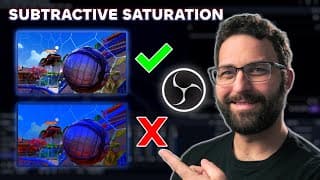
How to Get Cinematic Colors in OBS - Subtractive Saturation
Check out how you can have complete control over your colors and saturation in OBS in a way you've never been able to before! This is an update to a previous video on this shader with added functionality to give you much more control over your HSL and HSV saturation sliders. ▬ - Links - Shaderfilter: https://github.com/exeldro/obs-shaderfilter/releases Fusion Survival Guide: https://www.groundcontrol.film/a/2147809736/iBMBmxPN 9 Nodes to Make Almost Anything in Fusion: https://www.groundcontrol.film/a/2147809737/iBMBmxPN Fusion: Zero to Hero Course: https://www.groundcontrol.film/a/2147794467/iBMBmxPN CutScene: https://cutscenesleep.com/ ▬ - Music - Stinger Intro: Calling Down Fire (To Keep Warm) - Comrades ▬ - The Socials! - TWITCH - https://www.twitch.tv/cameratim INSTAGRAM - https://www.instagram.com/seneker_thatsme TWITTER - https://twitter.com/camera_tim Business inquiries: Email: thecameratim@gmail.com ▬ 00:00 Intro to the HSL/HSV Shader, Download Shaderfilter 00:50 Adding the Shader on a Source 01:13 Gain/Gamma Slider Updates! 01:47 What's the Difference Between Gain and Gamma? 03:40 Why We Can't Use Offset and Lift in the Shader 04:12 How to Use Gain and Gamma Together (Also What Order Does) 06:02 Additive vs Subtractive Saturation 06:56 Using Both HSL and HSV Together 07:16 USE THIS ON ANYTHING... oh, it's just the outro
DaVinci Resolve Tutorial for Beginners - Learn EVERY PAGE
Learn DaVinci Resolve from start to finish! Unlock the power of DaVinci Resolve where you'll learn how to navigate every page from Cut to Color. This full course walks you through the Edit page and beyond, giving you the skills needed to master editing in DaVinci Resolve. Whether you're just starting out or looking to enhance your skills, this video is the perfect guide for creating professional-quality content. ▬ 00:00 Are you new here? CLICK BUTTONS 00:28 How to download DaVinci Resolve 01:20 Opening DaVinci Resolve 02:03 Media Page - Media Storage/Importing Footage 03:06 Media Pool 04:05 Import SD Card - Clone Tool 04:49 Change Clip Framerate - Clip Attributes 05:15 Cut Page - Keyboard Customization 05:42 Navigating Folders - Sync Bin 06:57 Source Tape (View all b-roll at once) 07:25 Laggy/Slow Playback - Generating Proxies 08:36 Adding Clips to the Timeline - Timeline Views 10:55 Trimming Clips - Shortcuts and Tools 13:17 Edit Page - Timeline View Options/Stacked Timelines 14:25 Moving, Trimming, Duplicating, Deleting, and Ripple Deletes 16:41 Adding Effects - Inspector Window 18:39 Keyframing from the Inspector 19:40 Power Bins 20:19 Fusion Page - The four ways to enter Fusion 22:27 What are Nodes and how do they work? Three basic Node Types 26:02 Connecting Nodes 26:54 How to create Layers (Merge Nodes) - What are the different Inputs? 28:08 Understanding Node Flow - Transform Node 29:10 Mask Nodes - Using Alpha data as a mask 33:28 Keyframing in Fusion - Spline Editor 35:10 Grouping Nodes 35:47 Color Page - Fusion/Color Page order of operations 36:44 Color Management - Understanding how images are displayed 41:09 Primaries Color Wheels 43:17 Color Node Types 47:15 Exposure and Color Balance (White Balance) Using Linear 49:11 Using Scopes - Waveform and Vectorscope 52:28 Secondaries - Curves, Hue, Sat, Lum, Color Warper, Qualifiers 55:39 Power Windows and Tracking 57:22 Fairlight Page - UI Layout, Tracks, and Inspector 58:57 Audio playing in only one ear (Clip Attributes/Track Type) 59:50 Mixer Overview - Dynamics and EQ 01:06:07 Clip Level vs Track Level Effects (adding and removing) 01:06:59 Built-In Noise Reduction Overview 01:09:46 Automation - Creating and deleting automated keyframes 01:10:56 How to record ADR 01:13:21 Groups and Buses 01:16:36 Deliver Page - Overview 01:17:56 Single Clip vs Individual Clips - In and Out Points - Render Queue 01:18:55 Adding Multiple Timelines to the Queue simultaneously 01:19:31 How to save render presets 01:19:56 Outro Crash Course ▬ - Links - MrAlexTech's Project Manager Video: https://www.youtube.com/watch?v=LwijuhRHIKM Clone Tool: https://www.youtube.com/watch?v=fNdCuh3kZNQ Keyboard Shortcuts: https://www.youtube.com/watch?v=69cysQ-wGtE Proxy Media: https://www.youtube.com/watch?v=IFqR_BbETrs Jason Yadlovski's Video on Compression: https://www.youtube.com/watch?v=VRKOpELBj6w Fusion Survival Guide: https://www.groundcontrol.film/a/2147809736/iBMBmxPN 9 Nodes to Make Almost Anything in Fusion: https://www.groundcontrol.film/a/2147809737/iBMBmxPN Fusion: Zero to Hero Course: https://www.groundcontrol.film/a/2147794467/iBMBmxPN CutScene: https://cutscenesleep.com/ ▬ - Music - Stinger Intro: Calling Down Fire (To Keep Warm) - Comrades ▬ - The Socials! - TWITCH - https://www.twitch.tv/cameratim INSTAGRAM - https://www.instagram.com/seneker_thatsme TWITTER - https://twitter.com/camera_tim Business inquiries: Email: thecameratim@gmail.com ▬ #DaVinciResolve #crashcourse #tutorial #beginners #media #edit #cut #fusion #color #fairlight #deliver
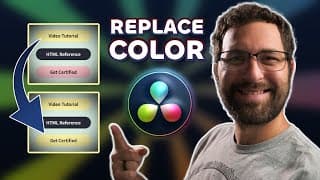
How to Change Colors in DaVinci Resolve - Replace Exact Colors
This tutorial shows you how to select a color and replace it with any other color you choose. This doesn't use hue vs hue or color warper adjustments as this is meant to replace exact color values. 00:00 NO HUE HERE 00:37 Color Page Option - Color Compressor/Qualifier 02:53 Fusion Page Option 1 - Color Compressor/Clean Plate 03:30 Using the Clean Plate as a Mask 06:18 Fusion Page Option 2 - Delta Keyer 07:34 Using the Clean Plate on the Delta Keyer for Fringe Fix 08:49 Fix Delta Keyer Black Background (Alpha Channel Input) 09:17 Does this outro need a replacement? ▬ - Links - Fusion Survival Guide: https://www.groundcontrol.film/a/2147809736/iBMBmxPN 9 Nodes to Make Almost Anything in Fusion: https://www.groundcontrol.film/a/2147809737/iBMBmxPN Fusion: Zero to Hero Course: https://www.groundcontrol.film/a/2147794467/iBMBmxPN CutScene: https://cutscenesleep.com/ ▬ - Music - Stinger Intro: Calling Down Fire (To Keep Warm) - Comrades ▬ - The Socials! - TWITCH - https://www.twitch.tv/cameratim - https://www.twitch.tv/streamsix_official INSTAGRAM - https://www.instagram.com/seneker_thatsme TWITTER - https://twitter.com/camera_tim Business inquiries: Email: thecameratim@gmail.com ▬ #DaVinciResolve #fusion #colorpicker #masking #replacement
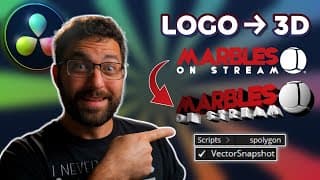
How to Convert a PNG to TRUE 3D in DaVinci Resolve - (FREE VERSION, NO KROKODOVE)
Take a PNG logo with or without transparency and turn it into a 3D logo ENTIRELY in Resolve! No external software, no online conversions, no duplicate nodes, just actual 3D extrusion. SPOLYGON SCRIPT NOTE: As of right now, the sPolygon script no longer exists, but there is a different script that effectively does the same thing, you just might need to sign up for an account, but it's quick and free. Also, I realize I called them masks the whole time instead of shapes, YOU UNDERSTAND ME DON'T YOU?! 00:00 It's a 3D Intro!!! 00:26 Download Reactor and sPolygon Converter 00:48 Install Reactor with VectorSnapshot 01:25 Install sPolygon 01:46 sPolygon file path for Mac 01:55 Creating Fusion Comp 02:17 Using VectorSnapshot 03:19 Importing the SVG created from VectorSnapshot 03:56 Using the sPolygon Converter 04:20 First fix for improper SVG sizing - sTransform 04:48 Using Buffers for Preview Wipe 05:39 Cutting Out Subtractive Masks 07:44 What is sBoolean? 08:08 Preview and modify 3D logo 08:30 Adding material back into the 3D logo 09:39 Quick 3D Scene example 10:12 Setup for PNG without transparency 11:52 Second fix for improper SVG sizing - .bmp file 13:30 Fixing improper material sizing 13:47 3D OUTRO (Well, more like 2D...) ▬ - Links - Reactor: https://www.steakunderwater.com/wesuckless/viewtopic.php?f=32&t=3067 shapeConverter (sPolygon Converter replacement, steps in video should be exactly the same after download): https://www.steakunderwater.com/wesuckless/viewtopic.php?t=6599 Fusion Survival Guide: https://www.groundcontrol.film/a/2147809736/iBMBmxPN 9 Nodes to Make Almost Anything in Fusion: https://www.groundcontrol.film/a/2147809737/iBMBmxPN Fusion: Zero to Hero Course: https://www.groundcontrol.film/a/2147794467/iBMBmxPN CutScene: https://cutscenesleep.com/ ▬ - Music - Stinger Intro: Calling Down Fire (To Keep Warm) - Comrades ▬ - The Socials! - TWITCH - https://www.twitch.tv/cameratim - https://www.twitch.tv/streamsix_official INSTAGRAM - https://www.instagram.com/seneker_thatsme TWITTER - https://twitter.com/camera_tim Business inquiries: Email: thecameratim@gmail.com ▬ #DaVinciResolve #fusion #masking #extrude #2d #3d
BEST DaVinci Resolve Keyboard Shortcuts - How To Edit INSANELY Fast
Is it hard to find shortcuts that fit your workflow and make you a faster editor? This video is for you. We will learn many amazing shortcuts that'll save you time and hopefully inspire you to find more much faster! 00:00 The "Short" Intro 00:41 Finding Keyboard Customization 00:51 Split Clip 01:11 Select Nearest Clip/All Clips Under Playhead 01:41 Select Clips Forward/Backward on This/All Tracks 02:28 Deselect All 02:41 Enable/Disable Clip 03:09 Auto Track Selector 04:15 Track Destination Selection 04:53 Select Edit Points (Type/Nearest) 05:44 Extend Edit 06:31 Ripple End/Start to Playhead 08:18 Linked Selection/Link Clips 09:52 Nudge 10:26 Add Transitions 11:24 Insert/Smart Insert 12:24 Move Clips Up/Down 13:09 Auto Sync Based On Waveform 13:31 Delete Empty Tracks 13:41 Delete Gaps 13:52 Convert to Multicam Clip 14:30 Multicam Cut/Switch 15:25 JKL (Reverse/Stop/Play) 16:00 Freeze Frame/Change Clip Speed 16:31 SUPER SECRET SHIRT OUTRO ▬ - Links - Fusion Survival Guide: https://www.groundcontrol.film/a/2147809736/iBMBmxPN 9 Nodes to Make Almost Anything in Fusion: https://www.groundcontrol.film/a/2147809737/iBMBmxPN Fusion: Zero to Hero Course: https://www.groundcontrol.film/a/2147794467/iBMBmxPN CutScene: https://cutscenesleep.com/ ▬ - Music - Stinger Intro: Calling Down Fire (To Keep Warm) - Comrades ▬ - The Socials! - TWITCH - https://www.twitch.tv/cameratim - https://www.twitch.tv/streamsix_official INSTAGRAM - https://www.instagram.com/seneker_thatsme TWITTER - https://twitter.com/camera_tim Business inquiries: Email: thecameratim@gmail.com ▬ #DaVinciResolve #edit #keyboard #shortcut #fast #keys #change
How to Freeze Frame in DaVinci Resolve - Generate and Export Stills on Each Page
This tutorial explains how to create different types of freeze frames, how each method differs, and how to generate and export still images on each page. 00:00 1. Intro to Freeze Framing 00:43 1a. Freeze Frame on the Cut Page 01:48 1b. Edit Method 1 - Change Clip Speed 02:56 1c. Edit Method 2 - Retime Controls 03:39 1d. Fusion Method - Time Stretcher 04:26 2. Still Image Exports - Cut and Edit Pages 04:55 2a. Fusion Page: "Save Image" 05:26 2b. Color Page: Grab Still/Export 06:07 3. THE NOT SO STILL OUTRO ▬ - Links - Fusion Survival Guide: https://www.groundcontrol.film/a/2147809736/iBMBmxPN 9 Nodes to Make Almost Anything in Fusion: https://www.groundcontrol.film/a/2147809737/iBMBmxPN Fusion: Zero to Hero Course: https://www.groundcontrol.film/a/2147794467/iBMBmxPN CutScene: https://cutscenesleep.com/ ▬ - Music - Stinger Intro: Calling Down Fire (To Keep Warm) - Comrades ▬ - The Socials! - TWITCH - https://www.twitch.tv/cameratim - https://www.twitch.tv/streamsix_official INSTAGRAM - https://www.instagram.com/seneker_thatsme TWITTER - https://twitter.com/camera_tim Business inquiries: Email: thecameratim@gmail.com ▬ #DaVinciResolve #freezeframe #tool #edit #fusion #stills #snapshot
How to Import and Copy Footage in DaVinci Resolve PROPERLY - The Clone Tool
If you're dragging and dropping your footage from an SD card, then you're actually risking your footage being corrupted. This video will show the proper flow of copying footage using checksums to ensure footage is copied properly without corruption. 00:00 STOP THE DROP 00:45 Intro to Clone Tool (Setting Up Jobs) 01:12 What are Checksums? 02:03 File Size Checksum 02:13 What is a Collision? 02:42 CRC 32, MD5, SHA 256, SHA 512 03:30 Importing Footage with the Clone Tool 04:22 Adding Multiple Destinations 04:45 Running Multiple Jobs (Multiple Sources) 05:00 Preserve Folder Name 05:50 Importing Folder Structure to Media Pool 06:13 DID I CLONE MYSELF? ▬ - Links - Fusion Survival Guide: https://www.groundcontrol.film/a/2147809736/iBMBmxPN 9 Nodes to Make Almost Anything in Fusion: https://www.groundcontrol.film/a/2147809737/iBMBmxPN Fusion: Zero to Hero Course: https://www.groundcontrol.film/a/2147794467/iBMBmxPN CutScene: https://cutscenesleep.com/ ▬ - Music - Stinger Intro: Calling Down Fire (To Keep Warm) - Comrades ▬ - The Socials! - TWITCH - https://www.twitch.tv/cameratim - https://www.twitch.tv/streamsix_official INSTAGRAM - https://www.instagram.com/seneker_thatsme TWITTER - https://twitter.com/camera_tim Business inquiries: Email: thecameratim@gmail.com ▬ #DaVinciResolve #clone #tool #edit #import #sd #ssd #hdd
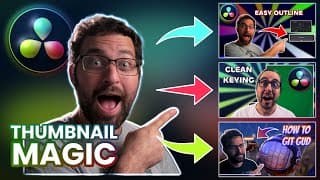
How to Make Thumbnails in DaVinci Resolve - The Ultimate Guide: Four Key Elements to Any Thumbnail
We break down the four subjects to thumbnails and how to apply them in various scenarios, all in DAVINCI RESOLVE! 00:00 Intro to Four Steps 01:36 1. Subject Image Setup 03:24 1a. Magic Mask 04:50 1b. Green Screen (Delta Keyer/Clean Plate) 11:40 1c. Non-Green Screen (Difference Keyer) 17:12 1d. Manual Masking (Polygon) 18:25 1e. Subject Outline/Border (Erode/Dilate) 22:00 1f. Subject Outline/Border (Edge Detect) 23:43 2. Creating Your Background 25:02 2a. Pinwheel Effect (Includes Pixel Grid) 30:17 2b. Texturing Background (Displace and Mosiac) 32:48 2c. Effect Masking (Mattes and Blurs) 35:11 3. Adding Foreground Elements/Screen Shots 37:01 3a. Highlighting Foreground (Erode/Dilate) 38:26 3b. Highlighting Foreground (Masks and Borders) 41:53 4. Additional Graphics (Logo Glow) 42:49 4a. Text Styling (Includes Resolution Cutoff Fix) 44:19 4b. Drawing Arrows (Refer to Pixel Grid) 46:14 5. Coloring Just For FUN! 46:59 Special Outro is Special!!! ▬ - Links - Fusion Survival Guide: https://www.groundcontrol.film/a/2147809736/iBMBmxPN 9 Nodes to Make Almost Anything in Fusion: https://www.groundcontrol.film/a/2147809737/iBMBmxPN Fusion: Zero to Hero Course: https://www.groundcontrol.film/a/2147794467/iBMBmxPN CutScene: https://cutscenesleep.com/ ▬ - Music - Stinger Intro: Calling Down Fire (To Keep Warm) - Comrades ▬ - The Socials! - TWITCH - https://www.twitch.tv/cameratim - https://www.twitch.tv/streamsix_official INSTAGRAM - https://www.instagram.com/seneker_thatsme TWITTER - https://twitter.com/camera_tim Business inquiries: Email: thecameratim@gmail.com ▬ #DaVinciResolve #thumbnail #fusion #design

1K! THANK YOU! DaVinci Resolve AMA for the First Ever YT Stream!!!
I'm blown away that you guys have been watching and enjoying the content, and I want to give back more to all of you and help you along your editing journey. If you have questions about any of the pages in Resolve, I'll do my best to answer any questions you have, or just hang out! THANK YOU ONCE AGAIN!!!
DaVinci Resolve's BIGGEST Workflow Secret - Media Management
The Media Management window in DaVinci Resolve is easily the most overlooked tool in the whole software. Whether you need to transcode specific clips in your project or copy only the footage used in specific timelines to a different hard drive, the Media Management tool does it all! 00:28 Find Media Management 00:36 Copy vs Transcode 01:16 Media Selection (Project, Timeline, or Clips) 01:51 All vs Used Media vs Trim 05:06 Consolidate Multiple Edit Segments Into One File 06:00 Use Project Name Subfolder 06:25 DRTs with Timelines 06:36 Preserve Folder Hierarchy 08:31 Relink to New Files 09:37 Select Clips in Timeline vs Media Pool 10:57 A Well Managed Outro ▬ - Links - Fusion Survival Guide: https://www.groundcontrol.film/a/2147809736/iBMBmxPN 9 Nodes to Make Almost Anything in Fusion: https://www.groundcontrol.film/a/2147809737/iBMBmxPN Fusion: Zero to Hero Course: https://www.groundcontrol.film/a/2147794467/iBMBmxPN CutScene: https://cutscenesleep.com/ ▬ - Music - Stinger Intro: Calling Down Fire (To Keep Warm) - Comrades ▬ - The Socials! - TWITCH - https://www.twitch.tv/cameratim - https://www.twitch.tv/streamsix_official INSTAGRAM - https://www.instagram.com/seneker_thatsme TWITTER - https://twitter.com/camera_tim Business inquiries: Email: thecameratim@gmail.com ▬ #DaVinciResolve #mediamanagement #remux #copy #transcodes #convert
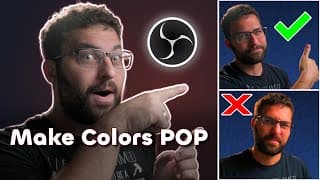
BEST OBS Color Plugins - I FIXED Saturation! | New Tools For Your Streams!!!
THIS TOOL HAS BEEN UPDATED. Click here for an overview of the updates: https://youtu.be/4agVabVPmrk I created a new tool that'll add color to your stream without destroying your colors! We'll also explore color balancing and some split toning with some really nice color script tools! 00:17 TL;DR Download and Use the Tool 01:40 3-Axis Color Correction and Color Curves Download and Installation 02:08 What is Saturation? 02:54 How is Saturation Measured? 04:45 What are HSL and HSV? 07:16 Explaining the Order Parameter 09:12 3-Axis Color Correction 10:03 Color Curves 12:18 The Juicy Outro 13:13 YouTube is a What?! ▬ - Links - Shaderfilter: https://github.com/exeldro/obs-shaderfilter/releases Color Curves: https://obsproject.com/forum/resources/color-curves.1540/ 3-Axis Color Correction: https://obsproject.com/forum/resources/3-axis-color-correction.1472/ Fusion Survival Guide: https://www.groundcontrol.film/a/2147809736/iBMBmxPN 9 Nodes to Make Almost Anything in Fusion: https://www.groundcontrol.film/a/2147809737/iBMBmxPN Fusion: Zero to Hero Course: https://www.groundcontrol.film/a/2147794467/iBMBmxPN CutScene: https://cutscenesleep.com/ ▬ - Music - Stinger Intro: Calling Down Fire (To Keep Warm) - Comrades ▬ - The Socials! - TWITCH - https://www.twitch.tv/cameratim - https://www.twitch.tv/streamsix_official INSTAGRAM - https://www.instagram.com/seneker_thatsme TWITTER - https://twitter.com/camera_tim Business inquiries: Email: thecameratim@gmail.com ▬ #obs #colorcorrection #colorgrading #streaming #twitch
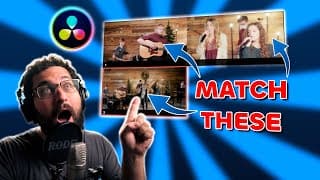
How to Match Colors in ANY CAMERA in DaVinci Resolve
This video covers color management within multicam sequences so you can much easier work with color matching cameras of different types, regardless of how they shoot! NOTE: This is a re-upload, as I had a problem with the music that was playing, so I made some modifications to make sure it wasn't super distracting to anyone watching. 00:00 Intro Explaining 00:44 Project Color Management 03:52 Display-referred vs Scene-referred 05:34 Numbering Cameras for Multicam 06:06 Sync Bin Syncing (Only Cameras) 07:29 Sync Bin Multicam Clip Creation 07:50 Create Multicam Clip from Timeline 08:34 Manual Sync 09:43 Multicam Tips Keyboard Shortcuts 11:12 View Each Camera Within Multicam Clip 12:00 Setting Up for Color Matching 13:03 Tag Footage Input Color Space 14:45 Start With Master Shot 15:23 Color Balance and Exposure with Linear 17:00 Balancing Other Cameras to Master Cam 20:02 Fixing Hue Shifts 21:17 HSL for Hue Shift 22:42 Key Output Gain for Reduced Effect 23:28 HSV (Subtractive Saturation) 24:20 Fix Contrast Ratio 26:35 Fixing Third Camera (Non-log) 27:08 Reducing Contrast 28:15 Compressing Colors 29:46 Match Contrast with Primaries 30:40 Gentle Hue vs Hue Corrections 33:00 Timeline Look Adjustments 34:08 The Most Amazing of Outros!!! ▬ - Links - Cullen Kelly: https://www.youtube.com/@CullenKelly Fusion Survival Guide: https://www.groundcontrol.film/a/2147809736/iBMBmxPN 9 Nodes to Make Almost Anything in Fusion: https://www.groundcontrol.film/a/2147809737/iBMBmxPN Fusion: Zero to Hero Course: https://www.groundcontrol.film/a/2147794467/iBMBmxPN CutScene: https://cutscenesleep.com/ ▬ - Music - Stinger Intro: Calling Down Fire (To Keep Warm) - Comrades K.K. Cruisin' Cover - LieutenantRed K.K. Disco Cover - LieutenantRed ▬ - The Socials! - TWITCH - https://www.twitch.tv/cameratim - https://www.twitch.tv/streamsix_official INSTAGRAM - https://www.instagram.com/seneker_thatsme TWITTER - https://twitter.com/camera_tim Business inquiries: Email: thecameratim@gmail.com ▬ #DaVinciResolve #colormanagement #VideoEditingTips #MulticamEditing #musicvideo
How to Create Multicam Clips in DaVinci Resolve - Best Workflow Practices for Multiple Workflows!
Everything you need to create multicam clips, whether it's a music video, podcast, or interview. We will cover multiple approaches to set up your multicam workflows, tailored to different types of projects. Plus, we'll tackle some common problems you might encounter and how to fix them. QUICK NOTE: In the Keyboard Shortcuts section, the Based on Waveform shortcut was changed to Auto Align Clips in version 19 because functionality was added and changed. 00:57 Keyboard Shortcuts 02:31 Sync Bin Setup 09:00 Single Display Source/Program Viewers 09:45 Audio Channel Mismatch 11:36 Music Video Setup 14:20 Sync By Camera 16:23 Sync By Take 18:40 Wrong Framerate Fix 20:57 Fairlight Track Effect Note ▬ - Links - Fusion Survival Guide: https://www.groundcontrol.film/a/2147809736/iBMBmxPN 9 Nodes to Make Almost Anything in Fusion: https://www.groundcontrol.film/a/2147809737/iBMBmxPN Fusion: Zero to Hero Course: https://www.groundcontrol.film/a/2147794467/iBMBmxPN CutScene: https://cutscenesleep.com/ ▬ - Music - Stinger Intro: Calling Down Fire (To Keep Warm) - Comrades ▬ - The Socials! - TWITCH - https://www.twitch.tv/cameratim - https://www.twitch.tv/streamsix_official INSTAGRAM - https://www.instagram.com/seneker_thatsme TWITTER - https://twitter.com/camera_tim Business inquiries: Email: thecameratim@gmail.com ▬ #DaVinciResolve #multicamediting #multicam
DaVinci Resolve Proxy Media: Everything You Need to Know
UPDATE: As of Resolve version 19.1.4, ProRes is now supported on Windows and Linux, so my current recommended workflow is to use ProRes Proxy for editing purposes instead of DNxHR LB. Learn how proxies work, what they are for, and how you can use them for editing and remote transfers! 00:00 Intro of Intros! 00:24 What Are Proxies? 01:06 Intraframe Codecs 01:27 Interframe Codecs 02:45 Why to Use Either Kind of Codec 03:42 Why Hard Drives are a Factor 05:11 Creating Proxies 06:57 Media Management Window 07:50 Timeline Proxy Resolution 08:07 WATCH THE OUTRO ▬ - Links - Fusion Survival Guide: https://www.groundcontrol.film/a/2147809736/iBMBmxPN 9 Nodes to Make Almost Anything in Fusion: https://www.groundcontrol.film/a/2147809737/iBMBmxPN Fusion: Zero to Hero Course: https://www.groundcontrol.film/a/2147794467/iBMBmxPN CutScene: https://cutscenesleep.com/ ▬ - Music - Stinger Intro: Calling Down Fire (To Keep Warm) - Comrades Cottage Grove - Harris Heller Good Day Feels - Harris Heller ▬ - The Socials! - TWITCH - https://www.twitch.tv/cameratim - https://www.twitch.tv/streamsix_official INSTAGRAM - https://www.instagram.com/seneker_thatsme TWITTER - https://twitter.com/camera_tim Business inquiries: Email: thecameratim@gmail.com ▬ #DaVinciResolve #proxy
Podcast Editing MADE EASY in DaVinci Resolve | Multicam, Live, Remote, and Other Incredible Tips
Welcome to this comprehensive guide on editing video podcasts with DaVinci Resolve. Whether you're a beginner or a seasoned professional, you'll find invaluable insights to elevate your editing process, making your content more engaging and polished. In this tutorial, we delve deep into the world of DaVinci Resolve to bring you the best practices for editing your video podcasts. We'll cover everything from multicam editing techniques, and effective yet straightforward effects, to time-saving tips that will expedite your editing process without compromising the quality of your content. 00:00 Intro About the Editing of the Podcast 00:30 In-Person vs Remote Recordings 00:52 Camera # Tab with Sync Bin 01:40 Sync with Edit Page 03:40 Keyboard Shortcuts - Cut/Trim Ends of Clips 05:00 Create Multicam Clip (In-Person) 05:28 Multicam Viewer for Single Monitor Workspace 06:45 Unlink Multicam Video and Audio 07:00 Keyboard Shortcuts - Multicam Cut/Switch 07:38 Multiple Microphone Audio Tracks 11:39 Remote Podcast Editing Setup and Sync 14:00 Create Multicam Clip (Remote) 15:00 Showing Two Cameras at Once 19:12 Showing Three Cameras at Once 21:20 Custom Transition to Multiple Cameras 23:58 Color Grading a Multicam Clip 24:27 Custom Fusion Transition 25:23 OUTRO ▬ - Links - Fusion Survival Guide: https://www.groundcontrol.film/a/2147809736/iBMBmxPN 9 Nodes to Make Almost Anything in Fusion: https://www.groundcontrol.film/a/2147809737/iBMBmxPN Fusion: Zero to Hero Course: https://www.groundcontrol.film/a/2147794467/iBMBmxPN CutScene: https://cutscenesleep.com/ ▬ - Music - Stinger Intro: Calling Down Fire (To Keep Warm) - Comrades New World - Harris Heller Atrophy - Harris Heller Love to See It - Harris Heller ▬ - The Socials! - TWITCH - https://www.twitch.tv/cameratim - https://www.twitch.tv/streamsix_official INSTAGRAM - https://www.instagram.com/seneker_thatsme TWITTER - https://twitter.com/camera_tim Business inquiries: Email: thecameratim@gmail.com ▬ #DaVinciResolve #PodcastEditing #VideoEditingTips #MulticamEditing #Podcasting
OBS Animated Border AS A FILTER
Place an animated border on your webcam or other sources with a filter! The border follows the source however it's sized! 00:00 Why I Wanted This Shader 01:06 Download and Install Shaderfilter 01:19 Adding the Border Shader as a Filter 01:54 How to Use the Border Shader 03:04 Border Stays Constrained 03:22 Dynamically Change Color with Move Transition 04:24 SHOW ME YOUR STUFF ▬ - Links - Shaderfilter: https://github.com/exeldro/obs-shaderfilter/releases Fusion Survival Guide: https://www.groundcontrol.film/a/2147809736/iBMBmxPN 9 Nodes to Make Almost Anything in Fusion: https://www.groundcontrol.film/a/2147809737/iBMBmxPN Fusion: Zero to Hero Course: https://www.groundcontrol.film/a/2147794467/iBMBmxPN CutScene: https://cutscenesleep.com/ ▬ - Music - Stinger Intro: Calling Down Fire (To Keep Warm) - Comrades YKWIM - Harris Heller ▬ - The Socials! - TWITCH - https://www.twitch.tv/cameratim - https://www.twitch.tv/streamsix_official INSTAGRAM - https://www.instagram.com/seneker_thatsme TWITTER - https://twitter.com/camera_tim Business inquiries: Email: thecameratim@gmail.com ▬
Extrude 3D Text from the Back! DaVinci Resolve Fusion Tutorial
Use this quick and useful expression to extrude 3D text from the back in Fusion! #shorts
Ultimate Beginners Guide to DaVinci Resolve's Fusion, Featuring baXcast
baX and I go over the best practices for learning Fusion that will help you get started in learning how Fusion operates, especially if you come from After Effects. ▬ - Links - Fusion Survival Guide: https://www.groundcontrol.film/a/2147809736/iBMBmxPN 9 Nodes to Make Almost Anything in Fusion: https://www.groundcontrol.film/a/2147809737/iBMBmxPN Fusion: Zero to Hero Course: https://www.groundcontrol.film/a/2147794467/iBMBmxPN CutScene: https://cutscenesleep.com/ ▬ - Music - Stinger Intro: Calling Down Fire (To Keep Warm) - Comrades Intro before session: KK Disco Cover - LieutenantRed During session: Various StreamBeats Lo-Fi ▬ - The Socials! - TWITCH - https://www.twitch.tv/cameratim INSTAGRAM - https://www.instagram.com/seneker_thatsme/ TWITTER - https://twitter.com/camera_tim Business inquiries: Email: thecameratim@gmail.com
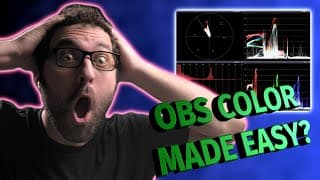
Color Correcting in OBS Just Got WAY Easier
Being able to accurately see where your color and exposure are at used to be just for editing software, but now you can use it live in OBS to make sure your videos look as good as possible! ▬ - Links - MAW (use the code MAW10 at checkout for 10% off!): https://drinkmaw.com/?rfsn=5259810.5883bf1 Color Monitor Plugin: https://obsproject.com/forum/resources/color-monitor.1277/ Fusion Survival Guide: https://www.groundcontrol.film/a/2147809736/iBMBmxPN 9 Nodes to Make Almost Anything in Fusion: https://www.groundcontrol.film/a/2147809737/iBMBmxPN Fusion: Zero to Hero Course: https://www.groundcontrol.film/a/2147794467/iBMBmxPN CutScene: https://cutscenesleep.com/ ▬ - Music - Stinger Intro: Calling Down Fire (To Keep Warm) - Comrades K.K. Soul (LieutenantRed cover) ▬ - The Socials! - TWITCH - https://www.twitch.tv/cameratim INSTAGRAM - https://www.instagram.com/seneker_thatsme/ TWITTER - https://twitter.com/camera_tim Business inquiries: Email: thecameratim@gmail.com ▬ 00:00 LONGEST INTRO TO DATE 00:23 Color Monitor Plugin 00:58 New Sources 01:19 New Scope Dock 02:19 Histogram 03:48 Waveform 05:20 Vectorscope 07:17 False Color 07:53 Zebra 08:40 Using as Overlays!
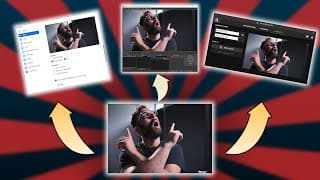
Use ANY WEBCAM in Multiple Software Simultaneously - NDI Tutorial
Getting stuck with wanting special effects for your webcam but have limitations with the single software limit? This video breaks that gate wide open. Also, with Virtualcam, this also has a filter that appears to do a similar function, but it is also limited to just a video signal and won't allow for multiple outputs on a single source like the NDI filter does. And it can also mess with some color correction you have on the source. It's generally not recommended for this type of use as a filter, but the option is there. ▬ - Links - MAW (use the code MAW10 at checkout for 10% off!): https://drinkmaw.com/?rfsn=5259810.5883bf1 OBS NDI Plugin: https://obsproject.com/forum/resources/obs-ndi-newtek-ndi%E2%84%A2-integration-into-obs-studio.528/ NDI Tools: https://www.ndi.tv/tools/ OBS Virtualcam Plugin: https://obsproject.com/forum/resources/obs-virtualcam.949/ Fusion Survival Guide: https://www.groundcontrol.film/a/2147809736/iBMBmxPN 9 Nodes to Make Almost Anything in Fusion: https://www.groundcontrol.film/a/2147809737/iBMBmxPN Fusion: Zero to Hero Course: https://www.groundcontrol.film/a/2147794467/iBMBmxPN CutScene: https://cutscenesleep.com/ ▬ - Music - Stinger Intro: Calling Down Fire (To Keep Warm) - Comrades That's The Way - Harris Heller ▬ - The Socials! - TWITCH - https://www.twitch.tv/cameratim INSTAGRAM - https://www.instagram.com/seneker_thatsme TWITTER - https://twitter.com/camera_tim Business inquiries: Email: thecameratim@gmail.com
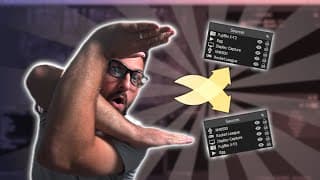
AUTOMATICALLY MOVE SOURCES IN OBS - LioranBoard tutorial
Use external software to control your sources within OBS to reorder them automatically. This can be done in any software that can utilize OBS Websocket commands. Here is the JSON format template for the Custom Packet used in the tutorial. Use the Send OBS Request command inside of SAMMI to accomplish this as Custom Packet is no longer a command. Just throw this in a notepad and change it accordingly to make it easier: {"scene":"","items":[{"name":""},{"name":""}],"request-type":"ReorderSceneItems","message-id":"1"} ▬ - Links - MAW (use the code MAW10 at checkout for 10% off!): https://drinkmaw.com/?rfsn=5259810.5883bf1 Andilippi: TWITCH - https://www.twitch.tv/andilippi YOUTUBE - https://www.youtube.com/channel/UCp70l75kpG3ISyxpIsL6hfQ STREAMUP - https://streamup.tips/ OBS Websocket: As of OBS 28, Websocket comes directly with OBS, so no installation is necessary. SAMMI (no longer Lioranboard): https://sammi.solutions/docs/download Installing SAMMI on Mac (this tutorial was originally for Lioranboard, but the same steps still work): https://www.youtube.com/watch?v=hS-4R3jGpS8 Fusion Survival Guide: https://www.groundcontrol.film/a/2147809736/iBMBmxPN 9 Nodes to Make Almost Anything in Fusion: https://www.groundcontrol.film/a/2147809737/iBMBmxPN Fusion: Zero to Hero Course: https://www.groundcontrol.film/a/2147794467/iBMBmxPN CutScene: https://cutscenesleep.com/ ▬ - Music - Stinger Intro: Calling Down Fire (To Keep Warm) - Comrades The Best Way To Grow On Twitch - Harris Heller ▬ - The Socials! - TWITCH - https://www.twitch.tv/cameratim INSTAGRAM - https://www.instagram.com/seneker_thatsme TWITTER - https://twitter.com/camera_tim Business inquiries: Email: thecameratim@gmail.com
How to Make 3D TEXT in 3 Minutes in DaVinci Resolve!
This tutorial shows you how to create 3D text from scratch in just a few minutes using DaVinci Resolve. ▬ - Links - Fusion Survival Guide: https://www.groundcontrol.film/a/2147809736/iBMBmxPN 9 Nodes to Make Almost Anything in Fusion: https://www.groundcontrol.film/a/2147809737/iBMBmxPN Fusion: Zero to Hero Course: https://www.groundcontrol.film/a/2147794467/iBMBmxPN CutScene: https://cutscenesleep.com/ ▬ - The Socials! - TWITCH - https://www.twitch.tv/cameratim INSTAGRAM - https://www.instagram.com/seneker_thatsme/ TWITTER - https://twitter.com/camera_tim Business inquiries: Email: thecameratim@gmail.com
Remove Light Flicker in OBS with No Extra Software
UPDATE: StreamFX is no longer a free plugin with OBS 29 and up, so instead of downloading StreamFX, you can download Source Clone, and just follow the tutorial as if you were using Source Mirror. They effectively do the same thing. Learn how to completely eliminate flicker from LED lighting when your camera can't seem to get rid of it! ▬ - Links - MAW (use the code MAW10 at checkout for 10% off!): https://drinkmaw.com/?rfsn=5259810.5883bf1 Source Clone: https://obsproject.com/forum/resources/source-clone.1632/ Fusion Survival Guide: https://www.groundcontrol.film/a/2147809736/iBMBmxPN 9 Nodes to Make Almost Anything in Fusion: https://www.groundcontrol.film/a/2147809737/iBMBmxPN Fusion: Zero to Hero Course: https://www.groundcontrol.film/a/2147794467/iBMBmxPN CutScene: https://cutscenesleep.com/ ▬ - Music - Stinger Intro: Calling Down Fire (To Keep Warm) - Comrades Ice on My Tongue- Harris Heller ▬ - The Socials! - TWITCH - https://www.twitch.tv/cameratim INSTAGRAM - https://www.instagram.com/seneker_thatsme/ TWITTER - https://twitter.com/camera_tim Business inquiries: Email: thecameratim@gmail.com
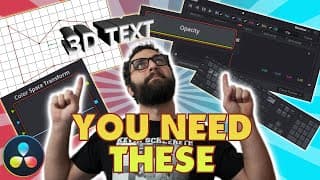
My TOP 20 TIPS for DaVinci Resolve
Super helpful tips that you might not have thought about or known how to do! ▬ 01:00 1. ProRes in OBS 02:19 2. Remux MKV using FFmpeg 03:37 3. Studio Drivers EDIT: 03:52 4. How to Fix Laggy Footage (Proxy Media) 05:55 5. Rendering Alpha Channels/Compound Clips 06:33 6. Keyboard Shortcuts 08:17 7. Custom Transitions 10:01 8. Power Bins 10:26 9. Smooth Cut FUSION: 11:12 10. Opacity Node (Fusion) 12:09 11. Fusion Comp Size 12:40 12. Distortion Effect (Displacement) 13:43 13. Fusion Snapping Grid 14:37 14. 3D Text 16:22 15. Spline Tool (customize keyframes) COLOR: 19:17 16. Color Page Node Tree 20:13 17. Outside Node 21:05 18. Mask Tracking 21:32 19. Alpha Output 22:03 20. Color Space Transforms 28:09 Outro ▬ - Links - FFmpeg Download: https://www.gyan.dev/ffmpeg/builds/ffmpeg-release-essentials.zip FFmpeg Installation (video has an old download link, but process is the same): https://www.youtube.com/watch?v=Q069kEMywVM Fusion Survival Guide: https://www.groundcontrol.film/a/2147809736/iBMBmxPN 9 Nodes to Make Almost Anything in Fusion: https://www.groundcontrol.film/a/2147809737/iBMBmxPN Fusion: Zero to Hero Course: https://www.groundcontrol.film/a/2147794467/iBMBmxPN CutScene: https://cutscenesleep.com/ ▬ SCRIPT: for %%A in (*.mkv) do ( ffmpeg -i "%%A" -c copy "%%~nA.mov" ) :end exit ▬ - Music - Stinger Intro: Calling Down Fire (To Keep Warm) - Comrades Motor Town - Harris Heller Time Keys - Harris Heller Most Requested - Harris Heller ▬ - The Socials! - TWITCH - https://www.twitch.tv/cameratim INSTAGRAM - https://www.instagram.com/seneker_thatsme/ TWITTER - https://twitter.com/camera_tim Business inquiries: Email: thecameratim@gmail.com Check out Patrick Sterling's tutorials! https://www.youtube.com/channel/UCkNXzFVAwU10ViF7xSR8ieA
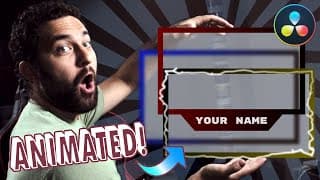
Animated Webcam Borders in Resolve! Grid Snapping, Parenting, Instancing, Plugins, and More!
Want to take your webcam overlay to the next level for free?! In this tutorial, we talk about several different tips and tricks to create a wide variety of webcam borders for use in OBS or whatever streaming software you're using. ▬ 00:00 Intro 00:40 Basic Webcam Border 03:46 Custom Shape Border 04:04 Creating Snapping Grid 06:37 Installing Reactor Plugin 07:27 Animated Lightning Border 10:16 Instancing (clone nodes) 11:51 Time Expression 12:22 Outro ▬ - Links - Reactor Plugins - https://www.steakunderwater.com/ - (Direct) https://www.steakunderwater.com/wesuckless/viewtopic.php?f=32&t=3067 Fusion Survival Guide: https://www.groundcontrol.film/a/2147809736/iBMBmxPN 9 Nodes to Make Almost Anything in Fusion: https://www.groundcontrol.film/a/2147809737/iBMBmxPN Fusion: Zero to Hero Course: https://www.groundcontrol.film/a/2147794467/iBMBmxPN CutScene: https://cutscenesleep.com/ ▬ - Music - Stinger Intro: Calling Down Fire (To Keep Warm) - Comrades Unwind and Recharge - Harris Heller ▬ - The Socials! - TWITCH - https://www.twitch.tv/cameratim INSTAGRAM - https://www.instagram.com/seneker_thatsme/ Business inquiries: Email: thecameratim@gmail.com I don't use Twitter yet, don't flame me, it's already too hot outside.
Alpha Channels in Resolve for OBS
In this video, I show how to export with the proper settings using alpha channels in Resolve (and it's not DNxHR) and how to compress them for use in StreamElements and OBS. Also, I threw how to do basic mattes in there. ▬ - Links - FFmpeg: - https://ffmpeg.org/ FFmpeg PROPER installation: - https://www.youtube.com/watch?v=Q069kEMywVM Online conversion: - https://www.aconvert.com/video/ WebM for Premiere/Media Encoder - http://fnordware.com/WebM/ Fusion Survival Guide: https://www.groundcontrol.film/a/2147809736/iBMBmxPN 9 Nodes to Make Almost Anything in Fusion: https://www.groundcontrol.film/a/2147809737/iBMBmxPN Fusion: Zero to Hero Course: https://www.groundcontrol.film/a/2147794467/iBMBmxPN CutScene: https://cutscenesleep.com/ ▬ - Music - Stinger Intro: Calling Down Fire (To Keep Warm) - Comrades Ambient Gold - Harris Heller ▬ - The Socials! - TWITCH - https://www.twitch.tv/cameratim INSTAGRAM - https://www.instagram.com/seneker_thatsme/ Business inquiries: Email: thecameratim@gmail.com I don't use Twitter yet, don't flame me, it's already too hot outside.
The BEST Way to Color Correct in OBS! (OBS LUTs in DaVinci Resolve)
DaVinci Resolve: https://www.blackmagicdesign.com/products/davinciresolve/ ▬ - Links - Fusion Survival Guide: https://www.groundcontrol.film/a/2147809736/iBMBmxPN 9 Nodes to Make Almost Anything in Fusion: https://www.groundcontrol.film/a/2147809737/iBMBmxPN Fusion: Zero to Hero Course: https://www.groundcontrol.film/a/2147794467/iBMBmxPN CutScene: https://cutscenesleep.com/ ▬ - Music - Stinger Intro: Calling Down Fire (To Keep Warm) by Comrades Will I? by ADERIN | https://soundcloud.com/andrei-burcea-20972653 Music promoted by https://www.free-stock-music.com Creative Commons Attribution-ShareAlike 3.0 Unported https://creativecommons.org/licenses/by-sa/3.0/deed.en_US ▬ Thanks to Nutty for the Panasonic clips, check out his Stream Good channel here: https://www.youtube.com/channel/UCI5t_ve3cr5a1_3rrmbp6jQ ▬ TWITCH - https://www.twitch.tv/cameratim Business inquiries: Email: thecameratim@gmail.com