Loading...
Warning: Channel ID is missing or invalid
Loading channel videos...

Loading channel videos...
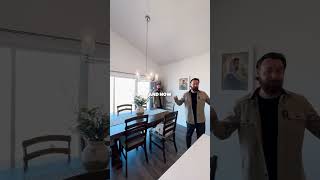
Insane MOVING Camera Clone Effect!
What looks like one take… is actually just creative thinking. 🤯 Watch this seamless clone effect made with a moving camera—looped for your brain’s confusion. Created in DaVinci Resolve. #CloneEffect #VFX #DaVinciResolve #VideoEditing #CreativeLoop #FilmmakingTrick
How to Clone Yourself With a Moving Camera
Learn how to clone yourself with a moving camera in this quick DaVinci Resolve VFX tutorial! This powerful effect is perfect for content creators, real estate videographers, and anyone wanting to level up their videos with cinematic tricks. Works with Resolve, Premiere Pro, and other editors too! #CloneEffect #DaVinciResolve #VFXtutorial #VideoEditing #RealEstateVideo
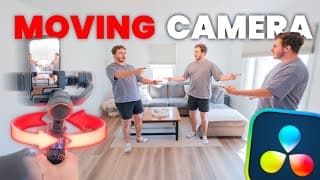
Create a NEXT-LEVEL Clone Effect Using a Moving Camera!
Ready to take your clone effect to the next level? In this VFX tutorial, I’ll show you how I created a jaw-dropping moving camera clone effect using a smartphone gimbal—no expensive motion rigs or sliders needed. This isn’t just a static visual effect—this method adds dynamic motion and depth, making it perfect not only for cinematic content but also for real estate videography. If you’re a realtor or video creator looking to stand out with engaging, scroll-stopping content, this technique is a game-changer. I’ll walk you through both the filming and editing process so you can pull this off in DaVinci Resolve, Premiere Pro, Final Cut, or any editor you prefer. Whether you're crafting next-level VFX, filming with a gimbal, or elevating your property tours, this tutorial has you covered. Get the Hohem M7 Smartphone Gimbal ↓ https://bit.ly/4lSA8nQ | Code: YT10 (10% off) 🔥 Get 70% OFF 1 Year of AUDIIO (use code VANBEEK) https://audiio.com/vanbeekfilms My Gear Camera (Lumix S5II) - [https://amzn.to/437bskO] Tight Lens (Sigma 28-70) - [https://amzn.to/3ELx7F3] Wide Lens (TTartisan 11) - [https://amzn.to/4k8IzKU] Microphone (Deity D3) - [https://amzn.to/4k2cJj3] Key Light (Amaran 60x) - [https://amzn.to/3Xa1z1I] Gimbal (DJI RS4) - [https://amzn.to/4i7gSAp] Drone (Mini 4 Pro) - [https://amzn.to/4hMkBUh] Lav Microphone (DJI Mic 2) - [https://amzn.to/41cBuQO] Field Monitor (Portkey PT6) - [https://amzn.to/4hJCnrl] B-Camera (Lumix G7) - [https://amzn.to/4kar251] Tight Lens (Lumix 25) - [https://amzn.to/4k4Zhe5] Want me to review your product? Brands & companies can reach out at [joel@vanbeekfilms.ca] 💬 Connect with me: Instagram: @vanbeekfilms Facebook: @vanbeekfilms Website: vanbeekfilms.ca #DaVinciResolve #VFXTutorial CHAPTERS 00:00 Intro 00:39 Final Result 01:09 Which Gimbal? 01:56 Filming the Effect 03:44 Most IMPORTANT Tip 05:21 Editing the Effect 05:40 Cutting 10:33 Masking in Fusion 16:30 Rough Draft 17:39 Layering Clones 20:20 Adding Back a Shadow 22:00 Looping the Video Seamlessly 24:13 Final Result/Outro
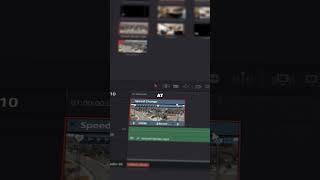
THIS is How You SpeedRamp in Davinci Resolve 20
Want smoother speed ramps in DaVinci Resolve 20? Here’s how to do it with the new tools Quick tutorial showing exactly how the new feature works — plus a few tips to make it actually usable. Full breakdown + advanced tricks in the main video 👉 [https://www.youtube.com/watch?v=nG1AUI-ZMtI] #DaVinciResolve #SpeedRamp #ResolveTutorial #VideoEditing #DavinciResolve20

Davinci Resolve 20 UPGRADED Speed Ramping!!
DaVinci Resolve 20 just changed speed ramping… but not in the way you'd expect 👀 This is a quick look at what’s new — and why it might not be as smooth as it seems. 🎬 Watch the full tutorial for the full breakdown + my idea for how Blackmagic could fix it: 👉 [https://www.youtube.com/watch?v=nG1AUI-ZMtI&t=879s]
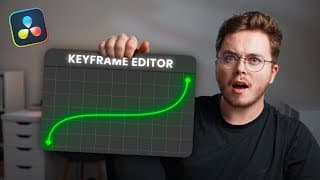
DaVinci Resolve 20 Just UPGRADED Speed Ramping — But There’s a Problem
DaVinci Resolve 20 just introduced an upgrade to speed ramping… but it’s not quite the game-changer we were hoping for. In this video, I walk you through exactly how the new system works, how to use it step-by-step — and where it still falls short. That’s why I created a concept fix — a better, faster way speed ramping could work in Resolve. If you’ve ever been frustrated with the current method (Fusion nodes, keyframes everywhere, confusing curve handles...), this idea is for you. 👉 Watch the full tutorial + concept demo 👉 Share your thoughts in the comments — let’s get Blackmagic to see this! If enough people engage, there’s a chance DaVinci Resolve actually implements this in a future update. 🔥 Get 70% OFF 1 Year of AUDIIO (use code VANBEEK) https://audiio.com/vanbeekfilms My Gear Camera (Lumix S5II) - [https://amzn.to/437bskO] Tight Lens (Sigma 28-70) - [https://amzn.to/3ELx7F3] Wide Lens (TTartisan 11) - [https://amzn.to/4k8IzKU] Microphone (Deity D3) - [https://amzn.to/4k2cJj3] Key Light (Amaran 60x) - [https://amzn.to/3Xa1z1I] Gimbal (DJI RS4) - [https://amzn.to/4i7gSAp] Drone (Mini 4 Pro) - [https://amzn.to/4hMkBUh] Lav Microphone (DJI Mic 2) - [https://amzn.to/41cBuQO] Field Monitor (Portkey PT6) - [https://amzn.to/4hJCnrl] B-Camera (Lumix G7) - [https://amzn.to/4kar251] Tight Lens (Lumix 25) - [https://amzn.to/4k4Zhe5] Want me to review your product? Brands & companies can reach out at [joel@vanbeekfilms.ca] 💬 Connect with me: Instagram: @vanbeekfilms Facebook: @vanbeekfilms Website: vanbeekfilms.ca #DaVinciResolve #VFXTutorial CHAPTERS 00:00 Intro 00:35 Keyframes 03:40 Smoothing Curve 04:00 First Issue 06:10 Boomerang 07:58 Second Issue 10:31 Reverse Speedramp 11:41 Single Clip Speedramp 14:12 Speed Ramping Concept 17:16 Outro
Why Your Cheap Lights Look BAD (and How to Fix It)
In this video, I show you how to get better results with cheap lights from Amazon—specifically the Mountdog softbox kit. If you're working with a tight budget but still want your lighting to look clean and professional, these simple tweaks can make a big difference. I walk through how to dim your environment, add a flag, introduce rim and accent lighting, and most importantly, why turning your softbox sideways changes everything. Perfect for creators, filmmakers, or anyone looking to get the most out of their budget lighting setup. (🇨🇦) Mountdog Lighting Kit - [https://amzn.to/3RDf2vN] (🇺🇸) Mountdog Lighting Kit - [https://amzn.to/4i3h17u] 🔥 Get 70% OFF 1 Year of AUDIIO (use code VANBEEK) https://audiio.com/vanbeekfilms My Gear Camera (Lumix S5II) - [https://amzn.to/437bskO] Tight Lens (Sigma 28-70) - [https://amzn.to/3ELx7F3] Wide Lens (TTartisan 11) - [https://amzn.to/4k8IzKU] Microphone (Deity D3) - [https://amzn.to/4k2cJj3] Key Light (Amaran 60x) - [https://amzn.to/3Xa1z1I] Gimbal (DJI RS4) - [https://amzn.to/4i7gSAp] Drone (Mini 4 Pro) - [https://amzn.to/4hMkBUh] Lav Microphone (DJI Mic 2) - [https://amzn.to/41cBuQO] Field Monitor (Portkey PT6) - [https://amzn.to/4hJCnrl] B-Camera (Lumix G7) - [https://amzn.to/4kar251] Tight Lens (Lumix 25) - [https://amzn.to/4k4Zhe5] Want me to review your product? Brands & companies can reach out at [joel@vanbeekfilms.ca] 💬 Connect with me: Instagram: @vanbeekfilms Facebook: @vanbeekfilms Website: vanbeekfilms.ca #DaVinciResolve #VFXTutorial CHAPTERS 00:00 Intro 00:31 The Base 00:55 Dim + Turn off Lights 01:52 Adding a Flag 02:53 Accent Light 03:08 Rim Light 4:00 My SECRET Tip 7:09 Final Result
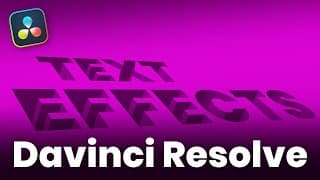
5 Powerful Text Effects in 12 Minutes | DaVinci Resolve
In this fast-paced tutorial, we’ll dive into five powerful text effects you can create right inside DaVinci Resolve. You’ll learn how to use the follower tool for dynamic animations, create smooth write-on effects, build a 3D inset embossed look, create shining outlines, and finish off with an epic text morph transition. Perfect for motion designers, editors, or anyone looking to level up their text game! 🔥 Get 70% OFF 1 Year of AUDIIO (use code VANBEEK) https://audiio.com/vanbeekfilms My Gear Camera (Lumix S5II) - [https://amzn.to/437bskO] Tight Lens (Sigma 28-70) - [https://amzn.to/3ELx7F3] Wide Lens (TTartisan 11) - [https://amzn.to/4k8IzKU] Microphone (Deity D3) - [https://amzn.to/4k2cJj3] Key Light (Amaran 60x) - [https://amzn.to/3Xa1z1I] Gimbal (DJI RS4) - [https://amzn.to/4i7gSAp] Drone (Mini 4 Pro) - [https://amzn.to/4hMkBUh] Lav Microphone (DJI Mic 2) - [https://amzn.to/41cBuQO] Field Monitor (Portkey PT6) - [https://amzn.to/4hJCnrl] B-Camera (Lumix G7) - [https://amzn.to/4kar251] Tight Lens (Lumix 25) - [https://amzn.to/4k4Zhe5] Want me to review your product? Brands & companies can reach out at [joel@vanbeekfilms.ca] 💬 Connect with me: Instagram: @vanbeekfilms Facebook: @vanbeekfilms Website: vanbeekfilms.ca #DaVinciResolve #VFXTutorial CHAPTERS 00:00 Intro 00:18 Follower Animation 02:02 Write On 04:40 3D Inset Text 08:35 Outline Reveal 10:49 Morphed Text 13:24 Outro

The BEST Budget Microphone for 2025?!
Looking for a budget-friendly podcast microphone that doesn’t compromise on quality? In this review, I test the Fifine Mic, an affordable option for beginners, streamers, and podcasters. Let’s find out if this budget mic can deliver professional results! (Canadian) FIFINE Microphone - [https://amzn.to/41LZBq1] (U.S.) FIFINE Microphone - [https://amzn.to/4bHO4MV] (Canadian) FIFINE Boom Arm - [https://amzn.to/4bJ1R5S] (U.S.) FIFINE Boom Arm - [https://amzn.to/4bNMDg4] 🔥 Get 70% OFF 1 Year of AUDIIO (use code VANBEEK) https://audiio.com/vanbeekfilms My Gear Camera (Lumix S5II) - [https://amzn.to/437bskO] Tight Lens (Sigma 28-70) - [https://amzn.to/3ELx7F3] Wide Lens (TTartisan 11) - [https://amzn.to/4k8IzKU] Microphone (Deity D3) - [https://amzn.to/4k2cJj3] Key Light (Amaran 60x) - [https://amzn.to/3Xa1z1I] Gimbal (DJI RS4) - [https://amzn.to/4i7gSAp] Drone (Mini 4 Pro) - [https://amzn.to/4hMkBUh] Lav Microphone (DJI Mic 2) - [https://amzn.to/41cBuQO] Field Monitor (Portkey PT6) - [https://amzn.to/4hJCnrl] B-Camera (Lumix G7) - [https://amzn.to/4kar251] Tight Lens (Lumix 25) - [https://amzn.to/4k4Zhe5] Want me to review your product? Brands & companies can reach out at [joel@vanbeekfilms.ca] 💬 Connect with me: Instagram: @vanbeekfilms Facebook: @vanbeekfilms Website: vanbeekfilms.ca #podcast #microphone CHAPTERS 00:00 Intro 00:20 Sound Quality 01:46 Design 01:58 Features 02:28 What's in the Box? 02:58 Boom Arm 04:05 Pros & Cons 05:13 Outro
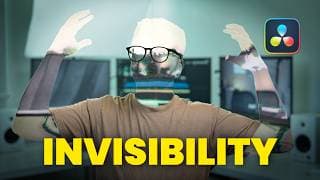
This Invisibility Effect is Almost TOO Real… (DaVinci Resolve Tutorial)
🔥 Get 70% OFF 1 Year of AUDIIO (use code VANBEEK) https://audiio.com/vanbeekfilms Learn how to create an insanely realistic invisibility effect in DaVinci Resolve! This tutorial goes beyond the basics, showing you how to track 3D glasses to sell the illusion, making your VFX look truly professional. My Gear Camera (Lumix S5II) - [https://amzn.to/437bskO] Tight Lens (Sigma 28-70) - [https://amzn.to/3ELx7F3] Wide Lens (TTartisan 11) - [https://amzn.to/4k8IzKU] Microphone (Deity D3) - [https://amzn.to/4k2cJj3] Key Light (Amaran 60x) - [https://amzn.to/3Xa1z1I] Gimbal (DJI RS4) - [https://amzn.to/4i7gSAp] Drone (Mini 4 Pro) - [https://amzn.to/4hMkBUh] Lav Microphone (DJI Mic 2) - [https://amzn.to/41cBuQO] Field Monitor (Portkey PT6) - [https://amzn.to/4hJCnrl] B-Camera (Lumix G7) - [https://amzn.to/4kar251] Tight Lens (Lumix 25) - [https://amzn.to/4k4Zhe5] Want me to review your product? Brands & companies can reach out at [joel@vanbeekfilms.ca] 💬 Connect with me: Instagram: @vanbeekfilms Facebook: @vanbeekfilms Website: vanbeekfilms.ca #DaVinciResolve #VFXTutorial CHAPTERS 00:00 Intro 00:19 Filming 00:52 Masking 01:14 Invisibility Effect 04:20 Glow Reveal Effect 07:59 Isolate Effect to Shirt 11:15 Tracking 3D Glasses 16:58 Final Result
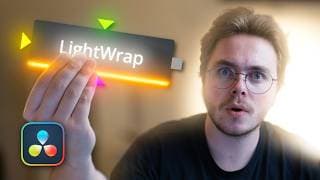
MASTER Light Wraps & Compositing in Minutes | Davinci Resolve Tutorial
🔥 Get 70% OFF 1 Year of AUDIIO (use code VANBEEK) https://audiio.com/vanbeekfilms Get your FREE light wrap tool by following me on Instagram! https://www.instagram.com/vanbeekfilms/ Light wraps are the secret to pro-level composites! Learn how to master them in minutes with this DaVinci Resolve tutorial. My Gear Camera (Lumix S5II) - [https://amzn.to/437bskO] Tight Lens (Sigma 28-70) - [https://amzn.to/3ELx7F3] Wide Lens (TTartisan 11) - [https://amzn.to/4k8IzKU] Microphone (Deity D3) - [https://amzn.to/4k2cJj3] Key Light (Amaran 60x) - [https://amzn.to/3Xa1z1I] Gimbal (DJI RS4) - [https://amzn.to/4i7gSAp] Drone (Mini 4 Pro) - [https://amzn.to/4hMkBUh] Lav Microphone (DJI Mic 2) - [https://amzn.to/41cBuQO] Field Monitor (Portkey PT6) - [https://amzn.to/4hJCnrl] B-Camera (Lumix G7) - [https://amzn.to/4kar251] Tight Lens (Lumix 25) - [https://amzn.to/4k4Zhe5] Want me to review your product? Brands & companies can reach out at [joel@vanbeekfilms.ca] 💬 Connect with me: Instagram: @vanbeekfilms Facebook: @vanbeekfilms Website: vanbeekfilms.ca #DaVinciResolve #VFXTutorial CHAPTERS 00:00 Intro 00:14 Masking 01:19 Adding Text 02:46 Light Wrap 05:09 Rim Light 06:27 Audiio 07:42 Adding Explosions 09:16 Clipping Issue 09:44 Plugin Showcase 11:50 3D Composite With Plugin 13:30 How to Get Free Plugin 13:50 How to Install Plugin 14:19 Outro
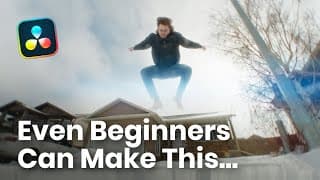
Beginner VS Pro: Insane Jump Over Building Effect – DaVinci Resolve Tutorial
In this tutorial, I’ll show you two ways to create the Jump Over a Building effect in DaVinci Resolve – one for beginners and one for pros! Beginner Method (Easy & Fast!) - Masking on the Color Page - Simple blending on the Edit Page - Quick & effective results! Pro Method (Advanced & Realistic!) - Fusion masking for precise control - Depth haze for realistic atmosphere - Light wrap to blend talent seamlessly - Realistic shadows to sell the effect - Pro-level VFX for next-level shots! Whether you're a beginner looking for a quick win or a pro aiming for Hollywood-level realism, this tutorial has got you covered! Subscribe for tutorials, gear review and more! Want me to review your product? Brands & companies can reach out at [joel@vanbeekfilms.ca] My Gear Camera (Lumix S5II) - [https://amzn.to/437bskO] Tight Lens (Sigma 28-70) - [https://amzn.to/3ELx7F3] Wide Lens (TTartisan 11) - [https://amzn.to/4k8IzKU] Microphone (Deity D3) - [https://amzn.to/4k2cJj3] Key Light (Amaran 60x) - [https://amzn.to/3Xa1z1I] Gimbal (DJI RS4) - [https://amzn.to/4i7gSAp] Drone (Mini 4 Pro) - [https://amzn.to/4hMkBUh] Lav Microphone (DJI Mic 2) - [https://amzn.to/41cBuQO] Field Monitor (Portkey PT6) - [https://amzn.to/4hJCnrl] B-Camera (Lumix G7) - [https://amzn.to/4kar251] Tight Lens (Lumix 25) - [https://amzn.to/4k4Zhe5] #DaVinciResolve #VFXTutorial #buildinggroweffect 00:00 Intro 00:14 Beginner Method 04:02 Pro Method 16:10 Final Result
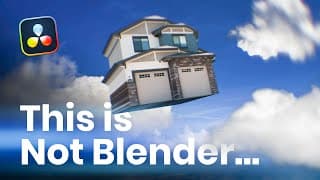
Mind Blowing 3D Building Effect in DaVinci Resolve! Full Tutorial
Get your professional VFX Assets here! [https://www.brovfx.com/] Use code: VANBEEKPROMO for 30% off! (February) Ever wanted to create a cinematic 3D house transition inside DaVinci Resolve without needing Blender? In this tutorial, I’ll walk you through the entire process—from extracting a house from real footage to transforming it into a fully extruded 3D model with realistic depth and detail. You'll learn how to animate the house in 3D space, make it flip and land seamlessly back into the scene, and enhance the effect with physics-based motion blur for a dynamic, natural look. On top of that, I’ll show you how to add additional VFX elements to sell the effect, making the transition feel smooth and immersive. Whether you're working on a real estate video, a high-end cinematic project, or just want to push your DaVinci Resolve skills further, this technique will take your edits to the next level. Subscribe for tutorials, gear review and more! Want me to review your product? Brands & companies can reach out at [joel@vanbeekfilms.ca] My Gear Camera (Lumix S5II) - [https://amzn.to/437bskO] Tight Lens (Sigma 28-70) - [https://amzn.to/3ELx7F3] Wide Lens (TTartisan 11) - [https://amzn.to/4k8IzKU] Microphone (Deity D3) - [https://amzn.to/4k2cJj3] Key Light (Amaran 60x) - [https://amzn.to/3Xa1z1I] Gimbal (DJI RS4) - [https://amzn.to/4i7gSAp] Drone (Mini 4 Pro) - [https://amzn.to/4hMkBUh] Lav Microphone (DJI Mic 2) - [https://amzn.to/41cBuQO] Field Monitor (Portkey PT6) - [https://amzn.to/4hJCnrl] B-Camera (Lumix G7) - [https://amzn.to/4kar251] Tight Lens (Lumix 25) - [https://amzn.to/4k4Zhe5] #DaVinciResolve #VFXTutorial #BuildingGrowEffect 00:00 Intro 00:12 Building Clean Plate 01:22 Masking 02:04 Extruding 3D 04:44 Sponsor (BroVFX) 05:44 Extruding 3D (continued) 07:48 Combining 3D Elements 14:30 3D Animation 23:10 Blending Footage 24:11 Camera Shake 27:27 Final Product
Insane 3D Building Effect in Davinci Resolve
I am currently working on a Tutorial for this 3D building effect, so make sure you stick around! I also just finished creating the building grow effect tutorial! #davinciresolve
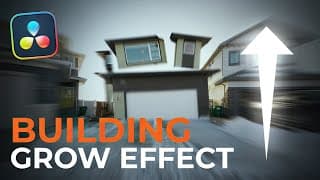
Next-Level Building Grow Effect | DaVinci Resolve Tutorial
Bringing buildings to life just got a whole lot more dynamic! In this DaVinci Resolve tutorial, I’m showing you how to create a Next-Level Building Grow Effect, but we’re not stopping at the basics. I’ll walk you through how to add shockwaves for extra impact, use camera shake to sell the realism, and animate everything smoothly. We’ll also dive into masking and tracking techniques to make sure the effect blends seamlessly into your footage. If you’re looking to push your edits further and add that extra cinematic punch, this is the tutorial for you! Subscribe for tutorials, gear review and more! Want me to review your product? Brands & companies can reach out at [joel@vanbeekfilms.ca] My Gear Camera (Lumix S5II) - [https://amzn.to/437bskO] Tight Lens (Sigma 28-70) - [https://amzn.to/3ELx7F3] Wide Lens (TTartisan 11) - [https://amzn.to/4k8IzKU] Microphone (Deity D3) - [https://amzn.to/4k2cJj3] Key Light (Amaran 60x) - [https://amzn.to/3Xa1z1I] Gimbal (DJI RS4) - [https://amzn.to/4i7gSAp] Drone (Mini 4 Pro) - [https://amzn.to/4hMkBUh] Lav Microphone (DJI Mic 2) - [https://amzn.to/41cBuQO] Field Monitor (Portkey PT6) - [https://amzn.to/4hJCnrl] B-Camera (Lumix G7) - [https://amzn.to/4kar251] Tight Lens (Lumix 25) - [https://amzn.to/4k4Zhe5] #davinciresolvetutorial #VFXTutorial #BuildingGrowEffect CHAPTERS 00:00 Intro 00:16 Generating Clean Plate 03:01 Masking 07:10 Animating 12:42 Creating a Shockwave 20:20 Adding Camera Shake 25:00 Blending the Original Shot 27:23 Next-Level Effects 30:18 Final Product
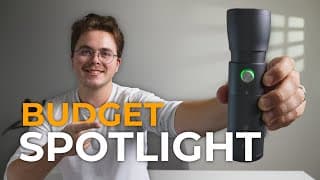
SmallRig RF 10C - Best Budget Spotlight for Filmmakers?
Looking for budget-friendly lighting for your videos? The SmallRig RF 10C is a compact mini spotlight that could save you $100s on lighting gear—but is it actually worth it? In this review, I break down everything you need to know: brightness, zoom range, filters, pros, cons, and whether it’s the best budget spotlight for filmmakers and content creators. Check out the Small Rig RF 10C here → [https://amzn.to/4i359Te] Why Budget Lighting Matters If you’re a filmmaker, content creator, or YouTuber, having the right lighting setup is key—but professional spotlights can be expensive. The SmallRig RF 10C aims to deliver a budget-friendly alternative for product videography, interviews, and creative lighting setups. ✅ Subscribe for more budget filmmaking gear reviews! 📩 Want me to review your product? Brands & companies can reach out at joel@vanbeekfilms.ca My Gear Camera (Lumix S5II) - [https://amzn.to/437bskO] Tight Lens (Sigma 28-70) - [https://amzn.to/3ELx7F3] Wide Lens (TTartisan 11) - [https://amzn.to/4k8IzKU] Microphone (Deity D3) - [https://amzn.to/4k2cJj3] Key Light (Amaran 60x) - [https://amzn.to/3Xa1z1I] Gimbal (DJI RS4) - [https://amzn.to/4i7gSAp] Drone (Mini 4 Pro) - [https://amzn.to/4hMkBUh] Lav Microphone (DJI Mic 2) - [https://amzn.to/41cBuQO] Field Monitor (Portkey PT6) - [https://amzn.to/4hJCnrl] B-Camera (Lumix G7) - [https://amzn.to/4kar251] Tight Lens (Lumix 25) - [https://amzn.to/4k4Zhe5] #BudgetLighting #SmallRigRF10C #filmmakinggear 00:00 Intro 00:16 What's in the Box 00:28 Design & Features 01:07 How to Use 02:01 Brightness & Colours 03:17 Light Filters 03:44 Pros 03:55 Cons 05:08 Final Thoughts
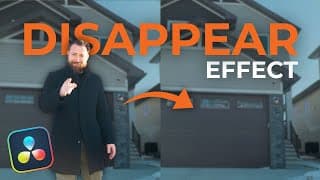
Disappear Effect in DaVinci Resolve | Teleport Tutorial
Want to learn how to make someone disappear in DaVinci Resolve? In this VFX tutorial, I'll show you step by step how to create a disappear effect using planar tracking, a clean plate, warping, displacement, camera shake, glow, and a shockwave effect. Whether you're a beginner or pro, this guide will help you master this powerful effect in DaVinci Resolve! If you have any questions, drop them in the comments below! 💬 Connect with me: Instagram: @vanbeekfilms Facebook: @vanbeekfilms Website: vanbeekfilms.ca My Gear Camera (Lumix S5II) - [https://amzn.to/437bskO] Tight Lens (Sigma 28-70) - [https://amzn.to/3ELx7F3] Wide Lens (TTartisan 11) - [https://amzn.to/4k8IzKU] Microphone (Deity D3) - [https://amzn.to/4k2cJj3] Key Light (Amaran 60x) - [https://amzn.to/3Xa1z1I] Gimbal (DJI RS4) - [https://amzn.to/4i7gSAp] Drone (Mini 4 Pro) - [https://amzn.to/4hMkBUh] Lav Microphone (DJI Mic 2) - [https://amzn.to/41cBuQO] Field Monitor (Portkey PT6) - [https://amzn.to/4hJCnrl] B-Camera (Lumix G7) - [https://amzn.to/4kar251] Tight Lens (Lumix 25) - [https://amzn.to/4k4Zhe5] #davinciresolve #VFXTutorial #DisappearEffect 00:00 Intro 00:09 Creating Clean Plate 00:44 Tracking Clean Plate 03:40 Displacement 05:03 Glow 06:06 Shockwave 07:52 Aberration 08:19 Camera Shake 08:57 Final Result 09:02 Outro
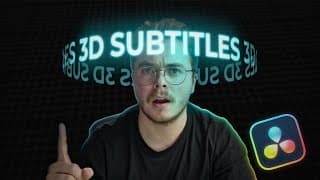
Use Headtracking to Create Advanced 3D Rotating Subtitles | Davinci Resolve Tutorial
Looking to level up your editing game? In this tutorial, I’ll show you how to create 3D rotating subtitles with head tracking in DaVinci Resolve—perfect for advanced editors who want to add a cinematic touch to their videos. But that’s not all. Along the way, you’ll pick up some seriously powerful skills like advanced masking, 3D animation, and even some 2D animation tricks. This isn’t your typical tutorial—it’s a deep dive into pro-level techniques that will take your edits to a whole new level. If you’ve ever wanted to push the boundaries of what’s possible in DaVinci Resolve, this video is for you. Let’s make some magic happen! #davinciresolvefree #3DHeadTracking #AdvancedEditing #videoeditingtips 00:00 Intro 00:15 Rotoscoping 01:43 3D Head Tracking 05:06 Creating Subtitles 08:16 3D Subtitles & Effects 14:24 3D Depth Blur 16:14 Final Product & Outro 💬 Connect with me: Instagram: @vanbeekfilms Facebook: @vanbeekfilms Website: vanbeekfilms.ca My Gear Camera (Lumix S5II) - [https://amzn.to/437bskO] Tight Lens (Sigma 28-70) - [https://amzn.to/3ELx7F3] Wide Lens (TTartisan 11) - [https://amzn.to/4k8IzKU] Microphone (Deity D3) - [https://amzn.to/4k2cJj3] Key Light (Amaran 60x) - [https://amzn.to/3Xa1z1I] Gimbal (DJI RS4) - [https://amzn.to/4i7gSAp] Drone (Mini 4 Pro) - [https://amzn.to/4hMkBUh] Lav Microphone (DJI Mic 2) - [https://amzn.to/41cBuQO] Field Monitor (Portkey PT6) - [https://amzn.to/4hJCnrl] B-Camera (Lumix G7) - [https://amzn.to/4kar251] Tight Lens (Lumix 25) - [https://amzn.to/4k4Zhe5]
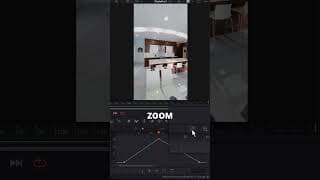
Pro-Level Speedramping with Fusion in DaVinci Resolve
Take your speedramping to the next level with Fusion in DaVinci Resolve. Learn how to use the Time Stretcher Node, Optical Flow, and a motion blur tip for pro-level results. Perfect for advanced editors. #DaVinciResolve #SpeedRamping #FusionPage #ProEditing
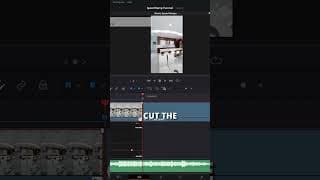
Speedramping Made Easy! Beginner Tutorial in DaVinci Resolve
Learn how to create smooth speed ramps using the Edit Page in DaVinci Resolve. This beginner tutorial covers the Retime Curve and frame interpolation modes like Optical Flow and Speed Warp. Start mastering speedramping today! #DaVinciResolve #SpeedRamping #BeginnerTutorial #VideoEditingTips
Beginner VS Pro: Speedramping Tutorial in Davinci Resolve!
Want to master smooth, eye-catching speedramps in DaVinci Resolve? This tutorial has you covered—whether you're just starting out or ready to take your skills to a pro level! In this video, I’ll walk you through two powerful methods to create stunning speed ramps: 🎥 Beginner-Friendly Approach: We’ll start with the basics using the Retime Curve on the Edit Page, exploring frame interpolation modes like Optical Flow and Speed Warp to ensure your speed ramps are as smooth as possible. 🎥 Pro-Level Technique: Ready to level up? I’ll show you how to harness the power of the Fusion Page with the Time Stretcher Node to achieve unparalleled precision. Plus, I’ll demonstrate how to use Optical Flow inside Fusion for those crisp, professional results. 💡 Secret Tip Alert: Stick around until the end, where I’ll share my game-changing motion blur trick to give your speed ramps that polished, cinematic look. Whether you’re new to video editing or a seasoned pro, this tutorial is packed with actionable tips to help you elevate your projects in DaVinci Resolve. Don’t forget to like, comment, and subscribe for more tutorials like this, and let me know in the comments which method you’re excited to try! 00:00 Intro 00:13 Beginner (Retime Curve) 05:35 Pro (Fusion) 12:37 Time Comparison 13:11 Secret Bonus Tip 15:11 Outro 💬 Connect with me: Instagram: @vanbeekfilms Facebook: @vanbeekfilms Website: vanbeekfilms.ca My Gear Camera (Lumix S5II) - [https://amzn.to/437bskO] Tight Lens (Sigma 28-70) - [https://amzn.to/3ELx7F3] Wide Lens (TTartisan 11) - [https://amzn.to/4k8IzKU] Microphone (Deity D3) - [https://amzn.to/4k2cJj3] Key Light (Amaran 60x) - [https://amzn.to/3Xa1z1I] Gimbal (DJI RS4) - [https://amzn.to/4i7gSAp] Drone (Mini 4 Pro) - [https://amzn.to/4hMkBUh] Lav Microphone (DJI Mic 2) - [https://amzn.to/41cBuQO] Field Monitor (Portkey PT6) - [https://amzn.to/4hJCnrl] B-Camera (Lumix G7) - [https://amzn.to/4kar251] Tight Lens (Lumix 25) - [https://amzn.to/4k4Zhe5] #DaVinciResolveTutorial #SpeedRamping #VideoEditingTips
Hunchback Ninja Walk
Sacrificing my back to get the optimal shot. 🔥 #dji #lumixs5ii #marketing #videographer #entrepeneur
DON'T GET SCAMMED!
EXPOSING the latest scam! Stay on your toes people, these scammers are getting smarter… #marketing #videographer #videography #vanbeekfilms #entrepreneur #camera #albertamarketing #albertavideography #albertadesign #albertaphotography
Building Grow Effect, But Better
I personally haven't seen anyone do this effect with so many individual elements... what do you think? #buildingroweffect #benntk #editing #videography
Guess the camera?
Started with an iPhone and now we're here! Anyone recognize the camera? #vanbeekfilms #videography #marketing #entrepreneur #camera
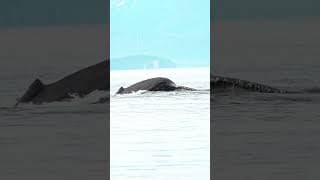
Go to Alaska. Do it.
I would really encourage you to go to Alaska. Once in a lifetime experience! #alaska #wildlife #bears #whales #foxes
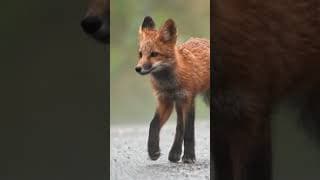
Hello Mr. Fox
A curious fox came to say hi to my camera! #fox #alaska #wildlife
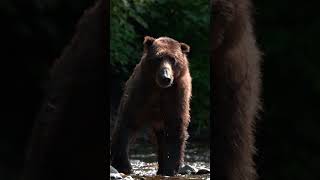
Too close for comfort
We had too many close bear encounters... #grizzlybear #alaska #bear #scary #bear
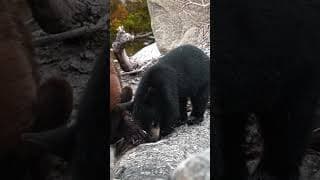
The cutest black bear cubs!
The cubs came out to say hi! #blackbear #yukon #cubs #cute #bear #babybear #alaska
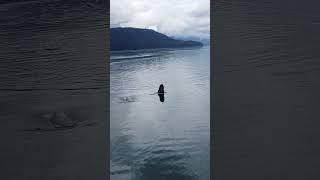
The whales came out to play.
It was a surreal experience to have dozens of whales splashing around our boat. #alaska #alaskalife #whalewatching #whales #naturelover
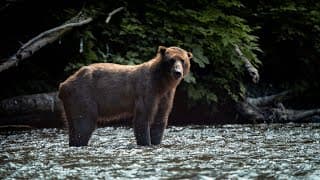
Untamed Alaska (Bear encounters, fishing and whale watching)
This is by far my biggest and best film yet. The trip my dad and I took to Alaska was unbelievable and is unforgettable. We had no need for a fancy cruise, paid excursion or anything of the like. We planned our own trip, packed our rods, and truly experienced the wildest Alaska can get. I will let the video speak for itself. And of course, please consider sharing this video with a friend :) People often ask if I was ever scared. The answer is yes. The eeriest feeling was fishing a creek out and back, and crossing fresh fish guts on your way back that definetly was not there 30 minutes ago... #alaska #adventurevlog #naturevlog #bears #grizzlybears #bearencounters #wildernessvlog #travelvlog #nature #whalewatching

Exploring Canada's Deepest Cave (Bisaro Cave/Canyon)
Exploring Canada’s deepest cave, the Bisaro Caves, was an unforgettable adventure! Descending into these depths brought incredible sights and challenges, but we’d like to emphasize that we’re not professionals and do not recommend attempting this yourself. Caving can be dangerous without the right training, experience, and equipment. Enjoy the journey with us from a safe distance, and please remember to stay cautious in the wild! For more of my adventures, follow me on social media: 📷 Instagram & Facebook: @vanbeekfilms 📞 403-332-1844 📧 joel@vanbeekfilms.ca
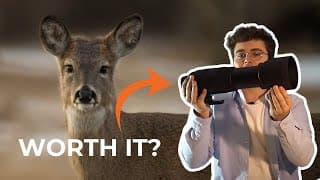
Is the Sigma 150-600mm Worth it in 2024?
In my first-ever lens review, I dive into the Sigma 150-600mm Contemporary Lens—a powerful zoom lens perfect for wildlife photography! As a videographer, I’m always on the lookout for sharp, versatile gear, and this lens does not disappoint. Paired with my Sony camera, the detail and clarity are incredible, especially at such a long range. If you're a fellow camera enthusiast or just curious about this Sigma lens, check out the video to see it in action. Let me know what you think, and don’t hesitate to ask questions about my experience with this zoom lens! For more content, connect with me on social media: 📷 Instagram & Facebook: @vanbeekfilms 📞 403-332-1844** 📧 joel@vanbeekfilms.ca
Wedding Film - Andrew & Nicole
Capturing the love and joy of this beautiful wedding day was such an honor. To see more of my work, follow me on social media: 📷 Instagram & Facebook: @vanbeekfilms For inquiries, reach out to me directly: 📞 403-332-1844 📧 joel@vanbeekfilms.ca If you’re looking for professional video work, I’d love to bring your vision to life!
Wedding Film - Jacob & Janelle
Moments like these are what make filming weddings so special. To see more of my work, follow me on social media: 📷 Instagram & Facebook: @vanbeekfilms For inquiries, reach out to me directly: 📞 403-332-1844 📧 joel@vanbeekfilms.ca If you’re looking for professional video work, I’d love to bring your vision to life!
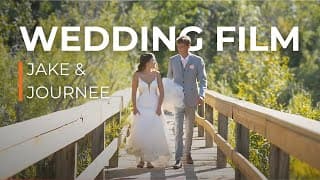
Wedding Film - Jake & Journee
Capturing the joy and emotion of this day was an absolute privilege. To see more of my work, follow me on social media: 📷 Instagram & Facebook: @vanbeekfilms For inquiries, reach out to me directly: 📞 403-332-1844 📧 joel@vanbeekfilms.ca If you’re looking for professional video work, I’d love to bring your vision to life!
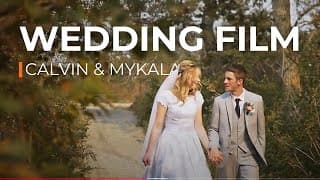
Wedding Film - Calvin & Mykala
This wedding day was a perfect blend of joy, laughter, and heartfelt moments. To see more of my work, follow me on social media: 📷 Instagram & Facebook: @vanbeekfilms For inquiries, reach out to me directly: 📞 403-332-1844 📧 joel@vanbeekfilms.ca If you’re looking for professional video work, I’d love to bring your vision to life!
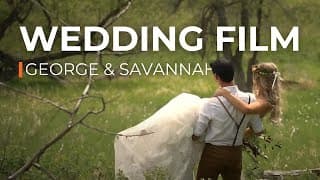
Wedding Film - George & Savannah
Celebrating this couple’s journey was such an honor to capture on film. To see more of my work, follow me on social media: 📷 Instagram & Facebook: @vanbeekfilms For inquiries, reach out to me directly: 📞 403-332-1844 📧 joel@vanbeekfilms.ca If you’re looking for professional video work, I’d love to bring your vision to life!
Backpacking 2021
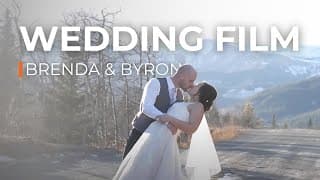
Wedding Film - Brenda & Byron
Each moment of this wedding day was filled with so much love and happiness. To see more of my work, follow me on social media: 📷 Instagram & Facebook: @vanbeekfilms For inquiries, reach out to me directly: 📞 403-332-1844 📧 joel@vanbeekfilms.ca If you’re looking for professional video work, I’d love to bring your vision to life!
Wedding PROMO
The Rockies (Mavic Mini 2)
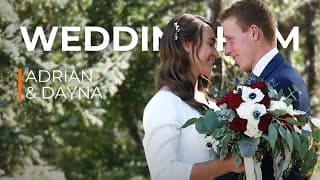
Wedding Film - Adrian & Dayna
Documenting this beautiful celebration of love was an unforgettable experience. To see more of my work, follow me on social media: 📷 Instagram & Facebook: @vanbeekfilms For inquiries, reach out to me directly: 📞 403-332-1844 📧 joel@vanbeekfilms.ca If you’re looking for professional video work, I’d love to bring your vision to life!
Wedding Film - Steven & Alida
Every moment of this day was a joy to capture and preserve. To see more of my work, follow me on social media: 📷 Instagram & Facebook: @vanbeekfilms For inquiries, reach out to me directly: 📞 403-332-1844 📧 joel@vanbeekfilms.ca If you’re looking for professional video work, I’d love to bring your vision to life!
Wedding Film - Paul & Sharleen
Being part of this beautiful day was truly something special. To see more of my work, follow me on social media: 📷 Instagram & Facebook: @vanbeekfilms For inquiries, reach out to me directly: 📞 403-332-1844 📧 joel@vanbeekfilms.ca If you’re looking for professional video work, I’d love to bring your vision to life!
Waterfall Cinematic
Wedding Film - Raymond & Lindsey
Documenting this beautiful celebration of love was an unforgettable experience. To see more of my work, follow me on social media: 📷 Instagram & Facebook: @vanbeekfilms For inquiries, reach out to me directly: 📞 403-332-1844 📧 joel@vanbeekfilms.ca If you’re looking for professional video work, I’d love to bring your vision to life!
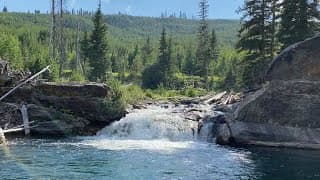
2020 Camping Trip
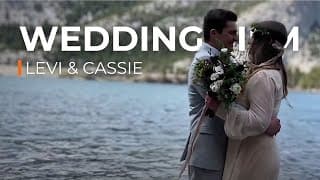
Wedding Film - Levi & Cassie
Moments like these are what make filming weddings so special. To see more of my work, follow me on social media: 📷 Instagram & Facebook: @vanbeekfilms For inquiries, reach out to me directly: 📞 403-332-1844 📧 joel@vanbeekfilms.ca If you’re looking for professional video work, I’d love to bring your vision to life!
Till Next Time
Netherlands 2020
Het Bos Vlog
Amsterdam Vlog
Germany Vlog
HSM Highlight Video
Efree HSM Highlight Video
Song-Always Enough by Sajan Nauriyal
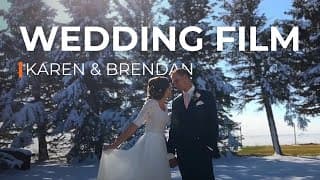
Wedding Film - Karen & Brendan
Bringing this couple’s love story to life was truly rewarding. To see more of my work, follow me on social media: 📷 Instagram & Facebook: @vanbeekfilms For inquiries, reach out to me directly: 📞 403-332-1844 📧 joel@vanbeekfilms.ca If you’re looking for professional video work, I’d love to bring your vision to life!
The Backyard-Nature Film
Backpacking Trip 2019

2019 Family Camping Trip

Joo_zzy Live Stream