Loading...
Warning: Channel ID is missing or invalid
Loading channel videos...

Loading channel videos...
How To Add VFX With Moving Camera in Resolve | The Planar Tracker
Adding assets in Fusion can is pretty simple with a static shot. But what about a panning shot? Or a shot where the camera is on a dolly or gimbal? The good news: Fusion handles these shots with no problem as well. The tool we'll use is called the Planar Tracker, and this lesson uses a moving POV shot to show hot it's done. #resolvefusion #planartrackertool #movingvfxfusion #filmschool
How to Backup and Restore Resolve Projects, Database and Settings
There is NOTHING worse than not having a backup—on our current film we were inches away from delivery. During the mix phase, a single sound edit corrupted and trashed the entire project! The backup saved us. This lesson shows various ways to backup and restore projects. We also look at automated backups, full database backups, preferences backups and even keyboard mapping backups. That's a lot of backing up. But it's easy and paramount to not weeping bitter tears if something goes wrong! #filmmaking #resolveprojectbackups #restoreresolveproject
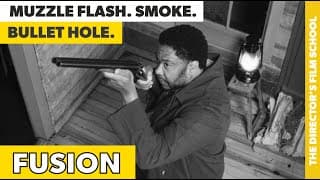
Muzzle Flash. Bullet Impact. Smoke. Debris! | How to do it in Fusion
For our latest project—A period piece called RECKONING—We had a few shots where a muzzle flash, smoke, bullet impact and debris were needed. Resolve Fusion did not let us down! This lesson shows you how to use Fusion (even if you never have). We'll add assets to create the flashes. The smoke. The bullet hole and debris in a realistic manner. First showing on the big screen and the audience had no idea the bullet impact was VFX. Now we're talking! For complete development through post training check out: https://writedirect.co #fusionmuzzleflash #fusionassets #howtousefusion #onlinefilmschool
How To Get Proper Camera Exposure | Understand The Exposure Layers
If you're not a DP or camera operator, but more of a director wearing multiple hats, understanding exposure can prove elusive at first. The 180 degree rule, shutter speed, aperture...and on and on. But if you don't nail exposure, you're in trouble. Trust me...I learned the hard way. The good news? It doesn't have to be difficult. You just need to understand the exposure layers,and how we interact with them as filmmakers. Shot a video that takes you through all four exposure layers while also giving practical application for indoor and outdoor shoots. This lesson uses the Blackmagic Pocket Cinema Camera, Sirui anamorphic lens and a Sekonic incident light meter and it's an important lesson in the pre-production phase of my online film school! You can find out more about my online film school here: https://writedirect.co Use code SAWYOUONYOUTUBE to save 25%! #onlinefilmschool #gettingexposure #blackmagicpocketcinemacamera #sekoniclightmeter #exposurelayers #exposuretriangle

3 & 4-Point Lighting Example | Bad to Good
Lighting is about one thing: Serving your story. After the insane amounts of work you put into development and pre-production, lighting is a way you paint the emotional ride of your story. 3-point and 4-point lighting setups are not complicated. Here we learn about: - Key Light - Fill Light - Backlight - Background Light See how you can add depth, dimension and guide your audience down the emotional journey you first envisioned back in development! If you're an indie filmmaker, you must take time to experiment with lighting on set. It will set you apart from the rest. But remember, no amount of incredible lighting replaces exceptional story telling. If you want to learn how to be a successful director, check out Write & Direct today: https://writedirect.co I highly recommend Aputure Amaran lights. Durable. Affordable. #3-pointlighting #onlinefilmschool #writeanddirect #keylight #filmmaking
How To Use Dehancer | DaVinci Resolve 19
After experimenting with Dehancer, I’ve decided to revisit the entire grade of my current film from scene 1. Dehancer really is that cool. So…first, what is Dehancer? It’s an extremely accurate way to add the aesthetics of film to your digital footage. And we’re not just talking grain or halation or bloom. But emulating actual film stock used on movies like Oppenheimer. Anyone who knows film knows there is a lot going on with the analogue film process. From exposure to development, prints, etc. It’s so much more complex and even forgiving at times than digital. Dehancer goes deep with their film emulation. They have their own lab and perform detailed sampling which results in some really cool emulation accuracy in their product. They also get into stuff like human perception, cognitive science and other stuff that affects color reproduction. So you get it. You can GEEK OUT on their processes all you want by going to their website. What are we going to do? 1) I’m gonna show you how to install Dehancer. 2) Then we’re gonna walk through the features step by step and try them out on footage from my current film. Ready? Let’s go. In the video I mentioned a discount code. Here it is: WRITEDIRECTDEHANCER #howtousedehancer #dehancer #dehancerdavinciresolve #onlinefilmschool
What is Crop Factor?
Crop factor is one of those topics that can be confusing. Especially when you're first starting out as a filmmaker. So what's crop factor all about? How does it affect us as story tellers? Does it even matter? Crop factor does play into things, and you've gotta understand what it is and how it affects your shots. Did you know crop factor can dictate focal length for certain shooting locations? This lesson explains it in detail from what it is to field of view impacts. If you're an aspiring filmmaker and like this training, check out my online film school for aspiring directors: https://writedirect.co #cropfactor #howdoescropfactoraffectfieldofview #onlinefilmschool
Sound Devices MixPre vs ZOOM F3 | 32-bit Float Recording
No one can deny the quality of a Sound Devices field recorder. And their indie film priced MixPre II series doesn't disappoint. But at the end of the day, we're after one thing on set and that's clean dialogue. And if you're a one-man band at times, you need a field recorder that supports 32-bit float and captures good sound. The MixPre II does this, but it also costs a thousand bucks. Is there an alternative? Today we look at the ZOOM F3 compared to the MixPre II when capturing dialogue in 32-bit float mode. The ZOOM F3 costs $300. So if it can do the job, that's a lot of money saved. #mixprevszoomf3 #zoomf3 #mixpreii #onlinefilmschool
The Resolve Color Page & Related Project Settings
If you've been following my channel, we've talked in detail about prepping your grading room and getting your grading display where it needs to be. With these things in place, it's time for a quick overview of the DaVinci Resolve 19 Color Page along with color related project settings. This is just an overview as I get into granular detail on the tools in the Write & Direct online film school! #resolve19 #davinciresolvecolorpage #onlinefilmschool
How to Use the Ronin RS4 | DJI Ronin RS4 Pro
The DJI Ronin RS series gimbals have allowed indie filmmakers to do what was literally impossible back in 2005. Unless you had the money to pay a steadicam operator or the time to lay dolly tracks that is. The newest Ronin gimbal was just released. It's the RS4 and it doesn't disappoint: Motors have been improved. New functions along with a teflon coating to make axis adjustments a little easier. Better camera mounting plates...and more. This lesson does a basic walk through of balancing, usage and the menu for the Ronin RS4 Pro. Discover the complete filmmaking training at: https://writedirect.co #roninrs4pro #howtobalanceroninrs4gimbal #howtouseroninrs4gimbal
Create a 3D LUT for Resolve | DisplayCAL & ArgyllCMS
The only way to accurate grade your film is with a calbrated display. Post color professionals preach this relentlessly, because it's true. But what if you're an independent filmmaker without the budget for high end displays that support hardware calibration? Do you buy a colorimeter and create an ICC profile? Not ideal. The best way to grade on a budget is a small display hooked up to something like the Blackmagic Design UltraStudio Monitor 3G (or Decklink card). Hook up a display with 100% Rec.709 support and then use DisplayCAL and ArgyllCMS to create a 3D LUT file that can be used inside Resolve. This solution is one of the most inexpensive choices for indie filmmakers on a budget. However, using DisplayCAL is no walk in the park. It's more like walking into a tornado. This lesson shows you how to use DisplayCAl to calibrate your display and create a 3D LUT file that you can use in Resolve. If you're an aspiring filmmaker and would like access to all the Write & Direct training, check out: https://writedirect.co #howtousedisplaycalfor3DLUT #howtocreatea3DLUTforResolve #onlinefilmschool #ultrastudiomonitor3G #Blackmagicdesigndecklink
How to Use the UltraStudio Monitor 3G | Intro to Color Part 4
In Part 4 of the introduction to color grading we tackle one of the most cost effective setups for getting close to accurate Rec.709 monitoring in Resolve. What is it? Using a Blackmagic Design UltraStudio Monitor 3G with an ASUS ProArt HD display that has 100% Rec.709 support. Now you might be thinking, "Hold on...why monitor in HD when we're grading in DaVinci Wide Gamut with 4K and 6K footage?" Remember, color spaces and grading are technically independent of pixel count. And even if they weren't, we're monitoring in Rec.709 and that's an HDTV color space. But that's not the reason. The reason we're monitoring in HD is to have an affordable monitoring solution for indie filmmakers that bypasses the GPU and allows us to calibrate our display and use a 3D LUT file for accuracy. Other solutions that involve Calman software and/or 4K monitoring go up in price pretty fast. This lesson shows you how to hookup the Ultra Studio Monitor 3G, install the software and configure Resolve to use the device. We also go over sample settings on an ASUS ProArt to place the display in Rec.709 mode. In the next lesson we cover using DisplayCAL and a colorimeter from Calibrite to create a 3D LUT file and load that into Resolve. If you're an aspiring filmmaker, the all new WRITE & DIRECT online film school is for you! It's self-paced, hands on training from development through post production. Write & Direct teaches the craft for a fraction of the cost of traditional film school so you have the money to start making movies! Find out more at: https://writedirect.co #UltraStudioMonitor3G #rec709monitoring #ResolveColorGrading #onlinefilmschool
Color Grading Hardware | Intro to Color Part 3
Color accuracy is paramount for color grading. And many things can affect this from room lighting to wall color to computer hardware and setup. In this article we discuss what's needed for an accurate grading system including bypassing the GPU, display capabilities and display calibration. I’ve already discussed what’s required for a color grading room that won’t break the bank. If you missed it, check out our grading room post. Now we need to talk hardware requirements. Because like it or not, accurate grading involves more than just a nice computer and display. And when I say hardware needed for grading with Resolve, we’re not even talking about fancy tools like panels. The items discussed here are just to get us grading accurately. #colorgrading #gradingdisplay #blackmagicultrastudiomonitor3G #onlinefilmschool #writeanddirect
The Grading Room | Intro to Color Part 2
Did you know there are crucial steps you must take to ensure your editing room is ready for color grading? If you don't get this stuff right, you will not be color grading accurately. In this lesson we take a look at room lighting, bias light, wall color and display size. Along with practical steps to dial things in that are independent filmmaker ready! For the full development through post production training visit: https://writedirect.co #colorgrading #colorgradingroom #onlinefilmschool #indiefilmmaker
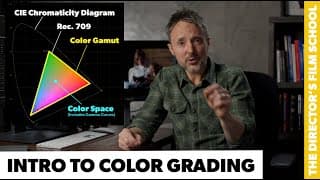
Introduction to Color Grading | Color Spaces & Gamuts | SDR & HDR
Personally, I think one of the most confusing parts of post production is color grading -- If you want to do it right. Where does one begin? The color page or your grading suite? What about your computer and display? How is a color space different than a color gamut? What's the CIE Chromaticity Diagram for anyway? And the list goes on. The good news? The Write & Direct online film school has you covered from development through post, and color is no exception. In this lesson we talk about basics you must understand before taking on grading in any shape or form. By the end you'll know the difference between a color space and a color gamut. You'll know what the CIE chromaticity diagram is. You'll know the difference between SDR and HDR. You'll know why we're grading in DaVinci Wide Gamut (DWG). And this is just the beginning. For the full film school experience check out https://writedirect.co #colorgrading101 #colorspaces #colorgamut #onlinefilmschool #davinciwidegamut #ciechromaticitydiagram
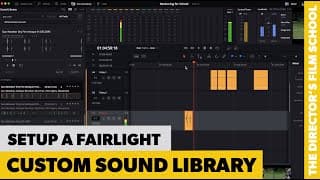
How to Setup a Custom Sound Library in Fairlight
The sound library option in Fairlight is an unbelievable time saver. Why? Normally you're auditioning sounds in Finder but then adding them to the project and timeline to really test them out. What happens? You end up with a lot of extra sound clips in your project. Plus, auditioning in Finder in time consuming, you often accidentally open in Apple Music -- The entire process is a pain. With the Fairlight Sound Library you can easily tell Fairlight to index your current sound files. Once this is done you can search and audition without cluttering your project. And it's MUCH faster. In this lesson you'll learn how to setup a clean database in Resolve, index sounds, audition a sound and also update the index when more files are added. If you like this type of thing, check out my online film school at: https://writedirect.co #fairlightsoundlibrary #createcustomsoundlibraryresolve #createcustomsoundlibraryfairlight
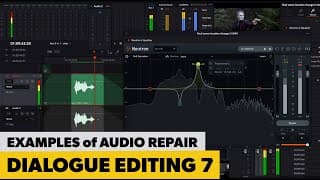
Dialogue Part 7 | Which Tool Is Right?
The final installment of dialogue editing with Fairlight! Gotta say, the fact that DaVinci Resolve includes a full featured NLE and DAW in the same application is incredible. The days of cutting in Avid and then going to Pro Tools for sound design, and then back and forth as picture changes are over! In this lesson we look at three problem audio scenes and experiment with various tools like EQ, Gate, Expander, Voice Isolation and Noise Reduction to see which one will do the job. Something sound designers understand is that there is no such thing as "one tool to rule them all." The tool that works best depends on the type of issue, the frequency ranges affected, etc. For info on the entire Write & Direct Film School visit: https://writedirect.co #fairlightsounddesign #fairlightdialogueediting #onlinefilmschool #soundesigner
Dialogue Part 6 | Elastic WAV Tool
As a sound designer your number one job is to not distract the audience. Most of the work you do is meant to be heard but not noticed. A key aspect of this when editing dialogue is paying attention to the details as you harness the power of the elastic wave tool. This incredible feature in Fairlight can extend or compress a sound clip without affecting the pitch. Trying to use audio from another take but the actor delivered the lines differently? The elastic wav tool may be your answer. Learn how to use it and bounce audio so you preserve your changes. This series is a small part of the complete filmmaking training found at Write & Direct! To learn more simply visit: https://writedirect.co #fairlightelasticwavtool #resolveelasticwavtool #onlinefilmschool #sounddesign
Dialogue Part 5 | Fairlight EQ & iZotope EQ
Dialogue editing wouldn't be dialogue editing without an EQ. In fact, I can't imagine sound design without an EQ. And not track based only, but a solid clip based EQ. More on that in a second. I personally shoot with a Sennheiser MKH 416 and record on the Sound Devices MixPre-II. Quality stuff for indie budgets. However, it is not uncommon for me to get dialogue that has bad stuff going on in certain frequencies. Stuff that can cause spikes on meters and negatively affect an overall LUFS rating in a mix. Or keep sound from sound as good as it needs to. But an EQ fixes this. And this is just a single example of what they can do. In this lesson we explore the Fairlight EQ (both track and clip based). We also take a look at the Neutron 4 EQ from Izotope. If you're new to using an EQ, this lesson will turn the lights on for you. And you'll soon realize that you'll never not use an EQ when doing sound design for your films! #fairlightEQ #izotopeEQ #neutron4eq #howtousefairlighteq #howtosweepwitheqforproblems #onlinefilmschool
Dialogue Part 4 | Fairlight Dynamics Toolset
Welcome to PART 4 of dialogue editing in Fairlight! In this lesson we explore the Fairlight Dynamics Toolset which boasts four powerful tools: Expander, Gate, Compressor and Limiter. If you've ever wondered what an expander is for and how it's different than a gate, or how a compressor is different than a limiter, this lesson is for you. It builds on Dialogue 1-3 so if you're brand new to using the Fairlight DAW and/or sound design, maybe watch those first. For my full post production training check out: https://writedirect.co #fairlightdynamics #onlinefilmschool #howtouseagate #howtouseanexpander #fairlightcompressor
Dialogue Part 3 | Dialogue Processor, Noise Reduction & Voice Isolation
In Part 3 of dialogue editing in Fairlight we take a closer look at Fairlight's Dialogue Processor, Noise Reduction and the DaVinci Resolve Voice Isolation tool. This lesson builds on Part 1 & 2 so it's best to begin with those! For my entire online film school for directors visit: https://writedirect.co #dialogueeditinginfairlight #resolvevoiceisolation #onlinefilmschool
Dialogue Part 2 | Room Tones & Fades
Two of the tools used by every sound designer on the planet are room tone and fades. Might sound basic, but there's art to doing it right. And yes, we'll soon be looking at things like a gate, expander, EQ, voice isolation and more...but it all begins with fades and room tone. Learn how to build room tone when production didn't get it, how to properly do fades and balance camera setups when background ambience changes! #sounddesignfairlight #howtoeditdialogueinfairlight #onlinefilmschool
Dialogue Editing in Fairlight | Part 1
Our objective as filmmakers is to serve story. To entertain our audience. This affects every part of the craft, and dialogue editing is no different. Our dialogue needs to be consistent. It must be heard. Understood without distraction. On a studio film or show, people are often tasked solely with dialogue editing -- It can take that much time. Even when production sound is good, there can still be a lot of work to do. And if production sound isn't good? You need to know what to do. The good news is that Fairlight has everything we need to do our dialogue editing right. In this first lesson we cover basics of dialogue editing using Fairlight including room tone and talk about setting our timeline volume via dialogue. In the next lessons we look at specific tools to assist with dialogue repair. #fairlightdialogueediting #dialogeediting #howtoeditdialoguefairlight
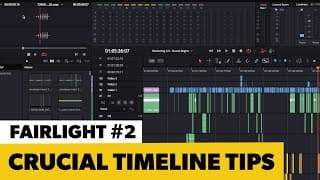
How to Use Fairlight | Part 2
You might be very comfortable with the DaVinci Resolve Edit Page timeline, gut the Fairlight timeline isn't quite the same. And for good reason...we're focused on audio vs everything else. This lesson goes over the Fairlight timeline in detail. We'll add and remove media, move clips on the timeline, and more! Watch this from start to finish, and you'll be WAY more comfortable using the timeline on the Fairlight page. And of course, for the full training check out the self-paced online film school from Write & Direct: https://writedirect.co #howtousefairlighttimeline #davinciresolvefairlight #howtousefairlight #onlinefilmeschool

What is Write & Direct?
If you're contemplating film school, I am just like you. A dreamer. Full of drive. Ready to "rewrite our stars." I did go to film school. Packed my life and moved to LA. Loved it. Everything. I was 30 and my life had just begun. Fast forward to now: Film school was amazing and devastating at the same time. My classmates and I went into massive debt only to realize the only way forward after school for aspiring directors was to in fact begin directing our own movies -- But on our dime. Bad situation when you spent everything on school. Since school I've worked on studio and independent films. Met a lot of cool people. And I've spent 3 years putting an online film school together to help younger versions of me avoid the minefields of traditional training. Don't do what I did. Do it better: https://writedirect.co #onlinefilmschool #makemovieswiththeworld #indiefilmmaker #writeanddirectstudio
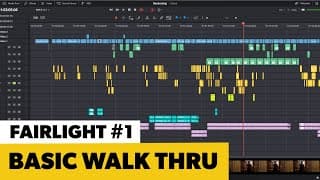
How to Use Fairlight | Part 1
Fairlight is the DAW (digital audio workstation) in DaVinci Resolve. A DAW is what we use to do sound design on a film. This is the first of a series of lessons to show you how to use Fairlight to do sound design for your movie. (For all the classes in my sound design course enroll at https://writedirect.co) As a previous Avid and Pro Tools user, the ability to stay in a single application for picture and sound is simply the coolest thing since file based workflows! I'm not kidding. Until you've messed with going back and forth between your NLE and DAW, you don't know how nice this is. On my latest film (RECKONING), I could simply hit SHIFT + 4 to hop back to the NLE and make a picture change on the timeline and then SHIFT + 7 to be back in Fairlight, DaVinci Resolve's DAW. This lesson is our first Fairlight class. It's a basic walk through of the interface before we dive into using the timeline in the next lesson, and then dialogue editing beyond that. #fairlighthowto #indiefilmmaker #onlinefilmschool
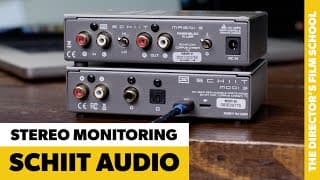
Stereo Monitoring in Fairlight | Schiit Modi & Magni with Mackie MR624
Fairlight is an incredible DAW. And the fact that it's integrated with the NLE I now use to cut my films...well, what can I say? This is easier than it's ever been. When you embark on the sound design for your film, you have to decide on a stereo mix or a surround mix. If you're mixing in stereo, my recommendation would be to look at the Schiit Audio MODI for your DAC and the MAGNI for your headphone AMP and studio monitor preamps. This lesson covers the details on how to setup and use the Modi and Magni with your computer and the Mackie MR624 monitors. #schiitaudiuo #schiitmodi #schiitmagni #howtousemodimagniwithcomputer

Post Sound Hardware Basics | Headphones & Speakers
The beautiful thing about DaVinci Resolve is you can edit your film, color grade it and do sound design all in a single application. GONE are the days of cutting in Avid and exporting to ProTools. Resolve and Fairlight make it so easy. And important aspect of sound design is how you monitor your work. What speakers or headphones should you get for post sound design? How do you hook them up to your computer? Are open back headphones better than closed? Do you need an AMP? Should you get studio monitors? We go over these details and more in this lesson! Learn more about filmmaking at: https://writedirect.co #indiefilmmaker #postsoundesignfairlight #whatspeakerstogetdavinciresolve #whatheadphonestousewithfairlight #writeanddirect
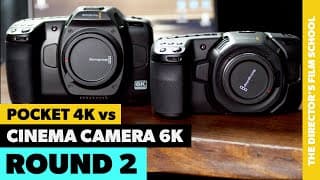
Blackmagic Cinema Camera 6K vs Pocket 4K | Round 2
The all new Blackmagic Cinema Camera 6K has various windowed sensor modes. Two of these are 4K DCI and 4K Super 35 formats. This lesson compares the Pocket 4K against the Cinema Camera 6K in 6K Open Gate, 4K Super 35 and 4K DCI. We shoot with proper exposure, low light and anamorphic lenses. #blackmagicpocket4k #cinemacamera6k #pocket4kvscinemacamera6k #onlinefilmschool #writeanddirect

Blackmagic 4K vs Cinema Camera 6K | Round 1
With the new Cinema Camera 6K out from Blackmagic Design, do you stick with your Pocket 4K or make the move? I was never a fan of going to the Blackmagic Pocket 6K over the Pocket 4K cameras. However, when Blackmagic announced a FULL FRAME Cinema Camera 6K I made the purchase. Why? Sensor size. A full frame sensor has larger photosites which in theory should deliver a better image than the Pocket 4K or the Pocket 6K. When the camera came in, I decided to do some tests against my trusty Pocket 4K's. In this video I walk through the main differences on a Pocket 4K vs Cinema Camera 6K. Plus we take a deep dive into various test footage I've shot since the Cinema Camera 6K came in. The footage is both inside with controlled lighting and outside at twilight and late morning in the sun. Hope this helps clear the fog if you're on the fence! #blackmagiccinemacamera6k #pocket4kvscinemacamera6k #blackmagic4kvs6k
Cinema Camera 6K Basics | Update Firmware, Connect Power & Format Media
If you're new to Blackmagic Design cameras, this lesson will go over a few basics like how to register your camera, how to update the Cinema Camera 6K's firmware, hook up power, format media, etc. For a detailed walk through on how to use the Cinema Camera 6K: https://youtu.be/52Z-DQV5KjQ If you want to make movies, the all new Write & Direct film school will teach you how it's done from development through post production: https://writedirect.co/film-school
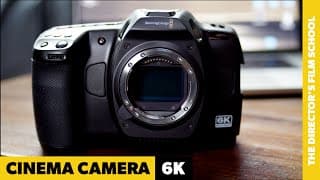
How to use the Blackmagic Cinema Camera 6K - Complete Walkthrough
Note: I don't go deep into false colors in this video as I talk about them in another which is here: https://youtu.be/yttG6sQZi2M?si=B2l0T9WPYM1Er5Ih I've said it before and I'll say it again: Completely blown away by what Blackmagic Design offers independent filmmakers like you and me. The all new Blackmagic Cinema Camera 6K boasts a full frame sensor and a boat load of incredible features at a price point under $3K. DANG. When I first started filmmaking, we were limited to things like the DVX100B and mini DV tapes. Times have changed. This lesson steps through using the camera. We explore the menu and external buttons. Talk about various features and tips. If you're new to the Cinema Camera 6K or Blackmagic cameras in general, this will get you started out on the right foot. I'll be uploading another couple lessons soon showing how to update firmware and also comparing footage from the Cinema Camera 6K and the Pocket 4K. Both 6K open gate and 4K DCI. If you're new to filmmaking, check out my online filmschool: https://writedirect.co #blackmagiccinemacamera6K #cinema6K #cinemacamera6K #onlinefilmschool #writeanddirect
Project Settings & Preferences for DaVinci Resolve
This lesson covers a few basic project settings and user preferences that will help you get started out right using DaVinci Resolve. You'll also learn to how to do manual project backups, and import those back in if needed. #davinciresolveprojectsettings #davinciresolvepreferences #filmschool
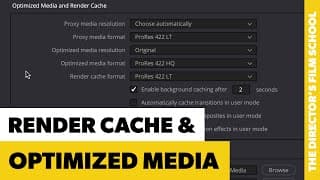
How to Use Render Cache and Optimized Media | DaVinci Resolve
Just when we thought computers were catching up to the demands of HD back in 2005, along came 4K, 6K, 8K and 12K. Even if you're on a new M2 Mac, it's not going to process live 8K footage on your timeline. And the M1's will cough on 4K RAW codecs. The good news? Resolve has things like render cache, optimized media and proxy files that make it all doable. And it's so much easier than it used to be. Trust me on that! In this lesson we cover render cache and optimized media. If you're looking for the proxy file lesson, here it is: https://youtu.be/IO31P82TNDM?si=ZqaaRA4BVPLrgHL4 Write & Direct features lessons from the (new for 2023) online film school designed specifically for aspiring directors. Find out more at: https://writedirect.co #howtouserendercacheddavinciresolve #rendercachevsoptimizedmediaresolve #howtouseoptimizedmediainresolve #onlinefilmschool #filmschool
How to Add Titles & FX on the DaVinci Resolve Edit Page
If you want to add titles or FX in DaVinci Resolve, this lesson is for you. The Fusion Page is where you perform serious VFX work. However, for fast and simple titles and FX you can do a lot on the Edit Page. This lesson cruises through how to add titles and FX and how to edit both titles and VFX on the DaVinci Resolve Edit Page. If you've ever attempted titles in something like Avid Media Composer, you'll love how easy it is in Resolve. If you're an aspiring filmmaker, check out the new online film school for 2023: https://writedirect.co #howtoaddtitlesdavinciresolve #howtoaddfxdavinciresolve #howtoedittitlesdavinciresolve
Cutting a Scene | Picture, Sound and Music in Resolve
During a film, editorial works with production. Dailies are delivered to the assistant editor and the footage is prepped for the editor. By the end of production an entire rough cut of the film is ready for the director to view. And to do this, initial sound design and music edits are performed by the editor. This is all done outside of applications like ProTools. With DaVinci Resolve, you can easily do all of this on the Edit Page. In this lesson, Kyler Boudreau walks you through cutting picture, sound and music from one of the scenes in RECKONING, his film that will be released early 2025. More on RECKONING: https://theatereleven.com/reckoning/ If you're an aspiring filmmaker, the Write & Direct online film school will teach you how to make a movie from development through post production. It's the new online school for directors in 2023. https://writedirect.co #cuttingascenedavinciresolve #onlinefilmschool #filmschoolfordirectors #reckoningthemovie
Basic Sound Design on the Edit Page | DaVinci Resolve
Final sound design on a film is done on the Fairlight page in DaVinci Resolve. However, I perform most of my audio placement along with basic sound design on the edit page. This is no different than major studio productions. The picture editor is always performing basic sound design and music editing in Avid before final sound design is done in apps like ProTools. Why? Because you need temp sound and music for test screenings and just to accurately picture lock a film. The tight integration in DaVinci Resolve makes all of this so much easier than Avid ever was for me. I love not having to take my timeline to ProTools and then back again like the old days. The Write & Direct online film school covers sound design in much more detail. Visit https://writedirect.co to learn more! #sounddesignoneditpage #soundesigndavinciresolve #editpagesounddesign #onlinefilmschool
How to Trim in DaVinci Resolve | 4 Trim Edit Modes
I can't imagine cutting a film together without the trim tool. Post production in the early days of Hollywood when editors were splicing film strips together seems just brutal. Now we have no excuse to spend the time needed on our scenes! And the trim tool is something you'll be using a lot. DaVinci Resolve does trimming well! There are four main ways to trim in the timeline, and this lesson covers each of them as well as briefly touching on Dynamic Trim mode. If you're an aspiring filmmaker, check out my online film school: https://writedirecto.co #howtotrimindavinciresolve #howtousethetrimtoolinresolve #onlinefilmschool #aspiringfilmmaker
How to Add and Remove Clips to Timeline | DaVinci Resolve Edit Page
So your media is in and you've synced up picture with sound. Nice! And if you haven't done that, check out my other lesson that covers this: https://youtu.be/7MxQhdJmA7Y?si=I3toelStawBlQzua Now it's time to cut stuff into a timeline. So how do you add and remove clips in DaVinci Resolve? It's flexible and easy. There are multiple ways to do it, and this lesson covers the common methods. I've cut films with Avid Media Composer and FCP. DaVinci Resolve is hands down the best NLE out there today! Experience start to finish training on the craft of filmmaking at the all new online film school for directors: https://writedirect.co #howtoaddclipstimeline #addingclipsdavinciresolve #filmschool #onlinefilmschool #writeanddirect
2 Ways to Sync Audio and Video in DaVinci Resolve
You've rolled in from set, imported media into Resolve and now you need to sync up the audio from your field recorded with your camera clips. The good news? It's way easier than it used to be. In the past, we had to go to each clap of the slate on both video and audio and sync the files. Now, as long as you have embedded audio from your camera, DaVinci Resolve will match up the clips by analyzing the waveforms. It's a beautiful thing! This lesson will show you how to let Resolve perform the sync as well as how to do a manual audio and video sync based on the slate. If you're an aspiring filmmaker and want to learn the craft, check out Write & Direct: https://writedirect.co #howtosyncaudiovideoresolve #syncaudioandvideobyslatedavinciresolve #onlinefilmschool #syncproductionaudiowithcameraslate

Lens Flexibility | Purposes of Cinema Camera Lenses
Why buy a cinema camera? Why not just shoot 4K on an iPhone? There are MANY reasons. One of them is the flexibility of changing the focal length of your lenses. Which gives you full control over field of view, depth of field and so much more. This lesson takes a basic dive into various focal lengths, and how they can help us as filmmakers. “Mood Of Summer” licensed via Music Vine: GNBHLFBVUFFIVOBB #filmschool #focallength #fieldofview #depthoffield
How to Use the Edit Page | DaVinci Resolve
This is where the magic happens! I’d almost call this the story page. The DaVinci Resolve Edit Page is where you'll piece your film together. The place scenes are reworked…Over and over until they feel right. In addition to picture editing, I also do a lot of sound and music editing on the edit page before moving to Fairlight. This lesson helps you know how to use the Edit Page in Resolve with a brief yet thorough walk through of common features. For my complete online film school designed for aspiring directors, check out https://writedirect.co! #filmschool #davinciresolve #howtousetheeditpageresolve
The DaVinci Resolve Media Page | Plus an Intro to the Resolve Pages
It wasn't that long ago that in order to complete your movie you were cutting in an NLE like Avid or Final Cut, exporting to ProTools for sound design, Adobe After Effects for any visual FX needs...and the list goes on. Those days are LONG GONE. DaVinci Resolve allows me to edit, do sound design, color grading and FX all in one application. It's mind blowing. This lesson does a brief overview of the DaVinci Resolve Pages, and then jumps into more detail on the Resolve Media Page. For more, check out my online film school for aspiring filmmakers: https://writedirect.co #filmschool #davinciresolvemediapage #davinciresolvepages
How to Slate | Beginner Filmmaking Tips
A film slate is the iconic look of making movies. But what is a slate for? For identifying takes and syncing sound. And there's a few basic things to know to about how to slate for film when you're just starting out. On a film set, it's typically the 2nd AC (second assistant camera) who slates each shot. They'll announce things like the production name, scene name and take number. Watch this brief lesson to learn how to start out right. Interested in learning filmmaking? Check out https://writedirect.co #howtoslateforfilm #properslatingfilmmaking #filmschool
How to Change Keyboard Shortcuts in DaVinci Resolve
Editing is not about technology, it's about story telling. The more you can make technology second hand nature, the more you can focus on what matters the most. Mapping your keyboard in DaVinci Resolve is one way to do this. Instead of the slow method of button clicking and mouse movements, you can fly across the keys by instinct to make rapid changes while ideas are fresh! But how do you change keyboard shortcuts in DaVinci Resolve? It's easy, and this lesson shows you how it's done. #howtochangekeyboardmappingsresolve #changekeyboardshortcutsdavinciresolve #editwithkeyboardresolve #filmschool
What is a Logline? | How To Write a Title and Logline
Stories are like nature — They must work at a DNA level. So what is a logline? It's a one to two sentence description of your story. It's your story at the DNA level. The smallest part of your film. Creating a title and logline helps you understand your movie. They ensure things are working. Because the crazy thing? If a title and logline don’t work, your entire film won’t work either. #howtocreatealogline #titleandlogline #screenwritingtips #filmschool #onlinefilmschool
How to Use Obstacles In Your Screenplay
Obstacles are powerful plot tools that provide entertainment and serve theme. Joss Whedon says this: “You take people, you put them on a journey, you give them peril, you find out who they really are.” Obstacles cause major and minor turning points in your story. Obstacles combined with your antagonist are what force your hero down their journey of transformation. #screenwritingtips #obstaclesinscreenplay #independentfilm #filmschool
How to Create an Antagonist | Part 2
It's time to look at five "Antagonist Attributes" and how you can use these to craft the ideal force to work against your hero. To exemplify the points we’ll apply them to The Joker from THE DARK KNIGHT. #filmschool #screenwritingtips #filmmaking
How To Create An Antagonist | Part 1
Your hero has a flaw, but they won’t change without pressure. The antagonist is an agent of pressure. However, why do they do what they do? To create a memorable antagonist you must understand a fundamental fact about the human psyche: #screenwritingtips #howtocreatetheantagonist #filmschool
The 3 Purposes of Plot | Screenwriting Tips
A film is about a hero with both a goal and a flaw due to a lie they’ve believed. As they pursue their external goal, plot forces them down the journey of change. And in the process, the audience understands theme. As you learn how plot and theme work together, you’ll begin to realize and harness the power you have as a story teller. There are three key purposes for plot in your script. Explore them in this lesson! #screenwritingtips #threepurposesofplot #plotandtheme #filmschool
Crafting the Right Hero | Screenwriting Tips
The hero...This is WHO your story is about. The protagonist. The one about to embark on a journey of transformation. You must understand four crucial points when crafting the perfect story about your hero. Learn more: For more information on the Write & Direct film school: https://writedirect.co #craftingthehero #filmschool #screenwritingtips
The Right Idea | Film Development Tips
You want to make a movie, and step one is coming up with the right idea. Spielberg on Jaws: “The amount of success the film enjoyed gave me final cut. Gave me the chance to tell my own stories.” There are 4 things to run all ideas through before you take the next step in writing your screenplay. #screenwriting #independentfilmmaking #filmschool #howtocomeupwithanidea
What is a Codec? | Intro to Codecs, Formats & Bitrate
What is a codec exactly? When you're a filmmaker, you deal with codecs, format types (containers) and bitrates ALL THE TIME. Especially in post production. So what is a codec exactly? And why are there so many? This lesson is an intro that will help clear the fog about codecs and formats. #whatisacodec #onlinefilmschool #blackmagicbraw
How to Create Proxy Files in DaVinci Resolve | Anamorphic Proxies
If your computer struggles with source footage from a cinema camera, proxy files are the way to go. Proxy files are simply lightweight copies of your camera originals. You edit using the proxies, and then link back to source footage for color grading, delivery, etc. The great news? DaVinci Resolve makes working with proxy files INCREDIBLY EASY. There are two main ways. One method doesn't work well with anamorphic footage. In this lesson, we take a look at both ways to create and work with proxy files in DaVinci Resolve. #howtomakeproxyfilesdavinciresolve #howtoworkwithproxyfiles #anamorphicproxyfilesdavinciresolve
MixPre II Advanced | 32-bit Float & Isolated Channels
The Sound Devices MixPre II is ready to go in Basic Mode for filmmakers. 24-bit WAV files using a 48K sample rate. However, if you want to isolate channels or use 32-bit float, you need to jump into Advanced Mode. This lesson shows you how to isolate and record separate channels along with other cool stuff like how to use 32-bit float. I also do a comparison of 24-bit audio using the MixPre analog limiters vs 32-bit float! #onlinefilmschool #soundevices #howtouse32bitfloatmixpreii #isolatechannelsmixpreii #writeanddirect
LED Light Assembly & Usage Tips
A huge advantage we have as modern indie filmmakers is the availability of LED lights. Dial time back a bit, and lighting was outrageously expensive. Besides the cost, lights ran hot, required crazy amounts of power, were heavy, etc. Now that has all changed. If you're new to filmmaking, this video will talk about a few basics regarding LED light stand payload, type of LED lights, etc. To see an example of using LED lights for 3 and 4 point lighting setups, check out my other lesson here: https://youtu.be/PKkWScANJ1s If you want to be a filmmaker, specifically if you want to direct your own movies, check out our online film school at https://writedirect.co! #ledlightsfilmmaking #aputureledlights #writeanddirect #onlinefilmschool
Become a Filmmaker | By Learning to Do It All
If you want to become a filmmaker, you must learn to do it all. This is the ONLY way to push your career forward. Unless of course, you have millions in the bank to pay crew. If you can't pay crew? What happens when you rely on people doing favors? When they get a paying gig? Your production stalls. Your career stalls. Your dreams move further away. But if you can do it all, things become more rapid. You become an unstoppable, creative force. This is the mission of the Write & Direct online film school. To empower aspiring filmmakers to pursue their dreams faster. Without the massive debt of traditional film schools. Learn more at: https://writedirect.co/film-school/ Follow our current indie production at: https://theatereleven.com/reckoning/ #onlinefilmschool #independentfilm #writeanddirect #becomeafilmmaker
Planning Shots For Small Spaces
I can't stress the importance of pre-production enough! Two areas that you can never skimp on are tech scouts and shot lists. Sometimes building your shot list requires a visit to a location with your camera and lenses. In this lesson I show a small space used in our film RECKONING. The space required a 24mm lens to get any type of workable field of view. It also required planning ahead of time to get shots shadow side and move across the line of action the right way. This is just a sample lesson from the Production Course of the Write & Direct online film school for directors. Find out more at https://writedirect.co/film-school/ #onlinefilmschool #directortraining #thedirectorsfilmschool #preproduction #planningyourshotlist
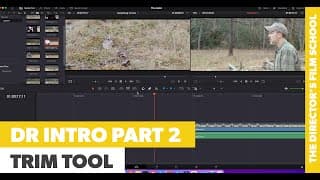
Introduction to DaVinci Resolve | Part 2 - Trim Tool
Part 2 of this mini course teaches how to use the trim tool in DaVinci Resolve. This is a basic lesson for beginners who are new to Resolve and editing with an NLE. For detailed training on filmmaking, including post production, check out https://writedirect.co! Use code SAWYOUONYOUTUBE to take 25% off tuition! #davinciresolveintro #howtousethetrimtoolinresolve #howtousetrimtooldavinciresolve #onlinefilmschool I have permission to use music by Tim Schaufert through musicvine.com. License ID is S438150-13909. Thank you!
Introduction to DaVinci Resolve | Part 1
This is an intro to DaVinci Resolve designed to help someone who has never used Resolve or any NLE, do the following: 1) Prepare Media Drive 2) Install DaVinci Resolve 18 3) Import footage 4) Cut footage into timeline Part 2 of this mini course teaches the basics of the trim tool. For detailed training on filmmaking, including post production, check out https://writedirect.co! Use code SAWYOUONYOUTUBE to take 25% off tuition! #davinciresolveintro #howtoeditinresolve #preparingyourshotlist #onlinefilmschool
Managing and Viewing Dailies | Shooting in BRAW on BMPCC
So you've decided to shoot on a Blackmagic Pocket Cinema camera? And you're shooting in BRAW (Film Mode). Nice! You're gonna love it. But what should you do each day when you wrap shooting? And how do you take a look at your footage without the de-saturated look of raw files? It's about color management. We're used to iPhones and cameras adding their own color management to footage. But when you tell a cinema camera to not do that, the resulting files don't look good. But that's what we want! Simply enabe color management in Davinci Resolve and you'll see your footage in a much better way. Then you'll of course perform detailed grading in post production, which we cover in the online Write & Direct film school. Learn more about that here: https://writedirect.co/film-school/ #davinciresolvecolormanagement #viewingbrawfiles #blackmagicpocketcinemacamera #dailymediatasks #onlinefilmschool
How to White Balance the Blackmagic Pocket Cinema Camera
White balancing a camera is telling it what true white is in a scene. The camera then adjust color temps to accurately balance your image out. White balancing the pocket cinema cameras is a walk in the park. They give you run and gun presets, auto and custom white balance modes. And the coolest part? If you're shooting BRAW and using Resolve you can adjust the white balance in post. So yes, white balancing is great. But if you forget or don't have time? No big deal. But only if you're shooting BRAW and using Resolve. #onlinefilmschool #howtowhitebalance #blackmagicpocketcinemacamera #writeanddirect
How to Use the DJI Ronin RS3 Pro Gimbal | Complete Menu and Modes
You've stepped up your game as an indie filmmaker and purchased an RS3 Pro. Smart move. But if you're new to gimbals, things can be a bit confusing. This isn't just a slap the camera on and go type of thing. It's much more sophisticated than that. To get you started right: First do the basics: https://youtu.be/xeJiK3rcl3Q Then balance with your rig: https://youtu.be/2MPzorLFtxs After the above you're ready for this lesson. This is a complete walkthrough of the Ronin RS3 menu along with tips and explanation of the various modes: Pan Follow, Pan/Tilt Follow and the all encompassing FPV (which allows for custom combinations). Once you're done here, check out how to pull focus with the DJI focus motor and focus wheel: https://youtu.be/ZzLovmTnTjA #howtouseroninrs3 #djironinrs3pro #roninrs3menu #roninrs3modes #onlinefilmschool
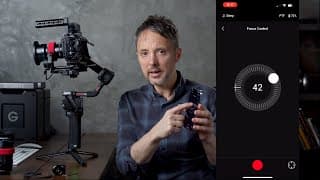
How to Pull Focus With The Ronin RS3 Pro | DJI Focus Motor
On a normal film set, the 1st AC is pulling focus. Either by the camera or remotely. On low-budget indie film sets it's often the director operating the camera and pulling focus. But how do you do it while holding a gimbal? The good news? DJI has multiple ways to get the job done with the Ronin RS3 Pro package. The DJI focus motor allows you to use the front dial on the gimbal or the Ronin app. You can also purchase the DJI Focus Wheel for dedicated, bug free focus control that frees up your phone and your front dial. This video shows how to do all three methods with a Black Magic Pocket Cinema camera and Sirui manual focus cinema lens. #djifocusmotor #djifocuswheel #pullfocusroninrs3 #onlinefilmschool

Write & Direct | The Director's Film School
About the school: https://writedirect.co/film-school/ The Facebook Group: https://www.facebook.com/groups/independentfilmmaking It's time to make movies. #onlinefilmschool #thedirectorsfilmschool #writeanddirect #filmschool
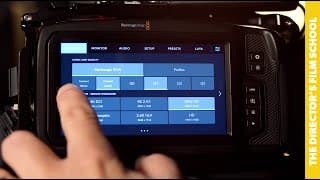
How to use the Blackmagic Pocket Cinema Camera | Complete Walk Through
You just purchased your first Blackmagic Pocket Cinema Camera. AND I DIG THAT ABOUT YOU! Now you need to know how to use it -- A walk through of the settings so you're starting out right. You've come to the right place. First, you'll need to know the basics like media, battery, firmware updating -- stuff like that. I did a separate video for these items: https://youtu.be/U1XAFKjV0ZE Assuming you've watched that, I'm ready to guide you through the menu of the Pocket Cinema Camera and give tips on what settings to use for narrative filmmaking. Personally, I'm blown away with the offerings from Blackmagic Design, and can't imagine my independent filmmaking without my Pocket Cinema Cameras and DaVinci Resolve. #howtousepocketcinemacamera #onlinefilmschool #writeanddirect #blackmagicpocketcinemacamera
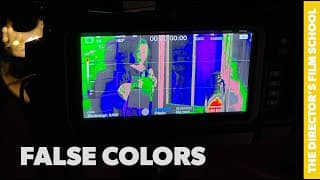
How to Use False Colors | Blackmagic Pocket Cinema Camera
As much as I love light meters, sometimes false colors is just easier. For example, when you're outside and an analog light meter's high card readings are just difficult to decipher. The Blackmagic Pocket Cinema cameras have an excellent false colors implementation. In this lesson I go over what false colors are for, and how you can use them with a middle gray card to dial in your exposure. #howtousefalsecolors #falsecolorspocketcinemacamera #writeanddirect #onlinefilmschool #blackmagicpocketcinemacamera
Ronin RS3 Pro Basic Setup & Firmware Update
This lesson shows the basic setup and firmware update steps for the Ronin RS3 Pro gimbal. If you want detailed steps on balancing, watch the next lesson here: https://youtu.be/2MPzorLFtxs I can't imagine independent filmmaking without a gimbal. And the Ronin RS3 Pro package is incredible. From the gimbal itself to focus pulling and Raven Eye. You can't beat this for indie filmmakers! If you're interested in complete training on how to be a filmmaker from idea through post production, check out https://writedirect.co/film-school/ #onlinefilmschool #indiefilmmaking #roninrs3pro #roninfirmwareupdate #writeanddirect
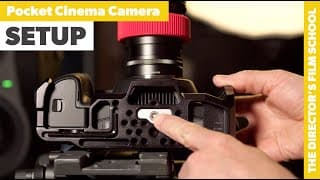
How to Setup Blackmagic Pocket Cinema Camera | SmallRig Cage
If you're a Pocket Cinema pro, this video IS NOT for you. But if you're new to the Blackmagic Pocket Cinema Camera, this walks you though basic setup including installing in a SmallRig cage, SmallRig NP-F battery adapter plate and camera firmware update. The combination of a Pocket Cinema Camera with DaVinci Resolve is an incredible package for independent film. We can't imagine our productions without them! Write & Direct is the "Director's Film School" and we focus on the Pocket Cinema Cameras for all of our pre-production and production training. #blackmagicpocketcinemacamera #pocketcinemacamera #blackmagiccamera #onlinefilmschool #smallrignpfplate “Mood Of Summer” licensed via Music Vine: DESOXMW2WIQEX97U
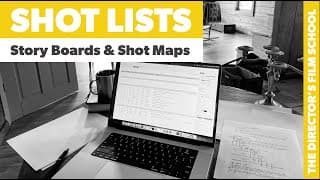
How to Create A Shot List, Story Boards & Shot Maps | Indie Filmmaking
As Maximus told his men before fighting the Germanic tribe: "What you do now echoes into eternity." What you do during pre-production echoes into your completed film like nothing else. Part of the crucial planning during pre-production includes things like shot lists, story boards and shot maps. Even if you're good at "winging it" you'll be blown away by how much a shot list will help you. I personally do my shot lists and shot maps on location with a camera, to see creative limitations and streamline production. As we indie filmmakers know, time is the most valuable asset we have on set. A shot list and other pre-production tasks will create time that you wouldn't have had any other way. Links: https://school.writedirect.co/media/blank-shot-list-numbers.zip https://school.writedirect.co/media/blank-shot-list-xls.zip #howtocreateashotlist #shotlistsandstoryboards #onlinefilmschool #writeanddirect “Mood Of Summer” licensed via Music Vine: HIGLZCJR7IDFWIYS
How to Use A Light Meter | Sekonic Studio Deluxe III
I'll be the first to admit that I put off buying one of these. Finally bit the bullet.And everything changed. Having a light meter on set is crucial for dialing in exposure. Sure, you can use false colors. But what if your actor isn't there? What if you don't want to mess with hanging a middle gray card where you think your talent will be? Don't get me wrong - false colors on the Black Magic Pocket Cinema Cameras are AWESOME. But sometimes, a light meter is just easier. This lesson shows you how to use a Sekonic incident light meter while navigating the exposure layers on set. New to exposure layers? Check this lesson out: https://youtu.be/4hMc2nNz054 The Sekonic analog incident light meter has been bullet proof. I can see why it's been around for so many years!#blackmagicpocketcinemacamera #sekonicincidentlightmeter #howtousealightmeter #onlinefilmschool#exposurelayers #writeanddirect “Mood Of Summer” licensed via Music Vine: MZ6ZT9QIVJK4AQVV
How to Use PortKeys LH5P Monitor | Bluetooth Camera Control BMPCC
Production isn't production without an external monitor. Why? Because the camera display is typically cluttered with things like focus assist or false colors. Plus, external monitors are much brighter than camera displays. And yet another reason? Lookup tables! If you're shooting RAW the footage doesn't look that great in camera. An external monitor with a LUT allows you to see what the footage will look like later, which helps with creativity on set. This video shows how to use the PortKeys LH5P stand alone, and also with the Black Magic Pocket Cinema cameras. You can control your camera from the PortKeys monitor via bluetooth. The PortKeys has proven very reliable for us during our film RECKONING, and we're excited about continuing to use it on other productions. If you like this training check out the all new Online Director's Film School: https://writedirect.co #PortKeysLH5P #blackmagicpocketcinemacamera #WriteAndDirect #TheDirectorsFilmSchool #BluetoothCameraControl #HowToUsePortKeysLH5P

Low Light Footage Examples | Black Magic Pocket 4K
Shots from the BMPCC4K in low light. Sirui anamorphic lenses. NO grain removal has been performed on the footage. Basic balancing done on clips. ISO noted on top left of each shot. These are from the short film RECKONING. Discover more about the film at: https://theatereleven.com/films/reckoning/

Fade In Beginner Tips | Write & Direct
Fade In lacks the refined interface of Final Draft, but it features the same core writing tools along with a more intuitive interface. And the price is drastically less. All in all, it's tough to beat Fade In. This video is for those just starting out with this screenwriting app. It's not for experienced users -- You already know this stuff! #fadein #howtousefadein #fadeinbeginnertips #fadeintips

Final Draft Beginner Tips | Write & Direct
Outside the depths of story theory are simple application tips that will help you get started out right with Final Draft! This lesson is for those just starting out with Final Draft. These tips are not for experienced users...you already know them! #finaldraft #finaldrafttips #beginnerfinaldrafttips
How to Balance the Blackmagic Pocket Cinema Camera on the DJI Ronin RS3 Pro | Sirui Anamorphic Lens
Setup and balance your full BMPCC4K/6K rig with cage, battery and focus motor on the DJI Ronin RS3 Pro! 1:11 - Where to mount quick release plate 1:47 - SmallRig NP-F battery plate 2:25 - SmallRig 12mm rod mount 3:29 - DJI Focus Motor 4:07 - Ronin RS3 ready position 5:00 - Add camera plate and camera 5:47 - Tilt, Pan & Roll Axis 6:01 - Tilt Axis 9:08 - Roll Axis 10:34 - Pan Axis 11:43 - Ronin RS3 Calibration A benefit of modern indie filmmaking is access to tools like Blackmagic Pocket Cinema cameras and the DJI Ronin RS3. This video givs detailed steps on how to setup and balance the BMPCC 4K (or BMPCC 6K) on the DJI Ronin RS3 gimbal using the following: Pocket 4K cage with handle from SmallRig, the SmallRig NP-F battery plate, Sirui 24mm Anamorphic lens, SmallRig Mini Matte Box Pro, DJI Focus Motor and rod. A huge benefit to the RS3 balance and setup is the fact that no additional parts are needed to make the focus motor work with the cage from SmallRig! Here's the gear, and these affiliate links help me out, so thank you! DJI RS 3 Pro Combo https://amzn.to/3yTgH7X Black Magic Pocket 4K https://amzn.to/3NZUjyf Sirui Anamorphic Lens (MFT Mount) 24mm - https://amzn.to/3yVZWZO 50mm - https://amzn.to/3aqrCwJ 75mm - https://amzn.to/3NXz3cq SmallRig Pocket 4K/6K Cage https://amzn.to/3IsCKpi SmallRig Mini Matte Box Pro https://amzn.to/3ypJhw8 SmallRig NP-F Battery Plate https://amzn.to/3P2yIGs SmallRig Charging Cable for Pocket 4K/6K https://amzn.to/3RpUJkf Focus Rings/Gears: https://followfocusgears.com/collections/sirui #djironinrs3 #balancegimbal #blackmagicpocketcinemacamera Music Clearance Code: “Paradise” licensed via Music Vine: YO9LG7LN5RAIF30G

What is Foley? | An Example of Foley and Music
Did you know the primary focus of production is to capture clean dialogue? Most of the other sounds you hear in a movie are added later. This is the job of foley artists and sound designers. But for indie filmmakers, it's often the job of the director to do it all! This video shows a teaser for an indie film with first only production sound, and then foley and finally foley combined with music. #foleyartist #whatisfoley #indiefilmmaker