Loading...
Warning: Channel ID is missing or invalid
Loading channel videos...

Loading channel videos...
Layered Files in Fusion: New Workflow in DaVinci Resolve 20
Streamline your Fusion work with native layer access for PSD and EXR files. Preview, manipulate, mask, or recombine layers easily. Training for DaVinci Resolve & Fusion: https://vfxstudy.com 00:00 - Intro 00:57 - Photoshop Files 04:22 - Working with Single Layers 05:31 - Accessing Layers 06:57 - Old PSD Import 08:23 - New approach 12:50 - CG Render Import 18:35 - Outro
Deep Image Compositing in DaVinci Resolve 20
Work with OpenEXR 2.0 deep image files or create and render deep image files within Fusion. Comprehensive Training: https://vfxstudy.com 00:00 Intro 01:06 Fusion Studio vs DaVinci Resolve 04:00 Deep Image vs Deep Pixel 04:48 Deep To Points - 3D Point Cloud 08:24 Compositing with Fusion 3D 11:03 Deep Image vs Z-Depth 13:29 Fusion Render Engine Limits for Deep Images 15:34 Image to Deep 16:58 dCrop & dHoldout 18:46 Concept for manually slicing through depth layers 27:07 Creating Deep Images from Render Layers 32:14 Saving Deep EXRs from Fusion
Remix Music & Sync to the Beat in Fairlight
Create Stems from the Music Remixer and Sync Edit & FX to the Beat of the Music with DaVinci Resolve - Fairlight. Get 70% off Audiio Pro using https://audiio.com/vfxstudy and code: vfxstudy Learn Fairlight End to End: https://vfxstudy.com/fairlight 00:00 - Introduction 01:17 - Create Clips from Music Remixer 07:12 - Sponsor: Audiio 07:50 - Search Music with LinkMatch AI 10:00 - Elements/Stems from Audiio 11:41 - Identify Beat with Markers 13:58 - Sync using Fairlight BPM Tempo Grid 15:43 - Find BPM tempo of a song 17:17 - Set correct start time for Beat Grid 20:55 - Fairlight Tempo Grid for aligning video clips 23:22 - Clips at every 1/2 Note 24:03 - Sync Edit Effects to Music
Sound Editing Tips in Fairlight - Advanced Sync and Integration of Foley Effects
Better Fairlight Sound editing & design to integrate Foley sound seamlessly. Learn to use Elastic Wave and other editing and automation techniques. Get 70% off Audiio Pro using https://audiio.com/vfxstudy and code: vfxstudy Learn Fairlight End to End: https://vfxstudy.com/fairlight Topics: 00:00 - Intro 01:13 - Example: Synchronizing Footsteps 03:11 - Elastic Wave 06:06 - Sponsor: Audiio 07:06 - Focus Editing for quick variations of clip properties 10:03 - Automation to adjust volume & pitch 16:06 - Conclusion
Efficient Sound Sync - DaVinci Resolve Fairlight Tips
Work with Foley sounds and synchronize sound events efficiently: use Audio & Video Scrollers, Auditioning features in the Sound Library and efficient Copy & Paste with ghosted audio waveform. Get 70% off Audiio Pro using https://audiio.com/vfxstudy and code: vfxstudy Learn Fairlight End 2 End: https://vfxstudy.com/fairlight Topics: 00:00 Intro 01:30 Example 1: Syncing with Prop Sound 02:37 Audiio SFX Library 03:25 Sponsor Audiio 04:33 Syncing Gunshots 06:01 Timeline View Options for precise Synching 07:54 Nudging with Frame and Subframe Precision 10:07 Example 2: Synching based on Image 12:05 Searching the Fairlight Sound Library 13:57 Syncing Syincing from the Fairlight Sound Library 15:27 Auditioning 16:48 Editing Tips with Ptich Correction and EQ 19:55 Sync via Copy & Past with ghosted audio waveforms
Control Fairlight with 3rd Party MIDI Controller or Tablet
Control DaVinci Resolve Fairlight with external MIDI hardware or with a free virtual controller app. Learn how hardware accelerates your mix and automation tasks. Get 70% off Audiio Pro using https://audiio.com/vfxstudy and code: vfxstudy Learn Fairlight End 2 End: https://vfxstudy.com/fairlight Gavin used the PreSonus FaderPort 8 DAW Controller, and Bernd used One Control Polus on iPad: https://www.infinity.audio/one-control 00:00 - Introduction 02:00 - Connecting a Midi Controller 07:05 - Sponsor: Audiio 08:25 - Demonstration of the Midi Controller 09:22 - Pick-up without motorized faders 10:41 - Switching Banks 11:21 - Panning 12:15 - Summary and note on automation 13:16 - Mix List (Store Mix Presets) 15:39 - Control via Tablet - Introduction 16:55 - Windows Network Driver rtpMidi 18:09 - iPad Connection 20:30 - DaVinci Resolve Connection 21:59 - Virtual DAW Controller - iPad Demo 25:46 - Fader Automation Demo 29:00 - Conclusion
Fairlight Overview: Fast & Advanced Audio Workflows for DaVinci Resolve
Learn important DaVinci Resolve Fairlight features and understand the scope of the tool. Make professional-quality audio efficiently. Visit our partner audiio: https://audiio.com/vfxstudy Discount Code: vfxstudy Learn Fairlight End 2 End: https://vfxstudy.com/fairlight 00:00 - Intro 01:18 - Fairlight Tips for YouTubers 01:36 - Working with Fairlight Presets 03:39 - Synchronizing to Music 05:23 - Syncing on Frame and Subframe 06:07 - Sponsor: Audiio 07:11 - Dialogue Editing 09:20 - Flexibility of Fairlight Page 11:02 - Fairlight Automation 11:58 - Mixing Presets 12:14 - Flexbus Routing 13:09 - ADR - Automatic Dialogue Replacement 14:38 - Preparation for Delivery in Fairlight 16:26 - Limits to Fairlight?
Referenced Fusion Composition - Deep Dive
Build a Fusion Composition in DaVinci Resolve that can be linked across multiple clips and access multiple timeline layers at source resolution. Black Weeks deals on MOTIONVFX: https://mvfx.co/VFXStudyBlackWeeks Training for DaVinci Resolve & Fusion - Beginner to Advanced: https://vfxstudy.com 00:00 - Intro 01:55 - Fusion Clips vs Reference Composition 05:17 - Creating and Linking a Referenced Composition 08:07 - Variation based on Clip Name 10:32 - Advanced: Fusion Switch Node with Expression 13:08 - Sponsor: MotionVFX 14:21 - Using Multiple Layers for a Collage Effect 22:16 - Compositing with Referenced Composition 33:03 - Conclusion
Advanced Motion Graphics Tips & Techniques with Text+ tool in Resolve
Create advanced Fusion Title effects with Shading Layers, Font options, and Modifiers. For great template packages, visit: https://mvfx.co/VFXstudy Training for DaVinci Resolve & Fusion - Beginner to Advanced: https://vfxstudy.com 00:00 - Intro 01:09 - Shading Layers 09:19 - Sponsor: MotionVFX 11:06 - Working with Fonts 16:47 - Icon Fonts for Motion Graphics 18:21 - Character Level Styling 22:41 - animation within the character level styling 27:51 - bonus tip: list animation with modifiers 29:05 - Conclusion, what's next
DaVinci Resolve Templates with Media: Customize and Reuse
Customize and Reuse Fusion Edit Effects with Media from the Edit Page. For some great template packages, visit: https://mvfx.co/VFXstudy Training for DaVinci Resolve & Fusion from Beginner to Advanced: https://vfxstudy.com 00:00 - Overview - Ways to Reuse Customized Effects 01:19 - Reusing via Power Bins 03:28 - About MOTIONVFX 04:47 - Power Bin with Pre-Rendered Audio 07:36 - Effects through Exported Bins 13:40 - Customized Templates in the Edit Effects Library
Intro to VFX in DaVinci Resolve - Webinar Announcement
All Infos and Registration: https://vfxstudy--dvresolve.thrivecart.com/intro-vfx-workshop/ Join live on JUNE 25, 2024 @ 10AM PACIFIC, or sign up to get the download after the session. More training for Fusion and DaVinci Resolve on all levels: https://vfxstudy.com
DaVinci Resolve Free vs Studio License for Fusion VFX?
Learn how much you can achieve in Fusion with the free version and when it's time to upgrade. My top 5 reasons why I need the studio license as well as some tips for workarounds if you need to work with the free version. Free beginner training and more advanced courses for DaVinci Resolve and Fusion: https://vfxstudy.com 00:00 - Introduction - Studio for Pros? 00:54 - Overview for all users 02:07 - Magic Mask 02:57 - Tracking 04:16 - Fusion Studio 05:18 - ResovleFX 06:19 - Temporal Noise Reduction 07:58 - Studio Licenses Bundled with Other Products
DaVinci Resolve 19 - New Fusion Features
Deep dive into what's new for VFX and Motion Graphics with DaVinci Resolve 19. Training for DaVinci Resolve & Fusion: https://vfxstudy.com Read the entire release node from Blackmagic Design on their support page: https://www.blackmagicdesign.com/support/family/davinci-resolve-and-fusion Topics 00:00 Overview 00:47 Color Management 02:46 Referenced Fusion Compositions 05:24 DaVinci Resolve Render OFX Plugin 06:47 Text+ Enhancements 07:29 Universal Scene Description (USD) Updates 08:11 OpenVDB Volume Support 08:38 Shader Node with MaterialX 10:31 Shape Tool Enhancements 11:36 Duplicate along Path 12:11 Multi Poly 13:18 Fusion Layout Presets 13:38 Ultra Noise Reduction 16:22 IntelliTrack AI Point Tracker 17:57 Planar Transform - Scale to Source 18:43 Other Enhancements
Advanced Depth of Field in Davinci Resolve - Fusion
Create Depth of Field effects from Depth Maps (Z-Channel) in DaVinci Resolve/Fusion. Comparison of masked Blur, VariBlur, and Frischluft Lenscare OFX. Frischluft OFX (no affiliation): https://www.frischluft.com/lenscare/ 3D Scene in this video: Winter Castle Knight by fdoss001, CC-0 license, https://blendswap.com/blend/24418 Free 5h Fusion course: https://vfxstudy.com/product/rfb/ Training for DaVinci Resolve & Fusion: https://vfxstudy.com Fusion Keyboard Shortcuts: https://vfxstudy.com/tutorials/keyboard-shortcuts/ 00:00 - Intro 01:58 - Depth Map Set-up 03:16 - Problem of using Depth as Mask 05:21 - Background Blur uses Foreground 06:05 - Varriblur 07:49 - Frischluft OFX 10:47 - Manual Depth Layering 14:42 - Background Blur with Live Action Footage
Rename Fusion nodes? My Approach #davinciresolvefusion #blackmagicfusion
Do you rename some or all of your Fusion nodes? Different people have different preferences, here is my take on this. Free 5h Fusion course: https://vfxstudy.com/product/rfb/ Training for DaVinci Resolve & Fusion: https://vfxstudy.com Fusion Keyboard Shortcuts: https://vfxstudy.com/tutorials/keyboard-shortcuts/
Organize your Fusion Nodes & Save Time! #davinciresolvefusion #blackmagicfusion
Short tips for organizing your node graph in DaVinci Resolve Fusion. Free 5h Fusion course: https://vfxstudy.com/product/rfb/ Training for DaVinci Resolve & Fusion: https://vfxstudy.com Fusion Keyboard Shortcuts: https://vfxstudy.com/tutorials/keyboard-shortcuts/
Proxy Mode in Fusion for Performance #davinciresolvefusion #blackmagicfusion
Reduce the resolution in Fusion on the fly by using Proxy Mode. Select the quality of the proxy via the Timeline Proxy mode of DaVinci Resolve and activate the proxy via right-click on the Fusion transport bar. Free 5h Fusion course: https://vfxstudy.com/product/rfb/ Training for DaVinci Resolve & Fusion: https://vfxstudy.com Fusion Keyboard Shortcuts: https://vfxstudy.com/tutorials/keyboard-shortcuts/
Troubleshoot Fusion Performance with DoD #davinciresolvefusion #blackmagicfusion
Determine where DaVinci Resolve Fusion performs pixel calculations via the Domain of Definition (DoD). Free 5h Fusion course: https://vfxstudy.com/product/rfb/ Training for DaVinci Resolve & Fusion: https://vfxstudy.com Fusion Keyboard Shortcuts: https://vfxstudy.com/tutorials/keyboard-shortcuts/
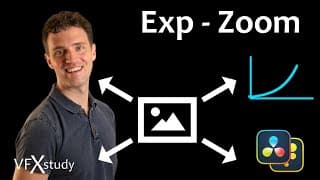
Make Extreme Zoom feel Constant/Linear in Fusion #davinciresolvefusion #blackmagicfusion
Scale an image so that it feels like a natural/constant camera movement. Add an exponential function into the animation of a transform node via a modifier. Free 5h Fusion course: https://vfxstudy.com/product/rfb/ Training for DaVinci Resolve & Fusion: https://vfxstudy.com Fusion Keyboard Shortcuts: https://vfxstudy.com/tutorials/keyboard-shortcuts/
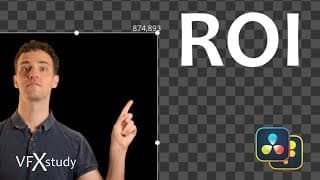
Performance Tip: Region of Interest (ROI) #davinciresolvefusion #blackmagicfusion
Get better Fusion performance in DaVinci Resolve and Fusion Studio by limiting the area in which calculation takes place via ROI. Free 5h Fusion course: https://vfxstudy.com/product/rfb/ Training for DaVinci Resolve & Fusion: https://vfxstudy.com Fusion Keyboard Shortcuts: https://vfxstudy.com/tutorials/keyboard-shortcuts/
Great Depth Effects in DaVinci Resolve - Fusion
Build a quality depth map in Fusion. Create depth-based light effects, depth of field, fog, and more. Free Macro included. Free Macro: https://vfxstudy.com/tutorials/depthmap/ Free 5h Fusion course: https://vfxstudy.com/product/rfb/ Training for DaVinci Resolve & Fusion: https://vfxstudy.com Fusion Keyboard Shortcuts: https://vfxstudy.com/tutorials/keyboard-shortcuts/ 00:00 - What is a Depth Map 01:06 - Studio Version 02:20 - Using the Depth Map Tool 06:17 - Improve performance with Map Adjustment Macro 10:07 - Depth Isolation 11:22 - Using Z-Channel with Fog Tool 13:49 - Limits of Depth Blur 15:14 - Manually updating with Polygons 18:34 - Gradient with y-Tracking Only 22:26 - Depth Map from Magic Mask 25:39 - Depth Map for a Photograph
Scale Text+ with Font & Layout Size in Fusion #davinciresolvefusion
Scale text within the text+ node correctly by using either font or layout size. Free 5h Fusion course: https://vfxstudy.com/product/rfb/ Training for DaVinci Resolve & Fusion: https://vfxstudy.com
Polygon Keyboard Shortcuts in Fusion #davinciresolvefusion #blackmagicfusion
Save time manipulating Polygons in DaVinci Resolve & Fusion. Move points easily, transform, scale, rotate points. Fusion Keyboard Shortcuts: https://vfxstudy.com/tutorials/keyboard-shortcuts/ Free 5h Fusion course: https://vfxstudy.com/product/rfb/ Training for DaVinci Resolve & Fusion: https://vfxstudy.com
Fusion updates in Resolve 18.6 #davinciresolvefusion
DaVinci Resolve 18.6 includes a Polygon Shape tool, additions to the USD tools and new ResolveFX for Fusion Studio. Free 5h Fusion course: https://vfxstudy.com/product/rfb/ Training for DaVinci Resolve & Fusion: https://vfxstudy.com Fusion Keyboard Shortcuts: https://vfxstudy.com/tutorials/keyboard-shortcuts/
DaVinci Resolve 18.6 - New Fusion Features
DaVinci Resolve 18.6 includes a Polygon Shape tool, additions to the USD tools and new ResolveFX for Fusion Studio. Free 5h Fusion course: https://vfxstudy.com/product/rfb/ Training for DaVinci Resolve & Fusion: https://vfxstudy.com Fusion Keyboard Shortcuts: https://vfxstudy.com/tutorials/keyboard-shortcuts/ Chapters: 00:00 New Resolve Version 00:36 sPolygon - Draw Shape from Polygons 01:41 Turn Polygons and Vector Graphics into Shapes 02:42 Extrude Shapes into 3D 04:16 Resolve FX in Fusion Studio 05:42 Relight FX in Fusion 08:00 More USD Tools 08:42 Selecting Primitives / uVisibility 09:59 Navigating Scene Path / uReplaceMaterial 11:22 MaterialX System
Trick to Grab any Viewer Control #davinciresolvefusion
Alt/Option-click to grab the center, offset/pivot, scale, or any other viewer control in Fusion. You can use the tab key to cycle through all available controls in the viewer. Fusion Keyboard Shortcuts: https://vfxstudy.com/tutorials/keyboard-shortcuts/ Free 5h Fusion course: https://vfxstudy.com/product/rfb/ Training for DaVinci Resolve & Fusion: https://vfxstudy.com
Particles instead of Keyframes: Beginner Fusion Particle Tutorial
Use Fusion Particles to animate Graphics in DaVinci Resolve. Use simple forces to make images move and bounce. Free 5h Fusion course: https://vfxstudy.com/product/rfb/ Training for DaVinci Resolve & Fusion: https://vfxstudy.com Fusion Keyboard Shortcuts: https://vfxstudy.com/tutorials/keyboard-shortcuts/ ResolveCon Stream Day 1: https://www.youtube.com/live/YewRq1__beg?si=u5SkMUKD0UGD9y0y Day 2: https://www.youtube.com/live/XWbtvuHuo8k?si=yIqBpY4kPOzmi_fg Day 3: https://www.youtube.com/live/XWbtvuHuo8k?si=hHU0PcohdQauTEcQ Chapter: 00:00 Intro 02:00 Particle System - Basic Setup 03:29 pEmitter Position and Style 06:25 Particle Merge (pMerge) 07:31 Accelerate with pDirectional Force 10:03 Reflect Particles with pBounce 11:53 Play Reverse with Time Speed 12:21 Particles from Images 14:03 Probablity via Particle Conditions
Hidden Viewer Tricks in Fusion - Long Click! #davinciresolvefusion
Activate the Gain/Gamma Slider, disable the Checkerboard underlay, or see the Domain of Definition. All with a simple long left-click on 3 viewer buttons in the Fusion page of DaVinci Resolve. Free 5h Fusion course: https://vfxstudy.com/product/rfb/ Training for DaVinci Resolve & Fusion: https://vfxstudy.com
Quick Tips for Changing the Length of a Fusion Animation
You can edit Fusion clips from the Edit Page and quickly adjust the animation in the Keyframes editor. 5h free beginner course for Fusion + more Resolve training: https://vfxstudy.com
Color Grading with DaVinci Resolve - New Course Released!
Learn the professional color grading tools and workflows to fix production problems, create continuity and enhance your storytelling with a unique look. https://vfxstudy.com/product/color/
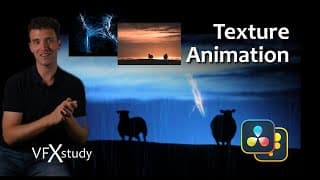
Fun Texture Animations in DaVinci Resolve - Fusion
Manipulate photographic Textures in 2D to create interesting graphics, animations and effects. Exercise Files and more: https://vfxstudy.com/tutorials/ 00:00 Intro 00:47 Composition Setup 02:04 Luma Extraction 03:17 Animating Clouds with Corner Positioner 05:06 Lightning effect from Ice Photograph 09:11 Copying lightning pieces 11:43 SoftGlow effect 12:26 Background lightning 14:38 Creating Rain from Stretched and Tiled Texture 17:24 Paint Fixes on a Texture
Winner Announcement - DaVinci Resolve Mini Contest
Watch all submissions & more infos: https://vfxstudy.com/contest/ Photo products from the photographer: https://www.zazzle.com/store/fotoromia?rf=238913851857036907 Website from the Photographer: https://fotoromia.com All videos were created in DaVinci Resolve - more infos and free download from Blackmagic Design: https://www.blackmagicdesign.com/products/davinciresolve/ 00:00 - Start 01:24 - Submission with Consistent VHS Look 02:26 - Photoreal Photo Animation 03:57 - Sci-Fi Short Film from Photos 07:06 - Graphic Design with Sketch Effect 09:45 - 3rd Place 11:30 - 2nd Place 14:11 - Winner 16:47 - Conclusion
Cloud Presentations with Resolve 18.5 - Alternative to frame.io for Client Reviews
The latest addition to Blackmagic Cloud in public Beta: Upload your DaVinci Resolve Timeline receive comments or conduct live review sessions. https://vfxstudy.com Training around DaVinci Resolve & Fusion
Advanced Pencil Sketch Effect with Resolve & Fusion
Create custom pencil sketch effects from Resolve FX, Fusion Filters, or 3D Materials. Combine the effect with animated drawing strokes. Take part in the contest: https://vfxstudy.com/contest 00:00 - Intro 01:21 - Resolve FX Sketch Effect 04:37 - Fusion Sobel Filter 05:41 - Technical Background: How Filters Work 09:12 - Pre and Post Processing the Effect 12:01 - Sketch Effect from 3D Material 16:34 - Sketch FX + Digital Paint Combined
Tips for working with Photos in Resolve & Fuison
Tips for working with large resolution photos: Size & Crop, animation & transforms, Warper, basic compositing. Take part in the DaVinci Resolve Mini Contest: All details: https://vfxstudy.com/contest 00:00 - Intro 01:02 - Timeline Mismatched Resolution Setting 01:35 - Using Edit Page Effects in Fusion Comp 03:40 - Starting from High Res Image 04:24 - Creating an output resolution frame 05:57 - Zoom Effect 08:06 - Resize and Scale 09:26 - Scaling Tip for 3D 10:24 - Cropping 12:44 - Warper Effect 14:18 - Magic Mask on Still Image 16:05 - Freeze Frame with Time Stretcher 17:26 - Flow Position for other Effects
DaVinci Resolve Mini-Contest
Take part in a DaVinci Resolve contest, create a short animation, learn something new, get feedback and win prizes! https://vfxstudy.com/contest 00:00 - Instructions 01:19 - Prizes 01:48 - Help getting started
Magic Mask in Fusion Page of DaVinci Resolve 18
Use the AI powered Magic Mask with Fusion Roto and Keying tools. Create better masks for color correction, compositing and greenscreen work. Full tutorial with many tips and tricks. https://vfxstudy.com 00:00 - Intro 01:21 - Understanding the Tool 10:53 - 2nd Magic Mask for Subtraction 13:53 - Adding tracked masks and sending to Color 18:59 - Disk Cache for Magic Mask 21:19 - Example Magic Mask with Rotoscoping 25:19 - Frame by Frame Subtraction 29:39 - Object Mask for People - Simple Example 33:00 - Compositing Tips with Magic Mask 39:32 - Magic Mask for Green Screen 41:14 - Magic Mask for Garbage and Holdout Mask
Magic Mask for DaVinci Resolve Color & Fusion - Advanced Workflow
Check out the new tutorial for DaVinci Resolve v18.1: https://youtu.be/VnbcPx0enVE Get precise masks quickly by combining Color page and Fusion tools. Use AI powered object & person masks with Fusion Paint & Roto. DaVinci Resolve Project Download: https://vfxstudy.com/tutorials/magic-mask-fusion/ Training Courses for DaVinci Resolve and Fusion: https://vfxstudy.com Chapters 00:00 - Introduction 01:45 - Magic Mask To Fusion - Quick Demo 07:49 - Setup for Mulitple masks and Background 09:50 - Advanced Object and Person Masks 13:23 - Basic Fusion Setup 16:08 - Bitmap Tool and Combining Polygons 20:03 - Selective Fusion Mask Manipulations 24:41 - Merging Masks through Bitmap 32:06 - Notes on Resolution 33:35 - Sending Masks back to the Color Page 35:56 - Disk Cache and multilayer EXR Mask Output 37:59 - Summary
Advanced Point Tracking for Compositing and Motion Graphics in DaVinci Resolve / Fusion
Track objects, attach masks and effects, stabilize image, or build graphics around rotation and distance between tracking points. Exercise files: https://vfxstudy.com/tutorials/point-tracking/ Tutorials and Courses for DaVinci Resolve & Fusion: https://vfxstudy.com Chapters: 00:00 Intro 01:15 Simple Match Movement with 2 Points 11:10 Mask Paint 14:38 Adaptive Tracking and Path Extrapolation 19:30 Connecting to Path Position 22:24 Paint a Path 24:26 Stabilizing the Scene 33:56 Appending a Track 35:51 Working with Offset and Angle 41:39 Position, Angle and Distance between Tracking Points 49:15 Animated Text from Distance
DaVinci Resolve 18 - New Fusion Features!
Depth Map for Z Channel in Fusion - Duplicate 2D with Gain and Blur - new Merge Operators - Custom Polygon Modifier. Training for DaVinci Resolve and Fusion: https://vfxstudy.com Chapters 00:00 Overview: What's new in Fusion 18 01:09 Duplicate 2D 04:33 Merge Operators and Apply Modes 10:01 Custom Polygon Modifier 18:27 Depth Map 22:21 Cache and Post Processing for Depth Map in Fusion 28:41 Z Channel from Depth Map
Full Remote Collaboration Workflow with DaVinci Resolve 18
Collaborate effectively across the globe. Tips around Proxy Media File exchange, DaVinci Resolve Collaboration features, and Blackmagic Cloud synchronization. Bernd's training courses for DaVinci Resolve & Fusion: https://vfxstudy.com Yo's Fusion Templates & German Tutorials: https://www.meinvideostudio.de/ Chapters 00:00 - Intro 02:04 - Data Size and Proxies 03:52 - Resolve Proxy Media Workflow 06:19 - Proxy Generator App 09:48 - Extracting, Sharing and updating Proxies 13:46 - Excluded Files 14:41 - Cloud Library Setup and Project Copy 18:03 - Multi User Editing 20:39 - Edit Review, Timeline Locking 21:25 - Chat Feature 22:06 - Unlocking a Timeline 23:29 - Collaborating with Markers and Annotations 25:21 - Timeline Locking vs clip locking 30:22 - Extracting selected Original Media 34:51 - Conclusion
Advanced Paint Effects in DaVinci Resolve & Fusion
Draw different line styles and effects by combining modifiers from the Fusion Paint node. Trainings for DaVinci Resolve and Fusion: https://vfxstudy.com Chapters: 00:00 Intro 00:51 Paint Tool Review 04:44 Handwriting Reveal Effect 05:51 Differences Polygon vs Paint 07:07 Effects on Lines 08:47 Combining and Masking Lines 12:05 Sharing Polylines between Paint Tools 18:24 Custom Brushes 21:40 Paint with Duplicate - Advanced Tricks 27:10 Drawing with Particles
Text Boxes done Right - in Resolve/Fusion
Create flexible text boxes with different line styles and effects. Use expressions to animate them together with the text. Exercise Files: https://vfxstudy.com/tutorials/text-boxes/ 00:00 - Intro 01:52 - Styled Frame from Shading Layer 03:09 - Instance Shading Layer with FX 08:45 - Frames from Masks 11:24 - Expressions to align mask & text 12:42 - with and hight from Domain of Definition 19:55 - Boxes via Polyline Paint Stroke 25:22 - Expressions on Polygon Points
Call Out Title Template from Scratch in Resolve / Fusion
Create a reusable Call Out Title template from the text+ element in Fusion. Use shading layers, expressions, keyframe stretcher and create a macro. Download the final template file: https://vfxstudy.com/tutorials/call-out-title/ 00:00 - Start 00:08 - Introduction 01:28 - Text, Shadow and Frame from the Edit Page 07:08 - Call out line in Fusion 08:29 - Font Size vs Text Size 10:22 - Linking Sizes via Expressions 12:35 - Linking B-Spline Points 16:44 - Mask from Shading Layers 19:21 - Making Text Frames Independent 22:12 - Keyframe Animation 27:43 - Inverting Keyframe Animations 30:54 - Flexible Timing with Keyframe Stretcher 32:59 - Creating a Template 37:27 - Creating a Preview Icon 40:17 - Mograph Seminars
3D Keyer - Good for Green Screen? - In Depth Analysis
Understand the 3D keyer, how it works, how it relates to other keyers like HSL and Delta Keyer, and whether or not it is suitable for Green Screen keying. 00:00 - Intro 00:48 - Simple Green Screen Keying with 3D Keyer 05:17 - HSL Qualifier 08:28 - 3D Keyer for HSL selection 12:29 - Tuning the Key Parameters 14:49 - Matte Finesse 17:55 - HSL vs RGB vs 3D on Green Screen 21:35 - Color Difference - Advantange of the Delta Keyer 23:18 - Working with uneven Background 27:57 - Further Advantages for advanced Keying in Fusion
Mograph Experience - 5 Webinars - Announcement
Deep dive into Motion Graphics with Titles, Transitions, Photo Projections and more. Explore a range of design ideas and animation concepts. Learn more: https://vfxstudy.com/product/mograph-experience/
Advanced Keying: High-End Workflow for Top Results on Tough Problems
Turn hard keying problems into realistic comps. Breakup a complex keying shot into logical steps and work on them one at a time. 00:00 - Intro 02:22 - Preprocessing - Noise Removal and Color Correction 07:08 - Delta Keyer Basic Setup 08:38 - Clean Plate Tool 12:14 - Garbage and Solid Masks 19:26 - Despill 25:07 - Combining Despill, Mask and Background 27:27 - Background Matching 32:53 - Foreground Correction 35:05 - Edge Corrections and Edge Masks 43:38 - Complete Flow Walkthrough
Matte Control in DaVinci Resolve & Fusion - Better Masks, Despill, Relighting...
Master the Matte Control tool to improve your masks.Fill holes, refine edges, relighting, and despill. DaVinci Resolve and Fusion Courses: https://vfxstudy.com 00:00 - Introduction 00:43 - Matte Control for Alpha Manipulations 02:42 - Using Effect & Garbage Masks 04:59 - Solid inside Mask 07:48 - Combining and Subtracting for Edge Masks 09:59 - Edge Mask for Color Correction & Relighting Example 11:41 - Edge Color Correction 14:20 - Despill
Superior Keying with Delta Keyer in DaVinci Resolve & Fusion - Effective Workflow
Solve complex Keying scenarios by combining keyers, hard and soft key, despill, and integration. Take the first step towards a reusable keying workflow for advanced keying. https://vfxstudy.com 00:00 - Introduction 02:00 - Preview Key from the Edit 03:26 - Delta Keyer: Getting Started 09:11 - Noise and Pre-Blur 11:00 - Clean Plate / Background Correction 14:53 - Garbage Mask 16:49 - Matte Refinement 21:07 - Filling Holes: Hard Comp / Soft Comp 24:54 - Despill 29:48 - Compositing & Color 33:55 - Edge Color 36:31 - Depth of Field & Noise 39:11 - Review of overall Workflow
DaVinci Resolve Basics - Certification Training - 16h Online Course
Learn editing in Blackmagic Design DaVinci Resolve and explore the full post-production pipeline. From rough cut to polished edit with titles, sound effects, color grade, and more. https://vfxstudy.com/product/dr-basics/
Resolve & Fusion Studio Combined: Best of Both Worlds
This is why I use Fusion Studio together with DaVinci Resolve Studio. My thoughts on Interface, RAM management, Resolve FX and more. Training Courses for DaVinci Resolve and Fusion: https://VFXstudy.com Chapters: 00:00 Intro 00:43 Aligned Versions 01:35 About the Free Version 02:11 Interface and RAM Management 04:38 Network Rendering 05:12 Tools 06:59 Workflow 10:25 Moving between Resolve and Fusion Studio 12:56 Versions for Copy & Paste 14:04 Tips for Learning
DaVinci Resolve Performance: Cache Levels
Understand and leverage all Resolve Cache levels with Smart and User mode: Fusion Output Cache, OFX, Color Node, Color Output, and Sequence Cache. Tutorials and Online Courses for DaVinci Resolve and Fusion: https://vfxstudy.com 0:00 Intro 01:18 Overview - What can be Cached? 06:52 Settings for Cache files in User Mode 11:19 Fusion Output Cache 13:05 Fusion FX/OFX Cache 16:57 Color Node Cache 19:35 Color Output Cache 20:28 Sequence Cache
Transparency and Color - Alpha Multiplication in Resolve/Fusion
Pre-Divide/Post-Multiply: A tiny checkbox helps you avoid dark and jagged edges or bright halos when color correcting images with alpha. Tutorials and Online Courses for DaVinci Resolve and Fusion: https://vfxstudy.com 00:00 Intro 01:08 Color and Alpha Examples 04:50 Unpremultiplied Images and Manual Workflow 15:26 Numerical Example
DaVinci Resolve Performance: Source, Timeline, and Proxy Resolution
Use Proxy Mode or lower Timeline resolution to improve performance: Learn when this works and how Resolve handles Resolution. https://VFXstudy.com Sections: 00:00 Introduction 01:04 Timeline Resolution for Transforms and Fusion FX 04:20 Super Scaling 06:01 Resolution for Titles and Effects Processing 09:07 Processing of Optimized Media, Proxy Media, and Raw Media 12:02 Timeline Proxy Mode 16:29 Fusion Auto Proxy 18:17 Fusion RAM Cache for Proxy 20:59 Best Practices and Delive
DaVinci Resolve Performance: Proxy Files & Optimized Media
A detailed look at managing proxy files and optimized media in DaVinci Resolve. Manage and relink proxy files and understand the impact on subsequent processing with Fusion. Complete Training Courses for DaVinic Resolve & Fusion: https://vfxstudy.com Sections: 00:00 Intro 01:32 Project Setup 03:58 Proxy File Media Settings 07:20 Generating and linking Porxy Files 12:18 Proxy vs Timeline Resolution 13:55 Proxy Media & Fusion 18:09 Search and Filter for Proxies 20:19 Optimized media 30:02 Proxy Workflow with Fusion Loader Nodes
Fusion Templates & Bundles with Media and Custom Icons
Create Fusion templates in DaVinci Resolve with your own icons, include images or 3d assets, and bundle all files into a DaVinci Resolve Template Bundle to share with others. Sections: 00:00 Introduction 01:09 Keyframe Stretcher 02:29 Media in Templates 10:37 Custom Icons 14:48 Template Bundles More Tutorials and full courses: https://vfxstudy.com
DaVinci Resolve Performance: Codecs
Take a detailed look at the codecs that you are using, understand their background, where you find them in resolve and how you can test them with your workstation. This is the beginning of a deep dive into understanding performance in DaVinci Resolve. Sections: 00:00 Intro 01:06 Typical File Formats 04:17 Container Formats 06:54 Codecs by Purpose 12:23 Codec related Settings 26:01 File Sizes and testing Hard Drives 34:10 GPU/CPU performance 39:33 Comparison in the Task Manager Resolve & Fusion tutorials and courses: https://vfxstudy.com More on Apple ProRes: https://www.apple.com/final-cut-pro/docs/Apple_ProRes_White_Paper.pdf Avid DNxHD / DNxHR codecs: https://www.avid.com/products/avid-high-resolution-workflows#Avid-DNxHR-and-DNxHD OpenEXR: https://www.openexr.com/
DaVinci Wide Gamut and Fusion - Problems & Fixes
Fusion Titles and Graphics are not displayed correctly and Fusion viewers do not match the edit page when working with DaVinci Wide Gamut. Here is both a quick fix and an advanced workaround. For more infos on Resolve and Color Management check out: https://vfxstudy.com/tutorials/linear-workflow/ VFXstudy.com facebook.com/VFXstudy1/ instagram.com/vfx_study
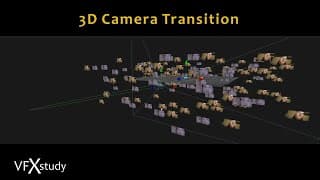
3D Camera Transitions in DaVinci Resolve
Create custom transition templates with 3D camera movement in Fusion and Anim curves modifier. Full Training Course: https://vfxstudy.com/product/fuvfx Time codes: 01:50 Setup from the Edit Page 03:50 3D Scene and Image Aspect Ratio 05:41 Settings for Camera 3D 13:20 Anim Curves Parameter Basic 17:25 Anim Curves with Custom Curve 21:07 Adding Depth of Field 22:59 Creating a Template
Fusion Visual Effects with DaVinci Resolve 16 and 17 - Online Course Trailer
Explore all areas in Fusion with a 13h Video course based on the Blackmagic Design Certification Program. All Infos: https://vfxstudy.com/product/fuvfx/
Resolve 17 - Edit and Fusion Effects Combined - Beginner Tutorial
Start with simple edit effects and enhance them in Fusion. Use layers to quickly prototype effects and enhance them with the full power of Fusion nodes. Exercise files: https://vfxstudy.com/tutorials/surveillance-r17/ VFXstudy.com facebook.com/VFXstudy1/ instagram.com/vfx_study twitter: @VFX_study
Upgrading to DaVinci Resolve 17 - When and How
Should you upgrade to a Beta Version of DaVinci Resolve and how do you test it safely. VFXstudy.com facebook.com/VFXstudy1/ instagram.com/vfx_study twitter: @VFX_study
Resolve 17 - New Fusion Features
Detailed Tutorial on Everything that's new in Fusion within DaVinci Resolve 17 01:24 Audio and Waveform support 06:06 Markers 08:12 Bookmarks 09:20 Toolbar Customization 11:30 Fusion UI Layout Presets 12:40 Effects Library in Fusion and Edit 16:36 Modifying a Fusion Effect / Macro 23:39 Building a Fusion Transition 25:00 New Shape Tools 29:10 Anim Curves Parameter 36:27 New ResolveFX Tools VFXstudy.com facebook.com/VFXstudy1/ instagram.com/vfx_study twitter: @VFX_study
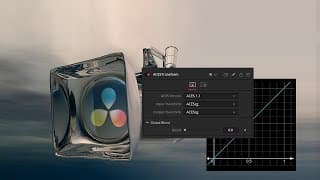
ACES and Fusion - Linear Workflow in DaVinci Resolve
Work with ACES in the Fusion page. Understand and adjust the Managed View LUT to align with the Edit & Color page and manually specify color spaces where required. OCIO Config files are available from the github repository: https://github.com/colour-science/OpenColorIO-Configs/tree/feature/aces-1.2-config General info on OCIO: http://opencolorio.org/ VFXstudy.com facebook.com/VFXstudy1/ instagram.com/vfx_study twitter: @VFX_study
Fusion & Resolve Color Management - Linear Workflow
Use Resolve Color Management to set up a linear workflow in Fusion. Understand and adjust the Managed View LUT, and manually specify color spaces in Fusion where required. More tutorials and full compositing training course: VFXstudy.com facebook.com/VFXstudy1/ instagram.com/vfx_study twitter: @VFX_study
Linear Workflow in DaVinci Resolve and Fusion
Use correct color management with Fusion in DaVinci Resolve by using a linear Workflow. Convert from color spaces like rec 709 or Log footage to linear gamma and back. More Infos and Full Compositing Training course on https://vfxstudy.com/ facebook.com/VFXstudy1/ instagram.com/vfx_study twitter: @VFX_study"
Compositing with Resolve & Fusion: 3D Camera Import
Full 30h intensive course on Compositing with DaVinci Resolve & Fusion: https://vfxstudy.com/product/resolve-compositing Use Fusion inside DaVinci Resolve or Fusion Studio to add VFX, create set extensions, composite green screen, fix every day production problems, and more.
Compositing with Resolve & Fusion: 3D Track of Camera Pan
Full 30h intensive course on Compositing with DaVinci Resolve & Fusion: https://vfxstudy.com/product/resolve-compositing Use Fusion inside DaVinci Resolve or Fusion Studio to add VFX, create set extensions, composite green screen, fix every day production problems, and more.
Compositing with Resolve & Fusion: Workflows for Noise & Grain
Full 30h intensive course on Compositing with DaVinci Resolve & Fusion: https://vfxstudy.com/product/resolve-compositing Use Fusion inside DaVinci Resolve or Fusion Studio to add VFX, create set extensions, composite green screen, fix every day production problems, and more.
Compositing with Resolve & Fusion: Chroma Subsampling
Full 30h intensive course on Compositing with DaVinci Resolve & Fusion: https://vfxstudy.com/product/resolve-compositing Use Fusion inside DaVinci Resolve or Fusion Studio to add VFX, create set extensions, composite green screen, fix every day production problems, and more.
Compositing with Resolve & Fusion: Temporary Roto Shapes
Full 30h intensive course on Compositing with DaVinci Resolve & Fusion: https://vfxstudy.com/product/resolve-compositing Use Fusion inside DaVinci Resolve or Fusion Studio to add VFX, create set extensions, composite green screen, fix every day production problems, and more.
Compositing with Resolve & Fusion: Frame Size & Domain of Definition
Full 30h intensive course on Compositing with DaVinci Resolve & Fusion: https://vfxstudy.com/product/resolve-compositing Use Fusion inside DaVinci Resolve or Fusion Studio to add VFX, create set extensions, composite green screen, fix every day production problems, and more.
Compositing with Resolve & Fusion: Flow Organization
Full 30h intensive course on Compositing with DaVinci Resolve & Fusion: https://vfxstudy.com/product/resolve-compositing Use Fusion inside DaVinci Resolve or Fusion Studio to add VFX, create set extensions, composite green screen, fix every day production problems, and more.
Learn Compositing with DaVinci Resolve & Fusion: Trailer
Intensive Online Training: Add VFX, create set extensions, composite green screen, fix every day production problems and more with DaVinci Resolve and Fusion. Course Page https://vfxstudy.com/product/resolve-compositing

Paint and Track - Essential DaVinci Resolve Tools to "Fix it in Post"
Clone and paint techniques allow you to replace logos, remove objects, and hide production mistakes. Paired with the planar tracker you get a powerful workflow to fix many shots. Exercise files: https://vfxstudy.com/tutorials/track-paint/ VFXstudy.com facebook.com/VFXstudy1/ instagram.com/vfx_study twitter: @VFX_study Music in this tutorial is from Epidemic Sound: https://bit.ly/3dZIVBI New Resolve & Fusion tutorials every Sunday.
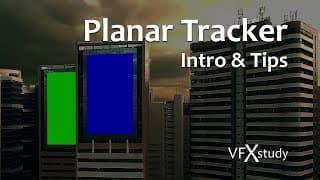
Fusion Planar Tracker in DaVinci Resolve - Introduction and advanced Tips
Track moving planes and corner position new elements. Handle reflections, occlusion, and more. Exercise files: https://vfxstudy.com/tutorials/planar-tracker/ VFXstudy.com facebook.com/VFXstudy1/ instagram.com/vfx_study twitter: @VFX_study Music in this tutorial is from Epidemic Sound: https://bit.ly/3dZIVBI New Resolve & Fusion tutorials every Sunday.
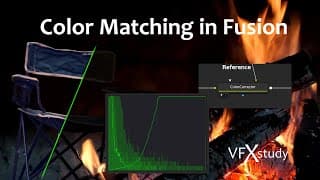
Color Matching in DaVinci Resolve Fusion
Create interactive light effects in compositing with automated color matching. Use the match functions of the color corrector or the curves tool to get started or build an advanced solution with the probes modifier. Exercise files: https://vfxstudy.com/tutorials/color-matching/ VFXstudy.com facebook.com/VFXstudy1/ instagram.com/vfx_study twitter: @VFX_study Music in this tutorial is from Epidemic Sound: https://bit.ly/3dZIVBI New Resolve & Fusion tutorials every Sunday.
Fusion Curves Tool for Compositing in DaVinci Resolve
Use curves in Fusion for flexible color correction and compositing. We start by reproducing lift, gamma, gain changes in the curves tool and head on to foreground & background matching. Exercise files: https://vfxstudy.com/tutorials/curves/ VFXstudy.com facebook.com/VFXstudy1/ instagram.com/vfx_study twitter: @VFX_study Music used in this tutorial is from Epidemic Sound: https://bit.ly/3dZIVBI New Resolve & Fusion tutorials every Sunday.
Mask Anything with HSL Key in Fusion
Key any color with the Chroma Keyer and work in HSL space to create masks on hue, luminance, and saturation. When you have a contrast between two parts of an image, likely a keying technique exists to separate them. Exercise files: https://vfxstudy.com/tutorials/hsl-keyer/ VFXstudy.com facebook.com/VFXstudy1/ instagram.com/vfx_study twitter: @VFX_study New Resolve & Fusion tutorials every Sunday.
The Power of Channel Booleans in DaVinci Resolve & Fusion
Master the most basic & most advanced Fusion tool! Use the channel booleans in completely different ways: multiply masks, subtract noise, build your own custom tools, composite render passes & more. More Tutorials and Full Training Courses: https://vfxstudy.com facebook.com/VFXstudy1/ instagram.com/vfx_study twitter: @VFX_study New Resolve & Fusion tutorials every Sunday.

Loader and Saver Nodes in DaVinci Resolve
Create temp renders, load common assets, or interact with 3D Software. This is why you need Loader & Saver nodes in DaVinci Resolve. VFXstudy.com facebook.com/VFXstudy1/ instagram.com/vfx_study twitter: @VFX_study New Resolve & Fusion tutorials every Sunday.
Resolve-Fusion Image Pipeline in Depth
Combine Edit, Fusion, and Color effects with maximum flexibility. Pre-grade clips before going to Fusion, use multiple MediaOut nodes, supply masks to the color page and more. VFXstudy.com facebook.com/VFXstudy1/ instagram.com/vfx_study twitter: @VFX_study New Resolve & Fusion tutorials every Sunday.
Hidden, Obscure, and Useful Tricks for Fusion in DaVinci Resolve
5 Short and practical Fusion tricks that you may have missed so far. Those work in DaVinci Resolve and Fusion Studio even though some are not in the manual. Find free tutorials and training courses on https://vfxstudy.com VFXstudy.com facebook.com/VFXstudy1/ instagram.com/vfx_study twitter: @VFX_study New Resolve & Fusion tutorials every Sunday.
7 Productivity Hacks for Fusion in DaVinci Resolve
Improve your speed and efficiency in Fusion with these simple tips. From automatic tool placement over Keyboard shortcuts to versions and reusable assets. Here are a few things you can do right away to enhance your productivity in Fusion. Download the free Keyboard Shortcut Cheat Sheet: https://vfxstudy.com/tutorials/keyboard-shortcuts/ VFXstudy.com facebook.com/VFXstudy1/ instagram.com/vfx_study twitter: @VFX_study New Resolve & Fusion tutorials every Sunday.
3D in Resolve & Fusion - What’s Really Possible?
Fusion has extensive 3D capabilities but they don’t match up with Maya, Blender & Co. Learn about the greatest strengths and weaknesses and see their most important applications. VFXstudy.com facebook.com/VFXstudy1/ instagram.com/vfx_study twitter: @VFX_study New Resolve & Fusion tutorials every Sunday.
Compositing a Spaceship in Resolve & Fusion 5/5: Finishing Touches
Import, Animate, and Composite a 3D Spaceship Model into live-action drone footage. Part 5/5: Final adjustments to the shadows, adding a light wrap, edge blur, and stock effects to finish the shot. Exercise files: https://vfxstudy.com/tutorials/starship-5/ VFXstudy.com facebook.com/VFXstudy1/ instagram.com/vfx_study twitter: @VFX_study New Resolve & Fusion tutorials every Sunday.
Compositing a Spaceship in Resolve & Fusion 4/5: Multipass Composite
Import, Animate, and Composite a 3D Spaceship Model into live-action drone footage. Part 4/5: Bringing all the elements together in a multipass composite: Background, Shadows, Ambient Occlusion, Specularity, Motion Blur and more. Exercise files: https://vfxstudy.com/tutorials/starship-4/ VFXstudy.com facebook.com/VFXstudy1/ instagram.com/vfx_study twitter: @VFX_study New Resolve & Fusion tutorials every Sunday.
Compositing a Spaceship in Resolve & Fusion 3/5: Planar Tracker & Paint
Import, Animate, and Composite a 3D Spaceship Model into live-action drone footage. Part 3/5: Planar Tracking in Fusion and Painting in Photoshop. Exercise files: https://vfxstudy.com/tutorials/starship-3/ VFXstudy.com facebook.com/VFXstudy1/ instagram.com/vfx_study twitter: @VFX_study New Resolve & Fusion tutorials every Sunday.
Compositing a Spaceship in Resolve & Fusion 2/5: Camera Track, Lighting, Animation
Import, Animate, and Composite a 3D Spaceship Model into live-action drone footage. Part 2/5: 3D Camera Tracking, Lighting to match the Scene and animation in 3d. Part 1 with download files. https://vfxstudy.com/tutorials/starship-1/ Solution files for Part 2 will be uploaded later today. Luminaris Starship Model by Igor Puškarić: https://www.artstation.com/artwork/A2OR5 VFXstudy.com facebook.com/VFXstudy1/ instagram.com/vfx_study twitter: @VFX_study New Resolve & Fusion tutorials every Sunday.
Compositing a Spaceship in Resolve & Fusion 1/5: 3D Model Import
Import, Animate, and Composite a 3D Spaceship Model into live-action drone footage. Part 1/5: Learn how to work with external models, textures, and animations. Exercise files: https://vfxstudy.com/tutorials/starship-1/ Luminaris Starship Model by Igor Puškarić: https://www.artstation.com/artwork/A2OR5 VFXstudy.com facebook.com/VFXstudy1/ instagram.com/vfx_study twitter: @VFX_study New Resolve & Fusion tutorials every Sunday.
Advanced Shadow Extraction from 3D Renderer in Resolve & Fusion
Extract a 2D shadow pass from 3D for 2d manipulation. Or project soft shadows back into a 3D scene for use with the OpenGL renderer. Exercise files: https://vfxstudy.com/tutorials/shadow-extraction/ VFXstudy.com facebook.com/VFXstudy1/ instagram.com/vfx_study twitter: @VFX_study New Resolve & Fusion tutorials every Sunday morning, 11 am GMT.
Use Bump Maps to Create Realistic Materials in DaVinci Resolve & Fusion
Bump maps and height maps can be used to simulate 3D displacement in materials. Use it to create rough textures and fine depth detail surfaces without the need to use an extreme number of subdivisions. Exercise files: https://vfxstudy.com/tutorials/bumpmap/ VFXstudy.com facebook.com/VFXstudy1/ instagram.com/vfx_study twitter: @VFX_study New Resolve & Fusion tutorials every Sunday morning, 11 am GMT.
Image Plane vs Projectors - Bringing Images into 3D in Resolve & Fusion
Use Camera Projection, attach images to 3D objects or use Image Plane 3D. Learn about the differences and apply the correct method in DaVinci Resolve & Fusion. VFXstudy.com facebook.com/VFXstudy1/ instagram.com/vfx_study twitter: @VFX_study New Resolve & Fusion tutorials every Sunday morning, 11 am GMT.
Understanding Materials in DaVinci Resolve & Fusion
Attach materials to your Text3d or load 3D Models with textures. Use Blinn, Phong, Cook-Torrance, Ward and more. Exercise files: https://vfxstudy.com/tutorials/materials/ VFXstudy.com facebook.com/VFXstudy1/ instagram.com/vfx_study twitter: @VFX_study New Resolve & Fusion tutorials every Sunday morning, 11 am GMT.
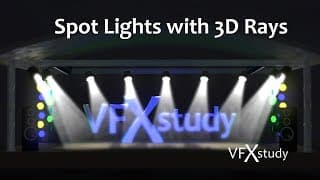
Spot Lights with 3D Rays in DaVinci Resolve and Fusion
Create true 3d light effects with rays. Separate light effects from geometry in the 3d and create 2d masks from 3d materials. Exercise files: https://vfxstudy.com/tutorials/lights-3d-rays/ VFXstudy.com facebook.com/VFXstudy1/ instagram.com/vfx_study twitter: @VFX_study New Resolve & Fusion tutorials every Sunday morning, 11 am GMT.
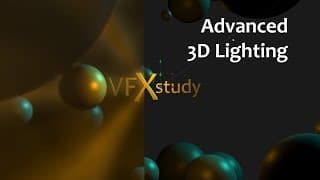
Advanced 3D Lighting in Resolve and Fusion
Light a 3D scene in DaVinci Resolve & Fusion and use advanced 2D tricks for volumetric lights and light wraps. Exercise files: https://vfxstudy.com/tutorials/lights VFXstudy.com facebook.com/VFXstudy1/ instagram.com/vfx_study twitter: @VFX_study New Resolve & Fusion tutorials every Sunday morning, 11 am GMT.
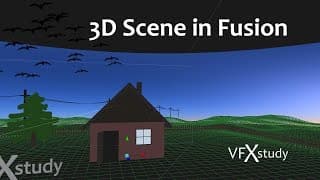
Creating a Simple 3D Scene with Fusion
Create and manipulate simple 3D geometry in Fusion using Shape 3d, Image Planes, Displace 3D, Bender, Duplicate, Replicate and more. Exercise files: https://vfxstudy.com/tutorials/3d-scene VFXstudy.com facebook.com/VFXstudy1/ instagram.com/vfx_study twitter: @VFX_study New Resolve & Fusion tutorials every Sunday morning, 11 am GMT.
Build your own Fusion tools with Macros and Templates in DaVinci Resolve
Create your own combined tools with custom settings through Fusion Macros. You can export macros to the template library and to the Resolve Edit Effects Library. Exercise files: https://vfxstudy.com/tutorials/macros-templates VFXstudy.com facebook.com/VFXstudy1/ instagram.com/vfx_study twitter: @VFX_study New Resolve & Fusion tutorials every Sunday morning, 11 am GMT.
Control and Reuse Custom Fusion Effects from DaVinci Resolve Edit
Learn how to enhance a Text+ Element in Fusion and add Fusion controls to the Edit page. Reuse the final effect across projects with Power Bins. Free Fusion in Resolve Beginner Course: https://vfxstudy.com/resolve-fusion-basics VFXstudy.com facebook.com/VFXstudy1/ instagram.com/vfx_study twitter: @VFX_study New Resolve & Fusion tutorials every Sunday morning, 11 am GMT.
Learn Fusion in DaVinci Resolve - 5h Free Course
Create a trailer sequence in DaVinci Resolve and learn the basics of the Fusion page. Learn how to use layer-based and node-based compositing together to create great effects quickly. Visit the course page: https://vfxstudy.com/resolve-fusion-basics/
How to load a Fusion *.comp file into Davinci Resolve
Combine resources for DaVinci Resolve and Fusion Studio and load Fusion *.comp files into DaVinci Resolve. VFXstudy.com facebook.com/VFXstudy1/ instagram.com/vfx_study twitter: @VFX_study New Resolve & Fusion tutorials every Sunday morning, 11 am GMT.
Replacing a Window - Set Extension in DaVinci Resolve & Fusion
Convert a student flat into a New York City apartment? A simple set extension may do the trick. A point tracker combined with some masking and keying can be enough to replace a window. Exercise files: https://vfxstudy.com/tutorials/window-replacement.html VFXstudy.com facebook.com/VFXstudy1/ instagram.com/vfx_study twitter: @VFX_study New Resolve & Fusion tutorials every Sunday morning, 11 am GMT.
3D Set Extension with Camera Tracking in DaVinci Resolve & Fusion
Create a 3D set extension with camera tracking and card projection in DaVinci Resolve Studio & Fusion Studio. 2D post-processing with light wrap and color correction. Exercise files: https://vfxstudy.com/tutorials/set-extension-3d.html VFXstudy.com facebook.com/VFXstudy1/ instagram.com/vfx_study twitter: @VFX_study New Resolve & Fusion tutorials every Sunday morning, 11 am GMT.
VFX to Polish & Extend Archival Footage with Resolve & Fusion
Polish archive footage and extend the frame for full resolution. Inspired by the VFX from “First Man”, I create an enhanced shot from the Apollo 11 launch. Artifact removal and set-extension with paint and clone techniques help build the shot. Exercise files: https://vfxstudy.com/tutorials/extending-the-frame.html VFXstudy.com facebook.com/VFXstudy1/ instagram.com/vfx_study twitter: @VFX_study New Resolve & Fusion tutorials every Sunday morning, 11 am GMT.
Set Extension in DaVinci Resolve & Fusion
Create a 2D Set Extension with Fusion in DaVinci Resolve or Fusion Studio. Integrate photos and videos with color corrections and atmospheric effects into your shot. Exercise files: https://vfxstudy.com/tutorials/set-extension.html VFXstudy.com facebook.com/VFXstudy1/ instagram.com/vfx_study twitter: @VFX_study New Resolve & Fusion tutorials every Sunday morning, 11 am GMT.
Realistic Light & Shadows with Ambient Occlusion in DaVinci Resolve & Fusion
Enhance 3D graphics with ambient occlusion as a 2D post-effect. You learn about the Z and normal passes and use them to create better shadows. Exercise files: https://vfxstudy.com/tutorials/ambient_occlusion.html VFXstudy.com facebook.com/VFXstudy1/ instagram.com/vfx_study twitter: @VFX_study New Resolve & Fusion tutorials every Sunday morning, 11 am GMT.
How to use the Z-Channel in Resolve & Fusion
Create Depth of Field, Fog, and more with depth information from the Z-Channel in DaVinci Resolve & Fusion. This can greatly help your 3D motion graphics and other 3D work. Using Z-Depth in 2D gives you great control over many very efficient 2D effects that would otherwise only be available in compute expensive 3D work. Exercise files: https://vfxstudy.com/tutorials/z-depth/ The 3D model was kindly made available by Shahid Abdullah from https://animatedheaven.weebly.com/ VFXstudy.com facebook.com/VFXstudy1/ instagram.com/vfx_study twitter: @VFX_study New Resolve & Fusion tutorials every Sunday morning, 11 am GMT.
Add 3D Depth to 2D Logos and Images with Resolve & Fusion
Use stacked image layers to create a 3D effect from a 2D logo or image in DaVinci Resolve / Fusion. Polish the scene with 2D post-processing effects like ambient occlusion and depth blur. Download the Fusion template: https://vfxstudy.com/tutorials/depth_from_2D.html VFXstudy.com facebook.com/VFXstudy1/ instagram.com/vfx_study twitter: @VFX_study New Resolve & Fusion tutorials every Sunday morning, 11 am GMT.
Avengers Disintegration Effect with Particles in DaVinci Resolve & Fusion
Use 3D Particles in DaVinci Resolve / Fusion 16 to create this popular disintegration effect from Avengers Infinity War. Full tutorial with tips on rotoscoping and particle techniques. https://vfxstudy.com/tutorials/particle-disintegration/ VFXstudy.com facebook.com/VFXstudy1/ instagram.com/vfx_study twitter: @VFX_study New Resolve & Fusion tutorials every Sunday morning, 11 am GMT.
Resolve to Fusion via VFX Connect
Use DPX, EXR or MXF file formats to render from DaVinci Resolve 16 and work in Fusion Studio. I cover the full functionality of VFX connect, recommended file formats and version management. More Infos on: https://vfxstudy.com VFXstudy.com facebook.com/VFXstudy1/ instagram.com/vfx_study twitter: @VFX_study New Resolve & Fusion tutorials every Sunday morning, 11 am GMT.
Fusion Studio 16 vs Fusion Tab in DaVinci Resolve - Which is Better?
Fusion in DaVinci Resolve 16 and Fusion Studio 16 have almost the same interface, but there are reasons to use one over the other. Learn about the differences in workflow, performance, and features and see how you can combine the benefits of both. More Infos on: https://vfxstudy.com/tutorials/ VFXstudy.com facebook.com/VFXstudy1/ instagram.com/vfx_study twitter: @VFX_study New Resolve & Fusion tutorials every Sunday morning, 11 am GMT.
5 Ways to Start with Fusion from Davinci Resolve Edit
Resolve offers different ways to create Fusion comps and manage different versions. It all depends on your workflow. In this short tutorial, I am going over the different methods and explain which method is suitable for which workflow. More info and free tutorials on https://vfxstudy.com facebook.com/VFXstudy1/ instagram.com/vfx_study twitter: @VFX_study New Resolve & Fusion tutorials every Sunday morning, 11 am GMT.
DaVinci Resolve 16 & Fusion Studio 16 - First Tests, Installation & Impressions
Tips on parallel installation, performance updates and general first impressions related to Fusion in DaVinci Resolve 16 and Fusion Studio 16. VFXstudy.com facebook.com/VFXstudy1/ instagram.com/vfx_study twitter: @VFX_study New Resolve & Fusion tutorials every Sunday morning, 11 am GMT.
Surveillance Camera with DaVinci Resolve & Fusion
Create a simple camera controls overlay and use color, noise, and lens distort tools to get the low-quality look of a security camera within DaVinci Resolve. Exercise files and more info: https://vfxstudy.com/tutorials/Surveillance_Camera.html VFXstudy.com facebook.com/VFXstudy1/ instagram.com/vfx_study twitter: @VFX_study New Resolve & Fusion tutorials every Sunday morning, 11 am GMT.

Creating Binoculars in Resolve & Fusion
Elliptical masks, animated blur and camera shake are all you need for this quick effect in Fusion. As a small bonus, I explain the instance copy and use an expression on a point variable. Even though that part is optional to make the effect work. Exercise files and more: https://vfxstudy.com/tutorials/Binoculars.html VFXstudy.com facebook.com/VFXstudy1/ instagram.com/vfx_study twitter: @VFX_study New Resolve & Fusion tutorials every Sunday morning, 11 am GMT.
Animated Camera Shake with Resolve & Fusion
Use the Spline Editor from Fusion to animate a ResolveFX Camera Shake. This is a simple way to combine the editing effect from the Effects Library and utilize the enhanced controls that the Fusion page provides. Exercise files and more: https://vfxstudy.com/tutorials/Camera_Shake.html facebook.com/VFXstudy1/ instagram.com/vfx_study twitter: @VFX_study New Resolve & Fusion tutorials every Sunday morning, 11 am GMT.
Kaleidoscope Effect: Smart Transforms & Expressions with Resolve & Fusion
Create complex shapes from simple transforms and use expressions in DaVinci Resolve / Fusion for customizable effects. Creating masks and transforms is easy, getting the shapes and animation patterns you desire for motion graphics can be tricky. In this tutorial, I am creating a Kaleidoscope effect. It will help you gain experience in creating custom shapes and transformations and you will see how you can tie tools together through simple expressions. Exercise files: https://vfxstudy.com/tutorials/Kaleidoscope.html VFXstudy.com facebook.com/VFXstudy1/ instagram.com/vfx_study twitter: @VFX_study New Resolve & Fusion tutorials every Sunday morning, 11 am GMT.
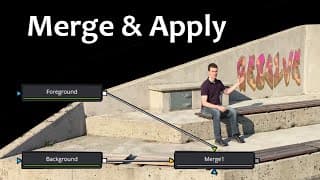
Merge & Apply in Resolve & Fusion: In-Depth Look at Alpha Manipulation, Screen, Overlay and more
An in-depth look at the most basic compositing tool: Understand how to modify the alpha channel inside the merge node and learn from examples how to use of Screen, Multiply, Overlay and other apply modes. A Merge node is a capable tool that does much more than “Foreground over Background”. Inside the merge, you can handle premultiplied and unpremultiplied images, decide how to select, combine and apply alpha channels and change the apply mode to composite only highlights, shadows, minimum/maximum values and so on. VFXstudy.com facebook.com/VFXstudy1/ instagram.com/vfx_study twitter: @VFX_study New Resolve & Fusion tutorials every Sunday morning, 11 am GMT.
Custom Video Transitions with Resolve & Fusion
Enhance your edits and create custom video transitions with the Fusion tab in DaVinci Resolve. In this beginner tutorial, I show you how you can get started only with a simple animated mask and a merge node. Exercise files: https://vfxstudy.com/tutorials/Resolve_Transitions.html VFXstudy.com facebook.com/VFXstudy1/ instagram.com/vfx_study twitter: @VFX_study New Resolve & Fusion tutorials every Sunday morning, 11 am GMT.

Blackmagic Fusion Luma Keyer - Simple Keying for Sky Replacement
Download the tutorial assets and my fusion comp files: https://vfxstudy.com/tutorials/Luma_keyer.html Find the complete training course here: https://training.vfxstudy.com/courses/Fusion-Basic This beginner tutorial gives a simple introduction to keying using the Luma Keyer for a sky replacement. The initial intention is to use the keyer to separate the sky background from the foreground based on luminosity. By experimentation we find out that the blue channel works even better than the luma channel. This also means that using any other keyer for blue screen should work as well, perhaps even better. The full training course covers keying in a systematic way, step by step, and also discusses edge treatment, spill / despill, combining different keyers and much more. This example is meant to be a simple composite to get you started with keying in Blackmagic Fusion.

12 Simple Exercises in Blackmagic Fusion 9
12 simple exercises from the training course: Blackmagic Fusion 9 - Your Journey from Novice to Expert https://vfxstudy.com/courses/ Create stunning visual effects, photo-realistic composites, and 3D motion graphics using Blackmagic Fusion 9. In this comprehensive 8 hour training course you will start with the foundations and go all the way to tracking, keying, 3D animations, projections and particles. The 12 exercises are: 1) Sky Replacement: Only with Merge + Title Animation 2) Helicopter Desert Scene: - Basic Compositing, Rotoscoping and Animation 3) Integration: Water effect on text with displace node 4) Muzzle Flash: Using Stock Effect & color grading 5) Tracking: Point and Corner tracking, modifying tracking path and attaching to mask 6) Keying for Skyreplacement: Luma Keyer 7) Keying workflow: Understanding different Keying solutions and the complete keying workflow, Core & Edge matte, spill removal, adding artificial spill and more. 8) Basic 3D Scene: 3D Geometry, Materials, Lighting, Camera Anaimation and VR render! 9) Camera Projection: Photo projection into 3D space for parallax. 10) 3D Particles: Particles interacting with 3D environment 11) Particle Postprocessing: 2D effects on particles 12) Particle Fire: Simple fire effect using Fusion Particles
Blackmagic Fusion Quick Start 2/2 - Text Animation
Download the tutorial assets and my fusion comp files: https://vfxstudy.com/tutorials/Quick_Start.html Find the complete training course here: https://training.vfxstudy.com/courses/Fusion-Basic Part 1: https://youtu.be/iTdV2KLLCR4: This 2 Part step by step tutorial is suitable for absolute beginners, even if you have never touched Fusion before in your life. I am creating a very simple sky replacement, only using the merge node and then animate the new clouds using the corner positioner. In the second part, I am adding a title to the picture, animate it and mask out a foreground object, so that the title moves through the background. It is possible to do much more with the same picture, but this is meant to be a super slim comp, just to get you started in Blackmagic Fusion. This Quick Start Tutorial is taken from the beginning of my full training course:
Blackmagic Fusion Quick Start 1/2 - Simplified Sky replacement
Download the tutorial assets and my fusion comp files: https://vfxstudy.com/tutorials/Quick_Start.html Find the complete training course here: https://training.vfxstudy.com/courses/Fusion-Basic Part 2: https://youtu.be/-auTV1RBoXM This 2 Part step by step tutorial is suitable for absolute beginners, even if you have never touched Fusion before in your life. I am creating a very simple sky replacement, only using the merge node and then animate the new clouds using the corner positioner. In the second part, I am adding a title to the picture, animate it and mask out a foreground object, so that the title moves through the background. It is possible to do much more with the same picture, but this is meant to be a super slim comp, just to get you started in Blackmagic Fusion. This Quick Start Tutorial is taken from the beginning of my full training course:
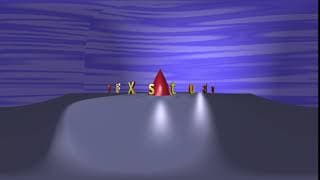
Simple 3D scene rendered with Spherical Camera
Simple Test with the Sperical Camera, this is an example from the training course: Blackmagic Fusion 9 - Your Journey from Novice to Expert. More info on https://training.vfxstudy.com/courses/Fusion-Basic
Blackmagic Fusion 9: Your Journey from Novice to Expert
Come over and have a look at the course page: https://vfxstudy.com/courses/ Create stunning visual effects, photo-realistic composites, and 3D motion graphics using Blackmagic Fusion 9. After this course, you will be able to: - Create photo-realistic composites and convincing effects. - Use rotoscoping, keying, and tracking in diverse situations. - Create 3D graphics, projections, and particle effects. - Build engaging motion graphics from scratch. This training course is for: - Beginning artists and hobbyists who want to create stunning effects & motion graphics. - Video editors and 3D artists who want a structured introduction to VFX & compositing. - Users of software like After Effects and Nuke who want to migrate to Blackmagic Fusion or add Fusion to their repertoire. Course Description: Fusion has a long history as a professional compositing application in Hollywood. Thanks to its powerful free version, it has become accessible to the masses. However, good VFX, compositing and motion graphics still take skill and experience. There is no magic shortcut. This course is about laying the foundations and setting you on the right path. While Fusion’s capabilities are amazing, I have always been disappointed with the training and tutorial offerings. If you want a lightsaber effect, you can find great tutorials for After Effects. If you want to learn every detail on the keying process, you can find university-level courses on Nuke. Fusion can cover both ends of the spectrum, but for me, it is strongest in the middle. This is why I created this course. I’ll start from the beginning, but take you in-depth into each topic so you can learn the principles and workflows involved. Instructional, Real-World Exercises You’ll find a balanced mixture of theory, software tutorials — and most importantly, instructional and practical exercises. I have carefully chosen each exercise to help you progress quickly and replicate my results. At the same time, they offer you challenges and room to experiment. All exercise files are provided for download and all footage has either been released to the public domain or cleared for use in student work and demo reels. Laying a Solid Groundwork You will learn the Fusion interface step by step. This includes a simple approach to tools like the spline editor (for animations) and the timeline view. Both are powerful tools but often tricky to handle in the beginning. At the same time, you will learn how to work efficiently and keep your working area organized. Integration Compositing is all about combining different footage and animations in a realistic (or artistic) way. This is why I dedicated a complete chapter to integration, as well as touching on the topic a few times throughout the other exercises. I am including a checklist here as well, and you can use it and expand on it during your own projects. This will help you achieve photo-realism on live footage and a coherent artistic result in your motion graphics. Tracking Tracking is used whenever new elements need to move together with existing live footage (matchmoving) or when you want to stabilize footage. But before all of that, you need a solid Track. I introduce some strategies for how you can achieve that and deal with typical problems you’ll face along the way. Keying Keying isn’t just about blue screen and green screen (chroma keying), but sometimes you can use keying techniques for sky replacement, color gradings, and other manipulations. You will learn here all the main tools Fusion has to offer, as well as a thorough workflow and understanding of the complete keying process. This includes handling edge problems, transparencies, and spill. 3D Environment We go back to the basics, but now in 3D. Here you will learn how to create 3D scenes entirely in Fusion, use materials, light the scene and add animated cameras. Afterward, you will turn to projections and convert a 2D picture into a 3D environment. Particles Whether to build an artistic background for a music video or to create custom VFX for an action movie, particle effects can be used for everything from smoke and fire to colorful graphics. You will switch between Fusion’s 2D and 3D particle systems, learn how particles can interact with 3D geometry and learn techniques for post-processing of particles in 2D.
Blackmagic Fusion - World Map Animation (3/3)
Download the tutorial assets and my fusion comp files: https://vfxstudy.com/tutorials/World_Map.html Part 1:https://youtu.be/3eHimI8hEn0 Part 2: https://youtu.be/4Zges2seuL0 In this step by step tutorial, I am creating a 3d map animation in Fusion with textures, lighting and animated flight paths. It is a beginner to intermediate tutorial. Rather than focusing on one aspect of fusion, this is more like a case study for motion graphics and 3d in Fusion and you will find different tricks along the way to the final result. More on on https://vfxstudy.com
Blackmagic Fusion - World Map Animation (2/3)
Download the tutorial assets and my fusion comp files: https://vfxstudy.com/tutorials/World_Map.html Part 1: https://youtu.be/3eHimI8hEn0 Part 3: https://youtu.be/nXkex-ptb2g In this step by step tutorial, I am creating a 3d map animation in Fusion with textures, lighting and animated flight paths. It is a beginner to intermediate tutorial. Rather than focusing on one aspect of fusion, this is more like a case study for motion graphics and 3d in Fusion and you will find different tricks along the way to the final result. More on on https://vfxstudy.com

Blackmagic Fusion - World Map Animation (1/3)
Download the tutorial assets and my fusion comp files: https://vfxstudy.com/tutorials/World_Map.html Part 2: https://youtu.be/4Zges2seuL0 Part 3: https://youtu.be/nXkex-ptb2g In this step by step tutorial, I am creating a 3d map animation in Fusion with textures, lighting and animated flight paths. It is a beginner to intermediate tutorial. Rather than focusing on one aspect of fusion, this is more like a case study for motion graphics and 3d in Fusion and you will find different tricks along the way to the final result. More on on https://vfxstudy.com
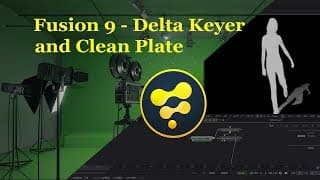
Fusion 9 - Delta Keyer + Clean Plate: Complete Tutorial
Project File: https://vfxstudy.com/tutorials/Delta_Keyer.html The delta keyer is at it’s core a color difference keyer which blackmagic added to Fusion 9. It is probably one of the most advanced and most customizable keyer in Fusion and it can be used together with a clean plate input. An additional clean plate generator is available as well. When using the delta keyer, your basic workflow will follow these steps: 1. Select background color or clean plate 2. Adjust pre-matte ranges (if not clean plate), erode pre-matte if it is too tight. 3. Adjust matte with threshold values and clean foreground / background 4. Adjust the despill settings and take care of edges in the Fringe tab. I will show you in this tutorial how to use the keyer and how to fine tune your matte and final image with all settings available in this new tool. I will also provide a little bit of background information about color difference keyers by showing a very basic version of a color difference keyer created purely from channel booleans and a color corrector. (Based on the version from Steve Wright's book: Digital Compositing for Film and Video). Green screen plates used in this video: https://www.hollywoodcamerawork.com/green-screen-plates.html (On this site, check for the examples “SINGLE MARKER PAN/TILT” and “GODIVA WIDE”)
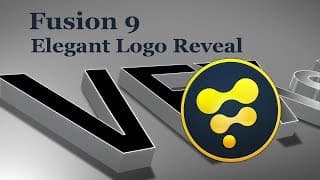
Fusion 9 - 3D Elegant Logo Reveal Tutorial + Template
Download the template and tutorial files: https://vfxstudy.com/tutorials/Logo_Reveal.html In this intermediate tutorial I discuss the animation in three parts: 1. Setup of the 3D geometry with a background plane (shape3d) and two Text3D nodes. Add multiple cameras and renderers and set up the animation in the timeline view. (Starting at 0:48) 2. Add materials, lights and shadows. Different parts of the scene are lit with different lights for artistic effect. Optimize rendering as much as possible to avoid antialiasing. Use supuer-sampling and a high shadow map resolution. (Starting at 8:10) 3. Split the 3d scene into two, render each separately and use 2d effects to polish the result for smooth shadows and interesting highlights. (Starting at 16:05)

Blackmagic Fusion 9 VR / 360 tools - Tutorial and Demo
For tutorial files: https://vfxstudy.com/tutorials/VR_Tools.html In the first part of the tutorial, I introduce the tools before going a little bit crazy by trying to convert a 2d photo into a low-res 360 video. The PanoMap converts between different VR formats like the default LatLong format and different boxed formats. With the LatLong Patcher you can view a rectangular unwrapped area of the image in the 2D viewer. You can make edits on that section, for example paint out stitching boundaries with the Paint node. Afterwards the LatLong Patcher can transform the area back to the 360 format and you can merge your changes over the original footage. If you are working in the 3D environment in Fusion, you can film your scene with the Spherical Camera just like you would do with a normal camera in Fusion. Your Render3D node can then directly render out the 360 video. Finally, the Spherical Stabilizer (Studio version only) can help you stabilize shaky 360 footage. You can watch the rendered result here https://youtu.be/v78oJqowJnE Resources used: Ferry to Stockholm: http://hdrmaps.com/freebies/ferry-to-stockholm Chile House: https://pixabay.com/photo-1115590/
Davinci Resolve 14 to Fusion 9 - Advanced Transition Effects
Find the tutorial files on: https://vfxstudy.com/tutorials/Transitions.html Learn in this Tutorial how to build advanced custom transitions in Blackmagic Fusion 9. I start from Davinci Resolve, the Fusion part begins at: 03:12 Blackmagicdesign has introduced the Fusion bridge starting from Resolve v 12.5. It allows you to easily render clips out of resolve and bring them over to Fusion for compositing work. As demonstrated here, you can even use the functionality to bring multiple clips over at the same time, which are then merged on top of each other in Fusion. The application I have chosen, and the focus of this video is to build an advance custom transition between two clips. Instead of doing a simple wipe, you can selectively transition individual foreground and background elements at different rates. To polish it, I also include a some color grading and some additional particle snow with Fusion’s 2d particles. The spline editor makes it easy to control all aspects of the animation to make sure that the first and the last frame of the animation remains fixed and the animation looks smooth in between. Public domain Stock Footage used: https://pixabay.com/videos/id-729/ https://pixabay.com/videos/id-1225/
Tutorial Preview: Resolve 14 to Fusion 9 - Advanced Transition Effects
The tutorial will help editors build more advanced custom transitions in Fusion. Full tutorial at: https://youtu.be/gH019XzTEVo Public domain Stock Footage used: Transition 1: https://pixabay.com/videos/id-729/ https://pixabay.com/videos/id-1225/ Transition 2: https://pixabay.com/videos/id-6019/ https://pixabay.com/videos/id-10339/ Tranistion 3: https://pixabay.com/videos/id-11031/ https://pixabay.com/videos/id-2382/
Blackmagic Fusion 9 FFmpeg Codec Support
Find more on https://vfxstudy.com Fusion supports many popular video codecs out of the box. However, you might still be missing a few like the popular mkv container format. Blackmagicdesign added the FFmpeg bridge in Fusion 9 which can close the gap. To use it: Download the current FFmpeg version from FFmpeg.org for your operating system. Make sure to download the version with shared linking. Extract / install to your preferred folder. Under Windows, Fusion expects “C:/FFmpeg”. However you can install in a different location and set the Path Map variable in Fusion. If Fusion does not find FFmpeg immediately, set the Path Map variable “FFmpeg:” to the root directory of your FFmpeg installation and restart Fusion. Resources used: FFmpeg: https://www.ffmpeg.org/ mkv test video: http://jell.yfish.us/
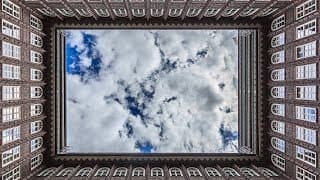
2D Picture converted to low-res VR render in Blackmagic Fusion 9
Simple unpolished cube projection created in Fusion 9 based on this 2D photo: Chile House: https://pixabay.com/photo-1115590/ To see how this was created please visit the related tutorial video: https://youtu.be/W9JIxtEssX4