Loading...
Warning: Channel ID is missing or invalid
Loading channel videos...

Loading channel videos...
Hidden Marvels in the Utah Desert #ankersolix #FullPowerToGoTheDistance
I had the opportunity to get creative with a contest for Anker Solix while on an epic trip to Southern Utah. As a videographer, it seems I’m always chasing the light. With only a small window of time to catch that perfect shot, there’s never a moment to waste. Using tech that makes it easier to create and tell a story make the job a whole lot easier. #overlanding #drone #utah #offroad
Exploring close to home - Goblin Valley Utah
a CINEMATIC film about a PAPER BAG | Lumix S5
"The Paper Bag" | shot on #LumixS5 What would happen if you switch out all the music in a film. I did just that with my latest short film and the results blew my mind! Watch my short film "The Paper Bag" take on a completely different story and meaning, just by switching the music behind the film. Please let me know which version is your favorite in the comments. "The Paper Bag" was shot on #Lumix Quality music for your next videos: https://audiio.com/joshuatimothy New affordable monthly plan for creators or use code "joshuat70" to save 70% at checkout off the annual Pro plan or Lifetime plan! My accessories for editing videos on the iPad: (affiliate links) Magnetic iPad Stand: https://amzn.to/3PhqGfW Best USB C Hub for iPad Pro and iPad Air: https://amzn.to/3wH5m9i Samsung T7 1TB SSD - https://amzn.to/3jLmwf7 Magic Keyboard for iPad Pro 12.9in - https://amzn.to/3A6BV36 Magic Keyboard for iPad Air and iPad Pro 11in - https://amzn.to/3bxD1KY iPad Air 256 GB - https://amzn.to/3HTeA6S iPad Pro 11in with #M2 - https://amzn.to/3MhzLD0 iPad Pro 12.9in 512 gb - https://amzn.to/3GthsYh 00:00 Intro 00:51 "The Paper Bag" - short film 02:34 Switching the music 04:12 "The Paper Bag" - alternate version *Joshua Timothy is a participant in the Amazon Services LLC Associates Program, an affiliate advertising program designed to provide a means for sites to earn advertising fees by advertising and linking to the amazon website.
Final Cut Pro from iPad to Mac - Tutorial
Learn how to continue working on your #finalcutpro for #ipadpro video project on the Mac. Editing videos on the iPad is my favorite way to edit, but sometimes you need to move your project to your computer for more advance editing including, custom LUTS, #Plugins and speed ramping. Best plugins for Final Cut Pro: https://mvfx.co/JoshuaTimothy My favorite place to get music for my videos: https://audiio.com/joshuatimothy Use code "joshuat70" to save 70% at checkout! My accessories for editing videos on the iPad: Magnetic iPad Stand: https://amzn.to/3PhqGfW (affiliate link) Best USB C Hub for iPad Pro and iPad Air: https://amzn.to/3wH5m9i (affiliate link) Samsung T7 1TB SSD - https://amzn.to/3jLmwf7 (affiliate link) Magic Keyboard for iPad Pro 12.9in - https://amzn.to/3A6BV36 (affiliate link) Magic Keyboard for iPad Air and iPad Pro 11in - https://amzn.to/3bxD1KY (affiliate link) iPad Air 256 GB - https://amzn.to/3HTeA6S (affiliate link) iPad Pro 11in with #M2 - https://amzn.to/3MhzLD0 (affiliate link) iPad Pro 12.9in 512 gb - https://amzn.to/3Mc5fuf (affiliate link) 00:00 3 things not possible on iPad, (YET!) 00:51 Export Final Cut Pro iPad file to Mac 01:36 Import Final Cut Pro iPad file 02:14 Plugins 05:55 How to Speed Ramp 07:12 Use Custom LUTS 07:47 Reel Example *Joshua Timothy is a participant in the Amazon Services LLC Associates Program, an affiliate advertising program designed to provide a means for sites to earn advertising fees by advertising and linking to the amazon website.
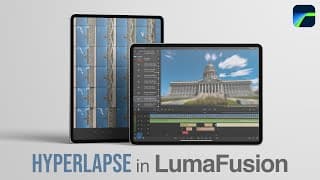
EASIEST Way to EDIT a Hyperlapse on iPad
Once you know the proper settings to change in #LumaFusion, #hyperlapse videos are really easy to edit, especially on the #ipadpro. Music from Audiio, Save 70% - Use code: joshuat70 https://audiio.com/joshuatimothy Plugins and effects I use in my videos: https://motionvfx.sjv.io/9gQ534 (Affiliate link) My accessories for editing videos on the iPad: Magnetic iPad Stand: https://amzn.to/3PhqGfW (affiliate link) Best USB C Hub for iPad Pro and iPad Air: https://amzn.to/3wH5m9i (affiliate link) Samsung T7 1TB SSD - https://amzn.to/3jLmwf7 (affiliate link) Magic Keyboard for iPad Pro 12.9in - https://amzn.to/3A6BV36 (affiliate link) Magic Keyboard for iPad Air and iPad Pro 11in - https://amzn.to/3bxD1KY (affiliate link) iPad Air 256 GB - https://amzn.to/3HTeA6S (affiliate link) iPad Pro 11in with #M2 - https://amzn.to/3MhzLD0 (affiliate link) iPad Pro 12.9in 512 gb - https://amzn.to/3Mc5fuf (affiliate link) 00:00 Hyperlapse examples 00:23 Prepare raw photos 02:23 Change LumaFusion settings 03:14 Import photos into project 04:48 Pick music and sound effects 05:59 Render hyperlapse 07:00 Stabilize hyperlapse 07:56 Exporting and resizing *Joshua Timothy is a participant in the Amazon Services LLC Associates Program, an affiliate advertising program designed to provide a means for sites to earn advertising fees by advertising and linking to the amazon website.
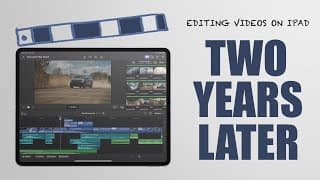
Editing Videos on iPad: The GOOD and BAD
I spent the last two years doing all my video editing on the #iPad! This video will help you decide if editing videos on the iPad is right for you. I cover the good and the bad of #videoediting on the iPad using #finalcutpro or LumaFusion. Music from Audiio, Save 70% - Use code: joshuat70 https://audiio.com/joshuatimothy My accessories for editing videos on the iPad: Magnetic iPad Stand: https://amzn.to/3PhqGfW (affiliate link) Best USB C Hub for iPad Pro and iPad Air: https://amzn.to/3wH5m9i (affiliate link) Samsung T7 1TB SSD - https://amzn.to/3jLmwf7 (affiliate link) Magic Keyboard for iPad Pro 12.9in - https://amzn.to/3A6BV36 (affiliate link) Magic Keyboard for iPad Air and iPad Pro 11in - https://amzn.to/3bxD1KY (affiliate link) iPad Air 256 GB - https://amzn.to/3HTeA6S (affiliate link) iPad Pro 11in with #M2 - https://amzn.to/3EOgOEN (affiliate link) iPad Pro 12.9in 512 gb - https://amzn.to/3R73JuU (affiliate link) 00:00 2 Years of Editing on an iPad 01:50 What Type of Videos 02:12 audiio - Music for Your Videos 02:48 iPad Storage Recommendation 04:29 iPad Model Differences 04:55 Biggest Issues *Joshua Timothy is a participant in the Amazon Services LLC Associates Program, an affiliate advertising program designed to provide a means for sites to earn advertising fees by advertising and linking to the amazon website.
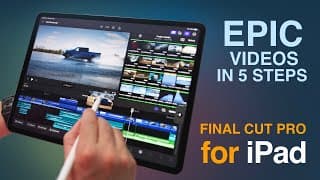
Final Cut Pro for iPad: 5 Steps to Make Epic Videos
Learn to edit professional videos in #finalcutpro for #iPad using 5 simple steps. #ipadpro Music from Audiio, Save 70% - Use code: joshuat70 https://audiio.com/joshuatimothy My accessories for editing videos on the iPad: Magnetic iPad Stand: https://amzn.to/3PhqGfW (affiliate link) Best USB C Hub for iPad Pro and iPad Air: https://amzn.to/3wH5m9i (affiliate link) Samsung T7 1TB SSD - https://amzn.to/3jLmwf7 (affiliate link) Magic Keyboard for iPad Pro 12.9in - https://amzn.to/3A6BV36 (affiliate link) Magic Keyboard for iPad Air and iPad Pro 11in - https://amzn.to/3bxD1KY (affiliate link) iPad Air 256 GB - https://amzn.to/3HTeA6S (affiliate link) iPad Pro 11in with #M2 - https://amzn.to/3EOgOEN (affiliate link) iPad Pro 12.9in 512 gb - https://amzn.to/3R73JuU (affiliate link) 00:00 Introduction 00:20 EditedFord Commercial Example 00:54 Step 1 - Importing Footage 03:53 Best Music and Sound Effects, audiio discount 05:02 Step 2 - Edit to the beat of the music 07:20 Step 3 - Organize your timeline settings 10:28 Step 4 - Inspect Panel 13:00 Step 5 - Export your video *Joshua Timothy is a participant in the Amazon Services LLC Associates Program, an affiliate advertising program designed to provide a means for sites to earn advertising fees by advertising and linking to the amazon website.

Traveling back through space and time #aiart #deforum
Traveling back through space and time… 🎵I Was Wrong About Everything - BRANCHES, music from audiio Save 70% on an audiio pro membership with code PRO70: https://audiio.com/partner?oid=1&affid=912 #ai #aiart #deforum Created on #iPadPro
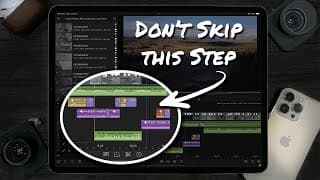
Sound Design on an iPad - LumaFusion Editing Tutorial
Sound Design is one step in video editing that you cannot skip. Use these tips to add sound design to your videos. #lumafusion #ipadpro #videoediting Music from Audiio, Save 70% - Use code: joshuat70 https://audiio.com/joshuatimothy My accessories for editing videos on the iPad: Best USB C Hub for iPad Pro and iPad Air: https://amzn.to/3wH5m9i (affiliate link) Samsung T7 1TB SSD - https://amzn.to/3jLmwf7 (affiliate link) Magic Keyboard for iPad Pro 12.9in - https://amzn.to/3A6BV36 (affiliate link) Magic Keyboard for iPad Air and iPad Pro 11in - https://amzn.to/3bxD1KY (affiliate link) iPad Air 256 GB - https://amzn.to/3HTeA6S (affiliate link) iPad Pro 11in with #M2 - https://amzn.to/3EOgOEN (affiliate link) iPad Pro 12.9in 512 gb - https://amzn.to/3R73JuU (affiliate link) 00:00 Sound Design with Music and Sound Effects 00:59 Sound Design Example 01:27 Tip: Use a sound before you can visually see it 02:09 Listen to only the sound effects 03:05 Tip: Adding a cross fade effect 04:31 Transition to end of a song 05:19 Tip: Key Framing Volume Levels 07:52 Audiio - Best Stock Music and Sound Effects 08:22 How to find the perfect music and sound effects 10:04 Save 70% on your Audiio Pro Subscription 10:48 Transition to a different song 11:25 Tip: Mimic sounds with other sound effects *Joshua Timothy is a participant in the Amazon Services LLC Associates Program, an affiliate advertising program designed to provide a means for sites to earn advertising fees by advertising and linking to amazon.com
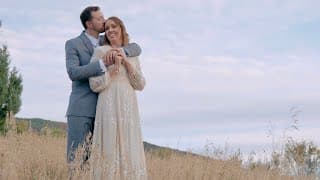
Touching Wedding in the Foothills of Utah | Shot on Lumix S5
Another opportunity to film a wedding on the Lumix S5 and edit on the #iPadPro with #lumafusion. Capturing the love that Brooke and Sean share for each other made for a special day. Music from Audiio, Save 70% - Use code: joshuat70 https://audiio.com/joshuatimothy (Affiliate link) My accessories for editing videos on the iPad: OriGrid Case - https://amzn.to/38qk8VI (affiliate link) Hyper Drive 6 in 1 USB C Hub - https://amzn.to/3nl3WfM (affiliate link) Samsung T7 1TB SSD - https://amzn.to/3jLmwf7 (affiliate link) Magic Keyboard for iPad Pro 12.9in - https://amzn.to/3A6BV36 (affiliate link) Magic Keyboard for iPad Air and iPad Pro 11in - https://amzn.to/3bxD1KY (affiliate link) iPad Air 256 GB - https://amzn.to/3HTeA6S (affiliate link) iPad Pro 11in with #M1 - https://amzn.to/3EOgOEN (affiliate link) iPad Pro 12.9in 512 gb - https://amzn.to/3GKi118 (affiliate link) *Joshua Timothy is a participant in the Amazon Services LLC Associates Program, an affiliate advertising program designed to provide a means for sites to earn advertising fees by advertising and linking to amazon.com
Brooke and Sean’s Wedding Teaser #shorts
Another fun opportunity to film a wedding right as Fall started to creep in. This was shot on the #lumixs5 and edited on the #iPadPro with #lumafusion. My accessories for editing videos on the iPad: OriGrid Case - https://amzn.to/38qk8VI (affiliate link) Hyper Drive 6 in 1 USB C Hub - https://amzn.to/3nl3WfM (affiliate link) Samsung T7 1TB SSD - https://amzn.to/3jLmwf7 (affiliate link) Magic Keyboard for iPad Pro 12.9in - https://amzn.to/3A6BV36 (affiliate link) Magic Keyboard for iPad Air and iPad Pro 11in - https://amzn.to/3bxD1KY (affiliate link) iPad Air 256 GB - https://amzn.to/3HTeA6S (affiliate link) iPad Pro 11in with #M1 - https://amzn.to/3siyUXT (affiliate link) iPad Pro 12.9in 512 gb - https://amzn.to/3OIrerL (affiliate link) *Joshua Timothy is a participant in the Amazon Services LLC Associates Program, an affiliate advertising program designed to provide a means for sites to earn advertising fees by advertising and linking to amazon.com
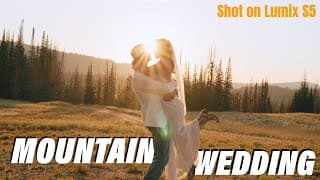
Epic Utah Wedding in the Mountains | Shot on #LumixS5, edited on #iPad
What an amazing experience camping in the mountains with all my gear to capture Sadie and Kolton’s wedding. This film was shot on the #LumixS5 and edited on the #iPadPro in #LumaFusion. Hire me for your wedding: https://www.joshuatimothy.com Music from Audiio, Save 70% - Use code: joshuat70 https://audiio.com/joshuatimothy Gear used: Lumix S5 - https://amzn.to/3CV4dPz Panasonic Lumix S 50mm 1.8 Lens - https://amzn.to/3TEIPnL Ninja V Monitor - https://amzn.to/3AOrIaf DJI Mic - https://amzn.to/3KLP4BW SmallRig Cage - https://amzn.to/3wSMRiB SmallRig Handle - https://amzn.to/3eljYoT OriGrid Case - https://amzn.to/38qk8VI Hyper Drive 6 in 1 USB C Hub - https://amzn.to/3nl3WfM Samsung T7 1TB SSD - https://amzn.to/3jLmwf7 Magic Keyboard for iPad Pro 12.9in - https://amzn.to/3A6BV36 Magic Keyboard for iPad Air and iPad Pro 11in - https://amzn.to/3bxD1KY iPad Air 256 GB - https://amzn.to/3HTeA6S iPad Pro 11in with #M1 - https://amzn.to/3EOgOEN iPad Pro 12.9in 512 gb - https://amzn.to/3GKi118 *Joshua Timothy is a participant in the Amazon Services LLC Associates Program, an affiliate advertising program designed to provide a means for sites to earn advertising fees by advertising and linking to amazon.com
Epic Utah Wedding in the Mountains TEASER | Shot on #LumixS5 #shorts
I had the opportunity to shoot my first wedding this week in the mountains. This was shot on the #lumixs5 and edited on the #iPadPro with #lumafusion. My accessories for editing videos on the iPad: OriGrid Case - https://amzn.to/38qk8VI (affiliate link) Hyper Drive 6 in 1 USB C Hub - https://amzn.to/3nl3WfM (affiliate link) Samsung T7 1TB SSD - https://amzn.to/3jLmwf7 (affiliate link) Magic Keyboard for iPad Pro 12.9in - https://amzn.to/3A6BV36 (affiliate link) Magic Keyboard for iPad Air and iPad Pro 11in - https://amzn.to/3bxD1KY (affiliate link) iPad Air 256 GB - https://amzn.to/3HTeA6S (affiliate link) iPad Pro 11in with #M1 - https://amzn.to/3siyUXT (affiliate link) iPad Pro 12.9in 512 gb - https://amzn.to/3OIrerL (affiliate link) *Joshua Timothy is a participant in the Amazon Services LLC Associates Program, an affiliate advertising program designed to provide a means for sites to earn advertising fees by advertising and linking to amazon.com
Make an Epic Time Lapse on the iPad - LumaFusion Tutorial
This tutorial will help you edit a #timelapse on your #ipad out of RAW photos in #lumafusion. Music from Audiio, Save 70% - Use code: joshuat70 https://audiio.com/joshuatimothy My accessories for editing videos on the iPad: OriGrid Case - https://amzn.to/38qk8VI (affiliate link) Hyper Drive 6 in 1 USB C Hub - https://amzn.to/3nl3WfM (affiliate link) Samsung T7 1TB SSD - https://amzn.to/3jLmwf7 (affiliate link) Magic Keyboard for iPad Pro 12.9in - https://amzn.to/3A6BV36 (affiliate link) Magic Keyboard for iPad Air and iPad Pro 11in - https://amzn.to/3bxD1KY (affiliate link) iPad Air 256 GB - https://amzn.to/3HTeA6S (affiliate link) iPad Pro 11in with #M2 - https://amzn.to/3EOgOEN (affiliate link) iPad Pro 12.9in 512 gb - https://amzn.to/3R73JuU (affiliate link) 00:00 Introduction 00:41 Edit and Prepare RAW Photos for Time Lapse 03:17 Import Photos into LumaFusion 05:20 Bonus Tip: Trimming Clips 05:54 Export Time Lapse 07:20 Adjust Framing 08:32 Tip: Sound Design 09:22 Immersive Time Lapse *Joshua Timothy is a participant in the Amazon Services LLC Associates Program, an affiliate advertising program designed to provide a means for sites to earn advertising fees by advertising and linking to amazon.com

Immersive City Time Lapse #shorts
A moody city #timelapse enhanced with #sounddesign creates an immersive experience. This time lapse was filmed on the #lumixs5 using raw photos.
Film Anywhere with this PORTABLE light #weeylite
We set out on an adventure to #light a short film sequence with a single light, the #Weeylite Ninja 200, in the middle of a forest. This light can run on battery power, which makes it very portable. Is this a good light for beginners or for making YouTube videos? Look for the coupon code from@viltroxofficial in this video to save on the Weeylite Ninja 200. Light: Weeylite Ninja 200 - https://urlgeni.us/WeeyliteNinja200 (affiliate link) Other Gear: Impact Heavy Duty Light Stand - https://amzn.to/3ximAeL (affiliate link) Sony L-Mount Batteries - https://amzn.to/3DA8NBg (affiliate link) Aputure Light Dome II Softbox - https://amzn.to/3r23LbG (affiliate link) LUMIX S5 Camera and Lens - https://amzn.to/3NX59X1 (affiliate link) My accessories for editing videos on the iPad: OriGrid Case - https://amzn.to/38qk8VI (affiliate link) Hyper Drive 6 in 1 USB C Hub - https://amzn.to/3nl3WfM (affiliate link) Samsung T7 1TB SSD - https://amzn.to/3jLmwf7 (affiliate link) Magic Keyboard for iPad Pro 12.9in - https://amzn.to/3A6BV36 (affiliate link) Magic Keyboard for iPad Air and iPad Pro 11in - https://amzn.to/3bxD1KY (affiliate link) iPad Air 256 GB - https://amzn.to/3HTeA6S (affiliate link) iPad Pro 11in with #m2 - https://amzn.to/3EOgOEN (affiliate link) iPad Pro 12.9in 512 gb - https://amzn.to/3GKi118 (affiliate link) Royalty Free Music and Sound Effects: Epidemic Sound Free Trial - https://www.epidemicsound.com/referral/cell93 0:00 Short film Behind Enemy Lines 0:55 Lighting Tutorial in Forest 2:59 Lighting a Studio or YouTube video 3:46 Things to like about the Weeylite Ninja 200 5:44 Things I don’t like 7:46 Light recommendation *Joshua Timothy is a participant in the Amazon Services LLC Associates Program, an affiliate advertising program designed to provide a means for sites to earn advertising fees by advertising and linking to amazon.com
Mask Transitions Made Easy - LumaFusion Tutorial
Masking in #LumaFusion is possible using this quick workaround. Now you can make those epic mask transitions on your #iPad or #iPhone. Get quality music for your next video: https://audiio.com/joshuatimothy New affordable monthly plan for creators or use code "joshuat70" to save 70% at checkout off the annual Pro plan or Lifetime plan! 0:00 Mask Transitions Intro and Examples 0:30 Setup New Project 0:55 Start Making the Mask Transition 5:40 Import and Use the Masked Clip 6:48 Final Results My accessories for editing videos on the iPad: Hyper Drive 6 in 1 USB C Hub - https://amzn.to/3nl3WfM (affiliate link) Samsung T7 1TB SSD - https://amzn.to/3jLmwf7 (affiliate link) Magic Keyboard for iPad Pro 12.9in - https://amzn.to/3A6BV36 (affiliate link) Magic Keyboard for iPad Air and iPad Pro 11in - https://amzn.to/3bxD1KY (affiliate link) iPad Air 256 GB - https://amzn.to/3HTeA6S (affiliate link) iPad Pro 11in with #m2 - https://amzn.to/3EOgOEN (affiliate link) iPad Pro 12.9in 512 gb - https://amzn.to/3GKi118 (affiliate link) *Joshua Timothy is a participant in the Amazon Services LLC Associates Program, an affiliate advertising program designed to provide a means for sites to earn advertising fees by advertising and linking to amazon.com
Top 5 Accessories for VIDEO EDITING on an iPad
My accessories for editing videos on the iPad: OriGrid Case - https://amzn.to/38qk8VI (affiliate link) Hyper Drive 6 in 1 USB C Hub - https://amzn.to/3nl3WfM (affiliate link) Samsung T7 1TB SSD - https://amzn.to/3jLmwf7 (affiliate link) Magic Keyboard for iPad Pro 12.9in - https://amzn.to/3A6BV36 (affiliate link) Magic Keyboard for iPad Air and iPad Pro 11in - https://amzn.to/3bxD1KY (affiliate link) iPad Air 256 GB - https://amzn.to/3HTeA6S (affiliate link) iPad Pro 11in with #m2 - https://amzn.to/3EOgOEN (affiliate link) iPad Pro 12.9in 512 gb - https://amzn.to/3GKi118 (affiliate link) 0:00 Reducing friction in your creative workflow 0:58 OriGrid Case by TinyRigs 2:32 Hyper Drive 6 in 1 USB C Hub 3:17 Samsung T7 SSD 3:54 Apple Pencil 4:22 Magic Keyboard *Joshua Timothy is a participant in the Amazon Services LLC Associates Program, an affiliate advertising program designed to provide a means for sites to earn advertising fees by advertising and linking to amazon.com
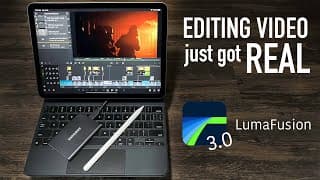
Video Editing on an iPad just got REAL: LumaFusion 3.0
#LumaFusion just got a huge update to 3.0 bringing lots of new features for video editing on the #iPad and #iPhone. In this video I talk about my favorite features like editing directly from an external SSD, audio equalizer and plugins, and a resizable UI. Quality music for your next videos: https://audiio.com/joshuatimothy New affordable monthly plan for creators or use code "joshuat70" to save 70% at checkout off the annual Pro plan or Lifetime plan! My accessories for editing videos on the iPad: OriGrid Case - https://amzn.to/38qk8VI (affiliate link) Hyper Drive 6 in 1 USB C Hub - https://amzn.to/3nl3WfM (affiliate link) Samsung T7 1TB SSD - https://amzn.to/3jLmwf7 (affiliate link) Magic Keyboard for iPad Pro 12.9in - https://amzn.to/3A6BV36 (affiliate link) Magic Keyboard for iPad Air and iPad Pro 11in - https://amzn.to/3bxD1KY (affiliate link) iPad Air 256 GB - https://amzn.to/3HTeA6S (affiliate link) iPad Pro 11in with #m2 - https://amzn.to/3EOgOEN (affiliate link) iPad Pro 12.9in 512 gb - https://amzn.to/3GKi118 (affiliate link) 0:00 LumaFusion 3.0 Update 0:26 Editing on an external SSD 2:34 Resizable UI 3:10 Export to SSD 4:15 New Audio Editing Tools/Plugins 5:48 Upcoming Videos *Joshua Timothy is a participant in the Amazon Services LLC Associates Program, an affiliate advertising program designed to provide a means for sites to earn advertising fees by advertising and linking to amazon.com
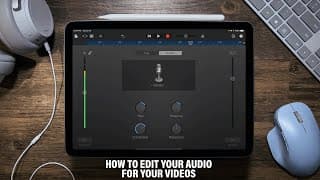
How to EDIT AUDIO for your Videos using ONLY an iPad
Editing the audio for your videos is important and is quite easy to do. In this video I show you how to edit the audio in your videos using #GarageBand on your #iPad or your iPhone. I then show you how to import your processed audio and sync it to your video in #LumaFusion. #SoundEditing Plugins for Editing Audio on the iPad: Brusfri: https://apps.apple.com/us/app/brusfri/id1289165912 Equalizer: https://apps.apple.com/us/app/tb-equalizer/id1473111210 Quality music for your next videos: https://audiio.com/joshuatimothy New affordable monthly plan for creators or use code "joshuat70" to save 70% at checkout off the annual Pro plan or Lifetime plan! 0:00 Intro 0:19 Comparison of original audio/Processed audio 1:16 Editing your audio with GarageBand 4:19 Using plugins 7:45 Import and sync audio in LumaFusion https://www.joshuatimothy.com/blog/edit-audio-on-ipad
3 Tips for Better Audio in Your Videos
Quality #sound is the most important element of your videos. Learn 3 tips to improve your audio. I also demo the sound of 4 different microphones: #rode, #deity, #BlueYeti, and the #iPhone12ProMax. 0:00 Before and after example 0:39 1: Use an external microphone 1:08 iPhone microphone 1:31 Deity D4 Duo 1:52 Røde Lav mic 2:13 Blue Yeti 2:47 2: Get close to the microphone 4:04 3: Process your audio Watch my new video showing how to process your audio: https://youtu.be/DMYUj15JCtA https://www.joshuatimothy.com/blog/2021/5/18/3-tips-for-better-audio
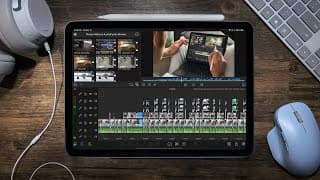
Edit Professionally Using Only an iPad: LumaFusion Tutorial
Anyone can create and edit professional videos using only the devices they already have. Here I edit a 30-second Ford commercial using an #iPad and #LumaFusion. Learn basic editing tips, sound design, and how to create mask transitions. You will also learn how to edit with a desktop-like experience by connecting a mouse, keyboard, and monitor to your iPad. #videoediting Quality music for your next videos: https://audiio.com/joshuatimothy New affordable monthly plan for creators or use code "joshuat70" to save 70% at checkout off the annual Pro plan or Lifetime plan! My accessories for editing videos on the iPad: OriGrid Case - https://amzn.to/38qk8VI (affiliate link) Hyper Drive 6 in 1 USB C Hub - https://amzn.to/3nl3WfM (affiliate link) Samsung T7 1TB SSD - https://amzn.to/3jLmwf7 (affiliate link) Magic Keyboard for iPad Pro 12.9in - https://amzn.to/3A6BV36 (affiliate link) Magic Keyboard for iPad Air and iPad Pro 11in - https://amzn.to/3bxD1KY (affiliate link) iPad Air 256 GB - https://amzn.to/3HTeA6S (affiliate link) iPad Pro 11in with #m2 - https://amzn.to/3EOgOEN (affiliate link) iPad Pro 12.9in 512 gb - https://amzn.to/3GKi118 (affiliate link) 0:00 Example Commercial Project 0:14 Begin Editing: Adding Media, Trimming, and Basic Tools 3:00 Editing to the Beat using Markers 5:23 Masking in LumaFusion 10:33 Desktop Setup with an iPad 11:20 Sound Design 13:00 Export your Project 13:22 Final Commercial: Ford Bronco *Joshua Timothy is a participant in the Amazon Services LLC Associates Program, an affiliate advertising program designed to provide a means for sites to earn advertising fees by advertising and linking to amazon.com

Dolby Vision HDR is AMAZING #shorts
#DolbyVision HDR can do some amazing things on the #iPhone12ProMax. You have to see it to believe it. Watching #HDR content at a brightness of over 1000 nits is next level. Should you be filming in Dolby Vision HDR? These tips will save you from ruining your Dolby Vision HDR footage: https://youtu.be/Y9sUzSrgSm8 #shorts
Should You Film in Dolby Vision HDR?
The ability to create and edit #HDR on the devices that we carry with us is pretty cool! #DolbyVision HDR can make your footage look absolutely stunning, but should you use it? I cover the good, the bad, and give you a couple tips to successfully film in Dolby Vision on your #iPhone12Pro #iPhone12 #iPhone12ProMax Example Footage in Dolby Vision HDR: https://youtu.be/c_HURacIibk Amazing Dolby Vision Videos: Jonathan & Friends - Pushing Daisies by Loote: https://youtu.be/VB78wqZHclE Jonathan & Friends - Pillow by Wolfe (Acoustic): https://youtu.be/zAS8AOoiWug Andy To - iPhone 12 Pro Cinematic 4K: New York City Snowstorm: https://youtu.be/1JNgiyVec9I Andy To - iPhone 12 Pro Aerial 4K: New York: https://youtu.be/ovpe-7kMH1Q Music I use (Free 30 Day Trial): https://www.epidemicsound.com/referral/cell93/
3 Reasons Lighting is More Important Than Your Camera - Aputure Amaran 200d
People often think that if they had a better camera, their videos would look a lot better. This video covers three reasons why you should get a nice light before you upgrade your camera using Aputure's new affordable light, the #Amaran200d. Filmed and edited on the #iPhone12ProMax 0:00 Reason 1 - Flexibility with shutter speed and framerate 1:09 Reason 2 - Mimic natural Light at any time of day or season 1:42 Reason 3 - Make your subject look good 2:33 Amaran 200d Review 3:30 Lume Cube Panel Go - creative lighting trick Lights for Beginners: Amaran 100d: https://www.aputure.com/amaran-100d-us/ Amaran 200d: https://www.aputure.com/amaran-200d-us/ Aputure MC: https://www.aputure.com/mc-u/ Music I used in this video is from Epidemic Sound: https://www.epidemicsound.com/referral/cell93/ #Aputure #Amaran100d #shotoniphone
How to Shoot in Apple ProRAW
The best camera is the camera you have with you at all times. Apple making the ProRAW format available on the iPhone 12 Pro series helps photographers shoot and edit photos with the complete control of RAW and the added computational magic that brings iPhones closer to DLSR photography. Learn how to enable and shoot in this new format. This video was edited on the iPhone 12 Pro Max.
Just Get Out There - iPhone 12 Pro Max
We need to stop making excuses and just get out there to create. This was the first opportunity I had to test out the iPhone 12 Pro Max. I am quite impressed with the video quality. The Dolby Vision HDR look incredible on the iPhone's display. This video was shot in Dolby Vision HDR, edited on the iPhone in iMovie, and exported as a SDR version for YouTube.
Learn to Create #shorts
After almost 2 years of being able to make videos professionally, I'm excited to start this channel to help others learn to create with minimal gear, using only what they already have. New content coming this week! #shorts #nosmallcreator

Filmmaking Reel 2020
The past year and half has been an amazing adventure of diverse opportunities to follow my dream to make videos! This is the beginning... with lots more content to come! #FilmmakingReel #NoSmallCreator

South Jordan Grow and Start Your Business
Promo of South Jordan City and why people should start and grow their businesses there.
Surface Pro 7: Perfect to Create Anywhere
A cinematic sequence of why I love the #SurfacePro7. I have been using #Microsoft Surface devices for the past 7 years. This year Microsoft invited me out to New York to their #MicrosoftEvent. It was an amazing experience to meet and support the Surface team, meet fellow fans, and get a first look at all the new devices. I'm grateful for the Surface Pro 7 that they sent me, its a perfect device for creating on the go!

Marsh Boat 4k
A small teaser of the latest photo I got in Cache County, Utah. Every time I fly, its always the last moments of the flight, low battery, etc. when a composition comes together. No time to think, just time to take the picture. Check out my picture on Instagram: https://www.instagram.com/_joshuatimothy/