Loading...
Warning: Channel ID is missing or invalid
Loading channel videos...

Loading channel videos...
recreate the out-of-sync film streaking effect
Here's a video on how you can recreate the ARRI Timing Shift Box effect or the out-of-sync film effect digitally. Get the PowerGrade and Macro Effect Here: https://shop.andriklangfield.com/b/timeshift Get my colour grade here / CINEVISTA 210: https://www.shopmoment.com/products/cinevista-210-powergrade-luts
Recreate the out-of-sync film effect digitally | ARRI Timing Shift Box
Here's a video on how you can recreate the ARRI Timing Shift Box effect or the out-of-sync film effect digitally. Get the PowerGrade and Macro Effect Here: https://shop.andriklangfield.com/b/timeshift Get my colour grade here / CINEVISTA 210: https://www.shopmoment.com/products/cinevista-210-powergrade-luts Where I get my Music and SFX: https://fm.pxf.io/andrikfreetrial Intro: (00:00) Get the Powergrade and Macro: (00:23) What is the ARRI Timing Shift Box: (00:57) PowerGrade Installation: (01:51) How to use PowerGrade: (03:40) Macro Effect Installation: (06:43) How to use Macro Effect: (07:53) How to create your own PowerGrade: (14:00) Outro: (19:47) DISCLAIMER Some of the links above may be affiliate links, where I receive a small commission if you click on the affiliate link and purchase an item at no extra cost to you.
Create your own wipe transitions in post
Got some questions on how I make these wipe transitions / slow shutter effects in post. Here's a longer follow-up video to the other video I made on this effect! Get my colour grade here: https://www.shopmoment.com/products/cinevista-210-powergrade-luts Where I get my Music and SFX: https://fm.pxf.io/andrikfreetrial Intro: (00:00) How to make your own wipe transitions: (00:35) Editing your wipe transition: (01:11) Final result: (01:50) DISCLAIMER Some of the links above may be affiliate links, where I receive a small commission if you click on the affiliate link and purchase an item at no extra cost to you.
Shots from Kenya
Film Emulation | CINEVISTA 210
Black Friday Sale - 30% Off CINEVISTA 210 - Film Emulation Powergrade + LUT Pack: https://www.shopmoment.com/products/cinevista-210-powergrade-luts CINEVISTA 210 - LUT Pack Only: https://www.shopmoment.com/products/cinevista-210
Vertical Anamorphic Christmas Moments | Blazar Nero 1.5x Adapter
Shot this short video while setting up the Christmas tree with my family. All shot on the Blazar Nero 1.5x Anamorphic Adapter mounted vertically (camera horizontal, lens vertical) on the Sony FX3 with the Canon 50mm 1.8 as the taking lens. Graded with CINEVISTA 210 - Film Emulation Powergrade + LUT Pack: https://www.shopmoment.com/products/cinevista-210-powergrade-luts CINEVISTA 210 - LUT Pack Only: https://www.shopmoment.com/products/cinevista-210 Try Musicbed & Get A FREE 14 Day Trial: https://fm.pxf.io/andrikfreetrial Song: Moments by @wearechptrs Subscribe for more videos like these: https://www.youtube.com/channel/UC7KiITZsd_iV3L86bvvIa7Q?sub_confirmation=1 DISCLAIMER Some of the links above may be affiliate links, where I receive a small commission if you click on the affiliate link and purchase an item at no extra cost to you.
Brantwood Farms | CINEVISTA 210 PowerGrade
A trip to Brantwood Farms colour graded with my new powergrade in collaboration with @MasonCharIes available now on @moment: Film Emulation Powergrade + LUT Pack: https://www.shopmoment.com/products/cinevista-210-powergrade-luts CINEVISTA 210 - LUT Pack Only: https://www.shopmoment.com/products/cinevista-210 Shot on Sony FX3 & Sigma 30mm 1.4 Try Musicbed & Get A FREE 14 Day Trial: https://fm.pxf.io/andrikfreetrial DISCLAIMER Some of the links above may be affiliate links, where I receive a small commission if you click on the affiliate link and purchase an item at no extra cost to you.
How To Get The Nostalgic Film Look | CINEVISTA 210 PowerGrade & LUTs
CINEVISTA 210 is a motion picture film emulation PowerGrade and LUT pack designed to emulate the nostalgic look and feel of 16mm and 35mm film. More than just presets, it’s a toolkit that brings subtle analog qualities back into your footage, such as soft halation, organic grain, and vintage lens characteristics. CINEVISTA 210 - Film Emulation Powergrade + LUT Pack Available Now: https://www.shopmoment.com/products/cinevista-210-powergrade-luts CINEVISTA 210 - LUT Pack Only: https://www.shopmoment.com/products/cinevista-210 Before and After Film Emulation Test: https://youtu.be/zSlCFL90dgQ?feature=shared Follow and Tag Us in your projects! Andrik Langfield: https://www.instagram.com/andriklangfield/ Mason Charles: https://www.instagram.com/masoncharles CINEVISTA: https://www.instagram.com/cinevistafilm Mason Charles: https://www.youtube.com/@UCzSA3iGVkPYPMSlv3M87-IA ______ Inspiration Behind CINEVISTA 210 The look of CINEVISTA 210 was inspired by slice-of-life cinema that treasures small, intimate moments and finds beauty in them. Films like these often carry a sense of nostalgia, warmth, and memory. If you’re looking for LUTs and PowerGrades that deliver the “film look” with a professional workflow, this pack was built for you. LUTs come with 4 versions: BASE: The Default CINEVISTA 210 Look DARK: The Default CINEVISTA 210 Look with the exposure dropped by (-0.75) stops HALF: The Default CINEVISTA 210 Look at 50% intensity MONO: A Stylized Monochromatic Look that pairs well with the Default CINEVISTA 210 Look ______ What’s inside this tutorial: Installing the PowerGrade & LUTs How to apply them in DaVinci Resolve Film FX, halation, grain, and more Tips for exposure, balance, and look development How I combine LUTs for creative results Whether you’re a filmmaker, colorist, or just want your edits to feel more cinematic, this pack gives you the tools and workflow to get there. ______ TIMESTAMPS: 00:00 What Is CINEVISTA 210 00:27 Where To Get The PowerGrade & LUTs 00:51 The Included PDF Tutorial 01:30 Tag Us In Your Projects 01:59 What Is Included In The Download 04:08 Important Settings 04:59 Installing LUTs 07:04 Installing PowerGrades 08:41 How To Apply The PowerGrade 09:31 Camera Input Into DWG 10:31 How To Change Output For Different Deliveries 11:13 Camera Exposure 11:52 Noise Reduction 12:09 Lens FX 12:22 Barrel Distortion 12:33 Chromatic Aberration 12:59 Edge Blur 13:40 Bloom 13:57 Halation & Non Studio Version Of Halation 15:17 Film FX 15:25 Film Damage 16:09 Gate Weave 17:06 Grain 18:21 Vignette 18:37 Exposure And Balance 18:45 What Does The Color Coding Mean On The Nodes 19:20 Make Exposure & White Balance Edits In Separate Nodes 21:11 Look Development 21:32 How To Change Intensity Of The Look / LUT 22:14 Breakdown Of All Nodes In Look Dev. 25:20 Output 25:58 Get Creative And Try Combining LUTs 28:00 Expand 29:00 How To Change Black And White Clipping Points 29:36 Printer Light 30:12 Saturation Control 31:28 Film Ratio 32:10 Grading Sample 1 33:49 Grading Sample 2 34:18 Grading Sample 3 35:12 Outro ______ Song from Musicbed - Get A FREE 14 Day Trial: https://fm.pxf.io/andrikfreetrial Subscribe for more videos like these: https://www.youtube.com/channel/UC7KiITZsd_iV3L86bvvIa7Q?sub_confirmation=1 DISCLAIMER Some of the links above may be affiliate links, where I receive a small commission if you click on the affiliate link and purchase an item at no extra cost to you.
Nostalgic Moments from Vacation | Quebec City on Sony FX3
Quebec City shot on the Sony FX3. A cinematic film with nostalgic visuals from our vacation to Quebec City and Montreal. Music from Musicbed & Get A FREE 14 Day Trial: https://fm.pxf.io/andrikfreetrial Graded with my LUTS: https://andriklangfield.gumroad.com/l/andrik-lut-pack DISCLAIMER Some of the links above may be affiliate links, where I receive a small commission if you click on the affiliate link and purchase an item at no extra cost to you.
This Tool Makes Lighting Easier | Falcam Move LightGo Review
A video reviewing the Falcam Move LightGo and showing 3 scenarios where I think a product like this remote head will come in useful for my workflow. I shoot a lot solo for these YouTube videos and for some client projects or weddings, and adjusting lights can be a hassle when you're working by yourself, so I'm excited to see how having a wireless remote to adjust my lighting will assist me moving forward. Music from Musicbed | Get A FREE 14-Day Trial: https://fm.pxf.io/andrikfreetrial Check out the Falcam Move LightGo here (Not Affiliate): https://falcamstore.com/collections/move-lightgo Key Features Remotely Pan and Tilt Light Fixtures 170° of Tilt, 450° Panning Supports Wired and Wireless Control Widely Compatible Bowens Mount #FalcamMoveLightGo #falcam Overview of the Falcam Move LightGo with Wireless Remote: (00:00) 1. Shooting Through a Window: (01:11) 2. Filming Yourself, Solo, or with a Small Crew: (02:09) 3. Light is Too High or Too Far from You: (02:55) DISCLAIMER Some of the links above may be affiliate links, where I receive a small commission if you click on the affiliate link and purchase an item at no extra cost to you.
My FILM EMULATION Process | How Does it Compare to Filmbox?
A video breaking down my film emulation process to achieve cinematic colours. I go into detail through each node of my powergrade, briefly discussing every part of the node tree and how you can recreate a similar film emulation process yourself. I then compare my film emulation process to one of my favourite film emulations I've seen, Filmbox by Video Village, to see how they compare and the differences between each method. Try Musicbed & Get A FREE 14 Day Trial: https://fm.pxf.io/andrikfreetrial Film Emulation with Dehancer - Get 10% off your purchase using ANDRIK at checkout - https://www.dehancer.com/ 00:00 - Intro and Video Overview 01:57 - I'd love your help testing it 02:50 - New Lens - Tokina Cine 11-16 T3 03:27 - Disclaimer for Video 03:49 - Powergrade Quick Overview 05:21 - Film Ratio DCTL 05:21 - Marker 1 06:29 - Beginning of Detailed Node by Node Breakdown 06:39 - Convert camera into DaVinci Wide Gamut Intermediate (DWG) 07:50 - Convert DWG into Rec709 07:50 - Marker 1 08:51 - Camera Exposure using HDR 09:54 - All Lens Effects 10:16 - Halation 11:37 - Film Grain 12:01 - Film Effects - Gate Weave + Film Damage 12:35 - Vignette 12:46 - Basic Exposure and Contrast Ratios 13:09 - Image White Balance | Printer Lights 13:37 - Magic | Main Color Grading Look LUT 13:52 - Blue and Yellow Shadows and Highlights | Split Toning 14:29 - Film Fade 14:50 - Film Curve | Main Film S Curve 15:01 - Film Look | HSL and Other Things 15:40 - Color Density Using Cullen Kelly HSV Trick 15:58 - Control Black and White Clipping Points 17:14 - Color Head 17:49 - Output Saturation Control 18:12 - Comparing to Filmbox | Shot 1 21:11 - Comparing to Filmbox | Shot 2 23:02 - Comparing to Filmbox | Shot 3 25:45 - Comparing to Filmbox | Shot 4 27:18 - Comparing to Filmbox | Shot 5 DISCLAIMER Some of the links above may be affiliate links, where I receive a small commission if you click on the affiliate link and purchase an item at no extra cost to you.
The Life I Always Wanted | Sony FX3
A reminder to myself of the beautiful life I've been blessed with. This short film captures moments from an ordinary day in my life where the things I did were not pre-planned or big events but rather small details of my life that bring me so much joy. Don't miss the magic in the little things while searching for something bigger. Shot on Sony FX3 with Canon FD 24mm 2.8 Song from Musicbed & Get A FREE 14 Day Trial: https://fm.pxf.io/andrikfreetrial Song Name: Before You Go by From Somewhere Quiet Graded with my LUTS: https://andriklangfield.gumroad.com/l/andrik-lut-pack Film Emulation with Dehancer - Get 10% off your purchase using ANDRIK at checkout - https://www.dehancer.com/ DISCLAIMER Some of the links above may be affiliate links, where I receive a small commission if you click on the affiliate link and purchase an item at no extra cost to you.
This ONE Setting Will Save You HOURS in DaVinci Resolve color grading!
In this video, I’m sharing a simple setting in DaVinci Resolve that has saved me hours of time and helped me avoid some big mistakes when color grading in Davinci Resolve. I recently worked on a project where I had to deliver five different edits, all using the same B-roll footage. I realized there’s one setting I’ve had turned on for so long that I completely took it for granted—Remote Grades. If you’ve never used it before, it can make a huge difference when working on a project that has multiple instances of the same source footage. Try Musicbed & Get A FREE 14 Day Trial: https://fm.pxf.io/andrikfreetrial Graded with my LUTS: https://andriklangfield.gumroad.com/l/andrik-lut-pack Film Grain with Dehancer - Get 10% off your purchase using ANDRIK at checkout - https://www.dehancer.com/ Intro and Context: (00:00) Local Grades vs Remote Grades: (00:40) How They Are Different: (00:55) Turning Local Grades (Versions) Off: (02:31) How Remote Grades (Versions) Work: (03:45) How Local Grades (Versions) Work: (07:27) Practical Example of Remote Versions: (08:21) Final Thoughts on Remote vs Local Versions: (09:34) DISCLAIMER Some of the links above may be affiliate links, where I receive a small commission if you click on the affiliate link and purchase an item at no extra cost to you.
Simple Lighting Techniques using a small budget light | SmallRig RC60C
In this video, I break down 3 simple lighting setups and techniques that were used in a recent project. They were all lit using the SmallRig RC60C by @SmallRigGlobal , a small, budget-friendly light with full RGB and an internal battery. By using this light in combination with the Zhiyun Cinepeer CM25 I was able to get some really interesting shots with a very minimal amount of gear and work. SmallRig RC60C Light: https://amzn.to/3CNCm6t Official Store: https://www.smallrig.com/RC-60C-RGB-LED-Video-Light.html Music in video from Musicbed | Get A FREE 14 Day Trial: https://fm.pxf.io/andrikfreetrial Inspiration Vidoe: https://youtu.be/moPshk0SiG0?feature=shared Graded with my LUTS: https://andriklangfield.gumroad.com/l/andrik-lut-pack Film Emulation with Dehancer - Get 10% off your purchase using ANDRIK at checkout - https://www.dehancer.com/ SmallRig RC60C Review: (00:00) First Shot: (00:53) Second Shot: (02:05) Third Shot: (03:10) Final Thoughts About Gear: (03:57) DISCLAIMER Some of the links above may be affiliate links, where I receive a small commission if you click on the affiliate link and purchase an item at no extra cost to you.
Every Artist is Inspired - a short film about inspiration (Sony FX3)
Thank you so much to @davidsfilmmaking for making this video happen! Watch his video here: https://youtu.be/QbBaijJk_oU?feature=shared All music from Musicbed. Try it for free for 14 Days: https://fm.pxf.io/andrikfreetrial Music by: How Great Were the Robins Song One / Wind Over Empty Spaces Song Two / When Lines are Curved A short film about inspiration and how every artist is inspired whether they realize it or not. It was shot on the Sony FX3 exploring the question, what is inspiration. This was a project I've been wanting to make for a while as I was exploring the topic of inspiration and reading books like The Creative Act: A Way of Being by Rick Rubin. Setting up a fun challenge/experiment like this one with David was a fun way to explore this topic. Hope you all enjoy it and go create something! Film grain used: Dehancer - Get 10% off your purchase using ANDRIK at checkout - https://www.dehancer.com/ DISCLAIMER Some of the links above may be affiliate links, where I receive a small commission if you click on the affiliate link and purchase an item at no extra cost to you.
use this easy trick to get wipe transitions
Get wipe transitions with this quick easy trick.
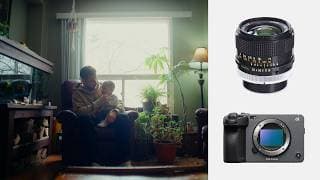
Christmas Memories | shot on Sony FX3 & Canon FD 24mm 2.8
Hope you all had a great Christmas, see you in 2025! Here are some Christmas Memories I shot on Sony FX3 paired with the Canon FD 24mm 2.8 for most shots. I also used the Helios 44M and Sigma 24-70mm in some clips. Song licensed through Musicbed | Get A FREE 14 Day Trial: https://fm.pxf.io/andrikfreetrial Graded with my LUTS: https://andriklangfield.gumroad.com/l/andrik-lut-pack Film Emulation with Dehancer - Get 10% off your purchase using ANDRIK at checkout - https://www.dehancer.com/ DISCLAIMER Some of the links above may be affiliate links, where I receive a small commission if you click on the affiliate link and purchase an item at no extra cost to you.

This Tool Changed How I Find MUSIC for My Videos!
These are my favourite AI tools to use when trying to find music for my videos. They are a really fast and efficient way to find the perfect song. Whether I'm inspired by a song I've listened to on Spotify or looking for a specific vibe, these tools have helped me so many times. Try Musicbed & Get A FREE 14 Day Trial: https://fm.pxf.io/andrikfreetrial Audiio Link: https://audiio.com/pricing?oid=1&affid=347 Graded with my LUTS: https://andriklangfield.gumroad.com/l/andrik-lut-pack Film Emulation with Dehancer - Get 10% off your purchase using ANDRIK at checkout - https://www.dehancer.com/ Subscribe for more videos like these: https://www.youtube.com/channel/UC7KiITZsd_iV3L86bvvIa7Q?sub_confirmation=1 DISCLAIMER Some of the links above may be affiliate links, where I receive a small commission if you click on the affiliate link and purchase an item at no extra cost to you.
Cinematic shots with a tripod #smallrig #tripod #filmmaking
tested the smallrig ad-50 $169.99 budget filmmaking tripod, and here are the results.
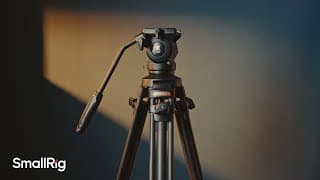
Excellent Budget Video Tripod | SmallRig AD-50 Review
A review of the @SmallRigGlobal AD-50 lightweight carbon fibre budget video tripod. This is one of their new tripods released along with the AD-50Lite, an even more budget-friendly model. Song used from Musicbed | Get A FREE 14 Day Trial: https://fm.pxf.io/andrikfreetrial AD-50: https://amzn.to/4hBbBBD Official Store: https://www.smallrig.com/Lightweight-Video-Carbon-Fiber-Tripod-Kit-AD-50.html Graded with my LUTS: https://andriklangfield.gumroad.com/l/andrik-lut-pack Film Emulation with Dehancer - Get 10% off your purchase using ANDRIK at checkout - https://www.dehancer.com/ Subscribe for more videos like these: https://www.youtube.com/channel/UC7KiITZsd_iV3L86bvvIa7Q?sub_confirmation=1 SmallRig AD-50 Overview: (00:00) Price: (00:11) Why it's a good budget option: (00:22) Video Overview: (01:01) The Fluid Head: (01:39) Leveling Head: (02:21) Extending Legs and Central Pull-Up Design: (02:35) Quick Release Plate | Standard Manfrotto Plate (501PL): (03:10) Balancing a Camera on the Tripod / Dampening Knob: (03:34) Tilt Angle Range 90° / - 75°: (03:46) 1/4"-20 Anti-Deflection Threaded Hole: (03:56) Hidden Spiked Feet: (04:06) Things I Didn't Like: (04:08) The Bag / Phone Holder / Allen Key: (04:36) Smooth Sample Footage Outdoor: (04:43) Smooth Sample Footage Indoor: (05:11) DISCLAIMER Some of the links above may be affiliate links, where I receive a small commission if you click on the affiliate link and purchase an item at no extra cost to you. #smallrig #ad-50 #videotripod
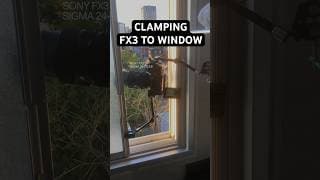
clamping my camera to a window
shot this one morning out of our hotel bathroom window
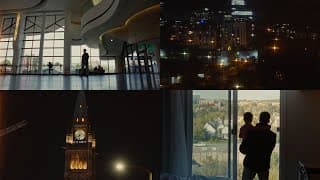
Ottawa Memories on the Sony FX3 + Sigma 24-70mm 2.8
Footage gathered from our family trip to Ottawa shot on the Sony FX3 + Sigma 24-70mm 2.8 handheld or on a mini tripod. We stayed and toured around Ottawa downtown and also visited the Canadian Museum of History. Music Inspired by Gawx Films - Song from Musicbed | Sign up for a FREE 14 Day Trial: https://fm.pxf.io/andrikfreetrial Graded with my LUTS: https://andriklangfield.gumroad.com/l/andrik-lut-pack Film Emulation with Dehancer - Get 10% off your purchase using ANDRIK at checkout - https://www.dehancer.com/ Subscribe for more videos like these: https://www.youtube.com/channel/UC7KiITZsd_iV3L86bvvIa7Q?sub_confirmation=1 DISCLAIMER Some of the links above may be affiliate links, where I receive a small commission if you click on the affiliate link and purchase an item at no extra cost to you.
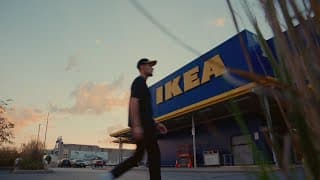
day trip to ikea | new curtains & free coffee | Sony FX3 + Sigma 24-70 2.8
Day trip to Ikea family vlog. We needed new curtains for our bedroom in our home and decided to take a family trip to Ikea. We also ate lunch there and got free coffee which is awesome. This was so nice as Sarah and I haven't had many opportunities to get out on a date since Salomon was born. This was all shot using the Sony FX3 on Cine EI with the Sigma 24-70 2.8. Music from Musicbed | Sign up for a FREE 14 Day Trial: https://fm.pxf.io/andrikfreetrial Graded with my LUTS: https://andriklangfield.gumroad.com/l/andrik-lut-pack Film Emulation with Dehancer - Get 10% off your purchase using ANDRIK at checkout - https://www.dehancer.com/ Subscribe for more videos like these: https://www.youtube.com/channel/UC7KiITZsd_iV3L86bvvIa7Q?sub_confirmation=1 DISCLAIMER Some of the links above may be affiliate links, where I receive a small commission if you click on the affiliate link and purchase an item at no extra cost to you.
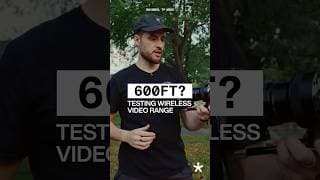
Can it reach 600ft? Shimbol TP Mini Video Transmitter
Shimbol TP Mini. Watch my full review on my channel.
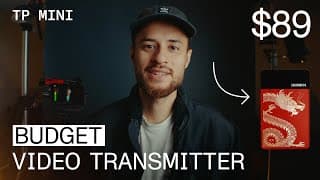
Shimbol TP Mini Review | Finally an Affordable Video Transmitter
This video is a review on the Shimbol TP Mini, a great budget video wireless transmission system. This is a great way to get a wireless monitor solution for an affordable price. Whether you're looking for a director's monitor or a way to film yourself this is a great budget wireless video transmitter. I was very excited to test this out as video transmitters can be very expensive and now with the TP Mini I can have a wireless monitor for $89 that can go up to 600ft. Amazon Link: https://amzn.to/3Y25f6z B&H: https://www.bhphotovideo.com/c/product/1815348-REG/shimbol_tp_mini_500_hdmi.html Official Store: https://www.zeroone-video.com/index.php?c=show&id=65 🎵 Music from Musicbed | Sign up for a FREE 14 Day Trial: https://fm.pxf.io/andrikfreetrial Graded with my LUTS: https://andriklangfield.gumroad.com/l/andrik-lut-pack Film Emulation with Dehancer - Get 10% off your purchase using ANDRIK at checkout - https://www.dehancer.com/ Subscribe for more videos like these: https://www.youtube.com/channel/UC7KiITZsd_iV3L86bvvIa7Q?sub_confirmation=1 Shimbol TP Mini Overview: (00:00) Price: (00:37) Shimbol TP Mini Uses: (00:58) What comes in the Box: (01:58) Features and Build: (02:39) Directors Monitor: (04:28) 600ft Distance Test: (05:25) Thanks for Watching!: (06:12)
Our son Salomon | Shot on Sony FX3
Today marks one month with our sweet Salomon. We love you! 🎵 Music from Musicbed | Sign up for FREE 14 Day Trial: https://fm.pxf.io/andrikfreetrial Song: Never Let Go - Instrumental - Tyler Brown Williams Details: All shot on the FX3 in Cine EI S-Log3 and S-Gamut3.Cine Colour Graded with my LUTS: https://andriklangfield.gumroad.com/l/andrik-lut-pack Film Grain and Halation with Dehancer - Get 10% off your purchase using ANDRIK at checkout - https://www.dehancer.com/ #fx3 #sonyfx3 #filmmaking
MUSICBED | my love for music - short film
Try Musicbed & Get A FREE 14 Day Trial: https://fm.pxf.io/andrikfreetrial I've always loved music and in this Musicbed review, I share a cinematic short film on how I first started using Musicbed along with showing you how I find music for my videos using some of my favourite Musicbed features. I love Musicbed's new AI-POWERED SEARCH BY SONG and the Key-signature specific filters. There are many different music licensing platforms to choose from and I hope my video helps you see some of the things that make @themusicbed special to me. Some other tools I always use: Graded with my LUTS: https://andriklangfield.gumroad.com/l/andrik-lut-pack Film Emulation with Dehancer - Get 10% off your purchase using ANDRIK at checkout - https://www.dehancer.com/ Here are all the songs in the video: Wall of Fire - Tony Anderson Solving Puzzles - Alistair Sung Written for Us - Ryan Taubert Butterflies - Tony Anderson Adelie - Kingpinguin Intro: (00:00) Chapter 1 - My Love for Music: (00:32) Chapter 2 - MUSICBED Review | How to find music for your videos: (01:47) #musicbed #music #filmmaking #musiclicensing DISCLAIMER Some of the links above may be affiliate links, where I receive a small commission if you click on the affiliate link and purchase an item at no extra cost to you.
CINEPEER WEEBILL 3E Review | #zhiyun #cinepeer #weebill3e #gimbal
CINEPEER WEEBILL 3E: https://store.zhiyun-tech.com/products/cinepeer-weebill-3e?ref=andriklangfield 10% DISCOUNT CODE: ZYWB3E10LXL I got the opportunity to review Zhiyun's latest gimbal, the Cinepeer Weebill 3E and I was very impressed with it! My first gimbal 5 years ago was a Zhiyun Crane V2 and it's always done its job perfectly so I was very excited to test out their latest gimbal. Thank you @ZhiyunTechGlobal! Amazon Link: https://amzn.to/3VAU57u
ZHIYUN Molus B200 Review & Examples | Can it replace my main light?
Zhiyun Molus B200: https://ca.zhiyun-tech.com/products/molus-b-series?ref=andriklangfield A video reviewing the new Zhiyun Molus B200 and seeing if this light can replace my main video COB light. This 200W COB light is an incredible budget option for anyone looking for a very bright bicolour light. In this video, I test out the light in practical examples by setting up different cinematic scenes/shots where I use the @ZhiyunTechGlobal Molus B200 to light the space. I also go into detail on some of my favourite features, build quality, and app functionality comparing the brightness with my Amaran 200d. 🎵 Music from Musicbed | Sign up for FREE 14 Day Trial: https://fm.pxf.io/andrikfreetrial Graded with my LUTS: https://andriklangfield.gumroad.com/l/andrik-lut-pack Film Emulation with Dehancer - Get 10% off your purchase using ANDRIK at checkout - https://www.dehancer.com/ Subscribe for more videos like these: https://www.youtube.com/channel/UC7KiITZsd_iV3L86bvvIa7Q?sub_confirmation=1 Intro: (00:00) Practical Lighting Examples: (00:57) Brightness Test: (02:41) App Functionality: (3:09) Build Quality: (3:27) Cable + Power Adapter: (4:04) Final Thoughts: (4:20) #zhiyun #zhiyunmolusb200 #molusb200 DISCLAIMER Some of the links above may be affiliate links, where I receive a small commission if you click on the affiliate link and purchase an item at no extra cost to you.
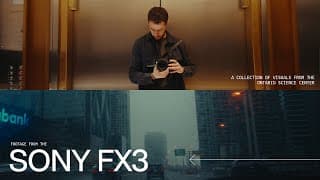
TWENTY7 | Sony FX3 Footage from the Ontario Science Center
TWENTY7 is a collection of footage shot on the Sony FX3 mostly catalogued by colour. Music from Musicbed | Sign up for FREE 14 Day Trial: https://fm.pxf.io/andrikfreetrial Song: Lake Sunday by Luis Álvarez All shot in Cine EI S-Log3 and S-Gamut3.Cine with the Sony 35mm 1.8 Colour Graded with my LUTS: https://andriklangfield.gumroad.com/l/andrik-lut-pack Film Grain and Halation with Dehancer - Get 10% off your purchase using ANDRIK at checkout - https://www.dehancer.com/ #fx3 #sonyfx3 #filmmaking
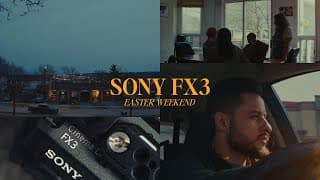
Easter Weekend on the Sony FX3 + Sigma 30mm 1.4
Here is my Easter weekend shot on the Sony FX3. We had a great time together this weekend and it was a joy taking the FX3 along and testing it out while I enjoyed my time with my family. Hope you all had a great weekend! Shot on the Sony FX3 with Sigma 30mm 1.4 Smallrig friction arm and tripod were used in some shots, everything else was handheld. Graded with my LUTS: https://andriklangfield.gumroad.com/l/andrik-lut-pack Film Emulation with Dehancer - Get 10% off your purchase using ANDRIK at checkout - https://www.dehancer.com/ Subscribe for more videos like these: https://www.youtube.com/channel/UC7KiITZsd_iV3L86bvvIa7Q?sub_confirmation=1 #fx3 #sonyfx3 #sigma30mm
ZHIYUN sent me some lights! #zhiyun #cinepeercx100 #zhiyunlight #cinematiclighting #filmmaking
This is how I got to test out the new ZHIYUN Cinepeer CX100 & CM25 by @ZhiyunTechGlobal . Two tiny but incredibly powerful lights that have quickly become my new favourite lights as they are so small, light, and bright for their size.
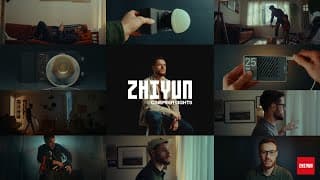
ZHIYUN Cinepeer CX100 & CM25 Review | My New Favorite Lights
25% OFF: ZYCNP25OFF CX100: https://store.zhiyun-tech.com/products/cinepeer-cx100?ref=andriklangfield CM25: https://store.zhiyun-tech.com/products/cinepeer-cm25?ref=andriklangfield + Currently discounted 10% off by @ZhiyunTechGlobal Here is a look at and review of the new ZHIYUN Cinepeer CX100 & CM25. Two tiny but incredibly powerful lights that have quickly become my new favourite lights as they are so small, light, and bright for their size. More Details: They both have 96CRI, 30 min of battery and are both bicolour. The CX100 is a 100-watt light and the CM25 is a 25-watt light. Amazon CX100: https://amzn.to/49PGGNA Amazon CM25: https://amzn.to/49KFRWk Some other tools I always use: Graded with my LUTS: https://andriklangfield.gumroad.com/l/andrik-lut-pack Film Emulation with Dehancer - Get 10% off your purchase using ANDRIK at checkout - https://www.dehancer.com/ Chapter 1 - The Box: (00:00) Chapter 2 - Unboxing + Review: (00:37) Chapter 3 - Practical Examples: (01:25) #zhiyun #cinepeercx100 #zhiyunlight #cinematiclighting DISCLAIMER Some of the links above may be affiliate links, where I receive a small commission if you click on the affiliate link and purchase an item at no extra cost to you.
Fix Your Blown Out Highlights #editing #lighting #filmmaking
Here's how I fix my blown out highlights using any editing app or software. Graded with my LUTS: https://andriklangfield.gumroad.com/l/andrik-lut-pack Film Emulation with Dehancer - Get 10% off your purchase using ANDRIK at checkout - https://www.dehancer.com/ Subscribe for more videos like these: https://www.youtube.com/channel/UC7KiITZsd_iV3L86bvvIa7Q?sub_confirmation=1
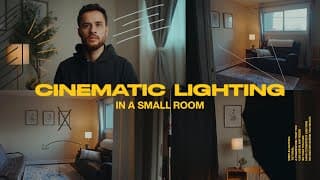
Cinematic Lighting in a Small Room
A tutorial on how to cinematically light a small room. Small spaces can be difficult to make look good on camera because of the size constraints and limited set design options. In this video, I break down a simple lighting setup I used on a recent client video project with a step-by-step process so that you can see behind-the-scenes footage of how I framed and lit this shot. This can become a simple framework that can be easily repeatable in different scenarios to make any room look cinematic. Graded with my LUTS: https://andriklangfield.gumroad.com/l/andrik-lut-pack Film Emulation with Dehancer - Get 10% off your purchase using ANDRIK at checkout - https://www.dehancer.com/ Subscribe for more videos like these: https://www.youtube.com/channel/UC7KiITZsd_iV3L86bvvIa7Q?sub_confirmation=1 Intro: (00:00) Framing your shot: (00:43) Decorating the room: (01:04) Main light source: (01:34) Shaping the light: (01:53) Practical lights: (02:29) Adding motivated light: (03:13) Negative Fill: (03:38) All steps in reverse: (04:21)
Family Day at the Farm (Canon FD 24mm 2.8 Test Footage)
Test footage of the Canon FD 24mm 2.8, one of my favourite vintage lenses to use on my A7iii. We spent our family day at the farm and we loved our time. Hope you enjoy our short cinematic recap of the day. Graded with my LUTS: https://andriklangfield.gumroad.com/l/andrik-lut-pack/Black-Friday-2023 Film Emulation with Dehancer - Get 10% off your purchase using ANDRIK at checkout - https://www.dehancer.com/ Subscribe for more videos like these: https://www.youtube.com/channel/UC7KiITZsd_iV3L86bvvIa7Q?sub_confirmation=1
3 Reasons You Need Vintage Lenses
In this video, I'll give you 3 reasons why I think you should be using Vintage Lenses. I'll also give you some tips on how to manual focus when using your vintage lenses. Vintage lenses are a great way to make your footage look "Cinematic". They have incredible characteristics such as flares, interesting bokeh, and soft fallof. This can help you achieve the film look and even emulate some of the anamorphic characteristics that we all love. My favourite two are the Helios 44-2 (I personally own the 44M) and the Canon FD 24mm 2.8. There are so many great options that are affordable and budget friendly. I hope you enjoy this video! Graded with my LUTS: https://andriklangfield.gumroad.com/l/andrik-lut-pack Film Emulation with Dehancer - Get 10% off your purchase using ANDRIK at checkout - https://www.dehancer.com/ Subscribe for more videos like these: https://www.youtube.com/channel/UC7KiITZsd_iV3L86bvvIa7Q?sub_confirmation=1 Intro: (00:00) Why Vintage Lenses - Reason 1: (00:34) Why Vintage Lenses - Reason 2: (02:13) Why Vintage Lenses - Reason 3: (04:00) Manual Focusing Intro: (04:39) Manual Focusing Tip 1: (05:17) Manual Focusing Tip 2: (05:43) Manual Focusing Tip 3: (06:25) Manual Focusing BONUS Trick: (06:52) Thanks for Watching: (07:45) Next Week's Video: (08:00)
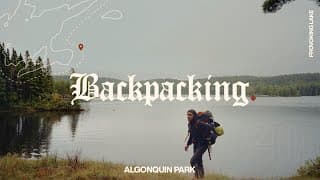
Backpacking in Algonquin Park
We went backpacking in Algonquin Park Provoking Lake trail and made a short cinematic video of our trip. The backcountry trails were beautiful and a great way to push ourselves and enjoy some time relaxing together. I shot this on my A7iii with my grandpa's Zeiss Biogon 35mm 2.8. Hope you enjoy this video. Color Graded with Dehancer - Get 10% off your purchase using ANDRIK at checkout - https://www.dehancer.com/ Subscribe for more videos like these: https://www.youtube.com/channel/UC7KiITZsd_iV3L86bvvIa7Q?sub_confirmation=1

I made a MISTAKE and learned an important lesson from my Mom
I made a mistake and learned an important lesson from my mom this summer. Join me as I explain the fascinating concept of Parkinson's Law and how it relates to schedules and time management. Color Graded with Dehancer - Get 10% off your purchase using ANDRIK at checkout - https://www.dehancer.com/ Subscribe for more videos like these: https://www.youtube.com/channel/UC7KiITZsd_iV3L86bvvIa7Q?sub_confirmation=1 Intro (00:00) Context (00:26) Parkinson's Law (01:24) Schedules + Time Management (02:18) The Cottage (02:35) What I Learned (03:17) Outro (04:00)
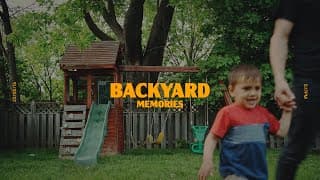
Memories With My Son | Dehancer Film Emulation
I always enjoy spending time with my son. These are memories that will last forever! I placed my camera on a tripod as my son and I played in the backyard. I wasn't planning on making a video with the footage or posting it but after going through it I decided to put something together as a little memory piece we can look back on together. Hope you enjoy it! Film Emulation with Dehancer - Get 10% off your purchase using ANDRIK at checkout - https://www.dehancer.com/ Subscribe for more videos like these: https://www.youtube.com/channel/UC7KiITZsd_iV3L86bvvIa7Q?sub_confirmation=1

Our Son Planned Our Family Day! | Cinematic Family Film
In this video, we let our 2-year-old son plan our family day, and it turned out to be a fun day! Watch as our son chooses our family day activities from going down a slide to picking our family movie. We hope you enjoy our video! Film Emulation with Dehancer - Get 10% off your purchase using ANDRIK at checkout - https://www.dehancer.com/ MUSIC I USE - https://audiio.com/pricing?oid=1&affid=347 Subscribe for more videos like these: https://www.youtube.com/channel/UC7KiITZsd_iV3L86bvvIa7Q?sub_confirmation=1 #Filmmaking #FamilyVlog #FamilyFilm
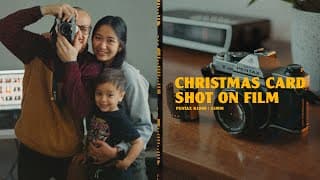
Shooting our Christmas Card on 35mm Film | PENTAX K1000
Merry Christmas and Happy New Year everyone! Here is a cinematic short film about how we shot our Christmas card photo on 35mm film this year on my grandpa's Pentax K1000! It wasn't what we thought or planned it would be but we're so happy with how it turned out. Hope you had a great Christmas! Film Emulation with Dehancer - Get 10% off your purchase using ANDRIK at checkout - https://www.dehancer.com/ MUSIC I USE - https://audiio.com/pricing?oid=1&affid=347 Subscribe for more videos like these: https://www.youtube.com/channel/UC7KiITZsd_iV3L86bvvIa7Q?sub_confirmation=1
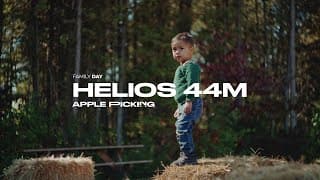
Family Apple Picking | Shot with Helios 44M 2/58mm Vintage Lens
Our Family Apple Picking trip this year was great! We went apple picking at an apple orchard that also had fun things for kids like hay bails, farm animals, corn play areas, and pumpkins. I filmed the whole thing using the Russian Helios 44M 2/58mm on the Sony a7iii. Loved using this new lens! It has incredible swirly bokeh and a beautiful depth of field and flares. Used Dehancer for Grain and Halation = Get 10% off your purchase using ANDRIK at checkout - https://www.dehancer.com/ MUSIC I USE - https://audiio.com/pricing?oid=1&affid=347 Subscribe for more videos like these: https://www.youtube.com/channel/UC7KiITZsd_iV3L86bvvIa7Q?sub_confirmation=1 #helios44 #helios44m #helios
My Son's Love for Bikerides
I know how much Boaz loves going on bike rides so I wanted to somehow capture those memories with him so we can look back and remember this chapter in our lives. I hope you enjoy this short video I made for him. Color Graded with Dehancer - Get 10% off your purchase using ANDRIK at checkout - https://www.dehancer.com/ GEAR THAT I USE ↓↓↓ MUSIC I USE - https://audiio.com/pricing?oid=1&affid=347 MAIN CAMERA - https://amzn.to/383Xt1j FAVOURITE LENS - https://amzn.to/3y4aORU FAVOURITE APS-C LENS - https://amzn.to/3mgJPQN DIFFUSION FILTER - https://amzn.to/381gscI FAV BUDGET TRIPOD - https://amzn.to/3j3GeDo VLOGGING TRIPOD - https://amzn.to/3mhHRiT FAV HEADPHONES - https://amzn.to/2W4dZft GIMBAL I USE - https://amzn.to/3sDQRA3 VLOGGING MIC - https://amzn.to/3AQ4m2C FAV LAV MIC - https://amzn.to/3gjAG69 DRONE I USE - https://amzn.to/3z6Iakm BUDGET BI COLOR LIGHT - https://amzn.to/3j5xJI6 FAV RGB LIGHT TUBE - https://amzn.to/3z8hwYd MINI RGB LIGHT - https://amzn.to/3D3iEPk Subscribe for more videos like these: https://www.youtube.com/channel/UC7KiITZsd_iV3L86bvvIa7Q?sub_confirmation=1 #filmmaking #film #dehancer
Budget Wide Angle Lens Converter | ARE THEY WORTH IT?
Are budget wide-angle lens converters worth your money? In this video, I will go through the things that make them good and bad. Covering some common characteristics such as soft edges, vignetting, and chromatic aberration. I also shot a short test video (5:37) showing us going for a walk in which you can see for yourself the neat results that it can produce! Color Graded with Dehancer - Get 10% off your purchase using ANDRIK at checkout - https://www.dehancer.com/ GEAR THAT I USE ↓↓↓ MUSIC I USE - https://audiio.com/pricing?oid=1&affid=347 MAIN CAMERA - https://amzn.to/383Xt1j FAVOURITE LENS - https://amzn.to/3y4aORU FAVOURITE APS-C LENS - https://amzn.to/3mgJPQN DIFFUSION FILTER - https://amzn.to/381gscI FAV BUDGET TRIPOD - https://amzn.to/3j3GeDo VLOGGING TRIPOD - https://amzn.to/3mhHRiT FAV HEADPHONES - https://amzn.to/2W4dZft GIMBAL I USE - https://amzn.to/3sDQRA3 VLOGGING MIC - https://amzn.to/3AQ4m2C FAV LAV MIC - https://amzn.to/3gjAG69 DRONE I USE - https://amzn.to/3z6Iakm BUDGET BI COLOR LIGHT - https://amzn.to/3j5xJI6 FAV RGB LIGHT TUBE - https://amzn.to/3z8hwYd MINI RGB LIGHT - https://amzn.to/3D3iEPk Subscribe for more videos like these: https://www.youtube.com/channel/UC7KiITZsd_iV3L86bvvIa7Q?sub_confirmation=1 Lens Converter Overview + Price: (00:00) Are They Worth It?: (00:52) Things to Know Before Buying: (01:09) Soft Edges, Sharp Center: (01:19) Chromatic Aberration on Edges: (01:59) Overall Softer Image: (02:23) Lens Flares and Artifacts: (02:58) Auto Focus Test: (03:30) Vignette and Lens Edges: (03:54) Sample Footage - Family Walk Video: (05:37) With and Without Lens Comparison: (07:07)
FAKE SUNLIGHT | Cinematic Lighting Tutorial
I create FAKE SUNLIGHT in this cinematic lighting tutorial. I use budget lighting tools and a mirror to emulate light coming through a window. This technique is very helpful when trying to create a cinematic image and make it look as natural as possible. Using a window we can motivate the light by using a mirror and reflecting light. Color Graded with Dehancer - Get 10% off your purchase using ANDRIK at checkout - https://www.dehancer.com/ GEAR THAT I USE ↓↓↓ MUSIC I USE - https://audiio.com/pricing?oid=1&affid=347 MAIN CAMERA - https://amzn.to/383Xt1j FAVOURITE LENS - https://amzn.to/3y4aORU FAVOURITE APS-C LENS - https://amzn.to/3mgJPQN DIFFUSION FILTER - https://amzn.to/381gscI FAV BUDGET TRIPOD - https://amzn.to/3j3GeDo VLOGGING TRIPOD - https://amzn.to/3mhHRiT FAV HEADPHONES - https://amzn.to/2W4dZft GIMBAL I USE - https://amzn.to/3sDQRA3 VLOGGING MIC - https://amzn.to/3AQ4m2C FAV LAV MIC - https://amzn.to/3gjAG69 DRONE I USE - https://amzn.to/3z6Iakm BUDGET BI COLOR LIGHT - https://amzn.to/3j5xJI6 FAV RGB LIGHT TUBE - https://amzn.to/3z8hwYd MINI RGB LIGHT - https://amzn.to/3D3iEPk Subscribe for more videos like these: https://www.youtube.com/channel/UC7KiITZsd_iV3L86bvvIa7Q?sub_confirmation=1 Video Overview: (00:00) Step 1: Motivate the Light with a Window: (00:22) Step 2: Reflect the Light with a Mirror: (00:41) Step 3: Wrap the Light: (01:22) Step 4: Add the Light with Practicals: (01:48) Step 5: Remove the Light with Negative Fill: (02:00) Step 6: Colour Grade + Grain: (02:22) Outro: (02:29) #CinematicLighting #Lighting #NaturalLight
Cinematic Lighting Breakdown | Salomon Ligthelm Inspiration
Here's a simple lighting breakdown using mixed colour temperatures. I'll go through how I use budget lights to cinematically light this scene. I took inspiration from Salomon Ligthelm's latest work on MOEDER and show you how I use mixed colour temperatures to add color contrast while using a window and tungsten bulb. I lit it by using a window, 1 tungsten bulb, an Amaran 200D with a Snoot, and some negative fill to control shadows. Salomon Ligthelm Video: https://vimeo.com/667860374 Color Graded with Dehancer - Get 10% off your purchase using ANDRIK at checkout - https://www.dehancer.com/ GEAR THAT I USE ↓↓↓ MUSIC I USE - https://audiio.com/pricing?oid=1&affid=347 MAIN CAMERA - https://amzn.to/383Xt1j FAVOURITE LENS - https://amzn.to/3y4aORU FAVOURITE APS-C LENS - https://amzn.to/3mgJPQN DIFFUSION FILTER - https://amzn.to/381gscI FAV BUDGET TRIPOD - https://amzn.to/3j3GeDo VLOGGING TRIPOD - https://amzn.to/3mhHRiT FAV HEADPHONES - https://amzn.to/2W4dZft GIMBAL I USE - https://amzn.to/3sDQRA3 VLOGGING MIC - https://amzn.to/3AQ4m2C FAV LAV MIC - https://amzn.to/3gjAG69 DRONE I USE - https://amzn.to/3z6Iakm BUDGET BI COLOR LIGHT - https://amzn.to/3j5xJI6 FAV RGB LIGHT TUBE - https://amzn.to/3z8hwYd MINI RGB LIGHT - https://amzn.to/3D3iEPk Subscribe for more videos like these: https://www.youtube.com/channel/UC7KiITZsd_iV3L86bvvIa7Q?sub_confirmation=1 Inspiration for Lighting: (00:00) Color Contrast | Mixed Lighting: (00:16) Prepping for Sunset: (00:43) Rearanging Room | Adding Depth: (00:50) Gear Used | 35mm Vintage Lens: (00:55) Lighting Step 1 | Room Tone: (01:03) Lighting Step 2 | Key Light: (01:12) Lighting Step 3 | Negative Fill: (01:30) Lighting Step 4 | Rim Light + Practical: (01:43) Color Grade | Dehancer 500T in Davinci Resolve: (01:50) Final Look: (02:00) #FilmLook #Lighting #InteriorLighting
MotionVFX Review - Amazing Davinci Resolve Plugin | Motion Graphic
MotionVFX: https://motionvfx.sjv.io/ANDRIK A review on MotionVFX Plugin for Davinci Resolve and Final Cut Pro. This motion graphic plugin is an excellent tool that allows you to easily add motion graphics to your videos. They have different packages that meet different needs but the two that I liked the most were mTuber and mChannel Clean. More Tutorials on MotionVFX on @motionvfx Channel: https://www.youtube.com/Motionvfx/ GEAR THAT I USE ↓↓↓ Color Graded with Dehancer - Get 10% off your purchase using ANDRIK at checkout - https://www.dehancer.com/ MUSIC I USE - https://audiio.com/pricing?oid=1&affid=347 MAIN CAMERA - https://amzn.to/383Xt1j FAVOURITE LENS - https://amzn.to/3y4aORU FAVOURITE APS-C LENS - https://amzn.to/3mgJPQN DIFFUSION FILTER - https://amzn.to/381gscI FAV BUDGET TRIPOD - https://amzn.to/3j3GeDo VLOGGING TRIPOD - https://amzn.to/3mhHRiT FAV HEADPHONES - https://amzn.to/2W4dZft GIMBAL I USE - https://amzn.to/3sDQRA3 VLOGGING MIC - https://amzn.to/3AQ4m2C FAV LAV MIC - https://amzn.to/3gjAG69 DRONE I USE - https://amzn.to/3z6Iakm BUDGET BI COLOR LIGHT - https://amzn.to/3j5xJI6 FAV RGB LIGHT TUBE - https://amzn.to/3z8hwYd MINI RGB LIGHT - https://amzn.to/3D3iEPk Subscribe for more videos like these: https://www.youtube.com/channel/UC7KiITZsd_iV3L86bvvIa7Q?sub_confirmation=1 MotionVFX Intro: (00:00) Overview of the Visual Elements Included: (00:50) Other Packs on their Website: (02:18) FREE Sample Packs (mHello): (02:36) Using the Motion Graphic Tools in Davinci Resolve: (03:06) Installing MotionVFX: (03:22) Different Kinds of Elements: (03:22) mTuber 2 Overview: (05:24) mChannel Clean Overview: (08:02) Outro + Final Thoughts: (11:00) #MotionVFX #MotionGraphics #DavinciResolve
How to Create a LUT | Make your own LUTS in Davinci Resolve
How to Create your own LUTs in Davinci Resolve using tools in the color tab. Creating your own LUTs can be very useful when wanting to quickly apply a creative look to your images or if you want to use it on your camera or field monitors. They can be an incredible tool when wanting to color grade faster and keep a consistent feel and DNA to your entire project. Creating and saving LUTs in Davinci Resolve is one of the easiest ways to make one and in this video, I'll show you all the important steps when making your own LUT. Color Graded with Dehancer - Get 10% off your purchase using ANDRIK at checkout - https://www.dehancer.com/ GEAR THAT I USE ↓↓↓ MUSIC I USE - https://audiio.com/pricing?oid=1&affid=347 MAIN CAMERA - https://amzn.to/383Xt1j FAVOURITE LENS - https://amzn.to/3y4aORU FAVOURITE APS-C LENS - https://amzn.to/3mgJPQN DIFFUSION FILTER - https://amzn.to/381gscI FAV BUDGET TRIPOD - https://amzn.to/3j3GeDo VLOGGING TRIPOD - https://amzn.to/3mhHRiT FAV HEADPHONES - https://amzn.to/2W4dZft GIMBAL I USE - https://amzn.to/3sDQRA3 VLOGGING MIC - https://amzn.to/3AQ4m2C FAV LAV MIC - https://amzn.to/3gjAG69 DRONE I USE - https://amzn.to/3z6Iakm BUDGET BI COLOR LIGHT - https://amzn.to/3j5xJI6 FAV RGB LIGHT TUBE - https://amzn.to/3z8hwYd MINI RGB LIGHT - https://amzn.to/3D3iEPk Subscribe for more videos like these: https://www.youtube.com/channel/UC7KiITZsd_iV3L86bvvIa7Q?sub_confirmation=1 Intro: (00:00) Selecting Assorted Clips: (00:42) LUT Overview + Basic Rules: (01:25) Color Space + Transform (Rec.709): (02:29) Creating the LUT: (03:15) Exporting and Saving the LUT: (07:47) Importing + Testing the LUT: (08:23) Thanks for Watching: (10:10) #howtocreatealut #davinciresolvelut #luttutorial
Merry Christmas | Dehancer + Kodak Vision3 500T
Merry Christmas everyone, here's a quick video of us putting up our Christmas tree as a family. Hope everyone has a wonderful Christmas this year. We used a Canon "dad cam" style camera for part of it which was fun to mix things up and edited it with Dehancer using the Kodak Vision3 500T film look + Grain and Halation. Color Graded with Dehancer - Get 10% off your purchase using ANDRIK at checkout - https://www.dehancer.com/ GEAR THAT I USE ↓↓↓ MUSIC I USE - https://audiio.com/pricing?oid=1&affid=347 MAIN CAMERA - https://amzn.to/383Xt1j FAVOURITE LENS - https://amzn.to/3y4aORU FAVOURITE APS-C LENS - https://amzn.to/3mgJPQN DIFFUSION FILTER - https://amzn.to/381gscI FAV BUDGET TRIPOD - https://amzn.to/3j3GeDo VLOGGING TRIPOD - https://amzn.to/3mhHRiT FAV HEADPHONES - https://amzn.to/2W4dZft GIMBAL I USE - https://amzn.to/3sDQRA3 VLOGGING MIC - https://amzn.to/3AQ4m2C FAV LAV MIC - https://amzn.to/3gjAG69 DRONE I USE - https://amzn.to/3z6Iakm BUDGET BI COLOR LIGHT - https://amzn.to/3j5xJI6 FAV RGB LIGHT TUBE - https://amzn.to/3z8hwYd MINI RGB LIGHT - https://amzn.to/3D3iEPk Subscribe for more videos like these: https://www.youtube.com/channel/UC7KiITZsd_iV3L86bvvIa7Q?sub_confirmation=1 #familyvlog #christmas #christmastree
How to Outline Text in Photoshop | Easy Method
In this tutorial video, I'll show you how to outline your text in Photoshop in the easiest and quickest way. Photoshop does not have a quick outline or stroke option for text layers like Illustrator does so I thought a tutorial on this would be helpful! Color Graded with Dehancer - Get 10% off your purchase using "ANDRIK" at checkout - https://www.dehancer.com/ GEAR THAT I USE ↓↓↓ MUSIC I USE - https://audiio.com/pricing?oid=1&affid=347 MAIN CAMERA - https://amzn.to/383Xt1j FAVOURITE LENS - https://amzn.to/3y4aORU FAVOURITE APS-C LENS - https://amzn.to/3mgJPQN DIFFUSION FILTER - https://amzn.to/381gscI FAV BUDGET TRIPOD - https://amzn.to/3j3GeDo VLOGGING TRIPOD - https://amzn.to/3mhHRiT FAV HEADPHONES - https://amzn.to/2W4dZft GIMBAL I USE - https://amzn.to/3sDQRA3 VLOGGING MIC - https://amzn.to/3AQ4m2C FAV LAV MIC - https://amzn.to/3gjAG69 DRONE I USE - https://amzn.to/3z6Iakm BUDGET BI COLOR LIGHT - https://amzn.to/3j5xJI6 FAV RGB LIGHT TUBE - https://amzn.to/3z8hwYd MINI RGB LIGHT - https://amzn.to/3D3iEPk Subscribe for more videos like these: https://www.youtube.com/channel/UC7KiITZsd_iV3L86bvvIa7Q?sub_confirmation=1 Intro: (00:00) Main Tutorial: (00:58) Additional Tips: (03:07) Thank YOU for watching :): (05:49)
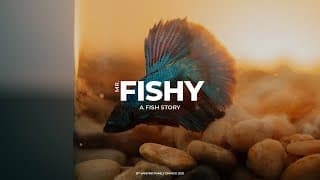
A Pet Fish Story | Cinematic Family Day + Sony a7iii
Boaz has been learning different animals and we thought it would be a fun experience for him to have his own pet fish. This video is the story of when we went and bought our betta fishy. I shot this with the Sony a7iii + 30mm and graded it with Dehancer using the Kodak 500T film profile. Color Graded with Dehancer - Get 10% off your purchase using ANDRIK at checkout - https://www.dehancer.com/ GEAR THAT I USE ↓↓↓ MUSIC I USE - https://audiio.com/pricing?oid=1&affid=347 MAIN CAMERA - https://amzn.to/383Xt1j FAVOURITE LENS - https://amzn.to/3y4aORU FAVOURITE APS-C LENS - https://amzn.to/3mgJPQN DIFFUSION FILTER - https://amzn.to/381gscI FAV BUDGET TRIPOD - https://amzn.to/3j3GeDo VLOGGING TRIPOD - https://amzn.to/3mhHRiT FAV HEADPHONES - https://amzn.to/2W4dZft GIMBAL I USE - https://amzn.to/3sDQRA3 VLOGGING MIC - https://amzn.to/3AQ4m2C FAV LAV MIC - https://amzn.to/3gjAG69 DRONE I USE - https://amzn.to/3z6Iakm BUDGET BI COLOR LIGHT - https://amzn.to/3j5xJI6 FAV RGB LIGHT TUBE - https://amzn.to/3z8hwYd MINI RGB LIGHT - https://amzn.to/3D3iEPk Subscribe for more videos like these: https://www.youtube.com/channel/UC7KiITZsd_iV3L86bvvIa7Q?sub_confirmation=1
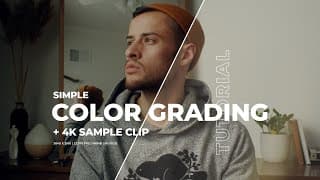
Color Grading Tutorial in Davinci Resolve for Beginners
https://andriklangfield.gumroad.com/ I wanted to make a simple color grading tutorial for beginners in Davinci Resolve. I used no LUTS or plugins as I wanted to make sure everyone could follow along with me. I've also included the 4K sample clip I used in the tutorial in the link above so that you could try this tutorial on the same clip. The tutorial will cover basic exposure, white balance, printer lights, using primaries to create a look, HSL tweaks, and other tips! Hope you all enjoy :) GEAR THAT I USE ↓↓↓ MUSIC I USE - https://audiio.com/pricing?oid=1&affid=347 MAIN CAMERA - https://amzn.to/383Xt1j FAVOURITE LENS - https://amzn.to/3y4aORU FAVOURITE APS-C LENS - https://amzn.to/3mgJPQN DIFFUSION FILTER - https://amzn.to/381gscI FAV BUDGET TRIPOD - https://amzn.to/3j3GeDo VLOGGING TRIPOD - https://amzn.to/3mhHRiT FAV HEADPHONES - https://amzn.to/2W4dZft GIMBAL I USE - https://amzn.to/3sDQRA3 VLOGGING MIC - https://amzn.to/3AQ4m2C FAV LAV MIC - https://amzn.to/3gjAG69 DRONE I USE - https://amzn.to/3z6Iakm BUDGET BI COLOR LIGHT - https://amzn.to/3j5xJI6 FAV RGB LIGHT TUBE - https://amzn.to/3z8hwYd MINI RGB LIGHT - https://amzn.to/3D3iEPk Subscribe for more videos like these: https://www.youtube.com/channel/UC7KiITZsd_iV3L86bvvIa7Q?sub_confirmation=1 Intro + Overview: (00:00) Downlaod Sample Video File: (00:14) More Information: (00:25) Build Node Tree: (01:29) Vignette: (04:25) Color Correction: (05:12) Color Grading - Creative Look: (08:15) Preserve Black and White: (09:47) Skin Tone + HSL: (11:04) Glow + Diffusion Filter: (12:41) Review Each Step: (13:56) Outro + Thank You! :): (14:30)
Best Filmmaking Podcasts #Shorts
Team Deakins - Roger Deakins: https://teamdeakins.libsyn.com/ Go Creative Show - Ben Consoli: https://gocreativeshow.com/ Wandering DP - Patrick O'Sullivan: http://wanderingdp.com/ Wandering DP YouTube: https://www.youtube.com/c/wanderingdp #Shorts #YTShorts
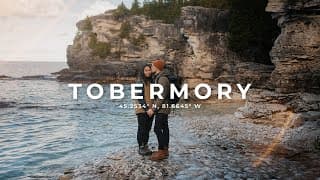
A Day in Tobermory | Cinematic Family Video + Sony 7iii | Vintage Lens
We went on a 1 day trip to Tobermory, Ontario. We had been wanting to get together with Sarah's siblings on a weekend trip and it actually happened! Even though it was just one day and one night it felt like a mini vacation to us so here are some of the places we got to see. Color Graded with Dehancer - Get 10% off your purchase using ANDRIK at checkout - https://www.dehancer.com/ GEAR THAT I USE ↓↓↓ MUSIC I USE - https://audiio.com/pricing?oid=1&affid=347 MAIN CAMERA - https://amzn.to/383Xt1j FAVOURITE LENS - https://amzn.to/3y4aORU FAVOURITE APS-C LENS - https://amzn.to/3mgJPQN DIFFUSION FILTER - https://amzn.to/381gscI FAV BUDGET TRIPOD - https://amzn.to/3j3GeDo VLOGGING TRIPOD - https://amzn.to/3mhHRiT FAV HEADPHONES - https://amzn.to/2W4dZft GIMBAL I USE - https://amzn.to/3sDQRA3 VLOGGING MIC - https://amzn.to/3AQ4m2C FAV LAV MIC - https://amzn.to/3gjAG69 DRONE I USE - https://amzn.to/3z6Iakm BUDGET BI COLOR LIGHT - https://amzn.to/3j5xJI6 FAV RGB LIGHT TUBE - https://amzn.to/3z8hwYd MINI RGB LIGHT - https://amzn.to/3D3iEPk Subscribe for more videos like these: https://www.youtube.com/channel/UC7KiITZsd_iV3L86bvvIa7Q?sub_confirmation=1 #tobermory #familyvlog #filmemmulation
Ring of Fire Photo Effect Tutorial | FREE Overlays Included
Download Overlays: https://andriklangfield.gumroad.com/l/rof-flare A video on how to achieve the Ring of Fire Photo Effect. This is a technique that gives your images and video a natural-looking lens/ring flare using a copper tube/pipe. I've also included an overlay bundle where you can use my images of the ring of fire to add to your own photos. Color Graded with Dehancer - Get 10% off your purchase using ANDRIK at checkout - https://www.dehancer.com/ GEAR THAT I USE ↓↓↓ MUSIC I USE - https://audiio.com/pricing?oid=1&affid=347 MAIN CAMERA - https://amzn.to/383Xt1j FAVOURITE LENS - https://amzn.to/3y4aORU FAVOURITE APS-C LENS - https://amzn.to/3mgJPQN DIFFUSION FILTER - https://amzn.to/381gscI FAV BUDGET TRIPOD - https://amzn.to/3j3GeDo VLOGGING TRIPOD - https://amzn.to/3mhHRiT FAV HEADPHONES - https://amzn.to/2W4dZft GIMBAL I USE - https://amzn.to/3sDQRA3 VLOGGING MIC - https://amzn.to/3AQ4m2C FAV LAV MIC - https://amzn.to/3gjAG69 DRONE I USE - https://amzn.to/3z6Iakm BUDGET BI COLOR LIGHT - https://amzn.to/3j5xJI6 FAV RGB LIGHT TUBE - https://amzn.to/3z8hwYd MINI RGB LIGHT - https://amzn.to/3D3iEPk Subscribe for more videos like these: https://www.youtube.com/channel/UC7KiITZsd_iV3L86bvvIa7Q?sub_confirmation=1 Intro: (00:00) Get a Copper Pipe: (00:33) Use Hard Lights: (00:53) Start Shooting: (01:48) Extra Tips I Like: (01:59) FREE Overlay Bundle: (02:56) Thank You for Watching :): (04:03)
Thanksgiving Family Film | Dehancer + Kodak Vision3 500T
We had a wonderful Thanksgiving with our family. Here is a short video I made to remember the day. Hope you enjoy it and I hope you had a great thanksgiving weekend! Film Color Graded with Dehancer - Get 10% off your purchase using ANDRIK at checkout - https://www.dehancer.com/ Film Profile: Kodak Vision3 500T Effects: Halation & Grain GEAR THAT I USE ↓↓↓ MUSIC I USE - https://audiio.com/pricing?oid=1&affid=347 MAIN CAMERA - https://amzn.to/383Xt1j FAVOURITE LENS - https://amzn.to/3y4aORU FAVOURITE APS-C LENS - https://amzn.to/3mgJPQN DIFFUSION FILTER - https://amzn.to/381gscI FAV BUDGET TRIPOD - https://amzn.to/3j3GeDo VLOGGING TRIPOD - https://amzn.to/3mhHRiT FAV HEADPHONES - https://amzn.to/2W4dZft GIMBAL I USE - https://amzn.to/3sDQRA3 VLOGGING MIC - https://amzn.to/3AQ4m2C FAV LAV MIC - https://amzn.to/3gjAG69 DRONE I USE - https://amzn.to/3z6Iakm BUDGET BI COLOR LIGHT - https://amzn.to/3j5xJI6 FAV RGB LIGHT TUBE - https://amzn.to/3z8hwYd MINI RGB LIGHT - https://amzn.to/3D3iEPk (Links Above are Affiliate Links) Subscribe for more videos like these: https://www.youtube.com/channel/UC7KiITZsd_iV3L86bvvIa7Q?sub_confirmation=1
3 Basic Tips for Cinematic Lighting
A video on 3 basic lighting requirements when creating a cinematic image. These are easy and simple steps that everyone should know when it comes to creating beautiful visuals. I focus on just lighting guides that everyone can use no matter your gear or budget. Hope these 3 cinematic lighting tips are helpful! Color Graded with Dehancer - Get 10% off your purchase using ANDRIK at checkout - https://www.dehancer.com/ GEAR THAT I USE ↓↓↓ MUSIC I USE - https://audiio.com/pricing?oid=1&affid=347 MAIN CAMERA - https://amzn.to/383Xt1j FAVOURITE LENS - https://amzn.to/3y4aORU FAVOURITE APS-C LENS - https://amzn.to/3mgJPQN DIFFUSION FILTER - https://amzn.to/381gscI FAV BUDGET TRIPOD - https://amzn.to/3j3GeDo VLOGGING TRIPOD - https://amzn.to/3mhHRiT FAV HEADPHONES - https://amzn.to/2W4dZft GIMBAL I USE - https://amzn.to/3sDQRA3 VLOGGING MIC - https://amzn.to/3AQ4m2C FAV LAV MIC - https://amzn.to/3gjAG69 DRONE I USE - https://amzn.to/3z6Iakm BUDGET BI COLOR LIGHT - https://amzn.to/3j5xJI6 FAV RGB LIGHT TUBE - https://amzn.to/3z8hwYd MINI RGB LIGHT - https://amzn.to/3D3iEPk Subscribe for more videos like these: https://www.youtube.com/channel/UC7KiITZsd_iV3L86bvvIa7Q?sub_confirmation=1 Important Intro: (00:00) Tip One: (00:46) Tip Two: (02:29) Tip Three: (03:49) Recap: (04:37) Thank You :): (05:28)
Cinematic Family Camping Trip | Dehancer + Kodak Vision3 500T
Last week we went camping north to Grundy Provincial Park with the family. Here are some clips and moments I captured while I was up there! Hope you guy enjoy :) Film Profile: Kodak Vision3 500T Effects: Halation & Grain GRADED WITH DEHANCER - https://www.dehancer.com/ 10% OFF Promo Code: ANDRIK GEAR THAT I USE ↓↓↓ MAIN CAMERA - https://amzn.to/383Xt1j FAVOURITE LENS - https://amzn.to/3y4aORU FAVOURITE APS-C LENS - https://amzn.to/3mgJPQN DIFFUSION FILTER - https://amzn.to/381gscI FAV BUDGET TRIPOD - https://amzn.to/3j3GeDo VLOGGING TRIPOD - https://amzn.to/3mhHRiT FAV HEADPHONES - https://amzn.to/2W4dZft GIMBAL I USE - https://amzn.to/3sDQRA3 VLOGGING MIC - https://amzn.to/3AQ4m2C FAV LAV MIC - https://amzn.to/3gjAG69 DRONE I USE - https://amzn.to/3z6Iakm BUDGET BI COLOR LIGHT - https://amzn.to/3j5xJI6 FAV RGB LIGHT TUBE - https://amzn.to/3z8hwYd MINI RGB LIGHT - https://amzn.to/3D3iEPk Subscribe for more videos like these: https://www.youtube.com/channel/UC7KiITZsd_iV3L86bvvIa7Q?sub_confirmation=1 #500T #Cinematic #Dehancer
Convert Lightroom PRESETS into LUTS | #Shorts
Longer Video: https://youtu.be/IgO8fj6ATV8 Software Download Link: https://generator.iwltbap.com/ Here is a tutorial on how to convert your lightroom presets into LUTS. This is a short version of a longer video I did about a year ago. An excellent trick when wanting to replicate your lightroom edits in your videos. #Shorts #YTShorts #YouTubeShorts
Audiio.com Review | LIFETIME SUBSCRIPTION!!
Audiio Link: https://audiio.com/pricing?oid=1&affid=347 Use Code SAVE100 to get $100 off Audiio's lifetime subscription. A video on 3 tips I use on how to choose music for your project. Finding music for your videos can be a long process of searching for the right music. In this video, I'll look at 3 practical ways you can speed up this process. I'll be using and reviewing Audiio's music licencing platform to show you these tips. Audiio is an incredible music platform that offers a lifetime subscription to their music. GEAR THAT I USE ↓↓↓ MAIN CAMERA - https://amzn.to/383Xt1j FAVOURITE LENS - https://amzn.to/3y4aORU FAVOURITE APS-C LENS - https://amzn.to/3mgJPQN DIFFUSION FILTER - https://amzn.to/381gscI FAV BUDGET TRIPOD - https://amzn.to/3j3GeDo VLOGGING TRIPOD - https://amzn.to/3mhHRiT FAV HEADPHONES - https://amzn.to/2W4dZft GIMBAL I USE - https://amzn.to/3sDQRA3 VLOGGING MIC - https://amzn.to/3AQ4m2C FAV LAV MIC - https://amzn.to/3gjAG69 DRONE I USE - https://amzn.to/3z6Iakm BUDGET BI COLOR LIGHT - https://amzn.to/3j5xJI6 FAV RGB LIGHT TUBE - https://amzn.to/3z8hwYd MINI RGB LIGHT - https://amzn.to/3D3iEPk Color Graded with Dehancer 10% OFF Promo Code: ANDRIK Dehancer Website: https://www.dehancer.com/ Subscribe for more videos like these: https://www.youtube.com/channel/UC7KiITZsd_iV3L86bvvIa7Q?sub_confirmation=1 Intro: (00:00) Audiio Overview - Lifetime Subscription: (00:09) Discount Code - SAVE100: (01:07) Tip One: (01:37) Tip Two: (03:38) Tip Three: (04:53) Final Thoughts on Audiio: (06:33) Thanks for Watching :): (07:58) #audiio #royaltyfreemusic #audiioreview
My Creator Dream | @mattih Matti Film Festival
I made a 1MIN video for the Matti Film Festival x MSI Giveaway on Instagram. So I thought I'd post it here too. Hope you all enjoy! Thank you Matti Haapoja for putting this contest together 🙏🏼 SAME VIDEO ON INSTAGRAM: https://www.instagram.com/p/CTXH8rOtMG0/ Matti Haapoja Channel: https://www.youtube.com/mattih CONTEST DETAILS: https://mattihaapoja.com/pages/contestdetails GEAR THAT I USE ↓↓↓ MAIN CAMERA - https://amzn.to/383Xt1j FAVOURITE LENS - https://amzn.to/3y4aORU FAVOURITE APS-C LENS - https://amzn.to/3mgJPQN DIFFUSION FILTER - https://amzn.to/381gscI FAV BUDGET TRIPOD - https://amzn.to/3j3GeDo VLOGGING TRIPOD - https://amzn.to/3mhHRiT FAV HEADPHONES - https://amzn.to/2W4dZft GIMBAL I USE - https://amzn.to/3sDQRA3 VLOGGING MIC - https://amzn.to/3AQ4m2C FAV LAV MIC - https://amzn.to/3gjAG69 DRONE I USE - https://amzn.to/3z6Iakm BUDGET BI COLOR LIGHT - https://amzn.to/3j5xJI6 FAV RGB LIGHT TUBE - https://amzn.to/3z8hwYd MINI RGB LIGHT - https://amzn.to/3D3iEPk Subscribe for more videos like these: https://www.youtube.com/channel/UC7KiITZsd_iV3L86bvvIa7Q?sub_confirmation=1 #mattifilmfestival #creatorz16 #mattihaapoja
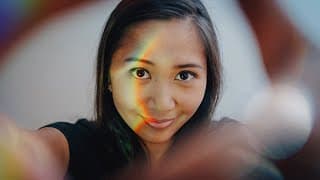
Create Rainbow Effect in Photos + Video | CD Hack
In this video, I'll show you how to create rainbow effects in your videos or photos using a CD and any light. You can use sunlight, a flashlight, or even your phone flashlight. I'll go through the process of how I hold the cd and phone to get the best results along with the quality of light that is necessary to get the most vibrant colors. Tag Me in Your Photos: https://www.instagram.com/andriklangfield/ GEAR THAT I USE ↓↓↓ MAIN CAMERA - https://amzn.to/383Xt1j FAVOURITE LENS - https://amzn.to/3y4aORU FAVOURITE APS-C LENS - https://amzn.to/3mgJPQN DIFFUSION FILTER - https://amzn.to/381gscI FAV BUDGET TRIPOD - https://amzn.to/3j3GeDo VLOGGING TRIPOD - https://amzn.to/3mhHRiT FAV HEADPHONES - https://amzn.to/2W4dZft GIMBAL I USE - https://amzn.to/3sDQRA3 VLOGGING MIC - https://amzn.to/3AQ4m2C FAV LAV MIC - https://amzn.to/3gjAG69 DRONE I USE - https://amzn.to/3z6Iakm BUDGET BI COLOR LIGHT - https://amzn.to/3j5xJI6 FAV RGB LIGHT TUBE - https://amzn.to/3z8hwYd MINI RGB LIGHT - https://amzn.to/3D3iEPk Subscribe for more videos like these: https://www.youtube.com/channel/UC7KiITZsd_iV3L86bvvIa7Q?sub_confirmation=1 Intro: (00:00) CD Hack Overview + Samples: (00:13) What CD, DVD, or BD to Use: (00:23) What Kind of Light to Use: (00:52) How to Hold the CD + Phone: (01:23) Final Thoughts + Tag Me!: (02:00) #Rainbow #CDRainbow #RainbowPhotography

Happy First Birthday Boaz | Family Vlog
Boaz, our son, turned 1 this last week, so we made a short vlog entry to remember his special day. We got together with family and celebrated his first year with us :) Hope you enjoy! Color Graded with Dehancer: https://www.dehancer.com/ Use 10% Off Promo Code: ANDRIK Full Dehancer Review Here: https://youtu.be/YwE4DaQ8yhM GEAR THAT I USE ↓↓↓ MAIN CAMERA - https://amzn.to/383Xt1j FAVOURITE LENS - https://amzn.to/3y4aORU FAVOURITE APS-C LENS - https://amzn.to/3mgJPQN DIFFUSION FILTER - https://amzn.to/381gscI FAV BUDGET TRIPOD - https://amzn.to/3j3GeDo VLOGGING TRIPOD - https://amzn.to/3mhHRiT FAV HEADPHONES - https://amzn.to/2W4dZft GIMBAL I USE - https://amzn.to/3sDQRA3 VLOGGING MIC - https://amzn.to/3AQ4m2C FAV LAV MIC - https://amzn.to/3gjAG69 DRONE I USE - https://amzn.to/3z6Iakm BUDGET BI COLOR LIGHT - https://amzn.to/3j5xJI6 FAV RGB LIGHT TUBE - https://amzn.to/3z8hwYd MINI RGB LIGHT - https://amzn.to/3D3iEPk Subscribe for more videos like these: https://www.youtube.com/channel/UC7KiITZsd_iV3L86bvvIa7Q?sub_confirmation=1 #familyvlog #cinematicmemories #cinematicvlog
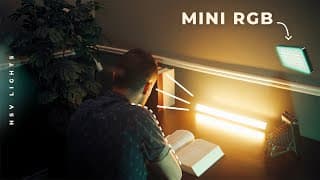
Cinematic Lighting with Mini RGB Light | SANDMARC Review
In this video, I review the @Sandmarc Prolight Mini RGB. It's an incredibly portable light that is surprisingly versatile. Lights like this have become incredibly popular through companies like Aperture with their own version of the RGB mini light as they can be attached to anything and placed in or behind anything. I'll go through the features and some practical test footage on ways I would use to create cinematic lighting. Sandmarc Lights: https://www.sandmarc.com/pages/iphone-camera-light GEAR THAT I USE ↓↓↓ MAIN CAMERA - https://amzn.to/383Xt1j FAVOURITE LENS - https://amzn.to/3y4aORU FAVOURITE APS-C LENS - https://amzn.to/3mgJPQN DIFFUSION FILTER - https://amzn.to/381gscI FAV BUDGET TRIPOD - https://amzn.to/3j3GeDo VLOGGING TRIPOD - https://amzn.to/3mhHRiT FAV HEADPHONES - https://amzn.to/2W4dZft GIMBAL I USE - https://amzn.to/3sDQRA3 VLOGGING MIC - https://amzn.to/3AQ4m2C FAV LAV MIC - https://amzn.to/3gjAG69 DRONE I USE - https://amzn.to/3z6Iakm BUDGET BI COLOR LIGHT - https://amzn.to/3j5xJI6 FAV RGB LIGHT TUBE - https://amzn.to/3z8hwYd MINI RGB LIGHT - https://amzn.to/3D3iEPk Subscribe for more videos like these: https://www.youtube.com/channel/UC7KiITZsd_iV3L86bvvIa7Q?sub_confirmation=1 Sandmarc Prolight Mini RGB Overview: (00:00) What Comes in the Box: (00:57) Lights Settings | HSV (Hue + Saturation + Value): (02:14) 96CRI (Color Rendering Index): (03:22) FX Light Effects: (03:44) Video Samples + BTS: (05:29) Thank You :): (06:40) #Sandmarc #ProlightMini #RGBLight
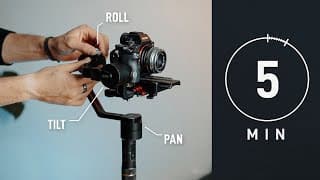
Balance any Gimbal in 5 MIN
A video on how to quickly and effectively balance a camera on any gimbal as quickly and efficiently as possible under 5 minutes. It's important to know how to properly balance a camera so that you don't wear out your gimbal's motors and so that you get the smoothes possible shot. I'll go through all 3 axis, tilt/pitch, roll, and pan/yaw, and show you how to balance your camera. I'll be using my Zhiyun crane, but most gimbals work very similarly such as the Ronin gimbals. Subscribe for more videos like these: https://www.youtube.com/channel/UC7KiITZsd_iV3L86bvvIa7Q?sub_confirmation=1 GEAR THAT I USE ↓↓↓ MAIN CAMERA - https://amzn.to/383Xt1j FAVOURITE LENS - https://amzn.to/3y4aORU FAVOURITE APS-C LENS - https://amzn.to/3mgJPQN DIFFUSION FILTER - https://amzn.to/381gscI FAV BUDGET TRIPOD - https://amzn.to/3j3GeDo VLOGGING TRIPOD - https://amzn.to/3mhHRiT FAV HEADPHONES - https://amzn.to/2W4dZft GIMBAL I USE - https://amzn.to/3sDQRA3 VLOGGING MIC - https://amzn.to/3AQ4m2C FAV LAV MIC - https://amzn.to/3gjAG69 DRONE I USE - https://amzn.to/3z6Iakm BUDGET BI COLOR LIGHT - https://amzn.to/3j5xJI6 FAV RGB LIGHT TUBE - https://amzn.to/3z8hwYd MINI RGB LIGHT - https://amzn.to/3D3iEPk Gimbal Balance Overview: (00:00) Prep Camera Before Mounting: (00:14) Quick Release Plate: (00:48) Adjust Camera Left, Right, Forward, Backwards: (00:59) Adjust Tilt / Pitch Axis: (01:31) Adjust Roll Axis: (02:32) Adjust Pan / Yaw Axis: (03:01) Double Check All Axis: (04:05) Thanks for Watching :): (04:37) #Gimbal #BalanceGimbal #SmoothFootage
DEHANCER Review | BEST Film Emulation Software
10% OFF Promo Code: ANDRIK Dehancer Website: https://www.dehancer.com/ ARTICLES: Dehancer Blog: https://blog.dehancer.com/articles/ Steve Yedlin Blog: https://www.yedlin.net/ MORE VIDEO SAMPLES: Dehancer Vimeo: https://vimeo.com/dehancer More Samples: https://www.dehancer.com/videos/graded-with-dehancer A video review on the Dehancer Plugin for Davinci Resolve. This is an advanced film emulation plugin that includes tools designed and created to achieve as close reproduction of film characteristics. Including tools like CMY Color Head, Film Grain, Blooming, Halation, Gate Weave, Film Breath, and many more. I've included chapters below that can help guide you to different sections in the video: Intro + Video Overview: (00:00) Dehancer Blog: (01:12) Starting Dehancer Plugin: (01:38) Feature 1 - Input + Camera Profiles: (02:04) Feature 2 - Film Look - Film Profiles: (03:00) Feature 2.5 - Push/Pull - Over and Under Exposed Film Profiles: (03:19) Feature 3 - Expand - Black + White Points: (03:50) Feature 4 - Print - Exposure, Tonal Contrast, Color Density, Saturation: (04:22) Feature 5 - Color Head - "Printer Lights" RGB+YMC: (05:06) Feature 6 - Film Grain: (05:54) Feature 7 - Halation: (07:20) Feature 8 - Bloom: (08:29) Feature 9 - Vignette: (09:18) Feature 10 - Film Breath: (09:28) Feature 11 - Gate Weave: (09:41) Feature 12 - False Color: (10:20) Feature 13 - Output - Overall Impact/Opacity: (10:37) Feature 14 - LUT Generator/Creator: (10:43) Why Dehancer? My Thoughts: (11:04) Short Color Graded Sequence: (12:18) Random Color Graded Clips - Before and After: (12:39) Computer Requirements: (13:14) Price + 10% Discount Code - (ANDRIK): (13:55) Outro: (14:30) GEAR THAT I USE ↓↓↓ MAIN CAMERA - https://amzn.to/383Xt1j FAVOURITE LENS - https://amzn.to/3y4aORU FAVOURITE APS-C LENS - https://amzn.to/3mgJPQN DIFFUSION FILTER - https://amzn.to/381gscI FAV BUDGET TRIPOD - https://amzn.to/3j3GeDo VLOGGING TRIPOD - https://amzn.to/3mhHRiT FAV HEADPHONES - https://amzn.to/2W4dZft GIMBAL I USE - https://amzn.to/3sDQRA3 VLOGGING MIC - https://amzn.to/3AQ4m2C FAV LAV MIC - https://amzn.to/3gjAG69 DRONE I USE - https://amzn.to/3z6Iakm BUDGET BI COLOR LIGHT - https://amzn.to/3j5xJI6 FAV RGB LIGHT TUBE - https://amzn.to/3z8hwYd MINI RGB LIGHT - https://amzn.to/3D3iEPk Subscribe for more videos like these: https://www.youtube.com/channel/UC7KiITZsd_iV3L86bvvIa7Q?sub_confirmation=1 #Dehancer #FilmEmulation #Kodak500T
Alberta Trip | Family VLOG | BANFF + MORAINE + LAKE LOUISE
Here is a video of our trip out to Alberta. We visited the Banff area and went to visit Moraine Lake and Lake Louise along with other lakes. We kept a daily video entry of what we did each day and I loved the relaxed vlog approach to making this video. It was something I've never tried before, hope you all enjoy this! I know we will forever look back on this video to remember our time in Alberta. GEAR THAT I USED ↓↓↓ MAIN CAMERA - https://amzn.to/383Xt1j FAVOURITE LENS - https://amzn.to/3y4aORU FAVOURITE APS-C LENS - https://amzn.to/3mgJPQN DIFFUSION FILTER - https://amzn.to/381gscI FAV BUDGET TRIPOD - https://amzn.to/3j3GeDo VLOGGING TRIPOD - https://amzn.to/3mhHRiT FAV HEADPHONES - https://amzn.to/2W4dZft GIMBAL I USE - https://amzn.to/3sDQRA3 VLOGGING MIC - https://amzn.to/3AQ4m2C FAV LAV MIC - https://amzn.to/3gjAG69 DRONE I USE - https://amzn.to/3z6Iakm BUDGET BI COLOR LIGHT - https://amzn.to/3j5xJI6 FAV RGB LIGHT TUBE - https://amzn.to/3z8hwYd MINI RGB LIGHT - https://amzn.to/3D3iEPk Subscribe for more videos like these: https://www.youtube.com/channel/UC7KiITZsd_iV3L86bvvIa7Q?sub_confirmation=1 Day 1 - Travel to Alberta: (00:00) Day 2 - Day in Calgary: (00:36) Day 3 - Visit to Drumheller - Largest Dinosaur: (01:56) Day 4 - Explore Banff: (03:56) Day 5 - Visit Lake Louise + Moraine Lake: (06:27) Day 6 - Relax Day + West Edmonton Mall: (08:24) Day 7 - Travel Home: (09:12) #Banff #Alberta #MoraineLake
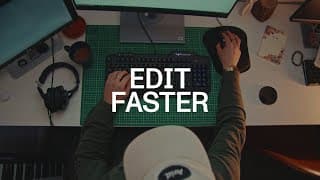
These tips will maek you a fast editor | Davinci Resolve
Here are my favourite 5 tips for faster video editing in Davinci Resolve. This last week I've been going through many hours of clips from our trip to Alberta and I came up with fast tips on editing that have helped me. These tips range from shortcuts to special features resolve has that not many people know or use. Hope you enjoy and are able to learn a new editing technique. Here is an overview of the things I'll be covering: Keyboard shortcuts, how to quickly insert a clip at the end of your timeline, how to insert, overwrite and replace a clip in the middle of the timeline with just one keystroke, how to use shared media across all your projects, and how to speed up your workflow by using adjustment layers (adjustment clips). GEAR THAT I USE ↓↓↓ MAIN CAMERA - https://amzn.to/383Xt1j FAVOURITE LENS - https://amzn.to/3y4aORU FAVOURITE APS-C LENS - https://amzn.to/3mgJPQN DIFFUSION FILTER - https://amzn.to/381gscI FAV BUDGET TRIPOD - https://amzn.to/3j3GeDo VLOGGING TRIPOD - https://amzn.to/3mhHRiT FAV HEADPHONES - https://amzn.to/2W4dZft GIMBAL I USE - https://amzn.to/3sDQRA3 VLOGGING MIC - https://amzn.to/3AQ4m2C FAV LAV MIC - https://amzn.to/3gjAG69 DRONE I USE - https://amzn.to/3z6Iakm BUDGET BI COLOR LIGHT - https://amzn.to/3j5xJI6 FAV RGB LIGHT TUBE - https://amzn.to/3z8hwYd MINI RGB LIGHT - https://amzn.to/3D3iEPk Subscribe for more videos like these: https://www.youtube.com/channel/UC7KiITZsd_iV3L86bvvIa7Q?sub_confirmation=1 We went to Banff, Alberta: (00:00) This Weeks Video Overview: (00:28) Tip 1 - Keyboard Shortcuts: (00:48) Tip 2 - Append to End of Timeline: (01:28) Tip 3 - Insert, Overwrite, Replace Clip: (02:54) Tip 4 - Power Bins: (04:55) Tip 5 - Adjustment Layers: (06:13) Outro: (07:45) Thank You for 1K Subscriber :): (07:59) #DavinciResolve #Editing #EditFast
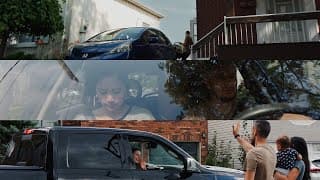
Cinematic Static Framing | Family Time
Cinematic static framing is something I've started to love. I've been studing many movies and tv shows to learn what the DPs are doing and one thing I keep loving are static shots. Just simple basic locked off tripod shots with excellent composition and framing... something I do not do or practice enough of. Since "B-ROLL" has become so popular and hand-held + gimbal footage is something I love doing, I thought I'd give myself a challenge and casually document my Canada day family weekend only using static framing and a tripod. Hope you enjoy this video! GEAR THAT I USE ↓↓↓ MAIN CAMERA - https://amzn.to/383Xt1j FAVOURITE LENS - https://amzn.to/3y4aORU FAVOURITE APS-C LENS - https://amzn.to/3mgJPQN DIFFUSION FILTER - https://amzn.to/381gscI FAV BUDGET TRIPOD - https://amzn.to/3j3GeDo VLOGGING TRIPOD - https://amzn.to/3mhHRiT FAV HEADPHONES - https://amzn.to/2W4dZft GIMBAL I USE - https://amzn.to/3sDQRA3 VLOGGING MIC - https://amzn.to/3AQ4m2C FAV LAV MIC - https://amzn.to/3gjAG69 DRONE I USE - https://amzn.to/3z6Iakm BUDGET BI COLOR LIGHT - https://amzn.to/3j5xJI6 FAV RGB LIGHT TUBE - https://amzn.to/3z8hwYd MINI RGB LIGHT - https://amzn.to/3D3iEPk Subscribe for more videos like these: https://www.youtube.com/channel/UC7KiITZsd_iV3L86bvvIa7Q?sub_confirmation=1 Intro + Explanation: (00:00) Family Static Framing Video Begins: (01:10) #staticframe #staticfilmmaking #cinematic
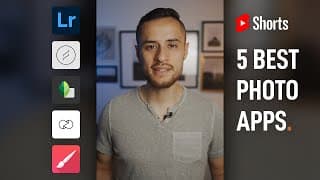
5 Best Photography Apps to Download FREE #Shorts
Here are my top 5 favourite photography apps. These apps are free to download on apple or android devices. I use these apps for editing photos, adding overlays such as lens flares, more complicated edits such as spot removal, for making nice Instagram stories, and to doodle on photos. Subscribe for more videos like these: https://www.youtube.com/channel/UC7KiITZsd_iV3L86bvvIa7Q?sub_confirmation=1 #Shorts #YTShorts #YouTubeShorts
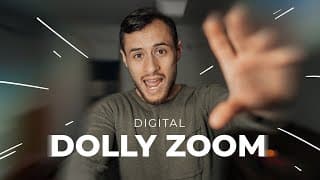
Dolly Zoom Effect | Vertigo Effect Tutorial
A video tutorial on the Dolly Zoom Effect or also know as the Vertigo Effect. The dolly zoom is a camera effect that you've probably seen in movies where the whole shot becomes disorienting giving you a vertigo illusion. This effect has been used to show suspense or paranoia in many films. The effect in movies is pulled off by a combination of zooming in and a dolly movement out or zooming out while dollying in. In this tutorial, I will be showing you the digital way to accomplish this effect so that you can do this with any camera you have. I will be using Davinci Resolve as my editing software but feel free to follow along in whatever editing software you use, as most of the things I will be doing are very common in all video editing software. GEAR THAT I USE ↓↓↓ MAIN CAMERA - https://amzn.to/383Xt1j FAVOURITE LENS - https://amzn.to/3y4aORU FAVOURITE APS-C LENS - https://amzn.to/3mgJPQN DIFFUSION FILTER - https://amzn.to/381gscI FAV BUDGET TRIPOD - https://amzn.to/3j3GeDo VLOGGING TRIPOD - https://amzn.to/3mhHRiT FAV HEADPHONES - https://amzn.to/2W4dZft GIMBAL I USE - https://amzn.to/3sDQRA3 VLOGGING MIC - https://amzn.to/3AQ4m2C FAV LAV MIC - https://amzn.to/3gjAG69 DRONE I USE - https://amzn.to/3z6Iakm BUDGET BI COLOR LIGHT - https://amzn.to/3j5xJI6 FAV RGB LIGHT TUBE - https://amzn.to/3z8hwYd MINI RGB LIGHT - https://amzn.to/3D3iEPk Subscribe for more videos like these: https://www.youtube.com/channel/UC7KiITZsd_iV3L86bvvIa7Q?sub_confirmation=1 Dolly Zoom / Vertigo Effect Overview: (00:00) 1. How to Film the Footage for the Dolly Zoom Effect: (01:32) 2. How to Edit the Footage for the Dolly Zoom Effect: (03:16) Some More Examples: (06:40) Outro: (07:48) #DollyZoom #VertigoEffect #DollyZoomEffect
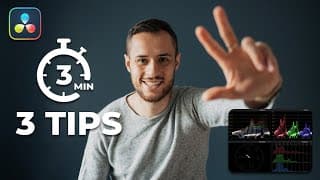
Using Video Scope | 3 Hacks
Here are 3 Davinci Resolve Tips using the Color Grading Scopes. This is a quick 3 minute tutorial on my favourite tips and tricks when using the video scopes in Davinci Resolve 17. Video Overview: (00:00) Tip 1: (00:13) Tip 2: (01:19) Tip 3: (01:44) Outro: (02:47) Subscribe for more videos like these: https://www.youtube.com/channel/UC7KiITZsd_iV3L86bvvIa7Q?sub_confirmation=1 #Davinci #DavinciResolve #VideoEditing
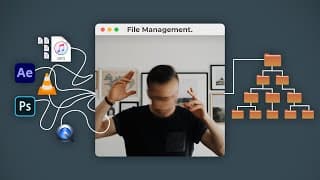
Video Editing Workflow | File Management
Here is my video editing workflow when it comes to video project file management. Having a good file structure is extremely important when editing video especially larger projects with multiple kinds of files and cameras. You can DOWNLOAD my FREE file structure here: https://gumroad.com/andriklangfield In this tutorial, I will show you what each folder contains and why I've built it the way I have. I'll then show you how to import the file structure with your footage into your editing software. I'll be using Davinci Resolve, but most editing software work very similarly. I've timestamped below the chapters for your convenience. Overview: (00:00) Download File Structure: (00:43) The Master Folder - Copy and Paste: (01:16) 1. Project Files: (02:31) 2. Footage - Different Cameras: (03:04) 3. Audio (Dialog - Music - SFX): (04:30) 4. Graphics (VFX - GFX - Assets - Overlays): (05:30) 5. Images (Reference Photos - Any Photography): (06:00) Importing to Your Editing Software: (06:20) Colour Coding Your Footage to Framerate: (08:28) Flagging/Grouping Your Footage Based on Each Scene: (10:09) Outro and Thank You for Watching Everyone :): (12:21) Subscribe for more videos like these: https://www.youtube.com/channel/UC7KiITZsd_iV3L86bvvIa7Q?sub_confirmation=1 #editing #filemanagement #davinciresolve
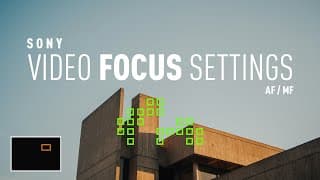
Sony Video Autofocus Settings | AF/MF Button | (a7iii, a7riii, a7siii)
In this video, I show you the best settings for autofocus and MF using Sony cameras such as the a7iii, a7riii, a7siii, and basically every other sony mirrorless camera. I will show you a trick on how to quickly switch from autofocus to manual focus to pull off a "focus pulling effect" racking the focus to a subject and back to another. I'll also briefly show you my custom buttons that have to do with autofocus and manual focus along with any settings I have when shooting video. Subscribe for more videos like these: https://www.youtube.com/channel/UC7Ki... Overview: (00:00) Setting Up Your Custom Buttons (C1) AF/MF Ctrl Toggle: (00:28) Using Your Focus Area Joystick - Expand Flexible Spot: (01:19) Using the Custom Button to Switch Between AF/MF: (01:47) Focus Magnifier while in Manual Focus: (02:35) Practical AF/MF Example 1: (02:44) Practical AF/MF Example 2: (03:44) AF Drive Speed / AF Track Sens: (04:27) Outro - Thanks for Watching :): (04:43) #sonyautofocus #a7iii #a7siii
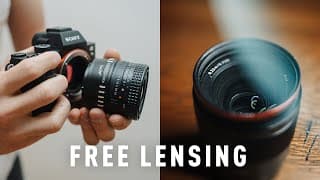
Free Lensing // Lens Whacking Tutorial | HOW TO FREE LENS for photography or filmmaking
A tutorial on how to free lens / lens whack for photography or filmmaking. Free lensing or lens whacking is an easy camera effect that everyone can do with their camera and lenses. It produced a very tilt-shift look to your image without having to buy a tilt-shift lens. One can also emulate a split diopter effect by doing free lensing. An overview of the things I discuss is: What free lensing is and how the plane of focus is manipulated. How to hold the camera and lens while lens whacking. The settings you need to use for your lens and some tips and creative ideas on how to get the best results when doing photos and video while lens whacking. Overview: (00:00) What is Free Lensing / Lens Whacking: (00:22) Best Way to Learn Free Lensing: (02:27) How to Hold the Camera and Lens: (02:51) Lens Settings - Aperture + Focus to Infinity: (03:37) Start Tilting: (04:35) Turn on Focus Peaking: (04:45) Remove Tilting Shake from Video: (05:07) Light Leaks and Flares: (06:17) Split Diopter Effect: (07:03) Minimum Focus Distance / Macro Shots: (07:50) Thank You for Watching! :): (08:23) #freelensing #lenswhacking #lenseffects Subscribe for more videos like these: https://www.youtube.com/channel/UC7KiITZsd_iV3L86bvvIa7Q?sub_confirmation=1
Cinematic Family Video | Taking some Family Photos! | Sony A7iii
We wanted to take some family photos, so we decided to go out and to some nice locations to do a family photo shoot. We ended up shooting a cinematic family vlog kind of video, hope you enjoy it! Subscribe for more videos like these: https://www.youtube.com/channel/UC7KiITZsd_iV3L86bvvIa7Q?sub_confirmation=1 #cinematicmemories #sandrik #cinematicvlog

Homemade Tostadas #Shorts
https://youtu.be/DvEdbAwDv8M #Shorts #YTShorts #Youtubeshorts
Edit Vertical Video in Davinci Resolve | Instagram Reels, Tiktok, IGTV, Shorts
A tutorial on editing vertical video using Davinci Resolve 17 or 16. I go through using the free software showing you tips on how to rotate and fit your footage for vertical videos. This will work for 16x9/9x16 ratio used for Instagram Reels, Tiktok, Youtube Shorts, and Instagram Stories. I also go through the export settings necessary to upload your videos with the best quality. Hope this vertical video tutorial is helpful to you! Subscribe for more videos like these: https://www.youtube.com/channel/UC7KiITZsd_iV3L86bvvIa7Q?sub_confirmation=1 Welcome to my Channel: (00:00) Vertical Video Overview: (00:14) Editing Using Free Davinci Resolve: (00:27) What Background do you like better?: (01:11) Import Vertical Footage to Davinci Resolve: (01:25) Project Settings - Change to Vertical Timeline: (02:05) Rotate and Zoom Your Footage: (02:36) Copy and Paste Your Settings: (03:00) Change Layout Tip to Make Editing Easier: (03:51) Finish Your Edit: (04:41) Export Setting for Social Media - Video: (04:54) Export Setting for Social Media - Audio: (05:53) Render Your Vertical Video: (06:53) Instagram Reel Example: (07:14) #DavinciResolve #Verticalvideo #Verticalediting
Davinci Resolve BLOOM EFFECT using GLOW | Smooth clipped highlights
In this Davinci Resolve Bloom Effect Tutorial, I will show you how I use the glow effect in Davinci to emulate the natural highlight film look. Film has a beautiful way of dealing with blown out highlights or clipped specular highlights, and this effect helps your digital footage do that. I go over 2 ways that I like to use this tool. The first is when fixing overexposed highlights. This is helpful when your sky is clipping and you want to blend the clipped highlights to the detail. The other way is by giving your image an overall bloom/glow effect. This is similar to the look you get when using a diffusion filter such as the CineBloom filter or Black Pro-Mist filter. CineBloom Filter Review: https://youtu.be/ATuMx1-5470 Video Overview and Important Context: (00:00) 1. Highlight Sky Recovery by blending highlights and information/detail: (00:49) 2. Overall Film Glow Effect, similar to the film like look you get with diffusion filters: (03:17) Thank You for Watching :): (04:31) Subscribe for more videos like these: https://www.youtube.com/channel/UC7KiITZsd_iV3L86bvvIa7Q?sub_confirmation=1 #DavinciResolve #Bloomeffect #Davinci
EDIT PERFECT SKIN TONES in Lightroom | Using ANY MONITOR!!
In this video, I show you a quick hack on how to get perfect skin tones in Lightroom even when your computer monitor is not calibrated. Not everyone has a calibrated monitor they can trust and this trick will help you always have consistent skin tones. Subscribe for more videos like these: https://www.youtube.com/channel/UC7KiITZsd_iV3L86bvvIa7Q?sub_confirmation=1 Working with Uncalibrated Monitors: (00:00) Step 1: Find Reference: (00:53) Step 2: Create Collage: (01:42) Step 3: Import Reference: (01:54) Step 4: Compare Skintones - Sample 1: (02:25) Step 4: Compare Skintones - Sample 2: (02:56) Step 4: Compare Skintones - Sample 3: (03:38) Why this trick really works!: (04:10) Thank You for Watching :): (04:53) #skintones #lightroom #lightroomskintones
Sony Picture Profile Settings | HLG vs S-LOG
A video on which picture profile I use. Comparing HLG2 and S-LOG2 showing dynamic range tests. I talk through when to use different picture profiles and why I use the picture profiles that I do. If you're interested in seeing the settings that I use for my picture profiles in my Sony A7iii, I'll also show you in this video. Gerald Undone Video: https://www.youtube.com/watch?v=-PWcMjIjCbI Subscribe for more videos like these: https://www.youtube.com/channel/UC7KiITZsd_iV3L86bvvIa7Q?sub_confirmation=1 Video Overview: (00:00) Sample Footage: (00:17) Talking about Picture Profiles: (00:58) Thank You for Watching :): (05:43) #pictureprofile #hlg #slog
3 Cinematic Gimbal Moves for Beginners
A Video on my most used gimbal moves, using these 3 basic gimbal tips, I am able to capture great cinematic shots that I use all the time. I also talk a bit about my use and thought process behind gimbals as a filmmaking tool. Subscribe for more videos like these: https://www.youtube.com/channel/UC7KiITZsd_iV3L86bvvIa7Q?sub_confirmation=1 Talking about Gimbals: (00:00) Move 1: (02:05) Move 2: (02:23) Move 3: (02:43) What Kind of Videos Would You Like to See Me Make: (03:03) #gimbal #cinematicgimbal #gimbalmoves
What's in my CAMERA BAG! 2021 // MINIMALIST Filmmaking GEAR
What's in my camera bag in 2021! I love to have a very minimalist and budget gear package. Only the essentials I use when traveling or doing small shoots. I'll cover what audio gear, cameras, lenses, bag, tripod, and accessories I carry! Hope you all enjoy. Subscribe for more videos like these: https://www.youtube.com/channel/UC7KiITZsd_iV3L86bvvIa7Q?sub_confirmation=1 Minimal Gear Overview: (00:00) Audio Gear: (00:32) Camera + Lenses: (01:18) LED Light: (02:39) Filters: (02:58) Accessories: (03:20) Camera Bag: (05:08) Travel Tripod: (05:24) Gimbal: (05:38) Drone: (06:08) Drone Crash Footage: (06:22) Leave a Comment :): (06:40) #camerabag #videogear #minimalistfilmmaking
DIY Diffusion Filter | CineBloom vs Hairspray Filter | Make Your Own!
I wanted to try to make my own DIY Diffusion Filter to emulate the Moment CineBloom and Black Pro Mist Diffusion Filters. I used some Walmart Hairspray and a cheap UV filter and got some surprising effects! CineBloom Review: https://youtu.be/ATuMx1-5470 CineBloom Test Footage: https://youtu.be/uwT0SUh3HAs Subscribe for more videos like these: https://www.youtube.com/channel/UC7KiITZsd_iV3L86bvvIa7Q?sub_confirmation=1 #DIY #DiffusionFilter #CineBloom
Fog Machine + Projector Photography | DIY Cinematic Lighting #Shorts
Here's a quick fun shoot I did with just using a fog-machine and a cheap projector. Hope you enjoy! Subscribe for more videos like these: https://www.youtube.com/channel/UC7KiITZsd_iV3L86bvvIa7Q?sub_confirmation=1 #shorts #cinematiclighting #fogmachine
BUDGET Cinematic LIGHTING for $120
Made a video on a simple budget-friendly cinematic lighting setup. Learning how to light a talking head properly is a valuable skill especially on a low budget. The lighting setup that I used in this video cost around $120 CAD. 🔔 Subscribe for more videos like these: https://www.youtube.com/channel/UC7KiITZsd_iV3L86bvvIa7Q?sub_confirmation=1 Video Overview: (00:00) Gear Breakdown: (00:36) Add a Comment: (02:23) Key Light: (02:35) Using Natural Light: (04:12) Fill Light: (04:51) Rim Light: (05:42) Practical Light: (06:09) Adding Objects in Background: (06:36) Interview Lighting using Upstage Lighting: (06:45) Recap Drawing: (07:12) Outro: (08:07) #budgetlights #cinematiclighting #budgetlighting
SEAMLESS Instagram Carousel Collage | Free PSD Template
A video showing you how to create a seamless carousel collage for Instagram. It's an easy way to make your photos stand out in a unique way! I also include the photoshop template for free in the link below. You can use this method if you are posting a landscape photo and want to split it into two photos, or if you're making a collage with multiple images and graphics. Free Template: https://gum.co/uIhcW Subscribe for more videos like these: https://www.youtube.com/channel/UC7KiITZsd_iV3L86bvvIa7Q?sub_confirmation=1 Intro: (00:00) Why I'm in a Car...: (00:05) What is a seamless post: (00:33) Download Free PSD Template: (00:50) Creating Document on Photoshop: (01:03) Adding Guides + Slices: (01:53) Working on Your Design: (02:55) Exporting the Images - Slices: (03:34) Have a Good Day :): (04:38) #seamlessinstagram #instagramcarousel #instagramcollage
Universal Lens Hood by KUVRD | Review and Test Footage
A review on the Universal Lens Hood made by KUVRD. It's a lens hood that fits on all your lenses and will cut out any lens glare or any reflections from windows. I have some examples of how to use it and the results I got. Website: https://kuvrdcamera.com/products/universal-lens-hood-1 Subscribe for more videos like these: https://www.youtube.com/channel/UC7KiITZsd_iV3L86bvvIa7Q?sub_confirmation=1 Unboxing and Initial Thoughts: (00:00) Putting it on a Lens: (01:09) Would I Buy One?: (01:46) Lens Glare Test: (02:01) Reflection + Window Glare Test: (02:17) Final Thoughts: (02:52) #kuvrd #universallenshood #lenshood
CineBloom 10% Filter TEST FOOTAGE in 4K | Family Sunset Walk
Some sample + test footage of the Moment 10% CineBloom Filter of my family and I taking a walk around our neighbourhood during sunset hour. 🔔 Subscribe for more videos like these: https://www.youtube.com/channel/UC7KiITZsd_iV3L86bvvIa7Q?sub_confirmation=1 Moment Website: https://www.shopmoment.com/filters/diffusion-filters Diffusion Filter Definition by Moment - "Diffusion filters have been helping cinematographers create their look for generations. These filters can be used for lifting contrast and also creating halation, or glowing effects to specular light sources in a scene." Intro with Sarah and Boaz: (00:00) Link to Full Review: (00:31) Sunset Test Footage: (00:50) #Moment #Cinebloom #DiffusionFilter
LIGHT LEAKS for Free in 4K | Video Overlays
Free 4K Light Leaks: https://shop.andriklangfield.com/b/lightleaks 100% off Coupon Code: lightleak I made a bundle of 4K Light Leaks. In the video I show you how use them on your own projects and some interesting things that you can do with them. I've included 6 video files in the bundle (exported as gopro cineform yuv 10-bit). Every video file has multiple lens flares and light leaks rendered together. The bundle is 4.15 GB in size. I hope you enjoy these light leaks! 🔔 Subscribe for more videos like these: https://www.youtube.com/channel/UC7KiITZsd_iV3L86bvvIa7Q?sub_confirmation=1 Light Leaks Overview: (00:00) Download Light Leaks: (00:36) Taking a look at the files included: (00:53 ) Files are in 4K GoPro CineForm YUV 10-bit: (02:40 ) How to Use the Light Leaks: (03:25) Practical Examples: (04:15) Other Bundles + Packs I've Created: (08:14) #lightleaks #lightflares #freelightleaks
Product Photography Hacks | Fake Sunlight! #Shorts
A video on a simple trick to fake sunlight in your product photography! Something to add a little extra to your photos! I hope you enjoy this hack, have an awesome day! 🔔 Subscribe for more videos like these: https://www.youtube.com/channel/UC7KiITZsd_iV3L86bvvIa7Q?sub_confirmation=1 #shorts #ytshorts #photohacks
TEXTURED PHOTOGRAPHY | How to Make Your Own + Free Textures Included!
1. Download Textures: https://gum.co/MxMtb 2. Use this 100% OFF Coupon Code: free-textures A video on how to create your own textures with objects and surfaces around you! This is a technique that I love to do to add an extra layer of interest to my pictures. I've included some of the sample textures that I made in this video in the link above. Because of Gumroad's file-size restriction, I had to set a price on it but you can just use the coupon code "free-textures" to bypass the 5 dollars to download it for yourselves. Enjoy! Subscribe for more videos like these: https://www.youtube.com/channel/UC7KiITZsd_iV3L86bvvIa7Q?sub_confirmation=1 Overview: (00:00) Download Free Textures: (00:21) Taking Pictures of Textures: (00:41 ) "Vintage" Crumpled Picture: (01:24) Dust + Noise "Vacuum Dust": (01:39) Wood Texture: (02:03) Canvas Coat Texture: (02:12) Canvas Bag: (02:18) "Grunge" Concrete Texture: (02:27) Edit Process: (02:40) Sample Picture: (03:43) Thank YOU!: (04:22) #textures #freetextures #photoshoptextures
The Cinematic Look #Shorts | Moment CineBloom Filter Review
Longer Review: https://youtu.be/ATuMx1-5470 Here is a YouTube Short on one of my new favourite pieces of gear! It's the CineBloom Filter 10% made by Moment. It acts as a diffusion filter that basically will allow you to instantly transform your footage to look more "cinematic" by blooming your highlights and lifting the shadows. Subscribe for more videos like these: https://www.youtube.com/channel/UC7KiITZsd_iV3L86bvvIa7Q?sub_confirmation=1 #shorts #ytshorts #youtubeshorts
Moment Cinebloom Filter Review | Creating the Cinematic look!
A review on the Moment CineBloom Filter 10%. This is a diffusion filter that basically will allow you to instantly transform your footage to look more "cinematic". This filter will do a few things to your image, it will raise the blacks, giving you a more "faded film-like" image, it will bloom the highlights, also sometimes referred to as "halation", and it will give your overall image a softer look, removing the oversharpened digital look setting your footage apart. I hope you enjoy it! Moment Website: https://www.shopmoment.com/filters/diffusion-filters Diffusion Filter Definition by Moment - "Diffusion filters have been helping cinematographers create their look for generations. These filters can be used for lifting contrast and also creating halation, or glowing effects to specular light sources in a scene." Subscribe for more videos like these: https://www.youtube.com/channel/UC7KiITZsd_iV3L86bvvIa7Q?sub_confirmation=1 Diffusion Filter Explanation: (00:00) Product Overview: (00:47) Why I Chose the 10%: (01:18) Studio Before + After: (02:04) Footage Samples: (02:22) Epic Outro Transition: (04:22) #Moment #Cinebloom #DiffusionFilter
SONY 35MM 1.8 #Shorts | Longer Review in Description
DETAILED REVIEW: https://youtu.be/vVnBr_EU4i0 This is my new favorite lens, here is a quick overview of some of my favorite features it has. I made a longer 7min detailed review that you can watch here for more information on it: https://youtu.be/vVnBr_EU4i0 #youtubeshorts #ytshorts #shorts
SONY 35MM 1.8 Review + FREE Sample RAW Photos!
A review on the Sony 35mm 1.8. In my opinion, it is a wonderful lens for the price point. Also as I was editing this video I REALIZED SONY RELEASED ITS LATEST 35MM 1.4 which looks great, at almost twice the price. If you'd like to see a comparison between the 35mm 1.8 and the new 1.4, I'd recommend watching Gerald Undone's video as he explains some of the differences between them. Gerald Undone's Video: https://youtu.be/Up4Fw1XuoPo?t=818 Sample RAW Pictures: https://mega.nz/folder/PxVlHawS#R5GA8WdExYsnH0g04851Ng Subscribe for more videos like these: https://www.youtube.com/channel/UC7KiITZsd_iV3L86bvvIa7Q?sub_confirmation=1 Overview: (00:00) Price: (00:28) Build Quality: (00:37) Manual Focus: (00:54) Buttons + Features: (01:24) Size + Weight: (01:55) Auto Focus: (02:25) Sample Images - Comparison + Sharpness: (02:56) Download Sample Images: (06:24) Conclusion: (06:34) #Sony35mm #35mm #Sony
Fun start to 2021 | Family Memories
We had such a fun start to 2021 and enjoyed the world's best hot chocolate!! Subscribe for more videos like these: https://www.youtube.com/channel/UC7KiITZsd_iV3L86bvvIa7Q?sub_confirmation=1 #timhortons #familymemories #2021

Giveaway Winners!! $50 Amazon Gift Card
I hope everyone has a great start to the new year! Congratulations to the winners and thank you so much for participating in this giveaway :) You can contact us at andriklangfield@gmail.com so that we can get you your prize! ANDRIK Instagram: https://www.instagram.com/andriklangfield/ MARK Website: https://www.itsrahbee.com/ Instagram: https://www.instagram.com/itsrahbee/ Twitter: https://twitter.com/itsmarkrahbee/ Facebook: https://www.facebook.com/itsrahbee/ #giveaway #giveawaywinners #2021
How to SPEED RAMP in Davinci Resolve | Best Way #Shorts
Here's a quick "how-to" video on the best way to speed ramp in Davinci Resolve. There are many ways to do this in Resolve but this is the most precise and efficient way to do it! I hope this is a help to you! There is a lot of info packed into 1 Minute, feel free to pause the video so you can follow along :) Subscribe for more videos like these: https://www.youtube.com/channel/UC7KiITZsd_iV3L86bvvIa7Q?sub_confirmation=1 #shorts #youtubeshorts #ytshorts

Merry Christmas Everyone | Our 2020 Christmas Family Video
Merry Christmas! We documented our 2020 Christmas memories in the span of 3 days. Going shopping, setting up the Christmas tree and interior decorations, and then setting up our outdoor lights! I hope you enjoy our Christmas video :) Subscribe for more videos like these: https://www.youtube.com/channel/UC7KiITZsd_iV3L86bvvIa7Q?sub_confirmation=1 Day 1: (00:00) Day 2: (00:52) Day 3: (01:46) Bloopers: (02:25) #Christmas2020 #Christmas #Christmasvideo
5 Budget Gifts under $50 for Filmmakers!! + GIVEAWAY!
GIVEAWAY: 1. Sub to Mark’s Channel: https://www.youtube.com/markrabe 2. Sub to Me: https://www.youtube.com/channel/UC7KiITZsd_iV3L86bvvIa7Q?sub_confirmation=1 3. Entry 1 - Comment “Giveaway” on this Video 4. Entry 2 - Comment “Giveaway” on Marks Video: https://www.youtube.com/watch?v=La7enmc4d1Q&ab_channel=MarkRabe AMAZON ITEMS: 1. Viltrox Video LED Panel L116T: https://www.amazon.ca/gp/product/B01LWC044Z/ref=ox_sc_act_title_1?smid=A1NZ7IEFV816B1&psc=1 2. SmallRig Top Handle: https://www.amazon.ca/gp/product/B07BT7XXN9/ref=ox_sc_act_title_3?smid=AJQMFA58K16KY&psc=1 3. SD Card Case Holder: https://www.amazon.ca/gp/product/B07KYSC5LD/ref=ox_sc_act_title_2?smid=ALP7CFCSTM7DC&psc=1 4. 5 in 1 Reflector: https://www.amazon.ca/Portable-Lighting-Reflector-Diffuser-Photpgraphy/dp/B00KAWWV2I/ref=sr_1_5?dchild=1&keywords=5+in+one+reflector&qid=1608328600&sr=8-5 5. Multi-Tool: https://www.amazon.ca/Gerber-Dime-Multi-Tool-Black-30-000469/dp/B006M9NIDO/ref=sr_1_12?dchild=1&keywords=multitool&qid=1608328741&sr=8-12 Kelsie Instagram: https://www.instagram.com/kelsiekishidraws/ #christmas2020 #budgetchristmasgifts #giveaway
IN-CAMERA Transition Tutorial | BEST 3 Principles!
I made this in-camera transition video to show you my thought process behind how I create my transitions. I go over 3 principles that can be applied to any camera whether you're using your phone or an expensive camera to film. This is the first part where I talk about how to achieve these transitions in camera and there will be a second part on how I edit the transitions! I hope you enjoy :) SUBSCRIBE HERE: https://www.youtube.com/channel/UC7KiITZsd_iV3L86bvvIa7Q?sub_confirmation=1 Overview: (00:00) 1. Principle - Direction: (00:48) 2. Principle - Colour: (02:26) 3. Principle - Obstruction: (04:15) Conclusion: (05:41) Part 2 Video: (06:06) #incameratransitions #transitiontutorial #seamlesstransitions
SMOOTH PLAYBACK in Davinci Resolve 17 + 16 #Shorts
Here is my favourite way on how I get smooth playback in Davinci Resolve 17 and 16 on any computer. I created a quick shortcut that speeds up the process for me! Hope this is a help to you :D Subscribe for more here: https://www.youtube.com/channel/UC7KiITZsd_iV3L86bvvIa7Q?sub_confirmation=1 #shorts #ytshorts #youtubeshorts
Convert Lightroom PRESETS into LUTS / How to create a LUT
Here is a tutorial on how to convert your lightroom presets into LUTS. This is one of my favorite ways to quickly create a LUT. It's nice to when you have a look you've created in Lightroom and you would like to be able to use that look in your videos also! 👉🏼 Software Download Link: https://generator.iwltbap.com/ GEAR THAT I USE ↓↓↓ MAIN CAMERA - https://amzn.to/383Xt1j FAVOURITE LENS - https://amzn.to/3y4aORU FAVOURITE APS-C LENS - https://amzn.to/3mgJPQN DIFFUSION FILTER - https://amzn.to/381gscI FAV BUDGET TRIPOD - https://amzn.to/3j3GeDo VLOGGING TRIPOD - https://amzn.to/3mhHRiT FAV HEADPHONES - https://amzn.to/2W4dZft GIMBAL I USE - https://amzn.to/3sDQRA3 VLOGGING MIC - https://amzn.to/3AQ4m2C FAV LAV MIC - https://amzn.to/3gjAG69 DRONE I USE - https://amzn.to/3z6Iakm BUDGET BI COLOR LIGHT - https://amzn.to/3j5xJI6 FAV RGB LIGHT TUBE - https://amzn.to/3z8hwYd MINI RGB LIGHT - https://amzn.to/3D3iEPk Subscribe: https://www.youtube.com/channel/UC7KiITZsd_iV3L86bvvIa7Q?sub_confirmation=1 Intro: (00:00) Next Week's Video: (00:22) Download Software : (00:35) Using Software: (01:25) Lut in Resolve: (05:30) Lut in Premiere: (06:41) Special Guest Goodby 😊: (07:32) #howtocreatealut #lightroomtolut #luttutorial

Getting Ready for Church "B ROLL" #Shorts
Made a fun short video of us getting ready to go to Church in the morning! Hope you enjoy this quick youtube short! :D Subscribe for more videos like these: https://www.youtube.com/channel/UC7KiITZsd_iV3L86bvvIa7Q?sub_confirmation=1 #YouTubeShorts #Shorts #YTShorts
Settings for the Tascam DR-10L | Setup Tutorial
Here is a tutorial on my settings for the Tascam DR-10L Audio Recorder. I'll walk through all the 20 settings explaining the reason I chose each setting. - Tascam Driver Download: https://tascam.com/us/product/dr-10l/download - Subscribe: https://www.youtube.com/channel/UC7KiITZsd_iV3L86bvvIa7Q?sub_confirmation=1 Tascam dr10L Overview: (00:00) Audio Comparison Between Tascam + Rode: (00:33) 1. Mic Gain: (01:02) 2. Low Cut: (01:52) 3. Limiter: (02:08) 4. Auto Level: (02:24) 5. FS Sample: (02:54) 6. Bit Length: (03:13) 7. File Type: (03:27) 8. Dual Rec: (03:54) 9. MP3 Mode: (04:35) 10. Track Inc: (4:52) 11. Warn Beeps: (05:40) 12. Power Save: (06:04) 13. Name Type: (06:13) 14. File Name: (06:44) 15. Format SD: (06:53) 16. Mic Bias: (07:02) 17. Battery Type: (07:21) 18. Date/Time: (07:44) 19. Sys Init - Reset Button: (07:55) 20. Version Info: (08:06) Thank You and Subscribe: (8:19)
Davinci Resolve Tutorial | Full Screen Timeline Hack #Shorts
Here is a quick Davinci Resolve Tutorial/Hack. I've use premiere pro for a long time and now that I switched to Davinci Resolve, the one thing I really missed was the Tilde Key for a Full Screen Timeline. So here is my quick workaround to that feature! Subscribe for more videos like these: https://www.youtube.com/channel/UC7KiITZsd_iV3L86bvvIa7Q?sub_confirmation=1 #YouTubeShorts #Shorts #YTShorts
A Terrible Picture... well let me explain!
Here is the story of how I failed to get a decent picture of my family in 2019 for their Christmas Card. 🔔 Subscribe for more videos like these: https://www.youtube.com/channel/UC7KiITZsd_iV3L86bvvIa7Q?sub_confirmation=1 #christmas2020 #andrik #cinematicvlog
#SmallRig Top Handle Review | How to use a Top Handle
This top handle made by SmallRig is one of my favourite filmmaking accessories I have. Here's a short review and some ways I like to use it. Amazon CA: https://www.amazon.ca/dp/B07BT7XXN9/ref=cm_sw_em_r_mt_dp_AFqJFbXYCX545 Amazon US: https://www.amazon.com/dp/B07BT7XXN9/ref=cm_sw_em_r_mt_dp_nlSJFbVYWSP8A Official SmallRig Website: https://www.smallrig.com/smallrig-cold-shoe-handle-2094.html 🔔 Subscribe for more videos like these: https://www.youtube.com/channel/UC7KiITZsd_iV3L86bvvIa7Q?sub_confirmation=1 SmallRig Review: (00:00) Tip 1: (00:52) Tip 2: (01:18) Tip 3: (01:32) Outro: (02:20) #andrik #tophandle

I Couldn't Fly My Drone :(
I was so excited to go out to get some beautiful done video at sunset, but then... 🔔 Subscribe for more videos like these: https://www.youtube.com/channel/UC7KiITZsd_iV3L86bvvIa7Q?sub_confirmation=1 📷 Watch my tutorials here: https://www.youtube.com/watch?v=rX2ga-36YDQ&list=PLAMD6nHSYBfjcqg1LSu2kngKbd6jQItiK 💗 Watch more Sandrik Videos of Sarah and me: https://www.youtube.com/watch?v=sKLHz8WK8nY&list=PLAMD6nHSYBfg4mHbCPG5EOVTs45DEdiYF&ab_channel=AndrikLangfield #andriklangfield #cinematicvlog #canadiandrone
ANAMORPHIC Look in Premiere Pro 2020 - FREE Template + Grain
Here is a tutorial on how to get your footage to have the anamorphic look, all within Adobe Premiere Pro. DOWNLOAD Template + Grain + Footage: https://gumroad.com/andriklangfield FREE DISCOUNT CODE: andrik-free 🔔 Subscribe for more videos like these: https://www.youtube.com/channel/UC7KiITZsd_iV3L86bvvIa7Q?sub_confirmation=1 📷 Watch my other tutorials here: https://www.youtube.com/watch?v=rX2ga-36YDQ&list=PLAMD6nHSYBfjcqg1LSu2kngKbd6jQItiK Included in download: 1. A Chromatic Aberration Preset 2. A Soft Edges Preset 3. An Anamorphic Lens Curve Preset 4. 1-Minute Long Film Grain Overlay 5. Sample 4K Footage (Sony - A7III + 50mm) Intro: (00:00) Content Breakdown: (00:40) Free Downloads: (02:26) What's Included: (03:41) Install the Premiere Preset: (04:20) Create Timeline: (04:51) Add Chromatic Aberration: (05:25) Add Soft Edges: (08:09) Anamorphic Lens Curve: (09:45) Anamorphic Aspect Ratio: (11:34) Simple Colour Grade: (14:20) Add Vignette: (15:20) Add Grain: (15:45) Recap: (16:45) Thank You: (17:19) #andrik #anamorphic #premierepro
Our Evening Routine | Cinematic A7iii + Vintage Lens
A short video showing one of our favourite evening routines to do with Boaz! Filmed with Sony A7iii using my grandpa's vintage lens. #andrik #sandrik #cinematicvlog

Our Boaz Theo | Our First Baby!
Here is a short video of our journey at the hospital having our first little baby boy, Boaz! Hope you enjoy :) Thank you everyone who's recently subscribed! If you haven't already, we'd love to have you follow along on our journey! 🖤 Subscribe: https://www.youtube.com/channel/UC7KiITZsd_iV3L86bvvIa7Q?sub_confirmation=1 #boaz #sandrik #andriklangfield
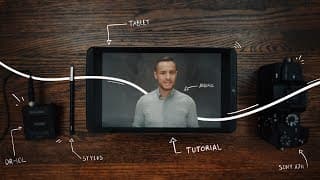
How to DOODLE on photos!
A tutorial on how to draw or doodle on your photos! The only thing you need is a photo, a phone, and an app! Hope you all enjoy 👍 Some Apps Mentioned: Infinite Painter - My Favourite Pro Create - Great for Apple Users Autodesk Sketchbook - Free for both platforms - great free alternative Intro: (00:00) Which App?: (00:18) App Set-up: (01:03) Start Drawing: (03:59) Exporting: (06:59) Tag Me!: (07:35) #DoodlePictures #andrik #doodletutorial
How to create RIPPED PAPER effect | Photoshop Tutorial
I wanted to give you guys a free overlay bundle and photoshop tutorial with 16 overlays including ripped paper effect, folded and crumpled paper effect, and noise and dust overlays! TO DOWNLOAD GO HERE: https://gumroad.com/andriklangfield 100% OFF DISCOUNT CODE: andrik-free-overlays 🙌🏼 Subscribe Here: https://www.youtube.com/channel/UC7KiITZsd_iV3L86bvvIa7Q?sub_confirmation=1 Included in Bundle | High-Resolution Images 4 Folded Paper Overlays 1 Crumpled Paper Overlay 3 Noise and Dust Overlays - Heavy, Medium, Light 3 Instagram 4x5 Cropped Ripped Paper Effect 5 More Ripped Paper Effects My Instagram: http://instagram.com/andrikalangfield How to Download for Free: (00:00) Folded Paper Overlay: (00:30) Dust + Noise Overlay: (02:55) Ripped Paper Overlay: (04:45) Ripped Paper Overlay 2: (07:13) Examples: (09:41) #photoshop #photoshoptutorial #andriklangfield

Made an $8 Blanket Ladder | Shot with a7iii + 28-70 Kit Lens - Test footage
We enjoyed making this short video only using the Sony Kit Lens 28-70mm on our a7iii, I hope you enjoy :) The wood and sandpaper cost us a total of $8, so we were pretty excited about that! Gear Used in Video: A7iii - https://amzn.to/2YPN6Lg Kit Lens - https://amzn.to/2WUSHNN Some affordable gear I own and recommend! a6000 - Love it, still use often - https://amzn.to/2AfdwM7 a6300 - My first decent camera, sold it to upgrade but definitely recommend it as a budget 4K camera - https://amzn.to/2yIuIcf Great budget full-frame lens - https://amzn.to/2WGuF8X Great tripod for around $100 - https://amzn.to/2YKqbAV My Instagram: http://instagram.com/andrikalangfield #andrik #cinematicvlog #kitlensvideo
How to improve your kit lens photography | 3 SIMPLE TIPS
Here are 3 simple tips and tricks that will help you improve your photography when using your kit lens or any other lens you already have! You don't need expensive cameras or lenses to take beautiful images, use what you already have! :) Thanks for watching and I hope you enjoy my tutorial 👍👍 Gear Used in Video: A7iii - https://amzn.to/2YPN6Lg A7ii - https://amzn.to/2WMQy6K Kit Lens - https://amzn.to/2WUSHNN Some affordable gear I own and recommend! a6000 - Love it, still use often - https://amzn.to/2AfdwM7 a6300 - My first decent camera, sold it to upgrade but definitely recommend it as a budget 4K camera - https://amzn.to/2yIuIcf Great budget full-frame lens - https://amzn.to/2WGuF8X Great tripod for around $100 - https://amzn.to/2YKqbAV My Instagram: http://instagram.com/andrikalangfield Intro: (00:00) Tip 1: (00:52) Tip 2: (01:26) Tip 3: (01:57) Outro: (02:42) #andriklangfield #tutorial #photographyhacks
Our greatest adventure yet!
#sandrik #sandrik2020 #family Boaz Theo Langfield
We got a REAL CHRISTMAS TREE this year!
We went to cut down our Christmas tree this year. Enjoy a little recap of our day and have a Merry Christmas!! SHOT WITH: Sony a7iii DJI Mavic Air 4K @ 24fps 1080 @ 60fps EDITED WITH: Premiere Pro CC #christmastree #sandrik #christmascinematic
4K Cinematic | Our Trip to Asia
We got to visit the Philippines, South Korea, and Japan, I hope you enjoy some of the footage we got from our trip to these countries! SHOT WITH: Sony a6300 & Sigma 30mm 1.4 DC DN Sony a6000 & 50mm 1.8 DJI Mavic Air 4K @ 24fps 1080 @ 120fps & 60fps & 24fps EDITED WITH: Premire Pro CC #philippines #sandrik #cinematicmemories
Our first Christmas as a married couple!
Cinematic Memories of our first Christmas as a married couple. SHOT WITH: Sony a6300 & Sigma 30mm 1.4 DC DN DJI Phantom 4 4K @ 24fps 1080 @ 120fps & 60fps EDITED WITH: Premire Pro CC MY GEAR: Sony a6300: http://amzn.to/2bL6T2t Sigma 30mm 1.4 DC DN: http://amzn.to/2gL1JJn Glidecam XR200 DJI Phantom 4 #christmas #sandrik #cinematicmemories

Family Time | Cinematic Memories
Cinematic Family Memory Video Cinematic Vlog SHOT WITH: Sony a6300 - https://amzn.to/3bBKKD2 Sigma 30mm 1.4 DC DN - https://amzn.to/2VAyrRZ DJI Phantom 4 - https://amzn.to/3bDS1lH 4K @ 24fps 1080 @ 120fps & 60fps EDITED WITH: Premire Pro CC MY GEAR: Sony A7iii - https://amzn.to/2xY6UAT Sony a6300: https://amzn.to/3bBKKD2 Sigma 30mm 1.4 DC DN: https://amzn.to/2VAyrRZ Zhiyun Crane V2 - https://amzn.to/2xY813z Glidecam XR200 DJI Phantom 4 - https://amzn.to/3bDS1lH Mavic Air - https://amzn.to/2VYYcug #andriklangfield #sandrik #cinematicmemories
A Quick Biking Adventure | Beautiful Sunset
Got to see a beautiful sunset while biking around the Hamilton waterfront! SHOT WITH: Sony a6300 & Sigma 30mm 1.4 DC DN DJI Phantom 4 4K @ 24fps 1080 @ 120fps & 60fps EDITED WITH: Premire Pro CC MY GEAR: Sony a6300: http://amzn.to/2bL6T2t Sigma 30mm 1.4 DC DN: http://amzn.to/2gL1JJn Glidecam XR200 DJI Phantom 4 #andriklangfield #sandrik #cinematicmemories
Iceland Cinematic Travel Video
A Cinematic Travel Video of our Honeymoon in Iceland SHOT WITH: Sony a6300 & Sigma 30mm 1.4 DC DN DJI Phantom 4 4K @ 24fps 1080 @ 120fps & 60fps EDITED WITH: Premire Pro CC MY GEAR: Sony a6300: http://amzn.to/2bL6T2t Sigma 30mm 1.4 DC DN: http://amzn.to/2gL1JJn Glidecam XR200 DJI Phantom 4 MUSIC: Torrid - Bradford Nyght
Niagara Falls
FOLLOW GLEN: https://www.instagram.com/glencuthbertphoto/ https://www.facebook.com/GlenCuthbertPhoto/ SHOT WITH: Sony a6300 & Sigma 30mm 1.4 DC DN DJI Phantom 4 4K @ 24fps 1080 @ 120fps & 60fps EDITED WITH: Premire Pro CC FOLLOW ME ON INSTAGRAM: https://www.instagram.com/the.alp.photography/ MY GEAR: Sony a6300: http://amzn.to/2bL6T2t Sigma 30mm 1.4 DC DN: http://amzn.to/2gL1JJn Glidecam XR200 DJI Phantom 4
4K Cinematic Travel Video | Cancun Mexico
SHOT WITH: Sony a6300 - https://amzn.to/3bBKKD2 Sigma 30mm 1.4 DC DN - https://amzn.to/2VAyrRZ DJI Phantom 4 - https://amzn.to/3bDS1lH 4K @ 24fps 1080 @ 120fps & 60fps EDITED WITH: Premire Pro CC FOLLOW ME ON INSTAGRAM: https://www.instagram.com/the.alp.photography/ MY GEAR: Sony A7iii - https://amzn.to/2xY6UAT Sony a6300: https://amzn.to/3bBKKD2 Sigma 30mm 1.4 DC DN: https://amzn.to/2VAyrRZ Zhiyun Crane V2 - https://amzn.to/2xY813z Glidecam XR200 DJI Phantom 4 - https://amzn.to/3bDS1lH Mavic Air - https://amzn.to/2VYYcug MUSIC: Tony Anderson - The King
Sony a6300 Test Footage | Sigma 30mm 1.4
SHOT WITH: Sony a6300 - https://amzn.to/3bBKKD2 Sigma 30mm 1.4 DC DN - https://amzn.to/2VAyrRZ DJI Phantom 4 - https://amzn.to/3bDS1lH 4K @ 24fps 1080 @ 120fps & 60fps EDITED WITH: Premire Pro CC MY GEAR: Sony A7iii - https://amzn.to/2xY6UAT Sony a6300: https://amzn.to/3bBKKD2 Sigma 30mm 1.4 DC DN: https://amzn.to/2VAyrRZ Zhiyun Crane V2 - https://amzn.to/2xY813z Glidecam XR200 DJI Phantom 4 - https://amzn.to/3bDS1lH Mavic Air - https://amzn.to/2VYYcug