Loading...
Warning: Channel ID is missing or invalid
Loading channel videos...

Loading channel videos...

NAB 2025 Interviews - Dehancer, Flanders Scientific, Omniscope and Cullen kelly!
Ride along as Mr Alex Tech and I hit the road from LA to Las Vegas, capturing the journey, the laughs, and the action from NAB 2025 — the biggest event in broadcast and content creation. Interviews with some of my favourite vendors and even a quick chat with Grant Petty, CEO and founder of Blackmagic design. Music used in this Vlog is from my favourite music library - audiio. → For 70% Discount on your first year of PRO, click the link here https://audiio.com/darrenmostyn & use code ‘darren’ at checkout I passed 200K Subscribers whilst out in Vegas with the Blackmagic team so that couldn't have been timed any better!! Thank you everyone who has Subscribed 🙏 Appreciated. Check out Mr Alex Tech's YouTube channel here @MrAlexTech Other YouTubers and vendors appearing in this video amongst many... @JamesWillettColour @thomlyons @frenchiecolorgrading @DaVinciMasterKey @Gedaly @JamieFenn @CullenKelly @team2films @Shopfsi @Dehancer @filmsbytomasz Watch my DaVinci Resolve version 20 tutorial videos here CHROMA WARPER https://youtu.be/D6GDV1c3LJs AI MAGIC MASK V2 https://youtu.be/DmQKedj3r2E MY FAVE NEW COLOR FEATURES https://youtu.be/QB_hkaixGTQ ⭐️ MY DISCOUNT CODES ⭐️ audiio Pro Get 70% off your first year subscription of Audiio PRO Just $59, featuring Hans AI by clicking this link https://audiio.com/darrenmostyn and enter code DARREN at checkout Mononodes 10% off all DCTLs from https://www.mononodes.com if you apply code DARREN at checkout. Dehancer 10% DISCOUNT on ANY Dehancer product using code DARREN10 at checkout https://www.dehancer.com MotionVFX Get 15% discount WITH THIS LINK: https://mvfx.co/DarrenMostyn and use code DARREN at checkout Nobe Omniscope 15% DISCOUNT Go to: https://timeinpixels.com/nobe-omniscope and choose the Video or Pro version. Enter code DARREN at checkout. ********************************** 🟣 DOWNLOAD MY FIXED NODE TREE FREE HERE ⬇︎ Subscribe to my FREE email list here https://bit.ly/2RrjvpN for free downloads, including my editors e-book & my FIXED NODE TREE and items coming in the future INCLUDING priority information on my next LIVE MASTERCLASS. ********************************** #davinciresolve20 #nabshow
Upgrade Fee Explained - Official #davinciresolve20

Is DaVinci Resolve going to be SUBSCRIPTION? - Official - UNEDITED!
Version 20 has been announced and Grant Petty, CEO, hinted at future upgrade fees - I spoke to Stuart Ashton, Director of Blackmagic Design EMEA for clarification. Quality is not great but it was a quick capture at the noisy NAB trade show! Watch my version 20 tutorial videos here CHROMA WARPER https://youtu.be/D6GDV1c3LJs AI MAGIC MASK V2 https://youtu.be/DmQKedj3r2E MY FAVE NEW COLOR FEATURES https://youtu.be/QB_hkaixGTQ 🇩🇪 GERMAN LANGUAGE - A detailed breakdown of this, in native German language, with my good friend @MarcoSchreiber can be found here - https://youtu.be/ufqEe9Otcbk ********************************** 🟣 DOWNLOAD MY FIXED NODE TREE FREE HERE ⬇︎ Subscribe to my FREE email list here https://bit.ly/2RrjvpN for free downloads, including my editors e-book & my FIXED NODE TREE and items coming in the future INCLUDING priority information on my next LIVE MASTERCLASS. ********************************** ⭐️ MY DISCOUNT CODES ⭐️ Mononodes 10% off all DCTLs from https://www.mononodes.com if you apply code DARREN at checkout. Dehancer 10% DISCOUNT on ANY Dehancer product using code DARREN10 at checkout https://www.dehancer.com MotionVFX Get 15% discount WITH THIS LINK: https://mvfx.co/DarrenMostyn and use code DARREN at checkout Audiio Pro Get 70% off your first year subscription of Audiio PRO Just $59, featuring Hans AI by clicking this link https://audiio.com/darrenmostyn and enter code DARREN at checkout Nobe Omniscope 15% DISCOUNT Go to: https://timeinpixels.com/nobe-omniscope and choose the Video or Pro version. Enter code DARREN at checkout. #davinciresolve20
Omniscope Exlusive Discount 25% - NAB Special Las Vegas
SPECIAL SHOW OFFER EXCLUSIVE TO MY CHANNEL UNTIL APRIL 15th Nobe Omniscope 25% DISCOUNT Go to: https://timeinpixels.com/nobe-omniscope and choose the Video or Pro version. Enter code DARREN at checkout.
The NEW Color Warper Tool in DaVinci Resolve 20 ! - Tutorial on CHROMA WARP
How to use the Chroma Warp in DaVinci Resolve 20 - I'm a UK Broadcast Colorist, using DaVinci Resolve professionally for 15 years. ********************************** 🟣 DOWNLOAD MY FIXED NODE TREE FREE HERE ⬇︎ Subscribe to my FREE email list here https://bit.ly/2RrjvpN for free downloads, including my editors e-book & my FIXED NODE TREE and items coming in the future INCLUDING priority information on my next LIVE MASTERCLASS. ********************************** ⭐️ MY DISCOUNT CODES ⭐️ Mononodes 10% off all DCTLs from https://www.mononodes.com if you apply code DARREN at checkout. Dehancer 10% DISCOUNT on ANY Dehancer product using code DARREN10 at checkout https://www.dehancer.com MotionVFX Get 15% discount WITH THIS LINK: https://mvfx.co/DarrenMostyn and use code DARREN at checkout Audiio Pro Get 70% off your first year subscription of Audiio PRO Just $59, featuring Hans AI by clicking this link https://audiio.com/darrenmostyn and enter code DARREN at checkout Nobe Omniscope 15% DISCOUNT Go to: https://timeinpixels.com/nobe-omniscope and choose the Video or Pro version. Enter code DARREN at checkout. #davinciresolve20
NEW! AI Magic Mask TUTORIAL in DaVinci Resolve 20 - Using a Real NETFLIX Show!
I'm a UK Broadcast Colorist, using DaVinci Resolve professionally for 15 years. In this episode I take an ACTUAL job (Channel 5 and Netflix)and show how improved the new AI Magic mask is and how to use it. Images used courtesy of Atticus Film & Television. ********************************** 🟣 DOWNLOAD MY FIXED NODE TREE FREE HERE ⬇︎ Subscribe to my FREE email list here https://bit.ly/2RrjvpN for free downloads, including my editors e-book & my FIXED NODE TREE and items coming in the future INCLUDING priority information on my next LIVE MASTERCLASS. ********************************** ⭐️ MY DISCOUNT CODES ⭐️ Mononodes 10% off all DCTLs from https://www.mononodes.com if you apply code DARREN at checkout. Dehancer 10% DISCOUNT on ANY Dehancer product using code DARREN10 at checkout https://www.dehancer.com MotionVFX Get 15% discount WITH THIS LINK: https://mvfx.co/DarrenMostyn and use code DARREN at checkout Audiio Pro Get 70% off your first year subscription of Audiio PRO Just $59, featuring Hans AI by clicking this link https://audiio.com/darrenmostyn and enter code DARREN at checkout Nobe Omniscope 15% DISCOUNT Go to: https://timeinpixels.com/nobe-omniscope and choose the Video or Pro version. Enter code DARREN at checkout. #davinciresolve20
NEW DaVinci Resolve 20 - My Favourite COLOR Features !
DaVinci Resolve Public Beta version 20 is here! - I'm a UK Broadcast Colorist, using Resolve professionally for 15 years. In this episode I take my first in-depth look at some of the exciting new features in DaVinci Resolve 20 and how I might use them in my broadcast workflow, plus 2 Bonus Audio features at the end!! If you are brand new to DaVinci Resolve watch this episode https://youtu.be/YbDRl_xugJo Images used courtesy of Atticus Film & Television and eye-cue Films. 00:00 Intro to DaVinci Resolve 20 00:18 How to use AI Magic Mask in Resolve 20 02:52 How to use new Depth Mask 03:55 Understand the new Chroma Warp in Resolve 20 05:53 Aces 2.0 Now supported in Resolve 20 06:01 OCIO in Resolve 06:24 How to make the GUI Vertical Resolution in Color Page 07:17 How to use Beat Markers for Music in Resolve 08:03 AI Music Editor for DaVinci Resolve 20 ********************************** 🟣 DOWNLOAD MY FIXED NODE TREE FREE HERE ⬇︎ Subscribe to my FREE email list here https://bit.ly/2RrjvpN for free downloads, including my editors e-book & my FIXED NODE TREE and items coming in the future INCLUDING priority information on my next LIVE MASTERCLASS. ********************************** ⭐️ MY DISCOUNT CODES ⭐️ Mononodes 10% off all DCTLs from https://www.mononodes.com if you apply code DARREN at checkout. Dehancer 10% DISCOUNT on ANY Dehancer product using code DARREN10 at checkout https://www.dehancer.com MotionVFX Get 15% discount WITH THIS LINK: https://mvfx.co/DarrenMostyn and use code DARREN at checkout Audiio Pro Get 70% off your first year subscription of Audiio PRO Just $59, featuring Hans AI by clicking this link https://audiio.com/darrenmostyn and enter code DARREN at checkout Nobe Omniscope 15% DISCOUNT Go to: https://timeinpixels.com/nobe-omniscope and choose the Video or Pro version. Enter code DARREN at checkout. #davinciresolve20
UK Pro Broadcast Colourist LIVE MasterClass! [BBC, ITV, Amazon] #colorgrading
My 4 day (16 hours) LIVE Masterclass Tickets and details are NOW ON SALE here https://courses.darrenmostyn.com/aopcg-2025/ Livestream Q&A timestamped with course outline here https://youtube.com/live/y2S4rg21Kz8?feature=share This is the only time I will run this course in 2025! There is also a guarantee that the price stays the same for everyone - no last minute discounts, but tickets stop selling once reach 200 to keep the Q&A good for everyone. You will get the recording each day to playback for lifetime as many times as you like, so If you cannot attend live you wont miss out on anything. Pus access to my private Facebook Group which is fantastic with monthly live meetings and valuable work critique. ! $7000 of prizes to give away too, even if you cannot live you are in the draw each day.
How to Grade an URSA CINE 12K Scene with NO PAID PLUGINS! - UK Pro Colourist (BBC, NETFLIX)
I'm a UK PRO Colorist grading for BBC, Netflix, Amazon, ITV, C4 and others. I take my first look at the NEW Ursa Cine 12K and see just how well the footage grades . I'll grade a COMPLETE SCENE from start to finish with NO PAID 3rd party plugins. Footage courtesy @team2films Music by audiio (discount for 1 year subscription below) ✅ Team 2 Films Video reviewing URSA CINE 12K https://youtu.be/_-o-YYZE3D0?feature=shared ✅ JP-2499_DRT link here https://github.com/JuanPabloZambrano/DCTL/tree/main/2499_DRT Videos mentioned in this episode listed here ✅ My Colour Management Video for Beginners https://youtu.be/c4AVwVdKTHc Colour Management EASY https://youtu.be/8geDbNpH5cI Are You Color Space Aware? https://youtu.be/CtSBVKmHkjU CST Anxiety? ✅ My Best NODE TREE Video https://youtu.be/kdTMRQP_V7E ✅WATCH COLOUR SHIFT EPISODE HERE https://youtu.be/yZ9OGyhE4F8 00:00 INTRO 00:40 Playback speed 01:00 Project settings in resolve 02:26 Analysing the footage 02:41 Where to start color grading Ursa Cine 12K 02:55 working with a fixed node tree in resolve 03:54 colour space settings for Ursa Cine 12K 05:09 What is JP 2499 DRT DCTL? 06:57 first balance for color grade 08:44 How to use Film Look Creator in Resolve? 11:00 Balancing and grading the shots 13:06 Hue Vs Hue Curves in Resolve 13:50 Power Windows in resolve 14:55 Using Contrast Pop OFX in Resolve 16:00 How to grade a look across a scene in Resolve ? 17:40 How to add density to a shot in Resolve? 19:00 Balancing the scene ********************************** 🟣 DOWNLOAD MY FIXED NODE TREE FREE HERE ⬇︎ & GET FIRST MASTERCLASS DETAILS! Subscribe to my FREE email list here https://bit.ly/2RrjvpN for free downloads, including my editors e-book & my FIXED NODE TREE and items coming in the future INCLUDING priority information on my ONLY 2025 4 day LIVE MASTERCLASS in March! ********************************** ⭐️ MY DISCOUNT CODES ⭐️ Mononodes 10% off all DCTLs from https://www.mononodes.com if you apply code DARREN at checkout. Dehancer 10% DISCOUNT on ANY Dehancer product using code DARREN10 at checkout https://www.dehancer.com MotionVFX Get 15% discount WITH THIS LINK: https://mvfx.co/DarrenMostyn and use code DARREN at checkout Audiio Pro Get 70% off your first year subscription of Audiio PRO Just $59, featuring Hans AI by clicking this link https://audiio.com/darrenmostyn and enter code DARREN at checkout Nobe Omniscope 15% DISCOUNT Go to: https://timeinpixels.com/nobe-omniscope and choose the Video or Pro version. Enter code DARREN at checkout. #ursacine12k #gradingtutorial #resolve19
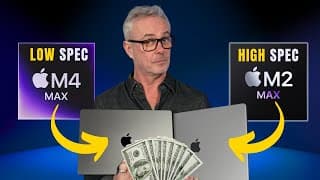
M2 Max BEST vs M4 Max LOWEST Option for RESOLVE - In just 3 minutes
I bought BOTH and kept just ONE!!! Running DaVinci Resolve Studio 19.1.3 in a test to see which of these laptops is faster! Thanks to Team 2 Films for the project - link below. Details of my upcoming LIVE MASTERCLASS "The Art of Professional Color Grading" in March 2025 coming SOON - ONLY ONE THIS YEAR - Strictly Limited Tickets! Sign up to my FREE email list to be notified https://bit.ly/2RrjvpN. If you have already signed up you'll be notified soon. 00:00 INTRO 01:56 How fast is M2 MAX MacBook Pro with Resolve? 02:24 How fast is M4 Max MacBook Pro with Resolve? 🟣 Watch Team2Films Benchmark Test episode... https://youtu.be/7aKttjfY-Og?feature=shared ❗️Same test for comparison H264 Render on my main grading suite - Mac Studio M2 ULTRA 24 Core CPU, 76 Core GPU, 128GB Unified Memory = 2'52" (232 seconds). ✅ DISCOUNTS ✅ Mononodes 10% off all DCTLs from https://www.mononodes.com if you apply code DARREN at checkout. WATCH COLOUR SHIFT EPISODE HERE https://youtu.be/yZ9OGyhE4F8 MotionVFX Get 15% discount WITH THIS LINK: https://mvfx.co/DarrenMostyn and use code DARREN at checkout Dehancer 10% DISCOUNT on ANY Dehancer product using code DARREN10 at checkout https://www.dehancer.com Audiio Pro Get 70% off your first year subscription of Audiio PRO Just $59, featuring Hans AI by clicking this link https://audiio.com/darrenmostyn and enter code DARREN at checkout Nobe Omniscope 15% DISCOUNT Go to: https://timeinpixels.com/nobe-omniscope and choose the Video or Pro version. Enter code DARREN at checkout. ********************************** ✅ DOWNLOAD MY FIXED NODE TREE FREE HERE ⬇︎ Subscribe to my FREE email list here https://bit.ly/2RrjvpN for free downloads, including my editors e-book & my FIXED NODE TREE and items coming in the future INCLUDING priority information on my ONLY 2025 4 day LIVE MASTERCLASS in March! ********************************** #macbookpro #applem4 #resolve19.1.3
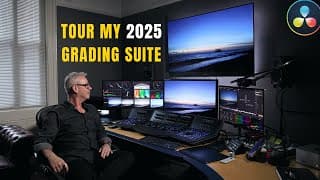
Inside my PRO Grading Suite and Investments for 2025 - inc. YouTube Setup
Every Item of kit in my Grading Suite, how its connected AND What have I INVESTED in ready for 2025 for my colour work for BBC, Amazon, Netflix, Channel 5, Channel 4, ITV, SKY TV, Music Videos, TV Ads, Branded Content and much more. ✅ DISCOUNTS ✅ Mononodes 10% off all DCTLs from https://www.mononodes.com if you apply code DARREN at checkout. WATCH COLOUR SHIFT EPISODE HERE https://youtu.be/yZ9OGyhE4F8 MotionVFX Get 15% discount WITH THIS LINK: https://mvfx.co/DarrenMostyn and use code DARREN at checkout Dehancer 10% DISCOUNT on ANY Dehancer product using code DARREN10 at checkout https://www.dehancer.com Audiio Pro Get 70% off your first year subscription of Audiio PRO Just $59, featuring Hans AI by clicking this link https://audiio.com/darrenmostyn and enter code DARREN at checkout Nobe Omniscope 15% DISCOUNT Go to: https://timeinpixels.com/nobe-omniscope and choose the Video or Pro version. Enter code DARREN at checkout. ********************************** ✅ DOWNLOAD MY FIXED NODE TREE FREE HERE ⬇︎ Subscribe to my FREE email list here https://bit.ly/2RrjvpN for free downloads, including my editors e-book & my FIXED NODE TREE and items coming in the future INCLUDING priority information on my ONLY 2025 4 day LIVE MASTERCLASSES.. **********************************

How to PROTECT Yourself from AI Cloning in 2025!
In October 2024, A Youtube channel cloned my voice, WITHOUT my permission, and used it on 5 videos - declaring I gave permission. You can hear the clones in this episode and hear what AI Speech tech guru's, Eleven Labs, had to say about it. SORA is coming - we need to be ready for Clone Wars! The timing could not be more appropriate. YouTube have just enabled automatic language dubbing on my channel so you can HEAR this episode in French German Italian Portuguese Spanish Hindi (experimental) Indonesian (experimental) Japanese (experimental) ✅See my DaVinci Resolve Favourite Episodes here https://www.youtube.com/playlist?list=PL6VNHhfsVYJYYSUzuqVBSAjAFx1Divx03 To donate a coffee if you enjoyed this episode - https://www.buymeacoffee.com/darrenmostyn ✅ DISCOUNTS ✅ Music in this video is from Audiio Get 70% off your first year subscription of Audiio PRO by clicking this link https://audiio.com/darrenmostyn and enter code DARREN at checkout MotionVFX Get 15% discount WITH THIS LINK: https://mvfx.co/DarrenMostyn and use code DARREN at checkout Dehancer 10% DISCOUNT on ANY Dehancer product using code DARREN10 at checkout https://www.dehancer.com Nobe Omniscope 15% DISCOUNT Go to: https://timeinpixels.com/nobe-omniscope and choose the Video or Pro version. Enter code DARREN at checkout. Mononodes 10% off all DCTLs from https://www.mononodes.com if you apply code DARREN at checkout. ********************************** ✅ DOWNLOAD MY FIXED NODE TREE FREE HERE ⬇︎ Subscribe to my FREE email list here https://bit.ly/2RrjvpN for free downloads, including my editors e-book & my FIXED NODE TREE and items coming in the future INCLUDING priority information on my 4 day LIVE MASTERCLASSES.. ********************************** #elevenlabs #aivoice #sora
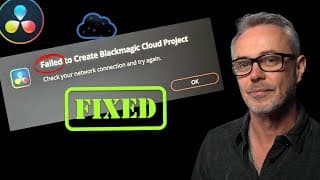
Failed to Create CLOUD Project - EASY FIX!
✅I've curated my favourite episodes here - https://www.youtube.com/playlist?list=PL6VNHhfsVYJYYSUzuqVBSAjAFx1Divx03 James Willett YouTube channel https://www.youtube.com/@JamesWillettColour ✅ DISCOUNTS ✅ Mononodes 10% off all DCTLs from https://www.mononodes.com if you apply code DARREN at checkout. MotionVFX Get 15% discount WITH THIS LINK: https://mvfx.co/DarrenMostyn and use code DARREN at checkout Dehancer 10% DISCOUNT on ANY Dehancer product using code DARREN10 at checkout https://www.dehancer.com Nobe Omniscope 15% DISCOUNT Go to: https://timeinpixels.com/nobe-omniscope and choose the Video or Pro version. Enter code DARREN at checkout. Audiio Get 70% off your first year subscription of Audiio PRO by clicking this link https://audiio.com/darrenmostyn and enter code DARREN at checkout ********************************** ✅ DOWNLOAD MY FIXED NODE TREE and OTHER GOODIES FREE HERE ⬇︎ Subscribe to my FREE email list here https://bit.ly/2RrjvpN for free downloads, including my editors e-book & my FIXED NODE TREE and items coming in the future INCLUDING priority information on my 4 day LIVE MASTERCLASSES.. **********************************
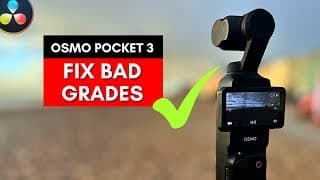
Grading D-Log M & HLG with OSMO POCKET 3 - Best PRO Tips inc. COLOR MANAGEMENT
Get 70% off your first year subscription of Audiio PRO Just $59, featuring Hans AI by clicking this link https://audiio.com/darrenmostyn and enter code DARREN at checkout How to correctly Colour Manage Osmo Pocket 3 footage and some tips to get the very best out of the images. Ive been a professional colourist for over 18 years now - clients regularly include BBC, Amazon, Netflix, ITV to name just a few. My Colour Management Video for Beginners https://youtu.be/c4AVwVdKTHc WATCH COLOUR SHIFT EPISODE HERE https://youtu.be/yZ9OGyhE4F8 DJI Download Page for the LUT https://www.dji.com/uk/downloads/products/osmo-pocket-3#transcoding 00:00 How to Grade D-log M Intro 01:12 Different colour space settings on DJI Osmo pocket 3 01:40 Edit fix for Gimbal horizon straighten 02:58 AI Audio demo 04:59 How to set D-Log M color management? 07:18 Is D-log M the same as D-Log ? 07:29 How to download and install D-log M LUT to Resolve? 08:15 Do I put D-log M Lut at beinning or end of node? 10:00 Best grading tips for DJI Osmo pocket 3 10:35 Tips and Tricks for grading Osmo pocket 3 - sharpening techniques 13:42 Look enhance with Mononodes on DJI footage 14:10 How to Grade Normal mode on DJI 14:59 How to Grade HLG footage from DJI ✅ DISCOUNTS ✅ Mononodes 10% off all DCTLs from https://www.mononodes.com if you apply code DARREN at checkout. WATCH COLOUR SHIFT EPISODE HERE https://youtu.be/yZ9OGyhE4F8 MotionVFX Get 15% discount WITH THIS LINK: https://mvfx.co/DarrenMostyn and use code DARREN at checkout Dehancer 10% DISCOUNT on ANY Dehancer product using code DARREN10 at checkout https://www.dehancer.com Nobe Omniscope 15% DISCOUNT Go to: https://timeinpixels.com/nobe-omniscope and choose the Video or Pro version. Enter code DARREN at checkout. ********************************** ✅ DOWNLOAD MY FIXED NODE TREE FREE HERE ⬇︎ Subscribe to my FREE email list here https://bit.ly/2RrjvpN for free downloads, including my editors e-book & my FIXED NODE TREE and items coming in the future INCLUDING priority information on my 4 day LIVE MASTERCLASSES.. **********************************
Subscribers Fixed my Problem
For 15% DISCOUNT on these Fantastic scopes goto https://timeinpixels.com/nobe-omniscope and choose the Video or Pro version. Enter code DARREN at checkout. ✅Watch the episode on Omniscopes here https://youtu.be/S7lD7ireJt0https://youtu.be/S7lD7ireJt0 FREE DOWNLOAD of my 2 preset layouts for Omniscope Pro here https://bit.ly/2RrjvpN . If you have already subscribed to my FREE email newsletter you have been sent these presets in a separate email automatically. ✅ DISCOUNTS ✅ Nobe Omniscope NOVEMBER 18TH UNTIL NOVEMBER 30TH 35% DISCOUNT Go to: https://timeinpixels.com/nobe-omniscope and choose the Video or Pro version. Enter code DARREN at checkout. Mononodes 10% off all DCTLs from https://www.mononodes.com if you apply code DARREN at checkout. MotionVFX Get 15% discount WITH THIS LINK: https://mvfx.co/DarrenMostyn and use code DARREN at checkout Dehancer 10% DISCOUNT on ANY Dehancer product using code DARREN10 at checkout https://www.dehancer.com Nobe Omniscope Go to: https://timeinpixels.com/nobe-omniscope and choose the Video or Pro version. Enter code DARREN at checkout for 15% Discount Audiio Get 70% off your first year subscription of Audiio PRO by clicking this link https://audiio.com/darrenmostyn and enter code DARREN at checkout ********************************** ✅ DOWNLOAD MY OMNISCOPE PRESETS & FIXED NODE TREE FREE HERE ⬇︎ Subscribe to my FREE email list here https://bit.ly/2RrjvpN for free downloads, including my editors e-book & my FIXED NODE TREE, My Omniscope layout and items coming in the future INCLUDING priority information on my 4 day LIVE MASTERCLASSES.. ********************************** #Scopes #Omniscope #BlackFriday
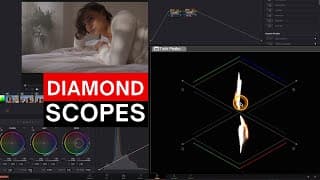
Why I LOVE These NEW Scopes! EASY to Balance Shots.
How to use the Twin Peaks Scope and see which scopes I use on my Broadcast jobs. *Note that the overlay trick I do at 11:09 only works with Omniscope if set up as an external scope and not as an OFX Plugin* For 15% DISCOUNT on these Fantastic scopes goto https://timeinpixels.com/nobe-omniscope and choose the Video or Pro version. Enter code DARREN at checkout. Nobe Omniscope is the most important addition to my Colour Grading suite. In this episode I'll show you all my settings and how to grade shots EASILY using the Classic Diamond "Twin Peaks" scope. For 15% DISCOUNT on these Fantastic scopes goto https://timeinpixels.com/nobe-omniscope and choose the Video or Pro version. Enter code DARREN at checkout. FREE DOWNLOAD of my 2 preset layouts for Omniscope Pro here https://bit.ly/2RrjvpN . If you have already subscribed to my FREE email newsletter you have been sent these presets in a separate email automatically. 00:00 How to use Scopes for balancing tutorial 01:00 How to Customise DaVinci Resolve scopes? 01:52 How to install Nobe Omniscope? 02:41 How do I configure my Scopes? 03:20 How to set up LMH Vectorscope In DaVinci Resolve? 04:18 My custom set up in Nobe Omniscope. 06:21 Difference between Video and Pro version of Omniscope? 07:02 How to Customise Nobe Omniscope? 08:22 How to use Twin Peaks Scopes? 11:09 Using DaVinci Resolve Versions for balancing 13:11 How to Balance Shots using HDR tool 14:26 Discount Code for Nobe Omniscope Footage courtesy of Arri, Delta Sleep, Jonny Finnis and Josh Gudgeon. ✅ DISCOUNTS ✅ Mononodes 10% off all DCTLs from https://www.mononodes.com if you apply code DARREN at checkout. MotionVFX Get 15% discount WITH THIS LINK: https://mvfx.co/DarrenMostyn and use code DARREN at checkout Dehancer 10% DISCOUNT on ANY Dehancer product using code DARREN10 at checkout https://www.dehancer.com Nobe Omniscope 15% DISCOUNT Go to: https://timeinpixels.com/nobe-omniscope and choose the Video or Pro version. Enter code DARREN at checkout. Audiio Get 70% off your first year subscription of Audiio PRO by clicking this link https://audiio.com/darrenmostyn and enter code DARREN at checkout ********************************** ✅ DOWNLOAD MY OMNISCOPE PRESETS & FIXED NODE TREE FREE HERE ⬇︎ Subscribe to my FREE email list here https://bit.ly/2RrjvpN for free downloads, including my editors e-book & my FIXED NODE TREE, My Omniscope layout and items coming in the future INCLUDING priority information on my 4 day LIVE MASTERCLASSES.. ********************************** #Scopes #Omniscope #TwinPeaks
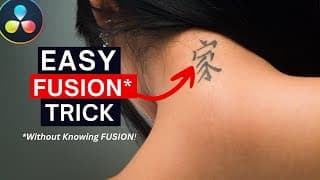
ZERO Fusion Knowledge - PRO Skin Mark Removal in Under 8 Mins!
How to use Fusion to do this WITHOUT any understanding of Fusion!! UK Broadcast Colourist (BBC, Amazon, Netflix and 18 years more with many...) shows you how to remove Tattoos, birthmarks, scars and any blemishes easily and convincingly with some tricks along the way! ✅Watch my other Resolve FX episodes here https://www.youtube.com/playlist?list=PL6VNHhfsVYJaF_Hv-I23768MnVvHux1VE 00:00 Understanding the Client Brief 01:02 How to remove a tattoo in Color Page? 01:40 How to use the Patch Replacer Effect in Resolve? 02:30 How to use the FX Tracker in Resolve 03:14 Why did I use Fusion? 03:35 How to remove skin marks and tattoos in Fusion 04:06 Why does Color grade not seen in Fusion? 04:40 How to paint out skin marks in Fusion 05:55 How to use IntelliTrack in Fusion ? 06:55 Bypass Fusion only in the Color page ✅ DISCOUNTS ✅ Mononodes 10% off all DCTLs from https://www.mononodes.com if you apply code DARREN at checkout. MotionVFX Get 15% discount WITH THIS LINK: https://mvfx.co/DarrenMostyn and use code DARREN at checkout Dehancer 10% DISCOUNT on ANY Dehancer product using code DARREN10 at checkout https://www.dehancer.com Nobe Omniscope 15% DISCOUNT Go to: https://timeinpixels.com/nobe-omniscope and choose the Video or Pro version. Enter code DARREN at checkout. Audiio Get 70% off your first year subscription of Audiio PRO by clicking this link https://audiio.com/darrenmostyn and enter code DARREN at checkout ********************************** ✅ DOWNLOAD MY FIXED NODE TREE FREE HERE ⬇︎ Subscribe to my FREE email list here https://bit.ly/2RrjvpN for free downloads, including my editors e-book & my FIXED NODE TREE and items coming in the future INCLUDING priority information on my 4 day LIVE MASTERCLASSES.. ********************************** ** If you want to say "thank you" then you can 'buy me a coffee' if you like. always appreciated and with a personal thank you AND get your name posted on my next YouTube LIVE** https://www.buymeacoffee.com/darrenmostyn #BeautyWork #PatchReplacer #Fusion
My GOTO DCTL For My Latest Broadcast Jobs!
10% off all DCTLs from https://www.mononodes.com if you apply code DARREN at checkout. My NEW favourite DCTL Im using on my last few broadcast colour grades shown here. Also the Utility tool from Mononodes has had a fantatsic update - I'll show you some tips and tricks with it in this episode. 00:00 Intro 01:00 What is a DCTL? 01:27 How to install a DCTL? 02:19 What is a DCTL? 03:08 Colour Shaper DCTL NE? 04:59 What is the Colour Shaper DCTL for? 05:16 How to use Colour Shaper DCTL? 07:34 Is Color Slice the same as a DCTL? 09:28 Color Shaper DCTL in depth 13:45 Utility DCTL update reviewed 14:40 Where to put Utility DCTL and great TIP! 17:10 What is Utility DCTL? 18:10 New update features to Utility DCTL ✅Watch my other Resolve DCTL episodes here https://youtu.be/yZ9OGyhE4F8 ✅Watch Stefans in-depth look at the Utility DCTL here https://youtu.be/-LePsVjMgtg?feature=shared ✅ DISCOUNTS ✅ MotionVFX Get 15% discount WITH THIS LINK: https://mvfx.co/DarrenMostyn and use code DARREN at checkout Dehancer 10% DISCOUNT on ANY Dehancer product using code DARREN10 at checkout https://www.dehancer.com Nobe Omniscope 15% DISCOUNT Go to: https://timeinpixels.com/nobe-omniscope and choose the Video or Pro version. Enter code DARREN at checkout. Mononodes 10% off all DCTLs from https://www.mononodes.com if you apply code DARREN at checkout. Audiio Get 70% off your first year subscription of Audiio PRO by clicking this link https://audiio.com/darrenmostyn and enter code DARREN at checkout ********************************** ✅ DOWNLOAD MY FIXED NODE TREE FREE HERE ⬇︎ Subscribe to my FREE email list here https://bit.ly/2RrjvpN for free downloads, including my editors e-book & my FIXED NODE TREE and items coming in the future INCLUDING priority information on my 4 day LIVE MASTERCLASSES.. ********************************** #DCTL #Resolve19 #davinciresolvetutorial
NOW It's Useable! WHY?
UK Broadcast Colourist (BBC, Amazon and 18 years more with many...) shows you how the Face Refinement tool has just had an upgrade in DaVinci Resolve Version 19 making it now much more useable! I'll show you how to use this great feature and also ONE NEW menu inside that has changed my Colour grading workflow. 00:00 Intro 00:33 What is the Face Refinement tool in Resolve 19? 01:14 How to track with Face Refinement? 02:03 How to fix bad tracking in Face Refinement 19? 03:04 Interpolate Keyframe in Resolve Face Refinement tool 05:38 How to Detect multiple faces in Face Refinement effect? 06:32 Mask adjustment in Resolve 19 Face Refinement version 07:43 How to use the Beauty tool in Face Refinement? 09:57 Shine Removal in the Face Refinement tool 10:40 Good Eye enhancement techniques in Face Refinement effect 12:20 How to use Side Lighting in Resolve 19 Face Refinement effect? ✅Watch my other Resolve FX episodes here https://www.youtube.com/playlist?list=PL6VNHhfsVYJaF_Hv-I23768MnVvHux1VE To donate a coffee if you enjoyed this episode - https://www.buymeacoffee.com/darrenmostyn ✅ DISCOUNTS ✅ MotionVFX Get 15% discount WITH THIS LINK: https://mvfx.co/DarrenMostyn and use code DARREN at checkout Dehancer 10% DISCOUNT on ANY Dehancer product using code DARREN10 at checkout https://www.dehancer.com Nobe Omniscope 15% DISCOUNT Go to: https://timeinpixels.com/nobe-omniscope and choose the Video or Pro version. Enter code DARREN at checkout. Mononodes 10% off all DCTLs from https://www.mononodes.com if you apply code DARREN at checkout. Audiio Get 70% off your first year subscription of Audiio PRO by clicking this link https://audiio.com/darrenmostyn and enter code DARREN at checkout ********************************** ✅ DOWNLOAD MY FIXED NODE TREE FREE HERE ⬇︎ Subscribe to my FREE email list here https://bit.ly/2RrjvpN for free downloads, including my editors e-book & my FIXED NODE TREE and items coming in the future INCLUDING priority information on my 4 day LIVE MASTERCLASSES.. ********************************** #faceRefinement #Resolve19 #davinciresolvetutorial
Watch these 25 mins to FULLY Understand Color Management [Beginners Guide]
I am a Professional UK Broadcast Colourist with 15 years grading experience on DaVinci Resolve (for BBC, Amazon, ITV, Sky and many more). In this episode I'll teach you ALL the different ways to colour manage your footage, including ACES and WHY and the difference between all the options. 00:00 Intro 04:24 How to use CSTs to match cameras 05:21 Introduction to using ACES 05:52 What is the difference between ACES cc and ACES cct? 06:14 How do you set up an ACES project? 07:07 What is Aces? 08:49 How to tell ACES what the source is using IDT? 09:30 What is the difference between AP0 and AP1? 12:26 How do you set up Resolve Color Management (RCM)? 15:53 What is the difference between ACES and Resolve RCM? 17:46 Comparing ACES and Resolve Color Management 18:50 Using ACES with Nodes in Resolve 21:39 Creating Looks and LUTs for an ACES workflow 22:39 How do you use Color management if you don't know the camera? ✅Watch my CSTs explained episode here https://youtu.be/CtSBVKmHkjU Footage in this episode courtesy of eye-cue films, Blackmagic Design, Arri, Johnny Figgis & Delta Sleep. Special Thanks to Diego Yhama for his expert advice on ACES. ✅ DISCOUNTS ✅ MotionVFX Get 15% discount WITH THIS LINK: https://mvfx.co/DarrenMostyn and use code DARREN at checkout Dehancer 10% DISCOUNT on ANY Dehancer product using code DARREN10 at checkout https://www.dehancer.com Nobe Omniscope 15% DISCOUNT Go to: https://timeinpixels.com/nobe-omniscope and choose the Video or Pro version. Enter code DARREN at checkout. Mononodes 10% off all DCTLs from https://www.mononodes.com if you apply code DARREN at checkout. Audiio Get 70% off your first year subscription of Audiio PRO by clicking this link https://audiio.com/darrenmostyn and enter code DARREN at checkout ********************************** ✅ DOWNLOAD MY FIXED NODE TREE FREE HERE ⬇︎ Subscribe to my FREE email list here https://bit.ly/2RrjvpN for free downloads, including my editors e-book & my FIXED NODE TREE and items coming in the future INCLUDING priority information on my 4 day LIVE MASTERCLASSES.. ********************************** ** If you want to say "thank you" then you can 'buy me a coffee' if you like. always appreciated and with a personal thank you AND get your name posted on my next YouTube LIVE** https://www.buymeacoffee.com/darrenmostyn #colormanagement #ACES #davinciresolvetutorial
Resolvecon starts on Wednesday! Register for free seminars prizes and VIP sessions!
#shorts
Just Got BETTER! NEW Beta v5 - Film Look Creator UPDATED & MotionVFX plugin tour.
Im a PRO UK Colourist of 17 years (BBC, Amazon, ITV etc) Last week I showed you how Film Look Creator works and just 1 week later they have added a fantastic new feature with release of beta version 5 ✅Watch my Film Look Creator episode here https://youtu.be/kWVEzG72fpc ✅Watch my CSTs explained episode here https://youtu.be/CtSBVKmHkjU Footage in this episode courtesy of eye-cue films. ✅ DISCOUNTS ✅ MotionVFX (30% Discount offer now expired but take 15% here...) Get 15% discount WITH THIS LINK: https://mvfx.co/DarrenMostyn and use code DARREN at checkout Dehancer 10% DISCOUNT on ANY Dehancer product using code DARREN10 at checkout https://www.dehancer.com Nobe Omniscope 15% DISCOUNT Go to: https://timeinpixels.com/nobe-omniscope and choose the Video or Pro version. Enter code DARREN at checkout. Mononodes 10% off all DCTLs from https://www.mononodes.com if you apply code DARREN at checkout. Audiio Get 70% off your first year subscription of Audiio PRO by clicking this link https://audiio.com/darrenmostyn and enter code DARREN at checkout ********************************** ✅ DOWNLOAD MY FIXED NODE TREE FREE HERE ⬇︎ Subscribe to my FREE email list here https://bit.ly/2RrjvpN for free downloads, including my editors e-book & THE FIXED NODE TREE and items coming in the future INCLUDING priority information on my 4 day LIVE MASTERCLASSES.. ********************************** #filmlookcreator #davinciresolve19beta5 #colorgrading
How Good is FILM LOOK CREATOR ? - DaVinci Resolve Studio 19
Im a PRO UK Colourist of 17 years (BBC, Amazon, ITV etc) and going to show you how I usually create my film looks with Dehancer and then I'll do the same with the new Film Look Creator tool in this DaVinci Resolve 19 Tutorial, putting it through a real test! Learn how to create great Looks easily Update - NEW Beta v5 - Film Look Creator UPDATED https://youtu.be/owoABTp6NFw ✅Watch my BEST Node Tree episode here https://youtu.be/kdTMRQP_V7E ✅Watch my CSTs explained episode here https://youtu.be/CtSBVKmHkjU Footage in this episode courtesy of eye-cue films. ✅ DISCOUNTS ✅ Dehancer 10% DISCOUNT on ANY Dehancer product using code DARREN10 at checkout https://www.dehancer.com Nobe Omniscope 15% DISCOUNT Go to: https://timeinpixels.com/nobe-omniscope and choose the Video or Pro version. Enter code DARREN at checkout. MotionVFX Get 15% discount WITH THIS LINK: https://mvfx.co/DarrenMostyn and use code DARREN at checkout Mononodes 10% off all DCTLs from https://www.mononodes.com if you apply code DARREN at checkout. Audiio Get 70% off your first year subscription of Audiio PRO by clicking this link https://audiio.com/darrenmostyn and enter code DARREN at checkout ********************************** ✅ DOWNLOAD MY FIXED NODE TREE FREE HERE ⬇︎ Subscribe to my FREE email list here https://bit.ly/2RrjvpN for free downloads, including my editors e-book & THE FIXED NODE TREE and items coming in the future INCLUDING priority information on my 4 day LIVE MASTERCLASSES.. ********************************** #filmlookcreator #davinciresolvetutorial #colorgrading

THE BEST Resolve Node Tree - Which Colorist ? Cullen & Darren Discuss! UNCUT GOLD!
I was in LA in April and popped in to have a chat with my Colourist friend Cullen Kelly. Both our node trees/ node graphs are different and I asked him about this, and many other questions, including some from viewers on my channel. This is UNCUT - Our whole conversation. A huge THANK YOU to Mark Todd Osbourne, Dan Swierenga, Gedaly Guberek for your time and hospitality whilst I was in LA. I also had the pleasure of a morning coffee with Lynette Duensing just before seeing Cullen! Of course a huge thanks to Cullen for giving up an afternoon (and evening!) for me. You might spot a few other YouTubers in the opening!! Subtitles generated by me so should be good in English. Music in this episode is from Audiio Get 70% off your first year subscription of Audiio PRO by clicking this link https://audiio.com/darrenmostyn and enter code DARREN at checkout ********************************** ✅ DOWNLOAD MY NODE TREE FREE HERE ⬇︎ Subscribe to my FREE email list here https://bit.ly/2RrjvpN for free downloads, including my editors e-book & my FIXED NODE TREE and items coming in the future INCLUDING priority information on my 4 day LIVE MASTERCLASS IN MAY! ********************************** ✅ Watch MY Perfect Node Tree episode here https://youtu.be/kdTMRQP_V7E ______________________________________________________ ✅ DISCOUNT CODES ✅ Music in this episode is from Audiio Get 70% off your first year subscription of Audiio PRO by clicking this link https://audiio.com/darrenmostyn and enter code DARREN at checkout For ENTERPRISE, simply mention my name as a referral. MONONODES 10% off all DCTLs from https://www.mononodes.com if you apply code DARREN at checkout Nobe Omniscope 15% DISCOUNT Go to: https://timeinpixels.com/nobe-omniscope and choose the Video or Pro version. Enter code DARREN at checkout. MotionVFX (all graphics in this episode use MotionVFX) Get 15% discount WITH THIS LINK: https://mvfx.co/DarrenMostyn and use code DARREN at checkout Dehancer 10% DISCOUNT on ANY Dehancer product using code DARREN10 at checkout https://www.dehancer.com ** If you want to say "thank you" then you can 'buy me a coffee' if you like. always appreciated and with a personal thank you AND get your name posted on my next YouTube LIVE** https://www.buymeacoffee.com/darrenmostyn #colorist #cullenkelly #nodes
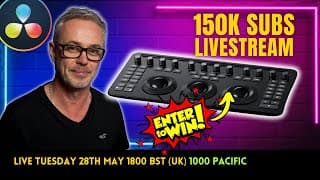
150K Subscribers - Thanks LIVESTREAM - WIN the NEW Resolve Micro Color Panel
50% discount on tickets for DaVinci Resolve Live European Tour with code DRLIVEDM50 at checkout https://www.blackmagicdesign.com/uk/event/davinci-resolve-live-tour/ FREE Micro Color panel Giveaway, a special guest and help me celebrate my 150,000 subscribers on this fun Livestream. Im giving you the chance to WIN a Resolve Micro Color Panel - The winner will be announced on the Livestream and must be present. Simply enter the words '150k' on the comments in this video LINKED HERE to be entered. https://youtu.be/-ITAKJMloHI Multiple entries in the comments will be disqualified automatically Note this is a different video to this livestream link! I am also giving away 20 FREE tickets to each event! You can get 50% discount by entering the code DRLIVEDM50 at checkout. Look forward to seeing you there, Darren. ✅ Subscribe to my free email list ⬇︎ https://bit.ly/2RrjvpN for free downloads, including my editors e-book & my FIXED NODE TREE and items coming in the future.
Blackmagic Camera App finally on Android #shorts #nabshow2024 #blackmagicnews
Check out my DaVinci Resolve 19 NEW Color features here https://youtu.be/9JCwqqHbNC8
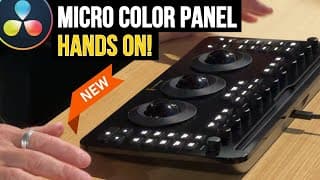
NEW! Micro Color Panel for Resolve - MY FIRST REACTION - NAB Show 2024!
Hands on Look at my FIRST ever touch of the new Micro Color Grading Panel for DaVinci Resolve Live from Las Vegas NAB Showfloor. Thank you Simon Hall for letting me loose and guiding me on the new Blackmagic Design Micro Color Panel. ******************************************* MASTERCLASS - "The Art of Professional Colour Grading" If you want to learn more about Color grading in DaVinci Resolve then my next 4 day LIVE Zoom Masterclass will run from 18th to 21st May 2024. I'll take you from beginner with a single node to a high level competent colourist with your own advanced fixed node tree that will improve your grading skills and give you the confidence to tackle any grade. This Masterclass doesn't come around very often and places are strictly limited. More detailed information coming soon, join my email list here to be first to know https://bit.ly/2RrjvpN Also contains free downloads, including my editors e-book & my FIXED NODE TREE and items coming in the future. ********************************** ✅ MY DISCOUNT CODES ✅ MONONODES 10% off all DCTLs from https://www.mononodes.com if you apply code DARREN at checkout MotionVFX (all graphics in this episode use MotionVFX) Get 15% discount WITH THIS LINK: https://mvfx.co/DarrenMostyn and use code DARREN at checkout Dehancer 10% DISCOUNT on ANY Dehancer product using code DARREN10 at checkout https://www.dehancer.com Nobe Omniscope 15% DISCOUNT Go to: https://timeinpixels.com/nobe-omniscope and choose the Video or Pro version. Enter code DARREN at checkout. AUDIIO Get 70% off your first year subscription of Audiio PRO by clicking this link https://audiio.com/darrenmostyn and enter code DARREN at checkout #davinciresolve19 #microcolourpanel #nabshow2024
My Top 5 COLOR Features - DaVinci Resolve 19
DaVinci Resolve 19 is here! - I'm a UK Broadcast Colorist, using Resolve professionally for 14 years. In this episode I take my first in-depth look at the exciting new features in DaVinci Resolve 19 and how I might use them in my broadcast workflow. These are some of the most exciting new features for a while and will certainly improve my own workflow. Music Video courtesy Beard Meats Food/Get Your Media - https://www.youtube.com/@UCc9CjaAjsMMvaSghZB7-Kog [English subtitles have been checked to assist those that rely on them]. 00:00 Intro to DaVinci Resolve 19 00:15 Color Slice in Resolve 19 04:27 Film Look Creator in Resolve 19 07:24 Split Tone in Resolve 19 08:47 Defocus Background in Resolve 19 10:05 Ultra Noise Reduction in Resolve 19 10:58 Node Stacks in Resolve 19 16:26 Music Remixer in Resolve 19 MASTERCLASS - "The Art of Professional Colour Grading" If you want to learn more about Color grading in DaVinci Resolve then my next 4 day LIVE Zoom Masterclass will run from 18th to 21st May 2024. I'll take you from beginner with a single node to a high level competent colourist with your own advanced fixed node tree that will improve your grading skills and give you the confidence to tackle any grade. This Masterclass doesn't come around very often and places are strictly limited. More detailed information coming soon, join my email list here to be first to know https://bit.ly/2RrjvpN Also contains free downloads, including my editors e-book & my FIXED NODE TREE and items coming in the future. ********************************** ✅ OTHER DISCOUNT CODES ✅ MONONODES 10% off all DCTLs from https://www.mononodes.com if you apply code DARREN at checkout MotionVFX (all graphics in this episode use MotionVFX) Get 15% discount WITH THIS LINK: https://mvfx.co/DarrenMostyn and use code DARREN at checkout Dehancer 10% DISCOUNT on ANY Dehancer product using code DARREN10 at checkout https://www.dehancer.com Nobe Omniscope 15% DISCOUNT Go to: https://timeinpixels.com/nobe-omniscope and choose the Video or Pro version. Enter code DARREN at checkout. AUDIIO Get 70% off your first year subscription of Audiio PRO by clicking this link https://audiio.com/darrenmostyn and enter code DARREN at checkout ** If you want to say "thank you" then you can 'buy me a coffee' if you like. always appreciated and with a personal thank you AND get your name posted on my next YouTube LIVE** https://www.buymeacoffee.com/darrenmostyn #davinciresolve19 #colorslice #nabshow2024
My Nobe Omniscope settings update
Just a quick update from me as its been a while since talking about my favourite scopes - NOBE Omniscope. Check out Daria Fissoun's excellent tutorials on the Time In Pixels YouTube channel https://youtube.com/playlist?list=PLFm2kh4crLtm3JcaWK8MOYBBLbjYprY56&si=IUokUtqjDMFwb2dw ✅ SPECIAL OFFER ✅ Enter code DARREN at Checkout for a fantastic 15% Discount https://timeinpixels.com/nobe-omniscope and choose the Video or Pro version. ✅ OTHER DISCOUNT CODES ✅ AUDIIO Get 70% off your first year subscription of Audiio PRO by clicking this link https://audiio.com/darrenmostyn and enter code DARREN at checkout MONONODES 10% off all DCTLs from https://www.mononodes.com if you apply code DARREN at checkout MotionVFX (all graphics in this episode use MotionVFX) Get 15% discount WITH THIS LINK: https://mvfx.co/DarrenMostyn and use code DARREN at checkout Dehancer 10% DISCOUNT on ANY Dehancer product using code DARREN10 at checkout https://www.dehancer.com #omniscope #timeinpixels #nabshow2024
The NEW DaVinci Resolve Micro Color Panel for NAB 2024?
It's been 7 years since we've seen a new colour grading panel for DaVinci Resolve. Is this THE Smallest yet most advanced color grading panel ever ? Instagram @littlepapa_dollhouse Music is from Audiio (Discount code below) ✅ DOWNLOAD MY NODE TREE FREE HERE ⬇︎ Subscribe to my FREE email list here https://bit.ly/2RrjvpN for free downloads, including my editors e-book & my FIXED NODE TREE and items coming in the future INCLUDING priority information on my 4 day LIVE MASTERCLASS IN MAY! ********************************** ✅Watch my Perfect Node Tree episode here https://youtu.be/kdTMRQP_V7E ✅Watch my DRONE Grading episode here https://youtu.be/il409rHulr8 ______________________________________________________ ✅ DISCOUNT CODES ✅ Music in this episode is from Audiio Get 70% off your first year subscription of Audiio PRO by clicking this link https://audiio.com/darrenmostyn and enter code DARREN at checkout MONONODES 10% off all DCTLs from https://www.mononodes.com if you apply code DARREN at checkout Nobe Omniscope 15% DISCOUNT Go to: https://timeinpixels.com/nobe-omniscope and choose the Video or Pro version. Enter code DARREN at checkout. MotionVFX (all graphics in this episode use MotionVFX) Get 15% discount WITH THIS LINK: https://mvfx.co/DarrenMostyn and use code DARREN at checkout Dehancer 10% DISCOUNT on ANY Dehancer product using code DARREN10 at checkout https://www.dehancer.com #panel #davinciresolve #nabshow2024
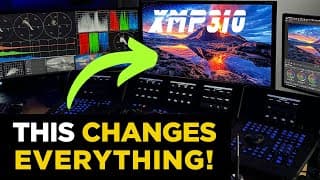
XMP310 - The BEST Grading Monitor in 2024? - Pro Colorist Test!
The first EVER review of the Brand New XMP310 31.5" Reference Grading monitor from Flanders Scientifi. UK broadcast colourist, Darren Mostyn puts it to the test!. Is this the best Reference Grading monitor in 2024? This is NOT sponsored - I have purchased this monitor to bring HDR grading to a new level in my suite, with Quantom Dot OLED technology! I review the monitor after 1 weeks use and evaluate if it is as good as the spec says it is! Views in here are entirely my own and I strongly recommend you see this monitor for yourself at a dealer or trade show as I physically cannot show the quality on screen in a YouTube video. English subtitles have been created in Resolve and checked by me, to help those that rely on them. 00:00 Intro 00:47 Installing XMP310 02:38 why get an XMP310? 04:12 XMP310 - is it good for SDR ? 06:30 How to assign function buttons on XMP310 07:45 SDR on the XMP310 monitor and reflection 10:14 Switching XMP310 to HDR in DaVinci Resolve 12:30 Does XMP310 have any haloing? 12:48 Function Menus on the XMP310 13:28 GaiaColor - Auto Monitor Calibration 15:07 FAN noise - No fan on XMP310 15:18 ONE WEEK LATER Test Results 20:11 Extra finds after a week 21:30 OUTAKES Music in this episode is from AUDIIO - discount codes listed below. Thanks to DoP Mark Bader for putting up with me and filming the installation and just being a genuinely top bloke! Check his instagram channel Mark_Bader. ********************************** ✅ DOWNLOAD MY NODE TREE FREE HERE ⬇︎ Subscribe to my FREE email list here https://bit.ly/2RrjvpN for free downloads, including my editors e-book & my FIXED NODE TREE and items coming in the future INCLUDING priority information on my 4 day LIVE MASTERCLASS IN MAY! ********************************** ✅Watch my Perfect Node Tree episode here https://youtu.be/kdTMRQP_V7E ✅Watch my DRONE Grading episode here https://youtu.be/il409rHulr8 ______________________________________________________ ✅ DISCOUNT CODES ✅ Music in this episode is from Audiio Get 70% off your first year subscription of Audiio PRO by clicking this link https://audiio.com/darrenmostyn and enter code DARREN at checkout MONONODES 10% off all DCTLs from https://www.mononodes.com if you apply code DARREN at checkout Nobe Omniscope 15% DISCOUNT Go to: https://timeinpixels.com/nobe-omniscope and choose the Video or Pro version. Enter code DARREN at checkout. MotionVFX (all graphics in this episode use MotionVFX) Get 15% discount WITH THIS LINK: https://mvfx.co/DarrenMostyn and use code DARREN at checkout Dehancer 10% DISCOUNT on ANY Dehancer product using code DARREN10 at checkout https://www.dehancer.com #xmp310 #QDOLED #flandersscientific
XMP310 Review finally out later TODAY! #shorts #flandersscientific #xmp310
https://youtu.be/kaIxjoopahY
Flanders Scientific XMP310 UNBOXING! #xmp310 #HDRmastermonitor #shorts
Possibly the worst unboxing video ever! We have finally taken delivery of our XMP310 HDR Mastering monitor, 1000 nits and QD OLED. Looking forward to sharing the experience and my honest opinions with you soon! Baxter was very excited as you can see! #flandersscientific
Beginners Guide to Resolve FAIRLIGHT Audio - introducing a course by Jason Yadlovski
Jason's course details can be accessed here https://darrenmostyn--dvresolve.thrivecart.com/audio-essentials-course/ For complete transparency, I may earn a small commission if you use the link. I am only ever endorsing products and courses I respect and that I have checked the integrity of the content and instructor - thats why I don't do this often! I have had the pleasure of meeting Jason and hearing his presentations live - he knows his stuff!! Jasons course is ideal for anyone who wants to learn Pro techniques for video editing specifically using DaVinci Resolve and the Fairlight page.
How to Grade Apple Log in DaVinci Resolve
UK Pro Colourist of 18 years - How to best grade Apple Log footage correctly in DaVinci Resolve and what NOT to do! Darren Mostyn shows you step by step how to grade with the Apple Log format on iphones. Features Blackmagic Camera App and how to set up your iphone to record Apple LOG 00:00 Montage of Apple Log Footage 00:24 Intro 00:55 Comparing Apple log vs non log 02:00 Using Blackmagic Camera App to capture Apple log 02:16 How to set an iphone to Record Apple log 03:13 Overview of the Blackmagic Camera App 04:21 Apple LUTS and testing 07:24 Correct CST settings for Apple log? 09:10 Using my fixed node tree and start grading 10:30 Settings for Resolve Color Management Huge thanks to Laura @brightoni360official for letting us go up again to film. The view is amazing and we hit a perfect sunny day. Artist featured in the Montage is www.robertoponte.net ********************************** ✅ DOWNLOAD MY NODE TREE FREE HERE ⬇︎ Subscribe to my FREE email list here https://bit.ly/2RrjvpN for free downloads, including my editors e-book & my FIXED NODE TREE and items coming in the future INCLUDING priority information on my 4 day LIVE MASTERCLASS IN MAY! ********************************** ✅Watch my Perfect Node Tree episode here https://youtu.be/kdTMRQP_V7E ✅Watch my DRONE Grading episode here https://youtu.be/il409rHulr8 ______________________________________________________ ✅ DISCOUNT CODES ✅ Music in this episode is from Audiio Get 70% off your first year subscription of Audiio PRO by clicking this link https://audiio.com/darrenmostyn and enter code DARREN at checkout MONONODES 10% off all DCTLs from https://www.mononodes.com if you apply code DARREN at checkout Nobe Omniscope 15% DISCOUNT Go to: https://timeinpixels.com/nobe-omniscope and choose the Video or Pro version. Enter code DARREN at checkout. MotionVFX (all graphics in this episode use MotionVFX) Get 15% discount WITH THIS LINK: https://mvfx.co/DarrenMostyn and use code DARREN at checkout Dehancer 10% DISCOUNT on ANY Dehancer product using code DARREN10 at checkout https://www.dehancer.com #resolve18_6 #applelog #blackmagiccameraapp
Flanders XMP310 First look at BSC Show London #xmp310 #flanders #colorist
#shorts My first look at the long awaited Flanders Scientific XMP310. SDR and HDR to 1000 nits and 31.5” QDOLED Mastering Display.
#shorts - A quick message from the slopes - literally! #colorist #davinciresolvetutorial
#shorts Just a quick thank you from the slopes - literally on the slopes!
Get Perfect Skin Tone EVERY Time! - Resolve DCTL Tutorial
This tool has just changed EVERYTHING for me - 18 years as a PRO Colourist and this new tool is Amazing. 10% DISCOUNT - See a REAL Job in Action in this DaVinci Resolve Tutorial. English subtitles have been personally checked for accuracy. ✅10% off all DCTLs from https://www.mononodes.com if you apply code DARREN at checkout✅ https://mononodes.com/utility-dctl/ is the one featured in this episode. ______________________________________________________ ✅Watch the @Beardmeatsfood Christmas Music Video I graded here (Thanks to Josh Gudgeon, Adam, Sister Beard and all the team @getyourmedia https://youtu.be/0j3ksk-RRK4?feature=shared ✅Watch my Perfect Node Tree episode here https://youtu.be/kdTMRQP_V7E ✅Watch my How to Use the Scopes episode here https://youtu.be/IwqucXqb2zY ✅ DISCOUNT CODES ✅ MONONODES 10% off all DCTLs from https://www.mononodes.com if you apply code DARREN at checkout Nobe Omniscope 15% DISCOUNT Go to: https://timeinpixels.com/nobe-omniscope and choose the Video or Pro version. Enter code DARREN at checkout. MotionVFX Get 15% discount WITH THIS LINK: https://mvfx.co/DarrenMostyn and use code DARREN at checkout Dehancer 10% DISCOUNT on ANY Dehancer product using code DARREN10 at checkout https://www.dehancer.com Audiio Get 70% off your first year subscription of Audiio PRO by clicking this link https://audiio.com/darrenmostyn and enter code DARREN at checkout ********************************** ✅ DOWNLOAD MY NODE TREE FREE HERE ⬇︎ Subscribe to my FREE email list here https://bit.ly/2RrjvpN for free downloads, including my editors e-book & my FIXED NODE TREE and items coming in the future INCLUDING priority information on my 4 day LIVE MASTERCLASSES.. (for those already signed up to my email list please check your email as I already sent this to you on 02.12.23) ********************************** #skintone #davinciresolvetutorial #colorgrading
Perfect NR In DaVinci Resolve - BBC TV Colourist Insight (Noise Reduction)
WHERE to put Noise Reduction in your DaVinci Resolve Node Tree PLUS 2 Tips on How I dial in the CORRECT amount. Using a BBC job I worked on recently I'll show you the actual project and how I fixed the noise. There are certainly dedicated 3rd party plug-ins that do a better job on Noise Reduction but Resolve is still a great tool and this episode will help you maximise this tool in the Studio version. The subtitle/captions have been checked by me personally and corrected for any errors. A huge thanks to Will and Tommy for letting me use this project to give you a real insight. Watch the full award-nominated documentary on the BBC iPlayer here https://www.bbc.co.uk/iplayer/episode/m001pvly/tommy-jessop-goes-to-hollywood Directed by Will Jessop Starring Tommy Jessop Subscribe and hit Notify for updates of my forthcoming LiveStreams 00:00 Intro 00:56 Project Overview 01:23 How to filter out Noise Reduction clips in Lightbox? 02:12 Where does Noise Reduction go in your node tree? 03:48 How to build Noise Reduction from scratch? 04:22 How to use Temporal Noise Reduction 07:00 How to use Spatial Noise Reduction 07:40 How to unlock Luma and Chroma in Spatial Threshold? 08:44 How much Temporal and Spatial Noise Reduction should I use? 12:14 Where do I add Grain and sharpen to my image? 12:49 How to control Noise Reduction ✅Watch my Favourite Episodes Playlist here https://www.youtube.com/playlist?list=PL6VNHhfsVYJYYSUzuqVBSAjAFx1Divx03 ✅ DISCOUNTS ✅ Nobe Omniscope 15% DISCOUNT Go to: https://timeinpixels.com/nobe-omniscope and choose the Video or Pro version. Enter code DARREN at checkout. MotionVFX Get 15% discount WITH THIS LINK: https://mvfx.co/DarrenMostyn and use code DARREN at checkout Dehancer 10% DISCOUNT on ANY Dehancer product using code DARREN10 at checkout https://www.dehancer.com Mononodes 10% off all DCTLs from https://www.mononodes.com if you apply code DARREN at checkout. Audiio Get 70% off your first year subscription of Audiio PRO by clicking this link https://audiio.com/darrenmostyn and enter code DARREN at checkout ********************************** ✅ DOWNLOAD THE NODE TREE FREE HERE ⬇︎ Subscribe to my FREE email list here https://bit.ly/2RrjvpN for free downloads, including my editors e-book & my FIXED NODE TREE and items coming in the future INCLUDING priority information on my 4 day LIVE MASTERCLASSES. ********************************** #noisereduction #davinciresolvetutorial #colorgrading
The BEST Node Tree for ANY Camera! PRO Colorist (BBC, Amazon)
FREE Download - The perfect node tree! My PRO Node Tree simplified here for you to give you a great start to colour grading easily with ANY Camera or Phone. My node tree is a simplified version of my BROADCAST node tree I use for my work with BBC, Amazon etc and will help you gain consistent grades across all your footage and is downloadable for FREE .... Link is at the bottom of this description. The subtitle/captions have been checked by me personally and corrected for any errors. Please note that I cannot offer technical support for your specific node tree questions in the comments - I get so many messages privately too! I wish i had time to answer them all - I hope you understand. Please save them for a livestream Q&A - details coming - subscribe to be notified! Note** Lots of the same question coming in the comments - please read the comments section on this episode! Thanks! To donate a coffee if you enjoyed this episode - https://www.buymeacoffee.com/darrenmostyn ✅Watch my How to Apply FILM LUTS episode here https://youtu.be/A2OLQNSIJgU ✅Watch my CSTs explained episode here https://youtu.be/CtSBVKmHkjU ✅Watch my Parallel nodes episode here https://youtu.be/QsUW_0SZa4Y ✅Watch my grading iphone & 8 bit episode here https://youtu.be/BZqe9jXgPLg ✅ DISCOUNTS ✅ Nobe Omniscope 15% DISCOUNT Go to: https://timeinpixels.com/nobe-omniscope and choose the Video or Pro version. Enter code DARREN at checkout. MotionVFX Get 15% discount WITH THIS LINK: https://mvfx.co/DarrenMostyn and use code DARREN at checkout Dehancer 10% DISCOUNT on ANY Dehancer product using code DARREN10 at checkout https://www.dehancer.com Mononodes 10% off all DCTLs from https://www.mononodes.com if you apply code DARREN at checkout. Audiio Get 70% off your first year subscription of Audiio PRO by clicking this link https://audiio.com/darrenmostyn and enter code DARREN at checkout ********************************** ✅ DOWNLOAD THIS NODE TREE FREE HERE ⬇︎ Subscribe to my FREE email list here https://bit.ly/2RrjvpN for free downloads, including my editors e-book & THE FIXED NODE TREE IN THIS EPISODE and items coming in the future INCLUDING priority information on my 4 day LIVE MASTERCLASSES.. (for those already signed up to my email list please check your email as I already sent this to you on 02.12.23) ********************************** * #fixednodetree #davinciresolvetutorial #colorgrading

Top 5 DaVinci Resolve STUDIO Features for Content Creators
As a broadcast colourist AND content creator, these are the Top 5 Vital things I can only do on the STUDIO version and NOT the FREE version of DaVinci Resolve. Things that I really couldn't do without now as a busy content creator. Remember, you only pay for the full Studio license ONCE, Free updates for life! I've had my Studio license for about 10 years now - I never paid for any update!! 00:00 Intro 00:32 How good is voice isolation in DaVinci Resolve? 01:52 Why can't I import 10 bit Footage in DaVinci Resolve? 02:10 How do you create Subtitles for YouTube? 03:34 What is Smart Reframe for in DaVinci Resolve? 05:49 What is GPU acceleration in DaVinci Resolve Studio? 06:34 How much is DaVinci Resolve STUDIO? Extra STUDIO features used to make this episode include......... - Subtitles on YouTube in this episode are accurate and were generated using DaVinci Resolve Studio - The MotionVFX were placed using Depth Map in the Studio version of DaVinci Resolve (discount code at the end) - DCTL's require Full DaVinci Resolve Studio Version - checkout MONONODES - 10% off all DCTLs from https://www.mononodes.com if you apply code DARREN at checkout. *********************************************************** Music is from Audiio Get 70% off your first year subscription of Audiio PRO by clicking this link https://audiio.com/darrenmostyn and enter code DARREN at checkout. **************************************************************** 10% DISCOUNT on any DEHANCER product using code DARREN10 at checkout https://www.dehancer.com ================================================== ** If you want to say "thank you" then you can 'buy me a coffee' if you like. always appreciated and with a personal thank you AND get your name posted on my next YouTube LIVE** https://www.buymeacoffee.com/darrenmostyn Subscribe to my FREE email list here https://bit.ly/2RrjvpN for free downloads and items coming in the future and all my current discount codes are listed ** ****************************************************** MINIMUM 15% DISCOUNT ON MOTIONVFX Graphics in this episode were made using MotionVFX for DaVinci Resolve. Get 15% discount (or better if they have a special offer on) with this link https://mvfx.co/DarrenMostyn using code DARREN at checkout #davinciresolvestudio #contentcreator #blackmagicdesign
#SHORTS Grade DRONE footage correctly - PRO SHOWS HOW.
DJI Mini Pro 4, 3 and Classic all covered here! 17 years PRO Colourist teaches you best techniques!
How to Grade DRONE Footage with a PRO Colorist!
Why is my drone footage so saturated and has too much contrast ? DJI Mini Pro 3 (and DJI Mini Pro 4) and Mavic Classic all covered here. Learn how to avoid the most common mistakes and make your drone footage look great with DaVinci Resolve. Ive been a professional colourist for over 17 years now, clients include BBC, C4, C5, Sky, Amazon Music and many more. Subtitles have been hand checked and are correct English. Get 70% off your first year subscription of Audiio PRO by clicking this link https://audiio.com/darrenmostyn and enter code DARREN at checkout. ✅Watch my DaVinci Resolve Color Playlist here https://www.youtube.com/playlist?list=PL6VNHhfsVYJacf4vtTgAyDUx9sW9pxONP Subscribe to my FREE email list here https://bit.ly/2RrjvpN for free downloads and items coming in the future and all my current discount codes are listed ** ****************************************************** MINIMUM 15% DISCOUNT ON MOTIONVFX Graphics in this episode were made using MotionVFX for DaVinci Resolve. Get 15% discount (or better if they have a special offer on) with this link https://mvfx.co/DarrenMostyn using code DARREN at checkout **************************************************************** MONONODES - 10% off all DCTLs from https://www.mononodes.com if you apply code DARREN at checkout. **************************************************************** 10% DISCOUNT on any DEHANCER product using code DARREN10 at checkout https://www.dehancer.com ================================================== ** If you want to say "thank you" then you can 'buy me a coffee' if you like. always appreciated and with a personal thank you AND get your name posted on my next YouTube LIVE** https://www.buymeacoffee.com/darrenmostyn ================================================== Link to the DJI Website to download LUTS https://support.dji.com/help/content?customId=en-us03400007105&spaceId=34&re=GB&lang=en&documentType=artical&paperDocType=paper #dji #drone #davinciresolve
#shorts #blackmagiccameraapp
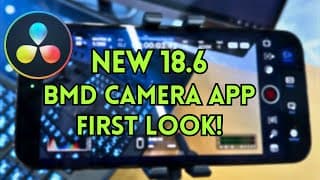
NEW FREE Blackmagic Camera APP - FIRST LOOK + Resolve 18.6 SYNC!
Just announced is the Blackmagic CAMERA APP- turn your iPhone into a Blackmagic Design camera FOR FREE! Then DaVinci Resolve 18.6 allows EASY sync of the files direct to the editor with no technical knowledge required - Super Easy via NEW Blackmagic Cloud set up. The quality of this video is poor but serves just as a quick look at this exciting technology! ✅Watch my DaVinci Resolve Color Playlist here https://www.youtube.com/playlist?list=PL6VNHhfsVYJacf4vtTgAyDUx9sW9pxONP Subscribe to my FREE email list here https://bit.ly/2RrjvpN for free downloads and items coming in the future and all my current discount codes are listed **
Is the MINI Panel for DaVinci Resolve worth it? Pro Colorist Test
I've been a Pro Broadcast Colourist for nearly 20 years now (BBC, ITV, Amazon, Sky....). Ive been using the Advanced panel for 13 years and now am trying out the DaVinci Resolve MINI PANEL from BlackMagic Design. In-depth look with plenty of color grading tips along the way! 00:00 Intro 00:50 Why should you have a color control surface? 01:48 Setting up the Mini panel 02:38 How to clean the Mini panel 03:04 Quick overview of the Mini panel 07:50 Starting a grade with the Mini panel - Offset and Printer lights and balancing 10:39 working with temperature and tint on the Mini panel 11:15 HDR Tools on the Mini panel 13:32 How to use the Qualifier on the Mini Panel 14:44 Using Power Windows and Tracker on the Mini panel 15:35 RAW with the Mini panel 16:09 Working with curves on the Mini panel 16:49 What is Lum Mix for in DaVinci Resolve ? 17:08 Using stills on the Mini panel 17:55 Hue V Sat curves with the Mini panel 19:05 Using FX with the Mini panel 20:25 My thoughts on the Mini panel 20:55 Extra features 22:03 Outtakes! ✅Watch my Advanced panel episode here https://youtu.be/h-q3wwiOkjo ✅Watch my DaVinci Resolve Color Playlist here https://www.youtube.com/playlist?list=PL6VNHhfsVYJacf4vtTgAyDUx9sW9pxONP More info can be found on Blackmagic Designs own website https://www.blackmagicdesign.com/products/davinciresolve/panels Subscribe to my FREE email list here https://bit.ly/2RrjvpN for free downloads and items coming in the future and all my current discount codes are listed ** ****************************************************** MINIMUM 15% DISCOUNT ON MOTIONVFX Graphics in this episode were made using MotionVFX for DaVinci Resolve. Get 15% discount with this link https://mvfx.co/DarrenMostyn using code DARREN at checkout ============================================== Nobe Omniscope 15% DISCOUNT all year round! Go to: https://timeinpixels.com/nobe-omniscope and choose the Video or Pro version. Enter code DARREN at checkout. ================================================== ** If you want to say "thank you" then you can 'buy me a coffee' if you like. always appreciated and with a personal thank you AND get your name posted on my next YouTube LIVE** https://www.buymeacoffee.com/darrenmostyn **************************************************************** 10% DISCOUNT on ANY Dehancer product using code DARREN10 at checkout https://www.dehancer.com ================================================== 10% off MonoNodes DCTL's - use code DARREN at checkout https://mononodes.com/store/ ================================================== Music - Artlist Get *** 2 MONTHS FREE **** licensing for Artgrid and Artlist using these links. No deals available for Motion Array. I may get an affiliate link commission at no extra cost to you. Artgrid https://bit.ly/3IoCne5 Artlist https://bit.ly/3tMcjpm Footage Courtesy BlackMagic Design #minipanel #davinciresolve18.5 #advancedpanel
What is it like to reach 100K subs?
This happened to me TODAY! I took 3 years, 1 month and 5 days to reach 100K subscribers & over 4 Million views. So, how does it feel to finally hit the 100K milestone ? music by Artlist. Graphics - MotionVFX Edited in Davinci Resolve #100k #youtuber
10 PRO Broadcast Colorist Hacks IN 10 Minutes
Ive been using DaVinci Resolve as a professional broadacst colourist for over 13 years - Here are 10 of my favourite quick hacks and tips to improve your productivity. #9 is getting the most reaction! Ive already been donated many PRIZES for my 100K livestream so hit subscribe and the bell notification and we can give these away....5 DaVinci Resolve Studio licences amongst the prizes!!!!! Yes, 5!! ✅Watch my DaVinci Resolve Color Playlist here https://www.youtube.com/playlist?list=PL6VNHhfsVYJacf4vtTgAyDUx9sW9pxONP Subscribe to my FREE email list here https://bit.ly/2RrjvpN for free downloads and items coming in the future and all my current discount codes are listed ** ****************************************************** MINIMUM 15% DISCOUNT ON MOTIONVFX Graphics in this episode were made using MotionVFX for DaVinci Resolve. Get 15% discount (or better if they have a special offer on) with this link https://mvfx.co/DarrenMostyn using code DARREN at checkout ********************************************* 10% off all DCTLs from https://www.mononodes.com if you apply code DARREN at checkout. ***************************************** Get 70% off your first year subscription of Audiio PRO by clicking this link https://audiio.com/darrenmostyn and enter code DARREN at checkout. ================================================== ** If you want to say "thank you" then you can 'buy me a coffee' if you like. always appreciated and with a personal thank you AND get your name posted on my next YouTube LIVE** https://www.buymeacoffee.com/darrenmostyn **************************************************************** 10% DISCOUNT on ANY Dehancer product using code DARREN10 at checkout https://www.dehancer.com ================================================== Music - Artlist Get *** 2 MONTHS FREE **** licensing for Artgrid and Artlist using these links. No deals available for Motion Array. I may get an affiliate link commission at no extra cost to you. Artgrid https://bit.ly/3IoCne5 Artlist https://bit.ly/3tMcjpm Motion Array https://bit.ly/3IskI5n Footage Courtesy Chinchilla. #colourgrading #davinciresolve
My Favourite Grading Tool in 2023
How to improve your film emulation looks ? One of the keys to this is the Density of colours. 'Ive just discovered this great plugin from Mononodes.com and it is so simple to use and looks fantastic! *Please note that HUE V LUM is just one of MANY ways and tools needed for film emulation - this is really just ONE example of an incredibly useful tool. You can also recreate a similar look without this DCTL but please note - there is some seriously good maths going on here! 10% off all DCTLs from https://www.mononodes.com if you apply code DARREN at checkout. 00:00 INTRO 00:10 Film Looks 00:37 How to make video look like Film 01:05 Kodak 2383 LUT 01:20 Hue V Lum 01:46 Versions in Resolve 02:20 What is a DCTL? 03:06 Installing a DCTL in Resolve 04:18 Mononode Color Shift 07:10 Which Colorspace? 07:40 Hue Shift 09:10 10% Discount Code ********************************************************* 10% DISCOUNT on ANY Dehancer product using code DARREN10 at checkout https://www.dehancer.com ****************************************************** ** DOWNLOAD MY NODE TREES & OTHER STUFF HERE FOR FREE - If you have already subscribed you should have received an email link already. https://bit.ly/2RrjvpN for free downloads and items coming in the future and all my current discount codes are listed ** ****************************************************** 15% MINIMUM DISCOUNT ON MOTIONVFX Graphics in this episode were made using MotionVFX for DaVinci Resolve. Get 15% discount with this link or more if they are running a promotion https://mvfx.co/DarrenMostyn using code DARREN at checkout (excl bundles). I used mTitle Hype DV, mTutorial DV, mTuber 2 DV and mKBHD ================================================== ** If you want to say "thank you" then you can 'buy me a coffee' if you like. always appreciated and with a personal thank you AND get your name posted on my next YouTube LIVE** https://www.buymeacoffee.com/darrenmostyn ================================================== Images Courtesy Chinchilla and Katya Ganfeld. https://www.katyaganfeld.com #dctl #density #filmlook
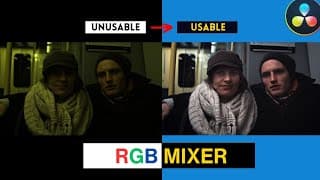
Fix BAD Footage EASILY with RGB MIXER in DaVinci Resolve!
How to use the RGB Mixer in DaVinci Resolve - Here I'll show you in under 10 minutes my Pro Techniques to save that all important clip you just may HAVE to use! Based on my 13 years using DaVinci Resolve as a broadcast Colourist for BBC, Amazon, ITV, C4 and many more. This video is Beginner to Intermediate level. ✅Watch my How fix 8 bit Foorage and phone footage here https://youtu.be/BZqe9jXgPLg ✅Watch my CST Anxiety Episode https://youtu.be/CtSBVKmHkjU ** DOWNLOAD MY NODE TREES & OTHER STUFF HERE FOR FREE - If you have already subscribed you should have received an email link already. https://bit.ly/2RrjvpN for free downloads and items coming in the future and all my current discount codes are listed ** ****************************************************** 15% MINIMUM DISCOUNT ON MOTIONVFX Graphics in this episode were made using MotionVFX for DaVinci Resolve. Get 15% discount with this link or more if they are running a promotion https://mvfx.co/DarrenMostyn using code DARREN at checkout (excl bundles). I used mTitle Hype DV, mTutorial DV, mTuber 2 DV and mKBHD **************************************************************** 10% DISCOUNT on ANY Dehancer product using code DARREN10 at checkout https://www.dehancer.com ***************************************** Get 70% off your first year subscription of Audiio PRO by clicking this link https://audiio.com/darrenmostyn and enter code DARREN at checkout. ================================================== ** If you want to say "thank you" then you can 'buy me a coffee' if you like. always appreciated and with a personal thank you AND get your name posted on my next YouTube LIVE** https://www.buymeacoffee.com/darrenmostyn ================================================== Music - Artlist Get *** 2 MONTHS FREE **** licensing for Artgrid and Artlist using these links. No deals available for Motion Array. I may get an affiliate link commission at no extra cost to you. Artgrid https://bit.ly/3IoCne5 Artlist https://bit.ly/3tMcjpm Motion Array https://bit.ly/3IskI5n Music used in this episode is from Artlist. ********************* Footage Blackmagic Design #RGBMixer #resolve18.5 #colourgrading
DaVinci Resolve 18.5 Transcribe Audio is INSANE!
DaVinci Resolve 18.5 new feature audio Transcription - All subtitles here are created with the new DaVinci Resolve transcribe and subtitle tool in version 18.5 - Public Beta. Studio Version is required. Subscribe to my FREE email list here https://bit.ly/2RrjvpN for free downloads and items coming in the future and all my current discount codes are listed ** ****************************************************** MINIMUM 15% DISCOUNT ON MOTIONVFX Graphics in this episode were made using MotionVFX for DaVinci Resolve. Get 15% discount (or better if they have a special offer on) using code DARREN at checkout ***************************************** Get 70% off your first year subscription of Audiio PRO by clicking this link https://audiio.com/darrenmostyn and enter code DARREN at checkout. **************************************************************** MONONODES - 10% off all DCTLs from https://www.mononodes.com if you apply code DARREN at checkout. ** If you want to say "thank you" then you can 'buy me a coffee' if you like. always appreciated and with a personal thank you AND get your name posted on my next YouTube LIVE** https://www.buymeacoffee.com/darrenmostyn **************************************************************** 10% DISCOUNT on ANY Dehancer product using code DARREN10 at checkout https://www.dehancer.com ================================================== Music - Artlist Get *** 2 MONTHS FREE **** licensing for Artgrid and Artlist using these links. No deals available for Motion Array. I may get an affiliate link commission at no extra cost to you. Artgrid https://bit.ly/3IoCne5 Artlist https://bit.ly/3tMcjpm Motion Array https://bit.ly/3IskI5n ********************* #18.5beta #DavinciResolve #Resolve18.5
NEW to DaVinci Resolve? Color Grading - Tutorial
HOW TO GET STARTED with the Color Page in DaVinci Resolve for those that have NEVER used it. I’m a UK based broadcast colorist using DaVinci Resolve for over 14 years - I've graded for BBC, Amazon, ITV, C4 amongst many. This doesn't go too deep...just keeps it simple and easy to follow! NOW CORRECTED SUBTITLES. ✅Watch my DaVinci Resolve Beginners Overview Guide here https://youtu.be/g52gP_bR65E 00:00 INTRO & Edit 02:33 The Interface 03:30 What are the Primary Controls? 04:03 Resolve Scopes? 04:51 What are Nodes? 09:50 What are Curves for ? Secondary Tools 11:03 Effects and OFX for Resolve 11:40 What are Stills for in Resolve? 12:50 Best grading tools for Beginners? Subscribe to my FREE email list here https://bit.ly/2RrjvpN for free downloads and items coming in the future and all my current discount codes are listed ** ****************************************************** MINIMUM 15% DISCOUNT ON MOTIONVFX Graphics in this episode were made using MotionVFX for DaVinci Resolve. Get 15% discount (or better if they have a special offer on) with this link https://mvfx.co/DarrenMostyn using code DARREN at checkout **************************************************************** MONONODES - 10% off all DCTLs from https://www.mononodes.com if you apply code DARREN at checkout. ================================================== ** If you want to say "thank you" then you can 'buy me a coffee' if you like. always appreciated and with a personal thank you AND get your name posted on my next YouTube LIVE** https://www.buymeacoffee.com/darrenmostyn **************************************************************** 10% DISCOUNT on ANY Dehancer product using code DARREN10 at checkout https://www.dehancer.com ================================================== Music - Artlist Get *** 2 MONTHS FREE **** licensing for Artgrid and Artlist using these links. No deals available for Motion Array. I may get an affiliate link commission at no extra cost to you. Artgrid https://bit.ly/3IoCne5 Artlist https://bit.ly/3tMcjpm Motion Array https://bit.ly/3IskI5n ********************* Footage Courtesy Blackmagic Design #tutorial #Resolve #color
DaVinci Resolve Newbies Guide - EASY! Pro Explains
Ive been using Resolve for over 15 years! Let me show you how to start if you are brand new to DaVinci Resolve ? Here's how to navigate the software quickly and easily. Ive been using Resolve Professionally for broadcast work for BBC, ITV, Amazon, Netflix and many more. I can get you started quickly and easily without going too deep in this short east to understand intro. **UPDATE APRIL 2025 - This video was made 2 years ago. Updates were always FREE however Blackmagic design announced in April 2025 that from version 21 there 'may' be an upgrade fee. See this video for full explanation https://youtu.be/6eIb2tPdSzM ✅Watch my DaVinci Resolve Color Page Beginners Getting Started here https://youtu.be/YbDRl_xugJo Other YouTube Channels I recommended in this episode. @MrAlexTech @JayLippman @CaseyFaris @AlexCameron-Depiqd @PatrickStirling @JasonYadlovski @DaVinciMasterKey @CullenKelly My FREE email subscription https://bit.ly/2RrjvpN for free downloads and items coming in the future and all my current discount codes are listed ** ****************************************************** 15% DISCOUNT ON MOTIONVFX Graphics in this episode were made using MotionVFX for DaVinci Resolve. Get 15% discount with this link https://mvfx.co/DarrenMostyn using code DARREN at checkout. If there is a better offer available still type the same code and you will automatically receive the bigger discount. **************************************************************** 10% DISCOUNT on ANY Dehancer product using code DARREN10 at checkout https://www.dehancer.com ================================================== Audiio - Get 70% off your first year subscription of Audiio PRO by clicking this link https://audiio.com/darrenmostyn and enter code DARREN at checkout For ENTERPRISE, simply mention my name as a referral. ============================================================= MONONODES 10% off all DCTLs from https://www.mononodes.com if you apply code DARREN at checkout ** If you want to say "thank you" then you can 'buy me a coffee' if you like. always appreciated and with a personal thank you AND get your name posted on my next YouTube LIVE** https://www.buymeacoffee.com/darrenmostyn
MotionVFX ... My Top 5 Effects and Titles for DaVinci Resolve
In this episide I show you my curated plugins from MotionVFX portfolio and help you improve your video editing workflow: https://mvfx.co/DarrenMostynSelection . Use the link for best deal on the pack or use code DARREN for 15% off (or more if they have a sale on) outside of the pack. The code DARREN will automatically add the biggest discount, minimum 15%
SAVE MONEY in Just 5 minutes!! - Adobe Cloud existing users
I found a great and Easy way to get UP TO 40% off your EXISTING Adobe Cloud subscription. I show you step by step HOW TO SAVE MONEY NOW! I also found a way to save 100% of my Adobe Cloud Subscription!! ✅ WATCH ME NEXT - DaVinci Resolve BEGINNERS Playlist https://youtube.com/playlist?list=PL6VNHhfsVYJawp385IIyLemQL_ZBzgN_5 ✅ WATCH ME NEXT - DaVinci Resolve EDITING Playlist https://youtube.com/playlist?list=PL6VNHhfsVYJaRdGOfJ6O53v5kPrh_PaaM ** Join my Exclusive email list for free node trees, footage and items coming in the future and all my current discount codes are listed https://bit.ly/2RrjvpN ** ****************************************************** 15% DISCOUNT ON MOTIONVFX Graphics in this episode were made using MotionVFX for DaVinci Resolve. Get 15% discount with this link https://mvfx.co/DarrenMostyn using code DARREN15 at checkout (excl bundles). I used mTitle Hype DV, mTutorial DV, mTuber 2 DV and mKBHD ================================================== 10% DISCOUNT on ANY Dehancer product using code DARREN10 at checkout https://www.dehancer.com ================================================== ** If you want to say "thank you" then you can 'buy me a coffee' if you like. always appreciated and with a personal thank you AND get your name posted on my next YouTube LIVE** https://www.buymeacoffee.com/darrenmostyn **************************************************************** Get *** 2 MONTHS FREE **** licensing for Artgrid and Artlist using these links. No deals available for Motion Array. I may get an affiliate link commission at no extra cost to you. Artgrid https://bit.ly/3IoCne5 Artlist https://bit.ly/3tMcjpm Motion Array https://bit.ly/3IskI5n #adobecloud #Premiere #editing
#shorts #75k #thanks
PREMIERE to RESOLVE in 15 minutes!
Jump Start your journey moving from Adobe Premiere to DaVinci Resolve. This episode will get you familiar with WHAT is WHERE in under 15 minutes! Im a broadcast editor and colourist (BBC, AMAZON) I've used Premiere professionally for 24 years and DaVinci Resolve for 13 years and I've extracted EXACTLY just what you need to get EDITING in Resolve quickly and ditch Premiere! ✅ WATCH ME NEXT - DaVinci Resolve BEGINNERS Playlist https://youtube.com/playlist?list=PL6VNHhfsVYJawp385IIyLemQL_ZBzgN_5 ✅ WATCH ME NEXT - DaVinci Resolve EDITING Playlist https://youtube.com/playlist?list=PL6VNHhfsVYJaRdGOfJ6O53v5kPrh_PaaM 00:00 INTRO 01:30 Creating a Project In Resolve 02:49 Importing Media into DaVinci Resolve 04:00 Preference settings in DaVinci Resolve 05:39 Different Pages in DaVinci Resolve 07:06 Editing in DaVinci Resolve for Beginners 08:06 Workspaces in DaVinci Resolve VS Premiere 08:50 Inspector in DaVinci Resolve 10:00 Audio Mixing in DaVinci Resolve and Fairlight VS Audition 10:19 Sequence Settings in DaVinci Resolve 10:33 How to create a new sequence in DaVinci Resolve 10:48 Vertical Resolution in DaVinci Resolve 11:23 Effects & 3rd party plugins in DaVinci Resolve 11:50 How to Export in DaVinci Resolve 12:52 Color Grading in Resolve is EASY ** Join my Exclusive email list for free node trees, footage and items coming in the future and all my current discount codes are listed https://bit.ly/2RrjvpN ** ****************************************************** 15% DISCOUNT ON MOTIONVFX Graphics in this episode were made using MotionVFX for DaVinci Resolve. Get 15% discount with this link https://mvfx.co/DarrenMostyn using code DARREN15 at checkout (excl bundles). I used mTitle Hype DV, mTutorial DV, mTuber 2 DV and mKBHD ================================================== 10% DISCOUNT on ANY Dehancer product using code DARREN10 at checkout https://www.dehancer.com ================================================== ** If you want to say "thank you" then you can 'buy me a coffee' if you like. always appreciated and with a personal thank you AND get your name posted on my next YouTube LIVE** https://www.buymeacoffee.com/darrenmostyn **************************************************************** Music was from Artlist Get *** 2 MONTHS FREE **** licensing for Artgrid and Artlist using these links. No deals available for Motion Array. I may get an affiliate link commission at no extra cost to you. Artgrid https://bit.ly/3IoCne5 Artlist https://bit.ly/3tMcjpm Motion Array https://bit.ly/3IskI5n Bike Footage courtesy Blackmagic Design #davinciresolve #Premiere #editing
NEW! MotionVFX on iPad - DaVinci Resolve
15% off MotionVFX with this link https://mvfx.co/DarrenMostyn and use code DARREN at Checkout OR, use ANY checkout Code that has better offer and the link will give you that discount too. MotionVFX is now working with DaVinci Resolve on the iPad giving you greater flexibility for editing Cinematic Titles, VFX, YouTuber templates, tutorial graphics and tools and much much more - on the road or showing clients your work on your iPad. How it works explained here. LET ME KNOW WHICH PACKS ARE YOUR FAVOURITE IN THE COMMENTS! #motionvfx #resolve18 #ipad Cyclist Footage courtesy Blackmagic design DoP Brighton : Mark Bader www.markbader.com With Thanks to Laura @ Brighton i360 - Love this City!
Pro Colorist on 8-bit & Phone Footage - How to make it WORK!
Phone and any REC 709 footage, Drone, 8 Bit - all applies to the tips I show here! Which color management is best for non-log? How to Key with 8-bit ? All answered here. I’m a UK based broadcast colorist for nearly 20 years - I've graded for BBC, Amazon, ITV, C4 amongst many. In this episode I'm going to show you how I grade 8-bit footage from an iPhone - this applies to any phone or 8-bit device and shot in REC 709 NOT LOG. I am also a Blackmagic Certified Trainer with 13 years broadcast experience on DaVinci Resolve 00:00 Intro 01:04 H265 HEVC Codec & Generate Proxy Media 04:15 REC 709 Footage & Color Management 05:19 Color Space Aware Tools 07:06 CST workflow with REC 709 Clips 09:31 Keying in 8 bit ? 12:07 Print Film Emulation LUTS with 8-bit 13:19 Curves and Windows 15:00 Banding in 8-bit footage 18:36 Deliver Tip ✅Watch my How to correctly apply Film Luts Episode https://youtu.be/A2OLQNSIJgU ✅Watch my CST Anxiety Episode https://youtu.be/CtSBVKmHkjU ** DOWNLOAD MY NODE TREE & OTHER STUFF HERE FOR FREE - If you have already subscribed you should have received an email link already. https://bit.ly/2RrjvpN for free downloads and items coming in the future and all my current discount codes are listed ** ****************************************************** 15% DISCOUNT ON MOTIONVFX Graphics in this episode were made using MotionVFX for DaVinci Resolve. Get 15% discount with this link https://mvfx.co/DarrenMostyn using code DARREN15 at checkout (excl bundles). I used mTitle Hype DV, mTutorial DV, mTuber 2 DV and mKBHD **************************************************************** MONONODES - 10% off all DCTLs from https://www.mononodes.com if you apply code DARREN at checkout. ================================================== ** If you want to say "thank you" then you can 'buy me a coffee' if you like. always appreciated and with a personal thank you AND get your name posted on my next YouTube LIVE** https://www.buymeacoffee.com/darrenmostyn **************************************************************** 10% DISCOUNT on ANY Dehancer product using code DARREN10 at checkout https://www.dehancer.com ================================================== Music - Artlist Get *** 2 MONTHS FREE **** licensing for Artgrid and Artlist using these links. No deals available for Motion Array. I may get an affiliate link commission at no extra cost to you. Artgrid https://bit.ly/3IoCne5 Artlist https://bit.ly/3tMcjpm Motion Array https://bit.ly/3IskI5n ********************* OMNISCOPE Click this link and enter the code given at the end of the episode to get 15% off ANY product from Time In Pixels, including Omniscope. NOBE OMNISCOPE. https://a.paddle.com/v2/click/105086/126277?link=2925 FALSE COLOR. https://a.paddle.com/v2/click/105086/126277?link=2154 NOBE COLOR REMAP. https://a.paddle.com/v2/click/105086/126277?link=2156 NOBE DISPLAY. https://a.paddle.com/v2/click/105086/126277?link=2155 TIME IN PIXELS MAIN PAGE. https://a.paddle.com/v2/click/105086/126277?link=2153 Enter Code DARREN15 at checkout after following the link above. Footage Darren Mostyn #8bit #resolve18 #colourgrading
Learn to PRO Color MATCH Shots in 15 mins!
Having trouble grading and balancing scenes? It is the hardest part of color grading. I’m a UK based broadcast colorist for nearly 20 years - I've graded for BBC, Amazon, ITV, C4 amongst many. In this episode I'm going to show you how I balance a scene using this music video from Beard Meets Food - full nodes and methods revealed. I am a Professional Broadcast Colourist with 13 years on DaVinci Resolve and 28 years in post production. Thanks to Josh Gudgeon @JoshGudgeon Beard meets Food @Beardmeatsfood and Sister Beard for this one. https://www.youtube.com/@Beardmeatsfood/featured BTS from Josh's YouTube Channel https://youtu.be/l687kojfz8A ✅Watch 'I Got Cheesecake' here https://youtu.be/bSxBvjU_fFE ✅Watch my Resolve Vs Dehancer Episode here https://youtu.be/4RcgBopXIGA ✅Watch How I Grade a Commercial here https://youtu.be/dxL7tclBlnY ✅Watch my CST Anxiety Episode here https://youtu.be/CtSBVKmHkjU 00:00 INTRO 00:50 Understanding and developing the look 01:45 Color Management and fixed node tree 04:38 Grading the First Shot 08:16 Balancing the scene and how to grade more than one shot 11:59 Working with Groups in Resolve 13:10 Ripple changes in Resolve ** FREE DOWNLOAD OF THE NODE TREE USED IN THIS EPISODE - If you have already subscribed you should have received an email link already with the last episode. https://bit.ly/2RrjvpN for free downloads and items coming in the future and all my current discount codes are listed ** ****************************************************** 15% DISCOUNT ON MOTIONVFX Graphics in this episode were made using MotionVFX for DaVinci Resolve. Get 15% discount with this link https://mvfx.co/DarrenMostyn using code DARREN15 at checkout (excl bundles). I used mTitle Hype DV, mTutorial DV, mTuber 2 DV and mKBHD **************************************************************** 10% DISCOUNT on ANY Dehancer product using code DARREN10 at checkout https://www.dehancer.com ================================================== ** If you want to say "thank you" then you can 'buy me a coffee' if you like. always appreciated and with a personal thank you AND get your name posted on my next YouTube LIVE** https://www.buymeacoffee.com/darrenmostyn Music - Artlist Get *** 2 MONTHS FREE **** licensing for Artgrid and Artlist using these links. No deals available for Motion Array. I may get an affiliate link commission at no extra cost to you. Artgrid https://bit.ly/3IoCne5 Artlist https://bit.ly/3tMcjpm Motion Array https://bit.ly/3IskI5n ********************* OMNISCOPE Click this link and enter the code given at the end of the episode to get 15% off ANY product from Time In Pixels, including Omniscope. NOBE OMNISCOPE. https://a.paddle.com/v2/click/105086/126277?link=2925 FALSE COLOR. https://a.paddle.com/v2/click/105086/126277?link=2154 NOBE COLOR REMAP. https://a.paddle.com/v2/click/105086/126277?link=2156 NOBE DISPLAY. https://a.paddle.com/v2/click/105086/126277?link=2155 TIME IN PIXELS MAIN PAGE. https://a.paddle.com/v2/click/105086/126277?link=2153 Enter Code DARREN15 at checkout after following the link above. #colorist #beardmeetsfood #davinicresolvetutorial
How I Grade this Ad - MASTERCLASS (UK Broadcast PRO Colorist)
I’m a UK based broadcast colorist for nearly 20 years - I've graded for BBC, Amazon, ITV, C4 amongst many. In this episode I'm going to show you how I graded this Christmas Commercial - every single step, all my secrets and nodes revealed. I am a Professional Broadcast Colourist with 13 years on DaVinci Resolve and 28 years in post production. Wishing you all a Happy Holiday Season! Thanks to my amazing client on this one, Proud Robinson Ltd - always great to work with. JAN 2025 UPDATE - *Note that Dehancer works well in DaVinvci Wide Gamut/Intermediate Colour space since episode video was made. However halation and bloom do work VERY well in REC 709 too. ✅Watch my Resolve Vs Dehancer Episode https://youtu.be/4RcgBopXIGA ✅Watch my When to use Parallels Episode https://youtu.be/QsUW_0SZa4Y ✅Watch my CST Anxiety Episode https://youtu.be/CtSBVKmHkjU 00:00 INTRO 00:39 Setting up Color Management in Resolve 04:10 How to color grade in DaVinci Resolve 10:05 Using curves in DaVinci Resolve 12:20 Using Dehancer with Resolve ** DOWNLOAD THE NODE TREE IN THIS EPISODE HERE FOR FREE - If you have already subscribed you should have received an email link already. https://bit.ly/2RrjvpN for free downloads and items coming in the future and all my current discount codes are listed ** ****************************************************** 15% DISCOUNT ON MOTIONVFX Graphics in this episode were made using MotionVFX for DaVinci Resolve. Get 15% discount with this link https://mvfx.co/DarrenMostyn using code DARREN15 at checkout (excl bundles). I used mTitle Hype DV, mTutorial DV, mTuber 2 DV and mKBHD **************************************************************** MONONODES - 10% off all DCTLs from https://www.mononodes.com if you apply code DARREN at checkout. ================================================== ** If you want to say "thank you" then you can 'buy me a coffee' if you like. always appreciated and with a personal thank you AND get your name posted on my next YouTube LIVE** https://www.buymeacoffee.com/darrenmostyn **************************************************************** 10% DISCOUNT on ANY Dehancer product using code DARREN10 at checkout https://www.dehancer.com ================================================== Music - Artlist Get *** 2 MONTHS FREE **** licensing for Artgrid and Artlist using these links. No deals available for Motion Array. I may get an affiliate link commission at no extra cost to you. Artgrid https://bit.ly/3IoCne5 Artlist https://bit.ly/3tMcjpm Motion Array https://bit.ly/3IskI5n ********************* Footage Courtesy Proud Robinson Ltd. #christmas #looks #colourgrading
Pro Colorist Grades on DaVinci Resolve #shorts
#shorts From a promo I graded last year for Amazon Music UK
DaVinci Resolve iPAD QUICK TOUR #Shorts
#Shorts 60 second Tour of the NEW DaVinci Resolve on iPAD version ✅WATCH THE FULL iPAD VERSION HERE https://youtu.be/SIw00dT12H8 ✅WATCH NEXT DAVINCI RESOLVE iPad SPEED TEST M1 V M2 HERE https://youtu.be/Nkw4Kyr6onA #davinciresolve #ipad #resolveforipad #apple #davinciresolve18
DaVinci Resolve For iPAD - 7 MIN TOUR
Get Started on the iPad version QUICKLY with these TIPS in just 7 minutes. I'll show you the main differences from the full DaVinci Resolve and get you started on the new Resolve for iPad version. If you are an existing user OR if it is your first time. ✅WATCH NEXT DAVINCI RESOLVE iPad SPEED TEST M1 V M2 HERE https://youtu.be/Nkw4Kyr6onA ** Join my Exclusive email list here https://bit.ly/2RrjvpN for free sky replacement practise images, node trees and my free editors guide. More items coming in the future and all my current discount codes are listed ** ****************************************************** 15% off MotionVFX with this link https://mvfx.co/DarrenMostyn and use code DARREN15 at Checkout. I use these on all of my jobs and in this episode I'll show you why and highlight some of my favourite packs. I used mTitle Hype DV, mTutorial DV, mTuber 2 DV and mKBHD ================================================== 10% DISCOUNT on ANY Dehancer product using code DARREN10 at checkout https://www.dehancer.com ================================================== ** If you want to say "thank you" then you can 'buy me a coffee' if you like. always appreciated and with a personal thank you AND get your name posted on my next YouTube LIVE** https://www.buymeacoffee.com/darrenmostyn **************************************************************** 00:00 Intro to Resolve on iPad 00:17 Extras I use with iPad Pro for Resolve 00:58 How to use Cut Page for iPad 02:39 Vertical Resolution on Resolve iPad 03:45 How to use Color Page for iPad 04:35 Output Blanking for Resolve on iPad 05:57 Importing LUTS to an iPad 06:29 Exporting from Resolve on iPad **************************************************************** Footage from Artgrid. Get *** 2 MONTHS FREE **** licensing for Artgrid and Artlist using these links. No deals available for Motion Array. I may get an affiliate link commission at no extra cost to you. Artgrid https://bit.ly/3IoCne5 Artlist https://bit.ly/3tMcjpm Motion Array https://bit.ly/3IskI5n #davinciresolveipad #ipad #resolveipad

IS the M2 REALLY Worth it ? $$$
Is M2 Worth the upgrade for DaVinci Resolve on iPad or is the M1 capable ? using Resolve on iPad BETA software access, I put the M1 vs M2 side by side in this FIRST test for the two machines TOGETHER on DaVinci Resolve to let YOU decide for yourself. ✅ WATCH NEXT DaVinci Resolve on iPad - First look Video here https://youtu.be/SIw00dT12H8 ** Join my Exclusive email list here https://bit.ly/2RrjvpN for free sky replacement practise images, node trees and my free editors guide. More items coming in the future and all my current discount codes are listed ** ****************************************************** 15% off MotionVFX with this link https://mvfx.co/DarrenMostyn and use code DARREN15 at Checkout. I use these on all of my jobs and in this episode I'll show you why and highlight some of my favourite packs. I used mTitle Hype DV, mTutorial DV, mTuber 2, mTuber3, mRestyle, mIntro2, mKeynote, mTransition Zoom and mKBHD IF THERE IS A BETTER CODE FROM MOTIONVFX OFFERS YOU CAN USE MY LINK AND ENTER THEIR CODE FOR BEST DISCOUNTS. ================================================== 10% DISCOUNT on ANY Dehancer product using code DARREN10 at checkout https://www.dehancer.com ================================================== ** If you want to say "thank you" then you can 'buy me a coffee' if you like. always appreciated and with a personal thank you AND get your name posted on my next YouTube LIVE** https://www.buymeacoffee.com/darrenmostyn **************************************************************** 00:00 Intro to Resolve test on iPad 00:33 How I made the test 01:40 Resolve for iPad M1 vs M2 Results 02:33 General Resolve Playback speed on iPad (inc. NR) **************************************************************** Footage from Artgrid. Muisc From Artlist Get *** 2 MONTHS FREE **** licensing for Artgrid and Artlist using these links. No deals available for Motion Array. I may get an affiliate link commission at no extra cost to you. Artgrid https://bit.ly/3IoCne5 Artlist https://bit.ly/3tMcjpm Motion Array https://bit.ly/3IskI5n #davinciresolveipad #ipadM2 #resolveipad

MotionVFX plugin for DaVinci Resolve - How to use and Why
15% off MotionVFX with this link https://mvfx.co/DarrenMostyn and use code DARREN15 at Checkout. I use these on all of my jobs and in this episode I'll show you why and highlight some of my favourite packs.
New Voice Isolation is INSANE! DaVinci Resolve Tutorial
Dialogue Leveler and Vocal Isolation are two great new features in Resolve v18.1 New AI Audio tools in Fairlight (and edit and cut page) with DaVinci Resolve version 18.1 EASILY Remove unwanted background sounds with one button! ALL Ability levels. It's EASY to use!! ✅ALSO NEW SKY REPLACEMENT EFFECT WATCH HERE https://youtu.be/-_SwrbEnC6g ** Join my Exclusive email list here https://bit.ly/2RrjvpN for free sky replacement practise images, node trees and my free editors guide. More items coming in the future and all my current discount codes are listed ** ****************************************************** 15% DISCOUNT! Graphics in this episode were made using MotionVFX for DaVinci Resolve. Get 15% discount with this link https://mvfx.co/DarrenMostyn using code DARREN15 at checkout (excl bundles). I used mTitle Hype DV, mTutorial DV, mTuber 2 DV and mKBHD ================================================== 10% DISCOUNT on ANY Dehancer product using code DARREN10 at checkout https://www.dehancer.com ================================================== ** If you want to say "thank you" then you can 'buy me a coffee' if you like. always appreciated and with a personal thank you AND get your name posted on my next YouTube LIVE** https://www.buymeacoffee.com/darrenmostyn **************************************************************** #resolve18.1 #dialogueleveler #vocalisolation
Make Your OWN SKY in SECONDS! - DaVinci Resolve 18.1 NEW Feature
New SKY REPLACEMENT effect in DaVinci Resolve 18.1 new features is an easy way to create and generate your own Sky Replacement FX EASILY! I'll show you my step by step guide how to use it and how NOT to use it! ALL Ability levels. NO FUSION! It's EASY! No Sky Needed! FREE DOWNLOAD OF THIS FOOTAGE FOR PRACTISE - ** Join my Exclusive email list here https://bit.ly/2RrjvpN for free download of THIS IMAGE FOR SKY REPLACEMENT PRACTISE - Free to use - and items coming in the future and all my current discount codes are listed ** ****************************************************** 15% DISCOUNT ON MOTIONVFX Graphics in this episode were made using MotionVFX for DaVinci Resolve. Get 15% discount with this link https://mvfx.co/DarrenMostyn using code DARREN15 at checkout (excl bundles). I used mTitle Hype DV, mTutorial DV, mTuber 2 DV and mKBHD ================================================== 10% DISCOUNT on ANY Dehancer product using code DARREN10 at checkout https://www.dehancer.com ================================================== ** If you want to say "thank you" then you can 'buy me a coffee' if you like. always appreciated and with a personal thank you AND get your name posted on my next YouTube LIVE** https://www.buymeacoffee.com/darrenmostyn **************************************************************** #resolve18.1 #skyreplacement #davinciresolve
I Use This Feature on EVERY Job !
I use this Feature ALL the time! On every job from docs to music videos. Why? Explained in this 6 minute episode - DaVinci Resolve Lightbox ✅ WATCH DELTA SLEEP "Old Soul" HERE - https://youtu.be/6Iz__jSsg7Y ✅ WATCH ME NEXT -WHY AN IO BOX IS IMPORTANT https://youtu.be/miMFE95G0kU ================================================== This music video was graded with an extra plugin called DEHANCER 10% DISCOUNT on ANY Dehancer product using code DARREN10 at checkout https://www.dehancer.com ================================================== ** Join my Exclusive email list for free node trees, footage and items coming in the future and all my current discount codes are listed https://bit.ly/2RrjvpN ** ****************************************************** 15% DISCOUNT! Graphics in this episode were made using MotionVFX for DaVinci Resolve. Get 15% discount with this link https://mvfx.co/DarrenMostyn using code DARREN15 at checkout (excl bundles). I used mTitle Hype DV, mTutorial DV, mTuber 2 DV and mKBHD ** If you want to say "thank you" then you can 'buy me a coffee' if you like. always appreciated and with a personal thank you AND get your name posted on my next YouTube LIVE** https://www.buymeacoffee.com/darrenmostyn **************************************************************** Footage is available from ARTGRID Get *** 2 MONTHS FREE **** licensing for Artgrid and Artlist using these links. No deals available for Motion Array. I may get an affiliate link commission at no extra cost to you. Artgrid https://bit.ly/3IoCne5 Artlist https://bit.ly/3tMcjpm Motion Array https://bit.ly/3IskI5n Footage courtesy of Delta Sleep. #davinciresolve #lightbox #colorist

Color Space Transform - PRO COLORIST Explains
Does a CST go first or last? Is a Color Space Transform better than color managed? Answers to these and MANY MORE CST questions here, for Beginners and Intermediates. ✅ WATCH ME NEXT - ARE YOU COLOR SPACE AWARE? https://youtu.be/8geDbNpH5cI ✅ WATCH ME NEXT - COLOR MANAGEMENT EASY! https://youtu.be/c4AVwVdKTHc ** Join my Exclusive email list for free node trees, footage and items coming in the future and all my current discount codes are listed https://bit.ly/2RrjvpN ** ****************************************************** 15% DISCOUNT! Graphics in this episode were made using MotionVFX for DaVinci Resolve. Get 15% discount with this link https://mvfx.co/DarrenMostyn using code DARREN15 at checkout (excl bundles). I used mTitle Hype DV, mTutorial DV, mTuber 2 DV and mKBHD ================================================== 10% DISCOUNT on ANY Dehancer product using code DARREN10 at checkout https://www.dehancer.com ================================================== ** If you want to say "thank you" then you can 'buy me a coffee' if you like. always appreciated and with a personal thank you AND get your name posted on my next YouTube LIVE** https://www.buymeacoffee.com/darrenmostyn **************************************************************** Footage is available from ARTGRID Get *** 2 MONTHS FREE **** licensing for Artgrid and Artlist using these links. No deals available for Motion Array. I may get an affiliate link commission at no extra cost to you. Artgrid https://bit.ly/3IoCne5 Artlist https://bit.ly/3tMcjpm Motion Array https://bit.ly/3IskI5n Arri Footage courtesy Eye Cue Films #davinciresolve #cst #colorist

ResolveCon Panel - Color Grading for Broadcast
How to deal with clients ? How does a job come to you ? When should you buy kit ? and many more questions were discussed here in this 1 hour session. I was delighted to be asked to be part of this panel with my good friends and fellow industry colourists Daria Fissoun CSI and Cullen Kelly, to discuss Color Grading presented live at ResolveCon on day 2. Thanks to Casey Faris and the team at ResolveCon for such a great event. was a pleasure to be a small part of it. Check out Casey Faris channel to see the two days of ResolveCon in its entirety. ** Join my Exclusive email list for free node trees, footage and items coming in the future https://bit.ly/2RrjvpN **

Frame Display in Resolve - 4 MIN Explainer
If you create Animated sequences in Resolve then you need to use Frame Display to make things much easier. Explained in just 4 minutes. Register for FREE to join us at ResolveCon 2022 THIS weekend. resolvecon.com ✅ SEE MY COLOR PROJECT SETTINGS HERE https://youtu.be/8geDbNpH5cI Graphics in this episode were made using MotionVFX for DaVinci Resolve. Get 15% discount with this link https://mvfx.co/DarrenMostyn using code DARREN15 at checkout (excl bundles). I used mTitle Hype DV, mTutorial DV, mTuber 2 DV and mKBHD ** Join my Exclusive email list for free node trees, footage and items coming in the future https://bit.ly/2RrjvpN ** ****************************************************** ** If you want to say "thank you" then you can 'buy me a coffee' if you like. always appreciated and with a personal thank you AND get your name posted on my next YouTube LIVE** https://www.buymeacoffee.com/darrenmostyn **************************************************************** Get *** 2 MONTHS FREE **** licensing for Artgrid and Artlist using these links. No deals available for Motion Array. I may get an affiliate link commission at no extra cost to you. Artgrid https://bit.ly/3IoCne5 Artlist https://bit.ly/3tMcjpm Motion Array https://bit.ly/3IskI5n #resolve18 #framedisplay #davinciresolve
A PRO Colorist just has to do THIS!
Just a bit of fun. The incredibly talented Scott Hyde delivered my bespoke shelving unit last week for my vinyl and vintage hifi collection. The colorist in me took over one day! Enjoy a day off the tutorials! For the geeks - Amp is a 1980 Pioneer SA-9800, Turntable is a Technics SL-12 M3D and the bespoke shelving is by Scott at www.scotthydejoinery.co.uk. Inspiration from the lovely Emma Knight @queenemmaknight on insta! Back to usual DaVinci Resolve tricks and tips soon! Music in this episode from Artlist. The track used is Scrapyard Blues Get *** 2 MONTHS FREE **** licensing for Artgrid and Artlist using these links. No deals available for Motion Array. I may get an affiliate link commission at no extra cost to you. Artgrid https://bit.ly/3IoCne5 Artlist https://bit.ly/3tMcjpm Motion Array https://bit.ly/3IskI5n ** Join my Exclusive email list for free node trees, footage and items coming in the future https://bit.ly/2RrjvpN ** ****************************************************** ** If you want to say "thank you" then you can 'buy me a coffee' if you like. always appreciated and with a personal thank you AND get your name posted on my next YouTube LIVE** https://www.buymeacoffee.com/darrenmostyn **************************************************************** #vinyl #pioneerSA9800 #davinciresolve
Broadcast Colorist Suite TOUR 2022
Get a FULL in-depth tour of my Broadcast Colorist Suite including the Advanced Panel, in my perfect post facility in Brighton, UK. I'm going to show you every item that has been included throughout my 25 years in post production as an editor and broadcast colourist to build the perfect broadcast grading suite. This is my main Grading suite that I use for BBC, Amazon, C4, ITV and many more! Thanks to Jason Baney for stepping in and helping with filming as this one on my own was proving to be a nightmare! Thanks to Jane and the TOP crew at F45, Brighton Central - A very short interview with Jane in here too, about looking after yourself physically and mentally with a demanding job in post production. Look After Yourselves! You don't have to go to the gym either...take a short walk, a long walk, run, bike ride...anything - but do it REGULARLY! We sit down way too much in the Post Production world. ✅ MY COLOR MANAGEMENT EASY GUIDE HERE https://youtu.be/c4AVwVdKTHc 00:00 Not a great start! 01:13 Unboxing Pt 1 01:29 Hardware for Colour Grading 10:12 Extra bits of hardware 16:11 Brighton and F45 for well being. 19:18 Extras hardware/gadgets and furniture 20:50 Getting client friendly 22:37 Stand Up Desk 24:16 Asus StudioBook Laptop 24:46 Random Furniture/Storage & Book recommends 26:45 YouTube Set Up, Lighting, Camera/Lens, Microphone and other kit. 29:59 Software 35:07 Outtakes Some items featured in here have discounts that I can kindly pass on to you from the manufacturers. Graphics in this episode were made using MotionVFX for DaVinci Resolve. Get 15% discount with this link https://mvfx.co/DarrenMostyn using code DARREN15 at checkout (excl bundles). I used mTitle Hype DV, mTutorial DV, mTuber 2 DV and mKBHD 10% DISCOUNT on ANY Dehancer product using code DARREN10 at checkout https://www.dehancer.com Flexispot desk is on SALE from 7th to 9th September only! FlexiSpot Standing Desk E7 - https://bit.ly/3cbmv49 FlexiSpot Tech Day Sale - https://bit.ly/3AcyK8J #FlexiSpotUK Music in this episode from Artlist. The track used is Evert Z "Drive Like Crazy" Get *** 2 MONTHS FREE **** licensing for Artgrid and Artlist using these links. No deals available for Motion Array. I may get an affiliate link commission at no extra cost to you. Artgrid https://bit.ly/3IoCne5 Artlist https://bit.ly/3tMcjpm Motion Array https://bit.ly/3IskI5n *** S P E C I A L. O F F E R *** OMNISCOPE *** Click this link and enter the code DARREN15 to get 15% off ANY product from Time In Pixels, including Omniscope. NOBE OMNISCOPE. https://a.paddle.com/v2/click/105086/126277?link=2925 FALSE COLOR. https://a.paddle.com/v2/click/105086/126277?link=2154 NOBE COLOR REMAP. https://a.paddle.com/v2/click/105086/126277?link=2156 NOBE DISPLAY. https://a.paddle.com/v2/click/105086/126277?link=2155 TIME IN PIXELS MAIN PAGE. https://a.paddle.com/v2/click/105086/126277?link=2153 ** Join my Exclusive email list for free node trees, footage and items coming in the future https://bit.ly/2RrjvpN ** ****************************************************** ** If you want to say "thank you" then you can 'buy me a coffee' if you like. always appreciated and with a personal thank you AND get your name posted on my next YouTube LIVE** https://www.buymeacoffee.com/darrenmostyn **************************************************************** Footage from Artgrid. Get *** 2 MONTHS FREE **** licensing for Artgrid and Artlist using these links. No deals available for Motion Array. I may get an affiliate link commission at no extra cost to you. Artgrid https://bit.ly/3IoCne5 Artlist https://bit.ly/3tMcjpm Motion Array https://bit.ly/3IskI5n #StudioTour #davinciresolve
SECRET Resolve Project Setting - IN 2 MINUTES!
I have just discovered this hidden secret setting in DaVinci Resolve Project Settings. Im not sure if it's new or not, but Im glad I found it! Explained in just 2 minutes. ✅ SEE MY COLOR PROJECT SETTINGS HERE https://youtu.be/8geDbNpH5cI Graphics in this episode were made using MotionVFX for DaVinci Resolve. Get 15% discount with this link https://motionvfx.sjv.io/c/3311287/614046/10011 using code DARREN15 at checkout (excl bundles). I used mTitle Hype DV, mTutorial DV, mTuber 2 DV and mKBHD ** Join my Exclusive email list for free node trees, footage and items coming in the future https://bit.ly/2RrjvpN ** ****************************************************** ** If you want to say "thank you" then you can 'buy me a coffee' if you like. always appreciated and with a personal thank you AND get your name posted on my next YouTube LIVE** https://www.buymeacoffee.com/darrenmostyn **************************************************************** Get *** 2 MONTHS FREE **** licensing for Artgrid and Artlist using these links. No deals available for Motion Array. I may get an affiliate link commission at no extra cost to you. Artgrid https://bit.ly/3IoCne5 Artlist https://bit.ly/3tMcjpm Motion Array https://bit.ly/3IskI5n #resolve18 #projectsettings #davinciresolve

Colorist Showreel 2022 - Darren Mostyn [DaVinci Resolve]
Darren Mostyn is the founder & Senior Colourist of boutique post facility Online Creative in Brighton, UK. Darren has worked in broadcast post production for over 25 years. Darren regularly grades commercials, music videos and doc's for the BBC, ITV, C4,C5, Amazon prime, Amazon Music, ITN, Sony Music & SKY amongst many. Darren has been asked to talk about his work at seminars all over the world. Darren is a certified master trainer for DaVinci Resolve. Get in touch for Colour Grading and DaVinci Resolve 18 training. This showreel is modified from the 2020 showreel. All colour grading exclusively in DaVinci Resolve. Instagram http://www.instagram.com/onlinecreativepost ** Join my Exclusive email list for free DaVinci Resolve Node Trees, footage and items coming in the future https://bit.ly/2RrjvpN ** Like the facebook page www.facebook.com/KillerTipsDavinciResolve for free tips and tricks for Resolve.
Why I cant set the Frame Rate in Resolve - EASY FIX for Beginners
Why I cant set the correct frame rate in DaVinci Resolve 18 - its LOCKED at project level? Here's how to fix it explained for beginners by broadcast colourist and editor, Darren Mostyn. Best watched all the way through as lots of info here ! ✅ MY BEGINNERS PLAYLIST FOR DAVINCI RESOLVE https://youtube.com/playlist?list=PL6VNHhfsVYJawp385IIyLemQL_ZBzgN_5 Graphics in this episode were made using MotionVFX for DaVinci Resolve. Get 15% discount with this link https://mvfx.co/DarrenMostyn using code DARREN15 at checkout (excl bundles). I used mTitle Hype DV, mTutorial DV, mTuber 2 DV and mKBHD ** Join my Exclusive email list for free node trees, footage and items coming in the future https://bit.ly/2RrjvpN ** ****************************************************** ** If you want to say "thank you" then you can 'buy me a coffee' if you like. always appreciated and with a personal thank you AND get your name posted on my next YouTube LIVE** https://www.buymeacoffee.com/darrenmostyn **************************************************************** Footage from Artgrid. Get *** 2 MONTHS FREE **** licensing for Artgrid and Artlist using these links. No deals available for Motion Array. I may get an affiliate link commission at no extra cost to you. Artgrid https://bit.ly/3IoCne5 Artlist https://bit.ly/3tMcjpm Motion Array https://bit.ly/3IskI5n #resolve18 #framerate #davinciresolve
How To Upgrade 17 to Resolve 18 LIVE! PRO Shows How to do CORRECTLY.
I'm finally upgrading the main suite today from 17 to Resolve 18. I'm going to do this LIVE so you can watch how nervous I get doing this!!! This is my MAIN BROADCAST system upgrade. I NEED this to work! I'll show you what precautions I take and how I install it and then test. This won't be a long stream! Download DaVinci Resolve V18 here https://www.blackmagicdesign.com/uk/support/family/davinci-resolve-and-fusion MotionVFX for DaVinci Resolve. Get 15% discount with this link https://motionvfx.sjv.io/c/3311287/614046/10011 using code DARREN15 at checkout (excl bundles). 10% DISCOUNT on ANY Dehancer product using code DARREN10 at checkout https://www.dehancer.com Get *** 2 MONTHS FREE **** licensing for Artgrid and Artlist using these links. No deals available for Motion Array. I may get an affiliate link commission at no extra cost to you. Artgrid https://bit.ly/3IoCne5 Artlist https://bit.ly/3tMcjpm Motion Array https://bit.ly/3IskI5n Get 15% off ANY product from Time In Pixels, including Omniscope. NOBE OMNISCOPE. https://a.paddle.com/v2/click/105086/126277?link=2925 FALSE COLOR. https://a.paddle.com/v2/click/105086/126277?link=2154 NOBE COLOR REMAP. https://a.paddle.com/v2/click/105086/126277?link=2156 NOBE DISPLAY. https://a.paddle.com/v2/click/105086/126277?link=2155 TIME IN PIXELS MAIN PAGE. https://a.paddle.com/v2/click/105086/126277?link=2153 Enter Code DARREN15 at checkout after following the link above.
PRO Explains where you may be going wrong in just 10 minutes!
DaVinci Resolve has some Color Space Aware Grading Tools. How to use them, which ones are they and how to use the Timeline Color Space and set it up correctly all shown here by Senior broadcast Colorist Darren Mostyn. This episode is suitable for all ability levels, beginners to experienced. I have personally edited the English subtitles for accuracy. Best watched all the way through as lots of info here ! ✅ MY COLOR MANAGEMENT EASY GUIDE HERE https://youtu.be/c4AVwVdKTHc Graphics in this episode were made using MotionVFX for DaVinci Resolve. Get 15% discount with this link https://mvfx.co/DarrenMostyn using code DARREN15 at checkout (excl bundles). I used mTitle Hype DV, mTutorial DV, mTuber 2 DV and mKBHD ** Join my Exclusive email list for free node trees, footage and items coming in the future https://bit.ly/2RrjvpN ** ****************************************************** ** If you want to say "thank you" then you can 'buy me a coffee' if you like. always appreciated and with a personal thank you AND get your name posted on my next YouTube LIVE** https://www.buymeacoffee.com/darrenmostyn **************************************************************** Footage from Artgrid. Get *** 2 MONTHS FREE **** licensing for Artgrid and Artlist using these links. No deals available for Motion Array. I may get an affiliate link commission at no extra cost to you. Artgrid https://bit.ly/3IoCne5 Artlist https://bit.ly/3tMcjpm Motion Array https://bit.ly/3IskI5n Beach shot courtesy of James Matthews #resolve18 #timelinecolorspace #davinciresolve
PRO realises OMG MOMENT - LIVE! Animated Depth Map trick.
I MADE A MISTAKE!! How do you animate the Depth map to allow someone to Jump OVER the tiles ? Easily - Beginners guide to Animated Depth Map effect in Resolve 18, without touching Fusion! A few other tips along the way too including how to increase performance on complex effects. DaVinci Resolve 18 Beta 4 is out now. ✅ DEPTH MAP INTRO EPISODE HERE https://youtu.be/KuxUU2ifYeo Graphics in this episode were made using MotionVFX for DaVinci Resolve. Get 15% discount with this link https://mvfx.co/DarrenMostyn using code DARREN15 at checkout (excl bundles). I used mTitle Hype DV, mTutorial DV & mTuber 2 DV 00:00 INTRO 01:00 Better Playback 04:59 Animating the Depth Map 07:35 Animating the Title 11:49 Ease In/Out 12:44 Final Result 12:56 Swap Footage Quality back to highest 13:16 OMG! A much easier way!! LIGHTBULB MOMENT! ** Join my Exclusive email list for free node trees, footage and items coming in the future https://bit.ly/2RrjvpN ** ****************************************************** ** If you want to say "thank you" then you can 'buy me a coffee' if you like. always appreciated and with a personal thank you AND get your name posted on my next YouTube LIVE** https://www.buymeacoffee.com/darrenmostyn **************************************************************** Footage from Artgrid. Get *** 2 MONTHS FREE **** licensing for Artgrid and Artlist using these links. No deals available for Motion Array. I may get an affiliate link commission at no extra cost to you. Artgrid https://bit.ly/3IoCne5 Artlist https://bit.ly/3tMcjpm Motion Array https://bit.ly/3IskI5n #resolve18 #depthmap #davinciresolve
Depth Map Resolve 18 - PRO Titles in seconds - NO FUSION - EASY!
This title has foreground and background separation with NO KEYFRAMES and NO FUSION used! Using the Depth Map tool in Resolve 18 I'm going to show you how to create PRO tiles like this in just a few minutes with NO compositing knowledge required. DaVinci Resolve 18 Beta is out now. ✅ WATCH THIS NEXT (More Depth Map) https://youtu.be/Kqsm4vn6yqs Graphics in this episode were made using MotionVFX for DaVinci Resolve. 15% off MotionVFX with this link https://mvfx.co/DarrenMostyn and use code DARREN15 at Checkout. (excl bundles). I used mTitle Hype DV, mTutorial DV & mTuber 2 DV ** Join my Exclusive email list for free node trees, footage and items coming in the future https://bit.ly/2RrjvpN ** ****************************************************** ** If you want to say "thank you" then you can 'buy me a coffee' if you like. always appreciated and with a personal thank you AND get your name posted on my next YouTube LIVE** https://www.buymeacoffee.com/darrenmostyn **************************************************************** Footage from Artgrid. Get *** 2 MONTHS FREE **** licensing for Artgrid and Artlist using these links. No deals available for Motion Array. I may get an affiliate link commission at no extra cost to you. Artgrid https://bit.ly/3IoCne5 Artlist https://bit.ly/3tMcjpm Motion Array https://bit.ly/3IskI5n #resolve18 #depthmask #davinciresolve
Hollywood Colorist - Cullen Kelly Interview and Studio Tour
I recently visited LA for a few days on the way to NAB to catch up with some of my Hollywood Colorist friends. My second interview is with Hollywood Colorist and Image Scientist Cullen Kelly. We look at Cullens set up and get an insight into Cullens work. Music is from Artlist - Get 2 months free here https://bit.ly/3tMcjpm Stock footage from Artgrid - 2 months free - https://bit.ly/3IoCne5 Editing on the road with my Sony ZV-1 (so some of the audio quality is lower than usual) and a ProArt Studio Laptop from Asus on Resolve. Cullens YouTube channel is here https://www.youtube.com/c/CullenKelly ************************************************************************ ✅ Get 15% off Cullens Creative Core Elements LUT pack. Enter DARREN15 at checkout. https://www.cullenkellycolor.com/store/p/core-elements-creative-lut-pack ************************************************************************ ✅ WATCH MY INTERVIEW WITH HOLLYWOOD COLORIST MARC WIELAGE https://youtu.be/V8jFfx1U3Yg ✅ Graphics in this episode were made using MotionVFX for DaVinci Resolve. Get 15% discount with this link https://motionvfx.sjv.io/c/3311287/614046/10011 using code DARREN15 at checkout (excl bundles). I used mTitle Hype DV, mTutorial DV & mTuber 2 DV ** Join my Exclusive email list for free node trees, footage and items coming in the future https://bit.ly/2RrjvpN ** ****************************************************** ** If you want to say "thank you" then you can 'buy me a coffee' if you like. always appreciated and with a personal thank you AND get your name posted on my next YouTube LIVE** https://www.buymeacoffee.com/darrenmostyn **************************************************************** Get *** 2 MONTHS FREE **** licensing for Artgrid and Artlist using these links. No deals available for Motion Array. I may get an affiliate link commission at no extra cost to you. Artgrid https://bit.ly/3IoCne5 Artlist https://bit.ly/3tMcjpm Motion Array https://bit.ly/3IskI5n #vlog #davinciresolve #studiotour fiverr.com Success? Go Get It Ad 1 of 2 · 0:10 fiverr.com 1 0:04 / 0:15 #resolve18 #depthmask #davinciresolve fiverr.com Success? Go Get It Ad 1 of 2 · 0:10 fiverr.com 1 0:04 / 0:15 #resolve18 #depthmask #davinciresolve
DaVinci Resolve 18 - NAB 2022
So this is my second Vlog - Im at Las Vegas at the largest Broadcast Convention in the world - NAB to report on DaVinci Resolve18 and a couple of other things that caught my eye. Music is from Artlist - Get 2 months free here https://bit.ly/3tMcjpm. Footage of Vegas strip at the end is from Artgrid - Get 2 months free here https://bit.ly/3IoCne5 Editing on the road with my Sony ZV-1 (so some of the audio quality is lower than usual) and a ProArt Studio Laptop from Asus on Resolve. ✅ WATCH MY PLAYLIST - https://www.youtube.com/playlist?list=PL6VNHhfsVYJZKcEUfGAyz6OGPDKM0rf4t Graphics in this episode were made using MotionVFX for DaVinci Resolve. Get 15% discount with this link https://motionvfx.sjv.io/c/3311287/614046/10011 using code DARREN15 at checkout (excl bundles). I used mTitle Hype DV, mTutorial DV & mTuber 2 DV ** Join my Exclusive email list for free node trees, footage and items coming in the future https://bit.ly/2RrjvpN ** ****************************************************** ** If you want to say "thank you" then you can 'buy me a coffee' if you like. always appreciated and with a personal thank you AND get your name posted on my next YouTube LIVE** https://www.buymeacoffee.com/darrenmostyn **************************************************************** Get *** 2 MONTHS FREE **** licensing for Artgrid and Artlist using these links. No deals available for Motion Array. I may get an affiliate link commission at no extra cost to you. Artgrid https://bit.ly/3IoCne5 Artlist https://bit.ly/3tMcjpm Motion Array https://bit.ly/3IskI5n #vlog #resolveV18 #nab2022
Hollywood Colorist Marc Wielage - Studio Tour
So this is my very FIRST Vlog! Im on my way to the largest Broadcast Convention in the world - NAB to report on DaVinci Resolve18. Thought I would stop in LA for a few days on the way to Vegas and catch up with some of my Hollywood Colorist friends. First interview here is Marc Wielage, 40 years Hollywood Colourist. We look at Marcs studio and see his set up. Also, guest appearance from Company 3's Walter Volapatto. Music is from Artlist - Get 2 months free here https://bit.ly/3tMcjpm Editing on the road with my Sony ZV-1 (so some of the audio quality is lower than usual) and a ProArt Studio Laptop from Asus on Resolve. ✅ WATCH MY INTERVIEW WITH CULLEN KELLY HERE https://youtu.be/Zwr-mdtIl0A Graphics in this episode were made using MotionVFX for DaVinci Resolve. Get 15% discount with this link https://motionvfx.sjv.io/c/3311287/614046/10011 using code DARREN15 at checkout (excl bundles). I used mTitle Hype DV, mTutorial DV & mTuber 2 DV ** Join my Exclusive email list for free node trees, footage and items coming in the future https://bit.ly/2RrjvpN ** ****************************************************** ** If you want to say "thank you" then you can 'buy me a coffee' if you like. always appreciated and with a personal thank you AND get your name posted on my next YouTube LIVE** https://www.buymeacoffee.com/darrenmostyn **************************************************************** Get *** 2 MONTHS FREE **** licensing for Artgrid and Artlist using these links. No deals available for Motion Array. I may get an affiliate link commission at no extra cost to you. Artgrid https://bit.ly/3IoCne5 Artlist https://bit.ly/3tMcjpm Motion Array https://bit.ly/3IskI5n #vlog #davinciresolve #studiotour

DaVinci Resolve 18 New Features
DaVinci Resolve has had a major new release - Version 18 ! Over the next few weeks I'm going in-depth on many of these new features. I'll also be at NAB to bring you a more detailed look at these great new features. ✅ WATCH MY PLAYLIST - https://www.youtube.com/playlist?list=PL6VNHhfsVYJZKcEUfGAyz6OGPDKM0rf4t Graphics in this episode were made using MotionVFX for DaVinci Resolve. Get 15% discount with this link https://motionvfx.sjv.io/c/3311287/614046/10011 using code DARREN15 at checkout (excl bundles). I used mTitle Hype DV, mTutorial DV & mTuber 2 DV ** Join my Exclusive email list for free node trees, footage and items coming in the future https://bit.ly/2RrjvpN ** ****************************************************** ** If you want to say "thank you" then you can 'buy me a coffee' if you like. always appreciated and with a personal thank you AND get your name posted on my next YouTube LIVE** https://www.buymeacoffee.com/darrenmostyn **************************************************************** Get *** 2 MONTHS FREE **** licensing for Artgrid and Artlist using these links. No deals available for Motion Array. I may get an affiliate link commission at no extra cost to you. Artgrid https://bit.ly/3IoCne5 Artlist https://bit.ly/3tMcjpm Motion Array https://bit.ly/3IskI5n
My Project CRASHED Resolve
My DaVinci Resolve project wont open - it keeps crashing! This really happened and I didn't do a MANUAL back up! All user abilities need to know this fix. Don't panic ! ✅ WATCH ME NEXT - Does an I/O device REALLY give Better Quality ? - The FACTS! https://youtu.be/miMFE95G0kU Graphics in this episode were made using MotionVFX for DaVinci Resolve. Get 15% discount with this link https://motionvfx.sjv.io/c/3311287/614046/10011 using code DARREN15 at checkout (excl bundles). I used mTitle Hype DV, mTutorial DV & mTuber 2 DV ** Join my Exclusive email list for free node trees, footage and items coming in the future https://bit.ly/2RrjvpN ** ****************************************************** ** If you want to say "thank you" then you can 'buy me a coffee' if you like. always appreciated and with a personal thank you AND get your name posted on my next YouTube LIVE** https://www.buymeacoffee.com/darrenmostyn **************************************************************** Watch the entire series here - https://www.youtube.com/playlist?list=PL6VNHhfsVYJZKcEUfGAyz6OGPDKM0rf4t Get *** 2 MONTHS FREE **** licensing for Artgrid and Artlist using these links. No deals available for Motion Array. I may get an affiliate link commission at no extra cost to you. Artgrid https://bit.ly/3IoCne5 Artlist https://bit.ly/3tMcjpm Motion Array https://bit.ly/3IskI5n
How to Avoid Mistakes Connecting an IO Device - I've Used Them ALL!
✅ WATCH ME NEXT - Does an I/O device REALLY give Better Quality ? - The FACTS! https://youtu.be/miMFE95G0kU I'm a colourist with 25 years broadcast experience. Here I'll show you how to set up and avoid common mistakes connecting an IO Device for use with DaVinci Resolve, FCP, AVID, Premiere, and many more. Using DaVinci Resolve, Premiere, AVID, FCP for many years I have used many different cards and boxes. Graphics in this episode were made using MotionVFX for DaVinci Resolve. Get 15% discount with this link https://motionvfx.sjv.io/c/3311287/614046/10011 using code DARREN15 at checkout (excl bundles). I used mTitle Hype DV, mTutorial DV & mTuber 2 DV ** Join my Exclusive email list for free node trees, footage and items coming in the future https://bit.ly/2RrjvpN ** ****************************************************** ** If you want to say "thank you" then you can 'buy me a coffee' if you like. always appreciated and with a personal thank you AND get your name posted on my next YouTube LIVE** https://www.buymeacoffee.com/darrenmostyn **************************************************************** Watch the entire series here - https://www.youtube.com/playlist?list=PL6VNHhfsVYJZKcEUfGAyz6OGPDKM0rf4t Footage Courtesy of Blackmagic Design Get *** 2 MONTHS FREE **** licensing for Artgrid and Artlist using these links. No deals available for Motion Array. I may get an affiliate link commission at no extra cost to you. Artgrid https://bit.ly/3IoCne5 Artlist https://bit.ly/3tMcjpm Motion Array https://bit.ly/3IskI5n
Does an IO Device Give Me Better Quality than my Computer Output ?
✅ WATCH ME NEXT - How to avoid mistakes connecting an IO device - I've used them ALL! https://youtu.be/5LU1x5qBS_Q I'm a colourist with 25 years broadcast experience. Here I'll explain if an IO device really does give me better quality in the grading suite. In around 12 years of using DaVinci Resolve I have used many different cards and boxes so believe me I know! I'll also look at Gamma Shift issues. Graphics in this episode were made using MotionVFX for DaVinci Resolve. Get 15% discount with this link https://motionvfx.sjv.io/c/3311287/614046/10011 using code DARREN15 at checkout (excl bundles). I used mTitle Hype DV, mTutorial DV & mTuber 2 DV ** Join my Exclusive email list for free node trees, footage and items coming in the future https://bit.ly/2RrjvpN ** ****************************************************** ** If you want to say "thank you" then you can 'buy me a coffee' if you like. always appreciated and with a personal thank you AND get your name posted on my next YouTube LIVE** https://www.buymeacoffee.com/darrenmostyn **************************************************************** Watch the entire series here - https://www.youtube.com/playlist?list=PL6VNHhfsVYJZKcEUfGAyz6OGPDKM0rf4t Footage Courtesy of Blackmagic Design Get *** 2 MONTHS FREE **** licensing for Artgrid and Artlist using these links. No deals available for Motion Array. I may get an affiliate link commission at no extra cost to you. Artgrid https://bit.ly/3IoCne5 Artlist https://bit.ly/3tMcjpm Motion Array https://bit.ly/3IskI5n
Which Keyboard 2022 - Resolve
A quick video looking into which are my favourite keyboards for editors and colorists. Some tips on Printer Lights and which keyboard I am using daily. Look out for my in-depth studio tour coming soon! LOGITECH MX MAC https://amzn.to/3Ji9Nf8 LOGITECH MX PC/MAC https://amzn.to/3Ik3SF3 LOGIC KEYBOARD FOR RESOLVE 17 MAC https://amzn.to/3KHnnZO LOGIC KEYBOARD FOR RESOLVE 17 PC. https://amzn.to/3CJbAHU ✅ WATCH ME NEXT - MY EDIT & CUT PAGE PLAYLIST https://youtube.com/playlist?list=PL6VNHhfsVYJaRdGOfJ6O53v5kPrh_PaaM ✅ WATCH ME NEXT - MY COLOR PAGE OFX PLAYLIST https://youtube.com/playlist?list=PL6VNHhfsVYJaF_Hv-I23768MnVvHux1VE ** Join my Exclusive email list for free node trees, footage and items coming in the future and all my current discount codes are listed https://bit.ly/2RrjvpN ** ****************************************************** ** If you want to say "thank you" then you can 'buy me a coffee' if you like. always appreciated and with a personal thank you AND get your name posted on my next YouTube LIVE** https://www.buymeacoffee.com/darrenmostyn **************************************************************** Sound Effects from Artlist Get *** 2 MONTHS FREE **** licensing for Artgrid and Artlist using these links. No deals available for Motion Array. I may get an affiliate link commission at no extra cost to you. Artgrid https://bit.ly/3IoCne5 Artlist https://bit.ly/3tMcjpm Motion Array https://bit.ly/3IskI5n
Resolve Color Management EASY - BEGINNERS in under 15 minutes.
NEWBIES EASY GUIDE BY A PRO - Im going to show you how to use Resolve Color Management to improve your images and workflow - it's easy. This gives you the basics and cuts out the advanced menus to give you a better grasp of WHY you should use it ? This is NOT for anyone who already uses Color Management. ✅ WATCH ME NEXT - MY SECRET RESOLVE EFFECT! https://youtu.be/QqXJPl44TeY ✅ WATCH ME NEXT - MY COLOR PAGE OFX PLAYLIST https://youtube.com/playlist?list=PL6VNHhfsVYJaF_Hv-I23768MnVvHux1VE Please note ENGLISH SUBTITLES have been hand edited by me (takes time!) and I hope it gives you the best user experience if you want them. 00:00 Quick Intro 00:44 Footage analysis & Color Management Settings 01:25 No Color Management - Display Referred 02:35 DaVinci Resolve Color Management (RCM) First Setting & RAW 05:20 Handling non RAW / ProRes (6:22) 07:15 Handling many clips 07:55 Order of Operations 09:33 Changing Input & Output & automatic settings 10:52 Color Space Transform (CST) 14:11 My recommend setting for beginners ** Join my Exclusive email list for free node trees, footage and items coming in the future and all my current discount codes are listed https://bit.ly/2RrjvpN ** ****************************************************** ** If you want to say "thank you" then you can 'buy me a coffee' if you like. always appreciated and with a personal thank you AND get your name posted on my next YouTube LIVE** https://www.buymeacoffee.com/darrenmostyn **************************************************************** Footage is available from ARTGRID & Blackmagic Design Get *** 2 MONTHS FREE **** licensing for Artgrid and Artlist using these links. No deals available for Motion Array. I may get an affiliate link commission at no extra cost to you. Artgrid https://bit.ly/3IoCne5 Artlist https://bit.ly/3tMcjpm Motion Array https://bit.ly/3IskI5n
How to Fix Exposure Changes EASILY - Pro Tutorial for Beginners
I'm a colourist with 25 years broadcast experience (BBC amongst many). This episode shows you how to fix exposure and white balance changes that occur within a shot using the DaVinci Resolve OFX - Color Stabilizer. For Beginners to Intermediate users. (please excuse my rough sounding audio - I had an annoying sore throat thing going on!!). 00:00 Quick Intro 00:44 First Steps & Color Management Settings 02:33 Adding Color Stabilizer Effect 05:27 Fine Tuning for Better Results 06:35 Outro & Preview of next episode ** Join my Exclusive email list for free node trees, footage and items coming in the future and all my current discount codes are listed https://bit.ly/2RrjvpN ** ****************************************************** ** If you want to say "thank you" then you can 'buy me a coffee' if you like. always appreciated and with a personal thank you AND get your name posted on my next YouTube LIVE** https://www.buymeacoffee.com/darrenmostyn **************************************************************** Footage Courtesy of Mark Bader at https://www.MarkBader.com - A thoroughly nice man!
Best Plugin for Resolve - HALATION | PRO Tutorial
I'm a professional colourist with 25 years broadcast experience. So, which is the best plugin for Resolve to create Film Halation? Resolves own new Halation effect or Dehancer plugin? Here I'm going to show you Pro Color grading Techniques on how to create convincing film looks with halation techniques using both - for BEGINNERS to ADVANCED level users. SUBTITLES are edited by me to make sure they are accurate to give you the best experience on YouTube. ================================================== 10% DISCOUNT on ANY Dehancer product using code DARREN10 at checkout https://www.dehancer.com ================================================== Footage is from Artgrid. Get *** 2 MONTHS FREE **** licensing for Artgrid and Artlist using these links. No deals available for Motion Array. I may get an affiliate link commission at no extra cost to you. Artgrid https://bit.ly/3IoCne5 Artlist https://bit.ly/3tMcjpm Motion Array https://bit.ly/3IskI5n 00:00 Quick Intro 00:29 What is Halation? 01:32 Footage explained 02:14 My Color management settings* 02:50 BEGINNERS* - Forget color management 03:43 Applying DaVinci Resolve Halation OFX 13:14 Applying the Dehancer Halation Plugin 20:14 Wrap up and Conclusion. ** Join my Exclusive email list for free node trees, footage and items coming in the future https://bit.ly/2RrjvpN ** ****************************************************** ** If you want to say "thank you" then you can 'buy me a coffee' if you like. always appreciated and with a personal thank you AND get your name posted on my next YouTube LIVE** https://www.buymeacoffee.com/darrenmostyn ****************************************************************
My Streamdeck settings REVEALED
My streamdeck Settings for personal and DaVinci Resolve use. Subtitles here are my own and created with care and are correct for those that rely on English subtitles. ********************************* Affiliate Links to the product here. I may earn a small commission but the cost is the same for you. Choose from any of the options here: UK - https://amzn.to/3DfZGDQ USA - https://amzn.to/31PDAuX ********************************** 00:00 INTRO 00:20 What is it? 02:11 Basic configuration 06:40 My General Settings 08:12 My DaVinci Resolve Set Up 12:53 How to make your own Icons 14:02 Summary ******************************* ** Join my Exclusive email list for free node trees, footage and items coming in the future https://bit.ly/2RrjvpN ** ****************************************************** ** If you want to say "thank you" then you can 'buy me a coffee' if you like. always appreciated and with a personal thank you AND get your name posted on my next YouTube LIVE** https://www.buymeacoffee.com/darrenmostyn **************************************************************** My NEW playlist for OpenFX in DaVinci Resolve - https://youtube.com/playlist?list=PL6VNHhfsVYJaF_Hv-I23768MnVvHux1VE Footage Courtesy of Eye-Cue Films
How To Grade Skin Smooth - Pro Colourist shows step by step.
With 25 years in broadcast industry - Continuing with Open FX exploration - Here I'll show you a great way how to grade skin smooth and keep it realistic looking when colour grading with DaVinci Resolve. Quick & Easy to follow - for Beginners to Advanced users. Darren is a working colourist in UK and also a certified DaVinci Resolve Trainer for many years now - this is beyond the regular user certificate. I am now adding correct English subtitles (since the 'Secret Effect' episode) so that you can rely on the subtitles being accurate. I have checked and corrected these personally before uploading to give you an even better viewing experience. 00:00 Quick Intro to Beauty 00:10 Automatic Mode 02:41 Isolating the Face 03:31 Advanced Toolset 05:25 Split View 06:17 Using a Parallel node to enhance further 08:31 Face Refine V Beauty Tool ? 09:57 Landscape Beauty Work ** Join my Exclusive email list for free node trees, footage and items coming in the future https://bit.ly/2RrjvpN ** ****************************************************** ** If you want to say "thank you" then you can 'buy me a coffee' if you like. always appreciated and with a personal thank you AND get your name posted on my next YouTube LIVE** https://www.buymeacoffee.com/darrenmostyn **************************************************************** My NEW playlist for OpenFX in DaVinci Resolve - https://youtube.com/playlist?list=PL6VNHhfsVYJaF_Hv-I23768MnVvHux1VE Footage Courtesy of Blackmagic Design, RED & Eye-Cue Films
My SECRET DaVinci Resolve Effect | PRO Tip
I'm a colourist with 25 years broadcast experience. Here I'll show you my SECRET effect for colour grading with DaVinci Resolve. Quick & Easy to follow - for Beginners to Advanced users. 00:00 Quick Intro & OpenFX search 00:10 Effect Overview 00:59 Basic Mode 03:14 Tonal Range 04:52 Adding Mask 05:25 Advanced Mode 06:53 Knowing what to use ** Join my Exclusive email list for free node trees, footage and items coming in the future https://bit.ly/2RrjvpN ** ****************************************************** ** If you want to say "thank you" then you can 'buy me a coffee' if you like. always appreciated and with a personal thank you AND get your name posted on my next YouTube LIVE** https://www.buymeacoffee.com/darrenmostyn **************************************************************** Watch the entire series here - https://www.youtube.com/playlist?list=PL6VNHhfsVYJZKcEUfGAyz6OGPDKM0rf4t Footage Courtesy of Blackmagic Design and RED

Why YOU Need These Effects - The Definitive Guide.
Each and every effect in the OFX library detailed. I'll show you which Resolve effects are FREE and which require the STUDIO version and why you need these effects. I'll show you my personal favourites and how to use the Studio effects. ** Join my Exclusive email list for free node trees, footage and items coming in the future https://bit.ly/2RrjvpN ** ****************************************************** ** If you want to say "thank you" then you can 'buy me a coffee' if you like. always appreciated and with a personal thank you** https://www.buymeacoffee.com/darrenmostyn **************************************************************** Watch the entire series here - https://www.youtube.com/playlist?list=PL6VNHhfsVYJZKcEUfGAyz6OGPDKM0rf4t
How to EASILY Import to Resolve for Newbies [No XML needed]
This SIMPLE workflow on how to easily import from ANY NLE to DaVinci Resolve for Newbies! 100% Works every time! Use the timestamps as always if you know what you are doing. How to send a timeline from Premiere, AVID, FCP or any NLE to DaVinci Resolve for Grading - absolute beginners will also be able to follow. Conforming made EASY. ** FREE Bonus Tip on "evaluating colour management with just an EDL" here https://youtu.be/sEyNhkZXY9w ** 00:00 Intro 00:40 Analysing the sequence before preparation 02:40 Preparing for the EDL 05:18 Exporting for Grade 06:59 Exporting XML (Final Cut Pro X users only)* 07:22 Why use this workflow v XML workflow? 09:55 Importing the file to DaVinci Resolve 14:21 How does it work? 15:54 Dissolves 17:28 How to make an EDL from FCPX 19:10 Export timeline and online ****************************************************** ** If you want to say "thank you" then you can 'buy me a coffee' if you like. always appreciated and with a personal thank you** https://www.buymeacoffee.com/darrenmostyn **************************************************************** Watch the entire series here - https://www.youtube.com/playlist?list=PL6VNHhfsVYJZKcEUfGAyz6OGPDKM0rf4t
How to Send a Premiere Timeline to Resolve & Fix XML Issues
HOW TO FIX PROBLEMS WITH XMLs - EASY! Use the timestamps to get past beginners stuff if you know what you are doing. How to send a timeline from Premiere to DaVinci Resolve for Grading Beginners to Intermediate - there is something for everyone in this and absolute beginners will also be able to follow. For best results, stop editing in Adobe Premiere and use DaVinci Resolve!!!!! Conforming made EASY. This also works if you are exporting to Flame, Smoke, Nuke and a lot of major compositing and editing software. ** Join my Exclusive email list for free node trees, footage and items coming in the future **PLUS, MY NEW FREE TOP 10 TIPS FOR IMPROVING YOUR EDITING PRODUCTIVITY https://bit.ly/2RrjvpN ** 00:00 Intro 00:22 Exporting a timeline from Premiere to Resolve **Absolute Beginners** 05:36 Scale or Set frame size in Premiere 08:30 Resolve scaling settings 09:10 Advanced timeline and XMLs 12:05 Exporting Reference Sequence 12:43 Importing to DaVinci Resolve 13:42 Adjusting scaling in Resolve 14:18 Importing the Reference File ****************************************************** ** If you want to say "thank you" then you can 'buy me a coffee' if you like. always appreciated and with a personal thank you** https://www.buymeacoffee.com/darrenmostyn **************************************************************** Watch the entire series here - https://www.youtube.com/playlist?list=PL6VNHhfsVYJZKcEUfGAyz6OGPDKM0rf4t
How To Use Resolve Key - Perfect Skin Tones
I show you how I consistently get a perfect key on my footage by use of the DaVinci Resolve Qualifier. Beginners to Intermediate - there is something for everyone in this and absolute beginners will also be able to follow. Please note that as stated in this video at 02:31 you should really get your skin tone correct without a qualifier but I'm aware that is not always easy if you are starting out and so this video really is demonstrating the qualifier to help you with that. ** Join my Exclusive email list for free node trees, footage and items coming in the future https://bit.ly/2RrjvpN ** 00:00 Intro 00:16 What is the qualifier for? **Beginners** 01:10 Node tree explained preparing for the key 01:51 A beginners node alternative 02:27 Scopes skin tone indicator 04:02 Understanding the tools 04:52 Adjusting the key 07:53 Final adjustments ****************************************************** ** If you want to say "thank you" then you can 'buy me a coffee' if you like. always appreciated and with a personal thank you** https://www.buymeacoffee.com/darrenmostyn **************************************************************** Watch the entire series here - https://www.youtube.com/playlist?list=PL6VNHhfsVYJZKcEUfGAyz6OGPDKM0rf4t
You Might Be WRONG! - PRO TIPS & Newbies Section
I break down my Pro node tree and show you when to use a Parallel Node or Serial Node in DaVinci Resolve 17. Also includes a Complete Beginners 4 minute guide to understanding when to use. Beginners to Intermediate - there is something for everyone in this. ** Join my Exclusive email list for free download of my node tree, my top10 edit tips, my sky replacement items and other free items coming in the future https://bit.ly/2RrjvpN ** 00:00 Intro - What three areas are covered 00:25 Overview of my Fixed Node Tree 00:57 ** Complete Beginners Guide to Serial and Parallel Nodes in under 4 MINS! ** 04:41 Breakdown of my Node Tree 06:27 Dodge and Burn 07:22 Why not use Serial Nodes? 08:21 How does it work? ****************************************************** ** If you want to say "thank you" then you can 'buy me a coffee' if you like. always appreciated and with a personal thank you** https://www.buymeacoffee.com/darrenmostyn **************************************************************** Watch the entire series here - https://www.youtube.com/playlist?list=PL6VNHhfsVYJZKcEUfGAyz6OGPDKM0rf4t
Learn with Masters - Tips and Tricks for Color Grading PLUS 10% DISCOUNT
Get 10% off with code DARREN10 Some of the worlds leading colorists are gathering for a one off charity event. This exciting event hosted by Hollywood legend, Walter Volpatto gathers not only some of Hollywoods finest colorists but also a panel of notable colourists from around the world. 8 HOURS of tips, tricks, techniques and insights LIVE. tickets from www.tacresolvetraining.com/events **TAC has pledged all funds from this event to support its Covid War-Room operations in Bangalore, India.** Please note that this event is hosted by TAC Resolve Training and any technical enquiries should be addressed to them. I have not been paid to promote this. 12 noted colorists. 8 hours of live training. Audience Q&A rounds. Host - Walter Volpatto, CSI Panelists and discussion topics - Darren Mostyn - Top 10 tricks to improve workflow, balance shots and stay efficient. Tom Poole - Workflow approach with Director, DOP and VFX team. Cullen Kelley - Using image science to create custom tools for better results. Robbie Carman - HDR & Dolby Vision For Independent Films & Docs. Brian Singler - Color/VFX Breakdown of commercial Die Hard is Back in Resolve. Jill Bogdanowicz - Colorist's role from Pre-to-Post. Jason Bowdach, CSI - 5 ways to adjust image saturation and how to use each for unique results. Mark Todd Osborne - Colorist/client relationship and business development. Marc Wielage - Top 10 Ways to Save Time in Color Sessions. Junbin Chen, CSI - Dealing with shots photographed in bad weather. Nurali Kushkov - Client brief, approach and look breakdown for Music Videos. Nazzareno Neri - Film Look Emulation process. Walter Volpatto - Live short film grading - The Origins of Carbonara. Emanuele Zarlenga, the DOP of the short will join Walter for the live color session and they will demonstrate the ideation, interaction and discussion that goes behind look development. It's going to be insightful. We are less than 10 days away from Learn with Masters.The event starts next Saturday, June 26, 4 PM Pacific Daylight Time. Interested applicants are requested to sign up soon. www.tacresolvetraining.com/events For more colour grading tips https://youtube.com/playlist?list=PL6VNHhfsVYJacf4vtTgAyDUx9sW9pxONP
How to Deliver Without the Grade for Archive ? PRO TIP under 2 Minutes
Walter Volpatto is not only senior colourist at Company3 in LA but is one of the world’s leading Colourists. He has graded many top feature films including Dunkirk, Star Wars The Last Jedi, and The Green Book. He very kindly sent me a message to play on my YouTube Live but it arrived just after I had started. So sharing with you here! Thank You Walter! Darren. Also a tip how to render without a grade in the deliver page for archive safety reasons. You can find my DaVinci Resolve tutorials here https://youtube.com/playlist?list=PL6VNHhfsVYJbR5O98rJDV2i5EfgSNPZ1N
How to IGNORE multiple tracks in Color page in less than 1 minute
See how to hide and control multiple tracks in the Color page with this 1 minute tip BUT Grade underneath them Check out this episode I made on how to use Film Luts correctly - It is doing really well on my stats. https://youtu.be/A2OLQNSIJgU

Color Boost SECRETS - PRO Colorist Explains + FREE Footage and Node included
Is DaVinci Resolve Color Boost better than Saturation? Which is good, which should you use, when and why? Explained by a Pro Colorist in detail - aimed at all ability levels. You can download the footage and nodes I use FREE and practise along with this episode HERE --- https://bit.ly/2RrjvpN This clip is from a real project so you can practise the techniques I describe here. Just writing the word Colour Boost for my fellow UK subscribers here!!! Thanks to the amazingly talented and fabulous GEM who is the subject in this episode. Check out Gems website here https://www.gemswholesomekitchen.com/ ****************************************************** ** If you want to say "thank you" then you can 'buy me a coffee' if you like. always appreciated and with a personal thank you** https://www.buymeacoffee.com/darrenmostyn ****************************************************************** Watch the entire series here - https://www.youtube.com/playlist?list=PL6VNHhfsVYJZKcEUfGAyz6OGPDKM0rf4t
Speed Editor Tutorial & FIX SYNC ISSUES in Cut Page [PART 2] for Beginners by a PRO.
In this second episode I am going to teach you how to fix sync issues and look at audio and multi-camera editing in the Cut Page with the Speed Editor. I am a broadcast editor and colourist for nearly 25 years. I'll show you every single button and function in detail on the DaVinci Resolve Speed editor over the two episodes. This is aimed at beginners however if you have a speed editor or struggle with the Cut page then you may find it useful. Join my exclusive EMAIL list for free items and future goodness https://bit.ly/2RrjvpN (non-spammy guaranteed). This Episode is one of my many DaVinci Resolve Tutorials, helping you learn Resolve editing and colour grading (color grading). *************************************************** 00:00 Recap 00:17 Sync Bin 9 cameras 01:53 Syncing Audio from a master track 03:00 Multicam editing with Sync Bin 03:15 Audio Issue Fixed 06:09 Sync Failed issue & how to fix 11:54 Clip Attributes ****************************************************** ** If you want to say "thank you" then you can 'buy me a coffee' if you like. always appreciated and with a personal thank you** https://www.buymeacoffee.com/darrenmostyn **************************************************************** Watch the entire series here Killer Tips DaVinci Resolve... https://www.youtube.com/playlist?list=PL6VNHhfsVYJZKcEUfGAyz6OGPDKM0rf4t Darren Mostyn Colourist Showreel https://youtu.be/46wLmJqe2BM Darren Mostyn will help you learn solid proven techniques from a broadcast professional with nearly 25 years experience in post production. Darren is Senior Colourist and owner of a boutique post facility in UK, clients include BBC, ITV, SKY & C4 amongst many. Darren is a certified Master trainer for DaVinci Resolve and has been using the software since version 7.
Speed Editor Tutorial & In-Depth with the Cut Page [PART 1] for Beginners by a PRO.
In this first of 2 episodes I am going to teach you how to edit faster and smarter in the Cut Page with the Speed Editor. I am a broadcast editor and colourist for nearly 25 years. I'll show you every single button and function in detail on the DaVinci Resolve Speed editor. This is aimed at beginners however if you have a speed editor or struggle with the Cut page then you may find it useful. SPEED EDITOR PART 2 HERE https://youtu.be/E697byEs99s Join my exclusive EMAIL list for free items and future goodness https://bit.ly/2RrjvpN (non-spammy guaranteed). This Episode is one of my many DaVinci Resolve Tutorials, helping you learn Resolve editing and colour grading (color grading). *************************************************** 00:00 The Hardware 01:20 Difference between the Cut Page and the Edit page 07:50 Editing Dialogue 12:58 Source Tape 17:27 Audio 20:57 Jump Cuts 22:30 Sync Bin Introduction 25:20 Close Up 26:25 Other Functions 28:14 Speed Editor in the Color page 29:43 Speed Editor in the Edit page 30:23 More functions ****************************************************** ** If you want to say "thank you" then you can 'buy me a coffee' if you like. always appreciated and with a personal thank you** https://www.buymeacoffee.com/darrenmostyn **************************************************************** Watch the entire series here Killer Tips DaVinci Resolve... https://www.youtube.com/playlist?list=PL6VNHhfsVYJZKcEUfGAyz6OGPDKM0rf4t Facebook https://www.facebook.com/KillerTipsDavinciresolve Instagram http://www.instagram.com/onlinecreativepost web site https://www.online-creative.com Darren Mostyn Colourist Showreel https://youtu.be/46wLmJqe2BM Darren Mostyn will help you learn solid proven techniques from a broadcast professional with nearly 25 years experience in post production. Darren is Senior Colourist and owner of a boutique post facility in UK, clients include BBC, ITV, SKY & C4 amongst many. Darren is a certified Master trainer for DaVinci Resolve and has been using the software since version 7.
I switched from Mac to Windows 10 Pro - speed test and speed EDITOR test
I switched my Mac Pro 2019 machine to a Windows 10 Pro 3XS system from Scan Pro Video and have run some performance tests. Here is a link to Scan Pro Video systems as mentioned in this video. https://bit.ly/2Q0x7Yr Im also showing you how to use the Speed editor to sync clips in the cut page. At 01:21 and 10:20 the Graphic says 3SX and it should say 3XS. To clarify, these are 3XS systems. ************************* 00:00 Intro 01:17 System Spec 02:19 First Test, and using the Speed Editor 06:52 8K Footage test 07:50 Windows 3XS vs Mac Pro 2019 Speed Test 10:21 Results 10:34 My thoughts and conclusion ****************************
Why Do My Film LUTs Look Bad ? - KODAK 2383
No Intro - PRO techniques from an experienced colourist - Why do Film Luts look Bad in DaVinci Resolve. There is a BIG MISTAKE lots of people make when applying the film luts - fixed here in 5 minutes. *Just to clarify throughout I mention Cineon as 'Colour Space' - I mean Cineon as 'Gamma'. It is not a colour space change but a gamma curve change. I know it has confused a few people, and understand so clarifying here - pressure of recording for YouTube - hopefully the main take away of this episode is still apparent. Join my exclusive email list for free download of my node tree, top 10 edit tips and other free items coming in the future https://bit.ly/2RrjvpN Watch the entire series here - https://www.youtube.com/playlist?list=PL6VNHhfsVYJZKcEUfGAyz6OGPDKM0rf4t #luts #lookuptable #davinciresolve
How to make PORTRAIT video in DaVinci Resolve in 1min #shorts [ Instagram -Tiktok ]
This YouTube #short will show you how to edit portrait video in under 60 seconds. How to turn 16:9 edit into 9:16 for mobile phone #instagram #youtube #tiktok delivery in DaVinci Resolve. Join my exclusive mailing list for occasional FREE stuff and goodness https://bit.ly/2RrjvpN Facebook https://www.facebook.com/KillerTipsDavinciresolve Instagram http://www.instagram.com/onlinecreativepost Web Site https://www.online-creative.com Darren Mostyn Colourist Showreel https://youtu.be/46wLmJqe2BM Watch the entire series here - https://www.youtube.com/playlist?list=PL6VNHhfsVYJZKcEUfGAyz6OGPDKM0rf4t

Match Move DaVinci Resolve - EASY Sky Replacement [NO FUSION] NO INTRO
No Intro - PRO techniques from an experienced colourist - straight to the point in less 8 minutes! Match Move OFX with DaVinci Resolve is an excellent plugin and works in the FREE Version. How to do Sky replacement without Fusion or using Edit page to make layers? - answer is here IT'S SIMPLE! Please note that the tracking element in this video is just to show that feature and the sky would usually need some parallax adjustment - but I thought it useful to show anyway. This also works with moving video images (eg - moving sky images). This was a popular requested episode, so I am always delivering what my subscribers are asking for - please comment on the videos - your request might be next. This is for intermediate to advanced users but new users may benefit. Join my exclusive EMAIL list for FREE DOWNLOAD OF THE FOOTAGE USED IN THIS EPISODE and other free items coming in the future https://bit.ly/2RrjvpN 00:00 No Intro - Quick balance first two nodes 00:39 Layer Node 00:59 Qualifier techniques 02:21 Sky input 03:01 Match Move 04:14 Refining the effect - Positioning 05:43 Grading to match 06:28 Final tweaks 07:09 Tracking - Extra Feature ****************************************************** ** If you want to say "thank you" then you can 'buy me a coffee' if you like. always appreciated and with a personal thank you** https://www.buymeacoffee.com/darrenmostyn **************************************************************** Watch the entire series here - https://www.youtube.com/playlist?list=PL6VNHhfsVYJZKcEUfGAyz6OGPDKM0rf4t
Resolve slow motion tips // How to keep it smooth // NO INTRO just 7 mins!
No Intro - straight to the point and only 7 minutes! Tips on how I get DaVinci Resolve to give me super smooth slow motion ? My PRO techniques shown here. This was a requested episode, so I am listening - enjoy. This is for beginners to intermediate. ** Join my Exclusive email list for free download of my node tree, my top10 edit tips, my sky replacement items and other free items coming in the future https://bit.ly/2RrjvpN ** ****************************************************** ** If you want to say "thank you" then you can 'buy me a coffee' if you like. always appreciated and with a personal thank you** https://www.buymeacoffee.com/darrenmostyn **************************************************************** *** S P E C I A L. O F F E R *** Click this link and enter the code DARREN15 to get 15% off ANY product from Time In Pixels, including Omniscope. NOBE OMNISCOPE. https://a.paddle.com/v2/click/105086/126277?link=2925 FALSE COLOR. https://a.paddle.com/v2/click/105086/126277?link=2154 NOBE COLOR REMAP. https://a.paddle.com/v2/click/105086/126277?link=2156 NOBE DISPLAY. https://a.paddle.com/v2/click/105086/126277?link=2155 TIME IN PIXELS MAIN PAGE. https://a.paddle.com/v2/click/105086/126277?link=2153 ** Below is a list of affiliate links for kit I use all the time and would recommend. I will earn a small commission on any purchases made with these links but with no additional cost to you. ** DELL CURVED MONITOR USED FOR MY SCOPES https://amzn.to/2XnnKCn LENS - SONY 35mm f1.8 PRIME https://amzn.to/34MgMLi USB PRO DOCKING STATION https://amzn.to/38BJf7M WACOM https://amzn.to/3hWhFWV TRIPOD https://amzn.to/2XkEhXP MIC SENNHEISER 416 MKH P48 https://amzn.to/2XlWDYa FOCUSRITE SCARLETT https://amzn.to/38ptaD6 PENGO 4K GRABBER HDMI to usb-c https://amzn.to/3sVMa4e ****************************************************************** Watch the entire series here - https://www.youtube.com/playlist?list=PL6VNHhfsVYJZKcEUfGAyz6OGPDKM0rf4t Facebook https://www.facebook.com/KillerTipsDavinciresolve Instagram http://www.instagram.com/onlinecreativepost Web Site https://www.online-creative.com Darren Mostyn Colourist Showreel https://youtu.be/46wLmJqe2BM
Why I use Omniscope? UK PRO Colorist
I wanted to upgrade my DaVinci Resolve scopes. I've had my eye on these for a few months and I finally chose Nobe Omniscope from Time In Pixels. I'll show you why and how to set it up in this episode. The dedicated DaVinci Resolve scopes work fantastically but I wanted these extra features so was worth the upgrade for me. 15% OFF OMNISCOPE Go to: https://timeinpixels.com/nobe-omniscope and choose the Video or Pro version. On checkout, enter my special discount code: DARREN (Do not use DARREN15) for 15% Discount. Please do not use the code in the video at the end...it is old! ** Join my Exclusive email list for free download of my node tree, my top10 edit tips, my sky replacement items and other free items coming in the future https://bit.ly/2RrjvpN ** *************************************************** 00:00 Intro 00:28 How to install Omniscope in Resolve 04:04 My layout overview 06:39 Creating your own layout & preferences 13:36 Tricks & cool stuff! 17:05 Summary & DISCOUNT CODE (use the links above) OLD CODE PLEASE DONT USE ONE ON SCREEN ****************************************************** ** If you want to say "thank you" then you can 'buy me a coffee' if you like. always appreciated and with a personal thank you** https://www.buymeacoffee.com/darrenmostyn **************************************************************** ****************************************************************** Watch the entire series here - https://www.youtube.com/playlist?list=PL6VNHhfsVYJZKcEUfGAyz6OGPDKM0rf4t Facebook https://www.facebook.com/KillerTipsDavinciresolve Instagram http://www.instagram.com/onlinecreativepost Web Site https://www.online-creative.com Darren Mostyn Colourist Showreel https://youtu.be/46wLmJqe2BM Darren Mostyn's Killer Tips DaVinci Resolve help you learn from a broadcast professional with nearly 25 years experience in post production. Darren is Senior Colourist and owner of a boutique post facility in UK, clients include BBC, ITV, SKY & C4 amongst many. Darren is a certified Master trainer for DaVinci Resolve.
Vectorscope // DaVinci Resolve scopes (for Beginners)
How to get the best out the Vectorscope in DaVinci Resolve 17. The first few minutes explains for Newbies how to read Resolve vectorscopes so start at 02:08 to skip the Vectorscope basics. This Episode is one of my many DaVinci Resolve Tutorials, helping you learn and improve your skills in Resolve editing and colour grading (color grading). ** Join my Exclusive email list for free download of my node tree, my top10 edit tips, my sky replacement items and other free items coming in the future https://bit.ly/2RrjvpN ** *************************************************** 00:00 Intro 00:31 A quick complete beginners guide to Vectorscopes 02:08 Settings 03:56 Analysing an image 05:50 Out of range check 06:55 Balancing shadows 08:55 Skin Tone indicator 09:39 Customising the scopes ****************************************************** ** If you want to say "thank you" then you can 'buy me a coffee' if you like. always appreciated and with a personal thank you** https://www.buymeacoffee.com/darrenmostyn **************************************************************** ** Below is a list of affiliate links for kit I use all the time and would recommend. I will earn a small commission on any purchases made with these links but with no additional cost to you. ** LENS - SONY 35mm f1.8 PRIME https://amzn.to/34MgMLi USB PRO DOCKING STATION https://amzn.to/38BJf7M WACOM https://amzn.to/3hWhFWV TRIPOD https://amzn.to/2XkEhXP DELL CURVED MONITOR IN EDIT SUITE https://amzn.to/2XnnKCn MIC SENNHEISER 416 MKH P48 https://amzn.to/2XlWDYa FOCUSRITE SCARLETT https://amzn.to/38ptaD6 PENGO 4K GRABBER HDMI to usb-c https://amzn.to/3sVMa4e ****************************************************************** Watch the entire series here - https://www.youtube.com/playlist?list=PL6VNHhfsVYJZKcEUfGAyz6OGPDKM0rf4t Facebook https://www.facebook.com/KillerTipsDavinciresolve Instagram http://www.instagram.com/onlinecreativepost Web Site https://www.online-creative.com Darren Mostyn Colourist Showreel https://youtu.be/46wLmJqe2BM Darren Mostyn's Killer Tips DaVinci Resolve help you learn from a broadcast professional with nearly 25 years experience in post production. Darren is Senior Colourist and owner of a boutique post facility in UK, clients include BBC, ITV, SKY & C4 amongst many. Darren is a certified Master trainer for DaVinci Resolve.
Mac Pro 2019 Is it still worth it ? My thoughts 6 months later.
The Mac Pro 2019 is no small investment, so is it still worth it? I've ran DaVinci Resolve and many other applications on my Mac pro 2019 for over 6 months now. Is it still worth the money? Find out in this episode with a couple of handy tips using DaVinci Resolve thrown in along the way. I'll review the macPro 2019 using DaVinci Resolve, including 8K footage tests! Join my exclusive email list for free download of my node tree featured in my Slog3 episode https://bit.ly/2RrjvpN *************************************************** 00:00 Intro 00:17 Specs of my machine 00:43 8K footage test 02:18 Arri Alexa 3.2K 03:10 How many nodes on 8K? 04:30 Full Res Premium 8K RAW 04:50 Sony FX6 4K 07:15 Delivering Broadcast long form 09:11 Conclusion ****************************************************** ** If you want to say "thank you" then you can 'buy me a coffee' if you like ** https://www.buymeacoffee.com/darrenmostyn **************************************************************** ** Below is a list of affiliate links for kit I use all the time and would recommend. I may earn a small commission on any purchases made with these links but with no additional cost to you. ** LENS - SONY 35mm f1.8 PRIME https://amzn.to/34MgMLi USB PRO DOCKING STATION https://amzn.to/38BJf7M WACOM https://amzn.to/3hWhFWV TRIPOD https://amzn.to/2XkEhXP DELL CURVED MONITOR IN EDIT SUITE https://amzn.to/2XnnKCn MIC SENNHEISER 416 MKH P48 https://amzn.to/2XlWDYa FOCUSRITE SCARLETT https://amzn.to/38ptaD6 PENGO 4K GRABBER HDMI to usb-c https://amzn.to/3sVMa4e TUBEBUDDY https://www.tubebuddy.com/DarrenMostyn *************************************************************** Watch the entire series here - https://www.youtube.com/playlist?list=PL6VNHhfsVYJZKcEUfGAyz6OGPDKM0rf4t Facebook https://www.facebook.com/KillerTipsDavinciresolve Instagram http://www.instagram.com/onlinecreativepost Web Site https://www.online-creative.com Darren Mostyn Colourist Showreel https://youtu.be/46wLmJqe2BM Darren Mostyn's Killer Tips DaVinci Resolve help you learn from a broadcast professional with nearly 25 years experience in post production. Darren is Senior Colourist and owner of a boutique post facility in UK, clients include BBC, ITV, SKY & C4 amongst many. Darren is a certified Master trainer for DaVinci Resolve.
A Pro Colorist insight. How to Grade in Resolve - What is my thought Process?
How does a Pro colorist think.? Im going to show you step by step how I grade Slog3 in DaVinci Resolve using footage from the new Sony FX6 camera. James Matthews asked me if i wanted to grade some footage and here it is. An in-depth look at using Slog3 in DaVinci Resolve 17 with a pro colourist. A huge Thank You to James Matthews for the footage and just being a top bloke! Check out his channel here https://youtu.be/o9zvT75_-Ow Join Exclusive mailing list here for free node tree and a few other free things. https://bit.ly/2RrjvpN ******************************* 00:00 Intro 01:05 Start of grade and explain workflow 01:45 Colour management 03:20 First nodes, exposure, saturation etc. 05:26 Analyse the image - What are my thoughts? 05:53 Sky 08:15 Trees 09:38 Curves 11:17 Face 16:07 Lighting the scene 18:36 Final touches 20:42 Final thoughts and before/after look 21:07 Outro ********************************************************** ** If you want to say "thank you" consider 'buying me a coffee' ** https://www.buymeacoffee.com/darrenmostyn Watch the entire series here Killer Tips DaVinci Resolve... https://www.youtube.com/playlist?list=PL6VNHhfsVYJZKcEUfGAyz6OGPDKM0rf4t Facebook https://www.facebook.com/KillerTipsDavinciresolve Instagram http://www.instagram.com/onlinecreativepost web site https://www.online-creative.com Darren Mostyn Colourist Showreel https://youtu.be/46wLmJqe2BM Darren Mostyn's Killer Tips DaVinci Resolve help you learn from a broadcast professional with nearly 25 years experience in post production. Darren is Senior Colourist and owner of a boutique post facility in UK, clients include BBC, ITV, SKY & C4 amongst many. Darren is a certified Master trainer for DaVinci Resolve.
Speed Editor QUICK tips PLUS - can I use it in the Color Page? #speededitor
After a few days playing with the DaVinci Resolve 17 new Speed Editor I'm going to show you some top tips in under 10 minutes. Im also going to show you EXACTLY which functions in the Speed editor work in the Color Page too! This Episode is one of my many DaVinci Resolve Tutorials, helping you learn Resolve editing and colour grading (color grading). #resolvespeededitor ************************************************************* 00:00 Intro 00:12 Top Tips in the Cut Page 04:37 Me 04:49 Which functions work in the Color Page *************************************************************** ** If you want to say "thank you" then you can 'buy me a coffee' if you like - always appreciated with a personal thank you and a shout out on my next live stream! ** https://www.buymeacoffee.com/darrenmostyn **************************************************************** Watch the entire series here - https://www.youtube.com/playlist?list=PL6VNHhfsVYJZKcEUfGAyz6OGPDKM0rf4t Facebook https://www.facebook.com/KillerTipsDavinciresolve Instagram http://www.instagram.com/onlinecreativepost Web Site https://www.online-creative.com Darren Mostyn Colourist Showreel https://youtu.be/46wLmJqe2BM Darren Mostyn's Killer Tips DaVinci Resolve help you learn from a broadcast professional with nearly 25 years experience in post production. Darren is Senior Colourist and owner of a boutique post facility in UK, clients include BBC, ITV, SKY & C4 amongst many. Darren is a certified Master trainer for DaVinci Resolve.
DaVinci Resolve Speed Editor Secret Marker tip [in under a minute]
In this episode I show you a really great tip when using the DaVinci Resolve speed editor for markers. There will be a comprehensive episode from me on all the functionality of the Speed editor soon. This Episode is one of my many DaVinci Resolve Tutorials, helping you learn Resolve editing and colour grading (color grading). ************************************************************************** Link to my Live Stream - tour of the grading suite WEDS 30th DEC 1900 GMT https://youtu.be/ZksONDoo9Ig ************************************************************************** *************************************************************** ** If you want to say "thank you" then you can 'buy me a coffee' if you like - always appreciated with a personal thank you and a shout out on my next live stream! ** https://www.buymeacoffee.com/darrenmostyn **************************************************************** Watch the entire series here - https://www.youtube.com/playlist?list=PL6VNHhfsVYJZKcEUfGAyz6OGPDKM0rf4t Facebook https://www.facebook.com/KillerTipsDavinciresolve Instagram http://www.instagram.com/onlinecreativepost Web Site https://www.online-creative.com Darren Mostyn Colourist Showreel https://youtu.be/46wLmJqe2BM Darren Mostyn's Killer Tips DaVinci Resolve help you learn from a broadcast professional with nearly 25 years experience in post production. Darren is Senior Colourist and owner of a boutique post facility in UK, clients include BBC, ITV, SKY & C4 amongst many. Darren is a certified Master trainer for DaVinci Resolve.
How to improve Magic Mask tool in DaVinci Resolve [in TWO MINUTES!]
In this episode I show you how to improve your technique for getting better results with the Magic Mask tool in DaVinci Resolve. This Episode is one of my many DaVinci Resolve Tutorials, helping you learn Resolve editing and colour grading (color grading). ** Join my Exclusive email list for free download of my node tree, my top10 edit tips, my sky replacement items and other free items coming in the future https://bit.ly/2RrjvpN ** *************************************************** 00:00 A quick thank you from me 00:22 Magic Mask tool Tip. 01:35 Refine Mask 02.16 Fast track ****************************************************** ** If you want to say "thank you" then you can 'buy me a coffee' if you like. always appreciated and with a personal thank you** https://www.buymeacoffee.com/darrenmostyn **************************************************************** Watch the entire series here - https://www.youtube.com/playlist?list=PL6VNHhfsVYJZKcEUfGAyz6OGPDKM0rf4t Facebook https://www.facebook.com/KillerTipsDavinciresolve Instagram http://www.instagram.com/onlinecreativepost Web Site https://www.online-creative.com Darren Mostyn Colourist Showreel https://youtu.be/46wLmJqe2BM Darren Mostyn's Killer Tips DaVinci Resolve help you learn from a broadcast professional with nearly 25 years experience in post production. Darren is Senior Colourist and owner of a boutique post facility in UK, clients include BBC, ITV, SKY & C4 amongst many. Darren is a certified Master trainer for DaVinci Resolve.
The HDR Tool explained (and it works in SDR) - & what is DaVinci Wide Gamut ?
In this episode I explain what is the HDR tool used for in DaVinci Resolve 17 HDR palette and understand DaVinci Wide Gamut. How to use DaVinci Wide Gamut when grading in SDR. This Episode is one of my many DaVinci Resolve Tutorials, helping you learn Resolve editing and colour grading (color grading). ** Join my Exclusive email list for free download of my node tree, my top10 edit tips, my sky replacement items and other free items coming in the future https://bit.ly/2RrjvpN ** *************************************************** 00:00 Short Intro 00:10 Overview of the HDR Palette 01:21 Zones 03:15 Color Management & DaVinci Wide Gamut 05:04 Temperature & Tint 05:36 Black offset 06:20 Falloff 07:57 Grading an image with HDR palette ****************************************************** ** If you want to say "thank you" then you can 'buy me a coffee' if you like. always appreciated and with a personal thank you** https://www.buymeacoffee.com/darrenmostyn **************************************************************** Watch the entire series here Killer Tips DaVinci Resolve... https://www.youtube.com/playlist?list=PL6VNHhfsVYJZKcEUfGAyz6OGPDKM0rf4t Facebook https://www.facebook.com/KillerTipsDavinciresolve Instagram http://www.instagram.com/onlinecreativepost web site https://www.online-creative.com Darren Mostyn Colourist Showreel https://youtu.be/46wLmJqe2BM Darren Mostyn's Killer Tips DaVinci Resolve help you learn from a broadcast professional with nearly 25 years experience in post production. Darren is Senior Colourist and owner of a boutique post facility in UK, clients include BBC, ITV, SKY & C4 amongst many. Darren is a certified Master trainer for DaVinci Resolve.
Which Resolve Panel ? FIRST EVER LOOK -Advanced Panel
Very First look at the new V17 Advanced Panel. Blackmagic announced an update to the Advanced Panel which has been with us for over 10 years now! Which Resolve Panel is best for you ? Take an in-depth look at the NEW DaVinci Resolve 17 Advanced Panel keys and learn the new functions and how to install them. This Episode is one of my many DaVinci Resolve Tutorials, helping you learn Resolve editing and colour grading (color grading). Huge thanks to Mark Bader for filming this for me - you are a legend! Check out his amazing photography at www.markbader.com - Insta is @mark_bader - worth a follow. Join my exclusive EMAIL list for free items and future goodness https://bit.ly/2RrjvpN (non-spammy guaranteed). *************************************************** 00:00 How to install the new keys 01:17 Quick tour of the advanced panels and rear 01:45 Software preferences 02:36 Central panel 04:10 Customising the left and right panels 05:33 Right hand panel (Jog/Shuttle panel) 08:09 Left hand panel (T-Bar panel) 11:42 Outtakes ! ****************************************************** Watch the entire series here Killer Tips DaVinci Resolve... https://www.youtube.com/playlist?list=PL6VNHhfsVYJZKcEUfGAyz6OGPDKM0rf4t Facebook https://www.facebook.com/KillerTipsDavinciresolve Instagram http://www.instagram.com/onlinecreativepost web site https://www.online-creative.com Darren Mostyn Colourist Showreel https://youtu.be/46wLmJqe2BM Darren Mostyn's Killer Tips DaVinci Resolve help you learn from a broadcast professional with nearly 25 years experience in post production. Darren is Senior Colourist and owner of a boutique post facility in UK, clients include BBC, ITV, SKY & C4 amongst many. Darren is a certified Master trainer for DaVinci Resolve.
DaVinci Resolve 17 one week later [Hidden Gems!]
This 7 minute episode looks at the DaVinci Resolve 17 one week after launch and I explore some of the more subtle tools that will improve your efficiency in DaVinci Resolve edit page and color page [Resolve 17 colour page]. This Episode is one of my many DaVinci Resolve Tutorials, helping you learn Resolve editing and colour grading (color grading). Join my exclusive EMAIL list for free items and future goodness https://bit.ly/2RrjvpN (non-spammy guaranteed). ** If you want to say "thank you" then you can 'buy me a coffee' if you like. always appreciated and with a personal thank you** https://www.buymeacoffee.com/darrenmostyn *************************************************** 00:00 Intro 00:15 Crop technique 00:47 Timeline Management 01:43 What to do if you don't use a control panel? 03:15 Power Window 04:18 Mark duration 05:16 Smarter Scopes ****************************************************** Watch the entire series here Killer Tips DaVinci Resolve... https://www.youtube.com/playlist?list=PL6VNHhfsVYJZKcEUfGAyz6OGPDKM0rf4t Facebook https://www.facebook.com/KillerTipsDavinciresolve Instagram http://www.instagram.com/onlinecreativepost web site https://www.online-creative.com Darren Mostyn Colourist Showreel https://youtu.be/46wLmJqe2BM Darren Mostyn's Killer Tips DaVinci Resolve help you learn from a broadcast professional with nearly 25 years experience in post production. Darren is Senior Colourist and owner of a boutique post facility in UK, clients include BBC, ITV, SKY & C4 amongst many. Darren is a certified Master trainer for DaVinci Resolve.
DaVinci Resolve 17 Title Tip [& A message from me] in 1 minute!
This episode looks at the DaVinci Resolve 17 new feature with Titles. In DaVinci Resolve 17 edit page and cut page - I'll show you 2 quick tips in 1 minute! Join my exclusive EMAIL list for free items and future goodness https://bit.ly/2RrjvpN (non-spammy guaranteed). This Episode is one of my many DaVinci Resolve Tutorials, helping you learn Resolve editing and colour grading (color grading). ** If you want to say "thank you" then you can 'buy me a coffee' if you like. always appreciated and with a personal thank you** https://www.buymeacoffee.com/darrenmostyn **************************************************************** Watch the entire series here Killer Tips DaVinci Resolve... https://www.youtube.com/playlist?list=PL6VNHhfsVYJZKcEUfGAyz6OGPDKM0rf4t Facebook https://www.facebook.com/KillerTipsDavinciresolve Instagram http://www.instagram.com/onlinecreativepost web site https://www.online-creative.com Darren Mostyn Colourist Showreel https://youtu.be/46wLmJqe2BM Darren Mostyn's Killer Tips DaVinci Resolve help you learn from a broadcast professional with nearly 25 years experience in post production. Darren is Senior Colourist and owner of a boutique post facility in UK, clients include BBC, ITV, SKY & C4 amongst many. Darren is a certified Master trainer for DaVinci Resolve.
Top 10 Editing Features in Resolve 17
This episode looks at my top 10 DaVinci Resolve 17 new features in the Edit and Cut page. What is new in Resolve edit page and cut page - I'll show you in depth my favourite new features in under 12 minutes. ** Join my Exclusive email list for free download of my node tree, my top10 edit tips for efficiency (not the same as this episode), my sky replacement items and other free items coming in the future https://bit.ly/2RrjvpN ** ******************************** 00:00 Intro & Overview 00:40 Cut Page Highlights 06:04 Edit Page Highlights ********************************* ** If you want to say "thank you" then you can 'buy me a coffee' if you like. always appreciated and with a personal thank you** https://www.buymeacoffee.com/darrenmostyn **************************************************************** This is Episode 18 of my Free DaVinci Resolve Tutorials, helping you learn Resolve editing and colour grading (color grading). Watch the entire series here Killer Tips DaVinci Resolve... https://www.youtube.com/playlist?list=PL6VNHhfsVYJZKcEUfGAyz6OGPDKM0rf4t Facebook https://www.facebook.com/KillerTipsDavinciresolve Instagram http://www.instagram.com/onlinecreativepost web site https://www.online-creative.com Darren Mostyn Colourist Showreel https://youtu.be/46wLmJqe2BM Darren Mostyn is a broadcast professional with nearly 25 years experience in post production. Darren is Senior Colourist and owner of a boutique post facility in UK, clients include BBC, ITV, SKY & C4 amongst many. Darren is a certified Master trainer for DaVinci Resolve.
NEW in DaVinci Resolve 17 Color Warper - how to use in 6 minutes! Colour Warper
This episode looks at an amazing new tool in DaVinci Resolve 17 - The Color Warper. [The Colour Warper]. ** Join my Exclusive email list for free download of my node tree, my top10 edit tips, my sky replacement items and other free items coming in the future https://bit.ly/2RrjvpN ** ************************ 00:00 Introduction 00:05 Hue/Saturation 04:31 Chroma/Luma ************************ ** If you want to say "thank you" then you can 'buy me a coffee' if you like. always appreciated and with a personal thank you** https://www.buymeacoffee.com/darrenmostyn **************************************************************** This is Episode 17 of my DaVinci Resolve Tutorials, helping you learn Resolve editing and colour grading (color grading). Watch the entire series here Killer Tips DaVinci Resolve... https://www.youtube.com/playlist?list=PL6VNHhfsVYJZKcEUfGAyz6OGPDKM0rf4t Facebook https://www.facebook.com/KillerTipsDavinciresolve Instagram http://www.instagram.com/onlinecreativepost Web https://www.online-creative.com Darren Mostyn Colourist Showreel https://youtu.be/46wLmJqe2BM Promo Directed by Katya Ganfeld https://www.katyaganfeld.com (Thank you for letting me use the footage). Darren Mostyn's Killer Tips DaVinci Resolve help you learn from a broadcast professional with nearly 25 years experience in post production. Darren is Senior Colourist and owner of a boutique post facility in UK, clients include BBC, ITV, SKY & C4 amongst many. Darren is a certified Master trainer for DaVinci Resolve.
NEW in DaVinci Resolve 17 [Color page TOP 7]
This episode looks at DaVinci Resolve 17 and my top 7 NEW features in the Color page. What is new in Resolve colour page - I'll show you in depth my favourite new features in under 15 minutes. This is Episode 16 of my DaVinci Resolve Tutorials, helping you learn Resolve editing and color grading (colour grading). Join my exclusive EMAIL list for free items and future goodness https://bit.ly/2RrjvpN (non-spammy guaranteed). ******************************************* 00:00 Intro & Highlights 02:11 Color Warper 03:47 Magic Mask 06:07 Playheads Split View 09:27 Resolve Color Management 10:07 Reference Wipes 10:44 Fast Review 11:10 HDR Tools *********************************************** ** If you want to say "thank you" then you can 'buy me a coffee' if you like. always appreciated and with a personal thank you** https://www.buymeacoffee.com/darrenmostyn **************************************************************** Watch the entire series here Killer Tips DaVinci Resolve... https://www.youtube.com/playlist?list=PL6VNHhfsVYJZKcEUfGAyz6OGPDKM0rf4t Darren Mostyn Colourist Showreel https://youtu.be/46wLmJqe2BM Promo Directed by Katya Ganfeld https://www.katyaganfeld.com (Thank you for letting me use the footage). Darren Mostyn's Killer Tips DaVinci Resolve help you learn from a broadcast professional with nearly 25 years experience in post production. Darren is Senior Colourist and owner of a boutique post facility in UK, clients include BBC, ITV, SKY & C4 amongst many. Darren is a certified Master trainer for DaVinci Resolve.
Best Tracker Tips in DaVinci Resolve - HOW TO FIX BAD TRACKING!
This episode looks at how to fix the tracker in DaVinci Resolve. The tracker is amazing in Resolve but sometimes a shot can get bad tracking results. Im going to share with you my pro tips to overcome bad tracking and get good tracking in Resolve. Join my exclusive EMAIL list for free items and future goodness https://bit.ly/2RrjvpN (non-spammy guaranteed). 00:00 Intro 00:14 Setting the scene 01:32 Tracking coat 05:30 Tracking door 09:44 Note from me 10:07 Tracking taxi 14:47 Recap of main points ** If you want to say "thank you" consider 'buying me a coffee' ** https://www.buymeacoffee.com/darrenmostyn This is Episode 15 of my DaVinci Resolve Tutorials, helping you learn Resolve editing and colour grading (color grading). Watch the entire series here Killer Tips DaVinci Resolve... https://www.youtube.com/playlist?list=PL6VNHhfsVYJZKcEUfGAyz6OGPDKM0rf4t Facebook https://www.facebook.com/KillerTipsDavinciresolve Instagram http://www.instagram.com/onlinecreativepost Darren Mostyn Colourist Showreel https://youtu.be/46wLmJqe2BM Darren Mostyn's Killer Tips DaVinci Resolve help you learn from a broadcast professional with nearly 25 years experience in post production. Darren is Senior Colourist and owner of a boutique post facility in UK, clients include BBC, ITV, SKY & C4 amongst many. Darren is a certified Master trainer for DaVinci Resolve.
5 Resolve Color page tips for Beginners [from a Pro]
This episode has some great resolve colour page tips for beginners and maybe intermediates. Darren looks at OpenFX, Shared Nodes and other Resolve Grading tips. This episode was actually my guest appearance on the MrAlexTech channel ! Check out Alex's excellent channel here https://www.youtube.com/mralextech Join my exclusive EMAIL list for free items and future goodness https://bit.ly/2RrjvpN (non-spammy guaranteed). The A7s iii Footage was provided by my good friend Den Lennie. His useful YouTube channel is here https://www.youtube.com/user/FStopAcademy and his blog is here https://www.denlennie.com/blog/sony-a7s-iii-tinbeerwah-beauty-film-and-bts Useful links quoted in this episode https://youtu.be/L6EwfCDgAoE ** If you want to say "thank you" consider 'buying me a coffee' ** https://www.buymeacoffee.com/darrenmostyn This is Episode 14 of my DaVinci Resolve Tutorials, helping you learn Resolve editing and colour grading (color grading). Watch the entire series here Killer Tips DaVinci Resolve... https://www.youtube.com/playlist?list=PL6VNHhfsVYJZKcEUfGAyz6OGPDKM0rf4t Facebook https://www.facebook.com/KillerTipsDavinciresolve Instagram http://www.instagram.com/onlinecreativepost Darren Mostyn Colourist Showreel https://youtu.be/46wLmJqe2BM Darren Mostyn's Killer Tips DaVinci Resolve help you learn from a broadcast professional with nearly 25 years experience in post production. Darren is Senior Colourist and owner of a boutique post facility in UK, clients include BBC, ITV, SKY & C4 amongst many. Darren is a certified Master trainer for DaVinci Resolve.
How to use the Resolve Color page for NEWBIES - [from a PRO]
updated Resolve18 version here https://youtu.be/YbDRl_xugJo If you want to know how to use the Resolve Color page and are a NEWBIE then this is the episode for you! My pro experience as a colorist and approved trainer helps explain in-depth, without any jargon, to enable you to be confident going between the Edit page and the Color page. DO NOT WATCH THIS EPISODE IF YOU KNOW HOW TO USE THE COLOR PAGE! It is for Noobs, Newbies, beginners and anyone not confident in the Color page. This episode was requested by many of my subscibers who find some of the episodes in this series too advanced - So, I thought I'd have a go at a complete beginners episode - enjoy! Join my exclusive EMAIL list for free items and future goodness https://bit.ly/2RrjvpN (non-spammy guaranteed). ** If you want to say "thank you" consider 'buying me a coffee' ** https://www.buymeacoffee.com/darrenmostyn This is Episode 13 of my DaVinci Resolve Tutorials, helping you learn Resolve editing and colour grading (color grading). Watch the entire series here Killer Tips DaVinci Resolve... https://www.youtube.com/playlist?list=PL6VNHhfsVYJZKcEUfGAyz6OGPDKM0rf4t Facebook https://www.facebook.com/KillerTipsDavinciresolve Instagram http://www.instagram.com/onlinecreativepost Darren Mostyn Colourist Showreel https://youtu.be/46wLmJqe2BM Darren Mostyn's Killer Tips DaVinci Resolve help you learn from a broadcast professional with nearly 25 years experience in post production. Darren is Senior Colourist and owner of a boutique post facility in UK, clients include BBC, ITV, SKY & C4 amongst many. Darren is a certified Master trainer for DaVinci Resolve.
10 Resolve EDIT page tips from a PRO (in just 10 minutes)!
In this episode you will learn 10 Resolve edit page tips in just 10 minutes from a pro editor. Useful tips in Resolve for beginners and advanced users to help make your editing in Resolve more efficient. Join my exclusive EMAIL list for free items and future goodness https://bit.ly/2RrjvpN (non-spammy guaranteed). *************************************** 00:00 Intro 00:34 Tip 01 Playhead 01:26 Tip 02 Multiple Bins 02:30 Tip 03 Resolve Edit Index Tip 03:37 Tip 04 Annotation 04:19 Tip 05 Timeline Marker Tip 05:15 Tip 06 Slip Edit Tip 06:57 Tip 07 Disabling cutaways 07:43 Tip 08 Transition presets 09:39 Tip 09 Match Frame Tips 10:36 Tip 10 Playback Tips in Resolve **************************************** ** If you want to say "thank you" consider 'buying me a coffee' ** https://www.buymeacoffee.com/darrenmostyn This is Episode 12 of my DaVinci Resolve Tutorials, helping you learn Resolve editing and colour grading (color grading). Watch the entire series here Killer Tips DaVinci Resolve... https://www.youtube.com/playlist?list=PL6VNHhfsVYJZKcEUfGAyz6OGPDKM0rf4t Facebook https://www.facebook.com/KillerTipsDavinciresolve Instagram http://www.instagram.com/onlinecreativepost Darren Mostyn Colourist Showreel https://youtu.be/46wLmJqe2BM Darren Mostyn's Killer Tips DaVinci Resolve help you learn from a broadcast professional with nearly 25 years experience in post production. Darren is Senior Colourist and owner of a boutique post facility in UK, clients include BBC, ITV, SKY & C4 amongst many. Darren is a certified Master trainer for DaVinci Resolve.
Adding Resolve Sound Effects (in 2 mins) - Tip for Resolve Fairlight!
DaVinci Resolve Fairlight and Edit page has a built in sound library. Adding Resolve sound effects to your programme is so EASY. This short concise episode shows you how to use Fairlight to access and easily browse the entire contents of the sound library (NOT AS OBVIOUS AS YOU MIGHT THINK!). Join my exclusive EMAIL list for free items and future goodness https://bit.ly/2RrjvpN (non-spammy guaranteed). ** If you want to say "thank you" consider 'buying me a coffee' ** https://www.buymeacoffee.com/darrenmostyn This is Episode 10 of my DaVinci Resolve Tutorials, helping you learn Resolve editing and colour grading (color grading). Watch the entire series here Killer Tips DaVinci Resolve... https://www.youtube.com/playlist?list=PL6VNHhfsVYJZKcEUfGAyz6OGPDKM0rf4t Facebook https://www.facebook.com/KillerTipsDavinciresolve Instagram http://www.instagram.com/onlinecreativepost Darren Mostyn Colourist Showreel https://youtu.be/46wLmJqe2BM Darren Mostyn's Killer Tips DaVinci Resolve help you learn from a broadcast professional with nearly 25 years experience in post production. Darren is Senior Colourist and owner of a boutique post facility in UK, clients include BBC, ITV, SKY & C4 amongst many. Darren is a certified Master trainer for DaVinci Resolve. UPDATE TO THIS EPISODE - Huge thanks to Jim Robinson for this extra tip - looks like you can search with just one asterisk - i.e. *motor will bring up any sound with the word motor in the title or description regardless of first word - this works for partials as well - i.e. "mot" etc.
how to use Resolve plugins - Light Effects PRO TIPS (in 6 mins)!
How do you use plugins in Resolve? Do you want your OFX lens flares to look natural ? How do you track lens flares in Resolve ? This 6 minute episode reveals the answers. And a look at the Aperture Diffraction tool. Full of tips and tricks. This episode is good for new users, Resolve beginners and intermediate colourists (colorists). Join my exclusive EMAIL list for free items and future goodness http://eepurl.com/hob0oH (non-spammy guaranteed). ** If you want to say "thank you" consider 'buying me a coffee' ** https://www.buymeacoffee.com/darrenmostyn This is Episode 9 of my DaVinci Resolve Tutorials, helping you learn resolve editing and color grading. Watch the entire series here Killer Tips DaVinci Resolve... https://www.youtube.com/playlist?list=PL6VNHhfsVYJZKcEUfGAyz6OGPDKM0rf4t Facebook https://www.facebook.com/KillerTipsDavinciresolve Instagram http://www.instagram.com/onlinecreativepost Darren Mostyn Colourist Showreel https://youtu.be/46wLmJqe2BM Darren Mostyn's Killer Tips DaVinci Resolve help you learn from a broadcast professional with nearly 25 years experience in post production. Darren is Senior Colourist and owner of a boutique post facility in UK, clients include BBC, ITV, SKY & C4 amongst many. Darren is a certified Master trainer for DaVinci Resolve.

STOP Struggling with CUT PAGE! - #1 secret revealed!
The new iPad Pro uses the Cut Page in resolve. This is like no other YouTube tutorial on how to use the Resolve Cut Page. Darren Mostyn reveals the number 1 reason - its no secret why people find the Davinci Resolve Cut page tricky - you will be confident editing in the cut page after this episode. Full of tips and tricks. This episode is good for new users and beginners to those editors who want a better understanding of the Cut page. Join my exclusive EMAIL list for free items and future goodness https://bit.ly/2RrjvpN (non-spammy guaranteed). Link to Source Tape https://youtu.be/uT1i9EFy3tM Link to Deliver Page https://youtu.be/827KBLwwZ0g +++++++++++++++++++++++++++++++++++++++++++ 00:00 Intro 00:23 Cut Page Overview 05:09 Source Tape 06:14 Editing 13:35 Dynamic Timeline 15:33 Smart Insert 17:30 Replacing shots 21:40 Transitions 22:29 Playhead 23:30 Audio 24:40 Export +++++++++++++++++++++++++++++++++++++++++++++++ ** If you want to say "thank you" consider 'buying me a coffee' ** https://www.buymeacoffee.com/darrenmostyn Watch the entire series here Killer Tips DaVinci Resolve... https://www.youtube.com/playlist?list=PL6VNHhfsVYJZKcEUfGAyz6OGPDKM0rf4t Facebook https://www.facebook.com/KillerTipsDavinciresolve Instagram http://www.instagram.com/onlinecreativepost Darren Mostyn Colourist Showreel https://youtu.be/46wLmJqe2BM Darren Mostyn's Killer Tips DaVinci Resolve help you learn from a broadcast professional with nearly 25 years experience in post production. Darren is Senior Colourist and owner of a boutique post facility in UK, clients include BBC, ITV, SKY & C4 amongst many. Darren is a certified Master trainer for DaVinci Resolve. #ipadpro #cutpage #resolveipad
Resolve Face Refine - (Pro Secrets) in 12 minutes! - plugins tutorial
Darren Mostyn's ProTips and Tricks for the Davinci resolve OFX plugin Face Refine tool in just 12 minutes. Learn NEW techniques. This episode is good for beginners to advanced users. Huge shout out to my good friend and awesome colourist in Hollywood, Marc Wielage, for posting some of these super pro techniques on my Facebook page - adapted here for you! This is the seventh in a series of Killer Tips DaVinci Resolve, helping you learn resolve editing and color grading. Join my exclusive EMAIL list for free items and future goodness https://bit.ly/2RrjvpN (non-spammy guaranteed). This is a link to the episode on scopes I talk about in this episode. https://youtu.be/IwqucXqb2zY ** If you want to say "thank you" consider 'buying me a coffee' ** https://www.buymeacoffee.com/darrenmostyn This is Episode 7 of my DaVinci Resolve Tutorials. Watch the entire series here Killer Tips DaVinci Resolve... https://www.youtube.com/playlist?list=PL6VNHhfsVYJZKcEUfGAyz6OGPDKM0rf4t Facebook https://www.facebook.com/KillerTipsDavinciresolve Instagram http://www.instagram.com/onlinecreativepost Darren Mostyn Colourist Showreel https://youtu.be/46wLmJqe2BM
10 Resolve Deliver Page Tips (including INSTAGRAM)
10 Tips and Tricks on the resolve Deliver page including an explanation of how to easily reformat for mobiles and Instagram. This episode is good for beginners and intermediate users although it is not a tutorial on how to use the deliver page from scratch. Join my exclusive EMAIL list for free items and future goodness https://bit.ly/2RrjvpN (non-spammy guaranteed). ** If you want to say "thank you" consider 'buying me a coffee' ** https://www.buymeacoffee.com/darrenmostyn This is the sixth in a series of Killer Tips DaVinci Resolve, helping you learn resolve editing and color grading. Watch the entire series here - https://www.youtube.com/playlist?list=PL6VNHhfsVYJZKcEUfGAyz6OGPDKM0rf4t Facebook https://www.facebook.com/KillerTipsDavinciresolve Instagram http://www.instagram.com/onlinecreativepost Darren Mostyn Colourist Showreel https://youtu.be/46wLmJqe2BM Darren Mostyn's Killer Tips DaVinci Resolve help you learn from a broadcast professional with nearly 25 years experience in post production. Darren is Senior Colourist and owner of a boutique post facility in UK, clients include BBC, ITV, SKY & C4 amongst many. Darren is a certified Master trainer for DaVinci Resolve.
How to use resolve SCOPES - In-depth with a Pro Colourist
A detailed look at how to use Resolve SCOPES and an explanation of how the new 'Video Level Scopes' feature works.This episode is good for beginners and intermediate users. This is the fifth in a series of Killer Tips DaVinci Resolve, helping you learn how to use resolve for editing and color grading. Join my exclusive EMAIL list for free items and future goodness https://bit.ly/2RrjvpN (non-spammy guaranteed). _________________________________________________ 00:00 Intro - how to use Resolve scopes 02:56 Display Qualifier Focus 03:54 Resolve Waveform 05:05 Resolve Parade 05:45 Resolve Vectorscope 07:46 Resolve Histogram 08:06 Resolve CIE Graph 08:55 What are Video level scopes in Resolve ? _____________________________________________________ ** If you want to say "thank you" consider 'buying me a coffee' ** https://www.buymeacoffee.com/darrenmostyn Facebook https://www.facebook.com/KillerTipsDavinciresolve Instagram http://www.instagram.com/onlinecreativepost Darren Mostyn Colourist Showreel https://youtu.be/46wLmJqe2BM Darren Mostyn's Killer Tips DaVinci Resolve help you learn from a broadcast professional with nearly 25 years experience in post production. Darren is Senior Colourist and owner of a boutique post facility in UK, clients include BBC, ITV, SKY & C4 amongst many. Darren is a certified Master trainer for DaVinci Resolve.
How to use LUMA MIX (Pro Grading Techniques) in DaVinci Resolve
Improve your grading techniques by looking at how the DaVinci Resolve Luma Mix control can help you balance difficult scenes. This episode on how to use Luma Mix is good for beginners to advanced users. Join my exclusive EMAIL list for free items and future goodness http://eepurl.com/hob0oH (non-spammy guaranteed). ** If you want to say "thank you" consider 'buying me a coffee' ** https://www.buymeacoffee.com/darrenmostyn This is the fourth in a series of Darren Mostyn's Killer Tips DaVinci Resolve, helping you learn resolve editing and color grading. https://www.youtube.com/playlist?list=PL6VNHhfsVYJZKcEUfGAyz6OGPDKM0rf4t Facebook https://www.facebook.com/KillerTipsDavinciresolve Instagram http://www.instagram.com/onlinecreativepost Darren Mostyn Colourist Showreel https://youtu.be/46wLmJqe2BM Darren Mostyn's Killer Tips DaVinci Resolve help you learn from a broadcast professional with nearly 25 years experience in post production. Darren is Senior Colourist and owner of a boutique post facility in UK, clients include BBC, ITV, SKY & C4 amongst many. Darren is a certified Master trainer for DaVinci Resolve.
how to use Resolve Source Tape (explained by a Pro)
A detailed look at how to use the Davinci Resolve Source Tape mode in the CUT page can dramatically speed up your edit workflow. This is ideal for beginners and intermediate editors. This is the third in a series of Killer Tips DaVinci Resolve, by Darren Mostyn, helping you learn resolve editing and color grading. Join my exclusive EMAIL list for free items and future goodness https://bit.ly/2RrjvpN (non-spammy guaranteed). ** If you want to say "thank you" consider 'buying me a coffee' ** https://www.buymeacoffee.com/darrenmostyn https://www.youtube.com/playlist?list=PL6VNHhfsVYJZKcEUfGAyz6OGPDKM0rf4t Facebook http://www.facebook.com/KillerTipsDavinciResolve Instagram http://www.instagram.com/onlinecreativepost Darren Mostyn Colourist Showreel https://youtu.be/46wLmJqe2BM Darren Mostyn's Killer Tips DaVinci Resolve help you learn from a broadcast professional with nearly 25 years experience in post production. Darren is Senior Colourist and owner of a boutique post facility in UK, clients include BBC, ITV, SKY & C4 amongst many. Darren is a certified Master trainer for DaVinci Resolve.
STILLS in DaVinci Resolve - (Top Tips from a Pro).
A ton of top tips focussing on Davinci Resolve STILLS in just 9 minutes, including some clever tricks along the way. This is ideal for beginners and intermediate users, however there are some unusual tips in there for more experienced users. Join my exclusive EMAIL list for free items and future goodness https://bit.ly/2RrjvpN (non-spammy guaranteed). ** If you want to say "thank you" consider 'buying me a coffee' ** https://www.buymeacoffee.com/darrenmostyn This is the second in a series of Killer Tips DaVinci Resolve, helping you learn resolve editing and color grading. Watch the entire series here - https://www.youtube.com/playlist?list=PL6VNHhfsVYJZKcEUfGAyz6OGPDKM0rf4t Facebook https://www.facebook.com/KillerTipsDavinciresolve Instagram http://www.instagram.com/onlinecreativepost Darren Mostyn Colourist Showreel https://youtu.be/46wLmJqe2BM Darren Mostyn's Killer Tips DaVinci Resolve help you learn from a broadcast professional with nearly 25 years experience in post production. Darren is Senior Colourist and owner of a boutique post facility in UK, clients include BBC, ITV, SKY & C4 amongst many. Darren is a certified Master trainer for DaVinci Resolve.
10 CLASSIC RESOLVE TIPS (in 6 minutes)! Resolve Tutorials from a Pro
These 10 Davinci Resolve Killer Tips are CLASSIC tips. They have all been around for a while in DaVinci Resolve, but are often forgotten about. In my Davinci Resolve tutorials and courses I find a lot of experienced colourists (colorists) and editors don't know these fundamental tips, or have forgotten they exist. Use this as a reminder if you are Resolve veteran, or a good idea if you are a Resolve beginner. Enjoy. Join my exclusive EMAIL list for free items and future goodness https://bit.ly/2RrjvpN (non-spammy guaranteed). ************************************************** 00:00 Intro 00:06 Power Window Softening with a Difference 00:23 Power Window Opacity 00:41 Lightbox Tip 01:38 Node Order 02:00 Thumbnail Sizing 02:14 Split Screen Tip 03:06 Reference Resize 04:01 OpenFX View 05:00 Export Stills ***************************************************** Watch the entire series Killer tips DaVinci Resolve. https://www.youtube.com/playlist?list=PL6VNHhfsVYJZKcEUfGAyz6OGPDKM0rf4t ****************************************************** If you want to say "thank you" you can buy 'me a coffee' here https://www.buymeacoffee.com/darrenmostyn ******************************************************** Facebook http://www.facebook.com/KillerTipsDavinciResolve Instagram http://www.instagram.com/onlinecreativepost Darren Mostyn Colourist Showreel https://www.youtube.com/watch?v=46wLmJqe2BM Darren Mostyn's Killer Tips DaVinci Resolve help you learn from a broadcast professional with nearly 25 years experience in post production. Darren is Senior Colourist and owner of a boutique post facility in UK, clients include BBC, ITV, SKY & C4 amongst many. Darren is a certified Master trainer for DaVinci Resolve.
Mac Pro 2013 v MacPro 2019 speed test with DaVinci Resolve -HIGHLIGHTS
Do you want to know if £15,000 worth of shiny Mac Pro is worth it..? We speed test the same Davinci Resolve project on a MacPro 2013 and a MacPro 2019 16 core machine. The results were staggering! This is a highlights video of a more in-depth test also available on this channel. Also, check out Darren's Killer Tips for DaVinci Resolve on facebook at https://www.facebook.com/killertipsdavinciresolve YouTube series "Killer Tips DaVinci Resolve" - https://www.youtube.com/playlist?list=PL6VNHhfsVYJZKcEUfGAyz6OGPDKM0rf4t #davinciresolve #davinciresolve16 #resolve16 #macpro2019 #macpro #colourist #blackmagicdesign #postproduction
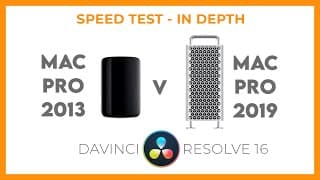
Mac Pro 2013 v Mac Pro 2019 which is best for Resolve FULL In-Depth test.
Do you want to know if £15,000 worth of shiny Mac Pro 2019 is worth it..? We ran a speed test with the same project on a MacPro 2013 and a 2019 16 core machine to see which is best for Resolve. The results were staggering! This is an in-depth video looking at playback and render speeds of various formats and resolutions. There is a shorter 'highlights' version if you just want to get straight to the results. Also, check out Darren's Killer Tips for DaVinci Resolve on facebook at https://www.facebook.com/killertipsdavinciresolve YouTube series "Killer Tips DaVinci Resolve" - https://www.youtube.com/playlist?list=PL6VNHhfsVYJZKcEUfGAyz6OGPDKM0rf4t