Loading...
Warning: Channel ID is missing or invalid
Loading channel videos...

Loading channel videos...
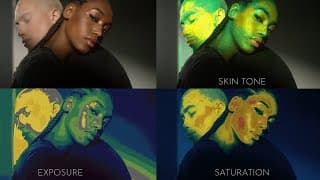
See Skin Tone, Exposure, and Saturation All at Once – New Balance DCTL 4-Way Split
BUY: https://mononodes.com/store/utility-dctls/ LINK: https://mononodes.com/utility-dctl/ The “Utility DCTL” pack encompasses tools for image analysis and adjustment. It includes the “Balance DCTL” for analyzing skin tones in footage and managing color deviations, the “Clipping DCTL” for identifying and handling clipping in light or dark areas, and the “Isolator” features for color isolation in bright and dark regions, emphasizing ‘pure’ colors. 00:00 Intro & Update Overview 00:09 How to Use Balance DCTL in Node Tree 00:21 Skin Tone Indicator 00:45 Exposure Heatmap 01:22 Saturation Heatmap 01:49 New 4-Way Split View 02:25 Gray Out Non-Skin Areas 02:35 Try the Demo

Why I Still Use Standard Saturation in DaVinci Resolve
In this video, we break down the differences between Standard Saturation and HSV Saturation in DaVinci Resolve. You’ll learn when to stick with Standard Sat — especially for desaturation — and how to use HSV Sat effectively when adding saturation for a more filmic look. I’ll also show how combining the two can give you more control and better results, using free test footage and DCTLs available from my site. Featuring: • Lego sample footage • Rainbow & Cube gradient ramps LINKS: https://mononodes.com/everyone-is-awesome-sample-footage/ https://mononodes.com/color-gradient-test-ramps/ 0:00 Intro – HSV Saturation vs. Standard Saturation 0:19 Node Setup & Footage Overview 0:49 Subtractive Saturation with HSV 1:22 HSV Desaturation Issues 2:57 Combining HSV & Standard for Natural Look
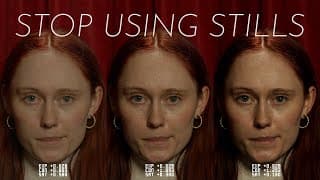
Grade Smarter and Faster in DaVinci with This DCTL
BUY: https://mononodes.com/store/test-strip-dctls/ LINK: https://mononodes.com/test-strip-dctl/ Judging an image in isolation is difficult. Without a direct reference, it’s hard to know whether the image is too dark, too flat, or oversaturated. Side-by-side comparison reveals subtle differences instantly. Scopes like the waveform or vectorscope provide numerical feedback but lack visual context. The Test Strip DCTL solves this by displaying multiple grading variations simultaneously, allowing precise visual evaluation of exposure, contrast, and saturation. Inspired by the traditional test strips of photography, this tool applies the same practical approach directly to digital color grading. 00:00 Intro – The Challenge of Grading Without Reference 00:28 Comparing Grades Side-by-Side 01:00 Manual Workflow: Stills & Versions 01:36 Introducing the Test Strip Tool 02:10 Exposure, Contrast & Saturation in Action 03:30 Faster Workflow with Test Strip 04:45 Final Thoughts & How to Get It
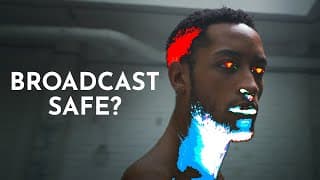
Clipping & Broadcast Safe Quality Control DCTL for DaVinci Resolve
LINK: https://mononodes.com/utility-dctl/ BUY: https://mononodes.com/store/utility-dctls/ #davinciresolve #dctl #blackmagic #colorgrading
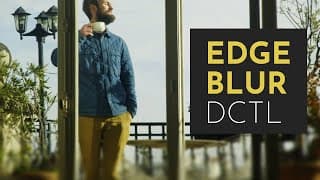
Stop Using Masks! Edge Blur DCTL for DaVinci Resolve
LINK: https://mononodes.com/film-elements/ BUY: https://mononodes.com/store/film-elements-dctls/ Edge Blur provides a natural and aesthetically pleasing way to soften the edges of a frame, avoiding the harshness of traditional masks. Built on a vignette-based mathematical approach, it smoothly blends the blur into the image, maintaining a cinematic and organic feel. Edge Blur allows precise control over the radius, strength, and falloff of the blur, ensuring a gradual transition.

Stretching Images in DaVinci Resolve – New DCTL Tool
LINK: https://mononodes.com/stretch-effect-for-davinci-resolve/ BUY: https://mononodes.com/store/stretch/ This DCTL is designed to manipulate and reshape images through controlled stretching. Adjust parameters like strength, position, distance, and angle to create fluid distortions and unique visual transformations.
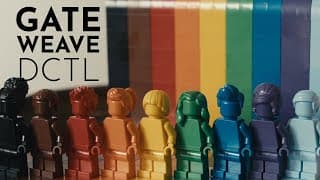
Gate Weave DCTL for DaVinci Resolve
Link: https://mononodes.com/film-elements/ Buy: https://mononodes.com/store/film-elements-dctls/ Gate Weave mimics the subtle frame shifts seen in old film projectors, where the film moves slightly inside the gate. This effect creates a natural horizontal and vertical wobble, blending smooth motion with random variation for an authentic vintage look. You can control the amount, speed, and direction of the movement to get anything from a slight jitter to a strong weave. The Scale slider prevents black edges from appearing by zooming in slightly. To make adjustments easier, you can turn on the yellow background. If you see yellow, it means the weave is too strong, and you may need to increase the Scale slider.

Film Look Aesthetics with the Updated DCTL Pack in DaVinci Resolve
LINK: https://mononodes.com/looklabprint/ BUY: https://mononodes.com/store/look-lab-print-dctls/ 00:00 - Intro 00:25 - Install 00:41 - Node Tree 01:16 - Print DCTL 01:49 - Flat Film Look 02:08 - PFE Shadows 02:40 - LAB DCTL 04:18 - Tone Compression 06:40 - Color 08:10 - Two-Strip 08:32 - Bleach Bypass 08:49 - LOOK DCTL 09:52 - Skin Bias 10:08 - Steve Yedlin LogC3 10:55 - Free DEMO Steve Yedlin - Knives Out - ARRI LogC3 https://x.com/steveyedlin/status/1216463096790650881
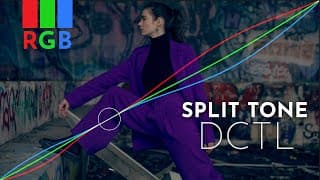
New RGB Split Tone DCTL for DaVinci Resolve - Enhance Colors Without Breaking Neutrals
Link: https://mononodes.com/rgb-split-tone-dctl/ Buy: https://mononodes.com/store/rgb-split-tone-dctls/ Replicate Film Characteristics with RGB Split Tone DCTL in DaVinci Resolve https://www.youtube.com/watch?v=7M4bBTk1UT0 The ‘RGB Split Tone Hi Lo’ and ‘RGB Split Tone Hi Mid Lo’ DCTLs offer targeted control over the RGB channels in your footage, allowing for film-like tonality in highlights, shadows, and even mid-tones. With a built-in slope function, these tools enable fine-tuned adjustments to the curve’s steepness, making it easier to emulate classic film characteristics. The Hi Mid Lo version adds an extra layer of control with a pivot slider for smooth transitions between tonal ranges. Overall, these tools streamline the process of achieving a cinematic look in digital video. CHAPTERS: 00:00 INTRO 00:25 DCTL 02:49 CURVES 03:23 FREE DEMO
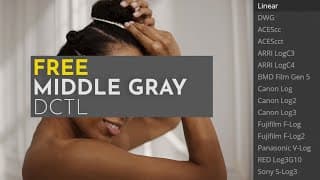
Set Your Contrast Pivot Accurately in Davinci Resolve with This Free Middle Gray DCTL
Download: https://mononodes.com/middle-gray-dctl/ What is this thing called Middle Gray? by Filmmaker IQ YouTube: https://www.youtube.com/watch?v=0RbudPe7pp8 Walter Volpatto – Node Structure in Davinci Resolve by Gus Sanchez Colorist YouTube: https://youtu.be/ymr4wyo7GcA?si=460a5MyJ6U6Sa1Cw&t=3670 You don’t know middle gray like this (but you should) by Cullen Kelly YouTube: https://www.youtube.com/watch?v=yjyUdiCOvkg The #1 color grading tool that’s not a knob in DaVinci Resolve by Cullen Kelly YouTube: https://www.youtube.com/watch?v=qljAIRY9Gpc INTRODUCTION In color grading, mid-gray serves as a crucial reference point that simplifies contrast adjustments and minimizes the need for constant tweaks. By setting mid-gray correctly, colorists can achieve a balanced look with greater ease and consistency. Here’s how mid-gray can streamline your color grading workflow and improve the end result.
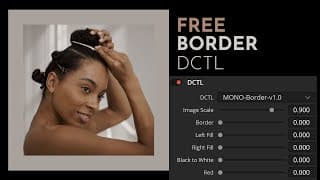
Match Shots Easily with This Free Border DCTL for DaVinci Resolve
Download for free: https://mononodes.com/border-dctl/ Inspired by: https://www.youtube.com/watch?v=Ba7BiaAYKbU Color grading is an art that relies heavily on precision and perception. Our environment, including the colors and brightness of surrounding areas, can significantly impact how we perceive the image on screen. Ideally, a neutral gray wall and a high-quality reference monitor provide the perfect grading environment, but that isn’t always an option. To address this challenge, I created this DCTL, a simple yet effective tool designed to enhance your workflow. This DCTL shrinks your image, adds a customizable border, and allows you to place your footage against a neutral or colored background.
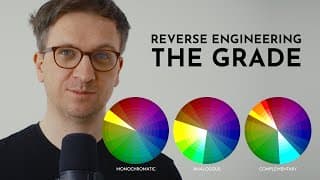
A Minimalist Approach to Achieving Cinematic Looks
Link: https://mononodes.com/course-reverse-engineering-the-grade/ Buy: https://mononodes.com/store/reverse-engineering-the-grade/ Learn how to reverse engineer cinematic grades using a minimalist approach. Analyze scopes, build simple node trees, and recreate stunning looks. This course is about understanding color harmony and creating consistent, professional results efficiently. #davinchiresolve #colorgrading #filmlook #cinematic #cinematiclook

Film Elements DCTL Pack for DaVinci Resolve – Film Dirt, Halation, Vignette & More
https://mononodes.com/film-elements/ 00:00 - Film Dirt 02:53 - Vignette 04:22 - Halation 06:00 - Chromatic Aberration #davinciresolve #dctl #colorgrading #cinematiclook #filmlook
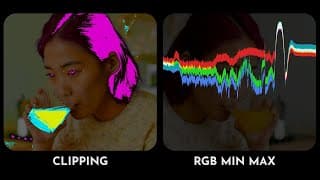
Highlight RGB Extremes & Clipping with These DCTL Tools for DaVinci
Link: https://mononodes.com/utility-dctl/ These tools are designed to simplify balancing tasks and provide multiple ways to analyze images, making the grading process easier and more precise. Chapters: 00:00 - Intro 00:05 - Clipping DCTL 02:11 - RGB MinMax DCTL #davinciresolve #dctl #blackmagic #colorgrading
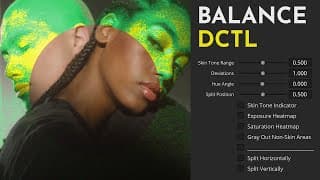
Mastering Skin Tones with Balance DCTL for DaVinci Resolve
Link: https://mononodes.com/utility-dctl/ These tools are designed to simplify balancing tasks and provide multiple ways to analyze images, making the grading process easier and more precise. Chapters: 00:00 - Intro 00:33 - Install DCTLS 01:04 - Node Tree 02:02 - Skin Tone Indicator 03:43 - Hue Angle Slider 04:17 - Film Stills 07:17 - Exposure Heatmap 08:43 - Saturation Heatmap 11:29 - Workflow 12:42 - Monochrome 12:59 - Highlight Neutrals 13:49 - Next #davinciresolve #dctl #blackmagic #colorgrading
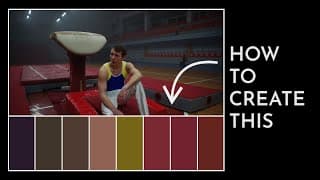
How to Create a Color Palette in DaVinci Resolve Using DCTL
Link: https://mononodes.com/color-palette/ #davinciresolve #dctl #colorgrading #cinematiclook #filmlook INSPIRED BY: https://shotdeck.com/ https://www.instagram.com/colorpalette.cinema/
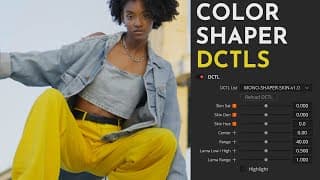
Color Shaper DCTL - DaVinci Resolve Color Grading Tool
For more information and to download a FREE DEMO of Color Shaper, visit: https://mononodes.com/color-shaper/ #davinciresolve #dctl #colorgrading #cinematiclook #filmlook 00:00 - Intro 00:27 - Skin adjustments 10:59 - Hue adjustments 19:27 - Outro
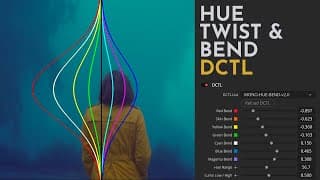
Hue Twist & Bend DCTL - DaVinci Resolve Color Grading Tool
Link: https://mononodes.com/hue-twist-and-bend/ The “Hue Twist” DCTL twists hue values towards their neighboring colors based on the brightness of each hue. Darker areas shift towards the opposite adjacent hue compared to lighter areas, adding complexity to the color manipulation process beyond standard hue shift methods. The tool offers flexibility in setting the brightness threshold and controlling the intensity of transitions between bright and dark regions. This added control allows for broad and tailored image manipulation. Overall, the “Hue Twist” DCTL is a precise color grading tool that uses brightness as a determining factor for hue adjustments, expanding creative possibilities in color grading. 00:00 - Intro 00:27 - Hue rotate 01:22 - Hue Twist DCTL 03:03 - Hue Twist - Real World Footage 04:45 - Film Print Matching - Kodak 2383 07:10 - Bend DCTL 08:05 - Bend - Real World Footage 12:15 - Free Demo #davinciresolve #dctl #colorgrading #cinematiclook #filmlook
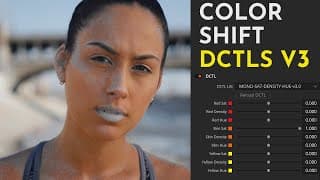
Color Shift v3 DCTL vs. ColorSlice: Grading Tool Comparison in DaVinci Resolve
For more information and to download a FREE DEMO of Color Shift v3, visit: https://mononodes.com/color-shift-dctl/ Updates have been sent to all customers. If you have not received an email, please check your spam folder or contact me directly for assistance. Enjoy the new version. Best, Stefan #davinciresolve #dctl #colorgrading #cinematiclook #filmlook 00:00 - Intro 00:55 - Interface 01:43 - Saturation 02:09 - Skin Tone 04:15 - Hue Range Slider 05:00 - Density 05:28 - Workflow

Achieving Film Look Aesthetics with This DCTL Pack in DaVinci Resolve
LINK: https://mononodes.com/looklabprint/ BUY: https://mononodes.com/store/look-lab-print-dctls/ I've just released an updated version of the LOOK / LAB / PRINT DCTL Pack, along with a brand-new video demonstrating it: https://www.youtube.com/watch?v=DOgziUrwgbY Introducing the ‘Look / Lab / Print’ DCTL pack, designed to capture the essence of film. This comprehensive set includes DCTLs for authentic negative film aesthetics, a versatile Lab DCTL for fine-tuning, and a specialized film print emulation DCTL for the perfect finish. 00:00 - Intro 01:43 - Filmic Contrast Curve 03:13 - Saturation / Density 04:27 - Deep Slider 05:13 - Desat Highlights 05:38 - Two-Strip 07:29 - Bleach Bypass 08:07 - Print DCTL 09:56 - Node Tree EnergaCAMERIMAGE 2023: Chromogen in action https://www.youtube.com/watch?v=fpis1QUrQXM Steve Yedlin - Knives Out https://twitter.com/steveyedlin/status/1216463096790650881 #davinciresolve #dctl #colorgrading #cinematiclook #filmlook

Replicate Film Characteristics with RGB Split Tone DCTL in DaVinci Resolve
LINK: https://mononodes.com/rgb-split-tone-dctl/ The ‘RGB Split Tone Hi Lo’ and ‘RGB Split Tone Hi Mid Lo’ DCTLs offer targeted control over the RGB channels in your footage, allowing for film-like tonality in highlights, shadows, and even mid-tones. With a built-in slope function, these tools enable fine-tuned adjustments to the curve’s steepness, making it easier to emulate classic film characteristics. The Hi Mid Lo version adds an extra layer of control with a pivot slider for smooth transitions between tonal ranges. Overall, these tools streamline the process of achieving a cinematic look in digital video. 00:00 - Intro 01:12 - Analyzing Film 01:49 - Film Scenes 02:12 - Log Wheels 02:42 - Curves 04:26 - DCTL
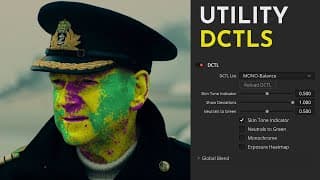
Mastering Perfect Skin Tones with our DCTL in DaVinci Resolve
LINK: https://mononodes.com/utility-dctl/ These tools are designed to simplify balancing tasks and provide multiple ways to analyze images, making the grading process easier and more precise. Utility DCTL Package Includes: Balance DCTL: Analyzes skin tones in footage and shows color deviations. Clipping DCTL: Identifies and handles clipping in light or dark areas and saturation. Isolator DCTL: Isolates color in bright and dark regions, emphasizing ‘pure’ colors. Chapters: 00:00 - INTRO 00:24 - BALANCE 07:35 - NEUTRALS TO GREEN 09:01 - EXPOSURE HEATMAP 12:20 - CLIPPING 15:17 - COLOR ISOLATOR 19:31 - FREE DEMO #davinciresolve #dctl #blackmagic #colorgrading
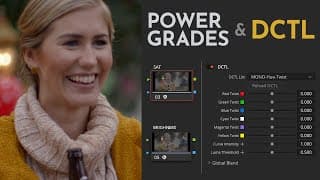
Storing DCTLs in PowerGrades for Faster Node Tree Building - DaVinci Resolve
Color Shift: https://mononodes.com/color-shift-dctl/ Website: https://mononodes.com/ In this video, I'll show you a fast and efficient method of incorporating a DCTL into the Node Tree using PowerGrades in DaVinci Resolve. I walk through the process of creating a PowerGrade, saving it with DCTL, and adding it to your Node Tree, an approach that significantly reduces time compared to traditional methods. Additionally, I introduce a new DCTL for brightness in the "Color Shift" pack.
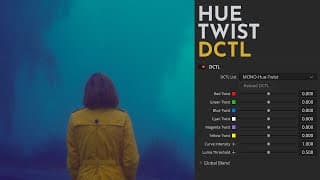
Hue Twist - DaVinci Resolve DCTL
Link: https://mononodes.com/hue-twist-dctl/ The “Hue Twist” DCTL works by ‘twisting’ hue values towards their neighboring colors, but the interesting aspect here is that it does so based on the brightness value of the respective hue. Darker areas are automatically shifted towards the opposite adjacent hue value than lighter areas, adding a depth of complexity to the color manipulation process that goes beyond standard hue shift methods. Additionally, the tool offers flexibility in determining the brightness threshold and the intensity of the transition between bright and dark regions. This added control ensures users have a broad and tailored manipulation of the image. Overall, the Hue Twist DCTL is a precise color grading tool, providing a new approach to adjusting color hues by adding brightness as a determining factor, therefore expanding the creative possibilities in color grading. #davinciresolve #dctl #colorgrading #blackmagicdesign #videoediting #postproduction
Use gray background for user interface - DaVinci Resolve
Turn on a gray background for the user interface: DaVinci Resolve's user interface normally has a blue-gray background by default. This is done to improve the user experience, particularly for people who are more interested in editing than color-specific capabilities. By checking this box, DaVinci Resolve's user interface will become fully neutral with a desaturated gray background. This is helpful for colorists who want to prevent any possible color bias the blue-gray UI can bring, especially while working in the dim lighting of a grading suite.
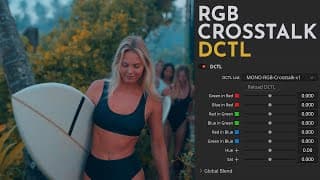
RGB Crosstalk - DaVinci Resolve DCTL
https://mononodes.com/rgb-crosstalk-dctl/ The RGB Crosstalk DCTL simplifies the process of the RGB Mixer by preserving neutral colors during channel adjustments. The design maintains a constant total color value, ensuring neutral colors remain neutral. The “RGB Crosstalk DCTL” maintains the total color value in each channel, meaning the sum of the color contributions to each output channel always equals 1, regardless of how you adjust the sliders. This feature provides precise control over the color grading process, allowing modification of color tones without disrupting the image’s overall color balance.
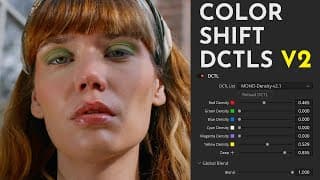
Color Shift v2 - DaVinci Resolve DCTL
Color Shift v2: https://mononodes.com/color-shift-dctl/ These DCTLS are designed to shift and manipulate colors in a broad way, offering an alternative to the "Color Warper" and "Hue vs. Hue" tools. You can find more information and a FREE DEMO on my website. Partly inspired by "Hue Shift": https://youtu.be/i_8i1rKYHHk Chapters: 00:00 - INTRO 00:38 - SATURATION 05:31 - DENSITY 07:43 - DEEP SLIDER 09:42 - DESAT 10:49 - HUE SHIFT 14:01 - LOOK DEVELOPMENT 17:23 - DEMO VERSION
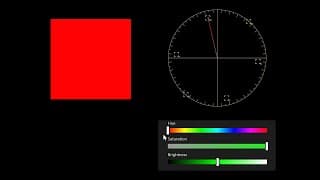
The Vectorscope: Quick Overview of Capabilities and Limitations
Web: https://mononodes.com/
DCTL Coding with ChatGPT's Assistance - DaVinci Resolve Video Course
Website: https://mononodes.com/dctl-and-more/
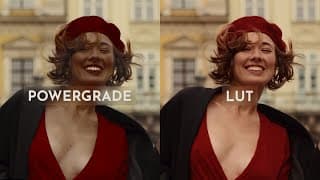
PowerGrade vs. LUT
Website: https://mononodes.com/
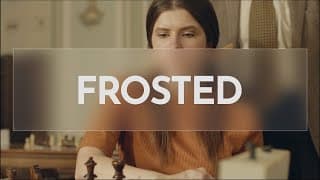
Frosted Glass Effect for DaVinci Resolve
Free download: https://mononodes.com/frosted-glass-effect-for-davinci-resolve/ Ko-Fi: https://ko-fi.com/s/f6b8f08512
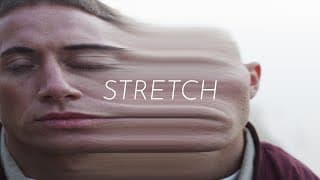
Stretch Effect for DaVinci Resolve
Download: https://mononodes.com/stretch-effect-for-davinci-resolve/
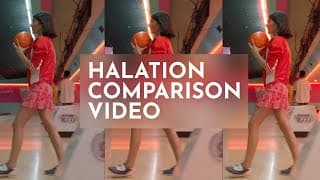
Halation comparison between Resolve and Dehancer
Halation is a characteristic of celluloid film when a bright light bounces back a few times exposing the film a second time only affecting the red layer (and a bit of the green layer) of the film resulting in a reddish/orange glow. The Halation tint may be different based on white balance adjustments / color grading. An anti-halation layer usually is a coating on the back of the film base, though it is sometimes incorporated between the light-sensitive emulsion and the base. Its purpose is preventing any light from being reflected back through the emulsion from the rear surface of the base, or from anything behind the film. This prevents a halo-like effect (halation). Even with an anti halation-layer there might be a Halo effect because the layer is not 100% black.
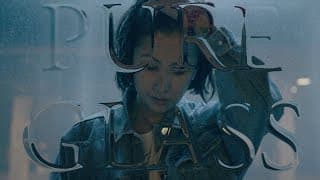
Pure Glass Text Effect for DaVinci Resolve
Website: https://mononodes.com/pure-glass-effect/ Chapters: 00:00 - Intro 03:10 - Examples
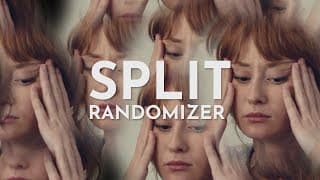
Split Randomizer for DaVinci Resolve
Download: https://mononodes.com/split-randomizer-for-davinci-resolve/
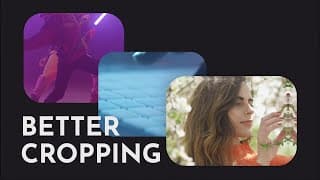
Better Cropping in DaVinci Resolve
Download: https://mononodes.com/cropping-tool/ 00:00 - Intro 00:44 - Crop Tool

Sliced Mirror Effect for DaVinci Resolve
Download: https://mononodes.com/sliced-mirror-effect/ Description: This is a simple mirror effect tool for the DaVinci Resolve edit page.
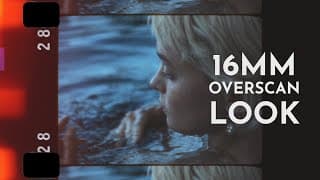
16mm Overscan Look in DaVinci Resolve
Website: https://mononodes.com/16mm-overscan-look/ With this package, I have created an overscan-look that offers some freedoms that other packages do not offer. It was important to me to separate sprocket holes, dirty matte elements and edge codes. Only by separating those elements it is possible to correctly integrate halation and other effects. The halation only affects the image itself and edges of the matte, but excludes sprocket holes and edge codes. A separation of the sprocket holes also makes it possible to adjust gate weave and jitter individually, and also to integrate light leaks and grain correctly. Chapters: 00:00 - Intro 00:11 - Install 01:04 - How to use 01:34 - Sprocket holes 02:15 - Dirty mattes 04:45 - Gate weave 05:15 - Grain 05:38 - Light Leaks 06:38 - Node sizing 07:03 - Sprocket hole design 07:45 - User guide 07:03 - Sprocket hole design 08:10 - Example Footage MUSIC: Artist: The Tides Track: Dream Escape
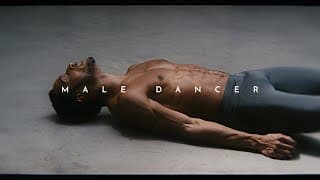
Male Dancer
CINEMATOGRAPHY: Hans Peter Schepp EDIT/COLOR: Stefan Ringelschwandtner MUSIC: Slenderbeats / Inkling Website: https://mononodes.com/ Graded with: https://mononodes.com/film-emulation/ REC709 vs. Final Grade: https://mononodes.com/male-dancer/
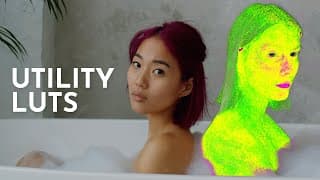
Utility LUTs - False Color for Blacks, Whites, Neutrals and Skin Tone
A false color representation is a graphic in which colors are used that deviate from the natural color impression. Such a representation can be helpful to make fine nuances of a color tone in an image clearly distinguishable. Download the Utility DCTL Pack here: https://mononodes.com/utility-dctl/ ---------------------------------------------------------------------- Chapters: 00:00 - Intro 00:35 - Black to RED 02:31 - White to RED 03:44 - Neutrals to GREEN 06:07 - Skin Tone Indicator LUT ---------------------------------------------------------------------- #DaVinciResolve #Resolve18
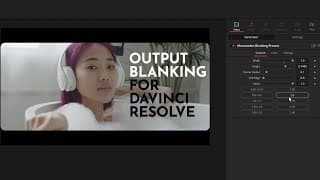
Blanking Generator with Aspect Ratio Presets for DaVinci Resolve
Blanking Generator with Aspect Ratio Presets for DaVinci Resolve https://mononodes.com/blanking/
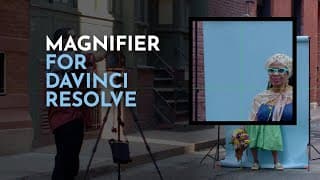
Magnifier for DaVinci Resolve
Free for Download on my Website: https://mononodes.com/magnifier-for-davinci-resolve/
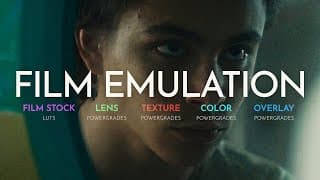
Film Emulation in DaVinci Resolve
Film Emulation for DaVinci Resolve by MONONODES. More Information on my website: https://mononodes.com/film-emulation/ Chapters: 00:00 - Intro 00:11 - Import PowerGrades 00:40 - Lens Characteristics 01:20 - Lens Blur 02:09 - Overscan Look 03:39 - Halation 05:04 - Softness and Sharpness 06:25 - Color Density 08:08 - Film Stock LUTs 08:24 - SHIFTai 09:04 - Gate Weave, Film Damage, Flicker 09:38 - Flat Look 10:24 - User Guide PDF 10:40 - Node Tree

How to Stress Test LUTs in DaVinci Resolve
EVERYONE IS AWESOME - SAMPLE FOOTAGE: https://mononodes.com/everyone-is-awesome-sample-footage/ TEST CHARTS: https://mononodes.com/test-charts/ --------------------------------------------------------------------- Chapters: 00:00 - Intro 00:32 - Color Wheel Test Image 01:22 - Kodak 2383 LUT 01:48 - BAD LUT No.1 04:08 - BAD LUT No.2 06:18 - BAD LUT No.3 07:03 - LIMITATIONS 08:11 - Sample Footage --------------------------------------------------------------------- My Website: https://mononodes.com
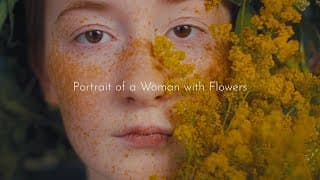
Portrait of a Woman with Flowers
POWERGRADES BY MONONODES https://mononodes.com/film-emulation/ CINEMATOGRAPHY Anna Tolipova COLOR Stefan Ringelschwandtner MUSIC Allégro - Emmit Fenn

4K vs 1080p resolution demo with thoughts on viewing distance and compression
My Website: https://mononodes.com Steve Yedlins Resolution Demo Part 2: http://yedlin.net/ResDemo/ --------------------------------------------------------------------- Chapters: 00:00 - Intro 01:54 - Blind Test 4k vs. 2k 04:50 - Upscale Algorithm Comparison 06:21 - Viewing Distance 07:08 - Compression Comparison --------------------------------------------------------------------- Vimeo Version: https://vimeo.com/695292490
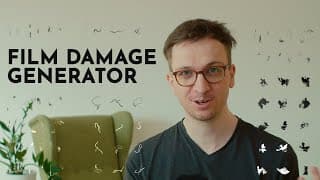
Film Damage Generator for DaVinci Resolve
Have a look here: https://mononodes.com/film-damage/ First, I analyzed a lot of real film damage and created a database of various elements. Imperfect film scans from feature films, but also from music videos, were mainly my sources of inspiration. In the second step I wrote a computer program that can generate over 1000 individual looking “dirt elements” in order to avoid repetitions. The next step was to create a generator in Fusion that could later be used on the edit page and would give you full control over these dirt elements. This way you can change the composite mode to “Overlay”, change the gain and alpha channel, turn items black, resize and / or blur elements. In addition, it was important to randomize the appearance of the items on the screen. So one of the main functions is in fact randomizing the “on-screen-time” to allow a random number of images to pass before the next element of dirt appears on the screen. If you have questions, feedback or suggestions, leave a comment below or email me! 00:00 - Intro 00:21 - References 01:20 - How to Install 02:08 - How to Use 04:33 - Off / On Time 07:20 - Create Overlays 09:00 - Website
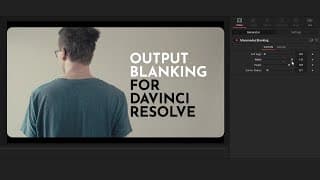
Output Blanking Generator for DaVinci Resolve
https://mononodes.com/blanking/ In DaVinci Resolve you can go to “timeline”, move all the way down to “Output Blanking” and select a number between 1.33 and 2.40. Another option is to use PNG overlays. Both methods are not really flexible. I wanted an intuitive blanking option where you can change the aspect ratio fast using sliders for the edit page, so I created my own “Blanking Generator”. Free for download. Website: https://mononodes.com/ Music: Airport Lounge - Disco Ultralounge by Kevin MacLeod is licensed under a Creative Commons Attribution 4.0 license. https://creativecommons.org/licenses/by/4.0/ Source: http://incompetech.com/music/royalty-free/index.html?isrc=USUAN1100806 Artist: http://incompetech.com/
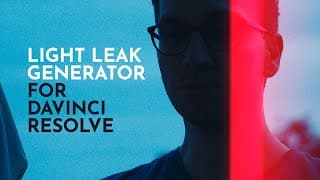
Light Leak Generator for DaVinci Resolve
I built a Light Leak generator for DaVinci Resolve.: https://mononodes.com/light-leak-generator/ What is a “Light leak”? - A “light leak” occurs when there is a gap in the housing of a camera, camera magazine or other optical instrument that allows light to “enter” and in this way exposes the film to additional light. If you have questions, feedback, suggestions leave a comment below or feel free to contact me via email.
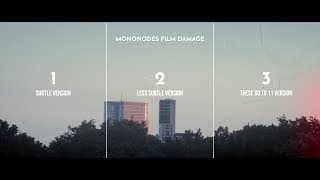
Film Damage Generator Examples - 3 Versions (4k)
More Information at: https://mononodes.com/film-damage/ 00:00 - Version 1 01:11 - Version 2 02:24 - Version 3
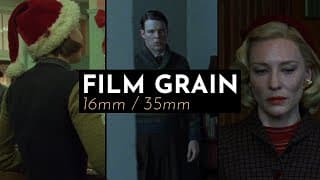
A study on film grain - 16mm / 35mm supercut
"A study in film grain" on VIMEO: https://vimeo.com/551655775 ---------------------------------------------------------------------- Chapters: 00:00 - Intro 00:55 - Carol 01:20 - Black Swan 01:40 - Steve Jobs 01:54 - Moonrise Kingdom 02:20 - Sex, Lies, and Videotape 02:45 - Buffalo 66 03:15 - The Wrestler 03:46 - Queen of Earth 04:02 - Bronson 04:25 - La Pianiste 04:56 - The Virgin Suicides 05:26 - The Old man and the Gun 05:40 - Never Rarely Sometimes Allways 05:56 - Phantom Thread ---------------------------------------------------------------------- My Website: https://mononodes.com
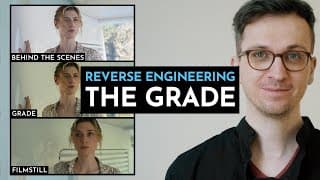
Film Look recreation in DaVinci Resolve
I’ve made a course on this topic. In this video, I talk about what’s inside the course—check it out here: https://www.youtube.com/watch?v=TZfM3IyPywk Some month ago I remembered a blog post by Juan Melara. In the course of a discussion on the topic „movie look recreations“ in this “Lift Gamma Gain thread“, colorist and cinematographer Juan Melara „jumped in“ and recreated the look of “Midnight in Paris” in DaVinci Resolve. From this point on I got profoundly interested in the method „reverse engineering the grade“, and I started to experiment with it myself resulting in making this website on the topic with some additional points of views. Website: https://mononodes.com/ ------------------------------------------------------------------------------------------------- MIDNIGHT IN PARIS - REVERSE ENGINEERING THE GRADE https://juanmelara.com.au/blog/midnight-in-paris-reverse-engineering-the-grade Discussion "Lift Gamma Gain" Forum: https://liftgammagain.com/forum/index.php?threads/paris-rome.5035/ -------------------------------------------------------------------------------------------------