Loading...
Warning: Channel ID is missing or invalid
Loading channel videos...

Loading channel videos...
You’re Not Bad at Color Grading. You’re Just Missing This.
It’s not your camera. It’s not your LUT. It’s your eyes. 🎯 Tools & links mentioned: ► Frameset (affiliate link) https://frameset.app/stills?via=piero ► Video Screenshot Plugin https://chromewebstore.google.com/detail/video-screenshot/ppkojackhibeogijphhfnamhemklmial In this video, I’ll show you why our perception drifts during a color grade — and how pro colorists stay consistent using references. Whether you’re working late at night, in a bright room, or just overthinking your grade, having the right reference image can save you from delivering something that looked right… but wasn’t. I'll show: - Why perception shifts during grading - How to use internal and external references in DaVinci Resolve - Where to find great reference frames (YouTube + @framesetapp ) - A real example of a corporate video I overgraded — and how I fixed it - The simple tools I use to match exposure, color balance, and tone If you’ve ever graded something and come back later thinking “this looks like garbage” — this one’s for you. 📬 Want more breakdowns like this? Drop a comment with a look you want to match. Thanks for watching — now let’s fix those grades. Chapters: 00:00 - Intro 00:10 - Why you need References 01:05 - Internal References 02:17 - External References 04:35 - How to Match a Reference Image (Demo) #colorgrading #davinciresolve #filmmakingtips #gradingworkflow #cinematiclook #filmmakerlife #videocreator #colorist #filmmakingtutorial #videoediting #frameset #gradingmistakes #creativeprocess #visualstorytelling #resolveworkflow

How to Nail Contrast Ratios Without a Light Meter
Have you ever followed all the lighting rules—perfect angles, soft sources, motivated lighting—and yet your shot still looks off? That’s because brightness levels are just as important as placement and modifiers. In this video, I’ll break down how to set your lights to look natural and show you a powerful exposure tool (EL Zone) that makes it easy to measure light precisely—without guessing. You’ll learn: ✅ Why natural light looks natural (and how to replicate it) ✅ How brightness levels affect realism (falloff, ratios, ambient light) ✅ A pro technique for copying natural light setups with artificial lights ✅ How I faked sunlight indoors using the Zhiyun Molus G200 🎬 THE LIGHT I USE 🔗 Zhiyun Molus G200 → https://geni.us/G200-Piero (affiliate link) 💰 10% OFF Code: ZHIYUN10WSS @ZhiyunTechGlobal 🎛 MONITOR YOUR EXPOSURE LIKE A PRO 📲 Monitor+ App → https://monitorplus.cc 📺 SmallHD Indie7 → https://smallhd.com/products/indie-7 🎵 NEED MUSIC FOR YOUR VIDEOS? I get all my music from Musicbed—they have cinematic, high-quality tracks that make a huge difference in my edits. 🎧 Try it FREE for 14 days → https://fm.pxf.io/pierofreetrial 💡 MORE VIDEOS ABOUT LIGHTING https://www.youtube.com/watch?v=ZEDxz7bPtA4&list=PLczcK3Lq3-XviGEVnDbIaJ6bAGeVPoeoV 📌 CHAPTERS 00:00 - Why Your Lighting Looks Fake 01:09 - Understanding Light Falloff 01:41 - Why Natural Light Looks Natural 02:54 - What are Stops? 03:34 - Introducing the Most Precise Exposure Tool 05:00 - How to get EL Zone 05:23 - How to Copy Natural Light with Artificial Lights 05:44 - Real-World Example 1 (Overcast) 07:05 - Real-World Example 2 (Sunny Morning) 08:19 - How to Balance Multiple Lights 10:00 - Final Thoughts & Thanks 📷 LET'S CONNECT! 📸 Instagram → https://www.instagram.com/pieroistrice/ 💻 Website → https://www.pieroistrice.com 🔥 GEAR I USED FOR THIS VIDEO 📷 Camera: @SonyAlphaUniverse A7S III / A7IV #LightingTips #CinematicLighting #ELZone #NaturalLighting #Zhiyun #MolusG200 #cinematography #FilmLighting #LightingLevels 🎼 SyncID: MB01MRHFZABMHGE
The YouTube Lighting Struggle is REAL #YouTubeLighting #FilmmakingTips
Lighting a YouTube setup? Easy, right? Well… not always. Natural light looks great—until the sun decides to ruin your shot. I’ve tested tons of different lights over the years, and now I wanted to find a simple setup that actually works. In this video, I’m testing a tiny 60W light and a small spotlight to see if they’re enough for YouTube. Can they compete with daylight? Can they light a dark room? Let’s find out. 📌 Watch the full video here: https://www.youtube.com/watch?v=BcLPtpOpP2A 🔔 Subscribe for more filmmaking & lighting tips: https://www.youtube.com/@pierogiannist Sync ID: MB01ZDH8OEGUUQT #YouTubeLighting #FilmmakingTips #contentcreation
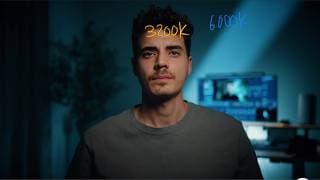
A $50 Light + THIS = The Ultimate Budget Setup?
Is 60W enough for YouTube lighting? I put the SmallRig RC 60C and RF10C to the test in real-world scenarios—a daylight setup, a low-light YouTube studio, and even some creative shots—to see if this compact, battery-powered COB light is actually a game-changer for content creators. 🔥 GET THE LIGHTS HERE 🔥 🔹 SmallRig RF10C: https://smallrig.com/r/1HMWEJ 🔹 SmallRig RC60C: https://smallrig.com/r/CW7DGA 🔹 SmallRig RC60B (bi-color version): https://smallrig.com/r/7EQHDP 🎵 MUSIC FOR YOUR VIDEOS 🎵 Switch to Musicbed and start your free 14-day trial today: https://fm.pxf.io/pierofreetrial Key Findings from My Tests: ✅ Can work as a key light—even in daylight (when used correctly) ✅ Battery-powered & lightweight = ultra-flexible and easy to mount anywhere ✅ RGB version lets you tweak tint & color temp—but do you really need RGB? ✅ Different editions available—but only one includes the must-have umbrella mount ✅ The RF10C mini spotlight is great for background & product shots—but 10W is limiting for brighter scenes I was skeptical about the internal battery at first, but after using it, I really appreciated not having cables everywhere—setup is cleaner, faster, and more flexible. This feature alone makes it stand out from other lights in its category. So, is 60W enough for YouTube? Watch the full video to see how these lights perform! 💡 OTHER GEAR USED: 🔹 Umbrella: Neewer 43" Diameter Reflective Softbox Umbrella 🔹 Camera: Sony a7s III 🔹 Lenses: Sigma 24-70mm f/2.8 & Sony 35mm GM f/1.4 📌 TIMESTAMPS 00:00 The YouTube Setup Struggle 00:58 Daylight Setup – Can It Match the Sun? 03:57 Low-Light YouTube Studio – Is 60W Enough? 07:19 Creative Shots & Product Lighting 08:27 Creative Lighting Breakdown 09:12 Final Verdict – Should You Get These Lights? ✅ WHO ARE THESE LIGHTS FOR? ✔ YouTubers & content creators who want a small, affordable lighting setup ✔ Filmmakers looking for a clean, battery-powered setup (no messy cables!) ✔ Creators working in controlled setups—60W is great for studios, but won’t overpower bright daylight ✔ If you don’t need RGB, the RC 60B is a great alternative—it’s bi-color and slightly cheaper 🎬 MORE LIGHTING VIDEOS YOU’LL LOVE https://www.youtube.com/watch?v=04heMLH9KAs&list=PLczcK3Lq3-XviGEVnDbIaJ6bAGeVPoeoV 🔔 SUBSCRIBE for more filmmaking & lighting tips! 📲 LET’S CONNECT: Instagram → https://www.instagram.com/pieroistrice/ Website → https://www.pieroistrice.com Sync ID: MB01ZDH8OEGUUQT #Filmmaking #Cinematic #Lighting#YouTubeLighting #SmallRig #LightingSetup #VideoLighting #CreatorTools #FilmmakingGear #YouTubeStudio #CinematicLighting #LightingForYouTube #GearTest
Why Does 85mm Look So Different?
📍 Check out the @SIRUIImaging Aurora 85mm f/1.4 → https://bit.ly/3Eq7t8x 💸 Use Code: PIEROISTRICE for 5% OFF An 85mm lens is legendary for portraits, but is it actually useful for video and filmmaking? 🎥 Today, I put the SIRUI Aurora 85mm f/1.4 to the test against the Sony 85mm f/1.8, breaking down: ✅ What makes 85mm lenses so cinematic? (Compression, depth of field & subject isolation) ✅ When does an 85mm lens shine in video? (Best use cases for filmmakers) ✅ SIRUI 85mm f/1.4 vs Sony 85mm f/1.8 – Which is better? (Sharpness, bokeh, autofocus & flaring) ✅ Is the SIRUI 85mm f/1.4 worth it? (Hands-on review, real-world tests & my honest thoughts) Would you use an 85mm for filmmaking? Drop a comment below! ⬇️ 🎬 Special Thanks to Corina, Marco & Jakob. Check out Jakob’s channel: https://www.youtube.com/@UCfr0yhVrffrEkoSzPwc-eOA 💡The Light I use: Zhiyun Molus G200 → https://geni.us/G200-Piero (affiliate link) 💰 10% OFF Code: ZHIYUN10WSS 🎵 Music in this Video: Musicbed Try Musicbed for Free → https://fm.pxf.io/pierofreetrial 📸 Shot on: @SonyAlphaUniverse Sony A7S III 📌 Chapters: 00:00 - 85mm in Action 00:32 - Intro 01:15 - How does compression work? 02:40 - Depth of Field & Subject Isolation 03:12 - Where an 85mm Prime lens shines 04:38 - SIRUI 85mm f/1.4 Hands-On Review 05:48 - SIRUI vs Sony 85mm f/1.8 Comparison 07:17 - Final Thoughts: Should You Get an 85mm Lens? 🎥 More Filmmaking Content: 👉 Follow me on Instagram: https://www.instagram.com/pieroistrice/ 🌍 Check out my website: http://www.pieroistrice.com/ 👍 Like this video? Smash the LIKE button & SUBSCRIBE for more real-world filmmaking insights! Musicbed Sync ID: MB01R2FY2EYP786 #SIRUI85mm #SIRUIAURORA #FilmmakingGear #CinematicLenses #Videography #85mmLens #CameraGear #CinematicVideo
The Truth about Anamorphic Lenses for Smartphones
Try *Musicbed* for Free: https://fm.pxf.io/pierofreetrial 🎬 *Does an anamorphic lens actually make your iPhone footage cinematic, or is it just a gimmick?* Today, I’m testing the *Freewell Cine Pro Kit* to see if an anamorphic lens is really worth it—or if there’s a better way to improve your iPhone filmmaking. 📌 *In this video, we cover:* ✅ The history of anamorphic lenses and why Hollywood used them 📽️ ✅ How anamorphic works on an iPhone ✅ The *real reason filmmakers still use anamorphic today* (hint: it’s NOT just for the aspect ratio) ✅ What I like & don’t like about this iPhone anamorphic lens ✅ A *better way to make your iPhone footage look cinematic* 🚀 *Get the Freewell Cine Pro Kit here:* https://freewellgear.com/products/iphone-pro-filmmaker-cine-pro-kit?sca_ref=8274519.QiNXGA13Ds8 💡The Light I use: Zhiyun Molus G200 → https://geni.us/G200-Piero (affiliate link) 💰 10% OFF Code: ZHIYUN10WSS Subscribe for more *no-BS, practical filmmaking tips!* 🎬 → https://www.youtube.com/@pierogiannist 🎞 TIMESTAMPS: 00:00 – Intro: Is Anamorphic Worth It? 00:35 – 60 seconds History Lesson 01:36 – How Anamorphic Works on an iPhone 02:09 – Why Filmmakers Still Use Anamorphic 03:05 – Is Anamorphic worth it on iPhone? 04:10 – What is more important than an Anamorphic Lens 05:00 - Hands on with the Cine Pro Kit 06:15 – Final Thoughts --- ## 📣 Let’s Connect! 📷 *Instagram:* https://www.instagram.com/pieroistrice/ 💡 *What do you think? Would you use an anamorphic lens on your iPhone? Let me know in the comments!* ⬇️ Sync ID: MB01Z9GW9XZXIAH
From Amateur to Cinematic – Using Only Daylight Indoors
🔥 Fix Your Natural Light & Get Cinematic Results! 🌞 Want to make your natural light shots look professional without expensive gear? In this video, I’ll show you how to fix flat lighting and create cinematic depth using just daylight. Whether you’re shooting an interview, a YouTube video, or any indoor setup, these pro lighting tricks will instantly improve your shots! 📢 Try Musicbed for Free: https://fm.pxf.io/pierofreetrial 🎬 What You’ll Learn: ✅ The #1 mistake most people make when filming with natural light. ✅ How to position your subject for the best soft & directional light. ✅ How to control harsh sunlight using diffusion like unbleached muslin. ✅ The secret to cinematic contrast using negative fill (black molton). These two easy setups—one for overcast days and one for direct sunlight—can be applied to any indoor filming situation. Say goodbye to flat, uninteresting lighting and take your cinematography to the next level! 📸 Gear & Materials Used: 🎥 Camera: @SonyAlphaUniverse Sony A7S III 🔹 Unbleached Muslin (for soft diffusion) 🔹 Black Molton/Duvetine (for negative fill & contrast) 🔹 Sony 35mm f/1.4 GM 📌 Chapters: 00:00 - Intro 🚀 00:27 - Overcast Day Setup 🌥️ 05:37 - Direct Sunlight Setup ☀️ 08:24 - Final Thoughts 🎬 📲 Let’s Connect! 📸 Instagram: https://www.instagram.com/pieroistrice/ 🌐 Website: https://pieroistrice.com 🔥 Like this video? Hit 👍, subscribe & drop a comment! Let me know—which natural light setup do you prefer? #NaturalLightTips #FilmmakingTips #CinematicLighting #VideoProduction #BeginnerFilmmaking #LightingSetup #IndieFilmmaking #DIYLighting
Cinematic Look, ZERO Film Lights
Ever wondered how to get cinematic shots without expensive lights or a professional studio? In this video, I’ll show you how I turned my small bathroom into a film set using only everyday light sources—a bit of daylight and a simple fluorescent tube. I’ll walk you step-by-step through the process, from a flat, boring image to a dynamic, cinematic shot by shaping and controlling the light with simple, practical tricks. No fancy gear—just creativity and the right techniques. Along the way, I’ll also show you how I used Cine Tracer to visualize the space Check it out here (not sponsored): https://store.steampowered.com/app/904960/Cine_Tracer/ Here’s what you’ll learn: ✅ How to use negative fill to create contrast and depth. ✅ Why shooting into the "shadow side" of a subject makes the image more interesting. ✅ How to work with mixed light sources for cinematic color contrast. Whether you're filming in your home or a small room, you’ll see how small changes can make a big difference. If you enjoyed this video, don’t forget to like and subscribe for more everyday cinematography tips—and share your thoughts in the comments. I'd love to hear how you’re experimenting with lighting at home! #Cinematography #LightingTips #EverydayCinematography
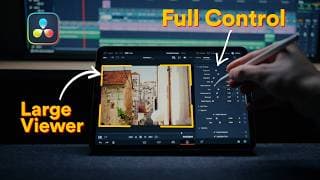
How to ACTUALLY Make iPad Color Grading Easy
How to ACTUALLY Color Grade on iPad (Full Workflow) DaVinci Resolve on iPad is powerful, but if you’ve struggled with cluttered workspaces or complicated node trees, this workflow changes everything. It’s a Lightroom-style approach but with the full power of pro-level color grading—optimized for a clean, full-screen experience. You’ll learn how to: ✅ Set up DaVinci Resolve Studio on iPad ✅ Use Film Look Creator for a one-node cinematic grade ✅ Work in full-page color grading mode for maximum efficiency ✅ Grade photos & videos seamlessly in one workflow 📌 Haven’t seen my desktop version of this trick? Watch it here: https://youtu.be/hndl57SJ514 🔹 Chapters 00:00 - Intro 00:54 - Connecting Bluetooth Accessories 01:21 - Enabling All Workspaces 02:18 - Importing Footage 02:42 - Useful Framerate Trick 03:30 - Setting Up Color Management 04:25 - Adding the Film Look Creator 04:50 - Enabling Full-Page View 05:35 - Applying Grade to Multiple Clips 07:12 - Color Grading Photos 09:11 - Exporting Photos & Videos 💡 This trick makes DaVinci Resolve on iPad FAST, SIMPLE, and POWERFUL. If you found this helpful, hit like & subscribe for more game-changing tutorials! #DaVinciResolve #iPadColorGrading #MobileVideoEditing #ColorGradingTips #LightroomEditing
How to Color Grade with One Node (Yes, Really)
Color Grading in DaVinci Resolve Just Got Way Easier (and No One’s Talking About It) Most color grading tutorials are overwhelming. But what if there was a way to get cinematic results using just one node — with sliders, like Lightroom? In this video, I’ll show you a hidden workflow inside DaVinci Resolve that makes grading faster, cleaner, and easier than ever. Whether you’re a beginner or a seasoned filmmaker, this one-node trick will completely change how you work. 🎓 You’ll learn: How to color grade with just ONE node using the Film Look Creator A Lightroom-style slider workflow built right into DaVinci Resolve Full-screen grading for better focus (perfect for iPad + small screens) How to grade LOG footage from Sony, DJI drones, iPhones, and more 👉 Want to learn how this works on the iPad? Watch this next: https://youtu.be/3IAbVxzdd_o 🧪 My Key Light Setup: Zhiyun Molus G200 → https://geni.us/G200-Piero (affiliate link) 💰 Use code ZHIYUN10WSS for 10% off ⏱️ Chapters: 00:00 - Intro 00:17 - Color Space Setup 00:58 - Why Most Workflows Are Too Complex 01:48 - The One-Node Trick (Film Look Creator) 02:21 - Fullscreen Grading: The Lightroom Feel 04:20 - Copying the Grade to Multiple Clips 05:18 - Works on Any Camera: Sony, DJI, iPhone 06:39 - Bonus Tip You Don’t Want to Miss @BlackmagicDesignOfficial #DaVinciResolve #ColorGradingTips #BeginnerFilmmaking

One Lighting Tool That Changed Everything
Discover the ultimate cheat code for achieving cinematic and natural-looking lighting! 🎥 In this video, I reveal how a single spotlight attachment completely transformed my approach to motivated lighting, helping me create realistic, dynamic, and professional-looking scenes. Try *Musicbed* for Free: https://fm.pxf.io/pierofreetrial Whether you're struggling to make your lighting setups feel authentic or just looking for ways to level up your game, this video has you covered. I'll walk you through: - What motivated lighting is and why it matters. - 3 creative ways to use a spotlight attachment to elevate your scenes. - Pro tips for avoiding common mistakes and maximizing your gear's potential. This isn't just another product review—it's a deep dive into how I use this tool to bring realism and creativity to my lighting setups. In the example in this video I used the @aputurelighting 300d for the spotlight at around 70% and for the keylight to light my face, I used a cheap 60w panel light at around 10-12% very close to my face. 💡 Spotlight Attachment I Use: https://aputure.com/products/spotlight-mount-36-lens-kit?srsltid=AfmBOoqclc58SWvmem-pTYkxL2dXynAA953FOsQ-_YhmjmfR_2HQuM0c&Title=Default+Title Other Lights I use for Youtube: Zhiyun Molus G200 → https://geni.us/G200-Piero (affiliate link) 💰 10% OFF Code: ZHIYUN10WSS 📸 Shot on: @SonyAlphaUniverse Sony a7s III Chapters: 00:00 - Intro 00:28 - The Problem with (only) soft lighting 00:45 - Spotlight Attachment Explained 01:00 - What is Motivated Lighting? 01:50 - 1: Light spaces and not faces? 03:11 - Don't buy the wrong Lens! 03:49 - The right levels 04:33 - 2: Bounce it 05:06 - 3: Embrace hard light 05:35 - Final Thoughts Let’s Connect: Instagram: https://www.instagram.com/pieroistrice/ Website: https://pieroistrice.com #LightingTips #MotivatedLighting #CinematicLighting #FilmmakingTips
iPhone 16 Pro vs. Sony A7S III Blind Test #shotoniphone #cinematic
iPhone 16 Pro vs Sony A7S III – Blind Test! Can you tell the difference? Watch as the iPhone 16 Pro goes head-to-head with the Sony A7S III in this cinematic blind test. 🎥 Which one do you think looks better? Drop your guess in the comments! 📲 Full comparison and behind-the-scenes breakdown in on my channel. #ShotoniPhone #iPhone16Pro #SonyA7SIII #CinematicTest #FilmmakingComparison #MobileFilmmaking #SmartphoneCinematography #BlindTest #VideoQualityTest
Filmmaking on iPhone 16 Pro – No ProRes, No SSD.
How good is the iPhone 16 Pro really for filmmaking? In this video, I’ll show you how I captured stunning cinematic video footage with just the iPhone—no gimbals, no SSDs, no fancy accessories. Using the Blackmagic Camera app, I unlocked the iPhone’s full potential by shooting in LOG and color grading the footage in DaVinci Resolve. From super-crisp video quality to incredible stabilization, the iPhone 16 Pro truly surprised me. But it’s not perfect. I’ll break down: ✅ The best camera settings for cinematic shots on the iPhone 16 Pro ✅ Why H.265 is a practical alternative to ProRes ✅ The iPhone’s strengths (telephoto lens, stabilization, sun flare handling) ✅ Its limitations (low light, depth of field, and night flaring) ✅ A comparison with the Sony A7S III If you’re considering upgrading to the iPhone 16 Pro for filmmaking or just curious about what smartphone cameras can do, this is the video for you. 🚀 *ND-Filter & Anamorphic Lens for iPhone:* https://freewellgear.com/products/iphone-pro-filmmaker-cine-pro-kit?sca_ref=8274519.QiNXGA13Ds8 💡The Light I use: Zhiyun Molus G200 → https://geni.us/G200-Piero (affiliate link) 💰 10% OFF Code: ZHIYUN10WSS Chapters:: 00:00 - Cinematic Intro 00:16 - Rethinking Smartphone Filmmaking 02:30 - Where the iPhone falls short 03:09 - Blindtest vs. Sony A7sIII 03:45 - Best Blackmagic Cam App Settings 10:36 - How to Color Grade Apple Log in DaVinci Resolve 20:32 - Conclusion: Who Is This For? Links & Resources: 📱 Blackmagic Camera App: https://apps.apple.com/ch/app/blackmagic-camera/id6449580241 🎨 Phantom LUTs: https://www.joelfamularo.com/colour-apple #iphone16pro #CinematicVideo #iPhoneFilmmaking #SmartphoneFilmmaking #BlackmagicCameraApp #ColorGrading #ShotOniPhone #iPhone16ProReview
AI-Powered Podcast Editing in DaVinci Resolve: Editing, Color Grading & Reels
Watch Part 1: https://youtu.be/loAOi3lVjPY Welcome to Part 2 of my video podcast series! In this video, we’re diving into the complete post-production process to take your podcast from raw footage to a polished, professional final product. Using @BlackmagicDesignOfficial DaVinci Resolve, I’ll show you how to streamline your editing workflow, enhance your footage with color grading, optimize audio, and even create reels to grow your podcast’s reach. Whether you're new to DaVinci Resolve or just looking to refine your process, this guide covers everything you need. Chaoters: 00:00 Intro 00:45 Auto-Syncing Audio/ Video 02:51 Auto-Editing (Auto Cut with AutoPod) 06:54 Color Grading 14:36 OptimizingAudio 19:54 Creating Reels with AI (Opus Clips) 🔍 What You’ll Learn in Part 2: Auto Editing: Super fast editing with AutoPod Color Grading: Simple color grading tips to make your podcast look professional Audio Optimization: Clean up and enhance audio Creating Reels: Tips on crafting attention-grabbing reels to boost your podcast’s visibility 👉 Part 1 Recap: If you missed Part 1, check it out to see the full setup and production process that led to this stage: https://youtu.be/loAOi3lVjPY 🔗 Links: AutoPod: https://www.autopod.fm/davinci-resolve DaVinci Resolve: https://www.blackmagicdesign.com/products/davinciresolve Opus Pro for Reels: https://www.opus.pro 💡 Subscribe for More: If you find this guide helpful, don’t forget to hit subscribe and turn on notifications for more content on podcast production, editing, and gear tips! Your support means a lot and helps me create more valuable tutorials.
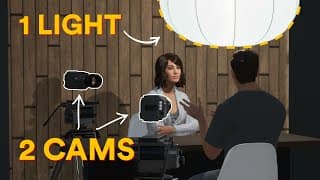
Simple 2 Camera Podcast Setup (1 Light only)
Watch Part 2: https://youtu.be/YuSF3Zns0ks?si=4xn8jtzLktEr7IJo Welcome to Part 1 of my complete guide to creating a professional video podcast! In this video, I’ll show you how to set up your podcast with a minimal gear setup while achieving high-quality results. Whether you’re just starting out or looking to streamline your existing process, this video covers all the essentials to get you recording quickly and effectively. 🔧 What’s Included in Part 1: 00:00 Intro 00:18 Location 00:56 Audio 03:16 Cameras 04:26 Lighting 12:40 Post Production 🛠️ Minimal Gear, Maximum Quality: This video is all about showing you that you don’t need a super expensive, complex setup to produce great results. I walk you through my entire production process, from choosing the right gear to setting up audio, cameras, and lighting to create a high-quality podcast recording environment. 👉 Don’t miss Part 2, where I’ll take you through the post-production process, including editing, color grading, audio optimization, and creating attention-grabbing reels to elevate your podcast’s reach. 🔗 Gear Mentioned: @rodemic PodMic USB: https://rode.com/de/microphones/usb/podmic-usb Mic Stand: https://brandstore.rode.com/products/ds2 Rodecaster DUO: https://rode.com/de/interfaces-and-mixers/rodecaster-series/rodecaster-duo @aputurelighting Light: https://aputure.com/products/ls-300d-ii?Battery+Mount=V-mount Lantern: https://aputure.com/products/lantern-90 Camera used: @Sony a7s III, Sony FX30 💡 Subscribe for More: If you find this video helpful, hit the subscribe button and turn on notifications to get alerts when Part 2 drops! I share tips on filmmaking, gear, and editing techniques to help you create your best content.
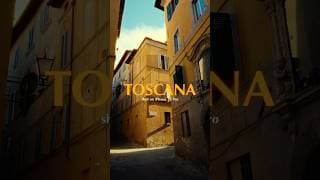
Cinematic iPhone 16 Pro. #shotoniphone #davinciresolve #cinematic #colorgrading
Cinematic iPhone 16 Pro – Tuscany in Film Look! Captured with the iPhone 16 Pro and graded in DaVinci Resolve. This short clip showcases just how powerful smartphone filmmaking can be—no fancy gear, just pure image quality. 📲 Want to learn more? In my full-length video, I break down how I use the iPhone 16 Pro for professional shots and why it completely changed my opinion on smartphone cameras! #ShotoniPhone #iPhone16Pro #SmartphoneFilmmaking #DaVinciResolve #Tuscany #ColorGrading
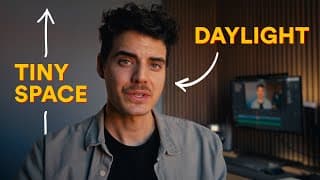
Simple Daylight Youtube Studio Setup
🎥 **Transform Your Small Space: Natural Light Filming Techniques** 🌟 Welcome to my channel! In this video, I'll guide you through the process of creating stunning visuals in a tiny room using only natural light. From maximizing space to enhancing depth and creating contrast, I'll share practical tips to elevate your filming setup without the need for artificial lights. 🔦 **Key Highlights:** - Learn how to utilize natural light effectively in cramped quarters. - Discover creative solutions for enhancing your background and creating visual interest. - Explore camera placement techniques to maximize space and depth in your shots. - Understand the importance of shooting into the shadow side for more dynamic visuals. - Bonus: Tips on adding subtle rim lighting for that extra touch of professionalism. 📹 **Gear Mentioned:** - Sony FX30 camera with a 20mm lens and 1.8 aperture - Dark blackout curtains for light control - Thick dark fabric for negative fill - Optional: Tiny LED light for subtle rim lighting 💡Conclusion: I hope you found these tips helpful in transforming your small space into a cinematic filming haven. Apply these principles to your own setup and unleash your creativity! Don't forget to like, subscribe, and share your thoughts in the comments below. Thank you for watching, and I'll see you in the next video! #LightingTips #naturallight #CinematicLighting #FilmmakingTips
Fujifilm X-H2s vs. Sony a7s III #review #fujifilm #xh2s #sonyalpha #a7siii #cameracomparison
This is a mini review of the Fujifilm X-H2s compared directly to my current workhorse camera the Sony a7s III. Can it keep up? Will I replace it as my main camera? To find out watch the full review on my channel. @SonyAlphaUniverse @fujifilmxseries4081
Fujifilm X-H2s - can it replace my Sony a7s III?
In this video, I am comparing the Fuji X-H2s to the Sony a7s III to find out if the Fuji camera can keep up with the much more expensive Sony. After a brief testing period with the X-H2s, I share my experiences regarding the image quality, recording formats and codecs, as well as the firmware and operation. Additionally, I take a look at the autofocus and discuss the advantages and disadvantages of both cameras. Watch the video to find out if the Fuji X-H2s can be an affordable alternative to the Sony a7s III for professional video projects. @fujifilmxseries4081 @SonyAlphaUniverse @artlist_io 00:00 - Intro 00:37 - Image Quality 02:03 - Recording Options 04:03 - Firmware & Handling 07:29 - Autofocus 09:41 - Verdict Music: https://artlist.io/
How to get a Red Recording Box on a SmallHD Monitor
TAILOR MADE - Short film shot on Sony A7SIII
I shot this mini doc at my uncles atelier on one afternoon. I was by myself and didn't have much time so it was nice to use the Sonys High ISO Ability and the AF which worked very well. I used the Sony A7s III and for most shots the Sigma 24-70mm. For some shots I used the Sony 20mm f/1.8 and 35mm f/1.4. Edited and graded in Davinci Resolve using the Phantom LUTs and Dehancer lite. Music Licensed by Artlist.
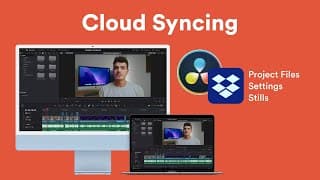
How To Setup Davinci Resolve in the Cloud - Work ANYWHERE!
I use Davinci Resolve ad my main editing software. Also I sometimes switch between devices when I work on projects. This can be a problem because Resolve does not offer automatic cloud syncing or anything like that. For that reason I have stored my Davinci Resolve Database, settings and gallery stills on dropbox. That way I can edit on different machines without having to sync them manually. Also it serves me as an automatic backup with file versions to go back to. In this video I'm going to show you how you can store your Davinci Resolve Database on Dropbox yourself! 00:00 - Introduction 02:03 - How to set up 05:27 - Disclaimer
How to Store & Backup your Files - FOR FILMMAKERS
What's the best way to store and archive your footage so it's safe but still easy to manage and not too expensive? This is a question that has been keeping me busy for a while now and I've done quite a lot of research about it. I've tried to put as much information as possible into this short video and share my findings. I hope you can take out some useful bits and maybe use them for your workflow. URLs: Chronosync Express: https://www.econtechnologies.com/chronosync-express/overview.html Alternatives for windows: https://www.macrium.com/reflectfree https://www.acronis.com/products/true-image/ Backblaze: (If you sign up using this link, you and I will get a free month) https://secure.backblaze.com/r/02ta6i Chapters: 00:00 - Introduction 00:16 - Requirements 00:43 - Current Workflow 02:55 - Its Downsides 03:29 - HDDs & Cloud 05:15 - RAID Storage 06:09 - Cost 08:14 - Verdict
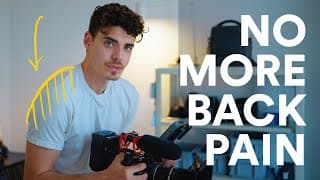
LIFE HACK for Filming Handheld with a Rig
QUICK TIP: I've struggled a lot from back pain when doing a lot of handheld shooting with a heavier camera rig. The Easyrig would be a great solution but - having tried it on run and gun shoots - it didn't work for me personally. So I've tried to come up with a cheap and simple solution anyone can use. 00:21 - Disclaimer 00:37 - The Problem 01:55 - The Solution 03:35 - Bonus Tip (Gimbal) Product (Peakdesign Slide): https://www.peakdesign.com/collections/straps/products/slide?rfsn=5714840.a0d621&utm_source=5714840&utm_medium=affiliate Shot on: Sony A7s III - 35mm f/1.4 GM Music licensed by Artlist.io: Hometown Pride - When Mountains Move
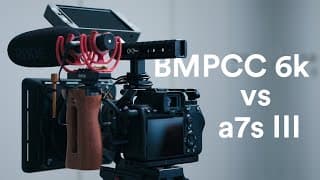
Sony A7s III vs BMPCC 6K: Which one is for you?
For my BMPCC 6K rig check out my other videos! The cool thing is, you can also rig up the a7s III with almost the same exact rig (v-mount battery plate, side and top handle and the Smallrig base with rods.) My website: https://pieroistrice.com Additional Gear in this video: Smallrig Cage for a7s III: https://www.smallrig.com/smallrig-camera-cage-for-sony-alpha-7s-iii-a7s-iii-a7s3-2999.html?afmc=2eg SmallRig Mini Quick Release Nato Rail: https://www.smallrig.com/smallrig-mini-quick-release-nato-rail-48mm-2172.html?afmc=2eg SmallRig HDMI Cable Clamp: https://www.smallrig.com/smallrig-hdmi-cable-clamp-for-a7s-iii-cage-3000.html?afmc=2eg Atomos Ninja V: https://www.atomos.com/products/ninja-v Angelbird 1TB SSD: https://www.angelbird.com/prod/atomx-ssdmini-by-angelbird-2110/ Sony XLR Adapter: https://www.sony.com/electronics/interchangeable-lens-cameras-microphones/xlr-k3m - Table of Contents: 00:00 - Introduction 01:20 - Firmware 05:13 - Form Factor 06:07 - Special Features 10:34 - Which camera for you? 11:04 - Workarounds 12:37 - End - I've been using the Blackmagic Pocket Cinema Camera 6k (BMPCC 6k) since it came out and before that the BMPCC 4k. I really loved what these small camera could do. I loved the image and how easy they are to use. But for my needs in filmmaking I was missing some features that other cameras did have so I started looking for something that could make my life easier - which was in my case the Sony a7s III. This video will is not focused on image quality, which is of course really important but honestly - image wise, for many types of productions both cameras are really really good. The focus in this video is gonna be on something that should get more attention: usability in the real world. so how easy are the cameras to use on shoots and what features do they offer that could make your life easier depending on how you work. There is no winner in general - both cameras are absolutely great pieces of tech. But depending on the kind of work and projects you mostly do, one camera can have certain advantages above the other. If you mostly do hand-held stuff and you tend to be more often in situations where you don't have a crew I think the a7s is a great option. It can be rigged lightly, it focuses by itself and with the IBIS your footage will look a bit smoother. The 6k is still a great camera. The fact that it's missing IBIS and Autofocus is not a weaknesses per se, it just means you will have to work in a different way with it and might need more helping hands to handle a bigger rig and more manual stuff. I hope this video was helpful to you. :) - The talking head shot was shot on the a7s III on the 55mm f/1.8 Zeiss lens. Almost all of the B-Roll was shot on my favorite stills camera, the Fujifilm X-T3.
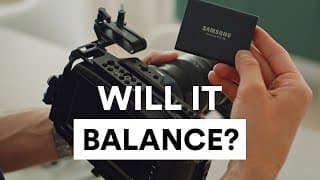
BMPCC 4K/ 6K + Samsung T5 SSD on DJI Ronin S
This time just a quick and dirty video as an addition to my last video of how you can balance the Blackmagic Pocket Cinema Camera 4K or 6K on the DJI Ronin-S with a Samsung T5 SSD attached to it. --- Shot on: Fujifilm X-T3 | F-Log Lens: Fujifilm Fujinon XF 35mm f/1.4 R
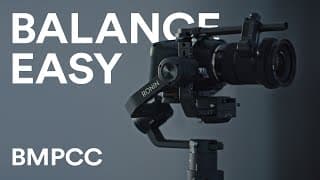
How to Balance the BMPCC 4K/ 6K on the DJI Ronin S
Since a couple of people seem to be having problems balancing their Blackmagic Pocket Cinema Camera 4k or 6K (BMPCC 4k or 6k) on the DJI Ronin-S I decided to make a quick video about my balancing process. Content: 00:00 - Introduction 00:57 - Balancing Tutorial 03:10 - BMPCC 6K naked 04:01 - BMPCC 6K + Half Cage 04:28 - BMPCC 6K + SmallRig Half Cage + Tilta Nucleus-N 05:11 - BMPCC 6K + SmallRig Full Cage 05:32 - BMPCC 6K + SmallRig Full Cage + Tilta Nucleus-N Lanparte Offset Plate: https://www.bhphotovideo.com/c/product/1448842-REG/lanparte_osp_rs_offset_camera_plate_for.html Smallrig Offset Plate: https://www.smallrig.com/smallrig-offset-kit-for-bmpcc-4k-and-ronin-s-crane-2-moza-air-2-bss2403.html?afmc=2eg --- Shot on: Fujifilm X-T3 | F-Log BMPCC 4k | BRAW 8:1 Cut & Graded in Davinci Resolve Motion Graphics done in After Effects Music licensed on Artlist: Mermaid by Skygaze
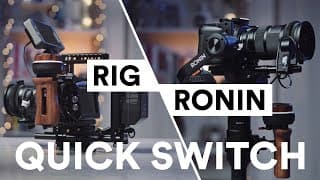
Smart Rig for BMPCC 4K/ 6K (Pro) - From Handheld to Gimbal in 2 minutes
Hey, I'm happy you've found this video! This is the first video of this kind for me so bear with me. If you have any questions let me know, please also feel free to leave feedback in the comments. In the past couple of weeks I've built and tested this rig for the Blackmagic Pocket Cinema Camera 4k. Since I tend to do some switching between handheld and gimbal movement when shooting I wanted to build a rig that can be taken apart in a couple of seconds without tools. So with this kind of setup you can switch and mount your Pocket 4K on a Ronin-S in just 2 minutes. Parts: Half Cage: https://www.smallrig.com/smallrig-half-cage-for-blackmagic-design-pocket-cinema-camera-4k-2254.html?afmc=2eg Cable Clamp: https://www.smallrig.com/smallrig-hdmi-usb-c-cable-clamp-for-bmpcc-4k-2246.html?afmc=2eg Lens Mount Adapter: https://www.smallrig.com/smallrig-lens-mount-adapter-support-for-bmpcc-4k-2247.html?afmc=2eg Nucleus Nano: https://tilta.com/shop/nucleus-nano-wireless-lens-control-system/ Wooden Side Handle: https://www.smallrig.com/smallrig-wooden-nato-side-handle-2187.html?afmc=2eg NATO Top Handle: https://www.smallrig.com/smallrig-camera-camcorder-action-stabilizing-nato-handle-1955.html?afmc=2eg DJI Ronin-S Mounting Plate: https://www.smallrig.com/smallrig-mounting-plate-for-dji-ronin-s-2214.html?afmc=2eg Smallrig Monitor Mount: https://www.smallrig.com/smallrig-monitor-mount-with-arri-locating-pins-2174.html?afmc=2eg Monitor: https://store.smallhd.com/products/502-SDI-On-Camera-Field-Monitor Battery Plate: https://www.amazon.com/ANDYCINE-Battery-Adapter-Camcorders-Monitors/dp/B07S49388S Smallrig U-Base: https://www.smallrig.com/smallrig-baseplate-with-dual-15mm-rod-clamp-1674.html?afmc=2eg Manfrotto Quick Release Plate: https://www.manfrotto.com/au-en/quick-release-adapter-with-sliding-plate-and-safety-lock-577/ BMPCC 4K Power Cable: https://www.kondorblue.com/product/coiled-d-tap-to-bmpcc4k/ V-Mount Battery: https://www.swit.cc/index.php?c=article&id=268 DJI Ronin-S https://www.dji.com/ch/ronin-s Shot on my stills camera: Fujifilm X-T3 | F-Log Fuji XF 35mm f/1.4 Cut & Graded in Dacinvi Resolve Motion Graphics done in After Effects Music licensed on Artlist: [ctrl] - Instrumental Version by Lalinea
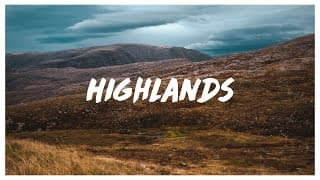
The Highlands - shot on BMPCC 4k
Sit back and enjoy this journey through the Highlands of Scotland. My best friend and I spent a couple of days in the Scottish Highlands. We were amazed by the breathtaking landscapes and the sheer beauty of this country. Some Highlights during our trip and in the film were the Old man of Storr, the Fairy Glen and Bealach na Ba. It was a great opportunity to test my drone I had just bought before our trip. Aerials Shot on the DJI Mavic 2 Pro. The other footage was shot with the BMPCC 4k (Blackmagic Pocket Cinema Camera 4k) BRAW 8:1 Edited and graded in Davinci Resolve. Music: The Beauty around us - Benjamin Gustafsson Licensed on Musicbed.com Vimeo Link: https://vimeo.com/364023549/ Follow me on Instagram: https://www.instagram.com/pieroistrice/