Loading...
Warning: Channel ID is missing or invalid
Loading channel videos...

Loading channel videos...
explaining "cinematic" until I blink
In this video I'm gonna explain how to create cinematic videos as a filmmaker on youtube in 2025. Now please buy my filmmaking store https://www.cinem8.co (it makes around $50k / year with only a few bad performing youtube videos) so I can leave the internet and this effing niche forever. I even give you my completely dead instagram channel with 70k followers on top. thanks for watching.
DJI Osmo Action 5 Pro + Film Emulation
7 Film LUTs for your Osmo Action 5 & Pocket 3 👉🏼 https://cinem8.co/products/cinematic-film-luts-dji-osmo-action-5 Took the DJI Osmo Action 5 Pro out to record some cinematic audiovisual resources on a sunny, harsh day – really diggin this look after 9 years of bokeh-maxing. Dehancer used for grain, halation and bloom Settings & Post Production: 4K 25fps at 1/50 Wide FOV D-Log M rocksteady off -0.7EV ND32 Music by faowi: https://www.youtube.com/watch?v=WrFsZUJDxOE&t=18s

DJI Osmo Action 5 but make it look Indie
Get these LUTs 👉🏼 https://cinem8.co/products/cinematic-film-luts-dji-osmo-action-5 Turned off all the fancy features that make the Osmo Action 5 look good. Because who needs stabilization or modern aspect ratios when you can suffer in 4:3 with shaky footage like a real indie filmmaker?! Settings: Aspect Ratio: 4:3 RockSteady: Off FOV: Standard Exposure: -0.7 / 1/50 shutter at 25fps (ND 16) Color Profile: D-Log M (converted to rec709) Color Grading: My custom LUTs + Dehancer (grain + halation + film damage)

Maybe it’s not your time to Create
My LUTs & filmmaking assets 👉🏼 https://www.cinem8.co Another quick video from the forest… just some thoughts about creativity, pressure and why maybe now isn’t the time to create. I’ve been thinking a lot about why it feels so hard to create good content lately. Maybe it’s because creativity can’t be forced. When your mind is constantly focused on survival — on making money, paying the bills, figuring out what’s next — there’s little space left for real artistic expression. Instagram https://www.instagram.com/cinem8.co

This is your sign (that changes everything)
I made this video because I wish someone had not told me this 75 years ago. Do whatever you want with this information... take shortcuts or avoid the hard stuff if you like. But just keep in mind: There's a version of you, 74 years from now, who's hoping you'll show up for yourself today. a film by Christian Maté Grab

How Social Media keeps You trapped in a Niche
Get a 30-day free trial on Artlist 👉🏼 https://artlist.io/artlist-70446/?artlist_aid=Christian_14&utm_source=affiliate_p&utm_medium=Christian_14&utm_campaign=Christian_14 Creativity should be about freedom. Not about what an algorithm wants. But on YouTube, many multi-passionate creators including myself are trapped in a niche. Let’s talk about it. YouTube rewards consistency, not creativity. If you try to step outside of your niche, your reach often dies. Multi-passionate creators are stuck playing the same game over and over again, while the algorithm decides what succeeds. In this video I dive into why YouTube does not like creators who explore different passions, why the algorithm only favors a single type of content to boost their ad revenue and how this system is designed to keep you in a box. Shot on Sony A7CII Tamron 28-75 f2.8 + Sony GM 24mm f1.4 Color graded with my S-Log3 LUTs 👉🏼 https://cinem8.co/ This Video is sponsored by Artlist.io

How I Color Grade & Monitor S-Log3 fast
Get my Sony S-Log3 Cinema LUTs 👉🏼 https://cinem8.co/products/sony-s-log3-cinema-luts In this video I'm shilling my LUTs and also diving into how to get the most out of your S-Log3 footage using my (or any other) stylized LUTs for your Sony camera like the FX3, FX30, A7CII or ZV-E1. Whether you're using Final Cut Pro, Premiere Pro or DaVinci Resolve (I guess then you don’t use LUTs), I'll guide you through the process to achieve stunning results in a few minutes. We'll cover essential tips on exposure, including how to use Zebra settings to nail perfect skin tones and dynamic range. I'll also show you step-by-step how to apply these LUTs in Final Cut Pro and how to make necessary adjustments to exposure, contrast and saturation before applying the LUT for the best results. I’ll introduce you to a special LUT from my pack designed for newer Sony cameras that not only enhances your footage but also helps you monitor a color-graded image while shooting (by using View assist in-camera). This is perfect for run-and-gun filming where you need to rely on your camera's display instead of looking at the effing histogram all the time. #slog3 #colorgrading

In the same Place – Sony a7CII
Quick first tests shooting Slog3 on the Sony a7CII & Sony GM 24mm f1.4 while walking the dogs Color graded with one of my old Canon LUTs from https://cinem8.co/ Dehancer film grain / film damage mFilmLook Chromatic aberration

Into the Woods | Sony A7CII + Tamron 28-75mm G2
Color graded with 👉🏼 https://cinem8.co/products/sony-s-log3-cinema-luts Went outside this morning to take some test shots with the Sony A7CII and the Tamron 28-75mm f2.8 G2 zoom lens. Not the usual mood, a lot of harsh light but I really love this compact setup so far. If you got any questions drop them in the comments 🤙🏼 Not gonna lie, I don’t see a reason to spend double on the Sony 24-70mm GM II. The Tamron is sharp, compact, and just gets the job done. Perfect balance of size, weight, and performance. For my workflow, the zoom range is spot on—versatile enough for anything I shoot. Solid lens, no regrets. GEAR & POST PRODUCTION* Sony A7CII 👉🏼 https://amzn.to/4i5zVvu Tamron 28-75mm f2.8 G2 👉🏼 https://amzn.to/3QGjF84 Sound recorded with the Sony ECM-M1 👉🏼 https://amzn.to/4ioc0H1 Cheap ND filter from K&F 👉🏼 https://amzn.to/4h3CIny Tiffen Black Pro Mist 1/2 👉🏼 https://amzn.to/4hWFzQg Shot in Slog3.Cine (1 - 1.7 stops overexposed) Color graded with my new Sony LUTs Subtl film grain and halation added with Dehancer *Affiliate links
Shot on iPhone 17 Pro – Cinematic Test
Quick CiNemAtiC Video test with the iPhone 17 Pro out of the forest 🤙🏼 Hope you like the quality of the new iPhone 18 ProRes Log recording 🤡 ok jokes aside 👇🏼 - Shot on iPhone 15 Pro in ProRes Log 4K - Color graded with my iPhone LUTs - Halation added with Dehancer - Chromatic Aberration added with mFilmLook - Motion blur with RSMB #iphone17 #filmmaking

Turn any Sound into Music for your Videos & Films
Here's a short tutorial on how I turn any short audio clip into a full song using AI – perfect for Reels, YouTube videos and filmmaking. No more endless music searches. This video is not sponsored by any of the tools or apps mentioned. #filmmaking #musicforvideos #aimusic

What if Money wasn't an issue?
Short video from the woods. Some thoughts about working 9-5, the creator economy, a fulfilling life and how I would spend my time if money wasn't an issue anymore. My Color Grading assets & LUTs 👉🏼 https://cinem8.co/ #lifeadvice #escapethematrix #creatoreconomy

9 Years of being a YouTuber. The hard Truth.
Woke up this morning and just felt like talking to the camera again. After 9 years of grinding on YouTube, chasing views, chasing ‘success’ - in this video you'll find some of my mistakes, fails and lessons I learned along the way. If you're interested in taking over my digital product marketplace https://www.cinem8.co for filmmakers and video editors that generates $50,000 in annual revenue, drop me a mail so I can send over a detailed PDF deck! ✉️ contact@christianmategrab.com #digitalproducts #contentcreation #filmmaking
How to create SLOW SHUTTER Effect Transitions
In this short tutorial I show you how to use slow shutter speeds in-camera to create stunning step-print transitions for your videos. Get my SLOW SHUTTER TRANSITIONS 👉🏼 https://cinem8.co/products/slow-shutter-transitions Visit my new Filmmaking Shop 🎥 https://cinem8.co Elevate your video editing game with my brand-new pack featuring over 25 stunning slow shutter transitions, now available on CINEM8.CO. These dreamy, filmic transitions are designed for seamless drag-and-drop integration into any video editing software, including Final Cut Pro X, Premiere Pro, DaVinci Resolve, and more. 🎞️ What is Step-Printing? Step-printing is a cinematic technique used to create a dreamy, surreal effect in film and video. This method involves duplicating frames, which results in a slow-motion effect that appears choppy and stylized, giving your footage a unique visual rhythm. Originally popularized in classic films, step-printing can add a nostalgic or otherworldly atmosphere to modern projects. By manipulating the frame rate and duplicating frames during the editing process, filmmakers can achieve this distinct look, making it a powerful tool for storytelling and artistic expression. 🎥 How to create these Effects In-Camera Creating slow shutter effects in-camera involves adjusting your camera settings to lower the shutter speed, allowing more light to hit the sensor and capturing more motion in each frame. To achieve this, set your camera to a low shutter speed—typically below 1/30th of a second - I mostly used 1/16th for my transitions. This will result in a blurrier image as the sensor records the movement of objects over a longer period. Pair this with fast, deliberate movements of the camera or the subject to enhance the dreamy, surreal effect. This technique is perfect for capturing light trails, water motion, or any scene where you want to convey fluidity and motion. Musicbed SyncID MB012E7DZGUZLAJ
Shot on iPhone or Canon R5 Mark II ?
Just a visual diary of July 17th, filmed on the Canon R5 Mark II (pre-production model) or the iPhone 15 Pro ?! Color Graded with 👉🏼 https://cinem8.co/products/cinematic-luts-collection Used Dehancer for halation & filmgrain Musicbed SyncID MB01ITXDWOAPXIM

2016, when life was good
Memories from our travels in 2016, when life was good. Filmmaking Master Bundle ► https://bit.ly/get-the-masterbundle My LUTs & Lightroom Presets ► https://bit.ly/luts-lightroom-presets Shot mostly on Sony a6500 / DJI Phantom 4
iPhone 15 Pro + baked-in LUT Test (Apple Log)
Quick test of the Moment Pro Camera using their new baked-in LUT feature 🎬 And some thoughts on how to make your iPhone footage look less "digital" Get my iPhone LUTs ► https://www.cinem8.co/products/iphone-lut-collection My LUTs & Lightroom Presets ► https://bit.ly/luts-lightroom-presets * This video was shot on the iPhone 15 Pro with ProRes Log in the Moment Pro Camera app (1080p) and my Apple LOG V2 LUT baked-in (no color grading or correction in post) 35mm film grain and halation added with Dehancer This video does not contain any paid sponsorships or product placements from third parties.
How we shot a Short Film in less than 48 Hours (Canon EOS R5 C)
Behind the Scenes of our Short Film „WOODLINE“ | In Collaboration with Canon Europe Watch the Short Film here 🎥 https://youtu.be/03Qo7M7jL6g Canon RF 24-105mm F2.8L IS USM Z 👉🏼 https://canon.sm/49OPJ0u Canon EOS R5 C 👉🏼 https://canon.sm/3Umf3Xg In this short Behind-the-Scenes I take you with me into our local forest and the making of our short film „WOODLINE“ in collaboration with Canon. We shot a Mystery/Horror short film in just under 48 hours on the Canon EOS R5 C and only one lens: The new Canon RF 24-105mm F2.8L IS USM Z. This lens also lets you attach Canon’s Power Zoom Adapter PZ-E2 for smooth zoom scenes which we used to create all the zoom shots in-camera instead of doing this digitally in post production. 📽️ Gear & Settings we used Canon EOS R5 C RF 24-105mm F2.8L IS USM Z PZ-E2 Power Zoom Adapter Recorded internally on the EOS R5 C in Clog-3 Cinema Gamut and color graded with my R5 LUTs 👉🏼 https://www.cinem8.co/products/canon-r5-cinematic-luts This Video is sponsored by Canon Europe Collaborations ✉️ youtube@christianmategrab.com Instagram https://www.instagram.com/cinem8.co 🎧 Music (by Musicbed) Special thanks to: Main Actor: Karolin (as Chloe) DP: Danny Jakov (@deadapefilms) The Antlered Shadow: Roman Jordan BTS & B-Roll: Thanh La & Sebastian Müller

WOODLINE | Mystery Short Film (Shot on Canon EOS R5 C)
We filmed a Run-and-Gun short film in only two days on the Canon EOS R5 C & the new Canon RF 24-105mm F2.8L IS USM Z Canon RF 24-105mm F2.8L IS USM Z 👉🏼 https://canon.sm/49OPJ0u Canon EOS R5 C 👉🏼 https://canon.sm/3Umf3Xg Watch BEHIND-THE-SCENES 🎥 https://youtu.be/V6lsgUf2X2o In collaboration with Canon Europe we shot a Mystery/Horror Short Film in our local forest with only one lens: The new Canon RF 24-105mm F2.8L IS USM Z. This lens also lets you attach Canon’s Power Zoom Adapter PZ-E2 which we used to create all the zoom shots in-camera instead of doing this digitally in post production. 📽️ Gear & Settings we used Canon EOS R5 C RF 24-105mm F2.8L IS USM Z PZ-E2 Power Zoom Adapter Recorded internally on the EOS R5 C in Clog-3 Cinema Gamut and color graded with my R5 LUTs 👉🏼 https://www.cinem8.co/products/canon-r5-cinematic-luts This Video is sponsored by @CanonEurope Collaborations ✉️ youtube@christianmategrab.com Instagram https://www.instagram.com/cinem8.co 🎧 Music by Musicbed.com Special thanks to: Main Actor: Karolin (as Chloe) DP: Danny Jakov (@deadapefilms) The Antlered Shadow: Roman Jordan BTS & B-Roll: Thanh La & Sebastian Müller Musicbed SyncID: MB01HMKTV1KWSE2

Unlock Creative Freedom in your Edits | ELEMENTS by audiio
We shot a short commercial for audiio’s new ELEMENT feature which lets you use all stems from a track separately (drums, vocals, instruments etc.) 🎥 As we finalized a different version for the client I wanted to share my first version of this ad that didn’t make it to their channels. Check out audiio.com for unlimited Music & SFX: https://audiio.com/cmg Recorded internally on the EOS R5 in Clog-3 Cinema Gamut and color graded with my R5 LUTs 👉🏼 https://www.cinem8.co/products/canon-r5-cinematic-luts Grain & Halation: Dehancer Pro in FCPX Lenses used: Canon RF 24mm 1.8 Canon RF 35mm 1.8 Canon RF 70-200 2.8 (Campfire scene) For lighting we used the ZHIYUN X60, Cinepeer X100 and G200 Video lights Special thanks to the talent: @deadapefilms This Video is sponsored by @helloaudiio Follow me on Instagram https://www.instagram.com/cinem8.co ✉️ Collaborations & Business inquiries youtube@christianmategrab.com 🎧 Music by audiio.com Fire & Smoke - Beech Love

I just wanna feel okay...
shot a short visualizer for my new song "runnin" this morning. Listen to "runnin" on Spotify 👉🏼 https://sptfy.com/Qdw9 Listen to "runnin" on Apple Music 👉🏼 https://music.apple.com/de/album/runnin-single/1729936589 Video was shot on Canon R5 + RF 35mm 1.8 Kodak Gold 200 Film Emulation Filmmaking Assets, LUTs & Lightroom Presets 🎥 https://www.cinem8.co/

5 Tips for Cinematic iPhone 15 Pro Videos (Apple Log)
We took the iPhone 15 Pro Max outside again to shoot some videos in Apple Log, test Smallrig's new Filmmaking Cage and show you my post production process Get my iPhone LUTs 🎥 https://www.cinem8.co/products/iphone-lut-collection My Cinema LUTs 👉🏼 https://www.cinem8.co Film Transition Overlays 🎥 https://cinem8.co/products/film-transition-overlays Free Music for Filmmakers 🎬 https://cinem8.co/collections/cinescores My Lightroom Presets 📷 https://cinem8.co/products/lightroom-presets-collection SmallRig Cage on B&H 👉🏼 https://bhpho.to/3R3sCJz SmallRig Cage on Amazon 👉🏼 https://amzn.to/47uU0FS SmallRig Shop 👉🏼 https://bit.ly/iPhone15ProMax-Cage Blackmagic Camera App 🤳🏼 https://apps.apple.com/de/app/blackmagic-camera/id6449580241 Universal Phone Cage 👉🏼 https://bit.ly/universal-phone-cage Chapters: 0:00 Intro 0:15 Video Settings 0:59 Exposure Settings 1:42 Camera Cage 2:25 Lighting 3:07 Post Production Portable LED Light with built-in battery: https://www.youtube.com/watch?v=74VndaYF08E 🎥 My LUTs, Lightroom Presets & Filmmaking Assets https://www.cinem8.co ✉️ Business inquiries & Collaboration: youtube@christianmategrab.com 📷 Follow me on Instagram https://www.instagram.com/cinem8.co This video is sponsored by @SmallRigGlobal
The POCKET-SIZED LED Light for Filmmakers | SmallRig RC60
We went outdoors to test the new RC 60B LED Light from SmallRig - A portable bi-color 60W COB Light with built-in battery that can also be powered by USB-C Powerbanks 🎥 PRE-ORDER THE RC 60 👉🏼 https://bit.ly/SmallRig-RC60 RC 60 at B&H Photo 👉🏼 https://bhpho.to/3QRR949 SMALLRIG RC 60* 👉🏼 https://amzn.to/3uaROEX In this video I take you with me to our local forest to test the RC 60B COB LED Light by SmallRig. A 60 watts LED Light for Content Creators, Filmmakers and Photographers who want to carry as little as possible with them. From a warm 2700K to a cool 6500K, the RC 60 offers bi-color temperature in a super compact size. For those working in tight spaces, small YouTube studios or looking for an efficient and portable outdoor lighting solution, the RC 60B saves you from carrying heavy lights and tangled cables. This video was shot on the Canon R5 with the RF 35mm f1.8 + RF 70-200 2.8 and color graded with my Canon R5 LUTs 👇🏼 https://www.cinem8.co/products/canon-r5-cinematic-luts 🎥 My LUTs, Lightroom Presets & Filmmaking Assets https://www.cinem8.co ✉️ Business inquiries & Collaboration: youtube@christianmategrab.com 📷 Follow me on Instagram https://www.instagram.com/cinem8.co SyncID MB01GXIKD83HFIK This video is sponsored by @SmallRigGlobal *Affiliate Link
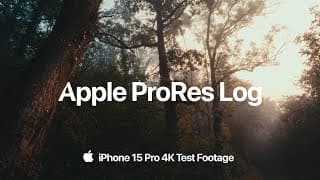
iPhone 15 Pro | ProRes LOG Film Emulation (+Test Footage)
Quick test shooting ProRes Log on the iPhone 15 Pro (this time it's really the 15) 🤳🏼 Download the ProRes Log footage (5GB): https://bit.ly/apple-log-test-footage Color Graded with 👉🏼 https://www.cinem8.co/products/iphone-lut-collection + Dehancer Pro 2.0 for film grain, expand & halation We went for a short morning walk in the misty forest where I filmed some test shots on the iPhone 15 Pro in ProRes Log with -0.7 Exposure in the stock camera app. Color graded with my iPhone LUTs Collection. Film grain, expand and halation added with Dehancer Pro 2.0. SHOT ON iPHONE 15 PRO | CINEMATIC MODE 👉🏼 https://www.youtube.com/watch?v=kJXQ8hGCAs4 🥷🏼 EDC Blackout Wallpapers for iPhone 15 Pro https://bit.ly/blackout-wallpapers 🪨 Natural Titanium Wallpapers for iPhone 15 Pro https://bit.ly/iphone-titanium-wallpapers 🖌 PANTONE® Pastel Wallpapers for iPhone 15 Pro https://bit.ly/iphone-pantone-wallpapers 🎥 My LUTs, Lightroom Presets & Filmmaking Assets https://www.cinem8.co ✉️ Business Contact & Collaboration: youtube@christianmategrab.com 📷 Follow me on Instagram https://www.instagram.com/cinem8.co #iPhone15Pro This Video is not sponsored by Apple Musicbed SyncID MB01WSZI6ALOFYU
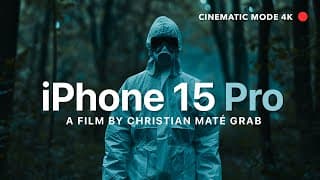
Shot on iPhone 15 Pro | Cinematic Mode 4K
Shot entirely on the new iPhone 15 Pro in 4K Cinematic Mode COLOR GRADED WITH MY iPHONE LUTs 👉🏼 https://www.cinem8.co/products/iphone-lut-collection iPhone 15 Pro Wallpapers 👉🏼 https://bit.ly/iphone15pro-wallpapers I went outside to film some first Videos on the iPhone 15 Pro in Cinematic Mode (Standard Camera App) to come up with a Trailer of a movie that probably never gets released. This footage was recorded on the iPhone 15 Pro, edited and color-graded in Final Cut Pro X with my iPhone LUTs Collection and my Master Bundle. Some shots were filmed in Cinematic Mode (4K / 30fps), others with the regular wide-angle/telephoto/macro camera lens. I didn’t use any third-party-apps like Filmic Pro, no Log or ProRes Codecs - Maybe there will be another Video in the future in which I’ll test the new Log format and ProRes as well as the new focal lengths. 🎥 My LUTs, Lightroom Presets & Filmmaking Assets https://www.cinem8.co Voiceovers created with Elevenlabs AI text-to-speech 🎙️ https://try.elevenlabs.io/ppksyrwe76pc ✉️ Business Contact & Collaboration: youtube@christianmategrab.com 📷 Follow me on Instagram https://www.instagram.com/cinem8.co 📹 Related Videos Shot on iPhone 14 Pro https://www.youtube.com/watch?v=oY9qKzEvIaM&t=1s $60 Vintage Lens https://www.youtube.com/watch?v=RzlWb8Epm6M Insta360 RS ONE Cinematic https://www.youtube.com/watch?v=YuXvHBniAxw&t=1s Re-creating the Look of DARK https://www.youtube.com/watch?v=EUD6rCCB8k8&t=42s #iPhone15Pro This Video is not sponsored by Apple (@Apple pls 🥲) Song: „Where is my Mind“ by Safari Riot & Grayson Sanders News speaker Voiceover: Cliff Berg Special thanks to these guys for helping me to pull this up in less than 3 days: Karolin (prepping & acting) Kevin (Zombie & Quarantine worker) Sebastian (Lighting & camera)

(A)I shot a Commercial for the Insta360 ONE RS 1-Inch 🎥
I took the new Insta360 ONE RS 1-Inch 360° Edition out for a ride on my Surron. Written and narrated by AI with the help of ChatGPT and ElevenLabs. Find out more about the Insta360 ONE RS 1-Inch* 🎥 https://bit.ly/insta360-ONE-RS-1-Inch A few weeks back, Insta360 sent me their ONE RS 1-Inch Camera and without a script in hand, I turned to ChatGPT, an artificial intelligence model to let it write a VoiceOver for the shots we captured. 🤖 TRY ELEVENLABS AI TEXT-TO-SPEECH HERE: https://elevenlabs.io/?via=27ee24 To my surprise, it crafted an emotionally charged video script that dovetailed beautifully with the footage we shot. Join me on this adventure as we explore what's possible with AI, the Insta360 RS ONE 1-Inch and the great outdoors in my hometown. Thanks to @deadapefilms for helping me film this! All scenes were shot in 6K 24fps and the standard color profile. Song: Judah Earl - Before the Dawn (Musicbed) Color Graded with my iPhone LUTs Collection 👉🏼 https://www.cinem8.co/products/iphone-lut-collection My 4K Film Transition Overlays 👉🏼 https://www.cinem8.co/products/film-transition-overlays Find out more about Insta360 📹 https://store.insta360.com/ 👇🏼 Follow me on Instagram https://instagram.com/cinem8.co ✉️ Business Inquiries & Collaboration youtube@christianmategrab.com With its cutting-edge technology and exceptional image quality, the Insta360 ONE RS 1-Inch camera allows you to capture every moment with stunning detail and clarity. Whether you're an adventure seeker, filmmaker, or content creator, the Insta360 ONE RS 1-Inch is your perfect companion, offering endless possibilities for creative expression. Take your storytelling to new heights and immerse your audience in captivating visuals with this revolutionary camera. #insta360 This Video is sponsored by @insta360 MB01UVNBGXIUCZR
Film Transition Overlays for Premiere Pro & Final Cut Pro X
Get the FILM TRANSITION OVERLAYS ► https://cinem8.co/products/cinematic-film-transitions-bundle My MASTER BUNDLE ► https://cinem8.co/products/the-master-bundle My Film Transition Overlays pack (Part of my MASTER BUNDLE) is a must-have for filmmakers and video editors looking to elevate their projects to the next level. With over 50+ 4K Film Transitions included, you'll be able to easily add professional-looking transitions to your edits with just a simple drag and drop. These Film Transitions Overlays are compatible with every video editing program, including Premiere Pro, Final Cut Pro X or Davinci Resolve. Whether you're a professional video editor or just starting out, these Film Transitions will help you bring your projects to life. Whether you're working on a music video, a short film, or a corporate video for your clients: With a wide range of styles, you're sure to find the perfect transitions for your project and edits. The Film Transitions included in this pack are all 4K quality, so you can be sure that your projects will look stunning, no matter what resolution you're working in. They're also easy to use - simply drag and drop the Film Transition Overlay into your timeline and change the blend mode to "Screen", "Multiply" or any other blend mode that fits the style of your video, and you're done. No need for complicated keyframe animations, these transitions are ready to use right out of the box. You will find a Video Tutorial inside of the .zip file in which I go through the process of using the Transitions on my own projects. This video does not contain any paid sponsorships or product placements from third parties. *Ad / Anzeige
YUNG SONY - 35mm (is enough)
Get my new Sony S-Log3 LUTs 👉🏼 https://cinem8.co/products/sony-s-log3-cinema-luts Yung Sony - 35mm (is enough) Official Music Video - Prod. by ENCORE Directed by @cmg & @deadapefilms Stream „35mm“ on Spotify: https://spoti.fi/3BnpjVi Shot on the Canon R6 + Canon R5 in C-Log3 BT.709 Lenses: Canon RF 24-70 2.8 / RF 70-200 2.8 / Canon RF 35mm 1.8 Edited in Final Cut Pro X FOLLOW ME ON INSTAGRAM https://www.instagram.com/cinem8.co DEADAPEFILMS ON INSTAGRAM https://www.instagram.com/deadapefilms Color Graded with my Canon R5 LUTs ► https://bit.ly/CanonR5LUTs GET MY MASTER BUNDLE ► https://bit.ly/get-the-masterbundle * MY LUTs & LIGHTROOM PRESETS ► https://bit.ly/luts-lightroom-presets * Business Inquiries & Collaborations: youtube@christianmategrab.com This video does not contain any paid sponsorships or product placements from third parties.
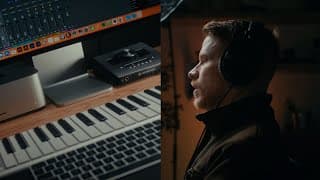
My Home Studio for Video & Music Production | Desk Tour 2023
Since we moved into a new House 4 years ago I wanted to build a Video & Music Production Studio which suits all my needs. Video and Photo Editing, Clients Jobs like Graphic & Webdesign, Podcasting and Music Production. Recording, Creating Beats/Filmscores as well as Mixing and Mastering. And to answer this question „What Gear do you use?“ once and for all, let me give you a quick room tour of my Home Studio with all the details you need to find out if some of this would fit your own creative process. CHAPTERS 0:00 Intro 0:37 Computer Setup 1:01 Studio Monitors 1:40 Adam A7V Studio Monitors 2:49 Audio Interface 3:20 CF Express Card Reader 3:33 Dynamic Microphone 4:14 Headphones 4:30 MIDI Keyboard 4:47 Adjustable Desk 5:01 Camera Gear 6:05 Boom-Mic 6:24 Lighting The following is a list of Gear mentioned in this Video. These are Affiliate Links that give me a small commission if you purchase something through that link and doesn’t cost you more.. COMPUTER & DESK Apple Mac Studio ► https://apple.co/3Ahufuk Apple Studio Display ► http://bit.ly/3O66R8K Good Standing Desks ► https://amzn.to/3Gfe7xh AUDIO Adam A7V Monitors ► https://amzn.to/3UQuDrK Budget Studio Monitors ► https://amzn.to/3TI3YMy Audio Interface ► https://amzn.to/3ExMXjL Budget Audio Interface ► https://amzn.to/3Anwkov Dynamic Microphone ► https://amzn.to/3UFQuSI Headphones ► https://amzn.to/3UBTUWx MIDI-Keyboard ► https://amzn.to/3Xgq2kD CAMERA GEAR Canon R5 ► https://amzn.to/3GlEIIX 35mm Lens ► https://amzn.to/3GjEUbS 24-70mm Lens ► https://amzn.to/3TE94tp 70-200 Lens ► https://amzn.to/3UJ18bt Tiffen Black ProMist ► https://amzn.to/3TI4Ssq Velium Filter System ► https://bit.ly/veliumkickstarter CF Card Readers ► https://amzn.to/3TDy57K Carbon Tripod ► https://amzn.to/3ExyDYA LIGHTING Amaran 200X ► https://amzn.to/3tvXu8R Aputure F22C LED Mat ► https://amzn.to/3Ew5gGe Cheap Tube Light ► https://amzn.to/3hF6Yfo (Battery sucks) Better, Quality Tube Light ► https://amzn.to/3gdsDLb C-Stand ► https://amzn.to/3ExXefO Listen to some Songs I recorded with the Shure SM7B Neil Moody on Spotify: http://bit.ly/3g9L0AL Yung Sony on Spotify: https://spoti.fi/3hIyyse This Video was shot on the Canon R6 in 4K + RF 24-70mm 2.8 + RF 35mm 1.8 in C-Log3 Thanks to @ADAMAudioBerlin for sending me the A7Vs to test them. Other Brands in this Video (not sponsored): @aputurelighting @CanonUSA @shure @UniversalAudio @SIRUIImaging @NeewerOfficial Musicbed SyncID MB01ZML1DGS9XXB 🤖 ChatGPT für Unternehmer & Selbständige aus Deutschland: Über 5000 Prompts für Online-Marketing, Sales, Recruiting, Agenturgeschäft und Web-Entwicklung - So automatisierst du 2000+ Aufgaben deines Business mit der Hilfe von AI. 👉🏼 https://aivocado.ai

The $60 Vintage Lens for Cinematic Nostalgia
My LUTs, Film Transitions, Overlays & SFX ► https://christianmategrab.sellfy.store/ * Get my Master Bundle ► https://christianmategrab.sellfy.store/p/the-master-bundle/ I got myself a new (old) Vintage Lens - The Vivitar 28mm f2 and used it with a cheap Canon FD to RF Adapter on my Canon R5 to film a short Visual. If you’re looking for a budget manual Lens that gives your Videos that Cinematic Nostalgia and Imperfection I think this is one to consider. Here are some cheap Adapters for your Camera System** Canon FD to Canon RF: https://amzn.to/3zLK3oM Canon FD to Sony E-Mount: https://amzn.to/3TaaQBY Canon FD to Fuji X: https://amzn.to/3NE2KQX Filmed on the Canon R5 in C-Log3 (BT.709) - 4K IPB Color Graded with my Canon R5 LUTs in Final Cut Pro X Grain & Halation added with Dehancer MY MASTER BUNDLE FOR VIDEO EDITORS ► https://bit.ly/get-the-masterbundle * MY LUTs & FREE LIGHTROOM PRESETS ► https://bit.ly/luts-lightroom-presets * Business Contact:contact@christianmategrab.com Music licensed by Musicbed: Phillip Cuccias - Altered State Luke Atencio - Apart *Ad / Werbung **Affiliate Link Musicbed SyncID: MB01JKSVG0QJZJM 0:00 Intro - The Vivitar 28mm f2 0:45 Cinematic Visuals - Daytime 2:45 Cinematic Visuals - Blue Hour
I found a CREEPY CABIN in my German Hometown
I found 3 Creepy Places in my German Hometown. MY FILMMAKING MASTER BUNDLE (20% OFF) ► https://bit.ly/get-the-masterbundle MY LUTs & FREE LIGHTROOM PRESETS ► https://bit.ly/luts-lightroom-presets I discovered three creepy places in my German hometown, including a abandoned cabin in the woods. So I filmed this Found-Footage Short film in the style of scary Reddit Stories. No property was damaged, we just observed. Happy Halloween. 0:00 Place 1 - The Rockpit 2:50 Place 2 - Blue Tent Fountain 3:55 Place 3 - Witch's Cabin This video does not contain any paid sponsorships or product placements from third parties. *Ad / Anzeige lost places deutsch, lost place germany, lost place discovery, canon r5 cinematic, reddit stories, creepy reddit stories, reddit story horror #halloween

THIS NEW PRODUCT makes you a better FILMMAKER!
Purchase my LUTs so I can buy more stuff I don't need. MASTER BUNDLE ► https://bit.ly/get-the-masterbundle MY LUTs & LIGHTROOM PRESETS ► https://bit.ly/luts-lightroom-presets This video does not contain any paid sponsorships or product placements from third parties. Anyway thanks to @SmallRigGlobal for sending out the MagicFIZ Wireless Follow Focus. *Ad / Anzeige

68,000 Lumens Flashlight for Filmmaking?
Get my Cinema LUTs 👉🏼 https://cinem8.co/collections/cinematic-luts Film Transitions & Overlays 👉🏼 https://cinem8.co/products/cinematic-film-transitions-bundle Get ACEBEAM Flashlights on Amazon:* L17: https://amzn.to/3CK7ocB H30: https://amzn.to/3rGo0LW X75: https://amzn.to/3SYMEmM X50 CRI: https://amzn.to/3fMvEBH Can we use Flashlights for Filmmaking and Photography? I wanted to find out and partnered with ACEBEAM to re-create a Scene from Netflix’ DARK with a 68,000 Lumens Flashlight - The X75. In addition to ACEBEAM’s strongest light we also got two Acebeam X50 CRI Flashlights. Those can be used perfectly for Filmmaking & Photography because of their Color Rendering Index (CRI) of 95. Often it can be a hassle to bring powerful lights to your set, especially when you are shooting outdoors and there’s no electricity to power them. That’s why I picked some of my favorite scenes from the Netflix Show „DARK“ and tried to re-create it only with light from Acebeam Flashlights.. Instead of an ARRI Alexa 65 which was used to film the Netflix Original we used my Canon R5 to film this. Thanks for helping me out @Fiebs93 ! Chapters: 0:00 The Beauty of DARK 1:18 ACEBEAM Flashlights for Filmmaking 1:57 Making-Of 3:02 Cinematic Cut *This Video is sponsored by @ACEBEAM www.acebeam.com Music from Musicbed: Portals - It’s all happening Business Contact contact@christianmategrab.com
Canon R6 + Kodak Gold 200 Film Emulation Test
Shot on Canon R6 + RF 35mm 1.8 | Color Graded with "CENSORED" because they want free promo for their overpriced plug-in from poor creators like me instead of paying them fairly. So instead of using this just buy my LUTs so I can afford another $4000 camera just to make the footage look like it's shot on a crappy film camera from the 70s k? THE MASTER BUNDLE* ► https://bit.ly/get-the-masterbundle MY LUTs & LIGHTROOM PRESETS* ► https://bit.ly/luts-lightroom-presets This video does not contain any paid sponsorships or product placements from third parties. *Ad / Anzeige

Sir, how to film Cinematic NETFLIX INTERVIEW on Canon R5 & Ninja V+
My Film Transitions & Overlays Bundle ► https://cinem8.co/products/cinematic-film-transitions-bundle MY LUTs & LIGHTROOM PRESETS ► https://cinem8.co/collections/products I'm currently filming a Mini Doc about my friend Timo and his passion for Cars (VDS Autosport) which will we released in October 2022. Some of you wanted a quick breakdown of my first ever Interview Scene which I shot on the Canon R5 + 24-70 2.8 RF + Atomos Ninja V+ so here's how to shoot an Interview in the style of Netflix Documentaries. Recorded in CLog3 BT.709 4K ProRes 422 Color Graded and edited with my LUTs and Dehancer for FCPX This video does not contain any paid sponsorships from third parties. *Ad / Anzeige | Produktplatzierung / Product Placement

Shot on iPhone 14 Pro | Cinematic Mode 4K
The LUTs I used to Color Grade this footage (works in VN App, FCPX, Premiere...) ► https://www.cinem8.co/products/iphone-lut-collection 350+ Assets for Filmmakers ► https://cinem8.co/products/the-master-bundle Lightroom Presets ► https://www.cinem8.co/products/lightroom-presets-collection Cinema LUTs Collection ► https://cinem8.co/products/cinematic-luts-collection Some quick shots I took this morning with the new iPhone 14 Pro in Cinematic Mode (Standard Camera App). I didn’t use any third-party-apps like Filmic Pro, no Log - Took this footage straight from the camera and graded it in Final Cut Pro X with my iPhone LUTs. Of course the iPhone struggled with the heavy contrast scenes and the mist. A lot of artefacts and color banding due to the poor codec but I think especially in the Close and Mid-Close Shots it performed pretty decent. Edited in Final Cut Pro X (2:1 aspect ratio) and graded with my iPhone LUT Collection: 📽 Color Graded with: https://www.cinem8.co/products/iphone-lut-collection This Video is not sponsored by Apple. Business Contact: contact@christianmategrab.com Instagram https://www.instagram.com/cinem8.co #iPhone14Pro

WARNING SIGNS | A Cinematic Short Film about Mental Health
A Cinematic Short Film by Christian Maté Grab shot on the Canon R5 GET MY MASTER BUNDLE ► https://bit.ly/get-the-masterbundle * MY LUTs & LIGHTROOM PRESETS ► https://bit.ly/luts-lightroom-presets * 3 Years ago I stopped uploading to Youtube and working as a Filmmaker/Photographer because I experienced severe Panic Attacks, Depression and Anxiety which completely took over my reality. Most of you didn't know why I left. After the hardest time of my life as a Creator and as a human being I wanted to create this Video to share my journey and speak out about the "other side" of Social Media and what was going on so maybe it helps someone out there who struggles in life the way I did. I need to re-enter life - And this is my close on this chapter of my life. Shot on Canon R5 + 35mm 1.8 RF + 24-70mm 2.8 RF Color Graded with my Canon R5 LUTs: https://bit.ly/CanonR5LUTs Business Inquiries & Collaborations: youtube@christianmategrab.com This video does not contain any paid sponsorships or product placements from third parties. *Ad / Anzeige

World's first Camera Rapper: YUNG SONY about Youtube Filmmakers, Canon & RED
Get 20% OFF the Master Bundle (250+ Assets for Filmmakers & Creators) MASTER BUNDLE ► https://bit.ly/get-the-masterbundle MY LUTs & LIGHTROOM PRESETS ► https://bit.ly/luts-lightroom-presets In this video, YUNG SONY talks about his world-renowned Youtube channel, his cancelled Canon Sponsorship & why he wants to partner with RED, and how combining the niches of Filmmaking & Music Production helped him become one of the world's most popular camera rappers. A Mini-Documentary shot by Christian Maté Grab for client "Yung Sony" on the Canon R5 and 24-70mm 2.8 RF #CameraRap #canonR5 Featured in this Video: @SamNewton @BenjaminJaworskyj @Benn_TK @koldstudios @cmg This video does not contain any paid sponsorships or product placements from third parties. *Ad / Anzeige

350+ Assets for Filmmakers & Video Editors (Transitions, Vintage Overlays, SFX, LUTs)
Are you a Video Editor or Digital Creator? Get 250+ LUTs, Film Transitions, Overlays, SFX & more! 20% OFF the Master Bundle with Code "MASTER": 🎥 https://bit.ly/cmg-filmmakingstore 📷 My Lightroom Presets ► https://bit.ly/LightroomPresetsCollection Cinematic LUTs for Canon Cameras like the Canon 5D Mark IV, EOS R, EOS R5, EOS R6 ► https://bit.ly/LUTsForCanon Cinematic LUTs for Sony Cameras like the Sony A7III, Sony a6500, Sony a6300, Sony A7SII ► https://bit.ly/LUTsForSony Cinematic LUTs for Panasonic Cameras like the Panasonic Lumix GH5, GH5S, S1, S1H ► https://bit.ly/LUTsForPanasonic If you’re looking for a faster checkout with Paypal or Credit Card (US Customers) check out my Sellfy Store where you can find a lot of Bundles, Cinematic LUTs, Lightroom Presets and more Filmmaking Assets with huge Discounts up to 50%. ► https://sellfy.com/christianmategrab ______________________________________________ 🎞 HOW TO USE LUTs ON YOUR VIDEOS You can use LUTs in almost every Video editing software like Adobe Premiere Pro, Final Cut Pro X or DaVinci Resolve or any other program that supports 3D .cube files. In most programs you can do so by adding a LUT Effect to your clip and then add the .cube LUT to your footage. No matter which camera you are using, my Cinematic LUTs work with almost any mirrorless camera like the Sony A7SII, Canon EOS R, EOS R5 or Panasonic S1. In this way you can improve your color grading and aesthetics while also saving a lot of time at color grading your videos. Find out more about how LUTs work here: ► https://www.cinem8.co/pages/color-grading-with-luts ______________________________________________ 🎥 MY FILMMAKING AND PHOTOGRAPHY GEAR Beginner Setup on Amazon ► https://bit.ly/BeginnerSetup My Canon Filmmaking Setup on Amazon ► https://bit.ly/CanonFilmmakingSetup ______________________________________________ 🖥 CHECK OUT SOME OF MY OTHER VIDEOS How to get the Cinematic Look in Adobe Premiere Pro ► https://youtu.be/xQJfFLJufYw LIVE FOR THE MOMENT | Portugal Road Trip ► https://youtu.be/ziVb5HzzsuM Yung Sony „12-Bit RAW“ Music Video | Shot on the Canon R5 ► https://youtu.be/Tkzb6ZAfCwU ______________________________________________ Using LUTs in Premiere Pro In Adobe Premiere Pro it's even easier to apply a LUT to your footage. Simply select the clip or adjustment layer in your timeline that you want to add your look to and click on the COLOR TAB in the upper menu. This opens up LUMETRI COLOR on the right side of the program which lets you change all kinds of settings for color grading your videos. If you want to add a stylized look you should select your .cube LUT in the CREATIVE TAB under LOOK. If you first need to convert your footage to the Rec.709 color space (for example if your footage is shot in a flat picture profile like LOG) you should add your conversion LUT to the BASIC CORRECTION. ______________________________________________ Using LUTs in Final Cut Pro X If you want to use LUTs in Final Cut Pro you need to search for CUSTOM LUT within the Effects tab and drag it over onto your clip or adjustment layer. FCPX does not include native adjustment layers but don't worry. You can download my FREE ADJUSTMENT LAYERS for Final Cut Pro X. After applying the effect you can find the Custom LUT tab within the Video Inspector as shown above. There you can select your LUT and change the color space as well as the Mix which is basically the intensity of your LUT. For example: If your image is too contrasty, lower the Mix to 70% to decrease the LUT intensity.

Yung Sony X Sam Newton - "VINTAGE" 📽 (Official Music Video prod. ENCORE)
Get my new Sony S-Log3 LUTs 👉🏼 https://cinem8.co/products/sony-s-log3-cinema-luts 📷 My Lightroom Presets ► https://bit.ly/LightroomPresetsCollection Cinematic LUTs for Canon Cameras like the Canon 5D Mark IV, EOS R, EOS R5, EOS R6 ► https://bit.ly/LUTsForCanon Cinematic LUTs for Sony Cameras like the Sony A7III, Sony a6500, Sony a6300, Sony A7SII ► https://bit.ly/LUTsForSony Cinematic LUTs for Panasonic Cameras like the Panasonic Lumix GH5, GH5S, S1, S1H ► https://bit.ly/LUTsForPanasonic If you’re looking for a faster checkout with Paypal or Credit Card (US Customers) check out my Sellfy Store where you can find a lot of Bundles, Cinematic LUTs, Lightroom Presets and more Filmmaking Assets with huge Discounts up to 50%. ► https://sellfy.com/christianmategrab ______________________________________________ 🎞 HOW TO USE LUTs ON YOUR VIDEOS You can use LUTs in almost every Video editing software like Adobe Premiere Pro, Final Cut Pro X or DaVinci Resolve or any other program that supports 3D .cube files. In most programs you can do so by adding a LUT Effect to your clip and then add the .cube LUT to your footage. No matter which camera you are using, my Cinematic LUTs work with almost any mirrorless camera like the Sony A7SII, Canon EOS R, EOS R5 or Panasonic S1. In this way you can improve your color grading and aesthetics while also saving a lot of time at color grading your videos. Find out more about how LUTs work here: ► https://www.cinem8.co/pages/color-grading-with-luts ______________________________________________ 🎥 MY FILMMAKING AND PHOTOGRAPHY GEAR Beginner Setup on Amazon ► https://bit.ly/BeginnerSetup My Canon Filmmaking Setup on Amazon ► https://bit.ly/CanonFilmmakingSetup ______________________________________________ 🖥 CHECK OUT SOME OF MY OTHER VIDEOS How to get the Cinematic Look in Adobe Premiere Pro ► https://youtu.be/xQJfFLJufYw LIVE FOR THE MOMENT | Portugal Road Trip ► https://youtu.be/ziVb5HzzsuM Yung Sony „12-Bit RAW“ Music Video | Shot on the Canon R5 ► https://youtu.be/Tkzb6ZAfCwU ______________________________________________ Using LUTs in Premiere Pro In Adobe Premiere Pro it's even easier to apply a LUT to your footage. Simply select the clip or adjustment layer in your timeline that you want to add your look to and click on the COLOR TAB in the upper menu. This opens up LUMETRI COLOR on the right side of the program which lets you change all kinds of settings for color grading your videos. If you want to add a stylized look you should select your .cube LUT in the CREATIVE TAB under LOOK. If you first need to convert your footage to the Rec.709 color space (for example if your footage is shot in a flat picture profile like LOG) you should add your conversion LUT to the BASIC CORRECTION. ______________________________________________ Using LUTs in Final Cut Pro X If you want to use LUTs in Final Cut Pro you need to search for CUSTOM LUT within the Effects tab and drag it over onto your clip or adjustment layer. FCPX does not include native adjustment layers but don't worry. You can download my FREE ADJUSTMENT LAYERS for Final Cut Pro X. After applying the effect you can find the Custom LUT tab within the Video Inspector as shown above. There you can select your LUT and change the color space as well as the Mix which is basically the intensity of your LUT. For example: If your image is too contrasty, lower the Mix to 70% to decrease the LUT intensity.

Taking Photos with a f1.2 Vintage Lens (+Lightroom Editing)
Are you a Video Editor or Digital Creator? Get 250+ LUTs, Film Transitions, Overlays, SFX & more! 20% OFF the Master Bundle with Code "MASTER": 🎥 https://bit.ly/cmg-filmmakingstore 📷 My Lightroom Presets ► https://bit.ly/LightroomPresetsCollection Cinematic LUTs for Canon Cameras like the Canon 5D Mark IV, EOS R, EOS R5, EOS R6 ► https://bit.ly/LUTsForCanon Cinematic LUTs for Sony Cameras like the Sony A7III, Sony a6500, Sony a6300, Sony A7SII ► https://bit.ly/LUTsForSony Cinematic LUTs for Panasonic Cameras like the Panasonic Lumix GH5, GH5S, S1, S1H ► https://bit.ly/LUTsForPanasonic If you’re looking for a faster checkout with Paypal or Credit Card (US Customers) check out my Sellfy Store where you can find a lot of Bundles, Cinematic LUTs, Lightroom Presets and more Filmmaking Assets with huge Discounts up to 50%. ► https://sellfy.com/christianmategrab ______________________________________________ 🎞 HOW TO USE LUTs ON YOUR VIDEOS You can use LUTs in almost every Video editing software like Adobe Premiere Pro, Final Cut Pro X or DaVinci Resolve or any other program that supports 3D .cube files. In most programs you can do so by adding a LUT Effect to your clip and then add the .cube LUT to your footage. No matter which camera you are using, my Cinematic LUTs work with almost any mirrorless camera like the Sony A7SII, Canon EOS R, EOS R5 or Panasonic S1. In this way you can improve your color grading and aesthetics while also saving a lot of time at color grading your videos. Find out more about how LUTs work here: ► https://www.cinem8.co/pages/color-grading-with-luts ______________________________________________ 🎥 MY FILMMAKING AND PHOTOGRAPHY GEAR Beginner Setup on Amazon ► https://bit.ly/BeginnerSetup My Canon Filmmaking Setup on Amazon ► https://bit.ly/CanonFilmmakingSetup ______________________________________________ 🖥 CHECK OUT SOME OF MY OTHER VIDEOS How to get the Cinematic Look in Adobe Premiere Pro ► https://youtu.be/xQJfFLJufYw LIVE FOR THE MOMENT | Portugal Road Trip ► https://youtu.be/ziVb5HzzsuM Yung Sony „12-Bit RAW“ Music Video | Shot on the Canon R5 ► https://youtu.be/Tkzb6ZAfCwU ______________________________________________ Using LUTs in Premiere Pro In Adobe Premiere Pro it's even easier to apply a LUT to your footage. Simply select the clip or adjustment layer in your timeline that you want to add your look to and click on the COLOR TAB in the upper menu. This opens up LUMETRI COLOR on the right side of the program which lets you change all kinds of settings for color grading your videos. If you want to add a stylized look you should select your .cube LUT in the CREATIVE TAB under LOOK. If you first need to convert your footage to the Rec.709 color space (for example if your footage is shot in a flat picture profile like LOG) you should add your conversion LUT to the BASIC CORRECTION. ______________________________________________ Using LUTs in Final Cut Pro X If you want to use LUTs in Final Cut Pro you need to search for CUSTOM LUT within the Effects tab and drag it over onto your clip or adjustment layer. FCPX does not include native adjustment layers but don't worry. You can download my FREE ADJUSTMENT LAYERS for Final Cut Pro X. After applying the effect you can find the Custom LUT tab within the Video Inspector as shown above. There you can select your LUT and change the color space as well as the Mix which is basically the intensity of your LUT. For example: If your image is too contrasty, lower the Mix to 70% to decrease the LUT intensity. 🤖 ChatGPT für Unternehmer & Selbständige aus Deutschland: Über 5000 Prompts für Online-Marketing, Sales, Recruiting, Agenturgeschäft und Web-Entwicklung - So automatisierst du 2000+ Aufgaben deines Business mit der Hilfe von AI. 👉🏼 https://aivocado.ai
How to Film (NOT SO EPIC) C-ROLL
Are you a Video Editor or Digital Creator? Get 250+ LUTs, Film Transitions, Overlays, SFX & more! 20% OFF the Master Bundle with Code "MASTER": 🎥 https://bit.ly/cmg-filmmakingstore 📷 My Lightroom Presets ► https://bit.ly/LightroomPresetsCollection Cinematic LUTs for Canon Cameras like the Canon 5D Mark IV, EOS R, EOS R5, EOS R6 ► https://bit.ly/LUTsForCanon Cinematic LUTs for Sony Cameras like the Sony A7III, Sony a6500, Sony a6300, Sony A7SII ► https://bit.ly/LUTsForSony Cinematic LUTs for Panasonic Cameras like the Panasonic Lumix GH5, GH5S, S1, S1H ► https://bit.ly/LUTsForPanasonic If you’re looking for a faster checkout with Paypal or Credit Card (US Customers) check out my Sellfy Store where you can find a lot of Bundles, Cinematic LUTs, Lightroom Presets and more Filmmaking Assets with huge Discounts up to 50%. ► https://sellfy.com/christianmategrab ______________________________________________ 🎞 HOW TO USE LUTs ON YOUR VIDEOS You can use LUTs in almost every Video editing software like Adobe Premiere Pro, Final Cut Pro X or DaVinci Resolve or any other program that supports 3D .cube files. In most programs you can do so by adding a LUT Effect to your clip and then add the .cube LUT to your footage. No matter which camera you are using, my Cinematic LUTs work with almost any mirrorless camera like the Sony A7SII, Canon EOS R, EOS R5 or Panasonic S1. In this way you can improve your color grading and aesthetics while also saving a lot of time at color grading your videos. Find out more about how LUTs work here: ► https://www.cinem8.co/pages/color-grading-with-luts ______________________________________________ 🎥 MY FILMMAKING AND PHOTOGRAPHY GEAR Beginner Setup on Amazon ► https://bit.ly/BeginnerSetup My Canon Filmmaking Setup on Amazon ► https://bit.ly/CanonFilmmakingSetup ______________________________________________ 🖥 CHECK OUT SOME OF MY OTHER VIDEOS How to get the Cinematic Look in Adobe Premiere Pro ► https://youtu.be/xQJfFLJufYw LIVE FOR THE MOMENT | Portugal Road Trip ► https://youtu.be/ziVb5HzzsuM Yung Sony „12-Bit RAW“ Music Video | Shot on the Canon R5 ► https://youtu.be/Tkzb6ZAfCwU ______________________________________________ Using LUTs in Premiere Pro In Adobe Premiere Pro it's even easier to apply a LUT to your footage. Simply select the clip or adjustment layer in your timeline that you want to add your look to and click on the COLOR TAB in the upper menu. This opens up LUMETRI COLOR on the right side of the program which lets you change all kinds of settings for color grading your videos. If you want to add a stylized look you should select your .cube LUT in the CREATIVE TAB under LOOK. If you first need to convert your footage to the Rec.709 color space (for example if your footage is shot in a flat picture profile like LOG) you should add your conversion LUT to the BASIC CORRECTION. ______________________________________________ Using LUTs in Final Cut Pro X If you want to use LUTs in Final Cut Pro you need to search for CUSTOM LUT within the Effects tab and drag it over onto your clip or adjustment layer. FCPX does not include native adjustment layers but don't worry. You can download my FREE ADJUSTMENT LAYERS for Final Cut Pro X. After applying the effect you can find the Custom LUT tab within the Video Inspector as shown above. There you can select your LUT and change the color space as well as the Mix which is basically the intensity of your LUT. For example: If your image is too contrasty, lower the Mix to 70% to decrease the LUT intensity. 🤖 ChatGPT für Unternehmer & Selbständige aus Deutschland: Über 5000 Prompts für Online-Marketing, Sales, Recruiting, Agenturgeschäft und Web-Entwicklung - So automatisierst du 2000+ Aufgaben deines Business mit der Hilfe von AI. 👉🏼 https://aivocado.ai
How to use Handheld Effects to make your Videos look Organic
Are you a Video Editor or Digital Creator? Get 250+ LUTs, Film Transitions, Overlays, SFX & more! 20% OFF the Master Bundle with Code "MASTER": 🎥 https://bit.ly/cmg-filmmakingstore 📷 My Lightroom Presets ► https://bit.ly/LightroomPresetsCollection Cinematic LUTs for Canon Cameras like the Canon 5D Mark IV, EOS R, EOS R5, EOS R6 ► https://bit.ly/LUTsForCanon Cinematic LUTs for Sony Cameras like the Sony A7III, Sony a6500, Sony a6300, Sony A7SII ► https://bit.ly/LUTsForSony Cinematic LUTs for Panasonic Cameras like the Panasonic Lumix GH5, GH5S, S1, S1H ► https://bit.ly/LUTsForPanasonic If you’re looking for a faster checkout with Paypal or Credit Card (US Customers) check out my Sellfy Store where you can find a lot of Bundles, Cinematic LUTs, Lightroom Presets and more Filmmaking Assets with huge Discounts up to 50%. ► https://sellfy.com/christianmategrab ______________________________________________ 🎞 HOW TO USE LUTs ON YOUR VIDEOS You can use LUTs in almost every Video editing software like Adobe Premiere Pro, Final Cut Pro X or DaVinci Resolve or any other program that supports 3D .cube files. In most programs you can do so by adding a LUT Effect to your clip and then add the .cube LUT to your footage. No matter which camera you are using, my Cinematic LUTs work with almost any mirrorless camera like the Sony A7SII, Canon EOS R, EOS R5 or Panasonic S1. In this way you can improve your color grading and aesthetics while also saving a lot of time at color grading your videos. Find out more about how LUTs work here: ► https://www.cinem8.co/pages/color-grading-with-luts ______________________________________________ 🎥 MY FILMMAKING AND PHOTOGRAPHY GEAR Beginner Setup on Amazon ► https://bit.ly/BeginnerSetup My Canon Filmmaking Setup on Amazon ► https://bit.ly/CanonFilmmakingSetup ______________________________________________ 🖥 CHECK OUT SOME OF MY OTHER VIDEOS How to get the Cinematic Look in Adobe Premiere Pro ► https://youtu.be/xQJfFLJufYw LIVE FOR THE MOMENT | Portugal Road Trip ► https://youtu.be/ziVb5HzzsuM Yung Sony „12-Bit RAW“ Music Video | Shot on the Canon R5 ► https://youtu.be/Tkzb6ZAfCwU ______________________________________________ Using LUTs in Premiere Pro In Adobe Premiere Pro it's even easier to apply a LUT to your footage. Simply select the clip or adjustment layer in your timeline that you want to add your look to and click on the COLOR TAB in the upper menu. This opens up LUMETRI COLOR on the right side of the program which lets you change all kinds of settings for color grading your videos. If you want to add a stylized look you should select your .cube LUT in the CREATIVE TAB under LOOK. If you first need to convert your footage to the Rec.709 color space (for example if your footage is shot in a flat picture profile like LOG) you should add your conversion LUT to the BASIC CORRECTION. ______________________________________________ Using LUTs in Final Cut Pro X If you want to use LUTs in Final Cut Pro you need to search for CUSTOM LUT within the Effects tab and drag it over onto your clip or adjustment layer. FCPX does not include native adjustment layers but don't worry. You can download my FREE ADJUSTMENT LAYERS for Final Cut Pro X. After applying the effect you can find the Custom LUT tab within the Video Inspector as shown above. There you can select your LUT and change the color space as well as the Mix which is basically the intensity of your LUT. For example: If your image is too contrasty, lower the Mix to 70% to decrease the LUT intensity. 🤖 ChatGPT für Unternehmer & Selbständige aus Deutschland: Über 5000 Prompts für Online-Marketing, Sales, Recruiting, Agenturgeschäft und Web-Entwicklung - So automatisierst du 2000+ Aufgaben deines Business mit der Hilfe von AI. 👉🏼 https://aivocado.ai

Calm Down with me in the Countryside
Are you a Video Editor or Digital Creator? Get 250+ LUTs, Film Transitions, Overlays, SFX & more! 20% OFF the Master Bundle with Code "MASTER": 🎥 https://bit.ly/cmg-filmmakingstore 📷 My Lightroom Presets ► https://bit.ly/LightroomPresetsCollection Cinematic LUTs for Canon Cameras like the Canon 5D Mark IV, EOS R, EOS R5, EOS R6 ► https://bit.ly/LUTsForCanon Cinematic LUTs for Sony Cameras like the Sony A7III, Sony a6500, Sony a6300, Sony A7SII ► https://bit.ly/LUTsForSony Cinematic LUTs for Panasonic Cameras like the Panasonic Lumix GH5, GH5S, S1, S1H ► https://bit.ly/LUTsForPanasonic If you’re looking for a faster checkout with Paypal or Credit Card (US Customers) check out my Sellfy Store where you can find a lot of Bundles, Cinematic LUTs, Lightroom Presets and more Filmmaking Assets with huge Discounts up to 50%. ► https://sellfy.com/christianmategrab ______________________________________________ 🎞 HOW TO USE LUTs ON YOUR VIDEOS You can use LUTs in almost every Video editing software like Adobe Premiere Pro, Final Cut Pro X or DaVinci Resolve or any other program that supports 3D .cube files. In most programs you can do so by adding a LUT Effect to your clip and then add the .cube LUT to your footage. No matter which camera you are using, my Cinematic LUTs work with almost any mirrorless camera like the Sony A7SII, Canon EOS R, EOS R5 or Panasonic S1. In this way you can improve your color grading and aesthetics while also saving a lot of time at color grading your videos. Find out more about how LUTs work here: ► https://www.cinem8.co/pages/color-grading-with-luts ______________________________________________ 🎥 MY FILMMAKING AND PHOTOGRAPHY GEAR Beginner Setup on Amazon ► https://bit.ly/BeginnerSetup My Canon Filmmaking Setup on Amazon ► https://bit.ly/CanonFilmmakingSetup ______________________________________________ 🖥 CHECK OUT SOME OF MY OTHER VIDEOS How to get the Cinematic Look in Adobe Premiere Pro ► https://youtu.be/xQJfFLJufYw LIVE FOR THE MOMENT | Portugal Road Trip ► https://youtu.be/ziVb5HzzsuM Yung Sony „12-Bit RAW“ Music Video | Shot on the Canon R5 ► https://youtu.be/Tkzb6ZAfCwU ______________________________________________ Using LUTs in Premiere Pro In Adobe Premiere Pro it's even easier to apply a LUT to your footage. Simply select the clip or adjustment layer in your timeline that you want to add your look to and click on the COLOR TAB in the upper menu. This opens up LUMETRI COLOR on the right side of the program which lets you change all kinds of settings for color grading your videos. If you want to add a stylized look you should select your .cube LUT in the CREATIVE TAB under LOOK. If you first need to convert your footage to the Rec.709 color space (for example if your footage is shot in a flat picture profile like LOG) you should add your conversion LUT to the BASIC CORRECTION. ______________________________________________ Using LUTs in Final Cut Pro X If you want to use LUTs in Final Cut Pro you need to search for CUSTOM LUT within the Effects tab and drag it over onto your clip or adjustment layer. FCPX does not include native adjustment layers but don't worry. You can download my FREE ADJUSTMENT LAYERS for Final Cut Pro X. After applying the effect you can find the Custom LUT tab within the Video Inspector as shown above. There you can select your LUT and change the color space as well as the Mix which is basically the intensity of your LUT. For example: If your image is too contrasty, lower the Mix to 70% to decrease the LUT intensity.

Yung Sony - "Plz Sir How Do You Color?" | Official Music Video
Get my new Sony S-Log3 LUTs 👉🏼 https://cinem8.co/products/sony-s-log3-cinema-luts 📷 My Lightroom Presets ► https://bit.ly/LightroomPresetsCollection Cinematic LUTs for Canon Cameras like the Canon 5D Mark IV, EOS R, EOS R5, EOS R6 ► https://bit.ly/LUTsForCanon Cinematic LUTs for Panasonic Cameras like the Panasonic Lumix GH5, GH5S, S1, S1H ► https://bit.ly/LUTsForPanasonic If you’re looking for a faster checkout with Paypal or Credit Card (US Customers) check out my Sellfy Store where you can find a lot of Bundles, Cinematic LUTs, Lightroom Presets and more Filmmaking Assets with huge Discounts up to 50%. ► https://sellfy.com/christianmategrab ______________________________________________ 🎞 HOW TO USE LUTs ON YOUR VIDEOS You can use LUTs in almost every Video editing software like Adobe Premiere Pro, Final Cut Pro X or DaVinci Resolve or any other program that supports 3D .cube files. In most programs you can do so by adding a LUT Effect to your clip and then add the .cube LUT to your footage. No matter which camera you are using, my Cinematic LUTs work with almost any mirrorless camera like the Sony A7SII, Canon EOS R, EOS R5 or Panasonic S1. In this way you can improve your color grading and aesthetics while also saving a lot of time at color grading your videos. Find out more about how LUTs work here: ► https://www.cinem8.co/pages/color-grading-with-luts ______________________________________________ 🎥 MY FILMMAKING AND PHOTOGRAPHY GEAR Beginner Setup on Amazon ► https://bit.ly/BeginnerSetup My Canon Filmmaking Setup on Amazon ► https://bit.ly/CanonFilmmakingSetup ______________________________________________ 🖥 CHECK OUT SOME OF MY OTHER VIDEOS How to get the Cinematic Look in Adobe Premiere Pro ► https://youtu.be/xQJfFLJufYw LIVE FOR THE MOMENT | Portugal Road Trip ► https://youtu.be/ziVb5HzzsuM Yung Sony „12-Bit RAW“ Music Video | Shot on the Canon R5 ► https://youtu.be/Tkzb6ZAfCwU ______________________________________________ Using LUTs in Premiere Pro In Adobe Premiere Pro it's even easier to apply a LUT to your footage. Simply select the clip or adjustment layer in your timeline that you want to add your look to and click on the COLOR TAB in the upper menu. This opens up LUMETRI COLOR on the right side of the program which lets you change all kinds of settings for color grading your videos. If you want to add a stylized look you should select your .cube LUT in the CREATIVE TAB under LOOK. If you first need to convert your footage to the Rec.709 color space (for example if your footage is shot in a flat picture profile like LOG) you should add your conversion LUT to the BASIC CORRECTION. ______________________________________________ Using LUTs in Final Cut Pro X If you want to use LUTs in Final Cut Pro you need to search for CUSTOM LUT within the Effects tab and drag it over onto your clip or adjustment layer. FCPX does not include native adjustment layers but don't worry. You can download my FREE ADJUSTMENT LAYERS for Final Cut Pro X. After applying the effect you can find the Custom LUT tab within the Video Inspector as shown above. There you can select your LUT and change the color space as well as the Mix which is basically the intensity of your LUT. For example: If your image is too contrasty, lower the Mix to 70% to decrease the LUT intensity.

A Sunset Drive | Canon R5 in 4K HQ
Are you a Video Editor or Digital Creator? Get 250+ LUTs, Film Transitions, Overlays, SFX & more! 20% OFF the Master Bundle with Code "MASTER": 🎥 https://bit.ly/cmg-filmmakingstore 📷 My Lightroom Presets ► https://bit.ly/LightroomPresetsCollection Cinematic LUTs for Canon Cameras like the Canon 5D Mark IV, EOS R, EOS R5, EOS R6 ► https://bit.ly/LUTsForCanon Cinematic LUTs for Sony Cameras like the Sony A7III, Sony a6500, Sony a6300, Sony A7SII ► https://bit.ly/LUTsForSony Cinematic LUTs for Panasonic Cameras like the Panasonic Lumix GH5, GH5S, S1, S1H ► https://bit.ly/LUTsForPanasonic If you’re looking for a faster checkout with Paypal or Credit Card (US Customers) check out my Sellfy Store where you can find a lot of Bundles, Cinematic LUTs, Lightroom Presets and more Filmmaking Assets with huge Discounts up to 50%. ► https://sellfy.com/christianmategrab ______________________________________________ 🎞 HOW TO USE LUTs ON YOUR VIDEOS You can use LUTs in almost every Video editing software like Adobe Premiere Pro, Final Cut Pro X or DaVinci Resolve or any other program that supports 3D .cube files. In most programs you can do so by adding a LUT Effect to your clip and then add the .cube LUT to your footage. No matter which camera you are using, my Cinematic LUTs work with almost any mirrorless camera like the Sony A7SII, Canon EOS R, EOS R5 or Panasonic S1. In this way you can improve your color grading and aesthetics while also saving a lot of time at color grading your videos. Find out more about how LUTs work here: ► https://www.cinem8.co/pages/color-grading-with-luts ______________________________________________ 🎥 MY FILMMAKING AND PHOTOGRAPHY GEAR Beginner Setup on Amazon ► https://bit.ly/BeginnerSetup My Canon Filmmaking Setup on Amazon ► https://bit.ly/CanonFilmmakingSetup ______________________________________________ 🖥 CHECK OUT SOME OF MY OTHER VIDEOS How to get the Cinematic Look in Adobe Premiere Pro ► https://youtu.be/xQJfFLJufYw LIVE FOR THE MOMENT | Portugal Road Trip ► https://youtu.be/ziVb5HzzsuM Yung Sony „12-Bit RAW“ Music Video | Shot on the Canon R5 ► https://youtu.be/Tkzb6ZAfCwU ______________________________________________ Using LUTs in Premiere Pro In Adobe Premiere Pro it's even easier to apply a LUT to your footage. Simply select the clip or adjustment layer in your timeline that you want to add your look to and click on the COLOR TAB in the upper menu. This opens up LUMETRI COLOR on the right side of the program which lets you change all kinds of settings for color grading your videos. If you want to add a stylized look you should select your .cube LUT in the CREATIVE TAB under LOOK. If you first need to convert your footage to the Rec.709 color space (for example if your footage is shot in a flat picture profile like LOG) you should add your conversion LUT to the BASIC CORRECTION. ______________________________________________ Using LUTs in Final Cut Pro X If you want to use LUTs in Final Cut Pro you need to search for CUSTOM LUT within the Effects tab and drag it over onto your clip or adjustment layer. FCPX does not include native adjustment layers but don't worry. You can download my FREE ADJUSTMENT LAYERS for Final Cut Pro X. After applying the effect you can find the Custom LUT tab within the Video Inspector as shown above. There you can select your LUT and change the color space as well as the Mix which is basically the intensity of your LUT. For example: If your image is too contrasty, lower the Mix to 70% to decrease the LUT intensity. 🤖 ChatGPT für Unternehmer & Selbständige aus Deutschland: Über 5000 Prompts für Online-Marketing, Sales, Recruiting, Agenturgeschäft und Web-Entwicklung - So automatisierst du 2000+ Aufgaben deines Business mit der Hilfe von AI. 👉🏼 https://aivocado.ai

Yung Sony - "12-BIT RAW" 📽 (Canon R5 Music Video)
Are you a Video Editor or Filmmaker? Get my private collection of SFX, Film Transitions, LUTs, Vintage Overlays & more 🎥 https://bit.ly/cmg-filmmakingstore The LUTs I used in this Video ► https://bit.ly/LUTs-by-CMG Produced by ENCORE Beats: https://encorebeats.beatstars.com/ 📷 My Lightroom Presets ► https://bit.ly/LightroomPresetsCollection Cinematic LUTs for Canon Cameras like the Canon 5D Mark IV, EOS R, EOS R5, EOS R6 ► https://bit.ly/LUTsForCanon Cinematic LUTs for Sony Cameras like the Sony A7III, Sony a6500, Sony a6300, Sony A7SII ► https://bit.ly/LUTsForSony Cinematic LUTs for Panasonic Cameras like the Panasonic Lumix GH5, GH5S, S1, S1H ► https://bit.ly/LUTsForPanasonic If you’re looking for a faster checkout with Paypal or Credit Card (US Customers) check out my Sellfy Store where you can find a lot of Bundles, Cinematic LUTs, Lightroom Presets and more Filmmaking Assets with huge Discounts up to 50%. ► https://sellfy.com/christianmategrab ______________________________________________ 🎞 HOW TO USE LUTs ON YOUR VIDEOS You can use LUTs in almost every Video editing software like Adobe Premiere Pro, Final Cut Pro X or DaVinci Resolve or any other program that supports 3D .cube files. In most programs you can do so by adding a LUT Effect to your clip and then add the .cube LUT to your footage. No matter which camera you are using, my Cinematic LUTs work with almost any mirrorless camera like the Sony A7SII, Canon EOS R, EOS R5 or Panasonic S1. In this way you can improve your color grading and aesthetics while also saving a lot of time at color grading your videos. Find out more about how LUTs work here: ► https://www.cinem8.co/pages/color-grading-with-luts ______________________________________________ 🎥 MY FILMMAKING AND PHOTOGRAPHY GEAR Beginner Setup on Amazon ► https://bit.ly/BeginnerSetup My Canon Filmmaking Setup on Amazon ► https://bit.ly/CanonFilmmakingSetup ______________________________________________ 🖥 CHECK OUT SOME OF MY OTHER VIDEOS How to get the Cinematic Look in Adobe Premiere Pro ► https://youtu.be/xQJfFLJufYw LIVE FOR THE MOMENT | Portugal Road Trip ► https://youtu.be/ziVb5HzzsuM Yung Sony „12-Bit RAW“ Music Video | Shot on the Canon R5 ► https://youtu.be/Tkzb6ZAfCwU ______________________________________________ Using LUTs in Premiere Pro In Adobe Premiere Pro it's even easier to apply a LUT to your footage. Simply select the clip or adjustment layer in your timeline that you want to add your look to and click on the COLOR TAB in the upper menu. This opens up LUMETRI COLOR on the right side of the program which lets you change all kinds of settings for color grading your videos. If you want to add a stylized look you should select your .cube LUT in the CREATIVE TAB under LOOK. If you first need to convert your footage to the Rec.709 color space (for example if your footage is shot in a flat picture profile like LOG) you should add your conversion LUT to the BASIC CORRECTION. ______________________________________________ Using LUTs in Final Cut Pro X If you want to use LUTs in Final Cut Pro you need to search for CUSTOM LUT within the Effects tab and drag it over onto your clip or adjustment layer. FCPX does not include native adjustment layers but don't worry. You can download my FREE ADJUSTMENT LAYERS for Final Cut Pro X. After applying the effect you can find the Custom LUT tab within the Video Inspector as shown above. There you can select your LUT and change the color space as well as the Mix which is basically the intensity of your LUT. For example: If your image is too contrasty, lower the Mix to 70% to decrease the LUT intensity. 🤖 ChatGPT für Unternehmer & Selbständige aus Deutschland: Über 5000 Prompts für Online-Marketing, Sales, Recruiting, Agenturgeschäft und Web-Entwicklung - So automatisierst du 2000+ Aufgaben deines Business mit der Hilfe von AI. 👉🏼 https://aivocado.ai

AWAKE | A Cinematic for SKAGEN Denmark
Are you a Video Editor or Digital Creator? Get 250+ LUTs, Film Transitions, Overlays, SFX & more! 20% OFF the Master Bundle with Code "MASTER": 🎥 https://bit.ly/cmg-filmmakingstore 📷 My Lightroom Presets ► https://bit.ly/LightroomPresetsCollection Cinematic LUTs for Canon Cameras like the Canon 5D Mark IV, EOS R, EOS R5, EOS R6 ► https://bit.ly/LUTsForCanon Cinematic LUTs for Sony Cameras like the Sony A7III, Sony a6500, Sony a6300, Sony A7SII ► https://bit.ly/LUTsForSony Cinematic LUTs for Panasonic Cameras like the Panasonic Lumix GH5, GH5S, S1, S1H ► https://bit.ly/LUTsForPanasonic If you’re looking for a faster checkout with Paypal or Credit Card (US Customers) check out my Sellfy Store where you can find a lot of Bundles, Cinematic LUTs, Lightroom Presets and more Filmmaking Assets with huge Discounts up to 50%. ► https://sellfy.com/christianmategrab ______________________________________________ 🎞 HOW TO USE LUTs ON YOUR VIDEOS You can use LUTs in almost every Video editing software like Adobe Premiere Pro, Final Cut Pro X or DaVinci Resolve or any other program that supports 3D .cube files. In most programs you can do so by adding a LUT Effect to your clip and then add the .cube LUT to your footage. No matter which camera you are using, my Cinematic LUTs work with almost any mirrorless camera like the Sony A7SII, Canon EOS R, EOS R5 or Panasonic S1. In this way you can improve your color grading and aesthetics while also saving a lot of time at color grading your videos. Find out more about how LUTs work here: ► https://www.cinem8.co/pages/color-grading-with-luts ______________________________________________ 🎥 MY FILMMAKING AND PHOTOGRAPHY GEAR Beginner Setup on Amazon ► https://bit.ly/BeginnerSetup My Canon Filmmaking Setup on Amazon ► https://bit.ly/CanonFilmmakingSetup ______________________________________________ 🖥 CHECK OUT SOME OF MY OTHER VIDEOS How to get the Cinematic Look in Adobe Premiere Pro ► https://youtu.be/xQJfFLJufYw LIVE FOR THE MOMENT | Portugal Road Trip ► https://youtu.be/ziVb5HzzsuM Yung Sony „12-Bit RAW“ Music Video | Shot on the Canon R5 ► https://youtu.be/Tkzb6ZAfCwU ______________________________________________ Using LUTs in Premiere Pro In Adobe Premiere Pro it's even easier to apply a LUT to your footage. Simply select the clip or adjustment layer in your timeline that you want to add your look to and click on the COLOR TAB in the upper menu. This opens up LUMETRI COLOR on the right side of the program which lets you change all kinds of settings for color grading your videos. If you want to add a stylized look you should select your .cube LUT in the CREATIVE TAB under LOOK. If you first need to convert your footage to the Rec.709 color space (for example if your footage is shot in a flat picture profile like LOG) you should add your conversion LUT to the BASIC CORRECTION. ______________________________________________ Using LUTs in Final Cut Pro X If you want to use LUTs in Final Cut Pro you need to search for CUSTOM LUT within the Effects tab and drag it over onto your clip or adjustment layer. FCPX does not include native adjustment layers but don't worry. You can download my FREE ADJUSTMENT LAYERS for Final Cut Pro X. After applying the effect you can find the Custom LUT tab within the Video Inspector as shown above. There you can select your LUT and change the color space as well as the Mix which is basically the intensity of your LUT. For example: If your image is too contrasty, lower the Mix to 70% to decrease the LUT intensity. 🤖 ChatGPT für Unternehmer & Selbständige aus Deutschland: Über 5000 Prompts für Online-Marketing, Sales, Recruiting, Agenturgeschäft und Web-Entwicklung - So automatisierst du 2000+ Aufgaben deines Business mit der Hilfe von AI. 👉🏼 https://aivocado.ai

I tried Wildlife Photography...
Are you a Video Editor or Digital Creator? Get 250+ LUTs, Film Transitions, Overlays, SFX & more! 20% OFF the Master Bundle with Code "MASTER": 🎥 https://bit.ly/cmg-filmmakingstore 📷 My Lightroom Presets ► https://bit.ly/LightroomPresetsCollection Cinematic LUTs for Canon Cameras like the Canon 5D Mark IV, EOS R, EOS R5, EOS R6 ► https://bit.ly/LUTsForCanon Cinematic LUTs for Sony Cameras like the Sony A7III, Sony a6500, Sony a6300, Sony A7SII ► https://bit.ly/LUTsForSony Cinematic LUTs for Panasonic Cameras like the Panasonic Lumix GH5, GH5S, S1, S1H ► https://bit.ly/LUTsForPanasonic If you’re looking for a faster checkout with Paypal or Credit Card (US Customers) check out my Sellfy Store where you can find a lot of Bundles, Cinematic LUTs, Lightroom Presets and more Filmmaking Assets with huge Discounts up to 50%. ► https://sellfy.com/christianmategrab ______________________________________________ 🎞 HOW TO USE LUTs ON YOUR VIDEOS You can use LUTs in almost every Video editing software like Adobe Premiere Pro, Final Cut Pro X or DaVinci Resolve or any other program that supports 3D .cube files. In most programs you can do so by adding a LUT Effect to your clip and then add the .cube LUT to your footage. No matter which camera you are using, my Cinematic LUTs work with almost any mirrorless camera like the Sony A7SII, Canon EOS R, EOS R5 or Panasonic S1. In this way you can improve your color grading and aesthetics while also saving a lot of time at color grading your videos. Find out more about how LUTs work here: ► https://www.cinem8.co/pages/color-grading-with-luts ______________________________________________ 🎥 MY FILMMAKING AND PHOTOGRAPHY GEAR Beginner Setup on Amazon ► https://bit.ly/BeginnerSetup My Canon Filmmaking Setup on Amazon ► https://bit.ly/CanonFilmmakingSetup ______________________________________________ 🖥 CHECK OUT SOME OF MY OTHER VIDEOS How to get the Cinematic Look in Adobe Premiere Pro ► https://youtu.be/xQJfFLJufYw LIVE FOR THE MOMENT | Portugal Road Trip ► https://youtu.be/ziVb5HzzsuM Yung Sony „12-Bit RAW“ Music Video | Shot on the Canon R5 ► https://youtu.be/Tkzb6ZAfCwU ______________________________________________ Using LUTs in Premiere Pro In Adobe Premiere Pro it's even easier to apply a LUT to your footage. Simply select the clip or adjustment layer in your timeline that you want to add your look to and click on the COLOR TAB in the upper menu. This opens up LUMETRI COLOR on the right side of the program which lets you change all kinds of settings for color grading your videos. If you want to add a stylized look you should select your .cube LUT in the CREATIVE TAB under LOOK. If you first need to convert your footage to the Rec.709 color space (for example if your footage is shot in a flat picture profile like LOG) you should add your conversion LUT to the BASIC CORRECTION. ______________________________________________ Using LUTs in Final Cut Pro X If you want to use LUTs in Final Cut Pro you need to search for CUSTOM LUT within the Effects tab and drag it over onto your clip or adjustment layer. FCPX does not include native adjustment layers but don't worry. You can download my FREE ADJUSTMENT LAYERS for Final Cut Pro X. After applying the effect you can find the Custom LUT tab within the Video Inspector as shown above. There you can select your LUT and change the color space as well as the Mix which is basically the intensity of your LUT. For example: If your image is too contrasty, lower the Mix to 70% to decrease the LUT intensity. 🤖 ChatGPT für Unternehmer & Selbständige aus Deutschland: Über 5000 Prompts für Online-Marketing, Sales, Recruiting, Agenturgeschäft und Web-Entwicklung - So automatisierst du 2000+ Aufgaben deines Business mit der Hilfe von AI. 👉🏼 https://aivocado.ai

NEIL MOODY - "MOOD" (Official Music Video)
Are you a Video Editor or Digital Creator? Get 250+ LUTs, Film Transitions, Overlays, SFX & more! 20% OFF the Master Bundle with Code "MASTER": 🎥 https://bit.ly/cmg-filmmakingstore 📷 My Lightroom Presets ► https://bit.ly/LightroomPresetsCollection Cinematic LUTs for Canon Cameras like the Canon 5D Mark IV, EOS R, EOS R5, EOS R6 ► https://bit.ly/LUTsForCanon Cinematic LUTs for Sony Cameras like the Sony A7III, Sony a6500, Sony a6300, Sony A7SII ► https://bit.ly/LUTsForSony Cinematic LUTs for Panasonic Cameras like the Panasonic Lumix GH5, GH5S, S1, S1H ► https://bit.ly/LUTsForPanasonic If you’re looking for a faster checkout with Paypal or Credit Card (US Customers) check out my Sellfy Store where you can find a lot of Bundles, Cinematic LUTs, Lightroom Presets and more Filmmaking Assets with huge Discounts up to 50%. ► https://sellfy.com/christianmategrab ______________________________________________ 🎞 HOW TO USE LUTs ON YOUR VIDEOS You can use LUTs in almost every Video editing software like Adobe Premiere Pro, Final Cut Pro X or DaVinci Resolve or any other program that supports 3D .cube files. In most programs you can do so by adding a LUT Effect to your clip and then add the .cube LUT to your footage. No matter which camera you are using, my Cinematic LUTs work with almost any mirrorless camera like the Sony A7SII, Canon EOS R, EOS R5 or Panasonic S1. In this way you can improve your color grading and aesthetics while also saving a lot of time at color grading your videos. Find out more about how LUTs work here: ► https://www.cinem8.co/pages/color-grading-with-luts ______________________________________________ 🎥 MY FILMMAKING AND PHOTOGRAPHY GEAR Beginner Setup on Amazon ► https://bit.ly/BeginnerSetup My Canon Filmmaking Setup on Amazon ► https://bit.ly/CanonFilmmakingSetup ______________________________________________ 🖥 CHECK OUT SOME OF MY OTHER VIDEOS How to get the Cinematic Look in Adobe Premiere Pro ► https://youtu.be/xQJfFLJufYw LIVE FOR THE MOMENT | Portugal Road Trip ► https://youtu.be/ziVb5HzzsuM Yung Sony „12-Bit RAW“ Music Video | Shot on the Canon R5 ► https://youtu.be/Tkzb6ZAfCwU ______________________________________________ Using LUTs in Premiere Pro In Adobe Premiere Pro it's even easier to apply a LUT to your footage. Simply select the clip or adjustment layer in your timeline that you want to add your look to and click on the COLOR TAB in the upper menu. This opens up LUMETRI COLOR on the right side of the program which lets you change all kinds of settings for color grading your videos. If you want to add a stylized look you should select your .cube LUT in the CREATIVE TAB under LOOK. If you first need to convert your footage to the Rec.709 color space (for example if your footage is shot in a flat picture profile like LOG) you should add your conversion LUT to the BASIC CORRECTION. ______________________________________________ Using LUTs in Final Cut Pro X If you want to use LUTs in Final Cut Pro you need to search for CUSTOM LUT within the Effects tab and drag it over onto your clip or adjustment layer. FCPX does not include native adjustment layers but don't worry. You can download my FREE ADJUSTMENT LAYERS for Final Cut Pro X. After applying the effect you can find the Custom LUT tab within the Video Inspector as shown above. There you can select your LUT and change the color space as well as the Mix which is basically the intensity of your LUT. For example: If your image is too contrasty, lower the Mix to 70% to decrease the LUT intensity. 🤖 ChatGPT für Unternehmer & Selbständige aus Deutschland: Über 5000 Prompts für Online-Marketing, Sales, Recruiting, Agenturgeschäft und Web-Entwicklung - So automatisierst du 2000+ Aufgaben deines Business mit der Hilfe von AI. 👉🏼 https://aivocado.ai
Editing Basics & Color Grading in FINAL CUT PRO X
Are you a Video Editor or Digital Creator? Get 250+ LUTs, Film Transitions, Overlays, SFX & more! 20% OFF the Master Bundle with Code "MASTER": 🎥 https://bit.ly/cmg-filmmakingstore 📷 My Lightroom Presets ► https://bit.ly/LightroomPresetsCollection Cinematic LUTs for Canon Cameras like the Canon 5D Mark IV, EOS R, EOS R5, EOS R6 ► https://bit.ly/LUTsForCanon Cinematic LUTs for Sony Cameras like the Sony A7III, Sony a6500, Sony a6300, Sony A7SII ► https://bit.ly/LUTsForSony Cinematic LUTs for Panasonic Cameras like the Panasonic Lumix GH5, GH5S, S1, S1H ► https://bit.ly/LUTsForPanasonic If you’re looking for a faster checkout with Paypal or Credit Card (US Customers) check out my Sellfy Store where you can find a lot of Bundles, Cinematic LUTs, Lightroom Presets and more Filmmaking Assets with huge Discounts up to 50%. ► https://sellfy.com/christianmategrab ______________________________________________ 🎞 HOW TO USE LUTs ON YOUR VIDEOS You can use LUTs in almost every Video editing software like Adobe Premiere Pro, Final Cut Pro X or DaVinci Resolve or any other program that supports 3D .cube files. In most programs you can do so by adding a LUT Effect to your clip and then add the .cube LUT to your footage. No matter which camera you are using, my Cinematic LUTs work with almost any mirrorless camera like the Sony A7SII, Canon EOS R, EOS R5 or Panasonic S1. In this way you can improve your color grading and aesthetics while also saving a lot of time at color grading your videos. Find out more about how LUTs work here: ► https://www.cinem8.co/pages/color-grading-with-luts ______________________________________________ 🎥 MY FILMMAKING AND PHOTOGRAPHY GEAR Beginner Setup on Amazon ► https://bit.ly/BeginnerSetup My Canon Filmmaking Setup on Amazon ► https://bit.ly/CanonFilmmakingSetup ______________________________________________ 🖥 CHECK OUT SOME OF MY OTHER VIDEOS How to get the Cinematic Look in Adobe Premiere Pro ► https://youtu.be/xQJfFLJufYw LIVE FOR THE MOMENT | Portugal Road Trip ► https://youtu.be/ziVb5HzzsuM Yung Sony „12-Bit RAW“ Music Video | Shot on the Canon R5 ► https://youtu.be/Tkzb6ZAfCwU ______________________________________________ Using LUTs in Premiere Pro In Adobe Premiere Pro it's even easier to apply a LUT to your footage. Simply select the clip or adjustment layer in your timeline that you want to add your look to and click on the COLOR TAB in the upper menu. This opens up LUMETRI COLOR on the right side of the program which lets you change all kinds of settings for color grading your videos. If you want to add a stylized look you should select your .cube LUT in the CREATIVE TAB under LOOK. If you first need to convert your footage to the Rec.709 color space (for example if your footage is shot in a flat picture profile like LOG) you should add your conversion LUT to the BASIC CORRECTION. ______________________________________________ Using LUTs in Final Cut Pro X If you want to use LUTs in Final Cut Pro you need to search for CUSTOM LUT within the Effects tab and drag it over onto your clip or adjustment layer. FCPX does not include native adjustment layers but don't worry. You can download my FREE ADJUSTMENT LAYERS for Final Cut Pro X. After applying the effect you can find the Custom LUT tab within the Video Inspector as shown above. There you can select your LUT and change the color space as well as the Mix which is basically the intensity of your LUT. For example: If your image is too contrasty, lower the Mix to 70% to decrease the LUT intensity. 🤖 ChatGPT für Unternehmer & Selbständige aus Deutschland: Über 5000 Prompts für Online-Marketing, Sales, Recruiting, Agenturgeschäft und Web-Entwicklung - So automatisierst du 2000+ Aufgaben deines Business mit der Hilfe von AI. 👉🏼 https://aivocado.ai
Editing Photos in the Forest on the iPad Pro
Get my first NFTs here ► https://foundation.app/christianmategrab Editing some shots with the iPad Pro using my Cali 2.0 Presets in Lightroom. My Lightroom Presets ► https://sellfy.com/p/XfZI/ (30% OFF) Do you want to sell your own digital products online? Try out Sellfy and get 10% OFF your plan with the Code „CMG“ ► http://get.sellfy.com/christianmategrab Songs: Austin Post - Don't Think Twice it's Alright (Bob Dylan Cover) Songs from MUSICBED ► http://bit.ly/musicbedfreetrial Dustin Lau - The Forest Ryan Taubert - White Knight Tyler Chester - Break Pt. 1 *Ad This video DOES NOT contain any paid sponsorships or product placements! My best Cinematic LUTs, Sony LUTs, Canon LUTs, Panasonic LUTs, Free LUTs, Lightroom Presets, Lightroom Mobile Presets, Free LUTs for Final Cut Pro, LUTs for Premiere Pro and more: https://www.cinem8.co 🤖 ChatGPT für Unternehmer & Selbständige aus Deutschland: Über 5000 Prompts für Online-Marketing, Sales, Recruiting, Agenturgeschäft und Web-Entwicklung - So automatisierst du 2000+ Aufgaben deines Business mit der Hilfe von AI. 👉🏼 https://aivocado.ai
Think Less. Create More.
Get my first NFTs here ► https://foundation.app/christianmategrab My LUTs & Lightroom Presets ► https://sellfy.com/christianmategrab Do you want to sell your own digital products online? Try out Sellfy and get 10% OFF your plan with the Code „CMG“ ► http://get.sellfy.com/christianmategrab Song: Alistair Sung - Searching the Unknown This is where I get my Music from ► http://bit.ly/musicbedfreetrial This video was filmed on the Canon EOS R in 4K and the Sigma 20mm 1.4 Art in C-Log. This video DOES NOT contain any paid sponsorships or product placements! My best Cinematic LUTs, Sony LUTs, Canon LUTs, Panasonic LUTs, Free LUTs, Lightroom Presets, Lightroom Mobile Presets, Free LUTs for Final Cut Pro, LUTs for Premiere Pro and more: https://www.cinem8.co 🤖 ChatGPT für Unternehmer & Selbständige aus Deutschland: Über 5000 Prompts für Online-Marketing, Sales, Recruiting, Agenturgeschäft und Web-Entwicklung - So automatisierst du 2000+ Aufgaben deines Business mit der Hilfe von AI. 👉🏼 https://aivocado.ai

Cinematic LUTs for LOG-Footage of any Camera
Get the LOG-LUTs here (30% OFF) ► https://christianmategrab.sellfy.store/p/gioz0l/ Free Sound Outdoor Sound Effects ► https://sellfy.com/p/YfW7/ Instagram ► http://instagram.com/cinem8.co My best Cinematic LUTs, Sony LUTs, Canon LUTs, Panasonic LUTs, Free LUTs, Lightroom Presets, Lightroom Mobile Presets, Free LUTs for Final Cut Pro, LUTs for Premiere Pro and more: https://www.cinem8.co 🤖 ChatGPT für Unternehmer & Selbständige aus Deutschland: Über 5000 Prompts für Online-Marketing, Sales, Recruiting, Agenturgeschäft und Web-Entwicklung - So automatisierst du 2000+ Aufgaben deines Business mit der Hilfe von AI. 👉🏼 https://aivocado.ai

MEMORIES | A film by Christian Maté Grab
Are you a Video Editor or Digital Creator? Get 250+ LUTs, Film Transitions, Overlays, SFX & more! 20% OFF the Master Bundle with Code "MASTER": 🎥 https://bit.ly/cmg-filmmakingstore 📷 My Lightroom Presets ► https://bit.ly/LightroomPresetsCollection Cinematic LUTs for Canon Cameras like the Canon 5D Mark IV, EOS R, EOS R5, EOS R6 ► https://bit.ly/LUTsForCanon Cinematic LUTs for Sony Cameras like the Sony A7III, Sony a6500, Sony a6300, Sony A7SII ► https://bit.ly/LUTsForSony Cinematic LUTs for Panasonic Cameras like the Panasonic Lumix GH5, GH5S, S1, S1H ► https://bit.ly/LUTsForPanasonic If you’re looking for a faster checkout with Paypal or Credit Card (US Customers) check out my Sellfy Store where you can find a lot of Bundles, Cinematic LUTs, Lightroom Presets and more Filmmaking Assets with huge Discounts up to 50%. ► https://sellfy.com/christianmategrab ______________________________________________ 🎞 HOW TO USE LUTs ON YOUR VIDEOS You can use LUTs in almost every Video editing software like Adobe Premiere Pro, Final Cut Pro X or DaVinci Resolve or any other program that supports 3D .cube files. In most programs you can do so by adding a LUT Effect to your clip and then add the .cube LUT to your footage. No matter which camera you are using, my Cinematic LUTs work with almost any mirrorless camera like the Sony A7SII, Canon EOS R, EOS R5 or Panasonic S1. In this way you can improve your color grading and aesthetics while also saving a lot of time at color grading your videos. Find out more about how LUTs work here: ► https://www.cinem8.co/pages/color-grading-with-luts ______________________________________________ 🎥 MY FILMMAKING AND PHOTOGRAPHY GEAR Beginner Setup on Amazon ► https://bit.ly/BeginnerSetup My Canon Filmmaking Setup on Amazon ► https://bit.ly/CanonFilmmakingSetup ______________________________________________ 🖥 CHECK OUT SOME OF MY OTHER VIDEOS How to get the Cinematic Look in Adobe Premiere Pro ► https://youtu.be/xQJfFLJufYw LIVE FOR THE MOMENT | Portugal Road Trip ► https://youtu.be/ziVb5HzzsuM Yung Sony „12-Bit RAW“ Music Video | Shot on the Canon R5 ► https://youtu.be/Tkzb6ZAfCwU ______________________________________________ Using LUTs in Premiere Pro In Adobe Premiere Pro it's even easier to apply a LUT to your footage. Simply select the clip or adjustment layer in your timeline that you want to add your look to and click on the COLOR TAB in the upper menu. This opens up LUMETRI COLOR on the right side of the program which lets you change all kinds of settings for color grading your videos. If you want to add a stylized look you should select your .cube LUT in the CREATIVE TAB under LOOK. If you first need to convert your footage to the Rec.709 color space (for example if your footage is shot in a flat picture profile like LOG) you should add your conversion LUT to the BASIC CORRECTION. ______________________________________________ Using LUTs in Final Cut Pro X If you want to use LUTs in Final Cut Pro you need to search for CUSTOM LUT within the Effects tab and drag it over onto your clip or adjustment layer. FCPX does not include native adjustment layers but don't worry. You can download my FREE ADJUSTMENT LAYERS for Final Cut Pro X. After applying the effect you can find the Custom LUT tab within the Video Inspector as shown above. There you can select your LUT and change the color space as well as the Mix which is basically the intensity of your LUT. For example: If your image is too contrasty, lower the Mix to 70% to decrease the LUT intensity. 🤖 ChatGPT für Unternehmer & Selbständige aus Deutschland: Über 5000 Prompts für Online-Marketing, Sales, Recruiting, Agenturgeschäft und Web-Entwicklung - So automatisierst du 2000+ Aufgaben deines Business mit der Hilfe von AI. 👉🏼 https://aivocado.ai

I took the DJI Osmo Pocket to Switzerland
Are you a Video Editor or Content Creator? Get 350+ LUTs, Film Transitions, Overlays, SFX & more! 🎥 https://christianmategrab.sellfy.store/ 📷 My Lightroom Presets ► https://bit.ly/LightroomPresetsCollection Cinematic LUTs for Canon Cameras like the Canon 5D Mark IV, EOS R, EOS R5, EOS R6 ► https://bit.ly/LUTsForCanon Cinematic LUTs for Sony Cameras like the Sony A7III, Sony a6500, Sony a6300, Sony A7SII ► https://bit.ly/LUTsForSony Cinematic LUTs for Panasonic Cameras like the Panasonic Lumix GH5, GH5S, S1, S1H ► https://bit.ly/LUTsForPanasonic If you’re looking for a faster checkout with Paypal or Credit Card (US Customers) check out my Sellfy Store where you can find a lot of Bundles, Cinematic LUTs, Lightroom Presets and more Filmmaking Assets with huge Discounts up to 50%. ► https://sellfy.com/christianmategrab ______________________________________________ 🎞 HOW TO USE LUTs ON YOUR VIDEOS You can use LUTs in almost every Video editing software like Adobe Premiere Pro, Final Cut Pro X or DaVinci Resolve or any other program that supports 3D .cube files. In most programs you can do so by adding a LUT Effect to your clip and then add the .cube LUT to your footage. No matter which camera you are using, my Cinematic LUTs work with almost any mirrorless camera like the Sony A7SII, Canon EOS R, EOS R5 or Panasonic S1. In this way you can improve your color grading and aesthetics while also saving a lot of time at color grading your videos. Find out more about how LUTs work here: ► https://www.cinem8.co/pages/color-grading-with-luts ______________________________________________ 🎥 MY FILMMAKING AND PHOTOGRAPHY GEAR Beginner Setup on Amazon ► https://bit.ly/BeginnerSetup My Canon Filmmaking Setup on Amazon ► https://bit.ly/CanonFilmmakingSetup ______________________________________________ 🖥 CHECK OUT SOME OF MY OTHER VIDEOS How to get the Cinematic Look in Adobe Premiere Pro ► https://youtu.be/xQJfFLJufYw LIVE FOR THE MOMENT | Portugal Road Trip ► https://youtu.be/ziVb5HzzsuM Yung Sony „12-Bit RAW“ Music Video | Shot on the Canon R5 ► https://youtu.be/Tkzb6ZAfCwU ______________________________________________ Using LUTs in Premiere Pro In Adobe Premiere Pro it's even easier to apply a LUT to your footage. Simply select the clip or adjustment layer in your timeline that you want to add your look to and click on the COLOR TAB in the upper menu. This opens up LUMETRI COLOR on the right side of the program which lets you change all kinds of settings for color grading your videos. If you want to add a stylized look you should select your .cube LUT in the CREATIVE TAB under LOOK. If you first need to convert your footage to the Rec.709 color space (for example if your footage is shot in a flat picture profile like LOG) you should add your conversion LUT to the BASIC CORRECTION. ______________________________________________ Using LUTs in Final Cut Pro X If you want to use LUTs in Final Cut Pro you need to search for CUSTOM LUT within the Effects tab and drag it over onto your clip or adjustment layer. FCPX does not include native adjustment layers but don't worry. You can download my FREE ADJUSTMENT LAYERS for Final Cut Pro X. After applying the effect you can find the Custom LUT tab within the Video Inspector as shown above. There you can select your LUT and change the color space as well as the Mix which is basically the intensity of your LUT. For example: If your image is too contrasty, lower the Mix to 70% to decrease the LUT intensity. 🤖 ChatGPT für Unternehmer & Selbständige aus Deutschland: Über 5000 Prompts für Online-Marketing, Sales, Recruiting, Agenturgeschäft und Web-Entwicklung - So automatisierst du 2000+ Aufgaben deines Business mit der Hilfe von AI. 👉🏼 https://aivocado.ai

LIVE FOR THE MOMENT | Portugal Road Trip Travel Film
Are you a Video Editor or Digital Creator? Get 250+ LUTs, Film Transitions, Overlays, SFX & more! 20% OFF the Master Bundle with Code "MASTER": 🎥 https://bit.ly/cmg-filmmakingstore 📷 My Lightroom Presets ► https://bit.ly/LightroomPresetsCollection Cinematic LUTs for Canon Cameras like the Canon 5D Mark IV, EOS R, EOS R5, EOS R6 ► https://bit.ly/LUTsForCanon Cinematic LUTs for Sony Cameras like the Sony A7III, Sony a6500, Sony a6300, Sony A7SII ► https://bit.ly/LUTsForSony Cinematic LUTs for Panasonic Cameras like the Panasonic Lumix GH5, GH5S, S1, S1H ► https://bit.ly/LUTsForPanasonic If you’re looking for a faster checkout with Paypal or Credit Card (US Customers) check out my Sellfy Store where you can find a lot of Bundles, Cinematic LUTs, Lightroom Presets and more Filmmaking Assets with huge Discounts up to 50%. ► https://sellfy.com/christianmategrab ______________________________________________ 🎞 HOW TO USE LUTs ON YOUR VIDEOS You can use LUTs in almost every Video editing software like Adobe Premiere Pro, Final Cut Pro X or DaVinci Resolve or any other program that supports 3D .cube files. In most programs you can do so by adding a LUT Effect to your clip and then add the .cube LUT to your footage. No matter which camera you are using, my Cinematic LUTs work with almost any mirrorless camera like the Sony A7SII, Canon EOS R, EOS R5 or Panasonic S1. In this way you can improve your color grading and aesthetics while also saving a lot of time at color grading your videos. Find out more about how LUTs work here: ► https://www.cinem8.co/pages/color-grading-with-luts ______________________________________________ 🎥 MY FILMMAKING AND PHOTOGRAPHY GEAR Beginner Setup on Amazon ► https://bit.ly/BeginnerSetup My Canon Filmmaking Setup on Amazon ► https://bit.ly/CanonFilmmakingSetup ______________________________________________ 🖥 CHECK OUT SOME OF MY OTHER VIDEOS How to get the Cinematic Look in Adobe Premiere Pro ► https://youtu.be/xQJfFLJufYw LIVE FOR THE MOMENT | Portugal Road Trip ► https://youtu.be/ziVb5HzzsuM Yung Sony „12-Bit RAW“ Music Video | Shot on the Canon R5 ► https://youtu.be/Tkzb6ZAfCwU ______________________________________________ Using LUTs in Premiere Pro In Adobe Premiere Pro it's even easier to apply a LUT to your footage. Simply select the clip or adjustment layer in your timeline that you want to add your look to and click on the COLOR TAB in the upper menu. This opens up LUMETRI COLOR on the right side of the program which lets you change all kinds of settings for color grading your videos. If you want to add a stylized look you should select your .cube LUT in the CREATIVE TAB under LOOK. If you first need to convert your footage to the Rec.709 color space (for example if your footage is shot in a flat picture profile like LOG) you should add your conversion LUT to the BASIC CORRECTION. ______________________________________________ Using LUTs in Final Cut Pro X If you want to use LUTs in Final Cut Pro you need to search for CUSTOM LUT within the Effects tab and drag it over onto your clip or adjustment layer. FCPX does not include native adjustment layers but don't worry. You can download my FREE ADJUSTMENT LAYERS for Final Cut Pro X. After applying the effect you can find the Custom LUT tab within the Video Inspector as shown above. There you can select your LUT and change the color space as well as the Mix which is basically the intensity of your LUT. For example: If your image is too contrasty, lower the Mix to 70% to decrease the LUT intensity. 🤖 ChatGPT für Unternehmer & Selbständige aus Deutschland: Über 5000 Prompts für Online-Marketing, Sales, Recruiting, Agenturgeschäft und Web-Entwicklung - So automatisierst du 2000+ Aufgaben deines Business mit der Hilfe von AI. 👉🏼 https://aivocado.ai

I‘M ALRIGHT | A Cinematic Travel Film
Are you a Video Editor or Digital Creator? Get 250+ LUTs, Film Transitions, Overlays, SFX & more! 20% OFF the Master Bundle with Code "MASTER": 🎥 https://bit.ly/cmg-filmmakingstore 📷 My Lightroom Presets ► https://bit.ly/LightroomPresetsCollection Cinematic LUTs for Canon Cameras like the Canon 5D Mark IV, EOS R, EOS R5, EOS R6 ► https://bit.ly/LUTsForCanon Cinematic LUTs for Sony Cameras like the Sony A7III, Sony a6500, Sony a6300, Sony A7SII ► https://bit.ly/LUTsForSony Cinematic LUTs for Panasonic Cameras like the Panasonic Lumix GH5, GH5S, S1, S1H ► https://bit.ly/LUTsForPanasonic If you’re looking for a faster checkout with Paypal or Credit Card (US Customers) check out my Sellfy Store where you can find a lot of Bundles, Cinematic LUTs, Lightroom Presets and more Filmmaking Assets with huge Discounts up to 50%. ► https://sellfy.com/christianmategrab ______________________________________________ 🎞 HOW TO USE LUTs ON YOUR VIDEOS You can use LUTs in almost every Video editing software like Adobe Premiere Pro, Final Cut Pro X or DaVinci Resolve or any other program that supports 3D .cube files. In most programs you can do so by adding a LUT Effect to your clip and then add the .cube LUT to your footage. No matter which camera you are using, my Cinematic LUTs work with almost any mirrorless camera like the Sony A7SII, Canon EOS R, EOS R5 or Panasonic S1. In this way you can improve your color grading and aesthetics while also saving a lot of time at color grading your videos. Find out more about how LUTs work here: ► https://www.cinem8.co/pages/color-grading-with-luts ______________________________________________ 🎥 MY FILMMAKING AND PHOTOGRAPHY GEAR Beginner Setup on Amazon ► https://bit.ly/BeginnerSetup My Canon Filmmaking Setup on Amazon ► https://bit.ly/CanonFilmmakingSetup ______________________________________________ 🖥 CHECK OUT SOME OF MY OTHER VIDEOS How to get the Cinematic Look in Adobe Premiere Pro ► https://youtu.be/xQJfFLJufYw LIVE FOR THE MOMENT | Portugal Road Trip ► https://youtu.be/ziVb5HzzsuM Yung Sony „12-Bit RAW“ Music Video | Shot on the Canon R5 ► https://youtu.be/Tkzb6ZAfCwU ______________________________________________ Using LUTs in Premiere Pro In Adobe Premiere Pro it's even easier to apply a LUT to your footage. Simply select the clip or adjustment layer in your timeline that you want to add your look to and click on the COLOR TAB in the upper menu. This opens up LUMETRI COLOR on the right side of the program which lets you change all kinds of settings for color grading your videos. If you want to add a stylized look you should select your .cube LUT in the CREATIVE TAB under LOOK. If you first need to convert your footage to the Rec.709 color space (for example if your footage is shot in a flat picture profile like LOG) you should add your conversion LUT to the BASIC CORRECTION. ______________________________________________ Using LUTs in Final Cut Pro X If you want to use LUTs in Final Cut Pro you need to search for CUSTOM LUT within the Effects tab and drag it over onto your clip or adjustment layer. FCPX does not include native adjustment layers but don't worry. You can download my FREE ADJUSTMENT LAYERS for Final Cut Pro X. After applying the effect you can find the Custom LUT tab within the Video Inspector as shown above. There you can select your LUT and change the color space as well as the Mix which is basically the intensity of your LUT. For example: If your image is too contrasty, lower the Mix to 70% to decrease the LUT intensity. 🤖 ChatGPT für Unternehmer & Selbständige aus Deutschland: Über 5000 Prompts für Online-Marketing, Sales, Recruiting, Agenturgeschäft und Web-Entwicklung - So automatisierst du 2000+ Aufgaben deines Business mit der Hilfe von AI. 👉🏼 https://aivocado.ai
"OUTLAST" | A Run & Gun Short Film | Sony A7III
My new Sony S-Log3 LUTs 👉🏼 https://cinem8.co/products/sony-s-log3-cinema-luts Film Transition Overlays 🎥 https://cinem8.co/products/film-transition-overlays Free Music for Filmmakers 🎬 https://cinem8.co/collections/cinescores My Lightroom Presets 📷 https://cinem8.co/products/lightroom-presets-collection Cinematic LUTs for Canon Cameras like the Canon 5D Mark IV, EOS R, EOS R5, EOS R6 ► https://bit.ly/LUTsForCanon Cinematic LUTs for Panasonic Cameras like the Panasonic Lumix GH5, GH5S, S1, S1H ► https://bit.ly/LUTsForPanasonic If you’re looking for a faster checkout with Paypal or Credit Card (US Customers) check out my Sellfy Store where you can find a lot of Bundles, Cinematic LUTs, Lightroom Presets and more Filmmaking Assets with huge Discounts up to 50%. ► https://sellfy.com/christianmategrab ______________________________________________ 🎞 HOW TO USE LUTs ON YOUR VIDEOS You can use LUTs in almost every Video editing software like Adobe Premiere Pro, Final Cut Pro X or DaVinci Resolve or any other program that supports 3D .cube files. In most programs you can do so by adding a LUT Effect to your clip and then add the .cube LUT to your footage. No matter which camera you are using, my Cinematic LUTs work with almost any mirrorless camera like the Sony A7SII, Canon EOS R, EOS R5 or Panasonic S1. In this way you can improve your color grading and aesthetics while also saving a lot of time at color grading your videos. Find out more about how LUTs work here: ► https://www.cinem8.co/pages/color-grading-with-luts ______________________________________________ 🎥 MY FILMMAKING AND PHOTOGRAPHY GEAR Beginner Setup on Amazon ► https://bit.ly/BeginnerSetup My Canon Filmmaking Setup on Amazon ► https://bit.ly/CanonFilmmakingSetup ______________________________________________ 🖥 CHECK OUT SOME OF MY OTHER VIDEOS How to get the Cinematic Look in Adobe Premiere Pro ► https://youtu.be/xQJfFLJufYw LIVE FOR THE MOMENT | Portugal Road Trip ► https://youtu.be/ziVb5HzzsuM Yung Sony „12-Bit RAW“ Music Video | Shot on the Canon R5 ► https://youtu.be/Tkzb6ZAfCwU ______________________________________________ Using LUTs in Premiere Pro In Adobe Premiere Pro it's even easier to apply a LUT to your footage. Simply select the clip or adjustment layer in your timeline that you want to add your look to and click on the COLOR TAB in the upper menu. This opens up LUMETRI COLOR on the right side of the program which lets you change all kinds of settings for color grading your videos. If you want to add a stylized look you should select your .cube LUT in the CREATIVE TAB under LOOK. If you first need to convert your footage to the Rec.709 color space (for example if your footage is shot in a flat picture profile like LOG) you should add your conversion LUT to the BASIC CORRECTION. ______________________________________________ Using LUTs in Final Cut Pro X If you want to use LUTs in Final Cut Pro you need to search for CUSTOM LUT within the Effects tab and drag it over onto your clip or adjustment layer. FCPX does not include native adjustment layers but don't worry. You can download my FREE ADJUSTMENT LAYERS for Final Cut Pro X. After applying the effect you can find the Custom LUT tab within the Video Inspector as shown above. There you can select your LUT and change the color space as well as the Mix which is basically the intensity of your LUT. For example: If your image is too contrasty, lower the Mix to 70% to decrease the LUT intensity. 🤖 ChatGPT für Unternehmer & Selbständige aus Deutschland: Über 5000 Prompts für Online-Marketing, Sales, Recruiting, Agenturgeschäft und Web-Entwicklung - So automatisierst du 2000+ Aufgaben deines Business mit der Hilfe von AI. 👉🏼 https://aivocado.ai

BEHIND THE SCENES of our Short Film "OUTLAST"
Are you a Video Editor or Digital Creator? Get 250+ LUTs, Film Transitions, Overlays, SFX & more! 20% OFF the Master Bundle with Code "MASTER": 🎥 https://bit.ly/cmg-filmmakingstore 📷 My Lightroom Presets ► https://bit.ly/LightroomPresetsCollection Cinematic LUTs for Canon Cameras like the Canon 5D Mark IV, EOS R, EOS R5, EOS R6 ► https://bit.ly/LUTsForCanon Cinematic LUTs for Sony Cameras like the Sony A7III, Sony a6500, Sony a6300, Sony A7SII ► https://bit.ly/LUTsForSony Cinematic LUTs for Panasonic Cameras like the Panasonic Lumix GH5, GH5S, S1, S1H ► https://bit.ly/LUTsForPanasonic If you’re looking for a faster checkout with Paypal or Credit Card (US Customers) check out my Sellfy Store where you can find a lot of Bundles, Cinematic LUTs, Lightroom Presets and more Filmmaking Assets with huge Discounts up to 50%. ► https://sellfy.com/christianmategrab ______________________________________________ 🎞 HOW TO USE LUTs ON YOUR VIDEOS You can use LUTs in almost every Video editing software like Adobe Premiere Pro, Final Cut Pro X or DaVinci Resolve or any other program that supports 3D .cube files. In most programs you can do so by adding a LUT Effect to your clip and then add the .cube LUT to your footage. No matter which camera you are using, my Cinematic LUTs work with almost any mirrorless camera like the Sony A7SII, Canon EOS R, EOS R5 or Panasonic S1. In this way you can improve your color grading and aesthetics while also saving a lot of time at color grading your videos. Find out more about how LUTs work here: ► https://www.cinem8.co/pages/color-grading-with-luts ______________________________________________ 🎥 MY FILMMAKING AND PHOTOGRAPHY GEAR Beginner Setup on Amazon ► https://bit.ly/BeginnerSetup My Canon Filmmaking Setup on Amazon ► https://bit.ly/CanonFilmmakingSetup ______________________________________________ 🖥 CHECK OUT SOME OF MY OTHER VIDEOS How to get the Cinematic Look in Adobe Premiere Pro ► https://youtu.be/xQJfFLJufYw LIVE FOR THE MOMENT | Portugal Road Trip ► https://youtu.be/ziVb5HzzsuM Yung Sony „12-Bit RAW“ Music Video | Shot on the Canon R5 ► https://youtu.be/Tkzb6ZAfCwU ______________________________________________ Using LUTs in Premiere Pro In Adobe Premiere Pro it's even easier to apply a LUT to your footage. Simply select the clip or adjustment layer in your timeline that you want to add your look to and click on the COLOR TAB in the upper menu. This opens up LUMETRI COLOR on the right side of the program which lets you change all kinds of settings for color grading your videos. If you want to add a stylized look you should select your .cube LUT in the CREATIVE TAB under LOOK. If you first need to convert your footage to the Rec.709 color space (for example if your footage is shot in a flat picture profile like LOG) you should add your conversion LUT to the BASIC CORRECTION. ______________________________________________ Using LUTs in Final Cut Pro X If you want to use LUTs in Final Cut Pro you need to search for CUSTOM LUT within the Effects tab and drag it over onto your clip or adjustment layer. FCPX does not include native adjustment layers but don't worry. You can download my FREE ADJUSTMENT LAYERS for Final Cut Pro X. After applying the effect you can find the Custom LUT tab within the Video Inspector as shown above. There you can select your LUT and change the color space as well as the Mix which is basically the intensity of your LUT. For example: If your image is too contrasty, lower the Mix to 70% to decrease the LUT intensity. 🤖 ChatGPT für Unternehmer & Selbständige aus Deutschland: Über 5000 Prompts für Online-Marketing, Sales, Recruiting, Agenturgeschäft und Web-Entwicklung - So automatisierst du 2000+ Aufgaben deines Business mit der Hilfe von AI. 👉🏼 https://aivocado.ai

ROAMIN' the FOREST | Christian Maté Grab
Are you a Video Editor or Digital Creator? Get 250+ LUTs, Film Transitions, Overlays, SFX & more! 20% OFF the Master Bundle with Code "MASTER": 🎥 https://bit.ly/cmg-filmmakingstore 📷 My Lightroom Presets ► https://bit.ly/LightroomPresetsCollection Cinematic LUTs for Canon Cameras like the Canon 5D Mark IV, EOS R, EOS R5, EOS R6 ► https://bit.ly/LUTsForCanon Cinematic LUTs for Sony Cameras like the Sony A7III, Sony a6500, Sony a6300, Sony A7SII ► https://bit.ly/LUTsForSony Cinematic LUTs for Panasonic Cameras like the Panasonic Lumix GH5, GH5S, S1, S1H ► https://bit.ly/LUTsForPanasonic If you’re looking for a faster checkout with Paypal or Credit Card (US Customers) check out my Sellfy Store where you can find a lot of Bundles, Cinematic LUTs, Lightroom Presets and more Filmmaking Assets with huge Discounts up to 50%. ► https://sellfy.com/christianmategrab ______________________________________________ 🎞 HOW TO USE LUTs ON YOUR VIDEOS You can use LUTs in almost every Video editing software like Adobe Premiere Pro, Final Cut Pro X or DaVinci Resolve or any other program that supports 3D .cube files. In most programs you can do so by adding a LUT Effect to your clip and then add the .cube LUT to your footage. No matter which camera you are using, my Cinematic LUTs work with almost any mirrorless camera like the Sony A7SII, Canon EOS R, EOS R5 or Panasonic S1. In this way you can improve your color grading and aesthetics while also saving a lot of time at color grading your videos. Find out more about how LUTs work here: ► https://www.cinem8.co/pages/color-grading-with-luts ______________________________________________ 🎥 MY FILMMAKING AND PHOTOGRAPHY GEAR Beginner Setup on Amazon ► https://bit.ly/BeginnerSetup My Canon Filmmaking Setup on Amazon ► https://bit.ly/CanonFilmmakingSetup ______________________________________________ 🖥 CHECK OUT SOME OF MY OTHER VIDEOS How to get the Cinematic Look in Adobe Premiere Pro ► https://youtu.be/xQJfFLJufYw LIVE FOR THE MOMENT | Portugal Road Trip ► https://youtu.be/ziVb5HzzsuM Yung Sony „12-Bit RAW“ Music Video | Shot on the Canon R5 ► https://youtu.be/Tkzb6ZAfCwU ______________________________________________ Using LUTs in Premiere Pro In Adobe Premiere Pro it's even easier to apply a LUT to your footage. Simply select the clip or adjustment layer in your timeline that you want to add your look to and click on the COLOR TAB in the upper menu. This opens up LUMETRI COLOR on the right side of the program which lets you change all kinds of settings for color grading your videos. If you want to add a stylized look you should select your .cube LUT in the CREATIVE TAB under LOOK. If you first need to convert your footage to the Rec.709 color space (for example if your footage is shot in a flat picture profile like LOG) you should add your conversion LUT to the BASIC CORRECTION. ______________________________________________ Using LUTs in Final Cut Pro X If you want to use LUTs in Final Cut Pro you need to search for CUSTOM LUT within the Effects tab and drag it over onto your clip or adjustment layer. FCPX does not include native adjustment layers but don't worry. You can download my FREE ADJUSTMENT LAYERS for Final Cut Pro X. After applying the effect you can find the Custom LUT tab within the Video Inspector as shown above. There you can select your LUT and change the color space as well as the Mix which is basically the intensity of your LUT. For example: If your image is too contrasty, lower the Mix to 70% to decrease the LUT intensity. 🤖 ChatGPT für Unternehmer & Selbständige aus Deutschland: Über 5000 Prompts für Online-Marketing, Sales, Recruiting, Agenturgeschäft und Web-Entwicklung - So automatisierst du 2000+ Aufgaben deines Business mit der Hilfe von AI. 👉🏼 https://aivocado.ai

YUNG SONY - „ROAMER“ (Official Music Video)
Are you a Video Editor or Digital Creator? Get 250+ LUTs, Film Transitions, Overlays, SFX & more! 20% OFF the Master Bundle with Code "MASTER": 🎥 https://bit.ly/cmg-filmmakingstore 📷 My Lightroom Presets ► https://bit.ly/LightroomPresetsCollection Cinematic LUTs for Canon Cameras like the Canon 5D Mark IV, EOS R, EOS R5, EOS R6 ► https://bit.ly/LUTsForCanon Cinematic LUTs for Sony Cameras like the Sony A7III, Sony a6500, Sony a6300, Sony A7SII ► https://bit.ly/LUTsForSony Cinematic LUTs for Panasonic Cameras like the Panasonic Lumix GH5, GH5S, S1, S1H ► https://bit.ly/LUTsForPanasonic If you’re looking for a faster checkout with Paypal or Credit Card (US Customers) check out my Sellfy Store where you can find a lot of Bundles, Cinematic LUTs, Lightroom Presets and more Filmmaking Assets with huge Discounts up to 50%. ► https://sellfy.com/christianmategrab ______________________________________________ 🎞 HOW TO USE LUTs ON YOUR VIDEOS You can use LUTs in almost every Video editing software like Adobe Premiere Pro, Final Cut Pro X or DaVinci Resolve or any other program that supports 3D .cube files. In most programs you can do so by adding a LUT Effect to your clip and then add the .cube LUT to your footage. No matter which camera you are using, my Cinematic LUTs work with almost any mirrorless camera like the Sony A7SII, Canon EOS R, EOS R5 or Panasonic S1. In this way you can improve your color grading and aesthetics while also saving a lot of time at color grading your videos. Find out more about how LUTs work here: ► https://www.cinem8.co/pages/color-grading-with-luts ______________________________________________ 🎥 MY FILMMAKING AND PHOTOGRAPHY GEAR Beginner Setup on Amazon ► https://bit.ly/BeginnerSetup My Canon Filmmaking Setup on Amazon ► https://bit.ly/CanonFilmmakingSetup ______________________________________________ 🖥 CHECK OUT SOME OF MY OTHER VIDEOS How to get the Cinematic Look in Adobe Premiere Pro ► https://youtu.be/xQJfFLJufYw LIVE FOR THE MOMENT | Portugal Road Trip ► https://youtu.be/ziVb5HzzsuM Yung Sony „12-Bit RAW“ Music Video | Shot on the Canon R5 ► https://youtu.be/Tkzb6ZAfCwU ______________________________________________ Using LUTs in Premiere Pro In Adobe Premiere Pro it's even easier to apply a LUT to your footage. Simply select the clip or adjustment layer in your timeline that you want to add your look to and click on the COLOR TAB in the upper menu. This opens up LUMETRI COLOR on the right side of the program which lets you change all kinds of settings for color grading your videos. If you want to add a stylized look you should select your .cube LUT in the CREATIVE TAB under LOOK. If you first need to convert your footage to the Rec.709 color space (for example if your footage is shot in a flat picture profile like LOG) you should add your conversion LUT to the BASIC CORRECTION. ______________________________________________ Using LUTs in Final Cut Pro X If you want to use LUTs in Final Cut Pro you need to search for CUSTOM LUT within the Effects tab and drag it over onto your clip or adjustment layer. FCPX does not include native adjustment layers but don't worry. You can download my FREE ADJUSTMENT LAYERS for Final Cut Pro X. After applying the effect you can find the Custom LUT tab within the Video Inspector as shown above. There you can select your LUT and change the color space as well as the Mix which is basically the intensity of your LUT. For example: If your image is too contrasty, lower the Mix to 70% to decrease the LUT intensity. 🤖 ChatGPT für Unternehmer & Selbständige aus Deutschland: Über 5000 Prompts für Online-Marketing, Sales, Recruiting, Agenturgeschäft und Web-Entwicklung - So automatisierst du 2000+ Aufgaben deines Business mit der Hilfe von AI. 👉🏼 https://aivocado.ai
Easy COLOR GRADING with LUTs | LG UltraWide Class
Are you a Video Editor or Digital Creator? Get 250+ LUTs, Film Transitions, Overlays, SFX & more! 20% OFF the Master Bundle with Code "MASTER": 🎥 https://bit.ly/cmg-filmmakingstore 📷 My Lightroom Presets ► https://bit.ly/LightroomPresetsCollection Cinematic LUTs for Canon Cameras like the Canon 5D Mark IV, EOS R, EOS R5, EOS R6 ► https://bit.ly/LUTsForCanon Cinematic LUTs for Sony Cameras like the Sony A7III, Sony a6500, Sony a6300, Sony A7SII ► https://bit.ly/LUTsForSony Cinematic LUTs for Panasonic Cameras like the Panasonic Lumix GH5, GH5S, S1, S1H ► https://bit.ly/LUTsForPanasonic If you’re looking for a faster checkout with Paypal or Credit Card (US Customers) check out my Sellfy Store where you can find a lot of Bundles, Cinematic LUTs, Lightroom Presets and more Filmmaking Assets with huge Discounts up to 50%. ► https://sellfy.com/christianmategrab ______________________________________________ 🎞 HOW TO USE LUTs ON YOUR VIDEOS You can use LUTs in almost every Video editing software like Adobe Premiere Pro, Final Cut Pro X or DaVinci Resolve or any other program that supports 3D .cube files. In most programs you can do so by adding a LUT Effect to your clip and then add the .cube LUT to your footage. No matter which camera you are using, my Cinematic LUTs work with almost any mirrorless camera like the Sony A7SII, Canon EOS R, EOS R5 or Panasonic S1. In this way you can improve your color grading and aesthetics while also saving a lot of time at color grading your videos. Find out more about how LUTs work here: ► https://www.cinem8.co/pages/color-grading-with-luts ______________________________________________ 🎥 MY FILMMAKING AND PHOTOGRAPHY GEAR Beginner Setup on Amazon ► https://bit.ly/BeginnerSetup My Canon Filmmaking Setup on Amazon ► https://bit.ly/CanonFilmmakingSetup ______________________________________________ 🖥 CHECK OUT SOME OF MY OTHER VIDEOS How to get the Cinematic Look in Adobe Premiere Pro ► https://youtu.be/xQJfFLJufYw LIVE FOR THE MOMENT | Portugal Road Trip ► https://youtu.be/ziVb5HzzsuM Yung Sony „12-Bit RAW“ Music Video | Shot on the Canon R5 ► https://youtu.be/Tkzb6ZAfCwU ______________________________________________ Using LUTs in Premiere Pro In Adobe Premiere Pro it's even easier to apply a LUT to your footage. Simply select the clip or adjustment layer in your timeline that you want to add your look to and click on the COLOR TAB in the upper menu. This opens up LUMETRI COLOR on the right side of the program which lets you change all kinds of settings for color grading your videos. If you want to add a stylized look you should select your .cube LUT in the CREATIVE TAB under LOOK. If you first need to convert your footage to the Rec.709 color space (for example if your footage is shot in a flat picture profile like LOG) you should add your conversion LUT to the BASIC CORRECTION. ______________________________________________ Using LUTs in Final Cut Pro X If you want to use LUTs in Final Cut Pro you need to search for CUSTOM LUT within the Effects tab and drag it over onto your clip or adjustment layer. FCPX does not include native adjustment layers but don't worry. You can download my FREE ADJUSTMENT LAYERS for Final Cut Pro X. After applying the effect you can find the Custom LUT tab within the Video Inspector as shown above. There you can select your LUT and change the color space as well as the Mix which is basically the intensity of your LUT. For example: If your image is too contrasty, lower the Mix to 70% to decrease the LUT intensity. 🤖 ChatGPT für Unternehmer & Selbständige aus Deutschland: Über 5000 Prompts für Online-Marketing, Sales, Recruiting, Agenturgeschäft und Web-Entwicklung - So automatisierst du 2000+ Aufgaben deines Business mit der Hilfe von AI. 👉🏼 https://aivocado.ai

Unboxing the DJI MAVIC 2 PRO!
Get my first NFTs here ► https://foundation.app/christianmategrab Get my LUTs & Lightroom Presets here: ► https://sellfy.com/christianmategrab Support the stream: https://streamlabs.com/christianmategrab1 Unboxing the DJI Mavic 2 Pro LIVE! 30% OFF ALL MY LUTS & LIGHTROOM PRESETS ► https://sellfy.com/p/iFQm/ INSTAGRAM ► http://instagram.com/cinem8.co This video does not contain any (paid) sponsoring or promotion with DJI My best Cinematic LUTs, Sony LUTs, Canon LUTs, Panasonic LUTs, Free LUTs, Lightroom Presets, Lightroom Mobile Presets, Free LUTs for Final Cut Pro, LUTs for Premiere Pro and more: https://www.cinem8.co 🤖 ChatGPT für Unternehmer & Selbständige aus Deutschland: Über 5000 Prompts für Online-Marketing, Sales, Recruiting, Agenturgeschäft und Web-Entwicklung - So automatisierst du 2000+ Aufgaben deines Business mit der Hilfe von AI. 👉🏼 https://aivocado.ai
The BEST Picture Profile for your Sony A7III / HLG3
Get my first NFTs here ► https://foundation.app/christianmategrab Get my LUTs & Lightroom Presets here: ► https://sellfy.com/christianmategrab Let’s take a look at the HLG Picture Profile on the Sony A7III, the finally awaited 21:9 upload on Youtube and why I stopped daily vlogging in todays Live Stream! GET MY NEW HLG LUTS FOR SONY A7III HERE ► https://sellfy.com/p/iFQm/ GET YOUR FIRST CRYPTO ON COINBASE If you sign up & buy $100 worth of crypto we both get 10$ in BTC ► http://bit.ly/cmgcoinbase INSTAGRAM ► http://instagram.com/cinem8.co CHECK OUT SCOTT JESCHKE ON YOUTUBE ► https://www.youtube.com/user/GreatScottProduction This video does not contain any (paid) sponsoring or promotion My best Cinematic LUTs, Sony LUTs, Canon LUTs, Panasonic LUTs, Free LUTs, Lightroom Presets, Lightroom Mobile Presets, Free LUTs for Final Cut Pro, LUTs for Premiere Pro and more: https://www.cinem8.co 🤖 ChatGPT für Unternehmer & Selbständige aus Deutschland: Über 5000 Prompts für Online-Marketing, Sales, Recruiting, Agenturgeschäft und Web-Entwicklung - So automatisierst du 2000+ Aufgaben deines Business mit der Hilfe von AI. 👉🏼 https://aivocado.ai

Sigma 85mm 1.4 Art for E Mount | Quick Portrait Test
Are you a Video Editor or Digital Creator? Get 250+ LUTs, Film Transitions, Overlays, SFX & more! 20% OFF the Master Bundle with Code "MASTER": 🎥 https://bit.ly/cmg-filmmakingstore 📷 My Lightroom Presets ► https://bit.ly/LightroomPresetsCollection Cinematic LUTs for Canon Cameras like the Canon 5D Mark IV, EOS R, EOS R5, EOS R6 ► https://bit.ly/LUTsForCanon Cinematic LUTs for Sony Cameras like the Sony A7III, Sony a6500, Sony a6300, Sony A7SII ► https://bit.ly/LUTsForSony Cinematic LUTs for Panasonic Cameras like the Panasonic Lumix GH5, GH5S, S1, S1H ► https://bit.ly/LUTsForPanasonic If you’re looking for a faster checkout with Paypal or Credit Card (US Customers) check out my Sellfy Store where you can find a lot of Bundles, Cinematic LUTs, Lightroom Presets and more Filmmaking Assets with huge Discounts up to 50%. ► https://sellfy.com/christianmategrab ______________________________________________ 🎞 HOW TO USE LUTs ON YOUR VIDEOS You can use LUTs in almost every Video editing software like Adobe Premiere Pro, Final Cut Pro X or DaVinci Resolve or any other program that supports 3D .cube files. In most programs you can do so by adding a LUT Effect to your clip and then add the .cube LUT to your footage. No matter which camera you are using, my Cinematic LUTs work with almost any mirrorless camera like the Sony A7SII, Canon EOS R, EOS R5 or Panasonic S1. In this way you can improve your color grading and aesthetics while also saving a lot of time at color grading your videos. Find out more about how LUTs work here: ► https://www.cinem8.co/pages/color-grading-with-luts ______________________________________________ 🎥 MY FILMMAKING AND PHOTOGRAPHY GEAR Beginner Setup on Amazon ► https://bit.ly/BeginnerSetup My Canon Filmmaking Setup on Amazon ► https://bit.ly/CanonFilmmakingSetup ______________________________________________ 🖥 CHECK OUT SOME OF MY OTHER VIDEOS How to get the Cinematic Look in Adobe Premiere Pro ► https://youtu.be/xQJfFLJufYw LIVE FOR THE MOMENT | Portugal Road Trip ► https://youtu.be/ziVb5HzzsuM Yung Sony „12-Bit RAW“ Music Video | Shot on the Canon R5 ► https://youtu.be/Tkzb6ZAfCwU ______________________________________________ Using LUTs in Premiere Pro In Adobe Premiere Pro it's even easier to apply a LUT to your footage. Simply select the clip or adjustment layer in your timeline that you want to add your look to and click on the COLOR TAB in the upper menu. This opens up LUMETRI COLOR on the right side of the program which lets you change all kinds of settings for color grading your videos. If you want to add a stylized look you should select your .cube LUT in the CREATIVE TAB under LOOK. If you first need to convert your footage to the Rec.709 color space (for example if your footage is shot in a flat picture profile like LOG) you should add your conversion LUT to the BASIC CORRECTION. ______________________________________________ Using LUTs in Final Cut Pro X If you want to use LUTs in Final Cut Pro you need to search for CUSTOM LUT within the Effects tab and drag it over onto your clip or adjustment layer. FCPX does not include native adjustment layers but don't worry. You can download my FREE ADJUSTMENT LAYERS for Final Cut Pro X. After applying the effect you can find the Custom LUT tab within the Video Inspector as shown above. There you can select your LUT and change the color space as well as the Mix which is basically the intensity of your LUT. For example: If your image is too contrasty, lower the Mix to 70% to decrease the LUT intensity. 🤖 ChatGPT für Unternehmer & Selbständige aus Deutschland: Über 5000 Prompts für Online-Marketing, Sales, Recruiting, Agenturgeschäft und Web-Entwicklung - So automatisierst du 2000+ Aufgaben deines Business mit der Hilfe von AI. 👉🏼 https://aivocado.ai

How I make a Living on Youtube
Get my first NFTs here ► https://foundation.app/christianmategrab Get my LUTs & Lightroom Presets here: ► https://sellfy.com/christianmategrab How to make a Living on Youtube? Let's talk about my story! http://www.instagram.com/cinem8.co GET 25% OFF ALL MY PRESETS & LUTS TONIGHT: www.sellfy.com/christianmategrab My best Cinematic LUTs, Sony LUTs, Canon LUTs, Panasonic LUTs, Free LUTs, Lightroom Presets, Lightroom Mobile Presets, Free LUTs for Final Cut Pro, LUTs for Premiere Pro and more: https://www.cinem8.co 🤖 ChatGPT für Unternehmer & Selbständige aus Deutschland: Über 5000 Prompts für Online-Marketing, Sales, Recruiting, Agenturgeschäft und Web-Entwicklung - So automatisierst du 2000+ Aufgaben deines Business mit der Hilfe von AI. 👉🏼 https://aivocado.ai

Q&A LIVE from Spain | Christian Maté Grab
Get my first NFTs here ► https://foundation.app/christianmategrab Get my LUTs & Lightroom Presets here: ► https://sellfy.com/christianmategrab GET 30% OFF ALL MY PRESETS & LUTS: http://www.sellfy.com/christianmategrab FOLLOW ME ON INSTAGRAM ► http://instagram.com/cinem8.co Color Graded with my Canon Cinematic LUTs My best Cinematic LUTs, Sony LUTs, Canon LUTs, Panasonic LUTs, Free LUTs, Lightroom Presets, Lightroom Mobile Presets, Free LUTs for Final Cut Pro, LUTs for Premiere Pro and more: https://www.cinem8.co 🤖 ChatGPT für Unternehmer & Selbständige aus Deutschland: Über 5000 Prompts für Online-Marketing, Sales, Recruiting, Agenturgeschäft und Web-Entwicklung - So automatisierst du 2000+ Aufgaben deines Business mit der Hilfe von AI. 👉🏼 https://aivocado.ai

OFF THE ROAD in Saxony with Europcar and the Jeep Compass
Are you a Video Editor or Digital Creator? Get 250+ LUTs, Film Transitions, Overlays, SFX & more! 20% OFF the Master Bundle with Code "MASTER": 🎥 https://bit.ly/cmg-filmmakingstore 📷 My Lightroom Presets ► https://bit.ly/LightroomPresetsCollection Cinematic LUTs for Canon Cameras like the Canon 5D Mark IV, EOS R, EOS R5, EOS R6 ► https://bit.ly/LUTsForCanon Cinematic LUTs for Sony Cameras like the Sony A7III, Sony a6500, Sony a6300, Sony A7SII ► https://bit.ly/LUTsForSony Cinematic LUTs for Panasonic Cameras like the Panasonic Lumix GH5, GH5S, S1, S1H ► https://bit.ly/LUTsForPanasonic If you’re looking for a faster checkout with Paypal or Credit Card (US Customers) check out my Sellfy Store where you can find a lot of Bundles, Cinematic LUTs, Lightroom Presets and more Filmmaking Assets with huge Discounts up to 50%. ► https://sellfy.com/christianmategrab ______________________________________________ 🎞 HOW TO USE LUTs ON YOUR VIDEOS You can use LUTs in almost every Video editing software like Adobe Premiere Pro, Final Cut Pro X or DaVinci Resolve or any other program that supports 3D .cube files. In most programs you can do so by adding a LUT Effect to your clip and then add the .cube LUT to your footage. No matter which camera you are using, my Cinematic LUTs work with almost any mirrorless camera like the Sony A7SII, Canon EOS R, EOS R5 or Panasonic S1. In this way you can improve your color grading and aesthetics while also saving a lot of time at color grading your videos. Find out more about how LUTs work here: ► https://www.cinem8.co/pages/color-grading-with-luts ______________________________________________ 🎥 MY FILMMAKING AND PHOTOGRAPHY GEAR Beginner Setup on Amazon ► https://bit.ly/BeginnerSetup My Canon Filmmaking Setup on Amazon ► https://bit.ly/CanonFilmmakingSetup ______________________________________________ 🖥 CHECK OUT SOME OF MY OTHER VIDEOS How to get the Cinematic Look in Adobe Premiere Pro ► https://youtu.be/xQJfFLJufYw LIVE FOR THE MOMENT | Portugal Road Trip ► https://youtu.be/ziVb5HzzsuM Yung Sony „12-Bit RAW“ Music Video | Shot on the Canon R5 ► https://youtu.be/Tkzb6ZAfCwU ______________________________________________ Using LUTs in Premiere Pro In Adobe Premiere Pro it's even easier to apply a LUT to your footage. Simply select the clip or adjustment layer in your timeline that you want to add your look to and click on the COLOR TAB in the upper menu. This opens up LUMETRI COLOR on the right side of the program which lets you change all kinds of settings for color grading your videos. If you want to add a stylized look you should select your .cube LUT in the CREATIVE TAB under LOOK. If you first need to convert your footage to the Rec.709 color space (for example if your footage is shot in a flat picture profile like LOG) you should add your conversion LUT to the BASIC CORRECTION. ______________________________________________ Using LUTs in Final Cut Pro X If you want to use LUTs in Final Cut Pro you need to search for CUSTOM LUT within the Effects tab and drag it over onto your clip or adjustment layer. FCPX does not include native adjustment layers but don't worry. You can download my FREE ADJUSTMENT LAYERS for Final Cut Pro X. After applying the effect you can find the Custom LUT tab within the Video Inspector as shown above. There you can select your LUT and change the color space as well as the Mix which is basically the intensity of your LUT. For example: If your image is too contrasty, lower the Mix to 70% to decrease the LUT intensity. 🤖 ChatGPT für Unternehmer & Selbständige aus Deutschland: Über 5000 Prompts für Online-Marketing, Sales, Recruiting, Agenturgeschäft und Web-Entwicklung - So automatisierst du 2000+ Aufgaben deines Business mit der Hilfe von AI. 👉🏼 https://aivocado.ai
The Dolomites Diary | Shot on Sony A7III
Are you a Video Editor or Digital Creator? Get 250+ LUTs, Film Transitions, Overlays, SFX & more! 20% OFF the Master Bundle with Code "MASTER": 🎥 https://bit.ly/cmg-filmmakingstore 📷 My Lightroom Presets ► https://bit.ly/LightroomPresetsCollection Cinematic LUTs for Canon Cameras like the Canon 5D Mark IV, EOS R, EOS R5, EOS R6 ► https://bit.ly/LUTsForCanon Cinematic LUTs for Sony Cameras like the Sony A7III, Sony a6500, Sony a6300, Sony A7SII ► https://bit.ly/LUTsForSony Cinematic LUTs for Panasonic Cameras like the Panasonic Lumix GH5, GH5S, S1, S1H ► https://bit.ly/LUTsForPanasonic If you’re looking for a faster checkout with Paypal or Credit Card (US Customers) check out my Sellfy Store where you can find a lot of Bundles, Cinematic LUTs, Lightroom Presets and more Filmmaking Assets with huge Discounts up to 50%. ► https://sellfy.com/christianmategrab ______________________________________________ 🎞 HOW TO USE LUTs ON YOUR VIDEOS You can use LUTs in almost every Video editing software like Adobe Premiere Pro, Final Cut Pro X or DaVinci Resolve or any other program that supports 3D .cube files. In most programs you can do so by adding a LUT Effect to your clip and then add the .cube LUT to your footage. No matter which camera you are using, my Cinematic LUTs work with almost any mirrorless camera like the Sony A7SII, Canon EOS R, EOS R5 or Panasonic S1. In this way you can improve your color grading and aesthetics while also saving a lot of time at color grading your videos. Find out more about how LUTs work here: ► https://www.cinem8.co/pages/color-grading-with-luts ______________________________________________ 🎥 MY FILMMAKING AND PHOTOGRAPHY GEAR Beginner Setup on Amazon ► https://bit.ly/BeginnerSetup My Canon Filmmaking Setup on Amazon ► https://bit.ly/CanonFilmmakingSetup ______________________________________________ 🖥 CHECK OUT SOME OF MY OTHER VIDEOS How to get the Cinematic Look in Adobe Premiere Pro ► https://youtu.be/xQJfFLJufYw LIVE FOR THE MOMENT | Portugal Road Trip ► https://youtu.be/ziVb5HzzsuM Yung Sony „12-Bit RAW“ Music Video | Shot on the Canon R5 ► https://youtu.be/Tkzb6ZAfCwU ______________________________________________ Using LUTs in Premiere Pro In Adobe Premiere Pro it's even easier to apply a LUT to your footage. Simply select the clip or adjustment layer in your timeline that you want to add your look to and click on the COLOR TAB in the upper menu. This opens up LUMETRI COLOR on the right side of the program which lets you change all kinds of settings for color grading your videos. If you want to add a stylized look you should select your .cube LUT in the CREATIVE TAB under LOOK. If you first need to convert your footage to the Rec.709 color space (for example if your footage is shot in a flat picture profile like LOG) you should add your conversion LUT to the BASIC CORRECTION. ______________________________________________ Using LUTs in Final Cut Pro X If you want to use LUTs in Final Cut Pro you need to search for CUSTOM LUT within the Effects tab and drag it over onto your clip or adjustment layer. FCPX does not include native adjustment layers but don't worry. You can download my FREE ADJUSTMENT LAYERS for Final Cut Pro X. After applying the effect you can find the Custom LUT tab within the Video Inspector as shown above. There you can select your LUT and change the color space as well as the Mix which is basically the intensity of your LUT. For example: If your image is too contrasty, lower the Mix to 70% to decrease the LUT intensity. 🤖 ChatGPT für Unternehmer & Selbständige aus Deutschland: Über 5000 Prompts für Online-Marketing, Sales, Recruiting, Agenturgeschäft und Web-Entwicklung - So automatisierst du 2000+ Aufgaben deines Business mit der Hilfe von AI. 👉🏼 https://aivocado.ai
My BEST CINEMATIC LUTs | Sony A7III, a6500, A7S II
Are you a Video Editor or Digital Creator? Get 250+ LUTs, Film Transitions, Overlays, SFX & more! 20% OFF the Master Bundle with Code "MASTER": 🎥 https://bit.ly/cmg-filmmakingstore 📷 My Lightroom Presets ► https://bit.ly/LightroomPresetsCollection Cinematic LUTs for Canon Cameras like the Canon 5D Mark IV, EOS R, EOS R5, EOS R6 ► https://bit.ly/LUTsForCanon Cinematic LUTs for Sony Cameras like the Sony A7III, Sony a6500, Sony a6300, Sony A7SII ► https://bit.ly/LUTsForSony Cinematic LUTs for Panasonic Cameras like the Panasonic Lumix GH5, GH5S, S1, S1H ► https://bit.ly/LUTsForPanasonic If you’re looking for a faster checkout with Paypal or Credit Card (US Customers) check out my Sellfy Store where you can find a lot of Bundles, Cinematic LUTs, Lightroom Presets and more Filmmaking Assets with huge Discounts up to 50%. ► https://sellfy.com/christianmategrab ______________________________________________ 🎞 HOW TO USE LUTs ON YOUR VIDEOS You can use LUTs in almost every Video editing software like Adobe Premiere Pro, Final Cut Pro X or DaVinci Resolve or any other program that supports 3D .cube files. In most programs you can do so by adding a LUT Effect to your clip and then add the .cube LUT to your footage. No matter which camera you are using, my Cinematic LUTs work with almost any mirrorless camera like the Sony A7SII, Canon EOS R, EOS R5 or Panasonic S1. In this way you can improve your color grading and aesthetics while also saving a lot of time at color grading your videos. Find out more about how LUTs work here: ► https://www.cinem8.co/pages/color-grading-with-luts ______________________________________________ 🎥 MY FILMMAKING AND PHOTOGRAPHY GEAR Beginner Setup on Amazon ► https://bit.ly/BeginnerSetup My Canon Filmmaking Setup on Amazon ► https://bit.ly/CanonFilmmakingSetup ______________________________________________ 🖥 CHECK OUT SOME OF MY OTHER VIDEOS How to get the Cinematic Look in Adobe Premiere Pro ► https://youtu.be/xQJfFLJufYw LIVE FOR THE MOMENT | Portugal Road Trip ► https://youtu.be/ziVb5HzzsuM Yung Sony „12-Bit RAW“ Music Video | Shot on the Canon R5 ► https://youtu.be/Tkzb6ZAfCwU ______________________________________________ Using LUTs in Premiere Pro In Adobe Premiere Pro it's even easier to apply a LUT to your footage. Simply select the clip or adjustment layer in your timeline that you want to add your look to and click on the COLOR TAB in the upper menu. This opens up LUMETRI COLOR on the right side of the program which lets you change all kinds of settings for color grading your videos. If you want to add a stylized look you should select your .cube LUT in the CREATIVE TAB under LOOK. If you first need to convert your footage to the Rec.709 color space (for example if your footage is shot in a flat picture profile like LOG) you should add your conversion LUT to the BASIC CORRECTION. ______________________________________________ Using LUTs in Final Cut Pro X If you want to use LUTs in Final Cut Pro you need to search for CUSTOM LUT within the Effects tab and drag it over onto your clip or adjustment layer. FCPX does not include native adjustment layers but don't worry. You can download my FREE ADJUSTMENT LAYERS for Final Cut Pro X. After applying the effect you can find the Custom LUT tab within the Video Inspector as shown above. There you can select your LUT and change the color space as well as the Mix which is basically the intensity of your LUT. For example: If your image is too contrasty, lower the Mix to 70% to decrease the LUT intensity. 🤖 ChatGPT für Unternehmer & Selbständige aus Deutschland: Über 5000 Prompts für Online-Marketing, Sales, Recruiting, Agenturgeschäft und Web-Entwicklung - So automatisierst du 2000+ Aufgaben deines Business mit der Hilfe von AI. 👉🏼 https://aivocado.ai
DEATH VALLEY in 2 MINUTES | California Road Trip (6/6)
Are you a Video Editor or Digital Creator? Get 250+ LUTs, Film Transitions, Overlays, SFX & more! 20% OFF the Master Bundle with Code "MASTER": 🎥 https://bit.ly/cmg-filmmakingstore 📷 My Lightroom Presets ► https://bit.ly/LightroomPresetsCollection Cinematic LUTs for Canon Cameras like the Canon 5D Mark IV, EOS R, EOS R5, EOS R6 ► https://bit.ly/LUTsForCanon Cinematic LUTs for Sony Cameras like the Sony A7III, Sony a6500, Sony a6300, Sony A7SII ► https://bit.ly/LUTsForSony Cinematic LUTs for Panasonic Cameras like the Panasonic Lumix GH5, GH5S, S1, S1H ► https://bit.ly/LUTsForPanasonic If you’re looking for a faster checkout with Paypal or Credit Card (US Customers) check out my Sellfy Store where you can find a lot of Bundles, Cinematic LUTs, Lightroom Presets and more Filmmaking Assets with huge Discounts up to 50%. ► https://sellfy.com/christianmategrab ______________________________________________ 🎞 HOW TO USE LUTs ON YOUR VIDEOS You can use LUTs in almost every Video editing software like Adobe Premiere Pro, Final Cut Pro X or DaVinci Resolve or any other program that supports 3D .cube files. In most programs you can do so by adding a LUT Effect to your clip and then add the .cube LUT to your footage. No matter which camera you are using, my Cinematic LUTs work with almost any mirrorless camera like the Sony A7SII, Canon EOS R, EOS R5 or Panasonic S1. In this way you can improve your color grading and aesthetics while also saving a lot of time at color grading your videos. Find out more about how LUTs work here: ► https://www.cinem8.co/pages/color-grading-with-luts ______________________________________________ 🎥 MY FILMMAKING AND PHOTOGRAPHY GEAR Beginner Setup on Amazon ► https://bit.ly/BeginnerSetup My Canon Filmmaking Setup on Amazon ► https://bit.ly/CanonFilmmakingSetup ______________________________________________ 🖥 CHECK OUT SOME OF MY OTHER VIDEOS How to get the Cinematic Look in Adobe Premiere Pro ► https://youtu.be/xQJfFLJufYw LIVE FOR THE MOMENT | Portugal Road Trip ► https://youtu.be/ziVb5HzzsuM Yung Sony „12-Bit RAW“ Music Video | Shot on the Canon R5 ► https://youtu.be/Tkzb6ZAfCwU ______________________________________________ Using LUTs in Premiere Pro In Adobe Premiere Pro it's even easier to apply a LUT to your footage. Simply select the clip or adjustment layer in your timeline that you want to add your look to and click on the COLOR TAB in the upper menu. This opens up LUMETRI COLOR on the right side of the program which lets you change all kinds of settings for color grading your videos. If you want to add a stylized look you should select your .cube LUT in the CREATIVE TAB under LOOK. If you first need to convert your footage to the Rec.709 color space (for example if your footage is shot in a flat picture profile like LOG) you should add your conversion LUT to the BASIC CORRECTION. ______________________________________________ Using LUTs in Final Cut Pro X If you want to use LUTs in Final Cut Pro you need to search for CUSTOM LUT within the Effects tab and drag it over onto your clip or adjustment layer. FCPX does not include native adjustment layers but don't worry. You can download my FREE ADJUSTMENT LAYERS for Final Cut Pro X. After applying the effect you can find the Custom LUT tab within the Video Inspector as shown above. There you can select your LUT and change the color space as well as the Mix which is basically the intensity of your LUT. For example: If your image is too contrasty, lower the Mix to 70% to decrease the LUT intensity. 🤖 ChatGPT für Unternehmer & Selbständige aus Deutschland: Über 5000 Prompts für Online-Marketing, Sales, Recruiting, Agenturgeschäft und Web-Entwicklung - So automatisierst du 2000+ Aufgaben deines Business mit der Hilfe von AI. 👉🏼 https://aivocado.ai
How to get the CINEMATIC LOOK in Premiere Pro Tutorial
My Cinema LUTs 👉🏼 https://www.cinem8.co Sony S-Log3 LUTs 👉🏼 https://cinem8.co/products/sony-s-log3-cinema-luts Film Transition Overlays 🎥 https://cinem8.co/products/film-transition-overlays 📷 My Lightroom Presets ► https://cinem8.co/products/lightroom-presets-collection If you’re looking for a faster checkout with Paypal or Credit Card (US Customers) check out my Sellfy Store where you can find a lot of Bundles, Cinematic LUTs, Lightroom Presets and more Filmmaking Assets with huge Discounts up to 50%. ► https://sellfy.com/christianmategrab ______________________________________________ 🎞 HOW TO USE LUTs ON YOUR VIDEOS You can use LUTs in almost every Video editing software like Adobe Premiere Pro, Final Cut Pro X or DaVinci Resolve or any other program that supports 3D .cube files. In most programs you can do so by adding a LUT Effect to your clip and then add the .cube LUT to your footage. No matter which camera you are using, my Cinematic LUTs work with almost any mirrorless camera like the Sony A7SII, Canon EOS R, EOS R5 or Panasonic S1. In this way you can improve your color grading and aesthetics while also saving a lot of time at color grading your videos. Find out more about how LUTs work here: ► https://www.cinem8.co/pages/color-grading-with-luts ______________________________________________ 🎥 MY FILMMAKING AND PHOTOGRAPHY GEAR Beginner Setup on Amazon ► https://bit.ly/BeginnerSetup My Canon Filmmaking Setup on Amazon ► https://bit.ly/CanonFilmmakingSetup ______________________________________________ 🖥 CHECK OUT SOME OF MY OTHER VIDEOS How to get the Cinematic Look in Adobe Premiere Pro ► https://youtu.be/xQJfFLJufYw LIVE FOR THE MOMENT | Portugal Road Trip ► https://youtu.be/ziVb5HzzsuM Yung Sony „12-Bit RAW“ Music Video | Shot on the Canon R5 ► https://youtu.be/Tkzb6ZAfCwU ______________________________________________ Using LUTs in Premiere Pro In Adobe Premiere Pro it's even easier to apply a LUT to your footage. Simply select the clip or adjustment layer in your timeline that you want to add your look to and click on the COLOR TAB in the upper menu. This opens up LUMETRI COLOR on the right side of the program which lets you change all kinds of settings for color grading your videos. If you want to add a stylized look you should select your .cube LUT in the CREATIVE TAB under LOOK. If you first need to convert your footage to the Rec.709 color space (for example if your footage is shot in a flat picture profile like LOG) you should add your conversion LUT to the BASIC CORRECTION. ______________________________________________ Using LUTs in Final Cut Pro X If you want to use LUTs in Final Cut Pro you need to search for CUSTOM LUT within the Effects tab and drag it over onto your clip or adjustment layer. FCPX does not include native adjustment layers but don't worry. You can download my FREE ADJUSTMENT LAYERS for Final Cut Pro X. After applying the effect you can find the Custom LUT tab within the Video Inspector as shown above. There you can select your LUT and change the color space as well as the Mix which is basically the intensity of your LUT. For example: If your image is too contrasty, lower the Mix to 70% to decrease the LUT intensity. 🤖 ChatGPT für Unternehmer & Selbständige aus Deutschland: Über 5000 Prompts für Online-Marketing, Sales, Recruiting, Agenturgeschäft und Web-Entwicklung - So automatisierst du 2000+ Aufgaben deines Business mit der Hilfe von AI. 👉🏼 https://aivocado.ai

The BIG BEAR TREEHOUSE Airbnb | California Road Trip (5/6)
Are you a Video Editor or Digital Creator? Get 250+ LUTs, Film Transitions, Overlays, SFX & more! 20% OFF the Master Bundle with Code "MASTER": 🎥 https://bit.ly/cmg-filmmakingstore 📷 My Lightroom Presets ► https://bit.ly/LightroomPresetsCollection Cinematic LUTs for Canon Cameras like the Canon 5D Mark IV, EOS R, EOS R5, EOS R6 ► https://bit.ly/LUTsForCanon Cinematic LUTs for Sony Cameras like the Sony A7III, Sony a6500, Sony a6300, Sony A7SII ► https://bit.ly/LUTsForSony Cinematic LUTs for Panasonic Cameras like the Panasonic Lumix GH5, GH5S, S1, S1H ► https://bit.ly/LUTsForPanasonic If you’re looking for a faster checkout with Paypal or Credit Card (US Customers) check out my Sellfy Store where you can find a lot of Bundles, Cinematic LUTs, Lightroom Presets and more Filmmaking Assets with huge Discounts up to 50%. ► https://sellfy.com/christianmategrab ______________________________________________ 🎞 HOW TO USE LUTs ON YOUR VIDEOS You can use LUTs in almost every Video editing software like Adobe Premiere Pro, Final Cut Pro X or DaVinci Resolve or any other program that supports 3D .cube files. In most programs you can do so by adding a LUT Effect to your clip and then add the .cube LUT to your footage. No matter which camera you are using, my Cinematic LUTs work with almost any mirrorless camera like the Sony A7SII, Canon EOS R, EOS R5 or Panasonic S1. In this way you can improve your color grading and aesthetics while also saving a lot of time at color grading your videos. Find out more about how LUTs work here: ► https://www.cinem8.co/pages/color-grading-with-luts ______________________________________________ 🎥 MY FILMMAKING AND PHOTOGRAPHY GEAR Beginner Setup on Amazon ► https://bit.ly/BeginnerSetup My Canon Filmmaking Setup on Amazon ► https://bit.ly/CanonFilmmakingSetup ______________________________________________ 🖥 CHECK OUT SOME OF MY OTHER VIDEOS How to get the Cinematic Look in Adobe Premiere Pro ► https://youtu.be/xQJfFLJufYw LIVE FOR THE MOMENT | Portugal Road Trip ► https://youtu.be/ziVb5HzzsuM Yung Sony „12-Bit RAW“ Music Video | Shot on the Canon R5 ► https://youtu.be/Tkzb6ZAfCwU ______________________________________________ Using LUTs in Premiere Pro In Adobe Premiere Pro it's even easier to apply a LUT to your footage. Simply select the clip or adjustment layer in your timeline that you want to add your look to and click on the COLOR TAB in the upper menu. This opens up LUMETRI COLOR on the right side of the program which lets you change all kinds of settings for color grading your videos. If you want to add a stylized look you should select your .cube LUT in the CREATIVE TAB under LOOK. If you first need to convert your footage to the Rec.709 color space (for example if your footage is shot in a flat picture profile like LOG) you should add your conversion LUT to the BASIC CORRECTION. ______________________________________________ Using LUTs in Final Cut Pro X If you want to use LUTs in Final Cut Pro you need to search for CUSTOM LUT within the Effects tab and drag it over onto your clip or adjustment layer. FCPX does not include native adjustment layers but don't worry. You can download my FREE ADJUSTMENT LAYERS for Final Cut Pro X. After applying the effect you can find the Custom LUT tab within the Video Inspector as shown above. There you can select your LUT and change the color space as well as the Mix which is basically the intensity of your LUT. For example: If your image is too contrasty, lower the Mix to 70% to decrease the LUT intensity. 🤖 ChatGPT für Unternehmer & Selbständige aus Deutschland: Über 5000 Prompts für Online-Marketing, Sales, Recruiting, Agenturgeschäft und Web-Entwicklung - So automatisierst du 2000+ Aufgaben deines Business mit der Hilfe von AI. 👉🏼 https://aivocado.ai

The L.A. MEMORIES | California Road Trip (4/6)
Are you a Video Editor or Digital Creator? Get 250+ LUTs, Film Transitions, Overlays, SFX & more! 20% OFF the Master Bundle with Code "MASTER": 🎥 https://bit.ly/cmg-filmmakingstore 📷 My Lightroom Presets ► https://bit.ly/LightroomPresetsCollection Cinematic LUTs for Canon Cameras like the Canon 5D Mark IV, EOS R, EOS R5, EOS R6 ► https://bit.ly/LUTsForCanon Cinematic LUTs for Sony Cameras like the Sony A7III, Sony a6500, Sony a6300, Sony A7SII ► https://bit.ly/LUTsForSony Cinematic LUTs for Panasonic Cameras like the Panasonic Lumix GH5, GH5S, S1, S1H ► https://bit.ly/LUTsForPanasonic If you’re looking for a faster checkout with Paypal or Credit Card (US Customers) check out my Sellfy Store where you can find a lot of Bundles, Cinematic LUTs, Lightroom Presets and more Filmmaking Assets with huge Discounts up to 50%. ► https://sellfy.com/christianmategrab ______________________________________________ 🎞 HOW TO USE LUTs ON YOUR VIDEOS You can use LUTs in almost every Video editing software like Adobe Premiere Pro, Final Cut Pro X or DaVinci Resolve or any other program that supports 3D .cube files. In most programs you can do so by adding a LUT Effect to your clip and then add the .cube LUT to your footage. No matter which camera you are using, my Cinematic LUTs work with almost any mirrorless camera like the Sony A7SII, Canon EOS R, EOS R5 or Panasonic S1. In this way you can improve your color grading and aesthetics while also saving a lot of time at color grading your videos. Find out more about how LUTs work here: ► https://www.cinem8.co/pages/color-grading-with-luts ______________________________________________ 🎥 MY FILMMAKING AND PHOTOGRAPHY GEAR Beginner Setup on Amazon ► https://bit.ly/BeginnerSetup My Canon Filmmaking Setup on Amazon ► https://bit.ly/CanonFilmmakingSetup ______________________________________________ 🖥 CHECK OUT SOME OF MY OTHER VIDEOS How to get the Cinematic Look in Adobe Premiere Pro ► https://youtu.be/xQJfFLJufYw LIVE FOR THE MOMENT | Portugal Road Trip ► https://youtu.be/ziVb5HzzsuM Yung Sony „12-Bit RAW“ Music Video | Shot on the Canon R5 ► https://youtu.be/Tkzb6ZAfCwU ______________________________________________ Using LUTs in Premiere Pro In Adobe Premiere Pro it's even easier to apply a LUT to your footage. Simply select the clip or adjustment layer in your timeline that you want to add your look to and click on the COLOR TAB in the upper menu. This opens up LUMETRI COLOR on the right side of the program which lets you change all kinds of settings for color grading your videos. If you want to add a stylized look you should select your .cube LUT in the CREATIVE TAB under LOOK. If you first need to convert your footage to the Rec.709 color space (for example if your footage is shot in a flat picture profile like LOG) you should add your conversion LUT to the BASIC CORRECTION. ______________________________________________ Using LUTs in Final Cut Pro X If you want to use LUTs in Final Cut Pro you need to search for CUSTOM LUT within the Effects tab and drag it over onto your clip or adjustment layer. FCPX does not include native adjustment layers but don't worry. You can download my FREE ADJUSTMENT LAYERS for Final Cut Pro X. After applying the effect you can find the Custom LUT tab within the Video Inspector as shown above. There you can select your LUT and change the color space as well as the Mix which is basically the intensity of your LUT. For example: If your image is too contrasty, lower the Mix to 70% to decrease the LUT intensity. 🤖 ChatGPT für Unternehmer & Selbständige aus Deutschland: Über 5000 Prompts für Online-Marketing, Sales, Recruiting, Agenturgeschäft und Web-Entwicklung - So automatisierst du 2000+ Aufgaben deines Business mit der Hilfe von AI. 👉🏼 https://aivocado.ai

BIG SUR | California Road Trip (3/6)
Are you a Video Editor or Digital Creator? Get 250+ LUTs, Film Transitions, Overlays, SFX & more! 20% OFF the Master Bundle with Code "MASTER": 🎥 https://bit.ly/cmg-filmmakingstore 📷 My Lightroom Presets ► https://bit.ly/LightroomPresetsCollection Cinematic LUTs for Canon Cameras like the Canon 5D Mark IV, EOS R, EOS R5, EOS R6 ► https://bit.ly/LUTsForCanon Cinematic LUTs for Sony Cameras like the Sony A7III, Sony a6500, Sony a6300, Sony A7SII ► https://bit.ly/LUTsForSony Cinematic LUTs for Panasonic Cameras like the Panasonic Lumix GH5, GH5S, S1, S1H ► https://bit.ly/LUTsForPanasonic If you’re looking for a faster checkout with Paypal or Credit Card (US Customers) check out my Sellfy Store where you can find a lot of Bundles, Cinematic LUTs, Lightroom Presets and more Filmmaking Assets with huge Discounts up to 50%. ► https://sellfy.com/christianmategrab ______________________________________________ 🎞 HOW TO USE LUTs ON YOUR VIDEOS You can use LUTs in almost every Video editing software like Adobe Premiere Pro, Final Cut Pro X or DaVinci Resolve or any other program that supports 3D .cube files. In most programs you can do so by adding a LUT Effect to your clip and then add the .cube LUT to your footage. No matter which camera you are using, my Cinematic LUTs work with almost any mirrorless camera like the Sony A7SII, Canon EOS R, EOS R5 or Panasonic S1. In this way you can improve your color grading and aesthetics while also saving a lot of time at color grading your videos. Find out more about how LUTs work here: ► https://www.cinem8.co/pages/color-grading-with-luts ______________________________________________ 🎥 MY FILMMAKING AND PHOTOGRAPHY GEAR Beginner Setup on Amazon ► https://bit.ly/BeginnerSetup My Canon Filmmaking Setup on Amazon ► https://bit.ly/CanonFilmmakingSetup ______________________________________________ 🖥 CHECK OUT SOME OF MY OTHER VIDEOS How to get the Cinematic Look in Adobe Premiere Pro ► https://youtu.be/xQJfFLJufYw LIVE FOR THE MOMENT | Portugal Road Trip ► https://youtu.be/ziVb5HzzsuM Yung Sony „12-Bit RAW“ Music Video | Shot on the Canon R5 ► https://youtu.be/Tkzb6ZAfCwU ______________________________________________ Using LUTs in Premiere Pro In Adobe Premiere Pro it's even easier to apply a LUT to your footage. Simply select the clip or adjustment layer in your timeline that you want to add your look to and click on the COLOR TAB in the upper menu. This opens up LUMETRI COLOR on the right side of the program which lets you change all kinds of settings for color grading your videos. If you want to add a stylized look you should select your .cube LUT in the CREATIVE TAB under LOOK. If you first need to convert your footage to the Rec.709 color space (for example if your footage is shot in a flat picture profile like LOG) you should add your conversion LUT to the BASIC CORRECTION. ______________________________________________ Using LUTs in Final Cut Pro X If you want to use LUTs in Final Cut Pro you need to search for CUSTOM LUT within the Effects tab and drag it over onto your clip or adjustment layer. FCPX does not include native adjustment layers but don't worry. You can download my FREE ADJUSTMENT LAYERS for Final Cut Pro X. After applying the effect you can find the Custom LUT tab within the Video Inspector as shown above. There you can select your LUT and change the color space as well as the Mix which is basically the intensity of your LUT. For example: If your image is too contrasty, lower the Mix to 70% to decrease the LUT intensity. 🤖 ChatGPT für Unternehmer & Selbständige aus Deutschland: Über 5000 Prompts für Online-Marketing, Sales, Recruiting, Agenturgeschäft und Web-Entwicklung - So automatisierst du 2000+ Aufgaben deines Business mit der Hilfe von AI. 👉🏼 https://aivocado.ai
The Beauty of the PACIFIC COAST | California Road Trip (2/6)
Are you a Video Editor or Digital Creator? Get 250+ LUTs, Film Transitions, Overlays, SFX & more! 20% OFF the Master Bundle with Code "MASTER": 🎥 https://bit.ly/cmg-filmmakingstore 📷 My Lightroom Presets ► https://bit.ly/LightroomPresetsCollection Cinematic LUTs for Canon Cameras like the Canon 5D Mark IV, EOS R, EOS R5, EOS R6 ► https://bit.ly/LUTsForCanon Cinematic LUTs for Sony Cameras like the Sony A7III, Sony a6500, Sony a6300, Sony A7SII ► https://bit.ly/LUTsForSony Cinematic LUTs for Panasonic Cameras like the Panasonic Lumix GH5, GH5S, S1, S1H ► https://bit.ly/LUTsForPanasonic If you’re looking for a faster checkout with Paypal or Credit Card (US Customers) check out my Sellfy Store where you can find a lot of Bundles, Cinematic LUTs, Lightroom Presets and more Filmmaking Assets with huge Discounts up to 50%. ► https://sellfy.com/christianmategrab ______________________________________________ 🎞 HOW TO USE LUTs ON YOUR VIDEOS You can use LUTs in almost every Video editing software like Adobe Premiere Pro, Final Cut Pro X or DaVinci Resolve or any other program that supports 3D .cube files. In most programs you can do so by adding a LUT Effect to your clip and then add the .cube LUT to your footage. No matter which camera you are using, my Cinematic LUTs work with almost any mirrorless camera like the Sony A7SII, Canon EOS R, EOS R5 or Panasonic S1. In this way you can improve your color grading and aesthetics while also saving a lot of time at color grading your videos. Find out more about how LUTs work here: ► https://www.cinem8.co/pages/color-grading-with-luts ______________________________________________ 🎥 MY FILMMAKING AND PHOTOGRAPHY GEAR Beginner Setup on Amazon ► https://bit.ly/BeginnerSetup My Canon Filmmaking Setup on Amazon ► https://bit.ly/CanonFilmmakingSetup ______________________________________________ 🖥 CHECK OUT SOME OF MY OTHER VIDEOS How to get the Cinematic Look in Adobe Premiere Pro ► https://youtu.be/xQJfFLJufYw LIVE FOR THE MOMENT | Portugal Road Trip ► https://youtu.be/ziVb5HzzsuM Yung Sony „12-Bit RAW“ Music Video | Shot on the Canon R5 ► https://youtu.be/Tkzb6ZAfCwU ______________________________________________ Using LUTs in Premiere Pro In Adobe Premiere Pro it's even easier to apply a LUT to your footage. Simply select the clip or adjustment layer in your timeline that you want to add your look to and click on the COLOR TAB in the upper menu. This opens up LUMETRI COLOR on the right side of the program which lets you change all kinds of settings for color grading your videos. If you want to add a stylized look you should select your .cube LUT in the CREATIVE TAB under LOOK. If you first need to convert your footage to the Rec.709 color space (for example if your footage is shot in a flat picture profile like LOG) you should add your conversion LUT to the BASIC CORRECTION. ______________________________________________ Using LUTs in Final Cut Pro X If you want to use LUTs in Final Cut Pro you need to search for CUSTOM LUT within the Effects tab and drag it over onto your clip or adjustment layer. FCPX does not include native adjustment layers but don't worry. You can download my FREE ADJUSTMENT LAYERS for Final Cut Pro X. After applying the effect you can find the Custom LUT tab within the Video Inspector as shown above. There you can select your LUT and change the color space as well as the Mix which is basically the intensity of your LUT. For example: If your image is too contrasty, lower the Mix to 70% to decrease the LUT intensity. 🤖 ChatGPT für Unternehmer & Selbständige aus Deutschland: Über 5000 Prompts für Online-Marketing, Sales, Recruiting, Agenturgeschäft und Web-Entwicklung - So automatisierst du 2000+ Aufgaben deines Business mit der Hilfe von AI. 👉🏼 https://aivocado.ai

The SAN FRANCISCO Vlog | California Road Trip (1/6)
Are you a Video Editor or Digital Creator? Get 250+ LUTs, Film Transitions, Overlays, SFX & more! 20% OFF the Master Bundle with Code "MASTER": 🎥 https://bit.ly/cmg-filmmakingstore 📷 My Lightroom Presets ► https://bit.ly/LightroomPresetsCollection Cinematic LUTs for Canon Cameras like the Canon 5D Mark IV, EOS R, EOS R5, EOS R6 ► https://bit.ly/LUTsForCanon Cinematic LUTs for Sony Cameras like the Sony A7III, Sony a6500, Sony a6300, Sony A7SII ► https://bit.ly/LUTsForSony Cinematic LUTs for Panasonic Cameras like the Panasonic Lumix GH5, GH5S, S1, S1H ► https://bit.ly/LUTsForPanasonic If you’re looking for a faster checkout with Paypal or Credit Card (US Customers) check out my Sellfy Store where you can find a lot of Bundles, Cinematic LUTs, Lightroom Presets and more Filmmaking Assets with huge Discounts up to 50%. ► https://sellfy.com/christianmategrab ______________________________________________ 🎞 HOW TO USE LUTs ON YOUR VIDEOS You can use LUTs in almost every Video editing software like Adobe Premiere Pro, Final Cut Pro X or DaVinci Resolve or any other program that supports 3D .cube files. In most programs you can do so by adding a LUT Effect to your clip and then add the .cube LUT to your footage. No matter which camera you are using, my Cinematic LUTs work with almost any mirrorless camera like the Sony A7SII, Canon EOS R, EOS R5 or Panasonic S1. In this way you can improve your color grading and aesthetics while also saving a lot of time at color grading your videos. Find out more about how LUTs work here: ► https://www.cinem8.co/pages/color-grading-with-luts ______________________________________________ 🎥 MY FILMMAKING AND PHOTOGRAPHY GEAR Beginner Setup on Amazon ► https://bit.ly/BeginnerSetup My Canon Filmmaking Setup on Amazon ► https://bit.ly/CanonFilmmakingSetup ______________________________________________ 🖥 CHECK OUT SOME OF MY OTHER VIDEOS How to get the Cinematic Look in Adobe Premiere Pro ► https://youtu.be/xQJfFLJufYw LIVE FOR THE MOMENT | Portugal Road Trip ► https://youtu.be/ziVb5HzzsuM Yung Sony „12-Bit RAW“ Music Video | Shot on the Canon R5 ► https://youtu.be/Tkzb6ZAfCwU ______________________________________________ Using LUTs in Premiere Pro In Adobe Premiere Pro it's even easier to apply a LUT to your footage. Simply select the clip or adjustment layer in your timeline that you want to add your look to and click on the COLOR TAB in the upper menu. This opens up LUMETRI COLOR on the right side of the program which lets you change all kinds of settings for color grading your videos. If you want to add a stylized look you should select your .cube LUT in the CREATIVE TAB under LOOK. If you first need to convert your footage to the Rec.709 color space (for example if your footage is shot in a flat picture profile like LOG) you should add your conversion LUT to the BASIC CORRECTION. ______________________________________________ Using LUTs in Final Cut Pro X If you want to use LUTs in Final Cut Pro you need to search for CUSTOM LUT within the Effects tab and drag it over onto your clip or adjustment layer. FCPX does not include native adjustment layers but don't worry. You can download my FREE ADJUSTMENT LAYERS for Final Cut Pro X. After applying the effect you can find the Custom LUT tab within the Video Inspector as shown above. There you can select your LUT and change the color space as well as the Mix which is basically the intensity of your LUT. For example: If your image is too contrasty, lower the Mix to 70% to decrease the LUT intensity. 🤖 ChatGPT für Unternehmer & Selbständige aus Deutschland: Über 5000 Prompts für Online-Marketing, Sales, Recruiting, Agenturgeschäft und Web-Entwicklung - So automatisierst du 2000+ Aufgaben deines Business mit der Hilfe von AI. 👉🏼 https://aivocado.ai

THE LOST CASTLE / Wegelnburg
Are you a Video Editor or Digital Creator? Get 250+ LUTs, Film Transitions, Overlays, SFX & more! 20% OFF the Master Bundle with Code "MASTER": 🎥 https://bit.ly/cmg-filmmakingstore 📷 My Lightroom Presets ► https://bit.ly/LightroomPresetsCollection Cinematic LUTs for Canon Cameras like the Canon 5D Mark IV, EOS R, EOS R5, EOS R6 ► https://bit.ly/LUTsForCanon Cinematic LUTs for Sony Cameras like the Sony A7III, Sony a6500, Sony a6300, Sony A7SII ► https://bit.ly/LUTsForSony Cinematic LUTs for Panasonic Cameras like the Panasonic Lumix GH5, GH5S, S1, S1H ► https://bit.ly/LUTsForPanasonic If you’re looking for a faster checkout with Paypal or Credit Card (US Customers) check out my Sellfy Store where you can find a lot of Bundles, Cinematic LUTs, Lightroom Presets and more Filmmaking Assets with huge Discounts up to 50%. ► https://sellfy.com/christianmategrab ______________________________________________ 🎞 HOW TO USE LUTs ON YOUR VIDEOS You can use LUTs in almost every Video editing software like Adobe Premiere Pro, Final Cut Pro X or DaVinci Resolve or any other program that supports 3D .cube files. In most programs you can do so by adding a LUT Effect to your clip and then add the .cube LUT to your footage. No matter which camera you are using, my Cinematic LUTs work with almost any mirrorless camera like the Sony A7SII, Canon EOS R, EOS R5 or Panasonic S1. In this way you can improve your color grading and aesthetics while also saving a lot of time at color grading your videos. Find out more about how LUTs work here: ► https://www.cinem8.co/pages/color-grading-with-luts ______________________________________________ 🎥 MY FILMMAKING AND PHOTOGRAPHY GEAR Beginner Setup on Amazon ► https://bit.ly/BeginnerSetup My Canon Filmmaking Setup on Amazon ► https://bit.ly/CanonFilmmakingSetup ______________________________________________ 🖥 CHECK OUT SOME OF MY OTHER VIDEOS How to get the Cinematic Look in Adobe Premiere Pro ► https://youtu.be/xQJfFLJufYw LIVE FOR THE MOMENT | Portugal Road Trip ► https://youtu.be/ziVb5HzzsuM Yung Sony „12-Bit RAW“ Music Video | Shot on the Canon R5 ► https://youtu.be/Tkzb6ZAfCwU ______________________________________________ Using LUTs in Premiere Pro In Adobe Premiere Pro it's even easier to apply a LUT to your footage. Simply select the clip or adjustment layer in your timeline that you want to add your look to and click on the COLOR TAB in the upper menu. This opens up LUMETRI COLOR on the right side of the program which lets you change all kinds of settings for color grading your videos. If you want to add a stylized look you should select your .cube LUT in the CREATIVE TAB under LOOK. If you first need to convert your footage to the Rec.709 color space (for example if your footage is shot in a flat picture profile like LOG) you should add your conversion LUT to the BASIC CORRECTION. ______________________________________________ Using LUTs in Final Cut Pro X If you want to use LUTs in Final Cut Pro you need to search for CUSTOM LUT within the Effects tab and drag it over onto your clip or adjustment layer. FCPX does not include native adjustment layers but don't worry. You can download my FREE ADJUSTMENT LAYERS for Final Cut Pro X. After applying the effect you can find the Custom LUT tab within the Video Inspector as shown above. There you can select your LUT and change the color space as well as the Mix which is basically the intensity of your LUT. For example: If your image is too contrasty, lower the Mix to 70% to decrease the LUT intensity. 🤖 ChatGPT für Unternehmer & Selbständige aus Deutschland: Über 5000 Prompts für Online-Marketing, Sales, Recruiting, Agenturgeschäft und Web-Entwicklung - So automatisierst du 2000+ Aufgaben deines Business mit der Hilfe von AI. 👉🏼 https://aivocado.ai

7 Days Alone in Austria
Are you a Video Editor or Digital Creator? Get 250+ LUTs, Film Transitions, Overlays, SFX & more! 20% OFF the Master Bundle with Code "MASTER": 🎥 https://bit.ly/cmg-filmmakingstore 📷 My Lightroom Presets ► https://bit.ly/LightroomPresetsCollection Cinematic LUTs for Canon Cameras like the Canon 5D Mark IV, EOS R, EOS R5, EOS R6 ► https://bit.ly/LUTsForCanon Cinematic LUTs for Sony Cameras like the Sony A7III, Sony a6500, Sony a6300, Sony A7SII ► https://bit.ly/LUTsForSony Cinematic LUTs for Panasonic Cameras like the Panasonic Lumix GH5, GH5S, S1, S1H ► https://bit.ly/LUTsForPanasonic If you’re looking for a faster checkout with Paypal or Credit Card (US Customers) check out my Sellfy Store where you can find a lot of Bundles, Cinematic LUTs, Lightroom Presets and more Filmmaking Assets with huge Discounts up to 50%. ► https://sellfy.com/christianmategrab ______________________________________________ 🎞 HOW TO USE LUTs ON YOUR VIDEOS You can use LUTs in almost every Video editing software like Adobe Premiere Pro, Final Cut Pro X or DaVinci Resolve or any other program that supports 3D .cube files. In most programs you can do so by adding a LUT Effect to your clip and then add the .cube LUT to your footage. No matter which camera you are using, my Cinematic LUTs work with almost any mirrorless camera like the Sony A7SII, Canon EOS R, EOS R5 or Panasonic S1. In this way you can improve your color grading and aesthetics while also saving a lot of time at color grading your videos. Find out more about how LUTs work here: ► https://www.cinem8.co/pages/color-grading-with-luts ______________________________________________ 🎥 MY FILMMAKING AND PHOTOGRAPHY GEAR Beginner Setup on Amazon ► https://bit.ly/BeginnerSetup My Canon Filmmaking Setup on Amazon ► https://bit.ly/CanonFilmmakingSetup ______________________________________________ 🖥 CHECK OUT SOME OF MY OTHER VIDEOS How to get the Cinematic Look in Adobe Premiere Pro ► https://youtu.be/xQJfFLJufYw LIVE FOR THE MOMENT | Portugal Road Trip ► https://youtu.be/ziVb5HzzsuM Yung Sony „12-Bit RAW“ Music Video | Shot on the Canon R5 ► https://youtu.be/Tkzb6ZAfCwU ______________________________________________ Using LUTs in Premiere Pro In Adobe Premiere Pro it's even easier to apply a LUT to your footage. Simply select the clip or adjustment layer in your timeline that you want to add your look to and click on the COLOR TAB in the upper menu. This opens up LUMETRI COLOR on the right side of the program which lets you change all kinds of settings for color grading your videos. If you want to add a stylized look you should select your .cube LUT in the CREATIVE TAB under LOOK. If you first need to convert your footage to the Rec.709 color space (for example if your footage is shot in a flat picture profile like LOG) you should add your conversion LUT to the BASIC CORRECTION. ______________________________________________ Using LUTs in Final Cut Pro X If you want to use LUTs in Final Cut Pro you need to search for CUSTOM LUT within the Effects tab and drag it over onto your clip or adjustment layer. FCPX does not include native adjustment layers but don't worry. You can download my FREE ADJUSTMENT LAYERS for Final Cut Pro X. After applying the effect you can find the Custom LUT tab within the Video Inspector as shown above. There you can select your LUT and change the color space as well as the Mix which is basically the intensity of your LUT. For example: If your image is too contrasty, lower the Mix to 70% to decrease the LUT intensity. 🤖 ChatGPT für Unternehmer & Selbständige aus Deutschland: Über 5000 Prompts für Online-Marketing, Sales, Recruiting, Agenturgeschäft und Web-Entwicklung - So automatisierst du 2000+ Aufgaben deines Business mit der Hilfe von AI. 👉🏼 https://aivocado.ai
My 5 FAVORITE LENSES for Filmmaking/Photography
Are you a Video Editor or Digital Creator? Get 250+ LUTs, Film Transitions, Overlays, SFX & more! 20% OFF the Master Bundle with Code "MASTER": 🎥 https://bit.ly/cmg-filmmakingstore 📷 My Lightroom Presets ► https://bit.ly/LightroomPresetsCollection Cinematic LUTs for Canon Cameras like the Canon 5D Mark IV, EOS R, EOS R5, EOS R6 ► https://bit.ly/LUTsForCanon Cinematic LUTs for Sony Cameras like the Sony A7III, Sony a6500, Sony a6300, Sony A7SII ► https://bit.ly/LUTsForSony Cinematic LUTs for Panasonic Cameras like the Panasonic Lumix GH5, GH5S, S1, S1H ► https://bit.ly/LUTsForPanasonic If you’re looking for a faster checkout with Paypal or Credit Card (US Customers) check out my Sellfy Store where you can find a lot of Bundles, Cinematic LUTs, Lightroom Presets and more Filmmaking Assets with huge Discounts up to 50%. ► https://sellfy.com/christianmategrab ______________________________________________ 🎞 HOW TO USE LUTs ON YOUR VIDEOS You can use LUTs in almost every Video editing software like Adobe Premiere Pro, Final Cut Pro X or DaVinci Resolve or any other program that supports 3D .cube files. In most programs you can do so by adding a LUT Effect to your clip and then add the .cube LUT to your footage. No matter which camera you are using, my Cinematic LUTs work with almost any mirrorless camera like the Sony A7SII, Canon EOS R, EOS R5 or Panasonic S1. In this way you can improve your color grading and aesthetics while also saving a lot of time at color grading your videos. Find out more about how LUTs work here: ► https://www.cinem8.co/pages/color-grading-with-luts ______________________________________________ 🎥 MY FILMMAKING AND PHOTOGRAPHY GEAR Beginner Setup on Amazon ► https://bit.ly/BeginnerSetup My Canon Filmmaking Setup on Amazon ► https://bit.ly/CanonFilmmakingSetup ______________________________________________ 🖥 CHECK OUT SOME OF MY OTHER VIDEOS How to get the Cinematic Look in Adobe Premiere Pro ► https://youtu.be/xQJfFLJufYw LIVE FOR THE MOMENT | Portugal Road Trip ► https://youtu.be/ziVb5HzzsuM Yung Sony „12-Bit RAW“ Music Video | Shot on the Canon R5 ► https://youtu.be/Tkzb6ZAfCwU ______________________________________________ Using LUTs in Premiere Pro In Adobe Premiere Pro it's even easier to apply a LUT to your footage. Simply select the clip or adjustment layer in your timeline that you want to add your look to and click on the COLOR TAB in the upper menu. This opens up LUMETRI COLOR on the right side of the program which lets you change all kinds of settings for color grading your videos. If you want to add a stylized look you should select your .cube LUT in the CREATIVE TAB under LOOK. If you first need to convert your footage to the Rec.709 color space (for example if your footage is shot in a flat picture profile like LOG) you should add your conversion LUT to the BASIC CORRECTION. ______________________________________________ Using LUTs in Final Cut Pro X If you want to use LUTs in Final Cut Pro you need to search for CUSTOM LUT within the Effects tab and drag it over onto your clip or adjustment layer. FCPX does not include native adjustment layers but don't worry. You can download my FREE ADJUSTMENT LAYERS for Final Cut Pro X. After applying the effect you can find the Custom LUT tab within the Video Inspector as shown above. There you can select your LUT and change the color space as well as the Mix which is basically the intensity of your LUT. For example: If your image is too contrasty, lower the Mix to 70% to decrease the LUT intensity. 🤖 ChatGPT für Unternehmer & Selbständige aus Deutschland: Über 5000 Prompts für Online-Marketing, Sales, Recruiting, Agenturgeschäft und Web-Entwicklung - So automatisierst du 2000+ Aufgaben deines Business mit der Hilfe von AI. 👉🏼 https://aivocado.ai
ANDORRA IN 250fps | Sony RX100 V
My new Sony S-Log3 LUTs 👉🏼 https://cinem8.co/products/sony-s-log3-cinema-luts Film Transition Overlays 🎥 https://cinem8.co/products/film-transition-overlays Free Music for Filmmakers 🎬 https://cinem8.co/collections/cinescores My Lightroom Presets 📷 https://cinem8.co/products/lightroom-presets-collection Cinematic LUTs for Canon Cameras like the Canon 5D Mark IV, EOS R, EOS R5, EOS R6 ► https://bit.ly/LUTsForCanon Cinematic LUTs for Panasonic Cameras like the Panasonic Lumix GH5, GH5S, S1, S1H ► https://bit.ly/LUTsForPanasonic If you’re looking for a faster checkout with Paypal or Credit Card (US Customers) check out my Sellfy Store where you can find a lot of Bundles, Cinematic LUTs, Lightroom Presets and more Filmmaking Assets with huge Discounts up to 50%. ► https://sellfy.com/christianmategrab ______________________________________________ 🎞 HOW TO USE LUTs ON YOUR VIDEOS You can use LUTs in almost every Video editing software like Adobe Premiere Pro, Final Cut Pro X or DaVinci Resolve or any other program that supports 3D .cube files. In most programs you can do so by adding a LUT Effect to your clip and then add the .cube LUT to your footage. No matter which camera you are using, my Cinematic LUTs work with almost any mirrorless camera like the Sony A7SII, Canon EOS R, EOS R5 or Panasonic S1. In this way you can improve your color grading and aesthetics while also saving a lot of time at color grading your videos. Find out more about how LUTs work here: ► https://www.cinem8.co/pages/color-grading-with-luts ______________________________________________ 🎥 MY FILMMAKING AND PHOTOGRAPHY GEAR Beginner Setup on Amazon ► https://bit.ly/BeginnerSetup My Canon Filmmaking Setup on Amazon ► https://bit.ly/CanonFilmmakingSetup ______________________________________________ 🖥 CHECK OUT SOME OF MY OTHER VIDEOS How to get the Cinematic Look in Adobe Premiere Pro ► https://youtu.be/xQJfFLJufYw LIVE FOR THE MOMENT | Portugal Road Trip ► https://youtu.be/ziVb5HzzsuM Yung Sony „12-Bit RAW“ Music Video | Shot on the Canon R5 ► https://youtu.be/Tkzb6ZAfCwU ______________________________________________ Using LUTs in Premiere Pro In Adobe Premiere Pro it's even easier to apply a LUT to your footage. Simply select the clip or adjustment layer in your timeline that you want to add your look to and click on the COLOR TAB in the upper menu. This opens up LUMETRI COLOR on the right side of the program which lets you change all kinds of settings for color grading your videos. If you want to add a stylized look you should select your .cube LUT in the CREATIVE TAB under LOOK. If you first need to convert your footage to the Rec.709 color space (for example if your footage is shot in a flat picture profile like LOG) you should add your conversion LUT to the BASIC CORRECTION. ______________________________________________ Using LUTs in Final Cut Pro X If you want to use LUTs in Final Cut Pro you need to search for CUSTOM LUT within the Effects tab and drag it over onto your clip or adjustment layer. FCPX does not include native adjustment layers but don't worry. You can download my FREE ADJUSTMENT LAYERS for Final Cut Pro X. After applying the effect you can find the Custom LUT tab within the Video Inspector as shown above. There you can select your LUT and change the color space as well as the Mix which is basically the intensity of your LUT. For example: If your image is too contrasty, lower the Mix to 70% to decrease the LUT intensity. 🤖 ChatGPT für Unternehmer & Selbständige aus Deutschland: Über 5000 Prompts für Online-Marketing, Sales, Recruiting, Agenturgeschäft und Web-Entwicklung - So automatisierst du 2000+ Aufgaben deines Business mit der Hilfe von AI. 👉🏼 https://aivocado.ai

PADDLEBOARDING in FRANCE
Are you a Video Editor or Digital Creator? Get 250+ LUTs, Film Transitions, Overlays, SFX & more! 20% OFF the Master Bundle with Code "MASTER": 🎥 https://bit.ly/cmg-filmmakingstore 📷 My Lightroom Presets ► https://bit.ly/LightroomPresetsCollection Cinematic LUTs for Canon Cameras like the Canon 5D Mark IV, EOS R, EOS R5, EOS R6 ► https://bit.ly/LUTsForCanon Cinematic LUTs for Sony Cameras like the Sony A7III, Sony a6500, Sony a6300, Sony A7SII ► https://bit.ly/LUTsForSony Cinematic LUTs for Panasonic Cameras like the Panasonic Lumix GH5, GH5S, S1, S1H ► https://bit.ly/LUTsForPanasonic If you’re looking for a faster checkout with Paypal or Credit Card (US Customers) check out my Sellfy Store where you can find a lot of Bundles, Cinematic LUTs, Lightroom Presets and more Filmmaking Assets with huge Discounts up to 50%. ► https://sellfy.com/christianmategrab ______________________________________________ 🎞 HOW TO USE LUTs ON YOUR VIDEOS You can use LUTs in almost every Video editing software like Adobe Premiere Pro, Final Cut Pro X or DaVinci Resolve or any other program that supports 3D .cube files. In most programs you can do so by adding a LUT Effect to your clip and then add the .cube LUT to your footage. No matter which camera you are using, my Cinematic LUTs work with almost any mirrorless camera like the Sony A7SII, Canon EOS R, EOS R5 or Panasonic S1. In this way you can improve your color grading and aesthetics while also saving a lot of time at color grading your videos. Find out more about how LUTs work here: ► https://www.cinem8.co/pages/color-grading-with-luts ______________________________________________ 🎥 MY FILMMAKING AND PHOTOGRAPHY GEAR Beginner Setup on Amazon ► https://bit.ly/BeginnerSetup My Canon Filmmaking Setup on Amazon ► https://bit.ly/CanonFilmmakingSetup ______________________________________________ 🖥 CHECK OUT SOME OF MY OTHER VIDEOS How to get the Cinematic Look in Adobe Premiere Pro ► https://youtu.be/xQJfFLJufYw LIVE FOR THE MOMENT | Portugal Road Trip ► https://youtu.be/ziVb5HzzsuM Yung Sony „12-Bit RAW“ Music Video | Shot on the Canon R5 ► https://youtu.be/Tkzb6ZAfCwU ______________________________________________ Using LUTs in Premiere Pro In Adobe Premiere Pro it's even easier to apply a LUT to your footage. Simply select the clip or adjustment layer in your timeline that you want to add your look to and click on the COLOR TAB in the upper menu. This opens up LUMETRI COLOR on the right side of the program which lets you change all kinds of settings for color grading your videos. If you want to add a stylized look you should select your .cube LUT in the CREATIVE TAB under LOOK. If you first need to convert your footage to the Rec.709 color space (for example if your footage is shot in a flat picture profile like LOG) you should add your conversion LUT to the BASIC CORRECTION. ______________________________________________ Using LUTs in Final Cut Pro X If you want to use LUTs in Final Cut Pro you need to search for CUSTOM LUT within the Effects tab and drag it over onto your clip or adjustment layer. FCPX does not include native adjustment layers but don't worry. You can download my FREE ADJUSTMENT LAYERS for Final Cut Pro X. After applying the effect you can find the Custom LUT tab within the Video Inspector as shown above. There you can select your LUT and change the color space as well as the Mix which is basically the intensity of your LUT. For example: If your image is too contrasty, lower the Mix to 70% to decrease the LUT intensity. 🤖 ChatGPT für Unternehmer & Selbständige aus Deutschland: Über 5000 Prompts für Online-Marketing, Sales, Recruiting, Agenturgeschäft und Web-Entwicklung - So automatisierst du 2000+ Aufgaben deines Business mit der Hilfe von AI. 👉🏼 https://aivocado.ai
OFF THE PATH | Sony A7SII
Are you a Video Editor or Digital Creator? Get 250+ LUTs, Film Transitions, Overlays, SFX & more! 20% OFF the Master Bundle with Code "MASTER": 🎥 https://bit.ly/cmg-filmmakingstore 📷 My Lightroom Presets ► https://bit.ly/LightroomPresetsCollection Cinematic LUTs for Canon Cameras like the Canon 5D Mark IV, EOS R, EOS R5, EOS R6 ► https://bit.ly/LUTsForCanon Cinematic LUTs for Sony Cameras like the Sony A7III, Sony a6500, Sony a6300, Sony A7SII ► https://bit.ly/LUTsForSony Cinematic LUTs for Panasonic Cameras like the Panasonic Lumix GH5, GH5S, S1, S1H ► https://bit.ly/LUTsForPanasonic If you’re looking for a faster checkout with Paypal or Credit Card (US Customers) check out my Sellfy Store where you can find a lot of Bundles, Cinematic LUTs, Lightroom Presets and more Filmmaking Assets with huge Discounts up to 50%. ► https://sellfy.com/christianmategrab ______________________________________________ 🎞 HOW TO USE LUTs ON YOUR VIDEOS You can use LUTs in almost every Video editing software like Adobe Premiere Pro, Final Cut Pro X or DaVinci Resolve or any other program that supports 3D .cube files. In most programs you can do so by adding a LUT Effect to your clip and then add the .cube LUT to your footage. No matter which camera you are using, my Cinematic LUTs work with almost any mirrorless camera like the Sony A7SII, Canon EOS R, EOS R5 or Panasonic S1. In this way you can improve your color grading and aesthetics while also saving a lot of time at color grading your videos. Find out more about how LUTs work here: ► https://www.cinem8.co/pages/color-grading-with-luts ______________________________________________ 🎥 MY FILMMAKING AND PHOTOGRAPHY GEAR Beginner Setup on Amazon ► https://bit.ly/BeginnerSetup My Canon Filmmaking Setup on Amazon ► https://bit.ly/CanonFilmmakingSetup ______________________________________________ 🖥 CHECK OUT SOME OF MY OTHER VIDEOS How to get the Cinematic Look in Adobe Premiere Pro ► https://youtu.be/xQJfFLJufYw LIVE FOR THE MOMENT | Portugal Road Trip ► https://youtu.be/ziVb5HzzsuM Yung Sony „12-Bit RAW“ Music Video | Shot on the Canon R5 ► https://youtu.be/Tkzb6ZAfCwU ______________________________________________ Using LUTs in Premiere Pro In Adobe Premiere Pro it's even easier to apply a LUT to your footage. Simply select the clip or adjustment layer in your timeline that you want to add your look to and click on the COLOR TAB in the upper menu. This opens up LUMETRI COLOR on the right side of the program which lets you change all kinds of settings for color grading your videos. If you want to add a stylized look you should select your .cube LUT in the CREATIVE TAB under LOOK. If you first need to convert your footage to the Rec.709 color space (for example if your footage is shot in a flat picture profile like LOG) you should add your conversion LUT to the BASIC CORRECTION. ______________________________________________ Using LUTs in Final Cut Pro X If you want to use LUTs in Final Cut Pro you need to search for CUSTOM LUT within the Effects tab and drag it over onto your clip or adjustment layer. FCPX does not include native adjustment layers but don't worry. You can download my FREE ADJUSTMENT LAYERS for Final Cut Pro X. After applying the effect you can find the Custom LUT tab within the Video Inspector as shown above. There you can select your LUT and change the color space as well as the Mix which is basically the intensity of your LUT. For example: If your image is too contrasty, lower the Mix to 70% to decrease the LUT intensity. 🤖 ChatGPT für Unternehmer & Selbständige aus Deutschland: Über 5000 Prompts für Online-Marketing, Sales, Recruiting, Agenturgeschäft und Web-Entwicklung - So automatisierst du 2000+ Aufgaben deines Business mit der Hilfe von AI. 👉🏼 https://aivocado.ai
3 Steps to BETTER DRONE PHOTOGRAPHY
Are you a Video Editor or Digital Creator? Get 250+ LUTs, Film Transitions, Overlays, SFX & more! 20% OFF the Master Bundle with Code "MASTER": 🎥 https://bit.ly/cmg-filmmakingstore 📷 My Lightroom Presets ► https://bit.ly/LightroomPresetsCollection Cinematic LUTs for Canon Cameras like the Canon 5D Mark IV, EOS R, EOS R5, EOS R6 ► https://bit.ly/LUTsForCanon Cinematic LUTs for Sony Cameras like the Sony A7III, Sony a6500, Sony a6300, Sony A7SII ► https://bit.ly/LUTsForSony Cinematic LUTs for Panasonic Cameras like the Panasonic Lumix GH5, GH5S, S1, S1H ► https://bit.ly/LUTsForPanasonic If you’re looking for a faster checkout with Paypal or Credit Card (US Customers) check out my Sellfy Store where you can find a lot of Bundles, Cinematic LUTs, Lightroom Presets and more Filmmaking Assets with huge Discounts up to 50%. ► https://sellfy.com/christianmategrab ______________________________________________ 🎞 HOW TO USE LUTs ON YOUR VIDEOS You can use LUTs in almost every Video editing software like Adobe Premiere Pro, Final Cut Pro X or DaVinci Resolve or any other program that supports 3D .cube files. In most programs you can do so by adding a LUT Effect to your clip and then add the .cube LUT to your footage. No matter which camera you are using, my Cinematic LUTs work with almost any mirrorless camera like the Sony A7SII, Canon EOS R, EOS R5 or Panasonic S1. In this way you can improve your color grading and aesthetics while also saving a lot of time at color grading your videos. Find out more about how LUTs work here: ► https://www.cinem8.co/pages/color-grading-with-luts ______________________________________________ 🎥 MY FILMMAKING AND PHOTOGRAPHY GEAR Beginner Setup on Amazon ► https://bit.ly/BeginnerSetup My Canon Filmmaking Setup on Amazon ► https://bit.ly/CanonFilmmakingSetup ______________________________________________ 🖥 CHECK OUT SOME OF MY OTHER VIDEOS How to get the Cinematic Look in Adobe Premiere Pro ► https://youtu.be/xQJfFLJufYw LIVE FOR THE MOMENT | Portugal Road Trip ► https://youtu.be/ziVb5HzzsuM Yung Sony „12-Bit RAW“ Music Video | Shot on the Canon R5 ► https://youtu.be/Tkzb6ZAfCwU ______________________________________________ Using LUTs in Premiere Pro In Adobe Premiere Pro it's even easier to apply a LUT to your footage. Simply select the clip or adjustment layer in your timeline that you want to add your look to and click on the COLOR TAB in the upper menu. This opens up LUMETRI COLOR on the right side of the program which lets you change all kinds of settings for color grading your videos. If you want to add a stylized look you should select your .cube LUT in the CREATIVE TAB under LOOK. If you first need to convert your footage to the Rec.709 color space (for example if your footage is shot in a flat picture profile like LOG) you should add your conversion LUT to the BASIC CORRECTION. ______________________________________________ Using LUTs in Final Cut Pro X If you want to use LUTs in Final Cut Pro you need to search for CUSTOM LUT within the Effects tab and drag it over onto your clip or adjustment layer. FCPX does not include native adjustment layers but don't worry. You can download my FREE ADJUSTMENT LAYERS for Final Cut Pro X. After applying the effect you can find the Custom LUT tab within the Video Inspector as shown above. There you can select your LUT and change the color space as well as the Mix which is basically the intensity of your LUT. For example: If your image is too contrasty, lower the Mix to 70% to decrease the LUT intensity. 🤖 ChatGPT für Unternehmer & Selbständige aus Deutschland: Über 5000 Prompts für Online-Marketing, Sales, Recruiting, Agenturgeschäft und Web-Entwicklung - So automatisierst du 2000+ Aufgaben deines Business mit der Hilfe von AI. 👉🏼 https://aivocado.ai

ROAD to ITALY
Are you a Video Editor or Digital Creator? Get 250+ LUTs, Film Transitions, Overlays, SFX & more! 20% OFF the Master Bundle with Code "MASTER": 🎥 https://bit.ly/cmg-filmmakingstore 📷 My Lightroom Presets ► https://bit.ly/LightroomPresetsCollection Cinematic LUTs for Canon Cameras like the Canon 5D Mark IV, EOS R, EOS R5, EOS R6 ► https://bit.ly/LUTsForCanon Cinematic LUTs for Sony Cameras like the Sony A7III, Sony a6500, Sony a6300, Sony A7SII ► https://bit.ly/LUTsForSony Cinematic LUTs for Panasonic Cameras like the Panasonic Lumix GH5, GH5S, S1, S1H ► https://bit.ly/LUTsForPanasonic If you’re looking for a faster checkout with Paypal or Credit Card (US Customers) check out my Sellfy Store where you can find a lot of Bundles, Cinematic LUTs, Lightroom Presets and more Filmmaking Assets with huge Discounts up to 50%. ► https://sellfy.com/christianmategrab ______________________________________________ 🎞 HOW TO USE LUTs ON YOUR VIDEOS You can use LUTs in almost every Video editing software like Adobe Premiere Pro, Final Cut Pro X or DaVinci Resolve or any other program that supports 3D .cube files. In most programs you can do so by adding a LUT Effect to your clip and then add the .cube LUT to your footage. No matter which camera you are using, my Cinematic LUTs work with almost any mirrorless camera like the Sony A7SII, Canon EOS R, EOS R5 or Panasonic S1. In this way you can improve your color grading and aesthetics while also saving a lot of time at color grading your videos. Find out more about how LUTs work here: ► https://www.cinem8.co/pages/color-grading-with-luts ______________________________________________ 🎥 MY FILMMAKING AND PHOTOGRAPHY GEAR Beginner Setup on Amazon ► https://bit.ly/BeginnerSetup My Canon Filmmaking Setup on Amazon ► https://bit.ly/CanonFilmmakingSetup ______________________________________________ 🖥 CHECK OUT SOME OF MY OTHER VIDEOS How to get the Cinematic Look in Adobe Premiere Pro ► https://youtu.be/xQJfFLJufYw LIVE FOR THE MOMENT | Portugal Road Trip ► https://youtu.be/ziVb5HzzsuM Yung Sony „12-Bit RAW“ Music Video | Shot on the Canon R5 ► https://youtu.be/Tkzb6ZAfCwU ______________________________________________ Using LUTs in Premiere Pro In Adobe Premiere Pro it's even easier to apply a LUT to your footage. Simply select the clip or adjustment layer in your timeline that you want to add your look to and click on the COLOR TAB in the upper menu. This opens up LUMETRI COLOR on the right side of the program which lets you change all kinds of settings for color grading your videos. If you want to add a stylized look you should select your .cube LUT in the CREATIVE TAB under LOOK. If you first need to convert your footage to the Rec.709 color space (for example if your footage is shot in a flat picture profile like LOG) you should add your conversion LUT to the BASIC CORRECTION. ______________________________________________ Using LUTs in Final Cut Pro X If you want to use LUTs in Final Cut Pro you need to search for CUSTOM LUT within the Effects tab and drag it over onto your clip or adjustment layer. FCPX does not include native adjustment layers but don't worry. You can download my FREE ADJUSTMENT LAYERS for Final Cut Pro X. After applying the effect you can find the Custom LUT tab within the Video Inspector as shown above. There you can select your LUT and change the color space as well as the Mix which is basically the intensity of your LUT. For example: If your image is too contrasty, lower the Mix to 70% to decrease the LUT intensity. 🤖 ChatGPT für Unternehmer & Selbständige aus Deutschland: Über 5000 Prompts für Online-Marketing, Sales, Recruiting, Agenturgeschäft und Web-Entwicklung - So automatisierst du 2000+ Aufgaben deines Business mit der Hilfe von AI. 👉🏼 https://aivocado.ai

The Poland Diary | Shot on Sony a6500
My new Sony S-Log3 LUTs 👉🏼 https://cinem8.co/products/sony-s-log3-cinema-luts Cinematic LUTs for Canon Cameras like the Canon 5D Mark IV, EOS R, EOS R5, EOS R6 ► https://bit.ly/LUTsForCanon Cinematic LUTs for Panasonic Cameras like the Panasonic Lumix GH5, GH5S, S1, S1H ► https://bit.ly/LUTsForPanasonic If you’re looking for a faster checkout with Paypal or Credit Card (US Customers) check out my Sellfy Store where you can find a lot of Bundles, Cinematic LUTs, Lightroom Presets and more Filmmaking Assets with huge Discounts up to 50%. ► https://sellfy.com/christianmategrab ______________________________________________ 🎞 HOW TO USE LUTs ON YOUR VIDEOS You can use LUTs in almost every Video editing software like Adobe Premiere Pro, Final Cut Pro X or DaVinci Resolve or any other program that supports 3D .cube files. In most programs you can do so by adding a LUT Effect to your clip and then add the .cube LUT to your footage. No matter which camera you are using, my Cinematic LUTs work with almost any mirrorless camera like the Sony A7SII, Canon EOS R, EOS R5 or Panasonic S1. In this way you can improve your color grading and aesthetics while also saving a lot of time at color grading your videos. Find out more about how LUTs work here: ► https://www.cinem8.co/pages/color-grading-with-luts ______________________________________________ 🎥 MY FILMMAKING AND PHOTOGRAPHY GEAR Beginner Setup on Amazon ► https://bit.ly/BeginnerSetup My Canon Filmmaking Setup on Amazon ► https://bit.ly/CanonFilmmakingSetup ______________________________________________ 🖥 CHECK OUT SOME OF MY OTHER VIDEOS How to get the Cinematic Look in Adobe Premiere Pro ► https://youtu.be/xQJfFLJufYw LIVE FOR THE MOMENT | Portugal Road Trip ► https://youtu.be/ziVb5HzzsuM Yung Sony „12-Bit RAW“ Music Video | Shot on the Canon R5 ► https://youtu.be/Tkzb6ZAfCwU ______________________________________________ Using LUTs in Premiere Pro In Adobe Premiere Pro it's even easier to apply a LUT to your footage. Simply select the clip or adjustment layer in your timeline that you want to add your look to and click on the COLOR TAB in the upper menu. This opens up LUMETRI COLOR on the right side of the program which lets you change all kinds of settings for color grading your videos. If you want to add a stylized look you should select your .cube LUT in the CREATIVE TAB under LOOK. If you first need to convert your footage to the Rec.709 color space (for example if your footage is shot in a flat picture profile like LOG) you should add your conversion LUT to the BASIC CORRECTION. ______________________________________________ Using LUTs in Final Cut Pro X If you want to use LUTs in Final Cut Pro you need to search for CUSTOM LUT within the Effects tab and drag it over onto your clip or adjustment layer. FCPX does not include native adjustment layers but don't worry. You can download my FREE ADJUSTMENT LAYERS for Final Cut Pro X. After applying the effect you can find the Custom LUT tab within the Video Inspector as shown above. There you can select your LUT and change the color space as well as the Mix which is basically the intensity of your LUT. For example: If your image is too contrasty, lower the Mix to 70% to decrease the LUT intensity. 🤖 ChatGPT für Unternehmer & Selbständige aus Deutschland: Über 5000 Prompts für Online-Marketing, Sales, Recruiting, Agenturgeschäft und Web-Entwicklung - So automatisierst du 2000+ Aufgaben deines Business mit der Hilfe von AI. 👉🏼 https://aivocado.ai

Sorry GoPro...
Are you a Video Editor or Digital Creator? Get 250+ LUTs, Film Transitions, Overlays, SFX & more! 20% OFF the Master Bundle with Code "MASTER": 🎥 https://bit.ly/cmg-filmmakingstore 📷 My Lightroom Presets ► https://bit.ly/LightroomPresetsCollection Cinematic LUTs for Canon Cameras like the Canon 5D Mark IV, EOS R, EOS R5, EOS R6 ► https://bit.ly/LUTsForCanon Cinematic LUTs for Sony Cameras like the Sony A7III, Sony a6500, Sony a6300, Sony A7SII ► https://bit.ly/LUTsForSony Cinematic LUTs for Panasonic Cameras like the Panasonic Lumix GH5, GH5S, S1, S1H ► https://bit.ly/LUTsForPanasonic If you’re looking for a faster checkout with Paypal or Credit Card (US Customers) check out my Sellfy Store where you can find a lot of Bundles, Cinematic LUTs, Lightroom Presets and more Filmmaking Assets with huge Discounts up to 50%. ► https://sellfy.com/christianmategrab ______________________________________________ 🎞 HOW TO USE LUTs ON YOUR VIDEOS You can use LUTs in almost every Video editing software like Adobe Premiere Pro, Final Cut Pro X or DaVinci Resolve or any other program that supports 3D .cube files. In most programs you can do so by adding a LUT Effect to your clip and then add the .cube LUT to your footage. No matter which camera you are using, my Cinematic LUTs work with almost any mirrorless camera like the Sony A7SII, Canon EOS R, EOS R5 or Panasonic S1. In this way you can improve your color grading and aesthetics while also saving a lot of time at color grading your videos. Find out more about how LUTs work here: ► https://www.cinem8.co/pages/color-grading-with-luts ______________________________________________ 🎥 MY FILMMAKING AND PHOTOGRAPHY GEAR Beginner Setup on Amazon ► https://bit.ly/BeginnerSetup My Canon Filmmaking Setup on Amazon ► https://bit.ly/CanonFilmmakingSetup ______________________________________________ 🖥 CHECK OUT SOME OF MY OTHER VIDEOS How to get the Cinematic Look in Adobe Premiere Pro ► https://youtu.be/xQJfFLJufYw LIVE FOR THE MOMENT | Portugal Road Trip ► https://youtu.be/ziVb5HzzsuM Yung Sony „12-Bit RAW“ Music Video | Shot on the Canon R5 ► https://youtu.be/Tkzb6ZAfCwU ______________________________________________ Using LUTs in Premiere Pro In Adobe Premiere Pro it's even easier to apply a LUT to your footage. Simply select the clip or adjustment layer in your timeline that you want to add your look to and click on the COLOR TAB in the upper menu. This opens up LUMETRI COLOR on the right side of the program which lets you change all kinds of settings for color grading your videos. If you want to add a stylized look you should select your .cube LUT in the CREATIVE TAB under LOOK. If you first need to convert your footage to the Rec.709 color space (for example if your footage is shot in a flat picture profile like LOG) you should add your conversion LUT to the BASIC CORRECTION. ______________________________________________ Using LUTs in Final Cut Pro X If you want to use LUTs in Final Cut Pro you need to search for CUSTOM LUT within the Effects tab and drag it over onto your clip or adjustment layer. FCPX does not include native adjustment layers but don't worry. You can download my FREE ADJUSTMENT LAYERS for Final Cut Pro X. After applying the effect you can find the Custom LUT tab within the Video Inspector as shown above. There you can select your LUT and change the color space as well as the Mix which is basically the intensity of your LUT. For example: If your image is too contrasty, lower the Mix to 70% to decrease the LUT intensity. 🤖 ChatGPT für Unternehmer & Selbständige aus Deutschland: Über 5000 Prompts für Online-Marketing, Sales, Recruiting, Agenturgeschäft und Web-Entwicklung - So automatisierst du 2000+ Aufgaben deines Business mit der Hilfe von AI. 👉🏼 https://aivocado.ai

Take Better Photos with your iPhone
Are you a Video Editor or Digital Creator? Get 250+ LUTs, Film Transitions, Overlays, SFX & more! 20% OFF the Master Bundle with Code "MASTER": 🎥 https://bit.ly/cmg-filmmakingstore 📷 My Lightroom Presets ► https://bit.ly/LightroomPresetsCollection Cinematic LUTs for Canon Cameras like the Canon 5D Mark IV, EOS R, EOS R5, EOS R6 ► https://bit.ly/LUTsForCanon Cinematic LUTs for Sony Cameras like the Sony A7III, Sony a6500, Sony a6300, Sony A7SII ► https://bit.ly/LUTsForSony Cinematic LUTs for Panasonic Cameras like the Panasonic Lumix GH5, GH5S, S1, S1H ► https://bit.ly/LUTsForPanasonic If you’re looking for a faster checkout with Paypal or Credit Card (US Customers) check out my Sellfy Store where you can find a lot of Bundles, Cinematic LUTs, Lightroom Presets and more Filmmaking Assets with huge Discounts up to 50%. ► https://sellfy.com/christianmategrab ______________________________________________ 🎞 HOW TO USE LUTs ON YOUR VIDEOS You can use LUTs in almost every Video editing software like Adobe Premiere Pro, Final Cut Pro X or DaVinci Resolve or any other program that supports 3D .cube files. In most programs you can do so by adding a LUT Effect to your clip and then add the .cube LUT to your footage. No matter which camera you are using, my Cinematic LUTs work with almost any mirrorless camera like the Sony A7SII, Canon EOS R, EOS R5 or Panasonic S1. In this way you can improve your color grading and aesthetics while also saving a lot of time at color grading your videos. Find out more about how LUTs work here: ► https://www.cinem8.co/pages/color-grading-with-luts ______________________________________________ 🎥 MY FILMMAKING AND PHOTOGRAPHY GEAR Beginner Setup on Amazon ► https://bit.ly/BeginnerSetup My Canon Filmmaking Setup on Amazon ► https://bit.ly/CanonFilmmakingSetup ______________________________________________ 🖥 CHECK OUT SOME OF MY OTHER VIDEOS How to get the Cinematic Look in Adobe Premiere Pro ► https://youtu.be/xQJfFLJufYw LIVE FOR THE MOMENT | Portugal Road Trip ► https://youtu.be/ziVb5HzzsuM Yung Sony „12-Bit RAW“ Music Video | Shot on the Canon R5 ► https://youtu.be/Tkzb6ZAfCwU ______________________________________________ Using LUTs in Premiere Pro In Adobe Premiere Pro it's even easier to apply a LUT to your footage. Simply select the clip or adjustment layer in your timeline that you want to add your look to and click on the COLOR TAB in the upper menu. This opens up LUMETRI COLOR on the right side of the program which lets you change all kinds of settings for color grading your videos. If you want to add a stylized look you should select your .cube LUT in the CREATIVE TAB under LOOK. If you first need to convert your footage to the Rec.709 color space (for example if your footage is shot in a flat picture profile like LOG) you should add your conversion LUT to the BASIC CORRECTION. ______________________________________________ Using LUTs in Final Cut Pro X If you want to use LUTs in Final Cut Pro you need to search for CUSTOM LUT within the Effects tab and drag it over onto your clip or adjustment layer. FCPX does not include native adjustment layers but don't worry. You can download my FREE ADJUSTMENT LAYERS for Final Cut Pro X. After applying the effect you can find the Custom LUT tab within the Video Inspector as shown above. There you can select your LUT and change the color space as well as the Mix which is basically the intensity of your LUT. For example: If your image is too contrasty, lower the Mix to 70% to decrease the LUT intensity. 🤖 ChatGPT für Unternehmer & Selbständige aus Deutschland: Über 5000 Prompts für Online-Marketing, Sales, Recruiting, Agenturgeschäft und Web-Entwicklung - So automatisierst du 2000+ Aufgaben deines Business mit der Hilfe von AI. 👉🏼 https://aivocado.ai

THE ICELAND VLOG (2/2)
Are you a Video Editor or Digital Creator? Get 250+ LUTs, Film Transitions, Overlays, SFX & more! 20% OFF the Master Bundle with Code "MASTER": 🎥 https://bit.ly/cmg-filmmakingstore 📷 My Lightroom Presets ► https://bit.ly/LightroomPresetsCollection Cinematic LUTs for Canon Cameras like the Canon 5D Mark IV, EOS R, EOS R5, EOS R6 ► https://bit.ly/LUTsForCanon Cinematic LUTs for Sony Cameras like the Sony A7III, Sony a6500, Sony a6300, Sony A7SII ► https://bit.ly/LUTsForSony Cinematic LUTs for Panasonic Cameras like the Panasonic Lumix GH5, GH5S, S1, S1H ► https://bit.ly/LUTsForPanasonic If you’re looking for a faster checkout with Paypal or Credit Card (US Customers) check out my Sellfy Store where you can find a lot of Bundles, Cinematic LUTs, Lightroom Presets and more Filmmaking Assets with huge Discounts up to 50%. ► https://sellfy.com/christianmategrab ______________________________________________ 🎞 HOW TO USE LUTs ON YOUR VIDEOS You can use LUTs in almost every Video editing software like Adobe Premiere Pro, Final Cut Pro X or DaVinci Resolve or any other program that supports 3D .cube files. In most programs you can do so by adding a LUT Effect to your clip and then add the .cube LUT to your footage. No matter which camera you are using, my Cinematic LUTs work with almost any mirrorless camera like the Sony A7SII, Canon EOS R, EOS R5 or Panasonic S1. In this way you can improve your color grading and aesthetics while also saving a lot of time at color grading your videos. Find out more about how LUTs work here: ► https://www.cinem8.co/pages/color-grading-with-luts ______________________________________________ 🎥 MY FILMMAKING AND PHOTOGRAPHY GEAR Beginner Setup on Amazon ► https://bit.ly/BeginnerSetup My Canon Filmmaking Setup on Amazon ► https://bit.ly/CanonFilmmakingSetup ______________________________________________ 🖥 CHECK OUT SOME OF MY OTHER VIDEOS How to get the Cinematic Look in Adobe Premiere Pro ► https://youtu.be/xQJfFLJufYw LIVE FOR THE MOMENT | Portugal Road Trip ► https://youtu.be/ziVb5HzzsuM Yung Sony „12-Bit RAW“ Music Video | Shot on the Canon R5 ► https://youtu.be/Tkzb6ZAfCwU ______________________________________________ Using LUTs in Premiere Pro In Adobe Premiere Pro it's even easier to apply a LUT to your footage. Simply select the clip or adjustment layer in your timeline that you want to add your look to and click on the COLOR TAB in the upper menu. This opens up LUMETRI COLOR on the right side of the program which lets you change all kinds of settings for color grading your videos. If you want to add a stylized look you should select your .cube LUT in the CREATIVE TAB under LOOK. If you first need to convert your footage to the Rec.709 color space (for example if your footage is shot in a flat picture profile like LOG) you should add your conversion LUT to the BASIC CORRECTION. ______________________________________________ Using LUTs in Final Cut Pro X If you want to use LUTs in Final Cut Pro you need to search for CUSTOM LUT within the Effects tab and drag it over onto your clip or adjustment layer. FCPX does not include native adjustment layers but don't worry. You can download my FREE ADJUSTMENT LAYERS for Final Cut Pro X. After applying the effect you can find the Custom LUT tab within the Video Inspector as shown above. There you can select your LUT and change the color space as well as the Mix which is basically the intensity of your LUT. For example: If your image is too contrasty, lower the Mix to 70% to decrease the LUT intensity. 🤖 ChatGPT für Unternehmer & Selbständige aus Deutschland: Über 5000 Prompts für Online-Marketing, Sales, Recruiting, Agenturgeschäft und Web-Entwicklung - So automatisierst du 2000+ Aufgaben deines Business mit der Hilfe von AI. 👉🏼 https://aivocado.ai

THE ICELAND VLOG (1/2)
Are you a Video Editor or Digital Creator? Get 250+ LUTs, Film Transitions, Overlays, SFX & more! 20% OFF the Master Bundle with Code "MASTER": 🎥 https://bit.ly/cmg-filmmakingstore 📷 My Lightroom Presets ► https://bit.ly/LightroomPresetsCollection Cinematic LUTs for Canon Cameras like the Canon 5D Mark IV, EOS R, EOS R5, EOS R6 ► https://bit.ly/LUTsForCanon Cinematic LUTs for Sony Cameras like the Sony A7III, Sony a6500, Sony a6300, Sony A7SII ► https://bit.ly/LUTsForSony Cinematic LUTs for Panasonic Cameras like the Panasonic Lumix GH5, GH5S, S1, S1H ► https://bit.ly/LUTsForPanasonic If you’re looking for a faster checkout with Paypal or Credit Card (US Customers) check out my Sellfy Store where you can find a lot of Bundles, Cinematic LUTs, Lightroom Presets and more Filmmaking Assets with huge Discounts up to 50%. ► https://sellfy.com/christianmategrab ______________________________________________ 🎞 HOW TO USE LUTs ON YOUR VIDEOS You can use LUTs in almost every Video editing software like Adobe Premiere Pro, Final Cut Pro X or DaVinci Resolve or any other program that supports 3D .cube files. In most programs you can do so by adding a LUT Effect to your clip and then add the .cube LUT to your footage. No matter which camera you are using, my Cinematic LUTs work with almost any mirrorless camera like the Sony A7SII, Canon EOS R, EOS R5 or Panasonic S1. In this way you can improve your color grading and aesthetics while also saving a lot of time at color grading your videos. Find out more about how LUTs work here: ► https://www.cinem8.co/pages/color-grading-with-luts ______________________________________________ 🎥 MY FILMMAKING AND PHOTOGRAPHY GEAR Beginner Setup on Amazon ► https://bit.ly/BeginnerSetup My Canon Filmmaking Setup on Amazon ► https://bit.ly/CanonFilmmakingSetup ______________________________________________ 🖥 CHECK OUT SOME OF MY OTHER VIDEOS How to get the Cinematic Look in Adobe Premiere Pro ► https://youtu.be/xQJfFLJufYw LIVE FOR THE MOMENT | Portugal Road Trip ► https://youtu.be/ziVb5HzzsuM Yung Sony „12-Bit RAW“ Music Video | Shot on the Canon R5 ► https://youtu.be/Tkzb6ZAfCwU ______________________________________________ Using LUTs in Premiere Pro In Adobe Premiere Pro it's even easier to apply a LUT to your footage. Simply select the clip or adjustment layer in your timeline that you want to add your look to and click on the COLOR TAB in the upper menu. This opens up LUMETRI COLOR on the right side of the program which lets you change all kinds of settings for color grading your videos. If you want to add a stylized look you should select your .cube LUT in the CREATIVE TAB under LOOK. If you first need to convert your footage to the Rec.709 color space (for example if your footage is shot in a flat picture profile like LOG) you should add your conversion LUT to the BASIC CORRECTION. ______________________________________________ Using LUTs in Final Cut Pro X If you want to use LUTs in Final Cut Pro you need to search for CUSTOM LUT within the Effects tab and drag it over onto your clip or adjustment layer. FCPX does not include native adjustment layers but don't worry. You can download my FREE ADJUSTMENT LAYERS for Final Cut Pro X. After applying the effect you can find the Custom LUT tab within the Video Inspector as shown above. There you can select your LUT and change the color space as well as the Mix which is basically the intensity of your LUT. For example: If your image is too contrasty, lower the Mix to 70% to decrease the LUT intensity. 🤖 ChatGPT für Unternehmer & Selbständige aus Deutschland: Über 5000 Prompts für Online-Marketing, Sales, Recruiting, Agenturgeschäft und Web-Entwicklung - So automatisierst du 2000+ Aufgaben deines Business mit der Hilfe von AI. 👉🏼 https://aivocado.ai
My Sony a6400/a6600 Settings for Filmmaking
My Cinema LUTs 👉🏼 https://www.cinem8.co Film Transition Overlays 🎥 https://cinem8.co/products/film-transition-overlays Free Music for Filmmakers 🎬 https://cinem8.co/collections/cinescores My Lightroom Presets 📷 https://cinem8.co/products/lightroom-presets-collection Cinematic LUTs for Canon Cameras like the Canon 5D Mark IV, EOS R, EOS R5, EOS R6 ► https://bit.ly/LUTsForCanon Cinematic LUTs for Sony Cameras like the Sony A7III, Sony a6500, Sony a6300, Sony A7SII ► https://bit.ly/LUTsForSony Cinematic LUTs for Panasonic Cameras like the Panasonic Lumix GH5, GH5S, S1, S1H ► https://bit.ly/LUTsForPanasonic If you’re looking for a faster checkout with Paypal or Credit Card (US Customers) check out my Sellfy Store where you can find a lot of Bundles, Cinematic LUTs, Lightroom Presets and more Filmmaking Assets with huge Discounts up to 50%. ► https://sellfy.com/christianmategrab ______________________________________________ 🎞 HOW TO USE LUTs ON YOUR VIDEOS You can use LUTs in almost every Video editing software like Adobe Premiere Pro, Final Cut Pro X or DaVinci Resolve or any other program that supports 3D .cube files. In most programs you can do so by adding a LUT Effect to your clip and then add the .cube LUT to your footage. No matter which camera you are using, my Cinematic LUTs work with almost any mirrorless camera like the Sony A7SII, Canon EOS R, EOS R5 or Panasonic S1. In this way you can improve your color grading and aesthetics while also saving a lot of time at color grading your videos. Find out more about how LUTs work here: ► https://www.cinem8.co/pages/color-grading-with-luts ______________________________________________ 🎥 MY FILMMAKING AND PHOTOGRAPHY GEAR Beginner Setup on Amazon ► https://bit.ly/BeginnerSetup My Canon Filmmaking Setup on Amazon ► https://bit.ly/CanonFilmmakingSetup ______________________________________________ 🖥 CHECK OUT SOME OF MY OTHER VIDEOS How to get the Cinematic Look in Adobe Premiere Pro ► https://youtu.be/xQJfFLJufYw LIVE FOR THE MOMENT | Portugal Road Trip ► https://youtu.be/ziVb5HzzsuM Yung Sony „12-Bit RAW“ Music Video | Shot on the Canon R5 ► https://youtu.be/Tkzb6ZAfCwU ______________________________________________ Using LUTs in Premiere Pro In Adobe Premiere Pro it's even easier to apply a LUT to your footage. Simply select the clip or adjustment layer in your timeline that you want to add your look to and click on the COLOR TAB in the upper menu. This opens up LUMETRI COLOR on the right side of the program which lets you change all kinds of settings for color grading your videos. If you want to add a stylized look you should select your .cube LUT in the CREATIVE TAB under LOOK. If you first need to convert your footage to the Rec.709 color space (for example if your footage is shot in a flat picture profile like LOG) you should add your conversion LUT to the BASIC CORRECTION. ______________________________________________ Using LUTs in Final Cut Pro X If you want to use LUTs in Final Cut Pro you need to search for CUSTOM LUT within the Effects tab and drag it over onto your clip or adjustment layer. FCPX does not include native adjustment layers but don't worry. You can download my FREE ADJUSTMENT LAYERS for Final Cut Pro X. After applying the effect you can find the Custom LUT tab within the Video Inspector as shown above. There you can select your LUT and change the color space as well as the Mix which is basically the intensity of your LUT. For example: If your image is too contrasty, lower the Mix to 70% to decrease the LUT intensity. 🤖 ChatGPT für Unternehmer & Selbständige aus Deutschland: Über 5000 Prompts für Online-Marketing, Sales, Recruiting, Agenturgeschäft und Web-Entwicklung - So automatisierst du 2000+ Aufgaben deines Business mit der Hilfe von AI. 👉🏼 https://aivocado.ai

LISTEN TO THE WILD | DIARY #5
Are you a Video Editor or Digital Creator? Get 250+ LUTs, Film Transitions, Overlays, SFX & more! 20% OFF the Master Bundle with Code "MASTER": 🎥 https://bit.ly/cmg-filmmakingstore 📷 My Lightroom Presets ► https://bit.ly/LightroomPresetsCollection Cinematic LUTs for Canon Cameras like the Canon 5D Mark IV, EOS R, EOS R5, EOS R6 ► https://bit.ly/LUTsForCanon Cinematic LUTs for Sony Cameras like the Sony A7III, Sony a6500, Sony a6300, Sony A7SII ► https://bit.ly/LUTsForSony Cinematic LUTs for Panasonic Cameras like the Panasonic Lumix GH5, GH5S, S1, S1H ► https://bit.ly/LUTsForPanasonic If you’re looking for a faster checkout with Paypal or Credit Card (US Customers) check out my Sellfy Store where you can find a lot of Bundles, Cinematic LUTs, Lightroom Presets and more Filmmaking Assets with huge Discounts up to 50%. ► https://sellfy.com/christianmategrab ______________________________________________ 🎞 HOW TO USE LUTs ON YOUR VIDEOS You can use LUTs in almost every Video editing software like Adobe Premiere Pro, Final Cut Pro X or DaVinci Resolve or any other program that supports 3D .cube files. In most programs you can do so by adding a LUT Effect to your clip and then add the .cube LUT to your footage. No matter which camera you are using, my Cinematic LUTs work with almost any mirrorless camera like the Sony A7SII, Canon EOS R, EOS R5 or Panasonic S1. In this way you can improve your color grading and aesthetics while also saving a lot of time at color grading your videos. Find out more about how LUTs work here: ► https://www.cinem8.co/pages/color-grading-with-luts ______________________________________________ 🎥 MY FILMMAKING AND PHOTOGRAPHY GEAR Beginner Setup on Amazon ► https://bit.ly/BeginnerSetup My Canon Filmmaking Setup on Amazon ► https://bit.ly/CanonFilmmakingSetup ______________________________________________ 🖥 CHECK OUT SOME OF MY OTHER VIDEOS How to get the Cinematic Look in Adobe Premiere Pro ► https://youtu.be/xQJfFLJufYw LIVE FOR THE MOMENT | Portugal Road Trip ► https://youtu.be/ziVb5HzzsuM Yung Sony „12-Bit RAW“ Music Video | Shot on the Canon R5 ► https://youtu.be/Tkzb6ZAfCwU ______________________________________________ Using LUTs in Premiere Pro In Adobe Premiere Pro it's even easier to apply a LUT to your footage. Simply select the clip or adjustment layer in your timeline that you want to add your look to and click on the COLOR TAB in the upper menu. This opens up LUMETRI COLOR on the right side of the program which lets you change all kinds of settings for color grading your videos. If you want to add a stylized look you should select your .cube LUT in the CREATIVE TAB under LOOK. If you first need to convert your footage to the Rec.709 color space (for example if your footage is shot in a flat picture profile like LOG) you should add your conversion LUT to the BASIC CORRECTION. ______________________________________________ Using LUTs in Final Cut Pro X If you want to use LUTs in Final Cut Pro you need to search for CUSTOM LUT within the Effects tab and drag it over onto your clip or adjustment layer. FCPX does not include native adjustment layers but don't worry. You can download my FREE ADJUSTMENT LAYERS for Final Cut Pro X. After applying the effect you can find the Custom LUT tab within the Video Inspector as shown above. There you can select your LUT and change the color space as well as the Mix which is basically the intensity of your LUT. For example: If your image is too contrasty, lower the Mix to 70% to decrease the LUT intensity. 🤖 ChatGPT für Unternehmer & Selbständige aus Deutschland: Über 5000 Prompts für Online-Marketing, Sales, Recruiting, Agenturgeschäft und Web-Entwicklung - So automatisierst du 2000+ Aufgaben deines Business mit der Hilfe von AI. 👉🏼 https://aivocado.ai

It's NOT about your Gear!
Are you a Video Editor or Digital Creator? Get 250+ LUTs, Film Transitions, Overlays, SFX & more! 20% OFF the Master Bundle with Code "MASTER": 🎥 https://bit.ly/cmg-filmmakingstore 📷 My Lightroom Presets ► https://bit.ly/LightroomPresetsCollection Cinematic LUTs for Canon Cameras like the Canon 5D Mark IV, EOS R, EOS R5, EOS R6 ► https://bit.ly/LUTsForCanon Cinematic LUTs for Sony Cameras like the Sony A7III, Sony a6500, Sony a6300, Sony A7SII ► https://bit.ly/LUTsForSony Cinematic LUTs for Panasonic Cameras like the Panasonic Lumix GH5, GH5S, S1, S1H ► https://bit.ly/LUTsForPanasonic If you’re looking for a faster checkout with Paypal or Credit Card (US Customers) check out my Sellfy Store where you can find a lot of Bundles, Cinematic LUTs, Lightroom Presets and more Filmmaking Assets with huge Discounts up to 50%. ► https://sellfy.com/christianmategrab ______________________________________________ 🎞 HOW TO USE LUTs ON YOUR VIDEOS You can use LUTs in almost every Video editing software like Adobe Premiere Pro, Final Cut Pro X or DaVinci Resolve or any other program that supports 3D .cube files. In most programs you can do so by adding a LUT Effect to your clip and then add the .cube LUT to your footage. No matter which camera you are using, my Cinematic LUTs work with almost any mirrorless camera like the Sony A7SII, Canon EOS R, EOS R5 or Panasonic S1. In this way you can improve your color grading and aesthetics while also saving a lot of time at color grading your videos. Find out more about how LUTs work here: ► https://www.cinem8.co/pages/color-grading-with-luts ______________________________________________ 🎥 MY FILMMAKING AND PHOTOGRAPHY GEAR Beginner Setup on Amazon ► https://bit.ly/BeginnerSetup My Canon Filmmaking Setup on Amazon ► https://bit.ly/CanonFilmmakingSetup ______________________________________________ 🖥 CHECK OUT SOME OF MY OTHER VIDEOS How to get the Cinematic Look in Adobe Premiere Pro ► https://youtu.be/xQJfFLJufYw LIVE FOR THE MOMENT | Portugal Road Trip ► https://youtu.be/ziVb5HzzsuM Yung Sony „12-Bit RAW“ Music Video | Shot on the Canon R5 ► https://youtu.be/Tkzb6ZAfCwU ______________________________________________ Using LUTs in Premiere Pro In Adobe Premiere Pro it's even easier to apply a LUT to your footage. Simply select the clip or adjustment layer in your timeline that you want to add your look to and click on the COLOR TAB in the upper menu. This opens up LUMETRI COLOR on the right side of the program which lets you change all kinds of settings for color grading your videos. If you want to add a stylized look you should select your .cube LUT in the CREATIVE TAB under LOOK. If you first need to convert your footage to the Rec.709 color space (for example if your footage is shot in a flat picture profile like LOG) you should add your conversion LUT to the BASIC CORRECTION. ______________________________________________ Using LUTs in Final Cut Pro X If you want to use LUTs in Final Cut Pro you need to search for CUSTOM LUT within the Effects tab and drag it over onto your clip or adjustment layer. FCPX does not include native adjustment layers but don't worry. You can download my FREE ADJUSTMENT LAYERS for Final Cut Pro X. After applying the effect you can find the Custom LUT tab within the Video Inspector as shown above. There you can select your LUT and change the color space as well as the Mix which is basically the intensity of your LUT. For example: If your image is too contrasty, lower the Mix to 70% to decrease the LUT intensity. 🤖 ChatGPT für Unternehmer & Selbständige aus Deutschland: Über 5000 Prompts für Online-Marketing, Sales, Recruiting, Agenturgeschäft und Web-Entwicklung - So automatisierst du 2000+ Aufgaben deines Business mit der Hilfe von AI. 👉🏼 https://aivocado.ai
3 Cinematic LUTs for your a6300/a6500/A7S
Are you a Video Editor or Digital Creator? Get 250+ LUTs, Film Transitions, Overlays, SFX & more! 20% OFF the Master Bundle with Code "MASTER": 🎥 https://bit.ly/cmg-filmmakingstore 📷 My Lightroom Presets ► https://bit.ly/LightroomPresetsCollection Cinematic LUTs for Canon Cameras like the Canon 5D Mark IV, EOS R, EOS R5, EOS R6 ► https://bit.ly/LUTsForCanon Cinematic LUTs for Sony Cameras like the Sony A7III, Sony a6500, Sony a6300, Sony A7SII ► https://bit.ly/LUTsForSony Cinematic LUTs for Panasonic Cameras like the Panasonic Lumix GH5, GH5S, S1, S1H ► https://bit.ly/LUTsForPanasonic If you’re looking for a faster checkout with Paypal or Credit Card (US Customers) check out my Sellfy Store where you can find a lot of Bundles, Cinematic LUTs, Lightroom Presets and more Filmmaking Assets with huge Discounts up to 50%. ► https://sellfy.com/christianmategrab ______________________________________________ 🎞 HOW TO USE LUTs ON YOUR VIDEOS You can use LUTs in almost every Video editing software like Adobe Premiere Pro, Final Cut Pro X or DaVinci Resolve or any other program that supports 3D .cube files. In most programs you can do so by adding a LUT Effect to your clip and then add the .cube LUT to your footage. No matter which camera you are using, my Cinematic LUTs work with almost any mirrorless camera like the Sony A7SII, Canon EOS R, EOS R5 or Panasonic S1. In this way you can improve your color grading and aesthetics while also saving a lot of time at color grading your videos. Find out more about how LUTs work here: ► https://www.cinem8.co/pages/color-grading-with-luts ______________________________________________ 🎥 MY FILMMAKING AND PHOTOGRAPHY GEAR Beginner Setup on Amazon ► https://bit.ly/BeginnerSetup My Canon Filmmaking Setup on Amazon ► https://bit.ly/CanonFilmmakingSetup ______________________________________________ 🖥 CHECK OUT SOME OF MY OTHER VIDEOS How to get the Cinematic Look in Adobe Premiere Pro ► https://youtu.be/xQJfFLJufYw LIVE FOR THE MOMENT | Portugal Road Trip ► https://youtu.be/ziVb5HzzsuM Yung Sony „12-Bit RAW“ Music Video | Shot on the Canon R5 ► https://youtu.be/Tkzb6ZAfCwU ______________________________________________ Using LUTs in Premiere Pro In Adobe Premiere Pro it's even easier to apply a LUT to your footage. Simply select the clip or adjustment layer in your timeline that you want to add your look to and click on the COLOR TAB in the upper menu. This opens up LUMETRI COLOR on the right side of the program which lets you change all kinds of settings for color grading your videos. If you want to add a stylized look you should select your .cube LUT in the CREATIVE TAB under LOOK. If you first need to convert your footage to the Rec.709 color space (for example if your footage is shot in a flat picture profile like LOG) you should add your conversion LUT to the BASIC CORRECTION. ______________________________________________ Using LUTs in Final Cut Pro X If you want to use LUTs in Final Cut Pro you need to search for CUSTOM LUT within the Effects tab and drag it over onto your clip or adjustment layer. FCPX does not include native adjustment layers but don't worry. You can download my FREE ADJUSTMENT LAYERS for Final Cut Pro X. After applying the effect you can find the Custom LUT tab within the Video Inspector as shown above. There you can select your LUT and change the color space as well as the Mix which is basically the intensity of your LUT. For example: If your image is too contrasty, lower the Mix to 70% to decrease the LUT intensity. 🤖 ChatGPT für Unternehmer & Selbständige aus Deutschland: Über 5000 Prompts für Online-Marketing, Sales, Recruiting, Agenturgeschäft und Web-Entwicklung - So automatisierst du 2000+ Aufgaben deines Business mit der Hilfe von AI. 👉🏼 https://aivocado.ai

EXPLORE TO CREATE | DIARY #4
Are you a Video Editor/Filmmaker? Get 250+ Film Transitions, Overlays, SFX, LUTs & more. Get 20% OFF the Bundle with Code "MASTER" 🎥 https://bit.ly/cmg-store 📷 My Lightroom Presets ► https://bit.ly/LightroomPresetsCollection Cinematic LUTs for Canon Cameras like the Canon 5D Mark IV, EOS R, EOS R5, EOS R6 ► https://bit.ly/LUTsForCanon Cinematic LUTs for Sony Cameras like the Sony A7III, Sony a6500, Sony a6300, Sony A7SII ► https://bit.ly/LUTsForSony Cinematic LUTs for Panasonic Cameras like the Panasonic Lumix GH5, GH5S, S1, S1H ► https://bit.ly/LUTsForPanasonic If you’re looking for a faster checkout with Paypal or Credit Card (US Customers) check out my Sellfy Store where you can find a lot of Bundles, Cinematic LUTs, Lightroom Presets and more Filmmaking Assets with huge Discounts up to 50%. ► https://sellfy.com/christianmategrab ______________________________________________ 🎞 HOW TO USE LUTs ON YOUR VIDEOS You can use LUTs in almost every Video editing software like Adobe Premiere Pro, Final Cut Pro X or DaVinci Resolve or any other program that supports 3D .cube files. In most programs you can do so by adding a LUT Effect to your clip and then add the .cube LUT to your footage. No matter which camera you are using, my Cinematic LUTs work with almost any mirrorless camera like the Sony A7SII, Canon EOS R, EOS R5 or Panasonic S1. In this way you can improve your color grading and aesthetics while also saving a lot of time at color grading your videos. Find out more about how LUTs work here: ► https://www.cinem8.co/pages/color-grading-with-luts ______________________________________________ 🎥 MY FILMMAKING AND PHOTOGRAPHY GEAR Beginner Setup on Amazon ► https://bit.ly/BeginnerSetup My Canon Filmmaking Setup on Amazon ► https://bit.ly/CanonFilmmakingSetup ______________________________________________ 🖥 CHECK OUT SOME OF MY OTHER VIDEOS How to get the Cinematic Look in Adobe Premiere Pro ► https://youtu.be/xQJfFLJufYw LIVE FOR THE MOMENT | Portugal Road Trip ► https://youtu.be/ziVb5HzzsuM Yung Sony „12-Bit RAW“ Music Video | Shot on the Canon R5 ► https://youtu.be/Tkzb6ZAfCwU ______________________________________________ Using LUTs in Premiere Pro In Adobe Premiere Pro it's even easier to apply a LUT to your footage. Simply select the clip or adjustment layer in your timeline that you want to add your look to and click on the COLOR TAB in the upper menu. This opens up LUMETRI COLOR on the right side of the program which lets you change all kinds of settings for color grading your videos. If you want to add a stylized look you should select your .cube LUT in the CREATIVE TAB under LOOK. If you first need to convert your footage to the Rec.709 color space (for example if your footage is shot in a flat picture profile like LOG) you should add your conversion LUT to the BASIC CORRECTION. ______________________________________________ Using LUTs in Final Cut Pro X If you want to use LUTs in Final Cut Pro you need to search for CUSTOM LUT within the Effects tab and drag it over onto your clip or adjustment layer. FCPX does not include native adjustment layers but don't worry. You can download my FREE ADJUSTMENT LAYERS for Final Cut Pro X. After applying the effect you can find the Custom LUT tab within the Video Inspector as shown above. There you can select your LUT and change the color space as well as the Mix which is basically the intensity of your LUT. For example: If your image is too contrasty, lower the Mix to 70% to decrease the LUT intensity. 🤖 ChatGPT für Unternehmer & Selbständige aus Deutschland: Über 5000 Prompts für Online-Marketing, Sales, Recruiting, Agenturgeschäft und Web-Entwicklung - So automatisierst du 2000+ Aufgaben deines Business mit der Hilfe von AI. 👉🏼 https://aivocado.ai
Fake Camera Movements | Adobe Premiere Pro Tutorial
My Cinema LUTs 👉🏼 https://www.cinem8.co Film Transition Overlays 🎥 https://cinem8.co/products/film-transition-overlays Free Music for Filmmakers 🎬 https://cinem8.co/collections/cinescores My Lightroom Presets 📷 https://cinem8.co/products/lightroom-presets-collection Cinematic LUTs for Canon Cameras like the Canon 5D Mark IV, EOS R, EOS R5, EOS R6 ► https://bit.ly/LUTsForCanon Cinematic LUTs for Sony Cameras like the Sony A7III, Sony a6500, Sony a6300, Sony A7SII ► https://bit.ly/LUTsForSony Cinematic LUTs for Panasonic Cameras like the Panasonic Lumix GH5, GH5S, S1, S1H ► https://bit.ly/LUTsForPanasonic If you’re looking for a faster checkout with Paypal or Credit Card (US Customers) check out my Sellfy Store where you can find a lot of Bundles, Cinematic LUTs, Lightroom Presets and more Filmmaking Assets with huge Discounts up to 50%. ► https://sellfy.com/christianmategrab ______________________________________________ 🎞 HOW TO USE LUTs ON YOUR VIDEOS You can use LUTs in almost every Video editing software like Adobe Premiere Pro, Final Cut Pro X or DaVinci Resolve or any other program that supports 3D .cube files. In most programs you can do so by adding a LUT Effect to your clip and then add the .cube LUT to your footage. No matter which camera you are using, my Cinematic LUTs work with almost any mirrorless camera like the Sony A7SII, Canon EOS R, EOS R5 or Panasonic S1. In this way you can improve your color grading and aesthetics while also saving a lot of time at color grading your videos. Find out more about how LUTs work here: ► https://www.cinem8.co/pages/color-grading-with-luts ______________________________________________ 🎥 MY FILMMAKING AND PHOTOGRAPHY GEAR Beginner Setup on Amazon ► https://bit.ly/BeginnerSetup My Canon Filmmaking Setup on Amazon ► https://bit.ly/CanonFilmmakingSetup ______________________________________________ 🖥 CHECK OUT SOME OF MY OTHER VIDEOS How to get the Cinematic Look in Adobe Premiere Pro ► https://youtu.be/xQJfFLJufYw LIVE FOR THE MOMENT | Portugal Road Trip ► https://youtu.be/ziVb5HzzsuM Yung Sony „12-Bit RAW“ Music Video | Shot on the Canon R5 ► https://youtu.be/Tkzb6ZAfCwU ______________________________________________ Using LUTs in Premiere Pro In Adobe Premiere Pro it's even easier to apply a LUT to your footage. Simply select the clip or adjustment layer in your timeline that you want to add your look to and click on the COLOR TAB in the upper menu. This opens up LUMETRI COLOR on the right side of the program which lets you change all kinds of settings for color grading your videos. If you want to add a stylized look you should select your .cube LUT in the CREATIVE TAB under LOOK. If you first need to convert your footage to the Rec.709 color space (for example if your footage is shot in a flat picture profile like LOG) you should add your conversion LUT to the BASIC CORRECTION. ______________________________________________ Using LUTs in Final Cut Pro X If you want to use LUTs in Final Cut Pro you need to search for CUSTOM LUT within the Effects tab and drag it over onto your clip or adjustment layer. FCPX does not include native adjustment layers but don't worry. You can download my FREE ADJUSTMENT LAYERS for Final Cut Pro X. After applying the effect you can find the Custom LUT tab within the Video Inspector as shown above. There you can select your LUT and change the color space as well as the Mix which is basically the intensity of your LUT. For example: If your image is too contrasty, lower the Mix to 70% to decrease the LUT intensity. 🤖 ChatGPT für Unternehmer & Selbständige aus Deutschland: Über 5000 Prompts für Online-Marketing, Sales, Recruiting, Agenturgeschäft und Web-Entwicklung - So automatisierst du 2000+ Aufgaben deines Business mit der Hilfe von AI. 👉🏼 https://aivocado.ai
Fast Forward Effect | Adobe Premiere Pro Tutorial
My Cinema LUTs 👉🏼 https://www.cinem8.co Film Transition Overlays 🎥 https://cinem8.co/products/film-transition-overlays Free Music for Filmmakers 🎬 https://cinem8.co/collections/cinescores My Lightroom Presets 📷 https://cinem8.co/products/lightroom-presets-collection 📷 My Lightroom Presets ► https://bit.ly/LightroomPresetsCollection Cinematic LUTs for Canon Cameras like the Canon 5D Mark IV, EOS R, EOS R5, EOS R6 ► https://bit.ly/LUTsForCanon Cinematic LUTs for Sony Cameras like the Sony A7III, Sony a6500, Sony a6300, Sony A7SII ► https://bit.ly/LUTsForSony Cinematic LUTs for Panasonic Cameras like the Panasonic Lumix GH5, GH5S, S1, S1H ► https://bit.ly/LUTsForPanasonic If you’re looking for a faster checkout with Paypal or Credit Card (US Customers) check out my Sellfy Store where you can find a lot of Bundles, Cinematic LUTs, Lightroom Presets and more Filmmaking Assets with huge Discounts up to 50%. ► https://sellfy.com/christianmategrab ______________________________________________ 🎞 HOW TO USE LUTs ON YOUR VIDEOS You can use LUTs in almost every Video editing software like Adobe Premiere Pro, Final Cut Pro X or DaVinci Resolve or any other program that supports 3D .cube files. In most programs you can do so by adding a LUT Effect to your clip and then add the .cube LUT to your footage. No matter which camera you are using, my Cinematic LUTs work with almost any mirrorless camera like the Sony A7SII, Canon EOS R, EOS R5 or Panasonic S1. In this way you can improve your color grading and aesthetics while also saving a lot of time at color grading your videos. Find out more about how LUTs work here: ► https://www.cinem8.co/pages/color-grading-with-luts ______________________________________________ 🎥 MY FILMMAKING AND PHOTOGRAPHY GEAR Beginner Setup on Amazon ► https://bit.ly/BeginnerSetup My Canon Filmmaking Setup on Amazon ► https://bit.ly/CanonFilmmakingSetup ______________________________________________ 🖥 CHECK OUT SOME OF MY OTHER VIDEOS How to get the Cinematic Look in Adobe Premiere Pro ► https://youtu.be/xQJfFLJufYw LIVE FOR THE MOMENT | Portugal Road Trip ► https://youtu.be/ziVb5HzzsuM Yung Sony „12-Bit RAW“ Music Video | Shot on the Canon R5 ► https://youtu.be/Tkzb6ZAfCwU ______________________________________________ Using LUTs in Premiere Pro In Adobe Premiere Pro it's even easier to apply a LUT to your footage. Simply select the clip or adjustment layer in your timeline that you want to add your look to and click on the COLOR TAB in the upper menu. This opens up LUMETRI COLOR on the right side of the program which lets you change all kinds of settings for color grading your videos. If you want to add a stylized look you should select your .cube LUT in the CREATIVE TAB under LOOK. If you first need to convert your footage to the Rec.709 color space (for example if your footage is shot in a flat picture profile like LOG) you should add your conversion LUT to the BASIC CORRECTION. ______________________________________________ Using LUTs in Final Cut Pro X If you want to use LUTs in Final Cut Pro you need to search for CUSTOM LUT within the Effects tab and drag it over onto your clip or adjustment layer. FCPX does not include native adjustment layers but don't worry. You can download my FREE ADJUSTMENT LAYERS for Final Cut Pro X. After applying the effect you can find the Custom LUT tab within the Video Inspector as shown above. There you can select your LUT and change the color space as well as the Mix which is basically the intensity of your LUT. For example: If your image is too contrasty, lower the Mix to 70% to decrease the LUT intensity. 🤖 ChatGPT für Unternehmer & Selbständige aus Deutschland: Über 5000 Prompts für Online-Marketing, Sales, Recruiting, Agenturgeschäft und Web-Entwicklung - So automatisierst du 2000+ Aufgaben deines Business mit der Hilfe von AI. 👉🏼 https://aivocado.ai

WINTER IN GERMANY | DIARY #2 | Sony a6300
Are you a Video Editor/Filmmaker? Get 250+ Film Transitions, Overlays, SFX, LUTs & more. Get 20% OFF the Bundle with Code "MASTER" 🎥 https://bit.ly/cmg-store 📷 My Lightroom Presets ► https://bit.ly/LightroomPresetsCollection Cinematic LUTs for Canon Cameras like the Canon 5D Mark IV, EOS R, EOS R5, EOS R6 ► https://bit.ly/LUTsForCanon Cinematic LUTs for Sony Cameras like the Sony A7III, Sony a6500, Sony a6300, Sony A7SII ► https://bit.ly/LUTsForSony Cinematic LUTs for Panasonic Cameras like the Panasonic Lumix GH5, GH5S, S1, S1H ► https://bit.ly/LUTsForPanasonic If you’re looking for a faster checkout with Paypal or Credit Card (US Customers) check out my Sellfy Store where you can find a lot of Bundles, Cinematic LUTs, Lightroom Presets and more Filmmaking Assets with huge Discounts up to 50%. ► https://sellfy.com/christianmategrab ______________________________________________ 🎞 HOW TO USE LUTs ON YOUR VIDEOS You can use LUTs in almost every Video editing software like Adobe Premiere Pro, Final Cut Pro X or DaVinci Resolve or any other program that supports 3D .cube files. In most programs you can do so by adding a LUT Effect to your clip and then add the .cube LUT to your footage. No matter which camera you are using, my Cinematic LUTs work with almost any mirrorless camera like the Sony A7SII, Canon EOS R, EOS R5 or Panasonic S1. In this way you can improve your color grading and aesthetics while also saving a lot of time at color grading your videos. Find out more about how LUTs work here: ► https://www.cinem8.co/pages/color-grading-with-luts ______________________________________________ 🎥 MY FILMMAKING AND PHOTOGRAPHY GEAR Beginner Setup on Amazon ► https://bit.ly/BeginnerSetup My Canon Filmmaking Setup on Amazon ► https://bit.ly/CanonFilmmakingSetup ______________________________________________ 🖥 CHECK OUT SOME OF MY OTHER VIDEOS How to get the Cinematic Look in Adobe Premiere Pro ► https://youtu.be/xQJfFLJufYw LIVE FOR THE MOMENT | Portugal Road Trip ► https://youtu.be/ziVb5HzzsuM Yung Sony „12-Bit RAW“ Music Video | Shot on the Canon R5 ► https://youtu.be/Tkzb6ZAfCwU ______________________________________________ Using LUTs in Premiere Pro In Adobe Premiere Pro it's even easier to apply a LUT to your footage. Simply select the clip or adjustment layer in your timeline that you want to add your look to and click on the COLOR TAB in the upper menu. This opens up LUMETRI COLOR on the right side of the program which lets you change all kinds of settings for color grading your videos. If you want to add a stylized look you should select your .cube LUT in the CREATIVE TAB under LOOK. If you first need to convert your footage to the Rec.709 color space (for example if your footage is shot in a flat picture profile like LOG) you should add your conversion LUT to the BASIC CORRECTION. ______________________________________________ Using LUTs in Final Cut Pro X If you want to use LUTs in Final Cut Pro you need to search for CUSTOM LUT within the Effects tab and drag it over onto your clip or adjustment layer. FCPX does not include native adjustment layers but don't worry. You can download my FREE ADJUSTMENT LAYERS for Final Cut Pro X. After applying the effect you can find the Custom LUT tab within the Video Inspector as shown above. There you can select your LUT and change the color space as well as the Mix which is basically the intensity of your LUT. For example: If your image is too contrasty, lower the Mix to 70% to decrease the LUT intensity. 🤖 ChatGPT für Unternehmer & Selbständige aus Deutschland: Über 5000 Prompts für Online-Marketing, Sales, Recruiting, Agenturgeschäft und Web-Entwicklung - So automatisierst du 2000+ Aufgaben deines Business mit der Hilfe von AI. 👉🏼 https://aivocado.ai

SECRETS OF MINE | Cine LUT for Sony a6300/a6500/A7S
Are you a Video Editor/Filmmaker? Get 250+ Film Transitions, Overlays, SFX, LUTs & more. Get 20% OFF the Bundle with Code "MASTER" 🎥 https://bit.ly/cmg-store 📷 My Lightroom Presets ► https://bit.ly/LightroomPresetsCollection Cinematic LUTs for Canon Cameras like the Canon 5D Mark IV, EOS R, EOS R5, EOS R6 ► https://bit.ly/LUTsForCanon Cinematic LUTs for Sony Cameras like the Sony A7III, Sony a6500, Sony a6300, Sony A7SII ► https://bit.ly/LUTsForSony Cinematic LUTs for Panasonic Cameras like the Panasonic Lumix GH5, GH5S, S1, S1H ► https://bit.ly/LUTsForPanasonic If you’re looking for a faster checkout with Paypal or Credit Card (US Customers) check out my Sellfy Store where you can find a lot of Bundles, Cinematic LUTs, Lightroom Presets and more Filmmaking Assets with huge Discounts up to 50%. ► https://sellfy.com/christianmategrab ______________________________________________ 🎞 HOW TO USE LUTs ON YOUR VIDEOS You can use LUTs in almost every Video editing software like Adobe Premiere Pro, Final Cut Pro X or DaVinci Resolve or any other program that supports 3D .cube files. In most programs you can do so by adding a LUT Effect to your clip and then add the .cube LUT to your footage. No matter which camera you are using, my Cinematic LUTs work with almost any mirrorless camera like the Sony A7SII, Canon EOS R, EOS R5 or Panasonic S1. In this way you can improve your color grading and aesthetics while also saving a lot of time at color grading your videos. Find out more about how LUTs work here: ► https://www.cinem8.co/pages/color-grading-with-luts ______________________________________________ 🎥 MY FILMMAKING AND PHOTOGRAPHY GEAR Beginner Setup on Amazon ► https://bit.ly/BeginnerSetup My Canon Filmmaking Setup on Amazon ► https://bit.ly/CanonFilmmakingSetup ______________________________________________ 🖥 CHECK OUT SOME OF MY OTHER VIDEOS How to get the Cinematic Look in Adobe Premiere Pro ► https://youtu.be/xQJfFLJufYw LIVE FOR THE MOMENT | Portugal Road Trip ► https://youtu.be/ziVb5HzzsuM Yung Sony „12-Bit RAW“ Music Video | Shot on the Canon R5 ► https://youtu.be/Tkzb6ZAfCwU ______________________________________________ Using LUTs in Premiere Pro In Adobe Premiere Pro it's even easier to apply a LUT to your footage. Simply select the clip or adjustment layer in your timeline that you want to add your look to and click on the COLOR TAB in the upper menu. This opens up LUMETRI COLOR on the right side of the program which lets you change all kinds of settings for color grading your videos. If you want to add a stylized look you should select your .cube LUT in the CREATIVE TAB under LOOK. If you first need to convert your footage to the Rec.709 color space (for example if your footage is shot in a flat picture profile like LOG) you should add your conversion LUT to the BASIC CORRECTION. ______________________________________________ Using LUTs in Final Cut Pro X If you want to use LUTs in Final Cut Pro you need to search for CUSTOM LUT within the Effects tab and drag it over onto your clip or adjustment layer. FCPX does not include native adjustment layers but don't worry. You can download my FREE ADJUSTMENT LAYERS for Final Cut Pro X. After applying the effect you can find the Custom LUT tab within the Video Inspector as shown above. There you can select your LUT and change the color space as well as the Mix which is basically the intensity of your LUT. For example: If your image is too contrasty, lower the Mix to 70% to decrease the LUT intensity. 🤖 ChatGPT für Unternehmer & Selbständige aus Deutschland: Über 5000 Prompts für Online-Marketing, Sales, Recruiting, Agenturgeschäft und Web-Entwicklung - So automatisierst du 2000+ Aufgaben deines Business mit der Hilfe von AI. 👉🏼 https://aivocado.ai

How I Grade My Videos | S-Log2 on Sony a6300/A7S
My best Cinematic LUTs to speed up your Color Grading: 🎥 Get my Film Look LUTs (30% OFF) ► https://www.cinem8.co 📷 My Lightroom Presets ► https://bit.ly/LightroomPresetsCollection Cinematic LUTs for Canon Cameras like the Canon 5D Mark IV, EOS R, EOS R5, EOS R6 ► https://bit.ly/LUTsForCanon Cinematic LUTs for Sony Cameras like the Sony A7III, Sony a6500, Sony a6300, Sony A7SII ► https://bit.ly/LUTsForSony Cinematic LUTs for Panasonic Cameras like the Panasonic Lumix GH5, GH5S, S1, S1H ► https://bit.ly/LUTsForPanasonic If you’re looking for a faster checkout with Paypal or Credit Card (US Customers) check out my Sellfy Store where you can find a lot of Bundles, Cinematic LUTs, Lightroom Presets and more Filmmaking Assets with huge Discounts up to 50%. ► https://sellfy.com/christianmategrab ______________________________________________ 🎞 HOW TO USE LUTs ON YOUR VIDEOS You can use LUTs in almost every Video editing software like Adobe Premiere Pro, Final Cut Pro X or DaVinci Resolve or any other program that supports 3D .cube files. In most programs you can do so by adding a LUT Effect to your clip and then add the .cube LUT to your footage. No matter which camera you are using, my Cinematic LUTs work with almost any mirrorless camera like the Sony A7SII, Canon EOS R, EOS R5 or Panasonic S1. In this way you can improve your color grading and aesthetics while also saving a lot of time at color grading your videos. Find out more about how LUTs work here: ► https://www.cinem8.co/pages/color-grading-with-luts ______________________________________________ 🎥 MY FILMMAKING AND PHOTOGRAPHY GEAR Beginner Setup on Amazon ► https://bit.ly/BeginnerSetup My Canon Filmmaking Setup on Amazon ► https://bit.ly/CanonFilmmakingSetup ______________________________________________ 🖥 CHECK OUT SOME OF MY OTHER VIDEOS How to get the Cinematic Look in Adobe Premiere Pro ► https://youtu.be/xQJfFLJufYw LIVE FOR THE MOMENT | Portugal Road Trip ► https://youtu.be/ziVb5HzzsuM Yung Sony „12-Bit RAW“ Music Video | Shot on the Canon R5 ► https://youtu.be/Tkzb6ZAfCwU ______________________________________________ Using LUTs in Premiere Pro In Adobe Premiere Pro it's even easier to apply a LUT to your footage. Simply select the clip or adjustment layer in your timeline that you want to add your look to and click on the COLOR TAB in the upper menu. This opens up LUMETRI COLOR on the right side of the program which lets you change all kinds of settings for color grading your videos. If you want to add a stylized look you should select your .cube LUT in the CREATIVE TAB under LOOK. If you first need to convert your footage to the Rec.709 color space (for example if your footage is shot in a flat picture profile like LOG) you should add your conversion LUT to the BASIC CORRECTION. ______________________________________________ Using LUTs in Final Cut Pro X If you want to use LUTs in Final Cut Pro you need to search for CUSTOM LUT within the Effects tab and drag it over onto your clip or adjustment layer. FCPX does not include native adjustment layers but don't worry. You can download my FREE ADJUSTMENT LAYERS for Final Cut Pro X. After applying the effect you can find the Custom LUT tab within the Video Inspector as shown above. There you can select your LUT and change the color space as well as the Mix which is basically the intensity of your LUT. For example: If your image is too contrasty, lower the Mix to 70% to decrease the LUT intensity. 🤖 ChatGPT für Unternehmer & Selbständige aus Deutschland: Über 5000 Prompts für Online-Marketing, Sales, Recruiting, Agenturgeschäft und Web-Entwicklung - So automatisierst du 2000+ Aufgaben deines Business mit der Hilfe von AI. 👉🏼 https://aivocado.ai

My MOST EPIC Drone Shot! | Sony a6300 + DJI Phantom 4
Get my first NFTs here ► https://foundation.app/christianmategrab My LUTs & Lightroom Presets ► https://christianmategrab.com My FILMMAKING GEAR ► https://gearp0rn.com This morning I met up with Jonas again to visit a nearby Hill called Karmelenberg in Germany to film some stuff. Also I wanted to test out a new Picture Profil setting on my Sony a6300 from EOSHD. He’s selling a PDF file with some deeper settings for a Cine PP and also a S-Log2 PP to simulate the Canon look to Sony A-Series cameras like the a6300, a6500, A7SII and so on… Somehow we got grain again on some dark shots but anyway, I think the footage looks great on this one too. Especially as we found ourselves in the golden hour on a small cliff where I lifted off with the Phantom 4 and got the most epic shots I’ve ever recorded. So much haze all over this town, woa! You can learn more about this „Canon-Look-Profiles“ on the EOSHD Website: http://www.eoshd.com/ Also make sure to check out Jonas’ channel and see his version of this morning: goo.gl/DALJGs All was graded in Premiere Pro with Lumetri Color and a LUT from James Miller.You can buy the whole LUT-Pack for Sony S-Log2, S-Log3 and also Cine4 here: https://sellfy.com/p/G0iN/ Check out my Instagram for some photos of this day! Instagram: http://instagr.am/cinem8.co BEST PLACE FOR COPYRIGHT FREE MUSIC: ► http://bit.ly/cmg-music If you want to support me, please use my link to buy your gear! MY AMAZON US LINK: http://amzn.to/2h6kdqL Equipment: Sony a6300: http://amzn.to/2xQwDWz DJI Phantom 4: http://amzn.to/2AdIP5l Nebula 4000 Gimbal Grading in Adobe Premiere Pro with Lumetri Color Shot in 1080/100FPS/100Mbit Picture Profile: PP7, Cine2 DJI Phantom 4 Settings: 4K 25fps in D-Cinelike Get in touch: contact@christianmategrab.com My best Cinematic LUTs, Sony LUTs, Canon LUTs, Panasonic LUTs, Free LUTs, Lightroom Presets, Lightroom Mobile Presets, Free LUTs for Final Cut Pro, LUTs for Premiere Pro and more: https://www.cinem8.co 🤖 ChatGPT für Unternehmer & Selbständige aus Deutschland: Über 5000 Prompts für Online-Marketing, Sales, Recruiting, Agenturgeschäft und Web-Entwicklung - So automatisierst du 2000+ Aufgaben deines Business mit der Hilfe von AI. 👉🏼 https://aivocado.ai

MY YEAR 2016 | Christian Maté Grab
Get my first NFTs here ► https://foundation.app/christianmategrab Get my LUTs & Lightroom Presets here: ► https://sellfy.com/christianmategrab MY YEAR 2016 I put together some of the best moments from our europe travelling in this video. It was a great year for me. Early this year I started filmmaking and also my Youtube Channel to keep some memories alive. Also I decided to start my channel in English instead of German (My native tongue) to learn to speak fluent one day and reach more people out there. Vloggers like Casey Neistat, Jon Olsson, Sam Kolder and Jay Alvarrez inspired me to do so. I set myself the goal to travel as much as I can from now on. So I bought a new camera (the Sony a6300) and took it everywhere I moved. We visited Lisbon, Madeira (Portugal), Switzerland, Austrian Alps, Germany and Italy. I'm very proud of this short piece of video, even if the grading is not always on point, I think it's about the memories we can keep. Although this year was really hard because I struggled with a kind of depression while a long fight with the tax office, I drank too much and I didn't felt really fit most of the time, it's good to see that we had such a good time also. If you liked this video please leave a thumbs up and tell me what you think in the comments! And yeah, if you want to subscribe that's also nice ;) I hope I'm able to see more beautiful places like Thailand, the Maldives and Iceland in 2017. Let's travel the world! "I'm gonna go whole heart this time." Much Love, Chris +++++++++++++++++++++++++++++ Music: Whole Heart - Gryffin feat. Bipolar Sunshine BEST PLACE FOR COPYRIGHT FREE MUSIC: ► http://bit.ly/cmg-music Watch our other VLOGS! http://bit.ly/cmgvlogs +++++++++++++++++++++++++++++ Equipment: Sony a6300: http://amzn.to/2bL6T2t Sony 16mm 2.8, Sigma 30mm 1.4 DC DN, Sigma 20mm 1.4 Art: http://amzn.to/2diEvdl Speedbooster Canon EF to e mount: http://amzn.to/2dKWlSi DJI Phantom 4: http://amzn.to/2bVfEdG Grading in Adobe Premiere Pro with a LUT Most was shot in 1080p/100fps/100Mbit Picture Profile: PP8, Cine4 DJI Phantom 4 Settings: 4K 25fps / D-Cinelike Get in touch: contact@christianmategrab.com Join me on my Channels! FACEBOOK: http://fb.com/christianmategrab INSTAGRAM: http://instagr.am/cinem8.co My best Cinematic LUTs, Sony LUTs, Canon LUTs, Panasonic LUTs, Free LUTs, Lightroom Presets, Lightroom Mobile Presets, Free LUTs for Final Cut Pro, LUTs for Premiere Pro and more: https://www.cinem8.co 🤖 ChatGPT für Unternehmer & Selbständige aus Deutschland: Über 5000 Prompts für Online-Marketing, Sales, Recruiting, Agenturgeschäft und Web-Entwicklung - So automatisierst du 2000+ Aufgaben deines Business mit der Hilfe von AI. 👉🏼 https://aivocado.ai

Portugal Memories | Christian Maté Grab
Get my first NFTs here ► https://foundation.app/christianmategrab Get my LUTs & Lightroom Presets here: ► https://sellfy.com/christianmategrab Join me on my Channels: Facebook: http://www.fb.com/christianmategrab Instagram: http://www.instagr.am/cinem8.co So I cut some of our best moments from our trip to Madeira in Portugal. Hope you like it! Music: Capsize - FRENSHIP feat. Emily Warren (Cover by Grace Grundy) Equipment: Sony a6300: http://amzn.to/29MG1Cc Sony 16mm 2.8: http://amzn.to/29MFuQZ Sigma DC DN 30mm 1.4 C: http://amzn.to/29Bq66z DJI Phantom 4: http://amzn.to/29SBVcb Nebula 4000 Steadycam Grading in Adobe Premiere Pro Shot in 1080/100FPS/100Mbit Picture Profile: PP8, Cine4 DJI Phantom 4 Settings: 2.7K 30fps Get in touch: contact@christianmategrab.com Extra tags: dji phantom 4, dji phantom, phantom 4, drohne, drohnen test, sony a6300 review, sony a6300 video,sony a6300 footage,sony a63000,sony a6300 low light,sony a6300 vs,a6300 video test,sony a6300 camera,sony a6300 hands on,sony a6300 test,sony a6300 vs a6000,sony a6300, autofocus,sony a6300 aps-c,sony a6300 and g master lens,sony a6300 announcement,sony a6300 ad,sony a6300 af, sony a6300 and g master lens hands-on first impressions,sony a6300 b&h,sony a6300 burst,sony a6300 commercial, sony a6300 camera store,sony a6300 canon,sony a6300 canon lens,sony a6300 cage,sony a6300 demo, sony a6300 digitalrev,sony a6300 dpreview,sony a6300 event,sony a6300 focus,sony a6300 film,sony a6300 for video, sony a6300 first look,sony a6300 gary fong,sony a6300 g master,sony a6300 hands on review,sony a6300 high iso, sony a6300 iso,sony a6300 iso test,sony a6300 indonesia,sony a6300 jason lanier,sony a6300 kit lens, sony a6300 lens,sony a6300 lenses,sony a6300 low light test,sony a6300 launch,sony a6300 mirrorless camera, sony a6300 movie,sony a6300 mirrorless,sony a6300 northrup,sony a6300 night,sony a6300 official, sony a6300 official video,sony a6300 preview,sony a6300 promo,sony a6300 press,sony a6300 price, sony a6300 photos,sony a6300 presentation,sony a6300 reaction,sony a6300 rolling shutter, sony a6300 release,sony a6300 release date,sony a6300 slow motion,sony a6300 sample,sony a6300 slow, sony a6300 slog,sony a6300 sample video,sony a6300 slow mo,sony a6300 short film,sony a6300 slog 3, sony a6300 specs,sony a6300 shutter sound,sony a6300,sony a6300 test footage,sony a6300 tony northrup, sony a6300 test video,sony a6300 trailer,sony a6300 tutorial,sony a6300 the camera store,sony a6300 tvc, sony a6300 unboxing,sony a6300 video sample,sony a6300 vs panasonic gh4,sony a6300 vs gh4, sony a6300 vs a7s,sony a6300 vs sony a7rii,sony a6300 vs canon 70d,sony a6300 4k,sony a6300 4k test, sony a6300 4k video test,sony a6300 4d focus,sony a6300 4k footage My best Cinematic LUTs, Sony LUTs, Canon LUTs, Panasonic LUTs, Free LUTs, Lightroom Presets, Lightroom Mobile Presets, Free LUTs for Final Cut Pro, LUTs for Premiere Pro and more: https://www.cinem8.co 🤖 ChatGPT für Unternehmer & Selbständige aus Deutschland: Über 5000 Prompts für Online-Marketing, Sales, Recruiting, Agenturgeschäft und Web-Entwicklung - So automatisierst du 2000+ Aufgaben deines Business mit der Hilfe von AI. 👉🏼 https://aivocado.ai